#arma3_model
1 messages · Page 138 of 1
 jade tiger
lemme show you
thats from config
and thats the top from the model.cfg
and your model.cfg refers to class Car
but your config to class PZD23_Welbike
just a wild guess, but if in bulldozer your wheels are turning all correctly i am wrong
 polar fiber
model.cfg uses the .p3d filename, not the cfgvehicles classname
 river kite
what are the measurements of the A3 Charakter Model ?
 woeful viper
there is a character sample fbx you can open...
arma 3 samples on steam (under tools)
 steel pine
hey there, can someone give me tips for good programs to make clothing for arma?
 stuck oyster
Do you have any experience about 3D modeling @steel pine
steel pine
not for me. Have experienced guy with 3D. Just not in A3
stuck oyster
modeling for A3 is like modeling for any game so no special programs are needed for the model side
as long as the program can transfer weigthed selections
Blender, 3DSMax, etc all good for that
steel pine
ah. Ok! THX!
stuck oyster
if your experienced guy has any other questions its most often best to come ask in person.
this is a good channel for all arma models related
 buoyant condor
My saga with the bouncing motorcycle continues. At least i've narrowed it down to being probably a config issue
I redid all of the wheels following the wiki and the example model. Same result just the bouncing is a bit more "symmetrical "
tried also widening the wheel base by moving the wheels further apart, but no effect there aswell
i'm wondering if it can be down to the mass taht i have set for the behicle since its very low
like 37kg or somewhere areound there
pn the other case if its a physX config issue where can it be, since the more i m looking at my config the less i can find XD
stuck oyster
Have you adjusted the spring strength? What is the mass of the bike?
buoyant condor
havent touched the sping strenght at all
the bike is 73kg
springStrength = 27250;
stuck oyster
That is likely your issue
You don't always use realistic values like that weight
Arma physics are not that realistic
buoyant condor
yeah i know
but i didnt know that it had such direct effect
on a side note
how can i enable the free floating camera in buldozer
kinda hard to look inside interiors and adjust things
stuck oyster
F2
buoyant condor
ty ❤
stuck oyster
https://www.youtube.com/watch?v=JT-9WYRvcoc got a bit of stuff tested in game :3

This is a test version of the upcoming Battleships redesigned turret.
stuck oyster
Since the Battleship is rather large vehicle in Arma standards there was a bit of worry that the collision might not work right on it. So far test have been ...
also large object collision can work apparently
very quick and dirty geometry setup but its a 400 meters long helicopter...
 high stag
Would adding more proxies make a model more optimized?
stuck oyster
No. Proxies add drawcalls and may be good to use only if you are using same proxies a lot in different models.
 rough idol
@stuck oyster beware of fps drop due to PhysX simulation
the larger object is, the larger area of potential physx collision is
rough idol
with something that big, it might check for collisions in ~2km radius
rough idol
tried something like that on livionia on some field and it was more or less okay
but then I decided to move such object to forest area and fps tanked to 1 frame per few seconds 😄
stuck oyster
Something like that on Livonia... 😄 Did it cast a large shadow on the fields? 😄
But yeah remains to be seen how usable it can be.
 hushed latch
 cinder pivot
anyone have any idea why this might be happening to an attempted ported vehicle from a2 https://gfycat.com/adeptfrighteningbass
cinder pivot
Also - what are the checklist things to tweak when a planes wheel is underground?
cinder pivot
trying to fix this - https://i.imgur.com/qizpToF.png
driveOnComponent[] = {"Wheel_1","Wheel_2","Wheel_3_1","Wheel_3_2"};
I tried with newer physx and the whole thing sinks into the ground
If I raise it past the sticking point it levels out perfectly fine
any help would be appreciated thanks
 flat flare
did you set the mass
cinder pivot
It is a plane, and yes it does have mass
Tried old driveoncomponent, new physx method
Same results
If I move it up a bit it drives perfectly fine on the ground
It just spawns in the ground
rough idol
@high stag driveOnComponents is for all physX vehicles
tanks are using that for their belly & cars can use that if they have low clearance
cinder pivot
so does that define where it should contact the ground on?
for this vehicle I have tried resetting mass
physx wheels
driveoncomponent wheels
physx lod with no wheels
physx lod with wheels
moving geometry
moving land contact
Nothing really seems to change the results and it always clips underground
is there a way to reload model changes through dev/diag builds versus building it each time, that would save a bit of time I guess
 bold flare
yes, filePatching in diag binary
cinder pivot
thanks, I will look into it
 summer bronze
hey guys, any way to stop people from going into fly/skydive mode when walking across static objects in the sky?
bold flare
are there holes in the roadway lod?
if you have transitions between multiple models, make sure that the roadway overlaps a bit
 warm leaf
How do I choose/change muzzle flash size? I've tried changing the proxy but don't understand how I'm supposed to know what the available options for muzzle flashes are
polar fiber
You change the proxy yes, unless it's for a muzzle attachment, in which case it's defined in the config for that attachment
Or you can make your own
warm leaf
That makes sense, thanks - so, part 2 of the question is: How do I see what proxies are available to use as Muzzle flashes? I haven't found any way to divinate them from the config viewer yet, and the sample weapon model only has one example
polar fiber
They're mostly all in P:\a3\data_f\proxies\muzzle_flash (assuming you have unpacked the game data to P:) can just pick one you like the look of
warm leaf
ahhh okay, sorry, I didn't really understand how proxies were actually stored in the game then
polar fiber
so long as buldozer is set to show proxy objects you should be able to see how it looks
warm leaf
fantastic, that's exactly what I was after
thanks so much da12th, if we could just collect every answer you have to a question like this we'd have the top-to-bottom mod-anything guide
summer bronze
@bold flare does that include objects above 100m from terrain?
 foggy finch
if your character is walking on anything and traverses above that height and leaves the surface it will go into freefall anim,. that change happened after the fix for being stuck in freefall on terrain surface quite some time ago.
so, no there is no way to fix it without BI doing things engine side as it happened when they implemented the on ground freefall fix
summer bronze
hey um... BI, you uh... wanna change some engine... uh.... mechanics? 😃
Maybe like above 100m, have to fall at certain velocity or a certain distance before going into free fall 😃
 slate epoch
wut
 worldly belfry
he’s trying to make a spaceship
the engine has a hard coded freefall height of 100m
summer bronze
like whenever we are on an object that is above 100m of the terrain and try to step onto another object, it throws us into free fall animation. I’ve been trying to find a way to make it so when going from one object to another that is over 100m in the sky, it doesnt throw me into the free fall animation. From what I’ve heard so far, this is not possible due to engine? I’d like to make objects up in the sky like for example a space station or crazy things like that that wont throw me into free fall when i go between objects
also would like it so that if jumping down from object above 100m height it doesnt throw us into free fall animation.
worldly belfry
this topic is probably more #arma3_scripting , you aren’t going to be able to work around it very well just through model edits
summer bronze
I don’t know that much about how engine works but wouldnt this benefit from more “if then” statements?
Thought it would have to do with objects at first
worldly belfry
I don’t think there are any EH’s for the freefall behavior, I would just make your spaceship and have it under the 100m height. You could use a teleported to navigate around without actually being 100+m in the sky
woeful viper
a workaround for that would be super hard to pull off.
summer bronze
😦
stuck oyster
needs magic
 sudden chasm
Can I animate hitpoints, and mem points to follow a door as it swings open?
 white jay
I wish I could post my models in here
stuck oyster
@sudden chasm you should be able yes
@white jay what do you mean? you can link pictures from imgur for example
stuck oyster
or any other image hosting site
assuming your models are your own
and if not then
¯_(ツ)_/¯
you can also send them to a friend and link the discord link here
 median bough
thats not gonna work for me```
lol, what?Anyone know what this issue is when running filepatching? https://i.imgur.com/wH8mE3O.png
cinder pivot
+ when in filepatching on dev my gear will not go down at all 🤔 no animations work
is there a way to make animations work with filepatching?
white jay
https://cdn.discordapp.com/attachments/529575149738000384/598989555084951567/unknown.png the plane made by my ship modeler or the mod
 ionic obsidian
If I was going to create a bunch of buildings what'd be the max amount of polys for each building would I be able to use before performance starts to drop?
 tough knoll
are there any strategic bomber mods out there?
 noble shoal
USAF Mod has a number but needs an update... please
stuck oyster
@ionic obsidian what size buildings.
Rule of thumb is always as few polices you can make it.
ionic obsidian
as in fully detailed train stations and subway tunnels
 cosmic bay
Hi all, since last time we spoke I was able to solve a lot of my problems. Now I m trying to finish set up weapon system for my A29 with custom p3ds does anyone have an example they cold provide. I m having problem understand where to place my model, in weapons or magazines? It is the p3d of bomb and missiles .
polar fiber
missiles/bombs are defined in the cfgammo shape and proxyshape
the pylon/pod that the rocket/missile/bomb is launched from, is in cfgmagazines model
cosmic bay
hey @polar fiber how are you? long time, anyways so I see what you are saying. But i m a visual learner. Do you have an example of a config, that I could take a look. like what would be the command to call this p3d. proxyshape= model.p3d?
polar fiber
You don't have an Arma 3 Config dump?
cosmic bay
ahahah, what dont even know what that is! config dumb?
any help would be nice! i get all confused when dealing with config and logic. 😄
btw guys thx for all the help!
white jay
yo i need some help with this model
im trying to do the points for the memory lod in object builder
but the points wont make the point things
the box where the selection should appear the point isnt appearing
median bough
you know that mem points must be on their own "layer"/"LOD"?
@white jay
oh, in i truly hope you will have more than just LOD1
take a look at the sample model
white jay
the thing that im reading is trying to make another memory lod type thing
it aint working chief 😦
this is the first time ive tried a weapon, so like im going in with the wiki and a few video tutorials
noble shoal
Rob (Eggbeast)'s tutorial videos are very good (though he also says that they are dated): https://www.youtube.com/channel/UCQHJAGVRsEUMr160qgKLGMw/videos
white jay
They all have the memory lod there and it turns yellow when selected
it just doesnt do that with mine
if its supposed to
noble shoal
Not as far as I know, but I am a n00b to models
white jay
its saying arma toolbox is good for doing o2 shit in blender
might give it a sho
shot*
stuck oyster
You can do it in blender too yes.
Memory lod having the yellow background needs you to enable the show background lod in OB settings.
 olive quiver
hey guys, anyone able to help me out with bulldozer in OB? i remember there being a trick to getting it to work but ive long since forgotten
stuck oyster
Setting up tools and dev environment with PMCwiki guides usually guarantees buldozer works in OB
stuck oyster
@olive quiver pls keep questions on one channel.
 open folio
Just got done working on a new helicopter. I spawn it with AFM and the helicopter basically floats a good 10 meters off the ground. I’m ASSUMING this is because I don’t have a rotor_center and RTD_center memory point in my model? Im@not home but I’m just double checking. Thanks!
olive quiver
Sorry, just figured I'd get some help, here will continue in questions channel
 slate moon
Question about the UH-60 in the RHS NATO stuff...
I noticed that the landing spotlight on the nose is pointed down at like a 60` angle
well, you can't actually see the light on the ground at any point in landing from the cockpit. IRL you can thumb hat that thing around. I think the model just has it pointed poorly.
Is there a client side adjustment that I could make to the model?
slate moon
well, I ask in here because I'm curious how lights are aimed on models
noble shoal
That's a good question
slate moon
that isn't the only helo that is weird
UH1 light is literally straight down
A super cool mod would be adding aimable spotlights to vehicles, assuming that doesn't exist
basically, stuff like the Little Bird that has an aimable turret, link the searchlight to the same and then pilots could slew the light around where they want. But I'm dreaming again.
Hrm... ghosthawk is just as bad as the RHS stuff. Sigh
Littlebird light gets the job done well tho
Oh... check this out
this ARMA 2 chopper DID have aimable searchlight
so you CAN indeed do it... somehow
noble shoal
I seem to remember a car with a movable searchlight, but for the life of me I cannot remember which mod it was in
slate moon
huh... the Wildcat chopper from vanilla HAS a working searchlight actually
color me shocked
copilot aims it like aiming the Blackfoot cannon
also, unlike every other chopper (I just tested every one in nato at least) the landing lights actually illuminate in front of the dashboard on the ground. Shocking.
This is my go-to night ops chopper suddenly
noble shoal
So... you could look at what the config for that helo is... then you could produce a mod with just a config.bin that requires the addon that has the helo you want to do that for... So long as it's just a config.bin change in your own custom mod (assuming that that is all that is needed) then you are golden
open folio
I believe the CUP KamAZ has the working searchlight
Let me look
Nevermind it is the RHS gaz-66 with the working searchlight
noble shoal
I knew I'd seen one. Cheers
open folio
Let me know if you get anything working!
noble shoal
If the movable searchlight is scripted you would have to ask RHS whether you could use it ofc
open folio
Oh I won’t be using it if that’s what you thought, I have my own.
woeful viper
animated searchlight is done via animations (duh) - you cant change them as third party. Only RHS team can adjust their animations
 prisma oriole
For some reason, setObjectTexture does not work on the model, although I have configured everything:
3 lods minimum - resolution,roadway and geometry
Added texture. Created selection on the model and in the model.cfg marked it by all the rules, but in the game texture change does not work( getObjectTexture does not return an empty array, so selections are present on the model and everything should work). In the config hiddenSelections and hiddenSelectionsTextures are also added. What could be the problem?
stuck oyster
Model. Cfg classname the same as P3d?
 formal eagle
the hellcat has an aimable searchlight
i assume it's just a script which attaches a light to the camera view position and view direction
 bright echo
no it's inengine light
in the same way headlights are
if you add a reflector to a turret it gets the same thing
woeful viper
you can add a reflector light by config. you cant animate (move) the light by config. Unless the animations and mempoints already exist
bright echo
yeah - it needs a memorypoint that's slaved to the turret in the skeleton
if you want it to rotate anyway
prisma oriole
@stuck oyster Yes same, but without .p3d at the end. If I understood everything correctly, then in model.cfg it should look like the model name, but without the extension.
stuck oyster
Yes that would be correct. Are all caps same?
 haughty lintel
Caps?
stuck oyster
Letter case. Are all BIG and small letter same, ClassName vs pd3name .
prisma oriole
All names comply with the rules. I thought for a second that the problem might be due to the lack of materials, but after adding again nothing has changed. Judging by the command getObjectTexture applied my values, but visually nothing.
stuck oyster
Are you sure the verticles/faces are selected?
In the selection that is
And it's not just empty
prisma oriole
When I select the desired selection, a piece of the model is highlighted, so it turns out that everything is marked.
stuck oyster
What kind of object is it?
prisma oriole
I'm testing textures on my cube object
stuck oyster
Does the texture show up in OB buldozer if you assign it to the object?
Is the cube unwrapped?
prisma oriole
The default texture is displayed. UV works. Not working only change the texture in the game.
stuck oyster
what do you use to pack the mod?
stuck oyster
Id recommend you try pboProject. It has in build error checks. Addon Builder lets just about anuthing through
 polar gyro
guys do you know why the objects i make won't appear at zeus? i can only see them in eden editor but not zeus.
stuck oyster
you may not have configurd them to show up in zeus
median bough
@polar gyro
make sure you have filled
units[] = {"TAG_MyClassName1","TAG_MyClassName2"};
in your cfgPatches
polar gyro
thanks.
 formal vapor
What was the biggest you could make a model? Geo and resolution? Roadway doesn't matter much
woeful viper
max limit is also terrain dependant
no limit on reslod but it could behave funky (dissapear from view even though its should clearly be seen) possibly
 elder fern
Hello
So at one time, the us army was considering a almost 100 ton ifv
I forget the exact name
But I want to take that concept and turn it into a super heavy ifv and tank for NATO forces, in game lore it would be what america is using instead of the Israel vehicles that presumably the rest of nato uses
In 2035
stuck oyster
@formal vapor 50 meters is very safe, 70-75 migth should be ok-ish
above that might or might not work
woeful viper
@elder fern i'll allow it
formal vapor
@stuck oyster Thanks! I'm just barely above 50 meters with this model lol I was sweating bullets for a second
sudden chasm
So I am having an issue where I can not get the windows on my building to break with anything less than a tank round. The other buildings i have modeled are fine. I think it has to do with how small I have modeled the windows.
Does anyone know if there is a rule regarding how many hitpoints there can be for a window and how large/small the fire geo for the window can be?
stuck oyster
what firegeome material you have for them?
sudden chasm
glass_plate
woeful viper
https://community.bistudio.com/wiki/Arma_3_Damage_Description
read Case A on top
https://community.bistudio.com/wiki/LOD#Fire_Geometry
and here read Example2
solution: make your window firegeo thicker - 20-30mm, or use hitpointComponent for them in config (assuming that works for buildings)
sub 10mm is very bad - A3 system is not suited for this.
not sure if there is a hitpoint limit, but there is a bone limit, which is lower for buildings than for vehicles
if you have too many your window wont hide at all
bold flare
!purgeban @candid field 7d spamming, crossposting
 high scarabBOT
*fires them railguns at @candid field* Ò_Ó
bold flare
After clicking through 5 channels and seeing a message from the same guy with the same topic...
 clever ibex
hello all so im in blender atm im trying to scale an object size down. I do that in blender by hitting S and i made it 0.7 smaller but when i export into obj builder it still is the same larger original size as if the scale function in blender didnt do anything to the object anyone know as to why that may be happening?
polar fiber
Need to apply transforms and scaling before exporting
The bit down at Apply Object Transformations
clever ibex
ok thx so hotkey control A could actually do it i guess right?
polar fiber
I dunno, I use Maya instead. But I know people have had all sorts of distorted models in OB from blender because they didn't apply xform
clever ibex
gotcha and yea that did it actually so anytime u change the scale rotation or location of object u have to go through that menu is what im assuming
 solemn mason
hello gentlemen . I have a question. So im wanting to get a few structural models from 3dwarehouse however, my issue is that I cannot seem to find/hire anyone to assist with importing the model into arma. My only realistic chance to get some of the things I want , is by doing it myself. Is there any good helpful tutorial out there that I can watch ?
foggy finch
I dont think there is anything that would qualifty as a good video guide for buildings that I have seen,. if you download the arma 3 samples on steam there is a test house there, where you can see how each LOD is setup and UV's for Multi-Material RVMAT's as well as all the config examples you'd require.
there's a bunch of 3D Suites that are either open-source or offer educational licences (strictly non-commercial - good enough for Arma licencing model) and there are countless video guides on creating game-ready assets if your willing to self-teach yourself 3D modelling.
formal vapor
is a model that's 281,031 polygons bad???
I mean, it can't be that bad, right?
nervously shakes while packing pbo
stuck oyster
it is... lets say unusual
aaand if its a big object then it could be justified
it its something tiny like sunglasses then its too much
formal vapor
It's the frigate for Nassau 1715
the rigging and hull were separate but we should combine them
My computer didn't explode so I think we're fine
summer bronze
https://gyazo.com/00434e850710d14bf5d68e2ac0fcf976 how to fix this when starting bulldozer in object builder?
river kite
is there some kind of tutorial how to do the weighting for cloth ?
summer bronze
yes on youtube
summer bronze
Anyone know how to fix that bulldozer issue in object builder tho??
polar fiber
I only ever get it if I am not running steam when I open Object Builder, and sometimes if I launch Object Builder from the Tools widget instead of a shortcut, or opening it by clicking the .p3d I want to edit
summer bronze
So open from folder?
polar fiber
Yeah I either use a taskbar shortcut to the .exe or open .p3ds from my P:\ drive
white jay
METRO_Silenced_Revolver.p3d Generic error or premature EOF
Any idea with what went wrong with the model
The code seems to fine from what I can see
 novel cradle
hi, who knows how to get Silvador Rapid Tree Generator ? and if its use is compatible with arma 3
woeful viper
i suppose you could contact one of the bisim guys
 tulip beacon
@novel cradle Compatible but requires certain postprocessing. And it's costly.
stuck oyster
Something along 5000$-10000$ a year. Its not a magical solution to make good trees, for good trees you need a proper modeler with experience in making them
@novel cradle you may want to think again about the scope of your project if vanilla trees are not enough
tulip beacon
@stuck oyster is it subscription based now? o_O
stuck oyster
dunno. been a while since I heard a quote last time
everything from BiSim is subscribed as far as I know
tulip beacon
Last thing i know once you bought something only support were subscription based
Maybe it's different now
 woven osprey
Hello i have a problem somethimes arma doesnt load Proxys ... do i need have to add any specific proberty ?
woeful viper
model not valid
 junior saddle
Hey ppl! I'm putting this here because it has to do with model animations, but it also seems to affect actual performance of helicopters. I noticed myhelicopter rotors were not tilting to the left as hard as they are tilting to the right
Taking off, it's the same for how it behaves. I can topple my heli over on its right side, but not on its left.
For gits and shiggles I looked at the Orca and Humming Bird to see if they are also doing this, and the result was YES. It's not quite as obvious on A3 helis, which is why I think it may have gone unnoticed all this time, but it is still happening.
I considered making the animation range bigger on the left side, but that would only change the aesthetics of it. The difference in R/L performance would still be present. And this is all using the Standard Flight Model.
 ionic coral
@woeful viper its a box how can be not valid
woeful viper
collision not valid
ionic coral
what collision
geometry?
Geometry phys?
its just a box
i do another objects and works perfectly
junior saddle
you probably didn't component convex hull your geom box
or if you did, then the sides went concave and made holes
using "just a box" is 50/50 chance that it goes convex
I would add a center point to each face, and pull that out a little bit just to make certain you've got a sure shot convexity
ionic coral
i will conver full again and try it
woven osprey
Hello i have a problem somethimes arma doesnt load Proxys ... do i need have to add any specific proberty ?
 strong plaza
looks like your entire mode has the faces reversed
select the whole model (crtl+a) and press W
if it's not the whole model, just select the faces that's reversed
stuck oyster
@novel cradle what program you work with?
novel cradle
blender
stuck oyster
turn on backface culling in viewport so you see wrong sided faces in there
and when you export always apply scale and rotation of the model
woven osprey
Hello i have a problem somethimes arma doesnt load Proxys ... do i need have to add any specific proberty ? but nice that no one want to help me 😦
woeful viper
you are fishy, thats why
junior saddle
@woven osprey don't take offense to it. I think it's just afk season. It might help your case if you're more descriptive with your problem, especially since there are many kinds of proxies.
woven osprey
@junior saddle this is my problem
but the proxys are loaded
no error in the log
what is the problems with the proxys
@woeful viper a Shark 😃
junior saddle
That's a lot of proxification, if you ask me
I assume it's meant for fast/easy customization
do you have access to the proxy models, too?
woeful viper
no you are not fishy because shark... you are fishy because ripped content...
woven osprey
@junior saddle yes i have
 fading light
@white jay hey mate just a heads up ,you're not allowed to cross Post .
 lusty ginkgo
So, what loddensitycoef value would be the same as not having it at all?
I want to make it so a model switches LOD's only a small amount later than it normally would
bold flare
loddensitycoef is auto calculated based on complexity I think
so... Answer is: depends on your model
warm leaf
What's better for performance - a single p3d with some variations (e.g. camo scrim, foliage) hidden via hiddenSelections or a separate p3d for each variation? Thinking for helmets in particular, but generally applicable to weapons and uniforms too.
I suppose the question at its core is - does having parts of a model hidden via hiddenSelections add to the overall performance load of that model as opposed to loading a p3d without them?
bold flare
the hidden part of the model, needs to be checked for "is part hidden" everytime
also hiding a section, means making a sections. And more sections in general are slower
warm leaf
right, makes sense
solemn mason
Hey guys a friend of mine made 2 house models (well he imported it from 3dwarehouse). Hes been gone for the last few weeks so i have no means to contact him regarding an issue i have with the models so figure ill ask you guys and try to fix the issue myself. Basically if i place the house down in the editor, objectplacement or xcam , it works just fine. however after importing the object into terrain builder , the doors seem to stop working (opening/closing) any idea what a complete utter noob (me) can do to fix it?
stuck oyster
Needs land_ prefix on the cfgVehicles classname.
solemn mason
So under cfgVehicles i just add a “land_prefix” ? Correct?
 wise heart
Got a slight issue. I used a concrete decal on my terrain in large areas in place of a concrete surface (looked better). I then used a road LOD in order to give it a surface sound when walking on it as well as get rid of clutter. Only issue I am having is random surface sound changes when walking on the concrete. As if the model isn't quite big enough when connected with another decal, and the gap between is allowing the surface underneath to get through. The actual decal texture is plenty big, however. Any advice?
lusty ginkgo
I wouldn't recommend having surface decals that have their own roadway LOD. It has always produced weird results for me as far as the sound and impact goes. The only thing I have been able to get to work is custom clutter cutter objects that are just roadway LOD's
wise heart
10 cell by 10 cells is what I set in OB
stuck oyster
the size should be well within the limits of roadway size. perhaps you should make it bigger than the actual decal.
I see no reason why it would behave different from a separate clutter cutter object
 vital inlet
Hello all, does anyone happen to have made a Marvelous Designer avatar for the A3 character yet?
wise heart
@stuck oyster What do you mean by make it bigger then the actual decal?
Texture of the decal is 2k
stuck oyster
bigger than the resolution lod of the decal
do you have a texture on the roadway lod?
 vast plinth
Can you modding guys explain this to me?
I have a model of a vehicle i would like ingame.
Is it hard work to make it functional? i mean isnt the modelling the worst part?
stuck oyster
if you dont know at all what you need to do it can be difficult in the beginning
there are a lot of parts that need to match together both in the configs and in thé model
vast plinth
i have no idea, i would like to learn to make addons but it seems it is one big jungle finding a tutorial.
And when i find one to follow it is not working even though i do exactly as in the tutorial.
Getting a simple cube into the game seems impossible.
stuck oyster
so theres the Arma 3 samples on steam that provide exampels for almost all types of objects you can put in to the game
thats a good starting point
then the El_Tyranos tutorial series on youtube might be helpful
and then there is the BI forums where a lot of basic questions are answered and lot of info is in the pinned messages
and also the arma wiki has some more in depth topics
vast plinth
Yeah ive been there, but getting the blender addons to import p3d also seems broken.
Maybe you have a link to a working blender addon?
Ill check EL_Tyranos out.
stuck oyster
its in the FHQ_toolbox BI forum topic.
and you cant open just any p3d
the ones packed in game are binarized which makes them locked
you need original p3ds like the ones in the samples to be able to open them
vast plinth
Ill take a look at it. Thank you, sorry for bothering with my noob frustration 😄
stuck oyster
we all start from somewhere
It will take some time and effort to start putting things together in working order
but it gets easier
at least after few years 😄
vast plinth
i do understand im not going to make a functioning vehicle on day 1, but not being able to gain the success experience of creating a fucking cube is frustrating 😄
stuck oyster
also PMC wiki has steps to setup the tools and development environment in pretty much foolproof way.
And when you get to configs and packing the addon I would suggest using Mikeros pboProject to pack your things into game (PMC steps point to mikeros toolsets free version which is enough for most stuff)
it offers excellent error checking
wise heart
I don't think I do have a texture, but then again not sure. It's been 6 months since I made these and I certainly was not proficient at OB then nor am I now lol
@stuck oyster The texture for the road lod is a3\data_f\surfaces\surf_roadconcrete_co.paa
stuck oyster
whats the size of your terrain?
wise heart
sorry, 10,240 by 10,240
stuck oyster
how about other mapframe parameters
wise heart
stuck oyster
hmm those all look quite normal.
stuck oyster
you could try make a smaller version of it and see if the same happens with it
fading light
I've got a bit of a weird question . I have made a unit which I've cut the legs off at the knees . I have changed the geometry, hit points ,memory points to match the unit and deleted all other lods but kept land contact . The problem is when I start the game he's still standing there like he's got all his legs and won't fall down to his knees . Any ideas would be great thanks
polar fiber
Yeah no that’s not going to work without making a new animation set
fading light
So its the animation that keeps them up, I never would have guessed .thanks for the help .ill just make a script to keep him down
 eternal bloom
it's not the animation
a unit is not a standing ragdoll
it won't fall because you remove a leg from the model
fading light
Ok thanks . I Spent 3 hours trying to get the unit to fall to his knees lol . I like to put the effort in first to try and find out how to do things and then if I'm stuck ill ask. so Thanks again for the help I really appreciate it
eternal bloom
but as da12thMonkey said, if you want to see it fall, you could create an animation
if you want it to move in a way that is not in arma, you'll have to make a complete set of animations
fading light
It's not a major problem I'll just script something . The unit is for my horror mod and for my cannibal tribal mod that I'm currently working on .
stuck oyster
just make it always move in prone
 muted dove
I have a few models that are solid, however AI can see and attempt to shoot a player on the other side, in reality they cannot see the player. Any ideas of fixing something like this, or improving it?
muted dove
Ah more LODs 😏
stuck oyster
Arma 3 Samples are good place to look
muted dove
👍 Cheers mate
 runic quail
Soundguy here,
I'm currently digging into blender and animations/static poses for ArmA, using HopeJohnson's rig as most likely every blender user.
The rig doesn't show any rifle, just a pistol in hand. Do I have to import a rifle as a reference myself or am I overlooking something?
woeful viper
there should be a bone for the primary weapon - you import any rifle and make it child of that bone -> it should move witht it
runic quail
@woeful viper Thanks for the swift answer!
And let me guess, just having the p3d at hand isn't enough and I have to ask our weapon guys to send me the models in another format?
Ohh wait... thanks A3Toolbox!
woeful viper
yeah. That or fbx export from OB (though thats less convenient)
runic quail
@woeful viper The A3Toolbox adds a p3d option for importing but it doesn't work. So I'll go the other route - thanks!
Ahh because they are binarized, got it
woeful viper
Remember that the bone is equal to the proxy triangle for the weapon in a character p3d. So if you import a weapon, don't use the model center, but the 0 coordinate position
runic quail
@woeful viper thanks for the tip!
stuck oyster
@runic quail never heard of that rig. Used Macsers armarig myself
The weapon bone needs to be renamed to all lower caps case though
stuck oyster
That.
 atomic path
has anyone encountered this issue?
the lightning on static asset changes dirastaically when object is rotated
it's multimaterial
stuck oyster
Does it have shadowlod/what sbsource does it use. Does it have custom vertexnormals?
 formal barn
I made some roads, is there a way to define what type of roads they are, like runways, main roads, etc.
slate moon
I need a giant rabbit model for this op: https://www.youtube.com/watch?v=T_caJjIRC-Q
woeful viper
why try to find substitutes when you can have the real one... https://www.youtube.com/watch?v=cCI18qAoKq4
 late root
so for some reason oxygen/object builder decided it doesnt want to move my steering wheel anymore. I also cant select it in the viewport, i have to select in by selections or CTRA-A. Did I somehow freeze the mesh?
Also doing CTRL+Shift+L to unlock doesnt seem to have any effect
Copying the mesh from one Object builder to another object builder session also appears to have no affect
cosmic bay
Hi all, quick quesiton. I just made a house, I m using the arma 3 sample and the house show under structure / villa . how can I change that
I want it to show under "Structure (BOPE)" and subcategory "Favela"
I guess i need to create these classes?
 bleak tangle
There are config entries for editor categories and editor subcategories with an example here https://community.bistudio.com/wiki/Eden_Editor:_Object_Categorization#Configuration
cosmic bay
Thx, bro
bright echo
is there a way to center a model in object builder? IE you have a proxy setup at the center of where you want the model to be
stuck oyster
dont do it in OB
or well at least without preparation
if you create a large box thats center is where you want the center of the model to be and copy that into all lods you can use the centerAll tool thingy
as long as the box covers everything
and is in all lods
bright echo
ahah there it is
its funny i was going through every menu before I asked, and now that you mention it it's immediately there
polar fiber
You can create a vertex A, move it to the desired grid position with the vertex properties window. Then make vertex B at your model’s centre and snap B to A while the model is selected. You simply open the pin tool and hold right-click drag B to A
bright echo
cool ty, now I need to work out why buldozer when using the arma3.exe instead of from the P drive means the textures dont render
 quick terrace
arma3.exe is buldozer
bright echo
yeah I mean that I was using P:\Buldozer.exe, and then mikeros p drive tools deleted it so I swapped to using my regular installs exe, I worked it out I had to change the texture path in object builders option to point to P:\ it was probably defaulting to the exe location
quick terrace
in any case, default OB external viewer is
P:\buldozer.exe -buldozer -name=Buldozer -window -noLand -exThreads=0 -noLogs -noAsserts -cfg=buldozer.cfg
bright echo
mix stuff?
stuck oyster
mikeros setup does that for a reason
dont mix mikeros setup and buldozer exe on P drive
bright echo
I didnt
stuck oyster
oh ok
bright echo
mikeros setup deleted the buldozer exe, so I had to tell object builder to use arma.exe
bright echo
in my steam directory
stuck oyster
👍
stuck oyster
ok so in Object Builder you have to setup the path to textures prefix as P:\ if you dont have it by default
sometihmes the settings dont work properly after install
bright echo
yeah that was my issue - my install is old as hell so it probably broke cuz of that
stuck oyster
😵 yah my bad, read your message wrong twice xD
late root
So having fun floating car right now when wheels are destroyed.
To to me this seems like a geo lod issue however it appears it should be working.
Anyone have an idea what may cause this issue
rough idol
you cannot hide physx wheels
you can only change their damping params depending on damage
late root
How are vehicles like the hemmt and hunter reacting like they have a blown tire then?
polar fiber
Animations that lift the dampers when the wheels are taking damage
late root
is this handled in class Wheels in the config.cpp or in the model.cfg which has all the class wheel_1_2_destruct:wheel_1_1_destruct {source="HitLBWheel";selection="wheel_1_2_hide";};
polar fiber
Sample car has them wheel_1_1_Damage wheel_1_1_Damper_Damage_BackAnim etc.
late root
class wheel_1_2_Damper_Damage_BackAnim:wheel_1_1_Damper_Damage_BackAnim {source="HitLBWheel";selection="wheel_1_2_damper";};```So looking at that i need more of an offset1 ?
polar fiber
Perhaps, or your selections are overlapping again and the anim is not working
rough idol
@polar fiber dampers are no longer working
        wheelDestroyRadiusCoef = 0.58;
        wheelDamageThreshold = 0.025;
wheelDamageRadiusCoef = 0.75;```Oh good, because setting those up was an absolute bag of balls in A2
late root
So those three commands are no longer being used above?
        wheelDamageThreshold = 0.025;
wheelDamageRadiusCoef = 0.75;```Or they are replacements for something else?
polar fiber
The physX commands above are replacing the damper backanims
late root
My config currently just has wheelDamageThreshold = 1; wheelDestroyThreshold = 1; wheelDamageRadiusCoef = 1; wheelDestroyRadiusCoef = 1;
polar fiber
So those values should be a percentage of the tyre's size
late root
Okay, altering values and testing now
Thank you for the help so far the past two days
Is there any documentation on the commands above? I cant find what each one is actually doing
https://community.bistudio.com/wiki/CfgVehicles_Config_Reference has nothing on it.
same thing with https://community.bistudio.com/wiki/Arma_3_Cars_Config_Guidelines
polar fiber
They seem quite self-explanatory from the name I though?
late root
My main thing im trying to figure out what is the difference between threshold and radius coef
polar fiber
Threshold is the "percentage" of damage. 0 being undamaged, 1 being 100% damaged
Radius params would be a scale factor of the wheel's original radius
late root
Still running into semi the same issue
https://gyazo.com/b61837c45d84c8db3e0c8c6474bc6588
Doublechecked named selections to confirm they do match all my wheel. Double checked them against the hemtt. Everything is listed how it should be. Can anything else effect whats going on besides the params above?
flat flare
currently trying to make a lamp post with 2 light sources, however when I load it in game the two light sources are at the center of the model unless I shoot one of them out, then the other will work as it should
anyone have an idea what could be causing this?
stuck oyster
@flat flare are your memorypoints for those lights set up correctly?
flat flare
they should be as I copied the sample light post
they have the right selection names
and this is my config
its weird that it sets the actual light position once I shoot one out
polar fiber
Probably aggregateReflectors coming in to play
Strictly speaking you should use aggregated reflectors as much as possible, because Arma has limits on the number of light sources in the scene and will cull extra ones
Having 2 sources for every lamp will make them get culled twice as often as the same object where the lights are aggregated
late root
@rough idol I believe it has to due with the land contact points not animating high enough. I will get you the info when I'm back at my pc
stuck oyster
what damage coef values did you use?
late root
@rough idol Sorry for the delay.
Geo Phys: https://i.gyazo.com/31050e50e54af659b592d2f78e0f3c4b.png
Geo: https://i.gyazo.com/4316a6984733be80c9f6dc1685301ebe.png
LAndcontact: https://gyazo.com/2f2defc3b8719d8359fb09625f915dcc
        wheelDestroyThreshold = 1;
        wheelDamageRadiusCoef = 0.6;
wheelDestroyRadiusCoef = 0.0001;```and where did you put those parameters?
late root
the base class of the vehicle
    {
                  wheelDamageThreshold = 0.025;
        wheelDestroyThreshold = 0.99;
        wheelDamageRadiusCoef = 0.6;
        wheelDestroyRadiusCoef = 0.0001;
        driverLeftHandAnimName = "drivewheel";
        driverRightHandAnimName = "drivewheel";
        driverAction = "driver_mid01";
};
@late root and what values do you have in dampingRateDestroyed in wheel cfg?
late root
        {
            class L1
            {
                side = "left";
                suspTravelDirection[] = {-0.125,-1,0};
                boneName = "wheel_1_1_damper";
                steering = 1;
                center = "wheel_1_1_axis";
                boundary = "wheel_1_1_bound";
                width = "0.4";
                mass = 80;
                MOI = 40;
                dampingRate = 0.1;
                dampingRateDamaged = 1.0;
                dampingRateDestroyed = 1000.0;
                maxBrakeTorque = 10000;
                maxHandBrakeTorque = 0;
                suspForceAppPointOffset = "wheel_1_1_axis";
                tireForceAppPointOffset = "wheel_1_1_axis";
                maxCompression = 0.115;
                maxDroop = 0.115;
                sprungMass = -1;
                springStrength = 80000;
                springDamperRate = 18000;
                longitudinalStiffnessPerUnitGravity = 10000;
                latStiffX = 25;
                latStiffY = 180;
                frictionVsSlipGraph[] = {{0,1},{0.5,1},{1,1}};
            };
@late root if you don't mind, could you send me pbo? I would quickly check that with some internal diags
rough idol
pbo
rough idol
ah
destroy = when vehicle is destroyed
damaged = when wheel hitpoint is destroyed
@late root
so you want to adjust wheelDamageRadiusCoef
rough idol
wheel, it's consistent with i.e. damage triplets 😛
late root
okay changing it now to something stupid and seeing what results i get
rough idol
or wait
late root
waiting
rough idol
it's actually working as intended
meaning it's switching to either damage or destroyed type depending on
wheelDamageThreshold
wheelDestroyThreshold & hitpoint damage
thing is, that you are hiding wheel when damage reaches 0.01
as I mentioned before, model.cfg wheels hiding is completely disconnected to simulation
late root
My current wheels in model.cfg is from the car sample
rough idol
can you show your model.cfg?
rough idol
            class wheel_1_1_destruct
            {
                type="hide";
                selection="wheel_1_1_hide";
                source="HitLFWheel";
                minValue = 0; // upravit na 0.99
                maxValue = 1; // upravit na 1.0
                hidevalue = 0.1;
};```change hideValue to 1
or 0.99
late root
doing so now
Testing now
Appears to be getting there, not sure what is going on with the rear of the vehicle stopping.
rough idol
perhaps hitpoints are setup wrong?
woeful viper
is the vehicle front heavy?
late root
Even weighting
rough idol
I noticed that it i.e. destroying middile wheel was removing last wheel
going out for a bit so try checking hitpoints for example
late root
Geo WEight: https://gyazo.com/4b08044563206b48c40854fb173fa608
Hitpoints https://gyazo.com/e5b0011be03a245a79b98f64e3b9efd9
Hitpoints Gif: https://gyazo.com/2f236319c00709506c819287a09e260a
woeful viper
geo lod seems really complex to me, but thats not it obviously
woeful viper
try arma3diag.exe with suspension mode enabled
late root
Thats devbranch isnt it?
woeful viper
yes
or EPEVehicle mode and then put it on a building, then destroy wheels. It shows the contact points on geometry (but not on land)
stuck oyster
@late root you just need the latest diag exe
no need for second install
or change of branches
late root
I dont think i had it, its fine only a 80mb download
stuck oyster
I keep mine just in there with the default install
late root
Okay ill be sure to do that
Launching through diag now.
@woeful viper https://gyazo.com/d34c8ccb5f2a01a402084b6162f64e0b
It is also spamming the shit out of this https://gyazo.com/11c13fa6f57d60344630f9b5908665ef
flat flare
@polar fiber yep you were right, taking out one of the reflectors in the config made it work fine. Guess I just have to play around with it and try and get both working
rough idol
@late root it seems you have eight wheels configured where vehicle is 6 wheels
those 2 extra vehicles are holding your vehicles and cannot be destroyed due to missing hitpoints
stuck oyster
ooh magich wheels
late root
- face palm -
woeful viper
i mean... 6 wheels to drive and 2 spare, right? 😄
noble shoal
You don't... unless you have explicit permission from the GTA V IP owners 🤦
I mean, really?
Uh, we have a bit of history here where people steal other people's IP and ask for help doing so (and you have posted two messages in this discord and the first was your question)... Your question was not "I made some vehicles, for which I am the IP owner for GTAV and I want some help porting them to ARMA 3"... It was "Any vehicle devs in here that know how to convert from GTA V to Arma 3?" which raised suspicions... based on a long, long history of IP violations... So did you make the cars? Post pics of the models...
Ah... well, there is another mistake... the person who ports to ARMA3 cannot legally be paid... and you raise new flags... So you have some vics you want ported for a Life server don't you... 🤦
Funniest thing is that the top google search for "gtav ripped models" has a description of "Is their any over way to rip the models from GTA with out using ZModeler"
So, again, send pics of your models...
Hello?
Guess he's happy... someone probably PMed him
From ANZUS Life...
 subtle timber
bold flare
subtle timber
bold flare
!purgeban @white jay 0 model ripping
high scarabBOT
*fires them railguns at @cerulean orbit* Ò_Ó
bold flare
Illegal mod reuploads to workshop too, nice
 tired forum
Hey guys probably a dumb question but how to I get the emergency lights on police and ems vehicles to show reflection on the vehicle and the ground
quick terrace
you make you own vehicles...
bright echo
I'm having an odd issue after I binarize a model and preview it ingame. everything looks and works correct in buldozer but after binarization it acts like the axis/memory points are being ignored
https://i.imgur.com/7GFnTZH.png
is what it looks like in buldozer... and ingame it looks like this:
https://i.imgur.com/xUvuhso.png
strangely I have another model that uses the same skeleton and memorypoint setup and it doesnt have this problem
bright echo
found the problem... autocenter strikes again
stuck oyster
Autocenter is our bestestest friend.
flat flare
Whats the best way to configure a gun to use different magazine models?
Currently trying to use a 30rnd mag and a 16rnd mag in a gun and I would use a magazine proxy but it looks like the small mag would always be out of place
and if it uses the magazine axis to place it, will it not still be out of place since my 16rnd model is smaller?
stuck oyster
@manic arrow nope. @flat flare the magazine proxy has to be placed so that both magazines align properly. So their topside is at the same position.
polar fiber
"standard" way is to place the proxy in at the front lip of the magazine-well https://imgur.com/a/m9CWIoO
 river kite
is there maybe some A3 Charakter Model for Marvelous Designer ?
stuck oyster
not public released
flat flare
ty @polar fiber
river kite
feelsbadman that its not public released :/
stuck oyster
I mean I have not seen any.
I dont personally use MD, but Id suppose you could just import the Arma sample character into it?
river kite
yeah that works, but then u dont have the garment points
stuck oyster
you probably just have to make them
MD is pretty pricey software so not many hobbyist have it
so not much stuff for it
river kite
yeah, just having the 30day trial version atm
 steel vector
Not sure if it belongs to model, texture or config (or even tools)... But I guess this is the best place to start ;)
I have a (working) .p3d but I need to change the texture path. I managed to do this with the Object Builder for all .paa and .rvmat files, and those SHOULD match the path of the addon (through $PBOPREFIX$).
When I try to build the addon with pboProject, it fails because it can't find the files during validation. However, at the next line, it does find the different files correctly to be included in the .pbo
$PBOPREFIX$: "x\mod_name\addons\addon_name"
path in p3d: "x\mod_name\addons\addon_name\path\to\file"
missing file: "\x\mod_name\addons\addon_name\path\to\file"
For some reason (could be correct though) pboProject (or binarize.exe) seems to add a double backward slash to the file paths, even though these extra slashes don't exist in the p3d.
Is there something I'm doing wrong, or forgot a setting somewhere?
steel vector
ok... so how do I make sure the paths are correct between multiple PBO's?
And how does that solve the issue with the missing files in the .p3d?
stuck oyster
what do you mean paths are correct between mutliple pbos?
you got pbo with some\path\to\folder and thats what it will use?
and missing file error may be caused by the pboPrefix causing stuff with PboProject
because its not needed anymore
aslo why do you have x\ in the pboPrefix path
and why do you have so complex pathing to begin with?
steel vector
my mod extends on several other mods, and to make it maintainable I use the same logic as CBA and ACE3
each extended mod has it's own addon (aka pbo)
stuck oyster
well then you may need to ask someone from those mods. Their setups are probably all good for their development methods but they are complex and uncommon as far as I know
steel vector
it's been used since OPF... and even vanilla uses the same structure 😮
stuck oyster
vanilla stuff is in A3\something\something
not x\A3\addons\weapons\more\paths\here\file
steel vector
which shouldn't matter for a p3d...
stuck oyster
no but it matters if pboProject does not like/use pboPrefix anymore
at least thats how I've understood what Mikero has said about it
steel vector
it seems it's simply ignored, so that shouldn't be the issue then
stuck oyster
does buldozer see the textures correctly?
steel vector
yes
stuck oyster
whats the exact error you get?
have you set up P: drive with mikeros arma3p or with the ArmaTools launcher?
do any other models work?
steel vector
error:
models\guedel\guedel.p3d :validating...guedel.p3d: missing \\x\aext\addons\kat_airway\models\guedel\guedel_nohq.paa
P: drive has been created with Arma 3 Tools
I currently have 3 models which all have the same issue.
(however, in the original mod they work without a problem)
PS. it's allowed to use the original model, as long as I add credits and original license 😉
stuck oyster
well see the modesl\guedel\guedel.p3d is the path to the p3d but the path to the texture is totally different
so whats the real path like?
steel vector
P:\x\aext\addons\kat_airway\models\guedel\guedel_nohq.paa
so it should be the same, but without the P:\
stuck oyster
mm whats the path to the p3d in the config file?
steel vector
x\aext\addons\kat_airway\models\guedel\guedel.p3d
and the paa/rvmat files are found, and working, since the .rvmat uses the same paa path without a problem
stuck oyster
well looks like for some reason the paths are not read right. as the p3d path there seems to be different to what you have set up in the config and what the real path to it is
I dont think I can help you with this as your setup is so different from what Im used to. Sorry.
Lets hope someone else pics this up tomorrow.
steel vector
no problem, at least I'm now 99% sure it's not my config
stuck oyster
Id wager most ppl (europe) are sleeping
steel vector
ok... I found the problem myself 😉
issue is the way that the path to the textures is set in the .rvmat
so instead of having a \ prefix (which is normally required in configs to indicate root of mod/mission/etc), it shouldn't be present in the texture path inside .rvmat
steel vector
if .rvmat contains texture = "\some\path\to\paa", the .p3d will transform the file path to \\some\path\to\paa
changing .rvmat to texture = "some\path\to\paa" will result in the correct paths
could be a bug in MakePbo, or simply an Arma feature 😉
quick terrace
it always worked like that
steel vector
For me it's a first, since I never worked with models/textures
I only have experience with scripting and mission making
 outer condor
path definition is unfortunately inconsistent across arma formats and modding types
outer condor
what are the current female model projects? (available or WIP)
median bough
it think @stuck oyster had something boiling
stuck oyster
iz not exactly available yet
though I can provide samples
as far as I know mine is the only one with a new skeleton
whats in your mind @outer condor
also it was confirmed that weapons can actually have animations for many skeltons in one class
so it will make things so much simpler
outer condor
just a collogue in our team wants to make a WW2 women soldier for his girlfriend 😃
stuck oyster
I can provide test skeleton and example mesh
Though I cant say when I get the animations into release state 😛
maybe I should just push the stuff out in the current state since its semi working
also will need a second set of hand animations
outer condor
thanks a lot 🙇 forwarded to him and will come back to you if he wants to give it a try
stuck oyster
👍
formal vapor
So why does .tga textures show in the main editing window of addon builder but not .paa?
polar fiber
The object builder directX viewports you mean?
polar fiber
I guess they just haven't written the viewport to support DXT format textures
but that'd be the least of OB's viewport problems lately
formal vapor
Eh...it's too weird seeing textures in object builder anyways
cosmic bay
OMG
 still otter
How many reason are possible why my model has no texture ingame expect the path is wrong
stuck oyster
file could be corrupted but I guess thats about it
still otter
i triple checked the path and the file is there. But still cannot be found when I got the item with me
stuck oyster
what are you pacjing with?
still otter
hemtt
stuck oyster
does the texture work with buldozer
still otter
yes
stuck oyster
whats hemtt?
 gaunt cobalt
Is there any example ir template of how to build a large ship (static or mobile) of several blocks of .p3d?
stuck oyster
dont think so no.
median bough
no...
all you can do is to take a look at the arma 2 LHD how BI did it
stuck oyster
also studying the vanilla A3 ship configs may reveal some requirements
median bough
for the config part, yes. but no the model part
stuck oyster
true
median bough
that's where the public data pack comes in handy
noble shoal
Talking of which... any news on the DayZ Mod LDP for ARMA 3?
median bough
or, if you ask @wispy orchid veeeeeery nicely, and if he is willing to answer, he can give you some tips
gaunt cobalt
median bough
just tried to rotate the image
damn habits
gaunt cobalt
I tried to replicate the model that uses BIS arma3 for ships, and debinizing the models with the ODOL website and this is the best I could get
bis uses a p3d with points to define the position and distance between each block (pos_hull1, pos_hull2, etc.) all aligned at the same height, but I can't find if there is any point to define in each block of the model, and try to correct it to the test and error would take a long time for each model ...
stuck oyster
there probably is a point in each piece
gaunt cobalt
I think so, but when I open them with the odol I can't find a pattern, maybe it's because the models are broken ...
stuck oyster
cant remeber what kind of memory lod it creates but can you see the list of selections?
gaunt cobalt
Yes, but not in all the pieces, they do not use the same definition name, and the points do not seem to make sense
median bough
@gaunt cobalt
https://drive.google.com/file/d/1tyz7G6w2n_Zrm-RRVcEzfTbMYwkF-TET/view?usp=sharing
it's the arma 2 LHD debinarized. put it to "p:\ca\water2"
Google Docs
the ODOL converter might be a good thing to take a quick look at, but i favor offline solutions
 wispy orchid
@gaunt cobalt can't speak for the BI Freedom, but the Nimitz is constructed around the same 0,0,0 coordinate in around 30 or so p3d. So each ship part is roughly 40x40 and spawns around the same coordinate. If you check the init function for the jdg_Carrier_spawner you see that those models are all constructed around that common point. This works most of the time, but not always. Somehow the large geo and road lod interact with the terrain and sometimes have 'cracks' in them. Usually moving the carrier a few meter works around this
gaunt cobalt
ok I think I'm going to try the ARMA2 carrier method
median bough
not sexy, but still a hooker... i'll take it 😄
 fervent steppe
She's hot. Can I get a date?
stuck oyster
@fervent steppe before or after @median bough date with her?
You may need to fight for the date.
fervent steppe
lol
stuck oyster
to make things interesting lets bring in @thorny rapids for this mexican standoff
 sonic valve
idk peeps, she has the gun here not us
woeful viper
^Miller is her bottom bitch
bold flare
https://forums.bohemia.net/forums/topic/224719-help-with-muzzle-flashes-on-multiple-weapon-barrels/
Reyhard you talked about that I think? Asking how to get a second muzzle flash on the weapon. I think that was talked about here a couple weeks back
slate epoch
Well you hide it and unhide it via reload.1 anim source
I don't think there is anything more special done with it
Maybe he has some selection assigned to second muzzle so it doesn't hide?
polar fiber
section wouldn't matter if it's a proxied muzzle flash would it?
I mean applying camo or something to the proxy, which would otherwise break hiddenSelection hiding if it was in the model
rough idol
game recognize only 1 muzzle flash proxy
you can have i.e. 5 same proxies and it can somehow work with animations
but if you want to have 2 separate muzzle flashes then there is no way around than extracting it to p3d itself
it has it's own issues so it's by all means it's not universal solution
polar fiber
needs forceNotAlpha and a magic invisible cube after putting the muzzle flash planes in the weapon?
rough idol
sort of, yes
 thin wigeon
not sure if this is right group to ask but I want to mass search/replace pathnames in 1000+ p3d models. I had a look at renametex.bio2s but it only wants to rename the filename part, not the full path before it, I think these are the line(s) I need to change, can someone point me in the right direction as to what to change as the syntax looks like a black art!
_texture = getTexture _FaceT;
_texIndex = _texture find targetstring;
if (_texIndex>0) then {
_faceT setTexture (_texture @ [0,_texIndex] + newstring);_found = true
};
thin wigeon
I think the [0,_texindex] is returning all chars from pos 0 of _texture to the position of the found string and then appending newstring? I want to do the reverse, change the first few folder names in the path, but I'm guessing this fails because it will always find it at pos 0. Ideally I'm looking for a RE or something that can do string substitution. Can anybody help?
 candid vault
Hello, I have Blender (v2.80) i can't export p3d models with the Arma Toolbox
Any Help?
polar fiber
wait for the toolbox to be updated
stuck oyster
toolbox is already updated
polar fiber
or get an older version of blender to use in parallel
stuck oyster
use the right version
polar fiber
oh neat
candid vault
Can you send a link? please
stuck oyster
would have to google it
slate epoch

GitHub
Arma Toolbox for Blender. Contribute to AlwarrenSidh/ArmAToolbox development by creating an account on GitHub.
stuck oyster
👌
candid vault
Thanks 😃
median bough
i think it's too small
polar fiber
I'm all for having a 120mm bazooka
 jaunty leaf
How do people usually make item images for weapon anyway
without having perspective distortion
stuck oyster
you need to set objects arma properties correctly
though dont know how the 2.8 version does it
@jaunty leaf rendering in 3d editor
is one good option
jaunty leaf
aight
stuck oyster
Look through the Arma Toolbox forum thread on the BI forum
there should be some examples there
the p3d export requires the object you are exporting to be given special Arma parameter so that the exporter knows what Lod you are exporting
Also do read the LOD pages in BI wiki
median bough
this is what comes to my mind seeing this launcher :D
https://www.youtube.com/watch?v=Cv4FIDJEm3Q



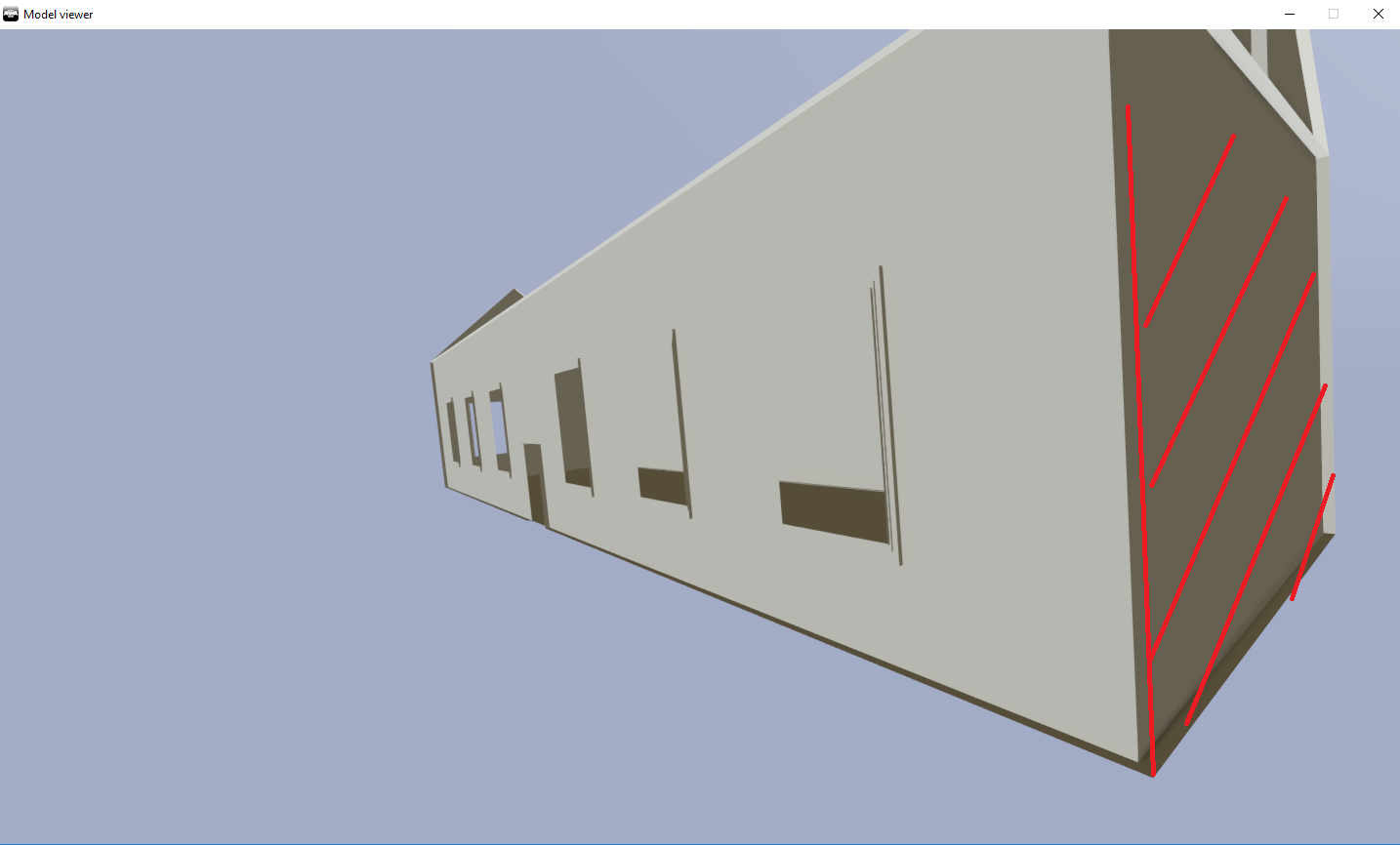
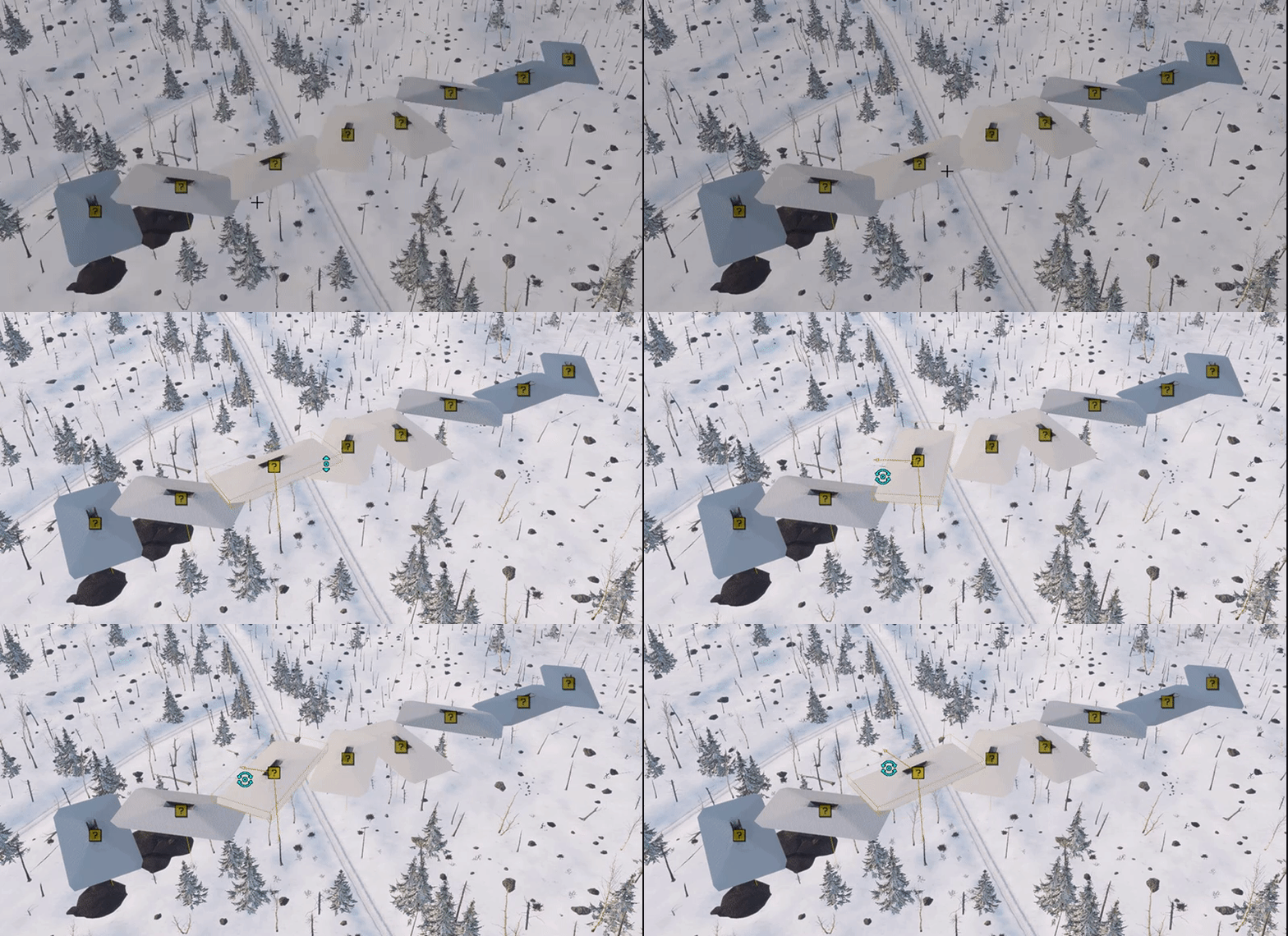
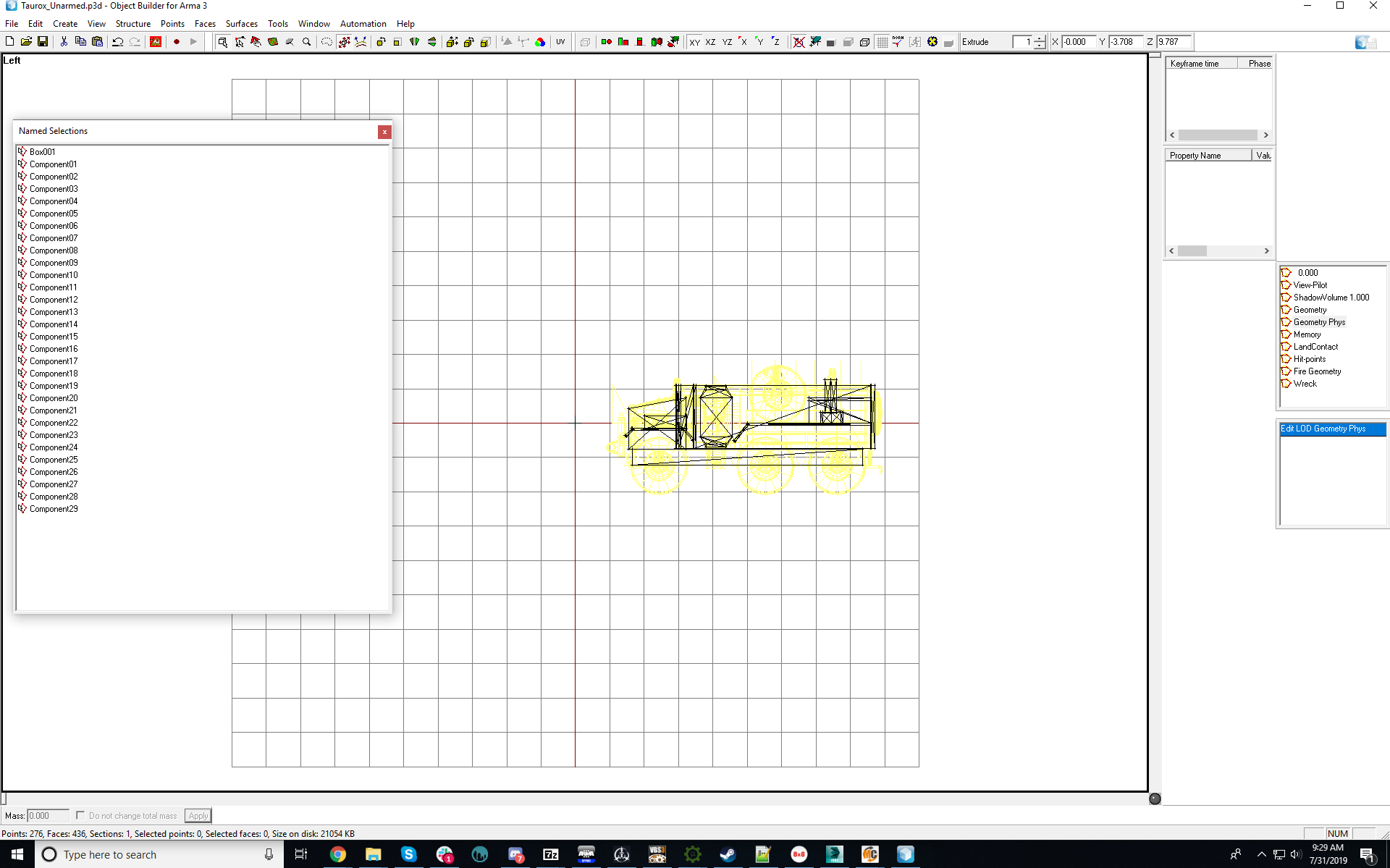


 jaunty leaf
nice
junior saddle
How up-to-date are the sample models, compared to the models in-game? I'm especially wondering about wheeled vehicles and tracked vehicles. The vanilla game tanks are largely improved in the last few years, but it has been about a year since I did much with my own tanks (in terms of land movement). I'd be interested to know what the memory points, land contact, and geometry LODs look like, for example, on the Scorcher. I.E.: where are they placed and what shape are they in relation to the visible model.
outer condor
Bohemia Interactive Forums
I want to present and test a little web service I made that allows you to convert binarized p3d files in ODOL format to editable p3ds in MLOD format. Before anybody starts crying: This service is intended for educational purposes, so people can learn how stuff is done from ex...
jaunty leaf
Anyone have the model.cfg entries handy for hiding an RPG rocket when it is fired?
polar fiber
Use mag proxies and it'll do it when the mag is expended
polar fiber
well, it will do if the mag inherits deleteIfEmpty = 1; which launcher and UGL mags usually do. otherwise you can define it yourself
But really it's easy peasy to set up weapons to use proxies https://community.bistudio.com/wiki/Arma_3_Magazine_Proxies
Otherwise though. I think the hasMagazine source used to be the one that worked on launchers before proxies provided another (generally better) way to do it
jaunty leaf
roger
time to get the ammunition set up
would you use a different .p3d for the ammunition and magazine proxy given they use the same model on an rpg?
polar fiber
We tend to use different ones, but mostly because RPGs have the extra fins and stuff that fold out when shot
jaunty leaf
huh
made my model invisible after adding a proxy somehow
but only at certain angles
it's weird

invisible looking straight ahead

visible to the side
this is after I added a proxy
polar fiber
did you have modelSpecialIsProxy in the mag?
 candid vault
When i try to export it in Blender 2.80 i get a Error Message.
any help?
polar fiber
@jaunty leaf is it only in first person that it's disappearing then?
jaunty leaf
in third person as well
but only a specific angle
the .p3d corrupted for some reason too so I'm reimporting/rebuilding
how do you properly add proxies anyway?
polar fiber
Well I always recommended doing it in Object Builder since I know we had some issues with corrupt proxies from Modo
jaunty leaf
Ye, I'm doing it in object builder
polar fiber
But the way I do it is put a pin where I want the proxy, activate that pin and Create\Proxy from the toolbar
jaunty leaf
roger
polar fiber
Oh and will want autocenter 0 in the weapon and magazine's geo LODs
jaunty leaf
👍 done

 well it seems like the magproxy works
thanks for the advice, seems like it worked
 runic plover
hello
got a new pc running, and it has Windows 10
my Object Builder doesnt work properly, and 2017 some people had the same issue but i cant find any solution. someone did a Video and i got the same issue so i use that Video to show you
hope there is a solution since 2years, cause i dont model with other 3d software and atm im not willing to learn other (i model in OB since 15years since O2Light(Oxygen) )
https://i.gyazo.com/94d14c10acbac909dc39b09ce5fcb34f.mp4
https://feedback.bistudio.com/T127168
system data:
CPU: Intel Core i7 980 Extreme Edition 6Core 12Threads 4.1Ghz
GPU: Sapphire RX570 4GB GDDR5 Nitro+ / OC
SSD: 240GB + 500GB Second Drive
Water cooled System
16GB DD3 RAM
Windows 10
 fluid ocean
Since Sentry has removed his duplicate post as directed, if anyone could help him, that would be great, thanks!
 misty urchin
What build of windows are you running? winver.exe in start will tell you.
stuck oyster
@runic plover OB viewports must be set to use DX drawmode
stuck oyster
These setting for it to be default in the options
At the bottom of the list
Or its the blue yellow x in the toolbar
junior saddle
@outer condor Thanks for the link. I almost missed it. IDK why, but things like this make me kind of nervous.
jaunty leaf
What's the model.cfg entry to make something animate if the weapon is loaded?
junior saddle
some of the universal animations are automagical. At this point, it's just a matter of having the right name for your effect and assigning it to the required selection
Also, you probably have to define it in the config.cpp somewhere, depending on the effect or animation
@jaunty leaf
stuck oyster
animationSourcse are listed in the modelcfg BIwiki page
jaunty leaf
thanks!
 sick chasm
Okay. So I'm done with the tutorial for PMC. Is there one for using blender and porting models into the map I wanna work on? Or am I restricted to using only Arma3 assets?
stuck oyster
what kind of models are you thinking of porting @sick chasm
sick chasm
I want to make small decorations mostly. The biggest I'd prolly get is an industrial greenhouse
This is all for practice though, but I was wondering if it's possible to port models into arma3 before I start doing anything
stuck oyster
porting usually means the models come from somewhere else.
which raisest the question are they from a legit source
if the models are not stolen from some other game then sure they can probably be fitted for Arma use. But it is not "plug and play" simple
there are some tutorials model stuff wise on youtube that can be useful but you can expect at least same amount of struggle than with the Terrain Tools or even more, depending how complex things you want to create
sick chasm
Nah, no stolen stuff. I plan to build from scratch in blender. I just wanted to know if it was possible. I'll look around for some tutorials, thank you for your answer!
stuck oyster
making of course is a totally different animal. Theres quite a bit of tutorial material about general modeling and how to use Blender
the Arma part of the whole workflow is just small part of it
There are model samples for A3 on steam with full configs and such
BI wiki offers some good pages about config basics
and El Tyranos and Sokolonkos tutorials should get you started with the Arma part
Also BI forums contain a lot of information
bold flare
no
 dark steeple
Oof
late root
@dark steeple Most people use Blender, as it is free.
3ds Max/ Maya for more professional industry standard (but paid and bullshit expensive) or Zbrush (professional, not for a beginner).
I advise blender if your brand new to the scene. There is a ton of tutorials compared to the other software listed above
 void surge
Is it normal to have to recalculate normals in Object Builder/Model Viewer everytime in order to see the model correctly?
worldly belfry
nope, what file type are you exporting/importing?
void surge
Blender, Exporting to P3D and then Importing to Object Builder as the p3d, https://i.imgur.com/cLDRvma.png The model looks like this at first, then once recalculated it looks like this https://i.imgur.com/ToK2DJ9.png

 stuck oyster
your toolbox O2script path is not set correctly perhaps
by importing to OB you mean just opening the p3d?
@void surge
foggy finch
@late root actually most of those bullshit expensive tools offer educational/academic licences for free, Autodesk, SideFX, Zbrush, etc all offer that, so saying they are bullshit expensive for someone wanting to learn who is in education is not true.
late root
@foggy finch if your going to school and can gain access to them sure, but I assume most people dont have a edu email to get them
Or you know do what anyone else does and yarhar it :)
void surge
Yes and how do i check my o2 script path ? @stuck oyster
stuck oyster
in the Blender settings - Addons - Toolbox settings
BIforum thread has stuff about this too I recall
void surge
I couldn't find the setting for the Arma toolbox addon and tried reinstalling and now i get this error
void surge
I dont even see that option, ill try reinstalling blender aswell
stuck oyster
what version of toolbox you have?
woeful viper
@foggy finch edu license is only for students - for university /learning stuff, not for modding. Technically...
though i dont think they have tried to sue people about this... unless they really did commercial stuff i guess?
foggy finch
yeah it is specifically educational and non-commercial, so for modding arma it's a viable option.
woeful viper
☝ educational is not the same as non-commercial - only educational is allowed from autodesk
educational = must be enlisted as student, must be noncommercial, and used only for educational purposes
quick terrace
true, still they dropped the edu mail requirements
which was true long ago when i was in university
void surge
Is there a setting/button that will show/hide textures in model viewer?
woeful viper
in 2010 i actually bought a max student license... idk if i was just a dummy or it was actually only aquirably by money at that time
i think they just prefer people using this and producing traceable "student version" files rather than pirating the full version nowadays
stuck oyster
Its not really off their pockets but likely increases sales when people trying it out get jobs and commercial licenses get aquired
also Blender is starting to gain more and more foothold even on the professional field and it being totally free is a big thing
polar fiber
Their commercial licensing model is terrible for just about everybody short of those in full-time work at a large studio now though
At least for what you get in return for being subscribed
woeful viper
yeah, the updates from version to version are not really mindblowing.
runic plover
@void surge after open by import, for the recalculate you can put F5 in the model and it looks like how it has to be (from your old post with these 2 screens in the bulldozer)
 modest beacon
hello, guys, object builder is not very smooth on 4k, have anyone faced that problem?
stuck oyster
4K monitor or 4K texture?
@modest beacon
OB viewport? buldozer?
what type of shader?
stuck oyster
well it is not designed for such systems so there likely are issues
you can try using all viewports in DX mode
modest beacon
yes dx is a bit better
i even seems like good fps but the moving have strange stutters
stuck oyster
OB has problems with win10 to begin with
and you have added hardware that its not designed for at all to the mix
Id wager there isnt anything that can be done about it
modest beacon
ok, was just curious if anybody have that issues too
stuck oyster
Have not used it on 4k monitor so dont have 1st hand knowledge
dont recall anyone mentioning such problems either though
 marble wyvern
hey does anybody know what to do about the error when it says u have different bones in another p3d
stuck oyster
fix your bones
slate epoch
You are overwritting skeleton
So you should use different name for your skeleton
What do you have now?
marble wyvern
i made a passat and a charger its definitly seperate names
slate epoch
Oh you made those models? 😃
marble wyvern
no sorry i didnt make it from scratch
slate epoch
@bold flare
marble wyvern
i meant imported*
stuck oyster
Imported unfortunately quite too often means they are from some other game
and thus should not be used
marble wyvern
even though i buy the actual model and import it my self is that not allowed?
stuck oyster
if the model you bought is from some game yes
marble wyvern
i bought it from turbosquid so yeah
stuck oyster
there are some legit models there too. but quite often stolen models are sold in cheap prices
marble wyvern
ahh i see
stuck oyster
makes easy buck for the model thiefs
and truckload of problems for the one who bought them
do you got link to the models?
slate epoch
That looks kinda hipoly, did you decimate it? 😄
marble wyvern
i deleted some stuff like the engine block and made texture instead definetly yeah
i got it at 140k with different proxys and still lagging the shit out of my object builder
marble wyvern
what would u recommend polys to have in arma 3?
stuck oyster
in the 20-30k range