#arma3_model
1 messages · Page 137 of 1
 stuck oyster
 pseudo flume
stuck oyster
pseudo flume
stuck oyster
whats the p3d name?
pseudo flume
duty_belt.p3d
stuck oyster
and what do you pack it with
pseudo flume
binPBO
pseudo flume
what?
stuck oyster
why?
pseudo flume
because xD
pseudo flume
pboProject doesn't pack
stuck oyster
well duh
you got errors
fix errors and it packs
ffs waste of time to debug that
😛 😛 😛 😛
pseudo flume
when i view outputs for the errors it just shows me a folder xD
pseudo flume
stuck oyster
install all the mikero tools
you are probably missing some of them
first get your tools working
and all that
then you can expect to get results in the packing front
there is no skipping the proper tools and development environment setup
if you ever ever want to get something properly done
as you have noticed
pseudo flume
https://gyazo.com/f34f68bba14635034536df2ad30a3463 this is the error i get on the DOS screen
 fervent steppe
bad config. You may be missing a }; somewhere
stuck oyster
replace your p3d with one from Arma 3 samples and test that the p3d is not the issue
then rebuild your configs
 plush forge
Feels weird being in here... but anyway, bisurf files that eventually go into the firlod. Is bulletPenetrability = 120; higher the number, the harder it is to penetrate?
 weak walrus
hello, I do not understand the syntax of the config sound of a car, could you explain it to me?
"armorCrash0 [] = {" A3 \ Sounds_F \ vehicles \ crashes \ cars \ cars_coll_big_default_ext_1 ", db0, 1,200};"
path of sound, volume,?,?
pseudo flume
so using the arma 3 sample vest it works.
weak walrus
who is it ?
pseudo flume
config is fine. I think it's just the model.
weak walrus
I understand but here is my problem I have his different rpm height. These are a different time and I do not know if I have to put some by the total value of the sound time
plush forge
So higher is easier to penetrate. Hmm, okay. Any insight into what Density and restitution do?
 foggy finch
@plush forge end of this page has descriptions https://community.bistudio.com/wiki/RVMAT_basics
there's also this one https://community.bistudio.com/wiki/Config_Properties_Megalist#BISURF_properties
 white jay
hey guys, quick question, trying to get this shemagh from a modified vanilla asset to work, but when I try to give it hiddenselection textures it isn't working
can someone give me an idea as to why?
the texture on the main one works
 bold flare
does the vanilla model support hidden selections?
white jay
Yes
bold flare
what means "isn't working" ? Original texture, or black, or white or something?
Any errors in RPT? Does your texture have correct suffix?
white jay
all 3 have the same white texture
by white I mean the texture
not pure white
but the proper color
I want three colors white, coyote, and ranger
white is the texture that is baked into the model
can I send you the file and maybe you can help?
very simple file
not my first rodeo either, I did this with two other models and it seems to work fine
@bold flare
no errors either
bold flare
show config snippet? which class are you inheriting and what are your hiddenSelection* lines
white jay
class CfgGlasses
{
class IIIE_Shemagh_Ranger
{
scope=2;
author="Fros7bite";
displayname="[IIIE] Shemagh (Ranger)";
model="\IIIE_Shemagh\Data\IIIE_Shemagh";
hiddenSelections[]={"Camo"};
hiddenSelectionsTextures[]={"\IIIE_Shemagh\Data\IIIE_Shemagh_Ranger.paa"};
picture = "\IIIE_Shemagh\IIIE.paa";
identityTypes[]=
{
"NoGlasses",
0,
"G_NATO_default",
0,
"G_NATO_casual",
0,
"G_NATO_pilot",
0,
"G_NATO_recon",
0,
"G_NATO_SF",
0,
"G_NATO_sniper",
0,
"G_NATO_diver",
0,
"G_IRAN_default",
0,
"G_IRAN_diver",
0,
"G_GUERIL_default",
0,
"G_HAF_default",
0,
"G_CIVIL_female",
0,
"G_CIVIL_male",
0
};
};
no inheretance
bold flare
"Does your texture have correct suffix?" I asked that.
"\IIIE_Shemagh\Data\IIIE_Shemagh_Ranger.paa" answer is no.
bold flare
"model="\IIIE_Shemagh\Data\IIIE_Shemagh";" I thought you are retexturing a vanilla asset, that's not a vanilla asset
white jay
it is a modified vanilla asset
bold flare
modified?
white jay
from samples
bold flare
"my other ones didnt" well you can do things wrong and still be lucky. Doesn't mean you shouldn't do it right
white jay
I'll try with the right suffix, but that doesnt seem to be the issue here as the main texture is working fine
bold flare
Where in samples is it?
bold flare
Or is it arma2? 😄 I only have A3 and I can't remember a shemag in there
white jay
I forot it's been on the backburner
grabbed it from a pack for templates and stuff on armaholic and tried to get it to work with the stuff on samples
anyway, any idea what's up with it?
maybe I can send you the pbo?
bold flare
Selections also need to be in model.cfg
white jay
one is called 'Camo'
HAH! let me check now
I had Camo1
not Camo
nice one
@bold flare you're good, that fixed it
thanks boss
chalk it up to human error
bold flare
That's usually the case
that's why I prefer to ask 3 times when people think everything they have is correct ^^
white jay
yeah thanks for holding my hand down the troubleshooting
stuck oyster
@white jay are you modifying the actual p3d here?
since your model path is not A3 path
white jay
@stuck oyster correct!
stuck oyster
A3 p3d?
white jay
yeah some guy had samples on armaholic
stuck oyster
And nothing raised any alarms?
white jay
not following
stuck oyster
because using ripped A3 models is not allowed
white jay
I dont think anything is ripped here
bold flare
A3 doesn't have shemag right? probably A2 samples I assume
white jay
yeah probably
white jay
what do you mean ripped A3 models btw?
stuck oyster
Arma 3 p3ds are binarized and cant be edited
white jay
yeah
stuck oyster
so if anyone has Arma3 pds that can be then they are stolen models
white jay
oh wait you can unbinarize them?
stuck oyster
and will lead to bans and possibly worse
white jay
since when?
bold flare
since Arma 3 alpha was announced and the EULA was published
white jay
nono I didn't know it was even possible
bold flare
models can be ripped from every game (literally)
white jay
yeah that's beyond my knowledge
bold flare
how else do you think did people make arma mods with high quality forza car models
bold flare
yes. They rip it all
white jay
I thought they got it off turbosquid or something
bold flare
But be mindful, getting caught with that get's you a easy ban
 cosmic bay
Hey guys does any one know what would cause this light to appear on my model from out of nowhere?
cosmic bay
proxy left over, that is very possible
I will check tonight
Thank you
what else could make that appear like that out of nowhere
??
just so I have a plan b
this is a animation, it is a collision lights. But I never place the model there,
foggy finch
make sure your lights arent part of another named selection that is animated
cosmic bay
@foggy finch I will double check that 2
stuck oyster
Possibly it's in your config inheritance
 lusty ginkgo
Could anyone tell me what the protection zone models/objects are for?
stuck oyster
Where are they from and what do they look like?
lusty ginkgo
They are in the structures_f system folder and they appear as a fairly large transparent red cylinder in-game
in 3den there is also an invisible variant, but that just seems to be the same model with the texture hidden
my first guess would be that it only has view geometry but no standard or fire geometry to protect the AI from seeing players or something
stuck oyster
Probs they are related to zeus
lusty ginkgo
that makes sense
though that does make me wonder if what effect having a view-geometry-only object might have on AI behaviour and pathfinding
it will probably just bug them out or make them get stuck but I'll experiment with it
it would be very useful to have a way to keep AI away from specific areas of my terrains
stuck oyster
Well if you veil player in a view geometry blob ai would not see him I'd presume
lusty ginkgo
I have had issues with having a large view geo and smaller collision geo on my upgraded version of the thick A2 pine tree where the AI would use the trunk as cover and essentially get stuck there and refuse to move
they would also be invisible to AI
my solution was to simply slightly reduce the view geo size and add the aicovers = 0 property so they would avoid those particular trees
 slate moon
Not sure where to ask this, so I guess here...
Is it possible to scale a unit without changing the animations and such?
Let's say... I would like a rabbit to be the size of a car.
Not all rabbits, just the ones I want big.
 still otter
It you got the model in object builder it should be possible
slate moon
yeah, it's just the stock rabbit model from the game. You ever seen "Night of the Lepus"?
it's a horror movie from the 70s about giant rabbits
white jay
ooooh that explains why they are called that in terraria
slate moon
But this also leads to another thought. If you can scale a human model to like 30 ft tall... then put a suit of clothes on it that looks like a Gundam, you essentially have a Gundam because they move like a human, they're just big and have different clothing on.
Consider that this a dude in a suit. I suppose you could make that suit fit on as a "uniform" for an ARMA human, right?
so if you can make the player 40ft tall and give him this suit... damn, you've got mecha
lusty ginkgo
yeah, it's just the stock rabbit model from the game
So you can't open it in object builder?
slate moon
People have been trying with limited success to get vehicle robots working, but they never can quite walk. But if it's using the human model, then it can run, walk, kneel, crawl.
@lusty ginkgo I've never messed with the utilities. Not sure what you can and can't screw around with from the stock models.
that's why I figured I'd come in here and ask people who probably know
lusty ginkgo
you can't edit any of the binarized models from the game, so you'd have to make your own model
I don't think there is any other way to scale a model other than modifying it's actual scale or having an animation
slate moon
can you impose another model's animations on it, or you have to make that too? Ideally just upscaling what's already there would do it.
lusty ginkgo
I don't think you can
slate moon
unfortunate
I saw that mod where people were making Robotech mecha that couldn't walk and thought hey, just skin a human with that as "clothing" and you're set
Has anybody ever made a decent hovertank?
seems like that would be easier than mecha, but I've never seen one attempted. I miss the hovertank from BF2142
I mean, in a month we've got to fight aliens. Would be nice to have proper equipment
What's the process for getting a 3D asset into ARMA and then making it usable? Is there a special object format, or if I know somebody who can 3D Studio or Blender something, that's importable?
I'm clueless about how ARMA does anything, so I'm trying to guage if it's super weird or learning how to do it would be applicable generally
 serene sphinx
If someone is willing to teach on how to create models and how to get started and improve over time, I will pay money.
Dm me if interested
stuck oyster
@slate moon you can't scale character/animal models
It would need whole new set of scaled animations.
Some mechs are built on tank class and animated via model. Cfg in clever ways. Some are built as new characters with new animations.
Myself and @timber cobalt have had some success in the area.

Long time no news! Well here's some!! Little teaser of things we've combined from various tests! Still a bit raw here and there.. But you can see where this ...
For example 👆
Hover tanks I don't have seen, got some ideas on that but since Arma doesn't have native class for such vehicles it would need quite a bit of scripting to work
 timber cobalt
I think this hovertank works pretty well
By messing around with wheel physX and dampers you can make it feel like its hovering. Its also hovering over water since its using geometry bouyancy
@RaZer veL#8824 there are tons of great tutorials out there. Personally I'd recommend this channel
bold flare
"but since Arma doesn't have native class for such vehicles" there is hovercraft simulation, but it's disabled 😄
 rough idol
there is also towing, winch & few other things which were part of shared VBS code and are disabled 😛
but thing is, they are disabled so technically it doesn't exist in Arma 3
bold flare
cries everyone a river
 twin urchin

 jolly mist
has anyone else ever run into this issue?
Object fades to black at a distance
thinking its a LOD issue but cant figure it for the life of me
stuck oyster
Does it has ADS texture? Looks like too strong distance shading.
Proper ADS should solve it.
 woeful viper
hovering tank aka "floating few cm above ground" is easy - just use big wheels and super soft suspension in physx
 frozen umbra
Is the biki info about ShadowVolume 1000 is still relevant or its deprecated since Arma 2? I'm talking about the shadow lods #1000 #1010 etc...
Shadow 1000 is special for trees, it uses alpha transparent textures to be calculated using GPU shadow buffer. (so this lod can have link on texture)
https://community.bistudio.com/wiki/Arma_3_Vegetation_P3D#.5BShadowVolume_1000.5D
Should it be used ONLY in vegetation models ?
rough idol
well, you can use it houses too
not sure how well it's going to work on vehicles though
here is new livoania tree, notice that you can use ca textures
frozen umbra
I was more of wondering , if these lods are used on non-vegetation objects (a much more complex then trees models) can they effect a model performance overall
bold flare
@frozen umbra ShadowVolume 1000+ is actually a bug
These are ShadowBuffer, and you should NOT make them yourself, binarize creates them for you.
bold flare
But binarize creates them automatically and mikeros tools then complain about duplicate lods.
I guess you have to disable them with properties?
frozen umbra
oh, so bin unbin will (mikero's tools)add them regardless if you created them ? hm
bold flare
If you have ShadowVolume, it will create Shadowbuffer based on that. But that depends on properties, but I think they are enabled by default (if you have shadow lod)
https://github.com/dedmen/armake/blob/cpp/src/p3d.cpp#L2757
If you don't have a "sbsource" in geometry lod, and don't have "shadow" property in geometry set to something special, and have shadowVolume's it will create a shadowBuffer for you
BI Binarize does that, not mikeros tools
frozen umbra
Rodger that . Thanks for clearing that up for me, Dedmen.
bold flare
So I guess if you need to do them manually (no idea how to, polygon wise) for vegetation you have to otherwise disable auto-generation first. But if you don't have a special reason, just leave them alone
rough idol
you have to use sbsource = explicit in order to activate it
frozen umbra
👌
 summer bronze
hey lads quick question, so you know that garrison module (either from CBA or one of those big mods), what do i need to do to my object in OB to add that? I want to make it so when use garrison module it will put them in specific spots behind the wall i made.
I have a path LOD behind the wall
^I'm assuming that the path LOD was somehow related
 bleak tangle
@summer bronze Yes, the path LOD is what determines those positions. This is the script command those modules use https://community.bistudio.com/wiki/buildingPos
summer bronze
So where exactly would i put the script?
bleak tangle
You don't have to do anything other than setup the path LOD correctly. Those modules will find the positions on their own in-game when they are run.
summer bronze
o.o sweet, the path LOD doesn't have to be on the model tho right? like its behind the wall for what im making
 late root
I have my GEO lod and Roadway LOD on this ramp, people walk up and down just fine. Vehicles, grenades etc seem to just float. There is no geo it could be hitting. Any ideas? https://gyazo.com/261d100348bd3781354d914cd5a91da0
LODS used are
1.000
ShadowVolume
Geometry
Geo in bulldozer https://gyazo.com/5a7a18610e6f2e3753c4f5b150b1aea3
bleak tangle
@summer bronze I'm not sure if I understand what you're trying to do. So you have a standalone wall model that you want AI to be located at specific positions when using those garrison modules? I guess you could have two separate models, one with only the wall and an invisible model with only a path LOD, but I don't see why you wouldn't just include the path LOD within the wall model.
@late root I don't know why it would be colliding with something floating in the air, but is your answer to any of these questions no?
- Are all of the pieces closed? You can check by going to
Structure > Topology > Find non-closed. Anything that isn't closed will be highlighted in red. - Are all of those pieces convex? You can check by going to
Structure > Convexity > Find non-convexities. Anything that isn't closed will be highlighted in red. - Do each of those convex pieces have their own named selection in the format
Component##, in ascending order from 01 to however many pieces you have? - Do each of those convex pieces have a mass? If you highlight a piece it should show the mass in the bottom left or wherever you have your mass text located on the UI.
late root
- Yes everything is closed in geo and shadow. Only LOD with open faces is resolution lods. Roadway is just a plane.
- Yes convex
- Yes everything is named
4 Yes everything has mass
bleak tangle
Packing with pboProject? Only other thing that I could think of is it using an older version of the model if you were using Addon Builder
I can take a look at it if you want to send me just the model
late root
PboProject. And will do give me one moment
late root
Well new problems now. Somehow fixed the floating in the sky, now im falling through the floor
Vehicle: https://gyazo.com/c85a3cfc186323a4c6ddc4ecec472c03
Man: https://gyazo.com/360390decc81de600a4773e4178d7bac
stuck oyster
What part was falling?
Roadway lod should be a little bit higher than the geometry parts under it.
late root
The Roadway LOD it appears
And it is, i have confirmed. Notice how my player walks down just fine? But the vic falls halfway through
woeful viper
do vehicles even use roadway for driving on? Try making your geometry LOD thicker
rough idol
structures are using roadway LOD to bake physx lod too
late root
Should I include a physxlod in a structure that vehicles can drive on?
slate moon
@stuck oyster Damn, that's the best mech I've seen in a mod for anything.
If you can use the sort of "pylon loading" selection that helicopters and jets do, to load the arms that would be a thing.
Load a MG pod on one arm, and hellfires on the other, or AA.
@timber cobalt Thanks for the hovertank. Need to look real hard at that project.
What I was thinking was an APC body with a helo flight model that had an altitude restriction that was basically "can't ascend if not in ground effect" which would let you play with some altitude but not get above where helos experience GE lift.
Not sure if that could be done but if so that would probably give the most compelling hovering experience
late root
So its almost like the Road or Geo lod (whatever vehicles drive on) just ups and disappears for a second. If i slowly roll over the surface with a car I will randomly fall through the floor. Front of vehicle never dips like im going off an edge, it just falls straight down.
late root
So solution was to jam another geo and roadway. Geometry of both is the same, position is the same. Just cut it out of p3d seemed to fix issue
stuck oyster
Is it one big piece of geometry or many smaller pieces
late root
@stuck oyster at this point it is a bunch of smaller p3ds
timber cobalt
@slate moon yeah you could do that with scripting
stuck oyster
Does the dip happen at the edge of 2 objects
That might indicate that the model is too big
stuck oyster
That is more odd thing to happen
late root
I know, if it was at a seam it would make sense.
stuck oyster
Is the model all centred around the 0,0,0 origin?
Also did you try adding dedicated physx lod yet?
timber cobalt
I asume you have distributed the mass correctly? does the part you're falling through have less mass than the other?
late root
Well its fixed, and the model is way off origin point.
https://gyazo.com/5d095e7846b4732068e3ea385f1e0940
Again I resolved the issue by splitting up the p3d a bit more. Even though it was only 60m I split it into 30m segments in different p3d. Resolved the problem
timber cobalt
ok
late root
I just think it was a combination of size and placement.
stuck oyster
It would be better if all pieces were centered
late root
I agree, however im not sure how id handle spawning at that point
stuck oyster
Maths
late root
Sounds incredibly painful
stuck oyster
Probably is.
But will likely work better
Since Arma dimension limits are calculated from the center origin.
At least as far as I know
Going over those makes things iffy
late root
yeah i opened up the configs and such for the carrier in jets dlc and looked over BIS stuff. Its not very clear on how it was handled. Looks like some sort of memory points on each model possibly
yeah looks like they have a base hull, with all the memory point locations. Then in configs they have a multiStructureParts config with correlated parts and mem names
stuck oyster
Likely the mem points are where the centers of the next pieces should be.
cosmic bay
Hi guys, I m trying to look at a model.cfg to use as an example how can I extract it?
stuck oyster
Mikeros toolsets eliteness can do it. But also the simpler way might be looking at the model.cfgs the Arma3 Samples on steam have.
cosmic bay
Yes, I m looking at it. but I find it still a bit complex. I m trying to compare to a vehicle more similar to my
stuck oyster
You may need to read through the *how to animate a model" page on the Arma wiki.
stuck oyster
Build it from ground up one part at a time.
Copying without understanding will backfire.
cosmic bay
that is true
one more question
for a cargoturret what kind of proxy do I need on the model?
this is what it says on the wiki
Important part is that despite being turrets, positions for FFV use standard Cargo proxies in model
but i get that stupid inside view from the vehicle. you know the view that you usualy get when you dont have the right proxy
stuck oyster
Wrong proxy and cargo Action combination will result in wrong passenger position. Using a proxy that has the same animation as your used action animation for that position ensures the correct placement in game.
Any proxy can be used but the alignment is very hard if the animation and proxy differ from each other.
stuck oyster
Yes. You may want to see what actions vanilla FFV turrets use.
cosmic bay
yep will look at it right now
how can i make sure they match
i know proxies are on data_f right?
stuck oyster
Somewhere in there yes. And the action class names usually match the vehicle and position name of a proxy
cosmic bay
class CargoTurret_01: CargoTurret
{
showAsCargo=1;
gunnerInAction="UH1Y_Gunner";
gunnerAction="passenger_inside_1";
gunnerCompartments="Compartment2";
memoryPointsGetInGunner="pos gunner";
memoryPointsGetInGunnerDir="pos gunner dir";
gunnerName="";
proxyIndex=9;
maxElev=45;
minElev=-50;
maxTurn=-10;
minTurn=-95;
isPersonTurret=1;
ejectDeadGunner=0;
class dynamicViewLimits
{
CargoTurret_01[]={-95,-10};
};
playerPosition=4;
soundAttenuationTurret="";
disableSoundAttenuation=1;
LODTurnedOut=1000;
LODTurnedIn=1000;
};
class CargoTurret_02: CargoTurret_01
{
gunnerAction="passenger_inside_1";
gunnerName="";
proxyIndex=10;
maxTurn=95;
minTurn=10;
class dynamicViewLimits
{
CargoTurret_01[]={10,95};
};
stuck oyster
Pls don't paste full configs
cosmic bay
sorry
stuck oyster
At least not without proper question. Also using the ``` tags around it is preferred.
cosmic bay
roger
I think this code is pretty good
i just cant find the right proxy
that goes with it
at least no passenger_inside_1 proxy anyways
stuck oyster
No idea which one that would be to be honest. You could check the animation config class if the animation path had clues.
stuck oyster
Good luck!
cosmic bay
Thank you! I think i may have it right now
it may be the proxy index
but i will try
😉
yep it works
thx again
cosmic bay
Hi all, does anybody know what could be causing this problem? https://steamcommunity.com/id/odyseusbr/screenshot/780728056603837280
woeful viper
missing pbo, or typo in turret weapons assigment
cosmic bay
Alright gonna check it, thx
cosmic bay
I just fix most of the problems. I m only struggling with a few
stuck oyster
@cosmic bay are you using mikeros pboProject to pack your PBOs?
stuck oyster
Indeed.
stuck oyster
It would likely catch most of your errors before packing
 median bough
You install pboProject and all it's requirements. If you're unsure, check the pmc wiki. Once all is installed and your p drive running, open pboProject, select source and destination folders, crunch
@cosmic bay
cosmic bay
roger
median bough
When crunching, keep an eye on the cmd window for errors. If needed open the logs
cosmic bay
alright, i just download it
one question
does my project folder needs to be in Pdrive?
median bough
Yes. Read up the docu on pmc wiki
median bough
as for folder structure on p drive i have it like
p:\<MY PROJECT>\<PREFIX_MYMOD>\files and subfolders
cosmic bay
so i move it to my p drive
median bough
the name of the folder <PREFIX_MODNAME> will later be the pbo file is setup correctly.
for example:
p:\TF47\TF47_DVP\files like config.cpp and subfolders
will be later
TF47_DVP.pbo
cosmic bay
but i m not getting the crushing options
median bough
how did you mount your pdrive?
cosmic bay
alright
so i just install all necessary files
and it shows now
i try to crush and i got an error
median bough
as expected
median bough
most errors are displayed in the CMD window to my left. more detailed in the binlogs (red marking)
median bough
what was the error?
cosmic bay
so when i click on vin binglogs nothing happen
median bough
what was the error?
cosmic bay
let me see if i can figure out
it said
Failed. View output logs for @white jaype\addons\bope_air
I m trying to post a print but i cant
median bough
does the folder p:\temp\ open when you click on view binlog(s)?
upload images to imgur and post the link here
median bough
ok, try to pack again. when it fails, make a screenshot of the CMD and the pboProject window, upload it to imgur and post the link here
median bough
read again what i wrote about folder structure on p drive 😉
cosmic bay
roger
median bough
your output folder can have the @ infront.
for your output folder you don't need to have any other subfolders. pboProject will build them
and i fucked up...
the error logs are under View Output(s)
ups
cosmic bay
Ok i just fixed that
i mean the @
i just removed it
should i try to crunch now?
yes i click on it and i get nothing
on view outputs
median bough
and name your output folder @BOPE on the desktop
otherwise you might get a mess on there
median bough
yes
files as in config.cpp ect
if your mod packs without errors (later down the road), you will have
@BOPE\Addons\BOPE_Air.pbo
in your output folder
if you follow this work folder structure, you can then also later add
P:\BOPE\BOPE_Vehicles\files... and so on.
this will crunch to
@BOPE\Addons\BOPE_Vehicles.pbo
i think you get the idea
median bough
you can post larger texts / code to www.pastebin.com btw
median bough
i think you need to add the root folder to the paths as well
cosmic bay
what you mean?
median bough
BOPE\BOPE_Air...
cosmic bay
owww
i think you are right
i m so tired
that i think i m seeing things
😄
do you guys get dizzy from looking at codes
??
median bough
no worries. your initial folder structure was different
i'm always dizzy. but that has other reasons 😉
median bough
what files for the UH-1H are you using btw? where did you got 'em?
cosmic bay
i got it from arma 2
from bis files
i use most of my model are from bis
some are made by me and friends
and some opensource
Warning: BOPE_Air\BOPE_UH1H\data\default.rvmat circa Line 83: a3\data_f\env_land_co.paa
this is what i m getting now
why would i get this error?
median bough
since you work with A2 source files, this might come in handy:
https://pmc.editing.wiki/doku.php?id=arma3:port-arma2-to-arma3-tutorial-varanon
Warning: BOPE_Air\BOPE_UH1H\data\default.rvmat circa Line 83: a3\data_f\env_land_co.paa
you need to extract arma 3 files to p drive using arma3p by mikero
median bough
i don't wanna jump to conclusions, but the lines with the path errors you had by now match surprisingly good to the CUP files for the UH1
that's a little suspicious since the arma 2 files have no paths set to any arma 3 files in the rvmats
cosmic bay
i need to copy some of the config, so i can better understand how it works
but trust me
i did not still any work from cup
other wise my shit would be working
😄
and it is not
median bough
you wouldn't belief what i have seen by now 😉
ok, i trust your word
because if not, i will let rain down hell on you if you steal my stuff 😉
(configs are ok tho)
cosmic bay
no way man
i try to compare what i do, with things that are already working on arma
so that i can get a better understanding of how config works
i suck at it big time
median bough
the way how to learn
and as said, configs are ok to use. as long as you remove the CUP tags 😄
median bough
appreciate it, thx
cosmic bay
since the all in arma
btw you guys should bring Seattle map into arma 3
that would be bad ass
😉
cosmic bay
well I wish I could help, but as you can see i suck at this
😄
i feel that is the only thing missing on arma 3 a map like that
median bough
i' not a terrain maker, so guess my struggles on this 😂
but at least i'm trying
btw, how's your heli doing now?
cosmic bay
so ok, on my other mod, it is doing better, I m moving it to BOPE mod witch will be independent. it is mostly free of bugs, It only have 2 major ones
one is the animation for the pilot and KIA pilot
and the other one you already know that processing missing file name or something like that
right now i m doing what you told me
i guess it takes long for the process
median bough
what editor are you using?
cosmic bay
for what?
median bough
text editing / code
median bough
not bad, i prefer sublime 2. well, the beefed up version poseidon tools
cosmic bay
before i had a friend who was really good with config. but he can not help me anymore so i m working by myself
i only used this one, because my friend told me to do it
i was using notepad
😄
median bough
you can mass replace paths within a folder in n++
so you won't have to go through every single file manually
cosmic bay
how shit
really
i did not know that
I was going one by one
and it was killing me
how long for the arma 3 files to extract?
btw cool beard
median bough
search > search files
seach: BOPE_air\BOPE_UH1H
replace: BOPE\BOPE_air\BOPE_UH1H
folder: navigate to BOPE_Air folder
then hit "replace in files"
(i hope all the stuff is called like that in the english version)
a3 extraction might take some time
cosmic bay
where are you from?
median bough
haven't had much contact with him, but i know his work
cosmic bay
it was a joke since you guys are from Germany
sorry i got bad jokes
anyways I help him a lot with the Nimitz
well when i can
hope i did not offend you
median bough
😉
(THAT'S a bad joke)
shit... that's not blut's basement. can't make jokes like this here 😄
cosmic bay
😄
I hope now that i got mikero tools going. I can speed up my process
and maybe release my first version of my mod
does it show config error?
cosmic bay
i got this
Bis binarise failed to binarise some or all rtm files.
There was no skeleton that could be used.
Read the documentation
what do they mean?
median bough
oh damn... that's too long ago.
i think it's because you are using binarized RTM animation files. not sure tho...
navigate to ..\Mikero\DePboTools\docs\DeRtm and read up on the htm file
i think this is what you need
@stuck oyster might know more about this
cosmic bay
i had a suspicion that it was that case. I m using the animation provided by bis and it is all binarized
median bough
in doubt (and if the documentation doesn't help), check if the CUP anims work for you
cosmic bay
so maybe just replace the animations ?
so i would have to open every single animation with dertm first then bin it again?
median bough
tbh, i haven't done this in ages...
cosmic bay
i bet
i guess drtm is not freeware anymore
dertm
i guess i will buy it when i get pay next week
median bough
wait for what HG has to say first
cosmic bay
roger
stuck oyster
@cosmic bay what animations are you trying to put in?
stuck oyster
A2 Ones then?
stuck oyster
Any chance to make CUP dependency and use their anims xD
Assuming cup has them converted
Dertm is not free yeah, but I'm not sure if you need it to use the A2 anims.
cosmic bay
well i did not wanted to do that, becouse most people that want to download my mod gonna have shity computers
and may not have hd for the whole complete cup
so what do you think i should do to try to make a pbo with the mikero
stuck oyster
Skeleton to use means you need a model. Cfg with the man skeleton defined in it next to the RTMs
cosmic bay
i see
so the arma 3 skeleton should do right?
i think i can find on the sample right?
stuck oyster
Yes copying the one from sample character should be good
cosmic bay
alright guys, I got it.
I just have one problem
it should be an easy one but this is my third day trying to solve it
picture as follows
as you can see the gunner KIA animation works great, not the pilot not so good.
any ideas?
median bough

Pastebin
Pastebin.com is the number one paste tool since 2002. Pastebin is a website where you can store text online for a set period of time.
use this for your kill anims
https://pastebin.com/TKCJm70y
Pastebin
cosmic bay
median bough
if you reuse arma 2 content, ALWAYS add your prefix to it. model, anims, whatever.
this way you avoid conflicts with other mods that also use arma 2 content
@cosmic bay
look at my pastebin link
cosmic bay
I see what you mean
median bough
copy / paste my config and paste your path to it
should work then
oh, and ofc rename your anim sources in the config.cpp to the new class names
cosmic bay
roger, do you think i should remove_EP1?
median bough
nah. should be fine if you add your mod prefix up front. like BOPE_UH1H_...
cosmic bay
should i rename the animation itself?
should i add a prefix?
to the animation that is
median bough
yes, rename the animation also
BOPE_UH1H_Pilot.rtm
and so on
as said, this way you avoid conflicts with others.
we experienced that problem in the beginning after CUP was more like a "straight port" without much config and prefix changes. a lot of error reports we got where caused by others who ported assets using the same names
you should use your prefix for almost everything... class names, models, rtm's
median bough
uhm... almost everything? 😄
cosmic bay
ahahahha
median bough
as far is i can tell you should be good with the environment and it's just "minor" things like getting the pathing right
median bough
no, you use the gunner for the gunners, and cargo for the passengers / FFV
FFV = fire from vehicle
cosmic bay
I see
stuck oyster
Might be good to switch to A3 cargo animations if you want FFV to work better.
median bough
👆
stuck oyster
So A A3 cargo animation that is used on a FFV seat in some vanilla vehicle and then copy the FFV setup
median bough
i think the orca might fit
cosmic bay
ROGER
so i just try your code. it wont transition to the KIA animation
let me see if i can figure it out
median bough
ok
orca anims can be found here for later use
P:\a3\air_f\Heli_Light_02\Data\Anim
cosmic bay
Damn it kind of works, but not really. Ok so gunner works 100%
now the pilot when i shoot him in the head. he dies and instead of taking the dead animaiton now he moves back a bit
😦
ahahah I feel like this could be so much easier!
😄
median bough
That's rather simple to adjust. Move the proxy pos in one LOD (pilot for example) until it fits. Then copy the proxy to all other required LODs
stuck oyster
Usually if you use action for specific vehicle and KIA action of same vehicle they should match. Perhaps you have configured the KIA action you use wrongly?
cosmic bay
@stuck oyster Sorry, what you mean?
stuck oyster
if you use say UH1H pilot action/ pilot arnimation and Varsuuk driver KIA action with it they wont ever match
as an over the top example
also both the Pilot action and the KIA action has to be configured in the movesCfg properly
cosmic bay
Yes, I dont think that is the case.
check this out
This is my config. This is a arma 2 import pretty much
so this is the config i made. I m sure it has a lot of problem. Let me know if you identify one
stuck oyster
yeah I got to say its way too long to go through like this xP would make things simpler if you split up weapons into different pbo and config and animations into another and so on
median bough
@cosmic bay
may i suggest you something? split up your configs.
create a config.cpp with following content:
#include "crewAnimations.h"
#include "CfgVehicles.h"
#include "CfgWeapons.h"```

then create new files with the name above and pot the according in there.
easier to maintain and check for errors. if you pack the mod this will be all combined. but until then it's easierwe also excluded stuff like sounds and add it with #include "sounds.h" to the vehicle config
cosmic bay
i know like the bis sample right
median bough
exactly
cosmic bay
this is how i feel just to think about doing all that work

But i guess I gonna have to do it
cosmic bay
hahahahah
 open folio
Completely forgot what the solution was for this issue but, my helicopter has a rotor issue where it looks loose. Someone mentioned how to fix it but I’ve lost the message. Any help on that would be great. Something about rotors memory point?
stuck oyster
you need to set the memorypoint axis properly
as in right memortpoints in right place and right axis selection in model.cfg
cosmic bay
@median bough hi there, I m doing what you told, and breaking my config down, per vehicles.
now i got one question
median bough
ohoh....
cosmic bay
bis sample has one #include "basicdefines_A3.hpp" per sample mod
i m trying to save some space and only have one under the file braf_air
so how should i address it on the config
this is what i have #include "braf_air\basicdefines_A3.hpp"
but i keep getting an error
woeful viper
unless you use the defines in that file you dont need it whatsoever...
median bough
actually, you don't need a copy of the basic defines in your mod at all. you can call it by just referring to the vanilla arma 3
gimme a sec
cosmic bay
aww ok that would be nice
By the way, I kind of like this approach. Specialy when you have so many vehicles under one class. like I do under BRAF_air
Hey guys I m looking for a G3 to add to my mod, does anyone know someone what has one and would be nice enough to allow to use?
stuck oyster
Id think simples way would be having a dependency
its not very good practice to have multiple versions of same stuff in different mods
median bough
damn... i think arma 3 doesn't have one common basicdefines.hpp
since your mod has a tendency to get bigger over time and also might include more than just air vehicles, i suggest you make a single dedicated pbo for shared content like the basicdefines.hpp
call it something like BOPE_Commons or BOPE_Core
cosmic bay
I see, then refer to that pbo
how would it look the file orders and how would i refer on the config
median bough
exactly. we have one that includes stuff like the basicdefines.hpp, custom functions, stringtables and scripts
cosmic bay
thats is cool i just need to see an example so that i can organize my files in a more proficient way
@stuck oyster you are right, I will see what I gonna do. I was looking at some G3 from arma 2 that I dont think anyone brought to arma 3.
But i cant get a hold of the guys!
anyways I just thought I would ask here
median bough
take that as reference
stuck oyster
yeah any A2 mod is not really a good place to look
theres provbably many weapon mods that have G3 though
median bough
you would then have your root folder, and inside that root folder your air and core folder
stuck oyster
so using one with your mod would be the simplest and fastest way
cosmic bay
I see, so on my config, how should i define, lets say i have BOPE_CORE and on my BOPE_AIR i have a config for a helli called BOPE_UH1H
how would i define on the config for that brid
bird
#include "BOPE_core\basicdefines_A3.hpp"
median bough
lemme brainstorm lil quick
yes, your include path should work
as long as you have a config.cpp in the BOPE_Core folder
and pack it as BOPE_Core
median bough
but keep something in mind:
if you have your BOPE_core.pbo that will share common files across other parts of the mods inside your @ BOPE_Air mod, every addition to your creation like BOPE_Wheeled or BOPE_Tracked will have a dependency on BOPE_Air.
a way to circumvent this situation would be, you release two mods:
@ BOPE_Core (for common data across mods) and @ BOPE_Air(Wheeled,Tracked,ect) that have a dependency on your core mod
basically what we did with terrains
aaahhh...
sorry for mentioning, stranger
cosmic bay
AWw damn you are right
I also see you call CUP_vehicle_core
on your config
can i calll just BOPE_core?
cosmic bay
Its all good
median bough
i got confused by our own structure for a moment there...
we have core for every mod. we have a vehicles core, units, and weapons.
first, you need to figure out where you wanna go. what are your overall plans.
next would be creating a suitable structure upon those goals
cosmic bay
I would like just one core file
median bough
i mean, what's your mod plans. how big you wanna go, what will be in there in the end
cosmic bay
i notice that if i use your sample then i dont need the mod.cpp right?
So the idea is the have
BOPE_Air
BOPE_wheels
BOPE_Track maybe
BOPE_boats
BOPE_units
I think
median bough
all as individual mods, or combined to one big one?
cosmic bay
I forgot about weapons
they all gonna be their own pbo
but all combined in one big mod
@white jayPE
@ BOPE
sorry about that
bo
bold flare
no worries
bo is just some spam user that joined a year or so ago and never wrote a single message
I'm sure he's not around
cosmic bay
😄
bold flare
same as @rustic linden
median bough
ok, then i suggest a new structure what will ease your live later, but you will hat me now 😄
median bough
(because i'll scew your work over... again)
cosmic bay
😄
median bough
since you want it to be in one @ BOPE mod folder, do as follows:
expand your prefix:
use BOPE_Air_ for your air stuff, BOPE_Wheeled_ for wheeled, ect.
example:
BOPE\BOPE_Wheeled_UAZ
BOPE\BOPE_Weapons_AK74
BOPE\BOPE_Tracked_1A1
BOPE\BOPE_Units_USMC
BOPE\BOPE_Core```This is kind of how i have now
So lets say i have another helicopter
would i have to do bope_air_anotherhelicopter?
median bough
yes
median bough
?
cosmic bay
It is true
and i get it
and that is why i m leaving the config inside of their right vehicle
so lets say inside of bope_air
i have
uhh1, and uh60
so inside of the uh1h folder i would have the config for the uh1h
median bough
it is possible, but will end up in a mess and horror to maintain/add content
median bough
let me collect my thoughts
median bough
i already told you ;D
cosmic bay
i know you guys at cup have the individual approach for each vehicle
But i guess you are right
This way I wouldn't really need a core at the moment
I mean i could use one just to make a dependence and to limit people to download the full mod and not just one vehicle
median bough
i just test build a folder and config structure to your idea and.... meh... fuck it...
you can try that once you are way more experienced with config work
median bough
so as said, go with this
BOPE\BOPE_Wheeled_UAZ
BOPE\BOPE_Weapons_AK74
BOPE\BOPE_Tracked_1A1
BOPE\BOPE_Units_USMC
BOPE\BOPE_Core```that's way better to "understand"
stuck oyster
@median bough earning his blue tags like a champ! ❤
cosmic bay
I dont know what blue tags are , but he does disserves it
cosmic bay
i get the idea
bold flare
ace/cba does
z\modname\addons\modulename
median bough
BOPE\Air_AH1Z
BOPE\Wheeled_UAZ
BOPE\Wheeled_Wolf
BOPE\Weapons_AK74
BOPE\Weapons_M4A1
BOPE\Tracked_M1A1
BOPE\Units_USMC
BOPE\Core``` slate epoch
Just make \UH1H 
cosmic bay
so in the config would be #include "braf_core\basicdefines_A3.hpp"
or should the address be different
median bough
no, just core\basicdefines_A3.hpp
cosmic bay
ok will try
Nope, I get an error, BOPE_air\bope_a29\core\basicdefines_a3.hpp
so for now i m trying with this layout i ahve
have
i will break it down later
to how you told me to do
it is just so much work
😦
stuck oyster
building a good mod is 😄
median bough
don't cry, you dug your own grave 😄
slate epoch
\o\ seems like cool prefix 😛
stuck oyster
hmm should just prefix everything poop_
slate epoch
Yeah...seems unique 😄
median bough
it is. we do that throughout complete CUP
median bough
what's your config?
cosmic bay
in my config for the UH1H i have the first line like you sugested
core\basicdefines_A3.hpp"
median bough
hold on a sec...
@stuck oyster are calls for #include absolute path?
if so, it should be
#include "\BOPE\Core\basicDefines.hpp"
cosmic bay
will try
stuck oyster
mm yes I think that would be the right way
median bough
cosmic bay
thx
bold flare
I prefer my ÖwÖ prefix
median bough
if emoji would work, i'd choose 🖕
bold flare
they do
median bough
that dude is not mighty enough for helping arma modding 😄
cosmic bay
😄
really guys, it sucks but i really appreciate the help. Specially you 2 audiocustoms and horriblegoat! thx
cosmic bay
hahahahha
i guess i soul is alread gone
another question so i have a bope_weapons_curator
is it necessary or is there another approach to this
median bough
no, not necessary. those where created after zeus got introduced. those entries can now be added to the according config
iirc it was used to add scopeCurator=2; to the cfgVehicles classes to make them usable in zeus. now zeus uses the entries in units[] array from cfgPatches
smb correct me if i'm wrong
cosmic bay
so to see it in the editor all i need is the scopecurator=2
that amazing
on question i notice this on your sample you sent me
#include "cfgFunctions.h"
#include "rscInGameUI.hpp"
what are they for?
median bough
that's just some CUP specific stuff, you can ignore that
median bough
also the macro and script stuff
median bough
and as for the basicDefines.hpp, use a copy from the arma 3 samples since the one i gave you is also edited for CUP use
cosmic bay
roger
median bough
off to bed now. if you need assistance, tag me so i can read it tomorrow, or wait for others to jump in
cosmic bay
you got it
have a good night!
@median bough so having the BOPE_Core in the config I notice that is something similar to mod.cpp where you detail all the info about your mod and so on. If i have that do i need the model.cpp?
I just delete the model.cpp and the core is not doing it's job as far as replacing model.cpp is there something I m missing?
summer bronze
Any good rigging guides to import a character model into arma 3?
cosmic bay
@summer bronze while back i saw some on youtube.
cosmic bay
Hi all, trying to fix one thing one my plane
prior improving my config, my weapons where working,(showing on the proxies) now it isnt
I notice something on new on bohemia config that is diferent from my
this
cosmic bay
hey guys
does anyone know why my logo over is not working properly in the weapons loadout room
bleak tangle
Are you referring to the Apex logo it's showing in the bottom right?
 daring turtle
any people who can model new clothing? (paid)
stuck oyster
@daring turtle #creators_recruiting would be the best channel. Also if you want serious interest add better description of the work and what they pay is.
daring turtle
thanks
cosmic bay
anyone have a clue guys, it seems like it is something simple!? but i m too slow to figure it out!
stuck oyster
Have you checked the forums/Internet for help?
 buoyant condor
quick question about object builder. How can you view multiple lods in the edit wondows, for example resolution lod and memory lod
stuck oyster
you can only set 1 lod as a background (yellow lines) and thats it
right click on lod and theres something like show on background
buoyant condor
yeah i see the option but it didnts seem to do anything
stuck oyster
only a lod with faces/edges can be seen as background
what is it that you are after?
buoyant condor
im trying to adjust my _axis points to the model's wheels
so this stops happening https://i.gyazo.com/fdf3aa8d037acd1c27f7f41455019207.gif
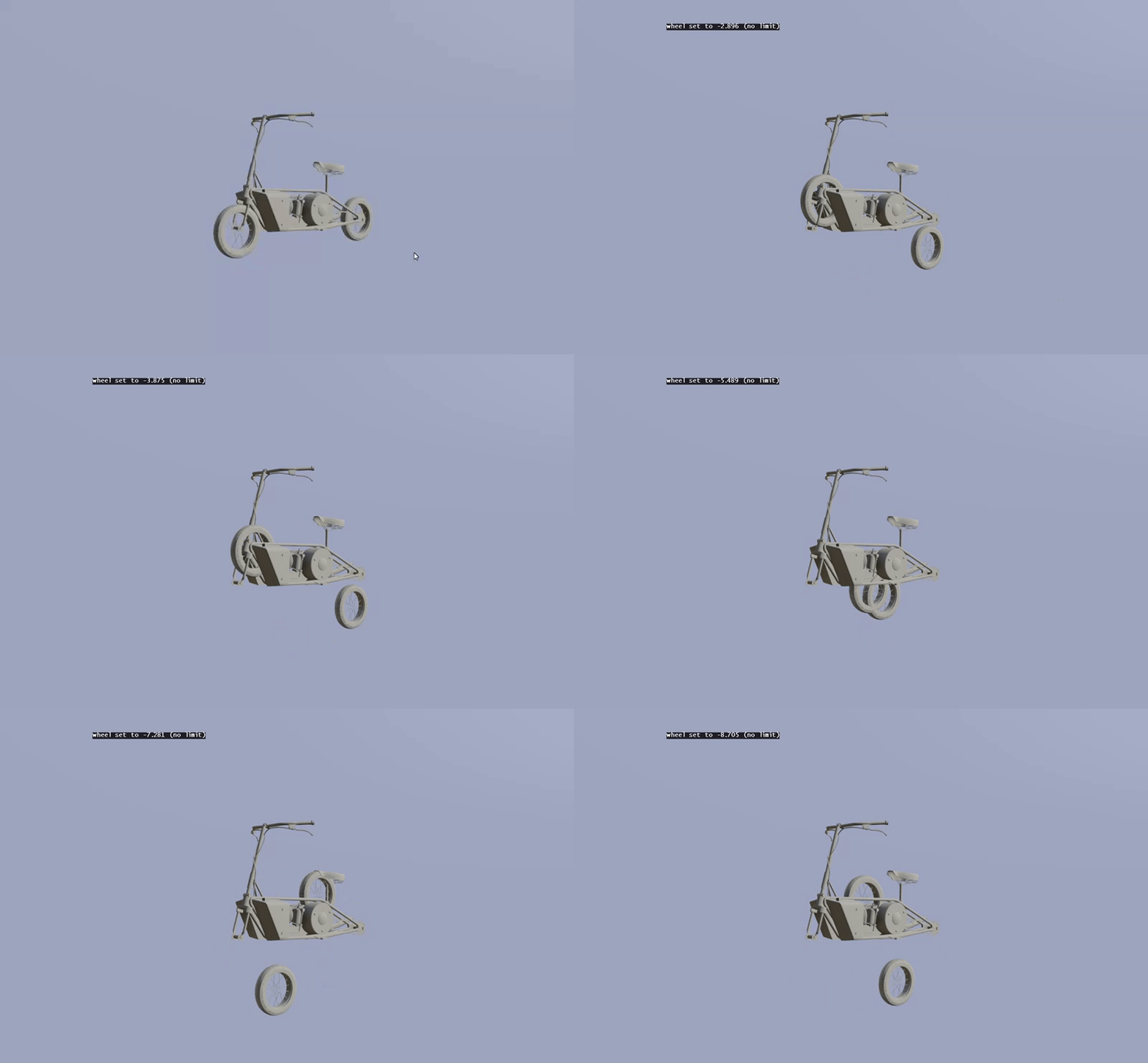 stuck oyster
you can copy the center of the wheel and paste it on the memory lod, then merge both sides int single verticles that become the axis
you really should not manually put down memory points
or try to eyeball them
that will never ever work
buoyant condor
in any case this thing will be janky as all hell, since its a motorcycle that im making as a car lol
 polar fiber
Best to use the pin tool to place men points. C key will move pin to the centre of the current selection. So you can snap it to the middle of a set of verts in your res lods
It stays in place when you move to work in another LOD, then just Shift+C to activate the pin and when you press Insert key it will create the mem point on the active pin
stuck oyster
thats a good way too
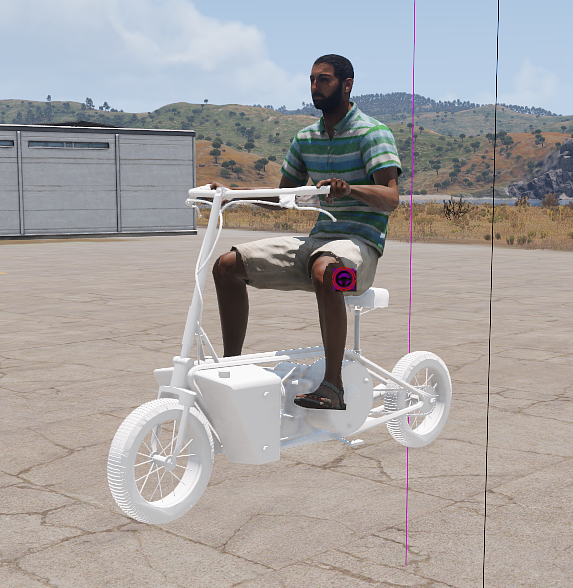 stuck oyster
what is the thing?
buoyant condor
well its kinda floating in the air when its spawned
as well as
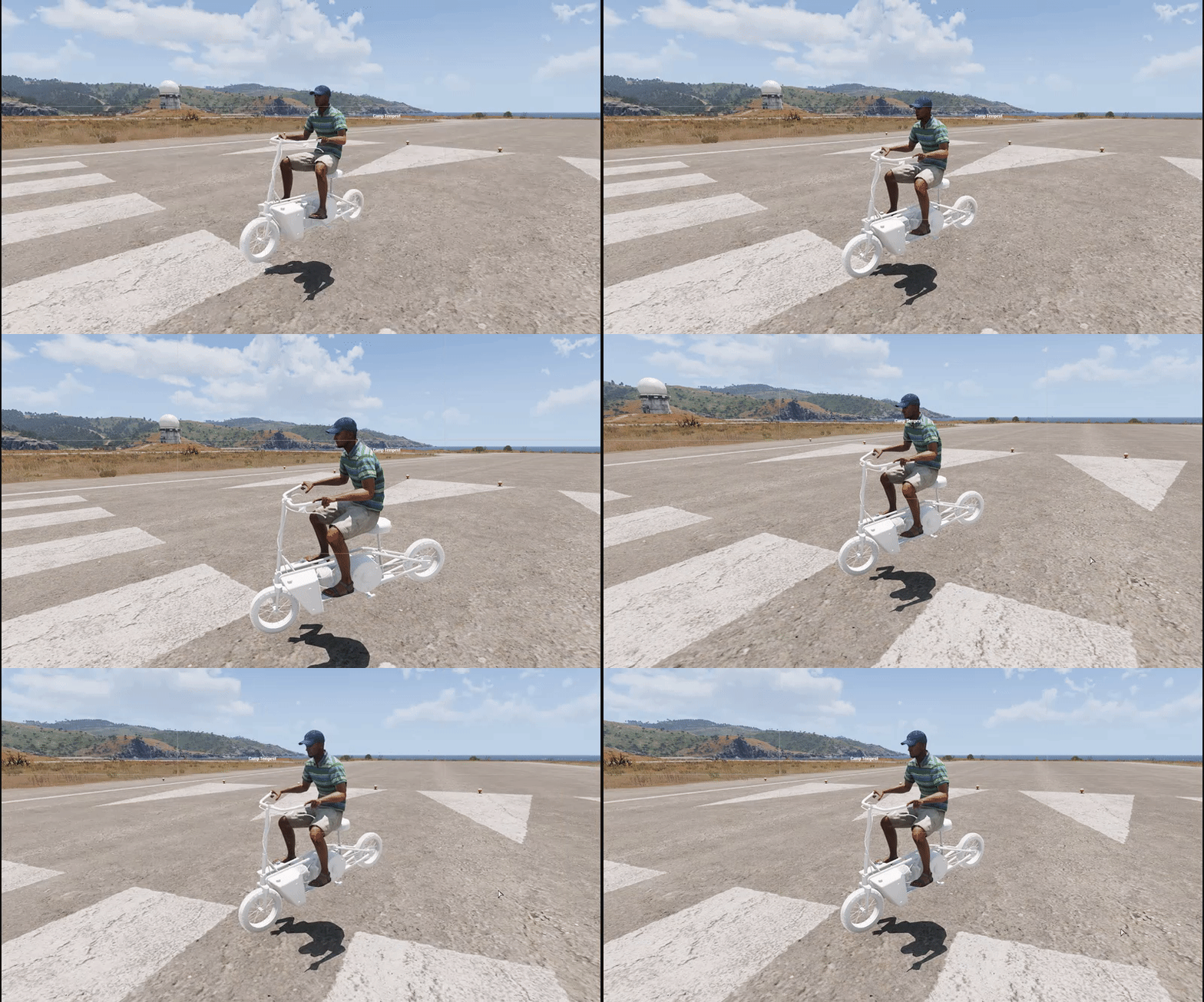
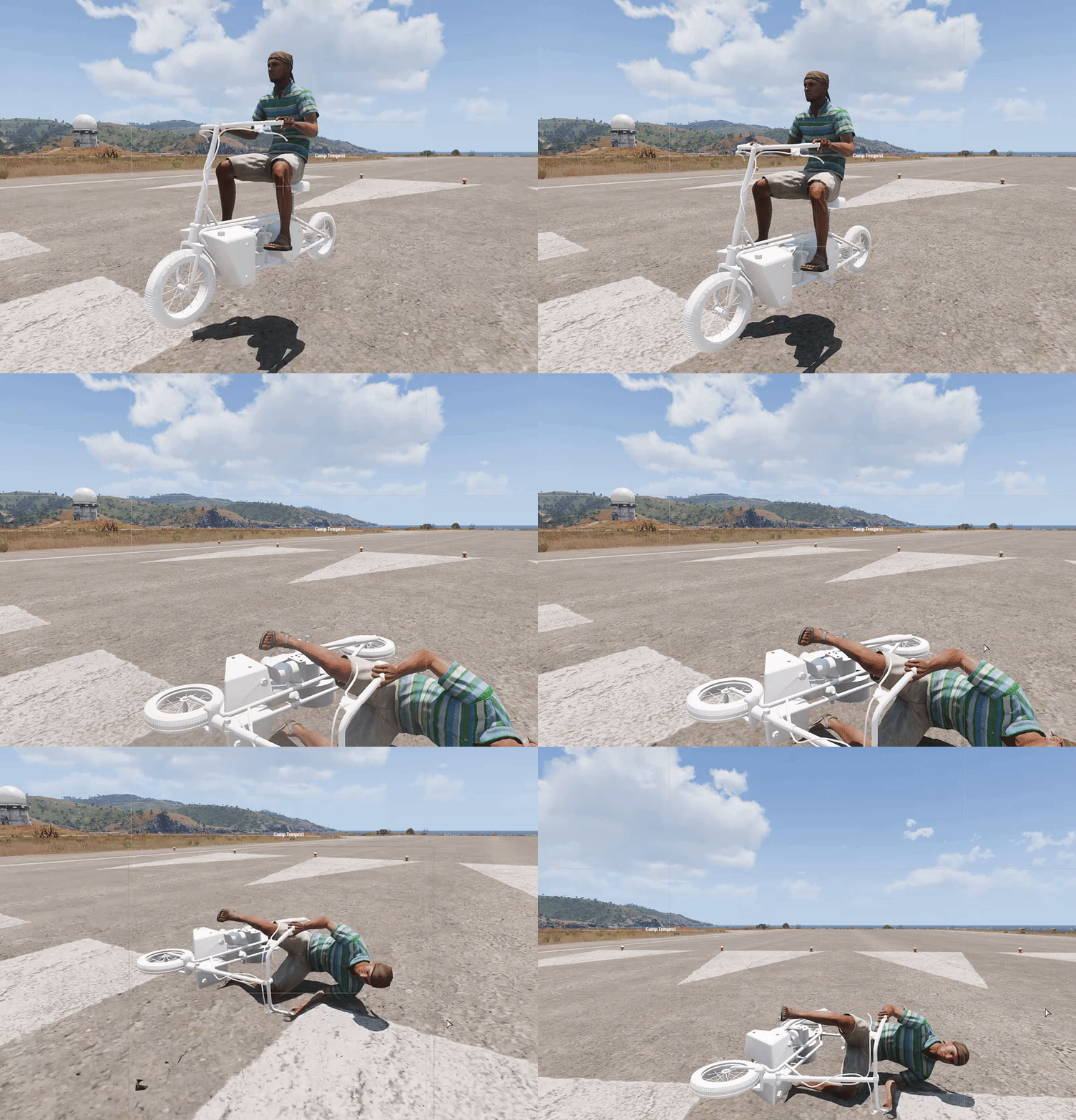
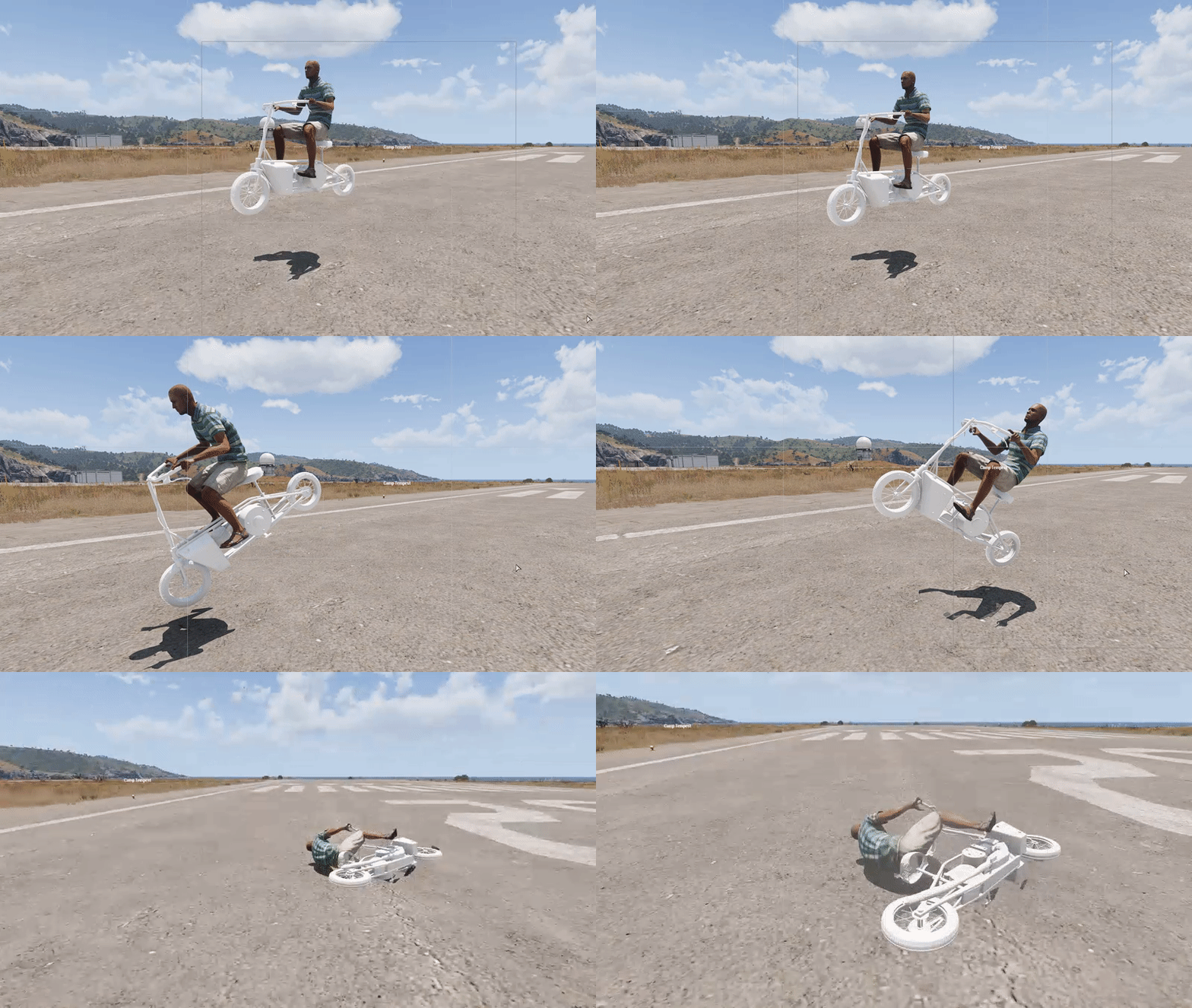
physX isnt liking it 😄
stuck oyster
does it have 4 physx wheels?
buoyant condor
yes
im usint the samples car
edited heavely
pretty much whats left are the wheels and the exaust
stuck oyster
well right now it could be multitude of things. badly build geometry, badly set up physx etc
buoyant condor
i dont think its my geom physX since it isnt incompasing the wheels and its pretty much just the body
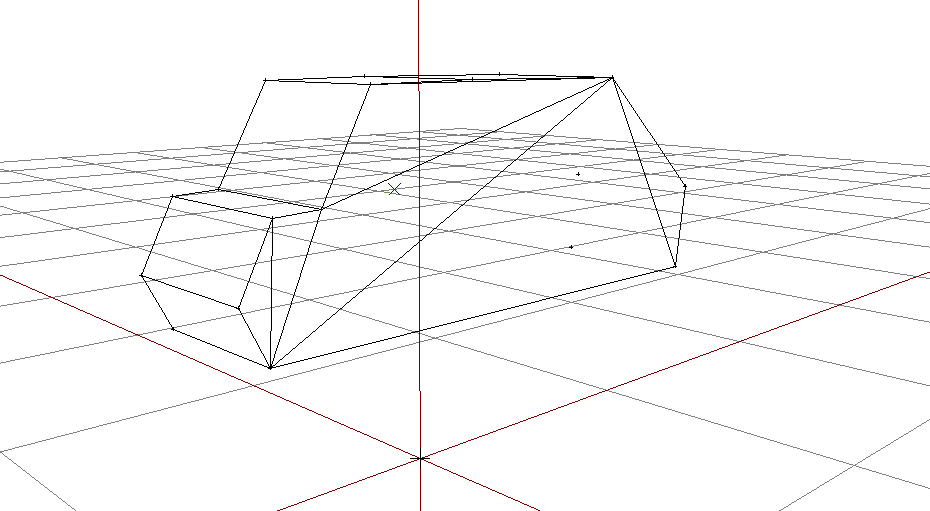
 jade tiger
@buoyant condor for your first question, all you need to do is go to File -> Options and check THIS box http://prntscr.com/oazbhj (if it wasnt fixed by now)
stuck oyster
👌
 rustic epoch
Can i create an object that cant be found as "cursortarget"?
jade tiger
and the PhysX LOD is only for interactions with other PhysX based objects, if it is floating check Memory LOD check Wheel_x_x_bound also (if not already) check LandContact and make sure the point is where it supposed to be
so i got a question on my Hands as well. Making a car with 3 Worklights around it, separately opereted and not the first time i make it. The code is definitly working as the light appears (as it did in the older projects as well) buuuuut here comes the question. Why are 2 of 3 Points not having a Flare, despite using the Same code ? Pics for visualization
the config is an inheritance based construct
the one in the back is Number 3 ( so to say) and the one on the Left is Number 1
so they use the same part of the code, the Memory Points are in both cases in front of the actual spot its supposed to be on, and i already checked differences to my other projects but couldnt find any, which is why i ask you good people
PS the one on the other side of the car is number 2, and also not having a flare
jade tiger
#fixed .... what the actual F....the Memory point was inside the Geometry Component of the GeoLod, since i've been trying and trying for the last 3 hours i moved the Memory points for the light outside the box, as a last ditch effort.... http://prntscr.com/ob1xm1
literally nowhere is this information to be found
 deft zenith
I have a question, how do you change the particle effect that is shown, when you shoot at the model? In my case it shows the one when you shoot a house, but I would like to change it to the wood splinter effect.
deft zenith
so like this?
        {
            simulation = "particles";
            type = "Default";
            position[] = {0, 0, 0};
            lifeTime = 0.05;

            qualityLevel = -1;
            start = 1;
            enabled = 1;
};```@rustic epoch
stuck oyster
No
You need a fire geometry lod and you need to set appropriate penetration material for each component
So if you have wooden part you would have wood penetration material and if you have concrete block next to that you would have concere penetration material on that.
A3\data_F\ contains a folder full of different penetration rvmats. It may have even been called penetration\
deft zenith
OK thanks, I will check that out
buoyant condor
@jade tiger @stuck oyster thanks. I fixed the floating. It was the LandContact, for some reason it was like a meter below the model XD
still have the issue of violently bouncing up and down
it seems to be only on the back wheels
deft zenith
@stuck oyster Thanks, after days of fail it finally worked.
jade tiger
i had that once too, is the Vehicle's Paretn Class Car_f ? xD
does it have all the importnat things for wheels, dampeners and such
stuck oyster
Probably wheel/damper physx config is not right
 jade tiger
it all looks about right, as i said, i had the same issue a long time ago, and my problem was that my vehicle class was working in itself, but the vehicle did not know what everything was, since it's parent class was not Car_F. i guess you checked that out since you worked with the sample config ?