#arma3_model
1 messages · Page 134 of 1
 quick terrace
 polar gyro
that's actually really helpful
quick terrace
you can keep them with a - not used
in front
like
- test import named selections
these will be scrapped at the rapifieng process
there are samples for a reason
polar gyro
http://prntscr.com/n9i2rs like that?
quick terrace
i am not a blender user, i pre arrange my flies in max, i do everything related to setting it up in object builder anyways
polar gyro
yeah but in every guide there is on the internet they always say to do the "find components"
quick terrace
yeah like that
i am very weary of most of the guides around the internet
you need to find components for geo lods, nothing else
geo lods = geo, fire, view, phisx
and you need mass for these lods as well
also, properly arrange these OB panels
the only few tutorials i would follow are the ones on the BIF
for blender - https://forums.bohemia.net/forums/topic/207631-from-blender-to-arma-3-complete-process-tutorial/ @vernal lynx ones are the norm
Bohemia Interactive Forums
Hello, As I had many requests, I did this all-in-one tutorial I am sharing today. I hope it will be helpful to you. All important stages are available in videos description. I will try to make more tutorials in the future, so dont hesitate to guide me to parts of the videos t...
polar gyro
the axis for the door should be in memory lod?
 stuck oyster
@vast tulip the tutorial linked above could be relevant to you too, but essentially all modeling is the same.
Yes @polar gyro
 vast tulip
i tried a look through that but, the blender parts didnt really show what i needed to do there
stuck oyster
As it is in the sample building
polar gyro
Alright
stuck oyster
@vast tulip what do you mean?
Like how to model stuff in blender or what are you missing?
vast tulip
like, i thought i needed to set up lods in blender and settings with the blender toolbox plugin
vast tulip
yeah, i assume its different lods to a helmet
stuck oyster
You can compare to the sample headgear pd3
vast tulip
im working on a structure, i got the helmet in gmae
i did open up the sample building p3d, but i couldnt really interact with anything
stuck oyster
Then you can compare to the sample house
All the lods are combined into single objects.
vast tulip
So how can i compare to it if i cant see them?
stuck oyster
I don't understand how you can't see them
when you import the p3d you should see this
and all the different lods are spread into different layers
where the bottom arrow points
stuck oyster
🙈
quick terrace
some of you here should learn how to use whatever software you wanna use before dipping your feet into modding to begin with
vast tulip
I have gotten a helmet in game already so, i do know those little basics on what to do, so respectfully i will keep going and will ask questions for help when i need to
quick terrace
sure, that is what this channel is for
that said, understand that
a. not everyone here works with the same software, in this particular case blender
b. blender toolbox is a 3rd party plug-in made by a community member.
c. there are samples for BI released out there for a reason
vast tulip
A. i get that, but there is bound to be someone who does
B. everywhere i go im told to get this plugin, meaning its pretty important
C. i have been using the samples
quick terrace
the above was in no relation or form directed at you (or just at you), was more of a general statement
 torn pilot
Lights that shine through objects they should be occluded by, is that a result of any part of the occluding model having transparency?
i.e. MX occludes, HAMR on top of it does not.
 tulip beacon
only sun and moon cast shadows
polar gyro
P:\temp\isrproject_houses\config.bin
1 File(s) copied
isrproject_houses\data\isoc_door_01_co.paa
1 File(s) copied
isrproject_houses\data\isoc_door_01_nohq.paa
1 File(s) copied
isrproject_houses\data\isoc_door_01_smdi.paa
1 File(s) copied
rapify x64UnicodeVersion 1.79, Dll 7.16 "isoc_door_01.rvmat"
Warning: rapWarning: **********missing file(s)***************
Warning: isrproject_houses\data\isoc_door_01.rvmat circa Line 15: isrproject_houses\data\isoc_door_01_nohq.paa
Warning: isrproject_houses\data\isoc_door_01.rvmat circa Line 63: isrproject_houses\data\isoc_door_01_smdi.paa
Warning: isrproject_houses\data\isoc_door_01.rvmat circa Line 80: isrproject_houses\data\isoc_door_01_co.paa
rapWarning: **********missing file(s)***************
rerun with -noisy option to see decode
any idea why this is happening?
all the files are in the right place:
http://prntscr.com/n9ly1s
class Stage5
{
texture="isrproject_houses\data\isoc_door_01_smdi.paa";
uvSource="tex";
class uvTransform
{
aside[]={1,0,0};
up[]={0,1,0};
dir[]={0,0,0};
pos[]={0,0,0};
};
};
or you mean light source is literally visible through object?
polar gyro
using Mikero's tools
 polar fiber
Something isn't matching
polar gyro
that's the thing if you see the pictures everything is named right
polar fiber
it's not though. the characters are different somehow
if you search/find the lines in that above text, it will only find 1 or 2 matches
not all 3 lines of isrproject_houses\data\isoc_door_01_smdi.paa
so one of the lines has different characters
I think one of the \ is wrong or has a special character behind it
note the different urls
 velvet fractal
Hello everyone. I have a question for blender users: how to place a lot of Bolts, Pins, Screw onto a model like drawing?
velvet fractal
@sacred grail It's actual mesh, i will do bake it
 sacred grail
so you are doing a hp and lp?
best way to add screws etc is using floaters
i.e floating geometry
velvet fractal
yep, but how do place this quickly?
sacred grail
In blender I am not sure but in 3ds max I would just copy paste, There is probably an option to apply a transformation x number of times in one go
so you can place like 7 screws in a row
Probably a question better suited towards a blender discord or something. Not everyone here iuses the same tools.
velvet fractal
Yes, modif. array is good, but not for this situation
Ok, i am forgetting everytime what every the programm has a discord channel. Thank you, i will find him
sacred grail
👍
vast tulip
im starting to hate myself over the geometry
 hasty pendant
I got my buldozer fixed! as soon i set the path to textures to the p drive it worked again!!!! why is that??? So can i only store my texures in my p drive? (my modfile is on desktop)
sacred grail
@vast tulip Keep it simple, You may have to use lots of simple shapes rather than one complex one. Make sure it is convex. You can check that in OB with structure > convexity > Find non-convexities
sacred grail
Geo is never fun
I never look forwards too it.
@hasty pendant File > Options > Path for textures. Whatever that is set to is where it will look for textures, Unless you specify another drive in the mesh texture filepath.
i.e. when you press E
vast tulip
im just gonna take a break till tomorrow
hasty pendant
Thanx @sacred grail , im just gonna move my mod file to p drive and work from there lol
sacred grail
I would only recommend the P drive for testing
if you delete stuff in the P drive there is no way of recovering it
(recycle bin etc)
You can work in another drive and store a copy of your mod folder in the P drive
hasty pendant
i see, so can still work from my desktop, but just copy like the textures into p drive to see the result
sacred grail
yep
hasty pendant
Wow i cant believe that a path to textures messed my buldozer up. The last place i thought the problem would be, And i did everything, reinstalled like 20 times, did PMC, and back and forth, you know how many emotions i went through in one weekend!!!! And all that just because of a texture path! LMAO
sacred grail
Thats Arma for you 😄
hasty pendant
lol yea
 median bough
@hasty pendant
i highly recommend working with either a GIT or SVN repository.
store your projects in a repository (GitLab, GitHub) somewhere on your PC and create symlinks from there to your work folder structure on your P drive.
this way you have full version control and you can compare older changes to what you have now. if you screwed up somewhere on the road, you can easily revert back to a version that was working.
(recommendation not just for Creidim, for everyone...)
hasty pendant
Thanx @median bough
median bough
did you ever work with repos?
median bough
roger.
well, GitLab and GitHub have tutorials on how to set it up and what programs to use.
basically it's like Google Drive / Dropbox but waaaay cooler and professional.
median bough
no problem
and as for symlinks and junctions, use this tool.
it creates a context menu for easy use with windows.
http://schinagl.priv.at/nt/hardlinkshellext/linkshellextension.html
if you have never worked with symlinks, read up on it, it will ease your workflow and you won't regret it 😉
quick terrace
@sacred grail in fact you can paint these details on top of an existing mesh using the graphite tools in 3ds max. if you have tons of rivets to do, that is definitely a ton easier to do for instance than manual copy paste
sacred grail
Oh wow thats actually a lifesaver yeah, wasn't aware of that before thanks 😄
makes life so much easier if you want to alter them later too
 wispy orchid
crosspost from #arma3_scripting : not a sqf question: We want to convert a bunch of p3d to use sbsource = visualex as property of the geo lod and either remove or rename the shadow lods as edit lods. Anyone got a o2 script for this purpose already or has any clue how to write one?
stuck oyster
Didn't someone write a tool like that not long ago.
 fervent steppe
Is there performance hits on visualex vs an actual shadow lod? I feel like if all the models use this lod it could affect performance drastically.
wispy orchid
I always assumed, but might be wrong, that the visualex attribute calculates a shadow lod on the fly during binarization. If not, there might be a performance hit
quick terrace
can't you make visualex use a different visual lod than lod 1?
irc, that was possible
fervent steppe
@wispy orchid Interesting. Maybe someone at BI can confirm.
stuck oyster
I understood it uses the lod it shows
 fickle flame
Hi everyone, I have a problem on my 3D model that I can't fix. the bullets hits decal on surfaces don't show up. Particles effects works, as well as the sound but no bullet hit on walls or anything .
I've redone entirely my geometry LOD and my Fire Geometry LOD, set up again the rvmats but that doesn't change a thing .
Does anyone know how to fix this ?
quick terrace
how far back is the geo/fire lod from the face of the visual surface?
fickle flame
boxes of geo/fire match exactly the faces of the resolution LOD, as they were 0,2 mm back before, I have redone it to be exactly align
fickle flame
yes, i followed the validating geometries page
polar fiber
Okay, next question was going to be whether they were convex or not
but you'll have done that if you followed the validation steps
fickle flame
yes i did
does the topology of the res LOD need to be closed ? or can it affect a single plane ?
polar fiber
No, res LOD shouldn't need to be closed
 woeful viper
does it have proper material
polar fiber
Am wondering if a _ca type texture might prevent it though
fickle flame
@woeful viper Yes it does, rvmats from P:\a3\data_f\penetration (without "P:" in material path)
@polar fiber I only use _co
 heavy matrix
Hi there,
I am trying to export a P3D model from the Object Builder as a FBX file with the default options (except, I selected "current LOD only") to the Simplygon for LODs. Unfortunately, after the exporting process, some of the selection/object/vertex group names are changing from the original names that are created for config purposes. Any ideas to keep the original object names after exporting? I also tried the ArmAToolBox for Blender (opening P3D with Blender, exporting as FBX) to keep the names, did now work...
quick terrace
the p3d export as FBX doesn't really work as you'd expect
 formal vapor
Is there a way to include the pistol proxy in a vest, but not have the pistol show up in certain versions of the vest?
stuck oyster
how are the versions configured?
formal vapor
one .p3d using hidden selections to hide and show different belt gear...it's for my DHI uniform mod 😉
This gear could possibly be LC2 gear
stuck oyster
not sure, you might need to make a separate non proxy p3d for it.
formal vapor
ugh
 lethal rover
Hello.
Why selections list with sqf command difference with list with ODOL 73 (Elitness)?
selectionNames "Land_Laptop_unfolded_F";
camo
 bold flare
Only shows exported selections listed in model.cfg
Also as the wiki page for the command says
https://community.bistudio.com/wiki/selectionNames it only returns resolution lods
polar gyro
quick terrace
what is the thing with uniform soldier etc in cfg patches?
polar gyro
for some reason Mikero's tools won't compress my folder into pbo file unless I have those lines.
quick terrace
nope, you do need cfgpatches
obviously
but related
not sure where the issue is with model.cfg
get a pastebin so it shows the lines of code
polar gyro
sec
Model.cfg:
https://pastebin.com/B6YG9W4M
Config.cpp:
https://pastebin.com/U5gz6Phg
 cinder pivot
Anyone know how I can have my custom bridges show up as squares etc on the map when baked in with the map?
stuck oyster
needs correct map named parameter in geometry lod
cinder pivot
Thanks, will take a look!
polar gyro
http://prntscr.com/nalj6a
any clue what that means?
 slate epoch
Not only UserActions, rest of config is like that
polar gyro
@bold flare
are you sure? in the sample files they put it inside cfgVehicles
@stuck oyster That may be the problem, checking it right now
stuck oyster
@polar gyro Dedmen is right, it is inside the cfgVehicles, but it also has to be inside the objects class
like everything else thats related to that object
polar gyro
Ok so I see the interaction now, but for some reason its:
- Interactable only when I look to the top of the door
- Animation won't work
I'll try to figure it out but it's a progress
stuck oyster
since you are copying from the sample house, copy it more accurately
the door opening functions you are trying to use in the useractions need the model and configs to be very specifically build
you could use animate or ànimateSource commands instead for example
slate epoch
fixed that config a bit for you https://pastebin.com/bWSg7B6i
 polar gyro
The thing is that i'm not sure what to do.
I've grouped the door object, the axis names and interaction point in the right way, but the code in which I supposed to do the actual animation is unclear to me
i've used what they used in the samples, but it doesn't seem to do anything(used the no handle one, and changed the variables according to my object)
@slate epoch I've changed to your code, but it still seems that the animation simply isn't working
slate epoch
I just looked into model.cfg
It can't work
maybe this
again, whole nesting was wrong
stuck oyster
slow day at the office? 😄
slate epoch
Nah
stuck oyster
thanks for pitching in! 👍
heavy matrix
If P3D to FBX does not work properly (both in Object Builder and Blender) to keep the object names, then should I just use the Blender's ArmAToolBox to create LODs with Decimet Modifier?
stuck oyster
thats definitely one way to do it
lod making does not require any fancy programs although it can speed it up
heavy matrix
Simplygon is definitely more consistent and clear than Blender on LOD making. It's a shame that we can't use it without manually changing the object names after the getting the model in the Object Builder from the Sşmplgyon.
stuck oyster
what exactly is the issue? what names you need to change?
heavy matrix
This is the issue: https://discordapp.com/channels/105462288051380224/105462541215358976/565612419427336193
Not a big deal though. I can still get some of the selections after importing in to the Object Builder. But I have to select and rename most of the previous selections that changed by exporting algorithm of the Object Builder.
stuck oyster
how are the names chaning?
heavy matrix
There is a option on the FBX Export windows of the Object Builder that says "Try to reconstruct object names". If this options is unticked, export script changes the selection names to "_Something1", "_Something43" and you lose all of your selection names that you should use in model.cfg and config.cpp. So we mostly check that checkbox to get our original model names. But it fails mostly...
quick terrace
did you try importing .p3d using blender toolbox directly?
stuck oyster
p3d is not his issue but how to get a model into Simplygon
as both OB and Blender are not apparenlty very good with FBX
which I think is the only format our of the stuff Simplygon uses that could hold the vertex weighting/groups properly
quick terrace
ahh, fair enough
heavy matrix
The problem is not importing P3D to OB or Blender actually. OB's FBX export algorithm is causing the name changes. So, I tried to bypass the OB by opening the P3D directly with Blender (ArmAToolBox) then exporting as FBX (so, OB's FBX script cannot ruin the object names). Unfortunately, I could not export the P3D on Blender as FBX as expected here. Because the selections (object names) disappeared .
polar gyro
I think my problem with the door animation lies within those two lines:
 condition       = ((this animationPhase 'Door_1_rot') < 0.5);
  statement       = ([this, 'Door_01_rot'] call BIS_fnc_DoorNoHandleOpen);
is there any alternative way to animate the door?
stuck oyster
animateSource command would be the best approach
heavy matrix
The selection/object names in OB are vertex groups in Blender after opening the P3D with ArmAToolBox. So, exporting the Blender's P3D as FBX could not provide the selection names as object names.
stuck oyster
yeah unfortunately the Blenders FBX export is very old
polar gyro
so if i got this animations class:
        class Animations
        {
            class Door_01_rot
            {
                type            = rotation;
                source          = Door_01_source;
                selection       = Door_01;
                axis            = Door_01_axis;
                memory          = 1;
                minValue        = 0;
                maxValue        = 1;
                angle0          = 0;
                angle1          = (rad 110);
            };
            class Door_02_rot: Door_01_rot
            {
                source          = Door_02_source;
                selection       = Door_02;
                axis            = Door_02_axis;
            };
            class Door_03_rot: Door_01_rot
            {
                source          = Door_03_source;
                selection       = Door_03;
                axis            = Door_03_axis;
            };
        };
and this:
        class AnimationSources
        {
            class Door_01_source
            {
                source      = user;
                initPhase   = 0;
                animPeriod  = 1;
                sound       = "GenericDoorsSound";
            };
            class Door_02_source: Door_01_source {};
            class Door_03_source: Door_01_source {};
        };
in the statement I wrote above(UserActions class), should I write this?:
statement = (house animateSource ["Door_01_source", 1]);
i dont understand why bis names thier bones and rotation clases differnet names..its so confusing...if you have Door_1 as a bone..then Door_1 should be the animation class...Door_1 is the selection...Door_1 is the source...simple and easy
polar gyro
Yeah without the help here I would be probably done for in the first 5 minutes of trying to object a can in arma..
still, i've tried the code above and it doen't seem to work.
I updated the thread here: https://forums.bohemia.net/forums/topic/222831-cant-see-doors-suer-action-in-game/?do=findComment&comment=3350219
so in the last comment you can see the code I presently have(still isn't working of course, but a lot more clear and hopefully written in the right way)
stuck oyster
👌 👌
One tip I can give is that you can test whatever script you want to use in a useraction in game with the dev console.
Just replace the useractions this with a name you give to the target object.
polar gyro
yeah
Well thanks for everybody who helped me out, hopefully i'll be quiet for the few coming weeks
vast tulip
is there any sort of reference for things "pillow-ish" that work in arma? things like sandbags
 peak lava
Does anybody know if the Cup team takes requests?
stuck oyster
well if its very very good idea they might consider it
but other than that I doubt they have resources for requests
they already spend their time on CUP
 inner sluice
Hello guys, does anybody ever had this problem when inside a vehicle ?
https://i.imgur.com/UBgpUhN.png
I have no clue, it works outside vehicles, but not inside (tested with vanilla vehicles and modded ones)
bold flare
z level
stuck oyster
@inner sluice does it work in 3rd person?
possibly you have wrongly made textures on it
or flipped mesh
or does it turn like that only when you enter a vehicle
peak lava
@stuck oyster oh thats true
but while were on the subject of porting, does anyone know if an older ARMA game had the original M-4 (semi, three-round-burst) in it? CUP has the M4A1 (semi and full-auto) and they have the M16A2 carbine which is close and was used during the '93 Battle of Mogadishu...but they dont seem to have the original M4
inner sluice
3rd person = no problem.
If the guy is inside the vehicle, and I am outside in 1st person = no problem
If I enter the vehicle => problem appears
stuck oyster
Id say if its not already in CUP arsenal then no. Im pretty sure theyve already ported all the vanilla weapons
@inner sluice what suffix texture does the helmet use?
and does the texture have alpha channel?
median bough
All vanilla arma weapons (as long as the model was good enough) is ported to arma 3 by CUP, plus donated weapons models
fickle flame
Hello guys, different LOD, different problem(s) , i'm trying to work on some lights for my model, but when i import it in game, I only have the flair with no light and the flairs are not attached to the model (in the way that if i move the model, the fairs don't move).
https://imgur.com/ecdSAcJ
bold flare
How does one move a building
First thing I notice in your config is that your CfgPatches is wrong
missing requiredAddons.
Also no entries in "units" not sure if buildings need it
fickle flame
@bold flare I've tried adding a requiredAddons but it doesn't change a thing
the thing is that in the editor , when i drag the model away from its spawn place, the flairs don't follow and stay where the model spawned (when i enter back the simulation), like if the memory LOD wasn't part of the model
fickle flame
Ok, I found the problem : destrType = "DestructNo"; changed it to destrType = "DestructDefault"; and lights are working
fickle flame
Ok so now that lights are working properly, I have this weird effect that lower the lights at some angles :
https://imgur.com/0GaDADo
https://imgur.com/xGlAlIu
It just shift from very bright to not bright at all, I've tried with no attenuation at all, but still...
Any ideas on how to fix this ?
stuck oyster
interior lighting like that does not work very well in the engine.
perhaps the direction is bad
or you dont have good enough AS/ADS textures on your materials
is the scene build from many objects?
fickle flame
just one, the goal is to make a modular structure system with hiddenselections
fickle flame
Ok ^^
bold flare
lights + Arma isEqualTo trouble
fickle flame
putting things like that ^^ makes it more clear
polar gyro
Quick question:
if I use the same class names for doors in two different objects, but on the same model.cfg file, is that going to be a problem?
for example:
    class isoc_house_01: Default
    {
        skeletonName = "isoc_house_01_Skeleton";
        class Animations
        {
            class door_01_rot
            {
    class isoc_house_02: Default
    {
        skeletonName = "isoc_house_02_Skeleton";
        class Animations
        {
            class door_01_rot
            {
Oh that explains a lot
It has to be named Model.cfg or can I change to isoc_house_01.cfg?
stuck oyster
It probably could be like that if you use pboproject, but I've never used it like that
polar gyro
So how do I apply model.cfg to different objects in the same mod?
stuck oyster
You make different classes for each p3d
Usually people divide different types of objects into different pbos
stuck oyster
But inside those pbos there may be multiple p3ds that are are configured in single model.cfg
Yes
polar gyro
The thing is that when I use it like I did above, it doesn't seem to work on the second class
stuck oyster
It should.
stuck oyster
Yes
polar gyro
Is it possible that the animations won't work because I don't have any geometry lod?
stuck oyster
Do model.cfg and pd3 names match?
Lack of geometry lod should be an issue. Are you testing them in buldozer
polar gyro
how shoudl model.cfg and p3d names match? only in class names right?
quick terrace
the p3d name needs to match the class name in model.cfg
or well, the other way around - the class namesin model.cfg needs to match the p3ds
so if you model.cfg class name for a house is my_awesome_house {};
the p3d name needs to be my_awesome_house.p3d
polar gyro
Yeah it matches
everything works perfectly except one door, I try to figure out what's wrong
fervent steppe
<<<It has to be named Model.cfg or can I change to isoc_house_01.cfg?
I use name/of/model.cfg
This way each model has its own config. Makes for easier editing. I also have each model with its own main config then #include them into a main main config for packing.
polar gyro
that's the result if anyone intrested:
https://www.youtube.com/watch?v=Kn_e46AdQiE&feature=youtu.be
hasty pendant
hey yall, i'm working on a boltaction rifle, now i managed to get the animation for the bolt to slide backwards, can any one tell me how I can a rotation to my bolt before it starts to slide?
class bolt
{
type = "translation";
source = "reload";
selection = "bolt";
axis = "bolt_axis";
minValue = 0;
maxValue = 1;
offset0 = 0;
offset1 = 0.9;
};
is it possible to just add a rotation class? if so how, i tried but if its possible im doing it wrong
slate epoch
You are doing it correct, but you have to take in account, that you need to make another class.
Also reload source goes from 1 to 0
hasty pendant
Oh got it to work when i change the selection to bolt axis
@slate epoch what did you mean by source goes from 1 to 0? Should i be like this?
minValue = 0;
maxValue = 1;
minValue = 1;
maxValue = 0;
polar fiber
means you more or less have to animate it backwards
when previewing the anim in buldozer, press ] until the ticker is at 1, then press [ and run it back to 0. That's the way it will be played ingame
hasty pendant
oh ok, but its already like its supposed to be, it moves in the correct direction
polar fiber
Yes, but you will have to put the max/min timings in to consideration if you want to delay the animation in order to rotate the bolt out at the start
you use the same 'reload' source for all those animations
so they have to be done sequentially from the start of the sequence (1) until the end (0)
hasty pendant
I will check it out thanx
class bolt
{
type = "translation";
source = "reload";
selection = "bolt";
axis = "bolt_axis";
minValue = 0;
maxValue = 1;
offset0 = 0;
offset1 = 0.9;
};
class bolt_2
{
type = "rotation";
source = "reload";
selection = "bolt";
axis = "bolt_axis";
minValue = 0;
maxValue = 0.05;
angle0 = "0";
angle1 = "rad -60";
So this is what i did, will swap out min and max
 latent trail
Alright lads, for some reason my wheels on my vehicle arent turning round and round like they did on the bus, is there any checks I can do to see If i messed up to fix this issue?
sacred grail
Are you saying that the wheels on the bus go round and round all day long?
latent trail
Depends on the bus, if its a 24/7 yea, why not
median bough
Is this going to be another remake of speed? 😉
latent trail
of course, now if you wouldn't mind, this isn't fixing the anim wheel situation I am having
 tacit badger
😂 good yolks 🥚
stuck oyster
@latent trail bone, selection name, animation target/source mismatch
take your pick
latent trail
fixed it thank u sir
 plain jackal
anyone know why a mesh would shrink when being rotated via model.cfg anims?
fervent steppe
what type of model?
plain jackal
its a GL sight attached to a weapon
just testing in buldozer atm
model.cfg: https://i.imgur.com/HHm6BrR.png
fervent steppe
well i dont know too much about weapon stuff...but i know the model can get distorted if the bone is not set up correctly..say for instance you were trying to animate a door but only selected half the door as the bone..when the door animates it will stretch and shrink the mesh depending on which way it is moving...
not sure if this applies here but something to look into 😃
stuck oyster
@plain jackal the verts have 2+ selections
plain jackal
this is my skeleton cfg: https://i.imgur.com/QKzST47.png
reload_flip is the main selection that the other two rely on
stuck oyster
each part should be only in 1 animated selection
the last one in the skeleton chain that matters for that particular part
 vernal lynx
any suggestion on this one ? 🤔
geometry LOD has buoyancy=1 and reversed=1
geometryPhys is standard aka no wheels no mass
stuck oyster
well boyancy means it should float
by gently you mean if you drive in to the water slowly?
vernal lynx
yes
stuck oyster
which likely would mean that the geometry does not dip under water enought for it to start taking in water
theres also a config parameter for that I recall
vernal lynx
it's set in sample car
stuck oyster
is the goal to make them sink?
vernal lynx
MRAP_01_unarmed_F.p3d has buoyancy=1 and reversed=1 too
same on offroad_01 blabla
I'm going to try to reproduce
stuck oyster
you could try adding a boyancy lod that is smaller than the geometry
vernal lynx
actually what happens to vanilla cars is that the engine gets destroyed by being flooded
 rough idol
you can try adding custom buoyancy LOD
If I recall correctly, leakiness might not start if center of vehicle is above water line
I had that issues with jets during Jet DLC development
bold flare
Has anyone every tried simulation type "hovercraftx"? 😄 Sounds fun
stuck oyster
you kidding or thats a real thing?
bold flare
real thing
never seen anyone use that that's why I'm asking if anyone ever experimented with it
bold flare
Config entries:
hoverPressure
lowerHoverElevation
upperHoverElevation
bounceSpeedStab
bounceAngVelStab
waterSmoothingCoef
airCushionInflateTime
airCushionDeflateTime
Though I assume that is buggy as hell, considering noone's using it anyway there is no reason for BI to maintain it
Seems like it spawns dust/water particles around the cushion. I wanna see how that looks like in-game
rough idol
it's not in retail game afair
stuck oyster
:C
bold flare
The string is in the 1.91 diag binary
stuck oyster
so sad
rough idol
else if( !strcmp(simulation,"hovercraftx") ) unsupportedType = true;
there is ifdef for that
bold flare
Ah.. So it only checks for it to yell at us that it's not supported :D
saaad. I'm sure it would be alot of fun
rough idol
some of those extra stuff are enabled with internal version
but this one is strictly VBS thing
bold flare
I started a post on BIF talking about the cheapest simulation type.
"house" seems the cheapest to me, is that correct?
Ofc createSimpleObject is even cheaper as there is no simulation at all
rough idol
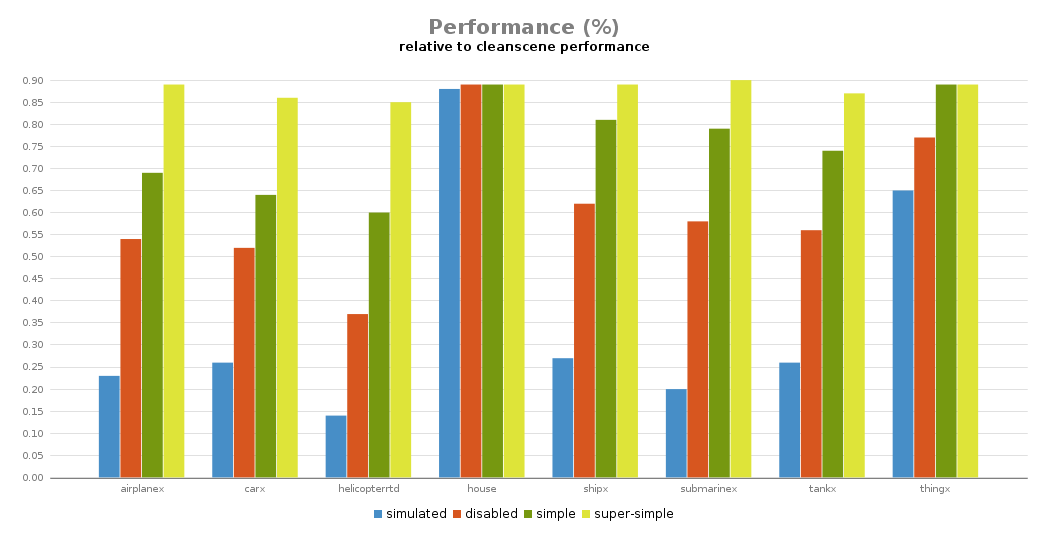
supersimple submarinex have the cheapest sim according to that
but yeah, house should be most safe
it has like 0.1s simulation refresh rate
stuck oyster
Oh! I'll have to make my tank+man combination a submarine+man combination!
rough idol
have anyone tried sim "randomshape" in nonAiVehicles?
stuck oyster
I feel quite comfortable saying no
vernal lynx
will try custom buoyancy ty
rough idol
select random shape 😄
        class RandomShape
        {
            models[] = {};
            autocenter = 0;
            scope = 2;
            reversed = 0;
            shadow = 1;
            model = "";
            simulation = "randomshape";
};```models is array of path to p3d + probability
bold flare
I don't even know how one uses CfgNonAIVehicles types
are they just createVehicle? same as CfgVehicles?
rough idol
Not sure, you can link such objects in p3d
and then game compares p3d name to those nonAIVehicles classes
stuck oyster
so it could possibly be a proxy that shows a random object?
bold flare
What a weird converluted confusing way to do that.. 😄
randomshape is disabled in dev branch normal and diag binary
What is the reason that such things get disabled? Not like dead code lying around hurts anyone
rough idol
yeah, now I see it's internal thingi
well, it can always cause crashes
and then people can start complaining about it
bold flare
Not that these 0.0001% of crashes that would add would make any difference 😄
stuck oyster
you p3d is locked by windows in some other program
save with another name as backup
failed Blender export can for example lock the file
 tiny mica
Okay thank i create backup, it's fine thank @stuck oyster
 livid kelp
what shapes can be used in the roadway lod, only simple plane or triangulated ones ?
And do i need to click Topology > Find components inside of object builder (or anything else)?
bold flare
I used nontriangulated plane in the past
stuck oyster
mesh needs named selections only if its animated
livid kelp
i use panes on a large building and only some of them work and a lot dose not, i will try to triangulated them
livid kelp
i checkted the size, its no to lage accorrding to the roaway wiki
stuck oyster
how
big
50m
60m
10000m
also is there valid gemetry under it
and is it Eden or TB placed?
livid kelp
yes
stuck oyster
does it happen at the edge of the model or somewhere else?
and on what map?
or does it happen on all maps
livid kelp
vr and others
stuck oyster
edge of the model?
livid kelp
can a roadway touch another one ?
stuck oyster
yes
fervent steppe
i cant see the top but make sure the face are pointed up
if not then..dude falls down 😃
livid kelp
thanks a lot, this was the problem https://gyazo.com/7e69f23d34bcc5f933cf77bfc4cc8f6f
fervent steppe
Note to self. Do not use pastebin at work on the company computer lol. Just got an email from IT saying that they website can be used to spread malicious code lol. I was like "I was just helping someone with a model house" 😂
stuck oyster
xD
woeful viper
malicious code via pastebin... lol. What a superdummy you'd have to be to copy malicious code from there into your computer and execute it
fervent steppe
Lol right!
stuck oyster
wellll if he got the note from IT perhaps it was necessary... 😛
woeful viper
"hey you know this side is maliciou... not really, we just see that you are not working so ... how about not doing what you doing"
fervent steppe
Haha
 ionic brook
They're digitally sealed to stop that happening.
stuck oyster
and will get you banned from everything official Arma
same
its stealing
its shit move
it is not
they are someone elses property
in sense that you are given permission to use them in the game
and thats all
no
talking how to make things
not make me this shit
ionic brook
If you wanna change the model you have to speak to RHS and ask them to make the change.
stuck oyster
#creators_recruiting you can try there
yes you were
your rep is already dunked very hard
perhaps
ionic brook
Illegal mate. Just have to make them yourself.
quick terrace
@spice ravine you want to rip RHS content basically? what for?
median bough
🍿
median bough
Somebody is about to jump with a rope around his neck........
quick terrace
@bold flare & @fluid ocean is this shit permitted? asking for a friend since it seems everyone got pretty lenient latetly since @trail nimbus seems to wanna change the rules of the game...
bold flare
@spice ravine can you confirm that you want to rip RHS models and use them in roblox?
Do you still want to do that despite having been told it's illegal multiple times?
 trail nimbus
Wut @quick terrace?
quick terrace
@spice ravine i am discussing it since i am directly involved with RHS
 fluid ocean
Whats up?
bold flare
You found someone from RHS
fluid ocean
You currently have a raft of Moderators and BI staff watching this entire conversation @spice ravine
bold flare
The RHS eula is on their website
fluid ocean
"ripping"
bold flare
stating explicitly that such stuff is not allowed
Also debinarizing p3d's, which you'd have to do if you wanted to use it in another game. violates the Arma EULA
so you cannot do that with ANY mod
quick terrace
do i need to actually quote you?
fluid ocean
also i wasn’t exactly telling the truth when i said i was going to alter them

i was trying to cover up the fact i wanted to import them into roblox..```you are not allowed to reverse engineer any of the .p3ds, made by BI and any third party
fluid ocean
Sound like intent to me. Good bye
quick terrace
in order to get the models and use it in any other games
fluid ocean
Theres the 🚪
quick terrace
cheers @fluid ocean
fluid ocean
np
quick terrace
@trail nimbus ? what part was unclear?
 amber igloo
@quick terrace i would suspect when you said "pretty lenient latetly"
bold flare
no context if one didn't read other messages
quick terrace
@amber igloo i think rob is well aware of what precisely i am talking about, it is related to other people who openly rip content made from addons made by members of this community, as well as other games
fervent steppe
wtf is roblox?
median bough
i think you want to know what roblox games is, the same you want to google picture search for blue waffles...
just... don't...
 junior saddle
Wow. I can see half a conversation missing, and it's still disturbing. Yikes!
sacred grail
Ripping assets for content in Roblox. HAHAHA
 strong plaza
wasn't there a LEGO mod or something like that in arma?
woeful viper
dlc incoming... with leoCad functionality
 fossil obsidian
guys who know how to fix dat sheat?!
it appears, but not used anywhere in models or cfgs
median bough
Most likely fucked up model.cfg of the breaking point model
rough idol
bp_hatchet is using skeleton "weapon"
and it's different than one in zasleh or 100 other weapons
if you are creating 3rd party mod, mod tag on skeleton is required at minimum
 minor jasper
has anyone ever seen this issue?```
- create a model with only 1 vis lod (bunker base)
- create a model with only 1 vis lod ( bunker cover)
- create proxy in bunker base model and point it to bunker cover
- see it in OB with view proxy object, see it in buldozer
- binarize with pboproject and place in editor - the bunker cover is completely invisible
- using cursortarget, it shows that proxy: bunker cover is present
we have no hiddenselections, no named selections at all
the textures and rvmats work fine, and both bunker base and bunker cover can be seen separately
but when we make a proxy of one in the other p3d, it's invisible
polar fiber
Sure it doesn't require making a cfgnonAIvehicles class for the object you want to make a proxy of?
minor jasper
yeah it's a bunker, not a weapon pylon.
for example i don't have cfgnonaivehicles entries for any of our weapons
and the yare used as proxies on characters
polar fiber
but a weapon isn't the same simulation type as a building, is it?
minor jasper
hmmm, ok let me test that theory. be a few mins
AiO config shows no building parts in cfgnonaivehicles class
have added a set, based on proxywreck, simulation = "alwaysshow"
same issue happened with addonbuilder, so it's not pboproject doing something squiffy
yes that fixed it thanks dtm
woeful viper
is the cover just alphatextures? maybe that could also be a point of "failure" if thats the case
fossil obsidian
@rough idol any example please? we fokin with this error last 2 weeks...
fossil obsidian
@rough idol FIXED, thank u for good tip
just renamed Weapon skel to BP_MeleeSkel
minor jasper
@woeful viper no, it was logs using same texture as the base. but... both used class house property, and they do indeed need a cfgnonaivehicles entry.
 fluid gazelle
how difficult would it be to switch out the backpacks on the side of the CUPS AAV vehicle to the new arma 3 backpacks or ones from rhs?
 sudden chasm
So this is something i have not noticed before. Is there any way of preventing a player that is crouched from standing up into and clipping with geometry above him?
woeful viper
yes there should be
stuck oyster
also if you have questions, ask, if you want to recruit then #creators_recruiting
@sinful hazel
 sinful hazel
How can i make a uvmap
stuck oyster
from binarized models you cant
if its your own model then choose a 3d modeling program and check you tutorials on how to use it
retexturing is made by manipulating the existing textures or templates if the maker has provided such
no other way
 spiral solstice
@sinful hazel Depends on which program you use. If you want to do it the easy way on blender, go to edit mode, hit "a", hit "u", and press "smart UV project" (not recommended though and it impacts performance, you're better off creating your own). RIzomUV also allows you to create UVmaps
 pearl vine
I'm having some trouble getting an imported model to animate. I opened the sample solider fbx in blender, copied the vertex groups over to a new model, and imported the new fbx into the sample p3d in object builder. The model appears in arma 3, but in the t-pose.
polar fiber
Did you add a class for the .p3d name, to the model.cfg?
pearl vine
Lol I'm dumb, thank you
pearl vine
Thank you, I got it working
 stoic blaze
Anyone got some amazing police vehicles?
fervent steppe
i got a shed
amber igloo
Does that come with flashing blue lights?
fervent steppe
It can 😂
torn pilot
can anyone tell me what causes, particularly aircraft, to sink half their wheels into the deck? i'm talking about releases from experienced modders so presume it's not some rookie mistake. can it be fixed? without model sources?
fossil obsidian
@safe yarrow hello?
stuck oyster
@torn pilot deck of what?
torn pilot
deck as in ground, runway specifically (not a carrier deck)
stuck oyster
MP/SP? All of them? Older releases? Same happen to vanilla?
torn pilot
in editor, it's the UNSUNG MiG-21 but I've seen it before, particularly with Harriers which have that odd canted attitude (nose up), not seen it with vanilla that i can recall
stuck oyster
hard to say if its present in very selected few planes.
and only in editor
editor could point to landcontact points not being at the wheel bottoms
for example
polar fiber
AFAIK the models spawn in the position that they are modelled in, which is always level flight attitude. So there is a chance for weirdness placing them in the editor in such a way that the nosewheel is in a starting position where it is below the ground
Might be worth trying with spawning the jet a couple of inches higher than the editor places it on the ground.
torn pilot
that makes sense, particularly with the Harriers (different pitch landed and flying). the other thing i recall noticing with the harriers is that as soon as you engine on they'd lurch slightly such that they then sit on the ground properly (some simulation started)
hasty pendant
hey guys, can a poorly designed geometry lod cause a gun to sit too high,(above the hands?) and throw the attachments way off?
and what size maps and textures can i use? i used 1024x1024 with margin to 0 and i see to rips/gaps in my model.
stuck oyster
Compare your named properties to the A3 sample weapon. Typically A3 uses 2k textures and texture should always have some bleed to it to negate mipmapping tearing. Also if youe gaps are see through your texture likely has unnecessary alpha channel.
hasty pendant
thanx goat
 wraith bone
Are there any tutorials out ther efor importing planes?
stuck oyster
using what tools?
quick terrace
importing from what?
 daring smelt
Who can help me with some porting
I want to port some matrix themed stuff if anyone likes that stuff
 lusty ginkgo
Is it possible to define an animation that 'adds' onto the current state/position on a loop?
For example, cycling through 10 positions by translating by x amount each time
I am essentially trying to do a sprite-sheet UV animation
like with a predetermined step size and number of steps
polar fiber
All anims are cumulative.
They add on to of what ever the current state is
Not sure how to make UV anims instantaneous though
lusty ginkgo
So executing the same animation twice won't just replay it?
It just have the animation time set to 0.01
polar fiber
Depends on the max/min values when the anims start
Anim will play until the max value of their source is reached
So you can have one anim that has min 0 max 0.5 and another that has min 0.5 and max 1, and they will play in sequence from 0 to 1
But as I said, I am not sure you can make those transitions instant in UV anims
lusty ginkgo
Can you loop it?
polar fiber
sourceaddress
lusty ginkgo
that doesn't seem to do anything
polar fiber
what is the source? time?
If it's a custom source you probably have to run script loops
lusty ginkgo
it is user but time is what it should be
I had it on user for testing by I supposed I shouldn't
https://pastebin.com/fP6gpuJN
is this how it should look?
so it would add 0.125 to the offset each time?
lusty ginkgo
I think I can do it with scripting fairly easily I just want to make absolutely sure the animation is working 100% of the time for 100% of players
lusty ginkgo
I can't get the init event handler to execute the script
lusty ginkgo
UV animations just don't work with 'on surface' models it seems
of course they don't
why should anything work lol
lusty ginkgo
https://gfycat.com/GreatClearcutHorsefly
this is what I was trying to do, but aligned to the terrain surface
It probably isn't viable performance-wise anyway, but still
stuck oyster
@lusty ginkgo just talked with reyhard about this and currently it does not seem to have any way to be achieved.
Or is the above uv animation?
 wintry falcon
Hello World :), i think about to fiinish my old mod of small twin engine plane cricri. I need to finish materials and some issues. Dunno if it's worth my time. Thats why i ask if the community if it needs a smallest twin engine airplane in the world for arma? I have not play arma long time thats why i ask. But i need to point is soooo funt to fly love it 😄
stuck oyster
well someone would probably find use for such
slate epoch
Slovak markings? 🤔
torn pilot
i imagine it'd be pretty popular on life servers, i'll leave it to you to decide if that's a good thing/worth your investment in time
does look pretty fun to fly
stuck oyster
could see it as a quirky supprise asset in a military operation too.
lusty ginkgo
@stuck oyster up the vid I linked is a UV animation based on a script
The animation is 0.01 seconds long and goes from left to right and the script divides into the steps
There are two animations. One for x axis, on for y
Still doesnt work for surface decals though
stuck oyster
ah script based :C been looking for something for similar purpose but with time as input
torn pilot
do we imagine there are any functional animation sources for glasses?
stuck oyster
glasses?
torn pilot
yeah, facewear
torn pilot
to be specific, i was wondering if a wristwatch in the facewear slot (weighted with wrist obviously) could be animated to show the correct time
stuck oyster
no
torn pilot
k, thx
stuck oyster
np, it comes up every now and then
wintry falcon
@slate epoch yes Slovak 😄 because im from SK.
 vagrant siren
any tutorials on modeling that you can link for beginner's ?
 vapid nexus
for the modeling program or for arma
 north flax
vernal lynx
north flax
vernal lynx
crazy issue
        class damagehide
        {
            type="hide";
            source="damage";
            selection="damagehide";
            minValue = 0.0;
            maxValue = 1.0;
            hideValue = 1.0;
            animPeriod = 0.0;
            initPhase = 0.0;
        };
got the same damagehide as vanilla cars
namedselection in p3d
declared in skeleton and not sections as vanilla cars
and NOPE
destrType = "DestructDefault"; is ok
vagrant siren
@stuck oyster I’m not sure what I need , any recommendations?
stuck oyster
well if you dont know anything, Blender is free and quite powerful all around modeling program with lots of generic "how to model stuff" tutorials
 verbal fjord
I'm wanting to make weapon model for arma3 and i have modeling experience with blender but dont know were to start on getting the model into arma3 so can any one help me on getting started?
median bough
Get the arma tool box for blender by alwarren and check the arma 3 samples for reference
stuck oyster
And El tyranos blender to Arma tutorials.
vernal lynx
well obviously I need to find the bug and make a tutorial about damageHide -_-'
vernal lynx
Scroll right above
stuck oyster
Yes but I don't understand what part does not work?
vernal lynx
what is part of damageHide selection doesnt hide when vehicle is destroyed
despite same setup as BI vehicles (named selection, damageHide in skeleton, not in sections) and destrType inherited from car_F
it doesnt even works in bulldozer actually
the way it's setup (all the model config inheritance from arma is in our folders) I'm not even supposed to declare the skeleton bone, nor the animation, because they are inherited
but even if I redefine them it doesnt trigger in bulldozer
vernal lynx
so, I forced the setup : in skeleton, not in sections, namedselection is damageHide, no other namedselection assigned to the mesh
there it works
it means it wont hide if that's part of a section, even if that section is defined in sections. Which does not happen in the case of other animationSources
mmh no... correction, it works also on distant lods now despite no change.
so TLDR : sectionsInherit sucks, you must redefine hiddenselection for every model....
rough idol
Vanilla cars have it in skeleton
Damaghide is hidden from sources in bulduzer - dunno why but it's done on purpose
vernal lynx
yep, that's why I did not have it in skeleton myself, but it came from sectionsInherit. Still have issues with another model but I'll sort that out this evening
 potent sigil
<script src="https://pastebin.com/embed_js/dxt8EXwz"></script>
The above is a packing log with error when trying to get a simple decal through pboProject
Any ideas? The decal shows up in TB and buldozer without problems but when try to get it pbo'ed it fails
<script src="https://pastebin.com/embed_js/NZBPTZrP"></script>
This is the bin log as well
slate epoch
Uhhh those links are wrong
lusty ginkgo
@potent sigil
https://pastebin.com/NZBPTZrP
https://pastebin.com/dxt8EXwz
You don't need to embed links in discord messages
it works as is
potent sigil
roger that, got it sorted out
on the terrain page
complete newbie fail on my part
lusty ginkgo
at least you figured it out lol
 elder heath
https://cdn.discordapp.com/attachments/457840841285828608/570002245786271755/unknown.png
Rate my first attempt at a basic model for the Matador ASM (missing sights, trigger, and picayinny rail)
sacred grail
gotta see topology to rate it


 bold flare
top and back part look to have same distance from tube. But in your image the tops look bigger.
https://s.sqf.ovh/firefox_2019-04-23_19-09-27.png These distances I mean
Maybe the back part is in general a bit too thick
always enable wireframe when sharing bare model pics 😉

 stuck oyster
does the front hole look wider than the main tube too?
perhaps it is in the actual thing too
stuck oyster
Anyone happen to remember where OB saves its UI layout?
bold flare
HKEY_CURRENT_USER\Software\Bohemia Interactive\Object Builder apparently
atleast there are some UI settings in there
it's a mess thoo
stuck oyster
so it seems xP
for some reason I rememberd I had saved it to a file at some point
but it might have been I exported those settings from the registry
vernal lynx
btw still no fix to the slow camera ?
vernal lynx
meh 😦
stuck oyster
who works in OB anyway 😛
quick terrace
some of us that are not using blender do
stuck oyster
:C Thats terrible
sacred grail
we need max tools
quick terrace
we need to be able to import saved selections
from FBX directly
and have a viewport that works in OB
 pliant basin
In making a 3d model for headgear, how do you set the position of it on the soldier unit? Or where can I find information on this process for making headgear mods?
stuck oyster
the headgear must be weighted correctly to the body skeleton
so typically its 100% weight head selection
and also it has to have a correctly set up model.cfg class
Forums or searching through the makers channels here probably covers the basic stuff
pliant basin
Thanks for the reply... i just now found a forum on Gear encoding... reading that over..
stuck oyster
the Arma 3 samples also help a lot
elder heath
@stuck oyster the front hole is slightly smaller than the tube to take into account the....well... Tube lol the polystyrene around the muzzle seems to vary depending on exact model
 buoyant condor
currently fixing the physX on my tank and i finally got it moving. Slight new problem with it thou:
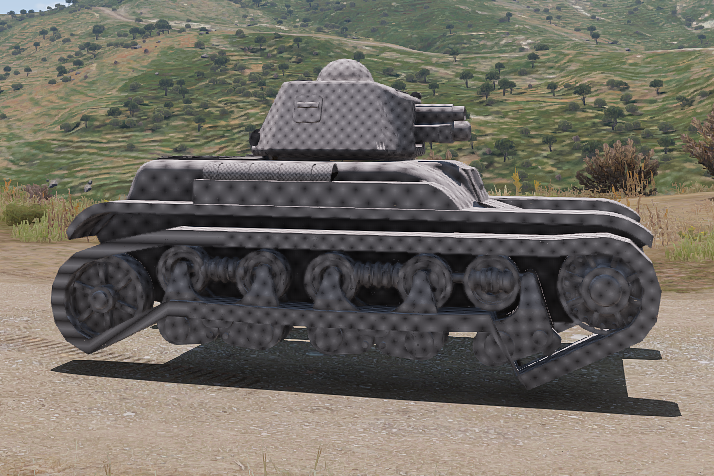
Any ideas?
stuck oyster
Damper axis direction might be wrong
woeful viper
check arma3_diag.exe and the suspension option. https://community.bistudio.com/wiki/Arma_3_Diagnostics_Exe
could also be just the visual animation points in the wrong direction but the physical simulated wheel is correct
 jaunty leaf
Nice H35 dude
buoyant condor
Thanks, it would be even nicer if it wasnt autistic
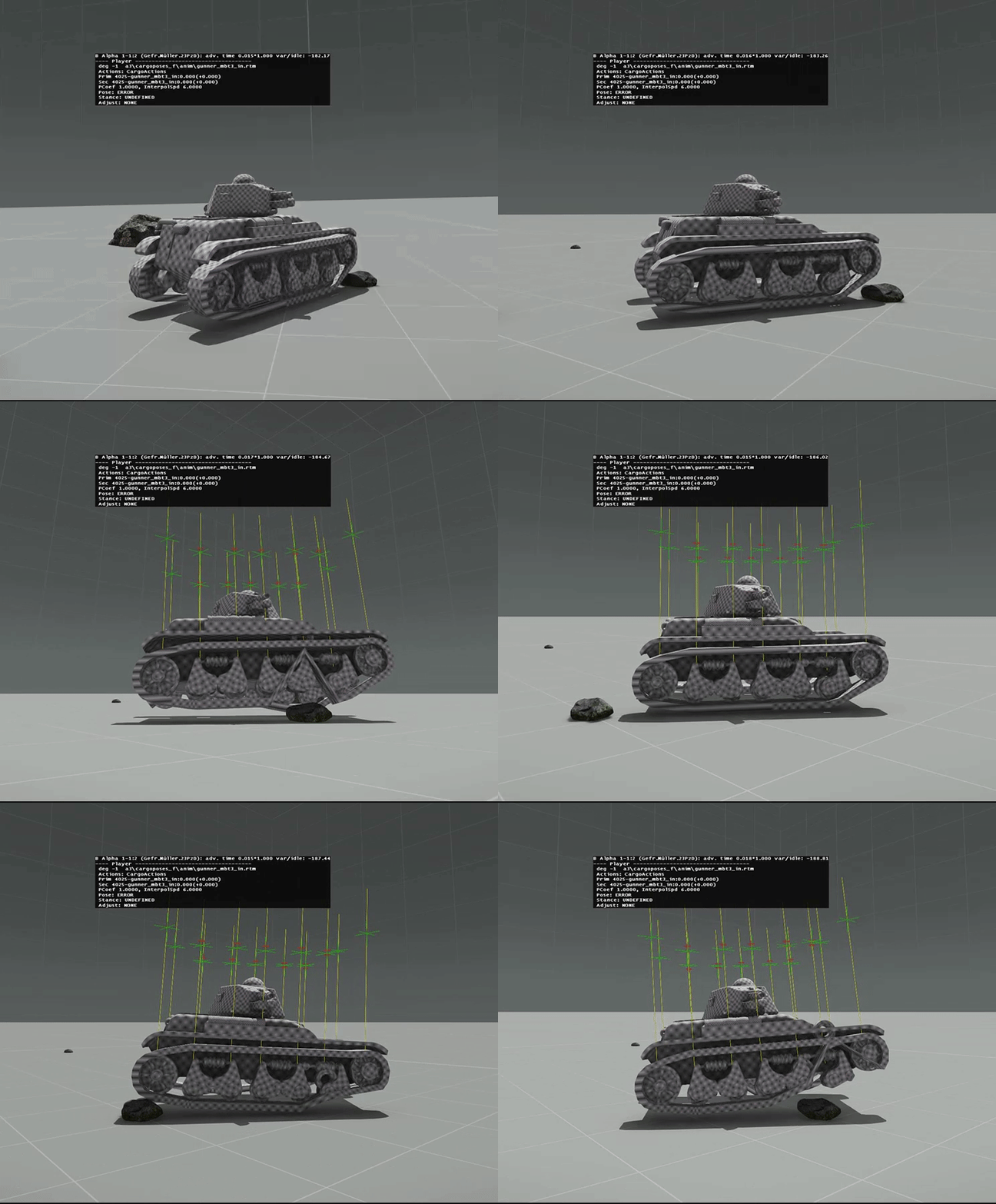 woeful viper
it seems its just your visual animation
offset0 and 1 in modelcfg must be identical to maxdroop and maxcompression in wheel config (and suspension travel axis must have length 1m)
potent sigil
My UV editor is stuck in the Taskbar and I tried the RMB click but no "recreate/Recover" options appear, any suggestions?
stuck oyster
taskmanager
there should be thingy to maximize is or something like that
it sometimes manages to move/open itself out of the screen
potent sigil
Yes!!! Thank you. I'm following a tutorial by Mondkalb and I got the UV editor hung up it appears. All good now. I figure as clunky as O2 is reputed to be, it'd be helpful to at least try to learn a little about it's work flow etc.
 late root
Anyone have an issue where the proxy/model are offset? No matter what I do to the proxy P3D it will not move on the model.
I can drag this anywhere in 3d space (proxy) https://gyazo.com/25c7411a3be8f585225cab93c75a35a0 and when it spawns on the model (that calls the proxy) its always in the same position
stuck oyster
That sounds odd. You sure you edit the same P3d?
 worthy nimbus
Hello Pepole how you are i hoope all is well today, so for months i have been trying to get my mod so you can drive witch you can now. issue that i am haveing is it seems to onlly want to drive at about 10 mph no matter what i do when driveing seems bits come off the model its not able to go over small small flat objects kribs and so forth it is an 8 wheel apc hope someone can help coz i have hit a dead end
stuck oyster
How vehicle drives is a combination of many things both in the model and in the config. You could start opening up that Pandoras box by showing your vehicle config.
 agile zenith
Capital punishment in arma https://gyazo.com/fc58f004eb629d28cd5aa1e3e6519c13
 tender carbon
hey everyone, I'm trying to make a custom offroad where the gunner is bending its lower legs however my IK system isnt working, I was wondering if anyone ever managed to get this to work and is willing to share the model.cfg and the p3d file (WITHOUT YOUR SOURCE MODEL) but just the needed proxy's and memory lods that are needed.
stuck oyster
@worthy nimbus thanks for that, Nice to see well formattet configs like that. Whats your vehicles goeometry lods mass?
@tender carbon what do you mean IK system is not working
and what part do you want to bend
tender carbon
like the the character doesnt bend its knees/lower its body when you aim up
stuck oyster
ah that.
tender carbon
yeah that
and I know its possible RHS done it and its on arma base models
according to the wiki you need to use KI system but it doesnt work
I got the Ik in the model cfg and in the lods plus memorys but no success
tender carbon
the turret moves fine, together witht he charcter, but it doesnt bend when you aim up
worthy nimbus
@stuck oyster newbee qestion were do i find that out
stuck oyster
in your models/p3d geometry lod
by opening it in Object builder
assuming your model has geoemtry lod
and p3d to begin with
stuck oyster
@slate epoch isnt that the default install 😛
slate epoch
Sadly it is
stuck oyster
and @worthy nimbus yes
worthy nimbus
it will tell me the mass were exacly
stuck oyster
the dialog is disabled by default
so you have to enable it from the window menu
it should pop up at the bottom left
worthy nimbus
4754.622
stuck oyster
sounds reasonable
perhaps even a bit low for armored vehicle
ok so does it have a physx lod?
worthy nimbus
yes has geo phys
stuck oyster
what does that look like?
worthy nimbus
stuck oyster
ah
remove the wheels from the physx lod
if you dont already have them, download Arma 3 samples from steam
and compare your setup to the sample car
worthy nimbus
ok just packing now
will i need to change any thing in the config for it at all
?
stuck oyster
just test if that helps it in any way
where have you picked up all the physX config for it?
worthy nimbus
this is a project bteen my self and another and he did all the physic stuuf so your guess is as god as mine
stuck oyster
alright
They may be just copied from some vanilla apc config
since they cant really be tweaked without the thing running properly in game
worthy nimbus
ok so now it gose faster but the forward wheels are in the ground
median bough
Boxer?
worthy nimbus
ok fix the issue seemed somthing wrong with the supension
agile zenith
Can anyone point me in the right direction regarding my proxy not showing up in bulldozer. It's a gunner proxy and it works in-game, i just can't see it in bulldozer. (I have never been able to see proxies in bulldozer so it's most likely something simple i'm missing)
stuck oyster
could be your tools setup is not correct
agile zenith
just tried the arma 3 sample car and it works, so i guess it's a config issue. I don't understand how it works ingame though if it is :p
stuck oyster
only the path to the proxy matters if its visible or not in OB and Buldozer
agile zenith
Ok i got it to display the actual model of the proxy, but it still does not display the configured animation
stuck oyster
thats not how proxies work
if you want to see the animation you need to have a proxy p3d that is in that position/stance
the proxy then defines the point of the character that gets in a vehicle
and the action config defines what it will look like
so proxy == position. configs == what it looks like
agile zenith
Ok i understand
 pallid hazel
hey guys. I have modeled a weapon in blender. How do I proceed to get it into arma? Is there any proper guide out there on how to place the memory, making anim vertexes etc?
median bough
Arma 3 toolbox for blender and arma 3 sample models
pallid hazel
yes. i have those. I have already successfully created a helmet and imported it into arma. I am just confused on what I need to do for weapons
stuck oyster
BIforums contains ton of knowledge and also El_Tyranos blender to arma video tutorial series is quite useful
and also there BIwiki pages on "how to animate a model"
livid kelp
i have a ploblem with a sound on my door model.
when i open the door it sounds 2D, not 3D. When i move avter starting the animation the sound stays the same and is not ajusting to the object pos. can some one help me out ?
 wind ether
Has anyone experienced an issue where an item appeared fine in the editor in game...textures fine, placement fine,all good....then when you hit play..the item vanishes. Specifically I have both a watch and a GPS that appear just fine in the editor until I hit play..then they both vanish. Any help would be appreciated.
polar gyro
Hey guys, in case I want to arrange the objects I make in a mod into catergories(inside the eden editor), how do I do that? I haven't found any tutorial on the web about that
agile zenith
How do i change the "get out" position of my modded vehicle? I noticed there are attributes for getting in but i could'n find any for getting out.
woeful viper
you cant (unless i missed something for 3 years...)
agile zenith
But how would i fix the issue then of people getting out of my vehicle and literally taking fall damage?
stuck oyster
And the you might need to change the get out action.
agile zenith
I'm using a memory point for a useraction position and it seems to be completely innacurate? It doesnt show up anywhere near where i placed the memory point. Anyone know a possible issue or solution?
rough idol
missing geometry?
 inland atlas
How does one properly set up animated weapon iron sights? The sight is animated, mempoints mentioned in discreteDistanceCameraPoint[] and a cameraDir mempoint at the front post. It all seems to work and the front post is in the center of the screen, except after the initial 100m setting where the cameraDir and eye mempoints are level, the bullets fly higher and higher off the mark.
I watched a video by eggbeast: https://www.youtube.com/watch?v=yKy4AL5RR2U but he just seems to say the bullets will go to the center of the screen, whereas for me they seem to hit the eye mempoint's horizontal plane at the zeroed distance.
agile zenith
No, i have a working geometry lod @rough idol.
rough idol
and there is some geometry block in front of that memory point?
stuck oyster
@agile zenith whats the radius for the action?
for precise action placement you should use geometry as action position
agile zenith
@stuck oyster How would i do that?
Radius was initially 5 but i turned it up to 30 just to see if it made a difference
stuck oyster
well 30 meter radius means it shows up pretty much everywhere you look
I think many Arma obejcts/buildings use geometry as action reference
you could check those configs
agile zenith
Thanks, got it working now.
woeful viper
so uh i tried making a stick-controlled (left - right) tank interior... but i dont think its possible to even properly do. driverLeftStick / right have +1 to -1 motion and do not correspond to steering commands but to throttle per side. Which is not how it is supposed to work. You pull the stick only to brake, and use normal gas pedal to accelerate. Brake one side -> turn, brake both sides -> stop
polar gyro
Hey guys, in case I want to arrange the objects I make in a mod into categories(inside the eden editor), how do I do that? I haven't found any tutorial on the web about that
woeful viper
splitting steering wheel source doesnt work either, because then you lack the "center braking"
stuck oyster
@polar gyro there is a BI wiki page for object categories
or you can study how they are set up in the game configs
woeful viper
better even - there is all in one config that you can study... contains e v e r y t i n g https://forums.bohemia.net/forums/topic/191737-updated-all-in-one-config-dumps/?do=findComment&comment=3328016
polar gyro
do you happen to have a link to that bi page?
stuck oyster
👍
buoyant condor
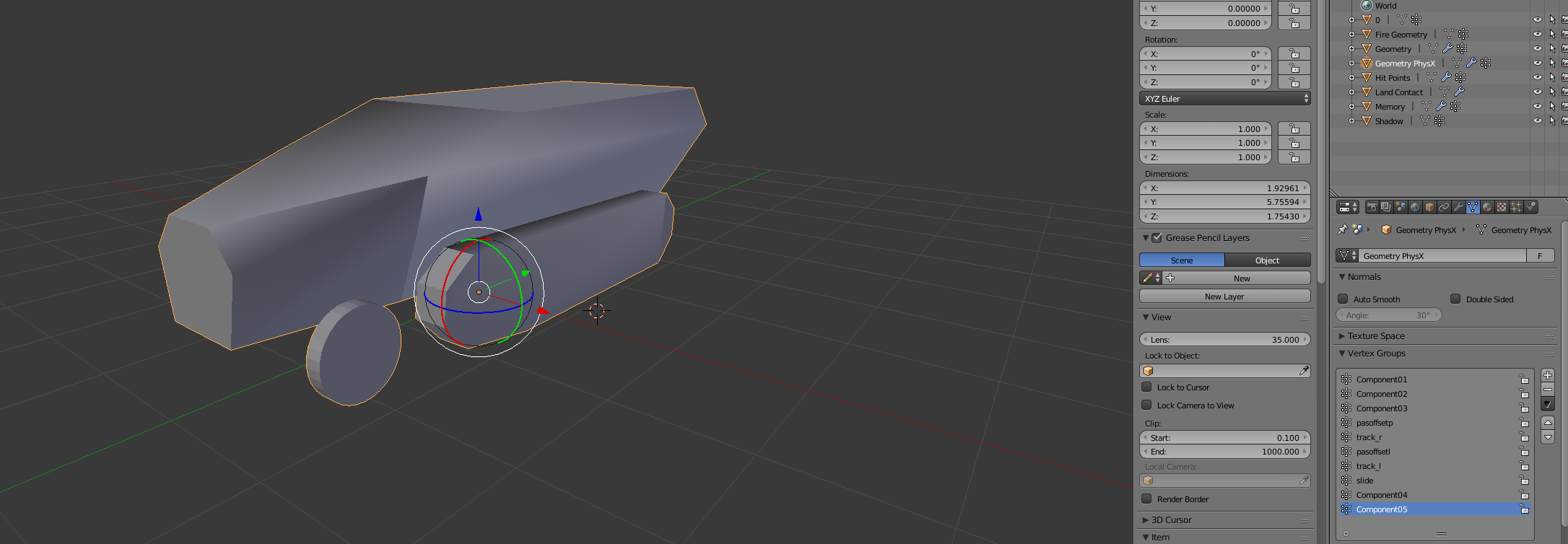
Several problems with my new project: First physX seems quite..... bouncy
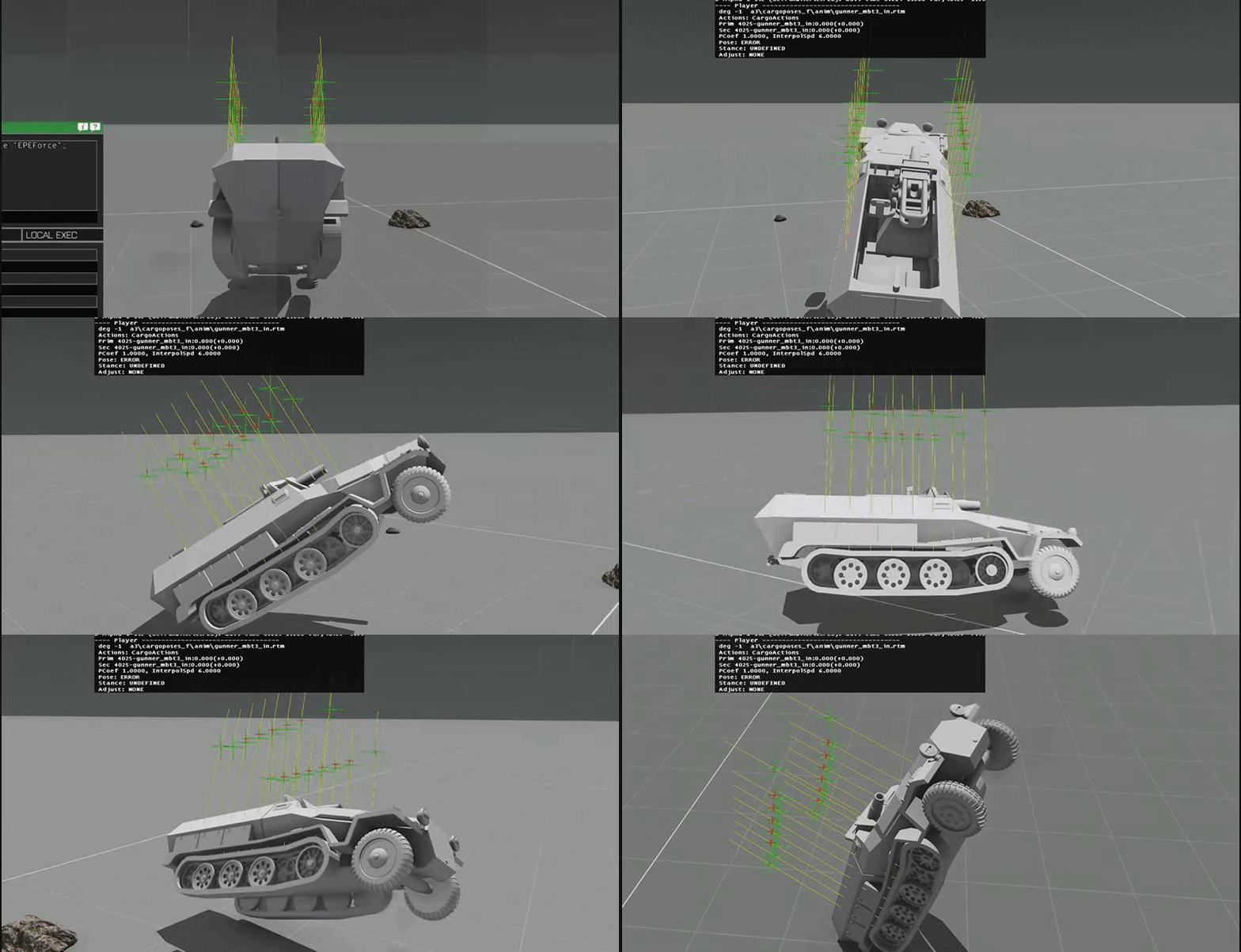
This si my PhysX
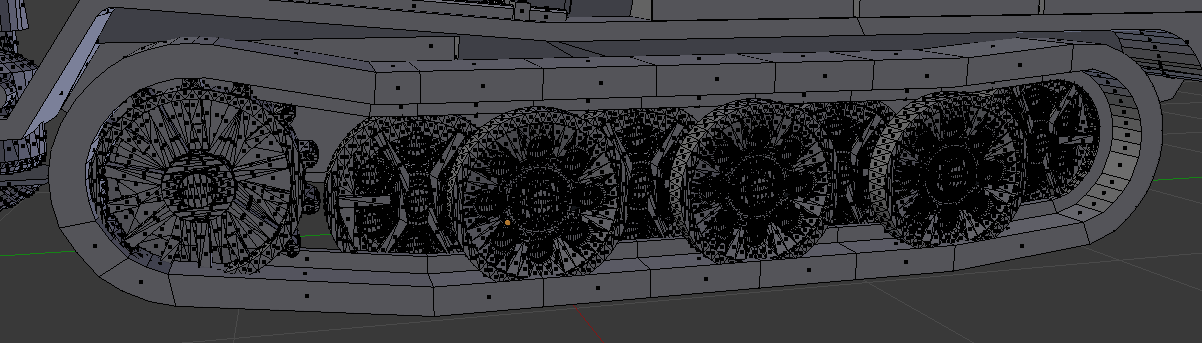
Second is that the track doesnt seem to animate at all, yet i have all the defenitions in the lod and in the model.cfg
i dont know if i have setten up my track correctly so here is a picture
 woeful viper
wheels and tracks dont belong in physx lod
woeful viper
also half track is not supported. Either its a tankX (20 wheels max, only track steering - no "wheelturn-steering") or a carX (8 wheels max, 4 steering max on front)
buoyant condor
i think i have defined it properly in my model.cfg
its TankX aswell
im trating it as a tank and the front wheels are just animted
woeful viper
remove the wheel and tracks from physx LOD. Then use the calculations for spring strength and damper etc for config values. Then it will not flippy bounce
buoyant condor
this is my model.cfg
and this is my PhysX
i dont think i have messed up anything but you never know 😜
woeful viper
pokoloklopopokolololo
you can use custom names btw... makes it easier to keep oversight
buoyant condor
Slav, so i can understand most of it 😄
woeful viper
aight
class Wheel_podkoloL1{
minValue = -0.05;
maxValue = 0.05;
}
Must be
minvalue = 0
maxvalue = 1
minValue=0; //always
maxValue=1; //always
offset0= -0.2; // Must be equal to maxDroop in PhysX settings, otherwise looks funky
offset1= 0.05; // Must be equal to maxCompression in PhysX settings, otherwise looks funky
buoyant condor
knowing me there is 😝
woeful viper
physx
boneName = "";
i dont know if thats allowed - never did it this way.
stuck oyster
werent there something added to tank animations that allows animation of steering wheels?
they wont work but they should animate
halftrack would probably work best as a tank?
buoyant condor
yea im making it a tank X
well
That fixed the bouncing up and down like a rubber ball
It also didnt help that the weight of the whole thing was set to 0.500
we have a new issue now which i think i can fix with the mass blocks but im not sure
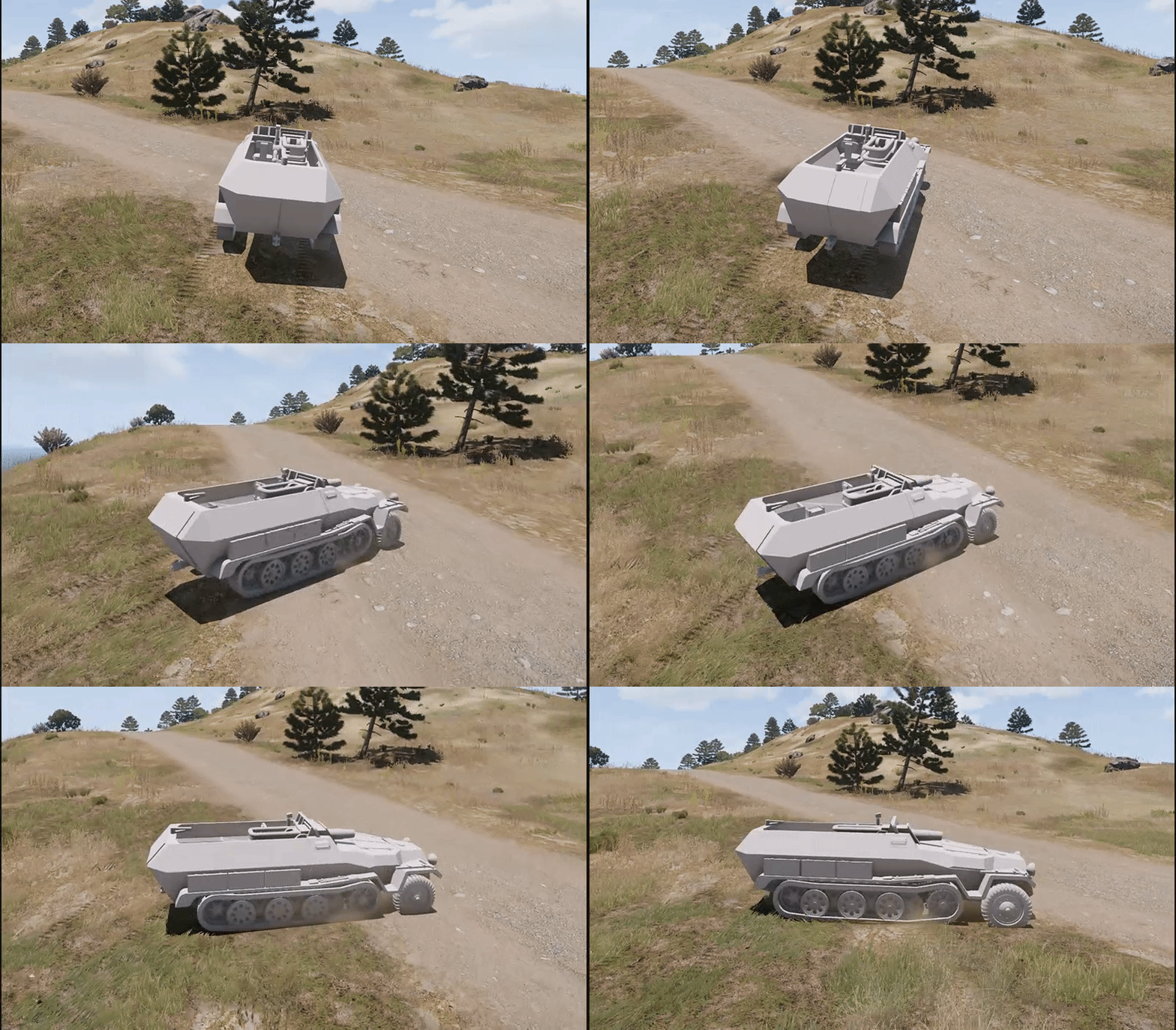
This is the vehicle turning right
animations still dont really work
 smoky nimbus
I'm having an issue where exporting from blender to .obj and then importing to Object Builder sometimes inverts the faces. Reversing the faces in OB is easy enough, but it also inverses the text I have on the model, so I started off by inversing the text on the texture, but that makes checking whether it's well aligned while in blender difficult. Feels messy and clumsy, any tips?
polar fiber
.obj often imports with inverted X axis in the model
you can fix that by checking the correct box in the importer
stuck oyster
The object might also have negative scale in Blender
scale and rotation should always be applied via the apply transformation menu
also @smoky nimbus if you want to play smart you get ArmaToolbox addon for Blender and export to P3D
smoky nimbus
I did but then the size seemed off and a friend recommend just exporting to .obj and importing that.
rough idol
halftrucks works much better as CarX . Iron Front is using this method for example
woeful viper
ok wow has it been always this way? : translationY animation type animations -> always uses length of scale 1m and is always one-directional.
offset0 = 0; offset1 = 0.2;
and
offset0 = 0; offset1 = -0.2;
show identical result , both move up
whereas translation (normal) uses lenght of axis and is two-directional
i think i wasted 30min yesterday on this and going crazy why it wouldnt move properly...
woeful viper
yeah, but its not going in opposite direction which is a big problem...
woeful viper
i had both go in the same direction
(type="translationY"; minvalue = 0 maxvalue=1 ; offset0 = 0 offset1=1 or -1)
stuck oyster
Minvalue -1/ max value 0?
woeful viper
yes but that doesnt work if you try to do something in a certain range
say turret elevation, you want something to move down from min="rad0" max="rad+20"
min"rad0" max"rad-20" did nothing
ultimately not a gamebreaker... ill just use standard translation. but it cost me time :[
 surreal birch
What is meant by the term "Model Cords"? Are these cordinates within the model or a position relative to the model?
woeful viper
hard to tell without context
woeful viper
a position in model coordinates
bold flare
relative to model center
surreal birch
Alright, thank you!
        {
            class Ace_MainActions
            {
                class beacon_blue
                {
                    displayName = "Add Beacon";
                    condition = "";
                    exceptions[] = {};
                    statement = "_this animateSource ['beacon_1_1_unhide',1];";
                    distance = 2;
                    position = [0,0,0];
                };
            };
        };
    };
Does someone know why this wont work?
The Action is not being shown ingame
bold flare
which class did you put that inside?
surreal birch
class gm_iltis_cargo_base;
class gm_ge_army_iltis_cargo_base: gm_iltis_cargo_base
bold flare
did it already have a ACE_MainActions class?
The actual action entry doesn't ave a position entry, nor a distance
they are in ACE_MainActions
surreal birch
like this:
            {
                distance = 2;
                position = [0,0,0];
                class beacon_blue
                {
                    displayName = "Add Beacon";
                    condition = "true";
                    exceptions[] = {};
                    statement = "_this animateSource ['beacon_1_1_unhide',1];";
                };
};``` ionic coral
anyone know why i did an uniform and the model move like human, but the "real human" its in other place
when i move around i don't hear the steps
only on the first place when equip the uniform
stuck oyster
oh then I did not understand the problem at all.
ionic coral
the model move but the step sounds not
stuck oyster
have you used the Arma3 Sample m an p3d as a base?
stuck oyster
why not?
stuck oyster
might have said so earlier. 😛
ionic coral
😃
stuck oyster
you need the footstep memorypoints
ionic coral
foot.r
foot.l
lower leg.l and this things?
i have another problem
now the footstep its working right
Now i move the model with wasd like a normal character but, the model its showing bad (bad textures) like my real charater its in other place
and the render textures lose quality

this is my rat near my character
when i go far this is my rat

@stuck oyster
buoyant condor
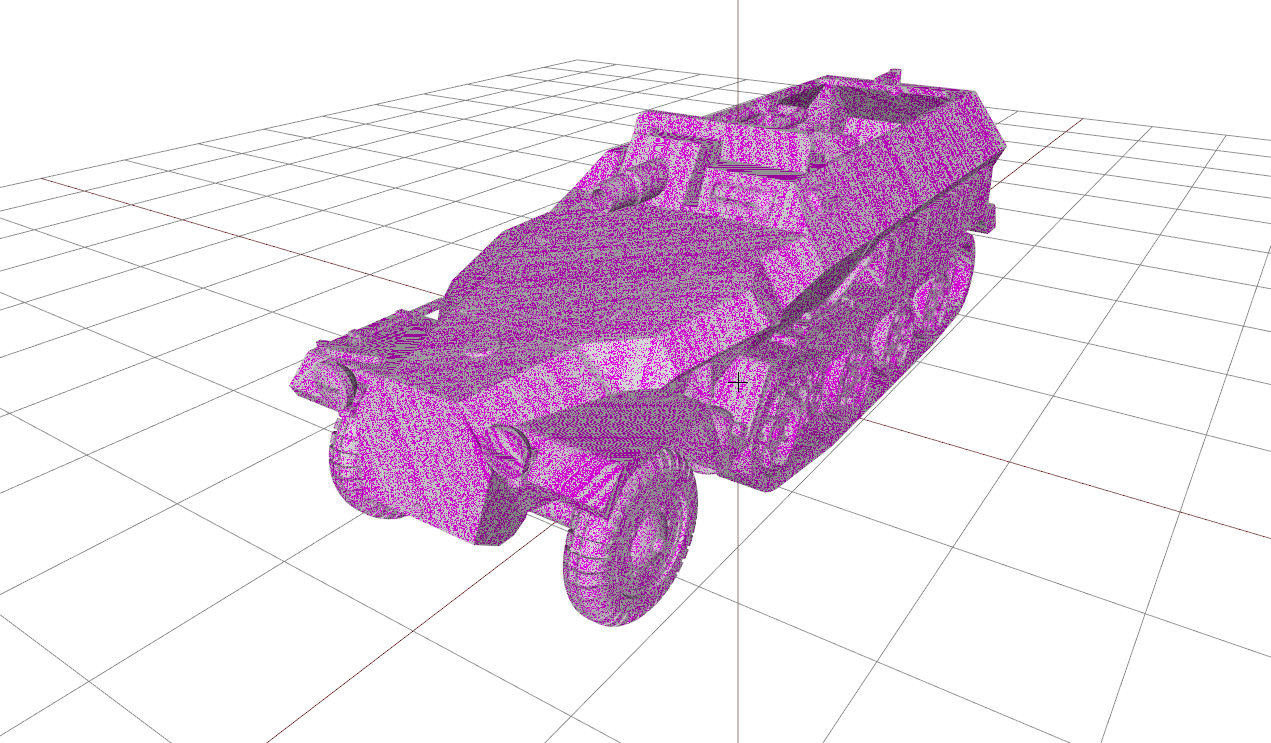
I'm not sure that there is something wrong with this, but its the first time i see object builder do this
 buoyant condor
aaah i see, makes sence
i also for some reason i cannot preview my animations in Buldozer, but ithink thats probably more config related
strong plaza
did you get that model from sketchup warehouse?
buoyant condor
yep