#arma3_model
1 messages · Page 129 of 1
 slate epoch

 charred patio
Im still new to memory points and all that stuff, so for the rotation points, I'd create two points and place them to the left and right (top down view) of the point where I'd want the part to rotate on it's axis at, right? Like imagine those points are a rod that it rotates on?
 quick terrace
yeah
quick terrace
you can name them whatever you want
charred patio
Yeah, just make sure to use that name in model.cfg
quick terrace
in A3, only some mem points are hardcoded in terms of name (in cz), muzzle, shell casing etc
for my SCAR-H i have the cheek riser go up (and the sights fold down) when mounting a scope using the same anim source
you can also hide sights if needed (for pistols and RMR sights for instance) where these do not fold
 normal forge
 bold flare
🤔 hm
normal forge
ah
 tulip beacon
anyone needs a script for deleting faces depending on their surface area? (cause i have one)
 toxic apex
Why has FBX import been removed from Object Builder? Does anyone know?
slate epoch
It's still there? 😄
toxic apex
Not for me
 woeful viper
you need to have steam running for whatever reason to have fbx import in OB
toxic apex
it is running
woeful viper
hm - i remember there was some oddity about fbx missing
im not 100% sure it was steam
tulip beacon
Maybe you are talking about oxygen
 polar fiber
dll might be missing
toxic apex
I want it baaaaack!!!!! WAAAAAAAAHHHH!!!! 😉
polar fiber
Check the DLL folder path in Object Builder
File>>Options>DLL Folder
should point to Steam\steamapps\common\Arma 3 Tools\ObjectBuilder
toxic apex
E:\ArmA3 Steam Library\steamapps\common\Arma 3 Tools\ObjectBuilder
polar fiber
and FBX.dll is still in that folder?
woeful viper
i had the same issue years ago - solved itself... maybe try a system restart (as dumb as it sounds...)
toxic apex
already done that twice.... actually i noticed it about a week ago. so atleast a dozen reboots since then too
slate epoch
Run OB as admin? 😦
toxic apex
no difference 😭
toxic apex
ive reinstalled it twice - even deleted the old files
bold flare
Make sure the VS 2013 things are installed. https://support.microsoft.com/en-gb/help/2977003/the-latest-supported-visual-c-downloads
MFC and C++ redist
toxic apex
It was working until about a week ago
 outer condor
@tulip beacon always interested in O2 scripts
tulip beacon
@outer condor need any specific ones?
outer condor
any/all 😃
@white arrow and me will try to implement O2script support into SQDev in coming days
slate epoch
Haha there should be some O2Script stash 😄
tulip beacon
what is SQDev?
 lusty ginkgo
https://i.imgur.com/a16MTp7.png
Using the blue render world from the new render worlds included with the tools config and some manual tweaking + a custom lighting class I got this for viewing objects in object builder buldozer
it isn't perfect, since the fog color isn't a perfect match, but this should be helpful for creating LOD's for objects like trees that have polyplane LOD's
this is an alternative to the convoluted p3d2bmp method I was working on yesterday
lusty ginkgo
I might be able to do this with just some config edits actually
 deep quiver
is possible to find object builder script documentation?
 stuck oyster
It should be in the OB installation folder
 sturdy parcel
it is. and it's the standard comref that's been available since flashpoint's oxygen 1
it's based on sqF (not sqS) and has the added benefit of being able to create 'standard' windows dialogs (not to be confused with rscDisplays)
deep quiver
@stuck oyster @sturdy parcel thank you!!
sturdy parcel
there are a few, quite minor bugs in it, which have never been fixed, but if you know bughemia, lack of interest in doing so should not surprise you
slate epoch
🙂
lusty ginkgo
https://pastebin.com/gxiBaKSc
there is the config for the bluescreen world for buldozer
just overwrite default world in P:\bin\config.cpp
obviously make a backup first
outer condor
@lusty ginkgo useful also for any custom terrain?
lusty ginkgo
what do you mean?
lusty ginkgo
I'm sure it works in TB buldozer as well
you could probably apply custom lighting into BD so it matches in game
stuck oyster
the barrel seems to have rotated off the flash already
not sure if I can time the rotation to the shots
or does the muzzle flash last longer than the actual shot so the barrel move away
might need a bigger muzzlefalsh though
bold flare
what caliber?
You could just center it inbetween the barrels and make it so big that it's not noticable. But I think at that points it's too big
stuck oyster
I think with a scifi minigun its more about the looks than the caliber 😄
 woeful harbor
Looks, and a redonkulous round to go with it
stuck oyster
 strong plaza
nice!
stuck oyster
Suppressing fire 😝
Also got the barrel rotation look nice enough. The engine can't draw it fast enough for each shot to rotate it 120 degrees so that the barrel would always align right. Had to compromise
One possibility could be to add a blurry tube around it like how the helo blades are done
But meh.
 obsidian sphinx
Wouldn't you be able to set up some kind of RPM check on the gun and use that to set intervals for the animation?
stuck oyster
That's exactly what's too fast for the engine
obsidian sphinx
Ahh, but wouldn't it just be that by the time you reach that speed, it'd constantly be on?
obsidian sphinx
So you can't do a check to get to the target RPM, then run a different animation which would just be a longer animation to simulate that speed?
stuck oyster
That's not how it works
obsidian sphinx
So you're just forced to have a bit of a gap? Not quite sure how that interval comes into play
stuck oyster
The animation already plays so fast you likely won't see each rotation tick of it
Only downside is that each shot if looked close enough do not look like the barrel is in right position
This of course can be seen only in stopmotion
obsidian sphinx
Fair enough
stuck oyster
There just are not enough animation frame tics for high rpm rotation. Which is why helo blades also are faked
obsidian sphinx
I did wonder about that
Would that play out the same way for jet rotors in planes?
stuck oyster
Likely yes.
obsidian sphinx
Gonna have to look into that later on in my project 🤔
 round bloom
Would you guys say it's best to add windows for a building in 3ds max or in ObjectBuilder? Had a few different people tell me conflicting answers
Is it just preference or is there a logic?
round bloom
Yeah, i've already left the gap for them in the model but I've heard a couple of people mention they do the actual windows part in ObjectBuilder not in 3ds max?
round bloom
I've seen them in old videos etc so don't have direct contact with those people, hence I asked here to see what more people think
slate epoch
Maybe then meant the glass itself?
stuck oyster
possibly they assign the glass material
but modeling should be done in one place
I try to avoid OB as much as I can
round bloom
Alright ,thanks
 spiral solstice
@polar gyro I know that I'm late, but there's a cheaper alternative of substance painter called armory paint: https://armorpaint.org/
 polar gyro
Thanks man ! I'll try that
stuck oyster
intersting might give it a try at some point
woeful viper
idk if anyone's got any better experience for model making but mine is looking at eye cancer 60% of the time... preferably with epileptic z-fighting https://abload.de/img/cuclfdq.jpg 😄
lusty ginkgo
on my tree models I tried completely unchecking the 'enable shadows' face property (so it's completely blank) on the very last LOD that is made up of a couple polyplanes
they looked really ugly with shadows before but with them disabled it is way less noticeable
the thing is, though, is that the main LOD's seem to also have the shadows removed, and that obviously looks very strange
is there any better way to work around this?
I'm trying to perfect my ports of the A2 trees so they are a little closer to the quality of the A3 assets
I know retexturing ability can only go so far of course
also I want them to be as good as possible before making any texture variants
 velvet chasm
hi
i was created a new rtm to my pilot aftrer i attach pedals to pilot view
now how can i force players feet move with the pedals
idk its about model or config
sorry but i found the solution
driverLeftLegAnimName="pedal_L";
driverRightLegAnimName="pedal_R";
stuck oyster
@bold valve what do you mean correct normals? Your model does not have normalmap applied.
slate epoch
vertex normals
stuck oyster
His vertex normals seem to show correctly?
stuck oyster
Ah well but they show as they are on the model right now, so they show correctly they just are not set up right.
outer condor
is there anything specific to BI A3 clutter models? when i try to create them via createSimpleObject, most arent visible 😐
woeful viper
@slate epoch @bold valve do you have a better picture of the smoothing error/ where is it? Mesh errors are often the cause of smoothing error / weird vertex normals (unwelded vertices in the same spot, wrongly triangulated n-gons etc, accidental application of smoothing across extreme edges, ...)
 bold valve
thanks
 hard robin
hey all, so im having a bit of a weird issue with some building models. The windows are transparent in object builder but after packing & when placed in game te window texture shows but the transparency is lost so it's just black w/ dirt on it. what could be the cause of this?
round bloom
My first attempt of a building model for A3, not finished yet but anyone got any suggestions?
outer condor
overall these should be useful
https://community.bistudio.com/wiki/Arma_3_Named_Properties
https://community.bistudio.com/wiki/RVMAT_basics
https://community.bistudio.com/wiki/Mondkalb%27s_MultiMaterial_Tutorial
https://community.bistudio.com/wiki/Creating_Shadow_LODs
https://community.bistudio.com/wiki/Validating_Geometries
https://community.bistudio.com/wiki/Mondkalb%27s_Addon_Tutorial ```@hard robin possibly wrong kind of rvmat or bad texture type/suffix/nosuffix
when you say look ok in OB you mean in OB viewport or in Buldozer?
woeful viper
@round bloom for modelling this is ok, but for ingame use always eliminate edges/vertices that dont contribute to the shape for optimization before exporting
stuck oyster
some large faces work better with cast lighting if they are split
woeful viper
ive seen people mention that (and i'm inclined to believe it) but on the stuff i have tested so far i havent been able to reproduce it. Any specific cases where its most noticeable?
polar fiber
shining headlights on large surfaces.
stuck oyster
road things I think is where people have had problems with it
woeful viper
shader specific?
round bloom
@woeful viper I do plan to do an optimisation run once I've actually completed the model.
Can someone direct me to the best guide for setting up animated doors?
polar fiber
don't think it's shader specific since it's a matter of models being lit per-vertex by dynamic lights
stuck oyster
@round bloom theres not really a specific guide like that. BI WIKI has pages for model.cfg and how it works and the A3 Samples have house sample that has all the necessary parts set up
El_Tyranos tutorial series might also cover some of that but not sure.
round bloom
I can already do the config side etc but I'm fairly new to model making and 3ds max, do the same principles of just animating in 3ds Max work for making animated doors work or is there anything extra I need to factor in?
stuck oyster
model.cfg animating is all code so nothing you do in MAX transfers over
so look up the "HOW TO ANIMATE A MODEL" page from BI WIKI for starters
round bloom
Ah, that's easier than I thought. Thanks
woeful viper
per vertex lighting would look terrible - nowhere near this: https://abload.de/img/flashposcjil0.jpg (wall is 1 face)
if anyone knows how to move the light source from chamber to muzzle tip btw - i'm all ears
polar fiber
tried it with a flashlight/reflector?
woeful viper
yeah because this question bothered me to know if i get issues with the way i optimized the building
its placed in eden - idk if that could make a difference
hard robin
@stuck oyster bulldozer view
problem is RVMAT is fine, and it loads just fine in Bulldozer too. But after packing it loses transparency for some reason. Although i already have been thinking of a possible fix so I'll try giving it a go when I'm back at my PC
stuck oyster
do your textures have _CO _CA _NOHQ etc suffixes?
possibly you are using some wrong shader
what do you pack the pbo with?
hard robin
glass has _ca like the other glass textures i have
it works fine on other buildings too. I guess for now I'll try using another glass rvmat wich i know works 100% and then I'll compare and see what causes the issue
stuck oyster
that could be a good starting point to debug it.
also make sure you have not accidentally added any odd face properties flags on it
 deft heron
Hey guys if I want to produce a un binarized PBO do I have to use addon builder or os there a way of doing this in Mikeros tools?
bold flare
use makepbo
stuck oyster
why on earth would you want to have unbinarized pbo?
deft heron
I have a client that wants them.
stuck oyster
youre not supposed to use any arma tools for commercial use
slate epoch
Are you using Arma tools commercially? 😃
deft heron
No Im doing it for free.
Cheers @bold flare
So if you arent aloud to make money from Arma tools how come there are websites that sell mods are they being naughty?
bold flare
yes they are naughty
deft heron
Naughty but rich/er.
sturdy parcel
pboProject always binarises. makebbo has -options not to do so.
selling or not selling mods is irrelevant to whether you need/want unbinarised content in a pbo.
 fluid ocean
"Client" implies Commercial
deft heron
Well I am working for them but for nowt.
If you see what I mean.
@sturdy parcel WHy dis you make it so the PBO can be unbinarized or did you just make it so that it could do everthing just incase there was a reason.
?
bold flare
PBO's are not binarized or unbinarized btw.
deft heron
That doesnt make sense. So PBO`s are default unbinarized but there is a tick box to make it unbinarized? Sorry I dont get it.
deft heron
Thankyou for your patience with me.
So if I unbinarize I get a config. I think thats what they wanted for renaming purposes.
deft heron
right but a config has got naming within it so if you can change that it renames class names, dispaly names etc.
So you could rename everthing through that and the model and cfg patches etc.
couldnt it?
deft heron
Yes so it renames those things yes I know.
bold flare
"rename" is not really the correct word
bold flare
terminology. well it defines values. config entries
deft heron
Thakyou you made me understand it all a little bit more.Sorry for the stupid questions and all brother.
deft heron
I love all of you.
deft heron
and maybe some day will will love me too.
sturdy parcel
WHy dis you make it so the PBO can be unbinarized
The distinction for me btwn pboPro and malepbo, is that pboPro caters for the less than fluent addon maker. I don't give him a dozen options so that (s)he can mke a mess of it. Makepbo on the otherhand is the underbelly of pboProject and it's intended as standalone for those who know what they're doing or want something oddball,. Most of the large teams use makepbo wrapped in py script.
deft heron
I might be working for the darkside.
Also hows it working for you @sturdy parcel not making any money off arma tools?
stuck oyster
nothing he sells is made with armatools
deft heron
But it could only be used for all of the above.
stuck oyster
and?
deft heron
All of the above
stuck oyster
the programs he has made are not made with ArmaTools
stuff you make with ArmaTools you cant sell
they use armaTools
to some extent
but they are not made with them
deft heron
I have actually talked through this with Mikero before but its still really interesting to argue through how it works. Sometimes when you say something out loud, you get to look at it again in a new way. I think that its so tenious that none of it really means anything to me.I have been and am very righteous with all of the peoples mods. But I can see that the kind of legal arguements are unfortuantly meaningless, because of the lack of real regulation.
stuck oyster
you do as you see fit and right.
if you want to talk about legal then contact BI legal department.
deft heron
A lawyer has already writen a legal agreemant.However I think that you and I could see problems within that because we are closer to the realisty of said thing
sturdy parcel
silly argument. I use bis binarise like anyone else. I don't hack at it or sell it or supply it. I use no other tools from bis because I wrote better ones, and for that, you pay me.
stuck oyster
I dont know what kind of racket you are tryingt to raise sparkle but its way too late for that. Its very simple to follow the rules that BI has dictated for their tools
theres no iffs and buts
you make something with ArmaTools
you cant sell it
deft heron
No you are right but I was never trying to resell anything
stuck oyster
I have no idea what you do. And its not my business.
This channel is also not the place for that
deft heron
If I did make money from anything like this it would be making models and textures and that doesnt have to include any of the Arma Tools
So what you working on guys? Mikero I guesss you are still doing the DAYZ fixes etc. Goat What you doin brother?
stuck oyster
going to sleep.
deft heron
I love you man.
Im serious too its people like you that make this happen.
hang on in there kitty.
You guys rock. Keep on rocking in the free world. Happy new year and kittens.
outer condor
to load unbinarized models in pbos is necessary for working with unpacked data/filePatching AFAIK
 carmine gull
Dunno if this is pre-existing knowledge here or if it's pin-worthy, but I've seen that as of June 21st the geometry/roadway LOD cap got extended from the old ~50 meter range (60 meter hard limit) in Arma 2 as far as 72 meters horizontal in current Arma 3 for 'walkable yet moving big ship-as-vehicle' purposes
stuck oyster
@woeful tartan this could be pinned
That's good info @carmine gull
Though my 300m long spaceships do collide too. 😆
Roadways situation on them I don't remember
bold flare
@carmine gull Dunno if this is pre-existing knowledge here
Well.
https://community.bistudio.com/wiki/LOD#Roadway
https://community.bistudio.com/wiki?title=LOD&diff=91399&oldid=91398 That info has been there since August 2015
carmine gull
@bold flare Good to know, but I'm not aware if it's as 'public' as the previously-cited 50-60 meter range... although that was overall length whereas I now see the geo LOD section saying somewhere around 50-60 meter from the center of origin (meaning that your object can be 100m wide/long at max if it is symmetrical to the center of origin)
@stuck oyster I thought it worth bringing up because I just saw a mid-late June 2018 BIF post by mankyle about a walkable-when-still-but-working-vehicle-PhysX driveable big ship
And I had to think of how much that opened up possibilities for would-be ship modelers who are willing to either go fictional or do hulls < 100 m in overall length
round bloom
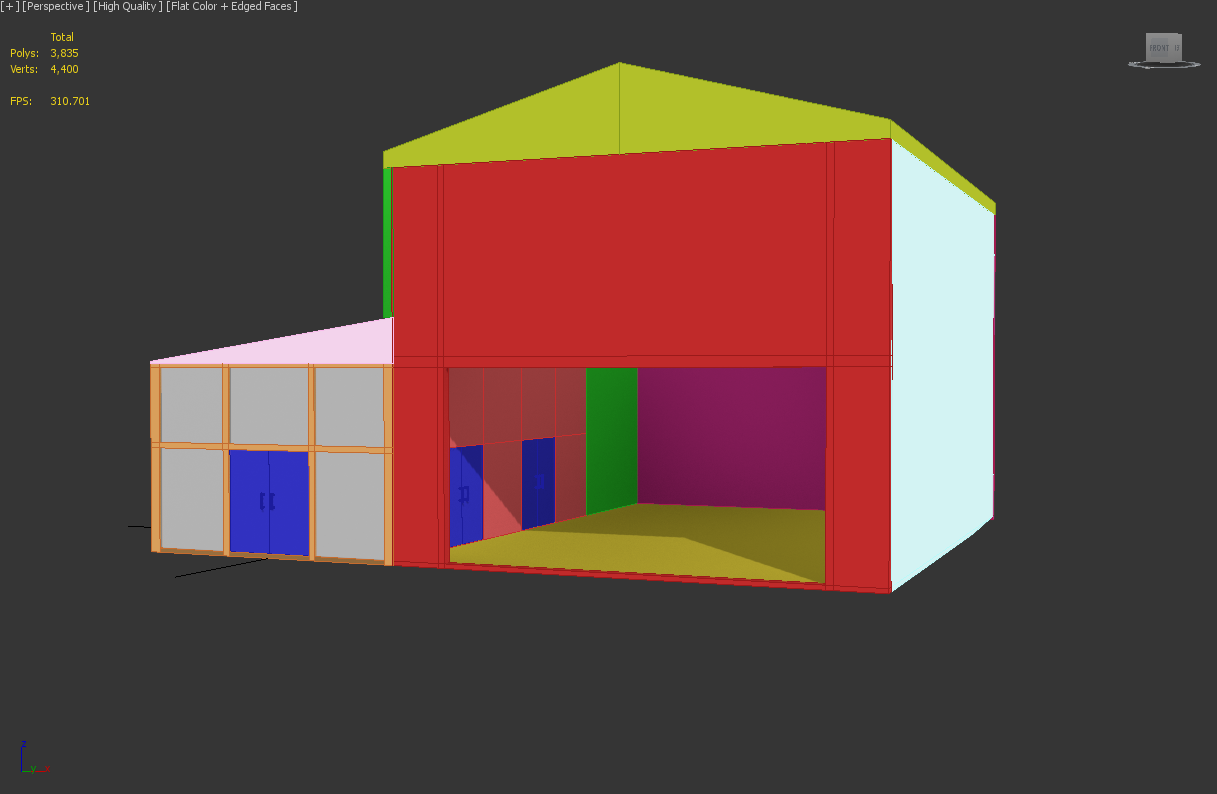
What might cause a model to not show in Bulldozer but it shows fine in ObjectBuilder itself?
stuck oyster
wrong material path, too much verticles, non triangulated
round bloom
Material paths are correct, 4,420 verts in total in the building and how can I check triangulation?
stuck oyster
select all and hit /
round bloom
Still nothing
stuck oyster
remove materials and textures and see if it plops up
round bloom
Checked that earlier already
stuck oyster
its a small-ish object?
camera is not in it for example
any odd options selected in the viewer settings?
the model is also at centered?
if you add a cube in OB does that show?
if you delete part of the model does the rest show
round bloom
Its a relatively big building, camera should either be inside but I can see inside or that I can see outside (neither are true). No settings changed in viewer and its fine for other files
Model is on center
Added a cube and that wont show
Just deleted half and it all shows
stuck oyster
select all and hit W twice
round bloom
Well whats left
stuck oyster
could be some bad uv thing
round bloom
I haven't directly modified a UV map, for now whilst doing tests i've just applied textures to selections
stuck oyster
so the model has not been unwrapped?
I think that could be your issue
also if your rvmat uses 2 uvsets but you have only 1
or possibly if the model has too many uvsets that could cause issues
round bloom
Just done some testing, it seems if I delete a few random sections it shows, i've tried various different combinations and there no logic to it being any specific item
Thanks for your help, im off to bed 😃
 daring turtle
is making new clothing texturing or modeling?
bold flare
completely new is modeling
if you just wanna make a new texture for a existing uniform mode. that'd be texturing
daring turtle
do you know any good guides on modeling clothing? I found some good vehicle ones but none for clothing.
stuck oyster
did you try to find tutorials how to model clotes for Arma?
because there likely wont be any
what you need is "how to model clothes in the 3d program I use"
or how to model characters
Arma specific tutorials are very rare
daring turtle
oh alright thanks, I use blender, is that a good program?
tulip beacon
good enough, and free
stuck oyster
no problem with blender
and lots of "how to use blender for X" tutorials out there
before you can ask how to put thing X into Arma you have to first know how to make it
Armas characters have pretty standrad game model requirements
essential is that the model is is same size and shape as the ArmaMan so that the animations work
and Arma3Samples on Steam also provide a sample character for base
sturdy parcel
excuse the cross posting folks, but i consider this important. Slap me if you want.
FREE TOOLS UPDATE for xmas 😍
A snapshot of the latest subscriber release is now available for you all to enjoy. God knows how many fixes, improvements and updates have been made. too many to list. However.
+the free tools are now fully dayz compatible
+no more warnings about unknown mapinfo items.
tulip beacon
what is the most up to date place (if any) where all named properties are listed (with all possible valid values)?
i guess it's this
outer condor
yep
bold flare
https://community.bistudio.com/wiki?title=Arma_3_Named_Properties&action=history there's a "View History" button 😉
round bloom
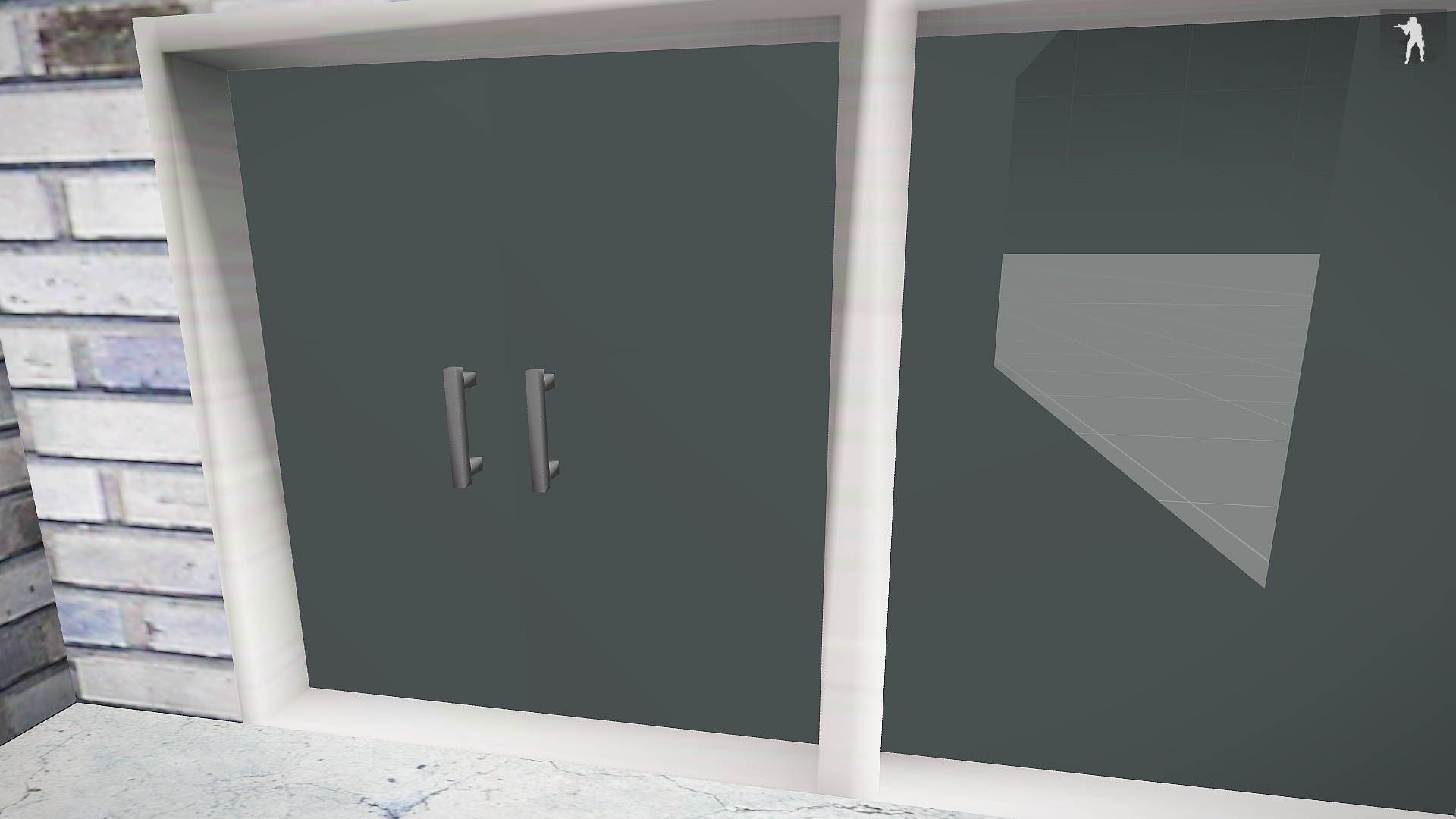
@stuck oyster Had a look at that model again today, it seems that it will show in Bulldozer the moment I delete the door handles
stuck oyster
are the door handles properly unwrapped and have proper texture/material
round bloom
no texture on them yet and yeah unwrapped
 wise heart
I am attempting to make a decal object, and I need it to match the roads. Problem appears to be that the road is influenced by the A3 lighting, whilst the decal object is not. Anyway to make an object effected by the lighting the same way roads are?
stuck oyster
Same way, probably not if using same rvmat does not produce same results. Similar, probably yes by tweaking the rvmat.
bold flare
Has anyone ever seen binarize actually ADDING a LOD on binarization?
Input model had 1.0, shadowVolume 1.0, Geometry.
Output ODOL suddenly has a additional ShadowBuffer 1.0 :U
Is that supposed to happen?
sturdy parcel
Yes. Indeed, there are approximately 30 arma3 p3d's with this condition: 'duplicated shadow buffer 0'
Factory_Conv1_End_F.p3d is one such example. Can supply list if you need.
bold flare
no not duplicate
sturdy parcel
oh?
bold flare
I have a 3 LOD's in my MLOD. but 4 LOD's in the generated ODOL
it's creating a ShadowBuffer LOD that wasn't there in my MLOD.
sturdy parcel
ok. well, it sounds similar at the least where an 'extra' (in this case), duplicate shadow blah, got created
bold flare
I guess it might be a copy of my shadowVolume, just as shadowbuffer (11001). But I don't know why that's happening. Didn't read that a shadowBuffer lod is required and that binarize will create one if you don't
sturdy parcel
that makes some sort of sense. yes.
round bloom
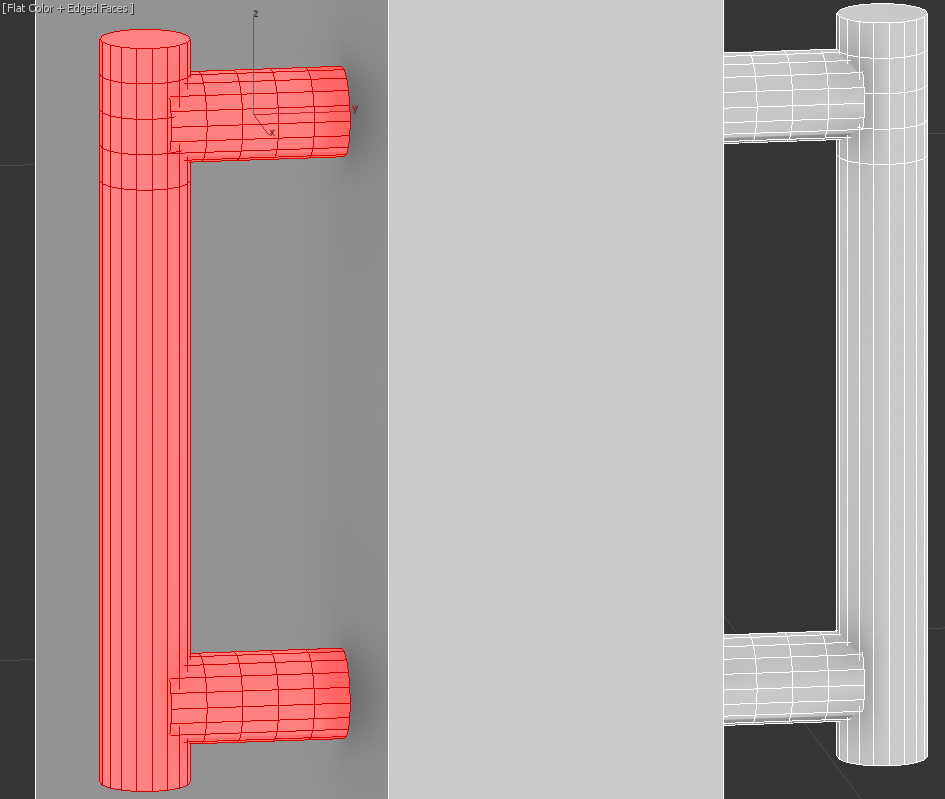
@stuck oyster not very complex, just a few cylinders https://i.gyazo.com/8461799f526e3ae8b5a0816be64539c1.png
stuck oyster
should not be the issue but way wa wat too many faces for door handle
especially lose all those extra horizontal cuts
round bloom
I've swapped them out to a different style and it seems to all work fine now
round bloom
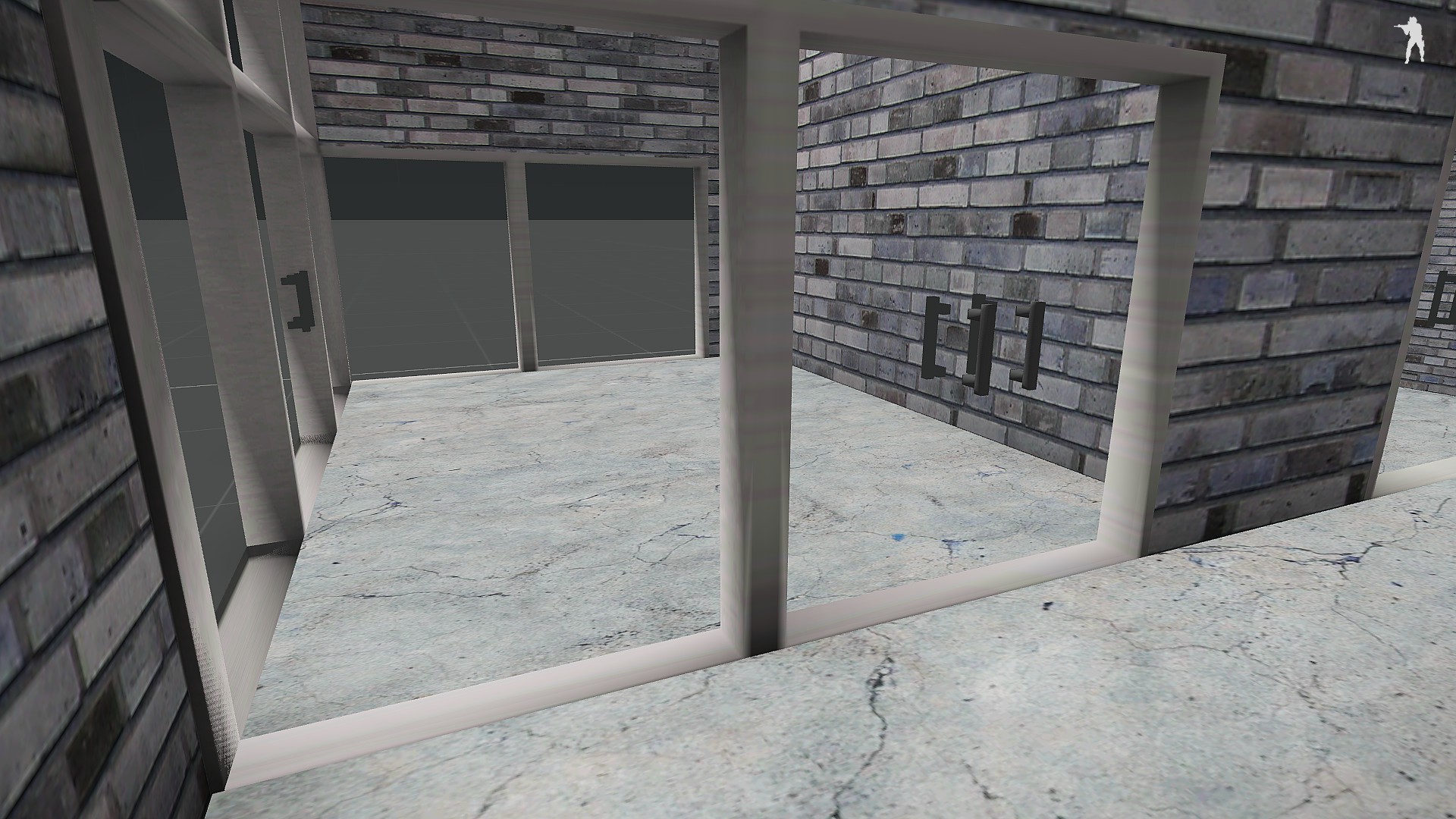
Anyone seen this issue when using the default A3 glass textures?
One side looks fine the others all messed up
stuck oyster
yes a common error where you have not alpha sorted the glass faces. Select all the glass face in OB - FACE menu - Move To Top
round bloom
Thanks
tulip beacon
script for setting named properties
if anyone interested
took all nps from here https://community.bistudio.com/wiki/Arma_3_Named_Properties
possible values and defaults where was possible also
code is super-shitty though
outer condor
@tulip beacon looks very comprehensive - thanks a lot for sharing!
did you consider also a command line version?
tulip beacon
I wasn't sure what do i want to achieve at the end, actually
Anyway, have you tried it? Does it work for you? Is it clear enough how to use it?
outer condor
not yet. checked only the source code. plan to test it later today
tulip beacon
checked only the source code now i'm embarrassed
i was thinking to do saving and loading presets feature, but this involves a lot of logic depending on what and how many lods model has
outer condor
anyone familiar how to do bridge models properly (roadway, geometry, memory points, named properties, etc)?
 elder heath
anyone know why my model's shadoes appear underground? I have tried using the ob's find features to fix it but that hasn't fixed it. to be clear it is the entire shadow that is the issue not just one face. also dunno if it matters but it is a fairly large warehouse with an interior, i dunno if that makes a difference? it also take a significant amount of time to load it in editor
stuck oyster
if it takes long time something seriously made wrong
take pictures
also whats the vertex / tris count on it
slate epoch
Wouldn't it be better to just use visualex for shadow?
stuck oyster
some people dislike visualex due to the artifacts it leaves on the models surface
 halcyon wren
Also it makes for an inconsistent scene, where stencil shadows clash visually with the softer buffer-shadows that "visualex" and "hybrid" types generate
And yeh, the jagged edges are hella ugly IMO.
 past edge
how do you guys include model proxies in your custom models? I've tried \A3\Structures_F_EPB\Items\Military\Ammobox_rounds_F.p3d as path for my proxy, but it doesn't show in-game (the rest of my model does though); am I missing something?
bold flare
you just create a proxy with the correct path ¯_(ツ)_/¯
how did you create the proxy in the model?
past edge
create > proxy
then I entered the path and hit OK
worth noting, I'm trying to make a "dummy" model of sorts that simply imports that ammobox model as a proxy, but the proxy is rotated
this is because I want a copy of that model that is rotated 90° around one axis, and I obviously don't have access to the source model (nor do I want to edit it)
I don't suppose there's a better/easier way to do this? 😛
bold flare
Nah that's what I'd do too. here is an example of proxy stuff. Models inside there are unbinarized
I assume you checked RPT for any errors. Does it also not show up in buldozer?
past edge
the proxy model doesn't show up in buldozer, but I assumed that's because the model is binarised
and no, it's not a house, just a prop for a mission
so no model.cfg (but a config class entry)
also cheers @bold flare, I'll have a look at your files and see if I can pinpoint the issue
bold flare
binarized models still show up in buldozer
you might need a basic model.cfg, or a specific type in config. Try around a bit I'd say
slate epoch
Maybe making the class Land_xxx might help?
past edge
okay, I think the issue is the game not allowing the use of proxys in my situation
I set the model path of your arsenal point to use my model, and sure enough the proxy shows up
but if I use it for its intended use (as model for a vest, when it's on the ground) the proxy refuses to show
so I guess I hit an engine limitation... again 🙄
bold flare
a model of a vest when it's on the ground is already rendered as a proxy
Not sure if proxy inside proxy works that well
slate epoch
model for vest when it's on ground? that'd be proxy in proxy
past edge
oh, hm
slate epoch
No, it wont
past edge
are backpacks on the ground also proxies?
slate epoch
Yes
past edge
or are they treated differently due to being cfgvehicles
bold flare
I have had problems with backpacks on ground sometimes not being weapon holder when placed in editor.
But everything a player drops onto the ground is in a weapon holder
meaning proxy
past edge
hmm, that makes sense
but what if I spawn a backpack directly as a vehicle?
I remember that was a thing you could do back in A2, not sure if it's changed
bold flare
Yeah that's the thing I had problems with. My test last week also spawned them as weapon holder though
If you script directly as createVehicle it might be outside of weapon holder
Arma seems a bit indecisive with that
sturdy parcel
a proxy p3d is no different to any other object
class cfgVehicles
{
class thing;
class whatever: thing
{
scope=2; //<<<<<<<<<<<<<<
displayname=Elephant; ///<<<<<<<<
model=\whatever\you\wantl
};
};
//end of story
BULDOZER is a differnet story.
buldozer rquires the model to be in the correct place on the p:\drive
past edge
hm, that might explain why my proxies didn't show in buldozer
slate epoch
If you spawn it via createVehicle, it would be the same as if you drop it from inventory. Still weaponholder
past edge
also, just tested the createVehicle theory, the bag does get added to a GroundWeaponHolder
so at this point my only other option is to define custom weapon holders with the model that I want
sturdy parcel
if you haven't used arma3p or cup2p to extract your pbo's then it's good night and thank you for playing.
 past edge
let's see, I used arma3p
but I also have a version from last year (didn't renew my license), so take it with a grain of salt 😉
and yeah I don't think that's an issue for my specific use case @slate epoch
bold flare
Doesn't matter what tool you use
sturdy parcel
arma3p is free
bold flare
Just matters that the files are there. I used DokanPbo for my proxy stuff so that I don't have to unpack anything and waste space
past edge
I'm trying to achieve a way of making portable container objects, so I already need to define said objects as vests (it's a big hackjob, I know)
I basically realised that you can have nested containers thanks to everyContainer, so I had this silly idea of adding a way to manipulate them natively
the overall concept works, but here's why I want the models to be upright:
https://cdn.discordapp.com/attachments/530670910475337728/530671526048038922/unknown.png
sturdy parcel
white texturers are invetitably caused by failure to extract (nearly all) game engine data. most p3ds in any pbo inevitably use textures or materies from some other addon. Stuffing around, selectively extracting 'other' pbos is a waste of creative energy. To say nothing of failing to extract ALL config.cpps
if you don't have the disk space to extract the engine, you're not being serious, and miight just as well go play outside.
bold flare
Or you might just use DokanPbo...
¯_(ツ)_/¯
You get everything ready, in like 20 seconds. Without using even a single byte of additional disk storage
Don't know how long arma3p takes to extract everything. I assume longer
sturdy parcel
as stated, without ALL config cpps, it's an excercise in futility.
to say nothing of when bis move goalposts on you.
arma3p, best estimate, is around 5..10 mins on an average pc. That's nothing compared to the frustatiion and time wasted of getting it wrong.
it's not just about extraction. it's about providing unbinarised roads for map makers, ensuring buldozer cursors worj, setting buldozer to arma3.exe and a few other 'minor' details.
bold flare
It includes all config.cpp's... sooo...
sturdy parcel
to include all cpp's it would have to extract from each addon
bold flare
Nope
sturdy parcel
same comment for proxies in a p3d, like textures and materials they can be in any addon in the game.
bold flare
DokanPbo is a virtual file system. Listing every addon
config.bin's are detected and it shows virtual config.cpp's that get debinarized live when opened.
Nothing needs to be extracted until you actually use it
And all files are there
sturdy parcel
if it's a virtual file system in its own right, I understand you.
nothing wrong with on-demand, selection.
I've been tempted to do away with P drives and write one myself.
outer condor
@tulip beacon can you rephrase what it does please
tulip beacon
you set surface area threshold (m^2 i guess) and it deletes all faces which surface area is above or below (you choose that) that threshold within active LOD
outer condor
ty
 late root
Created a custom ladder thats placed in editor. No problem can climb it all day.
Put same ladder in a TB map and export WRP. Can no longer climb it.
Config: https://pastebin.com/h1JV6b0R
Property names in the GEO LOD: https://gyazo.com/363c961a3249205ad5d7f2a921c03ace
Am I missing some?
something*
sturdy parcel
only land classes can be animated IN a wrp
late root
Class name of the object is Land_72nd_Ladder_Large
slate epoch
And make sure that "72nd_Ladder_Large" is also p3d name
late root
Will change the p3d name
 bleak tangle
What are you building the PBO with?
tulip beacon
Land_ should be in config, not model name itself
late root
Ive tried it with both with no success
tulip beacon
if your modelname is model.p3d then your class should be Land_model
this is how it should be, if that doesn't work then it's something different which is broken
late root
Alright changing it to follow that standard now
tulip beacon
@late root fixed my message
late root
@slate epoch Not sure if its old or new compared to OB, but its the Oxygen used by BISIM
My A3 Stuff is on another machine right now.
slate epoch
Oh well, they are using old logo 😛
There were some fixed and improvements over last year to OB 😃
late root
Im not suprised XD
stuck oyster
BISIM? You using VBS tools?
late root
The the Oxygen, im still using TB for the actual terrain
Im not sure what craziness would happen if I packed the terrain with V4 compared to TB
stuck oyster
Just possible that it does not produce Arma compatible p3d
sturdy parcel
vbs exported wrp files (9VBW) use multilayer. arma uses a single, merged, layer. Bis binarise for arma would not know what to do with it.
all of which is irrelevant to the basic need to provide land classes for animations.
late root
72nd_Ladder_Large.p3d
class Land_72nd_Ladder_Large: House
https://gyazo.com/363c961a3249205ad5d7f2a921c03ace
Still no luck. Will try again when im home with proper tools.
 sour hound
does anyone here know how to position the models properly ingame?
stuck oyster
What do you mean?
sour hound
like i can get the model in game but its in the ground
stuck oyster
What kind of model?
sour hound
a backpack
stuck oyster
Backpack needs same kind of weighting as a character does and model.cfg with the character skeleton in it like normal characters have.
sour hound
ok thank you
sturdy parcel
Will try again when im home with proper tools.
pboProject will bake the land class into the wrp, it is generally not feasible for that magic to happen with addon breaker. It is also one of the primary causes for addon breaker to crash and burn (actually the underlying bis-binarise)
tulip beacon
@slate epoch There were some fixed and improvements over last year to OB smiley at least oxygen shows proxies properly, not as triangles
late root
Got it working. Repacked it with proper tools and all good
sturdy parcel
(unkown to you, pboProject actually bakes the land classes into the wrp and prevents bis binarise from doing same). It's simply (now) a matter of actually providing that land class in a config.
 tacit badger
Hello, so i took a little break from modelling, but i've come back, and having a little trouble with shadows on my model. (you can see shadows of other objects through the wall, only on the side with a shadow on) https://gyazo.com/9605f2b6a61c7507490ff4223133c19f
stuck oyster
your object is probalby using wrong kind of texture that has alpha transparency on it
for non transparent textrues your source file should be suffixed with _co
and have no alpha layer in it
 clever ibex
Hello all! I have a simple question about obj builder... How do you texture both sides of a plane? For example the camo nets that CUP terrains uses one plane but some how has both sides textured which is nice cuz it keeps the face count low rather than having to copy and paste the planes on top of each other and texture both sides that way
stuck oyster
no you have to copy and paste the planes and flip them
Arma does not use 2 sided faces
@clever ibex
clever ibex
ok so u do have to copy and paste them ok thx 👍
sour hound
for some odd reason when ever i try to open a p3d file in blender it just keeps telling me wrong format even though i have arma 3 tool box installed
sour hound
its from my extracted game data from arma tools
 median bough
It's intended that you can not open binarized arma 3 data. This would violate the BI eula
tulip beacon
Is there any reason of why one would want to use non-integer LOD number? Like 2.5 or so.
 tacit shard
I don't believe there is any reason you would use a non-integer https://community.bistudio.com/wiki/LOD#.3Cresolution.3E the only reason I can think of for someone doing that is adding a resolution lod between two that have already been made before hand and not wanting to do the work of copying all the other res lods down one
tulip beacon
k, i'll add "0.5" lods to my check if lod is resolution lod (yeah, inventing the wheel)
tacit shard
I mean I've never seen anyone use a non integer lod so idk if you'd need to check for them
tulip beacon
me too, but who knows, anyway, i doubt anyone will really ever use the thing i'm doing
tacit shard
What is it your making if you don't mind me asking?
tulip beacon
some utility scripts for o2
outer condor
i am pretty sure we will 😃
No simulation: XXX

XXX.p3d: Model has different version of physx serialization. Model: 0x03030400, current: 0x03040000.```
anyone has ideas what these are about from bin.log?well, its super-shitty written (as i am not a programmer) and highly specialized for my needs
tacit shard
You never know, I didn't even know you could write scripts for o2 😂
slate epoch
About that Physx serialization I think that p3d was binarized before Physx update? 🤔
tulip beacon
I didn't even know you could write scripts for o2 me neither 😂
sturdy parcel
I think that p3d was binarized before Physx update
yes.. there have been a total of three physx updates from odol64 onwards. a lot of older p3d get that message. I don't think it harms, merely doesn't work as best as latest.
 sharp halo
So my mouse movent just stopped working in Buldozer, why?
quick terrace
? there is no mouse cursor in buldozer
tulip beacon
@sharp halo maybe you zoomed in too much
sharp halo
not cursor, movement with mouse click
No , I mean the entire buldozer doesnt let me move with mouse, restart doesnt help
stuck oyster
does other p3d work?
 fervent steppe
have rivers been fixed now ?
stuck oyster
calmwater shader works now but can look a little odd
Mondklab made his with supershader surface
fervent steppe
but with fog it works?
stuck oyster
💦
stuck oyster
mm was it 70m now? I've done quite well working surface tests with 50m tiles
fervent steppe
ok i think 50 is around what i used before
anything larger the object would dispear from angles
fervent steppe
cool
fervent steppe
hehe
stuck oyster
its nice you see you oldies around more often 😜 👴
stuck oyster
@arctic moon too
 arctic moon
awww thank you!
 dreamy zealot
Hi guys, im looking for some help in diagnosing a problem with a model I've been working on. I have a large ship that has been cut into sections limited by the roadway LOD size. I received some assistance from Tetet and with his help was able to get each section into game and stitched together. however it seems only the roadway LOD is being detected... there is no collision with my geometry LODs(currently have firegeometry geometryphys and geometry LODs with componenets detected) . any help is greatly appreciated
stuck oyster
does geometry lod have mass?
dreamy zealot
you my friend are perhaps a genious, currently has mass of 0.00
stuck oyster
for collision to happen geometry parts must be convex, have componentXXX name and have mass
dreamy zealot
thanks ill give that a try!
stuck oyster
👍
you had good timing
I was just about to head to bed as I saw you typing
and typing
and typing 😄
so I stayed to see whats up
dreamy zealot
and is that applied to the componenets? or assign the mass the detect components?
stuck oyster
components yeah
I think the convex component can break them sometimes
so Id give them mass after theyre all ready otherwise
dreamy zealot
and just geometry lod or all geometry lods?
dreamy zealot
well that made a huge improvement, now there are only a few places that clipping occurs...
sturdy parcel
@dreamy zealot , in future, use pboProject, not addon breaker, to bake your p3ds. My tool would have instantly screamed at you about missing mass.
velvet chasm
Hi
why this happening?
https://cdn1.imggmi.com/uploads/2019/1/7/7898c8187821237a0f00c6b51a15aff4-full.jpg
it work fine in bulldozer but in game...
bold flare
Why is what happening?
it floating in the air? Or the ambient occlusion on the texture?
velvet chasm
it should attach to pylon bcz it is pylonpod
but it spown with distance from pylon like this
@bold flare
bold flare
first thing that comes to mind is autocenter
bold flare
add autocenter=0 property to your geometry lod
velvet chasm
@bold flare it worked thanks
 ionic brook
With the BI Arma 3 road signs are the town names allocated with a setobjecttexture or a hidden selection?
sturdy parcel
neither, afaik, they're hard-wired
sharp halo
median bough
maybe if you form a proper question somebody is willing to help
sharp halo
Ok nevermind, fixed it.
sharp halo
Actually got one question. Why Buldozer texture quality is so bad compared to ARMA 3 Ultra setting?
Looks really blurredeven though I've set everything to max in Viewer settings
median bough
because buldozer does not use arma 3 lighting
sharp halo
But what does lighting has to do with texture quality?
median bough
alot? it doesn't reflect the actual look of what it will be ingame
sharp halo
Ok then, didnt know that texture resolution is different here and ingame. Thanks
median bough
there is a way to get buldozer to have the same lighting as arma 3, but can't remember the source
bold flare
yeah need to replace some pbo on pdrive
median bough
wasn't pennyworth doing some magic with that?
sharp halo
That would be really useful
median bough
this is what i found
https://forums.bohemia.net/forums/topic/202774-clutter-buldozer-and-you/
Bohemia Interactive Forums
Preface
I want to start by saying that my intention isn't to make a quick-and-dirty guide to getting clutter working in Buldozer. I think it's important ...
stuck oyster
What resolution textures are you using?
And are you using Arma exe as buldozer
If Arma exe is used I'm pretty sure those are all same core files as in game. It's the buldozer default world space config that's missing the new lighting stuff.
sharp halo
Textures are 4k res , tried ticking in settings to not convert to Paa and use TGA instead but it converts nevertheless. As for exe I will try ARMA exe now
Still blurred
bleak tangle
@median bough @sharp halo https://github.com/pennyworth12345/A3_MMSI/wiki/How-to-get-updated-lighting-in-Buldozer
median bough
yessss... that is what i was looking for. thanks
stuck oyster
@sharp halo convert the textures yourself with img2paa and try that. It's highly possible the auto convert messes them up
Or buldozer might have trouble with 4k textures
sharp halo
Will try what Pennyworth posted, then will try to convert by myself and will post results
stuck oyster
2k being the default norm
sharp halo
Welp, my buldozer configurator doesnt want to start
median bough
was just about to ask if arma actually displays 4k for the "regular toaster using pleb"
stuck oyster
Possibly not.
sharp halo
On AH64D it displays I think
Ingame on ultra it looks sharp even though thera are only two texture sets
stuck oyster
Buldozer may or may not work differently and have trouble with 4k
sharp halo
Hmm, should Buldozer start 32 bit version on x64 system instead of 64 bit one?
sturdy parcel
there is only one 'buldozer' on >YOUR< pc. it's called arma3_64.exe
anything else, especially a P:\buldozer.exe has no relationship to the game YOU have.
As for expecting buldozer mode to behave as if it were the game itself, it would be at the cost of it's intention: to quickly view, edit and move, objects around the map. Snowflakes, rain, weather patterns, and nice looking sunsets aren't part of that, and expecting them is naive.
stuck oyster
No Object builder buldozer crashes with 64bit Arma exe
sturdy parcel
aaaaaaaaaaaah, forgot
there is only one 'buldozer' on >YOUR< pc. it's called arma3_xx.exe
woeful viper
I'm not entirely sure, but iirc BI mentioned that arma.exe is by default 64bit now?
sturdy parcel
i don't think that would be correct, simply because OB, therefore, would crash.
woeful viper
hm alright. Then maybe the steam launcher launches 64bit automatically? no idea... i remember reading ~something~ about 64bit being default now but really dont remember any details
bold flare
no arma3.exe is not x64. Yes steam launcher launches 64bit by default
median bough
a lot of ppl here can
 calm forum
Toadie made a nice one. Even released the source:
https://forums.bohemia.net/forums/topic/163106-toadies-smallarms-and-animations-for-arma3/
quick terrace
@honest eagle dude....
median bough
you two have a history? @quick terrace
quick terrace
@median bough recent one
 honest eagle
@quick terrace i mean how much money for it.if it's good then i have to start modeling 😂 i even deleted my chat.
But honestly i didn't thing u see my massage here.
median bough
i'll give you a G3 for 3.500,-
€
$ is worth nothing
good money for me. i can't model... i'd pay PuFu 2k, keep 1.5k and sell it to you for 3.5k
that's business
¯_(ツ)_/¯
😄
deal? @quick terrace
slate epoch
I mean, why would you want to model if, if toadie already has really nice model? 😛
median bough
scroll up
slate epoch
what? 
median bough
🤔
slate epoch
Armaholic - Covering the Arma series - Arma 3 | Arma 2: Operation Arrowhead | Arma 2 | Arma 2: British Armed Forces | Arma 2: Private Military Company | Armed Assault
median bough
what makes you think that?
why do you ask if you post your own answer?
¯_(ツ)_/¯
no
not beside the closed top secret beta test version the guys in blue have and are not allowed to mention in any way
strong plaza
SHHHHHHHHHH!
 twin rain
I have arma 4s super secret very early alpha tester delux edition....tis neat
median bough
u not blu, u no can hav
twin rain
BUT I DOOS
median bough
i hear a makarov chambering in far distance...
better stop OT now
honest eagle
Anyone know how to start learn modeling?
twin rain
U CONT TELL ME WOT TU DOO
median bough
https://pmc.editing.wiki/doku.php
everything you need to know
@honest eagle
arma related ofc
but if you refer to basic 3d modeling:
google
youtube
all you need to know is there
i bet
honest eagle
@median bough 3dmax enclude?
median bough
use google and find out
in your case i'd start with
"how to get a legit copy of 3dmax"
median bough
well, if you don't know how to use it but have it "installed", it's never legit
sorry brah
honest eagle
I mean i do some house modeling for architecture but gun is dif thing
median bough
ah, so you used it
there is no difference between architecture modeling and weapon modeling. both are 3d objects what base on plans or images
honest eagle
Ok,ty for help
median bough
sure
quick terrace
@median bough #350 for you my man
median bough
Ok, no deal then 😄
quick terrace
that's #10% commission
honest eagle
What about my commission??
charred patio
Question, I recall transparent magazines being a thing back in arma 2 (I could be mistaken though) in the G36 mags, and they actually showed how many bullets were in the mag, didnt they? How do you do that? Google is failing me
 buoyant sleet
So trying got the object into game just fine. Used addon builder and my object works fine. However when I open the pbo to start adding textures it ends up half way through the character. Pics to follow
https://cdn.discordapp.com/attachments/208226458684882944/532350123397611538/unknown.png
https://cdn.discordapp.com/attachments/208226458684882944/532346983810334720/unknown.png
Should I just do all my textures then use addon builder?
stuck oyster
@buoyant sleet it needs to be properly weighted. Usually backpacks are 100% spine3 selection
buoyant sleet
Well in the first image it works fine. Second after adding a second texture is when it throws it off.
stuck oyster
@charred patio it just uses semi transparent _CA texture.
@buoyant sleet is it another model?
buoyant sleet
Same model. Just different texture
stuck oyster
Hiddenselection in config?
buoyant sleet
Yep!
stuck oyster
Then that is odd.
charred patio
@stuck oyster Yeah I figured that, but I meant how does it dynamically display the rounds?
If it even does, maybe my memory is shit and it didnt do that
buoyant sleet
@stuck oyster Must have been a botched repack. It's working now
 formal peak
@charred patio Im guessing they will have been hidden via the model.cfg after every shot fired.
charred patio
Yeah. Trying to find the g36 mag p3d in arma 2 files but cant manage to find it so I gave up lol. Do you know how I'd do that in the model config?
I assume it just has every single bullet modelled out in there 'bullet1' through 'bullet30'
So for now that's what I have done with my model. Just dunno what to do config wise
stuck oyster
Yeah each bullet modeled and given hide animation with ammo or revolving as animation source
formal peak
@charred patio I dont think there was a separate mag model for most A2 weapons
stuck oyster
There was not. All the anims were build on the weapons
charred patio
How did the overworld models work though?
Just the gun model with everything but mag hidden?
slate epoch
overworld? huh
quick terrace
the what?
charred patio
The map, game world. When you drop a mag to the ground
charred patio
It switches to defined model? I thought he was saying there is no separate model?
slate epoch
Yeah but ground model
You can now have separate magazines even for guns normally
It wasn't possible in A2 and not even for A3 for long time
outer condor
when is OB able to open an ODOL p3d without crashing?
it seems if thats the case, o2script can also read (and thus modify?) the p3d
outer condor
some ODOL work - as not sure what determines that
you cannot modify and only see boxes, but its a working viewer for stats otherwise
sturdy parcel
forget it kju. bis will break that first chance they get.
absolute waste of time discovering that green_tomatoes.p3d is viewable,. and pink_girraffes.p3d is not.
slate epoch
Yeah our favorite past time activity 😉
bleak tangle
Could it be based on the ODOL version? From what I recall all of the newer models crash when you open the ODOL, but older versions loaded into OB but only showed the bounding box.
sturdy parcel
from memory, type52's (TOH) only
well, ok, dayz too since a 53 is a 52 with some small changes
outer condor
well i am just curious about o2script modification of ODOL
sturdy parcel
02script doesn't require OB (or TB) to run. It has it's own gui functions for you to create your own display. BinPbo eg was written in o2script (so was pboProject)
tulip beacon
updated the named properties "manager" -- now there are appropriate default lods selected for each NP on init, if you put empty string to "value" NP will be removed from selected lods
sturdy parcel
interesting
outer condor
SQDev by @white arrow should soon support o2script as well ❤
 white arrow
sturdy parcel
white arrow
sturdy parcel
sbsMac's squint also supports o2script
 torn pilot
Question for any weapon makers reading.
Been playing with scopes and wondered what custom effects could be achieved via CfgOpticsEffect/OpticsPPEffects. Never paid much notice to these and largely perceived that the defaults are virtually-invisible but on looking it appears that they are literally-invisible. Wondering if that's just the case for me?
With Video Options at Ultra and PPFX sliders at 100 (with/without DOF) I see no sign of blur (OpticsBlur3) or chromatic abberation (OpticsCHAbera3) when configured with or without modelOptics.
I know that at one stage they were in effect with smallarms because there are tickets on Phab flagging that backup sights were incorrectly inheriting the effects from the magnified optic mode; https://feedback.bistudio.com/T71416
Anyone know anything pertinent?
woeful viper
i tried implementing a color hue change for tank sights... never got anything to work.
torn pilot
thanks, something of a relief to know it's not just me (doing something dumb).
woeful viper
i only tried once though and i never asked for help - so we both may be just dumb ^^
outer condor
@torn pilot did you try with vehicle optics yet?
torn pilot
no, wasn't really my focus/goal. it's just that, as said, there's evidence they used to have effect with smallarms
polar fiber
I think it was disabled at some point because multiple attempts to fix the issue of the ppfx not turning off when switching between optics modes, failed
torn pilot
thanks very much da12th - now i can get on with my life!
also, while i have know-how's attention and in the same area, has anyone devised a way to detect the current optic mode?
elder heath
hello, im currently working on a helicopter and im trying to get advanced flight to work on it, however there seems to be an issue where the wheels sink into the gound and the helo explodes, having attempted to land it, it looks like the wheels suspension animates, but then the model just starts phasing through the floor and it rests on the body of the craft then explodes
anyone got any ideas why this is happening? its only when rotorlib is enabled, but i think its to do with the model
 glad bone
For a building do the doors and walls need to be defined in blender before importing into OB?
stuck oyster
it might be easier to do in Blender
deft heron
Does anyone know what this error is and how to stop it from happening? https://imgur.com/a/mUe4sgv
deft heron
@glad bone I found it easier to name the windows in Maya but they need to be named if you want them to be breakable but Im not sure why you would need your walls to be names.I guess its good practice to name everything, it depends what you want to do with them in OB. Such as UV mapping etc.
 teal remnant
tulip beacon
teal remnant
tulip beacon
@deft heron holy shit, 600k faces. That's way too much
bold flare
I'd guess out of memory crash 🤣
stuck oyster
@teal remnant 👍 👍 👍
 hallow jacinth
Quick one. Can you define shadow resolution in blender? Saves me changing it in OB everytime
quick terrace
what do you mean by shadow "resolution" @hallow jacinth
hallow jacinth
The shadow volume LOD resolution,
quick terrace
not a blender user, but i would say that should definitely be possible yes
stuck oyster
The toolbox should have a thing for that in the Arma object properties.
 wraith socket
Anyone able to give me a hand with the super shader, having some weird visuals when I put a normal map on
polar fiber
is the normal map _nohq.tga/png before you convert it to .paa?
polar fiber
yes, it's important to use the correct suffix on all textures
the tools format them differently depending on that suffix
wraith socket
Got it
wraith socket
yeah I was actually wondering about that
I texture in SP
What is the correct green channel direction for arma 3?
polar fiber
-Y
wraith socket
Got it thanks
deft heron
@tulip beacon Its fine. As long as I lod it properly.You are aware that a modern computer can have millions of polys on screen at once arent you?
deft heron
I dont see the problem.
stuck oyster
then you keep doing your thing and disregard what we say
woeful viper
@stuck oyster its for life. Dont worry
stuck oyster
I worry because he then passes on wrong practices
woeful viper
never seen rp people pass on anything... maybe 1 or 2 from ... 100s
polar fiber
millions of polys is not appropriate for Arma
deft heron
Doesnt matter if its arma or unreal same difference.Pretty much.
polar fiber
is there a single asset in the game that's even close to 100k polies? No
stuck oyster
well since you know best you do you and dont ask here why when it works like shit in game
polar fiber
Those models you see in naughty dog modelling streams are for baking high poly normal maps, they're not ingame models
deft heron
They will use very high for hero assets which this is.Plus as soon as you cant see the cakes it will be low poly again
woeful viper
let him have his cakes then ^^
bold flare
I'd recommend things to improve performance and get same quality. But mister knowseverything here doesn't need such tips anyway
deft heron
Who said they know everything?
Im simply disagreing with you. Its actually you that are ssaying that I am completly wrong
OK I admit that it wouldnt run properly maybe even not at all on some old kit but I just dont make video games assets thinking like that anymore.
deft heron
Yeah true but the old girl seems to handle it okish on new kit.
polar fiber
The high poly hero assets show at high poly in ND games at specific times. They're not dynamically transitioning LODs throughout gameplay in the way that Arma does with everything
it's a completely different system of handling LODs
wraith socket
also high poly heros on lod 0 are probably like 60-80K
deft heron
Also its an asset that will be one in a region and that I will make sure cant be seen into from very far alowwing me to make a very low lod
Based on what though. I basically take my PC as being mid range and it chew through that most of the time,obviously Arma is special and run badl but thats only becasue it has so much going on
Also I am not a role player and all my assets and a map with them in will eventually become public domain.
I would rather see it used in Milsim but thats just me.
stuck oyster
it is likely the game wont even draw your superlod when theres stuff going on
wraith socket
well
I went through and did the normal stuff
and the normals have worked really well actually
but its incredibly shiny
alright dodgey SMDI map
Alright sorted
stuck oyster
👌
wraith socket
Thanks for the help with the normal
Btw goat your probably don't remember me, but AGES ago we chatted about mech mods
you still doing/interesting in that stuff?
tulip beacon
You are aware that a modern computer can have millions of polys on screen at once arent you? ouch
i once tried ~80 k faces tree ingame
it worked but that was painful
stuck oyster
@wraith socket https://www.youtube.com/watch?v=s-8igodclDg Still working on it

Long time no news! Well here's some!! Little teaser of things we've combined from various tests! Still a bit raw here and there.. But you can see where this ...
quick terrace
@deft heron dude please give it a rest,
a. you post here to get feedback, if you don't want the feedback don't post it. You are free to do it your way, in this particular case, the very wrong way
b. you do not seem to be able to know the "best practices", irrelevant of the game engine used. And no, i have yet to see a single hero asset worth 600k. If by best practices everyone would be putting 600k worth of models in, there would be little to no need for normal maps anymore.
c. the very low lod would be under 400 polygons btw - that means you will need to do 12 visual lods(600k / 300k / 150k / 75k / 37k/ 18k / 9k / 5k / 2.5k / 1.2k /0.6k /0.3k ) and by looking at whatever you are doing, you won't anyways because you know better
d. please please stop talking about things you have no idea about. please. it doesn't make you look more knowledgeable, it makes you look ignorant.
fervent steppe
<<<i once tried ~80 k faces tree ingame
Imagine a whole Forest of those. 😂
I see I haven't missed much 😂
deft heron
Atleast you tried it.
 cinder pivot
if that 600k object isn't in the middle of the field I expect it would lod to 1 or 2 instantly lol
deft heron
So what if it was in a field?
ionic brook
I'm making some road sign models and noticed that BIS have a texture file with town names with an alpha channel. I can't get into the binarized sign model file but I'm assuming that this is a set object texture.
In the model does this require a different plane per town name for that UV map or does setobjecttexture change the town name some other way?
cinder pivot
@deft heron it might show at lod0 close.. maybe not, arma doesn't move through lods at any order or distance away, its more scenery/fov based iirc
sturdy parcel
I'm assuming that this is a set object texture.
you assume wrong. each p3d is a cut n'paste that uses the apprppriate texture.
unlike a flagpole (eg) there's no advantage to dynamically setting a texture that can't be changed ayway.
outer condor
you can do so for mission editor placed objects
ionic brook
So each have an individual model. Cool thanks. Just wondered if there was an easier way.
outer condor
nope 👹 it wouldnt RV engine, if it were easy
stuck oyster
but it is easy way. Hard way would be if you had to write the models yourself in binary
halcyon wren
If you do road direction / village signs manually, you're doing it wrong. Generate that stuff.
ionic brook
@outer condor I know brother! Bis doesn't like new modders. @halcyon wren what do you mean generate? How do I implement this?
halcyon wren
o2 script
For my terrain I mapped all village names onto a texture, then saved the UV coordinates for each "frame"
Went ingame, placed placeholder sign objects and added village names via attributes. This way I could place the correct type and orientation.
exported those via sqf into a V4 formatted .txt so I could import it into terrain builder. (generated object names according to the village names with a simple naming code)
Dumped a second type of joblist that my o2 script used to assign the text fields to the village name's UV coords
Run .bat file -> get 100s of objects.
import the V4 .txt into TB project
done
Work smart. not hard.
Only way I could do 400km² thats not a desert on my own 😛
ionic brook
Ha! True. Thanks for taking the time to explain that mate.
So is this script inbuilt with O2 like the filters that came with texview?
halcyon wren
No, I wrote it myself.
ionic brook
Ah, is it quite an involved process, do you have a repository for community use or are they unavailable for the public?
halcyon wren
its a bunch of very bespoke scripts for my current project
Once I am done I want to wirte a big "lessons learned and tools made" piece
where I polish all the little helpers I made. So far only the fence/river/powerline placer made it into a more polished public variant as part of adanteh's object placer.
ionic brook
I see. Well I look forward to seeing, and trying to decipher, these in future.
Thanks!
halcyon wren
yeh, currently they're super specific and I'll probably have to figure out again first what formats and data inputs it requires
mostly the joblists 😄
outer condor
😮
outstanding!
did you implement black-/whitelists per property yet or in other words what valid or not?
 vocal imp
hi everyone . i have started modding about 3 weeks ago and done a couple of basic items . im just stumped on how to create uniforms . i made a model in blender and some textures for it but im useless with scripting in arma . but for some or other reason only half of the uniform goes in game . and the soldier's arms are invisible and he's pelvis . i know this is a noob question any advise of tutorials would be appreciated sins google and youtube is useless on this subject all i get is retexturing tutorials . but not new model design
outer condor
do you have A3 sample models?
vocal imp
yes used it as a base model to design around and to make sure that sizing and position was right
outer condor
what tools did you use to make the pbo?
vocal imp
arma 3 tools's addon builder
buldozer shows the whole uniform but in game its all screwed . ill take some screenshots and show you what i mean
tulip beacon
@outer condor not really, was thinking of some sort of idiot-proof checks but then decided that if a person uses such scripts then most likely he knows what he's doing
might get back to this later though
how often one might want apply something to resolution lods only?
tulip beacon
but afaik there are not many named properties which go not in geo lod
tulip beacon
is that more up to date than biki?
stuck oyster
@vocal imp is your uniform weighted to the Arma skeleton? Do you have model. Cfg for it that has a class that has same name as the. P3d you have made?
outer condor
@tulip beacon https://community.bistudio.com/wiki/Arma_3_Named_Properties is build largely upon above sheets (and extra info) - however the visualization can be helpful imo
vocal imp
@stuck oyster yes my vertex groups are named right and weighted
stuck oyster
Then it's likely model.cfg issue. Compare to the sample character model.cfg
tulip beacon
K, will take into the account
sturdy parcel
@vocal imp ,do yourself one huge favor, get away from addon breaker.
https://armaservices.maverick-applications.com/Products/MikerosDosTools/default
Maverick Applications - ArmA Services
 ember ingot
Hello everyone, I have recently made an IR laser sight attachment but the laser itself is somewhere way off of where I set the "laser pos" and "laser dir" in the .p3d. The class I made also inherits from acc_pointer_IR, which is a vanilla class. I'm running with ACE, does anybody know whether ACE changes anything regarding lasers?
polar fiber
do you have autocenter set to 0?
ember ingot
Damn, I thought I forgot something. Thanks!
ember ingot
Okay, I have tried that, but that didn't seem to fix it.
 buoyant condor
Hello there, I'm kinda new to the modding scene and i woud like t start making some tank addons into arma. I have a few models with textures, but i don't know from where to begin in setting up lods and other things simillar to that. I've looked through a few tutorials but most of them just kinda leave me with confusion and unclear instructions. If you can help me with something close to a step by step tutorial or anything, it woud be amazing. Thanks.
 jaunty leaf
Download the A3 tools and samples
quick terrace
Bohemia Interactive Forums
Hello,
As I had many requests, I did this all-in-one tutorial I am sharing today. I hope it will be helpful to you.


All important stages are...
Look through the tank samples as well
quick terrace
the above link has 3 tuts - structure, weapon, tank
 formal vapor
anybody here use mudbox?
quick terrace
mass and especially mass distribution
quick terrace
it's a matter of trial and error obviously
all the components needs to have some mass (geo lod[s])
but they could have mass assigned differently around the frame (as in it should be more heavy at the center, where the engine is + whereever the electronics are)
quick terrace
i know for a fact the differences can be pretty huge on fixed winged aircraft
not so much on rotary, but still
.p3d properties? not to my knowledge no.
 minor jasper
14:47:38: </model>```can anyone shed any light on this binlog warning? It doesn'tseem to cause any problems. It's just a warning I've never understood.
    class uns_m45_fold: Default
    {
        sections[]=
        {
            "HIDE_bayo","zasleh","magazine","camo1"
};```so model.cfg has a section defined
the warning seems to be saying that SV0 has a selection called magazine that needs a "section"
so my guess is that it is saying that there should be 2 sections present in the SV0
so that the selection that is to be hidden can be drawn separately from the main body
however without applying a texture tothe SV0, how does one create a section?
or is it just a warning we can generally ignore?
 rough idol
Shadow lod shouldn't contain any sections - that's the meaning of this rpt error
deft heron
Hey guys does anyone know what the LOD bias x10 is in the options for OB and how it can be turned on and off?
bold flare
afaik it defines how fast it switches between lods/away from that lod?
deft heron
SO times ten is that quicker or slower to switch and how can it be turned on and off.There isnt a check box.
stuck oyster
buldozer has option to use or not use multiple LODs
if thats not enabled it does not switch lods
deft heron
SO it isnt anything to do with in game LOD switching then?
stuck oyster
no
deft heron
OK
stuck oyster
or you mean game or buldozer?
deft heron
game
stuck oyster
nope
deft heron
OK thanks.
deft heron
So there is just no way of changing the lod distances manually then.Not in config even?
stuck oyster
no
fervent steppe
Hold on. Bulldozer can switch lods automatically?
bold flare
There are options in buldozer? Which button do I need to press? 😄
strong plaza
view>viewers>buldozer
fervent steppe
Haha
 woven osprey