#arma3_model
1 messages · Page 121 of 1
 foggy finch
 hollow lagoon
They went all open for Altis, and Stratis and I think immediately regretted it, and they weren't even very dynamic buildings
 sturdy parcel
thank god. becaause a3 itself was pathetic (lack of eye candy)
foggy finch
and I dont mean AO, I mean light points emitting rays through geometry.
hollow lagoon
Then clearly decided to do way more closed buildings on Tanoa, which was even a smaller terrain... so they must at this point know what the cost/benefit is
I took Sahrani from like 150fps to 30 lol... so all open isn't great
That's likely that one crappy building though the 8 story panelak
sturdy parcel
they cheated. Firstly, they use arid biomes to reduce the need for trees/bushes, and secondly the need to popluate a desert with towns.
hollow lagoon
probably also the cause of the lag in cherno... you're welcome
foggy finch
probably why in dayz they reduced the lod counts in favour of the engine/gpu rendering them much faster than cpu.
 agile flint
The guy who is making that internal BI Taviana map (the snow one) or whatever for DayZ, said in an interview that with the enfusion engine, its technically possible to have a playable 20x20km map that is ENTIRELY covered in buildings.
hollow lagoon
Namalsk
agile flint
Yea that map and bloke
foggy finch
Sumrak 😃
agile flint
He said it himself, a 20x20km map all urban
With some clever texture sharing and some other technical shit
foggy finch
I'm tempted to throw together a huge urban map from dayz assets, fill it full of zombies and watch my cpu melt.
foggy finch
heh those should actually be feasable in enfusion now that they moved to navmesh and binned the whole pathlod system
I wonder if the AI brains compute for multiple z-axis floors
sturdy parcel
we're talking bis here right? you guessed the answer
foggy finch
BI !=BIS 😛
 bold flare
And the core Enfusion stuff was made by BES
foggy finch
anyways, im not touching dayz modding until they provide proper docu, tools et al,. done enough reverse eng for a2/3 to last a lifetime.
hollow lagoon
They're both technically B.I.S. but BIS (Bohemia Interactive Simulations) and BI (Bohemia Interactive (software) are the internally used abbreviations
Dollar to dime they have terrible documentation... although Rocket did promise left right and center that would be made a priority
sturdy parcel
doesn't count Uro, you had to be there at cwc demo 😷
foggy finch
they said that too with the lighting in arma 3, still waiting ..
hollow lagoon
but the announcement of using TB and OB is pretty ominous news
The xbox preview has really nice concise menus/tutorials so maybe?
agile flint
BI released a DayZ thread on some of the upcoming modding tools for DayZ
Like an animation editor for example
hollow lagoon
I'm not holding my breath... honestly I think it's going to literally be:
Take A3, run through thingy clean up config publish
bold flare
The Animation editor looks good. Just need to hope they did equal updates to OB
sturdy parcel
for those of you who are unware of this in dayzSA, the tools are the same but binarise is different. Not different enough to cause them to use DIFFERENT format ID's for their files (the p3d's an wrp are unusable in A3)
hollow lagoon
Yeah there were a few specific tools mentioned I didn't read through it all. but my impression is it's the same as before... they use real software and a conversion tool to do the finishing in OB, and will leave the public to do the same using whatever is currently available
agile flint
Only way to really find out if they're the same is use them first hand
At least the animation editor looks better than what people have to currently deal with
sturdy parcel
there is currently no difference in ob and tb, only the binarised result changes
 silver zenith
honestly I only see Dayz as a downscaled arma
dk why
hollow lagoon
Yeah for sure. I'd guess that's just a tool that writes the cooresponding rtm for OB but stab in the dark obv.
bold flare
currently none of the modding tools are available. So no wonder that there is no difference
sturdy parcel
you'' get them. but you have three guesses where they'll come from.
sturdy parcel
yes, the binariser is different
sturdy parcel
BUT, incredibly, these geniuses use the same format ID for their files as bis
bold flare
So far "Workbench" tool is a combined script and animation editor. And it's window style looks the same as the "World Editor" Uro linked.
hollow lagoon
I always heard they had fairly decent tools internally, I know they on some level wanted to provide better ones... they've certainly had enough time on their hands lol
sturdy parcel
that's rubbish
that's a wishlist of the community that surely to god they use better tools than they provide us.
hollow lagoon
I heard they had decent tools for converting 3dmax etc to ob at the least which removed a lot of the strain of working with OB
bold flare
yeah they have that 3dsmax export script to bitxt. But we have that too. But I think it needs to be updated to 3ds max 2019
foggy finch
that tool in the pic from marek's tweet clearly says world editor in the titlebar, if we dont get similar sort of tool publicly available then im not gonna fight against the current lineup, got better things to do with my time
no offence to the devs, but they havent even had specific time allotted to fix the viewport issues with OB, and that's been a thing since november last year.
hollow lagoon
It's weird to me that they can announce the Xbox preview with no working closed preview but they can't tell us 5 years later if they're going to provide new tools for DayZ/Arma 4
sturdy parcel
the same person who provided steam tools that you all love and adore, is technical lead for dayz. That might tell you something.
agile flint
Dude has 'better' things to do
sturdy parcel
and once and for all, put to rest the idea. that bis have better tools than we do
bold flare
Better invest time into new tools. Rather than backporting patches to something that also works "good enough" without them
sturdy parcel
well they've had 20 years.
bis is a graphics company, coding devs are at about the same social statis as the cleaning women. just a necessary evil. The development lead for bis is a graphic artists, he could not tell you wether somethign looks good becuase it's meant to, or becuase of a coding error.
I don't know of any (coding) dev in the company who has enough clout to make them change.
bis use the same tools we do, because there's no money in fixing them, You've already paid for the game, so they ain't gonna waste man hours in here.
Bis are parasites (just like we are). We are all living off the fabulous and innovative core of the engine called ofp. The Arma series is litttered with corpses of what they've broken, more that what they've improved.
 tribal vigil
Hello :)
So I've created a helipad, everything works just fine, but the mohawk (and only that one) starts bouncing as soon as I land on it.
I've tried to search for solutions but couldn't find any... the part it lands on is a single object and every other heli works just fine.
Any ideas?
sturdy parcel
:inherit what you need from an existing pad (in config.cpp). after that it's down to differenences in the other.p3d and yours.
you can, for instance, using eliteness, examine even binatrised p3d's for their lods and properties.
 quick terrace
@foggy finch
there ya go mikero, non-penis model - http://imagizer.imageshack.us/a/img922/2857/bbhOQV.png
damn these UVs
 pure whale
@sturdy parcel arrowhead binarize can get content into dayz
not sure what problems arise with said binarized content but it does load and "works" maps included, can be used to maybe get a preview of your work in the game itself and not just a viewer so you can test out collision or whatever until the "off cough icial" tools come out
silver zenith
some eastern asian buildings would be nice
foggy finch
@quick terrace context dude, context
UroToday at 17:26
yea need to finish sorting uv's though
😛
silver zenith
not a request just though about it when I saw Uros model
 woeful viper
re "nobody does buildings wah wah" - if a modeller is not planning on making a map i dont see why they would suddenly be interested in making map objects. Doing it just because "you can" isn't motivating, because it's too much work for just bumbling about, and other than on a map it can not efficiently be used anywhere.
pure whale
^ the only ppl who "do buildings" make buildings for their map lool
anyone who thinks otherwise does not understand the real world
.<
 stuck oyster
@hollow lagoon would you care to elaborate what you mean by The engine only allows the use for 1 Skeleton for shooting... so, you CAN make female models, but their mesh has to wrap around the male skeleton making it look dumb
do you mean the issue that weapons config allows the use of single weapon animation? or something else?
hollow lagoon
OFPSkeleton is the only skeleton that is allowed to hold and fire weapons, I have no idea why or how that's locked in, but that's the way it is... You can make a woman player model, but the mesh has to be wrapped around the male skeleton, or maybe they can proxy in just the hands? I am fairly convinced they didn't get it out of the game for DayZ either, but I'm not totally sure.
pure whale
pretty sure the dayz girl is just skinned to the same skeleton
only one set of anims so
stuck oyster
@hollow lagoon you absolutely sure about that?
I got female skeleton that holds weapons and fires no problem
other than I dont have proper weapon animations for it converted yet
 eternal bloom
I don't know if you guys know this software but i thougth it could be usefull to some of you https://www.pureref.com/
 rough idol
http://www.armaholic.com/datas/users/operation-blockhead-version-10-3_4.jpg how does it work then?
 eternal bloom
looks like a cringy lego "delete this" meme ^^
stuck oyster
what the new skeleton in my experience will need is skeleton specific weapon versions
but such can be arranged
and switch between male and female version can be automated
 worldly belfry
 halcyon wren
oh lego stuff 😄
puref is good, but creates large files and tanks your ram, so use it with caution 😄
stuck oyster
hey @halcyon wren now that youre here! What skeleton you got powering your lego men? As in custom named or do you reuse the OFPmanskeleton?
halcyon wren
100% Custom skeleton. I released the sources with it precisely to allow for replication and examination.
halcyon wren
No problem. The only issue I ran into was with a skeleton mismatch between uniform models, but BI fixed that.
stuck oyster
I remember that yeah
halcyon wren
The only limit I could find was with custom hand anims for the rifles, but that can be worked around with config duplicates.
halcyon wren
I dont see that as a logical config class for it.
The way I rewrote it for VBS makes (obviously) a lot more sense to me:
class Animations
{
{
file = path\to\animation.rtm;
primaryHand = xyz1;
secondaryHand = xyz2;
};```the tease is real
halcyon wren
Made it so that the IK placed the hands according to memorypoints along the weapon, and the .rtm only controls the finger pose
halcyon wren
Since we developed UCS, we can have ACOG towers and multiple grenade launchers
and dynamic frontgrips
that kinda shenanegans 😄
and the USMC paid us to make sure that your inventory is shown on the soldier, i.e the infamous CS:GO grenade belt. Got 2x green smoke and 1frag, it shows so on your character.
The hand placement does work better, as it allows for dynamic weapon configs and blocking of hand points, but its slightly more poop to setup, as we need an ingame gui to fine tune the position, which we then have to store as a memorypoint.
stuck oyster
maybe in Enfusion x9
halcyon wren
heh, yeh. I forgot, I actually gave the skeleton some subclasses for stances
so that the handanim is different when prone or so. Its linked to a tag in the action maps
(class actions)
stuck oyster
even better
halcyon wren
so when you are prone with an m240, you hold it differently than when standing
https://youtu.be/nl1DMLRQ1LI?t=90
Thats basically UCS, but by now its truly universal and also applies to weapons and vehicles. Slowly but surely we're killing off CfgVehicles and CfgWeapons :D
Funnily, the requirement for it came from us to cut down on config spam. The US wanted all M4s with their various equipment combinations of GL, Lasers, optics and other stuff. We did a quick calc and found it would add 1298341627415683614568432184321 (give or take) config classes, so we opted for a dynamic sytem 😄

As part of our contract with the U.S. Marine Corps, BISim is introducing a new universal component system for configuring weapons with laser and scope attach...
Also, lol @ Arma2 box art in the background 😄
stuck oyster
you tease
halcyon wren
Imagine me modding Arma3 after hours and not having this. 😄
 slate epoch
bis is a graphics company, coding devs are at about the same social statis as the cleaning women. just a necessary evil.
What the hell am I reading here?
halcyon wren
Also, everyone knows that QA is below the cleaning ladies. tztztz... (Putting a /s here just in case)
slate epoch

 strong plaza
@slate epoch where did you find that quote?
slate epoch
From Mikero in this channel
 subtle kite
where are mods in this Discord now...
halcyon wren
Reading up on it, it seems Mikero was having a bad night and going a bit off the handle mayhaps?
@sturdy parcel Please consider that mod makers have other motivations than serving the community new toys. Most of the more senior mod makers that I know make mods because they enjoy the process of creating the thing. Releasing it to the public is seen as optional and rarely the primary motivation for making yet another M16 or AK. Take it or leave it mentality sums it up.
I didn't catch it earlier because I was actually making razed rubble models for buildings. Ironic? 😄
Here some WIP picture as proof. :P
https://i.imgur.com/sZddZTg.png
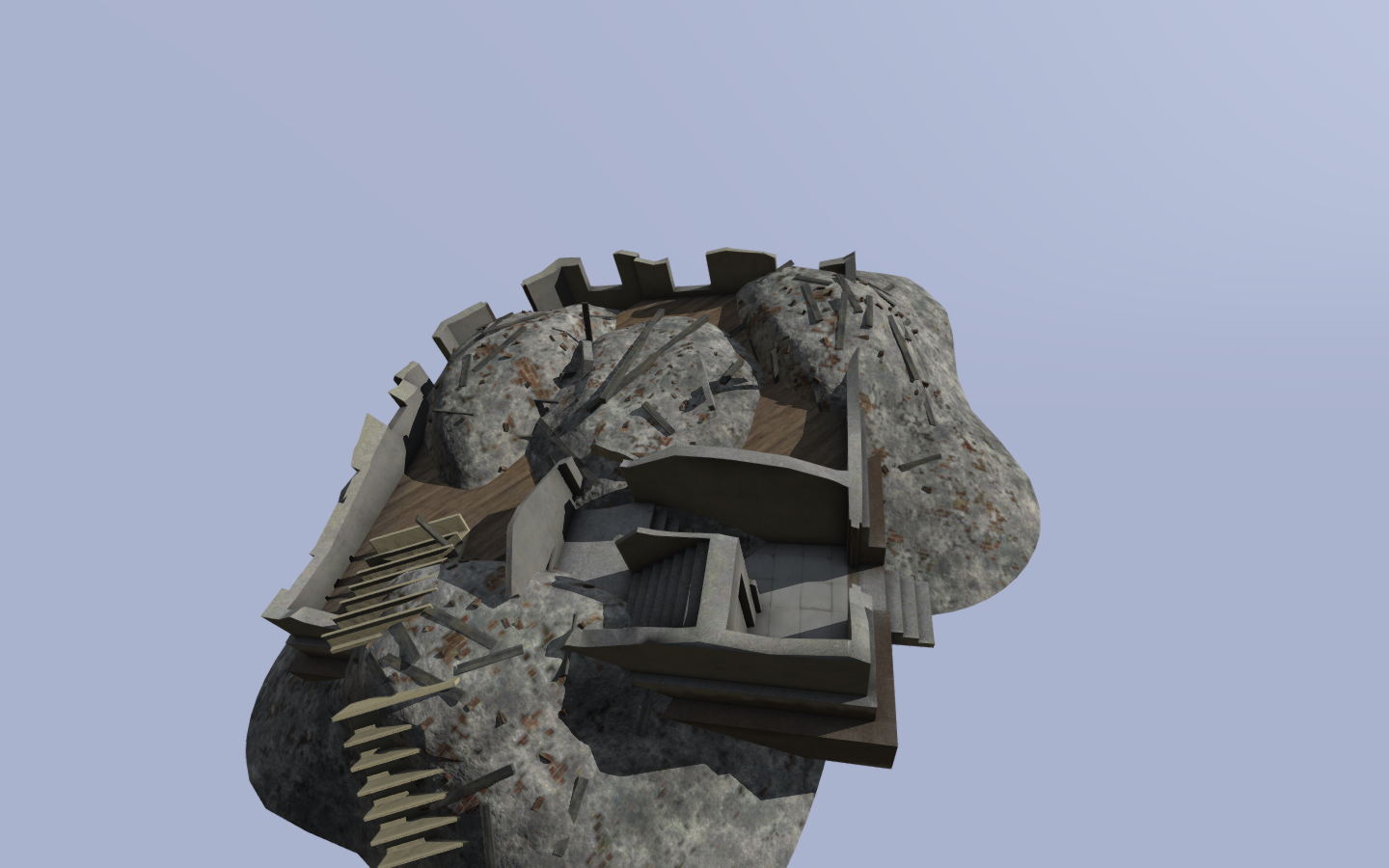
And to stand up for Object builder: The Make Convex functionality in it is actually nicer than the one I use in blender. Really speeds up generating accurate fire geo lods for these rubble objects.
woeful viper
@halcyon wren i can't say that i particularly enjoy all the work involved, i'd rather much play - but to play with the stuff i want, i have to make it first because nobody else does it for me 😄
 jaunty leaf
who else is going to make south korean helmets made of canvas
woeful viper
exactly
halcyon wren
100% agree. If you want it done right, you gotta do it yourself. That alone explains the abundance of similar themed addons 😄
quick terrace
+1 on what mondkalb said. also, i said it before, for me at least - i can do buildings no problem. i cannot do any sort of terrains, and i have little will to learn it. so why would i do buildings if i cannot use them further...that being said, i have yet to see a public collaboration between terrain makers and model makers
 twin urchin
one reason - buildings dont sell 😛
agile flint
I feel if you're going to get into building buildings... might as well help a current mod and help with their assets. Like IFA3 WW2 Themed buildings, or Unsung Vietnam theme buildings
No point just making some new terrain style buildings when there are not many terrains to support that (unless its like mid-east themed maybe?)
halcyon wren
Historically not what happened, though. The Mapfact barracks for OFP instantly became a defacto standard across all maps.
And for Arma2 the things I made such as my modest euro buildings or the kill houses are still used widely, even in arma 3.
bold flare
Samarsk Uprising is sure looking for some voluntary building builders wink wink
I also tried myself in making some modular killhouse stuff. Only made stairs, a freestanding door and a floor plate.
Someday I'll have time to expand it.. And put non-ridiculous textures on it
 spiral solstice
which format is required to export rigged player models in Arma 3?
eternal bloom
Most of the more senior mod makers that I know make mods because they enjoy the process of creating the thing
If you want it done right, you gotta do it yourself
basically the reasons why after like 6 years of making stuff in Arma 3, several maps prototypes, many models draft, tons of scripts, I have barely released a couple mods
i made a lot of missions for my clan in the past tho
spiral solstice
Just figured it out, I just needed export it to .p3d
eternal bloom
one does not simply export a p3d...
 sacred grail
100% with @agile flint on this. The best way to learn to mod for A3 is to join a team. Your going to learn so much more so much faster than you would otherwise because the documentation for A3 tools and trying to self learn teach them will make you hate life. Plus that way you know your work is going towards something, and you can see it play tested.
eternal bloom
i have this issue with Alwarren's toolbox for Blender (v2.0.0) where i have to re-open my p3d with Object Builder and save it in order for it to pass PboProject crunch
quick terrace
i really don't see that as a problem, but you can always contact @shrewd jay
 shrewd jay
@eternal bloom What happens if you don't do that?
eternal bloom
@shrewd jay well, I'll tell you if i manage to reproduce it.......
shrewd jay
@eternal bloom hehe well if you do, send me a PM, and I'll look into it
 white jay
Any good documentation on how to do glass with rvmats? Or is this done in OB? Talking about shop windows/building windows to be exact
woeful viper
What's there to document? Just look at vanilla glass rvmat to see how its done. The house sample also should have glass used
white jay
More or less what i meant, I just didn't know where i should look for it. Thanks
stuck oyster
P:\a3\data_f\
 deep coral
hello all
Does anyone know the bare minimum to get a vehicle in game when working with Object Builder?
 hallow jacinth
Depends on the vehicle type
 half heath
Minimum you will need: GeoLOD; PysxLOD; Memory LOD; LOD 0 (Visual); LandContactLOD
As well as the model.cfg; config.cpp
woeful viper
- a model that is either self made or legitimate (and not lifted from some game, russian model site or other mod)...
spiral solstice
how would i activate bulldozer to see a preview of my model in oxygen?
eternal bloom
@spiral solstice https://i.imgur.com/4TEdfRp.jpg
spiral solstice
thanks! unfortunately it says "External viewer: Unable to create viewer". apparently it can be solved if I could switch the target exe, where can I find it?
eternal bloom
bold flare
In object builder. File->Options
you can specify the buldozer executable.
Copy arma3.exe or arma3_x64.exe to your pdrive and use that
spiral solstice
thanks guys! i got it working! It crashed initially but I had to use the regular arma3.exe instead
now I need to figure how to use it as a player model ingame. what additional files are required for it and how would I import it? I only have the .fbx so far
eternal bloom
download the Arma 3 Samples
in the tool section of Steam
there is a uniform sample
spiral solstice
I'll try to check out what they have, it'll probably click with me soon
eternal bloom
what 3d software do you use ?
spiral solstice
I'm trying to figure out a workflow with Sculptris, Zbrush and Blender. It seems crazy because Sculptris/Zbrush give high poly models by default, but there's a common technique where you can extract high poly textures and apply it to low poly models. I got it to successfully reduce under the 10k poly limit, with 1024 mb (I should probably aim for 512 mb since it's an old game) textures after rigging it
If I ever become successful with it, then I would create a tutorial about it online since there's not a lot of info
stuck oyster
@spiral solstice if you work in Blender get the FHQ Arma Toolbox addon so you can export directly into p3d
saves a lot of hassel imo
spiral solstice
That's a relief since I exported it earlier. I need to figure out how to use it as a player model though.
stuck oyster
there is a thread for it on BI forums that I recall has tutorial for the basic functionality for it
the toolbox that is
for setting up the character configs you can use the Samples character as a base
also you can transfer the weighting from the sample character to create basic weighting for your model
and tweak it
Assuming you have normal Arma man sized character in the making
if not then you got a lot of work ahead of you
spiral solstice
wouldn't hurt me to tweak it I guess
stuck oyster
weight transfer is rarely accurate enough on the first go
but it does give you the basic selections and idea what parts should be weighted with what bones
Also you can get Macsers armarig for Blender
and plug your model to it to check the weighting in Blender
it is quite accurate
spiral solstice
Thanks, that's pretty ideal! I'll try to figure it out soon
stuck oyster
also we on this channel like pics of new stuff 😉 😉
spiral solstice
I'll keep you updated! 😄
halcyon wren
I dont use the FHQ suite in blender and instead transfer via .fbx works perfectly, including weight transfer. That is transfer from blender -> p3d via OB
 pliant widget
idk wheres the best place to put this question but anyone got good modding sources for scopes
i know ill need to ease into arma 3 modding but i have a scope idea and want to save any info i can
jaunty leaf
there might be something in the A3 samples
bold flare
Google "Arma breakingpoint" and look at their github for tons of samples to learn off of
pliant widget
thank you
sacred grail
Been using 3ds max for a while now, But i'm thinking about giving blender a go? From what I remember the interface and controls are horribly awkward but it looks like it has some really nice features that could save lots of time. Any ideas?
woeful viper
commit to trying it out or don't. Not much else to say.
sacred grail
in terms of how powerful it is, how does it compare to max though?
foggy finch
use whatever suite you are comfortable with, both come with powerful scripting engines and plugins you can use to extend and enhance the suites.
best way to find out is to try it, follow a tutorial or two then compare
half heath
@sacred grail Blender can do anything max can do when it comes to game assets.
 fathom dagger
spiral solstice
fathom dagger
spiral solstice
@sacred grail It's straight-forward for me if you grab a cheat sheet with all of the shortcuts
stuck oyster
@halcyon wren the difference with you is, you live and breath OB where as someone coming outside of that world and maybe even just learning to work with Blender might get things done easier without having to also learn so much of OBs quirks. Which is why I like to recommend FHQ.
(The above would have sounded a lot better if OB was still O2 :D)
halcyon wren
Hah yeh. They must name the new tool (if there will be one) Ozone O3 😄
stuck oyster
O-H-N-O would be my suggestion 😜
pliant widget
@sacred grail i used 3ds max in college and relearning moddeling with blender as its free
there are settings you can change to make blender pretty close to 3dmax in appearance and controls
no harm in learning blender as it is free
but if you can keep max and happy to do so id say stick with your guns
stuck oyster
There is really no point in claiming one or other is the "best"
the best is what you are comfortable working with and get things done
stuck oyster
yep
pliant widget
but if you get chance to learn a second program whats the harm in doing so 😃
stuck oyster
well there is of course the cost of 3dsmax
that can be an issue
where as Blender is free
and Im sure anyone can learn to use Blender too, even if coming from long time use of other programs
but as you said if there is no need to switch then could be more beneficial to stick to what you already can work with
Which reminds me. Whats everyone working on? Been a while since theres been pics here
halcyon wren
Ever since Max switched to a subscription model, its effectively ransomware holding your IP hostage.
Still working on my rubble 😛
pliant widget
I’m just relearning modelling fella... plus need to learn modding now haha
All for a silly idea I have
stuck oyster
I got a new tree going into game tonight! Hoping it will work out better than the last one.
last one looked pretty dope alone
but the design worked poorly as a forest
halcyon wren
I believe the term is "habitus"
Trees grow massively different inside a forest compared to a single lone one in the middle of a field.
stuck oyster
hmm that could very well be a part of it
also its a scifi tentacle tree. 😄
which makes things.. lets say more difficult
halcyon wren
yeh, but gravity and general light consumption still applies? 😄
stuck oyster
in broad sense yes
halcyon wren
Is the project Sci-Fi or Fantasy?
stuck oyster
mine? scifi

this was it

its fancy looking alone
but I did not like it that much when they were bunched up together
halcyon wren
I'd say fantasy then, because the green hair on the broad leaves dont get much sun 😛
halcyon wren
definitely looks cool
stuck oyster
the design may or may not have incorporated other ways to procure sustenance too
Im going to reuse the hairy banana part of it though
halcyon wren
The green inner hair type thing might be just pollen or some other reproduction
Which would make for great ambient fluff
halcyon wren
like on chernarus you had the white fluff flying around
sacred grail
The thing with blender is it just has some really nice plugins and features that I could see speeding up my workflow. But is it worth the time spent learning the program. I dunno
halcyon wren
"Work smart, not hard" is what I follow through with.
If youre looking at a task that is repetitive, likely some automation can be done to make it less annoying work
sacred grail
yeah. its more the boolean type workflow seems to be really nice in blender from the videos i have seen
halcyon wren
Currently using the boolean modfier extensively for my rubble types. It has a few minor issues, but once you know about them you can avoid the problem it creates.
sacred grail
yeah the extra verts etc?
halcyon wren
Those I just ignore and then kill in O2 with the select isolated function 😄
sacred grail
lol
halcyon wren
When you apply boolean to a mesh that has split faces it doesnt fill the caps it creates. That was the only annoyance I had so far and worked out to fix
sacred grail
yeah, well i might just give blender a go to see how i find it
but from what i remember im probably going to give up just looking at the interface again 😄
halcyon wren
I started with blender by watching a YT video about blender basic navigation, what the pin is, how its general functional principle is
from there on I googled the rest together with a bit of an idea what I was looking for
In the beginning every new tool will suck and you hate it, simply because you compare it to what you already know and can do with that.
I hated photoshop when I switched to it from corel 😄
foggy finch
I dunno how blender does booleans, but in max you can work inside the boolean stack within the modifier, kinda neat :>
silver zenith
wish me luck ppl, gonna start making some models
half heath
If you like blender and want a non destructive boolean workflow you can use HardOps
Cool think about blender is there has been a lot of 3rd party plugins dealing with hard surface stuff.
quick terrace
@silver zenith do please start with something simple
silver zenith
yeah literally making a wooden cube
sacred grail
Start with something that only requires a vis lod
i.e simple cube like you are doing
then make a geo / fire geo lod for it etc and learn the process of creating the various lods.
then move onto something more complex like a gunbox for example life pufu suggested.
silver zenith
I'm still getting the drills of how to use blender,
sacred grail
ahh righty
silver zenith
currently making mug
sacred grail
good luck 😄
tbf it's not to difficult to learn modelling. Mastering it is the part peoples spend there lives trying to do lol
silver zenith
so if I actually make a woden cube, should I put it in OB and adapt it to arma stuff? as I said I'm very nooby in this stuff
stuck oyster
well if you want a wooden cube in Arma then sure
quick terrace
tutorials that are generic sucks ass. What you need to do is you know, do something that also has some use for you, so you actually see the end result
hence why i said gun/ammo box
white jay
https://imgur.com/a/AmANeft Starting my first enterable building,.
 outer condor
if anyone wants to do objects or buildings, we are happy to provide several terrain designers doing various WW2 themed projects never getting enough custom objects :)
PS: we allow and encorage people also to release their work separately to be used by others as well
that self marketing aside i am pretty sure Unsung, and a couple of other biggers mods making custom terrains are extremely happy to welcome model artists to do objects/buildings
on a little more serious note i kinda doubt this is really there reason there is only limited custom objects/buildings
its probably more than in general these type of models seem not that much appreciated by players primairly (unfortunately) - or at least the feedback flow isnt working as well as for other model types
at the same time from what i am getting told objects for RV engine due to various LODs are still a big effort, especially when doing walkable/interiors
halcyon wren
Also, because you need to make a lot for a unified apperance, and making them to full spec is a lot of work
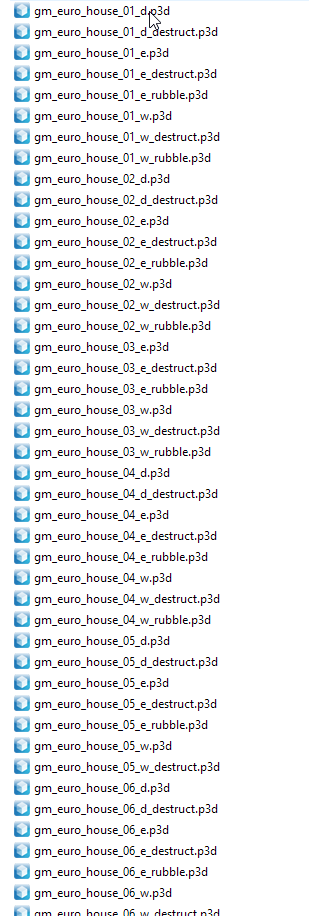
So I can definitely see why weapons are more appealing.
stuck oyster
well you dont have to if you want just use a single house all over 😜
white jay
https://www.twitch.tv/videos/302024153 Put together a little showcase of the models iv'e built up the most so far. Sorry for the janky camera movements and lack of textures (just recompiled everything into organized folders instead of my desktop)
pure whale
roadway is not especially hard to do, paths take a bit more brain power though
 mint patrol
Hello, i have problem with my howitzer's animation as you can see in this picture below:
https://imgur.com/a/0DeWSV7
Also the smoke isn't coming from the muzzle, how do I place it correctly ? Any ideas on how to fix this ? I'm not an expert on modding so I'm gonna need simplified step by step answers.
https://forums.bohemia.net/forums/topic/219026-howitzer-problem/
 polar fiber
probably needs a memory point adding to the model, depending on what class GunParticles in the howitzer looks like
The weapon your using, mortar_155mm_AMOS has the following C class GunParticles { class Effect1 { effectName = "ArtilleryFired1"; positionName = "Usti hlavne3"; directionName = "Konec hlavne3"; }; class Effect2 { effectName = "ArtilleryFiredL"; positionName = "Usti hlavne"; directionName = "Usti hlavne b"; }; class Effect3 { effectName = "ArtilleryFiredR"; positionName = "Usti hlavne"; directionName = "Usti hlavne b"; }; };
so you need to check that all these memory points exist in the model
mint patrol
class recoil_BEGIN
{
Type = "translation";
Source = "recoil_source";
Selection = "recoilhlaven";
axis= "recoilhlaven_axis";
MinValue = 0.98;
MaxValue = 0.985;
MinPhase = 0.0;
MaxPhase = 0.2;
SourceAddress = "clamp";
Offset0 = 0.000000;
Offset1 = 0.7500000;
};
class recoil_END
{
Type = "translation";
Source = "recoil_source";
Selection = "recoilhlaven";
axis= "recoilhlaven_axis";
MinValue = 0.986;
MaxValue = 1.0;
MinPhase = 0.7;
MaxPhase = 1.00;
SourceAddress = "clamp";
Offset0 = 0.000000;
Offset1 = -0.750000;
};
is there a mistake here ?
mint patrol
class Recoil {
type="translation";
source="recoil_source";
selection="RecoilHlaven";
axis="RecoilHlaven_axis";
memory=1;
minValue=0.85;
maxValue=1;
offset0=0;
offset1=-1;
};
i took that as a sample
 median bough
shit, sorry... forget about mine
stuck oyster
when you have created the recoil memorypoints the selection has been in wrong direction
median bough
haven't been working model.cfg in a while... listen to HG or others 😄
mint patrol
https://imgur.com/a/HaJZHLx @stuck oyster
stuck oyster
yes thats your barrel selection
not the memorypoints
you have the axis selection in the memory LOD
mint patrol
https://imgur.com/a/0iS2noR @stuck oyster
stuck oyster
yes those
so if your animation goes into wrong direction
you can either flip those points OR rotate them 180 degrees
or try reselecting them one by one and redefineng the named selection to form the right direction
also no need to tag me on each message 😝
mint patrol
😄 ok
polar fiber
@stuck oyster isn't it the vertex number that defines the direction? Not the order of selection
stuck oyster
dunno I've managed to flip it just by selecting them in different order
or at least so I think xD
could be wrong sure.
mint patrol
it's done this way
class Recoil {
type="translation";
source="recoil_source";
selection="RecoilHlaven";
axis="RecoilHlaven_axis";
memory=1;
minValue=0.85;
maxValue=1;
offset0=0;
offset1=-1;
};
stuck oyster
we well but thats not what Im talking about
but you can also change the offset1= to 1 so it goes to the other direction
mint patrol
@polar fiber i added it to the config but not change
class GunParticles
{
class Effect1
{
effectName = "ArtilleryFired1";
positionName = "Usti hlavne";
directionName = "Konec hlavne";
};
};
polar fiber
Did you make a new weapon class and add that to the howitzer?
the GunParticles stuff doesn't go in the vehicle
it goes in the weapon used by the vehicle
mint patrol
there is no config file in B_MBT_01_arty_F
class GunParticles or class cfgWeapons
i am using a weapon:
weapons[]=
{
"mortar_155mm_AMOS"
};
polar fiber
yes, and the gunparticles are defined in class mortar_155mm_AMOS
so you'd need to make a new weapon inheriting from mortar_155mm_AMOS, change the GunParticles in the new weapon, then put that in the vehicle's weapons[] array to replace the mortar_155mm_AMOS
assuming you don't just want to use the same pfx as the Arma 3 howitzer
if you did, it's be much simpler to just add the required memory points to the model
mint patrol
Bullet and barrel problems resolved but I have a new problem 😦 look carefully at the machine gun: https://imgur.com/a/VLVccAI
stuck oyster
you probably dont have right axis memorypoints set for its animations
mint patrol
Where I need to fix config.cpp or model.cfg ?
stuck oyster
model.cfg and the memory lod of p3d most likely
as in those are the only places animation axis stuff and related memorypoints are ever used
 vernal lynx
guess I have to hurry on making the tank tutorial part 3 about turret 😄
mint patrol
where is other tutorials ? :))
stuck oyster
BIforum editing section -> modeling -> pinned messages
mint patrol
👌
 tough sinew
Hello! Im having some issues with glasses in my helicopter, Anyone can help me?
median bough
not untill you ask a real question
 sick skiff
Hi! How to increase the volume of bulletproof vests?
median bough
Capacity of a uniform is defined in containerClass property in the ItemInfo subclass. The classes for various capacity are already defined in the game config, so in most cases, SupplyXX can be used with XX replaced by the desired capacity value. The defined capacities are 0–10, then 10–250 with an increment of 10, then 300, 350, 380, 400, 420, 440, 450, 480, and 500. Should another value be needed, it is defined in cfgVehicles as follows:
stuck oyster
@tough sinew im off to bed but gonna shoot a wild guess that your glass/windows got weird blue stuff showing through them. So you will need to sort them on top. Instruction can be found on this discord or on BIforums
sick skiff
Thank you so much!
median bough
np
tough sinew
@stuck oyster My glasses are not glasses
like when I shoot them, the bullets go throught them and no soud
sound
 charred bolt
You probably need to add a Fire Geometry LOD to your model. Give the window faces a glass material such as:
a3\data_f\penetration\glass_armored.rvmat
tough sinew
Whats the meaning of this?
0 Section without material is in shape with ST coordinates
pure whale
something has no material defined
tough sinew
and this Degenerated triangle found on source triangles (16551,16449,16592)
pure whale
uh i think a flat tri
tough sinew
¿?
pure whale
the errors shouldnt stop your pack
but you should find time to fix them in the future
tough sinew
yeah but they are errors 😦
tough sinew
XD
 fleet aurora
I dont know if I should post this here or in Terrain Makers chat, but does any one know what causes artifacting in custom pond objects? It only happens when the object is actually imported into the map not as temporary objects. the only thing in the RPT relating to my pond object is "hag_objects\hag_pond\hag_pond.p3d - Not all levels have On Surface set". Video of artifacting https://www.youtube.com/watch?v=WWWCGC-atTU
outer condor
@fleet aurora did you set class=pond in geo lod?
also some issues remain with ponds
halcyon wren
issues with pond-shader specifically
fleet aurora
@outer condor not yet, I’ll do that tomorrow and see if it fixes the spazzing out.
 formal vapor
so random question, would it be normal...to have about 2,000 hit points for a large object?
stuck oyster
depends on how large
and what object
from your question I would guess the object itself is not quite normal
fleet aurora
@outer condor I added the pond class to the geometry lod, unfortunately to no effect.
I think it has to do with the pond objects being small for that size of lake. When Arma calls that many pond objects and shader's at once it freaks out possibly? Im gonna make a larger pond object at 50x50 meters and see if the issue persists.
stuck oyster
that is a possible issue yes
 tulip beacon
do you use the same model(name).p3d for all surface of your pond (if that makes sense)?
or that issue was resolved?
fleet aurora
I use the same normal map/ textures for all my pond objects. as for the model names they are all different but prefixed with HAG_Pond_ThenExampleName. When making the larger pond object one of the artifacts disappeared, but I also closed the object in the main lod which could also have been the issue.
If I was to remove the roadway lod, could I in theory make the pond as large as I please? Because the only limitations on object size to my (very small) knowledge is the roadway and the geometry. Seeing as there is nothing in the geometry besides the named properties. I know in standard use the roadway is used for players to stand on an object and for the sound environment. In this case is the roadway used to detect when a player enters the water?
rough idol
@formal vapor do you know you can use armorcomponent?
stuck oyster
@rough idol whats that?
rough idol
https://community.bistudio.com/wiki/Arma_3_Damage_Enhancement working convexComponent
formal vapor
@rough idol Not really but I'll take a look at it. I suppose this is something else done in addition to the normal hit point configuration
rough idol
not exactly
you can replace hitpoints with components
and leave just some general hitpoints here or there for explosive damage handling
pure whale
@fleet aurora you could yes make a single pond which covers the entire pond and have the functional objects be not visible
tht would fix maybe some problems but cause others
formal vapor
So the fire geometry is much more important than the hit points, at least with penetration.
pure whale
yea that has the material used which has the penetration values xd hitpoints I think is just how much until a selection is destroyed and removed I guess
 near scaffold
Alright, I’ve been working this on and off for a while now. I have hidden selections defined in the model LODs, model CFG, and config. They’re not working. Cross checked everything with other custom models I have that do work, so I’m not sure what’s up. Out of the three vests in the PBO, one works (hidden selections are fine), but two don’t. Is there anything in the model I may be overlooking?
bold flare
What does "not working" mean?
stuck oyster
3 individual p3ds? do each have model.cfg class with the sections defined for the hiddenselection textures
near scaffold
@bold flare So the base texture is one color. There's supposed to be a different vest in a different color that shows up as whatever's applied in the p3d
@stuck oyster Yeah, I can send it in a few minutes but it's just the selections defined in the base ArmaMan that the other ones inherit off of
@polar fiber I can check that out. Or just completely redo the selections
near scaffold
Okay, just completely redid the selections based on the faces. They should be entirely separate but the issue continues. Brown texture applied in the p3d, the black version configged up doesn't show as black (still shows as brown)
near scaffold
hiddenSelections[]= { "camo1", "camo2" }; hiddenSelectionsTextures[]= { "\CSAT_Vests\Data\Azad\acr_dst_soldier2_co.paa", "\CSAT_Vests\Data\Azad\usmc_marpattlgb_co.paa" };
bold flare
You got a typo in there
bold flare
hiddenSelectionTextures afaik. Many people made the same mistake
near scaffold
Wait, I'm looking at the config for the working vest...
hiddenSelectionsTextures[]= { "\CSAT_Vests\Data\CSAT_tacvest_purple_co.paa" };
bold flare
Working because it happens to be the default texture?
near scaffold
Nope, all of these work
bold flare
I know many made that mistake with the typo in exactly that place
near scaffold
I'll try it. I wonder if it's just Arma being weird again
near scaffold
Yeah, I have a model "airvest" with hiddenSelectionsTextures that works. And a model "azad" with it that doesn't
🤔
bold flare
https://forums.bohemia.net/forums/topic/186670-hiddenselectiontextures-problem/?tab=comments#comment-2953839
Seems like with s is correct one...
I don't even know anymore. But the biki shows both variants so I have to fix atleast half of them ^^
near scaffold
The magical black box of configging
 wispy orchid
the F/A-18 uses hiddenSelectionsTextures[]= fwiw
near scaffold
I need to go sacrifice some more goats to the staff or something
wispy orchid
@near scaffold are the camo1 and camo2 sections in model.cfg?
near scaffold
Yepper
sections[] = { "osobnost","Head_Injury","Body_Injury","l_leg_injury","l_arm_injury","r_arm_injury","r_leg_injury","injury_body", "injury_legs", "injury_hands", "clan","clan_sign","Camo","CamoB","Camo1","Camo2","personality","hl", "injury_head" };
bold flare
Maybe "Camo" vs "camo" ?
near scaffold
I can try and rewrite it with all these different variations
wispy orchid
just use the same spelling everywhere, but not sure it makes a difference there
stuck oyster
I think it does
polar fiber
certainly used to be the case that model.cfg was case sensitive when it tried to apply to the .p3d
near scaffold
Just tried the case thing and the hiddenselection thing, no dice
charred bolt
Make sure you don't have "Camo" and "camo" as selections in the p3d. The model treats them as different selections.
and model.cfg is case sensitive
rough idol
I guess you have hiddenSelection class in wrong place
class rhs_6b23: Vest_Camo_Base
{
    Author_Macro
    INVENTORY_PICTURE(rhs_6b23)
    dlc = "RHS_AFRF";

    scope = 2;

    displayName = "$STR_RHS_6B23_NAME";

    model = "rhsafrf\addons\rhs_infantry\gear\vests\rhs_6b23";

    hiddenSelections[] = {"Camo1","Camo2"};
    hiddenSelectionsTextures[] =
    {
        "rhsafrf\addons\rhs_infantry\data\6b23_co.paa",
        "rhsafrf\addons\rhs_infantry\data\gearpack1_6sh92_co.paa"
    };

    descriptionShort = "Armor Level 4";
    class ItemInfo: ItemInfo
    {
        hiddenSelections[] = {"Camo1","Camo2"};``` mind the location of hiddenSelections in ItemInfo


 bold flare
I can already feel the earth shaking when that thing fires
stuck oyster
😄 you would. the turret is as big as a small house. 😄
halcyon wren
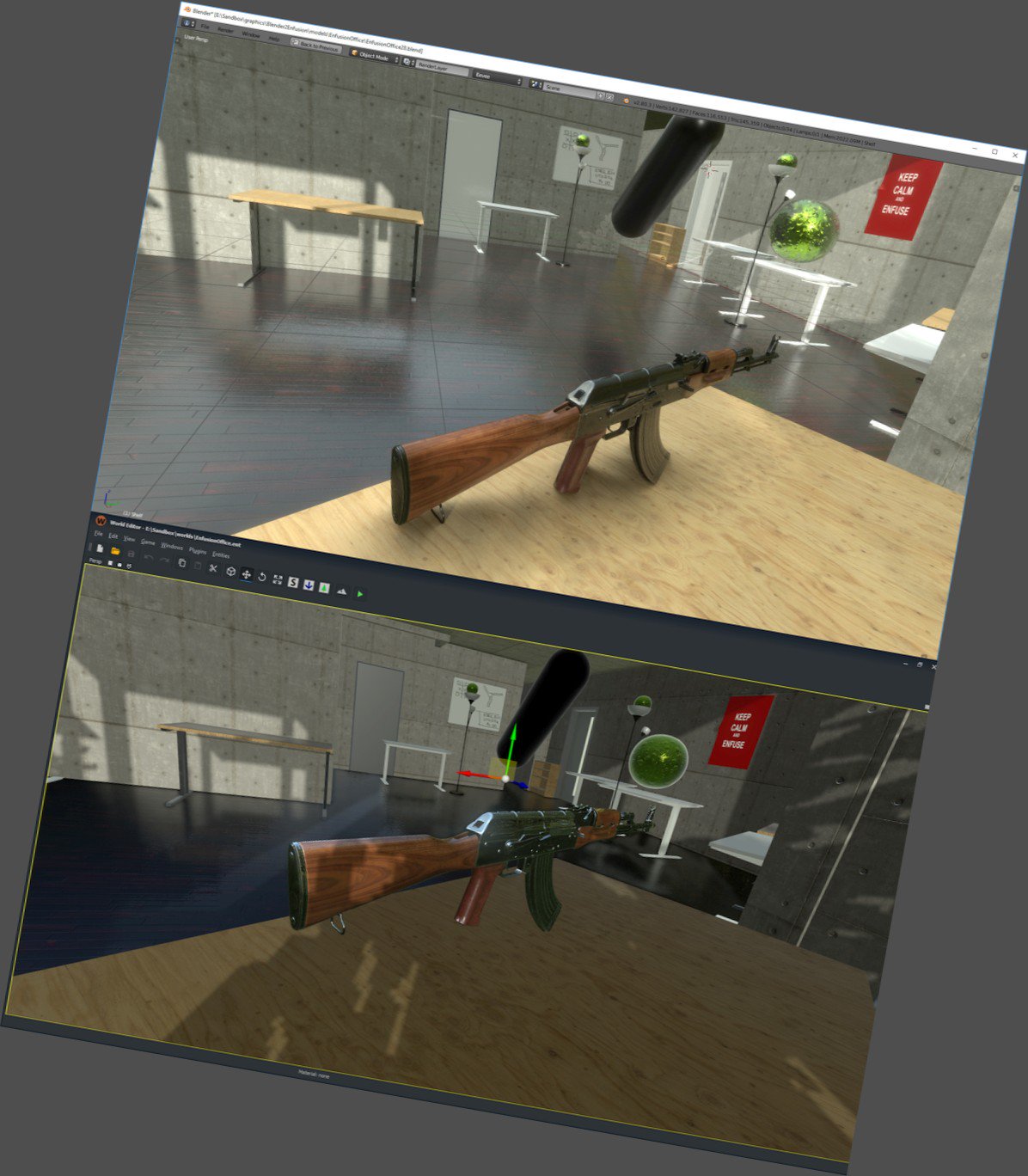
Going to export it to model.cfg directly from blender?
 terse elm
looks nice man
woeful viper
not manly enough, too stubby
stuck oyster
I know in wh40K scale 10m long gun is considered a handgun..
woeful viper
not really, think boltpistol. The more square and unwieldy the better. But longer is better on all accounts - obviously
half heath
Going to export it to model.cfg directly from blender? That's possible?!
 cyan heart
Please tell me it is
stuck oyster
probably only if @halcyon wren has some magic for that. 😄
halcyon wren
haha 😄
I'm currently planning on writing an exporter for exactly that to allow for higher detail weapon animations.
cyan heart
I'd pay for it
stuck oyster
model.cfg is not that hard to write ;D
 echo rain
i probably asked this before like a year ago. but is there any way i can recycle ingame models via proxy to make melee weapons from them? it seems like just having the proxy in the model does nothing. probably because weapons themselves are proxies.
so i'd probably need to abuse proxies the engine looks for. so now the question would be, which one would get me the cleanest solution? using an attachment is probably bad because it can be taken off, right?
could i use the muzzle flash one and have it always show without errors?
echo rain
hm. pretty broad statement. how you mean? isn't it possible to use any model from the gam data as a muzzle flash?
and then not have any hide anims for it
stuck oyster
how would you change the muzzle flash?
or you mean like make individual fake weapons out of it?
stuck oyster
that actually could work in a way
echo rain
basically just a lazy solution so i don't have to model stuff. i could turn familiar models from the game into weapons. thinking mostly planks, shovel, axe
stuck oyster
well it would look pretty cool too if you could actually use the same items that you see in game
echo rain
..
oh yea nvm. yea that was the idea. stuff that fits in automatically. it's pretty sad that BIS didn't put in the effort to make all those small items inventory magazines/items. i think lots of them are from dayZ. but useless except for putting them in a scene.
echo rain
so will the muzzle flash proxy show always by default without an anim or will i get rpt spam?
polar fiber
@echo rain you could try using the magazine proxies
 lusty ginkgo
does anyone know if it's possible to make blender modifiers be hidden by default? waiting 5 minutes for the program to respond is a bit of a pain
stuck oyster
dont think so
but you can add them for some other simpler object, turn it hidden there and then link the modifier from it to other objects
agile flint
@stuck oyster Can you animate in Blender and then push that O2? Or does all the animating have to be done in O2?
Wait I just read further.. my exciting got to me too quick.. Apparently no you cant... not yet anyway.
rough idol
Afair p1nga once made something like this. It was quite hard too look at the output but it was working
woeful viper
the algorithm is simple, but you have to know/learn how to implement it so it spits out proper formated code
so with the magazine proxies i assume bullet hide animations will just break (when using different mag with different count)?
rough idol
why? are you planning using same p3d with 2 different ammo counts?
biggest issue for importing anims for 3rd party programs is complete linearity of model.cfg anims
woeful viper
you should be able to animate linearly in blender. You can in max
yes 2 ammo counts, because that is what the main appeal of different mags for same weapons is imo.
rough idol
yeah, but I don't see point of using same mag model for 2 different mag counts
woeful viper
wait, can proxy magazine models be animated?
woeful viper
oh ok, i thought if you had visible bullets they would still have to be animated via weapon model.cfg
twin urchin
only if attachments were able to animate especially optics and being reskinable
rough idol
bipods are animated 😛
twin urchin
yeah i know but you know 😄
cyan heart
Afair p1nga once made something like this. It was quite hard too look at the output but it was working
Can't find anything about this, do you have a link?
charred bolt
How does the game engine decide when to dynamically switch visual LOD's?
Example: 2 vehicles side by side - vic1 is LOD1 100k, LOD2 50k, and vic2 is LOD1 20k, LOD2 10k
As the player increases distance do they switch to LOD2 together, or vic1 first?
Does the engine constantly calculate how many polys are in scene, and remember each objects count, reducing each dynamically for best performance?
rough idol
Does the engine constantly calculate how many polys are in scene, and remember each objects count, reducing each dynamically for best performance?more or less yes
then you have object quality in settings which is basically a coef for LOD switching
charred bolt
right, thanks
so it's likely that vic1 will end up at LOD 3-4 while vic2 is still at LOD1 in some circumstances?
rough idol
probably yes
it's based on distance to object, scene complexity, settings & lod coef param in geometry LOD (some assets are using that)
charred bolt
"lod coef param in geometry LOD" haven't heard of that before - I'll search for documentation
@rough idol lod coef param in geometry LOD can you point me at documentation or which asset might use it please?
stuck oyster
since we are talking about Arma it is likely there is no documentation for it.
named parameters are quite sparsely documentend
charred bolt
that's ok if the case, I'm happy to just look at a working example and then experiment
stuck oyster
you know what kind of objects use them in Arma? Not that I've peeked into every objects named properties with Mikeros Eliteness but dont recall ever seeing them used
stuck oyster
do the colors represent lod change distance?
stuck oyster
charred bolt
does it work with all assets (vehicles etc), or just trees? I've never noticed it in BIS vehicles/weapons?
stuck oyster
ah there it is
rough idol
it should work for everything
but if it really works nobody knows because it was never need/tested in Bohemia
rough idol
I think so
charred bolt
I have a vehicle with LOD1 at 90k faces - I can make LOD2 45k faces (believing halve-the-polys to be the advice), but equally I could make it 25k without losing visual quality. Which is best practise? Half previous LOD, or as small as possible without jarring visual change?
quick terrace
50%
charred bolt
Thanks PuFu. Is that because the game engine expects 50%, and if you go more it messes with it's efficiency calculations?
quick terrace
i doubt you will be able to do less than 50% from a point lower
no, because above ^
i mean you could go 90k, 30k (if you keep the overall shape)
charred bolt
From LOD1 to LOD2 I can easily go 90k to 30k without issue. Question is, should I?
quick terrace
then lower it in 50% increments
it is ideal to keep the 1/2 ratio
just because it is easier to control that one at lower poly density
the engine doesn't care
if that is what you ask
charred bolt
So you would make 90-45-20-10-5-2, rather than 90-30-15-8-4-2?
quick terrace
no, i would make i 90-30-15-8-4-2-1
charred bolt
It's only LOD2 where I have a choice. LODs 3+ are always hard to get to 50%
quick terrace
the lowest lod should be around 400-500 vertices
for shit like gear and weapons
for a vehicle it is almost impossible to go that low
i actually use simplygon for creating secondary lower lods
charred bolt
For most objects I really doubt that it matters whether it's 2k, 1k or 500, based on tests I've done
quick terrace
i only do geo and svlods manually
for anything under 500 polygons, the GPU takes more time loading a single texture than the model
charred bolt
yeah, section count is more important
quick terrace
even if that texture is as small as 256x256 (or even smaller)
i mean if i have a helmet that is 2-3k, the lowest thing will be lower than 500 (or close to that)
again, it depends on where you start from
charred bolt
I've done tests of poly count v performance, and it's amazing how high you can go before noticing any problems. Like millions of polys.
modern gpu's have nullified the old problems we had in A2 and early A3
quick terrace
neah man, i am pretty sure GPUs available back in A1-A2 days wouldn't break a sweat with high poly models
charred bolt
what I mean is, it might no longer be necessary to worry about making the lowest poly LOD's (like sub 2k), because they become irrelevant?
quick terrace
and breaking it down to proxies back then wouldn't help much since that would increase section counts just as well
polar fiber
when you start adding additional lights - muzzle flashes, markers, reflectors and all that, results may vary though, since you then need to do more calculations on more verts
quick terrace
@charred bolt i am only saying that via DX (according to official docs)
it takes more time to load itno GPU a bitmap than a mesh
no matter if that bitmap is really small
to conclude, i wouldn't worry too much
especially if it isn't a model that is present like 50 times on screen at any given time
ie: gear, uniforms, weapons shit like that
charred bolt
there shouldn't be more than 2 or 3 in scene, and only 1 at LOD1 probably
quick terrace
but yeah otherwise @polar fiber is 100% right, there is more to it than just the main mesh
charred bolt
yes, there's no doubt that more polys = more work to do, but it's a question of how relevant it is... 1 grain of sand or 2 on a whole beach isn't worth worrying about. depends whether the beach is bigger than it used to be
anyway, my real question was about how to reduce my LOD1, and you've answered that nicely, so I can get to work - thanks 😃
quick terrace
👍
 icy roost
Whenever I use BIS textures with an alpha channel in my models (such as the rocket fire textures) they appear in game with a black background instead of being transparent. Also happens with optic textures and reticles.
Anyone know potential solutions?
charred bolt
are you naming them xxxxxxx_ca.paa
icy roost
Yes.
They definitely load properly (example: "a3\data_f\proxies\muzzle_flash\data\rocketsetorsomething_ca.paa" I'm on mobile but that's how I vaguely remember the path going. My slashes might be wrong but they're right in the model) just black instead of transparent. I can get a pic once I'm on my PC.
rough idol
they are missing on p:\ drive
polar fiber
Also the .rvmat and associated material .paa files need to be on P:\ too if using a BI one
halcyon wren
Dabbling a bit in blender->model.cfg for the job. its doable 😄
sacred grail
@quick terrace How does simplygon compare to the optimizing modifiers that 3Ds max offers?
bold flare
Anyone here using Unreal Engine to auto-generate LODs? Anything that speaks against it? The LODs it generates look really good.
tulip beacon
for anything under 500 polygons, the GPU takes more time loading a single texture than the model
So, in theory, there is no difference if, for example, i'd have last tree lod of say 5 triangles and 1 section and 500 triangles if it's still 1 section? Or is that a different story?
quick terrace
@tulip beacon yeah no difference perf wise
quick terrace
@sacred grail give it a try, it is 100% free
you have less micro control, but it doesn't matter all that much
i do a manual clean up after the lod generating
to remove small shit
@bold flare afaik unreal versio is based on a simplygon or similar
might be wrong
sacred grail
Will look into it.
sacred grail
How well does the remesh feature work?
quick terrace

A demonstration of the remeshing functionality in Simplygon 8
there is a certain limitation to model size afaik on the free version
sacred grail
yeah had a look at that video, just wish the wireframe was visible lol
ah well will download it later and check it out
quick terrace
i never tried remeshing in this one
i think the max limit is 1mil polygons/vertices
woeful viper
can you even export neutral format stuff out of unreal engine?
unreal autolod is not from simplygon btw
woeful viper
i just read that it works for static meshes, need simplygon for skinned meshes
quick terrace
a bit of the same issue with max and it's optimizer modifs
woeful viper
true, though you can do skinwrap from original
quick terrace
yeah, but that requires a bit of manual cleanup either way
and if you ask me it is a process that i would rather do in an automated way
as much as i can
woeful viper
i dont have win10 so simplygon is out of question for me
quick terrace
i do it on my second PC that has win 10
the primary one is on win 7 as well, because i lack the time to go through the files i need saved before i do a full reinstall on a different SSD
woeful viper
i dread the pain to set everything up just right even worse - esp. with win10 just cocking up on older stuff
quick terrace
yeah full reinstall is the way to go for me, since i wanna move C patition to a newer SSD
bold flare
UE4 can export FBX.. But apparently even 3ds max cannot read them properly.
But if you open them in windows 3D Paint and resave them as fbx then 3ds max can open it and you can get all generated lods out
quick terrace
lol for real?
stuck oyster
doesnt everything export fbx somewhat different?
quick terrace
need to try it out, never tried exporting back from UE to max
stuck oyster
or at least at some point I recall reading it was an issue
quick terrace
FBX is a proprietary file format, so everything should be using autodesk SDK.
well, try exporting a FBX from max and import in maya, see how that comes in triangulated for instance
bold flare
https://forums.unrealengine.com/unreal-engine/feedback-for-epic/87914-lod-please-export-lods-from-ue4-to-fbx?p=1500540#post1500540
https://youtu.be/BoREaOiEh9c?t=8m50s

Choosing which engine to use for your game is one of the first, and perhaps most important decisions you’ll have to make as an indie developer. Using an Unch...
half heath
@halcyon wren Dabbling a bit in blender->model.cfg for the job. its doable :smile: I have money ready to throw at you.
halcyon wren
haha 😄
outer condor
not just you 😛
woeful viper
the real question is how much better the auto lods in UE4 really are to Max proOptimizer... i have a feeling there is not much in it.
sacred grail
The thing with max is it can crush an object down but not remesh. I think the appeal to the various 3rd party tools is the ability to remesh the models and get better looking lods
bold flare
It's even free to use :U What sorcery is this
quick terrace
@sacred grail did you remesh it for lower lod?
sacred grail
Experimented with reduction then remesh and just straight up remesh
I just love how well UV's are preserved
sacred grail
oooh
icy roost
@rough idol @polar fiber thanks for the tip.
 high stag
I'm working on a vehicle
when I spawn it in editor, it stays level then moments after leans to the left
My geometry LOD, memory points, landcontact LODs are all correct
When I drive the vehicle, the vehicle starts leveling out
stuck oyster
your geometry center of mass is likely off
high stag
its not
stuck oyster
what kind of a vehicle is it?
stuck oyster
are your physx wheel spring setup same on all wheels?
high stag
yes theyre not conflicting with each other
stuck oyster
so the values are same?
high stag
Yes sir.
stuck oyster
have you checked pyhsx and wheels related memorypoint selections that you dont have extra points in one/some of them?
high stag
thats what it hought about doing
is there a way to see if theres more then one point
in same location
in object builder?
high stag
I just counted the points. They're all correct.
echo rain
is it possible to have FFV work with rocket launchers?
high stag
Yes.
allowLauncherIn=0;
allowLauncherOut=0;
change that to true in ur config settings
for ffv
echo rain
ty
stuck oyster
@high stag is the surface you test it on level?
outer condor
@high stag did you use diag.exe for visual debugging?
high stag
@outer condor @stuck oyster diag.exe shows no suspension problems
I think it has something to do with my geometry
stuck oyster
you could try removing the autocenter named paramter
stuck oyster
do you have edit LODs?
stuck oyster
well back in A2 I had a bike that did exactly the same and it turned out something in edit lod messed up with the weight center
half heath
I blame your physx LOD
half heath
I've had tons of these issues before and it turned out to be physxLOD or some misconfiguration in classWheels
half heath
my physx LOD is fine those are the same words I used before
stuck oyster
is it possible you have some hidden parts in your geometry that mess the center up
high stag
and the car didnt move
stuck oyster
or is your model perhaps off center
half heath
That wouldn't explain the car leveling when moving
high stag
at one point, i even made my physx geometry a box
stuck oyster
maybe the spring/damper settings are not correct
half heath
that's what I'm thinking
high stag
just to see
stuck oyster
how much mass does it have overall?
half heath
spring/damper settings cann really mess up your vehicle
high stag
im using damper settings from a different vehicle
and same configuration
didnt have this problem
half heath
what does your classWheels look like?
high stag
in my model.cfg?
half heath
You could try pastebin
half heath
whats your vehicle mass?
high stag
1090
in total
but my wheels are 20kg each
it has something to do with the mass
100%
i had the same problem with another vehicle
so i made one side heaver then the other
that fixed it but still looked weird
half heath
Your center of mass is off
like HorribleGoat said, make sure your model isn't off center
high stag
ok testing now
ok i made sure its in the centre
that blue dot
is in the centre of the vehicle
x,y,z axis
sacred grail
You don't know how much the middle tri on the bed of that truck triggers me
high stag
is it a OCD thing?
sacred grail
yeah lol
sacred grail
ikr
high stag
which is why i find it weird
that im having this problem
since my OCD takes care of it all
sacred grail
its been a long time since i touched vehicles but wrong what i remember getting vehicles working right is not fun.
lusty ginkgo
does anyone know if the land_decal class type works with land_xx configuration?
stuck oyster
what do you mean?
lusty ginkgo
named property class = land_decal actually using the land class config
or do I need to change it to class = housesimulated
I'm making my runway models have high render distances with their land configs
stuck oyster
that I dont know. I got a feeling Mikero or someone somewhere just pointed out which classes work with class land_xxxx stuff
but cant recall what they were
lusty ginkgo
I only know that the house ones work for sure
stuck oyster
how large are your runway elements?
stuck oyster
how far do they show
lusty ginkgo
they are visible at about the same distance as the other objects
I think it would look better to have the details be rendered farther rather than painting them onto the sat
stuck oyster
painting them on the sat is the common method
lusty ginkgo
I know
outer condor
@high stag try to PM reyhard if he has additional advice
 past canopy
who can help me unfuck my glass RVmats

this is what I am trying to do
ambient[]={1,1,1,1};
diffuse[]={1,1,1,1};
forcedDiffuse[]={0,0,0,0};
emmisive[]={0,0,0,1};
specular[]={1,1,1,0};
specularPower=1;
renderFlags[]=
{
    "NoAlphaWrite"
};
nextPass="USP_Gear_Nvg\model\rv\glass-pass2.rvmat";
PixelShaderID="Glass";
VertexShaderID="Glass";
class Stage1
{
    texture="#(ai,64,64,1)fresnelGlass()";
    uvSource="none";
};
class Stage2
{
    texture="USP_Gear_Nvg\model\rv\reflect_co.paa";
    uvSource="none";
};
I have that for the RVmat on the model
ambient[]={1.000000,1.000000,1.000000,1.000000};
diffuse[]={1.000000,1.000000,1.000000,1.000000};
forcedDiffuse[]={0.000000,0.000000,0.000000,0.000000};
emmisive[]={0.000000,0.000000,0.000000,1.000000};
specular[]={0.000000,0.000000,0.000000,0.000000};
specularPower=0.000000;
renderFlags[]=
{
    "NoColorWrite"
};
PixelShaderID="AlphaShadow";
VertexShaderID="Basic";
and that for the pass 2 thing
stuck oyster
so like a lense?
past canopy
yes
stuck oyster
and whats the issue you got?
 stuck oyster
👀
 stuck oyster
ok so cant find a reference for the nextpass thing you use, but have you tried just having the glass shader without it?
Arma3 glass rvmats use supershader
so Im just wondering if it works in A3 anymore at all
woeful viper
supershader + custom modified environment map could make more interesting glass with less head scratching
past canopy
I’ll try that
ambient[]={1,1,1,1};
diffuse[]={1,1,1,1};
forcedDiffuse[]={0,0,0,0};
emmisive[]={0,0,0,1};
specular[]={1,1,1,0};
specularPower=1;
renderFlags[]=
{
"NoAlphaWrite"
};
nextPass="USP_Gear_Nvg\model\rv\glass-pass2.rvmat";
PixelShaderID="Super";
VertexShaderID="Super";
class Stage1
{
texture="#(ai,64,64,1)fresnelGlass()";
uvSource="none";
};
class Stage7
{
texture="a3\data_f\env_land_co.paa";
uvSource="tex";
class uvTransform
{
aside[]={1,0,0};
up[]={0,1,0};
dir[]={0,0,0};
pos[]={0,0,0};
};
};
?
@woeful viper
woeful viper
no, just plain regular super shader (with full stages), no nextPass.
ambient[]={1,1,1,1};
diffuse[]={1,1,1,1};
forcedDiffuse[]={0,0,0,0};
emmisive[]={0,0,0,0};
specular[]={0.3,0.3,3,1};
specularPower=256;
PixelShaderID="Super";
VertexShaderID="Super";
class Stage1 {
    texture="your_nohq.paa";
    uvSource="tex";
};
class Stage2 {
    texture="#(argb,8,8,3)color(0.5,0.5,0.5,1,DT)";
    uvSource="tex";
};
class Stage3 {
    texture="#(argb,8,8,3)color(0,0,0,0,MC)";
    uvSource="tex";
};
class Stage4 {
    texture="#(argb,8,8,3)color(1,1,1,1,AS)";
    uvSource="tex";
};
class Stage5 {
    texture="your_smdi.paa"; //example: a3\soft_f_beta\truck_02\data\truck_02_glass_smdi
    uvSource="tex";
};
class Stage6 {
    texture="#(ai,64,64,1)fresnelGlass(2.1)";
    uvSource="tex";
};
class Stage7 {
    texture="a3\data_f\env_land_co.paa"; //use custom modified env map here
    uvSource="tex";
};
A3 glass rvmats in P:\a3\data_f
woeful viper
specular value makes tinted glass, play with the values
past canopy
So I leave the diffuse texture inside the p3d blank then?
still getting the white on my end
stuck oyster
blank? no you should have a alpha _CA texture there
if its blank it defaults to full white nontransparent CO
past canopy
well that explains a bit
and I forgot to update the texture under
it does work now though
thanks a lot
im just a retarded idiot 100% of the time with arma tools
stuck oyster
👌
past canopy
any idea why only one of the lenses would be working?
too many glass draw calls?
should be because you can call tons on a heli

or is there a problem because they have the same UV coords?
past canopy
alright lets try it out
❤ by the way
awesome that worked
thanks a bunch
now I just have to play with the colors
probably isnt a way to get the yellow inside to show through blue
since its blue
and no combo of colors with blue makes yellow
which sucks
woeful viper
which is why i said you should try with a modified (colorized env map)
play with fresnel -> more env map visibility
for rich gloss you need to crank up spec power and specular value as well
past canopy
yeah I am using a blue env map
woeful viper
no use one with blue inside and yellow outside or something. play around with that
past canopy
@woeful viper @stuck oyster is there a way to get only the colored portion of a UV island to glow with the RVmat?
for instance a faded circle that glows in the middle
woeful viper
glow? at night? or do you mean reflect?
past canopy
at night
or during the day
basically because I cant have a light source project light onto the arma characters face I have to create a duplicate of the face and offset it and add the glow for the NVG backsplash onto the face
woeful viper
that wont work because there are different heads
past canopy

it works okayish if it is generic enough and offset enough
I did it a while ago in early days of A3
would love to make a light source do it
but seems they cant be that small
and they wont only show on face they glow through NVGs
woeful viper
"specialops" - piss poor special ops that doesnt know how to use rubber caps?
past canopy
?
ohh
no one actually uses those IRL
create bad tunnel vision and make adjusting eyes to dark or diff lighting not easy
woeful viper
when you already made it why do you ask us?
past canopy
because when I made it it didnt have the fading glow
I was just saying matching it to a wide range of the faces was possible
woeful viper
how to fade an alpha map is what you are asking
past canopy
how to fade glow from an RVmat based on the alpha of the texture
past canopy
ah okay
yeah youre right
so as far as creating a light source, was I correct in regards to it not being possible that small without projecting light all over?
because doing that would be preferred
 spare roost
Hello all, I am busy trying to range an M16a2 UGL ladder sight eye positions. I was just wondering if anyone knows of any hints / tips or guides. I can line up the eye position with the ladder rungs and front iron sight of the weapon, but the ranges end up being off. Any help appreciated. Thanks.
polar fiber
AFAIK you really rather have to adjust the model to fit the eye points that align with the ballistics of the grenade
spare roost
hmm. That is probably a little more tricky. I'll see if I can adjust the ladder to suit.
thanks
woeful viper
you have to trial and error it - there is no other way. I calculated firing solutions for my launcher , made eye points for every solution, tested ingame... miles off.
stuck oyster
yeah I've configured few grenade launchers pretty much by hand
it depends a lot on the starting positions and GL sight axis etc
I've managed to calculate the angle quite close but always have needed manually adjust the rest
twin urchin
ladder sights are the evil
stuck oyster
xD
spare roost
well, I'll give it a go. I can walk away from here filled with new confidence..... 😄
quick terrace
try doing it with unpacked data
 drowsy flicker
hey guys, one quick question (FYI: im trying to make a helicopter)
are Windows an extra object? or do i have to do stuff to the vertices of windows? (right now its just important for modeling so i dont need a long answer 😃 )
half heath
Yes a window on a heli would be an extra object.
drowsy flicker
thx
 eager folio
Hi, is there a good Tutorial on how to make a Arma 3 Vest with Blender?
sacred grail
I haven't modelled clothing myself. But I would just use the reference player model and work around that.
bold flare
I think there is even a vest sample in A3Samples?
Use that or the player body model (Also from A3Samples) as a template.
The modelling itself is Arma unrelated anyway. Just the importing into the game and attaching it to the proper bones and adjusting the weights for animations is the "hard" stuff.
vernal lynx
https://www.youtube.com/watch?v=NH-k47jnmvY
Tanks import tutorial part 3 is live !
this is mostly focused on physX, last part will be about turret and gameplay setup
 sudden schooner
@vernal lynx Great stuff with these tutorials as well as the Blender and weapon import ones, just a great community effort! Thank you 👍 💪
 quaint mason
Yes - I have found those extremely hekpful. Thank you for doing them.
vernal lynx
Cheers😊
rough idol
@vernal lynx it would be super easy to i.e. modify that script from land contact points to work in object builder itself
numberPhysicalWheels param is only valid for RTD helicopters - can be removed from any non RTD vehicle
white jay
Completely serious question. Does anyone know if theres a clause against nudity in modding? Hypothetically If I wanted to put an easter egg of like two old people having sex in a window of a high rise building, could I potentially get my pack pulled off workshop?
Also some more juicy Wip https://imgur.com/a/Ep83CMH
bold flare
https://steamcommunity.com/app/72850/discussions/0/846958724818494335/ says not allowed. But I can't find it in the subscriber agreement
Bohemia and players most certainly don't care. Especially not about a small easter egg.. Arma is USK/PEGI 16 anyway.
white jay
I just thought it would be pretty funny to be scanning for someone on a rooftop and then be like "Yo, is that two old people fucking on the 25th floor of that apartment building". Maybe I'm just drunk, maybe I'm just going to do it anyways.
eternal bloom
@white jay common... you can't tease us like that then send a completely regular picture of a building...
disapointed.
sudden schooner
Feckin lols - gives @white jay a beer!
vernal lynx
@rough idol thanks for your input, I've tried to be as sharp as possible but it's a never ending learning process so some things may be a bit unprecise
white jay
https://imgur.com/a/vLvzIYN ill find a more believable photo later, I'm not ready to google that so early in the day just yet.
stuck oyster
will that be a unique variant or just a small object you insert into a window?
stuck oyster
yes but will it be part of the building? as in if you use it many times the eastereggyness loses its value
white jay
it will only be on one building
And it will be placed around like 200 other buildings so it will be hard to spot.
stuck oyster
👍
sacred grail
You should add some ageing , variation and decals to the brick to mix it up a bit. Also weathering / drips etc. from the mantles and windows.
silver zenith
just use the paa on a custom frame and manually place it on said building
so you can reuse the building
jaunty leaf
anyone here know what could cause 3ds max uv unwrapping to produce weird compressed results?

when doing a planar map + peel of that section, it just gives this https://vgy.me/YvsafD.png

It happens with other sections of that model
but on none of the other ones for some reason
white jay
Yeah I'm going to do all the texturing outside of blender and will add all the extra stuff afterwards, Iv'e been doing simple texturing in blender just to get an idea of what textures I want to use since I cant bake these huge buildings properly.
 steel coyote
Hi all - we launched Arma Mod France. WIP #1 is out. Thank you. https://mod.arma3france.fr/2018/09/06/wip-1-we-love-french-army-arma-mod-france/
eternal bloom
nice, will this Rafale become a M ?
steel coyote
Yes we are doing the french army mod.
echo rain
@jaunty leaf you need to relax the UVs. inside the UV editor you should find an option in one of the top menus to do so. when flattening out a mesh, depending on how complex the shape and how well placed the seams, often there is no way around changing the shape of some faces to flatten it out.
that is why you see that overlap after the pelting there. it happens because initially max will try to keep the original shape of each face.
in short though. find and use "relax" and you will understand.
also keep in mind that the checker pattern not only shows you these stretches but also UV resolution. also in the UV editor on top somewhere look for "pack UVs". usign the right settings in that you can reset your UVs to original size (unless of course you are consciously having some parts use less pixels of the texture)
jaunty leaf
Aight, I'll try that
stuck oyster
Hey @shrewd jay how does the geometry weighting work with the latest toolbox?
stuck oyster
yea but where do I set it? 😄 the arma properties panel does not have the mass box anymore
shrewd jay
It should show up if you have a geometry LOD selected
shrewd jay
dafuq, where did the box go?
stuck oyster
(╯°□°)╯︵ ┻━┻
shrewd jay
I'll check later, currently still playing.
stuck oyster
ye no problem! I'll reinstall the plugin too
plugin reinstall did not help
and seems to be same case with all my blends
shrewd jay
I'll check it
shrewd jay
okay, now I remember LOL
When you are on the Geometry LOD and press Tab to enter edit mode you get this panel on the left side in the Arma tab:
YOu can enter a mass in the first field, and then either set the mass to that on every selected vertex, or distribute that weight evently among selected vertices
@stuck oyster
shrewd jay
Yeah I changed that a while ago. You'Re welcome 😃
 waxen quiver
a bit deeper into the project

the body texture is still clean, but will be a bit more worn
echo rain
aaww. that's cute. nice mesh detail without going overboard. good job!