#arma3_model
1 messages · Page 119 of 1
 quick terrace
 sturdy parcel
a3 and ca are reserved folders for bis. Arma3p, just as an example, will wipe out the entire a3 folder when the user needs to update and extract a fresh set of arma3 pbos. I am fairy sure, not certasin, than bis would do similar.
to make it even clearer to you , what do you think would happen if anotehr user decided to put HIS data in a subfolder of a3\RUS ?
 icy roost
That's irrelevant. I'd appreciate if y'all could actually stick to the original issue.
quick terrace
it isn't irelevant, and i answer why anyone who has some sense wouldn't even bother
[1:21 PM] PuFu: because it might simply be a complete waste of time
just because it works it doesn't mean that
[1:22 PM] Night515: The setup's fine.
sturdy parcel
I guess he'll just have to learn the hard way.
 ebon abyss
@icy roost pastebin
icy roost
 muted prairie
Quick question, when assigning textures to faces in OB, is it fine to assign them by their absolute path in my P drive, a-la "P:\tagfolder\projectfolder\data\blabla\blablabla_co.paa", or do I need to ditch the P drive in the path
sturdy parcel
there is no such thing as a drive:\ in the arma filesystem
the game would not know eg, what a P:\ was
there IS a mistake in object builder in that it will 'allow' you to specifiy a drive:\ but, it's illegal
muted prairie
👌 Gotcha
so ultimately I would only point it to the addon project folder since that's what the .pbo will use as it's root
sturdy parcel
correct. in so far as, the addon folder, happens to be the prefix of the pbo
but short answer = yes
as far as specifying a \preceding slash, while it's always a good idea, it's not necessary
muted prairie
Always good precaution just like it is for terrain editing configs
@sturdy parcel is this normal? Not adding my tag folder to an objects "model" path, for example model="tag\projectfolder\data\blabla\bla.p3d"; causes Pboproject to stop claiming the model is missing
sturdy parcel
what did you specifiy if not above?
muted prairie
model="\projectfolder\data\blabla\bla.p3d";
muted prairie
It's in the path i specified yeah
P:\tag\projectfolder\data\bla\blabla.p3d
I'm not sure why it's not finding it unless i point it to the tag folder before the project folder
sturdy parcel
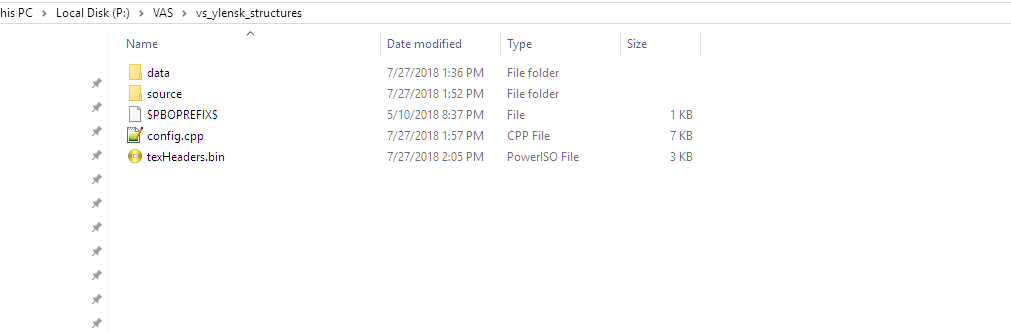
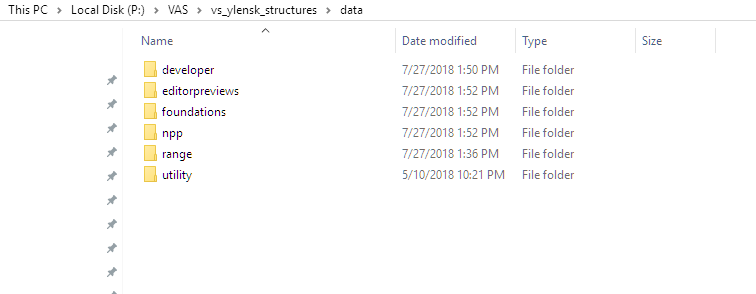
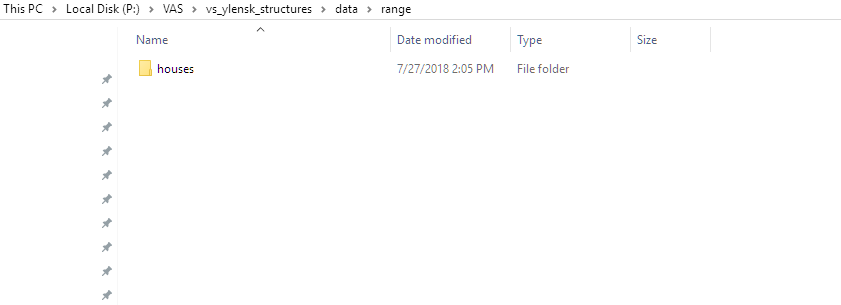
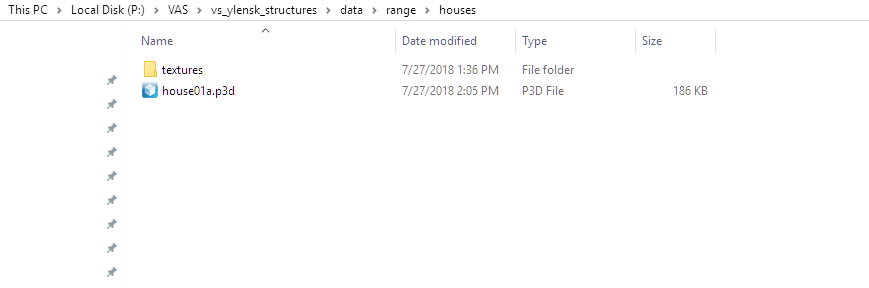
sorry, something is confusing here. best to paste a screenie i think of the folder containing the p3d.
muted prairie
It's all set up fine?
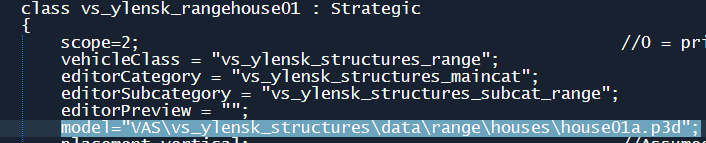
If I don't include my "VAS" tag folder PBOproject stops with Warning: rapWarning: missing file(s)*****
Warning: VAS\vs_ylensk_structures\config.cpp Line 87: \vs_ylensk_structures\data\range\houses\house01a.p3d
sturdy parcel
definate
 foggy finch
post your config
foggy finch
model="\vs_ylensk_structures\data\range\houses\house01a.p3d";
you dont have it pathed with your tag
muted prairie
Yeah I know, but I'm not supposed to include the tag though?
sturdy parcel
the last image of your config stating model= is correct
foggy finch
its looking in p:\vs_ylensk_structures\data\range\houses\house01a.p3d"; for your model which doesnt exist.
muted prairie
so i DO include my tag folder?
foggy finch
in the config yes, as its saying where the model lives.
muted prairie
Figured since I'm not supposed to when defining object textures lol
alright then, my bad
 tulip beacon
why is class name different from model name?
sturdy parcel
it has to be stated for all your stuff i would imagine.
muted prairie
@sturdy parcel i misunderstood your answer earlier then with assigning textures, I figured since the project folder "vs_ylensk_structures" would be the name of the .pbo which contains the data folder, etc etc it would be the folder specified as the root of my textures, etc
@tulip beacon because it's still WIP, nothing definite yet
foggy finch
quite correct @tulip beacon for any of those buildings to be animated they require a Land_nameOfP3d classname
sturdy parcel
you can rename ANY pbo pink_girraffes and it will work just the same
 bold flare
the name of your pbo is NOT USED in arma3 unless no prefix. Don't know if your tools generate one when packing
muted prairie
that makes more sense then I suppose, I should always include my tag folder in all paths?
bold flare
Atleast that was true about 2 years ago when I fell into that trap
bold flare
In general. Always use a PBOPREFIX. And as the pboprefix designates the path your files will be in. You also need to specify that everytime when you want to specify a path inside your files
foggy finch
yes @muted prairie always have full path minus P: as it tells the engine where to find that model
muted prairie
@Dedmen ugh, I was just told a few days ago for terrains to specifically not use pboprefix as it wasnt needed lol
foggy finch
@muted prairie also for animated structures your assets have to conform to and obey these rules - https://community.bistudio.com/wiki/The_Land_xx_class
muted prairie
@sturdy parcel pboprefix isnt the same as a $pboprefix$ file?
sturdy parcel
$pboprefix$.txt is a properties= file.
muted prairie
@foggy finch so always inherit from house_f and not strategic for animated houses?
foggy finch
your missing the point, you can inherit from 'strategic' as its a subclass of house anyway, I was more pointing to your lack of land_xx classnames, have a read of that page when you have a moment
muted prairie
@foggy finch alright, I'm very new to object editing and object model configs, bear with me, I don't know much about it at this moment
This is just a sample config from a tute video
if i remember right
foggy finch
yeah sure thats why we're trying to steer to to the right path 😃
the test house in the samples has everything setup as a good base if you need something to reference as it is taken from a working game asset.
configs and all 😃
it is also good practice to tag_ your p3d filename(tag_house1a.p3d), as anyone else could create a house1a model and there would be a conflict if both of those are loaded and used.
as a wrp just looks for nameofp3d.p3d when loading assets.
bold flare
quick question. model.cfg skeleton classnames are global right?
foggy finch
man discord said you were typing for the longest time there @sturdy parcel I was hoping for a knowledge dump 😄
bold flare
Trying to add a 👍 reaction.. But I can't. My discord shakes like an earthquake and the reaction disappears again 😄
Only mikero. I can't react to mikeros messages 🤔
Other veterans work 🤔 What is this heresy
sturdy parcel
I was going to explain the purpose of a $pboPrefix$ FILE, but think it will only confuse.
I think it better for people who really want to know, read the documentation accompanying makepbo. It also expalins that rare instance when you don't need a prefix at all, which option to use, to achieve that.
 maiden beacon
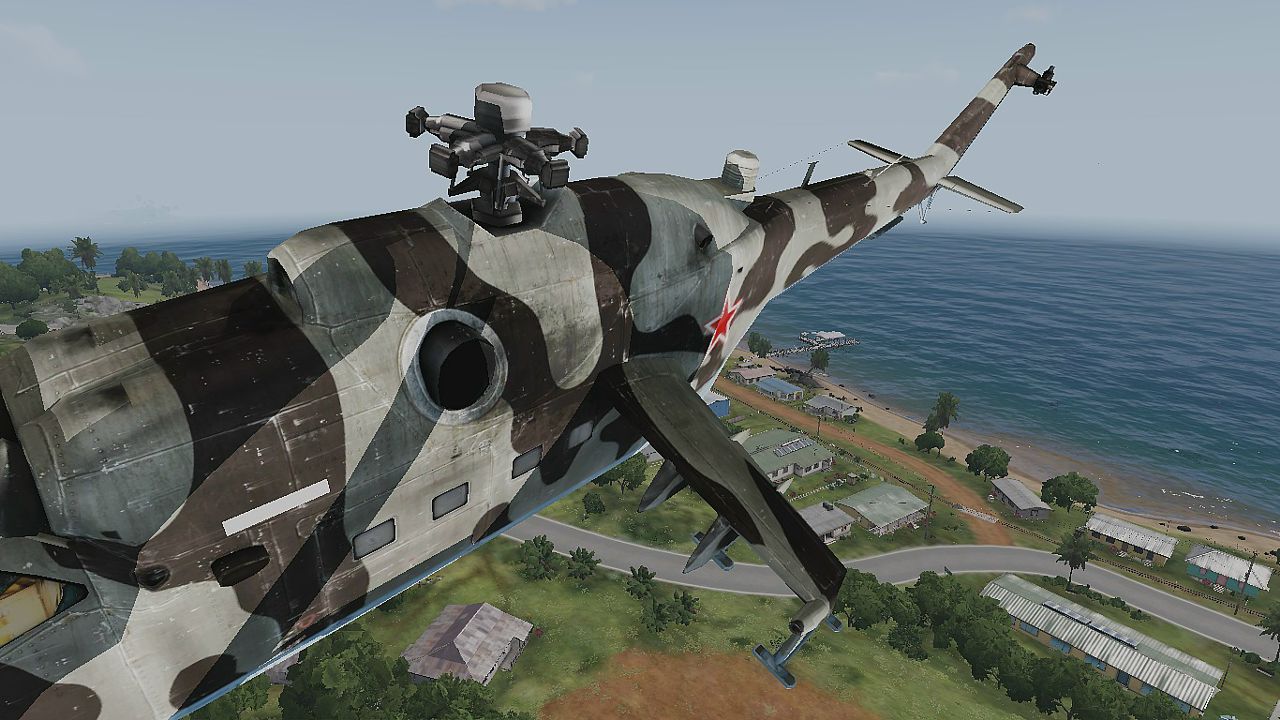
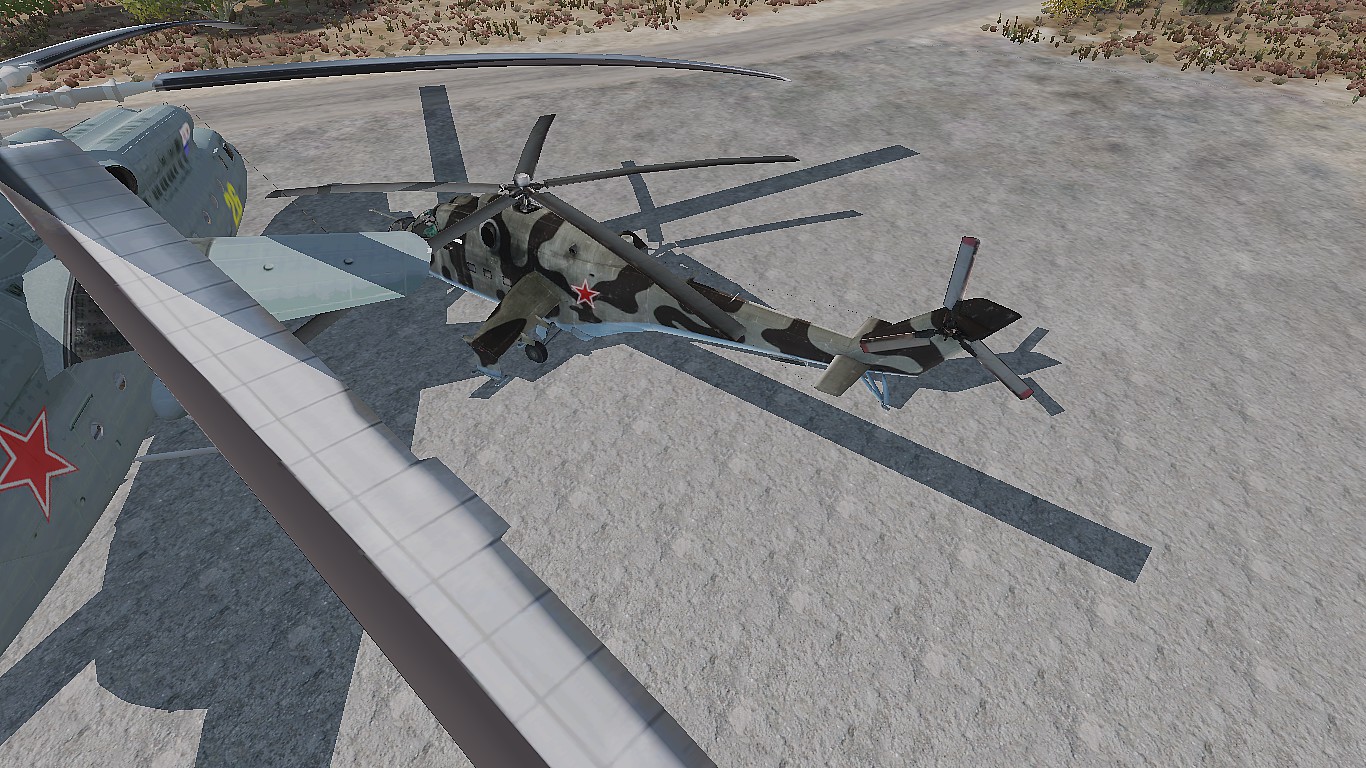
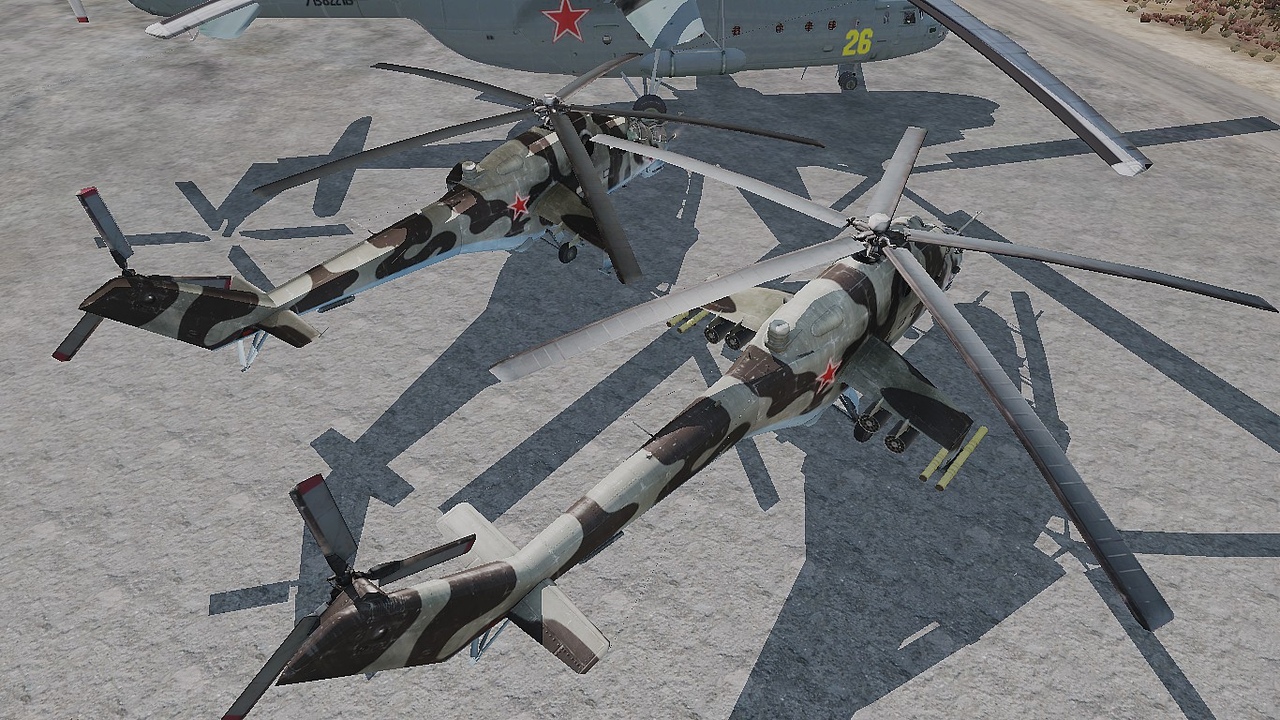
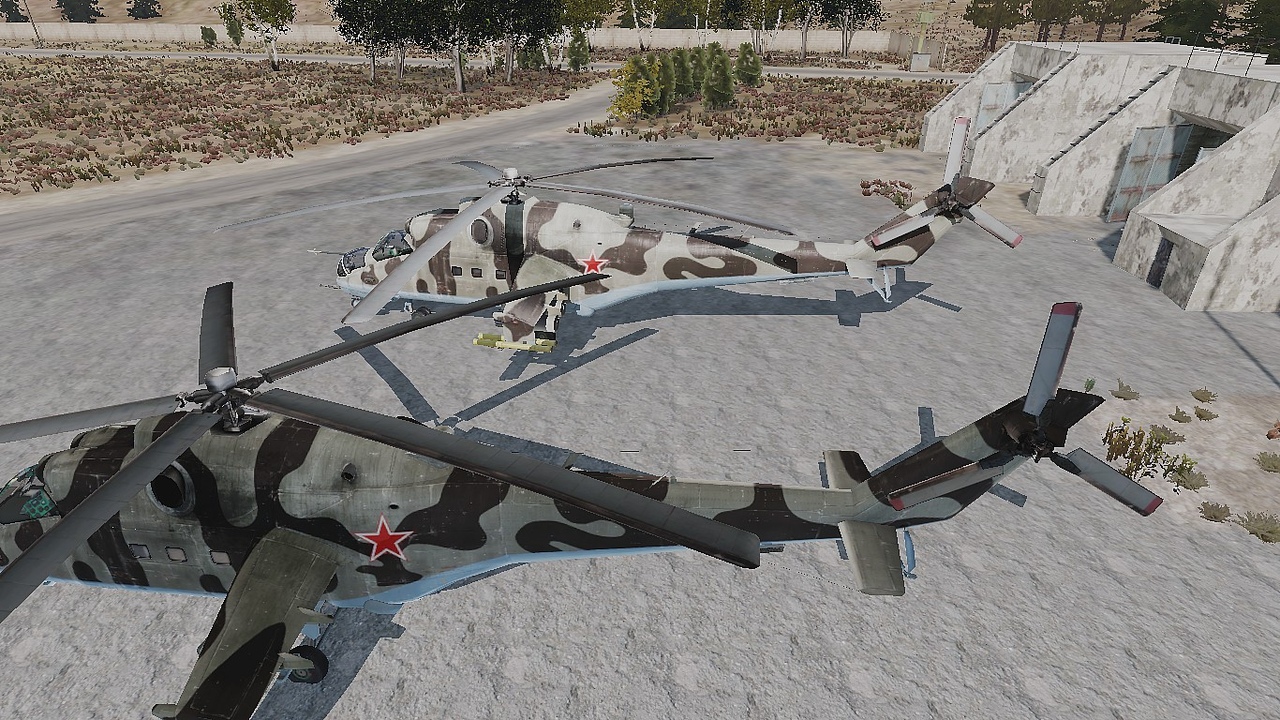
Hey, guys, could you help me a bit? While was porting and re-making Mi-24 from a2 encountered a strange thing with shadows. How it can be fixed?
https://media.discordapp.net/attachments/202836003323379712/472428774718177294/107410_20180727183909_1.png?width=841&height=473
It's a vanilla Mi-24v
 stuck oyster
@maiden beacon wheres the problem in the pic?
stuck oyster
you got to circle it for me xD
it is probably rally obvious but cant spot what would be wrong
nope cant spot whats wrong
maiden beacon
https://pp.userapi.com/c849028/v849028769/39220/kUpql1HprtU.jpg
One more with removed rotors
stuck oyster
these?
for future reference it is helpful if you somehow mark the problem on a a picture
@maiden beacon ?
maiden beacon
There must be a shadow for the whole side
stuck oyster
what do you mean?
foggy finch
in the shadow lods does it have named selections in addition to componentXX ?
stuck oyster
now we are getting somewhere
foggy finch
that would be my first guess since it appears the visual lod rotor is animated
stuck oyster
what im thinking is taht should it cast shadow on itself
stuck oyster
is the shadowlod a direct copy form A2 model?
foggy finch
it will need named selections matching the names in your other lods for the animated parts, else they wont be animated
foggy finch
so add the appropriate named selections into your shadow lods
maiden beacon
Well, there's no selection named trup in shadow selection
Which contains hull in other lods
May it be a problem?
stuck oyster
are you sure there should be a shadow at that direction?
stuck oyster
can you take pics of it on when its on ground?
maiden beacon
Sure
stuck oyster
was the shadowlod direct copy of the A2 model?
maiden beacon
The whole model is direct port from a2
stuck oyster
lets see the pics first
this here looks like shadow edge
Im just thinking maybe you are mistaken and its just where it should be
maiden beacon
Nope
stuck oyster
are you using the rvmat and textures from A2?
maiden beacon
Nope, it's a3
I had some of them
Only 1 rvmat missing - default.rvmat, but it wasn't used on model at all
stuck oyster
have you remade some of the textures? if so which ones?
maiden beacon
https://pp.userapi.com/c847121/v847121855/a59c0/lCmbWb9modk.jpg
Compared with OK model
stuck oyster
I still think they both have working shadows
You got to draw me some arrows to show where you think its wrong
stuck oyster
hmm so its not darker texture
you got to clearly explain the problems 😄
ok so have you edited the normalmap?
or is the normalmap from A2
maiden beacon
Nope, didn't even touched
stuck oyster
so what have you done differently between these 2 models?
maiden beacon
Hmmm
Wait a bit
It looks i've found some
So, recalculated
And is it possible to set normal maps manually?
 polar fiber
normal map problems can cause this kind of messed up directional shading
polar fiber
yeah, I would have thought so, but now he's asking about setting one manually
so assume he's edited one
or not assigned it
maiden beacon
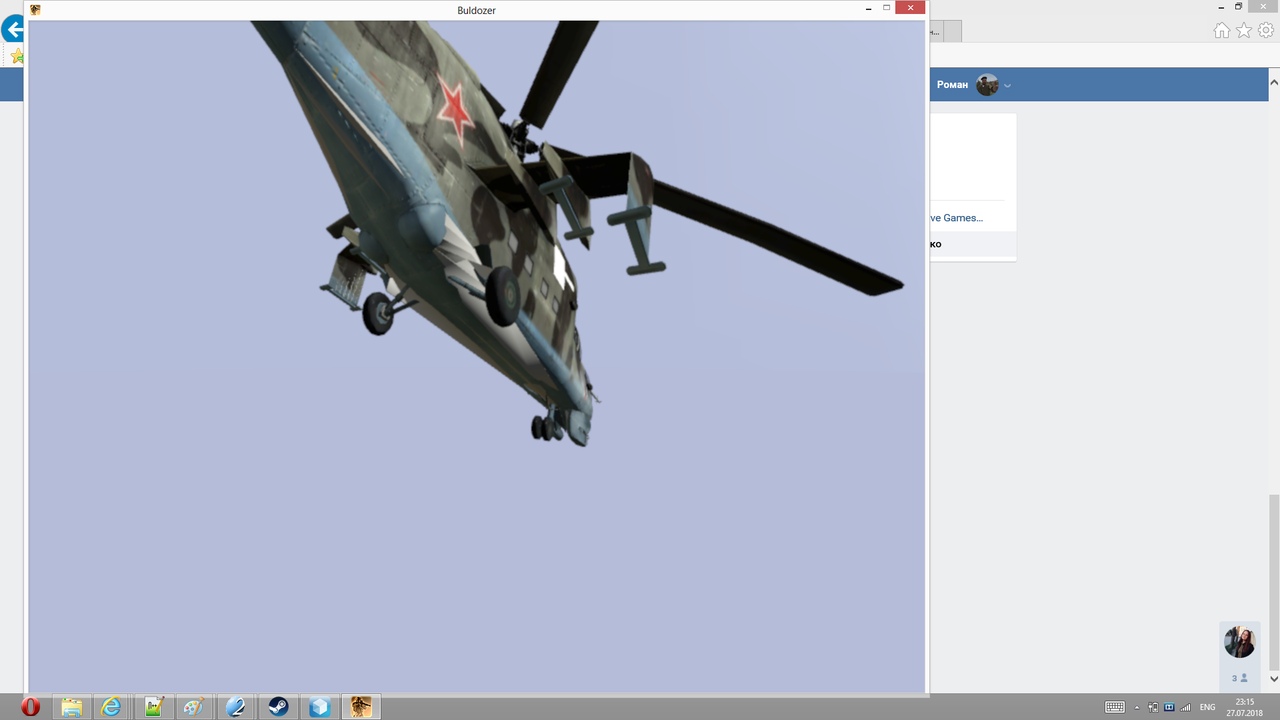
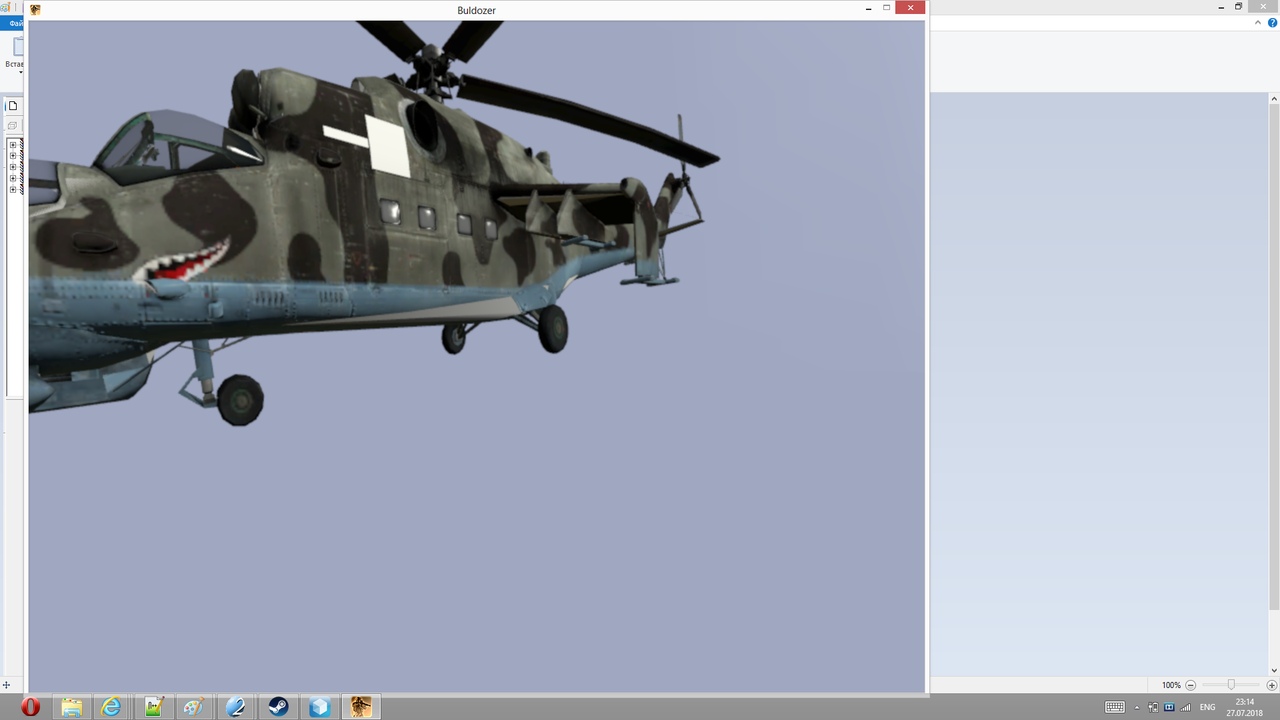
In bulldozer all works fine
polar fiber
might do in buldozer, but doesn't mean ingame it's the same if the game can't read the .rvmat paths properly
normal map has to be saved as ###_nohq.tga etc. before converting to .paa, if you have edited it
since the suffix affects the formatting of the texture file when the tools convert it
stuck oyster
did you try it in game after the recalulate normals?
and did you do it when you had the whole model selected
maiden beacon
Yes
But haven't tested yet
By the way, should it be done for all LODs or for one?
stuck oyster
just the resolution lods
those are the ones you can see
aslo you can try selecting the whole model and hitting W 2 times
it flips the faces and flips them back
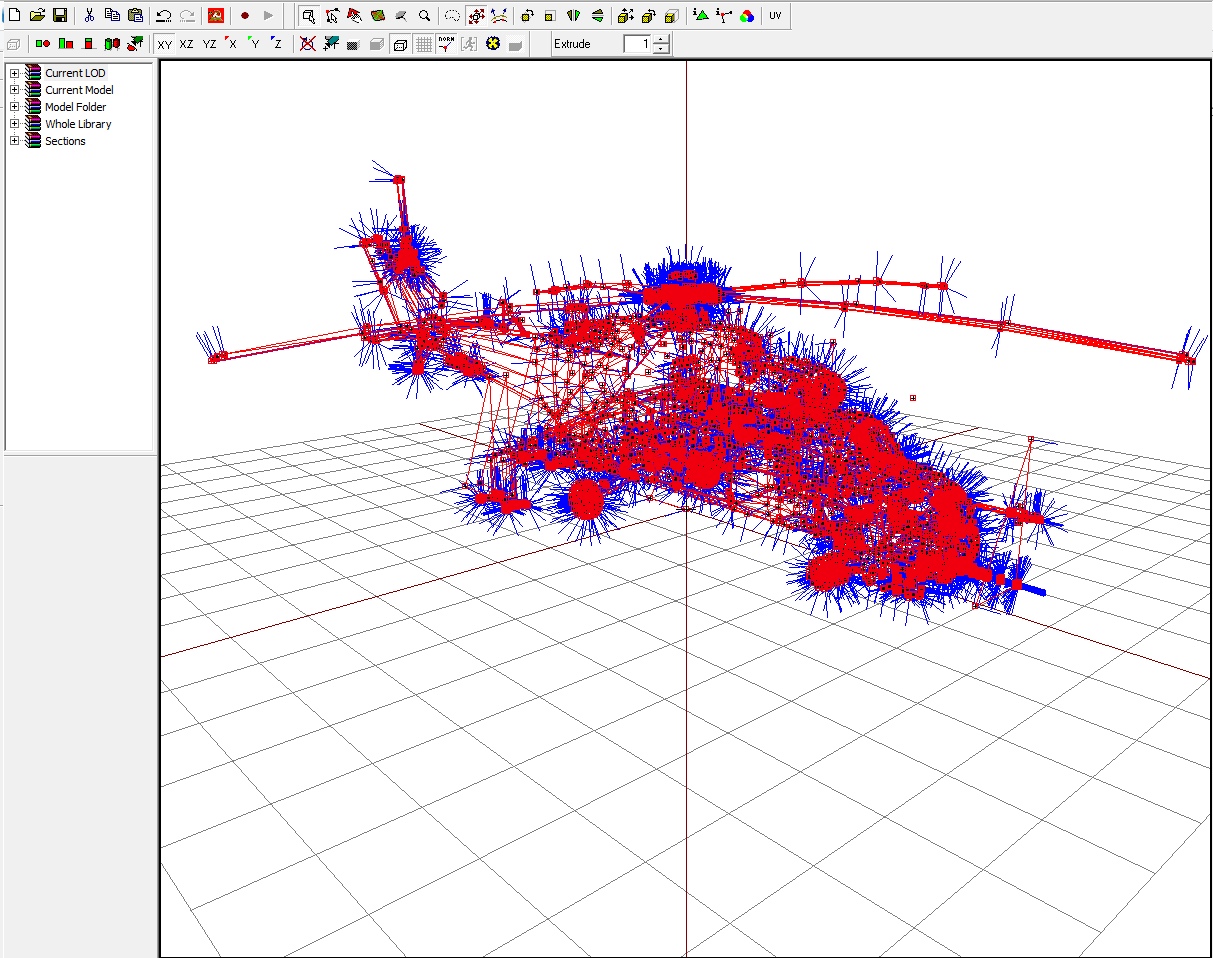
these blue lines are the vertex normals
they affect how the model shades
if they are broken model could get issues like yours
stuck oyster
yes those look alright
make a new lod
and copy both the first res lod and shadow lod into it
and show what it looks like in buldozer
stuck oyster
looks mostly fine
these bits that stuck out of it should be fixed so that they are inside the visible model
but those would not cause your problem
did you test it in game yet?
stuck oyster
put your rvmat for the hull into pastebin and link here
maiden beacon
Trying to use other RVMAT
lol
Fixed
And 2nd thing i'd like to know how to deal with is this one
https://pp.userapi.com/c831409/v831409105/15a883/3jZyd0d2Quc.jpg
Btw i didn't set weapons for this helicopter yet
stuck oyster
another rvmat fixed it?
maiden beacon
Yep
stuck oyster
alright! 👍
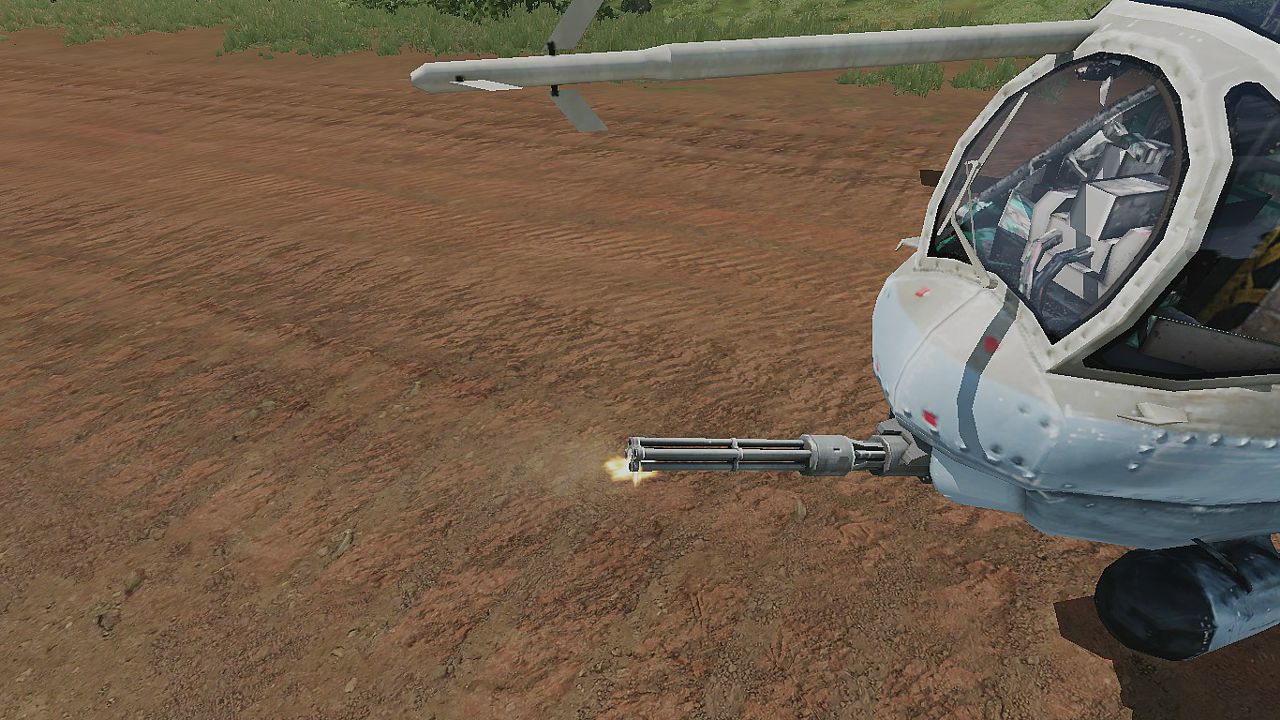
and the muzzleflash being visible is either due to lack of weapons to run its hiding animation
or lack of the hiding animation
or incorrectly configured hide animation
or all above
maiden beacon
Ah, it wasn't configured at all
stuck oyster
👍
 vernal lynx
Who knows what could do this ? https://www.youtube.com/watch?v=KSAV2TCU1rU
I'm stuck :[
vernal lynx
BTW, I just released the first part of *"import a tank complete process tutorial", may it help some lost souls 😄 https://www.youtube.com/watch?v=03xvuAWFcvw&list=PLbyLM76MffqwN3IpgZ63WOhuyNBFZIhd9
 sacred grail
Parachute issue looks like Z fighting to me
 candid field
I’m looking for a custom building developer
bold flare
 vapid nexus
three weeks of working on one gun finnaly paid off, as it finnaly ingame and working
arma 3 engine must be the hardest engine to mod for
stuck oyster
@vapid nexus 👍
vapid nexus
Thanks for all the Help those that did help me 😃
sacred grail
your welcome
vapid nexus
i got a little problem it seems like when others use my pbo file it dosnt show the texture only shows a white model same is happening to me now when i moved my folder out of my addons folder what have i done wrong all the files are inside of it but its still now showing up the texture
sturdy parcel
addon breaker does not check if your file references to textures etc actually exist before even bothering to pack a pbo. pboProject will not pack a pbo under any circumstance if it detects any kind of error at all. Addon breaker gives you false confidence that if it made a pbo, things must be ok.
you can keep using it and keep loading the game to find out if you guesses were correct and things now work, or you can find out immediately, saving some agony and loss of hair on your part.
vapid nexus
in OB i said the texture where here - CF_Vietnam\Addons\M16a1\Data , same in the RVMAT
sturdy parcel
and apparently they are not. but instead of guessing, you can find out the easy way, rather than not noticing a typo you might have made, or the contents of the pbo's prefix is not what you think it is.
white textures are caused by the very simple fact that the paa files referenced by the rvmat, are not in any addon (pbo) at the stated location.
sturdy parcel
did you install all the free toolset?
vapid nexus
yep
sturdy parcel
well there should be a shortcut on your desktop to pboPro (optional, but advised)
vapid nexus
my virusprogram was blocking it -.-
sturdy parcel
avgsometimes, rarely, gives a false positive, but it's dependent on other things you have running in the background. Kapersky has a reputation of being best in the buisiness and has no issues with my tools.
that said, i'd be very very cautious of any reported virus as it can be real.
there's a family of worms that if active on your pc (eg running in the background) they will infect other exes beign installed.
vapid nexus
ok
sturdy parcel
if it's avg, and if it's reporting [evg suspected] virus you can ignore it. the very same 'suspected' virus is never detected if you use the paid for version of avg
vapid nexus
i am using a antivirus software from my internetprovider not verygood but cheap
so i am just its going into overprotection mode
so i am just guessing its*
sturdy parcel
perhaps. yes.
vapid nexus
here we go it tells me it can't find this file for one of the them atleast
Warning: @CF_Vietnam\Addons\M16a1\config.cpp Line 338: CF_Vietnam\Addons\M16a1\Data\UI\M16a1Icon.paa
is it only becuse of the @ in the start
sturdy parcel
it's extremely rare for a person to start a folder tag name with @. The @ generally refers to an @mod folder.
your source folder for making the pbo appears to be in something called P:\@cf_vietnam\
if so, it's never going to see something called p:\cf_anything\paa
vapid nexus
so that is why its trying to look beyond that folder
its trying like this
@cf_vietnam\addons\m16a1\m16_co.paa
after removing the @ it goes like this M16a1.p3d : \cf_vietnam\addons\m16a1\m16_co.paa
Missing File Summary - M16a1.p3d : \cf_vietnam\addons\m16a1\m16a1.rvmat
M16a1.p3d : \cf_vietnam\addons\m16a1\m16a1_mag.rvmat
M16a1.p3d : \cf_vietnam\addons\m16a1\cf_mag_m16_co.paa
M16a1.p3d : \cf_vietnam\addons\m16a1\m16_co.paa
sturdy parcel
well, make up your mind,. what is the name of your primary folder on the p: drive. ? p:\@something, or p:\somethiig ?
vapid nexus
well i removed the @ after you said its unnormal to have it changed all the dependics on the @ and went with the p:\cf_vietnam
sturdy parcel
that's good
i don't imagine with above missing files, you actually have paa files in the m16a1 folder. more likely, the m16a1\data folder
vapid nexus
but in the p3d file i did change it to m16a1\data
nvm p3d file hates me
maybe arma hates me
sturdy parcel
well pboPro never ever lies about this. the mlod p3d is referring to paas in the m16a1 folder
vapid nexus
yea the misstake was on my part 😛 apparently i must have missed in my rush
sturdy parcel
it happens
but now, you have a friend in pboProject, that will smack you round the head when you get it wrong.
vapid nexus
smack me in the head with a log more or less 😛
sturdy parcel
two logs, since you asked. and three if you make maps 😎
 median bough
pboProject is like the "overly attached girlfriend". if you stay onroute, make no mistakes, she'll please you with all the sweets and joy. but if you fuck up, she's gonna give you living hell on earth
😂
sturdy parcel
+1
but, at least, she never gets a headache, she just causes them in others.
and she won't do a damn thing for you until you fix the errors (of your ways)
median bough
she's not really resentful but........:
2 page list of mising files, config errors, warnings, unpayed child support...
😉
sturdy parcel
haaaaaaaaaaaaaaaaaaaaaa
 stark dagger
actually, she's more like the girlfriend that doesn't let you get away with bullshit, but manages to communicate with you what you did wrong and gives you a chance to fix it. Addonbuilder.... that bitch is ride or die, lets you do anything you want, and just says "I didn't see nuthin" when shit goes south.
 white jay
Hi, I have a problem of importing a building into the object builder regarding the scale dimensions
Is there anyone who can help me?
bold flare
What is the problem?
There are thousands of people here. Yes. There is "anyone who can help"
white jay
😃
I made a small house to learn the import of buildings
I export the model in obj
but when I go to object builder to import it
I enter the scale in 1.0.....and surprise.....the building is big
foggy finch
try importing at 0.01
I think your unit scale may be set wrong in 3dsmax, regardless you can either reduce the dimensions on export or when importing into OB.
white jay
the fact is that I would like to understand where I am wrong as a friend and I are modeling a fire station
station also quite large
but now try to import with different scale.....0.1 - 0.01
foggy finch
have a read of that page, it will explain the display vs system units for you
as well as how to change etc
white jay
I understood in the meantime with the small test house I try to change the import scale in the object builder....
foggy finch
yeah, at least that will give you hard metrics on the scale of conversion so you can work out the appropriate scale to use in max
white jay
Thank you for the moment @foggy finch and @bold flare
foggy finch
np
muted prairie
@white jay download Arma 3 Samples on steam and you have some sample configs and p3ds in "addons/Test_House_01" folder
speaking of, would anyone mind having a look at my configs to see where I'm screwing up with breakable glass, I set everything up in my p3d according to the sample house model (aka copied and pasted the window, it's memory points, hitpoints, and all LODs for it into my own model)
problem i'm having is when I shoot the window, it plays the breaking sound and spews out particle effects, but the window remains unbroken
model.cfg https://pastebin.com/dVdZnLqP
config_macros_glass.hpp https://pastebin.com/E6JY04eq
config.cpp https://pastebin.com/TETr0wXB
I currently only have one window set up for testing, which is why all mentions of glass_2 is commented out
white jay
@muted prairie Thank you
 bleak tangle
@muted prairie it'll probably help narrow down what the issue is if you use this scripting command to see if the glass hitpoint is actually receiving damage https://community.bistudio.com/wiki/getAllHitPointsDamage
i.e. hit escape while looking at the building in the editor and local exec hint str getAllHitPointsDamage cursorTarget
muted prairie
thanks, it returns "[["glass_1_hitpoint"],["glass_1"],[0]]"
I assume the 0 means no current damage?
bleak tangle
Yes, which would indicate it's not taking damage
Where did the armor = 10000 come from? I think that's probably the issue
You're inheriting from House_F which has an armor value of 2000
muted prairie
@bleak tangle Was following a Youtube tut for setting up a basic structure with no animations a while back, i can get rid of it, theres probably some more redundant stuff like that around but I didn't think that could cause issues with hitpoints and stuff
bleak tangle
https://community.bistudio.com/wiki/Arma_3_Damage_Description#Damage_Formula
armor =
Global "health": cfgVehicles global "armor" value
Local ('hitpoint' location) "health": [location armor value] = [cfgVehicles global "armor" value] x [HitPoints class "armor" coefficient]
Thus, it does matter since the "global" armor is used in the calculation of the health of a hitpoint
bleak tangle
I'll optimistically say yes, hoping that there isn't another issue
muted prairie
About to see when it's done crunching 😛
ugh, i seem to have messed something up with my LODs, not entirely sure what I did as i've been making small changes here and there while having the armor value issue
hits arent registered at all to the glass now, no sound or particles, fire geometry messed up?
bleak tangle
Yes, bullets hitting fire geometry is what creates the sound and particle effectss
muted prairie
i'm actually having a similar problem with the fire geometry of my door, it simply doesn't exist ingame even though i've set it up to be "parented" to the door animation
now the glass is doing it too
 pseudo crag
probably a stupid question, but how do I give a building its textures in object builder?
bold flare
select all faces. And press E
There you enter path to the base texture and the optional material
pseudo crag
i have no idea what i'm talking about but can you use a uv instead of selecting all the faces in blender
bold flare
not in blender. You asked in object builder and I gave you the in object builder answer
Yes. You UV map your model first. Before exporting it and importing it into object builder
pseudo crag
sorry i meant object builder, haven't slept in like 26 hours my brains a bit foggy
but yeah i think i got it
i've got the uv sorted and stuff but how do i get it to use the uvs texture, like it's the only part i'm confused about and sorry for the stupid questions
bold flare
Select all faces that belong to that texture. And press E
Are you trying to ask how to auto-select the faces belonging to a specific material if you have multiple different materials on the same object?
pseudo crag
Honestly mate not really sure, trying to do all this without tutorials and stuff but it's taking a bit to figure it all out, i'll keep going with trial and error and hopefully it'll all make sense after I sleep, thanks though and sorry for not making much sense I'm falling asleep at my desk
 tough sinew
Hello! I have a model with 49 "texturizable" sections, defined in model.cfg and config.cpp but ingame it doesnt appear to work at all with setobjecttexture
quick terrace
use pastebin ^@tough sinew
quick terrace
and config?
tough sinew
Config part: https://pastebin.com/YVHACJ1L
Te model route is ok
just changed to ...
in model cfg it hhas thhe same name
"panelinfo" as the p3d
 rough idol
you should sections[] instead of bones for hiddenSelections
quick terrace
^^ what reyhard said. Also, not really sure all the classes allow hiddenselectios
tough sinew
Nonstrategic does
as I had it working after changing the sections to bones hahahhaha
before*
quick terrace
fair enough
tough sinew
mm
tough sinew
Perfect!
muted prairie
Can anyone help me with the above problem I have a few messages up? Being driven insane by these problems seemingly appearing out of nowhere
Can post up to date config and model.cfg etc if its needed
quick terrace
quick summary on the issue would be helpful
muted prairie
Ok, 1 sec while I write one 😛
Basically I've been trying to set up working breakable windows using the sample house p3d and it's configs from the Arma 3 samples - I've copy and pasted LODs for one of the windows from every LOD of that house into my own model, and added the appropriate entries into my config.cpp, model.cfg and config_macros_glass.hpp files
rough idol
try regenerating components
muted prairie
at first I got as far as having glass particles and a breaking sound play when I shoot the glass - but the texture doesnt change and the unbroken glass window stays in place - I was then altering some stuff and now there are no glass particle effects or sounds at all
The glass animates fine in buldozer so it can't be related to my p3d I wouldn't think
I've carefully copied over the relevant entries into my own configs, will post them in a sec
config.cpp https://pastebin.com/F8Hg81Xf
model.cfg https://pastebin.com/yr6kV8Cp
config_macros_glass https://pastebin.com/jdiSk0An
quick terrace
so when you shoot the windows out, there is no "animation" to it, to make em broken
is that the issue?
muted prairie
exactly, also no particle effects or sounds at all anymore
I had sounds and particles working at first but they no longer work either
quick terrace
do you have rvmat bisurfs added to the geo lod
or is there no particles whatsoever/
muted prairie
everything is straight from BIS own sample house model so they do have the appropriate rvmats and stuff added to them already
quick terrace
also, do you have a fire geo lod
muted prairie
Yep
Glass_1_hide fire geo LOD
glass_1_effects memory LOD, glass_1 hitpointLOD
glass_1_hide Geo LOD
and glass_1_hide and glass_1_unhide in my main LOD
everythings set up exactly as the sample house as far as i can see
quick terrace
indeed did you try to regenerate your components as reyhard suggested?
polar fiber
Structure>>Topology>>Find Components to do what reyhard suggests
muted prairie
I've tried that, not for all LODs but some
I can have a round with that again in all my lods and see if that works i suppose
polar fiber
only needs to be in the geometry LODs
quick terrace
only needed for GEO
muted prairie
oh ok
quick terrace
and fire
polar fiber
fire is a geo lod
muted prairie
crunching and will test it out ingame in a moment 😃
didn't change anything unfortunately
..now my door doesn't have collision either
fun stuff
I just keep managing to break more stuff that i previously went through hell to get working
foggy finch
hm i could take a poke at it if you wanna send the folder over
foggy finch
i dont have any pm's 😄
muted prairie
wot
foggy finch
sorted, had some missing components and inheritance stuff, so I fixed it up and he's got a good template to work with now
good lookin house for just starting out too 😃
white jay
sorry for my trouble, someone would be kind enough to explain how to set up a correct scale ?
for a building
muted prairie
@white jay what program do you model buildings in? If you download Arma 3 Samples from steam there is a sample character that you can export to .3ds and then import that into most modelling software and use it for a scale reference
muted prairie
yeah just try what i said above then, i think the .3ds model format is native to 3ds max by the sound of it
bold flare
Just set the unit's in 3ds max to meters and model by real numbers
quick terrace
system units not display units
bold flare
Then when importing into object builder you just need to find the correct import scale. For meter scale that might be 0.1
quick terrace
.3ds is legacy file format
white jay
umh.........ok.....3ds max I set the scale units in meters
and export in .3ds
correct ?
quick terrace
i only use .fbx or BITXT exporter (especially for structures that needs 2 uv sets)
white jay
but you PuFu use meters ?
quick terrace
most of the time i use cm or mm
it doesn't matter since you can set the scale on import
what it does matter is to use metric system
polar fiber
IIRC the import window has some conversions values from imperial units too though
but then you have to know beforehand what units are set
quick terrace
there will always be a round off
bold flare
https://forums.bohemia.net/forums/topic/218325-wip-multiple-variant-patrol-boat/ Thought about redirecting him to Discord. But I think it's a bad idea to hide all the knowledge and tips in here ^^
 forest harbor
(i managed to create a working pbo from a blender model and used the default house example to get the configs right and it actually works. so happy :D)
 silver zenith
congrats
 outer condor
@forest harbor what mod are you working on? or just first steps getting into (arma) modding
forest harbor
@outer condor did textures and missions since ofp, now getting into using my models in arma.
stuck oyster
👌
 jaunty leaf
is it possible to control which geometry gets baked onto in substance painter using material ids?
or is it just "this uv set with this material id"
quick terrace
not via material ID
like you can do in max
but using a naming convention
@jaunty leaf ^
quick terrace
yeah, i had to get used to it myself, but now it comes a lot more natural
also, because the project i have in the works now
i had the thing exploded (and using naming convention for baking as well)
there are ways to use SP material sets
and have the substance player merge these textures onto a single uV sheet on its own

A Substance utility for merging up to 5 texture sets exported from Substance Painter. The source SBS file is included so that you can extend to support additional texture sets.
The linked video shows how this substance was created. The purpose was to create a workaround for...
 lusty ginkgo
can a surface decal model have proxies?
quick terrace
example/
stuck oyster
Id say I doubt it
quick terrace
i doubt it, but never tried
lusty ginkgo
I have to find a better way to place runway lights
lusty ginkgo
I guess memory points
sturdy parcel
I can't see why not, but even if possible, you are not able to 'animate' a proxy. You could not, for instance, switch runway lights on or off. (not that you can in the basic model anyway, but that would be the issue in making anything particularly useful).
Same issue eg in putting celieng lights in a building (via proxy), slightly usefuil as eye candy, but functionally useless).
lusty ginkgo
I am just trying to make it easier to modify/create airstrips
and other things too
I am creating several 'prefabs' made up of proxies of various objects
sturdy parcel
makes sense to me, and was, after all, the intention of proxied furniture when first developed.
lusty ginkgo
I don't get why a lot of A3 models (like boxes of military cases) don't use proxies
unless they get added in binarization for some reason
sturdy parcel
because thaey cannot be animated, therefore,. you can't look inside them.
stuck oyster
something something each proxy adds a section/drawcall was it
sturdy parcel
(radius action triggers don't apply to proxies, there aren't any)
as stand alone items, they do, but not as proxys
tulip beacon
anyone awere of "Merge Textures" function in object builder or knows what it does?
ebon abyss
its been years but I recall its https://pmc.editing.wiki/doku.php?id=arma:texturing:merging_textures
tulip beacon
ah, so it's documented and there's even a public available tool for that
but i guess its part of older tools or something?
stuck oyster
well you can take accord texture size when you desing the model/ UVmap it
tulip beacon
not really if it's automated
ebon abyss
I haven't used object builder, just assuming if there is such feature it might be leftover from arma1 era.
tulip beacon
silvador spits out separate texture set for each lod (bark and polyplane co, normal and mc) and if i have 5 lods it's a shitload of textures, most of which are 1024 and 512 (except for 1st lod)
so i would like to arrange the small ones to 1 or 2 atlases
foggy finch
@rich blade is there any fix incoming for https://feedback.bistudio.com/T127168 ?
I mentioned it in the dev branch discussion thread in may and no updates on it thus far, although there was a tools update today..
 rich blade
@foggy finch All I can say is that some time has been allocated for this one. As for when it'll get fixed, I can't say for sure.
foggy finch
Thanks, appreciate the update on progress 😃
Also thanks for republishing the commented cfgs in the samples
vernal lynx
🙏 pray for OB
 hexed fulcrum
hello can i ask something about modelling but not concering arma? or meaby can someone tell me if there is a discord like this for 3d modeling in general where i can get some advice thanks
 high stag
anyone ever had problems with animations not cycling through in buldozer?
I have the model.cfg all set up with the correct skeleton name but still showing up as "anim"
stuck oyster
whats your source for it?
@hexed fulcrum I would guess every major 3D program has their own discord by now
or at least their fans have community discords
stuck oyster
that door one giving you the anim?
stuck oyster
the cfgModels class needs to be named the same as the p3d so the engine can connect them
high stag
so i got this model.cfg from another ship i was working on
and i use uscg_p_skeleton and it worked fine
but when i used the .p3d name this time, it works
changing it to the .p3d name fixed it
but why is it on my other mods, adding skeleton after the name still fixes it
stuck oyster
dunno but its the wrong way to do it
the skeleton class you can name whatever you want
but the modelCfg class must be the same as the p3d
 half heath
@hexed fulcrum Try this https://discordapp.com/invite/5Qe3Skg
Game art in general, but there are some modelling nuggets in there
quick terrace
who is DiNusty?
why not something, let's say more well known
https://discord.gg/GqJuBU
half heath
Ok sure. 👍
hexed fulcrum
thanks i found this idk https://discord.gg/5YHBv64
foggy finch
Dinusty is a senior env artist at ubisoft
half heath
What's Ubisoft? 😝
foggy finch
@quick terrace https://dinusty.artstation.com/
but yeah polycount is probably your best one stop shop for all things 3D, their wiki is superb
hexed fulcrum
btw this is what im making and i need help for making the hairs since i want this model to be game ready i dont want to make to much polycount with hairs, for example i see tha arma have some strange way to make that some advice? https://i.imgur.com/4MZVwPf.jpg
quick terrace
@foggy finch fair enough
@hexed fulcrum yeah, what you need is not complicated, but it needs a bit of patience
how long you want the hair to be?
i would block it out.
then create the individual textures zones for it

Substance Hair Texture Tutorial https://www.artstation.com/gachu
hexed fulcrum
i want to create a modular system for swapping different hair styles so for example if i want to make a very short cut i can simply make some normal bumbs and texture details like arma did but for longer hair i need ofcourse a 3d mesh
quick terrace
yeah that is doable
hexed fulcrum
also is good when you equip some stuff like elmets you can disable the hair part if is a separate object
oh i see i just need to create some stripes and then apply alphas mask i thought that was more difficult thanks 👍
quick terrace
it isn't, that's all what it is to it
modelling is the easiest part
as long as you keep things natural
quick terrace
SP gave me the middle finger during this one....
https://twitter.com/rhsPuFu/status/1024835747550035969

finally some closure - mk17 textures for @rhsmods done. @Arma3official injecting to follow

 Twitter
foggy finch
Twitter
foggy finch
awesome 👍
quick terrace
you don't wanna know how many times i baked this shit
foggy finch
haha
what you baking with? and it clearly shows all those hours in the oven paid off 😃
quick terrace
i am using one non average normals, one average normals and one caged normals, all with masks
SP
3 blended AOs because exploded workflow, and many small things i only discovered while painting it
foggy finch
yeah i had the same on the g17 i did, only noticed some bake-foo-foo when texturing
quick terrace
it always happens to me, although i always try to spend the time at the start of the texturing phase to make sure all the bakes are fine
 twin urchin
I hope it breaks the optics like the real thing
foggy finch
no need to spam you already advertised in #creators_recruiting
bold flare
@white jay this is the 5th time you try to recruit within 2 days. And only 2 posts are int he right channel.
Please read #rules before you continue
 bitter shore
can anyone point me where I can find bohemia's rules over Assets selling?
bold flare
you cannot sell anything that went through Arma 3 Tools
bitter shore
thats all?
bold flare
Yeah. Your raw models and text files for config you can sell. But no p3d's made with object builder
bold flare
Blender can export p3d's. But people here said they still need to go through OB to fix some problems.
Also have fun proving to BI that your file in BI's proprietary format didn't go through BI's tools. ^^
 fleet aurora
I thought there was an add on to export P3Ds from blender?
bold flare
Read my message right above yours
bitter shore
provide a source for your work maybe? :/
stuck oyster
if its in p3d fromat I dont think you cant prove its not been in OB == no selling
you also need the game to make sure its all working right
and for that you need to binarize it
in most cases anyway
if you want to make money with Arma stuff you got to get permission for that from BI
if you do business with source models and source materials thats all good
bitter shore
@stuck oyster There how do i get permission from BI
bold flare
E-Mail them
bitter shore
@bold flare May you PM their E-mail please
bold flare
I don't know the address ^^
Must be somewhere on the website I think
or maybe just legal@..
bitter shore
text files for config you can sell. But no p3d's made with object builder I see a loop hole lol
bold flare
the loop hole is just selling the raw models and giving instructions on how to import them
bitter shore
nope
bold flare
And that's completly fine
bitter shore
sell config get p3d free xD
bold flare
🤔
bitter shore
I mean it goes with the rules doesnt it :3
bold flare
It hast to not be bound to buying the config then. So you have to make it freely available.
And then people can just write the config on their own
bitter shore
Technically you be buying the config where you get the p3d free
its like how framework is free then the scripts are bought
lol
i need to message legal bohemia team
stuck oyster
yeah no that "loophole" does not work
white jay
Trust @bitter shore its best to do it the most legit way as possible. I learnt an important lesson today.
bitter shore
@stuck oyster @bold flare I messaged them anyways. Thanks alot for your time guys!
@white jay thats what am doing I want it to be legit
white jay
Awesome bro 😃
bold flare
You could just go further. Sell the raw models. And then sell your time to connect to them via teamviewer and use Object Builder on their computer to import the model.
But that might also count as using Arma tools commercially... Probably does.
And also using teamviewer commercially.. Meh.. Forget that idea 😄
You could sell a video tutorial explaining step by step how to import it!
bitter shore
I wanted to create a multi-vendor site
bold flare
Extra money for you to sell the video. And teaching someone how to use a tool is not commercial use of the tool I'd say
bitter shore
assets are being sold like in black markets xD
the idea of multi vendor is so that the prices are set right and in a competative manner
stuck oyster
I would not count on BI getting on board with that but does not hurt to ask.
vernal lynx
Part 2 of my tank import tutorial : https://www.youtube.com/watch?v=e41MKW3PPc8
bitter shore
@stuck oyster true
stuck oyster
thing is I got a feeling that most of the "black market" assets you speak of would not be legit to sell anyway.. Them being ripped or stolen from someone else.
bitter shore
yeah thats one thing I wanted to talk about we are willing to create a validation solution
I.E transcripts
or other ways of proofs
but first we need the ok from bohemia
bold flare
I'd do it the other way around. First get your concept straight. Then try to apply for permission for the concept
stuck oyster
Good luck being the middle man I guess 😄 now back to topic of model creation
bitter shore
@bold flare Lets get the first approval, they might not even change their minds, but if they do think somehow we will layout or plans :p
@stuck oyster I will need that xD
 minor jasper
ok this is a VERY old question - just can't seem to find the answer for it. We have an old model (unsung) and it spams rpt with SW animation used for (modelname) - Not all levels have Keep Height set
so if you press shift-E you can change the face properties to "keep height" to fix this. but i believe that is redundant. so, the question is - "what is SW animation?"
I'm thinking if i can understand that then i can fix the model so it does not use SW animation
rather than applying a redundant keep height value to it
bold flare
SW == Software. As opposed to Hardware
It's switching to software mode because it can't do it in hardware because of the height stuff
Keywords: "Surface attributes" "ClipLandOn" ? Slope land contact, skew'ed (land contact points on different height?)
Software animations are the ones that actually move collision parts. Aka that are not visual only
Hardware animations can be done completely on GPU I guess. Like if your animation just changes visual lod and nothing else probably
Stuff just done inside the vertex shader
But.. It shouldn't spam the RPT (Only one message when the p3d is loaded) and it also should print when binarizing 🤔
I guess the ClipLandOn means it tries to "animate" to touch the ground? So that enables animation on it. But as the keep height thingies are missing it has to go to Software Animation for a animation type that could also be done in hardware. It warns because software is more expensive
Yeah. It is clamping the objects height to the surface. And yes it's expensive if done in software.
Is that enough information?
sturdy parcel
😎
minor jasper
ok so for example we might have placement slope and no landcontact points - coudl that be a cause?
bold flare
My logical thinking says yes. Don't really know though.
But for placement slope you need land contact anyway (Dunno if Arma might autogenerate that from geometry if you don't have one)
minor jasper
it's odd because we have two almost identical models, made by same author back in 2007, and they have same properties, geo etc bot hhave missing landcontact and only one throws the keepheight error
bold flare
maybe it's autogenerated from geo then. And one of them is not flat on the bottom?
minor jasper
they have identical geo
i just recreated it in a new model
and used it in both models
Keywords: "Surface attributes" "ClipLandOn" ? is this somewhere in OB?
bold flare
dunno ^^
They are in the flags of a vertex... 🤔 In the binarized p3d
Don't think they are configured in OB. There is "On Land" "Above Land" "Under Land" and "Keep Land"
Maybe just placement?
bold flare
That yeah
having each on Keep height would run Hardware animation.
else having some on On Surface but not all would print RPT Not all levels have On Surface set
If you don't have any on On Surface it prints SW animation used for %s - Not all levels have Keep Height set
You could also set Decal to Decal but that's not supported anymore and would throw a different error.
So either all on Keep height or all on On surface
minor jasper
found it! the fire geo had nothing checked i nthe Surface list in the above pic
set itto normal - fixed
bold flare
😄 That's interesting. Guess it was made when there existed another invalid option that was now removed or smth
stuck oyster
if it has nothing the selection contains mixed settings
minor jasper
was just being dumb not noticingthat
stuck oyster
well lets just be happy you caught it now xD
outer condor
pretty sure BI has to prove you using their tools
as long as you can proof you didnt use OB, aka have your stuff in Blender available, i doubt anyone would follow BI's takedown requests and in court BI would loose
hence they didnt try to stop that
the general thing to keep in mind is companies always set up policies and rules they would like to see
doesnt mean they are right or dont violate laws
in fact often their EULA are not in line with laws
in Germany consumer agencies often take companies for such things to court and win (ofc they only choose things they have reasonable expectation to win)
white jay
sure a moment
stuck oyster
also have you converted them to .paa right?
stuck oyster
sure
white jay
@stuck oyster https://imgur.com/a/uyRW2Nr
stuck oyster
do you have an rvmat on it?
white jay
no
white jay
that is a trunk of a palm
stuck oyster
what resolution is it?
what image format and what suffix have you used before its been converted to .paa?
white jay
tha original image is with extension jpeg
stuck oyster
jpeg is the worst format to make textures in
white jay
I have insert the jpeg into photoshop and export in tga
stuck oyster
dont use it
white jay
after tga in paa
stuck oyster
and have you saved is with _CO.tga suffix before converting
the dimensions are the resolution in this case
white jay
umh.....no
stuck oyster
alright first off the resolution you have does not work with arma
stuck oyster
resolution (DPI) is for printers
does not mean anything here
the dimensions are the resolution
stuck oyster
the tga needs to be _CO
white jay
ah ok
stuck oyster
also read the resolution part from the manual above
stuck oyster
All input textures must have resolution 2^x / 2^y
so you could make it 512x512 or 1024x1024
or possibly 512x1024
stuck oyster
no problem, thats what this channel is for
also you may want to check the Arma trees for how the trunk and treecrown .rvmats are set up
to make your match visually with the other trees
white jay
ok
stuck oyster
yes you can do uvmapping in object builder but its not very easy there
its best done in the same program you did your models in
white jay
3ds max
stuck oyster
yeah do the uvmapping in it
lusty ginkgo
I have a model with proxies but they aren't visible in game
does this have to do with the class?
lusty ginkgo
I am testing it in the editor right now
it is just a blank object with the bounds of the memory points
stuck oyster
and a proxy?
lusty ginkgo
the model itself is just two proxies
stuck oyster
proxy paths correct?
bold flare
Not sure if I binarized it. I'll PM you the pbo. With luck the model wasn't binarized and you can look at it
lusty ginkgo
thanks
bold flare
Am at work right now can't do much better ^^
foggy finch
collision 😃
lusty ginkgo
but collision works if the proxies are just in the res LODs
bold flare
Didn't work for me
but it worked after I added them into geo
I didn't know. Just trial and error 😄
lusty ginkgo
I can't even get mine to be visible in the editor so you have found some success at least lol
bold flare
Maybe just take my config with your proxies
lusty ginkgo
I can only get proxies to work with custom models
bold flare
if you just rebuild my p3d does that work? One of the models will be missing but the rest should work
How do you create the proxies?
lusty ginkgo
I have tried simply creating my own faces, copying proxies from other models, and using the actual Create -> Proxy option in OB
that paths are all correct as well
lusty ginkgo
that's what I'm doing in my latest version
stuck oyster
what objects are you proxying Rylan?
lusty ginkgo
I am crunching again rn
originally runway lights
but I have tried with a number of other vanilla a3 models as well
it works with my own custom models
bold flare
Give me an example path of a vanilla model you try to use
the full path in your proxy
lusty ginkgo
\a3\roads_f\Runway\RunwayLights\runway_edgelight
\a3\roads_f\runway\runwayLights\runway_edgelight
a3\roads_f\Runway\RunwayLights\runway_edgelight
a3\roads_f\runway\runwayLights\runway_edgelight
\a3\roads_f\Runway\RunwayLights\runway_edgelight.p3d
\a3\roads_f\runway\runwayLights\runway_edgelight.p3d
a3\roads_f\Runway\RunwayLights\runway_edgelight.p3d
a3\roads_f\runway\runwayLights\runway_edgelight.p3d
these are all the combinations I have tried
current version is the top
bold flare
\a3\structures_f_tank\Military\RepairDepot\RepairDepot_01_tan_F this is mine. Leading backslash and case correct and no .p3d at end
lusty ginkgo
I tried randomly selecting a rock model and that actually does work in game
not sure what the deal with these other models is
runway lights might have some placement properties or something
bleak tangle
It seems like you can't proxy objects with the named property class=housesimulated
bleak tangle
I can't seem to get things with class=house as a proxy either
tulip beacon
i wonder if proxied objects gets that properties from "parent" object?
lusty ginkgo
I'll just have to make my own runway light models
bleak tangle
Why do you want to proxy them?
lusty ginkgo
so I can have them consistently spaced and attach to my runways with memory points
so it's actually possible to manage them in TB
foggy finch
map-builder can do that with one of the tools it has.
@native garnet 's tool most likely can too
lusty ginkgo
It can but I am looking for a faster way
I want to be able to modify the runway and be able to quickly realign the lights as well
foggy finch
poly line and up TP to place objects along line 😃
lusty ginkgo
too much room for error lol
also I'm too lazy to be bothered to do that with every runway
stuck oyster
if you got memorypoints on your runways already you can create the ligths with scripts on the points and export with E2TB
in game that is
bleak tangle
lusty ginkgo
I have considered that but I want to make complex layouts for the ends and taxiways too
I have like 4 airfields to do atm lol
 tribal vigil
Hello 😃 I've got a question regarding "locking on airplanes/helis"
Is it set in the config or in the p3d?
stuck oyster
config
median bough
ammo config iirc
stuck oyster
and what target types an object has is in the objects cfgVehicles class
as in is it a radarTarget or irTarger for example
tribal vigil
cheers found it
stuck oyster
which one was it you were looking for btw? 😄
lusty ginkgo
how do you change the environment settings in object builder buldozer without it freaking the fuck out
sometimes I can get it to work
can't figure out how
polar fiber
hold the mouse down on the timeline for a moment and then release, do not drag the thing
but you kinda have to just keep pressing random spots on the line until you get the kind of lighting you want
since the relative times change
lusty ginkgo
nothing changes unless I drag the slider or set the value manually
oh the side arrows
that takes forever but at least it works
thanks
polar fiber
I just clicksomewhere in the middle of the slider (not the actual slider bar) and hold the mouse down for a second
lusty ginkgo
what are the class named properties that work with land_xx configs?
specifically which ones work with both the land_xx configuration and also allow the model to be used as a proxy?
I guess it isn't possible to make runway lights that can also be used as proxies
is has to have a function config and animation for the lights which has to have class = house
polar fiber
animations don't work on proxies
bold flare
If I want a model not to have a shadow. What should I do?
Just removing ShadowLOD is not enough right?
Should I have a empty ShadowLOD or just LODNoShadow=1 attribute on all reslods? Any pro's/con's between them?
I want the item to be as cheap as possible. Will it still try to render a shadow with 0 verticies maybe? versus not trying to render one at all if I use one of the variants?
stuck oyster
empty shadowlod should do the trick
polar fiber
needs an empty shadow LOD AFAIK
I think even with lodNoShadow set, the game will try to generate shadows from the visuals if it has no alternative LOD
bold flare
Thanks. I'll do that then
Found out that ACE bandage litter items have collision.. When I saw someone driving his car into a leftover bloody bandage and loosing both his front wheels :D
Now I gotta fix everything that's wrong about them
 pure whale
so the collision part? xD
bold flare
Yeah. And some have shadows. Some don't. One had shadow LOD 90° rotated vs Res LOD.
Chaos basically.
Is there something I should do to maybe stop them rendering after some distance? making a empty res lod maybe?
Would that be worth it? There might be hundreds of these items laying around.
They are very small items like 10x10cm don't know if Arma maybe automatically hides small items at some distance?
bleak tangle
I think you might be able to do it without a shadow LOD if you use the named property sbsource=none
I’m fairly certain some of the A3 sidewalks don’t have a shadow LOD and don’t have lodNoShadow=1 in their resolution LODs
sturdy parcel
what are the class named properties that work with land_xx configs?
Asciiz *land_list="house\0tower\0streetlamp\0housesimulated\0church\0vehicle\0";
lusty ginkgo
@polar fiber animations don't work on proxies
I know that. I just need the model to have it's own standalone config and also be able to be used as a proxy
sturdy parcel
I think the land_class causes the naviglights to be visible at night. that is the animation.
...checking that now
yep.
class Land_runway_edgelight: Land_NavigLight
{
         model = "\A3\Roads_F\Runway\RunwayLights\runway_edgelight.p3d";
    class MarkerLights: MarkerLights
    {
        class Light_1: Light_1
        {
            color[] = {1.0,0.95,0.85};
        };
    };
....
no land class trigger, no lights
hence the reason why there's no point proxying those objects or any other land trigger types
WHY bis needed to make this mess in the first place is a different question. it was a cheap 'n dirty kludge for arma1 which they never got round to removing.
muted prairie
What technical purpose do proxies on for example structures serve? Are they meant for keeping tris count low, or something like making it easier to work with less UV and texture mapping on the main structure?
bold flare
You can reuse models instead of copy-pasting them into the model
stuck oyster
in the olden times it was used to bypass the p3d verticle limits too
now there is no need for that
muted prairie
ooo, that is useful, are there any known limits on how many proxies you can have in one model?
quick terrace
hmm, not sure there is a limit
foggy finch
if their is it'll probably be in the region of 255, much like model.cfg anim limit,. but never heard of any hard figure, yet..
besides if you have to use that many proxies, your doing it wrong.
polar fiber
drawback of proxies is AFAIK that they're all separate draw calls
quick terrace
that ^
so it is one extra draw call (section) + all the sections associated with the mat+tex used
polar fiber
yep, so not as efficient if you have a lot of them repeating one single object
but fine if they are all unique objects
bold flare
I thought that was a bonus of proxies. Because the game should be able to batch together the draw calls for all instances of the same model. Which it couldn't do if you'd copy-paste the faces into your model instead of proxy
Atleast theoretically one should be able to do that right?
polar fiber
I don't know that the engine treats them as instanced objects
maybe with some that are earmarked by cfgNonAIVehicles
but there are different proxy simulation types
foggy finch
@bleak tangle might have some benchmarks/tests on it, dunno how far he dug into proxies
bleak tangle
I never did any performance tests, only checking when the number of draw calls/sections changed https://forums.bohemia.net/forums/topic/201536-some-findings-on-draw-calls-and-instancing/
My conclusion was that each copy of the same proxy in a model does not add an extra draw call, until you get to 513 instances of that proxy within the "scene" (what's being rendered). So if your your buildings e.g. House.p3d had a Chair.p3d proxy 8 times within the model, then all copies of that building's chairs would share the same draw call until you had 65 (512 / 8 + 1) copies of House.p3d being rendered.
It's been awhile since I tested it, but from what I recall if you had a Chair.p3d proxy in a HouseA.p3d and HouseB.p3d, the Chair.p3d doesn't get instanced between the two objects, only within copies of its "parents" model.
When I was testing if two different parent models using the same proxy shared a draw call I however only did it from editor placed objects, so I'm not sure if that had an effect on my results.
foggy finch
ah thanks for the refresher 😄
tulip beacon
is a tutorial of how to use texMerge.exe exist?
ebon abyss
what is texMerge.exe?
stuck oyster
thing in ArmaToolset to merge multiple textures into one
might be its actually not in the Arma3 tools anymore. At least could not spot it
I think it porcessed both the texture and uvmapping
ebon abyss
I checked couple of obvious dirs and could not find such exe, thats why I was wondering what is it.
stuck oyster
ah now I remember its Object Builder feature actually @ebon abyss
it eats something called .ptm
ebon abyss
yeah I know, Shelestov and I went through this conversation already (you must have been away).
still I'm wondering what is texMerge.exe
stuck oyster
ah
either part of A2 toolset (cant remember what it had anymore xD)
or something in VBS toolset
 woeful viper
universal steel girder texture/object set experiment (on a prototype bridge)
https://abload.de/img/steelgirders1u0ff8.jpg
https://abload.de/img/steelgirders2hdf4w.jpg
https://abload.de/img/steelgirders31adhq.jpg
https://abload.de/img/steelgirders4bce3z.jpg
https://abload.de/img/steelgirders57gd1d.jpg
https://abload.de/img/steelgirders6dmi6n.jpg
tulip beacon
it's the part of vbs toolset, but apparently old PE 2.5.1 arma tools has texmerge.exe also. As i compared them the only difference i could spot is vbs version has "server console" thingy.
@ebon abyss yeah, there was conversation about merging textures, but PanTool was mentioned then
tulip beacon
so, i was able to make it work to some degree
If anyone interested (unpack to the P's root)
Unprocessed raw source:
https://drive.google.com/open?id=1PPXl2jezPJpwJXq8IXAturNqZePDlr1e
Merged:
https://drive.google.com/open?id=1OLAL06ZXiHv9QOAtdwPg68O6t8ha46Sa
tulip beacon
Cleanest version:
https://drive.google.com/open?id=1NV_hjRreRCeQR_jrOBcgCvACy72ECtc_
 halcyon wren
So I tried using the new tech that allows custom watches and compasses
sadly the day indicator does not work for watches 😦
rough idol
and what selection names did you used?
halcyon wren
date1, date2, day
rough idol
and how your UVs are looking like?
halcyon wren
1:1 like A3's watch
I even copied the inset over for testing
A custom watch does work, when I do this:
uiModel = \A3\ui_f\objects\watch.p3d;
Which led me to believe it might be some hardcoded .p3d check.
rough idol
and have you tried copy pasting a3 watch to different pbo, renaming it and configuring it as custom watch
?
halcyon wren
'll test that now
halcyon wren
issue found
The model must contain "hodinova" "minutova" and "vterinova" named selections.
Not even defined as bones or with any animation. They just need to be present as a single vertex and the date indicator works.
stuck oyster
good catch! got to design a new watch for my project too 😄
white jay
6am wip. The past 5-6 days Iv'e literally gotten maybe 5 hours of sleep a day, this making buildings shit is addicting. Chain smoking and blender 4 lyfe.
white jay
Also had a question, notice the 40k mark for polys/tris etc. Alot of people always say to keep the count as low as possible and try to keep small details for the texturing. So my question is, is this because of concerns about performance in-game, or is it more along the lines of say, more work being involved in getting the actual object ingame, or a combination of both?
bold flare
the work to get the object ingame doesn't change with tricount
stuck oyster
performance yes
but this is a rather special object too so it should not be of that big concern
of course if you have flat surface split into 1000k tiles thats bad optimisation
but the bigger the object more polies it will eat
larger performance impact is from how many textures you got on it
than couple of 10k polies here or there
white jay
Ok, I was going to say, if that was the case, I wouldn't mind spending the extra time working on them to make them as detailed as I can get within the limits. Most of the buildings I'm doing are just hollowed out facades with attention to specific details, while trying to keep the actual bulk of the building as little in face count as possible.
white jay
Like these little things at the top might take up another 10k or so but other than that I just need to make a big ass staircase and i think i'll be happy with it . It's just weird things like this that get me uncertain about where to stop or not, I know to make concessions here and there but I'm just dipping my foot as far in the water as I can get it i guess https://imgur.com/a/ZMSRwSR
stuck oyster
you will probably have just one of these on screen at any time
because its a very special building
so it can have more special specs too
white jay
Yeah, that building will only be on the map once. My goal is to repeat buildings as little as possible.
stuck oyster
for the decorations it can be tricky to find the balance between mesh detail and baked texture detail
tha will make it look nice for sure (the map)
but
white jay
I guess for stuff I can just shape a face and then use normals to make it look like it's not a flat object
halcyon wren
Anyone ever encountered this type of error?
LODShape::AddLoadHandler: Handler not present in shape
stuck oyster
In Arma the repetition also is what boost performance
halcyon wren
Googling for it just results in a bit of .rpt spam related to empty.p3d
stuck oyster
never seen that @halcyon wren
bold flare
LoadHandler is a engine internal eventhandler that get's called when the P3D is loaded/unloaded from pbo into memory.
That message up there is printed when something tries to remove a LoadHandler that was never added
Is that about your watch?
Watch get's a load handler in constructor and removes it again in destructor. Don't know how that could happen
halcyon wren
Yeh, I get it with a custom watch using thr new uiModel= param.
It doesnt happen when I link it to the A3\ui_f\ watch
Also, then when closing A3 after looking at the custom watch I get this:
https://i.imgur.com/bBmR5KC.png





I'll try a forced preload
No luck :/
bold flare
Only when you replace the UI model on the map? Does the same happen with the actual watch outside of map?
halcyon wren
I have no watch visible on 2d map for me
I am testing it by going ingame, equipping the watch and then looking at it via default keybind
rough idol
Do you have custom animation sources?
white jay
i just realized i deleted my vehicles p3d from my p drive.... is there any way i can get it back with the model mixed with the model.cfg :/
just the model cause i have a backup of my model.cfg
white jay
ye its the packed version
white jay
mind linking me his site?
woeful viper
why... not repimport from your modeling software?
quicker then trying to fix scrambled p3ds
white jay
@woeful viper i did most of the important work in object builder