#arma3_model
1 messages · Page 116 of 1
 ruby dragon
thats the rendered view and the material, just a quick thing i threw together to test this
I used render texture to output the tga file
 vapid nexus
if you add an uwvmap on that you could change the tiling
ruby dragon
vapid nexus
but for example i added it this - https://cdnb.artstation.com/p/assets/images/images/010/646/421/large/markus-bjorklin-namnlos.jpg?1525477493
ruby dragon
thats what it looks like in buldozer
vapid nexus
i would never in a million years be able to render out a normal map and texture in a program like photoshop
ruby dragon
Ok, let me ask this. How should i export? what format and settings?
This is not a high res or anything
from 3ds'
vapid nexus
when it comes to bulldozer i don't know
vapid nexus
i would think fbx
ruby dragon
alright
Now theres a ton of settings for fbx export, different ones play well with different editors. any suggestions?
vapid nexus
try it normal first
ruby dragon
"Some materials in this scene may not be supported by certain applications and will import as standard gray materials instead. The following materials are affected:
-Material #26 [Cylinder001]"
odd, its a standard material
https://image.ibb.co/fhCwQT/3dok.jpg shows my material editor, isnt that just a standard material?
vapid nexus
yes and in bulldozer it should be converted into an .paa file
wich is the correct fileformat for arma 3
vapid nexus
are you opening it in oxygen 2 or bulldozer ?
ruby dragon
i dont have oxygen, im opening it in object builder and previewing with buldozer
well im importing it
tried 3ds and fbx
 quick terrace
oxygen and object builder is the same thing
quick terrace
people who have been around for quite some time , myself included, will always call oibjhect builder oxygen
because we are used to that
ruby dragon
totally understandable PuFu
quick terrace
you need to export a texture, not a material
ruby dragon
and idk if .rvmat is made in 3ds or object builder
quick terrace
 cinder pivot
quick terrace
cinder pivot
quick terrace
rvmat is basically a text file made with notepad
cinder pivot
Good info there^
vapid nexus
oh thanks andrew i will put that into my arma 3 texturing tutorials folder 😄
quick terrace
yeah there is some good info in these SA vids
ruby dragon
I was thinking so... but when i export from 3ds max, all i get is a tga file
quick terrace
what sort of mesh are you working on?
vapid nexus
he is testing on an cylinder
quick terrace
as i said, the TGA is the diffuse (in your case)
the material file is a text file
https://community.bistudio.com/wiki/Super_shader
quick terrace
the RV Material and ATtributes
contains aditional texture maps\
such as normals, detail, spec/gloss ambient occlussion/shadow maps
ruby dragon
Just to see what my options are.... any of you do work for hire? Im making a free mod, but it may be more worthwhile to just pay than learn all this, its WAY over my head.
I never dreamed it would be this deep to get a simple single object into a game with a standard texture using 1 channel
That page you linked might as well be written in greek, i dont understand any of it
oh and @cinder pivot ty for the link. Ive saved it. Thats 3 hours worth of videos I will do my best to try and watch it
quick terrace
any of you do work for hire? Im making a free mod, but it may be more worthwhile to just pay than learn all this, its WAY over my head.
i am, but i am on the expensive side. in any case:
#creators_recruiting
ruby dragon
So can I dm you or should I reask the same question in that channel?
ruby dragon
Just a few simple basic models. Nothing special. Vegetation
 woeful viper
Vegetation is very special, actually...
ruby dragon
Not when you take it down as simple as im taking it. And hell it can be 2d for all i care
 half heath
 fathom dagger
oof
 edgy coral
Hey guys, any idea what I'm missing here? I have a new model in game, and everything is working fine except everytime I do cursortarget or cursorobject on it I get null object returned
 past edge
have you tried revealing the object to yourself?
 agile flint
@lime quest Is that dirt or rust on it?
 lime quest
Rust
agile flint
If its rust it looks way too confided. I've never seen rust just apply itself so perfectly in spots like that and leave a perfectly smooth and good surfacve just next to it
lime quest
Youre right i wasnt so sure about the rust placement
agile flint
Maybe try make the rust more prominent over the entire thing? But also keep the confined areas
Just looks too clean for rust that heavy thats all
lime quest
Ill make some edits
edgy coral
@past edge Yep, it still returns null object
 molten thunder
Right I cant get the object viewer in the object builder to load for whatever reason, bulldozer comes up with the message of External view Attach Failed, no Viewer Found. I know this has probably been ased a million times and I have tried looking online doing doing what they say, I even followed a video to set up the work drive etc so as to make sure that wasnt my problem and try to figure it out, but after hours of scratching my head as to what is going on Its not working, has anyone figured this out?
in the configurator for bulldozer I have this path E:\ESO\steamapps\common\Arma 3 Tools [Work Drive]
The Arma 3 Directory is set up in tools options as is the P;/ drive which is just P:/
and in the object builder the options are this: P:\buldozer.exe -buldozer -name=Buldozer -window -noLand -exThreads=0 -noLogs -noAsserts -cfg=buldozer.cfg
 bold flare
E:\ESO\steamapps\common\Arma 3 Tools [Work Drive] That looks weird. Shouldn't that just be P:\ ?
molten thunder
ill give it a shot
I mean it has to find the arma3.exe doesnt it? which would be in the copy of the arma 3 tools folder no?
so my duplicate
bold flare
don't know what buldozer would need arma3.exe for
buldozer itself == arma3.exe usually
atleast I used arma3.exe as my buldozer in the past
molten thunder
sorry just realised what I put, not in the bulldozer configurator, its in the Arma 3 Tools Options
?
What did I do?
bold flare
Nothing.
bold flare
Like.. you could try... Just taking your arma3.exe, moving it to your pdrive and launching that in Object Builder instead of buldozer
no guarantees tho ^^
 halcyon wren
needs -buldozer startup param
molten thunder
in this bit? P:\buldozer.exe -buldozer -name=Buldozer -window -noLand -exThreads=0 -noLogs -noAsserts -cfg=buldozer.cfg
halcyon wren
Yes.
molten thunder
Whats the startup param or is it literally what you said?
molten thunder
Ah so, it wouldn't be that then as it has it
Right?
Yeah the object builder options have External Viewer as P:\buldozer.exe -buldozer -name=Buldozer -window -noLand -exThreads=0 -noLogs -noAsserts -cfg=buldozer.cfg and the DLL as E:\ESO\steamapps\common\Arma 3 Tools [Work Drive]\ObjectBuilder
Path for Textures is just P:\ like the manual says
if I try to run just bulldozer on its own it says "FatalError P:\Dll\x64\PxFoundation_x64.dll could not be loaded" , is it possibly something to do with that?
bold flare
you can find that dll in your arma directory
just move them over manually
but if you run buldozer without the -buldozer parameter then it will just try to launch arma
molten thunder
Okay, I have moved it, Ill give it a shot now, just a quick one I've noticed though as I was moving the file over in the Arma directory the folder is "Arma 3\Dll" and in the tools directory its "P:\dll" would that matter?
Still says that it Failed to attach
Ahh got it now, the x86 wasnt there either
 sturdy parcel
there is only one 'buldozer' on your pc, it's called arma3(x64) exe.
there is no relationship between P:\buldozer, the dta\bin.poo you have on your pc, nor the dlls that the real engine uses and what a p:\buldozzer. exe might, possbly, be able to use. And, as often as not the shaders you must use because they came with the game, aren't always the same as those that P:\buldozer wanted. It is also ridiculul;ous to copy over a dozen or a milion dll's onto p: when the exe shoudl nto be there in the first place.
To fix this, permanently, all you have to do, change from "P:\buldozer.exe -lots -of -options" to "\where\ever\arma3,exe -lots of options"
The bin\config.bin /cpp that ships with bi's true bulzozer is also incompatible and, in the past, caused the tiresome tetrahedron bug.
do you self a favor and run arma3p to be finished with this nonsense forever.
 stuck oyster
@edgy coral what type of object is it? cursorTarget does not return everything afaik
@molten thunder https://pmc.editing.wiki/doku.php?id=arma3:tools do this
edgy coral
@stuck oyster it's just a box, like a planters pot sort of. cursorObject isn't working either
molten thunder
I just copied the files it said it was missing and it appears to be working now
stuck oyster
Id still suggest you do the above.
edgy coral
Yeah it has a config. It's using House as it's base class
stuck oyster
thats what I was after
does it have valid geometryLOD?
convex shape, componentXXX naming, mass 1+
molten thunder
Anyone happen to know the location of the .paa texture files in the A3 Samples? such as Glass etc
lime quest
lime quest
@stuck oyster How is that Lost Dragons mod my friend
I didnt realize until now that i recognized your name lol
stuck oyster
 lime quest
ive been waiting for it
holy smokes
looks like ME
Mass effect
citadel
Very nice work 😃
 lean monolith
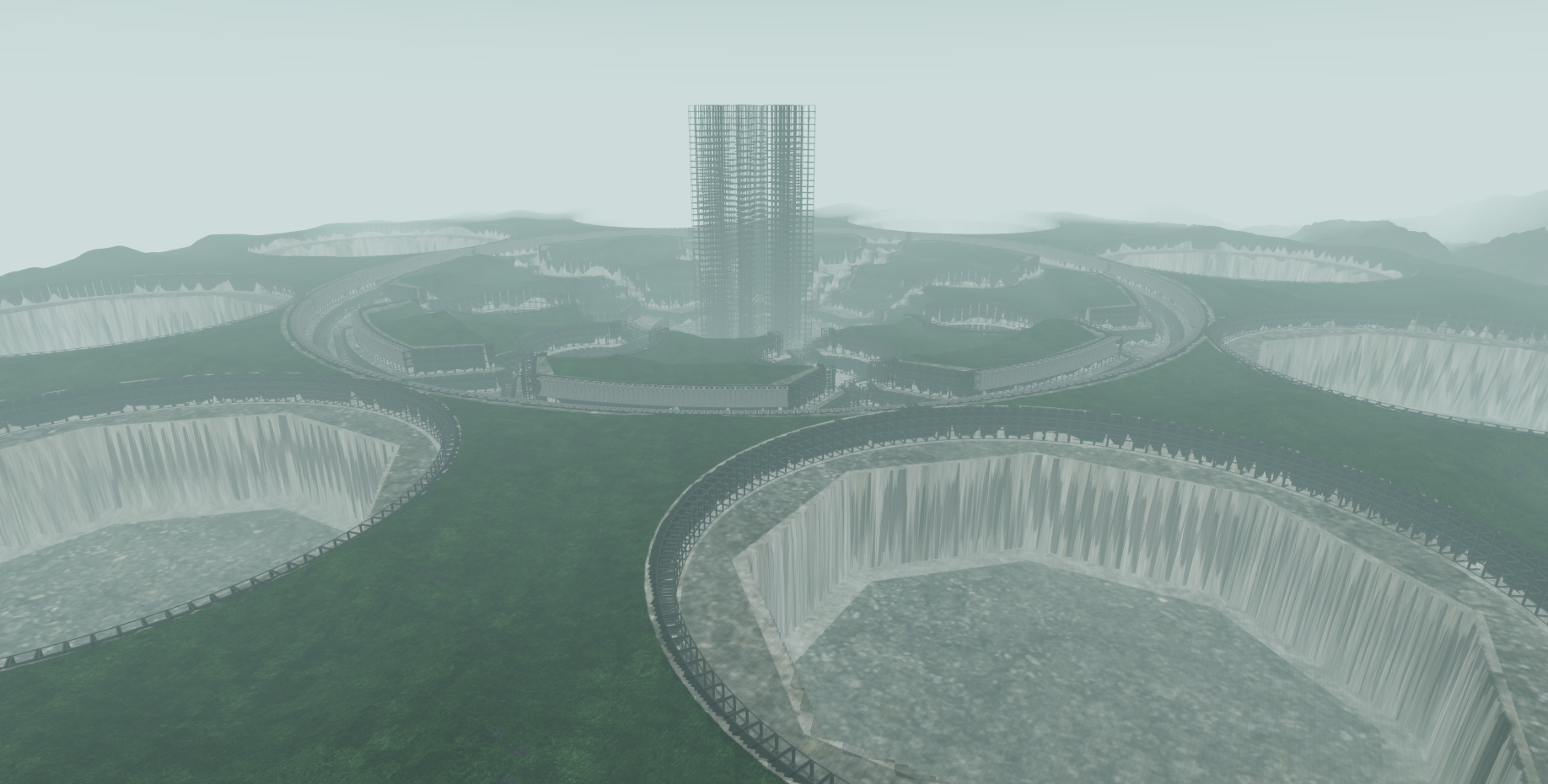
What is this supposed to be though?
stuck oyster
it is a city complex
lime quest
looks like a giant hive city from WH:40k
although lost dragons isnt based completely off WH:40k
Maybe its inspired i have no say since i didnt create it
stuck oyster
 lime quest
but looks amazing
lean monolith
Oh. I can see the resembalance now
stuck oyster
its insipired by a lot of things really
molten thunder
see im looking for data_f but its just noth there, plenty of other ones but no data_F
edgy coral
It has a mass of 150000, Component01, the convex shape I'm not too sure on how to make sure it's right @stuck oyster
stuck oyster
should be
https://www.moddb.com/mods/lost-dragons @lean monolith

Mod DB
Lost Dragons is a multiplayer total modification aiming to bring out a new thrilling gamemode for Arma3 . Our concept is futuristic objective based team warfare with randomly generated map elements to ensure every game is a unique experience with completely...
lime quest
when can we expect release lmao ive been waiting since 2013
stuck oyster
soon™
lime quest
Time = Quality atleast
lean monolith
🐷
edgy coral
I did the convex hull just to make sure and repacked. Still doesn't return anything with cursortarget or cursorobject
stuck oyster
if you drop some house next to it does that get returned with the commands?
edgy coral
Yup, I get the object back when I do cursortarget on a building next to it
 sacred grail
Can somebody help me with this bake?
Its such a simple object and I have had no issue with objects like this before
I can send you the obj if you want to try it?
I have tried with and without a cage
and keep getting this result
I am baking with SP2
Here is the Obj
 timber cobalt
@polar fiber
"well hiddenselections is adding sections to the model, so I'd probably guess that is more intensive
also wont hide things like shadows and collision for those parts"
thanks
molten thunder
anyone know the location of a body.rvmat?
 median bough
go to your P drive
go to your a3 folder
hit F3
type body.rvmat
thank me later
molten thunder
I dont actually know why I didnt even think of that
median bough
¯_(ツ)_/¯
molten thunder
Its so obvious, Cheers 😂
median bough
😄
molten thunder
So im trying to pack the model and test it in game, however, it doesnt appear to be packing all the files into the pbo, so for example it will only pack config, and not pack the other files in the folder such as sounds and physx
and therefor I cant test it as it wont show up in editor
stuck oyster
are you packing with addon builder?
@molten thunder
If so I would strongly recommend the tools installation method I linked earlier and using Mikeros PboProject (free version is available) for packing
as it gives you a wide array of error reports when whatever you are packing has errors in it
Addon builder on the other hand tells you just about nothing
but if you insist packing with it you may have to adjust its settings to include right file types
you might also have the common config error for example wrong pathing somewhere
but since you already left I'll go to sleep too.
molten thunder
Im just looking for that link standby
Well the free version is broken apparently, its too late to do this now, Ill try again in the morning
 craggy basin
People, what tool do you use for creating 3D models for Arma? Blender or something else?
woeful viper
whatever floats your boat - blender is a solid choice
bold flare
I started with Cinema4D and switched to 3ds Max now. Mainly switched because I wanted to teach myself more professional tools.
In the end you export as fbx anyway. No matter what tool you used the end result is the same
craggy basin
Is it easier than Blender ?
bold flare
3ds max definetly not
craggy basin
I'm concerned about transition from <tool of your choice> => Arma 3
bold flare
also getting 3ds max is not that cheap unless you are a student to get it free
craggy basin
which tool does that with less hussle
woeful viper
blender
bold flare
Blender probably with the blender toolbox for arma
craggy basin
thanks lads
stuck oyster
whatever tool you make the model, getting it into game requires pretty much same steps. The part where you convert it to p3d is so tiny that it does not really matter that much
pretty much either export as P3D from Blender or FBX to ObjectBuilder to P3D from other software
craggy basin
cool
stuck oyster
before the P3D stage there is the modeling of all the necessary LODS and after that is the configs and related shizels
craggy basin
I know you're going to hate me for asking - but how much time goes in making one vehicle from start to deployment?
probably a lot
bold flare
months?
stuck oyster
X amount of time
stuck oyster
depends on how good a modeler you are
how good config writer you are
what kind of detail level you are going for
I can make a box with cylinder wheels work as a car in an hour
but its a box with cylinder wheels
a good model can take weeks
as in model and textures
and good refined config can take days
not working 24/7 tho
craggy basin
do you think BI have some internal tools for it?
craggy basin
entire process
sturdy parcel
Like any game company, they're going to have a whole range of 3rd party tools to make models. 3dsmax for starters. BUT, if you're question relates to BIS tools, what you see, they use also.
craggy basin
I see
bold flare
There have been many videos on BI's youtube channel where you could see how they make models and write configs
craggy basin
no shortcuts for them either then
sturdy parcel
no more than we have, and probably a little less than we have.
woeful viper
its not particularly complicated once you get the hang of it
craggy basin
😃
I used to work some basic stuff in Blender, but it was some time ago. What scares me most is "armafication" of all that.
but ok, thanks for all the help
stuck oyster
armafication is pretty much like in any other game and can have some quirks. modeling is the same for all though
and there are the sample models that show quite well how the basic stuff work too
agile flint
Blender is getting a nice 2.8 update soonish which take the platform to a whole new level
Plus its free haha
bold flare
Maybe I should get into Blender too 🤔
woeful viper
good luck - if you are used to max it will be painfull
bold flare
Well I just learned max and started maybe 4 months ago with it ^^
I'd say I'm not used to anything
 fickle olive
as good a place to ask as any, anyone know which mod contains the mraps with the full RPG cage? not in CUP :/
molten thunder
Okay so I have downloaded all of the Mikeroos tools like you suggested @stuck oyster , for some reason though its still not working, saying something about Tools not found
sturdy parcel
which 'something' can't it find?
molten thunder
it hits makePBO and says MakePBO is installed - One or more cant be found
Iv'e just uninstalled everything and going to try reinstalling
bold flare
Have the same problem too. Didn't have time to fuss around and just use armake since then. My error is
locating rapify...One (or more) tools are not installed for this user (or pc):

Press the any key
The : looks like there should be a list.. but there is none
And Rapify.exe is right under pboProject.exe in the same folder which is also the working directory
molten thunder
Yeah when I try and run PboProject thats what it says
bold flare
"Press the any key" .. For one I have no "any" key.
Second. It crashes when I press anything
MakePbo/Rapify/ExtractPbo/Eliteness all work fine
Just use armake instead if you need a pboProject alternative.
It's faster to use, faster, and IMO easier to use too.
Don't even need a pdrive for it.
molten thunder
for me its locating rapify...found locating makepbo..One (or more) tools are not installed for this user (or pc): press the any key
but if I run makepbo on its on it runs, so Im not sure
or atleast it pops up with the debug
 gritty osprey
molten thunder
gritty osprey
molten thunder
alright ill give it a shot
heres on during DePBO setup it says something about Target (PATH) not being found and then asks me about a headless server installation
is that normal?
Nope still says locating rapify...found locating makepbo..One (or more) tools are not installed for this user (or pc): press the any key
 bleak tangle
What specifically does it say about the target path? You can just say no to the headless server installation, I believe that's for situations where you're installing tools without a UI, i.e. through command line
bold flare
"press the no button in the UI if you are installing without having a UI"
molten thunder
I managed to get the addon Builder to work in the end and not hide files that I needed, still not showing up in the editor though ¯_(ツ)_/¯
bold flare
Show me your config
bold flare
😄
Aww expected something hard 😄
scope is missing
scope = 2
The Car_F class is by default hidden. So if you inherit you need to "unhide" it
Also make sure your CfgPatches has the car classname in units[]
molten thunder
soo patches is // List of units defined in this "PBO" units[]= { "MG_Cortina", };
bold flare
yeah
molten thunder
Cool thats set up right then, and scope is missing where? the first part?
bold flare
In your vehicle config
your model path model = "\@NI_Assets\\Veh\MG_Cortina" looks very wrong
usually the prefix doesn't have a @ in it
and the double backslash
Do you have a pboPrefix?
molten thunder
So the actual folder has @NI_Assets the double backslash probably missed when I was changing something
molten thunder
the Folder name so its @NI_Assets\addons\NI_assests.pbo
bold flare
So if you don't have a pboPrefix your path is correct (besides the double backslash)
molten thunder
yeah thats probably whats causing it im guessing
bold flare
atleast theoretically it's correct. Don't know if Arma takes the @ properly. But it should
molten thunder
well here goes again haha
Nope, still cant open the model
ill try removing the @
bold flare
You still didn't answer my pboPrefix question....
molten thunder
im not sure what youre talking about if im honest, this is my first model
bold flare
Are you building with BI Addon Builder now?
molten thunder
Yeah, only thing I could get to work
bold flare
 molten thunder
theres no prefix
bold flare
hm.. Then it's probably really the @
you could also just add a prefix
if you don't use a prefix then it will automatically be set to your pbo name
meaning if someone renames your pbo your mod will break
molten thunder
ah I see, so I put something like NI_Asset_Pack\addons
bold flare
yeah
or just NI_Asset_Pack
And then your model path would be NI_Asset_Pack\Veh\MG_Cortina.p3d not sure if you need the p3d
bold flare
PM me your final pbo
🤦
you give it the path to your model
not the path to a folder which contains some model with some name
Is that wrong like that in the samples??
molten thunder
Its probably my mistake if im honest
 minor jasper
hi guys. so I have been lookinga tsome old huts used on our maps in unsung yesterday. I noticed they all had shadowvolume 0 only. and this lod has maybe 900 faces. so i added an additional lod shadowvolume10, and removed a lot of details. now in game the model shows SV10 and NEVER shows SV0. this has happened simultaneously on 20+ models I added SV10 for. they have property prefershadowvolume set to 1 and sbsource set to shadowvolume - they also have property class set to house and map set to house any idea why my models only show the lowest res shadow now? this happens on 12000 viewdistance or 500 viewdistance, with shadows on 50 or 200.
all shadows are triangulated, sharp and closed.
happens in VR wit hone hut present, or on a busy jungle map with 20 huts nearby
molten thunder
Fantastic, its all in the game now Thanks for all your help @bold flare
woeful viper
Rob, are you on maximum graphics settings?
you could try delete half the SV0 mesh (half the face count) and check if it still behaves the same - maybe it's the amount of faces that let the algorithm go "nope, wont use that"
molten thunder
So I cant seem to get the textures to load as it just puts a white one over it, they work fine on the model in the object builder, Im guessing its part of the config that I have to change so that it doesnt change them, which part would it be?
minor jasper
@woeful viper it's odd i tried on lowest and highest settings and it only shows SV10.
woeful viper
might the algorithm screwing with you saying "nope, 900 faces too much for my liking, so i use SV10 instead"
minor jasper
yea hok i'll tr yand reduce SV0 to just above SV10, but with something obvious in it, and see what happens - it's very peculiar t ohappen on every single building
same in dev branch or stable
quick terrace
what is the amount of vertices, not faces for that SVLod 0?
 tough sinew
As in config channel no one answers, let me ask here, is there any way to see reflectors in bulldozer in objectbuilder?
stuck oyster
I recall they dont work in BZ
tough sinew
😦
tough sinew
and reflector can be hhidden with a selection?
 hollow fulcrum
tough sinew
hollow fulcrum
tough sinew
speaking?
molten thunder
Its a phrase, like yeah normally
sturdy parcel
If I have my facts right (for a change), Bis also moved goalposts on reflectors and they are either no longer cfgNonAiVehicles, or the class has changed for A3. Point being, whatever we've contributed in the past to the biki is no longer valide.
re pboProject not finding makepbo: FREE TOOLS ONLY
for some reason I don't recall, for some people using win10 (not all), you need to installe makepbo TWICE. It's something to do with a change to the registry hive for HKLM vs HKCU. It will be fixed on the next release of free tools. (subscribers already had the patch two days after I released the free versions. Murphy's law strikes again)
 ebon abyss
same with win 7 64bit
minor jasper
@quick terrace sampled 3 models with the same problem SV0 has
- 700 pts 1140 faces
- 193 pts 340 faces
- 528 pts 936 faces
never see nbefore the selection of SV10 over SV0 on EVERY model we edited...
seems really weird
stuck oyster
if SV10 is removed does SV0 then work?
minor jasper
that's a good point - will test later. i'm wondering if we need t omigrate al lthe lods to a new p3d file shell
as they were made over 10 years ago
quick terrace
these are structures?
minor jasper
yes houses
quick terrace
weird indeed
minor jasper
ok was just checking if anyone had this experience
i'm thinking OLD models might have some old shite inside the p3d we can't see
it's happend before lol
quick terrace
might be worth copy pasting everyhing in a new p3d
minor jasper
not specifically this issue, but i've had to migrate some of these old structures t oa new p3d to prevent CTDs
quick terrace
what are the named props again?
minor jasper
yeah will try that wit hone ofthem and see if it fixes the issue
map house
class house
sbsource shadowvolume
prefershadowvolume 1
placement vertical
the yeach have a SV0 and SV10 with no props
and all vis lods have lodnoshadow 1
shadow volumes are closed, triangulated and sharp
and generally look like they should work
there's a slim possibility tha tthe models were debinarized 6 years ago, but it's only slim
so i ntha tcase the models would have broken geometry as each "cube" becomes "6 separate squares" kinda thing
in the vis lods
minor jasper
how does it work?
quick terrace
that named prop is not binary, so 0 is not false and 1 true
but actually prefershadowvolume 0 points to svlod 0
minor jasper
prefershadowvolume=
Choose which shadow casting technique will be used. 0 = Shadow Buffer; 1 = Shadow Volume
minor jasper
i thought 0 meant it would choose any vis lods without lodnoshadow 1
is wiki wrong again (sigh) lol
i thought we were trying to force the engine to choose the SV instead of trying to make a shadow fro mthe vis lods
to be more efficient
quick terrace
i am telling you how i set up all my structure models 😉 my own and the one i did for apex
do try it
quick terrace
most likely
stuck oyster
noooo how could that beeee
quick terrace
there is another BISIM page with more info but i cannot find it on my phone right now
stuck oyster
shadow volume general guidelines has this:
no properties needed in visual lods
geometry lod has named property "sbsource=shadowvolume"
geometry lod has named property "prefershadowvolume=0"
there should be at least two sv lods, 0.000 for normal high detail and 10.000 for medium detail which should be around 500 triangles.```yeah
stuck oyster
cant seem to find much anything about the sbsource = visualex
minor jasper
ok perfec tthanks
woeful viper
visualex is the one where it ends up looking all stripey i think - i couldnt live with that
quick terrace
same is for SVLod in certain cases
woeful viper
but you can control it (by shrinking SV lod) to get rid of that
quick terrace
true
tough sinew
I hhave a problem with reflectors can anyone help me please 😄
stuck oyster
depends what kind of problem it is.
tough sinew
I have a police car, when I turn the police lights the lightbar start to shine and there are 2 reflectors showing
like normal lightbars
the problem is that the selection on those reflectors are called "arcus" and there is no arcus named selection anywhere
but the lights works
stuck oyster
where is this "arcus" defined?
stuck oyster
then that wont affect anything really
stuck oyster
if its not used anywhere
tough sinew
and Ingame If i turn lights on, i can see the lights only when is ON
sturdy parcel
a bone is a named selection.
stuck oyster
I assume you have not made this car
sturdy parcel
in a model.cfg, bis binarise ignores ALL 'bones' that don't actually correspond to a previousl;y named, named selection.
tough sinew
its from my comunity, im redoing some things
stuck oyster
is there an animation for it?
tough sinew
yes
sturdy parcel
paste your model.cfg please.
tough sinew
ok
stuck oyster
you probably have that selection in the memory lod
sturdy parcel
obviously not directly into here.
stuck oyster
so it hides the reflector memorypoints
tough sinew
Ive searched in all lods
and there is no arcus
its arcus_and more thhings
like arcus_right
stuck oyster
yeah the "arcus" has nothing to do with the light hiding
its some sort of rotating thing
the other "arcus_aisghjaoihgahg" stuff are the lights
tough sinew
but its working XD
tough sinew
                color[]     = {0, 0, 2500};
                ambient[]   = {5, 5, 5};
                position    = "arcus_azul_der_start";
                direction   = "arcus_azul_der_end";
                hitpoint    = "arcus_azul_der_hitpoint";
                selection   = "arcus";
                size        = 1.25;
                innerAngle    = 150;
                outerAngle    = 170;
                coneFadeCoef  = 4;
                intensity     = 1;
                useFlare      = 1;
                dayLight      = 0;
                flareSize     = 1.0;

                class Attenuation {
                    start       = 1.0;
                    constant    = 0;
                    linear      = 0;
                    quadratic   = 0.25;
                    hardLimitStart  = 30;
                    hardLimitEnd  = 65;
                };
            };


            class arcus_izquierda1: arcus_derecha1
            {
                position  = "arcus_azul_izq_start";
                direction   = "arcus_azul_izq_end";
                hitpoint  = "arcus_azul_izq_hitpoint";
                selection   = "arcus";
            };


            class arcus_derecha2: arcus_derecha1
            {
                position    = "arcus_azul_der_start_1";
                direction     = "arcus_azul_der_end_1";
                hitpoint    = "arcus_azul_der_hitpoint_1";
                selection   = "arcus";
};```teh "arcus" selection does nothing
tough sinew
the hitpoints also doesnt exist
stuck oyster
well if a selection does not exist it defaults to [0,0,0]
tough sinew
but its a reflector
sturdy parcel
no, it's a 'named selection'
stuck oyster
as far as I know the memory points are affected with that type of animation too
sturdy parcel
it's simply a named selection, first and foremost, used as a reflector. but that should not affect the charactersitics of damageHide
tough sinew
I sorry for being a bit stupid hahaha
sturdy parcel
you don't sound stupid to me.
stuck oyster
position = "arcus_azul_der_start"; direction = "arcus_azul_der_end";
sturdy parcel
ah, i apologize, they are mempoints. (normally seen in the use of door activations)
stuck oyster
you have few hundred lines of hide animation classes in the model,cfg to hide these
tough sinew
I have the selection to hide and show the selections in the light bar
and somehow when activating those, arefector comes out
woeful viper
@stuck oyster what do you mean by visualex working better on large objects?
woeful viper
so you mean SV dissappears too soon?
stuck oyster
yeah
woeful viper
hm...
stuck oyster
also my walker legs neede visualex
as they are character
and SV seems to draw very small on them
visualex draws it fully
woeful viper
do you have the stripe problem on it?


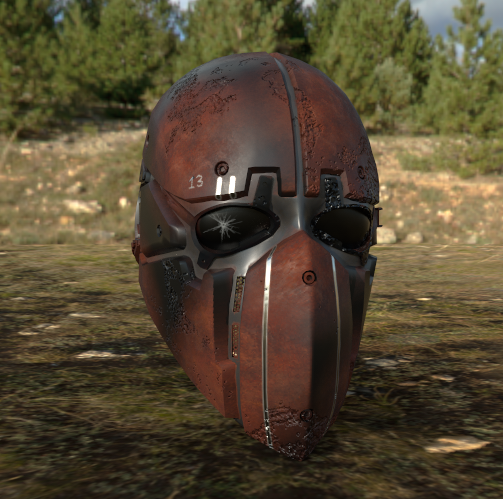
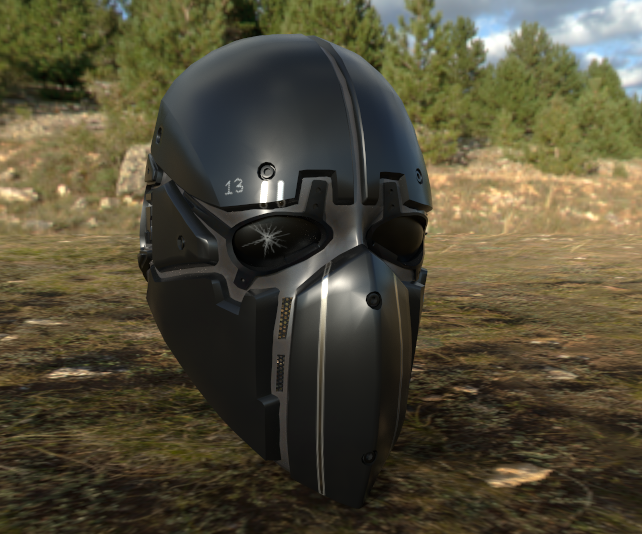


 woeful viper
i hate the stripes, it looks so awefull 😦 Walking on tanoa all i see is those stupid stripes
cinder pivot
Is visualex bad for vehicles/performance?
 eager trail
How close to the buldozer view should my textures look? They seem to look a lot better in buldozer than they do in-game.
Not sure if I'm doing something wrong or just need to tweak my textures/rvmat.
stuck oyster
the OB buldozer uses the old lighting so there may be some differences
eager trail
That would explain it, thanks for your help.
 obtuse rain
Matt: Are you using Substance Painter?
eager trail
yes
 sudden chasm
I don't suppose anyone knows of a way to have non clutter object inherit color from a terrains sat map?
stuck oyster
no way to do so
 lusty ginkgo
has anyone tried using the terrain .rvmat shaders on regular objects?
if so, what were the results?
lusty ginkgo
damn
stuck oyster
might have even crashed the game
lusty ginkgo
I remember setting an object to use the materials with hidden selections in a mission and I think it crashed the game so that probably is the case
 formal vapor
I wish BI would make a super multi-material shader with more than 4 materials and a enviro map cough @woeful tartan cough
It would be interesting to see what someone could do with terrain shaders on objects though. Maybe it'll work in buldozer.
 thin salmon
Does anyone know where to find to find a good arma player model for blender? I want one for scaling
woeful viper
if i had to choose i think i would prefer having parallax/displacement map effect for super and multimat shader over super-multi-mat tbh
formal vapor
The A3 samples should have something you can import
Or, how about a super, duper multimaterial shader with everything! Muhahaha
woeful viper
with everything, including worse performance duh 😛
formal vapor
The multi kind of sucks in the shadows. The normal super shader uses the enviro to make the normal "pop" in the shadows.
quick terrace
what?
median bough
@thin salmon
You could also check the arma2 public data pack for models
formal vapor
@quick terrace ?
stuck oyster
@thin salmon macsers arma rig or Arma samples from steam
thin salmon
I've tried arma3 samples but it always pops errors
formal vapor
You might be trying to import the max file
stuck oyster
how did you try it
formal vapor
You might be able to open the sample model in object builder and export it as an .fbx or .3ds and import that into blender
stuck oyster
that works too
but why not just get the toolbox addon and use p3d directly
and get rid of the middle step
like a pro xD
🙈
formal vapor
I don't use blender so I don't know anything about FHQT, but I would definitely recommend it @thin salmon
quick terrace
The multi kind of sucks in the shadows. The normal super shader uses the enviro to make the normal "pop" in the shadows.
can you rephrase?
@formal vapor
thin salmon
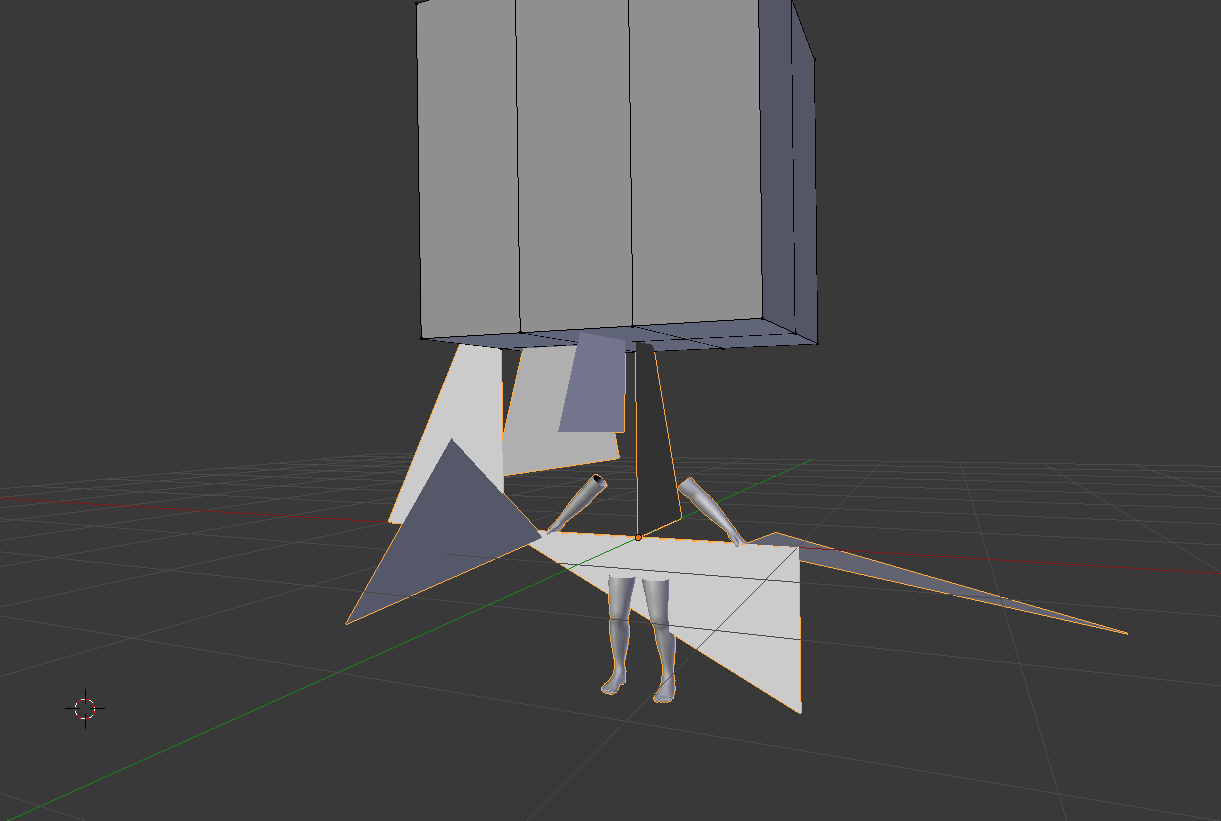
well attempt no.1 with FHQ was interesting
https://i.gyazo.com/1af9aab07ea7735efe7f144d25071faa.png
 formal vapor
With the multi-material shader the normal map doesn't show in the shadows. I would guess that's because the light source isn't shining on the specular map since it's in the shadow. With the super shader though you can still view the enviro-map, which apparently is affected by the normal map.
quick terrace
hmm, need to check that
because that is not how i remember it behaving at all. you using a proper ADS for that multi?
 olive quiver
hey guys, got a (possibly dumb) question. in O2 how would i find a memory points x,y,z location?
for a bit of context, im trying to get a model to be towable with leesh's tow mod and untill i figure out how to get it to lock onto memory points i need to find its coordinates
stuck oyster
does the memorypoint have named selection?
olive quiver
yep sure does
formal vapor
@quick terrace You're more than welcome to take a look if you like, but that's what's happening for me. If you know a secret please do share.
olive quiver
Awesome, cheers
formal vapor
I can put something together and send it over.
quick terrace
neah i can test that on my own (the fact that normal maps are no visible in shadows)
 agile zenith
Hey can someone explain to me how to "smooth" a object. I used to just throw a subsurf modifier on it but it increases the poly count too much. But i recently found a model for a balloon in arma that has even less poly's then my mesh but somehow is totally smooth? Pictures: https://gyazo.com/ff8f2a58e9aaabab1ce8d59c3a08c681 https://gyazo.com/f2d5a6cd715b1ce6400f2b7e4b8e69d2
stuck oyster
@agile zenith

Blender Artists Community
How to make soft edges in blender? I want smooth the following identified edges.(I don’t want to use edge split.)
agile zenith
Oh god, thanks! I was looking at the wrong places the entire time.
agile zenith
I was looking at http://friedenhq.org/arma-ii/using-the-fhq-arma-toolbox-for-blender/ and the subsurf modifier page
stuck oyster
ye its more in the basic model stuff sector that one
 viral cradle
@agile zenith Unless you're planning to bake details to a lower poly model, then there's no need to use subsurf. If you want edges that aren't razor sharp you could try the bevel modifier. It'll take a bit of practice though. I suggest doing a bit of research on it.
quick terrace
always bake them details ^
lusty ginkgo
for beveling edges I find it a bit easier to just make a selection and do them in edit mode in blender
you'll have to remember the size though if you want to add more later
lusty ginkgo
do the fogMode and mainLight parameters in .rvmats apply to all shaders?
ruby dragon
Please help me, Im apparently retarded 😦 I have arma toolbox for blender. I open blender, and I create a cube. I check the arma object box to make it an arma object. I export to p3d in a folder P:\myaddon\export.p3d Then I open the p3d in the Object builder, it appears to open the file, but the cube isnt there.... Help?
there is also no object in the middle list box, just 1.000 in the top right one
ruby dragon
Ty for response! Well I didnt do any transforms to it
I literally pressed shit+a
exported
well after checking the arma box
Ive been at this for days, and I cant find out what im doing wrong
lusty ginkgo
honestly I don't know why that might be happening
have you tried checking the selection only box when exporting?
 lusty ginkgo
it says there are points and faces
maybe it is the scale?
might be massive or something
ruby dragon
Im new to object builder, how can I rescale it in there?
lusty ginkgo
the scale shouldn't be different than it is in blender which is odd
ctrl + a to select all, points, transform 3d, scale
lusty ginkgo
try clicking the yellow 'X' button at the top
ruby dragon
Use Direct3d. Tried it, no changes
I am just at a loss because I dont know if its an export problem, a blender problem, an import problem or a object builder problem
It says it has 8 points, 6 faces, etc
lusty ginkgo
well it seems to be loading into OB if the info in the corner is any indication so I don't think it is import/export
yeah
if you create a shape within OB does that show up?
ruby dragon
Im sorry this is such a pain, and you have no idea how much i appreciate your help!
I will be honest, I dont know how
oh nvm
yes
i create a box, it makes a box with a pink checkerboard
lusty ginkgo
try pressing f5 to recalculate normals
 drowsy osprey
One message removed from a suspended account.
One message removed from a suspended account.
ruby dragon
@drowsy osprey NICE! i dig it
lusty ginkgo
try creating something in OB and importing the p3d into blender
drowsy osprey
One message removed from a suspended account.
stuck oyster
@ruby dragon what does it say the cubes dimensions are in Blender
drowsy osprey
One message removed from a suspended account.
One message removed from a suspended account.
ruby dragon
Radius: 10m
stuck oyster
ruby dragon
all is same as yours but unit scale is 0.01
stuck oyster
by default it should be 1
ruby dragon
Your guess is as good as mine
stuck oyster
well set it to 1
ruby dragon
When I do that, the Dimensions circled in your pic change from 2m to 200m
stuck oyster
yep
your cube is there in OB
its just 200m in size
and OB has trouble showing large stuff like that in the viewport
lusty ginkgo
thats what I thought might be the issue
ruby dragon
Now when i try to open in OB it says "Unable to load file. Load error."
lusty ginkgo
did you actually preview when scaling down earlier?
stuck oyster
never seen anyone having unit scale messed up tho
ruby dragon
all i did was set scale to 1 and change 200m to 20m
lusty ginkgo
in blender its usually 1:1 with the tools so that is odd
stuck oyster
@ruby dragon you may need to restart blender
sometimes the p3d gets stuck in the plugin
close OB
ruby dragon
ok
ruby dragon
ok
stuck oyster
and re expot
also
when you edit the unitscale and stuff to be correct
save the startup file again
ruby dragon
restarted, it did it again
stuck oyster
so you always get the right settings
stuck oyster
yes Blender opens a startup Blend where all the settings are stored
lusty ginkgo
one of the most common problems I have encountered modelling for anything is inconsistent scale so if you have similar issues that should be the first thing you check
and of course apply the scale transfomation in blender before you export
lusty ginkgo
glad it works
ruby dragon
ty soo much!
now if its not too much to ask please, check my math here. All i need to do for texture/material is to create one in blender for it, export that, convert to .paa, set it as the texture in the arma toolbox in blender, and export yes?
stuck oyster
well yes
lusty ginkgo
you need a texture (.paa) and a material (.rvmat) and in the .rvmat you configure the normal map texture and that sort of thing
but yeah
ruby dragon
wel idk what an rvmat is and the instructions with arma toolbox said it was optional?
lusty ginkgo
just look at vanilla .rvmat files for reference
it's optional in the toolset
but your object will look odd without one in game
lusty ginkgo
a3\data_f\default.rvmat Just set it to that in object builder if you don't want to make a custom one
ruby dragon
ok
ty
is this the surface painter people are often using in tut vids?
Like.. its priced the same as an Adobe app per month... thats insane
stuck oyster
welllll you could get only the substance painter I suppose
but its not a mandatory tool
its just popular right now
ruby dragon
ah ok
So goat. I added a material and made no changes, then i added a texture. I loaded a jpg image to use as the texture. Can you tell me how to get this to the paa that i need to put into the material box?
stuck oyster
there are converter tools for that in the ArmaTools package. Either texview or the newer ImageToPaa
ruby dragon
OH I just need to convert the image im using for a texture and remove the texture in blender!
stuck oyster
also look up the sizer rules textures have
and dont use jpg if possible
its not very good texture format
ruby dragon
does the paa need included in the pbo ? WORKING: P:\myaddon\thing.p3d P:\myaddon\tex.paa DONE: @Mod \objects\thing.p3d
in the editor it says error: myaddon\tex.paa not found. I tried addint myaddon\tex.paa to the pbo
didnt work ive got that paths wrong?
ruby dragon
Anyone?
 strong plaza
try removing P:\ from your path
timber cobalt
can somebody explain to me why glass gets all funky after triangulating a model?
before triangulating:
https://www.dropbox.com/s/i04l7vijp5g0i66/20180630121146_1.jpg?dl=0
after:
https://www.dropbox.com/s/3p8zt12rzeps96k/20180630121140_1.jpg?dl=0

 quick terrace
@timber cobalt pretty weird that the UVs get fubared. do you triangulate a mesh that has normals maps baked?
timber cobalt
the glass itself has no normals, but the stuff under the glass does
oh that is not entierly correct. my glass has normals too. I use vanilla rvmat for the glass
quick terrace
are the faces on your islands not welded (the vertices)
 quick terrace
there are cases (i know it happened to me)
where the faces are not welded to other faces, inside the UV islands
in my case, as a 3ds max user, there was a UVW script that was causing it
so each individual face was indeed unwrapped, but each was on itself an islands
quick fix was welding all vertices with a small distance threshold
timber cobalt
🤔
quick terrace
other than that i have no idea what could be causing it, because i never actually had that sort of issue. but do check your UVs after triangulating (inside oxygen i assume you are doing it)
timber cobalt
I do it in blender
but I kinda found a fix for it. Faces->Move top in Object builder on the glass selection
quick terrace
you have overlapping UV islands as far as i can see
timber cobalt
but then if I triangulate it, I get these lines

yeah that I do. I have some mesh that are sharing UV space
quick terrace
do you have some other mesh behind that stop (glass selection)?
timber cobalt
you mean in the UV map?
quick terrace
no, i mean a mesh behind that stop
also, yeah, is that area overlapped in the UV?
try an f5 on that glass selection (recalculating normals)
timber cobalt
the glass is on its own UV map with nothing under it. but Im not sure what you mean by "stop"
f5 in Object builder right?
timber cobalt
ok
timber cobalt
I really suck using Oxygen. I do almost everything in Blender -_-
f5 didnt do anything. The normals was already recalculated in blender
Dont know why "Faces->move top" in object builder kinda fixes that funkyness
But I still see that line from when its triangulated
quick terrace
because that is how alpha works
timber cobalt
Guess I can triangulate everything except the glass piece to get around it. Still bothers me though
quick terrace
from that image i am not sure if the line is from the back stop light or from the glass on top of it
it is mandatory to triangulate stuff when you want to bake normals
instead of tringulating that face on auto, see if you can connect the other 2 verts (the top left to bottom right diagonal)
manually
timber cobalt
You mean connect the glass piece to the body? Atm the glass is a separate mesh
quick terrace
nope
i mean connecting the other 2 vertices
the face before triangulating is most likely a quad
you can have 2 triangles in a quad, depending on diagonal (left right, right left)
timber cobalt
Alright thanks so far
stuck oyster
is the edge between the faces sharp or soft?
quick terrace
oh yeah, sharpness as well
timber cobalt
@stuck oyster soft
stuck oyster
do both faces have same material and texture?
timber cobalt
Same material, different textures
stuck oyster
different texture on both faces of the glass surface?
timber cobalt
I think I forgot to say this, but I have 2 glass textures here. One that covers the whole lense thing, and one under it on the lense itself
The cover uses a light grey texture with alpha
The one below is red with alpha
stuck oyster
if you hide/remove the red one is the line still visible?
or you could sort the red glass part on top
then the whole cover
 edgy yew
Hello
I think this is the right place to ask
Does anyone have a comprehensive guide on how to import a model into A3?
Im talking start to finish (excluding the moddeling)
I have some models that I would like to import into the game
Scripting and stuff should be no problem but every tutorial seems to be different
bold flare
What kind of model? Just a static object?
edgy yew
@timber cobalt thanks, I might try a helicopter later
edgy yew
isn't flight physics hard to setup tho?
timber cobalt
Yeah true you should start with a plain static object
edgy yew
I have this
Stationary Artillery model
and anohter stationary AA rocket
should I try those first?
timber cobalt
So you just want them as props for starters?
stuck oyster
Bohemia Interactive Forums
Hello,
As I had many requests, I did this all-in-one tutorial I am sharing today. I hope it will be helpful to you.


All important stages are...
this could be useful too
@edgy yew expect that you will not find full step by step guide though for everything so you will need to figure stuff out (like the physx) by looking into the Arma3 sample models and BI wikipages and BI forum
also the top 2 links here show how to easily set up the tools and development environment (P: drive) right
edgy yew
@timber cobalt I have a few models, I want to import them into A3 and eventually make them work properrly and compile them into a pack
The models are pretty much done, but now I have to import and configure them
I have a few weapons, vehicle(s) , and some static launchers and turrets
timber cobalt
ok gl. I think you'll find alot of useful stuff in the tutorials posted
edgy yew
Idk if I can share pictures
need to look that up
but for example
the static launcher
is a copy of this one
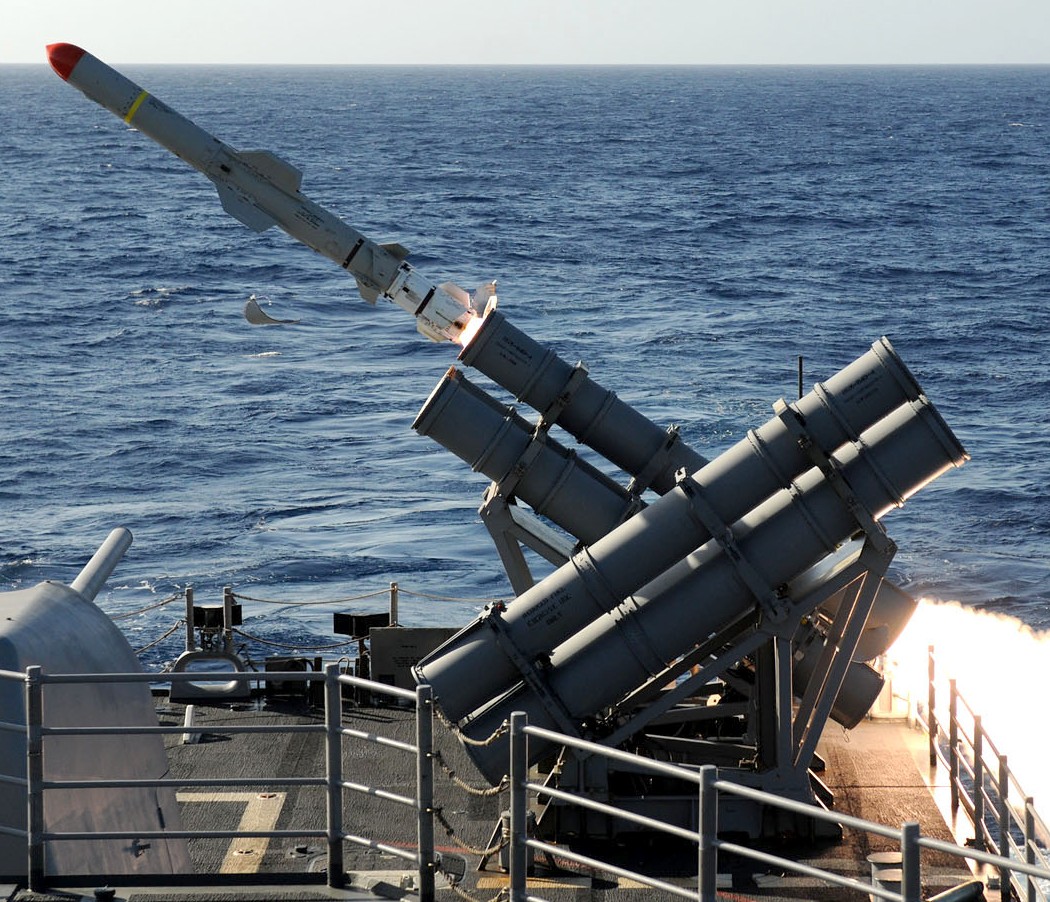 stuck oyster
but for instance if you have sent a pic to someone on discord you can use that link here too
edgy yew
I don't want redundant stuff what other mods already have
but just as I wanted to use this model to test import
BI announces jets bonus DLC with one of these
but I still plan on doing it I guess
if I can everything to work
timber cobalt
@stuck oyster @quick terrace it works now for some reason. Not exactly sure what did it. I re-UV mapped the glass and put faces on top
I also reapplied the glass material
edgy yew
yo
how do I rotate in object builder
I need to turn the actual object and not tilt/change the camera angle
In front view
I want the butt stock to be on the left side and the barrel facing to the right
nvr mind I got it
stuck oyster
@edgy yew what do you model with? I would probably be easier to make everything ready outside of OB
stuck oyster
well for the future at least could be worthwhile to make everything ready before taking stuff to OB
edgy yew
this is my first time doing this, According to the tutorial the weapon should be like that in the "front view" in OB
stuck oyster
also if you happen to model in Blender you can use ArmaToolbox plugin to do almost everything in Blender and export directyl into p3d
edgy yew
wait seriously
stuck oyster
yes
stuck oyster
you did not make them then?
stuck oyster
well then you got to do it the traditional way
edgy yew
familliar meaning I have watched a few more tutorials on 3ds max
I can try to import them into blender and then directly into a p3d right
stuck oyster
word of caution though about using models from the interwebs. Make sure they are not ripped from some other game
edgy yew
IIRC ripped models can only be used privately right
distributing them on the steam workshop is insta ban or not
doesnt that chinese guy that makes KA weapons pack rips some of his stuff
he uploads them once in a while and tells his subscribers to quickly make a local copy before it gets removed
but then again I don't copyright translates into chinese
stuck oyster
Endorsing any ripping is morally wrong and will have other consequenses in the community if you get caught using them
you dont for example see mr KA here
 oblique vapor
Hey, looking for someone to do a rigging job of a character mesh. DM if interested
bold flare
@oblique vapor #creators_recruiting
oblique vapor
Oh wasn't aware of that channel, thanks
edgy yew
does anyone know
how to import P3D files into blender
do i need an extension from somewhere
ruby dragon
Arma toolbox
Plugin for blender that will allow you to import and export
So um, with blender, how do we setup collision?
stuck oyster
for Arma?
ruby dragon
Yes
stuck oyster
like in OB
ruby dragon
Ive got my object in the editor
stuck oyster
make a geometry object
ruby dragon
but players can walk through it
stuck oyster
it still needs to adhere to the same Geometry rules arma has
all parts of the geometry lod must be convex
must have mass
and must be named componentXXX
ruby dragon
It has a mass, its set to 1, but there is a mass
stuck oyster
what type of object is it?
ruby dragon
joined planes
stuck oyster
why is the mass 1
ruby dragon
tbh im not so much worried about the collision per se, but i cant get any menus to pop up
create a plane, duplicate it and rotate 180 on z. join them. duplicate that, rotate 90 on z, join that
well flip normals in there too
stuck oyster
no that does not work
ruby dragon
Shows up in game properly
ruby dragon
just left the arma toolbox default
stuck oyster
do you have a mesh in the geometry lod?
stuck oyster
then you have the resolution lod for it
which is the parts you can see
you also need separate lods for different functions of the game object
like collision needs geometryLOD
also
if you dont already have them
get the Arma 3 samples from steam
and look how they are made
stuck oyster
arma properties tab
ruby dragon
well all it has is LOD Preset which is set to custom
stuck oyster
yes
stuck oyster
that is the "resolution" lod 1.00
you go read that link now
then look at what that particular dropdown menu in arma properties offers
in Blender it works by having a separate object for each lod you want to export
ruby dragon
and what if i only need 1?
Its such a simple object there would be no gain on lowering it a further distances
stuck oyster
then you dont need more
simple as that
but if you want collisions or shadows then you need to make those too
ruby dragon
hmm. well i do remember i read that before and it said something about geometry physX
but when i click that from the dropdown, there is only 1 thing to set and that is the mass
If this matters, Im trying to use just blender. Not use OB at all
is that my problem? I hate that thing
stuck oyster
and in arma modding if you want to get anything really done you got to let go of any silly hate about the tools
ruby dragon
I respect that I do. TBH, once i finish this mod, im likely to either leave Arma modding, or at least stick to code-only mods. But Ive got many hours in this one and want to finish it
stuck oyster
when you have 4 years+ into a mod we can talk about hours.
ruby dragon
lol no I dont have 4 years, but still dont wanna scrap a project if i can avoid it
graphics / modeling arent my strong suit obviously. And if i must dabble, I need an engine thats more n00b friendly. So enabling physics on the object in blender such as collision or rigid body is useless ?
Also, things are a bit tougher in this case, im creating an exile mod. So im creating a mod for a mod for a game lol
stuck oyster
yes
read the lod page
and look up that blender to Arma tutorial post on BI forumst - editing - modeling
ruby dragon
Must have 'Mass' (Alt-M).
so if it has mass, even if its low (such as 1) is that going to work?
Or does it need higher?
stuck oyster
no if its not the geometry lod
Import the Arma sample house into Blender
study that
ruby dragon
I have but will again. How do i translate it into what needs to be put into the arma toolbox?
stuck oyster
when you import it with the arma toolbox p3d import it has all the arma properties set up
for each lod it has
ruby dragon
Ok, thanks as always for responding Goat 😃
 latent trail
Hey, Is there any guides for setting up hiddenselections/camo?
 worldly belfry
Set up and name the selection in objectbuilder, add your hiddenSelections config under the class and include the sections in the model.cfg
sturdy parcel
best example of how-to you can get is the 5t truck or if you're old enough to remember it, the Russian Ural. Both use the same model, but cleverly hide the canopy, or the fuel bunker, or the repair tank to make them different, visual, models.
if you don't have access to the unbinarised versions, eliteness will extract the all-important model.cfg for you, and show you the releveant lod(s) and named selections.
so if it has mass, even if its low (such as 1) is that going to work?
as the Goat has mentioned, mass only has relevance in the 'geometry lod'. Which sounds fine, but which geometry lod <grin>. If you only have one visual lod in the p3d, that is the geometry lod. If you have phsyx lods (two types), they and the boyancy lod is also a 'geometry' lod,. And via a mistake they made in bis binarise, mass MUST *also *be stated in these other types. While it must be present, it is not, actually, used.
 outer condor
Vertex buffer needs to be created before rendering. Out of memory? ww2\assets_m\vehicles\planes_m\if_fw190f8.p3d
c:\bis\source\dev\futura\lib\object.cpp(2260)(func: Object::DrawSimpleInstanced) [AssertNoDlg] ThreadID=1148 cb.GetCB()<0```getting crashes with planes. any ideas what these could mean?
 worn lintel
Hiya lads. I recently obtained permission from someone to use their model in a mod that’s in development. The issue is however he no longer has the source on his PC and the one on armaholic is binarised (as expected). I was wondering if there’s a way we can unbinarise the model ourselves?
 simple lake
@outer condor sound like to detail LOD or Vert count in total for p3d
i think i had when shadow lod sent total over limit or Shadow lod was to big for single lod
outer condor
it appears to happen actually when the plane crash
its either the impact itself or something with the wreck model
simple lake
maybe wreck model is too complex or non existent
sturdy parcel
also check the binarise log. as noisy as it is, it's valuable info which might save you hunting where the error is happening.
outer condor
not much in rpt/debug.log
sturdy parcel
i meant the binlog that bis binarise produces.
@worn lintel Tim Dittmar will reverse engineer the p3d for you providing you can prove ownership. Anything less than that, and no-one is interested in helping you.
worn lintel
Of course, where can I get in contact with Mr Dittmar?
sturdy parcel
he's on discord. moment....
worn lintel
Thanks 😃
sturdy parcel
@white jay
worn lintel
Thanks Mikero 😃
sturdy parcel
hayppy to help., but understand the above request and the way you phrased it is a typical ploy of the thieves. That, undoubtedly, is no fault of yours, but just be aware of the high alert status such requests make.