#arma3_model
1 messages · Page 114 of 1
 bold flare
 stuck oyster
they work when set up just right and used just right
what is just right not many know though
 wet blade
yea... I was trying to make a terrain like 2 years ago, I just ragequitted after importing heightmap
 sturdy parcel
no-one is having a go at you or sniping. They're asklng these basic issues of did you read the pmc tutorial (for terrains) and did you run arma3p, because they go thru a mental checklist of causes that it CANNOT be, when you do.
a3p is a free tool because it is the culmination of dozens of seasoned vets each finding various causes of wrongmess.
stuck oyster
yeah and sorry for being snappy like that. The previous hour was just so fresh xP
sturdy parcel
haha. take your pillz
 white jay
@woeful viper Thanks X3KJ. Actually, the textures are 4K. There is only one rvmat so far, glass, perfectly working in other model. But, you pointed me to the right direction. I found the reason - there were no mapped parts of the model (no UV, no textures). I deleted those untextured objects and the textured parts are OK now in Buldozer. Thanks @woeful viper, @polar fiber , you guys both helped me to find the solution. 🍻
 onyx carbon
Is there a rule of thumb on how small the triangulation should be on the shadowlod?
 outer condor
 fossil raft
Dunno if anyone had ever contemplated making a Vodnik model from scratch, but I stumbled upon a pretty nice site featuring photos of nearly every angle you can imagine. I'm still giving it a try, but my modelling experience is all of two weeks. Maybe it can help someone in here!
http://www.primeportal.net/trucks/yuri_pasholok/gaz_39371-221_vodnik/index.php?Page=1
onyx carbon
Thank you Kju! Mainly curios due to lightning issue i've seen posted when somebody lights the area up with a flashlight
 fervent steppe
Some more work
outer condor
is it known under what circumstances cursorObject cannot pick up a terrain object? maybe bugged or missing geo LOD, or another?
stuck oyster
Id suspect missing geo lod. what kind of object is it?
white jay
getCursorObjectParams has limitation of 50m distance from the player to the target. Maybe this one? There must be some distance limit for performance-wise reasons.
 pure whale
I just fucking dont@get it
 tacit badger
hello, ive been having trouble with my model in terrain builder, 1) it is not being marked on the map and 2) the doors are not working, but they work in editor. 3) typeOf cursorObject returning "". I have tried comparing with the sample building but cant see any reason why this is.
sturdy parcel
youll get your answer in terrain makers it's a well known issue.
for now, read this:
https://community.bistudio.com/wiki/The_Land_xx_class
outer condor
@stuck oyster dragoon teeth on Omaha beach
stuck oyster
@outer condor could it be as simple as what mr Wellington there has as issue?
does it have a class
outer condor
yep
tacit badger
im packing with pbo project, ive fixed it, was the land_ and class name matching p3d name
ty for help
 lethal axle
Anyone got a simple tutorial for making small items/static objects? Preferably any using FHQ Toolbox?
stuck oyster
what steps are you missing? Have you read the FHQ Toolbox BIforums topic?
stuck oyster
@lethal axle
lethal axle
there is a BI post? I found it through FHQ site, I am more new to modelling for Arma 3 but have experience with blender is why I was asking about tutorials using the toolkit.
stuck oyster
yes there is a thread and I recall it answering at least some of the basic usage questions
lethal axle
okay, I will search for it when I get some time. Thanks
 olive quiver
anyone with substance painter experience know what export settings should be used?
 dark flint
anyone ever made a bike in arma 3 that isnt shit? because in exile the bikes felt super shitty is it because they are badly made with dampener or is it shit in genereal and is it a own "config" or just a very slim car? what tops it from falling on the side? ^^
stuck oyster
using the car simulation is pretty much mandatory
no 2 wheeled physx vehicle simulation type available
stuck oyster
what bike?
dark flint
A2 ported one
stuck oyster
as a car or what?
dark flint
no in general
stuck oyster
The bike simulation type does not work right in Arma 3 afaik
none of the X-less classes are supported officially anymore
dark flint
i was wondering if it has something to do with shock absorber if someone would make a bike take the config from a quad with more "shock absorber" would it be possible to make driving in terrain feel "smooth"?
stuck oyster
probably
dark flint
and is there something that stops from tiping over some kind of config?
stuck oyster
would need good fake wheel setup and so on
dark flint
when in the air*
dark flint
mhm
stuck oyster
A3 is not motocross rally game 😜
dark flint
cause the dirtbike in Battlefield 3 was super fun 😄
stuck oyster
A3 not even close to BF 3 in just about anything
setting is similar
and thats about it
dark flint
hmmm 😕
stuck oyster
arma does not do too well "fun" physics
stuck oyster
theyre not bad
dark flint
https://www.youtube.com/watch?v=WV6ImiPI34s
Arma 3 PhysX Playground
stuck oyster
just what you refer to as fun in more arcadeish games may not quite work natively in Arma
in any case. CarX simulation is your only choice for any wheeled vehicle
dark flint
yeah also the collision between 2 vehicles or sometimes the tanks when u drive and turn around sometimes it pushes u super weird in one direction when turning with a tank
 violet vale
So here's a thing. I'm creating a static object, which is rather large, and it dissapears before my render distance. Any way I can fix?
bold flare
if object view distance is lower than general view distance. That happens
stuck oyster
how big an object?
there are limits to what is workable in Arma
and yes increase render distance
@violet vale
 lusty ginkgo
@Rasputin you can have objects that render as far as the overall view distance we were just discussing it a couple days ago
 hexed fulcrum
hello, i finally manage to made my 3d assets for my terrain textured and imported in to OB now im reading about geometry and lods types.. but for this type of object what i really need to ? http://prntscr.com/jm36tb
it is basically a runway but i meant to copy it and modify it as other roads part and meaby some walls
hexed fulcrum
hello i have few quesitons
- since is a lowpoly model is ok to have only 1 lod? (0.00)
- i notice that each lod have his surface assignment on the normal lods in this case 0.000 its obivius i need the image file and the .rvmat but for the other lods like geometry or roadway its necessary to assign them textures or rvmats?
- what memory lod do?
- in the geomtry lod i need to put a mass value.. this value is 1.0=1kg ?
thanks
bold flare
geometry surface is for bullet impact effects. I think roadway surface is for like.. walking sounds and whether walking creates little dust thingies
 static fulcrum
yea
but geometry is with rvmats
and roadway with paa
for example a3\data_f\surfaces\beton.paa
hexed fulcrum
so if i delete the roadway lod i still have walking sound and collisions for infantry?
static fulcrum
and aren't the memory points for snappingpoints?
bold flare
You will have the sounds of whatever they are walking on. Without roadway they are not walking on your model. And if your model still has geometry the player may bug around and won't be able to walk at all
hexed fulcrum
im getting confused
static fulcrum
to put it in an nutshell for basic roads - do 2 LOD's 0.000, Roadway - 0.000 put in the properties Class=road and Map=road, roadway just an plain as surface to walk on and add a3\data_f\surfaces\beton.paa as texture on it
the it should work
plane*
wet blade
when you delete roadway, your character will start "floating" above the geometry lod
static fulcrum
Geometry = collisionbox and roadwas = surface the player can walk on
hexed fulcrum
ok i think i get it
static fulcrum
Falcos btw released his source of the e76_roads maybe take a look at that 😛
hexed fulcrum
its that its not really only a road because its not flat
so i also need collision for sides like walls
stuck oyster
@hexed fulcrum got pics?
hexed fulcrum
stuck oyster
runways with actual geometry might not work
stuck oyster
yeah no you need to make it a plane that then is flattened on the ground below it
Im pretty sure AI will have a fit if it tries to roll over actual geometry
that would classify as a bridge
hexed fulcrum
thanks still need answer for questions i made before
1,2,3,4
memory, mass, texture assignmen for each lod
static fulcrum
- yes it is
- roadway need texture for sound example"a3\data_f\surfaces\beton.paa"
- better not to do geometry with roads
stuck oyster
- yes 2. yes roadway uses surface texture and firegeometry penetration material
3 memorylod yes for snapping points
4 was answered
you will need it for named properties though
static fulcrum
sure you need it? Putting the properties in 0.000 should work too
stuck oyster
no never heard them working from there
not saying its not possible but afaik no all model properties are read from geometry lod
other lods may have stuff like lodNoShadow
wet blade
Edit LODs are used ONLY as a work space for editing ? are they totally removed during binarization?
static fulcrum
they're not removed
stuck oyster
but I had trouble with a vehicle mass distribution that tracked back to edit lod
static fulcrum
LMAO probably never would have thought that as an issue
hexed fulcrum
i see all of your answer buti dont get if the the mass value is in kilos?
stuck oyster
mass value should be in kg yes but its not something you need to get exactly right
static fulcrum
road (road or bridge)
There is no geometry lod, class= should be in 1st (and only) resolution lod of the model
so you don't need an geometry lod for roads
stuck oyster
👌
wet blade
well, I was getting shitloads of errors regarding bone sharing and I was wondering if it could be becouse of Edit LODs?
stuck oyster
damit discord why you autocorrect so badly xD
possibly if you have fixed all the other lods
static fulcrum
@hexed fulcrum all questions answered?
hexed fulcrum
yeah very thanks its ok... its just a mtter of putting all togheter an tryng the final results .. visually i can use buldozer but then i need to compile everything and see collisions ingame
static fulcrum
💯
hexed fulcrum
im also making some pratice with weapon modelling and 3d in general but i know that importing weapons in game its very hard so for now im sticking with simple objects.. a little preview: http://prntscr.com/jm46fq
hexed fulcrum
i notice that i have shadow generated from my object but i dont have any shadow lod how to disable shadow completely?
sturdy parcel
a p3d having one single lod in it, is also the geometry lod. One lod folks, not one reslod plus a a few other non res lods.
it was, in the past, predominately roads and decals (helipads) and (generally) had a resolution of zero.
neither the edit lod(s) or their sisters the shadow lod(s) ever appear in a binarised p3d. (what they might modify is a different story)
sturdy parcel
the primay difference between a genuine geolod and a psuedo single lod, is that a real one MUST have a mass specifed, wheras the latter must not. and the intention of the psuedo geolod is to identify the p3d to terrain making.
dark flint
Emissive maps on objects in Blender do they work when exporting with the arma 3 toolbox ?
stuck oyster
no
you would have to set up emissive rvmat for the parts you want to glow
oh
pls dont doublepost @dark flint
dark flint
@stuck oyster u have some wiki link to rvmats?
who use emissive?
but there is nothing about emissive
also nothing about emissives...
stuck oyster
check around A3\data_F\ for glowing examples
Emissive Arma
also if you highlit the above and hit right mouse you get the dropdown menu that also has search with google
 strong plaza
I don't think emissive is documented in arma anywhere, I learned about it from ToH
bold flare
I'll see what I can do when I have free time. I'll try to make a list of all the shaders and their parameters and clean the biki up a bit
Last edit of the only list of shaders on biki https://community.bistudio.com/wiki/RVMAT_basics was 3 years ago
Last edit on the actual list of shaders on that page was 9 years ago when the page was created by dwarden
tacit badger
is it possible to put a tile textured object into arma from blender? ive been trying for a while now and cant quite sort it.
stuck oyster
depends what you mean by tile textured object
is the model UV unwrapped so that the texture tiles or are you using some Blender tiling method?
tacit badger
using a blender tile method, in cycles render where you can change the amount on X-Y
stuck oyster
yes that wont translate to Arma unless you bake the texture
but that will reduce the resolution significantly
another approach for this would be multimaterial in Arma
that relies to the proper unwrapping of model and use of tiling textures
mutlimaterial is what buildings and large objects usually use in Arma
tacit badger
hmm, i was talking to someone about multimats and he said its quite a pain to sort out
stuck oyster
if you know what youre doing not at all
but its the only good option for large objects
if youre looking for easy modding and fast results, Arma is not the right environment for you. (not you specifically mr Wellington but everyone in general)
tacit badger
dw i understand that
hexed fulcrum
for disabling shadow casting for objects i need to create a shadow lod with no actual geometry or there is some checkbox somewhere in OB?
hexed fulcrum
i already read that but i need to set up that proprieties on all lods? shadowvollume lod must be created or not?
in other words what lod the engine use for casting shadow? all? only the geometry? or the first 0.000 lod... and what if the shadow lod its present or not.. and why arma need to use all these lods 😫
strong plaza
when I copy-paste a mesh in OB, why does the section count double? it still has the same amount of textures and rvmats
 hollow fulcrum
it has done this for as long as i can remember. as to why though, i have no clue. it's arma?
strong plaza
is it fixable?
hollow fulcrum
i usually just paste things into a new/clean p3d, that usually works. bit annoying though if you have lots of properties and things (i keep blank templates for most things for this reason.)
strong plaza
okay, that should work, thanks
I was actually going to do that anyway with these meshes
hollow fulcrum
think you can do it after the fact.. but can't recall that at the moment.
 woeful viper
opteryx - if you cut and paste the pieces with same mats/texture to a different lod and back (or just use the new lod), that fixes it
not very convenient, but that works at least
strong plaza
roger that
hexed fulcrum
any advice on fixing that specular cut? http://prntscr.com/jm8tfc
stuck oyster
needs hard edge
also you did not listen about the runway needing to be plane flattened on ground
tsk tsk tsk
stuck oyster
and youre sure it will work and planes wont just explode on it
hexed fulcrum
so all 3d object on the vannilla arma will make planes explode? 😅
and what do you mean with "needs hard edge"
stuck oyster
in the model
hexed fulcrum
use other words cant understand what you mean
stuck oyster
hard edge or sharp edge
face edge can be either sharp/hard or soft
if its soft it will try to look rounded
if its hard/ sharp it will look like it
hexed fulcrum
you are talking about smoothing groups on 3ds? or its a OB settings
because i dont know what this face settings are or where they are applied
stuck oyster
hexed fulcrum
so i need to select all the faces and press U to sharp all the edges right?
stuck oyster
preferably only the edges you want to be sharp
hexed fulcrum
since its a cube all the edges angle are 90° so i think they must be sharp
hexed fulcrum
i cant find any edge selection tool so i give "soft" to the 2 top faces and "sharp" to the side 4 faces right?
 polar fiber
there's no edge selection tool, but if you select the verts, it will sharped edges connecting those verts
more precise than doing it by faces, since you can then decide to select only the borders of the surface
doing it through the UV editor is also a sound way of doing things, if you're repairing face shading mistakes, since your UV border edges are often the sharp edges
hexed fulcrum
thanks now its blending right in buldozer http://prntscr.com/jm91z9
and yes i like things to be shiny 😋
stuck oyster
but you still wont take my word on the geometry runway chances of working? 😛
I mean sure it might work if you get lucky
hexed fulcrum
i will try it
hexed fulcrum
to be honest im making these because i was using taunus ones that have that issue you are talking about so im tryng to make mine
just to fix that >.<
and put shiny textures ofc
stuck oyster
you see the issue is that all objects have microscopic differences in height and position
and those differences are what will most likely cause anything going over them in high speed to bounce
and poof you go
💥
and Id easy up on the shine a bit personally but if thats how you roll then thats how you roll
hexed fulcrum
yes meaby i can tweak my rvmat a bit more.. now its time for ingame test so i can test the big-bang 😬
and i realize i cant test anything because mikero tools wont pack my map because i have to many objects without config 😤
stuck oyster
fix yer shizels man
hexed fulcrum
?
stuck oyster
shizels in this case being your stuff/things, also known as models/objects
hexed fulcrum
ah its like a english urban word or something (im not native english)
i will thanks again for the help
bye bye 👋
 foggy finch
StationMax - Yesterday at 23:21
http://prntscr.com/jm8yt1
i cant find any edge selection tool so i give "soft" to the 2 top faces and "sharp" to the side 4 faces right?(edited)
- Runways are like roads, they have to be planar/flat meshes.
- Any geometry (geolod/collision lod) will cause anything to land on it explode, trust me I've been there, this is why 1.
- Your mesh is not subdivided enough to blend to the terrains surface, it needs extra topology to bend the mesh to the terrain surface.
- Your shiny edge issue will most likely disappear when you fix the above and make your model planar as there will not be any UV'd hard edges in the model.
sturdy parcel
you see the issue is that all objects have microscopic differences in height and position
indeed they do. and they aint microscopic. (although I get the sense of your context). The technical reason for this is cell size. Only those four corners are baked-in-concrete accurate to 1cm ( heightmap elevations). The asl of everything within that cell is done by triangulation. The object's center of gravity is used as the point to calculate it's height asl. reasonably accurate, yes, precise, no. Further complicated by the pitch/yaw/roll of the terrain surface at that point, combined with the pitch/yaw/roll (if any) of the ojbect itself.
you are even more right about x & y positions. thier positions are only accurate to 6 digits. 1234.56 . On large maps, gaps in roads eg grow larger towards the bottom and left sides. There simply isn't the space to store the proper value in the ieee float.
This last comment is the primary reason for having shapefiles for roads, rather than objects.
 halcyon wren
Is it really the center of gravity? Seems needlessly complex to calculate that. I presumed it was center of boundingbox unless autocenter was explicitly set to 0, in which case it would use the model space center of 0,0,0
sturdy parcel
I keep using the term centre of gravity, but, it's the offset stated in the model from the centre of the bounding box.
halcyon wren
Ah roger. The COG is actually a separate item.
sturdy parcel
yes
halcyon wren
O2 visualizes it in GeoLod with a blue x.
sturdy parcel
I guess so, rotation et al, occurs from that point
'needlessly complicated. no, because it's only done at make wrp time and baked in.
halcyon wren
Neddleslly complicated, if it was indeed a calculated physical center of gravity.
BBox center makes all the sense. 😃
sturdy parcel
I won't argue, we will both be right.
halcyon wren
hahah, Its just a mixup in terms.
foggy finch
lol
sturdy parcel
my fault there
foggy finch
im gonna use that line in future mikero 😄
halcyon wren
It is the actual center of gravity.
Its relevant for aircraft flight behaviour, and even floating amphibous vehicles.
If I dont mean the COG, I refer to the "bounding box center", its reasonable specific to avoid confusion with the model origin, which is always 0,0,0 in modelspace.
The COG is influenced by the mass of each volume in the geo lod. While the volume itself could only ever extend the bounding box.
sturdy parcel
if the 'bounding box center ' is a position you can set within the bounding box, then that's the term i mean. That offset determines it's rotation point.
halcyon wren
Hmm... the bbx center should be not settable, it should be uniquely determinable through math only. So i fear what you found there is the root of the dreaded autocenter. 😮
 obtuse rain
I think if we're talking about deciding on nomenclature we should call autocenter "it that shall not be named".
And by "set" maybe Mikero means that it's set during binarization (while at the same time all of the vertex positions are moved to make it (0, 0, 0) in the ODOL).
sturdy parcel
ok. to give a clear example of what i mean, a house normally has an offset declared in the p3d so that foundations are buried under the ground.
that is realistically NOT the bbx centre
obtuse rain
That's the 0 point in the MLOD.
sturdy parcel
still not helpful. what term do you guys use to manually move it to where you need it to be? (I can come up with three different names in c++ code from various authors, but that isn't helping here.)
damn, gonna have to fire up oxygen2 or it's friend
halcyon wren
Yes, the bbxcenter is not relevant for the vertical component. Autocenter still messes with it, though.
I deal with it by just having autocenter = 0 in all my assets.
woeful viper
Coordinate Origin
Center of Bounding Box
Center of Mass
"Default Resting Position on Ground"
all different things potentially
(though i think bounding box by default is symmetrical to coordinate origin in width and length by default, not sure if that can be changed)
sturdy parcel
I'll keep calling it cog offset, simply because I've called it that in Eliteness.
the term 'cog' (and it's offset) is that point in the model where it will rotate. if a 'center of gravity' means something different, well, too bad. for now.
obtuse rain
The vertical rotation point varies too (rotating with Eden vs SQF commands for example) and PhysX uses the COG from the mass (https://community.bistudio.com/wiki/setCenterOfMass) to rotate.
sturdy parcel
in terms of the p3d itself, the 'vertical compent' is the Y of the cog+offset (3dVector). and baked in. There are several, confusing terms (and functions) in sqf which affect the asl of the object which is held in a transform matrix, separate to the p3d itself.
perhaps it's helpful to point out here, that the original message was about 'mciroscopic differences' in height because bis binarise triangulates the height asl, from the four known heights of any cell. This is stored in the transform matrix of each model (not the p3d). The game applies that value to, again, what i call, cog+offset.
 teal remnant
is there a max limit on the number of windows that can be shot out on a building i have 54 and having issues.
sturdy parcel
milkman and i tested that, and the answer for us was 25
teal remnant
what happens when you go over it
teal remnant
even on windows 1-25 or did they work as planned
sturdy parcel
they worked as planned
teal remnant
humm ok i must have fooked up somthing thanks fella
halcyon wren
Its related to the bone limit, at least in arma2 I had that issue
more doors meant less windows
sturdy parcel
oh that's a really good piece of info.
halcyon wren
The bone limit is different for the various simulation types. I found that 96 was max for buildings in arma2 (when I did my killhouses with windows that had shutters I encountered this bug)
tanks and wheeled vehicles have a higher limit
teal remnant
thank you guys ill keep plodding on
 tacit shard
Hey so I'm working on a building and its using multi mats but I've got a really weird issue. In Object builder the uvs look perfectly fine in the uv editor but as soon as I go in game it looks like this https://gyazo.com/cf3a135ac2433e2dedcc26ee7cda1c28 what is wed is that the second uv set for the mc map and everything is perfectly fine because as you can see the details from the mc map is being shown. If anyone has any ideas or needs any more info please let me know. Thanks in advance.
tacit shard
Unwrapped in headus uvlayout but piped to max so the file never leaves max. Imported as fbx yeah
fervent steppe
@teal remnant I'm suprized at that. Because I've got one with 60 some and it's good.
@halcyon wren In a2 any more than 24 windows and the rest wouldn't work for me
just checked . i redid the arma 2 Villa and that has 69 panes of breakable glass
 quick terrace
@tacit shard there is an issue with FBX export and UVs + smooth groups
teal remnant
@fervent steppe any chance i can take a sneak peek at your model/config
fervent steppe
@teal remnant yea I'll send you the whole model if you want. Just have to be a bit later. I fell asleep on the couch lol. I'm headed to bed now. Give me a few hours 😀
teal remnant
kk thanks
sturdy parcel
In a2 any more than 24 windows and the rest wouldn't work for me.
i can easily be wrong about 25, i'd have to confirm with @fervent steppe , since we tested it together on the old flashpoint hotel.
stuck oyster
do you have proxies for the pylons?
pure whale
question about the building position function bi has
anyone know how it works and how to make my buildings work with it
does positions inside the model
stuck oyster
they are part of the building path lod
stuck oyster
well yes but the "pos1" "pos2" points need to be defined in the named selections
sample house has good example
halcyon wren
Dont name them manually!
Bi provided some o2 scripts for it. 😃
Select all the vertices you'd like as positions, then run the script. it generates the pos# named selections for you
paths.bio2s
pathsIN.bio2s does the same but for the "in" positions.
stuck oyster
👌
 agile zenith
Can anyone be nice enough to send me a human .blend file that i can use for size comparison?
stuck oyster
👌
strong plaza
why did nobody tell me about path script when I wasted hours doing it manually? 🤦
 minor jasper
@white jay cfgnonAIvehicles
dark flint
is green possible or is red always the way to go ?
and if green is possible whats the max height a unit can make a step up?
stuck oyster
you should do the red slope
dark flint
alright thanks 😃
hexed fulcrum
hello, i have a question about textures performance: if i have for example a single texture of 4k mapped to various objects of the same type or even different models then the game will just load the texture one time in the vram an stream it to all object? or the game will load multiple texture for each number of object spawned?
sturdy parcel
the 'texture' is held in texheaders.bin which contains the all important mipmap list.
individual instances of these mipmaps are sent to the directX engine, but there aren't multiple copies of texheaders.bin
hexed fulcrum
ok so spawning more objects with the same texture doesnt increase the vram?
just the polys that engine have to render
sturdy parcel
correct, AFAIK
in previous iterations of the engine, this 'list'was built during game time. Now it's done by bis binarise and formally baked in texheaders bin. In short, if you have a paa, you have a texheaders.bin describing it (and all other paX, in range).
hexed fulcrum
ok thanks.. also since you are here where i can get your "complete" tools version, and they are capable of obfuscating big pbos like 1gb or more?
hexed fulcrum
so why there are other pbo obfuscators for sell that are stricts to some size, and others can de-obfuscate my pbos if they also have your premium version of the tools?
sturdy parcel
wouldn't have a clue about 'other' obfuscators.
ALL pbos are restricted to a 2gig limit.
hexed fulcrum
ok so answer my 2nd question and ill buy it when i finish my project 😋
sturdy parcel
i have no idea where i come into this, my tools don't de obfuscate ANY pbo.
you are probably referring to maverick's version obfuSqf
stuck oyster
@hexed fulcrum frankly if someone wants to steal your stuff they will. That is the unfortunate truth
hexed fulcrum
im not sayng your tools deobfuscate things i just dont know much about it, so i just was asking
sturdy parcel
"and others can de-obfuscate my pbos if they also have your premium version of the tools?"
hexed fulcrum
yes just asking i dont know how this work
sturdy parcel
ah, i misread the question. my fault
hexed fulcrum
np
sturdy parcel
there is NO tool available, and never can be, that de-obfuscates.
there are tools that can crack open the pbo, but that's the beginning of the theive's nightmare, not the end of it.
hexed fulcrum
i was having a public server 2 years ago.. a little community i was getting ddos all the dey and other server owner stole all my stuff since i didint even know that mission file are saved to appdata 😩
now im planning on put everything on .pbos
jo i was asking for this reason
sturdy parcel
well, i don't want to go offtopic in this channel, but people confuse obfuscation with encryption. There's noting hidden, it's up to the theif to put the smashed jig saw puzzle back together
hexed fulcrum
yes lets leave this topic.. and thanks for the help
tacit shard
@quick terrace im not 100% sure its that though because the uvs appear fine in the uv editor and I just copy them over too the second uv set and they work fine there as well. its just uvset 0
hexed fulcrum
so my models seems to not have collisions and no bullet impact only walkable by infantry if there is no slope or i jump on top http://prntscr.com/jn0fr3, walking sound are working ...
hexed fulcrum
i fixed the bullet impacts but cant get the collisions to work
stuck oyster
@hexed fulcrum you need valid geometry mesh and each geometry part will need a componentXXX name (OB has find components tool) and each component needs mass of 10+
hexed fulcrum
now its working great i know the mass thing but idk why it was set to 0 by the way thanks i was getting mad because it was all correct
now i can say that i have made my first working 3d thing in to arma 👍
http://prntscr.com/jn1716
http://prntscr.com/jn18dq
hexed fulcrum
ofc screenshot are for testing purpose only im not going to make a runway to heaven
to be honest i dont even know how to setup airports in the map config but its not a priority for now
fervent steppe
@teal remnant Dude I didn't forget. I'm gonna get it over to you shortly
pure whale
how do you center the object builder viewport on a selected point
fervent steppe
You can move the pin that should do it
There's a button on the top. I forget the keyboard button. Maybe. U?
teal remnant
@fervent steppe thank you fella will look at it very soon
lusty ginkgo
https://www.youtube.com/watch?v=ye-C-OOFsX8
Not sure if y'all are aware but you can use photogrammetry to get somewhat realistic base assets from real world objects
I didn't know it could be done this easily and I found this video
I think it works best on more natural/abstract objects and not geometric shapes of any kind that need precision accuracy
anyway I just thought that was kind of cool and hopefully someone here can find some use with this method
outer condor
from what i understand @tulip beacon and his friend are doing this. @lone cipher from our team is doing experiments too
however it seems to require quite some post proccessing and polish. plus you need the right tools, good understanding of the workflow and decent 3d scanner hardware or camera with precise recording setup
 tulip beacon
well, we were trying to scan leaves, but apparently the camera (or method used) isn't good enough for that. Though it's relatively simple to scan macro objects. If you have a drone with good camera -- even buildings.
 pliant widget
idk if this is the right thread but looking to try get into modding for arma 3, mainly because wanna try hand at a scope idea
struggling find resources on modding for the game
minor jasper
@white jay the only difference between your config and my working one is
    class Proxyuns_suu11pod_proxy: ProxyWeapon
    {
        model = "\uns_missilebox\GUNPODS\uns_suu11pod_proxy.p3d";
        simulation = "maverickweapon";
    };
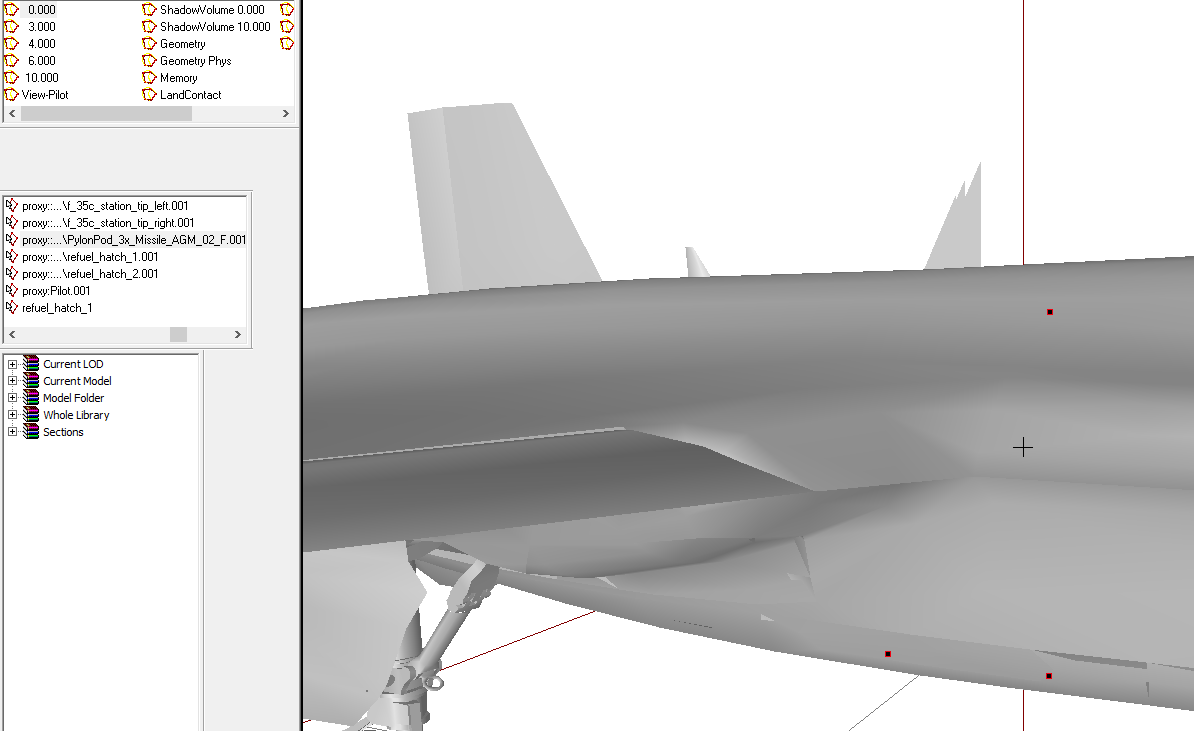
is the PylonPod_3x_Missile definitely one that is configured in CFGnonAIvehicles?
the proxy in the aircraft model is what needs the have pylonpod simulation
doesn't matter for the magazine model so long as the plane's proxy has it
minor jasper
ah that's a point, what proxy model are you using in your plane model itself?
\A3\Weapons_F\DynamicLoadout\PylonPod_3x_Missile_AGM_02_F
i use that for every pylon
polar fiber
that's the one he's using too, or at least that's what the screenshot suggests https://i.gyazo.com/c4a75b381ac4897101b8ca3163686961.png
index number is wrong though
proxiesID should be numbered based on what pylon they correspond to
all those appear to be ID 001
polar fiber
I see. I assumed the wingtips were configured too
it's got autocenter 0, right?
in geo
minor jasper
maybe some weird properites in the model?
 sacred grail
What should system units be set to in 3ds max for 1:1 scale export/import
stuck oyster
@pliant widget first off you need to choose what 3D program you want to use and then find tutorials for it to get familiar with the tools. Basic modeling is pretty much same with any game so there are not much game specific starter tutorials but most of them are made inregard of different techniques and tools, which is a good thing.
After that there are a bunch of questions answered on BI forums and even few "how to put something into game" step by steps that can work as a general guide on how things work. There might not be a guide for something specific you want to do and you will have to adapt what you can find to do what you want to achieve.
Then there is the BIwiki that has a lot of specifics explained ( like how configs work ) though it may be a bit hard to navigate.
Then there are the Arma 3 samples that also provide pretty good examples on different game object types.
Also this chat is a great place to get help for specific issues and we have a lot of knowledge packed up in one place here. Just the questions need to be specific so an answer does not take forever to write as we all are here on our spare time.
When you feel like setting up the development environment follow up the steps here:
https://pmc.editing.wiki/doku.php?id=arma3:tools:installing-steam-arma-3-tools
https://pmc.editing.wiki/doku.php?id=arma3:tools:setup-p-drive
pliant widget
thanks did game design in college so should be fine with model at least, but yeah implementing it ive no clue haha
 warm leaf
It is the ultimate exercise in many trials and many errors but extremely satisfying
Add -nosplash and -world=empty to your startup parameters and try and fix config errors early so you can restart Arma over and over quicker
tacit shard
Hey so I posted a few days ago about my building looking like this with a multi mat applied https://gyazo.com/cf3a135ac2433e2dedcc26ee7cda1c28 and have tried changing the import format and everything but still no luck does anyone here have any ideas?
quick terrace
yeah last time i had this issue, was related to FBX. try importing it WITHOUT smooth groups for instance, see if that works
if not, try exporting it from max (IRC) using BItxt script exporter
 formal vapor
I have a weird problem. Someone donated a 3ds Max file that was made with the system unit setting of meters and 1 unit = 1 inch. Now when I export a model that's suppose to be 23 meters long it comes out to about 11 meters long. Does anyone know how to fix this in 3ds max
The units was suppose to be 1 unit = 1 centimeter
I know how to change the unit setup, but it doesn't do anything to change the model already created
stuck oyster
scale it by x 2,54
formal vapor
Is there a way to scale the entire max file by that number or do I have to go object by object?
foggy finch
could select all the objects and scale (dialog menu) by 254%
formal vapor
that's basically doing it by hand
I found out though utilities - more - rescale - 1=2.54
Never, ever, make 3d files in inches.
pure whale
lol
bi hasn't put out any 3ds to o2 guides ever? they use 3ds for a lot of stuff right?
woeful viper
Yeah, how dare your "donor" make things inconvenient for you
formal vapor
na, he's a great guy. Makes good models. I think it was an issue with converted it to my version of 3ds max
Or it could be he had the units in inches for a specific reason.
bold flare
Or max "rescale world units" Had success with that everytime I used it so far
formal vapor
that's what I did unless it has it at another place
bold flare
on the utility menu on the right for me. That wrench symbol.
and then more->rescale
So yeah. I think you used that
onyx carbon
Anyone knows why object builder does this:
https://gyazo.com/570fa0633a32beae25f3665c61a68f91
bold flare
Does what? rotate it?
stuck oyster
@onyx carbon you must apply all transformations in Blender before you export it
onyx carbon
Sorry bad explanation from my side. So the Mesh is just one object and when added to Object builder it adds the lines
onyx carbon
All the transformations are applied
stuck oyster
all mesh is build from triangles basically
bold flare
the game renders triangles. not polygons. So you need to have triangles
stuck oyster
👆
bold flare
blender probably did that automatically when exporting.
As it is supposed to
you won't see these lines on your final ingame result
tacit shard
@quick terrace Im already exporting without smoothing groups apparently
onyx carbon
Ah I see, smart! Thanks! However when I apply the geometry the backside is not applied while the frontside fully works (thought the triangulation was the issue)
stuck oyster
backside?
there is no backfaces in arma
only the frontside is drawn
so when you model in arma better turn backface culling on
onyx carbon
Sorry that was simply for my explenation purpose, it's a wall and the "frontside" works while the "backside" don't get applied even though I made the entire mesh an geometry lod, I'll see of I can make some pictures of it (since my explanation skills isn't at the top atm)
bold flare
you mean the geometry lod doesn't work on one side? And you can just walk through from one side but not the other?
Does the whole geo lod have "weight"?
onyx carbon
Correct. Yeah the entire thing has a weight set
bold flare
is what you showed on the picture the same as your geo lod?
onyx carbon
Yeah I've copied the mesh and made that an Geometry lod
bold flare
the geo lod has to be convex
the thing on your screenshot is concave
you need to split it into two blocks. Basically split it in half vertically. where it get's thinner
onyx carbon
That explains things, my apologies. Thanks!
tacit badger
Could someone help me with my buldozer in OB?, in TB it opens fine and works fine, and earlier it was working in OB now im getting this error: https://gyazo.com/815296ab1246673f56106c06b97a195d
stuck oyster
have you set it to use Arma3_64bit exe or the normal Arma3 exe
tacit badger
yes
stuck oyster
well in OB only normal one works
yes but actually it needs a little fix
@ebon abyss could you add a little fix to the above page and put in line that says OB buldozer should use 32bit exe
@tacit badger
your OB config looks like this?
and have you set up P: drive with Arma3 p?
tacit badger
yes i used arma 3 P to setup p drive
let me check configs
yes it looks like that
stuck oyster
and TB buldozer runs?
stuck oyster
OB buldzoer?
tacit badger
yer
stuck oyster
restart your pc
tacit badger
hmm still getting the error
getting the error in TB now aswell
i could try running arma3p again, but i don't want to find out that i need to run it every time i want to use Buldozer.
tacit badger
yer
stuck oyster
dont
tacit badger
ok
stuck oyster
run it from the exe where its installed
or make a shortcut
to where ever its convenient
ArmaTools you should run only 1 time ever
when you install stuff
after that never
especially if you use mikeros tools to set up stuff the easy way
tacit badger
i dont have P drive to setup automatically is tools still ok to mount p drive?
stuck oyster
arma3p?
tacit badger
ok ty
 ebon abyss
arma3_x64.exe as buldozer in object builder crashes, use 32bit arma3.exe instead. new imagery courtesy of HorribleGoat https://pmc.editing.wiki/doku.php?id=arma3:tools:buldozer
stuck oyster
👌
sturdy parcel
that's th eprimary reason why arma3p does not use x64 at all. The other reason was at-the-time, x64 was beta and presumably buggy, so no-one would thank me, forcing them to use it.
is it now safe to change the settings (in a3p) to now use x64 for TB-buldozer as default??
ebon abyss
I have used arma3_x64.exe for terrain builder since it came out. not that I use buldozer much, but so far its been working fine.
sturdy parcel
thank u
ebon abyss
as HorribleGoat brought this issue to my attention today I tested with object builder, if I use arma3_x64.exe it will crash while arma3.exe works ok.
pure whale
holy shit
i figured out how to center the camera in obj builder
click c to move the centerpoint to your selection
then space to center onto that
praise the lord
this changes everything
minor jasper
Yes thats the pin
strong plaza
how do I disable the res lod casting a shadow?
onyx carbon
Konners we were talking about that a while back. Think the sample model is abit bigger
Opteryx Are you importing it from Blender or something?
bold flare
lodnoshadow @strong plaza
foggy finch
whichever lods you dont want to cast a shadow
quick terrace
@dark flint lol. average EU arch standars are 205-210cm height and 80-100cm width. add 10cm to that for ArmA's character (ideally 210-220 with more than 100cm width)
dark flint
hmh yeah they kind of need then when holding a weapon i guess
i expierienced some situations on closecombat missions that its hard to get into buildints and look a little sideways
in most games the collision of charakters is just the player but on arma its also the weapon he is holding wich extends it colllision to the front
halcyon wren
All my doors for my structures are 220 high and 110 wide. No issues so far ingame with it at all.
dark flint
alright thanks for the info 😃
if i model something in blender does the door needs to be part of the main mesh ?
dark flint
is there any benifit?
 fallen quiver
Well if u seperate it as a mesh u can name m differently, so u can easily select each part in object builder
However there's other ways to do it too
dark flint
hmh 🤔
fallen quiver
I mean if ur gonna have a lot of different textures, and u want to texture in object builder then its easier too
Or if u want to do a lot of animations
Its more like a convenient thing rather then real beneficial
quick terrace
especially if you want that door to be animatable, then no, it needs to be a separate mesh
ideally, try and model stuff as it is done iRL, will save you a ton of time.
dark flint
i try to do it in blender but i dont think that will work out that great
quick terrace
why wouldn't?
stuck oyster
@dark flint if you use the FHQtoolbox to export from Blender to P3D all you need to do is assign the door mesh part to appropriate vertex group and it will then have a named selection to be animated in Arma
as p3d export expects you to join all mesh into single object for export
you can model it separately before doing that though
 dapper girder
Need some weapon p3d and model cfg assistace again.....am i in the right place?
dapper girder
so trying to get the cases (blue) to rotate around the magazine following that arrow
so i think got it right?
but it wont show up ingame
it does show up in object builder tho, under "anim revolving"
stuck oyster
you need to set up a custom animation source for it in the weapons config that points to your weapon
                class gatling
                {
                    source = "revolving";
                    weapon = "LODR_WKMG_20";
}; ```weapon needs the classname of your weapon
so the engine knows to play this animation when this weapon fires
stuck oyster
cpp
class animationSources
then you set that class as your source for the cfg animation
you can name it whaterver you want
dapper girder
i guess ive never seen that before....cause that is present in class rifle
ah ok i found something called gatling in the A3 samples helo
class Gatling
{
source = "revolving"; /// returns bullets left in magazine of said weapon
weapon = "LMG_Minigun_heli"; /// this is the said weapon
};
found this
stuck oyster
yes that makes the gatling barrel rotate
dapper girder
class CfgWeapons
{
class Rifle;
class Rifle_Base_F: Rifle
{
class WeaponSlotsInfo;
class GunParticles;
};
class Ork_BigShoota_01_F: Rifle_Base_F
{
so if i stuff it under that Ork_BigShoota
stuck oyster
yep that should work
polar fiber
custom animation sources don't work on hand-held weapons
just use the standard revolving animation source in the model.cfg
bear in mind, revolving runs backwards
from 1 to 0
dapper girder
ooooooook
wouldnt that cause it to twitch back to a zero point?
not keep rotating in same direction?
polar fiber
the revolving source works based on the size of the magazine, so will rotate on every short until the magazine expends if you use the correct values
reload does indeed reset after every shot
dapper girder
but you just said it doesn twork cause its hand held
so, how can i use revolving source then?
polar fiber
I said custom defined revolving source does not work - that method is to get revolving working on vehicle weapon turrets
the normal revolving and muzzle-indexed versions revolving.0, revolving.1 etc. work on hand weapons
stuck oyster
👍 @polar fiber did not remember that anymore xD
dapper girder
cant find an example of this revolving
polar fiber
is usually in machine guns to hide bullets on the belt, though may have been replaced by the ammo source now
stuck oyster
you got mikeros tools? @dapper girder
dapper girder
probably havnt used in somewhile
stuck oyster
😄 well they would make Arma modding easier
I hope you dont pack your stuff with addon builder xO
in any case
stuck oyster
Mikeros eliteness can get you stats of p3ds and also model.cfg
well I hope you know what youre doing because Addon Builder does not discriminate with errors
but if it works for you
dapper girder
so what i am reading there.......is i need to have a seperate geometry for each individual bullet
with seperate names
and then config each individual one
polar fiber
if you're hiding them
if you just want them to rotate, you just need one bone and one animation for the rotation
dapper girder
i see, but it will reset per shot
guess have to live with that......cause sure hell not doing individual hide and rehide of bullets
alrighty, well thanks a bunch! @stuck oyster and @polar fiber
stuck oyster
well hiding them would make it veery smexy
its the little details that make stuff great
sturdy parcel
weapon = "LODR_WKMG_20";
do not use FULL_UPPER_CASE, ever. it is the preserve of #defines
stuck oyster
xD
sturdy parcel
full upper case is there to remind you, the author, 3 months later, that the name is not what it says it is, it is something you have defined elsewhere in the code.
the corrollary to this is all define names should BE full upper case. Not even microsoft break that rule.
dapper girder
interesting, ive learned its best to use only lowercase because if potential issues with linux
sturdy parcel
well, that's a (slightly) different story. Linux is CaSesEnsItive. So, trying to remember what the HeLLyouCalleDSomething is better to just stick to full lower to preserve your sanity. But, the define rule still holds.
A separate reason is that for some labels bis only searches for them full_lower_case. It's rare, but sufficiently hair tairing, that most people who've suffered always label in full_lower_case as a protection.
stuck oyster
            class muzzle_hide
            {
                source = "reload";
                weapon = "GMG_40mm";
            };
            class revolving_hmg
            {
                source = "revolving";
                weapon = "HMG_127_APC";
};```ive just copied the BI example with that tbh
sturdy parcel
and it's dead wrong. the above is an accident waiting to happen.
the same can be said for the contents of bi's commondefs,h
someone here will be keen to point out that becuase it's in quotes, it doesn't mattter. It's one hell of a bad habit to get into. The game doesn't matter either.
the reason is:
weapon = "GMG_40mm";
and
weapon = GMG_40mm;
are 1000% identical in binarised paramfiles. In actual fact, the need for quotes is unecessary for almost everything in bis paramfile
stuck oyster
I have this odd recollection in the back of my head that in this case it did not work without full uppercase
have to test it
might be just memory doing tricks
sturdy parcel
the reason why you 'see' quotes on decoded binary paramfiles, eg converted back to text, is it has become a 'convention' so that useful tools like notepad++ eg, can color them differently.
anything that bis cannot interpret as an number, is automatically a string. Thus:
var=this is number 22;
and
var="this is number 22";
are 100% identical in outcome.
var=this is NUMBER22;
its a very different story.
god help you if you are dumb enough to use the following 'waiting for an accident':
#define number22 aNythING
or not define NUMBER22 at all, because that was clearly your intention.
foggy finch
i find it good practise to encapsulate strings in quotes, many languages require it to interpret strings correctly.
also sanity.
bold flare
And to get rid of these pesky "unquoted string" warnings from armake 😄
build with -Wall and get 0 warnings. Otherwise you gotta go back to work ^^
 lucid nest
Im looking for someone to Make a a Custome Set of armor. If anyone would be interested plz DM me
bold flare
@lucid nest #creators_recruiting
lucid nest
Thanks, I didnt see that channal 😦
pure whale
how do you unhide points and faces in object builder that are visible in buldozer
wait
the entire interior is a proty
prox
wtf
nvm
woeful viper
why would it not?
sturdy parcel
i find it good practise to encapsulate strings in quotes,
me too. however, consider this:
model=PBO_PREFIX\some.p3d;
bold flare
-> model='PBO_PREFIX\some.p3d';
or personal preference
-> model=QUOTE(PBO_PREFIX\some.p3d);
lusty ginkgo
white jay
10/10 thats a nice rock
strong plaza
that's a big co.... um, rock
pure whale
smooth as a babys butt
 agile jackal
Can someone point me the direction of where i can find info or the how to import model cfg into object builder.
lusty ginkgo
the model.cfg just has to be in the same folder as the .p3d that is open
stuck oyster
buldozer - the editor preview function of the engine loads model.cfg of the model when you run it in OB
the model.cfg has to be correctly made though
what ties the animations class to your p3d is the name of the class and the name of the p3d
as they need to be the same
class yourthingie and yourthingie.p3d
BIwiki "how to animate a model" page should get you going
 dreamy imp
Is it possible to format before an animate? For instance, for '_i' from 1 to 45 do {this animate [format [bla%1],_i]};
bold flare
yes. you can use format in scripts.
dreamy imp
This is going to go in the config.cpp for the building
bold flare
but you have to use the correct syntax.. Like.. strings have to be strings
does the for loop even work in there?
you could use a macro to generate it
dreamy imp
Oh yeah, i just quickly done that for statement, i know there are issues with it
Yeah, i'm pretty sure the for loop works there
bold flare
depends what it is really. If it's just a SQF script then sure.. you can use anything SQF provides you in there
dreamy imp
Ok, ty
stuck oyster
so is that for userAction?
agile jackal
So i'm having a issue when i go to load the p3d file it crashs OB and i got the model.cfg so what is the reason for that?
 sonic valve
Can you use other slots like radio to have something appear on a charicter model?
bold flare
@agile jackal where does the p3d come from?
bold flare
in general. where you got that file from
agile jackal
off of Florida Keys map
bold flare
So some other mod someone else made?
agile jackal
ya
bold flare
apparently they don't know. the crashing p3d is not the source file
You need the source files, before they packed the PBO
agile jackal
But what i don't understand is that i was able to load of the tacobell from santa catalina in OB
and dosen't have a model.cfg santa catalina
bold flare
Maybe that one p3d you tried is just not available as source file. Maybe it's not theirs?
stuck oyster
Problem with using any relesed source material is that you never know if theyre made right. And unfortunately 90% of the time they probably are not.
 crisp badge
Hello! help with PBO my manager does not open it says that the file is incorrect format or damaged
bold flare
Which pbo? where did you get it from?
 median bough



 woeful viper
more like the right question was asked...
sturdy parcel
his english is poor, he started this in the terrain maikers channel, got a dozen varying answers. My guess is it's obfuscated and pboManager threw a fit.
bold flare
Oh.. In that case @crisp badge Cross-posting is against #rules . I'd advice deleting that.
Oh he posted in #community_forum too? Man.. Spam is also against #rules
sturdy parcel
it's very very tough for the noob to start with the right toolsets. they all grab pboManager in preference to having to understand the bewildering stuff in steam tools (or mine). Being a gui, no thinking is involved. Not realisng the output is binarised text and quite useless, they then venture into steam tools only to discover they're mostly broken (but don't know that until much later),, and so on and so on. The succesfull noobs have friends who put them straight.
crisp badge
all right guys I figured out with pbo, my partner did it specifically to check whether they can hack or not our pbo file we are doing a unique and therefore such checks are needed that there would be no plagiarism and I do not need to delete
sturdy parcel
there's nothing illegal or immoral in examing a pbo's contents, but altering someone else's p3d is completely verboten. (not true of most other pbo content)
crisp badge
please tell me what quantities of polygons should be maximum when simulating a backpack or other equipment outfit
I do not agree with pbo as a virginity if it was ripped off then count your model will be changed in any cases and altered to non-uniqueness so if there is a possibility that it would not be opened this protection is not superfluous
sturdy parcel
there is no tool 'out there' that will reverse engineer the later p3d formats. (ninja ripper eg does not work). unless you have the unbinarised version of the p3d, there's nothing to edit or change.
as for 'protecting' your pbo, that's a personal decision, but there's nothing illegal or immoral in anyone looking at the pbo's contents. It's often necessary eg for other people to access (via inheritence) YOUR cfgClassVehicles in THEIR pbo.
again, if they like the textures you made, they have every reason to use them in THEIR pbo.
not copy, not edit, simply use what you made available.
fervent steppe
if i have a broken wall with bricks laying about as a proxy...if the wall falls over do the bricks tip with the wall because of the proxy?
lusty ginkgo
you mean if the wall is destroyed normally because of the damage type?
It makes sense to me that that would be the case but I don't know if proxies can be moved during regular animations
fervent steppe
yea i'll just have to try it out and find out i guess...was wondering if anyone had already tried it
lusty ginkgo
if the vertices of the proxy being moved or animated also moves its model I don't see why it wouldn't work
sturdy parcel
it's a damn gppd question, but as already mentiioned the vertice point for the proxy does move since it's part of the model proper. I know the reason for this question, it's because you can't animate proxies. But moving the entire animal onto the floor isn't part of that.
it would be the same as saying you can't rotate the building.
it's a damn shame proxies aren't independent of the model they're baked in. It would have advanced oops modelling something fierce, where you polish of sections and they're done and dusted forever (including light switch, cupboard doors opening, and breaking class inside them). Hopefully a4 using the enfusion engine can cause that miracle to happen.
lusty ginkgo
So I have some faces in my geometry LOD that are missing but everytime I fix topology and close any open areas the same faces are removed after using component convex hull for some reason
same exact faces every time too
they aren't flipped either, there are actual holes in the mesh
obviously there is something wrong with my topology but I made all the shapes convex in blender before export so I'm not entirely sure where the issue is
it looks normal to me
I just removed those faces in blender before export and it seems to have resolved it
still odd tho
 paper cloud
Morning begins not with coffee.
Hello, guys. I want to ask you about the help. This morning textures in the bulldozer ceased to be displayed. Last night everything worked. Updates were not. In what can be a problem?
Thanks in advance.
paper cloud
The disk P is mounted by means of arma tools, in the normal mode, errors were not.
Ways did not change - rechecked directly.
Paths did not change - rechecked directly.*
Forgive for mine English))
stuck oyster
thats alright
where you you launch OB?
and what does the mass rename textures and materials tool say about your paths? are they red or black
and what do your paths look like?
paper cloud
Usually I launch by means of a label on a task bar.
mass rename textures and materials - all black.
P:\name_project\textures\data
when I launch OV by means of the arma tools panel and I launch the bulldozer gives the following:
stuck oyster
your paths have the P:\ in them?
that is wrong way
P:\ is the virtual root of the game engines folder structure
and if you put p:\ in the path the game wont read the path from the game packed files, but it tries to look into the P:\ drive on your computer
so no path must ever have P: in them
paper cloud
In this window the way is specified without P
paper cloud
ээээм... how to load the image?))
paper cloud
yes
stuck oyster
so you need to upload it to internet and paste a link here
to imgur or gyazo
or similar image hosting site
strong plaza
what constitutes being a veteran here?
paper cloud
stuck oyster
yes those are correct
problem is probably with buldozer and armaTools
try running the Object Builder from the installation folder
and not from ArmaTools
paper cloud
The result is the same - the textures are not displayed.
stuck oyster
does buldozer give any error?
you could try setting up P: with these instructions
the ArmaTools setup can be buggy
paper cloud
when I launch OB through arma tools and I launch the bulldozer gives an error message
stuck oyster
ah ok so I would suggest doing the PMCwiki setup
paper cloud
It is strange that till this morning everything worked.
The bulldozer gives such error message only when you launch OB through arma tools. Start through steam, by means of a label on a task bar or from the folder with OB does not lead to such errors.
how to be said: it is Arma))
strong plaza
Are runways just cosmetical or do they have some sort of surface property?
paper cloud
I solved a problem with start of the bulldozer an old method - arma3.exe renamed into the bulldozer. Now it is launched without problems, but textures are not displayed.
stuck oyster
The method in the PMCwiki is known to work so if you dont want to do that then its something what ArmaTools does wrong
sturdy parcel
there is NO relationship between a buldozer.exe and the game >you< have on your pc. the only 'buldozer' you can use is called arma3.exe. THe 'buldozer' bis ship is generally (not always) based on a stale old copy of arma3 and has to usesa different bin\config.bin as a result. Both O/B and T/B should be fired up via shortcuts on your desktop.
this was the mantra laid down by far more experienced modders than you , or I, will ever be right from the beginning of Arma3 BETA. It has never failed us,
the tools bis devs use and pass down to us, can never work 'properly' in our dev environment for two reasons:
a) we don't have acccess to their unbinarised assets so many assumptions fail.
b) we can't assume all assets used are working correctly, not faulty, and are actually 'there'. Bis don't have this 2nd issue because only working blah blahs can end up where they're needed.
paper cloud
The problem is not the launch of the bulldozer, but the fact that since this morning, for some reason, it has stopped displaying textures. Last night everything worked.
sturdy parcel
then a wild (but educated) guess is your p drive has changed.
you should never runAs admin. The p: drives are either completely different, non existent, or the same.
which of those three do you think happens the most?
small correction there. due to the need to run t/b in winXP mode in Win10, it silently runs As admin, but that doesn't affect model makers.
paper cloud
@sturdy parcel oh this language barrier)
I did not understand, you, but I will explain: a disk P I mount every time by means of arma 3 tools when I begin to work with models. I have no other disks P.
stuck oyster
the armaTools mount does not always work right
paper cloud
it is necessary to create a separate disk P?
stuck oyster
no but there is a different way to mount it
P: is a virtual drive
and can be created with the simple "subst" command shown here: https://pmc.editing.wiki/doku.php?id=arma3:tools:setup-p-drive
if you do it like instructed in the PMCwiki
and run OB from the .exe in the installation folder \arma 3 tools\ObjectBuilder\ObjectBuilder.exe
it should work
I can't really explain it any clearer than this
hopefully this translates right
paper cloud
sturdy parcel
I have no other disks P.
here's a surprise for you.
arma steam tools create TWO, separate P: drives
one for admin, one for you.
stuck oyster
you can scale 0 0 0 to it
stuck oyster
or use the P flatten tool
polar fiber
there is a snap fuction with the pin too but I forgot how to use it
ah yea, @slate epoch told me it a while back. You select the vert you want to move, then switch to the pin tool in the toolbar, mouse over your selected vert (vert will highlight as a blue square), hold RMB and drag the selected vert to the one you want it to snap to
stuck oyster
👌
 slate epoch
You can also select not only vertex, but whole object
strong plaza
very useful info!
foggy finch
is hiddenSelectionsMaterials[] array working currently?
seems a bit hit or miss for me
bold flare
Only works if the selections have a assigned default material in the p3d
foggy finch
they do
the base rifle loads textureset and rvmat perfectly,. the variants applied using hiddenselections however only apply the _co and not the rvmat
polar fiber
it doesn't work too well
 twin urchin
i never had issue with that , i only tested weapons so
foggy finch
yeah it works a bit intermittantly, sometimes loads sometimes does not
I was hoping to avoid cloning models for different sets but needs must i guess
polar fiber
putting the second .rvmat on another res LOD so that both are loaded with the model, might help sometimes
foggy finch
does that have any visual effect at distance?
i'd rather not cheat when it comes to loading materials 😃
polar fiber
shouldn't do, if the config is changing the materials on the selections anyway
foggy finch
yeah its loading stuff fine bar the rvmats, so basically throw the rvmats on other lods to preload them
seems hacky 😃
polar fiber
well my only other observation about loading them reliably was when the second .rvmat was present on another model
but in that instance, if you load the class with the second .rvmat applied by hsmaterials, before the class that has unaltered materials, it locks the original in its bottom LOD
there's a ticket on the tracker about that one somewhere
foggy finch
hm quite annoying drawback to a useful feature then
polar fiber
yes indeed
works great if you use materials on vehicles with vhc though instead of hsmaterials
but that's not an option for weapons, uniforms etc.
foggy finch
yea
oh well, clone the p3d's then, otherwise i'll be triggered everytime i look at em 😄
polar fiber
yeah, it's not too bad to do that if you only have one or two rifles anyway
less of an option when we have like half a dozen different M4s
sturdy parcel
they all look tike tokarevs to me.
I can't understand the obsesson with making 12 variants of an m16 rifle when much less energy could be spent creating buildings and structures which would dramatically change the nature of the mission you play in.
foggy finch
yeah but humans like shiney objects 😂
sturdy parcel
well if you folks must make penis replacements, make something interesting like a 1914 lee enfield, or as bis did, a kozlice. But please, no more ak47's
foggy finch
we'd need BI to implement proper bolt action mechanics into the engine, for now CBA requirement suffices
sturdy parcel
+1
or here's a real challenge, a cross bow. The game's now two decades old, and yet all the time each time someone makes a me-too rifle.
foggy finch
it still bugs me that the cheytec in arma runs like a semi-auto when its bolt action irl.
twin urchin
yup , thats BI giving no fucks
sturdy parcel
true
foggy finch
maybe we will get a fix for it with their recent push on improvements to existing things
twin urchin
well i wouldnt expect it , since it would require some new scripts to get hand anim going
foggy finch
yeah, but if built into the engine, the mechanics would be in vanilla and vanilla assets would be working as intended 😄
twin urchin
yeah but that will be with next game since dayz has it in engine
foggy finch
imagine the amount of bitching from people now though who are so used to a sami-auto cheytac having to adopt bolt action
twin urchin
well i and others were bitching about it since the start lol
you could technically add just the hand anim in but that would be too much work
since the weapon anim is there with bolt cycling
foggy finch
yep
 agile flint
Arma 4 CUP you can have your bolt action Cheytac haha
twin urchin
by that time model wont age well 😄
 tame geyser
What do most people use to make models?
bold flare
3ds Max/Blender are the most used I'd say
tame geyser
Does it matter what version of 3dsmax? I have 7 or 8, can't remeber which.
tame geyser
Cool. Now all I need to do is figure out how to use either.
I'd really like to model a rifle that I actually have.
bold flare
I'd say use Blender. The Arma toolkit for Blender makes it much easier to use for a beginner
tame geyser
Thanks
There isn't a way to build a model off a picture is there?
I kinda know the theory behind it with 3dsmax
twin urchin
bucket
foggy finch
saucer.
obtuse rain
I thought Maya was more popular with the kids these days (relative to 3DS)?
foggy finch
thats more likely due them being educated using it.
pure whale
^
I like to consider maya more for normies in the mainstream entertainment industry, lots of game companies do use it but it's definitely most popular with movies ect
I took a short class using maya and every class I could find was designed with the whole pixar animation stuff in mind
and all the people I talked to consider blender a 2nd rate software, no matter how many advancements it gets
I personally like using maya mainly because I got used to it aswell as maya lt bein nearly an identical program minus some key features like Python for only 30$ a month
I'm less then an amatuer with Python anyway so it hasn't affected my workflow yet
 quick terrace
pretty true there, most modelling improvements are in after max
strong plaza
where does Modo fall in?
pure whale
question is there any reason why there isn't a cheaper version of max
like maya and lt
quick terrace
modelling part - modo
pure whale
u would think it should be the other way around
quick terrace
first versions didn't have a timeframe
pure whale
more inde game devs then animators for like movies
quick terrace
because for indie stuff, maya is a more complete package
as it is (somewhat) better with animations which are gonna be needed at some point
pure whale
ye
maya is also probably their more popular. product
so yeah it does make sense
why the Fk does autocorrect add random periods
quick terrace
it isn't, autocad and revit are the best sellers
quick terrace
i use max primarily, i can do production level stuff in maya as well
woeful viper
also... historical growth. If you established max or maya once in your company why would you be interested to change in any way? There's a reason why most automotive car companies still use that fucking atrocious dinosaur called Catia
quick terrace
there were no classes for maya in university, just max
pure whale
also tru
quick terrace
also, yeah autodesk has a really strong presence in universities and the likes
there is no point for a studio to rent/buy a license if no one knows how to use it
also, there is no alternative to students.autodesk.com
foggy finch
yep you can get most if not all autodesk products on a student licence
pure whale
yh
woeful viper
alternatively you just use the 30 day trial and never restart your computer ever again 😄
foggy finch
and the reason max is so expensive is that it's not just modeling tool, its an entire suite that covers multiple disciplines
I know a lot of people spent time learning the fundamentals of and how to model in blender, before they switched to max
quick terrace
neah it's not the reason it is as expensive as it is
not because it is better than other software, or covers more discipline than other software does
or more complete
it isn't
it's just the industry's standard, max and maya, just like autocad and revit are for architecture and BIM
simple as that, they get bussines money not end user money
better target anyways
still waiting for adobe to properly dip itself into 3d with their own application
foggy finch
jeezus man, think of the ram and swap files! 😂
you can literally setup a conveyyor belt of ram for adobe and it wont even blink
quick terrace
i have 24GB on my home PC, and only substance designer and 3ds max managed to go close to it, not PS
foggy finch
load up some 32768^2px raster imagery and it'll start to wince
woeful viper
Sometimes i feel like adobe's main demographic might be marketing departments who think it's not chic to use gimp for cropping and resizing images (esp women) ... xD
foggy finch
interface famiiliarity has a lot to do with it though, same with office suites and the likes, people dont like going out of their comfort zones
pure whale
gimp is bae honestly
xD
never really got into using photoshop
never needed to do what it does better/at all over gimp
woeful viper
yes interface familiarity is a good call. Some interfaces just are pointlessly arkward however. I would count blender as pointlessly arkward, otherwise i would use it.
pure whale
I've never tried seriously using blender
once I got use to maya trying out blender was a headache
just gave up
woeful viper
exactly
pure whale
although I am currently wasting money with a maya sub
haven't tried to sell any models so it's just bleeding me 😒
woeful viper
without the sub you couldnt be pro, so all is good. little donation for the status - fair price xD
pure whale
😒
hollow fulcrum
lol
 half heath
Why not just show background? on your Res LOD?