#arma3_model
1 messages · Page 111 of 1
 polar fiber
 inland atlas
Ah, thanks. Hoped there was something about the shadows-stuff that could help.
polar fiber
Yeah, it's weird stuff. I tried all sorts of things on the A-10, then reyhard found out it was just the HDR hates when a significant part of the screen space is black
inland atlas
Rip. Still, cheers.
polar fiber
we could literally observe the HDR unfucking itself by applying vehicle player setObjectTexture [1,"#(argb,8,8,3)color(1,1,1,1.0,CO)"] so the cockpit texture turned a lighter color 😄
inland atlas
😬
polar fiber
but actually retexturing the cockpit is not an easy task, so we have to live with it for a while
 olive quiver
i hope this is the right place to be asking :/ has anyone done a mod like open chernarus but for tanoa yet?
 quick terrace
what is open chernarus?
olive quiver
adds enterable buildings to cherno/ arma 2 buildings
quick terrace
ahh, yeah unlikely because :
a. TANOA is DLC content, so no way to edit this one .ebo format last i checked
b. structures on Tanoa are DLC specific, still in .ebo format
olive quiver
just had a look, Tanoa is in pbo format now, i too doubt anyone will do it either tbh
quick terrace
afaik it's not the Tanoa islands that needs to be changed /edited but the structures
and structures and binned either way, even if not in .pbo format
olive quiver
yeah, not sure how the dude did it with open chernarus, may have made the buildings from scratch and somehow have his mod overright the map buildings
 rough idol
source files for arma 2 are publicly available
olive quiver
good point
i guess thats what it comes down to, no go untill they release the source files
 jade rock
You would just need to run a building replacement on server startup
thats basically all openChernarus is.. with extra buildings ofcourse.
 median bough
@jade rock
Nope, not that easy on tanoa i'm affraid
olive quiver
hmm i suppose, like the arma 2 assets, they wont be available till pretty much the end of arma 3's life, twas a good idea though
jade rock
@median bough all it does is hide the original building, and create a new one over the top
for "_i" from 0 to(count myBuildings-1) do
{
    _CurrentBuilding      = (myBuildings select _i) select 0;
    _bldgObjects = nearestObjects [(getArray (configFile >> "CfgWorlds" >> worldName >> "centerPosition")), [_CurrentBuilding], 20000];
    _countBldgs = count(_bldgObjects);
    if(OCP_DEBUG)then{diag_log format["eXpochDEBUG:searchNreplace 1 - _CurrentBuilding:%1 _countBldgs:%2 _bldgObjects:%3 ", _CurrentBuilding, _countBldgs, _bldgObjects];};
    if!(_countBldgs < 1)then
    {
        _ReplacementBuilding = (myBuildings select _i) select 1;
        _DirectionOffset      = (myBuildings select _i) select 2;
        {
            hideObjectGlobal  _x;

            _myReplacement = createVehicle [_ReplacementBuilding, getPosATL _x, [], 0, "CAN_COLLIDE"];
            _myReplacement setDir (getdir _x) + _DirectionOffset;
            _myReplacement setPosATL (getPosATL _x);
            if(dynamicSimulationSystemEnabled)then
            {
                _myReplacement enableDynamicSimulation true;
            }else{
                _myReplacement enableSimulationGlobal false;
            };
        } forEach nearestObjects [(getArray (configFile >> "CfgWorlds" >> worldName >> "centerPosition")), [_CurrentBuilding], 20000];
    };
};
 foggy finch
or you can utilise the replaceobjects array in the actual cfgworlds config and stop wasting script engine time in the executable.
of course the most efficient way is to just make your own terrain, own models and compile the wrp correctly.
 onyx carbon
When you hide them and an explosion goes of that makes the old ones appear, atleast in my experience (So might be wrong stating it)
 white jay
Anyone have any tips on scaling? I feel like other than scaling the entire model, it looks like i may have some issues when it comes to dimensions across multiple objects etc. https://imgur.com/a/dKWOyp1
quick terrace
best tip regarding scalling is to model stuff based on their real life counterparts
 bold flare
I mostly use the Arma 3 samples soldier model as size reference
If I am not using real life dimensions that is
quick terrace
basically real life + 10cm 😄
 dreamy imp
Hey guys, is there any "easy" way to fix these types of errors: 21:52:43 Warning Message: No entry 'bin\config.bin/CfgWeapons/ItemInfo.Library'. 21:52:43 Warning Message: No entry '.libTextDesc'. 21:52:43 Warning Message: '/' is not a value 21:52:43 Warning Message: No entry 'bin\config.bin/CfgWeapons/ItemInfo.model'.
I have no clue what addon they're in, but it's just spamming my RPTs with "No entry X" and it's just annoying. Sorry if this isn't the correct place to put it.
quick terrace
- it isn't the correct place as it is config related #arma3_config
- very hard to track if you have no idea what addon is causing it, pretty sure you are using quite a number
@dreamy imp
dreamy imp
Ah, sorry. And yeah, i have quite a few mods, most of them are for the map i'm building, but i don't really know a lot about these type of errors. Thanks, though 😃
quick terrace
one seems to be an empty thing where the value is / (or missing some semicolons)
also if it isn't your mod, there is no real chance for a fix
median bough
run one mod at a time and check the rpt files. this way youll know what mod causes it
quick terrace
using logs and diag.exe might also help quite a bit
median bough
☝
dreamy imp
diag.exe?
median bough
in dev branche
dreamy imp
Oh, ok. Thank you
 river kite
any fix that my smoothing groups dont get f***ed up when im importing into object builder ? using FBX 14/15
polar fiber
triangulate it before exporting
river kite
its already triangulated :/
quick terrace
fbx from what?
river kite
3ds max 2017
quick terrace
do you have 2 uv sets by any chance?
river kite
uhm yeah 3 different materials in max
quick terrace
not what i asked
how many uv sets
do check
that is the only time i had fbx borked on import
river kite
so yeah 3 UV Sets
quick terrace
3 materials doesn’t mean 3 uv sets btw
what is the model though, if you don’t mind me asking?
river kite
G36
quick terrace
why would you need 3uvs for that?
river kite
different parts, Base Model, AG40, IDZ Parts
but even when i import the Base Model only the smoothing groups are getting destroyed
foggy finch
yeah i noticed this too, sometimes recalculating normals inside OB can fix it, 50/50 would flip that coin again.
and thats with one uvset 😃
 sharp halo
Does someone know good Blender discord server similiar to this?
bold flare
How about the official Blender Discord server that you can find with a 3 second google?
Atleast they say they are official and they have 1k users online right now
rough idol
You need to change vertex property too
 lusty ginkgo
the class = land_decal property works without changes to the vertex properties
lusty ginkgo
btw you have to refresh the road network to see updates if you have class = land_decal
you also can't place them in the editor
lusty ginkgo
does anyone know how I can bake reflections in blender cycles?
I can't seem to figure it out
best I can get is direct lighting
bold flare
bake the env map into the texture I guess?
Or reflections of other objects nearby?
 timber cobalt
Hi guys. Im having trouble getting the AI to enter vehicles when standing on a roof far above ground. Is this a game engine limitation? lets say I have a flat face (with paths and everything). If I place this on the ground with a helicopter on top, the AI enters it as they should. If I place the platform 100m in the air, the AI refuse to get in. Any way around this?
 stuck oyster
could force them in with scripts when they are close enough
probably some sort of AI pathing limitation
with heights
 minor jasper
Does it have aroadawy lod?
And paths?
Sounds to me likethere is a lod missing that is being accountedfor by the terrain
 fervent steppe
I though ai couldn't enter one roadway lod to another.
For instance if you have a platform with a path lod and a house with a path lod on top of the platform
They can't go from the platform pathlod to the house pathlod
stuck oyster
they can
at least my 2x2 piece hangar paths worked fine crossing from one piece to another
fervent steppe
How is it put together tho. Is it a proxy?
stuck oyster
no 4 separate objects
 shut arch
hi all just a quick one that i have spotted in buldozer today and im interested if anyone else is getting this problem. I have selected a proxy inside a model, clicked on the move button and ticked selected and all LODs but it is moving the entire model. I have just reinstalled arma 3 tools. Just wondering if this is just me or a wide spread problem
stuck oyster
the exit points inside overlap between models
fervent steppe
Cool I guess they fixed it then. Cause I don't think it was the case in a2
stuck oyster
@shut arch all lods moves everything
shut arch
that didn't use to be the case though
it use to move the selected object across all lods
stuck oyster
pretty sure it has always been so (OB moving stuff)
shut arch
why have they changed it?
stuck oyster
how would it know what you have selected between totally different looking lods?
fervent steppe
Na. On Sara the ai were all fudged up trying to enter the houses on the elevated terraces
Although maybe it was poor pathing 😂
shut arch
you wouldn't but im sure thats how it use to work. If it isn't is there an easy way you know of, of moving an object on all lods
fervent steppe
I never went back and really looked into it
stuck oyster
yeh about that I only have experience in A3
@shut arch never seen it work like that but in any case, move the proxy in one lod, copy it and replace the proxies in the other lods
@fervent steppe could be it was because my paths were exactly aligned
so they just continued on them
fervent steppe
Yea that's cool. Glad it works
stuck oyster
xD me too
most of my plans would not work at all if it did not
regarding AI at least
which reminds me I have to try dynamic AI path thing I came up with a while ago
at some point™ xD
fervent steppe
Cool that sounds interesting
I'm just finishing rigging up another apartment complex
Soooo many glass panes lol
stuck oyster
xD
white jay
How does arma work with textures with alpha channels? For example, I have a large wrought iron balcony I need to place on a pretty long structure, does arma support the use of transparent alpha channel image textures so I can just use a single image texture across the entire face?
stuck oyster
yes it does
white jay
Okay awesome, would the majority of that work be done in OBJ or could I just do it in blender since the entire railing is part of my structure?
white jay
Yeah, I just didn't know if it worked the same way as transparent windows do, which I was told cannot be done in blender.
What I'm working with atm. Basically want to turn that entire face into a balcony with transparency between posts/curves etc.
stuck oyster
who told you that?
white jay
Cant remember, someone on here. I asked if I could use transparent faces in blender for windows, and someone mentioned you had to do all that shit in Object Builder.
Like, glossy bdsf material windows.
stuck oyster
mm well yeah they wont be the same
white jay
Well since I know now that the option is there i'm going to try my hand at it and see which works better. now i just need to go find some damn balcony textures
stuck oyster
I mean you will still need to assign the Arma texture/materials to it for Arma use
but you can preview them in Blender
stuck oyster
btw @white jay how big is that building?
just wanted to make sure you know that things can start breaking if you go larger than 50x50m objects
white jay
https://imgur.com/a/zPNdqO7 That makehuman model is 1.81m tall
foggy finch
if you want an accurate character model for reference import one from the samples
fervent steppe
👍
lusty ginkgo
https://i.imgur.com/tNDNyP7.png
Not sure why I thought this was a good idea though
the house plans I used are scaled up by ~20% too
 late raft
That looks great for a 2nd house
fervent steppe
use cubes. be done in no time
lusty ginkgo
the interior though
fervent steppe
same thing..its not to hard.
lusty ginkgo
tedious af though
@fervent steppe what is your workflow for creating geometry LOD's?
do you just copy your main mesh and cut it into pieces or create it from scratch?
fervent steppe
no dont use ur main mesh that more than likely will not work as the geo lod must be closed and convex
i ususally just create cubes and make all the walls and doors that way..once i get going is usully pretty quick
lusty ginkgo
with the main mesh I mean manually cut it into smaller convex components
How do you create the cubes accurately to match the position of the walls? Render the outline of the regular mesh as a guide?
fervent steppe
i use the main mesh as a guide
lusty ginkgo
https://i.imgur.com/SOfeXhy.png
Forgot I had the sample model as a dummy for scale when I did my first test AO bake
spooky shadow man is the result lol
stuck oyster
@CommieCrusher#4801 Blender can be set to show the object size units in meters but also 1 Blender unit is 1 meter in Arma. So how many blender units is that building as I cant be arsed to calculate it from the picture.
@lusty ginkgo the geometry does not have to be that accurate
1cm here or there wont make any difference in game
lusty ginkgo
Well obviously something that small won't make a noticeable difference
 woeful viper
isnt there a vertex snap mode in blender? 100% accuracy
white jay
I' m going to have to go take a measurement soon and check it out. I know it's pretty damn big though. On a good note, I spent all night tracing out railings from pictures so at least I have that working 😄
 agile flint
Yea Vertex snap is dope
 native garnet
You're dope
agile flint
Fuckin right
foggy finch
lol.
minor jasper
hi guys. we're in the market for a second really good organic character artist for a DLC project. Can anyone send me a recommendation of someone to approach by PM?
lusty ginkgo
https://i.imgur.com/Ww3bAd2.png
Why does the multi material shader do this
there are literally no pixels other than the floor color anywhere near these face's UV's
lusty ginkgo
Fixed it by changing the background color to mostly red (the red in the screenshot represents black)
not sure why this fixed the floor but it fixed other areas as well
fervent steppe
 bleak tangle
The milkman always delivers
fervent steppe
Haha
lusty ginkgo
how the fuck long did that take?
fervent steppe
I didn't make the model. I just fixed it up. Added all the doors and windows. Made them all breakable and added the animations. The overall main model was made by OPteryx
lusty ginkgo
Added all the doors and windows. Made them all breakable and added the animations That's the long and boring part though
bleak tangle
If you're not going to add/make shadow LODs I'd recommend using sbsource = visualex
lusty ginkgo
What does that do?
 cinder pivot
shadows based off of visual lod
lusty ginkgo
isn't the purpose of shadow volumes to prevent that level of detail for performance reasons?
 tulip beacon
does land_decal suppress clutter?
lusty ginkgo
only if it has a roadway LOD
fervent steppe
It does have a shadow lod. Two actually. @bleak tangle is there any decrease in performance using visualex?
foggy finch
iirc its negligable,. but if you have a drop in performance or a lower end pc it might cull creating visualex shadows,. if you have actual shadow lods it'll use those instead of rendering them based on visual lods (visualex)
shadow lods render better shadows imo, or certainly has less banding/artifacting
bleak tangle
Oh it does look like you had shadows on the lower floors. I had just noticed that it looked like the sun was coming through on the top floor and the bits on the roof didn’t have a shadow.
stuck oyster
@fervent steppe wheres all the furniture?? 😜
foggy finch
nevermind the furniture he needs some of that black n yello stripes so he can see the pillars and not break his car 😄
fervent steppe
Hahaha
Yea I'll take a look at the shadow lod. And make sure it's tight. I didn't actually make the shadow lod so maybe there's issues. I feel like shadow lods aren't the best in terms of Arma rendering them. They always seem to have some sunlight creeping through the edges. Even if it's a sealed box
 obtuse rain
M1lkm8n: It shouldn't creep through the edges, if your shadow LOD is water tight then it will be watertight on the shadow buffer.
(And all you need for the GPU to consider it water tight is that the vertex coordinates are exactly the same floating point values)
One of the issues is the game can only evaluate a certain number of rays from the sun (by drawing the scene from the point of view of the sun) and then it has to try to interpolate between those rays to see how far the sunlight got into the scene.
It also uses 3 levels of detail for that (IIRC) which is why you often see the size of the shadow "pixels" change as you smoothly move away from an object.
Here's what they look like in the GPU: https://imgur.com/a/YShug9n
Black is closer to the sun, white is further. You can see that the solid objects are solid as far as the sun can see.
Also why did it take 19 seconds before you shot a window? 😆
 opaque olive
Whats the best modeling program?? (Im using 3ds max)
cinder pivot
Whats your favorite food?
opaque olive
Idk
stuck oyster
best program is the one you can use.
median bough
In this case, no best programm for me 😀
lusty ginkgo
I can use notepad but I don't think I can just write up a complex 3d model
polar fiber
Might be able to write an ASCII .fbx model
lusty ginkgo
I know it's technically possible to achieve but that's not the point damn it
lusty ginkgo
So is there a similar function to OB's "Component Convex Hull" within blender?
stuck oyster
so far I've used make convex in editmode
it makes a convex blob out of everything you got selected
not as automated as OBs CCH
lusty ginkgo
I meant the naming part
also I don't want to have to redefine my door geometry everytime I modify the geometry and need to run the naming thing again
stuck oyster
ah no dont know anything automated for that.
lusty ginkgo
I'll just use OB then
stuck oyster
the component naming convention is quite unique for Arma unfortunately
I think Alwarren was considering something like that for Blender toolbox once
fervent steppe
@obtuse rain Thanks for the explanation. I'll have to look over the shadowlod. Also Be sure to make shooting out a window a priority in future videos 😂
<<<<best program is the one you can use.
@stuck oyster that's why I've been using Oxygen for so long 😜
lusty ginkgo
Honestly I am glad I switched to blender
so much easier
with the arma tools you can basically do everything just in blender
fervent steppe
Modo is nice too. And ian make it so you can pretty much go right from modo to game
stuck oyster
What I said about best program applies to both. ;D
fervent steppe
Hehe
lusty ginkgo
How can I automatically name my geometry pieces without disrupting my other selections? (Doors, glass, etc)
It seems that hiding the named selections, deselecting them, and selection everything visible before running the component convex hull thing in OB leaves them intact
Though it doesn't keep the .rvmats for any of the faces
Why isn't there an option JUST for the naming part?
tempted to learn python just to figure this out
minor jasper
its like 10000 faces oof yeah it will run in arma with 35000 faces (i know as we had a model givenn to us like that) but 1000 and 100 is about ideal for SV0 and SV10.
fervent steppe
Yea eggbeast that was my concern. It was too detailed
 halcyon wren
@lusty ginkgo o2script will be your easiest choice. Its the same syntax as sqf but with a different set of commands relevant to O2. I use it to generate my roadsigns for example.
Or have a mass path-renaming tool
 velvet fractal
Hi, all. Anyone can help me with one problem? Most of all glasses stretch to one point. I think error have config-model.cfg
stuck oyster
now thats soemthing new
white jay
i want to retexture the black stealth balaclava (where the mouth area is) to have skull mouth on it. Anybody want to (if any) give me the mod to their retexutre before retexture?
bold flare
So you want a example retexture mod? Why don't you ask in #arma3_texture if you want to ask about texture making?
white jay
thank you
stuck oyster
@velvet fractal have you anykind of animation active in there?
bold flare
DayZ standalone 0.63 stress testing is out and there is lots more info now.
Models are FBX files and thus viewable and editable for everyone that can unpack the PBO
https://s.sqf.ovh/CINEMA 4D_2018-04-24_19-10-22.png
I don't know if that's good or bad news
 stuck oyster
@velvet fractal I though that may be the case. Its the hide animation that works like that, as in it scales the selection into 0,0,0 thus hiding it
so you need to make sure the meshes with hide selection are separate form their surroundings
otherwise it will pull the face its connected in with it
like what you see
@bold flare that is highly interesting! 😄 Though there may be some eula restrictions in using them in Arma that will definitely help SA modding
bold flare
I'm just hoping this gives us info about A4
agile flint
I'm more curious why they have the Blackfish in the DayZ files..
woeful viper
maybe as testbed for vehicle weapon stuff and vtol for the engine?
polar fiber
aye, like the reason the XF-35 was in Arma 3 originally
lusty ginkgo
@halcyon wren o2script will be your easiest choice. Its the same syntax as sqf but with a different set of commands relevant to O2. I use it to generate my roadsigns for example.
I'll give that a shot I guess
Or have a mass path-renaming tool
Not sure how this would help with component naming or keeping face materials/selections intact
median bough
who of you guys got diag_mergeConfigFile working? we at cup have troubles running it. it's bitching about model.cfg errors
median bough
nvm, seems to be working
minor jasper
Parameters:
path: Array - The path to the config on your drive ([FileName,UserDir])
any idea what this means in plain english chris?
filename,userdir
there's a really bad example on the wiki
diag_mergeConfigFile ["O:\Arma3\A3\Stuff_F\config.cpp"]
as none of us use an O drive, I have no idea what this implies, and there's no example using the second param
so if im running d:\steam\steamapps\coomon\arma 3\arma3diag_x64.exe
and then i run @unsung\addons mod
and i want to patch uns_missilebox_c.pbo (config.cpp inside it)
diag_mergeConfigFile ["uns_missilebox_c\config.cpp","P:\uns_missilebox_c\config.cpp"]
native garnet
ignore the last param
minor jasper
would that do it? i.e. patch the mod file in arma 3 file with the P drive source file?
native garnet
diag_mergeConfigFile ["copypathtofile"]
Unless it changed in the last 1 day that's what i always used with sucess
native garnet
yep
minor jasper
o kthanks - that's helpful. i never used this before as the wiki is really confusing
native garnet
do keep in mind in some cases you might need to "reload" whatever it is you're trying to do, for example if you wanted to reload cfgWorlds entry you sometimes need to switch to another terrain and back again
Some things don't work at all (i believe animations) and others work directly, it's all rather vague but if you can find a suitable usecase it's insanely helpful
Maybe I'm doing it all wrong but i never used the userDir thing and i've used it with pretty good success 😄
also Merging config file means also that you can't delete parameters through diag_mergeConfigFile is quite important to note, rather than deleting entries you should set it to whatever you inherit from or to a default
minor jasper
thanks mate, in this case parameters means?
median bough
this might also be important to know (by alwarren):
change
#include "\CUP\Vehicles\CUP_Vehicles_Core\BasicDefines.hpp"
to
#include "..\..\Vehicles\CUP_Vehicles_Core\BasicDefines.hpp"```@minor jasper
parameters means config entries
ie
class bar {
    something = 2;
};
class foo: bar {
    something = 1;
    anotherthing = 2;
};
if you would delete something = 1;, it would still have that value (something = 1;) through mergeConfig
So instead you'd have to set it to something = 2; to get the result you would want from deleting that value
minor jasper
aha. ok never knew the ywere called parameters. thanks
native garnet
They're not, they're called entires but the biki has got it wrong (i think)
minor jasper
yeah ok. i'd call it a config entry and a value
i think the include paths is a thing if you have a different folder on P to your actual mod folder structure. we have a 1:1 translation of that for unsung, (unlike cup and rhs) so i think we're ok not paying any mind to that part
lusty ginkgo
If I have a path that goes around the left side of a room and ends, and a path that goes around the right and ends, and have them connected somewhere in the middle, MAYBE also the end, would the AI follow the shortest path to the point they travelling to?
Like can there be closed loops and "shortcuts" and areas that branch off into the corner of a room and the AI will choose the best path?
screenshot for clarity I guess
Like depending on the specific end position they are navigating towards, will they take the best path? and on the way back will they follow they way they came in or cut across the room if they initially moved along a wall?
not sure if I'm making any sense here
dreamy imp
Hey, so when i place my gate down on the editor, i can open it etc, but when i place it down on terrain, i can't. And when i do typeOf cursorObject it just displays "", anyone know what could be causing this?
lusty ginkgo
it's a land class right?
dreamy imp
Yeah, it is
halcyon wren
class = house named property in geo lod is missing
lusty ginkgo
seriously how the fuck do you do stairs in the path LOD
mine are practically identical to the ones in the sample model
obtuse rain
What's not working with them?
lusty ginkgo
the AI can't enter the stairs and runs in circles a bit, occasionally walking through some geometry and getting stuck running in place against non existent geometry
halcyon wren
How is the mesh set up?
lusty ginkgo
What do you mean?
halcyon wren
how does the path lod look like
lusty ginkgo
halcyon wren
and in 3d?
The path for the stairs should just lead up the stairs. its really simple geometry
lusty ginkgo
halcyon wren
looks fine for the door on the right, but messed up on the left.
lusty ginkgo
messed up how? the scaling?
halcyon wren
ah, it was just very thin, loked like the path was going into the wall/platform
lusty ginkgo
the path slightly clips through the roadway on the doorways since it rises a bit because of the doorframe
fixed that
obtuse rain
You also need all of the edges to be connected via the exact same vertices; they can't just be close, they have to be the same vertices that connect two edges.
And the path has to be slightly above a roadway.
lusty ginkgo
the exact same vertices?
like a single mesh?
figured that was a given lol
says right on the community page
anyway I changed a bunch of stuff so hopefully it works I'll test it tomorrow
fervent steppe
Ez working?
lusty ginkgo
lusty ginkgo
the AI only enters the path if it is the building is slightly elevated
halcyon wren
That means your "feather" entries are not close enough on level. Thats why there is this feathering, to allow AI to enter it at various heights.
lusty ginkgo
what
halcyon wren
From the BI sample building:
https://i.imgur.com/MIPYoCY.png
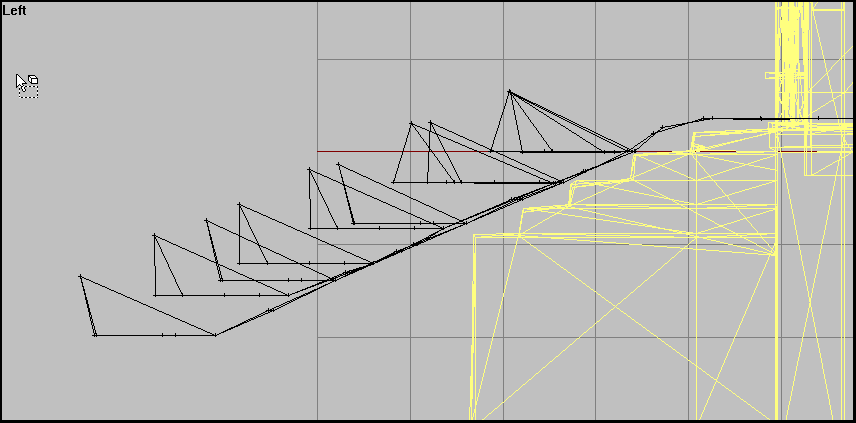 lusty ginkgo
that's what mine look like
halcyon wren
Where are your "in#" points?
lusty ginkgo
the raised point lines up with the center point of the next "fan" up, and the raised points are also marked as "in#" selections
halcyon wren
Yup, how it should be.
lusty ginkgo
I don't get why it needs to have a fan shape if there is only one vertex defined as the in point
halcyon wren
The Ai uses the edges of the faces as navmesh routes between vertices to reach the relevant named vertices..
the "in" points are used to transition between world-pathplanning and building pathplanning. Thats why they are required to be "funneled", to have them transition pathplanning modes
If such an in point is below the surface it is ignored by the ai, and thus it can never enter/exit the building.
lusty ginkgo
there is always at least one, probably two, in points above ground on each staircase when the building is at ground level
timber cobalt
hi guys. Anybody know if BI fucked up how ShadowVolume 0 and ShadowVolume 10 is drawn?
On my recent projects I've noticed that ShadowVolume 10 is drawn when Im as close as I can be. Isnt that supposed to be the low res shadow lod? the highest res is never drawn in my case
quick terrace
how high res is svlod0?
fervent steppe
@lusty ginkgo you can literally copy the funnel part of the path lod from the sample house to your project. I've tried that and it works fine in all the houses I've used it in
fervent steppe
No lol
 strong plaza
I tried that, didn't work
lusty ginkgo
You renamed all the points and connected it to your mesh, right?
strong plaza
I can't remember exactly
was some weeks back
then I think I mimicked some arma 1/2 paths and got it working
 subtle palm
anywhere i can get a ported a2 SUV model?
cinder pivot
Cup
fervent steppe
I just grabbed the pathlod from the sample house for the apartmentcomplex4 @strong plaza and it worked for me. Weird
cinder pivot
@lusty ginkgo he never asked for source files - technically its correct 😛
there is the a2 black suv in cup
lusty ginkgo
Considering this channel is about editing models I think you know what he means lol
cinder pivot
😂
timber cobalt
@quick terrace polycount is around 1500
quick terrace
weird
timber cobalt
Yeah I dont get it.
minor jasper
@timber cobalt do you have the property lodnoshadow =1 in your SV0? as that would disable it. do you have in geo prefershadowvolume =1 and sbsource = shadowvolume? as those are needed to force the shadow to be used
also maybe check all your other lods properties as there may be a shadow = hybrid in there
and of course make sure your shadow is closed, triangulated, sharp and contains no textures, materials or uvmaps
lusty ginkgo
so I can walk up to a wall and look down and the player's head sort of clips through the wall
does the geometry need to be thicker? don't see why that would be the case since the view shouldn't clip through the surface in the first place but I don't know what else it could be
minor jasper
have yo ucompared it t oa similar vanilla model?
player heads and helmets etc typically have no collision geometry
so it's likely not the walls fault
lusty ginkgo
it's only when the gun is lowered
minor jasper
but if you want to prevent for example a player seeing through the other side in 3rd person, then you need a very thick wall
yeah the gun proxy in a character has geometry
lusty ginkgo
it happens on vanilla structures too nvm
minor jasper
so that will collide
lusty ginkgo
I could add double sided faces but I don't really think it's worth it honestly
minor jasper
wqe noticed this a while back whe nclipping through aircraft bellies
puzzling over the airframe geo
then realised it's just expected behaviour
the whole 3rd person camera in arma is a liability when you want to build vietcong tunnels, or complex interiors
as it doesn't respect surrounding geometry
stuck oyster
running 1st person only is the key!
lusty ginkgo
yeah making things 3rd person proof isn't achievable so it isn't really worth trying to compensate for
minor jasper
really? we have a tunnel complex and the ceiling is quite low, and if you switch to 3rd person the camera can peek through the walls and ceiling
minor jasper
yep
lusty ginkgo
have you tested with AI
minor jasper
3rd person view is not an AI issue
lusty ginkgo
that's not the point
minor jasper
it's a visual quality one
minor jasper
yes the VG works fine
lusty ginkgo
which would allow the 3rd person camera to pass through it freely
timber cobalt
@minor jasper I have lodnoshadow = 1 on my visual lod. Didnt think I needed prefershadowvolume on my geo. Gonna try when I get home
Ohh. I think I still have materials on my shadow lod. Didnt think that mattered as long as I deleted the UV map
minor jasper
that list is al lthe checks i would do. not sure they will cause your issue. for sure lodnoshadow 1 in your SV will though
lusty ginkgo
https://i.imgur.com/bIO5xzE.png
Replacing my wall texture with the tile floor texture creates a padded room wtf
stuck oyster
👌
 tacit karma
bit big those tiles? :D
 dire hawk
Anyone here know how to setup a custom street light for terrain builder? I tried adding my own lamps (made off the arma 3 sample lamp) and they only work properly when placed in 3den. The ones placed in TB don't turn on at night. It's pretty frustrating.
lusty ginkgo
What does the land class look like?
bleak tangle
^ can you pastebin (or another text sharing site) your config. Things working when placed in Eden but not when placed in TB is usually because of missing or incorrect land class in the config.
class CfgVehicles
{
    class Lamps_base_F;
    class Land_Your_Lamp_Model_Name: Lamps_base_F
    {
        model = "\Path\To\Your_Lamp_Model_Name.p3d";
        // various other stuff after this
    };
};
That one is in cfgnonAIVehicles because I remember reading somewhere that TB lamps had to be in that spot
I also made a cfgvehicles one, which works fine in 3den, but does not work in TB: https://pastebin.com/Ukf0P6sn
lusty ginkgo
the land class should probably be in CfgVehicles
also TB doesn't use the object configs so I'm not sure what the point is
it only matters for in game functionality
bleak tangle
Also the name of the model doesn't match the class name
lusty ginkgo
though I haven't done lamps before so I could be wrong
bleak tangle
I don't think CfgNonAiVehicles matters, as I can't find any A3 lamps defined using it
 oak lintel
object builder - properties in geo LOD ? class lamp?
dire hawk
class streetlamp is the properties setting
I havent yet, will do that next test
terrain is packed with pboproj
the lamp asset with AB
lusty ginkgo
pack everything with pboproject
lusty ginkgo
at what res LOD would it be safe to start removing the interior faces and verts of a structure?
fervent steppe
^^
fervent steppe
obtuse rain
Arma barely knows what a door is, it should be possible to make them slide if you wanted to.
agile flint
Pretty sure Arma has no idea what is going on half the time
obtuse rain
Yeap, more precisely though a door is just an animation (any kind, really) connected to an action (to open and close it) that has geometry (to stop you moving through it) and has links into the AI path lod (so that they stop and open it when they reach that part of the path).
quick terrace
afaik doors anims are run by a script not by some anim source or anything
 dark flint
@woeful tartan u might know stuff about A3 Models? If so i have a question that i have noticed and got me questioned if there is a diffrence between mods and "real" game objects.
are there? and if so can u make them look more appealing?
because i have seen alot of modded stuff and it always seems that BI Models are more "smooth" to look at where Modded Objects always have super sharp edges and stay out like crazy.
https://arma3.com/assets/img/post/images/scanning_2015_3.jpg
Everything seems to be normal
but this:
for example
u can see that the building looks quiet weird and thats for most modded stuff im pretty sure it has something to do with sampleing
also happend to some of the grass but i guess that was just a glitch but its pretty much the same look : https://img2.picload.org/image/dorlogra/20180418232407_1.jpg
agile flint
I'm obviously not Dwarden but it might have something to do with high poly baking?
dark flint
u think they bevel the edges and bake the normals of that into the lowpoly?
lusty ginkgo
buildings usually don't use universal normal maps
if they're using the multi material shader that is
which many do
quick terrace
what is an universal normal map?
dark flint
i would guess just some kind of roughness ^^
quick terrace
there is no such term
lusty ginkgo
I mean like one for the whole structure using the second UV set
quick terrace
also, dwarden had nothing to do with a3 art creation
lusty ginkgo
can't think of a better way to put that lol
quick terrace
qnd your own question is vague
obtuse rain
Buildings in Arma 3 actually have real bevels, too.
dark flint
i dont know that i just see him im purple sitting here in discord he might be some kind of a Community Manager but im pretty sure he has some insight into whats going on and might now some stuff about the games 😃
obtuse rain
That plus the global illumination ambient occlusion baking they do is what makes them look far better than the flat walls of old buildings.
quick terrace
sure they do, vanilla ones do, so do the few 3rd party ones that follow the same type of process
dark flint
is there a way to do it as a modder ?
quick terrace
sure there is
obtuse rain
Yeah, you put 3-5cm bevels on the building and then do global illumination AO baking. 😉
quick terrace
that is simplistic part in any case
obtuse rain
There's also weathering which tends to make things less flat.
quick terrace
90% of the structures i have seen have really poor ao bakes and poor use of ads/mc maps
obtuse rain
And the A3 buildings tend to have a lot more detail than you think; they do things like push roofs out of being planar.
quick terrace
in conjunction with seamless texture sets that are flat, with poor normals and smdi info
lusty ginkgo
the A3 MC maps are hard to replicate
obtuse rain
Also Dwarden's only really able to help with getting technical details from inside BI out to veteran modders, there's not enough time in the world for one person to deal with modder support requests. 😉
halcyon wren
When making buildings using the multimaterial, it is all about the MC.
halcyon wren
Its a texture that mixes its color info with the detail texture.
lusty ginkgo
macro color I think is what it stands for
dark flint
thats a bi thing right?
halcyon wren
Yes, its super ancient but still covers the basics.
obtuse rain
The way A3 does buildings is slightly different to the tutorial though, so if you want to slavishly copy the A3 building style you probably want to look closely at the samples after reading the tutorial.
halcyon wren
Yes, my approach to it has changed dramatically these days 😄
dark flint
so i cant just take a 3d Model with a Texutre and Normal map and port it into arma ?
lusty ginkgo
you can
halcyon wren
For example I've removed all color information from my detail textures and moved all that to the MC
lusty ginkgo
also a lot of the A3 multi materials for arma waste slots by having the same texture in two .rvmats for the same building and having some empty slots
not sure why
dark flint
ian lately only Invade and Annex but they are dieing lately ... atm im playing on Bro Unit and from time to time on a modded invade and annex server from [apx] and if im playing with friends i tend to play on Exile PvE servers cause im lame and to old for pvp 😛
lusty ginkgo
Hey Konners, what kind of servers do you usually play on? also lol
obtuse rain
Ah, cool.
There's an A3 sample building you can look at, if you have a 3D package like Maya you might want to import it and add the textures back in from the .paa's so you can study how it is done.
dark flint
The wind blowed my ATV into the trees i have 0 luck in exile lol
had to chop the tree to get the atv
obtuse rain
Or if you don't have a 3D package yet you might want to look at Blender (or Modo if you're rich) because they both have good plugins for Arma 3 work.
dark flint
i use blender ^^
lusty ginkgo
blender is pretty good with the plugin
dark flint
im a super noob with blender...
obtuse rain
Yeah, grab the blender plugin, import the sample, and then add all the textures back in so you can get a good idea of how they use the two UV sets with the multimats.
lusty ginkgo
also I think I know of a way to bake an ADS texture and the mask texture completely in blender cycles render and I can save so much time if it works
obtuse rain
And study the little details like how they "crack" walls and do rough bevels on edges to get away from the cardboard building look that old games had.
dark flint
i use other programms to make my materials :S
That was the Sketch
thats the model
Sideways
Cause blender looks to complicated with textureing xD all these nods and that
halcyon wren
Making masks is super easy in blender.
dark flint
And flying a plane is easy with a 747...
if your a pilot 😛
always depends on who is looking into it i guess ^^
halcyon wren
Anyone with the motivation will do.
dark flint
same goes for coding and scriping if u know what ur doing it seems simple for other people its rocket sience 😄
agile flint
tbh a 747 would be pretty hard compared to a more modern jet today
dark flint
yeah big airplanes fly by them selfs pretty much and if another airplane is near by the system tells you what to do only starting and landing is the pilots job ^^
Anyone played "The Devision" ...the Darkzone as a Arma 3 Mod would be a cool thing 🤔
Cause in the game itself the marking on players going rogue is just anyoing and brings people to use cheese methods by running into people line of sight to get hit first while they shoot on ai so they can kill the player without getting the skull over your head every player sees from a mile... ^^
quick terrace
@halcyon wren
For example I've removed all color information from my detail textures and moved all that to the MC
did you try the inverted G channel ADS in MC alpha?
halcyon wren
Yes. I did some experiments with alpha in MC, and I found it just controlled the MC's intensity.
More transparency -> Less instense MC color info being passed through to the detail map.
bold flare
Btw Foxhound website is down apparently. (In reference to his Modo plugin)
obtuse rain
Yeap, need to move it, I can send captures if anyone needs it though.
halcyon wren
Comparing my results of using alpha in MC matches with the way this mc from tanoa is used:
\structures_f_exp_civilian\house_big_05\data\house_big_05_mc.paa
RGB are filled with a 25% grey and intensity of this is then controlled via alpha.
Exact same result can be achieved by lightening and darkening areas in just the RGB channels.
So i reckon the reason it was done via alpha is for reduction compression artifacts.
quick terrace
sure, i mean using a full blacK RGB with an inverted ADS G channel in alpha. I have not tested it recently, but as you said, the same thing could be done directly in RGB channels with a full black alpha
i assume, given the move from ADS to ADSHQ (that is using alpha)
that is indeed because of banding artifacts
halcyon wren
I remember the example picture you had along with that MC way to darken the rooms.
Thats why I started experimenting with it again, but in the end my results were: Its darker because the MC is darker.
So in my method, where I make use of RGB individually for the MC, I'd use the AO as an overlay onto the MC.
Gonna head for lunch, will be back in an hour or so 😄
quick terrace
yeah that is true, but i feel the darkening of the texture is needed to provide the "shading" look around where it would be some indirect shadows
which ADS doesn't actually cover
dark flint
i wish Arma 3 had more weapons they could do some kind of Community DLC where they make mods game content if u compare A2 Arsenal vs A3 ^^ i would love to have a bigger choice of weapons and gear 😃
Free ofcourse 😛
obtuse rain
Isn't that what RHS is for?
dark flint
yeah but the server needs to have and use the mods
 twin urchin
at least that
dark flint
and most people just want to fire up the game and play ^^
obtuse rain
The launcher lets you do that, practically every second popular KOTH server now loads up RHS automatically when you join it through the launcher.
dark flint
try to find a Invade and Annex server with mods that is not empty... or are they under another name? cause i cant find any most of the servers are Exile
i want to do Missions against AI without PvP
obtuse rain
Though it's going off topic that's probably more to do with it getting towards the tail end of A3's popularity.
fervent steppe
@cunning temple you can set the direction to door opens in the model config.
lusty ginkgo
for creating an MC texture like the ones A3 buildings use, I just use an inverted blend of the green and blue ADS channels and then use that as an alpha mask for some noise/dirt/whatever patterns over a black background. I then merge that and use it as the alpha mask for the regular MC texture and it works pretty well
I can't find an easy way to really replicate the detail and quality vanilla MC textures though
Also it has to be pretty dark to look good so added colors don't make much of a difference
https://i.imgur.com/cM1yESe.png
What my alpha mask looks like
I could maybe use the path LOD as a guide for adding more wear/weathering to areas that would commonly be walked upon to add some realistic detail there
Don't think there is an easy way to do this all within blender
lusty ginkgo
so making the destroyed variant
is there a specific workflow recommended for doing this part?
the best way I can think of would create bad topology and mess up the UV layout a lot
dark flint
a long time ago someone showed me how to make buldings and doors but he selected every face got to a texture path to texture it cant i just make a UVmap with 1 texture for the whole bulding and use that without having to click on every face?
lusty ginkgo
what?
quick terrace
@lusty ginkgo it should never be so much noise that bake
topology doesn't matter for stuff that isn't animated. for damaged buildings, it is a mix of cuts basically
dark flint
@lusty ginkgo if that "what" was towards me for example a Cube he would select one face after another applying a material he searched for on the P drive like a wall material for example. But is that realy needed? cant i just make a UVmap and make a texture for that cube and apply it so it covers all faces with the right material?
dark flint
looks so overcomplicated... compared to UE4 or everything else on this planet
quick terrace
🤦
it's actually really simple
compared to [...] everything else on this planet
lol
fervent steppe
😂
agile flint
For future reference for myself. When it comes to texturing, do you texture the highpoly UV? Or bake the UV onto the lowpoly then texture that?
I think this is more a model question than texturing question haha
polar fiber
bake the normal map, ao etc from the HP to the low poly and use that to generate textures
don't need to UV map the high poly
agile flint
Ahh ok cool. So bake the highpoly onto the low poly, then texture the results?
polar fiber
yes
I'd recommend baking a curvature map from your HP on to the LP too
even though Arma doesn't use them, they provide a good base for texturing the diffuse
most people who retexture assets without access to the model, end up making a pseudo curvature map from the normal map
agile flint
I've never heard of a curvature map before. Though they make sense
Yea thats fair enough
Anyway thanks for that info mate! Much appreciated 😃
lusty ginkgo
@quick terrace it should never be so much noise that bake
What do you mean?
quick terrace
i mean this https://i.imgur.com/cM1yESe.png is way way too noisy
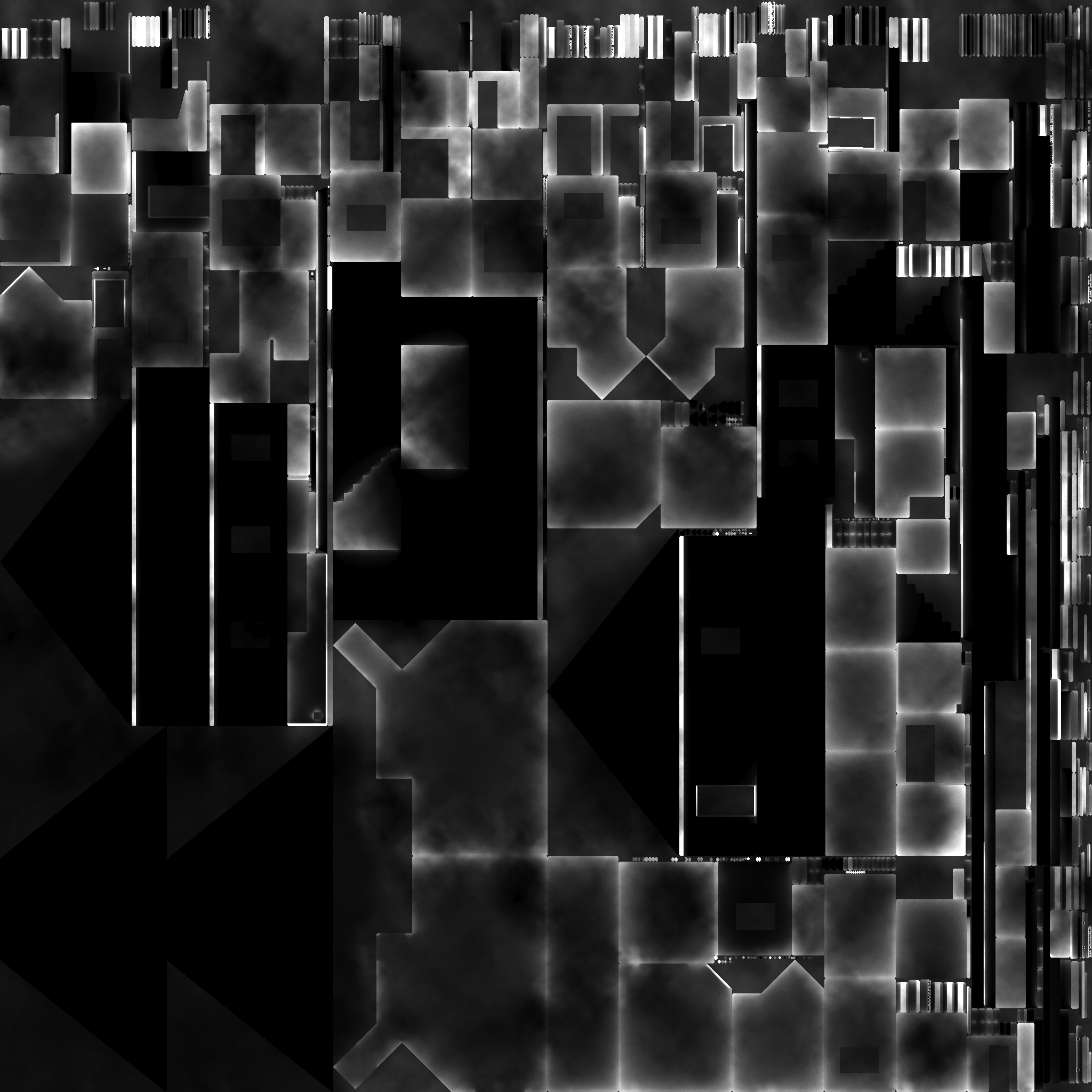
see these splotches? should be there
quick terrace
and how did you end up with it, did you manually paint all that?
 frank helm
"@cunning temple you can set the direction to door opens in the model config." to add on the end of this,
class Door_2_rot
{
type="rotation";
source="Door_02_source";
selection="Door_02";
axis="Door_02_axis";
memory=1;
minValue=0;
maxValue=1;
angle0=0;
angle1="(rad 95)";
};
angle1-"(rad97)"; ///this is the value you change to rotate them towards or away from you.
On a different note. I am having some trouble with ai pathing atm, In a video I did a while back on the rso models, I managed to get my ai to see and follow a path of 21 positions no problem, and walk through building and open the doors. For some reason, I cannot seem to get the ai to see any paths that are on multiple floors, if you are familar with the alpha of the rso buildings pack, I'm just messing about with one of the high rises at the moment and no matter how many times I replicate the successful path from a previous build I cannot for the life of me get them to follow it correctly.
the Ai do one of two things, don't see the path at all, or the go inside to the ground floor, then I have to go higher up and find the positions myself and make them move that way. So they will only see the pos if inside the building already.
Also they don't seem to be recognising the doors now either. They just walk straight through them. I have the in1, in2 etc for entering the building, pos named selections and the ActionBegin and ActionEnd named correctly for them to recognise door pos and unit pos.
Any ideas what might be the cause of their ineptitude, apart from the ai being dumb as fuck on many occasions. lol
lusty ginkgo
@quick terrace for creating an MC texture like the ones A3 buildings use, I just use an inverted blend of the green and blue ADS channels and then use that as an alpha mask for some noise/dirt/whatever patterns over a black background. I then merge that and use it as the alpha mask for the regular MC texture and it works pretty well
In the post with the linked image I explained
https://i.imgur.com/N4tG9vV.png
it was my first attempt at doing something like this
obviously a lot more manually painting went into that one
quick terrace
fair enough then, if it works it works, but that is not how the A3 ones are done
lusty ginkgo
I am just trying to find a good way to get the general look as something to start from
woeful viper
has anyone checked if shadowvolume - viewPilot works on handweapons?
quick terrace
i haven't but there is no reason not to
woeful viper
i would think so as well... but you know... arma things 🦄
 atomic path
I'm having an issue with my LODs: whenever I throw a grenade, it has the lowest possible LOD
Even at point-blank range it still renders with the lowest resolution LOD
 twin hawk
Hey, I'm having an issue with adding mass to a component convex hull, the mass box in o2 is greyed out. It's never done this before and has working fine in the past, does anyone have any ideas?
Oh, nevermind, I had selected the wrong LOD in properties.
bold flare
Does anyone know a reason why a part of my model get's rotated after exporting to FBX from 3ds max and importing to substance painter?
https://s.sqf.ovh/Substance Painter_2018-04-29_21-01-38.jpg
The top two missle housings are a "reference" copy of the lower two.
if I import that same FBX into OB it looks fine. Cinema4D import looks also fine.
It's just substance that rotates that part for some reason.
https://s.sqf.ovh/3dsmax_2018-04-29_21-04-50.png
FBX v2018 vs v2014 doesn't make a difference

 woeful viper
@bold flare it's often the case when you link stuff (the chain tool in the top left) and rotate the parent, and then export that whole thing
stuck oyster
☝
bold flare
Yeah it's parent is rotated by the bone and the top part then get's rotated by it's parent.
How else should I do that? I guess I could just merge them into one object.
problem is the bottom left is the main. Bottom right is generated by symmetry.
And the tops are reference to bottom. So I only need to edit the bottom left.
I didn't find another way to stack them on top. Symmetry would always also mirror them
woeful viper
save scene, unlink and merge everything into one object, export, reload scene ^^
bold flare
😄 Okey. I'll merge them then and just live with the fact that I need to delete and recopy them when I change something. Doesn't have to be exact anyway
woeful viper
unlinking and making all parts unique (not referenced) - for example by selecting everything converting to editable poly - is enough though. No need to merge everything
bold flare
Reposting from #community_wiki because you guys probably care about this.. https://community.bistudio.com/wiki/Arma_3_Vehicle_Handling_Configuration
foggy finch
nice
strong plaza
does eliteness show section count on odol format?
foggy finch
iirc you can turn on accumulate lod switch and cycles through the lods, section count will be the tally of materials
you could ask @sturdy parcel to add it as a feature maybe?
 outer condor
or BI could finally publish their diag for the ingame display
cinder pivot
They just fixed ponds when someone pointed it out in like 2015/2016
Give them some cool down kju 😂
fervent steppe
Lol
agile flint
Just curious.. instead of bevelling or subsurface-ing hard edges, would sculpting them still work? If that makes sense? Mainly for the normals
Like a very subtle smooth/round brush?
quick terrace
for normals, of course it would
polar fiber
yeah there's a hard surface workflow using zBrush, that basically results in polishing hard edges to smooth, rounded ones for the highpoly
 mossy oxide
Hey folks. What do I need to get a very simple 0.5x0.5x0.01m cube into Arma 3? I just need it to stop bullets, no display or anything, just the fire geo.
stuck oyster
p3d with empty reslod, empty geom lod, empty shadow lod, cube in the firegeomlod, possibly empty viewlod depending do you want it to be seen/ block line of sight, config.cpp class inheriting from whatever you deem appropriate.
if the firegeom alone does not block shots you may need a real geom mesh on it too
Im assuming this may be some sort of shield of active countermeasure thing
mossy oxide
yup
stuck oyster
how do you intend to use it?
attached to stuff or created inbetween projectile and target
mossy oxide
nah, I got that covered
I intercept missiles, bombs and shit and then have it smash into a blocker object (currently a VR cube). Works fine and now I just want to use a simple invisible object in place of that VR cube
stuck oyster
then what I wrote above should apply
stuck oyster
you could however set the vr cube to use empty "" texture and hide it that way
rough idol
Geometry can do some insane things when close to other objects
mossy oxide
nah its a bit too big and might stop something I don't want it to
as for closeness, intercept happens 15m away from tank
twin hawk
Sorry to interrupt, just a real quick question; when prepping a weapon in o2, if I omit the shell casing ejection memory points (narojnicestart and narojniceend), would my weapon be caseless?
mossy oxide
Yeah, but you can set that in config IIRC
stuck oyster
mm no would it not just drop tha cases out of the origin 0,0,0
if no defined memorypoint is found
its the configs you set the effects right way
twin hawk
Ah, that makes sense. I’ll poke around in the configs then and see what I can do. Thanks guys!
 vernal lynx
@atomic path only solution is to have a dedicated model for the throwed model of the grenade with only one LOD
so you have one object with lods (that will draw when the grenade is on the ground, uneqquiped)
atomic path
yeah, scripted stuff
atomic path
how to swtich between them thoug?
vernal lynx
    class LIB_Shg24: HandGrenade_West
    {
        author = "AWAR";
        displayName = "$STR_LIB_MN_M24";
        displayNameShort = "$STR_MAG_LIB_shg24_DNS";
        descriptionShort = "$STR_LIB_DSS_M24";
        ammo = "LIB_SHG24";
        model = "\WW2\Assets_m\Weapons\Grenades_m\IF_M24_Mag.p3d";
        picture = "\WW2\Assets_t\Weapons\Equipment_t\Grenades\Gear_M24_ca.paa";
        deflecting = 50;
        initSpeed = 18;
        mass = 13.56;
};``` class LIB_Shg24: LIB_GrenadeHand_base
{
hit = 55;
indirectHit = 25;
indirectHitRange = 3;
visibleFire = 2;
audibleFire = 0.25;
visibleFireTime = 5;
model = "\WW2\Assets_m\Weapons\Grenades_m\IF_M24.p3d";
whistleDist = 15;
explosionTime = 4.5;
LIB_Debris[] = {40,50,15};
deflecting = 50;
deflectionSlowDown = 0.35;
explosionEffects = "LibExplosion";
cost = 10;
timeToLive = 10;
};```not the same model between ammo and magazine 😉
the magazine one has lods, the ammo one is the live grenade - 1 lod no spoon
lusty ginkgo
Which would be better, a building with 2 multi materials and 5 different textures, or a building with 1 multi material and 1 super and 5 different textures?
I have only one surface type that won't fit within the first multi material, so I don't see a need to have a second if it can just be a super material
stuck oyster
whichever produces smallest section count I think.
but could very well be that they are quite the same
lusty ginkgo
well having two materials produces 2 sections either way but the super material loads less textures than the multi material so I figure it would make sense to have 2 sections with less texture rather than 2 sections with more
even though the unused textures would just be procedural
stuck oyster
Personally I think that kind of minmaxing starts to go way over the top. But then again it might save a frame or two for someone. I would not bother my head with it and would just go with which ever looked better xD
fervent steppe
how much does section count matter now a days with fast gpus.
For instance a building with let's say 5 sections vs a building with one multimat
lusty ginkgo
with tons of different buildings in high density all using different textures per model it adds up a lot I'm sure
lusty ginkgo
7
strong plaza
isn't like the average section count 5 for vanilla buildings?
fervent steppe
Honestly it all depends on the building
But I'm wondering in terms of fps how much a difference it makes 🤷🏻♂️
lusty ginkgo
it's probably significant enough since most A3 buildings use exclusively multi materials while a lot of A2 or older objects don't and have much higher section counts
and A3 runs way better than A2, and this might be part of the reason
anyway, working on this destroyed version of my building is taking way too long and I keep messing it up so I am going to do something else for now lol
there is probably a much faster and more efficient way to do this without needing to redo the UV and mask texture
quick terrace
@lusty ginkgo 1 multi and 1 super
 vapid nexus
how do you export a model from 3dsmax 2016 to arma 3 ?
is their a export thing that i need to use or is it a certain fileformat i need to export as ?
bold flare
you export as FBX and then import the FBX in Object builder.
And repeat that for all the lods.
You can also export as *.3ds file and export all lods at once. But I had bad experience with that the last time I tried
 plain jackal
It depends on the weapon imo, I typically will go for 0 (full mesh), 1, 2, 3, 4, and 5, and then an extremely low poly 10
foggy finch
1-5 res lods, view pilot, 5x shadowvolume 1x shadowvolume-vp, geo, view geo, mem.
thats what i do 😃
vapid nexus
ok thx for the help 😃
 drowsy osprey
One message removed from a suspended account.
One message removed from a suspended account.
obtuse rain
Bill: You've picked possibly the most obscure part of Arma (the skin shader) so you might want to do some tests with a simpler object first and then turn to face/head models.
minor jasper
@vapid nexus you halve your model face count each lod until it's under 300.
so if you have a 10k model, your lods would be 10, 5, 2.5, 1.2, 0.6, 0.3 = 6 lods
if you have a 20k model, lods would be 20, 10, 5, 2.5, 1.2, 0.6, 0.3 = 7 lods
typical weapon should be 7-10k in viewpilot, 5-7k in lod 1, then half and half again til you're about 300.
shadowvolume 0 approx 1500 faces and SV10 100 faces
vapid nexus
ok
tacit karma
typical weapon should be 7-10k in viewpilot, 5-7k in lod 1
It's 2018
LOD0 can easily be same as pilot
shadow volume should be roughly around 1000 to 2000 vertices
drowsy osprey
One message removed from a suspended account.
One message removed from a suspended account.
One message removed from a suspended account.
obtuse rain
Bill: Ah, right, you might need to make your questions about face/head models a bit more specific then. I don't remember seeing any guides other than the very vague details on the skin shader in the biki.
quick terrace
actually, a SVLod max vertices should be 3000. In general terms, faces (or polygons) is the wrong term to use, because a ngon, a quad and tri are all faces/polgons. Either use vertices or triangles when you wanna count something
foggy finch
yeah i go by tri count whenever someone asks for any count info, accuracy ☝
 past edge
I somehow broke my Object Builder to the point where Buldozer crashes on start, preventing me from visualising my models - already tried redownloading A3 tools but that didn't do it either; is there a proper way to reinstall Object Builder, or am I just out of luck?
also worth noting that I broke it while attempting to fix Buldozer not showing textures on my models, including older ones (which worked in the past)
minor jasper
A common problem and i wish you luck fixing it. Make sure steam is not trying to download game updates and try running steam as admin and also try not admin. It behaves really strangely at times
past edge
I've done some digging and determined that it's most likely one of the visual studio c++ packages
you'd think it'd be as easy as grabbing the most recent file from microsoft, but either I'm blind/stupid or there is no way of telling what the most recent version is, short of googling around a ton
so I've no idea which ones I'm missing now
past edge
can't believe I'm saying this, but... I think I'm about to just give up on Object Builder entirely
there is nothing more frustrating than working away blindly at a problem with no indication of what the issue could be, especially when none of the fixes other people have tried work for you
foggy finch
there is a common redistributable directory in the tools folder, run through all those and make sure they are installed and you tools should have all the libraries they need
past edge
thanks for the tip, I'll try that tomorrow as I can't be arsed to tinker with this anymore today (as it's the 2nd afternoon that I wasted on this issue)
stuck oyster
@past edge do you use Arma3 exes as buldozer and have you run Arma3p after the last A3 update? (hopefully your using Mikeros tools that is)
past edge
I assume the BI tools take care of renaming the .exe files, because I only used this guide for the installation - in the assumption that it's been proven to work reliably: https://forums.bohemia.net/forums/topic/190353-howto-work-drive-setup-bulldozer/
I still have an old version of Mikero's tools from my last subscription, so unless anything major changed I assume I could just use that to re-extract the A3 data (though I somehow doubt this will make a difference?)
I'll definitely reply back here once I get it to work again
lusty ginkgo
Just noticed OB now corrects ngons by automatically triangulating them on import
stuck oyster
what format you use inbetween?
quick terrace
😄
stuck oyster
its just that it may not be OB that does it
bold flare
Or maybe that it can do it on some formats but not on others. I wanted to ask that too but I thought of asking "Maybe only with FBX?" but then I don't know if he's using FBX and my brain was unable to formulate a more proper question so I gave up
foggy finch
pretty sure there is a triangulate on export checkbox around here someplace
wanders off looking for it
quick terrace
it is in the FBX export, and depending on software in .obj exporter as well
also, afaik legacy .3ds file cannot handle ngons, so some exporters will triangulate on their own
foggy finch
🙄
lusty ginkgo
Can someone explain the importance of having a physx geometry LOD? I don't really understand honestly
From what I have seen only some objects require other models to have one to interact properly but even then it isn't always the case
past edge
ugh... after two full afternoons of failed attempts of fixing my Object Builder, I finally got it sorted within a matter of minutes
all I did was switch the path to the external viewer from P:\buldozer.exe to "D:\Steam\SteamApps\common\Arma 3\arma3.exe"
works like a charm...
welp, almost a full day of my life that I won't be getting back - but at least now I can mod again
thanks for the nudge in the right direction @stuck oyster
minor jasper
Yeah that can help fix buldozer issues but ive also seen it make them worse lol
@lusty ginkgo physx lod is required if your model uses the simulation type ending in X
CarX or shipX etc
Old simulation types without physx lod like car and ship are no longer supported and they cause CTD in 64 bit exe due to missing libraries
fervent steppe
For structures tho things like grenades I believe interact with the physx lod
lusty ginkgo
I though that too but it appears to use the fire geometry
fervent steppe
You'll have to test that one. From my understanding bullet penetration uses the fire lod but grenades used the physx lod if present.
🤷🏻♂️
I usually just copy my geo lod into the physx lod as long as it fits properly
lusty ginkgo
any tips on making shadow LOD's in blender?
especially making sure there is no clipping or overlap anywhere
perhaps an inverted version of the model and a boolean modifier? not sure that is a great solution though
stuck oyster
depends a bit on a model but it can be build pretty fast from simple boxes and few extrues when snap to surface or snap to verticle is used
you can give it some bright colored material to compare to the reslod
fervent steppe
And it must be closed
minor jasper
(and later tested for degenerated faces in OB!)
 frigid dirge
Hello, I'm currently facing a problem, where you cannot see things which are attached(via attachTo) to my vehicle from the inside.
To better explain this: You attach an Object or anything to your Vehicle and it looks just normal, but in first Person it is HUGE. Also you cannot see in first person when it should be inside the vehicle.
Do you have any solutions for me? Thx
First Person = First Person when inside the vehicle as for example passenger
The more it should be inside the vehicle the bigger it is
stuck oyster
@frigid dirge there is no solution, first person view is drawn over everything else
so anything not in the actual model will be drawn first and then the first person view on top of that
also the camera view is different between the first person view and outside objects so they will look to have different perspective
so you cant add things into interiors with attachTo
frigid dirge
Well I'll show you something in a sec...
stuck oyster
im pretty sure the answer will still be the same
as that is just how it works
but go ahead
frigid dirge
https://prnt.sc/jdajt6
https://prnt.sc/jdak1i
The Red thing (I dont know the english name) has been attached via attachTo to the Vehicle and I'm currently sitting on a gunner seat of the vehicle
stuck oyster
whats the issue then? its possible latest updates have changed something to the better regarding the interior drawing but at least the proxy is still drawn over everything else
oh wait is that a FFV turret?
frigid dirge
FFV?
stuck oyster
(fire from vehicle)
frigid dirge
I think so
stuck oyster
ah
that works differently from normal interior view
its more like the character is attached to that position
instead of being part of the vehicle
which is why the character is drawn over everything else
as you are in the characters first person view
not the vehicles view
in that view you can see attached stuff right
frigid dirge
jep
stuck oyster
but the character is drawn over everything
frigid dirge
exactly
stuck oyster
if you want that same kind of view then yes I suppose that should work
frigid dirge
Well I'll give it a try, thanks 😃
minor jasper
isn't it a LOD issue?
i.e. turrets use viewgunner lod and cargo seats use viewcargo lod generally.
stuck oyster
yes but the draw order seems to be different from like driver view or regular gunner view
minor jasper
i've never considered what would happen with attachto when viewing from a turret. i imagine it would only show lod 1 of the attached model. really have no idea. if it was a proxy model that was hidden or unhidden whe nloaded, then the lods inside the model would be important.
but for attachto? no clue.
            class CargoTurret_01: CargoTurret
            {
                proxyIndex = 7; // cargo1
                gunnerName = "Observer - Front";
                animationSourceHatch = "hatchObserver";
                enabledByAnimationSource = "hatchObserver";
                //add new hatch for this class
                // FFV won't work unless this animation source is 1 (e.g. an open door)
                memoryPointsGetInGunner = "pos cargo";
                memoryPointsGetInGunnerDir = "pos cargo dir";
                memoryPointsGetInCargo = "pos cargo";
                memoryPointsGetInCargoDir = "pos cargo dir";
                initElev = 0;
                minElev = -60;
                maxElev = 80;
                initTurn = 0;
                minTurn = -180;
                maxTurn = 180;
                memoryPointGunnerOptics = "gunnerview_front";
                memoryPointGunnerOutOptics = "gunnerview_front";
                memoryPointGunnerOut = "gunnerview_front";

                gunnerAction = "vehicle_turnout_2";
                gunnerInAction = "passenger_generic01_foldhands";
                gunnerForceOptics = 0;
                gunnerOpticsModel = "\uns_compat\ca\wheeled2\LAV25\Optics_Driver";
                gunnerOutOpticsModel = "\uns_compat\ca\Weapons\optika_empty";
                gunnerCompartments = "Compartment1";
                canHideGunner = 1;                     // Enable Turn-In/Out
                outGunnerMayFire = 1;                  // FFV when turned-out
                isPersonTurret = 1;
                LODTurnedIn = 1000; //
                LODTurnedOut = 1000;//gunner_view
            };
yo ucan see here we forced our cargoturret to use viewgunner lod
not sure if it helps
frigid dirge
It works! @stuck oyster was right:
foggy finch
for the love of god people use pastebin
stuck oyster
xD
bold flare
@frigid dirge
```
stuff
```
stuck oyster
driver view
is drawn over everything
but player proxy is in the same space and not drawn over the vehicle
FFV cargo seat
notice the vehicle is not drawn over everything
but the player is
foggy finch
Added: A new "deleteIfEmpty" magazine parameter (-1 will remove the magazine from the weapon when it is empty and maxAmmo is set to 1 - old & default behavior; 0 means that the magazine is never removed; 1 will always remove the magazine when empty)
some new stuff in todays changleog could be useful for weapon peoples
stuck oyster
nice
woeful viper
well shit... i scrapped my laser weapon magazine recharger model
HG, the driver can use user-defined LOD's now too, he doesnt necessarily need to use viewPilot or viewCargo -> so maybe if that priority rendering is tied to the LOD, then using a custom LOD or a regular visLOD we might get around this issue?
it would be really great, because then it would be possible to createVehicleLocal some fancy 3D radar console just for one person and animate that via model.cfg with all bells and wistles, without affecting other people and network performance
or a 3d fire control computer
i'd rather work with model.cfg than trying to learn GUI/ dialog stuff and having to render everything on to an image...
rough idol
What about mfd?
woeful viper
can that take scripted inputs? Because all that stuff requires scripts to run everything.
I dont find MFD particularly attractive either - just looking at the current configs makes want to make a big circle around it
rough idol
after getting used to macros it's pretty easy to modify it
woeful viper
interesting. My biggest problem with it though is that it only looks ok for modern stuff. For old nixie tube things and analog dials it is not suitable
rough idol
what about UI model.cfg? 😛


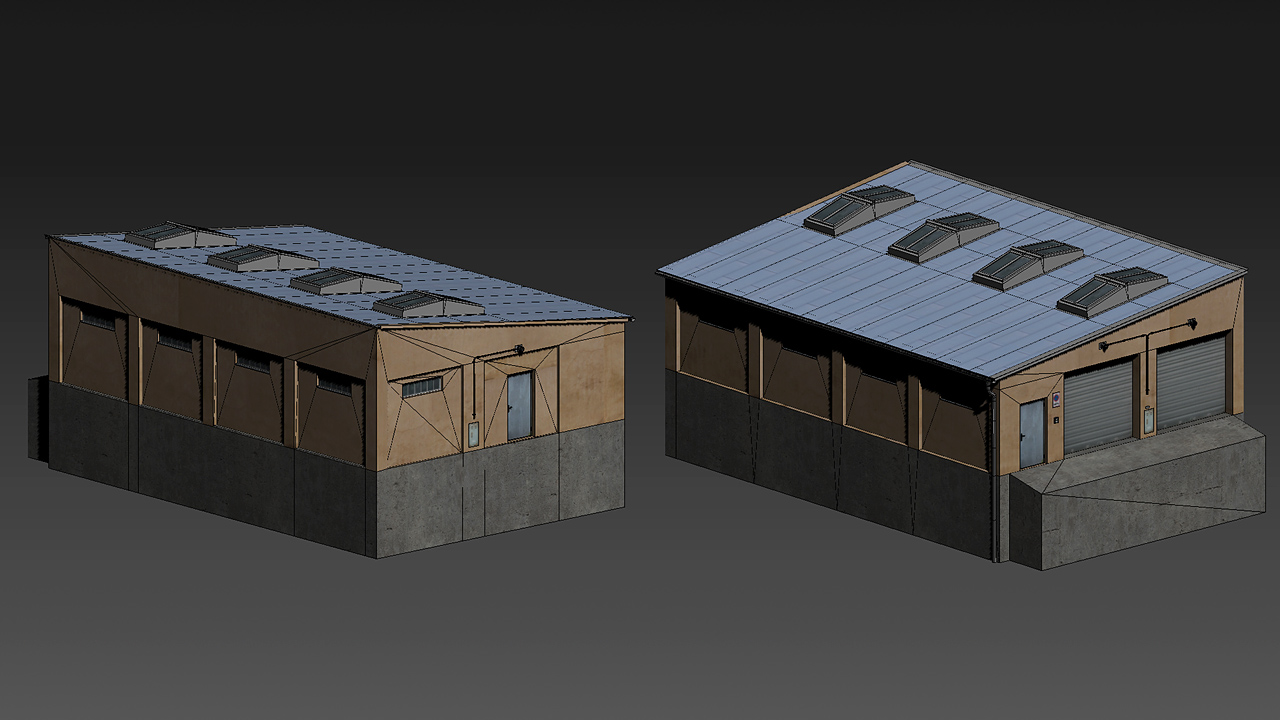


2 more script commands in 144690: CtrlAnimateModel and CtrlAnimationPhaseModel
example: ((findDisplay 12) displayCtrl 102) ctrlAnimateModel ["close",1] https://t.co/GIO3MUQ7sI
 Twitter
woeful viper
Twitter
woeful viper
its def. interesting - as alternate to doing everything in UI with rendered images
But if you already have a modelled fire control console in an artillery piece for example, having a GUI pop up when you want to use it is less immersive than having it as "integrated into the environment"
rough idol
I'm afraid then you will still have to deal w animate network traffic
changing LOD via parameter doesn't change rendering context after all
woeful viper
changing LOD with the idea to try and circumvent the priority rendering of the viewPilot and similar (the behaviour horriblegoat showed with the last couple screens)
If that works, you can spawn the model of a console via createVehicleLocal in the interior and have it displayed correctly -> no network traffic from animations on the console. thats the theory
atomic path
My static weapon keeps rolling over whenever I aim it to the sides, here's the geo LOD with weight:
woeful viper
this looks like it just has 2 points left and right as weight? Place it further apart. Make fake weights and components if necessary
then look at recoil -> reduce muzzleImpulseCoef
atomic path
Doesn't help really
Is the landcontactLOD necesary?
It tends to flip and balance on the side
despite the fact that center of mass is almost touching the ground
woeful viper
yes landcontact is relevant to what i know. Also, put the masses wider apart. Your current setup looks like trying to balance a pen on its tip
fervent steppe
😂
atomic path
Yea I've added more landcontact points and geometry and it's almost stationary 😄
anyway thanks
👌
stuck oyster
@atomic path how much weight have you given your geomlod?
atomic path
I've started with 1000
but apparently 70 is enough
and quite close to real
it works good now
stuck oyster
👌
foggy finch
Friday wip, have a nice weekend folks 😃 -> https://www.artstation.com/artwork/XZN5y
stuck oyster
💪
woeful viper
i have the ugly, less elegant brother https://abload.de/img/stubgunecucf.jpg
 foggy finch
cool
gotta say im totally gonna give your mod a go when it's ready, you have been working on some neat assets
woeful viper
thanks, you need to hold tight for just another 5 years at the current rate 😄
honestly, i'm a little surprised i can't find people interested in helping with configs for my mod. I thought since it's a bit easier to learn than modelling or terrain making the pool of potential volunteers would be larger? guess not...
foggy finch
from my experience people only know/learn how to configure/encode assets when they have to do it for themselves,.. it's a skill the same as creating 3d assets is.
woeful viper
idk... back in the days when i started modding (battlefield vietnam), thats all i did... playing around with configs and making fun weapon tweaks
i guess its the realistic nature of arma, it doesnt invite for a lot of "funny tweaks" as purely fictional stuff might do. Plus the difficulty in getting started/ finding good info. So you are propably right on the money there.
foggy finch
yeah it's the open nature of arma compared to other titles though, the fact that you can add your own content in a fairly easy and open way compared to any other title
stuck oyster
👍
fervent steppe
Cool
polar fiber
Since people are posting their Friday work. I finished a fancy stick https://i.imgur.com/F41AyFl.jpg with some Russian on it
 minor jasper
oh my. monkey that's just GORGEOUS
this was my teams work this week (horriblegoat on nohq, nodunit on smdi and rvmat, me on decals, design, model rigging, crew anim, sounds, and configs, Tetet on damage model and ejection seat, Timms on texturing. yacs original model) https://i.imgur.com/3RAMHS4.jpg

and this https://i.imgur.com/oPABSA4.jpg

@vapid nexus nice A1 model mate 👍 what's it for?
woeful viper
nice A1 👌
da12thMonkey, but did you count all rivets? 😄
polar fiber
I counted as many as I could actually see
But yeah, drawing all those screws in to the normal map was by far the worst part
obtuse rain
da12: Are you using substance painter?
polar fiber
if you're suggesting to use symmetry in SP to speed it up: the rail I was texturing is mostly asymmetric so it wouldn't have helped much
obtuse rain
Nup, was going to ask if you used height map stamping or a normal map layer to stamp the rivets on.
polar fiber
no, I made some myself in PS and ran it through nDo, because I wanted the slots to be consistent sizes even if the screw heads were different diameters. Where stamps/brushes scale the whole thing
so I had the normal map down before working with painter, materials etc.
and I wasn't sure how well SP would like it as a 4:1 ratio texture
obtuse rain
If you scaled the stamp/brush up and down in size?
polar fiber
then the slots are too small to see on some of the smaller screws
it's a pretty minor prop, so I'm not using a particularly high texture resolution on it
even on the larger screws, the slots are only like 1-2px wide
so it doesn't scale down too well using pre-made brushes
vapid nexus
@minor jasper for a vietnam Templat that i have been making for my unit and i though why not make an M16a1 andd try to bring it ingame just for the hell of it
 warm trench
Quick question regarding Optics:
Am I right in thinking you can't change the 3D model between OpticsModes? (E.g. for Magnifier positions etc.) You swap models via swapping class using MRT/CBA type functions instead?
polar fiber
yeah
warm trench
Thought so. Thanks for the quick answer. (Again!!!)
rough idol
fast and silly way for new tank dlc interiors 😄
woeful viper
neat, hadn't thought of that
stuck oyster
👌
 fathom dagger
so like.. you used a vanilla tank interior model and place it on a T-80?
I mean.. not bad since simply having it exist greatly outweighs the "immersion" experience.
although actually... now that I think about it.. the T-100 Varsuk is nothing more than a heavily modified T-80 Black Eagle so YEAH.. I guess it works right?
woeful viper
it works for the model itself, but for all integrated pieces that need to animate (steering levers/wheels, etc) it's not suitable. Also, if you don't care much about authenticity and just want something instead of a letterbox its a decent method
you can position driver proxy so that he only sees what you want and black out the rest with black blocks or something like that, if yout want 'just' viewports for example
fathom dagger
^
 tough sinew
Is there any way to animate a model with a swing movement
tough sinew
its a static model
its this
I have the model fully texturized and everything done but dont know how to achieve that movement
tough sinew
the rotation animation is not the thing i want
i NEED THE MODEL TO ROTATE SLOWLY ON EDGES
ups
stuck oyster
then you need to either make multiple rotations that create the slowing effect
or control the animation speed via script
lusty ginkgo
why doesn't alpha work on multi material
quick terrace
#arma3_texture - no idea but indeed it doesn't
stuck oyster
Are all the materials in use _CA?
mossy oxide
Is it possible to view model in thermal vision in the bulldozer?
mossy oxide
another question: how do you add thermal textures to the model? The mat editor does not show them, and if I ad them by editing the file the changes are not applied
woeful viper
ti textures are added via rvmat - if thats what you mean
polar fiber
I only ever edit .rvmats in text editors. The Mat editor's not very good IMO
{
        texture = "#(argb,1,1,1)color(0,0,0,0,TI)";
};```or a path to the image
woeful viper
default in many vanilla rvmats is class StageTI { texture="a3\data_f\default_ti_ca.paa";};
mossy oxide
I'm trying to fix the russian thermal camo on CUP uniforms, but for some reason none of my changes take an effect on the thermal texture
woeful viper
the base look (with default_ti_ca) looks like the Ambient occlusion map but inverted
polar fiber
are you clearing your temp folder when you build?
stuck oyster
Was StageTI working on only with vehicles and characters?
mossy oxide
cant build that way, BIS in its infinate wisdom broke the unpacking script , so no base game files get extracted.and now random stuff is missing when I try to pbo with mikero's tool
mossy oxide
it was after tanks DLC
stuck oyster
do you use Arma3P?
mossy oxide
the tools
mossy oxide
It seems that thermals do not get displayed properly in bulldozer, I just get grey models, not like, stuff you seen in the game. Even exposed body is just grey.
stuck oyster
does it have the thermal values determined in model.cfg
mossy oxide
@stuck oyster It works in the game for that uniform model
@graceful cave Wrong channel
 graceful cave
im sorry
mossy oxide
Even vanilla or things I know that work, they do not have working thermals in bulldozer
mossy oxide
I tried adding vanilla TI textures, generated textures to the rvmats and absolutely nothing has effect on the flora and EMR uniforms (the ones I'm testing). Now Russia stronk thanks to OP thermal camo for every soldier. I have no idea why it does not function though. Editing the rvmats should have at least some effect.. Is there some obscure setting in model or such?
mossy oxide
Ok figured out the procedural that works texture = "#(argb,1,1,1)color(1,0,0,0.5,TI)";
white jay
Is there a tutorial somewhere or can someone give me some simple instruction on how to get the arms samples man into blender
outer condor
@white jay check this one: https://www.youtube.com/watch?v=RxdLKuGFJoA

In this video I go over how to get the Arma 3 Toolbox for Blender installed, go over some of the basic features of the toolbox and the example file. This exa...
white jay
awesome, thanks!
https://imgur.com/a/goHITpu Almost done texturing the windows and shop doors, I'm so ready to be done with this huge fucker.
velvet fractal
Hello all. Models use third LOD for close distance. Until a certain moment all worked
https://i.imgur.com/wL73ziS.jpg
 stuck oyster
third lod?
normally you have lod0.00 that has the most details and multiple lods that reduce the model verticlecount by 1/2 each
@velvet fractal would you elaborate about this third lod
velvet fractal
Resolution 1,2,3 and 3 dispay close distance
stuck oyster
mmm that does not sound right
velvet fractal
Maybe need change 1 to 0, 2 to 1, 3 to 2?
stuck oyster
0 should be the closest one and so on
no idea how your 3rd has ever worked
as the close one
cinder pivot
Top lods could have been too much so it renders lod 0
stuck oyster
no the order is 0, 1, 2 and so one so 0 would be loaded first
and the rest depending on scene complexity
fervent steppe
Yes and I don't think the actual number matters
velvet fractal
If i change 2 and 3 lods to Edit, first lod visible. If only 3, then 2 visible in close distance
@stuck oyster
stuck oyster
distance is only a small part of what lod is shown. primarily the scene complextity defines what lods are shown as in how much verticles theres on screen and how much power your system has to show them
how many verticles your lods are @velvet fractal
polar fiber
and how many "sections"?
velvet fractal
94 for glass(hide, unhide)
polar fiber
sections, not selections
velvet fractal
hm, what it?