#arma3_model
1 messages · Page 110 of 1
 foggy finch
 lusty ginkgo
how long does it take to bake something at 512 samples?
foggy finch
depends on how many uv shells etc, but 4k with 512 samples and 4x supersampling is usually less than 5 mins
foggy finch
no
i have had some things take up to 15 mins, but those were highly detailed complicated meshes
substance has a baker too if you have that software
lusty ginkgo
I might check it out
 past edge
I did some testing in this regard in the past, I used to go with 32 samples but it really wasn't enough in some areas, so I upped it to 512 and let it work for 2 hours (texture is 2k) - here is the difference https://cdn.discordapp.com/attachments/293157245682843650/386128588715458560/unknown.png
here's 2 screenshots of the inside of the barrel completed with 32 samples (first pic) and 512 (second pic) - the lines represent the rifling of the barrel
https://cdn.discordapp.com/attachments/293157245682843650/386129278233739264/unknown.png - 32
https://cdn.discordapp.com/attachments/293157245682843650/386141441266548737/unknown.png - 512
 obtuse rain
Cre8or: You might want to try GI baking with radiance caching rather than simple occlusion baking. The irradiance caching means you get much smoother results for a muuuuch lower ray count.
past edge
I'm not sure what any of that means, but with what little modelling I do these days I can pobably get away with waiting a few hours to get a final, high-quality AO bake using my seemingly archaic method 😛
obtuse rain
It's what happens when you do a raytrace in your modelling application, it does a kind of "ambient occlusion" pass with multiple bounces and radiance caching.
But instead of using it in a ray trace you can tell the renderer to bake it onto a UV mapped texture.
A typical pass is <1 minute.
The radiance caching means it only fires off rays from some parts of the geometry and then smoothly interpolates.
past edge
am I mistaken in saying that this is not supported in 3DS Max? because I can't find any documentation about it
obtuse rain
I'd be surprised if it wasn't, Modo does it.
lusty ginkgo
@past edge https://i.imgur.com/OxYLMFw.jpg this is what 32 samples looks like for me
lusty ginkgo
is there any way to change what UVset the actual texture is applied to?
past edge
in rvmats, yes: https://community.bistudio.com/wiki/ArmA:_RVMAT#Shader_specific_setting
can be: none, tex, tex1 (second UV set) ```and that's a nice looking AO btw
 polar fiber
texture (_co) will only use tex
lusty ginkgo
I know about the rvmat but I was hoping I could with the face texture as well
polar fiber
try using an _MC to change the base texture
lusty ginkgo
I was trying to see what the mc texture looked like on its own
I just made a separate super .rvmat for that
 half heath
Is translating a rotation axis not possible? Example: charging handle axis needs to translate backwards while also serving as an axis for rotation for said charging handle
polar fiber
should be possible if you set up the skeleton right
have a bone for the translation and have the axis mem points as part of that named selection, and have the charging handle as child of that bone
if it didn't work, you wouldn't be able to have wheels that rotated while on dampers that move up and down
 dusk frost
@late raft I mean why they need to be there? Like how do they influence the model ingame
 late raft
@dusk frost They are used to define which bone has influence over which area of the model for animations
@dusk frost
Thats what weights are
lusty ginkgo
Out of curiosity, if you have an animated door selection only contain half of the vertices for the door object, would only those vertices move?
polar fiber
yes
dusk frost
@late raft Thanks :D
lusty ginkgo
Why is using a multi material better than just using 3 different textures on a universal .rvmat? Obviously it has a smaller section count but it is also loading a lot more textures and uses the mask and what not
wouldn't that also have an impact on performance?
I know multi is better I just don't know how much better
 storm nacelle
Are there any good guides out there to start clothes/vest modeling in blender for Arma 3? I’ve been taking a blender course in unity which has been going great but I just needed some direction or tutorial on how to progress into modeling for Arma. I’ve checked out this link https://community.bistudio.com/wiki/Arma_3_Modding_Characters
But im still leaving a bit confused. Any help would be appreciated! 🙂 thank you!
 timber cobalt
You mean how to model or how to make lods?
 hollow bronze
are issues with shadows a common thing with models?
lusty ginkgo
define issues
 quick terrace
shadow lod meshes need to be closed, triangulated and hard edged
also no UV data present
@hollow bronze
hollow bronze
Hmm. I think I'm in a little out of my depth here.
quick terrace
if you are out of depth when having to close, triangulate and make sure the faces are set to hard edge (last 2 being 2 individual clicks in o2) , you will have more trouble down the line
hollow bronze
I've never really played with modelling before so a lot of this stuff is new to me. I'm willing to learn of course, but I don't really know the tools.
timber cobalt
@hollow bronze in blender, ctrl+alt+shift->m. This show you where your geometry is not closed
hollow bronze
So many keybinds to remember 😛
timber cobalt
In OB, "structure->topology->find non closed" does the same thing
@white jay you should download the eurofighter by pookie. It is unbinarized and has a working ejectionseat
hollow bronze
Thanks for your help Battlestad. ❤
timber cobalt
Remember to triangulate and sharpen edges again after closing geometry
 stuck oyster
it does not work in meters
its changed depenging the scene complexity as in how much and what stuff you got on sreen and how much power your GPU got
to simplify it a bit
 eternal burrow
Thnx
foggy finch
Just finished baking the low poly lapua, so took some time out to render all the AI rifles I've done so far.
http://imagizer.imageshack.us/a/img923/4812/kOOWEq.png
late raft
are those attachments gonna be proxies
 cinder pivot
Anyone know how intensive animation selections are/extra selections to animate?
No extra textures just movement in positions
cinder pivot
Just like a lot of movements/animations
Just want to mess with movements/hides based on current hitpoints dmg
 woeful viper
how many animations are we talking?
storm nacelle
Just mainly where to begin with modeling for Arma 3 in blender, ie where to get character rigs, import, export. I’m just looking for a tutorial to kind of nudge me in the right direction.
Whenever I google anything I just seem to get retexturing tutorials
cinder pivot
@woeful viper no clue - I am just trying to feel the waters
I would assume like 5-7 animations and like quite a number of different bones
stuck oyster
if they are all part of same animation sequence use same animation source on all of them and trigger that
should not be a problem at all
you should already know we can best help you if you dont beat around the bush with your question 😝
and tell us what is it you want to do
cinder pivot
Well I don’t know what I wanted to do tbh
Like I think 2017 mod for a3 was going to have like a armour system
Where stuff is damaged based on hitpoints
To animate
stuck oyster
on vehicles?
cinder pivot
Yea
stuck oyster
Id say that should work
there are bone count limits though
256 or something like that
animations you can have a lot
cinder pivot
Gotcha so thats what the issue would be, since its limited bones vs like a few animations
Like 1 animation per side and X bones to use that is the issue
stuck oyster
yeh so cant really animate each plate and bolt 😄
cinder pivot
Yea
stuck oyster
😄
cinder pivot
But yea, thx - bones would be my issue then vs animations
Good to know though, Ill stuff it in the back of my mind
stuck oyster
cant remember what the exact limit was
but not more than 256 at least
maybe some less
cinder pivot
Will also be fun to check out new physx on hatchbacks etc
Yea that number seems familiar .. 255/256 bones
polar fiber
yes, it's 256
stuck oyster
animations dont work on the bones over the limit
 lethal axle
Anyone got a character model that I can import into blender to use as reference?
stuck oyster
Arma 3 Sample models has all you need
get FHQ blender toolbox and import the A3_character_example.p3d
lethal axle
okay thanks
lusty ginkgo
So what's the trick to baking AO maps on models with windows and doors?
for windows there simple doesn't need to be a window pane so that works fine but with doors the door still needs to be affected by the AO so it can't be removed
quick terrace
for doors i do 2 bakes, and blend em
it is shit with no doors, just as shit with door present
also it is way more visible than with windows
lusty ginkgo
I just need to find a way to exclude certain objects from affecting the AO during baking so I don't have to move everything 20 meters away
not sure if I can in blender though
quick terrace
can’t you hide stuff instead of moving it?
lusty ginkgo
See, that would be the obvious solution
but of course doesn't work with blender lol
it seems you have to either literally delete the object, or move it away for it to be ignored during baking
quick terrace
pretty sure there is an option someplace otherwise it is a bit stupid
that said door and window frames still require their lighting bakes
lusty ginkgo
The frames are part of the structure so that isn't an issue
I just don't want glowing doors
anyway, I'll figure that out later, I gtg for now, thanks for the input
polar fiber
so I don't have to move everything 20 meters away but "exploding" the mesh is the standard practise for baking models with animated parts
stuck oyster
@lusty ginkgo you can set Blender to bake only from selected objects to active object
or move stuff to other layer
possibly setting them not to render can also work
lusty ginkgo
I'll try another layer
hiding them or disabling their render setting doesn't do it but I forgot that blender has such an odd layer system
 atomic path
I've copy-pasted the insignia proxy from samples to my uniform and it gives me some weird shadow glitches. It's not added to shadowLOD (same as in sample files), only resolutionLODs. Gives similar artifacts to un-triangulated shadowlod faces. Any idea how to fix?
stuck oyster
got pics?
cant remember there being an insignia proxy?
do you mean youve copied the mesh piece with the insignia selection
does your uniform have a shadowlod?
is the insignia mesh piece in it
as it should not be
do you have this named property in your res LODs
it disables that lod from shadow calculation
@sokolonko#0094
stuck oyster
@white jay there is a new selection rename and deleteion tool in the dev branch OB https://forums.bohemia.net/forums/topic/169362-tools-development-branch-changelog/?do=findComment&comment=3281551
Bohemia Interactive Forums
29-08-2017
	Size: ~12.5 MB


	TOOLS


	BankRev


		Added: Ability to sort the columns on the main form


		Added: Shortc...
but if you think your question through you will notice the probelm with what you would want to do when you have multiple different lods that have different meshes
where your selection projected to the other lods it would never match it 100%
because the mesh in each reslod should be much simpler than the previous one
not to mention memorylod or geometery lods which are again far different
depends what program you made your modeli in it could be simpler and faster to create the slections there
 sacred grail
how is nvidia's new ray tracing going to affect texture baking?
I understand it won't change anything for Arma but what about with other engines?
 outer condor
 bitter shore
Hey guys does anyone know why this happens? :c https://gyazo.com/8b250ba680ca313fdd77e28453c1a222
atomic path
@stuck oyster I have shadowLOD, the insignia mesh is not there, all reslods have LODNoShadow
And yeah, I just copied the insignia from vanilla
quick terrace
@Hololand#5890 it won't affect it. ray tracing is nothing new, just being able to ray trace real time is.
stuck oyster
🎉
 fervent steppe
Cool
 vernal lynx
@atomic path In O2, select a square on your uniform shoulder, copy paste it, move it a bit so it doesnt collide with the original mesh, re UV it in UV editor, assign "insignia" named selection, enjoy (dont forget the section in model.cfg)
you can also do all that in blender, doesnt matter
oh and texture : #(argb,8,8,3)color(0,0,0,0)
rvmat : a3\data_f\default_super.rvmat
 sharp halo
I dont know if it has been posted or not but apparently in Tanks DLC, Joysticks for gunners use turret_control_x and turret_control_y but I am not sure how to use them
Or I am wrong and suddenly you can create custom anim sources with custom names ?
polar fiber
you can make custom names
e.g. in turret classanimationSourceStickX = gunner_stick_trav; animationSourceStickY = gunner_stick_elev;
and in model.cfg class gunner_stick_trav: MainTurret { type= rotation; source= gunner_stick_trav; selection= gunner_stick; axis= gnrstick_trav_axis; minValue= -1; maxValue= 1; angle0= rad -30; angle1= rad 30; }; class gunner_stick_elev: gunner_stick_trav { source= gunner_stick_elev; axis= gnrstick_elev_axis; angle0= rad -30; angle1= rad 30; };
sharp halo
@polar fiber :-o thank you so much! I thought I would give you something and instead I learned something :-) thanks again
polar fiber
it was added in the Tac Ops DLC IIRC
We had it on a couple of RHS vehicles for a while at least
but I imagine it was part of the Tanks development regardless, since that's been a major feature of having interiors
sharp halo
I was worried also that my view pilot Lod was too heavy, being 35k faces, but then I checked the pilot lod for M2 tank has 80k so yeah
Thanks again, everything works great 😃
lusty ginkgo
Is there a detailed page that documents how _ADS textures work?
 sonic valve
Can a turret like on the ghosthawk move on multiple pivot points?
sonic valve
Like have a swing bar + moving on rotation?
stuck oyster
turret/gun animationSource can power any number of chained bones/animations
polar fiber
possible that the AI isn't so great at aiming when the animation isn't a simple arc though
bitter shore
Any good tutorials on OB UV mapping?
quick terrace
@lusty ginkgo not really ;)
@bitter shore great nickname, never do UVs in OB if you wanna remain sane
bitter shore
@quick terrace Thnx ^^, I just want to make a simple UV for a car. Whenever I add oneside and then try to add the other top side the first side disappears :c
quick terrace
did you model that car in OB? i doubt that, so why don't you UV it in the software you used to model it in ? @bitter shore
bitter shore
Back to 3dmax it is :c
bitter shore
Found out how in ob at last 😄 https://gyazo.com/df64ef569f5e7adf9030d1b6e23c2077
quick terrace
lol
cinder pivot
🤔😕
 tacit herald
I'm lost
my transparent textures are black
as in what should be transparent, is showing as black
any thoughts?
quick terrace
what file format did you convert it from, what was the bit depth per channel and how many channels
what is the resolution of that texture
how did you convert the file
did you use the proper sufix?
@tacit herald
tacit herald
hang on
from png 1024x1024
32bit
converted through Texview
ah64d_glass_ca
RGB/None
DXT5
and it has 4 channel. Red Green Blue and Alpha
 minor jasper
send me the texture in pm if u want
 lunar plover
Why does the back of the wall look?
http://prntscr.com/j3hcd0
http://prntscr.com/j3hcjy
polar fiber
@tacit herald your .rvmat probably references a .paa file that is not unpacked on your P: drive
binarisation bakes information about which faces have alpha applied to them, in to the model. So it needs to be able to reference the files when packing the ODOL model
tacit herald
I just checked
all reference paas are there
and reference correctly
thing is...I released this mod before. I changed 1 line in the config.cpp months after the previous release
now this
minor jasper
i sent the guy the right texture - he should be fine now
 formal vapor
How do I collapse sections in oxygen?
I have a high poly model with about what is supposed to be 13 sections, but about 141 is shown in the status bar
I need to fix this because I think it's causing a specular map issue
 broken abyss
I'm not sure if this is your problem but try removing doubles in blender
 ebon abyss
lusty ginkgo
ebon abyss
lusty ginkgo
https://i.imgur.com/M9cug8i.png
Anyone know what might cause this? First time testing in buldozer and those weird little black flickering lines are there. Also I should mention that is the MC texture so that's why it is so low res here
Having no texture on the faces and just the MC in the .rvmat doesn't have this issue
The combination of the MC having no alpha channel and being assigned as the face texture seems to have been the cause
sharp halo
@lunar plover try Substance Painter if you want to texture. It is 1000 times better and yeasier(atleast for me)
 gray jay
Great start Spook, now it's time to continue and learn abouth high and low poly, baking normals and finding a software that suits you best for textures. good luck.
 bold flare
Encoders will also find a new handy feature in Object Builder: a single selection can now be renamed or deleted across all LODs where it exists. \(O_O)/
 fathom dagger
oh if only i knew what that meant :(
foggy finch
lol
 wraith tendon
Select one, delete everywhere
 lime nebula
bold flare
lime nebula
bold flare
the return of the sources of the core configs That sounds nice. But I'm not sure what that means. configs with comments probably right?
foggy finch
yep
p:\bin\config.cpp etc were commented at one point, dissappeared a few patches ago, more a fixed regression than anything
 halcyon wren
Yeh, it will very likely be commented sources. Was looking for them last week and was sad they were gone :/
foggy finch
they are a good resource to reference for base classifications
bold flare
yep. They are back in latest tools update
lethal axle
Is there a hard cap limit to model you can put ingame?
stuck oyster
yes but if you reach it youre doing it wrong
outer condor
@bold flare are they? i am on at tools dev branch and its only config.cpp and config.bin
lethal axle
@stuck oyster I am trying to import cars Into the game but I am not the one modelling them.
bold flare
atleast the techrep says they are. And someone on forum reminded tom about it
stuck oyster
@lethal axle Im hoping these are legit cars and not ripped from anywhere
as such cars have 99% of the time been
lethal axle
Hum3D
stuck oyster
yeah those are not game ready
at least the ones I checked out
those are for rendering and highpoly-lowpoly baking
but not worth it even trying to use them as is in a game
lethal axle
yeah, but you can order them to be GameReady on certain ones.
stuck oyster
sure those might be useable
if you want to invest the money
but thats a lot of money to make a mod
lethal axle
Money isn't a big issue to me. I can always earn more
I just wanted to know what to cap was to be able to purchase models under that.
stuck oyster
well vehicles usually are kept in the 40k range
but to work properly
they need something like 4-6 resolution lods each ~half the polies the previous one
so that when they are faraway they dont beat the crap out of your performance
or when theres many of them on screen
lethal axle
Okay
stuck oyster
so you would probably want at least the 20-30k range and if you dont intend to do the rest yourself the 3-5k too
if you want to make them performance friendly
also you probably would want the uvmapping and texturing too
possibly the interior option too
so ~1500$ a car
 river kite
For your information those models are Not uvmapped properly their uvs are a joke
cinder pivot
Best to learn somewhat of what you are doing
Then do the legwork yourself
Save thousands
??
Profit
river kite
A mate bought some Time ago a Model of them, the result is He asked me if i could uvmap the model completly new
stuck oyster
¯_(ツ)_/¯
woeful viper
40k? i heard 40k ? Someone wants to volunteer for my... oh nvm.
stuck oyster
xD
woeful viper
dont worry about UV, its entirely optional in life mods, according to popularity of models with solid colors slapped on them
minor jasper
Lods no more than 30k for exterior then halve and halve again until its below 300. If youre being really cheap just a good pilot view and exterior view plus simplified interior will do. You can make your own distance lods in OB but they wont be pretty. Then a decent shadow volume of 1.5k polys and a detailed fire geo. You can make the other shadows and geos from those.
So spending a little of your budget on a decent artist here would make sense to get your shadow and geo sorted
lusty ginkgo
So my ambient shadow texture on my model is behaving very strangely
I can only see it when the face is almost directly to my left, or right, when in buldozer, while faces I am looking at directly aren't shaded at all
stuck oyster
pics?
lusty ginkgo
one sec
https://i.imgur.com/7FB74pG.png
https://i.imgur.com/9hdeaXa.png
Looks the same on faces on the outside with or without shadows visible in BD
https://i.imgur.com/046NAq3.png for comparison, what a vanilla building looks like
stuck oyster
odd, have not seen it behave like that
lusty ginkgo
it actually does that with procedural ADS textures as well
I guess it's just the shading in general
stuck oyster
could be your models face normals are not correct
lusty ginkgo
tried that
I set all the edges to smooth and the interior looks much better
it looks like all the edges were sharp before but they weren't so I don't understand why everything was affected
in fact very few edges should be marked as sharp edges at all
might be something with the blender > p3d export I missed
stuck oyster
I get messed up normals in B > p3d sometimes. not quite sure why it happes. Should make some tests at some point xP
lusty ginkgo
in blender I had to manually flip a bunch of faces on the interior because the normals were reversed for some reason
but I always recalculate in OB since they never look correct straight from blender anyway
lusty ginkgo
So I guess it always exports the .p3d with every edge marked as sharp
can't figure out why though
oh nvm it uses the actual face shading instead of the actually marked edges
the faces all have to be smooth shaded for it to use edges
foggy finch
if you have a mish mash of flipped faces in blender, make sure all your vertices are welded, and faces pointing the correct way,. that shading in your earlier pics looked like a double edge caused by unwelded vertices due to flipped faces.
lusty ginkgo
by welded do you mean merged? So there aren't any overlapping vertices? I have fixed all of those
I have some loose edges and points for the memory LOD actually so I should move those to a separate object
not sure if that makes any difference
foggy finch
where your wall meets the floor looked like a split edge / unwelded corner vertices (unmerged/split, so 2-3 vertices instead of one), this will give you a shading error regardless of how good your textures are.
lusty ginkgo
the wall aren't connected to the floor or the ceiling
sharp halo
And they should
lusty ginkgo
there is no way to do that without making some messy abomination of a model though
unless I just place every vertex manually
sharp halo
I dont quite understand then. How does it look?
quick terrace
that sort of bake shouldn’t happen no matter of the floor is welded to the walls
that said, it should be
also, unless you want a modular house build or something
you might wanna clean that topology...a lot
lusty ginkgo
it's divided into a grid just like the A3 floors since it uses an image with several smaller textures in it
also has an edge texture for edge tiles
in between each wall there is a line and seam so each room can have individual grid pieces for the floor texture
quick terrace
no, a3 floors are not like that
i should know since some of the a3 buildings are made by me...
lusty ginkgo
https://i.imgur.com/HYctRqC.png my model using the A3 floor texture
https://i.imgur.com/4P8XWpB.png sample model divided into floor grid not attached to the walls
same principle, no?
quick terrace
no
because in your case there is no point for the grid
because you are using a seamless texture
the sample is using a tile type texture
lusty ginkgo
I literally sent a screenshot showing the UV
I am using the same texture so the floor needs to be in a grid pattern for the UV map
quick terrace
is this yours yeah?
lusty ginkgo
some of the floor faces go under the wall so maybe I should fix that so they're aligned
quick terrace
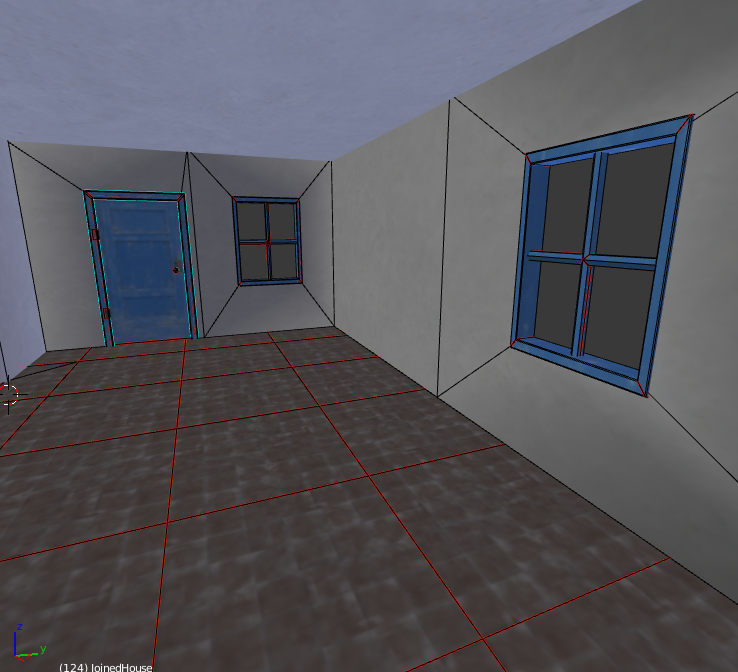 lusty ginkgo
that is mine
quick terrace
where is the tile?
lusty ginkgo
https://i.imgur.com/HYctRqC.png
it was this one lol
quick terrace
how many multimats are you using
and why you are using a texture that is not seamless instead, run out of individual textures?
lusty ginkgo
in the screens it's just different materials on different vertex groups so I can see in blender and bake the MC/low res texture. It only uses 2 multi rvmats
I am trying to make a building similar to the A3 ones for the learning experience
using the same textures
also the tile has surrounding darker tiles so each individual face can be shifted on the edges of the floor
quick terrace
ok, so the reason for the grid is that you are using existing textures already made
not because you are capped in terms of textures 4 per multimat
whatever, i consider what you are doing poor practice but whatever
back to your ao issues
unless there is a fuckup with the second uv set
the ao should back in walls and floor no matter if these are connected or not
lusty ginkgo
so the floor should end where the wall starts?
btw the A3 building materials I was looking at for a guide uses 4 textures in the first multi and 3 in the second. Also one of the textures is in both .rvmats and they have the same UVTransform and everything, so if that was part of the first material's mask, that would leave 2 free texture slots for the 2 .rvmat
I am probably going to just do some heavy modification of my building using custom textures now that I have the basic idea
 jade rock
quick question. but would memory points on proxy models work for useractions ?
cinder pivot
Logically, I don’t think it does. You could always try though
jade rock
Yeah i think im being limited by max memory points for what I want to do then 😦
count selectionNames cursorObject
``` returns 107 xD edgy cobalt
Why can't you place points inside primary model? And also you can use one point for different useractions
jade rock
I tried adding a memory point to test , and it didnt work.
I watched some videos, and on one they said it was limited to 99 selections
edgy cobalt
i have much more points and selections in my modular damageable vehicles and it works well. Are you sure that problem is with amount of points?
jade rock
hm
I dont know
I tried adding a memory point.
didnt seem to work
I got the memory point there.
          class accessatm {
            displayName = "Access ATM";
            position = "atmscreen";
            radius = 3;
            onlyForplayer = "false";
            condition = "";
            statement = "hint 'test'";
          };
``` within my userActions classEvery named selection represented only by one point?
jade rock
just the memory points
most of the selectionNames are glass_hide and unhide ...
still no action
edgy cobalt
Yes, but if atmscreen selection contains more then one point it merges it like if you press Shift+D
Also if someone hides a point it will appear at [0,0,0] of the model
Try to check this
jade rock
didnt move
edgy cobalt
Try to add "alive this" or somthing else into condition = "";
Not sure that empty string works fine
jade rock
still nohting. will try again
edgy cobalt
But the original bank, vithout your modifications works fine? Cause I remember, that there was an errors in australian building sources.
for e.g. showroom doors condition or statement was wrong
jade rock
Im just adding new points.
the only thing that does't work is the sliding doors
OOOH
I GOT IT
WOO
I have no idea what i did.
i just fiddled
now time to see if i can do it again xD
hmm
next one. can i make it so i cant get the options through walls xD
edgy cobalt
with default interactions you can only try to configure a radius of useractions
lusty ginkgo
How exactly does one combine two meshes? I can't seem to find a way
lusty ginkgo
knife project worked fairly well in my circumstances
quick terrace
can you be more specific about what you mean by combining 2 meshes?
 teal remnant
any reason why the new "spz" plates only work on one plain typically the back one
lusty ginkgo
I mean like they have combined topology
anyway I think this could be considered an improvement? https://i.imgur.com/n9Q8Vak.png
just noticed the thing by the door where the points aren't connected
quick terrace
no idea for blender since i am not using it, for max is a matter of attaching a mesh to the other and low target welding points
but the points needs to be on top of the other to weld correctly
lusty ginkgo
I was hoping I wouldn't have to do it manually but I found a faster way to cut the faces
used the walls to knife project onto the floor and merged doubles
quick terrace
and yes that is definately and improvement
lusty ginkgo
Perhaps drawing a sort of "floor plan" with edges and then extruding them would be a better way to do the interiors
next time I'll start there lol
thanks for the help
quick terrace
neah, i always do the walls first
the floor and ceiling, if flat, is a matter of selecting the open edges then capping and triangulating, unless i want something specific done
i also always think about the textures - if i want some classic wood parquet on the floor, there is always some wooden border between the parquet general surface and walls, besides the wall plinth
so that would need some extra geometry
always know what textures you wanna use and where you wanna use it
also, when dealing with 2 multimats, i found it easier to split these by interior and exterior
lusty ginkgo
Makes sense to me
foggy finch
yeah i usually split my interiors and exteriors for multis for house sized and larger buildings aswell
latest topo looks drastically better than what you posted earlier btw rylan
lunar plover
Thank you @sharp halo - dün 14:5
Thank you @sharp halo @gray jay There is no idea about the Substance Painter and high and low poly. I will search.
quick terrace
@white jay yes, weight (mass) distribution
jade rock
: Can I do useractions on basic items ?i.e items with Items_base_F inheritence.
 white jay
https://imgur.com/a/auQUT After months of being lazy i finally taught myself node texturing
white jay
No idea what the hell that is but I'm sure I'm going to have to learn that soon lol
stuck oyster
well basically you replace textures with colors
so you can use multimaterial shader to slap them on it in Arma
stuck oyster
what is this problem?
lunar plover
the back of the objen looks
stuck oyster
flip the faces?
lunar plover
create a copy of the object, I need to reverse it ?
stuck oyster
and your blender view has 2 sided faces on
turn on backface culling
If you want paper thin walls yes you can reverse it
if you want proper walls you need to model the interior smaller
in any way you want
stuck oyster
yes
lunar plover
If I get this type of render, the problem is solved?
lunar plover
create a copy of the object ?
stuck oyster
if thats how you want to make it
I would say its not the best option
but it will work
lunar plover
how should I do?
stuck oyster
like you have done the whole building in the first place
lunar plover
can i use cube?
lunar plover
ok thank you. i'll try
foggy finch
anyone made editor previews for assets since this patch dropped? its telling me no classes found, yet they are loaded in game... if I run the command with the default params it'll dump everything vanilla,. I tried with other mods and also returning no classes.
oblig command link for reference
polar fiber
Yeah, I had that the other day. Had to specify classnames in the 6th index of the array instead of using the cfgpatches classname in the 5th index
e.g. 0 = [0.5,"all",[],[],[],["some_classname"]] spawn BIS_fnc_exportEditorPreviews;
foggy finch
damn thats a chore
strange, it works with a mod of mine that only contains 1 building.. hm
polar fiber
strange thing is, the 5th index worked on one addon (rhs_c_fmtv) but not another (rhs_c_hmmwv)
lusty ginkgo
@stuck oyster is that one of your rock models? How did you manage to get such good results on your mask like that?
foggy finch
nah still not working for weapons hm..
lusty ginkgo
is that blender?
lusty ginkgo
I imagine it functions in a similar way to world machine what with the nodes and such
stuck oyster
mm yes Id suppose so
stuck oyster
well then you already got one foot in the doorway
lusty ginkgo
yeah but now a 3rd dimension is getting involved
stuck oyster
😄
yeah it took me a while to figure out how to separate different directions
but its possible
this mossy rock material works great and always covers the object the same way
so it produces 100% compatible rocks
and the mask is produced with same procedural setup where the textures are replaced with solid mask colors
lusty ginkgo
you know you can blend multi material masks, right?
stuck oyster
yes
lusty ginkgo
not sure if that would help with the look you're going for here but it works
stuck oyster
id do that a bit
I blend baked full model _CO over the masked tiling textures
in Arma
lusty ginkgo
you could just render some red and green + blue and green clouds, set them to HUE blending mode, and lower the oppacity a bit in PS to make it look a bit more random
stuck oyster
and some of the color edges blend together too
it does not need any more random
it would become messy
lusty ginkgo
probably not lol
lusty ginkgo
indeed
lusty ginkgo
having connected topology on the interior of my building makes vertex groups pointless
damn blender
guess I'll have to use materials then
half heath
Nice rocks you got there
cinder pivot
I agree, they rock
sharp halo
Is it possible to hide big part of lets say a big square plane, and show only a little square in the middle , using other geometry as mask?
Something like this: https://imgur.com/UyfHBCG
Or is there any other solution that would work, in order to only show that little part of that square ?(the square is going to move)
I got something, but it works partially, becouse it hides my HUD also, maybe I could make that my HUD is visible through geometry?
 agile flint
Good to see some rocks they arent 100% grey
lusty ginkgo
https://i.imgur.com/Alteqcu.png
oddly satisfying
lusty ginkgo
https://i.imgur.com/aKs8rmv.png
I did it boys
sharp halo
Nice, very nice
 rough idol
@sharp halo you can always create mfd on top of mfd and animate MFD memory points 😛
sharp halo
@rough idol I am not sure If I understand you correctly. You mean moving memory points of Mfd in front of the geometry?
rough idol
yes
sharp halo
Yeah, cant do that in this case, becouse I have mfd points which I use for creating other display, which unfortunately is behind the one which I want to add this geometry to.
rough idol
why? you can have multiple mfds & mfds memory points
just create a bone which contains those mem points and do whatever structure you need
sharp halo
What do you mean by bone with memory points? In class mfd?
My problem is that geometry blocks visibility of these memory points(and I cant delete that geometry or move memory points)
rough idol
you can make 2nd mfd with square you want
and then animate position of it with model.cfg
memory points of those 2nd mfd need to be in some bone if you want to animate them
sharp halo
Oooh that is what you are saying. My problem is with visibility of MFD defined via class MFD in the config, not MFD with texture
sharp halo
@rough idol I have 4 mem points defining position for class MFD Hud. I am also trying to make a moveable map on one screen. So I found a way to do that in fz ah64, where it was done by masking the square with map texture with geometry and applied rvmat to it, I can post full rvmats but later when I am home. (from what I remember the map geometry uses NoZWrite flag in rvmat). And from the pilot point of view, the memory points for class MfD are behind that geometry, and that results in not showing Hud ingame
sharp halo
@rough idol Ok I am home again, so I dont know if you understood me correctly , so here is what I want to achieve.
https://imgur.com/308xexc
On the first pic, the blue line geometry is my masking geometry. It hides part of the small red lined square, on which will be displayed actual map. Ingame it works using these two rvmats.
Masking geometry:
https://pastebin.com/5jQvN18V
And map square:
https://pastebin.com/wH9nS9eT
I dont quite understand rvmats so I would appreciate any help.
Currently, that masking geometry, hides the unwanted part of the map perfectly. But with that it also hides any HUDs, becouse memory points for that are behind it from the pilot perspective.
Also, the map geometry itself does not block the HUDs visibility so that is even weirder.
woeful viper
why nozwrite?
sharp halo
@woeful viper I copied these from fz ah64d, I guess it is used to hide that map part
woeful viper
dont copy stuff you have no idea about - esp. in such cases.
sharp halo
@woeful viper source files have been released so I am trying to understand that
woeful viper
start with standard rvmat and then work from there
its no problem to look at other stuff, but you need to try out to learn what those flags and stuff do, compared to the "standard" way - instead of taking everything as is and then wondering why some other things dont work
sharp halo
I am trying, I've read the wiki and I have been trying to work this one out for 4 days now. I was thinking I could do it other way but nothing comes to my mind. Also , what is Z-buffer? Wiki doesnt explain that at all
woeful viper
what happens if you dont use nozwrite, have you tried that? And by "what happens" i mean what happens to that face with the rvmat, vs the background model. Ignore the mfd for now
z-buffer determines the order of faces for rendering. Ever heard of z-fighting? thats when 2 faces are too close together, so the algorithm doesnt know which one is front and it leads to flickering.
sharp halo
@woeful viper Thank you for explanation. Now it makes sense why on the wiki it says that this flag is used to fix shadow artifacts. As for your question, If I delete the that flag in this rvmat(which corresponds to texture map), this is what happens:
This is with the NoZWrite:
https://imgur.com/qYWMom5
and without:
on the right MFD you can see on the first picture small blue square-it is part of the map
woeful viper
ok so you have this giant plane of the map in-plane of the "nav screen" if i interpret that right?
sharp halo
@woeful viper yes, this giant plane which causes everything to disappear is that masking geometry which I showed earlier, and without adding NoZWrite to the map square , it causes everything behind to go invisible.
woeful viper
It would not surprise me if the MFD rendering feature would not work with NoZWrite render feature, because i do not think this is ever utilized in vanilla with vehicles that use MFD
sharp halo
Too bad. I got a question also
@woeful viper I thought maybe there would be a way, to make something similiar but other way around. No masking geometry, but somehow make the little square behind the map screen, and with that approach show only the part of the map where is square behind it?
If that wont help, only solution is going with PIP
woeful viper
make the map static and show the position of the plane as indicator... easiest method. Yes no magnification, but at least it works properly
you can't animate the UV's and keep the mesh fixed unfortunately, otherwise you could "scroll" the map very easily without any physical transformation.
sharp halo
Yeah I wondered about it and searched for it a lot, but ound nothing. But after all, thank you for your time and help
This is quick test with pip though: https://media.giphy.com/media/2kWQgevapgtvdVtykW/giphy.gif
sonic valve
@sharp halo I been looking for something like that as well, how did you do that?
sharp halo
@sonic valve Placed a box with the rvmat above in 1.00 LOD (becouse PIP seem only to work in that LOD), placed a map inside this box, and I am moving the map with the script and model.cfg animations. Box has to have faces pointed inside, and applied that short rvmat, map has to have that long rvmat
foggy finch
pastebin.com lets you paste code into a website, you can then link the paste instead of spamming a full rvmat into chat 😉
sharp halo
@foggy finch Ok, sorry for that . Edited 😃
foggy finch
np, just making you aware such sites exist 😃
rough idol
hm, never used sooo large square for hidding stuff
so I guess you can either use pip or try to use mfd picture thing
sonic valve
Very surprised that you can't just slap the current GPS screen onto a object.
sharp halo
@rough idol but using mfd picture poly will allow me to use only one colour , correct?
sharp halo
But there is a catch also becouse it only draws alpha channel AFAIK
lusty ginkgo
https://i.imgur.com/5miBuKy.png
I can't help but feel like my scale is a bit off
door and body are both from A3 samples
https://i.imgur.com/rY5y11v.png
My pixel-to-meter conversion seems accurate
https://i.imgur.com/LCGSr59.png
Am I crazy or does this look wrong?
 strong plaza
yeah building looks too big
lusty ginkgo
the should-height door knob looks wrong but in the last screen those are both sample models
lusty ginkgo
https://i.imgur.com/6kuqLsT.jpg
https://i.imgur.com/PeoC3q4.jpg
Looks like it could be correct actually
 onyx carbon
Damn never thought about that, that is one freaking big door
lusty ginkgo
the model has no head or gear for one thing
still seems weird though
also the house plans I am using are a bit claustrophobic if it is scaled correctly
which it looks like it is
maybe the buildings are taller on Limnos lol idk
lusty ginkgo
I always thought they were a bit thin and small when I was actually playing
unless it's just the shop doors
strong plaza
I noticed something, look at the rock texture around the doors and windows, the UV looks stretched as if the size of the doors/windows has been changed
lusty ginkgo
same with the two windows on the left
strong plaza
is that untouched vanilla asset?
strong plaza
I'm gonna have to jump ingame as see if it's there for me too
lusty ginkgo
https://i.imgur.com/CzMA55m.jpg
The house door seems maybe a bit shorter
https://i.imgur.com/nLbUyMp.jpg
Still tall though
quick terrace
a normal door is 210x90cm, for arma you can use 220x100-110
that looks like a 240-250, considering the characters in arma are 1.81 in height
 median bough
lusty ginkgo
median bough
lusty ginkgo
obviously it's so you can fit your quadbike through
lusty ginkgo
madness
woeful viper
its to fix a bug with perspective distortion in arma
lusty ginkgo
what perspective distortion
woeful viper
the renderer became crooked with Arma 3 update, but they didnt manage to straighten it, because its too complicated. So they made doors taller to compensate
lusty ginkgo
that's absurd lol
sharp halo
But easy xd
woeful viper
just arma things
lusty ginkgo
so was it always like that in a3?
woeful viper
happened in early development
lusty ginkgo
In OB I can't switched from some named selections to others
I can click selection 1, 2,3 4, and when I try to select 5 it stays on 4
but if I deselect first and start with 5 it selects the correct points
lusty ginkgo
should my building damage hitpoints contain any of the window damage hitpoints if they occupy the same-ish area?
woeful viper
Think about it for a minute and you know the answer.
Shoot glass with tank APFSDS... Now the wall collapses. Makes sense? No.
lusty ginkgo
Actually it would switch to a different model anyway so I don't know what I was thinking lol
the glass would already be broken and also shooting the glass would probably just destroy everything
lusty ginkgo
Does anyone know of a way in blender to cut straight lines along an axis?
You know, like the knife tool
but not lacking an ability to use an axis instead of the SCREEN ANGLE
seems absurd
adding a point to a line or splitting with precision shouldn't require 30 steps of setup lol
lusty ginkgo
https://i.imgur.com/HRO3FK4.png
So close, yet so far
lusty ginkgo
that is my geometry LOD
trying to figure out a "convex decomposition" something or other addon
 merry gorge
Where would one find the option to make a plane/texture slope over the terrain? A placable texture basically.
merry gorge
awesome, this is the same option for auto slope for walls after TB import?
merry gorge
Do you know where that can be found also? basically made some walls along with the textures and I know how much of a pain it will be if I dont do it.
stuck oyster
if you got mikeros tools you can check .p3d named properties with eliteness
 hexed fulcrum
hello there! i'm making a new terrain right now and i need help on some things.. the big part is done but now i need some special objects to place on the map currently im looking for different size and texture tiles to place on top of the terrain texture to blend it better when i need to place buildings (like tarmac or concrete square itles) can someone help me with this?
stuck oyster
if youre recruiting #creators_recruiting could be the place
if you want tips how to do it yourself then this is the place
hexed fulcrum
i want to know how to make them
stuck oyster
well basically what you want is flat plane that has the desider texture unwrapped on it with the named properties in geometry lod I just pasted above for @merry gorge
hexed fulcrum
i have basic knowledge of 3d editing but nothing on object builder itself
i can make a 3d flat plane but then what size? what format? import in to object builder and what to do? xD
stuck oyster
size is how big you want it to be. Arma can have difficulties with anything larger than 50mx50mx50m
Object Builder units are in meters for example
for basic stuff on how to use the programs there are a lot of answers on BI forums for example
or if you use some finer program those usually have more indepth tutorials on how to use the tools
merry gorge
if say I have a wall which is way below the max LOD verts, it's ok to just duplicate the base lod to create the geo/shadow/firegeo etc without any edits? So literally opening the fresh .p3d from blender and right click>duplicate>set properties>save.
hexed fulcrum
im making the 3d flat plane for decals, now im editing the uv map how to fit the mesh in to the uv border?
woeful viper
"below max LOD verts" -> that is no criterion. The maximum technically allowable is in the several hundred thousands. Everything should only have as many verts and faces as absolutely necessary.
show us an example if you need specific advice
stuck oyster
@merry gorge if you want to make proper models that work right you got to do the lods properly. Geometry blocks have to be convex and as simple as possible to work
@hexed fulcrum if youre doing it in OB be aware that its uv tools are not the most easiest to use efficiently
hexed fulcrum
can you please stop tell me generic sentence? i know arma is not easy i make mod and scripts since it comes out but now im tryng to do something new i dont know how.. so if you dont want to help its ok but dont tell me generic things... at least could you please link some good tutorials?
stuck oyster
Well I dont really have any tutorials for OB so sorry cant help there. Id say check our if your questions are answered in BIforums.
hexed fulcrum
do not misunderstand me I do not want to offend anyone im just a bit nervous i cant find help of making a simple plane f course everyone does what he can
quick terrace
lol - what do you want, a session where you are told which precise keys to press and which succesion?
stuck oyster
go easy on the guy, hes dipping his foot first time in unknown waters
but yeah that kind of help is unfortunately not very realistic
quick terrace
make a plane in your favourite 3d modelling ap, unwrap the said plane to the UV 0-1/0-1 coordinates if you plan creating your own textures, or use a seamless texture map so then just map it as you want, create the aditional needed texture maps, export the mesh from your favourite 3d modelling app as .fbx or .obj
import that file in O2 using the correct metric units
create an empty geo lod and use named properties
map = hide```pretty simple, right?
hexed fulcrum
ok thanks
quick terrace
again, no offense, this this model makers channel for ArMA, it means you will surely find help for stuff that is arma specific, unlikely to find someone to hold your hand through the entire process if you have absolutelly no idea how basic things works. there are plenty tutorials around the web for that sort of thing instead
which are also software specific
hexed fulcrum
i know i was asking this only because i need a simple flat plane but things seems more hard than i guess so its ok
stuck oyster
The procedure for a simple plane is same as for a house or a car really. The latter just take more time doing certain parts of the procedure.
hexed fulcrum
ok guys thanks anyway sorry if i bothered you i will search for a complete tutorial on 3d model etc...
stuck oyster
asking is never a bad thing
but you got to understand if we spent like couple of hours with you going through everything step by step
wed be doing that forever with the next guy and the next guy
specific questions are easy and fast to answer
but big questions like how do I do X are not
and in cases where people have had such luxurious help they do not come back to answer the next guys question
hexed fulcrum
I understand perfectly you're right
stuck oyster
I would personally recommend using Blender as its free and good tool and has arma compatible plugins. But of course if you dont intend to do more modeling, learning a new tool like that would perhaps be waste of time
then again you might like it and start modeling more
hexed fulcrum
i would love make new objects on arma but yes its very time consuming
stuck oyster
OB can do what you want but OB like most of Arma tools is not very well documented
yes that it is
but also "bigger" tools like Blender or 3DSMax got plenty of tutorials that can get you started
quick terrace
OB is honestly as far as a modelling package as possible
hexed fulcrum
but then when i need to configure the model for the arma engine i need to know proprieties and configs to insert in to the object builder to make a obj in to a ready .p3d i cant find these type of tutorial
quick terrace
everything that is needed .p3d wise have been described here.
for all config related things go to #arma3_config
stuck oyster
well now that its on the table, the basic .p3d you drop on your terrain does not need a config at all. Config is needed only for stuff placed in game. (and not necessarily for that either if you use them as simple objects)
and you got A3 data folder full of configs to study
and the Arma3 samples also offer most types of examples
and for more specific questions as PuFu said #arma3_config is the place to ask
white jay
https://imgur.com/a/gIMtM Two questions. 1. How can i determine how many sections I'm going to have to split this building into, I'm guessing this will be WAY too large to import as one structure. And, 2. Who around here accepts handjobs as a form of payment so I don't have to unwrap/texture all of these windows.
stuck oyster
Arma can safely handle 50m x50m structures
and you unwrap 1 window
and copy that to the rest
late raft
hg with his words of wisdom
white jay
Awesome news, Iv'e seen some mods that had huge skyscrapers split into 2/3 sections so I was trying to prepare myself to do that. And I'll have to go look up how to do that. Thanks for the quick response.
foggy finch
Yeah smart usage of uv's is key to large structures as well as efficient usage of uv/texture space,.
example pic -> http://imagizer.imageshack.us/a/img922/9700/uBrBNq.jpg
This entire structure is made using the uv's from this small section at the base of the model -> http://imagizer.imageshack.us/a/img924/5354/dhbYgN.png
The result of this is my base textures maintaining decent texel densities across the entire model.
(Dont take this building size as something to go by, I was doing a quick 3d model run through from max -> arma for practice).
white jay
This is good to know, I'll keep this in mind once i get to texturing this thing.
white jay
Hello gentlemen, finally found this secret place where all questions arma modding-wise have already been answered! 😉 Hope to find all those answers 😎
stuck oyster
that depends on what kind of questions you have
also if you got time you can read through the whole channel history xD
late raft
4 years later
white jay
Yeah, 35 modding gurus and app 2800 users. I knew it won't work! But, seriously, just great to be on this awesome board 😃
bold flare
12k users in total
white jay
It's just insane.
wraith tendon
hi 👋
stuck oyster
🖖
foggy finch
weekend wip -> http://imagizer.imageshack.us/a/img922/664/P1hDvF.jpg
lusty ginkgo
should I have geometry on my windows? I would think so but at the same time I don't know how that would work when the windows are broken
 high stag
Can anyone explain to me how suspension works in arma 3 for vehicles?
I read the forums and was told that in order to figure out the correct offset values for the dampers, we divide the distance of the damper memory points by the maxcompression and maxdrop values
but my tires are always not touching the ground
lusty ginkgo
@foggy finch the sample building has no geometry for the windows or the glass door but I am pretty sure they still have collision if you try to throw a grenade or something through them while they are unbroken. Do the hitpoints control that?
wait nvm fire geometry
the fire geo components have the selections nvm me just missing obvious shit lol
foggy finch
😃
dusk frost
Hello, is it possible to bend a selection when another selection moves, that is connected to that bended selection? i.e. if you have an antenna and move the top part how would i go about move the other part flexible with it?
minor jasper
Make the selections using vertices not faces
dusk frost
@minor jasper The bend selection? and then connect them via model.cfg?
lusty ginkgo
what is the difference between penetraion.rvmat and penetration_plate.rvmat?
I think the plate variants collide on each face as if it is a separate piece of geometry or something like that but I am not entirely sure and don't know which variant to use
foggy finch
plate has thinner penetration values, 20mm iirc
white jay
Normal Materials only define material characteristics. The thickness is determined by the modelled component. (penetration.rvmat)
Plate Materials have a pre-defined thickness value. The armor thickness check will take the defined thickness and the modelled thickness into account. It will always use the value that is lower. (penetration_plate.rvmat)
Source: https://community.bistudio.com/wiki/LOD#Fire_Geometry
white jay
Geo LOD should be closed and convex'ed. They say nothing about edges.
Source: https://community.bistudio.com/wiki/LOD#Geometry
fervent steppe
Yep. Closed, convex. And add weight
lusty ginkgo
Why do roadway surface textures work in OB as .paa's?
polar fiber
smooth or sharp likely doesn't matter since the LOD is not rendered
lusty ginkgo
that makes sense
oh god I forgot about AI paths
this is probably going to be hard lol
lusty ginkgo
https://i.imgur.com/XQq0aQQ.png
Is there anything wrong with this?
Haven't made any named selections yet just the actual path
strong plaza
looks fine
I had some issues having the "in" bit like the sample model though
https://snag.gy/2GS78w.jpg mine looks like this
lusty ginkgo
with the weird fan shapes and such?
strong plaza
yeah
lusty ginkgo
is each end vertex on the fan an 'in' point?
strong plaza
no, only 1
lusty ginkgo
Shouldn't they all though? So AI can enter the path from any direction on the fan?
strong plaza
I think I used an arma 2 model as an example
but it works fine
I don't know how it works exactly
lusty ginkgo
I am trying to figure out how the fan works on the a3 sample model
doesn't make a lot of sense to me
fervent steppe
ianbanks had a very nice markup of how it works
strong plaza
lusty ginkgo
might be a stupid question, but what effect does mass have on the geometry of static buildings?
fervent steppe
The gets factored into the damage the building can take before being destroyed
Collaboration between Opteryx, snakeman and myself to upgrade OPx's buildings
rough idol
you are not using named selections for door actions? @fervent steppe
fervent steppe
I'm confused 😀 if you don't give the door a named selection it won't work
rough idol
namedSel in userActions
action is visible only when you are pointing at component in geometry
rough idol
it's almost 1 year old now 😉
fervent steppe
Haha. I was on hiatus for about a year 😃
Awesome sauce. I'll add that tonight
Now I gotta redo all my other buildings 😲
rough idol
also, for windows you no longer have to put bazilion of memory points
you can use single hit point vertex (for explosive damage calculation) & armorComponent - name of selection in fire geometry
            class OpenDoor_1
            {
                displayNameDefault = "<img image='\A3\Ui_f\data\IGUI\Cfg\Actions\open_door_ca.paa' size='2.5' />";
                displayName = "Open door";
                position = "Door_1_trigger";
                priority = 11;
                actionNamedSel = "Door_1_action";
                radius = 1;
                aiMaxRange = 3;
                onlyForPlayer = 0;
                condition = "((this animationSourcePhase 'Door_1_sound_source') < 0.5) && (cameraOn isKindOf 'CAManBase')";
                statement = "([this, 1, 1] call BIS_fnc_Door)";
};```👍
rough idol
https://community.bistudio.com/wiki/Arma_3_Damage_Enhancement -> armorComponent
fervent steppe
Thanks for the tips!
rough idol
np
I don't remember atm if actionNamedSel was taken from geometry, view geometry or fire geometry
I think it was geometry but not 100% sure
one note about armorComponent - previously, amount of damage was also affected by size of object bounding box. with armor component it's no longer working like that so armor values might need some adjustment
negative syntax for armor is also quite interesting in this case since it's outcome is more predictable
i.e. pistol bullet have hit = 8 in cfg, glass has armor = -9; -> result: window will survive 2 shots from pistol
fervent steppe
Hmm. So you only need one hitpoint vertices in that lod then or does it work solely on the fire lod named component
rough idol
hitpoint vertex is still required for calculating explosive damage
usually i just merge all vertexes of fire geo components and copy paste end result to hitpoints LOD
foggy finch
protips reyhard 👍
fervent steppe
good thing is with my macro configs its easily updatable lol
woeful viper
always satisfying to be able to flip a single 'switch' and everything updates just like that 😀
fervent steppe
and done!
rough idol






 rough idol
grab then some even more macros 😉
fervent steppe
now i just gotta change all the older jbad stuff
rough idol
(notice that glass macro is using old, convexComponent instead of proper armorComponent - seems like I forgot to update it, ooops)
fervent steppe
yep i noticed that hehe
@woeful viper do you remember talking about using the view geomoetry to possibly block ladder access points?
woeful viper
no not at all
fervent steppe
lol damn i cant rememebr who i was talking to about that...ive been meaning to try it but im not 100 percent on what we had spoken about
rough idol
fervent steppe
ohh thats new
hmm with that i could potentially make a component that blocks the view of the ladder
rough idol
or hide ladder? 😛
woeful viper
25.Dez 2017 by Torndeco in this channel- maybe thats what you mean milkman?
fervent steppe
yes! so untill you remove the cover you can not go down the ladder...for my hidden area room in one of the old takistan houses
woeful viper
"Anyone got tips for AI Pathing with Ladders [...]"
woeful viper
This stuff is not really publizised much either. Once it gets introduced it has a chance of beeing forgotten just as quick as it was introduced...
fervent steppe
Finally I can fix this!
woeful viper
i compiled a changelog for all the good but small changes and additions to vehicles and weapons since plane dlc i think, so i can go through it once in a while to maybe discover/rediscover stuff again
fervent steppe
That's a good idea
foggy finch
@rough idol @fervent steppe means to stop this from happening -> https://feedback.bistudio.com/T85945 It's probably not fixable easily due to the hardcoded nature of ladders.
fervent steppe
@foggy finch yea that's probably not fixable but al least I can stop the man from getting on the ladder in the first place 😀
foggy finch
true 😃
woeful viper
the question is if you should block the person, or if you just should automatically animate the hatch. The later might be doable?
fervent steppe
Well the hatch already animates so I was gonna go that route
This way when the hatch is moved the ladder will become accessible.
lusty ginkgo
so I want to test my AI paths
but my squad mate won't fucking move
and it's not because of my paths
he just doesn't listen lol
fervent steppe
Is he linked to you?
fervent steppe
Shoot him. He's obviously possessed
lusty ginkgo
I just started a new mission on altis and tested the ai
it works there
and now it works here on my terrain
not a clue
he gets stuck on the stairs
guess the fan path thing doesn't work
fervent steppe
Hmm. Got an image?
lusty ginkgo
https://i.imgur.com/h9sAewA.png
Current path
 stuck oyster
are the paths above the roadway?
 fervent steppe
I think 10cm above the roadway is good.
And you have the named verts in the lod as well?
inXX and posXX
lusty ginkgo
yes
eventually the guy made it in and all of the positions seem to work
he walks in circles a bunch
I copied the path from the sample model for the stairs but it doesn't seem to work
I renamed the selections as well
fervent steppe
Just drop points in urself and make faces
lusty ginkgo
when I raise the building he gets ther just fine
fervent steppe
Make sure the faces face upwards
So there's issues with the man getting into the model
lusty ginkgo
I have face culling on in blender so I know they are properly oriented
if the building is raised everything functions as intended aside from some doors with the wrong actions
I might need to simply tweak the location of some of the in points
fervent steppe
@rough idol quick question. With the hot points for glass being reduced to 1-5 vertices is there a noticeable In game performance gain?
rough idol
I don't think so
fervent steppe
Ok just curious.
Def much easier to open doors lol
Now you don't have to be staring at the mem point
foggy finch
Spent the weekend doing lods & configs of these bad boys, enjoy.. https://www.artstation.com/artwork/5r4vg
late raft
Yassss @foggy finch
foggy finch
😄
lusty ginkgo
https://i.imgur.com/gMfh6xC.jpg I've made a terrible mistake

also the AI still won't use the front stairs
I'll fix that later
on to new things now lol
fervent steppe
@foggy finch nice!! @lusty ginkgo no roadway lod?
lusty ginkgo
on the front porch there is an open side with no stairs but at ground level it's a single step and I didn't think to put any of the roadway there
so you can just walk into the floor and go prone
lusty ginkgo
it's just a crawlspace
fervent steppe
I got one of those...it's behind a bookcase
Come to think about it I never made a video about it. I wonder if people found it
And there's another hidden space I made then I never told anyone. But it leads to a great sniper viewpoint
lusty ginkgo
https://i.imgur.com/tZGToHV.png why does my normal map look like this in blender

 sudden chasm
Are there any tutorials that go over the whole process for making buildings for arma?
quick terrace
not really no
halcyon wren
Start with something simple and small, like a container, then work your way up to buildings. There's a lot more to understand than just modeling a house.
bitter shore
HALP me pls :c https://gyazo.com/a888a2accfdd12e50ec573b179527159 I turned specularity off difuse off why is it like this at night 😢
agile flint
Isnt that a triangulation problem?
stuck oyster
and/or the mesh has to be divided into smaller grid
perVertex lighting works like that
and because Arma is not meant for such
or well not very well at least
bitter shore
so no solution for it?
lusty ginkgo
why does lighting sometimes work on meshes that have bigger triangles?
bitter shore
ok will try that
lusty ginkgo
I don't see buildings with that kind of lighting that have a lot of space between vertices
is it different for decals
 vital geyser
it has to do with it not being a flat surface @lusty ginkgo
bitter shore
is the light subjected on the roadway or LOD 0?
bold flare
I'd say visible LOD.
roadway is supposed to be as simple as possible. So splitting it up into tons of smaller segments would go against that
bitter shore
is there a way to split meshes via object builder? as i have around 200 pieces and i used mostly macros to mini patches
stuck oyster
not that I know
 candid loom
What's the recommended number of verts for an Ops-Core like helmet for Arma 3?
minor jasper
hey monkey, have you used https://community.bistudio.com/wiki/setObjectMaterialGlobal much?
candid loom
Huh, weird because earlier I was told 4-5k for NVDs.
minor jasper
i've never used it but need to have a look at it for the first time
does it work just like textures?
stuck oyster
If I recall right it works only if the object in question hast all the wanted materials in it when packed
otherwise it cant change them on the fly
could be I remember something else though.
minor jasper
so i should make a tiny part of the model use the alternative material?
stuck oyster
Id try it first if I remember it all wrong xD
but if that is the case (that I remember it right) then yes
minor jasper
we have a camo and a silver aircraft, so need to apply separate materials as well as textures
ok thanks
stuck oyster
at least im pretty sure setobjectmaterial was very buggy in the past (1-2 yearsish)
polar fiber
hiddenSelectionsMaterials is the one that doesn't work well unless the materials are preloaded somehow
setobjectmaterial seems to work fine
problem is it only works on cfgvehicles
as it's a script command
stuck oyster
so got close
polar fiber
@minor jasper if you're using Eden customisation https://community.bistudio.com/wiki/Vehicle_Customization_(VhC) you can assign different .rvmats in the materials[] = array
this is how we do the muddy versions of the MRZR in RHS
            class mud
            {
                displayName="Tan (Muddy)";
                textures[]=
                {
                    "\rhsusf\addons\rhsusf_mrzr\data\blue_tan_mud_co.paa",
                    "\rhsusf\addons\rhsusf_mrzr\data\yel_tan_mud_co.paa",
                    "\rhsusf\addons\rhsusf_mrzr\data\red_tan_mud_co.paa",
                    "\rhsusf\addons\rhsusf_mrzr\data\grn_tan_mud_co.paa",
                    "\rhsusf\addons\rhsusf_mrzr\data\merged\orng_tan_mud_co.paa"
                };
                materials[]=
                {
                    "\rhsusf\addons\rhsusf_mrzr\data\rhsusf_mrzr_blue_mud.rvmat",
                    "\rhsusf\addons\rhsusf_mrzr\data\rhsusf_mrzr_yel_metal_mud.rvmat",
                    "\rhsusf\addons\rhsusf_mrzr\data\rhsusf_mrzr_red_mud.rvmat",
                    "\rhsusf\addons\rhsusf_mrzr\data\rhsusf_mrzr_grn_mud.rvmat"
                };
                factions[]=
                {
                    rhs_faction_socom
                };
};```i guess im trying to use both the old way and the new way - so setting up preconfigured silver and camo versions, and then have virtual garage modify them also
polar fiber
you can use VhC to preconfigure vehicles too
minor jasper
ok perfect thanks - so that will work in the VG
stuck oyster
so they kinda did not fix whatever was the issue but made a new system that works?
minor jasper
looks good thanks - we'll have a go at implementing this on a test vehicle
this could really improve some of our old vehicles which have really complex randomised clutter and decals
polar fiber
to set up VhC to handle the textures on editor-placed variants you add an eventhandler to add initvehicle function class Eventhandlers: Eventhandlers { class BIS_Randomisation { init = "if (local (_this select 0)) then {[(_this select 0), """", [], false] call bis_fnc_initVehicle;}"; }; };
then in the vehicle you add textureList[] = { "TextureSource_Name", 1 };
1 means it will use that texturesource class 100% of the time if it's the only one in the list
but you can also add more and randomise it
e.g. textureList[] = { "Green_camo", 1, "Green_camo2", 1, "Green_camo3", 0.2, "Green_camo4", 0.2, "Green_camo5", 0.2, "Green_camo6", 0.2, "Green_camo7", 0.5, "Green_camo_kubinka", 0.2 };
where the numbers there act as weighted probabilities
they don't need to add up to 1, as the probability is averaged over the number of textures in the array anyway
minor jasper
thanks i've just pasted that straight into a phab ticket for tetet lol
minor jasper
so without doing the randomisation VhC stuff, or the virtual garage, is it possible to set the material to use in the config of the plane, like hiddenselectionsmaterials [] = {"my.rvmat"}; can't seem to find any documentation on that
my plane looks smashing in virtual garage, as that has the materials[] array like monkey suggested, but the base plane using hiddenselectionstextures clearly doesn't have the material file applied (obviously) so i'll need to find a way to add it to the model for the permanently silver versions (without duplicating the model to apply the material).
polar fiber
can try putting the other .rvmat in another LOD of the model
halcyon wren
Thats IMo the best way to do it.
minor jasper
i'm just wonderinghow to actually force on the material in a normal config (without yet adding garage or customisation classes) cfgvehicles {class myplane {hiddenselectionsmaterials [] = {"my.rvmat"}; };};
is hiddenselectionsmaterials an actual syntax?
i'm lovingthis new rename in all lods function in OB - thanks Bohemia! 👍
quick terrace
if you wanna do another class, yes
minor jasper
ok thanks, i'll give it a try. came up blank when i googled the syntax, also wan't anywhere on wiki
quick terrace
@buoyant patio (Eggbeast)#3291 https://community.bistudio.com/wiki/setObjectMaterial
one thing there, the selections are definned in materials[]=
see monkey example above
minor jasper
for script (setobjectmaterial) or virtual garage (materials[]) and in normal config use i can confirm that hiddenselectionsmaterials[] works 😃
stuck oyster
👌
 inland atlas
Any tips on how to get rid of the HDR-boosted brightness from my sight (3x-detachable magnifier) ? How it looks: https://i.imgur.com/aD7938M.jpg vs similar RHS with normal brightness: https://cdn.discordapp.com/attachments/341134178919645185/436269354527621122/unknown.png

 polar fiber
make your model less black