#arma3_model
1 messages · Page 109 of 1
 stuck oyster
 late raft
I'll try it out.
 white jay
Anyone here know Massi of Mas weapons fame .. ? If so reach out to him .. help him fix his mod signature probs since he updated on steam
 quick terrace
@white jay this model makers channel mate, you lost?
white jay
No .. just seeing if anyone knows him as I said
stuck oyster
send him a message?
white jay
Never mind .. no one can read lol
stuck oyster
you could drop the .. and so on to make it a bit clearer. but Ok he has issues fixing his mod signatures.
or apparently you got errors with his new signatures
might be server addon version mismatch or server owner has not updated keys etc etc
quick terrace
🚓 again, why is this in model makers channel. there is a general chat for a reason...you can also use BIF to send the bloke a message etc
quick terrace
or that tru 😄
 merry gorge
anyone know whats going on here? total noob
https://imgur.com/a/J87nR
 timber cobalt
yeah
you have an object in blender which is empty
try to uncheck one arma lod at a time
till you find your problem object
stuck oyster
👌
timber cobalt
✊🏽
 onyx carbon
Just started with modelling and still learning the basics. Got curious why these lines show up
https://gyazo.com/a2a85a2b2127a7eedec6a0ada619ed18
Its only a texture on an object without any uv mapping or anything. Simply curious why they appear
 woeful viper
rvmat related i think (or lack thereof)
onyx carbon
Ah I understand, yeah there is no rvmat applied at this moment. Thank you
 bleak tangle
I think that can also be caused by faces of the shadow LOD being too close to the visual LODs. One way to test that theory would be to disable shadows in your video settings and see if the lines still exist
stuck oyster
or lack of shadowlod
I think that can happen with the sbsource that projects shadow from the visual lod
quick terrace
^^ precisely, nothing to do with rvmat
 jolly mist
Really odd question but is it possible to have an animate a backpack? lol
Im assuming no but Im not sure how that stuff works when it comes to the engine
stuck oyster
no
it shares skeleton with the character and thus can only follow the character animation like uniform or vest
onyx carbon
Thank you all for the responses above, will try it out!
Another thing, if i'd like to use something from Laws of War and need to refrains it to the p3d in the A3 folder, what is the easiest way to find it?
stuck oyster
depends what do you want to use and how
onyx carbon
What I want to do is basically use the bodybag as an item in your bag, so referring to the model in a3 folder
onyx carbon
I see! Many thanks again!
late raft
The weighting issue I'm having now is.. when my character does an animation (like a pushup, perhaps) the appearance of his hands are practically perfect, yet when they are resting w/o animation (or just standing there) they look like this - https://gyazo.com/755c9367ace5bf2dcf74a1da3253dbbc
 outer condor
Bohemia Interactive Forums
Hello there, I've been making some player+AI vs AI tank-on-tank scenarios for quite some time and lately I'm getting somewhat tilted by the fact that in a...
wasnt there some config/memory point introduced recently to adjust that?
 rough idol
No, that new param is ai raytracing
Aiming point is "zamerny " mém point
SensorPos=start
Zamerny=end
It's sort of bad compromise since ai can fire from behind the cover but sometimes ai on the other side is not able to return fire
rough idol
feel free to use it on bi wiki 😛
outer condor
@rough idol thanks as always! whats the consensus of Zamerny positioning - i guess BI puts it at model center, yet is this really the best approach?
rough idol
before recent changes it was either missing or placed on driver head (sic!)
right now Oukej moved it a little bit below turret ring
together with increased weapon dispersion it should give pretty decent results but it's still not perfect
 past edge
on the infinitely small offchance that it gets considered by one of the programming gurus, I pitched an idea regarding those AI memory points in the thread kju posted
and if not, one can dream~ 🤤
 wooden osprey
Hey guys I need to ask I wanted to port vehicles from arms 2 to arma 3 its add-on with polish armed forces. Ok how to start because I've watched 6 tutorials and still idk what to do If I want to port
stuck oyster
you will want to set up your Arma tools and workspace right https://pmc.editing.wiki/doku.php?id=arma3:tools
then you would need the models you want to port
so you should check out https://community.bistudio.com/wiki/Public_Data
but as you may have noticed porting anything into arma is not easy and even with Arma 2 models you cant just "throw" them in and they magically work
they will need a lot of config work to be usable
does CUP already have the models you want to port?
wooden osprey
Yea
Yea I know but main problem is renaming it. Physyx and memory points even geometry tutorials I saw its nothing helpful I have completely wrong it because every tutorial says about cars but I need apc and tank
stuck oyster
Tutorials cover only the basic idea of how to do it in general, not how to do some specific model. You need to learn how Arma configs work and then use that knowledge to do what you want.
late raft
How would you make an insignia to put into the game?
unless its a mission thing.
I think it's a mission description.ext thing, mbad.
stuck oyster
no im sure you can make a pbo with it and use it on custom faction etc
late raft
yeah
there's a config way and a description.ext way
rather do the description.ext way tho.
stuck oyster
as you fish.
woeful viper
really? zamerny hardcoded? >.< if anything grinds my gears it is having options in config, except hardcode just ignoring it and using some czenglish stuff from ofp days...
 sharp halo
In OB, can I copy few selections from one instance, to another, replacing the selections with same names in that one that I am copying it into? (becouse now it just adds to existing ones)
sharp halo
Ok got it, thanks
 agile flint
@rough idol So what does the AI target, the zamery jazz? That got me thinking, what happens when you have a tank with really good gun depression, and the whole hull is still hidden behind the land? Ultimately means then AI will never hit you?
rough idol
Yes, see the picture
Moving it to ie turret would mean it would be extremely hard to destroy if all critical hitpoints are located lower
 oak lintel
is the shadow lod compatible with the light from the flashlight? the light from the flashlight is not correct on the models . not all models...
 polar fiber
no, dynamic lights do not cast shadows
oak lintel
hmhm but work it only with the geometry?
polar fiber
happens to me if I don't have steam running, yes
 foggy finch
used to get that if the a3 launcher was running at same time as launching buldozer
 fleet aurora
This is kind of a noob question, but does anyone here know how to make vegetation sway in the wind? I'm trying to make a corn object, but it is currently stationary. I've changed the class property in the Geometry LOD to bushSoft, but when I go in game the corn doesn't sway in the wind. I know @foggy finch answered this before, but for the life of me I cant get it to move.
 pale quartz
It’s a config line. https://sites.google.com/site/islandconfigs/cfgworlds-overview/cfgworlds-clutter
affectedByWind
fleet aurora
would I need to make a separate clutter config, or can I just place it within the config.cpp?
pale quartz
Are you using the corn as clutter?
fleet aurora
I am using it as an object to be placed down in xcam and terrain builder.
Im not using it as clutter because It needs to be aligned with eachother
pale quartz
Then it needs to be defined in the model config I believe.
fleet aurora
Would I just make a model.cfg and add the clutter config for the wind? or would it need to be defined in another way? such as a skelton/bones config?
pale quartz
I’ve only ever defined it with clutter. Haven’t gotten around to making my own trees and shrubs so you may need a more experienced modeler for the definitive answer.
pale quartz
Actually I’m wrong. https://forums.bohemia.net/forums/topic/167570-custom-trees-and-vegetation/
That should point you in the right direction.
fleet aurora
thanks for the help, I managed to get it to work when I place the object in the terrain builder, but not in the eden editor in terms of sway. that mikebarts stuff really helped me understand how everything should look like.
stuck oyster
clutter/map objects are configured by named properties in the geometry class
@fleet aurora
notice the bush/tree-soft/hard classes
terrain objects and scenario objects do not always behave the same
foggy finch
^this, they dont have a unique cfgvehicles config class entry because all of their animations (wind sway etc) are done by the engine using the baked in named properties,. if you are loading them via cfgvehicles class in xcam/whatever, chances are they wont sway as per a map baked object.
rough idol
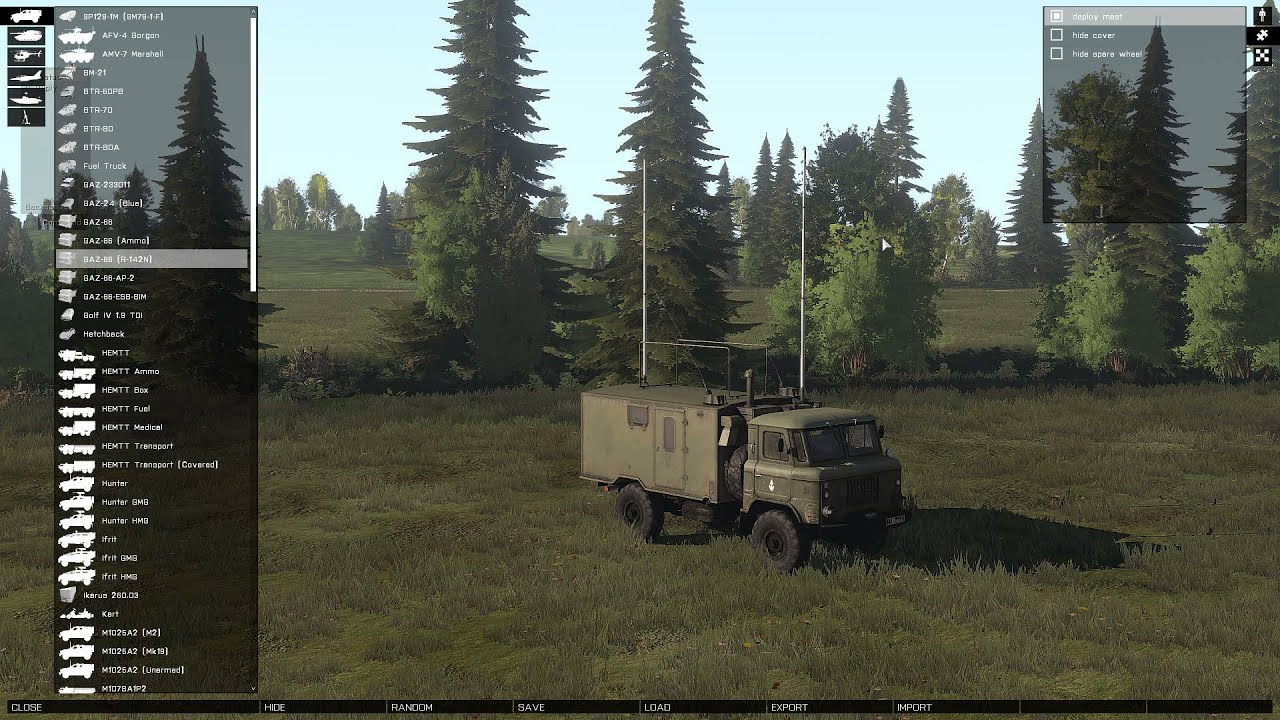
@foggy finch - https://www.youtube.com/watch?v=UV4Sww0yC9s those parameters are working for even proxies - i moved antennas to separate p3d and added that parameter to geo lod
 foggy finch
neat
best post a WIP render since im here, enjoy -> https://imageshack.com/a/img922/9295/qnruh0.png
pale quartz
@fleet aurora glad I was able to be helpful.
onyx carbon
Alt + L ?
 vernal lynx
Object::Intersect bme 1.#R,1.#R,1.#R normal
does this RPT entry talks to anyone ?
I have weird twinkling faces
 strong plaza
is there a penetration material for bricks/cinderblocks?
 median bough
This maybe?
a3\data_f\penetration\building.rvmat
@strong plaza
a3\data_f\penetration\concrete.rvmat
 agile jackal
(No points in mesh Model) Dose anyone know how i could fix this?
bleak tangle
This cinderblock building (House_Small_02_F) uses building_plate.rvmat https://community.bistudio.com/wikidata/images/a/a8/Land_House_Small_02_F.jpg
strong plaza
cool, thanks!
also, are penetration materials supposed to be applied to the fire or view lod? in the sample it looks like they're applied to the view lod
bleak tangle
Does the sample model have a fire geometry LOD?
My understanding of it is:
Only geometry -> geometry is used for view and fire
Geometry and view -> view is used for fire
Geometry and fire -> geometry is used for view
strong plaza
aha
it has no fire lod
so I guess it defaults to the view lod then
uh
I was looking at the wrong model
was looking at the damaged model
agile jackal
(No points in mesh Model) Dose anyone know how i could fix this?
late raft
ArmA 3 Samples from steam.
stuck oyster
@agile jackal where does the error come up and when
 candid loom
Hey there guys, I'm a relatively new to the arma modeling world. I'm working on a set of PVS-31s (+ other items) and I'm trying to figure out what's a safe poly count for items when going from high poly to low poly?
quick terrace
@candid loom for that thing, i would aim around 3-5k verts tops
32k is something like a vehicle
candid loom
Going to have to get creative with what'll be the remaining verts
quick terrace
what do you mean? for one, that piece of equipment is never seen from 1st perspective
candid loom
I know that, just would like to retain as much of the shape as possible
quick terrace
secondly, you can bake down a lot of that into your LP normals map
no reason why you shouldn't be able to retain the shape
agile jackal
@stuck oyster It comes up when i import my object into object builder.
oak lintel
question again: the weapon flashlight on buildings isnt correct. anyone know to fix it?
https://cdn.discordapp.com/attachments/391911851883102209/427843150082473994/unknown.png
https://cdn.discordapp.com/attachments/391911851883102209/427843241174499331/unknown.png
https://cdn.discordapp.com/attachments/391911851883102209/427843297852129280/unknown.png
https://cdn.discordapp.com/attachments/391911851883102209/427843325073293322/unknown.png
 turbid cove
I haven't seen that since Arma 2!
oak lintel
ok. didnt help me.
oak lintel
custom buildings
bleak tangle
I think that could be caused by a bad shadow LOD
polar fiber
looks like bad smoothing groups to me
oak lintel
i have test it, i harded all > doesnt work. I smooth all -> doesnt work.
Delete Shadow lod > doesnt work
hmhm
timber cobalt
Hi guys. Anybody know the exact size limit on geometry? I've heard people say 50m,60m,70m etc
stuck oyster
dont think it can be said very exactly @timber cobalt I believe map parameters also can affect it
so 50 is said to be safe
60-70 may or may not work
timber cobalt
ok thanks. Ill stick with 50 then
stuck oyster
@agile jackal what format you are importing from, what program is the model made in. Need all the details you can give
@oak lintel you may need to divide the surface more
per vertex lighting it may be called or something like that
stuck oyster
similar issues have popped up on this channel from time to time
oak lintel
okay.. creepy... btw: best pitcure ^^
stuck oyster
Arma + dynamic lighting == pain in the buttocks
 velvet fractal
Hi, guys. Anyone can help me with two problems? LOD geometry not working, i don't now why, i placed simple box for geo. Second problem: bug\glitch in texture, , looks like sifter when approaching - https://i.imgur.com/Vx3IVnO.jpg
stuck oyster
geometry must be made out of convex shapes, each named componentXXX (thers find components tool in OB) and geometry must have mass applied to it in OB for the engine to recognize it
and care to explain more about what in the texture bugs?
velvet fractal
I think is shadow LOD conflict. I did copy LOD "01" in "shadow"
stuck oyster
can you point on the picture what is wrong?
velvet fractal
Sec
stuck oyster
shadowlLod needs to be closed and preferably as simple as possible
velvet fractal
Just copy geometry, if he work, right?
stuck oyster
well that can work
but shadowlod pieces must also stay inside the reslod
or they will cast shadows over it
so Id say no
make a new one correctly
velvet fractal
@stuck oyster https://i.imgur.com/peECb1t.jpg
velvet fractal
It does not matter
Thank you for advice
Maybe need invert face? @stuck oyster
I heard about it somewhere
stuck oyster
which face?
velvet fractal
Faces, yes
velvet fractal
Geometry
stuck oyster
no dont think that would do anything
velvet fractal
):
stuck oyster
and I still cant understand what problem you have
or is it the geometry not working?
I already wrote what it needs to for it to work above
does your geometry already have all I wrote?
velvet fractal
I did "Component convex hull" and geometry not work. I can place bipods, but unit can going through building
@stuck oyster
stuck oyster
did you add mass
velvet fractal
yes
stuck oyster
how much?
velvet fractal
1000.0
stuck oyster
can cars go through it?
stuck oyster
did you add the mass to the whole object?
velvet fractal
Only geometry for all components
Wow
Stop
Happened confuz with mass and now all working. O, thank you!
Urha!
stuck oyster
👌
agile jackal
@stuck oyster Its a pontoon boat off of skeckup and is coverted over using 3d studios and i exported as a .3ds file.Which when i go to object builder i tells me i can do a .3ds file format so do i need to rename it with different file format?
stuck oyster
no renaming it will just break it
you should use fbx to export form 3Dstudio to OB
And skechup may not be very good program to make models for Arma
Id suggest you work in 3dmax if you already have it
and if you are not the original author Id make sure its licensed so that you can use it
agile jackal
So for doors do i need to sperate them from other objects?
stuck oyster
doors on what?
 river kite
does someone has the newest win10 update and problems after that with object builder ß
onyx carbon
Just opened Object builder with the latest win10 update, no problem at all
 vital geyser
Fine for me
river kite
Hm ok then the update has just broken my ssd but thx for the answers
river kite
Yeah thats the problem that i have too
pale quartz
You guys try disabling the game mode features of Win 10?
Don’t know if it will help but it’s a place to start.
 wind lintel
good afternoon guys. so I am starting making simple structures objects with Blender software, I was great about .p3d extension but when I try make a .pbo I give errors. I want to know if you don't have some material for introduce a content about .pbo folder. I did all the steps like open the archive .p3d in Oxygem and define texture again... So in this step I don't what I can do to create a .pbo folder of my project! questions like "creating" config.cpp, textheaders.cpp... with the "object" to load in Arma 3 for use in map...... I only want something like a "plane", "ground", "floor" to close one area of yard map and construce a city
stuck oyster
BI forums have lot of basic questions asked and answered for and there is a plugin for Blender to export P3D directly called "FHQ Blender toolbox" which could help you out.
It has a thread on BI forums too where a lot of questions relating to its use are answered.
Steam also has Arma 3 Samples available which are very helpful in studying how Arma models are set up correctly.
 bleak flame
.pbo isn't something you make manually usually, it's created by addon builder or mikero's third party pboProject
stuck oyster
also PMCWiki is great source of info for a beginner. Starting from how to set up your tools the correct way.
vital geyser
@wind lintel Don't use Oxygen for Arma 3 it has been replaced by Object Builder in Arma 3 Tools
vernal lynx
https://www.twitch.tv/videos/242282650
13 hours sculpting / baking / texturing an uniform from Low Poly
if that can be of any help 😃
white jay
hi guys, i didn't found the anwser on bis forum : How to attach a door_trigger to a door, for a building , like a3's buildings. I don't find the anwser in the model.cfg ( didn't seems to be a "bone ") or in the memory lod... thanks for your help !
stuck oyster
model.cfg defines the animations that a model has and animations are all run by a "skeleton" that has "bones" that the animation classes then move around
these can be accessed in numerous ways with scirpts or with what I believe you are after "userActions"
There are some default ones like door interaction
and I recommend you study the Arma 3 Samples to understand how the system works
 harsh minnow


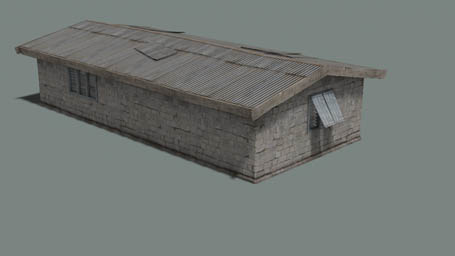
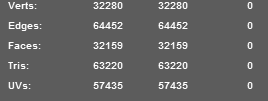


 white jay
sorry , i was talking about a door_trigger, in the memory lod, for a building model... not about a script trigger.
white jay
hum ok... but when you open the model.cfg from the house sample... there are no connection with the door trigger...
stuck oyster
therse a house with doors set up there
white jay
i already didi it
my door is opening well, but the trigger is not rotation with the door
*rotating
stuck oyster
everyrhing you want to move with an animation must be in the selection you are animating
or in a selection that is is connected to the previous moving selection
like "bone2", "bone1",
animating bone1 will keep bone2 pieces with it until you animate bone2 pieces
and that includes memorypoints too
white jay
have you already made yourrself a bulding with a functional door , with the trigger rotating well ?
vital geyser
the mem point just needs to have the same selection as HorribleGoat said
stuck oyster
I have made just about everything its possible to make in Arma
vital geyser
and you need to be looking at geo lod to be able to interact with a mem point
white jay
yeah i already tried all that ....
stuck oyster
@white jay so you have your door selection res lod, memory lod and geometry lod
is your door opening so that it goes outside the original model
stuck oyster
could you drop some pics of the model in OB top view
stuck oyster
it usually gets the message through better due to language barrier
late raft
ikr
stuck oyster
then again my pic there can be understood wrong too
white jay
😉
stuck oyster
beacause its not complex enough to properly show the concept of the model bounding box
so just to be clear @white jay you get what I mean with the model bounding box
white jay
yes yes
stuck oyster
it can be easily solved by placing few memorypoints around the house to increase the bounding box size
white jay
okay, but i don't see in the Sample House, how it's connected...
so don't bother you no more... i will post on bis forum, my config, and my lods !....
white jay
the door trigger following the door animation
stuck oyster
do you have the useractions configured for your doors?
the action memorypoint is defined there
and that memorypoint must also be in the door selection
so that it moves with it
white jay
memorypoint is not in the door selection in the House sample
stuck oyster
and the door will need properly named geometry part too so that when you look at the door the action comes up
stuck oyster
do you have a geometry block for the door?
stuck oyster
well would you try ot add the memorypoint the the door selection too?
stuck oyster
Samples are not always right (neither am I) but have you tested binarizing the sample house if it works as you want
white jay
yes its works
stuck oyster
Then you need to figure out whats different between the sample and your model
also what do you pack with?
white jay
yes i think i just found it
it's in the condition = ((this animationPhase 'Door_2_rot') < 0.5) && ((this animationPhase 'Hitzone_2_hide') < 0.99999);
statement = ([this, 'Door_2_rot', 'Door_Handle_2_rot_1', 'Door_Handle_2_rot_2'] call BIS_fnc_DoorOpen);
i don't call it the exact same way
stuck oyster
well yes if your condition for the action is not met then it wont show up
you dont have to have it exactly like that
but the condition has to be met
you can put simple condition = true;
to make it always there
white jay
so where did it says that the trigger has to move ? here, or in the BIS_fnc_DoorOpen ?
white jay
okay, because some modders told me not to use call BIS_fnc_DoorOpen
stuck oyster
yes thats just simple way of handling multipart door opening
but it handles the animations
how many useractions you have for your door?
and when you say it animates right how do you test it
and where do you want the trigger to move
and if the actions work where is the trigger now then?
white jay
it' not animated
with condition = "this animationPhase ""Door_1_rot"" <= 0.5";
statement = "this animate [""Door_1_rot"", 1];";
i replace the sample"s house with this lines
and the trigger is no more animated
that how i found it...
white jay
i see it, it's opening the door
but the user action is no more rotating with the door !
stuck oyster
you need another useraction for closing the door
the opening one becomes hidden when you use it
foggy finch
[V]Xnam - Today at 20:51
i already didi it
my door is opening well, but the trigger is not rotation with the door
*rotating
You could just attach the trigger(memLOD vertice / named selection) to the door in the skeleton in the model.cfg and it should move with the door when it opens
or did i miss something?
white jay
it should but it' not working like this URO...
stuck oyster
do you have useraction for closing the door
white jay
yes of course
stuck oyster
it was not clear before
white jay
user action just works fine
my only probleme was to make the user action rotating with the door...
stuck oyster
so where do you see the second user action then
white jay
and it's defined somewhere here
condition = ((this animationPhase 'Door_2_rot') < 0.5) && ((this animationPhase 'Hitzone_2_hide') < 0.99999);
statement = ([this, 'Door_2_rot', 'Door_Handle_2_rot_1', 'Door_Handle_2_rot_2'] call BIS_fnc_DoorOpen);
white jay
yes....
stuck oyster
then where do you look to see the close door user action
white jay
the same place
stuck oyster
white jay
thanks 😉 : DOORWAY
foggy finch
😂
stuck oyster
and with sample config you see the second useraction at the door
white jay
i see both with both script
stuck oyster
yes but with sample config does the trigger point move with the door
stuck oyster
alright
foggy finch
could you post pastebin your config.cpp and model.cfg?
i thin your missing something, or something not defined correctly
white jay
yes it's my way to call the opening door, i didn't know that the call BIS_fnc_DoorOpen handle the animation of the User action
it's fixed know, i will use it
stuck oyster
its just one way to do it
white jay
apparently condition = "this animationPhase ""Door_1_rot"" <= 0.5";
statement = "this animate [""Door_1_rot"", 1];";
is not the good way
so....
stuck oyster
basically what it does is this ``` _structure animate [_door, _target];
_structure animate [_doorHandleDown, _target];
_structure animate [_doorHandleUp, _target];
so it just animates the animations you have given it in the statement
so your animate command is ok
white jay
.... so where is the USER ACTION rotation ?
stuck oyster
your animate command already does that
it runs the rotation animation you have given the model in model.cfg
stuck oyster
are you using the sample model or your model to test this?
white jay
both
but no differences in the model. cfg
hey you know, it's no a big deal if i don't understand why it's works... i will just use it like this and tha's all
*it works
stuck oyster
just a moment I'll test the sample house myself
also what did you pack your addon with?
white jay
yes
stuck oyster
alright
sample house door triggers do not move
they are all fixed in the doorways
white jay
not in my house 😃
wtf
try with a lower radius for the user action
i think i scale is down a bit to see it properly.
*i scaled it
it's not easy to see, i will try on my door, it' slides for 3 meters.
stuck oyster
meh cant even get to the action points when theyre small
Im still very willing to say sample houses points dont animate
what you can do
is set another point where the door is open
and use that for the close door action
if you cant get the point to animate with the door
white jay
" Im still very willing to say sample houses points dont animate ", you mean, still the beginning of the discussion ?
or just in the sample house
stuck oyster
in the sample house
the points are not animated at all
whatever youve seen that has felt like they are I cant replicate
white jay
okay maybe, but it works in the big metal sheld in A3, and there are no animated bones in the model.cfg
stuck oyster
if theres moving parts there are animated bones in model.cfg
white jay
or what ever in the model.cfg, who is different from the Sample house' s model.cfg
okay, so i just miss it
😢
stuck oyster
but in model cfg you would still just see the moving selections
like "door1"
the memory point "door1trigger" would need to be also in the "door1" selection
to move with it
stuck oyster
alright just tested it. even with the selection set up it apparently does not move with it.
so I either remembered it wrong that the action points move or it has broken at some point.
solution is to use multiple trigger points
white jay
OK will try to use this trick, thx for your time
bleak tangle
I don't think the triggers in vanilla A3 structures move either, but they use some newer tech that I don't think the sample house was updated for
strong plaza
AI pathing is entirely done in OB, no config stuff needed?
bleak tangle
Yes, in terms of the positions within the object. However config stuff is needed for them to interact with doors
strong plaza
copy that
for now my MOUT buildings are doorless
does the sequence of the pos numbers matter on the path mesh?
strong plaza
I copy pasted the paths from the sample building, but it looks like it's not working
foggy finch
the samples have a fairly good example of the point setups in regards to good places forr posXX points
are the inXX points above ground level in your model?
if they end up under the terrain surface for whatever reason the AI wont see them
 foggy finch
you should number them in order too 1++
strong plaza
but it's a copy paste from the sample, shouldn't it just work?
foggy finch
this is arma
strong plaza
fair enough
bleak tangle
Yeah I'm fairly certain you need to number them in order from 1, but their position relative to each other within the model doesn't matter
If you want a script to visualize it you can try this https://gist.github.com/pennyworth12345/a309b73aec15fabb649bcdb49e3262f3
That'll give you labels and + icons at all of the positions from the path LOD in the building closest to you
foggy finch
👍
at engine level i'd hazard a guess that it looks for the first inXX named selection and if it doesn't find the first one (in1/in01) it skips building a inXX array.
it's all about naming conventions really,. and keeping them consistent
strong plaza
I copied the whole path mesh from the sample building and it still doesn't work
strong plaza
so building paths work with editor placed houses, but the ones in places in TB doesn't
any ideas why?
strong plaza
 white jay
@Pennyworth#2634 , short and accurate answer, thanks a lot, i will check on this new actionNamedSel
white jay
@Opteryx#3972 https://community.bistudio.com/wiki/The_Land_xx_class
strong plaza
my config https://pastebin.com/MtEKf4Vk
white jay
class Land_opx_tac_obj_block1: House_F has to be renamed with your p3D name
like this class Land_opx_tac_house1: House_F
class = "Land_"+"p3dname" as told here https://community.bistudio.com/wiki/The_Land_xx_class
and you have to check too, in your geolod, that you have a : class = house, in your property name
strong plaza
got it working now, thanks!
river kite
So after i had to install my windows new, i get this error when i want to open object builder Exeption -2147467259, something with the side by side configutarion is invalid. But i dont find any solutions for this
white jay
did you followed windows 10 's procedure to fixe side by side applications issues ?
river kite
how to do that ?
white jay
i think you can start with the 4rth !
i suppose, its a windows installation issue, it's not related to object builder.
river kite
ok thanks will try this
white jay
good luck !
river kite
hm tried this but doesnt help. found a topic of this in the BI forum he installed some Microsoft visual c++ updates. Checked this and saw i have some outdated versions. After that i downloaded some of those at microsoft but it seems like that are older versions.
white jay
yes it's in the link i gave you too the Method 3: Reinstall the Microsoft Visual C++ Redistributable Packages
 echo rain
does weighting work on procedural model.cfg anims? or only 100% vertex weight named selections?
stuck oyster
it should but cant remember did it need the isDiscrete set to 0/1 (whatever man class has)
ive found it rather mysteriosly working myself xP
actually my water planes use it for little wave motion
and that worked fine
fleet aurora
For vegetation models such as grass/bushes, how do you make it flatten out when vehicles roll over it. can anyone point me in the right direction?
 tulip beacon
dammage = tent
in geometry lod's named properties
obviously you have to have a valid geolod for collisions to work

 plain jackal
open faces in your shadow lod looks like
make sure its sharp edges, triangulated, and closed
 languid urchin
I didn't do the modeling i'm retexturing and doing my own config.cpp
and the original model doesn't have this problem
plain jackal
are you taking a binarized model?
languid urchin
no
dude
i got permission from the owner to retexture and create my own config
his works just fine
plain jackal
lol so defensive
languid urchin
defensive?
plain jackal
if you have the binarized p3d and try to re-binarize it you will have issues IIRC
languid urchin
I am not trying to binarize ..
plain jackal
but if you're just calling to the model from the original addon I don't see what would cause that
when you load your mod alongside the original does the original helmet also have the issue?
languid urchin
i'm creating my own config.cpp that is it and i believe i'm missing a material
no it doesn't
it works just fine
when i load both mods
plain jackal
pastebin dat config
plain jackal
yours
plain jackal
its probably because you have model= pointing to a vanilla helmet
while uniformModel= is pointing to the mod's helmet
languid urchin
mm
plain jackal
while I don't think that would cause the issue pictured, that could be a culprit
languid urchin
I did that because when i put the helmet on the floor
it dissapear
disappear*
or invisible
plain jackal
try changing that
plain jackal
ok so rather than taking the p3d out of VSM, you should just be pointing to it within VSM
so "\BEA_Headgear\Data\Helmets\Models\VSM_ops" should be "\VSM_WhateverPBO\Path\VSM_ops"
languid urchin
No because i dond't want to depend on VSM that's the whole point of creating my own mod
plain jackal
well you dont get to make retextures of a model you didn't make and dont have access to the source files of
if you want to do that you'll need to get the unbinarized models from the author
languid urchin
I've done it bro.. i already have other headgear that are working just fine
without VSM
plain jackal
alright well frankly your attitude just makes me not want to help you
ive told you what you need to do
its up to you whether you want to do it or not
languid urchin
where are you from?
plain jackal
usa
plain jackal
¯_(ツ)_/¯
languid urchin
thanks for your help kind sir
I'll keep messing around with the configs see if i can fix it
plain jackal
lol good luck i guess
languid urchin
Thanks
onyx carbon
When stuff are invisible/transparent its usually an material issue
plain jackal
lol good luck i guess
languid urchin
is that all you can conjunction?
plain jackal
sent twice cuz phone
languid urchin
k
languid urchin
Isn't that how it supposed to be?
that's how the helmet looks like when put on ground
polar fiber
WIP model with first test bake of normal map and curvature: https://imgur.com/a/kWHON some errors to correct
white jay
Is there a way to reload a proxy?
stuck oyster
could try doubleclicking the proxy selection to open the proxy dialog and then re selecting it
fleet aurora
@Win32'Shelestov#6717 I set the dammage to tent, but nothing happens when I drive over the object, do I need to set a higher mass in order for vehicles to interact with it?
stuck oyster
does the object have geometry and fire geometry LODs?
where did you apply the dammage property?
are you talking about terrain object or scenario placed object
@fleet aurora
Im off to bed as soon as Blender closes.
fleet aurora
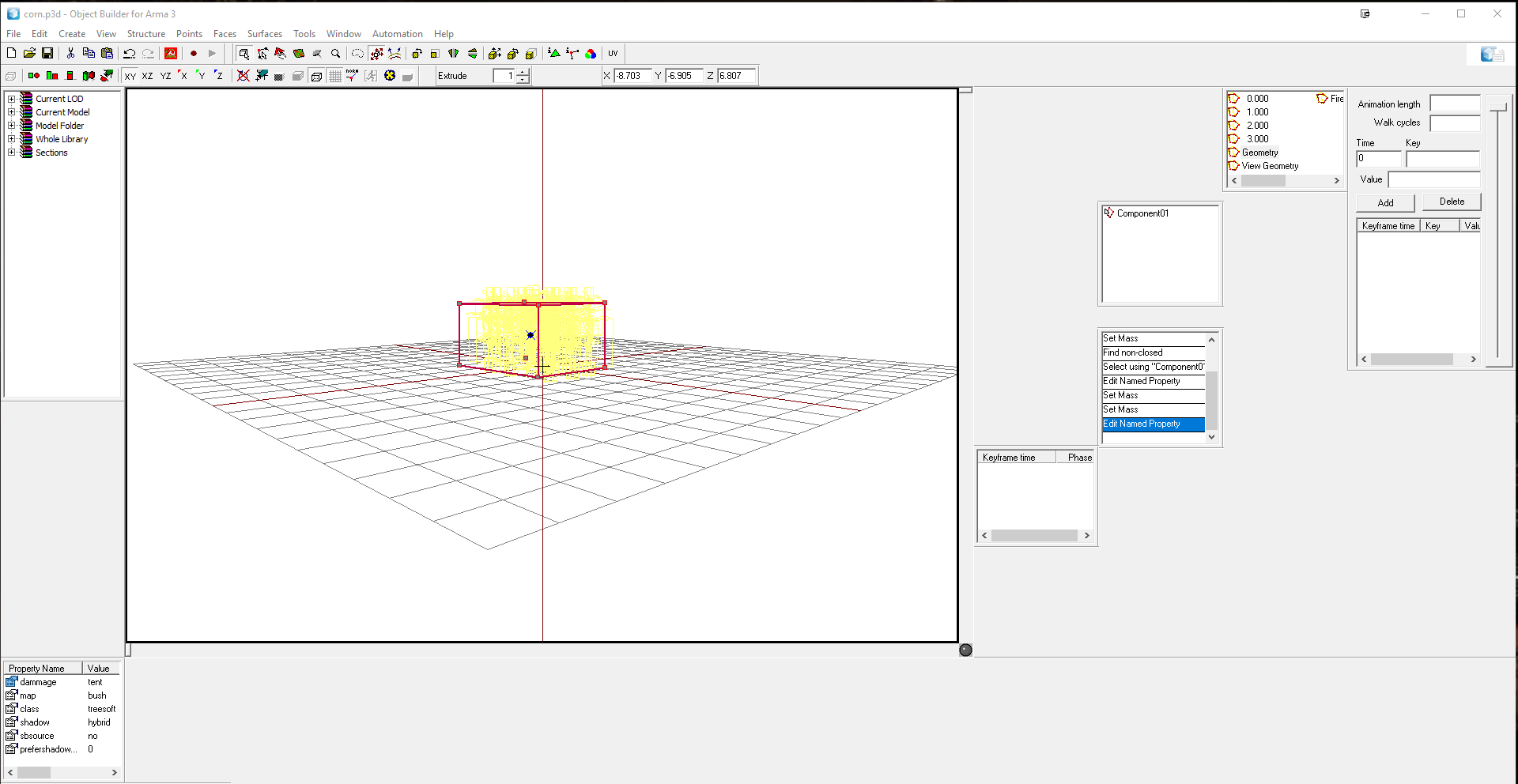
I set that, but nothing happens ingame when I drive over it. and its a terrain object that im testing.
 fleet aurora
yeah, im new to modeling and I havent changed the layout yet
fleet aurora
its set to 2kg atm, what should it be set to for a bush?
fleet aurora
okay, Ill try that.
I had it set earlier to 20, but it would block the character from entering the corn, so I lowered it wayyy down.
stuck oyster
yes it stopped recognizing the colision altogether
you can try making the geometry just small bump and give it larger box for fire and view geometries
and physx geometry
it should be enough that the vehicle just touches the geometry a bit to make it break
Blenders closed
Im off.
Laters
fleet aurora
I got it working, thank you for the help HorribleGoat.
 lunar plover
Hi all
i want to arma3 modell
but i have e problem.
i do sample modelling in the blender
but it looks like this when i rander it
why ?
stuck oyster
Hi @lunar plover. I suggest you read a bit more about 3D modelling to get yourself familiar with how it works and whats what. Each program has their specific ways of doing things and showing things but the building blocks that 3D models are made of stay the same.
What you see in Blenders view in that picture is called "solid shading" view mode and Blender offers a variety of different viewmodes for different purposes. Rendering it would mean a bit different thing to get terminology right, but that all will come to you when youve 3D modeled for a while.
In OB view there you see wireshaded mode which shows the mesh as the edges of the triangles/polygons the mesh is made of and can also be changed to same kind of solid view as you see in Blender and to others like textured view etc (also in Blender)
Now since you've chosen Blender as your program I suggest you look up tutorials on its use and go through those a bit more to get yourself familiarized with the program and start experimenting with 3D modeling and start building your ideas.
plain jackal
also would recommend looking into this: http://www.armaholic.com/page.php?id=20519
once you are comfortably familiar with modelling in general of course
onyx carbon
^ more or less a must have
lunar plover
what should I reference for a measurement when modeling a building ?
stuck oyster
you can set blende to use metric units if you want
but 1 blender unit is 1 meter in Arma
and 1 meter in blender too if you set it to use metrics
stuck oyster
1 blender unit is 1 meter
lunar plover
ok thank you
onyx carbon
For meters etc you need to press the Scene button on your right side
https://gyazo.com/bec7224411e3f4d051436d9d02f8b28c
velvet fractal
Help, please, error at pack in pboproject
scanning for pbos to make....
preprocessing Catholic_Gateway.pbo
<scanning files to pack>
..#UVSet#
bad tagg count 97144
Catholic_Gateway.p3d invalid file
</endscan>
preprocessing files produced an error
Catholic_Gateway.pbo not produced due to error(s)
Job(s) completed in 1secs on Fri Mar 30 20:00:01 2018
velvet fractal
I have LODS 1,2,3 Geometry, HitPoint, Memory. Until a certain moment everything worked
1,2,3 have UV
stuck oyster
does it have many uvsets?
velvet fractal
1
stuck oyster
is it very highpoly?
stuck oyster
does it load in buldozer?
velvet fractal
Yep, i see model, but i does path to texture without "p:" - full path "Catholic_Gateway\Catholic_Gateway\Textures\Imege.paa" and same rvmat
stuck oyster
why do you have so any cahholic_gateway folders
velvet fractal
What?
Why&
Just
I have only try path and he correct
Now bulldozer not saved p3d, "An error occured during save operation."
stuck oyster
just odd folder setup with Catholic_Gateway\Catholic_Gateway\ but thats not an issue
just odd
try saving to another p3d
you may have got it locked in some program
velvet fractal
Problems himself solved, i does restarted computer and now all working... magic. Thank you, @stuck oyster
 stuck oyster
@wind sluice youd need to have increase the emmissive values of your rvmat
but be aware that emmissive texture will not cast light out
it will just look like glowing
time to learn I suppose 😄
its very essential part of Arma graphics
not quite sure if there are any. Ive learened most by just experimenting with them, though some of it is written down on the forums and BI wiki pages
and then hearing stuff form other modders
the unpacked arma data has lots of rvmats to study though
some are even commented
and they got the textures used in them right next to them so you can figure out what kind of textures you would need
foggy finch
oh crap i missed wip friday picture time, seems the clock rolled into saturday for me
 sonic valve
Question, how does collision work with dynamic loadouts? Does the pylon provide all that info or do I need to model a chunk of geo to get a rough idea how much it will take?
 peak skiff
hi. anyone who configured planes here?
i have a couple of questions.
plane get slided in the side of previous turn.
i want to know how to fix it and what cause it
example https://www.youtube.com/watch?v=q4vdjG4hjlo&feature=youtu.be
peak skiff
thnx
stuck oyster
when your OB viewports are not in DX viewmode you can see the weight center as blue cross
 native garnet
You're a cool plane!
stuck oyster
No you are @native garnet
 dusk frost
Hello Guys, I have a problem with my model. I try to set my reverse light. I select the faces, copy them and then redefine them. After that i set the material to headlight_emit.rvmat but it wont show up in the object viewer. The headlights work, any ideas?
stuck oyster
do you have the light selection in the model.cfg sections array?
dusk frost
no, does buldozer load the model.cfg?
Because my headlight rvmat work but my backlight and reverse light dont
dusk frost
okay, i will check it
yeah i disable the config load and it works :D thanks ^^
@stuck oyster Where do i need to add it? I have never edited this config ^^
dusk frost
okay and in this array i can add the reverse_light?
stuck oyster
read what the sample has there
 fierce dagger
Im getting back into working on an addon since I have a bit of a break from school. I'm having trouble with this model here:
https://i.gyazo.com/6afd0aa0ba04ebe6d115d474f7fd0d9c.png
I've been using Blender and the Arma Blender Toolbox, managed to weight the mask using the arma man skeleton.
But bringin it in game, the head, back of the neck, and lower leck appear to be fine, stickign to the head as it moves, but I don't seem to have weighted the face bones right. Checking the skeleton I have in arma, there aren't any facial bones. Is there a Arma man's facial bone armature out there? Or is it somethign I haven't been able to find in the sample models?
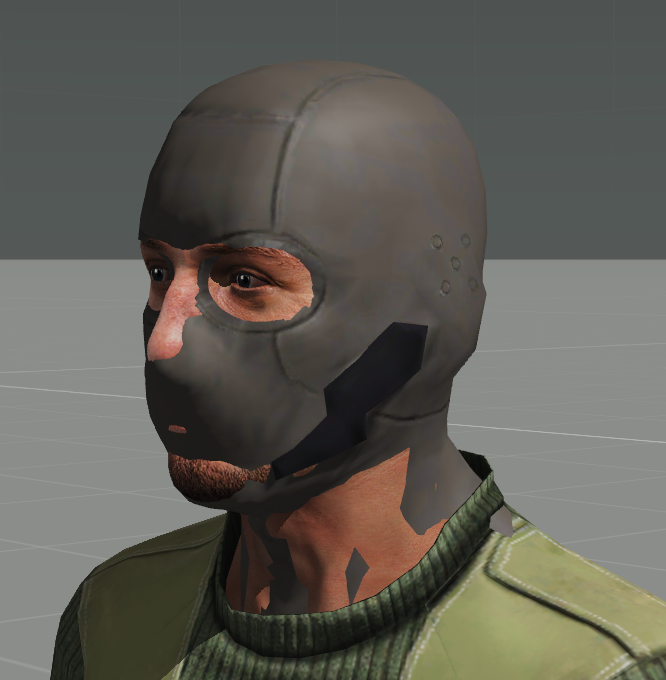 stuck oyster
there is a sample bust that I used pretty successfully to copy weights to one of my hooded uniforms
stuck oyster
You can import the bust into Blender with the toolbox
lunar plover
i have another problem 😃
https://i.hizliresim.com/Z9Bzkz.jpg
character remains in the space
can you help me on this. how can i solve @stuck oyster
 woeful viper
https://community.bistudio.com/wiki/LOD#Roadway missin i suspect?
stuck oyster
could be that yeh
fierce dagger
@stuck oyster thanks for the help, I think it worked, but I must have borked somethign else in the model cuz now Arma 3 stops working when I try to load the arsenal
I will work on it tomorrow
stuck oyster
good luck
merry gorge
Got my first untextured object in-game and it seems to have some invisible faces, anyone got any ideas?
pale quartz
Flipped normals?
stuck oyster
👆
 lusty ginkgo
So one of the LOD's on one of my models had 18 sections (should have been 4) so I sorted the faces and all that and refreshed the LOD and the section count was still 18. I saved and restarted, and then opened the model and switched to the LOD in question. The display this time said it had 333 sections. I sorted the faces again, and now it reads 91
So my question is as follows:
The fuck?
lusty ginkgo
Now it's at 68
nvm it seems that I somehow missed a few faces that had the original LOD .rvmat and not the lower res one
sorting that out seems to have fixed it
oak lintel
@stuck oyster: its right. Bigger walls need more edges (loops) in the first LOD. The flashlight need them in the resolution lod. its very importent.
oak lintel
but its a littlebit better... but not perfect..
oak lintel
 oak lintel
other buildings worked https://cdn.discordapp.com/attachments/391911851883102209/429947984852156416/unknown.png
 stuck oyster
👍
oak lintel
👎
 bitter shore
hey guys how do I make my model object indestructible?
stuck oyster
map objects need geometry lod named property dammage = no and objects with config.cpp classes can use destrType = "DestructNo";
also you can give them some ridiculously high armor value
bitter shore
ok thanks @stuck oyster
strong plaza
what value should a wall/fence have in the geo lod for damage?
I'm looking at arma 2 sample walls, it says "dammage - tree" but that makes my walls fall over in random directions
foggy finch
damage = wall
foggy finch
either
strong plaza
aha
foggy finch
dammage was from a typo a long time ago, both are accepted,. mikeros tools will change dammage to damage for you iirc
strong plaza
good to know
foggy finch
you will need your walls to face you in the front view on OB, otherwise they will fall over to the side since damage wall only works on that axis
I made 32 wall objects before configuring them only to find that out 😄
foggy finch
if you in any doubt as to named properties differences between a2 and a3, I always open an a3 asset of similar type in eliteness and have a quick scan at the properties in those
some stuff that was ok in a2 has been developed further for a3,. so always worth a quick look into an a3 model imo
strong plaza
I've noticed that too
pale quartz
it can be if you know the tools better than I do
late raft
Im still learning the tools.
I hope one day I’ll be confident enough to model something very nice
agile flint
When modelling suspension on a vehicle, does it matter whether its modelled at full compression or non compressed at all?
I'm unsure on what to do
Is there a benefit to either etc?
rough idol
Middle? :p
agile flint
@rough idol So this is my tank suspension. https://gyazo.com/0e2ac90eccf0c25089e944e4d096bcaf
Where those arms go up and down, both equal degrees in the positive and negative. So from your straight to the point answer, I presume it would be best to make them so the arms at at 0deg +/-
Based on this suspension system - http://www.rcuniverse.com/forum/attachment.php?attachmentid=2236702&d=1507075488
rough idol
For tanks také into account that you cannot animate those parts properly
One end will be most likely attached to the wheel which will be going up and down
rough idol
Nope
agile flint
Well thats going to be awkward since you can actually see this suspension fairly easy from an infantry perspective
So any vehicle with pivotal suspension isnt going to work properly?
rough idol
Cars are different story
agile flint
May I ask why tanks are different?
rough idol
Because they don't have suspension mask
Asked about it once but incorporating it to tanks was considered low priority
agile flint
😦 Fair enough. Looks like Arma 4 it is then haha
agile flint
@rough idol One more question, how does Arma handle round armour with thickness changes throughout it? I.e a classic soviet tank turret where the frontal is thicker than the sides etc? Does the whole turret have to be one thickness? Or can you define thicknesses for something like?
rough idol
woeful viper
works fine - creating it is a bit of a pain though because you have to slice the turret into smaller sections to get it convex
 minor jasper
Making convex closed curved geo in object builder is one of my pet hates but i find it curiously addictive
It’s like solving a 3d puzzle though much more difficult than the rubiks cube
woeful viper
why do it in OB?
woeful viper
most of that link is already in the damage description, apart from the 3d pictures
minor jasper
Im an encoder not a modeler, so of no modeler is available i have to make the best of it 😉
woeful viper
and yet you model in OB...
takes you maybe a day at most to get started modelling such basic shapes as required for fireGeo etc in blender or another proper 3d tool - quicker if you already know stuff from modelling on OB.
polar fiber
I usually do shadows and geo in OB too
quicker to check that it works in the way that Arma wants it to
and it's only simple shapes
minor jasper
Given the quality of some guys work like nodunit, pufu, gurdy, toadie etc i would never describe myself as a modeler. As an encoder i get to tweak the work of modelers, and fire geo tends to be one of those areas that needs tweaking a lot. OB is ok once you get the hang of it. Just wish their was a decent user guide explaining all of the advanced keys and shortcuts in detail
Its all word of mouth trial and error for new guys
woeful viper
Petyr talked about FireGeo - not sure how "fun" would be to make proper firegeo for something like T-54 or T-72 in OB. So i assumed Rob means geo including firegeo.
checking if stuff is closed is easy to do in max as well (i assume other tools are not behind in this)
and checking convexity is also very easy to do visually. Based on triangulated smoothing i can see immediately if a quadface is non-convex and nudge the vertices a bit to make it convex. Well, to each their own - i wouldnt want to miss the powerfull and easy to use tools.
Doing shadows in OB would be a nightmare for complex models for me - those that are not just convex and have detailed attached on the outside.
oak lintel
i have problems with my pathway. My units goes around of the building when its placed in eden. But when i set the height of -0.5m, the units goes in the building and on the position.
https://cdn.discordapp.com/attachments/293362141879074819/430381224473919488/unknown.png

 oak lintel
ok i fix the problem.. but my next problem xD
my unit stuck on the floor. Only the zombies... i think, when the unit follow me. he get stucked
https://cdn.discordapp.com/attachments/293362141879074819/430397018100203530/unknown.png

 worn lintel
Hiya lads. I’m currently working on a mod, but require a modeller to help me progress the mod. If anyone wants extra details, message 😃
outer condor
@Flint#9351 #creators_recruiting
lusty ginkgo
so in OB when you create a selection from the face properties how do I add the actual vertices to the selection and not JUST the faces
I can just select the opposite faces and create a selection from them and invert it
not really a great workaround
polar fiber
why making one from face properties?
if you're creating selection by texture/material, it's probably wiser to Ctrl+doubleclick from the list in Resource Library>>Sections
lusty ginkgo
I can select a part of the model, edit the face properties, and select the texture of the faces, create the selection
so it is selection by the texture and material of only part of the model
polar fiber
as I said, try doing it through Ctrl+Double click from the texture or resource library instead, if you want to select by texture. That will select the full face rather than just points
but AFAIK selecting the verts is no different to selecting the face in terms of how the game treats it
I think model.cfg selections reference the vertex IDs, and the only difference is how OB displays highlighting
lusty ginkgo
See, I can't do anything with the verts if they aren't selected
my goal in this case was to hide all verts and faces with a certain texture within an area I selected while leaving the verts with the same texture outside of the current selection visible
stuck oyster
can you perhaps do the selections where you make the model?
lusty ginkgo
I haven't done anything with this model outside of OB
lusty ginkgo
Yeah but you can't quickly switch between LOD's and have one layer as a background outline or use buldozer or anything like that
but I have solved that issue so it doesn't really matter now lol
stuck oyster
👌
lusty ginkgo
if y'all aren't aware there is a pretty cool blender addon called archimesh that is useful for creating houses with interiors and things like that
if comes with blender and it's free so that's nice
 shut arch
@lusty ginkgo the easiest way to set something like that up is to put each LOD on a different layer you can then select multiple layers to view. I by no way suggest that I am a good modeller. My brain just can’t get around making shapes work.
bitter shore
Hey guys, ummm I got a weird problem. I am making modular roads and when its night and the vehicle has its lights on the lights would show broken like this https://gyazo.com/97074be01867abace739f77e930eb906 Any solutions for this? :x
turbid cove
it's not broken, it's... < Arma 2 quality :D
a geometry LOD issue iirc
bitter shore
A2? I didnt understand I made this for A3. Is the problem with it geometery?
turbid cove
I know, I was just kidding about Arma 1 and earlier
I don't have the exact answer, but other people here do (or may)
bitter shore
oh ok :p , I really need to know the problem as it took me loads of time to make this mod and would take me more i think to apply fixes for each model xD
lusty ginkgo
anyone know how to properly preserve the scale of a model being importing into OB?
 halcyon wren
@bitter shore its an issue with the specularity + onsurface. especially noticeable if you have roads using the shapefiles.
Bi fixed that issue by not using specularity much or at all on their roads.
So not really fixed 😦
stuck oyster
would splitting them in smaller grid mesh help?
bitter shore
There is not way to fix it?, I cant split them it would take a long time
stuck oyster
remove specularity I guess
bitter shore
how :x
 broken abyss
I ran in to a bit of a pickle a few days back and I cannot resolve it since. I have a CfgVehicles.hpp and I seem to have everything set up but both PboProject and AddonBuilder say that there is a missing inheritance class:"...\CfgVehicles.hpp: Line 285 rap: missing inheritence class(es)"
I am lost
It says the problem is with class ViewOptics: ViewOptics but it is defined at the beginning
 cinder pivot
your turrets class doesn't have a closing };
no wait it does, just way way down I guess
broken abyss
I almost shot myself
So can you see anything else wrong with it?
Actually it was an extra '};'
Got it
But thanks for bringing light to it
I hate how it can't write whats really wrong with my config
turbid cove
@broken abyss use N++ and Allman style instead 😉
class myClass
{
   (…)
}
instead of class myClass {
sonic valve
Is it possible to add GPS as a PIP in a cockpit?
median bough
That's an interesting question and idea
minor jasper
Pip afaik is a CAMERA
lunar plover
Why is it looking upright on the Object Builder ?
http://prntscr.com/j0p3ob
http://prntscr.com/j0p55s
turbid cove
looks like an inversion X,Y,Z → X,Z,Y ?
lunar plover
This is correcty ? @turbid cove http://prntscr.com/j0pjg0
How to inversion X, Y, Z to X, Z, Y ?
turbid cove
I honestly don't know sorry, I am mostly in this channel as a curious tourist
lunar plover
Ok no problem 😃
My problem resolved. I solved the problem by opening a new blender file
woeful viper
i'm looking for input on solutions for the dilemma of firing slits on buildings/ fortifications:
When made realistic(ally small) they work well for Players but AI is utterly useless - they just fire against the wall. When the firing ports are made large so AI can use them the fortifications barely work for players anymore, because the "slots" would have to be as large as a building window.
Example of what i'm talking about: https://abload.de/img/firingportsc9omp.jpg
This works extremely well with weapon deployment and the stance system for players but completely unusable for AI. I'm maybe thinking of turrets that simulate handweapon deployment for AI to let them use those slots. The problem is that somehow the right weapon and magazines classes have to be spawned into the turret (propably doable), depending on what handweapon the soldier uses. But most importantly the model and also animations of said weapon in the turret need to be displayed.

FFV doesn't work, because the pivot in FFV is around the body, but i need it around the deployment point.
Using the Handweapon Proxy of the gunner's rtm would be a start for the weapon model inside the turret, but there is no animation or muzzle flash then, and the proxy can't animate indepently from the soldier.
Any ideas/ thoughts on this? Any better ideas?
stuck oyster
quite a pickle
lusty ginkgo
https://i.imgur.com/DeQyKQV.jpg
My very detailed garage plans

hopefully the scale won't be messed up from blender
 frigid dirge
I'm currently working on a Helicopter.
The Copilot has or should have a camera (FLIR).
This camera is not modeled, it only exists for the copilot.
Now my problem: As Copilot everything works fine. You can get in, you are able to take over the controls and all that oder stuff.
But when you are entering the camera (Optics) you cannot move it. It stucks in its view to the front - moving the mouse does nothing. Zooming in however works properly.
Do you have any idea where the Problem might be? https://pastebin.com/tu1sjX83
I already tried to use configs from other mods with the same result.
sharp halo
@frigid dirge is it defined also in model.cfg?
frigid dirge
Well, do I actually have to define something in the model.cfg? Because there is no animation whatsoever - just the Optics for the copilot.
However, I did define some "placeholders" just in case: https://pastebin.com/qbLGUY6m
sharp halo
Nvm, I got confused with PIP, let me check again
Dont know if that matters, but in the config for example of Blackfoot, memoryPointGun and memoryPointGunnerOptics are different points, and from what I understand, memoryPointGunnerOptics should be moved , so these two points create vector.
frigid dirge
Well I'll have a look at that tomorrow, thanks so far 🙃
 inland atlas
So on a gun, the proxys for top, muzzle, side and so on. Do the distances between the three points in a proxy matter?
 tacit shard
Hey,
I just wanted to double check something, for the ViewGeometry LOD does it follow the same requirements as the other Geometry lods such as Geo and Physics? (Convex Shape and named component00)
Thanks
minor jasper
It can also be quite simply made, no need to map to exact vis lod like fire geo
lusty ginkgo
it does affect the camera collision and occlusion so that should be taken into account for sure
sonic valve
@woeful viper
I think the Malden bunkers kinda give the best example of the balance between the two. Apex Pillboxes take it to the extreme, why sandbag bunkers take it to the latter. Rather then weapon resting, you could try firing slits like a cross or something, to give the AI the up and down view it needs.
minor jasper
it should also be closed, not just convex.
polar fiber
@inland atlas no, the size of the proxy doesn't matter.
sharp halo
I exported file from OB to 3ds max with scale of 10000 to 1, 3ds format. When I import it back(edited) with 3ds format, I can scale it only 1 to 1000. Any way around? I am not using fbx becouse it messes up smoothing groups for me
polar fiber
triangulate it in Max before exporting as .fbx
and use 2014 version of fbx
but you can scale it after importing to object builder anyway. Activate the pin at [0,0,0] on the grid (just press Shift+C after starting OB) and use the Scale Points tool with an appropriate scale factor, making sure "Relative to pin" is checked and "Apply to all LODs" (if you're scaling multiple LODs at the same time)
inland atlas
@da12thMonkey#2096 Thanks.
tacit shard
Thanks for the help.
broken abyss
If you lock scale in blender it should be ok. @lusty ginkgo
woeful viper
@sonic valve last time i tried AI couldnt even use one of them Apex bunkers that had like a little second story and a huge window in the lower one - the AI see the target, then go to crouch to shoot (and hit the bunker wall), stand up again to re-find the target rinse repeat
 edgy cobalt
Someone have idea, why all Apex objects have canocclude=0 and canbeoccluded = 0 properties?
lusty ginkgo
ALL objects?
turbid cove
@edgy cobalt I would say canBeOccluded allows it to be hidden thanks to "occlusion panels", and canOcclude tells the engine it has occlusion panels?
lusty ginkgo
any reason to have 2 or less UV sets on a model?
woeful viper
two or less? To my knowledge you can't have more than two, so your question doesnt make sense
lusty ginkgo
I was told some time ago there was no specific limit
stuck oyster
any reason to have more than 2?
I mean different materials/textures can share the uv0 set
youd need more only if you have different uv layouts for different materials
like multimaterial has
lusty ginkgo
or any material with a detail texture or tiled MC texture
in most cases I don't see why I would need more than 2
wait nvm the mc + detail that's just UVTransform
stuck oyster
did you maybe mean to ask 2 or more UV sets then?
because your question above is a bit confusing
lusty ginkgo
yeah, UVSets
lusty ginkgo
I would want one that fits inside the boundaries for the MC texture or main texture and one that isn't contained for the multi material with tiling textures. I am wondering if there is any reason to stay at 2 or less or if you can even go above 2 at all
stuck oyster
thanks. 😄 I just got confused when you asked it like that and then next said no need for more than 2
but yeah only if you have some other texture you want to use some other uv layout for
then you would need another uvset for that
lusty ginkgo
I just don't know if there is a performance hit or if it is even possible
I have only ever used 2
stuck oyster
dunno about performance hit as it still loads the same number of materials
I've used only 2 too because never needed another
but I suppose it should work except if Arma limits them somehow
p3d certainly supports more than 2
merry gorge
Does an object NEED an rvmat to actually work? Making some posters and they dont need any nohq's.
so just wondering if I just path only the texture in face properties without pathing the rvmat
polar fiber
bottom LOD of most models in Arma don't have .rvmat applied, to improve performance
stuck oyster
sure but their lighting etc may differ up close
merry gorge
is it possible to have an rvmat that handles the lighting properties without applying any paralax etc
like ambient[] = {1,1,1,1}; diffuse[] = {1,1,1,1}; forcedDiffuse[] = {0,0,0,0}; emmisive[] = {0,0,0,1}; specular[] = {0.15,0.15,0.15,0}; specularPower = 90; PixelShaderID = "Super"; VertexShaderID = "Super";
stuck oyster
sure just leave the different stages to the basic generated ones
merry gorge
but without the Stages
stuck oyster
no stages you'll need
polar fiber
put a procedural in the normal map stage, or you use a different shader that doesn't use normal maps
stuck oyster
👆
polar fiber
list of different shaders: https://community.bistudio.com/wiki/RVMAT_basics#Material_types
"super" pixel and vertex shader are simply the most commonly used
merry gorge
Alright perfect, cheers for the help. Still trying to get my head around the import to arma!
lusty ginkgo
Is there any way to ensure that my UV layout doesn't have islands that go below 1 pixel?
I thought that was what the lightmap pack thing in blender was for but there are still some small corners and faces that are black because the UV island is too small
polar fiber
doubt it, if you're completely reliant on automating the UV packing process
they usually use a single texel density for the whole model
lusty ginkgo
So naturally you wouldn't want a density that results in having islands below the size of one pixel. I can't find a way to control that, though
Maybe I'm just uneducated, but why exactly can't a minimun UV island size be set? Unless there isn't enough room as a result, I don't see why that wouldn't be technically possible
polar fiber
I'm sure it is possible to write a plugin that'll allow setting minimal texel density. There are certainly ones where you can specify the texel density of an object, but whether it plays nice with the packing of other objects, I don't know (not a blender user)
lusty ginkgo
I'll see if I can't find something
polar fiber
personally I never autopack the UVs for a whole model. I do it in parts, combining UVs based on how much texel density I think the objects will need, then manually do the layout to make everything fit
autopacking everything usually makes things difficult when it comes to generating LODs. As things that should be close together, end up all over the place. And it becomes a pain to decimate border edges
 knotty forum
hello was wondering if anyone knows of any good sources on video guides for making unifroms and such with arma 3 tools, cant find much on youtube
 formal vapor
Random question, anybody run into problems with wonky specular maps with high poly models? Like 50k+?
lusty ginkgo
https://i.imgur.com/nNTxQmz.png
Anyone know what might cause this? I have tried everything trying to fix it (everything I am aware of at least)

Only these faces and some on the wall in the background look this way. Everything else looks fine
outer condor
@knotty forum check https://pmc.editing.wiki/doku.php?id=video-tutorials
however you want to use blender or max, not arma tools - they are just for importing, some tweaking and some arma specifics
knotty forum
ok i got blender
thanks
yah these are the same videos i found online, didnt really help
stuck oyster
what kind of tutorial you mean exactly? theres tons of general modeling tutorials for blender and learning to model is all about learning how the tools work and then adapting that knowledge to what you want to make. there rarely are tutorials on how to make something that specific
outer condor
Object Builder
Added: Ability to rename and delete a selection across all LODs at once
is that new? there was an o2script for this already, was it not?
polar fiber
I imagine there's simply a menu/tool for it now, rather having to run the script
lunar plover
I get this error when I want to save my model. Why ?
Ahh ok. My problem is solved...
foggy finch
i see a tools update are the OB viewports still derping? (too lazy to switch to dev branch tools)
polar fiber
yes
foggy finch
damn
 twin urchin
you mean the win10 issue?
foggy finch
ya
twin urchin
hmm ye they added a feature that you can delete some selection from all lods with one click
and they probably dont use win10 in BI offices 😛
polar fiber
people at BIS have the same problem
past edge
wait, so OB's viewport sensitivity being crazy low is because of a Win10 issue?
foggy finch
past edge
I just shrugged that off as me having screwed up my installation
foggy finch
see issue
past edge
hmm, that's similar to what I've got
unlike in the video, my 3D viewport is slow and sluggish
the same way the 2D viewports are in that video
probably the same underlying issue, but a different manifestation of it
stuck oyster
Going to redo my trees and this is the first of three tree surface materials I intend to use. Colors are just my sculpt material. 😄
woeful viper
i would use 2heigth : 1 Width aspectratio for tree textures at least - you always have more tiling in heigth than in circumference
looks decently organic, with a bit of fancy material work in substance that would look pretty dope i recon.
stuck oyster
that could be wise indeed
though I dont have Substance so I got to do my materials in Blender
lusty ginkgo
blender's texture fill brush is so bad
dusk frost
Hi, i asked some time ago what these blue dots in vest example are. I know they are points with 0 weight, but what does that exactly do? or how does this effect the vest?
late raft
Are you asking what weights are or are you asking for the significance of 0% weight on parts of a model
@dusk frost
lusty ginkgo
There is something that is just so satisfying about a 16-bit greyscale 4k ambient occlusion map
baked with 32 samples
it's so smooth and perfect
of course I will downscale it to 2k for in game use but still
 jade rock
what do I need to do to create an interation point on an object ?
foggy finch
32 samples is super low,. i usually use 512 or more
lusty ginkgo
yeah but that takes ages and melts my CPU
foggy finch
what are you baking with?
lusty ginkgo
so I just do it at 2x resolution and use noise reduction on low settings and a very small amount of blur before scaling it down to 1x
blender
foggy finch
I dont blender, so cant help you with that