#arma3_model
1 messages · Page 108 of 1
 obtuse rain
 fervent steppe
@polar fiber so that problem only occurs when you are viewing all the viewports?
 polar fiber
I don't know. I just heard that it works best if all viewports are D3D, not just the one you're working in
can test it I suppose
fervent steppe
I'll have to check it out tonight.
 jovial bramble
Hey guys, sorry for all the noobness from this post already. I am looking to find some decent tutorials for adding new weapons into the game, does anyone have any? Preferably text tutorials 😃
I am aware of the pinned posts, just want to try and find something more specific
 agile flint
Text tutorials, crikey
 late raft
@jovial bramble Unfortunately, (to me), the modeling side of ArmA doesn't have much text-tutorials nor video-tutorials on a step by step process of making a weapon. It's something you will have to try to skrrrt by with yourself/help from this channel (after searching for it yourself) as you learn to use OB and a few other things. You can try to find something on the PMC WIKI, but I haven't found much rather than information on certain things. I would look at ArmA 3 Samples, it has an example weapon p3d, I believe.
 hollow fulcrum
@fervent steppe doesn't really matter how many windows you are viewing. DX mode is a lot better for me per window, but when i set them all to DX (i use a 4 port layout), it seems to be even less wonky. individual mileage varies it seems though.
fervent steppe
Hmm. Thanks hatchet!
 warm leaf
@jovial bramble @late raft http://www.armaholic.com/page.php?id=20600
this guide has everything you need to get something from a 3d model to in game
and its text!
(I say this as someone who is working on their first weapon addon following this guide with mostly success)
I would then suggest pairing it with a 3D modelling course like https://www.udemy.com/blender-modelling-series-make-these-models-in-1-hour-easy/ or https://www.udemy.com/3dmotive-next-gen-weapon-modeling-in-3ds-max/ to get started on that side of things as well
warm leaf
Yeah there's a bunch of disparate sources out there in different places. A lot of this stuff does take some digging, but honestly it's a complex system to try and work with, and tools that are showing their age don't make it any easier. On the flip side, it means a tutorial from 6 years ago for arma 1 or 2 is probably still mostly right.
 jaunty leaf
fixed the thing sinking into the ground by adding wheels to the physx lod
and control surfaces now work but the problem is it doesn't want to move on the ground :x
 white jay
hello ,
Do you know why the feet are visible when they should be hidden
In FPP they are visible in TPP they are under the dashboard
 ebon abyss
Mallowe: did you add memory points and config.cpp class wheels?
 icy roost
Can someone help me convert an Arma 1 model of the RG-6 into a usable format? I can't seem to get it working with DeP3D and P3DAnalyzer.
obtuse rain
@icy roost Who made the model?
obtuse rain
You'll find the original files here then: https://community.bistudio.com/wiki/Public_Data
icy roost
Doesn't include Queen's Gambit models unfortunately.
So this is the only way to get the RG-6.
obtuse rain
Hmm, how did CUP get it then?
icy roost
Debinning.
obtuse rain
Might be worth going onto the CUP Discord and asking if you can use it, they have all the source models in a repository (and are presumably looking for people to spruce up old models too).
You generally won't get anyone to help you debin things because 99% of the time the people asking are intending to nick things to use on pay-to-play Arma 3 Life servers which no one here's very keen on.
icy roost
Fair enough.
obtuse rain
But yeah, you'd probably find a lot of good advice on updating models from the CUP guys too since they've done so many.
 tribal vigil
Hey guys,
after a long break and and a new computer, I was gonna continue the work on my 3d objects, but unfortunately my bulldozer keep crashing when I load it up through object builder.
The bulldozer rpt says this:
== P:\buldozer.exe
== P:\buldozer.exe -buldozer -name=Buldozer -window -noLand -exThreads=0 -noLogs -noAsserts -cfg=buldozer.cfg
Original output filename: Arma3Retail_DX11
Exe timestamp: 2017/12/13 18:03:13
Current time: 2018/03/02 13:01:25
Type: Public
Build: Stable
Version: 1.80.143869
Allocator: Windows [] []
PhysMem: 32 GiB, VirtMem : 4.0 GiB, AvailPhys : 26 GiB, AvailVirt : 3.7 GiB, AvailPage : 30 GiB
13:01:25 No product.bin found, using defaults for a core engine.
13:01:25 SteamAPI initialization failed. Steam features won't be accessible!
13:01:25 Splash window: Unable to load config file: dta\splashwindow.bin
the splashwindow.bin file is there and it should work... any ideas?
thanks in advance 😉
 outer condor
@tribal vigil did you use arma3p for the setup?
tribal vigil
used the arma tools for a change, not a bad shout, I shall try that
white jay
hello ,
Do you know why the feet are visible when they should be hidden
https://puu.sh/zyCKM/524bbd5d58.jpg
https://puu.sh/zyCOv/9a305aa61b.jpg
In FPP they are visible in TPP they are under the dashboard
@icy roost send me the model
 stuck oyster
@white jay is the crane custom model with proper LODs or have you just attached character to it?
first person view is drawn over everything else so that stuff does not stick through cars for example
stuck oyster
that does not sound right at all
@white jay cant see that happening on vanilla vehicles
white jay
class CargoTurret;
class Turrets
{
class CargoTurret_01: CargoTurret
{
gunnerAction="Turret_Grue_Roue";
gunnerGetInAction="GetInMedium";
gunnerGetOutAction="GetOutMedium";
memoryPointsGetInGunner="pos cargo 2";
memoryPointsGetInGunnerDir="pos cargo dir 2";
gunnerName="Montez dans le Coffre";
gunnerCompartments="Compartment3";
proxyIndex=2;
lodTurnedIn=1;
lodTurnedOut=1;
maxElev=0;
minElev=0;
maxTurn=0;
minTurn=0;
isPersonTurret=1;
};
};
is part of the cabin a proxy?
white jay
Not a proxy
stuck oyster
paste your whole config in pastebin
stuck oyster
are you running any mods?
polar fiber
try a forceNotAlpha property
polar fiber
yeah in named properties of the crane model
white jay
Yes it is 1
stuck oyster
ah now I see it
must be a FireFromVehicle issue
make a ticket and hope for the best
you could make it a just a normal turret though
unless you want the man to be able to shoot out
white jay
Not shoot , just pilot crane
stuck oyster
then dont use cragoturret
just make it a normal turret
Im guessing the FFV character might be its own unit just glued to the car and not exactly part of the car like the other crew positions
so in FFV the character is drawn over the car model
though then the car model should clip into things
ah grass clips through the car
so that does seem to cofirm it
FFV character is not part of the car so its drawn over the car
 turbid cove
so it's basically an attachTo ?
stuck oyster
yes
just little better
so just make it a normal gunner seat and it should be fine
 worn flax
Hello. Is it possible to hide a useraction in game's menu? I try available = 0 but it doesn't work
for exemple :
class avance_bras
{
available=0;
displayName="Avancer"; // Z
position="axis_grue";
shortcut="CarForward";
radius=5;
onlyForplayer="false";
condition="player in crew this && count assignedVehicleRole player == 2 && this animationphase ""pieds"">0.99;";
statement = "for ""_i"" from 2 to 6 do {[this,format[""bras%1"",_i],1] spawn DATA_fnc_animation_continue_grue;};";
};
stuck oyster
you could just clear the action class if you dont want it to be available
or set it to very very small radius
and to some point in the vehicle that cant be reached
when the radius is so small
worn flax
It is necessary that the action is available by the shorcut without appearing in the menu
stuck oyster
what does it do?
I mean there may be better ways to make a key do something
that do not involve useraction
worn flax
My shortcut key is "Z", I want to use the action with the key without seeing the action in the menu
stuck oyster
so its a car that has some part that is animated when it goes forward?
can you tie the animation to some animationSource that is powered by movement?
worn flax
no, action is for crew , not for the driver
stuck oyster
is it constant animation
could you just tell what it animates without beating around the bush?
would make this easier
stuck oyster
nice crane
so if I were you Id use DisplayEventhandlers that are tied to the pressed keys
you can add the events on character that enters the vehicle for example with getIn eventhandler
worn flax
I have a lot of actions
there will be 18 scripts in the background?
I have never used DisplayEventhandlers
stuck oyster
time to learn
you can have just 1 for example that uses switch caseses
it then can have different actions for each key
also the keyDown event recognises modifier keys like shift and ctrl
useractions would be ok if you tied the actions to actual controls on the model
like buttons and joystick
but I think they are not the best approach for what you want to do here
worn flax
it impacts the server or only the check of the key happens at the user?
stuck oyster
If ive understood right display events happen only on your screen if they are added to the "display" that is the game view
but the commands do transfer
especially if you animate something
worn flax
I will try, thanks for the help
polar fiber
if it's a crew turret, why not use something like the ObsElevation animation source? Like is used to raise/lower the camera turret on the Strider?
late raft
you guys like my lit cap? 😂 https://steamuserimages-a.akamaihd.net/ugc/913540486158352467/C3A183C607B6E596C6F7F60B2D71E0503B511FC7/
jaunty leaf
Smoothing groups look a little weird?
 timber cobalt
Hi guys. is it possible to animate parts of the UV map? lets say if I want a UV island to slide across a texture to create a visual effect. Can that be done?
tank tracks kinda do that already, but thats maybe hardcoded somehow
 rough idol
there is water shader but there is no way to control that uv movement
timber cobalt
So it will move randomly around?
 placid relic
Hi everyone !
I had an idea the other night about a special gun that would have an integrated tazer below the barrel instead of the lamp / laser. ( concept : http://puu.sh/zzHYh/b0a0af4c99.png )
I know it's possible to have 2 magazines slots like the Type115 ( http://puu.sh/zzHRM/48061f2a42.jpg ) and I need 2 magazines slot because the tazer's script would work on the magazine's type.
The problem is that I do not know at all if it is possible to create a secondary weapon with 2 slots of magazines.
Has anyone ever tried?
warm leaf
I don't see why it wouldn't be if you inherited the same class
arguably any weapon with an attached grenade launcher uses a similar framework that could work for your concept
polar fiber
rather one for #arma3_config no?
at any rate, there are SMAW launcher addons with a second muzzle for the spotting rifle. It's a secondary slot weapon rather than handgun, but I guess it shows that non-Primary weapons can have it
will have to check whether the inventory UI supports it the same way though
 languid urchin
I got a vehicle that makes my game crash when he hits another vehicle or touches another vehicle
any clue why?
stuck oyster
some broken config bit. check rpt if it contains any clues
languid urchin
rpt?
 quick terrace
@stuck oyster why do you even bother....
 median bough
@quick terrace
any intel? or where does your comment come from?
languid urchin
people makes me laugh
they get to know something and they think they are the shit
i know other things that you would beg me to teach you 😃
median bough
like what?
languid urchin
wasn't talking to you buddy
median bough
arma related? doubt...
languid urchin
dude i wasn't talking to you to begin with
languid urchin
i asked for something and i got an answer that answer wasn't clear for me so i asked again and somebody else answered me with some stupid shit. people if you don't know the answer or can't help stay quiet.
median bough
ooohhh.... playing big?
median bough
yes, and i still wait for him to answer
languid urchin
this guy answer is: @stuck oyster why do you even bother....
median bough
i've read that
languid urchin
so what does that tell you?
median bough
nothing, because i'm not into assumptions
languid urchin
he's telling somebody else not to bother answer my question
languid urchin
i'm done here.. i got shit to do man.
median bough
bye
quick terrace
??@median bough
median bough
was related to @HorribleGoat why do you even bother....
quick terrace
if a person is actually looking for an answer, that person will be able to phrase more then a sentence
including things that he has already tried to do
sure we can all guestimate, but why would i need to pull someone’s tongue for something the person asking for help
median bough
ah ok, got it. thx
quick terrace
should tell me from the get go
besides, all things considered goat has made a habbit of actually answering just the lifer’s questions
in any case i am pretty sure the game crash is physx related rather then config
 minor jasper
makes sense if it's collision related
stuck oyster
huh I play some Witcher and the channel implodes into itself xD
Dunno really why @quick terrace teach a man to fish and maybe man becomes a better man or something.
quick terrace
i am not asking why you trying to help, but rather why are you trying to help people that cannot be bothered to ask for help.... @stuck oyster
fervent steppe
@stuck oyster hahahhaa
 lusty ginkgo
A2 models are such a mess
have like 30 different texture each
same for ones before A2 as well I guess
I understand why people don't retexture these buildings very often
quick terrace
?? afaik A2 models are still using multimats
1 multi mat = 3 (_co/_nohq/_dtsmdi) x4 (id channels let's call em) +3 (_ads /_mc/_mask) texture maps each = 15
if you have 2 multimats (one inside + 1 outside ) + one supershaders (the roof or some accesories) < the vast majority = at least 30 individual texture maps
 halcyon wren
Pair that with smart use of MC and B/W _co textures and Multimat is really powerful and allows for quick retexing of houses by just changing the MC
quick terrace
yeah ^^
but part of that MC needs to be used for distance shadows unfortunatelly
some weekend work (i have been actually dragging it for a while, used boolean zbrush dynamesh for the HP parts) - i did the attachments, the base VZ58 is not mine
icy roost
Very nice.
 twin urchin
thats very nice
lusty ginkgo
?? afaik A2 models are still using multimats @quick terrace but they still use like 15 sections instead of properly taking advantage of multi materials. A lot of the models use single textures for individual parts of a model where it doesn't seem necessary. Also a lot of the buildings load interiors as proxies that have 15 more sections that use there own multi materials that have 30 different textures
Most of them don't even use MC textures
quick terrace
hmmm, might be worth comparing with the binned one
it is unlikely that is final, they sort of released the mlods
some of which are pretty weird indeed
yeah the proxy shit is legacy stuff
lusty ginkgo
The A3 models are way better with utilizing the materials in more efficient ways
probably due to the fact most buildings have interiors on Altis so they were probably careful in that respect
for optimization's sake I mean
halcyon wren
but part of that MC needs to be used for distance shadows unfortunatelly
Blue channel in ADS, not MC. (MultiMat)
quick terrace
i am aware of how ADS works, nope, you can use MC for that as well (inverted AO in MC alpha)
 strong plaza
what's the difference between AS and ADS?
late raft
Why does the sample files for A3_Character have random points everywhere surrouding the character. Is it meant for something?
late raft
ah k
stuck oyster
 sharp halo
I got a problem, I got error that one of rvmat files cannot be loaded becouse it is not present in the path. How can I check which part/selection of model it is assigned to? I tried resources library and mass texture and material renaming but I couldnt find it. I have also same material in different directory, can this cause issue? I just want to find the one selection which has this wrong path defined
late raft
pretty sure thats config
or
the path is wrong
which is obv.
Where is it giving the error
pboproject?
sharp halo
no, ingame
sharp halo
no, buldozer is fine
also worth mentioning
It only shows error when ejecting from jet, I chected p3d file of ejection seat aswell and it is clear
late raft
It's not an OB thing then.
RVMATS don't even really go into OB (at least in my experience)
its something somewhere in your config
files
sharp halo
@late raft I am sorry but I dont understand, you can define rvmats in config?
sharp halo
@stuck oyster Checked all now, all seem to be fine
stuck oyster
you can do a search for the path in files/folders in notepad++
late raft
it would prob help if you told us the specific error
sharp halo
sure, give me a sec
js_jc_fa18\data\cockpit\rightpanel.rvmat```thats it
I have a rightpanel.rvmat but in directory: js_jc_fa18\data\cockpit\rightpanel\rightpanel.rvmat
late raft
Yes
halcyon wren
@strong plaza ADS maps allow you to use the blue channel to provide extra shading info. The shadow lod disappears at a distance and would let the interiors in houses fully lit. If you have all the interior surfaces in the house covered in black in the blue channel, those will stay dark at a distance. No more glowing interiors at distance.
@quick terrace Interesting to know. Never bothered to use the alpha of MC's in multimat. Does that channel behave different from ADS' blue channel?
quick terrace
i’ll see if i can give you an example sometimes later
halcyon wren
Thanks, that would be much appreciated!
Earlierst I'll get to testing it myself will be next friday. :/
Edit: I think it will be the same behaviour that MC's alpha channel will have in trees.
sharp halo
@late raft Sorry for the delay, here is the config code. https://codeshare.io/GqlwDq
However I just checked with the not edited config file and problem remains so I dont know if it is a config related problem
OK I found it, it was model related after all , thank you 😃
late raft
So, in simple theory for OB w/ Uniform/Character rigging. All I have to do is redefine the specific bone parts to the new selection in order for animations to work correctly.
Then, I can delete the sample character selections.
make sure it lines up etc for its not all screwed up
stuck oyster
well yes
but I would do the rigging in whatever 3D program you use
because OB tools for that are quite tedious to use
late raft
yea the model isn't really "fun" to adjust into armaman
arms aren't straight etc
I'll try it in 3d
This keeps happening to the model I am also working on - https://i.gyazo.com/thumb/1200/e12b310ed967dad279389ad3beee8e69-png.jpg
Everytime the sun shines on the model, part of it shows the edges of the model, but the other parts (not in direct sunlight of A3) don't.
Any ideas?
 cinder pivot
What are you using to make it
cinder pivot
3ds max blender
late raft
it was made w/ 3ds
cinder pivot
Needs to be in a smooth group
The edges are sharp so they appear to show when seen at a certain angle
late raft
k I'll try it out
late raft
😛 think i broke it by making it too smooth and putting it OB. got that infinite import now
cinder pivot
Don’t turbo smooth it just because
Apply a smoothing group on it
Wont change face count or uvs
late raft
👍🏼
late raft
@stuck oyster So. I'd have to use the 3d Software to define the bones (kind of like arma rig)?
or is there a way I can attach it to the actual armarig and do it that way
stuck oyster
Im Blender user and yes I do exactly that in Blender for my chacracters.
if you use max you should look up tutorials for it
stuck oyster
Tbh i could not say. I do like Blender though a lot
stuck oyster
Arma rig should be enough
I usually transfer weights from the sample character and then just do some fixing up
late raft
lol
stuck oyster
was actually here on model makers
late raft
lol it was so long ago you only said "armarig" three times, last time was 09/29/17
in this channel lol
late raft
lol
Found it.
- open your model in 1 blender instance
- open 2nd blender instance and import the sample man there.
- select the LOD0 sampleman object Ctrl+C copy it
- Paste it ctrl+V to your model
5.make sure they are in the same position (should be automatically)
6.select armaman object with mouse
7.select your man object so it is the active one
8.use weight transfer tool
you might want to google the weight transfer tool since it got all kinds of options and im feeling too lazy to open it up and write up how it works :9
sorry
stuck oyster
I probalby have written the transfer tool steps too somewhere
late raft
think u just linked or something
 tacit shard
Has anyone had an issue in ARMA where certain textures in your multimaterial are an odd colour? 2 of my multimat textures have gone blue while the other one seems normal https://i.imgur.com/J6it93y.jpg
polar fiber
textures appearing blue is often because the texture isn't using correct dimensions
late raft
looks cool tho tbh
 hallow turtle
@late raft Why would you ever lie?
late raft
im not. it looks kinda cool
I mesan
I mean it's purple as heck but
Looks very nice
hallow turtle
tbh, to be honest.
Are you ever dis honest?
hallow turtle
🤷
late raft
🤔
hallow turtle
🤔
white jay
Anyone want to make a handbag for me? Need one for one of my clan members as he's always winging haha
hallow turtle
@white jay #creators_recruiting
white jay
Thanks, didnt see that channel
late raft
@stuck oyster Sorry, I'm brain farting a bit. Trying to use sample character files to retrieve their bone groups and copy for rigging. Sample files show only the arms and a bunch of f'd up other parts. Got lost trying to take bones from armarig. Is there a specific model I should be taking from?
oh and the .fbx files from sample files don't import anything.
stuck oyster
@late raft one imports the A3_character_example into Blender and uses that
and you dont take bones
you take selections on the mesh
that are then controlled by the bones
but the bones are not necessary for you to make the weighted selection groups
stuck oyster
one uses FHQBlenderToolbox and imports p3d
and then one exports p3d
one leaves fbx for Max users
late raft
lol
white jay
Messing in object builder whilst downloading arma again, i have a .obj imported but when i reverse the model it wont load in buldozer, anyone experienced this and got a fix?
white jay
it loads before i reverse it, just not after
white jay
This is before reversing it, straight after importing the obj
Ive just noticed that object builder keeps opening a window titled "viewer search" like its unable to link to Buldozer now
stuck oyster
I got to ask thats not your model right?
stuck oyster
is it ripped?
as it looks a lot like it could be
and thats a big no no around here
white jay
erm...... yeah, i got it from a site that hosts models from forza etc
stuck oyster
yeah dont expect too much help with that
sorry but we take IP matters very seriously here
white jay
haha i'll get rid, i thought that's how every was getting models etc, my bad
everyone*
stuck oyster
everyone who steals
as in the life kiddies and such
who may or may not know better
but Id bet most of them do
white jay
Blender be a good place to start right? i've seen a lot of people mention it in the past.
white jay
brilliant, thanks for pointing me in the right direction 😄
stuck oyster
good luck
 plain jackal
Does anyone know if not having wheels in the Geo LOD of a "carX" class vehicle would cause CTDs when colliding with PhysX objects?
sharp halo
How can I get model.cfg animation to unhide when engine is on? I mean what would be the source? Becouse for classMFD there is engineON source, but I dont see anything similiar for model.cfg
stuck oyster
apply animation command to engineOn engineOff eventhandlers
 half heath
Just curious, Has anyone tried using DecalMachine for Arma asset creation?
polar fiber
Can probably use RPM source
sharp halo
Thanks
stuck oyster
@half heath it should work sure, you will need to bake out Arma compatible textures from Blender with any tool/method you produce your model
 wary radish
Hello, do you know why when you destroy a wheel, the car is completely destroyed visually
rough idol
use visual = "-" in hitpoint cfg
wary radish
In class wheel_1_1_destruct ?
I have never seen that
It's not in the config.cpp?
class HitLFWheel: HitLFWheel
{
armor=0.15;
passThrough="false";
radius=0.1;
visual="";
};
rough idol
https://community.bistudio.com/wiki/Arma_3_Damage_Enhancement
`` visual - the possibility of visual not doing anything instead of defaulting on zbytek selection or a random value
visual = "-";``
you need to change that in those wheel hitpoints
wary radish
I'm going to change that
Thank you very much it works perfectly
strange that arma do not do that
agile flint
In the Devblog video when one the of the dudes has the new AAF vehicle open in 3dx, from what I can see its 54k polys, however the vehicle is about the size of a very small car.
Which makes me come to the conclusion that my 54k poly vehicles, that are the size of busses, seems to be pretty good in comparison haha
hollow fulcrum
having occluders for the interiors certainly helps make that more viable in current form.
agile flint
@stuck oyster Possibly but it didnt look like it in the video
The NATO MBT whole exterior model is 32k (roughly) Poly while the entire interior is 86k (roughly) poly if I remember correct.
 fathom dagger
woah wut? damn
 sonic valve
agile flint
sonic valve
agile flint
Ext - https://gyazo.com/0f1dd3360c002eb234233a2efe730e9a - 28k tri
Int - https://gyazo.com/d3eaa9abd60592390e7f695fcfac7d16 - 81k tri
My memory was a bit off, but they were close enough haha
stuck oyster
As ive understood it polycount is not that big a issue anymore
agile flint
Well as long as the LODs are done well and the base model isnt some 1mil high poly, then it should be alright
stuck oyster
exactly
agile flint
And you dont have too many sections, if thats what they're called
rough idol
MGS is around 80k tris for first res lod
stuck oyster
uuu
twin urchin
oh wow , it doesnt even look that detailed 😛
rough idol
look at the wheels
quick terrace
i personally prefer a more rounded wheel 😃
twin urchin
also little small wasted opportunity , that it doesnt use airless tyres
by that time surely something would been used
agile flint
Are wheels even round though when you think about it haha
Theres just millions of flat edges that make it look round 🤔
Stay woke people haha
80k tris though is hektic. I was thinking maybe 50k but strewth, 80k is pretty good. Nice looking vehicle though
twin urchin
it is always better to have less but still very good looking
this is not a movie CGI so the model doesnt need to be so high poly count 😛
halcyon wren
Use lods to reduce section count and polygons, then you're good.
If the lods are made well enough so switching is not noticeable, you can go high-poly in close lods. They will drop down super quick, though.
polar fiber
is that 80k with the slat and camnet stuff as well?
twin urchin
i guess so
strong plaza
anyone here good with MODO UVing?
some of the faces on my model are not unwrapping the right proportion
quick terrace
doesn't it have a relax funciton (or relax until flat sort of thing)?
@strong plaza
 pure aspen
have a nice day i dont understand can i upload content (weap, accs) from another game (not BIS) to Steam Workshop?
white jay
Only, if you have permission from the original creator I would assume
quick terrace
@pure aspen you cannot use any content unless you have persmission to use it
you cannot upload any content you have no IP rights for, even if you have permission to use it in another engine
to SW
pure aspen
@quick terrace, @white jay thanks!
obtuse rain
Opteryx: Any issues with the Modo .p3d plugin?
strong plaza
not so far
half heath
I've received that error and noticed I have to completely close Modo. Not just the Scene.
stuck oyster
I get that in Blender if the p3d export fails for any reason. The file gets stuck in blender
strong plaza
https://www.youtube.com/watch?v=uvrGCTC0Orw
anyone know why my grenades won't kill enemies? they will kill me inside the house, but not enemies
 past edge
if you drop a grenade at your feet inside that house, does it clip into the floor or does it simply rest ontop of it (like on terrain)?
strong plaza
it falls to the floor and kills me
just like it should
hmm
two grenades seems to kill them, maybe they have really good body armor?
strong plaza
heh
so I killed a civ with one grenade inside
not something wrong with the house then
rough idol
is roadway lod slightly above geometry?
quick terrace
does it need to be above, can't it be right on the same plane?
strong plaza
shit, there's something I forgot, I think it's coplanar with the geo lod, but it works as far as walking on it goes
rough idol
better to have it slightly above regular/view/fire geo
also bear in mind that objects via editor are using roadway LOD to bake geo physx
 broken abyss
I need some help with an issue! I checked the weighing and found no apparent problems on my model. deleted image link
broken abyss
Ok thanks, ill try to look for them
 terse elm
anyone know how the hell i get a flag on a custom made ship?
stuck oyster
flag proxy?
hollow fulcrum
@woeful viper there are lods relative to turn in/out foo, maybe that is those? don't recall any others, but they've been doing a fair bit.
 woeful viper
well yeah, 1000=Gunnerview; 1100=Pilotview; 1200=Cargoview;
but 1202 i have not seen yet
hollow fulcrum
aye, pretty sure they are specific to turned in/turned out functions. at least i think thats what i read from reyhard at some point.
cinder pivot
Mike, are you meaning to like get it a part of the ship? I don't know if arma allows that - has to be a sep obj
rough idol
Lods 1201-1299 are custom ones that can be used with LodTurnedIn & out parameters
Or optics variants
hollow fulcrum
ah, he is awake.
stuck oyster
ooh different lods for different optics
rough idol
If you put just 1 then it will use first visual lod
woeful viper
thats cool. How would i define a custom one in OB?
does it need updated OB version?
hollow fulcrum
think you can do it with current version, just uses numbers instead.
rough idol
Yeah, just use res lod with proper number
Btw That technic was available in Arma from the beginning :p
broken abyss
Any idea whats the problem?
I deleted everything and left the base first vis lod
Deleted all selections that were empty
I'd be greatful for some help!
stuck oyster
@broken abyss I assume youre trying to export it?
is the target file open somewhere else
broken abyss
Yes, sorry if I wasnt clear
stuck oyster
try restarting blender
quick terrace
@warm trench it has nothing to do with #arma3_model . and yes that is allowed
broken abyss
Yes, on the uniform part which was in the same blender file with same selections
stuck oyster
@broken abyss have you tried different target file?
quick terrace
@warm trench no worries, but for that sort of stuff unless i get pinged i won't see a notification about it. next time send a twitter/FB PM
 warm trench
Thanks - I was not expecting a quick reply at all and did not want to pester anyone with a PM so most appreciated.
cinder pivot
Pufu while you are still here hopefully
Can you use RHS stuff as a proxy in a model?
quick terrace
no, or well, it depends, but that sort of thing already modifies the model itself
broken abyss
@stuck oyster It produces the same results
quick terrace
ie: if you want to use RHS backpacks to populate your own vehicle, similar to how BI did it, then yes, no issues here
stuck oyster
@broken abyss can you send me the file?
quick terrace
so @warm trench what proxy in what model?
cinder pivot
@quick terrace that was me not steve with the proxy
broken abyss
@stuck oyster Sure, one sec
quick terrace
@cinder pivot ahh fuck, sorry
stuck oyster
must be your avatars. theyre almost the same right!
cinder pivot
And yes like that pretty much
😛
Basically yea I just point to the whole model in my own
quick terrace
i know what proxies does, but it depends on how you use it
broken abyss
quick terrace
as long as you don't change any of the original models by some weird proxy hackors then it is ok.
broken abyss
Thanks in advance
quick terrace
just note that as per our ND license, we can be very picky about what can and cannot be tolerated
cinder pivot
Can I pm you or a method to lay out what I all have to see if its OK with your license?
quick terrace
yes
stuck oyster
@broken abyss you got bad weight group somewhere in there. I removed all the vertex groups and it exported ok.
go through those
broken abyss
What do you mean bad weight group?
tacit shard
Dont suppose anyone know what causes this?
https://gyazo.com/03daae1f4a48f6bd8772b2ff1a2dfd14
https://gyazo.com/473c92abc8d712b5e22d06531d4bfb9e
Its happening all over in random spots
agile flint
Reminds me of that artefact shit you when you have 2 faces occupying the same space
tacit shard
yeah ive checked that already deffinetly no double faces
tacit shard
@stuck oyster the lightning stike effect on the wall
stuck oyster
you sure theyre not part of the texture?
quick terrace
^^
quick terrace
do you have just CO textures?
tacit shard
no CO, NOHQ and DTSMDI
tacit shard
two secs ill post it
quick terrace
yeah ^ nothing in the red channel of dtsmdi?
yeah post em by channel not the entire thing
tacit shard
red channel has a detail map thats the difference between dtsmdi and smdi I thought
quick terrace
hence the name yeah DT SMDI
stuck oyster
definitely texture related. they are in tiled pattern
quick terrace
yeah looking at that first pic you posted
that thing is tiled all over the place in the same location everytime
tacit shard
those darker spots in the first pic arent it, I feel its lod related because they dontt show up in object builder
quick terrace
yeah it is your RED channel why do you have the same green channel in red channel?
quick terrace
they have the same pattern, just different histogram
not how DTSMDI are supposed to work
remove red channel (make it white)
tacit shard
How is DTSMDI supposed to work? what ive been able to deduce is its a map at the roughly 125 mark
quick terrace
and see if that fixes it
tacit shard
ok will do two secs
yeah that seemed to fix it thanks, guess I need to look back into how im supposed to create the Red Channel
tacit shard
yeah I know SMDI and DTSMDI are seperate things but as far as I understand im meant to use DTSMDI for buildings
quick terrace
it works like any other DT texture, just used as a separate channel
yeah the point is to combine 2 individual maps in a single texture map
not sure why that isn't true for SMDI, but well
i mean i know why, because you cannot control the different UV settings for buildings
tacit shard
yeah I get that I dont suppose you have a link or a suggestion for a place to learn what DT map is and how to make them because most of the stuff I found was in regards to terrain textures about how they get more detailed up close because they load the detail map
quick terrace
one sec
for wood usually is not necesary, or well...i have not done it myself for tanoa, used a 128 grey (or 0.5)
let me give you an wall example:
color texture:
https://i.gyazo.com/9460f556c29586a269455c4312a7eead.png
DT:
https://i.gyazo.com/ee58c179c84d12eec2e80fdd9f96bd26.png


for DT, the neutral pixel is 50% grey
tacit shard
so its a grayscale of the colour or? im still a little confused
quick terrace
ie, for a bunch of bricks:
https://i.gyazo.com/cdd5792fc87d9bc6fb9b50f09317bba8.jpg
DT:
https://i.gyazo.com/3b944e7a0c8a794ca8601142ce57c2ff.png

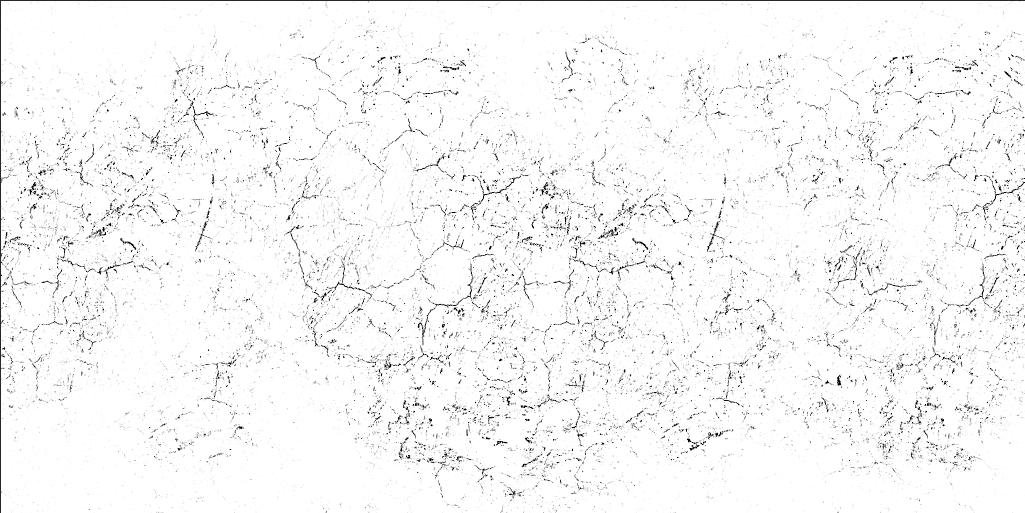 quick terrace
yes ^
tacit shard
ohhhh that makes sooo much more sense
I thought it was like just taking a gloss map and averaging it
quick terrace
so if you wanna emphasize cracks in wood
lol no, again
it has NOTHING to do with SMDI
it is using the empty otherwise channel
tacit shard
yeah I get you now lol
quick terrace
of that SMDI
tacit shard
so basically just trying to avoid making an addition texture file to be loaded
tacit shard
right
quick terrace
because a single multimat loads 15 texture maps
they are trying to bake that (3x4 + 3) 15 and not 4x4 + 3 = 19 textures, saving 4 from loading from SSD/HDD
tacit shard
ok I get you, thanks for the explanation dude its really helpful.
quick terrace
my feedback on that texture of yours though
use a 2x1 texture intead of that 1x1
it gives variation
because atm i can see these seams you have there
also, use something like 2k x 1k
quick terrace
how did you texture it?
tacit shard
used substance player to export the diffuse, specular, gloss and normal map from the .sbsar file and then made the smdi from that and applied it in the multiamt
my ones darker because I adjusted the values in substance player
(off the diffusE)
tacit shard
ok
quick terrace
that is, if you want feedback on it 😃
tacit shard
offcourse im always looking for feedback
tribal vigil
Hello :)
I'm currently trying to make a pbo out of my model but pboproject stops and shows me this error: "p3d error Generic error or premature EOF"
I've tried fixes that worked for others (discord chat history), but non of them worked for me... any ideas?
stuck oyster
does the pboProject logs say anything?
what kind of a model is it?
does it have configs?
tribal vigil
yes it does, it just an object, no animations or anything like this
and thats all the output says yupo
tribal vigil
not at all, just a heap of dirt
yup works everywere just fine
works ingame just as fine (addonbuilder)
stuck oyster
I would say bad config then
EOF means end of file
so possibly some class ending issue
tribal vigil
mh, I've used the same config for a different object and that one works just fine, but I might've done something without noticing it, I will double check
stuck oyster
copy paste errors are easy to make
tribal vigil
alright, working config, same error
stuck oyster
copy the model to somewhere else and make same named .p3d that has just a simple cube in it
to rule out p3d problem
tribal vigil
yea that was my next thought, lod after lod
stuck oyster
simple cube model is enough to test if the p3d is faulty
 jade rock
https://imgur.com/a/jvNOb any good for a first attempt, this is just in c4d atm, still have to import to ob and sort the animations
agile flint
Looks like a safe?
tribal vigil
Okay figured out that the geometry lod is causing the error.
In some of my objects its just a simple cube that seems to be broken, redoing the geometry seems to fix it.
weird
tacit shard
Is there any way to listen to the 'surfaces' sounds without applying them and loading it in game? like I just want to listen to the footstep sound of say a3/data_f/surfaces/surfint_wood_co.paa
tacit shard
Yeah ive just figured out how to do it with mikeros tools but turns out they're just one footstep at a time so its just gunna be easier to put it in game lol
stuck oyster
make a custom model that has all of the surfaces applied
white jay
https://imgur.com/a/76zrW First attempt at a commercial style building.
 tulip beacon
nice
 velvet fractal
One of the two sides did be lost at baking. Red line as it is now, and green i want
quick terrace
@velvet fractal how does the HP / LP looks like? do you use a cage or?
quick terrace
which one? he left one (blender viewport)?
because that is no HP. did you tried baking the stuff on a single plane?
you need to bevel it somewhat, you cannot bake 90deg depth directly
velvet fractal
Yep, i add 10-20 deg for this
late raft
Blender is giving me aids.
velvet fractal
and it looks like imaginary line in centry UV or plane and then respectively of left or right imaginary line be lost side @quick terrace
quick terrace
not sure how you have done your UVs there. But the HP you showed is not a HP. make sure you use some different agle there (even if not realistic, but that is how normals maps work), also make sure you bevel your edges a bit to get a proper bake going
100% sharp edge will always lead to issues
velvet fractal
Thank you, i will do it
quick terrace
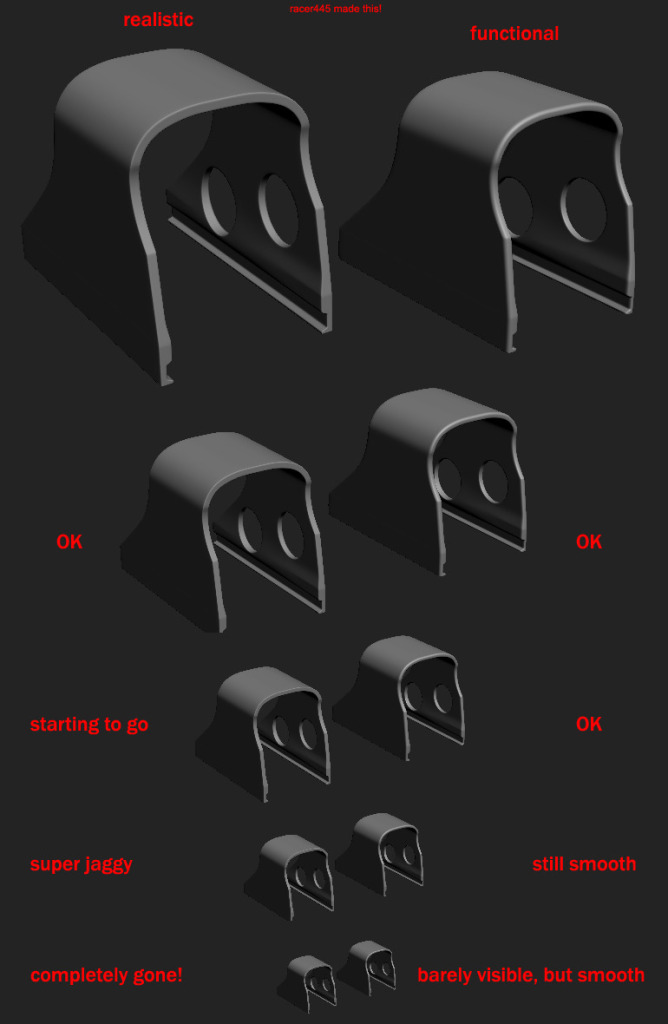 late raft
Does anyone know how to remove "excess/non-connected" weight paints in blender?
For example.. I'm weight painting a leg, but there's a small dab of weight painted on the head (connected to said bone) that is so small I can't see/find. <-- Just an example.
late raft
Nevermind.
 upbeat grail
ok so i have 3 models for ais/characters does anyone here know how to turn them into arma 3 mods?
late raft
yes.
late raft
Is there any reason when exporting a .p3d from blender w/ ArmA Toolbox, that it makes a unloadable .p3d?
I defined the model w/ the ArmA Object Properties tab in blender.
There is a file size to it, so something is there. I just open it and boom, unable to load, file error.
Yeah. I checked the box in ArmA Object Properties in blender, made sure all parts of the model were defined as it, and attempted to export. It exports, I go to open the file in Object Builder, says unable to load. O2Script.exe is defined in the path settings correctly.
 lime nebula
Hello, i have a custom model of helicopter, but when i activate my advanced simulation for helicopter, an A3 model one working fine, but my custom model doesn't working, i don't see any instrument for advanced flight model
sharp halo
[Object builder] how to set time to night in viewer? Becouse when I try set it in environment settings it goes epileptic
sharp halo
@da12thMonkey#2096 Thank you :>
timber cobalt
Hi guys. In the sample house ActionBegin and ActionEnd are used to make AI open doors am I right? Can they also be used to make AI climb ladders?
 pine fable
#arma3_model I am in the process of finding european Buildings like these or find a way to come up with them. Does anyone have suggestions on tutorials on making the buildings from scratch? https://images-ext-2.discordapp.net/external/EWaQlfJJHnVoTtzBwPKx84Q3Ri8-m0PxwuA9XfrEzec/https/www.flightnetwork.com/blog/wp-content/uploads/2015/03/istock_000055684856_full.jpg
stuck oyster
depends a bit what modeling program you use but the usual/popular ones (3DSMax, Blender) got loads of modeling tutorials available. Maybe not as specific as "european building"
but you got to get familiar with basics first
warm trench
Quick question on LODs. Which LOD determines whether things like flashlights or laser pointers are 'blocked' (i.e. don't pass through/ shine through the other side of an object) when a laser or flashlight is pointed at an object?
stuck oyster
likely geometry lod
lights can shine through things though
Arma does not have very modern lighting system
 native garnet
not very
woeful viper
only sunlight gets blocked (by shadow lod if activated)
laser - geoLOD or vis LOD i would assume
warm trench
Thanks, folks.
 astral maple
Hey quick question for anyone familiar with Arma Tools for Blender. Up until recently, I was able to take my .p3d's and open them up in blender, make changes (right now namely, decimating LODs for distance efficiency). Only a little while ago, I can still import .p3d's just fine, but if I export I get this error message, and the .p3d output is blank. I have tried to reinstall the addon and blender itself with no avail, any assistance would be greatly appreciated!
The only thing I can think of that I have changed, was a Source extension for Blender, which I had disabled after trying, and now have removed.
Oh, and if I export as a selection (Which doesnt help when trying to export multiple LODs) it works fine.
astral maple
And the path to the ObjectBuilder folder is correct
astral maple
Its seems that the uniform/vest i used works perfectly fine, but the backpack im modeling and some headgear dont work.
@late raft I think i have the same problem as you do. Let me know if you find anything out and ill do the same?
timber cobalt
@astral maple you have an empty object in there somewhere
astral maple
Like a lone point or something?
I havent yet made a shadowLOD or geometry LOD, could those be it?
timber cobalt
Be sure nothing is hidden, then deselect one lod after the other till you find the layer that gives you the problem
astral maple
how do you select each LOD individually? I was only aware of exporting all of them or only a selected object
timber cobalt
I mean you have an object in there that dont contain any mesh
astral maple
Ahh okay
timber cobalt
If that doesnt work, uncheck one lod after the other
 vernal lynx
This afternoon I will work on importing a model in ArmA - Junker 52 plane by Diabolical for IFA3
Follow up on my twitch channel for an interactive pass through
(from blender to in-game from the base model)
 hard robin
Question: is it allowed to remodel the A3 head provided within the sample files? I really wanna take a crack at it and it makes for such a good base 😬
polar fiber
AFAIK it's allowed https://community.bistudio.com/wiki/Arma_3_Asset_Samples
read there about licensing
hard robin
roger that. Found my answer 😄
 ruby cave
How do I get a texture to appear on both sides of a face without copy pasting and reversing?
ruby cave
I mean how do I get this to show in object building on both sides? For example in my case, this is an arma 2 trees billboard: https://gyazo.com/cf90f7164944f5548b2bbd52905a0463 Here is my billboard: https://gyazo.com/3f6fa0411be945e5471ad1158c0a0c27 On theres the faces are on both sides, on mine its only on one side
stuck oyster
arma does not support double sided faces so copy paste and flip
ruby cave
Its gotta be something, because theres it states when selecting it only has 1 point, but if I do that,my version says theres 2 points
stuck oyster
you can then merge the edges
woeful viper
quick terrace
@X3KJ#8043 manual loding?
woeful viper
yeh
agile flint
When it comes to modelling high poly, if I'm modelling something that is round, is having more than a 32vert circle necessary? Or does 32 do high poly jobs fine?
languid urchin
I was learning blender 3D and i come up with these by following a tutorial on youtube. should i keep learning ?
quick terrace
@agile flint 32 sided circle is a minimum for sights game models for instance. Use a multiple X side of what is needed.
IE: if you are making a supressor that has 8 grooves or cuts around it, you would use multiple of 16 sided cilinder. if it is 5, a multiple of 10 and so forth.
And since HP meshes are in the milions via subD anyways (last one i did was 12million for some dynamesh boolean parts ris rails) the low poly is where you need a specific value. for everything else use a multiple of 8 sided(so 8, 16, 32 etc), since it is easier to LOD it (or reduce it).
example of 16 sided cylinder:
https://fn57sale.com/wp-content/uploads/2016/03/interceptor-suppressor-fnh.png
 agile flint
That makes sense for sure. Good to have the clarification though from an experienced modeller, cheers! 😃
quick terrace
also, for stuff that you look at along the cylinder parts (as in sights), you can push the game model sides a tad more
for stuff that is close to the viewpoint but is not viewed the same way, but perpendicular, you can get away with lower values
no worries
agile flint
I'm only making vehicles atm. So mainly wheels and whatever round parts are on the said vehicle
But I guess it still somewhat applies
quick terrace
it does yes: example baked game model:
https://imgur.com/RqarSpw
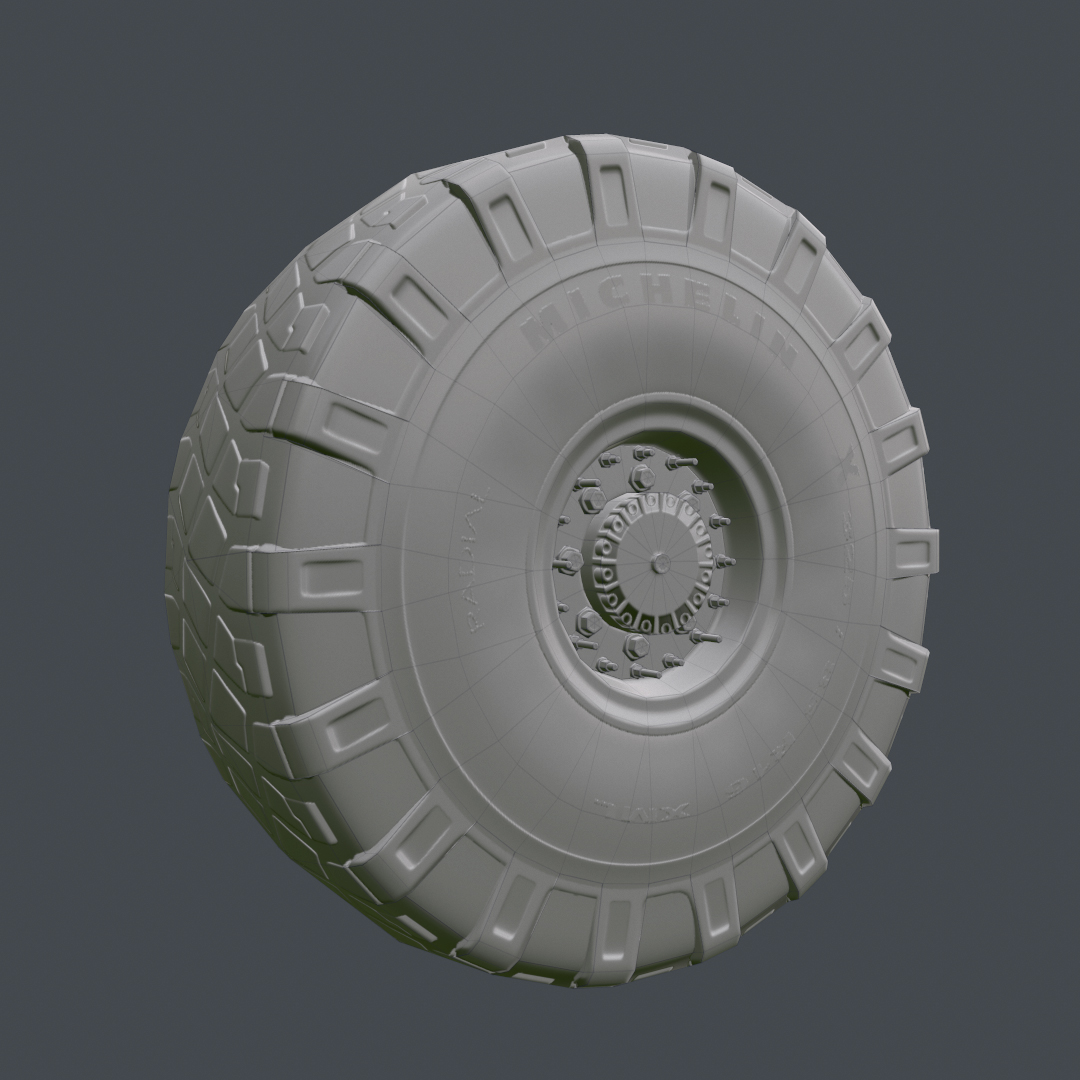
here's the HP for that one: https://imgur.com/xAJQclO
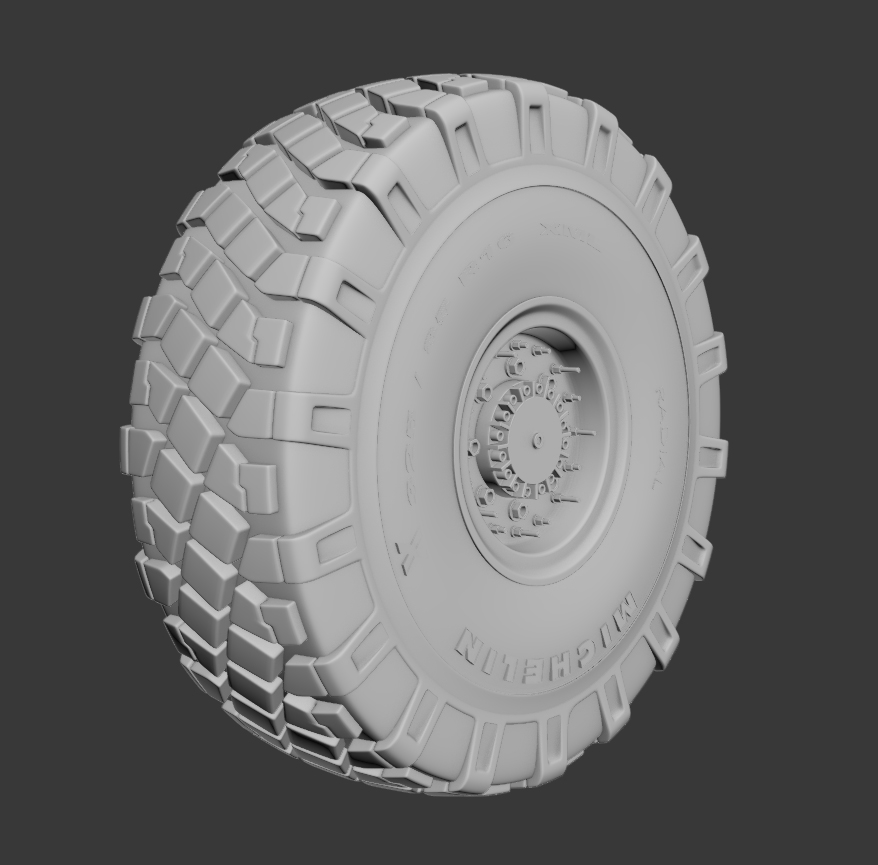 agile flint
Yea looks nice. Cheers for the info!
I'll hopefully put it some some good use. Since I apparently made the mistake of making all my vehicles low poly game ready (even though they were around 50k+ each)
So now I need to remake everything high poly haha
cinder pivot
Love me some wheels 😍👌👏
white jay
Hey guys, is it possible to make part of the model transparent by adding transparency to texture?
stuck oyster
If original texture is not transparent then transparency does not usually work very well as the engine still thinks it is not transparent
if you have applied alpha layer and saved your texture as yourtexturename_CA.paa and that is the result then nothing can be done
headband model like that should not be very difficult to make though so it could be your introduction into modeling. (assuming it would be your first time)
white jay
Yeah, I'm completely green to modelling. Done some retextures so I wondered if it could be done without learing modelling
white jay
So I made a model in blender (something kinda resembling headband, lol) https://i.imgur.com/moY8CDu.jpg, what would be the steps now to make it work in Arma?
I've got Arma toolbox, but I'm confused about those options
stuck oyster
you will need to UV-unwrap it to be able to use textures on it and FHQ toolbox thread on BIforums has some more explanation on how that works. And the Arma3 Samples have character example that contains also headgear setup.
you will also want to read through this https://pmc.editing.wiki/doku.php?id=arma3:tools
white jay
All right, thanks I will have a look at this
white jay
hey all
i have a fair bit of trouble getting my models, tools and import to work
the pbo i work on is on my pdrive, confugured by mikeros tools, when i import the model obj, which is triangulated and quick uv mapped, and i try to apply a texture, it just ingores the texture altogether whether tga, paa or jpeg ( power of 2 format, 24 bit tga)
on export i get a "shadow lod too deailed", "old style material flags", "unrecognized texture type" error
ingame the model "works" but its invisible and doesnt have sound o impacts
 dusk frost
Hello, i saw that i can split my p3d in two p3d's because of the high poly count. If i have one p3d as interior and one p3d as exterior, how would i handle the lod? can i edit the lod in the seperated p3d? because i use the interior like a proxy in my exterior
hollow fulcrum
@white jay did you assign the material to the faces?
white jay
i just managed to fix id with the help of someone
it was certainly the shadow lod causing issues and possible rvmat
hollow fulcrum
@dusk frost ermmm, sure? not sure i entirely understand your question. but yes, typically you'd utilize things as a proxy within your main object.
honestly though, with the current tools, that generally isn't an issue. most reasonable things will load into OB these days as a single model. which is great for section reduction.
white jay
I managed to get my headband into the game and test texture seems to be working, but I can't position it correctly. I scaled it and moved up in object builder, but moving it to the sides does nothing and it looks like this https://i.imgur.com/4vhaCKy.jpg
Is there some way to move it?
cinder pivot
Is it weighted to the head and has proper model cfg?
white jay
I took model cfg from a headgear in Arma 3 Samples, but how to wieght it to the head?
late raft
You have to move it in OB.
If it's backwards, then in OB, change the rotation.,
If it's too high on his head, then lower the height via OB.
white jay
I did move it higher, but moving it to the front or right does nothing
stuck oyster
you will need to add a selection to it corresponding to the "head" bone
@dusk frost how much polies you got?
also if you got so much polies you need to split it to proxies you will need to make very good resolution lods to make it a viable game object
dusk frost
@stuck oyster 200k
dusk frost
i just added my 2nd p3d as proxy to my first model and its working :D thanks ^^ but i have another question. i wanted to create a glass rvmat. i followed this tutorial from bis forums: https://forums.bohemia.net/forums/topic/63094-reflective-glass-tutorial/ and now the texture behind the glass is not visible
i tried but i think i cant change it
stuck oyster
you need to sort the faces that use transparent material to top
OB has a tool for that in the topbat menus
I got to ask what kind of a model takes 200k faces
dusk frost
For a roleplay project and my first project :D its a bmw
stuck oyster
I hope its not one of those free internez models with scetchy sources... As in those tend to be very unoptimized
and 200k does not quite sound like an optimized game model
dusk frost
idk i downloaded it like a year ago and found it today. Is there a way to optimize it?
stuck oyster
well yes, but you would be better of making it yourself at that point.
an if you use downloaded model you should always know the source
because someone might actually own the model
dusk frost
Yeah i know. but atm i just want to learn object builder and that stuff. i tried it a year ago but never finished it
How can i give a credit the right way?
stuck oyster
and you have been around to know this community does care about IP rights quite a bit
depends what the models license is
dusk frost
hmm okay. but is it okay if i use it only myself for testing?
woeful viper
whats the point?
if you cant make model, why "test" making a model?
like trying to run if you cant walk
dusk frost
i will see @stuck oyster . But back to topic. this is how it looks: https://i.imgur.com/j1tm8Ue.png and this is how it looks behind the glass: https://i.imgur.com/JxGFUr2.png but how can i change it?
stuck oyster
as I said you need to sort the the different meshes in right order
the one in front to top and so on
tacit shard
Is it possible to assign rvmats in 3dsmax?
stuck oyster
I highly doubt that undless someone has made a plugin for that
could be wrong tho
+Im a blender man
 candid loom


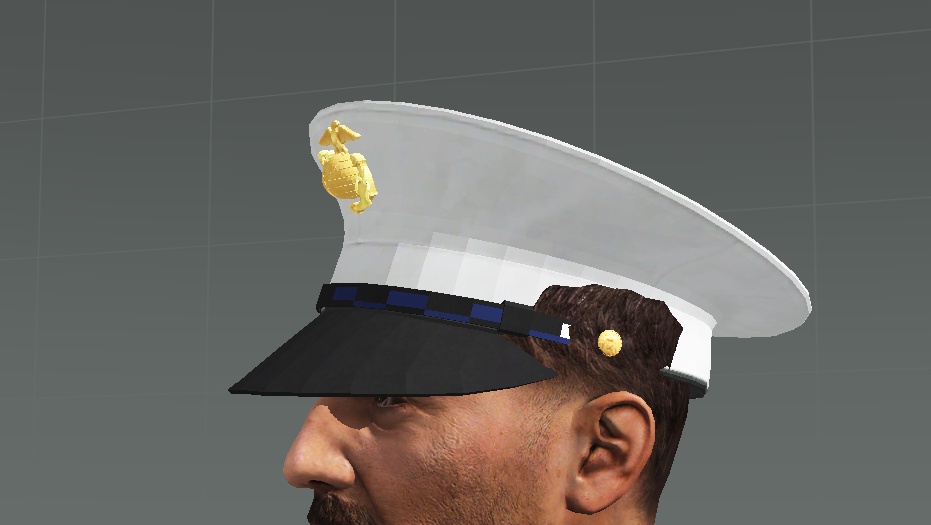




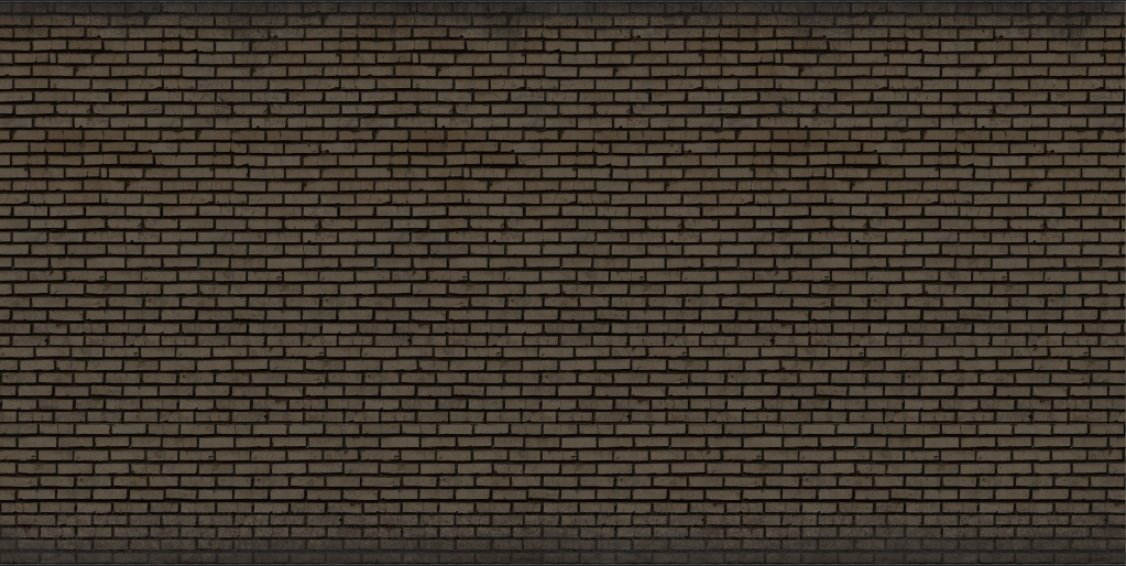
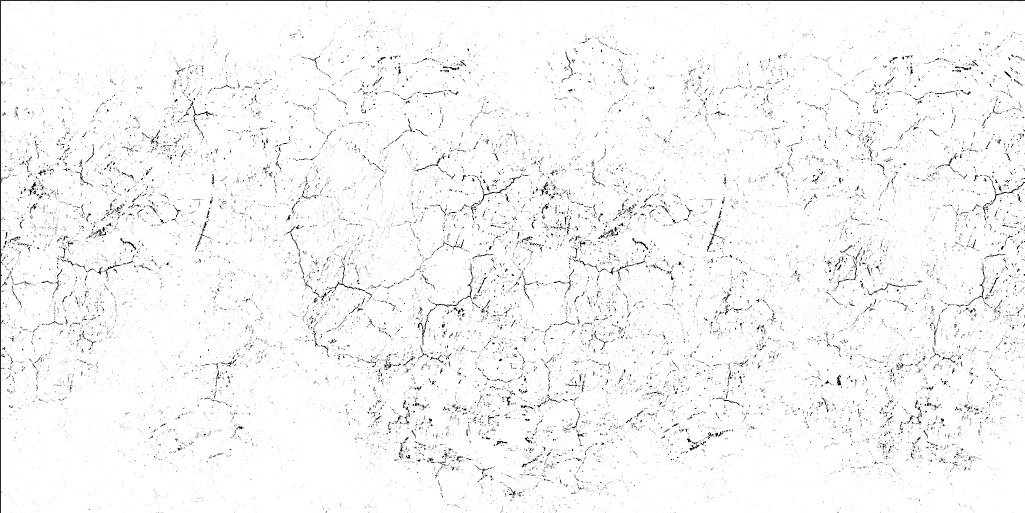


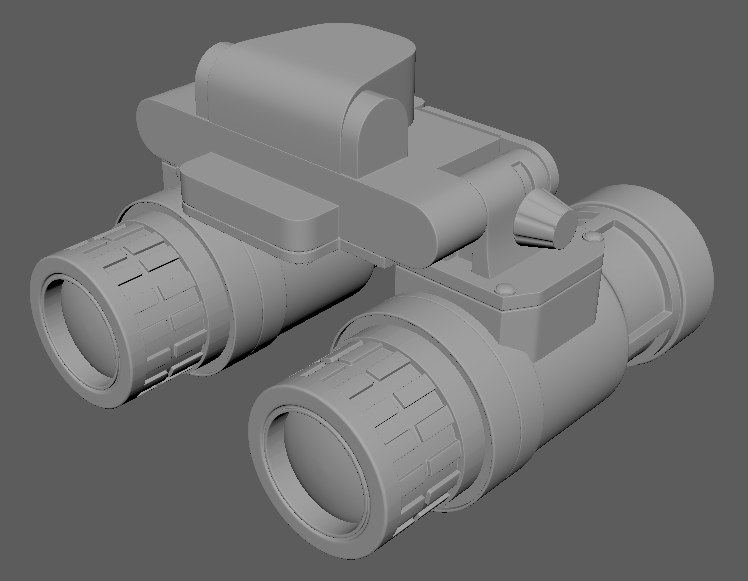 quick terrace
@tacit shard not directly, but you can:
a. replicate the rvmat behavior using one of the 3ds max existing shaders and materials available
b. write your own shader
tacit shard
Ok nice, thanks guys 😃
white jay
How do I connect headgear to a head so it turns with it and not just floats around?
quick terrace
@white jay you have been asnwered before - you need a named selections "head" with the proper vert weights
white jay
All right, so I have selection named head, but what are proper weights?
white jay
yeah
white jay
It's not. It looks good while in default position, but when character moves it just floats above it
quick terrace
it just floats above it
what is IT in that sentance?
white jay
I mean it floats above the head in the original position, not moving with the head.
quick terrace
can i see a screenshot of that name selections - open Oxygen and click on that selection
then screenshot it
do you have a geo LOD btw?
 quick terrace
it can be empty (as in no mesh needed), just add autocenter 0 in named properties
quick terrace
no idea then
white jay
Thanks for trying to help anyway
woeful viper
do you have the human skeleton class in your model.cfg?
white jay
I took model.cfg from arma 3 samples, but it seems there's no "human skeleton" there anywhere.
stuck oyster
you need it from the character sample
and in there at the bottom theres classes for the actual character and the different gear
you need one like the character has but named with same name your .p3d has
starts like this
ends with this
you need that ArmaMan part
and rename the ArmaMan with your p3d name
also you may clear the sections array there and leave only "Camo "
white jay
Ok, changed it, will test it
Hm, now the model is invisible. I can only see shadow of it
stuck oyster
it is possible you have set it to use no texture in the config
if you left the camo there
its default selection/section name for changeable texture
white jay
so I have to add something like this to config?
hiddenSelections[] = {"camo"}; /// what selection in model could have different textures
hiddenSelectionsTextures[] = {"\a3\characters_f\common\data\capb_police_co.paa"}; /// what texture is going to be used
stuck oyster
yes
white jay
It seems to be working now, thanks guys
stuck oyster
👌
white jay
Will the arma engine read a blender material such as glass? For example, I have made a model with planes on windows as having a glass material, or does the game read textures only?
Iv'e made the shop windows/door panels and the top left 2 windows with a glass plane in front of them. https://imgur.com/a/CTI51
quick terrace
lol, no it won't
white jay
Ok, had no idea if they could be imported into OBJ builder or something, so I'll just be sticking with textures, not an issue. Thanks for the quick response before I went ahead and did all them bastards.
quick terrace
you need to create a glass shader + textures
and assign that glass shader to your double sided glass planes in OB
late raft
In order for ArmA's default animations to work on a custom character, I'm guessing all bones must be the same as defined on armaman?
halcyon wren
You are correct.
late raft
👍🏼
 atomic path
Hey guys, I'm working on holosight. Even though my "eye" in MemoryLOD is way above the holosight, the view is placed below it. Looks like the viewpoint is somewhere between "eye" and some other point below it. I've experienced it with vanilla optics using my custom weapons also. The iron sights on custom weapon also use "eye" and work perfectly. Looks like the weapon is causing issues, but I wasn't able to check my holosight with vanilla weapons (don't want to modify vanilla files) Any idea what could be the problem?
polar fiber
does your weapon and sight both have a proper pilot LOD with the optics proxy in the weapon's Pilot?
atomic path
I was using resLOD, as pilot, I'll re-pack it with pilot
late raft
Is there a way other (other than selecting the vertices independently) to get rid of the excess selections of vertices on something?
Weird question.
stuck oyster
select only what you want in the selection and redefine it
late raft
depression
stuck oyster
as in deselect the rest
crtl+shift+mouse box selector or something like that
actually OB may have one combo that leaves only what you got in the selection box selected
late raft
Trying to find the easiest way 😛
though nothing is easy
For some reason my model gets distorted when I import it from blender.
Only like a specific part, though
stuck oyster
everything exported to arma should be exported with 1,1,1 scale
otherwise it will be messed up
stuck oyster
pics?
late raft
That's suppose to be a hand.
It's the only distorted part of the entire model.
Trying to get a buldozer view of it.
https://gyazo.com/2f2ae86e334b6cd35d9a23d21a44e86d Blender view of it.
stuck oyster
fix your tools man
late raft
blender is triggering
stuck oyster
user error man, user error.😜
late raft
its user error 99% of the time for me lol
stuck oyster
for that I dont have a fix
late raft
When you export with toolbox, do you select the rig + mesh/obj or just the mesh/obj?
stuck oyster
just the object
late raft
omg
late raft
as in weights?
Even Al's experimental version doesn't work for me. I think I'm doing something wrong tbh.
Would exporting it as .fbx and importing into OB work?
stuck oyster
well sure but with blender its not the best way
late raft
Yeah just tried it and the hand was still distorted.
stuck oyster
you got something somewhere applied to it that gets baked into the export
late raft
Alright. So I got it into OB, only issue now is that.. it doesn't show up in buldozer, but like 2 proxies do.
stuck oyster
selec whole model in OB hit W couple of times to flip the faces
it fixes the face normals
atomic path
F5 is re-calculate, doesn't it fix?
atomic path
It's normal if it's character
stuck oyster
you may have invalid texture/material on it
late raft
Invalid as in corrupt or wrong file format?
stuck oyster
anything that makes it not load
late raft
just spent 30 minutes trying to find out why it wasnt showing up ingame
the mod i was packing
i wasnt even packing it in the first place. 😛 derp
i think i did a good job. https://steamuserimages-a.akamaihd.net/ugc/915793643569824270/B560069221A57ACE241A05A3BDFEFF0A5CCA8236/
am really good at this
late raft
😛
atomic path
Well I don't seem to get the idea of holosights in A3.
In a weapon, the viewpoint is an "eye" and the point that the camera is looking at is "eye_look", right?
There is an "eye" point in holosight too, but there is no "eye_look", where does the camera look then?
late raft
Time to fix weights.
late raft
oof
atomic path
Yes, I got this far, I'm just bothered that "eye" from optics may somewaht interfere with "eye" from the weapon
late raft
When defining vertices to become weights.. how do you do fade it out as in how it goes from red to blue?
stuck oyster
you do it in blender
late raft
oof
atomic path
The best way of doing it is getting your model on the ArmaRig and painting the weights on the skeleton
late raft
Blender is a bit weird due to me being unable to get precise weights with blenders dumb weight paint tool
late raft
But it paints the faces
stuck oyster
also you can transfer weights form the sample character as a base
no it paints verticles in weight paint mode
late raft
Alright. Guess I'll empty all the weights and then redo it to be much better.
late raft
Damn. I just redid the entire weight-painting and it still does the same thing. 😦
well. only half way.
It's a lot better than it was before.
stuck oyster
transfer the weight from the sample p3d and tweak