#arma3_model
1 messages · Page 107 of 1
 white jay
 stuck oyster
all good
 sharp halo
I cant merge as selection in one way. I mean I have to models, and I want to merge them, I open object 1 and click merge as selection object 2 and works fine, but when I open object 2 and merge as selection object 1 it doesnt work. Why?
stuck oyster
merge where?
sharp halo
into one p3d file
I have a jet model
and cokcpit model
separately
and I want to merge cockpit model into the jet model file
and I cant becouse when I do, nothing shows
stuck oyster
in OB you can just copy paste from one instance to another
chances are merge is broken
 agile flint
Tris 4k for a house? Fuck my tanks are like 54k Tris haha
If the house is just for external view only, without interior, thats pretty goodo
white jay
It's almost completed. I need to add some water heater tanks inside of sheds in the back and some more wiring on the side. Exterior only.
Everyone is always talking about low poly count, but I'm so much of a noob that i cannot figure out which category (vert/faces/tris) counts as poly's.
agile flint
I was exactly the same when I first started, no idea what was good
I kept getting told Tris is what to look for, since the game converts everything to Tris
i.e only Tris will show up in games (not every game though), but Arma its Tris
 obtuse rain
No game can render both triangles and quads at the same time. Arma keeps quads in binarized .p3d's but before sending it to the GPU converts everything to triangles.
white jay
I kept hearing iirc that most structures should be under 50k polys. So I should basically keep my houses under 50k tris?
If thats the case then i should be good to go, if that house is only 4k then the majority of the houses im doing should be well under 20-25.
obtuse rain
The Arma ones are around 6k-12k. If you find similar assets to what you're creating and then open them in Mikero's Eliteness you can get polygon counts.
white jay
Well my face/vert count could probably be lowered with sliding edges and removing doubles, that building is a straight loop cut nightmare from a cube. I'll just have to go read up and figure out what counts as a tris and lower them as much as possible.
 foggy finch
tri's(triangles) are what quads are split into to render correctly in game,. if you don't pre-triangulate your mesh in your 3d package you can do it in OB, results/mileage will vary depending on the model doing it that way
obtuse rain
You might want to keep it in quads until export, it's easier to LOD quads. You can often remove edges that are sitting on planar surfaces (automatically) and then triangulate the ngons that result to drop the count.
 wraith socket
Hey does anyone know how you put a normal map on a object, I can't find the option in object builder
obtuse rain
You need an RVMAT for that, and I think the only decent references on that are in some of the "make an object" tutorials.
wraith socket
oh boy the rabbit hole goes deeper :P
I thought it would be a lot easier to put my models in arma
but its turning out to be quite a adventure
wraith socket
Hey @obtuse rain do you have the link to any of those tutorials?
obtuse rain
No sorry, check the forums, they often have pins with them.
wraith socket
Will do thanks
 bold flare
https://community.bistudio.com/wiki/Mondkalb's_Addon_Tutorial
https://pmc.editing.wiki/doku.php?id=arma:texturing:normal_maps
Some reading material. The first one was quite good back when it still had pictures :/
wraith socket
Oh boy random guessing what button to press 🤔
Ive got my normal map ready to go
so the second link is done I guess?
 ebon abyss
maybe Mondkalb still has the images, I could put everything up to our wiki for preventing this from happening again.
bold flare
Mondkalb's tutorial also speaks about creating the RVMat's
https://community.bistudio.com/wiki/Mondkalb's_Addon_Tutorial#Step_Six:_RVMat
Stage1 is the normal map.
You then set the RVMat together with the diffuse texture in Object builder
wraith socket
Giving that a go now 👍
Thanks
What would be the course of action to follow if you had no specular map?
Also that seems to be focused for arma 2 does it all still apply fine without any changes in arma 3?
Ok so I followed that guide and made a rvmat, attached it in object builder aaaaannnnnd, https://i.imgur.com/lB82zTc.png completly black, however I then noticed that it has actually attached the normal map as I could see a reflection in the object of the normal map. Any ideas? Quick appology for so many question as well :P
 quick terrace
what shader are you using? supershader?
wraith socket
Yes, I acutally just fixed it as you put that message in, thanks anyway though
Now I just have to make it so that people dont walk straight through the object
and its job done
Alright got a geometry lod
thats job done
thanks for all the help guys
obtuse rain
What are you making? Specular maps usually vary where you have different materials (metals versus plastics) or varying levels of wear.
 polar fiber
your normal map needs the green channel inverting by the looks
wraith socket
Yeah managed to fix that one
however im encountering another issue
For some reason my normals are coming out in the wrong place https://i.imgur.com/CEOsh7B.png
Ill post my RVMAT incase thats helpful
surfaceInfo = "kube\textures\3.bisurf"; //Definition od physical properties
ambient[]={1.000000,1.000000,1.000000,1.000000};
diffuse[]={1.000000,1.000000,1.000000,1.000000};
forcedDiffuse[]={0.000000,0.000000,0.000000,0.000000};
emmisive[]={0.000000,0.000000,0.000000,1.000000};
specular[]= {0.536604, 0.600000, 0.480000, 1.000000};
specularPower=850; /// Glossiness; 1 = high, 64 = middle, 1000 = none
PixelShaderID = "NormalMapSpecularDIMap"; // The pixelshader
// The pixelshader tells what stages (modes) the face should use.

VertexShaderID = "NormalMap";

class Stage1 {
    // The "NormalMap"
    texture="m3ch\data\Body_Metallic.paa";
    uvSource="tex";
    class uvTransform {
        aside[] = {1.000000, 0.000000, 0.000000};
        up[] = {0.000000, 1.000000, 0.000000};
        dir[] = {0.000000, 0.000000, 0.000000};
        pos[] = {0.000000, 0.000000, 0.000000};
    };
};

class Stage3 {
    // The "SpecularDIMap"
    texture="m3ch\data\Body_Metallic.paa";
    uvSource = "tex";

    class uvTransform {
        aside[] = {1.000000, 0.000000, 0.000000};
        up[] = {0.000000, 1.000000, 0.000000};
        dir[] = {0.000000, 0.000000, 0.000000};
        pos[] = {0.000000, 0.000000, 0.000000};
    };
};
Oh
I was linking the metallic to the normal
🤦
And thats not a metallic its a specular
double facepalm here
 twin urchin
why you dont use super shader ? that rvmat is so outdated
wraith socket
To put it in short its because im a absolute noob who just started modding last night, if you fill me in on the super shader id be deligted to listen.
wraith socket
wiki is my friend indeed
Ill have a read of that now
This is quite a nice shader actually
Is the supershader still a .RVMAT?
woaha super shader blows the RVMAT away
 simple lake
is there a guide as to which Class will darw/use a Physx Lod , I.E wil a Nonstartegic class use it vs a House using it ?
polar fiber
texture files need the following namin conventions: https://community.bistudio.com/wiki/Texture_Map_Types the tools use the _suffix to format the .paa file when converting from .tga/.png etc.
wraith socket
if its already a paa do the naming conventions matter?
(im using them anyway just wondering)
polar fiber
IIRC just renaming them when they are already .paa has no effect. So in theory no, it doesn't matter if the file was converted from a .tga that was named properly
wraith socket
Btw money, sorry for off topic but what is your profile picture? I like the design.
stuck oyster
another mech maker I see. Interesting to see what you come up with!
stuck oyster
@wraith socket out of curiosity whats your approach on animating it?
wraith socket
cry in the corner :P
Im just using it as a prop in my milsim missions for now
so its stationary
they have to reclaim a few of them scattered around
I only started arma mod making on saturday so for actually animating anything im clueless
stuck oyster
yeah its tricky to make walking tanks xD
well mechs in arma is at the very deep dark end of the pool
wraith socket
I dream of one day making a mechwarrior mod akin to living legends (that I actually work on by the way) but for arma
What sort of mechs have you made?
stuck oyster

Long time no news! Well here's some!! Little teaser of things we've combined from various tests! Still a bit raw here and there.. But you can see where this ...
wraith socket
Oh dude I think I remeber seeing your mod AGES ago on mod DB
Watching the video now
Looks incredible so far
stuck oyster
yeah we've been developing the proof of concept for a while now XD
its coming together slowly but steadily
wraith socket
When the screens turned on I think a little bit of pee came out
that is awesome
Have you managed to figure out foot IK?
stuck oyster
yeah the feet/legs are separate Man based object
so they behave like men on terrain
stuck oyster
yah they are all just a tank
stuck oyster
@timber cobalt has made awesome work on animating his sentinel and Macross mechs though
wraith socket
but not to players walking into it
stuck oyster
as tanks
stuck oyster
Yep so it can be done with tanks too
We found our approach of ManTank monstrosity and want to see how far it can go
so far so good though
wraith socket
the star wars walker looked good with the IK before they got a DMCA
Shame that one never got released
stuck oyster
eh well. unfortunately the star wars scene got skecthy real quick with all the ripped models
wraith socket
What did they rip models form, the star wars games?
stuck oyster
yeah
wraith socket
in my research over the last few days it seems ripping (or not doing it to be specific) is taken pretty seriously within the arma modding community
Even with there being a IP rights violations channel in this discord
stuck oyster
yeah it is
most of all its about respecting the wishes and rights of the creator of the models/whatever stuff it is.
lots of original content creators here who want and deserve that on their work and thus want it for other peoples work too
wraith socket
Yeah thats pretty good, I wouldn't be the happiest if someone ripped one of my models :P
 timber cobalt
@wraith socket The way I solved the mech walking was timing the leg movements with its speed. The whole thing is also a local seperate object placed on top of an invinsible tank (it needs to be local or the animations will flood the network causing desync issues). Its probably best using the man class like @stuck oyster cause it will allow smoother more man like movements (also looks when walking up steep hills and over obstacles). He doesnt have to think about flooding the network either since .rtm animations work differently. I am limited to tank movements, and cannot strafe
AI works good with the tank approuch, dont know how AI works with @stuck oyster 's mech
This is mainly how my mech works
wraith socket
I cant imagine trying to get any of that to work
im strugeling with a basic hitbox
genuinely doing my head in at this point
stuck oyster
My manTank will probably need a bit more script controlled AI if it will ever work without player in the first place.
wraith socket
The hitbox is so annoying
it works sometimes
then somtimes doesnt
with seemly no explantion
I have the geometry lod
with a perfectly acceptable mesh
without any funny angles that it complains about
and yet it fails
I wish I knew what I was doing wrong
timber cobalt
Another disadvantage I have is that my hitpoints dont animate/follow the legs movements
stuck oyster
@wraith socket does your geoemtry blocks have mass and are all named ComponentXXX
timber cobalt
Yeah @stuck oyster 's approuch requires the most scripting and is more advanced
Is it the hitpoint lod or fire geometry that has the problem?
@wraith socket I like that more people are working on mechs 👍
wraith socket
Yup
timber cobalt
Can we have a look?
timber cobalt
Just post screens
wraith socket
stuck oyster
Not too many WIP screens on this channel! Always room for more
is that all one block?
wraith socket
Yes
wraith socket
found it
stuck oyster
geometry
timber cobalt
Is it closed and convex?
stuck oyster
yeah that makes all separate pieces convex and names them ComponenXX
wraith socket
If I do find non convexs, and it selects stuff thats bad right?
Because the model is exclusivly 90 degree corners
Theres the wireframe
stuck oyster
are those all different blocks?
wraith socket
Oohhhhhh
I thought convex just meant everything was 90 degrees
Im not even sure where I got that idea from
stuck oyster
no it means theres no holes or outprotuding shapes
wraith socket
Ok
made it into 3 seperate boxes
It seems to "find components" as one single component, is that a issue?
There we go I moved it apart slightly and it found 3
wraith socket
Ill tell you after this test
To keep the information fresh
ill just be a mo
OK! No issue anymore
The deconvexing fixed it
Thanks guys
Wont make that mistake again
wraith socket
haha not sure if I have the endurance to go through with that, I don't know how to make a vehicle and ive taken 5 hours to make a simple prop work :P
stuck oyster
Ive been messing with mine for 3 years now
its starting to be in working shape xD
(there has been numerouse redesigns on the way though)
wraith socket
I think my next goal is to make it so it looks as good as (or as close to as good as) it looks in the substance painter viewport as well as putting the 3 camos in that I have made https://i.imgur.com/HYtYhqv.png
Thats the desert, ive done the forrest
And theres a snow
timber cobalt
Remember I also struggled with just getting props working too 😆
wraith socket
also does arma hard limit the resoloution of textures?
timber cobalt
Cool looking mech. Would be a shame if it never walks
wraith socket
I put these in as 4K
And they aren't 4K in game
(yes I know 4K is ridiculus its just what I had to hand)
If you want to make it walk, im more than happy to send you the model
But I don't think ill be going there
timber cobalt
Im not doing it. Too much work 😂 😂
wraith socket
glad were on the same wave length then haha
Because thats my exact thoughts
Well thanks again for all the help guys
Id still be stuck trying to wedge textures on that thing if it wasn't for this channel's help
timber cobalt
GL
stuck oyster
👍
wraith socket
Ive had this idea @stuck oyster and its either horrific or fantastic in terms of how to manage mechs. Basically heres my idea, you have vehicle mechs that are just props in a "powered down pose", then when they player gets in the mech the mech is deleted and the player inventory is locked and a uniform is put on the player that makes the player the size shape and have the hit boxes of a mech, the ugandan kunckles mod proves that possible probably, then the players movement is switched to a alternate script with whole different animations and movement script. This should be possible proved by enhanced movement, and finally you can switch between the weapons as if they are a rifle, this should be possible as its proven by weapons with slung GL's and the type 115. Its probably horiffic to program and/or make work but I think its either good or horrific, wondering about your professional oppinion
ps I haven't got the foggiest how you would program that ;)
stuck oyster
oh yeah sure you could make your mech a full "man" character
no problem
some limitations though
in weapon handling at least
and not sure if torso turning could be done effectively
perhaps
did not look into that
wraith socket
perhaps the freelook script could be somehow transformed into torso movement?
stuck oyster
also no need to swich vehicles, just strap invisible tank on its back like I do and remote control the mech from there
and switch to its optics
there might be problematic to create a nice cockpit for it too
wraith socket
Thats true
stuck oyster
and certain type of animations may be hard to make
wraith socket
I must admit I haven't though this through perhaps as much as I could have
stuck oyster
like opening of weapon hatches and the like
its ok to bounce off ideas
I got some experience in this particular field tho xD Been thinking about arma mechs for some time
but it does not mean all my info is right either
so things definitely could be done differently
We will likely try full "class man" mechs too with more humanoid designs
sharp halo
Hi, anyone could help with PIP? I am working on sample model, it has a mirror, so I tried to make it a custom shape, I have a shape, named it mirror_pip_l just like the one which is working, added #(argb,256,512,1)r2t(rendertarget1,1.0) as texture, anything else? Becouse it doesnt work
stuck oyster
uv mapped it?
wraith socket
Let me know how it goes when you try it
stuck oyster
👌
sharp halo
Probably not, will do in a minute
wraith socket
And heres to hoping for offical mechs in arma 4 :P
stuck oyster
check how the sample mirror is uvmapped and do the same
sharp halo
ok
stuck oyster
@wraith socket dont have to be any but more open way to work with vehicles
unless of course its really good mech type vehicle setup 😄
wraith socket
here to hoping for both
stuck oyster
now that I think of it the weapon handling can be easily solved by scripted projectile creation
stuck oyster
do you have PIP configured in your config?
sharp halo
Yes, becouse with sample it works, soething must be off in the model
stuck oyster
you got memory points for it?
sharp halo
Yes
sharp halo
Ok got it to work
stuck oyster
excellent what was it?
sharp halo
I moved the PIP screen to the left and it worked, However I will retry this again, becouse this shouldnt be it. it should show what the memory point vector is looking at, whatever the position of "mirror" is
Atleast I understand it that way
Hmm it connects but image is like zoomed O.o
stuck oyster
try changing the last number
(argb,256,512,1)r2t(rendertarget1,1.0)
the 1.0 after rendertarget1
sharp halo
ok will do
stuck oyster
hmm also what have you set as your fov in your PIP config
0.7 is narrover field of view meaning it will zoom in
sharp halo
0.7
stuck oyster
try 1
sharp halo
ok
 late raft
Is there a video of making a uniform for arma? I just want to see the process of it for I can get a understanding of how I need to make the model
Out of town, so. Cant look at samples rn
stuck oyster
dont think theres any like for modeling it from ground up
 cinder pivot
The uniform is the character model
stuck oyster
you will need to match the size of the vanilla arma man and then match the general topology of the mesh (similar joint areas etc) and then you need to match skeletal weighting of the Arma man
late raft
So best bet is
Make the model and compare it to the model of arma man on blender
and then put into ob and do all that
stuck oyster
Basically yes. Also you can transfer weights from Arma man to your model to get close approximation on how they should be
If you use blender Id suggest you do all the weighting there
late raft
hm alright
stuck oyster
Macsers Armarig can be made to move your new character mesh
late raft
Prob gonna have to do test runs before i start the actual thing
stuck oyster
so you can see how it would behave in game
late raft
👍
stuck oyster
arma animations can run a bit different from Blender environment but usually if it moves good in blender it moves good in arma
sharp halo
Ok , I fixed that PIP thanks to you, thank you very much 😃
sharp halo
It is, becouse I have no avatar xd
 hard robin
Would anybody happen to know if or where i can find the source to the old DC3? It doesnt seem to be in the A1 APL Data
late raft
dc3?
hard robin
Double prop transport plane. i think it was added to A1 with the Queens gambit DLC? Better known for its military designation as "C-47"
 hollow fulcrum
yeah, it was queens qambit. not everything made the public data. i assume that is one of those if it's not there.
hard robin
Alrighty. Roger
sharp halo
I need help again, every second time I start in editor, the PIP screen is black, I restart it works, I restart its black and so on. (I restart mission, not game)
polar fiber
are you inheriting the rendertargets classes from somewhere or writing it yourself??
polar fiber
does the class inherit a BBoxes[] array from somewhere?
sharp halo
No it doesnt
polar fiber
Certain? because a lot of BIS models have it now if the vehicle inherits in any way from them
and if it has BBoxes, the pip only loads and updates if you're looking at the bounding box (defined by mem points)
sharp halo
Yes, I've searched config with notepad and it is clear of these
I figured it must be again with model, becouse I copied the "old"mirrors and it wor flawlessly
polar fiber
if it's inherited from an external config it wont show in the config file itself. You'd have to check in the ingame config viewer
sharp halo
Well, turned out it had something to do with the model , and I honestly dont know what. I copied everything again as I did and it works. But big thanks for the above
Also, sorry if I ask trivia questions
 plain jackal
Does anyone know what I have to do within the model of a custom missile for it to make use of the effectsMissile config entry?
agile flint
For anyone whos made tank tracks with alpha textures, how should such a track look model wise?
I'm guessing its like layers upon layers?
hollow fulcrum
not sure what you mean layer upon layers.
agile flint
@hollow fulcrum Like this - https://gyazo.com/8ffb8f2bc0595921bd62fd4f957324ec - Obviously thats Warthunder however thats what I'm talking about, how the tracks look solid but its just alpha textures
twin urchin
are you sure thats alpha textures? to me thats 3D
and i know world of tanks or even warthunder had already 3D tracks
agile flint
World of tanks tracks are solid 3d
War Thunder look fake solid 3d by the looks of it, but works the same way
hollow fulcrum
hrmmm.. honestly i can't think of a good way to accomplish that look using mostly alphas. that looks mostly 3D to me, granted it has a lot of alpha/transparency in there it seems.
¯_(ツ)_/¯
late raft
How would you see how a texture file fits onto a object specifically? I want to change a fraction of the file to a diff. color
hollow fulcrum
UV's?
late raft
right
stuck oyster
@Scorch_052#2984 dont think you need anything in the model for the effects to work
simple lake
centerFirstVertex=true; //use first vertex of selection as center of rotation
sure its been mentioned but first time i used it
plain jackal
hmm
I've got the config value but nothing shows on me model
could it be related to the "thrust" values in CfgAmmo?
plain jackal
stuck oyster
so you want smoke come out of it yes?
plain jackal
I want smoke and the fire effects of the NLAW missile to come out of it
stuck oyster
Im thinking the thrusttime is the key here. as thats when the missiles engine is on
plain jackal
is that how long the engine is on or how long it takes for it to turn on?
stuck oyster
or if you want fire effects
plain jackal
I interpreted it as the latter
stuck oyster
those are configured in the weapon
plain jackal
fire effects on the missile in flight i meant
stuck oyster
is the config otherwise as NLAW?
 civic salmon
hey guys, I was wondering if anyone would be willing to share their approaches to making convex components for natural shaped objects. I have been using the technique of first creating a few simple convex geospheres and then sort of "shrink wrapping" them with a conform compound object in 3ds max in order to create the resolution mesh. But I'm wondering what other people do
this is for rocks
and trees and such
It seems like in a rock it doesn't matter if the components clip each into each other as long as the internal volume of the rock is mostly filled and the components are just toiuching the edge
hollow fulcrum
there are many ways to do things. i'll often cut up a larger model into a few pieces, and put a MassFX modifier on each of those. in there you can choose to create a convex shape, choose a total number of verts to utilize, and generate/convert that to a new mesh.
civic salmon
massFX, interesting, Ill have to try that
civic salmon
heheh yeah I like my method but I'd like to be able to take a premade model that has a res LOD and create good components
yours sounds like it would work for that
hollow fulcrum
it does not handle multiple components. that is what it is mostly.
civic salmon
right you have to slice it up yourself
hollow fulcrum
yerp
civic salmon
well thanks for sharing
hollow fulcrum
aye np
late raft
What are ways that I can get rid of arma’s attempt at changing the color of my texture ingame?
For example - a olive color becomes a bright olive color.
plain jackal
sounds like rvmat issues
plain jackal
so what the texture just gets in-game and its too bright?
late raft
Its more like
plain jackal
There is no "arma’s attempt at changing the color" without an rvmat
late raft
Arma renders it to be brighter than it actually is, thus changing the color.
plain jackal
pm me the map and what it looks like in-game
late raft
I’d have to get back to u on that, driving rn.
late raft
😂
stuck oyster
use rvmat
arma (game engine )lighting multiplies colors etc and what you see on texture when you view it is not what you will get in the environment
rvmat is problaby only thing you can use to affect that
stuck oyster
when in doubt use what vanilla arma assets use
late raft
da comrade
Can OB export as a obj?
Debating whether or not im gonna cry when i get home
hollow fulcrum
ermmm.. no.
late raft
k gon cry then
stuck oyster
why do you need to export as .obj?
late raft
I resized the object in OB and not blender. It’s good tho. I can use arma man for reference in blender
stuck oyster
you can import p3d into blender..
late raft
wot
late raft
Thank god
sharp halo
Idk if it should be here or in config, what is pilotCameraRotX and pilotCameraRotY value? Asking becouse I need to adjust max value
I mean are those degrees or smth else
stuck oyster
I would say usually any config.cpp rotate value is in degrees
foggy finch
RotX is yaw, RotY is pitch
sharp halo
I know what are those, but when I have something like this:
class MainTurret
{
type = "rotation";
source = "pilotCameraRotX";
selection = "turret_main";
axis = "axis_turret_main";
memory = 1;
sourceAddress = "loop";
minValue = 0;
maxValue = 10;
angle0 = 0;
angle1 = "rad +360";
};
        class MainGun
        {
            type = "rotation";
            source = "pilotCameraRotY";
            selection = "turret_maingun";
            axis = "axis_turret_maingun";
            memory = 1;
            minValue = 0;
            maxValue = 5;
            angle0 = 0;
            angle1 = "rad -180";
        };
the point at which the PIP camera is pointing doesnt match the exact position at which the pilot camera is looking at
sharp halo
however I just found out by accident that putting pi number in maxvalue of RotX aligns pitch perfectly
foggy finch
do you have a pilotCamera class ?
sharp halo
yes
stuck oyster
the animation classes should have +/-360 angles
and the config.cpp classes are then what limits them
sharp halo
maxvaue +/- rad 360 or angle?
stuck oyster
both
 ruby cave
Hey, im sorta new to modeling for arma 3 and I was wondering how do you declare at what range does a LOD take place? I know you have to create a 0.0 as your base then 1.0 and so on and so forth but is there a way to set at what distance these take in place? And if so where/how
stuck oyster
you cant. lods are not range dependant but change according to scene complexity and video settings
well yes range is a factor in that too
but there are no hard figures
ruby cave
Alright, so if I just set my 'LOD' model in as the next lod it will automatically work and change depending on the user?
stuck oyster
yes
ruby cave
Awesome, thanks 😃
stuck oyster
also res lods should in general half the polycount with each level
so lod1 1000polies obejct is should be reduced to around 500 polies on lod2 and so on
there is a biki page on lods
ruby cave
Gotcha 👍
stuck oyster
if you google something like Arma lods
ruby cave
Yeah ive read through it
late raft
im having a brain fart
how the heck do you move the camera in the 2D views...
on OB.
and figured it out
Question, probably common sense but, if part of my p3d was reversed faces and I add more faces, do I have to do the same with them or can I select it and reverse it
stuck oyster
well yes you can reverse any face any time
but doing it in OB is pain in the buttocks
but preferably youd work so that you dont get unnecessary reverse faces
late raft
But, if it is half reversed, half not reversed, if I select it all and reverse, will it become the same or no?
stuck oyster
no
late raft
fuck
stuck oyster
back to blender
stuck oyster
and when you scale stuff -1 /mirror them remember to fix faces
blender will be faster
late raft
probably
late raft
If I have a selection not defined as "head" - I put them in hiddenSelections in the config right? Else they don't show
because part of the obj isn't showing.
late raft
figured it out
 lusty ginkgo
Shadow volume resolutions work the same way that regular resolution LOD's work, correct?
I only ask because one of the A2 sample models has a really simple piece of geometry as shadowvolume 0 and a far more complex mesh as shadowvolume 1
 teal cargo
hey if could I pay someone to make the buildings from the American Buildings and add interior?
plain jackal
 severe ridge
I am kinda at my wits end with this stryker anyone have any idea how to fix it? https://i.imgur.com/TSFyasJ.jpg
stuck oyster
needs to fix physx config
possibly alter geometry too
try copying physx parameters form one of the vanilla wheeled apcs
also its possible your damper axis is upside down
severe ridge
I know this is a dumb question but where would one find the physx configs for the base arma apc i assume you mean the physx.hpp stuff?
stuck oyster
if nowhere else then in the game config viewer
Id assume they are also in the unpacked A3 configs somewhere
severe ridge
If the damper axis is upside down how would I even figure that out/fix it?
timber cobalt
 tacit shard
Has anyone ever had it that when converting a texture from tga to paa using image2paa or texview it messes up the channels? Its adding artifacts and darkening all the channels
https://gyazo.com/289f72047bc9505146d4defb61d471e1 <--TGA Blue channel
https://gyazo.com/a6c0be7d6dffb421b129692e66640ea2 <--PAA Blue Channel
stuck oyster
what suffix youre using?
tacit shard
_CO
polar fiber
are you using valid image resoutions for the input .tga? because the fact that your paa output is 1024×866 is odd
 placid relic
Hi, is it possible to add a hiddenselection "insignia" on a vest? My friend and I have been trying for a few hours now without success. And since we've never seen that on anything other than a uniform, we wonder if that's possible in the end.
stuck oyster
depends if the vest has appropriate setup for such
do you mean by insignia like a squad logo? or something else
camo usually in arma refers to the whole texture of a uniform/vest stuff
placid relic
I'm talking about the hiddenselection called "insignia" that we usually use on these kind of uniform to display vanilla insignia or yes, squad logo. http://puu.sh/zoq0a/663dd3a1e4.jpg
But when we're trying to add the hiddenselection "insignia" on our vest ( http://puu.sh/zopWp/eb3d409735.jpg ) it's just doesn't work, we got nothing.. 😦
stuck oyster
it is called a hiddenselection
placid relic
yes sorry ^^
stuck oyster
"camo" is one of them
just so you get you message across
and you will need to add that selection name into the vests model.cfg sections[] array
placid relic
sections[] =
{
"osobnost","Head_Injury","Body_Injury","l_leg_injury","l_arm_injury","r_arm_injury","r_leg_injury","injury_body", "injury_legs", "injury_hands",
"clan","clan_sign","insignia","Camo","CamoB","Camo1","Camo2","Camo3","personality","hl", "injury_head"
};
yep, it's done
stuck oyster
and it needs to have a hiddenselections defined in its config
placid relic
already done too
hiddenSelections[]={"insignia"};
hiddenSelectionsTextures[]={"\HL_Equipements_Gnd\data\insignia\IN_ELG.paa"};
update : When I set manually the .paa in the p3d, it work
But the hiddenSelectionTextures seems to change nothing
stuck oyster
also insignia may be reading it from somewhere else
and are you applying the command to right place
placid relic
I don't use command, I go directly through the config
stuck oyster
try some other selection name
stuck oyster
insignia is engine used
late raft
Is there a limit or "suggested max" amount of polygons for a3?
Someone said to me in my community.. above 12k is basically a lag fest.
stuck oyster
depends a lot if the model has properly set up distance lods
and not using millions of texture files
complex vehicles could be said to be in the 30-50k range
late raft
Is 26k a bit much for a uniform?
late raft
It's basically just going to be a ceremony uniform
but a lot of people will be wearing it at once in the same area
stuck oyster
ten Id say you could do with a lot less
but also tell your community to make better distance lods and use reasonable texture sizes ;D
late raft
i might yolo it
late raft
mk
 opaque zephyr
someone had such a problem when the model is transparent, how to fix it , pic https://c2n.me/3RWF2uj
@stuck oyster you know it, because you know a lot😅
stuck oyster
using superhader or multimaterial?
opaque zephyr
The problem is that the same materials I use in other models, and there everything is fine
stuck oyster
anything transparent in this one?
stuck oyster
is that in game screenshot or buldozer?
stuck oyster
are the textures _CO?
opaque zephyr
y
stuck oyster
is it a very large building?
opaque zephyr
40*20
opaque zephyr
mb rvmat bad?
see
ambient[]={0.44705883,0.44705883,0.44705883,1};
diffuse[]={0.44705883,0.44705883,0.44705883,1};
forcedDiffuse[]={0,0,0,0};
emmisive[]={0,0,0,0};
specular[]={0,0,0,0};
specularPower=1;
PixelShaderID="Super";
VertexShaderID="Super";
class Stage1
{
texture="SLM\tex_build\data\kirpich88_nohq.paa";
uvSource="tex";
class uvTransform
{
aside[]={1,0,0};
up[]={0,1,0};
dir[]={0,0,0};
pos[]={0,0,0};
};
};
class Stage2
{
texture="#(argb,8,8,3)color(0.5,0.5,0.5,1,DT)";
uvSource="tex";
class uvTransform
{
aside[]={1,0,0};
up[]={0,1,0};
dir[]={0,0,0};
pos[]={0,0,0};
};
};
class Stage3
{
texture="#(argb,8,8,3)color(0,0,0,0,MC)";
uvSource="tex";
class uvTransform
{
aside[]={1,0,0};
up[]={0,1,0};
dir[]={0,0,0};
pos[]={0,0,0};
};
};
class Stage4
{
texture="#(argb,8,8,3)color(1,1,1,1,AS)";
uvSource="tex";
class uvTransform
{
aside[]={1,0,0};
up[]={0,1,0};
dir[]={0,0,0};
pos[]={0,0,0};
};
};
class Stage5
{
texture="#(argb,8,8,3)color(0,0,1,1,SMDI)";
uvSource="tex";
class uvTransform
{
aside[]={1,0,0};
up[]={0,1,0};
dir[]={0,0,0};
pos[]={0,0,0};
};
};
class Stage6
{
texture="#(ai,32,128,1)fresnel(0.01,0.01)";
uvSource="tex";
class uvTransform
{
aside[]={1,0,0};
up[]={0,1,0};
dir[]={0,0,0};
pos[]={0,0,0};
};
};
class Stage7
{
texture="#(argb,8,8,3)color(0,0,0,1,CO)";
uvSource="tex";
class uvTransform
{
aside[]={1,0,0};
up[]={0,1,0};
dir[]={0,0,0};
pos[]={0,0,0};
};
};
on any map such problem
stuck oyster
dont see anything suspicious there
you do have very very Very large section count there though
does to model have many different materials?
ebon abyss
holy smokes, nice paste!
stuck oyster
also you could try recalculating normals for the whole object
and sorting the faces
OB face menu in the top toolbar
opaque zephyr
sorting the face did, I think the problem is rvmat, I'll try to change them
the result I will write, thanks for the advice
stuck oyster
try using just 1 material for the whole model
white jay
Anyone recognize this .p3d export error? https://imgur.com/mW1dglu
stuck oyster
restart blender. the script has got stuck
opaque zephyr
@stuck oyster rvmat did not give a result, but removing textures from the model removed transparency, but the same textures are used on another model, and it's not transparent, it's some sort of mysticism, could not the BIS in the last update do something
stuck oyster
dont think so. but it can be that you have too many textures on it
opaque zephyr
@stuck oyster you're right, deleted some of the textures and the transparency is gone, but is there information to limit the number of textures for one model?
stuck oyster
not sure but each texture used raises section count witch makes the model more performance heavy
and your section count (in OB bottom info bar)
is way too much
it also could be some of your textures have converted badly and cause it
are all your textures 512/1024/2048/4096
or do you have some random sizes?
 woeful viper
1100 sections holy shit batman...
@opaque zephyr this is imported stalker model, isnt it? Did you import it to 3ds max?
opaque zephyr
@stuck oyster basic size textures 1024/2048
@woeful viper I do not understand your dick dude, you already say what you think
woeful viper
calm your tits... i helped you before if i remember correctly and i asked because i know that there is something that can screw up models like that in 3ds max. But since you insult me i'm off to play a game instead...
opaque zephyr
@woeful viper maybe the problem of an interpreter, I understand it because it translates Google, and I answer with a wide soul, so enjoy it
 strong plaza
https://i.imgur.com/XwPJyjw.jpg
anyone know what this error means? it pops up briefly when I load a ToH building in buldozer
polar fiber
STR just refers to the stringtables. So could be anything
is languagecore_f unpacked on your P: drive?
white jay
sharp halo
Hi, how can I load an object in place of proxy?
quick terrace
right click proxy in the selection list and load the model
quick terrace
yeah whatever it is called, extract proxy / extract proxy all lods does just that
sharp halo
Ok thank you
 tacit karma
Soon(tm) https://i.imgur.com/nNV9WHa.jpg
hollow fulcrum
sweet! another tube of doom.
woeful viper
which side do you light on fire for it to go off?
i think it should be better labeled
<--- face away from friendly | face towards enemy ---->
hollow fulcrum
lol
sharp halo
I need help again, how do I determine minvalues and maxvalues in model.cfg?
 sonic valve
Anybody give me a rundown on how I set up my weapons for dynamic loadouts? Particuarlly the launching rack with the missle.
polar fiber
sonic valve
Thanks
tacit karma
finally done. https://imgur.com/a/MMKsL
theres a sticker missing, but I add that as soon as I have it
woeful viper
Model looks nice, right hand posture looks a bit like broken wrist though
lusty ginkgo
In OB I thought you could only view .paa textures in buldozer
I can see a surface texture though
tacit karma
yeah it is
 median bough
does the zeroing work like the original?
tacit karma
If Kllrt makes it work then yes 😄
median bough
@slate epoch
DU ET, NAOW!
tacit karma
😄
median bough
no response... it saturday, i guess he's laying wasted under some table 😄
 slate epoch
not really 
Anyway, there isn't much zeroing to "work"
there are 3 settings for rear sights - normal, for temp bellow 0°C and for temp over 30°C
median bough
so if there isn't much to it, are you done? 😛
tacit karma
didnt even start yet
sharp halo
How to use translation anim type? I have smth like this
class PedalLeft
{
type="translationZ";
source="rudder";
selection="LeftPedal";
minValue=-0.1;
maxValue=0.1;
offset0 = "-0.1";
offset1 = "0.1";
};
class PedalRight
{
type="translationZ";
source="rudder";
selection="RightPedal";
minValue=-0.1;
maxValue=0.1;
offset0 = "0.1";
offset1 = "-0.1";
};
And I want to move left pedal in other direction that the right one
In rotation type I just use negative angle but here it doesnt work with offset
Above does that both pedals move in same direction
stuck oyster
nah
I was going to suggest using type "translation" and defining the direction/movement distance with axis
tacit karma
he coudl try that as well
sharp halo
How do I define direction then? I understand I have to create two axis for each pedal, and the distance will be according to the axis length?
stuck oyster
yes and the order of the 2 axis points determine the direction
if it goes wrong way just flip the points around
sharp halo
oh ok then, thanks
white jay
Where can I find accurate weapon blueprints/drawings?
sonic valve
Advise on unwrapping missles?
I can't seem to get a clean unwrap :\
Mainly the nose cone of the missle
white jay
@sonic valve can you send me a wireframe of the missile?
sonic valve
What format would you like?
white jay
.png 😉
@sonic valve I can do it for you I suppose, but you'd get more out of it if you did it yourself 😉
sonic valve
Ow yea, I want to do it myself
I just wanted some advice how you deal with cones and such
white jay
So send that pic over
sonic valve
ugh *mumbles about BI discord not just letting me upload pics..
lusty ginkgo
Are there any reasons why a mode might be invisible in game?
or buldozer?
I edited one of the sample models but one variant of that model is simply invisible
It has textures and it isn't hidden, has no special properties
The vertex properties were set to hidden for some reason
nevermind me
 atomic path
So in model.cfg you can use "ammo" to read the value of bullets in magazine as a source.
Therefore it's possible to make "disappearing" bullets from the magazine.
Do you know if it works in infantry weapons? I've done it light this and it doesn't work:
class light_1
{
type="hide";
source="ammo";
selection="li_1";
hideValue = 0;
unHideValue = 24;
animPeriod = 0.0;
initPhase = 0.0;
};
class light_2
{
type="hide";
source="ammo";
selection="li_2";
hideValue = 1;
unHideValue = 24;
animPeriod = 0.0;
initPhase = 0.0;
};
class light_3
{
type="hide";
source="ammo";
selection="li_3";
hideValue = 3;
unHideValue = 24;
animPeriod = 0;
initPhase = 0.0;
};
24 bullets in mag
the lights should appear/disappear when the last 3 bullets are fired accordingly
(selections are good)
stuck oyster
yes it should work on man weapons
should you not have unhide value in 22, 23 and 24?
though just thinking out loud here. cant remember how it worked from the top of my head
no sorry I apparently starts from the top
woeful viper
of course it works https://youtu.be/_qwhlprIcYc?t=5m41s
atomic path
Noice!
Is there a way to see that wapon's model.cfg file?
atomic path
I've found it, it should use "revolving" as source
atomic path
Well, I shall try
It's even easier to use coz there is a set value for full magazine (if you'd load half-full mag it might not work in certain scripts)
Yup, it works!
stuck oyster
👍
 rough idol
Hide and under hide are only working in 0-1 range where minvalue = 0 and max value is 1
@atomic path
atomic path
Yea, I got to this. Everything is working fine
 tulip beacon
what can cause this?
in TB buldozer there is "gap" or something in the shadow
in OB buldozer all fine
stuck oyster
TB dozer does not matter.
what it look like in game
if its there then we can try debugging it
TB dozer is not exactly same as ingame
dozer in general is not exactly same
tulip beacon
yeah, it exists ingame also
stuck oyster
look for the same spot in OB buldozer
tulip beacon
tulip beacon
yes, should have shadow lod
tulip beacon
ok, so it has shadowvolume 0 lod, and namedproperty "sbsource"=shadowvolume
shadow qality ultra
ok, so shadow lod was removed, all shadow related named properties were removed, so it now uses visual lod for shadow and it looks ok
tulip beacon
what is default lod it tries to use if there's no sv lod?
stuck oyster
all res lods
probably it draws it from whatever lod is currently show
except if a lod has lodNoShadow = 1 named property
tulip beacon
well, seems like solved
stuck oyster
👌
sharp halo
How do I properly and quickly binarize p3d? It loads for 15 seconds ingame now...
sharp halo
Simple jet model, it is source model provided so it shouldnt have errors
I cant binarize it using Addon builder or binpbo
But the model works fine
sharp halo
ok will try that thank you
 wind sluice
Anyone know where to find a decent checklist for creating a new turret? I have a rail-gun I've been working on, it's at the point of being textured, I've done things like created and imported static objects but never anything that requires animation.
stuck oyster
@Jcoop2300#2702 google arma model.cfg animation
 hallow turtle
Is there any good starter stuff for a beginner in 3ds Max? How did you all learn?
stuck oyster
From my experience there are lots of beginner tutorials for all the popular modeling programs. Usually trying to make something simple is the easiest way to get to know new tools especially if youre not familiar with 3d modeling from before. some simple man made object like a crate or a barrel could be something one could start with.
hallow turtle
Okay, that makes sense.
Is modeling sort of like: As long as you know your toolset you can do a lot, or is it more skill / technique based?
stuck oyster
Same principles apply to just about any program, tools and techniques are a bit different but that does not really matter as afaik people rarely change the programs they get used to.
skill is involved sure
the more skilled you get the more faster you can produce stuff
and maybe the more you know your tools and more skilled you are you can imagine/design more complex models
hallow turtle
Alright, thanks for the feedback. I'll definitely keep this in mind.
stuck oyster
Youre welcome!
wind sluice
@stuck oyster Thanks I'm checking it out now. Where can we post photos of our projects?
stuck oyster
well you could make a imgur gallery out of them and throw the link here
we enjoy wip shots here
Biforums is another place you could make a post on
wraith socket
I have no idea if you have control over this or not
but it should be OK to post photos here
this is a graphical discussion channel anyway
stuck oyster
me?
nope
Though I can now that I got blue name xD
but I think it may be a moderation nightmare to have many fully open image posting channels
wraith socket
could make a role that allows? idk
hollow fulcrum
just upload and link it. i doubt very seriously you'll see mass ability to post images on this server.
hallow turtle
#screenshots_arma ocassionally gets random pictures, i can only imagine what would happen if you allowed global upload ability
 polar bone
Is there any guide on how to implement buildings in arma?
obtuse rain
The sample building is a good start, had a look at it?
 outer condor
so models became considerable larger with todays update
1.2 to 5 MB for ODOL
14 MB to to 57 MB for MLOD
ODOL version seems still the same
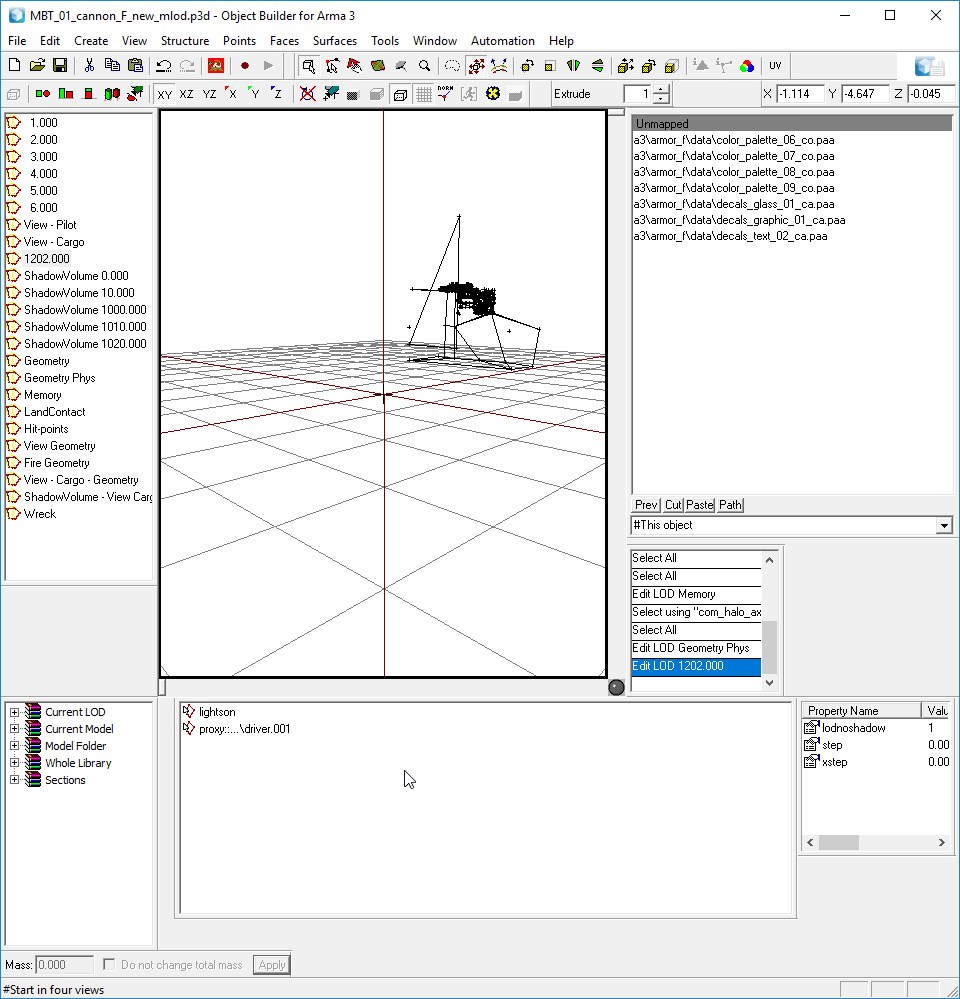
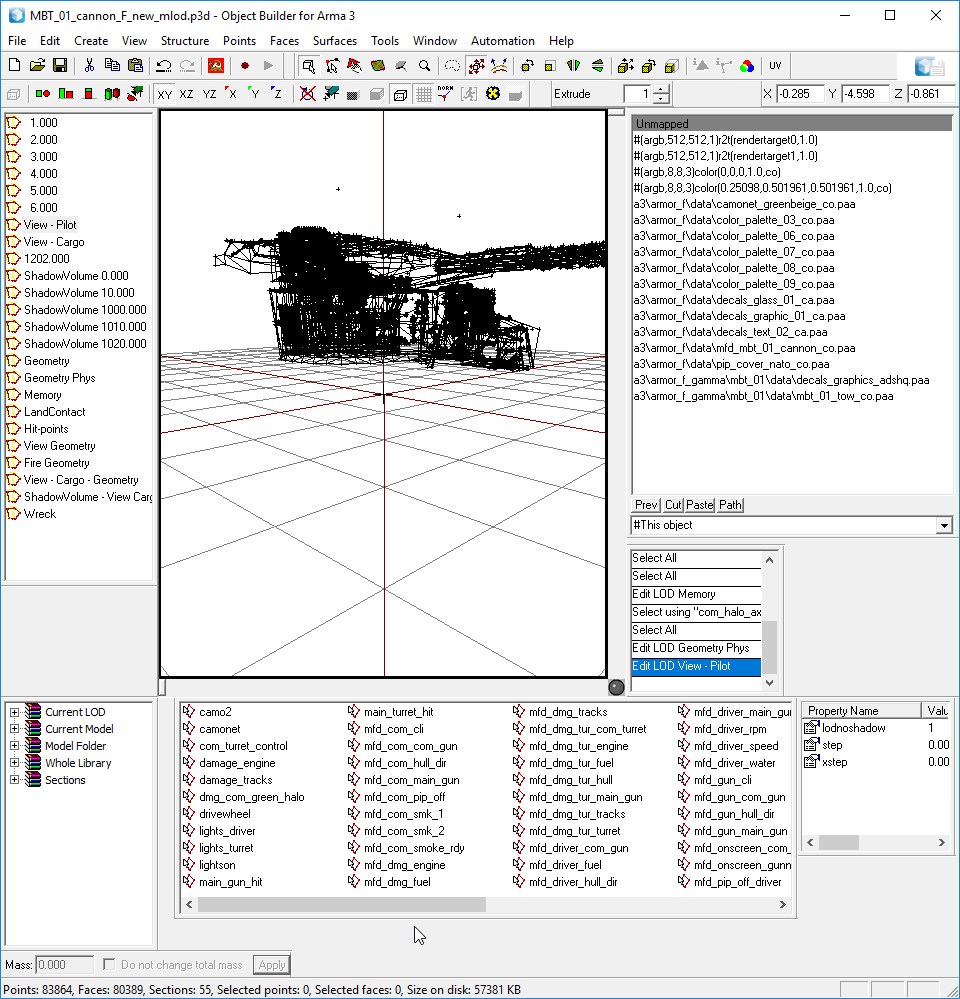
however this should be new LOD
obviously tanks now have "view - pilot": https://i.imgur.com/1RspXqO.jpg
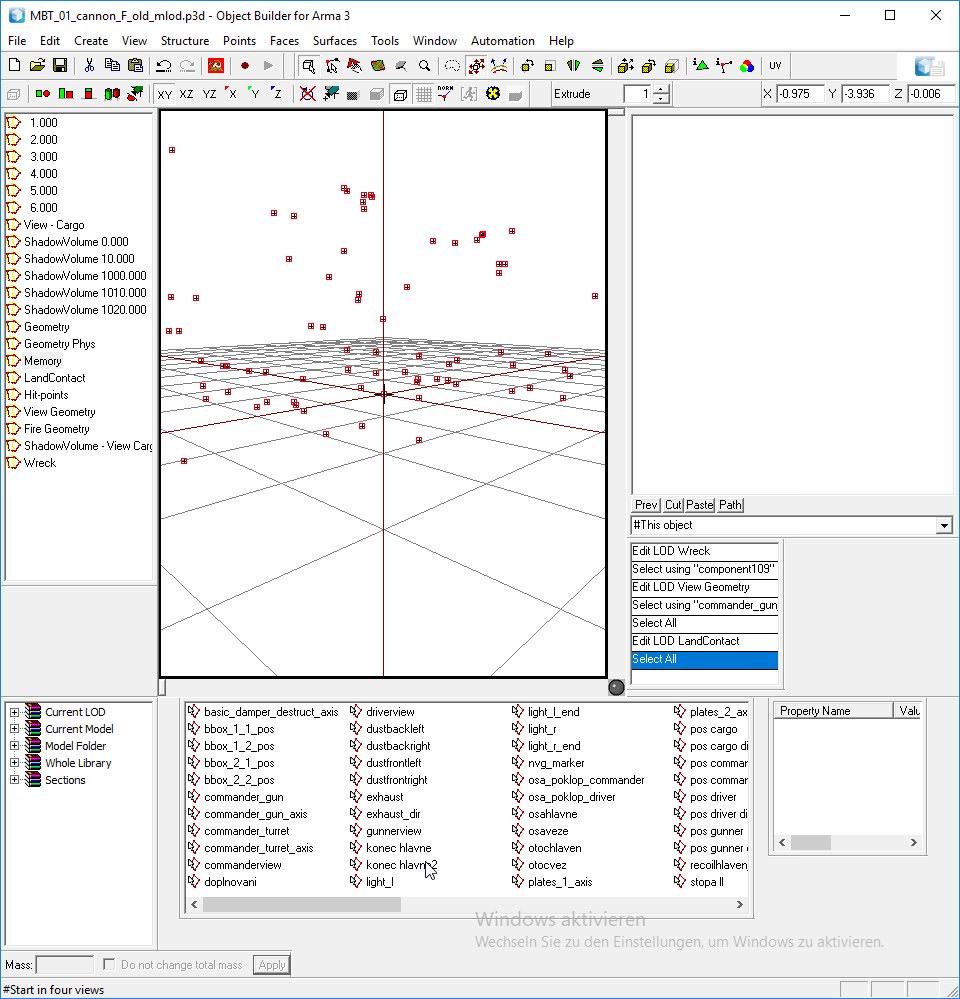
mem lod has loads of new - most for interior but also some for damage system
old: https://i.imgur.com/POXkPNb.jpg
new: https://i.imgur.com/wcgNeIT.jpg
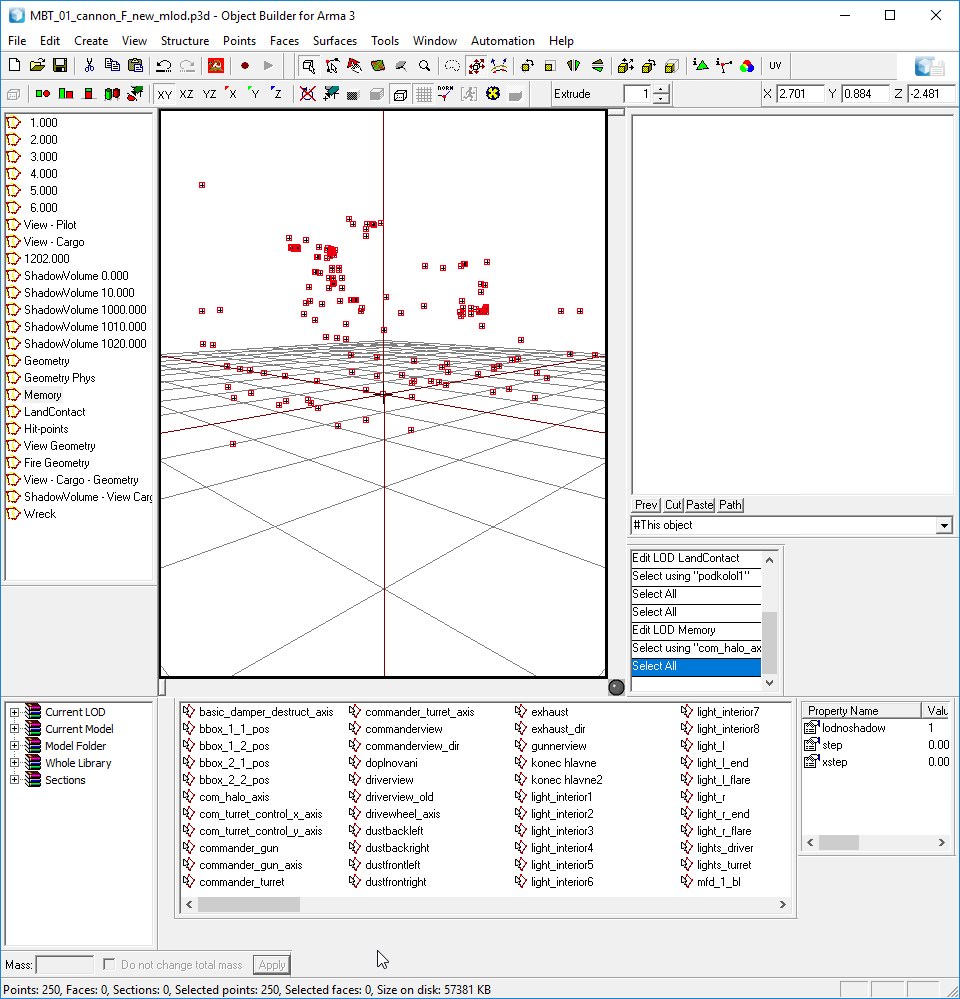
change in landcontact is probably just model specific clean-up (more points and now with named selections) - otherwise maybe physx update related?
old: https://i.imgur.com/6wUPYFI.jpg
new: https://i.imgur.com/hGNIPGg.jpg
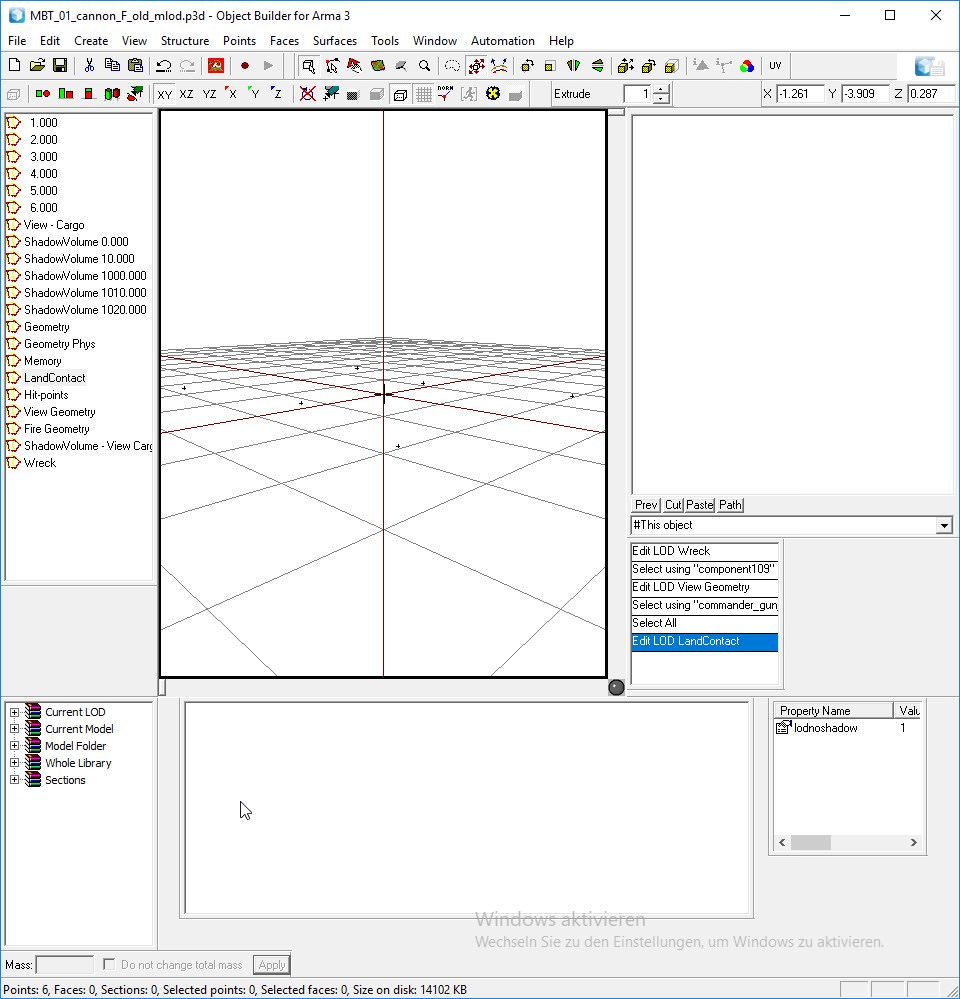
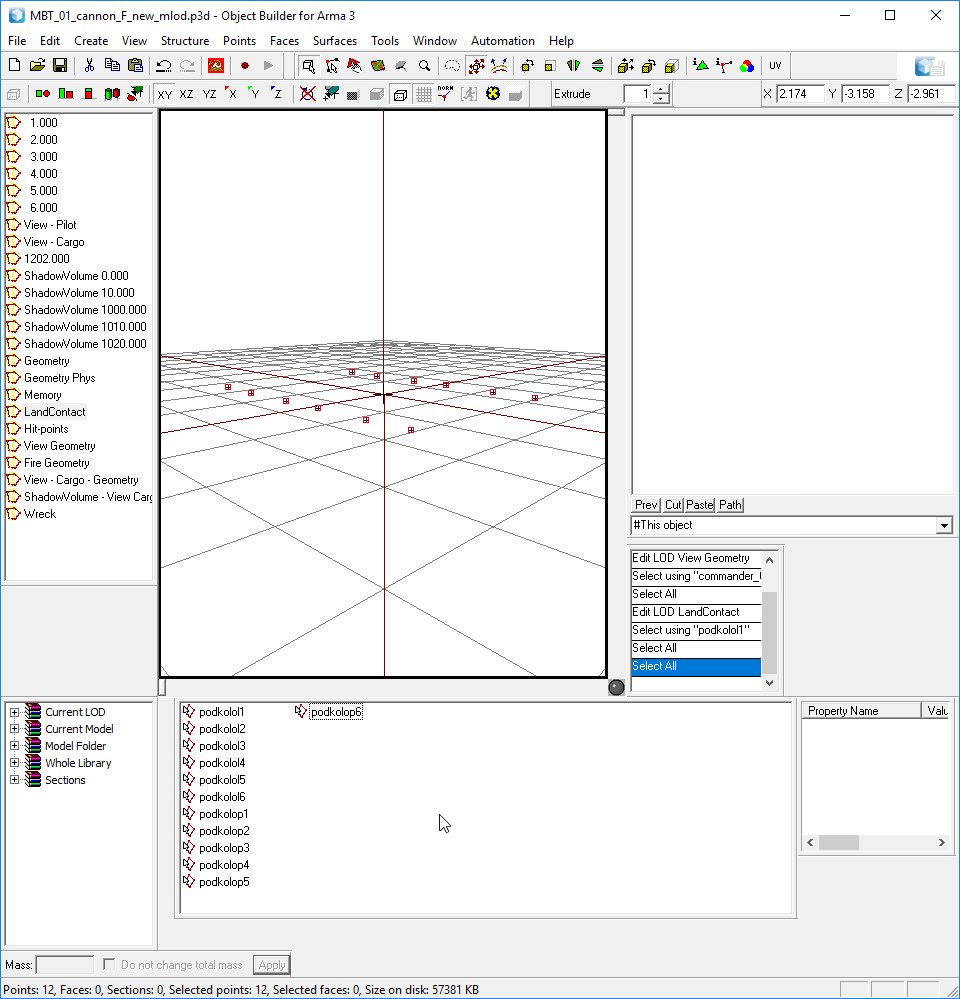 stuck oyster
uuu nice new shiny toys! 😄
outer condor
is "view - cargo - geometry" LOD also new? seems for crew positions
https://i.imgur.com/ApJH4Nu.jpg
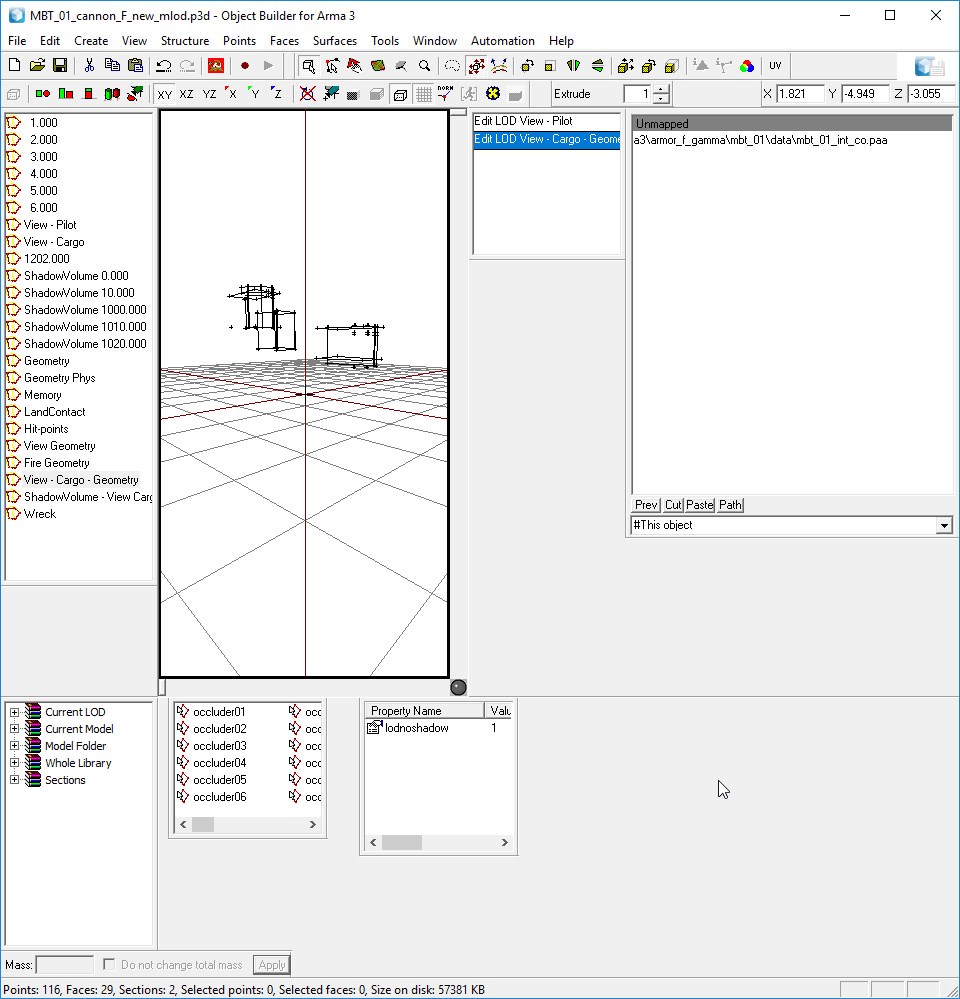
geo became way more complex - just model upgrade?
old: https://i.imgur.com/mv0mrzX.jpg
new: https://i.imgur.com/m8POmoh.jpg
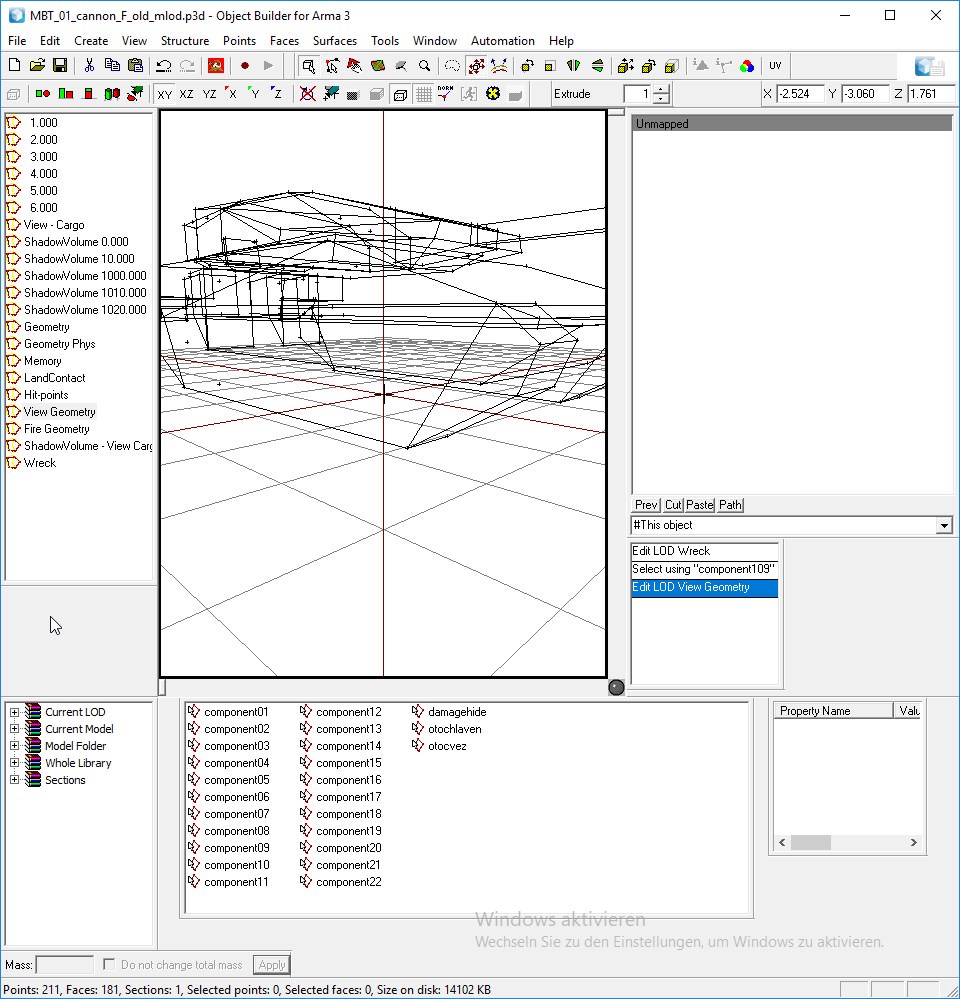
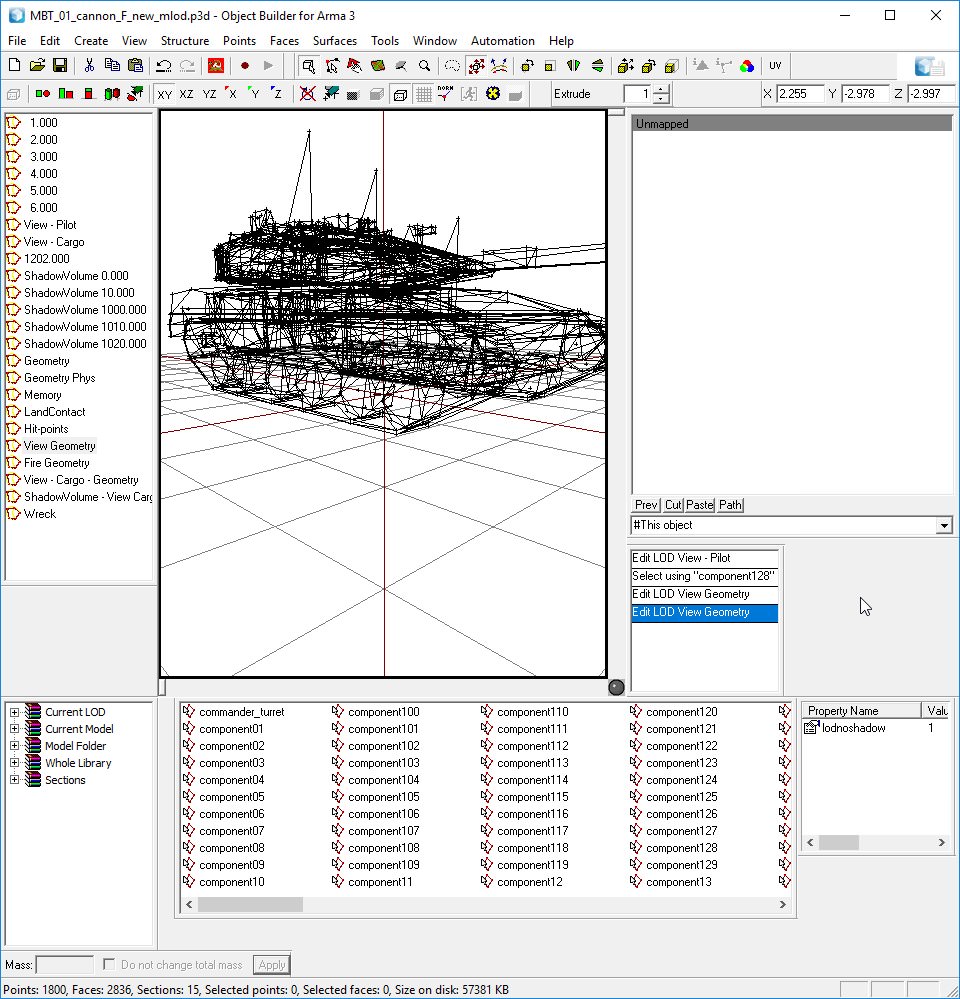
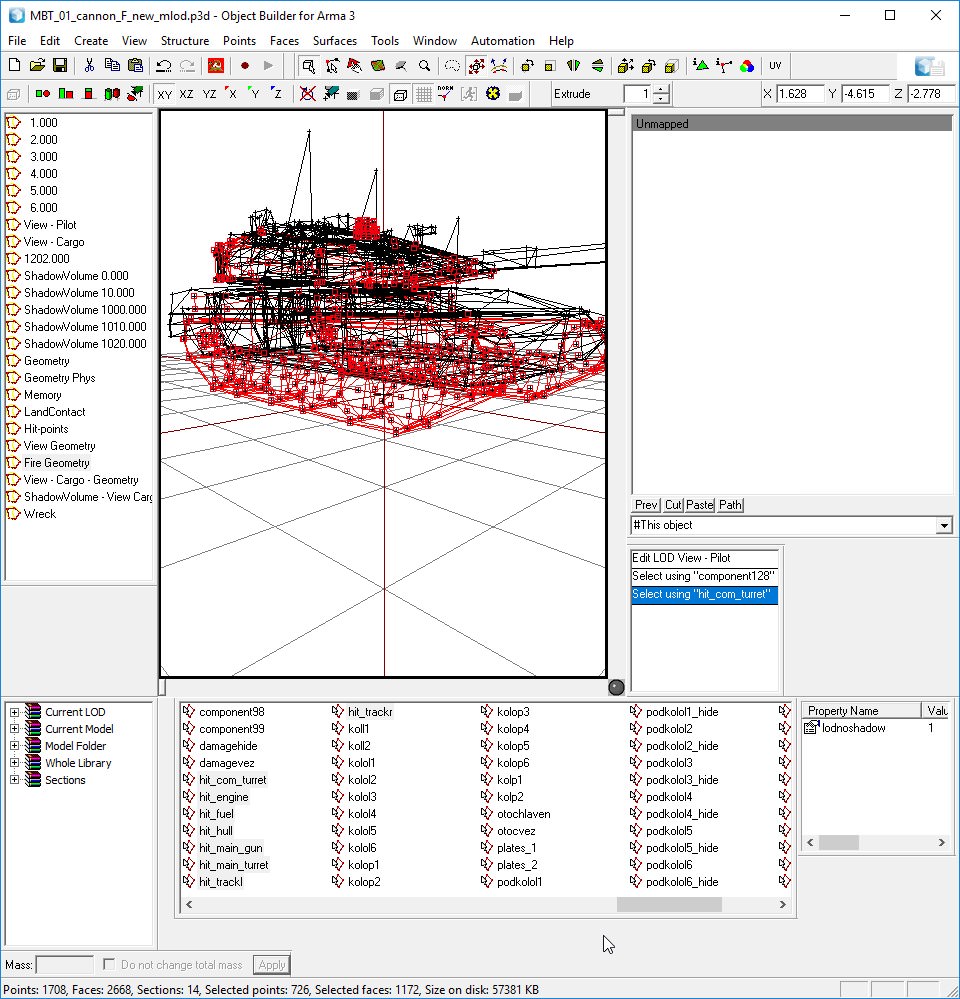
now to damage system stuff
fire geometry has consistent named selections now related to hitclass and some new ones
https://i.imgur.com/1viUpTv.jpg
and hitpoints LOD also has new - layout seems also bit different (and obsolete ones removed/cleanup of selections)
old: https://i.imgur.com/RYW4Cfh.jpg
new: https://i.imgur.com/xPxHeoQ.jpg
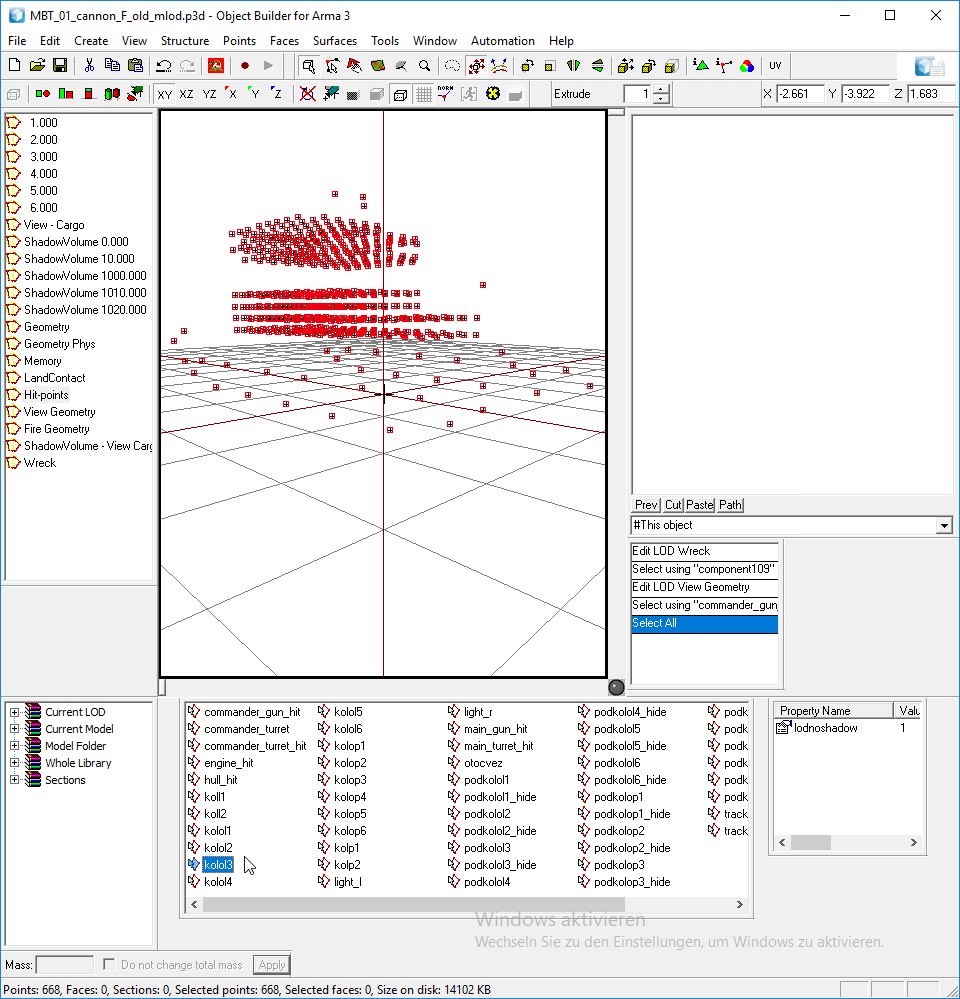
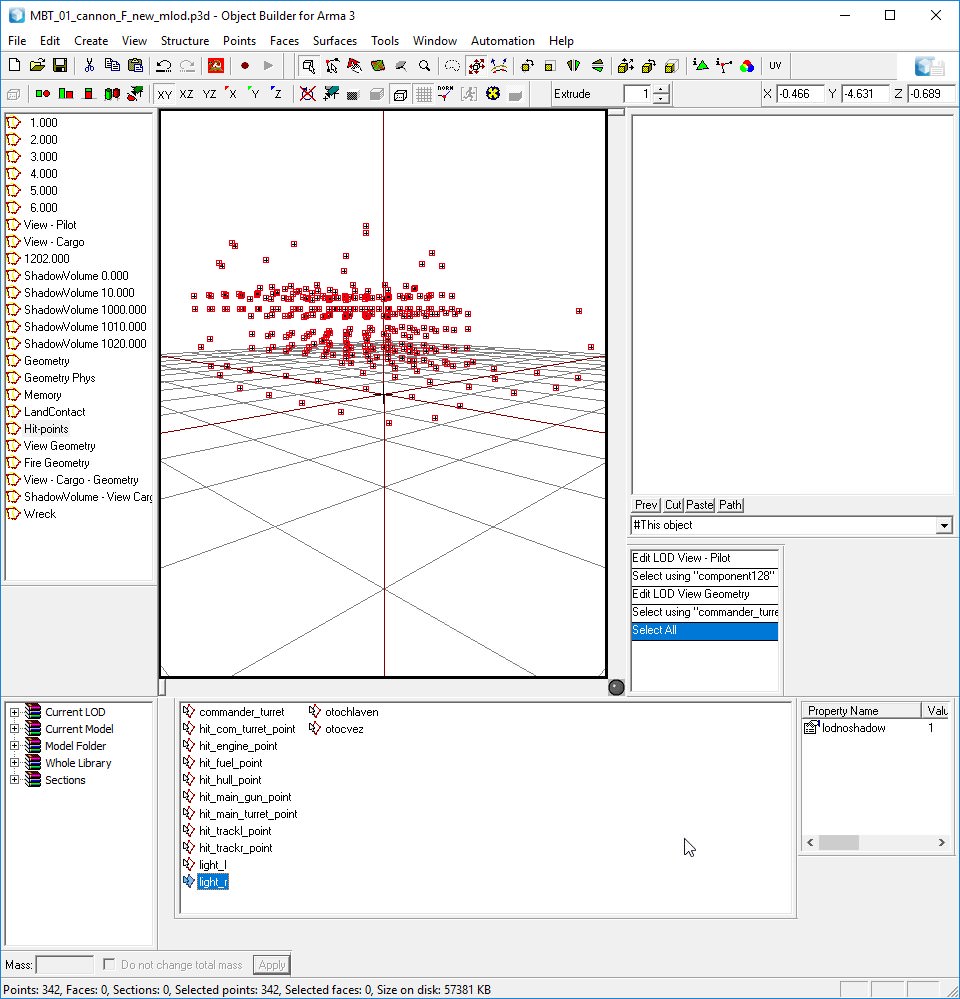
end of review (config stuff in #arma3_config )
hollow fulcrum
awesome, thanks for that @outer condor 👍
outer condor
np
rough idol
there interior occluders now
you can try how it works by making empty interior & some inverted box with occluder name
land contact points are for proper snapping to ground in eden (cars had it always) & should also a little bit improve physx collisions
lods with number 1201-1299 can be used with lodTurnedIn/Out property
hollow fulcrum
this is excellent is news. very much appreciate the info @rough idol
will try the interior occluder foo here shortly. that seems needed.
rough idol
view geo seems like a bug - are you sure tool debined it correctly?
outer condor
@white jay ^
white jay
🙄
woeful viper
wait wat? land contact points are new for tanks? Always had them in for ages... I guess that explains why one of my tanks in my usual testing mission goes consistently airborne since very recently xD
rough idol
they had those land contact points but they weren't connect to any bone @woeful viper
woeful viper
do they need to be to function ok?
tacit shard
How bad is it for performance to have a looped animation that doesnt stop? (just something spinning)
their could be a fair few of them though
stuck oyster
you make them use time as animation source and it should not be an issue. Windmills perchance?
tacit shard
nah fan in an oxygen unit
woeful viper
preferably a while loop with 0.001s wait, repeating the same animate "myfan1". Servers love that.
agile flint
Didnt know whether this was a model issue or config however I'll ask here first.
Does anyone know why my vehicle icon thing isnt in the centre of the vehicle? As seen here
woeful viper
maybe (no idea) it uses center of bounding box for centering the icon?
hollow fulcrum
that is what my brain tells me. wound't be surprised if there was something for it though. sometimes there is hidden geometry you'd rather not be part of the bounding box.
which i suppose is also a possible fix.
ruby cave
How do you actually turn the camera in object builder? I know you can use the numpad to move around, but what button is for rotation?
woeful viper
alt + RMB/LMB
ruby cave
Alright thanks 😃
woeful viper
every 3d navigation tool uses its own scheme... its slightly infuriating when you have to switch often :D
General advice if in doubt just try combinations of RMB/LMB/MMB dragin and pressing crtl, alt, shift or combinations until you find whats what
ruby cave
yeah, Ive tried everything just havnt thought of that, going between, unreal, unity, blender, surface painter, eden, and so many others, can never be simple xD
woeful viper
i especially hate if they rely much on MMB draging. MMB are generally way too stiff for doing that repeatedly over long periods. Inventor is the worst. Relies on MMB + ctrl/shift/alt for everything. At work at some point i couldn't continue to model as i was suffering wrist and forearm cramps and pain after a few days of extensive modelling/constructive iterations.
ruby cave
For sure, also does view geometry have to have the same classifications as normal geometry, Non-Convex, Closed, etcetera
woeful viper
- components. yeah, all geometry lods are the same in this regard
ruby cave
Alright thanks again 😃
 fervent steppe
Bentley redline uses mmb/drag to select prints at work. Soooo annoying.
timber cobalt
Hi guys. Anybody know what named property I need to let my object be visible at all distances?
woeful viper
^i'm not actually sure anymore there's a named property for that , i may have led you on a blue moon chase
hollow fulcrum
ermmm.. thought there was a recently added method for addressing this. i can't recall it at the moment, and not sitting at a machine.
hollow fulcrum
yeah that
wraith socket
So im modding a fence into arma 3
alls fine with the normal map
But then when I add spec this happens
Any ideas?
ambient[]={1.000000,1.000000,1.000000,1.000000};
diffuse[]={1.000000,1.000000,1.000000,1.000000};
forcedDiffuse[]={0.000000,0.000000,0.000000,0.000000};
emmisive[]={0.000000,0.000000,0.000000,1.000000};
specular[]={0.700000,0.700000,0.700000,1.000000};
specularPower=180.000000;
PixelShaderID="Super";
VertexShaderID="Super";
class Stage1
{
    texture="fence\Material\Textures\Fence_NO.paa";
    uvSource="tex";
};
class Stage2
{
    texture="#(argb,8,8,3)color(0.5,0.5,0.5,0)";
    uvSource="tex";
};
class Stage3
{
       texture="#(argb,8,8,3)color(0,0,0,0)";
    uvSource="tex";
};
class Stage4
{
    texture="#(argb,8,8,3)color(0,1,1,1)";
    uvSource="tex";
};
class Stage5
{
    texture="fence\Material\Textures\Fence_SL.paa";
    uvSource="tex";
};
class Stage6
{
    texture="#(ai,64,64,1)fresnel(1.3,7)";
    uvSource="none";
};
class Stage7
{
    texture="ca\air\data\env_co.paa";
    uvSource="none";
};


``` my RVMATclass Stage7
{
texture="ca\air\data\env_co.paa";
uvSource="none";
};
you are also missing suffixes
wraith socket
Whats wrong with stage 7 so I can fix it, also what suffixes have I dropped?
wraith socket
possibly, im just using a config off the wiki
Im a little shaky with what stage 7 actually does
Can I just delete it?
wraith socket
ill use the super then I guess
polar fiber
all you really need to do is use the right path for Arma 3 class Stage7 { texture="A3\data_f\env_land_co.paa"; uvSource="none"; };
wraith socket
Alright got that thanks
One last thing
Thats it in bulldozer
ingame its gone red
wait no I had saturation at 200% ingame 🤦
thanks for the help
white jay
@outer condor @rough idol I had a look at the model myself and dont see an obvious problem with the debin result. seems to make sense to me
talking about view cargo geometry lod
late raft
lol
 balmy flax
If I'm having a problem with a texture appearing on a model. Should I troubleshoot here or #arma3_texture ?
hollow fulcrum
whats the issue? @balmy flax
balmy flax
I have a m48b Cricket
and 4 seperate rvmats
but one of them doesnt show
for no discernable reason
I have the config and files on a google drive if you wouldnt mind looking at it?
wraith socket
When I apply my specualr map it seems to use the wrong UV's
Does anyone know how to fix this
wraith socket
tex
hold on ill post it
surfaceInfo="fence\Material\wood.bisurf";
ambient[]={1.000000,1.000000,1.000000,1.000000};
diffuse[]={1.000000,1.000000,1.000000,1.000000};
forcedDiffuse[]={0.000000,0.000000,0.000000,0.000000};
emmisive[]={0.000000,0.000000,0.000000,1.000000};
specular[]={0.700000,0.700000,0.700000,1.000000};
specularPower=150.000000;
PixelShaderID="Super";
VertexShaderID="Super";
class Stage1
{
    texture="fence\Material\Textures\Fence_NO.paa";
    uvSource="tex";
};
class Stage2
{
    texture="#(argb,8,8,3)color(0.5,0.5,0.5,0)";
    uvSource="tex";
};
class Stage3
{
    texture="#(argb,8,8,3)color(0,0,0,0)";
    uvSource="tex";
};
class Stage4
{
    texture="#(argb,8,8,3)color(0,1,1,1)";
    uvSource="tex";
};
class Stage5
{
    texture="fence\Material\Textures\Fence_SMDI.paa";
    uvSource="none";
};
class Stage6
{
    texture="#(ai,64,64,1)fresnel(1.3,7)";
    uvSource="none";
};
class Stage7
{
    texture="A3\data_f\env_land_co.paa";
    uvSource="none";
};
@wraith socket da fuck suffix is _no
wraith socket
normal
quick terrace
yeah use nohq instead
wraith socket
alright
quick terrace
try saving that PNG as TGA
let Oxygen convert that for your automaticly
i had issues with PNGs myself
wraith socket
Whats oxygen?
quick terrace
are the textures 2^n file format?
median bough
All sides are equal like 4x4, 8x8, ect
median bough
Jup
wraith socket
Hmm how come the normal and diffuse worked fine then, but the spec messed up?
polar fiber
because you have uvsource none
wraith socket
changed that
wraith socket
Alright, changed that and convirted to square textures and im still getting the same issue 🤔
tacit karma
@wraith socket even when in modern game engines its not 100% necessary anymore, you should always obey the power of two rules
wraith socket
Usually do yeah, this time I just decided not to at first
hollow fulcrum
some progress on floaty toys:
https://gyazo.com/339a7f19f6cd4fba3b4adc318e260e92

still needs paint and a couple more pieces i think will be useful. but is all working very well. even turns properly.
currently setting up all the piloting/console model.cfg foo: 😅
https://gyazo.com/c0166fd5e121b2c4fff72ecbcd719bfa
hollow fulcrum
lol it needs to for sure.
quick terrace
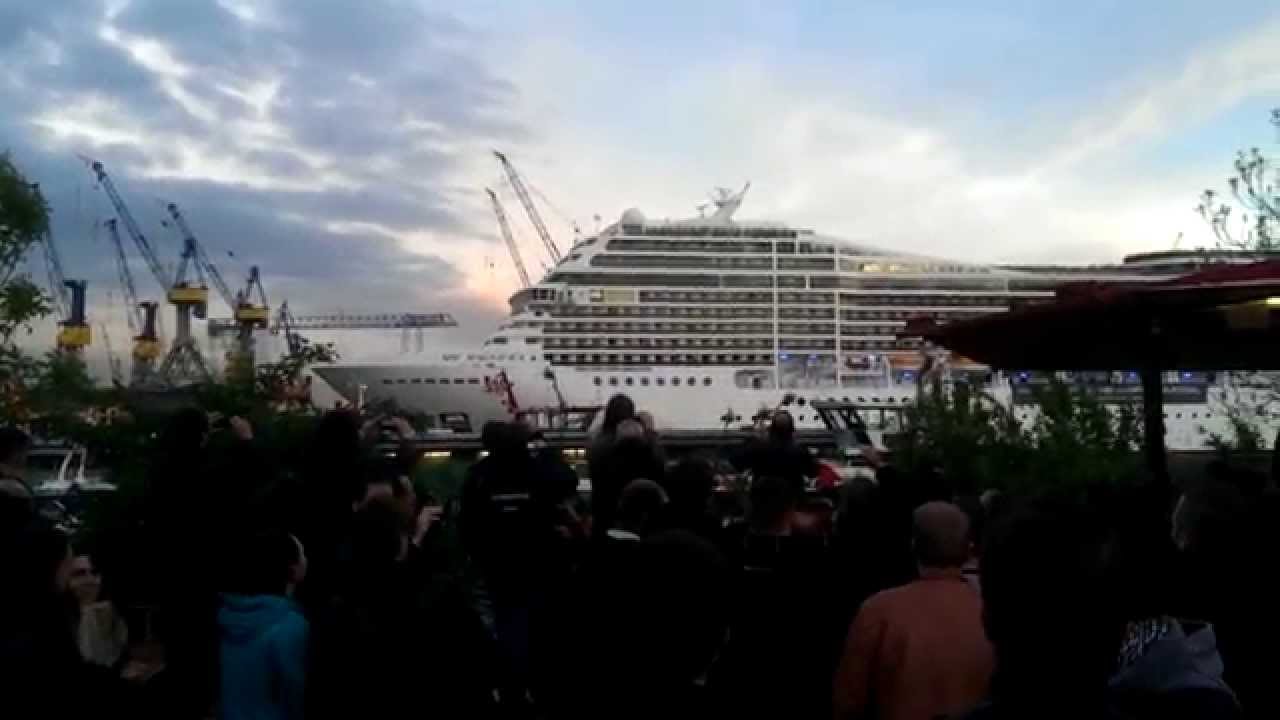
MSC magnifica plays seven nation army during Hamburg's "harbour-birthday" celebration on May 9th 2014
hollow fulcrum
thats pretty sick
cinder pivot
I didn't know that today was the day I was going down the hole of cruise ship horn battles and songs on youtube
lol
hollow fulcrum
no kidding 😄
hollow fulcrum
the Splendida, haha. thats probably the best one.
hollow fulcrum
i declare the dedicated diagnostic area of the VR map, inadequate.
https://gyazo.com/ca97a698efc0efb8dd9f2968cff4a8e1


 hollow fulcrum
hmph.. dunno. for whatever reason, can't seem to raise el tide. that being said, it does seem i can load things up in VR, return to editor, load Tanoa, and see diagnostic things there.
outer condor
probably just a pond object there and not real water
late raft
isnt the height on vr 0m?
hollow fulcrum
ermmm.. maybe. it absolutely worked before though. wherever on the map i was doing things. i dont see anything in current configs that changed though.
late raft
or 1m
hollow fulcrum
VR i believe is 1m default flat on the heightmap, been a long time since i looked. tide for it is -1.5m, but changing that isn't working for me.
hollow fulcrum
as a work around, i made some snappable pond objects, so i'll make a more suitable tinkering area tomorrow ... 50m at a time.
stuck oyster
That is normal 0m sealevel water in VR. theres a small hole in the heightmap just like Hatched said.
fervent steppe
Haha. That's cool
 edgy cobalt
Hi, I've tried to apply "canbeoccluded = 1" property on car, but i still see FPS drop if vehicles are hidden behind the walls with "canocclude = 1" property. But AI don't know that there is an enemy vehicle even through thin wall.
Is it hardcoded feature to always draw a vehicles?
hollow fulcrum
late raft
lol
hollow fulcrum
@edgy cobalt not sure i understand your question fully. the engine by default renders everything in the scene (mostly true). the usage of occluders can negate some of that. i would not be surprised if 'canbeoccluded' doesn't work on specifc classes. that being said, i've not had time to test it thoroughly.
quick terrace
@edgy cobalt as far as i know these work ONLY on structures
hollow fulcrum
they did add an occluder with tanks dlc for interiors.
which i believe works across the board for vehicle classes. just a box with inverted faces, and 'occluder' as named property, i think it was. not sitting at the machine to look.
rough idol
No named property is required
It needs occluderX named selection where x can be whatever
hollow fulcrum
thanks for clarification reyhard
white jay
https://imgur.com/a/GUSIE Just gotta texture the mailbox and then make the overall texture a bit worn.dirty, but I think I'm about done with this one.
hollow fulcrum
that looks good man
quick terrace
@CommieCrusher#4801 no interior?
lusty ginkgo
I have some road decal models for my terrain. Thing is, they can't be moved or deleted completely in buldozer. They are invisible on creation unless they existed before I opened buldozer, but then the actual decal doesn't follow that actual object's position.
I fixed this by removing the named property class = land_decal from the models, but I though I needed that. Is this expected behaviour for these model types?
 flat flare
Anyone know why my mouse moves so slowly in object builder now?
quick terrace
windows 10 creators whatever update issue
strong plaza
I thought BI fixed the slow mouse issue?
either that or I got so used to it that I don't notice it anymore
 livid plover
Hello is there any way to disable Hull hit point? I wan't to disable destroy vehicles with this hitpoint
white jay
@quick terrace no interiors, the vast amount of buildings im making will have a serious performance issue if I have too many with interiors, gotta keep the number low.
 wind pewter
So its not just me Boss Baby lol I thought i was going nuts
hollow fulcrum
if you switch all the viewports to directx it seems to work better. if they fixed it, it isn't working here.
ebon abyss
got a few aircraft models with landing gear / wheels modeled in up or "stowed in" position, is this going to be a problem when doing physx config?
 bold valve
one question more or less max polygons models for a model ¿? like helicopter or plane thanks
obtuse rain
The best way to find out is to open up some models similar to what you want to do in Eliteness (https://community.bistudio.com/wiki/Eliteness) to see which LOD's it has and the polygon counts in each.
For helicopters it really depends if it's a MH-6 or a HIND.
stuck oyster
Engine max is in millions. preferably you should not go much above 40k to keep them up par with vanilla assets
obtuse rain
It's unreliable trying to binarize over 100k-200k though.
quick terrace
@stuck oyster actually, the hard limit is not the 2^32 as per DX docs, but rather 2^20
oxygen will have issues with lower polycount
stuck oyster
@quick terrace thanks, always remeber just the general ~millions region.
but whatever the maximum is, it does not mean one should be aiming at it. 😄
quick terrace
true that
2^32 = 4 billions

Billions. It’s a fun word to say. Rolls right off the tongue. Go ahead, try it. “Billions.” Even more fun to say? Billions and billions. And then there’s the...
bold valve
30.000 polygons in 3d max its ok?
quick terrace
important numbers are triangles(the lowest polygon denominator) and vertices
ruby cave
30k is way too much gotta say, trees average at 6-8 for lod 0, buildings also around 7k including interiors and all, going off of what I’ve seen in arma 2
Helicopters I could see around 14k? Never looked into one but 30 seems like a lot
polar fiber
it's not a lot if it has fairly detailed door guns and things
the Ghosthawk is probably in excess of 32k points, because of the door guns
they were proxies (split in multiple parts for animation)
dunno if they still are
but if it's 30k for senseless reasons like having a detailed cockpit in the res LODs, then yes it's too much
fervent steppe
@quick terrace haha. The Donald is modeling in 02 now! This asset collection much be yuge!
quick terrace
@fervent steppe bigly
fervent steppe
😂😂😂
foggy finch
he's currently dealing with lod size limits on walls
hollow fulcrum
laughs at the thought of poly limits...
 stray cobalt
hey guys, im making my own model and when i try to test it in arma i get the error message datafile too short but everything works in vbs, any idea what could be the issue ? do i need some more file to be able to test in arma?
hollow fulcrum
ermmm... that is usually related to a muckered up install if im recalling correctly. that being said, if it works fine without your .pbo then that is likely the culprit. not that i can recall ever having that error myself with things.
stray cobalt
ok i will keep searching thanks
stray cobalt
im using 3ds for the model and lod, oxygen or object builder for the memory point
hollow fulcrum
packing it bi tools or mikeros?
hollow fulcrum
i haven't messed with vbs things in years. i would not swap tools between the two in general practice though. and i would most certainly utilize Mikeros tools over BI's, as an absolute.
the error itself though, to the best of my knowledge is corrupted data, or at least it appears that way to the engine.
there are smarter guys around here who can probably pin it down tighter.
stray cobalt
aight thanks anyway, ill keep searching .. midnight will chew my ass if i ask elsewhere...
hallow turtle
Always
hollow fulcrum
people will see it here, wide range of time zones though, so takes a bit sometimes.
woeful viper
addonPacker_x64 - thats not arma 3
stuck oyster
@stray cobalt vbs tools dont pack for arma
and im pretty sure the vbs eula says you cant use them for anything else but vbs
so for arma you have to use arma tools
not vbs tools
stray cobalt
w/e the tool i use i have the same result
stuck oyster
whole process with Arma tools only?
stray cobalt
maybe the config.cpp is different, ill have to unpack a vehicle from arma to check
stuck oyster
I would be veeery careful now with how you use your VBS tools
you could get into trouble
stray cobalt
im not releasing anything so no i cannot get into trouble
stuck oyster
🚪
hollow fulcrum
yeah that kind of mentality won't get you far around here.. either way you're doing it wrong if you're using those tools.
¯_(ツ)_/¯
stuck oyster
Lets say someone working for BiSim reads what you just said and quicky googles you up and finds out where youre from and then they dig up how many firms use VBS in there and contact them to find out who you work for and misuse the software and then inform your boss about it.
just saying best to keep on appropriate tools for work and for pleasure
hollow fulcrum
and relative to arma/vbs config foo, you can use mikeros tools within the armaverse and find things that are not proper rather quickly. although it is quite strict. which is good at the end of the day, but might take a minute to work through.
stuck oyster
vbs and Arma share some of the basic config parameters and then throw in a loot of program specific stuff into the mix so while they resemble each other, theyre totally different
fervent steppe
🤦♂️
 lean merlin
In Oxygen2 is there a way to change movement speed on my mouse, in buldozer it's fine but in the actually four views its slow af
Only a recent issue
ebon abyss
win10 keeps on giving