#arma3_model
1 messages · Page 106 of 1
 stuck oyster
weapons are quite different animation wise from the rest of the objects unfortunately
stuck oyster
👍
stuck oyster
where have you picked up centerFirstVertex?
stuck oyster
ah found a reference
 peak gull
i dont know hot to define centerFirstVertex
stuck oyster
yeah you cant
or well Id assume it could be the firts vertex you select for that particular selection
but its not very good method imo
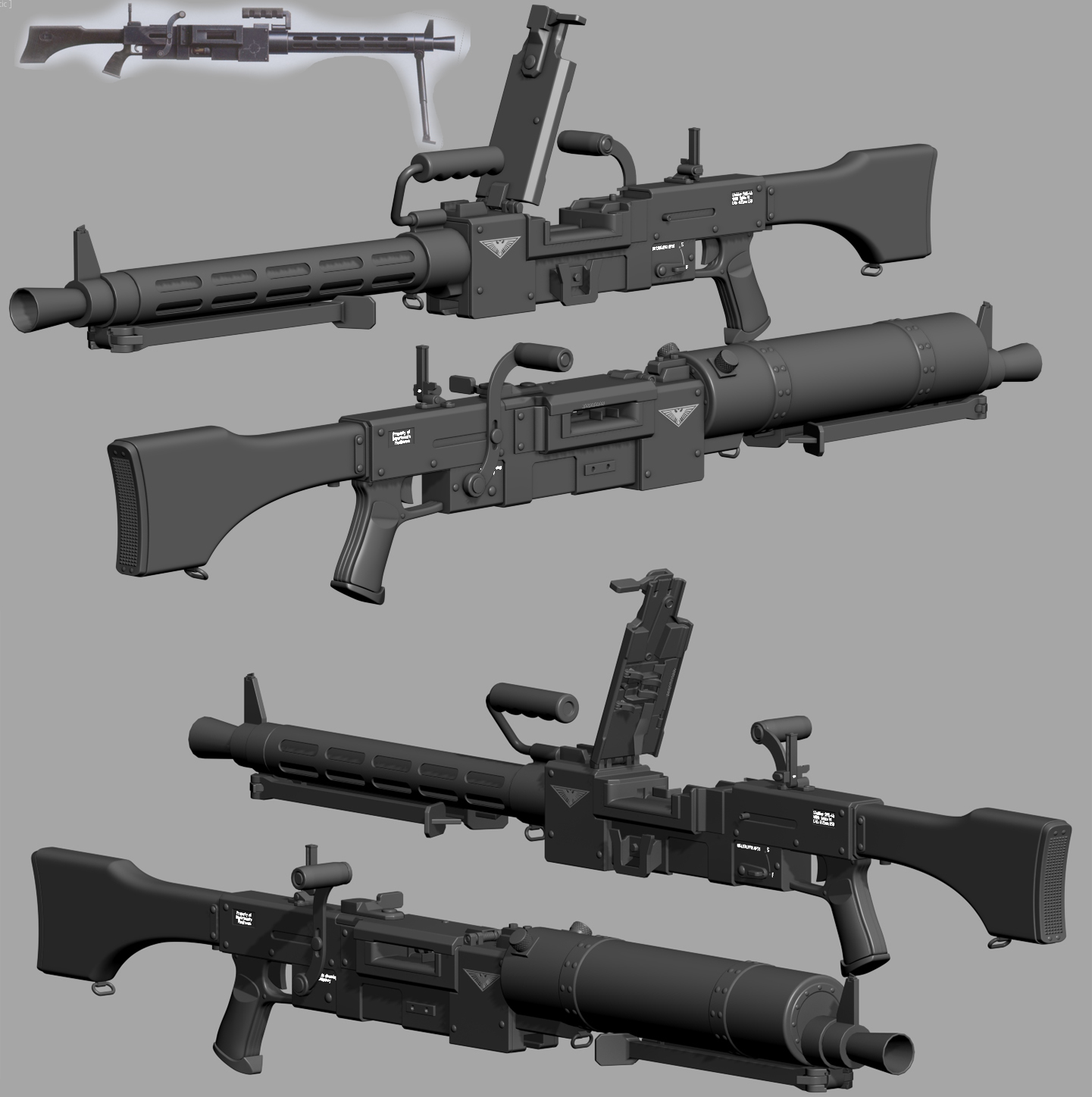
So got any pics of this interesting sounding weapon?
peak gull
When i make it works properly i try to rec small video
its working with axis, i need to adjust it to make it rotate properly
 glad pagoda
It be nice to have proper weights on the head sample model for facial animations. Right now it has all bone weights at 100%. So we can see how the weights should be when making custom heads.
 simple lake
Hmm it never used to be ,where are you getting the reference from ?
glad pagoda
from the arma 3 samples bust model
simple lake
I'll check mine later I made a custom head and it seems fine In game you checked all lods in sample ? And iiirc wasn't one in the rtm sample or ?
glad pagoda
Yeah there is one in the templateRTM folder, it was the only place i found the head model. And there is only 2 lod's in the sample, the second one is the memory lod.
simple lake
Yeah that's where I got mine I'll see what I did when I'm at pc , I may have reduced the weight using the brush in object builder but it was last year
simple lake
Hi I checked and in my sample model the weights are not 100% for each face section but weighted accordingly to the vertices
did you have the Jaw parts defined correct ?
glad pagoda
ahh, the problem was on my end. Had to restart my computer. Everything is showing up with the right weights now. could've been a bug with blender that needed a restart.
No more horrifying facial animations like this now lol.
https://i.imgur.com/16jumET.mp4
simple lake
nice one
 dim quarry
anyone managed to make a small fixed wing (small uav)? My model works great ingame if geolod is like 6 meters width, but if I lower it to 2 meters it get very unstable
 brazen prairie
Anyone knows why its doing white lines https://imgur.com/a/8FF0E
 twin hawk
Hey, somebody from the mission makers channel suggested I ask this question here
I'm having an issue where a door inside of a ship template I made will not open whenever the ship "shell" is present
that video gives a demonstration, sorry for terrible quality
I know the ship shell has invisible walls, and I suspect the walls are preventing the doors from opening, since I had to use a "disablecollision" script on players to prevent them from being boxed in by the walls.
Does anyone have any idea how I could work around this issue? I'm really at a loss.
stuck oyster
Dont think anything but removing the wall would help
if there is a wall there
@⎝⧹🆂🅴🅱⧸⎠#1383 its because of those white lines on your nick... Seriously though its likely you have not sorted your window faces that have alpha transparent texture on them. Select window faces OB topmenu surfaces - move top
 eager pecan
could some one help me ive made a building got it into object builder i just need help with the doors and lods
stuck oyster
arma 3 samples got a house example which should get you started with those
eager pecan
i know that its just getting my head round it lol
stuck oyster
which part?
eager pecan
doors mostly just getting them to open and close
also keep getting this witch is doing my nut in https://i.imgur.com/v10JdRP.png
stuck oyster
your tools setup is not correct
I recommend getting Mikeros toolset from Maveric Applications (free one available)
and running arma3P to set it up
also doors/ anything interactable need useractions which you can see example of in the sample houses config
stuck oyster
run arma3P
eager pecan
stuck oyster
update tools and install all of them
 tacit shard
Hey,
Is it possible to add a memory point to a model and then use that as a location to spawn objects on? Basically like a refference point. So as an example say I made some object that I want to spawn weapons, could I add a memory point to the model say with the name weapon_spawnpoint and then make a script that spawns the weapon on that memory point?
Thanks in advance.
stuck oyster
yes
eager pecan
got it in game but can walk though it lol getting ther
stuck oyster
all objects need valid geometry lod to have collision, meaning each geometry piece needs to be convex, listed as components and have mass of 10+
for walkable surfaces you also need roadway lod with mesh planes to indicate where walkable surfaces are
tacit shard
HorribleGoat was that to me?
stuck oyster
yes
tacit shard
Ok nice thanks for the help 😃
stuck oyster
np, was very good specific quesiton
 lunar delta
hi guys, I have a little question: what should i do to binarize my .p3d model? I tried to create model.cfg but it didnt helped: model is just deleting in pbo building process
stuck oyster
what tools are you using? sounds like you are missing some steps there
lunar delta
i'm using A3 Tools Addon Builder
not sure, but I think i'm doing smth wrong in model.cfg
lunar delta
yep, i know
 polar fiber
but you're losing the .p3d?
lunar delta
yep, i'm losing the whole folder with model
 tacit karma
you sure its not just not packing?
lunar delta
just right now tried to build pbo from A3 samples - same. p3d just disappears :c
polar fiber
Using P:\ drive?
lunar delta
yep
stuck oyster
would you consider getting better packing tools? Mikeros toolset hosted on Maveric Applications has packing tool called PboProject that likely work better
or at least tell you if you have errors
or missing stuff
lunar delta
mb the problem is in my Temp folder?*
stuck oyster
thing is, almost no one here uses addon builder because its unreliable
but if it does not pack, there are likely a lot of problems because normally it lets just about anything through
lunar delta
free versions of Mikero tools allow you to bin your models?
stuck oyster
yes
it does everything, its just not updated so often
you will need to install all of the mikeros tools for them to work
lunar delta
hmmm... then im doing smth wrong cuz mikero makepbo writes me: Detected unbinarized p3d(s)
lunar delta
k, i'll try. thx
lunar delta
k, thank you all for helping guys, .p3d(s) 're binarized. Now i have a little problem with .rtm binarization. Is there any way to exclude .rtm from binarization in PboProject?
 Checking for binarised rtm...

Bis binarise failed to binarise some or all rtm files.
There was no skeleton that could be used.
Read the documentation
for pboProject to do rtms the right way you need a model.cfg file in the rtm folder with the right skeleton defined in it
mikeros tools got documentation about that
lunar delta
aaaaaw, wow
stuck oyster
if you want to read how it works
also do note that you should only pack animations for single character (all rtms use same skeleton) at the time
lunar delta
oh, thanks again @stuck oyster, you helped me a lot
lunar delta
well, we just working on porting some SMK animations and cover system, so i had a little problem with geometry models (we have permission for this stuff). (https://steamuserimages-a.akamaihd.net/ugc/932677404013101265/F6C09E99C818B6F5E757502D019527C675BF3464/)
 broken abyss
So i tried making a uniform, vest and headgear but it turned out like this:
Anyone know what could have caused it?
simple lake
looks familair to my first attempt
stuck oyster
wrong texture paths and missing right autocenter named parameter from geometry lod
broken abyss
what is autocenter parameter
stuck oyster
"named parameters" is what you want
simple lake
check samples geo lod in property windows
copy a piece over and delete it to save them to youir model
stuck oyster
also there is a BIKI page about named parameters. there are more of them
stuck oyster

 woeful viper
i expect nothing less than a mech builder, switching arms and legs via dynamic loadout 😄
stuck oyster
planning on such. Though with reasonable working speeds😜 not like you can just swap em instantly, youll need to wait for the machine to do the work
the model does support switching of each arm guns barrel
woeful viper
and it needs a huge close combat weapon option 🤖
 strong plaza
anyone here know why this happens sometimes when baking AOs in xNormal? https://i.imgur.com/COrTQ7W.jpg
 white jay
https://imgur.com/a/XLVF4 start of house #2
woeful viper
looks like either smoothing problem or mesh issue ( vertices in same spot but not welded)
tacit karma
yeah looks like unwelded vert
 open mist
 cinder pivot
art
simple lake


 ebon abyss
blast that fool!
woeful viper
dakka dakka.
https://abload.de/img/stubss_allfsuz1.jpg
broken abyss
Hey, what do I type in the properties tab in OB to make something indestructible
 foggy finch
damage = no
stuck oyster
Relly nice Dakka you got there!! @X3KJ#8043
brazen prairie
my first house https://i.imgur.com/AeWtBkS.png still need to learn the lods
stuck oyster
👍
brazen prairie
any good guides for lods
stuck oyster
dont think there are. most of them are somewhat simplier versions of your first res lod (the visible one) BIKI has a page of LODS describing them pretty well
 agile flint
I remember someone mentioning a ratio
1st LOD = 100% Vert count
2nd LOD = 75% Vert count
3rd LOD = 40% Vert count
4th LOD = 15% Vert count
Someshit like that. Probbaly wrong but I have seen someone mention something like that
 tulip beacon
afaik every next lod should have halved tricount
tacit karma
@⎝⧹🆂🅴🅱⧸⎠#1383 can you please change your nickname?
tacit karma
@wraith tendon vielen dank gnädiger Herr 😄
 wraith tendon
Gern gschehen 😄
 terse elm
Little something I’ve been working on https://i.imgur.com/V6Q1WkQ.jpg
What’s everyone working on? Get ur Wips out 😃
simple lake
a waiting room for DBO_takistan https://imgur.com/a/zWndM
all done in the wondeful 02 /OB
note section count is HIGH because of other lods usage of many textures
 twin urchin
what kind of bullet is that?
simple lake
you should know surely , all them guns you made 😃 ?
twin urchin
well it looks like a 5.56 but still it looks kinda weird
 bleak flame
.338 or something very close
foggy finch
bek wins
foggy finch
lapua super magnum
it's actually straight off the lapua spec sheets for em
so guess it cant be too small 😃
foggy finch
they do a few different loads
twin urchin
that might explain it heh
foggy finch
its close enough for my needs though
twin urchin
you doing AX338 😛
foggy finch
nah l115a3
polar fiber
The drawing in the spec sheet might not be to scale. The measurements are, but sometimes such diagrams are drawn with proportions to emphasise the neck, shoulder, rim etc.
 covert sundial
How do I open a pre-made model in blender? & is that the best program to make arma 3 models with
?
stuck oyster
pre made model from where?
stuck oyster
you cant
covert sundial
You can't open vanilla models
covert sundial
Dang
stuck oyster
and not any packed mod models either
covert sundial
How would you open a pre-made model
stuck oyster
you wont
stuck oyster
you cant
covert sundial
In that case is there any experience model makers here who could make a specific model?
stuck oyster
probably there are
but the guys who make comissions are likely to ask professional rates
you can try #creators_recruiting
covert sundial
I'd expect that, anyone who's able to make a model and would like to talk about what I need doing and what it will require on your end feel free to Direct Message me on discord, looking for experienced model creator 😃
@stuck oyster what are texture files called
stuck oyster
sorry man im not google
white jay
so i wanna start working on a b4 maintance stand. i get 2 stands and wondering if the updated version is used on lhds aka wasp class ships. first id i get is 1730-00-294-8883 and shows a stand with a different bottompart. more smaller rainlings and looks a bit fragile. https://imgur.com/a/IIlJR
tacit karma
Lol
white jay
the first pic shows the version used on lhds, but the second version is rather new i would argue. anyone got info on it beeing in use? the second version would also be easy to create, instead of the other version
the reference ids are posted in the imgur link below the pics if anyone wanna search themself. i find the second, updated stand only beeing used with civilian planes, helis.
 bold flare
Are you on the wrong discord?
white jay
model makers?
also this channel proofed usefull before with other detailed info regarding tow tractors
bold flare
Ah okey.. Seemed kinda weird that you seem to be asking about something entirely Arma unrelated in here
white jay
how is a military service tool unrelated to arma?
stuck oyster
mentioning BF4 in first sentence may cause misunderstanding
white jay
sry that was a error on my part. i lost a finger some time ago and type weirdly currently. the stand is called B4 maintance stand
not bf4
stuck oyster
that explains a lot 😄
 worn dove
Sorry to hear that. No worries.
white jay
right hand middle finger and im right handed. so yeah atleast aint the triggerfinger 😂
stuck oyster
was this incident related to a man with big ✂
just remember this childrens story about a man who cut off middlefingers of children you liked to flip people xD
anyways, the yellow one looks like it can be raised
white jay
no just a idiot beeing to stupid to open a can of dogfood. didnt watch clearly at it and slid of while i pulled the lid. cut off half of the finger.
white jay
so yeah that was a loss. learned to watch at what im doing tho haha
tacit shard
https://imgur.com/a/elEoi (Link is an album) Working on this and I was just wondering if anyone else thinks the lighting is off? Im starting to like it but I think im just getting used to it. At certain points in the day though the lighting looks really odd imo. I was wondering if anyone could give me any feedback or advice?
Thanks in advance.
strong plaza
is it possible to make it night in Object Builder's Buldozer?
besides waiting for a really long time
stuck oyster
not sure if the environment settings work anymore
I think they did at some point
in A3
but at least could not get it to work
strong plaza
how'd you get to them?
tacit shard
click the button you press to start model viewer and then under that menu there is 'environment editor'
stuck oyster
also dont do it if youre prone to epilepsy
strong plaza
doesn't seem to work, set the time to 3 am and nothing changed
only way I can view the emissive texture as night is ingame which is not practical because it takes a long time to pack
tacit shard
What are you using to pack it?
strong plaza
pboproject, naturally
tacit shard
ok good lol, are you doing full build each time?
 rough idol
Bohemia Interactive Forums
Make sure to use the new version called Buldozer Tools
Improved editor.sqs
This is an Improved version of the editor.sqs which can be used to execute ...
 hollow fulcrum
haha, i was looking. haven't ever really needed it, but it would be nice. much appreciated @rough idol
rough idol
Bohemia Interactive Forums
Buldozer Tools
by Lappihuan
This is a successor to the Improved editor.sqs
I’m pretty sure most of you know the following scenarios: “You work for...
stuck oyster
thats already implemented in mikeros tools
strong plaza
implemented in paid version?
ebon abyss
hmm maybe I'm wrong but doesnt that only work on terrains?
hah
yeah the few times I ran object builder buldozer I dont recall seeing lappihuans sqf welcome menu.
rough idol
you can use that in regular buldozer too but afaik controls are limited in some way
so you can preset date/time in script
hollow fulcrum
it hasn't worked properly for some years now.
rough idol
yeah, keys don't work that's why you need put your settings manualy in script
hollow fulcrum
aye that works, easy peeze.
stuck oyster
@rough idol thanks for the tip!
strong plaza
how'd you do it?
hollow fulcrum
i just copied the files over, edited the editor.sqs
strong plaza
I don't see an editor.sqs in neither the p: scripts folder nor the files I downloaded
rough idol
create P:\scripts\initBuldozer.sqf and type there whatever script commands you want
strong plaza
I do have an initBuldozer.sqf
So what would I specifically put in there to make it 3 am?
hollow fulcrum
https://community.bistudio.com/wiki/setDate so ... setDate [2018, 2, 1, 23, 59];
rough idol
ah, seems env editor kicks in
I had a setup in work to override it - will take a look at it tomorrow
strong plaza
cool, let me know if you figure it out
ebon abyss
yes please, would be nice to document that.
hollow fulcrum
ah yeah.. it does the same to me. loads properly but then doing anything resets it. im sure the master wizard has a solution though. look forward to it.
polar fiber
you can use the environment editor slider. To avoid it flashing and giving seizures though, you have to click and hold a moment on the timeline at the desired position - don't drag the slider
but repeatability is an issue - there's no clear indication what time of day the position you click on the slider corresponds to, and it changes after every time change
polar fiber
it doesn't move
bar just turns black while you have MB held, then when you look in buldozer again, the time of day is different
 daring solstice
Well I am back, I know I have a bit of a record here but I thought about it and yea I'll make my own mod.
Thinking of making a (Somewhat) Sci-fi Mod for Arma 3,
Something kinda like COD: Infinity Warfare's style, Humans go to space, make a colony, the colony breaks off and becomes a faction that fights against Earth.
Not sure where to go to talk about this.
I have ideas in my head, I want to make models but I am very new at it and am not sure so I am asking for advice.
Should I edit Arma 3 stuff and just retexture for now or should I actually go and make a full custom mod and everything??
stuck oyster
learning to model could take some time so starting that early could be beneficial
editing arma stuff would limit you to texture changes which can become very restrictive fast if youre trying to do something original
and out of normal Arma scope
 half heath
Start small make a few models, learn to unwrap, bake, texture
foggy finch
👆
polar fiber
which ever you feel most comfortable modelling in
Nothing that outweighs one's own personal preference for the interface and usability
The differences aren't important until it comes to the market for third party tools, plugins and tutorials
foggy finch
yep, couldnt have said it better. some will swear by one package, others a different one
woeful viper
are there any samples for character heads with skinning to the facial bones? My gas mask is 100% weighted to the head bone and the chin clips through whenever he does the silly "check if my yaw still works" animation
glad pagoda
There's one in the RtmTemplate folder in the arma 3 samples folder. The head model is called bust.
woeful viper
ah ok thank you... i haven't thought about checking there, stupid me
broken abyss
Hey! Anyone know what to write in named properties so an object follows terrain slopes?
 formal vapor
Can Zbrushcore export textures or paint files? I'm needing to upgrade my sculpting and 3d painting development and zbrushcore crossed my desk. Zbrush, the $789 version, is absolutely out of the question.
cinder pivot
I was looking at zbrushcore for similar reasons, I know I don’t have an answer for your question but I would like to know myself as well @Tim#5638 but I did find out regarding sculpting.. If you purchase a wacom Intuos 3D you get a copy of ZBrushCore - I dont know if its a different version then regular but thats basically a med size tablet and zbrush for $200
formal vapor
I honestly don't know if I'll get zbrush. So far this trial version is like blender and mac had a love child and spat out a program that makes no sense.
formal vapor
yea, i see a lot of great stuff in it. grumbles about the stupid transpose tool
it has a pretty steep learning curve that's not good if you're trying to learn it in a week
cinder pivot
Yea probably not
formal vapor
do you use zbrush?
formal vapor
Well I got pretty far into my first z brush sculpt without chucking my computer straight out the window. I'll chalk this up under a win for tonight.
hollow fulcrum
i use it on occasion. studio max most of the time though.
 plain jackal
hey so is there a faster/more efficient way to do Geometry LODs than just modelling them by hand? Just curious if there is some way to convert the Resolution LOD or something.
stuck oyster
dont know of such tool from the top of my head
would imagine such would need pretty complex calculation to determine what is wall and what is not
and what is detail to leave out
etc
In my experience making them by hand is fastest
though with rocks I have experimented with blender operator called convexHull to create convex geometry pieces of more complicated rock formations
dont think It would apply so well on complex vehicle or a building though
because details being in the way
Im hoping your using some better 3D tool than ObjectBuilder for making them though because in there its painful xD
stuck oyster
do more of it and you get faster
plain jackal
yeah its more me being lazy than anything else
stuck oyster
there is no software for that Im afraid
plain jackal
I didn't think so but i figured better to ask than just assume
stuck oyster
it was more of a joke ;D but yeah at least im not aware of something that would generate simple geometries of complex geometry objects automagically
 edgy yew
Any modellers here intrested in some work?
If any of you have the free time
im looking for someone who is good at modelling armor/platecarriers/Vests
polar fiber
edgy yew
oh sorry
formal vapor
@plain jackal For fast testing you can duplicate the LOD and do a merge points. But LOD creation really does start with the first LOD, i.e. watching where you place edge loops so you can remove them easily for lower LODs or having textures under 3d model parts like bolts or lights.
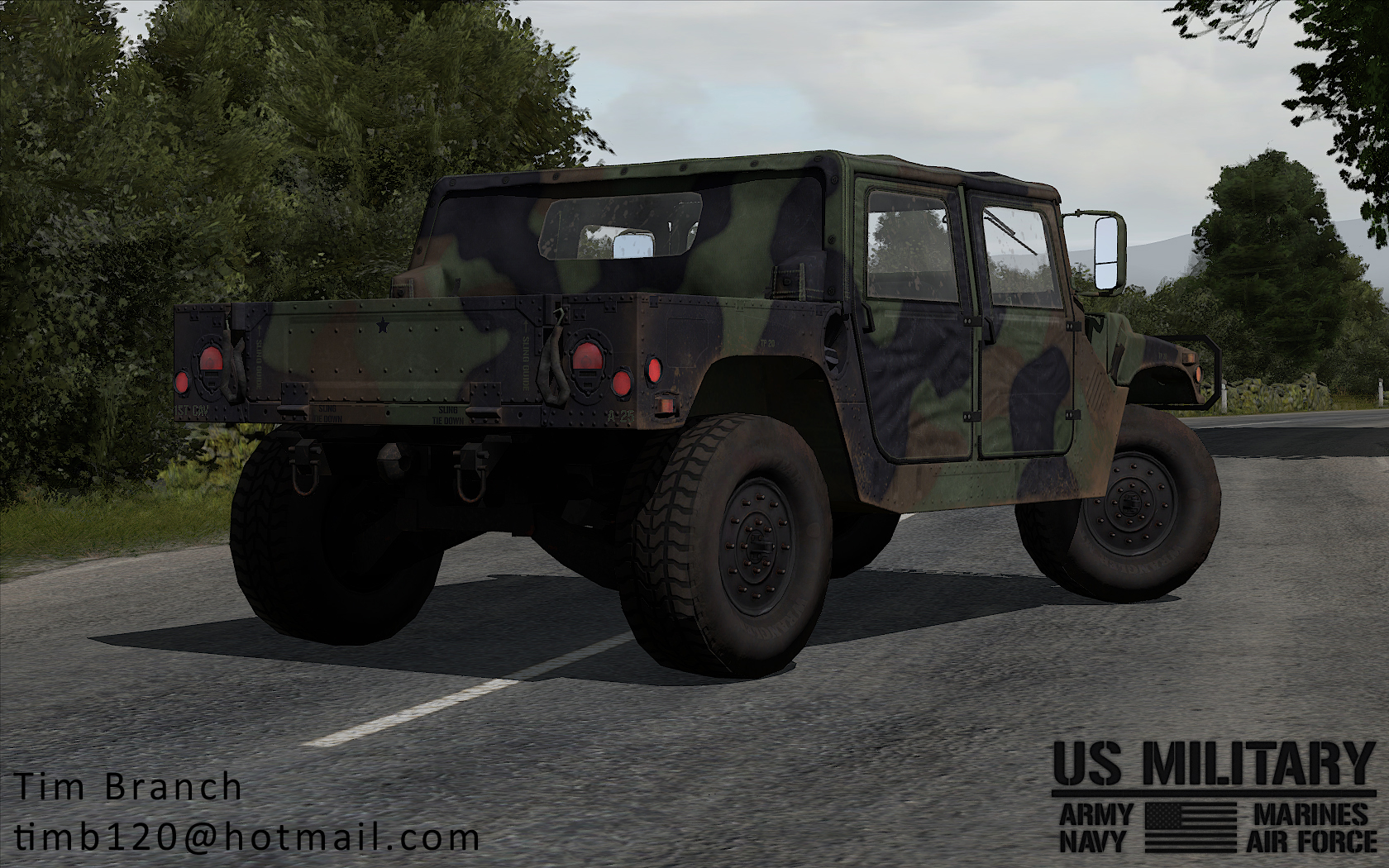
For example if you look at this picture of my HMMWV https://dl.dropboxusercontent.com/s/hesfwifokrk523a/artpiece_07.jpg under the 3d model of the reflectors I have the reflectors as part of the texture file, so all I have to do for the 2nd LOD is delete the 3d reflector quickly and nobody would notice.
 vernal lynx
I've looked for this engine related issue on arma 3 feedback tracker and I could not find it 🤔 was it fixed or what ? https://forums.bohemia.net/forums/topic/190809-iron-front-in-arm3-lite-preview-versions/?page=66&tab=comments#comment-3266355
stuck oyster
Since it is not an issue with anythin vanillla no it has not.
its rather unfortunate limitation yes, but I think I have a just slightly hacky solution for it.
In theory at least
vernal lynx
I'm using vehicle-in-vehicle transport but I guess you guessed
stuck oyster
yes
but that same issue is with anything that is driven/flown/operated from very rear of the vehicle
stuck oyster
I recently ran into it with my walkers and laser beams I was doing for it
no dont think those work either due to how the view of the passenger is rendered over everything else
What I did was I put my laser beams and walker weapon arms into separate object and attached that to the same position
and copy the torso movement to them so they keep up
and thus my lasers dont draw over the view
simple lake
only way i founf was to actually put a lod proxy and hide unhide the type
i had pallets on a forklift and had to do this
i think in the end i even went so far as to make the pallet a Man class and actually move it in 😮
stuck oyster
I got a bit different approach in mind
simple lake
attachto also renders outside the lod too tho ?
stuck oyster
what do you mean?
simple lake
when in cargo view objects attach appear outside the res lod
stuck oyster
yes
but if its the driver that is the attached one
youd see the whole vehicle as "outisde" model
simple lake
that was always the problem so placing a Psuedo object in a cargo seat did the trick
stuck oyster
which is my theoretical approach
simple lake
its an old OFP approach i used in all armas too
stuck oyster
if you remote control an invisible driver of the main vehicle form a seat thats attached on its place
simple lake
i think most it was used in A2 heli transport
stuck oyster
you should see the whole vehicle
simple lake
for a emch i just made it man class
mech
it was a pain but it was much better the MEch part was a uniform
vernal lynx
quite a pita to setup
stuck oyster
my mechs legs are man class
simple lake
i did it all man calss and proxy the man in the driver seat and restriced what unit can drive
all proof of concept and got bored
think i have a vid somewhere
stuck oyster
same principle
rough idol
wouldn't be it easier to use maverickWeapon instead?
simple lake
its good fun but AI was a pain
stuck oyster
not making mine AI inmind
if it works fine
if not the not
@rough idol could you ealborate about using mavericWeapon
rough idol
instead of making AI units, I've tried adding proxies & configured them as maverick weapons - "i think in the end i even went so far as to make the pallet a Man class and actually move it in "
so you can have some sort of modularity
back then geometries were not working with maverick weapons but after jets dlc you can have some sort of modularity of vehicle with this approach
stuck oyster
interesting! could open up some new avenues
simple lake
no because the pallet could move in the pallet truck and the truck it was loading too as it was man class
its easier to set it has a man than weapon
stuck oyster
@vernal lynx where you saying my method would be pain in the ass to set up earlier?
simple lake
and of course maverick is TYpe and so will register vehicle as dangerous prolly too
simple lake
dunno what ya mean , you cant add a magazine to a vehicle if it isnt configged to have it
vernal lynx
Using a remote control over invisible AI yeah
simple lake
thus you would need to config them all
stuck oyster
it would be simple user action
simple lake
anyway it was 2008 when i last did pallet man
stuck oyster
or tied to the get in action of the invisible "drive anything" vehicle
simple lake
yeah but are you saying you can add maverickweapon to anything ?
ebon abyss
reyhard: days ago I asked about the helipad empty, your tip worked great, thank you.
simple lake
that reminds me i need to make a brown nose for a new character , anyone knows which is best head to use ?
 dusk frost
Hey, how can i create a moving antenna for a vehicle. so it moves with the vehicle
bold flare
https://community.bistudio.com/wiki/Model_Config#Animation_sources
I'd guess you would use the speed animationcoef to make it bend based on speed
dusk frost
Okay, i will read through it. thanks
dusk frost
@bold flare Could it also work with gmetery?
bold flare
It could work with everything that can work in your mind I guess
You can use any of these in that list that apply to car/any
Could even animate it based on rpm 😄 Which would certainly look funny
dusk frost
yeah, i try some 😂 but how can i make, that just the end of the antenna bends?
so that it looks realistic
stuck oyster
you will need to weight it
cinder pivot
via geom or what do you mean?
bold flare
@cinder pivot gmetery the animation source
dusk frost
which part should i make heavier of the antenna? and in which lod?
stuck oyster
in animations weighting relates to "how much weight each moving bone applies to the part of mesh"
dusk frost
"how much weight each moving bone applies to the part of mesh" ?
dusk frost
nope. thats the problem. but i want to learn it
stuck oyster
ok so you got some studying to do
dusk frost
okay i will read this ^^
vernal lynx
GL HF 😬
hollow fulcrum
some random arma foo i started tinkering on last week. still finishing up cockpit things, but the rest of it has low poly counterparts and yeah..
https://gyazo.com/bf15312126fe0dfcf4ee8d27e7a9f236
https://gyazo.com/b72d856e8cf1999aef4f7a2cf29b4b9d


go fast time.
hollow fulcrum
thanks! it's been fun sorting in game. currently running it on two bouy objects and it's a trip. thinking i can rig up some sort of physx foo so the canard has some functionality. we'll see how it works out. it's oddly enjoyable just going stupid fast that close to the water in such a small space. jet engine sounds are an added bonus.
 stiff owl
does anyone know if there is a US coast guard mod if not someone should make it its something arma 3 needs for more ocean missions
twin urchin
what's that? a Batmans boat?
 quick terrace
a @hollow fulcrum boat 😉
@Fuck This Kid in the pic#2886 this isn’t an addon request channel
terse elm
Looks great that hatchet!
woeful viper
can it transform into vtol plane? 😄 Looks dope
it only lacks one thing: rocket boosters
hollow fulcrum
thanks guys ☕
 grand swan
Any one here know if Arma3 changed some stuff regarding lights. I use the Blue emergency light RVMAT that the Police Offroad uses. During the day its blue but when it changes to night it turns white, and it never was like this.
stuck oyster
dont think there has been such for a long time
grand swan
it used to be like this https://pbs.twimg.com/media/C8CT5OaXkAE51sI.jpg
 gentle grotto
Awh man.... that's so nice!
grand swan
now its this http://prntscr.com/i9mfs2
gentle grotto
gorgeous i love the lighting
grand swan
Yea i liked it tho but now it doesnt work anymore
now it just looks like a box chaning color and not even the right color
stuck oyster
and what has changed
map?
model?
material?
did you make a copy of the material you had
grand swan
nothing have not touched it so i am guessing that arma must have changes something maby since i used their rvmats for the lights
stuck oyster
well have you tried making a copy of it and tweaking it?
grand swan
i am now loading a older version to see if it still might be me that changed something
no not yet
stuck oyster
well try that older version first
but its possible the arma material has changed too
grand swan
or could it be maby because of a other mod?
grand swan
testing that now but i think it might be arma cuz i also seen some changes in the rvmat tool
quick terrace
@grand swan oh wow, nice model, did you make that?
grand swan
Got it from Abruzi hes a altis life modeler
cinder pivot
🏃
 median bough
And where did HE get it from?
stuck oyster
oh..
quick terrace
@grand swan ohhh, such a pity....pretty sure he did that himself....
median bough
Never trust a model unless you made it yourself 😂
quick terrace
@stuck oyster noob 😃
bold flare
https://www.youtube.com/watch?v=je46lAkKwX4 That guy seems really professional
I'm sure he is one of the more expensive modelers
for that car you bought @grand swan you probably payed half a thousand bucks or more.
Man I would never put that much money into a game i think.
 hallow turtle
Wait a sec, the picture he first posted had a mercedez logo on it...wtf. Do they seriously make trucks like that?
cinder pivot
Yea
median bough
I think it's called M class?
cinder pivot
median bough
In the Bundeswehr it's the Wolf iirc
cinder pivot
My guess ^
hallow turtle
Oh, are these the ones they made in the early 2000's?
median bough
Oh right, sorry... G class
hallow turtle
Because there are M class trucks if I remember correctly
stuck oyster
what they were saying was that your source is very likely not legit
as in the model is taken from some other game
grand swan
Oh
stuck oyster
which happes a lot (too much) in the "Life" scene
if you have not yet heard now you do.
median bough
As i said: don't trust a model that isn't your own 😉
grand swan
Oke, well i did kinda fix my problem now on an other model but still it looks like a little box chaning color, like no glow around it
this one is legit, its the arma 2 SUV and the bumper i made my self and stuff
stuck oyster
youll need emissive material for it to glow
stuck oyster
examples at P:\a3\data_f\Lights
grand swan
yea thats where i got that from too
stuck oyster
does the vanilla one work?
grand swan
also the same
grand swan
i am only running the car now and its an arma map
so i think arma changed something lately
stuck oyster
well try only vanilla arma
and see how that looks
then youll know
I have no issues with my emmissive materials
grand swan
could you send me your RVMAT/
grand swan
will do
stuck oyster
if the arma car works
grand swan
also white during the night
ps also noticed that the focus is not working on the camera mode
stuck oyster
which car is that?
could be vanilla related issue. Seems like most of the beacons loose the glow in certain directions
formal vapor
Anybody use 3d Coat? I have a question about importing a model as reference for sculpting a separate object.
 main jasper
Hey guys.
I have been having an issue with one of my models. I am trying to create a runway out of objects (I know it may not be the best way but for the sake of ease for what I am trying to do it is the best way.)
The issue I have been having is that when I shine light on the object the object looks black (See First picture.)
I have uploaded some pics of what it looks like in game at night and what it looks like in Object Builder. Any Ideas?
https://imgur.com/a/VAr0u
stuck oyster
could be RVMAT issue
main jasper
ambient[]={1,1,1,1};
diffuse[]={1,1,1,1};
forcedDiffuse[]={0,0,0,1};
emmisive[]={0,0,0,1};
specular[]={0.02,0.02,0.02,1};
specularPower=10;
PixelShaderID="NormalMapDetailSpecularMap";
VertexShaderID="NormalMap";
class Stage1
{
texture="PRP_GrandIslandObjects\MainAirport\Runway\rway_36_nohq.paa";
uvSource="tex";
class uvTransform
{
aside[]={1,0,0};
up[]={0,1,0};
dir[]={0,0,0};
pos[]={0,0,0};
};
};
class Stage2
{
texture="#(argb,8,8,3)color(0.5,0.5,0.5,0.5,DT)";
uvSource="tex";
class uvTransform
{
aside[]={14,0,0};
up[]={0,14,0};
dir[]={0,0,0};
pos[]={0,0,0};
};
};
class Stage3
{
texture="PRP_GrandIslandObjects\MainAirport\Runway\rway_36_smdi.paa";
uvSource="tex";
class uvTransform
{
aside[]={1,0,0};
up[]={0,1,0};
dir[]={0,0,0};
pos[]={0,0,0};
};
};
stuck oyster
any special reason you are using these pixelshaders and vertexshader?
main jasper
To be honest with you it was just a template RVmat which I just played with some of the values with. I honestly am not too great with RVmats
stuck oyster
looks about right I guess. dont think Ive seen such lighting issue before
main jasper
Any ideas on first thing I could try to fix the issue maybe?
stuck oyster
is it just a simple plane mesh?
main jasper
It is a 50x50x0.1 box
stuck oyster
is it to be placed on terrain?
as there are better ways to do that
also it could be shadow error
polar fiber
add more subdivisions to the model
models are only lit at each vertex
so if your verts are 50m apart, and you're shining a light in the middle of it, it wont be lit where there is no vertex to illuminate
stuck oyster
Oh hey yeah that was a thing! Would not have remebered that one. Thanks @da12thMonkey#2096
but still if its to be used on terrain making it use the road tech could work better
main jasper
I see. So making the whole thing out of smaller boxes?
It is going on a terrain but it is raised off the ground so the normal ways would not work
stuck oyster
raising it will also cause trouble
stuff usually gets caught in the seams
if its on flat terrain
dont
and not smaller boxes
just divide the surface more
stuck oyster
👌
main jasper
Well ty guys. I will try it out and come back with results
main jasper
xD I will do.. Lets hope planes are alright 😛
 lusty ginkgo
Can AI navigate objects with Roadway LOD's if they are relatively basic?
Like if I make a giant hole in the ground and build a simple plane over it would they be able to walk on it as if it were just regular terrain?
or if I have catwalks/scaffold platforms on steep cliffsides
bold flare
afaik they need pathway lod
If it is a very easy and open object they might be able to walk on it without pathway.. But don't quote me on that
 obtuse rain
da12thMonkey: "Models are only lit at each vertex" doesn't sound correct, point lights are usually evaluated in the pixel shader based on the TBN matrix (from each vertex) and the normal map.
polar fiber
I meant reflector lights like the one he was showing in the image
ones with direction
omni light sources work differently
lusty ginkgo
If it is a very easy and open object they might be able to walk on it without pathway.. But don't quote me on that In my experience that is true to some extent. I have made dirt piles and things like that that only have roadway LOD's and AI seem to be able to walk on them a bit
stuck oyster
they may still recognize the terrain beneath and walk on that
lusty ginkgo
I am going to do a test object protruding from a cliffside and see how they behave on that
simple lake
1 meter above terrain they get stuck < 1 they use terrain i learn this from my "dynamic Terrain tiles "
IE path using terrain but physically walk on the raodway lod OFC
simple lake
not sure what you mean as "wasnt the case" ?
i merely wrote my obesrvation of an AI calculating its path from 1 place to another
above 1 meter it thought for 40 + seconds below 1 meter it was < 10 seconds
its pathing time was greater when the height of the lod it was on was > 1m
it has to do with the anim starting of flying
been that way since OFP
i think in Arma it look like bow legged and ride a invisible bike
white jay
Arma AI Pathing is very basic, AI Path LOD are basically rail lines for ai to walk along i.e the edges of the face on the Path LOD.
Also if it worked with just Roadway LOD you wouldnt have simple dirt hump with AI Pathing on them
simple lake
sometime i used toi think also the snap points in memory were a guide however after 1 meter resolution for AI accuracy (lolz as if ) it seemed they became less accurate
bold flare
@white jay That's #arma3_texture
simple lake
@lusty ginkgo https://www.youtube.com/watch?v=DpgWxLtPzpM its only exaple of my own finding and not conclusive but this is problem i had since OFP in waypoint pathing and Ai when above 1 meter , maybe now Geometry lod and such allow for diffent perception to AI .
its not best example but an insight non the lesss 😃
lusty ginkgo
I'll let you know if I discover any miracles lol
simple lake
well for me its over because i cant animate Verrice in physx but i hope maybe in Enfusion things are changed 😃
simple lake
those planes are my terrain tiles for making terrains in A3 ingame
theya re 7.5m for chernarus
yeah it has chernarus sat on it
well 000_000_lco
lusty ginkgo
could you make a model that is just a pathway LOD and roadway but otherwise invisible to players?
Or even make segments that could be put together on the terrain in bad areas?
simple lake
yeah im sure ya could the problem is for me Vehicles drive on Physx lod so its all borked lol
white jay
Where would I ask about adding a second fire mode to a gun? Similar to the type 115 but the underbarrel would fire 8rnd 12 gauge from the m1014
simple lake
configging
lusty ginkgo
I think you just need the right mem points on the models and the rest is just config
simple lake
i thought modes were single , semi ,auto 😃
lusty ginkgo
he means like adding an addition barrel I think
probably similar to a grenade launcher config wise
simple lake
yeah i think for that he need some sample model or somehting
or just downlaod that it shoots everything everywhere
white jay
My goal is to basically make Bucks sniper from Rainbow Six Siege out of a Cyrus 9.3 😂😂
simple lake
have fun in arma everything is possible as long as you can accept it will be 90% perfect adn 100% fun
i even made roller blade other day for no reason but fun
ok it was 30% perfect and 100% fun tho
quick terrace
😄
white jay
I'm just not quite sure where to start
white jay
Well I'm just tryna make an underbarrel shotgun thing
simple lake
what are you starting with ?
the sample model has an element of everyhting i believe
white jay
@simple lake like I'm using the 9.3 I'm just trying to add on. It can be very simple but I just need to figure out how to make the animation work as well as the bullet coming out the actual underbarrel not out of the normal bareel
I just have No idea where to even start with the attachment
simple lake
well i would use the sample and examine it , get to know it and change it around
white jay
In what editor?
simple lake
mess with using different path in the config , maybe you can undersling the sample underbarrel to a full ingame model
nah in Notepadd ++ and object builder 😉
downlaod A3 tools on steam and Notepad ++
then tell all your friend and relative you will see them around 2020 (ish)
simple lake
no i think for this you need to learn by trial
usually under slinging an existing weapon is maybe step 100 in process
best to learn the example addon and then apply what is learned to your idea
white jay
What do you mean by "underslinging"
simple lake
well the underbarrel is slung
have a mess in configs see if you can make some fraknenstiens 😃 it will be fiun for you
 sharp halo
simple lake
sharp halo
simple lake
slect point and press Shift + e
white jay
You and I have different opinions of "fun"
simple lake
patience dear boy patience
how can that not be fun i made in whilst waiting for your first canon https://youtu.be/ISgEBIFfxGg
woeful viper
wat
hollow fulcrum
@simple lake always has something crazy he's tinkering on 😄
woeful viper
at end of a3 life is a good opportunity for that, looking at the recent sitreps - 90% user content mentions 10% BI news ^^
simple lake
well out of 100% tags i got 0% retweets so far in 2 years lol
woeful viper
mebbe your content doesnt fit their hidden agenda 👽 #conspiracy
simple lake
haha well i dont do it for tweet only fun 😃 so i am content with my content 😉
simple lake
i always hated having to start buldozer in OB https://youtu.be/MDqVX_hA1BU
quick terrace
@simple lake AWESOME 😃
simple lake
now i just need to learn how to model 😉
quick terrace
😃 what you wanna do with it?
i would fix only the alphas and the svlod
love the overall techy feel of it
simple lake
well the shadow lod isnt closed as its a single plane thats why its funky but to be honest it helpled with seeing the tris
what i want to do is plot shapes in and animate on the plane using a quadrant graph
just for some dynamic ambinece in the horizon
quick terrace
duplicate that face and weld vertices = done
i always loved the wacky shit you do man
simple lake
yeah i will do that at some point but ya know for me the funky inbverted shadow is well groovy 😃
rough idol
or you might try sbSource = visualEX
did you tried if physx is working with roadway lod? @simple lake ?
simple lake
the weld vert fix it , no but i hope to try today 😃
iirc the problem was also that Geometry lods dont Triangulate in game like roadway lod
so when old geo animated it was sqaure plane not tri and so was a bit of a mess
but it will ne nice to revisit
lusty ginkgo
some A3 models have lodnoshadows as a named property instead of lodnoshadow
anyone know why this might be?
also some of the trees use frequent = 1
I thought that was only for clutter models
 lime nebula
https://resources.bisimulations.com/wiki/Models#Frequent @lusty ginkgo
lusty ginkgo
so, as the name implies, it's for frequently occuring models
if I understand correctly
lime nebula
Yeah
lusty ginkgo
fixing my trees and added that property seems to have massively improved performance for me
 pure whale
hollow fulcrum
pure whale
hollow fulcrum
not sure how maya would not do .tga's well. not that i maya, but.. please do explain @pure whale
lusty ginkgo
this was in one of A3's polyplane rvmat for one of its tree models
not sure if this is helpful info but I guess the comments explain how the shaders work
stuck oyster
great find!
lusty ginkgo
I'm not sure I am the first one to find this
but I figured maybe nobody has seen it
glad I decided to paste that
hopefully it is useful
woeful viper
you sure its not pebkac?
woeful viper
ok
@polar fiber since it has to be down-"deptht" back to 24bit for arma - what would that accomplish?
24bit dxt compressed even...
polar fiber
@woeful viper compression is iterative though. In order to maintain best quality you want the most information to start with. http://polycount.com/discussion/148303/of-bit-depths-banding-and-normal-maps
baking at higher bit depth and then resaving at a lower bit depth produces better results
quick terrace
^^ true that
shit @polar fiber, now that we are free to do 4k textures for arma
i need to bake my sources @8k, that is what you are saying
😃
woeful viper
better but how much? "but i have golden audio cables" better?
polar fiber
transitions between colour regions generally seem less aliased
hollow fulcrum
you don't already do all your work in 8k?
woeful viper
I bake in target resolution. Tried double resolution and downscaling later - didn't look any better than baking straight to target resolution.
not worth the extra time it takes.
if id know i would be possibly selling my stuff for topdolla later - maybe i would switch to double res. But not as it stands
ebon abyss
X$KJ
woeful viper
i wish
 late raft
I have no clue what I did. https://steamuserimages-a.akamaihd.net/ugc/920293696884704398/EE3921E08F41BD7962445C91C9A1BB25C5641623/
late raft
Do I do that for all selections ?
stuck oyster
just those that are reversed like that hat of yours
and not selections per say
but the model
late raft
i feel like im going through terrain builder again
stuck oyster
every new tool takes some getting used to
late raft
How do I make a selection into a section for I can put a different texture on it?
stuck oyster
you make a selection and write it into model.cfg section list
and then write it in hiddenselections in config
late raft
I mean in OB.
stuck oyster
well you can use the UV editor
or select your wanted parts of the mesh and hit E
and change material and texture there
 languid urchin
Greetings ! I'm looking for someone who can help me with a p3d file ? i want to add a watch to the fatigues uniform?
white jay
Has anyone ever made a uniform from the ground up or has it always just been ported
languid urchin
I don't know, all i need is to open the fatigues p3d file and add a watch
cinder pivot
You can’t unless you made it or have source files
Since you don’t know, I am guessing that it fits none of those so you are out of luck
 sonic valve
Hi, I have a question.
My friend made a tank, works fine and such. But when it gets wrecked the model sinks half way into the ground. Infantry can run through it like it has no collision, but vehicles still interact with it as if it was there...
Firegeo seems to still be intact as well.
quick terrace
it is a geo lod issue not firegeo if you can walk through it
tacit karma
Do you have a Wrekc LOD?
 atomic path
So we've encoutnered this problem:
the memorylod is offset from the resolutionlod ingame, but not in OB and bulldozer.
Basically the the model.cfg animations work well in bulldozer, and when launched ingame the axis are offset and the animations are bugged. Any ideas why doesn't the memorylod follow the weapon?
atomic path
it is there
(also my other weapons without autocenter work)
it doesn't work with both autocenter 0 and no autocenter at all
atomic path
oh right, there is no geometry lod at all in the weapon I described
vernal lynx
you need one for every model, even if it's empty
and you need to set a mass if you want collision to happen with the convexcomponent
about autocenter, I never did a single model without autocenter = 0, idk why this is not even a default value actually
actually for your gun you need your geometry lod + convexcomponent with mass since it will be used as buoyancy model for physx collision when your character dies
polar fiber
vehicles need it set to 1 (or no autocenter 0 in the model), else they have issues with water
vernal lynx
Never had any feedback reports on the vehicles I have checked right now which are autocenter=0 🤔
what kind of issues do you mention ?
polar fiber
try driving them through water. They don't slow down
vernal lynx
oh ok, gotta try it
polar fiber
it's a pain, because it then makes it hard to calculate model centre and do things like fordingdepths
setting to 1 I mean
vernal lynx
yet, does it happen a lot to drive in water ? 😃
the only time I drove in water on arma 3 is to cross a river on isla duala
polar fiber
it doesn't happen much no, but it's one of those things that bugs you a bit when you know it's not working
vernal lynx
it's not a bug it's a feature 😄
polar fiber
sure, if you like an express ride to the bottom of the ocean
vernal lynx
hehe
polar fiber
but yeah, for proper interaction with water, geo LOD needs autocenter 1, buoyancy 1 (and if your vehicle doesn't sink properly, a smaller buoyancy LOD) and to do some attachto fun to find out where the centre of your vehicle is ingame, and what value to plug in to maxFordingDepth to get the right offset
fortunately you can use negative values on maxfordingdepth now when autocenter is above the required water level
 lean merlin
can anyone assist me with my problem im having. details are on bis forum or if requested i can post here 😛 https://forums.bohemia.net/forums/topic/214679-object-builder-texture-path-settings-wrong/
stuck oyster
reinstalling tools might help
also are you running them from the installation directory exe/shortcut or through armatools?
lean merlin
arma tools
stuck oyster
armatools should be run only once so it does its registry stuff and you set up the P:\ drive path in the settings
after that you should use the exes in hte respective installation folders
also dont run any of the tools in Admin mode
lean merlin
tried what u said and doesnt work still..
maybe i reinstall object builder?
still now ork
plain jackal
are the APEX assets not usable as proxies?
stuck oyster
which one youre trying to use and does it give error or something?
plain jackal
I'm trying to use the apex balaclava with a piece of headgear but it just doesn't show in-game
no errors or anything
which leads me to believe its encrypted or something
stuck oyster
dont think character relataed stuff can use proxies
as in other than the engine proxies for head, weapon etc
plain jackal
damn
stuck oyster

Long time no news! Well here's some!! Little teaser of things we've combined from various tests! Still a bit raw here and there.. But you can see where this ...
something something I've recently put together
agile flint
This is probably the most obvious question, however is it possible to change track length/size ingame? I ask due to me working on a tank that has hydraulic suspension and can thus lower itself nice and low to the ground, which in turn the tracks need to change shape to accomodate this lowering
ebon abyss
HorribleGoat: nice looking mech action, great work.
stuck oyster
if the physx wheels are animated then Id guess having them in the animated selection(s) could work
and by them I mean the memorypoints for the physx wheels
and thanks @ebon abyss ! Pretty proud of it! 😄
stuck oyster
oh
mm just animate the different parts to move as you like?
you might need to make something to disble movemnt while its down
agile flint
Hmm yea I'd have to have a look at that. I'm not even close to that part of modding the vehicle, was curious if it was possible in advance.
stuck oyster
id say so
agile flint
Disable movement might work for the transition, or do you mean full on movement disabled?
stuck oyster
especially if you dont need to change the physx wheels
well it might look pretty funny if it still drove around like that
could it do so irl?
agile flint
Well the tank was never made physically, only really on paper
But I presume it could but very slowly?
agile flint
Yea the bottom of the hull is merely cm off the ground
stuck oyster
if the surface its on is perfectly level then maybe
but what in arma is like that 😄
also
physx dampening etc might look really odd
but then again it might even work as driveable when down
agile flint
Its supposed to do stuff like this - http://www.missing-lynx.com/gallery/german/p7hg_img_36/fullsize/IMG_02344_fs.jpg
Well if Arma is going to be dodgy about it I might leave it then 😛
agile flint
Its a fuckin low tank already, only sitting a like 1.6-7m tall
stuck oyster
but yeah the hull is definitely animateable like that
agile flint
At least I now know that its somewhat doable
Just got to see whether Arma likes it or not
Wait doesnt some RHS Russian VDV vehicle have hydraulic suspension?
Might have a look at that
polar fiber
yes, the BMD does. We do it by increasing the vehicle's mass with setMass
so the dampers compress
but that naturally has some effect on the physX behaviour of the vehicle when trying to drive with the suspension lowered
stuck oyster
you need to give it appropriate setvelocity boost 😄
agile flint
@polar fiber So the mass is applied slowly over the duration thus lowering it? And yeah I did notice driving it around while lowered is a bitch sktechy for arma standards
 livid plover
Hello, my viewer is crashing with object builder when I start viewer. My model have ~200k poly. Is there option to fix it?
quick terrace
yeah, have game asset polycount. 200k is not such a count
livid plover
So there is no option to fix it?
obtuse rain
He means reduce it to something like 32-48k. The only thing that should be larger than 64K are things such as the Kavala Hospital or abandoned hotel.
median bough
Reduce polycount
obtuse rain
The tools can deal with > 64k now, but they tend to become unstable going too far above it.
rough idol
...split to proxies! :d
obtuse rain
And if you genuinely have such a massive building you may want to split it up anyhow since the first pass occlusion culling works on a per-model level.
obtuse rain
Well, the issue now is that it doesn't sound like you made the model yourself.
livid plover
Yes, I don't made model. I'm learning how to port to Arma 3 right now.
So I'm using free models to learn
obtuse rain
The Arma 2 samples models would probably be better for that (https://community.bistudio.com/wiki/Arma_2_Sample_Models), since their polygon counts will be closer to what you need.
To take an arbitrary model and make it game ready for Arma pretty much needs all the same tools and skills you'd need to be making models from scratch though.
quick terrace
@KifKick#0326 not sure if you have noticed, but this channel is called #arma3_model with an emphasis on makers
pretty sure it isn't a building, but rather some car of sorts
wraith tendon
lifer ¯_(ツ)_/¯
lean merlin
anyone know why the texture path wouldnt be working https://forums.bohemia.net/forums/topic/214679-object-builder-texture-path-settings-wrong/
polar fiber
What paths do the .rvmats have?
looks like an _as problem more than just the texture missing
and is your P:\ drive mounted properly in a location that is not your tools folder? How are you launching Object Builder?
 kind lion
has it ever happened to you that the scrolling speed in object viewer viewport suddenly went down?
its the only thing that doesnt seem to work right since when i reinstalled the tools
everything works, zooming in and out and whatnot
but moving left right up and down is SLLLLLLLLLLOOOOOOOOOOOOOOOOOOOWWWWWWWWW
cant even find anything in the options that would fix it
hollow fulcrum
mine is way slower now also.
i have no clue why, i honestly thought it was a feature because for me previously, it was somewhat chaotic.
polar fiber
isn't it the current Windows 10 bug?
hollow fulcrum
roger will check
aye, if all viewports are in dx mode, it's actually quite nice. if one is not set to dx, it turns to laggy poo for all.
hollow fulcrum
it is for sure still way slower than previously for me.
kind lion
i also found out there's a bug after win10 creators update with panning speed in some programs
well, this sucks
moving around takes 10x as much time as before
i used to change mouse sensitivity on the fly when needed more precision in OB
rough idol
it supposed to be fixed in windows insider builds but so far didn't heard any confirmation about it
kind lion
well i guess i should be relieved its not actually an issue with my tools... 😩
lean merlin
still having issues with texture path. its as if my path for textures is set but its not recognising it
stuck oyster
@lean merlin was that OB issue
lean merlin
rindeed
stuck oyster
and you did not see textures in buldozer
as in .paa dont show in the OB viewport
have you set up P: drive with Mikeros Arma3P and have you set up your buldozer executable path to your Arma3.exe (with right startup parameters of course)
and are you running OB from the installation directory exe without being an admin
vernal lynx
I will do an interactive course tonight : importing a backpack
- quick sculpting / baking of the straps
- texturing in substance
- weighting simple straps
- export to P3D / ingame
9PM CET : https://www.twitch.tv/el_tyranos
initially planned for IFA3 team but anyone can hop in
ebon abyss
sounds good, will be watching. so about 50min from now?
vernal lynx
yes
lean merlin
@stuck oyster F:\Programs\Steam\steamapps\common\Arma 3\arma3.exe -buldozer -name=Buldozer -window -noLand -exThreads=0 -noLogs -noAsserts -cfg=buldozer.cfg
stuck oyster
does it give you any errors?
stuck oyster
👍
hollow fulcrum
a quick wip image from a project i started working on this week. always wanted to have various barges to utilize in the game. after some testing of things (barges are in game, and usable..), i decided there was a need for a larger boat. so... i made foo:
https://gyazo.com/e5c5e9f378b18f6d640f45fb6e50455b
 hollow fulcrum
thanks man. it all works pretty well actually. still wish we could define some ropes a bit better. but maybe one day 😄
hollow fulcrum
that would be even better.
ebon abyss
Hatchet: very cool indeed. we need more boats / ships.
hollow fulcrum






with everything weighted properly, it's pretty cool. those large containers are fairly heavy, and it's tougher to pull than something with less on it. probably still going to have to scale it a bit, but meh.. things.
should make for good static pieces as well, so i opened the whole boat up. just fortunate all the physx stuff is behaving well enough to justify doing that bit. probably a royal clusterfoo in mp though. anyway dinner time for me.
median bough
If it is an arma3 vanilla, you can't
white jay
Why?..... 😕
white jay
I need to see what's inside it
Not planning to reuse
How can I view it? It seems to be used a fair bit in particle effects.....
@median bough The p3d file seems to be associated with the shape of the explosion, but I need to check to make sure
terse elm
hatchet mate, this makes me want to make boats again
quick terrace
@white jay you cannot open A3 .p3ds, be it vanilla or mods
if you wanna check how something is done, use the samples or the older A1/A2 content that was released
obtuse rain
DavidNichisson: Which .p3d? Usually they are just flat squares.
(for example, data_f\ParticleEffects\Universal\smoke.p3d is literally just a 1m x 1m one-sided square with the UV mapped to the entire UV space)
woeful viper
yeah, billboard type effects are just 2D planes, because they always face the viewer
obtuse rain
Glass and guts are different shapes though.
stuck oyster
one can create the objects in game
 severe ridge
https://i.imgur.com/TSFyasJ.jpg So I have a weird probelem where the suspension is fully compressed when the vehicle is moving normally and when I go over a jump or have wheels in the air it uncompresses any idea how to fix? https://pastebin.com/xZTZQkLD
 simple lake
its usually actual weight in model geo lod mass vs weight subscribed in the physx .cpp but can also be other thing like wheel damage circufrance / maxdroop et al
severe ridge
@simple lake This might be a stupid question but how would I change the weight in the geo lod?
simple lake
basic explanation is select everything and raise the mass via the mass ( select it in the window tab if not already avaialbe)
i think on BI forums there is a pictorial reference
in relation to the problem
cinder pivot
Unless you have a certain weighting going on, wouldn’t it be best to set weight to 0 then set to desired mass?
So it clears and sets to a uniform scale across points
cinder pivot
Isnt that the striker from a2? I think it might be a carX with 8 wheels
If that is what the vehicle is
severe ridge
It is the deltagamer source files he released for his port so yeah it is kinda the arma 2 one
tacit karma
shit I really have to ask a mod to delete that old thread 😩
woeful viper
i think making it un-sticky would work as well ^^
tacit karma
oh yeah
simple lake
why delete it that picture of sunk and raised wheels has saved many a vehicle maker 😃
simple lake
onl;y outdated is the links
cinder pivot
Ah
simple lake
but its more the picture that has helped many 😃
cinder pivot
Pretty sure I have all the downloads for that guide somewhere
Lol
Yea, the pictures helped for sure, I had used the guide to help understand a good amt so it helped but then still did everything by playing with values.. only thing that would be super helpful is the inhouse physx draw tools
One can dream cough reyhard pls cough