#arma3_model
1 messages · Page 100 of 1
 stuck oyster
Good Luck!
 lapis goblet
yeah 😄
well
from a config perspective
is there any way to access the proxy?
nesting?
doubtful
class Land_xx .... class Land_proxy
not sure if a proxy becomes a simplemodel then
lapis goblet
ok
thanks
so a house put as a proxy inside a p3d will keep its animations like opening doors?
 woeful viper
@lapis goblet now i understand what you mean. The purpose of having this type of texture is in low LOD is to reduce sections (or simply put, the amount of rvmats/ different textures in distant LOD), which reduces draw calls. Performance is impossible to measure on a single object. It only makes a noticeable difference when every world object has it vs. when not
when biki is back online go to LOD page (see pinned message in this channel) and then search for "section" - should be a link somewhere that explains it
if your structure has many sections, then it's definitely worth having low res baked textures in low LOD
 broken abyss
Hey people! I need help with Path LODS, what do I name them, how do I place them etc...
 white jay
broken abyss
white jay
broken abyss
Wow thanks, lot of useful stuff on there
 wraith tendon
Exist since OFP, still has relevance 😂
white jay
Not actually sure if there is any other tutorial / guide for it to be honest
stuck oyster
this is the only one Ive ever seen
white jay
https://i.imgur.com/HFKU2BZ.jpg First attempt at putting my graffiti on a building. If anyone ever has the hankering for some graffiti for their buildings, i'll draw some shit up completely free of charge.
 median bough
@white jay
Maybe @strong plaza is interested in Some original stuff for his buildings.
Looks kickass btw. 👍
 cinder pivot
@white jay awesome work dude
if I made buildings, I would love to feature your work haha
white jay
Thanks man. I should have drawn something out that was way nicer but I was just dicking around to figure out how it all works. Iv'e been doing graffiti for around 13 years and always felt the graffiti in most videogames was just not good at all so I figured I'd give it a go. Appreciate the feedback.
white jay
I downloaded those buildings off of CG trader. If you made those then fucking kudos man cause they look awesomeeeeee.
 strong plaza
no, lol. just happened to have same texture that I used
white jay
Yeah I got this pack to try my hand at porting buildings which failed miserably and it just so happened to be on one of them.
strong plaza
the look really nice, but they aren't finished
white jay
The one you linked looks sick. Iv'e been trying my hand at modeling but it's going to take a long time to completely grasp it. But yeah man if you ever want some graffiti for any of your buildings just pm, id be more than happy to draw something up for the small price of $0 dollars.
white jay
Oh damn dude, those are fucking solid as hell. GG
strong plaza
thanks
white jay
Yeah, Im trying to recreate the city I live in, so i'm aiming for learning how to model so I can make houses and buildings and whatnot so I end up with 0% arma buildings at completion. About how long would to assume it took you to make all of those collectively?
strong plaza
you mean purely time spent on modelling them? impossible to say
been working on this for 2 years on and off
white jay
I hear that. I'm just trying to learn as much as possible, and figure out estimates on the normal amount of time it would take for an experienced user to make a single building.
Iv'e made a few things in Blender, and slightly got an idea of how to texture them, but most of that was figured out without watching videos and just having my hand at it, it ended up hurting my brain too much to continue doing it until i get a better grasp of it
strong plaza
really depends on your workflow
white jay
Yeah I figured that pretty much was how it went
strong plaza
might I ask what city specifically you're trying to recreate?
white jay
New Orleans
strong plaza
the entire thing?
white jay
8x8km
cinder pivot
the frames
white jay
Ive got most of it mapped out as far as roads, I have a ton of buildings down but most of them are placeholders/arma buildings
cinder pivot
haha 😄
white jay
Nah man, I get 120+ in the downtown area and its pretty built up
cinder pivot
irl or arma? 😂
white jay
tested it with 8 friends the other day and they were all getting over 60+
strong plaza
so the entire map is city then I assume
white jay
It's city, with a tiny portion of a river
cinder pivot
hope it works out well 😄
white jay
It's mostly suburbs with a decent downtown area
cinder pivot
you got some awesome art as well
white jay
I mean I'm pretty much just making it for me and my friends to play missions on, I might end up releasing it publicly but I'm not really going in with it with that in mind. I'm just doing it for fun really, and thanks, appreciate it
cinder pivot
depending on complexity I would say you could maybe get a rough building done in a day
but if you want it to look good and put work into it, it would take quite a bit more
strong plaza
the graffitti you put on the building, did you do that with a polyplane decal, or _mc texture?
or right on the diffuse texture?
white jay
I drew it on a peice of paper, took a picture of it on my phone, opened it in gimp and cut it out, then pasted it onto the texture and used some layers so the brick could shine through
strong plaza
aha
white jay
lol, like i said, im verrryyy new to this. And yeah, most of the buildings I want to make are literally just shaped with some textures slapped on. I want to try and make some enterable houses, but I'm not experienced enough in the slightest to even try city type buildings in that capacity.
Next time I do one of these I'm going to properly scan it to get a clean cut picture of it, just kind of hard because I do them going across two entire pieces of paper.
strong plaza
if I were you I'd start with a small springboard project for learning then use those assets for your bigger project
white jay
I get most of the controls in blender, Like Iv'e made the standard building shapes, and learned how to do doorframes/windowframes and bevel roofs and stuff, it's just the texturing part which is giving me trouble. I just need to watch tons of videos and learn UV mapping and all of that. I know how to mark seams etc.
strong plaza
that's a really nice piece if you drew that by hand
white jay
Once I figure it out I plan on going downtown and taking some highres photos to get my own textures, and thanks, I did that in like 10m. If I spent my time on them they usually come out looking alot better.
strong plaza
make sure there's an overcast when you go out texture hunting
otherwise you get a lot of nasty shadows
strong plaza
that looks pretty good
cinder pivot
looks sick
if you learn how to make textures clue me in
haha
I know how to model but I can't ever texture well 😛
strong plaza
I think you're just gonna have to get your hands dirty
cinder pivot
I finish models and I get to the point like eh I'll learn how to texture later
next one
strong plaza
lol
cinder pivot
all UV'd everything
strong plaza
I'm kinda like that when it comes to making LODs
finish the first res LOD and shadow volume, then I'm like I'll do the rest later and I end up with tons of half-finished models
 ebon abyss
Torndeco: https://web.archive.org/web/20141021134102/http://ofp.gamepark.cz/_hosted/brsseb/tutorials/lesson8/lesson8_l.htm
@white jay why use archive when you have live? https://pmc.editing.wiki/doku.php?id=ofp:modeling:brsseb_lesson8
white jay
Tried a quick search there never found it. Kinda find pmc wiki hard to navigate to be honest
Not sure where the initial index is but if you search for path lod you don't find that page, need to search for ai path
 bright kraken
@white jay nice black book, now I wanna see a whole car...
white jay
Freights aren't too popular down here due to lack of good spots, but did this one with a buddy a few years back. https://imgur.com/a/S0rKp
lapis goblet
hey everyone
I've created a proxy to an A3 object into my own model
I've created the 1.000, 2.000, 3.000 and 4.000 LOD and inserted the proxy in each one of them
I can see it in buldozer but in the EDEN and in game the proxy does not appear
 obtuse rain
Put in some fake geometry that vaguely matches the proxied building.
Proxies don't get considered when the game calculates bounding areas and some other things.
lapis goblet
oh
obtuse rain
And therefore your infinitesimally small object will get culled.
lapis goblet
lol
ok trying that
nope, still not visible
I have proxied the geometry too
and the view gemoetry
still model not visible
(i've proxied all of the possible LODS to the original model)
lapis goblet
I can see a bed proxy if I put it in, but not the A3 house.
bright kraken
@white jay heavy!
 simple lake
you have to make your proxy a NONAivehicle in a config
like missiles etc
thenit shows
however more proxies = 10* Lag
woeful viper
proxies work without nonaivehicle if they are just static proxies...
simple lake
yeah carry on then , especially when you proxy an existing model with a class already
thats binarised
with class house in its ge lod etc
simple lake
yeah ive done it myself i had to give the proxy a class in nonaivehicles for it to show and a showproxy property
 foggy finch
anyone ever experienced animations (rotationX/Y) working fine in OB and then when binarised they become inverted and if so is there a reason for it doing that?
stuck oyster
yes thats as far as I know how arma works
foggy finch
by making you question reality?
 polar fiber
me too
foggy finch
I have 2 sets of hatches, one of each side of a turret, they have unique anims set up, the only things they share are the axis', which I doubt would cause that, since if something happened to the axis on one, it would also be flipped on the other.
it also inverted the pitch of the barrel anim, whichis annoying as fk 😄
stuck oyster
indeed
foggy finch
but all work fine in OB + Buldozer, which binarises them on the fly anyways
stuck oyster
something something Arma uses different axis on all stuff
foggy finch
I was wondering that, but the barrel pitch has a unique axis.
so it shouldnt be acting that way.
stuck oyster
I mean coordinate axis
so in model x- direction may be x+ in game and stuff like that
maybe
feels like it
like vehicles point to - direction
but in game go forward
foggy finch
so binarize is doing something different when binarising than arma3 in buldozer mode then?
polar fiber
wonder if it's the reversed = 1 property that's in the base classes of vehicles
stuck oyster
Ive been wondering what that does yes
polar fiber
because buildings don't have a config?
foggy finch
yes they do =p
polar fiber
I remember it being a thing back in OFP
foggy finch
haha, it appears to have sorted some things
polar fiber
but how many other things did it break? 😄
foggy finch
it flipped the cameras etc
yeah just camera points reversed etc
can flip thos in cfg
i guess the only other fix is to flip the model.cfg params for those pieces around
im probs gonna flip it in the model.cfg for ease of sanity in the config.cpp
have some pewpew for your assistance chaps 😃
white jay
https://imgur.com/a/m5KcV Ok, trying my hand at this shit yet again. I'm excited/terrified as to where this is going to go. Any tips of texture scaling would be appreciated, or any tips or tricks in general.
strong plaza
looks good, one tip would to always extrude the base of the building about a meter or more down so that there isn't any gap between the building and the ground on sloped terrain
white jay
Thanks, I'll keep that in mind for sure. Also, other than taking my own pictures, what is the best way to get ahold of textures, are there like, free packs floating around the internet, or are most of the hig-res'ish textures bought?
stuck oyster
white jay
Oh shit, awesome guys, appreciate it.
 sharp granite
hey guys
on a vehicle, there are openable hatches with custom sounds
the problem is that the sound triggers when the animation completes (ends) and i'd like to achieve the opposite, so the sound would trigger the same time the animation starts
white jay
is there some size limits to how big an object can be? I have a wall. Just a straight forward oblong block. The geometry is just one block that matches the visual object in position but I can walk through half the wall. The wall is 37 meters long.
median bough
There is a size limit afaik but can't recall the dimensions. Why don't you split it up like BI Does it with other big buildings like the Hospital or CUP with the LHD?
lapis goblet
i need a little help as a noob.
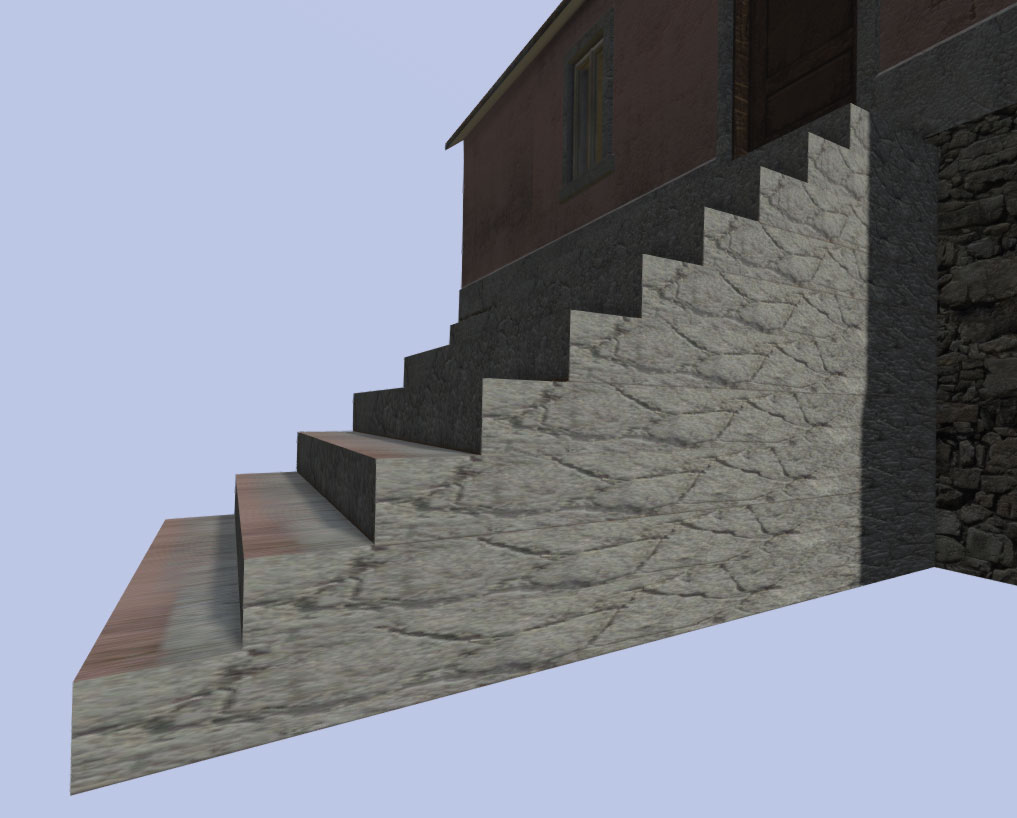
I've just built stairs for an A2 model that was missing them.
the issue I have is how to I apply the texture to them.
because if I select the stairs and apply a texture, every stair "cube" will have the same texture, stretched
so at the side of the stairs it looks really horrible
how can I set a seamless texture on those stairs?
This is what I mean: https://cldup.com/nlkQusjkNl.jpg
 swift saddle
is it possible to make a rendertarget at a building?
 warm trench
Hi, I'm trying to get a collimator sight to work using the long, transparent tube technique as described in the wiki (https://community.bistudio.com/wiki/Arma_3_Weapon_Collimator_Sights). I've got the red dot being hidden when it should part of it working but seem to have the problem that Alwarren describes half the way down the page on this post : https://forums.bistudio.com/forums/topic/144525-how-to-get-the-collimator-sights-to-work/ where the sight appears "behind" the weapon and parts disappear when zooming. Alwarren's next post on that thread is almost identical to the Wiki with the exception of moving the faces of the lense of the sight to the top of the alpha ordering. As far as I can tell, I've done all of these steps correctly but still have the issue. For the transparency of the tube, I'm just pasting "#(argb,8,8,3)color(0,0,0,0.01,co)" into the texture face properties for the tube. Given these posts looks quite old, is there a new trick I'm missing to get this to work?
polar fiber
Is there a reason you're using that method instead of the newer shader tech?
warm trench
Only that this was the only technique I could find reference to for making collimator sights! If there's a newer, better method, please point me in the right direction!!!
polar fiber
https://community.bistudio.com/wiki/Arma_3_Scope_3D more or less covers it
basically all you need is to apply a .rvmat with uvSource="texCollimator"; to a plane that has your reticle on it
but only works on optic attachments. Inbuilt sights on weapons (like the GL quadrant sights) would still need to use the tube method
but fixing the sight appearing behind the weapon should be done by adding the forceNotAlpha = 1 property in the geometry LOD
warm trench
You're an absolute legend, as always. Hugely appreciate the help.
Interestingly, I've done the 'forceNotAlpha = 1' on LOD1 not the geometry LOD. I might just try that first given all the rest of my model is setup this way at the moment.
Brilliant! That's fixed it. And I have to admit, I'd not read the Wiki properly as it does state 'If your model has a geometry LOD, repeat this step with that one as well, setting the 'forcenotalpha' property to 1.' My apologies for being thorough enough!
lapis goblet
All, I have just added windows and everything that goes with hit (hit points, config, memory points for effects, etc)
everything works BUT the fact that I can shoot through the windows. If I get a hitpoint the window explodes, but if not, I can see the projectile hitting the internals of the house
I do have the a3\data_f\penetration\glass_plate.rvmat applied in the windows sections of the fire geometry
does anyone know what I am missing?
 outer condor
@lapis goblet try asking in CUP discord
wraith tendon
@lapis goblet "Find Components" done in FireGeo LOD?
wraith tendon
"Find non-closed" or something like that
lapis goblet
I think I did it in geometry
wraith tendon
technicaly, you can just copy from Geo to FireGeo (or Fire to Geo), then redo "Find components"
strong plaza
I don't think you need to redo the components
I usually don't unless I change something
wraith tendon
Of course, when you add new Parts you have to (or add/name them by hand, wich is... meh)
Anyway: Better safe than sorry (sorry = repacking the whole stuff again 😄 )
lapis goblet
everything works now thanks 😃
only issue now is that for some reason i cannot throw bombs through the broken windows
but the projectile goes through
do bombs have to do with geometry LOD or with FIRE LOD?
wraith tendon
They were kinda "special", iirc
lapis goblet
ok because my geometry lod does not have windows
lapis goblet
hum...
what is the easiest way to carve an open box into a geometry lod
like a window
lapis goblet
yeah
but that doesn't generate whast I'm looking for
I mean, I basically want a hole in a wall
a CUBIC HOLE in a pre-existing wall
then I don't get how to turn that into a proper component
when I find components
stuck oyster
In geometry you need to do each section of it separately
lapis goblet
it still gives me the whole thing, I don't see the thick vertices with mass around the window
stuck oyster
so wall with a square hole is 4 pieces
lapis goblet
...not after carve
stuck oyster
I would just make the cubes and forget the carve
stuck oyster
or was this for Geometry?
stuck oyster
then just make the cubes
lapis goblet
for some reason bombs are affected by geometry, not fire geometry
so I delete the existing components and redo them again?
stuck oyster
they being physics objects
stuck oyster
Arma
lapis goblet
lol
I took an A2 model and transformed it into a A3
I don't mean a simple port to A3 like CUP
I've changed everything, anymations, behaviors, added windows and effects, etc
wraith tendon
"simple port"
lapis goblet
lol
wraith tendon
have you checked the last CUPdate? ^^
lapis goblet
didn't mean to diminish the great CUP work
sorry
yes
I have it
but those models that have interiors don't have windows, the stairs are not long enough (I'm building them for a map that's basically hills everywhere)
wraith tendon
Wich don't have windows?
wraith tendon
The 2 on the left don't have glass. The one in the center did i just added a DoorAnim, the 2 on the right should have Windows + the 2 swing Doors should be Open/Closeable
lapis goblet
the one in the center neither
it does have a door anim.
anyway
the issue with that one in particular (center upper) is that the geometry doesn't have windows
wraith tendon
Check other Versions of it, i am pretty sure that i added Windows to them
lapis goblet
so bombs don't go through windows
wraith tendon
hmm... can't remember that one. Yellow = Yeah, could be without Glass
lapis goblet
the one next too
wraith tendon
But the big one on the right: Pretty sure there is a glass Version of it
wraith tendon
+Garage on the left should have an Anim now^^
lapis goblet
yes it does
we are basically adding windows, long distance LODS, long stairs, windows
wraith tendon
2 on the left = Of course not, they are ruins^^
lapis goblet
and hi-res textures
wraith tendon
sure sure, do what you want. Just wanted to know wich building it was (too many exist... -.- )
lapis goblet
yeah
😄
small example...
well anyways
thanks for the great work BTW
must take shitloads of time.
just for one model I've been battling for a whole day
A WHOLE DAY
for 1 model 😄
median bough
#justarmathings
lapis goblet
yeah but still
appreciate people busting their arses for something as huge as this.
(CUP)
median bough
👍
wraith tendon
~2-3 Weeks, often >8Hrs / day
After a while, you just go in Autopilot 😄
Don't ask for the stuff the others did ( Someone specific still has a PTSD from PhysX 😂 )
median bough
( Someone specific still has a PTSD from PhysX joy )
😂 😂
 jaunty leaf
woeful viper
jaunty leaf
woeful viper
thats quite a lot of edges around the circumference of the tube - for ingame version you might want to reduce that
 terse elm
been working on this for a few weeks https://i.imgur.com/xGX0DZI.jpg
stuck oyster
👌
woeful viper
just finished baking https://abload.de/img/screen0318kjs.png
lapis goblet
if we wanted to go with a vehicle that moves around with noone driving it, how would you go?
stuck oyster
invisible driver
lapis goblet
i’m thinking a typical skilift, a cable way for skiers
stuck oyster
how large route?
lapis goblet
you can just jump in / off
stuck oyster
how fast
lapis goblet
i’d say 1/2km
stuck oyster
cable car type of thing?
stuck oyster
It usually gives best results when people explain exactly what they want to do and dont beat around the bush xD
stuck oyster
ski lift it is then
stuck oyster
hmhmm
lapis goblet
not really sure how to do that
stuck oyster
alright
so obviously all the visible pieces need to be separate
because object size limits
but Im thinking in theory you could have the route animated in single huge model
and animate invisible points to move aound it
and attach the lift part to the animated points
and put a script in that rotates it along the route
lapis goblet
i’m thinking all the structure as a simple object
maybe animation on the wheels
the lift though
SP no issues
but MP scares me
it’s hard to have a single model
i’d rather set the structure down and then find a way to move the seat
kind of how the train mod works but have no idea how it does
stuck oyster
well actually you probably could use the same system
with some sort of invisible tracks
lapis goblet
i could dig in and see how that was done
but still it is driven
then no need to be fancy
no interiors
a simple attachto will do
stuck oyster
@zenith crescent You think it would be possible to make a cablecar/ ski lift type of thing?
wraith tendon
⛏ <- there, start digging
lapis goblet
lol
seriously though
no worries about the digging.
my main question is that i have animated in sp things like rail targets
but that never works in mp
so i wonder how it could be done.
we’re basically talking about predefined routes that a vehicle has to follow in a loop
maybe an invisible driver with https://community.bistudio.com/wiki/BIS_fnc_UnitCapture ?
 tacit karma
This will probably look shit in Arma 😄 https://cdn.discordapp.com/attachments/106016900097568768/373954682294632458/screenshot011.png
stuck oyster
will never work
tacit karma
@stuck oyster Well, the car is still far from beeing finished. Will be fun tho to make it finally work
tacit karma
theres not a lot of metal, so yeah, probably lol
median bough
theres not a lot of metal there can't be enough metal 🤘
cinder pivot
@lapis goblet https://www.youtube.com/watch?v=tKekfT7ZYb4
cinder pivot
(╯°□°)╯︵ ┻━┻
lapis goblet
oh so it exists, except that i thought of chairs 😃
nice will look at it
it’s like we are on the internet and you can’t think of something that someone hasn’t already done... oh wait
😄
white jay
@median bough Thanks. I had split it up but it look like it is still too big. Not so much the wall but how far it is form the origin. Now breaking it up even smaller. 😄
lapis goblet
hey all, i have a problem with the geometry lod
i use the exact same one in two different models, it's the geometry to go up stairs
it's basically a block with one of the sides tilted
white jay
The problem is?
lapis goblet
the problem is that in one model i can go up the stairs, the VERY SAME STAIRS
in the other model, the player hits the geometry lod but everything starts shaking and I can't go up the stairs
white jay
Roadway lod?
lapis goblet
no
white jay
Since geometry lod is not the one defining where infantry walks
lapis goblet
ah
white jay
Thats only for vehicles
lapis goblet
ok there wasn't in the roadway
let me compile
that was it
oh gosh
thank you guys
broken abyss
Hey all! I just cant get my path lod to work
I have all the selections named correctly
in1, in2 , pos1, po2 etc
Is that all? Do I need to put something in the configs?
white jay
Are your in points above the terrain mesh?
broken abyss
I'll check
They are exactly on it
Should I raise them up?
But when I order my group members to go to a point, the positions dont show up
So I dont think thats the problem
*main problem
white jay
The posX need to be in order etc if you skipped one i.e pos3 then they will only be 2 positions
broken abyss
positions are in order
white jay
You must made mistake the posX are only defined in the Path LOD. If you dont have any buildingpos you messed up somehow
broken abyss
Im doing this correctly right? Selecting a point and adding new selection and then naming it posx
stuck oyster
yes that should work. But also the path geometry needs to float above your roadway
broken abyss
Thanks HG i'll give it a try
stuck oyster
the "in" points well above the surrounding surface
lapis goblet
I'm getting a p3d error Generic error or premature EOF while making the pbo of a p3d, any ideas?
yes I can open the model, no issues
tacit karma
Try to copy the content into a new p3d and save it over the old one
woeful viper
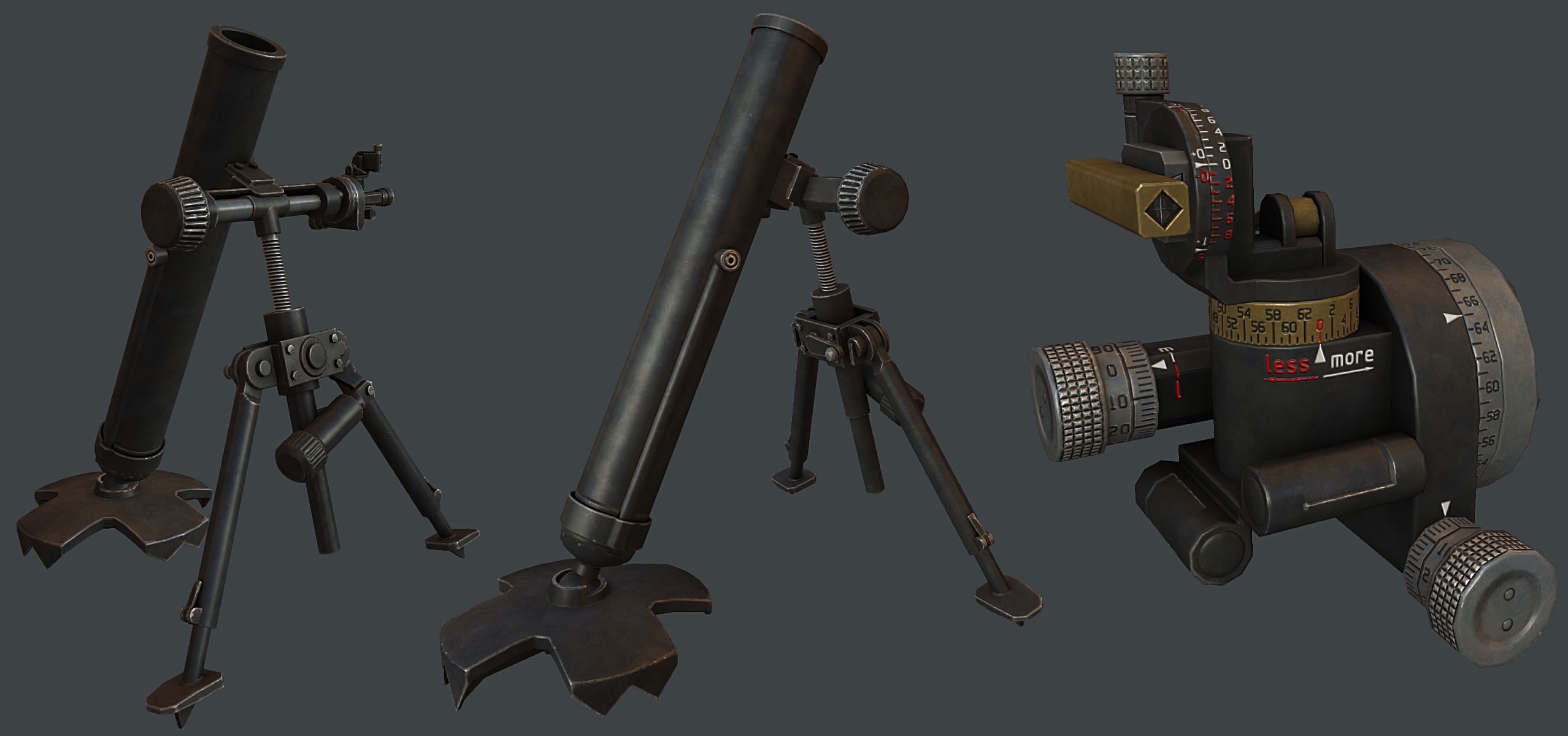
sight unit for mortar https://abload.de/img/screen02n1su4.png
font came out slightly wavey :[ more fiddling...
lapis goblet
@tacit karma for every lod?
tacit karma
yeah
lapis goblet
...
tacit karma
@woeful viper just add turbosmooth to it and set it to smoothing group constraint.
then you can bake it, works pretty good most of the times
woeful viper
it was the cage that caused it
 hollow fulcrum
@woeful viper well, whats it look like now?
woeful viper
font alpha of some parts looked like this https://abload.de/img/fpv_sight_lpdiffusemak9s6t.jpg
Baked it seperately, now its all straight
hollow fulcrum
cool
woeful viper
i find that i rarely get by without baking different versions and compositing them... once with normal cage for smooth edges, and once with split cage along UV borders for everything else
lapis goblet
hey modelers, a simple question: some models have lods with levels 1.000, 2, 3,4 and 5.000
others have 0.5, 1.5, 3, 7, 15, 20.000
cannot get the difference
does the order only matter, or is it some distance setting?
stuck oyster
only order
what lod is used is calculated by the engine from how complex overall scene is
no exact distance adjustment
wraith tendon
And no way of calcing it by yourself. It's magic.
stuck oyster
✨ 🎩 ✨
woeful viper
stuck oyster
thats some smexy mortar @woeful viper
woeful viper
it's actually quite tiny...
hollow fulcrum
@woeful viper just sat back down, very nice 👍
woeful viper
thanks
 dark remnant
Hey fellow model makers, I'm usually trying to keep my mess in the terrain_makers section but I need some help. I tried creating signs based on the a3 .p3ds just to realize that I am apparently unable to import those signs into my map, because of BI's handling of their binarized files. However, I am more than unhappy with the quality of the A2 signs and am thereby wondering, if anyone of you knows some signs, which are allowed to be reskinned and used on a custom map or any other possible way of me getting my information on signs and imported into terrain builder? I have literally no idea of this stuff (model making/p3d handling) so I'd appreciate any help I can get
The signs are supposed to look military style like and some road signs. All signs that I've done so far were based on that Land_Sign_WarningMilitaryArea_F sign, which is the horizontal military warning sign that says something like "no entry"
woeful viper
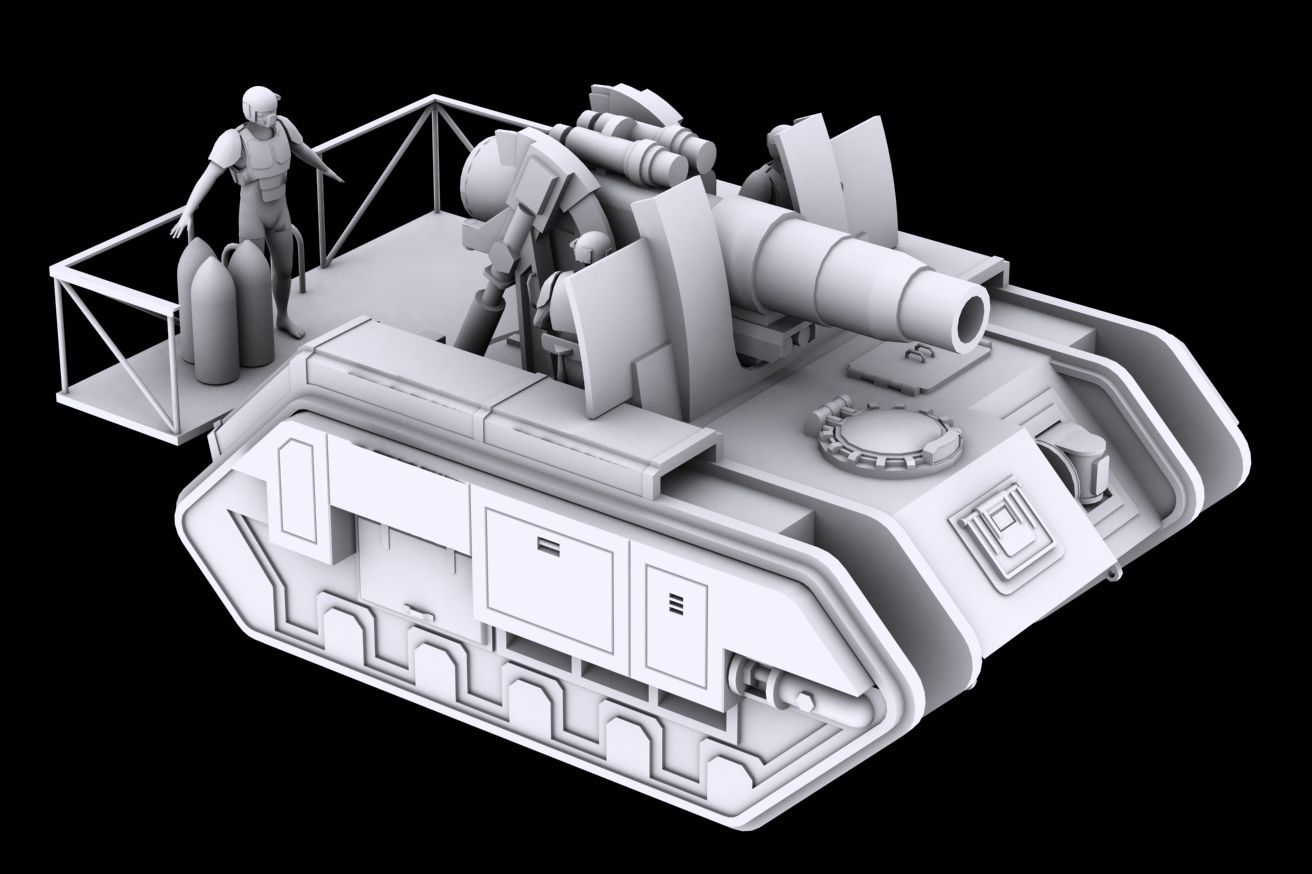
@cinder pivot here is what is going to be beefy ... https://abload.de/img/medusa_fzmu5i.jpg 30cm siege arty
broken abyss
So my problem is still present with the path lod. Everything is named correctly in order, it is well above the roadway lod and geom lod but they dont enter the platform, not even the position numbers will show up when telling a group member to go there
stuck oyster
could you try copying your geomeytry LOD as viewGeo
also for the sake of testing it try using the path lod from house sample
broken abyss
Yes, i'll try that now
broken abyss
Am I missing something obvious?
I added the path from the test house
and still after ordering them to move they refuse to budge and positions are not shown
white jay
Got it sorted entire PathLOD was to high up
obtuse rain
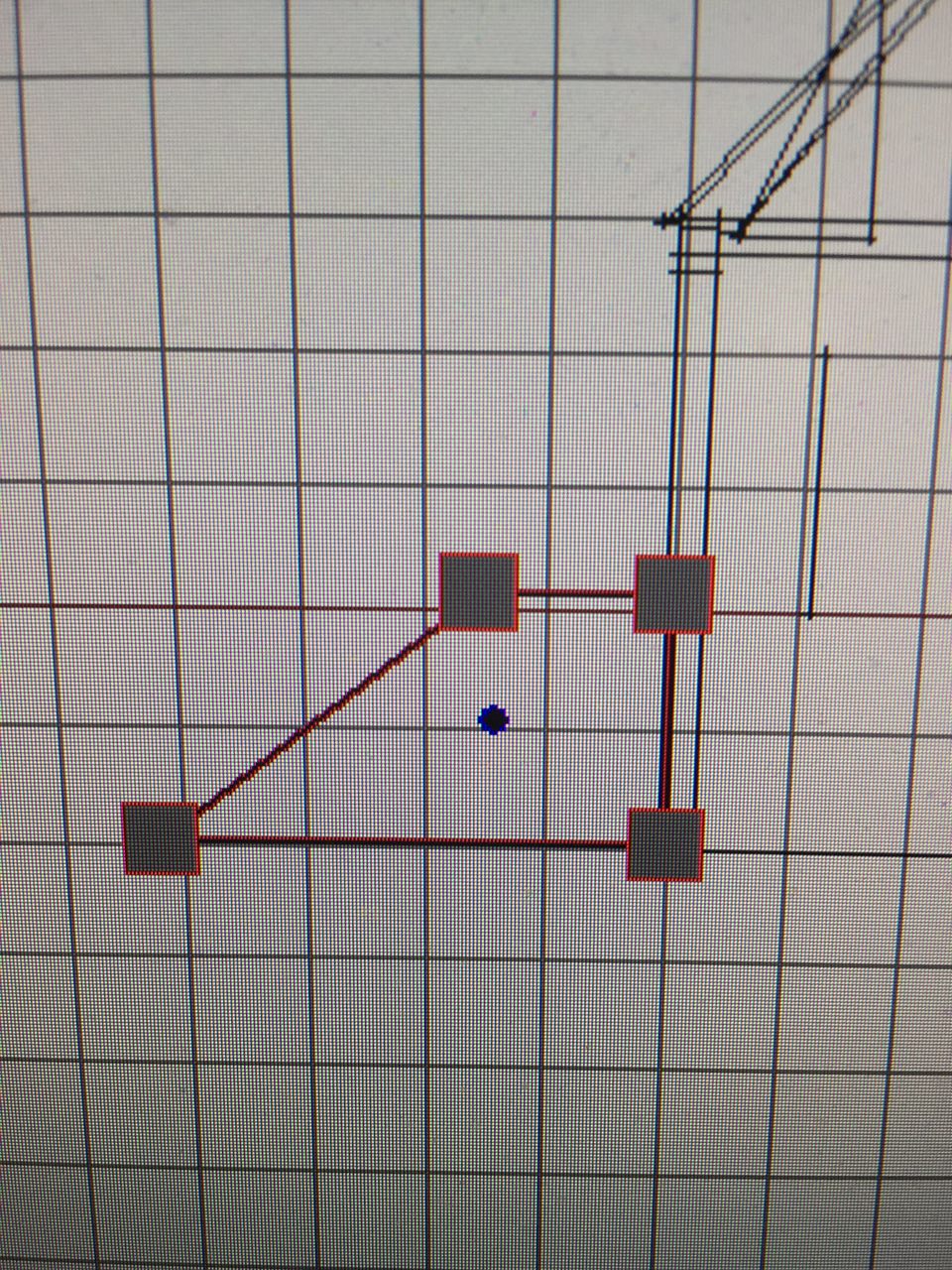
You might want to do the levelled fans BIS put into buildings so that pathing is robust on non-level terrain:
https://www.dropbox.com/s/pb8hhshfajk1pmj/HousePathsFanDetail.png?dl=0
(The entry point of the path has to be not even slightly below ground level, and not more than 1m above ground level, if I recall correctly)
terse elm
still loads to ddo but having a blast, not so much with quixel, any one still using it feel like the performance is god awfull now
 twin urchin
pretty good , but i would sharp those edges on desert camo
or even sharp the whole desert spray layer
terse elm
aye i plan to go over and refine the paint, just ran a mask over it
i still have a lot to do
twin urchin
👍 , also you plan to do the A3?
terse elm
today im gunna manually add some paint wear to the receiver
yes at some point
but holding off from what i gather its more of a concept andd not actually in use
yet.....
twin urchin
yeah but i think they will adopt that
twin urchin
you mean the Specter OS 4x
terse elm
aye
twin urchin
cool
 solid sapphire
anyone here knows anything about trees modelling and injection workflow in Arma 3?
I've found a tutorial from A2 times (well, a part of it) and that's all
lapis goblet
Has anyone succeeded into putting an A3 building inside another model as PROXY?
I found this old thread of BL... https://forums.bistudio.com/forums/topic/93959-adding-proxysproxy-config/
white jay
proxies don't support animations, also class=house probably prevents them from showing
lapis goblet
ah
 quick terrace
to be more precise, proxies object do not transfer over inherited animations
proxies (as selections) can be used for animations though
lapis goblet
that's fine I would add them back in config
but the object just doesn't show up in game
plus, my understanding is that this would impact negatively the engine anyways
white jay
what you are trying to do just does not work
lapis goblet
understood, idea abandoned
trying the next crazy stuff
will only report if I succeed now. otherwise, it'll be a flatline
😄
dark remnant
Warning: No idea of model making - only pressin' all damn buttons.
After discovering that i have to "make" my own .p3ds in order to have customized signs on my map, I am in desperate need of help. I am now looking into utilizing unbinarized A2 objects (signs), since that is apparently the way to go. So i copied that unbinarized .p3d into tag/mymap_objects, renamed it, created a ./data/ directory in said folder and put my [...]_co.paa in there. After opening the .p3d, i got this screen: https://i.imgur.com/XmIhbQr.png. Now if i ignore the rest and simply redo the path for the textures, the original textures appear on the sign. If I try to "fix" the red issues and they become black, there is only white default texture on the sign. Please help. I just want to do my map and not spend any more useless hours on this matter without knowing what I am doing. I only want customized textures on said A2 sign and place it down in terrain builder. That's all.
cinder pivot
you rename the old one to your name using that mass rename editor
they might be looking at a bad rvmat which could be possible
dark remnant
wait a second. Do you mean I have to rename the .p3d with that thing aswell? Or can I just rightclick the .p3d, go to rename and put my name in?
cinder pivot
you should rename the p3d with rightclick but if you click the names there you can assign a new path to them
which is what you need to do
 glad pagoda
For some reason the viewer in object builder isn't showing the textures on the model. They show up ingame fine. Not sure what could be causing that.
doesn't work for any model...
obtuse rain
You need .tga's for Object Builder.
glad pagoda
really? i am using .paa and they use to work before...
obtuse rain
I've never seen .paa's work. Also:
^ Can't get any more authoritative than a post by PuFu.
😉
glad pagoda
and that's for the bulldozer viewer? i think that's what it's called.
nvm i read further down
obtuse rain
Oh, no, buldozer is just an instance of Arma3.exe, it can deal with .paa. If they aren't loading it'll be a path issue.
I usually solve those by using Microsoft Process Monitor with a filter that just has the file name of the .paa. It tells you what path buldozer is trying to find things in (versus where you've put them).
 tulip beacon
@glad pagoda do you have "P:\" set as "Path for textures" in Options of object builder?
glad pagoda
yeah. I moved my arma 3 folder to a new drive since i last seen it working properly. Was going to reinstall my arma tools to the same drive that arma is installed on and then see if it works after that.
glad pagoda
got it to work again, had to reinstall arma tools, p-drive and bulldozer.
tulip beacon
you probably used bis tools for p-drive?
glad pagoda
yeah
tulip beacon
that's not a good idea
glad pagoda
why is that? I've never had a problem with it other than now, but that was probably from moving arma 3 to a different drive.
tulip beacon
because you never know what may break and when will it happen, i've heard people lost all their p drive contents after some tools update, for example
you should be the one any only Master of your P drive
plus you shoud use arma3.exe from installation directory as buldozer, since it is always up to date
glad pagoda
hmmm probably should use mikero tools for that then.
lapis goblet
anyone knows why init = "(_this select 0) setDamage 0.7"; inside of a model's config does not set the damage on the object once in map?
outer condor
@lapis goblet map objects wont run EH from classes
it works only for editor placed or script generated
lapis goblet
ah
so i'd need to have an init.sqf function that loops all of the objects in a terrain to have the damage set to this class?
BTW it's not even running in an editor placed object
tulip beacon
class EventHandlers { killed = "[(_this select 0)] execVM ""\CST\CST_Objects\CST_Powerlines\Scripts\destr_wires.sqf"""; };
I have eh like this in my object's config so it should work
 eternal bloom
ewh... I updated my Blender to 2.79 and reinstalled Alwarren's Arma Toolbox, now when i try to pack my pbo with pboProject i get this error :
<scanning files to pack>
..........#UVSet#
bad tagg count 7104

c_stones22.p3d invalid file

</endscan>
😭
any know compatibility issue between Blender 2.79 and Alwarren's Arma Toolbox ?
nvm, my path to O2Script.exe in Blender was wrong
 wraith bramble
Hello
I have imported a new uniform in arma but behind the veste is invisible udn also knows not where the problem is and sorry for the good google english http://prntscr.com/h4d7yx
eternal bloom
your model is to big/bold in the back compared to the default arma model
does it happen on every stances (weapon raised/lowered escpecially) ?
wraith bramble
do not think that the model is too big
It's almost as big as the example model
http://prntscr.com/h4dvwc
yes that is the same in every stance
eternal bloom
so it might be a weight issue
polar fiber
you might have hideProxySelections[] = {"ghillie_hide"}; in your config
wraith bramble
yes @polar fiber
polar fiber
then you will want to get rid of that line
eternal bloom
didn't know that, thanks
wraith bramble
http://prntscr.com/h4e1yh yes that works thank you for the quick help😀
glad pagoda
I get lines that show "sum of weights is 200, should be 100" for every vertice of my model when packing, but when i check in OB they all show as 100.
stuck oyster
pieces of selection are also in some other selection
if both weight 100 it sums up to 200
glad pagoda
ahh, so the total weight for all selections that use that vertex should add up to 100. Ok, thanks.
stuck oyster
well yes if its related to movement weighting
but I think they may get normalized on binarization
so having them sum up to 100 while working just makes sure they work as you have set them
 pure whale
when making a new tree, how do you tell the game that it IS infact a tree? so it registers as forest ect and sways like other trees?
ive named my p3d t_blablabla
however idk if anything else u have to do
obtuse rain
For asset types with no BIS samples your best bet it to open one of the A3 objects with Eliteness and look at the LOD's present and what properties might be used.
pure whale
i have the old a2 trees aswell
but nothing beyond them being named t_ says anything about if they will be trees or not
and ingame they are counted as forest ect
obtuse rain
They don't have map=tree in their properties?
white jay
Class=tree
Or treeHard
And yes map=tree lets the engine draw it like a tree/forest on the map dialog
 zenith crescent


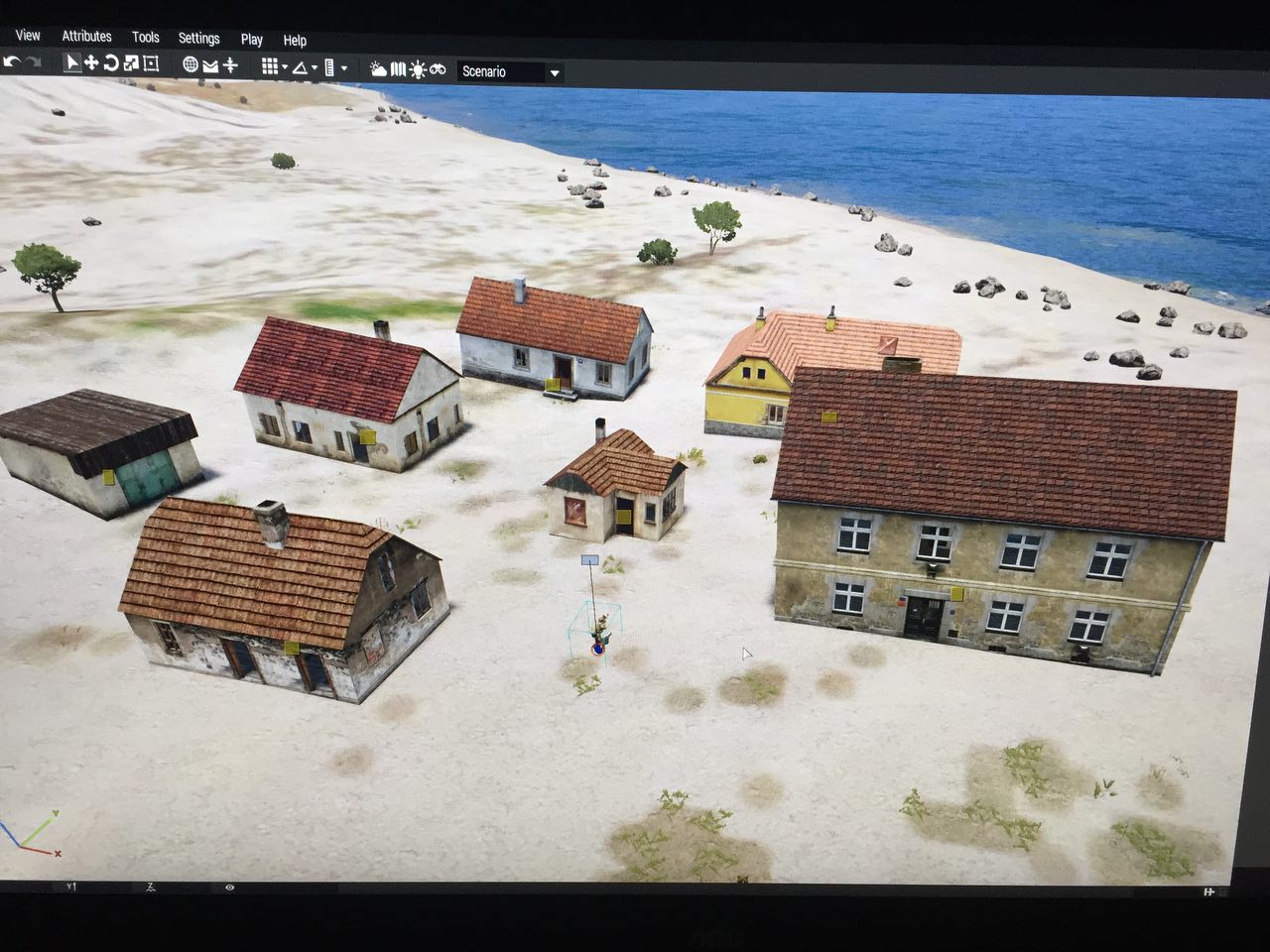
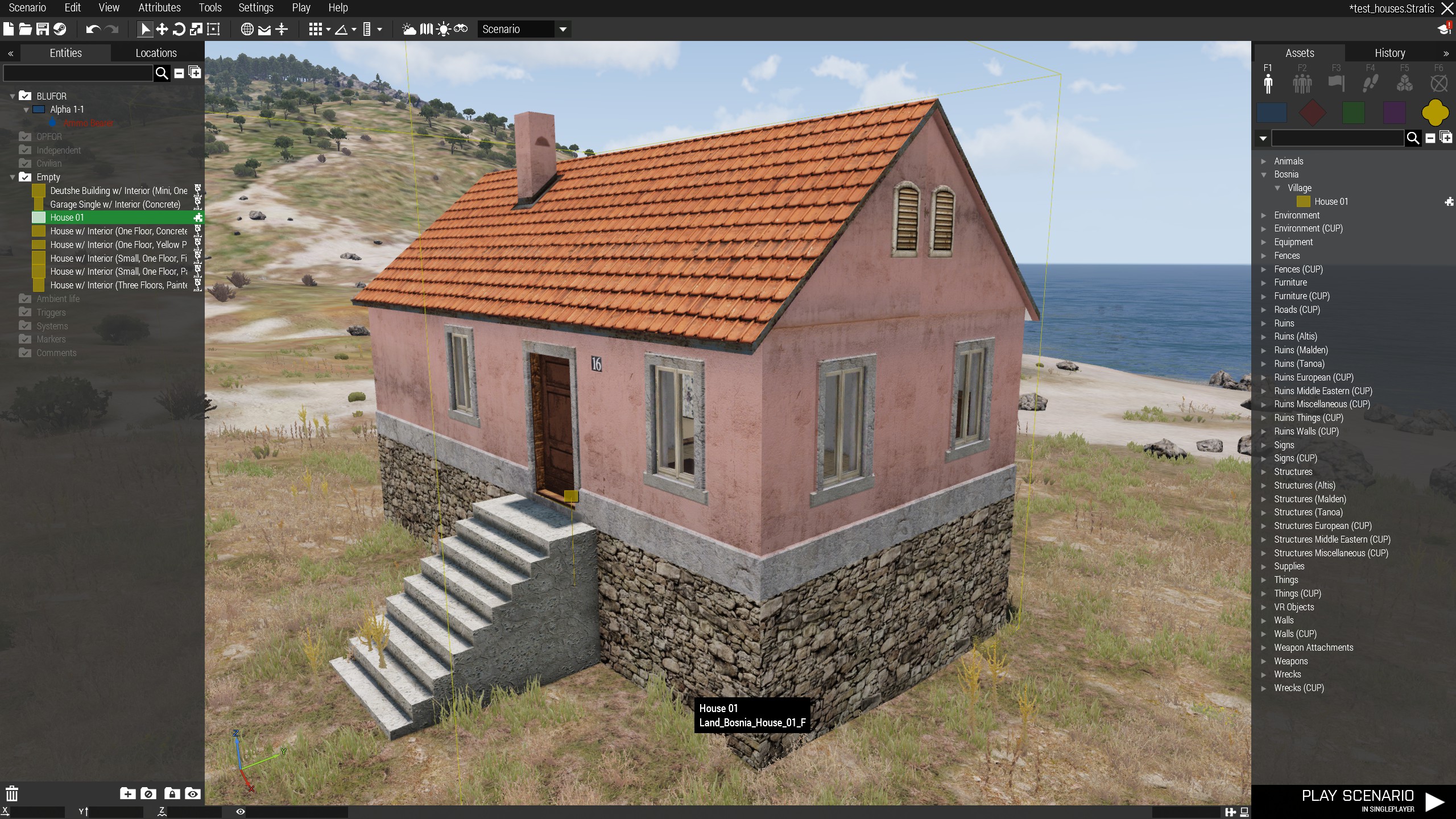
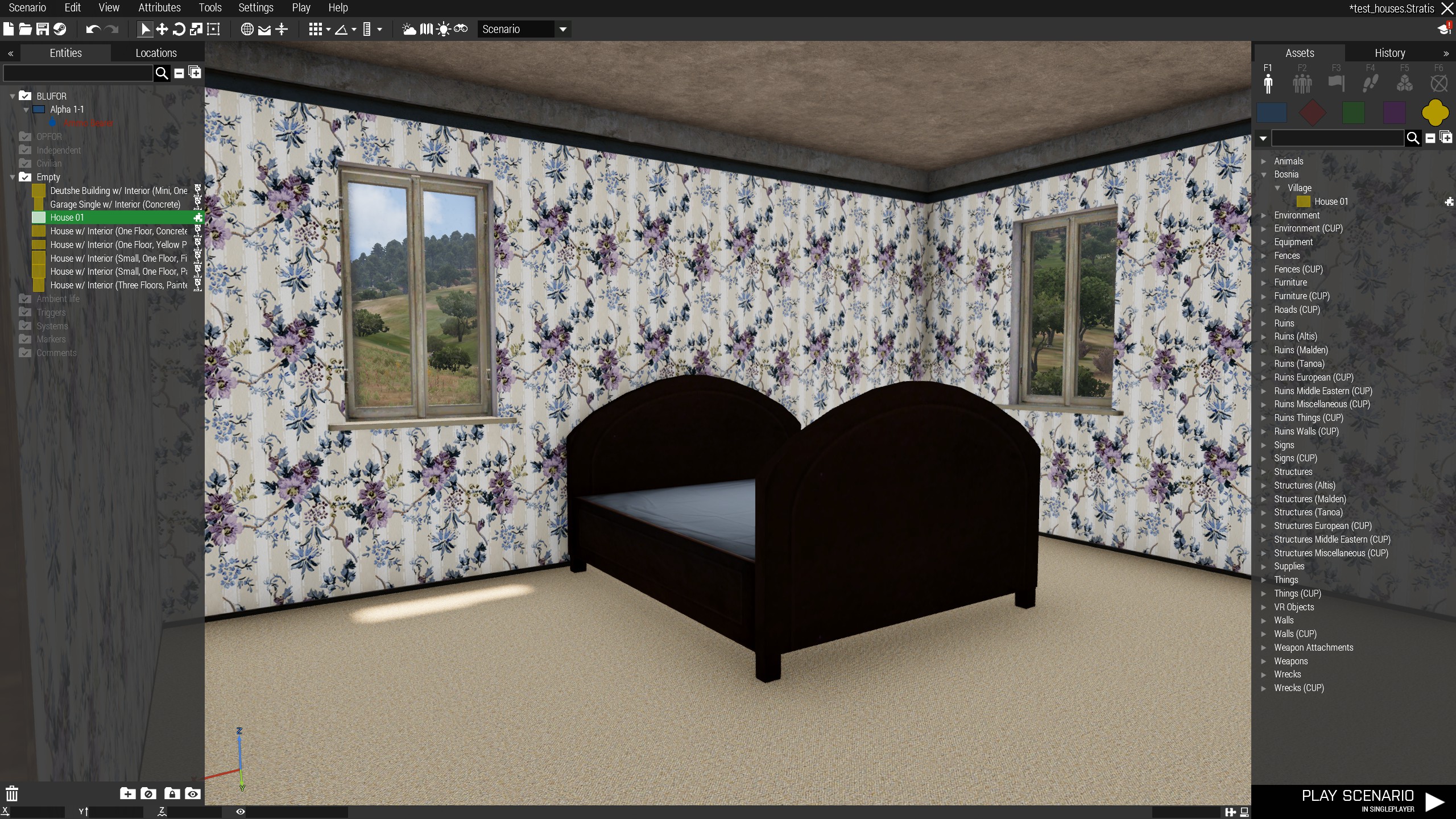
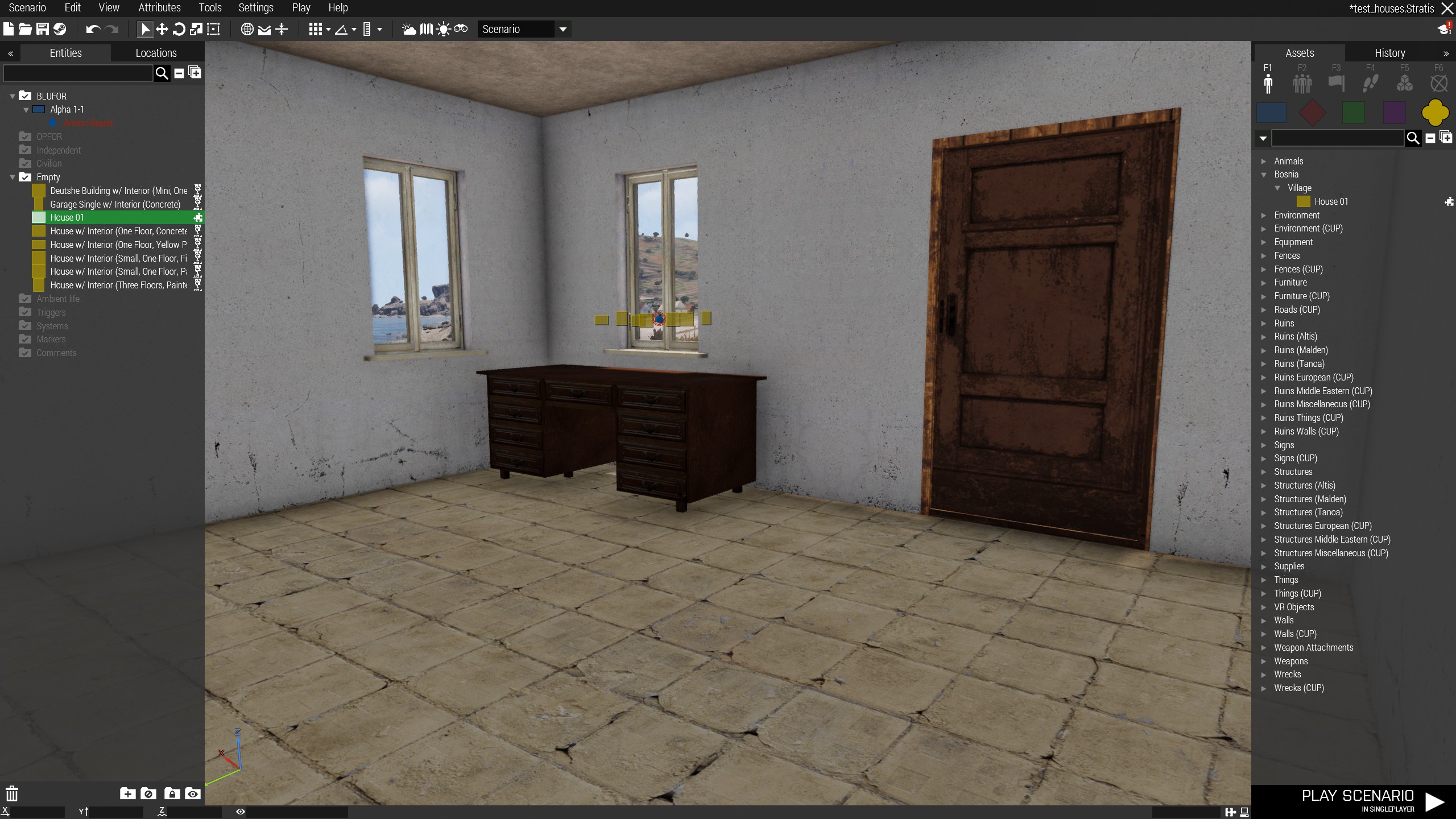






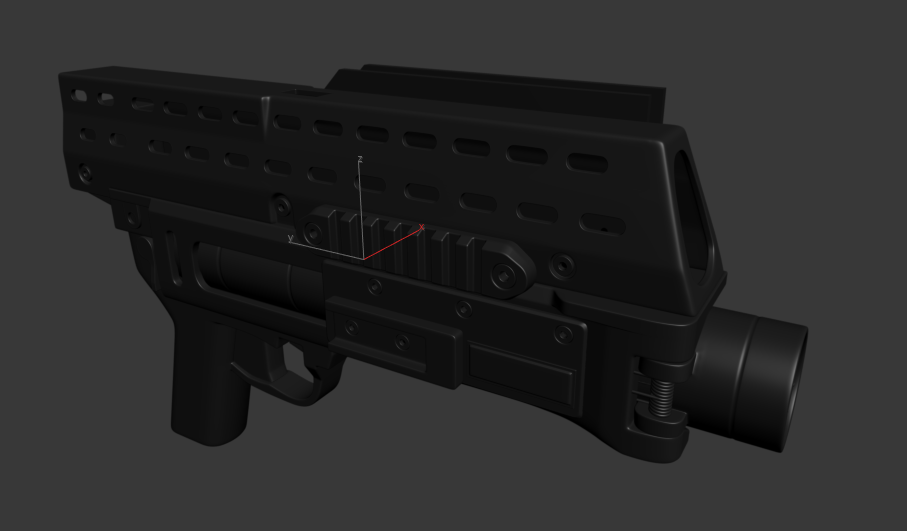
 cinder pivot
@duda#5541 I linked your video as a demonstration 😛
strong plaza
I'm curious to know if all the low detail assets we've seen in VBS uses multimat, or is the performance decrease caused by the additional sections considered negligible since the models are already fairly low poly?
hollow fulcrum
not sure which assets in particular you are talking about. but on any given day, section count will hamper performance quicker than anything. low poly counts are always good, but with modern hardware, not such a factor like it used to be.
strong plaza
I suppose I mean mainly buildings
hollow fulcrum
i honestly haven't looked at VBS stuff in depth in a few years now. i would assume most buildings use multimats though.
suppose it's possible much of it is still 2k based. instead of the mostly 4k stuff we see in ArmA.
glad pagoda
For some reason the gunner in my vehicle doesn't die when shot at or when the vehicle explodes. I don't see any difference from the driver so i'm not sure whats causing him to not take damage.
hollow fulcrum
make sure your gunner proxy is in the proper lods. there are also a couple config entries that could effect that. forget the names but something like 'canbeshot'. although by default thats usually the case.
lapis goblet
i need to texture an object that has various parts including moving wheels. I have the model in blender but have ported it into OB.
what is the best way performance wise to texture it?
I can’t seem to get a grab on UV sets in OB so wandering if a single texture with all parts (wheels, etc) and then applying the texture multiple times (background texture, using the A and then B shortcuts) is ok or not
also this means redoing it in all lods...
any pointer welcome, the UV sets are all weird in OB and never know how to use the exported files
terse elm
most ppl do their uv's befor the model even touches OB
not used blender but surely u can map ur uv's in it
lapis goblet
ok thank you
stuck oyster
Blender got pretty good UV tools yes
obtuse rain
Do the Blender tools not let you export a .p3d that's ready for binarization?
cinder pivot
you should be able to @obtuse rain
median bough
@obtuse rain
if you use alwarren's blender toolbox for arma you should be able to iirc
obtuse rain
Yeah, so _SCAR's better off doing everything in Blender, because when in 3 months you want to make changes to the base meshes anything you've done manually in O2 post-export from Blender has to be redone from scratch every time.
outer condor
tank DLC? 😄
obtuse rain
Yeah, Arma update breaks everything. 😉
I'm trying to get my Modo plugin to where you never need to open O2 even for obscure things.
Which means you can always open your Modo model file, change one thing, and then export straight to a .p3d that can be binarized and loaded in-game.
obtuse rain
I made that up, I don't know when the next update is coming.
lapis goblet
unfortunately... 3d is still something I’ve got a lot to learn
median bough
ms pain > OB 😉
cinder pivot
👆
woeful viper
size matters https://abload.de/img/107410_20171101233646sfsv9.png
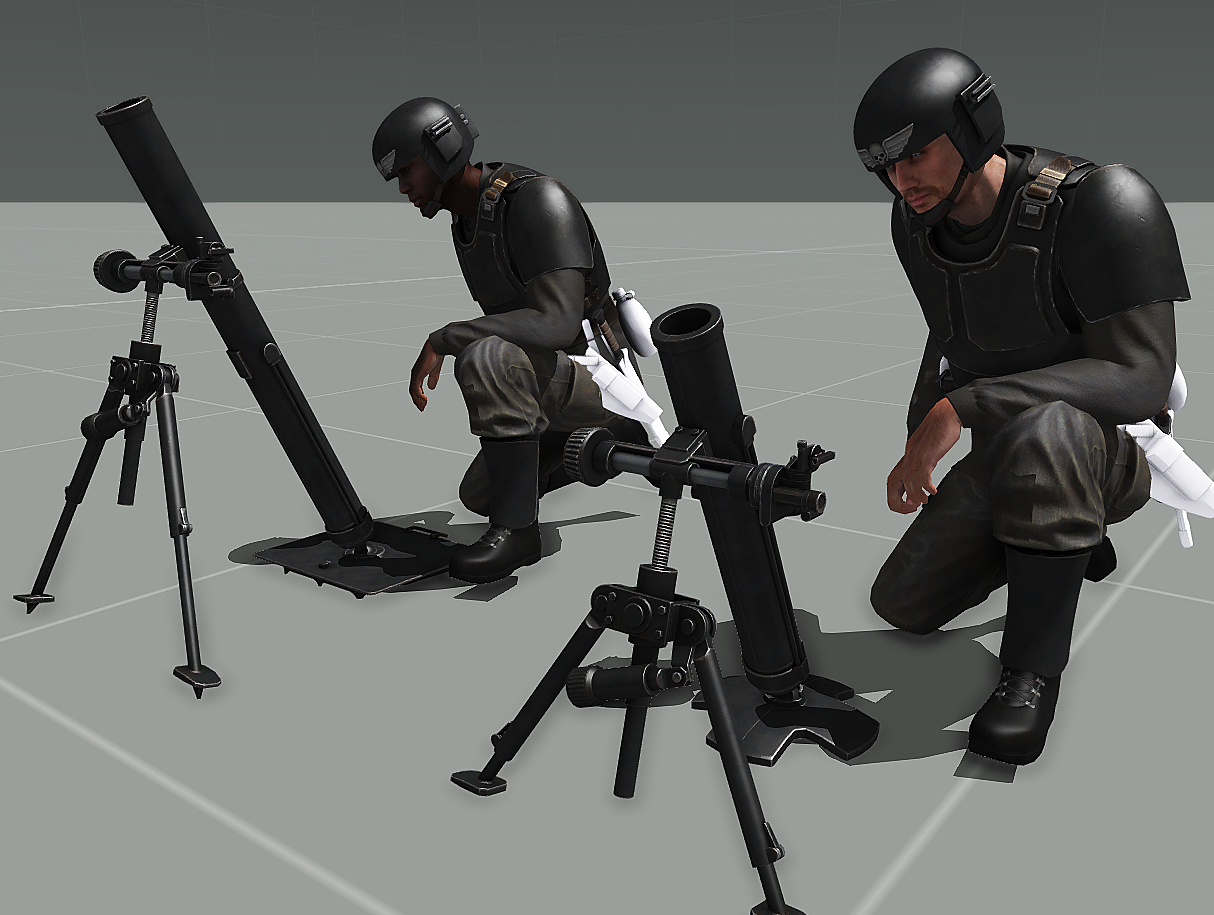
 agile flint
@obtuse rain Never have to open 02 ever... you have my attention
ebon abyss
ianbanks: I'm trying to get my Modo plugin Mmm, modo...
tacit karma
ew modo
 open coral
do vehicles have a parameter which will put a callsign stenciled in on the vehicle's side for identification purposes in game?
i know there is the clan selection but wondered if there was a callsign one as well
quick terrace
not by default no
open coral
rgr. thanks
lapis goblet
dear makers, the dumbest questions of them all
is there a reference on the number of vertices / faces a model can have on LOD 1, 2, 3 etc
my model has many curved cilinders and obviously that increases the number of faces etc
for example a POLE
image a gutter pipe of 6m high and a couple of twists
polar fiber
each LOD should have half as many points as the one preceding it
wraith tendon
wraith tendon
Yep, there is none
Must be done by you before you import the model (there are external Tools, that can do that for you)
Don't ask me for a name, can't remember it
wraith tendon
Nah, there was also an extra tool, wich made it awesomely easy
white jay
simplygon
wraith tendon
@white jay Thx yeah, thats what i meant.
 sturdy oak
hey guys i have a problem with a truck im making. As soon as i look away it just goes invisible and you can notice it really good. Its kinda annoying is there anything i can define in the p3d to prevent this from happening???
 charred bolt
If you're not looking at it, it disappears? lol, explain in more detail
sturdy oak
well lets say i look at the vehicles center and its standing there like everything is fine but now i look 90 degrees to the left and i would still be able to see the vehicle in my field of view but it stops rendering ( it dissapears ) because the engine thinks i wouldnt be able to see it anymore
charred bolt
if you put a quad bike next to your vehicle, does that one stay in view, while yours disappears?
charred bolt
so it's just the ladder that disappears
sturdy oak
basicly the whole vehicle
i know the enigine unrenders objects that are not in the players FOV
charred bolt
that's probably the issue
charred bolt
It's not something I've encountered before, so don't have great suggestions - have you tried making the Geometry or View Geometry LOD object fill the space where the ladder goes as an experiment?
sturdy oak
what do you mean by fill the space?
making it bigger by placing 1 vertex somewhere outside?
charred bolt
put a large fixed box in the Geometry LOD that extends out to the full length of the ladder
sturdy oak
but that box cant be named as component right?
charred bolt
I'm talking about ways to find out what the problem is - not permanent solutions
is it caused by the vehicle (defined presumably by the Geo LOD?) going out of view? If so, make the vehicle bigger in the Geo LOD so that it covers the area of the ladder, then see if it still disappears
charred bolt
once you find a way to keep it visible, you can then work on ways of making that animated, to move with the ladder angle/extension
sturdy oak
proably attaching it to the turret but ill test
cinder pivot
place a vertex where the end of the ladder extends to
in your res lod
problem solved
wraith tendon
Additional: The center of the model is "OutOfSight" so it won't get rendered anymore (animated Objects won't count in)
charred bolt
so it uses the first res LOD to work out when it's in sight?
wraith tendon
Another Q: Where is that Model from?
The Points must be added to the MemoryLOD, not ResLOD
wraith tendon
Yes
cinder pivot
memory point didn't work only the reslod
wraith tendon
Not rly, but okay
sturdy oak
well as it turns out
wraith tendon
ResLod def. not
sturdy oak
it works
but now the 3rd person cam is way off
so i placed vertexes in geometry and LOD =
wraith tendon
Geo or Mem, one of those 2, Andrew.
cinder pivot
I have a point in the same spot for memory and it did a similar dissapearing, even when geom would animate out (folding down ladder) and res lod managed to fix it so that worked for me
was just a simple object so no vehicle
wraith tendon
You have to add the Point to that point, where the "max movement" will be
Can't check my old files, since Tools not installed, but i am pretty sure i didn't used a ResLod
sturdy oak
well as it turns out
placing a vertex 20m away from the center in each direction
fixed this issue
in RES lod
@Apollo#1366 thx for the help
tulip beacon
green and/or red gates from CA have this issue
 prime minnow
Can someone help me with rigging?
obtuse rain
Were you using proxies? Or did the object just have no geometry?
white jay
is there a limit to the number of doors in a building? Doors 1 to 6 work but 7 to 11 don't.
warm trench
Am I correct in saying the only way to change the brightness of reticles in weapon sights is to make additional models with different textures/.rvmats and flick between these models for the brightness settings?
polar fiber
yes
unless it's a 2D optics reticle, in which case you could probably script a UI for it
warm trench
OK. Thanks for the quick reply.
lapis goblet
I keep on seeing this when I import an OBJ into OB: https://cldup.com/4JlR-4o-OU.png
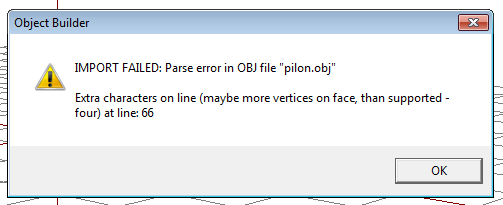
I have the model in blender, anyone with a tip?
Ok I guess I do have to triangulate all faces
quick terrace
yeah it's due to an Ngon\
lapis goblet
hey makers! What do you think would be the best way to have all of the getin/getout/eject and seat change functionalities on a vehicle that DOES NOT HAVE any manual commands
i would be scripting it moving with things like setVelocity
but you can get on board
stuck oyster
wont the normal getin/getout etc work just fine?
lapis goblet
i guess I’m asking for the most basic cpp inheritance class, car probably isn’t it
so Car as inheritance?
stuck oyster
ah well mmm I suppose car may be the simplest one yeah,
stuck oyster
what commands?
lapis goblet
driving
stuck oyster
yesh that could work
lapis goblet
so then all the rest is standard arma
stuck oyster
did one of those helicopter carriable things have cargo seats?
lapis goblet
dunno
lapis goblet
you mean as inheritance?
stuck oyster
yes
Id assume its some sort of physX object with cargo positions
would be perfect for you
 civic salmon
Hey guys, can anyone tell me how object builder/arma decides where the origin of the object will be in the editor?
like, if I wanted to offset the position of an object I'm making, how I could do that?
I've tried inserting a landcontact point which does change the origin, but not like you'd expect it to
stuck oyster
if the model does not have autocenter = 0 named property in geometry the centerpoint is calculated from the maximum dimensions of the model (lod with largest dimensions == centered)
as autocenter is by default 1
if autocenter 0 then the model center is the 0,0,0 point of the model
stuck oyster
I would say using autocenter = 0 always saves you a lot of trouble
civic salmon
well, I was hoping I could offcenter my models so that I could create a script to spawn in all the pieces of my oil rig (like in the nimitz mod) but it seems that wont work because the distance from the origin is too great and the roadway LOD stops working
stuck oyster
all you need to do is check the distance to the edge
civic salmon
that way all the origins would be at the same point
stuck oyster
what do you model with?
civic salmon
3ds max
stuck oyster
im sure it has point coordinates somewhere
civic salmon
yeah, I can just calculate the offsets
stuck oyster
just get the distances to the furthest edges
civic salmon
I'm not sure if you'd be able to rotate my object then though, the pieces would go all different ways
lapis goblet
@stuck oyster if you happen to know the class please do tell I’m not sure I get what you are referring to
stuck oyster
@lapis goblet https://youtu.be/E9dM5UBZa5Y?t=54 these
@civic salmon sure you would, but you may need a script to do it
civic salmon
yeah, that's my goal, is to make my oil rig spawn in the editor as one big piece that you can rotate and move around, I think I know how to script it, but I'm having trouble with the rotation problem which is why I was experimenting with the object origins, so they would all rotate around the same point
I'm wondering if there is another way, like, can you get the world POS of mempoints somehow using a script?
then I could just put mempoints on my base object and use those to spawn my parts
stuck oyster
sure
stuck oyster
you could have a another editor object that you place on map and it spawns the pieces on mission start
on right spots
civic salmon
right or an event handler so it can do it on the fly
stuck oyster
init eventhandler
stuck oyster
👌
lapis goblet
thank you HG
what would you think is the best way to synchronize a self-driven vehicle across clients in mp
setVelocity and periodical setPos?
or something onEachFrame
stuck oyster
this is the skilift right?
lapis goblet
yes
i have made the 4 base models now in blender and imported lod 0
so still sone time to go before I finish them
but i’d like to see it go
stuck oyster
well multiplayer will be your biggest challenge
lapis goblet
i’ve looked at ats and have to admit i’m not sure i get it
it is going to be in a map so mp is a must
stuck oyster
and frankly par from attaching them to animated pieces of a large model I dont really know how you would do it
except the way Duda does his trains
lapis goblet
which is how
stuck oyster
that I also do not know
lapis goblet
i’ve looked at the code but can’t get the bulk of it
stuck oyster
but it seems to work
so you could ask if your skilift towers and cables could get support
lapis goblet
afa i understood it, the cables and tracks are only used to compute the path array
but the movement itself is done differently
i mean in ats
stuck oyster
yea that far Ive understood it
have not looked at the code but from what I've heard anyway
I recall there being an external calculator too
extension orsomethinglikethat
lapis goblet
hu
civic salmon
I feel like a genius, I totally figured out how to spawn things off of specific mempoints in my parent model, but it wasn't really that hard all the info was right there.
I more feel like a genius because I'm so dumb and it took so long to figure out lol
stuck oyster
👌
white jay
so i made a model for a heli, managed to get it in the game fly around etc. Does anyone know a good place to start with rotors?
stuck oyster
biki has model.cfg page that explains how vehicle/object model.cfg run animations work
that and sample models
white jay
arma3 samples ?
stuck oyster
yes
white jay
alright ill download that and thanks 😄
stuck oyster
👌
charred bolt
In a model.cfg translation animation along an 'axis', is it correct to say that the position of the axis in the model memory LOD is irrelevant, as it's just really defining a direction (and scaled length) for the movement? In other words, it doesn't make any difference where you put the axis vertices as long as they point in the right direction?
stuck oyster
yes
charred bolt
thanks 😃
pure whale
is there a reason a magazine selection HAS to be named magazine?
wont let me name it anything but magazine for when the gun has a mag or not
class no_magazine
{
type="hide";
source="hasMagazine";
selection="magazine";
minValue=0.000000;
maxValue=1.00000;
hideValue=0.5;
unhideValue = -1.0;
};
if selection = anything but magazine it doesnt work
white jay
Anyone here knowledgeable on the criteria a model must meet to be ported over from a completely different game engine? Basically, is it doable and if so what should I look for in terms of file types or poly limits?
woeful viper
what game engine are we talking about then?
quick terrace
@pure whale legacy reasons tbh, just some of the czech named selections
stuck oyster
@TinyRick#4801 ported over sounds afull a lot like ripping it just saying.
 rough idol
@pure whale are you sure you don't have something wrong in skeleton?
stuck oyster
oh yeah did you change the "magazine" in the skeleton to match the new selection?
pure whale
yeh but nothing was working
I'll look over it again if I fked anything up but I'm pretty sure I didn't forget to do anything
rough idol
I'm using "mag" selection for such animation so I'm pretty sure it's either skeleton or wrong selection (selection assigned to 2 bones at once)
lapis goblet
All can you please help me out
I have a model and I've selected all, applied a texture to it
this texture can be seen in everything EXCEPT a couple of parts that i added in blender
these parts are simple objects
I don't get it
I'm in LOD 1.000
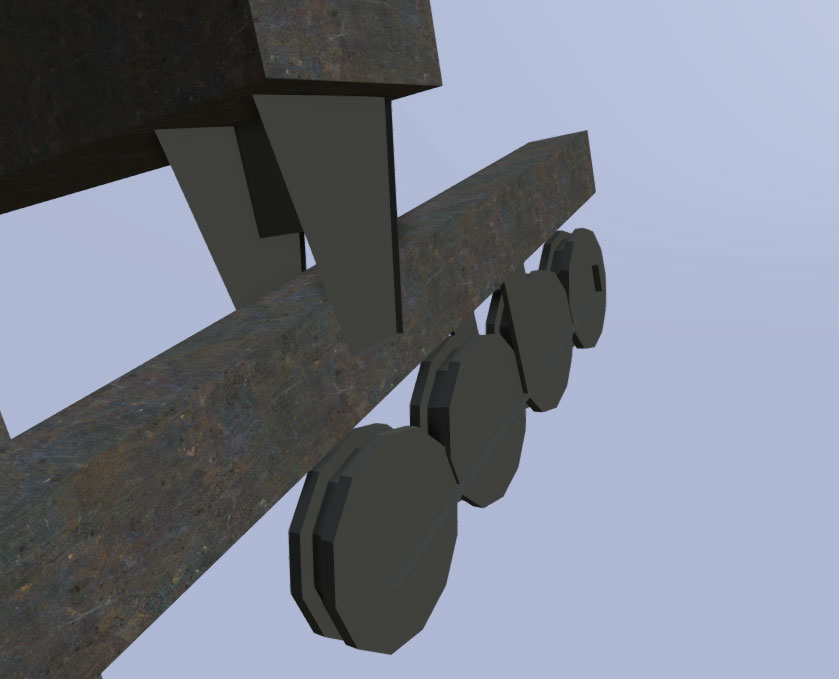
see the metal is texture is applied everywhere BUT the wheels and the little holder thinghys
stuck oyster
are the parts unwrapped?
lapis goblet
there was no UV mapping at the origin
but if I select them and apply a texture with E shouldn't that do it?
is there a way I can add those parts now?
stuck oyster
they would need to be uv-mapped so theres reference between the texture and model
stuck oyster
no
lapis goblet
I dind't UV map any of the rest too
stuck oyster
you should
quick terrace
@lapis goblet lol - primitives have primitive UV maps
lapis goblet
ok anyway redoing everything with UV in blender and that's that
quick terrace
that said, you should definately define UVW coordinates for your meshes
tacit karma
https://imgur.com/a/Aq8eH soon(tm)
stuck oyster
🏎 🔥 🔥 🔥 🔥
hollow fulcrum
aye, mud would be nice. enjoying their new foo here and there. quality stuff.
lapis goblet
i'm in blender and have the 1.000 LOD with the rvmat and the single .paa texture files (co, nohq, etc)
Now, if I do the 2.000 LOD by using the decimate tools
 reef elk
:D
lapis goblet
then the UV don't match anymore.
How can I re-use the UV from LOD 1.000 in 2.000
If I import all of this in OB then I can see that the textures no longer match
lapis goblet
In OB you mean?
tacit karma
no in blender
lapis goblet
I already have the 4 LODS in blender
each one with 1/2 of the vertices
but the UV don't match anymore
it only works for LOD with res 1
tacit karma
because the automatical process destroyed them
tacit karma
"decimate tools"
lapis goblet
oh come on
tacit karma
what?
lapis goblet
Not you
I mean, everytime it's a crunck of shit whatever you do
does simplygon help with this.
I mean, keeping the damn single hi-res texture
tacit karma
simplygon doesnt change the textures
lapis goblet
what about UV mapping
stuck oyster
limited dissolve may work for some models to some extent and it has option to keep UV
tacit karma
simplest option: just make the LODs manually. not that hard
stuck oyster
that too
stuck oyster
Pretty much yes
tacit karma
delete edges and verts. merging can fuck up UVs too
lapis goblet
does it fuck it up only when you apply decimate?
stuck oyster
everything you do to it is likely to affect the uvmap unless the tool also takes accord the uv mapping
lapis goblet
i don’t get it though this guys applies the decimate and everything works fine
which is basically the tut i’ve followed
stuck oyster
at which point does he do the decimate
too long to watch
why dont people write this stuff anymore
its so much easier to go through
lapis goblet
minute 7:50
he basically generates the lod 1 with uv mapping and all textures
with the arma toolset
then he duplicates the lod and applies decimate
and in this new parent he sets the arma lod level to 2
and that’s it
stuck oyster
well sure the uv map was fairly simple
the overall form does not break
do decimate works
lapis goblet
hum
so you guys generate a hi res poli with the uv mapping and proper textures
then manually decrease the polis but not by merging, only deleting or dissolving vertices
is this the workflow
stuck oyster
blender merge verticle tool has a checkbox to do the same operation to UV
but it can also mess it up if youre not careful
lapis goblet
so this is your workflow?
lapis goblet
😃
stuck oyster
it depends a lot on the model
lapis goblet
wth
i’m making a pylon for a cablecar, a station and the chair itself
but they are not simple models
is it better to do these low poli lods in ob instead, would that keep the uv?
lapis goblet
ok
tacit karma
"so you guys generate a hi res poli with the uv mapping and proper textures(edited)"
No. I create a midpoly that will be the base of the highpoly for baking the normal map. Then I will manually clean the midpoly to do the final lowpoly. This will be unwrapped and textured. Then I create the first couple of LODs by hand.
Pretty much the standard workflow
pure whale
the model cfg is already getting pretty damn big lol
i have to figure out how to use blender and use the arma toolkit to make an anim 😒
broken abyss
So I made a tank using the sample files as a template and only changed the visual lod for now. After placing it down in the editor and starting the game the tanks flies up really high
Anyone know what could be causing this?
lapis goblet
@Crazy Mike#9903 you most probably have found it already but there’s a 4 video series on youtube explaining weapon animation from blender to arma https://youtu.be/lc8SU0hWkeE
not sure if that’s what you’re looking for though
white jay
So I want to purchase some content from an apparent arma content creator, but I want to make sure that they are the actual content owners and not someone who obfuscated a pbo and stole files. What should I ask for as proof as to the objects being theirs?
tacit karma
Rule no1: If you dont trust him, dont do it.
white jay
I don't not trust him. Iv'e just never bought models off of someone before so I'm just trying to make sure I'm taking the right steps. Apparently hes a she also.
white jay
Also, are the VVV objects and assets open source , or is there someone to contact about getting permission to use or buy the assets? I honestly have no clue where to begin to look to ask so I figured maybe someone here knows the asnwer
tacit karma
VVV assets?
woeful viper
if he can't show you wip and wireframe screens from within his model package (renders) he is very likely not the creator
also, ask him for other pictures of his other work - to check if he is a modeller at all. You can reverse google search those...
also, just because someone sold you game assetts does not mean you can simply use them as is, because they require more adaption and work than what you got... i think quite a bunch of people who bought "game ready assetts" fell into this trap.
broken abyss
I cant export my .blend as a p3d for some reason and its giving me this error

And when it randomly exports I usually cant save it in OB
white jay
is it all linked together (ctrl-j)?
broken abyss
it has multiple lods on multiple layers
white jay
I remember having some similar problem which I remember had something to do with linking within one of the lods. You could try saving one lod at a time and see if it is one of the lods.
broken abyss
Saving one lod at a time? Can you elaborate?
stuck oyster
is 1 lod 1 object
each lod can only have single object
also you got any non arma objects in the scene?
those can cause issues too
I always export with the only selected ticked
white jay
@broken abyss select the object in a lod. File -> export -> Arma 2/3 P3D (.p3d). Check "Selection only" (on the left) . Then save.
broken abyss
Oh ok, thanks