#arma3_model
1 messages · Page 97 of 1
 cinder pivot
cinder pivot
cinder pivot
trying now
yea so far its not shaking.. going to test on a straighter path
yea its not shaking anymore - thanks 😄
 charred bolt
great 😃
cinder pivot
not sure why or how it worked, used same calculation methods for everything else w/o problems
charred bolt
the equation I use to calculate it is:
cinder pivot
but its arma.. i'll take it 😛
cinder pivot
ah yea I had multiplied that by 0.4
did 0.42sqrt(sS*sM)
but good to know, thanks 😃 now just to get wheels touching the ground properly
charred bolt
that's always a fun game
charred bolt
or if you want a specific suspension movement, look at the wheel...boundary mem points
wheel_x_x_bound
cinder pivot
yea they all currently match the landContact height
charred bolt
sometimes it seems necessary to move them up or down to fine adjust the contact point - I typically lift them up inside the wheel a bit to simulate some squashing of the tyres under the weight of the car
cinder pivot
yea
If I can avoid that I generally will
each wheel is a different rate.. yea I will mess with points
 granite berry
what was the object size/dimensions when things start to break? was it not when one dimension exceeds 50m? You know the dissappearing at distance and collisions breaking stuff etc?
Its likely less than 50m.
cinder pivot
37m in either direction from center iirc?
 white jay
are rtm files editable?
 stuck oyster
not without right tools and even with them very poorly
depends what you want to do if its faster to just make new ones
white jay
it works with pyhton scripts just tried https://forums.bistudio.com/forums/topic/128448-editing-rmt-files/ .. i just wanted to check the files and seems those files which i have are corrupted becasue theres nothing in output
k so still very new to modeling, and i might be missing a step or something but why issent object builder in arma tools working? it just exits out in like 2sec 100% of the time
it works normally for me..
try to verifiy integrity of tool files
stuck oyster
@white jay are you trying to open Binarized A3 models?
stuck oyster
@white jay arma .rtms are also binarized so you would need to debinarize them too first if you mean to open them
but back to my question what do you want to accomplish?
white jay
i am using opensoured files
no
so wouldnt say the are binarised
they*
i cant even open the builder
stuck oyster
could try installing them again
white jay
like this is what i do; arma tool>object builder, then in 2sec it exits out of program before it even pops up
no error, no message
ive reinstalled and varified integrity no change
for my other modder friend he got the same thing but HE got a pop up saying, "install P drive"
i dont have a P drive, could that be it?
stuck oyster
could be
white jay
@stuck oyster i want to add heli to my mod ,pboproject says rtm files are missing(but they are in right path/folder)... files are unbined by the author himself ..
stuck oyster
dunno
sounds like you have not installed the tools correctly if you dont have p: set up
white jay
funny .."missing" files wont be converted to text with python rtm converter but other rtm files can be converted
its on my D drive, should it be on my C drive?
stuck oyster
they sound like binarized rtms
just unpacking them does not debinarize them
it shoud be whatever drive you have enough space to have all the necessary files
white jay
i know but as i ve said its opensourced unbineed even name says it
but who knows i will try to debinarize them
stuck oyster
using material like that can be problematic ¯_(ツ)_/¯
white jay
stupid question but, what filetype of textures does the arma engine use ?
isent it.paa?
stuck oyster
yes
white jay
ok ty
jpg also works for testing in editor 😄
well..........this model is a little more........complicated, lets just say its 200m's long
white jay
ik, im just saying trying to keep it a suprise
stuck oyster
anything bigger than 50x50 meters usually has problems with collision etc
a ship of some sort?
white jay
this is just going to be for show, the playable version will be done near end of year my guess, since a friend took over the playable verson of the project
awe the hell with it, its on reddit, bi and steam, so https://i.gyazo.com/4959c25dcaf8ded62eb93dc4f07f1641.png my version will just be a 4k textured version for screens but not play worthy, that one will be out in a while
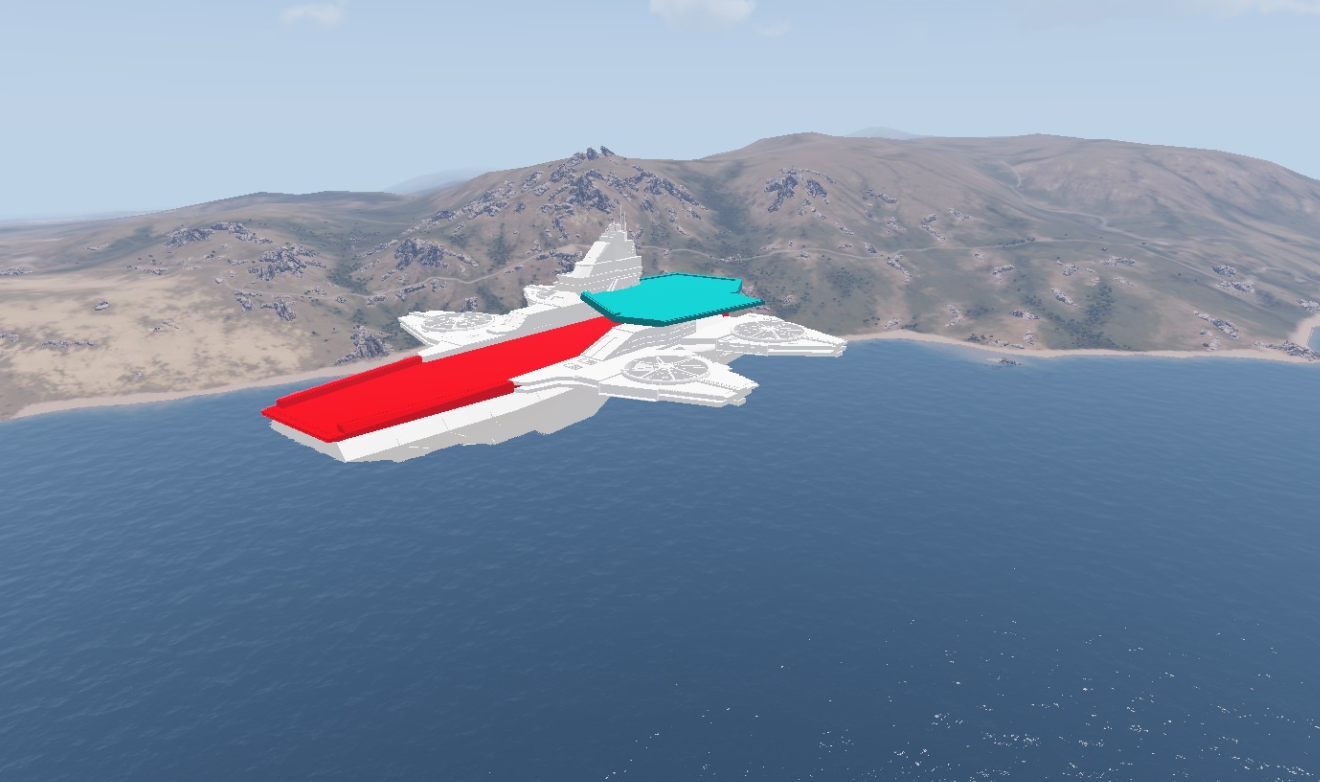
is that from Captain America: The Winter Soldier
no from first avengers
whats max polly for arma 3?
want to add a few things but idk
How does one get a vehicle to be shaped for the geometry like https://gyazo.com/835a684c70c979680df5c626a3d6ae64
tyvm
white jay
oh, lol im at 26k polly, uh............crap
stuck oyster
@white jay you model the geometry boxes
cinder pivot
@white jay the littlebird is like 100k and ghosthawk is like 80k iirc and I just put a 70k faces/ 120k tri truck into arma and OB is the thing that lags out
If you make objects bigger then 50x50 you would have to attachto for a vehicle and it will not have certain needed aspects
white jay
OB?
cinder pivot
Like geometry im pretty sure, so only main cabin of a ship would have any collision
Object builder
The arma3 tool used to get ingame
white jay
object builder dosent work for me
white jay
xD
cinder pivot
What doesn't work about it
white jay
it just exits out in like 2sec 100% of the time
cinder pivot
Even with just opening a blank file?
stuck oyster
have you run the arma tools setup?
stuck oyster
still sounds like you have not installed all the stuff correctly
cinder pivot
Like running object builder no file doesn't work
^
steam > run arma 3 tools > object builder
stuck oyster
have you ran Arma Tools?
cinder pivot
If even there it doesnt work then you need that good reinstall
white jay
i dont open a file i launch arma tools then hit object builder
cinder pivot
And it closes?
white jay
yes
cinder pivot
Reinstall sounds like your best bet
stuck oyster
have you tried running it from the actual .exe
white jay
no .exe yet and reinstalled 3 times
stuck oyster
have you run the Arma Tools config?
stuck oyster
yes
you did not read the manual? 😜
now that were at it
you go and get yourself mikeros toolset
free one is just updated
and you install P: drive with those
and not with the what Arma Tools wants you to
so you have stuff set up the right way
white jay
ok ty for your help
when making land contacts for vehicles, do u recommend me to have all land contact points as one "object" with the origin point being in the middle of the grid ?
or rather all seperated
white jay
yeah xD
thanks
also i looked for the definition of "memory points" in arma 3 in regards to vehicle models
Could anyone give me a brief definition of what they exactly are ?
stuck oyster
they are verticles in memory LOD
that the game engine uses to place stuff and calculate stuff etc
stuck oyster
what exactly do you mean separate?
I mean they are single verticles
you see them in the samples memory LOD right?
cinder pivot
They are in a seperate LOD
white jay
Quick question, i got my car in game however it doesnt move
cinder pivot
Well if its stopped then it shouldnt
cinder pivot
Can you post a picture of it ingame-floating? Stuck? Noises? Etc
cinder pivot
Make sure no collisions in geom with below the land contact point
white jay
im actually half retarded 😄
the rectangular box is way more front than it should be
cinder pivot
@white jay go to options and enable 4 views as well as view first Background LOD
It will help quite a bit
 white jay
oh ok
the car still wont move, ill just experiment and move the model entirely a bit more up
white jay
well as amateur and new as i am to it, i did the putting it into arma 3 via blender and ob in speed time xD for memory the sample has much more done in the memory "lod" i think u call it, i have only done the middle tires for it...
however ive done the hitpoints and landcontacts correctly
stuck oyster
thers lot of crucial stuff in the memory lod
wheel points etc
working vehicle needs everything the samples have
and sometimes a bit more
white jay
i actually have one question about the wheel points
in the sample i see not only one point like in the middle of the wheel but multiple
why is that ?
stuck oyster
compare to the sample car
short answer would be no
long answer too complex to write down
best answer = the first one
😝
white jay
lol ok
what consequence would it have on the car if the landcontacts are moved from where they should be
?
stuck oyster
why would you not put them where they should be?
charred bolt
How do you fix this binlog warning please? It's on an old inherited p3d.
"Old style material flags used - 200 (with texture path-name)"
 sturdy parcel
dep3d ->read the documentation
charred bolt
@sturdy parcel In Mikero\DePbo Tools\docs\ , I have:
Arma3p, DeOgg, DePbo, DeRap, DeRoad, Eliteness, ExtractPbo, MakePbo, MikeroUpdate, pboProject, Rapify
I don't see anything called dep3d? Where can I get it please?
charred bolt
Thanks Martinez, but where on that link is documentation for dep3d that Mikero says will have the answer I need?
Is it possibly subscriber only?
white jay
Hey guys im convinced my car will be working tho i have the error in buldozer "no entry model.cfg/cfgmodels/test_car_01/animations/proxy_driver_001_1.type".
class proxy_driver_001_1
{
selection="proxy:driver.001";
};
thats what i have as the last 2 things in my model.cfg
Is this normal ?
white jay
yes
my car is fully working ingame tho
but the steering wheel (when rotating) always rotates up and down
and not left right
stuck oyster
you probably dont have axis memory points or they are in wrong direction
the proxy I dont quite see why you have it in the model.cfg like that
white jay
arma 3 sample
stuck oyster
curious
my sample does not have any reference to a proxy in the model.cfg
besides the proxy in a vehicle only defines the location of the passenger model
and the config.cpp is where the animation for that passenger is set
stuck oyster
how does exile detect its road?
 simple lake
probably detects by surface texture or IsRoad defined somewhere

 quick terrace
@stuck oyster really neat
stuck oyster
Thanks @quick terrace I hope I dont lose too much when trasforming it into game asset xD
quick terrace
@stuck oyster that's where the fucking time goes to waste 😛
 lavish mountain
Still bussy on the same boat as 1,5 years ago... Slow and steady wins the race... This is one of the parts for it: https://cdn.discordapp.com/attachments/293045543783890946/351509514454827019/Schermafdruk_2017-08-28_01.32.38.png A subsea crane...
When it is finished and converted I will probably upload this crane so other people needing a crane like that can just grab it!

Mind you I will still be working on this one for some time as I only work on it for ca 3 hours a week...
stuck oyster
@Don_prince (AJ)#1088 Its going to be beautiful! Take your time. 😄
 shell magnet
Hey guys, I have a problem. I don't have any CursorObject on my boat, anyone can help me please ?
Wich lod make the CursorObject work please ?
 terse elm
is it possible to randomise a selection on a uniform, for example I have a military uniform with brigade and TRF patches on the sleve controled by one selection (camo1), but i want every unit placed to to have a have a randomised camo pattern (camo) from one of 4 different camo patterns
 polar fiber
setobjecttexture script i guess
I'm not sure if class textureSources based randomization will using the bis_fnc_initVehicle init eventHandler, will work on character models by default. But a scripted solution would be along the lines of that function
 spiral void
hey, was the the super shader cgfx ever released and if so - where can I find it?
 twin urchin
@spiral void no it was never released but it would be cool to see it as subtance shader plugin 😄
spiral void
@twin urchin ah ok, thanks
 outer condor
anyone has an idea what influences the min-max ranges for the artillery computer?
it seems not weapon parameter based and not vehicle config. either something in the model itself, or model.cfg
cinder pivot
Anyone know why the wheels on my vehicle, all 4 are at different heights but have everything there in memory lod and land contact in the same height for the wheels? I could fix it immediately by moving the bound memory points around. They are at different points ingame not OB and physx is all inherited as well, no changed values between the wheels
terse elm
th @polar fiber
 neat prism
hey, would someone do the tricky stuff with the obj builder and script bla bla ? if i give (person xy) the model like a bridge. I NEED THESE .cuz you know i had 3 hours of non stop porblems installing or even opening this damn program
 strong plaza
I lost all my bookmarks, anyone here have any good free texture sites to recommend?
strong plaza
well that one is pretty obvious 😛
I had some obscure good sites bookmarked, but I can't remember their names
quick terrace
there were quite a bunch of free photo textures (needed tweaks, but worked quite ok)
on gumroad
 bleak tangle
PuFu might have been the one to share this guys page initially https://gumroad.com/joost
He has a bunch of free textures, and then some paid ones. As always, don't forget to check the licenses.
 agile flint
Hoes does Tricount work with hidden meshes?
So for example say I ad a 50k tri model, with 50k tris worth of hideable stuff, if I hide all 50k it ignores the other 50k, and only adds the tri count when stuff is un hidden?
I'm pretty srue thats how it works but just want confirmation from the pros
quick terrace
nope
hide animation moves all verts to 0.0.0 position
@agile flint ^^ so it is still there, it just isn't rendered
vert count remains 100% the same
agile flint
So would it have the performance of the whole 100k tris? or only the performance of the 50k tris?
 tacit karma
100k
because the verts dont magically disappear and reappear
As Pufu said, they are just moved, but they are still there
agile flint
Ahhh ok cool that makes sense, cheers for that 😃
 river kite
hey guys any idea why this happens ? http://i.imgur.com/BWHsoH0.png http://i.imgur.com/AswLbP7.png


those shadow issues
twin urchin
that shadow lod haha , it looks like it wasnt even properly aligned plus open faces thus broken looking shadow
 formal vapor
@river kite Cool model. Where did you find it? That model is way to complex to just turn the first LOD into a shadow LOD. You need to make a new shadow LOD.
river kite
Thanks ,I created the Model 😄 . There was some Open faces and it was a bit misplaced, now it looks Fine .
But there is still so much stuff that i dont understand with my colleague... like you See in the pic you can still See the damaged Wheel Proxy and we dont know why
charred bolt
Fun question: has anyone ever made a vehicle model which does NOT have at least one of these binlog warnings in it:
"Stage 1 has no texture to retrieve format from (while generating ST coordinates)"
An imaginary prize and gold star for the first to explain in detail how to not get them. 😃
cinder pivot
Ill double that gold star offering
 rough idol
Rvmat applied to texture less face?
charred bolt
It doesn't appear to be that reyhard. Object Builder "sections" can show zero "Not mapped" entries and the warning still turns up.
shell magnet
Anyone can tell me how to make a light blink like the Arma 3 cone please ?
white jay
Quick Question: Not having a View Geometry in your model will assign the normal Geo for blocking the AI, sight right? 😃
i'm not sure if geo is fallback for viewgeo
it is for most of the geo lods but not 100% sure on that
is you cam colliding with the object?
polar fiber
in some basic testing, a vehicle with just geo and no view geo, did seem to block AI LOS
bleak tangle
My understanding of it was:
Only geometry -> geometry is used for view and fire
Geometry and view -> view is used for fire
Geometry and fire -> geometry is used for view
white jay
😮
cinder pivot
He only appears when needed most
outer condor
lets pray for his return 🙏
cinder pivot
🙏
stuck oyster
youre doing it wrong..
🌋 👬 👫 🚶 🏃
charred bolt
How to fix this binlog error please? It's on an oldish p3d I've inherited, probably from A2.
Old style material flags used - 201 (with texture #(argb,8,8,3)color(0,0,0,1.0,co))
I've tried changing the texture's rvmat, currently \a3\data_f\default.rvmat.
I've tried changing it's user value, currently set to 0.
Ha, I'll answer my own question. Just found the answer after a few days looking;
Object Builder, select texture, Shift E, select Lighting (Obsolete) to Normal.
 ebon abyss
guess you're not that good on searching http://pmc.editing.wiki/doku.php?id=arma2:modeling:old_material_used_error
charred bolt
That website times-out for me... but as I said, I already found the answer, thanks anyway.
ebon abyss
where do you live or use internet?
charred bolt
uk
white jay
Ok thats nice to hear, thanks for the info 😃
outer condor
use imgur
 chrome nymph
Not sure where to put this, as its both TB and object 😄 Anyways, can a Land_ based object packed into map in terrainbuilder use an execVM for an external script? Say a trafficlight
Cause right now it puts it in the map as Land unit with all correct settings, but lights dont work. Works fine placed in mission/xcam though
stuck oyster
nearobjects script command should be able to pick them up. Id say more a scripting topic .
chrome nymph
Got an answer in terrain_makers, apparantly sqf's dont work trough Land based objects 😦
Oh well, into the missionfile they go 😄
strong plaza
Anyone know what the message "At least one object has been divided into two." when exporting 3ds from Object Builder means?
 crisp jacinth
idk, check for any duplicate files in your export folders
Also, does anyone here know how to make a custom head model's eyes work?
I can post it's model.cfg if you need it
stuck oyster
custom skeleton or the default man skeleton?
crisp jacinth
Default man
 twin hawk
So, a few questions. I'm new to model making, and have been trying to follow this tutorial as an introduction, but I've had no success as of yet. The model referenced is no longer available, so I've tried to use a Star Wars Droid Gunship model to replace it (since that's what my endgoal is), and failing that, I attempted to use a simple cube model as a substitute for the helicopter as a proof of concept but had no luck with that either. I can get the model to show up in the selection menu in game, but when I place it down in editor it says something along the lines of "cannot load .p3d". If anyone could help me get my bearings here I'd really, really appreciate it.
That's the tutorial in question
stuck oyster
I would say your filepath to the .p3d is incorrect if it cant find it
river kite
Hey Guys, im trying to load my model.cfg into the Model Config Editor but i get this message Error: CreateSelectionList failed - model definition not found in config
how can i fix this ?
 sharp flame
Hi guys so im really frustrated and it seems that I cant get to work FFV position with Turn in/out action to work fully so its here someone that would be able to help or send some kind of config that could help i would aprreciated it thx 😃
 dusk frost
my proxies wont show in model viewer what can i do ? im using arma standard proxies.
stuck oyster
proxies of what?
twin hawk
Hey, really dumb question
I'm trying to measure the dimensions of something in O2, do each of the squares on the grid correspond to 1 meter? I used to measuring tool and know they're each 1 unit apart, but can't find any info on what that unit is (be it inch, foot, meter, etc.)
stuck oyster
yeah each is 1 meter
would recommend using some other program for 3D modeling though.
twin hawk
Yeah, I probably should take it back into Blender but I was lazy and thought maybe I could rescale it in O2
stuck oyster
sure you can but it can be pain in the ass xD
 woeful viper
select a vertice and hit shift E to show the coordinates if you need it more precise
 wind sluice
I have a geometry LOD that stops vehicles but not infantry, why would that happen?
I have the mass of the Geometry set at 250, not sure if that has something to do with it or not.
stuck oyster
and they dont show up in Buldozer?
dusk frost
yeah i checked the settings but all seems correct
stuck oyster
do they show up on sample models?
charred bolt
Basti, presumably you don't have proxies hidden in the viewer settings?
Object Builder, View > Viewers > Buldozer > Hide Proxies
cinder pivot
custom mirrors are black when not in the vehicle, standing beside it
is there anyway around this? or should I just not have them in visual LODs
only cargo
charred bolt
In LOD1 I use:
#(argb,8,8,3)color(1,1,1,1.0,co) and a3\data_f\mirror.rvmat
This gives a nice non-specific reflective texture without the expense of a PiP
twin hawk
Hey speaking of proxies, so for the cargo or missile proxy, how is that set-up?
I set up a pilot proxy for a model I'm working on and I understand basically what they are, but I used the config file provided by a tutorial that I was following so I'm not sure if I need to mess with the config file to get a proxy to work or what.
charred bolt
If you used an A3 pilot proxy and are inheriting an A3 helicopter class, it'll probably work more or less without having to do too much.
Eg. \a3\data_f\proxies\Heli_Transport_01\Pilot
 stark dagger
Looking for some textures for an A2 port. Office A_Office02
Can not locate in my a2 files.
Asphalt_smooth_dark_CO
Asphalt_rough_light_CO
A_Office_003_MASK
A location where to find them would be great.
dusk frost
@stuck oyster @charred bolt They wont show up in sample models and settings are fine :/
charred bolt
Are you selecting the whole model before launching Buldozer?
dusk frost
Yeah tried different selections. The proxie wont show up even if i select everything
wind sluice
Hey guys, still having an issue with a bridge structure geometry. All geometry collision works when inside of a vehicle, but on one section of my bridge, humans don't collide
stuck oyster
@wind sluice You need a roadway LOD surface for men
@Basti | John Collins#6444 is your P drive set up correctly? Have you unpacked the A3 data properly?
 eternal bloom
@wind sluice also, there are size limitations for your model if you need a roadway lod : https://community.bistudio.com/wiki/LOD#Roadway
stuck oyster
that too
dusk frost
@stuck oyster yeah i have done everything and the path to the proxy is right
 dusk frost
right
@stuck oyster maybe it has something todo with this error ? http://i.imgur.com/Bd6BY9J.png

i have tried to search for these dll's and copied them in the folder but dont seem to work
dusk frost
how could i fix this ? reinstall ?
or use the diagnostic tools ?
okay fixed the dll error now trying
now its working 🤦
cinder pivot
If you got errors like that, best to post that first or relating to it 😛 good that its fixed though
river kite
Hey Guys any ideas why this happens ? https://i.imgur.com/AtM75L9.jpg
https://i.imgur.com/6sVabAD.jpg the model itself looks fine this just happens ingame and in the modelviewer

 stuck oyster
what is this "this" you are referring to?
 stuck oyster
I still dont understand? you mean the dampers?
polar fiber
distance between your center and boundary memory points might not be exactly the same for every wheel
stuck oyster
are the damper selections set so that only the wheels move?
river kite
yes but the vehicle stands on a complete flat road
stuck oyster
the road materail is may be configured so that it is not actually flat
but has simulated bumps
river kite
okay
is there a way to get the distance betwenn the center and boundary precisely on the right position ?
stuck oyster
copy the points from the wheel
river kite
okay will try that thanks for the help guys, cheers
polar fiber
or use the pin in object builder to align points, using the scale tools
cinder pivot
Anyone have any tips on OB export/size to arma rig for vehicle animations?
Have a resized mesh from OB want to export it for use in blender rig for animations
But can't get sizing right
stuck oyster
@cinder pivot lets start from the beginning
😄
you got character in OB you want to get into Blender?
cinder pivot
@stuck oyster I have a vehicle in OB but I want to export it from OB to (insert best filetype here) then import that file into blender and use blenderRig to make a driving animation for it
I can't seem to get sizing right so the animation is off ingame
stuck oyster
ah
get yourself FHQBlenderToolbox and open the .p3d straight into Blender
also helps with exporting the animation out of Blender straight into .RTM
@cinder pivot BlenderToolbox is ❤
cinder pivot
I never thought of that
I have the toolbox even, but I like OB for putting vehicles together
Dunno why
stuck oyster
animation preview
charred bolt
I'm working on a tankx vehicle. It drives fine on the flat, corners ok, bumps up and down over rocks...but often when climbing a slope it'll suddenly take off! Like it gets an extra rocket power surge which decouples it from the ground. Any rough ideas where to look please?
--- it'll go from a steady slow speed like 20kph to suddenly 30kph, one side (or both) lifts off ground, it will shoot up the hillside maybe 20 feet and often roll on it's side.
stuck oyster
perhaps it gets a good bounce off the dampers
charred bolt
could be that - dampers seem ok in normal use. Any thoughts what to check ref dampers?
sprungMass(es) add up to vehicle weight
springStrength = 25 x SprungMass
springDamperRate = 2 x sqrt(springStrength x sprungMass)
charred bolt
Not on Geometry Phys LOD.
On Geo LOD there are components representing the tracks.
but not named
stuck oyster
Hmm I suppose thats how its suppose to be
I've had some weird jumps with cars that I have had the wheel geometries still there
charred bolt
Yes, I know they shouldn't go in the PhysX LOD because they're generated automatically by the config.cpp
stuck oyster
whats the mass of your tank?
charred bolt
15250kg
stuck oyster
is it a small tank?
charred bolt
APC. Yes, it's small.
stuck oyster
hows its weight distribution?
charred bolt
C of G is centred back to front, left to right
stuck oyster
If you check the sample tank there are weight distribution cubes that lower the center of the weight a lot
charred bolt
yes, I'm using them too - C of G is about 1/3rd up from the base, so quite low
stuck oyster
k
could be its just too light
would be quite simple to double the weight and see if that changes anything
Arma physX is known to be how to put it
quirky
charred bolt
Ok, I'll try that. But previously I've also made another APC of 7800kg and it behaves ok.
British vehicles tend to be quite light weight.
charred bolt
you're not wrong there !!
I suspect it's more likely to be related to the dampers though...
perhaps reducing the spring strength might be worth a go?
cinder pivot
If something clips ground it also causes odd effects
charred bolt
which LOD Andrew? Does that include the visual res LOD's?
cinder pivot
Geometry, as long as it doesn't clip under landcontact (not sure if tanks have this)
If it clips under issues can come up
charred bolt
currently my land contact points are just underneath the Geometry LOD object
but only just
cinder pivot
Should be fine then
charred bolt
I wonder if the dampers are moving the land contact points up inside the Geo LOD?
cinder pivot
Could be possible
charred bolt
Can you check one of your vehicles - have you named the land contact points? Mine have wheel names like "podkoloL1"
Thanks for the help chaps. I have some suggestions to work on.
cinder pivot
mine are wheel_1_damper_land and matching names for land contact
charred bolt
I'm guessing that's a car, rather than a tank?
cinder pivot
Yep
charred bolt
I think I've found the issue. There was a lower than normal value for the config setting "longitudinalStiffnessPerUnitGravity" in class Wheels. Increasing it seems to have eliminated the ramp-assisted take-offs.
stuck oyster
👍 👌
 bold flare
I just started Modelling in Cinema4D because I've used that a couple years ago and know how to use it. (https://dedmen.de/sharex/QdlOq1hk.jpg)
Is there any good reason why I should switch to 3DS Max or Maya? As many People use Max there has to be some reason that is better. But Max seems not so easy to use as C4D
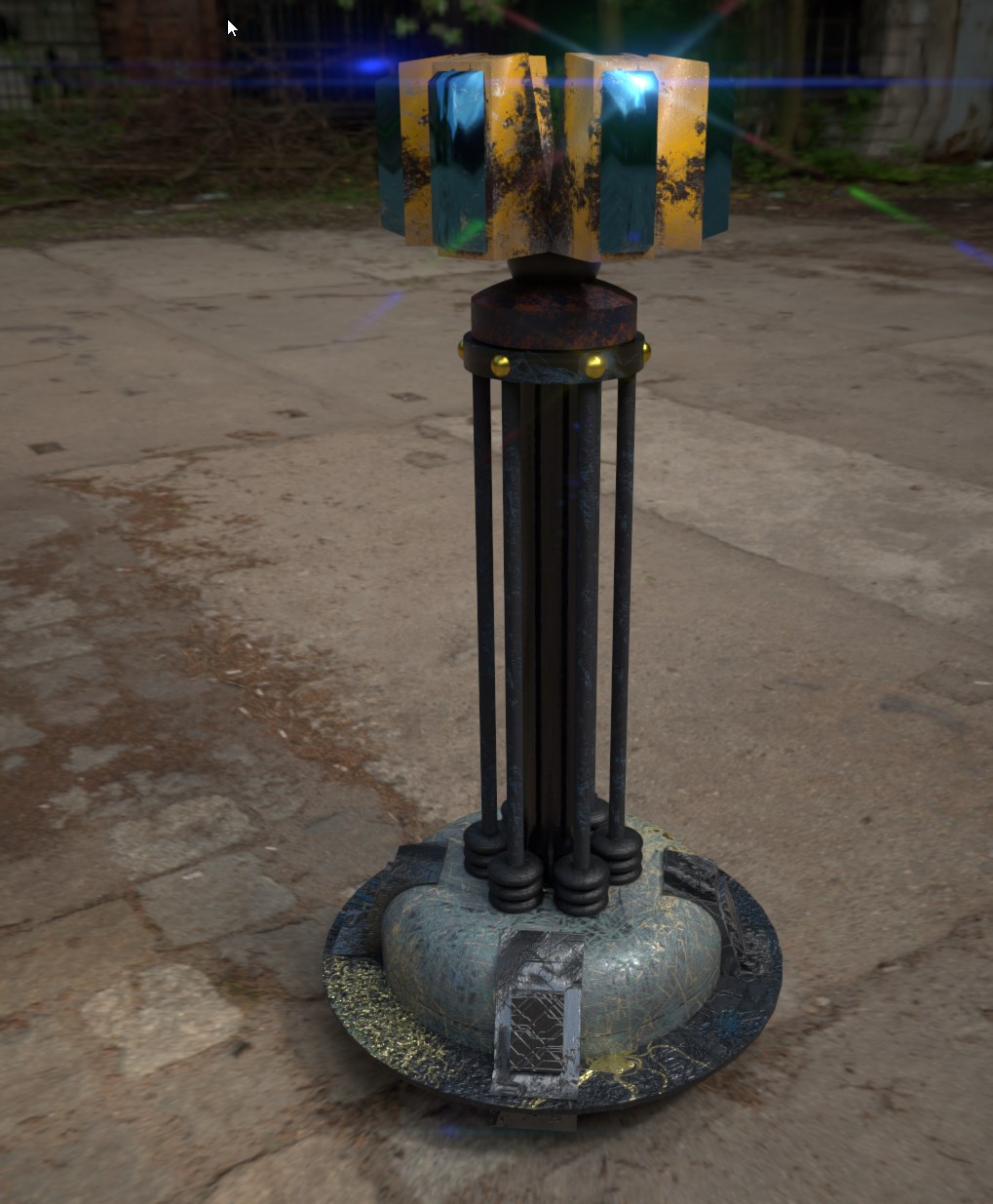
Probably because the Modelling toolbox that exists for 3ds Max and Blender. But not for C4D
 bleak flame
well if c4d isn't still being updated learning it might not be as worthwhile
bold flare
it is getting updates afaik
bleak flame
as far as game art tools the main modeling packages would be max, maya, modo, and to a lesser extent blender
so in terms of third party tools, tutorials and so on the more popular packages will have more of that 'support'
quick terrace
c4d is mostly used for motion graphics, especially for TV. Last i worked with it, some years ago, was way behind in terms of modelling tools, but was rocking way higher than max in terms of motion graphics
i heard from a friend that only does mograph that later version have more upgraded tools for modelling
bold flare
I guess I'll get into 3ds Max then.. But it seems so much harder to use than C4D.. Probably just have to spend a couple hours to learn where everything is.
quick terrace
listen, the best software package is the one you already know
if i'd start new now, i'd learn blender because it is 100% free
bleak flame
blender does seem to be a really good choice, if you want to check it out there's a fork called blender for artists that has its own GUI, since that's one of the most complained about things in blender
lavish mountain
I cant get used to the both of them... Somehow pulling a surface out a curve or a solid out of a planar curve seems more natural to me
quick terrace
@bleak flame link?
stuck oyster
oh thats neat
Dont think Im gonna switch from default since I've got used to it and modified it to my liking
 civic stratus
Question, If I have a geometry lod that's just a basic cube with mass assigned to it, but I'm still able to walk through it, what would the reason for that be? I'm inherting thingX for the class
stuck oyster
is it named componentXXX
civic stratus
ah shit thats it
stuck oyster
👌
bold flare
My first completly selfmade Arma Model with selfmade texture http://prntscr.com/ggk7u0 Only took me about 4 hours
strong plaza
Looks like something outta Oblivion from The Elder Scrolls
bold flare
It's the Soviet Wall from CnC Red Alert 2
strong plaza
Ah
twin urchin
@bold flare ehm , model wise it ok but texture is very off

texture makes it like it is from Skyrim or something 😄
civic stratus
skyrim belongs to the nords!
bold flare
I just painted on there what seemed good looking for me 😄
Original texture is too boring. And I have substance painter and want to use it to it's full extent
twin urchin
well bricks in substance you can make really nice and make them dirty etc
wind sluice
Can anyone suggest a tutorial for shadowLODs? I've tried duplicating my resolution lod, sharpening the edges, then triangulating it, but it's still not reflecting light properly.
stuck oyster
you may get best results by recreating the shape out of simple boxes
dont think there are actualy tutorials for one since its just much simples shape of the actual model
wind sluice
So, if I go into object builder, select the object, then scale it .99 x .99 x .99 would that be it?
Thank you!
I have read that before. I guess I was unable to interpret it to better help me. Thank you!
eternal bloom
it depends on the model but it's a good start
wind sluice
Do you know what the apporopriate resolution is for the LOD? I've read 10000 but when I attempt to save the new value it just reverts the LOD back to a basic res LOD.
eternal bloom
take a look to BIS samples
eternal bloom
ShadowVolume 0 and ShadowVolume 10 for a house
wind sluice
Ok. Let me see if I can get that to work. Thank you
stuck oyster
scaling object can work if it does not have any openings etc
wind sluice
I know it's annoying to hear but I've tried scaling down, only to have odd light reflections, or dicey shadows on the ground. This has to be the most frustrating part of modeling I've run into.
I duplicated the resolution LOD, scaled it down by .95 on all axis, then duplicated a basic GEO LOD and made it a shadow LOD set at 10.
cinder pivot
anyone know why my res lods are super agressive when changing?
 coarse orbit
I'm having an issue with a model, where O2 is not accepting my pre-existing smoothing groups when importing. Doesn't matter format, and I don't know how to resolve as it's creating bad artifacting.
Any way to have O2 accept smoothing groups, or is this just an issue I'm gonna have to live with?
bleak flame
long shot but try importing at a larger scale, then locking normals and downscaling. Otherwise you need to find the magic file format that o2 accepts (only one ever had work reasonably well was fbx2006.11) or find a third party kit for your software to export p3d. IE you might be able to use blender as an in-between
anyone know why my res lods are super agressive when changing? small bounding box perhaps?
not sure if any configs have a lod bias setting but that might be worth searching
eternal bloom
@coarse orbit what 3d software do you use ?
when i was using Maya, Object Builder couldn't import smooth shading correctly
cinder pivot
@bleak flame its a truck, so decent size box and @rough idol is lower better? How does that value effect things? Here is the (tri) face count and the distance~ they transform to that LOD faces(distance) 120k -> 93k(15m) -> 70k(17m) -> 39k(20m) -> 18k(26m) -> 3.5k(37m) -> 215(89m)
stuck oyster
what else is there in view at the same time?
 blissful cargo
Anyone here know how to move Arma 2 models to Arma 3, Kinda how CUP did?.
bold flare
CUP has a tutorial on their wiki about that afaik
blissful cargo
Im looking for someone to do it for my unit, I personally don't have the skills to do so
stuck oyster
ah
blissful cargo
Its not a regular unit
cinder pivot
@stuck oyster was testing on altis airfield, editor, nothing else spawned
stuck oyster
well I suppose it is still a bit heavy on the vert count compared to vanilla assets
stark dagger
Anyone happen to know where I could find these A2 textures? Need them for a port, but cant find in my Ca folder.
Asphalt_smooth_dark_CO
Asphalt_rough_light_CO
A_Office_003_MASK```do they happen to come with a path to the original file?
stark dagger
Yes. Ca/structures, but no luck. Another budy working on the same building was unable to locate either.
Was not sure if files had changed some time ago and i dont have the version that came from.
bold flare
did you check all structures pbo's ?
stark dagger
Its for the a_office_02 in the a2 data pack.
bold flare
Maybe it's just not in the datapack but in the A2 files.
OA has asphalt_rough and asphalt_roof and asphalt_pier_dark1
stark dagger
Yes. Searched both my unpacked ca folder, and unpacked my a2 game files and checked.
Yes, those i found and was able to repath. Its just those three i couldnt.
bleak tangle
Are you sure you actually need those RVMATs? Looking at the A_Office02.p3d it doesn't use a_office_002.rvmat, which is the only RVMAT that I can find that uses those smooth and rough textures. Then A_Office_003_MASK seems to only be used in a_office_003.rvmat, which also isn't used in A_Office02.p3d
My guess would be that pboProject is scanning through all RVMATs and checking if the textures all exist, rather than just those needed by the models
white jay
You should also check both the licensed / sample files.
Also do a search for filename, sometimes they will be located in different differect i.e file from previous arma
cinder pivot
How can you view named properties in binarized models? Trying to find more on lodDensityCoef
bleak tangle
Eliteness or DeP3D. You can use DeP3D command line parameters to dump the named properties for all of the models to see if you can find any objects using that named property
I couldn't find it used in any Argo or vanilla models, but it's apparently used on 5 Apex tree models
a3\vegetation_f_exp\Tree\t_Ficus_big_F.p3d
  loddensitycoef=0.5
a3\vegetation_f_exp\Tree\t_Ficus_medium_F.p3d
  loddensitycoef=0.75
a3\vegetation_f_exp\Tree\t_Inocarpus_F.p3d
  loddensitycoef=0.45
a3\vegetation_f_exp\Tree\t_Millettia_F.p3d
  loddensitycoef=0.5
a3\vegetation_f_exp\Tree\t_Palaquium_F.p3d
  loddensitycoef=0.5
Thanks guys, didn't need them. Just removed the rvmats.
charred bolt
@cinder pivot
LOD's change dynamically. Each client will see LOD's changing at different distances depending upon what is in scene.
I believe the game engine is set-up to expect a roughly 50% reduction from one LOD to the next. So your truck should be:
120k - 60k - 30k - 15k - 8k - 4k - 2k - 1k
Making lower poly LOD's involves a lot of work, trying to make sure that the changes are seamless. Start by removing objects that can't be seen in the 2nd res LOD (like instrument dials, pedals etc).
Don't merge points across textures and keep animated objects seperated.
For the lower poly end, consider making a new 3d model out of simpler objects, rather than having merged points all the way down from 120k!
woeful viper
who knows if this coefficient even does something
considering that there seem to be a couple of useless ones present in vanilla stuff
wind sluice
Any idea what would make a model fall over when being driven upon?
stuck oyster
wrong destruction type
and not enough hitpoints
if it is your own model should be easy to fix
if its from addon then might be impossible
wind sluice
It is my own. I'm making a bridge for a map-maker, it's near finished except for this issue, and shadow LOD issue.
Where do I define the destruction type, and is an RVmat required?
I will share it if you don't mind taking a look at it. It's unbinarized
cinder pivot
@woeful viper I did test it and it seemed to do not much at all visual wise.. so who knows really lol
I ended up just manually smoothing LODs more but I still have aggressive changing of the LODs so
guess it will have to stay, probably for a good reason
shell magnet
Hi, anyone have a sample for Arma 3 bag please ? :/
stuck oyster
@wind sluice look up Arma namedProperties! rvmat is required if you intend the bridge to use anything else but the diffuse texture.
bold flare
There are samples for headgear/NV/Googles/Vest but no backpack? Why BI?
stuck oyster
backbag is like say helmet but weighted to the spine bones
usually on the spine3 as thats to highest one
bold flare
Does the moddelmaker decide where it get's attached to? Or does Arma force that? Could you put something into your backpack/headgear slot that get's attached to the feet?
shell magnet
@bold flare You found a Googles samples ? 😮
shell magnet
Oh ok cause I just make a gas mask but I didn't found a googles sample, i'll try with nv sample :p
stuck oyster
@bold flare it shares the same coordinates as man
so you need to model it where it would go on the default posed man
you could make shoes if you liked yes
if you weighted them to the feet
and put those into the backbag slot
bold flare
That is good to know.. I guess same for googles?
Our mission maker will love that I think 😄
stuck oyster
goggels might work like that
though their proxy is offset from the man
so the model would need to have the same offset
 tawdry tree
What would be an acceptable polycount for NVGs?
 pure whale
does anybody know how to set an exact point on a model to access the inventory of it? or atleast how it works
pure whale
ye
aight
a friend said he didnt know how or think it was possible
kinda obvious it would be the mempoint lmao
thanks
 toxic apex
da nada
twin urchin
you can't have any opticmodes in vehicles right?
polar fiber
you have separate OpticsIn classes and it cycles them with the zoom keys
but it doesn't have all the function of opticModes, like you can't define different memory points for each
 clever solar
So I made my first model, a road decal, using strictly OB. I used a texture and normal and rvmat from Apex, but when I apply them to my model it comes out brownish instead of white. I assume it has to do with something I'm doing wrong in OB, since the only thing I'm changing is the model itself. But I'm at a loss as to what I should be looking at to change it.
Decal from Tanoa: https://imgur.com/EIVVsJF
My decal with same texture, normal, rvmat in Buldozer: https://imgur.com/642fBio
clever solar
Oh... I think it's because I wasn't breaking it into square segments?
Broke it up into square segments and it's coming out white now, but it's stretching the texture across the whole decal instead of repeating it per segment.
I had to alter uv map OK THANKS GUYS
clever solar
I had to bug uro on twitch XD but yeah that makes a lot more sense now, sorry for the spam
 simple terrace
Has anyone here got experience making a flag pole? There seems to be little documentation on doing so.
stuck oyster
cylinder with a knob on the end or what do you mean?
simple terrace
I was wondering what I'd need to do in particular to make the flag part itself react to the environment - like the one in RHS does
stuck oyster
dont think its documented anywhere. you can check out how the A2 flag is done with the A2 samples or the A2 released files
cant remember which one has it
simple terrace
Roger - thanks for the potential lead
polar fiber
yeah, the flag is separate to the flagpole or vehicle, it's a proxy model and needs cfgNonAIVehicles entry with selectionFabric = "cloth";
edge that attaches to the flagpole needs to be part of a selection named static and the flappy bits named dynamic
and the whole thing to be in the cloth selection
simple terrace
Cheers
formal vapor
@da12thMonkey#2096 What is this selectionFabric = "cloth"; crazy talk?
quick terrace
@Tim#5638 there is no crazy talk coming from @polar fiber
bold flare
Can only flags have cloth?
A Uniform or backpack with cloth would be awesome
quick terrace
@bold flare lol
twin urchin
@quick terrace what's the ideal polycount for example like modern army uniform shirt?
twin urchin
like for example like crye shirt
quick terrace
around 3k-5k (msv uniform = 3k, gorka = 4.5 verts)
twin urchin
2k?
quick terrace
if it is just the shirt, half that
the entire uniform should stay under 5k if you ask me
quick terrace
again, i am talking about vertices here, not faces
twin urchin
are faces = tris?
white jay
afaik a face can also be a quad, it's less confusing to talk in vertex count than polycount
eternal bloom
complement : a face is composed of tris
3 verts face = 1 tri
4 verts face = 2 tris
formal vapor
@quick terrace I'm an artist. Anything that involves letters or numbers, scripting or config is crazy talk to me. lol
In all seriousness though I've been searching high and low for information on cloth objects hoping I could use it for my 18th century man o war
 echo rain
@formal vapor almost certain that it's just some type of procedural vertex animation that is used for flags. i mgiht be real outdated with phyX being in and all but i feel like i've seen the flags be like that and use that sim type since atleast arma 1 maybe even ofp
so it's not something that is similar to physX cloth stuff with collision and stuff
quick terrace
^^
 mental matrix
How easy is it to port over A2 models guys?
I'm dying for someone to port over this mod
stuck oyster
wont be happening
other peoples addons are not to be messed with
if Icewindo doesnt do it or release source material its a no go.
there are rules and common courtesy amongst modders for starters
mental matrix
Oh right, sorry, I don't do it myself, just wondering how it would work really
formal vapor
@echo rain When you say "procedural vertex animation" I get the image of the non dynamic, generic flag waving animation from OFP, A1 and A2. It is completely different in A3. The flag animation is dynamic and interacts with movement, wind strength and wind direction and collides with itself. You can take a flag, attach it to a vehicle and the flag with dynamically interact with the movement of the vehicle, which no part of the movement is "animate", but rather fluid. You can even go into the eden editor, place a flag pole with flag, and drag the flag pole around and the flag with dynamic react to movement.

 white jay
Gents, is there any guide or somebody can help me understand how to make a uniform instead of texturing one?
I'm kind astuck..
echo rain
will the vertices collide though? i doubt it. but again. not sure how much of physX is realised in there
would be interesting, if it collides with its own pole
quick terrace
@formal vapor while you are right, i am not really sure it can be used for anything else
that said for an addon such as your ship
some attaching foo might be in order
never tried it though
formal vapor
I have a long history with doing stupid things in arma. Don't think I'll stop doing stupid things now 😜
echo rain
i took a look at it. it collides with the vertices of the flag cloth itself so it unwinds properly once it gets folded up. but it goes right throguh the pole and the player if you attach it to the player.
it interestingly reacts to player velocity though, which is cool
formal vapor
Kind of cool all the little things hiding in ArmA
quick terrace
the issue is
it is gonna unfold in the wrong direction i think 😃
as in through the pole
white jay
Hey guy's I'm looking to try and make a model such as a buildings and I was wondering If I could use autodesk inventor instead of one of the things that most people use
stuck oyster
Converting from cad models to mesh models is possible but you would still need to do that step and quite possibly do a lot of manual fixing.
So yes, but not as easily as you might hope.
white jay
is there a certain program that you would suggest starting with then to make the whole process easy
or easier
stuck oyster
you mean the conversion?
thats quite far from the usual 3Dmodeling Im used to so no I got no advice to share on that
I've trimmed some super heavy cad exports in my day job and it was terrible
but the actual export/conversion was done by someone else so I just got the models dumped on me
white jay
I mean a program for modelling
not cad
Something that could start me off, that isn't too complicated to learn and all that. I still need to learn the dementions and stuff like that for buildings, how to do animations, etc
stuck oyster
I suppose any program is when you first open it ¯_(ツ)_/¯
white jay
yea
 cinder pivot
@mrbell11#2183 blender is very nice to get into with a few tutorials. You could check "blender for artists" that has UI thats easier on the eyes
white jay
any idea why wouldnt addon builder pack my rvmats..some are packed some arent..
 half heath
so the new muzzleImpulseFactor is making my aircraft recoil wildly... do I have too little mass maybe?
woeful viper
no. Just lower muzzleimpulsefactor
changing mass to suit the recoil would be a bad idea, as it affects a variety of things
half heath
Thanks
 icy roost
Porting over an airliner from TOH. Having issues with faces after debinning (yes this is allowed, see SITREP #00104). Sharp or smooth faces doesn't affect it at all.
https://cdn.discordapp.com/attachments/272589814187032580/356186394433028106/unknown.png
 river kite
how can i delete a section in Object builder ?
or how can i deselect a a face from a section i accidently added one to a section where it didnt belong to -.-'
river kite
section
stuck oyster
how did you add this face into it?
river kite
i was creating the sections for the mirrors and i accidently added a face of the door too
stuck oyster
I dont quite understand this section you talk about
I probably know it by other name
I mean section count comes from the used textures and materials and so on
could you explain how you add sections?
river kite
yeah, i selecting the faces i want to get the #(argb,256,512,1)r2t(rendertarget2,1.0) on to and hit e
stuck oyster
aa so you assign a texture to it
river kite
yes
stuck oyster
well I guess that adds a section but never ever have I heard anyone refer to it as that
buut just select the face you dont want and switch the texture back to whats it supposed to be
river kite
i tried but after doing it, the face was still selected too, hm think i need to use my backup 😄
stuck oyster
selected where?
river kite
i deselected it and hit e again
stuck oyster
yes
e opens up face properties for the selected faces
you select only the face that is too much
and change the texture on it
stuck oyster
wrong way unfortunately
river kite
yeah ok now it works thanks ^^
stuck oyster
👌
 lusty ginkgo
What is the main difference between material_penetration.rvmat and material_penetration_plate.rvmat for several of the materials?
I notice a few of them have the plate variation and I can only guess that the purpose is that one stops a bullet from hitting anything else before passing through and the plate version doesn't stop the bullet from hitting other geometries
if that makes sense
I only ask because I looked at the materials some A3 trees use after having an issue with bullets not colliding with the tree trunk on some of my trees if it hit the part of the geometry with the leaves first
the trees use the plate penetration
bleak flame
I might be wrong but I vaguely recall reading something like _plate has a pre-defined thickness, whereas non plate uses the thickness of the geometry / fire geometry.
woeful viper
@lusty ginkgo it is described in the biki (see link in pinned posts)
white jay
Any guide helping me to understand how to implement my mod into the game as a item?
Like implementing some uniforms.
clever solar
Mm, I know I just saw a youtube tutorial when searching "object builder" that went into making an object a "magazine", not sure if thats the same deal. Video tutes are usually pretty worthless though.
civic stratus
Can someone tell me where I can find a version of pboproject that doesn't throw this error: Bis binarise failed to binarise some or all rtm files. There was no skeleton that could be used. Read the documentation
I only started getting it after updating my pboproject
charred bolt
The new version is doing you a favour and telling you about an error that should be fixed.
You need to add a model.cfg containing the skeleton into the same folder as your rtm animations.
civic stratus
I don't have rtm animations though
civic stratus
whoops, looks like I forgot to remove two .rtm files I was using for placeholder
bold flare
What software did you use to model?
 median bough
i want a tutorial
Wrong...
“where would be the best place to look for a tutorial on how to get models into arma 3“
@earnest mason
bold flare
Okey.. Export as FBX. Import in Object builder (Arma 3 tools) save as p3d and put in pbo.
Then you can create it ingame as simple object.
You should take a look at Arma 3 Samples. I'm sure there is some vehicle sample with model.cfg and config.cpp.
There you have your tutorial
If you want to animate stuff then you have to I think
polar fiber
you wont be able to animate those 3D tracks though
lusty ginkgo
How can I import a model into a single LOD in OB?
stuck oyster
what format?
lusty ginkgo
FBX
stuck oyster
yeah that always clears the stuff you have
so open up another OB instance and import there
and copypaste it to the other instance
where you want it
stuck oyster
¯_(ツ)_/¯
lavish mountain
Lol
white jay
Hey guys, I'm fairly new to the world of Model making, been watching videos on how to use blender for a few days now and I'm ready to start getting my feet wet. Also, if anyone i knowledgeable on how to port buildings into arma, I was looking at getting these into the game if they're even compatible. http://www.cornucopia3d.com/purchase.php?item_id=11433
cinder pivot
@lusty ginkgo good choice, run away while you still can
quick terrace
@halcyon wren - dude, do you happen to know what tangent basis RV uses? max? mikk?
@TinyRick#4801 don't port, make your own
eternal bloom
@TinyRick#4801 i would recommand to start with a simple textured cube so you can see the whole pipe
once you feel ready for a building, take a look to multi material shader
 sturdy oak
Hey guys i have a question: I was trying to move my camo1 selection to a proxy.
i followed this guide https://community.bistudio.com/wiki/Arma_3_Setting_Textures_for_Wrecks
but now i get this error
No entry
bin\config.bin/CfgNonAIVehicles/camo1.simulation.
and the camo1 is invisible in the model
 winter onyx
getting this error ... file.rvmat: Unkown vertexshader id=0x80000000 and in the rvmat VertexShaderID="NormalMapDiffuseAlpha";
 vivid bane
Would any vehicle wizards happen to be able to assist me in diagnosing why my damage/destruction textures don't seem to be working correctly, glass is fine, the body however doesn't have any visual damage anymore (they did previously work fine)
bold flare
You import your fbx/obj/whatever into object builder. And press Save.. And then you can use the p3d ingame.
icy roost
Oof
👋 Bye
cracked
I'm not a moderator
But if someone like @fluid ocean found out...
Oof
icy roost
Oof
bold flare
Here is proof that he is indeed deleting messages http://prntscr.com/gkpqmr
For reference he just said his Arma is cracked.
icy roost
^ can confirm
bold flare
Bye @marwan#2451
ebon abyss
proof of life
bold flare
FU discord
 fluid ocean
For my records. User Marwan banned for using illegal version or Arma. Carry On.
icy roost
👍
lavish mountain
Yeehaa
eternal bloom
is it possible to use vertex color in arma ?
quick terrace
nope
white jay
Also, I'm looking for someone to make a handful of models if any of you guys do any custom work for people. Money isn't an issue for me, so I'd be willing to pay the going rate. I'm looking for a handful of non-enter able buildings/houses.
quick terrace
@TinyRick#4801 #creators_recruiting
icy roost
Just curious... If I binarize my mod with .tga files will the binarization process convert them into .paa files?
polar fiber
yes
well it will if they are pathed in a .p3d
or .rvmat
maybe .cpp too. And there's an option on AddonBuilder to "Binarize all textures"
pboProject probably does it too
formal vapor
my two cents from experience it's best to ensure addon builder is set up to convert these extra textures and or .rvmats that aren't link to a .p3d, like for example, wound or damage textures that are swapped out via config file. I literally been chasing my tail over my wound textures not working for just about a year until I realize it was addon builder not copying over the extra .paa's and .rvmat's
polar fiber
and imageToPAA has a pretty nice drag-and-drop interface for converting a full folder's worth of textures anyway if one is worried about not catching every .tga
 hollow vale
Hey guys! Im making a grass model with multiple grasses per model. Im trying to make it so each grass will remain in contact wiht the ground even when on a hard slope. IM trying to figure out how ot properly use the slopelandcontact but cant figure it out. Can anyone lend me ahand?
icy roost
Thanks @polar fiber will test it out!
 hallow turtle
Is the a2 soldier skeleton different from a3?
bold flare
more bones and names have changed I think.. Changed as in some lowercase letters to uppercase
strong plaza
anyone know if it's possible to light up windows on buildings when it's night time?
median bough
Maybe the same way as you can light up cockpit instruments at night. Never done it, just a wild guess
strong plaza
oh that's a good suggestion
I'm not looking into the details yet, just wondering if it can be done
white jay
i think in TOH they just made a emmisive texture for the windows, at daylight you wont see that, but at night it looks like there is light inside
cinder pivot
^ thats a solid idea
sturdy parcel
pboProject probably does it too
pboProject treats tga/bmp/png/pac and paa as all being mutually equivalent. In context it converts any such reference to paa, both the file itself and any reference anywhere in a p3d, rvmat or config.cpp where binarisation is expected.
until I realize it was addon builder not copying over the extra .paa's and .rvmat's
it is actually bis binarise that is the criminal here. It is only interested in converting whatever p3d's require. Neither it nor addon builder have sufficient smarts to analyze configs and treat them in the same way.
As you should expect, pboProject is a different fish.
Is the a2 soldier skeleton different from a3?
The head bone names between a2 and a3 are entirely different names. And as someone else pointed out Camera and camera are also different bones because binarise lacks the smarts to think otherwise when crunching rtm files.
For reasons best known to Bis they left their brains on the shelf when creating the ofpTHREE_manskeleton, forgetting to rename it or not knowing how to. You are the beneficiary of this stupidity because any arma2 human used in arma3 corrupts the skeleton for both when in-game.
It also happens to be the only reason why all A2 humans , most weapons, and all static cargo poses and kia anims also can't be used in Arma3, while maps, vegetation, buildings, and most vehicles can. You have to wonder which tree these guys fell out of.
bleak tangle
With regard to the emissive texture, TKOH used a different shader that I'm not sure if is available in the A3 engine. An example:
//stuff
PixelShaderID = "SuperExt";
VertexShaderID = "Super";
//more stuff
class Stage8
{
    texture = "hsim\structures_us_h\city_buildings\04_offices\data\cb_04_em.paa";
    texGen = "1";
};
So If they are not avaliable in a3, what does that mean to the TKOH buildings?
bleak tangle
Well I didn't say that it wasn't in available in A3, just that I wasn't sure. I'll try and test it shortly
median bough
Sorry, i wasn't clear.
What would happen to the buildings if they where not avaliable in a3?
bleak tangle
That's a good question that I wish I knew the answer to. They must work to some extent because people have had TKOH working in A3
half heath
Hey guys when I land my aircraft it still seems like its still in the air.... what LOD determines whenter I've landed? LandContact LOD?
stuck oyster
pics could explain the problem more
half heath
The aircraft is landed and I'm still given the "gear Up option"
I tired moving the Landcontact vertices down a few mil to see if that is the issue but doesnt seem like it
white jay
Gents
I'm in process of creating a weapon.
My modelling artists are setting up the weapon model
how do I actually make it work
assign a sound to it, assign the model they made
assign the animation they're making*
I guess it's more like a .cfg stuff
so I need help regarding that
white jay
@bleak tangle @median bough TKOH skyscrapers had screenspace reflections or something like that, we don't have that shader in a3 too, so in order to get some of those buildings into a3 shaders would need to be switched out
cinder pivot
@white jay Take a look at arma 2 sample models for weapons. They have all you need
median bough
@white jay
thx for the headsup
is there model work required or just changeing the rvmats enough?
white jay
rvmats only
maybe the p3d would need to be rebinarized...
iirc TKOH wasn't released as mlods
median bough
i have TKOH debinarized
white jay
👍
median bough
so no problem on that end
still a long way untill i reach that point but i'll keep it in mind. thx again
half heath
@stuck oyster Yeah thay are named the same as the gear wheels selections.
 zenith quartz
Hey guys! I've some problem with LOD switching. Basically when i enter an optic view, the engine will switch to the 1.0 visual lod. This happens with driver optic & gunner optics. Does anyone know how to fix it?
cinder pivot
Do you have a driver and gunner lod?
cinder pivot
And its not used?
bleak tangle
@white jay Do you have an example of the screen space reflections? Are you sure it wasn't the static environment images like this https://community.bistudio.com/wiki/Static_Environmental_Reflections
@median bough It looks like the super_ext pixel shader works. Here is an example https://gfycat.com/GlumScratchyJerboa
median bough
uuuuhhhh.... nice 😄
white jay
@bleak tangle not sure tbh 😄 i just tought i remembered something like that
what brings super_ext to the table?
bleak tangle
Opteryx - Last Friday at 8:45 PM
anyone know if it's possible to light up windows on buildings when it's night time?
Maya users:
Has anyone had a successful FBX import in OB of an asset exported from Maya? If yes, will you please write some details about your Maya and FBX version. If no, do you have a workaround? I am not getting correct normals when importing FBX (obj works fine but then I loose the additional UV sets)
And by incorrect normals I mean that OB regenerates them.
bleak tangle
Would you like a single RVMAT or all of the things shown there?
I'll be away from my computer for a bit so I'll just take the lazy approach of sharing the 125 MB PBO which contains those skyscrapers and some other office buildings https://drive.google.com/open?id=0BwA-UohiwA7CV3h6NkFGSkk0S3c
bleak tangle
Funny that you say xD. To test if the emissive texture was the cause of the windows showing at night, I drew a giant xD on the building
stuck oyster
😄
It might work on my night glowing mushrooms
Though them changing all at once is not optimal :L
zenith quartz
Pilotview is used when you're not using the optic, but as soon as you rightclick and you enter the optic, the engine switches lod
stuck oyster
what are you making?
usually separate models
If I recall right proxies count into the same limit
as the origin of the model still says the same
stuck oyster
walkable or climbable?
 high stag
u cant do climbable
on cars
ladders only work for House-F
House_F
unless you can incorporate it into car_f
stuck oyster
well if I were doing a firetruck with ladder I would consider scripting invisible ladder object of right size when the ladder is extended
and attaching that to the truck
might break on move
high stag
hmm you mean attach House_F to Car_F?
stuck oyster
but usually you dont climb up there or extend it on move
yeah along those lines
could be tied on the extending action/script
and so on
just an idea of a tired man tho
stuck oyster
attachTo scriptcommand does not really care about what object you attach to what
may be a bit dirty way of doing it
but could work
high stag
thing is my ladder is turret based
so it moves up and down side to side
idk if thats gonna affect the attachto
stuck oyster
you need some direction calculations for the attached ladders then
stuck oyster
the turret is
though the attached bit should turn with it
it just does not turn up and down
so that you will have to calculate and apply to it
how long ladder you want to make?
high stag
hmm ok
sturdy parcel
car_f and house_f are classes which, ultimately declare what type of simulation= is applied to the object. genuine vehicles (cars) donn't behave like buildings (houses) so even attempting to use ladders in vehicles using the in built engine code to do so just aint gonna work.
agile flint
Is it possible to have tank additional armour hideable, but also actually work when its not hidden? So I want to chuck an extra slab of steel over the front plate of the tank as battlefield spaced armour, however I also want it to be hideable for people who dont want it. Can it be armour when its not hidden and not armour when its hidden? If that makes sense
 river jackal
alguno que hable en español ?
agile flint
negative?
high stag
@agile flint You can just create a hide animation and specify the slab of armor in your fire geometry.
high stag
As long as you name the selection the same as your mesh
It all depends on what you name it in your model.cfg
if your selection name is plate_1 in the .p3d
i mean in the model.cfg
then u have to name that selection and anything affected by as plate_1 in ALL of your LODs
agile flint
Ahhh yeo
yep* Awesome
Not at that stage yet, though was just curious before getting too many ideas in my head, glad to hear it can be done 😃
Thanks mate
high stag
no problem, cheers
agile flint
@high stag Just quickly as well, is it possible to apply mass to said additional armour? So if you decided to chuck it all on the tank will obviously go slower?
high stag
yeah
twin urchin
it is possible to animate a hand grenade model? like when is thrown that it will hide the spoon etc?
polar fiber
time, inittime etc. might work
twin urchin
empty will not work right?
polar fiber
isEmpty? Most likely no, since the grenade models are cfgammo
twin urchin
hmm , i wonder if the anims for cfgammo even work
twin urchin
ye i get the rockets but not sure about grenades
polar fiber
aye they're a different simulation type to shotshell
time seems like a pretty universal source though. That one worked on rockets before BIS actively added new specific ammo animation sources for missiles with the Jets DLC
polar fiber
the missiles use initTime usually, rather than just Time
but with Time you basically just use the min/maxValue as the time in seconds you want the anim to trigger
 rotund lodge
Hey guys real quick, is this the right area to ask about vehicle creation??
lavish mountain
Depends, define creation...
rotund lodge
about issues with my glass on my vehicle
with my glass rvmats and textures etc.
disregard what I just said, managed to fix it.
twin urchin
also when the grenade is thrown , it uses the last lod
is that suppose to be like that?
twin urchin
that is only for thrown objects , i think
 ripe pagoda
guys hello
I have designed a MK-83 Munition for Aircrafts how can i inergrate the model into the game
 quick terrace
@stuck oyster nice, is the greeny done via mask?
twin urchin
Is there a way to fix that issue with mrco causing that sorting issue if your weapon uses alpha textures?
there must be some workaround it since the new updated vannilla guns have cshader in those GL sights and doesnt cause any issues with the MRCO sight
polar fiber
yeah, they made a big fugging invisible cube around the scope model in the pilot LOD
we've applied it to some of the optics in RHS and it does work
twin urchin
a normal square cube?
polar fiber
yeah, a couple of meters in size, then with the cube selected, Shift+E and check the box for "hidden vertex"
polar fiber
no, needs to be bigger than 1x1x1
twin urchin
2 or 3?