#arma3_model
1 messages · Page 94 of 1
 stark dagger
X3KJ, Thanks, just cleaned them up. Wall View Geometry is now 6 faces. Much better.
 hexed sphinx
I don't think blender likes my laptop lol https://ss.jaffa.cat/2017-06/P3S5CuWH.png
 agile flint
She'll be right mate
hexed sphinx
Obviously I'm cocking something up along this export/import process https://ss.jaffa.cat/2017-06/lnxhMRjG.png
 quick terrace
you think ? 😃
hexed sphinx
Got any links to tutorials for blender? I'm just trying to get a basic model in to use in conjunction with createSimpleObject
quick terrace
sorry i don't use blender
hexed sphinx
Or anything really
quick terrace
it should be pretty straight forward FBX export really
and import
i have the feeling you are new to both blender and arma modding
and as said, i cannot help you with blender whatsoever
maybe someone else can
hexed sphinx
Not arma modding, just the modelling software/object builder side
quick terrace
yeah the reason for this channel's existance
hexed sphinx
Why specifically FBX, does it play better with object builder compared to obj?
quick terrace
for me yes, i don't use .obj as in ever - from max it always ends up mirrored and/or flipped faces
so for me it is either FBX or the bitxt exporter (via max script)
never anything else
i do know others work with .3ds (but i don't do 90' legacy file formats)
hexed sphinx
Got any links to the bitext exporter and what not? I'll have a look into it when I'm at my proper machine
stark dagger
Players being able to crawl backwards through a wall of mine only when holding a weapon. Where do I even begin to look? Looking at a script fix, but hoping I can do something with geometry to prevent the clipping through.
 white jay
do not have any roadway lod where walls are
A2 hospital had that on its roof that you could crawl into the geometry
stark dagger
No roadway lods. Wall is placed on ground. Just visual lods, shadow, geometry, fire geometry, viewgeometry
Possible geometry is too thin?
white jay
perhaps, or not enough mass
but that being said, arma is very buggy in that regard
speaking off:
Tweaked: The collision shape of characters when crawling to the sides was improved
hexed sphinx
Meanwhile in a lot of official assets, you can just run-prone into an internal corner and get through it
 cinder pivot
@BigBen#1428 your best bet - a bit thicker geometry or I am guessing its for your base walls, you could add tank traps or wire fencing then a thick fake geometry LOD like origins
There was a reason for all of that 😛
Easiest way to stop glitching
But mass up and a bit thicker walls
stark dagger
👍
stark dagger
So it appears thicker geometry did not help, but adding another separate component roughly 2 feet in front of the original wall component did the trick. Can no longer move up to the face of the wall, but that's not a big deal.
 fervent steppe
Is the original geometry correct?
Closed, convex?
 terse elm
Finally finished my british army UBACS model 😃 http://i.imgur.com/XXSCm6K.jpg
Man character rigging/weighting is painful
 fallen quiver
Ok so I've been having this issue for about a year now. No one seems to be able to know what the issue is and why this is happening, if anyone can help me fix this I'll be extremely thankfull.
https://gyazo.com/10afd46f7e1da09749bdb3a63cb473f0
So as you can see on this picture the lighting is following the polygons of the walls. But if you look at the standard arma building, it goes very smoothly, and idea what this has to do with?
 twin urchin
i can guess that your model have too smooth edges so order to fix that you have use Sharp edges
fallen quiver
I've used Sharp Edges for everything
twin urchin
did you tried to sharp everything? just for a test?
fallen quiver
All of it is sharpened
twin urchin
if thats so , then your best guess is to dig up the A3 building rvmat
fallen quiver
Just did that and that doesn't seem to work either
twin urchin
model looks fine as for shadows you might use standard stencil shadows - sharp but more accurate
fallen quiver
What exactly do you mean by stencil shadow?
twin urchin
a shadowlod
fallen quiver
What do you mean by standard though? can you maybe show a pic?
cinder pivot
Triangulated, sharp edges and properties set ?
fallen quiver
yes as in the same as bohemia does with their stuff
twin urchin
random picture
if you want to see the actual lod , i recommend to look at A3 samples
Test_House_01
twin urchin
yeah thats pretty much it
also arma's shadow tech isnt that good , you can get bleeding with shadows also so you have to tweak things
fallen quiver
But the weird thing is, the lights of the car follow the polygon lines of the visual lod
twin urchin
yes , i get that from your screenshot but in first look its like smoothing issues but its not so there must be something
fallen quiver
Yh it's annoying, it's an issue I've been having for about half a year now
Also looked into the Australian Buildings, but they seem to have the same issue
twin urchin
i wonder if the new tanoa building have that too?
fallen quiver
No I tested it with a tanoa building, in the first pic that I showed that was a tanoa building on the right
twin urchin
oh ok
white jay
you don't need any shadow lod anymore for structures
just use sbsource = visualex in the geo lod
only real wall edges should be sharp, if they are on a normal wall front they should be smooth
fallen quiver
@white jay so only the wall faces that directly connect to a edge (such as corner, doorway, windowframe etc) should be sharp? and then everything inbetween should be smooth?
 dark flint
@feral bluff do the doors and windows stand out for a little bit ?
fallen quiver
In which LOD do you mean?
fallen quiver
Cause thing is, only faces that are there ALWAYS connect to and edge
Are you sure about that? cause isn't it gonna use the visual LOD as a shadow then?
white jay
well with p3ds you don't have smoothing groups per face, but reather just sharp or smooth edges
it generates one from the reslod at binarisation
BI only uses visualex on all of their structures since they introduced it with apex
white jay
yea
fallen quiver
wtf BI u actually did something great lol
white jay
to be sure, put lodNoShadow = 1 in all of your lods
fallen quiver
Allright thnx, if that works I'll marry u if u want
white jay
that prevents the engine to use any of those lods for shadow
fallen quiver
So is the Visual LOD the only one that shouldn't have the lodNoShadow at 1 then?
white jay
one sec
fallen quiver
kk
white jay
all lods that have any kind of faces in
well put it in all lods you have
including res
fallen quiver
allright thanks
I'll honestly love u if this works cause this has bothered me for ages
white jay
i'm not 100% sure about the soft/hard edge thing tho
fallen quiver
I'll just keep it sharp for now, cause smoothing it out is gonna make it even worse
white jay
you should probably make the whole model smooth and then just make the edges sharp that are on corners
fallen quiver
I'll try the generating thing first, ty
dark flint
it has something to do with how light and shadows work in arma and how u made the model...
cinder pivot
@white jay performance with sbsource = visualex though?
dark flint
it simply swallows the shadow at given points ... and takes the light then where its not supposed to be the problem with that is how how the object is made because arma has trouble with indoor light thats why when u stand outside and shine light onto the house the hole interrior is fully lighted
visualization
fallen quiver
So how would that be fixable then, cause litterly every single one of my buildings has this
dark flint
why is my link red o.O
fallen quiver
link?
dark flint
a picload link...
dark flint
fallen quiver
that dont work
dark flint
privat message...
 foggy finch
red messages mean they failed to send from your end
 keen tundra
aka Discord desync, only happens in the Arma channels 😂
 peak gull
Hey, i have insane issue. I have weapon - Pistol
when i put in oxygen texture Pistol_blue_ca.paa
handanim in 1st person is broken, weapon not fit hands
when i put Pistol_red_ca.paa
all is fine....
any ideas....?
peak gull
i fixed this problem
but its so wierdoo for me
my texture had 30% transparency (GIMP)
i make 70% and its working fine...
dont ask... ?
 hollow fulcrum
@polar fiber you have a thought? i really don't see how textures would effect animation anything. granted 'alpha' foo can be quirky at times.
fervent steppe
@fallen quiver it's exactly like it sounds. A sharp edge would be at the corner of a wall or door frame potentially. And a soft edge could be let's say the faces that make up a ball. Or a round barrel of a gun
 polar fiber
If it's the pistol rendering behind the unit's hand in first person, it's because it doesn't like the alpha channel
is that the same bug you're seeing @peak gull ?
Can be fixed with geometry LOD property forceNotAlpha = 1 as described in that thread. Really though, it's not ideal to have a _ca texture for the whole weapon
should separate alpha parts on to a separate texture and use _co for the main body of the weapon
hollow fulcrum
notes, he learned something new..
peak gull
Yep, thank you.
 rapid yacht
just got my model ingame (vehicle) and as soon as i spawn it in, it goes flying up into the air, any idea whats going on?
 stuck oyster
no mass/ bad geometry, bad physx/wheel/suspension config
rapid yacht
cheers mate, that was it. forgot to apply a mass to the geo LOD
cinder pivot
whats a good poly count for shadow LOD for a vehicle
rapid yacht
for those that export .p3d from blender, know why i keep getting an "a error occured during save operation" error when trying to save in object builder?
cinder pivot
@hollow fulcrum thx 😃 The vehicle itself is only 4-5k polys so ill reduce a bit 😄
hollow fulcrum
haha, the lower the better of course. but honestly i much prefer to have it as proper as possible.
cinder pivot
yea, tried to do really low but had all sorts of glitchings/overlaps
hollow fulcrum
a lot of times you can fix stuff by flipping the normals on the verts around.
but i feel ya, those are some of the more annoying things to muddle with.
cinder pivot
What would flipping the normals do
hollow fulcrum
@rapid yacht im sure someone will see that, i unfortunately don't blender and haven't used those tools.
cinder pivot
Also anyone know any vanilla vehicles in arma 3 that have ffv with turn out/turn in ? That when turned in you cant fire and turned out you can ? Or simply being able to ffv when a door is opened but not able to fire when a door is closed
Trying to do that with my current veh - tomorrow that is
hollow fulcrum
RG-33L is setup like that in RHS, not sure how complicated it is though, think monkey was involved.
glares at his keyboard...
cinder pivot
Ill take a look tomorrow thanks 😃
hollow fulcrum
np
@rapid yacht so it's a .p3d that wont save in OB, but opens fine? and is an export from the blender tools for arma?
perhaps named oddly?
special characters or something. i assume it's not a write issue.
rapid yacht
yeah, it opens fine. file's called HAWKEI, so nothing weird there
 glad pagoda
i had similar problems, but that was because the file was being used by another program
hollow fulcrum
hrmm... and i meant to say 'arma toolbox for blender'.
stuck oyster
if for some reason if failed to save or something it may be still open in the export script. worth trying restarting blender
rapid yacht
that did it
cheers
on the same note, my vehicle appears to be floating, about 30CM above the ground, whats the way to fix that? in blender its right on the ground
glad pagoda
is it like that in object builder?
rapid yacht
nope
ile grab a screenshot hang on
in that pic you can also see the front end is higher than the back?
which is a bit weird
stark dagger
Play with the bound on the front wheels at all?
Moving mine up fixed that issue on the Golf
fallen quiver
Ok so question for anyone that saw the problem that i had. Is it possible that that's caused by using Texture repition in Object Builder?
cinder pivot
@rapid yacht make sure the wheelCircumfrence is the right size, bound is correct then make sure your springs are done correctly in model cfg and lastly the spring rates in physx are correct - then you can use maxcompression and maxdroop to force the wheels down a bit
fallen quiver
Yeah none of that fixed it
 echo rain
any ideas why this won't to hide the weapon when on the back?
https://pastebin.com/4RNZ4G1T
did i go too simplistic? the sample weapon had a shitload of things i didn't need inside the model.cfg so i stripped it all out. but i think i went too far.
totally rusty with model.cfg, would appreciate some pointers
 halcyon wren
Why are you defining the bat as a section?
try with a dedicated naming system for surfaces used for hiddenselections, separate from the bones.
echo rain
no idea tbh. wasn't sure if it's needed
halcyon wren
Sections are not needed for animating via model.cfg/.rtm
echo rain
so that'll break the animation then?
halcyon wren
Probably. There is similar issues with rotor blur bones and hiddenSelectionTextures.
its bad form to have the names shared. Go with a sensible naming system, i.e
swap_tex0
swap_tex1
etc for hiddenSelection application.
echo rain
it's not needed so i removed it. startign the game to test now. can you also take a look at the animation values please? do those make sense to hide hte weapon when not selected or did i reverse it?
halcyon wren
Looks fine if "isSelected" goes to 1 when isSelected. 😄
echo rain
my buldozer has been broken for ages and that stuff is so random so i wasn't motivated to fix it again so far
will be my last resort 😄
will try that now
thx so far
nvm. buldozer jsut doesn't show textures for me. i forgot. it seems to hide fine there
halcyon wren
Looks like that will be it. As the phase of that source goes from 0 to 1 instantly, it will stay visible, as it only disappears between the phases of 0.188 and 0.550
echo rain
yea it seems it unhides at both sides of the range
so it hides but then unhides once the max is reached
echo rain
seems to work. thx again
 lusty ginkgo
Clutter models have double sided faces, how do I do that?
 wraith tendon
W
In OB: selected desired Faces/Points -> Ctrl+C -> Ctrl+V -> Press "W" -> Merge Near Points
lusty ginkgo
Thank you sir
 round spear
Hey guys I am very new to modelling and I realise it takes ALOT of work but if there is anyone that could help me model a Leyland Retriever for WW2 😃
lusty ginkgo
is there a way to display textures in object builder? Not talking about buldozer
fallen quiver
dont think so
stuck oyster
if you load them up as .tga
hollow fulcrum
 lean merlin
@hollow fulcrum Looks nice.
lusty ginkgo
@stuck oyster how do you display them?
lusty ginkgo
@stuck oyster nvm
 steep crest
how does the flag object flow with the wind? anyone know what feature that is?
cinder pivot
Only flags work like that
fervent steppe
I bet with some fudging you can make other objects do that too. Like cloths on a clothes line
steep crest
yea, i know there are two flag models. one that is attached to player with setflagowner. Just trying to figure it out in configs atm. thanks for input
polar fiber
models include a proxy for the flags now
they work on vehicles too since 1.68
So far as making custom flags go, my trustworthy source wrote basically, you need cfgNonAIVehicles entry with selectionFabric = "cloth"; in flag you need 3 selections & there is change from a2, since those were translated from czech to english so instead of latka you have cloth, pevne - static, volna - dynamic
and there might be a sample model of one coming in future
cinder pivot
sample models pls
fervent steppe
Run eliteness on a known flag object
polar fiber
I wouldn't be surprised if TD's page can unbin the flags - they only have a few hundred verts. Not enough for the LOD destruction feature to trigger
steep crest
what is TD's page? I can check out configs, but can't view models. I don't know if thats necassary. So far when I make a custom vehicle using inherited classes I can spawn the flag, but its not animated and wont visually change textures
twin urchin
its so stupid that you have use TGA to able to see it
lusty ginkgo
Unnecessary extra steps that slow down progress are to arma as The Joker is to Batman
twin urchin
arma tools are like old grandma that bothers you always when you are near her
 rough idol
you need to have flag proxy in the last resolution lod
for some strange legacy reasons simulation is based on position of the proxy in that last visual lod
halcyon wren
Just look at the A2 samples for how flags are made. No need to debin things. Also pretty sure the tech hasn't changed much since OFP. 😄
rapid yacht
100K tris too many for a car?
twin urchin
@rapid yacht don't tell me that you trying to port a car from another game
rapid yacht
dont get me started on that
no, no im not. just really laggy when i load it into the editor, so wondering if its too high poly
twin urchin
game could able to handle it but editor is outdated POS
rapid yacht
started to lag out when i added in a stencil shadow, and shadow volume LOD's (both 30K tris)
twin urchin
oh - you need more optimized shadow lods tho
those doesnt need to be detailed at all
halcyon wren
4k
quick terrace
3k
halcyon wren
2k
You could also invert the res lod and dump it into shadowvolume 1000 and have the relevant sbsource and shadow named properties, but that'll not only probably cause some sideeffects, it's also super bad form to do.
 hollow vale
Iim making a grass model with flat faces sticking out of the ground. Is the a way i can make each face be flattened? Or just the whole model?
hollow vale
As in be able to be run over by vehicles
fervent steppe
Did you look at the a2 mlods?
 jaunty leaf
Is there any way to make sure that the symmetry modifier in 3ds max makes its new object perfectly along the line of the object?
nevermind!
lusty ginkgo
I am getting an error when packing that says unknown shader ID's are being used in an .rvmat file
They are just the "Normal" and "Basic" shaders though
Which have worked for me in the past
wraith tendon
pboProj Free, or?
lusty ginkgo
@wraith tendon The premium version that works perfectly fine that was pointing out that I may or may not have had the vertex and pixel shader ID's flipped
wraith tendon
wut?
lusty ginkgo
In other words, problem has been resolved
wraith tendon
okay ^^
lusty ginkgo
I had each shader in the wrong area so the vertex was using the pixel's shader and vice versa
lusty ginkgo
can you have more than 3 res LODs on a clutter object
if so, do they display properly as clutter?
fervent steppe
interesting to note if you set the destruction type of an object to 0 the class Reflectors seems to be ignored
lusty ginkgo
what does the "frequent = 1" model property do?
rapid yacht
anyone know how to fix these shadows?
also the from end of the vehicle, the wheels are about a foot off the ground, as if the suspension on the front end is as high as it will go
glad pagoda
does your shadow lod mesh have open spots?
twin urchin
you got open faces you have to close them in the shadowlod
rapid yacht
righto
twin urchin
thats why you get those melting shadows
glad pagoda
in blender cntrl+alt+shit+m in edit mode using edge mode shows what parts are open
rapid yacht
just did that, thanks xD
twin urchin
its always shadowvolume but i call it just shadow lod
and afterwards you have you select whole model and sharp it
also in shadow lod you shouldnt use any material or any texture in there
rapid yacht
still showing up the same, went through a checked it all using cntrl+alt+shit+m. is there some form of naming convention for each part? like a Geo LOD?
twin urchin
well you can keep some naming parts that animate if you want like wheels
rapid yacht
at the moment the only things named are the wheels and suspension, so yeah. stuff that's gonna move
wasnt too sure if it had to have some special name for parts
fixed it, thanks. got rid of the stencil shadow and sharpened all the edges, so it was one of those thanks for the help. now just gotta figure out this suspension xD
twin urchin
no problem , have fun 😄
cinder pivot
I think it looks great with stretching shadows
fervent steppe
@lusty ginkgo it tells the engine to ignore all lods like the geo lod and such. It's used for clutter
 strong plaza
anyone here familiar with Sculptris? I downloaded it yesterday and now some of my brushes aren't working
figured it out, had masked the brush
 grand swan
I got some problem with my model.cfg, when i look at the model.cfg with buldozer everything works fine but once ing its all weird. Does anyone know a solution for this
 toxic apex
@grand swan Weird how so?
fervent steppe
🤔
rapid yacht
http://imgur.com/a/C78pT is there anything in the config or model.cfg files that might make it act like this?
 civic stratus
Are proxies just for resolution lods?
cinder pivot
@rapid yacht weight, springs phsyx off or wheel size is bad
grand swan
@toxic apex For example the trigger in buldozer works perfectly fine but in game it doesnt http://prntscr.com/fqott2 http://prntscr.com/fqowx7
polar fiber
how is it not working? it just rotates the wrong way, or it's rotating off around some strange axis?
if it's simply rotating the wrong way, select the mem points, hit C, then Shift+C to fix the pin to the centre of the two selected points and use the scale tool with -1,-1,-1 in the X,Y,Z fields
if it's rotating in some weird place, you're probably missing the autocenter = 0 property from the geometry LOD
civic stratus
@polar fiber can I have skeleton bones in a modelcfg for a proxy? (I'm trying to have my wheels as a proxy for a vehicle)
toxic apex
@grand swan 1- Check your axis in the memory lod and in the model.cfg are named the same. But what Da12th said is just as likely. Biggest reason for things animating wildly is missing axis or typos in the cfg.
@civic stratus You cant animate anything inside a proxy.
You can animate the proxy flag itself though.
just name it as you would anyother part
civic stratus
thanks for the info
issue is, if I have 4 wheels in one proxy, I just can't name one flag and expect the animation to work
civic stratus
face restrictions
stuck oyster
you got billions of faces?
stuck oyster
ah
civic stratus
less than 100k
stuck oyster
weird though
civic stratus
24k faces in my 0 lod
stuck oyster
Ive run OB with 80kish faces no problem
civic stratus
296 in my third lod
stuck oyster
with proxies?
civic stratus
those are the wheels themselves
stuck oyster
24k faces for wheels?
civic stratus
gotcha
stuck oyster
so 4 wheels = 4 proxies
civic stratus
wrking on that now
stuck oyster
might affect performance though
but since its all fancy like that already I doubt thats an issue for you
so keep hammering!
civic stratus
how does BI do the cargo/driver proxy without animations in the proxies themselves?
cinder pivot
use baked normals on simple wheels
it will be bad for fps if you have 4 24k poly wheels rolling everywhere
toxic apex
@civic stratus by swapping the RTM applied to the proxy.
stuck oyster
cargo proxies are just placeholders that define the placement for the character
cinder pivot
still quite a bit 😛 I would suggest baking via normals
probably will not be that bad but if avoidable it would be for the better
civic stratus
but I can include other types of lods in the proxies correct?
I don't suppose I can define a proxy flag as a component for geometry
toxic apex
Yes - You can use all the geometry lods in proxies apart from physx and bouancy. I beleive they have no affect.
civic stratus
okay cool
polar fiber
Since your Geo LOD is supposed to be extremely low poly anyway, there's not much reason not to have the wheel geo in the vehicle itself instead of proxies though
civic stratus
yeah I might as well
grand swan
@polar fiber @toxic apex I dont think we have the autocenter thing os ill try that. but how does it work fine in buldozer then if names or axis arent right. thats the weird thing
toxic apex
The other odd behaviour ive seen recently is when using RotationX it seems to work fine in Buldozer but reverses direction when in game
grand swan
Oke, i just checked a few of the axis names and that all seems to be fine.
Autocenter thing fixed it! Thanks
 cobalt panther
Does anyone know whether user animations are always instantaneous?
never mind, I was using user1, instead of user, I'm a twat
lusty ginkgo
How can I make my tall grass (not clutter, an actual object) not affect AI pathfinding? I want non-player units to be able to walk through the grass instead of navigating around fields or taking odd paths through the fields where there is a bit of space between objects
Do I need a roadway LOD?
fervent steppe
No. They will walk through grass. Is it a model you made yourself?
@cobalt panther hahahhahaha.
@toxic apex I used to get all kinds off odd behavior using translation
In bulldozer the animation would work fine but then in game it would not work or shoot off in some random direction.
wraith tendon
hm.. never had probs with Translation.
fervent steppe
Well aren't you special 😜
wraith tendon
You had probs with it in rtms, or?
fervent steppe
I haven't resently tho. But in a2 I did lol
wraith tendon
Ah ^^
fervent steppe
Dude the a1 bridges that used rtms for destruction do not work correctly in a3
The animations don't even look the same
wraith tendon
I rly don't wanna know why^^
fervent steppe
Yea me neither. It's crazy.
I'm bulldozer it looks correct. But in game it doesn't.
Sucks but I'm not wasting any more time on it
wraith tendon
:/
fervent steppe
The only other thing I could do is hide the pieces as they are destroyed. And add some destruction effects
wraith tendon
hm
fervent steppe
And I found out that If you have a building as destructno the class reflectors do not work lol
fervent steppe
Yea. When I was testing the bridges I made them non destructible and the lights weren't working. As soon as I made them destructible again they worked
wraith tendon
strange, feedbacktracker?
lusty ginkgo
@M1lkm8n🥛#8907 regarding my grass model, it is based off of a clutter model with the added necessary LOD's so it sways in the wind and has fire geometry etc... AI seem to want to avoid it for some reason
lusty ginkgo
That is kind of the point
if I remove all of the geometries, AI can see through it, and shoot through it as if the object wasn't there to begin with
wraith tendon
Tried with PathLod?
wraith tendon
lusty ginkgo
Thanks I will look into that
fervent steppe
Don't put a geolod in it
The other lods are good. Just don't put anything in the geolod
lusty ginkgo
ok thanks
stuck oyster
@M1lkm8n🥛#8907 Really good to know about noDestruct and reflectors!
cinder pivot
@rapid yacht 1000 is really low for a truck like that, try more real world weight of it
Maxdroop and max compression shouldnt be the same number either
Also would need to see your modelcfg
rapid yacht
theres my modelcfg
i did have it at 5000
is there some way to calculate all these values or do you just wing it?
cinder pivot
Yea you can calculate them all
};
class Wheel_1_1_Damper
{
The other wheels
Only change the selection but still keep the same axis
So they are all using spring on front left wheel
rapid yacht
ahhhh
cinder pivot
So add axis "posun 1_2" еtc etc
Then I would try mass a bit higher and calculate values due to it
cinder pivot
I dont think so? Ill paste here in a sec
https://pastebin.com/4dxL7WqS here - note the values are wayy off from what you would calculate from them
but you can calculate sprungMass->springStrength->springDamperRate all from vehicle weight
the droop you want to play with a bit
rapid yacht
cheers mate
cinder pivot
@rapid yacht here are values from a 6kg truck that I did physx for if that helps
mass = 90;
MOI = 18;
dampingRate = 0.1;
maxCompression = 0.1;
mMaxDroop = 0.2;
sprungMass = 300.0;
springStrength = 7500;
springDamperRate = 1200;
longitudinalStiffnessPerUnitGravity = 5000;
then once you calculate the values, use maxCompression to force them down towards the road more
😃
rapid yacht
so this is all pretty much how hard the suspension rides?
/how low
might help if i change the correct file xD
sadly its still doing excactly the same thing....
must be something wrong with the memory LOD or somethin
cinder pivot
did you try raising max compression? and is wheelcircumfrence correct?
does it drive correctly and its just not on the ground?
rapid yacht
yeah
drives perfectly well, just the front two wheels are 1 foot above the ground, the back right is about 3 inches and the back left is on the ground
bloody weird
cinder pivot
Make sure all your springs are correct in memory LOD and land contact points are correct
As well as wheel bound correct
like on one of my trucks, same values for everything all memory points are lined up and everything inherits off the front wheels
but the max compression had to be different for the two
because the front lined up differently somehow
lusty ginkgo
For the sake of clarification, an object's View Geometry LOD determines when it can occlude or be occluded, when the player is looking at the object, or whether an AI can see through it or not (in terms of detecting hostile AI that they don't have direct line of site over through the view LOD)
Is this correct?
fervent steppe
Yea
And. Is there are occluders are used as well that are basically names conponents that force occulde I believe.
Which I never understood why they needed that if the viewgeometry does it anyway
lusty ginkgo
Good to know, thanks
Seems like there are a lot of old redundant features of the RV engine
 woeful viper
Not sure if view geometry still occludes stuff on it's own. Could be fairly expensive, and if the check is more expensive than the rendering, you might as well just render it. It certainly blocks AI view. And i think also explosive/indirect damage, but not 100% sure.
fervent steppe
Easy way to check. Make a window and cover it in the viewgeo lod
lusty ginkgo
I think it will occlude stuff if the named property is there that allows it
halcyon wren
@fervent steppe Dscha just asked me about that reflectors problem you found. Can you try using markerlights instead?
fervent steppe
Yea. I can try that tonight. What does stock a3 houses and streetlights use for lighting?
I also discovered more then 10 in a model crash the game 😂
halcyon wren
{
    editorSubcategory = "EdSubcat_Lamps";
    vehicleClass      = "Lamps";
    destrType         = "DestructTree";
    armor             = 500;
    cost              = 1000;
    armorLights       = 0.001;
    isLockingDisabled = 1;

    class Reflectors
    {
        class Light_1
        {
            color[]            = {1200,600,300};
            ambient[]          = {12,6,3};
            intensity          = 7;
            size               = 1;
            innerAngle         = 100;
            outerAngle         = 180;
            coneFadeCoef       = 2;
            position           = "Light_1_pos";
            direction          = "Light_1_dir";
            hitpoint           = "Light_1_hitpoint";
            selection          = "Light_1_hide";
            useFlare           = 1;
            flareSize          = 2;
            flareMaxDistance   = 220;

            class Attenuation
            {
                start          = 0;
                constant       = 0;
                linear         = 0;
                quadratic      = 0.3;
                hardLimitStart = 40;
                hardLimitEnd   = 60;
            };
        };
    };
};```

Thats my lamp config.GeoLod needs the this named property:
class = housesimulated
If you have a look at the BI sample lamp, you can see in their config there are two examples, one with reflectors, and one with makerlights.
halcyon wren
A whole world of pain. 😄
Markerlights and reflectors, besides almost being exactly the same, are handled completely different in the engine.
markerlights is generally more advanced, and allows for blinking patters. Hence the name.
Reflectors is a lot less taxing on computing power. its basically just a dumb light thats on or off.
fervent steppe
Ah
halcyon wren
I havent tested it actually, but I believe both behave differently in the distance. Reflectors being culled earlier.
fervent steppe
I think so. Ill try the damage no thing tonight
lusty ginkgo
clutter cutters
how they work
It appears to be a simple roadway LOD with no assigned textures or materials in the sample model I am looking at
fervent steppe
yep and when placed it kills the clutter in that area
lusty ginkgo
I have another roadway, can I just place the anti-clutter plane under the main one and set the vertex properties to "on surface"?
fervent steppe
why do you need two roadways?
lusty ginkgo
One roadway for regular roadway reasons and another to remove the clutter
agile flint
I dont really know where to ask this so I'll ask here. I'm using Blender, would anyone know why when I middle mounse button to move the camera around it swaps to Persp view? I touched something in User Prefs and since then everytime I'm in Orth view then middle mouse button to move around it swaps to Persp view?
Pissing me off haha can't find out what I did
agile flint
Fixed it, apologies for the post
fervent steppe
@Rylan#3604 the one roadway for regular roadway reasons will remove the clutter 😂
No need for two
echo rain
i'm doing some translation and rotation model.cfg anims on my weapon (launcher) but for some reason the weaponik (handanim) is not following. is that normal or is there a way to make it happen? i already tried naming my main weapon bone "launcher" inside the model.cfg. no luck 😦(bearbeitet) (double posting because it's a borderline issue)
polar fiber
I can't imagine that'd work
handanim IK uses the weapon/launcher bone in the character model
which is animated by .rtm, not model.cfg
the "IK" system used for attaching hands, feet etc. to bones in vehicles like steering wheels, is some other technology
that IIRC was described as "not really IK"
It's not Inverse Kinematics in fact, but as close to it as possible. https://community.bistudio.com/wiki/Arma_3_Cars_Config_Guidelines#IK_for_hands_and_legs
echo rain
i was just gonna ask if the vehicle approach is going to work on a weapon. but my guess is not since the weapon proxy is the child of the character while it'S the otehr way aroudn with vehicles, as far as i can tell atleast
polar fiber
also cfgweapons and cfgvehicles are entirely separate animals
echo rain
yea. just testing out the limits and hacks of the whole way weapons are handled anim wise since i never really worked with it in depth. thx for the quick answers 👍🏻
lusty ginkgo
is there a quick way to mass texture/material rename multiple models at once?
@white jay fuck off
fervent steppe
Inside ob there is a mass rename menu
lusty ginkgo
@M1lkm8n🥛#8907 can I do that on multiple models at once though?
fervent steppe
No. But if you are moving models and stuff use mikeros movefolder. That will mass rename and move everything g
lusty ginkgo
ok thanks
stuck oyster
you can use notepad++ replace in files tool too
lusty ginkgo
What is the clutter rvmat for? I see in in some model's roadway LOD's
fervent steppe
Good question. I forget 😂
lusty ginkgo
How do you subdivide in OB?
toxic apex
manually
echo rain
@lusty ginkgo guessing here but that clutter thing might be to cut clutter below the model. so you don't have grass growing on roads for example. could be wrong though
 outer condor
named property overview:
https://docs.google.com/spreadsheets/d/1q9NkdflkZQjU8aHZGQU54EM1042crpdoA1lGBLHX0Go/edit?usp=sharing
orange = faulty/typo
yellow = probably obsolete or faulty
list of all models from A3, CA and WW2
https://mega.nz/#!FpsxQDCJ!bI8aAketbfzRTl5a4uO45OqVdESwiR1O4Hysg3khR9A
Current overviews:
https://community.bistudio.com/wiki/Oxygen_2_-_Manual#Properties (best)
https://resources.bisimulations.com/wiki/Models#Named_Properties
https://resources.bisimulations.com/wiki/Named_Properties
https://community.bistudio.com/wiki/Named_Properties
https://forums.bistudio.com/forums/topic/25950-named-properties-in-ofp-models/
input welcome

Google Docs
Overview
bouyancy, Fire Geometry, Geometry, HitPoints, Land Contact, Memory, Paths, PhysX, RES, Roadway, SV, View Cargo, View Geometry, View Gunner, View Pilot
absource= explicit, 11, 9
aicovers= 0, 641
armor= 1, 38
armor= 10, 37
armor= 100, 147
armor= 1000, 7, 6
armor= 10000, 52, 24
ar...

Bohemia Interactive Forums
As many people asked me often about this, I've created this thread to sum up my knowledge concerning named properties in OFP models. This is what I gathered...

 spice prawn
Hi there, Im a little stuck with Object builder. Every time i open a .p3d, object view crashes. Am I doing something wrong?
white jay
nice! @outer condor
one thing would be cool to have in the overview is filter by CA, A3 or WW2
lusty ginkgo
is it possible to force an object to be loaded at all distances?
wraith tendon
kinda, yeah, there was a cfg entry for it
But don't ask me for the name. It was added a few weeks ago
stuck oyster
oh really!! That will be suuper usefull!
wraith tendon
If in ViewDistance -> Force to show it, no matter what iirc
white jay
Added: A new setFeatureType script command (parameters: 0 - disable, 1 - object is always visible to object view distance, 2 - object is visible to terrain view distance, the limit is 500 for terrain / static objects and 200 for dynamic objects including config features and auto features (flying helicopters, airplanes))```no both also as config param
wraith tendon
forgot "also" 😄
 manic owl
Did someone ever made a riot body armor or anything like a bomb difusal suit/heavy body armor?
Can't seem to find any
hollow fulcrum
i think i saw something like that a couple years ago, no clue who did it though. couldn't find it on a quick search.
manic owl
there is a yt vid showing one, yet the link it refers to is down
would both be something cool to have actually
especially in cinematics or something
polar fiber
Specter's mod had an EOD suit
manic owl
ahh k, gonna have a look
lusty ginkgo
Is there a way to find where the error in a model.cfg is?
stuck oyster
what kind of error?
lusty ginkgo
very specific and not vague in any way whatsoever
It is just an A2 model.cfg with modified class names and stuff
Not sure what other steps I need to take
stuck oyster
is it from pbo project?
lusty ginkgo
yeah
stuck oyster
did it pack or stop at that error?
lusty ginkgo
It basically just shows that right after the config succesfully processes
one sec I will post
stuck oyster
did you check both logs?
lusty ginkgo
which other log?
rapify x64UnicodeVersion 1.76, Dll 6.41 "config.cpp"
No Error(s)
Output is to config.bin

P:\temp\BTHBC_Map_Data\data\objects\castle\config.bin
1 File(s) copied
"model.cfgs for this pbo have errors"```that's the one I am looking at
stuck oyster
and _bin.log
lusty ginkgo
there isn't a _bin.log
stuck oyster
bin may be produced when its actually packed
buut if theres nothing more there Id say you need to rebuild the model.cfg
A2 ones may have stuff A3 has different now
especially how inheritance works
lusty ginkgo
it was the Default entry
Ok it seems to have packed fine so that issue is resolved for now
stuck oyster
👌
lusty ginkgo
Is it possible to use MoveObject on multiple .p3ds? I have 41 models that need directories changed in them
stuck oyster
I use notepad++ and replace in folder tool
lusty ginkgo
MoveFolder?
lusty ginkgo
I think I haven't tested in game or anything yet
but it packs in pboProject
right now I am trying to replace the textures and materials of 40 models without doing it manually lol
don't have time for that
lusty ginkgo
there you go sir
Ok I used move folder and that worked for making the models refer to copied textures and materials with new names but how can I replace specific file names only?
For example, if I wanted to replace "ca/data/penetration/granite.rvmat" with "a3/data_f/penetration/granite.rvmat" in all of the models but leave anything else untouched
Is this actually possible?
I want the roadways to refer to the original textures so they have the right surface configuration
also not have duplicate files if I don't change anything on some of them so they could still just point to the original
lusty ginkgo
Is it maybe possible to have a batch file that uses MoveObject that I can use on every file name?
lusty ginkgo
oh well shit I didn't know I could do that with np++
also it doesn't corrupt MLOD models
@stuck oyster thank you for providing the obvious solution
lusty ginkgo
ODOL models yeah
you can only change directories in binarized models with a hex editor or MoveObject
cinder pivot
Yea unbinarized, I could care less about binarized stuff, aint no need
Not gonna go down that alley 😉
lusty ginkgo
That path leads to the dark side
and the dark side leads to DMCA violations
The dark side just sounds lame now
glad pagoda
ok so i have a problem that is really bugging me, it has to do with the eye memory point for looking down the sights. When i launch the game, then go into virtual arsenal and pick my weapon. When I go look down the sights i am looking at the back end of my weapon like there is no eye memory point in the memory lod. But when When i go into the editor and do the same thing it works normal. Any idea what it could be?
also it will sometimes work in the arsenal.
lusty ginkgo
I don't know but I have run into trouble with arsenal only bugs in the past
not sure what the problem here is though
stuck oyster
could be just an arsenal bug
glad pagoda
yeah hopefully, seems to only start today after messing around with the weapon. Moving it lower and having custom hand animations for them. But i tried using an earlier version of the weapons and same thing.
glad pagoda
restarting my computer seems to have fixed it ....
 lethal axle
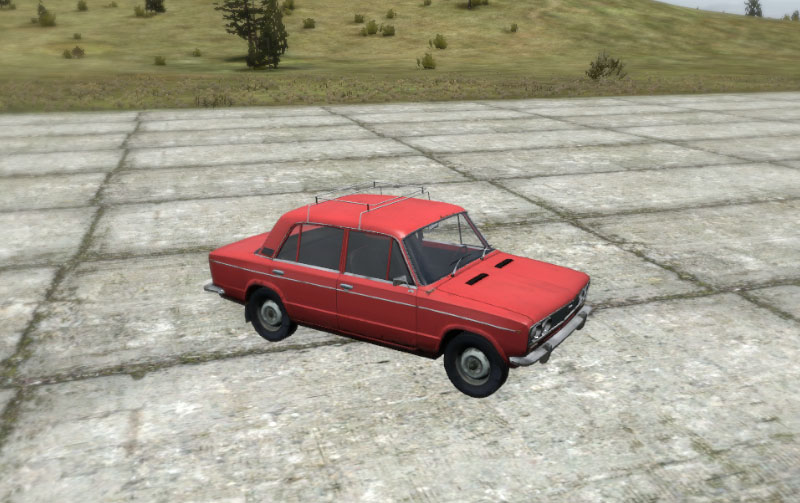
How hard would it be to import something like this into arma 3. https://free3d.com/3d-model/vaz-2106-45786.html
I know the license may not be correct but it was just a example model.
 lethal axle
Vehicles from scratch. Just getting the model in game would be a nice step.
wraith tendon
Any knowledge?
lethal axle
No
wraith tendon
Then: Hard + Time consuming, if you wanna do it properly.
There are alot of Tutorials online, you might wanna check those out first, then think about it again 😄
+Do yourself a favor and don't even think about porting stuff/Vehicles from other Games.
lethal axle
Yea, i am trying to learn to create models myself but the controls are just annoying lol
quick terrace
the controls of what?
lethal axle
Most common 3d modeling programs.
fervent steppe
Start small. If you try to just jump into a big project of course it's gonna be hard.
Start with a 📦
Learn to crawl before you 🏃🏼
 midnight zinc
Most programs have decent tutorials as well. Check em out.
lethal axle
I know how to model in Maya for unity projects. Its hust not knowing what arma will like and dislike about the models.
Just*
wraith tendon
And the brakes are missing.
cinder pivot
Missing? I don't think that brakes were ever there
 sacred grail
does arma 3 support parralax mapping on objects?
 bleak flame
just terrains iirc
white jay
yes just terrain shader
civic stratus
Question in regards to the physx lod: If I have a moving interior space, can I add the interior geometry to the physx lod to prevent some accidental deaths?
or must the physx lod remain super simple
hollow fulcrum
physx lod can be fairly complex, but it comes at a pretty hefty performance hit. you also dont want to have intersecting objects and things like that. how would you be looking to prevent deaths with it?
woeful viper
it says it in the biki article
simple.
accidental deaths - how is that even remotely related to physx lod?
hollow fulcrum
in general, they should not be related and the practice of keeping it simple is probably the smart way to go.
polar fiber
Isn't character collision handled by geometry LOD anyway, not physX?
hollow fulcrum
mmmhmm..
woeful viper
exactly
hollow fulcrum
about the only time it makes sense to me to use a hefty physx lod, is when you want precision for vehicles or grenades. everything else really doesn't matter.
few things annoy me as much in-game as throwing a nade at a hole and watching it bounce off of, air.
glad pagoda
whats the correct shadow volume number to use? is it 0.000 for the first one and 10.000 for the second one? i noticed if i left it on the default number the shadows wouldn't show up in game.
glad pagoda
ok, thanks.
woeful viper
you sure you havent left the lodnoshadow=1 property in it instead? 😛
glad pagoda
haha, nope. that was the first thing i checked. the default values were 1000 and 1010, so that was it.
rapid yacht
how do you change the weights in the geo lod in object builder?
glad pagoda
alt+m, click on your model and the mass should be on the bottom left.
glad pagoda
no idea, i've never worked on vehicles yet.
lusty ginkgo
What are Component_G_01 selections in a geolod for? I have only ever seen the Component_01
agile flint
Would someone who knows Blender like the back of their hand be able to help me achieve the following? (The barrel scrim)
I'm wanting to make some barrel scrim for my tank, but no idea what is the best way to do it for Arma
cinder pivot
The stuff wrapped in the barrel? Your best bet would be to have faces covered in a texture/mesh of what you want
If you actually modeled that... Good luck with frames
lusty ginkgo
There are sniper rifles that have that. Just see how those where done. Of course they are much smaller, so having it too detailed might be a problem
cinder pivot
On the SVDs from cup? Im pretty sure its just like 6 polys for the whole thing with a seethrough mesh
lusty ginkgo
a tank probably requires a little more detail
agile flint
I dont intend to model each peice of scrim or anything
Just a way to add it as like a cover then apply a decent texture
Like would I just add a flat plane then let it act like cloth over the barrel?
Or is there some other way to do it I'm not sure
cinder pivot
Yes, model it or reskin something
lethal axle
There is already a mode that adds it. Not sure how sinple it is to find.
woeful viper
@Petyr Baelish#1770 lots of layered faces with alpha textures. It's like hair and trees
time consuming and polygon heavy
and with arma's unwieldy alpha priority layering also frustrating and limited in what you can do
cinder pivot
Tells you how to do it as well as how stupid the feature is.. Thats how you know a modder has dealt with it before 😛
polar fiber
BWMod has something similar on their Leopard don't they?
 wet condor
@lethal axle was that directed at me mate?
lethal axle
Yea seen it on a life server so someone must have made it before. Not sure if private but its on most copied life servers.
 pure whale
in object builder buldozer when viewing animations instead of scroll wheel to tick through segments of time, can i click a button to watch the animation play out as it would ingame smoothy?
 civic salmon
hey guys, I am making some icebergs for an arctic map I'm working on. If I make them bob like the buoys by adding a physX, will that slow down the game like crazy if I place too many of them? Is it a bad idea to make them float like that? Thanks for the advice in advance
ok I answered my own question by placing about 1000 buoys and yes, it slows down the game to a crawl lol
cinder pivot
you could make some static and some bob up and down
fervent steppe
I mean large enough icebergs prob wouldn't bob anyway
 opaque zephyr
who knows where there is exhaustive information about a proxy in models?
lusty ginkgo
when using vertex properties instead of land contact do you just have to set the geometry vertices or every LOD's vertices? Also is there a way to have only part of the model be affected?
It would be nice for me to use it on tree trunks without serious flickering. It seems to act that way on any foliage that sways in the wind
lusty ginkgo
also what is the difference between slope and slopelandcontact
 hearty turret




 polar fiber
it's beautiful
dark flint
maybe a texture thing but why do BI buildings look so "smooth" ? is there a secret 😄

it has sharp edges at the corner but it does not look sharp ingame...
woeful viper
your illegal importer destroyed the secret technology
dark flint
?
Thats a Official Picture of Bohemia Interactiv no "illigal importer" ...think before talking
rapid yacht
how to i fix the steering wheel for my vehicle rotating the opposite way to the way the wheels are pointing
 charred bolt
@rapid yacht In model.cfg, switch the + and - signs on the angle0 and angle1 values in the steering wheel animation.
 round cove
Anyone know how I can make the glass selections and proxies move with my animation for my car? I'm trying to do an adjustable suspension system but the driver and cargo proxies dont move with the animation and neither do the glass selections
stuck oyster
@round cove you need to build your vehicles skeleton hierarchy so that you first have the moving body and then all other pieces are in connected to it
"body","",
"part1A","body",
"part1B","part1A",
"part2A","body",
so that animating the "body" part also moves the other parts
also BIwiki has pretty good pages for model.cfg stuff
round cove
@stuck oyster Ah I see, and what about the proxies?
stuck oyster
they need to be added to the animated selection
white jay
anyone yet played around with?:
Added: A new "ispip" animation source
white jay
not sure but thats what i assume:
hence you can unhide the exterior of a vehicle only in the PiP render thingy
well at least i imagine that```probably added for jets PiP mirrors to be able to hide the exterior in the pilot LOD but have it in PiP
polar fiber
works on the same basis as https://community.bistudio.com/wiki/isPipEnabled
so can use it to hide the pip surface if the user is not using it
white jay
oh so it's tied to the graphics settings
woeful viper
except graphical settings are local and animation source effects are global
so i suspect some issues with this (if it works like assumed)
if it works differently for every user that would be interesting. I would hope for even more non-global animation sources, esp. support for custom ones ^^
 wraith bone
Can anyone direct me into making uniforms
lusty ginkgo
models with sound memory points
when you run through them, they make noises
how does that work though? what geometry determines when the player is close enough to trigger the sounds
foggy finch
you apply a cfgsurfaces configured texture to the roadway lod
thats how when for example your stucture has internal and external linked concrete areas, you would have 2 planes in the roadway lod,. interior and exterior planes,. the interior plane you apply a cfgsurface texture setup for an internal sound environment,. and the exterior plane you would assign a cfgsurface texture setup for exterior sound environment
there's a few you can use in a3\data_f\surfaces for example surf_roadconcrete_co.paa (external) and surfint_concrete_co (internal), these are already setup with cfgsurfaces and have their sound shaders and cfgsurfaces entries already setup since the game uses them already
lusty ginkgo
@foggy finch my model has sounds without a roadway LOD
not talking about footsteps
I mean like running through a bush or something when it has a sound memory point
foggy finch
it will have those also from the penetration material,. but if you want different sounds within a model i described how you do that. you never said specifically what you were asking for so I gave a generic answer that I thought was applicable
lusty ginkgo
oh that makes more sense
I got the fire geometry working shortly after the memory point
 formal vapor
@wraith bone Depends on where you are at and what you want to do. Are you starting just from scratch or have you already made a uniform model?
formal vapor
Ok, we're not starting at square please shoot me God one.
Start here to learn how to port your character over to ArmA. Hopefully you're using 3ds max https://community.bistudio.com/wiki/Arma_3_Modding_Characters
Do you make your character model?
This is a good reference on how to set up your config https://community.bistudio.com/wiki/Arma_3_Characters_And_Gear_Encoding_Guide
 bold summit
Does anyone know which memory point is needed for a backpack to align it with the characters body? Searched the internet for a time now and i figured why not just ask here 😃
 mossy oxide
I must say I really dislike the way 3ds max handles rigging. I would much prefer to just select vertexes i want and assign them manually. The weight tool seems to not allow to actually select a new bone to add to a skin, only stuff that is already painted. Any tips regarding that?
woeful viper
nothing stops you from doing so
look for autodesks learning channel on youtube. It has some usefull tuts on that
formal vapor
@bold summit There's no memory point. There's supposed to be a proxy within the "uniform" model for the backpack but you should never, ever touch that.
The backpack should be modeled in the poser position just like a uniform model and portions of it rigged as if it was a character
bold summit
@formal vapor okey so it is just need to place it where the Backpack proxy of the char model is ?
formal vapor
no, the backpack model is completely separate from the uniform model
bold summit
Yeah i mean where the backpack proxy would sit in the character model
Ok just what to do you mean with 'poser position'
stuck oyster
t-pose or the default hands spread out pose of the character
 sharp halo
Guys, what do I do wrong. I use Blender tools, I import the model, simply export it without changes, (it is an F35 model), I put it in the game, and flight model has changed. What happened?
stuck oyster
F32 from where?
and what do you compare it with
and theres a lot that can go wrong
stuck oyster
the flight model
sharp halo
with the original flight model of this aircraft, what I do is: firstly put the unbinarized p3d model and model.cfg to the folder, pack it and run the game(flight model is good), then start blender, import that p3d file, export it, put that exported in that folder and pack it again, and run the game and flight model changes dramaticly
stuck oyster
Id assume you have rights to work on the unbinarized model and youre not ripping it?
sharp halo
Yes indeed. I dont steal
sharp halo
is there a way to fix that?
becouse everything else is working fine, as far as I see. I just want to add few memory points, and oxygen is too much for me :/
stuck oyster
export only the memory lod and replace the one in the p3d with that in OB
or copy the geometry lod from the old version to the new in OB
either way
sharp halo
how to do that? In what software? I am sorry if that is noobish, but it is my first time dealing with models in ARMA
stuck oyster
OB being Object Builder
you can open 2 instances and copy stuff from one to another
sharp halo
I opened two instances, but how to copy Memory from one two another? It dumb I know, but Ctrl+C , Ctrl+V does not work
sharp halo
I clicked on memory here: http://imgur.com/MtqN6bH right clicked and delete
ant then from the other instance
stuck oyster
no no you need to activate the lod by doulbe clicking it
then select all points with ctrl+a
copy
and do the same to the other one and delete the old ones and paste the new ones
but also
for succesful Arma modding learning all the tools is quite necessary
sharp halo
I know :/ I will have to watch a lot of tutorial with Object Builder, as it is the hardest
Thank you for everything, I did that, now I will check if flight model is ok 😃
Everything is fine 😃 Thank you again 😉
stuck oyster
👌
lusty ginkgo
anyone here know anything about the treeadvtrunk shader?
I am trying to get my tree trunk to not be pitch black in shade
it's the mc texture I am having issues with it turns out
glad pagoda
I am having a problem with the second shadow volume lod. you can see the problem in the image below with the group in the middle. I am not sure what is causing it, in object builder i checked for non-closed and didn't find anything, the model is triangulated and has sharp edges. The problem goes away when i either remove the weapon or delete shadow volume 2.
http://i.imgur.com/OTUkI9n.jpg

here's what the second shadow volume looks like in OB.
http://i.imgur.com/yTbXY84.png
 glad pagoda
hmmm yeah, i'll check the weighting on the shadow lod
hmm it looks alright to me and nothing has more than 3 bones weighted to it. It even works good when i test it with the hand animation i made for it.
wait nvm, i was checking for the no more than 3 bones wrong
seems it was the proxies, i didn't have them on shadow volume 2
stuck oyster
ah true
if you dont have weapon proxies the engine wont know where to place the hands
pure whale
i made a custom character model however the hand animations dont switch for the different guns, any idea on what is wrong? same hand animation for all guns and i believe it is the mk1 emr animation
didnt make the model but i did use the sample hands so it should all be aligned correctly
pure whale
kinda sorta
stalker inspired terrain + a few units to go along with
ill look over the configs again
white jay
i made a custom character model
didnt make the model but
🤔
pure whale
weighted it worded it wrong sorry
 woeful viper
except this is a stalker model so no matter how you word it - outcome is the same: you didnt make it
pure whale
doesnt matter i asked a question on how to fix hand anims, ill keep trying if i dont get a straight answer here its all good
stuck oyster
inheritance issue is my bet.
pure whale
yea i definitely messed shit up ill redo the config for it
 tacit onyx
Why does renaming the path of a texture in a binarised model cause the game to crash when loading the model?
polar fiber
bit length probably no longer matches so model is considered corrupt
there are ways to do it properly. Just renaming paths in a text editor is not it
civic salmon
Question, am I allowed to use models from Arma 3 as Proxies in my own objects? Such as the Construction crane, transformers, cisterns, etc
woeful viper
yes you can. As long as your object is for arma 3 obviously, and as long as you dont redistribute the arma model within your mod (say a dlc model). Just adding a proxy path is ok.
civic salmon
ok, thanks for the info @woeful viper now I have another question, some of the objects I've inserted as proxies are showing up in bulldozer but not in the game. why could this be?
tacit onyx
@polar fiber ok makes sense suspected it might be that...would you be able to guide me as to how to do it properly?
 grim comet
how to apply a normal map in object builder?
stuck oyster
@DevSec#6078 you need to write a .rvmat material with proper shaders to use normalmap in OB (buldozer) Supershader would be the best option.
polar fiber
@tacit onyx never done it myself. hex-editing and redistributing Arma 3's .p3ds is a bit of a grey area from what I remember of Joris (DnA) comments. Tools like moveObject kind of exist for different development purposes
 remote pewter
Anyone know what would cause Mirrors to be upside down?
wraith tendon
flip the MemPoints
polar fiber
flip the UVs
wraith tendon
(╯°□°)╯︵ ┻━┻
remote pewter
thanky you @polar fiber worked ❤
 warm trench
I have made two custom weapon mods that are packed into different .pbos. Both report no errors when packed with pboProject and either of them seems to work as expected in game / virtual aresenal with other mods enabled. However, when I run the game with both of my custom weapon mods, they seem to cause conflicts with each other at what I would assume is the model.cfg stage as things like the magazines of one model are displayed in completely the wrong place. My model.cfgs are generated along the lines of Zach Gibson's A3 custom weapon guide document. I'm new to modding but I'm wondering if the issue arrises because this technique appears to be trying to add all my selections to a base class which is then used by both mods? If anyone has any help/info, I'd be most grateful!
bleak flame
probably something like that; use unique names for skeletons / base classes
sacred grail
I am being stupid and forgetting something im pretty sure i knew. How do i assign multiple texture sheets to a single res lod ?
for both CO and the rest
round cove
I have made a vehicle which has people hanging off the sides. To make the people hang off the sides I used blender to create animation etc. The animations in game look great, however when I try to shoot the people off the side nothing happens. The proxies are in the fire geometry. Any ideas?
Upon further testing, I've just found out that you can shoot the guys hanging on the side, only at specific angles
civic stratus
are gunnerCompartments defined in the model p3d at all?
round cove
Yes they are defined within the turret classes them self. They are all members of Compartment5
civic stratus
is it true that the variable is only for allowing the seats to be shared?
round cove
I've tried deleting the rest of the fire geometry other than the proxies and it is still only allowing me to shoot them at certain angles
- I think it is there for defining which seats can be switched to, I'm not 100% on that though
 cedar rock
Hey guys, is anyone familiar with this error?

Exception -2147467259 : The application has failed to start because its side-by-side configuration is incorrect. Please see the application event log or use the command-line sxstrace.exe tool for more detail
civic salmon
can anyone tell me why it might be raining inside of my building?
the geolod is working fine
is there a complexity limit to how many components you can use
lusty ginkgo
are they all convex?
civic salmon
yes
does rain work off the geolod? or the res lod?
maybe I have to define my textures in cfgsurfaces
so I can hear the rain sound on a vehicle if I place it on my building but I can't hear it on the building
I can hear it on land too
lusty ginkgo
idk that's about all I know about what could be wrong
civic salmon
thx, just gotta figure out where the rain on the surfaces is controlled from
I have edited cfgenvsounds in my mod as well so I bet that has something to do with it
cinder pivot
Fire and view setup?
civic salmon
yes
there must be something wrong with my geometry somewhere, other buildings I've made occlude the rain
also it's a bigger building though too so maybe it's too big
civic salmon
Yep it was my GeoLod, I think maybe it was too big, just have to add part of it as a proxy
the rain sound still isn't working though on my surfaces
woeful viper
how big was it?
dark flint
is there a documentation on how to make own clutter / foliage like trees bushes and such ? 😃
pure whale
download arma 2 samples and see how those were made
civic salmon
my structure was over 40x40m, but I cut it down and now the rain geometry works
strange thing though. The rain sound works on buildings when they're on land but if I place them at sea (I'm working on an oil rig) there is no rain sound on the surfaces, not even stock A3 objects
conna figure it out, it's probably defined in the house class
civic salmon
yeah
one sec
here is a pic http://tinypic.com/r/2vvtkqo/9
I had to remove the helipad and the exhaust derrick for now, I'll be making them proxies
I made the terrain and the icebergs too
civic salmon
yeah, people have done a lot of "platforms" by putting together stock objects but I wanted something more realistic for my arctic terrain
cinder pivot
Are they floating like an buoy or static sitting out there? Either way nice job
civic salmon
thanks, it's static otherwise it would be too hard to move around/land on
I don't know how to do buoyancy yet, making boats is my next step
cinder pivot
Yea
civic salmon
and update about the rain sounds... it appears that in stock A3 with no mods, there is no rain sound on the ocean surface or any structure you place at sea
there are however rain sounds in boat vehicles
I never realized there was no rain sound for hte rain hitting hte water surface htough
so I just have to figure out how to define a rain sound for my rig, shouldn't be too hard I hope
anyone know where the house_f class is defined off the top your head
nvm I found it
 lavish mountain
sended you a PM btw
woeful viper
@civic salmon that seems strange that 40m already causes issues. Unless you didnt place it in the center of the p3d, the roadway LOD should be able to handle 35m from origin (so 70m max in total) - at least as far as function of serving as road/walkabe surface goes. It would be interesting to know if the sound has even further reduced range.
civic salmon
well, the sound issue didn't turn out to be related to the geometry, I think no objects except boats have rain sound at sea.
but the geometry was not properly blocking the rain and now it is
not sure if it was a size issue or maybe one of my components was not convex
but I'll figure it out
woeful viper
make sure all the pieces have a unique "componentXX" name
civic stratus
topology > find components does this automatically
question in regards to model.cfg/buldozer: https://pastebin.com/raw/LtqAdqe6 buldozer won't allow me to change to the Door_2_rot animation
only the Door_1_source is available
wraith tendon
buldozer won't allow me to change to the Door_2_rot animation
?
You mean selecting the Source with MiddleMouseButton?
@civic stratus
If it's newly added to the model.cfg -> Restart Dildozer.
polar fiber
also wont show up if there's a problem with your Door_2 selection/bone in the model
civic stratus
I can't seem to find anything wrong in the model itself
oh wait
line 9 has messed up quotes
You mean selecting the Source with MiddleMouseButton? this is what I meant.
wraith tendon
Prob still there?
civic stratus
nope, worked it out. Trying to get this animation to work properly now
civic stratus
its all good now, thanks
lusty ginkgo
http://imgur.com/UuSELQd
http://imgur.com/rKJL66y
I got the long distance plane LOD to look pretty accurate
it was much easier than I had anticipated
First image is directly from OB with a .tga visible
Second is first LOD in BD at a distance with zoom
civic salmon
still not able to hear rain sounds on my oil rig, I put this into the config thinking it would make it work like a vehicle but it isn't working: https://pastebin.com/bvTAkKEU
civic salmon
actually with no mods loaded there is no rain sound when you're swimming at sea
cinder pivot
arma
civic salmon
man I never listened to the sounds so closely
some structures do emit sound in the rain though
civic salmon
well I guess if the carrier doesn't have rain sound then I'm not gonna be able to fix it lol
 flat flare
Any tutorials out there to put a flashlight onto a pistol?
I don't mean one you attatch onto the pistol, but like as if one is already a part of the model, I know how the lights work with cars but I don't mess around with weapons much
echo rain
start with the rifle flashlight attachment as a base and try to port it to a pistol. then come back with specific questions.
there usually isn't any tutorials for such specirfic tasks
flat flare
Ok I'll try asking this, is it possible to have a pistol that has always has a flashlight available on it instead of having to use the flashlight attachment? Or would that require a script?
polar fiber
should be able to just have it on there all the time by adding the configuration for it
At one time the Vermin SMG was configured with an inbuilt light
dunno if it still is. ED:- It still is
@flat flare note class Flashlight after the definition of the attachment slots: https://pastebin.com/tAPKitMs
pure whale
see the arma 2 g17 it had a flashlight and the way it's configed could be similar
flat flare
Thanks guys that helps a lot
polar fiber
yeah, the A2 Glock was configured exactly the same way. Feature was added in A2:OA and has carried on in to A3
 vernal lynx
https://www.reddit.com/r/arma/comments/6nvnu6/from_blender_to_arma_3_complete_process_tutorial/
May this help beginners 🙏
Enjoy my 🥖 accent
stuck oyster
👍
woeful viper
why would you put 🥖 in a blender?
polar fiber
best way to make breadcrumbs
formal vapor
What's a good poly count for a weapon?
hollow fulcrum
meh.. it's all relative. 3-7k
formal vapor
7k? Da faq? So this is how being rich feels lol
hollow fulcrum
LODs matter.

 cinder pivot
older a2 weapons were like up to 6k ish
formal vapor
So I have plenty of room. Very well. Thanks gents
hollow fulcrum
vert count is not really a thing these days. it's the section counts that eat things up quickly in RV.
anywhere really. LODs matter though, cant just make 10k res0 and expect that to play nicely. but if your LOD work is good, all is generally pretty well.
formal vapor
I think I have pretty decent lod work
But this is all pretty good news. I'm only going to have one texture for this weapon
 sinful root
Glances at the M16A2 he's been making for the last 5 months.
9k polys
Handguard is responsible for 5666 of them
Who in their right mind gave me access to 3D modeling software
hollow fulcrum
sometimes, you just gotta make a hole.
sinful root
Oh it's not the holes running along the top and bottom of the handguard that are inflating it so much.
I modeled the individual ribs in the handguard
hollow fulcrum
think the only thing i've done that on low poly is the grip on a 203.
sinful root
True, this is still my HP model.
hollow fulcrum
if im not in a hurry, i generally try to model it all on the hp. it's rare these days im not rushed or squeezing the time in though. so i cheat quite a bit.
flat flare
I managed to get it working, thanks again @polar fiber and @pure whale
pure whale
nice
woeful viper
Tim if that musket is your model it's no wonder. Very little protruding things. The surface detail is too small to not implement via normalmap
older weapons tend to be a lot cleaner than stuff these days... everyone nowadays tries to look fancy and swaggery and ripp... i mean railed.