#arma3_model
1 messages · Page 93 of 1
 zenith quartz
 polar fiber
IIRC you'll want to keep your Eye, muzzle etc. memory points in the forward position for when the weapon is selected.
rather than trying to animate them
 rough idol
it used to work on stable like one year ago, but not as you would expect - all axis were broken so you could use mainly hide type animations
zenith quartz
I can't move the launcher position in any other way?
polar fiber
not unless you want to replace the character animations
proxy position on back is determined by the .rtm
zenith quartz
in that way all the AT will get affected tho
 shell magnet
Anyone can help me please cause I have a problem with my vehicle light. I have light projection but I don't see light flare.
shell magnet
anyone ?
 quick terrace
images of issue, config, model config etc
shell magnet
@quick terrace Can I PM you ?
quick terrace
no man, post config in pastebin and a screenshot of your issue
don't pm me the config and textures
shell magnet
Config + screen https://pastebin.com/fz0u5AHc | https://gyazo.com/877f458cfc0856ebf29ba9065f14f4af | If anyone can help me to resolve this issue, thanks anyway
 woeful viper
figured
 hallow turtle
Which is better for beginners in general: 3DS Max, or Maya? Upon first observation, Maya is used more for animating and 3DS Max gets down to more of the modeling tools.
woeful viper
actually i would say for beginners it doesnt matter. Because you need to learn the basics of modelling, and these are basically universal.
polar fiber
They're both pretty much the same in terms of modelling capability. Max has more plugins available that make life easier if you plan to do it full-time and need those things to speed up your workflow
But if you're learning 3D in general, I don't think there's enough of a difference
woeful viper
both have many tutorials online. thats the most important thing for beginners
hallow turtle
Thanks, I appreciate both of your feedback on that. I'm going to try out both at some point in time. I believe after I start getting the basics down, the question of workflow speed could become something I take a look at.
 lusty ginkgo
how could I make a tracer model spin?
 sturdy parcel
goats. At least one of them must have green eyes
Actually, only one green eye is necessary.
 terse elm
Lol
 half heath
Is it possible to move a selection from multiple LODS simultaneously?
half heath
Awesome thanks!
 wanton snow
Hey, any one as a link to a tutorial for fitting head gear? Right now I have to go in game everytime and move it around in OB till it fits in game. But for every piece of headgear I make it is always a diffrent position in OB
polar fiber
are you missing the autocenter = 0 property in the Geometry LOD?
 round cove
Anyone know how I'd go about making my vehicles geometry collide with the ground when I animate it to move? I'm trying to make a kind of hydraulics system
I have the animation and geometry setup its just that the geometry just seems to clip the floor
 stuck oyster
@round cove you can not animate geometry out of the original bounds of the model. You could add dummy memory points below the model to increase the models bounds or model the hydraulics in down position and set their animations source work so that they are animated up by default.
sturdy parcel
nice answer. +1
stuck oyster
Learned it by the hard way myself with landing gear stuff. 😄
wanton snow
@polar fiber Thanks man, have never heard of it before! but it works!
 hollow fulcrum
some progress on M2 things, couple more layers to go, and a few more pieces to bake out this evening. Soon™
https://gyazo.com/1d543482c04e5112a78d79e132089308
https://gyazo.com/7bbfaa1d8ed815f0d548781baf50a5a4
half heath
Amazing model
woeful viper
very smexy
terse elm
looks great mate
 tacit shard
Hey,
has anyone here been having an issue with mikeros pboProject recently? Im on the latest version (Paid version) and everytime I try to pack my mod ill pack one PBO fine, swap to the next and it will delete the previous PBO and just put the new one?
Thanks in advance!
woeful viper
need to upgrade to expert version to pack more than one file
tacit shard
Im not packing more than one file at a time
pboProject.2.14.6.29.Installer.exe
thats my version
sturdy parcel
sounds like an 'undocumented feature' to me. name of pbo being built and name of pbo deleted please.
(and no X3, multi pbo packing is in the free tools as well. it's where you see 'scanning for jobs to do'. each 'job' is a pbo)
woeful viper
what about the elite version though?
sturdy parcel
eliteness has always had a straightforward 1:1 gui interface direct to makepbo.
tacit shard
sorry was distracted, I figured out how to fix it and I believe it was related to file name as you suggested.
They was called:
M.A.P_Data
M.A.P_Structures_Residential
They are now called
MAP_Data
MAP_Structures_Residential
@sturdy parcel
When packing it would only show M.A.packing.log instead of the full name
wanton snow
is there a paid version for mikero tools?
wanton snow
Thanks for the linki
tacit shard
they are way better than free ones I reccomend getting it
sturdy parcel
thank you, you are right Jimmy. my tools consider anything after first dot to be a VERSION.NUMBER.pbo
tacit shard
Ah right that makes sense, thanks for letting me know! Will avoid naming in that way in the future 😃
 agile flint
Anyone know any quick easy hints and tips for lining up blueprints in Blender?
Following this YT tutorial atm but damn doing my head in haha. Line up one thing, then something else isn't lined up, rinse repeat
woeful viper
thats drawn blueprints for you... they dont necessarily are all that accurate
agile flint
Its more so the scaling should I say
Front, top and back are all scaled fine. But left, god forbid the left scales right haha
woeful viper
apply the center of scaling to a point in the drawing that you already lined up
some blueprints might have been scanned in from some book as well, which possibly has "tension" and didnt lie perfectly flat on the scanner. So some blueprints can have some warping in them that is hard to notice at first glance
polar fiber
Do them in photoshop all cropped, scaled and centered to a uniform image size
it's much easier than fiddling with the image planes in 3D software
 stark geode
i keep getting an error [cannot open object: enchelm\remnantshelmet1.p3d] when selecting my costum headgear in Arsenal, what could this mean?
polar fiber
usually that the path to the model is wrong
stark geode
ah gotcha
sturdy parcel
use my free tools, you won't get that messaage (in game)
https://armaservices.maverick-apps.de/Products/MikerosDosTools/default
stark geode
haha i should, thank you mikero!
 ashen nacelle
I don't suppose there's anyone who can help out with a mod? I've really never done anything close to this, so I'm not sure where to start. I'm trying to find a way to make an optical sight for Arma 3.
stuck oyster
Are you new to modding in general and/or making 3d models? people on this channel most likely can advice you very well but it would help to be more specific.
ashen nacelle
@stuck oyster I've made some models before, semi professionally, but they're still very basic skills.
Meaning I can make the model, but I can't animate it.
stuck oyster
well Arma animaions are pretty simple once you get into it so dont worry about it.
So you have a model of a scope and want to get that into the game?
and you are new to Arma modding?
ashen nacelle
Yes, brand new to Arma modding. I've installed them, but that's it.
I didn't build the model because I don't know if it needs anything special or not.
stuck oyster
have you installed arma 3 samples? (in steam library -> tools)
ashen nacelle
I didn't. I can do it now.
stuck oyster
there are many examples that can help you understand how different type of objects work in arma
what 3D software you use?
ashen nacelle
I use Blender.
stuck oyster
So do I
for blender you will want FHQ Blender Toolbox
it can import and export the Arma P3D files and you wont need to mess around in the Arma 3 Object Builder much at all
ashen nacelle
Alright.
Do you have any leads for what to look at first for a PiP red dot? My plan is a periscope version of a red dot. The RSP 1
stuck oyster
also higly recommended to get Mikeros Arma tools for easiest addon packing
ashen nacelle
Alright
stuck oyster
theres free version of them that works
and if youre serious on arma modding you might want to subscribe to the paid more often updated version
what do you mean by leads?
as in how to make one or something else?
ashen nacelle
Sort of. Starting points for what to look at first.
stuck oyster
Well id guess you can do a highpoly version of the scope and bake details from that to a lowpoly version and take that into game
ashen nacelle
I can try it. I'll see if I can figure it out.
stuck oyster
there are lots of game modeling tutorials out there that exlain the general concepts that apply to any game
ashen nacelle
I'll give it a shot.
stuck oyster
👌
ashen nacelle
@stuck oyster I don't see anything in here about PiP optics. Is there a source for that?
stuck oyster
dont think so. I believe there are topics for that on the forums.
ashen nacelle
I suppose it's a moot point because I can't figure out a single bit of this. I may have to commission this.
 cinder sinew
Hey everybody im having a little issue with my mapping project certain objects have a inventory and which means every time you are near them or in you can only acess their inventor which is obviously very bad for lootspawn could someone help me out and tell me how to change the objects model onto another object that doesnt have the inventory integration. Thanks for the help, cheers chris ❤
stuck oyster
@cinder sinew are you talking about a new map or a new mission. Totally different things and #arma3_scenario or #arma3_terrain might be better suited
@ashen nacelle Arma modding is not really something you just casually pick up in a day or two and know everything. Its lot to learn.
ashen nacelle
@stuck oyster yeah. I don't even know the first thing though. I'm entirely without a starting point.
stuck oyster
have you looked up any tutorials or anything?
you can start by making the 3d model you want to get in game
ashen nacelle
I have looked for tutorials. All dead links, or otherwise useless to me.
stuck oyster
tutorials for modeling a scope?
cinder sinew
@stuck oyster talking about a new mission i just need a model applied to a different object without the inventory function
thats all there is
 stark dagger
Carrie, seen this?
https://forums.bistudio.com/forums/topic/156597-creating-pip/
 cinder pivot
@Carrie#3402 ^ incase you didnt see
tacit shard
Hey, I was wondering if it's possible to do memory points in 3dsMax? Every time I have an object with just vertices in it (no polygons) and I try to move one of those vertices it crashes 3dsmax.
Thanks in advance!
stark dagger
Taking a look at my bin log when packing my vehicles pbo with pboProject. It's huge. 22.7mb huge. Lots of different types of errors from Unsupported UVSet to "vertices of bone vrtule blur are shared with bone vrtule". I did some reading up on these and some say fix them or there will be performance issues and rpt spam. Some say they are normal and just forget them. Looking for some clarification before I spend days trying to fix these.
The vehicles are a mix of our own assets, ported A2, and Take On Helicopters models.
Pastebin of some of the errors in bin log.
https://pastebin.com/1ZMds62B
cinder pivot
You can remove extra UVsets, I however don't know about performance issues related to all the errors
stuck oyster
bone sharing errors may cause issues with animations
cinder pivot
Yup
stark dagger
Odd that BI models would have so many issues.
cinder pivot
Could have been not an issue for them/animations so they don't bother
 lavish mountain
What is the practical incline rate for stairs in arma again?
I am designing from drawings "blueprints" or however you call it and in the infinite wisdom of the designers I am dealing with inclines of 46 to 54 degrees.
Which is not legal btw... 😃 so...
lavish mountain
Found the answer to someone earlyer, always can make them non vertical ladders...
Works for me
sturdy parcel
@stark dagger I share your pain. prior to a recent update of bis binarise there was NO information of any kind. bis simply stopped producing a binlog. Now, it seems they prefer to have it back again.I sure as hell do.
you can reduce your 24meg (trust me, it was even bigger than that) by applying more filtration to striplog.bat in my tool's\bin folder
stark dagger
👍
sturdy parcel
beauty is in the eye of the beholder.meaning, it's not up to me, or my tools to make decisions on what info is important from that log and what isn't. All i can do is provide a filter for you to roll-your-own
i think a good place to start is when binarise.log says it's an error (not a warning) then the problem needs some attention.
stark dagger
First time working with bin log. Fixed a ton of things on a bunch of models. Cut down quiet a bit.
sturdy parcel
nice. congrats. errors? or warnings?
stark dagger
Both. Mostly the issues on my part. Shadowvolume not completely closed or triangulated. Stupid things like no trigger_axis defined in memory lod
Was just a ton of info to sort through at first.
sturdy parcel
yep. did filtering (striplog.bat) assist or annoy?
cinder sinew
Hey does anybody know of some car wreck asset mods preferably oldish cars also some dead bodies assets like back arma2 dayz ? ❤
stark dagger
I used it to get rid of the weight discrepancy spam. Was about a quarter of my vehicle bin log
sturdy parcel
v. nice. thanks
stark dagger
Chrisp, I ported some a2 vehicle wrecks as static objects for a mod in working on. Real easy to do.
cinder sinew
sounds good can i have them ?
stark dagger
Should try the uaz and lady wrecks.
cinder sinew
like they obviously need to work withint the eden editor
so i can use them for a missions file
stark dagger
Just grab them from the a2 data packs.
cinder sinew
they wont have proper naming for the eden editor tho
- i wouldnt know in what pbo the wreck files are in
stark dagger
Yes
cinder sinew
whats inside the SA folder ?
stark dagger
Mostly structures and terrain related stuff.
sturdy parcel
they wont have proper naming for the eden editor tho
isn't that something you have to teach yourself, since it applies to every p3d you make. not just this one.
cinder sinew
will they have labeling tho in the eden editor
sturdy parcel
.... and you're a long long way from getting it viewable in any editor.
cinder sinew
well thats why i asked if someone allready figured that out
sturdy parcel
and?
cinder sinew
whats to "and?" there it kinda looks bad if there are just 3 different cars stacked behind each other
over and over again
why else would i ask for more assets
sturdy parcel
well make another. point is, yuu're gonna have to do this yourself. just grab one of th cup configs and figure out what's relevant fro eden. it's about 5lines frommemory
... looking now....
cinder sinew
yeah i checked it out allready since i need to swap a mode to another object
fml the direct link doesnt work for me....
and i dont have a torrent programm on my pc
you know of a way to get the dead body models from dayz ?
like its somewhere in the dayz files im sure but i cant find it
sturdy parcel
class CfgEditorCategories
{
class chris_pi_objects {displayname= "Elephants"; };
};
class CfgEditorSubcategories
{
class chris_blue_ones{displayname="blue ones";};
class chris_red_ones{displayname="red ones";};
};
class cfgVehicles
{
class wreck_f;
class my_great_wreck:wreck_f
{
model=what\ever;
displayname="tomatoes";
editorCategory = chris_pi_objects; //<<<<<<<<<<<<<
editorSubcategory="chris_red_ones"; ////<<<<<<<
    blah blah blah
};
};
how tuff can above be?
quick terrace
tuff 😉
sturdy parcel
😎
stark dagger
Won't find dayz files. If they were a2 or a2oa then they might be there. Dayz assets are not allowed in a3
cinder sinew
thank you VERY much mikero great help 😃 ❤ props to you bud
and thanks for telling me bigben about the dayz asset situation in arma 3
 rotund ocean
Hey guys, I'm trying to make an Open Circuit Scuba Tank and I just don't know what property I have to set so that the game accepts the tank as a breathing system. I found the property in the vest config, but is it the same for backpacks? Here’s my config: https://pastebin.com/BMSKG4X8
 bleak flame
stuck oyster
bleak flame
stuck oyster
@rotund ocean you can check the vanilla scuba tank configs via the in game config viewer!
rotund ocean
Yes I know, but they are vests. Does the same parameter apply to backpacks?
stuck oyster
might be that backpacks wont work as scuba tanks
polar fiber
I tried applying it to a uniform once and it didn't work. So it may indeed be a property only for vests
rotund ocean
Okay, thank you for the Information
 chilly steeple
Finally managed to publish Rosomak on artstation! 😌
https://www.artstation.com/artwork/mLQ0a
sturdy parcel
yeah, that looks like a nicely made model to my very very noob eye (I don't make models)
chilly steeple
Thanks! @stuck oyster Thanks mikero! @sturdy parcel I spent a bit of time doing it 😊
stuck oyster
"a bit" im sure xD
 bright kraken
@bleak flame I hate you for being so good 🙃
 twin urchin
only if there was a Mi-35 in that quality 😄
 slate stratus
I can model but god knows how to get it into Arma 😛
cinder pivot
cry and press buttons
slate stratus
I'll get someone else to put it into arma XD
 halcyon wren
It's all about timing your goat sacrifices correctly.
quick terrace
@slate stratus if you'd have a proper mesh done, i'm sure it would be easy to get someone else to inject it
woeful viper
@cinder pivot not necessarily in that order
cinder pivot
sometimes arma makes me cry after I push the buttons, sometimes I get my crying done before I dive into the buttons
you are right, it can go both ways! 😄
agile flint
Really nice model there Winters
Love the texture work especially
I'm starting to model my first vehicle but the tutorials I'm finding aren't helping me at all for what I need and its driving me insane haha, this gives me hope and motivation haha
lusty ginkgo
Where in the model is the marker type it has determined?
 white jay
do you mean map=xy in the geolod?
lusty ginkgo
I don't really know I only ask because a building I have has an elliptical icon in TB and I noticed a lot of models have default colors in TB as well
Is that separate from the actual map marker?
white jay
you choose that when you create the template
lusty ginkgo
@white jay "some models have default settings" Obviously that is defined somewhere
white jay
no you define which one you want when creating your template library
it reads the boundingbox from the p3d to display the size
lusty ginkgo
what about the colors?
white jay
color and shape you select when creating your template libarary
lusty ginkgo
I know for a fact there are some that have default colors and shapes when you create the library
white jay
are you being serious now?
lusty ginkgo
yes I don't know what is so difficult to understand about that
white jay
🤦
lusty ginkgo
I guess I'll find out myself then
lusty ginkgo
I know that
white jay
what are you even asking then?
lusty ginkgo
Some buildings default to rectangular dark grey markers when you import into TB without changing them. My retextured A2 building defaults to the last color I used and an elliptical shape. I just want to know how to fix that
lusty ginkgo
I imported the models. So I created new template libraries
lusty ginkgo
I can change it I just want to know how I can set the default settings for an object
stuck oyster
so like it would always have certain settings when you create new template?
lusty ginkgo
yeah
stuck oyster
dont think that is possible
lusty ginkgo
if I import an entire addon some individual models have unique shapes and colors
despite the settings
I have seen some structures that have a brown fill color
stuck oyster
in TB
lusty ginkgo
yes in TB
stuck oyster
might you have an example? never seen such happen before
do you mean you import a folder and set a colora and shape for it?
lusty ginkgo
yeah
lusty ginkgo
I am looking for an example but I can't remember which building it was
white jay
thats not possible afaik
stuck oyster
never heard such happen either
lusty ginkgo
I swear I'm not crazy
stuck oyster
maybe it has just bugged
lusty ginkgo
or this is some insane conspiracy
I will look into it more but for now it is really quite pointless
lusty ginkgo
can you cycle through LOD's in object builder's buldozer view?
white jay
change the lod in OB it will change in bd
lusty ginkgo
I know I am just switching between lods to make sure they match up really well and was wondering if there was an easy way to do that in BD with the textures on
white jay
have bd on your second screen an switch trough them in OB, it should switch instantly
lusty ginkgo
I could just have a smaller window for OB nvm problem solved
polar fiber
You can see the model with the _co texture in OB using the direct3D viewport mode so long as the .p3d is assigned .tga textures
lusty ginkgo
on one of the LOD's (the second one, to be exact) of an A2 tree I am making a variant of, the faces aren't visible in OB. I can only see the tree's trunk, and can only select the trunk. If I press ctrl A I can see all the individual points floating outside of the trunk but there are no lines connecting them
first and third LOD are fine
lusty ginkgo
I don't understand what is happening this isn't on any of the other models
copying it to clipboard then deleting the entire LOD and repasting it seems to have fixed the issue
woeful viper
they are just hidden you can hide and unhide geometry
crtl + shift + h unhides the selected stuff
crtl+ h hide it
 wraith tendon
Ctrl+A to select all 😛
wraith tendon
😄
lusty ginkgo
oh well that would have certainly been more effective
tacit shard
Hey,
I was just wondering is it possible to merge FBX files into a already existing P3D? Whenever I import a fbx file to a p3d that already has a model in it, it wipes the current models (all LOD's) and replaces it with the new one.
Thanks in advance!
polar fiber
I just start a second instance of OB and import to that and then copy&paste
tacit shard
Good idea, thanks for the tip!
zenith quartz
Hey there! I've a small cfg issue. It seems that i can take over an AI slot even if i'm not the commander of the vehicle. Does anyone know what that could be?
lusty ginkgo
@zenith quartz not sure this is the right channel for that. Unless I'm misunderstanding you
tacit shard
I dont suppose anyone here knows if there is a version of 'remove doubles' (from blender) in 3ds max, which basically just deletes any two vertices with the same co-ords
 echo rain
i think edit poly has merge vertices by threshold but last time i touched 3ds max is aaages ago.
tacit shard
thats an idea just use weld with 0 threshold
 fervent steppe
😲 @badbenson#0154
lusty ginkgo
why do my lod's look so completely different in game to how they look in object builder
seriously how am I supposed to make the colors and lighting match if the results are so different
sturdy parcel
knee jerk guess is you are using the WRONG extracted pbos
sturdy parcel
well the immediate impression i have is the \a3\texures\you\extracted. are not the same as the ones used in the game engine.
lusty ginkgo
oh I understand now
it is using completely custom textures and models in my own addon (which I repacked)
sturdy parcel
so ok, you grabbed an a2 sample, you replaced the textures with something else, and the 'something else' is not, actually, in a pbo that the engine uses.
ahhhh ok
ok!
lusty ginkgo
unless it is loading the addon twice
because it is in a different directory
I'll check
sturdy parcel
yes. you can also have a 'stale' pbo in an @mod somewhere
lusty ginkgo
sometimes when I switch which addon I am packing it puts it in the old output directory
sturdy parcel
not with pboPro it won't
lusty ginkgo
very rarely, but it has happened on two or three occasions
pboProject it what I'm using lol
your programs
also I noticed the outputted file is all lowercase in the name, same with the key file
odd
sturdy parcel
yeah, i'm probably doing that to prevent any chance of Murphy biting you.
lusty ginkgo
It only does that when the output location is wrong
sturdy parcel
ouch ouch ouch
lusty ginkgo
not sure if it is a tool issue or not
I'll look into it more next time it actually happens instead of just restarting pboProject and packing again
sturdy parcel
i assume here that just because you change projects, you still keep the same output mod folder?
lusty ginkgo
they are separate mods, one of them just an objects and dependency mod
I will make sure next time I see it happen, if I even do
sturdy parcel
in any case, back to your original problem, you can't have a yellowish texture in buldozer, but a green one in-game, unless it's a totally different file being accessed.
subtle changes to lighting, sure, but not glaringly different textures.
lusty ginkgo
I am going test having the exact same ambient, diffuse, and emissive values in every .rvmat for each LOD and I will make sure the textures match closely enough as well
lusty ginkgo
Would I run into an problems using the treeadv vs the tree rvmat shader? Also could I get away with using the no fade variant? Other than the visual aspect, would it negatively affect performance?
sturdy parcel
how would I know? you're problem was a mismatch between what you see in 'arma3.exe' eg buldozer, and what you see in-game. there's a discrepency.
lusty ginkgo
I am just fucking around with shaders. It seems to be mostly a material issue, since the issue isn't just object builder's buldozer and ingame, but also object builder's buldozer and terrain builder's buldozer
sturdy parcel
in which case (t/b vs o/b) your profile settings are not the same. both need to point to arma3.exe. that's the first thing to sort out.
lusty ginkgo
where do I change the OB one? My TB is pointing to an exe in the P drive
sturdy parcel
well good nite and thank you for playing. arma3p eg will not tolerate a p:\buldozer.exe it destroys it.
lusty ginkgo
probably should fix that then. Should it just point to the arma3.exe in the game's installation directory?
sturdy parcel
definite
there is only ONE buldozer on your pc. it's called arma3.exe. Bis have several, one of which is plastered into your p:\drive for no good reason.
it (can) use the wrong shaders. it (can) grab a totally irreelvant config.bin, and it probably is a dev release, not a stable release or vice versa.
there is only ONE buldozer on >your< pc
lusty ginkgo
I feel so special now
sturdy parcel
haha
sturdy parcel
prollly doesn't matter. I'd will stick to 32 bit here because I don't trust bis at all. your mileage may vary.
lusty ginkgo
oops just started the game I guess I need to actually change more settings
Buldozer configurator has directory thingy in it
that worked
now textures aren't loading I should probably look at PMC or something
lusty ginkgo
got it sorted
sturdy parcel
what 'buldozer configurator' ?
sturdy parcel
i'll bet the damn thing scribbled crap all over your p drive
lusty ginkgo
safest way to clean it out and start fresh? Without deleting my mod data obviously
just reinstall tools?
sturdy parcel
if you let bis get anywhere near your p drive, they will do what they've done in the past, and erase it. just an accident waiting to happen.
lusty ginkgo
commence copy + paste
going to back it up on a flash drive and disconnect it just to be safe
maybe even bury it in my backyard
sturdy parcel
just don't tell them where in the backyard, it is.
cinder pivot
My p drive is like 100gb.. Mikero spooked me to now back it up lol
white jay
@lusty ginkgo buldozer has the lighting of DefaultWorld, so textures will look diffrent there, penny made bin.pbo to get it very close to stratis but its still not 100% the same
lusty ginkgo
@white jay is there anywhere I can download that?
lusty ginkgo
@bleak tangle Oi I heard you had some fancy stratis lighting for buldozer
agile flint
Anyone got any good hints or tips for making half decent aerials or vehicle based antennas in blender?
lusty ginkgo
Is there any possible way to view models in object builder the same way they would appear in terrain builder's buldozer?
 bleak tangle
Buldozer before: https://i.gyazo.com/0374671aa11c4cf9c95cc9147072daf6.png
Buldozer after: https://i.gyazo.com/887447caea51a82d4c269aaa897d96a1.png
In-game: https://i.gyazo.com/a10806055c12c7d2cb27a65b123252f8.jpg
It's essentially replacing the DefaultWorld in the bin PBO/config with Altis lighting (which Stratis also uses). I've been hesitant to release it publicly because I don't especially feel like providing lots of support for it. It was also done using the configs from 1.66 or 1.68 so I need to check that everything is still correct.
How are the models different in OB and TB?
lusty ginkgo
The lighting is all fucked
For example
A normal looking tree will be all overblown and bright in tb but look fine in ob, while some of the other lods might look better despite having the same settings
How did you edit the lighting? If you don't want to release it I would like to experiment myself a bit
@bleak tangle
cinder pivot
How much can you modify prop planes such as takeoff speed/engine rpm etc?
bleak tangle
I did a config dump of Altis with all inherited values, removed the unnecessary things, and added it to P:\bin\config.cpp. I'll release it later when I'm back at my PC
lusty ginkgo
thank you sir
cinder pivot
Would love to see if bush planes/backcountry planes are possible in arma
lusty ginkgo
make one far cry 5 style
cinder pivot
If you cant edit takeoff speeds then it would be just another plane except with huge wheels 😛
cinder pivot
Yea but thats a full airfield plane, it would be a similar body type but
Example of takeoff/landing
Like 20 seconds video ^
lusty ginkgo
thats one agile little plane damn
cinder pivot
I don't think arma can do that but maybe with new dlc there might be tech that can do close to it
Yea
Made for landing and taking off anywhere
Big wheels, used for transport quite a bit in remote areas like Alaska or Australia
woeful viper
those planes are ultra light and have extreme low stalling speed (in otherwords: high lift at low speeds, low minimum speed). You can make something like that ingame... However, i'm not sure if its possible to make the bouncy wheels work properly and absorb the impact.
cinder pivot
Yea thats what I was thinking might be the issue
Ill look at new physx stuff and see, thanks @X3KJ#8043
 fast lake
Is anyone working on the JLTV
 tacit badger
does anyone know of a good lightbar tutorial? or know of a place to get source files for them, i have tried to do it, but i am really struggling
stuck oyster
dont think anyone has written one.
lusty ginkgo
Where does buldozer get it's configuration from? It doesn't seem to be the P:\bin\config.cpp
sturdy parcel
depends. if you insist on using p:\buldozer all bets are off
sturdy parcel
if you're pointing to arma3(64).exe it's dta\bin.pbo in the arma3.exe folder tree
sturdy parcel
pennywise's truly excellent lighting fix relies on that fact.
lusty ginkgo
unless that was some kind of insult
sturdy parcel
no, old age creeping in.
sturdy parcel
fortunately pennyworth is used to me getting it wrong.
sturdy parcel
3 guesses. and the first two don't count.
sturdy parcel
the answer is wednesday. 😎
lusty ginkgo
I thought it was 7
sturdy parcel
bis can't count that high. they have 'workday' and 'weekend'
polar fiber
penny's .pbo works if you unpack it to the P:\bin buldozer setup too
assuming one had that done correctly in the first place. Not that everyone does
lusty ginkgo
why does the lighting look different in buldozer for TB than it does for buldozer in OB?
Is there a way I could get OB to match TB?
white jay
Perhaps use -initWorld to load DefaultWorld and maybe remove -noLand
lusty ginkgo
now it tries to launch buldozer through steam
lusty ginkgo
I think I broke it
oops
For some reason buldozer is always opening through steam and failing to attach as a viewer. I don't know what triggered this to happen, but it is strange considering everything is set up the same
lusty ginkgo
fixed it by installing buldozer through the a3 tools project drive management
probably the steam app id text thingy
 bold summit
Hey I have a problem:
I want to make a object which has multiple UV Maps and therefore multiple textures (duh!). I get only one texture working and thats the one with the UvSet 0 the other texture won't work. When I change the other UV Set ID from 1 to 0 the second texture works but the one, which worked previously (former UvSet ID 0) not.
Any Ideas?
Thanks in advance
sturdy parcel
aren't uvsets dependent on the distance you are viewing them at?
sturdy parcel
shows how much i know
sturdy parcel
https://community.bistudio.com/wiki/Mondkalb's_MultiMaterial_Tutorial
if it's written by Monkalb, it's telling the truth.
lusty ginkgo
@sturdy parcel I was just struggling with that a few hours ago. Glad there is a tutorial on it
bold summit
Didn't really solve my problem tho 😦
bleak tangle
Are you using multimats? I'm a little confused by what you're doing.
cinder pivot
@bold summit More might be able to help if you explained what you are trying to do
bold summit
Ok I'm trying to make a shoot house wall with a door using two vanilla textures
and I only get one texture at the time working
it seems that only the one is working which has the UVMap with the ID 0
like you see in the two screenshots both textures work but not at the same time
so I guess I have to communicate to arma that one of the textures should be combined with the second UV Map
but I don't know how
sturdy parcel
shouldn't you be using a model.cfg with hitpoints and hide values? If i'm wrong again, i'm gonna shuddup
bold summit
Im using the vanilla rvmats and textures just some faces have the wood ones while others have the door ones
sturdy parcel
well that's nice, but when and why are you expecting the other texture to kick in?
bold summit
Ive seen it in other models working and I know that I'm missing something (probably really obvious) but I don't know what it is
sturdy parcel
that didn't answer the question.
bold summit
it seems like the rvmats are kicking in why shouldn't the textures also ?
sturdy parcel
still didn't answer the question. when are you expecting two textures to show, and why.
model.cfg's contain a sections[]= from which you can hide.showSelections
bold summit
why should I want to hide or show selections ?
I just want two parts of a model with two different textures and rvmats.
cinder pivot
Im confused on what you are trying to do still, you want the top half a different texture?
sturdy parcel
me too, you're not explaining what you expect to see.
cinder pivot
just lay it all out lol
bold summit
Ok sorry lets try again 😃
Fist Picture: https://i.imgur.com/am6yaGur.png
Wood Texture is working but door is just blue without texture
Second Picture: https://i.imgur.com/7ytrkQRr.png
Wood texture isn't working but door looks fine
sturdy parcel
the door is supposed to be it's own NameSelection, separate to the wall, correct?
cinder pivot
nvm got it to load
bold summit
I want the model to have the wood texture (like in the first pic) and at the same time the door texture (as seen in the latter)
sturdy parcel
then provide two separate namedSelections
cinder pivot
if they are UV mapped correctly just select the door and make it named for ease, press e on the selection and point to the right texture
it will add another section
bold summit
As you can see I already have done that: (That is what you meant right ?)
some have accessories and others shoot_house_wood
I don't have another selection but that shouldn't make a difference right ?
The texture is only working for the part which is on the UVMap with the ID 0
so if i give my UV Map with the wood stuff the ID 0
the wood shows but the door is fucked
and vice versa
I hope my problem is now clear 😥
cinder pivot
they both should be on the same uvmap ID
sturdy parcel
doors open, walls don't, seems crazy to me that you don't have two separate components.
ditto windows
bold summit
yeah i have a named selection but only for the part of the door which moves
the frame of the door is on the same texture as the door itself
cinder pivot
so everything is on uv set 0 and then activate uv 0 is checked?
the only difference is the door has another applied UV?
bold summit
wait so i have to move my stuff from UV1 to UV0 ?
cinder pivot
they should not be on seperate UV IDs anyways, thats manily for multi maps
sturdy parcel
well the way monkalb explained it to me, UV0 is the scaling factor. if there's nothing there to scale....
cinder pivot
pretty much
bold summit
ah k blender just gave me two so i dindn't relly think about that 😃
cinder pivot
one of my vehicles
all over the place
glass/int/ext
all on uv 0
then for multimapped stuff, 0 is my scale uv and 1 is uvmaps
bold summit
but my other stuff gets deleted when i paste ❓
Fixed it in blender 😃
@cinder pivot @sturdy parcel thanks a lot
It worked
cinder pivot
sweeto
 pure whale
anyone know the exact meter limite for collision on objs
sturdy parcel
2 goats - 0.5 * 1 chicken foot
 foggy finch
50m from 0,0,0 coordinate,. unless your in the roadway lod and then its ~37m from 0,0,0. I'd stay within those bounds or split your model if its a structure and larger than that.
sturdy parcel
you'd have to ask the hindu god ganeesh, we aren't on speaking terms.
i only know that three chicken feet equal 1 goat. but to use them you have to be standing on tiptoe and wave them above your head while muttering suitable prayers that bis won't crash
pure whale
i heard 1 goat is = to 6 cows more then the 3rd cow of the week
sturdy parcel
I can't count that high
wraith tendon
🤦
sturdy parcel
it's part of my Jewishness Dscha. When someone asks me what 1+1 = I ask them are they buying or selling.
wraith tendon
🤦 oh my
 spiral void
hey,
what is the result of using vertex color on models in a3? diffuse * vertex color?
(for super shader)
 timber vessel
Hello let's say I want to make a vest model, what height does it gotta be?
foggy finch
you can look in the a3 samples,. should be one in there
 toxic apex
Anyone got experience with submarines in a3? Im missing something as i can get my sub to submerge. its even got 23,000,000 units of mass and the little bugger still wont sink
i need a nudge in the right direction
foggy finch
you got a bouyancy lod?
toxic apex
yup
foggy finch
the a3 sdv has bouyancy =1 in geolod
toxic apex
got it 😃
foggy finch
and reversed =1
foggy finch
do you have simulation = "submarinex"; in config.cpp ?
toxic apex
i do
sturdy parcel
canfloat=true in the config might be causing that.
foggy finch
sdv only has 2600 mass
sturdy parcel
im using the sdv config so it shouldnt be
probably worth looking in the config browser to make sure it aint inherited.
toxic apex
class Ship_F;
class Boat_F: Ship_F
{
class NewTurret;
class Turrets;
class EventHandlers;
class AnimationSources;
class ViewOptics;
};
class SDV_01_base_F: Boat_F {};
class FloatingStructure_F;
class Submarine_01_F: FloatingStructure_F {};
class rksla3_ship_vboat : Submarine_01_F
no land contact
toxic apex
hang on
foggy finch
the sdv has one with 7 points,. 4 under the main body,. one under the rudder,. 2 on the nose
sturdy parcel
i don't mean to distract, but i don't see anything above that 'inherits from boat_f'. most of it appears to be un-necessary.
toxic apex
sorry i have another related object that just floats thats what boat_f is int here for
sturdy parcel
k
toxic apex
just taking its time loading arma - need to move it onto an ssd
landcontact = no difference what so ever. 😦
toxic apex
class CfgVehicles
{
class Ship_F;
class Boat_F: Ship_F
{
class NewTurret;
class Turrets;
class EventHandlers;
class AnimationSources;
class ViewOptics;
};
class SDV_01_base_F: Boat_F {};
class FloatingStructure_F;
class Submarine_01_F: FloatingStructure_F {};
class rksla3_ship_vboat : Submarine_01_F

^ static tender object


class RKSL_Vboat_sub_base: SDV_01_base_F {...}

^ new sdv class

class rksl_vboat_sub_1 : RKSL_Vboat_sub_base

^ actual class name
ahh ok, your previous paste had me confused 😃
sturdy parcel
a boat has canfloat=true;
force it to false in the body of your class and see what happens
toxic apex
yeah set it to false when you first brought it up - no joy. Trying more mass and missing config entries now
 deep wedge
anyone know hot to prevent the squad xml image from having an invisible background?
sturdy parcel
@toxic apex Kiory is the guy who can answer your questions re submarines, he made em work,
toxic apex
cheers ill give him a nudge
 shut arch
hey all, does anyone have any experience in getting a custom missile rack or pod in game for the dynamic loadouts. I have been working on the 3CB apache and WIldcat I have manage to get the pylons working with vanilla DAR and DAGR missiles but I am struggling to get our hellfires and rocket pods to work. Sorry I know I have put a post about this on the BI forum but any help would be appreciated.
woeful viper
how does your buoyancy LOD look? Did you put the entire body of the submarine in that LOD?
 gentle grotto
Key (X or Z) to submerge @toxic apex
toxic apex
Root i wish it was that simple. In 15 years of modding for this game series ive never been as pissed off with a problem.
sturdy parcel
in 12 years of modding for this game i've never been NOT pissed off.
toxic apex
lol
lavish mountain
Pissed off? at my self yes after finding mistake noXXX and starting over... Bored? After staircase no 14 which looks exaclty the same but has just a different angle and railing... continuously....
toxic apex
i know that feeling well. Butr ive just spent 8 out of the last 20 hours trying to make a sub sumerge with now joy. Now heading into silly numbers ..,
lavish mountain
You has pix? This naval architect likes to see boats....
lavish mountain
10/10 realism
toxic apex
lol
lavish mountain
Emergency blow?
toxic apex
nah it had an itchy arse and need to scratch it
lusty ginkgo
can named model properties for damage be spelled without the extra m?
toxic apex
nope has to use the dodgy BIS spelling for it to work
lusty ginkgo
meh
sturdy parcel
not true
polar fiber
Was some old discussion of sub diving here: https://forums.bistudio.com/forums/topic/148247-the-answer-you-were-waiting-for-carriers-are-possible-in-arma-3/ observation seemed to be that large models take exceptionally longer to dive
toxic apex
@da12thMonkey#2096 Yeah but ive sat here with my finger on the dive key for 10 mins while floating around. not a sausage.
even had verticalTurnCoef = 0.05; (which is supposed to control dive rate) up to 25000 and nothing
@sturdy parcel you mean the spelling thing? Ive never managed to get dammage to work without the extra m
sturdy parcel
that's interesting. when binarise builds the odol, it translates dammage OR damage in the geolod to damage when setting the damage= property of the header.
wow. what a sentence that is
to tell the truth here, i've forgotten what damage= is actually used for. is it to disable the item from being killed?
fervent steppe
Yes
toxic apex
yes and to define damage type eg no, tree, house, tent, engine wall
fervent steppe
But I believe it can be overwritten in the config
sturdy parcel
ah, destrType
toxic apex
basically yes
sturdy parcel
hmmm....
sturdy parcel
gonna have to pull my head in on this one. my tests weren't thorough enough.
toxic apex
according to that you are right but i swear it wouldnt work on my bunkers
sturdy parcel
well I wrote the above. so i could be lying 😎
toxic apex
hahah
sturdy parcel
bis made an absolute mess of this when they introduced the 'wall' type for arma3. firstly because unlike all the others, it's not an enumerated value, and secondly, as we've come to expect from them they made all arma2 trees and walls incompatible
would have taken too much imagination on their part to not break things.
so it's possible their code does look at dammage in a special way, but that won't be true for any objects on a map, because the only property looked at is damage in the header which bis binarise translates correctly if it's dammage in the geolod
white jay
what is even the diffrence of wall and tree?
sturdy parcel
tree originally meant fall over
it now means random slant, because some genius at bis thought he was being klever
so all arma2 derived walls, now randomly slant when you hit them with a tank
sure, you can add that to your list-of-things-you-must-change. but it wasn't necessary to be that stupid.
toxic apex
lol
sturdy parcel
in anycase, the newly introduced wall type doesn't work quite as well as nature intended because the same fool didn't make it an enum
oh and ditto lamposts and signs. they are 'trees' in arma2, and think-of-a-number in arma3
fervent steppe
Haha. Remember when the walls would rotate around at crazy angles when destroyed 😂
sturdy parcel
how much brains did you need to call this newly invented slant 'tree3' and maintain backward compatibility.
sturdy parcel
ah that's the reason.
oh god, I just figured it out, they couldn't get 'tree3' to work because it wasn't an enum.
 lost glen
does anyone know why object builder doubles the amount of faces when import models? I don't have and smoothing modifier on my model so I have no idea why this is happening
 late root
So been having this issue on my models. Any idea why? https://gyazo.com/7e8966ee37ed54f07a415974d6c357fc
late root
Had something to do with RVmat
fervent steppe
Super dark in the shadow?
lusty ginkgo
https://i.imgur.com/M9O7b0J.png
Anyone know what might be causing this?
twin urchin
@late root missing AO or bad AO
@lusty ginkgo alpha not sorted or missing flag in the rvmat
lusty ginkgo
@twin urchin what do you mean by alpha not sorted?
nvm figured it out
it was both a lack of the proper flag and non sorted alpha on the faces
cinder pivot
@agile flint import tank sample or arma 2 apl models - they show exactly whats needed
lusty ginkgo
I'm still getting faces on my model that obscure faces in front of them, as if they where behind
I have sorted alpha faces and that helped but I can't seem to get it to work completely
cinder pivot
You took the faces and did move to top as well?
Wait thats not the error you were getting
Nvm
lusty ginkgo
Move to top?
I was getting two different issues, one with the outside of some blades of grass having a sort of outline, and two I can see faces on the interior part of the model over the ones in front of it
@cinder pivot what faces would need to be moved?
cinder pivot
Im not sure to be honest, I cant really understand what you are describing that well
Maybe try the ones you cant see infront?
lusty ginkgo
What does the move function even do?
I can see some faces through each other and some of the textures in the back side of the model render as if they were in front
cinder pivot
Moves them to the front, so glass textures work correctly.. But I dont think that is the problem here
lusty ginkgo
Well shit I don't know what the problem could be
I reset the .rvmat to the one it was based on and it looks better, not sure what I messed up
 pallid flame
are the cartridge cases in arma own objects that can be created (e.g. simpleObject)?
stuck oyster
they have 3d models yes
pallid flame
any clue in which config they are located? are they in cfgvehicles?
stuck oyster
theyre used with particle effects so their paths should be somewhere in there. they dont have a proper cfgvehicle classes
or as far as I know at least
pallid flame
hmm kay thanks, will search for them
 sturdy oak
Hey Guys any Car modders around here looking to share some ideas or models?
foggy finch
@sturdy oak http://bfy.tw/CSFd
this channel is discussion relating to model creation, not someplace to come begging for models.
sturdy oak
@foggy finch Begging wasnt my intention at all but nvmd then
cinder pivot
@sturdy oak Feel free to ask any questions you may have but there are just some people who just rip forza models and they will not get help here is all
 sacred grail
anyone had the issue with 3ds max where objects just change size after collapsing the unwrap modifier?
quick terrace
nope, never happebned
sacred grail
its wierd af, i wonder if it has anything to do with them not being editable polys
lusty ginkgo
Using the AlphaTest32 render flag my object appears transparent at a distance but fine up close. Is there a way to fix this?
stuck oyster
do you need the render flag?
lusty ginkgo
Yeah it would seem so
it is based off of a clutter object that used it
If I change it I have a ton of problems with the alpha
stuck oyster
ghillie stuff?
stuck oyster
fogMode = "Fog";
renderFlags[] = {"AlphaTest32"};
VertexShaderID = "Grass";
PixelShaderID = "Grass";

ambient[] = {1,1,1,1};
diffuse[] = {0.25,0.25,0.25,1};
forcedDiffuse[] = {0.02,0.02,0.02,1};```this is how I have mine
clutter is supposed to fade at distance
white jay
@lusty ginkgo what shader are you using on your clutter
lusty ginkgo
It is using the grass shader
I am not using the object as clutter though, I am using it as something I can place in TB that would function like a bush or somethinglike that
that way it can have geometry and be placed anywhere
white jay
do you have a pic of your issue?
white jay
the issue is that you can see trough it?
lusty ginkgo
yeah
white jay
do you have atoc enabled?
white jay
when antialiasing enabled
lusty ginkgo
I don't remember
that is just a graphics settings thing though right?
If I raise the ambient alpha value to more than 1 it looks a bit better in buldozer, but the alpha mask needs some cleaning up
would that be a good solution?
lusty ginkgo
I could make the LOD have higher alpha so it looks more opaque from a distance
cinder pivot
is it clutter?
lusty ginkgo
no
It seems to have worked quite nicely
Will check with different lighting and fog
So far so good
The geometry LOD's don't seem to work though
cinder pivot
why do you want geometry on grass?
lusty ginkgo
So it can be damaged if a vehicle drives over it, so it has fire geometry so bullets don't just cut through unaffected, and most importantly so it has a view geometry for AI and stuff
cinder pivot
ah okay
lusty ginkgo
where are the named properties supposed be? For some BIS models i see the same ones in all three geometry LODS
lusty ginkgo
It is pretty lacking on info
lusty ginkgo
there are a lot of properties I see in other models that aren't listed here
 steep crest
how do i assign a seat area to my model?
stuck oyster
@lusty ginkgo some more here. https://resources.bisimulations.com/wiki/Models#Named_Properties not all may work though as the games are different
lusty ginkgo
Alright I will take a look
stuck oyster
And if youre unsure ask here. Someone usually knows.
lusty ginkgo
Well that is what I have been doing and it has helped so far so I won't stop now
what are shadow and sbsource?
lusty ginkgo
thank you sir
stuck oyster
theres car sample in the Steam Arma Samples
also @steep crest your question is kind of a big one, at least so late at night.. So Id start by looking for some tutorials on how Arma vehicles are built and checking out the sample models. Basically there are 3 different types of seats, driver/pilot / gunner and cargo and each have their own config entries in the vehicle config and respective position proxies in the model.
steep crest
ok cool, thanks. was curious if i needed these proxies in model, or just config stuff. looking through it now
stuck oyster
@cyan dagger I doubt anyone has any more specific samples lying around so you may need to be more specific on what you are missing.
@steep crest the proxy defines the point where the seat is and the config defines what sitting animation it uses.
so yes you need both.
steep crest
you da man
stuck oyster
what can't you find in the samples that you need?
they do cover pretty much all normal stuff.
off the top of my head I would guess your physx config needs tweaking or your truck needs weight(mass) adjustment. The physx stuff is quite model specifc and what work for one model may not work for another.
What you could do is inherit basic configs from one of the Arma vehicles
and see if that helps
You can also see the vanilla vehicle configs in the in game config browser and you can even make a full config dump if needed
lusty ginkgo
On my tall grass model everything visually seems fine other then some odd flickering when changing perspective
when I zoom in and out it switches between normal and looking very slightly darker or brighter
lusty ginkgo
It's like it's tinted slightly red at a distance and slightly green up close
white jay
i need help
lusty ginkgo
Anyone know how to get the texWaterAnim rvmat thing to work? For me it doesn't seem to tile the texture file
I get wierd line artifacts on the surface
lusty ginkgo
I think I figured out what the problem was nevermind me
lusty ginkgo
Is it possible to slow down the speed of the texWaterAnim thing
stuck oyster
@TurkishSpecialForces (Kaan)#8576 you could try combining your truck visuals with the sample car memorypoints and geometry lod and adjusting those to your model. Another sample wont do you any good as there wont be anything else in there than what you have in the arma sample.
 viscid grail
Someone please make this for Arma: http://i.imgur.com/sMbKqnX.gifv
shut arch
Why don't you make it for arma.
stuck oyster
@TurkishSpecialForces (Kaan)#8576 in object builder you need to enable mass edit panel (alt+M or top menu window -> Mass) It is a small tab with a box you can write the mass for a selection. -> select for example the body of your vehicle and type in the box something like 2000 or 3000 or whatever you seem fit for your vehicle.
lusty ginkgo
how can I set the health of an object
I can shoot down some grass with a pistol and 3 mags but trees don't have the same thing
stuck oyster
if a tree does not have a config -> its only map placed, you can use geometry LOD named property armor
or at least I belive it works for me X9
lusty ginkgo
ok cool
white jay
Yes armor is correct
 primal sierra
I got permission to use someone's models and when I try to spawn in the item that uses the model, it complains it cannot find the model files (looking in old PBO modname prefix). is this info stored in the p3ds? I've changed the CfgVehicles, the rvmat files etc to reflect the new paths. Brand new to this so forgive my ignorance
halcyon wren
Re: Armor value
Beware: Armor is just a coefficient to the engine.
The bounding box size plays a role, too.
white jay
D: seriously?
halcyon wren
Yes. Its actually not as silly as it seems at a first glance.
The silly part is only that this is always a thing, while it should be optional.
primal sierra
Nvm
An optional prefix declaring the actual location of the p3d was introduced for arma3 (2nd version). Idiotically, it means the p3d cannot be moved out of it's current pbo.
white jay
well as long as you know what size X + armor coef means it's fine
well optional would be perfect
but not knowing the size matters explains a lot of my confusion in the past 😛
halcyon wren
Yep. Many headaches were had.
But I wouldn't want to not have it. It means I can scale trees placed in a terrain and have the ability to stop a car increase the bigger I make that sunflower. 😄
cinder pivot
wait whatt
lusty ginkgo
so my pond can die if I don't set it to have "this allowDamage false" in its init
do I need to set armor = 999999
or what
lusty ginkgo
that is what it has
maybe that was when I was testing it on tree mode
yeah nvm it should be fine
So damage does work when spelled correctly? Good
white jay
no dammage=X works aswell
lusty ginkgo
but I don't have to be prisoner to BIS spelling
Would having a really high specular power affect performance
while I am working on models what would I need to set my tallgrass armor value to so it can't be destroy by bullets but it can be by vehicles
white jay
firegeo is for bullets, geo/physx for interaction
geo is fallback for fire and physx geo
lusty ginkgo
so if I put damage = no in fire geo and damage = bush in normal geo that would work?
white jay
so probably make sure something tiny is in your firegeo
lusty ginkgo
the reason I want fire geo is so bullets can't just fly through grass unaffected
so it needs to be fairly large
white jay
hmm don't think that can be simulated
lusty ginkgo
trees do that though
white jay
they break cars if you run into them and if you shoot them enought with your pistol they will nock over aswell
there might be a way but i can't think of any
lusty ginkgo
My pond still gets destoyed instantly despite having damage = no
also shooting the surface leaves bullet holes
maybe I need a modified rvmat
white jay
in the geo lod?
lusty ginkgo
yeah
white jay
weird
lusty ginkgo
how can I change a surfaces uvset
foggy finch
do you have a config class for your ponds?
lusty ginkgo
no I don't why?
foggy finch
because if you did, that could be another reason for it getting destroyed.
lusty ginkgo
well it is just a model with no additional configuration so that isn't the problem
foggy finch
class cfgvehicles
{
    class NonStrategic;
    class Land_pond_big_01: NonStrategic
    {
        mapSize = 9.55;
        author = "DeanosBeano";
        _generalMacro = "Land_pond_big_01";
        scope = 2;
        scopeCurator = 2;
        displayName = "pond_big_01";
        model = "\dbo\dbo_ponds\pond\pond_big_01.p3d";
        icon = "iconObject_1x4";
        vehicleClass = "Cargo";
        destrType = "DestructNo";
        cost = 100;
        class DestructionEffects{};
    };
here is the first entry from deamosbeano ponds, you could try setting yours up similar, note the destrType = "DestructNo"; which disables damage aswell.
lusty ginkgo
I will look into it
right now I am just trying to figure out how I can change a UVset
lusty ginkgo
I am trying to create a lower res LOD and I want it to use a different uvset for the same texture since I am going to simplify the shape
I am basically trying to get LOD 5.000 to use UVset 1 instead of UVset 0
foggy finch
lod's uvsets are unique to each lod
lusty ginkgo
oh well that makes things quite easy
foggy finch
so you can select lod5 , everything in it and apply your tex/materials in the same way as any other lod
lusty ginkgo
and if I modify the uvset it doesn't affect the other lods?
foggy finch
if you modify the polygons/splines in the lod itself it should update the uvset accodingly
I have no idea how OB handles this,. I only use it for porting and rigging,. but creating lods in other 3d apps you would remove splines inside the mesh until your happy with the number of tri's/quad's, in the overall mesh, while keeping in mind good triangulation
lusty ginkgo
alright good to know
foggy finch
so you can still use the first uvset (Uvset0) in every lod,. there are special cases like the multi-material shader,. but your not using that so no point going into it in this case.
lusty ginkgo
How can I select which faces use a single shape from the uvset? I want several small planes to have the same uv shape
foggy finch
maybe someone else can answer, I dont consider OB a 3D suite and only use it for importing and rigging stuff
cinder pivot
pls don't use OB to uv map 😦 its really bad
why are you trying to reuvmap a different LOD? it will not change performance enough to make it worthy
unless you want it to look different at a distance
lusty ginkgo
I am just making the lowest res lod for an object that only had 2 originally
cinder pivot
thats fine but why change UV sets?
lusty ginkgo
I am merging the pionts on some parts of the model and need to edit the uv to get it to look correct
cinder pivot
hmm
your best bet would be to use blender
its easy and free
I would even just reuv map it for you if you really wanted, I am not sure how well you can reposition something in OB
surfaces > UVsets > edit
then your UVset for that LOD will be there
whatever you do there will not effect other LODs
you could have a different texture set for each LOD if you wanted
lusty ginkgo
I am trying to avoid using blender. What I want to do is quite simple, I select some points in the UV editor, then I select parts of the model I want them to apply to, and connect them somehow
cinder pivot
have you tried merging already and it looks bad?
lusty ginkgo
yeah
cinder pivot
and what does it look like in UV editor?
you could merge the same points in UV editor as well
lusty ginkgo
it looks completely different in UV editor
the things I am trying to get to match are simple squares
cinder pivot
pictures help 😉
you can snap UVs to nearest point as well as merge points
but as for lining up squares on top of eachother, you might have to snap to nearest point
lusty ginkgo
There are four points forming a square in uv editor. There are several squares on the model. Is there no simple way to make those squares on the model use the same four points?
lusty ginkgo
I guess that works
cinder pivot
if it doesn't, I have addons that can snap stuff in blender if you want me to UV it
lusty ginkgo
No thats fine I am just stubborn enough to use BIS tools instead of blender even though I already have blender installed
foggy finch
lol..
cinder pivot
im sorry to hear that
foggy finch
@cinder pivot blender needs addons to target welds? sheesh.
cinder pivot
nah I just have a fast UV snapping tool that I use
foggy finch
oh right
cinder pivot
haha
lusty ginkgo
For a land_xx class to work do I just need the config or do I also need a model.cfg
fervent steppe
Is it animated? You only need a model config if you are animating something in the model
lusty ginkgo
No I just need to add some config.cpp entries
fervent steppe
Then you just need a main config
 flat flare
Hello, I have an animation made with the model config for a pair of doors on a model, and I have it so they slide outwards, and it works fine in bulldozer and goes outwards but in game when the animation starts they slide inwards
Does anyone know why this would happen? I'll put my model cfg and my config in here if someone would like to look at them
polar fiber
@flat flare happens sometimes that the axis gets inverted. Not 100% sure why but I guess it's to do with the vertex indexes
flat flare
Hm, and is there anything I can do to solve it @polar fiber ?
Thanks for the response by the way
 gusty lynx
@cyan dagger are you sure? it's a community where modders works are appreciated and protected. And have some manners while you still can because I remember your shit post on facebook about others imitating your mod, and you even accused the best Turkish modding group of stealing content. Was that really hard to ask for permission for a model that old?
polar fiber
I dunno, maybe if you cut and paste the the memory points in and out of the memory LOD again they'll normalize the vertex numbers
gusty lynx
@cyan dagger I'm telling you man, vilas can still give you permission if you ask. It's not personal though, you're just being childish
@cyan dagger do whatever you want, if I see that unimog model without permission in your mod, your mod will be banned from forums and dmca'd on steam workshop. Stolen content is not acceptible here
I told my last words, hope you understood them
lusty ginkgo
Glad to see adults having an intelligent and mature conversation here
gusty lynx
sorry for drama everyone, now I shut up
toxic apex
@flat flare You can go into your model and rotate the vertices 180. Or invert the angle eg: now = "rad 90" change to "rad -90".
polar fiber
scaling -1,-1,-1 in x,y,z also works really well if the axis isn't easily mirrored or rotated 180
lusty ginkgo
I am trying to redo the geometry on some A2 rocks. Any advice?
stuck oyster
redo how?
lusty ginkgo
make it more accurate and also add fire geometry
A3's rocks have much better geometry if I remember correctly
Maybe just the roadway
foggy finch
if you are going to that length of effort you'd be easier just making your own rocks.
lusty ginkgo
what does having a TexGen0 entry in an rvmat do?
stark dagger
stupid question. how do I measure the wheel circumference in O2? I've got the measuring tool up, but do not know what I'm supposed to be looking for with it.
woeful viper
measure radius...
stark dagger
Maybe I didn't ask the question correctly. How do I use the measuring tool in O2? And am I looking for Azimut, Zenit...? What value am I looking for?
cinder pivot
also 1sq is 1m if you want to eyeball it - im not sure how to use the tool though
lusty ginkgo
I decided I might start actually using blender, but I don't know where there are arma tools? Are there any that are up to date?
lusty ginkgo
My ambient shadows make my object look pitch black at some distance
lusty ginkgo
lol it seems that the most recent update may have broken my ponds
the surfaces spaz out and jitter all over the place
nvm fixed it
I have been on a roll for finding problems, asking about them here, and then solving them on my own soon after
 dark flint



 steep crest
how do you define where a vest attaches to the unit? Do i need to adjust the model location in oxygen? or use proxies of sort
stuck oyster
check the sample arma man in arma3 samples on steam
it has all the proxies in the right place
polar fiber
So long as the model has autocenter=0 in named properties in the vest's geometry LOD and is properly weighed with a model.cfg the 0,0,0 coord of the vest aligns with the proxy in the unit model, which IIRC is also at 0,0,0
steep crest
I'm looking at it now and only see one for pistol. i'll keep looking
thanks for info
 peak gull
Hey, would any1 gimme a hand with selection and weight of one model

this one just wont work for me
stuck oyster
what 3d program you use to weight it?
stuck oyster
well it works but it is pretty terrible to use for weighting
I would suggest using Blender and its weight copy features
peak gull
Can i private msg you to avoid spam here?
stuck oyster
Well sure but I cant promise I have time to walk you throught it.
peak gull
sure
lusty ginkgo
Any suggestions for creating an ambient occlusion map in blender?
stuck oyster
@lusty ginkgo there is a bake option for that.
 past edge
is there a tutorial, or perhaps a BIS function to generate editor preview icons for custom objects?
so far I tried using a screenshot of the object in OB's viewer, but I'm fairly certain there's a better way than that
polar fiber
0 = [nil,"all",[],[],["cfgPatchesClassname"]] spawn BIS_fnc_exportEditorPreviews;
IIRC there are extra indices in the array now where you can specify cfgVehicles classnames rather than the cfgPatches
check the function viewer ingame
past edge
perfect, thank you
lavish mountain
Got another ship blueprint from the internet somewhere
its the one from the Ievoli Amaranth or the Guardian, a ship that does emergency responce on the north sea
If anyone likes to have a go give me a pm. I will probably give it a go after my current project is finished...
lusty ginkgo
What is the purpose of a model having a ShadowVolume 1000 and a ShadowVolume 1010?
polar fiber
they are used for shadowbuffer and hybrid shadows
lusty ginkgo
@polar fiber is there documentation for this anywhere?
agile flint
Anyone got any advice or help on how to make the following all universally at the same angle?
I'm still pretty new to modelling so I made the angled rear plate by moving each vert one by one to make the angle, but its not perfectly lined up and my OCD is hitting the shit haha
Is there like a tool or something that I can use to make them all in line but on the angle, or do I have to mk1 eyeball line them up?
foggy finch
link doesnt work 😉
stuck oyster
make a cube, align its 1 face to the angle you want and use the snap element tool with edge https://docs.blender.org/manual/de/dev/editors/3dview/object/editing/transform/control/snap.html
@agile flint
polar fiber
I'd align all the end verts and then use a 2x2x2 lattice modifier to deform
agile flint
@stuck oyster @polar fiber Cheers fellas I'll look into it 😃 Thanks again
 hexed sphinx
Hey, I'm looking to make incorporate a model in-game, I can import models in-game just fine but I'm shit at modelling so I'm essentially looking for a model online, what's the limits like in Arma for poly count?
Or more specifically, how far can you go for an object you'll have multiple of without affecting performance more than any other object
It'll be implemented a simple object for my uses
agile flint
From what I gather and know the average 'polys' for vehicles in Arma is like 30k, no idea what that is in terms of tris/verts/edges/faces etc though
cinder pivot
What is the best way to align wheels to the ground via physx or model cfg? I want to avoid physically moving the land contact points if possible but these wheels seem to not respond at all to what I change
polar fiber
adjusting maxCompression and MaxDroop probably
 ancient dune
Anyone know why when I make a custom model > put in into object builder > add texture to it > pack to pbo and go in game the texture which was yellow is blue in game ? Kinda new to this.
polar fiber
because your textures aren't the right size
Can only have dimensions 2^n for the height and width of the image. Such as 128px, 256px, 512px, 1024px, 2048px, 4096px
ancient dune
@da12thMonkey#2096 thank you
stark dagger
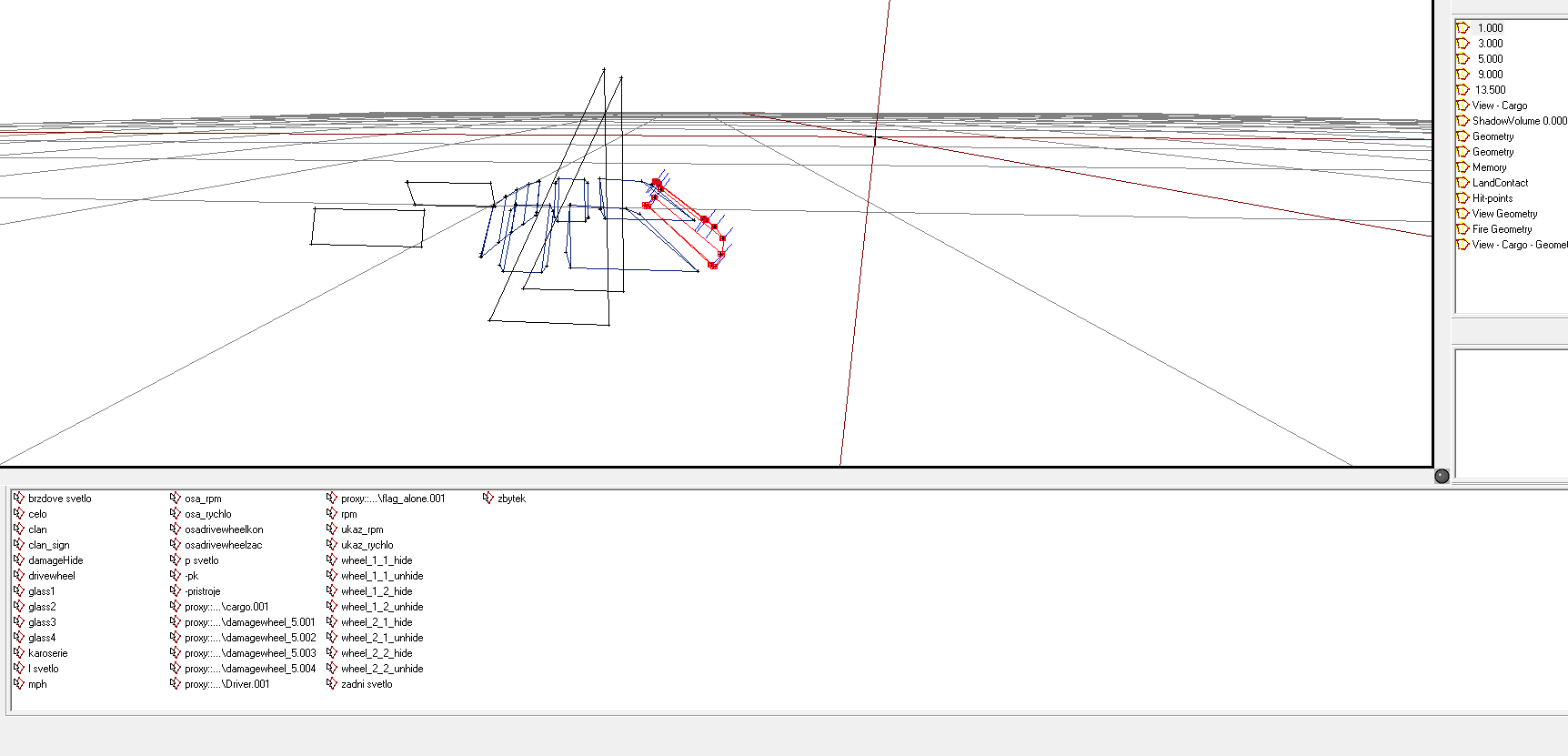
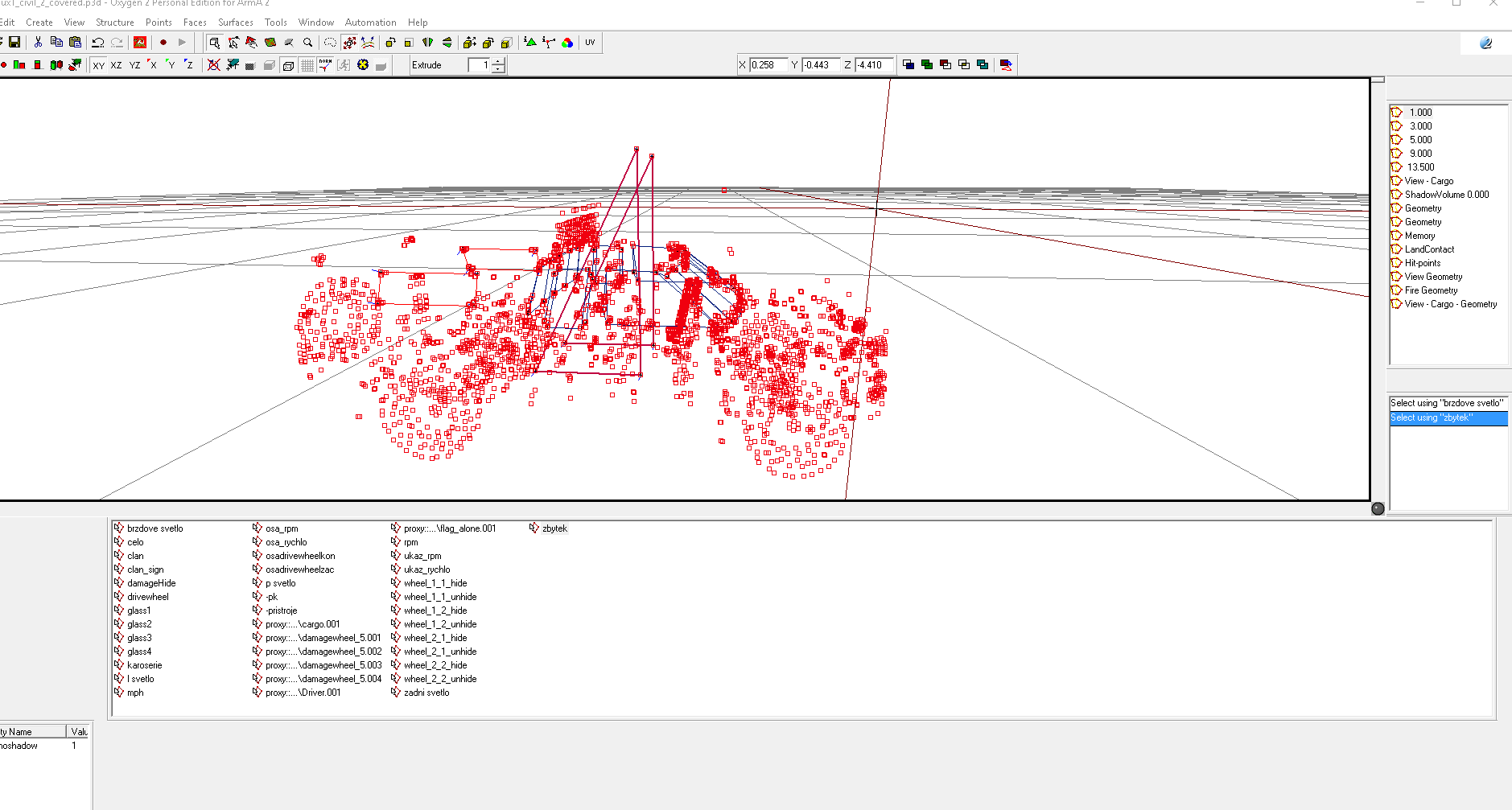
Working on cleaning some things up with this A2 Hilux. The open model is fine, but the closed model does not have the body of the vehicle visible.
https://i.gyazo.com/2853b8d7ffd41feebcddf97a5ae3f87d.png
If I select the zbytek selection, I can see the points representing the base of the vehicle, but can not edit them.
https://i.gyazo.com/6d6ac579701635a6adac654513cc775a.png
This causes a problem with animating things such as the guages and damage textures. Any idead how to fix this, or am I better off taking the visible portion of the Closed Hilux model and modifying a seperate version of the Open Hilux p3d?
 stark dagger
@cinder pivot You are a saint. Thank you.
cinder pivot
np yo
white jay
Hey i make my own vehicle but i stop at the proxy... Can anybody help me with that?
stark dagger
Last question for the day. None of our buildable objects currently can be detected by any of these following commands.
terrainIntersect
terrainIntersectASL
lineIntersects
lineIntersectsWith
lineIntersectsObjs
intersect
cursorTarget
cursorObject
lineInteresectsSurfaces
Possibly due to no named properties like class Building?
cinder pivot
have physx/geom and properties?
stark dagger
Geometry but no properties.
stark dagger
with named property class building set on all walls w/ animations, and class house on each house, I can return information using cursorObject now. But still returning null on simple wood walls and our wood tower, all defined as class building.
white jay
viewGeometry LOD is probably missing
stark dagger
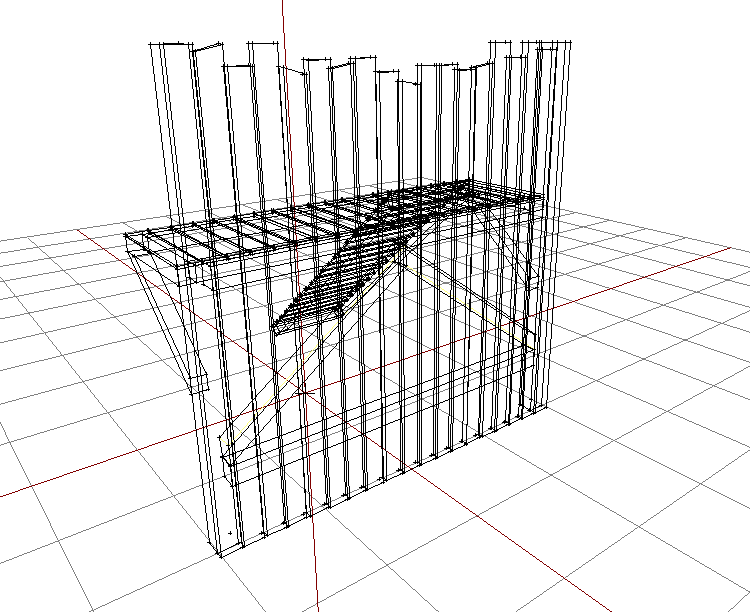
possibly the gaps in the viewGeometry lod?
viewGeometry LOD from one of the wall sections that does work with cursorObject
https://i.gyazo.com/01fcfe145f9dbc2d3faa3e7dfe197864.png
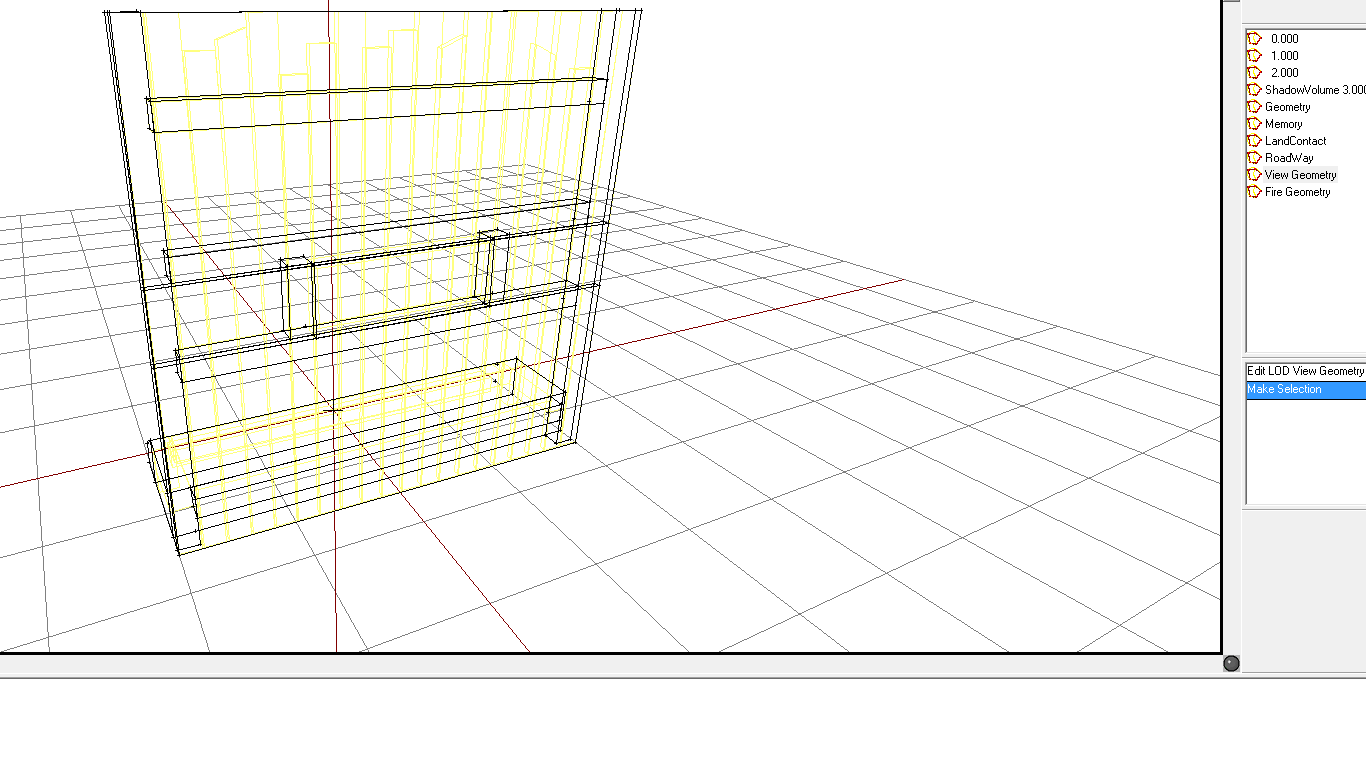 woeful viper
the first is a garbage view lod... "geometry" anything needs to be SIMPLE
stark dagger
Also helps if viewGeometry objects are components. That fixed it.