#arma3_model
1 messages · Page 91 of 1
 sturdy parcel
ummm... what defines this as x64?
 wraith tendon
_x64.exe
 white jay
i think this is his working settings
wraith tendon
just that Tag, at the arma.exe
sturdy parcel
because the thought occurs to me that with file data firmly entrenched and stored as 32bit, unless some special care was taken it's doubled (or squared) in size when actually processing it.
that doesn't have to be the case, but obviosuly? visual studio is going to assume 'default' sizes for the compiler.
ah, should be fine. really. But as you'd be aware, there's a lot of binarising going on to get the objects and exported wrp, into a form the engine can actually work with. I'd put money on the temporary storage being the culprit here. (being larger than necessary)
bis binarise uses the very same identical 32bit functions as the engine does to well, hell, binarise. But the difference here with what you folks are doing is using 64bit versions of the very same code. It's not given, that the the 64bit binarisation process actually 'works' and looks like, it doesn't. Until we get a binarise_x64, that code isn't used anwhere else.
white jay
it does, but only for me it seems 😄
sturdy parcel
k
 bleak tangle
It worked for me when 64-bit was on dev branch, but doesn't now.
wraith tendon
Also crash after when is loaded?
wraith tendon
@sturdy parcel In my case its OB
sturdy parcel
yes, just realised my obsession with wrp
sturdy parcel
so used to skype map makers i can't think straight in any other convo
wraith tendon
hehe
 icy dirge
Sup guys so i made a gate.. when it's opened i can walk trough it, but when i try to drive trough it, it wont let me. Any solutions for this? I already tried to put a roadway underneath it, but that didnt help either.
wraith tendon
one is geoPhys, the other is the ordinary geometry.
in this case -> It seems like you didn't assigned MASS to parts
icy dirge
Hmm just did a quick check on the mass, seems fine. Still has the issue after the check.
wraith tendon
in GeometryLOD:
Structure -> Topology -> Find Components
icy dirge
Did that already, got two components one moves with the anim. when its opened
 cinder pivot
is there a physx LOD?
icy dirge
Yes
icy dirge
Tried that but didnt help 😦
 formal vapor
Why do you need a phyx lod for a gate??? 🤔
 stuck oyster
afaik if geometry is animated outside the model original bounds it does not work anymore.
icy dirge
Ok so i found the problem.. i didnt call the component in the geo lod "Gate_1" as it supposed to be. Works fine now! Thanks to all who try to help, appriciate it 😄
 wraith bone
hey guys
I made this plant in A3, it has all its textures and everything in its file, but I get this everytime I try to open it in editor; can't open object TOSP\TOSP_Plants\Tropical_Plant.p3d
heres my config.cpp
// this tells the engine what your addon is called
// the name of the pbo is TOTALLY irrelevant and not used in game
class CfgPatches
{
class SandsOfThePacific /// <<<this is the name of YOUR addon
{
units[] = {};
weapons[] = {};
requiredVersion = 0.1;
requiredAddons[] = {a3_data_f};// to 'get at' the pre-built static class
};
};
// this tells the 3den editor where ALL your objects are to be listed
class CfgEditorCategories
{
class SOFPObjects{ displayName= "Sands Of The Pacific Objects";};
};
// this tells the 3den editor sublists of above
class CfgEditorSubcategories
{
class SOFPPlants{ displayName = "Plants"; };
};
class CfgVehicles
{
class Static;
class tropical_plant: Static
{
    editorCategory = SOFPObjects;
    editorSubcategory=SOFPPlants;
    scope=2;
    DisplayName="Tropical Plant";
    model=\SOTP_Tropical_Plant\tropical_plant.p3d;// only you know where this is, and it is in the same folder as this config
};
};
Any help?
wraith tendon
```cpp
YourConfigStuff
```
 zenith quartz
can't open object TOSP\TOSP_Plants\Tropical_Plant.p3d
cfg -> model=\SOTP_Tropical_Plant\tropical_plant.p3d;
You didn't tell us something
wraith bone
Fixed it. Had a incorrect file path. model=P:\SOTP\SOTP_Flora\SOTP_Plants\sotp_tropical_plant.p3d
 bold flare
What influences the Bounding box of an Object in Eden? Geometry Lod? My objects bounding box is just a big about 1m cube. My geometry Lod exists but it has 0 points
wraith tendon
View, Geo, Memory
it takes the points, that are the furthest away from the model
e.g.
Cube: a single point in the first Viewport is 10m to the left -> Bouding Box ingame is Obj + 10m to the left
bold flare
I only have 1.0 LOD, shadow and Geometry LOD with 0 points.
The bounding box doesn't match up with the 1.0 LOD.
wraith tendon
Too big?
bold flare
No points outside the Model as far as I can see
bold flare
It's a radio.. Maybe 10x10x50cm
I have no Idea of modelling. Can I check that in Object Builder?
bold flare
negative
wraith tendon
+never had such a small model, maybe its a minimum size (just guessing, no clue)
bold flare
The "Documents" Model is even smaller and has correct bounding box 😦
Maybe the empty Geometry LOD is the problem...
bold flare
I have the Model on github if anyone want's a look
sturdy parcel
nah, i'd interfere in sth i know nothing about. will ask you later.
i'm learning more from shutting up.
wraith tendon
Okay, who can find the Link to that Pic:
https://i.imgur.com/FLajlFv.jpg
it was an explaination about the boundingBox
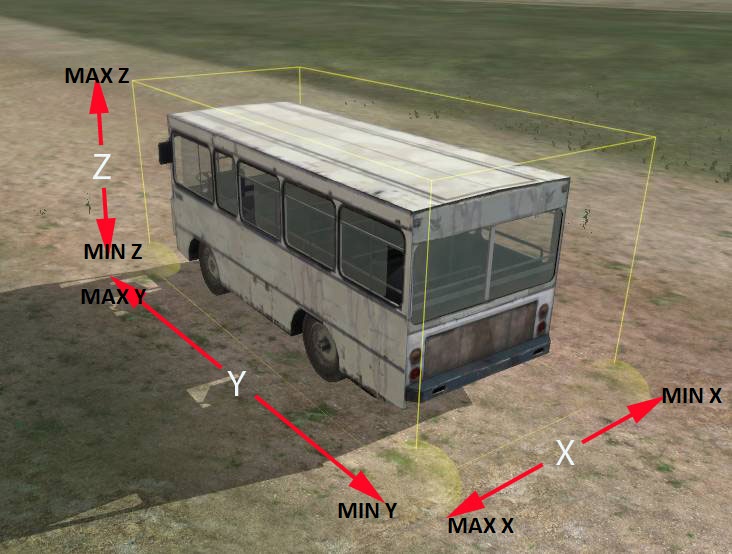 cinder pivot
That bus is in A2 sample models but has no textures
wraith tendon
Nah, i was searching for the Page, wich explained the BoundingBox. I can't find it anymore
bleak tangle
Is your model able to be picked up, or is this just a static object? What about the documents model?
wraith tendon
already claimed that ticket Penny 😛
bold flare
It's a Radio. So can be picked up like helmet and weapons.
the documents model has a very tight and even smaller bounding box so I know that my Model is not too small
 halcyon wren
So that stupid "Viewer Search" problem when starting Buldozer in Object Builder has gotten worse after I updated the tools. It just doesnt connect at all. it's stuck in its perpetual search. Anyone else experiencing this? And better, solved that?
wraith tendon
It takes AGES to load, yeah
(32Bit Version)
64 starts instantly
but.. erm... crashes when it loads a model in OB
halcyon wren
So I'll just have to suffer through the wait time? 😮
BZ loads fine and quickly. its just that the viewer search is taking ages. Its the TCP connection thing I believe.
white jay
must be the TCP socket but searching for me suggests that the OB is looking in the registry for the viewer (buldozer.exe or arma3.exe)
actually the path is configured in OB itself so that does not make any sense
wraith tendon
TCP? wut?
halcyon wren
Yeh. Buldozer interfaces with Object Builder via TCP
Thats why it has this startup param: -connect=pipe\A111E,8EDB
In other random news. Buldozer, when run, has this as default date:
[1985,5,11,8,2]
😄
I bet that hasnt changed since OFP
white jay
if you use bd tools it sets it to [2001, 06, 22, 12, 0] 😄
 proud finch
Anyone know why this shit keeps happening? Yes shadow LODs are sharpened, closed, and triangulated. https://gyazo.com/7937e96f3b154d75d35c2a8ae8dd75ac
 spice horizon
Looking for someone with some free time that wants to help me get a model working in arma. It's a ticonderoga class cruiser
The model is 75% done, but I do not have the skill set to write the configs and get it working
wraith bone
yo guys
i was hoping ya'll could help me out
I want to put in this building ,I already got the model and textures, but i'm horrible with Geometry and collissions and all of that, if you guys could point me in the right direction i'd appreciate it
 bleak flame
A new red dot for RHS: AFRF: https://www.artstation.com/artwork/nywD1
 fickle olive
an arma have textures packed into RGB ? say roughness in red, specular in green, etc ?
can*
 polar fiber
roughness isn't used. _smdi is specular in green, gloss in blue
fickle olive
ah brill, thanks 😃
sturdy parcel
or you could use raw precedural textures along the lines of #argb(...)color(r,g,b,a)
wraith bone
can anyone help me or point me in the right direction
 twin urchin
only if arma used roughness xD
cinder pivot
Geometry is just a simple build up of your building with cubes and stuff, take a look at samples to see what is needed
 river kite
Hey guys, short question. Does the Tacho needle (dont know if its called this way in english) also be moddled?
 half heath
@bleak flame Good looking model. You still using Modo?
wraith tendon
its part of the Model, so yes. It must be modeled @river kite
river kite
Ok thanks dscha
 delicate crystal
question fellas what is a good poly count for a vehicle to put inside arma 3 without causing issues?
someone told me 50k
but that seems rather small
polar fiber
Quite the opposite. 50k is above average
polar fiber
25-30 is typical
the ones over 30 usually have machinegun turrets and things that require more detail
delicate crystal
I am building an f16
polar fiber
interiors in 3rd person models are usually heavily optimised. You only need high detail for the view Pilot LOD
delicate crystal
would 50k be ok or would that affect performance?
wraith tendon
As low as possible, as much as needed
for example: Does one wheel rly need 1000 Points/Faces
delicate crystal
no
wraith tendon
That was a rhetorical question 😛
twin urchin
50k F16 model? do you created that for DCS xD
and if you have a nice HP of it , you can really easily create a LP - 25k and with baking you get like 90% of details in the normal map , other parts are just about geometry rounded vs blocky
wraith tendon
☝
 rich trail
☝
proud finch
Uhm, I know I found a fix for something I did like this way back but I can't remember what it was. Yes, GEO has autocenter=0 https://i.gyazo.com/d37c00bc3b137e3a804d691082b9e08d.png
 dark flint
@proud finch its Arma mate...happens on Tanoa bridges aswell .... 😃
(the light stuff from earlyer)
proud finch
yeah that light thing triggers me
dark flint
....
But anyway idk anyone is realy willing to help you because they are all grumpy about Life mods here...^^
proud finch
why doe, we're doing actual content and not retextures and old files from 500 different communities
not that I expected people to know about it, just saying 😄
dark flint
...Life mods are constantly stealing ripping doenst matter if its from another server or game ^^
proud finch
FeelsBadMan
dark flint
hmh...
i only see one problem with the big life community nobody wants to share but everybody wants to get something from the other... and they all mod a game that has a pretty realistic baseline and a huge "Frame" but using a diffrent Engine would open so much performance and feature wise... and nolonger stiupid PBO´s .... 😄 Cry Engine 4 is free and if u make < x $$ they want X% but even then all these talents that waste their potential to crop everything to fit into arma.... sad ...
proud finch
I started playing arma on life mods and became a life nerd, I just really enjoy creating content for it although it's frustrating sometimes
dark flint
sometimes?
proud finch
okay like 50%
dark flint
....
u mean 99.99999999% 😄
u can do something over and over again with the same procedure and everytime a new error pops up 😄
dark flint
then the Object builder is a total pain in the ass ... i used it once to make a building with a guy who showed me how to with doors and windows and it was so complicated....
proud finch
how do you think cars are? haha
dark flint
yeah with the wheels and shit....
 quick terrace
could you bloke keep it on the subject, which it isn't if a3 life is cancer or if it is 😉
halcyon wren
Currently going through the A2 trees... silvador really doesnt care about section count. :/
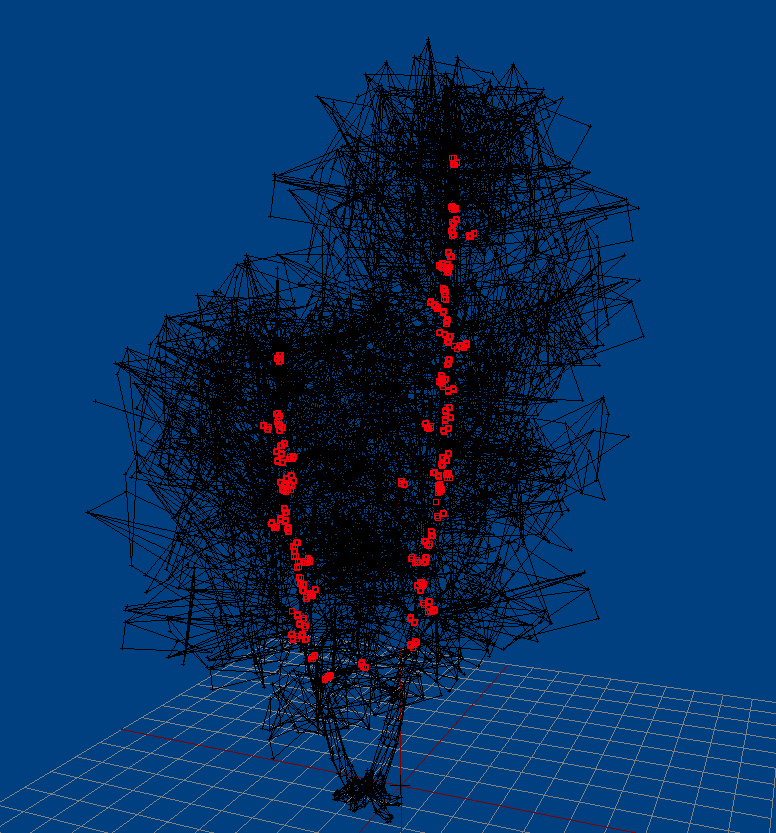
This is what they decided was worth an section on a tree placed thousands of times...
halcyon wren
Just the two beeches. It seems as they progressed through the trees alphabetically it was optimised.
halcyon wren
I'm absolutely loving -filePatching. Makes tweaking the lighting of my trees directly on the terrain so much better.
wraith tendon
Does it work with model.cfg changes too?
(e.g. i have to restart Bulldozer, when i add new bones/selections etc)
 hollow fulcrum
simply have to respawn the vehicle
halcyon wren
Modding is so much more fun when the tools actually enable you. 😃
quick terrace
it happens so seldomly
wraith bone
Can anyone explain the process of doing all the object Builder stuff for the buildings
I have it imported but I want to add all the geometry, Fire geometry, visible geometry, and all that
Yes I do have all my components labled
quick terrace
there is no difference doing geo fire geo etc for buildings than any other mesh
the only difference is the named properties
white jay
Ive asked myself whats the actual conversion between mass (in Geo LOD) and kg? Poorly couldn´t find any documentation about it :/
hollow fulcrum
it is kg
wraith tendon
Some say it is, some say its not. No clue anymore.
hollow fulcrum
it's in the manuals 😉
wraith tendon
Note that and mention it the next time the topic comes up 😄
iirc, we had that with while talking about ACE stuff
polar fiber
Config/inventory mass is the one that's got weird units
wraith tendon
some strange formular was posted back then
hollow fulcrum
it is not exact if i recall correctly
polar fiber
it's separate to the model geometry mass
wraith tendon
Ah damn, right. It was mass
hollow fulcrum
but for all intensive purposes GeoLod 'mass' is kg.
wraith tendon
too many vars
white jay
Ah that´s lovely, thanks 😃 Did not expected it to be that easy
hollow fulcrum
enjoy it while it lasts 😄
wraith bone
how would I set mass to my building and configure the components for the geo
hollow fulcrum
select all objects, press alt-m, enter mass into the box (should be relatively heavy). for components, Structure>Topology>Find Components. they must be closed/convex.
 ebon abyss
back in the arma(1) days I used modo with Synide's P3D plugin extensively to fix and tweak p3d models. this was like what, 401 era or something cant remember heh.
I wrote only few notes, since then I've forgotten much of the modo functionality, after all its like more than 5 years and 5 modo versions later as now I'm using modo v10.2v2 (and v11 has just been released) with ianbanks rvodo plugin.
currently I'm (again) newbie regarding UV sets, I can do UV unwrapping but when I load original P3D file into modo I cant even find the UV set(s), basically I can only destroy existing stuff and make new UV's.
if you just google "modo uv mapping texturing" there are so gazillion results that it takes forever to wade through all of them. does anyone know some tutorials or manual pages etc which would cover this specific P3D suitable UV issue?
or if any modo guru would help me with this direct issue, I would really appreciate it and this time I write everything down so I wont be asking the same questions again 😃
hollow fulcrum
slowly backs out of the room...
ebon abyss
heh
quick terrace
@bleak flame ^
@ebon abyss - you are either doing something really wrong
or that plug has an issue
ebon abyss
yeah its definitely me.
also I'm well aware that this is a RTFM issue, but like I said its not that simple, I kinda dont even know what to search for.
quick terrace
can you post an UV view from modo?
not a modo user, but software work more or less the same when UV are concern
ebon abyss
well lets give direct example; I load a p3d into modo (and save it to lxo right away). it is untextured in modo because initially the texture path and or file name was wrong, I then fixed the path/file name in shader tree, however model is still stubbornly untextured in modo.
first direct question is; how I can check which shader tree material is applied to the model (if any)? 😮
wraith bone
okay so when I make my building right, it needs to have 3 ladders in it, and just some basic geometry like walks, 3 steps, a couple of windows, and 3 floors to walk on
quick terrace
@ebon abyss - no idea tbh, but i thought the issue was modo to p3d
@wraith bone, yes and?
specific questions
ebon abyss
well actually its p3d to modo heh. once I have the model properly setup, saving to p3d is no problem.
I actually now found where the uv sets are located (dumb me I had minimized the dialog where they were heh). but still that above question remains.
quick terrace
google doesn't help?
ebon abyss
was just reading the official modo online doc, could not find any solution so far. difficult to search as I dont know what I'm searching for 😃
white jay
@ebon abyss you might want to look into this:
https://foxhound.international/modo-plugin
ebon abyss
I am using that plugin. or did you mean something else?
white jay
oh sry yea i ment just the plugin
wraith bone
@quick terrace How would one create that geometry, without blocking off all the open areas within the house, allowing people to walk on it and, how would one create those ladders for people to walk on
ebon abyss
seems I may have partly solved one of my issues, I can now load texture (image map) into modo and few of my "untextured model!!" bugs are fixed, texture shows up fine. unless I'm mistaken this answered my question above.
I would still love to ask stupid questions from some modo guru 😃
bleak flame
ping me whenevs @ebon abyss or pm.
ebon abyss
roger, thanks.
white jay
Hi, im experiencing a very annoying Shadow LOD bug with a custom model which i cant seem to fix. The problems are 1. That the lines of the shadow LOD are visivle InGame and 2. Weird Shadow stripes. (See reference pic) http://fs5.directupload.net/images/170429/u3x3fb3w.jpg And here´s the Shadow LOD in OBJ (It is closed, trinagulated and sharp edged) http://fs5.directupload.net/images/170429/xrea5pby.png Does anyone has a clue / tip how to fix that? Thanks 😃
white jay
Guys I need some help. I have a static model of an antenna. When I place it in eden everything is fine as long as it is marked as simple object. Otherwise the object just dissapears as soon as I start the game. It's gone. Any ideas what Iam doing wrong?
wraith tendon
Happens pretty often, you are not the only one.
white jay
Ok, so any solution to that issue?
white jay
its also weird that as soon as i set enable simulation to off or enable damage to off the object dissapears in eden also
wraith tendon
You can check, if its in here:
https://feedback.bistudio.com/project/view/1/
If not -> Open a Ticket.
(since you got that prob, i couldn't post an example)
fickle olive
this look ok? 😐 http://i.imgur.com/fgZMbHE.jpg
hollow fulcrum
there are many rocks where i live that look like that.
¯_(ツ)_/¯
i think it looks pretty good. what is the light patch on the top?
fickle olive
its from the texture, im guessing some kind of quartz
hollow fulcrum
ah
fickle olive
not finished it yet and first time using quixel so thisll just be a test of what i can cock up lol
hollow fulcrum
some more normal power probably wouldn't hurt
fickle olive
true, i dialed it down a bit, probably to far
hollow fulcrum
have fun with quixel, that is my app of choice most of the time 👍
fickle olive
it seems pretty straight forward so far, but barely scratched the surface no doubt.
white jay
its seems like the object is immediately deleted if place via editor / zeus from the game. No idea why. Gonna check dev branch if it is fixed there (couldnt find anything hinting to it from changelog tough)
twin urchin
@hollow fulcrum !
bleak tangle
@white jay Not all of your edges are sharp, in this image the thin red lines mean that edge isn't sharp http://fs5.directupload.net/images/170429/xrea5pby.png
white jay
Saw that aswell, was a mistake as i sharped edges berfore triangualting. Doesnt help. :/
white jay
Thanks anyways
 amber stone
Anyone have a written beginner guide I can use to see about getting into model making?
 worthy inlet
@Knowlton#9617 Youll need to familarise yourself with whatever modelling software you have chosen.If for instance you choose blender,your best just making some boxs and basic stuff to get a hang of it.Video tutorials aplenty out there.
 civic salmon
hey modeling friends, here are some shots of a neon sign I made today. emmulsive .rvmats are cool but can someone teach me how to attach proper light points? I don't know how to do that yet :)
well my pic links aren't working so just check it out on my twitter: https://twitter.com/defjon5/status/858562228978565120
white jay
@Knowlton You should check out Burnes tutorial series on YouTube. Helped me alot back in the time.
@civic salmon Have you checked the Arma Samples (Download via Steam)? Im pretty sure theres a lamppost sample ;)
civic salmon
ok, I found one called lampa_vyoska.p3d but I can't find the config, I see that I need to add a memory and a hit-point for the light
I take it that it would correspond to something in the config
civic salmon
so is it the Reflectors class I want to use?
oh I see, class light, and it's an embedded classname
white jay
The config.cpp is definetly located inside the Arma Samples, like I said youll have to load it from the Steam Store http://store.steampowered.com/app/390500/Arma_3_Samples/ Afterwards all the files, including a config.cpp will be located at Steam/SteamApps/common/Arma 3 3Samples / Addons / Test_Lamp_01.
Otherwise i could load it up to Dropbox or something...
 quartz ridge
Hi, I'm working on a car in Object Builder. I want to rename the pbo file. My car.p3d directing to "car\data\int.p3d" but how can I edit the patch? Sorry for my english, but I hope you understand 😃
cinder pivot
You can just rename the p3d file and everything pointing to it
quartz ridge
but how can I rename the patch to another p3d file in Object builder?
"cannot load pbo_file\data\proxy.p3d"
sorry. It's a prox2.p3d file.
quartz ridge
Problem solved!
civic salmon
@white jay thanks for the help, I didn't even know the arma 3 samples were a thing, I found the lamp and I think I know what I need to do now!
wraith tendon
~~Anybody got an idea, why the damage is sometimes ignored (RedArea)?
https://i.gyazo.com/8e40e389aea531baced2884ba0214c58.png~~
Scratch that... Model had no fireGeometry...
 river kite
can someone tell me why my object builder is crashing when i want to open a proxie of data_f ?
white jay
cuz these proxies are binarized
river kite
i know but i only found 1 yet and they dont fit really ^^
river kite
but how ? ^^
white jay
Create -> Proxy
river kite
thanks 😃
wraith tendon
Anybody remember the button to enable/disable the Face direction?
(little blue indicators, iirc)
nvm, found it "show normals"
 wispy orchid
@wraith tendon thanks for your recommendation to look into physx suspension wheels for the broken suspension on Unsung planes. Unfortunately it opens a whole new can of worms, lol.
wispy orchid
yeah, the geo lod and the physx settings better be closely aligned, otherwise you're in for a surprise, I found the hard way
wraith tendon
hehe 😄
 crystal crest
hey guys, can someone explain to me what this is actually doing ? 'bis_disabled_Door_07', 1]
is it literally disabling the door ?
white jay
Hey guys, any ideas on how to fix that alpha problem ? http://i.imgur.com/fTvOryF.jpg
Tried to change the RVMAT flags, tried to change Pixel and Vertex Shaders, tried to reduce the specular intensity, did "move top", "move bottom", sorting alpha (all that stuff), added "forcenotalpha 1", also "canbeoccluded 0", etc. Still not working. Thing is, when the glass is overlaying a building on my screen, it's not redered..
cinder pivot
Im not sure I see what is wrong with that
@Ben Archer#5379 would have to see more of that to tell
white jay
@cinder pivot The blue hollow part
When any buildings are being drawn behind the glass, it turns that blue
Or doesn't render at all
It works fine in the environment
Only happens with buildings
 lime nebula
Select your glass and use, move top function in structure
 inner sluice
Hello guys. I'm trying to make this model to move like a tank
http://image.prntscr.com/image/ed15aed780564c3384ceb8ad3d8170e1.png
Is there something special to do with memory points or something ? because I can't get it to work :/
zenith quartz
you need to setup the physx, did you try it?
cinder pivot
@inner sluice look at arma 3 samples for tanks
shows you how you need to do treads and all that
white jay
@lime nebula Already did that and all, described what I tried so far under the link
wraith tendon
What are you trying to do?
 lapis sinew
wraith bone
lapis sinew
wraith bone
okay so for non-convex shit, do I make it convex?
okay so i'm making this building, and I have a few open areas within it, like an exploded wall and such, I was told to get it properly done and in game as a building/static I have to find all components and close/convex them, but it closes everything up, like doors, windows, and such. is this normal?
quick terrace
is not normal (or in fact it is, but if you are loosing doors it means you did it wrong)
make it from simple convex boxes
use as little individual pieces as possible, but still use pieces, not a single mesh
wraith bone
can you explain that process plz
bleak tangle
Have you looked at the various geometry LODs on the Test_House from Arma 3 Samples? (http://store.steampowered.com/app/390500/Arma_3_Samples/)
cinder pivot
If my model has some odd shadows in blender, will it carry over ingame? Not like flipped normals but different shadows, only happened because I imported part of a mesh into blender then continued editing it. The same mesh created in blender doesnt have any offcoloring in the mesh.. Its really odd
wraith bone
i have looekd at the various geometry lods on the test_house
but i'm completely confused on how to apply that to my own creation
hollow fulcrum
@cinder pivot hard to say not seeing it. the shadows ingame come from the shadowLods though, so i'd think it's not likely to transfer over.
@wraith bone what does your geoLod look like?
wraith bone
@hollow fulcrum really new to this, hold on
cinder pivot
@hollow fulcrum its more like shading vs shadows, like it has one material applied but goes from grey to blueish
wraith bone
@hollow fulcrum do you want a gyazo
hollow fulcrum
linkage is good
wraith bone
thats what it looks like right
but when I find components and close/convex them
it just all clsoes up
i want it so its static, people can walk into it, and onto all those floors
and etc
cinder pivot
The google machine says its because the direction of the mesh changes sharply without any supporting geometry, but it happens on almost flat surfaces as well.. Its really odd
hollow fulcrum
most 3d apps have a shading function that lets you know if your smoothing is proper. probably just need to adjust the smoothing groups. or clear them and reapply.
cinder pivot
@wraith bone your geometry should be simple and is made up of smaller "blocks" if you will, not one solid block
wraith bone
alright
cinder pivot
And no texture on it
wraith bone
no texture on my geo?
hollow fulcrum
@wraith bone is that the geoLod or resolutionLod?
cinder pivot
If you see the house in samples, its all built up of smaller blocks for collision
cinder pivot
Arma samples of the house
Has all you need
There are guides but I dont have them handy
 shrewd owl
I have a question that I am having trouble googling - Is there a way to disable the bench seat on the RHS MELB AH6M-H? This helicopter seats one pilot, one copilot, and one passenger on the bench seat over the GAU19 mount on the pilot side. I would like to disable the bench seat so the helo only seats two players, because reasons. Thanks
stuck oyster
throw invisble UAV_AI unit in the seat with disabled AI.
shrewd owl
huh not a bad idea
ive just got to figure out how to do that 😛
yea I dont know how to add an invisible unit
wraith bone
I'm still confused on the buildings thing
would anyone like to direct chat and help me???
river kite
Can someone tell me how i can get my vehicle always displayed in Front,Left und Top View ? also when i editing in other LODs ?
wraith tendon
F9?
river kite
yeah then i have the 4 views
but when i switch to the memory LOD i just see the points and nothing else
i want it like in this vid ^^
so when im in another LOD i still see the 0.000 LOD
polar fiber
View Background LOD
river kite
ok thanks will search for that later ^^
wraith tendon
File -> Options -> What MonkeySaid
river kite
yup thanks guys found it ^^
river kite
yeah found it because of you 😄
 light bone
Is there a way to mass change the model path of proxies in the model? Maybe a hex editor?
 terse elm
Sounds like ur up to no good
light bone
Hex Editor did the trick
light bone
Will remember that for the future
terse elm
only time iv heard of ppl using hexedit is for norty things lol, iv been hanging around here too much!
ppl asume the worst
light bone
Can understand that but just that you can sleep well I'm part of the new franze & nodunit ah64 dev team
light bone
franze and nodunit made a highly detailed ah64 back in arma2 times. They ported it to arma3 but they dropped the project and gave permission to the community to continue their project.
terse elm
cool
hollow fulcrum
lol, whats up mike?!
hollow fulcrum
meh.. nothing new unfortunately. lots of LP foo in my life currently.
@terse elm how about you?
terse elm
been working on this last few months https://forums.bistudio.com/forums/topic/204074-mpx-baf-virtus-body-armour-system/
hollow fulcrum
ah very cool
if im lucky i'll find time to make a muzzle flash hider for the M2 and finally get to painting it today.
hollow fulcrum
😆
twin urchin
so can i expect it soon?
hollow fulcrum
meh.. soon is relative. im just catching up on where i was before going afk this last time.
you're after DCL foo right?
twin urchin
well you already got those sights done right?
hollow fulcrum
aye, the 120 is done. i'd have to look again to know about the other 2. i'll get to it before the weekend most likely. i'll send you a PM. (or you know, remind me 😄 )
halcyon wren
Woah... I just looked at your to do list for ASTFOR. :D
Any vehicles already started?
terse elm
looks a cool project, sadly i cant take on any more than im currently doing otherwise il end up divorced
twin urchin
that tank has a hot rod mod on 😄
hollow fulcrum
that is more of a @woeful viper type question. best i can tell, it is not proper. 😛
wraith tendon
Looks like a typical: PhysX
wraith tendon
iirc it had something to do with the contact of the wheels with the ground (like sinking in ground/too low)
Maybe that hints you in the right direction
zenith quartz
the problem is only when i try to turn while moving forward
wraith tendon
Anyone got the Problem, that userAction's (e.g. doors) disappear, when you walk inside a Model(House?)
zenith quartz
memorypoint and radius?
wraith tendon
Nah, they are available when i am outside, when i move in -> Disappear oO
Pretty strange
river kite
how much hitpoints are a good deal for a truck ?
wraith tendon
2
wraith tendon
*solved:
The GeoOccluder in ViewGeometry killed/blocked the userActions inside of the Building.
wraith tendon
Told ya 😄
(Okay, said something different, but refered to the obvious physXWheels prob 😄 )
white jay
Altough this might not be the right channel for my question, is Arma loading faster the less .pbo`s are located inside the addons folder? Or to be more clear, is it worth piling lots of models inside one .pbo and config.cpp for better (is it?) Performance ? Thanks again :)
Edit: or is it basically the same compared to having "every" model in their own .pbo.
wraith tendon
hm, i doubt it there is a *noticable diff.
ebon abyss
when I load all PMC real world data terrains into my Gaming computer, arma3 startup time until I'm in main menu is considerably longer than without them or with only just CUP loaded. so yeah, parsing through all those pbos (configs?) does take its toll. however if you are talking about small addon/mod, then I would say it makes no difference.
white jay
Ok thanks
ebon abyss
just checked, my example data is 194gb in pbo's so that gives you some context 😉
wraith tendon
🤦
light bone
in theory, it should be slower but even in the worst case, when files are partitioned all over your drive (non ssd) it is negligible. As an add-on creator I would prefer clean structure over few hundred of ms of gain in startup speed
ebon abyss
my example is extreme case, however the waiting time is at yawning level when I fire up my arma3 with that load. I might have to time it one of these times I start it up just to get some data about it. its not over a minute though just to give some idea, prolly over 30sec.
oh and I load that stuff from HDD (old western digital 3tb green) because, SSD is full.
light bone
Your case states the obvious that more content causes longer laoding times. His question was if content located in one pbo gets loaded faster than the same content spread over multiple pbos
wraith bone
is the 1.00, & 2.00 a res lod or no
hollow fulcrum
both are resLods
white jay
@wraith bone https://community.bistudio.com/wiki/LOD
@brThats what I wanted to hear :) Thanks!
 past remnant
Recommended limit on a close shadowvolume?
halcyon wren
2000-2500faces
 glossy mango
Is it possible to design custom flight displays, HUDs, etc, for vehicles?
light bone
depends do you mean for an existing one?
glossy mango
@light bone sure!
 still trail
Good afternoon all, just wanted to highlight how BIS are achieving the "runway" and AI landing on Carrier. There's a new DynamicAirport_01_F CfgVehicle (that inherits from AirportBase class) that can be attached to say an aircraft carrier or any other object. It will then be picked up by aircraft as a legit runway to land on. I tested this out by attaching it to an object on a road... and indeed AI and autopilot will land on the road (or atleast attempt to).
For those of you working on any LHD or CVN etc
cinder pivot
@still trail its not via attachTo? Its creating it at the location?
still trail
the carrier is built same way LHD is, via an attachTo script. That script includes not only the carrier parts but also DynamicAirport_01_F. That object has ILS config entries exact same as how terrain airport/runways are defined
zenith quartz
my tank keeps shooting in the same position even if i turn the turret.
I've double checked
gunEnd = "gunend_1";
in the turret definition and i've verified that those points do turn. Am i missing something else?
animationSourceGun = "gun_1";```Check your model.cfg if all points move with the turret (are linked together)
zenith quartz
already did
zenith quartz
tested in game too
wraith tendon
check again 😄
 crude sigil
hey guys, is it possible to proxy a geometry from another model?
quick terrace
it is possible to proxy whatever you need to
cinder pivot
Are you trying to just pull geom from another model? but you can proxy it ^ what pufu said
crude sigil
trying to create an empty model that proxies all the LODs from another object
normal LODs proxxy fine but the geo/fire/views dont 😦
the disappear when your not looking at the base of the object
wraith tendon
Add Fake Points, in the Memory LOD, the tell the Engine that you are "still looking at them"
e.g. 20m to each direction
crude sigil
i tried that in the view geo, it made the object turn pale blue 😛
cinder pivot
Maca I had that problem with the ladder hatch - had to put a vertex way down below it to stop rendering out of view/dissapearing
 crude sigil
yay
ok so, trees dont sway properly if you cfgvehicle them, ref'ing the model but if its a proxy it does 😛
crude sigil
tanoa tree 😄
cinder pivot
lol
stuck oyster
@crude sigil while you can do it that way, it might not be the right way to approach placing tanoa trees. Are you placing them on map in TB or in scenario?
crude sigil
createVehicle'ing them
bleak tangle
Why not just write a config and use their model paths?
crude sigil
they dont sway, some do, some time but its very sketchy
bleak tangle
As in the sway is being inconsistent with trees of the same classname?
zenith quartz
afaik the "sway" is defined in the p3d, nothing to do with the cfg
white jay
class=tree or class=*bush defines in the geo lod the sway
halcyon wren
Sway is tied to the vertexShader assigned via rvmat.
white jay
you sure? as i can have a tree sway or a bush sway and use something like super or multi
halcyon wren
I tried it on my trees. Made the tree trunk super shader and it stopped swaying.
white jay
hmm what would class=tree then be used for?
halcyon wren
I am wondering this myself. Very likely legacy from OFP.
halcyon wren
There's a lot of copypasted legacy and misinformation in even official examples.
halcyon wren
Then not sure why it stopped swaying after using supershader. ¯_(ツ)_/¯
white jay
and i would allmost bet money on it being a animation and not a vertex shader animation
halcyon wren
I'd take you up on that bet. 😄
halcyon wren
What do you mean by "Actual animation"?
halcyon wren
No. not possible.
white jay
hmm ok
ebon abyss
in arma/arma2 the tree hard and soft was how much wind caused the tree to sway, soft quite a lot and hard much less.
halcyon wren
Did a quick test. Removed .rvmat. Tree still sways. 😮
Hah, I was half right. Without rvmat, the polyplanes in the tree dont have random sway. the entire tree just skews sideways in the wind.
white jay
ok so the there is a mix of the vertex shader and some other magic applied by the class=
halcyon wren
Yep. It does seem logical being this way.
white jay
does only the *adv vertex shaders apply additional saw or also the older ones?
class defines the icon on the map i think
halcyon wren
thats map=
white jay
in model or cfg?
halcyon wren
named property in geoLod
halcyon wren
ALways the best course of action: Ask a programmer to dig into the code. 😄
While at it, see if pa_sx.p3d is still hardcoded to be replaced on 24th-26th dec
white jay
it probably is. I dont have the latest source btw ^^
white jay
there are different wind anim specs for Tree/bush/hard/soft
so swaying probably is connected to class type
ebon abyss
heh
halcyon wren
the vertex shader must be doing some random movement to the faces it applies to.
Without them the tree just waves around as a big stump. With faces that have the shader (usually the leafy polyplanes), these then exhibit extra random movement.
white jay
ok that could be. do you need info about that?
halcyon wren
Nope.
white jay
to sum up everything: whole tree swaying is set up by class= and the swaying of branches is set up by the vertex shader
 bitter turtle
Anyone knows how a paths LOD, specifically a stair entry point should be done? The stair is like this one:
https://gyazo.com/67105b2a6ca804132af32ef2d5ec68fa
hollow fulcrum
ermmm.. probably best to check the sample model (think it has pathing anyway..). at the end of the day though, you should have multiple start points that come together to the main path. preferably at different heights to account for terrain clippling/occlusion.
regarding ladders, thats a little different. and getting AI to utilize them properly ... meh. probably a ladder in the sample model also though.
bitter turtle
Yeah, the thing is that sample models doesn't come with a ladder, so no reference is available.. Thinking to make some attempts by try-error method, I'll come back if I get a working solution ..
Also I'm wondering how is this configured in CUP building (A2 had some of them with ladders)
white jay
you can use this to check a vanilla model:
https://odolconverter.t-db.de/
bitter turtle
Ops, didn't know about this page, thanks!
hollow fulcrum
ladders are effectively two specifically named mempoints in the memLod. the offset between the points has effect on the vector for the animation.
 lusty ginkgo
is there a list of memory points/proxies for models and their translations?
polar fiber
generally you can name them whatever the hell you like
so long as it matches the model.cfg and config.cpp
Czech names are just an old convention from OFP era in most cases
lusty ginkgo
I am trying to reference ones from BIS models in my config.cpp for a custom weapon using vanilla models
I am experimenting with the gunparticles for scientific reasons
zenith quartz
Does anyone know how to force the driver to be visible?
hollow fulcrum
not sure what you mean exactly. proxy just needs to be present in the relative resLods.
polar fiber
forceHideDriver = 0;
zenith quartz
forceHideDriver = 0; doesn't work
polar fiber
trying to figure out what we have on the PTS-M
zenith quartz
i know for sure it's not a model problem, i've applied the same model to different cfg. In one i can see it, in the other i can not
but
i can't spot any significant entry for it
except the number of turrets
i'm trying to debug it since two days
😄
 golden oak
@zenith quartz Are you good with loading mods?
polar fiber
what values for canHideDriver do the two have?
zenith quartz
-1 both
but i'm not sure if the driver must be visible to be killed with penetration shots
polar fiber
dunno. Proxy needs to be in the fire geometry LOD at least
zenith quartz
bool

Controls whether the crewmember (at this turret) is rendered and damageable.

1= render crewmember when he is buttoned/"turned in", 0= render crewmember only when unbuttoned. Apparently this needs to be set =1 in order for crew to be damaged by penetrating hits (i.e. if crew is not rendered, they cannot be damaged).```Try hideProxyInCombat = 0;
zenith quartz
nope, it's already set
polar fiber
what simulation type is it btw? carx or tankx?
polar fiber
fow_ija_type95_HaGo has hideProxyInCombat = 1; where t has 0
zenith quartz
let me repack
oh my
it works!!
i had a problem in the inheritance tree and it got overwrite!!
thank you very much for your help!!
zenith quartz
@da12thMonkey#2096 hideProxyInCombat = 1; makes the crew always turned out
wraith tendon
Demons.
past remnant
damn demons taking over my logs
past remnant
kay thanks
past remnant
I don't think I have actually put those objects in shade since I made them
Uses the same rvmat settings I use on other objects which work fine
past remnant
Will do, thanks for your help though. Going to try a few different things
cinder pivot
@past remnant remove rvmat and have only _co- might help narrow your problem
cinder pivot
Any as? Seems like specular problems
past remnant
nah just nohq/smdi
cinder pivot
At least its narrowed, best of luck to you sir. I need to sleep now
past remnant
Thanks, have a good one
cinder pivot
Thats for desolation yea?
past remnant
Yep
cinder pivot
You want any zombie noises or a model? Have a decent number of sounds from a humble bundle way back
past remnant
I believe we got some sounds recently but you would have to ask BigBen#1428 about that. Not sure what they still need/want.
cinder pivot
Ill see tomorrow if I remember, off to sleep now though.. Up early
Ill msg him if I can 😄
past remnant
Sounds good :D
bleak tangle
Probably any issue with your _AS texture for it to be that black in the shade
 tacit karma
Its the _as map
quick terrace
^^\
cinder pivot
He doesnt have an _as texture, probably what was in that stage though
polar fiber
procedurals are still a texture
but yeah, if you have #(argb,8,8,3)color(0,0,0,1.0,AS) in there, you're gonna have a bad time
twin urchin
thats the _ass map 😃
cinder pivot
Yep
cinder pivot
Ay lookin sharp
Just throw that ingame as is and make it shoot rainbows.. Or at least rainbow tracers
hollow fulcrum
haha, rainbow colored tracers. will have to do a 'jingle special' for sure.
white jay
Greetings. I am looking for assistance locating or perhaps creating (commission type) near futuristic weaponry such as the following images. Would really help me out if there was some pack that I've just missed! ;3 http://imgur.com/a/TzrsH
quick terrace
@white jay there is no such content in arma available
cinder pivot
Thats a lot of $ for custom stuff
 lavish mountain
converting
From what?
white jay
@faint osprey The images I linked in the gallery above are actually created meshes.
lavish mountain
If they are not your IP or you dont have permission you could get legal charges...
lavish mountain
Thats about the same Hatchet
hollow fulcrum
👀
this wont make you feel any better but i loaded the 2.3 you're running on the vm, and it's fine there also. 😕
twin urchin
you got a AMD card?
hollow fulcrum
negative.
twin urchin
i got nvidia
hollow fulcrum
shouldn't matter though honestly. what are you exporting out of max?
hollow fulcrum
no optimization foo turned on right?
hollow fulcrum
hrmm... any chance you've moved installs in the course of utilizing quixel suite?
ie.. swapped up core pathing during install?
twin urchin
no that wouldnt work at all
hollow fulcrum
ok. that one in particular has caused a many of issues over time is why i ask.
hollow fulcrum
it got me once when i moved between drives. i still have messages sitting with quixel folks though. can't find anyone having your particular issue at the moment, so hopefully they have a suggestion.
that would drive me insane rather quickly.
hollow fulcrum
i'd imagine those are already formatted .3do objects. maybe not though. would be interesting for sure if they are not.
quick terrace
@hollow fulcrum lol
wraith bone
Anyone know anything with normals on buildings
just confused on how one would do that
quick terrace
what normals?
 late root
Following this and making a very ugly and basic uniform to just see about getting it ingame. have it weighted and following this https://community.bistudio.com/wiki/Arma_3_Modding_Characters
Now I need to test a RTM. When I select one in the animation menu nothing happens. Any tips on a RTM I should pick?
late root
Perfect that fixed it
And my horrible test seems to be working XD
Worked how it should, thanks @stuck oyster 😃
stuck oyster
👌
late root
So to make weighting easier was wondering if theres a way to get a rtm from samples into 3ds max. I know there is the A2_animation_poses but was wondering if theres anymore besides the one provided.
quick terrace
nope, i personally wasn't able to import a RTM
that said, i animate some bones myself between the provided poses to check it out
late root
Okay i can do that, just was hoping not too lol
wraith bone
Does Geometry require it to be convex
polar fiber
yes. Must be closed and convex shapes else it'll have no collision
wraith bone
So say I wanted to have a opening
for my doors and such
how would one do that
because everytime i pack it, go in, I can walk in and on my Roadway LOD's, and all that
but i can shoot through it all.
walk through walls
etc
quick terrace
i thought i answered this before: use smaller box meshes
wraith bone
alright
quick terrace
 wraith bone
Alright.
 agile flint
What would be better for Arma modelling? 3ds or Blender?
3ds looks like a far more cleaner and easier user experience compared to Blender from what I've seen? is that true
bleak flame
Possibly. Can't tell you much as I haven't used either very much. However there is a recent fork of blender called bforartists that focuses on a UI overhaul; you might want to check that out. There's a thread on polycount about it.
agile flint
Cheers Bek, I'll have a look
quick terrace
there is no such thing as a better modelling package. It's the artist, not the software.
But do bear in mind that the norm in the industy are max and maya, on the other hand, blender is completly free for commercial use, and will remain that way for the foreseable future.
Also, from a development POV, blender moves a lot faster than either of the autodesk flagship products
 woeful viper
IM BACK
quick terrace
you haven't been missed 😉
woeful viper
i knew you would say that :]
quick terrace
damn, turning old and predictible then
woeful viper
well there are only 2 options... or 3. replying positively, replying like 99% of the internet or... just ignoring and carrying on as if i wouldnt exist 😄
quick terrace
lol
terse elm
@late root there is a A2 poses file u can drop into 3DS in the arma 3 samples, when u slide the animation bar at the bottom it cycles thru different static poses you can use to test ur character
halcyon wren
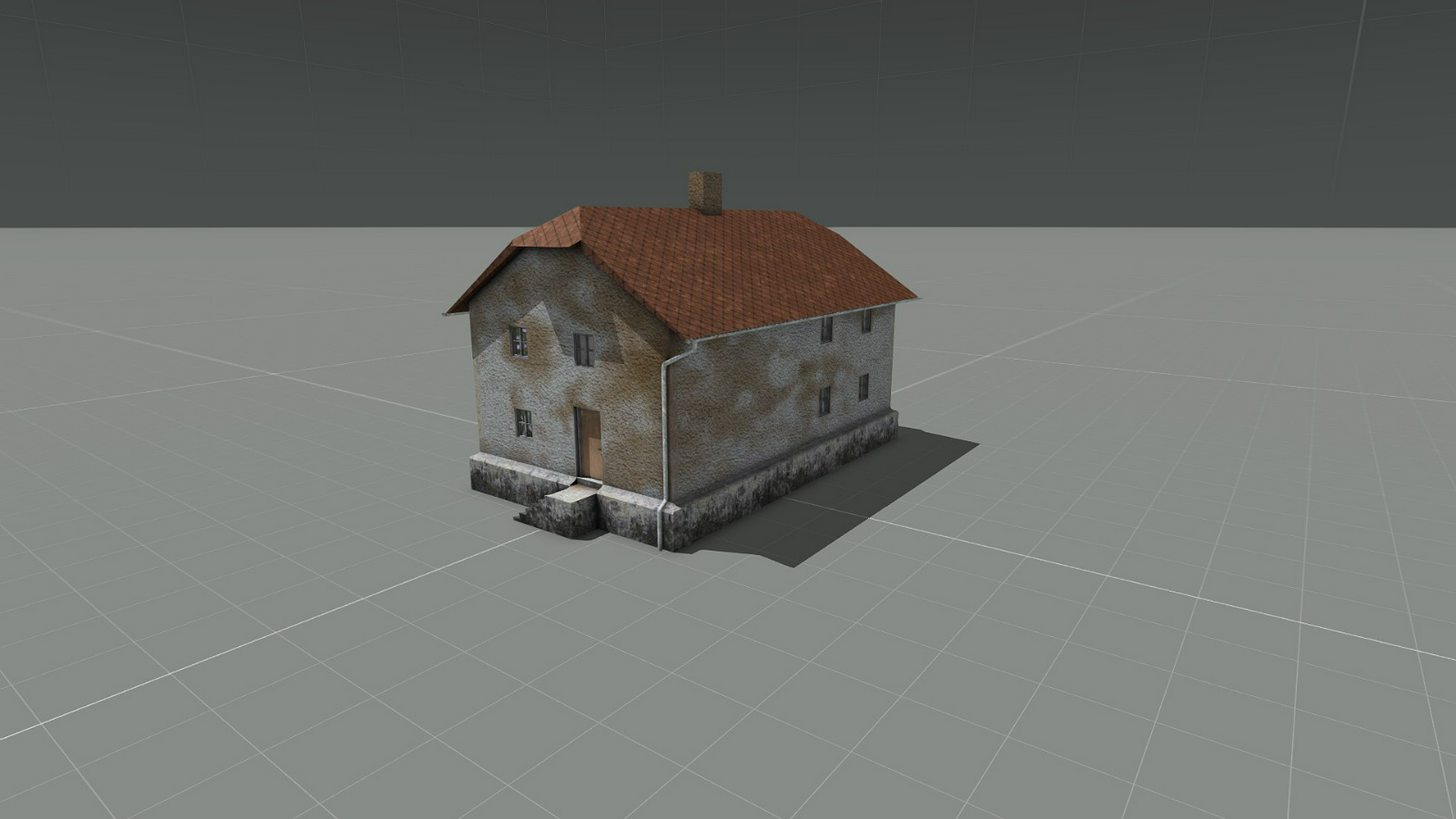
Speaking of houses. I'm totally at it again:
http://imgur.com/a/pW7LW
 hollow fulcrum
@woeful viper hey brother! hope all is well
terse elm
nice @halcyon wren
woeful viper
@hollow fulcrum yes all is well... was just moving places and it took 4 weeks for net to be operational :/
hollow fulcrum
that is suboptimal.
 echo rain
@halcyon wren i love that style of building. feels like home :D
small suggestion. i'd focus more on little creases and edges in terms of dirt and rust and other wear stuff instead of such large dirt patches. like distribution based on where stuff would logically settle. or maybe jsut se AO as a mask. i dunno how to properly formulate it. hope that makes sense
halcyon wren
Yeh. I'm mixing styles here. Some buildings are from 2014, from before I used quixel and blender. Those stick out like a sore
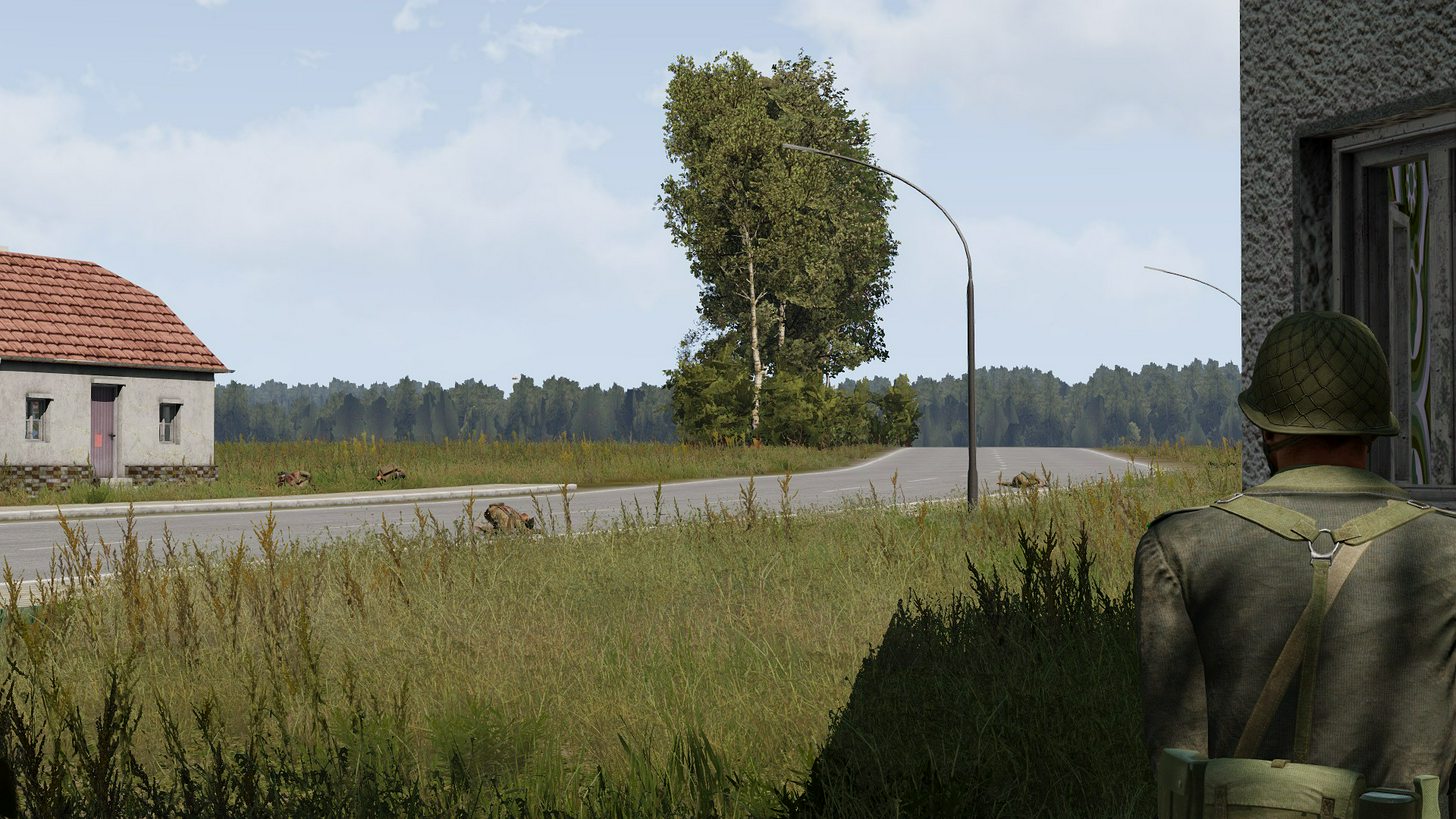
In terms of style: I think I just captured the most north-german looking picture so far :D
http://i.imgur.com/3aaCcCS.jpg
 woeful viper
the corpses are on point... corpses in north germany everywhere you go.
halcyon wren
Still need to make it so the sidewalks fold up at 6pm.
woeful viper
in arma it might as well be folded up permanently
 wraith bone
Alright.
Okay so thats what my convex shape looks like right, but I want to be able to go inside, shoot out the window, etc. [no glass or door] Will it allow it to happen
stuck oyster
you make it from smaller separate pieces
hollow fulcrum
😄
white jay
@halcyon wren Do you have a BI thread for those buildings? They look pretty cool
halcyon wren
Nothing directly relating to them.
 civic stratus
Could someone assist me with some vehicle glass destruction? The windows damage but don't "destroy", and they only damage on one side, despite the selection consisting of both inside and outside faces
my hitpoints are a little far apart, but if they're getting damaged, they should be alright, no?
wraith tendon
Check for the correct hitpoint names

+if possible -> You can use the glass Macro in the A3 files
civic stratus
the hatchback uses this naming convention: selection="glass5";
And I've been trying to replicate that
wraith tendon
Are all Glass Anim in the animationSources of the config.cpp?
For myself, i made a Macro:
#define GlassSourceAnim(GLASSNUM)\
class glass_##GLASSNUM##_source{hitpoint = "Glass_##GLASSNUM##_hitpoint";source = "Hit";raw = 1;};```
So
GlassSourceAnim(1)
GlassSourceAnim(2)```
= everything set up for "glass_1" and "glass_2"
In Hitpoints there should be Config rdy for it (iirc there was something in the SampleFiles)
Steam\steamapps\common\Arma 3 Samples\Addons\Test_House_01\config_macros_glass.hpp
Ends up in
class hitpoints
{
    NORMAL_GLASS_HITPOINT(1,0.01,0.175)
    NORMAL_GLASS_HITPOINT(2,0.01,0.175)
};```I've used a macro like that for a building
wraith tendon
Same for Vehicles
Config.cpp:
    class HitPoints
        {

            NORMAL_GLASS_HITPOINT(1,0.01,0.175)
            NORMAL_GLASS_HITPOINT(2,0.01,0.175)
        };
        class AnimationSources
        {
            GlassSourceAnim(1)
            GlassSourceAnim(2)
};```(when using the tiny Macro from me above)
Model.cfg
    class MyModelName: Default
    {
        skeletonName="MySkeleton";
        sections[] =
        {
            "glass_1_hide",
            "glass_2_hide"
        };
        class Animations
        {
            class Glass_1_hide
            {
                type            = "hide";
                source            = "Glass_1_source";
                selection        = "Glass_1_hide";
                minValue        = 0;
                maxValue        = 1;
                hideValue        = 0.99999;
            };
            class Glass_2_hide: Glass_1_Hide{source = "Glass_2_source";selection = "Glass_2_hide";};
etc. blablabla closing everything
"Hitpoint"-names of them are "glass_1" and "glass_2"
Name in any other LOD = "glass_1_hide"
civic stratus
Ah good news, I got the front and back ones to break fairly easilky
wraith tendon
+don't forget to restart Bulldozer, when you add new Glass' to the CfgSkeleton Skeletons->skeletonBones[]=.
wraith tendon
";raw = 1;};
It's already inside the Macro
GlassSourceAnim(1)
same as
class glass_1_source{hitpoint = "Glass_1_hitpoint";source = "Hit";raw = 1;};
So, Food is rdy. Helptime is over =}
wraith tendon
Just gimme a feedback if when it works
wraith tendon
^^
civic stratus
scaredt the hell out of me
wraith tendon
You prolly forget to add armorvalue to it ^^
civic stratus
I used your macro
the 0.01 is the armor right?
NORMAL_GLASS_HITPOINT(1,0.01,0.175)
#define NORMAL_GLASS_HITPOINT(glassID,arm,rad) \
armor = arm; \
civic stratus
okay, so 0.01 is a low armor value, but why does it make the whole car explode lol
wraith tendon
You prolly forget to define the other hitPoints?
civic stratus
nah, they're defined.
wraith tendon
@civic stratus And?
civic stratus
sorry, have some milsim training for the next 2 hours, the vehicle is still exploding
wraith tendon
check your hitpoint configs again, when you do it again.
civic stratus
I'll try 0,1 for the armor and report back
the exploding only happened after I replaced the glass I had with your macros, so I don't think its the other hitpoints I had before
(body/engine/fuel etc)
wraith tendon
@civic stratus
I know what i am talking about:
https://i.gyazo.com/2a77f75e3186fa5ce0e1c0fd6286a2be.mp4
😛
civic stratus
yeah I dunno, what I need to do to fix it =/
wraith tendon
check hitPoints again (names etc)
civic stratus
glass_1,glass_2 etc right>?
wraith tendon
In Hitpoints LOD
wraith tendon
Yep
Then you can use the Macros from above easily, no big config stuff to do then.
 civic stratus
yeah, I've done that already:
        {
            NORMAL_GLASS_HITPOINT(1,0.01,0.175)
            NORMAL_GLASS_HITPOINT(2,0.01,0.175)
            NORMAL_GLASS_HITPOINT(3,0.01,0.175)
            NORMAL_GLASS_HITPOINT(4,0.01,0.175)
            NORMAL_GLASS_HITPOINT(5,0.01,0.175)
            NORMAL_GLASS_HITPOINT(6,0.01,0.175)
            NORMAL_GLASS_HITPOINT(7,0.01,0.175)
NORMAL_GLASS_HITPOINT(8,0.01,0.175)```I had tried 0,.1
but it didn't have an effect so I reverted
            GlassSourceAnim(1)
            GlassSourceAnim(2)
            GlassSourceAnim(3)
            GlassSourceAnim(4)
            GlassSourceAnim(5)
            GlassSourceAnim(6)
            GlassSourceAnim(7)
GlassSourceAnim(8)```so as far as I can tell I've done everything you've directed me to do
wraith tendon
Should work for the glass/windows now
civic stratus
should, but the car just blows up XD
wraith tendon
THATS not related to the glass
civic stratus
model.cfg:
{
    type            = "hide";
    source          = "Glass_1_source";
    selection       = "Glass_1_hide";
    minValue        = 0;
    maxValue        = 1;
    hideValue       = 0.99999;
};
class Glass_2_hide: Glass_1_Hide{source = "Glass_2_source";selection = "Glass_2_hide";};
class Glass_3_hide: Glass_1_Hide{source = "Glass_3_source";selection = "Glass_3_hide";};
class Glass_4_hide: Glass_1_Hide{source = "Glass_4_source";selection = "Glass_4_hide";};
class Glass_5_hide: Glass_1_Hide{source = "Glass_5_source";selection = "Glass_5_hide";};
class Glass_6_hide: Glass_1_Hide{source = "Glass_6_source";selection = "Glass_6_hide";};
class Glass_7_hide: Glass_1_Hide{source = "Glass_7_source";selection = "Glass_7_hide";};
class Glass_8_hide: Glass_1_Hide{source = "Glass_8_source";selection = "Glass_8_hide";};```That are the other Hitpoints
civic stratus
it happens when I shoot the glass, and the glass only
sorry if I didn't say that earlier
if I shoot any other part, nothing
wraith tendon
Yeah, because (what i said earlier) they prolly don't have a Damage/Hitpoint config
civic stratus
            {
                armor = 0.125;
                passThrough = 0;
            };
            class HitLF2Wheel: HitLF2Wheel
            {
                armor = 0.125;
                passThrough = 0;
            };
            class HitRFWheel: HitRFWheel
            {
                armor = 0.125;
                passThrough = 0;
            };
            class HitRF2Wheel: HitRF2Wheel
            {
                armor = 0.125;
                passThrough = 0;
            };
            class HitFuel: HitFuel
            {
                name = "fuel";
            };
            class HitEngine: HitEngine
            {
                name = "engine";
            };
            class HitBody: HitBody
            {
                visual = "camo1";
};``` this?I'm almost certain this worked before I started tinkering with the glass
civic stratus
thats how the hatchback handles hitpoints
I copied it as a base
both inherit Car_F
wraith tendon
Upload the Cfg to Pastebin pls
(Or send me the config via PM if you don't want to share it here)
civic stratus
config.cpp or model.cfg or both?
wraith tendon
Yes
civic stratus
well actually its gonna be kind of hard for you to get the full picture because I include files a bunch XD
but we;ll see
white jay
Configs need for loops.
wraith tendon
macros, yeah
white jay
Does anyone has experience with very thin Objects and Shadow LOD? My problem is that even though the Shadow LOD is closed, triangulated, sharp edged, the sun is kinda "glitching" through (see reference). http://fs5.directupload.net/images/170510/q79zkwpw.png :/ Edit: The Shadow LOD is one single object, upper plate and beams are connected!
cinder pivot
Have you tried a separated object for the shadow LOD? And does it do the same thing?
white jay
"seperated object", you mean the Shadow LOD consisting of multiple parts, beams and upper plate seperated? Yeah had that and had the same issue. Was hoping to fix it with combinding them...
cinder pivot
How common will this object be?
On your map or gamemode etc
Well try this, have the visual LOD render the shadows, test that and see if it produces shadow errors as well
white jay
Poorly does not work, thanks anyways! 😃 Also the problem only occurs at late afternoon / morning sun, when the sun is dropping.
white jay
Seems to be a Engine Limitation in thickness of Shadow LOD, making it thick and ugly fixed it 😑
quick terrace
i can tell you that a single face (or in fact a single double faced SVLod) works great
that means 0 thickness btw
bleak tangle
My guess would have been that the shadow LOD was the same size as the res LOD, so scaling it to be slightly smaller would fix it
white jay
@quick terrace Yeah ill try that out tomorrow, forgot that Shadow LOD doesnt need a mesh.
@bleak tangle No Ive had the Shadow LOD almost half the Z size.
Thanks ;)
white jay
does anybody know how to make hats and wants to be a pal?
bleak tangle
Not sure if I know what you mean by "almost half the Z size", the x and y scale would matter as well.
@white jay Have you checked the Arma 3 Samples (http://store.steampowered.com/app/390500/Arma_3_Samples/) for the headgear sample/template? This page has some more information as well https://community.bistudio.com/wiki/Arma_3_Characters_And_Gear_Encoding_Guide
wraith bone
https://gyazo.com/e48861f73149338f9e19f29cd17e6231 Little bit of help with my res lod please?
Some of the faces face inwards, some face outwards
A bit annoying.
white jay
@bleak tangle Yeah but you know what I mean, i think Ive had a couple of mm on all sides which is working just fine on all my other Models. Also havent Made the dfference between model and Shadow LOD bigger while Ive Made it all thicker :)
white jay
@wraith bone Touch reversed faces, hit Faces menu in upper menu, hit reverse.
 cobalt panther
How long have weapons supported Event Handlers, does anyone know? Last I checked that stuff didn't work
polar fiber
Since 1.66
halcyon wren
Was there a devblog post about those? I dont remember hearing about those form official side.
polar fiber
Aye, was only mentioned in changelogs AFAIK. They didn't do any special OPREP or whatever they call devblogs, about it
white jay
i think it was mentioned in a sitrep but couldn't find it right now
civic stratus
So, what's the polycount limit now?
 flat flare
Also @civic stratus I believe its around 100k
 sacred grail
Is it true that 3Ds Max and Blender both generate shadow LOD's?
polar fiber
you can make a low poly, closed, triangulated and sharpened mesh in any software
if you're on about using the decimate tools to automatically reduce the mesh and weld verts together for a shadow LOD: Then, while it technically works the results are fucking awful and messy in real terms
sacred grail
kk
 pure whale
where is the config for the arma 2 trees in plants2 pbo?
 umbral plume
trees don't have configs
wraith tendon
Q: Is there ANY way, to change the BackgroundLOD Color OR the background in O2? My eyes starts to hurt -.-
halcyon wren
Yes
wraith tendon
And can you also tell me, where to do it? 😛
halcyon wren
File -> Options...
wraith tendon
nope
halcyon wren
(llooking it up right now 1sec)
Then there is a setting called "Backgroun Color" yes, missing r
BUT
wraith tendon
"BackgrouN Color" -> Only changes the Text overlay -.-
halcyon wren
it is retarded
wraith tendon
DoubleClick
halcyon wren
hit F9, that does set the quadview, but also inits the background color
wraith tendon
Ah, restarting OB did it. -.-
halcyon wren
It does weird things to the color in D3D mode, too.
 halcyon wren
You must be working with low poly then 😄
Yeh, i use a light blue to make the yellow lines stand out
wraith tendon
Bulldozer in the Background to chec that stuff. I don't know any better 😄
halcyon wren
Funnily, I'm the only one here and every time someone sees me in oxy with blue background they go "woah, what is that" ^^
wraith tendon
blue, hmm
halcyon wren
Just better contrast to the yellow lods
halcyon wren
dont use full blue
wraith tendon
What Colorcode do you have?
halcyon wren
FFFF8080
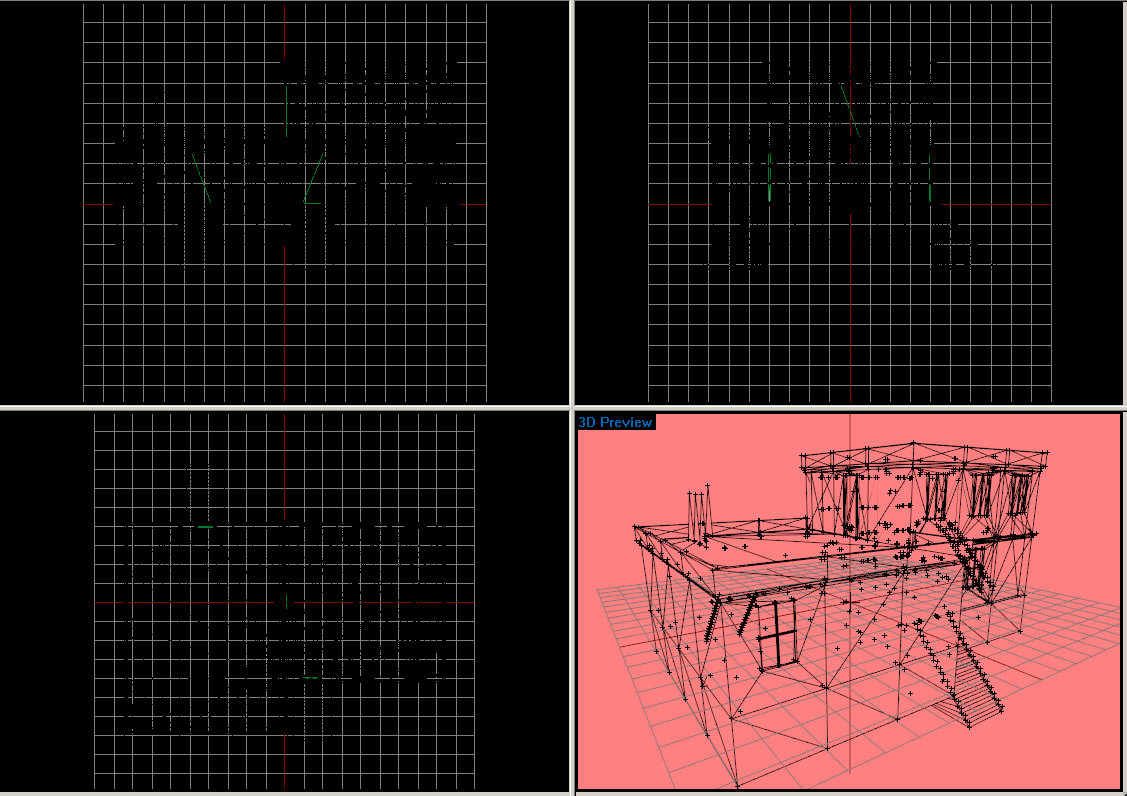 halcyon wren
wtf
halcyon wren
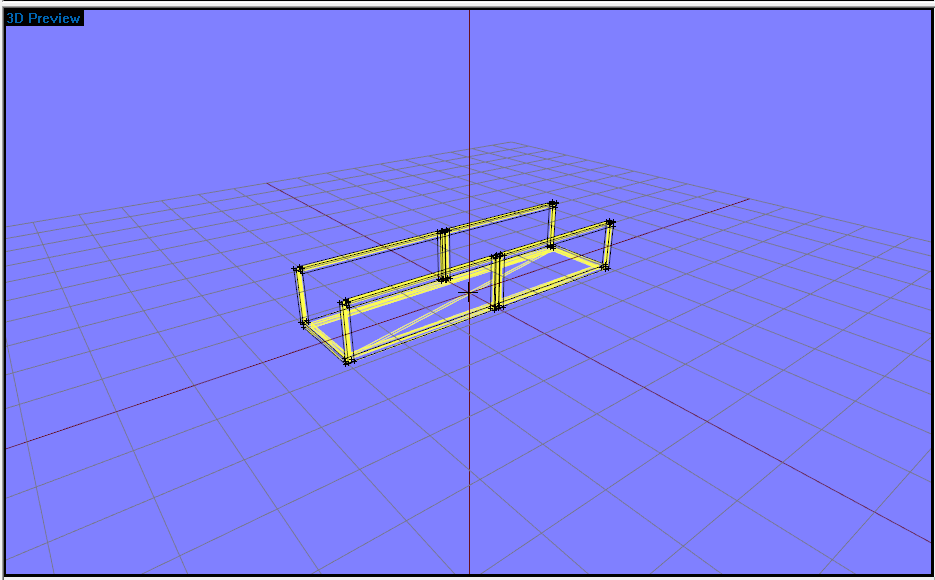



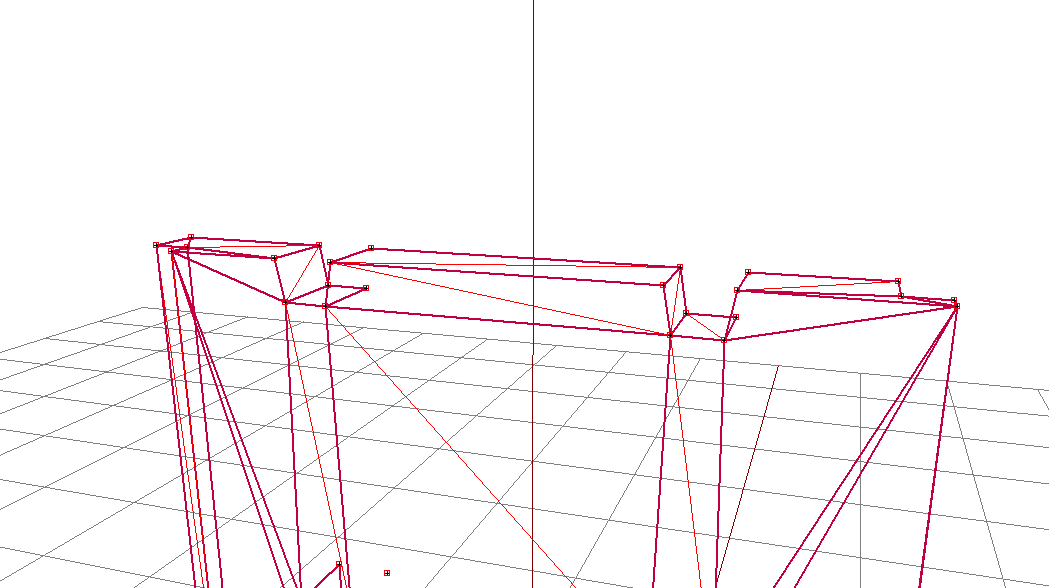


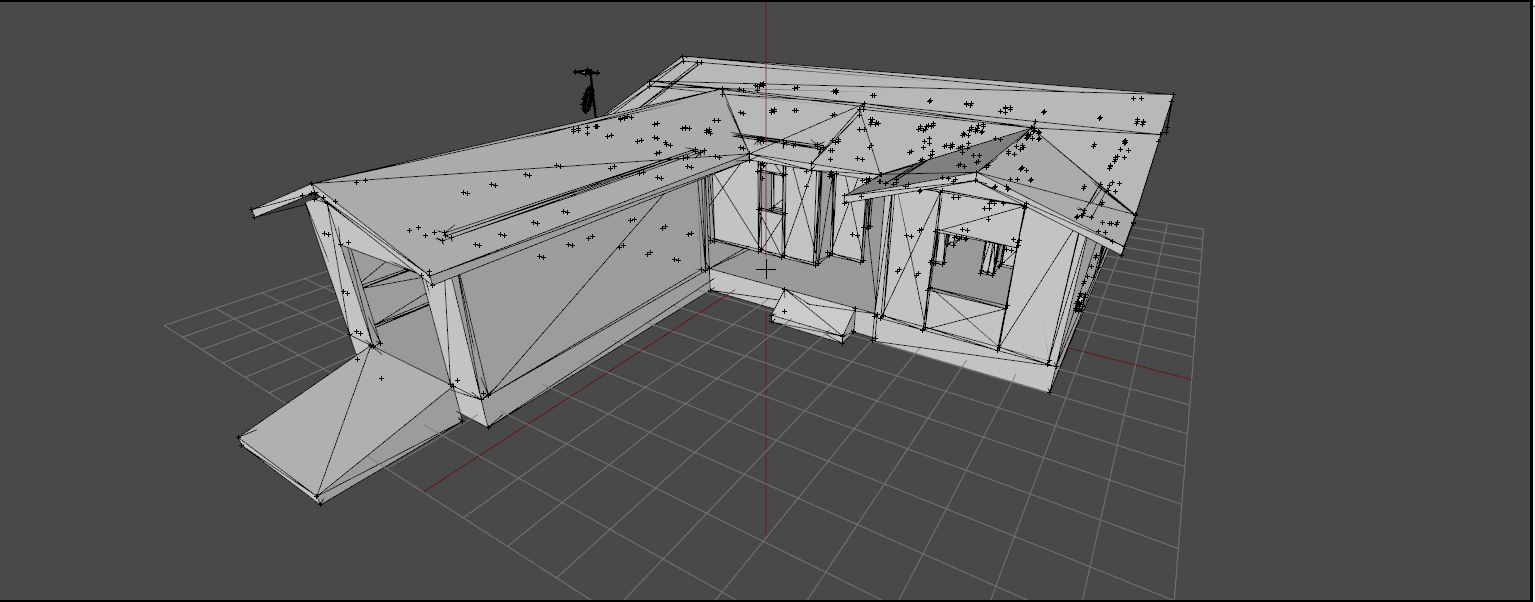

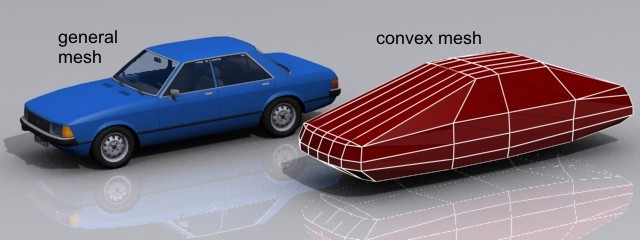


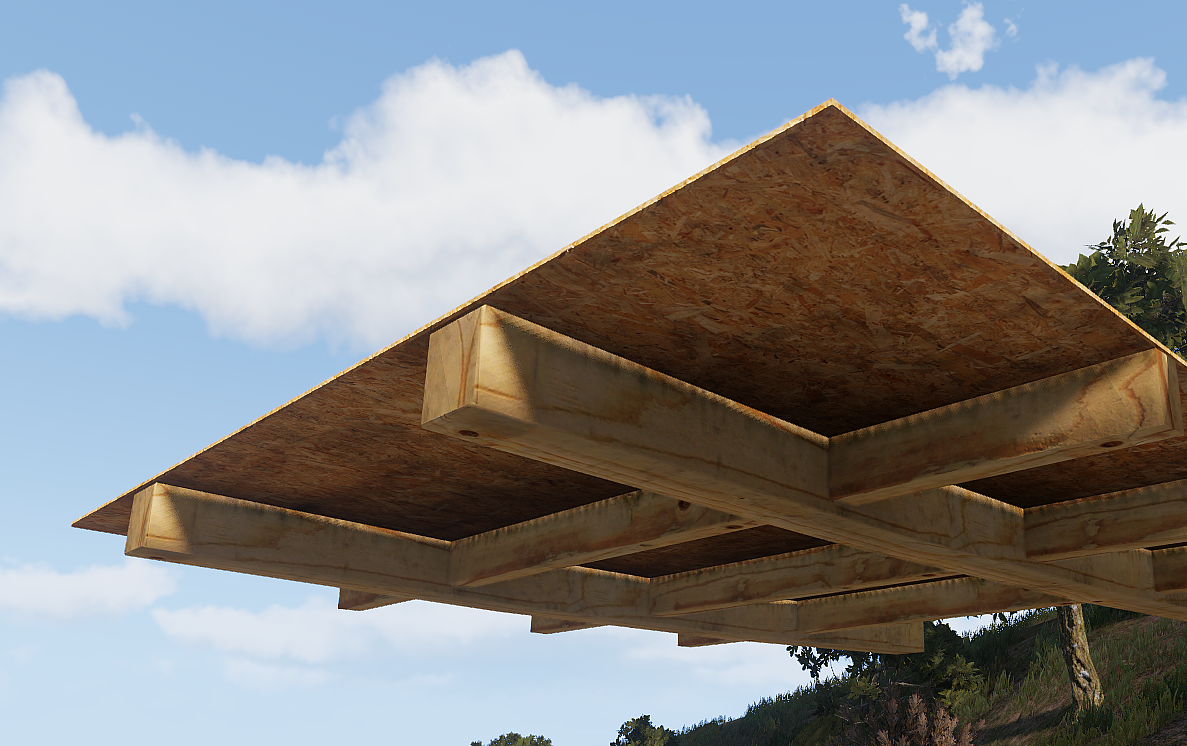
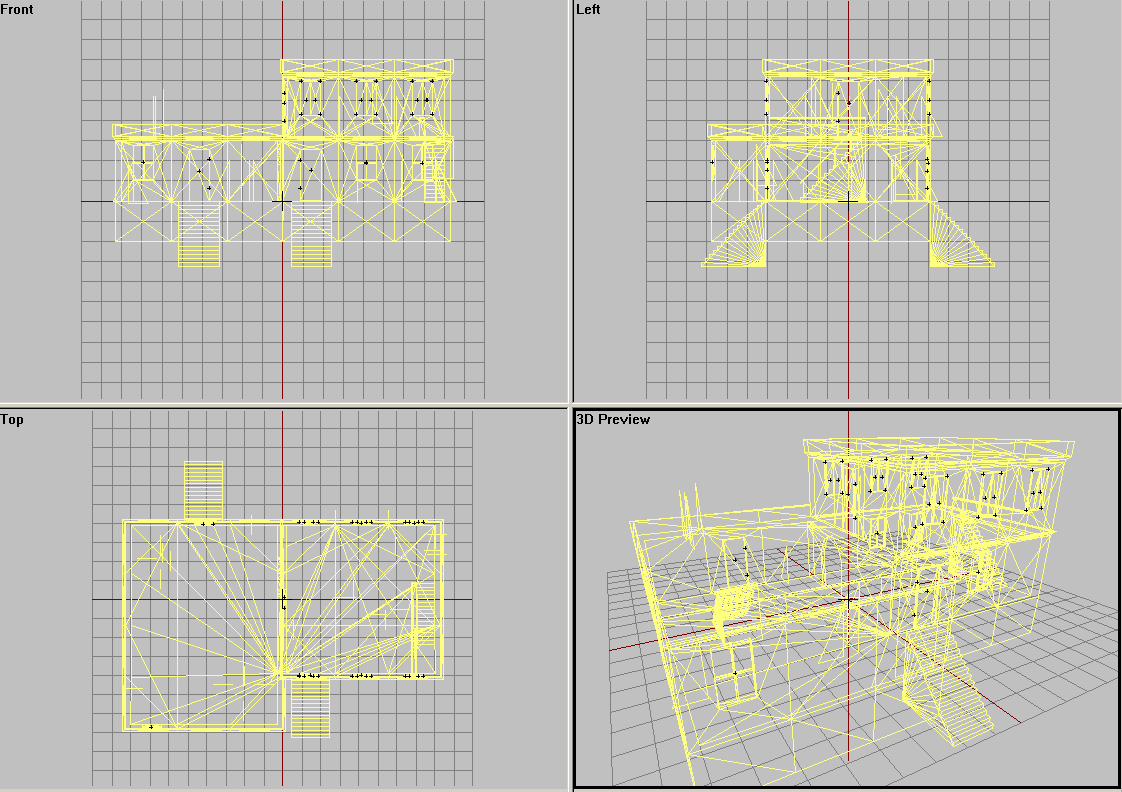
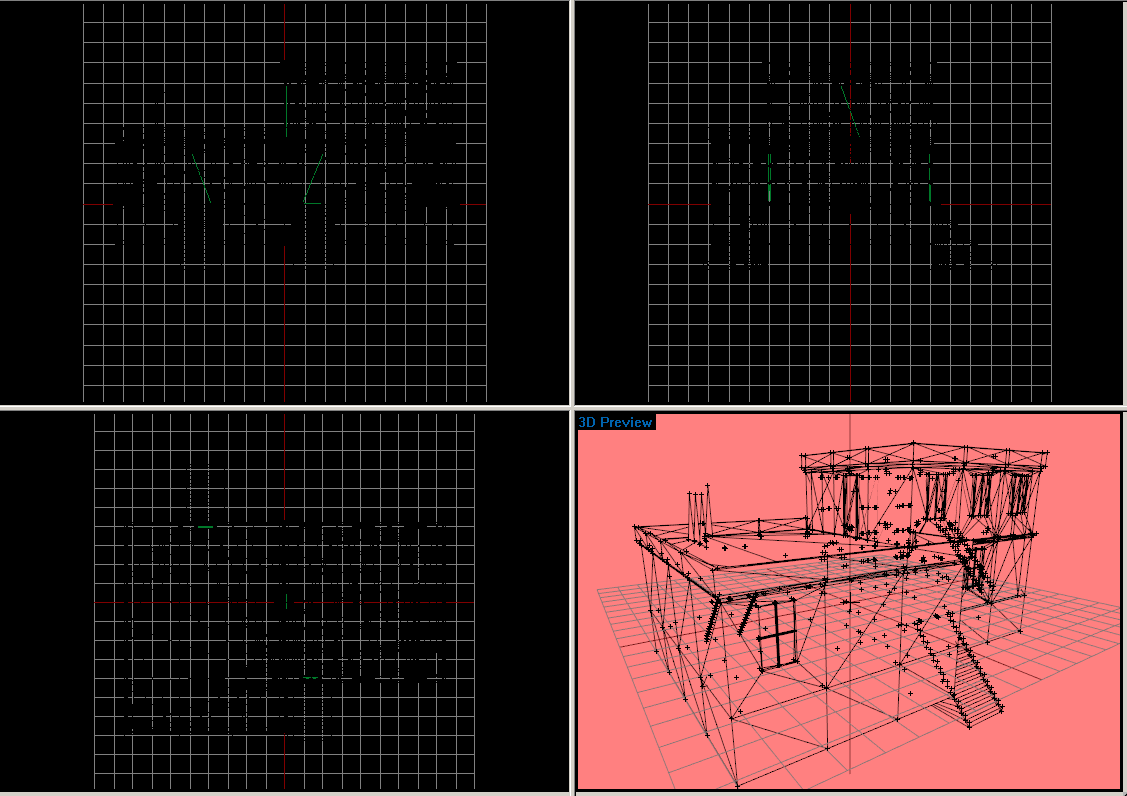
 wraith tendon
I start with 4View
wraith tendon
aahhhh
But once in D3D mode -> Turns Red again oO
Silly OB, y u do dis
I better stick with Grey ( 00C0C0C0 ), stays gray, even in D3D Mode
quick terrace
^^
zenith quartz
Does anyone played a bit with planes configuration?
samples don't have physx wheels, A3 planes have them
i've set them up, but i can't take off 😄
wraith bone
Whenever I open my buldozer it just crashes, is there anyone who has the path I can personally use?
Found one, nevermind on topic above
wraith bone
Nevermind its still fucked, can anyone help?
rich trail
Try the 32-bit .exe
quartz ridge
Someone know why my shadows is fucked? My object then light is behind : https://gyazo.com/4bd1fd0b201d13cf38423fdd27c2ae02 but if light coming front https://gyazo.com/9e8b166f1e962523f2e80e8c64a81184 nothing wrong with the last picture. Sorry for my english 😦
hollow fulcrum
ermmm... shadowLods need to be closed/convex objects.
not really much to it beyond that.
quartz ridge
Thanks I try.
hollow fulcrum
that is correct actually. ignore my flailing about.
polar fiber
having the shadow parts convex does sometimes help their projection on other parts of the mesh though
cobalt panther
So, I had an idea to overhaul Object Builders UI, I'm sick of looking at it and want to kinda bring it into modern looks, I swear the Icons and such used to be directly replacable, does anyone know where they disappeared to?
hollow fulcrum
hrmm... it has been some years since i looked at any of that in depth. i used to have a very custom setup. but that went away ... i want to say with the tools upgrade between a2 and a3.
i also want to say they removed some functionality regarding this, but don't quote me on that. would be happy to be 'proven wrong' as it were though. 😃
cobalt panther
I'm asking about, I'd really like to bring it to 2015 at least, nice dark colours, better icons etc
hollow fulcrum
the dark color foo was what really mattered to me. it could use a face lift for sure though.
woeful viper
sprinkling glitter on a turd 💩
wispy orchid
hi, I'm trying to convert a BTR-40 car to carx. So far I got the suspension working somewhat, but the wheels don't turn. The wheels do turn in buldozer though, just not in game. The config for physx and wheels is here, it comes from a working model: http://pastebin.ubuntu.com/24569833/ the part for the wheels for dampers and wheels of model.cfg is here: http://pastebin.ubuntu.com/24569836/
woeful viper
for me its the little annoyances in controlls that bug me. Like when you paste some stuff into another LOD, it creates a new section even though materials and textures are the same as already present stuff
@wispy orchid does it drive and handle normally otherwise ?
if it doesnt turn ingame but in buldozer normally the animationsource is to blame
wispy orchid
need to check
well, it drives and turns , sharp turns tend to get the inner rear wheel lifted it seems
wraith tendon
Dscha - Today at 11:02 PM
wheel anims in class animationSources { ?```
😄had the same thought
wispy orchid
ah, that's needed for cars as it is for planes? e.g. change the source in model.cfg and then declare in config.cpp?
woeful viper
no it isnt
idk cant see any errors in the configs. Maybe your skeleton has an error in it? didnt post that
wispy orchid
thanks for the check, here's the skeleton: http://pastebin.ubuntu.com/24569918/
woeful viper
driveOnComponent[] =
{
"wheel_1_1",
"wheel_1_2",
"wheel_2_1",
"wheel_2_2"
};
does not belong in a carX
plus your physx LOD should not have wheels modelled in it
wispy orchid
ok , I removed the driveOnComponent and tested, no change. The physX lod is the geo lod minus the wheels
woeful viper
ok, with this physx stuff you never know how its gonna react to such disturbances
wispy orchid
there's a lot in the unknown when it comes to it, at least for me
woeful viper
i started working on tank physx in 2015 ... and yet there are still things that are just plain bonkers and not fixable without direct access to the full diagnostics tools ... i had a tank that just handled extremely poorly and i gave up for a while. After some time and some patches (even though no changelog regarding physx) it just worked alright. There are other issues that i still havent been able to figure out...