#arma3_model
1 messages · Page 90 of 1
 zenith crescent
e.g if you place model, and then do _model setPosASL (getPosASL _model) the model moves a few meters.
 cinder pivot
@zenith crescent It could be that its searching for a "safe" pos that an object is not in
if you disable collision it should set it in the same position
zenith crescent
The model is below the plane in object builder - think that would cause it?
cinder pivot
no I mean ingame, its just how things work sometimes
 halcyon wren
@tacit shard Those memorypoints are used for road AI generation. A3 uses shapefiles for roads as the preferred method, so you should onyl really need these for bridges anymore.
 tacit shard
ah ok thank you
halcyon wren
As for what they mean: Prepare yourself for some 16 year old BI shenaneganizing, as it has been like this ever since:
LB = Levy Begin (Left begin)
LE = Levy End
PB = Predni Begin (Right Begin)
PE = Predni End
As to why they chose to mix EN and CZ... nobody knows. Problably was created under the same circumstances as autocenter... 😃
These memory points describe the left and right bounds of the road segment.
halcyon wren
Yeh... it took us a while to make sense of this, too. 😄
 wraith tendon
😄
 civic stratus
anyone get the object builder glitch where the uv editor won't open?
I've closed and reopened several times now
nevemrind, got it
 polar fiber
happens to us all eventually
 stuck oyster
it opens somewhere out of screen.
 oblique vapor
Can someone remind me the maximum distance for an object for which the Geometry LOD is working ? (like a 100m long model won't have Geometry working, what is the limit ?)
wraith tendon
Wasn't it 75m Radius?
oblique vapor
I'm not sure, I had this aircraft carrier exemple in mind that was used in A2, tho I'm not sure about the limit
wraith tendon
but it's somewhere around 50-60 meter from the center of origin (meaning that your object can be 100m wide/long at max if it is symmetrical to the center of origin)```~ 50m Radius
Ah, Roadway was 72m (~36m Radius/Diameter)
oblique vapor
Alright, thanks for the info 😉
 idle spade
My bmp sat mask created in photoshop is 4 odd GB, can someone tell me if you can create a more compressed one using L3DT?
 cunning forum
is there any log I can check why Object Builder won't open a .3ds object? Its just a simple street sign. It works fine in 3Ds Max but does not open on Object Builder
 woeful viper
i think it has a log... look for *.rpt files
zenith crescent
any tricks for moving all lods so a model sits centered on top of the object builder grid center?
so far I've found the move menu, but it's a bit tough to guess at the exact distance to move
wraith tendon
move only, then steps with >0.01 etc until it fits
 white jay
there should be a "apply to all lods" checkbox
cinder pivot
you could also record the movement and go through manually
 lost glen
Is anyone willing to help me with rvmats?
wraith tendon
Anybody else noticed, that SymLinks didn't update properly? e.g. I updated a file in E:\Arma-Workdrive\blabla\File.
Folder blabla is symLinked to P:\blabla
File in the P:\Drive is still the old one with timestamp from 2 days ago.
lost glen
Does anyone know how to implement an animation for a deployed weapon?
wraith tendon
No Crossposting pls, thx.
 normal trail
Looking for anyone who has experience implementing ships into arma, has 3d ships made, or has released ships... Anyone have any leads?
 fluid ocean
FFAA Mod team have done some really nice ships.
 lavish mountain
take a look there
Various people have made ships
I myself am working on one there, however in arma there is limitations
 river kite
How do I determine which object belongs to which RVmat? I have determined in 3ds max 3 different materials
cinder pivot
@austere pathie#2154 you can select by material or object in OB and apply an rvmat there
white jay
can one use a model.cfg animation using a damage animation source on a object that has no config?
cinder pivot
Yea i read that 3 times over with no luck
white jay
sry for the bad wording 😛
wraith tendon
😂
cinder pivot
Are you just wanting to use a damage animation on an object with no damage config?
white jay
i want to use a model.cfg animation on a tree
wraith tendon
Yes, possible
white jay
and use the animation source "damage"
https://community.bistudio.com/wiki/Model_Config#Animation_sources
cinder pivot
You should be able to
wraith tendon
uno momento Lappi
cinder pivot
If not you could make hitpoints and hide or animate at 0 or 1 or w/e and use the hitpoints as the source if damage doesnt do anything @white jay
Thx to @wraith tendon for that idea tho
If thats your intentions
white jay
wouldn't that require a config setup?
cinder pivot
Aw snap
wraith tendon
Example:
model.cfg
        class Animations:Animations
        {
                        class Def_Front_Destruct    {source = "HitDef_Front";        selection = "Def_Front";    axis = "";                    type = "hide";        minValue = 0;    maxValue = 1;                                    hideValue = 1;    sourceAddress="clamp";};```
Config.cpp:
```cpp
class AnimationSources: AnimationSources
        {
            class HitDef_Front        {source = "Hit";    hitpoint = "HitDef_Front";    raw = 1;};
class HitPoints: HitPoints
        {
                        class HitDef_Front            {name = "Def_Front_Hitpoints";    armor = 20.00; minimalHit = 0.02; passThrough = 0.1; explosionShielding = 5.0; radius = 0.25; visual = "";    material = -1;};
config 😛
cinder pivot
What you got against configing trees
wraith tendon
This is a fkn example
wraith tendon
i don't ikea! +everything was a 1liner (best for configs with repetetive stuff in it)
white jay
as soon as you use a config on a object its simulated expensiver
white jay
you gonna wreck the performance of a map
wraith tendon
Oo
oO
cinder pivot
Ah
white jay
not anymore but want to unhide a selection as soon as its nocked over
wraith tendon
o-- <- dab
wraith tendon
hm, shouldn't be possible without Config. Something MUST trigger the animation
white jay
ok will try that
wraith tendon
And for that case -> It needs a config for hitPoints for example
white jay
damage animation source should trigger it or not?
white jay
null
wraith tendon
just... erm... name, displayName, erm... maybe scope and EdenEditor Group, thats it
something very very very very basic
white jay
terrain objects do not need a config as long as they are not animated
and there i have my own answer 😛 i should get to bed
wraith tendon
Lappihuan - Today at 2:13 AM
terrain objects do not need a config as long as they are not animated
and there i have my own answer :stuck_out_tongue: i should get to bed```
Thats what i told you the whole time ^^😛
wraith tendon
Good morning 😉
 barren halo
I have made a vehicle but in buldozer the wheels rotate well but when in game they dont rotate at all apart from steering and i dunno why as other models with the exact same config work fine
all i have done is change wheel model and redefined everything
cinder pivot
Renamed it/redefined the wheel in OB?
wraith tendon
Whats that for a model? (Looks like a jeep)
 grand swan
Its a mercedes g class
grand swan
somonels made the car but i am editing it
like textures and all
is that all the selections i need in my main model for the wheels?
wraith tendon
"somonels made the car" <- sry, but sounds fishy
Just asking, since there is way too much "porting" of Stuff from other Games, wich is not legal.
grand swan
alright
cinder pivot
@wraith tendon http://i.imgur.com/snLplqq.jpg
polar fiber
w/r/t tree destruction, would it be less expensive to use a wreck LOD and proxy to replace the original tree rather than hiding pieces of the original by animation?
but that still needs destrType = "DestructWreck"; in config I guess
oblique vapor
lmao Andrew
 uneven vessel
any idear why a *.paa is showing me the error "error loading file" ? using the tool Texture Viewer. im pretty sure the file it self is not currupted
 bleak tangle
How are you converting it to paa?
uneven vessel
im extracting it out of an pbo by 'PBO Manager v1.4 beta'
solved it. looks like my version of 'TextViewer 2' was not that stable as that one in http://downloads.bistudio.com/Tools/BI_Editing_Tools_2_5_1.zip
bleak tangle
Do you have a specific reason you're using those tools, as opposed to Arma 3 Tools on Steam?
 spice horizon
Anyone here have significant experience in making boats for arma?
woeful viper
exactly how significant?
lavish mountain
Im starting, so not signifificant experience but I got a pretty good idea of what is possible and what not...
woeful viper
i was expecting a bit higher quality for the jets dlc interiors... :/
polar fiber
The CSAT one's fairly detailed but looks cluttered and has some alpha texturing issues
Some of the alternate external paint schemes are very blurry for me. The grey digital one for the Gryphon especially
I assume it's 4k and getting mipped to shit on my PC
woeful viper
i find the 90° edges without any normals pretty jaring
spice horizon
Well, I ask because I am working on making a Ticonderoga Class and was seeing if anyone wanted to help
woeful viper
the helicopters dlc cockpits dont look that smacking either. But the textures are less noisy, so it pops out less.
i do not think that this is a 4k issue. I use 4k for one of my tanks and that doesnt look blurry no matter what distance. It looks the same as a Vehicle using 4x 2k, same texel density.
 quick terrace
the 4K maps get ducked fuped for people with 2gb or less vram
woeful viper
are you sure? i have a gtx 660 ti which should be 2GB
quick terrace
not sure what gfx card monkey has, but he is the first to notice the 4k downgrade
woeful viper
so the jet dlc textures are in 4k i guess?
quick terrace
most likely yes
woeful viper
and there i thought you would know 😛
woeful viper
connect ions
quick terrace
IONs
woeful viper
positive ions to be precise
bleak tangle
Yeah they're definitely 4k
woeful viper
whatever they are - the digital interfaces in-cockpit are barely readable, and only when zooming in. When not zooming in they are just a blob for me.
bleak tangle
Looks like the cockpit textures are all 2k, but the exterior are 4k
polar fiber
the green and grey Gryphon textures are okay-ish but the blue one looks blurry as hell to me. CSAT jet looks okay but the arid one is much sharper in the text decals
BLUFOR jets look great
so I'm wondering if it's scaling or compression on the alternate textures
 ebon abyss
oh so the 4096 texture resolution mipmap issue... is no issue at all if you have proper video card?
polar fiber
if you're using settings over very high (some people are weird and run lower for MP)
ebon abyss
yep, I thought the issue was a "bug", but if it can be avoided with proper hardware, then its all good.
I mean who doesnt have 12gb vram today 😉
polar fiber
well the bug is that one they mip down, they're stuck like that. Most other textures manage to scale up and down properly depending on distance
it's only a noticeable problem in first person really
and the mip scaling is down at like 512, not just normal scaling down
ebon abyss
hmm so can those mipmap things still kick in even with monster hardware, like on shitty mission? and once they do, they never get back to proper quality (until mission/game restart)?
polar fiber
Well I need to set my textures to low and then back to very high to get them to show at 4k again
but my GPU is indeed ancient
I dunno if it scales back up properly if you hit the limit with more VRAM
would have to try loading a lot of assets with different 4k textures and see
 wheat shoal
Is there a special shader to be used for parallax maps? I'm currently using NormalMapDiffuseAlpha, with my normal map in RGB channels and a heightmap in the alpha. However there's no parallax happening in-game
polar fiber
parallax maps only work on terrain
wheat shoal
Yes I'm using it on one of my layers
polar fiber
Oh okay, I was confused by you writing it in model_makers rather than #arma3_terrain
 worthy inlet
where to start with a "cant load .p3d" in game..
looks all good in bulldozer,no errors in eliteness..
when packing .pbo
stuck oyster
wrong path in config?
worthy inlet
hmm will check thanks
My mods im working are in a folder @unique lark_assets.So in there should i have seperate folders for each .pbo/building im making such as AAA_asset1,AAA_asset2 with its own addons folder containing the pbo or do i just put all the pbos in one addons folder..have i confused you 😃
stuck oyster
yes you have.
have you set up your p: drive correctly?
all .pbos need to be in arma 3@yourmod\addons folder
also what you pack them with
worthy inlet
yeh ive had them working in game before ive just got a bit of a folder mess i think
ive multiple folders like @myaddons/myaddon1/addons myaddon2/addons
so i need to combine them under just the one addons
id say
stuck oyster
I dont think thats correct
stuck oyster
yes
worthy inlet
well,thats what i can gather from just looking at @RHS folder
thanx mate
do you have the texture for all your addons in one data folder?
stuck oyster
nope
I got them under each models own folder
like \tankaddons\tank1\data, \tankaddons\tank2\data etc
stuck oyster
no
worthy inlet
wha tdo yo uuse
stuck oyster
yes
worthy inlet
k
stuck oyster
same as eliteness
worthy inlet
yeh ive subscribed,i shall download it,previiously used addon builder
stuck oyster
not 100% sure but I dont think eliteness does the packing properly
I've understood its more mean as GUI for unpacking stuff
but PboProject is the way to go
worthy inlet
so...if i have @myaddons/addon/.p3d1 how do i get it to make .pbo1 and not myaddon.pbo
think its time for bed 😬
stuck oyster
mmmm i dont quite follow. I think you may have some basics wrong
worthy inlet
im just going round snd round here making dumb errors ,too tired..ill resume again another day,thanx for your time goat
zenith crescent
When you use setPos command, what on the model defines the model position to use?
woeful viper
the name of the pbo is related to the folder name where your config.cpp is in iirc.
woeful viper
should be OB grid center
stuck oyster
doesnt autocenter mess that up though?
woeful viper
likely yes
white jay
getting the height advantage in ACRE2 https://i.imgur.com/ZHKfez8.jpg
worthy inlet
what is the prefered tool of mikeros to pack a .p3d+config into .pbo?
stuck oyster
pboproject.
worthy inlet
Thats what you told me yesterday,jus twanted another opinion 😋
stuck oyster
:L
quick terrace
there are not other opinions or options for that matter
worthy inlet
for the unitiated theres so many tools of his,its a bit confusing
so,what does this meen Warning: rapWarning: missing file(s)*****
Warning: AAA_asset1\addons\config.cpp Line 19: \AAA_asset1\AAA_asset1.p3d
rapify x64UnicodeVersion 1.76, Dll 6.15 "config.cpp"
rapWarning: missing file(s)*****
a fault in the code of line 19 of the .cpp?
worthy inlet
mod is AAA_asset1 therefore i have AAA_asset1/addons/AAA_asset1.p3d+config
stuck oyster
if that works for you, but usually people dont have addons folder in their mod folder structure
worthy inlet
oh,enlighten me
stuck oyster
the usual structure is the same as in the samples
worthy inlet
ok
stuck oyster
your line 19 path seems to be missing the addons folder
you can have any folders there if you want though
as long as paths match
stuck oyster
if you want to have single .pbo you can have all your stuff under one folder P:\yourmod\ where there is config.cpp so it starts packing from there and then P:\yourmod\structures or tanks and so on
I've preferred separate pbos for easier updating though.
Pboprojet usually gives qutie specific errors so they should be easier to fix
worthy inlet
I have my config and model cfg as 2 seperate files,ive noticed the arma3 sample has it combined is this correct.For the House that is
The coding side of stuff fucks my mind
stuck oyster
keep model.cfg and config separate
its a lot to take in if youre not familiar at all with stuff like this
but it gets easier
worthy inlet
Yeh ive just pieced stuff together to ge tit to work previously
heres my next error..( ive got this to work ingame using addon builder tho that dosent fill me with confidence)
scanning AAA_asset1\addons\config.cpp.cfgPatches for units[]=...ok (altered)
rapify x64UnicodeVersion 1.76, Dll 6.15 "config.cpp"
No Error(s)
Output is to config.bin
"model.cfgs for this pbo have errors"
crikey😝
my model cfg has an error i take it..is that correct?
stuck oyster
yes
worthy inlet
whats the best way to post code here so someone may look at it?
stuck oyster
pastebin link
worthy inlet
Oh ok
stuck oyster
it might not like tha class rotation; on line 17
you shouldnt need that anyway
is your model named AAA_asset1
worthy inlet
yes it is
stuck oyster
👍
worthy inlet
yeh that model cfg works in bulldozer and packed with addon builder
wierd
obviously somethings not "the standard"
ill delete line 17 and see
stuck oyster
addonbuilder packs just about anything
worthy inlet
lol now this ERROR: there is no config.bin/cpp found for \aaa_asset1\data\aaa_asset1.rvmat
It's addon name cannot be determined
</end entries>
stuck oyster
I would maybe recommend changing your folder structure to more common one. Easier to debug.
you dont have the addons folder in that path
should it be there?
worthy inlet
Ok i am not sure of the structure required,ill look at the samples
stuck oyster
theres no requirements as long as stuff is in the right place
worthy inlet
Not in the p drive no
stuck oyster
mm you have @folder on your p:\ drive?
worthy inlet
.edited message
worthy inlet
not in the p drive no
worthy inlet
lol sorry
i dont have the @in the p drive
i only put the @ when i move the folder to actual arma3
is tha twrong
worthy inlet
cause you asked above "you have @ in the folder name" lol
stuck oyster
well yes I though you were talking of your P:\ folder structrue
as I've seen people put @ in their folder names and I dont think that works well
in any case
worthy inlet
p drive contains AAA_asset1 (my mod folder)
within that i have a addon folder and a data folder
inside addon folder is .p3d+config=model cfg
inside data is textures +.rvmat
stuck oyster
could you put the stuff in the addon folder into the AAA_asset1\
worthy inlet
i suppose
stuck oyster
its not wrong I suppose
worthy inlet
i thought it was the norm to have an 'addon" folder
stuck oyster
but it makes debugging hard
worthy inlet
im sure it was the norm back in the day lol
stuck oyster
no the addon folder is the one in the arma 2@yourmod\addon <-
must admit never seen one
anywhere
but I've been doing this only 4ish years
so cant say for before that
worthy inlet
Take a look in RHS for instance if yo uhave,they have a "addons' folder
but im probably talking nonsense mate
stuck oyster
¯_(ツ)_/¯
worthy inlet
Everything ive learnt is from bits and pieces around lol..such is the arma modding world
stuck oyster
as said the folders dont matter as long as paths are right
worthy inlet
rgr
stuck oyster
where did you get that last error
worthy inlet
scanning AAA_asset1\addons\config.cpp.cfgPatches for units[]=...ok (altered)
rapify x64UnicodeVersion 1.76, Dll 6.15 "config.cpp"
No Error(s)
Output is to config.bin
" <Bis Binarise...>"
""D:\SteamLibrary D\steamapps\common\Arma 3 Tools\Binarize\Binarize.exe" -targetBonesInterval=56 -textures=P:\sama\temp -binPath=P:\ AAA_asset1\addons P:\sama\temp\AAA_asset1\addons"
" </Bis binarise>"
stripping P:\sama\temp
1 file(s) copied.
1 file(s) copied.
1 file(s) copied.
1 file(s) copied.
1 file(s) copied.
1 file(s) copied.
1 file(s) copied.
1 file(s) copied.
1 file(s) copied.
1 file(s) copied.
/endstrip
"MakePbo.exe "-PsgFW" "-X=thumbs.db,.txt,.h,.dep,.cpp,.bak,.png,.log,.pew, *.hpp" "-@=AAA_asset1\addons" "P:\sama\temp\AAA_asset1\addons" "C:\Users\samarjia\Desktop\Addons""
<adding entries:...>
AAA_asset1.p3d :scanning
ERROR: there is no config.bin/cpp found for \aaa_asset1\data\aaa_asset1.rvmat
It's addon name cannot be determined
</end entries>
whats meant by no config for my rvmat?
stuck oyster
dont really know. have never got error like that
do you have cfgpatches in your config.cpp
oh actually
your config.cpp is in the addon\
but your data folder is not addon\data
it was the mod\data
and mod\addon
right
worthy inlet
correct
stuck oyster
and you have no config.cpp in yout mod\
worthy inlet
no its i nthe mod/addon folder
stuck oyster
ok this could be it
but this is just how I've understood it
but
packing starts from the folder config.cpp is in
so you got config.cpp in the addon folder and it starts packing from there
worthy inlet
rgr
stuck oyster
usually the config.cpp is in the root folder
or at least there is one with class cfgpatches in it
so that the packing starts from there
stuck oyster
would be my suggestion
worthy inlet
ill try it
stuck oyster
just remember to repath everything
stuck oyster
👌
worthy inlet
Oh so you do need "addons" in you @mod folder tho in arma 3
well the launcher tells me so
stuck oyster
👌
polar fiber
RHS paths have an \addons\ prefix because of internal structuring of the development files in use along with a $pboprefix$ https://community.bistudio.com/wiki/PBOPREFIX
it's not the standard P:\ structure you'd use
worthy inlet
i only use the p drive at the end when packing,all my works are in a WIP folder.Is that common practice?
 tacit karma
no
worthy inlet
So what happens if you cant "mount" your p drive?
polar fiber
Then there's something wrong with your tools setup
worthy inlet
so all your shit is lost if not backed up?
polar fiber
no different to using a WIP folder
P:\ is just a virtual drive that points to another file location
it's not a physical volume
worthy inlet
ah yes i see
i keep forgetting that
Where is your MYpDriveMODs folder physicaly?
Is it in steamapps etc.
polar fiber
It should be anywhere other than the tools folder
worthy inlet
I dunno ivw previously just made a folder in the p drive so ive no idea where it is
polar fiber
In the tools options menu, it will give you option to define a folder
polar fiber
mine is an old \Users\User\Documents\A3Work folder on one of my older HDDs rather than on the drive with my OS, or in the Steam install folders
worthy inlet
Does anyone know why this banding (that looks like when you have no shadow lod) occur on vanilla tanoa buildings?
I know some others have seen/commented on it
wheat shoal
is it possible to create a fire in my model? I have a gas lamp I want to light
stuck oyster
@wheat shoal most performance efficient way would be animated planes in the model that you hide/unhide
you can make it with particle effects too
wheat shoal
would a particle effect also distribute ambient light as well?
worthy inlet
wouldnt you just make like a streetlight sort of thing only smaller
wheat shoal
that's what I am trying to do, honestly I can't be bothered doing fancy stuff to make it look like fire
worthy inlet
those cool little lanterns ive seen in the campaign
i suppose there in the editor
so theres a way
wheat shoal
What are innerAngle = 60;
outerAngle = 130;
in the Reflector class? (lights)
stuck oyster
sizes of the light cone
and hoe it dims
inner angle area is bright and it dims down to outerangle defined radius
wheat shoal
I'm lost, on which axis do these two angles work on? Is it based off the vertices in my memory LOD?
stuck oyster
direction of the light yes
wheat shoal
alright, working now, thanks
wheat shoal
I baked in the street lamps to my terrain however they're not making any light?
stuck oyster
time to compara your light config to the sample lights
wheat shoal
They work fine when I placed them in Eden
stuck oyster
you got land_ prefix on your classname?
wheat shoal
Yes
bleak tangle
@worthy inlet I believe the banding can be caused by one of two things. First is from having a shadow LOD that has faces that are "too close" to the faces of the res LOD, hence why it's recommended to slightly shrink your shadow LOD. Second could be if they're using the named property sbsource = visualex
 strong plaza
Anyone here a fligthsimmer or real pilot?
 thorny wind
play a decent amount of sims
strong plaza
do you have much knowledge of runway/taxiway/apron layouts?
strong plaza
I've already made a layout for an airport, just wanted to know if it's realistic enough
thorny wind
looks fine to me
strong plaza
good
wheat shoal
I'm a real life pilot
Maybe one too many distance markers, but that's mainly aesthetics. AFAIK the amount of distance markers are variable on how much paint they had that day. Extended threshold + blast pad look good and especially nice if there's actually an obstruction before the runway.
 icy roost
Does model config belong here or #arma3_config? nvm
 dim quarry
anyone here loves physx and setting up new models with it? 😮
getting so frustrated when copy weight/config from an arma3 vehicle as a starting point but get totally different behaviour
tacit karma
@dim quarry what kind of model? vehicles?
dim quarry
mostly tracked vehicles
tacit karma
RIP
dim quarry
😃
miss the ofp days sometimes, only needed to enter maxSpeed
that + an acceleration would be good enough for me to simulate almost everything
woeful viper
@dim quarry reason that you get different behaviour is because your wheel radii and wheel positions are surely not the same as on vanilla vehicles
wheel radius affects handling significantly
wheel positioning (or rather track length) affects mostly turning behaviour
white jay
hey guys does anyone know where this model is from https://imgur.com/a/OTyyf]
stuck oyster
@white jay There are quiet many in there.. From the different qualities of the cars and houses and in the light of recent history its high chance the cars are ripped from some other game.
white jay
yea its what im scared of
as my friend is looking to get some models made and he wants to pay people and this guy aproched and gave those SS
dim quarry
wheel radius affects handling significantly <- oh really, didn't know
stuck oyster
@white jay That is unfortunate.
white jay
yea i just want to make sure hes not getting scammed
stuck oyster
I believe there is a high chance of that happening.
 cobalt panther
@white jay Perhaps tell him go to someone who is more reputable and well known
woeful viper
pfff selfadvertisement 😛
but yes those models most definitely look like ripped from a specific game i wont mention
nobody with the skill to make such models would present his work in such an amateurish way...
cinder pivot
^ perfectly stated
woeful viper
@dim quarry all the MOI, dampingInAir and usually also gearbox setting have to be readjusted if wheel radius changes.
dim quarry
too many variables, any shortcuts?
woeful viper
no, just procedures in what order to adjust things
dim quarry
with wheel radius, are we talking about memlod and "axis/bound" or the config value of wheelradius?
woeful viper
memlod. The config value for wheel circumference has no impact on vehicle handling. Its only for the rotation speeds of the wheel rotating animations
EPEVehicle dialog and https://community.bistudio.com/wiki/diag_mergeConfigFile are invaluable for adjusting the physx config values (only via arma3diag.exe on devbranch)
 spiral void
If you are using Super shader, consider doing this to lower vram usage:
All fresnel functions you have in rvmats - change the beginning of them from this
"#(ai,64,64,1)....
to
"#(ai,64,1,1)....
Because they choose to do fresnel by writing it to texture for some unbelievable reasons this will have a difference on vram.
The Y component is never used so quality is the same.
strong plaza
I'm trying to make a runway, but when I add class: road in the geo LOD the textures get all messed up, here's an example https://s1.postimg.org/oj9xywlz3/runway.jpg
the one on top has class: road in geo lod, the bottom doesnt have it
what's going on?
 crystal crest
hey guys, i've been working on a vehicle, but i'm now wanting to add a machine gun, like the one that goes on the armed offroad ? any guides or directions to help with this ?
worthy inlet
Is it acceptable/ok to adjust certain areas of an AO map in GIMP. ie.lighten and/or darken areas manually?
woeful viper
of course
after baking AO maps i usually have to edit them in some way to fix some baking errors and so on
worthy inlet
yeh ok thanx
 steady pasture
trying to add flares to my p3d as a proxy but comes up as a box in game
Any one know the reason why?
worthy inlet
What determines the sound made when walking on the floor of a building.
dim quarry
in the building? roadway lod
and the texture assigned to it, like "beton_in"
for concrete
spiral void
does anyone know how to get proxies to work in an object? (an object without cfg)
at the moment I am doing: Create->Proxy but the object refuses to render in-game (not BD)
cinder pivot
That just sounds like the path isnt correct for the object ingame, I dont think you need configs for proxies at all
spiral void
well, I've both checked the path and "reimported" the proxy
the object is used on my terrain, i should probably add
bleak tangle
Is your proxy a custom model or an A3 one?
bleak tangle
Anything in the RPT? Is your proxy definitely in the addon your launching the game with?
spiral void
Should be. it's in the same folder as it's "parent" object. I can't swear that it is though since I'm not sure if pboProject has packed it
the parent is visible ingame, I might add
yeah, log says it is packed
stuck oyster
map object or editor object?
spiral void
map object
spiral void
hmm ok.. @white jay mentioned that he had seen even trees using proxies
stuck oyster
I could remember wrong
have you packed the terrain so that the object contained the proxy?
cinder pivot
Could try a non map object of the same thing
Would tell you if map obj can have proxies or not
stuck oyster
true! if it shows up in a editor object
spiral void
I believe so but that shouldn't matter. TB/BD cant even read proxies
stuck oyster
it might save something of it though
cinder pivot
@spiral void sorry had to deal with something
What im saying is you should make your map object (a tree?) with your proxy and then on the same pack make one for your map object and then another that you can place via editor
Im not sure the exact base classes needed for trees though, down and dirty you could make it a house object and place it but then you are jumping classes and that might throw off your results
spiral void
yeah I get that part! I just haven't worked with editor objects before so I'm not sure what needed for those to show in the editor
cinder pivot
Ah okay, well if you want to test it stupid fast you could just inherit an altis house and change model path and name.. Thats what I do for test obj
I would give you my test configs/pbos so you could just copy paste but im in class for another 20 min
cinder pivot
Ping me if you get stuck
spiral void
cool
bleak tangle
Map objects can have proxies, otherwise tons of A2 objects would be missing them. I think you guys are confusing some things with proxies. Proxies work with Buldozer when using OB, proxies however don't work with Buldozer when using TB
spiral void
alright!
@bleak tangle Do you have any suggestion on what I could try to solve my problem?
Or to find it
bleak tangle
Packing with pboProject? Can you take a picture of the named selections window in OB for your object
spiral void
Sure
And yes, pboproject
@bleak tangle I know it's many, but I have ofc tried with only 1 too
bleak tangle
What is the path used by the proxy if you click one of them?
spiral void
I don't know how to access that
nvm, rename show
\tj\tj_objects\plants\tj_t_picea_abies_35m_backdrop_proxy
am I missing .p3d?
bleak tangle
I don't think so. I just wanted to make sure it wasn't a case of the path being messed up with the "...", but it was just shortening the path
So they don't show in Buldozer either?
spiral void
yeah ok!
My OB BD has never worked unfortunately
If I show/extract a proxy it does show to object I am expecting
bleak tangle
How do you have your P drive set up? Getting OB BD working will save you so much time when trying to figure this out.
spiral void
You're right. Not sure what answer to that you are expecting but: it's mapped to a folder, Arma 3 Projects, next to Arma 3 and Arma 3 Tools in steam common folder. BD (for TB atleast is running from this Projects/P drive folder)
this is my OB config
http://imgur.com/a/6WJkj
bleak tangle
I guess that wasn't the most clear question. I was looking for something like "Arma3P" or "Work Drive through Arma 3 Tools".
spiral void
ok! Its setup through A3 tools
When trying to launch BD from OB I get the slightly ridiculous warning/error "External Viewer: TIMEOUT - Operation takes a long time"
bleak tangle
Try closing OB, opening Arma 3 Tools, going to preferences, running Buldozer configuration, close that menu, press the work drive button on the main Arma 3 Tools dialog, select install Buldozer, and run press run.
Then try opening your model in OB again and starting buldozer
spiral void
Sure ok. just need to backup my BD cfg
Error - Drive P doesn't exist (you need to run DevP)
thrown at me when starting BD config
Mounting the p drive through a3 tools throws similar error if i recall correctly. I use a bat file instead to mount it
bleak tangle
Where is the folder you're using for your P drive?
spiral void
C:\Program Files (x86)\Steam\steamapps\common\Arma 3 Projects
bleak tangle
Open Arma 3 Tools again and try setting that path in preferences > options > path to your work drive. I'm not 100% sure if those are the correct names
bleak tangle
Hmm does Arma 3 Tools always throw that error when mounting your P drive? Have you tried running it before your own bat file for mounting
spiral void
Yes but I've had that error since I started. just recently I moved my p drive and the issue persisted
and reinstalled the tools
bleak tangle
Was your work drive/project folder in the Arma 3 Tools folder? The tools won't let you mount it if so
bleak tangle
Do you have Arma 3 Tools set to run as administrator (you shouldn't)?
For reference: https://forums.bistudio.com/forums/topic/190822-cant-get-p-drive-to-mount/
spiral void
huh ok! i will check
I was wrong btw, this is what I get when try to mount the p drive from the tools
http://imgur.com/a/oEPaf
its a command prompt that quickly flashes up before it shuts itself down (yes, its difficult grabbing that screenshot)
and no p drive is mounted after that
I have problems finding where I check if the tools are being run as admin
Ok, steam is being run as admin and I assume that means the tools is as well
the arma3tools.exe does not have the "Run as admin" ticked but since steam is launching it might end up being run as admin anyways
spiral void
I really appreciate the help @bleak tangle but I got to get some sleep now. Hopefully I can pick your brains some more another day if you're ok with it.
 jaunty leaf
Does anyone have any ideas on how to make http://i.imgur.com/v4YDcg6.png this part look like http://i.imgur.com/7ab5ij0.png this part without having to manually resize every vertice
 zenith quartz
Hey guys! I know that tracked vehicles were bugged and could not move in water, before wasting hours on it, does anyone know if BI fixed it?
polar fiber
@jaunty leaf what software? A 2x2x2 FFD/Lattice deformer in Max or Maya might do the job
select the outer edge loop and convert to verts, apply deformer and scale the four top anchor points and it should push it all in to that trapezoidal shape
polar fiber
Then I think it's called "FFD 2x2x2" or something.
 half heath
Hey anyone use Houdini?
river kite
hey guys short question, just started with importing my German Military Truck, and i have some strange things going on in object builder. http://i.imgur.com/upXJljE.jpg is this a problem with the lods or something else ?
i mean that grey stuff, have it also on some others objects
half heath
Looks like overlapping faces
river kite
when i rotate the camera its away
strong plaza
does .p3d roads/runways need to be configed?
cobalt panther
@river kite looks like your UV's got screwed, did you perhaps use more than one UV channel?
You could try using a different UV set in the material editor
Or maybe applied the wrong texture by accident, but it definitely looks like a UV issue
Considering it's happening when you rotate the camera, I'm thinking you applied the wrong SMDI map, AS map or something along those lines
river kite
hm okay, in max i applied 3 different materials
cobalt panther
Hmm
river kite
but object builder had a error message at the import of something with paas
cobalt panther
What's the error?
cobalt panther
Sounds like one of the textures aren't getting exported?
river kite
yeah maybe, im completely new to object builder. I applied simple materials just with a different color
cobalt panther
are you using the correct nomenclature for the textures?
_NOHQ, _SMDI, _AS, _CO, _CA etc
river kite
i have _nohq, _smdi, _as and _co
cobalt panther
So strange, it definitely looks like a texture has been applied to the wrong area
river kite
hm
when i open the uv editor in object builder i only have one uvset
maybe thats the problem ?
river kite
where in max i have 3 because of the 3 materials
cobalt panther
ok there's your problem
UV's can be a bitch in object builder, best fix I can think of at the top of my head is to export out 3 different models for each uv set, then load each model in it's own object builder, Pick your main object builder model for all of your lods etc, then copy and paste the other 2 UV's into your main object builder model, if that makes sense
FBX should work with multiple UV sets though
Essentially, you'll have 3 different windows open for object builder, one for each UV set
river kite
okay
cobalt panther
And you can create a new UV set in object builder.. where exactly escapes my memory
Surfaces, UV sets, Add
Then you can literally copy one UV set from another window of Object Builder, and paste into that new one you added on the main Object Builder window
hope I haven't made this sound too complicated
Honestly though, I'm fairly sure FBX works with multiple UV sets, so you shouldn't really need to do all this.
cobalt panther
egh, guess you'll have to give the other way a shot
river kite
hm okay
cobalt panther
Alternatively, you could split the model into 3 parts, based on the UV sets, export each part out, then import all the pieces into the same object builder
that might be easier
river kite
yeah just did that over the material editor ^^
cobalt panther
ah no worries
river kite
now i have 3 different uv sets, but how can i define the 3 different rvmats to each uv set
quick terrace
if you want to export a model with n uv sets
use the bitxt max script provided with a3 tools
o2 fbx importer is fubared
for rvmat, use uvsource=tex1 for uv set 1 and so forth. the default is uvsource = tex which is uvset0
river kite
where can i find the script ?
quick terrace
\SteamLibrary\steamapps\common\Arma 3 Samples\Addons\Test_Character_01\VM_s-P3D_Export.mcr
river kite
thx
river kite
so now it looks like this http://i.imgur.com/CbBYz5W.png, they grey is fixed, but the texture didnt get loaded right for one of the 3 rvmats, the rvmat has assigned tex2 for uvmap 2 but it still looks like this.
cobalt panther
looks like no materials or textures have been applied to that selection
river kite
hm okay
just run into a problem 😄 my UV Editor dont open up anymore hm
now it works fine, http://i.imgur.com/Q3G8eJg.png Big Thanks to you guys 😃
strong plaza
I'm having some issues with a runway, https://forums.bistudio.com/forums/topic/203773-runway-texture-messed-up/?do=findComment&comment=3178453
anyone know what's up?
strong plaza
yes
stuck oyster
should always scroll to the end of the message too. 😄
you could try adding canbeoccluded named parameter to their geo lod
strong plaza
there is no such thing in the a1/2 runway models
stuck oyster
well thats all I could think of. If you place those old models next to yours are they always visible?
could there be a terrain grid seam at that point
maybe add some other stuff around there too to see if theyre affected
strong plaza
https://www.youtube.com/watch?v=9m80qKMGrBQ&feature=youtu.be here's a video example of what's going on with my runway
stuck oyster
have you tried with different view distances and other video settings?
also do you happen to have empty visual LODS on the runway objects?
strong plaza
I've tried different viewdistances and there's only one res lod, like arma runways
stuck oyster
could you try with more random objects around the area?
also throw in few batches of the runway
 rich trail
What's a good section count for an optic attachment? 🤔 I have 8 currently. Should I merge some texture files?
 twin urchin
8 ? oh wow what you have there?
dont forget to sort your model that can help to sort the sections out
rich trail
I have some textures separated from the main one, like the lenses, red dot, honeycomb filter and shadows. What do you mean by sorting my model?
twin urchin
in Object Builder has a option to sort out the model objects so if they share the same texture it will take only 1 tex
its in Faces > Sort
also if that count is just the pilot view then thats fine
rich trail
Ah. That didn't do anything though. 🙂
twin urchin
you have to select whole model and then do that
twin urchin
see its helpful 😄
rich trail
It's a plain red dot sight.
twin urchin
oh ok so a Aimpoint CompM4?
rich trail
Aimpoint CS actually.
twin urchin
oh aha
rich trail
Well, thanks for the help. I'll probably be able to complete this thing now.
twin urchin
no problem 😉
 quartz ridge
My friend made this object in Blender : https://gyazo.com/71c1575defa130c83b3d059947286686 but if he import it to Object Builder: https://gyazo.com/e8e4c810652958ba2740a5efae356efc ( sorry for my english )
stuck oyster
@quartz ridge he needs to apply scale and rotation in object mode and ctrl+a
quartz ridge
Ty I try 😃
jaunty leaf
Got the tapering working with the taper modifier http://i.imgur.com/mVPr2gv.png
But now I need to taper the rings into the body of the cylinder somehow http://i.imgur.com/xToQ5Co.png
polar fiber
think you'll just have to manually target weld those back where you want them
jaunty leaf
Probably
twin urchin
you have to sort them out
worthy inlet
Anyone seen sandbag walls in the samples?Cant find any...
I can find "fortress" but im sure there were more .p3d.s
quartz ridge
Can I buy some vehicle source files here? 😃 hope it's okay in this chat..
white jay
@strong plaza did you figure out your runway problem?
tacit karma
@quartz ridge No, No.
cobalt panther
@strong plaza I could be wrong, but I'm fairly sure that happens with base Arma assets too, don't think there's much you can do about it.
Could try adding some extra res lods to see if it helps, but I think after a certain distance, things just disappear regardless
bigger objects like that are just way more noticable
white jay
there are ways to expand that, one is featureType in the config
but i think you can also force it via named property in the geo lod for non configged objects
bleak tangle
Does it happen with the vanilla runways? With the vanilla runways I thought you saw the satellite texture transition to the runway texture similar to how roads are done.
cobalt panther
Oh, maybe, I don't know it's been a while since I looked into that stuff
quick terrace
yeah it should be able to be forced viat namedProperty in the geo lod
similar to how big structures are visible no matter what
can't check atm
cobalt panther
canocclude = 0 is the only thing that I can think of that would do it.
adding class = road might help too
white jay
@cobalt panther canOcclude is only for culling behind occluders or view geometry but not for draw distance
white jay
@strong plaza class=land_decal and map=hide is what the A3 runway uses
tacit karma
https://www.artstation.com/artwork/08QD8 soon in westwall (hopefully lel)
wraith tendon
neat
strong plaza
the problem I had with the runways was that they didn't have normal/spec maps applied
for some reason that fixed it
 fair knoll



 tacit karma
@wraith tendon thanks
rich trail
Help! My optic is translucent: http://i.imgur.com/Sq3MxQ9.png

Does it have to do with my textures having alpha channels?
I'm using CA for everything.
rich trail
Hmm, okay. My honeycomb mesh is transparent. Will have to separate it from the main texture. I can probably put it on the same texture as the lens...
twin urchin
yes
rich trail
Aaaand.... done.
There's only one tiny thing left...
The inventory picture can't be found, for unknown reasons: http://i.imgur.com/7llBREF.png

I have this in the config:
picture="CSMA_AimpointCS\Data\uipicture_ca.paa";
The picture is shown in virtual arsenal and editor, but not when picking it up in inventory.
As seen here: http://i.imgur.com/6vldoK7.png
 rich trail
A leading backslash was required...
quick terrace
@pure tartan_#1250 define too many faces, because polycount has nothing to do with UV distortions
quick terrace
nope
cobalt panther
Coming to an Arma 3 near you soon!
wheat shoal
How can I have my object remove the grass underneath when placed?
bleak tangle
Put a grass cutter underneath them, or give them a roadway LOD
Roadway LODs flatten grass, and that's all that the grass cutters are
wheat shoal
Okay thanks
fluid ocean
Nice @cobalt panther
cobalt panther
Just dropped the very first Zombie NVG's, I believe: https://forums.bistudio.com/forums/topic/203963-zombie-nvgs/ Steam link: http://steamcommunity.com/sharedfiles/filedetails/?id=911279176

Bohemia Interactive Forums
Howdy all!


I felt compelled to just work on something stupid again, and this is the result of that.


Instead of just doing a normal m...
Sorry if this is the wrong place, general said no advertising
thorny wind
spooky
 lusty ginkgo
is there a property in a model that controls the shadow intensity? I have a bush object I am retexturing and it looks way to dark when it is in a shadow but it looks just fine in the sunlight
lusty ginkgo
anyone?
cinder pivot
Shadows should be a bit smaller then the obj, sounds like its projecting a shadow onto itself @lusty ginkgo
lusty ginkgo
@cinder pivot I am using one of the A2 sample objects. Is there an issue with older models?
and I should mention it looks wrong in any shadow, but if there are no other objects nearby and it is directly lit there is no issue
cinder pivot
Not that I know of, what happens if you try it w/o a retexture? Just straight port of the bush? Could be missing new properties that a3 trees have
lusty ginkgo
I thought it was an issue with the rvmat as that is what I changed most drastically but no tweaks there resolve the issue
It started when I set the emissive values to 0
so the object didn't glow and look completely gross
cinder pivot
Try defaults then work back from there
I gotta sleep now so start with base bush/rvmat then see if it has your problems
lusty ginkgo
I have tried that. It seems to be tied to the emissive for some reason
wraith tendon
+remember the time: Its 6:30am here + for most of the ppl +-1-2Hr
lusty ginkgo
oh well it is like 10:30 pm where I am
if I set the emissive to 1,1,1,0 it looks decent in object builder so maybe that is a potential solution
zenith quartz
does anyone know how can i tweak the speed in water of vehicles?
i've tried to edit pretty much all the cfg entries related to water without much success
is it linked to the geo mass - engine only?
    maxFordingDepth = 0;//0.5;
    waterResistance = 0;
    waterDamageEngine = 0.8;
    waterLeakiness = 1;
    waterAngularDampingCoef = 10.0;
    waterPPInVehicle = 0;
    waterResistanceCoef = 0;//.0015
    turnCoef = 400.75;//4.75
    rudderForceCoef = 100.5;//1.5
    rudderForceCoefAtMaxSpeed = 0.015;
    waterSpeedFactor = 1000.5;//0.5
    engineShiftY = 0.1;
    waterLinearDampingCoefY = 2;
    waterLinearDampingCoefX = 2.0;
    waterEffectSpeed = 2000;//5
    engineEffectSpeed = 2000;//5
waterFastEffectSpeed = 40000;//28```@wraith tendon you are supposed to be awake to answer my questions 24/7 wtf
wraith tendon
🇫 🇺
cinder pivot
At least you are reliable 😃
quick terrace
this is new to me, anyone has any idea about what this is?
https://i.gyazo.com/3dd7c46b5a8e451999516dd1f79323ef.png


buldozer works fine (i have not updated it since 64 bit, and manually copy pasting the 64 exe makes it crash anyways. the dlls mentioned are available in the dll folder on the P drive btw
@sturdy parcel maybe?
or @rich blade
wraith tendon
reinstalled?
cobalt panther
I'm literally having the same issue myself, I think it's because we're missing the 64bit versions of the same DLL's
wraith tendon
i can't remember what i did... i had the same problem... damnit
cinder pivot
@quick terrace I have the same popup/issue since like a week or two
No problems running anything, I just have to click ok
quick terrace
yeah i know
so stuff works using the old exe i had as buldozer.exe
if i try to manually replace that with the current exes
be it 32 or 64, buldozer crahses
cobalt panther
I just tried that, still getting the same issue
cinder pivot
I just havent messed with it
cobalt panther
the viewer still works for me though, which is odd
cinder pivot
Works, didnt say to what standards 😉
quick terrace
bi's
cinder pivot
Haha
cobalt panther
so not much then
quick terrace
sometimes i do fucking wonder how do the expect new people to actually get into this shit
quick terrace
i for one at least i know what files needs to be messed with and copied over from A3 install directory
that said, if i were to do that today
with the current exe that don't work
would have just said fuck it all
quick terrace
whatever can't be bothered
quick terrace
fixed it by running the install buldozer tool via project drive management thingy
wraith tendon
🤦
quick terrace
that said, i did backup and older arma3.exe version because with the current one the fucking viewer crashes of course
twin urchin
well you can also set the buldozer to run directly from A3 folder
thus you wont get any issues
quick terrace
i know i know but i have a bit more convulted setup i actually wanna keep
and i also wanna run some custom shaders that are 1:1 lighting setup from a3
instead the older shit
twin urchin
only if somebody updates the buldozer that could show the new lighting or at least have a settings to do that 😉
quick terrace
yeah that "somebody" already did 😃
twin urchin
i meant officially
river kite
for me the uv editor in the object builder dont work anymore since few days.
quick terrace
unoffficially, hence why i don't use the paths directly to A3
wraith tendon
Lightings... hm... i remember something, is the Documentation about the settings already out?
lavish mountain
It chivers my spine sometimes when I am searching for drawings AKA blueprints...
there is soo much stuff that people dumped on the internet where I know the company where it came from that definelty has the policy to not release such stuff..
twin urchin
when you doing arma stuff , you have to do tons of workarounds thats arma 3 in the nutshell
because officially they dont give a crap
cobalt panther
@lavish mountain They probably don't give a crap because blueprints are woefully inaccurate and will only get you so far, the unofficial ones at least
polar fiber
@river kite UV editor is just minimised somewhere. Right click it in your taskbar and Maximise
cobalt panther
and let's face it, most of them are unofficial
lavish mountain
I work in the Naval industry, and trust me I see the watermarks and the drawing data... they just post them online, If it was pictures of drawings or something, no the entire data is on there
Its digital drawings
river kite
Thanks @polar fiber 😄
 formal vapor
Can someone tell me what my "External Viewer" and "DLL Folder" should be in oxygen? I have always had issues with buldozer being jacked up 😩
quartz ridge
Someone please help me. Look at this pictures: http://imgur.com/a/lvqwv http://imgur.com/a/Ry8ap
quartz ridge
Thanks! Fast support 😃
formal vapor
I've noticed the poly limit was raised in ArmA3 but the poly limit in buldozer is still around 32k. How do I fix this? I'll buy a 6 pack of beer for who ever solves this problem
cinder pivot
Redownload a3 tools
formal vapor
I was hoping you wouldn't say that
cinder pivot
Haha
But seriously, unless you are using oxygen from A2... I have over 32k polys in OB atm
With no limit on that
formal vapor
that's what doesn't make sense. I can put my ship that 90k in arma3 and it'll load, but it won't load in oxygen but I can tell my oxygen is the a3 one. So i'm guess my oxygen is using the old a3 files
cinder pivot
Send a screenshot of your oxygen/bulldozer ?
formal vapor
i'm reinstalling it.
cinder pivot
Because if its "oxygen" its the wrong tools 😛
formal vapor
It's object builder but I'm use to calling it oxygen. I guess that's a pretty dumb thing to do all things considered lol
cinder pivot
It happens
formal vapor
these are my OB options https://www.dropbox.com/s/vncr4z8m5tab13u/object building options.jpg?dl=0

when I first started it up it said it was missing a bunch of dlls
cinder pivot
Yea it does that for mine as well
Does it work with more then 32k lods now?
I mean
Faces lol
stuck oyster
it should.
cinder pivot
Yea, his wasnt before
stuck oyster
opened up ~116k faces just the other day
cinder pivot
If its not, what errors are appearing @formal vapor
stuck oyster
buldozer did take a while to start though
cinder pivot
Yea, I have done 70k with no problems. Just an odd situation
formal vapor
I'm gonna restart my computer
 formal vapor
I'm getting a bunch of dll errors when first starting OB. I have a 64 bit system if that matters
I made my buldozer arma3.exe from the game directory
stuck oyster
are you running it as administrator?
formal vapor
how do i run buldozer as admin?
formal vapor
holy crap this is why I kept using oxygen for so long lol
formal vapor
E:\Games\Steam Games\Dishonored\steamapps\common\Arma 3 Tools\ObjectBuilder
this is my path to OB's dlls
stuck oyster
alright. that dishonored bit threw me off
formal vapor
yea, I messed up when I originally installed dishonored long time ago lol. There's not a buldozer in my arma3 tools folder
stuck oyster
there is none
the tools installer copies A3 exe and the required stuff to P: if you use it
but when you use the game exe from the game installation folder that is not required
formal vapor
ok, so do all of these arma 3 tools need to be in the root P drive? My p drive is completely empty. Is that normal?
stuck oyster
never have the tools in the same folder
P: is only for addon stuff
but you should have some stuff in there if its installed right
like unpacked A3 folder and some other stuff
formal vapor
I just have a buldozer.cfg
stuck oyster
do you happen to be familiar with Mikeros toolset?
 stuck oyster
im afraid I use Mikeros Arma3P tool that unpacks all the stuff thats needed and I've never had problems. I cant really say if the tools installer works :L
formal vapor
I'd imagine it does the same thing, but I don't think that has anything to do with OB's viewer
stuck oyster
the free tools
im out of ideas really.
Im pretty much repeating all tips I can remember thrown around here as I've had no problems with the tools whatsoever.
formal vapor
yea the tools are just one of those things where you have to play with it until it works
 umbral plume
I move all of my arma 3 tools contents into my p drive just incase they release a broken tool update again.
stuck oyster
not adviceable to have the tools there but if it works for you.
¯_(ツ)_/¯
I must have missed the broken tools too XP
formal vapor
Well if it ain't broke, don't fix it. For me though having to pack my ship and look at it in arma every time I change a texture is getting old.
lusty ginkgo
The problem with arma is that something is always broken
but fixing it is always a gamble between solving the problem and breaking it more
formal vapor
okay, oxygen starts, but I don't get any textures

 wraith bone
oh cool a pirate ship
I've been meaning to make a couple of WW2 Ships
just to lazy to do it
lol
formal vapor
Do it. There's not enough naval stuff for arma
quick terrace
there is not enough of everything in arma if one would be to listen to popular belief
formal vapor
It's not a pirate ship btw. It's the HMS Persephone, galley frigate of 20 guns, 1724
But there were pirates ships similar to her, such as the very real Wydah Galley
cinder pivot
@formal vapor so when you try and launch bulldozer what happens?
formal vapor
it comes up with the model but it has no textures
formal vapor
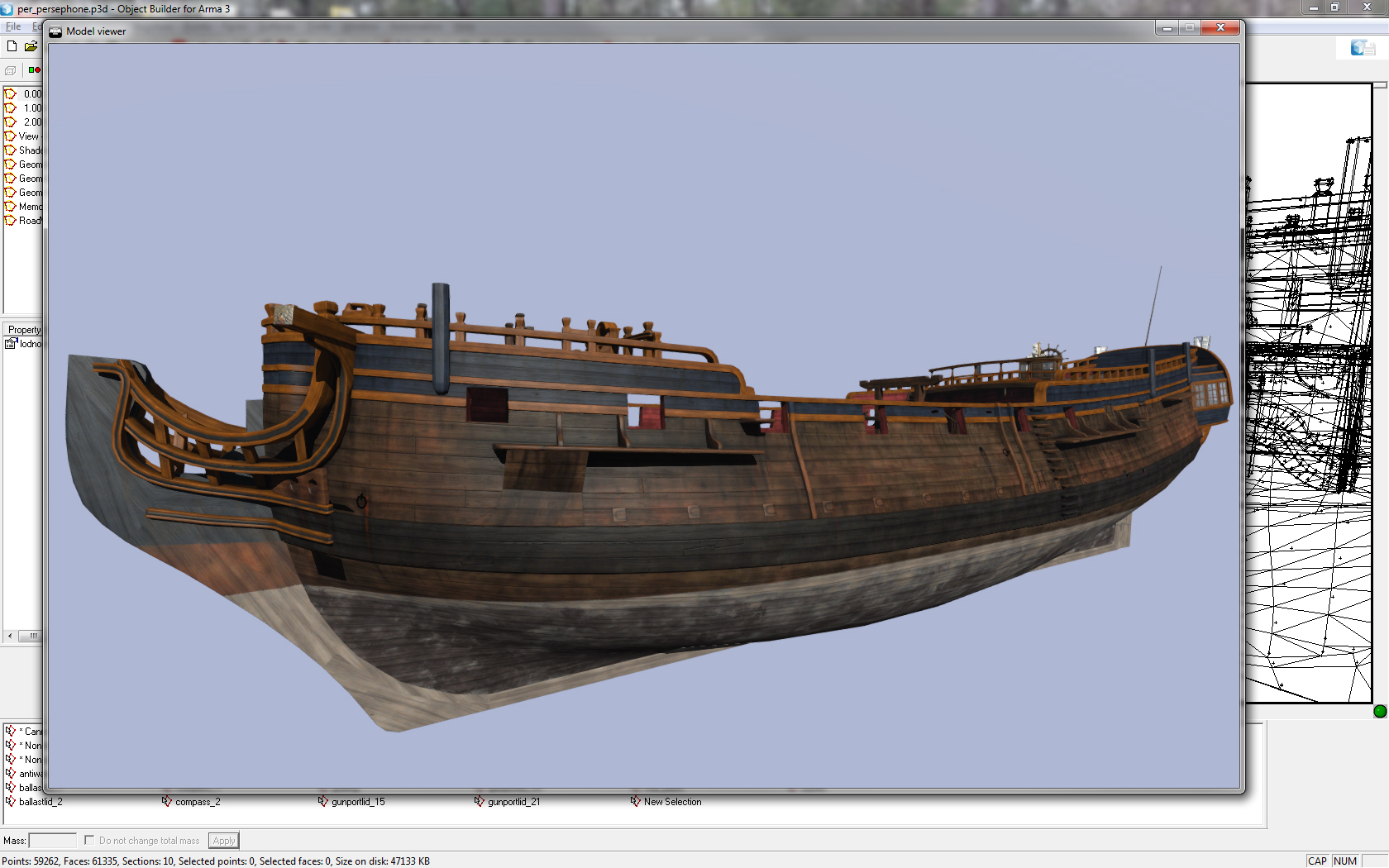 cinder pivot
Nice, what was the issue?
formal vapor
originally OB was using the earlier A3 with the poly limit...which was an issue with my ship. I reinstalled A3 tools and installed the buldozer with A3 tools and now it works!
Which saves me having to put my ship in game whenever I need to see how it looks in game
lusty ginkgo
Is there any way to make Object Builder's buldozer display objects correctly? In terms of colors/lighting being accurate to what you would see in game
lusty ginkgo
@formal vapor
"Which saves me having to put my ship in game whenever I need to see how it looks in game"
How do you get it to display accurately?
wraith tendon
@lusty ginkgo Press F1 in Bulldozer and play around with the Settings there
lusty ginkgo
Do I need to match the settings to my games settings
wraith tendon
"play around with the Settings"
lusty ginkgo
so that is just making it look closer
not 100% accurate
That will have to work I guess
quick terrace
@lusty ginkgo there is but it's up to @bleak tangle to make these shaders public, which he said he will soonish
 sturdy parcel
tim B you're wasting your time and effort. NO exes or tools of any kind should be on your p: drive. bis persistently get this wrong.
there is only one 'buldozer' on YOUR pc , it's called arma3.exe. You access that , not some wieird piece of sh*t that should not be on P at all. why? because, at best, you need a baziilion dlls to be on p: as well (and surprise surprirse, bis get that wromg too, with steam app id's)
at worst, you are inviting bis to ERASE your p drive if you install their tools. Why? because bis consider the location of armatools to be their's and on one famous occasion deleted everything in there.
you can save yourself a heap of agony and nonsense by simply using arma3p and go make a coffee, take the dog for a walk, or hell, talk to the wife while it's processing.
https://dev.withsix.com/projects/mikero-pbodll/files
to repeat here, if you haven't got the message, there is only one buldozer on your pc, it's called arma3.exe.
use it.
formal vapor
I tried making A3.exe the "buldozer" but the textures wouldn't show up. I'm not really good with computers...at all. In fact I'm surprise my computer hasn't jumped out the window and committed suicide. I'm just a 3d artist so I don't really know how to set up OB like that.
formal vapor
Come to think of it I'm surprise working with 3d Max all these years I haven't jumped out of the window...
@sturdy parcel Should I turn off the automatic update on my A3 tools?
 wispy orchid
@formal vapor have you set the texture path in OB to your P drive?
file -> options -> path for textures P:\
what is wrong with my wheel/suspension setup when an airplaneX's rear wheel sink in the ground and sits on the connecting struts. The front wheel is above ground, though. When initialized the plane bounces up and down for a while and then comes to a rest. Wheels turn and I can take off in VR
wraith tendon
Did you flipped the dampener Axis?
wispy orchid
trying that
wraith tendon
The other thing, could be the Landcontacts, maybe they are missplaced.
wispy orchid
the axis for the rear wheels was mssing completely from the memory lod
landcontacts seem fine, when I remove the geo lod it sits on the wheels, albeit they won't turn
no joy, still same
wispy orchid
when I remove the physx lod, the plane sits on the belly completely, all gears in the ground
wraith tendon
😄
wispy orchid
ah, no, that was because I removed the dampers from the geo lod, as I found this to be the case with the F/A-18
polar fiber
IIRC checks are: gear should be modelled in the down position in the .p3d. All wheels should have a centre and boundary memory point for the physX config. landcontact points should AFAIK move with the landing gear struts when raising/extending the gear but not move with the wheels (i.e. not be part of a bone affected by suspension). Geometry LOD can have the gear modelled for collision purpose but physX LOD should have no wheels
otherwise you might need to look at the physX parameters and adjust the sprungmass and MOI etc. to change how it behaves on the ground
wispy orchid
I thought MOI and sprungmass is for cars and tanks solely, not for planes and helos?
wraith tendon
PhysX
formal vapor
@wispy orchid Yes my texture path is right. The textures show up when I'm using the buldozer.exe but the textures do not show up when I use the ArmA3.exe.
polar fiber
as Dscha says, a physX wheel is a physX wheel
wispy orchid
any hint in the rpt, Tim B?
what's the purpose of autocenter = 0 on a plane?
If I add that, arma 3 crashes for me
dev build
 cedar coral
What is the scale difference between the A3_character_template and A3_character_example max files to OB. I exported vis LOD out of OB in fbx format, then when I imported into 3ds max that scale was way off? Anyone else hit this?
spice horizon
If any of you use 3ds Max for your models, can someone help me over come an error on importing to o2?
formal vapor
What's your error myers?
wraith bone
where do I go to figure out how to make static weapons
wispy orchid
any suggestions on how to resolve that crash with 'autocenter = 0' as geo lod property ? I see on other planes that they have set that
and when arma does not crash immediately, the plane seems to sit on the wheels then
wraith bone
Hey guys, any suggestions on making flora and stuff like that? I'm extremely new and looking to make some tropical assets for me to use on my maps
wraith bone
Hey guys, I'm making this plant model, and I have a regular texture file, a normals texture file, a transparency texture file, and a specular texture file. How would I apply these so it would look correct?
wraith tendon
wth is that: ( @sturdy parcel ? )
MakePbo x64UnicodeVersion 1.97, Dll 6.18 "cup_terrains_ca_buildings"
ca\buildings\data\detailmapy\dum_olez_istan2_strecha_macro.rvmat: Unknown pixel
shader id=0x00000010```
*Fixed in DePbo 9.16 proud finch
Does anyone know why my vehicles aren't showing any lightflares from the headlights? (Yes, it is set to use flares in the config), it seems when I move the memory points more than a meter in front of the vehicle they show up, but as a result the light source show way ahead of the model. Any attempts to move it where it is supposed to be results in the flares not showing. I have a feeling it's something to do with the properties, but even when setting up the properties as they are in the sample model from bohemia it does not fix it. Send halp
proud finch
@wraith bone Take a look at this to utilize the "extra" textures you have. https://community.bistudio.com/wiki/Super_shader
wraith tendon
Anyone working with the Arma3_x64 Version for Bulldozer?
white jay
yea
wraith tendon
Have you done any further settings? Mine crashes always, when a model is beeing loaded in
white jay
hm @bleak tangle reported the same :S
do you use A3 tools setup or arma3p?
i literally just added "_x64" to the path in the settings
white jay
did you run it recently?
i havent for quite some time now
probably since the x64 hit devbranch
wraith tendon
Ah, starting via .exe shortcut, not tools.