#arma3_model
1 messages · Page 79 of 1
 quick terrace
so it defies the purpose of a "macro" map doesn't it?
should work on uvset 0 as well btw
should = i never tested it but i don't see why not
 distant pier
I think i may try with 2 uvsets here in a bit.
distant pier
@quick terrace Got it all figured, not sure why I couldn't get it working before. No, second uv was needed. Thanks for all the info man
 cinder pivot
anyone know if you can have memory points move with an animation?
 halcyon wren
Yes you can, but the outcome may be unpredictable.
But usually it works fine if you animate for example the axis memory points of a different animation.
Jeebus, my multi-mat tutorial. 5.5 years old. 😮
cinder pivot
@halcyon wren I am looking to rotate the wheel of a motorbike then the wheel is supposed to rotate around the new axis but it still acts like its not moved and spins randomly
halcyon wren
is your skeleton hierarchy set up correctly?
cinder pivot
I think so, everything moves how it should, wheel turns but then spins oddly
halcyon wren
is the wheelspin axis in any other selection other than your "steering"?
cinder pivot
it does not share any selection with anything
halcyon wren
it should be in the one that does your turning
But, make sure your actual wheel is just in in the selection that does the spinning.
http://i.imgur.com/h4woliS.png
Orange = wheel_1_steering
Pink = wheel_1_damper
Red = wheel_1
                "wheel_1_damper","wheel_1_steering",
"wheel_1","wheel_1_damper"```I'm curious for your PX implementation. 😄 I have a half-finished Herkules morotbike that I never pushed further as soon as I realized it would have be config'd as a Quad with very narrow wheels right next to each other 😄
cinder pivot
its a hackjob at that
basically 4 spaced out invisible wheels and the bike wheels will just rotate as it moves
it spins like no other though, because there is a reason for a quad being locked at 80 km/hr
@halcyon wren That works perfectly! thanks ❤ I realised my mistake once you shared that
was trying to move the wheel as a selection as well, and not tying them together in the skeleton config
halcyon wren
👍
 sudden radish
any way to fix this? Not sure if it's just a glitch with the insignia or not https://gyazo.com/c598d4eee892a787e2e1dbfa3e6b5d3a
 tacit shard
Looks like your edges arent cut /smoothed properlly on the insignia.
 terse aspen
looks more like a texture issue
 polar fiber
Might be the alpha sorting as well though. Select the insignia faces in the model and go Faces\Move Top (Ctrl+Shift+Home)
If not that then it's the alpha. Looks like it might have a white background around the edge of the patch in the image file - recommend using a darker colour, ideally the same as the border stitching on the patch itself
quick terrace
@cursive sleet do you still need that mc example?
 cursive sleet
Yes please
tacit shard
Does anyone know how to export substance designer textures to work in ARMA (like in painter I get a correct CO, SMDI, AS, and NOHQ) is there anyway to achieve this in designer?
quick terrace
doubt many are using it, might worth posting in the right section #arma3_texture
 errant pumice
any ideas why the reload button doesnt work on a custom unit, although there are 3 mags present in the inventory?
 eager folio
what are the requierments to have a custom driverOptics.p3d with a full streched horizontal image actually it looks weird ingame http://imgur.com/a/U8rwT
errant pumice
dscha: dunno, its wierd...
 wraith tendon
Do you see the magazines in the UI? @errant pumice
errant pumice
nvm, fixed it. Uniform class used a wrong name.
wraith tendon
=}
quick terrace
@cursive sleet here it is, for shit and giggles all textures are 512x512 minus the MC that is 2K (to mimic the lack of resolution and the fact that you can have a very crisp MC overlay) - just unzip in your p drive
cursive sleet
Okay thanks allot 😃
errant pumice
which memory point defines the position of the headgear, aka helmet?
quick terrace
the helmet needs to be weighted to the Head (nm selection) if i get your question correctly
errant pumice
tnx
 obtuse rain
It seems like gear just gets merged into the main character .p3d (almost like you've copied and pasted it in using OB) so you do the same as you would a character. It needs a full skeleton model.cfg and you can bind full or partial weight to any bone to any part of your geometry.
obtuse rain
Mmm, bunch of 3D software sales listed at:
http://www.3dartistonline.com/news/2016/11/black-friday-top-deals-and-discounts/
MD and Substance included.
If you need an excuse to buy substance, there's being able to do things like write plugins that accurately simulate super shader and let you live paint with it:
terse aspen
@obtuse rain is the super shader a plugin or just made inside the settings?
obtuse rain
It's a viewport shader, it isn't PBR at all; you paint directly to smdi/ads/mca maps directly and in theory it looks identical to in game.
terse aspen
that would be pretty nice, since pbr shaders look vastly different, especially the specular maps
obtuse rain
Do you use SP?
cinder pivot
Is there any good substance->arma tutorials that anyone has links to?
 jaunty leaf
cinder pivot
jaunty leaf
cinder pivot
@jaunty leaf thanks!
quick terrace
don't expect 1:1 results from SP viewport to arma though ^^
tacit shard
Does anyone know much about how much of a quality improvement I would get from using a multimaterial RVMAT on this http://i.imgur.com/azTagac.jpg ? Would ie be worth it (mainly for the bricks)
quick terrace
you use 4 texture sets (in total 4x4+3) of 2k x 1k or 2k x 2k in a single multimat. i think it is self explanatory
 cosmic stream
i've also found that you can "optimize" a texture buy having 2 texture in one : http://www.magefile.com/portfolio/pipedream/walls34.jpg like this, it can be usefull for long walls that are 1 unit tall and wont tile verticaly ever. So for example, for interiors you can make 2 1024x+512 in a single 1024px set
and that's what i'm doing sometimes in Em_buildings
the downside is that I can't have a clean vertical tiling
and it reduce the size and quality of a texture, but honestly, when I see that modders use a 2048 for a NVG item, i think the game can handle a 2048x2048 texture for 2 wall sections :p
quick terrace
bis uses 2k x 1k or 2k x 2k for co, dtsmdi and nohq at least
eager folio
hello, what i need to optimize to get this image streched over the full screen: http://imgur.com/a/U8rwT i strugle a little bit because there are no real Tutorials or Examples for that or i am to stupid to find it.
cosmic stream
interesting, I don't know why i thought they were only using PoT square textures
quick terrace
usually if it needs to fit on 2 direction it is square, if on a single one is 2:1 format
cosmic stream
how the engine knows it has to use a 2:1 ? Do i need streched UVs ?
quick terrace
yeah
cosmic stream
ok, i don't like to stretch my UVs for game env
quick terrace
whatever floats your boat 😉
tacit shard
does anyone know of a arma structure I can depbo to look at multimaterial examples?
 hollow talon
what would cause a custom made model to disapear and reapear when in-game?
tacit shard
do you mean flicker?
Also does anyone know can I use a seamless texture such as https://gyazo.com/ab978d2e8e97195217d7c2174555e029 that or would I need a high quality version of the wall texture for multimaterial
hollow talon
as in I walk around the building and it disappears totaly then reapears when I look in a different direction
tacit shard
oh I've never had that issue
hollow talon
it's happened to me a few time now, but only on my skyscrapers
hollow talon
I think I fixed it, I removed the shadowVolume LOD from the main p3d file, and changed the values of :
texture="#(argb,8,8,3)color(1,1,1,1,AS)"; to texture="#(argb,8,8,3)color(1,1,1,0,AS)"; in my rvmats
So I'm not sure which changed fixed it but it works now
 upbeat loom
anyone had issues before with adding memory points to a model and them not showing? porting the A2 pumpkin into arma 3 have discovered that as far as cursortarget/object are concerned it doesnt exist. I can make a giant box and it doesnt exist. nothing. i copy the model into another working model and poof. doesnt exist anymore
 umbral plume
@upbeat loom View>Lock/Hide>UnHide
distant pier
@hollow talon view geo can cause issues with parts of objects dissappearing.
cinder pivot
what was the method to be able to see objects under the glass again? I imported an object to put under vehicle glass but it has like a glass type glare all over
hollow talon
select the face(s) that have the glass texture and then select faces-move to top in the toolbar
cinder pivot
thanks 😃
hollow talon
you're welcome
upbeat loom
@umbral plume that didnt seem to do anything :(.
 white jay
hey there! i made a custom backpack 3d model and have problems with setting up lod with oxygen2. I am working with 3ds max. can anyone give me a hint how to set up my model in max to make it work in arma? I have set up my config class and already can pick it up as a backpack,but it doesnt get attached to the right position...
halcyon wren
Have you skinned your model correctly? Make sure it is listed in the model.cfg with a regular people skeleton, and don't forget autocenter=0.
 woeful viper
you should use objectbuilder and not oxygen2 for arma 3 btw
cosmic stream
@tacit shard http://pastebin.com/CytybvMT this multimaterial should help you
black and blue have no texture applied, but you can customize by replacing
{texture="#(argb,8,8,3)color(1,0.8,1,1,DTSMDI)";
to
{texture="EMOGLOBINSKY\EM_buildings\Data\textures\various_props_signs_SMDI.paa";
tacit shard
Cheers. One last question. Does it have to be a say full wall texture? or can I use like a 2048x2048 brick texture that I made
quick terrace
for buildings, most textures are suppose to be seamless
you don't need "full wall textures"
have a look over \a3\Structures_F\Data\
tacit shard
Ok will do thanks
cosmic stream
anyone know if its possible to have a transparent opacity in a multimaterial ?
i tried alpha channel in _CA and it's not working in OB...
 bleak tangle
Don't think so, I have always seen windows done in a separate section/texture. What are you trying to do?
quick terrace
not possible
cosmic stream
decals
but okay 😉 i was suspecting that multimat had some limitations
I'll try to make a better decal atlas , and just apply the textyre to faces
or a material
 cinder pivot
How do I make it so passengers in the back of a my car cant switch to the front?
distant pier
@cinder pivot either with a script that determines the players location in the vehicle or an even better way(if possible) is to overwrite the default useractions for your vehicle and set the condition for switching to the front seat to only show if they are not in a rear seat.
cinder pivot
Ah okay thanks 😃
distant pier
@cinder pivot is it possible to overwrite the useractions of vehicles in arma 3? Or are they hardcoded into the engine?
cinder pivot
You can make custom ones but I dont know about overwrites
distant pier
You'd have to overwrite, otherwise it would show yours and the default.
polar fiber
doesn't it just work with matching up driverCompartments and cargoCompartments[]?
cinder pivot
No idea
halcyon wren
Yeh, Compartments are the way to solve this.
 topaz sail
Hello, guys I have problem with gunner on my vehicle. Firstly he dont hold the weapon in the right way and the second thing he has like an extra armor and is really hard to kill, (it takes about 10 bullets to take him down) Can anyone help me with this one? Here comes screenshot with this vehicle http://images.akamai.steamusercontent.com/ugc/98346819271426506/7E7100E18A93F2554A1708BA6F225023A8D2FE30/
Also I have defined in MainTurret section these 2 values
gunnerLeftHandAnimName = "handle_L";
gunnerRightHandAnimName = "handle_R";
cinder pivot
@halcyon wren would you just set the driver like to 1 and the cargo to 2? How would that work
halcyon wren
Yup. But beware, they are identifiers that let you combine them.
compartment1 = 1;
compartment2 = 2;
acces to both compartments:
driverCompartments = 3;
==
driverCompartments = compartment1 + compartment2;
Compartment1 and Compartment2 should be enumerated (==defines) that already work. (identical to how true substitutes fro 1, and false for 0)
cinder pivot
Where would you put them, in config or your p3d properties? Ideally I would like to block off certain seats but not all cargo.. Is that even possible? More seems like a gunner config
cinder pivot
I see
halcyon wren
Inside this turret:
gunnerCompartments = Compartment1;
cinder pivot
Yea, I have used it for turrets but not cargo
Thanks boss, Ill see what I can do when I get home 😄
 short wraith
hey guys, don't know if someone wants to help me, but i need some help with importing a model into arma
cinder pivot
Create some simple objects and learn the tools a bit before jumping straight into a vehicle, at a point whoever helping would be doing everything for you if you dont have a clue where to start. There are guides out there that might help you though. You just need to look at a3 samples to give you a start @short wraith
short wraith
@cinder pivot I'm not complete stupid and let others do the work, the problem is I need someone to ask questions and get a fast replie, someone who has some time to help me learning this, the problem is, a normal tutorial can't do this and on the forums there isn't much activity for an instant replie, even here not
 cedar rock
You're correct but everything you need to know has been asked only few things need explaining in depth, as for anything in arms Google is your friend you actually have to research how to do it and go through damn near of forum post and wiki page and even some of the vbs stuff can help
cinder pivot
I never said you were stupid but if you dont know the tools it will be twice as hard for you
short wraith
i like it hard ^^
cedar rock
Then you can't expect someone to give you all the answers
short wraith
cause i like it hard, i got it to work... no one helped me, i didn't watched any tutorials, just did it
some problems are existing, but i know know how to fix most off them
woeful viper
sure...
short wraith
woeful viper
"hey guys quick hELp me! I like it hard and did it without any reading..." yeah yeah. you where here with some similar shit before . I keep my eye on people like you.
short wraith
? are you joking? i was sitting over 2 hours and trying to find my way through o2 and the sample model
it is possible to learn it without reading anithing
*anything
all i wanted was someone to answer me some questions about 02 and some others things i need to know about the model, sorry if I'm not the perfectly native english speaker (I'm german) and don't know how to express myself in the same ways, as I would in german...
and sorry for that I'm intelligent enough to learn such things faster than other peoples
quick terrace
alright mister intelligent , you're excused
woeful viper
didnt say its impossible... and its commendable that there are still people using their brain. You may want to work on your attitude though
cinder pivot
if you were to scroll up you would see the constant question/answer stream, no one is opposed to questions.. just ask.. It would be easier then having one single person be a question box
halcyon wren
Q&A works best here if you present your problem in detail. That'll help us figure out where you are and where the problem lies. The quality of the answer is usually directly related to the quality of the question. 😃
 oblique vapor
We aren't customer service ready to automatically respond to your needs, just ask and wait
 terse elm
some people....lol
umbral plume
@upbeat loom I think you need to select all the points before you try to unhide, the way you selection them is to press Shift+LeftClick on the first point in the selection menu and then Shift+LeftClick on the last named selection. Then just go to View>Lock/Hide>UnHide. Hope that works for you and sorry it took so long to respond.
tacit shard
Has anyone got any idea why my animations are not working? I have checked over the config 100x, it packs fine and bulldozer and rapify give me no errors. I have checked all the named selections and they are all correct. However when in bulldozer or the editor the animations dont register (pressing enter in bulldozer no animations are found it just says Anim, and in the edtior just nothing happens)
config.cpp: http://pastebin.com/prkAT7aZ
model.cfg: http://pastebin.com/ScdU2BR2
named selections: https://gyazo.com/6dad177b2f85dded95c2c700d2d8bb80 & https://gyazo.com/3de73f4896a27ed072018c9c0c36ab3c
have also tried re-installing ARMA tools cos that fixed it last time did not fix it this time
If this should be in the config editing let me know and ill put it there soz
cedar rock
IDK if this would cause it but in your bones door might need it's empty child like the other three bones
@tacit shard
tacit shard
will give it a shot thx for the suggestion
didnt work 😦 thanks for the suggestion though
cedar rock
Hm and your model name is KFC
cedar rock
Is it capitalized idk how much it matters in cfgq
tacit shard
Captilization is correct
 half heath
Go to Tools > Model Config Viewer in object builder and see if your model.cfg loads
If it doesn't load you might have a typo somewhere.
short wraith
Hey guys, wich one is the memory point of a car for the driver first person view? Can't find it and want to see more than the console and the stick...
obtuse rain
@short wraith: It's based on the eye position of the proxy by default.
short wraith
@obtuse rain how do you mean that?
obtuse rain
It should be using the drivers eye position.
obtuse rain
By controlling where the driver is sitting. 😉
Have you checked where the driver physically appears in the car?
short wraith
from exterior view yes, but not from interieur
obtuse rain
So you've gone into a debug camera and looked at where the drivers head/legs/arms are?
obtuse rain
Hmm, odd. Did you make the .rtm for his position yourself or use an existing one?
short wraith
existing one, its from the sample model
obtuse rain
You should also be able to see the driver in first person (minus a head) in that second screenshot, so it looks like it isn't drawing the driver at all.
What's the name of the proxy?
short wraith
\A3\data_f\proxies\driver_offroad\Driver its called Driver.001
bleak tangle
Wouldn't that be where the driver proxy is placed in the View - Cargo LOD?
obtuse rain
Yeah, that'll be it for sure.
bleak tangle
@tacit shard If animations don't work in buldozer it has nothing to do with your config.cpp, instead it's related to your p3d or model.cfg.
In this case it's your model.cfg, from your skeletonBones
"Door_01", "",
"Door_02", "",
"Door_03", "",
"Door"
You have an underscore here between the name and the numbers, but the named selections on your model don't have an underscore. Also, "Door" should be atleast "Door", ""
obtuse rain
@short wraith Check your other LOD's too, the proxies need to be in fire geo for example to be hit by bullets while driving.
short wraith
ok
tacit shard
@bleak tangle i cant believe i missed that thanks :)
umbral plume
upbeat loom
😁 nice
upbeat loom
@umbral plume unfortunately no cigar there. weirdest thing i have come across... a model that doesnt exist! haha oh well! Just make our own pumpkin plant instead then eh!
umbral plume
hmm weird.
short wraith
is it possible to find an object in O2 via the texture path? on my model theres a wrong texture, wich is missing and i don't want to search through maybe 500-600 objects on my car
polar fiber
yeah, ctrl+double click the texture name in the texture library or resource library
resource library can do it by section or materials too if you're looking for a particular .rvmat
you can just use the mass texture and material renaming tool to change incorrect paths as well though
short wraith
@polar fiber I found that seconds before your awnser, but thanks ^^
does someone know how to make something similar like in this video?
(flames from the exhaust)
obtuse rain
Muzzle flashes, and leave the bullets in for a bit of fun.
short wraith
@obtuse rain how do I add the muzzle flash, without making it constant, like the normal exhaust, only sometimes
obtuse rain
@short wraith I was mostly joking, muzzle flash light would require you to add turrets. Safest way would be a hide animation with a light (if you want the ground to be lit up too) perhaps driven by a script.
short wraith
I don't want to have it lit up, i want to have a flame coming out of the exhaust
 stuck oyster
the exhaus effects are defined in separate config and can be modified to be just about anything
for example class Exhausts /// specific exhaust effects for the car { class Exhaust1 /// the car has two exhausts - each on one side { position = "exhaust"; /// name of initial memory point direction = "exhaust_dir"; /// name of memory point for exhaust direction effect = "ExhaustsEffect"; /// what particle effect is it going to use }; class Exhaust2 { position = "exhaust2_pos"; direction = "exhaust2_dir"; effect = "ExhaustsEffect"; }; };
and the "ExhaustsEffect" is defined in somewhere else. Can't recall exactly where but you can define ýour own exhaust class and use that
or maybe use the same jets have
short wraith
ok, I already have an idea, is it possible to change the effect via a script for maybe a second and rechange it after that second to normal?
stuck oyster
well I dont think you can control the class Exhaust with scripts very easily since its the game engines exhaust system that is tied to the vehicle engine. If you want more control you need to make your own particle emitter script
obtuse rain
That works for cars?
stuck oyster
what do you mean?
obtuse rain
Exhausts, I don't remember seeing them on cars.
short wraith
@obtuse rain basicly every car have a working exhaust effect
stuck oyster
that is pretty much copy pasted from the sample car config
obtuse rain
Hmm, I must never stand behind them when they're driving off.
And you'd want them to emit light because otherwise the road directly below it will be completely dark.
short wraith
iff the engine is running, theres a blury effect
if it is driving theres smoking
*smoke
tacit shard
@bleak tangle thanks for pointing that out have fixed that however the anims still dont work
obtuse rain
So you fixed the mismatching selection = and axis = names too?
obtuse rain
It wasn't just the bones, your selections and axis' names were wrong too.
tacit shard
I dont think they are?
selection = Door02;
and the name is Door02
and thats right for all the doors (Door-Door03)
axis = Door02_Axis; which is also right
obtuse rain
Ah, yeah, I had a different model.cfg up, sorry.
bleak tangle
Just to confirm, you are aware that you animate something in buldozer with scroll wheel?
tacit shard
yer
but you gotta press enter to select the anim you want to animate
and when its ingame no option appears to open the door
Also all good Ian lol
bleak tangle
So is it still not working in buldozer or in game?
obtuse rain
Have you got "class = house" in the geo? (Which is more important for in-game functionality)
tacit shard
yes
bleak tangle
Is each axis two memory points in your memory LOD, and they are definitely assigned correctly (you click the named selection and both points get selected). And the doors are named selections for each door in all other LODs?
tacit shard
will just double check now but last time yes but give me two secs to recheck
all the memory points are defineltly assigned correctly and all axis are two vertecies
yup all doors are assigned correctly in all LOD's
bleak tangle
You should also change the name assigned as "source" for each animation. For example, the A3 sample house has it named Door_1_Source, which is then used in the AnimationSources in your config. Don't worry about the config.cpp for now though
obtuse rain
Yeah, you can make things animate in buldozer with just those two files.
tacit shard
ah ok
bleak tangle
Yes if the animations don't work in buldozer, it has nothing to do with your config.cpp
tacit shard
so the config.cpp is just for ingame stuff
I get hat if I try to edit the config in bulldozers model.cfg editor
bleak tangle
Sure, buldozer doesn't even read it. Does the sample house also have memory = 1 in the animations? I'm not at my computer so I can't check myself
I've never used that thing in OB
obtuse rain
memory = 1 just means "look in the memory LOD"
tacit shard
yes they do
obtuse rain
I can't remember what it does without it. 😉
tacit shard
IF i remember correctly Memory = 1; just means that their is an axis is the memory LOD for it to use
class Door_1_rot
{
type = rotation;
source = Door_1_source;
selection = Door_1;
axis = Door_1_axis;
memory = 1;
minValue = 0;
maxValue = 1;
angle0 = 0;
angle1 = (rad 110);
};
thats the sample
class KFC_Door01_Rotation
{
type = rotation;
source = KFC_Door01_Rotation;
selection = Door01;
axis = Door01_Axis;
memory = 1;
minValue = 0;
maxValue = 1;
angle0 = 0;
angle1 = (rad 90);
};
thats mine
they appear identical to me (obvs excluding name selection differences)
@bleak tangle yer I just checked it doesnt work on the bis sample files either so it must just be broken as a tool
bleak tangle
Ah good to know, so something is wrong with the tools installation
tacit shard
maybe. I have re-installed the tools because of this error as that fixed it the last time I had this issue
but it didnt fix it this time
obtuse rain
Might be time to sent a copy to someone to see if it works on a different install before you hack up your setup too much. 😉
tacit shard
yer will give that a shot I think
bleak tangle
Are you setting up your P drive with Arma3P or through Arma 3 Tools?
tacit shard
Right I just used a fresh install of a P drive on my friends pc and the anims worked fine
so its my instillation
I literally just mount my project drive
then dragged everything from my arma 3 tools directrory
and then used tools to install bulldozetr
and I just did that on his PC and it worked just fine
obtuse rain
Oh, check all of the directories above your mod directory for a model.cfg (including your root P:\ directory)
If your model.cfg is in P:\a\b\c\model.cfg it will try to merge in:
P:\a\b\model.cfg
P:\a\model.cfg
P:\model.cfg
You might have something dodgy in one of those (if they exist)
tacit shard
ok erm, I have mine like this
and inside each of those folders in a seperate P3D's with model.cfg's
Com_Structures has the KFC and Com_Extras has some other models
I pack each of those folders as seperrate PBO's
obtuse rain
Doesn't matter how you pack them, Object Builder scans from your original model.cfg back up to the P:\ looking for other model.cfg's.
tacit shard
thats the only other folder before the com_structures which has no scripts in it either
obtuse rain
(And so does Binarize.exe, but you aren't at that point yet)
tacit shard
https://gyazo.com/d34427015e75e3cab2c3000c35aaed05 that any help?
as you can see there is only two model.cfg's in the proRP directory and they are in two seperate directorys
obtuse rain
So there isn't one in P:\ProRP\Commercial, P:\ProRP or P:?
tacit shard
nope
obtuse rain
Hmm, can't be that then.
tacit shard
Ive just use pboProject to build it and check its using the correct model.cfg https://gyazo.com/d51180e53a8bcc1daad66156b26bd5ad and it is
obtuse rain
Maybe chuck the sample house in P: somewhere and see if it fails too.
tacit shard
wait I have a animated model in a fully different directory (P:/JCA) I will see if thats still working
and then will test the ind_structures building
nope
they arent working either now
and they work perfectly fine before
obtuse rain
Bit of a weird thing to fail.
tacit shard
so somethings changed that has broken it
I dunno what do cos I reset my P: completely already
as in deleted it and arma 3 tools. Reinstalled arma 3 tools and reset it up
obtuse rain
You might want to force Buldozer to output an .rpt and check it
tacit shard
how does one do that?
obtuse rain
Make sure it isn't being passed -noLogs and figure out what it considers its profile directory to be (or give it a specific profile directory)
tacit shard
ok its running -noLogs so i remove that from my o2 config
now how do I find its profile directory?
obtuse rain
Use -profile= to give it one
tacit shard
C:\Users\Jack4607\Documents\Arma 3 - Other Profiles\Buldozer\Saved
would it be that?
oh Ill just do what you said
obtuse rain
Yeah, that might be it.
Well, give the "saved" one a go first, it might have a config in it
tacit shard
nope just gave me a cacheItems.map in there
P:\buldozer.exe -buldozer -name=Buldozer -window -noLand -exThreads=0 -noAsserts -cfg=buldozer.cfg thats the command line in o2
but when I launch its called modelviewer?
obtuse rain
Mmm, odd.
Oh, P:\Buldozer.exe is a bit deprecated, most people have it pointing to the Steam original arma3.exe now
tacit shard
ill update it to that then
and do that -profile
do I link a directory with -profile= or just a name?
obtuse rain
And you might want to get a newish arma3p to make sure your P: is perfect
I think you can give it a full path, check the wiki
tacit shard
my arma3 P drive is just me copying the latest arma 3 tools into tit and installing bulldozer
I created a folder called BP in my P: and then added -profile=P:\BP but nothing was generated
(after testing the anim again)
obtuse rain
Try looking in C:\Users<YOUR NAME HERE>\AppData\Local\Arma 3
tacit shard
oh yep RPTs are there
obtuse rain
Yeah, find one that you're 100% sure is from a failed buldozer run and have a look
tacit shard
http://pastebin.com/ZK8xEv03 thats the most recent one and I cant notice any errors
other than apparently my shadow LOD is to detailed
and just tried again got the exact same rpt file
obtuse rain
17:43:27 No product.bin found, using defaults for a core engine.
17:43:27 SteamAPI initialization failed. Steam features wont's be accessible!
17:43:27 Splash window: Unable to load config file: dta\splashwindow.bin
Those seem a bit odd
Might be worth using Mikero's arma3p
obtuse rain
It'll clean out what it needs to by itself.
obtuse rain
Good luck with it, I'm off for a bit. 😉
tacit shard
well RIP used mikeros arma3P and it still doesnt work 😦
says the exact same thing still
umbral plume
anyone have a good recommendation for a good amount of poly/verts to stick around for gun models?
cinder pivot
11k I think was stated many scrolls up
Hopefully someone will come along with a better response though
obtuse rain
ANixon: Rifle? Handgun? MG? 😃
If you have Eliteness you can open a few similar weapons to check the polygon/section counts.
umbral plume
All of the above, like recommendations for each.
for the most part our modelers are looking for rifle recommendations.
I saw on reddit it was saying the max is 20k faces but to stick around 10-7 k polys but just wanted to confirm.
 cursive star
i was told unlimited, the limit is when arma 3 tools crashes 😛 @umbral plume
umbral plume
i'm more worried about performance though, does it have a huge impact say a 100k vs 10k ingame?
obtuse rain
Yes, and also Arma may just ignore your high LOD's if the polygon count vs screen surface area doesn't make sense.
umbral plume
ok will just try to keep it around 10k since that is what I have seemed to see recommended, thanks for the help.
bleak tangle
Make sure to not go overboard with your most detailed shadow LOD as well
 rich trail
I'm trying out modelling for Arma 3, or even games in general, for the first time. I'm new to some things like LOD. I'm wondering if this would be good as the lowest LOD: http://i.imgur.com/9xhaZed.png
cursive star
you probably could get lower in some areas, but it looks good.
a good place for example, the nose of the plane.
rich trail
Alright. I'll try and get rid of some details.
rich trail
What are the bare minimum of components I need to get my plane flying in Arma 3?
cursive star
the bare minimum is still a lot. in some cases it's not really minimum
but i have no answer for that question, i'm not a model marker, i just know about em.
rich trail
If I want to try it out in-game I'm thinking I would at least need one resolution LOD, a geometry model, configs and some proxies maybe.
cursive star
you probably don't need proxies. but yeah.
a very basic model for example an item, is just the model, resolution, geom, shadow, and that's all. no rvmat required, or model.cfg.
I've only got basic knoladge in this catigory so i'm gonna stop answering your questions unless i know it 😛
rich trail
Hahah. Okay, thanks.
halcyon wren
Rough rule of thumb:
Each LOD is 50% less than the previous
cursive star
hmm, i thought it was 25%, heh the more you know.
halcyon wren
Do this until you land between 300-100faces for your last LOD.
Yeh, it really depends on the asset and what you're going for.
cursive star
true
halcyon wren
Efficient lods are super important for items that will occur a lot. I.e trees, rocks, soldiers.
Also important for heavy assets. For example a big ship or crazy detailed tank with ~50 or 60k tris in your first lod.
But then again, at least for us, we found that the polycount is really not that important anymore in modern days. The thing that will suck performance is
- Section count
- Heavy Shadow lods that arent using the ShadowBuffer method (SHadowlod 1000 + shadow=hybrid)
Each texture/rvmat you use per model is a new draw call to the graphics renderer. Each proxy counts as an individual drawcall/section. (OB does not accurately show the actual section count)
An object with 1000 sections will roughly take the same amount of performance as 1000 objects with one section.
Then there is also that sections fill up to the nearest multiple of 2 (though I am unsure about this nowadays, I may have overhead a different topic there).
i.e
5 sections are as bad as 8 sections
6 sections are as bad as 8 sections
7 sections are as bad as 8 sections
8 sections are as bad as 8 sections
9 sections are as bad as 16 sections
and so on.
But don't take my word on this bit.
cursive star
👌🏼
obtuse rain
@halcyon wren Aircraft are still LOD'ed the hell out of in A3 though; from 20-30k through ~8 LOD's down to 100 polygons.
halcyon wren
It all depends on the Art lead's decision on how it should be done. 😃
quick terrace
under 400 polygons / 200 verts
it takes more to load a single texture than the mesh
the number of lods is in direct relation to the number of verts for lod1
following the 1/2 rule
svlod should ideally be around 1000, tops 3000
other than that what @Mondkalb#6985 said is 100% true
obtuse rain
Anyone tried Knald?
tacit shard
Anyone got any other Ideas for my issue? (No anims are working even though the configs are right?) Have wiped my P drive and reset it up as well as restart my pc
bleak tangle
I'm a little confused by the way you have your P drive setup, you mentioned copying and pasting your Arma 3 Tools into your P drive, which doesn't sound like a good idea.
This post gives a pretty good guide on how to set everything up using just Arma 3 Tools, the only thing I'm not sure about is if you should run buldozer configurator before you press install buldozer, or vice versa.
tacit shard
Ive also now used mikeros arma3P and it had no affect. I also used the exact same setup method on another PC and it the anims work just fine with nothing different
im completely lost to what could be different
tacit shard
Should I try wiping my ARMA app data folder?
will look at that link now
how do I wipe and unmount my P:
woeful viper
@cursive star https://community.bistudio.com/wiki/LOD
tacit shard
Ive just attempted to change some of the configurations in o2 for bulldozer and to test ive told it to start with -name=TestTest and it sitll launches with the name Bulldozer
Fault address: 763AA6F2 01:000D96F2 C:\WINDOWS\System32\KERNELBASE.dll found that in the bulldozer log?
tacit shard
--------------------- RESET -----------------
--------------------- RESET -----------------
------ Action : Make Selection ----
class CISelect
--------------------- RESET -----------------
does anyone know what class CISelect is? this is my actions log for o2 and im wondering if its reseting the animation selection when I press enter?
tacit shard
Issue is fixed I have no clue why, after my 3rd re-install it works
quick terrace

 stark dagger
Very nice.
obtuse rain
Not going with the BIS style of stairs/foundations waaaay into the ground so that you can place it on steep hills?
 dark flint
if he works on a custom map he could flat the ground where its needed ^^
thats what i do 😛
 pastel pebble
tacit shard
pastel pebble
tacit shard
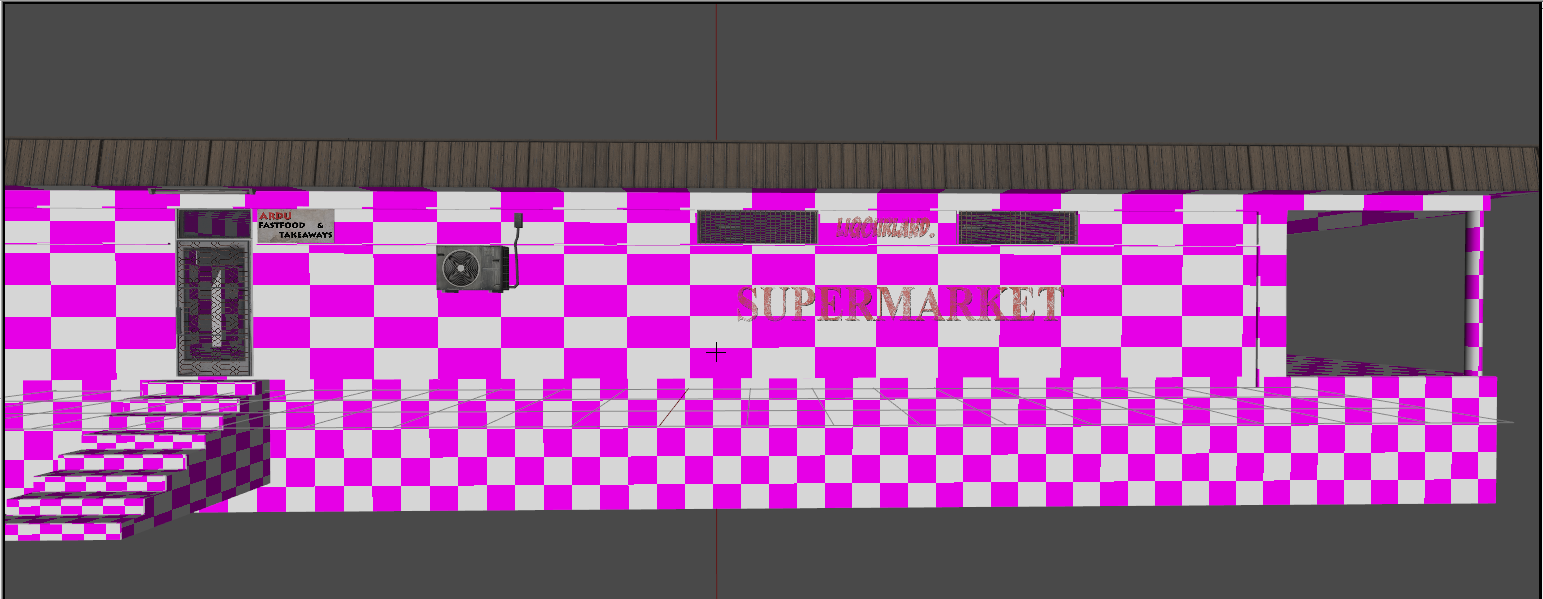
Really nice @quick terrace what did you use to texture? Anx looking good @pastel pebble
quick terrace
@obtuse rain - not even all BIS buildings are 3m deep. depends on where you plan planting them
@tacit shard - photoshop for all multimat textures (still need to do normals, and dtsmdi out of them) and most likely SP2 for accesories
terse elm
 pallid oasis
guys, any ideas what would cause a bad version 73 in p3d? and then crash the game? Pretty sure the model was never binarised before?
obtuse rain
It's binarized if it is version 73.
pallid oasis
that's a deffo Ian?
white jay
are you using dev tools and stable game or something?
pallid oasis
like I said, pretty sure it was never binarised before, as I took of from the source files, will try it again, Lappihuan, using standard A3 tools, but dev branch
white jay
hmm, was just a idea, don't think you need stable tools and dev game tho
obtuse rain
Yes, that's for sure, version 73 is only for binarized files.
pallid oasis
I'm just wondering if I inadverdently overwrote the sourcre file 😮
thanks Ian, very much appreciated, will try another source model from a seperate back up, and see how it goes, I did notice that it took a while to binarise
is there a quick way to find out the model has been binarised Ian?
wraith tendon
Ctrl+F =}
(or: WindowsBtn+F)
pallid oasis
what does that do Dscha apart from open up a microsoft chat option ?
wraith tendon
Yes.
white jay
@pallid oasis when you try to open a binarised model in OB it will throw a error
and i would guess that a binarised p3d is smaller in its filesize than its unbinarised counterpart
pallid oasis
that's the thing mate, I have these open, they were from my source files of the same characters, I can edit change textures etc, but binarising crashes the game
I'll have to reboot my PC as now tools is hanging so I'm guessing there be gremlins in my model!!
wraith tendon
+Open the Model/.p3d Files with a Texteditor and check the first 4 Letters (it says odol or mlod)
+What do you mean with "Binarizing crashing the game" ? Does it binarize? Can you pack it?
pallid oasis
okay dscha I will try that, just to make it clear, these are the source files from Ardvarkdb for the SOTG A2's that he was porting to A3, so I'm not trying to rip anyones models off 😉
Yeah it sort of packs, it takes forever though, that's why it hung my pc
wraith tendon
So it does NOT work to pack it?!
polar fiber
What are you using to build? pboProject or AddonBuilder? If you don't have "Clear Temp Folder"/"Full Build" checked in these tools it might be using a previously binarised version of the .p3d that's in the temp files which is at v73
pallid oasis
it's weird as I used the same model the other night without any issues
polar fiber
I thought the current 1.66 patch was working with v73 ODOL though
pallid oasis
yeah da12thMonkey, addon builder, and delete temp folder all checked
dscha it says MLOD
wraith tendon
Does the model work in Bulldozer?
polar fiber
I'm still surprised there are errors though since I've been binarising v73s according to pboProject since the last tools update. And running them on 1.66RC and now 1.66 full, without any errors popping up
wraith tendon
+Do you use pboTools from Mikero?
pallid oasis
hahahaha I know, it's wank
wraith tendon
Try it again with pboTools, at least, they give you some feedback about whats happening or fails.
pallid oasis
I will try using pboproject and see if that has any issues
wraith tendon
I bet it will =}
pallid oasis
well it packed ! no errors
lets see if crashes with the same errror, it ends the packing with type 73 no errors
yeah crashes as well
wraith tendon
Check your .rpt
pallid oasis
standby
wraith tendon
From the top to the bottom. Any modelerrors?
pallid oasis
just this one
ErrorMessage: Bad version 73 in p3d file 'crye_g3\cryeg3_cs3.p3d'
which is the same error I get after packing, I've got the source model downloaded again, so will try again.......no major drama's just trying to figure out why it was fine before
wraith tendon
yep
 timber cobalt
Hi. I'm learning arma 3 modding by using the arma 3 sample files. The Test_Tank_01 has a "pos driver", "pos driver dir", "pos gunner", "pos gunner dir" and "pos commander", "pos commander dir".
For some reason the "pos driver does not work. The only way to drive is to spawn inside the vehicle, and Im not able to get back in if I exit the tank.
Anybody seen this issue before? Whats wrong?
pallid oasis
hmmmmm something weird going on, another character addon I packed a few days ago is now crashing with the same bad version 73 in p3d file, whatever the binarisation is doing it's trashing the models that have been left in the p:drive and the models inside the pbo are fucked, it shouldn't be doing this, it's never done this before, I had a small tools update yesterday and it's borked my work.
pallid oasis
arma itself, as soon as I go to preview the model/uniform
I run arma through arma3sync and not steam
obtuse rain
Are you running Arma 1.66?
pallid oasis
I'm on dev branch
obtuse rain
Dev branch that was updated today?
pallid oasis
I was constantly updating these modles the past 3-4 days, since the last update, it's not worked
models
obtuse rain
If your dev branch copy predates when they added version 73 .p3d's then you'd expect the have the issue you're having now.
pallid oasis
my dev build still says 1.63 right enough
obtuse rain
Yeah, it should be 1.67 by now assuming they've bumped up the minor version after 1.66 was released.
pallid oasis
yeah, something isn't right as my steam update is normally up to date
and it would explain why these errors are occuring perhaps
pallid oasis
I was running the wrong arma 3 exe in a3sync and that's why I was way behind in the updates
woeful viper
@timber cobalt you can define custom names in the config for the getin points and direction. So check if you didnt accidentally change that to something else. Also check for typos
you can also copy stuff directly from other p3d (e.g. the sample one) into your own p3d and move it to the proper location
 stuck mulch
anyone here know/have a good guide on porting stuff in from other games? is that allowed?
stuck oyster
in most cases it is not allowed
stuck mulch
ah okay
 fluid ocean
And the penalties for doing so (when not allowed) aren't pleasant.
stuck oyster
As a general rule @stuck mulch taking content from other games is usually considered stealing if not explicitly allowed by the author.
 bitter shore
Hello, Anyone having issues with addon bulder?, It has been binarizing a mod of 200MB for 8 hours till now and it didnt finish? this happened after the new update :/
white jay
@bitter shore maybe give mikero's tools a look
bitter shore
@white jay Mikero tools needs time to optimise stuff, E.G mistakes in config in location and stuff. I need to run it for tests not to fully build it. it used to work great before update. Now it takes years
white jay
@bitter shore Ahh okay, I've been having problems with terrain builder since the update but haven't noticed anything with addon builder yet
bitter shore
@white jay Nuuu, TB has problems too? 😮
white jay
If it worked properly it wouldn't be a BI product 😏
white jay
Its a love/hate relationship 😄
bitter shore
😂
white jay
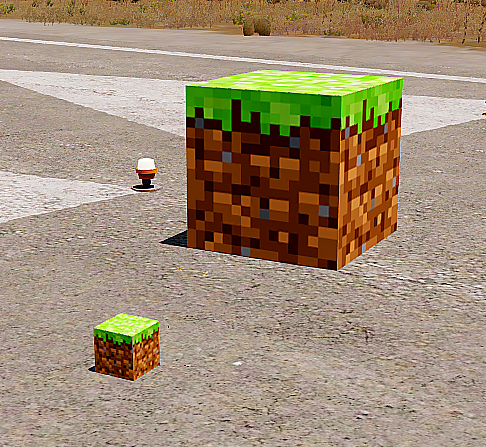
https://i.gyazo.com/616c56ff80ab7000aebe2d695475bb40.png minecraft mod inbound
bitter shore
Well I'll go to sleep hoping it will finish :x, I dont want to fix stuff yet
Wont work, FPS Poof
0
nada
white jay
Lemme know if it finishes 😬
bitter shore
tbh i see it doing stuff in temp but toooo slow it just finish 3 files out of 24!
pallid oasis
@bitter shore yes, ever since the update it's been broken, I have an addon that's 30MB and so far it's taken 45 minutes , 3 days ago it took less than 5!!
it seems I'm not alone, severl posters have reported this on the BIS Tools troubleshooting forum
bleak tangle
Maybe check that your anti-virus isn't messing with it, but pboProject is love, pboProject is life. If you value your time, It's always faster and catches your errors
pallid oasis
@bleak tangle to be honest, I've been using both, I have the free version of pboproject, it's good, I only used the addon builder as it's a nasty fucking habit I've developed!! 😄
timber cobalt
@X3KJ#8043 Thank you.
I got help from @outer condor. If I inherit from Tank_F I need to add driverAction = "crew_tank01_in";driverInAction = "crew_tank01_in";
If I inherit from another class (in my case B_APC_Tracked_01_rcws_F) I dont need the driverAction
tacit shard
Does anyone know of a good way to configure my res LOD's, currently im just deleting the faces on each lod to get it to roughly half, but its plainly obvious and switches LODs way to soon.
http://images.akamai.steamusercontent.com/ugc/177160745557133412/2683ACDBC7758B1EC29DAB7D8AB8BBF8FA8B168E/
Res1: 6k triangles
Res2: 4k Triangles
Res3: 2K Triangles
res4: 1K Triangles
Res5: 500 Triangles
Res6: 188 Triangles
woeful viper
switch distance depends on objectsize (amongst various other factors)
tacit shard
ok, well Ive just used bulldozers Merge near function and toyed with that for the res lods, have much nice results now. Deleting the faces cleary isn the way to go because it leaves you with holes all over your mesh...
polar fiber
Merging verts and UVs is the best way to do it in Object Builder, but if you are modelling in Blender, Max, Maya or something you should make LODs there since it provides much better tools for deleting edges and verts to relax groups of polygons in to single large polygons while maintaining UVs
I wrote something about how I manually decimate models in Maya ITT https://forums.bistudio.com/topic/196916-looking-for-information-and-advice-regarding-res-lods/
tacit shard
Ok thanks I will take a read of that in a bit.
short wraith
hey guys, i found out, that there is no example glass in the sample files, how to define them in the model cfg and in the config? i know that i have to name it head for a helmet, but i want to make my on glasses
woeful viper
not everything has samples... look in the ingame config files via ingame configviewer
tacit shard
http://i.imgur.com/SqKGPRq.jpg hmm... doesnt work quite the way I thought they did
rich trail
Should all movable parts on my airplane be included in all the resolution LODs?
tacit shard
dont think they have to be
so long as the parts that are still tehre still have the correct vertex group
polar fiber
They only really need to be there if they are important to the silhouette of the vehicle at distance
but you should include all the selections for those moving parts so long as they exist in the LOD
otherwise they wont animate
tacit shard
http://i.imgur.com/vPAwoSb.jpg
Does anyone know the cause of the weird way its doing the lighting?
tacit shard
nvm fixed it was a dodgy SMDI texture
 white relic
hi guys general question if anyone is interested of being a part of bigger team to speed up work on new mod for arma with future possibility to convert to standalone
woeful viper
hm weird - getting this recently on my tank
Error: mytank.p3d: Shadow polygon doesn't have 3 vertices - it has not been considered.
and then crash.
All my shadow LOD are validated and all res LOD have lodnoshadow=1
 outer condor
did you check debug.log yet for more info or the o2script from BI to verify a p3d?
woeful viper
hm no, but weirdly its now gone...
maybe i just didnt pack properly after i added lodnoshadow to the res lods... twice
halcyon wren
Had the same here. First pack worked fine. Second pack: destroyed shadow lod. But not the typical artifact you can see when you have non-closed mesh. it seemed each face individually was corrupted.
short wraith
@woeful viper is your model trinagulated?
woeful viper
of course
rich trail
At what point should I care about the animated parts of my vehicle? From which resolution LOD level is it recommended?
woeful viper
?
you animate your highest resolution lod anyway. Not animating lower res lod does not save you any performance. The information gets transferred over network eitherway
if you want to merge stuff then consider if the part is important for the siluette. If the siluette is affected significantly by the animation - the part should be seperate in the lower LOD. If not you can merge it
cursive star
anyone have a good model.cfg for OFP2_ManSkeleton ?
bleak tangle
Check Arma 3 Samples, or if you have Mikero's tools the docs\DeRtm folder
tacit shard
how much of a performance impact do lights have in buildings (say 4-5 lights)
 cobalt halo
got 3mb to spare? http://i.imgur.com/eRL2RPC.jpg
¯_(ツ)_/¯
most of community islands seem affected, I had mising p3d today on Beketov, didnt check more but CUP might be there too
 late cliff
One question, is there any way to run a existing model of Arma3 in Arma2?
cinder pivot
what do you mean? like how CUP does things?
you can port models from a2->a3 under apl-sa
 lavish mountain
@cinder pivot There is a difference between constructive feedback and "a rant channel aimed at BI". If you meant to say the first you have a weird way of saying that...
cinder pivot
Just banter, annoying how everything gets broken etc 😛
fluid ocean
Short answer I think would be no. The longer short answer would be "if you had an actual proper fix (not a work-around) and if it wouldn't cost more than single digit man hours to implement (and it doesn't affect any other system offer rigorous testing) then still probably no. But if you did, it may be worthwhile to pass it on to a dev.
timber cobalt
Is it the proxies that decide where missiles/rocket fire from? not memorypoints?
obtuse rain
Is there any reason you would give add a proxy to a selection other than to attach it to a bone?
Or to put it another way, would a proxy triangle ever be a member of a selection set other than the "proxy:..." selection and the (optional) bone selection that it is attached to?
woeful viper
well - p3d organization could be a reason why there is a proxy in a selection that has nothing to do with animation. . But other than that i cant think of another reason
quick terrace
it's due to the _as map
obtuse rain
Mmmm, Substance Painter with Arma shaders: http://imgur.com/a/Mg9cc
It's also so much closer to in-game than what Buldozer does these days.
 rich scroll
@obtuse rain is that just a normal map giving depth to the diamond-patterned bit, or is there geometry too?
 safe flicker
@quick terrace Thanks
quick terrace
@rich scroll normals map by the looks of it (see the sides)
@obtuse rain looking good
woeful viper
you just need large enough gradients on the normalmap for that. Many people make their normals ultra tight -> you see barely anything of it ingame, unless you use a silly high resolution for a tiny object
tacit shard
Ive managed to get things looking really close to substance designer in arma by tweaking rvmats enough. Except multimaterial. They r fucking wierd when it comes to lighting
woeful viper
they do not use fresnel reflections - thats propably why
 willow torrent
 grizzled basin
Guys, this error disappear's after binarize model?
the UV compression may produce inaccurate results
 steady pasture
Would anyone happen to know why this is happening? http://images.akamai.steamusercontent.com/ugc/200804344082226860/99DBC3DB822CDC2628A84518159DAA79A5221269/
white jay
delete the function call rvEngine->lifeScamProtection() in the arma3.exe
 tacit karma
or add rvEngine->checkMyBattleEyeGUIDAndBanMe() - Also heard this worked a couple of times
rich trail
Does it matter to performance if polygon elements aren't connected, as long as they're part of the same object? Like, for example, wings that are part of the hull object, but separate from the hull polygon element.
Maybe I only should aim for the technique that requires the least amount of polys?
obtuse rain
Connectivity doesn't matter, it disappears with binarization.
tacit shard
^
obtuse rain
The section count is probably the first thing you want to worry about.
rich trail
Okay, thanks.
quick terrace
to complete what iambanks said - the engine slipts all hard edges anyways on binarization afaik. you need your wings connected only of you want to keep a continous smooth group across
obtuse rain
Soft edges too.
And then it seems to rejoin them into index vertex lists for DX11.
Which seems a bit perverse
quick terrace
lol, even so it just joins the soft edges
not the hard edges (that is how it works afaik = splits to vert indices)
obtuse rain
Plus any discontinuous UV's.
white relic
guys what is actual poly limit for models ?/
quick terrace
since the tools update that remobed the 2^15 normal vertices, i would say the limit is way way up. i was able to get a 150k model in without a problem
cedar rock
But what happens if everything is around 100k and you like 30 of those objects close by will arma shit it's self?
 foggy finch
bake them into a lower poly model
quick terrace
same as a2 samples
terse aspen
@[PTR] brenden0309#2823 it is generally inadvisable to use supe-high-poly models if you can avoid it
white relic
thats why i asked for optimal poly count
tacit shard
Optimal poly count really depends on lots of factors like how much it will be used / seen. As well as the size
Like an optimal poly count could be 1000 or could be 50000 depending on what you make
polar fiber
for a tree, you definitely want it as low as possible
since there will be lots of them and trees are a big factor in terrain performance
white relic
thx
timber cobalt
Im using the HeavyGunCartridge1 as an effect on some of my mg's. Does arma have very big cartridges (artillery shells) for use, or do I need to model these myself?
white jay
Antone knows how to fix the lines? (first time putting a uniform into game) http://prntscr.com/dgy26x
timber cobalt
do you have some vertex points in your selection you dont know about maybe?
white jay
no
stuck oyster
those points dont have proper weights on them.
obtuse rain
They may have no weights or very low value weights on them; looks like they're only getting a tiny bit of Y's +1 meter translation that most animations have to put your feet on the ground.
pallid oasis
out of curiosity, how do you keep the weight limit below 100 in O2?
stuck oyster
theres weight paint tool. N is the shortcut if I recall correctly.
pallid oasis
yeah I know that part mate, when I check the rpt I get errors that says the value is greater than 100, I'm just curious as to how/where the actual value is displayed?
stuck oyster
mmm named selection list right click weights
I think it shows weights for all selected verticles.
So not the most accurate
pallid oasis
thanks mate, will take a wee look
short wraith
hey guys
got the problem at the side while moving, i don't know what this is caused by, is there someone with an idea?
the vest gets sucked into the body dirctly under the armpit
stuck oyster
mesh weighting problem probably
tacit shard
can you make variations through proxys without having a seperate p3d for each variation? (so like hidden selections where its a different class name but the model uses the same p3d just only certain proxys show
stuck oyster
you can but you can't change proxy textures
polar fiber
You can change proxy textures
works for all proxies, not just wrecks https://community.bistudio.com/wiki/Arma_3_Setting_Textures_for_Wrecks
but isn't great for performance
AFAIK dynamic proxies are only supported for certain engine-specific uses like maverickWeapon on planes, equipment like vests, helmets, weapons and attachments, and for crew proxies
but you can show/hide proxies
stuck oyster
does that work on a proxy inside a vehicle .p3d? nice!
polar fiber
yeah. RHS used it for a while for retexturing proxy parts on vehicles. Was before the poly limit was upped and rendered that kind of use of proxies, unnecessary
stuck oyster
Have missed that completely. :9 Though now theres no need as you said.
@tacit shard is there a reason you don't want to make multiple .p3ds? Or are you making some sort of dynamic variation thing?
tacit shard
@stuck oyster I was thinking on say a building like this: http://imgur.com/a/36sgz having the same bordered planks on the windows will look very repetitive if placed to close to eachother so I was wondering if I could use the house p3d but have the planks as proxys so I can use different planks without having like 3 or 4 hours p3ds adding loads of file size
stuck oyster
Yeah I think you can use proxies for that, but don't know if theres any performance boost from that versus having all of them simply as mesh pieces you hide.
foggy finch
have some friday WIP model pr0ns -> http://imageshack.com/a/img923/5742/nvgoIs.jpg
tacit shard
damm they look nice as fuck
cinder pivot
@tacit shard you could forget the proxies all together and then make the plans an animation and then when you config the object just select random ones to be hidden
tacit shard
oh that could work, how do I make the animations random though?
cinder pivot
i meant more or less you would have a few defined classes, each with set ones hidden but you could maybe try "objRandom" to set a random value to the animation on spawn - constant value
say the object is hidden on 0-0.5 and 0.5 to 1 its hidden
that might work? never played with that animation source though
woeful viper
i would rather make the houses with boards completely boarded up with large boards to get around interior for those, than have some sprinkled in - whats the point in that anyway?
tacit shard
ok ill try that
@woeful viper I never really like to make non-interior buildings
always want it to have functionallity to some degree
woeful viper
then mix houses that are completely boarded up and full interior
tacit shard
what do you mean mix them?
woeful viper
well 3 boarded up houses and 3 enterable houses
because with small boards like that + interior you are quickly getting to high poly counts for little benefit
cinder pivot
i mean its most likely less than 20 polys per board, unless they are super highres
but still
tacit shard
Yer im doing everything I can to keep the poly count as low as possible and they wont be 100% enterable otherwise it will be really high
and yer each board is around 12-20 polys
woeful viper
also -the boards - if you want to give them fire geo thats going to be alot of extra detail and many components -> bad
if you dont, its going to feel arkward
tacit shard
Fire geo wont folow the exact board, it's still going to be simplified (each end convexed hulled)
tacit shard
Yer true, I will think about it but I would prefer it to be enterable
woeful viper
Another thing to think about is having houses all boarded up. Then make 1 or 2 entry points (preferably only 1, makes it easier) and when that is destroyed, it will unhide the interior
so unless the door is breached, interior is hidden
idk how complicated you can or should go with animations on map-object houses
cinder pivot
wont the interior render in anyways?
cinder pivot
I thought hidden items rendered in with spawned objects.. hmm
tacit shard
if I did the visual lod as one faced and the GEO LODS as one box
cinder pivot
good to know
woeful viper
to my knowledge anway...
tacit shard
I'm pretty sure even if you cant see it the interior is still renderd. But If you cant see it you dont have to put any detail or textures onto it so you can still optimize it more
woeful viper
no , actually its a fact. I have an APC with 12 passenger seats and somewhat detailed interior. When i open the ramp i unhide the interior and proxies and FPS drop quite a bit (from 12 soldiers with gear and the interior). When i close it i hide it, and FPS gets better again
tacit shard
oh fair enough didnt know that
woeful viper
the memory usage is still there, since it has to load the entire model, but at least the gpu/cpu dont have to render it until it is shown
tacit shard
yer true
woeful viper
hm with the new damage dependency system you could even setup a "global" hitpoint for the houses "openings" - so if you cover every one you can hide the interior. If any one of those gets damaged, you can unhide the entire interior
there is only one issue - gamers like to shoot on everything destructable for fun (e.g. glass windows in like every game)... But thats on them lel
cinder pivot
lag their own stuff lol
quick terrace
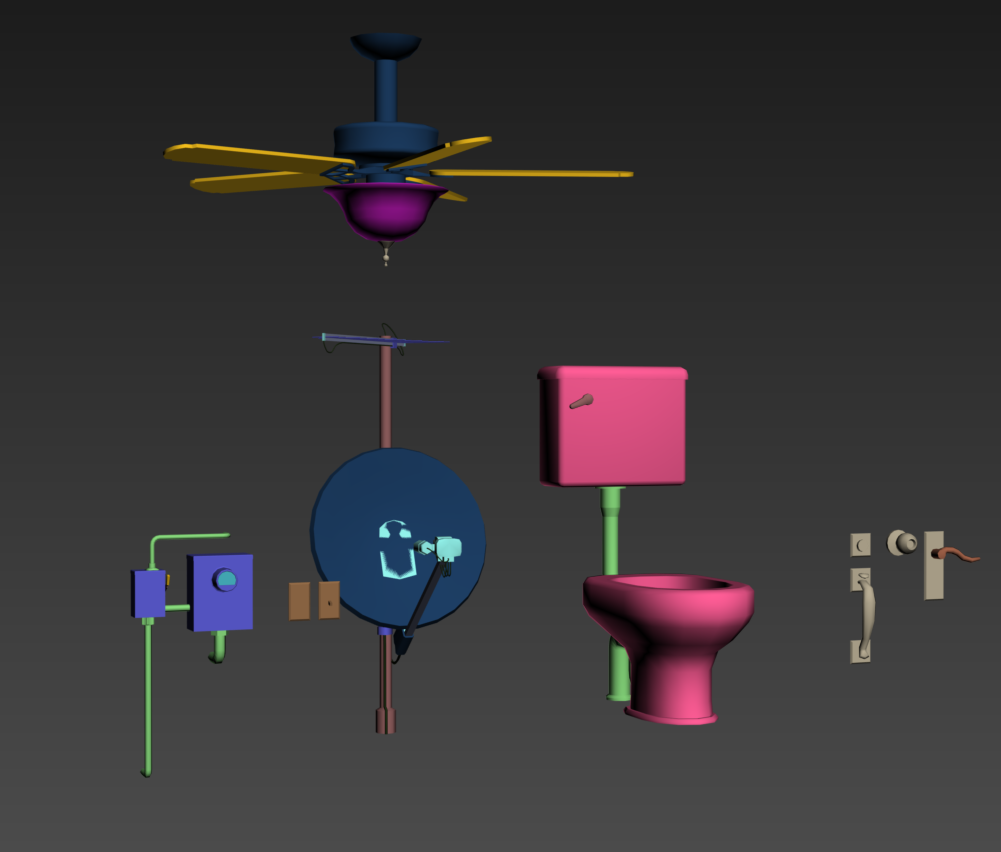
does toilet count as porn, disregard the seams, i fixed it already
 hollow fulcrum
👀
You must be doing structural foo. Thats a decent poo seat there. What is that like 200 polys?
quick terrace
yeah pretty low, sec
woeful viper
oh hey look it's the hatchet 😃 🍷
quick terrace
322
hollow fulcrum
All pro 👍
@woeful viper Hey brother! 😉
@quick terrace I actually need some light weight objects for the rig 😃
Not uber low poly, but porn'ish I suppose:
https://gyazo.com/b5484234c7f4c4cc42c283c3c8341cc5
woeful viper
looks like a toilet you would find on a men-only workplace alright 😄
hollow fulcrum
lol no doubt
woeful viper
10/10 💩
hollow fulcrum
What have you been up to @woeful viper ?
quick terrace
well i got these pack on 2x2k sheet
https://i.gyazo.com/483e96286b9dc3fc30c8baa32a9cf68f.png

have been hearing about that rig for so long i don't actually believe it
hollow fulcrum
haha, it's ingame and working just need to added a few pieces and finish texturing it.
woeful viper
@hollow fulcrum lots of testing and working on custom vehicle and infantry damage model concept (more detailed compared to vanilla system) and related scripts for the most part. And some vehicle interior stuff.
https://www.youtube.com/watch?v=_qwhlprIcYc
capture isnt great quality, but was too lazy to shoot it again :/
hollow fulcrum
i hadn't started the game until yesterday in months.. but it is coming ;)
https://gyazo.com/b8c60bc510500143b80edee1deb55493
lookin now @woeful viper sounds like lots of fun 😄
quick terrace
neat
woeful viper
except now i have to wonder if a future DLC will break all that or make it redundant lol... i flooded the tracker with damage related tickets with likely good chances for getting something implemented in the future
woeful viper
thanks
hollow fulcrum
Whatever happened to vehicle knock back on cannon shots? Or did you just kill it altogether?
Regarding BIS breaking things and ArmA being ArmA, I have put my blinders on again. We'll see how long they stay on before the rage removes them. Haha.
woeful viper
my vehicle is too heavy for the puny recoil ... or whatever contrived cfg value (if there even is one) has an influence on knockback - its too low
you cant configure it independantly - https://feedback.bistudio.com/T121475
hollow fulcrum
ah yeah, that is what I was remembering. (booo)
lol, could always script in dropping a few tons on the ass end then removing it.
woeful viper
boo indeed... i have high hopes for the tank dlc (https://forums.bistudio.com/topic/196366-tanks-dlc-feedback/#entry3107652 )^^ but i'm a realist, so i will book 5% implementation rate of that list as success xD
hollow fulcrum
lol
thanks for link, im unaware of most things to have occured in the last 6 months.
Tank DLC sounds interesting, also gives your earlier point a bit more weight.
 bright kraken
hollow fulcrum
bright kraken
hollow fulcrum
@bright kraken very nice. I'm failing to recognize it though, what is it?
bright kraken
Milan Missile Launcher
hollow fulcrum
Ah! See I should have known that. That one goes back in the years quite a ways.
pallid oasis
@bright kraken not too bad looking at all, I used to be a MILAN Instructor back in the day when I was in the Brit Mil
 rough idol
@woeful viper - recoil is dependent on hit value of ammo
woeful viper
i assumed so - i had to lower my hit values by factor of 10 to reduce "damage bleed" around impacts
tacit karma
I can already see it coming, @quick terrace doing models for Arma Life communities...
foggy finch
lol
hollow fulcrum
😄
we can hang him from this:
https://cdn.discordapp.com/attachments/106016548992356352/257129488553476096/screen02.png
foggy finch
haha nice work dude
I actually watch a video of a guy with a similar contraption underneath his helo moving xmas trees
obtuse rain
I'm guessing pipe handling for his 2 million poly rig. 😉
hollow fulcrum
i suppose that would be a functional way of doing it
obtuse rain
Heeeeey Hatchet, get kidnapped?
hollow fulcrum
something like that 😉
2 million!? lol if it would handle it, i'd try it...
speaking of kidnapping, the kids are still asleep and i should be napping.
but it's 5am so, coffee it is.
obtuse rain
Switched to Substance yet, by the way? 😉
hollow fulcrum
Negative, I haven't actually touched anything since I was around last. Will have plenty of time this go round to give it another whirl though.
Well, bar what I've touched this week. 😄
You done anything interesting recently? Or even not so recent.
 ebon abyss
😉
hollow fulcrum
Ah sweet! Very cool man, very cool.
I really wish I sticked with Modo about 5yrs ago.. I actually found it to be fairly intuitive. But alas, I'm starting to run out of brain cells I think. So max it is.
tacit karma
I'm still a bit here and a bit there if I maybe should look at Modo again :S
ebon abyss
things are looking good for arma3 modo modeling now that ianbanks hit us with the modo-plugin 😃
hollow fulcrum
I was using for OSD foo at the time. I have some friends who are studio guys that will probably be laid to rest with a user manual or something..
They love their Modo. Granted I know a couple guys who still do mad stuff in Cinema.. so... meh. At the end of the day, it's always what the result looks like. Glad you guys are getting tools though, all pro indeed.
Anything significant done to the engine on the modeling side I might care about? Last thing I remember was the vert limit removal and needing to go unproxy a bunch of foo.
woeful viper
cant think of other major things. You can setTexture proxies now, but only special ones and it should be used sparingly
polar fiber
can't really remember whether Apex added much in regards to new modelling things, other than the recent ADSHQ textures for buildings
hollow fulcrum
i think i read something about animation sources? i'll go look at those two now. appreciate it. 👍
woeful viper
there are some new since recently
3 days ago - Added: New "engineTemp", "wheelsTemp" and "turretGunTemp" vehicle animation sources
and there where some undocumented i added to model.cfg biki page (like objRandom)
polar fiber
there are anim sources for pilotCamera too now
hollow fulcrum
where is the setTexture proxy foo?
those sources actually sound reasonably useful.. (...)
polar fiber
pilotCamera is actually pretty good now that you can use it as a laser designator, but it's more of a config thing than modelling - just need a memory point for the camera pos
hollow fulcrum
yeah, thats one of those. well, it's good to have that. 😃
i totally need to redo the bipod, i always forget about that thing. anyone is welcome to do it lol.
polar fiber
the proxy texturing thing was before they upped the polygon limits though, so I thought you might have already known about it. And it's not so much needed now you have more polygons to play with in the base model https://community.bistudio.com/wiki/Arma_3_Setting_Textures_for_Wrecks
hollow fulcrum
ah ok, yeah that im familar with
foggy finch
finished up the doors, have some pr0ns http://imageshack.com/a/img924/7757/Zg3jHb.jpg
hollow fulcrum
👍 @foggy finch what are you planning on keeping in those?
 bleak flame
Both Modo users are really happy with it.
Can confirm :P
foggy finch
Oh, one was shelter for @quick terrace while he sorts out the plumbing for his toilet
using them outside armaverse, just nice to see how they look in engine
bright kraken
@pallid oasis Ahh thats good to know! If I need any extra info, I'll give you a shout if thats ok?
Its a bit of a basic version in model terms, doesnt have all the little details that you'd see in reality, but I think its an ok representation!
pallid oasis
the missile tube looks a little bit overscaled but yes, I'ts been over 30 years but I'm still pretty versed in it lol
I've fired 4 missiles in my time, they were around 15,000 sterling a pop back in 1986-88
grizzled basin
I'm trying to build my addon with PboProject, but i'm see a error "model.cfg cannot have externs". I'm take BIS model.cfg from Car Samples and changed a name of model only. How i can fix it?
obtuse rain
I don't think that model.cfg has externs, sure you're using the one from the Test_Car_01 sample?
obtuse rain
Pastebin the model.cfg
obtuse rain
Can't see any externs in that at all.
 sturdy parcel
Licharus read the documentation that comes with pboProject, every model.cfg in every parent folder is included to build the master model.cfg. the highest parent has externs and it told you which one that was on the dos output screen.
grizzled basin
@sturdy parcel , https://community.bistudio.com/wiki/pboProject that documentation?
sturdy parcel
start programs->mikero-> NameOfExe->docs->lots
grizzled basin
Thanks, try to read and try again
bright kraken
@pallid oasis wow that's definitely not cheap! Haha
ebon abyss
ianbanks: great
hollow fulcrum
@obtuse rain now you're just being mean. I like my single poly reference triangles!
😄
half heath
@obtuse rain are you using a script for MODO?
Also, is there an issues with making a rocket launcher a proxy?
nevermind, found it is a Modo plugin. Nice. The Foundry needs to get off their butts an remove the plugin limiter for Modo Indie 😦
hollow fulcrum
@half heath http://foxhound.international/modo-plugin
A plugin for Modo for importing and exporting Arma 3 .p3d files.


 woeful viper
for some reason i see no pictures on that site...
hollow fulcrum
really? hrmm..
do they show here for you?
I really should move all my stuff into google I think.. their stuff is finally starting to be fairly functional with photos/videos and then pumping it out.
woeful viper
seems like a general problem on my side...
 dusky dragon
what is it Hatchet?
dusky dragon
Nice, looks really cool
hollow fulcrum
Thanks man. What have you been up to?
hollow fulcrum
well, show me
😃
I haven't seen anything in 6 months. you guys should have all kinds of porn for me. but nooo...
dusky dragon
well not RN, im in bed already ill show you some stuff tomorrow
hollow fulcrum
and thats a group wide statement*
dusky dragon
BUT development isn't super fast + we lost a texture guy so we are down to 1 😦
hollow fulcrum
all good man, and that sucks. good news is, the game isn't going anywhere. 😉
dusky dragon
true, but... the game is only slowing down mod development for some teams/devs
cedar rock
working on making roads conform to map and making/conforming bridges as well [https://www.twitch.tv/brenden0309]
hollow fulcrum
oh i feel ya
dusky dragon
ahaha
hollow fulcrum
it's still a powerful little box though, much doing yet to be done i think. need more custom tools and foo. great stuff has been happening the last couple of years really though. so meh, blinders on. here we go again!
woeful viper
@hollow fulcrum actually, the game is going somewhere - its going to be better ^^
hollow fulcrum
I agree. Which does not remove face against desk scenarios, but progress is progress.
cedar rock
still live and also showing workflow with cinema 4d
ebon abyss
addonbuilder.exe "P:\<namespace>\<addon>" DESTINATION -clear -temp=TEMPPATH -project="P:\<namespace>\<addon>" -prefix=<namespace>\<addon> -include=p:\Addonbuilder_include.lst -binarizeFullLogs
with that cmd line what happens is all binarized files (p3d/wrp) are placed in TEMPPATH\<namespace>\<addon> while other files are put on TEMPPATH\<addon> and finally packed into destination dir without the binarized files.
also looks like rvmat's will not get binarized so I had to add them into addonbuilder_include.lst list for now.
what am I doing wrong?
hollow fulcrum
goes looking for chicken legs and goats...
ebon abyss
this is just typical... you try to get stuff working for hours and when you ask help in a chat... while waiting for replies you get it working HEHE. I now changed -project=p:\ and it seems to do everything right. next have to test in-game to make sure.
oh and this was with addonbuilder GUI, not cmd line, hmm.
hollow fulcrum
👍 because i honestly have packed anything in months, so i was poking before i spoke 😉
but i pack things the other way so..
dusky dragon
@hollow fulcrum http://imgur.com/a/uPoo0 This is what i've been up to myself, its redoing the entire cockpit of the HH-60G, and i also did some small fixes to some other aircraft, im currently busy with making the mount to add the GAU-21 to the HH-60G and CV-22B
wraith tendon
all gray = Boring.
lavish mountain
how well does arma handle furniture?
one floor 35 rooms each with couches cupboards beds closets showers and stuff is not gonna make it isnt it?
woeful viper
if you only got 1 house every 1 km you are likely fine 😛
i have fairly old pc by now (at release it was the average of most people) - and i really notice it how the fps drop in cities. Compare performance in vanilla cities vs open space yourself and then draw your own conclusions. A3 cities are not very large or dense and yet can affect performance quite a bit.
if you want to model furniture make sure that you use as few texture sets as possible. Ideally you would have all furniture on the same texture sheet
quick terrace
the perf drop is because it loads a lot of textures at the same time
short wraith
I have a question for you guys, my model of the plymouth rock takes a long time to load ingame, 30-40 seconds, what could this be caused by? Is it to highpoly or could this be caused by to many objects, wich are selectable in o2?
woeful viper
@quick terrace if it was just the loading, it would only dip and then go back up. But thats not the case
cinder pivot
@short wraith if its unbinarized it can take quite a bit to load ingame
short wraith
@cinder pivot ok i test it binarized, didn't know that, thanks
stuck oyster
How many objects is it?
lavish mountain
On on that funiture, most of it can have the same collour or texture. Walls, cupboards, desks and closets all are made of the same wood
And now I can find loads of nice pictures of the real thing but none in the crewquarters, well I do have the drawings with the woodtypes so not an issue
cinder pivot
@short wraith no problem, I generally test without binarized files until I release etc
So I know the lag feeling haha 😛
short wraith
^^ i thought i could forget and delete the model xD
cinder pivot
Yea dont want to do that, just make sure you have backups, dont want to make the mistake and delete your unbinarized copy
stuck oyster
@short wraith Plymouth rock as in the city? So mulitple building models? what resolution textures you have? Have you geometric occluders set up?
or just the single monument
stuck oyster
Oh. I see. Then it is rather weird it takes so long to load up.
short wraith
unbinarized it takes between 30-40 seconds, binarized it takes under a second
stuck oyster
Ah, then it was just that.
short wraith
yep, so easy, but i didnt know that and was seconds before deleting it...
hollow fulcrum
@dusky dragon ah, cool deal. i likes buttons and switches. 😃 ☕
dusky dragon
thanks!
obtuse rain
@lavish mountain Put the furniture into proxies that are within a proxy occluder, it will delete them when you're not far from the building.
cinder pivot
@obtuse rain whats a proxy occluder? Do you mean like only 1 or 2 visual lods and the rest invisible?
lavish mountain
thx
obtuse rain
No, I'm talking about these: https://community.bistudio.com/wiki/Geometric_Occluders
Although you also drop the proxies out of higher LOD's.
(as well)
The way you test it is by putting your object into a .wrp (or using file patching to replace an existing .p3d baked into a .wrp), preferably with the walls deleted.
With the proxy occluder set up you'll see the proxies disappear much faster as you move away.
I can't find my notes but I think it was something like 100m vs 500m in my testing.
Geometric occluders only work on .wrp baked buildings though, if you createVehicle it in neither normal nor proxy occluders will actually occlude.
lavish mountain
I am working on this thing btw: https://www.google.nl/search?q=mpsv06&safe=off&source=lnms&tbm=isch&sa=X&ved=0ahUKEwjw6M-hz-zQAhVC1RoKHbunAfoQ_AUICSgC&biw=1920&bih=974
Why that one? well the the tender documentation including the drawings are public
lavish mountain
I think I need to make it immovable
obtuse rain
Yeah, if it is in the .wrp it'll work fine.
lavish mountain
otherwise you get bodyparts fused with the interior
Philadelpia experiment horrors
obtuse rain
It's also less critical to get good culling on unique objects like that as opposed to buildings that you might have a dozen of in a large town in proximity.
lavish mountain
Movable would be cool but then I need aid in the issue of this to work: https://www.youtube.com/watch?v=SHlSPg_SQYE but waay better than here
I have drawings and a hull for the one in my profile picture as well but I miss some floors and well, Bourbon offshore wont release them to me
hollow fulcrum
@lavish mountain that's a nice boat there.
hollow fulcrum
Aye 😉
cinder pivot
Is there the 50m limit still on geom?
hollow fulcrum
well, it was always closer to 62.5, but I still treat as 50m, and I have not checked in about a year. but have a rig to do that with specifically. maybe time to roll it again.
cinder pivot
Im thinking possibly with the changes but idk
dusky dragon
i wish Gnat was still active
lavish mountain
Im still busy on interiors and there is things that have not been modeled right: https://www.dropbox.com/s/2ankh0bpdydi20l/Schermafdruk 2016-12-11 18.32.41.png?dl=0
Drawings as on the interwebs: https://www.dropbox.com/s/2paz05808xm9pba/Schermafdruk 2016-12-11 18.33.12.png?dl=0
This is where you download them: http://zakupki.gov.ru/pgz/public/action/orders/info/order_document_list_info/show?source=epz¬ificationId=4669551
dusky dragon
looks cool though!
hollow fulcrum
@cinder pivot i'll check it in the next few days as I check some new additions to the rig.
my current desktop:
https://gyazo.com/14efebd0dd6e96a631c53a266d3fd529
 hollow fulcrum
will do, if i remember i will say something though haha
cinder pivot
Lol
foggy finch
nice progress on that rig @hollow fulcrum
hollow fulcrum
(ladders suck)
cinder pivot
Whats it for? Besides just being cool 😄
hollow fulcrum
RV man, what else?!
cinder pivot
Lol
lavish mountain
Based of real or work for a client?
foggy finch
ladders are easy though,. but they gonna be heug on that thing
roadway lod is gonna be super special 😄
hollow fulcrum
this is actually based off a scanline model done by BlueShoes. completely my doings though. I just used his as a decent ref as i dont do offshore.
roadways and pathing complete
you can walk to the ends of the cranes if you sort it 😉
and the top of the tower..
lavish mountain
nice
cinder pivot
😮
dusky dragon
oh you still working on that Hatchet, nice!!
hollow fulcrum
well, back to working on it. as with most things 😃
dusky dragon
already seeing SEAL scenario's with when Peral and Yura's MH-60R comes out
just dropping off SEALs or jumping out of MH-60R's near it and stealthly taking over the Rig
hollow fulcrum
should make for some really awesome scenarios. i hope anyway, tried to keep the PvP guys in mind.
The semi-sub is slightly better at that though.
foggy finch
please dont put a token steven seagull in it 😬
hollow fulcrum
lol
lavish mountain
I am a little bit scared of heigts, Back when I worked for the clasification society they always bullied me with that I had to go check the masts of the tialf
dusky dragon
Do it 😛
hollow fulcrum
its interesting climbing that tower, you're done as far as stam system goes.
also very high off the water, you can almost effectively base jump off of it.. i wanted to add a plank, but yarrr....
dusky dragon
how many polys your currently at with that?
foggy finch
you gotta watch altitude on structures,. anything super high and your guy goes into the freefal animation,. and BI's cure for being stuck in freefall is to kill the player,. we tested this out with a super huge radio mast 😉
hollow fulcrum
currently with misc interior pieces, all lods, 180k I think.. some interior foo may have to go. see how the occluders work.
foggy finch
just be glad your rig sits in ocean 😄
hollow fulcrum
it's plays very well so far, just dont put it in kavala bay or similar 😉
foggy finch
hehe
dusky dragon
hue hue
lavish mountain
And there goes my dream towing it in floating mode out of kavala harbor
😄
Im wondering if there is a engine that could actualy take that
hollow fulcrum
i do actually have shipX versions of the jack up and semi-sub. it can work but has many limitations. floatingStructure is possible for towing though, and that might be more ideal.
lavish mountain
It reminds me of one of the jackups I have worked on to have it refloated
it looks quit alike
tacit shard
whats the max distance from the center a mesh can be?
woeful viper
look at the pinned post in this channel, follow the links
tacit shard
What link (theres 3)
hollow fulcrum
The top one.. look at the geometry foo
lavish mountain
Grrr, I hate when this happens. Someone drawing on the General Arangement used a crooked frame reference line FFIng up the entire drawing
lavish mountain
And its the drawing Ive been using as main... yaaajj some points are off by 5.337 mill
cedar rock
So if I have a large model that I know I need to split into 4 pieces is there a way in the model to make snap points in ob for tb
tacit shard
If you create the models in blender (you can do this in max and maya idk how) just make the 4 sections ligned up right there. Then set there origing to geometry once split and copy the co ords of the 3 meshes that will be proxies. Then put each mesh to 0,0,0 (in seperate files) as a p3d now u can use proxies and just move the proxies to the position you noted earlier and bam lines up perfectly
hollow fulcrum
@[PTR] brenden0309#2823 yes you can make things snappable
cedar rock
I would proxy but it's not practical for map making as bd for tb doesn't load proxies
@hollow fulcrum do you have some sort of reference or tut for that?
lavish mountain
By the way does someone have an easy method to convert this: https://www.dropbox.com/s/fam1q4kllwt5crb/Schermafdruk 2016-12-12 01.45.58.png?dl=0 to 3d? Im nearly ashamed to ask this as naval architect but I am used to only use the vertical slices and usualy I have about 10 times this amount... (when the surface is this complicated)
I have used specific software in the past but i dont have acces to that till next month'
lavish mountain
I can make myself more verticals based of the frames that are included within the drawing package which is going to be hell due to them beeing drawn in a weird way so that I have to overdraw them and position them. Next to that are the frames often split up in pieces making it a pretty complicated puzzle... and it is pretty hard finding the most recent complete one in the drawing set since in between sets the shape has changed multiple times and, as I figured out earlier today, sometimes are offset due to an occasionally used faulty frame reference line...
hollow fulcrum
@cedar rock ermm... let me see.
https://forums.bistudio.com/topic/177498-more-than-one-snap-point-for-placement/ that looks pretty accurate.

Bohemia Interactive Forums
More than one snap point for placement? - posted in ARMA 3 - MODELLING - (O2): Hey up, I'm sort of asking blind here, as I've as yet STILL to actually properly place any object in regards map creation- but I've read somewhere that you can add little invisible snap points to your objects for the purposes of accurate placement, is that correct? If so, is it possible to add more than one snap point, and then when in the process of placing/rotating etc could you toggle between th...
top link, google search, arma snappable object. 👍
hollow fulcrum
Meh.. I'll do the labeling tomorrow.. game ready though at 1,227 verts. shown is 1,715 with a complete M213 fuze assembly.
https://gyazo.com/46b1e37005b48f8de3e102049eb384d6
https://gyazo.com/c236c69ca4929ac1c1ba71857bccd78d