#arma3_model
1 messages · Page 73 of 1
 quick terrace
 sudden radish
without judging the properties
quick terrace
but as mikero said, you need to have the bones defined
sudden radish
they are
quick terrace
in model.cfg
sudden radish
my model cfg is correct I think
Is there a way of sending it without like, flowing the chat?
 median bough
 sturdy parcel
htMin = 60;
sudden radish
I see you selected that yes
sturdy parcel
this stuff is, so far as i am aware, irrelevant nonsense.
sudden radish
So, get rid of it or?
sudden radish
better?
sturdy parcel
ok. just checking. the it's a strange name to use. but what-the-hell
median bough
@quick terrace
those are the entries in geo lod
http://imgur.com/a/1ZtiK
 white jay
did you compare the your model.cfg with the A3 ones using elitenes?
sudden radish
Yeah, just a temporary name
Could you explain that? Don't seem to be on the same train of thought
white jay
select a vanilla a3 character p3d in the tool eliteness, there you can see the model.cfg of that p3d
sturdy parcel
....which you can faithfully copy and paste, just changing the final class to arma_merged_proxies
but. your cfg above looks fine to me.
sudden radish
So it's something with the model then, sh¨t
sturdy parcel
well, you asked at least two questions, i am answering about cfg's which i know a great deal about, and bugger all about p3ds otherwise.
sudden radish
ahh its alright, thank you so far man! ❤
my weights look fine though, doesn't seem to be the problem there
median bough
@sudden radish
Here's a Infantry Porting Tutorial that Alwarren (Blender Toolbox) made. Maybe there is something in it that might help you
http://wiki.cup-arma3.org/index.php?title=From_2_to_3_Infantry
sudden radish
Ahhhhh yeah, I'll definitely take a look!
 pearl flume
i have applied a texture to my object in object builder. how do i tile it instead of it stretching?
 woeful viper
@sturdy parcel supposedly thats for TI texture blending
 terse aspen
after taking way too long
finally something to show, the second unit of my NBC units mod
it's the NATO Placeholder, they will switch to indep when i am done with the NATO uniform
 bleak tangle
👍 nice to see something unique
 fossil obsidian
Guys! Who is good with vehicles cfg, i just need dummy static "chair" with own custom getIn,Cargo, getOut anims
woeful viper
you always "just need"
 foggy finch
You cant just write your own? That would take 5 mins max to write,. which is 5 minutes more than the 10 seconds I've wasted on this message.
Besides being the "mocap" guy surely your proficient enough in this yourself
sudden radish
Alright, I got my model into the game, now need to fix the textures
thank you soo much guys ^^
 loud wadi
Hey guys, I launch arma 3 tools, try to open object builder, steam says launching. Then no other feedback just never launches. Verified a3 tools integrity. Fixed 1 issue.. but tried again and nothing. I tried reinstalling arma tools and nothing.. @Pennyworth yes I did accept the license
 terse elm
lol @woeful viper that guy again
 outer condor
@loud wadi probably send @rich blade the logs
bleak tangle
@loud wadi How are you launching OB?
pearl flume
my model is showing up under Structures/Vilage in the Eden editor. How do i create my own category?
white jay
Hey everyone,
Could anyone give me more info about how light sources work ? Like lamps for instance :
I need two models for my lamp right ? One OFF, one ON ? Each with the same textures and everything but with the " emissive " textures applied on the ON model ? Or is this unnecessary / optional ?
woeful viper
emissive does not light the surrounding
white jay
I know, i meant to ask if what i said was true, in the sense that, even if i don't end up using an emissive texture, i would still need two p3d's for one lamp ?
fossil obsidian
@foggy finch im very bad with vehicles and objects cfg's
terse elm
A3 samples are your friend
bleak tangle
@pearl flume Are you inheriting from House_F? House_F uses the editorCategory of "EdCat_Structures", and the editorSubcategory of "EdSubcat_Residential_Village"
pearl flume
@bleak tangle yes i am using House_F
fossil obsidian
samples not have static chairs!
bleak tangle
You can create your own categories https://community.bistudio.com/wiki/Eden_Editor:_Object_Categorization#Configuration
fossil obsidian
who need few $ to pizza 😉 ? help me with cfg please
bleak tangle
@white jay Arma 3 Samples has a test lamp
fossil obsidian
lamp, but it not a chair with cargo anims
bleak tangle
Which has a Test_lamp_01_F.p3d and Test_lamp_01_off_F.p3d
But I'm not talking to you
I specifically tagged someone else
pearl flume
Thanks Pennyworth
white jay
@bleak tangle Thanks i was checking it out atm, answers my question, thank you !
 rich blade
@loud wadi Has someone invoked me?
rich blade
Nah, that's invoke for me, I'm just a database 😛
quick terrace
😉
 fluid ocean
Conjure?
 polar fiber
make the pilot LOD nice and round (eyepiece tend to be based around 32 sided cyinder). If the optical tube is fairly long you might have to apply a cone deformer to the model so that you don't get so much of a "tunnel-vision" effect
i.e. you want the occular lens to have a smaller diameter than the objective lens, so that the optical cavity flares outwards
 fast topaz
tthank you 😃
quick terrace
i still need to make some changes to the 1st pilot on some scopes...
as in conical deform
loud wadi
@rich blade I will PM you my logs asap if you can help. @Pennyworth tried launching through arma 3 tools both ways
 rich scroll
@terse aspen nice model, reminds me of metal gear solid
terse aspen
thanks
 quaint otter
c:\w\dev\futura\lib\transport.cpp(3728)(func: TransportType::CreateAnimationSourceEPE)  [AssertUSR]  MainThread=8236 Group: Config Vehicle: LIB_PzKpfwVI_B Error when matching wheels and damper animations. Can't find wheel for bone: wheel_podkolop9

Error: bin\config.bin/CfgVehicles/LIB_SdKfz_7_base/Turrets/MainTurret/: Turret body mainTurret not found while initializing the model ww2\assets_m\vehicles\wheeledapc_m\ww2_sdkfz_7.p3d
Error: bin\config.bin/CfgVehicles/LIB_SdKfz_7_base/Turrets/MainTurret/: Turret gun mainGun not found while initializing the model ww2\assets_m\vehicles\wheeledapc_m\ww2_sdkfz_7.p3d

Type LIB_SU85, model ww2\assets_m\vehicles\tanks_m\ww2_su85.p3d - structure of turrets in config does not match the skeleton```

looking for some points on these please 👼does case matter axis, bone and selection names in model.cfg?
quick terrace
yeah indeed (see weapon vs Weapon bone <a3 vs a2>)
 rough idol
c:\w\dev\futura\lib\transport.cpp(3728)(func: TransportType::CreateAnimationSourceEPE) [AssertUSR] MainThread=8236 Group: Config Vehicle: LIB_PzKpfwVI_B Error when matching wheels and damper animations. Can't find wheel for bone: wheel_podkolop9 - is wheel_podkolop used in physx cfg?
sturdy parcel
IIRC they're case sensitive yes
they are only case sensitve within object breaker. they are auto converted to lowercase for use in game.
polar fiber
@sturdy parcel They're case sensitive when it comes to previewing in Buldozer as well. Or at least that's how I found them to be case sensitive back in Arma 2 days
sturdy parcel
that's what I said above.
polar fiber
sorry, for some reason I read object builder as addon builder
sturdy parcel
haaaaaaaaaa
polar fiber
I'm still used to calling it O2
sturdy parcel
same here.
quick terrace
@sturdy parcel - you sure...? i got an issue with exporting these selection for an anim via blender
because the bone was named Weapon not weapon
the shit wasn't working even after packing
sturdy parcel
if you look in eliteness, that 'bone' will be called weapon.
it's lowercase ness has been a point of controversy when attempting to use ofp2 skeletons. Camera != camera. (when trying to test rtm files)
We could actually be talking same thing Pufu. binarised p3ds are loweacase. model.cfgs are the same case as required for blender et al.
quick terrace
alright, fair enough then
sudden radish
So I got this helmet model and I want to make a retexture of it. but when I select it ingame the hat is flying between my legs... Anyone know this problem?
And I have 2 similar retextures in the same config and they work fine.
quick terrace
autocenter = 0?
white jay
didnt configure your cfgmodels correctly with the skeleton bones for the p3d model ? had similiar issue with a custom head model
sudden radish
Problem is, it's a model that Isn't mine and it's just a retexture... so I cant change anything about the model
basic model from the original mod
"SP pack" works fine
tho
 stuck oyster
do you have model.cfg class for the helmet .p3d
sudden radish
Yes I do
with the class name aswell
I got my second model to work though for the uniform.. That's something
first 2 ones work fine so I just copied it, edited the names, models and textures
so It should basically work right? Or is that a misunderstanding
bleak tangle
Can you also paste your model.cfg?
 past remnant
any ideas on an import error code 0 when trying to import an fbx file into oxygen?
woeful viper
where does the fbx come from and what kind of object are you importing?
past remnant
maya and lods for a toolbench
woeful viper
then you dont need bone weighting -> you could also try obj
ideally you should use .3ds though (not sure if maya supports that) for everything not bone-weighted
 sacred grail
Guys when making a vehicle in arma how do you model the dashboard etc?
Do i model every detail and sort it out later?
or not do anything and add the appropriate stuff later in the process?
e.g. speed dial
quick terrace
you can do it both way really..
@woeful viper - maya does have a .3ds exporter, but it is not loaded by default
because .3ds is a fucking legacy joke of a file format
.fbx is fine as long as the mesh is without ngons (so just tris and quads)
and it contains one single UV set
sacred grail
okay dokey
Surely it is not easy having one UV set
given the dashboard will require a large amount of the space
leaving litle room for the rest
quick terrace
one uv set - does not mean 1 uv sheet
sudden radish
When binarizing my custom models I get an error that the models can't be binarized. I've tried doing them solo but that error kept showing
any ideas?
past remnant
what is the best way to figure out how much mass you should add to an object?
woeful viper
calculate volume in your 3d tool and multiply with material density...
sudden radish
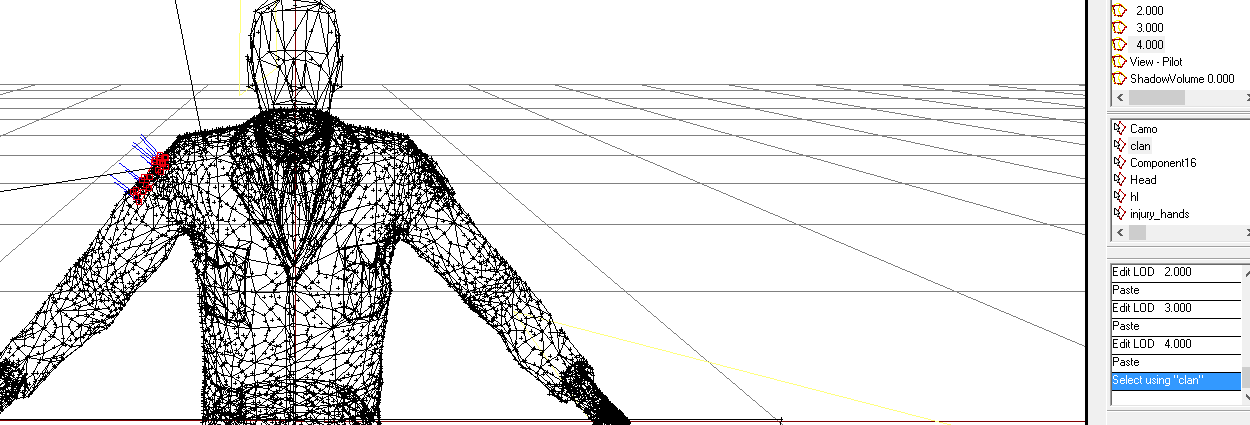
as done by the unit insignia wiki link (https://community.bistudio.com/wiki/Arma_3_Unit_Insignia) I used the example square from the arma 3 example model and pasted it in, renamed it and gave it the "#(argb,8,8,3)color(0,0,0,0)" texture but when I go ingame, the clan nor insignia show up when I select one
insignia fixed
past remnant
anyone know a recommended resolution to use for the editor pictures of objects?
sturdy parcel
300 dpi should be more than good enough. screen resolution is 'normally' around 120dpi, and, it's just an iconic image, not a work of art. Even an alpha channel would probably be wasted.
bleak tangle
sturdy parcel
oh hi ho.
that's size btw, not pixel density, but just as useful. Perhaps more so <grin>
and of course with jpg i'm talking thru my *rse re alpha channels.
It's a great initiative of bis to add this 'feature' but I think it will come back and bite them with non-paa and non power2 rules.
past remnant
yeah I thought it was weird for it to be that way. But thanks!
bleak tangle
Probably just thought it was all around the best solution. 455x256 is the same aspect ratio as 1920x1080, and it'd be a bit of a pain to crop those to fit 2^ resolutions.
foggy finch
probably the resolution that fits the ui boxes best, ui is probably the one thing that doesnt give two hoots about power of 2
sturdy parcel
ui boxes come and go. good design practice is to make images 'shrink to size' rather than hard concrete. but, meh, power of two has been painfull too for a long time.
foggy finch
yep, keeps the detail too
sturdy parcel
Apart from the non standard nature of this, i don;t like arbitrary values forced when experience shows it will be a cause of reqret.
however, in case I'm complaining far too loudly, it should not overshadow this very good initiaive from bis.
past remnant
any reason for these dark spots showing when apply my rvmat?
can post the rvmat if needed
past remnant
ima go ahead an assume it is buldozer being crap. Cause looks fine in game
do I need to assign the rvmat to the object outside of the p3d?
past remnant
nvm
terse aspen
300dpi is for print, most displays don't go above 96dpi, BI's textures are 72dpi
woeful viper
455x256 ... and BI use maybe 20% of that space for the actual object in their preview pics 😛
@quick terrace 😛
quick terrace
cock, didn't read above 😃
 tacit karma
WIP Worst Pistol in the World porn
https://abload.de/img/2016-08-0815_17_47-tyr2jwc.jpg
https://abload.de/img/2016-08-0815_23_37-tytkk14.jpg
 carmine gull
@tacit karma Nambus?
foggy finch
@tacit karma looks good so far, how'd you get on with the miniuav?
tacit karma
@carmine gull Type 94
@foggy finch a bit. I rearranged the wing and redid the air hood
carmine gull
@tacit karma Funny thing is I hear the 'target demographic' was actually fine with 'em despite their problems... more likely (but understandably) the ones encountered by Americans were when quality control had fallen to pieces (no pun intended) due to the effects of US operations against Japanese industry
 surreal cloud
Anyone know of a guide for reliably getting a model that looks right in 3DS into Object Builder? Seems nomatter what we do the normals screw up (either loses all smoothing groups, or smooths everything)
Is there something you have to do to the model to prep it for Object Builder?
We've tried Maya FBX, 3DS FBX, OBJ, 3DS..
OBJ was the closest.. it looks right in Object Builder UNTIL you save/reopen it, then it smooths everything again
quick terrace
@surreal cloud - have you tried the export script provided for max.?
i only use .fbx for stuff that has a single uv set or the .txt exporter. Obj might come in with flipped normals, otherwise should be alright
surreal cloud
Sorry, where is this export script?
We tried Soul_Assassins 'arma 2 modding toolbox' which just seemed to smooth everything
With the OBJ it definitely seems like an object builder bug.. whenever you do anything it stuffs the normals (copy/paste it to another lod, etc)
quick terrace
SA's modding toolbox is absolete, but it might still work indeed...
the export script is in you samples folder
surreal cloud
ah i see, in test_character_01
surreal cloud
I just gave it a go.. it seems to give flat face normals
The model must be doing something that obj builder just doesn't support.. but can't work out what
quick terrace
send me the file in max format in pm
i'll have a look later on
might be a smoothing issue on your part
surreal cloud
I will if I can get permission, but the artist is a bit protective
quick terrace
yeah well, suit yourself then...and i though i wasn't really the average doe in this community that has a big "ripper/repacker" written across the forehead... 😛
foggy finch
PuFu is the "apex" special one
quick terrace
😄
foggy finch
at least Lecks is following the IP owners permissions if anything
quick terrace
the amount of hick-ups i had those 2 days
white jay
u mean PuFu has unbinarised apex models on his pc?
what a ripper 😛
quick terrace
yeah of course, but it isn't like i don't have anything else to do with my time
@white jay - i have more than just apex ones mate 😉
foggy finch
I got some geolods to polish up later, waiting on car tyre getting fixed atm
so loitering 😃
surreal cloud
@quick terrace sorry not accusing you..
nothing personal 😃
if it were up to me you'd have it
quick terrace
yeah as i said, no reason to excuse yourself, i never actually have enough time
polar fiber
is it triangulated before you export?
tbh I thought BIS got rid of the bug where it recalculated normals upon saving, in one of the OB updates
tacit karma
https://abload.de/img/render01cdkxo.jpg
https://abload.de/img/render02asjdr.jpg
https://abload.de/img/render0346jqe.jpg
Some more renders in perspective
couple of edges that are still too hard
but I want to finish the shapes before actually doing some work on the edges
 worldly tulip
@quick terrace @polar fiber anyone else Hey thanks for the assistance with Lecks enquiry he is helping me work out why we are having so much trouble with this file. also sorry for delay with file im a little cautios with people outside our Dev team, no offence intended.
quick terrace
none taken
worldly tulip
great
i have 3ds 2014 and when we import the FBX the smoothing groups seem to be non existant or is messed up?🙄
same as Object builder
quick terrace
having had a look over that mesh
you have no smooth groups
you have explicit vertex normals
but that does not translate on export
@worldly tulip
in short, drop an edit normals on top of it
select all vertices normals
click reset button
collapse as editable poly
and then setup your smooth groups properly
worldly tulip
Ok great will give that a go thnks
woeful viper
i use 2013 and sometimes certain models are just fucked beyond repair (not something a edit normal or reset xform can fix). To fix that i create a box, convert it to mesh. Then attach your model to this box. convert to edit poly, delete the box and it should be fixed. Then you can re-weight normals etc.
i always use .3ds export (unless i need skin weights, then fbx). Dont really care if its a dinosaur, it works without issue - and if you import in OB it doesnt always "forget" the rest of the model, like it would with fbx import
quick terrace
my .obj exported always suck a fuck with O2 these days
so it is only VM or FBX
i cannot touch dinos
i have yet to see a mesh that edit normals cannot actually fix
woeful viper
i'll send you one if it happens again
maybe its just a display bug of some sort and not directly related to the mesh, cant tell
quick terrace
i only had a display error with the 2017, was because of the old amd card/drivers i had
outer condor
am i mistaken or can you do named selections in OB also rather easily if you use the assets browser, select the texture, make it "select in object", so that all vertices are selected - now "new selection", set name?
does in Blender it work on all RES LODs in one go (+View*** LODs?) or how is it easier there?
quick terrace
yes, cannot comment on blender
polar fiber
@outer condor I use the texture library window and ctrl+double-click on the texture name - even faster than the resource library
ctrl+double click works in the resource library as well though
if you don't want to rightclick and go through the menu
outer condor
quite nice. thanks 😃
can you get also the texture path+name somehow (to paste into config)?
btw headlights as texture is outdated tech, right?
polar fiber
I'd probably use "tools\mass texture and material renaming" to provide a list that one can copy and paste from
outer condor
i see. well dep3d -LF or moveobject might be even easier then. i guess have to assign to to RMB action
quaint otter
when is it necessary to define textures in hiddenSelectionsTextures? (when you have hiddenSelections defined)
    class Sign_Direction_F: NonStrategic
        hiddenSelections[] = {"camo01","camo02","camo03","camo04","camo05","camo06","camo07","camo08"};
hiddenSelectionsTextures[] = {};```from what i understand this makes it show no textures by default for these selections, right?
median bough
good question. i think it'll show the texture originally given in the model
quaint otter
looking at BI configs as sample this seems unlikely. if it were the case, they would had to use more "" or "empty.paa" as far i understand
(unrelated to that)
´´´
hiddenSelectionsTextures[] = {"XXX","","",""};
hiddenSelectionsTextures[] = {"XXX","XXX","","","",""};
hiddenSelectionsTextures[] = {"XXX","XXX",""};
´´´
from what i understand the trailing "" are obsolete
missing definitions seems considered as "" / empty / no texture to be set
"" is only necessary if you still have a texture definition following like
hiddenSelectionsTextures[] = {"","XXX"};
    class V_TacVestCamo_khk: Vest_Camo_Base
        hiddenSelectionsTextures[] = {"\A3\Characters_F_Bootcamp\Common\Data\tacticalvest_camo_co.paa"};
        class ItemInfo: VestItem
            hiddenSelections[] = {"camo"};
            hiddenSelectionsTextures[] = {"\A3\Characters_F_Bootcamp\Common\Data\tacticalvest_camo_co.paa"};```
this seems also bad copy paste behavior. at least hiddenSelectionsTextures is only defined twice in ItemInfo subclass of a clothing class. for hiddenSelections[] BI duplicates it at least for every classanyone look into this closer?
cfgWeapons
    overlaySelectionsInfo[] = {"Ghillie_hide"};
cfgVehicles
hideProxySelections[] = {"ghillie_hide"}; /// names of selections hidden on proxies (used in vest in this case, see overlaySelectionsInfo[])```like how it works or what it could be used for beside ghillie camo
sturdy parcel
from what i understand the trailing "" are obsolete
these are similar to speech variants amd, oddly enough, sunglasses on factions
bis use macros to generate the array and have to fill that series of macros 'properly' irrespective of how much or little is actually used.
quaint otter
is there a downside if one would make every (main) texture a named selections and configure it with hiddenSelections?
(of clothing, weapons, vehicles)
like mostly the hull and interior are currently defined in IFA3 as such; however one could extend it to wheels, tracks, weapons, etc)
polar fiber
I don't think so. Almost all of BIS' playable stuff is fully hiddenSelection-ed for the sake of allowing retextures apart from proxies. And we know they try to avoid that kind of thing if it has a performance impact (like retexturing proxies)
I don't think interiors generally need hiddenSelections though
outer condor
in IF they have made day and night variants for the planes for some reason - its currently no in use though
(of the cockpit)
polar fiber
ah, I guess they'd maybe "cheat" at doing cockpit lighting by making everything emissive with setObjectMaterial?
people tend to do dial illuminations with alpha overlays
 sinful root
You know what's missing hiddenSelections? Road Barriers. (At least to my knowledge)
tacit karma
@outer condor yes, its for night illumination
polar fiber
@sinful root that's why i stressed playable content
sinful root
Ah, I knew I should have given that more than a cursory glance.
polar fiber
I'm not actually sure whether hiddenSelections works okay with terrain objects - i.e. the ones pre-placed in Visitor
I seem to remember in the past, island objects didn't couldn't animate themselves at init and you had to activate them by script - like the nodding donkeys on Sahrani
white jay
hiddenSelections don't work on TB placed objects
and for anims, i think it depends on the anim sources @fervent steppe knows more
 fervent steppe
Hmm. Wouldn't the oil derricks fall into that category? If so they are solely animated by the model config.
polar fiber
Guess it works now then. From what I remember they were static in Arma 1
that said, the turbines move on Altis nowadays so I guess that particular thing got fixed
woeful viper
also, doors on buildings
polar fiber
yeah, but those had an action to initialise them
fervent steppe
You can even play sound as well
As you get closer to the derricks you can hear them operating
woeful viper
does the radio proxy on uniforms do anything? Also, what is the hmd proxy? "head mounted device" ? If so, whats the difference between hmd and nvg proxy?
there is a pistol_holstered proxy now, though the issue certainly is that you can only put the holster on the uniform and not in relation to vests etc
polar fiber
nvg proxy is obsolete - character example only has HMD
woeful viper
ok good to know
polar fiber
as for the holstered pistol one: That is for vests, not uniforms, isn't it?
it's in the vest example
woeful viper
i only looked at in b_soldier_01 from character_f . there is also a backpack2 proxy (same position as normal backpack apparently), which is a bit weird ...
polar fiber
probably prototype stuff. Best to look at the template.p3d and example.p3d in Samples
though the template does need updating a bit
hitpoints etc.
I mean the b_soldier_01 has a "hair" proxy... 😃
woeful viper
lol, missed that
the last puzzlepiece in true delta operator manbarbie simulator... wait no, it also needs a beard proxy
woeful viper
pecks and biceps proxies ...
foggy finch
@polar fiber models are placed on terrain via p3d name, switching texture via a config doesnt work, each texture set would need a unique p3d. probably a scripted way to switch them on the fly at init if they are baked into model.cfg though. BI do this with the building graffiti via named selections
polar fiber
you shouldn't have local paths in your files (e.g. C:\blah\blah)
sudden radish
Do I have to place them to that P: folder?
sturdy parcel
wow nice spot monkey.
sudden radish
its just a source directory and the output directory
for the pbo
would be kinda retarded not using the path then, no?
thats wrong then?
sturdy parcel
addon breaker is the answer to that question.
sudden radish
Any other way to get it binarized?
sturdy parcel
Redmine
polar fiber
but it should at least build if you set the work environment up properly. Put the project in your P:\ drive and build from there, use proper paths for everything, and set "path to project folder" in Addon Builder options to P:\
outer condor
do yourself a favor and get pboproject as mikero indicated
sudden radish
how does one use the pboproject after instal?
 wraith tendon
jz7 5n6 hn6j70e684vhn 6
outer condor
aaageneral_readme.htm
sudden radish
read and opened, still "packing failed"
outer condor
open logs - read about the error(s), fix error(s), build, repeat until clean
sudden radish
no files/folders in both
outer condor
@sturdy parcel please advise
sudden radish
outer condor
what does the console window say?
outer condor
- tick noisy
- dont use spaces in folder or file names
- the console windows already mentions the problem
white jay
you are missing some tools
rapify and probably others
and i suggest you to pack your stuff to your arma3 directory or somewhere else, since the pdrive should represent your source and shouldn't be cluttered with packed pbos
aswell don't add a addons directory to the end of your destination, pboPro will do this on its own
 stiff egret
does anyone have any ideas on how I could animate a garage door to open and close like this?
polar fiber
quite complicated but I'd say it was do-able by animating each segment of the door. Each one has an animation to translate it horizontally along the roof of the garage towards the roller, followed by an anim to rotate it around the roller at the front of the garage then a third anim to translate the rotated piece the desired distance vertically
for the closing anim that is
it'd be a matter of getting the timings for each segment right
or you could maybe fake it with a bunch of hide animations like MG belts getting shorter
white jay
probably similar to how the door and doorhandle animations are "connected" but a lot complexer
there is a example of the door stuff in the model.cfg
fervent steppe
AddonBreaker 😂
 desert elbow
Has anyone created a Helicopter mod in Arma ? I'm trying to learn but I can't seem to get the rotors spin I have the points and the selectors name properly (I think)
fervent steppe
Have you looked at the sample model?
desert elbow
Yes
I had it named velka osa or somthing like that and I changed it to main rotor cause thats what the sample had but still wont D:
fervent steppe
I think those names hard coded into the engine. Make sure they are correct then
desert elbow
Alright, I'll check
polar fiber
do you have a model.cfg?
names for those things should be completely customisable. It's only the animation source that's hard coded
desert elbow
I do have a model.cfg its the one from the sample pack
polar fiber
And did you add the name of your custom helicopter model to the model.cfg?
desert elbow
I did at the start and it didnt work so I just replace the config.cpp and added my path then replaced the modle.cfg and it well ye D:
polar fiber
the CfgModels subclass in the model.cfg has to have the same name as your .p3d file, otherwise nothing will animate
so unless your model is called Test_Heli_01.p3d too, just copying the model.cfg directly doesn't work
desert elbow
Where is the file path located on the modle.cfg ? I tried finding anything with .p3d and nothing came up and I'm not seeing any file path just class anmes
polar fiber
there isn't a file path, there's just a section called class Test_Heli_01
polar fiber
you should be able to preview animations in buldozer anyway
desert elbow
Automatically ?
polar fiber
if you're using the correct workspace structure with a P:\ drive
Enter and Backspace keys should cycle between different animation source names in Buldozer
then when you press ] or [ it'll cycle through the animation source values so things will start moving if the model.cfg and selections in your model are correct
desert elbow
Alright 😃 Well thanks for da help I will try it now
Lol, They work now I gotta tweak it into the right position thanks
outer condor
can one also tweak memory point position for optics view in a meaningful way in OB or Buldozer?
like our planes have dual gun. so far its been scripted, yet A3 now has array definition for those memorypoints too
our problem is that the optic model does not match perfectly where the bullets are flying too, so both memory points need to be aligned to the model i think
woeful viper
you should be able to use model.cfg animations to influence the opticview memorypoint
if you are talking about gun-convergence -> doesnt exist in arma




 woeful viper
is that optic view or free-look but zoomed in pilotview?
outer condor
hm need to double check
sacred grail
Just finished up my first model where I am not following a tutorial
Thanks @quick terrace For the help with getting stuff between programs 😃
7,500 Tris for any interested
quick terrace
👍 - what a bucket 😛
foggy finch
great work @sacred grail +1
foggy finch

my current project
probably going to add some sub-deck features, looks too plain underneath
fully ported it into arma this morning though, works a treat
 rich trail
@sacred grail Nice! I'd give up my speedboat any day in exchange for that one!
outer condor
@woeful viper free-look zoomed in in pilotview
woeful viper
then you have to move the proxy mm wise until it fits
median bough
afaik yes. at least i did it this way. moving proxy, build, test ingame, moving proxy again, build again, test again......
woeful viper
dont forget diagmerge
you only need to respawn the vehicle that way, instead of restarting missions/game
oh wait no, it's a model thing, not config... guess you are sol
does the sight move in relation to the viewdirection (is it holographic) or is it just a fix texture?
check rvmat for uvsource="texCollimator" https://community.bistudio.com/wiki/Arma_3_Scope_3D
not sure how well that works with plane displays...
if that doesnt do it, you need to code it as MFD class
 sweet relic
Hey guys, so im having a little issue , so, we got our cockpit textured for the EA-18G, so I deleted the old cockpit, put the new one in on view cargo, (old one was a proxy, new one is a model in view cargo) but when I pack it and go in game, the old one is still there
Makes no sense
Im 100% sure I am packing the right file too
In Bulldozer it shows the new cockpit as well
Packed it on another PC, and it was fine and appeared in game
I have also cleared my Temp (I hit the option when I pack it)
sturdy parcel
you have an old, differently named, but stale pbo in your mod folder.
sweet relic
you where right, what a dumb mistake, lol thanks
sturdy parcel
not so dumb. addons stick like glue.
quaint otter
is there a way to easily duplicate selections to all relevant LODs?
white jay
copy & paste i guess
foggy finch
pretty much yeah
make sure you dont end up with any rogue selections in lods you dont need them, can cause issues
outer condor
how do you copy paste them from one LOD to another?
@foggy finch mikero enhanced dep3d -S greatly. lists now selections for each LOD and sorted alphabetically
makes it easy to fine issues
he added also -LP = list named properties
now only add/edit/remove is needed 👼
foggy finch
ctrl+c / ctrl +v
outer condor
well this copies also the vertices from what i can tell
foggy finch
if you select the named selection, and hit ctrl+c it should copy it
rather than the geometry/verts/etc
outer condor
well i tried but it looked like it copied the verts to the lower RES LOD; will double check once more
is they a key combo or shortcut to create a named selection or is RMB in the selection window the only way?
yeah it copies also the verts..
woeful viper
you can't copy selections to a different mesh
you can copy the mesh with its selections but not independant
polar fiber
The "New" selections window does have an autocomplete field though with names that already exist in higher res LODs (or at least the 0.000 LOD). Makes things a bit quicker than typing out the full names
outer condor
looking for some additional input how to make a "debug" mission for hiddenSelections most useful
Joarius brought me the idea to color each selection with a distinct procedural texture (like green, yellow, red, etc)
setObjectTexture even works with just hiddenSelection index and selectionNames gives one both the total count and even all selections
as reminder selectionPosition was of limited use as the game only stores the center/or position of the first vertice
so my idea atm:
- instead of color use a texture with number like [1] - this one way can easily see which hiddenSelection one is looking from the number to index (instead of the color coding - however that might work better visually)
- show the list of selections (their name and with the index, so like 1 - camo_1) as part of the interface for the cursorTarget/last targeted object
- log the list of named selections to rpt
- make the textures transparent (or white) to see which texture or surface is not yet covered by named selections
white jay
Maybe just a legend dialog with the color of the selection connected
And display the original texture path for each selection
stiff egret
can u do a rotation animation on a hiden selection? i am having issues making a flashing light that spins...
stiff egret
?
 rotund snow
Hello, is there someone here with 3dsmax that can convert a file to obj for me?
outer condor
And display the original texture path for each selection
one could reach that only from configs - yet its not guaranteed the be defined
or can you think of other ways @white jay
quaint otter
also are there any meaningful ways one could do/add with https://community.bistudio.com/wiki/setObjectMaterial for a debug visualization?
quaint otter
anyone has a good idea how to differentiate visually between hiddenSelections defined in configs or those named selections not?
alpha might be a way but doesnt work that well
can one do more complex patterns with procedural texture?
https://community.bistudio.com/wiki/Procedural_Textures
quick terrace
@quaint otter - via procedural, not really...
the only one that should output patterns from that list is noise..
quaint otter
well it can also be borders/outlines or anything meaningful to see the distinction/difference
quick terrace
what are you trying to achieve if you don't mind me asking?
quaint otter
its a debug mission/function to visualize named selections and defined hiddenSelections
quick terrace
easiest way would be to use 2 different procedural rgb colors
the conplicated part would be to check what is defined as hiddenselections and what isn't
quaint otter
this is easily determined (config vs sqf cmd lists)
i use colors already for the different named selections (first red, second green, etc)
stuck oyster
@stiff egret rotations should not be a problem with a piece of mesh that is configured with hiddenselection.
sacred grail
If anyone wants a 7500 tri old rusty fishing boat fully textured and ready. Feel free to use it for a mod, just ask and i'll send the model
woeful viper
(of which 10% tri count are for the steering wheel propably)
sacred grail
tri count is relatively high on the steering wheel
@woeful viper http://imgur.com/a/i9N1z
stiff egret
@stuck oyster I am having issues getting my sign to flip up and start flashing with the hidden selection, thing u can take a Loki if I send it to u?
quick terrace
@oblique vapor - always triangulate before normals bake
always triangulate before export
that sort of thing...
 oblique vapor
Oh, I thought we needed to avoid triangulation as much as possible and keep dem quads
stuck oyster
@stiff egret sorry i've got too much on my plate right now. But I can try to help you here. For simple debug, does the rotate animation work at all? I would separate the two features first and see if they work independently and then combine them
stiff egret
Yeah I have it as that right now to rotating ani trigger by one source, the lights are one object and the area the lights sit in are on object, but when I run my flashing light script the lights are still in the down position
stuck oyster
ah you have real reflector lights there?
they might not move with animations
but do you have their memorypoints in the right selection
thats the first thing to look at
stiff egret
No they are just faces with a rvmat to look like lights
stuck oyster
ok, then are they in the right selection
stuck oyster
are they part of any other animation
stiff egret
Sorry they do rotate when I view them in buldozer
stiff egret
Yeah when I run the script they flash in the original position
As if they did not rotate
stuck oyster
and you use hidden selection texture to flash them
stuck oyster
just to be clear. do you have animation class for them with hide and unhide or use hiddenselection texture
as in setobjecttextureglobal etc or animate blabal
stiff egret
I don't think I have them
stuck oyster
which one?
stuck oyster
what script command you use to hide things?
stuck oyster
so you have hiddenselection for the light
stiff egret
yeah
stiff egret
sorry
stuck oyster
hiddenselection should not interfere with the animations
stiff egret
hmm
stuck oyster
is the light part of any other selection
stiff egret
look
yes the light is its own selection
cause i dont want to hide the whole sign, just the lights
stuck oyster
any other selection?
stuck oyster
ah but do you animate the sign_lights
and also you dont need it like that
they can all be part of the sign selection for the animation
and the lights can habe hiddenselection selection
it does not affect the animation
while you can do it this way
stiff egret
the reason i did it like that is cause i was having issues the other way
stuck oyster
what kind?
stiff egret
well it would not move the lights even though they were part of the selection
stuck oyster
did you have the light part in the skeleton
stuck oyster
thats the reason
stiff egret
?
stiff egret
yeah but then i can hide the lights?
stuck oyster
then have the hiddenselection for the lights in the section
or if you really want to do it your way do you have the skeleton like this :
"sign","",
"sign_lights","sign",
quick terrace
@oblique vapor that is true for modelling purposes, and especially the HP model
quick terrace
for LP, optimization of the mesh means you need to get away with the least amount of verts, which is always triangles
oblique vapor
Correct
quick terrace
i always do manual triangulation, never keep things as quads
stiff egret
can i do this aswell "sign_lights","sign","example","example", if i want it to move more then one selection
quick terrace
my HPs are always just quads and ngons, never tris
stuck oyster
the skeleton is always in pairs
"sign", "", means it follows the origin of the object. "sing_light","sign", means it follows the "sign" when the "sign" is animated
@woeful tartan just to let you know the #arma3_model description is either wrong or were talking about wrong topic here
stuck oyster
it works?
stuck oyster
well then my time wasnt wasted. But do take a read on the biwiki page i linked.
 woeful tartan
fixed @stuck oyster
stuck oyster
😄
 feral prairie
Everytime I try to edit a model oxygen 2 crashes, is there anyway around that
quick terrace
it crashes because you are trying to open an odol (binarized) p3d
in short, try not to edit stuff you disn't create yourself
 ebon abyss
yo PuFu you still use modo?
quick terrace
@ebon abyss
never actually did for production, gave it a try at some point because i needed to see if i had a better replacement for maya (which at that time was missing a lot of modelling tools) on OSX on my macbook pro
in short, still a 3ds max and maya jockey
ebon abyss
ah okay, I had some memory from years back of talking about modo modeling with you, heh sorry 😃
anyways was just wondering if Synide's P3D plugin has been updated for new modo which is like what, modo v10.1 already
quick terrace
yeah no worries, i did gave the thing a long test, really good software for subd modeling
last version i tried was 6xx i think
before it was bought by foundry anyways
ebon abyss
do you know any arma3 modo experts?
quick terrace
only one guy uses modo in RHS: @bleak flame
i know of no others (synide of course, but haven't seen him in a while)
 bleak flame
I don't use any p3d plugin (was unaware any existed, if it was for 601 it would probably still work) ; I just export as fbx 2006.11 (which was removed in versions above 701 I believe)
failing that I'd be using OBJ and just doing the weird things you have to do to fix it inside OB (scale -100% to fix mirroring, flip faces etc)
alternatively, you could try exporting as a new fbx version like 2013 or 15 and using the Autodesk FBX converter to convert that to 2006.11 and see if that works.
bleak flame
yeah no idea never did any arma2 modding
white jay
afaik @obtuse rain uses modo, and he also has some plungins written for it. but no idea what features they have
 cursive sleet

my first try on texture on substance painter, i know the texture is wrong and i am missing some detail but this is just a test
Mk45 mod 4

 past canopy
@stiff egret interesting car model, where did you get that?
stiff egret
@past canopy u better not be starting stuff, and got it from a website... why are u asking?
cursive sleet
you did not model that yourself?
woeful viper
what did you expect jonas? 🦄 it's a life mod after all... gotta downhold the standards
https://abload.de/img/screen04uksfm.png vehicle radio/intercom set pieces, kind of fictional (most is SEM25-alike though)
 past canopy
@stiff egret link me to where you bought it please, thanks
cursive sleet
yea you got a point there @woeful viper
 jovial frigate
Random question.... has anyone had any luck with amphibious vehicles ? haveing some... 'fun' getting to to have any power/turning ability while in the water.
outer condor
@jovial frigate RHS/Reyhard did
white jay
Hey everyone
Anyone knows why this happens ? :
http://imgur.com/a/cMCEJ
I have a modular building model that i'm trying to get into arma 3, it has a few parts using the same rvmats and textures everytime.
However, the first and top floor have this wierd bug where everything is kinda transluscent ? But it doesn't happen with the middle floor even though i'm using the same rvmats and paa's
I'm confused about this.
bleak tangle
Do your textures have a suffix on them? For example wallTexture_co.paa
That looks like it could be an issue with an alpha channel still being present
And just renaming the file now to have a suffix on the paa wouldn't fix it, you want to have it before it's converted to paa
white jay
I've seen this on the arma 3 forums, but it wouldn't explain why it's working fine on the other floors ?
But yeah i'm still going to try and rename everything correctly because they don't have the correct suffixes
I'll test again afterwards and tell you again, thank you !
stiff egret
@past canopy I did not buy it
 echo rain
does anyone know how i can make a model not receive any shadows and have it be emmissive at night? trying to recreate those helper spheres but no luck so far. i've done this before so i'm sure it's possible
bleak tangle
So the BI helper spheres don't have shadows cast on them?
echo rain
dont think so. let me check
i basically just need a laser beam
i've done this befoer for lightsabers in arma 2 but man. totally lost currently
ideally it would not receive any lighting at all and jsut emit
yer. they don't
bleak tangle
Maybe this will be helpful https://forums.bistudio.com/topic/185305-transparent-objects-like-helper-objects/
foggy finch
@white jay add forcenotalpha = 1 named property to your geometry lod
white jay
@quick terrace I'm not using multimats
@foggy finch Will try ! I'm remaking the textures rn
woeful viper
look for redstone's answer (either modelling or config forum in editing section) he gave recently
past canopy
@stiff egret can you link me to where you got it then?
stiff egret
@past canopy rather not u can find it online if u are so concerned!
stiff egret
@past canopy whatever u say, u are just another shit starter!
past canopy
lol... why should anyone here help you out if you arent buying the models or making them yourself
woeful viper
because they didnt figure it out yet...
past canopy
would be great to get a BI forum ban and discord ban for him
basically perpetuating the stereotype for life modders lol
echo rain
ok i'll ask this differently. is there a way to make a model always lit. not receiving any lighting? i thought particles in arma are clsoe to that but no luck with the sprite shader so far
past canopy
@echo rain use _ca for textures 😛
_ca doesnt get lighting info, you can see example in the RHS numbers and randomized names and such on vehicles
echo rain
uhm. nah. already using that. isn't ca to make the engine know it has an alpha channel?
past canopy
yeah but for now its glitched into having no lighting
woeful viper
@echo rain _ca with dxt5 never recieve shadows, they always count as "in the light"
so the opposite of what you want
echo rain
it's using high emmissive values i nteh rvmat FM
woeful viper
emitting objects receive light as well (they glow brighter in sunlight) Only if you raise emittance to very high values is it not obvious
echo rain
i basically have two long poly planes to make a laser beam. 90 degrees to eachother. one you look closely you always see how they are shaded differently due to their angle. i wanna get rid of that and have totally flat rendering
" _ca with dxt5 never recieve shadows, they always count as "in the light"" sounds like exactly what i want
i wasn't clear. it's not ONLY about shadows. i want no shading but usinfg a texture with alpha channel
woeful viper
oh ok... well there you go
diffuse[]={0,0,0,1};
forcedDiffuse[]={1,1,1,1}; should also work i think
woeful viper
how does the "shading" present itself?
echo rain
lighting model. like different colour depending on angle to light source
like. where both planes meet you can see it mostly because of their different angle
using no material at all seems to actual look ok due to what you guys described. wish i could control emmission with a material but then i get the shading again.
woeful viper
i would say that this is because it receives light. (Note that not receiving shadows on dxt5 alpha only applies to foreign objects. It will still receive no light if the sunlight is at the wrong angle -> shading effect)
echo rain
yer. i just noticed when testign near a streetlamp. still gettign shaded. damn. i should look into those cell shadey VR thingies
woeful viper
i had to kill any light for an interior model (as commander/gunner LOD shadows dont appear to work). I used
ambient[]={0.05,0.05,0.05,1};
diffuse[]={0,0,0,1};
forcedDiffuse[]={0.01,0.01,0.01,0};
emmisive[]={0,0,0,0};
specular[]={0.01,0.01,0.01,1};
specularPower=0;
for that - though it also darkens the color (to simulate always-in-shadow). i think increasing ambient to 1 will restore full color. the whole ambient/diffues/forcedDiffuse relationship is still a bit confusing to me
quick terrace
da fuck can't post here...
woeful viper
if you add emissive to that, it would only glow and not receive light (and therefore be concistent in color)
quick terrace
irc there was a render flag @polar fiber might know more
echo rain
thx X3KJ. i will try that one now
woeful viper
@quick terrace Always in Shadow flag doesnt work anymore
quick terrace
cock
echo rain
yer. i think i did it in arma 2 using the vertex properties inside o2. but those are "obsolete"
woeful viper
it's an rvmat. I tried it, but it produces rpt errors and has no effect
echo rain
X3KJ. do you have the full material? i think the shaders used should be a factor too
woeful viper
i use a standard supershader, as it's a cockpit texture. I'm sure your laser thing could use a simpler shader?
echo rain
yer. i'm thinking i should try to find what tracers are using. might be jsut what i need
woeful viper

tracers use
ambient[]={1,1,1,0.1};
diffuse[]={1,1,1,1};
forcedDiffuse[]={0,0,0,0};
emmisive[]={10,100,10,1}; //green tracer
specular[]={0,0,0,1};
specularPower=100;
renderFlags[]=
{
"NoZWrite",
"AddBlend"
};
PixelShaderID="Normal";
VertexShaderID="Basic";
echo rain
sweet! proceeding with trial and error
yer this one with all emmissive set to 10000 and NoZWrite removed gives me something acceptable
woeful viper
nuke-level-emission 😄
echo rain
also AddBlend seems to fix the shading a little. must be what blends overlapping alpha textures into a nice hazy cloud
yer i might have to turn down the "radiation" a little xD
anyways. thx for finding that tracer stuff. works best and i'm out of motivation anyways
woeful viper
yeah... there's always a breaking point. the shadow thing was driving me nuts for ages. Why they removed the always in shadow flag is beyond me. Now you have to fake it with some values, and you never get ambient occlusion to show that way.
echo rain
would be great to be able to make our own shaders liek you can in unity. but i guess most games don't allow that because they are more locked down.
btw. i remember something about texture based emissiveness inside one of the channels of the _AS texture
you should try that. not sure if it's exactly what you need but by looking at your screenshot it might be it
woeful viper
that screen was unrelated lol - just something i work on currently
echo rain
not sure if it was an alpha channel inside the _AS like parallax is done on normal maps but basically one guy back on skype was decyphering hte arma shaders and found out that you can do emission by texture that way.
i might have total clouded memory on that but maybe it works. i think he even showed a screenshot of basically a sphere with glowing cracks in the texture like lava coming through.
i never got to trying it because the constant loading up of the game is too annoying. so i try to do only sqf now.
that might actually be how the glowing dots on some ironsights are done
quick terrace
that is precisly how these are done, yes
woeful viper
how does that work? sounds interesting
echo rain
yas some specifics would be cool. this stuff is not well documented afaik
quick terrace
ahh, hold one, nothing to do normals paralax (works only on terrain), or _as texture
but you can drive texture (shape defined by alpha) to be emissive
so in short if you want cracks to glow for instance, you have 2 spheres actually - 2 textures, 2 rvmats
one with an alpha mask defined by the cracks
i think i can make a quick example tbh
so you take the collimator shader and use it to drive emissive by texture
you cannot have it with _ca becaue alpha is what drives the shape, and emmisive value the "emissive" part
as you cannot have otherwise emissive by texture
woeful viper
oh ok.. so the thing i've been doing already lol. It sounded to me like a genuine lightmap (where the diffuse colors controll the emissive value)
quick terrace
that is no possible
white jay
@foggy finch @bleak tangle @quick terrace
I've renamed the textures, remade the rvmats and added " forcenotalpha=1 " to the geometry LOD. But i'm still getting the same glitch
bleak tangle
Renamed the textures before you converted them to PAA?
When you open the texture in TexView does it say DXT1?
white jay
Yes i renamed before converting them to PAA, and no, it says DXT5
wait
_co _as and _smdi says DXT1
but _nohq is DXT5
My model has some decal textures that have transparency ( they're leaks and moss textures to give the building a post-apocalyptic look ).
I think these might be causing the issue
bleak tangle
DXT5 is fine for _nohq because it has an alpha channel
Wouldn't hurt to remove those decal textures temporarily just to see if that's the cause
The ideal way to add those would be as a _MC texture if you were using mutlimaterials
white jay
Yeah i understand
i think i will just remove the decals
Because something wierd is happening with the other building parts that don't have this see-through glitch
basically, whenever the decals show up correctly, there is the glitch.
But when the decals are not showing with the alpha layer, the glitch doesn't happen ( but i end up with glitched decals instead
I'm using a model i bought for unreal engine, so i believe maybe arma 3 doesn't support these type of decals as well as unreal engine would
quick terrace
does your decal
and some of the rest of the texture
share the same UV sheet?
and you might wanna change your nickname
if you want someone to be actually able to ping you
 brisk dawn
so, does anyone know what id use in eden to make a soldier overwatch a specific point? im trying to put a sniper on a hill and have him watch a town, shoot if he sees anyone
quick terrace
wrong channel ^^ @brisk dawn
brisk dawn
no one seems to be answering any other places 😦
quick terrace
none will answer here either, because it's not the place to ask
white jay
@quick terrace I'm not sure to be honest, i've bought the model from someone else.
But i've tried removing the decals and now the model works perfectly well, so i will keep it this way because in the end, the decals weren't really important for the look i was going for
And what do you mean by ping you ?
bleak tangle
We can't do @dedem because of the characters in your name
quick terrace
@ᵈᵉᵈᵉᵐ#2722 pretty sure the issue can be solved, but anyways

Bohemia Interactive Forums
Transparent Texture with Glass_ca.paa - posted in ARMA 3 - MODELLING - (O2): Hi all,
Does anyone know what might be causing this issue? Ive sorted the Alphas, used the correct suffixes (_co / _ca) but Im getting transparent objects with AO turned on... you can see this chaps feet through the model.
white jay
PuFu, i added the forcenotalpha in my geometry LOD and it did nothing
maybe i'm doing it wrong in a way but i don't know what i could be missing
Oh waitt
quick terrace
i never ever had issues with alphas as long as the particular selection
white jay
i think i found out how i fucked up
quick terrace
was not sharing the same UV space with the rest (for instance, the texture and UVW for glass is never shared with the walls)
white jay
I think i might have mistyped the actual property value thing so i will try again and get back at you
quick terrace

 woeful viper
that would be glorious
that would make lights inside vehicles also work properly... and you could make creepy bunker systems without "ghost light". I want
quick terrace
i want it badly...
wraith tendon
Wasn't it planed, to add Enfusion to A3?
 dusky dragon
i want it soo badly, looks freaking dope
woeful viper
no not officially Dscha, for what i know
maybe they backport some features, but i doubt a complete revamp on the same scale as dayz is going to happen
 umbral plume
I have heard rumors that all the work they are putting into the new engine for dayz is going to be used in the future for the next arma title but then again rumors are rumors and it probably isn't even close to being decided.
woeful viper
well dayz is basically an engine testbed at this point i would say
introducing stuff as it becomes available
its already known that dayz will use enfusion, and enfusion will be the engine that all (non mobile i guess?) games from BI would use in future
umbral plume
yeah, I couldn't image arma 3 would use enfusion because that is like changing the whole game. Probably just parts from it and hopefully the ponds in a3 will look like the ones in dayz do in the future.
wraith tendon
@woeful viper yeah, not officialy. Also: My Info is about ~1 Year old
But: It would just make sense, to add it.
 regal frost
after you export from blender using arma toolbox, my model shows up as a cube in O2. any ideas on what went wrong?
< new at this so im just working with basic shapes to judge scale in arma
white jay
@quick terrace @bleak tangle
Alright, so adding " forcenotalpha 1 " worked for my model, now i don't see the grass through the building anymore. However, on a specific model, some decal textures don't show the textures behind ( the alpha channel seems to ignore the textures behind it and just display a blank color )
http://imgur.com/a/ykXAk
regal frost
i teseted exporting of my object via arma toolbox in blender. Can you not use imperial scaling at all for arma models?
keeps showing up as cube
woeful viper
arma uses meters, so should you...
regal frost
i tried that and it still showing up as a cube
im making a file cabinet and it shows up as a perfict cube in o2
im using arma toolbox plugin for blender and exporting to p3d
in blender i made a rectangle to the shape of the file cabinet i want to make and just exporting the simple geometry so i can see what the scaling it like
but in O2 it a cube even though what shows in blender is a compleatly different shape
 jaunty rune
arma works in metric, but it scalls acordingy anyway
stuck oyster
@regal frost have you defined your object in blender as Arma object? You need to do that before it exports out.
regal frost
is that the thing in the properties by checking arma toolbox?
regal frost
yeah iv checked the arma object properties box
stuck oyster
have you applied scale tranformations for your object?
regal frost
right now its in custom so i can just learn the basics of scaling in arma
no i have not done any scaling on the object
scale is still set to 1
stuck oyster
and it still exports a cube?
regal frost
all i have done is export and rectangle i made in blender but it shows up as a cube lol
the arma object properties is checked and its pointing to the O2scripts .exe
regal frost
yes i have not touched scale
i create a cube in a new blender file and changed the units to metric
also have tried just leaving it as none but still got the same reasults
stuck oyster
so you make a cube
regal frost
and also did imperial just to see what would happen
stuck oyster
so it exports a cube?
regal frost
no i changed the x,y,z, dementions
its in the shape of a rectangle so it looks like a file cabinet
stuck oyster
see the scale values over the dimension values
regal frost
but exporting via arma toolbox to .p3d, in o2 it shows as a cube lol
stuck oyster
they change when you change the dimensions
the dimension is related to scale
but the export does not apply the scale
so you need to do it manually
stuck oyster
select object and ctrl+a
stuck oyster
also if youre not familiar with blender I would suggest watching tutorials and keep the blender manual close
the manual is outdated at some entries but most of it is valid
regal frost
i have got a bunch of them but they are not for arma specificaly
i found a good series on undimy
stuck oyster
well no, but modelling and blender using
regal frost
so anytime i change the model i need to use the apply in ctrl+a
stuck oyster
only if you scale/rotate it in object mode
 rapid yacht
if you havent already speigel go check out game dev byrnes youtube vids
regal frost
i did and he didnt do any of that in the ones he has up
rapid yacht
might have been the old ones that he talked about applying the rotation and things
regal frost
this was the one i was watching https://www.youtube.com/watch?v=FOy-5EbW90Y
but he never does the apply thing, is that due to being in edit mode?
stuck oyster
Yes. Both modes have their uses, but I would suggest using the edit mode to your advantage.
regal frost
thanks for helping me. im off to watch more tutorials 😃
 twin urchin
still i dont know why BI didn't expanded the proxies system more
have you seen VBS3 rail system on guns? that's the shit that i wanted in A3 from start :/
and magazine proxies for god's sake 😄
rapid yacht
hey guys, any of you good at making vehicles? ive got a problem
ive managed to get a vehicle ingame, but for some reason the wheels wont turn
rapid yacht
any ideas why its not working?
twin urchin
well i am not a expert in vehicles but i guess it might be that you missing a naming selection? or memory point?
or in config?
it can be also that the turning animation isnt in model.cfg?
rapid yacht
thats the thing, i cant see anything thats out of place
the wheels are defined in the visual LOD, the axis is done in the memory LOD. It SHOULD work. which just makes it more frustrating
twin urchin
turning works? but animation doesnt?
if so then it might just the animation issue maybe
rapid yacht
na neither does
wraith tendon
config.cpp, prolly the wrong source selected?
rapid yacht
where might i find that?
wraith tendon
compare model.cfg and config.cpp?
rapid yacht
is that meaning that the config.cpp and the model.cfg arent linked or something
sorry im new to all this XD
rapid yacht
ive even tried using the base hunter config.cpp and model.cfg
and it still doesnt work
wraith tendon
wrong names in the model
rapid yacht
thats what i thought but i cant seem to find where its wrong
im thinking that mayby the axis or something might not be correct
and i found that when i checked the selections in object builder (when i exported from blender to O2) some of them were messed up
the worst bit about it, is that i was following game dev byrne's tutorial on wheel vehicles, and his one worked, so i dont know what ive done wrong
terse elm
Is ur class name in the model config the same as the p3d?
rapid yacht
as in the bone name?
wraith tendon
In model.cfg:
{
class blablabla
class MyModelName: blablabla ```
MyModelName = The NAME of the __**P3D**__in model.cfg?
rapid yacht
class CfgModels
{
class Default
{
sectionsInherit = "";
sections[] = {};
skeletonName = "";
};
class Vehicle: Default
that it?
stuck oyster
then thats the reason
look the links I posted
and the sample models provided by Bohemia
rapid yacht
ive been comparing the test vehicle with the one ive got
and i couldnt find any difference
stuck oyster
if your model.cfg isn't complete then thats the reason
rapid yacht
ahhh ok
stuck oyster
what sample do you compare it with?
rapid yacht
test_car_01
stuck oyster
it should have model.cfg with full car skeleton. and class CfgModels with class default, class vehicle : default, class car :vehicle and class Test_Car_01: Car
rapid yacht
class Test_Car_01: Car
{
skeletonName = "civil_car";
sectionsInherit = "Car";
sections[]=
should that be replaced with my model?
rather than Test_Car_01?
stuck oyster
yes
rapid yacht
keep the civil_car?
stuck oyster
yes if you use the skeleton civil_car defined in the beginning of the file
it is easiest way to get it to work
rapid yacht
not with no GPU it isnt XD
stuck oyster
then how do you test it ingame?
stuck oyster
buldozer is the in engine previewr and it is much lighter than the actual game
rapid yacht
yeah, i know, for some reason it takes ages to load
stuck oyster
also off topic. get a GPU
rapid yacht
cant, laptop
stuck oyster
well. you can manage
rapid yacht
nope didnt work
stuck oyster
So youre sure the class Test_Car_01 : Car is now class NameOfYourModel : Car
and you have the same selection names as the Test_Car uses
rapid yacht
yeah, ive searched for it and there is no case of it anywhere in the model.cfg anymore
yeah
stuck oyster
whats the name of your model?
twin urchin
i hope you not porting some vehicle for A3 life
rapid yacht
YES
it works
thank you so much
my back wheel is spinning around the same axis as my front one but meh
me robert?
na
milsim unit
twin urchin
ok so its legit , i hope that too
wraith tendon
What model?
rapid yacht
check my icon pic
wraith tendon
erm... a bit... small 😄
rapid yacht
yeah gimme a sec
twin urchin
you created that vehicle from scratch?
twin urchin
if so then great job
wraith tendon
Did you do stuff before? oO Cause looks nice
rapid yacht
naa, not really
rapid yacht
got a couple of other things ide like to get in but thats fro another day: http://imgur.com/vJZ3rzY
its sitting at i think 10K for exterior atm
wraith tendon
10K? Thats pretty good
rapid yacht
dunno, just had the idea for a 70's themed life mod so i just started making a kingswood dunno which sort XD
wraith tendon
He said the cursed word
rapid yacht
i knew i would get that response
rapid yacht
thanks
twin urchin
thats the thing ha - in A3 every that mentions that mod , everybody thinks of those scumbegs that ports illegal stuff from Forza or some other game just to get all those cars in
wraith tendon
And the legit ones get the misscredit 😦
rapid yacht
na im not one of those people, thats missing out on half the fun
twin urchin
yes thats true
rapid yacht
go straight to the part where your pulling out our hair trying to get it in game
rapid yacht
na, thats why you use a team of people, then you dont have to do the annoying stuff 😄
fast topaz
does somebody know if there is a way to animate a hatch on a vehicle when a certain seat is in use/not in use?
woeful viper
animationsourcehatch and forced turn out...
if turning in is to be kept, no there isnt such a function in vanilla
fast topaz
the player in the seat is always turned out
but iirc if I use animationsourcehatch and the passenger/gunner gets out of the vehicle, the hatch will stay open
sinful root
I've hit the point in modeling my M16A2 where I'm down to all the things I've been putting off/am unsure how to start on.
woeful viper
well if you dont tell us we dont know either
sinful root
It's more of a mental "ugh" than "I really don't know how to do this"
woeful viper
oh ok
i usually start with another model and come back later when i'm in that state ^^
(guess why i have a gazillion unfinished models lel)
sinful root
I'm that way with mission making.
Trying to force myself to be different when it comes to modeling.
fluid ocean
Want to be different, make something that's never been made before (and I don't mean different versions) 👍🏻
quick terrace
lol @fluid ocean
woeful viper
nah man, white skinned version is what brings in the dollars (i saw that a white mp7 skin in CSGO was supposedly worth 100$ or something like that lel)
sinful root
I have my reasons for making yet another goddamn M16.
fluid ocean
Lol, not picking on ya, promise. Just a personal pet peeve. @woeful viper You mean pink Tiger stripe isn't more valuable?
woeful viper
idc about that shite... it's ridiculous that's what it is