#arma3_model
1 messages · Page 68 of 1
 hollow fulcrum
 sweet relic
small knobs, but once I get one down, I can use the same map for each of the same knobs. But some of the knobs are complicated, with 2 or more objects attached to one knob. I just started doin this recently
Trial and error seems to be the key
hollow fulcrum
what software?
sweet relic
max
hollow fulcrum
you selecting faces and utilizing the flatten tool?
just trying to gauge where you are at with things. i honestly haven't used max for these things in many years.
i do use it for simple things, edits and whatnot. shuold be fairly easy to unwrap a cockpit with it.
sweet relic
Ive been following this guide: https://www.youtube.com/watch?v=IrxPfMquK_U
hollow fulcrum
if dealing with something like a flight stick, maybe try pelt mapping
haha, i know they've added a fair bit of stuff since i used it for anything productive 😐
sweet relic
What do you use now a days?
hollow fulcrum
i use headus uvlayout
but if you're new to this, maybe not the best option. you should know how to use max effectively
sweet relic
X3KJ has given me a lot of advice and samples which has been really helpful and some advice from a few others, and yea I figured
sweet relic
Ive gotten the hate part for sure
hollow fulcrum
my best advice is just keep doing. if it's fail, show us, we can help.
sweet relic
yeah, im gona take a break for the night with it. Patience is empty from the day lol
sweet relic
ill try lol
 foggy finch
little something i've been working on, have a few more bits n bobs to do but its almost there
hollow fulcrum
ah, very nice @foggy finch 👍
foggy finch
will be ~12.5 - 13k polys once I finish what I have planned
foggy finch
well im sorta 50/50 on whether its really worth modelling all the fuel pumps in the rear for arma, they would be aestheticly nice, but other than an animation for the rear roller door, what would be the purpose? 😃
 woeful viper
at least a pintle mounted 100mm cannon for fending of those pesky model thiefs would be advisable
foggy finch
destrType = engine should suffice with some of the explosion stuff I have cooked up 😄
hollow fulcrum
was thinking lights, lift, air lines and the like
foggy finch
yeah possibly for a future iteration, this was initiated as more of a prop for an airfield lol
we'll see
foggy finch
thanks, much appreciated
 wraith tendon
no "prop"
foggy finch
it does have real suspension already, minus the airbags 😄
hollow fulcrum
it'll be towable right?
wraith tendon
omnomnom
hollow fulcrum
need more like that
foggy finch
heheh
hollow fulcrum
speaking of, hmm...
wraith tendon
hmm....?
hollow fulcrum
goes file digging
wraith tendon
no, not the Truck&Trailer from OFP 😛 (FAUN Franziska)
foggy finch
the prop version will be just as that, and when I have time i'll get the rest operational, need some static props for raf bamburgh ya-see
hollow fulcrum
should make this one work
https://gyazo.com/8931b2c42176d37eecc08fb40fc1a28a
foggy finch
nice, a low-loader 😄
wraith tendon
Finaly finish it, we spoke about it... erm.... idk, a year ago or so 😛
hollow fulcrum
yeah but i was obviously confused about the status of towing things. and then life. lol
i'll paint it up if someone wants to make it work.

 hollow fulcrum
i bet its the same model
wraith tendon
prolly
hollow fulcrum
i have some hp tires i can throw on it
foggy finch
need some props to fill out a fuel storage area around this beast http://imageshack.com/a/img924/9334/O1Fisa.jpg
hollow fulcrum
oh wow
wraith tendon
Uros Playground
foggy finch
😄
old pic, but you can quite easily take off in this with a warrior loaded in the rear http://imageshack.com/a/img922/8137/q09jWw.jpg
hollow fulcrum
lol you sure you want a 13k prop out there 😛
foggy finch
yeah that area is huge!
wraith tendon
(he needs something, that fits to his belly)
foggy finch
finished off the runways a few weeks ago, like a little jigsaw getting thos emodelled+matched to the sat texture
hollow fulcrum
that easier with the new tools?
hollow fulcrum
well, for me new. i just flat stopped playing with maps a couple/few years ago. was just overly costly on time for me then. i've yet to actually attempt anything in the 'new' tools.
i was hopeful that life was a bit easier (granted still very time consuming) than before.
foggy finch
its pretty much same ol same ol, terrain processor is helpful though
hollow fulcrum
i would like to do a map some day. with some water ways, looks like BIS just dropped a whole bunch of assets.
foggy finch
if they would fix the calmwater shader you would undoubtedly see more
hollow fulcrum
oh man, dont even tell me about that.
foggy finch
those black blobs in the runway overview image ^^ are due to ponds & fog & the calmwater shader
hollow fulcrum
i haven't actually looked at it in months. but i have several rigs
just for that crap
foggy finch
unfortunately the sea shader just doesnt work in any way that would be useful for ponds
I trialled a bunch with dev branch when the new shaders stuff got pushed there
some were so-so, some were utterly awful, nothing as nice and fitting as the a2 derived ponds though
but its something with the way the calmwater shader and volumetric fog react to each other
foggy finch
they still work in the same manner as dbo's ponds, but I dont think there is anything we can do without something being done with the shader
hollow fulcrum
just curious if the character interaction is still unpredictable
i've taken a many water propelled flights
foggy finch
yeah it's fine,. can be a little bit derpy with too large a pond in too small an area - go into swim anim 10m from waters edges for ponds sunk into the gorund etc
hollow fulcrum
hmm
foggy finch
hollow fulcrum
you can fake water without the shader, can even animate it (textures and verts), but i dont know that it is functional on a large scale by any means.
foggy finch
the one on the right is about as close to "decent" as I could get them
foggy finch
and the sun, ignored the fog 😄
hollow fulcrum
sweet
foggy finch
heheh if you like big yellow suns on your water when its foggy
hollow fulcrum
tis a sad thing
foggy finch
googlava was going to see if they could have a look with the visual update, but I dunno if they had spare time/resources
hollow fulcrum
looking at the current map and the time table, im going to assume, no.
you never know though, i hope they fix it. kind of a big deal
while they are at it, give us multiple sea levels, like those other guys do 👀
and the sea states, and i'll be happy. 😇
hollow fulcrum
i made a pretty decent non-water shader pond before. i dont think i have any video of it. works better for flowing water.
there is video of that, but its not a good example.
foggy finch
hehe
hollow fulcrum
makes proper sounds and you can swim in it..
foggy finch
I did play with sprites etc in a2 for waterfall type stuff, but it had mp issues
hollow fulcrum
just a pair of animated textures is all they were
the _ca stuff has it's normal issues but meh..
foggy finch
nice, I might give them another look sometime,. got too much other stuff on backlog atm though
i.e. I have another runway to finish the link sections of, that trailer and map stuff
one day soon, i'll test out the tupolov bear on raf bamburhgs runway, always wanted a fly in that beast
foggy finch
russia flies them into uk airspace near me all the time heheh
they soon leave with eurofighter escorts however 😄
hollow fulcrum
lol
hollow fulcrum
laters!
 soft crypt
How do you force the model to take a certain position when on the floor? http://i.imgur.com/Cf8sDts.jpg
Also, @hollow fulcrum I blurred it more just for you 😃
hollow fulcrum
how is the model sitting in OB?
soft crypt
hollow fulcrum
that is your issue
uno sec
ha, dont have a good example on hand.
anyway, the horizontal line is the ground
 last spindle
pretty sure you wont fix it, you will notice that even if you do manage to think you have fixed it, it wont be fixed.........
hollow fulcrum
also depending on how configured..
last spindle
things will be on the ground when they are spaned on the ground, but if you drop things from invetory, they will be rotated
soft crypt
@last spindle no way to fix that?
last spindle
not that i know of, i havent kept up with arma updates in the last few months though, so no idea
i think it depends on the type of object aswell
soft crypt
thanks @last spindle
hollow fulcrum
i think i had this issue with the bipod, dont recall what i did.
last spindle
yeah, done abit of hand painting though to clean up, that was the frist bake aswell.....didnt have to mess about with it, just cleanup and additions after the first 8k attempt
last spindle
ahahah that is sooo dodgy at the moment, normal map from google overlayed, not sure i want to zbrush it, see what i decide on in the end
last spindle
the good thing is, the hammer blocks most of it in first person, so i probably get away with it being dodey so long as it looks like a rock
hollow fulcrum
👍
it is the end result that matters. and if they can't see it. well, it really doesn't matter.
still mostly looks like a piece of rock to me
 bleak tangle
Any suggestions on creating ADS textures after baking the AO? I'm trying to recreate PuFu's texture from is multimat example and I can't get it exactly right
His ADS http://i.imgur.com/wjS7Ctn.png
My ADS http://i.imgur.com/J50yxUq.png
My AO http://i.imgur.com/jNoXz6i.png
How it looks in game, his on the left, mine on the right https://gyazo.com/30b893bdf671679ecf8b97a886c1b60e
hollow fulcrum
ermmm shot in the dark..
unless @last spindle knows for sure. lol, i can guess on the colors i see
last spindle
look at the channels individually, makes it easier to see what each one should look like, that is my suggestion
hollow fulcrum
i'd venture to guess, it is AO in green and blue
bleak tangle
Yeah I have that and then white in red
hollow fulcrum
invert blue
bleak tangle
That gave me pink and yellow https://gyazo.com/a54354c107bbc6216d2aa7ef7c724289
last spindle
as i said, look at each channel individually, otherwise it is stabs in the dark
hollow fulcrum
^^ tis why i claimed it. i haven't done it in forever lol
bleak tangle
His green channel is lighter than his blue so I'll mess around with that
hollow fulcrum
not really anything special that i recall. simply how its in the channels and at what values.
me and recalling things though ... questionable.
bleak tangle
He did mention in the post here about baking from 50% gray to white, rather than black to white https://forums.bistudio.com/topic/185296-multimaterial/?p=2922751
But I don't exactly know how to do that in blender
last spindle
you use photoshop i assume? use Image -> Adjustments -> Levels to change white to gray
bleak tangle
I'm all about those free programs so I'm using gimp 😛
hollow fulcrum
haha, he wants to be super special.
bleak tangle
But I messing with the levels there
hollow fulcrum
that should do it
bleak tangle
Thanks guys, looks good https://gyazo.com/bd0946bd0c8e5c016c863dc376719d69
His left, mine right https://gyazo.com/6eb3fd3f00f4787cc8cd1bd48f022218
On a different note, any idea what causes the banding? I know it's shadow related because if I turn shadows off it disappears
Shadows on ultra https://gyazo.com/d13d11f2157cb16dc02cd9409b8b60d6
Shadows disabled https://gyazo.com/9a6d4687d54c897425782d7f1104da65
From my reading people said it was shadowvolume related, but it shows up on a a lot of objects
hollow fulcrum
yeah, i want to say it's just one of those things.
what kind of shadows you utilizing?
bleak tangle
Cash desk is just a base A3 object, PuFu's object for the multimat example has prefershadowvolume = 0 and sbsource = shadowvolume with a shadowvolume LOD that's closed, triangulated and has sharp edges
hollow fulcrum
yep
that is proper
what does the shadowLod look like against the res lod?
or with it turned on in OB or whatever
(note, still leaning towards just a shader thing..)
last spindle
the banding is just a side affect of the shadowbuffer
with faces that are in the shadow of a shallow negative extrusion
usually, but in general, just issues of low a lowish quality shadow buffer
hollow fulcrum
ha, see. im not crazy.
last spindle
what am i talking about, actually, it also has to do with AO, pretty sure you can almost elimnate it with certain AO settings
hollow fulcrum
well, damnit.
bleak tangle
The shadowvolume looks almost identical to the resolution LOD
By AO settings do you mean in the engine or something else?
last spindle
no in the graphics settings, FXAA, FSAA, SMAA, CMAA etc
hollow fulcrum
notes those are AA settings
hollow fulcrum
ha! we are both crazy!
hollow fulcrum
what i wanted to say, and this might also be crazy. is that if the shadowLods geometry is too tight to the resLods, this is magnified.
much tighter calculation for the engine, thus fail.
sounds good anyway.
last spindle
cant believe substance painter still doesnt have a viewport that displays 1x2 / 2x1 ratio textures
 terse aspen
am i the only one having trouble with iray renderer and a non pbr spec gloss workflow in substance painter 2?
bleak tangle
So just as a quick follow up, I fixed the banding issue. Original on left, fixed on right https://gyazo.com/1824d8dfd2d96c5d74e468b3dc7fed0e
hollow fulcrum
should i roll the quixel propaganda?
bleak tangle
To fix it I selected the faces with banding in the shadowvolume LOD and flip their normals (W)
So I think you were on the right line of thinking @hollow fulcrum, it was probably trying to calculate shadows for a surface that overlapped with a texture and that's what creates the banding
hollow fulcrum
lol no, i was way off apparently, but im ok with your proposal.
model looks good btw 👍
bleak tangle
It's PuFu's 😛
hollow fulcrum
well i mean the overall doings
bleak tangle
I'm just making sure I'm getting the process right for ADS
hollow fulcrum
i have so much of that i need to do 😐
should at least finish one of the rigs for apex..
cuz, so much water.
the ports are actually deep enough to hold a full sized ship. im happy with that
but so many multimats, so many structures..
bleak tangle
Nice, did you do the big boat for RHS's last update?
hollow fulcrum
the MkV did go into RHS for now
still much going on with that one, and another. hopefully do stand alones once i get the weapons done for all.
bleak tangle
Very few water assets so I'm sure they will be welcomed with open arms
hollow fulcrum
yeah.. im still confused on the whole open the waters, lets not make anything for it approach. but meh, something for me to do i guess.
bleak tangle
My body is ready
I'm off though, thanks for the help and have a goodnight
/morning 😛
soft crypt
@hollow fulcrum are you someone who's worked on RHS?
terse aspen
decided to resculpt the vest and unwrapped the low poly
while unwrapping i found a lot of unnecessary topology so i am down to 5k triangles
soft crypt
Looks really nice @terse aspen. Two questions: what are you sculpting in & did you just use a3 samples as a body reference or?
terse aspen
it'a tactical vest for a cbrn defense mod and i used one of the uniforms i built which used the a3 samples body reference
soft crypt
Nice, is that max or maya?
terse aspen
Blender
soft crypt
Ah okay, you've customized the aesthetic a little
terse aspen
it's a preset that came with 2.76 i think. couldn't stand the grey on grey
soft crypt
Ah, just wondering you seemed knowledgeable about them
hollow fulcrum
those guys mostly have no idea what they are doing
soft crypt
Does anybody?
 tacit karma
Thats unfair, Hatchet 😦
hollow fulcrum
lol
tacit karma
ontopic: Sever-Bis Radio for IFA3 - Baked LP
https://abload.de/img/screenshot0032taaf.png
tacit karma
This one is actually a box tho
hollow fulcrum
i thought you were going to show something else 👀
hollow fulcrum
uh huh
tacit karma
this was actually meant to be a PM to you lol
hollow fulcrum
im with you now 👍
 fossil obsidian
Looking for zBrush/Mudbox/3D coat sculptor, we have job for you!
 quick terrace
lol, wrong channel
woeful viper
"we have a job for you and pay our gratitude" - Kol9yN in his element
 white jay
a small thingy: bag for the rf3080 http://i.imgur.com/Os4Icf7.jpg
wraith tendon
Cool. Mobile Ventilator
hollow fulcrum
@white jay very nice addition! looks great as always 👍
hollow fulcrum
very nice 👍
foggy finch
think it needs some mud-guards over the wheels, something just doesnt look right there imo
hollow fulcrum
aye, those a couple side marker lights, and placards would be cool
foggy finch
placards?
foggy finch
have a couple on the rear
wraith tendon
(he is not talking about the model atm)
foggy finch
rofl
wraith tendon
😉
hollow fulcrum
lol
in the US they are required on all 3 sides was the thought
same with the lights, military equipment also
foggy finch
yeah might stick a couple of placards near to the front of the pipe decks
wraith tendon
On the Uniform? 3 Signs? oO Wow
foggy finch
@wraith tendon 's mind = gutter 😛
hollow fulcrum
im aware
tacit karma
hatchet forced me to make the edges of the box more round. Okay, I said. I do it, I said.
woeful viper
the pointy turn knob had barely any normals in your last pic (too tight), now it's def. better
tacit karma
Yeah, I forgot to adjust it to the HP
woeful viper
but seriously RP, you need to clean your room. There's even debris on the floor.
 vivid bane
Hey everyone, I'm having in a issue with a external dependency resources in OB, I've been re-working this ArmA 2 vehicle for a while now and finally I'm trying to get rid of most of the ArmA 2 files and replacing them with the ArmA 3 version.
Currently I'm trying to rename/replace one listed in the resource library and it doesn't seem to actually change to what I'm trying to replace it with resulting in pboProject bailing out and complaining about missing files, I've checked the relevant rvmat's etc for the model and replaced them there to no affect.
The file isn't physically applied to anywhere in the model so I assume it is a reference in a RVMAT or something? However it I have already replaced those if it is that, anyone got any ideas as I'm baffled.
woeful viper
what about special lods like shadow and geo? the reference might be in those ones
vivid bane
I have checked those and I can't seem to find it anywhere, I'm just going to double check my temp isn't being cleared one last time as I have just removed the file being referenced from my project and it seemed to pack fine
woeful viper
in some cases i had information show up, after restarting OB, different information was showing (in my case sections) - so might be the same for ressources occasionally
vivid bane
I did suspect it could be a OB derp everytime I re-opened it but it was still failing to pack, howerver it is now packing even though it is still being listed in dependencies, I have no idea what I did but it seems to be working all of a sudden o_O
woeful viper
magik
vivid bane
ArmA sorcery!
woeful viper
enjoy for while it lasts, tomorrow it might stop working again xD
vivid bane
I'm expecting so, oooh the joys!
hollow fulcrum
lol
 wise coral
ok so i got this car lift and i can drive the car up on it and it moves up and down but doesnt pick up the car what am i missing?
vivid bane
Roadway or a high enough geometry mass I'd guess but could be wrong
hollow fulcrum
phsyxLod? @wise coral
wise coral
Oh I don't have a physx lod. That must be the problem
I do have a roadway yes. It drives up on the rails
hollow fulcrum
👍
hollow fulcrum
generally speaking yes. you want geometry wherever you expect tires contact in this case i assume.
and in general everywhere you have collision.
wise coral
I do have geometry I didn't know if I could copy it over to geometry physx
hollow fulcrum
sure, just make sure its validated.
wise coral
Ok cool ill try that thanks for the help
 oblique vapor
Hello lads
hollow fulcrum
☕
quick terrace
@hollow fulcrum
each time you put that coffee mug
i have an entire desire to make a new coffee for myself
and by 17:00 local time i usually already have 2
woeful viper
glad he doesn't post pizza's
hollow fulcrum
lol, im just here to help. i can hit a couple more mutal channels if you need moar!
oblique vapor
The coffee is everything I need, Hatchet Survival Pack confirmed
wraith tendon
hmm... now a Schnitzel
tacit karma
@wraith tendon Döner?
 fast topaz
Flammkuchen?
 keen tundra
Schnitzel is food sex
wraith tendon
!!!
tacit karma
Could eat some Bouletten 😦
 terse elm
http://i.imgur.com/uDpw5KK.png gve on of my old cars an overhaul reday for tanoa!
woeful viper
bubblegum skin
terse elm
im suprised u havnt accused me of ripping models
quick terrace
so you telling me you made that model all by yourself?
terse elm
yes 100% all my own work
quick terrace
great then, you have plenty of shading issues
terse elm
yep its a very old model
white jay
Pufu became very cynic since he has to deal with so many lifers 😄
terse aspen
understandable
quick terrace
@white jay - yeah, mostly, too many high pitched voices i have to deal with each week
terse elm
iv noticed lol
woeful viper
"i just came here to see how fast i get banned" topkek
wise coral
@hollow fulcrum didnt seem to fix my problem. Still doesnt raise my car into the air :\
hollow fulcrum
ermm, two thoughts, the physxLod is not validated properly and/or not included in the selection of moving objects.
i suppose there could be some lack of collision going on, if no player in the vehicle. dunno, been quite a while since i've played aroud with these things. leaning towards it just not being proper though.
wise coral
Pennyworth gave me an idea. im gonna try it when i get home.
 thorn spire
Some WIP 0.0.0.0.10 try
With dirty clothes like they should be WW2
missin pouches, just figuring out the texturing part what I will use in final
hollow fulcrum
looking good man, kind of hard to see the normal details, but they are for sure there. 😃
oblique vapor
So is 4K really useful on ArmA 3 ?
Texture wise, I mean
Like, does someone even use 4K at all in their assets in A3 ? For exemple 4K in viewPilot, lowRes in other LODs, etc.
hollow fulcrum
sure, there are lots of 4k textures in the game. from buildings to vehicles.
graphic settings and the like play directly into whether or not you see that. but there are plenty of reasons to utilize them. they can also and equally be utilized in not so proper fashion.
bleak tangle
What has a 4096x4096 texture? I haven't seen any
hollow fulcrum
maybe i is crazy #shrug
oblique vapor
That's my philosophal question of the night
 polar fiber
4096*4096 only show on Very High and Ultra graphics settings
for users with lower settings, they will see a mipmapped version of the texture that usually seems to be lower res than 2048*2048
Even for users with V-High settings though, the game will quite readily mipmap the textures down to a similar blurry mess whenever it needs to free up VRAM
So in several circumstances, making your textures 4096*4096 is often a complete waste of time
oblique vapor
I just made a quick comparison with a 2048² and a 4096² (just the albedo tho)
It's way more neat and sharp, but yeah, if the game mipmaps everything
polar fiber
Yeah, one of my scopes I had to make 4096*2048 in order to make the text readable
But I think if I'd have done it now, I'd have used a _MC texture
oblique vapor
I have read somewhere in this channel that it has something to do with, like "overlays" or "decals" ?
polar fiber
yeah, @quick terrace knows more about it than me. He did an example object somewhere
I'd imagine it works on scopes as well as it does on any other object
bleak tangle
Yeah he sent me it the last time this came up, I'll see if I can find it
oblique vapor
Thanks Penny
bleak tangle
(I sent him the example PuFu sent me)
polar fiber
Basically you'll see that the .rvmat has the _MC set with uvSource="tex1";
and tex1 corresponds to a second UV set in Object builder where the parts that you want to display the colour overlay, are scaled up
bleak tangle
It came up in a very similar situation. Someone had text they wanted on a plane to be readable and to solve it they were going to make the texture 4k, but PuFu explained why this method was better and provided an example
woeful viper
the question is how Arma decides to mipmap a texture - what parameters go into that
if i have a large tank or ships for example, having 1x 4k would be strategically better than having 4x 2k. But if 4k always switches earlier than 2K that would make it look worse
polar fiber
I don't get why the game doesn't prioritise textures in the player's view LOD as ones that are off-limits to mipmapping
hollow fulcrum
aye, you'd think
polar fiber
it's so jarring when your rifle suddenly looks blurry but you're looking at a building a few meters away that's popped up to its most detailed mipmap as you approached
it even mipmaps reticles in modeloptics
oblique vapor
lol
I have another question. How does one calibrate a 2D reticle scope with the game zeroings ? Like the HAMR does
polar fiber
the zero setting ingame will make rounds strike the middle of the modeloptics automatically. So long as your crosshair is centred in the texture, and the texture is centred in the model, it should zero
zeroing bullet drop marks for fixed zeroes is another matter though
have to do that manually
same with scaling mil-dots based on your magnification settings
oblique vapor
Yes, basically it's for the Elcan SpecterDR I'm making, and as I have to create this kind of reticle: http://www.opticstalk.com/uploads/298/ELCAN-SpecterDR-Dual-Role-1x-4x-Optical-Sight-7_62-CX5396-Illuminated-Ballistic-Reticle-DFOV14-T2.jpg
I'm kinda lost here on setting it up correctly
polar fiber
Nice. I did the calibration for the ones in RHS 😄
thorn spire
@oblique vapor thats 2K on the viewport
@hollow fulcrum thanks man, yea have to figure out the CAGE most likely, though they seem fine in normal PBR material, they get lost after the texture and import into armaverse 😄
hollow fulcrum
@thorn spire i just meant the resolution was a bit small. so you get the artifacting is all 😛
polar fiber
@oblique vapor what I normally do is make a small config to set dispersion to zero for the weapon I want to calibrate the reticle to e.g. the RHS M4A1, then in the editor I have a mission set up in VR where I use the debug console to setpos targets at specified ranges
oblique vapor
So I have to make a basic reticle, then compile, shoot and test all over again until it's good ?
polar fiber
I also turn off sway and recoil
kind of yeah, but it's faster if you make a bunch of extra stadia lines and simply count how many more lines you have to move the proper mark down by
then delete the extra lines when you're done
oblique vapor
Smart
polar fiber
I'll see if I can set up the editor mission I have to remove any mods, then send you a copy
oblique vapor
Ooh man that would be awesome
polar fiber
https://www.dropbox.com/s/ilfn3itld4cxw8n/Reticle_range.VR.zip?dl=0 <- load it up in eden, and there's a little comment object that has the script to paste in to your debug console (the thing that appears when you pause in the editor)
just change the value of the _range parameter and it'll move all the targets to that distance from the sandbag wall
thorn spire
@hollow fulcrum ahh.. gotch'ya
oblique vapor
Aw that's nice, thanks !
polar fiber
set the weapon and optic you want to calibrate in the loadout editor or place some virtual arsenal feature in the mission (like the ammoboxInit https://community.bistudio.com/wiki/Arsenal#Virtual_Ammo_Box)
oblique vapor
Are there really in-depth guide on scopes ? Like how to accurately calculate the magnification, etc. ?
woeful viper
nah, but there is info on the forum if you can find it
oblique vapor
Wilco, thanks for the help so far guys
polar fiber
magnification in Arma is based on the zoomed in naked eye view which has an FOV of 0.25
quick terrace
@oblique vapor do you still need these files?
polar fiber
so a 4x scope would have an FOV of 0.25/4
quick terrace
alright
thorn spire
Should I retopo the whole charecter as whole
Or do the jacket and pants, boots seperatly
hollow fulcrum
shirt/pants/boots/gloves all part of the singular uniform model.
 lethal wadi
question guys i am using a BI explosion for when my AC-130 fires..when it fires the explosion is in the middle of the plane instead of the front of the cannon..what am i doing wrong
hollow fulcrum
it would seem the explosion does not know it needs to be at the end of the barrel. which means there is a configuration issue. these things are generally attached to memory points via config entry.
lethal wadi
ok do you happen to know that particular config entry for it?
im putting the mem point down now
hollow fulcrum
should be able to use whatever is there for the muzzle flash
or gunEnd
zaleash or wth ever it is
this a new model?
lethal wadi
AC-130 thats been in my pack
lethal wadi
ok thanks brother
i got my gunend as the muzzle _m102
i dont have a zaleash or anything
lethal wadi
the new one from the Apex gun ship
hollow fulcrum
is it a gunParticle?
lethal wadi
I couldnt find the gunparticle itself i used the actual weapon in the magazines
i mean in weapons and the magz in magazines
hollow fulcrum
CfgWeapons class YOUR_FOO class GunParticles { class effect1 { positionName = "m2_p_muzzle"; directionName = "m2_p_endBarrel"; effectName = "MachineGunCloud"; };
lethal wadi
Yep im looking at it right now
i see exactly what you were talkiing abou now i just have to get the one from there and im set
hollow fulcrum
👍
lethal wadi
thanks so much..idk if im gonna be able to find that though
hollow fulcrum
ermm..
lethal wadi
configs not ready atm have to be viewed with ingame config viewer
i dont remember seeing it
but if i inherited from it that should work you think?
hollow fulcrum
i would like to think so, yes.
lethal wadi
welp here is to trying
lethal wadi
roger that. If i can get that to work next thing is to combine all the weapons into one seat instead of 3
hollow fulcrum
lol
hollow fulcrum
i like splatter
bleak tangle
July 11th is correct
lethal wadi
ok so far away lol
ill be off leave by then
but the update will be out around that time i hope
the pace im going right now it will be out by then
hollow fulcrum
all we care about is you giving us your stuff before you leave. so that sounds great!
lethal wadi
lol
hollow fulcrum
haha
lethal wadi
ok so the inhertance didnt work out
hollow fulcrum
hmm.. yes, let me go look at least.
hollow fulcrum
aye
lethal wadi
while im here is there anything yall would like to see in the USAF mod..besides adding in planes i have one im adding in and its a doozy but features
selectionFireAnim = "Howitzer_muzzleflash"; you think?
hollow fulcrum
indeed
well, that is the selection in the model for the muzzle flash
ie.. not zalesh
lethal wadi
right so not what were looking for
hollow fulcrum
quick question, just to back up a second. have you tried fully inheriting the weapon?
lethal wadi
what do you mean?
hollow fulcrum
just base yours straight off the new one.
you can then pick about and find the memorypoints and rename them accordingly.
 wheat shoal
hey guys
I've made a house in Maya and textured it via faces, so I have about a dozen different textures. What I'm trying to do is bake all the textures into one (one UV and one colour map). I've tried tinkering around with MR Batch Bake Light + Colour but there's 2 problems
the bake: http://imgur.com/co937MV
- textures too small - seperate out some meshes I don't need for AO and bake them seperately?
- weird fading to black of textures - I think MR is trying to bake shadow detail as well and it's basing it off the camera perspective/orthographic
also tried transfer maps but that messed it up even more
hollow fulcrum
honestly
i'd probably be looking at utilizing multimats. however, seeing as how it's already textured. thats probably not a joyful thought
regarding AO though, generally i'll just bake the shell as it were. and other parts as needed. sometimes the overcast is not wanted.
im not a maya pro, so my knowledge there is limited on specifics.
bleak tangle
I agree with multimats being your best option, it essentially allows you to keep the texture quality while still keeping the section count down
If you are unfamiliar with multimaterial RVMATs, these three links should provide a lot of information, along with a sample made by PuFu in the first link
https://forums.bistudio.com/topic/185296-multimaterial/
https://community.bistudio.com/wiki/Multimaterial
https://community.bistudio.com/wiki/Mondkalb's_MultiMaterial_Tutorial
So it looks like you'd be able to keep your current one large UV, which can be used for your MC, ADS, and MASK texture
You'd break your large texture into a maximum of 4 separate textures that would use one UV "set", and then your MC, ADS, and MASK would use another UV "set"
I'm not sure if there is a better term for UV "set", as you probably know more about modeling than I do. I just have a basic understanding of it in Arma
hollow fulcrum
that is actually the proper term
wheat shoal
thanks for the help guys, but it's just such a clusterfuck, especially my UVs. I'm UV mapping everything properly right now and I'll try and bake it out as a colour map. hopefully it works, better than trying to learn multimats for a few hours IMO... those wiki pages read like a Paradox game guide to me
 solemn cedar
Hi all, im looking for a Ural truck stand alone mod (or any decent truck mod). Any suggestion ? (my apologies if this is the wrong place to ask)
 cobalt halo
any reason why would hands in 1p be textured like the uniform and in 3p not? Its an uniform issue, no idea where to look...
wheat shoal
@cobalt halo viewpilot/0.00 lods are different
cobalt halo
viewpilot camo selection includes hands...damn yep thats it
 fallow sapphire
How do you make an object where it shows roads in map
hollow fulcrum
are you building a map?
fallow sapphire
Yes
hollow fulcrum
ah k, let me see if i can find it.
fallow sapphire
ty
fallow sapphire
Im not sure
hollow fulcrum
that is functional i think, i was gonna check the model also though. i seem to recall, something..
 celest arch
that named property will control the 2d icon you see on the map
hollow fulcrum
think he means on the actual map
fallow sapphire
I am making a bridge and I want it to show up as a road on the map im making
Sorry if im asking dumb questions lol
celest arch
ah, then your best bet is to set the bridge as map = road and add an invisible shp under it
so in your roadslib.cfg copy the definition of the road leading to it, with different textures (and textures need to be blank, you dont want to see that in game
then create a polilyne under the bridge, like the orthogonal shadow of the bridge. The only downside is that if it's a tall bridge, it will look odd as there will be no clutter
is this what you mean?
celest arch
np
fallow sapphire
but is there a work around the downside?
hollow fulcrum
could manually place clutter objects i suppose
celest arch
not that I know of. All my bridges are set as map = house, the 2d map effect is good enough plus there's the tooltip with the bridge name on mouseover
yeah manual cluttering could work
 sturdy parcel
for the 2d map, it's automatic simply by being 'there'. For the look down 3d'ish map it requires a road shape file to be placed as a texture (alias ribbon) on that map
fallow sapphire
whats the 3d map? im talking about the map when you press m
sturdy parcel
for a ribbon to be created it needs to be in roadslib.cfg
fallow sapphire
very dumb question, pls excuse my ignorance
sturdy parcel
m is the 2d map. it should display an icon in much the same way as all houses have icons.
the type of icon displayed is determined by the geolod property map= of each p3d
the list of icons avalaible was given to you in the url above
celest arch
There's also a way to use custom icons, I just cannot find the thread by Bushlurker now
fallow sapphire
why is roadslib.cfg needed for this if its in named properties
celest arch
it involved editing kptypes if I'm right
sturdy parcel
roadslib.cfg is not relevant
alll you wantis what any sane person wants, your object to be displayed on the 2d map
fallow sapphire
If you use the named property you don't need invisible roadslib?
sturdy parcel
correct
fallow sapphire
That is good to know
celest arch
what you asked in the beginning was different, thats why I pointed you to the roadslib solution
sturdy parcel
you will need them for very different reasons, but nothing to do with your current problem
hollow fulcrum
i honestly only thought it was a model tag
fallow sapphire
I'm kind of confused now lol
hollow fulcrum
but i liked Schultz explanation so much 🙁
celest arch
he wanted the bridge not to be shown on map, and he also wanted the road on it
sturdy parcel
it's whatever he puts in map= will be shown. period
celest arch
yes but we're talking about different things here
sturdy parcel
i'm not
celest arch
you are, let me draw a sketch my keyboard is almost broken and its a pita to type
sturdy parcel
all you will do is confuse the crap out of diluted salt to no benefit
all the guy wants is an icon on his 2d map!
fallow sapphire
All I need is for my bridge to show on the "m" map just as if it were a road I placed down normally
sturdy parcel
there u go
fallow sapphire
and named properties are the solution?
sturdy parcel
i won't keep repeating myself here
fallow sapphire
lol
sturdy parcel
geolod map =
fallow sapphire
Thanks for your help, sorry for being a bit of a pain
hollow fulcrum
you're fine man, hang around you'll see an actual 'pain/sore/etc' sooner or later.
whole different ball game. 😄
celest arch
http://i.imgur.com/inigivU.png << 21th century Giotto there
white jay
😄
hollow fulcrum
you're right, that is terrible.
celest arch
he asked for the first solution in the 1st place, thats why I told him it was possible but a bit of overcomplication
how u dare @hollow fulcrum
hollow fulcrum
for what it's worth, i understand what you were saying 😃
celest arch
good 😃
sturdy parcel
no one understands Italians, not even Italians.
hollow fulcrum
lol
celest arch
hehe
this is the other thing I was talking about. No idea if it's still actual https://forums.bistudio.com/topic/144962-custom-keypoint-location-types-and-how-to-make-em/
sturdy parcel
if it isn't Bushie is always so close to being right that a mere tweak will probably work.
celest arch
I'll try that now, always worth having a steaming pile in Bamburgh
oblique vapor
Hey guys, is the _as map really useful in RVMATS ?
foggy finch
for structures?
iirc @quick terrace said some while back that we should really be using _ads instead of _as for structures
@oblique vapor ^^
oblique vapor
No, for weapons
foggy finch
no idea then 😄
oblique vapor
So _ads is better used for structures than _as ? Why that ?
celest arch
blue channel contains shadow info for distant lods from what I know about it
thats the advantage of having an _ads for building
quick terrace
yeah ^
white jay
moar radio related stuff https://i.imgur.com/Qd63L6V.png
sweet relic
Hey guys, I opened up max and went to select a modifier, only to see the list is completely blank. Any ideas?
quick terrace
screen
sweet relic
Just me being stupid, I had no object selected
 dusky dragon
@white jay is that for a new radio mod, or is it for TFAR or ACRE?
quick terrace
@white jay nice mesh + textures
last spindle
Very Nice, the only thing I would pick, is the edge wear seems abit strange, maybe to random and uninformed
 cosmic stream
forgot to post it here : am owrking on this for a week or so: http://i.imgur.com/nNGcZZY.png?1
last spindle
nice, lots of geometry
cosmic stream
yeah ^^ hope i wont get lost in detail ^^
 agile flint
@white jay that radio panel looks bloody mint!
hollow fulcrum
@white jay indeed looking good 👍
@cosmic stream very nice looking building there 😃
fossil obsidian
in Marmoset all looks cool, but not in arma 😉 😄
fossil obsidian
tell me where i can wrong? i will so appreciated to do, im seriously
celest arch
.... my young padawan (couldnt resist 😄 )
white jay
i actually read that with the yoda voice in my head 😄
celest arch
same lol
quick terrace
@fossil obsidian the day you gonna get some help is gonna be one to be remembered
you are liked beyond belief around here
but your presence did remind me of this new feature discord has
which is blocking twats
fossil obsidian
what u mean Pufu?
woeful viper
< remembers a certain someone who was very salty about not beeing winner of manw instead of RHS 😄
fossil obsidian
im not 😃
oblique vapor
So wassup with objects with inventory ? What's the memory point magic for defining the points where the player can access its inventory ?
 hollow ferry
Anyone know how BIS makes their textures for all the models in arma?
celest arch
yes
hollow ferry
How?
celest arch
yes
seriously, your best bet before googling, watching tutorials, experimenting is coming into this channel and ask such a generic question?
Google for Quixel Suite or Substance Painter, experiment a lot and get back here with specific questions which I'll be more than happy to read and reply to
foggy finch
@hollow ferry here's a vieo explaining how - https://youtu.be/0p_1QSUsbsM
hollow ferry
Sepcific one then, what tool is this? https://i.imgur.com/tbDfufr.jpg
bleak tangle
Probably photoshop
hollow ferry
Phoshop does not have that titlebar though
But thanks for the help, I'll try Substance painter
quick terrace
@hollow ferry - by hand in photoshop
cosmic stream
Looks like 3D coat, look at the "material tab" https://farsthary.files.wordpress.com/2011/03/post1.jpg
That's also what I use for making _MC dirt maps
quick terrace
indeed it seems to be
lethal wadi
hey all
oblique vapor
Are there any easy way to render material ID map ?
hollow fulcrum
what app
quick terrace
apps are for fones hatchet
hollow fulcrum
i was trying to be cool 🙁
oblique vapor
u're always cool 👍
hollow fulcrum
lol thanks Sam
polar fiber
Wasted my day baking these bastards. http://i.imgur.com/E3IGi7S.jpg I think it was worth it
bleak tangle
Those are disgustingly beautiful
polar fiber
Well they're in Sabre's hands now, so hopefully they'll be even more beatutiful, even after scaling down to 2048 textures for the game
hollow fulcrum
that is how all pro rolls 👍
oblique vapor
Brb, changing my pants 👀
terse aspen
found the reason for my shadow problem, after reweighting the verts and rebaking the textures didn't do anything and i saw the same problem on BI models i simply switched from HBAO+ Ultra to HADO Very high and the problem vanished
seems like the shader is buggy
bleak tangle
Yeah something seems off about HBAO+ Ultra, it seems like it's tried too hard to created shadows
On the player model with HBAO+ Ultra, it almost looks like you have a black haze following you around
terse aspen
on bright, round models you get some nice flat shading
it's best visible on the VR units used in vehicles
when they're in the shadows they get blocky
fossil obsidian
Hey guys! Who good with explosives? Can i make own c4 but without planting animation?
 cinder pivot
yes
 sacred grail
Can anybody port two models into arma please for me? One is a blender file and the other can be any format you like. I have associated texture files too. All i need is the textured model placeable in the editor. I am willing to pay.
white jay
uuuuuuuuuuuuuiiiiiiiiiiiiiiii
terse aspen
wat los?
terse aspen
lol
 snow gulch
sturdy parcel
snow gulch
sturdy parcel
I would charge 1 cent but never be able to make it.
quick terrace
nice mikero
sacred grail
okay
I am looking for somebody to help me with setting up the config
I had the .p3d and rvmat's
tacit karma
Just ask whatever question you have openly here
But first of all, if its still for the frag
check the A3 config
Grenades are a bit tricky as you need 3 configs (cfgVehicle, cfgAmmo, cfgMagazine)
sacred grail
yes, I really want just the prop though
I need to be able to place it on a table for example and view it
tacit karma
just as a porp?
sacred grail
yes
currently i have this //Class grenade : config.bin{
class CfgPatches
{
class hololand_mk2
{
units[] = {};
weapons[] = {};
magazines[] = {};
requiredVersion = 1.32;
requiredAddons[] = {"A3_Weapons_F"};
version = "VERSION";
name = "";
author = "";
url = "";
};
};
//};
tacit karma
cfgVehicles
{
    class Item_F;
    class YourClassName : Item_F
    {
        scope = 2;
        model = "\rhsusf\addons\rhsusf_weapons\grenades_thrown\m67\m67_frag";
        displayName = "M67 Fragmentation Grenade";
    };
};
will try that
thanks
I actually tried looking at the rhs configs, couldnt find em :l
I don't need to change the Item_F right? noob Q srry.
Like to Static or something?
agile flint
May or may not be the right place to ask, however, is it possible to add gloves the the BI Vanilla Heli Pilot Coveralls? I love the RHS Mechanix gloves, and would love to see what they look like on the Vanilla Heli Coveralls, is that possible with some quick config stuff, or would I have to make it as a new clothing model? I've never modelled or anything before, hence the dodgy af question.
tacit karma
@sacred grail what does your complete config look like?
@agile flint no, gloves are tied to the uniform model
bleak tangle
da12thMonkey pointed out to him in the #arma3_questions that he was missing class on the CfgVehicles
tacit karma
@bleak tangle but I'd that's line 2 in his config he is missing cfg patches
agile flint
@tacit karma Cheers for the info. Dissapointing but ahh well 😦 Need some HD current era pilot gear! I'd make it myself if I could but that aint going to happen haha
white jay
ah you got to hate dialogs in arma
changing the values, loading the mission again and again till the buttons fit https://i.imgur.com/Lri4XKH.jpg
i might be doing it wrong...
dusky dragon
Oooh, sexy
cinder pivot
@white jay I would suggest using ctrl create then reloading the script over and over to reposition. Then when its set translate it to a hpp file
Much faster and you avoid CTD if you have an error
woeful viper
update on how plate materials work (firegeometry), based on tests
https://community.bistudio.com/wiki/LOD#Fire_Geometry
quick terrace
👍
 outer condor
good stuff @woeful viper
hollow fulcrum
@woeful viper aye, very nice 👍
sacred grail
@tacit karma class CfgPatches
{
class hol_grenade
{
units[] = {};
weapons[] = {};
requiredVersion = 1.0;
requiredAddons[] = {};
};
};
class cfgVehicles
{
class Static;
class hol_grenade : Static
{
scope = 2;
model = "\hol_grenade";
displayName = "HololandNade";
vehicleClass = "junk";
};
};
tacit karma
dunno if junk would work, but worth a try
white jay
model = "\hol_grenade";
thats the problem...
you need to specify:
model = "\path\to\my\model.p3d";
sacred grail
is the .p3d necessary?
i had it as hol_grenade\addons\hol_grenade
but that didnt work.
what would the correct path be?
white jay
you got granate twice in your path in that screenshot...
you should better set up a p drive
and no .p3d is not necessary but good practise
cobalt halo
what makes model of the optics "stick" to a proxy in the model... is there a point defined in either of those which makes the center point where optics should be aligned with proxy?
I have a proxy which I called side_mount but I am getting weird behaviour with some custom made model optics like this > http://puu.sh/pxhd7/8e93819c47.png while BI PSO from arma2 fits actually good without even alinging proxy with side rail
outer condor
path to model missing/model name missing
cobalt halo
nope all there but some third party optics are just off...dont fit right
bleak tangle
autocenter = 0 in geometry LOD for yours?
bleak tangle
Oh nevermind, I thought it was your custom optic model
cobalt halo
nah just empty proxy
but to be on right track tell me more
autocenter = 0 in optics model then?
looking at sample model it does have autocenter = 0 on geo lod..
let me see on my ported pso from a2 and prolly ofp ( fugly as fuck )
poor thing got none of those but it fits like a pro
oh well I can have it all... make some fit and for the rest what can I do eh
 void mural
Hey guys, i'm trying to get into vehicle modelling, any tips or good tutorials out there? I've looked around but there isn't heaps (though i've probs been looking for the wrong things)
soft crypt
@void mural cgcookie has some excellent resources for blender, but you'll be paying $20 per month for it
void mural
ehhhh that might be problematic :/
soft crypt
Worth it IMO
As far as free go...not seen too many tutorials for vehicles that even come close to cgcookie
Sorry I can't be of any help :/
void mural
That's fair enough. Cheers for the help though, I do appreciate it!
soft crypt
No problem, what sort of modeling have you done before? Hardsurface?
soft crypt
Nice! Goodluck man
tacit karma
@void mural vehicle modelling is a every intensive job
If you just started hard surface modelling in general, you should do other stuff first
void mural
Like what? @tacit karma
tacit karma
props, weapons, accessorys....
 versed escarp
I might try to do, the interiors for santa cantalina houses instead i geuss, probably wont work out to good lol , First time trying.
woeful viper
@void mural no need to spend money on tutorials, there are tons of tutorials for blender (and all the other modelling tools) on youtube, or in written form. You don't need to make other stuff first. The only thing you should remember is to take small steps. Make a very simple box-shaped vehicle, learn how to work with that. After that step it up a notch and so on.
void mural
@woeful viper That's actually great news. Do you know of any good tutorials? I've found some ok ones online but they don't quite focus on what i'm after it would seem.
woeful viper
i dont use blender, so i don't know any for you. Do not focus on "make vehicles". This is irrelevant. Look for tutorials that teach specific techniques (poly modelling for example). Once you have learned enough techniques you can make whatever you want
sacred grail
is it normal for an RvMat to be 2kb?
quick terrace
yes
quick terrace
texture maps from rvmat do NOT control diffuse, unless multimat
cobalt halo
..hiddenselectiontextures then.. for his problem probably leading slash in rvmat or broken path even missing texture for hiddenselections
woeful viper
if you want to debug missing rvmats/ textures, look into your rpt
cobalt halo
yeah out of 200 lines of crap errors, one or two might be yours 😄
versed escarp
xD
woeful viper
filtering out the useless ones is easy...
versed escarp
xD
sacred grail
its just a prop
i just want to put my model in game :3
why what would you suggest?
cobalt halo
do you want this to be an object or a weapon?
sacred grail
object
cobalt halo
well then, hadnt worked much with those let me see... is it small cause we could use items
cobalt halo
no I guess you can use static but its too much robust for this maybe...use Thing for now
cobalt halo
where have you defined textures for it?
cobalt halo
noo it snot going that easy
cobalt halo
do you know working in object builder, have the mlod of it?
sacred grail
didn't realise was necessary in config too.
sacred grail
sorry im really new to this whole thing.
cobalt halo
well a good point to start is to get what I said above and scorge Youtube and forums for tutorials
we cant guide you from point blank here, sorry
sacred grail
Yeah i looked at some video's by gamedev byrne. Thing is all videos are so outdated now.
so Arma 3 Samples is relatively comprehensive then?
quick terrace
why don't you have a look
sacred grail
aaaaaaaaaah............
tacit karma
now open buldozer and check how they look
sacred grail
external viewer: unable to create viewer
0_0
ill load up ingame 1 sec
IT WORKS
omg
thanks for putting up with my stupidity :D.
cinder pivot
Does anyone here know how one can view and modify old arma 2 models? For example the old moto? I would like to at least be able to add proxies to it to modify it at the least, are they all on armas released models?
sacred grail
Anyone that can give me substance painter settings for an A3 export?
 bleak flame
it's pretty straightforward, DirectX normal map is your _nohq, pack specular into G of _smdi, gloss into B of _smdi
sacred grail
so i am using specgloss non pbr
I currently have this reference, https://imgur.com/cgnBO5F
apparently that works.
sacred grail
Need help with SP2, please
quick terrace
dude can you be any less specific?
foggy finch
I'm sure he means service pack 2
hollow fulcrum
lol
foggy finch
oh no idea, I dont use substance painter
sacred grail
do you know somebody that does?
foggy finch
um probably plenty here if you wait for someone to reply
polar fiber
You just showed a pic or the export settings and they are the same answer that Bek gave you. What else do you want?
sacred grail
how to i replicate the settings in that picture?
polar fiber
Isn't there a manual for SP2?
polar fiber
I'd say first, you click "Create RGB", for the ones that have a single box called "RGB" and "Create R+G+B" for those that have separate maps for each channel (like the _smdi)
then drag and drop from the different maps
like it tells you to
I've never even looked at SP2 before, but it seems like common sense is sufficient
sacred grail
nope
sacred grail
Whats the best way to generate .rvmats?
polar fiber
notepad, then lots of trial end error on the specularpower and fresnel values
polar fiber
possibly a decent starting point: https://community.bistudio.com/wiki/Material_templates
sacred grail
thanks
wraith tendon
Instead of testing it out -> Asking for it.
Generation Internet arrived once more.
sacred grail
not necessary Dscha
celest arch
Lol
sacred grail
I am asking perhaps because I do not know? It may work but not be good practise.
rather than being sarcastic... how about be helpfull.
😉
woeful viper
just look at the A3 game data... plenty of rvmats to learn from for all types of objects
celest arch
And that's the perfect path that will lead to helpful answers gg
wraith tendon
😃
woeful viper
how many stages you need depends on what shader you use
what shader you should use depends on object type. Weapons/Vehicles -> SuperShader , Buildings usually Multi. as said, check vanilla rvmats of the objects
bleak tangle
What is an extracted p3d?
bleak tangle
They are binarized, which means OB can't open them
sacred grail
oh yeah.... silly me
bleak tangle
Or atleast they should and will be binarized unless the creator didn't binarize them for some strange reason
sacred grail
also whenever I try and launch bulldozer to view the model
i get External Viewer: Unable to create viewer
sacred grail
Arma 3 Tools
bleak tangle
Well is your P drive mounted and setup correctly?
sacred grail
yep
bleak tangle
So does P:\buldozer.exe exist?
It probably wouldn't hurt to go to Arma 3 Tools > Project Drive Management > Install Buldozer
bleak tangle
Extract the game data again
Assuming you have done it once, it should be fast since it only extracts changed data
polar fiber
Steam is running, right?
sacred grail
yes... -_-
polar fiber
just making sure, since I often get that error because I just click a .p3d to open it without running steam first, so Buldozer wont start
bleak tangle
So you are getting A3\ui_f_curator\UI\defineResincIDesign.inc not found when launching Buldozer?
sacred grail
ye
bleak tangle
Are you just opening buldozer by itself?
I get that error when I literally click buldozer.exe and try and open it
bleak tangle
But if I'm in OB and click start it shows buldozer fine
polar fiber
in buldozer?
sacred grail
ye
polar fiber
there's info for when you do model.cfg animation, but that's about it
bleak tangle
It'll tell you the basic keys
It is just meant to be a preview without requiring you to repack the data and launch the game
sacred grail
ah i see
lettuce pray this works.
cani send somebody a .obj or .fbx and they send back the .p3d? pls
or a 3dsmax file
woeful viper
jeez...
sacred grail
sorru
my plugin is bugged
its been a rough day.
okay... Has anyone got a 3ds max p3d exporter?
 agile osprey
you can import fbx into oxygen
sacred grail
it was giving me an error when i did that
nvm
could somebody take a look at this please
pls?
cinder pivot
Whats it supposed to do? Plus it seems you call a file thats not there
 uneven elm
excuse me, i'm new to arma generally, what is 'model makers' about? Making mods, or by 'models' do you mean something different, like new weapons, vehicles, etc?
foggy finch
creation of 3d models used in arma, vehicles, weapons, items, buildings et al
uneven elm
so I could potentially make a new helicopter that actually flies like the existing ones?
foggy finch
potentially yes
uneven elm
fantastic
is it possible to simply take an existing vehicle, copy it completely, then just change a few things?
foggy finch
and by make, you mean using your own created model,. nobody here is a fan of people who use IP from other games
uneven elm
IP?
foggy finch
if you have the source mlods and permission from the original author, then there shouldnt be a problem with that
IP = intellectual property
uneven elm
Well what I would like to do is take an existing Arma 3 heli and redo it a little for fun
and perhaps to use it, if successful, to suggest changes to developers, in an orthodox manner
agile osprey
you cannot take existing (vanilla) models, they have been binarized (protected in a way).
uneven elm
oic
What I want to do exactly is very small in fact. There is one flight control in all helis called the Collective. When you press your up or down collective key, there is a pause, then it moves rather slowly up (or down). I want to speed that process up quite a bit
make the rate of change controllable
how would such a tweak be accomplished?
 fresh shadow
I have now installed the A3 tools after a long break, and the handanims for weapon don't work, the player looks like a monster with huge arms and hands. I guess there is a simple solution for this?
Would be great if someone could help me
fresh shadow
yes
quick terrace
with the new skeleton setup?







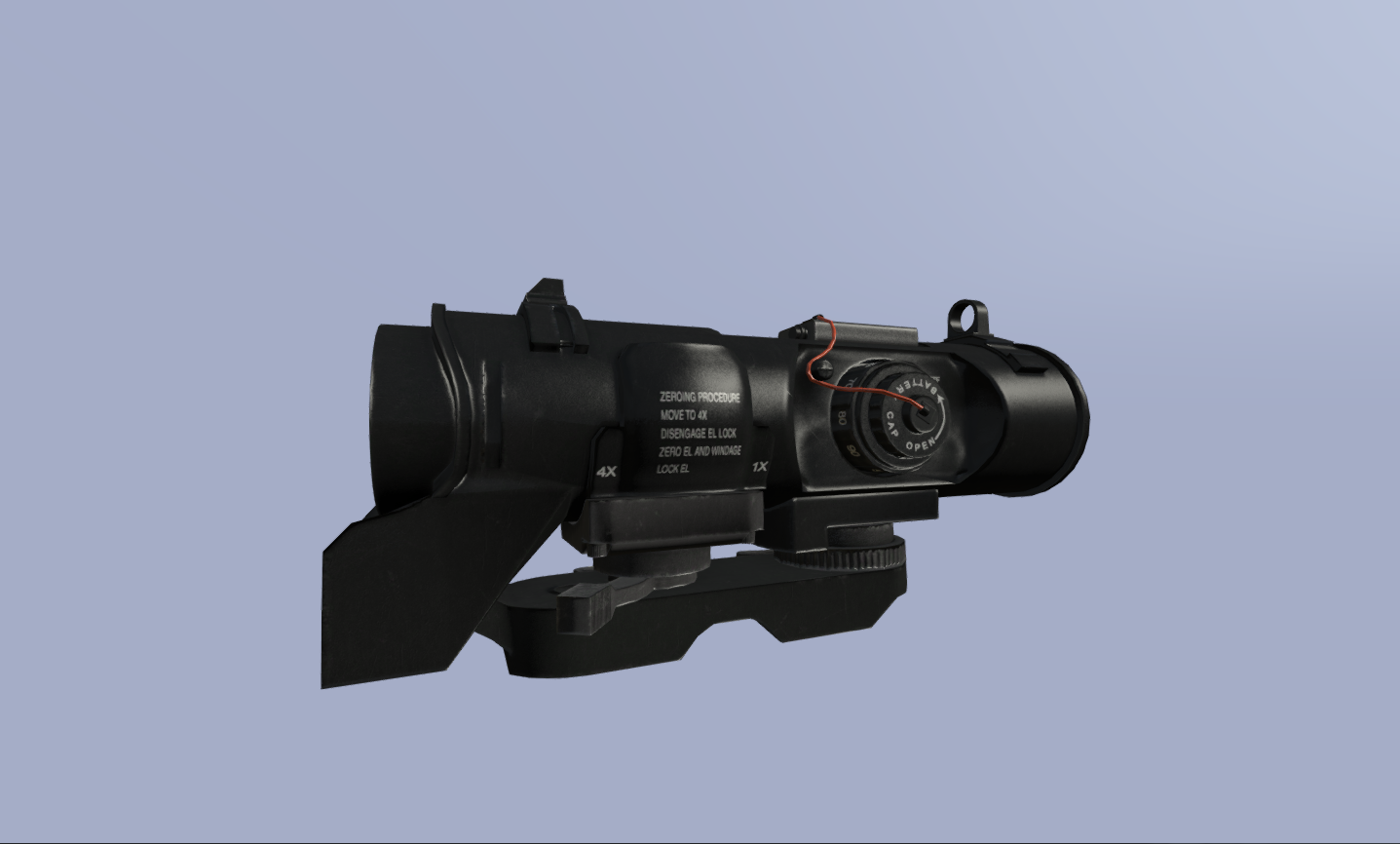
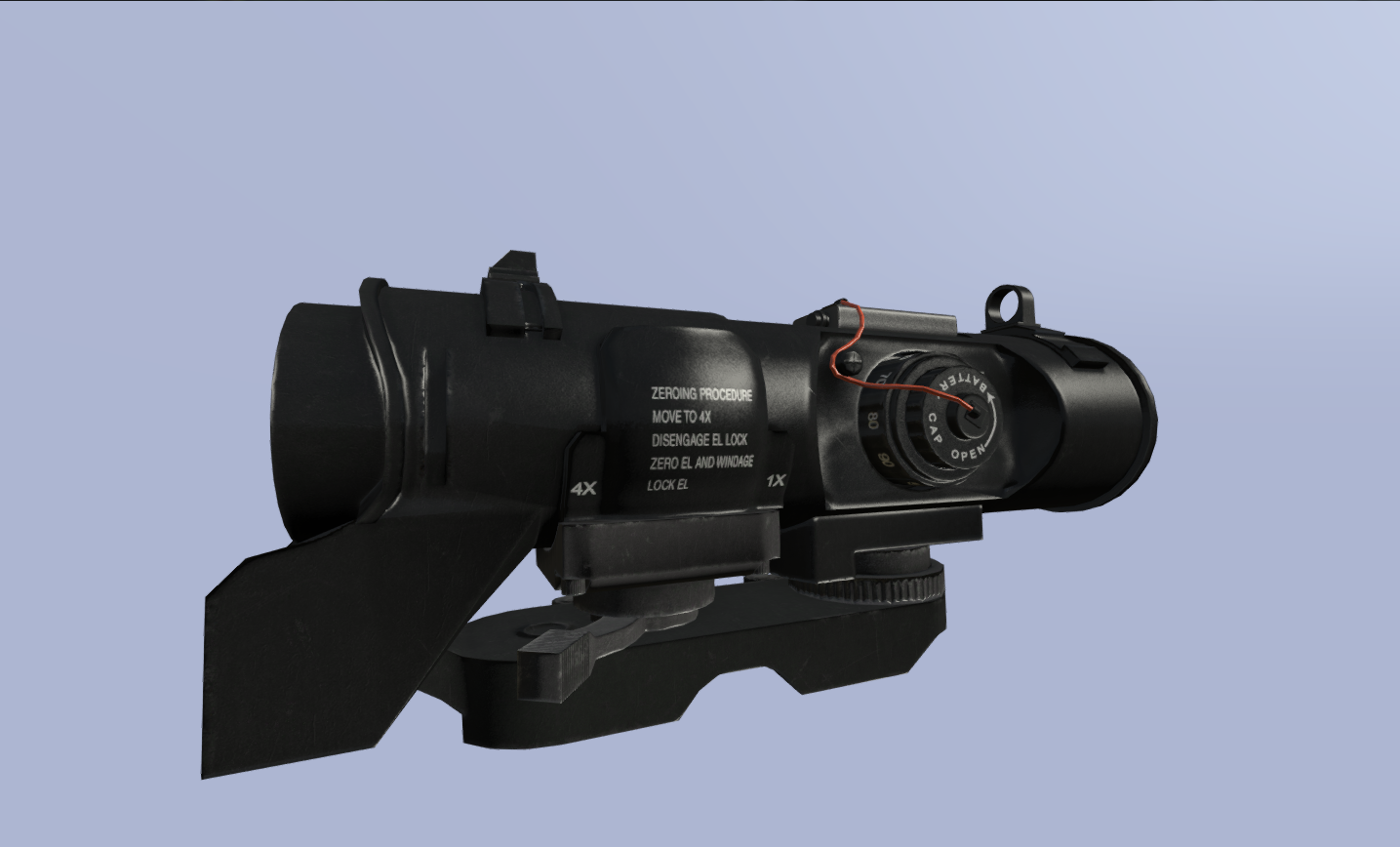


 fresh shadow
It also won't work with the model.cfg you posted
What class should I define?
It worked about half a year ago, but when I build it now using Addon Builder I get these animation problems
bleak tangle
So as an example you'd have your_class.p3d in the model.cfg as
class your_class : ArmaMan {};
it is right at the bottom
it surely won't work if you don't add it there
hmmm...in fact it should...
sturdy parcel
armaman has the skeleton
but since when has anyone ever called thier p3d your_class.p3d ?
sorry pufu , thought that url above was from blackbixel
fresh shadow
Do I really need a p3d for the skeleton for the hand animation? I thought .rtm is enough
woeful viper
no you dont need a p3d, but you need to have a model.cfg with the arma man skeleton in the same folder as the .rtm
fresh shadow
Looks like it was more an issue with the addon builder. With mikeros pboproject the handanim works fine
woeful viper
lol, addonbuilder still builds faulty anims? that was an issue many months ago already