#arma3_model
1 messages · Page 67 of 1
 hollow fulcrum
 oblique vapor
and yet hatchet, you have the visual upgrade inside buldozer ?
 white jay
@quick terrace may i ask why rerun of arma3p is not a option for you?
 quick terrace
because, afaik (might be wrong here)
@white jay it forces a complete unpack of the A3 data
white jay
yes, it does. but i don't see any problem with that
quick terrace
well, i do
 polar fiber
Apart from gigabytes of HDD space being taken up by sounds and binarised models you'll never need to reference?
quick terrace
not it is not that
polar fiber
And yea, also sometimes I have standin models in place of the BIS data
like the sample head
quick terrace
HDD space is something i got plenty of.
i got shit in A3 folder connected to SVN
white jay
uhg, yea ok 😄
quick terrace
hence manual unpack is something i can do, but not the entire thing
white jay
try to make a backup of the bin folder and unpack the one from arma 3
there should be most of the shader stuff configured
but if it needs some other new stuff you would need to hunt down the chain...
polar fiber
arguably you could temporarily change your path to P: in the settings temporarily, unpack the data and take what you need (though we don't know what we need really) and then change it back
quick terrace
yeah, hence the question for the manual labour
polar fiber
without messing up the old work environment
quick terrace
which i don't really mind, but i need to know what to do
polar fiber
But I ran the workdrive unpacker yesterday and I'm not seeing any real change in how Buldozer looks
white jay
thats why most of the new stuff is based on islands lighting config
buldozer ignores cfgWorlds, like it does for 99% of the game configs
polar fiber
only thing I noticed is that the square cursor thing that shows up before the model loads, is now black
white jay
that is the buldozer cursor for terrains, there was a issue with it's textures in one of the last updates, so it's now black 😄
quick terrace
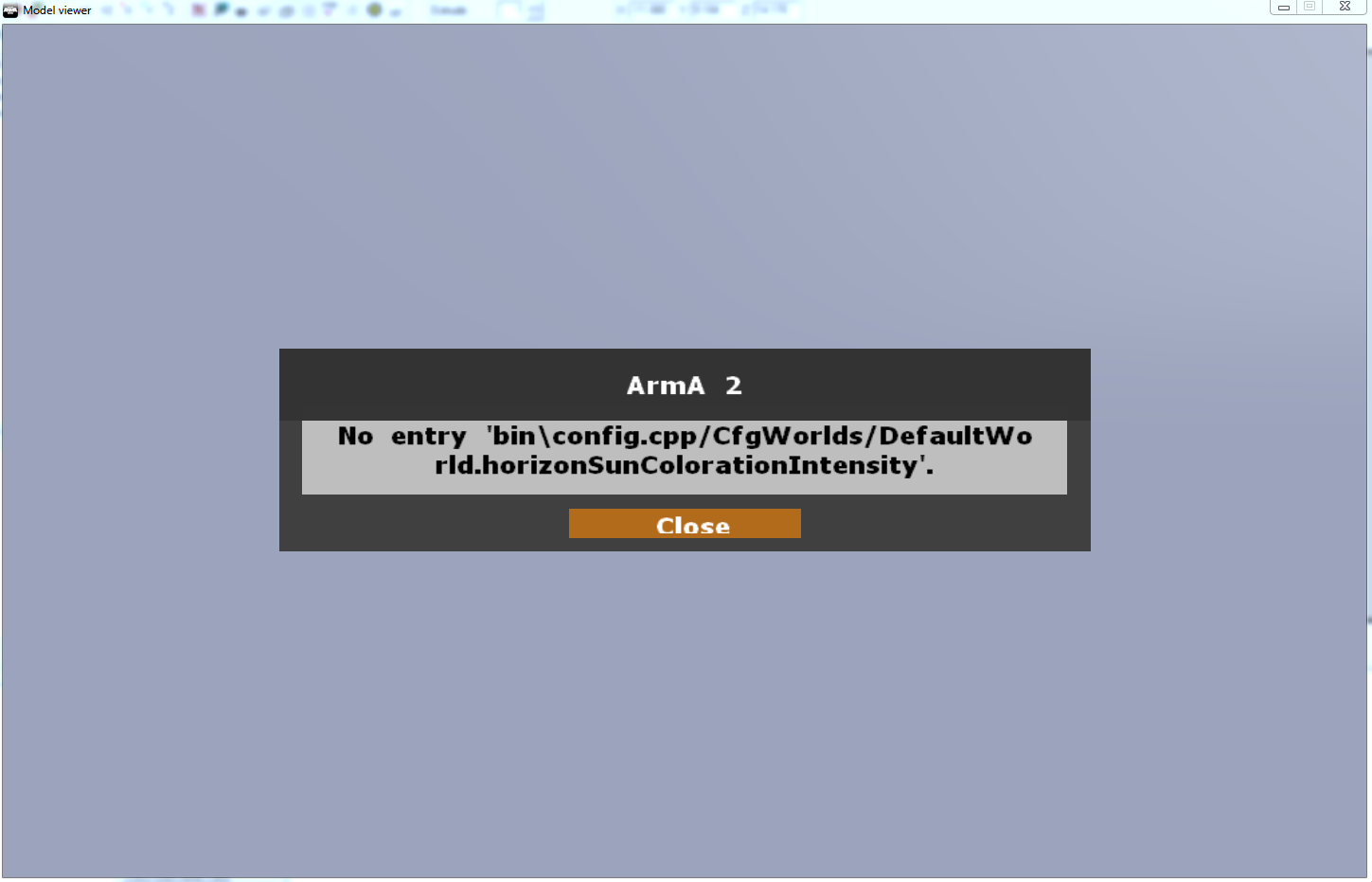
 white jay
intresting, so defaultworld is read then!
oblique vapor
Did you manage to get the vis update to buldozer Pufu ?
quick terrace
by the looks of it no
white jay
now you need to find in what pbo the class DefaultWorld is defined
(thats what i ment by hunting down the chain)
sadly i'm in the office, so i cant look it up on my pdrive...
quick terrace
no worries, also at the office, i am RDC home to try and fix it in some downtime
white jay
😄
if you have the new class DefaultWorld you "should" be good to go
could be possible that you need CAWorld
quick terrace
i really don't feel like hunting around all the pbos
and i doubt allinoneconfig was updated
@outer condor, ideas?
white jay
your pdrive already has it, so if you find it on your p drive you should be able to find the pbo where it comes from
polar fiber
defaultworld should be defined in the config.bin in the bin folder
at least that's what I'm seeing unRAP-ing it
white jay
i'm not sure if the config in bin must be binarised or unraped e.g cpp :S
what is it on your working p drive?
quick terrace
yeah the existing one was .bin
white jay
could be that pufu now has a config.cpp
quick terrace
on unpack it turns to .cpp obviously
polar fiber
mine didn't appear to convert to .cpp
polar fiber
I had to manually drag it to BINtoCPP.bat in the tools
white jay
hmm could you unpack the bin folder with a diffrent unpacker that does not automatilcy unrap .bins?
quick terrace
like what?
polar fiber
bankrev doesn't convert it to .cpp
white jay
whats bankrev?
polar fiber
the BIS tool
polar fiber
no
white jay
uups 😄
white jay
@quick terrace then better use bankrev since pbo manager was a tool for arma 2 afaik
quick terrace
yeah that's what i am doing
polar fiber
Bankrev should be what Workdrive uses to unpack stuff anyway I imagine
quick terrace
yeah, that did the trick
in fact there is an error if you try to open O2 and there is no config.bin present in the bin folder
although just a note, i am talking about the P:\ drive location rather than the tools bin location
anyways cheers for the help @white jay + @polar fiber
white jay
that confuses me, you now have the new config.bin but OB/O2 tells you you don't?
quick terrace
everything works fine
white jay
👌
quick terrace
i have 2 work drives, one legacy i don't really use (default P drive install)
and custom on an external drive so i can use it at my office if i need to)
i mean it works fine (no errors)
still need to check if vis update works in buldozer
 outer condor
@quick terrace what is the question?
outer condor
will be uploaded soon
@white jay use procmon to see what files are read by buldozer on startup
white jay
looks intresting! thanks 😄
quick terrace
what's procmon?
outer condor
Process Monitor is an advanced monitoring tool for Windows that shows real-time file system, Registry and process/thread activity
quick terrace
ahh cool, wasn't aware. might come in handy
 sturdy parcel
heads up people
 wraith tendon
oh oh
sturdy parcel
there is never an occasion where you need a config. BIN
the messages you sometimes get from bis tools are wrong. they mean, config.cpp
quick terrace
sure sure?
white jay
but isn't the config in p:\bin a config.bin?
sturdy parcel
def not
quick terrace
because default instalation has no confing.cpp and works "fine"
sturdy parcel
binarise would not have a clue what to do with it.
in the bis world 'works fine' means no errors are shown.
quick terrace
yeah i know
wraith tendon
😄
quick terrace
in my case i have both config.bin and config.cpp
in the bin folder
so i don't have "bi errors" shown
any downside to that
sturdy parcel
when running, the game will choose a text file over a bin
it looks in BOTH to see which one is the text.
quick terrace
and to answer your reply on the BIF (if that was aimed at me)
i have no buldozer.exe in my 😛 drive btw
or dlls or whatever other shit
everything is in tools
sturdy parcel
no pufu def not a stab at you.
quick terrace
and my P drive is someplace else
neah, i didn't mean it as a stab
but yeah the guy who made that tut copy pastes everything from tools
white jay
@quick terrace so you have a buldozer.exe and the game dlls in the tools directory?
quick terrace
talking about this one

Bohemia Interactive Forums
[HowTo] Work Drive Setup + Buldozer - posted in ARMA 3 - BI TOOLS - TROUBLESHOOTING: Hi community - Disclaimer - I am not the best when it comes to explaining things to others. So please forgive me.- What is explained here is subject to change (this tutorial will be updated accordingly).- When a tools update is available (on main branch), after having installed the update be sure to verify game cache, extract game datas, and re-install buldozer before trying to do anything else.-...
i have my P drive on I:\A3_PDrive (external drive this one)
and i have game and tools installed in G:\SteamLibrary\steamapps\common\
white jay
and whats the budlozer path in O2/OB?
quick terrace
sec
dll folder
G:\SteamLibrary\steamapps\common\Arma 3 Tools\ObjectBuilder
G:\SteamLibrary\steamapps\common\Arma 3 Tools\buldozer.exe -buldozer -name=Buldozer -window -noLand -exThreads=0 -noLogs -noAsserts -cfg=p:\buldozer.cfg
path ^
quick terrace
why?
sturdy parcel
the above is brilliant for THEIR dev environment and utterly hopeless for ours
there is only one 'buldozer' that works for us, arma3.exe
white jay
you should probably use the arma3.exe -buldozer.... to make sure you have everything from 1.60 in buldozer
sturdy parcel
there you go.
white jay
you also need the new P:\bin
quick terrace
that i have
white jay
but it's easyest to just rerun arma3p if you can (not like pufu)
oblique vapor
Same here
sturdy parcel
new p drive is only required for ppl who formerly used steam tools folder
for the rest of us, it's irrelevant
white jay
@sturdy parcel so if one uses arma3.exe as buldozer P:\bin is ignored?
quick terrace
i assume when i used "install buldozer:
sturdy parcel
def not lappi
white jay
ok
quick terrace
i am really lost here
white jay
😄 yea its confusing atm
quick terrace
my current setup is via arma3p
which i ran like 5-6 month ago
no, even more
today, what i did is unpacked the bin.pbo
and moved that in my folder
sturdy parcel
arma3p will do that for you automatically
quick terrace
i know, but i do not wanna run it
white jay
yes but he cant as he has svn repositorys inside A3
quick terrace
because it will also unpack data on top of shit i have in my a3 folder
sturdy parcel
oh dear
quick terrace
so i need to do manually
sturdy parcel
understood
quick terrace
we had this discussion before mikero
so it's not being elitist or whatever
or i hate arma3p, quite the contrary
white jay
@quick terrace if you do not have the vis upgrad in buldozer i think th only thing you need to do is pointing OB to arma3.exe as buldozer
sturdy parcel
yes
quick terrace
that, but i think by using install buldozer from the project drive management shit in bi tools
it copy pasted arma3.exe
from arma instalation to tools drive
or so i assume since i have no clue what it does
😃
white jay
i think your problem is, that your buldozer.exe in your tools directory is a old arma3.exe and old dlls you can simply change the path to the actual game arma3.exe and you have the same in buldozer as when you start the game
quick terrace
it works as i said before
sturdy parcel
it will work until it doesn't
quick terrace
why would it fuck up?
not sure if i got vis update in buldozer though, because i would actually need to compare it to the former state
which i can't 😃
white jay
ok sry pufu i tought the you are still missing the vis upgrade stuff ^^
quick terrace
no, everything seems to be working, but as i said, i am RDC home and i can't really tell
sturdy parcel
there is NO relationship between buldozer.exe and the game you are playing on YOUR pc.
it's entirely up to bis what they put there as 'buldozer.exe' or forget to.
there is NO relationship between p:bin\config.cpp (and it's shaders) and pinkelephant.exe
there IS 1:1 correspondemce between arma3.exe and dta\bin.pbo
it is the last comment that's critical
quick terrace
😛
ok, i changed my path to
"G:\SteamLibrary\steamapps\common\Arma 3\arma3.exe" -buldozer -name=Buldozer -window -noLand -exThreads=0 -noLogs -noAsserts -cfg=p:\buldozer.cfg
dll folder is still
G:\SteamLibrary\steamapps\common\Arma 3 Tools\ObjectBuilder
sturdy parcel
i would tend to avoid that too. but i'm not familiar with what they are trying to break now.
quick terrace
ok, so how do you recommend i do it
the default behaviour is having arma3.exe renamed as buldozer.exe directly in :p\ drive
plus all the dlls and steamappid and shit
white jay
i think the dll folder is not for buldozer but dlls for OB but i could be wrong..
quick terrace
which so far i managed to stay away from
yeah it is ^^
hence why it points where OB is installed
sturdy parcel
a3.exe will use it's own dlls by default
@quick terrace you are 100% right about the renaming of buldozer and dlls and p drives etc etc.
it is so prone to error and forgetfillness, that it's no longer tolerated by arma3p
yes, ok, you don't / can't use arma3p. the principle is the same.
quick terrace
yeah what i wanted to do is what arma3p does
sturdy parcel
the entire bucket of bullshit is removed forever by pointing to arma3.exe
quick terrace
but manually (so i can choose what to unpack and copy over and what not)
fair enough and thank you for the help
outer condor
CMB updated
you guys might be interested especially in the rvmat changes
seems massive changes in diffuse values
(sadly BI also changed case of path+file/ext inside rvmat, so lots of other files affected too / makes it harder to see the changes related to the lighting)
quick terrace
cheers @outer condor
they said they'll release some sort of docu on the matter
indeed i am quite interested in the rvmat changes
 foggy finch
cmb?
wraith tendon
wow... rly? @outer condor ?
outer condor
Redmine
Redmine
basically a lot seem to be set to:
ambient[] = {1,1,1,1};
diffuse[] = {1,1,1,1};```(could be also not intentional / faulty changes - you never know 😉 )
foggy finch
surfaces rvmats are same scenario
a lot of stuf fin the new lighting configs have been altered to 1,1,1,1 also
 woeful viper
i would guess that this is intentional, because that should mean that all colors are true to what you see in your model/texture editor
 lime valve
 quick terrace
yes, make sure all the meshes in your SVL are closed
all hardedged and all triangulated
 noble hatch
Got a question about a messed up UV map, best to go here or in texture makers?
polar fiber
probably here since UV mapping is generally done in modelling software
noble hatch
thought as much, here is a screenshot from Object builders UV editor: https://gyazo.com/c074eda460639f334b78b291a367b94b
you can see the paa in the background but the face outlines are a complete mess, out of scale and bear absolutely no relation to the image they are referencing. Meaning that the textures simply dont work. Note: These are from a vehicle that we are porting from A2 to A3
I would like to ask if anyone has seen this before, or if there is any fix. If not I presume I will have to go and redo the textures from scratch?
polar fiber
Is that filtered by texture?
noble hatch
ah, whoops! here is updated screen: https://gyazo.com/259cecebaf01f975d63684fa383d84de
thats the scale issue sorted, but the arrangement of the faces is clearly not the same as the arrangement on the original texture. Has that been caused by the porting process perhaps?
quick terrace
you certain that one is the textured used?
polar fiber
if it was an MLOD model I doubt porting would have done shit to the UVs
polar fiber
The UVs there seem flipped horizontally, scaled by 1/2 in the U axis and possibly by 2 in the V axis
noble hatch
@quick terrace I'm "quite sure" it is but will check, and yes all seem to be as is shown by this one for the tracks: https://gyazo.com/25d612c4df663c70da6cc06fc06938c7
thankyou both for your help, It seems to me like it has be unwrapped into a new 2d layout that would of course not relate to the original images
 wise coral
I'm trying to animate a car lift, would I use type = rotationY
wise coral
hmm ok
i just started animating doors with axis so this will be alot different.
are there any examples out there?
woeful viper
there is a whole package of A3 samples if you hadnt noticed...
wise coral
I'm aware. Know any similar to a car lift?
woeful viper
what does it matter what object it is? Only importance is the type of animation and the source used
polar fiber
yes, just look at the weapon bolt for a simple translation anim
woeful viper
also, https://community.bistudio.com/wiki/Model_Config for all the details
wise coral
thanks da12thmonkey
polar fiber
one thing you may want to be aware of though, is that the bolt anim has offset1=0.5; this means it will only move 1/2 the length of the bolt_axis memory LOD selection
wise coral
awesome thanks ill keep that in mind
polar fiber
just need to set it to offset1=1; then any animation will move from point A to point B.
noble hatch
following on from my previous post, with a bit of scaling and a flip in U the UV makes sense now:
https://gyazo.com/73683ff41cdf97a9c4053f8c851a3994
However, when previewing in buldozer it behaves oddly: https://gyazo.com/12af1ec8212cf65aaeb508664bdb23fc
Thats a top down view of the turret, the texture for which is central in the first pic. The textures dont match the UV view and the lines between area which are smooth on the UV are defined by a change in texture in buldozer?
If anyone has any idea what might be causing that, this noob would be very grateful!
 dense steeple
Hey, Anyone got Debinarized Proxies I could use? Mine are binarized and I cant debinarize them, meaning I cant view them in Bulldozer (Offroad Driver Proxy)
dense steeple
Fixed it... I forgot to port the a3 folder to this new 'projects' drive
quick terrace
👍
oblique vapor
Looks like shadow buffer for vests and headgear makes binarize.exe go nuts hehe
polar fiber
don't they look like a horrible, blurry shimmering mess ingame anyway?
quick terrace
...especially with the characters' shadows looking sharp and crisp
oblique vapor
They look fine with objects
Here is a shot I took with various objects using shadow buffer, and one using shadow volume: http://image.noelshack.com/fichiers/2016/22/1464905208-20160529163853-1.jpg

Saves time, especially for these little vehicles
woeful viper
question is if it saves performance
oblique vapor
Didn't notice any issues regarding performance
woeful viper
you are not going to from 5 vehicles
such issues matter at a large scale (i.e. entire terrain, esp. town). And when such a "small performance flaw" per asset is present in a buttload of models, it's a gigantic pain in the arse if you notice it (if you even can)
chances are, you just get bad performance and you will never really find out why
that's why these little performance things are so dangerous for total conversions/ custom-everything-maps
after having to fix 150+ models including LOD's once i will not take any chances with such things ever again
sturdy parcel
as a matter of historical interest only, this was the problem with ofp sandbag walls. one or two, fine. An entire line of them = goodnight and thank you for playing.
woeful viper
i think if you spam sandbag bunkers in arma3 you should also get a very good chunk of fps drop
sturdy parcel
i believe you.
and, as you've mentioned, it's hard for someone to understand how such primitive, un-animated, quite small, objects, could cause any issues at all, so it's the last place they look.
woeful viper
and if you use many smaller mods (as user) from different places - it can accumulate and cause the same issues. Then BI get all the flak for "omg worst performance evar"
 civic stratus
what's the named property in the geo lod for landcontact? I remember it being mentioned here a few weeks ago
is it placement > SlopeLandContact ?
oblique vapor
who talked about 5 vehicles @woeful viper

I have the same scene in Kavala and Pyrgos, yet 70 FPS
wraith tendon
Don't tell me, you want to load that in a Missionfile?
 last spindle
Shadows are not going to have that much of an impact, unless they are ridiculous......50m shadows pretty much gone....you will notice impacts if you try to use a stencil shadow and from a LOD with around 5000+ verts
one model with a bad stencil lod, lots of impact, lots of models with shadow volumes....who cares
If you are really performance conscious you would use shadow volumes, but take the time to make a shadow LOD is optimized to generate the desired result
quick terrace
in any case, even if one uses shadow buffer, bi uses svlods anyways
mainly because of what @last spindle said: poly number for the mesh that creates the shadow. Idealy 1000 verts, max 3000 verts, above that there is a performance decrease
 cobalt halo
hi guys...I am trying to open some mlods in OB but it gives cant load file load error? Help pls?
@quick terrace its mlod from SAF
 quick terrace
send me the file in private then, and an image of your OB options
quick terrace
ok
cobalt halo
fixed need to reinstall buldozer and p3d now has to be in workspace it wont open if its not...weird but thats how it works
oblique vapor
Dscha This is actually in a mission file, with no performance decrease at all
Congrats on your M3A1 @tacit karma, Looks great !
 tacit karma
@oblique vapor Thanks!
sturdy parcel
weird but thats how it works
the only wierd thing is you are using buldozer at all!. it's an accident waiting to happen and you just discovered one of them.
there is only one buldozer on your pc, it's called arma3.exe
it isn't copied and renamed to p:\pinkElephants.exe. it lives in steam\arma3
 pearl flume
in my geolod all components should be closed and convex corect?
quick terrace
y
pearl flume
do i have to select each component and apply it?
quick terrace
apply what?
pearl flume
sorry not apply, i mean do i have to select each component separately and use component convex hull?
pearl flume
ah there can only be 99 components?
pearl flume
ok
woeful viper
though for geo LOD you definitely should stay lower then that.
fire geo LOD is usually where you need a couple more - and there it isn't that critical as with geo LOD
pearl flume
will read that info thanks. im just not sure what convex option i should be using tbh
right thanks
 gilded bane
https://gyazo.com/5f365cfd4b3e79ff3312de3a998fc150 the power of primitives lol slapped together that nudgebar in like 5mins with primitives in OB. not bad eh?
 cinder pivot
10/10
quick terrace
inspiring indeed, from model to textures, including that awesome car in the background that i am sure you modeled yourself! ^^
woeful viper
my eyes...
oblique vapor
watch out, smoothing groups have been kidnapped
f*ck the police, please create a flyable rocket
civic stratus
first time running buldozer after the update, getting an external viewer error now
this is my external viewer path: E:\Games\Steam\steamapps\common\Arma 3\arma3.exe -buldozer -name=Buldozer -window -noLand -exThreads=0 -noLogs -noAsserts -cfg=p:\buldozer.cfg
polar fiber
Is steam running?
civic stratus
yep
polar fiber
Okay, just checking since that's the only time I get the error
civic stratus
not doing anything out of the ordinary I don't think
sturdy parcel
this is my external viewer path
civic stratus
it worked fine before the update, then POOF
civic stratus
not to my knowledge
sturdy parcel
your registry settings are altered to sanity when you play steam tools
(after an update)
sturdy parcel
'play' steam tools
civic stratus
I did that a moment ago, still having the error
sturdy parcel
external view error is caused by arma3.exe not starting (or crashing).
civic stratus
it is most certainly crashing 😛
sturdy parcel
then there's nothing to be surprised about.
civic stratus
I'm a little surprised when arma3 crashes while loading a 6 sided box
I tried to run the "install buldozer" option from the steam tools, and it remapped my path in object builder to p:'buldozer, but didnt install an exe there
sturdy parcel
that's right, they now shovel pinkelephant.exe in steam tools proper
but you have a straightforward and simple issue. your game is crashing.
nothing to do with 'extenra; viewer' really. that's just a by product of the obvious
gilded bane
@quick terrace never claimed to have done THAT lol when someone gives you over 2 grand worth of custom-built models, you gotta oblige them eh
civic stratus
lol, ran a3p to get my a3 folders back and it deleted my buldozer XD
sturdy parcel
damn right it will
civic stratus
the last prompt of a3p to path object builder/terrain builder to arma3 didnt work when I entered "k", not sure if thats a bug or not
sturdy parcel
never heard of 'k' causing an issue.
civic stratus
repathed OB myself and its working again apparantly so no biggie
sturdy parcel
sorry i misread you.
the reason for the 'k' is bcause you do indeed need to do it manually.
civic stratus
oh, alright. I msunderstood the prompt then
thought it was asking for my permission 😛
sturdy parcel
reason? bis move goalposts
civic stratus
I do have to say, I prefer the buldozer in the p drive. quicker to start and to shut down
sturdy parcel
it shuts down real fast when it can't read the incompatible bin\config.cpp, and quite slowly if you have to answer the tetrahedron bug
but i am also surprised by that comment. hard to imagine there could be much difference.
ah. no i am not.
civic stratus
i wouldnt expect there to be a difference either but there is, I had it in my p drive for a year or 2 and when i went to having it point to arma3.exe in the a3 dir i noticed it pretty quickly
hollow fulcrum
whats going on guys, anyone working on anything this week? whos got stuff?
oblique vapor
I'm basically re-doing all the sound shaders and shaders config for my weapons cuz 1.60
hollow fulcrum
thats fun
hollow fulcrum
sleep is for the weak
hollow fulcrum
ermm not much. been busy the last couple weeks with normal foo. did make some progress on a few things though.
hollow fulcrum
one of the pieces from the last couple days
https://gyazo.com/9a74fc183ad903bd976b8cbec702023c
the DCL-120 got some paint fairly recently:
https://i.gyazo.com/c7d4a7ed15b18cb33e9d106cc469063a.png
https://i.gyazo.com/28e4f48f87aa37cfc325b481ffd6104b.png
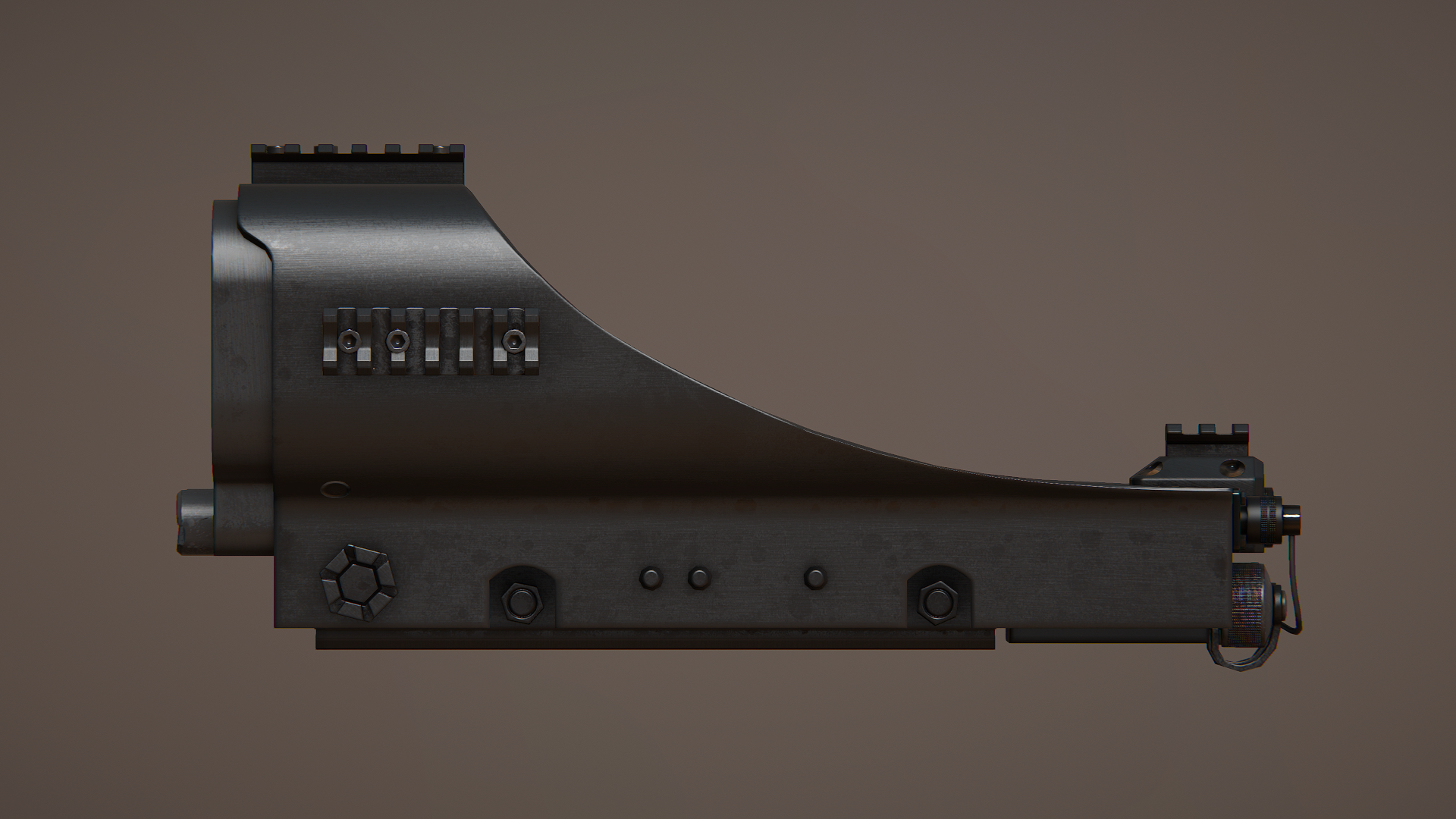
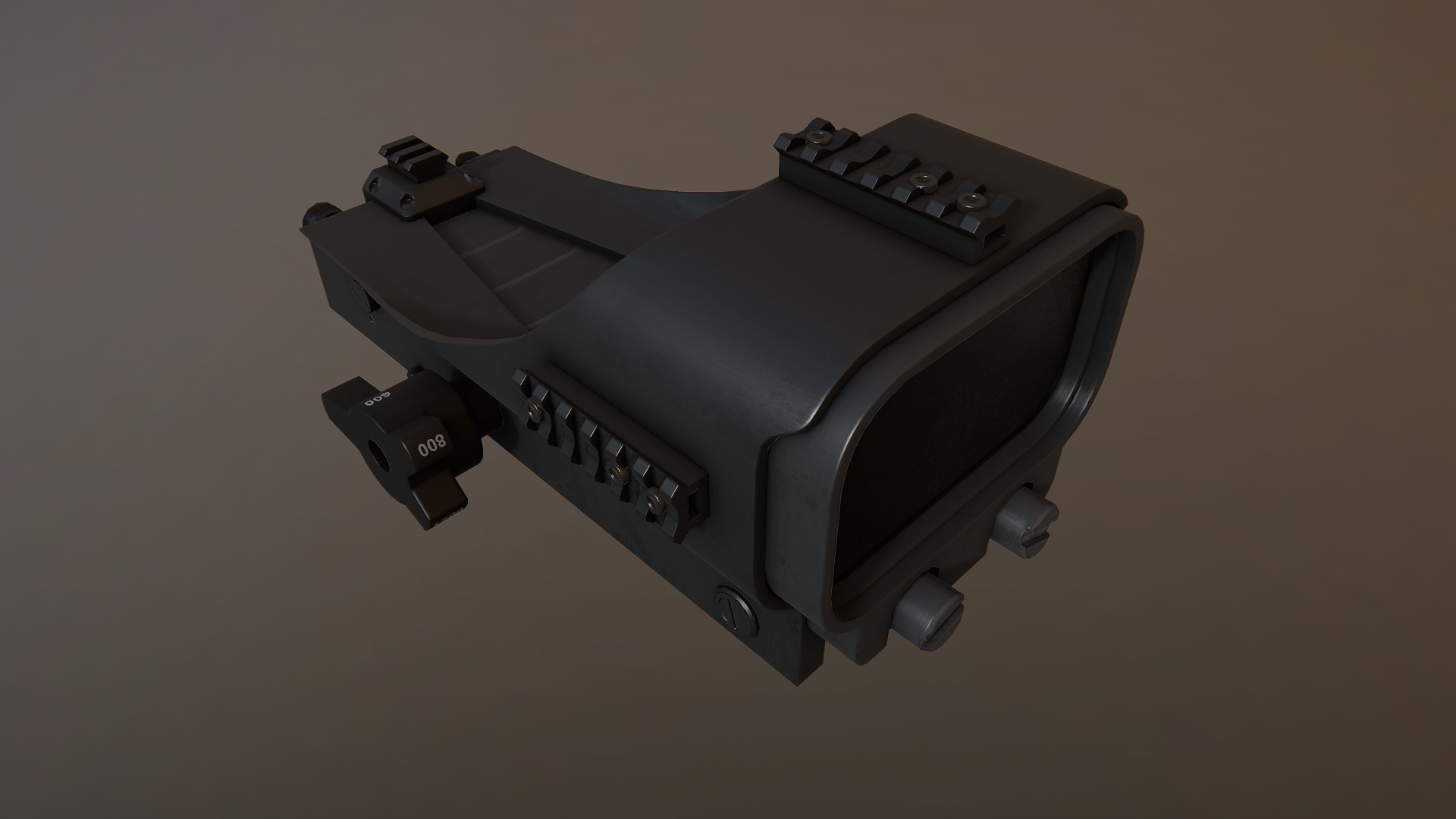
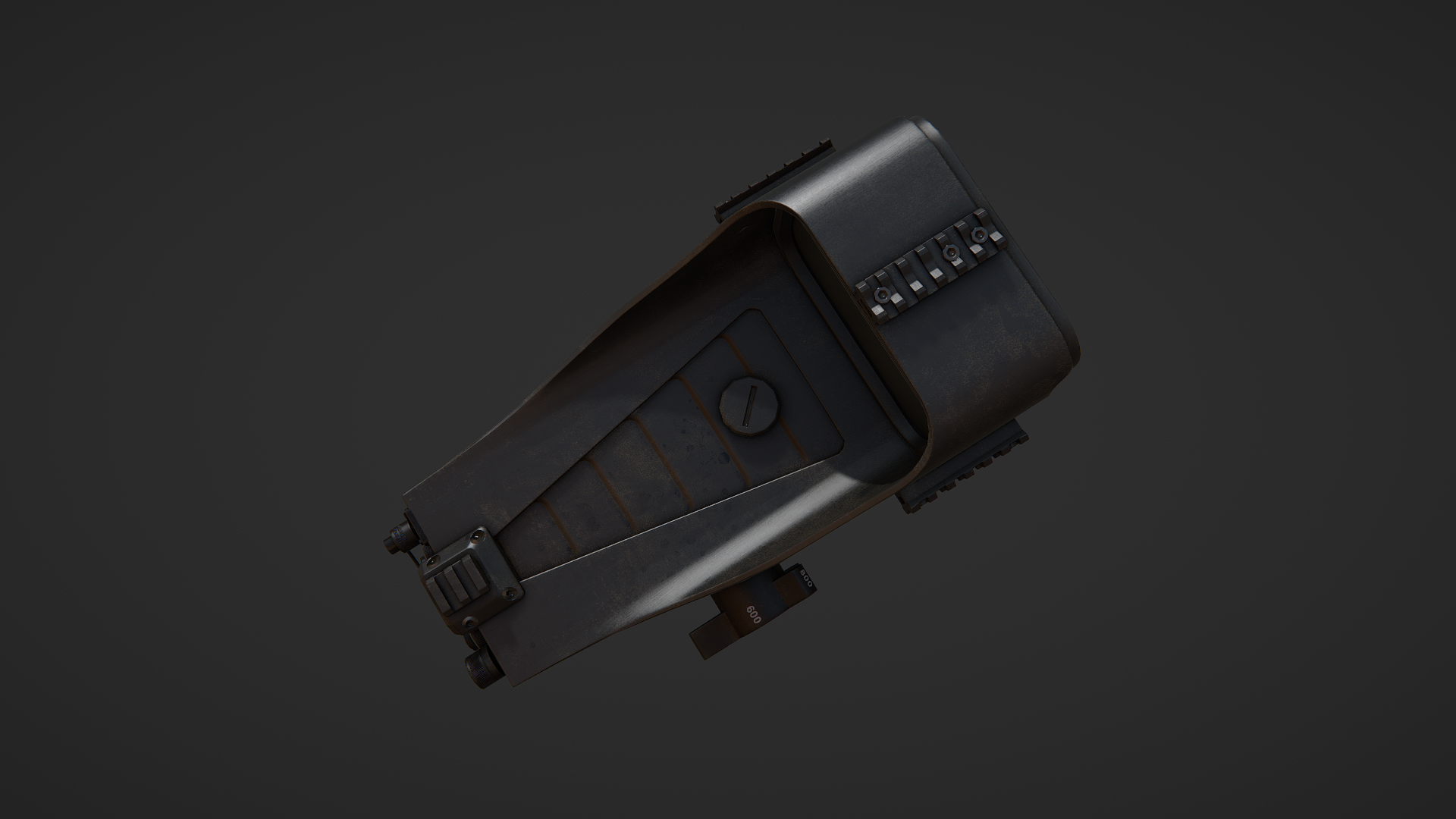
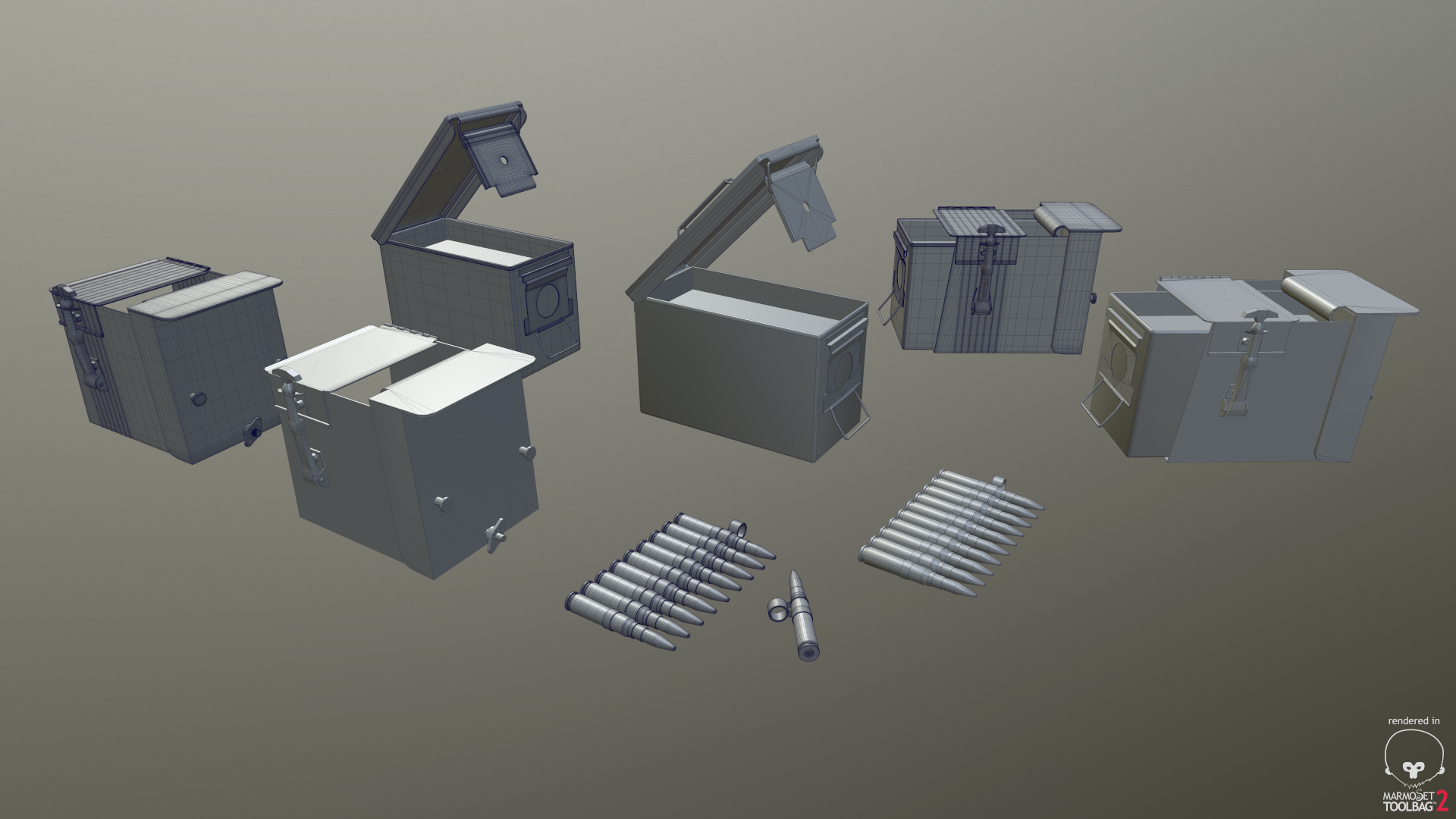
the larger collection of M2A1 ammo foo
https://i.gyazo.com/cf4c979636551e6ded6f30df07d1203f.png
 oblique vapor
Why rails on an accessory that is mounted itself on a rail ?
hollow fulcrum
lol, it is not a small accessory. most common are IR pointers/flashlights.
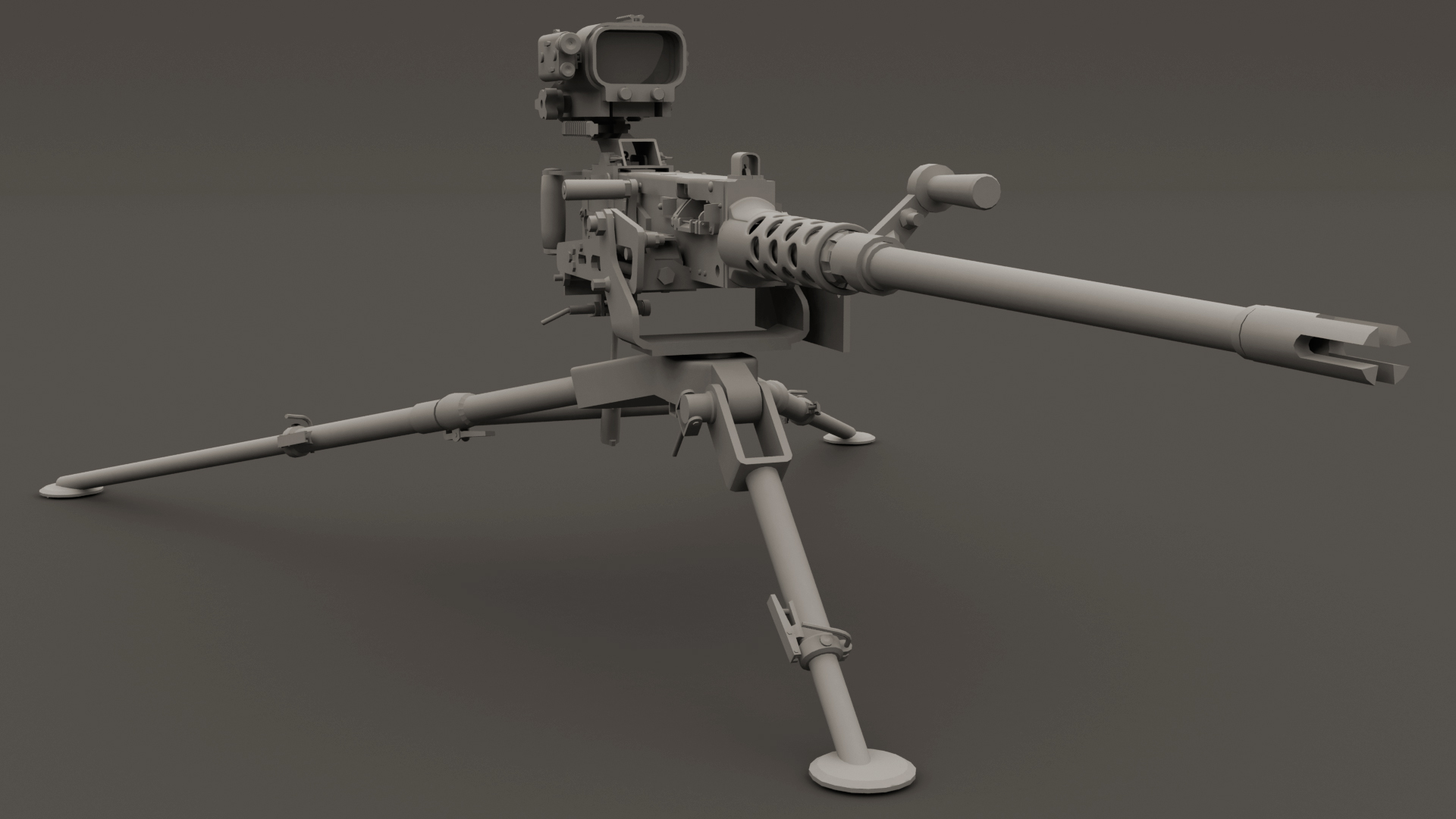
but in case you didn't know, we like rails.
hollow fulcrum
maps?
oblique vapor
spec maps, normal maps
hollow fulcrum
oh on the optic. aye thanks. that was a pretty brief session actually. turned out pretty well. still needs some love though.
oblique vapor
Using substance ?
oblique vapor
I'm thinking about buying Quixel at some point
hollow fulcrum
they both are good solutions. pro's and cons with both. i tend to lean towards the quixel side of things. but i use substance also.
hollow fulcrum
https://gyazo.com/e6a9fc07bcc499f749a3821b6f5bb7d1 you mean those holes? haha
i have a few different shrouds. i dont think i've exported the actual M2A1 shroud yet. it's a bit different, has lever in it and things. 😉
 woeful viper
if BIS would fix the .ca texture shadow bug one could also think of using an alpha map for a barrelshroud (as long as it's relatively close to the barrel)
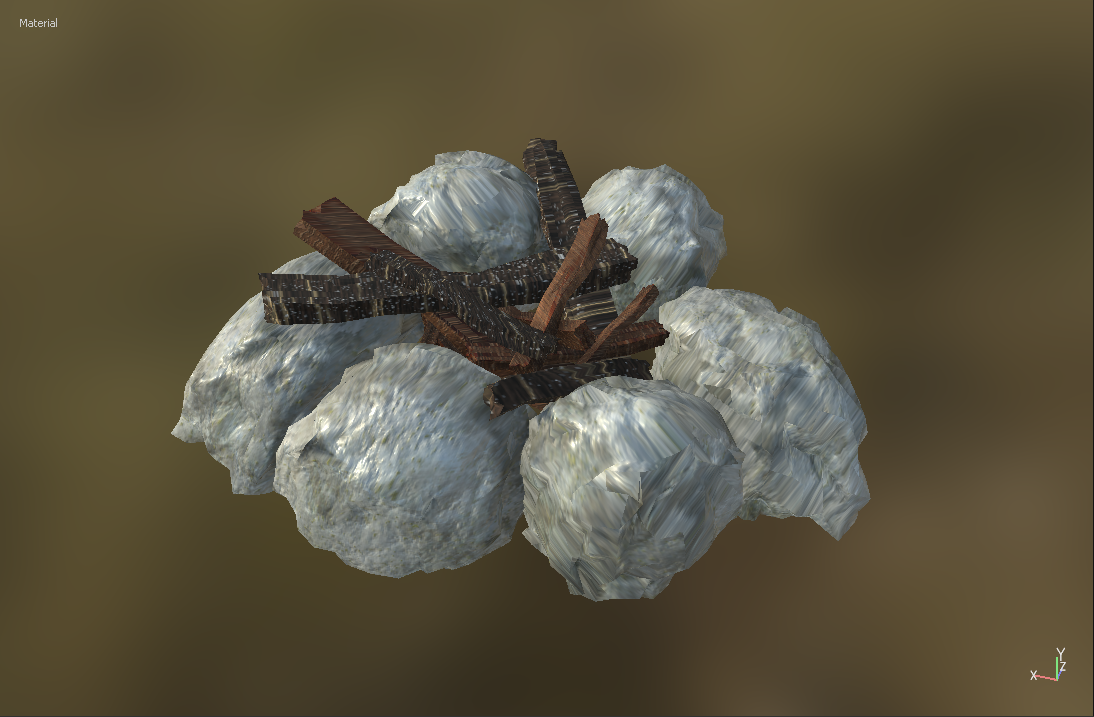 hollow fulcrum
todays little project: https://gyazo.com/af8a7d86766c8e70c46359ac3d0dd611
wraith tendon
Can of Beans!
 wraith tendon
3 can of Beans with a grip, so you can hold it, while eating?
hollow fulcrum
lol
wraith tendon
So, its a yes? 😄
hollow fulcrum
so close
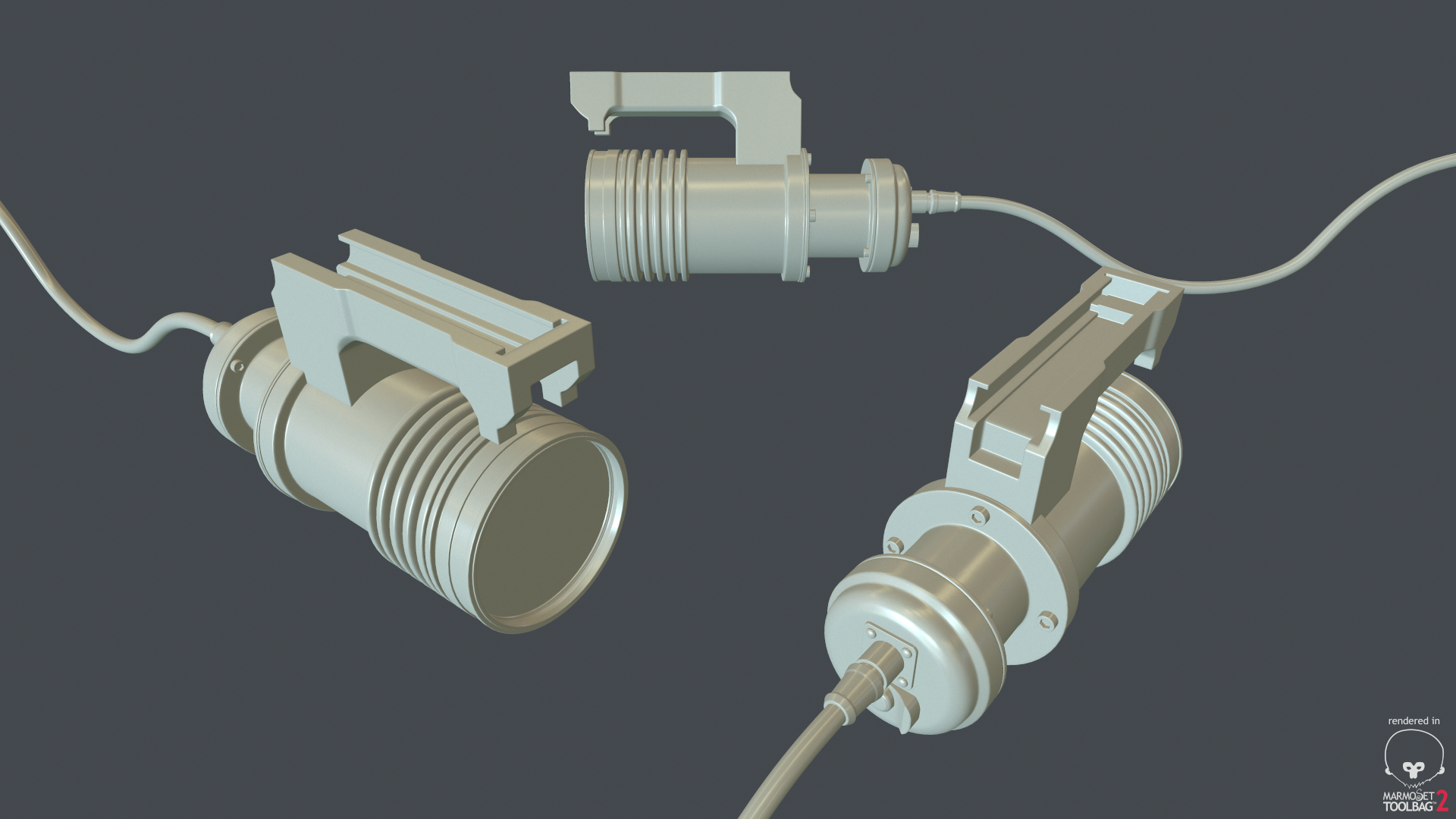 wraith tendon
looks good so far
hollow fulcrum
wraith tendon
Thats... erm... big
hollow fulcrum
you know you like it
wraith tendon
aw yeah
hollow fulcrum
thanks Sam
hollow fulcrum
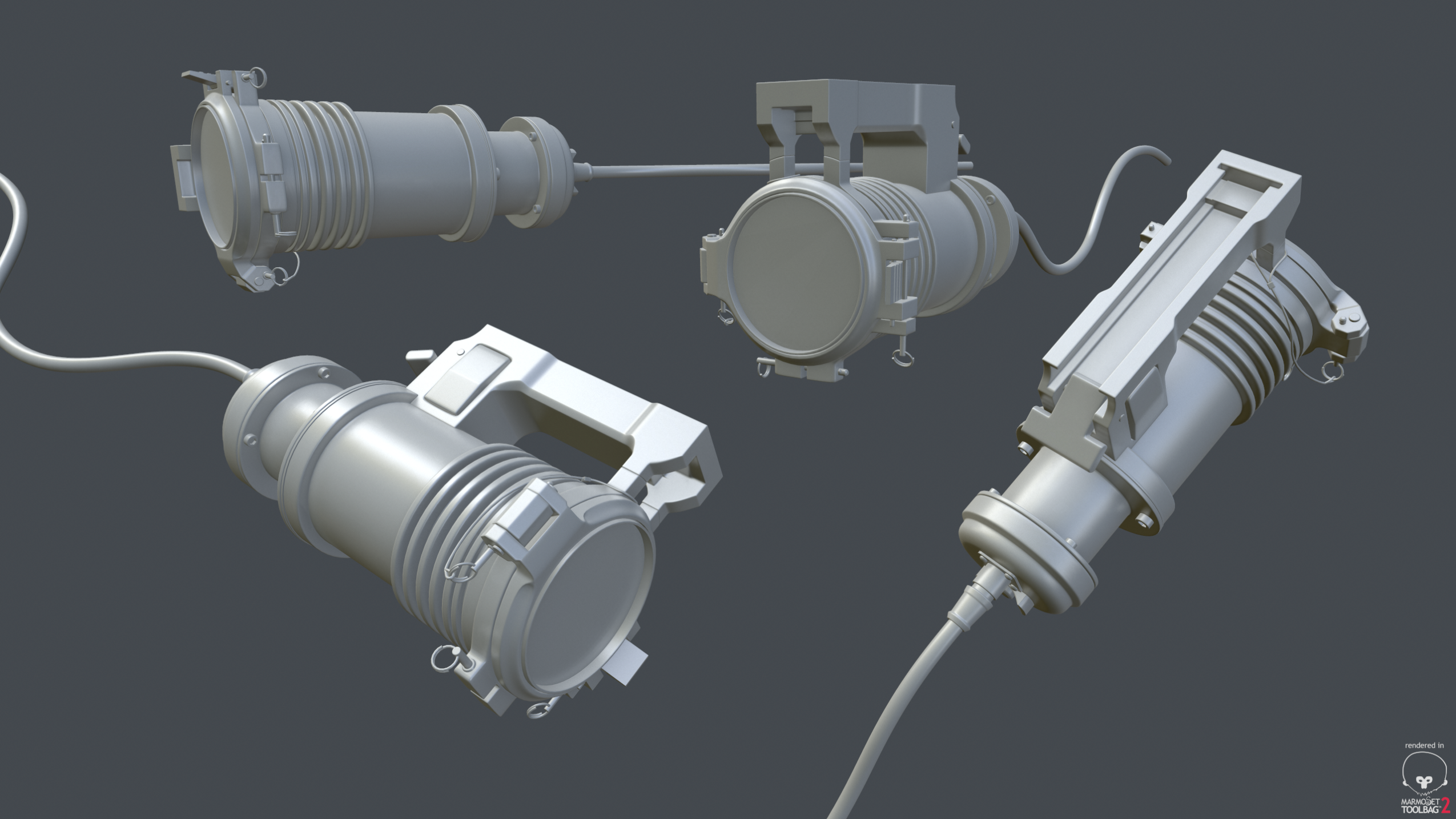
high poly, check. 👍
https://i.gyazo.com/1c110e8e56d47992da5abb1e3cd0792d.png
 white jay
looking great hatchet!
hollow fulcrum
@white jay thanks man! you been doing anything recently?
white jay
do you want to put me under pressure 😉
nah nothing new. got my ilbe pack released tough
white jay
only those 4
hollow fulcrum
well, those are excellent. you looking forward to the expansion?
i haven't actually spent much time in game checking textures and things. but i quite like the new lighting solution. seems very promising.
woeful viper
drama people be like "but it doesnt look like before mehmehmeh"
hollow fulcrum
lol
sturdy parcel
@woeful viper, because of you're religious intolereance, am relasing a video of the mikero shrine 😇
it contains goats for the true believers.
hollow fulcrum
😯
woeful viper
beeing god, prophet and believer in one person doesnt mix up though 😛
sturdy parcel
burp
hollow fulcrum
lol
woeful viper
3000 lumen on that lamp... bet arma can't handle the power 😄
hollow fulcrum
i know right. i still need to get in and see just how much it can handle. 🙄
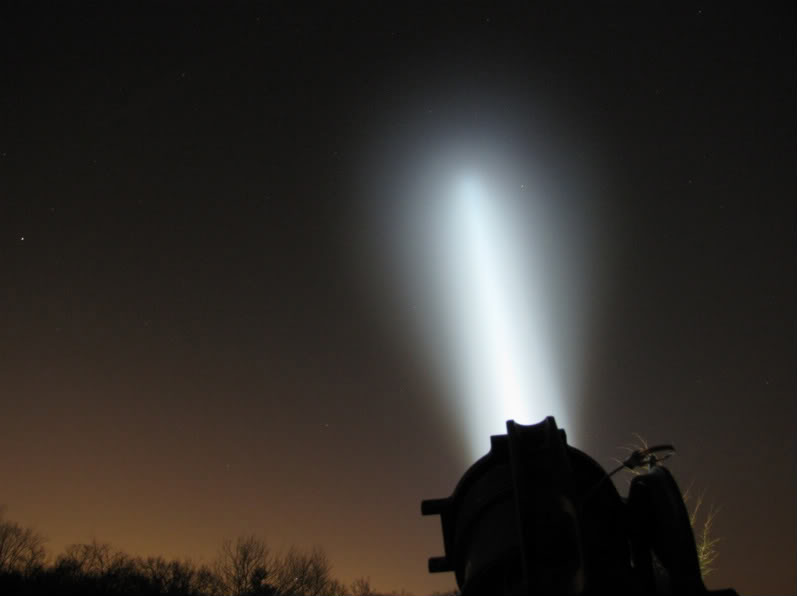
if you are out there, and you can see us...
woeful viper
...then please don't eat us nor build a bypass through our planet
cobalt halo
Hi. Is there a way to copy hitpoints, memory points and thing like that from one model to another? ( p3d to p3d ) Or it has to be done manually...
@sacred grail https://forums.bistudio.com/topic/83674-rvmat-basics-supershadermultimaterialskinshaderprocedural-etc/ might help you
 sacred grail
thanks, I have already looked at that page though
I just need a somewhat simple explanation (or guidance) through setting up the textures for export in substance painter
sturdy parcel
dep3d.exe only changes the geolod properties.
cobalt halo
not sure if you were talking to me @sturdy parcel but I dont really know to work with OB at all. I got one model that got hitpoints done right and other which is variation of first doesnt have that. Now I need to copy values missing in the alt version from the first one. Seen manual but it just says CTRL+C, CTRL+SHIFT+C and that is all. Not quite helpful.
sturdy parcel
in theory you should be able to cut 'n paste anything to anything.
woeful viper
why is it not quite helpfull? have you tried?
cobalt halo
CRTL+C to what? Open model and do CRTL+C and then what. See my point?
actually nvm I got modeller on it...
oblique vapor
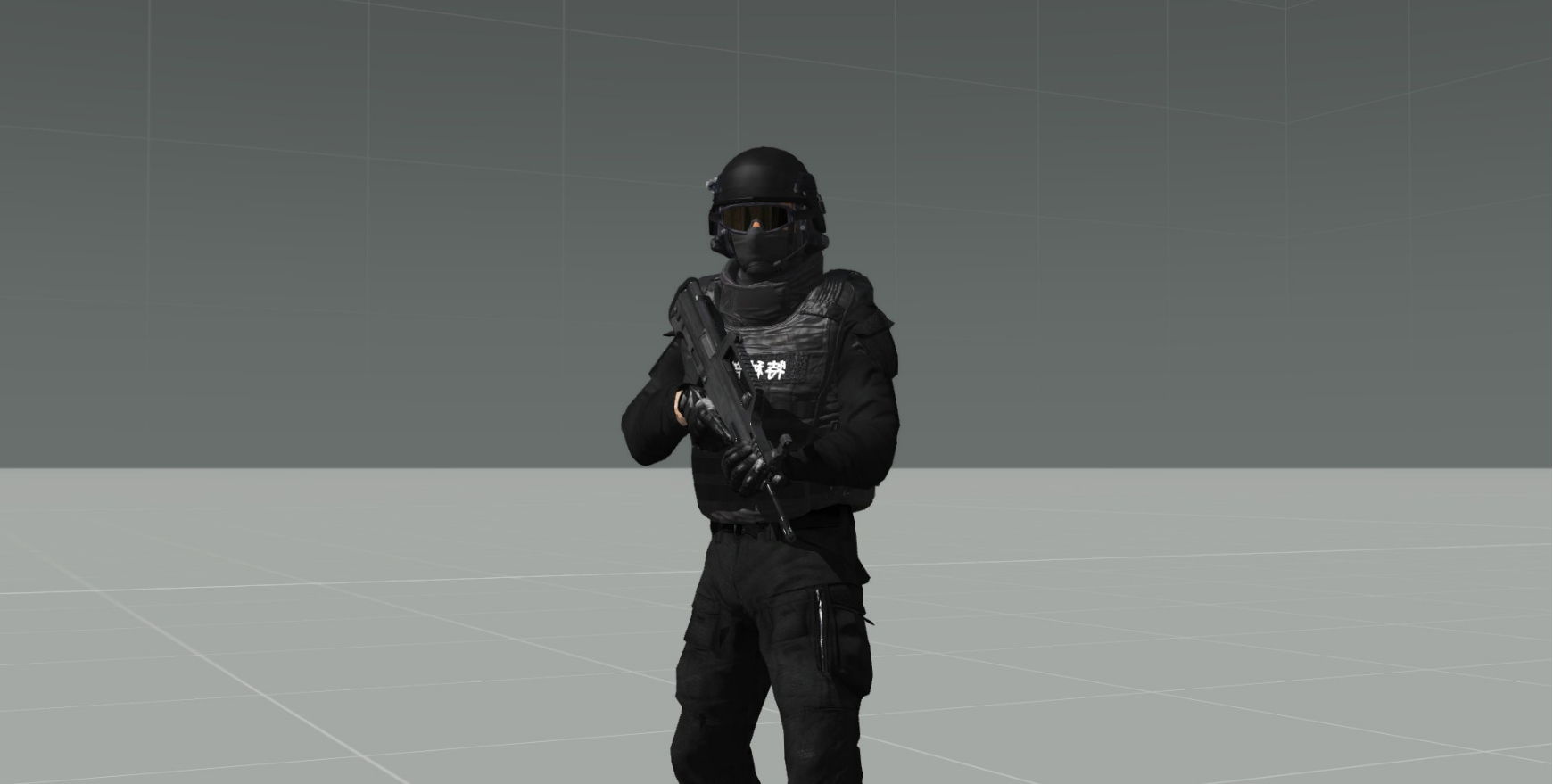
Here is some wip Chinese special force: https://i.gyazo.com/3f2043c6ccdb0e77756f663cdc090df8.png
 woeful viper
CTRL+C and then CTRL+V where you want it to have. Really difficult, i know
 gilded ibex
Can anyone help out with a truck and trailer model i am working on. I have used the pin and hole method everything works great going forward. When reversing the trailer is like a brick and will no move, unless i move forward and then back. Its almost like after 5 seconds the physix connection between the hole and the pin is reset, is that the right way of thinking?
In my head, I was going to loop the animation of the pin up and down to keep the connection persistant however i feel thats going to also come with a lot more problems. there has to be a better method
woeful viper
best method: dont try trailers... very efficient and trouble free
gilded ibex
I see your point however with what he have already, scripting wise is MP compitable everything is working really well, the cargo and loading ect. All but the reversing
Did @wraith tendon go with the ropes method?
 celest arch
it's on the forums
gilded ibex
I will go and check out but if its the rope method, you lose a lot visually with realism I can only imagine, although I have not seen
gilded ibex
I managed to do with pin and hole by writting a script to support reversing
outer condor
1.60 vs 1.61 at high distance by some forum user: http://i.imgur.com/5sLC7d7.gif


is that optimization or just more strict LOD reduction and less objects drawn?
foggy finch
looks like more strict lod reduction, but who knows BI dont document thier changes very well
 bleak tangle
A set of rendering optimizations by Senior Programmer Lukáš Bábíček has now come online, covering areas like preparing the scene for rendering in smarter ways, aggregating the terrain grid, drawing distant objects that have become reduced to mere pixels, LOD-handling, calculating terrain shadows, etc.
Can i send somebody 2 models and they convert them into A3 mods? just meshes with textures.
hollow fulcrum
☕
oblique vapor
You seem to drink a lot of coffee, even when we were still all on Skype
hollow fulcrum
i live mostly on pure hate and coffee.
oblique vapor
I like this 👍
hollow fulcrum
 polar fiber
It's currently Assam tea from a Superman mug, for me
hollow fulcrum
i should try more tea's. my whole life though, it's been iced, sweet tea. which is actually much more important to me than the coffee. there will be conflict should anyone attempt to take the tea from me.
if you're wondering how this is relative to modeling ... well, i was driving a boat around Altis yesterday thinking it would be cool to have a large cup of something on the dash as a space filler. just do a simple set of animations so the liquid moves against the pitch/roll of the ship.
foggy finch
how would you simulate rough seas? empty cup?
hollow fulcrum
actually.. now that i think about it. you could just move the plane (liquid texture), down a bit in increments if in rough see's. maybe a little particle effect to go with it. not that i would spend the time doing that (i dont think..).
might have to scale it a bit also, but meh.. would probably be effective.
foggy finch
Well when you have an idea, run with it Hatchet, you could be the next essential mod, lke marshun cigs
hollow fulcrum
hahahaha
i was actually kind of throwing it out here hoping someone would try it before i get to it. saves me time and whatnot. 😇
sacred grail
can i pay somebody to convert 2 models into arma 3 models?
just meshes and textures
no need for collision/lods anythign
hollow fulcrum
sure.
hollow fulcrum
you asked if you can pay somebody to convert a couple models. to which i replied, sure. as there really is nothing physically preventing you from doing that. the chances of me sending you a PM for paid work, for ArmA assets, very slim.
sacred grail
so you dont want to get paid to do a veryeasy job?
oblique vapor
why can't you do it if it's that easy
sacred grail
because im not good with A3 tools
cant get the textures into RVmats
but i assume for somebody with experience it would be trivial
i just lack that experience
 jaunty rune
everyone is to savage for me in this room
 terse elm
Think of it more of a place where ppl come to learn how to do stuff and not a place to get ppl to do the work for you! Most of the ppl here are already attached to large projects.
celest arch
being savages is wrong?
quick terrace
sauvage
quick terrace
i don't always get the definition of "polite" mate, there are times when it eludes me
hollow fulcrum
☕ i was being polite 😐
hollow fulcrum
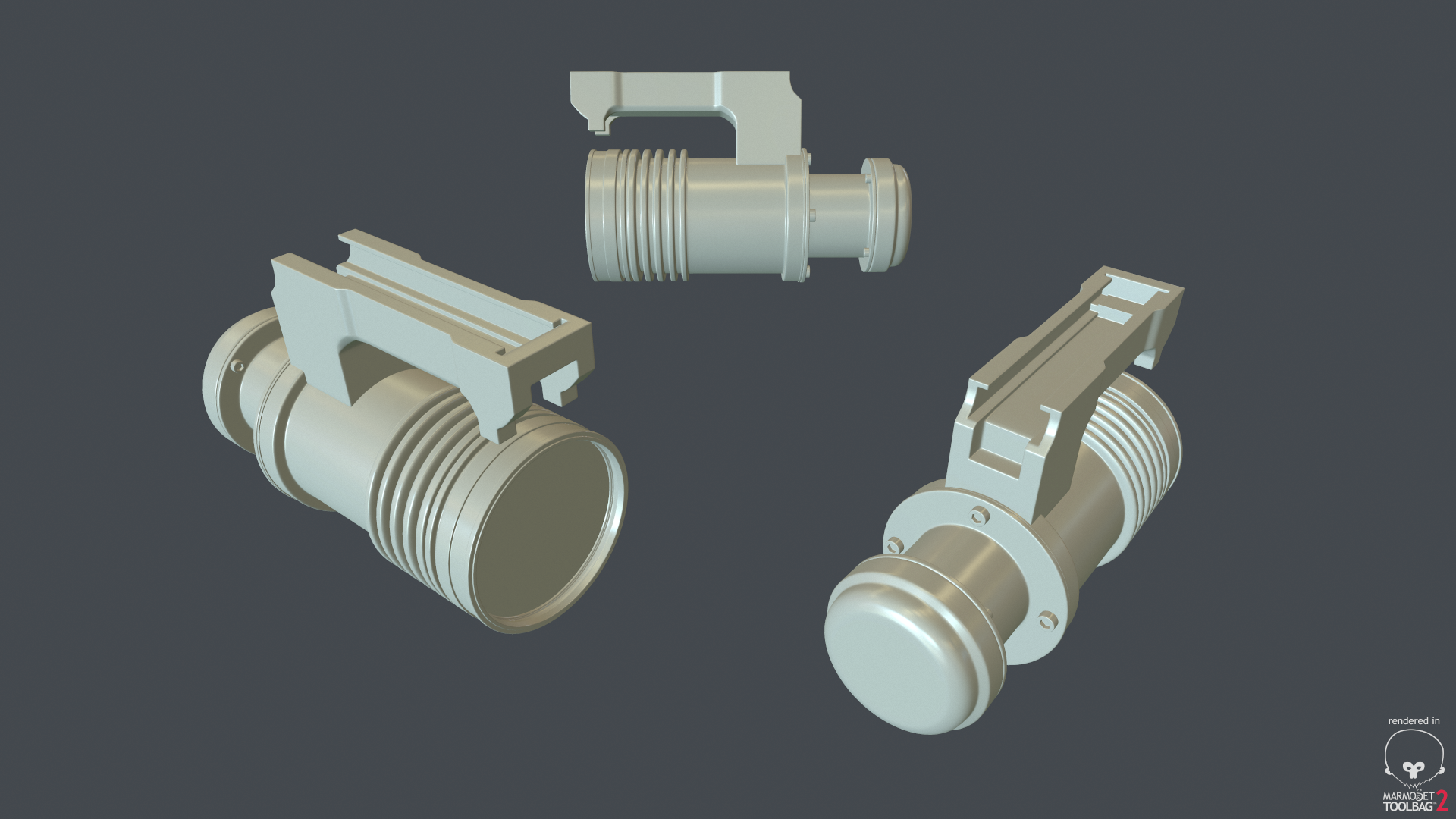
little sidetracking from heavy weapons yesterday:
https://gyazo.com/221519811fa5b83a911ab83a31e79cd2
https://gyazo.com/ea2aee6f9db2414797b8c926fa588180
oblique vapor
Sauvage - Eau de combat
wise coral
My admins say I'm savage. Does that count
foggy finch
@hollow fulcrum, and there I was expecting a cup of tea 😦
oblique vapor
*coffee
wraith tendon
@hollow fulcrum Toiletpaper holder?
hollow fulcrum
haha, so close!
tacit karma
I dont wanna know for what size of ass you'd need one of those
wraith tendon
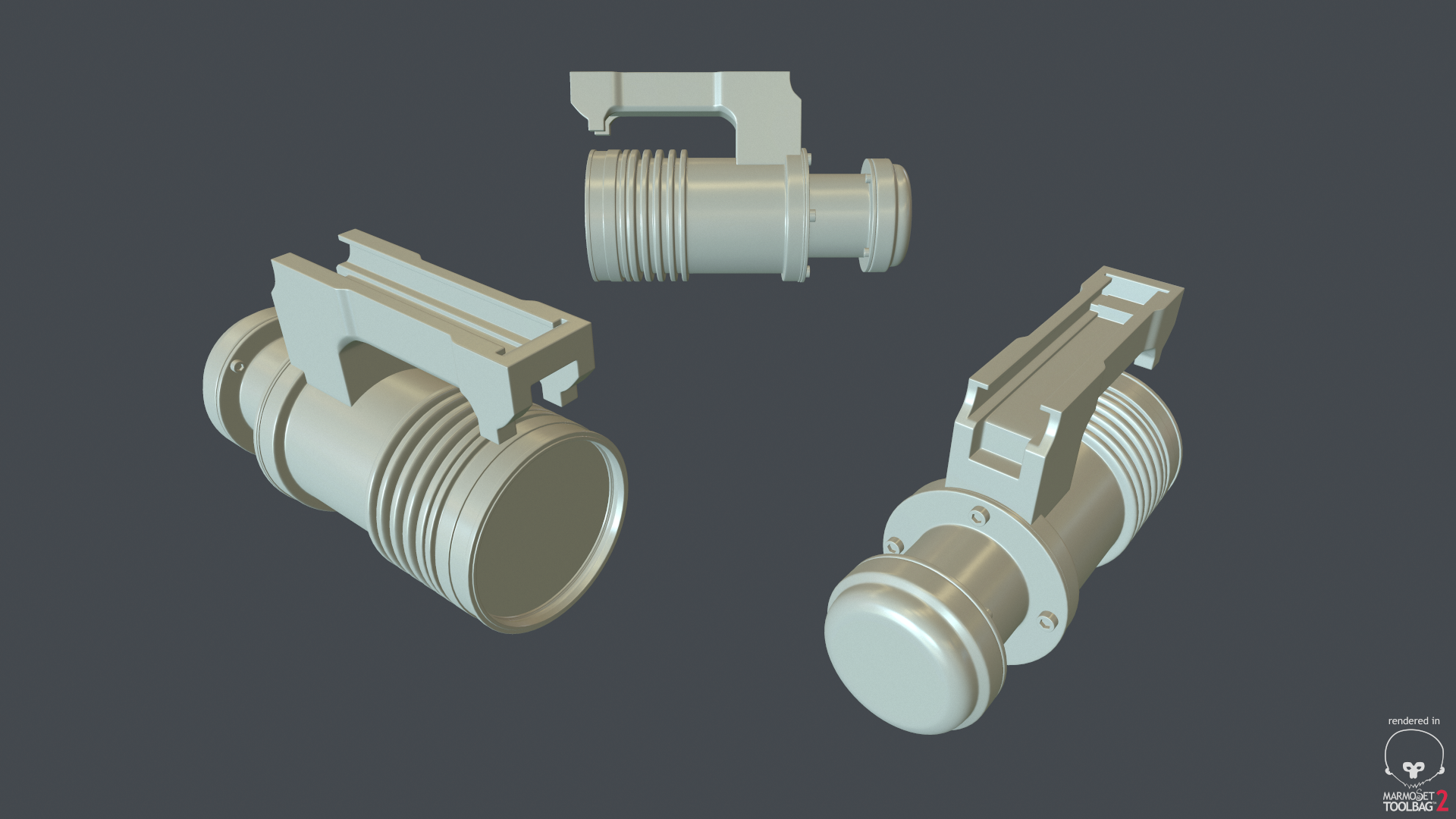
Ask @hollow fulcrum He makes those strange models (before, he made a Can of Soup with an integrated grip, strange guy! https://i.gyazo.com/8a102db0c60d76bd9203ce964ede876d.png )
 foggy finch
lol
hollow fulcrum
alright fack, you got me. it is indeed a portable can-o-beans heater.
wraith tendon
I KNEW IT! I FKN KNEW IT!
hollow fulcrum
with wall mount and charger.
polar fiber
To be fair, you probably could heat up a can of beans with it given the output
hollow fulcrum
haha, this is true
wise coral
I was thinking feed horn from a satellite dish at first glance
hollow fulcrum
lol, i can buy that
oblique vapor
Anyone know anything about the "modelSpecial" in CfgMagazines ?
bleak tangle
-
What's the process of creating an ADS texture from a baked AO? If I'm understanding what PuFu said here https://forums.bistudio.com/topic/185296-multimaterial/?p=2922751 an ADS texture is compromised of white in red channel, AO in green and blue channels. He also specified that you need to create the AO from 50% grey to white, rather than black to white, which I don't exactly know how to do in blender.
-
If an object has a moving component (sliding door) that would change the shadows depending on where it is, should you then bake the AO without the moving component on the object?
polar fiber
@oblique vapor modelSpecial replaces the current weapon model with a static proxy model, based on the magazine loaded in to the weapon. It's pretty obsolete now such that people only really use it for switching RPG warheads
The fact the models act like proxies in the modelSpecial state means that you can't animate them, so it's not desirable in 99% of cases
polar fiber
Yeah. Originally it was used in OFP so that things like the LAW tube would extend when the weapon was taken from the shoulder ready to be fired, and collapse again when the magazine emptied
Nowadays we have the isSelected animation source for that sort of thing
oblique vapor
that is a dirty road to adding magazines as proxies
Yes, used that for my shield when on the back. Works like a charm
polar fiber
Since Apex aparently has an RPG-7 I'm wondering how they might handle different warheads
if there are any
polar fiber
@bleak tangle can't you get a 50% grey AO just by adjusting the output levels slider in photoshop?
outer condor
does the buldozer environment support sounds at all? if so to what degree?
quick terrace
doubt it tbh
outer condor
me 2, yet in the back of my mind i somehow the faint memory that -noSound was primarily meant to be used with tools and not the game initially. in visitor it wouldnt make even less sense i guess
polar fiber
I'm not aware that Buldozer can retrieve any kind of info from config.cpp or something where you would have sounds encoded
only model.cfg and .rtm
If it could read from a .cpp it'd make setting up crew proxies and anims much easier at least
outer condor
yeah good point. i guess i will do some procomon tests to see what it actually loads in terms of data
white jay
it loads the config in bin
afaik
P:\bin
but it would be very nice if we could have a optional config.cpp in our P:\scripts where we could define our custom island or vehicle configs to have them in buldozer
just a idea...
maybe @rich blade would be intrested in this 😉
outer condor
just to make sure i am not confused - recommended is nowadays to use the arma3.exe with -buldozer and bin.pbo from the game anyway instead of the buldozer.exe from tools?
hollow fulcrum
that is how i do it
quick terrace
not really, according to mikero, that can lead to fuckups
i mean using the latest pushed arma3.exe
especially if you plan switching from stable to dev
outer condor
switch in the dev env (tools) or using/testing the assets?
quick terrace
if the arma3.exe gets modified, you might end up with non working or half working tools
hollow fulcrum
well yeah
outer condor
does keeping older exe as backend do the job, or really the actual modified data is the problem?
i mean i would expect it also be a good early warning to see what BI introduces new problems/issues, or not?
like eventually the asset has to use the more recent arma3.exe at the players end
sturdy parcel
there is only one buldozer on your pc, it's called arma3.exe.
outer condor
from stable branch only or also from dev branch? (btw anyone tried the diag.exe yet?)
white jay
yes
i have issues loading up a terrain with the diag.exe
tom was able to do so but he might have a internal diag.exe...
outer condor
diag.exe could be quite useful due to the additional logging in rpt and especially debug.log
hollow fulcrum
i find it very useful for a number of things honestly
and regarding the arma3.exe foo, yes of course if they change something, there can be conflict. the way i look at it is thats a clear sign something changed, and i really need to update things. when im actually on top of things. when there is update (stable/dev), i update my P:\
with @sturdy parcel 's tools it's fairly trivial.
sturdy parcel
fyi folks, when the engine loads, it always loads the config text file in preference to the bin when the choice is there to make. text can be in config.BIN and bunarised can be in config.CPP the engine does not care, it will chose whichever one has TEXT.
this and other, imaginative cleverness has been in the engine since the first demo release. it's buried so low down in the engine drivers that bis have been unable to bugger it up.
hollow fulcrum
lol
sturdy parcel
until recently, the same held true for mission.sqm. now, some genius decided that they must be TEXT when placed in an addon. You could sortof kind of live with it if prebinarised were needed instead.
outer condor
well the funny part is that Karel actually introduced rapified/binarized sqm in Eden editor
i guess this is where they broke the support for addon mission
hollow fulcrum
hmm
oblique vapor
Hey friends
Is there a way to simulate my RPG-7 rocket to simulate its real life random trajectory ? Like right now, it's just dropping over distance like a normal rocket. What I want to simulate is the rocket going nuts after a certain distance
wraith tendon
setVelocity setVectorUp PFH 😃
oblique vapor
Via scripting ?
outer condor
ACE has proper rocket path AFAIK
you have to check if its still scripted or can be done config based nowadays
woeful viper
rpg 7 is basically almost like a normal bullet. the charge burns for milliseconds
hollow fulcrum
 hollow fulcrum
lol
wraith tendon
uh uh uh! A Can of Beens holder for your Can of Beens with a holder?!!!!1111oneone
 split ore
Heya! I'm hoping someone in here can help me. I've been messing with dogs for a long time, and while I have a bandaid scripting solution, I'd love to be able to make a config mod (ala Deadfast's 3P) to change the internal camera position. Is there a variable that I would be able to put into the config to change the internal position, or is that set somewhere else?
oblique vapor
Please define Internal Position @split ore
split ore
The 1st person perspective camera, where the external camera position is the 3rd person perspective camera, set in the config using extCameraPosition[]. I don't do much modeling, so I was hoping it would be in the config for the model that I could overwrite rather than hardcoded into mempoints.
oblique vapor
class CfgVehicles { class Man; class CAManBase: Man { extCameraPosition[] = {0.4,-0.1,-1.2}; }; };
Just put this in a config.cpp and play with that
sturdy parcel
but be aware that the above changes for all soldiers for all users whether they are using your mod or not. if your mod is present the change is universal.
split ore
I know how to do the external camera, I meant for the internal one.
I believe it's initially connected to the camera mempoint? I'm not very good at modeling, like I said.
And that shouldn't be an issue- it would be for Dog_Base_F.
I guess, to clarify, external camera is the 3rd person PoV camera, correct? Or have I misunderstood it?
oblique vapor
So to clarify your project, you wanna adjust the position of the camera so players could be dogs
split ore
Correct. I have a script that "works," but the camera jitters as the attached object doesn't 100% keep up with the player. I figured that changing the internal camera would be the next best thing.
I have a friend who tried to get into the dog's model before, but I think he said that it was binarized and he couldn't do much with it, so I'd assumed I couldn't change anything of the model outside its config.
In an ideal world, I was hoping I'd be able to change the internal camera's mempoint from (I'm assuming) "camera" to "head," since the dog's current mempoint seems to either be uninitialized or just left at ground level.
oblique vapor
So wassup with the hiddenSelectionsMaterials ? Is it broken ? Do we have to use black magic ?
quick terrace
last time i checked it was borken yes (and yes borken is mix of borked and broken)
oblique vapor
nice
split ore
Solved my issue! Turns out there's a memoryPointPilot variable you can override within the config, with a memory point. I overrode it with the "head" mempoint. Thanks for the help! Sorry I didn't ask well, I'd been at it for awhile and was fed up with it haha...
oblique vapor
Hey, is there any solution for preventing players to glitch thru walls ? Like I already made my Geo Mesh bigger than the actual model, but they keep on trying to get thru, and they succeed.. What should I do ?
bleak tangle
How thick is the geometry?
oblique vapor
How to precisely measure it ?
0.242
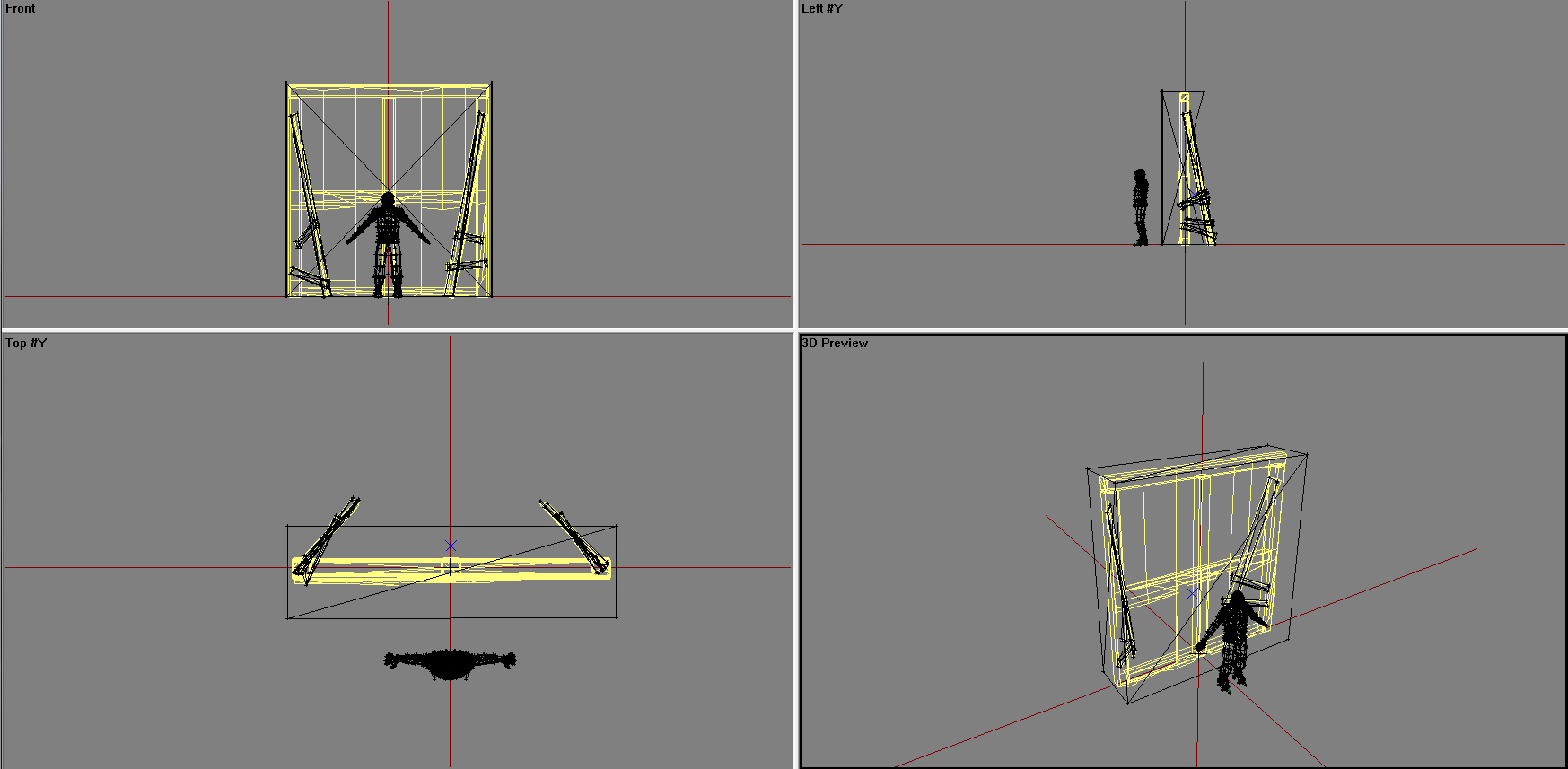
Here is a screenshot of the Geo LOD with a player reference (https://i.gyazo.com/755fe778befeffc4d510121161985750.png)
 hollow fulcrum
hrmm
when they 'get through it', you mean completely or just getting the head through? i'd think that is adequate.
if getting all the way through, then the lod is just broke.
wraith tendon
@oblique vapor They only solution: KeyHandler -> Check when actionButton StepOver (or however its beeing called) is press -> Check if it has a CursorObject
BUT that might also fk up some other stuff... soooo...
bleak tangle
The wiki says it should be atleast 0.5 m thick, but that's been there since 2006...
oblique vapor
@hollow fulcrum The lod do makes collision. Retarded people just keep on pressing the StepOver key and at some point, succeed to go thru
wraith tendon
@hollow fulcrum 3rd Person, Look down, "StepOver", let the anim go through, move mouse to left and right (while still looking down), You are in.
hollow fulcrum
ah that
wraith tendon
Yerp
hollow fulcrum
well if it's that kind of 'getting through' meh.. dunno on that one.
oblique vapor
@wraith tendon Sounds like a good idea about the KeyHandler one
wraith tendon
It still fks too much up
bleak tangle
Can you really get through a wall that thick with that technique?
oblique vapor
Yes
wraith tendon
Yes @bleak tangle
hollow fulcrum
while im here though, some foo from yesterday:
https://gyazo.com/188fc0a36a0943d745553c763862b3a4
oblique vapor
Most patient (yet most retarded) person can achieve that special technic
wraith tendon
But its a known bug since.. erm... ofp? 😄
hollow fulcrum
^^ indeed
oblique vapor
Yeah, it has been there for a long time.
Don't know why they just don't block the player from colliding with other objects, like they are doing for the ground (prone -> try aim under the ground -> can't)
hollow fulcrum
this is ArmA!
oblique vapor
ArmA: Eau de Glitch
tacit karma
No
white jay
i smell a troll 😄
 wind belfry
how can i flip faces of object in object builder?
wind belfry
thank you!
woeful viper
that wasn't a troll question regarding the life stuff btw... https://forums.bistudio.com/topic/191492-altis-life-garage-not-working/#entry3040640
 sharp folio
@hollow fulcrum Well... That escalated quickly
 wheat shoal
I have some dangly things (aiguillettes) on my character mesh, is there anyway to make these flop around i.e. physx object?
 terse aspen
hello, i am having some troubles with the shadows on my meshes: http://i.imgur.com/f0za5KI.png

for some reason, the shadows looks like they are flatshaded
anyone any idea what could cause this?
woeful viper
@wheat shoal no, cloth physx is not in arma.
tacit karma
You can fake it, but it's a pain to set it up
oblique vapor
smoothin group ?
quick terrace
vertex weights ^
woeful viper
aye
tacit karma
@woeful tartan wanna hand him a kick? its a forza car from what I can tell
btw: What am I even doing here?!
https://abload.de/img/2016-06-1016_59_56-ce8nyw7.jpg
https://abload.de/img/2016-06-1017_02_03-cemxbfd.jpg


I actually wanted to have this one finished when Tanoa drops. Now I'm redoing the whole thing lol
woeful viper
for some reason this invokes images of some comic dog character head in my brain...
 dusky dragon
@tacit karma is that the E-2C Hawkeye??
dusky dragon
ooh, nice
quick terrace
DEADdem: Oh and Turn10/MSGS Don't own the IP over the models they made for forza since they are replications of products from places like Dodge, Chevrolet, Lamborghini etc. Had a nice chat with one of their PR team members at MSGS
really? They don't own the brand, they OWN the content...as the 3d model. It's like saying bburago doesn't own IP rights for their metal toys, because they represent real cars
@woeful viper +1
woeful viper
This is model makers channel. Not model takers channel.
sturdy parcel
damn, i was waiting for him to offer to pay us to do the conversion for him. it's very easy when you know what you're doing. right? well that's what they tell us.
oblique vapor
Damn, you really are retarded DEADdem
 tacit karma
@woeful tartan Please do some weeding here 😛
 proud glacier
If anyone would like to do some light reading he made a lovely post here stating that tampering with "their files" would result in "necessary legislative action" http://www.armaliferpg.com/forums/m/7925456/viewthread/27447571-announcement-removal-anti-theft/post/last#last
a) You are not old enough to take legislative action
b) You can't take legislative action on something you do not own
Stop trolling or I'll give Ms. Barber a call
On second thought I won't do that, calls to New Zealand are expensive
tacit karma
Our files will be encrypted upon release, meaning it won't be a simple thing to just open the PBO up and have a peek.
I call BS
lol....
Yeah, because pesky little people like you violate other content creators license and work.
terse aspen
so i come here to talk with model creators about creating models for arma and to find out why the shadows on my models look like they flatshade the geometry and what i get is some underage life modder asking how to steal models and then insulting people for not wanting to help
only
in
arma
tacit karma
😄
Pufu gave you an answer btw
It's vertex weights
But it might also be a poorly baked normal map, looking back at it
I had a similar problem once
terse aspen
thanks
must have skipped his answer
the channel moves pretty fast as soon as i leave my pc
tacit karma
np
foggy finch
@gilded bane you know just about every "gta community" models are ripped/stolen from other games right? repackaging stolen content you recieve from someone else as as bad if not worse than stealing that content yourself
which are usually modified from other source data, but hey-ho knock yourself out
tacit karma
so?
foggy finch
I'm anything but ignorant, but without being able to openly prove your sources of data, then people will continue down the same path
I have nothing against life-mods in principle, its thier behavior and effect it has on the arma modding community at large im against
and as I said, without being able to verify the original sources of your data you will continue to be tarred with the same brush
Have you asked them for permission to use thier Intellectual Property?
tacit karma
@foggy finch Why should he, they are freely available on the interweb sarcasmoff
terse aspen
what is that even supposed to mean?
tacit karma
yeah lol
terse aspen
only because they don't freak out at you doesn't mean they give you permission
if you don't have express permission, you don't have permission
we can't stop you from anything as long as we're not the ones holding the copyright. what we can do is blacklisting you from any and all support we could give
last spindle
this shit just never ends, please just stop. it is worse than a b grade midday soap
terse aspen
why should i ask a life modder what he thinks of me? the moment i see my models ripped out of my mods and used in a life mod he can think about what he thinks of my C&D
is that why you're here, asking for help how to rip models out of forza and "port them to arma 3"?
tacit karma
Wow... What an explanation
tacit karma
I'm a student to, but instead of beeing a selfish dick, I create my own content in the time I have.
Very mature, lol.
terse aspen
i didn't expect anything else. and there goes the credibility to the "i'm a student" claim. this dude didn't leave high school
tacit karma
haha
Anyway, for those interested. Just wrote a mail to the Turn 10 legal department. Let's actually see what they say.
terse aspen
keep us updated
tacit karma
will do
 woeful tartan
so, what's happening there?
another person taking stuff from forza thinking is 'ok' ?
tacit karma
Yup
terse aspen
his explanation about copyright was pretty funny though. i bet that wouldn't even fly in china
woeful tartan
well it's not ... end of the line ...
terse aspen
and china usually doesn't care much about copyrights
tacit karma
😄
terse aspen
in forza quality that's roughly half a car 😄
quick terrace
@woeful tartan , can you please ban this prick @gilded bane from this server? he surely is not gonna get any help for ripped content, and trolling this channel means that other people who actually have questions cannot really get an answer. we don't really need more inflammatory cancerous underaged thiefs
i am pretty sure most ppl here will agree with me on this subject
foggy finch
+1
terse aspen
+1
foggy finch
your take on the english language is astounding
quick terrace
if i block you i cant point you out to others
celest arch
this is too much even for popcorns
I guess this is why there's a muted trolls role, time to fill it up @woeful tartan 😛
woeful viper
loving the contradictions... "have some models from forza, want to import them" - later: "i own all of these, they where specifically made for me". Earlier "Help me fix my problems with the imported car". Later: "I can make my own high quality models". http://goo.gl/19QptS Yeah, no, DEADdem, you are a wanker. You will not get any help from us (those that actually DO make models).
lying isn't sarcasm... a student should know
quick terrace
it matter less, since the emphasis is on "prick"
woeful viper
Neither selfdeprecation nor sarcasm will confuse us to what BS stunt you want to pull here. You are not the first and you will not be the last (though one can always hope...). So just fuck off. You are wasting everybodies time.
 celest arch
what are you contributing to the MODEL MAKERS channel with some liquid poop-looking stolen models that you didnt even do?
and? Wrap your insults and get the fuck out of here
quick terrace
leave the little attention whore be, he is only looking for attention and trying to put himself in the middle
celest arch
he's muted now
quick terrace
sad little kid
sturdy parcel
I am grinning at the thought of what 'all those lifers' think of us and the poor reputation we have among the thieves.
woeful viper
"what a bunch of asseholes" ... "they dont answer how to fix our shitty ports that we try to make money off"
sturdy parcel
aaaaaw be fair, they paid $60 to steal everythig else that was NOT bis and who's authors have never seen a red cent.
amazing justification that because someone bought the game they have every right to theive and plunder from everyone else.
quick terrace
@sturdy parcel - did i say i sort of utterly kind of like you before, didn't i?
sturdy parcel
haaaaaaaaaaaaaaaaaaaaaaaaaaaaaaaaaaaaaaaaaa
you will never replace my goat. sorry.
foggy finch
thats why you have a monetized server..
foggy finch
yep
quick terrace
and unlike you, i've been around for the past 16 years
yeah, i am pretty sure you were playing OFP back when you were 2yo
no question there
sturdy parcel
there's nothing at all, illegal immoral or wicked about monetised servers. good on the people with the capacity and brains to do it. but thieves, are thieves.
foggy finch
if your not monetized, why do you have a donation page on your website?
wow more rhetorical bullshit
quick terrace
you are also welcomed to try and have anyone here help you out...but you being a star and all, i'm sure you will figure everything out by your own
foggy finch
and what does that show you? that we dont like thieves, nor people who pillage others IP for the sake of money.
nope, you just a little bit retarded
white jay
why is the model channel spammed by that bullshit? gtfo
more sceenshots from stuff you did
less ripp offs!
sturdy parcel
Deadmem, i admire your enthusiasm to set up a server, many try, many fail, and some succeed. Of the succesfull ones, they learned, sometimes the hard way, to respect the rules. Your responses here indicate you've gone about it the wrong way. If so, you'll discover soon enough how costly that bargain was. But, everyone learns, and I wish you success.
last spindle
🏁 will that be the finish line? i think case closed. move one, forget about it.........grow up, people on both sides ffs
woeful viper
unlawfull behaviour will not be tolerated http://goo.gl/hPYKDx
white jay
allright to start things off. I was told that the supposed to be coyote brown backpack is not brown but green. I'm having a hard time judging it correctly since im red-green blind. Old color on the left, new on the right. My aim is to fit the rhs coyote brown scheme http://i.imgur.com/61BmTIZ.jpg

is that better?
woeful viper
yes that looks very close
foggy finch
yeah looks much more of a match
white jay
great thx!
sturdy parcel
a little <ot>, but does anyone have an opinion on Kapersky anti virus?
wraith tendon
@quick terrace You are 15 Years here. OFP Release in a Hot Summer in 2001 😄
Running Avira, works well (just spamming me, when i update MikeroTools :P)
quick terrace
15 then
woeful viper
busted gg
ok so real talk now - do any of you bake AO in max? And if so, how do you handle baking AO maps for interiors? Currently, i have a bit of a problem with my vehicles that are open-topped. The AO comes out way too dark when baking it into a texture (e.g. http://goo.gl/j4hRHZ) Do you use some extra lightsources, or change the global lighting settings, and if so, any preferred light settings that you use?
 fossil obsidian
Hey guys!
does any one know how to make fake weapon? I need to add it to player and shoot by it, but keep his real weapon in hands
woeful viper
let me guess - bayonett.
fossil obsidian
something likes this
@woeful viper i did mocap melee&takedowns mod, now we looking for how to make fake weapon ad kill target by it
if someone can help us with weapon cfg, i give u cudos 😉
wise coral
if im putting textures on my model but in buldozer they show up as a simple solid color what have i done wrong?
sturdy parcel
you cheap bastard. you used chicken feet, didn't you, instead of a goat.
wise coral
damnit mikero that was a private conversation
way to let the chicken feet out of the bag
oblique vapor
w t f did i just read
wise coral
heh
oblique vapor
Well
One would say chicken cuz i'm french
But on the other side, I'm adoring my lord and savior mikero, so it's a goat for me
wise coral
european french or french canadian
wise coral
so youre a real frenchmen
good to know
we can move on now
did you see my texture issue? mikero seems to think its cause of the chickens feet
i beg to differ
sturdy parcel
ssshhhhhhhhh don't tell him anything.
wraith tendon
Baguette, Baguette!
oblique vapor
Omelette du fromage
wraith tendon
FROMAGGGEEEE
sturdy parcel
coucou
wise coral
lol dscha
oblique vapor
ich liebe kartoffel salat
wraith tendon
Ich mag Schnitzel.
oblique vapor
huehue
wraith tendon
= )
sturdy parcel
il ne'st pas fromage ici, nous some avais *lichterblinken'
oblique vapor
Is it better to use 3D Max or zBrush to create something like vests or ghillie suits ?
wraith tendon
Gesundheit @sturdy parcel
sturdy parcel
und ze gerfingerpoken. (just ask andy)
fossil obsidian
@oblique vapor for cloth use zBrush
wraith tendon
Are you ill @sturdy parcel or do just randomly type on your Keyboard? 😄
sturdy parcel
i've run out of pillz
wraith tendon
😄
 soft crypt
Does anyone have any soldier reference models/pictures? Specifically for modeling hats/backpacks onto
woeful viper
google for kiory 's backpack sample
rest is in arma 3 samples (steam tools library)
soft crypt
duh facepalm how did I forget about the samples
hollow fulcrum
meh, for quite a while 'forgetting about the samples', was not really such a bad thing. i think i noticed them fixing things with those recently actually.
woeful viper
they have still issues here and there
hollow fulcrum
note: the character ref is just fine though for these things. 👍
@woeful viper how much AFM tinkering have you done?
soft crypt
Correct me if I'm wrong, but Arma doesn't like ngons, correct?
hollow fulcrum
most engines do not
woeful viper
@hollow fulcrum Helicopters? None... my mod doesn't have roto-wing vehicles 😦
hollow fulcrum
its probably best for your own sanity, is how it's looking. 😐
hollow fulcrum
haha, umm... maybe.
woeful viper
seeing that there are quite a bunch of tables i would suggest that, if you want to modify it, plot the curves in excel. Then normalize them (highest value 1, lowest 0) - and then apply your custom modifier to the normalized curve.
doing custom curves without knowing the real physics and data behind it is propably recipee for disaster/ leads to UFO behaviour
hollow fulcrum
yeah, its just an involved, tedious process
as is most things in the armaverse. granted much of it is getting easier these days.
fossil obsidian
@here Does some one seen that?! :)
Guys ur chanse to name Tano better!
https://forums.bistudio.com/topic/181011-external-3d-artist-for-arma-3-structures/
woeful viper
tanoa is basically finished... you are a little bit late...
hollow fulcrum
i'll save my commentary for a time when i feel like being banned.
woeful viper
well... now it's unclear who to blame when nitpicking - BI, or hired external. E.g. looks like someone had an issue with intersecting geometry ^^
https://abload.de/img/20160611184418_1qzpex.jpg
 hollow fulcrum
ooof, dat not pro.
wraith tendon
Erm, that looks more like a wrong LOD loaded
hollow fulcrum
and man, you need some lotion for those hands.. geezus.
wraith tendon
^^
 fast topaz
yeah looks like wrong lod because the containers on the other side look better
woeful viper
no thats not LOD issue. What do you expect from a container model? Detailed modelling of the "ripples" ? For an entire container storage harbor?
wraith tendon
Yeah, they also have the sign on the ground
@woeful viper Check the A3 one, iirc they are all modelled out
fast topaz
uhhmmm....it really looks like they're moddeled on the other ones
i mean it is clear
if you look you can see it on the picture
wraith tendon
Cause you are old. And you model Beancans with Holders 😄
hollow fulcrum
and the same highlight on the bottom lip on all of them. #shrug
i am old, relatively speaking.
there is that.
wraith tendon
"relativ" 😄
fast topaz
in my eyes you can see it at the top of the "ripples"
hollow fulcrum
yeah, i see that, but still looks like normals to me.
woeful tartan
gone, enough ... any other person want to argue if steal is morally right ?
hollow fulcrum
@woeful tartan thanks man
wraith tendon
Who is gone?
hollow fulcrum
the one missing from the conversation
wraith tendon
Ah, i miss Deadmens posts 😄
woeful viper
now he will go back to his circlejerk community where he celebrates himself as a hardcore martyr "they even banned me, because i'm so badass they couldnt handle me" ...
hollow fulcrum
😂 im all for people doing whatever makes them feel better about themselves
woeful viper
as children tend to do (in ref to my post, not hatchets xD)
soft crypt
Anyone have any tips on making this look less...crap? https://gyazo.com/58841d7b891253d313fa71517df71315
hollow fulcrum
blur out that noise for starters
woeful viper
looks like a perfectly fine concrete hat
soft crypt
@woeful viper Yusss, that's what I'm going for
soft crypt
Is there a tool in object builder for that, or should I apply something akin to a gaussian blur in photoshop?
hollow fulcrum
just make a selection and apply a blur filter to it. in your particular case, applying it to the whole image is probably fine.
what you can do, once you mash that down (very subtle), you could use nvidias* normal plugin for PS and get some normals helping out.
soft crypt
Ooh, good idea. Thanks @hollow fulcrum I'll report back once I have something pretty to show off...or hideous. Depending on how this goes
hollow fulcrum
gotta start somewhere 😉
polar fiber
or generate some noise by desaturating and blending some actual fabric textures: http://www.textures.com/browse/plain-fabric/151
photoshop's digital noise never looks as good as making noise from a real world source
hollow fulcrum
tis very true
polar fiber
but better off in #arma3_texture I imagine 😉
tacit karma

 hollow fulcrum
it can get deep rather quickly. i almost fired off with, go buy quixel or substance.
tacit karma
(took me just two hours I think)
hollow fulcrum
those ortho shots..
tacit karma
❤
hollow fulcrum
looks good though. what is it?
tacit karma
russian WW2 radio
polar fiber
Nice box, Apple should sue
soft crypt
Yea, sorry, should have posted in #arma3_texture
woeful viper
watch out, we've got a criminal over here
woeful viper
yeah, thats why i've never undestood why we need model makers + texture makers channel seperated. But Mr. D likes his channel spam apparently 😛
terse aspen
@wise coral have you found the reason for your texture problem? if not, check the texture maps and filter them by texture in the UV editor.
terse aspen
when creating a vest, what's the absolute maximum polycount i could go for?
wise coral
interesting ill check that skellington
 crimson zodiac
when creating a model's collision lod in ob is putting it under the "Geometry" tag enough?
woeful viper
maximum possible? 4.3 billion vertex normals
bleak tangle
If you want to base it off the A3 vests first resolution LOD...
Tactical vest has 2k verts, 2.6k faces
Plate carrier vest has 4.2k verts, 5k faces
Chest rig has 2.3k verts, 2.2k faces
LBV Harness has 3k verts, 2.5k faces
terse aspen
alright
i am aiming for 4500triangles
but i may get as high as 5k
was worried that is overdo it and have to break down the retopo even more, sacrificing detail and make it look shit
tacit karma
jna its fine
soft crypt
Not 100% satisfied with it yet, but blurring the noise out did wonders: http://imgur.com/a/IJF61
hollow fulcrum
that is only ok if you have an image to go with that statement. and it has to look good. 😛

 woeful viper
looks noice. Although, the pistol pouches look a little bit too wrinkly (->too thin cloth) #nitpicking²
terse aspen
yeah i was thinking about resculpting them
shouldn't take too long
hardest thing about sculpting is not overdoing it
i always fall into that trap
 snow gulch
looks prety good 😉
i dont know i have softsurface models i totaly fuck up everytime i try it
terse aspen
why what are you doing wrong?
hollow fulcrum
aye, very nice. 👍
terse aspen
thank you
 sweet relic
Hey guys, I have a cockpit for a project that is about 75% unwrapped, I was wondering if anyone would be kind enough to help me finish it
If you can, or can just send me some pointers/tips thatd be awesome and very helpful
terse aspen
what's the problem?
woeful viper
lack of patience
sweet relic
Lack of patience is part of it, lol, probably a big part too. Ive gotten it down unwrapping big simple parts, its the complex parts that are a bitch and I just cant get em right