#arma3_model
1 messages · Page 66 of 1
 quick terrace
 hollow fulcrum
hmm
thats interesting, and its res0?
that seems maybe not so bright.. but considering mass lack of performance lods anyway. /shrug
quick terrace
if there is no lodNoshadow present
it will use vis lods (and will actually change to the next one)
hollow fulcrum
i see
 bleak tangle
This is the sitrep where they mentioned it https://dev.arma3.com/post/sitrep-00138
Our programmers have decided to make the lives of content creators easier, mainly for those creating new models. They will be able to use a technology that generates shadows of objects on-the-fly based on the shape of a resolution LOD.
 plush coral
Awesome
bleak tangle
I haven't seen any clarification past that though
plush coral
At least I now know that I'm not just doing something wrong.
hollow fulcrum
ah
 tacit karma
I don't want to do this anymore cry
http://abload.de/img/2016-05-1021_40_41-m1t8sg9.jpg
tacit karma
plush coral
It's beautiful
tacit karma
 terse elm
man i missed it lol
tacit karma
haha
terse elm
done mine purley of refrence images so far
 zenith quartz
does anyone know how to edit the flotation level of a ship?
 kind lion
reducing the size of the buoyancy lod
better put, the size of the components in the buoy lod
either that or raise mass in the geo lod
hollow fulcrum
@zenith quartz you'll want to try and keep the bouyLod in the same general shape of your hull. it does not need to be the full height, just whatever is going to be touching the water. basically the engine calculates the volume of the bouyLod as displacement. so you have to weight things against that.
zenith quartz
it's a LCVP, basically i should resize the bouy lod and cut off the side wall?
hollow fulcrum
cut the top off is what i would do.
zenith quartz
ok ty, i'll try
hollow fulcrum
the goal is simply to make it smaller, so it doesn't 'weigh/displace' so much. if you get to a point where water is hitting the top of your bouy lod, then your best bet is to add more weight and compensate with engine power.
@zenith quartz the more i look at it, you might want to consider making it so it can't take on water. it's a config settting, forget which one.. but you almost need the top of your bouyLod in the water. tis a bit of a special case.
 wraith tendon
Looks good. Hoverboat
hollow fulcrum
how much weight you have on it?
zenith quartz
1792.308
hollow fulcrum
oh no no, need much more.
try something like 15000
and i would use the 4 box solution for weighting. much easier to tweak otu the physx.
hollow fulcrum
it is. sort of.
wraith tendon
@hollow fulcrum Nah, not soooo much (1.8k should be enough).
(I wish my fkn HDD wouldn't have died... i could have watched my testmodel)
hollow fulcrum
you bouy lod is being calculated as water in kg's
so you can calculate it yourself
wraith tendon
Speed/Acceleration comes in play, iirc when the Weight was too high, it took ages to accelerate
zenith quartz
hollow fulcrum
looks better
zenith quartz
i want to pull up a bit the bouy
hollow fulcrum
👍
hollow fulcrum
yep
zenith quartz
👌 ty again!
 outer condor
can someone please send me this file: ca\weapons\RPG7_proxy.p3d (MLOD or ODOL) or suggest what A3 file to replace the reference to this file with
bleak tangle
Is that the exact p3d name? I can't see it anywhere
 tranquil moth
hey huys what does the stencil shadow 2 lod stands for? it's a distance view right?
outer condor
yep thats the exact name. it could be an old A1 proxy if its not in A2/OA data
outer condor
mikero just explained to me that p3d doesnt exist - was just a hacky way to add an attachment point to soldiers
tranquil moth
ah ok, so it can be as simple as possible got it
zenith quartz
dunno if it's more a cfg issue or model.
I'm trying to enable\disable a FFV position by an action but enabledByAnimationSource seems to not work, here the cfg:
http://pastebin.com/WNLs4tJt
The animation works in game
kind lion
they should not be simple animations but doors
zenith quartz
mmh, i'll give it a go
i've tried yesterday that too, but it didn't seem to work
it was late tho 😄
 frozen stirrup
wasnt there a model in the sample models with a generic face/head for when modelling helmets/headgear? I can't find it anymore
 polar fiber
\Arma 3 Samples\Addons\TemplateRTM\bust.p3d
the .fbx character example also has its head
frozen stirrup
thanks
zenith quartz
@kind lion
model.cfg:
class windshield
{
type="rotation";
source="Doors";
animPeriod = 1;
initPhase=0;
selection="windshield";
axis="windshield_axis";
memory=1;
minValue=0;
maxValue=1;
angle0=0;
angle1="rad -105";
};
Config:
class AnimationSources
{
class windshield
{
source = "door";
animPeriod = 1;
initPhase=0;
};
};
The game still reads it as an user animation -> animate ["bla",1] works, animateDoor doesnt
kind lion
uhm if i remember correctly CUP merlin helo should have that working
this is the model.cfg bit for the door
            class dvere_l
            {
                type="translation";
                source="dvere_l";
                selection="door crew";
                axis = "axis_door_crew_slide";
                offset0=0;
                offset1=-0.91000;
                minValue=0;
                maxValue=1;
                //initPhase=1;
};```config:
        class AnimationSources: AnimationSources
        {
            class dvere_l
            {
                source="door";
                animPeriod=1.3;
                initPhase=-1;
                sound = "MetalOldBigDoorsSound";
            };
some other stuff
more config (useractions)
            class OpenLdoor
            {
                displayName= "<t color='#FF0000'>Open Crew Door</t>"; //Red
                position="doplnovani";
                radius= 12;
                onlyForplayer=false;
                condition="this doorPhase ""dvere_l"" > 0.5 AND ((this getCargoIndex player) isEqualTo 1)";
                statement="this animateDoor [""dvere_l"",0];this animateDoor [""dvere_l_pop"",0];";
};```@zenith quartz
zenith quartz
@kind lion yep it worked! basically in the "source" you need to put the same name of the class and of the animSources, thank you!
zenith quartz
it's going, but that's for FOW 😃
kind lion
fow?
zenith quartz
hollow fulcrum
what are you guys up to? you must all be playing dayz or something.
the lack of porn is saddening. 😦
moar stuffs for the boats and things: MK93 and foo
https://gyazo.com/bb9acb8979e27c184917a2a817b342fd
https://gyazo.com/04923c09ef03eb337ff648824894762f
https://gyazo.com/665d04bec113b7798d7d02f82c2695f4
 celest arch
Nothing much to show here as porn for me 😦
http://i.imgur.com/TZ8puJg.png this is the last one
hollow fulcrum
heya @celest arch hahaha, thats awesome!
 dark crow
hello I would like to know if there is a guide to begin to take the first steps for creating vehicles for Arma 3
 placid bough
the first step you mean installing tool or alreadyy to open object builer ?
placid bough
for config i followed this tutorial
yyou can set a real car into arma 3
if you have a diagram spec
dark crow
Thank You 😄
celest arch
thanks @hollow fulcrum , if only quixel would behave.... 😛
hollow fulcrum
ha! i've been avoiding texturing things for a couple/few days now because i hear there is quixel buffoonery about. whats it doing to you?
celest arch
Tonight, setting up my project, 3do does its bakes then the 'ok! Ready to start!' pop-up but the project isn't actually created
hollow fulcrum
and no errors?
hollow fulcrum
thats an odd one. shouldn't require a reboot. but the process might be hung. restarting wont hurt anything though.
celest arch
nope it wont do it
hollow fulcrum
which PS?
celest arch
2015.0.0 20150529.r.88
first time it does this
but I'm doing something new
I converted an a2 mlod nohq to tga, then processed it with NDO and feeding that as normal in DDO
ahhhh just got a new popup
never had it
hollow fulcrum
i dont think that would be problematic. the nature of issue seems to be access related.
and yeah that pop up would make sense. lemme know if it persists.
celest arch
no idea what happened here, might be related to the wednesday-night windows update
hollow fulcrum
i generally blame windows regardless. so that sounds good to me.
hollow fulcrum
side note: seems quixel suite conflicts with particular naming conventions within model files (001,002,003). this will cause the app to fail on output, on project build. they will however load into the viewer standalone.
😬
 oblique vapor
Hey guys. I made a ballistic shield, and the ballistic protection is weird. We connected to our server, and we tried to shoot a friend that had the shield, shield was deflecting bullets. But after a certain time, the shield doesn't provide any protection anymore. It's like the shield weren't there, literraly, same amout of damages with or without the shield. After that, I get back in the Virtual Arsenal to try it out, and bullets are being deflected again... Any ideas ?
Here is my fire geometry LOD: https://i.gyazo.com/4d352c114f58b0bc77097453c2fc3cd4.png
hollow fulcrum
so it works for a bit, then stops working after being shot. is it dying?
 last spindle
Anything with armour takes damage, eventually it's armour value becomes 0 and it provides 0 protection
oblique vapor
@hollow fulcrum yes
I even re-added him one shield, not working
Relaunched game, it's a no no
hollow fulcrum
see what @last spindle said, he caught the drift.
oblique vapor
But it works fine in Virtual Arsenal
hollow fulcrum
?
last spindle
Wait a minute.....how are you attaching/equipping it to the player?
last spindle
I'm going to guess that it has something to do with locality and the collision calculations ignoring primary weapons in situations
hollow fulcrum
sorry, not ignoring you, real world children are running amok..
hrmm, thats a fair bit o armor there.
oblique vapor
Yeah, it's just an experimental thing tho. If that worked, would do more testing to have correct values and block certain calibers
hollow fulcrum
oh its all good, but kinda negates the first thought.
oblique vapor
I think you got a point @last spindle, Arsenal is local and works fine, but once in the server, works in a weird way.
hollow fulcrum
empty mission or something significant?
oblique vapor
Well that's fairly significant and has alot of traffic between players / server
hollow fulcrum
just thinking it would be best to eliminate all other possibilities. especially if/when dealing with MP things.
so clean mission, a box, and some shields.
oblique vapor
Will do, thanks !
hollow fulcrum
if it doesn't do it then.. i hate life for you.
oblique vapor
The fact that the server handles all the traffic concerning shots and damages is basically a joke actually
But yeah, will try to find a solution
last spindle
Not really, no other way to handle it effectively in multiplayer
Imagine the exploits if projectile collisions were on the client and not confirmed at all by the server
hollow fulcrum
so buildings have occlusion lods now?
bleak tangle
Not an occlusion LOD, in the view geometry you can specify an occluder
hollow fulcrum
i see
bleak tangle
There is not a lot of information about it and I don't even think the sample model has been updated
Some apparent pictures of them though https://twitter.com/foxhoundint/status/708239398706368512
hollow fulcrum
yeah i just read what i could find
yeah, straight render blockers.
that might actually be really useful with a couple of larger assets im dinking around with though.
and if the bring they resolution LOD based shadow casting foo..
i might be happy for a bit
would like the roadways on ShipX to work and a couple animation sources, but meh.. 😆
bleak tangle
Yeah it could be, I'm just not sure what the best way to test it is other than just comparing FPS with 100s of the building spawned with/without occluders. I'm hesitant as well because you can hurt performance by not doing it properly
hollow fulcrum
shouldnt be too hard to test out. im curious how or if it works properly when i go hooking 20 something odd buildings together. would not be suprised if thats a fail scenario.
really more curious about the shadow stuff.
as that can reduce workload significantly haha
 still folio
Okay, someone needs to make a model mod that changes Bunnies and Snakes into Pikachus and Ekans
Then i can use these clothes to run through a field http://s5.postimg.org/6mt0jq913/Ash.png
celest arch
@hollow fulcrum Hatchet - Today at 5:00 AM
sorry, not ignoring you, real world children are running amok..
hrmm, thats a fair bit o armor there.
are we meant to be the virtual children then? 😛
btw I started implementic geometric occluders in my buildings, had some interesting results in terms of fps
@bleak tangle 30% fps more in this area (occluders applied to the 10 stories - all enterable - towers only) http://i.imgur.com/5qITISo.jpg
hollow fulcrum
Well that's significant. I still need to test it with things like the oil rigs, seems promising though. Thanks for info @Schultz
bleak tangle
@celest arch Question time if you don't mind then. How many occluders? Is it only covering walls, or a cube in the shape of the building? Did you do a proxy occluder as well or no interior?
celest arch
Those towers are a bit unique
They have the base plus roof model, then separate staircase shaft and each floor is another model
So I added a big occluder to each floor
For now, it works fine at the end of the day it's a big 40x40x30 meters occluder
I was also wondering if adding an occluder to trees would improve performance, as trees are usually the most used objects on a map
Trees, walls also
Walls will have a big impact
frozen stirrup
I guess it should work with walls, but wouldnt that lead to strange results with trees?
"[...] there must be as few of GOs in scene as possible and they should be as big as possible. When there is too much small GOs it may happen that computing occlusion will be more consuming than to render those occluded objects."
last spindle
not worth it, how often is something 100% behind a tree, and calculating a forest worth of occluders is going ro cost more than just drawing them probably, they talked about it when releasing info on the occluder tech
wraith tendon
I think... something is broken in Arma (Yeah, i know its a new topic):

 plush coral
Hmm, what about a "wall" of trees?
Trees staggered and grouped closely together with one big occluder behind it
Could be used to break up different scenery in a map and to possibly get better performance
Essentially a tree line model
hollow fulcrum
@wraith tendon new and improved hypercolor paint!
wraith tendon
Thats nice 😄
 carmine gull
@hollow fulcrum would like the roadways on ShipX to work and a couple animation sources, but meh.. 😆 Too bad this one's a 'not in time for Apex' item according to an official Twitter account
hollow fulcrum
i doubt it will ever get done. we'll see though. might be a lot more feedback here soon. 😏
oblique vapor
@shadow matrix Wait, Res LOD casting shadow is coming ?
polar fiber
you've always been able to cast shadows with the res LOD, using the shadow buffer. Just shadow buffer isn't good for certain types of objects
oblique vapor
Are there any doc on that ?
polar fiber
it's a matter of how you set up the LODNoShadow, sbsource and prefershadowvolume named properties
oblique vapor
Oh I see. So I might get rid of those ugly hard harpened shadows ?
polar fiber
yes, shadowbuffer is the shadow type used for buildings etc. But like I said it's no good for certain types of model like weapons, units and vehicles because they they don't have enough fidelity for certain close details
BIS mentioned it in a sitrep
oblique vapor
Alright, so buildings and objects = shadowBuffer, and anything else detailled = shadowLOD. Didn't heard of it until now. Will experiment things !
polar fiber
https://dev.arma3.com/post/sitrep-00143 - that contains some comment on BIS removing stencil shadows from their buildings, and why they remain for some objects
oblique vapor
Are there additionnal config lines to add in the model ? Added the correct named properties, no shadows in game
 cosmic stream
check the properties in the sample, in each LOD, also I may be wrong but in order to have those shadowbuffer i still needed a shadow LOD
polar fiber
yeah, I just checked the BISIM guide and it states that building type objects need a shadowLOD for shadowbuffer. It's units etc. where you can force it from the vis LOD
hollow fulcrum
gheyness.
i really didnt want to make shadowLods for 3 very large models that are effectively 20 something odd buildings each. but, such is life.
 civic stratus
okay, so I've got this trailer where the front wheel raises and lowers to raise the hitch that has a weight of 20 kg https://gyazo.com/f8d46df890d484495b3d677b4cbcaa68, yet when it loads in the game, the heavy end tips up http://steamcommunity.com/sharedfiles/filedetails/?id=683638214
all of this weighs 900kg https://gyazo.com/a2a9525734a7711b8f4dd762d95dba34
hollow fulcrum
@civic stratus model.cfg?
wraith tendon
@civic stratus It looks like, the dampener are reversed (moving down, instead of up)
placid bough
how many is the max point in Hit-Points LOD
i know its around 25 000in LOD resolution 0
bleak tangle
What is it for? Looking at the samples the house has 739 and the car has 246
I'm sure there are other buildings and vehicles that have more
last spindle
as few as possible to get the job done, 25,000 is like 25,000 times to many for hitpoints
placid bough
more point you have more precision for hit, i try to set thickness of 100mm .I want create a monster truck . for the start i begin with the wheels . wheel have 1 meter radius i got 2808 points for 1 wheel
all point are inside the size of wheel with a space of 100mm between the points close of the FireGeometry and the FireGeometry
and sorry i forget to said i have 2808 point in Hit-Point LOD
last spindle
more hitpoints will not make your hit detection any better, if anything it will probably make it worse
please tell me you do not have 2808 hitpoints for a wheel?
wraith tendon
He does
last spindle
😭
tacit karma
lol
tacit karma
Why is it so hard to make a propper rifle stock? :D
http://abload.de/img/2016-05-1522_06_34-m1nput5.jpg
 torn pilot
I've no idea how you lot can face the niggly detail inherent in any 3D content. I've just got my head around how to re-UV a model over a different skin but blanched when I thought about having to repeat the process for every LOD (admittedly I was using Object Builder). Programming offers far more instant gratification.
 thorn spire
Cause real stock making is much more easier
polar fiber
Editing other peoples' models is normally more of a pain in the ass like that than making something yourself
torn pilot
I figured that was a factor but got to start somewhere.
(Hopefully not with modelling a box).
bleak tangle
I don't know how anyone can work with Object Builder after using another modeling program
polar fiber
Indeed. Generally the process you'd go through when creating your own model would be to do the most detailed LOD, then unwrap it. Then when you generate the lower LODs by removing edges and vertices, the UV coords for the vertices that remain, are still in the maps for that LOD
To do it with en existing model I suppose you'd have to repeat the proces to reproduce that lower LOD in a way that matched the original
But then it becomes excessive compared to simply moving the UVs to match what you did to the first LOD
torn pilot
Just wanted a nice M16A2 to go with Delta Hawk's units. Quite like the BIS model but the skin/UV is a mess. Way beyond my skills or ambition to create something like that from scratch.
frozen stirrup
Yeah, a nice M16A2 would combine great with those units
polar fiber
Nah, it's cool mate. As you say we all have to start somewhere. I certainly did the same as you were doing, back in the day
thorn spire
Going from Topogun to Mudbox and Max, it exports the OBJ fine but scales it down big time
 pearl flume
after assigning a texture in object builder the texture appears to be blue in color, all the texture detail but just blue. any ideas?
the texture appears correctly in object builder but not in game or bulldozer
 past mesa
@pearl flume make sure your texture is 512x512 or 1024x1024 etc
pearl flume
thanks Sniper that was my mistake 😃
past mesa
np
outer condor
is there a good way to create an overview of reskin possibilities for models?
like dep3d can extract selections, yet it dumps all and not only those meant to be used/possible to use for hiddenSelections[Textures] (not much clue about this, so no idea if one can make the distinction with tools at a all, or if human judgement is needed)
so is hiddenSelections[Textures] definitions overview from configs the best that can be done?
last spindle
you are probably better to use the model.cfg because hiddenSelections can be defined and present, but not used at all in a config.cpp
but the array from the mode.cfg also contains things like headlights and crap
outer condor
yup 😃
the problem for me is to determine what is intented selections for reskin and which arent (without looking at each p3d in o2 to figure it out the hard way..)
last spindle
but you cannot, any modder can name there selections anything and use them in what ever way they choose, you just have to get the lists and try
outer condor
alright. i guess going with the current config definitions is the best way to start with
 echo rain
ye would make more sense pulling them from the config
or do you want to make use of unused sections from the model.cfg?
by defining those in the config
outer condor
the overview is to allow ppl make reskins for IFA3
plus complete overview for us ourselves would be useful to know whats still missing, and which selections havent been used so far (arm patches, etc)
torn pilot
you could maybe try and automate a selection list using the HitPart EH, presume the selection list it provides refers to the same thing
outer condor
interesting idea. worth a try i guess
torn pilot
or some of the new geo script commands; https://community.bistudio.com/wiki/intersect (<== not a new one)
 sturdy parcel
the thing is, if you have a hippopotamus, which nostril do you want to reskin? how do you know it even has nostrils? You have to know the model in each instance. what are the ears called, does it have a trunk, are there any ski's attached at the bottom, what are they called.....
since you're in command of the ifa mod, it's entirely up to you to call sections as reskin_blah and stick to a list of labels for what blah is. A canopy, a door, a hood, a trunk.
 white jay
Hey guys, I'm hitting a wall right now. I must be either blind or stupid. I'd like to write a config for a simple item. That's what I have so far:
class CfgPatches
{
class tfw_ilbe {
    units[] = {
        "tfw_whipItem"
    };
    weapons[] = {
        "tfw_whip"
    };
    requiredVersion = 1.0;
    requiredAddons[] = {"task_force_radio", "task_force_radio_items"};
    author[] = {"Raspu"};
    version = 1.1;
    versionStr = "1.1";
    versionAr[] = {1,1,0};
};
};
class CfgVehicles {
class Item_Base_F;
class tfw_whipItem: Item_Base_F {
scope = 2;
scopeCurator = 2;
displayName = "VHF Blade Antenna";
vehicleClass = "Items";
class TransportItems {
class tfw_whip {
name="tfw_whip";
count=1;
};
};
};
};
class CfgWeapons {
class ItemCore;
class InventoryItem_Base_F;

class tfw_whip: ItemCore {
    scope = 2;
    scopeCurator = 2;
    model = "\tfw_ilbe\data\model\whip\tfw_whip_item.p3d";
    picture="\tfw_ilbe\data\icons\ilbe_icon.paa";
    displayName="VHF Blade Antenna";
    descriptionShort ="Test";
    class ItemInfo: InventoryItem_Base_F {
        mass = 15;
        allowedSlots[] = {901};
    };
};
};
The model just won't show up in arsenal and i can't add it via additem as well. Does somebody spot my error?
sturdy parcel
where is the model.p3d for cfgVehicles?
white jay
if I add a model there i only see it in eden. as soon as i start the mission the model is gone
outer condor
: Item_Base_F might be a problem
- check BIF via search - someone had used the wrong base class
- check how BI has done it for A3 content
thorn spire
ANybody have an idea why Topogun export scales the mesh way down
cosmic stream
scale issues between software grids are often easy to solve : scale x100 or 0.1 usually, check if it works
(some software are using differents rules for their unit measure, for example iirc zbrush has it's own way to handle units)
 fast topaz
is there any software out there which generates plants? so that I can make a tiny weed plant?
white jay
ok it turns out you can't just have an item in arma without a function
class tfw_ItemCore: ItemCore {
type = 131072;//4;
detectRange = -1;
simulation = "ItemMineDetector";
};
class tfw_whip : tfw_ItemCore {
    scope = 2;
    scopeArsenal = 2;
    scopeCurator = 2;
    model = "\tfw_ilbe\data\model\whip\tfw_whip_item.p3d";
    picture="\tfw_ilbe\data\icons\ilbe_icon.paa";
    displayName="VHF Blade Antenna";
    descriptionShort ="Test";
    class ItemInfo: InventoryItem_Base_F {
        mass=10;
    };
};
this works but only because i inherit from minedetector
this solution is fine for me BUT when i put the item on the ground now the model is rotated 90°
im gonna go eat a broom
sturdy parcel
all the same, nice detective work.
i don't think providing a cfgVehicles class serves any purpose btw.
perhaps being overly pendantic but, inheriting is a naughty word. you def ain't doing that. you are using an engine animation.
and you might try other types of simulation to see if the 90 degree problem goes away.
polar fiber
@white jay, yeah, that's why people often use dummy cfgMagazines objects as "inert" inventory items that don't have a function like a toolkit, medkit, mine detector etc. does. But the drawback of that is that they're not directly selectable in Arsenal
white jay
yep, i think im actually gonna go the cfgMagazines way rather than to have the item available in arsenal
tbh i just don't understand how such a simple task is so god damn hard to implement in arma
inconvenient to say the least
@sturdy parcel cfgVehicles is for having the item availble in the editor
sturdy parcel
i honestly can't see how that's possible without a model=
depending on the inherited class of course, you run the risk of a ctd.
celest arch
is there anybody in here willing to supply me some hints to start doing hand animations for custom weapons? I just could find this old tutorial https://forums.bistudio.com/topic/131902-tutorial-creating-custom-weapon-animations/
sturdy parcel
start with three goats
celest arch
I just have one: https://www.themittani.com/sites/default/files/f7JhJbH.jpg
remaining two only at the God of Loot's willing
hollow fulcrum
haha, i've got to run out this morning and do this work crap. if nobody helps you out sooner, i'll be around in a half dozen hours or so.
zenith quartz
@celest arch if i remember correctly you're using Blender with the Arma Toolbox plugin, right?
you can export directly the rtm
celest arch
yes I am
ahhh thats cool!
I'll give it a try, if I fail I'll report here with the second goat
zenith quartz
when exporting, make sure to select "static"
celest arch
not perfect but ok for my first try! http://i.imgur.com/zCbZvsF.jpg
thanks Giallustio 😛
white jay
Finally got the items working the way i like. Went the CfgWeapons way and ended up doing a extra model for the inventory item which is rotated by 90°
white jay
I'm pretty sure I've seen them from you as well 😉
I'd love to see the quartet complete tough https://i.imgur.com/05PTTFA.png
let's see how it works out
hollow fulcrum
im sure it'll be great, there is another one i wanted to do.. i'll have to find it later this evening.
echo rain
@polar fiber: interesting. so the arsenal gathers magazines through the references inside the weapon classes huh?
good to know
polar fiber
@echo rain Yes, it seems to filter out magazines that aren't compatible with the various weapons and muzzles that the player is currently equipped with. Does the same for compatible attachments
oblique vapor
So i see that airFriction is calculated using real world acceleration, but where to find that value ?
I found the Dust2Dust sheet calculator, but is that accurate / correct ?
dark crow
Hello I would like to have an information, these days I have fashioned a vehicle ... now I want to know how can I import it on ArmA 3 ?
I recommended some guide in particular ?
sturdy parcel
Yes, it seems to filter out magazines
hardly surprising why would an author state
class cfgWeapons
{
class myGreatRifle
{
magazines[]={this_one,that_one,another_one};
if it were ignored?
hollow fulcrum
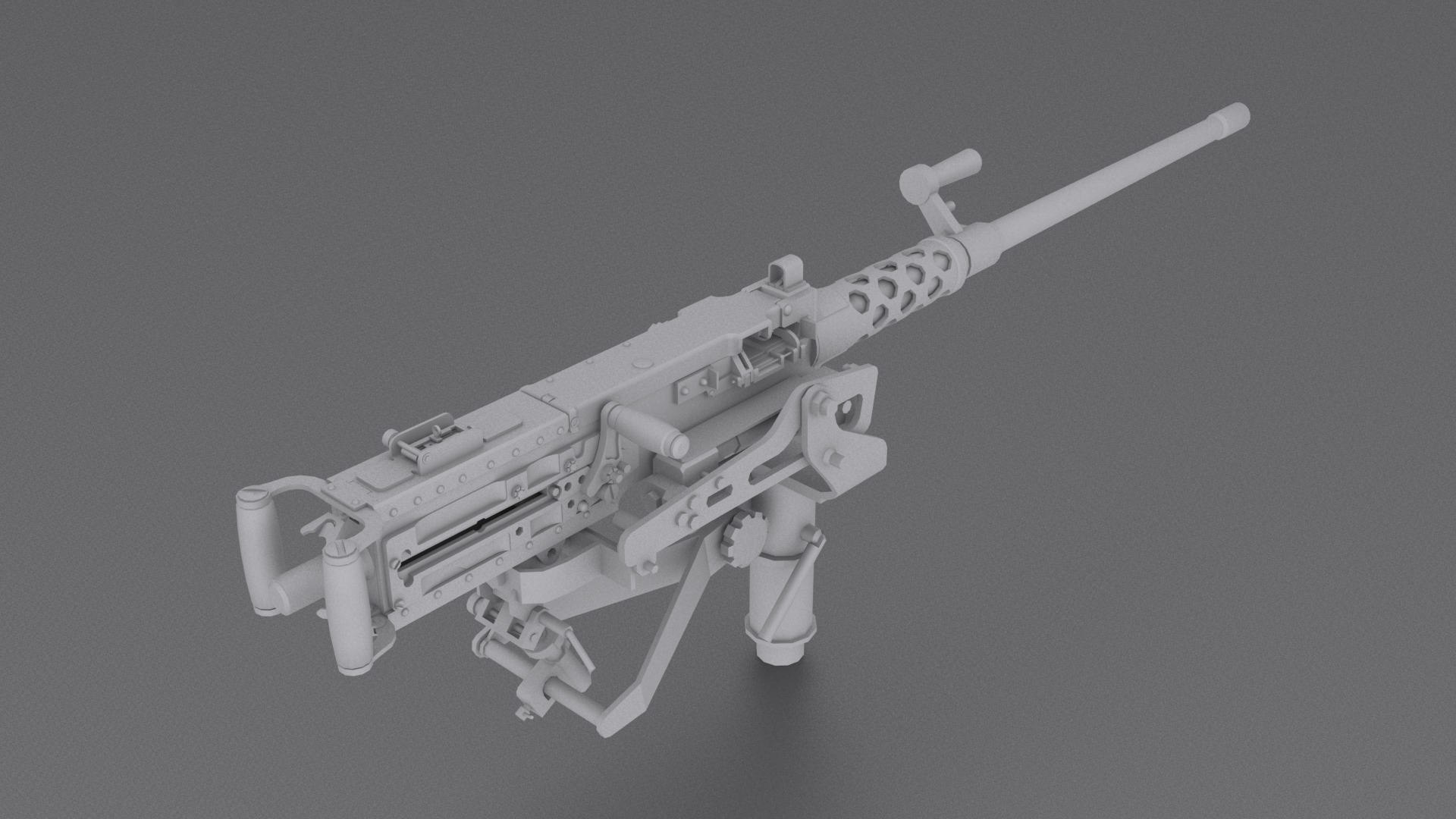
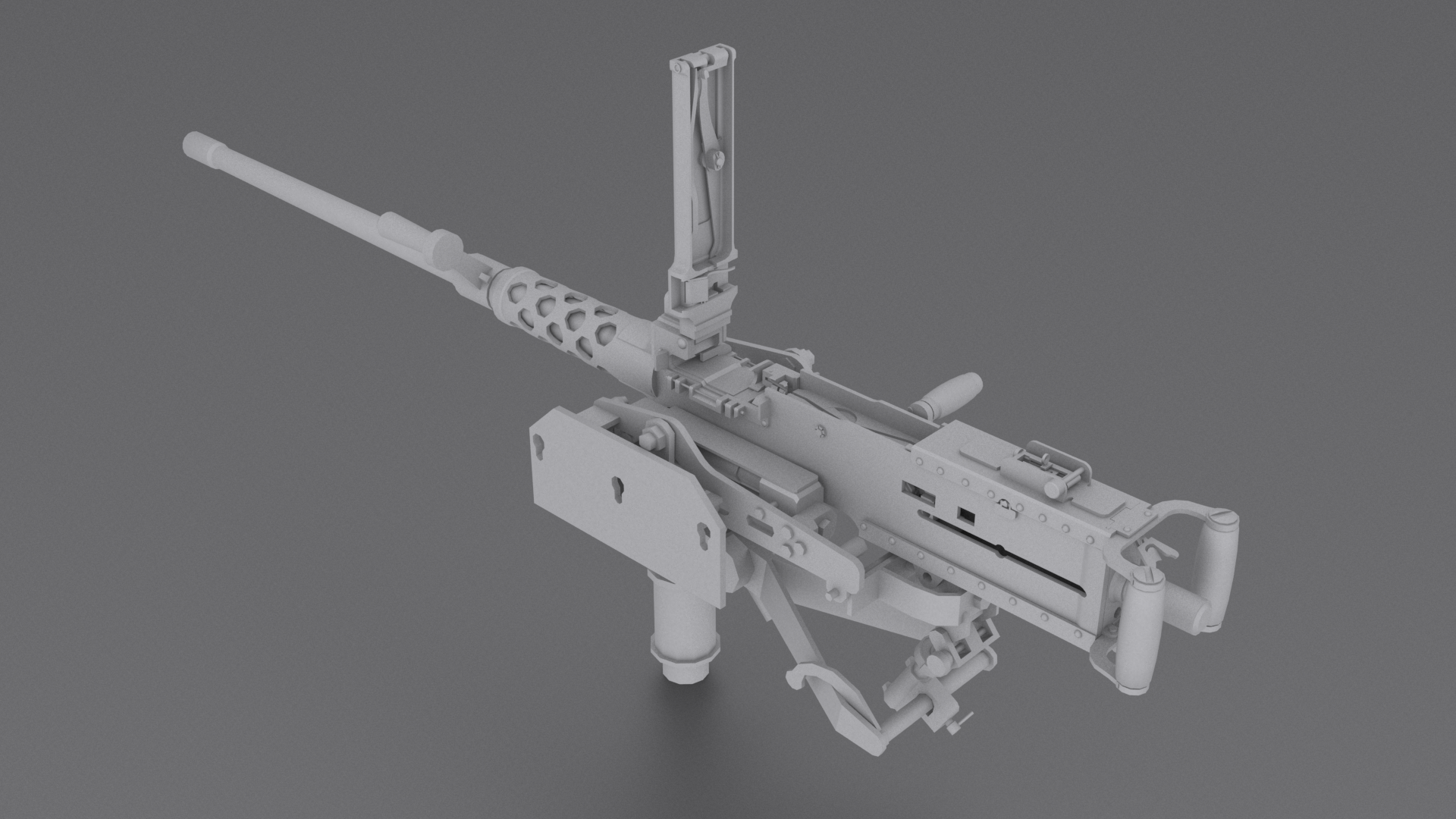
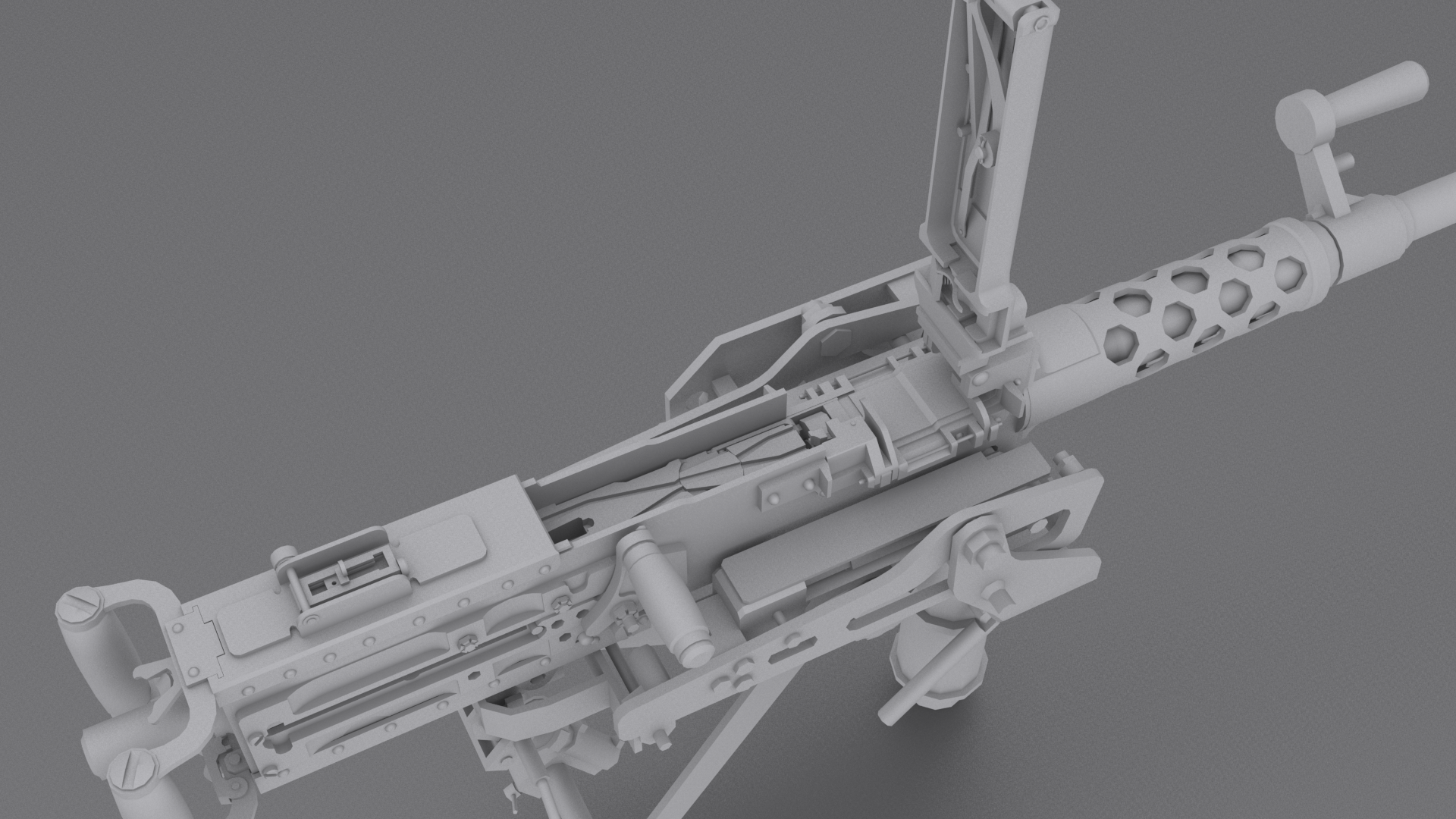
👀 lazy wankers.. more porn for you! mostly complete M2HB w/foo:
https://i.gyazo.com/f43f5c5bbaf1e8ec8b9ccbe5a3a0e4f4.png
https://i.gyazo.com/97a62052b33376ce5c00a6f5a4989d17.png
https://i.gyazo.com/1d50e118f8d166b1f829633369296feb.png
 woeful viper
we are unworthy
oblique vapor
lol
terse elm
Wow @shadow matrix that looks the monkeys nuts!!
hollow fulcrum
😃 thanks guys
@white jay's work on the radio foo is excellent also. much detail 👍
white jay
I actually did it wrong so I hat to do the mounting again. The end is nigh https://i.imgur.com/KMHbA0b.png
hollow fulcrum
haha, sweet!
tacit karma
It ain't Wednesday, but nevertheless: Now that we have release RHS: GREF I can finally show a new model for it:
http://abload.de/img/render01ifu48.jpg
http://abload.de/img/render02kwumh.jpg
http://abload.de/img/render03t4ufp.jpg
Only missing the front sight and the caps as well as some details, and it should be good.
 foggy finch
nice
tacit karma
RPG-75
Just found out the rear sight is... tiny... compared to the rest of the gun 😄
 wind belfry
any idea why does my vest's pockets drop to the ground floor and don't hang on from vest?
geo lod is empty and has autocenter = 0 in named properties
i have tried everything that has come in my mind
bleak tangle
Do they have a named selection? And do you have an entry for the vest in your model.cfg?
 cerulean flame
How i can fix this normal problem? The selected edgs are "Hard edges"
http://i.imgur.com/ZfYjRlr.png
im using modo10
hollow fulcrum
😕
i am weak with the ways of the modo
looks like creases.. maybe some sort of vert normal setting. not sure.
bleak tangle
Are the pockets definitely within a named selection?
In my experience, if something is at your feet it's because it doesn't have named selection or an entry in the model.cfg.
Since you say the vest is on correctly that means it's probably not model.cfg related as I don't think only part of a model.cfg can be broken with clothing items
wind belfry
will double check the model.cfg in that case, might have some typos in there or in named selection
thanks!
 pallid oasis
Suanatyyny, are the pockets on the vest weighted/linked to one of the spines at all?
wind belfry
@pallid oasis they are not, any idea how i could do that?
pallid oasis
highlight the pouches/pockets and then go to the spine selection you want them to be linked to and then right click the selection and "redifine"
that will then tie the pouches to that portion of the skeleton
I normally associate any attachments to spine2
did it work?
pallid oasis
it should be in the selections box
pallid oasis
if you used the samples vest you will see it there
what I actually do is highlight my whole vest, and asign it to spine2
wind belfry
do i have to do this for every lod?
pallid oasis
it would be best to do that yes
pallid oasis
you're welcome
oblique vapor
@tacit karma So much porn
tacit karma
Thanks
oblique vapor
How do you do the re-topology work to get a low poly model ? You just model within the high-poly polygons ?
tacit karma
it depends on the part of the mesh. Usually I already model in a mid-poly workflow, and for some parts it's enough to simply remove excess edges or optimize. Some parts are remodeled.
oblique vapor
I see. And concerning the UV Map, how do you even apply the high poly bakes on the low poly one ? Must be a pain in the ass
tacit karma
Well, that's baking in a nutshell.
Usually tho, the more time you spend on your hghpoly, the better your final model looks. And that equation works exponentially IMHO
white jay
Hey folks, I got hit up by a friend who is on the look out for environment artists who can work in UE4. Project will last 6 months and would be a fulltime position. Just thought I would reach out there and see if anyone was interested.
celest arch
ok I might require some extra help with my weapon animations 😃
it seems like the actual weapon p3d location prevails no matter how I set my weapon bone
in Blender: http://i.imgur.com/YrlkirP.png
in game http://i.imgur.com/vyNbo9E.jpg
I need some wisdom to shine upon me
polar fiber
If it's just done with handanim, the weapon bone doesn't move. The animation IK part for handanim is done from the relative position of the hand bones to the weapon bones, not the other way around.
sturdy parcel
similar to volant, right?
polar fiber
You'd need to make a new gesture or something for the unit to hold the weapon in a different position. Or possibly offset the weapon model position inside its .p3d and produce a new handanim relative to that, though it'd maybe look a bit odd. I did something of the like in the past for Arma 2. Was for an MG, positioned like it was hip-shooting from the waist - but you kind of got gibbon arms during the sprint animation
celest arch
yeah thats what I was fearing
thanks, I'll try and fiddle around with the p3d positioning
pack-> check in game -> adjust rinse and repeat
polar fiber
@sturdy parcel for the hands following the steering wheels you mean? In a way that's kind of different, but the animation is applied relative to axis set up in the vehicle model (i.e. the position of the bone that the hands move relative to is described by model.cfg transpose rather than .rtm), so yes they are kind of fixed positions
sturdy parcel
k. thank you for the explanation.
hollow fulcrum
@white jay 👍 all pro
tacit karma
redone the NT4 for RHS
https://abload.de/img/screenshot010bej1q.jpg
https://abload.de/img/screenshot011m1k23.jpg
oblique vapor
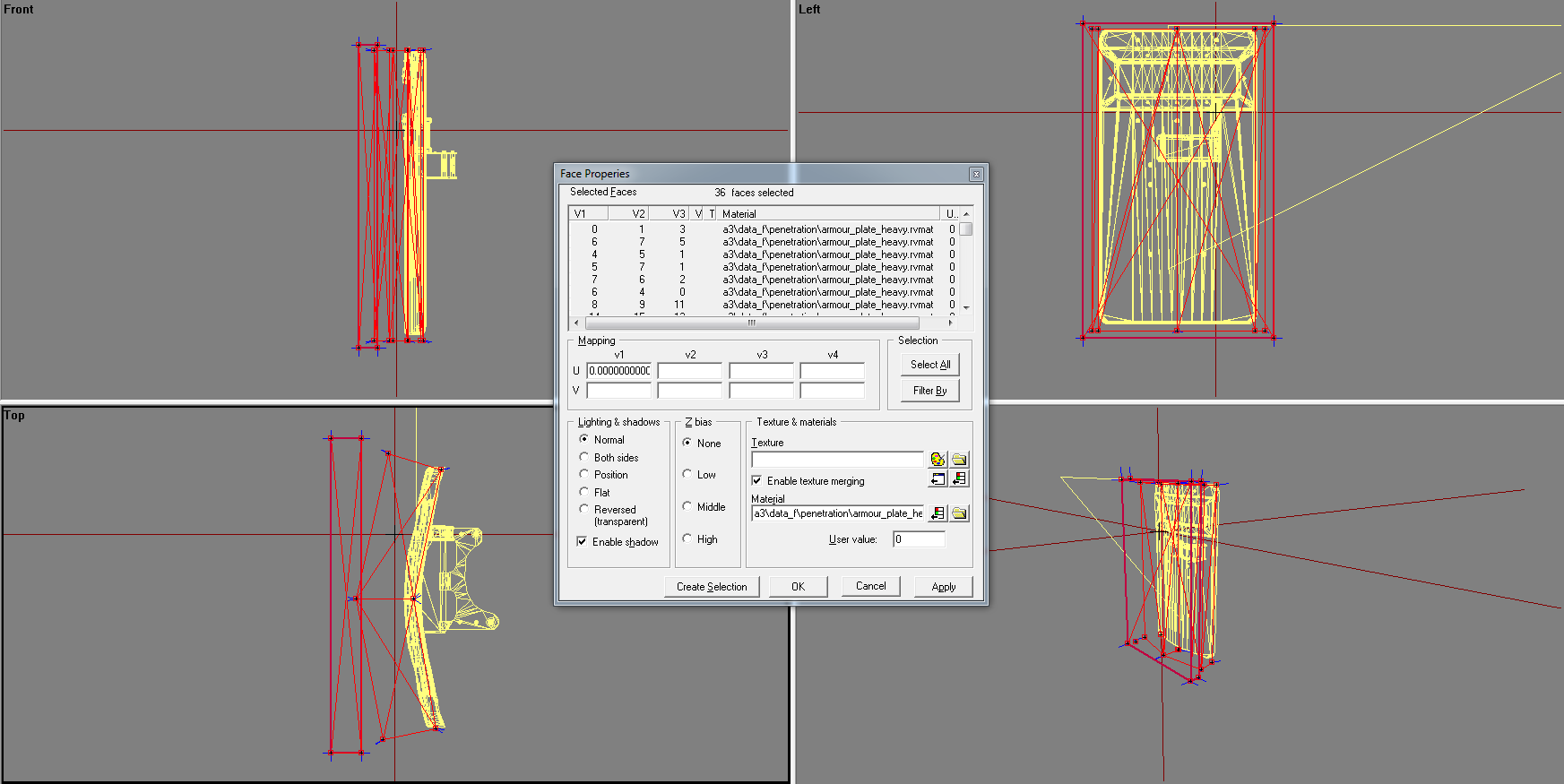
Is there an efficient way to block players to enter a model ? e.g. a building. In the geometry LOD, is it better to double the amount of wall geometry ? Like instead of 1 block for a wall, it would be divided in two blocks. I don't know, players can glitch thrugh byu vaulting over...
bleak tangle
How thick is the wall?
oblique vapor
How to measure it ?
bleak tangle
I'm not exactly sure in object builder lol
Worst case you can select the points, then go to Points > Properties and then calculate the distance 😛
 errant pumice
Hey guys! https://scontent-vie1-1.xx.fbcdn.net/t31.0-8/13047752_1152479854771175_8554178892972909699_o.jpg - does any team have M1114s like our army uses?
 foggy finch
@errant pumice like these? -> http://i936.photobucket.com/albums/ad204/sazleq/arma32014-05-2412-00-28-37.png
They are M1151, not M1114
up armoured editions
Armaholic Link - http://www.armaholic.com/page.php?id=25754
oblique vapor
@bleak tangle There is the bad boy: https://i.gyazo.com/9d45bf8fd61839b314f39b678514fb34.png
terse elm
@oblique vapor just make ur geo walls thicker
Also make sure there aren't any gaps
I usually make my walls get larger than than the actual wall, it also stops ppl looking thru walls
placid bough
i always get problem with the PhysX Geo LOD
my car dont slow when he hit the water at high speed
some time with luck i set the physX perfectly but i dont have ieda what i have done for this work
i try to follow bis forum about LOD https://community.bistudio.com/wiki/LOD . but i dont had understood
my Geo Lod is fine i cannot walk inside the object but on water at hight speed thats continue at the same speed ... 😦
foggy finch
placid bough
can we only create a box and then structure > convexity > component convex hull ?
lol
im making a kind of that
foggy finch
I'm afraid I can't help you with vehicles, but some light hearted humour never goes amiss
oblique vapor
@terse elm Will try, thanks !
placid bough
im making 3 vehicle 1 land 1 boat 1 flying ... the 3 will have the same model 3d im creating with object builder (all ugly im not pro designer) but the 3 vehicle will have script that can handle the 3 vehicle and some animation you will feel drive a wheeling car transforme to boat and able to transforme to flying
😄
but i need to succes full the PhysX
my config are very wells , funny and no problem
but i got difficult to make my own PhysX Geo LOD
i see some post about thickness , where i set the thickness of geo Lod?
errant pumice
Uro tnx, but we dont have M1151s
foggy finch
you can only set the mass in the geolod, unless you mean the actual geometry of the objects in the geolod
@errant pumice afaik they are modified m1114's to have more armour
the woodland version looked very similar to the pic you posted
placid bough
yes for mass is all fine .. the damper and wheel are really nice
errant pumice
yeah we dont have reinforced steel doors
foggy finch
ahh
just shoot em off then 😉
@errant pumice nothing in RHS like it?
havent checked it out in a while
placid bough
does the property name is important for the Gemoetryy phys LOD ?
i want to have collision when the car hit the water. like vehicle arma3
but i create a empty blank Geometry, and Geometry Phys when i walk the Geometry is fine i cannot walk inside the object but when the car was moving to the water , thats continue at the same speed until i'll been ejected of the car
and the geometry is really simple
segment radius 32 all other size and radius all is 1 , so i have 4 cylinder like it and 1 square for the body of car
and its supposed to be simple geometry lod : wheel_1_1_damper ,wheel_1_2_damper , wheel_2_1_damper ,wheel_2_2_damper + componnent names (structure>convexity>component convex hull)
i do same for Geometry Phys LOD created a empty box (structure>convexity>component convex hull) ... and this is supposed to be fine.. i have creat some vehicle in the last 2 years and i had already succesfull a geometry Phys LOD , but i just dont understand how i maked it , i make so many test like it : test then error , test then error , test then error ,test then oh my god succes but i dont memories on all i make
dark crow
Hello
I would like to know how do I activate the lods panel of Object Builder
I would like to open this panel on my Object Builder
someone help me would know
celest arch
that's the named selections box
ctrl+L or from the window menu
but given the names I see there I smell a dodgy car model 😛
as usual....
grabs popcorn
dark crow
-.-
celest arch
starts munching
fast topaz
haha @quick terrace
quick terrace
@celest arch - neah, he didn't bit on my bait...it is not a rip, i actually made it myself you rude internet person!! i don't like what you are trying to imply here, i have my good name to protect
pity
cosmic stream
This more looks like a screen from a tutorial video honestly than a screen of his model, i don't understand the flame...
quick terrace
yeah because names of individual meshes in tutorials files have vert numbers
because that stays put along the modelling process...
good call @cosmic stream dunno how i could not see that
woeful viper
statistically pufu is right to assume it's a rip.
fast topaz
haha "statistically"....it COULD be a screen from a tutorial video though
don't believe a statistic you didn't manipulate yourself
i was told once haha
but I'm still believing
cosmic stream
hey, i have a question
in OB, is it possible to "move" a selection into an existing section ?
let's say I have glass_1_hide, and glass_1_unhide selection and I want to move them into a Door_1 selection that already exists
fast topaz
select your door_1 selection and your other selections then rightclick your door_1 selection and click redefine
cosmic stream
thanks, any reasons why the glass isn't following the door rotation ?
even if it's in the door_1 section
bleak tangle
What does it look like in your model.cfg?
Based on the sample house
            "Glass_3",                "Door_1",
            "Glass_3_hide",            "Door_1",
            "Glass_3_unhide",        "Door_1",
            "Glass_3_effects",        "Door_1",
That's an entry in skeletonBones and should allow the glass to move with the door
cosmic stream
oh, ok
not very familiar 😄 i'm still copy pasting my value
seems to work , thanks Pennyworth !
cosmic stream
is think i went a bit overkill on this building... 45 doors, 63 windows... http://i.imgur.com/Corv6aj.jpg never again doing a big structure like this 😦
still need to make proper collision, shadows and IA path
oh, and btw, maybe someone already seen this bug : i have weird artifacts on surfaces, like a texture flikering on top of rvmat, kind of a ghost UV multiplying with other rvmat... You can "see" on the front pillars, the "tiled black lines" should be there... When i move camera, it flicks randomly (seems like a MC or AS texture projected).
bleak tangle
Could there be two parts of the mesh overlapping there?
Looks good though 👍 I dread doing so many windows
tacit karma
@Uro#2630no, we don't have the uparmored hmmwvs yet:S
hollow fulcrum
@foggy finch thanks brother! I quite enjoy the endless game of connect the dots.
cosmic stream
@bleak tangle No overlaps, I had also this bug on a previous building and thought i could fix that later ^^ I'll try to capture the bug and show you
woeful viper
that elephantine-optic makes the weapon look tiny hatchet ^^ very nice though
hollow fulcrum
It's massive isn't it? Very functional though I imagine. 120x70mm window on it.
woeful viper
i guess... if it was any smaller you propably couldnt use it the way US army intends to shoot the M2 on tripod (with stretched arms)
hollow fulcrum
Well, the tripod is optional.
Ideal for gun trucks and helos was the original thought though. M134 in particular.
wraith tendon
Can you blow it up Hatchet? 😃
hollow fulcrum
Lol, I don't know if it's safe to answer that.
wraith tendon
😄 nope
sweet. Someone rly did something with it. Me so proud :D

Bohemia Interactive Forums
Page 7 of 7 - Truck and Trailer - Arma 3 - Standalone Released (22.10.2015) - posted in ARMA 3 - ADDONS & MODS: COMPLETE:
https://vk.com/video...81762_456239018
hollow fulcrum
How is multiplayer sync and physx?
hollow fulcrum
Boat trailer would be quick.
Curious how the physx would play out. It should just sit on it.
wraith tendon
Ah, that must be done with AttachTo :/
wraith tendon
Yeah, PhysX is a bitch -.-
old video with old models in MP:
https://www.youtube.com/watch?v=pIm6SurxjVw&list=PLmxovsUWmmu072v3Aq2hUA448f545G4WK






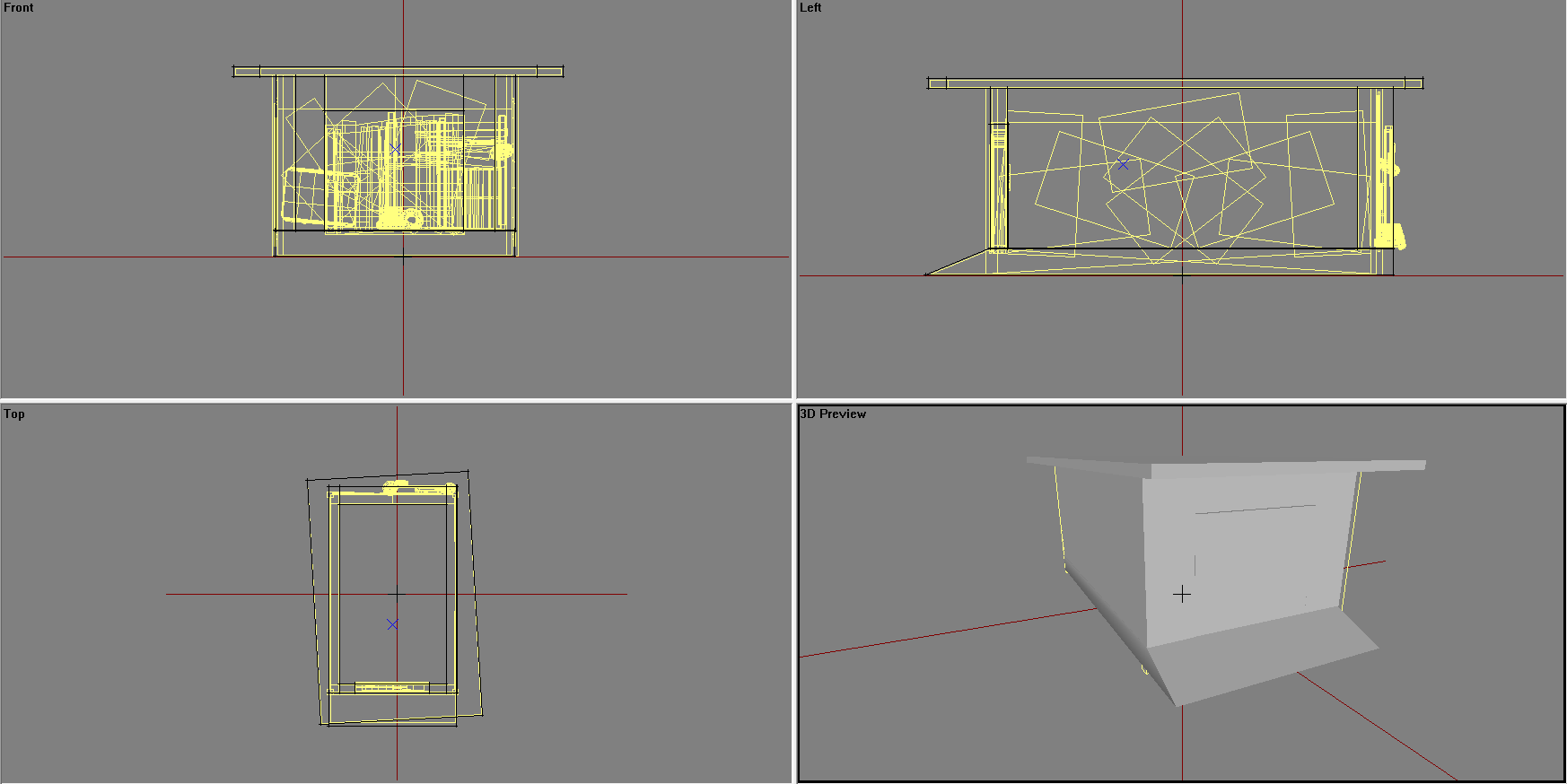


at 1:45 you see why i mentioned the "Mass". After adding it -> Not that bouncy anymore.
hollow fulcrum
Ah chit, sry about the MP question, that is what I remember. I was thinking about playtime with other physx toys.
Boxes and things..
wraith tendon
Locality is the biggest bit** in MP 😦
hollow fulcrum
Yeah, it's annoying
oblique vapor
Hatchet, why you do this ?
hollow fulcrum
Which part?
oblique vapor
Everytime you post WIP screens, I have to change my pants twice. My pants budget has exploded man
wraith tendon
lol
wraith tendon
prematurely ej... you know
oblique vapor
Np, nice work man
hollow fulcrum
Much appreciated. Hopefully they'll be useful for all who need such.
oblique vapor
Please create anti life-servers rounds
celest arch
@cosmic stream nice work man! I had something similar, ghost windows texture appearing thru walls
The faces where the _ca textures and rvmats were applied to, weren't even there
wraith tendon
Suddenly, a wild Tortellini appeared 😛
celest arch
http://i.imgur.com/HGmUg75.jpg << looking good, you move the camera and: http://i.imgur.com/V7X7HCS.jpg


notice the window texture stretching in the space between the windows?
white jay
regarding the trailer, mass could be dynamicaly added and removed based on the attached objects mass
celest arch
plus @cosmic stream are those front trees proxied in? Don't you lose the trees properties that way?
wraith tendon
Thats what i did @white jay
white jay
👌
wraith tendon
Still: The Trailers needs a basic/Min mass, so the ropes react properly
wraith tendon
good luck.
cosmic stream
@celest arch na, trees are models, and they arent workign well ^^ could'nt find what was going on with shadows and illumination
So you are telling me a texture might still be applied to faulty faces ? I'll chcck too, but i think the faces are clean (only rvmat)
celest arch
not even that, there's absolutely no faces where the ghost texture is
 wraith tendon
😄
celest arch
hehe
looks a bit like our tribute to our mate @foggy finch

and yeah, I also have a fetish for billboards 😛

 foggy finch
gits 😄
sturdy parcel
so are goats at the moment.
sturdy parcel
she thinks so too.
hollow fulcrum
haha, i like the billboards
 gilded bane
Yo @wraith tendon why nto try the other method of Trailers?
terse elm
nice billboard haha
wraith tendon
@gilded bane "Other Method" is either PhysX Pin&Hole (Terrible...) OR setPos/setVelocity/SetDir via Constant (While/PerFrameEH) Scripts. Both = No way + not MP Friendly.
cosmic stream
Hey, btw, anyone has info on the preview image on objects in Eden editor ? How to add them to config.ccp ?
https://twitter.com/KarelMoricky/status/720940273577107457 this what i'm talking about
polar fiber
@cosmic stream https://community.bistudio.com/wiki/Eden_Editor:_Configuring_Asset_Previews Not sure if the functions for generating the images work yet, but that details the standard format and configuration for them
sturdy parcel
ok. so the essential detail here is editorPreview = in the config.cpp
cosmic stream
Thanks ! 👌
 thorn turret
Hey! Is it allowed to pay people for small edits in models? I was thinking that it could be OK if you paid people for the work, not the results.
We would have a small job for capable model creator (slight edits of few models that we have). We're willing to pay for the job.
cosmic stream
I think it's your money, you are free to do whatever you want with it. But I doubt you'll find a 3D modeler, or a modder to edits file for a cheap pay.
thorn turret
@cosmic stream I mean that we don't want to break BI EULA. What comes to edits, they're quite small (so the pay won't be that big, but it's good compared to the time that making these edits take).
foggy finch
how much you paying and what type of models?
foggy finch
usually if your requesting something you say what it is they will be required to do in your advertisement
aside from "small edits in models" - that could be anything from small items like FAK's, larger items like vehicles, structures et al, each requires differing skillsets
thorn turret
Well, the job is to replace external blue lights of a couple of emergency vehicles to integrated lights (we'll show examples from real life)
foggy finch
lights, emergency vehicles,. although not outside my abilities, I'll have to decline it just doesnt interest me 😃
although now you've said what it is, someone else may pick it up
placid bough
hi Ezcoo
thorn turret
Hey @placid bough
thorn turret
Made an example in Paint of what we want to have instead of external lightbar https://i.imgur.com/KnhccWG.png
 civic stratus
has anyone sucessfully animated a fish?
placid bough
i dont have bones
i just take a 3d model on web and paint the weight and named some selection and then all in script
civic stratus
how did you know which names to assign each part?
placid bough
i maked my own skeleton
i imagine what it should move or not and create a selection for the part i want to mouve you need a second selection with painted vertige of a % desired (like if i want move the tail i will devise it on 3 part the bacl of the taill move at 100)
5move at 100% of animation the midle move at 50% of the animation and thefront of the tail move at 15 % of the animation
but you must adapte your painted vertige to your desir
for painted press "N"
completly red = 100% completly blu = 0%
foggy finch
@civic stratus do you have eliteness from mikeros tools? you can open the a3 fish in animals_f with ti and checkout how it is built
civic stratus
I do, ill give t a try
my tuna's skeleton is named shark, usual BIS logic
okay, just 4 bones, body,head, tail1 and tail2. wth is tail2
foggy finch
to hazard a guess i'd say the tailfin part
placid bough
same as vehicle
you just change the external cclass
class Animal_Base_F;
class Fish_Base_F: Animal_Base_F
is fine ?
is it fine * ?
civic stratus
checking now
placid bough
does anyone have make a motorcycle ?
 keen tundra
yes!, here's mine https://goo.gl/EUX63p
placid bough
does its a quad physX or yyou tryed to hit a motorcycle physX
oblique vapor
Are there any bicycle / motorbike that is not broken in ArmA 3 ?
hollow fulcrum
not really. does not really work under physx properly. you can rig it, kinda.. and i think they removed the old simulation. not 100% on that.
sturdy parcel
can't say i had any trouble with porting cwr2_kolo (a bicycle). i used MMT_driver for the animation and inherited the class from a3's bicycle.
ditto the jawa, but not thouroughly tested.
i the case of the jawa of course, it inherited from motorcycle.
perhaps the fault is not the simulation= which prolly still works just fine, but the there's no suitable rtm in a3 for the human.
again, for the kolo, i used TT650_Driver.rtm
and both rtms were modified to strip their headbones
hollow fulcrum
i actually never thought about stripping the old animations, that might have been why i didn't pursue it further at the time. dont think we knew about removing the heads then.
while im here.. DLC-120 ready fer paint.. 2.9k:
https://gyazo.com/4f68bf10984e4ecdad006f67891bd25e
https://gyazo.com/b140f925053942caee6ff9451132070a
https://gyazo.com/343dc306c6aa0af2f18b145232b4d473
sturdy parcel
because this is an issue of porting, you are trying to emulate the intention of the original author, not create an rtm that rotates a pink parasol above your head.
placid bough
ah never mind i forget you mentionned porting
sturdy parcel
in additon there's no point re-inventing a wheel. if it aint broken... (well, actually it is <grin> )
 hollow fulcrum
aww snap!!!
haha, thats very nice
👍 i want to shoot it.
that buttstock, haha.. love it.
last spindle
the good thing is in research i found atleast 5 different variants, obviously produced by different craftsmen or in different places, so no real right or wrong way
and the fact it is old, i can get away with it not having to be perfect,
last spindle
have not decided / had instructions if it will be factory new, battle tested or relic yet, so.....
 lime valve
Quick question,
I'm currently having trouble with my model.cfg
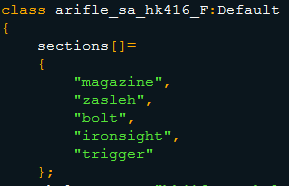
I've setup the magazine_hide animation to have a hideValue and unhideValue
But it appears that the magazine stays hidden from the hideValue untill the end of the animation.
Anyone familiar with this?
current state is https://www.youtube.com/watch?v=aYKK8b_sb7Q&feature=youtu.be
oblique vapor
I assume you declared your magazines selections both in the Skeleton and Sections. This is what I have for a pistol: http://pastebin.com/9WJLMdm6
oblique vapor
 lime valve
i'll test it with it named in Sections too. I'll ket you know if it works in a minute
First try no effect. Still the same problem where it does hide at the hideValue but the unhideValue does not seem to work. i can copy paste my model.cfg if someone can take a look at it.
Here you can see what i mean.
oblique vapor
Yes, send me your model.cfg
lime valve
Send it.
lime valve
Thanks alot for the help @oblique vapor I'm going to do the things you've explained and i'll post my results here.
I've setup the P: Drive and setup pboProject now when i press crush it comes up with a failed warning talking about missing files
The files are reffrencing to Arma 3 standards.
What should i do with this?
e.g.
Warning: DLC_C7NLD\config.cpp Line 98: A3\sounds_f\weapons\closure\firemode_changer_2
changeFiremodeSound[] = {"A3\sounds_f\weapons\closure\firemode_changer_2",0.25118864,1,20};
sturdy parcel
extract the game data using arma3p.
lime valve
@sturdy parcel Roger! Doing so.
sturdy parcel
- pboProject is not going to take your word for it that you spelt it right.
- under the covers, bis binarise needs the binarised asset from the game in order to build maps.
lime valve
Awesome! Thanks to the help @oblique vapor gave me and the tools @sturdy parcel made.
I've uninstalled binPBO and now packed the mod with pboProject and its finaly working!
I'm off to tackle the new problem that is the eye positions of the underslung sights!
cosmic stream
hey, update on my addon : https://forums.bistudio.com/topic/143493-em-buildings-new-buildings/?p=3028005 glass doors, yaye !
lime valve
Hey guys, in advance sorry for all the questions.
Hopefully any of you knows the sulution to my last problem.
I'm currently working on a weapon named the Colt C7/C8 NLD.
The problem is that the sighting of the undersluck does not seem to work to how i've set it up.
I've added the memory points like gl_eye_x and gl_look.
I've added them to the config.cpp in class AG36 : UGL_F like this:
{
    useModelOptics = 0;
    useExternalOptic = 0;
    reloadAction = "GestureReloadKatibaUGL";
    cameraDir = "gl_look";
    discreteDistance[] = {50,100,150,200,250,300,350,400};
    discreteDistanceCameraPoint[] = {"gl_eye_50","gl_eye_100","gl_eye_150","gl_eye_200","gl_eye_250","gl_eye_300","gl_eye_350"};
    discreteDistanceInitIndex = 1;
};
Current situation the look seems to be from the center of the model looking straight ahead and not changing on zeroing.
Anyone familiar with this issue or knows what i did wrong?
oblique vapor
Try using memoryPointCamera = "gl_look"; instead of Camera Dir
I don't know, never made weapons with GLs
Does anyone know if it's possible to change the weapon's hands animations on the fly ? For exemple, creating a vertigrip accessory, equiping it on a weapon, and therefore it changes the hands position
 cobalt halo
oblique vapor
cobalt halo
oblique vapor
Nice, thanks
sturdy parcel
class AG36 : UGL_F
do not use FULL_UPPER_CASE
MIxED_uppEr_CasE is fine
full_lower_case is fine
FULL_UPPER_CASE is a disaster waiting to happen.
do not copy bis mistakes. they should have known better.
it is an industry wide 'convention' that full upper case is the domain of #defines. ignore that convention at your peril.
You are shouting to any coder worth paying a salary that AG36 actually means:
#define AG36 pink_elephant
torn pilot
widely used convention yes, but somewhat overstated as a 'disaster', makes no functional difference and merely the product of its 'Proper/Title Case' (if acronyms are capitilized, as is also widely done) being all upper case. if you adopt a convention (like Title Case) it should be applied consistently even if that sometimes yields all caps
sturdy parcel
I know where you're coming from Defunct, as much as you know and understand my comment too. This is bis we are dealing with, and this is users who do make noob mistakes not appreciating the subtleties. I've seen too many #define errors caused by above to be anything less than adamant about this. If i could exagerate it more, I would.
lime valve
I've changed my configs to be MIxED_uppEr_CasE, to advoid conflicts.
Wich at first did not fix the issue.
I've changed from gl_look to OP_look and gl_eye_50m to OP_eye, OP_eye1, ect
Wich i beleive has helped to fix the issue because with the gl_look it doesn't seem to be working
Eventually after digging trough the sample models BI released for Arma 3 i've saw the part i was missing.
Its weaponInfoType = "RscWeaponZeroing";
Now my sight are working 😃 ! Yay.
Thanks for the advice guys.
civic stratus
Is it possible at all to change the origin position for the 3d camera in a p3d?
lime valve
Are you talking about the underslung or the weapon itself? or in Oxygen? @civic stratus
lime valve
Alt + Left mouse click and drag.
civic stratus
sorry I didnt specify
are you talking about rotating the camera while in game, crabz?
lime valve
I believe we're talking two difrent things, Sorry 😃 I explained how you can move aroun the camera in the 3d preview in Oxygen 2.
civic stratus
ah lol
lime valve
 fallow sapphire
Is there a way to make a model that conforms to the ground? I'm trying to make a road sign that is painted onto the road
civic stratus
I think it's possible if you have landcontact points at the corners and make it a road class
i vaguely remember doing something in A2 involving roads
4+5 years ago
dont take me at my word though
celest arch
totally possible: http://i.imgur.com/0rvTlYX.jpg

named property in the geolod placement = slopeLandContact and u need a landcontact lod of course
hollow fulcrum
☕
celest arch
thanks @fallow sapphire
 marble wyvern
sorry if i am in the wrong section, is this the section for asking for editing on buildings interior and such (paid ofc)
 jaunty rune
this would be the right sectioon, its just a matter if most of the active memeber are interested in doing paid work
 dense steeple
Hey, I forgot how to make it so you cant walk through models, could someone re-enlighten me? (Haven't done models for probs half a year)
bleak tangle
@dense steeple https://community.bistudio.com/wiki/LOD#Geometry
civic stratus
tried to put my custom fish down in eden, got a weird error: http://pastebin.com/raw/SrJJ4xUA
last spindle
Not say strange it explains it clearly, Error Type Not a Number, expected Number
Check for where it is possible that it may return something other than a number when it should be a number
 wise coral
so i have an issue with geometry, even though theres nothing in the way im being blocked in several spots inside a building im working on. If theres nothing there what else could it be?
its a 2 story building
is there a setting that makes blocks bigger than they actually are?
wise coral
already have that in there if i remember correctly
maybe i missed it
smaller communities be on the look out for this guy https://steamrep.com/profiles/76561198194158447
https://steamrep.com/profiles/76561198083977040
he says he's trying out for your community but he's just there to take your stuff.
he even goes as far as telling you that they're just bad rumors and such
fast topaz
what's the best way to place proxies accurately? eg the pistol holstered proxy on a vest
place = rotate 😄
oblique vapor
place proxy (linked to your pistol) => adjust with viewing it in buldozer => ??? => profit
woeful viper
 wise coral
@oblique vapor I didnt have autocenter = 0 so i added it and still something is blocking me. its driving me nuts lol
its just on the geometry lod
wise coral
is it possible a wall from above is falling down somehow ?
oblique vapor
model.cfg
bleak tangle
I don't think it's related to autocenter or model.cfg
oblique vapor
Oh, I thought he wanted to make a ceil fall animation
Well, do you have a Geometry LOD and Fire Geo LOD @wise coral ?
If you only have Geo LOD, engine will use Geo LOD for Fire Geo LOD info, and vice-versa.
wise coral
no i dont have a fire lod
wise coral
i cant get into any of the front doors
im blocked about where the outside walls start
oblique vapor
Weird
Did you apply mass to all components ?
Did you triangulated convex all components ?
wise coral
i thought i only triangulated on shadowvolumes
oblique vapor
For you Geo LOD to work you need to Triangulate Convex all elements
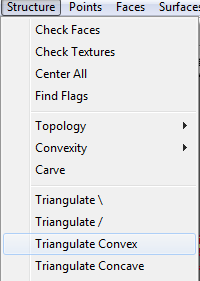 wise coral
just on geometry or all lods?
bleak tangle
You don't need to triangulate geometry LODs, it needs to be closed, convex, have mass, and all pieces need to be part of a named selection with the naming convention of Componentxx
oblique vapor
Always did that, and worked pretty fine so far. It helps if you are not sure about nature of certain components
last spindle
only happens at several? To me sound and looks like some walls with door after not done properly? Hard to tell without ability the view in 3d
First port of call should always be, copy geo lod to res lod and see what's happening visually
lime valve
@last spindle I was wondering if I can use your grippod model and preferably with a tan camo
pearl flume
im not sure if this is the correct place to ask but does a proxy object have to be binarised before i can add it as a proxy? i have two new objects in the same object pack but binarising fails if i add one of them as a proxy to the other
quick terrace
no it doesn't have to be binarized
you also might end up with errors if you bin it twice
oblique vapor
How can I make the scope on my rifle Picture in Picture ? Like it's a built in scope, and I'd like to zoom only in the scope reticle, just like the scope glass would zoom, not entering a "scope mode"
fast topaz
like every other picture in picture thing I'd guess...
no idea if config is the same though
oblique vapor
Or maybe built-in scope, never did that kind of stuff
pearl flume
@quick terrace is there something I have to do in the config.cpp for a proxy to work
polar fiber
Yeah, usually you need to make a cfgNonAIVehicles class for the model you are proxy-ing
tacit karma
https://abload.de/img/screenshot0163zyzp.jpg
https://abload.de/img/screenshot0176kx3d.jpg
https://abload.de/img/screenshot018bfzv8.jpg


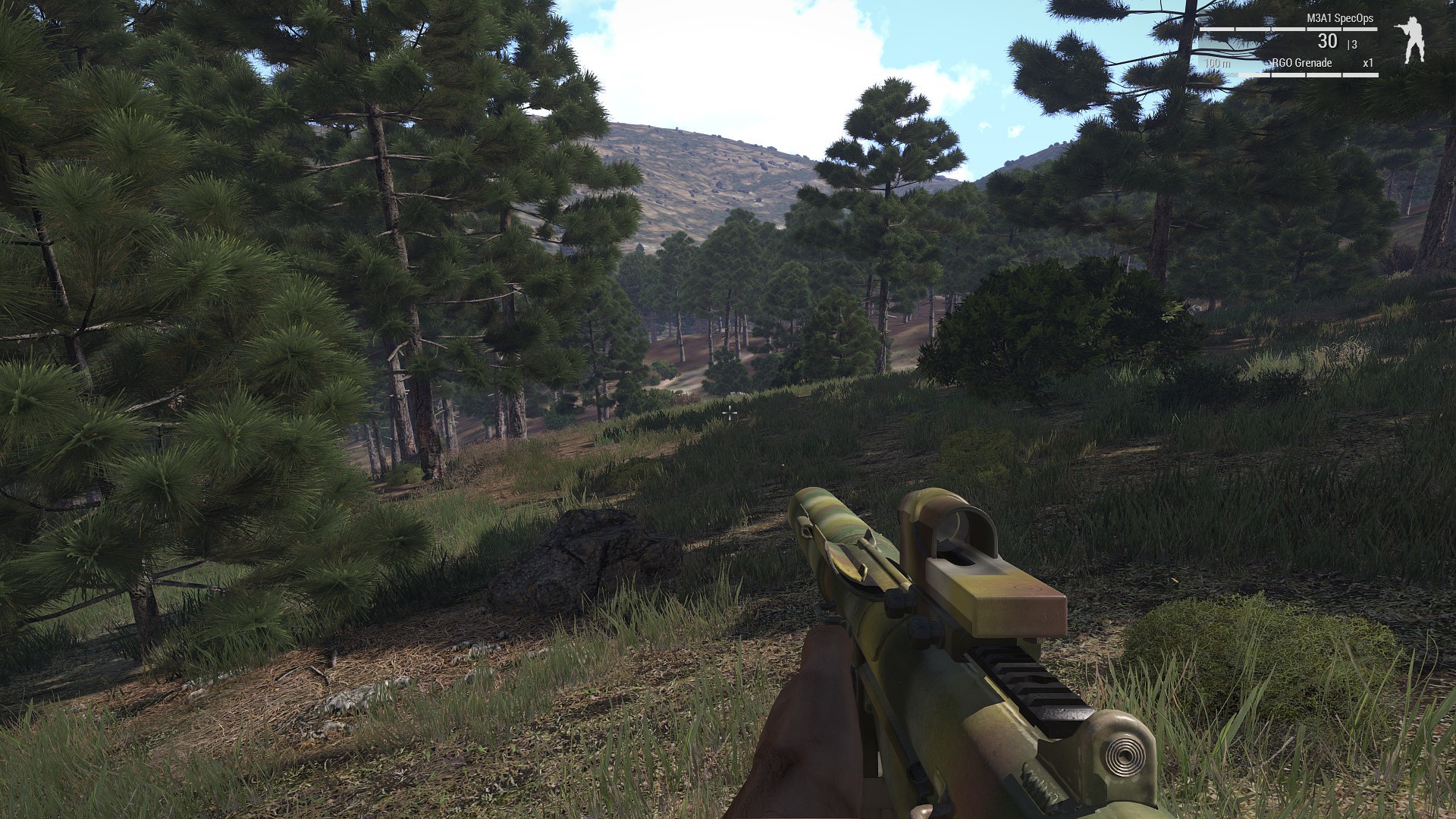
Going to be a simple Reflex Sight for me M3A1
Cheap chinese Trijcon replica hehe
lime valve
Very nice details!
tacit karma
Thanks
tacit karma
https://abload.de/img/screenshot019nvysz.jpg
https://abload.de/img/screenshot020cma8q.jpg
https://abload.de/img/screenshot021gtzxp.jpg


Now onto a sprayed version, and then only impleneting into the game.
wind belfry
can some1 tell me why my vest is on ground when i do have autocente = 0 in geo lod?
tacit karma
added it to memory.cfg
wind belfry
memory.cfg?
tacit karma
well you need a memory.cfg for the vest
wind belfry
how could there be no such file in sample vest?
bleak tangle
I think he might mean model.cfg
wind belfry
fair point
bleak tangle
I believe if the vest is on the ground that means that you either don't have any named selections on the p3d for body parts (e.g. pelvis, spine, spine1), or you don't have an entry for the vest in the model.cfg
bleak tangle
Which one was it?
wind belfry
model.cfg
bleak tangle
Did you have a model.cfg but no entry for the vest?
wind belfry
had typoed it there 😄
y
had typoed it there 😄
looong time since last vest i made into game, had it there ready but the name was diffrent for the armaman
bleak tangle
A quick note about a couple of issues like these, it's easier to spot with helmets, but if in game the item is at your waist and following the body part correctly (follow head turns) but not placed correctly it's likely missing autocenter = 0 in geometry LOD and possible height adjustment in the p3d from there. If it's on the ground and not following the character's animations it is most likely missing a bone which comes down to missing named selection in the p3d or no/wrong entry in model.cfg
wind belfry
y, will keep that in mind
wise coral
Ya I've missed armaman a couple times in my model.cfg
bleak tangle
Poor ArmaMan, always getting left out
wise coral
Yep sad
oblique vapor
I have a weird issue with my weapon. It basically has a mag with only one bullet in it. When operating the weapon, trigger and bolt don't move, like if I have 2 bullets to fire, the moment the mag reaches 0 bullet the animations don't play.
quick terrace
no one can guess how your model.cfg looks like
oblique vapor
class trigger
{
type="translation";
source="reload";
selection="trigger";
axis="trigger_axis";
sourceAddress = clamp;
minValue = 0;
maxValue = "1";
offset0 = 0;
offset1 = 0.5;
};
It's a basic model.cfg
Once you run out of ammo, when you fire the last bullet, the animation don't play
But other bullets works fine (don't know if that's clear)
lime valve
Have you defined all you important selections in model.cfg
oblique vapor
Yes
As I said, the animation works
But not when you only have 1 bullet in your magazine
fast topaz
i think that is normal
and has to do with soruce = "reload"
because reload is like everytime a new bullet gets chambered
oblique vapor
If I use it with revolving, well I get bad results
Has anyone used "trigger" source animation so far ?
Well guess I found my solution
polar fiber
I've updated the RHS weapons to use trigger.0, trigger.1 etc for v.160
you should use isEmpty or isEmptyNoReload to move the bolt back after the final round
tacit karma
 lime valve
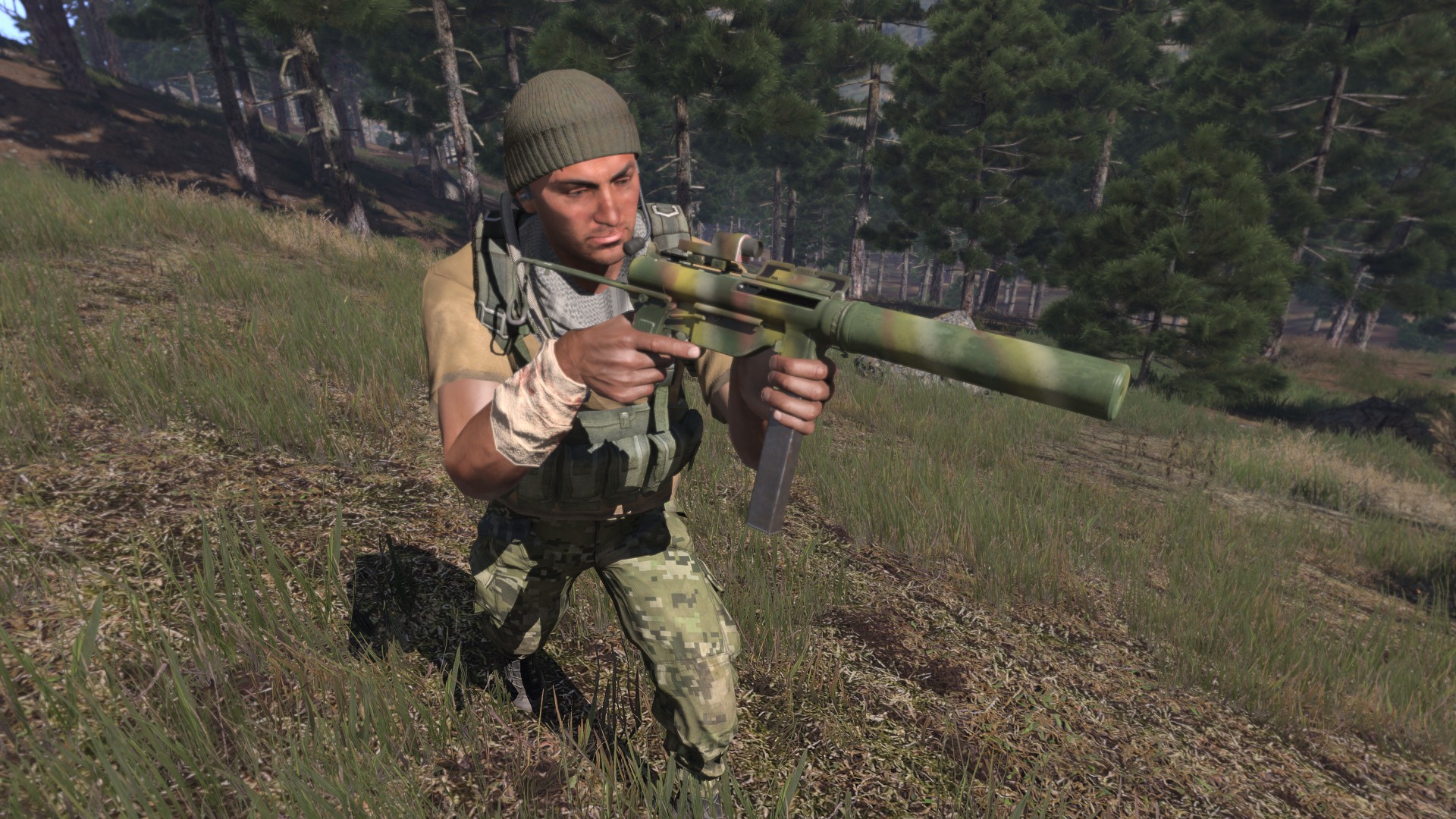
@shrewd jay Hey Alwarren. I've had alot of issue's with my ColtC7's Shadows that were being cast very weirdly. After alot of research i figured out its the Aimpoint + 3x magnifier that does this.
I beleive on LOD 3.0 the shadows are off.
Perhaps you could help me on this issue or perhaps you're already aware of it?
 shrewd jay
Hm, they only have 2 shadow lods
lime valve
I can provide screenshots if nesseccary, It only seems to occur on a specific LOD. (tested on multiple weapons)
lime valve
Copy. I've only tested it on the Aimpoint + 3X As said.
shrewd jay
Roger... I need to update that pack anyway 😃
lime valve
Sweet. Perhaps. If you feel the urge. I have a request if you can make that. Its a Aimpoint Comp M4 combination with a Aimpoint 3X magnifier on a twist mount. That would Dissapear and appear when you switch.
As seen here. http://i25.tinypic.com/111scn9.jpg
 shrewd jay
Pretty unlikely to be honest right now I have too much stuff else to do
lime valve
I understand,
I can give it a shot to model it, Just need your wonderfull config to do the magic if posible? Will be my new project once if finish the weapon.

 jaunty leaf
They fold http://i.imgur.com/TbkfM1x.png :3
 celest arch
first weapon with optics slots that I make, do I need a special memory point for the aim down sights position? atm it looks like it's set at 0,0,0 -> I just see the inside of my weapon
polar fiber
yes, you define the place where you look through the sights in the memory LOD. When you attach a scope it uses the memory points assigned in the attachment model rather than the weapon
celest arch
mmm odd, I attached one of the standard a3 scopes to it
polar fiber
have you got the autocenter property in the model?
polar fiber
Cool. I think that'll probably be it - it tends to be what makes memory points go off wandering around space
celest arch
since we're here, what about switching optics/ironsights?
if I mount a scope, I'm stuck to it
or is it still defined in the scope?
polar fiber
You mean the ability to use the weapon's ironsights when a scope is attached?
celest arch
yes
polar fiber
it's not really supported by the game engine
celest arch
so you just switch the scope sights, not to the weapon "eye" memory point?
polar fiber
you have to make a custom scope attachment with the memoy points aligned to where they would be in the weapon as a kind of trick workaround
celest arch
ok I see, thanks
polar fiber
basically, any optics attachment will overwrite any optics modes the original weapon had, so long as the scope is attached to the weapon
celest arch
yup
polar fiber
the only exception is you can limit the maximum zero setting for scopes, based on the weapon
celest arch
yes I've seen that
another question if you don't mind, but maybe it's related to the autocenter one, I didnt test yet
looks like the bullet exits the barrel at a 20 degrees angle, not straight parallel to the barrel as it should be
polar fiber
might be the autocenter offsetting the usti hlavne etc. type memory points, but if your bullets are slow they will leave the barrel at a high angle depending on the zeroing distance
celest arch
no this one is slightly faster than the russian 7.62 (just for testing)
well I test now and see
yes solved with autocenter = 0 thanks
lol the mrco on a post apo gun looks wierd as fuck
 oblique vapor
Any info on this ? : Tweaked: Weapon animation sources were improved
polar fiber
yeah
read the bulletpointed paragraph
seems like the zeroing2 source isn't backwards compatible (so needs updating to zeroing.1), but everything else works more or less without changing things
especially if your weapon only has one muzzle (i.e. no UGL)
but I'm updating stuff to the new names for the sake of consistancy
polar fiber
dunno, haven't re-run the buldozer installer
seems like the old lighting still to me
having just run the installer again
polar fiber
I might be wrong, or not updating it properly though. So...
oblique vapor
I wouldn't be surprised if buldozer isn't up to date with current lighting
oblique vapor
Didn't see antyhing about this in the latest TECHREP
Any ideas about this: https://i.gyazo.com/0f4b606949e6b0b284d4c3ce01d6fe54.png ?
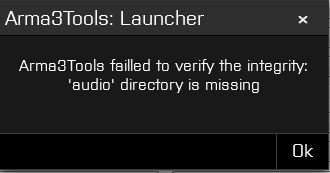
0x30098001 STARTUP_ELEVATED_NO_PARENT: Elevated process without parent.
Error while trying to mount P: drive
polar fiber
paths in your settings.ini are correct?
Bear in mind you can't have P:\ located in the same place as your tools install folder now
oblique vapor
All my project files are in ArmA 3 Tools folder
polar fiber
then you'll need to move them
oblique vapor
Any folder is ok if I set the .ini correctly ?
polar fiber
yes, by default I think the folder it uses in your Documents Folder (called A3 work or something)
but you can put it anywhere so long as the path is defined in settings
oblique vapor
SO I assume I have to define all paths in the .ini, and then copy the "a3" game data files from my Tools folder to my new Arma work folder ?
polar fiber
Run the main tool thing
Click preferences
options (or Ctrl+e)
and define "path to your P drive"
and uncheck the "use default", then click to Register it in the settings.ini
your P drive will now be linked to that folder when you mount it, so just move all the contents of your current P to that folder
pearl flume
hi guys, when i add a proxy to a model i can walk through the proxy. is that correct?
sturdy parcel
I wouldn't be surprised if buldozer isn't up to date with current lighting
if you run arma3p there is no 'buldozer'. so the answer is yes. it's up to date
my new Arma work folder
arma3p will make a p: drive (or any other) for you, automatically
quick terrace
i'd rather so it manually
anything else besides arma.exe that needs to be copied
@sturdy parcel i know i've asked before, can i has arma3p NOT unbinned a3 vanilla content?
polar fiber
Yeah, I'd prefer if it and workdrive didn't fill my P:\ drive with a load of sound files and other formats that I never need to reference
I end up manually deleting pretty much everything apart from .paa, .rvmat and a few models
woeful viper
yeah that's pretty off-putting...
gilded bane
the fuck is this ArmA 3 Projects nonsense??
polar fiber
it's the new default folder for P: drive
needed to make a new default location since installing it in the root tools folder (old default) was apparently causing problems
dense steeple
any idea why my character wont show when I place a proxy in (bulldozer /object builder), only happening since new update
bleak tangle
P drive mounted correctly?
Tools probably wouldn't have let you mount it if your P drive is coming from your Arma 3 Tools installation
dense steeple
u talking to me? Maybe because I haven't tried the new 'ArmA 3 Projects' thing
dense steeple
Sigh.. still doesnt work
white jay
regarding buldozer and "lighting", buldozer does only read "some" configs of the game data, cfgWorlds is not one of them so the new lighting config is only seen ingame.
polar fiber
Makes sense. Tom did mention in the past weeks that Buldozer would be updated though, so there's reason to be confused about whether it should work now or not
quick terrace
i am a bit confused here
do i need to reinstall buldozer
manually change it
full p reintall (not an option)
@rich blade - if i wanna get vis update manually, what files do i need to copy over
hollow fulcrum
i just reinstalled it, all is fine. my p:\ is not default though.
quick terrace
neither is mine
and i don't want work drive to replace by existing unpacked data
or the contents on my p drive where all the svns are located
hollow fulcrum
all it did was update buldozer for me, no unpacking moving of data. i think we're fine with the 'custom' paths. it's the default stuff that gets moved around. (granted i've only looked at this for about 5mins)