
#Hermes-Neurovision
7 messages · Page 1 of 1 (latest)
 split ocean

What it taps into
Rather than just reading one event stream, it polls 11 independent data sources simultaneously and merges them into a unified event picture:
- Agent hook — a gateway hook writes structured events to a JSONL file in real time. This covers the fine-grained lifecycle:
agent_start,agent_step,agent_end,session_start,session_reset, tool call start/end/error, context compression start/end, checkpoint creation/rollback, MCP server connect/disconnect, MCP tool calls, provider fallback/error, and subagent spawn/completion. - Session DB (SQLite) — polls the live session database directly. Detects the active session (most recently active, not just most recently started), tracks model switches mid-session, fires on each new message added, emits token usage updates, tracks session duration, detects tool chains (same tool called repeatedly) and tool bursts (5+ tool calls within 10 seconds).
- Memory filesystem — watches
~/.hermes/memories/for file creation and modification. Each new memory written fires amemory_createdevent. Each time an existing memory file is touched (read/updated) it firesmemory_accessed. Tracks total memory count and fires when it changes. - Skills filesystem — watches
~/.hermes/skills/recursively. Detects when a new SKILL.md is written (skill created) or an existing one is modified (skill activated/updated). - Cron — monitors
~/.hermes/cron/for scheduled job execution. Firescron_executingwhen a lock file appears (job running) andcron_completedwhen it releases. Also picks up new output files as jobs finish. - Checkpoints — watches
~/.hermes/checkpoints/for new checkpoint directories being created. If a checkpoint disappears (rollback detected) it fires a warning-severity event. - Trajectories — tails two JSONL logs: successful trajectories (
trajectory_logged) and failed ones (trajectory_failed). Each entry includes trajectory ID, session ID, tool call sequence, and outcome. - Docker tasks — polls
docker psfor containers matching the delegate_task naming convention (minisweagent-*,hermes-task-*). Firesdelegate_task_startedwhen new containers appear anddelegate_task_endedwhen they disappear. - MCP state — checks Hermes config for MCP server state, detects connections and disconnections independently of the hook-level events.
- vt_source — terminal activity source for overlay-mode-specific reactivity.
Also integrated with my other proejct, #1483367766848176219:
- Aegis security layer — tails the hermes-aegis audit trail at
~/.hermes-aegis/audit.jsonl. Maps security decisions to events:threat_blocked(dangerous command caught or hard-blocked),secret_redacted(outbound secret scrubbed),secret_detected,rate_anomaly. These show up visually distinct — a shatter effect in red — so you can see security interventions as they happen.
Every source is optional and fails gracefully — if aegis isn't running, if docker isn't installed, if the cron directory doesn't exist, it just skips that source silently.
.
What those events drive
Each event is mapped through a bridge layer to one or more VisualTriggers, which drive the animation. But the interesting part is what theme authors can build on top of that.
The plugin API gives theme authors 12 distinct reactive element types, each with its own motion physics:
PULSE— radial burst from center, dramatic, one-shot. Used for: session start/end, agent wake.RIPPLE— concentric rings expanding from a point. Used for: tool calls, MCP calls.STREAM— sustained particle flow in a direction. Used for: LLM token generation, continuous output.BLOOM— organic growth that expands, holds, then fades. Used for: memory writes, skill creation.SHATTER— explosion of fragments scattering outward. Used for: errors, crashes, threat_blocked.ORBIT— persistent rotating elements that stay alive for the event duration. Used for: cron ticks, background subagents.GAUGE— fills or drains a bar or arc, color-coded at thresholds. Used for: token usage, context pressure, cost updates.SPARK— bright flash with lingering afterglow. Used for: dangerous commands, approval requests.WAVE— horizontal sweep across the full screen. Used for: context compression, checkpoint rollback.GLYPH— a symbol/sigil that appears and slowly morphs. Used for: personality changes, reasoning mode changes.TRAIL— a path or line tracing movement. Used for: browser navigation, file edits, git commits.CONSTELLATION— dots that connect and disconnect with lines. Used for: MCP server connections, provider health changes.
Themes can also override react() directly with event_kind strings to return any Reaction with any intensity, origin point, color, duration, and optional sound cue.
Visual design systems available to theme authors
The engine supports three main archetypes for how a screen generates its visuals, and authors can combine them freely:
Full-field math — every cell computed per-frame from a formula. Plasma fields, wave interference, vortex tunnels, Lissajous curves, SDF shapes, polar spirals, aurora curtains. The entire screen is a living equation.
Density accumulator — a float grid that accumulates hits and decays each frame. Used for strange attractors (Lorenz, Rössler, Halvorsen, Aizawa, Thomas), IFS fractals (Barnsley fern, chaos games), orbital traces. Glowing trails emerge from the mathematics.
Simulation grid — a state grid stepped forward each frame: Conway's Life variants, Brian's Brain, Gray-Scott reaction-diffusion (multiple parameter sets for coral/spots/spirals/labyrinths), wave equation, Langton's ant, DLA crystal growth.
On top of any of these, the post-processing pipeline composes additional effects per-frame:
warp_field— per-pixel coordinate distortion, sinusoidal or rotation-basedsymmetry— mirror_x, mirror_y, mirror_xy (mandala), rotate_4 (kaleidoscope)glow_radius— bloom halo around bright cells, makes everything feel luminousecho_decay— N-frame afterimage ring buffer, trails and ghost smearsdecay_sequence— cells age through a character sequence (e.g.█▓▒░·.) producing dissolution and erosionvoid_points— dynamic hole-punching and negative space carvingforce_field— vector force applied to cell positions (radial push/pull or vortex spin)render_mask— a boolean stencil for iris reveals, shape cutouts, animated wipes
Six autonomous emergent systems can run alongside the main render and be composited in the background, midground, or foreground:
- Physarum — slime mould network formation, beautiful organic tubes
- Reaction-diffusion (Gray-Scott) — self-organising patterns, spots/spirals/labyrinths
- Cellular automaton — Brian's Brain, custom rule sets
- Neural field — excitatory/inhibitory wave propagation across a grid
- Wave field — 2D wave equation with damping
- Boids — N-body flocking with separation/alignment/cohesion, rendered as directional glyphs
The reactive element system (BLOOM, SHATTER, etc.) overlays on top of all of this and responds to your specific agent events — so an error doesn't just log to a panel, it visually shatters across whatever scene is currently running.
Sound System
Sound is optional: bell (terminal bell, universal), flash (screen flash), say (macOS TTS via afplay with Whisper voice), or file (custom WAV/MP3). Each sound cue has a 0.5s cooldown per name to prevent fatigue. Themes can attach sound to any Reaction.
.
Demo of gallery mode.
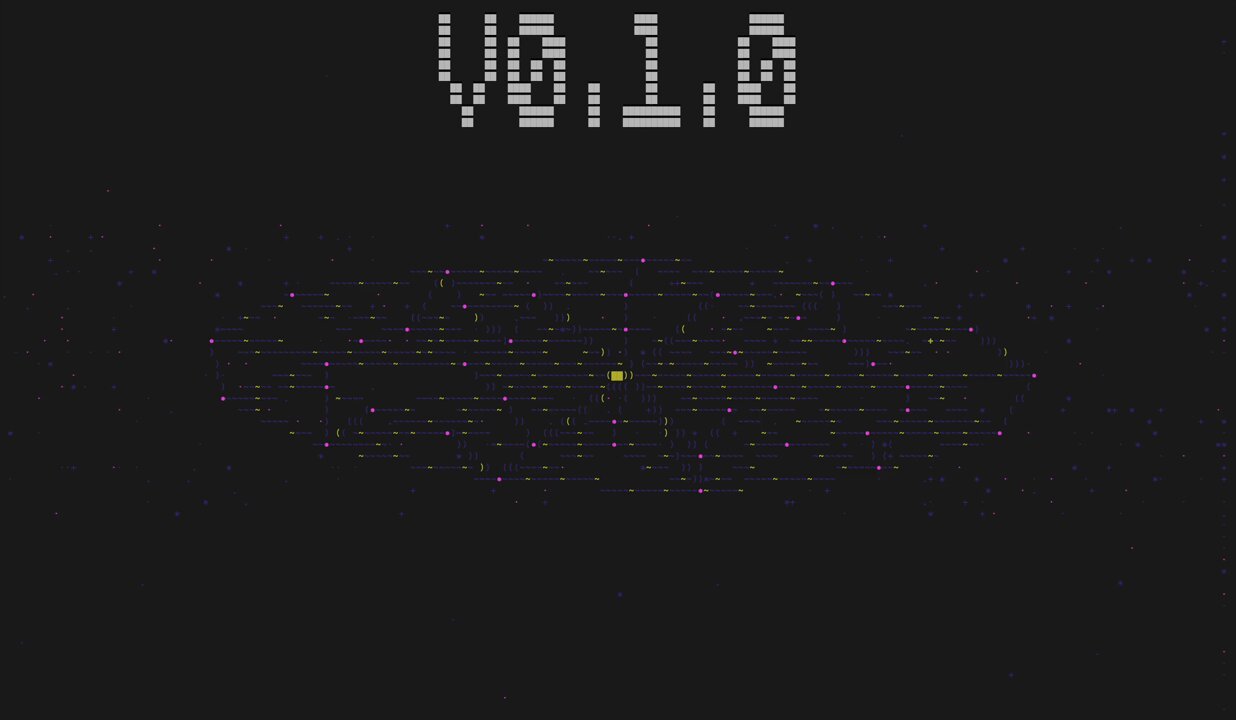
Demo of legacy screens. These utilize the 'node based' engine from v0.1. Ultimately I shifted to the ASCII engine, but still have the option to create screens using the node style, or even have a hybrid.
CLI demo (WIP)