#Interpolator Node Flat Qualifier not working ?

3 messages · Page 1 of 1 (latest)

mighty harbor
#

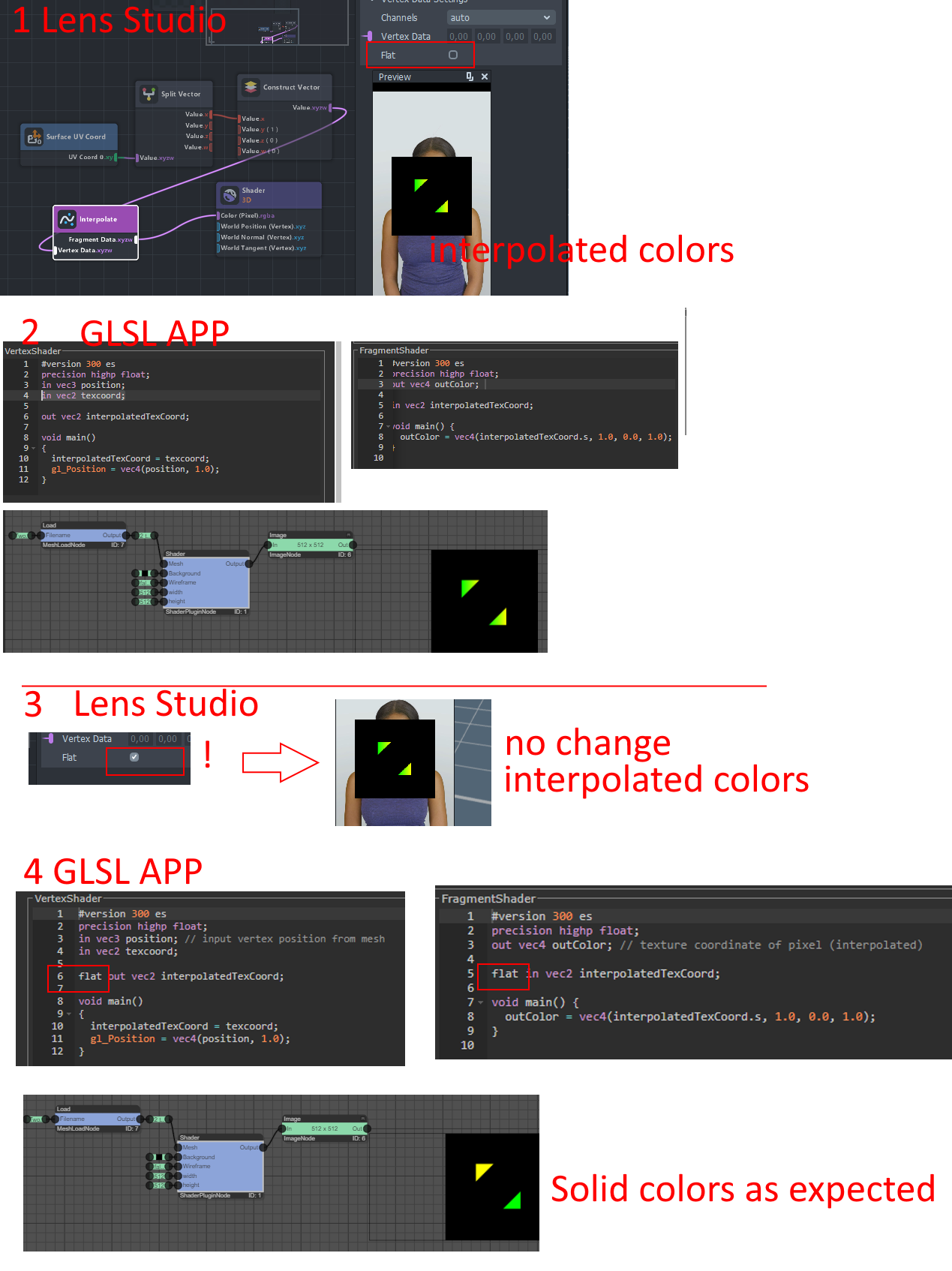
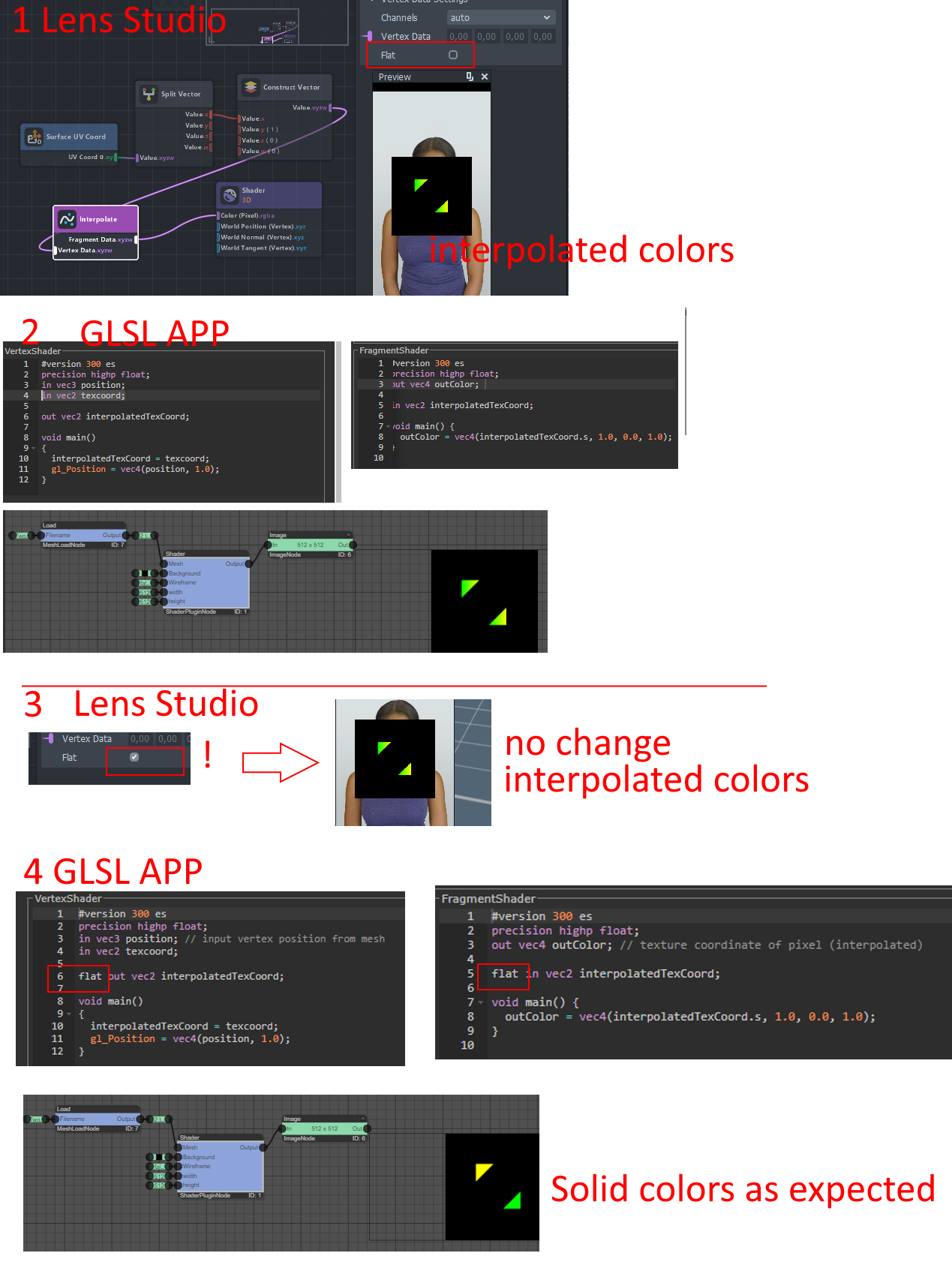
I noticed that the 'Flat' option in the interpolator node has no effect on the render target. Or did I miss something ?

In picture 2) I recreated the Lens Studio material from picture 1) in a GLSL app. Without the flat qualifier, the two triangles result in a gradient.

In picture 3) I have activated the 'Flat' option in the Inerpolator Node in Lens Studio. But there is no change.

Actually, the triangles should now have a solid color, like in the GLSL app in picture 4).

Any ideas? (Pictures 1-4 in Post below)
toxic trench
#

Looks like flat is a recent addition to the interpolate node, I agree to your points. I think in case of lens studio, the attributes are by default interpolated varyings for fragments. Like in a traditional way you would have to pass the UV to fragment shader and the use it but the material editor here has already passed these as interpolated varyings for us to use in fragment stage. Then I don't understand how is interpolate used now, although I have used them in the past for some texture projection.
Maybe @regal needle @marble ridge can provide some insights here.