#[DUAL GPU SYSTEMS] Performance Issues and Troubleshooting
1 messages · Page 2 of 1
 elder smelt
well I got 3 hdds, 2 sata ssds and 1 nvme. LS and OS are on the nvme, games are on my hdds
 left cape
OS on ssd
Lossless and game on M.2
 clear sundial
I'm running OS on a 10 year old samsung 850 evo and games + lossless on a NVME
 gloomy steeple
No problems yet, but hint, the bandwidth of USB 3.2 gen2 or USB 4.0 is enough for stable generation of up to 300 frames per second for example?
 rain hull
gloomy steeple
No problems yet, but hint, the bandwidth of USB 3.2 gen2 or USB 4.0 is enough fo...
rain hull
gloomy steeple
No problems yet, but hint, the bandwidth of USB 3.2 gen2 or USB 4.0 is enough fo...
Depends on resolution, and the amount of generated frames isn't limited by PCIe bandwidth. Only the base framerate is
gloomy steeple
rain hull
Depends on resolution, and the amount of generated frames isn't limited by PCIe ...
Indeed, I forgot to mention the resolution)). Suppose I take a vega 64 which will come out 300fps in 2k. Will I be able to get the same results as in the table?

Google Docs
What is the most powerful graphics card on the list that supposedly makes sense for USB 4
clear sundial
So I decided to install an NVME for my OS drive and retry a clean Windows 11 LTSC and, once again, I can confirm that HAGS on makes my performance very unstable. I disable it and bam, performance is amazing once again.
I don't understand how it affects LSFG so much in my system...
It drops frames every 4-5s, both base and LSFG frames. I disable LSFG and the base FPS are stable. I disable HAGS and both LSFG and base fps become stable
clear sundial
Increasing max latency frames to 10 completely fixes it. So I do think either the NVME or Win 11 made LSFG finally fully stable on my system. It's perfect now. (It requires HAGS to be OFF though)
Gonna have to try testing longterm.
left cape
clear sundial
It drops frames every 4-5s, both base and LSFG frames. I disable LSFG and the ba...
hags is pretty polarizing, wonder what makes it tick
 pure falcon
Can someone do a pin what the final verdict or recommendation for this chat? Lost in the lore here
left cape
clear sundial
Increasing max latency frames to 10 completely fixes it. So I do think either th...
also i don't seem to notice a conceivable difference when changing max latency frames. is that setting more effective for amd gpu's?
rain hull
left cape
also i don't seem to notice a conceivable difference when changing max latency f...
Tbh the difference it makes is typically very subtle to most people
Even latency added from high values is extremely small
rain hull
pure falcon
Can someone do a pin what the final verdict or recommendation for this chat? Los...
It's just a lotta varied stuff. Dranas' issues were fixed by using a PCIe riser (just reseating the GPU likely would have worked too) and disabling HAGS. Some other people's issues were caused by things like Nvidia's driver Low Latency Mode
clear sundial
rain hull
It's just a lotta varied stuff. Dranas' issues were fixed by using a PCIe riser ...
I've never used a riser, you might be confusing me with somebody else. But yes HAGS is a big no no in my system
clear sundial
left cape
also i don't seem to notice a conceivable difference when changing max latency f...
On win 10 i didn't notice any difference besides using 5. On win 11, 10 is the most stable value for me currently
pure falcon
rain hull
It's just a lotta varied stuff. Dranas' issues were fixed by using a PCIe riser ...
So things I've probably already stuggled with in this long journey. thanks homie
elder smelt
clear sundial
I've never used a riser, you might be confusing me with somebody else. But yes H...
yea that was me 😅
pcie riser somehow worked for some reason
but I don't think its just from that
but I confirmed that dual gpus can work on my system with that testing
1070 was way too weak from my testing
left cape
i should mention, i was having troubles with dual gpu LSFG in a few games.
they all happened to be game specific issues.
helldivers 2 ended up being a problem with windows auto hdr oddly enough
and battlefield 1, 5, and 2042 all have the same issue of selecting the incorrect gpu, regardless of what's set in windows and nvcp
most other games run flawlessly
rain hull
left cape
and battlefield 1, 5, and 2042 all have the same issue of selecting the incorrec...
Seems to be a game engine thing
I have those issues with OpenGL
 brave mesa
@onyx warren check im hier mein bruder, veleicht do kannst dein problem gefixen.. oder das ist was ich hoffe jajajajajajjaja
 onyx warren
Has there been a solution to this?
That's too many messages for me to read through
left cape
rain hull
Seems to be a game engine thing
yes unfortunately, only work around i've found is disabling secondary gpu, launching the game, then re-enabling it. pretty tedious. maybe there's some sort of script to automate those actions
but alas
i'm illiterate
left cape
left cape
yes unfortunately, only work around i've found is disabling secondary gpu, launc...
idek if i can call this a workaround, i still have issues selecting a proper resolution and refresh rate when i do this
rain hull
onyx warren
Has there been a solution to this?
That's too many messages for me to read throu...
#1328337747399938138 message
 brave mesa
sadge kampfer
onyx warren
At this point I am 99% sure it has to be the CPU, since when I turn down the game from 4K to 1440p I get the exact same FPS
left cape
what kind of issues are you having?
onyx warren
Generally lower FPS, falling below 60 FPS where it never happened before
elder smelt
onyx warren
Welp, Riser isn't possible for me and the other stuff is already all deactivated
I don't think it was due to the riser I got
could have been something else related to it though
because it makes no sense for a riser to fix such a problem
onyx warren
I can't really think of anything else rather than the CPU just not being able to keep up with all the different tasks it needs to do at the same time now
brave mesa
onyx warren
Generally lower FPS, falling below 60 FPS where it never happened before
what happen if u unplug der secondary gpu
and test with only 1 gpu
like before
to see if dual setup is causing the issue or not
onyx warren
It works fine with single
left cape
onyx warren
It works fine with single
it did help me with helldivers 2 stutters in particular, but not necessarily lowering overall fps.
if you happen to be using an hdr display, try turning off windows auto hdr. having that setting on tanked my performance big time
onyx warren
I've had HDR off for a year or something now
brave mesa
Sad

 onyx warren
I feel like this is a good indicator to say its the CPUs fault
 onyx warren
left cape
maybe try this? https://discord.com/channels/1042475930217631784/133049993758205...
onyx warren
left cape
maybe try this? https://discord.com/channels/1042475930217631784/133049993758205...
Funnily enough this works really well for 1% and 0.1% lows
left cape
onyx warren
Single GPU vs Dual GPU 💀
running 4k?
onyx warren
Yes
left cape
onyx warren
Funnily enough this works really well for 1% and 0.1% lows
I found that aswell
left cape
onyx warren
Yes
pcie 4.0?
onyx warren
Yes x4
left cape
3.0 or 4.0
onyx warren
4.0 x4 PCH
left cape
word
yeah idk man it could be cpu
I've only tested 2k
im rocking an i5 11600k
comparable to your cpu I think
onyx warren
Might actually be a little worse than mine
I really can't think of anything else it could be but at the same time I'm just not able to confirm it
It's annoying asl
It's quite literally an upto 40-50% performance drop
clear sundial
Are you running a ryzen cpu by any chance
onyx warren
Yes
onyx warren
clear sundial
Are you running a ryzen cpu by any chance
R7 3800X
onyx warren
rain hull
Low latency mode type jank
Both are off
clear sundial
onyx warren
R7 3800X
Once I have some time, I'll share all the things I've done to fix stutter / microstutter on my system, but you could try this: https://old.reddit.com/r/AMDHelp/comments/1ig9uwd/7800x3d9800x3d_stutter_fix/
Reddit
Explore this post and more from the AMDHelp community
It was definitely CPU side for my 7800X3D and it's now completely fixed
And you could also try this https://old.reddit.com/r/losslessscaling/comments/1i7xjd8/heres_my_settings_for_getting_the_best_results/ . Don't enable low latency mode for the games themselves though.

Reddit
Explore this post and more from the losslessscaling community
These 2 posts + disabling HAGS + disabling resizable BAR + disabling tpm 2.0 in BIOS were the things that made the biggest difference on my system
Currently, LSFG is basically flawless on my system with dual GPU. It sometimes drops, but it's so rare that I don't care anymore. I've spent so much time, and some money into this (tested with 3 different main GPUs, 2 different motherboards, 2 different OS drives, 2 different OS. A lot of bios tweaking, different drivers, different GPU configs.) Those settings were the ones that made the biggest impact, specially those 2 posts.
clear sundial
Here's the main optimization's I did. You can do more than this, but I think this will resolve 90% of the issues:
- Disable TPM in BIOS;
- Disable Resizable BAR and above 4G decoding in BIOS;
- Disable Hardware Accelerated GPU Scheduling (ATTENTION: This needs to be ON to use FSR 3.0 - Frame generation and DLSS 3 - Frame generation, but it will mess up the lossless performance)
- Set lossless scaling to high priority (I use process lasso to make it automatic)
- Follow the steps in this post: https://old.reddit.com/r/AMDHelp/comments/1ig9uwd/7800x3d9800x3d_stutter_fix/ (RYZEN CPU ONLY)
- Follow the steps in this post, with the exception of putting low latency mode ON in games (this caused me to have unstable performance): https://old.reddit.com/r/losslessscaling/comments/1i7xjd8/heres_my_settings_for_getting_the_best_results/
- Manually disable all MSI Afterburner sensors, even if you don't use its OSD and never leave scenes monitoring the system in the background. Watch this video: https://youtu.be/h6642umBeYM?si=NuORtr4xbfIeY0B5
- Place lossless scaling on the same SSD/ NVME drive as the games themselves, or on the fastest drive in the system;
- In dual GPU, if you use an AMD main GPU and NVIDIA frame gen GPU, install AMD DRIVER ONLY, no adrenalin and use nvidia control panel for everything else. I currently recommend AMD's 24Q4 PRO driver instead of 25.1.1 or 24.12.1 (more stable): Link: https://www.amd.com/en/resources/support-articles/release-notes/RN-PRO-WIN-24-Q4.html
- Download and install the chipset driver from the motherboard manufacturer's website rather than AMD's website, as it may have vendor-specific optimizations (do the same for the LAN driver or wireless driver if you use wireless).
- Lossless "Max frame latency = 10". Multi-display "ON", even on single screens. Everything else, use it to your liking.
Reddit
Explore this post and more from the AMDHelp community
Reddit
Explore this post and more from the losslessscaling community
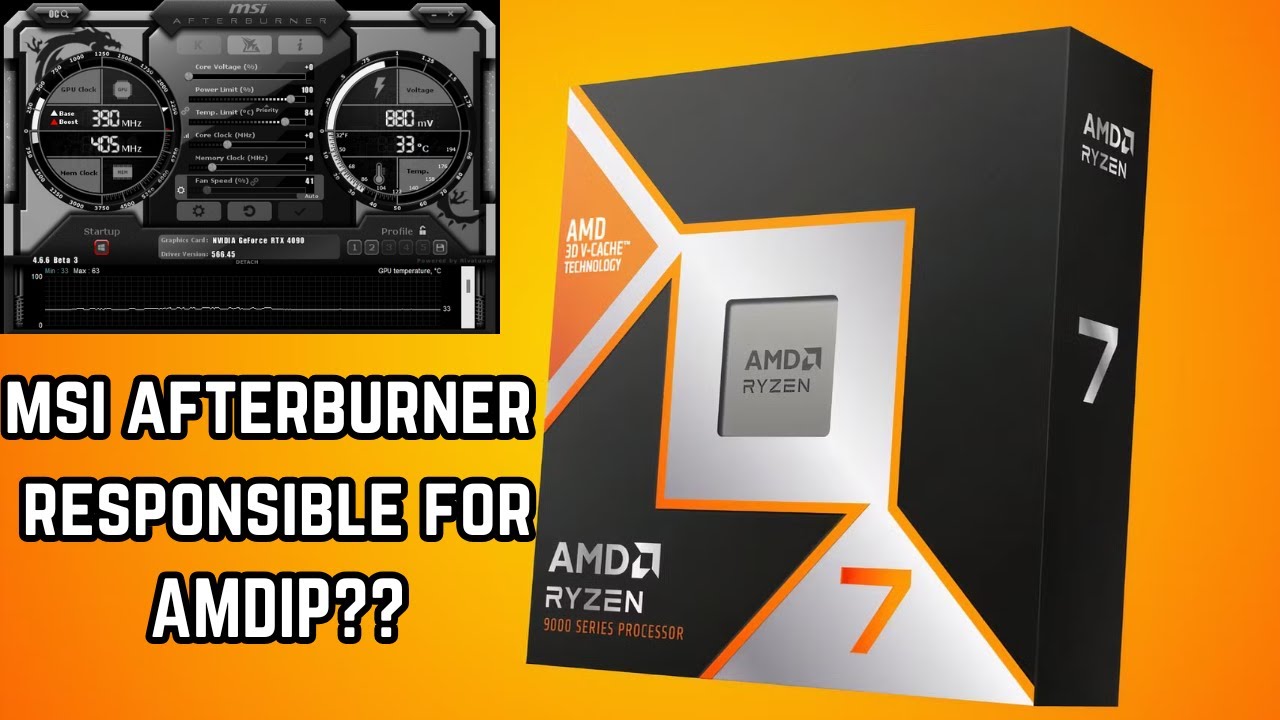
A few days ago I stumbled across a video from @DannyzReviews where he talked about stuttering issues on his AMD Ryzen 7 9800X3D system, and found the cause to be related to MSI Afterburner. After watching the video I decided to have a look for myself and see if it is also impacting the 7800X3D.
AMDip is a term I absolutely hate, and it is also...
 onyx warren
Rebar actually off?
I thought that boosted performance a lot 
Also I can't log into windows with tpm disabled @clear sundial
clear sundial
onyx warren
Rebar actually off?
I thought that boosted performance a lot <:Think:10113044884...
It does, but it will affect stability with dual GPUs. My theory is that Windows, being a very stable and extremely efficient OS, will nuke PCI-E bandwidth by using both GPU's VRAM and shuffling data around like a happy kid in a balloon party.
I always install windows with Rufus and it lets me bypass that mandatory artificial shenanigans, so I actually forgot about the normal user's experience, sorry 😦
You could try the other methods and see if it fixes it, otherwise you could either install a physical TPM module or reinstall windows with rufus and bypass tpm. There might be a way to make your current windows install work without TPM though, but I never googled it
onyx warren
I think you'd need to choose something specific when you first setup windows to be able to log in later without TPM
clear sundial
With rufus it's a checkmark when creating the bootable USB
The same applies to bitlocker
onyx warren
Oh wow, I basically only disabled Rebar and now I'm like somewhere in the middle between the single and dual GPU setup in terms of performance
clear sundial
It's good to let other people test in order to see if it's very specific to my system (AM5) or it helps other types of systems too
onyx warren
My GPU is now actually going to 95-99% instead of 65-70%
That's crazy, I love you
Obviously it's still not really "better" than with a single GPU but it's getting there
clear sundial
Please give me feedback if all the other settings help or not. I might create a post on reddit if it helps more people
onyx warren
I don't really have any others I can do rn, all the stuff in Windows are things I've already tired before
clear sundial
But you were spot on about it being a CPU issue, which was literally what I found out on my system. Not the CPU itself, but settings affecting the CPU and giving me microstutter. Specially the C-states one
onyx warren
TPM doesn't work unless I reinstall Windows (which I'm kinda too lazy to do rn tbh)
onyx warren
clear sundial
But you were spot on about it being a CPU issue, which was literally what I foun...
That was on auto for me, but I also don't have an X3D
clear sundial
Auto, is usually disabled from my testing and people on that post
Enabled is what you want to test
onyx warren
Oh ok, hold on. I thought it was supposed to on auto
clear sundial
Which is mindboggling weird, since C-states are usually recommended to be OFF because of lower performance with them enabled, but in my case and other people's in that post, Enabled was a lot better than disabled.
onyx warren
clear sundial
Which is mindboggling weird, since C-states are usually recommended to be OFF be...
Might be placebo but I think it actually did boost the FPS just a little bit higher
onyx warren
Not really micro, more like macro
clear sundial
That was the last setting I did to fix those dips. But since I did so many things, and more than one at the same time (to reduce time invested), that I'm not sure which of those were the biggest impact, but the C-states one was a big one in my system
elder smelt
clear sundial
It does, but it will affect stability with dual GPUs. My theory is that Windows,...
Rebar used to drop my fps until I got that riser
Then it improved my fps dramatically with it on
super weird
onyx warren
We love Windows 
elder smelt
Its an actual dumpster fire
Nothing is consistent with it
And I will never do mixed vendors next time
I'll probably look for a cheap 2nd hand amd card
onyx warren
Yea idk, doesn't feel like it 
elder smelt
Rip
There has got to be a way to get a perfect dual gpu setup
But windows exists
Maybe in a decade we can try the linux port of ls 
onyx warren
Penguin x Duck
brave mesa

Neowin
Microsoft has quietly removed the official Windows 11 system requirements bypass that allowed users to upgrade on unsupported PCs.
onyx warren
Well that's that then 
brave mesa
onyx warren
Well that's that then <a:KEKLOL:909244734743150662>
hahahaha
unlucky u
poor kampfer flexi
keep on kampfering eines tages du veleicht konten deine probleme gefixen
jajajajajajajajaja
left cape
elder smelt
Rebar used to drop my fps until I got that riser
re-bar and hags works great on my system for some reason
windows is so cool and awesome
 umbral berry
How do you deal with chipset temp? I got dual gpu and dual m2 ssd on x570 motherboard, chipset temp goes up to 93 celcius. Gpu temps are totally fine.
elder smelt
left cape
re-bar and hags works great on my system for some reason
windows is so cool and ...
same
 regal hamlet
Is reBar not that good for dual gpu?
i’ve been trying to flash a modified bios to force enable it on my vega
but there were so many obstacles i gave up after a few days of trying
left cape
regal hamlet
Is reBar not that good for dual gpu?
good for some, bad for others it seems
rain hull
regal hamlet
Is reBar not that good for dual gpu?
Absolutely necessary if one GPU is Intel
But seems to cause problems for some
 cedar mango
I have an RTX 3090 Ti. Is it worth it to put a second GPU (1660) to reduce latency ?
onyx warren
It always is if you have one on hand
onyx warren
?chart
 glass horizonBOT

Google Docs
onyx warren
Here you can see if you can expect to meet your FPS requirements with your secondary card
cedar mango
So I will probably be better off with a RTX 4060
onyx warren
cedar mango
So I will probably be better off with a RTX 4060
Keep in mind that using lower base FPS and x3 or x4 instead of higher base FPS with x2 and also lowering resolution scale will make the card be able to generate way more frames
cedar mango
I've read lots of reddit posts that no matter what you do, using a second GPU for LSFG will give you much less latency overall.
onyx warren
That's true
cedar mango
crazy!. I could just not upgrade my main GPU for some time if this is true!
onyx warren
Yep
But there are a lot of issues that might come with a dual GPU setup, I talk from experience
elder smelt
onyx warren
But there are a lot of issues that might come with a dual GPU setup, I talk from...
I second this
you might get it perfectly running but maybe not
won't know till you try
cedar mango
I'll try and report back!
onyx warren
onyx warren
Single GPU vs Dual GPU 💀
I mean this was my first experience lmao
cedar mango
Someone at reddit posted a comparison showing that with dual GPU you get even better latency than with native DLSS3 !!
elder smelt
cedar mango
Someone at reddit posted a comparison showing that with dual GPU you get even be...
this is true
elder smelt
onyx warren
I mean this was my first experience lmao
same lol
similar issue I guess
ehh not really
my gpu was maxed out but way lower fps
cedar mango
Ok, so I've connected the 1660 to test.
But how do I go about using this now?. Do I connect both HDMI to my monitor?
What do I select on Loseless Scaling?
onyx warren
?dual
glass horizonBOT
#1323391346039455756 message
left cape
sort of off topic but how do i get to cool dual-gpu role?
cedar mango
So just to be clear?. If my GPU goes above 90% usage even with Loseless Scaling enabled, will I get any benefit by using a second GPU?
rain hull
left cape
sort of off topic but how do i get to cool dual-gpu role?
I'll ask a mod
cedar mango
I'll get a 4060 for LS
brave mesa
left cape
sort of off topic but how do i get to cool dual-gpu role?
Undervolt both.
And use power saving features for when the second GPU is idling ( not playing games)
onyx warren
Pretty complicated for a role
cedar mango
I have my entire system watercooled
Had to buy every waterblock and radiator. Getting a second GPU is complicated. As I need to look for a VGA and the corresponding waterblock to add it.
But almost everyhone is saying that latency lowers with dual GPU no matter the load when using a single GPU.
onyx warren
cedar mango
dam...
cedar mango
And I just bought a 4060... nice work @onyx warren 🙂
I'll post my findings once I have it and start doing tests on it!
cedar mango
I'm only scared that I want to achieve 4K @ 120hz and my only available PCIe slot is PCIe 4.0 at 4x
I hope it's sufficient
onyx warren
cedar mango
I'm only scared that I want to achieve 4K @ 120hz and my only available PCIe sl...
Same for me. Works just fine
cedar mango
Oh really !?!
onyx warren
I can get up to 60/480
cedar mango
Oh thank you for telling me that!!
Do you think a 4060 will allow me to do 120fps on any game at 4k?
onyx warren
For sure. I have an RX 6600 which should be fairly similar and with 50% Res scale I can get 60/300 no problem
cedar mango
oh wow!!!
onyx warren
4060 is actually quite a lot better
In the chart the RX 6600 is rated for 135 FPS in 4K and the RTX 4060 for 175 FPS
cedar mango
Oh that's great!
How about the GPU load?.
How much does your 6600 is being used when doing framegen?
I'm trying to picture the noise level. I will order a 4060 waterblock to add to my rig
Once I have it ready I will send a picture!. What is your main GPU?
onyx warren
It's usually between 60 and 75% at 4K120.
And I also run some other programs on it at the same time like OBS, Discord and Youtube
onyx warren
cedar mango
Once I have it ready I will send a picture!. What is your main GPU?
3070 Ti
cedar mango
Amazing.
I still find this shocking. I just spend $300 instead of $2000 for a 4080
And I will have similar (if not better) performance.
NVIDIA really screwed everything up by stopping production of the 4000 series and doing a paper launch on the 5000 series.
onyx warren
You just have to hope everything actually works fine, Windows will try to make your life as hard as possible
I'm still not getting the performance I'm supposed to get after 2 weeks of tweaking because some stupid Windows shenanigans
cedar mango
Yes I imagine the problem could come from the fact that the FG GPU is the one that needs to output the signal
onyx warren
onyx warren
Single GPU vs Dual GPU 💀
This was my first dual GPU experience before tweaking stuff
It completely handicapped my 3070 Ti
And now I'm somewhere in between these two even though I should be getting the results in the first pic
cedar mango
But your single GPU result is better
onyx warren
Yes that's the problem
It shouldn't be
But it is
Because you can see in the right pic the game doesn't actually want to use the whole GPU because it is bottlenecked somewhere else
And I have no idea where
cedar mango
Are you using WGC or DXGI ?
onyx warren
WGC
cedar mango
That may be the problem. Something similar happened to me with WGC with a single GPU
My 3090 Ti refused to boost with WGC
onyx warren
Yeah but this happens with or without LS.
Doesn't matter
cedar mango
ohh
onyx warren
It just happens on a system level
As soon as the second GPU is in my system the whole performance drops
cedar mango
Maybe you're GPU got downgraded on the PCIe port
onyx warren
No the GPU is doing just fine, both GPUs are getting the expected results in 3DMark
onyx warren
At this point I feel like it can only be the CPU struggling since it has to transport all the frames of my 3 monitors from 1 GPU to the other the whole time
And the games basically just being CPU bottlenecked when the second GPU is in the system
cedar mango
What CPU do you have?
onyx warren
I managed to get more performance by disabling/enabling 2 settings in the BIOS but still not as it should be
onyx warren
cedar mango
What CPU do you have?
Ryzen 7 3800X
cedar mango
Yeah it could be the CPU
I will run full tests as soon as my new card is here and share it with you
onyx warren
With the current prices I just don't wanna blow a few hundred bucks to see if that helps
cedar mango
Yes prices are crazy right now
Only way I could buy this is because nobody wants 8GB GPUs right now. So they are at MSRP prices, not even scalpers want these.
onyx warren
I have my eyes on a platform upgrade to AM5 with a 9800X3D but that hasn't even come down to MSRP yet
cedar mango
Yes. Same here.
onyx warren
cedar mango
Only way I could buy this is because nobody wants 8GB GPUs right now. So they a...
Yeah, me gaming at 4K with my 8GB 3070 Ti 
cedar mango
MSRP sounds more like Magically Set by Retail Fairytales
onyx warren
50€ over MSRP for the 9800X3D actually sounds like a good deal at this point
cedar mango
8GB, no matter which card are super cheap right now. Almost all uses requires more RAM, so cards with more RAM do not have MSRP anymore. It's 2X and sometimes 3X the original price. Impossible.
onyx warren
I was planning on maybe getting a 5080 but this generation just seems like a scam tbh
cedar mango
Just so you have an idea. I could get an RTX 4070 Ti Super for 600 3 months ago... today the only ones remaining are selling for $1300
Which is an absolute atrocity
onyx warren
Hmm I could get them new for 850€
cedar mango
Makes me feel like my card has more value now. I bought my 3090 ti for 1500. Now it cost $2000.

 viscid sinew
onyx warren
viscid sinew
onyx warren
So?
You got 2-3 FPS more with DLSS
That just means you went from a GPU Bottleneck to another Bottleneck after enabling DLSS

 low zodiac
viscid sinew
low zodiac
viscid sinew
Interesting
left cape
rain hull
I'll ask a mod
thanks big guy
low zodiac
viscid sinew
you should test with dlss on and LS not active to see if it was CPU bound
rain hull
onyx warren
Ryzen 7 3800X
3900x here
I don't have any (or a very small amount) added overhead from outputting video from the 2nd GPU
Not really sure what's going on in your case, did you check per core CPU usage and the usage + wattage of both GPUs?
onyx warren
rain hull
Not really sure what's going on in your case, did you check per core CPU usage a...
The usage, temps and wattage are completely fine
rain hull
onyx warren
The usage, temps and wattage are completely fine
What does that mean
When you output video from the 2nd GPU does your render GPU draw far less watts?
I'd expect that to be the case anyway
onyx warren
It does draw less since the game in the same scenario uses 75% of the GPU instead of 95%
rain hull
onyx warren
It does draw less since the game in the same scenario uses 75% of the GPU instea...
Yes that's not completely fine
No CPU bottlenecks either I'll assume? Also what load and wattage does the 2nd GPU draw?
onyx warren
No CPU bottlenecks I'M AWARE OF.
I'm not 100% sure how CPU bottlenecks come to be, but usage is rarely above 50% on any core
onyx warren
rain hull
No CPU bottlenecks either I'll assume? Also what load and wattage does the 2nd G...
This is while getting less than 60 fps somewhere

LS enabled
 onyx warren
Something's holding the main GPU back
rain hull
onyx warren
Something's holding the main GPU back
Yeah, I'd expect it to be a driver/motherboard setting or PCIe
rain hull
onyx warren
LS enabled
Do the same thing with 100x2
onyx warren
I can't measure the PCIe bus usage on the AMD card but RTSS tells me the 3070 Ti has less than 10% bus usage
onyx warren
rain hull
Do the same thing with 100x2
This game specifically is hard capped at 60
elder smelt
wait so your gpu has headroom (gpu usage is half) but it won't push anymore frames?
rain hull
#1328337747399938138 message
rain hull
elder smelt
load should be 100% in that case
Depends on which GPU is PCIe limited. But yeah, one of them should be at 100% if it's PCIe slot is maxed
elder smelt
could this be a driver related issue?
rain hull
In my case I had strangely similar issues with Low Latency Mode enabled with two Nvidia cards
onyx warren
60x2 and 100x2

 rain hull
I'd start with a full DDU including setting reset
rain hull
onyx warren
60x2 and 100x2
Looks normal to me, what about single gpu
onyx warren
It's gotta be something with the CPU since the drops always happen in cases with either a lot of NPCs or when a lot of effects are happening
onyx warren
rain hull
Looks normal to me, what about single gpu
This is in a place with no NPCs so it works as expected
rain hull
onyx warren
This is in a place with no NPCs so it works as expected
Find a place with a lot of NPCs and do a single vs dual GPU comparison (no LS) with per core load tracked
onyx warren
rain hull
https://discord.com/channels/1042475930217631784/1328337747399938138/13368474616...
That's what I did here
rain hull
onyx warren
That's what I did here
Not showing per core load
I mean, monitor the load of every CPU core individually
onyx warren
I can tell you with confidence no core was above 70%
rain hull
onyx warren
I can tell you with confidence no core was above 70%
Do it again
onyx warren
rain hull
Do it again
 rain hull
onyx warren
rain hull
onyx warren
Do single GPU
Well tbh this looks weird af
You're bottlenecked by nothing...
If you haven't tried enabling/disabling ingame and driver level low latency mode and vsync, DDU including resetting driver settings
elder smelt
rain hull
You're bottlenecked by nothing...
in other words, something software sided
onyx warren
rain hull
If you haven't tried enabling/disabling ingame and driver level low latency mode...
I've DDUed like 5 times in the last 2 weeks
And Vsync/Low Latency is off everywhere
onyx warren
Exact same spot. Im obviously still bottlenecked somewhere else but the FPS shot way up
 viscid sinew
 elder smelt
onyx warren
Exact same spot. Im obviously still bottlenecked somewhere else but the FPS shot...
elder smelt
onyx warren
Exact same spot. Im obviously still bottlenecked somewhere else but the FPS shot...
you tried messing with any motherboard settings?
viscid sinew
Spider man 2 all max out
onyx warren
elder smelt
you tried messing with any motherboard settings?
Yes, Rebar, TPM and C-something
elder smelt
cstates
onyx warren
Disabling rebar gave me like a 30% FPS boost
elder smelt
damn
elder smelt
onyx warren
Disabling rebar gave me like a 30% FPS boost
so weird
that helped me too
viscid sinew
What is reber
elder smelt
at one point
onyx warren
I notice that with only one GPU it uses more VRAM
But that might be because everything now runs on that one
onyx warren
onyx warren
Exact same spot. Im obviously still bottlenecked somewhere else but the FPS shot...
@rain hull
I think I'm gonna reinstall Windows on the weekend as the last resort
Anyone got a recommendation for something 'better' than regular Windows?
Like debloated or smth
elder smelt
onyx warren
I think I'm gonna reinstall Windows on the weekend as the last resort
I just hope it actually does something for you
viscid sinew
 elder smelt
onyx warren
Anyone got a recommendation for something 'better' than regular Windows?
Like de...
elder smelt
onyx warren
Anyone got a recommendation for something 'better' than regular Windows?
Like de...
ltsc is the best you can do
viscid sinew
Are thos good numbers
elder smelt
I switched to it and I couldn't be happier
viscid sinew
elder smelt
I switched to it and I couldn't be happier
You did what
elder smelt
switch to windows 11 24h2 iot ltsc
onyx warren
elder smelt
switch to windows 11 24h2 iot ltsc
Got a link? I can only find articles
elder smelt

All download links lead to genuine files only.
onyx warren
Iso was just regular install with USB stick right?
rain hull
onyx warren
Anyone got a recommendation for something 'better' than regular Windows?
Like de...
No clue tbh
LTSC is an option but I've seen it cause other issues
elder smelt
rain hull
LTSC is an option but I've seen it cause other issues
it has?
onyx warren
I just downloaded it it, putting it on my USB rn 
rain hull
elder smelt
it has?
Tbh I can't remember very well. Probably worth a shot
onyx warren
At least I'll be able to deactivate TPM in bios with it
I hate reinstalling Windows so much, so many settings to change again
elder smelt
onyx warren
I hate reinstalling Windows so much, so many settings to change again <a:NOOO:12...
real af
takes me around 90min - 120min to reinstall fully
onyx warren
I always still find settings weeks later that I forgot to change back
elder smelt
same lol
left cape
elder smelt
I switched to it and I couldn't be happier
what build did you switch from?
elder smelt
left cape
what build did you switch from?
Normal w11 24h2
left cape
word, i haven't made the switch from w11 23h2 yet
cedar mango
onyx warren
Anyone got a recommendation for something 'better' than regular Windows?
Like de...
Plain W11 + AtlasOS or Windows 11 LTSC 24H2 would be ideal.
Piece of advice. Build an USB disk with Hiren's BootCD (latest).
Then as SOON as you install windows and you're in desktop. Install Backupper Standard, create an image of System Partition (this will take all the windows partitions into a single file) and save the file in any part of your disk (preferrable outside the disk you used for Windows).
At any point in time if you mess something up, you can go back and restore windows to pristine operation by booting the PC with Hiren's BootCD and then once in Windows 11 boot disk, select Imaging Tools -> Backupper -> select your image from your disk. Presto!.
I have taken several images from all the stages I did for my windows and I simply can't mess it up now, if something breaks I simply go back to the stage I know was working perfect and whenever I need to "reinstall" it's as fast as booting Hirens and restoring (takes about 3 minutes tops) and I'm back in Windows at the exact spot I've saved.
Backupper lets you save files with names as you like, simply rename the file that the App saved and put it on any folder of your choosing. It's so easy to restore with this program and you absolutely do not need to buy it, the free version does everything. I bought the Pro because it lets you add an entry to the start menu that lets you boot straight into Backupper (using WinPE) so it removes the need for me to go and boot with the USB.
I totally recommend this method to those wanting to find the perfect combination of tools to work with windows without driving yourselves mad about the reinstalls.
 onyx warren
cedar mango
Piece of advice. Build an USB disk with Hiren's BootCD (latest).
Then as SOON a...
onyx warren
cedar mango
Piece of advice. Build an USB disk with Hiren's BootCD (latest).
Then as SOON a...
Alright, tyvm 🙏
brave mesa
cedar mango
Plain W11 + AtlasOS or Windows 11 LTSC 24H2 would be ideal.
Why not ghost spectre windows 10 24h2 LTSC?
elder smelt
I've tried all these custom OS ones
I wouldn't recommend it
something will eventually be broken
ltsc is the safest
 tidal finch
elder smelt
rufus
tidal finch
elder smelt
rufus
I highly recommend Ventoy instead of Rufus. Basically you install Ventoy into the USB drive and then you just drop iso files in the usb. So updating old iso files is easy as drag & drop.
elder smelt
tidal finch
I highly recommend Ventoy instead of Rufus. Basically you install Ventoy into th...
I agree thats what I use for all my operating system isos
tidal finch
Also you can put multiple iso files in one usb drive and you'll see a list of them when you boot
onyx warren
tidal finch
I highly recommend Ventoy instead of Rufus. Basically you install Ventoy into th...
Just installed it, looks good
onyx warren
First or second option?
 brave mesa
For me id go with the LTSC only
onyx warren
What are the differences anyways?
brave mesa
the less frequent updates the better
main thing afaik is the LTSC has less frequent updates
thus less chance of it getting bricked
Though, Both are fine, Both avoid forced feature updates.
onyx warren
Oki les go
 brave mesa
yipppeieee
onyx warren
Lmao
onyx warren
elder smelt
iot ltsc
Why
onyx warren
Instead of a Microsoft account
onyx warren
Then lemme just switch to IoT anyways, will be like 5 more minutes

 elder smelt
yep time to start fixing
onyx warren
It's quite literally jarring
brave mesa
elder smelt
nah its like more longterm support only iirc
Yes, only that, but iirc it has more freq updates that could mis his windows
elder smelt
I've been fine with the updates thankfully
just seems far more stable than normal windows
and I used the christitus debloat tool
pretty safe
onyx warren
elder smelt
my one is local
How did you get the Microsoft store?
It doesn't get installed on a local acc
onyx warren
I just did it by manually installing but now it just doesn't open lmao
onyx warren
I made it way harder for myself for no reason lmao
Great, I don't have a Windows license now
onyx warren
I'm so lost fr lmao
elder smelt
you'll get used to it 🪦
onyx warren
I'm slowly going blind without dark mode
onyx warren
Yes I did it now
tidal finch
 elder smelt
lightmode users are not human
onyx warren
Although RTSS Overlay doesn't wanna show up for some reason
RTSS tells me I'm turning it on and off but it's nowhere to be seen
 elder smelt
tf
onyx warren
Now onto copying all my appdata back
onyx warren
Very possible
elder smelt
hope its fixed
onyx warren
The FPS I just got seemed like the FPS I was getting with single GPU
I just couldn't open the RTSS Overlay
elder smelt
onyx warren
I just couldn't open the RTSS Overlay
I swear I faintly remember an issue like this
not sure what fixed it
onyx warren
Well hopefully a restart
onyx warren
elder smelt
I swear I faintly remember an issue like this
I think the DX runtimes aren't installed yet, that's why
Just got a warning after reboot
elder smelt
clean install it imo
onyx warren
Why is the standard Windows so god damn horrible
elder smelt
onyx warren
Why is the standard Windows so god damn horrible
tell me about it
Istg ltsc has saved my soul
onyx warren
elder smelt
tell me about it
Can you by any chance look what the standard font setting in RTSS is?
Mine seem to have reset and it's some weird font
elder smelt
Unispace
onyx warren
Why doesn't that show up for me?
onyx warren
man
elder smelt
idk why its like that for you
it was perfect for me
did your windows install bug out or something 😭
that happens sometimes for me
when reinstalling windows
elder smelt
indeed
onyx warren
onyx warren
Hell yeah
 elder smelt
👀
onyx warren
onyx warren
Exact same spot. Im obviously still bottlenecked somewhere else but the FPS shot...
On par with the single GPU performance before
onyx warren
I guess I'll try re-enabling resizable bar and see what happens now
elder smelt
hope for the best
 elder smelt
did it work
 elder smelt
peak asf
ltsc saves another soul
we should make a list of things that fixed people's problems
onyx warren
And now cranking the in-game settings actually pushes my GPU to 99% instead of the framerate to 40 💀
elder smelt
lets go
onyx warren
insane
rain hull
onyx warren
What the actual fuck was my Windows doing
Probably one setting hidden 50km in the depths
onyx warren
Funnily enough scaling LS with the hotkey don't work 
rain hull
onyx warren
Funnily enough scaling LS with the hotkey don't work <a:AwkwardKid:9939426852599...
Launch ls as admin
elder smelt
rain hull
Probably one setting hidden 50km in the depths
nah its probably something worse
corrupted windows 👀
registry done for
rain hull
elder smelt
corrupted windows 👀
I wouldn't settle on that tbh
rain hull
Everything except for this one niche use case worked normally, that I can remember
rain hull
elder smelt
I doubt 1 setting would do that
There's been multiple occasions where one setting has done it
elder smelt
hmm like what?
rain hull
One of the first people to run dual GPUs (Meatsafemurderer) found disabling threaded optimization in nvcp to have a huge impact
I found enabling low latency mode in nvcp to have a huge impact, in which there would be a seemingly invisible bottleneck on activating LSFG
elder smelt
driver related tbh but I can see it
rain hull
Plus a few who have found HAGS to have an impact on passthrough
elder smelt
if reinstalling drivers didn't help a clean reinstall of windows wouldn't make a difference
elder smelt
rain hull
Plus a few who have found HAGS to have an impact on passthrough
huge rip
hags seems to help a ton with lsfg
rain hull
elder smelt
hags seems to help a ton with lsfg
Depends on system ofc
onyx warren
I turned it off tbh
rain hull
On mine hags on vs off is margin of error
onyx warren
But the problems I had with it might've also just been Windows problems?
rain hull
onyx warren
But the problems I had with it might've also just been Windows problems?
Pretty much
elder smelt
for me hags normally does nothing but at high gpu usage, hags makes lsfg responsive and actual playable at 100% gpu usage
elder smelt
onyx warren
But the problems I had with it might've also just been Windows problems?
yep
onyx warren
elder smelt
for me hags normally does nothing but at high gpu usage, hags makes lsfg respons...
For me it makes everything else unresponsive at high GPU usage
rain hull
onyx warren
But the problems I had with it might've also just been Windows problems?
Opbush suggested that it could have been something genuinely wrong with your windows install. I suspect that it's a setting or app somewhere
elder smelt
so goofy
onyx warren
rain hull
Opbush suggested that it could have been something genuinely wrong with your win...
Although I'm pretty sure I had the same problem years ago on another Windows install
elder smelt
genuinely wrong as in it was a dirty install due to having a single card for so long that most configurations were made for that setup
clean install with 2 gpus installed might have dealt with that issue
rain hull
onyx warren
For me it makes everything else unresponsive at high GPU usage <a:KEKLOL:9092447...
That I can remember, at one point enabling HAGS impacted video encoding when gamestreaming, making it unusable when the host PC's GPU hit max load
onyx warren
Yep, when I streamed to discord at high GPU usage discord completely froze and my friends couldn't hear me and my stream was a blackscreen
rain hull
onyx warren
Yep, when I streamed to discord at high GPU usage discord completely froze and m...
Damn
rain hull
Prob not an issue with dual gpus tho
rain hull
elder smelt
hags was unstable at some point too tbh
Not a surprise
rain hull
elder smelt
cant do without it when using lsfg
I'm curious
elder smelt
its the difference between a stuttery laggy unplayable mess and just high input lag but smooth af
onyx warren
This shit is so smooth now when it's stuck at 60 FPS without drops 
onyx warren
Lost some data for some apps that stored them in some weird places on the C Drive but I'm willing to take that
elder smelt
so stupid
elder smelt
same here but both
and in the end I realised something
my 1070 was too ass for lsfg
onyx warren
My LS profiles are gone 
elder smelt
sanity lost, profiles lost, data lost
onyx warren
FPS gained
elder smelt
all that matters
onyx warren
That's the most important of them all
elder smelt
without a doubt
oooooof 1600 messages
this is gonna be the biggest forum post soon
so far 3 problems solved I guess
dranas
me
and you
might be more
onyx warren
And all of them were different
elder smelt
yup
onyx warren
Technology really is a blessing huh
elder smelt
and a huge pain


 elder smelt
cursed
onyx warren
I mean I will still get 40 fps from time to time but now its actually the GPUs fault

 vivid zealot
onyx warren
I mean I will still get 40 fps from time to time but now its actually the GPUs f...
vivid zealot
onyx warren
I mean I will still get 40 fps from time to time but now its actually the GPUs f...
Overclock the sheet out of the memory on that 3070 ti bad boi +500 but I bet you get it to 750.
onyx warren
vivid zealot
Overclock the sheet out of the memory on that 3070 ti bad boi +500 but I bet you...
I undervolted it because temps with dual GPU
vivid zealot
Ah ok, the mem temp do get high like.
 versed knoll
onyx warren
I mean I will still get 40 fps from time to time but now its actually the GPUs f...
versed knoll
onyx warren
I mean I will still get 40 fps from time to time but now its actually the GPUs f...
How did you manage to get 40-50 fps in ZZZ with a 3070 ti??
onyx warren
versed knoll
How did you manage to get 40-50 fps in ZZZ with a 3070 ti??
In fights
rain hull
Found an issue. Single GPU

Dual GPU

How I fixed said issue:

No joke, I wouldn't be surprised if those who went so far as to reinstall Windows could have just done this
Now the question is what setting caused it
onyx warren
brave mesa
rain hull
How I fixed said issue:
restorting to default Nvidia settings?
rain hull
brave mesa
restorting to default Nvidia settings?
yup, just resetting nvcp
brave mesa
Nice
left cape
ez clap
left cape
rain hull
How I fixed said issue:
was this an issue in a particular game
or a few others too
rain hull
left cape
was this an issue in a particular game
only tested 1, and fixed the issue in 5 minutes
rip
elder smelt
Dual GPU performance issues and troubleshooting
elder smelt
performance issues when using dual gpus... or something
 mental peak
Hey everyone, I'm gonna run a dual GPU setup very soon with a 4070 windforce as my graphics gpu and a 4060 windforce as my ls GPU. I have a 5950X for the cpu.
My 4070 runs on the x16 pcie 4.0 port of my motherboard but if I put the 4060 into the second GPU port (a x8 pcie 3.0), the x16 will become x8 instead of x16. Is that something I should be worried about? Any performance differences or losses?
 elder smelt
maybe a little performance lost, it should be very little though
gen 4 x8 is just gen 3 16x
should be good
onyx warren
Just noticed I drop like 30 FPS when I'm watching a 4K video on another screen while playing a game
mental peak
Uh I just checked for spacing and if I put the 4060 in, the 4070 fans will be blocked because it's facing downward
elder smelt
mental peak
Uh I just checked for spacing and if I put the 4060 in, the 4070 fans will be bl...
yea I'd expect temps to be higher
unless you do a vertical mount or something
mental peak
 elder smelt
super tight
mental peak
Yeah I'm worried about it
elder smelt
riser is the only solution if you want to do it imo
its impossible otherwise from what I see
onyx warren
That's basically how it looked for me
Looked way worse than it actually was in the end
mental peak
My 4070 runs at 60C max
onyx warren
I have basically exactly 1cm of space between the cards
And my 3070 Ti never goes into the 70s
mental peak
elder smelt
riser is the only solution if you want to do it imo
Even if I do that, the case is too small to put it anywhere (4000D case)
rain hull
mental peak
Put the 4070 in the middle PCIe slot
It'll run 4.0 x8 in either slot
That way its fans aren't blocked. Also a smaller 4060 in the top slot would mean more space between the cards
mental peak
rain hull
Put the 4070 in the middle PCIe slot
So the 4070 will have more room
rain hull
mental peak
So the 4070 will have more room
A lot more
mental peak
Unfortunately i got the 3 fans one
rain hull
Can't move it to middle slot?
mental peak
 mental peak
rain hull
Can't move it to middle slot?
mental peak
rain hull
Can't move it to middle slot?
I'd rather have the 4070 have more room below it than the 4060
Since it's gonna be the graphics gpu
rain hull
mental peak
I'd rather have the 4070 have more room below it than the 4060
yea, if you put a 4060 5mm below it it's going to be doing a lot worse than if you move it down a slot
Either way, both the 4060 and 4070 are pretty power efficient, and an undervolt should be enough to solve potential temp issues regardless
mental peak
So I moved it, then the 4060 will go above that when it arrives
 mental peak
rain hull
Either way, both the 4060 and 4070 are pretty power efficient, and an undervolt ...
mental peak
rain hull
Either way, both the 4060 and 4070 are pretty power efficient, and an undervolt ...
I've heard a lot about undervolting, what is it and how do you do it? Is it that intersting in terms of fps per watt? Any videos you know?
elder smelt
undervolting is reducing the power the gpu uses while maintaining or even increasing the performance of the card
so pushes higher or the same clocks while using less power
onyx warren
Definitely undervolt with dual GPUs
onyx warren
I lost like 1-2% performance with it tbh
elder smelt
I gained performance
but amd undervolting is quite different with rdna 3
its super simplistic but limited too
mental peak
I'm definitely interested then, should I do it on my 4070 right now then? I'm assuming it's in NVIDIA control panel
elder smelt
onyx warren
Usually YouTube has the best presets for all different GPUs
best as a reference
some can be unstable
rain hull
mental peak
I've heard a lot about undervolting, what is it and how do you do it? Is it that...
Undervolting is just reducing the voltage your GPU uses while maintaining the same core clock. Stock, the GPU typically uses higher voltage than it needs to guarentee stability, which leaves a lot of room to improve on temps and power draw. You can tweak it yourself with something like MSI Afterburner. Here's a solid guide: https://www.youtube.com/watch?v=KPR06CxysMw
The ULTIMATE Guide to UNDERVOLTING Any GPU in 2024 👍 25% discount code for software: PAN20
Windows 10 Pro OEM Key (17$): https://www.whokeys.com/wk/Panjno10
Windows 10 Home OEM Key( 14$ ) : https://www.whokeys.com/wk/Panjnohome
Windows 11 Home OEM Key( 21$ ): https://www.whokeys.com/wk/Panjno11
Windows 11 Pro OEM Key( 17$ ): https://www.whokeys...
elder smelt
like my undervolt is super low compared to vast majority of 7900xts due to silicone lottery
someone using my settings might crash hard
mental peak
Following the guide now 👍
rain hull
mental peak
So I moved it, then the 4060 will go above that when it arrives
This looks pretty good by the way, should be easy to fit the 4060 in
And the 4070's temps shouldn't be increased much by adding a second card since the 4070's in the bottom slot
mental peak
Although I'm benchmarking now for the undervolting, the sound it makes is much worse
I guess it's much closer to the power supply so it has less room
rain hull
mental peak
Although I'm benchmarking now for the undervolting, the sound it makes is much w...
Tbh at that point it might just be acoustics and not it being harder to cool. Not sure tho
Adding the 4060 definitely won't make things quieter tho
elder smelt
last time I added a dual gpu very close to my main gpu, sound got way worse and temps slightly too
rain hull
I sit 4 meters/17 feet away from my PC so noise isn't an issue
rain hull
Tbh maybe
elder smelt
thats what it was for me
rain hull
Makes sense
versed knoll
onyx warren
Just noticed I drop like 30 FPS when I'm watching a 4K video on another screen w...
Yes, you split up the maximum fps your GPU can transfer between the programs/screens
Even if I opened two instances of doom, each would get like 70-ish fps because the maximum my 6600m can transfer at pcie 3.0 x4 is like 170 fps
onyx warren
Ah, that's wild. So a 2160p60 video on a second screen is basically 💀
mental peak
rain hull
Adding the 4060 definitely won't make things quieter tho
It'll be in another room in that case, the undervolting is amazing btw, can't believe I've never done it before
In Helldivers 2 I'm getting almost half the power draw for the same performance, insane stuff
mental peak
I use to draw around 210-220 watts, after undervolting, I'm drawing around 120-140 watts. Running x3 with ls on top of that
versed knoll
mental peak
In Helldivers 2 I'm getting almost half the power draw for the same performance,...
With my RX 5700 XT I was able to chop away like 80W of power consumption while only losing like 10% of the performance
clear sundial
onyx warren
Well damn
So Resizable Bar actually gave you performance? Pretty interesting! I'll retest it again on this new Win 11 install.
Also @rain hull I've tried HAGS again yesterday and I can 100% confirm it completely destroys performance on my system, even with a new Win 11 install. It even drops to 55 (base)-100 (LSFG) fps randomly. It's very similar to how much performance I lose by swapping the display cable to the rendering GPU and leaving the LSFG GPU without a cable. 💀
elder smelt
clear sundial
So Resizable Bar actually gave you performance? Pretty interesting! I'll retest ...
what gpus do you have?
clear sundial
elder smelt
what gpus do you have?
Currently 4070 TI super + 4060 Ti
 wide ridge
With Dual LSFG, KingdomCome Deliverance2 makes crush while launching. I really want to know KCD2 is not supporting dual GPU. i want to know who successfully launch KCD2 with Dual GPU.
elder smelt
clear sundial
Currently 4070 TI super + 4060 Ti
weird both cards do support hags 🤔
clear sundial
And with my previous setup, it was the same 7900 XTX + 4060 ti
elder smelt
no idea
has anyone else tried dual nvidia with hags?
nvm
amd + nvidia is the same for you
have you ever reinstalled windows?
clear sundial
elder smelt
have you ever reinstalled windows?
Yes, I was running Win 10 LTSC for several months and recently (2 weeks ago) I fresh installed win 11 LTSC
Even with a brand new boot drive
clear sundial
I didn't test it yet, I had it disabled by default, after trying a lot of things to remove stutter on win 10 ltsc
elder smelt
hopefully it works for you when you try it again
clear sundial
So far, at least on Dragon Age Veilguard I didn't notice any performance degradation by enabling REBAR. I did see some weird artifacts after playing for a while though, but it could be coincidence
It didn't seem like the usual "bad OC" kind of artifacts, and reverting to stock values didn't do anything. I'll see if I can reproduce them again
onyx warren
OK, so to reiterate on the Resizable bar thing.
While I do get generally higher FPS while standing still or not doing much I get WAY more and WAY deeper FPS drops with it enabled.
While with it off I get drops into the 50s I get way more drops and also they can go into the 30s or even 20s in more active scenes.
So I'll keep it off
clear sundial
So far no big issues with it enabled on Diablo IV too, but both games are whitelisted by NVIDIA. I would probably disable it on AMD if I played a lot of different games though.
brave mesa
elder smelt
have you ever reinstalled windows?
i like how this is going to be the togo suggestion from now on to solve issues we dont have a solution for 💀
stinky windows
 quasi reef
Sup, i just fixed the issues i was having with extremely low fps and choppiness with a 4090 & Rx 6750xt
The solution was to return the RX 6750XT and upgrade everything (i think the motherboard supporting pcie 4.0 x4 instead of pcie 3.0x4 made the biggest difference here)
As im playing on a 4k 240hz oddysey neo g8
onyx warren
Oh yeah, 4K240 on 3.0 x4 is a no no
quasi reef
Also got myself a 9800x3d to replace the 5950x
And a RTX 4070ti super
To get rid of any potential issues
As with the 6750xt my dlss options just dissappeared from my games
But was able to somehow still use nvidia FG
Tried everything since changing positions of the gpus to DDU drivers
onyx warren
AMD as a secondary shouldn't make DLSS options unavailable
quasi reef
Install at different times
quasi reef
onyx warren
AMD as a secondary shouldn't make DLSS options unavailable
Thats what i tought
But was constantly an issue for me
So returned the AMD gpu
Also lost the ability to use all the NVIDIA features like RTX HDR or super resolution
(I know AMD has equivalent settings and even tried them but was not fully convinced)
onyx warren
quasi reef
Also lost the ability to use all the NVIDIA features like RTX HDR or super resol...
That makes sense, since your monitors would be connected to an AMD GPU
quasi reef
Yeah, but now i have every nvidia settings aside from DSR thx to stupid DSC
4070ti super was able to get 445 fps frames generated at 4k
So more than enough for 4k 240hz
Where can i upload the 4070ti super results? I know there is a list of second gpu perf list
And i imagine a dual 4090 combo to be in the 550-600 generated frames, let alone a dual 5090 setup
😅
onyx warren
Tbf my rx6600 can do 60/480 at 4K
 bright kiln
quasi reef
4070ti super was able to get 445 fps frames generated at 4k
bright kiln
quasi reef
4070ti super was able to get 445 fps frames generated at 4k
Your 2nd GPU is using PCIE 4 x4 now? What's the highest fps you can get at x2 (specify base or generated fps)?
versed knoll
quasi reef
Where can i upload the 4070ti super results? I know there is a list of second gp...
Gather them by resolution, input and output fps and show them to @rain hull
versed knoll
quasi reef
As with the 6750xt my dlss options just dissappeared from my games
An nvidia GPU being the one rendering the game will still have access to DLSS even if the display GPU is an AMD one
rain hull
quasi reef
4070ti super was able to get 445 fps frames generated at 4k
With X2?
clear sundial
quasi reef
Where can i upload the 4070ti super results? I know there is a list of second gp...
Still waiting for my 7900 xtx and 4080 super data to show on the spreadsheet 😅 Ravenger must be busy though.
He might be getting a lot of data from a lot of different people, so hopefully we get an updated spreadsheet soon ™️
rain hull
clear sundial
Still waiting for my 7900 xtx and 4080 super data to show on the spreadsheet 😅 ...
It's not x2 tho 😭
I guess I could put an honorable mention there lol
clear sundial
Ah but wouldn't the unlocked multiplier be basically the same, or is it just very "inflated" compared to x2?
rain hull
clear sundial
Ah but wouldn't the unlocked multiplier be basically the same, or is it just ver...
Very inflated
clear sundial
Gotcha. I also thought the results were too good to be true
rain hull
X2 results in way lower max capability
onyx warren
clear sundial
Ah but wouldn't the unlocked multiplier be basically the same, or is it just ver...
I can do 4K 120/240 max for 2x but 60/480 with higher multipliers
versed knoll
clear sundial
Gotcha. I also thought the results were *too good* to be true
I can push 20/400 with my RX 6600M at 1440p
Even though the real limit is 115/230 for it
rain hull
clear sundial
Gotcha. I also thought the results were *too good* to be true
Yea, something might be able to do 100x2 but 75x3, maybe 65x4, so higher multipliers inflate numbers
clear sundial
I'm also thinking the 4060 ti might be seriously underpowered. It's struggling to run RTX super resolution at quality 3 and 4. On brave it drops a lot of frames, on firefox it doesn't, but it doesn't feel like 60 fps video. Very strange.
GPU usage sits at 50%.
clear sundial
rain hull
I guess I could put an honorable mention there lol
It's fine, I just severely misunderstood how the performance scales. Now I understand, thanks guys ❤️
clear sundial
Yup, I'm 100% sure the random microstutters I'm having is because of the 4060 ti. I just played the game's I was having the microstutters with lossless dropping 1 fps randomly and it stopped happening when I was running LSFG on my main GPU.
I still have the 4060 TI installed, so I'm still running PCI-E 4.0 x8 on my main GPU. RTX super resolution runs flawlessly too.
I'm guessing the 288GB/s memory bandwidth and the low pixel rate of the card is just too much for 4K LSFG completely STABLE.
I'm betting, besides fp16 performance, pixel rate is a big metric for LSFG frame generation, which explains why the 6600 is so good for the price (159,4 Gpixels /s) vs (121.7 Gpixels/s) from the 4060 Ti
the 7900 XTX also has 479.6 GPixel/s vs the 443.5 GPixel/s from the 4090, which could be a factor in why they're so close LSFG performance wise
clear sundial
This could also explain why the 6600 is identical to the 7600, since they have basically the same pixel rate, while the 7600 technically has double the FP16 compute, and why the lower end 3000 series scales so bad with LSFG (extremely low pixel rate)
quasi reef
onyx warren
I can do 4K 120/240 max for 2x but 60/480 with higher multipliers
Same here, the bottleneck is the pcie i think
Max real fps i can get is 220fps at 4k
onyx warren
No, that is actually pretty normal.
The higher the base FPS the more compute power LS needs/uses
onyx warren
Yeah, no that's not what I'm getting.
Mine stays the same
Only when I go really high, like 10x the base FPS drops
quasi reef
But i can get to low 300 fps by using 60 base and x5
I have a lot of drives
Some people said that could be the issue
And can get low 600 fps generated at 1080p max
Tbh it makes no sense to want higher fps as the 4k res caps at 240hz (no monitor at the moment that go beyond 240hz at 4k)
I ordered the acer predator dual oled monitor
So can run at 4k 240 and 1080p 480
I want to experience those 480 fps 😎
onyx warren
I can reliably run 4K240 with my rx6600 if I do 60/240 or 80/240.
I can also do 120/240 but then the rx6600 has like 98% usage and that doesn't feel great
quasi reef
onyx warren
I can reliably run 4K240 with my rx6600 if I do 60/240 or 80/240.
I can also do ...
Yeah, and thar could be the bandwith limiting the fps you can get
But rn it is more than enough
onyx warren
I don't think it's the bandwidth, that's just how much that card can do
quasi reef
If i drop the quality of the generated frames i can get quite a lot more than low 300s fps at 4k
onyx warren
4K240 at 2x for a 150€ card is insane imo
quasi reef
onyx warren
I don't think it's the bandwidth, that's just how much that card can do <a:KEKLO...
When that happens my power usage on the second gpu is pretty low
While being 95% used
The 4070ti super i mean
If only i had the pci running at pcie 4 x8 instead of pcie 4 x4 i bet i will be getting way more performance
versed knoll
clear sundial
This could also explain why the 6600 is identical to the 7600, since they have b...
We need someone to test that
versed knoll
versed knoll
We need someone to test that
The RTX 3060 12GB has a similar pixel rate to the GTX 1660 Super
elder smelt
hmm I can get a 6600xt for around 150usd, thoughts?
versed knoll
elder smelt
hmm I can get a 6600xt for around 150usd, thoughts?
Don't even put thought into it, buy is what my brain would tell me if I were you
clear sundial
versed knoll
The RTX 3060 12GB has a similar pixel rate to the GTX 1660 Super
That's actually pretty interesting. I had no idea that the 1660 super had specs so juicy compared to the newer low end nvidia cards. Good to know 🙂
versed knoll
clear sundial
That's actually pretty interesting. I had no idea that the 1660 super had specs ...
We can't digest the thought of my RTX 3060 12GB is giving similar LSFG results to Ravenger's GTX 1660 Super
clear sundial
versed knoll
We can't digest the thought of my RTX 3060 12GB is giving similar LSFG results t...
Indeed! I always thought it was very weird that Pascal could run LSFG decently, albeit worse than newer gens. It has very little FP16 compute, but it can still deliver usable results at 1080p and 1440p, which I always thought was very strange.
It has very decent pixel rate, so that could be a factor
But like you said, we need more testing and data sharing from the community in order to know for sure
rain hull
versed knoll
The RTX 3060 12GB has a similar pixel rate to the GTX 1660 Super
Welp, guess I know what to put in the chart
 neon sleet
Hey guys, have you found a fix for the slight drop while using LSFG 3.0 ? Since I am on dual GPU (3060ti + 1660S), the generated frames drop to 59 from time to time (too often I'd say). It is not big, but very noticeable. I play in 1440k native, tried dlss 50 and 66%, but still happens. It seems to not happen that often in 1080p tho. The 2nd gpu is on PCIE 2 4x (Mobo limitation), maybe it is the issue ?
elder smelt
gen 2 x4 is incredibly slow
I tried it on my 1070 once and the results were terrible
can you do any higher speeds?
neon sleet
The 1660s support 16x 2.0 but my 2nd port is only 2.0 4x since the 1st port is for the 3060ti.
elder smelt
so its a chipset pcie slot?
neon sleet
yep ... I tried OC the 1660s but no chance
neon sleet
nop, it a mddle level mobo, the MSI B450 gaming max
tidal finch
Wait, 1660 Super only supports 2.0 x16? I thought they supported 3.0
neon sleet
It is what GPUz tol me
elder smelt
wait
is your speeds capped in motherboard bios?
it should be gen 3 no?
b450 is gen 3 is it not
what cpu do you have?
neon sleet
GEN 3 for the primary PCIE port
elder smelt
is your 3060ti not in it?
tidal finch
Some B450 boards do use 2.0 on the 2nd "x16" slots
elder smelt
tidal finch
Some B450 boards do use 2.0 on the 2nd "x16" slots
mine does but I have another slot that splits my cpu lanes to x8 x8
tidal finch
Yeah 2.0 x4 is too slow. That translates to 4.0 x1 which is yikes
neon sleet
maybe I should check the bios extensivly
elder smelt
for the second slot you can't do anything
but if the primary card is gen 2, something is wrong
neon sleet
But it works well, except for the micro drops ...
primary card is Gen3, the secondary gen 2
tidal finch
If your mobo supports bifurcation you might split the main x16 slot by two x8
elder smelt
you only have a chipset pcie slot left and thats gen 2 x4 like me
neon sleet
I read that having a 2nd gpu downgrade my primary ports to 8x ... I guess this mobo is not made for what I want
tidal finch
Or might be cheaper to buy a new mobo 😄
neon sleet
elder smelt
you only have a chipset pcie slot left and thats gen 2 x4 like me
exactly
elder smelt
😔
neon sleet
If I don't run two Gpus I got screen freeze since FF7R eat all my VRAm (texture in med)
maybe there will be a fix for that
elder smelt
that sucks
neon sleet
It is fine, I could play at 1080p, but it hurst my eyes after enjoying native 1440p haha
anyway, thanks for the help and supports guys
elder smelt
but we couldn't do anything for you 😔
versed knoll
neon sleet
Hey guys, have you found a fix for the slight drop while using LSFG 3.0 ? Since ...
Going from pcie 3.0 x4 to pcie 2.0 x4 dropped my RX 6600M's performance by a 38%
elder smelt
versed knoll
Going from pcie 3.0 x4 to pcie 2.0 x4 dropped my RX 6600M's performance by a 38%
you know I kinda expected worse ngl
still horrible but yea
onyx warren
Try 1.0
versed knoll
elder smelt
you know I kinda expected worse ngl
It was crippling for sure, but gives me hope for the people with a spare rx 580 and a b450 motherboard with pcie 2.0 x4 that want to max out their 144 hz 1080p
onyx warren
versed knoll
It was crippling for sure, but gives me hope for the people with a spare rx 580 ...
Btw funny thing I just noticed in ZZZ.
When I play the game for a while and had lots of scenes where my FPS drops (like Boss fights) my FPS afterwards in non-GPU bound scenarios will permanently be lower until I restart the game 
Basically starting up the game: 100 FPS in Lumina Square
After fighting some bosses: 75 FPS in Lumina Square
Restarting the game: 100 FPS again

elder smelt
☠️
tidal finch
onyx warren
Kinda like FPS drops degrade my CPU until I restart the game
Thought that was an Intel thing 
onyx warren
elder smelt
weirdest thing I've heard ngl
I already noticed this before the Windows reinstall but I thought I was just tripping since I had all those other issues as well
elder smelt
onyx warren
I already noticed this before the Windows reinstall but I thought I was just tri...
now we need to find out what causes that and fix it too 😊
yay!
onyx warren
I'm also not sure if it's just the one game or in general, since it's the only one I regularly drop frames in
elder smelt
seems like the only game you play too 😭
versed knoll
onyx warren
Basically starting up the game: 100 FPS in Lumina Square
After fighting some bos...
Lumina Square moment
Though it's the only part of the game where I drop from 90 fps to like 50
onyx warren
elder smelt
seems like the only game you play too 😭
The last few days yes, since it's the best for testing rn because of the FPS fluctuations
onyx warren
versed knoll
Though it's the only part of the game where I drop from 90 fps to like 50
I usually don't drop below 60 now after the reinstall.
It's always between 65 and 105
 humble frigate
Hello
I just got myself a RX6400 as a second GPU. followed the guide about choosing GPUS the right places, disabling stiff in nvidea control panel. but my frames are way lower than what im used to. could be the PCIe lanes? i have a B650-tuf and i think i should be good according to the website? had a look in the bios to see if thers anything to configure but couldnt see anything i would relate to the PCIe. any suggestions?
tidal finch
Most B650 boards have 4.0 x4 slots or higher as a secondary slot so you should be good but if you want to check either visit your mobo's website and check your mobo's specs or you can use GPUz
humble frigate
Should I disable things like "resize bar" or "above 4g decoding"? I don't understand why I get 33 fps in games that would normally give me 60
tried disabling them and TPM since i found another post about it. didnt seem to do anything
humble frigate
this is what it says on the website.
so i cant use 2 gpu right? since it says 1*16 slot and 2x1 slots
 tidal finch
You have a 4.0 x4 slot for secondary so you should be fine
humble frigate
tidal finch
You have a 4.0 x4 slot for secondary so you should be fine
well that nice to hear. though i still only get 33 fps when im used to 60+
elder smelt
use gpuz
tidal finch
Is your monitor connected to RX 6400?
elder smelt
check what the card is running at
humble frigate
tidal finch
Is your monitor connected to RX 6400?
yes it is

 tidal finch
What are you getting FPS wise without LS and after you activate LS?
elder smelt
humble frigate
its definitely fine here
it could always be windows but we should try to cross out the other things first
elder smelt
humble frigate
testing ffxiv 4k right now. 60 fps before
what about your res scale?
tidal finch
I'd enable MSI afterburner/RTSS overlay and check both GPU usages in game to diagnose the problem.
tidal finch
humble frigate
33 after
Also check which gpu is set in LS just in case
humble frigate
huh it seems like FFxiv is FPS locked somewhere to 60. could that have anything to do with my issue?
tidal finch
Oh you might have global fps cap in RTSS
humble frigate
tidal finch
Also check which gpu is set in LS just in case
checked, it is 🙂
humble frigate
tidal finch
I'd enable MSI afterburner/RTSS overlay and check both GPU usages in game to dia...
how do i get all the nice info up? never used rtss before so far i only have FPS
huh CP 77 fps before LS and again 33 after
tidal finch
humble frigate
how do i get all the nice info up? never used rtss before so far i only have FPS
Here is a 2 minute video that explains it perfectly -> https://www.youtube.com/watch?v=sbh5O4abiwY&t=15s

For more information, follow this guide:
https://www.techy.how/tutorials/msi-afterburner-setup-on-screen-display
A short tutorial on how to set up the MSI Afterburner on screen display on your Windows PC.
🛠️ Equipment I use: (Mic, PC Components, etc.)
https://www.techy.how/equipment
Leave a comment if you have any questions.
Timestamps:
0:00...
humble frigate
something is off.
before LS rx6400 uses just above 80% and 3080TI uses 44%
After LS RX6400 goes to 100% and 3080TI goes to 22%

 tidal finch
What % of usage are you getting in the desktop for RX 6400?
elder smelt
humble frigate
something is off.
before LS rx6400 uses just above 80% and 3080TI uses 44%
After...
wtf
tidal finch
%78 is really high when you're not using it
elder smelt
is something else using the 6400?
tidal finch
Make sure to select 3080Ti in Windows Settings > System > Display > Graphics > Default graphics settings
humble frigate
this is correct right?

 tidal finch
What % of usage are you getting in the desktop for RX 6400?
tidal finch
tidal finch
What % of usage are you getting in the desktop for RX 6400?
This would be the next step imho
 tidal finch
%19 is a lot better than %78
Thought maybe some program was using RX6400 and that would explain the higher usage
rain hull
humble frigate
What res and target framerate
humble frigate
4k 60 fps before ls and then boost to 120
tidal finch
Are you using HDR by any chance?
humble frigate
tidal finch
Are you using HDR by any chance?
i am
rain hull
humble frigate
4k 60 fps before ls and then boost to 120
What if you set resolution scale in LS to 50%?
rain hull
humble frigate
i am
HDR increases the load of LSFG a lot
tidal finch
humble frigate
i am
HDR uses a lot more gpu power but I don't have any idea how would an RX6400 handle that
rain hull
tidal finch
HDR uses a lot more gpu power but I don't have any idea how would an RX6400 hand...
In the chart I estimated that it could handle around 4k120fps. Broad estimate though, was going off of lsfg2 data too
tidal finch
Wonder how much HDR would reduce that
rain hull
tidal finch
Wonder how much HDR would reduce that
Probably by about 20%
But in this case it's maxing out at like 35x2
tidal finch
humble frigate
Lower 3080Ti usage does not make sense here.
Yeah edited that since lower render gpu usage doesn't make sense
rain hull
tidal finch
Yeah edited that since lower render gpu usage doesn't make sense
Definitely does make sense, bottlenecked by second GPU
humble frigate
rain hull
What if you set resolution scale in LS to 50%?
that helps. just a min booting another game to test some more
rain hull
Well, my 1660S data on the ?chart checks out
glass horizonBOT

Google Docs
tidal finch
rain hull
Definitely does make sense, bottlenecked by second GPU
Oooh, the 2nd gpu is so overwhelmed that it can't even deliver frames from the render gpu.
humble frigate
cyberpunk RX 100% load and 3080 50% load 44 fps. 25% res scale in LS
rain hull
humble frigate
that helps. just a min booting another game to test some more
Try 1440p at 100% res scale too, to see if the 6400 performs as expected there. No 4k data was collected for it, and if it performs as expected at 1440p, we can conclude that it's just not enough for 4k
rain hull
humble frigate
cyberpunk RX 100% load and 3080 50% load 44 fps. 25% res scale in LS
Dang
onyx warren
Happy I went for the 6600 now
rain hull
Way worse than expected ngl. If it underperforms at 1440p too then it's probably a driver setting or similar
tidal finch
humble frigate
cyberpunk RX 100% load and 3080 50% load 44 fps. 25% res scale in LS
Dang. RX is shittin 🧱
rain hull
rain hull
Way worse than expected ngl. If it underperforms at 1440p too then it's probably...
Something like hardware Accelerated GPU Scheduling might be the culprit in that case.
If it handles ~100x2 at 1440p with 100% res scale though, it's probably just not fit for 4k
humble frigate
fuck me. must be the RX. as soon as i go 1440P the TI performance goes way up
even with HDR
rain hull
humble frigate
fuck me. must be the RX. as soon as i go 1440P the TI performance goes way up
Does the 6400 handle 100x2 at 100% res scale?
humble frigate
jumps around a bit, 77 fps
elder smelt
hags doesn't even exist for the 6000 series so definitely try disabling it
onyx warren
 humble frigate
whats hags
elder smelt
onyx warren
Happy I went for the 6600 now <a:AwkwardKid:993942685259931749>
flexing on us
tidal finch
hardware Accelerated GPU Scheduling
humble frigate
oh already did that
onyx warren
tidal finch
OOF so it's getting 77fps instead of 200
Instead of 100
humble frigate
well let me be clear 77 is LS on before boost. it goes to 120 with frame gen but i cant see higher since my monitor doesnt go higher
onyx warren
humble frigate
well let me be clear 77 is LS on before boost. it goes to 120 with frame gen but...
Turn sync mode to off (tearing allowed) in LS
tidal finch
onyx warren
Instead of 100
Oh he meant base fps. Then it's less bad
onyx warren
onyx warren
Turn sync mode to off (tearing allowed) in LS
And no Vsync in driver or game settings
 humble frigate
so just restarted the game to be sure. hitting 101 fps now
tidal finch
101/202 ?
humble frigate
no 101/164
tidal finch
Oh so it's maxing out still
humble frigate
yeah both gpu are like 95% now
onyx warren
With HDR it would make sense, without meh
versed knoll
onyx warren
Happy I went for the 6600 now <a:AwkwardKid:993942685259931749>
Can't go wrong with one of those or an rx 5600 xt
rain hull
humble frigate
no 101/164
Try increasing max frame latency I'm LS
humble frigate
well i went with the RX6400 since my understanding was, looking at the sheet, it should be good enough since it should have gone above 120 fps. didnt realise 4k wasnt tested or that HDR wasnt enabled(didnt even know HDR would have an impact)
rain hull
humble frigate
well i went with the RX6400 since my understanding was, looking at the sheet, it...
Disable HDR and try 4k again. It might just be my estimate being incorrect (which case, I am very sorry)
onyx warren
All your fault
elder smelt
onyx warren
Close to 2k btw
which would make this the most active forum thread in the server 🗣️