#Painkiller
1 messages · Page 10 of 1
 noble beacon
Yep
 tall iron
btw it just crashed out again
like i turned on that Transformer Model D and it crashed when I started fighting the enemies... lets see if i can replicate it
okay i think the crash is caused by turning the Indirect Light Enhancement Mode from Normal Difference to Laplacian
noble beacon
Remix settings are treacherous
You never know what will crash the game next
Gotta go
You might want to enter the Painkiller RTX discord, it's more in depth so to speak
noble beacon
noble beacon
You might want to enter the Painkiller RTX discord, it's more in depth so to spe...
@light palm 
tall iron
so this is with Transformer Model D turned on
for reference this is with Transformer Model D turned off which is the default, which looks better
a comparison between Transformer Model D on and off, with DLSS at full resolution
noble beacon
You can also update the DLSS dlls that most probably include some improvements
https://www.techpowerup.com/download/drivers/

TechPowerUp

Grab these 3 and drop in Bin/.trex
just make sure the display drivers are up to date
noble beacon
tall iron
a comparison between Transformer Model D on and off, with DLSS at full resolutio...
Btw you can toggle "Always developer menu" checkbox in the upper of the devmenu
You can also pick between different GI solutions like ReSTIR/NRC/Importance sampled
Some people claim that ReSTIR does a better job as of right now
It's in Alt+X/Lighting/Indirect Lighting
You can try to figure out how to train NRC most properly but it's plain impossible if you're not aware what you're doing bruh
tall iron
noble beacon
You can also update the DLSS dlls that most probably include some improvements
h...
i downloaded these new DLSS files, and maybe they make a tiny difference overall but not with that shadow
i think the problem is fundamentally a lack of sampling for that shadow effect
if you can force that sphere light to be sampled more often at the cost of some performance, it could look better
tall iron
is it just me , or do the holy items no longer give light?
 tall iron
 north kiln
the amiance of painkiller have really something
north kiln
the amiance of painkiller have really something
if it is on High preset, the flames do not give as much light as the Ultra preset
tall iron
a quick little test between ReSTIR and NRC
I think ReSTIR looks better than the Neural Radiance Cache
tall iron
in Cathedral now... some strange sampling artifacts here
north kiln
tall iron
if it is on High preset, the flames do not give as much light as the Ultra prese...
i have ajust a bit the post processing i like bloom.
crab i have want find a GIF of bloom effect it's have show me Bloom from Winx Club 
damnit i'm tired need some sleep...
tall iron
tall iron
is it just me , or do the holy items no longer give light?
I've been playing through the levels in order, in 0.17 ... the Holy Item in Atrium Complex glows, but the ones in Catacombs don't ... in 0.16 you could see the glow of the Holy Items in the Catacombs and it was a neat clue for finding them
tall iron
noble beacon
mora go check<:lesGO:1345528588635607131>
[they dont](#1313627595815911448 message)

 kindred haven
north kiln
they are emissive for me
kindred haven
north kiln
they are emissive for me
Ugh those edges 💔 💔
north kiln
kindred haven
Ugh those edges 💔 💔
?
 light palm
volume culling achieved after over 120 hours of assembly
kindred haven
north kiln
?
The creases and edges of the walls and floor
light palm
before and after performance


with pathtracing


almost double
this is the most complex engine modification by far
north kiln
kindred haven
The creases and edges of the walls and floor
it's still in progress for the moments it's still the original maps assets. the improvment of the geometry will come with futures updates.
kindred haven
north kiln
it's still in progress for the moments it's still the original maps assets. the ...
Awesome 💪
north kiln
they are not a big team studio for AAA games or a group of few fans studio like for hl2 remastered it's will come with the time? right now it's in 0.1.7.1 and few fix for that update are on the road.
light palm
hl2rtx has a bigger team than us, for sure
kindred haven
north kiln
it's still in progress for the moments it's still the original maps assets. the ...
Mentioning it cause I feel in geometry like this that POM might make it look worse u feel me?
Like no need for height maps and such
light palm
kindred haven
Mentioning it cause I feel in geometry like this that POM might make it look wor...
join the team, tweak the values in toolkit 😄
that would be super helpful
geometry or debris in the corners would be awesome
plants
CANDY
kindred haven
light palm
join the team, tweak the values in toolkit 😄
Traveling soon and I already have a project I wanna try be busy with sadly, tho I do recommend trying just disabling Pom in that section and see how it looks
I would genuinely wanna try and have fun tweaking it tho and see what works
 pallid saffron
light palm
with pathtracing
pallid saffron
light palm
with pathtracing
Damn nice very well done
Is it something that would come soon or still months away?
mind you that I have a real surround sound setup through HDMI / AV Receiver
I downloaded https://github.com/kcat/dsoal and put EAX=true in the config file and that's it. But no DirectSound3D Hardware option, only software. Still it works well, sound is surround and EAX is checked

GitHub
A DirectSound DLL replacer that enables surround sound, HRTF, and EAX support via OpenAL Soft - kcat/dsoal
tall iron
pallid saffron
mind you that I have a real surround sound setup through HDMI / AV Receiver
I d...
Thats why the Creative Alchemy method is better
pallid saffron
but would that even work without a Creative sound card?
tall iron
north kiln
they are emissive for me
What about the exact secret area I showed, in Catacombs?
tall iron
pallid saffron
but would that even work without a Creative sound card?
Thats why its called Creative Alchemy Universal, a hacked version which doesnt check which soundcard you have
north kiln
tall iron
What about the exact secret area I showed, in Catacombs?
it's at the pestifer town
tall iron
north kiln
it's at the pestifer town
Open Catacombs and look at the Holy Items there
pallid saffron
tall iron
Thats why its called Creative Alchemy Universal, a hacked version which doesnt c...
hmmm i think with DSOAL its supposed to work also , this guy description is using that https://www.youtube.com/watch?v=DBA2vbxAS4A
tall iron
pallid saffron
hmmm i think with DSOAL its supposed to work also , this guy description is usin...
Not sure what exact setup he has, but the link i posted worked for me

Is there really no way to get the eax feature on creative cards working, other than having to play it on Windows XP? I have Creative Alchemy installed but i can't switch the "3d sound provider" to EAX anymore since i only have the software modes availble :/ Miles 3D, Dolby Surround, Rad Game Tools. I want to enable the fully sound rich eax advan...

PCGamingWiki PCGW Community
Installs the latest version of Creative's ALchemy hardware DirectSound restoration utility. extracted from Sound Blaster AE-7 drivers.
pallid saffron
works indeed, thanks
tall iron
PCGamingWiki PCGW Community
Creative ALchemy restores EAX features and 3D audio in DirectSound3D games on Windows Vista and newer. This special Universal version was modified by Daniel Kawakami (daniel_k) from the Creative Discussion Forum to work on all sound cards (the original version only worked on Creative's products)....
tall iron
north kiln
it's at the pestifer town
This is in Prison , you can see that the Holy Item here does not glow
noble beacon
tall iron
This is in Prison , you can see that the Holy Item here does not glow
As a matter of fact, these relics are no longer emissive. What you see in these cases is a placed light instead of an emission mask applied to the Relics material
My guess is that Adams ditched emission masks to make these look more detailed and simply did not put all the lights in place yet


How it was in v0.1.6 (emissives)
light palm
pallid saffron
mind you that I have a real surround sound setup through HDMI / AV Receiver
I d...
edit oh.. not sure how to get hardware instead of software, im using software
all i did though was put these in my painkiller/bin folder

and i was using this
 north kiln
@tall iron PS: i'm not in the development of the game
tall iron
light palm
all i did though was put these in my painkiller/bin folder
the game thinks that its 'hardware' when it detects a 'Creative sound card' , which Alchemy emulates in software
back in 2004 you needed a real soundcard to get these effects, but nowadays the CPU is fast enough to simulate everything in software
light palm
did y'all see i made the volume culling system to almost double performance

😄
i'll chuck it up on moddb once i fix a few other bugs
tall iron
noble beacon
How it was in v0.1.6 (emissives)
it seems that there are 3 types of Holy Item models ... the cross, the chalice (thin cup) and goblet (round cup) ... the cross glows all over, the chalice gives light from inside the cup part, but the goblet does not glow at all
tall iron
light palm
i'll chuck it up on moddb once i fix a few other bugs
cant wait to see it... my freesync monitor bides in anticipation
pallid saffron
light palm
i'll chuck it up on moddb once i fix a few other bugs
this kind of update doesnt require to redownloaded assets right?
light palm
pallid saffron
this kind of update doesnt require to redownloaded assets right?
nope just some tiny files
noble beacon
light palm
did y'all see i made the volume culling system to almost double performance
I did some tests and forgot to post💀
Any idea why it drops performance even when clip pane is low when looking at that direction in Docks?
https://youtu.be/dcY12WCuuBc
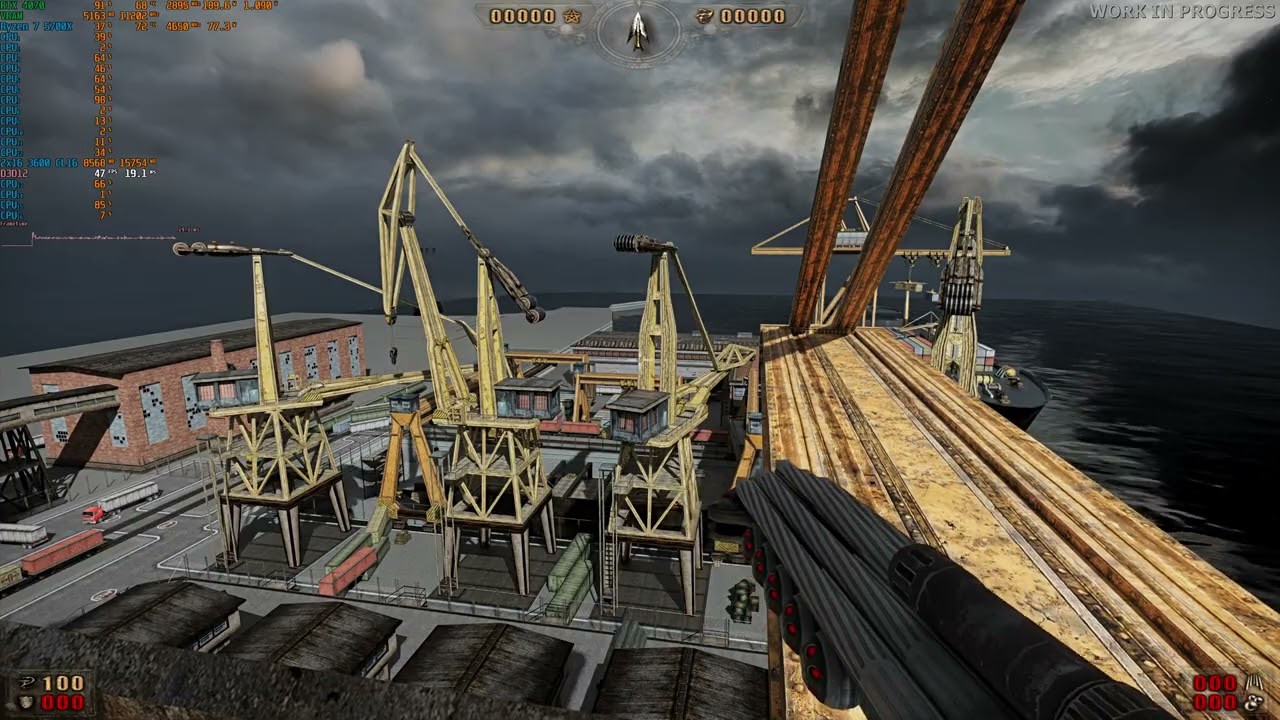
the second direction in the vid, the first works well
39FPS
Sky light disappears in Catacombs at exactly 320+ clip pane value
light palm
noble beacon
Any idea why it drops performance even when clip pane is low when looking at tha...
it is volume culling so performance is not based on where you are looking
it is based on where you are standing
volume around player in all directions
noble beacon
light palm
it is volume culling so performance is not based on where you are looking
Gime 10 sec
light palm
you can use the free camera to check how it behaves. with standard frustum culling, everything behind the player is not rendered, which causes problems for pathtracing
light palm
noble beacon
Sky light disappears in Catacombs at exactly 320+ clip pane value
yes, i am currently doing a deep dive in the assembly to determine how to force citem dats to always be rendered
light palm
noble beacon
ahh i see what you mean. performance is worse when looking away from the level
your computer is just lazy is all
doesnt want to render frames
jokes aside, perhaps you could use the remix free camera to see if the culling behind the player is drawing more objects when you are looking away compared to when you are looking at
noble beacon
noble beacon
More apparent here. 2 sides of the level

that first direction is cursed
noble beacon
I think that exact problem affects performance when you jump off the crane and start gameplay sequence
light palm
please check if there is a difference in which geometry is getting culled when you are looking away vs when not looking away, using the remix free cam
noble beacon
10 sec
noble beacon
light palm
please check if there is a difference in which geometry is getting culled when y...
Yes


Clip pane 322
It's rendering cargo crates on the ship when looking away
Looks like the volume in the back is very large or isn't affected by the setting
So when you turn your back to the whole level, like here on Docks, it's all rendering far in the distance behind you
tall iron
noble beacon
Yes
I wonder what happens if you do the same thing again, after you adjust the Clip Plane setting?
noble beacon
noble beacon
noble beacon
So when you turn your back to the whole level, like here on Docks, it's all rend...
Okay, it's not relative to the camera direction, but to the world axis
it's only rendering everything behind you when you're looking there

But not when looking there
 noble beacon
More apparent here. 2 sides of the level
noble beacon
noble beacon
More apparent here. 2 sides of the level
That's why it performs different in these vids
noble beacon
tall iron
I wonder what happens if you do the same thing again, after you adjust the Clip ...
It is actually affected by the clip pane value, it's like it's multiplying it somehow
Very low clip pane, renders not everything but still more than needed
light palm
thanks for testing mister @noble beacon ! i think i have enough data to fix this

 pallid saffron
Guess I’ll wait that release to continue
north kiln


 tall iron
any updates? should I download the hotfixes?
light palm
tall iron
any updates? should I download the hotfixes?
as the aabb volume culling patch changes the rendering behaviour so significantly, it requires sweeping changes to a whole variety of things in game before public release
ie. lights can no longer be tied to arbitrary scene geometry, which was occasionally the case earlier, as all scene geometry was always rendered previously
to get value from the performance, render distance must be set lower. currently it is set to about 5000 meters by default, but we want to set this to 100 meters.
this was due to tagging the skies as "sky" to force them to render in non-pathtraced mode and composite them in the scene later, as it was near impossible to get pathtraced skies looking correct with issues with alpha and volumetric contribution on emissives in remix. however tagging the skies as sky then revealed the base engine behaviour as simply not drawing anything beyond the clip distance, (which is different to culling) which then necessitated the very large draw distance.
so setting the clip distance to 100m then necessitates getting emissives working properly in the pathtracer, hence my recent PR to dxvk-remix to fix this
and now that the skyspheres are rendered with the pathtracer, they now block distant lights, necessitating rescaling the skyspheres and/or repositioning/reconfiguring the distant lights.
so this requires quite broad changes to basically every level before release
 noble beacon
There's no :Binq_pls_fix: on this server and it's infuriating
light palm
it's truly a "there's a hole in the bucket, dear Liza" scenario
tall iron
But at least the coding part is done now, and what's left is the content part?
light palm
tall iron
But at least the coding part is done now, and what's left is the content part?
yes, uni starts up again for me tomorrow though so there may not be much time for me to do these things
tall iron
Well i think we can all contribute with content
tall iron
im going to check it out as it is right now, 0.171 with the 3 hotfixes
light palm
tall iron
But at least the coding part is done now, and what's left is the content part?
yep
tall iron
I think that replacing original textures with emissive materials is better than manually placing lights everywhere
the 'chalice' Holy Item with its directional glow is nifty and matches some depictions of the Holy Grail, but I think the cartoony look of emissive materials like in 0.16 better matches the aesthetic of the game
maybe some parts of some levels might be under-lit, I think that is when some intervention and artistic liberties are warranted ... IMHO it should be kept to a minimum
noble beacon
tall iron
I think that replacing original textures with emissive materials is better than ...
The Pathtracer wouldn't like that, Emissives and Primitive lights are processed in different ways. Emissives are hard because the actual light source is obscure and consists of many many triangles instead of a single object (light)
Emissives produce more noise because they are pathtraced in a different way
noble beacon
tall iron
the 'chalice' Holy Item with its directional glow is nifty and matches some depi...
I agree, I also like how Holy Items magically glowed in v016
tall iron
noble beacon
Emissives produce more noise because they are pathtraced in a different way
for small objects like the Holy Items and the majority of gameplay objects, noise shouldn't be an issue... its only a problem for level geometry with large and diffuse emissive surfaces
which could require manual tinkering to stop the light shimmering
like i wouldnt mind loading up a section of the game with a particularly bad shimmering problem, then capturing the scene and start hacking away at the lighting parameters to make the shimmering go away
tall iron
tall iron
im going to check it out as it is right now, 0.171 with the 3 hotfixes
wow, i can't believe its taking 3 hours to download these hotfix zip files from google drive
noble beacon
tall iron
like i wouldnt mind loading up a section of the game with a particularly bad shi...
There's no lighting parameters of Emissives, there's only intensity
You don't choose between emissives and lights, you combine them

emissives to give a glow to the surface and lights to actually cast light
tall iron
so this is different from Blender (and other pathtraced 3d modelling programs) where emissive surfaces do cast light
but actually in RTX remix, emissive textures do cast light under certain conditions
noble beacon
emissives do cast light
tall iron
GitHub
In many classic games, a texture with transparency is often used to represent a special effect which is usually associated with light-emitting phenomena, such as electrical sparks, fireballs, magic...
noble beacon
but they are treated differently by the pathtracer
you don't want to rely solely on emissives
tall iron
yeah its not as efficient as point light sources, according to the tooltips in the RTX remix app
tall iron
light palm
to get value from the performance, render distance must be set lower. currently ...
"it was near impossible to get pathtraced skies looking correct with issues with alpha and volumetric contribution on emissives in remix"
question, why does the sky need alpha and volumetric? can't it just be like a HDRI background ?
light palm
Hdri background is emissive
And I want multiple layers with clouds etc
I'm convinced the alpha system in remix is broken
tall iron
light palm
And I want multiple layers with clouds etc
yes have a static background which only serves as the base background lighting for the level
for the cloud layers , the correct way is to include it within the 3d level itself
i mean it would also look pretty epic if the clouds were extra low
and i think that its wise to keep the content interventions as simple as possible, because you dont know if the underlying code and mechanisms might change
for example the thousands of lights that you manually placed, now its a problem with the draw distance, etc etc
light palm
the skies geometry already are implemented through the base game
tall iron
light palm
the skies geometry already are implemented through the base game
can it be swapped out with Remix?
actually it looks like that's exactly what you've done
light palm
and about the lights, the base game did not have lights which could be interpreted by remix. speaking with the engine developer, the painkiller lights are not like other games where they can be interpreted by remix as dx9 lights. they are instead converte to directional lights per object, and 4 nearest light points are picked and converted to directional and passed to the shader or ff pipeline.
the lights which are placed in the editor are not traditional dx9 lights and cannot be interpreted by remix. they are also placed very, very approximately, so even if they could be interpreted by remix, would require manual adjustment anyway.
what i did was make a python script which converted the level light placement data into usdas for remix, and then modified them in toolkit, and added many more.
light palm
tall iron
actually it looks like that's exactly what you've done
i did both, reimplemented the entire sky system in the base engine, and then replaced anchor geometry and textures with higher quality ones in remix.
there were only a few lights, because they were only placed in painkiller in those places where they wanted dynamic lights on the weapon, characters and dynamic objects. all of the other lighting was simply baked through maya, and those light placements are not available information and had to be visually inferred and manually placed
light palm
tall iron
for the cloud layers , the correct way is to include it within the 3d level itse...
i have already started work on mesh clouds using sss to simulate volume rendering. i dont have much hope that it will end up working well, but it would be cool. might we wiser to contribute to remix to get more control over the volumetrics more directly
tall iron
what is sss?
light palm
subsurface scattering, ie. rtx skin
but i want something more like ray marching
for clouds
which the volumetric system in remix is more akin to
noble beacon
tall iron
what is sss?

The Painkiller RTX Remix project uses cutting-edge NVIDIA technology to breathe new life into the classic 2004 first-person shooter developed by the Polish studio People Can Fly.
We are trying to make the best use of the latest graphical advancements possible, such as RTX Volumetrics, RTX Skin, and RTX Subsurface Scattering, considering our capa...
tall iron
noble beacon
https://youtu.be/8tkWBM0Tijg?t=610
10:10
woah i didnt notice that , the marble texture spreads the light from the flashlight like that
noble beacon
tall iron
woah i didnt notice that , the marble texture spreads the light from the flashli...
https://youtu.be/wtSNY6nF1U8?si=okXPn5CJZauoltr8
Also a cool example
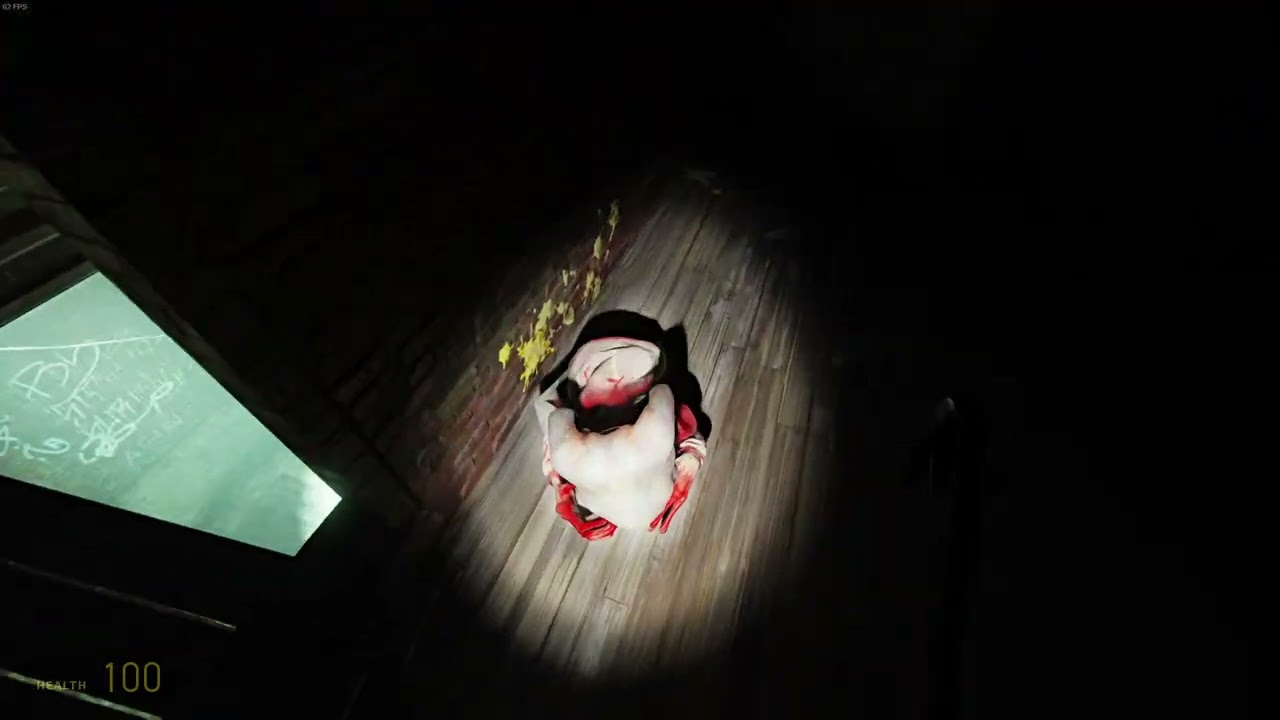
This is simply mind-blowing, I've never seen anything like that before
tall iron
that could be cool in very specific situations...
it reminds me of using translucent materials to simulate living tissue, like where there is simply a light source behind the fleshy thing you are trying to depict , and the light gets scattered all red and stuff from the blood under the skin
tall iron
light palm
but i want something more like ray marching
Maybe the clouds can be added in at a later update, as a quality of life improvement to the mod?
tall iron
light palm
the skies geometry already are implemented through the base game
Hmm now that I've read over what you typed... perhaps its better to start with a clean sheet, rather than trying to hack raytracing into existing geometry
like, having a truly modern HDRI background to completely replace the old geometric background, you wouldn't need to worry about draw distance etc anymore
tall iron
light palm
and now that the skyspheres are rendered with the pathtracer, they now block dis...
I don't understand this part, I am assuming that the skysphere is centered on the player/camera position ... and it would occclude everything, including level geometry, not just lights?
tall iron
i just unzipped 0.171 directly into my Painkiller install, over 0.17, and now the game is borked :/ it crashes when it tries to load a level
did it need a clean install?
light palm
if you have a folder with hotfix or whatever in the name sitting in your painkiller directory you might need to move the folders out of that folder into the painkiller folder
SSS on off

 noble beacon
light palm
noble beacon
light palm
Is there a tool that allows creating such all in one HTML files for comparisons or did you ask LLM to make it?
tall iron
light palm
SSS on off
this looks super noisy to me and you can't even see the shape of the shadow, unless i set DLSS to full resolution
noble beacon
Nothing super noisy about it?
The noise pattern is dust particles that can be disabled under Volumetrics dropdown
tall iron
noble beacon
Nothing super noisy about it?
The noise pattern is dust particles that can be di...
i mean the shadow is noisy and badly defined
noble beacon
Well it's pathtracing at 720p with Framegen
light palm
shadows in real life are not always crisply defined. that light in particular is intentionally not crisp
you can simply change a parameter in the light setting to have it crisp
north kiln
 tall iron
with DLSS , the shadows look malformed, indistinct and shimmery... it only looks right when it is set to full resolution
this angle shows it off better... look at the shading on and around the staircase
full resolution makes it look much more stable
noble beacon
tall iron
full resolution makes it look much more stable
It makes perfect sense
tall iron
there must be some way to optimize that particular light to work better with DLSS
for example, the shadows from the windows in Cathedral look clear in DLSS
noble beacon
It is probably because shadows in Cathedral are closer to the opaque object or something
In any case it's computationally easier to make this look stable

Volumetric settings also play a role
different levels have different volumetrics
tall iron
noble beacon
It is probably because shadows in Cathedral are closer to the opaque object or s...
This wouldnt be an issue if there was a true 'sunlight' light source in Remix, where the light rays are parallel and cast to infinity and the distance does not matter
light palm
tall iron
This wouldnt be an issue if there was a true 'sunlight' light source in Remix, w...
there is, the problem is 1) it doesnt shine through skyspheres
2) it covers the whole "world", and this is not wanted in games which used non physical lighting like painkiller, where some areas are sunlit and others aren't, for no obvious reason other than style.
That wouldnt be a problem if you could block the light with single sided blocking planes, but these planes only appear single sided in the toolkit, once you go in game they are double sided and you see planes floating in the sky.
tall iron
light palm
there is, the problem is 1) it doesnt shine through skyspheres
2) it covers the ...
i guess you have to take the 'global' part of global illumination seriously
tall iron
im trying to open the mod in RTX Remix and its complaining about something about the City On Water level
Error in 'textFileFormatYyerror' at line 3162 in file pxr/usd/sdf/textFileFormat.yy : 'syntax error at '' in </RootNode> on line 31 in file C:\aaaaaaaaaaa\PKRTX_C5L1_CityOnWater_Sky.usda
tall iron
fixed it... it was a missing closing bracket
now theres another one
Error in 'textFileFormatYyerror' at line 3162 in file pxr/usd/sdf/textFileFormat.yy : 'syntax error at '' in </RootNode> on line 13 in file C:\aaaaaaaaaaa\PKRTX_C6L4_Pentagon_Sky.usda
another missing closing bracket
north kiln
@tall iron you have join the dev team? 
tall iron
No im just messing around
I got tired of seeing the goblet Holy Item not glowing so i am making it glow
tall iron
light palm
Emissive texture almost completely black
Are you going to release it?
tall iron
its a good thing that all three Holy Items use the same texture, just different parts of it... this means that i can black out the sections for the cross and the chalice, and only work on the goblet section
but i only have the original low res textures...if i load it as the emissive mask to get the glowing effect, it replaces the high res textures which came with the mod
noble beacon
You really appreciate this part of the game when you roam around out of fight

Video sequence on instrumental composition. Re-Gin. Nail Puller & Fly Entertainment. With the support of Regional Destruction and the Association of Loafers. You are dead, but remained at the same level, comrade.
It's so different when you're not in a fight and the ambience just hits hard
some levels do have quests like destroy all objects or find all secrets that make you experience this
I mean I imagine it's difficult to admire things like that if you play the game for the first time in 2025, but for those who have been playing it since decades ago, it means a lot 😄
light palm
whats that thing where ppl love sounds
its like that
jeez my brain cant words. i have the dumb
noble beacon
It's called absolutely crazy job they've done on the SFX

The game is really special because of this
light palm
it is super cool background sounds for slowly flying through levels looking at really cool RTX stuff
i figured out what the problem was with fog disappearing when draw distance was set too close btw
Portal RTX's fault
😄
noble beacon
light palm
the hardcoded value?
No it's just that I was like "nah mate surely it's all because of Portal RTX can't be anything else naah"
light palm
noble beacon
No it's just that I was like "nah mate surely it's all because of Portal RTX can...
haha keep up that pristine aussie vernacular and you'll earn yourself an honorary citizenship 😄
noble beacon
I'm working on it
light palm
Phd. in Mike Nolan show
light palm
i like setting my pc to 4k ultra DLAA and recording video in slow motion at 1fps then speeding it up 60x in davinci resolve
now get this
if only i could stand next to a black hole
noble beacon
doesn't it cause some temporal disaster
noble beacon
I would not recommend.
light palm

noble beacon
There are shops where you can buy hardware
Australia also has a currency (cash) to buy hardware
i think standing next to a black hole is suboptimal
light palm
i pay with interpretive dance
noble beacon
but what do i undestand me little skill issuer
 opaque badge
@noble beacon can you upload your rtx.conf here by any chance plz
 noble beacon
opaque badge
<@456226577798135808> can you upload your rtx.conf here by any chance plz
noble beacon
opaque badge
<@456226577798135808> can you upload your rtx.conf here by any chance plz
It's either stock v017 or with some changes that break the game
Call it
light palm
opaque badge
<@456226577798135808> can you upload your rtx.conf here by any chance plz
most of the PK specific stuff is in dxvk.conf
i tried to leave the rtx.conf empty for people to save their individual quality settings etc
opaque badge
noble beacon
It's either stock v017 or with some changes that break the game
oh ok, cuz i want that fog back in the start of the game
opaque badge
light palm
most of the PK specific stuff is in dxvk.conf
ok ok
noble beacon
opaque badge
oh ok, cuz i want that fog back in the start of the game
Set clip plane to like 300
it should return
 opaque badge
ye it works thank guys
 noble beacon
I absolutely adore that emoji
light palm
oh man what a great emoji it is
noble beacon
You can use it in any situation and it won't seem out of place
you fixed a longstanding issue?
something completely broke apart?
burial?
that little rippa
 noble beacon
light palm
wombats get far too little attention
noble beacon
light palm
wombats get far too little attention
they take funny shits
that's all I know
all there is to know
of relevance
light palm
regular hexahedrons
opaque badge
yo im facing an issue that no lights rendering for me
when i used older version maybe a month ago i dont have that issue then
devs do you know how to fix it?
noble beacon
opaque badge
devs do you know how to fix it?
Open Alt+X Developer menu - Game Setup - Categorize Textures and click at that blackness in the sky
tall iron
i play with EAX 3 with its virtual 3d headphone sound
noble beacon
noble beacon
Open Alt+X Developer menu - Game Setup - Categorize Textures and click at that b...
You'll see a list of tags, check "Sky Texture"
tall iron
noble beacon
The game is really special because of this
yes the sounds are one of the better aspects of the game
tall iron
opaque badge
yo im facing an issue that no lights rendering for me
this is City On Water, afaik there is a missing closing bracket in the .usda file for the sky for this level
tall iron
huh for some reason its not playing the video anymore
noble beacon
is it MP4?
tall iron
yes
let me try again
this is with the emission mask that i edited
the 'cross' holy item also has a jewel in the middle , that is included in the emission mask... but the way that the light source is set up for it, its not really visible
noble beacon
tall iron
Mate wtf is that CPU temp sensor
Also you don't need to call wattage values so often, it most certainly takes some CPU time
Monitoring overlays can be treacherous
tall iron
i'm intense like that
the jewel in the middle of the cross is supposed to glow as well because that's how i edited the emission mask... but you cant really see that effect so well because of the extra light source that was added in 0.17
the base of the cross lights up nicely though, i think its sharing the same section of the texture as the goblet
it makes me so happy to see that the sparks on these guys actually glow now
noble beacon
tall iron
the jewel in the middle of the cross is supposed to glow as well because that's ...
Actually this item looks like this rn

Okay I got it
Remember I asked to delete emission mask path from the USDA?
That was the path to the mask packaged via RTXIO
And seems like Binq Adams did not finish that mask at the time
So it only illuminates parts used by the cross
:Binq_pls_fix:
Idk how to repack those pkgs
tall iron
noble beacon
Actually this item looks like this rn
Okay that kind of looks epic
Im wondering, if its possible to attach particle emitters to objects, like how you attach lights to objects
Having a little flame burning on the cup would look so oldskool
Like maybe the chalice can have the glowing jewels and the bright light from the cup, like how it looks like in my video... while the goblet has the flame
noble beacon
Particle emitter is a texture tag
So you need to spawn a mesh in holy item's proximity to apply that tag on using LUA
north kiln
big boy

 tall iron
north kiln
big boy
tall iron
north kiln
big boy
loving the old school claymation look
the boss battle itself is kind of lame though, either instant death when he attacks, or you have the right card combo to defeat him effortlessly ... i think theres a term for this in gaming but it escapes my head at the moment
tall iron
noble beacon
So you need to spawn a mesh in holy item's proximity to apply that tag on using ...
so this is a thing on the Painkiller modding side, not the RTX Remix side?
i know that in Blender and UE5 , you can attach a particle emitter to almost anything
north kiln
 tall iron
can something be done about the noisy lighting in this area?
it seems the noise comes from the direct lighting
makes me think... why not use non-raytraced methods for direct lighting, which is a problem solved a long time ago... then use raytracing for indirect lighting, which is its greatest strength
light palm
tall iron
it seems the noise comes from the direct lighting
hmm usually serious noise in direct lighting is a light setup mistake on my part, it may be due to the high intensity "distant" (actually sphere) light coming in through only some cracks in the roof.
Or I might have put a tiny light with really high intensity in some places.
It was a long time ago when I placed a lot of the lights, before I learned some of the best practices, like trying to keep the intensity within reason, and avoiding intersecting lights with geometry.
So there is definitely room for a lighting optimisation pass.
tall iron
good to know... there is so much more potential here
light palm
tall iron
good to know... there is so much more potential here
painkiller is an amazing platform for this tech. I'm focusing mostly on the quasi-nuts'n'bolts, but this is becoming a beautiful, mostly empty canvas for some digital maestros to come along and fill with art
tall iron
i'd love to jump in and capture that scene and tweak the lights to make the noise go away, but it seems the way that the mod is packaged makes it impossible for me to access anything that i didnt make myself
light palm
tall iron
i'd love to jump in and capture that scene and tweak the lights to make the nois...
you can extract the .pkg files, its a little bit of a pain, but doable
and you can also extract the .pak files
no third party tools needed for the pak files, extraction/compression is bundled with painkiller there
i believe the main benefit of rtxio in this case is loading speed / performance. in theory there should be better 1% lows for certain system configs
the 10gb "installed" size savings isn't of huuuuge concern to most users afaik
using rtxio did not get me any savings on the "download" size of the mod, so it makes no real difference on that front either
it does make it harder to package/release the mod when packing everything up in the paks and pkgs. there are other benefits though.
if you find yourself with something you would like to add to the main mod, hit me up, im sure we can. there is a lot of room for improvement
34 levels, many with nary a light/playability/basicPBR pass
(more than 35 counting secret extra levels :P)
we have a (currently private) github repo and development tools set up as well, if that's of interest to you
tall iron
maybe i might make a contribution or two once in a while... right now that noisy room in Snow Bridge is like an itch i really want to scratch
tall iron
light palm
(more than 35 counting secret extra levels :P)
i mean , it would be so cool if we can start a multiplayer game, but its just a hangout in the People Can Fly castle , with all sorts of Remix-specific stuff like adding lights and volumetric effects and stuff
light palm
tall iron
maybe i might make a contribution or two once in a while... right now that noisy...
so many itches i want to scrach in so many levels 🙈
tall iron
light palm
so many itches i want to scrach in so many levels 🙈
its a lot faster to audit other people's work, than to do the work yourelf... how many contributers are there in this project?
light palm
tall iron
its a lot faster to audit other people's work, than to do the work yourelf... ho...
only a few, you have met most of them already 🙂
tall iron
im thinking of just playing through the game in 0.171 just to gauge the state of things, then come back at a later stage when enough has changed and im not bored of Painkiller anymore
if i find some particularly gnarly areas which need work i would be happy to help , like going through the pak files and all that
but as of right now, if i try to open a capture in remix, everything is black
noble beacon
tall iron
i mean , it would be so cool if we can start a multiplayer game, but its just a ...
I've been proposing a Painkiller RTX multiplayer session as well 😄
Something about it is just "hell yeah"
tall iron
ideally what i would like to do is play the game -> see something i don't like -> capture -> open remix -> do something about it -> save -> continue playing
noble beacon
tall iron
ideally what i would like to do is play the game -> see something i don't like -...
You can do so
Requires some fuckery
You either ask Binq Adams to upload raw assets Or unpack and sort them yourself
And join Painkiller RTX server to get access to the repo and project file
Once you're running raw assets instead of packaged, you can open the workfile in the toolkit and change anything you want as you play
 vale gust
light palm
yes, i am currently doing a deep dive in the assembly to determine how to force ...
vale gust
light palm
yes, i am currently doing a deep dive in the assembly to determine how to force ...
NecroVisioN's engine has the "EnableAlwaysVisible" Lua function.
turns on the No Occlusion flag as specified in the documentation
opaque badge
tall iron
how do i get the fog back?
try to change clip plane setting in painkiller settings or alt+x → developer menu → global volumetrics → volumetric lighting → check volumetric lighting and then you can change preset what would you like
tall iron
this tunnel place in Military Base has really noisy lighting, looks almost like caustics from a swimming pool... do you have any plan on fixing it
noble beacon
tall iron
how do i get the fog back?
That's how it looks at Clip Plane 1000

Needs some adjustment
noble beacon
vale gust
NecroVisioN's engine has the "EnableAlwaysVisible" Lua function.
Do we have to start on NecroVisioN RTX 😭
Are there any leftovers of fixed function fallback in Necrovision btw?
light palm
vale gust
NecroVisioN's engine has the "EnableAlwaysVisible" Lua function.
it was this other thing, #1313627595815911448 message
not culling exactly
i havent fully tested the flag but i have a tkinter tool which toggles all the maya flags, it's absolute garbage, you should try it 🤣
light palm
tall iron
how do i get the fog back?
i'm working on it, i have a PR open which allows for full obscuration in the volumetrics, waiting on senior dev eyeballs (was supposed to respond to different message but you get the idea)
light palm
tall iron
how do i get the fog back?
i have another pr which fixes this, turns out it was a hardcoded value in remix which was there for portal rtx compat, simply making it configurable (and changing said value) prevents the issue where fog ceases to render when d3d fog fardist <= 67
light palm
light palm
it was this other thing, https://discord.com/channels/1028444667789967381/131362...
ie. was more an issue with the farclipdist clipping stuff. tried the flag which always renders stuff behind other geo meant for skies, then the sky dissapeared, then ran out of time and stopped testing
 light palm
tall iron
hmm, another area with noisy lights
light palm
tall iron
hmm, another area with noisy lights
probably due to the lights i had placed either intersecting with the lamps there, or the lights being too dark compared to the emissive surfaces on the lamps
light palm
opaque badge
try to change clip plane setting in painkiller settings or alt+x → developer men...
to get more "original game" behaviour, you can use the "distance fog" in alt-x menu
not physically accurate but matches original reasonably well
opaque badge
light palm
to get more "original game" behaviour, you can use the "distance fog" in alt-x m...
Oh ok, I didn’t know that
light palm
you have to have other settings set a certain way for it to actually show up, cant remember what exactly
if it doesnt appear to do anything try turning other volumetrics off
or something - i didnt really ever use distance fog
love this rune slab McGillacutty graced us with

 light palm
ie. was more an issue with the farclipdist clipping stuff. tried the flag which ...
light palm
light palm
ie. was more an issue with the farclipdist clipping stuff. tried the flag which ...
hmm come to think of it, it's probably a very simple bit of logic rendering the original "sky" over other stuff when other stuff is past the farclip dist
including the fake CItem sky
light palm
light palm
ie. was more an issue with the farclipdist clipping stuff. tried the flag which ...
ie. this is with the citem sky and the original sky undefined - turns it it wasnt culled, just getting the fog color rendered on top of it after the clip plane distance

now to implement remix api
 noble beacon
light palm
now to implement remix api
noble beacon
light palm
now to implement remix api
that's such a powerful message
right who cares about the uni, remix api needs implementing
 light palm
noble beacon
right who cares about the uni, remix api needs implementing
light palm
noble beacon
right who cares about the uni, remix api needs implementing
who cares about sleep more like it 😄
tall iron
there are vast swaths of missing terrain visible from this secret area in Military Base... is there something you plan on doing about it? or is this what 'purgatory' is supposed to look like
light palm
tall iron
there are vast swaths of missing terrain visible from this secret area in Milita...
will get to it eventually, quite far down on the list though
probably an easy fix if you wanted to check it out
light palm
Volumetrics fixes before and after


(The painting has a VERY slight amount of emissive, 0.1)

 noble beacon
light palm
(The painting has a VERY slight amount of emissive, 0.1)
noble beacon
light palm
(The painting has a VERY slight amount of emissive, 0.1)
That's a fine example right there
north kiln
i damn love how the moon made cycle and projected lights and shadow on the map
tall iron
are there any new hotfixes ? like for the sky in City On Water
tall iron
light palm
(The painting has a VERY slight amount of emissive, 0.1)
what level is this?
light palm
its city on water but i had placed meshes in there for testing purposes. so basically a test scene.
light palm
tall iron
are there any new hotfixes ? like for the sky in City On Water
no hotfixes until next release. too much needs to be changed with the AABB patch
tall iron
seeing a glowing painting reminds me of those ultraviolet fluorescent posters and stuff... so much fun could be had with emissive masks
tall iron
light palm
no hotfixes until next release. too much needs to be changed with the AABB patch
is there something i can edit on my end to save me from manually tagging the sky in City On Water, everytime i load the map?
light palm
you can tag it and then press save on the bottom of the alt x menu
tall iron
huh that works on assets as well? not just settings?
light palm
and/or copy the hash to the skys hash list in dxvk.conf
yeah it saves them into rtx.conf when u press save there
dxvk.conf contains "defaults" that I have set up. city on water sky is missing from there
tall iron
so editing dxvk.conf is the proper way of fixing it
light palm
sort of
the proper way of fixing it is to ingest a properly uvmapped sphere with the corred BC6u hdri override in the sky layer
tall iron
you mean the sky can look even better than it does right now?
light palm
most definitely
tall iron
oh cool
light palm
looks way better in the upcoming release
tall iron
sweet... i wonder if remix supports hdr monitors
light palm
not at the moment afaik
tall iron
:sad:
light palm
perhaps you can use hdr on windows 11 with the nvidia auto hdr thing
i have windows 10 though so i cant test that
tall iron
😥
light palm
you could try it if you have windows 11
tall iron
auto hdr 🤢
light palm
just a setting in the nvidia app
its not too bad
try it before knocking it 😛
of course native would be great.
tall iron
the other problem is that my monitor supports HDR , but it barely counts
 tall iron
if they ever invent an OLED which does not burn out, i'll be the first to buy one

 tall iron
light palm
tall iron
light palm
did you do anything about the grassy ground in Asylum? it looks plasticky and polygonal with how it is reflecting the sky light
light palm
tall iron
did you do anything about the grassy ground in Asylum? it looks plasticky and po...
yeah
tall iron
light palm
wait, are those bats?
light palm
north kiln
light palm
 tall iron
light palm
tall iron
light palm
hmm still quite noticable ghosting
light palm
the point is to show the lights on the candles
which move and also despawn when the candles extinguish
tall iron
maybe on small geometry like this , the amount of ghosting is acceptable
maybe the sampling noise will also make it look like its flickering
light palm
ghost particles also fixed, and subtle light added to ghost
list of fixes is pages long
tall iron
but when the lights suddenly go out, there is that lingering glow in the fog
light palm
froxel cache
tall iron
i wonder if there is some hack that forces the cache to be flushed when there is a sudden change in brightness like that
light palm
you can reduce the number of accumulation frames in the froxel cache if you want that to be more responsive
or simply remove the volumetric contribution from those lights
tall iron
like flushing the cache might introduce some artifacting... but i think in a specific moment like this, the artifacting could be used to dramatic effect
is the froxel cache global? or specific to lights and volumes
light palm
global afaik
tall iron
is there a way to flush it via in-game events?
light palm
via api presumably, that is not implemented yet in Painkiller RTX
tall iron
i kind of like the greenish tint in the reflection, it gives it a nice dash of colour
is this a LOD thing?
noble beacon
tall iron
is this a LOD thing?
Transparency is glitching sometimes
Same thing can be observed at the base of Orphanage
tall iron
this is a chefs kiss moment in raytracing
not sure if this is going to come across on video... but theres this weird shimmering on the water's edge
tall iron
i found another glitch
another fun moment with raytracing
its very pleasant to see that there is basically no ghosting here even though the lighting changed so rapidly
tall iron
hmm, serious performance issues in Docks when raytracing is enabled... CPU and GPU hardly above 50% utilization
performance is fine without raytracing
noble beacon
tall iron
not sure if this is going to come across on video... but theres this weird shimm...
It stops shimmering when untagged as Water Texture.
The problem is, the foundation of that structure has a narrow water material applied to it. This is bad for Water Texture tag because it can't properly animate normals here


What is needed here is to get rid of that watery layer over the stone
tall iron
i wonder why did they do it like that originally... were they hoping to have waves on the water or something
noble beacon
tall iron
performance is fine without raytracing
It's not really, this level has huge issues with CPU performance with culling disabled. Binq's work on AABB is supposed to fix this issue
tall iron
what is aabb
tall iron
interesting
noble beacon
Basically a box around you that occludes geometry out of it's boundaries
noble beacon
tall iron
hmm, serious performance issues in Docks when raytracing is enabled... CPU and G...
Btw there's Portal occlusion you can toggle using the "O" key. It helps with CPU performance
How it looks depends on how the devs placed portals around the level
tall iron
turning on occlusion makes the shadows screen-space dependent
noble beacon
tall iron
turning on occlusion makes the shadows screen-space dependent
Yeah, that's because you're no longer looking at the shadow casting object through the portal
I would not play like that, the real solution is on its' way
tall iron
the beginning is the default, occlusion off... then i pressed 'O' and it has a different effect on the shadows, but the frame rate goes up a lot
like the portal occlusion seems to have a more granular effect on the shadows than turning on occlusion from the game menu
noble beacon
tall iron
like the portal occlusion seems to have a more granular effect on the shadows th...
O key and the option in the game menu toggle the same culling algorithm
the checkbox in the options is just not in sync with the hotkey
light palm
tall iron
not sure if this is going to come across on video... but theres this weird shimm...
try toggling ray reconstruction on and off, and/or try transformer model D
noble beacon
nuh uh
#1313627595815911448 message
tall iron
noble beacon
nuh uh
https://discord.com/channels/1028444667789967381/1313627595815911448/1401...
i think it will just have to be another intervention in this level, manually finding and changing every instance of those water textures
maybe in the original game , its a trick to simulate the walls being wet at the waterline
tall iron
@light palm you say that you are in contact with the original developers ? i wonder if they have any comment about the level designer who placed the secrets in the levels
noble beacon
It's called Poland 2003 approach
tall iron
interesting artifacting here with the shadows, when culling is turned on
tall iron
noble beacon
It's called Poland 2003 approach
yeah i enjoy grabbing the secrets like i enjoy bashing my head against the wall
noble beacon
noble beacon
tall iron
interesting artifacting here with the shadows, when culling is turned on
This method is being phased out anyway so
Occlusion option does nothing in the dev Engine.dll with AABB implemented
tall iron
just a question,what is this axis that the bounding box is aligned with? the player orientation?
noble beacon
with the world coordinate axes
meaning its' faces are parallel to the x, y, z planes
tall iron
white material in Old Monastery
also the previous version had this area all lit up... there are torchlight objects but since 0.171 they have no light source
the glowing enemies in Hell stop emitting light when they are offscreen... come to think of it, does disabling culling prevent enemies from being culled?
noble beacon
tall iron
white material in Old Monastery
nono that's where you are supposed to blink, a little blinking break for you, you're welcome
noble beacon
tall iron
the glowing enemies in Hell stop emitting light when they are offscreen... come ...
Yes that's because culling is enabled here
tall iron
it looks like the Hell level is basically missing anything Remix related except for the glowing enemies
the overbright mushroom cloud in 0.16 was a nice touch, if only it wasn't affected by culling
light palm
tall iron
the glowing enemies in Hell stop emitting light when they are offscreen... come ...
Hell should look better in next release:

(WiP)
Just for fun - trying different methods to get the demon mode to look better:

Some accumulated shots:

 tall iron
light palm
Just for fun - trying different methods to get the demon mode to look better:
tall iron
light palm
Just for fun - trying different methods to get the demon mode to look better:
i read that Remix actually does support shaders, just not completely
but anyway... i think even without shaders, its still possible to get close to the original effect using materials
like the enemies have this 'stone'(?) texture on them during Demon Morph ... can this texture be changed for something which resembles the original orangey highlight effect?
i am thinking of a uniform displacement map, to create a 'shell' around the character model ... but this 'shell' has the normals flipped, so its only visible on the 'inside', thus giving a cel-shaded outline effect
and for the monochrome effect... surely there has to be a way to do something so simple as to get the average of the red, green and blue values for each ray/pixel, and set all the colour channels to that value?
noble beacon
light palm
Just for fun - trying different methods to get the demon mode to look better:
Perhaps it would be worth it to ask around how to make a custom shader for Remix
Then, create some event upon demon morphing in Lua that would trigger the shader via Remix API
Lots of research here, ngl
north kiln
light palm
Some accumulated shots:
 light palm
Finally got real lights on the flamethrower flames using physics, high air density, inverted gravity and custom scaling process.
north kiln
light palm
Finally got real lights on the flamethrower flames using physics, high air densi...
 north kiln
i'm so LOONYYYYYY


 light palm
whoa that's some shiny goodness!
kindred haven
light palm
Finally got real lights on the flamethrower flames using physics, high air densi...
Are the effects done ingame or with remix’s particle system?
light palm
kindred haven
Are the effects done ingame or with remix’s particle system?
these effects are all from the original game
kindred haven
Ah ok
light palm
of course they look quite different in remix! i think they look good, but we have not done a full particles pass, which would be awesome
tall iron
north kiln
i'm so LOONYYYYYY
is this going to be in the next release?
north kiln
tall iron
is this going to be in the next release?
Its the actual version i have just boost the bloom a bit.
north kiln


 north kiln
light palm
the 3rd picture 😄
north kiln
light palm
the 3rd picture 😄
he have insult my mom 
light palm
north kiln
he have insult my mom <a:gunmouth:812947710431854593>
oof! cruisin' for a bruisin'
north kiln
Violence is not a solution it's THE solution
 earnest ember
Hey guys, I was performing some quick tests and noticed 2 layers in your mod release have broken usda syntax
 noble beacon
earnest ember
Hey guys, I was performing some quick tests and noticed 2 layers in your mod rel...
noble beacon
earnest ember
Hey guys, I was performing some quick tests and noticed 2 layers in your mod rel...
Ah, yeah. If you encounter lack of skylight on City On Water, just go to Categorize Textures and tag that blackness in the sky as a Sky Texture
More comments on this

Thanks for mentioning !
tall iron
https://store.steampowered.com/sale/FromPolandWithLove2025 🙁 Painkiller is not on the list

Untold Tales and 28 Polish devs unite for one massive sale: 150+ games, up to 90% off! From indie gems to AAA hits like Cyberpunk 2077 and The Witcher 3 – From Poland With Love!
tall iron
earnest ember
Hey guys, I was performing some quick tests and noticed 2 layers in your mod rel...
IMHO the mod in its current state is quite unsatisfactory, some levels in the game seem neglected, I am holding out for their upcoming changes
noble beacon
tall iron
IMHO the mod in its current state is quite unsatisfactory, some levels in the ga...
uhm, English is not my native tongue, yet I feel like "neglected" is an unfair choice of words?

ModDB
Behind the scenes with Painkiller: How a practice map became a proof of concept for what RTX Remix can do in the hands of an absolute beginner. See how I rebuilt Painkiller’s Atrium and what I figured out along the way about lighting, materials, and...
Other levels are not neglected, they are yet to be worked on
You have like 2 people working on this
only one most of the time
tall iron
i'd love to contribute at some point
light palm
Lets gooooooooooo!
light palm
earnest ember
Hey guys, I was performing some quick tests and noticed 2 layers in your mod rel...
My fault, sorry E-Man!
Next version coming Soon™
The change log is obscene
earnest ember
light palm
My fault, sorry E-Man!
Next version coming Soon™
Np. Here is a checkup script for you all 
Just need to pip install usd-core. It will print the layer hierarchy
from pxr import Sdf
import os

def resolve_sublayer_path(layer, sublayer_path):
    if os.path.isabs(sublayer_path):
        return sublayer_path
    parent_dir = os.path.dirname(layer.realPath)
    resolved = os.path.normpath(os.path.join(parent_dir, sublayer_path))
    return resolved

def print_all_layers(layer_path, visited=None, indent=0):
    if visited is None:
        visited = set()
    if layer_path in visited:
        return
    visited.add(layer_path)
    try:
        layer = Sdf.Layer.FindOrOpen(layer_path)
    except Exception as e:
        print("Error opening: ", layer_path)
        raise e
    if not layer:
        return
    print("    " * indent + layer_path)
    for sub_layer_path in layer.subLayerPaths:
        resolved = resolve_sublayer_path(layer, sub_layer_path)
        print_all_layers(resolved, visited, indent + 1)


root_layer_path = r"D:\Projects\Remix Stuff\PainkillerRTXv0171\Bin\rtx-remix\mods\PKRTX\mod.usda"
print("All layers (recursively):")
print_all_layers(root_layer_path)
oooooooohhhh niiiice
I messed up some layers by trying to automate finding duplicate textures (textures which were duplicated into different folders, but the same texture) and then referenced by different layers. I was trying to consolidate those
and also textures which were referenced, but were overridden in stronger layers - i was trying to remove those
there are many edge cases when doing this kind of string manipulation
this could be very useful, thanks mister!
earnest ember
light palm
there are many edge cases when doing this kind of string manipulation
OpenUSD scripting is tricky to learn but could totally help you in these cases
light palm
yeah I was thinking that. it would be better to go that route than string manip
had to get it done quick though, so janked it.
They don't call me Dr. Jankenstein for nothing.
earnest ember
Hahah 😅
light palm
i did somewhat of the openusd stuff with a different tool which went through and bound lights to the closest geometry
earnest ember
You can also just prompt an AI like Perplexity and will make most of the work for you
light palm
Perplexity i have heard that name, i will look see
ahh cool its free?
nice
is that connor's stuff? or i am confused
earnest ember
The toolkit in dev mode (lightspeed.app.trex_dev.bat) also has a script editor under Window > Script Editor which you can use with an open, running project
earnest ember
light palm
is that connor's stuff? or i am confused
the wat?
light palm
earnest ember
the wat?
nevermind i got confused of the name of these AI company CEO's 😄
light palm
earnest ember
The toolkit in dev mode (`lightspeed.app.trex_dev.bat`) also has a script editor...
oh interesting indeed
this could be a game changer™
why did I not notice this earlier 😄 I had launched in dev mode before, then promptly forgot all about it
hey you wouldn't happen to know if the alpha blending system is all working correctly in toolkit/runtime?
I found the system somewhat opaque (pun intended)
light palm
light palm
They don't call me Dr. Jankenstein for nothing.
It would be remiss not to mention my esteemed colleague, Madame Jankenstina 🙂
earnest ember
light palm
hey you wouldn't happen to know if the alpha blending system is all working corr...
Hmm wdym? Something is not working as expected?
light palm
earnest ember
Hmm wdym? Something is not working as expected?
The only way i seem to be able to get smooth alpha blending is with alpha emissive. I was doing some testing and it seems that there is some tie-in with stochastic alpha blend and froxel max distance
Some examples:


The froxel thing is probably a red herring, just the volumetrics affecting the alpha particles/entities
seems I didn't take screenshots of my stochastic alpha blend settings testing 🙈
I will eventually get around to doing some structured testing and analysis on it. Probably best to disregard the alpha concerns for now
earnest ember
light palm
Some examples:
Can't tell my the images what you're trying to blend. If you have decals you'll want to tag them as decal. For terrain try to enable the "terrain a decal" option, and tag your terrain textures with "Opacity Micromap Ignore Texture"
light palm
earnest ember
Can't tell my the images what you're trying to blend. If you have decals you'll ...
It's just a plane I added via toolkit and put a greyscale gradient alpha channel on for testing - set it as blend enabled and legacy alpha blend off.
probably best to ignore this for now until I can get better info for you!
north kiln
QUESTION. what is a froxel?
light palm
north kiln
QUESTION. what is a froxel?
i always assumed frustum voxel, have not actually checked though!
pallid saffron
north kiln
QUESTION. what is a froxel?
A pixelated frog 🐸
north kiln
pallid saffron
A pixelated frog 🐸
 north kiln


 pallid saffron
light palm
My fault, sorry E-Man!
Next version coming Soon™
pallid saffron
light palm
My fault, sorry E-Man!
Next version coming Soon™
That’s what Star Citizen usually say 🙃
light palm
Localised volumetric fog achieved
 north kiln
light palm
Localised volumetric fog achieved
north kiln
light palm
Localised volumetric fog achieved
Whao that's it's great!!!!
i cancel my gameclip of cemetary level and i will remade it when the new update will be here!
"Why do you love Painkiller so much?"
One of the reason
light palm
north kiln
*"Why do you love Painkiller so much?"*
One of the reason
lmao good combo!
north kiln
light palm
lmao good combo!
That's why for me ragdolls are indispensable for action games and not acceptable to not have them in actual production. except for some like Clair Obscure expedition 33 or 2D games
light palm
Painkiller RTX 0.2.0 Live!
https://drive.google.com/file/d/1wGwU7SsG5Htym4kD5PAUI3vPcd_Qb8zb/view?usp=drive_link
Google Docs
noble beacon
those were the haunted ones
they made the player suffer an uncontrollable desire to buy orange british shorthaired cats
in large quantities
there was also a motorcycle
pallid saffron
light palm
Painkiller RTX 0.2.0 Live!
https://drive.google.com/file/d/1wGwU7SsG5Htym4kD5PA...
Is it with the big performance improvement?
noble beacon
pallid saffron
Is it with the big performance improvement?
That's the one!
Just don't expect any substantial change when you are being GPU limited
It's an original game engine optimization that is supposed to largely eliminate CPU bottlenecks
noble beacon
That's absolutely great
pallid saffron
nice, looking forward to check after work
my cpu is an AMD Athlon 500mhz
with framegen x100 its ok
noble beacon
That should do
I think there should also be a ModDB v0.2.0 post, but it's not there yet
It is there now

 light palm
noble beacon
light palm
noble beacon
huh... is that on my end or yours
i'll start uploading in parts directly to moddb just in case
noble beacon
Looks like I can't download any of the files from your drive
@vale gust can you download any file from this link?
https://drive.google.com/drive/folders/1gx_UOPxoLFYPrOIOOLmFNZNaF1dfzQHB
a screenshot, anything
vale gust
 noble beacon
@light palm I congratulate you my friend
The unavoidable has happened
You hit the google drive download quota
light palm
dang nammit
ugh.. didn't know that was a thing
i shall upload in pieces to ModDB. It will take a good 12 hours 🙁
noble beacon
120 hours*
light palm
12 hours if we are lucky!
vale gust
did the motorcycle get scrapped in 0.2.0?
light palm
motorcycle is awaiting implementation by PseudoPolish
noble beacon
I removed the Motorcycle in retaliation for this
 light palm
hmm maybe this will work
"You just have to add a shortcut to the file in a folder within your Google Drive library. And then right-click and choose Download from the menu. That’s it."

Smartprix
Lately while trying to download the Windows 11 ISO setup file and Battlegrounds Mobile India’s APK+OBB files from the Google Drive link, some of us must have been getting an “Exceeded Quota” message preventing us from downloading the files you want. Well, like most problems on the Internet, there’s a workaround for this too and …
noble beacon
light palm
hmm maybe this will work
"You just have to add a shortcut to the file in a folde...
That's how I download all the large files from GDrive, because that way it's not getting split into 35 archives
 noble beacon
That's how I download all the large files from GDrive, because that way it's not...
noble beacon
noble beacon
That's how I download all the large files from GDrive, because that way it's not...
Actually it will still split I think, it's not getting split when copying that shortcut to your physical drive using GDrive desktop
light palm
I think that is only for a folder share
~~maybe this
"you can solve the Google Drive quota exceeded error through the following steps:
Right-click the file you would like to download and choose “Make a copy”. Please ensure that your google drive has enough storage space.
Go to the “My Drive” tab, right-click the copied file and click “Download”. Then, click “Download Anyway”. Now, you can start downloading the copied file."
https://www.partitionwizard.com/partitionmanager/download-quota-exceeded-for-this-file.html~~
light palm
noble beacon
Actually it will still split I think, it's not getting split when copying that s...
maybe @north kiln can get the file to you somehow?
north kiln
light palm
maybe <@323057721551093760> can get the file to you somehow?
i have not enough space on my drive cloud with all my unity and blender project on it 
noble beacon
light palm
I think that is only for a folder share
~~maybe this
"you can solve the Google...
I tried copying the 7z file to my drive, but it just throws a copy error
I'll try something else
light palm
dang, i dont know
The folder it is in is also shared, maybe that gives more options?
https://drive.google.com/drive/folders/1gx_UOPxoLFYPrOIOOLmFNZNaF1dfzQHB?usp=drive_link
i made a copy of the file, maybe you can download that one?
 noble beacon
You could upload it to my drive, I have 2TB plan
light palm
might as well just keep uploading it to ModDB
pallid saffron
oh so it contains assets also? how does one install on top of existing? or its better I wipe my painkiller folder?
(well, once the link works of course)
ModDb lets you upload a 55 GB file?
noble beacon
pallid saffron
ModDb lets you upload a 55 GB file?
Sort of
It just fails quite often
noble beacon
pallid saffron
oh so it contains assets also? how does one install on top of existing? or its b...
A good practice is to keep a COPY ONLY vanilla folder of the game to reproduce it each time a new mod version comes out
It's like 3gb
pallid saffron
i guess I can delete the bin and data folder and verify with steam
noble beacon
pallid saffron
i guess I can delete the bin and data folder and verify with steam
Just make sure it won't redownload remix files in those folders somehow
Like there should be no .trex and rtx-remix folders in Bin
noble beacon
noble beacon
Just make sure it won't redownload remix files in those folders somehow
I am to this day not sure whether I was going crazy, but I think at some point Steam was backing up modded files
pallid saffron
that would be weird
im trying this method to download https://www.reddit.com/r/google/comments/nfsgal/google_drive_download_quota_limit_exceeded_bypass/?sort=new
lets see how long it take to zip it
noble beacon
Have been using GOG ever since as it just allows you to copy the game files
pallid saffron
i think zipping 55gb on the drive will actually take days
pallid saffron
is this file the same to hide the Work in progress?
pallid saffron
hmmm the camera is "juddery" when I enable framegen
well even without framegen
not sure how much you ll notice with a mouse, if you have a controller to turn camera around, wonder if its just on my install
 pallid saffron
I overwrite the config file and is back to normal
But one issue for sure: FG x3 on 120hz, so 40 fps internal is very stuttery camera, like the game is only smooth if it’s a multiple of 30 fps
light palm
pallid saffron
I overwrite the config file and is back to normal
But one issue for sure: FG x3...
try turning on smooth mouse in control options
pallid saffron
Yes I tried but no luck with that particular FG setup, it’s like the camera doesn’t update at proper intervals
If I do FG x2 from 30 to 60 or 60 to 120 it’s ok (but not easy to maintain 60 to 120)
light palm
something to do with vsync maybe
try going to Painkiller/Bin/dxvk.conf
and changing
rtx.allowFSE = True
to
# rtx.allowFSE = True
check Painkiller/Bin/config.ini for
Cfg.CameraInterpolation = true
light palm
pallid saffron
not sure how much you ll notice with a mouse, if you have a controller to turn c...
did you have to use some mod or software to get controller working in painkiller?
light palm
pallid saffron
a giant sphere turning around, and no fog on the ground
if the clipplane is set much higher than 100 the fog gets thinned out
generally a good idea to just download a clean copy of painkiller and install into that
pallid saffron
light palm
did you have to use some mod or software to get controller working in painkiller...
just steam input
light palm
pallid saffron
just steam input
maybe its this bug #github-updates message
pallid saffron
so what I noticed with allowFSE disabled:
if I use normal Vsync FG x3 at 120hz > I get regular camera stutter / judder, even though framerate shows stable 120
if I use GSync FG x3 at 120hz > its not doing it, but the image is breaking more due to FG than it should (at least more than in any other classic non Remix games I played)
other data I can give:
- FG x2 from 30 to 60 > its smooth (well input lag is not great, but smooth)
- FG x4 from 30 to 120 > image is very ... "juddery", like its smooth but you can see as if frames are duplicates / repeating themselves, even though we go from exact same framerate as 30 > 60
i somehow suppose its not related to PK and more Remix in general
light palm
pallid saffron
so what I noticed with allowFSE disabled:
if I use normal Vsync FG x3 at 120hz ...
Hmm i suppose would have to compare to another remix title
If you want to test settings you can delete config.ini, rtx.conf and everything from dxvk.conf except for the texture hashes/tags
Probably a good idea to back them up first though!
might need to keep the rtxio setting, not sure
in dxvk.conf
pallid saffron
from general remix discussion, seems a global issue with remix and FG x3 / x4
pallid saffron
What are the next major goals for future updates now if I may ask?
north kiln
 noble beacon
pallid saffron
What are the next major goals for future updates now if I may ask?
noble beacon
pallid saffron
What are the next major goals for future updates now if I may ask?
Implementing Remix API is the ultimate major goal I would say, some levels just don't work with static rtx.conf/dxvk.conf values. To change those values dynamically as we play the game we need API
For example the Underworld is just too high in the world for the currently configured volumetrics to work properly. We need those values to change upon Underworld load
Not to mention that Remix API generally gives a lot of control over the modding process and combined with Painkiller's simple LUA scripting it would mean the absolutely ideal game for Remixing
kindred haven
@noble beacon what benefits could remix api give?
noble beacon
kindred haven
<@456226577798135808> what benefits could remix api give?
^
Change all those settings you see in the Alt+X menu automatically as we play the game and more
kindred haven
Yo that’s amazing what
noble beacon
Also directly send Remix lights without needing to use LUA to spawn anchor meshes and stuff
much more advanced modding capabilities generally speaking,
See Remix API as a way to introduce dynamic changes. Many Remix mods suffer from not being able to configure settings for different levels/locations, because all the configured values are static and applied to the whole game
Thankfully, in Painkiller you can configure the original D3D9 Fog values in CLevel for every single level and use those legacy values via Legacy Fog Remapping feature, so we've been quite lucky
still it's not enough for some specific cases like the Underworld
kindred haven
noble beacon
much more advanced modding capabilities generally speaking,
See Remix API as a w...
So basically the main benefit is higher light controls and live runtime setting changes?
noble beacon
kindred haven
So basically the main benefit is higher light controls and live runtime setting ...
yeah basically
kindred haven
noble beacon
yeah basically
What other features do u wish remix api had?
noble beacon
kindred haven
What other features do u wish remix api had?
I'm certainly the wrong person to ask this, I've never even used it lol
kindred haven
@kindred scaffold any insight?
earnest ember
kindred haven
What other features do u wish remix api had?
Personally I have 2:
- Loading textures from the game memory (currently only support paths to DDS files) -> Would allow porting games to remix using only the API, no bridge and d3d9 hacks.
- GPU instancing via GeomPointInstancer in the API + HdRemix. Remix already supports it but the API don't -> Would allow us to add the paint scatter brush in the toolkit
 kindred scaffold
kindred haven
<@204650202072743936> any insight?
north kiln
kindred scaffold
kindred haven
<@204650202072743936> any insight?
north kiln

 pallid saffron
I never played Forest as a kid, are witches supposed to go ultra fast? Had to use pkhaste to finish the level
noble beacon
pallid saffron
I never played Forest as a kid, are witches supposed to go ultra fast? Had to us...
Yes they are more aggressive in Forest
pallid saffron
Damn Dock is relentless is term of difficulty also, clearly I played game in easy when I was young and had those levels locked haha
light palm
😬

oops
i have fixed, might push a hotfix patcheroo
seems to help with crashing on atrium as well
i had tied lights to geometry which I had then "deleted", which might have been causing the crashes
tall iron
oh sweet, 0.2.0 is out... i was busy doing other things the last few days so i didnt notice
tall iron
light palm
i had tied lights to geometry which I had then "deleted", which might have been ...
its crashing in Atrium Complex?

glad to see that the glowing gemstones on the goblet !
tall iron
noble beacon
that last picture is interesting, the vertical patterns are high resolution but the texture under it is low resolution
tall iron
noble beacon
And the entirely new material overall
a huge upgrade over what was before... but i thought the goblet had a more intricate design than this
like the new design you have looks almost completely smooth but the original design was more ornamental
tall iron
light palm
seems to help with crashing on atrium as well
im about to launch the game... is it crashing in Atrium Complex?
light palm
tall iron
im about to launch the game... is it crashing in Atrium Complex?
yes
i think it is because some lights are tied to a mesh which is deleted
you can try this
back up the old atrium usda and put this one in instead
if it crashes for you, please send the logs from the logs folder, and if there is a dump file in the .trex folder that would be useful!
tall iron
where do i put it? the zip files contain no *.usda files
noble beacon
Bin/rtx-remix/mods/PKRTX
tall iron
 tall iron
🙁
noble beacon
false positive from a new Runtime release
tall iron
how do you set the fov again?
i just finished eating dinner not so long ago and i dont want to get motion sickness with the default fov
noble beacon
tall iron
how do you set the fov again?
Bin/config.ini
tall iron
the console fov command doesn't work?
noble beacon
tall iron
i just finished eating dinner not so long ago and i dont want to get motion sick...
Yes it is horrible by default
tall iron
the most recent file in my .trex folder is d3d9.dll from 2nd August ... guess thats not going to be useful for you
the game crashes while fighting the first group of enemies in the level
noble beacon
I feel like there's always some random initial crashes happening every time you create a new Remix installation
Something to do with dxvk cache perhaps, idk
So it's best not to touch anything until you're sure the repro is more or less consistent
tall iron
ok i managed to basically clear Atrium Complex
but i am seeing very low frame rates, worse than i remember last time
and its messing with my input lag
so i tried to disable frame generation... and it crashed
tall iron
heres the logs just in case
light palm
tall iron
ok i managed to basically clear Atrium Complex
did it stop crashing after you made some changes, and if so which ones
pallid saffron
I also always had a first crash in Asylum
I completed the base game and had maybe 5-6 crashes in total
tall iron
light palm
did it stop crashing after you made some changes, and if so which ones
after doing what you said
tall iron
light palm
try delete bridge.conf from .trex
this
tall iron
interesting accumulation artifact on this texture here
also... theres low GPU usage throughout the level, almost like the fps is cpu limited or something
light palm
tall iron
also... theres low GPU usage throughout the level, almost like the fps is cpu li...
what is your cpu and gpu
tall iron
rtx4080 , i7 13700k
also the game crashed when i pressed escape to open the menu
just had a crash
tall iron
my computer is definitely stable, im playing a different raytracing game which draws 310 watts constantly on my gpu and there are no problems... but Painkiller RTX is around 250 watts average and its crashing
light palm
thanks for the infos carmatic!
noble beacon
Did you try fixing your performance overlay as I mentioned earlier? Calling wattage values every 0,000001ms is not the way for any CPU out there
 noble beacon
Okay so I checked all other levels, and besides Atrium there are CPU bottlenecks throughout:
Military Base, Docks, Colosseum (really tough this one)
Also these are especially GPU heavy:
Enclave, Asylum, Swamp, Forest, Loony Park, Stone Pit, Shadowlands
I suggest that we lock Forest for all difficulties for now, this level is an absolute bollocks
pallid saffron
tall iron
my computer is definitely stable, im playing a different raytracing game which d...
do you ever get UE5 shader compilation crashes when starting new UE5 games?
i have a 13700K and had issues with crashes in the extreme cases for a long time, until the intel fiasco and the bioses got finally updated to respect power limits
still, in very extreme cases I've seen same CPU crash happen, but only once in Cyberpunk PT in the DLC. It could very well happen in RTX Remix games I suppose as its very CPU expensive
not saying that's the case here, but to consider if you really seem to get too many crashes
tall iron
pallid saffron
not saying that's the case here, but to consider if you really seem to get too m...
thats whats concerning to me, the spurious and unpredictable nature of the crashes really remind me of when i was overclocking my old computers too much.... except these crashes only happen in Painkiller, both vanilla and RTX
pallid saffron
if it happens with Vanilla might not be the too CPU intensive part 😄
noble beacon
pallid saffron
if it happens with Vanilla might not be the too CPU intensive part 😄
It is, in fact, CPU intensive
Painkiller destroys 2 threads when not FPS locked
pallid saffron
hmmm
then @tall iron I can only advise you to ensure your motherboard bios is up-to-date and respect intel power limits
you could also do what I was doing before: lowering CPU cores by -100 to 200mhz, when I wanted to play Cyberpunk or go through UE5 shader compilation (now with BIOS its ok)
tall iron
basically one of 3 things happen when you touch a physics object in painkiller, running at over 100fps... it either works normally which is luckily most of the time, it kills you instantly which is sometimes, or it crashes the game
noble beacon
Pretty realistic if you ask me
I have had similar experience with various objects IRL
tall iron
noble beacon
I suggest that we lock Forest for all difficulties for now, this level is an abs...
the question is why does Forest run so slow in vanilla Painkiller.... and can anything be done to fix it
noble beacon
tall iron
the question is why does Forest run so slow in vanilla Painkiller.... and can an...
@vale gust Educate us good master on the matter of what was their problem with Forest and why this level is such an ass
vale gust
I haven't noticed that the Forest level is slow
especially considering it is the smallest map
noble beacon
Not sure about vanilla, but in Remix it is slow probably because of all the alpha foliage
transparency is hard and requires some awareness of what you are actually doing
binq pls fix
light palm
a good deal of testing seems to show that the alpha/particles is what is causing overhead for remix resulting in low fps and gpu utilisation in some places, particularly atrium and the other levels you mentioned @noble beacon
there are an obscene amount of flame particles in a small area on atrium
optimally i could replace them with flipboards or something else
noble beacon
light palm
there are an obscene amount of flame particles in a small area on atrium
You tagged something else as Particle Emitter besides that statue in the final chamber?
light palm
nah the remix particles themselves are great
its the original game particles
that is a good point though
may be able to replace them with remix particles perhaps
noble beacon
I think they get progressively more demanding depending on how much of screen space they take
gotta be careful
light palm
noble beacon
I think they get progressively more demanding depending on how much of screen sp...
akshually
noble beacon

light palm
it doesn't seem to matter if they are on screen or not
just whether they exist in the scene
for this issue at least
the screenspace thing is definitely a thing as well of course you are right there
noble beacon
I'm pretty sure if you noclip your face against that particle emitter in Atrium it will drop some frames
That was the case in the previous version at least
vale gust
I might have an idea as to why it lags in Remix
light palm
this one with the low gpu usage occurs when there are many alpha particles in the scene
vale gust
but I am too lazy now to do anything
light palm
it occurs even with unmodded painkiller with unmodded remix
for example, standing at the start area of atrium looking at the wall away from the rest of the scene is 40 percent gpu usage
deleting all of the particle emitters and doing the same thing results in 99 percent gpu usage
vale gust
remove those giant wooden beams at the end of Forest and tell me if it runs better
light palm
some bottleneck to do with remix itself and unreasonable amounts of alpha billboards/particles
noble beacon
Is there a way to improve transparency performance
Like the Swamp boss and those ice things in Hell really cost a lot
light palm
iirc one of the engineers commented on this months and months ago
that there were some crazy number of particles in our scene
seems they were onto something important
noble beacon
I think it was about decals? They also said that it doesn't really matter for things like bullet holes
vale gust
you know, the frames drops in Forest come from the enemies
noble beacon

light palm
@tall iron
Give this a try, should slightly improve performance on Atrium 🙂
https://www.moddb.com/mods/painkiller-rtx-remix/downloads/painkiller-rtx-v020-to-v021-patch

ModDB
Painkiller RTX v0.2.0 to v0.2.1 Patch: Install this AFTER installing v0.2.0, by extracting to your Painkiller folder.
north kiln
Painkiller RTX remixed is good for your heal it's proove by science


 north kiln
noble beacon
looks right now
north kiln
noble beacon
looks right now
keep them like that
noble beacon
@vale gust
https://youtu.be/fuJFzmVmm-c

Join our community update to hear about the latest GeForce features, major GeForce NOW news, and some highly anticipated PC games.
Quick note: no new hardware will be announced.
It is happening in 30 minutes
I'm switching to AMD if we lose
no
vale gust
I can't be disappointed if I have no hope, so
vale gust
I think reality is a simulation and doesn't exist
 versed plover
noble beacon
@Binq Adams Are you fucking dead or what you won 3 accolades here
@light palm
UIADOIASDIASIOD
\skl;dfkld;fkdslk;f
vale gust
what about me
noble beacon
Jeez
 dull stratus
Congratulations, guys
north kiln
**Rivers of madness,
Are flowing through my veins.
Ain't no forgiveness,
And all I got is pain!
Never surrender,
Never give in.
I'm the defender,
And I'm gonna kill to win!
Looking for shelter,
I've no place to hide.
Evil helter skelter,
You're in for a ride!
Hear the thunder,
Terrorizing zeal.
I am the hunter,
I'm the law of steel!
Kill the pain!
Death will reign!
Love for hate!
So let the games begin! **
 mossy plume
good stuff folks congrats!
5090 comes in tommorow then i can play it in all its glory!
pallid saffron
Damn well done!
 robust hollow

noble beacon
Mr. Binq is officially asleep
 lusty sable
pallid saffron
lusty sable
pallid saffron
he already took the money and is on a beach somewhere
light palm
Should definitely help to spur continued development towards Painkiller RTX!


 tall iron
I just cleared Atrium Complex without crashing, and also unlocking the card by destroying every object... its definitely stable now
but every room except the final room has low GPU usage and considerable mouselag
tall iron
but the plus sides are that the noise on the shadow in the second to last room is gone, and also the smoke from the devil monks dont flicker anymore
or at least, i dont notice them flickering when the fps is so low
light palm
tall iron
but every room except the final room has low GPU usage and considerable mouselag
I'm looking into a few possible solutions
One might be to reenable portal based culling alongside AABB culling, however would need considerable testing and basegame modding/configuration as well as RE
another might be merging meshes - seems painkiller splits things into many smaller meshes, which may be causing excessive drawcalls.
This would mess up a lot of our replacement bindings, materials and mesh hashes however, so would also require massive work
tall iron
shame that there seems to be so much fundamental unanswered questions , which undermine the work you've already put into it so far
tall iron
i mean i dont mind helping with placing lights etc if that can speed things along
light palm
lighting is fun, i love it
way easier now too, now that Pete has made the toolkit super much faster
noble beacon
tall iron
but every room except the final room has low GPU usage and considerable mouselag
Btw there's been another patch 6 hours ago
In case you missed
light palm
noble beacon
Btw there's been another patch 6 hours ago
yep i just put some of the original particles back
because the candleflame in the hanging torches looked rather lame
the candleflame i made with standard PK modding. much more lightweight, only a few billboards at any one time, instead of 10's of them
their sizes positions on some of the candles needs some finetuning
kind of tricky when the flames are only visible in the paineditor and the candles and lights are only visible in the toolkit
figured out that you can use literally the same position values of the lights from the toolkit though
noble beacon
It makes sense
it's the same world
around the world around the
Check DMs, pretty please
tall iron
huh, 0.22 now
lets see
okay umm is it normal to just pick up the Stake Gun through the wall from the first secret of Atrium Complex?
vale gust
it is
vale gust
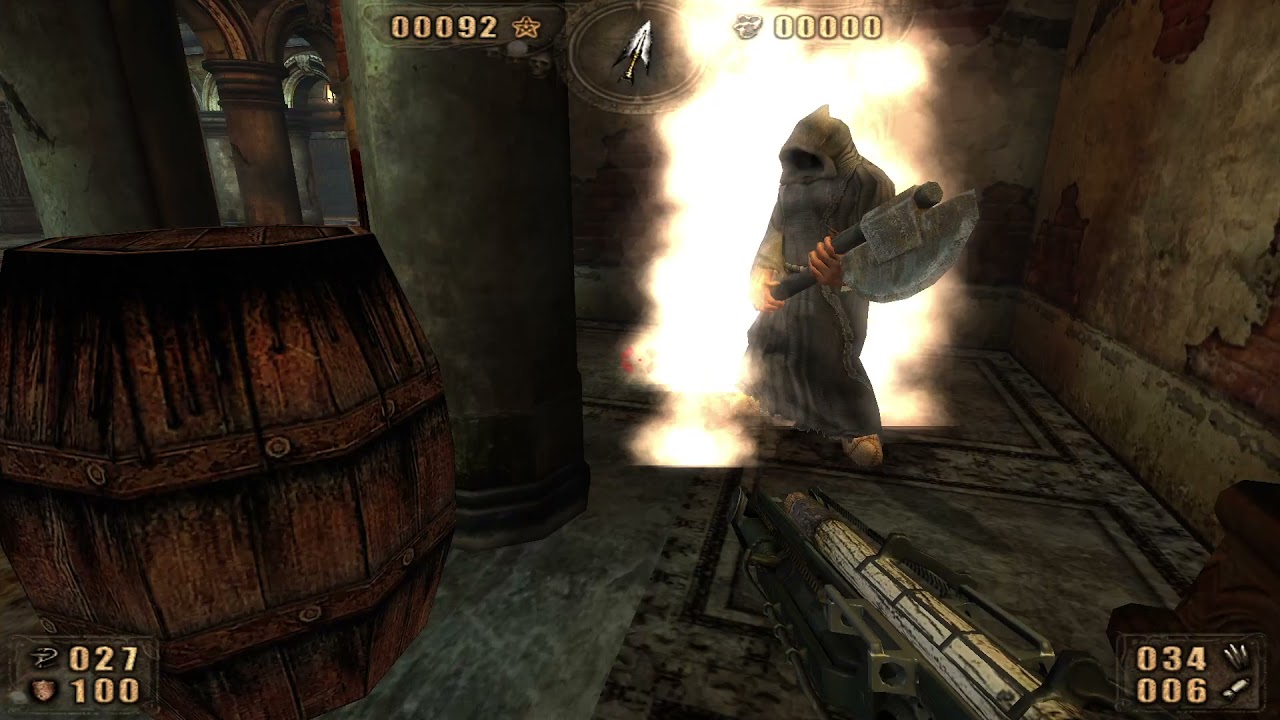
Level : Atrium Complex (C1L2)
Difficulty : Trauma
Without Tarot Cards
tall iron
just tried to turn off frame generation, by first going into the game menu before opening the alt x menu ... resumed the game, its running at around 60fps , then crashed after a few seconds
noble beacon
Toggling framegen is not safe
tall iron
so it seems, ever since 0.20
tall iron
noble beacon
Okay so I checked all other levels, and besides Atrium there are CPU bottlenecks...
im just wondering, is there some kind of profiler to help find and identify bottlenecks in the rendering process?
light palm
noble beacon
In the editor
paineditor you mean? or toolkit
there are some things in the runtime as well, latency, memory tracking thing etc
noble beacon
light palm
paineditor you mean? or toolkit
there are some things in the runtime as well, la...
There is some additional functionality in the PainEditor's Engine.dll that enables debug info
light palm
looks like Mark has made some very interesting changes to dxvk-remix, i am going to test stability
these newer builds may also have fixed some things with framegen? not totally sure, but have a feeling
vale gust
noble beacon
There is some additional functionality in the PainEditor's Engine.dll that enabl...
pressing H 2 times or 3
light palm
this is going to look siiiiiick
 noble beacon
Huj & Dupa style!
light palm
hehe im not sure what that means
vale gust
I don't understand how these things are indefinitely frozen
noble beacon
Hell & Damnation
vale gust
maybe put a pool of water under as well
light palm
vale gust
maybe put a pool of water under as well
actually not a bad idea
that would look cool
i should put some ice on the tubes as well
the plan is to use RTX particles to have bubbles going up, inside the tubes
with like luminescent translucent blue fluid in there
noble beacon
That would be peak
Wtf
Looks like we're gathering all the latest RTX features in the mod
RTX Skin/Volumetrics, this now
vale gust
nah, keep them for te next transformative contest
noble beacon
light palm
and im not a huge fan of the tubes just intersecting the holder, I want some kind of actual holding parts
tall iron
i dunno but stopping to admire the ammo pickups kind of interrupts the flow of gameplay
noble beacon
Lol
tall iron
i mean if they add to the aesthetic from any distance, i'd say go for it
like if they glow or something
tall iron
light palm
the plan is to use RTX particles to have bubbles going up, inside the tubes
wouldnt it be better to use RTX particles to simulate the air condensing around it?
light palm
tall iron
wouldnt it be better to use RTX particles to simulate the air condensing around ...
like water droplets?
the new dxvk build with Marks fixes seems stable as a rock so far
light palm
i was doing some silly things in the usdas with tying lights to deleted geometry
it cant have hurt to stop doing that
but it was still crashing now and then
tall iron
light palm
like water droplets?
no i mean like when you see liquid nitrogen or dry ice
and now that RTX remix is adding programmability to the materials, like with animations and stuff... maybe it can even simulate this cold air phenomenon more realistically, like the cold mist being blown by the wind or causing the surrounding level geometry to get wet
light palm
tall iron
and now that RTX remix is adding programmability to the materials, like with ani...
good idea, that would be cool
pun intended 😛