#Painkiller
1 messages · Page 4 of 1
 noble beacon
 vale gust
you want reward with no work
you gotta press on those asserts
work your way to the fancy lighting
noble beacon
vale gust
you gotta press on those asserts
Perchance maybe perhaps you might know what is causing this initial assertion error when launching the game?

A sneak peek
vale gust
noble beacon
gimme your paypal<:bigbrain1:1324852752173760634> <:bigbrain1:132485275217376063...
I think I will accept steam gift codes
noble beacon
vale gust
I think I will accept steam gift codes
All the gift stuff is strictly region locked
I can send you steam market items
vale gust
well, I will think of something else
noble beacon
noble beacon
I can send you steam market items
It's the same thing you could say, you only need to manually list them on the market
Steam Inventory Helper is a great browser extension
vale gust
Some guy with RTX 3060 Ti is having the same problem as me
but has more fps

you can clearly tell from the fps it is not me
gonna admit, nice creepypasta mod
vale gust
vale gust
 light palm
"+No base game mod path found. Skipping initilization."
+
is there a bin/rtx-remix/mods/painkillerrtxremix/ folder containing .usda files, textures etc?
 light palm
are there lights on other levels or is it only cemetery which is dark
vale gust
no level has lights
light palm
wtf. send me your mod.usda
vale gust
light palm
is this lite edition
 vale gust
I downloaded the 23 GB one
 odd thicket
I did the full thing
odd thicket
vale gust
I downloaded the 23 GB one
oh wait, no I did the same thing
23GBs is it compressed
It's 30GBs extracted
vale gust
skill issue
odd thicket
light palm
i have uploaded the wrong mod.usda somehow. give me a second

Imma need the right one before I do this video
 vale gust
if you are at it, fix the loading screen asserts as well
light palm
it seems that for some stupid reason, nested layers are not loading. the layers in _lights.usda and _skies.usda are not getting loaded. even though the config seems correct and works on my machine
i will just un-nest the layers and send an updated mod.usda
try this
odd thicket
Imagine the default works for me
vale gust
new one doesn't work either
light palm
so strange. i did a clean install of pkblack from gog and unzipped the mod from the zip into it
works
light palm
did u try the mod.usda i uploaded above
vale gust
same thing

 odd thicket
light palm
what happens when you try
odd thicket
light palm
what happens when you try
Nevermind I figured it out, forgot I had to alt tab the error message
light palm
ahh good stuff
odd thicket
light palm
what happens when you try
Good news, levels looks how it should

But not a fair comparison since I’m on a different architecture all together
light palm
yeah i tested again and couldnt reproduce the issue that david and friends were having
7600 card?
odd thicket
light palm
7600 card?
Yeah, not on 9070 XT yet
light palm
30 fps aint too bad for that, all things considered
odd thicket
light palm
30 fps aint too bad for that, all things considered
Well this is TAA-U performance High Settings, I'm going to switch to FSR 3.1 Ultra Performance and then maybe try medium settings with Volumetrics to see if I can push FSR performance
light palm
excellente!
odd thicket
light palm
excellente!
FSR 3.1 Ultra Performance actually looks pretty decent while maintaining 60fps at medium settings
odd thicket

odd thicket
light palm
cant wait for Video!
Anything I should mention in it? I've been trying to talk more in my videos
light palm
that mod is work in progress 😄
odd thicket
will do
odd thicket
@light palm Did the recording, found that when things get hectic it can drop to the 40s, but not bad overall, I'd call this a good game for RDNA 3 cards
light palm
nice nice nice!
odd thicket
And this is considering my RX 7600 is the equivalent of a RTX 3050
light palm
not too shabby at all hey
odd thicket
@light palm Decided not to talk this video, will put work in progress in the description
noble beacon
light palm
yeah i tested again and couldnt reproduce the issue that david and friends were ...
I couldn't reproduce neither, could it be that crazy string issue?
Maybe it has something to do with system's locale or something
light palm
could do yea
noble beacon
Did you have Norwegian locale when you posted that issue?
noble beacon
Check locale, it's a quick google search how to do so
noble beacon
It's all kinda different things
light palm
browser is en/GB
noble beacon

How to See Current System Locale in Windows 10
light palm
that one is English (United Kingdom)
noble beacon
Should not be the problem (?)
What was the outcome of that "...noughness" thing btw?
light palm
maybe my hdd is erroring? dont know
i still get weird errors all the time that i couldnt load some texture because it is in the wrong format or corrupted
but its different textures every time
 robust hollow
wonder if your RAM is failing
 robust hollow
i have a cat but i'm a failure 😢
light palm
i will check the ram though thats a good idea
i dont have any other stability issues or anything
never know though
light palm
robust hollow
i have a cat but i'm a failure 😢
you need to get a ram
robust hollow
light palm
i will check the ram though thats a good idea
testmem5
light palm
so you can put your cat on its back
noble beacon
Run Anta777 Extreeme profile in testmem5
If it spews errors right away it's probably it
Do you have XMP enabled on an AMD platform by any chance?
light palm
yea
noble beacon
XMP causes instant errors in testmem5 for me
Ryzen 7 5700X
Crucial Ballistix 2x16 3200CL14
robust hollow
CL14 is prob why
XMP itself isn't really an indicator for problems tbh
moreso the speed + timings being too much for the IMC to handle
noble beacon
Well XMP is made for intel specifically, AMD has EXPO profiles
Now i run manual 3600CL16 with no errors
robust hollow
yeah, but XMP is still usually stable so long as it's a decent kit
and your IMC isn't trash 😛
light palm
yeah i set the timings manually to the ram spec
xmp didnt work for me it was setting the wrong too tight subtimings
noble beacon
robust hollow
and your IMC isn't trash 😛
Zen 3 got pretty decent i'd say
For me XMP was just wrong
noble beacon
noble beacon
Zen 3 got pretty decent i'd say
Moreover, i've had errors even on R5 5500
Which i believe has the best memory controller of all Zen 3, funnily enough
robust hollow
meanwhile all of my AM4 CPUs were stable with various kits + XMP lol
dunno how it varies so much
this was even with zen+ IMCs running 3200 CL16
robust hollow
biggest problem with RAM instability is that it's hard to see 😦
i had that once before back on a DDR3 system. once a month i'd find a file that was corrupted, didn't realize it was RAM until many months later. wonder how much stuff it messed up lol
noble beacon
robust hollow
biggest problem with RAM instability is that it's hard to see 😦
RAM is hard to comprehend in general. Overlocking it is the deepest basement when it comes to PC hardware
robust hollow
yeah... sure is messy
i stay away from messing with RAM as much as possible
have overclocked a few kits quite nicely, but it isn't worth the risk of instability for me
noble beacon
light palm
https://tenor.com/view/cat-ram-gif-8264327
 light palm
the startup assertion bug thing should be fixed
try this one (release)
with the latest dxvk (release)
https://github.com/NVIDIAGameWorks/bridge-remix/actions/runs/13794649643
GitHub
This is the NVIDIA RTX Remix Runtime Bridge repository - Merge branch 'dev/lvengesanam/resolve_issue_with_queue_synchronizatio… · NVIDIAGameWorks/bridge-remix@e8b8fd3
works for me at least, but of instability on startup but otherwise good
noble beacon
light palm
try this one (release)
with the latest dxvk (release)
https://github.com/NVIDIAG...
What about level start assertions?
noble beacon
It doesn't matter if you get those or not, cause it's only a message that is shown when using debugoptimised specifically. Something that is triggering this assertion breaks things for some on Release too, because the trigger is still there
Now that David patched the Engine.dll to avoid triggering this i wonder what will Nvidia come up with
Would be useful to know in detail what was causing this in engine.dll @vale gust
light palm
yea he would need to tell me how to do that change in ghidra so that i can incorporate it alongside the hud fix and anticulling
noble beacon
light palm
try this one (release)
with the latest dxvk (release)
https://github.com/NVIDIAG...
Did you check if all the assertions are gone on debugoptimised?
You gotta use debugoptimised to debug if the issue is there 😄
New bridge+new Engine.dll should eliminate all assertions
noble beacon
Ah I see you still get the "Expression:RemixWndProc == prevWndProc" assertion when launching the game
We need "David pls fix" emoji
light palm
have you tried the release build
noble beacon
light palm
have you tried the release build
I want the assertion trigger be gone
So that it wouldn't pop up on debugoptimised
Engine.dll fixes the level ones and it's great
light palm
you can just patch that out in the source and build if you want
if you want to use debug without assert
but then you have basically got release
so..
noble beacon
light palm
if you want to use debug without assert
I want to fix the issue
It's not like this assertion pops up with any game?
noble beacon
That's why davidos broski might know
He fixed the level ones. The assertions are not there when running debugoptimised now, you see
light palm
i could diff the dll and see what i did i guess
not sure that would be possible but
what he did rather
 noble beacon
enginedll full of pordno
vale gust
have I been summoned again
vale gust
noble beacon
Ah I see you still get the "Expression:RemixWndProc == prevWndProc" assertion wh...
you only asked me to fix the assertions during loading screen
noble beacon
vale gust
you only asked me to fix the assertions during loading screen
I also asked about launch assertion but you said David tokens are gone
M'lord please fix and add cool racing cars
and implement drifting
 noble beacon
vale gust
\
noble beacon
vale gust
\
This is great stuff!
noble beacon
Now that's what i call lost fuckin alpha
vale gust
I suppose Adams will want to look into it

Internet Archive
Welcome to the Exclusive Retail Preview build of Painkiller for PC. This is pre-alpha code, containing 3 of the 24 solo levels that will ship with the game...
noble beacon
And Tarot cardboard game
 vale gust
no, it was way bigger, then became smaller
noble beacon
Where on earth did they want to use a motorcycle
vale gust
noble beacon
Where on earth did they want to use a motorcycle
Unknown
noble beacon
vale gust
Unknown
Hunt them down
Capture them
Tie em
Learn wtf is PlayerActionMotorcycle
vale gust
I don't think I wanna bother with code that is no longer in the final build
noble beacon
I mean to find the developers and make them loose their tongue
This is legit hyperborea sacred knowledge
motorcylec
🙏
vale gust
you know, the motorcycle is kinda usless, there is no level where you could even use it
noble beacon
i want to know why
vale gust

2014 is a tenth anniversary of Painkiller, the game that established our former studio, People Can Fly as a developer to maybe care about.
Here’s an awesome but little known trailer for the...
noble beacon
Is this the only vehicle mentioned?
vale gust
no, there is PlayerActionQW, which stands for Quake World
it has some double jump code
noble beacon
I'm curious how deep are you able to tinker the game
You don't have the source code, yet you've done a lot so far
Disabling culling was a big top 1 priority
vale gust
light palm
yea he would need to tell me how to do that change in ghidra so that i can incor...
go to 1006abf1 and change JZ to JMP
noble beacon
I'll be going to random offsets and changing random stuff until motorcycle appears
and tank
vale gust
I fixed the launch assert as well
can somebody test
it seems now that I get 20 fps instead of 12 fps, not sure if it is related
can somebody test it before PseudoPolish downloads it
noble beacon
vale gust
can somebody test it before PseudoPolish downloads it
I have 2 Engine.dlls now on my Xiaomi
vale gust
you sold your data and privacy to the chinese?
noble beacon
Yes
noble beacon
vale gust
can somebody test
Hell yeah
@binqadams
#1313627595815911448 message
No more assertions when running debugoptimised
I suppose it should be safer to advertise now
noble beacon
Yes! It is working now for my friend!
Setup:
dxvk-remix-69868e2-737-release
bridge-remix-e8b8fd3-126-release
David's newest sooper dooper sigma Engine.dll
For some bizarre reason bridge 127 does not work for me (the usual grey screen), even though the only change it brings is build version

I checked 5 times, 126 works and 127 doesn't bruuuuh
Perhaps should delete some files/do a clean install when this string is changed?
vale gust
now I want an explanation why my whole level is dark
noble beacon
vale gust
now I want an explanation why my whole level is dark
you have to make sure that Binq Adams has free trial tokens available
But you can do all this stuff fresh hoping it's gonna work
-
Clean install Painkiller
-
Install the mod
-
Download Release of this and extract to Bin
https://github.com/NVIDIAGameWorks/bridge-remix/actions/runs/13794649643 -
Download Release of this and extract to Bin\trex
https://github.com/NVIDIAGameWorks/dxvk-remix/actions/runs/13801066715 -
Apply your latest Engine.dll

GitHub
This is the NVIDIA RTX Remix Runtime Bridge repository - Merge branch 'dev/lvengesanam/resolve_issue_with_queue_synchronizatio… · NVIDIAGameWorks/bridge-remix@e8b8fd3
GitHub
Contribute to NVIDIAGameWorks/dxvk-remix development by creating an account on GitHub.
If it's not working all i can say is
These are new Remix Runtime files
Just out of the oven
vale gust
noble beacon
you have to make sure that Binq Adams has free trial tokens available
But you ca...
I am looking at these pages and see no download button
noble beacon
vale gust
I am looking at these pages and see no download button
You have to be logged in
 noble beacon
odd thicket
<@186877983854821376> https://discord.com/channels/1028444667789967381/134943160...
noble beacon
odd thicket
<@186877983854821376> https://discord.com/channels/1028444667789967381/134943160...

 light palm
odd thicket
made the video
light palm
odd thicket
made the video
Nice work! looks crazy smooth hey, only a few slowdowns here and there
light palm
vale gust
I am looking at these pages and see no download button
I'm not able to reproduce the issue strangely. PP suggested maybe it has to do with localisation?
It does seem that the lights and skies usdas are not getting loaded.
The clean install is a good suggestion
odd thicket
light palm
Nice work! looks crazy smooth hey, only a few slowdowns here and there
Personally I recommend a RX 7700 XT minimum since it should be the speed of a RTX 3060 and has the same 12GBs of VRAM amount
light palm
vale gust
now I want an explanation why my whole level is dark
which version of painkiller are you running, steam, gog etc?
light palm
odd thicket
Personally I recommend a RX 7700 XT minimum since it should be the speed of a RT...
what do you think about a 6600xt?
vale gust
light palm
which version of painkiller are you running, steam, gog etc?
the one which is not steam
odd thicket
light palm
what do you think about a 6600xt?
I don't have one for testing but Remix 0.6.0 and above gave a great performance boost to RDNA 2, My prediction would be lowest settings like 1 bounce and FSR 3.1 Ultra Performance for 1080p 30fps, It would need testing though to confirm
light palm
vale gust
the one which is not steam
im really not sure what the issue is mate, maybe let me know how to get the same PK ur using so that I can test
odd thicket
I am working on a RDNA 2 Remix runtime that uses the optimized Pathtraced settings found in the optimization guide
Tho each game is different so might have to be tweaked depedning on the game
vale gust
light palm
im really not sure what the issue is mate, maybe let me know how to get the same...
get the one from GOG
I think PseudoPolish already has that version
but for him it works
light palm
yeah i have that one, works for me without the black issues? neither of us can reproduce..
need more info to try to reproduce really, how are you installing etc
how are you isntalling mod
odd thicket
My CPU was hitting 96 degrees in this game, I'm suprised it's still alive
I really need to upgrade
vale gust
light palm
how are you isntalling mod
I am dragging the contents of the 7zip into where my game is
I start the game
black
light palm
vale gust
I am dragging the contents of the 7zip into where my game is
that all seems correct
wtf
your friend who has same issue, has same locale as you?
vale gust
no
vale gust
you did it intentionally so people buy RTX 4070
vale gust
it is clean and the driver is 572.60
light palm
try 572.70
i think i might have been having issues with 60
it's probably not the problem but cant hurt
any wacky settings in nv driver or nvprofileinspector?
vale gust
I don't think I've touched those
light palm
aight yea probably not that either tbh
the issue does seem to point to not loading the lights and skies properly. maybe i could make you a custom mod.usda and just jam all of the lights and skies directly into that
 light palm
odd thicket
<:AMD:1148126816037515274>
light palm
odd thicket
<:AMD:1148126816037515274>
im def. interested to see how 9070xt runs it
i would have got one if it worked with toolkit
btw vulpy you can run benchmarks in PK with console commands "benchmark c5l1" and "benchmark c5l2"
vale gust
I get the gist already, but I am not buying expensive cards, so please make it work for 2060
odd thicket
light palm
btw vulpy you can run benchmarks in PK with console commands "benchmark c5l1" an...
Sure give me a few
light palm
vale gust
I get the gist already, but I am not buying expensive cards, so please make it w...
it does work for 2060, i have one
it just doesnt work for you for some reason
vale gust
so now it is discrimination
odd thicket
light palm
im def. interested to see how 9070xt runs it
My prediction: lots of frame drops till it's optimized
If AMD and Intel end up taking my deal, I'll make sure to share code if I can to the main Remix branch
light palm
wheelin' and dealin
odd thicket
light palm
wheelin' and dealin
Gotta make sure Portal 2 RTX is optimized 
light palm
oh hell yea
light palm
vale gust
when you shoot the guns are there any lights?
if you smash a pot and make the coins come out are there lights on those?
vale gust
yeah
light palm
i think i already asked this, cant remember but are there lights on other levels
vale gust
no
light palm
~~- try rename the rtx.conf as a test and then see if it works
- try updated drivers
let me know~~
heres a modified version which only does lights on C5L1, nothing more, for testing:
put those two files (back up mod.usda if you want)
and run the C5L1 or benchmark C5L1
it's also possible that you aren't using the right level file? because if you aren't using the custom levels i made, then they don't have the skybox mesh which all of the lights are tied to, and you won't get the emissive sky
maybe make sure you dont have a maps folder extracted in your painkiller data dir
if you would like to get it to work on customised versions of existing levels without the special skyboxes i made incorporated into them, you either need to put the skybox in and tie the lights to it,
or tie the lights to a different mesh, which should be fine actually after the anticulling patch.
for example on cemetery,
go into C1L4_Cemetery_CustomLights.usda and change line 10:
from:
over "mesh_9F75B99A5C5A2EAE"
to:
over "mesh_DDE0741DF8A183CB"
that ties the lights to the ground instead of the custom skysphere
(as long as the ground is not modified in the custom map, then the hash would be different. this hash is from the default cemetery ground)
light palm
light palm
if you would like to get it to work on customised versions of existing levels wi...
or, reverse engineer the light creation code in painkiller to create lights which are automatically picked up by the remix runtime 😄
At the moment the remix runtime does not pick up the lights created by painengine for some reason. it does in other games
light palm
#general-remix message
light palm
vale gust
it seems now that I get 20 fps instead of 12 fps, not sure if it is related
FPS Before> 44.62
FPS After> 45.16
for me
on benchmark c5l2
noble beacon
vale gust
black
Game's literally called black edition, what did you expect
Issue closed Not a bug works as intended
Could there be a possibility that you don't have rights?
I could deduce from how you care about privacy that your windows user may not have some rights (?)
Could there be some savvy david software for debugging/modding the game that is running in the background that affects it?
Or rather that might affect Remix somehow
Do you have another OS to test the mod on?
vale gust
noble beacon
Could there be some savvy david software for debugging/modding the game that is ...
Are you refering to malware, I do not

We needed the largest and most powerful GPU possible, so we simply doubled everything! More VRAM? Double it! More power? Yes, 600W sounds perfect! Cooling? "Just buy a refrigerator."
"Our new 12V-2×6 connector is completely safe, as long as you don't look at it incorrectly." What if it melts? That's simply an immersive experience!"
"What about p...
vale gust

I got it to work, but I don't know why it works
maybe you have to set Ultra before starting the level for the first time
noble beacon
vale gust
I got it to work, but I don't know why it works
Now you can use this emoji with honor
(please don't send it whenever we ask you whatever question)
vale gust

I guess today is the asserts for when you press F12
I will use a David token for that
@light palm it is hard to debug the game if it stays on top all the time when windowed, fix this issue
I can get 30 fps on RTX 2060 if I set DLSS to Ultra Performance
I think we will need a Hyper Performance
noble beacon
vale gust
I think we will need a Hyper Performance
You could use DLSSTweaks and set custom upscaling ratio
So that internal resolution would be 16:9
i mean, pixels
noble beacon
vale gust
I will use a David token for that
I think we have a better use for this token of yours
Why does it take a billion years to load Babel
vale gust
noble beacon
Why does it take a billion years to load Babel
skill issue
noble beacon
People start pressing all buttons and it crashes as consequence
noble beacon
vale gust
skill issue
and it works on your machine
vale gust
send me a video
noble beacon
I'm not home yet, but it's like a normal loading, only that lasts 1.5 minutes for me
noble beacon
vale gust
I can get 30 fps on RTX 2060 if I set DLSS to Ultra Performance
Also you will most probably gain more FPS setting CNN model in Alt+X DLSS settings
Transformer is heavy on Turing's old gen Tensor cores
Actually there is quite a lot of stuff to tweak
I can get you a potato rtx.conf
I doubt you'll notice any difference at that resolution
robust hollow
noble beacon
Transformer is heavy on Turing's old gen Tensor cores
only for RR specifically
for normal DLSS the perf hit is minimal
noble beacon
@odd thicket Hey, may I take a look at your rtx.conf you used in your Painkiller video?
vale gust
since I am V.I.P, I request Leningrad
noble beacon
vale gust
since I am V.I.P, I request Leningrad
@light palm you heard the man
noble beacon
vale gust
next update I want Leningrad makeover
Next after the next I think
THE next is about to release
a video
noble beacon
 vale gust
I'll go play Minecraft
noble beacon
vale gust
I'll go play Minecraft
No there's that one token that needs to be used
no mihecraft
vale gust
I fixed the long loading time in Babel, can I play Minecraft now
noble beacon
vale gust
I fixed the long loading time in Babel, can I play Minecraft now
Tell me about it and you can rightfully go play mihecraft
and you'll get your leningrod

 vale gust
If somebody wants to test it, dm me
noble beacon
vale gust
If somebody wants to test it, dm me
i'll downlaod your pc
@light palm
BABEL FIX FOR FREE TAKE YOUR CHANCE
noble beacon
vale gust
since I am V.I.P, I request Leningrad
original cringe pile of dung

sigma 4k pbr debris


 noble beacon
noble beacon
noble beacon
@vale gust do you like where this is going so far
light palm
lmao you dirty rat!
noble beacon
light palm
lmao you dirty rat!
you'll never know where is porno hidden
but the very thought will haunt you
that there it is, somewhere
vale gust
noble beacon
<@248450945422327808> do you like where this is going so far
you making me a porn star or something
I am straight, so please opposite sex
vale gust
 noble beacon
noble beacon
noble beacon
@light palm
https://drive.google.com/drive/folders/1Pi8kRO_cz8PYx7i3UPJQzB4Nwv8AC8ks?usp=sharing
Leningrad!


Although it's called PBRified, most of the materials are from PolyHaven this time
noble beacon
 wet shuttle
unironically the best game for rtx
wet shuttle
unironically the best game for rtx
My thoughts
robust hollow
noble beacon
Although it's called PBRified, most of the materials are from PolyHaven this tim...
definitely improved
 dusk jasper
vale gust
I am straight, so please opposite sex
dusk jasper
vale gust
I am straight, so please opposite sex
@noble beacon apparently David not approves, i can suggest add my name to there
vale gust
when is the next update, I wanna play Leningrad
noble beacon
vale gust
when is the next update, I wanna play Leningrad
Well you can download pk_PBRified_leningrad folder and put it in Bin/rtx-remix/mods, next to the main mod
It'll work, Remix loads mods in alphabetical order
Do mind the level is not finished, it's only textures for now
light palm
what is the address for the startup assertion fix David?


Some media mentions:
https://venturebeat.com/business/nvidia-unveils-50-series-upgrades-like-rtx-remix-ahead-of-gdc/
https://wccftech.com/half-life-2-rtx-demo-announced-for-march-18-as-rtx-remix-is-officially-released-with-dlss-4-multi-frame-generation/
https://gamingbolt.com/half-life-2-rtx-brings-ray-tracing-and-dlss-4-support-demo-out-on-march-18
https://www.technopat.net/2025/03/13/half-life-2-rtx-demosu-18-martta-cikiyor-rtx-remix-dlss-4-ile-resmi-surumune-kavustu/
https://shiftdelete.net/nvidia-gtc-2025-etkinlik

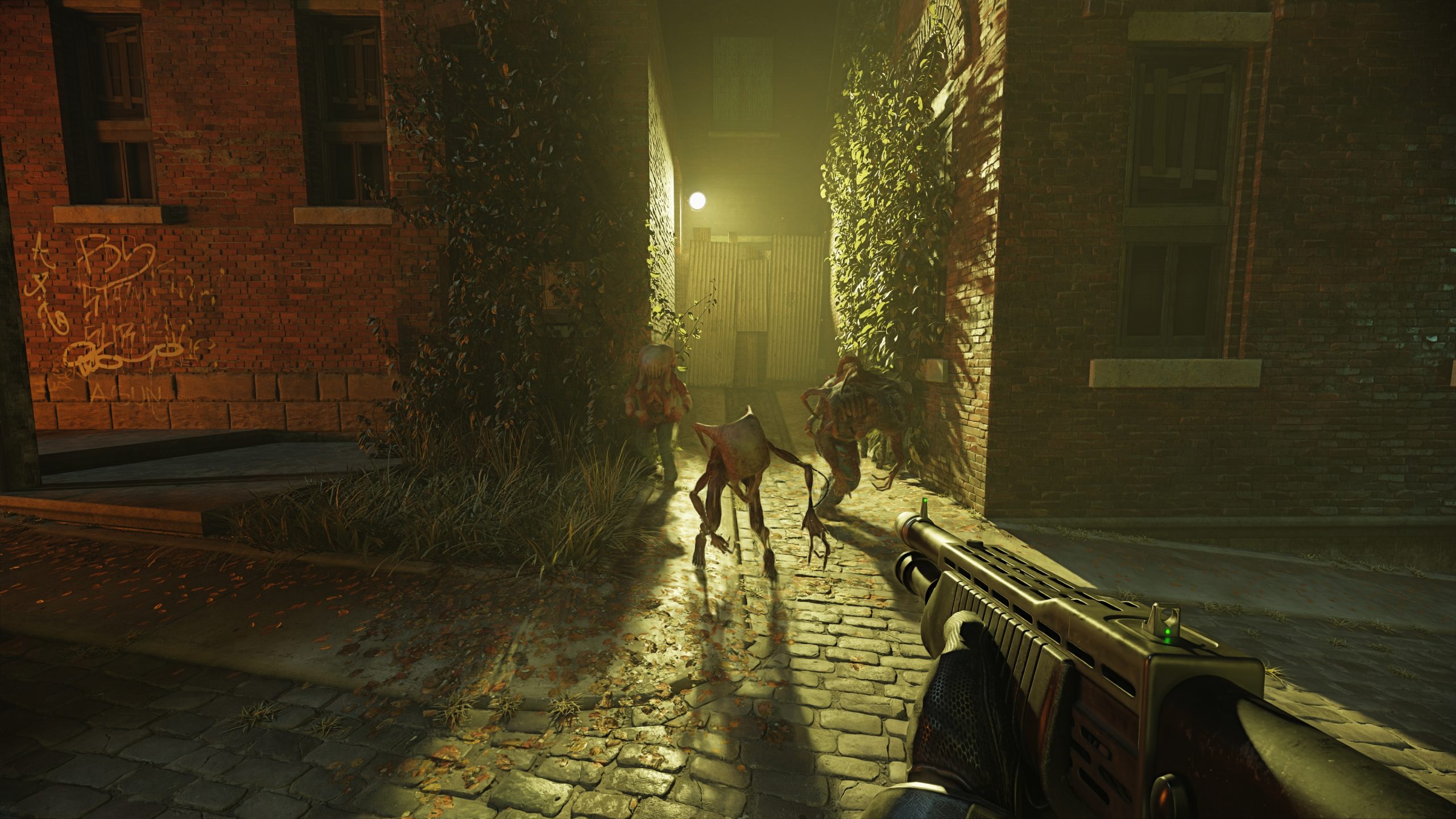
Ahead of the Game Developers Conference next week, Nvidia shared more details on the power of its latest Nvidia GeForce RTX 50 Series graphics cards.
Wccftech
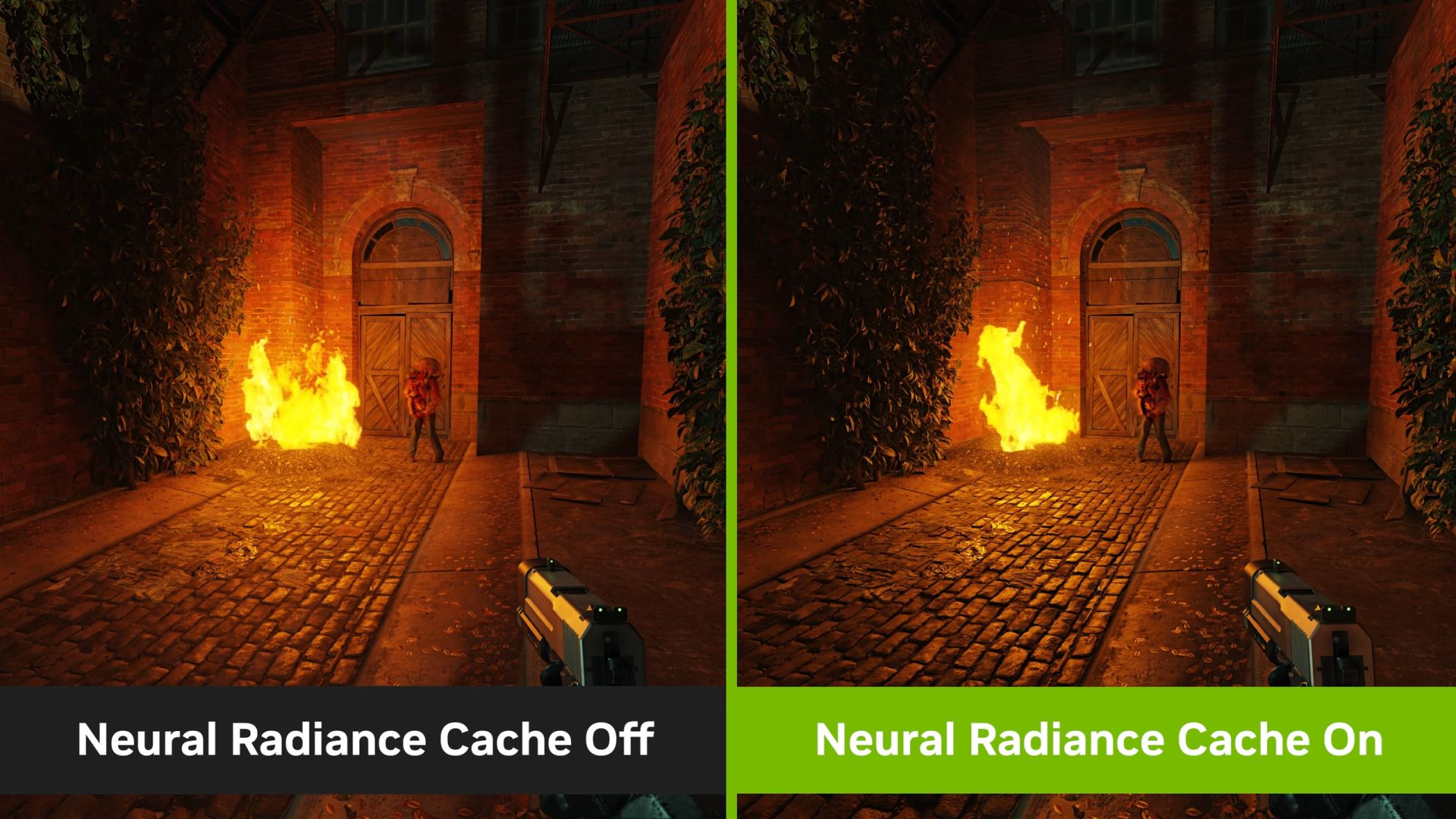
NVIDIA announced that a free Half-Life 2 RTX demo will be available on March 18. RTX Remix is also officially releasing today with DLSS 4 MFG
Half-Life 2 RTX was made using Nvidia's RTX Remix tool, which has now exited its beta testing phase and gotten a full release.

NVIDIA, GDC 2025 haberlerinin bir parçası olarak ücretsiz Half-Life 2 RTX demosunun 18 Mart’ta yayınlanacağını duyurdu. Hayranlar, Orbifold Studios’un
Teknoloji Haberleri - ShiftDelete.Net
NVIDIA, GTC 2025 etkinliğinde yeni nesil grafik teknolojilerini ve yapay zeka destekli oyun çözümlerini gösterdi.
light palm
vale gust
when is the next update, I wanna play Leningrad
as soon as I figure out where the startup assertion fix was made so that I can put it into all the hudfix files for different resolutions
Soon™
robust hollow
light palm
@mossy plume
noble beacon
light palm
Some media mentions:
https://venturebeat.com/business/nvidia-unveils-50-series-u...
Now who's gonna answer to 999 people who can't launch the game because they don't have GPU and VC Redists and the latest drivers installed and no electricity 😭
light palm
Someone! 😄
noble beacon
light palm
Is there only a slide yet?
light palm
noble beacon
Is there only a slide yet?
Yea
light palm
 light palm
noble beacon
<@248450945422327808>
<:lesGO:1345528588635607131> <:lesGO:1345528588635607131>...
light palm
noble beacon
<@248450945422327808>
<:lesGO:1345528588635607131> <:lesGO:1345528588635607131>...
i don't need any more, fixed it all by myself 🙂
noble beacon
light palm
i don't need any more, fixed it all by myself 🙂
How
light palm
noble beacon
How
Channelling my inner XDavidXtreme
vale gust
I guess he looked at SetRes and saw the change there
light palm
he makes it sound so easy
noble beacon
light palm
Channelling my inner XDavidXtreme
Does he require tokens as well?
light palm
noble beacon
Does he require tokens as well?
Of course
Leningrad looks fully sik @noble beacon
Changelog v0.1.5:
Updated RTX Remix Runtime to 743.
Updated RTX Remix Bridge to 126.
Implemented assertion on start and assertion on level load fix from XDavidXtreme.
Fixed various weapon lights causing the fog to glow for a long time, by disabling their atmospheric contribution.
Lifted all of the restrictions on levels and cheats for all difficulties.
Souls now drop immediately when you kill enemies.
Implemented Babel slow loading fix from PseudoPolish. XDavidXtreme
Many particle effects which were not emissive when they should be, and vice-versa, corrected.
For example, fixed dark particle effect which should have been emissive when the chaingun bullet hits a surface.
Removed undesired "sparkle" billboard particle from various treasures.
Added light to more treasures.
Adjusted Coins lighting.
Cemetery:
Improved quality of sky texture.
Made the light fixtures inside the church emissive.
Enclave:
HDRI skydome implemented.
Atrium Complex:
Sky brightness reduced to more closely match original.
Modified sunlight for more interesting volumetric lighting.
Catacombs:
Sunlight coming into cave brightened for better volumetrics.
Skydome brightness reduced to more closely match original at start of level.
Many cave wall meshes replaced with smoother versions for fewer hard edges.
Cathedral:
Lighting intesity tweaked.
Asylum:
Window glass properties adjusted to allow more light in.
City On Water:
Skydome intensity reduced to more closely match original.
Monastery:
Sun and sky adjusted.
Some PBR Textures added.
Leningrad:
Smoky atmosphere effect billboards corrected.
Entire level retextured with high-quality PBR textures by PseudoPolish!
Shadowland:
Overly bright and emissive rain effect corrected.
light palm
Thank you 🙂
vale gust
light palm
where was this picture taken
light palm
it's from the last link in the list of links
noble beacon
vale gust
🗿
Watch and learn
vale gust
next time I should write a Readme with my name in the fixes
noble beacon
Rename every button in the game to XDavidXtreme
vale gust
It was, but PseudoPolish stole it
light palm
oh shit lol
noble beacon
I hacked XDavidXtreme
noble beacon
light palm
This is great, the game seems to start nicely now
Edit the Remix startup message "Kudos to XDavidXtreme for making this shite work"
light palm
i havent had any crashes
and when i was testing, clean install of PK and 0.1.5 mod install, started first time
noble beacon
light palm
Changelog v0.1.5:
Updated RTX Remix Runtime to 743.
Updated RTX Remix Bridge to...
What does "Souls now drop immediately when you kill enemies" mean?
You're saying i can't farm 9999999 gold from a single zombie?
vale gust
did you fix Swamp
light palm
wait what, and now alt-x is just straight up working without having to go to menu or use pcflymode
light palm
noble beacon
You're saying i can't farm 9999999 gold from a single zombie?
you still can, i only changed when the soul is dropped. The body despawn logic is untouched
light palm
vale gust
did you fix Swamp
Not yet
light palm
light palm
wait what, and now alt-x is just straight up working without having to go to men...
oh but after an alt-tab it stopped working
noble beacon
Smooth Catacombs walls are interesting, I've seen you working on this. So, it's only a matter of exporting a mesh to Blender, using it's tools to smooth it and ingesting it back?

How does collision work?
light palm
yeah exactly. collision isnt affected, its only visual
can't do it for too much, or the models alone would be a few gigabytes, and take over a minute longer to load
noble beacon
light palm
can't do it for too much, or the models alone would be a few gigabytes, and take...
Do
light palm
i'm probably going to make an github issue about it
light palm
noble beacon
Smooth Catacombs walls are interesting, I've seen you working on this. So, it's ...
you don't even have to explicitly do any smoothing, usually it autosmooths it pretty well on import, so you just import and export
noble beacon
light palm
you don't even have to explicitly do any smoothing, usually it autosmooths it pr...
Maybe that's why it's size is 99GB
This smoothing algorithm must be configured somehow?
light palm
 light palm
noble beacon
Maybe that's why it's size is 99GB
This smoothing algorithm must be configured s...
light palm
noble beacon
Maybe that's why it's size is 99GB
This smoothing algorithm must be configured s...
smoothing algo basically remimplemented in thy python script i posted a while back lol
i have every mesh in the game resmoothed as a usda
it seems that internally when remix is re-creating the geometry for rendering it drops the mesh normals info (or something)
but i could have sworn some meshes did appear smoothed
so i don't really know what is going on
light palm
give it a thmbs up for visiblity:
https://github.com/NVIDIAGameWorks/rtx-remix/issues/753

GitHub
Describe the bug On the left we have the toolkit, on the right is the same mesh imported to blender. In-game with remix active, the mesh looks angular like the one in the toolkit. The default mesh ...
vale gust
Are you sure it is not a problem with Blender's exporter
noble beacon
vale gust
Are you sure it is not a problem with Blender's exporter
The meshes are smooth in the original game. They only appear that way when you inject Remix runtime
vale gust
and if you import again after exporting, are they still smooth
noble beacon
vale gust
and if you import again after exporting, are they still smooth
Yes if you ingest them as replacement meshes
So basically you replace the meshes with exactly the same ones
But it only looks right when it's a replacement mesh
Remix runtime bug
vale gust
and what's with these light blocking windows in Prison
light palm
you can convert the captured usd meshes to usda so they are readable and i believe the mesh normals are not smoothed or dont exist
cant quite remember
light palm
vale gust
and what's with these light blocking windows in Prison
wdym
vale gust
are these black stained windows from Minecraft
noble beacon
vale gust
and what's with these light blocking windows in Prison
Wait what
light palm
looks fine to me
https://www.youtube.com/watch?v=FQ5wtXZsUgs

Painkiller RTX Remix by @capzor
https://www.moddb.com/mods/painkiller-rtx-remix/downloads
Current driver 572.70 (DLSS 4 Preset K) + RTX Remix 1.0.0
https://github.com/NVIDIAGameWorks/rtx-remix/
settings:
Cfg.Resolution = "2560X1080"
Cfg.SoundProvider3D = "Aureal A3D (TM"
Cfg.SoundQuality = "High"
Cfg.SpeakersSetup = "Headphones"
EAX +3
A3...
noble beacon
It should've been fixed
light palm
sometimes remix fails to load a texture and then the thing is black
noble beacon
sometimes remix fails period
 light palm
ahh yea
its a quality setting

direct translucent shadows
or you can just smash em
light palm
HYPE
 noble beacon
Hey, every man would have his own skyscraper if you updated this list every patch
Actually would love to see some excel spreadsheet or something of the sorts

 noble beacon
light palm
noble beacon
light palm
🚾
vale gust
light palm
I think you are playing pranks here
light palm
i wish
noble beacon
Society if there was no struggle to upload something on ModDB
vale gust
@light palm so I imagine I will see the Leningrad tomorrow
noble beacon
-999 david tokens
dusk jasper
vale gust
probably ate at Taco Bell
 light palm
vale gust
<@186877983854821376> so I imagine I will see the Leningrad tomorrow
light palm
vale gust
<@186877983854821376> so I imagine I will see the Leningrad tomorrow
upload failed again. 3rd times the charm maybe
noble beacon
light palm
upload failed again. 3rd times the charm maybe

Perhaps ModDB just can't handle the size
What if you split this in two?
vale gust
what if we remove some textures
vale gust
what if I remove myself from thread
noble beacon
What if we nuke the Discord servers
 stuck tree
hellooooo
@noble beacon 🙂
we spoke with each other about my poor perofrmance
can you pls send me the new Engine.dll ?
noble beacon
stuck tree
<@456226577798135808> 🙂
Hey, put this in Bin
Startup and level load assertions should be gone
Not sure about the performance though, we might try updating the Remix Runtime
Try the Engine.dll first
stuck tree
this is great.. there are no crashes during start-up anymore
it messed up the aspect ratio or something.. but this is how it runs.. I'm uploading screenshots


eh these are HDR screenshots
wait a bit
noble beacon
stuck tree
it messed up the aspect ratio or something.. but this is how it runs.. I'm uploa...
Ah yeah the Hud is configured in Engine.dll. This one is made for 1920x1080
stuck tree
 stuck tree
noble beacon
Ah yeah the Hud is configured in Engine.dll. This one is made for 1920x1080
stuck tree
noble beacon
Ah yeah the Hud is configured in Engine.dll. This one is made for 1920x1080
ah ok
how can I change that?
I will play at 40 fps it's ok with motion blur
I love that you included motion blur and other post-processing
noble beacon
stuck tree
how can I change that?
I could make one for you real quick
What is your resolution?
stuck tree
3840x2160
noble beacon
@vale gust Hey, could you remind me what must be changed in Engine.dll to fix the res?
Discord search sucks
stuck tree
thanks for your time
 stuck tree
if I can be any helpful let me know if you need some logs or anything so that you can squash outstanding bugs 🙂
noble beacon
vale gust
change them so it matches 4k
Thank you! excuse me for skill issue

 vale gust
stuck tree
if I can be any helpful let me know if you need some logs or anything so that yo...
vale gust
stuck tree
if I can be any helpful let me know if you need some logs or anything so that yo...
can you donate the RTX 4090
noble beacon
Genialne
vale gust
I think you need to include the LScripts fix for 4k
@noble beacon give the man that fix as well
noble beacon
stuck tree
3840x2160
Should be fine
stuck tree
thank you, you are awsome 🥹
vale gust
I think the 0.1.5 is the friends we made along the way
stuck tree
hmm it doesn't run
noble beacon
A moment
stuck tree
should I replace something else also?
vale gust
@noble beacon skill issue
stuck tree
description: I run Painkiller.exe (I have it set to run as Administrator), on UAC prompt I click Yes and then nothing happens
 noble beacon
I tricked you all i've actually been uploading the update
stuck tree
so I should I download the whole update ? 🙂
vale gust
vale gust
I think the 0.1.5 is the friends we made along the way
I like how it is perfectly synchronized with my message
vale gust
stuck tree
so I should I download the whole update ? 🙂
yeah, it contains more fixes in it
noble beacon
stuck tree
so I should I download the whole update ? 🙂
Actually yeah there are quite a lot of fixes
 noble beacon
Another trick
vale gust
scroll down
stuck tree
ah
:D:D:D
Lesgoo
8MB/s 😭 😭 😭 😭
I'm gonna play Doom Eternal in meantime xD
having 1Gbps fiber is pointless I guess
noble beacon
vale gust
<@456226577798135808> skill issue
Hey could you tell what is wrong? The values are 0xF00, 0x870
Supermega skill shortage
vale gust
I can't check now, I have some work to do


 stuck tree
40-ish fps is I guess normal
since I get almost 100% utilization
on Ultra I think this is meant for something like 5090?
noble beacon
Well no, it runs 60+ consistently for me on Ultra preset DLSS Balanced
I'm on 1080p though
Try Ultra Performance DLSS
stuck tree

this is DLSS balanced with FG
frame pacing looks like this
camera panning looks smooth to me tho
noble beacon
RTSS cannot properly capture generated frames
stuck tree
got it
stuck tree

this is ultraperformance
I'm scratching my head here 😄
something is not working well..
maybe it's on my end
I'll stick to Performance and keep playing
😛
it looks so good omg
noble beacon
 noble beacon
stuck tree
noble beacon
stuck tree
Does this happen on all levels?
stuck tree
noble beacon
maybe it's because you haven't tested/optimized for 4K?
stuck tree
noble beacon
Does this happen on all levels?
I don't know
this is first level
I will let you know 🙂
noble beacon
I wonder what kind of framerate you'll get if you type "benchmark C5L2" in console
Better turn the frame gen off first
stuck tree
not good
noble beacon
Lower than usual?


 noble beacon
stuck tree
at least the menu runs at 900fps
noble beacon
Display driver version? There's this NRC tech that is pretty new, might not be working on older drivers
stuck tree
it's the latest

I had the same issue in Indiana Jones when Vsync was disabled
once I enabled it it was ok
but here it doesn't matter
noble beacon
Is this laptop or desktop?
stuck tree
desktop
I hope I'm not bothering you with this....I appreaciate your help but I understand you don't want to waste time troubleshooting a one-off
so at least I'm reporting a bug
noble beacon
stuck tree
I hope I'm not bothering you with this....I appreaciate your help but I understa...
Not at all mate I don't leave my basement
stuck tree
likewise 😭 🤣
you're polish so at least we're neighbors
i'm from south
sorry for my government tho
pieces of sh...
such an embarassment to the world
😕
noble beacon
No more pointy wall in Catacombs
014 vs 015

 noble beacon
stuck tree
sorry for my government tho
noble beacon
stuck tree
sorry for my government tho
Mine is worse, because I'm not Polish
stuck tree
looks great
noble beacon
I'm from Belarus
stuck tree
POMs?
stuck tree
noble beacon
I'm from Belarus<:lesGO:1345528588635607131>
aaah ok!
I was NOT expecting such upgrade to materials
at first I thought this was only about lighting
but you also upgraded materials, textures, everything basically
noble beacon
Yeah, PBR materials are amazing. I'm in love with rocks in Cemetery
stuck tree
exactly me too 😂
noble beacon
@light palm
I think THAT much of fog is unnecessary 😄
It also makes daylight open levels like Docks kinda washed out

This material was replaced by me, but it appears legacy

All other materials in Leningrad look fine
noble beacon
stuck tree
exactly me too 😂
Just so you know, there's an annoying bug that causes Vsync to turn itself on every launch
might be good to know
stuck tree
thanks
noble beacon

who is this

KATASTROF!!!!!!!!!!!!!!!!!!!

I forgot to tell you these guys have no emission mask
Emergency mod
Give me a sec
https://drive.google.com/drive/folders/1VB5p2vTFvAlXVZ4Ayg4XOB8GOb30ljhF?usp=sharing
Put this folder in Bin\rtx-remix\mods
@vale gust i hope you survived this

You sure this is the right skydome for Enclave?

 vale gust
noble beacon
Life is good
vale gust
noble beacon
Life is good
It is not
noble beacon
@light palm
Do you think it's time to update this entry to Playable? Seems pretty damn playable to me!
It's almost like THE way to play the game now.
 vale gust
30 fps doesn't seem like THE way
noble beacon
vale gust
30 fps doesn't seem like THE way
Well it has always been the way but for the 2010's
Due to the weak console generation
vale gust
I don't think you can even get all secrets with that framerate
noble beacon
noble beacon
vale gust
30 fps doesn't seem like THE way
Give it time, my 4070 is enough for 60FPS
Low end GPUs will outpace this card in no time
And we'll see the way
noble beacon
 noble beacon
noble beacon
noble beacon

Silent Hill 3 - Original Soundtrack
- Never Forgive Me, Never Forget Me
Artist: Akira Yamaoka (2003)
noble beacon
Yeah literally
That's why I adore Pathtracing
Almost everything you see around you IRL is Indirect lighting
So if you don't feel like going outside you better have darn good Indirect lighting in your conputer
light palm
noble beacon
<@186877983854821376>
Do you think it's time to update this entry to Playable? ...
Yes for sure!
light palm
noble beacon
Whoops
light palm
noble beacon
<@186877983854821376>
I think THAT much of fog is unnecessary 😄
It also makes ...
I think we can modify the level .lua files to change the fog per level, as remix interprets the dx9 fog
vale gust
@light palm do you think life is good?
light palm
vale gust
<@186877983854821376> do you think life is good?
Life doesn't make value judgements 😛
light palm
noble beacon
<@248450945422327808> Hey, could you remind me what must be changed in Engine.dl...
the important ones are the hudfix. the others seem to effect the initial gamelaunch resolution
the 3000 one i didn't pay a lot of attention to but i set it higher for 4k res
i mean to investigate more at some point

press G in ghidra and type in the addresses to get there
light palm
noble beacon
Did i ever tell you i love this tech and mod
its pretty dang cool hey 🙂
light palm
noble beacon
This material was replaced by me, but it appears legacy
thats strange, any texture load errors in the log?
noble beacon
light palm
thats strange, any texture load errors in the log?
Won't be able to check for about 13 hours
light palm
noble beacon
Won't be able to check for about 13 hours<:pointlaugh:1345539177491468358>
no worries 😛
light palm
noble beacon
light palm
Is this a script that spawns a mesh somewhere in the area of your pizzle with an anchored light to it?
light palm
noble beacon
Is this a script that spawns a mesh somewhere in the area of your pizzle with an...
yep
\Data\LScripts\Templates\Lights\Gameplay
noble beacon
I tried to Claude exactly this a while ago but skill issued
light palm
noble beacon
<@186877983854821376> Do you experience similar issue?
hmm i don't think so
noble beacon
light palm
hmm i don't think so
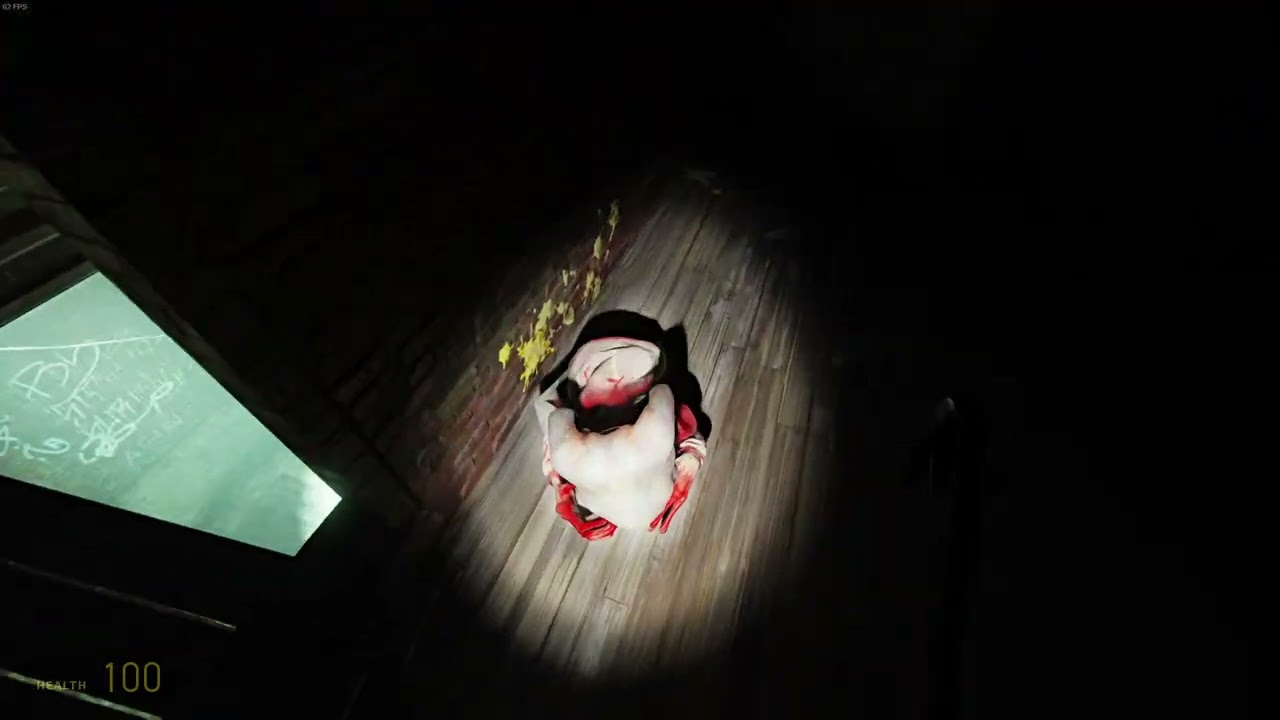
This is simply mind-blowing, I've never seen anything like that before
ALASTOR ASAP!!!!!!!!!!
THIS IS NOT A DRILL
vale gust
You want the sex update with that?
noble beacon
vale gust
You want the sex update with that?
That and an unbelievable RTX Skin on his wings
light palm
Well, I finally got it working. Now to tweak it and make the proper maps.

 noble beacon
light palm
Well, I finally got it working. Now to tweak it and make the proper maps.
noble beacon
light palm
Well, I finally got it working. Now to tweak it and make the proper maps.
Nice! Would be wonderful to see the final result
 indigo oar
light palm
Well, I finally got it working. Now to tweak it and make the proper maps.
indigo oar
light palm
Well, I finally got it working. Now to tweak it and make the proper maps.
great stuff as always
light palm
Watch from here 🙂
https://youtu.be/tH5YsGDSako?t=1144
I can't find the slide deck or presentation itself anywhere, my google-fu is weak

Nvidia presented a bunch of cool information at GDC... but started it out with some very questionable statistics. Here's my thoughts on the whole presentation.
What equipment do I use to make my videos?
Camera: Sony a6100 https://amzn.to/3wmDtR9
Camera Lens: Sigma 16mm f/1.4 https://amzn.to/36i0t9t
Camera Capture Card: Elgato CamLink 4K http...
noble beacon
light palm
Watch from here 🙂
https://youtu.be/tH5YsGDSako?t=1144
I can't find the slide de...
https://gdcvault.com/browse?keyword=Nvidia
There's no GDC 2025 slide deck even on GDC's website yet
I expect it to appear after 21th
vale gust
I like how we talk trash about NVidia in their servers
odd thicket
vale gust
I like how we talk trash about NVidia in their servers
iirc this technically isn’t their server
light palm
vale gust
I like how we talk trash about NVidia in their servers
I'm referring to the specific part of the video linked at t=1144
noble beacon
BTW I think it's a good practice to always note that the given link is time stamped
It just may not work on some devices/systems/browsers for no apparent reason
indigo oar
light palm
Watch from here 🙂
https://youtu.be/tH5YsGDSako?t=1144
I can't find the slide de...
lmao
 noble beacon
Broken Remastered Ass
noble beacon
light palm
\Data\LScripts\Templates\Lights\Gameplay
Hey, you actually implemented the OG flashlight behaviour with sound and light sync and all
If I had done it i'd just make it on/off. Nice
noble beacon
@light palm Is PBRify's ComfyUI version working for you?
1.0.0 Toolkit seems to be breaking it
vale gust

Painkiller is back! Saber Interactive and 3D Realms are developing a brand-new game based on the legendary 2004 purgatorial shooter. It’s coming to PC and consoles in Fall 2025.
https://www.youtube.com/@FutureGamesShow
#FutureGamesShow #FGS #Painkiller
Future Publishing uses the Epidemic Sound Library and Adobe Creative Cloud Generative AI f...
robust hollow
noble beacon
1.0.0 Toolkit seems to be breaking it
currently it is broken unfortunately. Pete is working on it 🙂
light palm
vale gust
https://www.youtube.com/watch?v=uGkJUhm9nc0
OMFG that's awesome!
vale gust
It's a Doom 2016 clone
light palm
Doom 2016 is painkiller clone 😉
light palm
🤔
dusk jasper
vale gust
https://www.youtube.com/watch?v=uGkJUhm9nc0
im not entirely happy with what i see
Is it bloody? Yes
Is it dynamic? Yes
Is it Painkiller? DOUBT
vale gust
I am recognizing more Doom monsters in it than I do Painkiller monsters
and levels are just Doom, no question
dusk jasper
yes, its just a threesome of modern Doom, modern Shadow Warrior and modern Boomer Shooters, but its not Painkiller
odd thicket
vale gust
https://www.youtube.com/watch?v=uGkJUhm9nc0
Guess I don’t need to play the RTX one now /jk
noble beacon
vale gust
https://www.youtube.com/watch?v=uGkJUhm9nc0
Nooo way...🕯️
The main artistic point of original Painkiller were the liminal spaces that people habited in the real world, appearing soulless in Purgatory. I see no familiar environments in this trailer, it's all like Doom Eternal random floating ruins
I would've never guessed it's a Painkiller game if not for the Electrodriver
and flamethrower
vale gust
@noble beacon nobody liked this, it is not Painkiller, and it obviously was not made for the PK community
noble beacon
vale gust
<@456226577798135808> nobody liked this, it is not Painkiller, and it obviously ...
This franchise is cursed
It feels like nobody knows how to make Painkiller but the original PCF team
Impossible game
Dream game
 tulip moth
Hi guys, I'm facing this issue, and I don't know why. It happens when I'm entering to the first level.
 light palm
tulip moth
Hi guys, I'm facing this issue, and I don't know why. It happens when I'm enteri...
light palm
tulip moth
Hi guys, I'm facing this issue, and I don't know why. It happens when I'm enteri...
hey did you install on a clean install of painkiller?
the mod does not make any changes to painkiller.lua....
tulip moth
Hi, yes. I had to. Previously I used a HUD fix for my resolution 1920x1200, I though that it was the reason, but I performed a fresh install, however I can't fix it
light palm
1920x1200 is an unusual resolution
tulip moth
I know 16:10
light palm
let me make you a hud fix file.
noble beacon
light palm
let me make you a hud fix file.
Could you record the Ghidra window while you're at it?
noble beacon
For some reason it's not working when I do what David showed me earlier
Making a level load patch works however
light palm
tulip moth
I know 16:10
try this
tulip moth
Thanks!!!!
light palm
@noble beacon
tulip moth
Game continue failing with thar error. Let me do a fresh install, delete the remaining folders and test it
light palm
are you on steam or gog version
tulip moth
Steam
light palm
did you use the recent release 0.1.5 from moddb?
tulip moth
Yes.
light palm
should just work, if its a totally clean install of steam PK and no other mods
tulip moth
I never used other versions, this is my first time trying these RTX projects
light palm
and only 0.1.5 release
tulip moth
Correct
light palm
the error makes me suspect some other mod interfering
tulip moth
Probably, I've used other HUD Fix
light palm
i cant think of what else it might be
noble beacon
Is this a legal copy? There are some patches in pirated copies
tulip moth
noble beacon
Is this a legal copy? There are some patches in pirated copies
yes, Steam version
 light palm
should be like this
- clean install PK
- unzip painkillerRTXRemix 7zip file into painkiller directory, overwriting files
- copy the engine.dll for your resolution from the hudfix folder to painkiller/bin folder
noble beacon
Do we know anyone who tested it on Steam?
light palm
i have it on steam and gog
test on both before release
changing resolutions should only be done by editing the config.ini file in painkiller/bin
not via in game menu
light palm
yeah its mostly fine but it messes up sometimes, especially with high resolutions
also, @tulip moth does painkiller work normally on a clean install without any mods and without PainkillerRTXRemix ?
tulip moth
light palm
also, <@550812900856430594> does painkiller work normally on a clean install wit...
Yes, I played a couple of level when I installed the previous HUD fix
 light palm
strange.. let us know what happens with the clean install.
Make sure you either rename your previous install's painkiller directory, or delete it entirely, otherwise there can be residual files if you are just uninstalling and reinstalling via the steam interface
tulip moth
Ok, installed now. Let me test it without installing anything
light palm
ie. rename painkiller directory
then go to steam, right click painkiller, go properties,
then this:

it should redownload all the files
if you have really slow internet there is another way to "clean" your install, let me know
tulip moth
Before uninstall it, I've tested verifying the files, and didn't work
I ran the game and works fine.
Can I install the RTX mod?
light palm
the problem is that if you uninstall the game, all of the mod files remain in the same folder
so when you reinstall, it still isn't a "clean" install
you have to make sure to rename or delete the painkiller directory before reinstalling
tulip moth
light palm
the problem is that if you uninstall the game, all of the mod files remain in th...
correct, this time I deleted the remaining folder
tulip moth
mmm, 7zip is saying that a parameter is incorrect when I'm decompressing in the installation folder. I thought that file was corrupted, however hash matchs
 noble beacon

 tulip moth
One second, I'm decompressing in other path (outside installation folder)
Ok, it decompressed succesfully, I will replace the files
Testing now
Finally!!!!! THANKS!!!!!!!!!!!
Love you both! I'm supper happy.
noble beacon
tulip moth
Love you both! I'm supper happy.
Just you wait
Fingers crossed it makes past loading screen xdd
tulip moth
Something that I've noticed is that when I installed the fresh copy, the language was spanish and after apply the mod the language is english.
If is there any way to change it, great, if not, I don't care. Looks awesome!
noble beacon
I don't really think you should😭
Mod patches some files from Data so that's probably the reason
It might be possible to change the language
Will need testing
tulip moth
Don't worry, If you need me for testing, let me know.
light palm
try changing the line in config.ini
Cfg.Language = "english"
tulip moth
I set spanish however didn't work.
I found this
https://steamcommunity.com/app/39530/discussions/0/3166568651735954191/
where at bottom there is a link with a file that contains the languages files.
I've browsed to the folder where these .txt files should be there, however there are not.

Sorry for the Steam off-topic but this hasn't been answered at all I have the installer with the filename setup_painkiller_black_1.64_lang_update_(24538) However there's no way to change the language in the installer (Like with XIII 201#?) and the config file in the game's folder has a line to change language, but whenever i write and save with ...
I'm not sure if that means something, if you want we can test later. I need to go to sleep. 5:20 AM here (Argentina time)
noble beacon
Nice sleep schedule btw
dusk jasper
 light palm
Nice
Hey @dusk jasper , "Painkiller remixed" is hard to search for on google, if people search for it they just get songs - perhaps Painkiller RTX would be better?
noble beacon
light palm
Hey <@467239884596445185> , "Painkiller remixed" is hard to search for on google...
Personally i'm kinda struggling with naming identity of this mod
It's just like "yeah this cool fucking thing" in my head 😄
light palm
Painkiller RTX is easiest imo
noble beacon
 noble beacon
light palm
typical aussie greeting:
'scarnon kunce!
noble beacon
light palm
typical aussie greeting:
'scarnon kunce!
I can only decipher the second word
noble beacon
Nuke australia.
noble beacon
Isn't it getting colder for you?
light palm
yeah
light palm
ur the one thats upside down
we are the right way up mate
night sky way better in southern hemisphere imo
noble beacon
Now you sit if you're standing
I hate breaking it to you
but

I know
it's gonna be alright
light palm
i dont get it
noble beacon
You're in denial
light palm
of what lol
noble beacon
 light palm
¯_(ツ)_/¯
 noble beacon
noble beacon
noble beacon
Actually it totally makes sense
Large frozen piece of land in the north
now i'm in doubt
noble beacon
 noble beacon
tulip moth
Don't worry, If you need me for testing, let me know.
noble beacon
tulip moth
Don't worry, If you need me for testing, let me know.
Put this file in \Data\LScripts\Main
For some reason it always defaults to Lang_English.txt despite setting spanish in the cfg
so i just pasted all the spanish text into Lang_English.txt
Seems to be working fine
 dusk jasper
light palm
Hey <@467239884596445185> , "Painkiller remixed" is hard to search for on google...
dusk jasper
light palm
Hey <@467239884596445185> , "Painkiller remixed" is hard to search for on google...
 tulip moth
noble beacon
Put this file in \Data\LScripts\Main
tulip moth
noble beacon
Put this file in \Data\LScripts\Main
It worked!!! Thanks!
How to reduce the ghosting? For example in the level 1-1, when I use the "Painkiller (Weapon)" and aim to the sky, I can see the ghosting effect, but I also noticed this when the enemies are in move. Is this expected?
noble beacon
tulip moth
How to reduce the ghosting? For example in the level 1-1, when I use the "Painki...
Hmmm I think ghosting's been more than acceptable for me. What's your GPU?
tulip moth
RTX 3070
 noble beacon
CNN is an old model, it should be defaulted to Transformer I think (?)
Set it like this and see if the ghosting is better

 tulip moth
Yeahh, better!!! You are amazing!
noble beacon
tulip moth
Yeahh, better!!! You are amazing!
Try Performance mode
Also i'm not really knowledgeable on this, but it also should be better to tick Transformer Model D here in the bottom

See how it performs on your 3070
noble beacon
tulip moth
Where is the Performance Mode?
It's a DLSS preset, same as Balanced you have now
tulip moth
Ok, I've selected Performance Mode, and I'm also enabled Transformer Model D in DLSS-RR, and it runs smooth, better than Ultra mode.
In Ultra mode the game runs as the games in Unreal Engine 5 😛
noble beacon
tulip moth
Ok, I've selected Performance Mode, and I'm also enabled Transformer Model D in ...
What do you mean by Ultra mode?
Don't forget to click Save

Also there's a bug that enables Vsync every launch despite saving the settings and it drives me nuts
so if your input suddenly feels weird after relaunch that's the case
 tulip moth
I prefer with the V-Sync enabled, when I ran it in Ultra Mode, the V-sync was disabled and didn't like it. But when I ran it for second time it was enabled, I will keep it enabled in Performance mode.
I found ghosting again
vale gust
game is full of ghosts, is to be expected
noble beacon
tulip moth
Just checked and it appears that actually disabling Transformer Model D gets rid of ghosting in this specific case
Almost
Probably should tune down volumetrics a bit in the next update, it's really dense and ghosting heavy@light palm
tulip moth
noble beacon
Just checked and it appears that actually disabling Transformer Model D gets rid...
Correct, disabling Transformer Model D the ghosting is not present or at least I can't see it
noble beacon

GitHub
Describe the bug It appears that "Save Settings" button in the Alt+X menu does not take V-Sync option into consideration. It's always enabled on launch by default and not related to F...
There's also an issue that lists V-Sync as a broken setting but it's from June 2024
noble beacon
noble beacon
There's also an issue that lists V-Sync as a broken setting but it's from June 2...
It also mentions a bunch of other stuff, but the Remix guy answered that these settings are for debug purposes and not intended to be saved
i think they just forgot about vsync??
tulip moth
Guys, me again.
Since yesterday the game is crashing when I load a savegame, no error message, nothing, just CTD.
noble beacon
tulip moth
Guys, me again.
Since yesterday the game is crashing when I load a savegame, no ...
Is this a gameworld save (when in gameplay) or level selector one?
Can you load a level via pkalllevels cheat?
tulip moth
It'a a automatic savegame in a level, not the start of the level. But now it's failing even starting a new game. 😦
noble beacon
tulip moth
It'a a automatic savegame in a level, not the start of the level. But now it's f...
Try and delete Painkiller.dxvk-cache in Bin
Also might want to update the Runtime, I'll DM you
light palm
sounds like you might be trying to load pre-mod saves or have put in extra mods or something?
noble beacon
light palm
sounds like you might be trying to load pre-mod saves or have put in extra mods ...
Nah it's one of those random issues that require random actions to fix it
they can't start a new game
light palm
try a fully clean install (ie rename pk folder and re-download)
thats the first thing imo
see if it works without remix
if so then install the remix mod
it could be beans though.
noble beacon
Clean install is OP
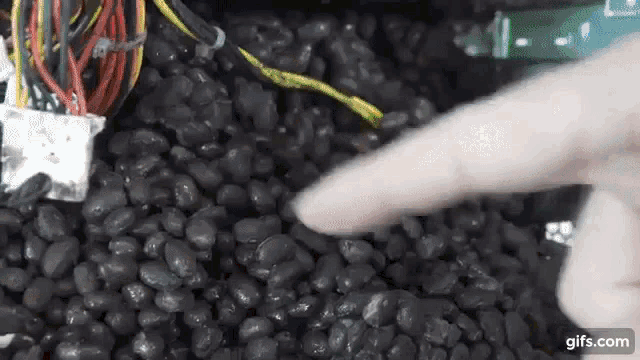 noble beacon
Why don't people fix the world with a clean install
noble beacon
light palm
https://tenor.com/view/this-is-beans-beans-gif-18201743
motherboards
light palm
heheeheh
light palm
😉
 noble beacon
light palm
😉
noble beacon
light palm
😉
Texturing them bad bois?
light palm
thats the plan, nice that you can run remix in the editor
vale gust
Is the project abandoned?
robust hollow
dude it's been 4 days lol
vale gust
4 days of silence
dusk jasper
vale gust
4 days of silence
when it'll be silent for 2 weeks, then you can press alarm
 mossy plume
vale gust
Is the project abandoned?
mossy plume
vale gust
Is the project abandoned?
yes