#Portal 2
1 messages · Page 4 of 1
 rough ginkgo
 ripe hazel
Radeon 9200SE
Radeon X1800 GTO
Radeon 2600XT
Geforce 6600GT
Geforce 8800GTS 320
Geforce 8800GT
Geforce GTX 260
Geforce GTX 460
Geforce GTX 780 Ti
Geforce RTX 2080 Ti
Geforce RTX 3080
Geforce RTX 4090
these were my gpus
 naive edge
Scriptable transitions for remix variables based on the leaf/s the player is in 👍
Can be one way, or in + out, with a tweak-able delays (before starting the transition and between it's completion and the backwards transition) + different ease functions.
The only thing thats missing is the ability to do that based on played choreographies 
 misty forge
Question. Does anybody know how to solve ANY issues relating to this error?? It happens only on this mod and along with portal prelude RTX with any config and I already tried reinstalling drivers twice and running as -windowed. https://media.discordapp.net/attachments/1107017578238447706/1307751358958407700/image.png?ex=6742095c&is=6740b7dc&hm=4cdc8836046f9740efb29ebe1b028ec4c46b9e5be233be8dbc7768aad17b9569&=&quality=lossless

It's entirely RTX remix related and I have no idea how to get around the error
rough ginkgo
naive edge
Scriptable transitions for remix variables based on the leaf/s the player is in ...
this will definitely help me with fixing the timing of the light on the elevator in sp_a1_wakeup, good work 
naive edge
misty forge
Question. Does anybody know how to solve ANY issues relating to this error?? It ...
You are now the second person with that issue and I have no clue what's causing that. "Glad" to hear that it also happens on prelude
Does installing this help? https://www.microsoft.com/en-ie/download/details.aspx?id=8109
 naive edge
Sadge ... I guess you have to create an issue on the rtx-remix GitHub repo then
misty forge
alrighty, thank you for taking the time to at least look at my issue
naive edge
Migraine 😂
Transitions can now be triggered by choreographies (.vcd's) as well 🙏
 blissful fulcrum
lmao I love that demonstration
no wonder why Chell doesn't want to answer the door
 buoyant venture
naive edge
Migraine 😂
Transitions can now be triggered by choreographies (.vcd's) as well...
buoyant venture
naive edge
Migraine 😂
Transitions can now be triggered by choreographies (.vcd's) as well...
When Chell's brain damage kicks in:
 red panther

Look at the MY COMMENT (Youtube wants me to give them my government issued documents to pin it and I ain't doing that, so please like and reply to the comment so it stays on top)
@naive edge I remade the video
I tried a total of 34 times to get the long load to not happen but for whatever reason it would still happen
As it's a minor inconvenience I don't see that as too serious of a thing to leave out but if you still want me to change it I'll remake it again and try to figure out what I was doing wrong
I'll take the thumbs up as the video is good
@thin geode you mind pinning this?
 open rampart
Bro did not read the github 💀
red panther
open rampart
Bro did not read the github 💀
Hey, if it works it works
Xoxor seems to think it’s fine so can’t be that bad
Worked for me 34 times so it should be alright
naive edge
I'd still refrain from 📍 it. Appreciate your effort tho 👍
red panther
naive edge
I'd still refrain from 📍 it. Appreciate your effort tho 👍
Because I’m going to make it again, what’s wrong with it
It’ll be right eventually
Just might take 34 more attempts
open rampart
Just read the github 😭
red panther
Read it more than 34 times
Alright read it another 5 times still don’t know what’s wrong
naive edge
It's still too early, stuff will change so dw
red panther
red panther
Hey, if it works it works
I got a lot of thanks comments on the original too, so it can’t be that bad, and works for other people
 drifting temple
Stop
drifting temple
naive edge
Migraine 😂
Transitions can now be triggered by choreographies (.vcd's) as well...
Me when I have a minor case of serious brain damage.
 rich plank
It work fine, but all sounds are missing
naive edge
Did you copy the sound cache file or skip the first long loading sequence?
rich plank
naive edge
Did you copy the sound cache file or skip the first long loading sequence?
No. not copy the sound cache
i forgot
naive edge
if that does not work then paste that into the ingame console:
snd_rebuildaudiocache;snd_updateaudiocache;exit
 open rampart
PBR mod pack's coming along well 
the shiny buttons and wall plates are my favorite to do
rich plank
Where did you get that? moddb?
open rampart
I'm making it right now  It'll be awhile until it's finished tho, it's something I'm just kinda doing on the side. Focusing on TRL right now, just doing this in my free time
rich plank
Damm it looks so nice
open rampart
Thanks! 
rich plank
It feels like it is half remastered.
open rampart
Got the mucky water reflective, but I think I should mess with the metal scale on it, looks kinda dull
ripe hazel
rich plank
It looks like that for me too
naive edge
rich plank
That should be fixed on the latest GH actions build
naive edge
 buoyant venture
naive edge
buoyant venture
naive edge
Now I can drink it
 fluid bison
open rampart
Got the mucky water reflective, but I think I should mess with the metal scale o...
fluid bison
open rampart
Got the mucky water reflective, but I think I should mess with the metal scale o...
i don't think its okay when that wall on 0:27 is loosing its stripes
 patent tapir
does any one know how i fix this please
 red panther
patent tapir
does any one know how i fix this please
red panther
patent tapir
does any one know how i fix this please
Launch from the .bat file not the exe
buoyant venture
red panther
Launch from the .bat file not the exe
I wonder how's that going to work when we ship it
red panther
buoyant venture
I wonder how's that going to work when we ship it
You can convert .bat files into .exe files with cmd
.bat files are just easier to work with to start
 analog copper
open rampart
PBR mod pack's coming along well <:NoThoughts:984230737152704532>
analog copper
open rampart
PBR mod pack's coming along well <:NoThoughts:984230737152704532>
looks yummy
red panther
buoyant venture
Good to know
Looking at the .bat file, it should be fine, but if we made it into an .exe, we’d need to keep the old one in, cause I don’t think we can just copy and paste the old one into a new one
ripe hazel
Why would you want to convert the bat to an exe
 sleek bay
childhood truma, He once fell down a well and got scared by the bat's

This is from the film Batman Begins by Christopher Nolan. I have edited it to use it for a seminar for my English paper at university. This is not my own and nor do I claim it to be my own.
buoyant venture
ripe hazel
Why would you want to convert the bat to an exe
The goal is to put Portal 2 with RTX on Steam, and I'm not sure if bat files are allowed as the executable
drifting temple
buoyant venture
The goal is to put Portal 2 with RTX on Steam, and I'm not sure if bat files are...
Why tf letting u do all dat?
buoyant venture
drifting temple
Why tf letting u do all dat?
Hm?
drifting temple
Who's letting you post portal 2 rtx on steam?
 thin geode
vulpes is saying the project's ultimate goal is to collaborate with Valve to have it released on Steam as a mod
drifting temple
Ah
Okay
That makes sense
I'm interested to see where everything goes
I'll help with materials once it gets stable enough
 heady laurel
I need to play portal 2 first.
red panther
thin geode
vulpes is saying the project's ultimate goal is to collaborate with Valve to hav...
That'd be the num 1 goal, the way it was sounding we were just gonna post it on workshop
buoyant venture
red panther
That'd be the num 1 goal, the way it was sounding we were just gonna post it on ...
Well you can list things as community mods like Half-Life 2 RTX is doing or something like Portal Stories Mel
red panther
It would be cool if we got it posted like hl2 rtx or portal rtx
like a store page over workshop
that'd really be something man
drifting temple
heady laurel
I need to play portal 2 first.
Ur not a gamer if you haven't played portals. Best games ever
heady laurel
okay bro
thin geode
drifting temple
Ur not a gamer if you haven't played portals. Best games ever
if you haven't played pong you're not a true gamer
drifting temple
heady laurel
okay bro
Not lying
drifting temple
thin geode
if you haven't played pong you're not a true gamer
I have 
heady laurel
What kind of material work or replacement models are needed, I could make a few game assets as my contribution
drifting temple
heady laurel
What kind of material work or replacement models are needed, I could make a few ...
The models are pretty good. So just retexturing will be fine.
heady laurel
Yee I can do that.
sleek bay
I'd like to remodel Wheatley and glados, starting with potato glados and a 3d scan of a potato 🥔
drifting temple
That would be acually pretty cool
heady laurel
sleek bay
I'd like to remodel Wheatley and glados, starting with potato glados and a 3d sc...
Get one of them Irish potatoes
Up for scan
sleek bay
I'll get a reference image and go to the store lol. "Excuse me miss, have you seen a potato that looks like this?"
drifting temple
Is aperture desk job a retcon for the portal series?

 frail lily
open rampart
https://imgsli.com/MzIxMjMw
frail lily
open rampart
https://imgsli.com/MzIxMjMw
A couple of pointers if you don't mind, not based solely on this image: don't just "blindly" convert automatically, in the earlier pictures you had normal maps that were inverted compared to what would actually happen, for example in the metal frame of the elevator, the scratches, instead of being indented, were protruding (because the AI/algo/whatever, interprets lighter color as being raised from the surface, but it's not always the case), this was also happening with the dark panels, which had bits missing/eroded and they were showing up as elevated compared to the main texture, for the same reason, if I recall correctly even the edges were raised instead of indented.
In this particular image, the "water" is clearly a mixture of different substances, very impure, yet it reflects light in a very uniform way (particularly evident in the reflection of the spotlights), if you want to avoid completely remastering it, it's sufficient to plug the albedo texture into the roughness input, maybe tweak it a bit in PS if you see the effect is too strong this way, it probably doesn't need high contrast, and maybe it would work better inverted, it's a matter of playing around with it and see what works best but it shouldn't take long.
Lastly, this is from far away so I'm not sure it's not but, just in case, rust is very very rough and not very reflective, since metals are oxydized and broken down into powder (that's why it will stick to your finger if you touch it), light gets scattered around quite a bit and a good chunk of it doesn't make it out to the observer.
 empty quest
open rampart
Got the mucky water reflective, but I think I should mess with the metal scale o...
empty quest
open rampart
Got the mucky water reflective, but I think I should mess with the metal scale o...
maybe a bit of subsurface scattering? or would that reveal too much of what's underneath the asset
buoyant venture
drifting temple
The models are pretty good. So just retexturing will be fine.
I do want to get low poly models like these replaced
 buoyant venture
drifting temple
Is aperture desk job a retcon for the portal series?
buoyant venture
drifting temple
Is aperture desk job a retcon for the portal series?
I heard a lot of those side games are just done for fun and not for canon
patent tapir
one question how do i fix my player model cause im using a custom player model and it places me in a third person perspective arround my characters head
heady laurel
buoyant venture
I do want to get low poly models like these replaced
That is up to personal preference but you can use textures for equally same effect
naive edge
patent tapir
one question how do i fix my player model cause im using a custom player model a...
- You have to mark ONE part of your playermodel (legs OR torso) as player model body texture AND as player model texture
- Then mark all other parts of the playermodel that should be hidden as player model texture
The one texture marked as body acts like the center point from which textures marked as player will be made invisible
patent tapir
naive edge
- You have to mark ONE part of your playermodel (legs OR torso) as player model ...
how do i do that
naive edge
- alt + x --> game setup tab
- open the player model body texture tab
then use your mouse to highlight the body tex -> right click and select the appropriate category
 naive edge
third person?
patent tapir
the thirdperson shoulder mode
buoyant venture
naive edge
- You have to mark ONE part of your playermodel (legs OR torso) as player model ...
I wonder how this will work with co-op where you can be either Atlas or P-body
naive edge
buoyant venture
I wonder how this will work with co-op where you can be either Atlas or P-body
I can already detect what model a player is using so I would need to set and remove the textures via the api (which is not a thing yet)
naive edge
patent tapir
the thirdperson shoulder mode
nothing you can do about that for now
 cunning shoal
just finished playing through portal 2 rtx and it was amazing
heady laurel
cunning shoal
just finished playing through portal 2 rtx and it was amazing
Nice. I'll make a moddb update for it
How's the performance atm
cunning shoal
on my 3060 at 1440p terrible
heady laurel
Sub 30fps?
heady laurel
Any issues other than performance?
cunning shoal
some minor visual bugs in some places
but not too noticable
and the lighting made some puzzles harder for me
heady laurel
Gotcha. If it's playable with remix from start to finish then it's good. Yeah lighting definitely needs some adjustments. That is up to the modding scene
cunning shoal
its definitely playable
gotta wait till its properly remastered to play it again
but xoxor did a great job
heady laurel
Is there an rtx.conf file? Can't locate it in the repository
If you have one please share with me
cunning shoal
 regal solstice
How have you fixed all the geometry already? I swear it was barely working a few weeks ago
Are you going to add custom textures now?
Maybe improve the style a bit more?
patent tapir
does anyone know how i can stop my game from crashing as soon as i load into a level
red panther
does an error come up or does it just close?
patent tapir
close
cunning shoal
@naive edge dont wanna annoy you but do you have plans on making a compatability mod for portal reloaded and portal stories mel?
naive edge
cunning shoal
<@204650202072743936> dont wanna annoy you but do you have plans on making a com...
not for now but shouldn't be hard as it only needs minor tweaks
 fast sedge
someone please help


this?

or this
@here
nvm
im a dumbass
gg

whenever i get to the bars being fully loaded nothing happens
and the "welcome to rtx remix" thing doesnt popup at the top of my screen
WAIT I FIGURED IT OUT
I THINK
mabye
it worked
got the popup
but its loading for agessss
analog copper
stop typing and just wait
fast sedge
wtf?

everytime wheatley hits the stupid ass fucking room into a wall my memory goes up
is he trying to kill my pc
too realistic
WHATTTT

THE FUCKKKK
fps killer
sleek bay
what settings were wrong?
buoyant venture
My 8GB card: "seems normal"
 west bolt
buoyant venture
My 8GB card: "seems normal"
west bolt
buoyant venture
My 8GB card: "seems normal"
My Dad's 16GB card also:"seems normal"
drifting temple
My 24GB card: "Piece of cake"
buoyant venture
drifting temple
My 24GB card: "Piece of cake"

thin geode
just get an RTX A6000 with 48 GB VRAM
drifting temple
yeah just gimme like
5k?
idk how much they go for these days
@heady laurel we can share
 buoyant venture
I'll take a AMD W7900
 pallid hatch
lol @6GB users malding over performance issues as if it’s remix’s fault 
 sturdy jolt
naive edge
Scriptable transitions for remix variables based on the leaf/s the player is in ...
sturdy jolt
naive edge
Scriptable transitions for remix variables based on the leaf/s the player is in ...
Every time I tried watching this video it freezes my browser.
analog copper
drifting temple
<@759994782528307220> we can share
i have one of these

thank you school!
 deep tartan
any plans on csgo?
 winged wind
any ideas to reduce the bottleneck? il chek the settings in-game and the "Multicore rendering" its disabled no matter what i do, i cant enable it...


even if i open the console and type "mat_queue_mode -1" doesn't work
@naive edge
i have the reflex option off btw
 pallid hatch
46 FPS at 4K on a 3080 is basically to be expected tbh
multicore rendering wont work iirc with this mod
enable framegen + DLSS and lower res 🤷♂️
winged wind
pallid hatch
enable framegen + DLSS and lower res 🤷♂️
im using ultra performance mode at "1280x720" and im using LSFG instead of DLSSFG because of the latency
winged wind
pallid hatch
multicore rendering wont work iirc with this mod
Why is that?
i mean, why it doesn't work ?
pallid hatch
I don't know, xorxor just says it doesn't work correctly right now, its early days of this mod
winged wind
pallid hatch
I don't know, xorxor just says it doesn't work correctly right now, its early da...
Ohh ok then that's why...
pallid hatch
not sure anyone has tested LSFG with this let alone remix so you probably wont get much support with that
winged wind
pallid hatch
not sure anyone has tested LSFG with this let alone remix so you probably wont g...
Yeah i know, il have been using LSFG for a while with remix and works rightly fine
pallid hatch
sure, I more mean in relation with this mod and getting performance benefits. DLSS is also tightly integrated with how the path tracer handles the motion vectors and ray reconstruction, so sometimes its necessary. but if LSFG works then great.
winged wind
My 3080 doesn't support FG in the first place so in order to use DLSSFG il had to download the DLSSFG.dll version 1.0.1.0 but im getting so much latency and random crashes at times with it on 😦 that's why im using LSFG
pallid hatch
I see. yeah. if it makes you feel any better I only have a 2080 and I can't even play the game barely :P.
im sure in the coming weeks xorxor and the community will have some performance fixes / optimizations. some people around here are also into getting it working on the steam deck like @buoyant venture.
winged wind
pallid hatch
I see. yeah. if it makes you feel any better I only have a 2080 and I can't even...
rlly? wich resolution u play ?
pallid hatch
I just do ultra performance standard DLSS either 2k or 1080
winged wind
pallid hatch
im sure in the coming weeks xorxor and the community will have some performance ...
Nice!!
pallid hatch
I mostly develop stuff and dont play it so doesn't really bother me. (mostly waiting for 5 series GPUs)
winged wind
pallid hatch
I just do ultra performance standard DLSS either 2k or 1080
My 3080 still gets the job done with some path traced games at 1080p or even 1440p but at 4k i need to use DLSS to ultra performance mode
pallid hatch
yeah, sounds about right. you're in the same boat as mostly everyone else here with less than a 4000 series card. 4k is pretty much impossible due to VRAM limitation or just lack of power. with DLSSFG you can do 4K in this game ... with maybe a 4080 / 4090 (as of now)
winged wind
Even my monitor native resolution is 1080p but i rather use DSR and merge it with DLSS and LSFG and im not having any issues
winged wind
pallid hatch
yeah, sounds about right. you're in the same boat as mostly everyone else here w...
Yeah, looking to the future we will need a minimun 4070/4080 to run Path traced games like this at 1440p/4k
pallid hatch
more than likely
naive edge
winged wind
even if i open the console and type "mat_queue_mode -1" doesn't work
Force disabled that. Don’t think remix will like work with. Skinned meshes will most likely lag behind when enabled
winged wind
naive edge
Force disabled that. Don’t think remix will like work with. Skinned meshes will ...
So thats why im getting a "bottleneck" ? i mean my gpu usage goes from 70% to 90% in-game at times
Any idea if this issue will be fixed ? or it doesn't bother at all
ripe hazel
The bottleneck you're seeing is probably just down to cpu requirements of RTX Remix running this title, not whatever the Source engine is doing in the background, which is the only aspect multi core rendering would affect
rough ginkgo
iirc what xoxor4d said, portal 2 is notoriously heavy on drawcalls and that hurts performance a lot.
i get decent performance on my 2080 if i stay under 1080p, my 7950X3D definitely helps with the engine bottlenecks
naive edge
Not forcing lod 0 can help on certain levels. Reducing draw distance as well. I’ll create a flag to disable the forcing but that will be off by default.
I think the best way to reduce the cpu bottlenecks would be to edit the map file, remove a huge chunk of static props; add a map marker to that area; then re-add all the removed meshes by adding them as references to the marker using the toolkit.
That way, the engine draws a lot less stuff and Remix does the heavy lifting + that also allows you to change the meshes itself
analog copper
drifting temple
we have a fuck ton of workstations
heady laurel
workstation PCs at school do be goated
Ryzen threadrippers and 128gb ram for simulations
regal solstice
God damn we have 3080s i5 😢
naive edge
The compatibility mod is now my most starred repository on GitHub 👀
edit: ~1500 downloads of the first release 
drifting temple
naive edge
The compatibility mod is now my most starred repository on GitHub 👀
edit: ~1500...
Good jorb
buoyant venture
naive edge
The compatibility mod is now my most starred repository on GitHub 👀
edit: ~1500...
I'm one of those stars, lol
drifting temple

 dapper ravine
Does anyone have enhanced assets for the mod or knowledge on how I can do it myself for normal and roughness maps?
frail lily
naive edge
The compatibility mod is now my most starred repository on GitHub 👀
edit: ~1500...
That's only because you haven't worked on the Tetris compatibility mod yet
naive edge
@winged wind multicore rendering enabled .. it does improve performance tho 😂
(Warning: may induce seizures)
pallid hatch
@naive edge do you know why it happens? maybe one of the parts of the geom hash rule gets overwritten with data from another thread?
oh well it seems like the other thread be doin something else
naive edge
pallid hatch
<@204650202072743936> do you know why it happens? maybe one of the parts of the ...
no idea really. Haven't really looked into that
pallid hatch
api trace via the CLI has a useful option to split calls by thread, might be useful
sometimes I wanna build an old PC just so I can re-install PIX or nsight for D3D9 😅
naive edge
pallid hatch
sometimes I wanna build an old PC just so I can re-install PIX or nsight for D3D...
mh? Pix is still working fine for me
naive edge

 pallid hatch
god bless
winged wind
naive edge
<@471785882991591425> multicore rendering enabled .. it does improve performance...
ohmy
so glad its off by default
but it really improves perfomance?
pallid hatch
naive edge
it actually works now for single frame captures  . thx
. thx
drifting temple
naive edge
<@471785882991591425> multicore rendering enabled .. it does improve performance...
schizophrenia gaming.
 wispy fiber
mmmmmm the portal 2 rtx experience
pallid hatch
| Portugal 2 (Portugul?)
drifting temple
okay I was about to ask lol
pallid hatch
yea lol
 safe elk
It looks rasturized
wispy fiber
safe elk
It looks rasturized
ya idk why its just not path tracing
only thing that pops up
 wispy fiber
pallid hatch
well for one you are using a mod
wispy fiber
pallid hatch
well for one you are using a mod
is portugal 2 that bad it'd cause a fatal error for remix
nvm got my answer
 pallid hatch
I don't know but its not tested, this channel is about portal 2 vanilla (at least thats the only compatibly tested mod we have right now)
safe elk
Its a mod where everything is Google translated 32 times over
wispy fiber
pallid hatch
I don't know but its not tested, this channel is about portal 2 vanilla (at leas...
also ya its just a mod that replaces the sound files and some of the textures, doesn't touch the base game's code
its still base portal 2
pallid hatch
well sure, but given the fact the base game works and yours doesn't makes that irrelevant
safe elk
wispy fiber
also ya its just a mod that replaces the sound files and some of the textures, d...
The textures that are replaced are shader based textures
From what I could guess
drifting temple
safe elk
From what I could guess
Don't try thinking again
safe elk
drifting temple
Don't try thinking again
I'll think
drifting temple
(I have no idea if ur right or wrong, I just wanted to make fun of you.)
safe elk
i know
drifting temple
winged wind
thanks @naive edge for this, its looking great

 sand otter

open rampart
maybe I accidentally switched a setting - but whenever I look down at the icky water I get a mirrored effect
Kind of like in gmod, but ent_remove_all func_reflective_glass doesn't work to remove the mirror effect
naive edge
open rampart
maybe I accidentally switched a setting - but whenever I look down at the icky w...
Video doesn’t load on mobile but try the most recent GitHub actions build
Ah now it does. This is fixed in the most recent build
open rampart
All fixed, thanks!
analog copper
open rampart
maybe I accidentally switched a setting - but whenever I look down at the icky w...
release it

 red panther
You got no enhancements on
Click alt+x to open the remix menu
Then switch to the enhancements tab
Then click on enable enhancements
And then at the bottom of the menu
Click save
If that don’t work just try a fresh install of everything
 winged wind
this is how i remember playing Portal 2 around 2012


 red panther
It’s beautiful isn’t it 🙂
buoyant venture
red panther
It’s beautiful isn’t it 🙂
For me it's like looking at something without glasses
Not because it's bad but because my GPU is
Heck, I probably won't be able to enjoy our own remaster in high detail
red panther
Sad story there
buoyant venture

 abstract peak
surprise.


 open rampart
oopsie forgot about the tradeoff - already making 1.1 of my pbr pack 
 buoyant venture
open rampart
oopsie forgot about the tradeoff - already making 1.1 of my pbr pack <:oopsie:11...
buoyant venture
open rampart
oopsie forgot about the tradeoff - already making 1.1 of my pbr pack <:oopsie:11...
You added lights as well?
open rampart
Yeah, went ahead and added lights to a few places to make it hopefully fully playable with rtx and pbr. I might've missed a few places but I think I got everything  I can always make a quick hotfix if anyone finds any spots
abstract peak
propulsion gel looks so delicious
 buoyant venture
open rampart
Yeah, went ahead and added lights to a few places to make it *hopefully* fully p...
buoyant venture
open rampart
Yeah, went ahead and added lights to a few places to make it *hopefully* fully p...
Well guys, the game is remastered, let's wrap it up /j
sand otter
abstract peak
propulsion gel looks so delicious
yummy 
 ionic silo
open rampart
oopsie forgot about the tradeoff - already making 1.1 of my pbr pack <:oopsie:11...
ionic silo
open rampart
oopsie forgot about the tradeoff - already making 1.1 of my pbr pack <:oopsie:11...
shouldn't the light source be coming from the obviously hanging light
open rampart
In the original game the light doesn't make much sense 💀 It's now a microphone and there's a strob light from the ceiling 
 open rampart

ModDB
Complete game PBR Pack for Portal 2. To be used with RTX-Remix.
thin geode
awesome 😛
 coarse scaffold
is there a way to turn it off or do you just have to delete the files from the portal 2 folder
cus i wanna play co op but i cant launch the game from steam with this installed
winged wind
open rampart
https://www.moddb.com/mods/skurtyys-portal-2-rtx-pbr-pack
Awesome! thanks!
But do i need the 2 files or can i download only the "hotfix"?
open rampart
winged wind
But do i need the 2 files or can i download only the "hotfix"?
You got it! Only the hotfix version is fine, it's just a version 1.1 update, it has everything the original has but a quick fix for a spot where a level was completely black 🙂
winged wind
damn


 open rampart
Thanks! Keeping notes on all these lil problem bugs for the next update
winged wind
in sp_a1_intro6 i found this as well 
 abstract peak
open rampart
https://www.moddb.com/mods/skurtyys-portal-2-rtx-pbr-pack
abstract peak
open rampart
https://www.moddb.com/mods/skurtyys-portal-2-rtx-pbr-pack
So how do you install it? I'm downloading it now but I don't see any installation instructions
winged wind
abstract peak
So how do you install it? I'm downloading it now but I don't see any installatio...
just put the files inside rtx-remix/mods folder
abstract peak
 abstract peak
it's in the default portal 2 path lmao

and I already have long paths enabled, dang
ah the problem is the full path is
C:\Program Files (x86)\Steam\steamapps\common\Portal 2\rtx-remix\mods\SkurtyysP2RTXPBRPack1.1\SubUSDs\appdata\local\ov\pkg\rtx-remix-2024.5.1\deps\content\rtx-remix-lookdev-lighting\Projects\Materials\Content_Team\Common\HDRI
THIS IS BY DEFAULT. Most of these folders just contain one other folder, what the heck
I'm just going to rename the pbr pack folder
ok there's invisible gel in the old test chambers

 burnt flare
This could help
https://www.thewindowsclub.com/how-to-enable-or-disable-win32-long-paths-in-windows-11-10

The Windows Club
Learn how to enable NTFS or Win32 long paths in Windows 11/10 using Registry or Group Policy Editor so that Windows accept File Paths over 260 characters
abstract peak
burnt flare
This could help
https://www.thewindowsclub.com/how-to-enable-or-disable-win32-lo...
Long paths are on 😭
also aperture uses lamps that are brighter than the surface of the sun

glados is boutta become french fries
ripe hazel
https://youtu.be/a3BcYtKmmlE Never realized how heavy this was considering I had FG on all the time. Guess the 5090 will already have a stress test waiting for it when it comes out

Portal 2 Path Tracing with RTX Remix On vs Off graphics and performance comparison benchmark at 4K, 1440p, 1080p DLSS 3.8.10 Quality/Performance + DLSS Frame Generation and Ray Reconstruction with Path Tracing and Very High settings on RTX 4080 + i7 10700F
Portal 2 RTX Remix Mod download link:
https://github.com/xoxor4d/p2-rtx/releases
If you ...
analog copper
open rampart
https://www.moddb.com/mods/skurtyys-portal-2-rtx-pbr-pack
i love you
buoyant venture
ripe hazel
https://youtu.be/a3BcYtKmmlE Never realized how heavy this was considering I had...
Multicore rendering should help out a lot
analog copper
buoyant venture
Multicore rendering should help out a lot
should you enable it ingame?
winged wind
buoyant venture
Multicore rendering should help out a lot
yeah but in gpu bound scenes like in the thumbnail i dont think its gonna help too much tbh
winged wind
analog copper
should you enable it ingame?
You can't
winged wind
winged wind
yeah but in gpu bound scenes like in the thumbnail i dont think its gonna help t...
maybe 2-4 fps more
here i was having like 20-24 fps with a 3080 10GB OC (cinematic)

but it looks so damn georgeus
buoyant venture
analog copper
should you enable it ingame?
At the moment, no
naive edge
that heavy drop is caused by all the glass refractions
buoyant venture
winged wind
yeah but in gpu bound scenes like in the thumbnail i dont think its gonna help t...
I'm an AMD user, I'm always GPU bound
winged wind
naive edge
that heavy drop is caused by all the glass refractions
even for a 4090 its a big deal
winged wind
naive edge
that heavy drop is caused by all the glass refractions
its somehow worth it, after that particular scene on the game i was having constant 40-60 fps
on dlss-perfomance
analog copper
winged wind
even for a 4090 its a big deal
my 3060 is running it at like 50?
winged wind
analog copper
my 3060 is running it at like 50?
at 1080 with dlss?
winged wind
its expected from a 3060
mine 3080 can do 1080 using dlss quality at 60-80 fps with some drops
ripe hazel
buoyant venture
Multicore rendering should help out a lot
It's 100% GPU limited on my system
I mean it's no surprise considering Portal 2 is the most modern fully path traced title
frail lily
naive edge
that heavy drop is caused by all the glass refractions
Since we're talking about glass, how did you make it? I've noticed that if I select the glass material it doesn't have all the options available, am I tripping?
naive edge
frail lily
Since we're talking about glass, how did you make it? I've noticed that if I sel...
mh? what options
frail lily
naive edge
mh? what options
In the toolkit, it doesn't give the same options as other materials
is that normal?
analog copper
welcome to the world of plastic beach
naive edge
frail lily
In the toolkit, it doesn't give the same options as other materials
well its using the translucent material instead of the opaque one if you mean that?
frail lily
naive edge
well its using the translucent material instead of the opaque one if you mean th...
I'll have to check if it's just that
buoyant venture
ripe hazel
I mean it's no surprise considering Portal 2 is the most modern fully path trace...
Huh
frail lily
naive edge
well its using the translucent material instead of the opaque one if you mean th...
Yes, in the end it was that. Am I understanding correctly that there is no way to modify roughness on translucent materials? I was trying to make the glass look dirty, but for that to work the dirt must have some roughness to break up the reflection
pallid hatch
I was looking for a way to do that as well ... ended up just using a type of transparent texture. would be cool if you could change more than just the refraction or apply a mask texture on-top
frail lily
All I could manage to do (successfully) was correct the glass color, which right now is different from the original game (classic green tinge)

don't mind the texture on the glass, it's just something I was trying
pallid hatch
looks pretty good actually
frail lily
pallid hatch
looks pretty good actually
If it doesn't affect the reflection it just looks like colored glass though
I'm leaving these here in case anyone wants to try

 pallid hatch
I mean certain types of glass do have that kind of colored edge, I dont think they've opened up enough knobs for the translucent shader stuff  . in omniverse you can do more
 old abyss
frail lily
I'm leaving these here in case anyone wants to try
old abyss
frail lily
I'm leaving these here in case anyone wants to try
A long while ago we experimented with the translucent shader and found some issues. I'm not sure how it goes nowadays.
Basically, it wasn't possible to have both colored glass and normal maps
#1103377328530276403 message
#1103377328530276403 message
frail lily
pallid hatch
I mean certain types of glass do have that kind of colored edge, I dont think th...
No I meant there is a dirt texture on the glass, it does nothing like this, the colored edge is the only successful thing I've done, it looks right
frail lily
old abyss
A long while ago we experimented with the translucent shader and found some issu...
The glass is colored, it takes the color, that's not my issue, my issue is that it's not possible to modify the roughness
ripe hazel
buoyant venture
Huh
I mean RTX Remixed title. Or is there another newer one
pallid hatch
frail lily
The glass is colored, it takes the color, that's not my issue, my issue is that ...
pretty sure he's suggesting using a normal map for the rougness
frail lily
old abyss
A long while ago we experimented with the translucent shader and found some issu...
This is more or less the effect I was trying to obtain
 pallid hatch
there is no slider for rougness with translucent shaders, you have to use what is available in the image E-man linked, and that is only in omniverse
frail lily
pallid hatch
pretty sure he's suggesting using a normal map for the rougness
Got it thanks
It looks so off, everything is dirty and grimy, and the glass looks pristine, it worked in Portal, but in P2 it has to be solved somehow
pallid hatch
@frail lily hey, so if you checkout the source code for the shader file AperturePBR_Translucent there is a default roughness option of 1.0
  bsdf diffuse_layer = df::diffuse_reflection_bsdf(
    tint: diffuse_lookup,
    roughness: 1.0
  );
edit: you can probably add these to other bsdf layers:
roughness: 1.0
maybe its only for the diffuse layer, might be worth playing with. idk I wish I knew more about how these were programmed
open rampart
winged wind
in sp_a1_intro6 i found this as well <:AutoPlsFix:1243968878699347978>
Ahh you're right, must've marked a light texture as translucent - will fix in the next update, thanks! 
 frail lily
pallid hatch
<@336757861969559552> hey, so if you checkout the source code for the shader fil...
frail lily
pallid hatch
<@336757861969559552> hey, so if you checkout the source code for the shader fil...
Mine looks different, actually
#usda 1.0
(
defaultPrim = "Looks"
endTimeCode = 100
metersPerUnit = 0.01
startTimeCode = 0
timeCodesPerSecond = 24
upAxis = "Y"
)
def Scope "Looks"
{
def Material "mat_AperturePBR_Translucent"
{
token outputs:mdl:displacement.connect = </Looks/mat_AperturePBR_Translucent/Shader.outputs:out>
token outputs:mdl:surface.connect = </Looks/mat_AperturePBR_Translucent/Shader.outputs:out>
token outputs:mdl:volume.connect = </Looks/mat_AperturePBR_Translucent/Shader.outputs:out>
    def Shader "Shader" (
        kind = "Material"
    )
    {
        uniform token info:implementationSource = "sourceAsset"
        uniform asset info:mdl:sourceAsset = @AperturePBR_Translucent.mdl@
        uniform token info:mdl:sourceAsset:subIdentifier = "AperturePBR_Translucent"
        token outputs:out
    }
}
}
pallid hatch
hmm, im talking about AperturePBR_Translucent.mdl, should be in your materials folder
frail lily
oops I opened the usda
Changing the value (while it might be useful for other things) would do me no good in this instance, because I would need that to be driven by a texture. I suppose one solution might be to modify the model to include a decal on top
pallid hatch
yeah :(. It seems like you could probably modify the file to allow one to be used, but seems like currently the toolkit UI doesn't expose texture related stuff like composer did
advanced mode would be to modify the mod.usda file to incorporate the normal map or whatever texture inputs into the material reference
you'd have to add normalmap_texture to the reference, then the shader will see it bound and run normal_lookup
frail lily
pallid hatch
you'd have to add `normalmap_texture` to the reference, then the shader will see...
Normal maps do work
pallid hatch
oh I see, just not the other texture types? I dont have the UI infront of me, just assumed you couldn't texture translucent in toolkit
frail lily
but I don't use substance or stuff like that, my texture is hand painted
it's a bit hard to simulate a normal map without those tools, but as I said it's probably more convenient to edit the glass pane model to add a decal, assuming it would play nice with the translucent material
old abyss
frail lily
This is more or less the effect I was trying to obtain
Ahhh right, no. That privacy glass/frosted glass look is a nono for translucent shaders as it is, according to the devs, really difficult to simulate with raytracing in realtime. We had a discussion a while ago when I found that a bugged version of ray reconstruction did result in the very look and I got intrigued 👀
https://cdn.discordapp.com/attachments/1091407495567790083/1218633381164879985/NFS_Underground_2_2024-03-16_14-43-17.mp4?ex=6748bc47&is=67476ac7&hm=4f13ede2c466a899407380a7e13946a641673cb05b27b1274347af3cb8bd9bb5&
It might have something to do with stochastic alpha blending as well, iirc, but some more tests are needed
so decals using the opacity shader should be your best shot
frail lily
old abyss
so decals using the opacity shader should be your best shot
Yes I figured that was probably the case, hopefully it will be solved in the future
abstract peak
this sign is hilarious


 frail lily
sleek bay
potato
frail lily
sleek bay
potato
 sleek bay
there we go all low polygon 🙂 I'll plug in glados next
 ionic silo
that's one mighty delicious potato

 lunar marten
sleek bay
there we go all low polygon 🙂 I'll plug in glados next
lunar marten
sleek bay
there we go all low polygon 🙂 I'll plug in glados next
That's it
Portal 2 RTX has peaked
Nothing else tops this
naive edge
Hey @warped sierra, any idea why commit: https://github.com/NVIDIAGameWorks/dxvk-remix/commit/32e26ff4ddfe2ad81e6524f8bf07ae34ba058683 causes this?
(no changes on my side - clean build)
GitHub
Ray tMax NaN Fix
See merge request lightspeedrtx/dxvk-remix-nv!1174
Unchecking either Temporal Reuse or Spatial Reuse "fixes" it. Setting ReSTIR GI Spatial Bias Correction to anything but Pairwise Raytrace does as well
 frail lily
naive edge
Hey <@617500777191047168>, any idea why commit: https://github.com/NVIDIAGameWor...
frail lily
naive edge
Hey <@617500777191047168>, any idea why commit: https://github.com/NVIDIAGameWor...
Nvidia said: Let there be light
rough ginkgo
naive edge
Hey <@617500777191047168>, any idea why commit: https://github.com/NVIDIAGameWor...
looks kinda similar to my issue with HDRI domes being marked as emissive.
 warped sierra
naive edge
Hey <@617500777191047168>, any idea why commit: https://github.com/NVIDIAGameWor...
warped sierra
naive edge
Hey <@617500777191047168>, any idea why commit: https://github.com/NVIDIAGameWor...
Only thing I can think of is that some light was previously being 0'd out due to NaNs, but is now coming through as a large value due to that fix. It's Thanksgiving this week, so everyone is out till Monday, but I'll post about it internally
naive edge
warped sierra
Only thing I can think of is that some light was previously being 0'd out due to...
Much appreciated! Let me know if I should file an issue for that. Happy holidays 🙏
warped sierra
Always better to have an issue - those get reviewed by the leads in a regular meeting, where my slack posts don't get any formal tracking
and Happy Thanksgiving!
dapper ravine
open rampart
https://www.moddb.com/mods/skurtyys-portal-2-rtx-pbr-pack
Can I port the materials to be usable in Portal 2 Community Edition? It'll just be a personal project unless you're fine with me posting it on Gamebanana or something (I'd give you credit)
west bolt
I'm going to my dad's house which means I'll have access to his RTX 4070 TI SUPER. My dad said I can install Portal 2 RTX. I'm excited!
@naive edge for installing your mod. Do I change the video settings then extract it in portal 2's root dir then can I make a shortcut to the .bat?
naive edge
west bolt
<@204650202072743936> for installing your mod. Do I change the video settings th...
you can also change the in-game settings afterwards. I suggest that you restart the game afterwards tho.
Ofc. you can make a shortcut to the bat
open rampart
dapper ravine
Can I port the materials to be usable in Portal 2 Community Edition? It'll just ...
Of course! 
fluid bison
naive edge
Hey <@617500777191047168>, any idea why commit: https://github.com/NVIDIAGameWor...
 west bolt
naive edge
you can also change the in-game settings afterwards. I suggest that you restart ...
west bolt
naive edge
you can also change the in-game settings afterwards. I suggest that you restart ...
I understand. So I change the settings after installing the mod. And where do the contents of both zips go?
naive edge
read the instructions on the page where you downloaded these from
west bolt
I see thank you for making RTX in portal 2 possible!
drifting temple
Me when I don't read instructions
west bolt
When I was young I watched my dad beat both games. He's replaying the 1st game in RTX and now the 2nd one has RTX and I cannot wait to get it up and running on his computer he named "Phoenix"
It has an 11th gen Intel i7 64GB of RAM and a 4TB SSD and the GPU is in my profile.
He has it set up with AI overclocking and sometimes it crashes and then learns and restarts while changing the clock speed
sleek bay
make your own glados potato
https://discord.com/channels/1028444667789967381/1312157725131669594
or whatever, cc0, do as you like
dapper ravine
open rampart
Of course! <a:BLANKIES:1049173674831392829>
Sweet, thanks!
 vernal sinew
Holy shii this looks cool
 keen galleon
I had a problem after trying to install Portal 2 rtx (https://github.com/xoxor4d/p2-rtx). I had low performance and decided to uninstall everything. I uninstalled the game from stim and deleted the common/Portal 2 folder. After reinstalling the game, I got bugs with portals - they just stay visually closed, and when transitioning - I observe the effect of falling out behind textures (graphically). Does anyone know what can be done with this, maybe in the system somewhere else stored cache portal 2?

 naive edge
keen galleon
I had a problem after trying to install Portal 2 rtx (https://github.com/xoxor4d...
naive edge
keen galleon
I had a problem after trying to install Portal 2 rtx (https://github.com/xoxor4d...

GitHub
my portals gets broken in original game after rtx remix ver, prolly something wrong with config
keen galleon
naive edge
https://github.com/xoxor4d/p2-rtx/issues/10
oh, thank you. I didn't find it myself.
dapper ravine
naive edge
https://github.com/xoxor4d/p2-rtx/issues/10
Thanks, I had that issue too
west bolt
Does manually putting the launch options in the launch options area in steam work when launching or no?
naive edge
west bolt
Does manually putting the launch options in the launch options area in steam wor...
should work just fine
west bolt
Ok. Thanks
frail lily
naive edge
should work just fine
It does work but I think there is a character limit that doesn't exist in the bat
naive edge
frail lily
It does work but I think there is a character limit that doesn't exist in the ba...
true but these few args should fit in just fine ... i hope
frail lily
naive edge
true but these few args should fit in just fine ... i hope
Yes yes, I was just talking in general, sorry for the potential confusion
rough ginkgo
finally got around to fixing the UVs on the dirty cube, the topography of the original model is messed up (from the remix capture and portal 2 itself)
 buoyant venture
rough ginkgo
finally got around to fixing the UVs on the dirty cube, the topography of the or...
buoyant venture
rough ginkgo
finally got around to fixing the UVs on the dirty cube, the topography of the or...
I wonder how this would look with the remade walls we have
dapper ravine
Is it just me or are some of either the normal maps or height maps inverted? Using Skurtyyskirts' PBR pack

 rough ginkgo
they're AI generated so it doesn't always get the right physical properties
open rampart
Yeah I think the height map was set too high and gave that effect, it'll be fixed on my next update
fluid bison
Honestly i think it would be cool to have a map where would be all textures so it could be checked how their changed versions look for checking
rough ginkgo
i did one for a few materials in the 1st chapter
open rampart
Yesssss, that’d be the dream Gmods good for that kinda stuff
rough ginkgo
rough ginkgo
i did one for a few materials in the 1st chapter
though i found it quicker just to do it in the maps themselves
quick saves are pretty handy
fluid bison
fluid bison
Honestly i think it would be cool to have a map where would be all textures so i...
It really would do some favor as it could prevent some mistakes, just having them all at one place instead of going around chapters
Quick do - quick check
open rampart
A feature a think the stage manager would be really good for 👀 kinda similar to how octotex worked, we had a 3D live view of the textures, it’d be cool to scroll through them all in a viewer
frail lily
dapper ravine
Is it just me or are some of either the normal maps or height maps inverted? Usi...
It's not you, I already highlighted this issue, the elevator frame has the same problem and it's due to the albedo being "counterintuitive" as the lightest parts are actually where material should be missing
dapper ravine
rough ginkgo
quick saves are pretty handy
when i was working on my own PBR mod for Portal 2 Community Edition I originally tried doing every material in one map but that was way too tedious so i also opted for your method
dapper ravine
Will there be an update that uses the newest Remix version?
rough ginkgo

buoyant venture

naive edge
dapper ravine
Will there be an update that uses the newest Remix version?
It's only 2 commits behind the main runtime branch
warped sierra
naive edge
It's only 2 commits behind the main runtime branch
which actually means it's ahead of 0.6.0
naive edge
oh, true 😂
winged wind
so for now stays the same, i mean, with the version that ships
naive edge
winged wind
so for now stays the same, i mean, with the version that ships
The initial (and only) release is outdated. Will probably create a new one this weekend
winged wind
naive edge
The initial (and only) release is outdated. Will probably create a new one this ...
i can't just merge the new ver from action builds?
naive edge
winged wind
i can't just merge the new ver from action builds?
That should work just fine
Have to find a way to host the base remix mod as well .. kinda bad that I only ship updates with new releases
buoyant venture
naive edge
It's only 2 commits behind the main runtime branch
Does this include the new volumetric code?
naive edge
uhh I think so? I had to revert one runtime commit tho as it was causing some weird lighting issue when a portal pair is open but not in view
winged wind
@open rampart any updates for this light leaking issue?
 rough ginkgo
sand otter
THE LIGHT IS LEAKING
regal solstice
rough ginkgo
sand otter
THE LIGHT IS LEAKING
regal solstice
 open rampart
winged wind
<@894151488601980949> any updates for this light leaking issue?
open rampart
winged wind
<@894151488601980949> any updates for this light leaking issue?
It’ll be a bit, got a few things on the books but it’s on there, have you noticed any areas that aren’t lit well?
old abyss
winged wind
<@894151488601980949> any updates for this light leaking issue?
Wut we're looking at here? I can't distinguish objects from the image
safe elk
old abyss
Wut we're looking at here? I can't distinguish objects from the image
Light leaking from the walls from i can tell
old abyss
safe elk
Light leaking from the walls from i can tell
Yeah I mean, I can't see what is wrong in the image cz all I see is a white flash, a gravgun and a "08" chamber LED panel 
portalgun*
safe elk
Gravgun portal zombies mode
winged wind
old abyss
Yeah I mean, I can't see what is wrong in the image cz all I see is a white flas...
if you look closely you will see a sky leaking the entire chamber lol
old abyss
winged wind
if you look closely you will see a sky leaking the entire chamber lol
Aaah, so that stripe in the middle is the skybox.
Prolly something tagged as decal or is a transparent object
winged wind
old abyss
Aaah, so that stripe in the middle is the skybox.
Prolly something tagged as dec...
yeah its tagged as transparent object
naive edge
he probably set the transmittance to high. There is no surface behind the emissive strips so you have to play with the transmittance of the glass to hide that
 open rampart
Oh snap that's probably it, thanks!
valve nooooo EWWWWW
they texture stretched a gray texture and even using artist made textures it's just a stretched mess
frail lily
that's why you can replace models
open rampart
polyhaven has some nice cliff models......gunna test somethin real quick
frail lily
A quick and dirty cave/cliff isn't hard to do
sleek bay
still making my AI girlfirend
 open rampart
she's so pwetty 
sleek bay
beautiful eyes
open rampart
Model replacements very very stable, w xorxor
 naive edge
static props are the only stable thing unfortunately 😜
open rampart
Looks like the toolkit still has that disappearing glitch if you add/remove a reference 
 frail lily
Question: would it be possible to replace the whole cave with a single model?
naive edge
if the cave meshes are stable, you could remove all the single meshes and attach the full-single model to one of the og meshes or to a map marker
kinda risky, if the anchor gets culled, so does the whole cave model
frail lily
thanks obama
drifting temple
sleek bay
still making my AI girlfirend



 west bolt
Is "Skurtyy's Portal 2 RTX PBR Pack" a good PBR pack until people make a whole pack of assets from scratch? (Since this is using AI upscaled textures)
thin geode
it's using one of the best options available for AI upscaling & PBR generation, so yeah
it looks pretty good overall
west bolt
do I need to put it in the folder into RTX-REMIX's mods folder?
along with portal2rtx?
naive edge
I'm sure there is a detailed readme on moddb
 uncut kiln
just to get a reading, what sort of resolution and framerate are others able to get it at? with dlss at auto at 1080p on a 4090 it seems kind of stuck at 30 fps during chapter 6 deep underground. even if i raise and lower the resolution, dlss, and other rtx settings, it just hovers at 30
open rampart
bulb update chat (ignore the color, haven't referenced default portal 2 yet)


well fuck
one lightbulb?  I guess valve

 naive edge
uncut kiln
just to get a reading, what sort of resolution and framerate are others able to ...
naive edge
uncut kiln
just to get a reading, what sort of resolution and framerate are others able to ...
The game is cpu bound in later chapters because of the amount of props it draws. This should improve with the next release
uncut kiln
makes sense
open rampart
fixed
 heady laurel
that PBR texture looks nice
open rampart
Thanks!
Update coming out today, spent all night patching some stuff up, anyone have anything they ran into/saw/didn't see? I can add it to this update 
naive edge
open rampart
Update coming out today, spent all night patching some stuff up, anyone have any...
#1289195427119501424 message
rough ginkgo
uncut kiln
just to get a reading, what sort of resolution and framerate are others able to ...
you're most likely cpu bound due to less culling in bigger maps
dapper ravine
will gels be fixed? I just started Old Aperture and it's gonna be a bit difficult not seeing them on the ground
thin geode
open rampart
Update coming out today, spent all night patching some stuff up, anyone have any...
for any problematic textures, try using PBRify instead to see if it works better
PBRFusion did a great job on these though, like really nice
seeing it work on a game with a higher base texture quality is great. instead of like 64x64 lol
open rampart
How's dis? I got rid of the height map for it - here's it vs. the original

 open rampart
 where the heck are those white ceilings
Err i think I'll remove the normal maps and add a bit of metallic and mess with the rougness
naive edge
open rampart
<a:lookaround:968577764863143946> where the heck are those white ceilings
First level, container ceiling
naive edge
dapper ravine
will gels be fixed? I just started Old Aperture and it's gonna be a bit difficul...
Mh?
open rampart
naive edge
First level, container ceiling
many thank you's
yikes, I added a height map and forgot to adjust the displacements - it went with the default 0.05 
I put in a ticket earlier this week to make the default 0.01, 0.05 seems like a weird default
My lil python script didn't seem to work, so this project I've replaced everything by hand
open rampart
dapper ravine
will gels be fixed? I just started Old Aperture and it's gonna be a bit difficul...
Do you see any color gel? I can see them 
pallid hatch
Possible they’ve been playing without enhancements the whole time?
open rampart

ModDB
Adds critical lights, fixes height maps, adjusts normal maps, many more Complete game PBR Pack for Portal 2. To be used with RTX-Remix.

open rampart
open rampart
Do you see any color gel? I can see them <:Looking:1096819484536344749>
Ohhhhh I see now. Gosh dangit lol, looks like when I replaced the texture it doesn't let the gel appear on impact. With just xorxor's mod in the remix folder it works. Crud, 1.2.1 coming very soon 
open rampart
Looks like the gel can land on every other surface, unless I'm missing any you've noticed besides the one above 🙂 @dapper ravine
dapper ravine
open rampart
Looks like the gel can land on every other surface, unless I'm missing any you'v...
Thanks mate 👍
naive edge
software skinning is causing the cpu bottleneck .. anyone wanna reimplement fixed function hw skinning? 😜

 hearty shell
open rampart
How's dis? I got rid of the height map for it - here's it vs. the original
hearty shell
open rampart
How's dis? I got rid of the height map for it - here's it vs. the original
why not just invert the height map
that way the grout wont be extruded
buoyant venture
naive edge
software skinning is causing the cpu bottleneck .. anyone wanna reimplement fixe...
I think it's easier for me to just buy a new CPU 
naive edge
buoyant venture
I think it's easier for me to just buy a new CPU <:deadinside:100244975092419795...
Don't think that this would help much because single thread performance hasn't increased much since .. years?
thin geode
nah single thread performance has been steadily improving
winged wind
thin geode
nah single thread performance has been steadily improving
if you have an amd 7800X3D oh yeah that's an improvement
Games in general loves Cache
thin geode
i mean pure single thread perf
disregarding 3d cache
between my 5800x and 7950x3d, single thread performance rose 17%
going from a 5600 to a 9600x is a 29% improvement
 lyric summit
naive edge
software skinning is causing the cpu bottleneck .. anyone wanna reimplement fixe...
lyric summit
naive edge
software skinning is causing the cpu bottleneck .. anyone wanna reimplement fixe...
at least it's not in conjunction with a million triangle strips of like a few tris long
Cause that's like 2fps even on vanilla dxvk
thin geode
thin geode
between my 5800x and 7950x3d, single thread performance rose 17%
going from a 5...
it'd definitely help to upgrade. it's probably not worth it just for this though lol
buoyant venture
thin geode
i mean pure single thread perf
My Mac Mini has better CPU performance than my desktop 
naive edge
aaaah so many things that would drastically improve things ..
- enabling
cl_modelfastpath&cl_tlucfastpathto get hashes of dynamic props stable
- no way to get FF rendering to work because they are skinned in the shader
- disabling
mat_softwareskinto really improve performance
- same as above
thin geode
naive edge
software skinning is causing the cpu bottleneck .. anyone wanna reimplement fixe...
is there any particular area or scene that has this issue? i'd like to see how it performs on my system, and i could do testing for you if necessary
uncut kiln
chapter 6, all the underground maps
ripe hazel
We're going to have to wait a long time for single thread performance to double considering I'm getting around 30 fps on a 9800X3D in some of those areas
And you'd probably want 60
What's interesting is although I am not fully using my GPU with DLSS Balanced, Ultra Perf increases performance further, despite what looks like a CPU bottleneck


Here is the save if people wanna check their perf
ripe hazel
That would be interesting to check
winged wind
ripe hazel
What's interesting is although I am not fully using my GPU with DLSS Balanced, U...
omg 30 to 45 fps using a 4090
ripe hazel
Thank god for frame gen
winged wind
cries in 3000 series
buoyant venture
ripe hazel
What's interesting is although I am not fully using my GPU with DLSS Balanced, U...
I know for a fact, my whole PC is the bottleneck
If it wasn't for FSR, the game would be entirely unplayable for me
winged wind
buoyant venture
If it wasn't for FSR, the game would be entirely unplayable for me
fsr without fg, right?
buoyant venture
winged wind
fsr without fg, right?
Yeah, but FSR upscaling looks better than the default NIS or TAA
thin geode
anyone know a magical command to skip to chapter 6
or wherever the poor performance is
buoyant venture
thin geode
anyone know a magical command to skip to chapter 6
I'm pretty sure you can just load maps through the console
I've only done it in Portal though, I would never skip Portal 2's story
ripe hazel
You could use my save
winged wind
thin geode
anyone know a magical command to skip to chapter 6
you can't just select chapter 6 in the mission menu ?
thin geode
 thin geode
winged wind
you can't just select chapter 6 in the mission menu ?
thin geode
winged wind
you can't just select chapter 6 in the mission menu ?
not without playing the game through first
thin geode
thin geode
so i am also CPU bound
winged wind
thin geode
not without playing the game through first
right
ripe hazel
or use "map sp_a3_01" in the console and play until the performance goes bad
 buoyant venture
thin geode
buoyant venture
thin geode
Shame the AMD GPU is at 0%, smh
Should be putting it to work, lol
winged wind
thin geode
39 FPS here
did u even use FG?
thin geode
putting it to ultra performance does increase FPS to 56, so it's not totally on the CPU side of things. i do think it might be a bandwidth issue
 thin geode
winged wind
did u even use FG?
thin geode
winged wind
did u even use FG?
i don't like using FG
buoyant venture
Portal 2 with RTX about to be a 5000 series exclusive at this rate
thin geode
nah there's something odd happening here
i hope those reflex stats help xor with this
 winged wind
wow im seeing so many people using 4090 cards
thin geode
is it possible that culling isn't working right?

all of these lights are loaded right now in the very poor performing section
and i've seen similar performance stats in FNV with culling fully disabled
it's definitely not working

so uh... that's probably why
it's rendering all of this when looking in the direction of the fire all the time
 frail lily
thin geode
is it possible that culling isn't working right?
frail lily
thin geode
is it possible that culling isn't working right?
you want as little culling as possible with PT, because even things that are out of view and/or far away can contribute to the illumination
thin geode
yes, but it's rendering things that are multiple chambers away
this doesn't happen in other levels, when performance is okay
i just checked some other ones
frail lily
uh ok, I thought it was just zoomed out
thin geode
ah no, that's just how much it's rendering. it goes pretty far
frail lily
I'd love to have some more capable people helping xoxor4d out, I must say I'm a bit surprised there aren't many around (unless they're doing their thing in private)
let me rephrase that: there are many people doing their part in any way they can, I just thought there would be more people doing the kind of stuff xoxor4d is doing, more interest
thin geode
there aren't many people here with this level of shader and reverse engineering knowledge
plus it takes a lot of time to do stuff like this 😦
frail lily
thin geode
plus it takes a lot of time to do stuff like this 😦
provod has been making a path tracer for Xash3D for like 3 years 😭
(granted, he's doing it as an exercise to learn, but still)
buoyant venture
thin geode
there aren't many people here with this level of shader and reverse engineering ...

dapper ravine
winged wind
cries in 3000 series
cries in budget 3050
frail lily
dapper ravine
cries in budget 3050
laughs in 5090 Ti
dapper ravine
ripe hazel
Performance does scale with resolution
In my experience you do get diminishing returns as the resolution lowers though. May be different for otheother cards. VRAM seems to be my main bottleneck at 8gb
winged wind
@open rampart is this normal?
 open rampart
Hmm it might be the game's black shader, could you plz type status in the console and see what the map name is? 
 wide prawn
naive edge
software skinning is causing the cpu bottleneck .. anyone wanna reimplement fixe...
wide prawn
naive edge
software skinning is causing the cpu bottleneck .. anyone wanna reimplement fixe...
Did @slender plover implemented it in dark messiah?
winged wind
open rampart
Hmm it might be the game's black shader, could you plz type status in the consol...
give me a sec
map: sp_a3_jump_intro a
im using your pbrpack 1.2

 open rampart
winged wind
im using your pbrpack 1.2
open rampart
winged wind
im using your pbrpack 1.2
Thanks! I'll put in a fix
naive edge
thin geode
is it possible that culling isn't working right?
Correct! That will drastically improve with the next release. Areas with lots of props are still affected tho
 slender plover
wide prawn
Did <@247936900466212864> implemented it in dark messiah?
slender plover
wide prawn
Did <@247936900466212864> implemented it in dark messiah?
I sent Xoxor the exact code and areas he'd need to enable the stuff as per the edits made by NVIDIA in Portal
like a while back
no doubt portal 2 has some diffs
but the general idea is the same
and he has a good handle on what is needed from the DX side
so I'm sure once he finds the functions mentioned he can probably implement his own version easily
frail lily
slender plover
I sent Xoxor the exact code and areas he'd need to enable the stuff as per the e...
Sorry if I go a bit OT but do you think it would also translate to Black Mesa?
naive edge
slender plover
no doubt portal 2 has some diffs
That would require me to manually implement the fixed function rendering paths that are no longer part of the executable. So .. not gonna happen
open rampart
dapper ravine
will gels be fixed? I just started Old Aperture and it's gonna be a bit difficul...


ModDB
**Hotfix: Resolved an issue where gel effects were not appearing on pads due to a replaced texture. The texture has been corrected to ensure proper rendering of gel visuals.
analog copper
open rampart
https://www.moddb.com/mods/skurtyys-portal-2-rtx-pbr-pack/downloads/skurtyys-por...
i love you
open rampart
love xorxor, they made all dis possible
winged wind
im xoxolover
red panther
 open rampart
My portal 2 capture folders like 26gbs 
winged wind
open rampart
My portal 2 capture folders like 26gbs <a:typingcat:973077416056619008>
because of the PBR
buoyant venture
open rampart
My portal 2 capture folders like 26gbs <a:typingcat:973077416056619008>
 winged wind
i trying to finish the game with the pbr pack made by @open rampart
 open rampart
I’ll investigate, thanks!
I’ll include you +everybody who’s reported bugs so far in the credits, makes it easier for the next person who downloads it to be smoother 
winged wind
well after a while playing without issues, i cant play after weathley tries to kill me, the level crash instantly after that door

the map is sp_a4_finale2
 winged wind
almost forgot, i noticed that on the first level this texture is not showing correctly

 open rampart
You da best Durannt 
dapper ravine
winged wind
well after a while playing without issues, i cant play after weathley tries to k...
Interesting, because I was able to get through that part just fine
pallid hatch
winged wind
because of the PBR
Captures don’t include enhancements
open rampart
speedrunning portal 2 fixes
naive edge
winged wind
well after a while playing without issues, i cant play after weathley tries to k...
try the latest github actions build
winged wind
naive edge
try the latest github actions build
yeah this crash was using latest build action from github
analog copper
is portal 2 the highest graphical fidelity game working with remix?
i feel like it is lowk
not including gmod cause fuck allat
naive edge
thin geode
is it possible that culling isn't working right?
the fire effect was causing the slowdown btw. 
thin geode
it wasn't just that, i tried hiding it
there's slowdown in other areas too with the culling issue
naive edge
thin geode
it wasn't just that, i tried hiding it
How did you try to hide it? r_drawparticles 0 gained me like 30 fps
But yea it's a single huge area ..
edit: I've fixed the effect slowdown with the last commit
thin geode
naive edge
How did you try to hide it? `r_drawparticles 0` gained me like 30 fps
But yea it...
i just ignored the texture in remix
either way, nice work 🙂
naive edge
thin geode
i just ignored the texture in remix
Ah yea that won't help as my code was the bottleneck 😂
I was locking/unlocking each effect surface to modify the vertex uv's which is really, really bad performance wise.
I'm now modifying the uv's when the vertex is created by the game (before it gets placed into the vertex buffer)
uncut kiln

uncut kiln
ur latest commit had an unused variable causing the workflow to fail 🔥🔥🔥

 winged wind
naive edge
try the latest github actions build
winged wind
naive edge
try the latest github actions build
this is on the last level "the part where he kills you"
this build version from xoxor4d github seems to work rigthly fine, but like i said the latest, at least, two build action won't work, they crash right after that door opens

 naive edge
winged wind
this build version from xoxor4d github seems to work rigthly fine, but like i sa...
naive edge
winged wind
this build version from xoxor4d github seems to work rigthly fine, but like i sa...
Are you talking about dxvk-remix action builds? I meant the latest p2-rtx action builds (which also ship a custom runtime). Please try the latest p2-rtx build .. and if it still crashes, remove the mod from skurtyyskirts if you have that installed
winged wind
naive edge
Are you talking about dxvk-remix action builds? I meant the latest p2-rtx action...
Yeah those ones, ok then il try and see if its working
winged wind
winged wind
this build version from xoxor4d github seems to work rigthly fine, but like i sa...
So after testing around some things i could say that if i want to finish the game then i would need this dxvk version (the one who ships with the main mod from xoxor4d portal 2 github) but if you want to use the latest action builds from dxvk and play around then you should probably avoid the last level "sp_a4_finale2" because it gonna crash the remix bridge no matter what
pallid hatch
… pretty sure this portal requires a custom runtime build. Does it not @naive edge?
winged wind
il been able to finish the game with the custom runtime build but if i merge the new actions build from dxvk i cannot pass trough that door, it gonna crash so i think that we need that custom runtime, yeah
pallid hatch
Yeah … I mean reporting that the game crashes without the thing that’s supposed to make it work isn’t exactly helpful
winged wind
pallid hatch
Yeah … I mean reporting that the game crashes without the thing that’s supposed ...
i hope can help a little reporting this lol, maybe it's how that custom bridge remix is programmed to work with p2
pallid hatch
I think you are misunderstanding. It’s not designed to work with the builds from the official GitHub pages from nvidia, that’s why it comes with one
It might in the future, but not now
winged wind
pallid hatch
I think you are misunderstanding. It’s not designed to work with the builds from...
oh that's the whole reason
pallid hatch
Yep
pallid hatch
Np all good
winged wind
Anyway I could almost finish the game if it weren't for that runtime bridge error, so that make it almost a "little" compatible with p2
pallid hatch
Yeah. I’m guessing xorxor added some custom bridge commands or something of that effect that need to be upstreamed to the official repository for it to work with the nvidia builds
naive edge
Well it there are no changes that are really required. Some stuff will just not look correct without these changes tho. Area connecting portals will not work, gel will not work etc.
Shouldn’t be crashing
open rampart
Huh that’s odd, I was able to load into and go through the door without crashing with the PBR pack on the latest build
west bolt
naive edge
I'm sure there is a detailed readme on moddb
I got it to work.
open rampart
I’m glad! I made the installation process a little easier, don’t know why I didn’t think of that method in the first place
west bolt
open rampart
I’m glad! I made the installation process a little easier, don’t know why I didn...
At least I think I don't know if you need to just drag and drop. I'm not able to check cuz I'm not gonna be going to my dad's house to test.
winged wind
open rampart
Huh that’s odd, I was able to load into and go through the door without crashing...
so weird, il gonna re-tested to make sure
winged wind
Hey guys, il made a video showing the stunning visuals of this path traced game, btw i give the credits to @naive edge and @open rampart. Hope you like it and thanks!

Portal 2 Path Traced running at 4K (3840x2160) with DLSS Ultra Performance Mode.
This was possible using a custom remix runtime build made by xoxor4d, you can download the RTX mod from Github: https://github.com/xoxor4d/p2-rtx
PBR Pack made by skurtyyskirts: https://www.moddb.com/mods/skurtyys-portal-2-rtx-pbr-pack/downloads/skurtyys-port...
open rampart

ModDB
Xorxor4d brings us the sequel to Portal with RTX, Portal 2 RTX. Enjoy the newly compatible RTX-Remix game with a complete PBR pack filled with dynamic skylights and upscaled original game assets.
west bolt
@open rampart do I need to put your Portal 2 RTX PBR folder from the archive into the mods folder and then launch the game for it to work or will I need to enable your mod?
open rampart
west bolt
<@894151488601980949> do I need to put your Portal 2 RTX PBR folder from the arc...
Hey did you get it working? You'd need to download the mod and unzip, and then just drag and drop into your portal 2 folder. The mod should launch with enchantments automatically on 👍
pallid hatch
installing this mod has three steps. is there a specific one people are confused about?
1. Unzip rtx-remix.zip.
2. Place the rtx-remix folder into Portal 2's main directory:
  Example: C:\Program Files (x86)\Steam\steamapps\common\Portal 2\rtx-remix
3. Launch the game using xorxor4d's launch script: _start_portal2_rtx.bat.
Yes I did get it to work!
 noble atlas
Is it fine to set the remix graphics preset to ultra or was the mod specifically designed with the default high preset in mind?
open rampart
Ultra's totally fine
 earnest wind
Oh hey! I was waiting for this game to get RTX treatment
 grim sonnet
pallid hatch
installing this mod has three steps. is there a specific one people are confused...
grim sonnet
pallid hatch
installing this mod has three steps. is there a specific one people are confused...
Hey, I'm new here and very confused about installing the xorxor mods to get Portal 2 working with RTX? I've never used RTX Remix until today, so I'm not sure how to set it up to work.
red panther
grim sonnet
Hey, I'm new here and very confused about installing the xorxor mods to get Port...
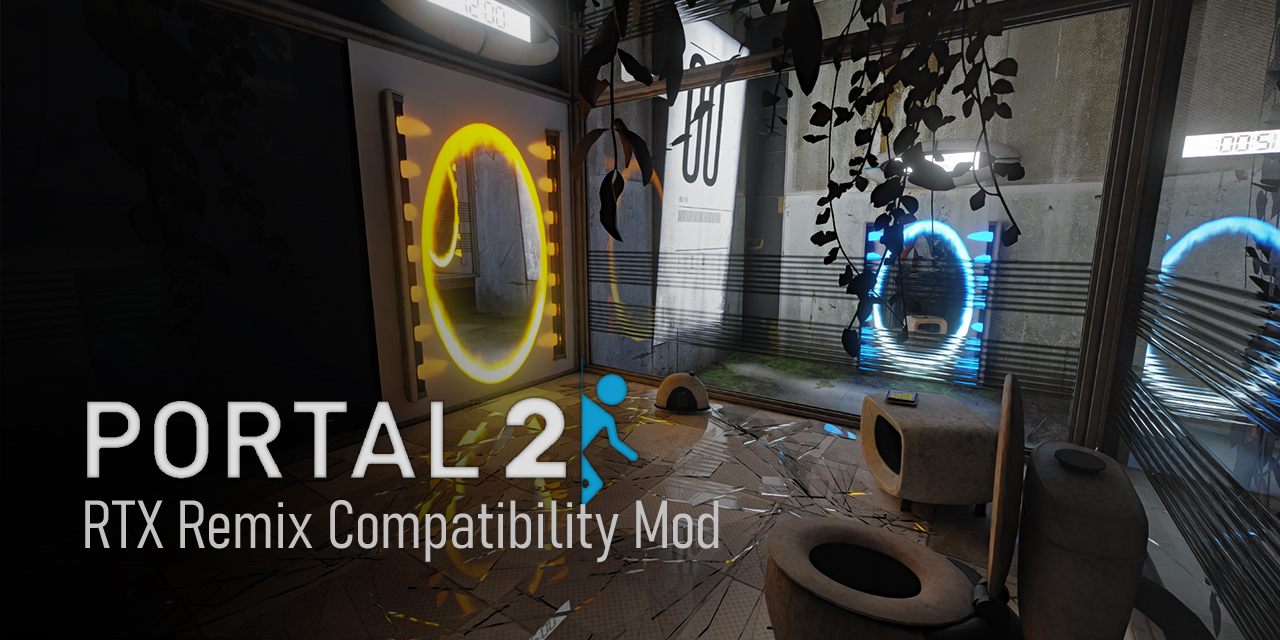
GitHub
Portal 2 - RTX Remix Compatibility Mod. Contribute to xoxor4d/p2-rtx development by creating an account on GitHub.
Everything is basically covered here
grim sonnet
red panther
Everything is basically covered here
Thank you, I tried this way but somehow messed up and not sure what went wrong. I will try it again. Edit: Got it to work, it's beautiful! Thank you!!
naive edge
Light shaping 🥔
drifting temple
funky
fluid bison
naive edge
Light shaping 🥔
 naive edge
trigger/kill lights using sounds 😜
 kind lance
Holy fuck
red panther
I have no words
winged wind
naive edge
trigger/kill lights using sounds 😜
NICEEE!!!, i need to know what resolution is that?
naive edge
winged wind
NICEEE!!!, i need to know what resolution is that?
uh 1080p
naive edge
balanced
buoyant venture
naive edge
trigger/kill lights using sounds 😜
Can't wait to assign someone to this chapter
fluid bison
naive edge
trigger/kill lights using sounds 😜
That's crearive approach, nice one

 buoyant venture
open rampart
Remix evolved into the 2nd sense <:Pog:1125281281433940110>
buoyant venture
open rampart
Remix evolved into the 2nd sense <:Pog:1125281281433940110>
I think it's 6th sense

red panther
buoyant venture
I think it's 6th sense
Yo I just was thinking the same thing, the wave of a flashback is wild
open rampart
next pbr update I'm gunna see if I can add some lights to these 🙂↕️
 open rampart
@naive edge any tips to setup an actions tab like yours? 👀 doing a little research on how to set one up lol, all the tutorials I’m finding are code only 😅
naive edge
open rampart
<@204650202072743936> any tips to setup an actions tab like yours? 👀 doing a li...
What exactly do you want it to do?
open rampart
It’d be cool to have it be an updated place to get the latest remix runtime + the latest rtx.conf it’s for my gmodrtx
naive edge
Uh but there are already action builds for the runtime? Forking it to implement your own action would require you to manually pull from the main repo each timer there is a new commit
open rampart
Oh that’s true, and given that the bridge is broken for gmod atm I should probably leave it as it is with a version I know works 😅
naive edge
sleek bay
oh well done xoxor4d mate thats sick
winged wind
naive edge
im a xoxolover? of course
just thanks @naive edge for working so hard, you made awesome things!
 open rampart
next pbr update I'm gunna see if I can add some lights to these 🙂↕️
open rampart
open rampart
next pbr update I'm gunna see if I can add some lights to these 🙂↕️
Update - no lights lol, one side works, but the moment you step through no matter what mesh the lights on, it switches off
 summer furnace
in the readme file, it says to drop it into the folder "rtx remix". where do i get that folder from (sorry im new lol)
wait no im just dumb
summer furnace
ok no im still confused lol
open rampart

https://www.moddb.com/mods/skurtyys-portal-2-rtx-pbr-pack
PORTAL 2 SPOILERS
Did some updating on the lights for the transfer scene, with all the moving panels in the room I thought it'd look cool with adding a light to shift through them :) Will probably add a light in that hallway at the beginning, but I just love the portal gun working as ...
open rampart
summer furnace
ok no im still confused lol
https://github.com/xoxor4d/p2-rtx/actions/runs/12454508971 You should just be able to unzip this and drop it into your portal2 directory Here's the instructions and the latest release

GitHub
Portal 2 - RTX Remix Compatibility Mod. Contribute to xoxor4d/p2-rtx development by creating an account on GitHub.
buoyant venture
I wish asi loaders worked on Linux, would be interesting to get this working on Steam Deck
old abyss
buoyant venture
I wish asi loaders worked on Linux, would be interesting to get this working on ...
Is it the only blockers?
There should be an easy workaround it
buoyant venture
old abyss
Is it the only blockers?
There should be an easy workaround it
Yeah, it's just the asi loader, RTX Remix works on Linux like normal otherwise
I remember for Need for Speed, I had to work around the dinput8
naive edge
buoyant venture
I wish asi loaders worked on Linux, would be interesting to get this working on ...
There is now a custom loader and no more asi loader
naive edge
Published a new, full release (1.5) that includes lots and lots of changes and improvements 
https://github.com/xoxor4d/p2-rtx/releases/tag/1.5

GitHub
Installation:
- Compatibility Mod
Download p2-rtx_1.5_219e304.zip
Copy All contents Within the p2-rtx Into your portal root folder
- Base Remix Mod
Download the base remix-mod - repo: (https:/...
buoyant venture
naive edge
There is now a custom loader and no more asi loader
👀
I'll give it a try soon
buoyant venture
The two main issues I'm expecting the Steam Deck to be is Memory and CPU bottlenecked
naive edge
starting to work on the wiki 😜
https://github.com/xoxor4d/p2-rtx/wiki/Map-Settings
GitHub
Portal 2 - RTX Remix Compatibility Mod. Contribute to xoxor4d/p2-rtx development by creating an account on GitHub.
buoyant venture
naive edge
starting to work on the wiki 😜
https://github.com/xoxor4d/p2-rtx/wiki/Map-Sett...

dapper ravine
@open rampart How do I input images for PBRFusion? I selected the right folder and did the queue prompt stuff but it shows errors and says access denied
open rampart
dapper ravine
<@894151488601980949> How do I input images for PBRFusion? I selected the right ...
summer furnace
open rampart
https://github.com/xoxor4d/p2-rtx/actions/runs/12454508971 You should just be ab...
tried so hard to get it to work but it just didnt

did everything but nothing changed (+idk what im doing lol)
naive edge
summer furnace
did everything but nothing changed (+idk what im doing lol)
Follow these instructions https://github.com/xoxor4d/p2-rtx/releases/tag/1.5
GitHub
Installation:
- Compatibility Mod
Download p2-rtx_1.5_219e304.zip
Copy All contents Within the p2-rtx Into your portal root folder
- Base Remix Mod
Download the base remix-mod - repo: (https:/...
The action build you downloaded is missing some necessary files as these require you to have installed the initial full release first
summer furnace
naive edge
The action build you downloaded is missing some necessary files as these require...
it got stuck here

oh

did i do something wrong

i do have the rtx-remix folder but it only has "mods" in it
its still not working lol
naive edge
Do you have winmm.dll or an _rtx.asi file in the bin folder?
summer furnace
naive edge
Do you have winmm.dll or an _rtx.asi file in the bin folder?
w h a t
i didnt know i needed those
where do i find them
 ornate heath
asi files are old
im pretty sure he is asking you if you have leftovers from the older versions
@summer furnace
check the bin folder
do those 2 files exist?
summer furnace
ornate heath
do those 2 files exist?
no
ornate heath
screenshot of the bin folder hold on
naive edge
summer furnace
no
Thats good! Are there log files in rtx-remix/logs? If so, delete them, restart the game ... then post them here
Also, if the game starts windowed, please take a screenshot of the titlebar (the window name)
summer furnace
ornate heath
screenshot of the bin folder hold on
 naive edge
And uh .. looking at your folder, you have a lot of remix files there that dont belong there (d3d9.dll, NvRemixLauncher etc)
summer furnace
naive edge
And uh .. looking at your folder, you have a lot of remix files there that dont ...
ohhhh
should i delete and reinstall the game to clear the folder
naive edge
That might be a good idea
summer furnace
doing it now
naive edge
Also try installing this then: https://www.microsoft.com/en-ie/download/details.aspx?id=8109
summer furnace
naive edge
That might be a good idea
it didnt clear it :(
naive edge
just remove the files yourself if steam doesnt do that
summer furnace
naive edge
just remove the files yourself if steam doesnt do that
so now its stuck here or maybe its just taking a while to load?
 naive edge
yea first start is slow as its building the sound cache. If it's not done after 5 minutes, just close and restart manually
summer furnace
ok
summer furnace
naive edge
yea first start is slow as its building the sound cache. If it's not done after ...
restarted it, it seemed to work, and then it got stuck on the part where wheatley says "made this test m'self" and it got stuck saying m'se m'se m'se m'se
 naive edge
remix can be a little unstable at times .. just try again
summer furnace
naive edge
remix can be a little unstable at times .. just try again
i think i broke it
 naive edge
you did not install the base remix mod
summer furnace
ohhh forgot lol
naive edge
reaaaaad
frail lily
😂
lunar marten
naive edge
reaaaaad




 vast snow
hey, i just installed the mod and skurtyyskirts pbr pack and but i don't know if this is normal
 winged wind
vast snow
hey, i just installed the mod and skurtyyskirts pbr pack and but i don't know if...
winged wind
vast snow
hey, i just installed the mod and skurtyyskirts pbr pack and but i don't know if...
you need version 1.3
vast snow
that's the thing i have version 1.3
naive edge
vast snow
hey, i just installed the mod and skurtyyskirts pbr pack and but i don't know if...
You are probably missing the latest portal2rtx (base remix mod) that "comes" with the compatibility mod itself?
vast snow
naive edge
You are probably missing the latest `portal2rtx` (base remix mod) that "comes" w...
i tried to reinstall it to see it was the issue but apparently it's not

 slim gulch
Is AA off?
naive edge
It's a really odd issue. Some people have it and other's don't. Just tried tuning on AA to see if that's causing it (doesn't for me "unfortunately" 😂 )
Fixed it by manually setting the alpha blend state in the remix toolkit on every bit of foliage. I guess skurtyy did not do that on his mod
open rampart
Yeah I’ll have to look, coulda sworn it looked ok in the toolkit and ingame 😅
naive edge
Yea .. happens for some and is fine for others. Still haven't found the root cause for this
rough ginkgo
@naive edge what's in your custom remix build? i'm having issues with stability on the d3d9 device controlling the remix api lights in gmod. I was thinking about implementing it in a different way but wanted to get your input first
frail lily
naive edge
Yea .. happens for some and is fine for others. Still haven't found the root cau...
I see what you did there
naive edge
rough ginkgo
<@204650202072743936> what's in your custom remix build? i'm having issues with ...
Uhm nothing in that regard.
- increases the rayportal limit
- makes use of some unused renderstates to manipulate certain parts of the opaque shader + set texture categories and texture hash via d3d
naive edge
frail lily
I see what you did there
mh? 😂
frail lily
naive edge
mh? 😂
The "root" of the problem, with plants. Tee-hee
naive edge
oh lmao
 cedar edge
loving this mod ❤️
 fast sedge
open rampart
fixed <a:pepespin:971473803924369531>
fast sedge
open rampart
fixed <a:pepespin:971473803924369531>
lights look so clean
yet the rest of the place looks ASS
fast sedge
fast sedge
yet the rest of the place looks ASS
like dirty
not like the textures are bad
naive edge
Yea it's missing the normal map
frail lily
naive edge
Yea it's missing the normal map
I think @fast sedge is pointing out that while the place is in decay the light fixtures on the ground look pristine
fast sedge
frail lily
I think <@1128718386071867483> is pointing out that while the place is in decay ...
thank you
frail lily
I do agree, just for the record, but remember the mod is still in progress, so maybe they haven't got to that point yet
fast sedge
true
 dense holly
@naive edge has anyone else reported crashes using the latest build? I installed it as well as the PBR pack and it's CTD quite often with camera change events like this - [21:11:12.351] info: [RTX] Portal teleportation was detected [21:11:18.244] info: [RTX] Portal teleportation was detected [21:11:25.249] info: [RTX] Portal teleportation was detected [21:11:42.408] info: Camera cut detected on frame 5170 [21:11:42.408] info: [RTX] Opacity Micromap: enabled [21:11:49.008] err: [37] common device objects were not disposed of.
Half the time i relaunch the game, there are two player models clipping over each other, and the camera anchor has been moved slightly away from where it should be
Could maybe have something to do with changing DLSS to quality mode + enabling Frame Gen? those are the only settings I changed. Reverting rtx.conf with the one from your zip let me progress again
naive edge
dense holly
<@204650202072743936> has anyone else reported crashes using the latest build? ...
Mhh yea remix has a tendency to crash on quick scenery changes (it improved a lot tho).
Can you post a screenshot from the player model issue? Could happen if you save the in-game rtx settings at a time when the game has the playermodel enabled (eg. parts of the very last level)
 ripe mist
I just followed what was on the release tab of your github repo @naive edge do I need to install anything else? the game does launch now but the test chambers look so dark, is that normal? are there just no lights in the base game?
I see on github that this issue might be with RTX-remix not capturing point lights. is there a fix for this?
naive edge
ripe mist
I just followed what was on the release tab of your github repo <@20465020207274...
Hard to say without an Image of what you mean. But yea, levels will be pretty dark overall (except a few where I did some touch-up) because this is not a full remix mod by any means. It makes the game compatible and provides a base for people to create their own remix mods for the game
ripe mist
ah I understand now
so I need to make or find another remix mod besides the one you provided in the guide which doesn't really modify anything besides stuff you expressly touched up on?
because for example in GLaDOS' room there's basically no light source except when the stalemate associate booth opens
naive edge
ripe mist
so I need to make or find another remix mod besides the one you provided in the ...
Correct! I've mainly touched up the first few levels and a few random other ones in regards to lighting and light leaking issues due to culling. I've also added emissive maps to some models but that is generally not enough to light up the entire scene as the og. game was using a lot of "fake" ambient lights
ripe mist
and that isn't an option with rtx-remix? or would it not look good with rtx?
naive edge
Well you can certainly place lights without actual "light sources" aka. fake lights using rtx-remix. That still requires a modder to do that per level because remix itself won't do that.
ripe mist
how many levels are there?
west bolt
Does the latest update make the command line perms obsulete? so I need to add the portal 2 RTX launcher to my steam games list
naive edge
west bolt
Does the latest update make the command line perms obsulete? so I need to add th...
Yup the launcher sets them automatically. If you need any other launch arguments, the launcher will happily accept them
west bolt
naive edge
Yup the launcher sets them automatically. If you need any other launch arguments...
Understood!
misty forge
I FIGURED IT OUT
Did the other person who had the D3D error have ASUS GPU Tweak 3 installed??
Because THAT'S the problem
It causes issues with a LOT of GPU utilizing Software
I turned it off and now my game runs
So any OSD software is capable of causing issues. it's just apparently GPU Tweak 3 is the most problem causing
winged wind
i just use MSI Afterburner with RTSS and had no issues
 viral peak
No way there's a portal 2 rtx remix implementation
that's literally so cool
I've been waiting for something like this for so long
analog copper
viral peak
No way there's a portal 2 rtx remix implementation
hawk tuah
winged wind
its secure to update?

 bright nebula
Mine keeps crashing after the new update and even going to a previous build doesn't work any help?
naive edge
winged wind
its secure to update?
uh 😐
winged wind
naive edge
uh 😐
Portal released a minor update
winged wind
it crashed, so yeah im having issues

😦

this minor update literally broke my portal rtx so i think that i need to re-install the mod
buoyant venture
winged wind
😦
who the fuck was crashing players, what a menace
winged wind
buoyant venture
who the fuck was crashing players, what a menace
so now i cant play portal 2 😡
naive edge
l4d2 got a similar update but my mod is still working fine there .. offsets most likely changed with this one so might take some time to fix
naive edge
@winged wind I've pushed a hotfix to make it compatible with the latest steam update:
https://github.com/xoxor4d/p2-rtx/releases/tag/1.5.1

GitHub
The latest update broke the compatibility mod.
fixed offsets in client.dll & engine.dll
verified offsets in other modules
launcher now accepts window titles: Portal 2 - Direct3D 9 or PORTAL 2 ...
winged wind
naive edge
<@471785882991591425> I've pushed a hotfix to make it compatible with the latest...
you're my hero
winged wind
we still need to launch the game trough p2-rtx.exe right?
i hope one day and if its possible of course, run the game trough steam
bright nebula
naive edge
<@471785882991591425> I've pushed a hotfix to make it compatible with the latest...
Thank You!
buoyant venture
winged wind
i hope one day and if its possible of course, run the game trough steam
I’m still waiting for steamworks to approve my tax info 
kind lance
winged wind
i hope one day and if its possible of course, run the game trough steam
I imagine it should be doable. Valve supports total conversion-type mods on steam that have their own store page and require the ownership of the original game. I think p2rtx would fit
analog copper
kind lance
I imagine it should be doable. Valve supports total conversion-type mods on stea...
get the license from valve


buoyant venture
analog copper
get the license from valve
Valve won’t respond to us 😔
I believe me and @red panther have both contacted them
red panther
Yep
analog copper
get nvidia to help you
valve has been
hush hush with mod creators recently
poor cs classic
red panther
analog copper
get nvidia to help you
Talked to nv_nyle a bit
He was slightly veg with who owned the assets but it ended up being safe to assume it’s valve
And well it’s our mod
analog copper
yeah this might be a tough battle if you really try
red panther
red panther
And well it’s our mod
With the assistance of Nvidia making remix
analog copper
valve is weird as fuck man
red panther
Yeah
analog copper
actually a bipolar company
buoyant venture
analog copper
get nvidia to help you
The only thing right now NVIDIA might be helping us out with is an announcement trailer
I wouldn’t really push them to help with Valve
buoyant venture
analog copper
what're they helping you with
Just to get them to promote the trailer and project
analog copper
swag
buoyant venture
We just have to plan out trailer stuff like timing
analog copper
is the full game performance good yet?
red panther
As good as pt is gonna get
red panther
“Maybe” it’ll get a little better but I wouldn’t bet on it too much
analog copper
portal 1 peak
rough ginkgo
analog copper
is the full game performance good yet?
its definitely one of the better running remix games out there. But there needs to be a lot of level authoring as we're missing a bunch of map lights
buoyant venture
analog copper
is the full game performance good yet?
For the minimum requirements I’m hoping for RTX 3060/RX 7700XT
buoyant venture
My RX 7600 can even somewhat play it
rough ginkgo
that kills fps lol
buoyant venture
rough ginkgo
that kills fps lol
Real
Volumetric lighting is definitely a must for this game
The chamber made a huge difference with it off vs on
rough ginkgo
yea, thankfully xorxor4d has set up controls per visleaf, so we can adjust the strength, color ,etc throughout a level
there is so much potential for polish 🔥