#Return to Castle Wolfenstein (RTCW)
1 messages · Page 6 of 1
 carmine creek
 sly timber
carmine creek
Are there any stable anchors in RTCW? Please ping any responses because I'm basi...
sly timber
carmine creek
Are there any stable anchors in RTCW? Please ping any responses because I'm basi...
pretty much all hashes are stable
 full estuary
sly timber
pretty much all hashes are stable
full estuary
sly timber
pretty much all hashes are stable
Except props like chairs and trees, so we need 3-4 exports per map I'd wager to get them all
I'll do some tests
 wintry hearth
If you can spawn in new props above the walls, you could have properly aligned textures as a facade above any problem areas
This is what I was going to do for Anox, but the entire game 😅
full estuary
Plus I did not see the flags @sly timber and some alarm box that I checked was missing..
carmine creek
Are chairs destructible? I know there's some destruction. If there's a definitive anchor that is never culled you can just do whole map replacements and go super high fidelity. It's what I did with UT99 and the results are marvelous. Any dynamic objects excluded ofc.
sly timber
carmine creek
Are chairs destructible? I know there's some destruction. If there's a definitiv...
If you throw them at the enemy yes
full estuary
Also if you knife them, that's what I trid. They break
carmine creek
Do they retain their hash until deletion?
sly timber
full estuary
Except props like chairs and trees, so we need 3-4 exports per map I'd wager to ...
So from my studies, I've noticed that the chairs have 3 states.The one where you originally haven't sitting around the one where you pick him up and the one we are after you throw
sly timber
carmine creek
Do they retain their hash until deletion?
It has about three ashes
carmine creek
If the hashes are predictable then that's fine, just copy the replacement prims over and call it a day.
sly timber
full estuary
Plus I did not see the flags <@456226577798135808> and some alarm box that I che...
So wait what's happening with the flags
I can still see them myself
full estuary
I did not see flags in the capture
sly timber
That's weird
carmine creek
Give me ~2 weeks until my PC is back up and then I might have enough time to help out. At the moment everything's a mess and I'm super stressed with the move, renovation, handling the job and all that.
 sly timber
Alright
carmine creek
How long is the competition going?
sly timber
I believe it said until july eighteenth
full estuary

@sly timber what about enemies? Any way to do replacement as they are now? Do I need to study-up and turn them into those gpu skinned-meshes ?
sly timber
full estuary
<@456226577798135808> what about enemies? Any way to do replacement as they are ...
we will need to do gpu skinning, their hashes are too unstable
full estuary
Who could point me to some documentation about that? Would xoxor know? I have no idea what gpu skinning is, so I need to start from 0
googling it did not yield useful results
sly timber
I belive xor might know but im not too sure
that being said i think if and when we get gpu skinning all we will need to do is replace them, we wont need to change the animation because its a good ammount fluid mocap
full estuary
Hey @novel token I need some hints. I want to use GPU skinning for the enemies in RTCW, the problem is I don't know what that is or where to find some docs. Is that the Skeleton/Meshes feature from DX9, or something else?
sly timber
also with the foliage being unstable, i think we can just use the base as the stable hash to attach the foliage and ignore the old textures
 novel token
full estuary
Hey <@204650202072743936> I need some hints. I want to use GPU skinning for the ...
novel token
full estuary
Hey <@204650202072743936> I need some hints. I want to use GPU skinning for the ...
Not at my pc but you need the bone matrices and instead of setting the WORLD transform, you can set up to 256 bone transforms with the indexed world transform (just look at the definition of the world transform and you’ll see what I mean)
The. You need to enable indexed vertex blending via a Renderstate and you need to define the blend weight via a renderstate
full estuary
novel token
The. You need to enable indexed vertex blending via a Renderstate and you need t...
Thanks, that is a good starting point 🙏
 open canopy
novel token
Not at my pc but you need the bone matrices and instead of setting the WORLD tra...
open canopy
novel token
Not at my pc but you need the bone matrices and instead of setting the WORLD tra...
Will that change the hashing for anything other than the enemies or other animated elements? i.e. would any change that would stabilize the hashing of these elements necessitate recapturing the rest of the scene too?
sly timber
the games hashes around the world are already stable if thats what you mean
full estuary
open canopy
Will that change the hashing for anything other than the enemies or other animat...
I think it will only change the hashes of enemies, The enemies are drawn with their own DrawCalls, and Remix computes a has per DrawCall. And since the world is rendered in separate Drawcalls, no hashes should change. The order of the Darawcalls does not matter, only the contents
Also, I'm trying to finalize this. Configurable torches fires, if we decide to use the ingame ones
full estuary
sly timber
will there be the ability to move the torch around?
not, yet done, but I want to do it
sly timber
yeah, thats really the only downside with the dynamic lights is misplacement and minor discoloration other than that if we can get thoes out of the way i think itll be a good thing to show off in th contest, dynamic lights
speaking of flashlight, mine has weirdly stopped working
nvm i fixed it
open canopy
sly timber
yeah, thats really the only downside with the dynamic lights is misplacement and...
I think if you have the dynamic lights from hearths/torches/candles worked out, escape1 could be a really good showcase for the contest. Nothing says "Wolfenstein" quite like an escape from a dungeon full of Nazis, and the flickering lights playing off the wood floors and stone walls would be a great showcase for the RTX lighting improvements. Plus, texture misalignments aside, wouldn't escape1 have fewer unique elements and more repeated elements than village2?
sly timber
open canopy
I think if you have the dynamic lights from hearths/torches/candles worked out, ...
well
escape 1 while it is cool in its sense of showcasing it but its genuinely got too many texture issues where the devs where lazy/hoped someone wouldnt notic. while the fact that there are fewer elements that are unique, thoes elements are scattered accross the map in different lengths which cause issues with tiling


while village2 may have alot of unique textures, they are well tiled textures
and village 2 has alot of different elements to its mapping we can untilize
outdoors
indoors
dense areas
watered areas
etc
so if we are trying to get a good demo down for a competition, this is the one we should use
 sudden steppe
sly timber
sudden steppe
sly timber
Are the mesh hashes stable?
If so, you guys could mesh replace the corners with actual brick meshes, or attach brick pillars to stable meshes
sly timber
sudden steppe
Are the mesh hashes stable?
If so, you guys could mesh replace the corners with ...
thats the plan,,, but not a plan for the competition
mostly because there are alot alot of variations to that specific texture (again all being misaligned or using different wrap arounds)
or doorways, windows etc
sudden steppe
sly timber
mostly because there are alot alot of variations to that specific texture (again...
I mean, you only need one brick mesh, placed all around
sly timber
i mean, i suppose if we can get a mesh done in its varients then it would be doable but i dont know anyone who isnt an nvidia employee who could do that
but i still think village 2 is a better demonstration for rtx in the competition
open canopy
Those color mismatches--are they an issue with the textures, or with how Remix is processing them? As I've been working on Jedi Outcase I've noticed the renderer making replacment textures too dark or too bright as it tries to strip out any baked lighting. I asked @jolly swallow if there might be a way to bypass, but apparently the issue is too deeply entrenched in the way the renderer works.
sly timber
open canopy
Those color mismatches--are they an issue with the textures, or with how Remix i...
its an issue with the origional game
sudden steppe
Here is what I did for morrowind as an example. Same mesh for the 4 corners
sly timber
the devs used low res textures and they just slapped them on without thinking about it (i a sense)
yeah
but then we would need to make seperate models for
upper castle walls that use that brick texture
windows
the archway
doors
the basement for their individual use of the texture
ill prolly get to it if it comes down to it being escape one with friends help
 jolly swallow
open canopy
Those color mismatches--are they an issue with the textures, or with how Remix i...
jolly swallow
open canopy
Those color mismatches--are they an issue with the textures, or with how Remix i...
Hmm, is the baked lighting in the texture, or the vertex color? I added an option to disable baked lighting correction on vertex colors recently, you could try turning that off.
rtx.vertexColorIsBakedLighting for that, I think the UI is in the parameter tuning tab as Vertex Color Is Baked Lighting.
sly timber
hi mark
sly timber
jolly swallow
Hmm, is the baked lighting in the texture, or the vertex color? I added an optio...
in thoes images i belive the color mismatching was just from the sphere fallback light
i dont know abt 91signs issue tho
jolly swallow
guess I'm not sure what I was summoned for then.
sly timber
I dont know either, sorry
open canopy
jolly swallow
guess I'm not sure what I was summoned for then.
sorry!
jolly swallow
open canopy
sorry!
no worries! just remember that I have 0 context when you summon me, and it's kinda hard to read the past conversation and know what you're specifically asking
sudden steppe
jolly swallow
no worries! just remember that I have 0 context when you summon me, and it's ki...
Ah so thats why my demons keep attacking me when I summon them
open canopy
jolly swallow
no worries! just remember that I have 0 context when you summon me, and it's ki...
In the sample images to show a texture issue, what jumped out at me first was the color mismatch, and I thought that perhaps the vertex color issue you'd worked on for Morrowind (and the possibly related issue I'd raised based on what I'd seen in JO) might be relevant to the issue the RtCW team was having with these textures not matching up.
sly timber
open canopy
In the sample images to show a texture issue, what jumped out at me first was th...
The textures not matching up in the end is just the map itself
open canopy
sly timber
The textures not matching up in the end is just the map itself
Would some kind of edge texture decal possibly help? I'm wondering if the solution might be to create a decal texture that would wrap around that edge and cover up the wonky seaam, and could feather into the rock texture on the adjoining faces. I read a good tutorial on this a few days ago, but can't find it anymore. So long as the block height is consistent, I could see this possibly requiring less new work than having to make a replacement for each individual door frame.
sly timber
open canopy
Would some kind of edge texture decal possibly help? I'm wondering if the soluti...
we would have to make the decal work for all different seams
carmine creek
sly timber
i mean, i suppose if we can get a mesh done in its varients then it would be doa...
Hi, ping me in 2 weeks pls
sly timber
will do
sly timber
another thing my friend is working on

 full zinc
sure. we'll have to see what i can do to actually help, but i'd be willing 🙂
sly timber
alrighty
sly timber
 sly timber
(O forgot to say but obviously not finished)
open canopy
sly timber
Those drips look great. For the competition, the candles might be a great place to use some subsurface scattering. I got the feeling from the contest rules that they're looking for mods that show off some of the latest features they've added to the renderer, so this might be good place to show off that feature.
full estuary
Just the configuration GUI added, that I showed in the previous video. Flashlight is now offset, to sit on the left shoulder
sly timber
Let's.
Go
full estuary
activate with: toggle r_showimgui / Alt+C / F8
sly timber
Also, if anything weird gets sent through texts. My streets just access books headsaying. The wrong things do to new update.
Speech to text
Gotta love android
full estuary
:hehe:
sly timber
Yeah , once i'm home , I'll try the new build
full estuary
As long as the texts do not commit any verbal abuse we good.
sly timber
Lol
full estuary
Game input is blocked while the window is active, so you cannot use toggle to close it. Use Alt+C or F8 or click on Close
If you dislike Alt+C or F8 for some reason, you can disable them in wolf_config.ini: [Settings] -> imgui_allow_shortcut_keys = 0
There is a weird issue when going from FS to Windowed or the otherway around, Loading the game takes about 20-30s to start rendering. Just quit game if you change video settings. \vid_restart in console does something similar 
TODO list (and bugs to be fixed):
- go from FS to windowed and Load cutscene -> crash. Use \spdevmap cutscene
- go from FS to windowed and Load game -> hangs 20s before game starts rendering. Quit game and Restart after video settings change
- not all entities are part of export (flags, chais, cell doors, alrm boxes) -> they load when PC is in the same room. Test with r_drawworld 0 and \noclip
- customize dynamic lights: allow moving them from original position, and changing their color
- GPU Skinning (Skeletal Meshes) don't know the exact terminology -> basically getting NPC exportable/editable in Remix Toolkit
I'm thinking on working on 5 with high prio, and 4 when 5 makes me tear my hair out 😆
sly timber

full estuary
But I guess we need point number 3. handled somehow, so that we have as few exports as possible? Or, what do you think? Can you do some exports and confirm. I've only exported escape1 and tried replacing some textures..
full estuary
^ edited my previous message
I made an export of escape1 right from Prison Cell, and did not see any Flags in Remix Toolkit
sly timber
uno momento
 full estuary
Try it again or delete WolfSP.dxvk-cache 
sly timber
alright well
after looking into it, it seems the props follow the old vistree
trying to noclip around breaks it
full estuary
sly timber
after looking into it, it seems the props follow the old vistree
Yes, this is what I've observed too. Also for example if norway, go up in the sky and cross between the two zones at the beggining: trees from the old zone gets despawned
sly timber
i would say we could just stop tehm from culling but with as many animated ones as there is i think it would cause a performance drop
full estuary
Ok, so I will not bother too much with it. If I find an easy solution to stop culling them: I'll create a cvar to enable/disable entity culling.
sly timber
seems reasonable enough
also i am curious on #5 on the list, do you think itll fix these guys too? theoretically if it workss
or are these a different problem alltogether
sly timber
i mean its not nessisary but if we want a high quality model for the competition yeah'
otherwise no we dont really need them fixed lol
full estuary
TODO and BUGS list:
- go from FS to windowed and Load cutscene -> crash. Use \spdevmap cutscene
- go from FS to windowed and Load game -> hangs 20s before game starts rendering. Quit game and Restart after video settings change
- not all entities are part of export (flags, chais, cell doors, alrm boxes) -> they load when PC is in the same room. Test with r_drawworld 0 and \noclip
- customize dynamic lights: allow moving them from original position, and changing their color
- GPU Skinning (Skeletal Meshes) don't know the exact terminology -> basically getting NPC exportable/editable in Remix Toolkit
- Spinning fan and spinning textures in general do not work -> debug into Remix to figure out
- oscilloscope Box in xlabs not rendering properly -> fix above, then maybe implement 3 texture Rendering
- twosided-transparent-textures like spiderwebs and ceiling fan, one of the sides do not work properly
- Capture Swinging skeleton cages
- Metalic mesh Walkway in UberSoldat Bossbattle does not render - ughh
 mighty lotus
The rebirth of the rtcw chat
sly timber
mighty lotus
The rebirth of the rtcw chat
it never died we just moved to a dif server 
but now we have a goal so we needa discuss it here
mighty lotus
sly timber
it never died we just moved to a dif server <:kek:1167196160952385566>
Sorry, “immigrated”
Well either way, looks like ya got a long to do list ahead of you guys
I’m Sure it’s gonna be great when it’s done
full estuary
mighty lotus
The rebirth of the rtcw chat
Seeing people work makes me feel good too (anoints my soul, in my language, but that sounds sketchy in english)
Eh, we won't fix em all, ain't nobody got time fo' that. Having lists is beneficial for the psyche tho'
I learned that from work: won't fix this, won't fix that.. nobody need that other one.. done!
sly timber
quite literally lol
from my work ive learned "if its not noticable or understandable to thoes who dont know, they will continue to not know until they are told there is a problem"
full estuary
I almost forgot. Dynamic lights, and that includes weapon muzzleflash is NOW a Remix Light (it was DX9 Light). SO it might behave a tad differently, or maybe not. I had to activate Preset D to make the escape1 torture room electricity flashes not cause that checkerboard artifact with Transformer
sly timber
neat
i guess speaking of muzzle flash i do want to try out embergen rq on the flamethrower and torches for escape one today
dont quite know how well be able to use it tho because the particles look 3 dimensional
 full estuary
I've seen tadpole's work for cod2, it would be great
 sly timber
it wasnt usefull lol
the tutorial i mean not the app
made my own fire for the flamethrower

oh
uh
full zinc
@sly timber ping me if/when you need help for textures. that's about the extent of my abilities. wish i could do more 😦
sly timber
full zinc
<@456226577798135808> ping me if/when you need help for textures. that's about t...
Textures is fine, whenever you feel like it you could do some of the escape1 textures, maybe the outside walls
Do you own wolfenstein?
full zinc
yes
sly timber
Alright
Also I hope to aim for mostly non ai textures in this project (but iont care abt Ai assisted textures in the matter) if that's okay and doable
full zinc
sly timber
Thank you for your help too, it is much appreciated <a:froggonodding:11361942042...
you have the latest rtx.conf by chance?
sly timber
full zinc
you have the latest rtx.conf by chance?
Yeah one second
sly timber
full estuary
New build https://github.com/whisperglen/RTCW-SP/actions/runs/15160957294
You'll also want to use this build
full zinc
thanks
full zinc
@sly timber okay after 2 hours of relearning instamat, i got this
color is a bit off, but is it otherwise acceptable?
if you say no i will not take offense lol. i'm just learning again


 tribal trail
Very nice, just needs some roughness and normal maps
full zinc
tribal trail
Very nice, just needs some roughness and normal maps
that's the fun part. it has them already 😛
the lighting is just so bad that it looks flat
it's just skybox lighting, and not with a proper HDRI
tribal trail
full zinc
it's just skybox lighting, and not with a proper HDRI
Ah, shows what a difference it makes!
sly timber
full zinc
 this looks Hella good
Speaking of, @sudden steppe am i still allowed to use your basement bricks you made for the comp?
sudden steppe
sly timber
Speaking of, <@544327892599963668> am i still allowed to use your basement brick...
Sure, go ahead 
sly timber
Alright, thank you 
full estuary
 bodies (animated) and heads are distinct entities:


At least the bodies have the concept of bones, which means I only need to translate them for DX9 usage
sly timber
full estuary
<:serious:1374847755390029967> bodies (animated) and heads are distinct entities...
wow
jolly swallow
full estuary
<:serious:1374847755390029967> bodies (animated) and heads are distinct entities...
This is pretty common. The heads or faces are often separate meshes, to separate facial animation / blending from the skeletal animation the rest of th body uses.
sly timber
I am curious tho saint does that mean the heads have no bones/cant be turned into gpu skeletons?
jolly swallow
If they're using blend shapes or some other cpu or shader driven animation system, Remix cant do mesh replacements on them.
open canopy
jolly swallow
If they're using blend shapes or some other cpu or shader driven animation syste...
Can Remix do texture replacements on animated faces, so we can at least use normal mapping to add the appearance of detail? I think the deformations make the meshes unstable, but I could envision a solution where we could work backwards and do a bulk replace operation. Basically, ID every face mesh that uses a given texture, and replace that texture with a set of PBR textures.
open canopy
sly timber
wow
It could be worse. I think I've seen characters in idTech3 games made out of at least 6 separately skinned pieces (face, head, hands, upper body, lower body, and accessories). It looks like this is grouping face/head/accessories into one entity, and upper body/lower body/hands into a second entity, rather than handling them all independently.
sly timber
open canopy
Can Remix do texture replacements on animated faces, so we can at least use norm...
im pretty sure to my knowledge saint is currently working on having them working with gpu skinning #1229858482530943037 message #5 ofc i cant say for certain thats whats goin down rn but
open canopy
sly timber
im pretty sure to my knowledge saint is currently working on having them working...
It sounded like that might only be a solution for the bodies, if games don't use skeletal animation for heads/faces. That's why I was suggesting an alternate solution for those. It wouldn't let us do enhanced geometry in-game for heads and faces (which would be a shame if we ever wanted to get fancy with things like hair cards), but would still offer a pathway to enhanced textures and normal maps for the faces to get more apparent detail.
full estuary
In the above case, the faces had stable hashes. THe eyes blinked for a second but that was an extra triangle that did not affect the hash
I don't remeber how the hashes looked in JediOutcast tho
An yea I'm trying to figure out how the meshes are handled in the engine and implement gpu skinning
sly timber
full estuary
In the above case, the faces had stable hashes. THe eyes blinked for a second bu...
Doesn't it break when they speak tho in the above
full estuary
I was notarget. They did not speak at me. We'd have to check the intro cutscene I guess. Do you know if speaking breakes the hash?
open canopy
(And I'm not just trying to lurk to get info for my JediOutcast mod--I'm trying to decide whether to table that until after the contest and try to help here instead, because I think this is more likely to be contest-ready by July.)
sly timber
full estuary
I was notarget. They did not speak at me. We'd have to check the intro cutscene ...
Yeah, because when they blink it's just an overlay texture, the heads themselves break when whistling and speaking
full estuary
Ah, I see. Well the torso and legs have 'bones' so that might help us. I wonder if I could do something about heads too, since they are a different type of mesh; they do something else to warp the vertices there
sly timber
High poly body low poly heads
The hardest model replacements will definitely be the npcs
Because where gonna need someone to make lifelike proportional clothing, body, etc
open canopy
Per https://wolfenstein.fandom.com/wiki/Id_Tech_3, the stock idTech3 engine was pure per-vertex animation, with licensees adding skeletal animation where needed. Some of the tools at https://jkhub.org/files/category/75-utilities/?sortby=file_downloads&sortdirection=desc (e.g. ModView or Noesis) might be helpful to see how these models are animated

JKHub
full estuary
Thanks, I’ll look over those
full estuary
jolly swallow
If they're using blend shapes or some other cpu or shader driven animation syste...
I’m investigating whether I can implement gpu skinning on the bodies. They do have the concept of ‘bones’ in the code so I hope I can identify which transforms can be moved from cpu to gpu 🤞
sly timber
How exactly where they handled in the opengl version if you know at all, is it similar to dx9 with skinning?
jolly swallow
open canopy
Can Remix do texture replacements on animated faces, so we can at least use norm...
Any texture the game passes to the GPU can be replaced, although if the textures are generated dynamically there may be an infinite number of possible textures.
open canopy
jolly swallow
Any texture the game passes to the GPU can be replaced, although if the textures...
I think the situation here is 1-2 textures being used for each face, but the mesh being sent to the GPU is being generated dynamically through per-pixel animation.
jolly swallow
A technique I believe the HL2 team is using - replace the face / head using conventional game modding, and make the body very simple. That way you can preserve the original game's perf (make the head expensive and the body cheap) and then replace the cheap body with Remix. It just needs to have 1 triangle affected by each bone to make sure the engine sends all the bones down.
jolly swallow
open canopy
I think the situation here is 1-2 textures being used for each face, but the mes...
per-vertex, I assume? that's probably blend shapes or something like it, and yeah, Remix can't replace those meshes.
sly timber
wait is this rtcw we are talking about or jedi nights 😅
open canopy
sly timber
wait is this rtcw we are talking about or jedi nights 😅
Both--same underlying engine. So I'm trying to apply what I've been learning about how the engine works in JO to brainstorm solutions for the issues here.
open canopy
jolly swallow
per-vertex, I assume? that's probably blend shapes or something like it, and yea...
Sorry, I meant to type " per-vertex." Unless the developers for RtCW implemented something different after they licensed the engine, my understanding is the facial animation uses keyframes with individual vertex information, rather than a skeletal animation system.
jolly swallow
open canopy
Sorry, I meant to type " per-vertex." Unless the developers for RtCW implemented...
yep. Remix has no way to reliably identify and track meshes that have changing vertex data
sly timber
jolly swallow
A technique I believe the HL2 team is using - replace the face / head using conv...
this will likely have to be the case for us too if its per vertex animation for the head then- unfortunate 😓
jolly swallow
sly timber
this will likely have to be the case for us too if its per vertex animation for ...
yep. Not ideal, but there's no straightforward way to apply per-vertex animation from one face onto another face, even if we could track that face across frames reliably
full zinc
@sly timber if we're gonna be in the competition, imo we should focus on a demo for one level. we should figure out which level has the most potential with Remix and focus on that one
sly timber
True
full zinc
3 people isn't enough to do the whole game at the required quality level
sly timber
I think village 2 but outsiders have said escape1, i kinda dont want to do escape1 tho
but ive just been working on escape1
full zinc
escape1 is too dark to have a lot of potential for the outside areas, and the inside areas are all same-y
we need a lot of variety in whatever level we choose imo
sly timber
see thats what i was thinking
thats why village2
outside areas, inside areas that arent too similar
sly timber
alright then
full zinc
can you maybe send me a save for that level?
sly timber
aye aye
full zinc
i can repurpose the textures i've made already for most levels
sly timber
 full zinc
thank ya
sly timber
ofc 
self link here eventual to-do list, buy jack

im also gonna get my friend to remodel the starting car
 full zinc
OG texture looked pretty messy too, so i was trying to emulate that
sly timber
gotcha
 sly timber
yeah that looks better
full zinc
roof completed

need to make the bricks a tiny bit brighter i think

i'll stop updating here for every little advancement lol
sly timber
nah you should totally do that (if you want) its cool as hell to see
full zinc
one on the right is done now


pretty damn happy considering i just started on this last night lol
sly timber
Fire
Also jack acquired

So if we need to edit the underlying maps we can
To suit our needs
As well as the noc head issue
full zinc
awesome
sly timber
Still can't belive it costs money to get idtech hammer editor (that actually functions)
full zinc
yeah 😦
also shit idk how to approach this texture:

i'm thinking it should be replaced with just a bare wall, and we attach a new mesh to it for the part that's supposed to be sticking out
full zinc
someone else would have to make that mesh though
sly timber
I'll be on it tmrw likely
full zinc
so i'll do the brick replacement for now
huh new PBRify did better than expected

not gonna use this, was just curious lol
sly timber
That is p cool
full zinc
full zinc
huh new PBRify did better than expected

the closest i could get
but it's not good
sly timber
Kim turning into stone after working on 13 different brick models
I think it looks good enough for the given texture
sly timber
full zinc
Altho i wonder why the top texture isn't replaced too, is it a different texture?
full zinc
yeah, different one
unfortunately there are a lot of textures like this in this map. it leads to very harsh edges between the different textures
sly timber
What's the seams look like

 sly timber
We can fix thoes corners with some models n the bottom one looks pretty good seam wize
full zinc
sly timber
Altho i wonder why the top texture isn't replaced too, is it a different texture...
so it's actually not a different one, it's just the same one but with a different hash

that makes this easier lol
sly timber
full zinc
so it's actually not a different one, it's just the same one but with a differen...
Thats what I figured
My idea for hiding thoes corners (assuming it's a house( is wooden beaming maybe
full zinc
full zinc
new one

it's much closer to the original texture

just need to make it a little bit cooler to match
there
 sly timber
It looks so natural
full zinc
is that a good thing?
sly timber
Rather be natural and unnatural lol
But fr it looks very close to the original without taking too much away from it overall
If only remix supported the parallax effect that spider man miles morales, I'd use that effect on the windows
full zinc
sly timber
Rather be natural and unnatural lol
how's the ground?


whoops had it too glossy by mistake

 sly timber
I was abt to say lol it looked a little shiny but yeah it looks good, I like the brustle in the cracks

 sly timber
No clue
full zinc
CNN looks better actually. less noise issues
 sly timber
Wait i wonder, do you have the lightmap setting on or off?
full zinc
nvm it's much worse close up
full zinc
sly timber
Wait i wonder, do you have the lightmap setting on or off?
where's that?
sly timber
System
full zinc
it won't let me into that menu
sly timber
Wdym
full zinc
it just goes back to the game, or the main menu lol
it flashes for a sec then does that
sly timber
Weird
full zinc
why though?
sly timber
Lightmaps are what we are using for all the models, they have a different hash than vertex lighting
sly timber
Vertex light is controlled in the autoexec.cfg, it should be called "vertexlight 1" or similar, you'll want to switch that to zero
I'll have to send the conf in the morning if it's not there either
sly timber
Likely,,, im sorry I forgot to think about that
But at least you dont have to make new ones from scratch
full zinc
okay well thankfully it wasn't that hard
all fixed now
look at the walls

they're so nice
not 100% sure how to go about doing these


 full zinc
okay. gonna stop there tonight
full zinc

 full estuary
Just realized that with latest update, the default value for Radius of Static Lights makes it too small to poke thru those streetlamps. If you want it back just use the Alt+C menu and modify the Radius and hit Save to Map. But before that, make sure to Save to Global the original values, otherwise bug (they become the new default until game restart)
full zinc
that'll help a looot
full estuary
there's also a flashlight, do you know how to activate?
full estuary
in console type:
\bind v "toggle r_rmx_flashlight"
v is your preffered key
Sorry about that, maybe we needed a sync to talk about these things ? 😅
Also, not sure about the policy with those static lights
I think they appear in the capture/export
And to get all of them active one would have to play the whole level
I'm thinking we do a proper export with all static light activated, and that can be used to adjust position/color/radiance in toolkit. And the rest of the exports are done with Lights off (that Alt+C menu turns them on/off) - but Bailey has the final word here
I really like how this is turning up. Good job Kim!
full zinc
full estuary
Sorry about that, maybe we needed a sync to talk about these things ? 😅
it'd be good to catch up yeah 🙂
thank you for the info
full zinc
this is how it looks when you kick btw lol

we're gonna need to replace a few different meshes

pathways like this look very bad because it's just reusing the main floor tile pattern, and it's misaligned
and this just reuses brick wall patterns from a building

stairs are also problematic
 full zinc
full estuary
Just realized that with latest update, the default value for Radius of Static Li...
full zinc
full estuary
Just realized that with latest update, the default value for Radius of Static Li...


this will look so good once everything is updated

 full estuary
😍
full zinc
the difference lol

i've now done most of the textures possible without learning the layering stuff. that's been a pain in the ass and i can't figure it out
will need to watch more videos on it
full zinc
how do we want to share mod files?
sly timber
Uhm
I suppose you could send both the package mod and mod project usd? Is that possible with the toolkit?
full zinc
should be
i'll do that after i get up
about to slep
eep*
the files are only like 150mb
sly timber
next step, remember how to make an hdri
full estuary
Not sure how helpful this is, typing this in console \set r_logFile 1 will create a file gl_00.log which contains all the 'shader' names - this name usually maps to a texture name. I mostly used this for stabilizing hashes and renderer bugs, but I disabled all the data dumps in the latest release so it looks cleaner --also made lightmaps the active rendering mode -so we're officially switched 😄
Also I wanted to say that I'll be away starting tomorrow until next Wednesday, I may be less active on Discord too
sly timber
new remix bug i think, i dont have any ignored texture

 sly timber
full estuary
Also I wanted to say that I'll be away starting tomorrow until next Wednesday, I...
sly timber
full estuary
Also I wanted to say that I'll be away starting tomorrow until next Wednesday, I...
noted
full estuary
That first one with the tower is r_novis
Maybe we cover it up in toolkit with a fake mesh? Duplicate the visible tower face maybe..
I'll go check the second..
sly timber
i could always just model the rest of the building that shows for the tower, should be an easy fix
full estuary
We have something similar just at the end of escape1, if you look thru the windows, on that last corridor. Not the whole castle is modeled
sly timber
ah
 full estuary
Yea I have an old rtx.conf -testing with the new one rn

Gah I still don't see that
sly timber
weird
full estuary
post your wolfconf and autoexec ?
sly timber
full estuary
full zinc
lots of missing geometry
Missing geometry as in stuff that normally should be visible to a player? i.e. which is not using noclip to fly around?
full zinc
full estuary
Missing geometry as in stuff that normally should be visible to a player? i.e. w...
no, in captures. my bad
during gameplay it was fine
unique bailey issue i guess
full estuary
Aha, so we know that doors, signposts, chairs, breakables are culled if the player is not in proximity
If it's other geometry than that maybe I need to look into it.. ?
full zinc
there is a lot of geometry that was being culled when i did my captures, not just those objects. entire walls and buildings were missing in captures
full estuary
shii, please check in console and make sure r_novis and r_nocull are both 1
when you have time ofc
full zinc
yeah that'll be about 12 hours from now. sorry 😦
full estuary
np. I believe you said u're going to sleep, pleasant dreams
full estuary
😂
full zinc
it's totally not 9 AM rn
sly timber
now the long and grueling process of using outdated software to extrack things for J.A.C.K
 full estuary
7zip worked for me to extract and repack paks
I needed a pak extractor only for quake2 I think
sly timber
wasnt 7zip recently compromised
full estuary
I'm not in the loop..
full zinc
sly timber
wasnt 7zip recently compromised
7 zip has all kinds of exploits that are constantly being patched
use nanazip. it's a fork that's much better in just about every way
sly timber
this?
 sly timber
easy enough
full zinc
it also supports ZTSD which is a much much better compression algorithm. it gets smaller file sizes and is also usually faster
sly timber
shit
 full estuary
Grr
sly timber
i love outdated software!!! i love manually adding textures (now i remember why i stopped making jack maps)
bit better but its not all directories

if only it had native rtcw support, it has q3 support but
im not going to bother with this for the tower for now, just going to use blender
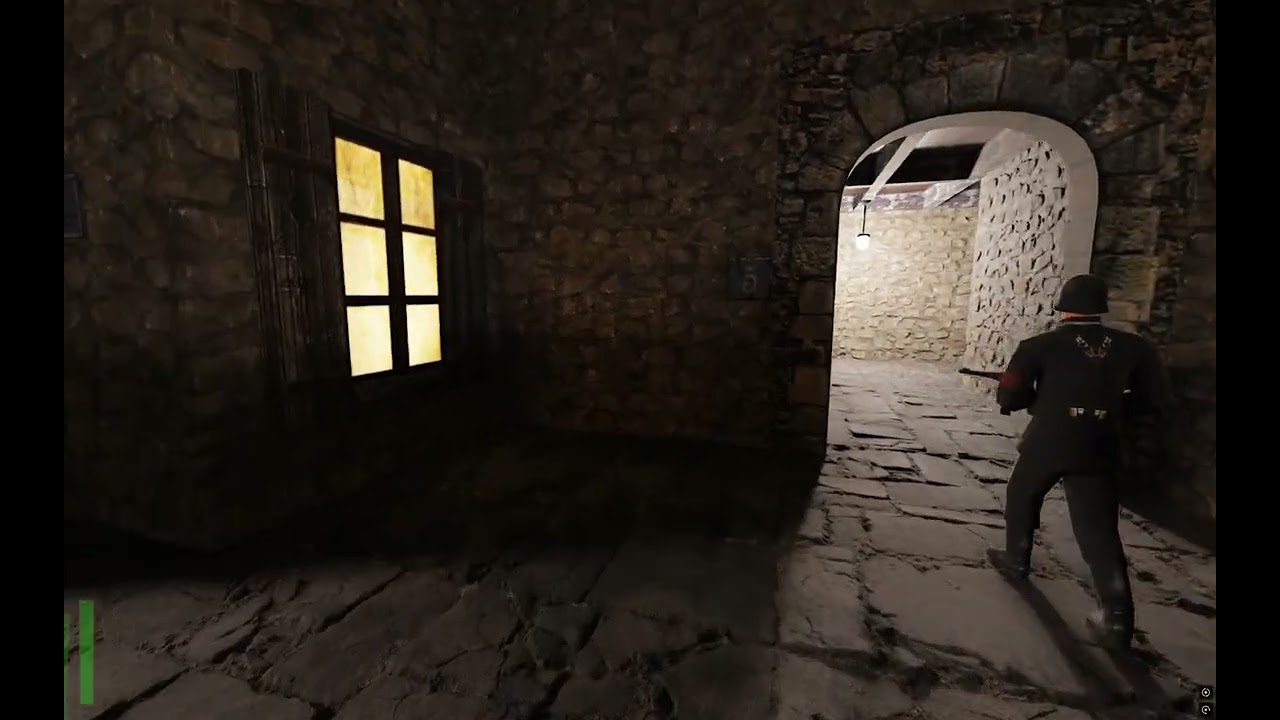
https://youtu.be/my71LfTdBtY for now we got this video
 sly timber
My specific to do list this week
Model side of building
Model miniature stones to replace the oddly jagged steps
Make 3d windows
Import my friends car model when he finishes it
Obviously not positive o can get them all done this week but I know I can get 1 and 2 done fairly quickly
for the windows I want to add simple depth to them, IE just basically adding a transparent window with drapes behind them
sly timber
to get that parallax effect (this isnt my plan its just the idea, a sketch if you would)

the red would be the drapes
full estuary
sounds good. I'm getting curious how it's going to look ingame
sly timber
progress


 sly timber
also for the sake of saving headaches, https://ambientcg.com/view?id=WoodFloor043
Get this asset and 2000+ more materials, HDRIs and models for photorealistic rendering for free under the Public Domain license.
sly timber
will add textures for it in the remix menu

 normal wharf
yeah
sly timber
normal wharf
yeah
ok
sly timber
sly timber
will add textures for it in the remix menu
also this specific model will be for buildings without insides because its bulky
so
drag and drop the rtx remix files first, then the exe latest build from https://github.com/whisperglen/RTCW-SP

GitHub
An attempt to add DirectX9 renderer to Return to Castle Wolfenstein Single Player - whisperglen/RTCW-SP
normal wharf
am i right that this is all remix files?
 sly timber
no
thats just the trex

GitHub
Combined repo for the RTX-Remix runtime and toolkit - NVIDIAGameWorks/rtx-remix
this is the full thing
 sly timber
normal wharf
it works... but not quite yet
sly timber
normal wharf
it works... but not quite yet
Reset your wolf.conf
normal wharf
wolf conf where is it
sly timber
In main
 sly timber
sly timber
sly timber
Then try putting this in main
normal wharf
sly timber
Then try putting this in main
😭
 sly timber
I mean we are getting closer at least...
Is there something called rtx.conf near the base exe?
sly timber
sly timber
Then can you add this next to the exe
normal wharf
 sly timber
Hm
normal wharf
still this shit pops up
sly timber
I can't really tell what the issue is here it's oddly peculiar
sly timber
Alright
Saint might know when they are free but they'll be out all week :/ so ill ping you when he's back
normal wharf
sly timber
Saint might know when they are free but they'll be out all week :/ so ill ping y...
ok ty for help
sly timber
Ofc
carmine creek
sly timber
also for the sake of saving headaches, https://ambientcg.com/view?id=WoodFloor04...
Keep track of where assets are sourced from, even if CC0. 😉
sly timber
carmine creek
Keep track of where assets are sourced from, even if CC0. 😉
thats what im doing
carmine creek

full estuary
@normal wharf [RemixApi] RemixApi initialization failed: 8 <-- I'm willing to bet this is the crash with RemixAPI and Remix 1.0.0 release
Plese take latest Remix from github actions
rtx-remix-for-x86-games-bb4f003-821-release
normal wharf
i just have a question how to download files from artifacts😅
oh i find the way how to download
sly timber
hooray
full zinc
@sly timber
Sooo what i need you to model at some point when possible:
- doorways
- stonework on building corners
- fix this somehow: #1229858482530943037 message
- the stair meshes
- pathway meshes: #1229858482530943037 message
it sucks but i can't really progress until any of that is done. i was going to use displacement for the stonework, but because of the way displacement looks on corners, it'd have looked pretty terrible and weird
i might take a crack at the pathway because it's fairly simple. would be something easy to start with
sly timber
if you can handle the pathway my plan is to make stone models for the stairs and a top stone for the tops of the "rails"
the tops of the stone walls i guess
as for doorways ill see what i can do
full zinc
sounds good. ty
full estuary
Maybe I'm nitpicking, but my brain just kept fixating on this floor ever since I saw this. I'm thinking it would be real easy to stumble on those raised corners; maybe lower them just a bit, the ideea is if people walk on them they will wear down, and they wouldn't have sharp corner/edges, they would be rounded/dulled. What do you think?
 full zinc
full estuary
Maybe I'm nitpicking, but my brain just kept fixating on this floor ever since I...
full zinc
full estuary
Maybe I'm nitpicking, but my brain just kept fixating on this floor ever since I...
it's just the displacement value being too high
i didn't finetune it much
sudden steppe
full zinc
it's just the displacement value being too high
Instead, make the texture tile twice as much, so you get more realistic scale to human size and lower displacement depth
two stoned birds, you know the saying
carmine creek
👆 it's a good idea to author your textures at roughly equal size be it 1x1m, 2x2m, 4x4m etc. Also not a bad idea to create a debug UV size grid with markings when you're applying textures to original geometry that way you can see the relationship in actual texel scale compared to your desired scale.
full zinc
sudden steppe
Instead, make the texture tile twice as much, so you get more realistic scale to...
damn, that's what was off about it
i recreated the pattern properly but forgot about the size lmao
full zinc
sudden steppe
Instead, make the texture tile twice as much, so you get more realistic scale to...
better?

reduced displacement strength

i'll be working on this floor texture tonight
 sudden steppe
full zinc
better?
sudden steppe
full zinc
better?
Hmm yeah. Very good. Still think an extra 2x could go a long way but it looks really good already
full zinc
even more? wow
i've definitely seen brick flooring that size IRL though
sudden steppe
You might want to break the repetition by using more variety between the bricks, you can see some long lines stretching all the way already
The thing that makes bricks strong is layering them in odds and evens
Having "accidents" in the middle when smaller bricks gets used to fill the gaps and break uniformity is what gives brick walls their charming characteristics in textures 
Walls/floors...
sudden steppe
full zinc
even more? wow
i've definitely seen brick flooring that size IRL though
Just eyeballing it rn. The current iteration already looks stunning
full zinc
sudden steppe
You might want to break the repetition by using more variety between the bricks,...
i agree. unfortunately that's a limitation of the procedural texture i'm using. trying to bypass it without actually editing the entire very complex graph for it isn't going too well
full zinc
sudden steppe
Just eyeballing it rn. The current iteration already looks stunning

GitHub
This (https://github.com/mmikk/hextile-demo) was originally posted by Mark on the Discord server. Implementing this feature would help break up clear tiling patterns, as shown in their demo: This w...
it'd be awesome to finally have this though
that's about the best i can do

ooo i did it


@sly timber you have a memory leak issue by chance?
 sly timber
To my knowledge no but I haven't been in rtcw itself since I last posted the vid here lol
I've been inside the toolkit and blender tryna do the windows n stones
You ever get that feeling where something looks fine but you just dont like it
full zinc
yup
sly timber
Yeah
full zinc
floor texture looks a lot better now

stressed about trying to do these corner designs. idk if it'll even look okay because of the way displacement works on corners
 sly timber
They'll likely be replaced by models sooner or later, i wouldn't sweat the bricks, but maybe for now just make it into a solid non cornered wall
From the looks of it it looks like brick with a peeling plaster/plaster esc cover
full zinc
if you mean the middle of it, it's the same as the bricks on the left
i need to try to simulate plaster on them
sly timber
Prolmy going to be hard isn't it
full zinc
yes 😦
the material has a plaster option, but it looked very bad due to the tiling on the wall
and RTCW just keeps crashing when alt tabbed which makes it very hard to finetune the materials
always after a memory leak
sly timber
Weird, have you tried cleaning installing?
I'll check if I get any when im on pc tmrw too
full zinc
this was a clean install 😦
sly timber
full zinc
this was a clean install 😦
Ig we should probably give you the steam version we have it might be better in a way anyways (plus for easy installs) but it is weird
Saint is out tho so well have to figure out the root cause ourselves
Iirc the last time there was a memory leak it was switching on rtx and off again
 sly timber
Not bad actually
Are you able to make the plaster effect slightly more tan then the bricks itself?
Only slightly
full zinc
i can. that's where the problems usually come in though. it creates a very noticeable pattern with the tiling
full zinc
 sly timber
Looks good
full zinc
was able to introduce a little more color variation

doesn't look much different there but it does from other angles lol
sly timber
I will forever be always morbidly curious on the original devs direction for this village, because they go for both a materialized "modern" (for its time) structure but play it out to have simplistic maybe even rustic building materials
full zinc
in-game
 sly timber
full zinc
in-game
sly timber
full zinc
in-game
Oo now that looks nice
full zinc
full zinc
in-game

it was very shiny from sharper angles before. doesn't make sense for worn plaster
but yeah this looks a lot better than before i think
sly timber
A much improved overall texture

 sly timber
Good luck to your hands after tryna figure out what wood type the intention was
full zinc
sly timber
Good luck to your hands after tryna figure out what wood type the intention was


first try!
sly timber
Nice
full zinc
i did reduce the height variance though. looked a bit weird

that fire is ridiculous though lmao
sly timber
What you mean the dynamic lights system
full zinc
yeah. i did tweak it, but reducing it too much led to insane strobing
sly timber
Yeah its a wip thing
Hopefully soon we can adjust color and position but obviously that's not high on the list priority rn
full zinc
it's nice to have it at all
sly timber
Yeah
full zinc
it was set to importance sampled, which is horrible
ReSTIR GI actually looks best here
 sly timber
Looks like another thing to make a model for, the vase of the fireplace, unless you think a texture would be the better idea
full zinc
100% new mesh
sly timber
And this is what I mean for what I said earlier abt the original devs, it seems to be an older style fireplace, but with a more modern build structure with the base of the pit
And the multiple stone differences
full zinc
yeah...
that's why i'm just trying to recreate whatever they did instead of working on actual historical stuff
it's a mess lol
sly timber
Yeah lol it is
Id probably assume the devs weren't in deep connection to the housing style and probably just had a huge ammount if references and took some liberties
full zinc
finished the ceiling pattern

original

had to do some cursed shit to make this one work

the original material couldn't do long tiles, so i had to use a transform node to make it look like it was. then made it seamless
then had to rotate and crop it afterward with xnconvert to get the required 2:1 aspect ratio
then the game and toolkit both crashed at the same time
full zinc
 sly timber
full zinc
sly timber
full zinc
CSI lol

 sly timber
Id say
It looks like maybe stripped bark almost but that doesn't feel right
Maybe it's half rotted wood
full zinc
it's for the fireplace mantel
to me it looks like oak with a varnish, but... kinda destroyed
sly timber
I mean
Maybe it's varnish but it has like an ash sorta prolonged exposure thing going on
Would sorta explain the grey
full zinc
i'll put some dirt and dust on it
sly timber
full zinc
sly timber
<a:froggonodding:1136194204243079308>

it's also on the rafters on the ceiling
it looks oddly light. it's nothing with the map itself. i think it's just the bright emissive right under it causing issues
it's reused for doorframes too
 sly timber
Hm that's going to be a problem
Ato there's gonna be alot of things that'll need simple mesh replacement
Atp
 sly timber
Yikes
😅 unfortunate
Its the same thing with escape2 and a concrete like stone texture they use in both their doorways and in their torches and cages
Texture limitations be damned
full zinc
i'm uploading the current textures for you
full zinc
full zinc
reused for this too
aaaaand it's used for the logs in the fireplace
sly timber
Its too muggy to sleep tho
full zinc
sleep sucks
sly timber
Sleep sucks but being tired is worse
full zinc
yeah can't argue there

original for comparison

gonna make them a bit smaller and also increase mortar height though
a bit more realistic

normal map strength is the only issue now

i think that's good
ended up fixing it up more but i already closed everything (15th crash tonight)
sudden steppe
full zinc
ooo i did it
Nice! Looking really really good
Well done
carmine creek
Glad to see Kim is finally finding their creative side again.
Maybe I'll get the bedroom walls done today 🤣
 pine bronze
sudden steppe
Nice! Looking really really good
Well done <:Peepo_ThumbsUp:832180017559371806>
pine bronze
sudden steppe
Nice! Looking really really good
Well done <:Peepo_ThumbsUp:832180017559371806>
Am i crazy or i remember E-man not having NV_ on his nick before?
sly timber
pine bronze
Am i crazy or i remember E-man not having NV_ on his nick before?
Recently was hired
pine bronze
huh, not bad
 full estuary
I have an idea what might cause a memory leak. I’ll do some changes and a build in git, I’ll let you know when its ready
full zinc
damn
so the memory leak to clarify only happens while alt tabbed. it will stop leaking memory when you go back to the game. it crashes when it maxes out available RAM
full estuary
Hmm, in that case my idea could be wrong
full zinc
full estuary
https://github.com/whisperglen/RTCW-SP/actions/runs/15248270730
well that's interesting

lol
 full zinc
full estuary
It was worth the shot. When I get back to my PC
full zinc
full estuary
It was worth the shot. When I get back to my PC
to clarify even more, it's the remix bridge that's leaking memory, not the game exe itself
it doesn't happen every time, either
full zinc
well shit
multiple problems
wall corners scale the texture differently than the main wall

all of the meshes in one scene are a unified mesh. this makes light placements incredibly difficult

(and mesh replacements)
 full estuary
full zinc
all of the meshes in one scene are a unified mesh. this makes light placements i...
full estuary
full zinc
all of the meshes in one scene are a unified mesh. this makes light placements i...
I was wondering if that was goig to bite us in the as*
full zinc
it's so bad
for every single light placement, i'll have to go and try to duplicate each light for each copy of the mesh by hand
with normal games you can just do it on one of them and it'll apply to all of them. but not here
and for poor Bailey, each mesh replacement will require manually replacing each mesh in that large file and trying to align it perfectly
unless she can figure out how to fix this in the map editor, that's what we'll be dealing with
new rust texture on these bars
 full estuary
That looks really good
full estuary
full zinc
for every single light placement, i'll have to go and try to duplicate each ligh...
Argh it’s that damn BSP structure, outputting a different set of poligons depending on where you are on the map
Hopufully I can figure out some way to make it better
full zinc
it'd be amazing if that could be bypassed
oh nooo ugh this is annoying
the fire textures aren't a flipbook. they're separate individual textures
well. looks like there are only 3 in total anyway
4


embergen will allow me to update these. but with only 4 idk how to actually make it look natural
maybe we could somehow stop the game from animating it at all, and replace the one fire texture that's left with a flipbook in Remix
i'll work on something else for now
 full estuary
full zinc
AND it's reused for bookshelves and tables
full estuary
full zinc
AND it's reused for bookshelves and tables
I’ll have a look over these when I get back, either Bailey manages to assign a new texture there, or I manage to hack the .map with a hexeditor and replace the texture
The animated fire/torches I think we can stop animating maybe from engine or even from scripts. It could be that the animation is a property in the idtech-shaderfile
full zinc
note for future me:
the trees seem to be European Beech
sly timber
People wish us gl (good luck) from a friend streamer of mines server on the competition, one says "they dont need gl they've already dealt with that renderer too much"
full zinc
that's nice 🙂
but yeah uh... @full estuary is a miracle for this project lol
i remember we got stable-ish visuals with the OGL wrappers after a LOT of tweaking (and tadpole's help too) but this is so much better
sly timber
For sure
full estuary
Thanks.Things that my brain helps me do I will do 😄 The intention was to have fun and find something reasonably challenging to do. Happy to be here 😃
It was a good decision to start working on RTCW
sly timber
sly timber
Ive had it up to here with jack :eyye: im not stopping tho

as its kinda working ISh
ISH

forgor how much i hated this app when i did sourcemods lol
fucking
may have figured out the issue
dumbest shit ever
if it works
sly timber
fuck this bullshit

it seems to "only" be textures like clip and models missing


and the sky
@full zinc moving the topic back here
blah blah blah

thanks firefox for doing this for anything but actualy malicious softare
sly timber
trying both
full zinc
make sure you grab the gamepacks too
if this works, hopefully you can get a refund for the other thing
 full zinc
that's with the RTCW gamepack?
sly timber
yeah
full zinc
GtkRadiant: The open source, cross platform level editor for id Tech games.
there's some documentation there at least
might be helpful
sly timber
it finds some but just like jack,,, misses everything else
 sly timber
yeah
full zinc
sly timber
yeah
erm did you do this?
 sly timber
full zinc
erm did you do this?
sly timber
full zinc
erm did you do this?
like c:? i belive my wolfenstein install is in c
lemme check
full zinc
i do'nt know for sure what they meant
sly timber
even then theyre both in c
full zinc
are there any errors in the log?
i found a few different threads for this issue but they have different errors mentioned
sly timber
no errors in the logs
full zinc
😦
full zinc
i'll try it on my end to see
sly timber
alr
full zinc
sly timber
alr
which map are you loading?
 sly timber
bruh
full zinc
this is with 1.6.7
sly timber
i see
full zinc
idk why but i can't find the map file for village2
sly timber
youll have to decompile it
full zinc
ah...
sly timber
sly timber
maybe,, im using the steam copy
full zinc
village2 works too

 full zinc
my guess is Steam broke something with that copy
 sly timber
i used steam credit on it so i wont get regular money back from it
full zinc
😢
sly timber
still refunding tho lol
downloading 1.6.7 lets see if it works


finally
jesus frickin christ
now its time to figure ts out
from the looks of it @full zinc each model automatically handles their own textures, meaning wed have to make out own models or something similar
like this, is a model
 sly timber
everything be damned i guess
full zinc
sly timber
everything be damned i guess
do you see any way out of this?
sly timber
full zinc
do you see any way out of this?
well
Crs blender mod is a main way out but its not released yet
because with the mod
we dont have to worry about mesh compilation
we can use blender to seperate them among other things
other than that i dont know
full estuary
sly timber
we can use blender to seperate them among other things
What do you intend to separate?
sly timber
full estuary
What do you intend to separate?
meshes, with blender you can seperate by loose parts
full zinc
sly timber
Crs blender mod is a main way out but its not released yet
i don't understand why this can't be done currently in blender?
sly timber
full zinc
i don't understand why this can't be done currently in blender?
the current usd doesnt capture anything but the mesh data, no textures and scales everything wrong, crs blender mod will be able to import and extort without needing the toolkit
which saves time on injestion as it only injests after export
radiant however was useful because i can replace the tower

if i can figure out how to compile iot
theoretically i could also edit the color and position of the dynamiclights
full zinc
well i wish ya luck

 sly timber
not worth it
blender it is in the end
but i got the tower to look good !!!!!!
and this is (a really old, non injestable version) of crs blender thing

much more easy and itd run remix side
full zinc
yeah that looks awesome
sly timber
so eyah once they release a full injestable addon ill def do allat
full zinc
until then i don't think i can do anything
there are 2 textures that are nightmare material for me and i cannot figure out despite spending hours on. but i think that's all that's left for me to do
i'll have to make textures for your new meshes and stuff ofc though
sly timber
what youve done so far is wonderful so i appreciate that, and yeah i dont think there's anything either of us will be able to do until then. i dont want to reinstall the toolkit due to lack of room, ofc ill still be modeling but ill have to re import it all once i take a new capture for blender
full zinc
which segement/award should we be aiming for winning btw?
full zinc
RTX skin is gonna be a pain
sly timber
so true
full zinc
Best Remastered Assets
and idkkkk if my textures qualify as that lmao
but we'll see i guess
i really hope we win at least one of them
need that $$ lol
we will need to find someone to make a somewhat professional demo video. that'll make a big difference
sly timber
yeah
i know skurtty is not avaliable rn so
hm

i could ask my friend zephyr
maybe
sly timber
full zinc
need that $$ lol
also amen to this
carmine creek
sly timber
forgor how much i hated this app when i did sourcemods lol
Jack is still better than hammer. Speaking of, does hammer++ or Trenchbroom work with RTCW by chance?
sly timber
carmine creek
Jack is still better than hammer. Speaking of, does hammer++ or Trenchbroom work...
no clue tbh i know hammer++ might but not sure, have to test when i get home
full estuary
Seen this crazy light-show at a piano concert. Instantly thought of replicating it in rtcw, maybe on the castle/tower.. and spread out like a fan.. we’d need volumetrics tho
 normal wharf
is it possible to fix it?
 sly timber
normal wharf
is it possible to fix it?
sly timber
normal wharf
is it possible to fix it?
Mark it as decal
normal wharf
sly timber
Mark it as decal
ye it work ty
sly timber
Yw
sly timber
#1116089843479498782 message more memory leaks with nvidia i guess
full estuary
Hmm.. I'm getting that memory leak myself, just as Kim mentioned while alt-tabbing out of the game. Alt-tabbing back in fixes it, like the bridge is generating new data but not processing it. I might try going back thru the actions builds see where it starts nvm, action build artifacts expire. Well it does not happen with v0.6.0 :itssomething: Note to self: it still happened with commit 7524c89 <-maybe I'll come back to this someday
full zinc
full estuary
Hmm.. I'm getting that memory leak myself, just as Kim mentioned while alt-tabbi...
#1262932017742483456 message
full estuary
full zinc
https://discord.com/channels/1028444667789967381/1262932017742483456/12629320177...
Thank you 🥳
sly timber
Alright dw about it 😄 we got it from this point while you deal with allat
sly timber
sly timber
@full zinc should you or I make the rtcw thread, you made the most textures so
full zinc
i'm fine to make it if you want
sly timber
Alright
full zinc
as we make more progress i'll update the pics in #1377775933993254982
btw i didn't see your lamp pics, otherwise i'd have included them right from the start
we have any more varied pics?
sly timber
Not really any that are noteworthy
full zinc
@sly timber #1378391798703063248 message
sly timber
ooooo idea
carmine creek
wait, the viewmodels are stable? That's amazing
sly timber
carmine creek
wait, the viewmodels are stable? That's amazing
Yep
carmine creek
is there anyone working on the mp40 already 👉 👈
sly timber
Nope, nobody is working on the view models so far
carmine creek
Let me see what I can whip up in a few days
sly timber
Ok 
carmine creek
ah the good old days of saving performance wherever possible

 sly timber
If its not in vew why expend recourses, gotta love it
carmine creek
need to do some research into the MP40 and potential variants / alterations during manufacturing. I'm seeing two different charging handles already on google images
sly timber
I belive its the full metal model rather than plastic


 carmine creek
yeah I'm already assembling a PureRef sheet, in-game model certainly looks like it doesn't use bakelite. Not sure if it's a machined or stamped receiver though
should be stamped steel it looks like
sly timber
I guess I dont quite know the difference but id assume stamped because the mp40s where bulk produced during that time and machining doesnt make as much sense
carmine creek
that's true, but early war weapons usually were using more complex or expensive manufacturing which they simplify to reduce cost at some point
sly timber
True
carmine creek
Grabbed a CC-BY MP40 from sketchfab just to see if it works as expected before spending much time on it and I'm happy to report that it does. Now to make my own model and texture proper.

WW2 German MP40 - Download Free 3D model by Tactical_Beard
sly timber
nice
full estuary
Since the Skinned meshes are giving me a headache, this is (almost) a thing
sly timber
Hell fuckin yeah
sly timber
full estuary
Since the Skinned meshes are giving me a headache, this is (almost) a thing
This is gonna be life saving
full estuary
Yep, and it makes the lighting all the more immersive
Meanwhile Skinned meshes, absolutely zero chill 😂
 sly timber
Oof
full estuary
Getting there 🐌
sly timber
Slow and steady wins
full estuary
Keeping this for later reference: gpu skinning in DarkMessiah #1098843924602306601 message
Also I've released the above changes with light overrides
full estuary
:fluffy:
sly timber

full estuary
yep, that's a pretty good human trap, too


 full estuary
😃
I only fixed the obvious fireplace light, wouldn't have the patience to correct all the torches
sly timber
I do, but later past the competition
full estuary
 full estuary
Oh noo my lovely flickering shadows on the tower steps 💔 jk jk. To turn it off maybe you can set it to pure black. Or maybe just move it over to the torch there yonder..
 sly timber
Holy shit conjoined twins
full estuary
and this eldrich abomination

One more thing
Hit save after each light changed, only the active light is pushed to the configuration file. Also you can always go back, and scan again for old modded lights
Probably what I should have implemented, was to Scan for lights based on their modified position. It always scans based on original position 😅
sly timber
full estuary
Hit save after each light changed, only the active light is pushed to the config...
thank you for letting me know before i just left lol
also oh my god everything looks so much better whent the lights arent pasty
 full estuary
Also, you may want to increase the radiance value globally, it then gets applied when searching for individual lights too
sly timber
Nice
full estuary
Radius too etc
sly timber
I find it funny that the "smallest" updated is the most hype for me
(I know it probably wasn't a small task(
full estuary
it was alot, but I am glad you find it useful
It was necessary, and I couldn't postpone it any longer either
the fireplaces out-of-place were really bugging me
sly timber
The pasty colors of all the lights in general where bugging me
It made everything looked washed
ALSO
A friend of mine said he's manually implemented skeleton animation before so im asking him abt it
Should I ask him anything specific
full estuary
Honestly I have no ideea what goes wrong.. It renders fine in DX9 SoftwareVertexProcessing (because SW supports a gajillion bones, HW supports only 8 EIGHT! )
Remix also supports 255 bones, but something is crooked somewhere: either how I populate the vertex buffer, or how the bones are configured for DX9 🤷
Did they actually implement it in code, in DirectX, or they converted models to be used in Blender Maya etc?
^That twin joining above, the dude patrolling had a twin joining with the dude on the radio when he was in that room, a clingy dude it seems 😂
sly timber
full estuary
Did they actually implement it in code, in DirectX, or they converted models to ...
It looks like they did it via code?
"the last time i touched those someone was importing animations from a gameloft my little pony game and their horses got spaghettified'
full estuary
is the code on github? I might have a look

 manic tinsel
hi
full estuary
hey @manic tinsel , are you using fixed-function or vertes shaders to render the skinned meshes?
manic tinsel
vertex shaders
im not very familiar with dx specifics, but i know the math behind bone transforms/skinning pretty well and could take a look at that if its a part of what is causing trouble
full estuary
manic tinsel
from what I understood from baileys explanation, you have an already vertex skinned model that you're trying to convert to a format you could feed to dx9 bone animation / mesh rendering apis
full estuary
Yep
Wolf has 'bones' and weights and does the transforma in software and sends the transformed vertexes to be rendered
What I tried was to put in the untrasformed vertex coords, wight, and build a bone matrix and Draw them
I verified in SW that my bone matrix works, by tranforming the vertex coords with my matrix, then rendering that. Then I set the bone matrix to DX9 tranform index, and with Software VErtexProcessing (which allows more than 8 bones in DX fixed-function) it also draws ok
But when I put Remix in the loop, it seems some bones misbehave
My current assumption is that I set something incorrectly: either the bone index, or some vertex indices are bad in the DrawCall
manic tinsel
yeah, what seems weird is that only some of them break
sly timber
Cya saint have a good dinner
full estuary
@manic tinsel Here's something maybe you can figure out, about the Wolf MDS model: https://mino-git.github.io/rtcw-wet-blender-model-tools/publications/MDSFileFormat.html
Look at MDSVertex and MDSWeight
MDSWeight contains an xyz value. It gets multiplied with the bone tranform, then with the weight, then the results are added together to form the final vertex value
What I did not expect is to have a separate xyz value for each weight/bone <- this has me stumped, and I'm using only one bone (the first in that list) in my current implementation
The resulting model is a bit edgy, it needs the other weights to be proper smooth
manic tinsel
full estuary
What I did not expect is to have a separate xyz value for each weight/bone <- th...
it has the location of the vertex in local space of that bone
 manic tinsel
i think the issue is that the bone matrix that dx9 expects is world space and the one that is in bone matrix might be local space?
 full estuary
Yep.. I've multiplied the bone matrix with the object model matrix to get the transform for directx
So I may need to translate that xyz value from bone space, upto parent bone?
manic tinsel
is the bone matrix mat4 with the position?
manic tinsel
i think you might be applying translation twice for vertices that have multiple matrices affecting them
that would explain why some of them stay normal, they're affected only by one matrix (with its influence being 1.0 and the rest 0)
full estuary
I'm only using one bone with weight forced to 1.0 for each vertex --becasue I did not understand what to do about the other xyz values in bone space
manic tinsel
hm
full estuary
lemme grab a video
manic tinsel
full estuary
it was 3x3 rotation + vec3 translation
this is it, right?

can i see the code where you make them world space?
full estuary
I'll push to a different branch and show you

w->offset is the xyz above which you said are the vertex values in bonespace, forcing weight to 1.0 and building a bone matrix (in case it was not created already)
For the bone matrix I multiply with whole object model matrix at the end (qdx.world)
Can't get a video rn, but this guy gets fixed by just stepping back

 manic tinsel
is there some sort of LOD on animations?
 manic tinsel
full estuary
manic tinsel
full estuary
doesnt seem like lods are an issue for animations
manic tinsel
full estuary
Can't get a video rn, but this guy gets fixed by just stepping back
but its weird that distance to the model affects it