#Return to Castle Wolfenstein (RTCW)
1 messages · Page 4 of 1
 sly timber
I mean your supposed to mark them as particles for the alpha colors to go away but that isn't working which is kinda weird, altho if it's a remix bug I'll look into it
 full estuary
oh, I haven't tried to mark them in any way so far.. only the decals and I fugured it would work for smoke too. I'll test it too with remix
sly timber
I mean it's not a big deal rn tho compared to other things so I can test it myself later today
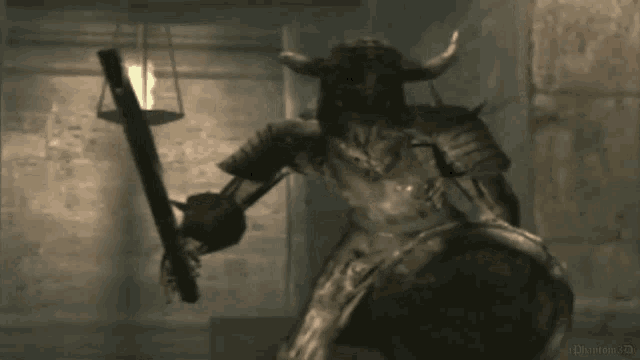
Whoops didn't mean to send that lol
Anyways cya for now if I get anything cool done in the toolkit I'll send an image here
set as particle texture
sly timber
also forgor to show this but I got these to be emissive, gonna make them brighter soon
full estuary
looks good
sly timber
sly timber
also forgor to show this but I got these to be emissive, gonna make them brighte...
( @sudden steppe sorry I forgot to ping you but i got it to work)
sly timber
so it turns out all the fires already have emissives? its just too dim to see

and ofc its buggy with the world geo resetting
full estuary
sly timber
so it turns out all the fires already have emissives? its just too dim to see
yea, I remember trying to assign light to texture (or one of the other options) but I saw no difference
well, anytime now i'll have the release ready, I managed to send light to remix..
sly timber
Promotional be damned
sly timber
full estuary
well, anytime now i'll have the release ready, I managed to send light to remix....
Peak !
full estuary
f'it no release but a manual build! Let's test it first:
GitHub
An attempt to add DirectX9 renderer to Return to Castle Wolfenstein Single Player - ManualBuild · whisperglen/RTCW-SP@f12e145
check these 2:
seta cg_coronafardist "4096"
seta cg_coronas "2"
bridge conf enables remix API, and coronas = 2 should send all coronas to renderer even if behind, far away
@sly timber let me know if hashes are stable, otherwise we might need to compare wolfconfig.cfg; and if you see all the lights
sly timber
aye aye give me a second im at work but on break
@full estuary do i put bridge by the exe
full estuary
in the .trex folder
sly timber
alr
sly timber
full estuary
<@456226577798135808> let me know if hashes are stable, otherwise we might need ...
hashes arent stable at all
could you send me your wolfconf?
full estuary
ok, send me your wolfconfig
full estuary
sly timber
could you send me your wolfconf?
once sec
sly timber
here is mine
full estuary
sly timber
this is with your conf
sly timber
it worked! it was the conf
full estuary
also r_novis 1
full estuary
sly timber
hashes arent stable at all
I also get this when r_novis 0
sly timber
yeah its all stable now for me
full estuary
sly timber
it worked! it was the conf
do you see the lights an all?
pls send me your rtx.conf, I'd like to compare to mine, see what I changed 😜
sly timber
full estuary
do you see the lights an all?
yes
sly timber
full estuary
pls send me your rtx.conf, I'd like to compare to mine, see what I changed 😜
one sec my break is over
full estuary
sly timber
one sec my break is over
yea, sure, when you get home
I might take a break
sly timber
sly timber
wowie
 sudden steppe
sly timber
wowie
sudden steppe
sly timber
wowie
Is it a single cobblestone wall texture for all the rooms?
sly timber
sudden steppe
Is it a single cobblestone wall texture for all the rooms?
yeah pretty much
sudden steppe
sly timber
yeah pretty much
Mind sending me a copy of the dds's? 
I don't own the game
sly timber
sudden steppe
Mind sending me a copy of the dds's? <:Peepo_Cool:836165840251781161>
all of them? sure (while they are similar there is a few different ones, however this is 2001 so theres not much)
lemme make a capture rq
sudden steppe
sly timber
all of them? sure (while they are similar there is a few different ones, however...
No just the cobble wall
Maybe the floor planks
sly timber
alright
sly timber
sudden steppe
No just the cobble wall
here you go my good sir
sly timber
I feel like im gonna be playing around with the flamethrower for hours
sudden steppe
sly timber
I feel like im gonna be playing around with the flamethrower for hours
Think the emissive should be much stronger. That blue flame alone should be able to light the room a bit
sly timber
sudden steppe
Think the emissive should be much stronger. That blue flame alone should be able...
yeah no for sure, but using the auto-translated emissives any higher dont give any more light and make it ✨ crunchy

however that being said we do have technology
sudden steppe
sly timber
yeah no for sure, but using the auto-translated emissives any higher dont give a...
Gotcha. You'll probably need an HDR texture for that
sly timber
Yea probably
 pine bronze
sudden steppe
Think the emissive should be much stronger. That blue flame alone should be able...
pine bronze
sudden steppe
Think the emissive should be much stronger. That blue flame alone should be able...
I wanted to mention that idea myself, and for quite a time already
pine bronze
sudden steppe
Gotcha. You'll probably need an HDR texture for that
And is there HDR textures of fire?
sly timber
pine bronze
And is there HDR textures of fire?
I can't seem to find any that match the Flammenwerfers type
sly timber

 native halo
How are you able to get remix running on OpenGL?
Been trying to apply RTX Remix on a Disney Princess game for shits and giggles
but it uses OGL so it's not directly compatible
sly timber
native halo
How are you able to get remix running on OpenGL?
saintmaths (i wont ping because they are asleep) made a custom renderer for the game and ive been wizarding things into it myself
native halo
sly timber
saintmaths (i wont ping because they are asleep) made a custom renderer for the ...
d3d8 or 9 I presume
the logs in the screenshot say OpenGL and that caught my attention
sly timber
native halo
d3d8 or 9 I presume
I think its actually a mix of dx9 and remix api or only remix api atp
sly timber
native halo
the logs in the screenshot say OpenGL and that caught my attention
which screenshot
native halo
sly timber
which screenshot
it's way above
it's the logs you get upon starting up the game I believe
with a puke-green screen and white text
sly timber
ooh yeah
native halo
Something-something OpenGL...
sly timber
back a while it used to be a opengl game but we made the switch because opengl is not reliable in any way with a wrapper
native halo
sly timber
back a while it used to be a opengl game but we made the switch because opengl i...
so I noticed the hard way
there's currently no known wrappers in the market that could reliably translate OGL to modern APIs
sly timber
https://cdn.discordapp.com/attachments/1267580661901037753/1334181307953057813/Wolfenstein_2024-04-16_21-26-41_1-1.mp4?ex=679b98ab&is=679a472b&hm=0d95a23ecdd11fccfa1c7b274f46157f78c69913a975811e95bea4f6d5d1b792& vs https://cdn.discordapp.com/attachments/1267580661901037753/1334181309483847710/Wolfenstein_2025-01-29_09-27-49.mp4?ex=679b98ac&is=679a472c&hm=07102045b6d214278cbf84b03c915a1fb5be280d4f6c314515342d8d08a22922&
native halo
Ray-traced Himmler isn't something I had in mind 😛
sly timber
behold (yes ik its supposed to be night its something im working on)

the ending is a work in progress 😛
and yea the glasses are also geeked... for now
sudden steppe
sly timber
here you go my good sir
Going to bed rn 
Can you try these ones?


 sly timber

 upper nexus
POM artifacts detected
sly timber
Yeah
sudden steppe
sly timber
Hmmm looking good in game. Though the POM is too strong. I'd halve or even set a third of that strength
 fickle heart
native halo
there's currently no known wrappers in the market that could _reliably_ translat...
fickle heart
native halo
there's currently no known wrappers in the market that could _reliably_ translat...
zink can but its ogl2.1 and above
native halo
sly timber
holy shit
try putting brick POM on Himmler plz 😛
pine bronze
Bruh
native halo
lmao
sly timber
sudden steppe
Hmmm looking good in game. Though the POM is too strong. I'd halve or even set a...
Alright
Its also Hella clippy with the corner walls that don't have pon which is funny and cool to look at
much less intense
 sly timber
native halo
try putting brick POM on Himmler plz 😛
sly timber
native halo
try putting brick POM on Himmler plz 😛
no lol
native halo
sly timber
no lol
Nah I was being morbidly cheeky
sly timber
with one pom alone it feels like a new game tbh

 sly timber
might try using some temporary pbr from ambientcg.com for some things while waiting to see if I can get someone who could do every texture tho or people
sly timber
like this tiles that match up perfectly with the origional tiles
 upper nexus
sly timber
with one pom alone it feels like a new game tbh
upper nexus
sly timber
with one pom alone it feels like a new game tbh
A random variance between each brick would look nice
sly timber
I didnt make that pom, e man did

@full estuary i wanna ask you, but do you think it's stable enough to put the how to on moddb as sort of a beta thing? I don't want to upload it there without you giving the green light n such

full estuary
I would like to add the cvars we changed and are mandatory (like r_nocull r_novis etc) to autoexec.cfg because people will always mess with the config and ruin it, autoexec will reapply them whenever the game starts again -> I'll try to do that this evenin or tommorow morning
Then should I test this on an AMD card?
sly timber
I mean yeah sure, and alright
full estuary
ok, SO has an rx6700, will ask if I'm permitted to test it on her machine 😃
Then it could be ok, I did not find any serious bugs, but hey it's beta release right?
full estuary
OMG sv_cheats gets set to 0 on New Game 😱 😂 gotta fix that asap
also, are you seeing this too?
or better yet, don't try it, it will ruin your wolfconfig.cfg with sv_cheats 0 😢
sly timber
full estuary
also, are you seeing this too?
I am lol
sly timber
full estuary
or better yet, don't try it, it will ruin your wolfconfig.cfg with sv_cheats 0 �...
Wait wdym
full estuary
so when you select New Game, then sv_cheats is set to zero, and that triggers r_nocull 0, r_novis 0
sly timber
Yea
sly timber

pine bronze
sly timber
 sly timber
Yeah
 mighty lotus
sly timber
mighty lotus
sly timber
That looks really fucking cool
sudden steppe
sly timber
much less intense
Very nice. The adjusted depth intensity helps bringing it back to realistic values.
The visual artifacts you're seeing I think is because remix expects POM textures the be processed for the quadtree method, and the one I sent you is for the old method.
Converting back to png and ingesting via toolkit as displacement texture should fix it
sudden steppe
sly timber
with one pom alone it feels like a new game tbh
Mind recording a video so I can check how they are generally looking?
sly timber
sudden steppe
Mind recording a video so I can check how they are generally looking?
yeah sure one second
sudden steppe
sly timber
Lovely. Thank you 🫂
sly timber
ofc 
sudden steppe
Gonna be doing the corners next
sly timber
nice, there is also 2 other stone ones idk if you wanna take a crack at them later down the line at all
 grand shoal
sly timber
grand shoal
sly timber
Me peeing all over the bathroom tiles
sly timber
ok
grand shoal
idk why it burns tho
sly timber
cancer
grand shoal
sudden steppe
sly timber
nice, there is also 2 other stone ones idk if you wanna take a crack at them lat...
Lets see how these ones go for now, then I might be up to take the other ones
Also the game isn't that expensive on steam
sly timber
yeah
sudden steppe
Soon or later I might give it a try
sly timber
the fact that ambientcg is free at 16k res textures baffles me (for snow nonetheless)
 sudden steppe
@sly timber here goes another one for yah 
Same settings for POM as you last adjusted
sly timber
good timing too, im adding 16k snow to my game
my pc is screaming at me
(this is mostly a joke btw)
sudden steppe
sly timber
good timing too, im adding 16k snow to my game
wait, use these for displacement instead. Ingest them via toolkit so that POM issue should go away:

 sly timber
sudden steppe
wait, use these for displacement instead. Ingest them via toolkit so that POM is...
sly timber
sudden steppe
wait, use these for displacement instead. Ingest them via toolkit so that POM is...
wait, which pom issue?
sudden steppe
sly timber
wait, which pom issue?
These
 sly timber
ough ok

sorta half works lol

one sec tho its an rtcw issue not the pom i think
mm no it is the pom i guess? its cut off weird
is there a way to fix that at all
sudden steppe
sly timber
sorta half works lol
Hmmm weird. The texture is not lining up with the corner.
I baked a little curvature around the edges in blender so the corners would look rounded and not sharp.
There is no POM on these though, only normals distortion 
Does it happens often?


 sly timber
it seems to be because the origional game also never bothered to line up their textures, and it only seems to be the best around doors
ie
 sly timber
yeahhhh poor alignment
 sudden steppe
It is not applying to everything though. Some textures are still vanilla, despite looking like they should be the same
sly timber
sudden steppe
It is not applying to everything though. Some textures are still vanilla, despit...
yeah, trying to apply it to thoes makes the texture really weirdly small
sudden steppe
sly timber
yeah, trying to apply it to thoes makes the texture really weirdly small
Hmm. Then it might not be the same texture. Can you inspect the material and find the captured DDS for it?
 sudden steppe
sly timber
hmm, sill a visible split
sudden steppe
sly timber
hmm, sill a visible split
Weird. Did you restart the game or updated mod.usda to refresh the textures?
sudden steppe
sly timber
its no longer rounded but the colors are off ig
Are the more places with this issue?
I'm eyeballing back and forth the textures and they seem fine, no seams between them
sly timber
yeah, in any area where they werent aligned properly they have the issue, however to save us both time, once I get into editing the bsp ill just realign them
sudden steppe


 sudden steppe
sly timber
yeah, in any area where they werent aligned properly they have the issue, howeve...
sudden steppe
sly timber
yeah, in any area where they werent aligned properly they have the issue, howeve...
Well, just keep the rounded corner version then, as it will help in places where it works fine
sudden steppe
Also, please, if you find that small bit that isn't replacing, send it to me. Most likely something easy to fix

 full estuary
sly timber
sorta half works lol
full estuary
sly timber
sorta half works lol
It’s a bit paranoid to suggest this, but you could also check the opengl version to make sure its a map problem 😁
sly timber
full estuary
It’s a bit paranoid to suggest this, but you could also check the opengl version...
I did

#1229858482530943037 message
its lookin peak tho I wish there was a way to set sky brightness per map instead of alltogether because this is supposed to be dark but making this dark makes all other skys dark too
but making the other skies brighter means this becines a daytime map basically
sudden steppe
sly timber
its lookin peak tho I wish there was a way to set sky brightness per map instead...
If there is no dynamic day/night cycle, you can NOT tag the sky texture as sky and replace the dome with a UV sphere frmo blender, then slap an HDRI texture
sly timber
sudden steppe
If there is no dynamic day/night cycle, you can NOT tag the sky texture as sky a...
all skies are moving textures
full estuary
sly timber
its lookin peak tho I wish there was a way to set sky brightness per map instead...
I’ll look into it whe I have some time, I’d like to have different time of day. I don’t know how to do it tho rn. Do you think remix darkens the textures?
sly timber
full estuary
I’ll look into it whe I have some time, I’d like to have different time of day. ...
a different time of day for the escape levels? or do you mean like a day night cycle
full estuary
Not a cycle, but settable time of day
sly timber
but remix can lighten and darken the textures
full estuary
Ex I think I could set a vertex color for the sky and that would blend in with the textures: darker colors would make it evening/night, brighter colors -> midday
sly timber
I see
full estuary
So we would have a different setting for each map, not one globally for all maps, like you said
It might be even be set like this from the bsp, dunno
sly timber
oooo
full estuary
Speaking of which, is it possible to edit bsps?
Or is there an original file which gets compiled into bsp?
sly timber
yes but its via an app that newwer updates cost money
sly timber
full estuary
Or is there an original file which gets compiled into bsp?
there are base .maps that get decompiled and then compiled into bsps
https://store.steampowered.com/app/496450/JACK/ the problem being

What is J.A.C.K.?J.A.C.K. (Just Another Creation Kit; previously known as Jackhammer) is a brand new level editor for games with a Quake-style BSP architecture. The aim is to develop a convenient cross-platform tool capable of incorporating the best features of existing editors, such as Valve Hammer Editor, Q3Radiant and others. Despite Quake an...
Price
$14.99
Recommendations
221
15$
sudden steppe
xoxor figured a way to call the remix API from portal 2 so levels can trigger different settings from the remix menu.
Though the remix API is deeply integrated within the game rendering. Not sure if it is possible to inject a code that calls the API while using the game's original renderer.
@novel token what do you think?
sly timber
i mean its not using the games original renderer
sudden steppe
They want to adjust sky brightness per level and the engine shares some similarities with p2rtx, I think, such as BSP levels 👆
sudden steppe
sly timber
i mean its not using the games original renderer
Aah, it is already patched or something?
sly timber
sudden steppe
Aah, it is already patched or something?
Saintmaths made a modification to the game to not use opengl
full estuary
And I’ve already integrated remix API to send the lights
So if xoxor shares what api function to call to modify the sky brightness, I think it can be done
sudden steppe
full estuary
And I’ve already integrated remix API to send the lights
Ohhh cool! That is a lot of work already.
I could be wrong but I think just calling this one should be enough:
https://github.com/NVIDIAGameWorks/dxvk-remix/blob/ab6d0bc12e1a5fb95f00a3b30c94a29f2aef5d0b/public/include/remix/remix_c.h#L549

GitHub
Contribute to NVIDIAGameWorks/dxvk-remix development by creating an account on GitHub.
full estuary
Mobile browser freaks out on that page, I’ll look in the morn.
sly timber
this is what was highlighted (flashbang warning) also yeh isnt it kinda late for you rn?
 full estuary
sly timber
this is what was highlighted (flashbang warning) also yeh isnt it kinda late for...
full estuary
sly timber
this is what was highlighted (flashbang warning) also yeh isnt it kinda late for...
Aha ok makes sense I’ll give it a shot tommorow. It’ 23:41
@sudden steppe do you know if there’s a wiki somewhere with api docs/examples? To get the lights implemented I searched discord and found some samples by xoxor and sultim 😂
I’m off to sleep, bb
sly timber
cya later saint
sudden steppe
full estuary
<@544327892599963668> do you know if there’s a wiki somewhere with api docs/exam...
There is an example by nv on github to draw a triangle with a green light:
https://github.com/NVIDIAGameWorks/dxvk-remix/blob/main/tests/rtx/apps/RemixAPI_C/remixapi_example_c.c
Sadly there is no usage of that SetConfigVar function in the example but it should be very straight forward to use
GitHub
Contribute to NVIDIAGameWorks/dxvk-remix development by creating an account on GitHub.
 novel token
full estuary
<@544327892599963668> do you know if there’s a wiki somewhere with api docs/exam...
novel token
full estuary
<@544327892599963668> do you know if there’s a wiki somewhere with api docs/exam...
There is a lot of code in there to manage, lerp and keep track of the variables and some parts are in the map_settings module as well (per map settings that parses certain config files). All you fundamentally need is this: https://github.com/xoxor4d/p2-rtx/blob/a0378519c9b43f68889539a6ac63f7c71b895cae/src/components/modules/remix_vars.cpp#L119
it’s basically up to you to write some kind of framework around that api call
GitHub
Portal 2 - RTX Remix Compatibility Mod. Contribute to xoxor4d/p2-rtx development by creating an account on GitHub.
full estuary
Are the variable names the same as rtx.conf?
novel token
P2 and other comp. mods I’ve created load a .conf file containing remix variables when the map starts to load.
While that is a really cool feature, it comes with a few issues. If you use the api to change settings and then tweak something in the ingame runtime settings menu and save them, you’ll also save the per map changes to your rtx.conf
novel token
full estuary
Are the variable names the same as rtx.conf?
Yea
full estuary
Great. Thanks for the info
full estuary
novel token
P2 and other comp. mods I’ve created load a .conf file containing remix variable...
Yea, so if I understand correctly, when a map loads, my code will change some remix vars which will then be saved to rtx.conf. Artist comes and modifies in remix UI the same vars for testing etc. They press save and rtx.conf is modified. But if the map is reloaded by the game, my code will reapply the old values thst are saved in my own private config for that game. So artist must modify that private config too, to persist new values.
That’s the usecase/workflow I have in mind
sly timber
full estuary
Yea, so if I understand correctly, when a map loads, my code will change some re...
That would save alot of headaches ngl in terms of debugging and problem solving
(By that I mean we can ask if they used the private configuration or autoexec)
novel token
Setting vars via the api will not auto save them to the rtx.conf. That only happens when you press save in the gui.
I keep the rtx.conf as a baseline config but yeah, depending on the situation, you need to tweak multiple files.
I actually have a console command that reloads and reapplies the rtx.conf from disk. That will disable the per map changes and gives me the option to tweak the baseline config (like tagging new textures)
full estuary
Aha, got it, so it’s a bit more involved. I’ll read the code. Thanks a bunch @novel token
full estuary
sly timber
(By that I mean we can ask if they used the private configuration or autoexec)
I wasn’t thinking about autoexec when I wrote that sentence 😄so you need to explain your understanding about that. But lets have this convo when I understand more what can be done with remix api, cause there are a bunch of different scenarios to consider. The easier we make everyones lives working on this the best it would be for the final product, thats my principle.
sly timber
full estuary
I wasn’t thinking about autoexec when I wrote that sentence 😄so you need to exp...
I mean yeah sorry lol, its late ig I just thought you meant autoexec.cfg and the sv_cheats thing as well as using somehow using it to force cvars or stuff
Its 11 I needa sleep lol
sly timber
I can imagine
Altho there is something we did with the opengl version
Which worked out
Idk if it'll work but on the exe we made a shortcut and added +sv_cheats 1 to it
I tried it with this thing but it didn't work and said sv_cheats is read-only in the console
full estuary
I know about that
At some point recently I removed that read-only flag in the dx9 version
It will be a problem when we port to real rtcw
I was not able to set sv_cheats there. But that’s for later.
full estuary
Yes sure
I figured out the sv_cheats issue and commented some lines of code. We’re good to go for the planned moddb beta release
sly timber
Alright, just let me know when you make a release and I'll make an upload
And also in the mod do you want to be called saintmath3us or whisperglen?
sudden steppe
novel token
P2 and other comp. mods I’ve created load a .conf file containing remix variable...
Don't know if it helps but iirc anything you put on dxvk.conf has precedence loading over rtx.conf
novel token
I think it’s the other way around d but could be wrong
sly timber
https://youtu.be/lI81hZoyYFg putting this here if anyone wants to watch

#rtxon #rtxremix #rtx4070 #150fps #nvidia #returntocastlewolfenstein #wolfenstein
sudden steppe
sly timber
https://youtu.be/lI81hZoyYFg putting this here if anyone wants to watch
Yoo, that is #showcase worthy
sly timber
sudden steppe
Yoo, that is <#1028600697463263314> worthy
Aye probably tmrw I've already sent a couple of messages and I can't even think coherently past 12, I'm only up rn waiting on if saint makes a release, otherwise I'm gonna be eepin 
Oh wait I c what you meant oml 😭
Man
sudden steppe
sly timber
Aye probably tmrw I've already sent a couple of messages and I can't even think ...
Its 2am here rn. I'm off to bed as well.
Cya
 sly timber
Alright almost 2 time to hit teh hay
full estuary
https://github.com/whisperglen/RTCW-SP/actions/runs/13069559416 these are the sv_cheats fixes

GitHub
An attempt to add DirectX9 renderer to Return to Castle Wolfenstein Single Player - ManualBuild · whisperglen/RTCW-SP@08914fc
- autoexec contains some variables to make sure texture hashes do not change, and geometry hashes do not change - I really do hope I have the settings in your wolfconfig.cfg you used to make the USD exports
^but in any case pls send me your latest wolf config and I will double check
- do not forget to include bridge.conf in the .trex folder; autoexec.cfg goes into the Main folder
- and for mentions: whisperglen - since people may want to search for the repo on github
In about 6 hours I'll be away to my inlaws, for a weekend visit, so no access to RTX gpu, only some minor fixes on the laptop
- mod should be playable with the wolf_spdemo too (RTX works, not sure about your enhancements as I did not test); you could mention it (entirely your choice) e.g. "And I heard some rumors that this is compatible with the wolf_spdemo game files in case you do not own the game"
- AMD gpus work, but performance is bad (14 fps). I saw King Vulpes raise a ticket that remix 0.6 has worse perf than 0.5. Maybe he could help with some presets for AMD for future releases 🤷
full estuary
I just rewatched your gameplay video, This is great!
sly timber
full estuary
1. autoexec contains some variables to make sure texture hashes do not change, a...
The wolfconf9g haven't changed since you sent me yours, and also readin through the rest
2, will do
3, ill be sure to mention you as such
4, i can mention wolf demo and
5, ill ask him
Ill work on making the moddb release
full estuary
Good luck. Backup your wolfconfig and then put the autoexec.cfg in main folder and launch the game. Do your changed assets appear ok?
full estuary
Great
sly timber

Altho ofc we aren't quite releasing the pbr yet considering we only have 3 textures
😜 altho probably if we can get one level completely textured
full estuary
Ah, I thought you’d be releasing the pbr since the effect is striking. This is what’s possible and all that. But it’s okay with the rtx lights too, a bit plasticky look, but I considered replaying the game like that.. for a couple of minutes 😃 I need to implement a flashlight ingame for that, start of the village in very dark
sly timber
full estuary
Ah, I thought you’d be releasing the pbr since the effect is striking. This is w...
Mmmm, I guess fair i might want to add the pbr and yeah a flashlight would be cool, especially in the vest if tram
Vent in*
Alr cool, moddb is being a bitch to me again, uno momento on release lmao
full estuary
😂
sly timber
its not letting me submit the mod holy cow
its telling me to submit it but the submit button isnt there
maybe im stupid lol
sly timber
damn
grand shoal
Forgor
sly timber

ModDB
First beta release of the mod, simply drag it over the game files and replace everything
but now i cant post an article abt it because it requires 2 or more iamged but i out 2 or more
full estuary
@bailey just tested it, and it's missing d3d9.dll and nvremixbridge32.exe
full estuary
and no pbr textures right? cause I saw none
full estuary
Also I believe the autoexec.cfg is making things too bright, my bad
you can remove the autoexec.cfg for now, if you repack
sly timber
the hashes changed on a fresh install  but not on my current install with an update
full estuary
yea that's what I figured 😢
 sly timber
@full estuary it got downloaded and windows started marking it as malware LOL

shits fucked
@full zinc btw you are a mod for moddb right? how can I send a newsletter to the home page? it says I need 2 images but i have 2 images and just sends to linked profiles
 full zinc
i have no idea
i can barely figure out the website myself
took me half an hour to upload my own mod before
@sick elk would probably know
sly timber
alright
sly timber
sly timber
its not just me 💔
 full zinc
sly timber
its not just me 💔
full zinc
sly timber
its not just me 💔
you can send it into microsoft to verify as safe
Submit suspected malware or incorrectly detected files for analysis. Submitted files will be added to or removed from antimalware definitions based on the analysis results.
you need to be really, really clear in the description about the file's purpose. and also if there is source code available, link it
sly timber
alright
full estuary
sly timber
<@321353860507631619> it got downloaded and windows started marking it as malwar...
Nooo
I think the question is do we want to make a proper release in github?
i.e. pull the mod from moddb and reupload in a couple of days
full zinc
if you have a github page for it, they're far more likely to clear it as safe
sly timber
we should make a proper release, then send the link with a good description of what it does to microsoft, we dont need to pull it yet as people can still download it (fun fact this isnt uncommon with rtcw mods specifically because of iortcw)
if you hit keep it continues the download
full estuary
full zinc
if you have a github page for it, they're far more likely to clear it as safe
We do have a githubpage, but it’s a manual build action, and not a realease. Maybe we make a proper release and send that.
full zinc
full estuary
We do have a githubpage, but it’s a manual build action, and not a realease. May...
it doesn't matter how it was built, just as long as it's representative of what the program is doing
they approved mine and it was a manual build as well
sly timber
they really think there is a security breach, we may gotta take it down temporarily but unless it gets worse i wont yet
 sly timber
@full estuary it is no longer marked as a virus, did you do that?
full estuary
Probably not. I just uploaded the exe to virustotal.com to see the results
sly timber
hm weird
full estuary
Yea
sly timber
im probably going to make a video tutorial tonight on https://www.youtube.com/@ReturntoCastleWolfensteinR-h9e this account i never used to make some things easy+explain some things

YouTube
pine bronze

 sly timber
Thanks, but we aren't doing comparison images yet 😅 we gotta make replacements and pbr first
pine bronze
 grand shoal
sly timber
they really think there is a security breach, we may gotta take it down temporar...
grand shoal
sly timber
they really think there is a security breach, we may gotta take it down temporar...
 sly timber
@full zinc could you update the Wolfenstein moddb page to say that it is fully compatible n update the method n such
full zinc
sly timber
<@410198342300205066> could you update the Wolfenstein moddb page to say that it...
make a thread in #1199033356571123853 please
i'll def forget otherwise
sly timber
oh, i didnt know that existed, sorry lol
 agile rune
For whoever got RTX remix to work. On this underrated classic. THANK YOU!
sly timber
agile rune
For whoever got RTX remix to work. On this underrated classic. THANK YOU!
Well originally I got it to work on the opengl title, then @full estuary got a fully fledged dx9 modification
agile rune
sly timber
Well originally I got it to work on the opengl title, then <@321353860507631619>...
A dx9 port?
That's amazing!
sly timber
sly timber
https://youtu.be/lI81hZoyYFg putting this here if anyone wants to watch
Also some demo videos n such
agile rune
Does it still work without the reborn mod?
sly timber
agile rune
Does it still work without the reborn mod?
Well using my opengl port it can work,, not very well, so I'd suggest using the reborn mod (because it's what uses dx9)
Is there a problem with the reborn mkd or smthn
agile rune
Nah I was just gonna use it without reborn till the Mods completed
sly timber
agile rune
Nah I was just gonna use it without reborn till the Mods completed
Rn all the mod is is a compatibility mod and is pretty much in a playable state, the pbr n such isn't in it yet
sly timber
Didn't do much with rtcw today mostly due to work stuff, tmrw I'm gonna look at making some minor pbr for some things in specific levels, nothing like pom because I'm not good at that by any means but
I might try some pom or pbr app
If any are free
https://instamaterial.com/ more likely than not since I'm somewhat familiar
agile rune
sly timber
Rn all the mod is is a compatibility mod and is pretty much in a playable state,...
That's completely fine
sly timber
also @full estuary an update on stable hashes n such, I did look into it and its just new hashes, rather than hashes changing per install, so i can get pbr on the new hashes. however that means probably per update hasehs might change (dunno)
full estuary
In this case texture hashes have changed, right?
sly timber
theyve changed from the previous update however installing the latest build again they do not change
fresh install A vs fresh install B
full estuary
Geometry hashes could change if we change LOD cvars or bugs. Texture hashes could change when gamma/brightness change and maybe overbright bits cvar
Since i put some settings in the autoexec.cfg those might be the reason for different hashes
I have a new release on github, I wonder if the hashes are diffent or stay the same with that version..
full estuary
So they seem the same, right?
sly timber
sly timber
https://cdn.discordapp.com/attachments/1267580661901037753/1334181307953057813/W...
wanted to do another one of these, so
sly timber
Also minor bug, loading in some cutscenes (from the save memu) seem to crash the game somewhat (reported to me anonymously via discord) I will check this to be true later tonight
sly timber
@full estuary when you get the chance can you see if you can put this into the rtx-remix/mods folder on your most recent release to see if it work for your machine
sly timber
alright
full estuary
I'm not seeing pbr
sly timber
Can you show me your debug
full estuary
sly timber
I meant the debug view
sly timber
sly timber
this is with your most recent release on git
^ like this one
full estuary
pine bronze
Look same
 sly timber
full estuary
I'm not seeing pbr
sly timber
full estuary
I'm not seeing pbr
Did you turn on enhancements I'm the enhancements tab

 full estuary
so the toolkit creates some symlinks in the mod folder..
maybe I don't have the enhancements
I mean they were not archived in the zip folder
sly timber
Weird, considering that's the packaged mod and not the unpackaged one
full estuary
wait a second, I am not a smart man..
sly timber
Oh?
full estuary
I did not unzip in the right folder 
sly timber
Oop lol
full estuary
 pine bronze
full estuary
I did not unzip in the right folder <:facepalm:1324852754509987851>
pine bronze
full estuary
I did not unzip in the right folder <:facepalm:1324852754509987851>

Whoops
sly timber
lol
sly timber


 grand shoal
full estuary
Hey <@877275530813128724> my hacks for camera detection were working after all
grand shoal
full estuary
Hey <@877275530813128724> my hacks for camera detection were working after all
This a wrapper hack?
grand shoal
That's awesome. I'll check it out asap. And by that I mean whenever I wake up.
grand shoal
full estuary
You also need r_nocull "1" set it in your autoexec.cfg
Gotcha
full estuary
Yea sure. I also have an idea for stable hashes, I'll let you know in the near future how that goes
grand shoal
Also I noticed your sky is being detected as sky
full estuary
Yes
full estuary
You want my rtx.config also? YOu have screenshots with the changes needed to your rtx.config, above
grand shoal
full estuary
You want my rtx.config also? YOu have screenshots with the changes needed to you...
Uh. Sure, why not
full estuary
RTX conf for Heavy Metal (with the camera detection wrapper hack)
full estuary
grand shoal
For me, the skybox geometry leaks into the game world.
I’ve had that happen in RTCW when I disabled FreeCamera -> ViewRelative in remix DevSettings
So I went back to heavy metal, enabled the checkbox, and lo and behold, the sky was fixed 🍻 I uttered the appropriate curses towards your haphazard meddling with the config, but no time was wasted on that wild goose-hunt, so all is well 😂😇
sly timber
@sudden steppe didnt you make a leaf model type thing once?
 sudden steppe
sly timber
<@544327892599963668> didnt you make a leaf model type thing once?
sudden steppe
sly timber
<@544327892599963668> didnt you make a leaf model type thing once?
Not for this specie. I made some for P2RTX, for the vines
 sly timber
oh i see
grand shoal
full estuary
So I went back to heavy metal, enabled the checkbox, and lo and behold, the sky ...
I had tried a lot of different things in desparation lol
peculiar
 full estuary
grand shoal
peculiar
full estuary
grand shoal
peculiar
This is what you get with my wrapper right now?
grand shoal
yep
full estuary
Can you send the wrapper logs after you exit the game?
grand shoal
full estuary
Can you send the wrapper logs after you exit the game?
Wonder if I have some funky stuff going on in autoexec
 full estuary
delete r_lockpvs, but that should not cause the above bug
What map is that? I want to test it too
grand shoal
full estuary
What map is that? I want to test it too
first one
Motion vectors alos flash occasionally. Not a particularly good thing.
full estuary
Just a quick test, press Ctrl+PageUP
Or ctrl+pagedown, this switches between camera matrixes
grand shoal
Skinned meshes disappear
full estuary
Ok, One more test. Ctrl+i will dump all the matrixes. Send me the wrapper log after that.
I’ll study that and think about it. Also I need to do smth right now..

 grand shoal
full estuary
So it fixes itself after a while?
grand shoal
full estuary
So it fixes itself after a while?
what fixes what?
Also fire sword!
Holy shit, it's compressed to hell and back lmao
full estuary
grand shoal
what fixes what?
r_lockpvs 0, solved the problem in your first screenshot right?
grand shoal
full estuary
r_lockpvs 0, solved the problem in your first screenshot right?
It was already set to 1
full estuary
grand shoal
peculiar
this happens to my game if I set r_lockpvs 1
grand shoal
full estuary
this happens to my game if I set r_lockpvs 1
same

 sly timber

sly timber

full estuary
@sly timber sorry I highjacked your channel to talk about Heavy Metal 😅
sly timber
Its all good dw
grand shoal
full estuary
<@456226577798135808> sorry I highjacked your channel to talk about Heavy Metal ...
its been done before
lol
full estuary
So @grand shoal does the game work ok now? or do you still have glitches?
sly timber
I was .are confused if anything lmao, I just woke up and thought thoes screen shots where rtcw itself
grand shoal
full estuary
So <@877275530813128724> does the game work ok now? or do you still have glitche...
this is waht I see
full estuary
Nah, we're good. Mr Burrito should make his own channel, though
grand shoal
not yet
full estuary
Ah, omfg, set r_novis 0
grand shoal
full estuary
we are not yet ready for that
sly timber
R_novis my beloved
sly timber
R_nocis did this exact thing for rtcw on the dx9 port
full estuary
r_novis 0
sly timber
Remember that
full estuary
lockpvs 0
sly timber
^
grand shoal
ah
sly timber
Idk if it's able to be solved at all the same way it was for rtcw, by ignoring the novis check on the skybox (that's what I was told at least it could of been done differently)
full estuary
sly timber
Idk if it's able to be solved at all the same way it was for rtcw, by ignoring t...
It might be unfixable for the games where we don't have sourcecode
sly timber
Kinda what I figured
full estuary
Maybe i need to go ahead and implement the r_novis 0 optimisation for RTCW..
full estuary
When I fixed the geometry hashes, we discussed about a possible solution, to have r_novis 0
sly timber
The check for sister textures in a given level and to draw those on view right
full estuary
Yes!
grand shoal
idk if it's a remix thing, but "add light to texture" is broken now.
 sly timber
grand shoal
idk if it's a remix thing, but "add light to texture" is broken now.
sly timber
grand shoal
idk if it's a remix thing, but "add light to texture" is broken now.
The world camera is busted and sets the lights coords way outside the map
Even with saints fix
full estuary
grand shoal
idk if it's a remix thing, but "add light to texture" is broken now.
It never worked for me 😭 or I'm not very smart, which is also very possible
grand shoal
full estuary
It never worked for me 😭 or I'm not very smart, which is also very possible
It used to work at one point
grand shoal
sly timber
Even with saints fix

So what now?
Hashes are unstable
Lights don't go where they're supposed tio
am I fucked?
GitHub
Heavy Metal FAKK 2 SDK fixed to build on modern systems - a1batross/fakk2-sdk
Also this
sly timber
Get hashes stable and just reply on emissives
grand shoal
I've heard it's not the source code for the exe
full estuary
Nah, that is not good
grand shoal
sly timber
Get hashes stable and just reply on emissives
I don't think it's that easy
sly timber
grand shoal
I don't think it's that easy
Saint said they had an idea
 sly timber
grand shoal
<:head:1211874786012037120>
sly timber
grand shoal
<:head:1211874786012037120>
Uncle its time we teach you the virtue of patience
grand shoal
I know. I am just wondering
full estuary
The guy who works on COD2 did not want that..
full estuary
ok
grand shoal
lol
sly timber

full estuary
The dll will get flagged as virus/trojan maybe, but maybe we do not distribute via moddb.. don't know, we will se
So have a little patience. Am am actually excited about it.. and I am a lucky b*stard
@sly timber I was thinking about making an implementation to have different "rtx.skyBrightness" for every map
I will do that first
sly timber
Might I ask if you have a game plan for that? Or will it be a wingit moment
full estuary
Also I'm thinking to have an onscreen menu, to update Lights intensity
full estuary
sly timber
Might I ask if you have a game plan for that? Or will it be a wingit moment
SO there will be a config file wolf_rtx.ini
sly timber
full estuary
Also I'm thinking to have an onscreen menu, to update Lights intensity
Like a remix menu or
grand shoal
There are a whole bunch of hidden voicelines in the game files lmao
(I'm going offtopic)
sly timber
#offtopic
full estuary
We will have a section for [rtxconfig.mapname] and there we can set which remix options we want changed when the map loads
grand shoal
Just...
full estuary
sly timber
Like a remix menu or
Yea , a menu similar to remix, which a dropdown, to select a lighhash, and then change the intensity and maybe color
grand shoal
One more
sly timber
I will just say that isn't remix related so unless it hasto do with any opengl title here being supported for remix I'm not gonna allow it uncle
full estuary
Uncle, can you please make a Heavy Metal FAKK 2 channel
grand shoal
no I'll stop
full estuary
We will need to discuss stuff in the future
sly timber
full estuary
Yea , a menu similar to remix, which a dropdown, to select a lighhash, and then ...
That would genuinely be helpful considering stuff like the r_dynamiclight flammen having a flashbang light instead of relying on the fire emissives
full estuary
Also @grand shoal do you plan to do PBR and assets for Heavy Metall, or just mess around?
grand shoal
I plan on using ai textures for the time being. I already have a major project that's dead in the water at the moment
And that project is much larger lmao
sly timber
Which one is that I didn't know you had a project
Anyways if you don't make a heavy metal channel, I will

grand shoal
sly timber
Which one is that I didn't know you had a project
It's NFS Underground 2
It was one of the first modder project to get an insane amount of attention
It's dead at the moment
sly timber
Damn
full estuary
Do they have a technical issue, or work on assets is moving slowly?
grand shoal
Both, really
Assets take a long time to make
And although the game is playable from start to finish, there are a few technical issues that are really annoying
full estuary
Aha, got it
Let's pray to the gods of reverse engineering they will be kind to Heavy Metal
grand shoal
kinda like these quake related projects. The games are playable, but small tech issues here and there make it annoying
full estuary
Ye it shucks
grand shoal
Regardless. I'll be sticking with ai textures for a bit. Just to see how it could look.
sly timber
That's idtech3 and idtech in general tho, after extensive extensive look into how they get there workarounds (but not source code level looksee) they are quite literally always in the brink of standardization with some new twist
It was fun learning about how they optimize their game tho
full estuary
Yea, that was my thinking, at least I will learn a thing or two, even if it fails (my rewrite of the renderer, that is)
sly timber
Yeah
full estuary
Ok, I will go back to coding, and @grand shoal please create that channel for Heavy Metal
 grand shoal
full estuary
Ok, I will go back to coding, and <@877275530813128724> please create that chann...
grand shoal
full estuary
Ok, I will go back to coding, and <@877275530813128724> please create that chann...
Yeah, in a bit. Gotta do a lot of writing for a first post lol
full estuary
You have an rtx.conf, code in github and a showcase for it
sly timber
sly timber
That's idtech3 and idtech in general tho, after extensive extensive look into ho...
I still find bsp alone to be such an amazing map structure type, simply being basically binary to define solid arra to empty areas in vistrees and such
full estuary
Yea, that's brilliant actually
Ah, @sly timber flammen orange light.. I enbaled that when I created the stable hashes build. Should I disable the orange flammen light? Only the blue one would be visible.. (no ideea where that one is disabled tho..)
sly timber
It would be best to disable the fammenwarfers orange light because it takes away from the flames emissive effects, yeah
Altho it's not a priority lol
full estuary
Great
full estuary
Yay, good job dude
sly timber
grand shoal
https://discord.com/channels/1028444667789967381/1337807482046779393
Good job 
grand shoal
sly timber
Another thing I find really neat is the use of mocap for some things in rtcw
Or at least what looks like it
full estuary
really? I did not know that
the enemies look pretty good in motion, i.e they don't look like marionettes
kudos to the developers
sly timber
Yeah
And in the cutscene https://youtu.be/A087T4qBAx0?t=37s for escape1 its really prominent here with how fluent the doctor moves
it's really impressive to see how they used technology with the limitations of the engine
full estuary
you're right, all those unnecessary hand and body movements, it must be mocapped
sly timber
Its overall just very fluent and I applaud them for the use of it
Makes the game feel more alive to say something like half life 1 esc animation (not a direct comparison I'm just giving an example)
sly timber
Yeah
Mocap was made around the 1980s and was used in some movies, but was considered expensive and pointless for video games, however rtcw did alpt of experimentation with their game and had a healthy budget
sly timber
Yeh for sure for sure
full estuary
@Bailey that remix configuration thingy is done ~~https://github.com/whisperglen/RTCW-SP/actions/runs/13218464223~~ DELETED see below

GitHub
An attempt to add DirectX9 renderer to Return to Castle Wolfenstein Single Player - ManualBuild · whisperglen/RTCW-SP@5285c39
sly timber
ooo
full estuary
There is not an additional file in the zip: wolf_customise.ini
[rtxconf.default]
rtx.skyBrightness = 1.0
rtx.fallbackLightMode = 2
[rtxconf.escape1]
rtx.skyBrightness = 0.1
rtx.fallbackLightMode = 0
so here escape1 has skybrightness set low
But every other map has it to 1.0 because of [rtxconf.default]
you can do the same thing for escape2 as for escape1 if you add [rtxconf.escape2] with the same setting as [rtxconf.escape1]
makes sense?
full estuary
yeee
one thing though, the options are CASEsensitivE, they fail silently if the case is not appropiate
I struggled with that for the last half an hour 
sly timber
I see, i guess that makes sense due to how the map is loaded
full estuary
For rtx config too. I was sending the data perfetly on first try, but nothing happended
Luckily I'm compiling the rtx dxvk myself and I debugged through, to discover it was not finding the options I was sending as available in remix
One facepalm later, success, and night day options 🥳
 full estuary
Ah, shit forgot about flamen orange light
1sec
oh, and this the mapnames: https://github.com/whisperglen/RTCW-SP/blob/master/map_names.txt
GitHub
An attempt to add DirectX9 renderer to Return to Castle Wolfenstein Single Player - whisperglen/RTCW-SP
sly timber
ive already got all the names of each map by heart
full estuary
kudos
sly timber
also idk if you tested any, but do loading cutscenes from the save menu crash for you too?
sly timber
the game just closes
full estuary
can you send the Crash .txt file in the gamedir?
but what cuscene in particular?
I've only tried loading cutscene1
full estuary
GitHub
An attempt to add DirectX9 renderer to Return to Castle Wolfenstein Single Player - ManualBuild · whisperglen/RTCW-SP@652fcdc
no flammen orange light (not tested)
full estuary
cool
no crash for me. I've done spdevmap cutscene19 to get a savegame there, then quit, went to main menu, Load game, Autosaves, and loaded cutscene19, it worked
same for 14 and 11
do you do anything else?
sly timber
I only loaded auto saves, I suppose i should try to make a new savestate
sly timber
Right, I will after I get ready to work, then I'll most likely be out after I send it for 3 ish hours
full estuary
Ah, do it when you have enough time, don't mind me..
sly timber
Ah nah de it's fine, if I can send it you can most likely figure out the problem or rather if it's something specific
Dw*

 full estuary
thanks
sly timber
also i did wonder, is this a bug sorta thing? in opengl the distfog works as intended, dx9 no rtx is a flat plane or dist texture and in remix, doesnt work and shows off the non-skybox (happens in tram too)


 full estuary
we'll have to compare notes when you have time. It may be a bug with the gpu drivers also. I've had the fog working ok in dx9 & no remix
I remember it did not work for you on 1st day..
and yea, I do see that vignette thing (dark screen edges) in tram and norway (and even in escape1, glitching outside castle), I can check that out
sly timber
if anything i can just make my own skydome and whatnot (it would be a pitch black dome considering all things or light grey
full estuary
can you test with r_zfar 4096 or even larger, and see if that plane dissapears
note: in dx9 the fog implementation is not thick enough to obscure geometry (or maybe devs do not set correct thickness parameters, dunno), so they use a trick to stop drawing map geometry (set lower r_zfar), and it creates the effect that the for is obscuring it..
sly timber
sly timber
full estuary
note: in dx9 the fog implementation is not thick enough to obscure geometry (or ...
noticeable lol
and as for the rtx vig sky, https://ambientcg.com/view?id=NightSkyHDRI001 exists so  idk how much that would hurt the style choices of the original game tho
Night Sky HDRI 001 on ambientCG. Get this asset and 2000+ more PBR materials, HDRIs and models for free under the Public Domain license.
just need to figure out how exactly
full estuary
we do need a night sky in escape1: stars or maybe a big moon; something is missing from that sky
also the simple sky (due to vertex light) we have now is pretty different than the sky with lightmaps, so I don't know.. people who complain will always complain..
sly timber
yeah lol I feel like no matter what we add nobody will like it, however, my idea is to hold off on stuff like hdri untill we can get more pbr and whatnot so that it can come as a v1 complete package deal type stuff
hopefully the end goal is something similar to this https://www.youtube.com/watch?v=o70SfFJDGKo not in terms of copycatting but in terms of looking different, but still goof
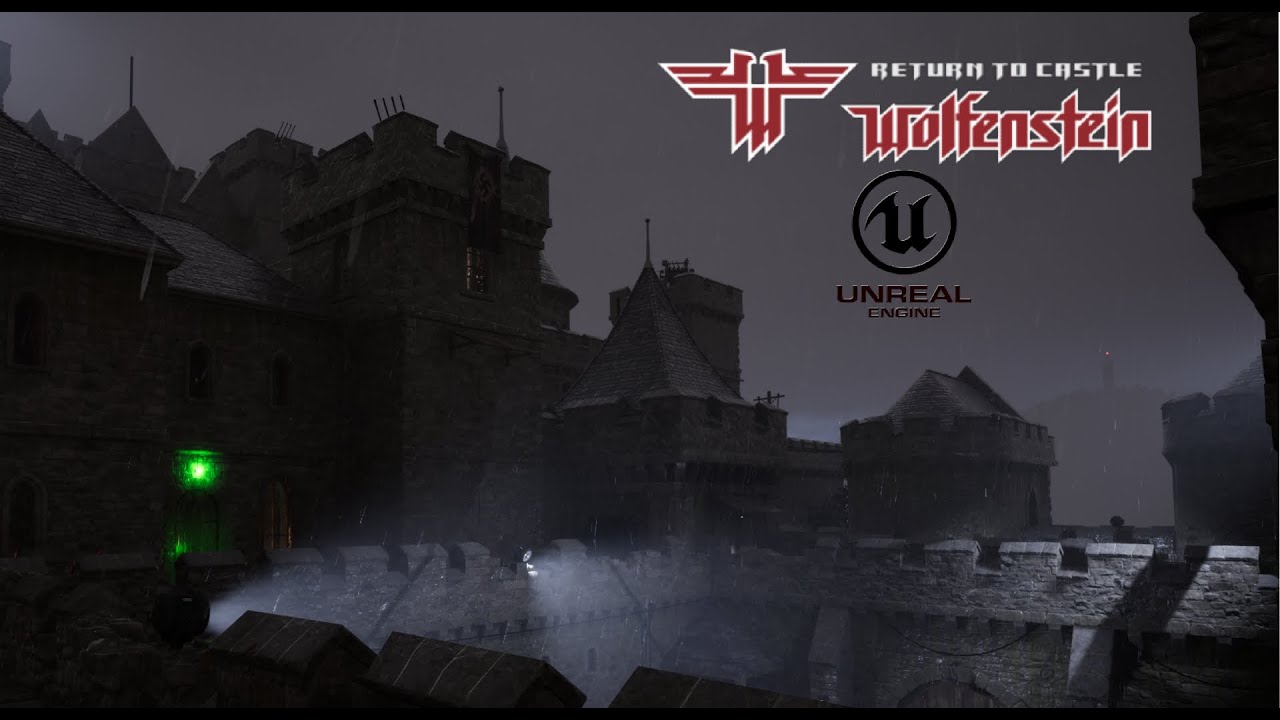
Here is a video of a level I've created in Unreal Engine 5. I wanted to recreate the first level from Return to Castle Wolfenstein, but I wanted to make some modernised changes to it. I didn't want to do a one to one remake as I wanted to have some fun. There are no enemies or much gameplay as such, its just a walkthrough of the level. Enjoy.
C...
\good*
man if only i had adobe, this looks literally perfect

https://ambientcg.com/view?id=NightSkyHDRI003 this has a moon, but isnt really stormy

Night Sky HDRI 003 on ambientCG. Get this asset and 2000+ more PBR materials, HDRIs and models for free under the Public Domain license.
full estuary
sly timber
https://ambientcg.com/view?id=NightSkyHDRI003 this has a moon, but isnt really s...
not really into the stormy look to be honest, for me a happy night night sky is great; is mysterious enough
full estuary
sly timber
hopefully the end goal is something similar to this https://www.youtube.com/watc...
It looks good tbh, but that kind of detailed textures would also need mesh replacements, no?
sly timber
full estuary
not really into the stormy look to be honest, for me a happy night night sky is ...
fair (not like we have a choice anywho my ass is not paying 40$+80$)
sly timber
full estuary
It looks good tbh, but that kind of detailed textures would also need mesh repla...
to be honest yeah, it definitely does, that's the plan, hopefully if i can get any modelers
would ask this person until you realize that thats all eu5 base assets and free model assets
still amazing tho
full estuary
Yea
On the other hand, and mind you this is not criticism or disagreement, in my later years I have found I far more enjoy a simpler look, like what I found in recent Legend of Zelda games, I fell in love with that aesthetic
sly timber
yeah definitely, im not saying we really need a complete overhaul, but just enough of a remake to make it not look like its a geometric nightmare with new lighting, basically tldr not hl2rtx but not doom2rtx
somewhere in the middle
full estuary
sounds good to me
sly timber
obviously the major thing to note is the bsp, mostly assuming we can edit the bsp rather than try it out in remix, between worldclipping (think "world hitboxes" being differnt than the mesh replacements causing that) as well as becoming too diffferent between asset artstyle
consistency and preservation
ragh sorry for the ranting about this LOL
full estuary
np, it revises and distills the thoughts 😜
sly timber
i think for giggles and whatnot im gonna see how this imports
 full estuary
😃

 pine bronze
its pretty much you just have to hide original model
sly timber
hitting ignore on the orig model hides the replacement too
one second tho i got an idea

 full zinc
why is it using the old RR model again?
full zinc
sly timber
just dont reload <a:smiledeath:837897197965410324>
gun looks nice 🙂
sly timber
#1116089843479498782 message self note for after work
sly timber
besides the fact that the 3d sky breaks with hdri, looks p cool
 sly timber
@flat garden thanks for the help on this too btw
 flat garden
no worries im interested to see how it looks!
sly timber
so what i have so far is the non ingested sphere that was stolen(cr said to) from their mod and the ingested textures, obviously as youve seen its only been whitewashed textures
 sly timber
i dont get that option
 flat garden
maybe it was already ingested?
sly timber
why would it ask to ingest if already ingested?
flat garden
im not sure what is going on there but what i do is select the texture from here
 sly timber
same here
flat garden
are you selecting the file that you just downloaded or does the hdri file exist in your project already somewhere
sly timber
the hdri doesnt exist anywhere yet
flat garden
is that the toolkit from nvidia app?
sly timber
yea
flat garden
alright not sure why you dont get the option
but theres another way to do it
is the hdri in dds format
sly timber
it is
flat garden
would be easier if you could go on the voice chat and i can stream my screen and show you
sly timber
again i really cant atm

 flat garden
cool
right click your mesh and go copy prim name

or hash either one
open mod.usda in a text editor and CTRL+F to find that hash
copy the downloaded hdri .dds file into your project folder and edit this line:

to point to the texture
if there is a file with the same name as your hdri .dds with an additional .meta extension, delete the one with the .meta extension
also send me your hdri dds file here if possible
if discord lets you
and your mod.usda and the name of the hdri you are using
sly timber
alright im back
flat garden
wb 🙂
 flat garden
nice
sly timber
and i just hit save?
flat garden
yep
save the mod.usda
it should pop up on the bottom right of the toolkit "layer changed, load changes?" or something like that
(if the toolkit was already open when you saved changes to mod.usda)
sly timber
the toolkit now does this when opening the mod (it crashed before)
 flat garden
send me your mod.usda
and copy paste of the whole error log from the terminal there
you can press control+A to select all the text in the terminal and control+C to copy it
then ctrl+v to paste it here into discord
sly timber
flat garden
i don't think thats the full contents of the command prompt
flat garden
you need another @ symbol at the end of line 407 in your mod.usda after midday.dds

asset inputs:emissive_mask_texture = @./RTCWRTX/midday.dds@ (
sly timber
now it works, but is even more pasty white
 flat garden
could you take a screenshot of this whole section with your skysphere selected in toolkit
 sly timber
this is all that fits in the screen


 flat garden
scroll up a bit in t hat section so i can see base mesh please
ah weait u did
already sorry
back up your mod.usda file just for fun
then delete this
 sly timber
the ground was deleted
 flat garden
damn alright undo that
sly timber
already did
flat garden
press the blue dot next to the diffuse texture and normal texture etc. it looks like you are using midday.dds in those as well
those should be empty
it also looks like you have more than one skysphere
one over mesh_27F721E945BF77F4 and one over mesh_B962333BCAD6263B
and the sphere is rotated
maybe the sun is underground
back up your mod.usda and try this one
sly timber
 flat garden
no better?
sly timber
no better, its just white now
flat garden
try going into RTCW and take another capture, but make sure that you have volumetric lighting disabled, and default post processing settings
sorry you're having these struggles, it shouldnt be this difficult, but we will get to the bottom of it.
sly timber
well now it kinda works, still no sun and the sun in the sky does this
 sly timber
i just used my dds, with the @.rtcs/midday.dds@ and no other changes
flat garden
could you send me your rtx.conf? and which level / map is it that you are testing on?
sly timber
forest
flat garden
also (many questions 🙂 ) are you using a version of the runtime from github?
sly timber
i think its a minorly edited runtime from saintmaths dx9 mod
sly timber
there is also this which is a more recent build with extra support items
sly timber
flat garden
ahh cool where you get that
i made it and put it all together, and recent as in yesterday (me and saintmaths work together on this for compatibility etc but they do most of the source code hard gruntwork)
this is right before i asked you and cr about hdri
sly timber
/map forest or /spdevmap forest
flat garden
i think you might have to, instead of tagging textures as sky, ignore them instead
they may be interfering with the replacement skybox
got it working
 flat garden
make sure albedo color is black too

put your emissive intensity back to one here:

seems good

 flat garden
in the runtime that was cranked to 500 for some reason
sly timber
for the flamethrower and torches LOL cuz i didnt wanna make emissive textures
flat garden
ahh true
sly timber
the worse part is unlike some games each particle is an individual texture instead of a sheet so its a double pain
 sly timber
yeah thats on
flat garden
for painkiller i modded the game to add a tiny unique mesh to each particle effect that I could attach a light to
sly timber
interesting
flat garden
because for that game the particle billboard mesh hashes were not stable
but if yours are stable you can just slap a light straight on it
sly timber
beautiful


 full estuary
sly timber
beautiful
full estuary
sly timber
beautiful
This looks good! Good job!
 somber quartz
sly timber
beautiful
somber quartz
sly timber
beautiful
grass looks bit off (i dont know if this good for the game atmosphere)
very bit darker ones may do it better
pine bronze
yeah, wanted to say that its because of lighting, its overbright
flat garden
btw if you have strange orientation and controls in the toolkit set z up to true
and change the line that says y up to z up in the mod and project isdas
usdas rather
 terse sparrow
Also the gun is like a perfect mirror, should be alot more diffuse lol
full estuary
@terse sparrow Excuse me sir, do you have a moment for Todd Howard to share his vision about glass weapons? 😄
terse sparrow
No I still need to attend his seminar on environmental storytelling
full estuary
In any case I doubt it was intentional, the showcase was about the skybox and indirect light from said skybox 😉
full estuary
terse sparrow
No I still need to attend his seminar on environmental storytelling
fair enough
sly timber
full estuary
In any case I doubt it was intentional, the showcase was about the skybox and in...
^ the gun was merely there to make sure i knew how to implement usd models properly to a view model (as to not have it frozen in place)
I also want to state NOTHING in thoes screenshots will be in the final one they are all TESTS
Going to have to slap it on every time.I post any images
full estuary
sly timber
Going to have to slap it on every time.I post any images
Don't bother, the personas non grata target audience have already made themselves known 😂
sly timber
Lol
full estuary
Btw, I repro'd the crash when loading the cutscenes after I fiddled in the game a bit.. I'll see if I figure where the issue is.. it's one of those complicated things that hopefully realrtcw has already fixed
sly timber
Alright yeah
In other news jc Denton himself sent me a friend request !  ill see where the dms go because I don't have any mutual friends or servers woth them, so I'd assume it's from my moddb page
No, jc Denton is the main character of dues ex
 grand shoal
Who
sly timber
Yeah lol
sly timber
I don't know how they could've gotten my discord besides from the moddb page
full estuary
You’re famous now Bailey, you have to buy us drinks to celebrate 🍺
grand shoal
Bailey. Buy me the finals battle pass. You must have a lot of money if you're that famous
sly timber
grand shoal
Bailey. Buy me the finals battle pass. You must have a lot of money if you're th...
Unironically if you want it i could gift it to you, I'm not a brokie irl 
grand shoal
Nah, nah. I don't like doing that lmao
I was messing around
But my days of wasting money on tf are over. I've spent like 250 on it already
Back when I had more money than brains
Now I have less money and less brains

full estuary
grand shoal
Now I have less money and less brains
A story as old as time 😉
grand shoal
Lmao
sly timber
sly timber
In other news jc Denton himself sent me a friend request ! <:shock:1205960823294...
he reported that lightmaps dont work in the rtx mod,, and then had this to say lol
 full estuary
Yea, we will make some cvars readonly, including r_vertexLight
sly timber
yeah lol, idek why they wanted lightmaps on the lighting mod...
sly timber
😭 oh na
mighty lotus
What the fuck 😭
 sly timber
one thing im remastering is removing the ass from that person
full estuary
Yea, take out those highlits
sly timber
yeah
grand shoal
I would also get an erection if I saw fully path traced latex bodysuit reflection.
Just bein honest
mighty lotus
I mean, that mother fuckers room is hella white
In all my days I only seen 1 other mother fucker with that level of (for lack of a better word atm) goonerness
The audacity
And
AGAIN
that shits wild
mighty lotus
grand shoal
Just bein honest
I mean, ya like what ya like, I ain’t on some pixelated shit myself, but I ain’t judging, but that fact that you telling people you beating ya dick, shits unreal
mighty lotus
Then you become stuck in ya own white paste and fucking die of starvation/dehydration
grand shoal
Now that's crazy
full estuary
No hating on this channel please
grand shoal
I love it when 8 gets angsty
mighty lotus
full estuary
No hating on this channel please
I’ll stop
 mighty lotus
Already agreed to stop
pine bronze
sly timber
he reported that lightmaps dont work in the rtx mod,, and then had this to say l...
 sly timber
Anyways he also said village1 is too dark but I told him we aren't working on village rn
Annnnnd just time to step away from the convo :walkaway:


 mighty lotus
That’s
Mmm
Maybe
Instead of walking,
Try running
That may be the most insane thing I’ve ever heard anyone say directly to a person with no shame
Or seen ig
 mighty lotus
Mhm
full estuary
sly timber
I don't know how they could've gotten my discord besides from the moddb page
There is a reply you left with your discord id in a moddb convo
Also there is a chance he might join this server if he’s got stalker instincts
sly timber
full estuary
There is a reply you left with your discord id in a moddb convo
I know, I'm gonna edit it when I get on pc tmrw
For now i changed my discord username ever so slightly to where I can still be pinged but that person can't dm me
full estuary
Good, gray rock if he does, don’t entertain, don’t enflame.
full estuary
Yea sorry this happend. I may be a little too worried about it 😅
sly timber
I'm worried too lol, i could probably ask Kim to ban them before they even join (if they have an id bot) but I thinkkk they wait for people to join the server
@full zinc ...? sorry to ping bur
mighty lotus
Forget allat, get the mf on a watch list, he’s the stereo typical rap (can’t finish the rest of that word in the server)
Maybe that was a bit rash
But still
Genuinely worried for your safety and the safety of others
full zinc
yes, will do
i had seen this chat and already checked to make sure they weren't here
@sly timber DM me their user ID please
sly timber
full zinc
<@456226577798135808> DM me their user ID please
1165957776405704710
full zinc
you're sure that's right?
sly timber
Let me double check
1165957776405704710 copying the user ID from profile gives me that yeah
And this is the username
 sly timber
Wdym
full zinc
normally you can just do:
<@[id]> to get the user profile to show up, you can then right click and ban
sly timber
Ough do you not have an id bot?
full zinc
i do but i forgot how to use it lmao
sly timber
Which one is it
full zinc
custom one. rune is familiar with it. i'll ask him to do this
sly timber
Oka 
full zinc
@sly timber done
 carmine creek
 grand shoal
No why would you ban him???
full zinc
for being a creep
carmine creek
Because this is a genuinely disturbing conversation they started and it made people legitimately feel unsafe.
full zinc
you know how disturbing it is to have that kind of stuff directed at you?
grand shoal
But it would have been soooo fun to mess with him for a little bit before banning him
What the fuck is unsafe? Is the guy going to jump out of my monitor?
Pfft
carmine creek
grand shoal
What the fuck is unsafe? Is the guy going to jump out of my monitor?
Considering how I have received death threats for my game development work in the past, let me tell you. There is nothing fun about it. Creeps do not belong here, period. It's not up for discussion why obvious pyschos do not belong here.
grand shoal
No fun
carmine creek
I have heard enough 10 year olds claiming to have fornicated with my mother and who wanted to unalive me, but xXKevinChad69420Xx ain't gonna show up in front of my house. But credible treats are different.
full estuary
grand shoal
What the fuck is unsafe? Is the guy going to jump out of my monitor?
Personally I worry about the guy being a nuisance, and pestering Bailey on youtube, twitch etc basically Adoring Fan from skyrim vibes with regular hot PMs