#Return to Castle Wolfenstein (RTCW)
1 messages · Page 2 of 1
 sly timber
@full zinc do you think its ok to start a moddb page for this btw, its not finished and idk if moddb will say its rtx compatible
and I mean I could ask for help from there too
 prisma crown
I can edit on moddb as well
the game listing should allow any additional information required to run the game with remix
sly timber
sly timber
I got the game weirdly optimized without the need of that command
apon further inspection changing the textures for the torches into decal textures, as well as the floating chains into decal textures/ignore textures fixes the major lag issues
it apears to be anything animated
or anything that clips with anything animated
sly timber
prisma crown
the game listing should allow any additional information required to run the gam...
I dont know if we should actually add a moddb page yet bcuz it still has its issues
sly timber
sly timber
I got the game weirdly optimized without the need of that command
@little spruce making some progress

 full zinc
sly timber
<@410198342300205066> do you think its ok to start a moddb page for this btw, it...
full zinc
sly timber
<@410198342300205066> do you think its ok to start a moddb page for this btw, it...
yes. i'll go ahead and do it
sly timber
alrighty
sly timber
sly timber
I got the game weirdly optimized without the need of that command
also
no more lag
on some parts
optimizing the rest and doing some textures for the fun of it
sly timber
full zinc
<https://www.moddb.com/games/return-to-castle-wolfenstein>
Awesome
How do I add you to the moddb page so you can add your own articles and such
full zinc
i'm a moderator on moddb, so i can already i think
sly timber
Oh ok
full zinc
i'd recommend against doing articles and things like that right now because it's so unstable
sly timber
Yea
For now im just making a page

ModDB
A mod that brings rtx remix to RTCW, with newly rendered lights
full zinc
very cool
sly timber
Anyways off to work I go
 little spruce
sly timber
<@336757861969559552> making some progress
little spruce
sly timber
<@336757861969559552> making some progress
Looking great
sly timber
Man
full zinc
👨
i have 0 time to dedicate to this unfortunately. i think it'll be quite a long time before i can
sly timber
 not much we can do for now anyway
I can't even edit the light parameters all that well and I still need to find a way to disable the sky
Plus my pc is out of commission until it's back from the repair shop
sly timber
I should probably get back to work on this....
It's gamer time
(I don't have my pc still but I'm gonna steal my brother's 4060)
sly timber
Actually maybe I shouldn't link it it might be sold
Friends mass trolling, by buying a domain to dm me

 somber quartz
isnt that falls in domain hijacking?
sly timber
somber quartz
isnt that falls in domain hijacking?
It's not a hijack, they bought the domain name
The name itself is long
somber quartz
i mean
they bought the domain that you posted because they want to troll you
thats why i thought if it was domain hijacking
but nvm
sly timber
somber quartz
thats why i thought if it was domain hijacking
If they bought the domain it's theirs
Hijacking would be say, stealing google.com to send someone to a bad site
sly timber
@little spruce you down to test a setting real quick?
little spruce
if it's real quick though
little spruce
I believe it's where I have the saves
sly timber
little spruce
I believe it's where I have the saves
Could you (before loading a save) disable fallback light entirely and load up the lab map?
As well as the disable autoexec command that causes the heavy artifacts
little spruce
sly timber
As well as the disable autoexec command that causes the heavy artifacts
what command?
sly timber
little spruce
what command?
Did you download autoexec from here or nah
little spruce
nope
little spruce
so just disable fallback, got it
mmm
I don't know what happened but it's not even hooking anymore
sly timber
little spruce
I don't know what happened but it's not even hooking anymore
Ok so download the most recent version of the wrapper, and configure files (as well as the auto exec)
little spruce
There's something strange going on with these files

it's all zoomed in, even by changing the res in the config file it does nothing
sly timber
little spruce
it's all zoomed in, even by changing the res in the config file it does nothing
Remove the autoexec
little spruce
nope
sly timber
Damn
sly timber
@fervent geyser 
 fervent geyser

sly timber
@fervent geyser
@vague plinth
GitHub
Combined repo for the RTX-Remix runtime. Contribute to NVIDIAGameWorks/rtx-remix development by creating an account on GitHub.
@vague plinth one sec
 vague plinth
ok
 grand shoal
Huh
sly timber
grand shoal
Huh
Getting help from friends
grand shoal

grand shoal
Did I say say you can't?
sly timber
@heady plank If your still down to re make any of the meshes I do have one thing I'd like to ask
sly timber
 heady plank
Shoot, what's up?
heady plank
Shoot, what's up?
Well currently we can't replace meshes but there is a specific gun I wanted to ask if you could remake rq (for testing purposes)
Again that's only if you want tho I ain't forcing you to do anything 
heady plank
A model would take me a while probably
Especially if it needs rigging and stuff
If you wanna test textures and stuff, no problem, it's what I've been doing for Dark Messiah
sly timber
heady plank
A model would take me a while probably
Makes sense 
heady plank
What gun did you want remade btw?
sly timber
heady plank
What gun did you want remade btw?
I wanted the luger remade but it's up to you if you wanna do any of the other ones done
Or not done
Idk I plan on doing some myself
Like ik I'm doing the mp40 at least
Or gonna try
heady plank
THE LUGE
I'm down to at least try it
I'll start making a collection of reference images
sly timber
Alright
sly timber
sly timber
I could theoretically port some of the maps to gmod or make a source mod - stay tuned

we shall see if my blender addon reads it

!!!!!!!!!!!

this is fucking mega
sly timber
its time

located and decompiled every map

nothing draws tutorial time

https://developer.valvesoftware.com/wiki/User:SirYodaJedi/Porting_IdTech_3_maps_to_Source/en fortunatley theres this but its very messy to read
pain time

!!!!

 textures loading its thinking
sly timber
progress progress, I do have to decompile some of the baked textures so

located all(?) textures

 ripe hazel
sly timber
!!!!!!!!!!!
ripe hazel
sly timber
!!!!!!!!!!!
That's the catacombs right?
The part with the round dome is where you fight that zombie which comes out the fire, right?
sly timber
ripe hazel
That's the catacombs right?
The part with the round dome is where you fight that...
Yes
 sly timber
temporarily making a source texture version until I have time to port

@rocky trout im gonna compress part of it, send you it here and then once you finish that if your still down to help ill send other things
sly timber
compressing
sly timber
 rocky trout
lets go
rocky trout
lets go
was able to fit alot more, here ya go
I'll probably be porting models over myself
rocky trout
i would like to know, which are brushes and which are props
but
ill try myself
with mipmaps or not?
with compression?
sly timber
with compression is fine, no minimaps (tried that alread) and yea i can sort it between props and brushes if you give me time, however it should auto read the textures names when opening hammer
im not the smartest on vtf edit thats me bad 
rocky trout
sly timber
with compression is fine, no minimaps (tried that alread) and yea i can sort it ...
but if i will use rgba8888?
sly timber
whats that mean
sly timber
rocky trout
format that has the highest quality
thats fine really, I dont care how its ported as long as it is (really I just have no idea on all things texture porting just model and map stuff)
rocky trout
is that map stuff?
 sly timber
rocky trout
is that map stuff?
sly timber
rocky trout
is that map stuff?
nope thats part of the intro I belive
 sly timber
rocky trout
can i know how to compress archives?
sly timber
rocky trout
can i know how to compress archives?
7zip or just start making split files and put it in by 100 images per file
rocky trout
Google Docs
sly timber
 tysm
tysm
sly timber
rocky trout
but they are without vmts...
right and im gonna have to write thoes id assume
rocky trout
can i ask, how will you port all game from id tech to source?
sly timber
rocky trout
can i ask, how will you port all game from id tech to source?
im going to start with maps, then models, then npcs
thankfully ive decompilled almost everything (hence why I have the textures)
Generic vmts written
Let's hope it all auto assigns
sly timber
again tysm

lemme know if you ever wanna do more (or if not ill just figure it out myself)
rocky trout
sly timber
lemme know if you ever wanna do more (or if not ill just figure it out myself)
what can i do for you now?
sly timber
rocky trout
what can i do for you now?
Ice been getting this error saying when compiling saying luxe vale 0 needs to be 6 do you have any idea
rocky trout
uhm, does ice have water parameters?
rocky trout
sly timber
Ice been getting this error saying when compiling saying luxe vale 0 needs to be...
or not?
sly timber
rocky trout
uhm, does ice have water parameters?
There is no ice for water parameters it's saying all the faces
When compiling in hammer specifically
rocky trout
huh
sly timber
I'll show a video when I'm off work but I assume (?) It's from all the lights altho I have no idea really if there is a way to set thoes
Maybe it's the ring term I'm thinking of too
Wrong*
Basically all the faces have some value set to 0 that needs at least 6
rocky trout
and how to fix that?
sly timber
rocky trout
and how to fix that?
I don't know really, supposedly setting the faces value to it but I have no idea
sly timber
rocky trout
huh
at home, this is the error, searching it up doesnt give much on it besides how to do it in game
 rocky trout
wait, what shader do brushes use?
sly timber
the ported shaders from RTCW
rocky trout
wha
rocky trout
wait, what
sly timber
one sec lemme
rocky trout
shaders from another engine to source?
 rocky trout
it wont work, you need to make shader from another game be compatible with source, and of course, with remix
but!
usually, models (not brushes) use vertexlitgeneric
brushes - lightmappedgeneric
sly timber
how do I find the shader selection in hammer tho (i think) I remember seeing that somewhere probably (I could be wrong)
rocky trout
water (if i didn't forgor 💀) uses lightmappedreflective
rocky trout
sly timber
how do I find the shader selection in hammer tho (i think) I remember seeing tha...
you set what shader for brush or model only in vmt
sly timber
ah so the lightmapgeneric for the brushes I did
rocky trout
yes, and for it to work, you just need to set the albedo or diffuse texture
"VertexLitGeneric" ///or lightmappedgeneric
{
"$baseTexture" "aboba" ///or whatever file you use
}
sly timber
Gotcha, yeah I have that don't for the 45% textures that was ported
sly timber
@fresh moat you down to make thoes textures now?
sly timber
@zealous thicket remember that one issue from the very begining where there was white phasing blocks that were assumed to be lightmaps?
 zealous thicket
sly timber
<@877718466398932992> remember that one issue from the very begining where there...
zealous thicket
sly timber
<@877718466398932992> remember that one issue from the very begining where there...
Vaguely, yeah
sly timber
zealous thicket
Vaguely, yeah
after looking into the map editor it turns out it wasnt just lightmaps, but also an in game clip called monsterclip that was rendered as a white box, that the game rendered as invisable
remix still picked up on it somehow
ripe hazel
Exciting stuff you're showing Mocha 😄
sly timber
ripe hazel
Exciting stuff you're showing Mocha 😄
thanks! until there is more implementation with the graphics api for nvidia I figured id decompile everything to make a source esc port but I cant wait for the graphics api
ripe hazel
Don't blame you ^^
sly timber
 more updates soon ish but small break
ripe hazel
Waiting patiently (lies) 😛
sly timber
first build of my port :kekw:
 sly timber
A new window has been started
 little spruce
sly timber
first build of my port :kekw:
little spruce
sly timber
first build of my port :kekw:
I like the sky
sly timber
little spruce
I like the sky
it is a really nice sky
sly timber
there is a window but obviosly (I havent written the rest) its not taking anything form the game
 sly timber
To do list after completing all this
Model updates (not a high possibility)
A new ost similar to the original (like a couple of songs nothing Mik
Bew textures
But I don't wanna stray to far from base game because I know where that would lead me to
ripe hazel
sly timber
But I don't wanna stray to far from base game because I know where that would le...
The fans wouldn't like that either.
I prefer them RTX Remasters to look like Half-Life: Ray Traced.
sly timber
@full zinc are we allowed to ask for help via the mods article? or is that not allowed on moddb
sly timber
full zinc
like an article written for a mod that's hosted on moddb?
yea if I wrote an article on my rtcw rtx mod page asking for help, is that allowed
full zinc
imo yes
sly timber
alright, thanks
sly timber
mmmmm acid, but its getting better
grand shoal
sly timber
mmmmm acid, but its getting better
Check and fix your motion vectors
sly timber
grand shoal
Check and fix your motion vectors
Where is that
grand shoal
debug visualization
sly timber
grand shoal
debug visualization
I cant find a visualization version of that in the debug view
 sly timber
grand shoal
Look for anything that says vectors
sly timber
grand shoal
Look for anything that says vectors
seizure warning
 sly timber
grand shoal
That's messed up
sly timber
grand shoal
That's messed up
And there'd no way to fix it via the runtime I'd assume
grand shoal
No wonder lighting looks messed up/shimmery
grand shoal
sly timber
And there'd no way to fix it via the runtime I'd assume
Nop
It's a compatibility issue so you'll have to fix it game/wrapper side
sly timber
grand shoal
It's a compatibility issue so you'll have to fix it game/wrapper side
Idk how much I'm going to try and mess around with the base opengl game rather than wait on the person I have helping me for the d3d9 engine port itself but what would I need to do to the base game/wrapper
grand shoal
I genuinely have no idea
sly timber
Alright lol
grand shoal
All I know is that it's broken, and can't be fixed remix-side
sly timber
Yeahhh then I won't worry to much abt it
It's more of a hassle to try and fix the base game to be compatible than to just make a pre compatible port with bo culling and proper support for hashes and meshes
rocky trout
sly timber
seizure warning
epilepsy gaming?
 rocky trout
hooray!!!
sly timber
its whatever
 paper egret
You can play with the hash rule in your rtx config file
Removing things until it's stable.
rtx.geometryGenerationHashRuleString = positions,texcoords,geometrydescriptor,vertexshader
That's what cod2 uses I think. Similar engine aint it
sly timber
paper egret
`rtx.geometryGenerationHashRuleString = positions,texcoords,geometrydescriptor,v...
Testing this asap
paper egret
sly timber
Testing this asap
Remove each word after the comma and reload the game 🙂 ez
To try different methods that is
paper egret
Lol cool
sly timber
paper egret
Lol cool
so id just put it at the end like this?
 paper egret
Ctrl f and find it, should be there already
sly timber
paper egret
Remove all but one and the game will freak out. try that
freak our how
ah
paper egret
Polygons spiking every where
paper egret
Yay it works. Now to try combinations of the rules to see what makes it stable
sly timber
which one works for your engine
paper egret
Remove one at a time. Mix and match
This one
#1229858482530943037 message
You need to turn on off portal fine cull from the game as well r_portalfinecull "0"
Think you can just turn off portals in this game completely you lucky boy you
 sly timber
draw portal skys?
paper egret
Don't worry about that yet. Has it gotten more stable?
paper egret
what about debug view? That's where we wanna be
sly timber
one sec
not in the slightest lol
thats with only the last removed
I also need to update my rtx remix version idk if thatll help
its on 5.1
sly timber
Aye aye
sly timber
paper egret
Change it to geometry hash
debug view geometry hash
paper egret
It's stable when stood still. And your gun is stable. Great news
 great news
paper egret
great news
paper egret
Open console and smash in r_portalfinecull 0
 paper egret
No that's it
Oh poop it's different here
r_smc_enable "0"
r_forcelod "0"
Try these
sly timber
Both unknown, altho idk if there is some version of thing like sv_cheats or an admin command I need to start with
 paper egret
It must be slightly different here
IM searching for the Wolfenstein version. I only know the cod ones
sly timber
Ah lol
paper egret
r_singleCell
sly timber
unknown command
paper egret
https://strategywiki.org/wiki/Return_to_Castle_Wolfenstein/Console
Time to enable cheats

StrategyWiki
The console can be opened by pressing ` before entering a command.
It's the same as cod 4, wild
r_drawSun 0
I'm don't know why but trust me.
sly timber
turning on cheats first
sly timber
it seems to register the command but
sly timber
paper egret
Think you need to fuse world
is that in the remix menu
sly timber
if only there were a search feature for remix
I cant find the fuse world  which tab is it in
paper egret
one sec, just booted my pc
sly timber
k
 paper egret
ok now we're cooking
sly timber
🔥
somber quartz
things getting better
paper egret
in debug settings tick rtx.skipDrawCallsPostRTXInjection = True

dev settings sorry
paper egret
ok sod that 😛
<path-to-game>\Main\wolfconfig.cfg
this is where your r_this and that goes
open it with notepad
sly timber
whats next
paper egret
put these at the bottom and save the file, reload the game
seta r_drawSun "0"
seta r_portalFineCull "0"
seta r_smc_enable "0"
seta sc_enable "0"
seta sv_cheats "0"
sly timber
sv_cheats 0 would be off right
sly timber
same difference
paper egret
wow now we're talking
sly timber
should I try changing any of the conf settings that you sent earlier
I only removed the one
paper egret
whats your current rule say?
sly timber
rtx.geometryGenerationHashRuleString = positions,texcoords,geometrydescriptor
paper egret
rtx.geometryAssetHashRuleString = positions,texcoords,geometrydescriptor,vertexlayout,vertexshader
try this
and add the commands to "Main\wolfconfig.cfg"
seta r_drawSun "0"
seta r_portalFineCull "0"
seta r_smc_enable "0"
seta sc_enable "0"
seta sv_cheats "0"
sly timber
paper egret
and add the commands to "Main\wolfconfig.cfg"
seta r_drawSun "0"
seta r_portalFi...
have these
mostly stable prop hashes on some parts
earlier the chains were flashing
same with the dead guy
things are changing
maybe the seta thing is smthn to do with read only?
but its not
paper egret
lets have a look here

 sly timber
gldirect
paper egret
smc_enable fixed those props btw
sly timber
gotcha
paper egret
just gotta place opengl32.dll into the games root?
paper egret
ah i see it in the menu, neato
sly timber
here are the saves, I have "mochartx" for the map im using
just unzip and put in main/save
paper egret
spdevmap mochartx?
sly timber
 paper egret
i'll keep it default at first on second thought. so we dont inherit each others problems
btw wolfenstein is on sale for £1.50 on steam right now
i've never even played it
paper egret
oh cool, and now your modding it
sly timber
yep
paper egret
its hooked, just sorting out cheats
sly timber
fire
paper egret
i'm in it works, i'm seeing what your seeing
it hangs every minute for about 10 seconds, that normal?
sly timber
paper egret
it hangs every minute for about 10 seconds, that normal?
in game?
never happened to me
however turning on lightmaps instead of vertex lights seems to make the game look a wohle lot better
paper egret
oh no, could you share your rtx.conf file with me please?
sly timber
paper egret
fanx
sly timber
yup
paper egret
any luck @sly timber ?
sly timber
paper egret
any luck <@456226577798135808> ?
no luck on changine the commands to sv_cheats
or weather or not the other commands are working
the game still twitches too when standing still
paper egret
oh i got cheats to work
open single player "spdevmap village1"
cheats forever
when you turn off capture vertex from shader nothing renders. thats worrying
sly timber
paper egret
when you turn off capture vertex from shader nothing renders. thats worrying
how come
paper egret
remix hates shaders
paper egret
how to get cheats and use commands
paper egret
i used a fallback light attached to the player
 sly timber
nice
sly timber
still no luck on the flickering, will try to continue changing the games conf
sly timber
I should probably start making a batch file to all of this lol
paper egret
if you open console and type r_ when press tab you get a full list of commands
source code for the game is here
https://github.com/id-Software/RTCW-SP/blob/master/src/renderer/renderer.vcproj
GitHub
Return to Castle Wolfenstein Single Player GPL Source Release - id-Software/RTCW-SP
sly timber
paper egret
source code for the game is here
https://github.com/id-Software/RTCW-SP/blob/mas...
we have the source code
side project besides getting the base game more stable is running a d3d9 pipeline
or nvapi
paper egret
what these commands do is all in there. just gotta find the right one
sly timber
yep
paper egret
does it flicker without remix?
sly timber
I mean the games lights dont flicker but im sure the geometry does
paper egret
nope, it's gotta be the rtx.geometryAssetHashRuleString
sly timber
I see
sly timber
paper egret
nope, it's gotta be the rtx.geometryAssetHashRuleString
the thing is it only ever seems to flicker when there is either a sound or you move foward
paper egret
the debug colours or the flicking geo?
sly timber
flickering geo
paper egret
the walking forward debug colours is because when you walk stuff is culling
we gotta stop that
sly timber
gotcha
paper egret
sly timber
flickering geo
i get it standing still
sly timber
paper egret
i get it standing still
soundscapes play in the background
altho there is some sort of pulse
paper egret
pew pew
it's wierd, it's more stable without rtx.geometryAssetHashRuleString
rtx.geometryAssetHashRuleString = positions,indices,texcoords,geometrydescriptor,vertexlayout,vertexshader
is that default @full zinc ?
 wintry hearth
paper egret
rtx.geometryAssetHashRuleString = positions,indices,texcoords,geometrydescriptor...
wintry hearth
paper egret
rtx.geometryAssetHashRuleString = positions,indices,texcoords,geometrydescriptor...
The geometry asset hash rule string is essentially the set of rules used to convert game geometry to remix geometry. Since you're having an issue with PVS, it's probably recognizing the entire game as a single place once you remove those rules. The downside is your game captures will be next to worthless for mesh replacements.
paper egret
only if it batches geo, which is it for sure
but its the same for every bsp game
not useless though. you can still swap textures, bind meshes to the geo. replace whole pieces...you got loads of options
paper egret
what about rtx.geometryAssetHashRuleString?
paper egret
sorry rtx.geometryGenerationHashRuleString vs rtx.geometryAssetHashRuleString
full zinc
rtx.geometryGenerationHashRuleString is positions,indices,texcoords,geometrydescriptor,vertexlayout,vertexshader
rtx.geometryAssetHashRuleString = positions,indices,geometrydescriptor
those are the defaults
paper egret
for this flickering
#1229858482530943037 message
full zinc
i customized rtx.geometryGenerationHashRuleString in my rtx.conf file to reduce issues
i set it to:
rtx.geometryAssetHashRuleString = positions,geometrydescriptor```in my testing this greatly reduced visual artifacts
full zinc
paper egret
it's wierd, it's more stable without rtx.geometryAssetHashRuleString
are you saying removing those tweaks from the conf improved it now?
paper egret
just playing around with it, it's getting better
full zinc
i don't really have time for projects anymore unfortunately, otherwise i would've been messing with it 😦
i'm glad it's improving
full zinc
you can view all rtx.conf settings & defaults here btw: https://github.com/NVIDIAGameWorks/dxvk-remix/blob/main/RtxOptions.md
sly timber
full zinc
i'm glad it's improving
We got culling gone and there isn't anymore framedrop when turning corners 
paper egret
yea we got some sort of culling based on view that causing this. the flicker stops when you stand still and look at a wall cause nothing coming in or out
you can lock pvs with r_lockpvs and it works but the culling still happens
so its not portals or anything
paper egret
see what i mean? rock solid
no flickering as long as i look at this corner of the map
full zinc
paper egret
pew pew
the kind of flickering that happens here on objects also happens in barnyard. it'll mess with motion blur among other things
so far unresolved in that game
paper egret
the hashes changed when i picked up a gun behind me. maybe its got something to skinned meshes?
they're always moving around
full zinc
that could be. unfortunately this is beyond my knowledge now. you seems to know your shit lol
i'll leave you to it. just ping me if anything's needed
paper egret
cheers kim
wintry hearth
AFAIk, what it would actually take to fix is a custom renderer along the lines of what happened with UE1 where the renderer passes reliable data instead of index soup.
paper egret
i think the characters are caching myself
wintry hearth
I don't know when I'll get back to Anox but i want to crack this problem one day so I can actually make a mod of my own for that game.
sly timber
wintry hearth
AFAIk, what it would actually take to fix is a custom renderer along the lines o...
a direct x 9 port is being worked on for this game as a request to a friend, would that be viable at all
and does that also mean we cant further whats goin on atp
sly timber
woah
paper egret
so entities are batching
cod2 has smc_enabled and it's off
static mesh caching
cant see that in the list, must be called something else
sly timber
its still very sparatic for me on my level
paper egret
look away from everything. turn on r_noportal 1, r_nocull 1, r_drawentites 0, r_lockpvs 1
and this is my config files
loads more stable
sly timber
yeah lol
sly timber
paper egret
cod2 has smc_enabled and it's off
what does smc stand for it might be searchable
paper egret
static mesh culling
sly timber
no search results lol
paper egret
static mesh caching?
its got something to do with entities, everything gets more stable once you cull them
paper egret
seta r_cacheshaders "0"
seta r_cache "0"
seta r_cachemodels "0"
still no beter, it's late. i'll try again tomorrow
sly timber
paper egret
still no beter, it's late. i'll try again tomorrow
Alright, thank you for all you've done today dude, gn 
grand shoal
I gotta note these down
sly timber
grand shoal
I gotta note these down

little spruce
paper egret
seta r_cacheshaders "0"
seta r_cache "0"
seta r_cachemodels "0"
Have you tried messing with alpha blending, I know it makes a ton of difference in OGL games (I know this isn't the case), it makes me lose the menu but the image is much more stable
sly timber
little spruce
Have you tried messing with alpha blending, I know it makes a ton of difference ...
Hello beylerbey
I could try that after work
Don't know if it'll do much
little spruce
sly timber
Hello beylerbey
Please don't work
 little spruce
Stop working and just be rich
sly timber
little spruce
Stop working and just be rich
Ah yes
Also look at these


Also @paper egret idk what was done here but there isn't that much flickering in this
Might be Titanium wrapper
little spruce
Yes I'm following even though I don't write here, I can confirm alpha blending makes no difference expect it takes away the UI
I don't know how hepful this is but switching the wrapper to QindieGL there is no need to capture shaders in order to have geometry, however it is very broken and the hashes still change
sly timber
little spruce
I don't know how hepful this is but switching the wrapper to QindieGL there is n...
As of recently qindie seaced functionality for me, all it leaves is the skybox with what appears to be rasturization
little spruce
sly timber
As of recently qindie seaced functionality for me, all it leaves is the skybox w...
You need to enable world transform
in fuse worldview
sly timber
little spruce
You need to enable world transform
Alr noted
Is there still flickering for that
paper egret
I think it's going to be a case of getting the right commands set up myself. The games got loads of options to set. I'm just going through then one at a time
Cod2 was all about turning off the sun and portal fine cull. Fixed so much
Super random as well. The sun? Why
sly timber
paper egret
Super random as well. The sun? Why
Most likely due to positioning of light rays
Constantly updating the shaders in game to follow the sun
paper egret
I think this is just controlled the sun shape in the sky on the dome
Wolfy has it as well so that's off now too 🙂
sly timber
Yea
paper egret
So I should also try titaniumgl as well then?
sly timber
paper egret
So I should also try titaniumgl as well then?
Worth a try
paper egret
back to experiments, it's 100% stable if you no clip and see everything all at once. so it's some form of culling
looking pretty good today
 fresh moat
paper egret
looking pretty good today
fresh moat
paper egret
looking pretty good today
wow
paper egret
you can see here it's stable right until i touch the portal where the hashes change, then while i'm inside the portal its solid and changes again after i pass through the other side
fresh moat
will this trickery wrk on other opengl games like cs 1.6? 🥺
paper egret
fresh moat
will this trickery wrk on other opengl games like cs 1.6? 🥺
this is all game based, you need to get the opengl wrapper working
heres the different r_drawentities makes
if i didnt lockpvs at that point the hashes would have changed when that black door opened during the cutscene
da fuq is this shit
language "american"
fresh moat
paper egret
da fuq is this shit
language "american"
i think it means American english, theres a bit of difference between british and american english in spelling and pronunciation
paper egret
seta cg_particleDist "0"
seta r_nocurves "1"
seta r_nocull "1"
seta r_noportals "1"
these are the important ones
sly timber
paper egret
looking pretty good today
wow
paper egret
here we are, as stable as i can get it currently
sly timber
paper egret
seta cg_particleDist "0"
seta r_nocurves "1"
seta r_nocull "1"
seta r_noportals ...
@full zinc can you pin this
sly timber
paper egret
here we are, as stable as i can get it currently
and this
maybe
at least the command list is editable
full zinc
paper egret
seta cg_particleDist "0"
seta r_nocurves "1"
seta r_nocull "1"
seta r_noportals ...
grand shoal
My collection grows
 sly timber
titanium gpu eccalaration = completely stable hash, but lag @paper egret
paper egret
sly timber
titanium gpu eccalaration = completely stable hash, but lag <@780862799798468648...
i couldnt get it to work at all
grand shoal
It would be perfect if the sun light was stable and the skybox didn't clip into the world
oops
Ignore the yap
sly timber
grand shoal
It would be perfect if the sun light was stable and the skybox didn't clip into ...
just dissable fallback lighting and set world transform, then try to set the sky as skybox
sly timber
paper egret
i couldnt get it to work at all
grand shoal
sly timber
just dissable fallback lighting and set world transform, then try to set the sk...
Game uses portal sky
sly timber
paper egret
oh lawd every face is seperate, hence the lag
yeah lmao
sly timber
moving objs also kill
paper egret
grand shoal
It would be perfect if the sun light was stable and the skybox didn't clip into ...
thats looking good
grand shoal
nooooo
paper egret
try the sky thing though, it should lock the sun in the sky
grand shoal
The damn skybox keeps leaking into the game world
grand shoal
paper egret
try the sky thing though, it should lock the sun in the sky
No lights are being detected
sly timber
we all gotta love opengl titles yes
paper egret
grand shoal
No lights are being detected
yea thats ok, fallback, always on
grand shoal
Yeah but fallback doesn't sit still
Apparently the game rotates the whole world around the camera
So the camera and the debug sun sit still, but the whole map rotates around it
paper egret
yea, it will though if you change the fuse world mate
paper egret
you sure it aint just pointing in some arbitrary position after the switch?
grand shoal
no it simply stops rendering
paper egret
poop
grand shoal
grand shoal
sly timber
qindie is also the same as titanium
post the qindiegl dll
grand shoal
Alright well, qindiegl makes the skybox show up
But the light is still not attached to remix

And pieces of the skybox still leak into the main game world
paper egret
aint you got a threshold to muck about with to fix that?
grand shoal
Doesn't do anything
full zinc
grand shoal
But the light is still not attached to remix
i'd be surprised if you can fix this without it being patched on Remix's side
it's been an issue for soooo long in some games
looks great now at least. you could start doing some texture replacements just using the original assets & use emissives (what i've done for Barnyard). unfortunately quite limited though
paper egret
limitations! ew no way
the unstable hashes are due to portals, we know this
if you no clip out the map and look back towards everything it's 100% stable
could rebuild the maps from source without portals, that'll fix it
dont forget adam has used this game for reference when sorting out cod2
but now its beddy bye byes
full zinc
paper egret
the unstable hashes are due to portals, we know this
the issue i've seen from burrito's demonstrations seemingly aren't related
it's more akin to what happens in other games like Barnyard
replacements kinda follow the camera around, instead of staying anchored in place. at least iirc
paper egret
Ah right. Wolfy is just unstable when entities are on screen and you walk through a portal
full zinc
ya. this is pretty different
little spruce
A bit of a tangent but has anyone tried and succeeded with RealRTCW?
paper egret
What's real rtcw?
sly timber
little spruce
A bit of a tangent but has anyone tried and succeeded with RealRTCW?
Not as of yet
ripe hazel
paper egret
What's real rtcw?
Mod for RTCW, i personally hate the new weapon models, they look as thin as a stick figures.
https://store.steampowered.com/app/1379630/RealRTCW/

In order to launch the mod make sure that Steam version of original Return to Castle Wolfenstein is installedRealRTCW is an overhaul mod for critically acclaimed Wolfenstein classic. It features improved visuals, expanded arsenal, rebalanced gunplay and proper modern systems support!Technical upgrades:Proper widescreen support (iortcw)OpenAL sou...
The HD textures don't do for me either, it just does not work on low poly objects.
little spruce
ripe hazel
Mod for RTCW, i personally hate the new weapon models, they look as thin as a st...
My hope was that it might solve some of the issues
ripe hazel
But yeh, it's OpenGL.

It does add some new visual effects, so perhaps it's worth a try.
sly timber
ripe hazel
It does add some new visual effects, so perhaps it's worth a try.
I haven't ever been able to get it to hook
sly timber
I will probably try again tho later tonight
Wait that says x64 so ots running on 64 bit api yeah?
 sly timber
ripe hazel
Just to confirm, the vanilla game.
sly timber
ripe hazel
Just to confirm, the vanilla game.
So real rtcw is put of the question because there is not 64 support
paper egret
Anyone trying out these r_ commands then? Just gotta fix portals and it's stable and perfect
Could even reexport maps after deleting portals in the editor
paper egret
paper egret
looking pretty good today
There's a portal between the rooms and one laying flat on the stairs at the top of them
In the video I replied to. We're very close and have options
sly timber
paper egret
Could even reexport maps after deleting portals in the editor
Idk hiw to use the editor or what portals look like, but if there is an easy way to select all portals and just delete then at once I could try
paper egret
Yea you can, they're yellow and have the words portal in red on them I think
Just deleting one between two rooms will be enough to test
Turn off entities (r_drawentities 0) and walk between the rooms where the portal was and presto. Should work
sly timber
While I get that are you able to make a full list on what to do to get to this point (to pin and such)
You don't have to tho
paper egret
Even better, I uploaded my files didn't i
#1229858482530943037 message
Back up your current one on your desktop or something
These are them, expect the lockpvs one
#1229858482530943037 message
sly timber
Right right I forgot lol
sly timber
tryna figure out this mapping shit is tough af iont know what im doing
sly timber
imma be honest I have no earthly clue here, cant afford or configure jack and realrtcw doesnt have a good map editor
still workin on it tho
sly timber
Still issues with reloading+other sounds
 fickle heart
i wonder if nvidia is experimenting with zink to add rt to opengl games. Last I checked it had 100% support for all opengl versions.
sly timber
fickle heart
i wonder if nvidia is experimenting with zink to add rt to opengl games. Last I ...
Zink?
fickle heart
It's the equivalent of dxvk but for opengl
sly timber
fickle heart
It's the equivalent of dxvk but for opengl
Can you show me this
sly timber
little spruce
"OpenGL 2.1 is the minimum version Zink can support"
Minimum 
Wolf is 1.4 isn't it
little spruce
Yeah, this would solve issues for more modern games but not really most of the ones Remix targets
*potentially, of course
sly timber
 little spruce
Isn't there anyone like Elisha who is working on an OpenGL wrapper? I'd be happy to support them too
sly timber
little spruce
Isn't there anyone like Elisha who is working on an OpenGL wrapper? I'd be happy...
Idk ping them and ask, I know someone talker abt it once idk if they did it
little spruce
@fading kayak do you know anything about people working on OGL wrappers we can support?
fickle heart
sly timber
Can you show me this

GitHub
Pre-built Mesa3D drivers for Windows. Contribute to pal1000/mesa-dist-win development by creating an account on GitHub.
fickle heart
sly timber
Wolf is 1.4 isn't it
I'm pretty sure the sourceports upped it to ogl2
sly timber
fickle heart
I'm pretty sure the sourceports upped it to ogl2
Thr minimum is stated to be 2
Most rtx opengl games wouldn't work as they are either 1.1, 1.2 1.4 or 1.7 (on one game I think)
paper egret
sly timber
Still issues with reloading+other sounds
It's not the sound it's the entities. turn them off and everything will be stable
They're being grouped up somehow. We need that optimization to be turned off and we'll have entities back
sly timber
paper egret
It's not the sound it's the entities. turn them off and everything will be stabl...
Entities were turned of, went into the area where the scientist resides and more flash every time hiz audio plays
Lemme recreate
paper egret
S_mute
Turn off all sound, still flicking
The sound effect plays when bullets fire in that video. Those are new materials that get grouped into the optimisation group and cause it to change all hashes and Flickr again
R_brass 0 would help
sly timber
paper egret
R_brass 0 would help
or its equivilent, its unknown command
sly timber
unknown, looking now
paper egret
It's why I had to turn particles lod distance to 0
Each sprite has it's own id and they change size over every frame so you get a new id every frame.
sly timber
paper egret
It's why I had to turn particles lod distance to 0
is that what is causing this weird mass culling effect between portals
paper egret
That's a large part of the mesh getting culled two rooms away
The mesh is changing the amount of verts it has. Remix thinks it's a new mesh so gives it a new id
Which is what flicker is
sly timber
im also looking for a way to disable particles
paper egret
If you get rid of portals nothing disappears. if nothing disappears the id can remain the same and you have a solid game
Cg_particledist 0
Lol yea that video demonstrates it perfectly
Every zap causes id change
sly timber
paper egret
Cg_particledist 0
didnt really remove the particles
wait one sec it might be in settings
paper egret
Thought it was particle lod as well.
Damn lunch is over, I'll come play after work
It's in that config I uploaded though
fickle heart
sly timber
Most rtx opengl games wouldn't work as they are either 1.1, 1.2 1.4 or 1.7 (on o...
I assume realrtcw supports much higher opengl version
sly timber
fickle heart
I assume realrtcw supports much higher opengl version
realrtcw is running on a x64 branch, that doesnt have support for rtx remix
sly timber
fickle heart
although maybe they still support 32bit
There is no 32 but exe, and the opengl renderer is also 64 bit
Realrtcw most likely won't hook unless there's some 64 support
fickle heart
you can build 32bit iortcw
GitHub
Merge of ioquake3 features and fixes into RTCW code bases - iortcw/iortcw
They even provide binaries
sly timber
fickle heart
https://github.com/iortcw/iortcw/releases
What's iortcw and how is it different from base rtcw
fickle heart
realrtcw is a fork of it

GitHub
Merge of ioquake3 features and fixes into RTCW code bases - iortcw/iortcw
sly timber
fickle heart
realrtcw is a fork of it
Ok so looking into it iortcw is a resolution mod whereas realrtcw is a new port,
fickle heart
no no
iortcw is a sourceport which ports fixes from ioquake
to the rtcw source code released many years ago
sly timber
Gotcha, and this will better support remix in some way?
sly timber
@little spruce do you have time to try this? I'm about to boot off for work, if you don't have time that's aight I'll try it at 2 est
fickle heart
they must have fixed tons of rendering bugs so perhaps it will work better with the available wrappers
sly timber
It would be Hella cool if it had a defined world and view model
fickle heart
and potentially somebody more experienced could look into adding some hacks to make it work even better
sly timber
fickle heart
and potentially somebody more experienced could look into adding some hacks to m...
Adding some hacks? 
fickle heart
yea as in make it work better with wrappers and remix
Jedi knight series need to be looked into as well as it's basically the same engine
little spruce
sly timber
<@336757861969559552> do you have time to try this? I'm about to boot off for wo...
I think I had already tried it in the past, I'll see what I can do
little spruce
fickle heart
the binaries are provided
Do I have to build it?
sly timber
little spruce
Do I have to build it?
P think there's also a steam page
fickle heart
little spruce
Do I have to build it?
No
sly timber
Or a github
GitHub
Merge of ioquake3 features and fixes into RTCW code bases - iortcw/iortcw
fickle heart
this^
little spruce
Ok the base game launches, let me see what happens with Remix
Unsupported OpenGL Version (1.1 Mesa 6.0), OpenGL 1.2 is required
sly timber
little spruce
Unsupported OpenGL Version (1.1 Mesa 6.0), OpenGL 1.2 is required
 looking it up online
I don't understand why it would be anything less than gl1.4
fickle heart
GitHub
Merge of ioquake3 features and fixes into RTCW code bases - iortcw/iortcw
maybe this can help
sly timber
rend2? is that supported by remix
fickle heart
worth trying
sly timber
there would need to be some kind of wrapper support, right?
little spruce
Looks GREAT


I think it's more broken than the original for Remix, it's missing texture, the UI is unrecoverable for some reason, it doesn't see text (I tried TitaniumGL and QindieGL)
look ma, I remixed Wolfenstein https://www.youtube.com/watch?v=Yg_NgzUwwI0

Return to Castle Wolfenstein sound in Where Eagles Dare classic war movie from 1968.
- If like the content you can subscribe to follow upcoming news! / Se ti piace il contenuto puoi iscriverti per seguire le prossime novità!
#meme #WhereEaglesDare #ReturnToCastleWolfenstein
sly timber
little spruce
Are the hash stable?
little spruce
sly timber
Are the hash stable?
No, same as in the original, they're stable until the camera moves
sly timber
little spruce
No, same as in the original, they're stable until the camera moves
Any benefits
ripe hazel
Which patch for RTCW are you using?
little spruce
I followed the instructions on the IORTCW github
little spruce
Thanks but nothing changed for me
paper egret
Sorry what's going on here?
Real return to castle Wolfenstein any good for us?
Portals...portals!
A breakdown of what they are and why we hate them
https://youtu.be/IfCRHSIg6zo?si=hLXEb06ypt5cs8L5
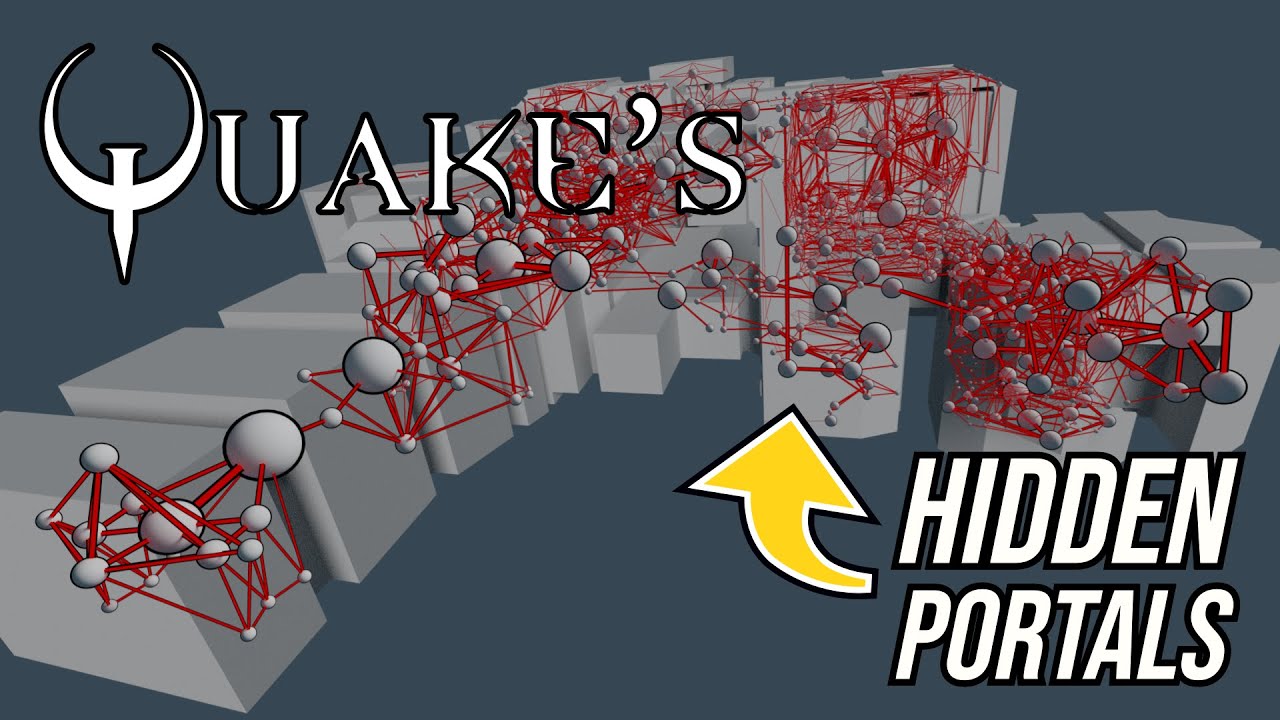
A look at how Quake uses portal graphs to pre-calculate visibility information.
Support: https://www.buymeacoffee.com/mattsramblings
Mastodon: https://mastodon.cloud/@mattsramblings/
00:00 Intro
00:43 Portal graphs
01:57 Visibility in a linear graph
05:15 Recursive trace
Music Credits:
Heavy Interlude by Kevin MacLeod...
sly timber
paper egret
Real return to castle Wolfenstein any good for us?
Realrtcw is 64 bit only
sly timber
paper egret
Portals...portals!
A breakdown of what they are and why we hate them
https://you...
Also the problem with this is there is no good hammer esc editor to just remove them
fickle heart
sly timber
Realrtcw is 64 bit only
could probably compile 32bit binary
since it's just a modified iortcw after all
sly timber
fickle heart
could probably compile 32bit binary
I dont have the means or the knowhow
fickle heart
but if iortcw doesn't work well then realrtcw wouldn't either
sly timber
fickle heart
but if iortcw doesn't work well then realrtcw wouldn't either
do you know of any rtcw/q3 map editors per chance
 paper egret
Oh nice. No it's the doors ways between rooms
sly timber
paper egret
Oh nice. No it's the doors ways between rooms
so the wall that are cut inbetween doorways can be assumed to be portals (idk how to fix this shader not found stuff at all)
wait if i compile with the shaders not found will the map break
paper egret
I'm not sure. Can you see any blocking objects in door ways?
paper egret
That's the suckers. Nuke em
sly timber
fucking hell I need to repack it as a pak3 
sly timber
paper egret
That's the suckers. Nuke em
it doesnt work fsr and rasterizes the map to fullbright with no rtx hash hook, and i have no time to go deep through this to learn how to do allat, so we need to find a way to disable portals
paper egret
If its rasterizing it'd because something marked as UI is in the 3d scene
Unmark all UI mate
sly timber
there is no ui
paper egret
Try using my rtx remix config above?
sly timber
thats what im using
we probably need someone who proper knows how to do all this map stuff, or some way to remove portals
lemme try one more thing
I have one last idea
paper egret
I love ideas
grand shoal
Yes hello chat
I'd like one (1) person
To implement remix into heavy metal
Using the api
Ok thx
full zinc
 sly timber
grand shoal
Once again. Mute the yap
sly timber
grand shoal
Once again. Mute the yap
imma be real my headphones stopped working on my pc fsr after listening to this audio last night
grand shoal
Lol
sly timber
im not kidding either
grand shoal
I was with professional yappers
sly timber
now all it does is get stuck on connected, audio but never mic
and it never actually connected
grand shoal
Lmao
sly timber
sly timber
nvm we cookin
these two versions look so different itsg

ignore the errors thats just overlap
... i think
 paper egret
I'm not sure what's going on but you got this
sly timber
paper egret
I'm not sure what's going on but you got this
oh you know just switching to the first version of the level editor that i showed b4 because it has shader preloading
but idk if its gonna work yet
 paper egret
Oh neat, we caching now
sly timber
obv it doesnt really effect the base game but at least ill be able to see the portal shader
paper egret
And nuke it
sly timber
yep and nuke it ne mass
en

after the portals are gone we need to fix the caching of the models and entities yeah?
sly timber

i forgot it preloads all 3.5k textures and shadermodels lol
in j.a.c.k
@paper egretfucking hell its a lost cause here too
 paper egret
Maybe we need a test map to test our portal theory
With only one room you have no portals.
sly timber
how are we able to do that, shaders/textures dont work in any hammer tool
cant make a test map without map tools
paper egret
Oh I thought it was cause it was decompiled
sly timber
no, the map tools wont work
paper egret
Got it
We need a coder type to do stuff with the source and take our portal culling I guess
It's all on GitHub ain't it
sly timber
we already technically have a coder working on a d3d9 port 
or will start
at some time
paper egret
Don't need anything that fancy
sly timber
its been months and they aint done nothin
paper egret
Oh dear
sly timber
I dont have any good coder contactrs
paper egret
Let's keep trying those commands and see what's what
sly timber
yeah
sly timber
paper egret
Don't need anything that fancy
also we will for down the line, for stuff like a defined camera and world view, and the ability to have actual lighting/ omni support
unless we can get someone to do that opengl side
which again I dont have any good contact
paper egret
Defined camera? What's that
sly timber
paper egret
Defined camera? What's that
so yknow how the sky moves around?
like the light
paper egret
You stabilize the hashes you can do mesh replacement and stick lights to them including sun's and stuff
sly timber
yeah but the problem is the world moves around the camera, so all light moves around
which also means no matter how stable the hash we cant add lights to the game
paper egret
Yea you can.
You can do it now as long as you don't walk through a portal.
Capture a USD of the opening scene in village1, turn off entities first. And attach a light to the ground plane. One direct light
If the world moves around the player it's all relative ain't it. Your anchor is the mesh that also moves around so it's relatively static
sly timber
paper egret
If the world moves around the player it's all relative ain't it. Your anchor is ...
yeah but omni hates it

because it cant define a camera point for the capture
sly timber
paper egret
Define a who now?
it cant define a point from where the player stands, the area where the character isnt and where the world is
paper egret
That's not a step in the process of making a mod with remix
You can already edit texture and materials as much as you like. Including making stuff emissive
sly timber
idk how to explain this right idrk, i was told it would be usefull in the #1240000103285260328 message
#1240000103285260328 message *
i still plan on defining the camera using remix api, it really would be helpfull
but the world moving around the player is causing a lot of problems
like fallback lighting and such
I also have culling disabled in my tweak of the source code so it might be helpfull
paper egret
He's talking about render camera not ones in 3d space
I'm 100% sure you stabilize one mesh that can be your anchor for your sun
sly timber
ig we will have to see
paper egret
No matter how it moves around
I've anchored stuff on animated characters before
Helmets on ww2 soldiers running around. Stabilized parts of a gun and then anchored stuff onto those new stable but totally animated bits. Theyre moving all over the place
Imma just do it in village1
One sec
sly timber
ok
paper egret
ok so y is up, write that one down 😛
 paper egret
just gotta switch to y is up, no bother
right, mod made. lets test this baby
damn all new hashes
every time it loads
you can see how portals are chopping it up
 sly timber
paper egret
damn all new hashes
sly timber
paper egret
damn all new hashes

Such a shame
Lol
We will get there tho
Weather or not its b4 the port is all down to time
paper egret
dems quiting words
sly timber
paper egret
dems quiting words
I ain't quitting
No sir
I haven't gave up in the ought 4 months I've been at this

My motto is a stone may be stuck but if there is a push with means there is a way to get it to roll
grand shoal
Yo momma raised no quitter
paper egret
i'm not sure what the problem is here, the hash colours are always the same but my replacements arent showing in game
sly timber
paper egret
i'm not sure what the problem is here, the hash colours are always the same but ...
Like I tolllldddd youuu
There is no definition between the player camera and world geometry
It's fused
Sorry I didn't mean to sound rude there
Holy shit that sounds rude
 sly timber
paper egret
hash is hash!
sly timber
paper egret
hash is hash!
Hash is hash but the game doesn't know where the light should be because it doesn't know where it is relative to the player
 fading kayak
little spruce
<@711834107704770561> do you know anything about people working on OGL wrappers ...
fading kayak
little spruce
<@711834107704770561> do you know anything about people working on OGL wrappers ...
No, I am not aware of any OGL wrappers that can convert a game to DX9.
full zinc
there are a few already:
- GLDirect (OGL 1.4)
- QindieGL (OGL 1.1)
- TitaniumGL
fading kayak
full zinc
there are a few already:
- [GLDirect](<https://sourceforge.net/projects/gldirect...
👍
grand shoal
In my experience, qindiegl and titanimgl work best with quake3 engine games
Never had gl direct work
 full zinc
you can see which one is which in the Details tab in Properties
 sly timber
grand shoal
Oh....
sly timber
grand shoal
Oh....
usually the files are singned
grand shoal
Hmm
sly timber
@paper egret might as well start setting up the d3d9 port of the game myself to see if theres a chance I can make it function well with rtx remix
 paper egret
wow now we're cooking. @celest pumice has experience in this area stabilizing cod2, not sure if he's down to clown though
 celest pumice
Disable the polygonal chopping and culling of brush items for stable hashes
sly timber
we got culling down, dont know what the chopping is
is it like portals?
we also have weapon and particle caching that is an issue
celest pumice
Yea it chops up objects polygonally from the frustum view iirc.
sly timber
yeah, weve been tryna figure out how to work j.a.c.k without luck, and the disable portal command doesnt work either
celest pumice
Basically, if you go listen to how John Carmack got the doom engine running with BSPs it’ll show all ya all the bits ya need to find and destroy.
celest pumice
sly timber
yeah, weve been tryna figure out how to work j.a.c.k without luck, and the disab...
Weird. It certainly got carried over to to the IWD(?) engine
sly timber
celest pumice
Weird. It certainly got carried over to to the IWD(?) engine
id tech 3 q3 arena mix up engine
 sly timber
celest pumice
sly timber
celest pumice
q3/rtcw (idtech3)/iwd
it does have a disable portals command, however it does not do as it would
lemme make a video\
celest pumice
Is there a way to view portals 
sly timber
celest pumice
Is there a way to view portals <:hm:1133067322060447826>
in the hammer/jack
idk about any commands
@paper egret
any ideas
paper egret
no i've not seen any debug options like cod2 has
and the free cam doesnt work so you can just dev free cam around to get an idea of how it works either
you can lock pvs but unlike with cod2 its not instantly stable. something still culling
noclipping out the map and looking at everything we get stability and happy little polygons though so fixing culling is going to work I feel 🙂
sly timber
paper egret
you can lock pvs but unlike with cod2 its not instantly stable. something still ...
do you think its the leg
paper egret
the leg?
sly timber
paper egret
the leg?
the leg
paper egret
oh yea thats no good, those enties causing trouble again aint they