#Star Wars: Republic Commando RTX
1 messages · Page 9 of 1
 dawn zinc
 dry shoal

dawn zinc
Just had to re open the animation window
dawn zinc
Okay I think I'll need to export it as the right file format first
dry shoal
dawn zinc
Okay I think I'll need to export it as the right file format first
.psk is the correct format
helmet's not far off of being ready to polish. The back is good I just have backface culling enabled
 dawn zinc
Nice!
Okay I think it worked

Weird, am I missing some sort of export option from blender?
 dry shoal
dawn zinc
Weird, am I missing some sort of export option from blender?
dry shoal
dawn zinc
Weird, am I missing some sort of export option from blender?
WHAT FORMAT
ARE YOU USING
 dry shoal
I'm guessing you did weight painting
Maybe it could be related to vertex groups? I'm gonna ask
 dry shoal
dawn zinc
Even when I import the RC clone back in I still get this
dry shoal
dawn zinc
Even when I import the RC clone back in I still get this
Try restarting cteditor with the new model
It'll give a prompt to save the package when you hit X
dawn zinc
Also FYI in case it's important, I am getting a gltf out of umodel
dry shoal
dawn zinc
Also FYI in case it's important, I am getting a gltf out of umodel
Welp

You'll wanna export in .psk from umodel
If it's working in blender though that should make using a new armature not too bad id think?
Since it'll be the right pose and scale
dawn zinc
Okay let me try that
Do you know how to cycle the viewed mesh in umodel?
For example now I'm seeing the commando
 dry shoal
dawn zinc
Do you know how to cycle the viewed mesh in umodel?
dry shoal
dawn zinc
Do you know how to cycle the viewed mesh in umodel?
that is the LOD0
it looks bad bc the texture, the mesh is fine
dawn zinc
Right but I'm trying to grab the clone trooper
 dry shoal
dawn zinc
LOL the scale difference between the formats
dry shoal
dawn zinc
LOL the scale difference between the formats
scale of the bones shouldn't matter but yeah, that's what I meant by UE2 using cm while blender uses m

everything is 100x size
dawn zinc
Yeah lol
dry shoal
oh that also means you'll have to export at that scale when you're done
dawn zinc
So if I scale this up that should work?
dry shoal
dawn zinc
So if I scale this up that should work?
what you already have? I don't think so because the plugin says the bones are incorrectly oriented
with gltf
so that wouldn't address it
dawn zinc
Oof I think that means I need to reskin it
dry shoal
dawn zinc
Oof I think that means I need to reskin it
you'll have to weight paint again if that's what you mean
at least I think so
 dry shoal
there might be a way to reuse the existing weight painting but I don't have enough experience to say for sure
there's a data transfer feature that does try to apply the weighting from one mesh to another of the same topology
might find it with a google search and save yourself trouble

dawn zinc
I'll do some digging
dry shoal
sorry for forgetting about the psk export bit. I didn't even think about it bc I was so used to it
but yeah, .psk is what you want to export as if you want the proper skeleton
 dry shoal
holy 
dawn zinc
Thank goodness that almost ruined my day haha


 dry shoal

looks like a nightmare with the different UV but who cares lol
grab a capture and get that PBR applied my friend

(also shoot a dm to share when it's convenient 👍 )
dawn zinc
Would it be a bad idea to import this over the LODs as well?
Unless that's what redigest LODs is supposed to do but that didn't seem to do anything
dry shoal
dawn zinc
Unless that's what redigest LODs is supposed to do but that didn't seem to do an...
it's supposed to make UE2 generate it's own LODs based on this new one
which I'd recommend doing
dawn zinc
Also, looks like it's still using the old material
 dry shoal
dawn zinc
Also, looks like it's still using the old material
dry shoal
dawn zinc
Also, looks like it's still using the old material
because you haven't applied the BF2EA textures yet
dawn zinc
Perhaps it's this?
 dry shoal
dawn zinc
Would it be a bad idea to import this over the LODs as well?
dry shoal
dawn zinc
Would it be a bad idea to import this over the LODs as well?
no need, you can manually adjust LOD transition distances
dry shoal
dawn zinc
Perhaps it's this?
hmm potentially
I think you might also have to be set to LOD0 to do it? it's been a while
dawn zinc
I did that
Sorry to barrage you from two fronts lol, how do I swap the clone to a new material? The helmet, gloves, and body should each have their own material but it's all using the base clone material
dry shoal
dawn zinc
Sorry to barrage you from two fronts lol, how do I swap the clone to a new mater...
I think you need to manually set the number of skins the mesh has in that properties panel
so you'd set it to 3, then the UV should work
someone else had the issue importing their custom commando which had two textures
so you might need to get a new capture as well to account for it. If you use the same capture name it'll overwrite
once you do that you just keep doing a dropdown in remix's hierarchy tree and eventually it splits by material so you can apply each
dawn zinc
In this area?
 dry shoal
dawn zinc
In this area?
dry shoal
dawn zinc
In this area?
I believe so
dawn zinc
Do I just name the materials whatever?
dry shoal
dawn zinc
Do I just name the materials whatever?
yeah I don't think the name matters
I checked another discord where the same issue was ran into but they resolved it over VC so the solution isn't there

dawn zinc
It's weird, I can't rename the materials. Only add new ones named "none"
dry shoal
dawn zinc
It's weird, I can't rename the materials. Only add new ones named "none"
maybe it's not the name of the material slot and it uses the name of the texture
so you'd want to add the textures there to fill in the slots I guess?
my head's spinning ngl lol
dawn zinc
I appreciate your help, don't let me add to your headache. I'll dig around and see if I can find a solution
 dawn zinc
Sweet, thank you so much
dawn zinc
Just noticed the material names got messed up when fixing the rig, I'll have to adjust that
dry shoal
makes sense I think

 dawn zinc
Thank you, there might be some clipping or skinning errors but I can always iterate as we find opportunities to improve
dawn zinc
 dawn zinc

 dawn zinc
Let's go
dry shoal

@dawn zinc threw in my model replacement for the dc15s 🙂
modeled and textured by yours truly


redid the shots
dawn zinc
Nice that looks awesome
dry shoal
like you said, this could look amazing when all's said and done
tons of potential
I'm not the most proud of it but I think it's sufficiently good enough given it's an NPC weapon
the glove normals look nice


gonna call it a night
productive day for certain 
dawn zinc
Get some rest man, good work today. Thanks for helping set up the trooper
dry shoal
dawn zinc
Get some rest man, good work today. Thanks for helping set up the trooper
you bet. Also eventually I think it'll make sense to set up a github repository. I already have one for personal use but it would make a lot of our changes/additions seamless between our setups
that's for another time though
dawn zinc
Really quick before you head off, what was your rule of thumb for if a model could be swapped in remix vs in UE?
dry shoal
dawn zinc
Really quick before you head off, what was your rule of thumb for if a model cou...
You have to use the geometry hash debug view. It's in the rendering tab of the overlay
If an object stays a solid color, it can be replaced through Remix
And I mean the geometry. Textures can always be replaced
It's pretty safe to assume that if it deforms -> not replaceable. Particle effects are also typically unstable (not replaceable), and BSP geometry is also unstable. But only the first playable mission is using BSP, the next few use static meshes for everything making them significantly easier to improve
One thing I've done is recorded a sequence with the debug view active that I can refer back to later. It's pretty helpful
dawn zinc
Okay I'll take a look at that. Thank you very much for the info
dry shoal
You got it boss. Take it easy 
dawn zinc
Sleep well!
dawn zinc
Update on prologue. More model swaps happening. Ignore the main commandos textures being broken, I'll be fixing that tonight
 severe flare
Is there any concern regarding the animations being designed for the more cartoonish 2005 models and therefore not meshing well with a more photorealistic upgrade? Can anything even be done about it?
dawn zinc
It would be nice to have better animations but that is outside of my skillset and I think would be a massive undertaking on top of remastering everything else
But I do agree with you. The animation is very old feeling
 mossy void
Don't use it if it's a concern
dawn zinc
Got the commando base models in and one set of viewarms. Currently they lack their custom paint (that needs to be made), and for some reason the static commando models aren't using all of the textures they were given. But otherwise progress!
dry shoal
Wow, the helmet scene looks like it came straight out of the Unreal Engine recreation that blew up on YouTube some time ago
And you have the HUD arms set up looks like? That can be reused easily I bet
 hardy quail
Looking good, visors are beautiful
dawn zinc
I’m going to take a deeper look at the normal maps today. Have a feeling something might not be working fully right
dry shoal
dawn zinc
I’m going to take a deeper look at the normal maps today. Have a feeling somethi...
You mean the normals that are being applied through Remix? Something feels off to me as well. Works fine for my custom made materials however
dawn zinc
Yeah. I have a feeling it’s how frostbite does normals or something
I’ve ported these models to Unity for other projects and gotten the normals to work so it will just be a matter of pulling different levers until it looks right lol
But yeah certain surfaces should read flat but they feel curved
The models feel “goopy”
dry shoal
dawn zinc
The models feel “goopy”
I know exactly what you mean. That said normals are supposed to be a standardized format right? Either openGL or DX
Wouldn't Frostbite have to stick within those specifications?
dry shoal
Roger
I'm gonna try and get some tiling materials for Kamino btw
In my head I'm thinking the simulator room and the ending outdoor sequence would be the most immediately impactful
dawn zinc
I'm going to pull the clone trooper into marmoset and see what clicks, that should help me figure out what's going on
dry shoal
@modern isle in the final scene of the intro sequence it's this big outdoor area with rain right. Does it make sense to create puddles as parts of the tiling material? I've never done "water" as part of a material
Basically a natural-ish spread of water with high reflectivity
Or would it look like ass
 modern isle
dry shoal
<@98863121749250048> in the final scene of the intro sequence it's this big outd...
modern isle
dry shoal
<@98863121749250048> in the final scene of the intro sequence it's this big outd...
It'll be fine. Use the water materialeffect node in InstaMat, make sure to make the entire surface more glossy and wet (also increase saturation and lower brightness of the albedo)
You can just sprinkle some meshes onto larger flat areas to break up obvious tiling.
dry shoal
Increase saturation and lower richness where the puddle would be?
dawn zinc
Some visual reference. I would avoid individual puddles since it is a large, flat, metallic surface with lots of water on top

 dry shoal
modern isle
You can just sprinkle some meshes onto larger flat areas to break up obvious til...
dry shoal
modern isle
You can just sprinkle some meshes onto larger flat areas to break up obvious til...
That too. That would probably let me do a flip ook with little splashes right
modern isle
If it's raining then the entire surface would be wet, with puddles accumulating via the water effect.
dry shoal
dawn zinc
Some visual reference. I would avoid individual puddles since it is a large, fla...
Hmm good point
dawn zinc
and also since it's raining constantly. I imagine if it were dry and then the rain just started you'd get puddles
But given how much it rains there the surface would be entirely covered
I also should take a look at editing the skybox to make it more blue like the films, and add more light to that finale scene. I'm realizing how lit it is in the films vs what I have in remix
modern isle
Oh it's an artificial surface, yeah then just darken albedo, increase saturation slightly, lower roughness (clamp to 0.02 on the lower bounds) and then see if you need to adjust metallics
dry shoal
Looking at the paneling here this looks like a good fit for flood fill I bet

Most of the middle of each panel would be darker, more reflective for the wet look. Outer edges slightly more dry
dawn zinc
What is also likely the case with what Dice did here, is they might have a shader specifically for wet surfaces that works outside the bounds of a PBR strict material
modern isle
No need for flooding, if your non wet version has a proper heightmap you can just get the crevices and expand them via invert and bevel, give em a good ol blur and then overlay blend a grunge texture
That would give you a soft-ish mask that blends towards the edges of a panel.
dry shoal
 writing all this down
dawn zinc
The way I would cheat it is by making a "dry" version of the floor with PBR materials, and then a duplicate piece of the geometry offset with transparency and low roughness, with the normal map plugged in. You'd have your floor geo, and your water geo
Hard to tell if the floor is as metallic as the walls but if it is then that's how I would do it to make it look like wet metal
In any other game engine at least, not sure how remix would handle that
dry shoal
Remix is ass so that's not a reliable method 
modern isle
I get the idea, but I'd avoid translucency for something like that because it's not the most performant and will be a bit finicky to tweak since you have to deal with the limitations of the shader
dawn zinc
Does the shader have a clearcoat function?
modern isle
😬
dawn zinc
Like clear coat on car paint, since that's the same idea
dawn zinc
dry shoal
Ok now it's going over my head I'll leave it to y'all
It's just the waxy glossy finish you see on cars. Notice how it's metallic with two separate glosses
 modern isle
Unless they added it, don't think so. There is iridescence though so your oil slicks are covered.
There's no dual normals either :/
dawn zinc
Well dang. I'm sure we can figure something out
Clearcoat would be a huge addition, though niche
modern isle
I'd just go with a proper wet PBR material for the surface. It'll look decent enough even if there's no clearcoat or dual specular mode.
dawn zinc
The metal looks pretty dull so we can probably get away with just going the PBR route
 modern isle
Splashes could be done via decal (btw was there a toolkit update at some point to add this as an exposed option?), you could do a geo shell but the IOR will get messy at steep angles no matter what you do.
dawn zinc
Like it kind of just turns into diffuse with high gloss
modern isle
Ay, that should work.
dawn zinc
How much flexibility do we have with replacing the sky? Are we limited to swapping the sky texture of the game or can we introduce our own sky lighting in remix?

100% Free Downloadable, Creative Commons HDRi Maps for Everyone. Achieve realistic lights, shadows and reflections in VRay, Corona, Redshift and Blender
This site is amazing for sky textures, would be nice to use something high fidelity from here
dry shoal
dawn zinc
How much flexibility do we have with replacing the sky? Are we limited to swappi...
I'd have to double check on Remix's side, but I know for certain we can replace the texture in-game
There's a little sky dome on each map. Replace that texture with a nice high res one without compression and it'll probably work out
You can adjust the brightness of the sky using the runtime overlay
modern isle
dawn zinc
How much flexibility do we have with replacing the sky? Are we limited to swappi...
the way I did it in UT99 was not rendering a native sky at all and using a giant skysphere (it's technically not the best idea because AABB checking will always be true), but the sky can be set to let directional lights through without issue.
dry shoal
modern isle
the way I did it in UT99 was not rendering a native sky at all and using a giant...
By the last bit you mean that using the proper sky function means you don't have to jerry rig a sphere light to look like a distant light?
modern isle
correct, I can just use directional lights as expected.
dawn zinc
Interesting, I'll have to try that then
That sky lighting will be huge for the finale in prologue
dry shoal
Since we can't really avoid base game modding I think it makes sense to throw in a super high res texture for the proper skydome. I since we aren't replacing other textures in the vanilla game I don't think RAM limits will be a concern. Only how much high res it'll handle
dawn zinc
And also helpful in extreme prejudice when they're in flight
dry shoal
dawn zinc
And also helpful in extreme prejudice when they're in flight
Could just use a distant light and make it dim for atmosphere
dawn zinc
I'm going to try @modern isle 's suggestion first and toss in a giant sphere in remix with the HDR texture
modern isle
keep in mind that if you use a skysphere model on the gameside that it WILL occlude lights by default
dawn zinc
Dark Overast Sky Dome - Free Downloadable CC0, Public domain 100% HDRI Map


Boom
Highly recommend you bookmark this site, it's amazing
modern isle
ay, HDRI-haven is good stuff
dry shoal
modern isle
keep in mind that if you use a skysphere model on the gameside that it WILL occl...
But the game already uses skydomes. You just need to replace the textures then tag it as a sky within the Remix runtime
modern isle
dawn zinc
I'm going to try <@98863121749250048> 's suggestion first and toss in a giant sp...
make sure to set the skybox to use a translucent material shader.
IOR 1.0
Emission enabled, place texture as emissive color and tweak emissive intensity (I used 0.04 for a night sky)
modern isle
dry shoal
But the game already uses skydomes. You just need to replace the textures then t...
the sky is opaque by default
so it will block light
dawn zinc
 dry shoal
modern isle
the sky is opaque by default
dry shoal
modern isle
the sky is opaque by default
When you tag a texture as the sky in Remix it won't occlude though. If you replace the texture on the game side then it would be the ideal setup I feel like
I thought the distant light is specifically meant to ignore sky textures when marked as such
modern isle
how do you replace a sky tagged texture in the toolkit?
dawn zinc
@modern isle Do you have any ideas on how to resolve the rain FX? Right now our options seem to be to turn it off entirely or have it render out of order, neither of which are ideal
dry shoal
modern isle
how do you replace a sky tagged texture in the toolkit?
Not in the toolkit, within Unreal Engine 2
dawn zinc
Also I worry that if you swap it in UE that you might not get an HDR effect
modern isle
correct
dawn zinc
That's just a hunch, though
dry shoal
dawn zinc
Also I worry that if you swap it in UE that you might not get an HDR effect
You can force an HDR effect using the Remix runtime
dawn zinc
But you would be converting SDR to HDR
modern isle
dry shoal
You can force an HDR effect using the Remix runtime
Why not do it proper?
dawn zinc
Unless you swap that textxure again in remix with the full HDR version
dry shoal
Does Remix have real HDR support for skydomes?
 dawn zinc
LOL well I guess there's your answer
dry shoal
dawn zinc
<@98863121749250048> Do you have any ideas on how to resolve the rain FX? Right ...
I already know how to fix it. Untag it as UI in your runtime overlay and take a capture. Then use the alpha blending test set to color for the rain to show properly
modern isle
https://docs.unrealengine.com/udk/Two/UnrealTexturing.html no support for 16-bit
dry shoal
Admittedly I know jack about HDRIs so you're probably spot on
Shouldnt be too hard to get a good sky texture for kamino
modern isle
Sky benefits greatly from having a high dynamic range to minimize color banding and also to have more contrast between bright and dark parts
dawn zinc
dry shoal
I already know how to fix it. Untag it as UI in your runtime overlay and take a ...
Oh okay, I think I read this before and forgot lol. I'll try that
High-resolution HDRI map featuring a partly cloudy sky with dynamic cloud formations and the sun peeking through, ideal for creating realistic lighting and reflections in 3D scenes.


For Geonosis, just recolor it to match
dry shoal
modern isle
Sky benefits greatly from having a high dynamic range to minimize color banding ...
Makes a lot of sense. Same concept as emissives in general right?
modern isle
yeah just adding the patented breaking bad mexico filter should make this geonosis enough
modern isle
dry shoal
Makes a lot of sense. Same concept as emissives in general right?
yes, the color banding can get really gnarly with sky textures, especially if they have a soft gradient it will look awful
 static mason
new swrc leaks
 dawn zinc
I can't believe they canceled Republic Commando 2 before the first game even launched
Some new higher up guy at Lucasarts came in and torched so many projects
dawn zinc
Strange, the normals look fine in marmoset

I wonder if skipping the ingestion process is what's doing it on my end. I'm just dragging and dropping them into the folder
dry shoal
dawn zinc
I wonder if skipping the ingestion process is what's doing it on my end. I'm jus...
NOOOOOO DONT DO THAT

WITH NORMAL MAPS REMIX CONVERTS EACH TYPE TO AN OCTOHEDRAL NORMAL MAP OR WHATEVER THE 3RD TYPE IS CALLED
So you need to injest for it to work
 dry shoal
Injest = good 👍
Also when you finalize a mod to package and share it'll only pull what's been injested
dry shoal
Follow-up on something I brought up a hot minute ago, Greg Knight, lead concept artist for Republic Commando finally responded to me
dry shoal
dawn zinc
What did you initially reach out to him for?
If he could share concept art/design principles/anything of that nature to make it easier to interpret the intended look of various assets for recreating them in higher fidelity
dry shoal
As for his response, said he appreciated my interest and said working on the game was one of the highlights of his career. He was willing to share the concept art but unfortunately LucasFilm has full rights to his artwork made for the game. Every piece of concept art he's posted himself came from LucasArts publishing them themselves for all to see. So he can't even use his own art for his portfolio 
dawn zinc
It's tough with companies. There is a lot of my professional work I can't show at risk of being sued or fired, and I know anything Star Wars related would be even worse
So the reason the meshes look gooey is because their hard edges are not being preserved

So the normal map thinks it's working with a mesh with hard edges, but isn't, so we aren't getting the edge crispness that is to be expected
Does UE not support hard edges?
dry shoal
Oh my god I know what we need to do
dawn zinc
What the mesh should look like, without any normals applied, vs above
 dry shoal
dawn zinc
Does UE not support hard edges?
dry shoal
dawn zinc
Does UE not support hard edges?
Literally this. UE2 just smooths everything like it has caveman brain. The only way to get hard edges is by splitting verts where there are sharp angles. I can do this really easily if you wanted me to
dawn zinc
Interesting
dry shoal
dawn zinc
It's tough with companies. There is a lot of my professional work I can't show a...
I get it in general, the wild part for me is that the game is 20 years old
dawn zinc
I'll take a crack at that really quick
hardy quail
Apply an edge splitting modifer in blender
dawn zinc
I don't use blender but there's probably simple way to do it in maya
dry shoal
I didn't even know that was a thing. I was just going to select all sharp edges -> right click -> split lol
Btw isn't this technique referred to as split normals? The game is full of em
hardy quail
Yeah split normals
hardy quail
Im on vacation rn but ill be home sometime today, sorry its taken me so long work gets in my way 😔😔😔 its like half complete ill send screenshots later
 dusk trail
On vacation too, why I haven't done anything in awhile
dry shoal
Lol y'all are okay, I'm just messing around 
dusk trail
@dry shoal What was it I was doing again?
dry shoal
dusk trail
<@877718466398932992> What was it I was doing again?
The drop crate thingy
Metallic, shows up all over the arena with ammo drops
I remember you getting annoyed because it wasn't symmetrical lol
dry shoal
the amount of unfinished models I have
dusk trail
Fr lol it be that way
dry shoal
Cool, no rush
Honestly I think the biggest thing is I need to take the L on doing everything. I'm trying to model general props, character models, first person weapon models, rock formations, and trying to create procedural textures and texture all my 3D assets. All at once
I think the meta is just to do general hard surface + environment texturing. I don't get enough practice at any singular thing
dawn zinc
Without normals, looks a lot better. Should look great with normals
 dry shoal
dawn zinc
Without normals, looks a lot better. Should look great with normals
dry shoal
dawn zinc
Without normals, looks a lot better. Should look great with normals
Literally night and day, I don't even need to see a comparison to know
@dawn zinc I've gotten warning that edge splitting isn't the appropriate way as you want verts to still be welded I guess. I'm asking more about it
dawn zinc
Hmm, okay. Let me know what you find
 dawn zinc
That sounds really complicated lol
Going to just try split edges first because that's a one click solution
Also any clue why the meshes I'm adding in remix appear black? They look normal in-game
 dry shoal
dawn zinc
Also any clue why the meshes I'm adding in remix appear black? They look normal ...
dry shoal
dawn zinc
Also any clue why the meshes I'm adding in remix appear black? They look normal ...
backfaces. Go to the xform in the heirarchy of the added helmet meshes. Then add a negative in front of the X axis' 1.0 scale
see if that fixes it
dawn zinc
Okay that worked, but I have a couple follow up questions

1: Why is it that no matter what textures I plug into the material on the helmet, it won't change? I don't have this problem with the helmet that's on the main commandos
2: Is there any way to bring back the original mesh that I replaced over so that I can realign after fixing the scaling?
Actually the helmets on the conveyer aren't receiving the proper materials either, hmm
Maybe I need to do another capture
dry shoal
dawn zinc
Okay that worked, but I have a couple follow up questions
nothing looks out of place here, dunno why it wouldn't work. Could try toggling "double sided" and see if it's doing something wacky
dawn zinc
Double sided won't toggle for anything in here
Also I see the restore asset button my bad
dry shoal
dawn zinc
Double sided won't toggle for anything in here
it only works for new assets, not original ones from the capture
dawn zinc

Notice how nothing is plugged into albedo, really weird
Nothing I change in those settings affects this mesh
Actually it's affecting the original material and not using the new one
For some reason it's pulling the original clone material instead of letting me edit the material on this new instanced thing

Oh I am genuinely stupid I figured it out. Disregard
dry shoal
dawn zinc
Oh I am genuinely stupid I figured it out. Disregard
What happened?
Oh yeah you removed the override
dawn zinc
Even though I was clicking on the new helmet, I wasn't selecting that actual helmet's material
I had to go one further thing down in the drop box
dry shoal
Ah gotcha
dawn zinc
 dry shoal
Multi materials, what are ya gonna do
dawn zinc
Yeah so I can confirm after splitting the edges and importing the normals through the ingestor that everything looks as intended now
dry shoal
dawn zinc
Yeah so I can confirm after splitting the edges and importing the normals throug...
proof?
dawn zinc
I'll take a video in a little bit
Are you able to get far into extreme prejudice without crashing?
dry shoal
dawn zinc
Are you able to get far into extreme prejudice without crashing?
On the current build of remix were both using? No. I need to get a working setup again
There's been some regression that makes the game unstable and is related to input
And I reported it quite a while ago when the issue first happened
and it sure would be nice if it got fixed given this is one of the most actively worked on remix projects
dawn zinc
Is it just extreme prejudice or is it all missions?
dry shoal
dawn zinc
Is it just extreme prejudice or is it all missions?
It's a remix regression entirely. You can't play more than like a minute proper without crashing
I think I know of a stable build setup, when I confirm I'll hook you up
dawn zinc
That's a shame, hopefully that gets fixed soon. Otherwise the whole thing is a bit pointless lol
At least with prologue in RC you can get through the whole thing before it crashes
And the intro for extreme prejudice
dry shoal
dawn zinc
That's a shame, hopefully that gets fixed soon. Otherwise the whole thing is a b...
we can use an older version of remix in the meantime that we know work
dawn zinc
Clock out of work > immediately work on RC
dry shoal
I'm working on textures rn lol
dawn zinc
Currently getting the helmetless clone trooper in
Then I need to do a new version of the helmeted version that's all on one material so the clone advisor doesn't break
dry shoal
this took me far longer than I'd like to admit


but now I can use this mesh as a heightmap
dawn zinc
Oh nice so you're modeling from the original texture?
dry shoal
dawn zinc
Oh nice so you're modeling from the original texture?
yep. took the original and lined it up pretty closely. Added the bolts, and after the screenshot added a background. Then I brought it into instaMAT. Using a render depth node I can set an orthographic view and make a heightmap using a 3D model
dawn zinc
Any reason the skybox I added turns orange at a distance?
 dawn zinc
dry shoal
yep. took the original and lined it up pretty closely. Added the bolts, and afte...
dawn zinc
dry shoal
yep. took the original and lined it up pretty closely. Added the bolts, and afte...
Nice
@modern isle Any ideas? Did you run into this?
Here are some of the updates from today. For some reason the commandos crotches are glowing lol, and there is the issue where the sky is orange
I notice in general that remix is adding an orange haze, I don't mind the haze but it would be nice if I can control the color. Unless there's a light that's causing that to happen
Also @dry shoal would you mind posting the settings you have for the blaster bolt material please
dry shoal
dawn zinc
Also <@877718466398932992> would you mind posting the settings you have for the ...
it's not set up in my current project. I plan on using the API anyways which I have the files for but didn't implement on this install
dawn zinc
Ah I see, okay
dry shoal
dawn zinc
Ah I see, okay
tldr for the blaster bolts is I have the stuff I need to make to make it virtually "finalized" in terms of functionality, so don't worry too much about it. You can set it up as an emissive but other than that I got it covered 👍
dawn zinc
Sounds good, thank you for that
Follow up question: how did you place an anchor in the level to add objects/lights to? I need to add the sky dome to something like that so it doesn't only appear at the end sequence
dry shoal
dawn zinc
Follow up question: how did you place an anchor in the level to add objects/ligh...
that's via a renderer mod. Another thing I have but don't have implemented because of Remix's current version bugs it would be great if those were fixed @ nvidia
basically I've worked with a couple original game modders to finesse some stuff together for the ideal remix setup. With the renderer adjustments, every single level has its own unique triangle up in the sky
so we always have an anchor mesh
dawn zinc
I see, that's smart
dry shoal
#showcase message
just check this out
the API's got cool stuff waiting to see the light of day. This is currently AFAIK the only actively developed project that has used the API
dawn zinc
That's sweet. That's not possible with what I currently have in the toolset?
dry shoal
dawn zinc
That's sweet. That's not possible with what I currently have in the toolset?
nope. Not possible at all with the current tools. Only doable with the API
dry shoal
nothing to do with stability, just functionality
dawn zinc
How long has that been out of comission?
dry shoal
dawn zinc
How long has that been out of comission?
a few weeks it's been unreliable. Works for some people but not others and we never figured out why
but I do know it's input related as performance drops off a cliff when actually doing stuff. Noticeable most in extreme prejudice
I stand still in an active combat area -> locked 120fps. I use WASD to go in circles -> 40s-50s with massive stutters
then crashes a minute or two later
Tbh you came in at a rough time in terms of Remix's current support for SWRC. It has some of the most potential of any Remix-compatible game, but due to these obscure issues in the last X many builds it's hard to make meaningful progress
dawn zinc
Strange, how often is the API updated? Is there anything we can do on our end or do we have to wait?
Figured out the fog
It’s the transmittance color on the volumetric lighting
modern isle
dry shoal
Injest = good 👍
*Injoke
modern isle
dry shoal
As for his response, said he appreciated my interest and said working on the gam...
story of my life, there's one project I can't even talk about even tho I worked on it.
modern isle
dawn zinc
<@98863121749250048> Any ideas? Did you run into this?
Is there a color texture or just the emissive texture, iirc you only need the latter.
dawn zinc
Even if the emissive is white, it was turning orange
But it looks like the default fog volume is slightly orange in color
So I tweaked it it to be more neutral and cool in color and now it looks as intended
modern isle
I suggest looking at the skydome and unplugging any extra textures outside of the emissive too.
dawn zinc
I did
Pure white emissive, no texture, it was orange in the final result
Sky looks so much better now

Anyone know what these big panels are in the captures I take?

 cobalt jacinth
They’re the secondary render targets used for post processing.
You can set FrameFXDisabled=True in System.ini to get rid of them.
The downside is that you lose the distortion and fading effects in the intro
dawn zinc
Ah okay,. thanks for the info
So @dry shoal , when I have the rain particle disabled, it ends up blocking light when looking at certain angles. Is there any way around this?
dawn zinc
Got a sky dome working for the finale
modern isle
Looking good 😎
dry shoal
dawn zinc
Strange, how often is the API updated? Is there anything we can do on our end or...
Sorry I think I worded it poorly. It's base remix that has the major issues right now. As for the API, problem is it only supports x64 applications officially. The x86 support comes via a fork from the community (shout-out to Xoxor). But a good chunk of the bridge fork versions (that contain x86 API support) suffer from the major issues of the main remix builds
dry shoal
dawn zinc
Probably something to do with framefx that Leon mentioned
I've actually never noticed that before. That could explain why sometimes the light there didn't work right
Not an issue if a light source is added via the toolkit though
Given you're getting as much done as you are on Kamino I'm gonna shift some more of my efforts towards Kamino's assets
 sweet kindle
dunno if its within the scope of this project, but if you ever need any custom mocap/general animation work i'd love to help/work with yall. same if you need just another generalist to help with scene setups/lighting scenes or testing etc.
dry shoal

Man y'all have no idea, I'd be willing to spend years on this project if I had the team/resources necessary to make what would be not far off of proper remake territory by mixing UE2 modding with Remix's pathtracing + API features
There's more potential to pull off such a feat with this game than many others from that era
But I also gotta keep it reasonable, at least until I can prove to myself that I could go all in
dry shoal
sweet kindle
dunno if its within the scope of this project, but if you ever need any custom m...
Republic Commando definitely has some chunky animations that make it very clearly of that era. @dawn zinc has experience with character rigging/weight painting, so technically we have the skillsets needed to do more complex and smoother character animations. Dunno about you guys, but I totally think new animations could be looked at in some cases. Especially first person animations with stuff like the DC17m reload. It looks very static as-is
Really it depends on what you're able to reasonably do Sev and if trooper would be willing to do all new rigging for some skeletal meshes in a UE2 game lol
Right now my aim is to cover up through Geonosis. The number of animations aren't too out there but it's probably safe to assume that if we were to do new animations, that we should pick and choose what would bring the most value
sweet kindle
i am primarily a character animator, but i do have some experience with view model animation as well. - would need to figure out the best practices and workflow for getting animations in the game etc. (not familiar with UE2 or the RC toolkit.) - seems like a sweet project, been following it for a bit. would love to help any way i can when ever i have the time.
btw those new models look awesome.
yeah, alot of the animations especially during some of the cinematics with clone troopers, like during the intro suit up sequence are pretty choppy.
dawn zinc
@dry shoal Idk what I did but the rain is now fully gone, along with the lighting errors. In that last video it looks as intended, though it would be so cool to have the rain. I wonder if we can add in our own in remix
modern isle
dry shoal
Republic Commando definitely has some chunky animations that make it very clearl...
Just don't succumb to scope creep. Know what you want to achieve with your demo and lock that in, else you'll risk spiralling out.
modern isle
dawn zinc
<@877718466398932992> Idk what I did but the rain is now fully gone, along with ...
I'd love to have some basic particle system support in remix, but for that scene in the intro I reckon a mesh with a flipbook material will have suffice.
dawn zinc
Hmm okay. I’ll see if I can whip up something
dry shoal
dawn zinc
<@877718466398932992> Idk what I did but the rain is now fully gone, along with ...
We absolutely can get the rain working. But a part of me wonders if we could do something stupid and have rain meshes instead of transparent particles
Like these tiny droplet meshes that are translucent so they have refraction or some shit
dry shoal
modern isle
Just don't succumb to scope creep. Know what you want to achieve with your demo ...
Yep, very wary of that. But my scope came from how limited I was at the time. As more people have expressed interest in helping, the mod could be pushed to be more ambitious in some key ways. That said I think in terms of how much content is covered in the game should be 100% locked in for the time being, and that's still the case. Up to Geonosis. Adding Kashyyk and the Republic Assault ship thing are their own massive undertakings
dry shoal
sweet kindle
i am primarily a character animator, but i do have some experience with view mod...
Gotcha, for reference this would have to be done entirely within Unreal Engine 2 as Remix has no capability of changing animations. UE2 has a lot of documentation online, so if I find stuff related to animating I can throw it your way so you can see what's up
sweet kindle
dry shoal
Gotcha, for reference this would have to be done entirely within Unreal Engine 2...
cool that'd be helpful
we more concerned about gameplay or cinematic/scripted animations?
dry shoal
sweet kindle
we more concerned about gameplay or cinematic/scripted animations?
Scripted makes the most sense I think. After all those are the moments that are entirely visual without much distraction
I just thought about the scene going down the elevator deeper into the droid factory a few levels in. One of delta squad helps with the equipment of another while the briefing hologram is playing and it definitely looks 2005 lol. That scene has the potential to be a huge showpiece so having that little interaction look nicer would be very noticeable
Just spitballing though. I'd want to look over the content that I'm covering to see where the most impact could be made
modern isle
sweet kindle
cool that'd be helpful
just keep in mind that bone influence is limited if I remember correctly.
sweet kindle
sweet, yeah be cool to see that done up with all the new models. and if the rigs are eventually setup better, it'll def look better.
sweet kindle
modern isle
just keep in mind that bone influence is limited if I remember correctly.
ah, how limited we talking? - how complex is the current rig also, havent seen it
sweet kindle
hm, dont think it'll be a massive issue
and there is a way to extract the existing animations?
severe flare
dawn zinc
Got the commando base models in and one set of viewarms. Currently they lack the...
history in the making
severe flare
dawn zinc
Got a sky dome working for the finale
holy fuckn shit
severe flare
sweet kindle
hm, dont think it'll be a massive issue
seriously if u can in someway help out that'd honestly be a game-changer
sweet kindle
severe flare
seriously if u can in someway help out that'd honestly be a game-changer
he, "Game changer". i see what ya did there lol
dry shoal
sweet kindle
and there is a way to extract the existing animations?
Very easily. There's software called umodel that lets you pull assets from Unreal games and it works with SWRC. If you pull a skeletal mesh in one of the two formats (I forget which tbh) it'll bring the animations alongside it
sweet kindle
sweet.
dry shoal
sweet kindle
sweet, yeah be cool to see that done up with all the new models. and if the rigs...
I do wanna clarify something important here though, these are currently placeholder character models
They're from BF2EA and are a stand-in until custom models are finished. We wanna fully avoid as much grey area as possible and having custom models gives the project more of its own identity yk
sweet kindle
dry shoal
I do wanna clarify something important here though, these are currently placehol...
fair. im apart of several fan projects. making the assets rather than ports adds credibility and a unique art and swing to it.
and the legal stuff too lol, best to avoid
dry shoal
Exactly lol
Do you have any examples of your animation work that you wouldn't mind sharing?
sweet kindle
unfortunately not currently that i can show off. maybe i can find some old stuff to show later. (not at my pc rn) but alot of my stuff is unfortunately private rn.
dry shoal
sweet kindle
unfortunately not currently that i can show off. maybe i can find some old stuff...
Don't sweat it, was just curious 
Since we're gonna be using custom models I'll show what our two closest to completion character models are
Lemme dig for em
sweet kindle
kk
dry shoal
@sweet kindle the B1 Battle Droid and B2 Super Battle Droid


B1 shot has a comparison with the original as you can see
dry shoal
I'm no animator but I'm guessing droids are quite easy due to the limited articulation
sweet kindle
fair, tbh i think the droids are the only characters where i think most of the original animations would work just because they have that early 00' stiff snappy feel
dry shoal
B1 at a more flattering angle
 dry shoal
sweet kindle
fair, tbh i think the droids are the only characters where i think most of the o...
dry shoal
sweet kindle
fair, tbh i think the droids are the only characters where i think most of the o...
I was asking for your perspective as animator lol
Yes most of the animations are good, some are great even
At the very least if anything was gonna be re-rigged it wouldn't be the droids. The worst animations I can think of are mainly the melee animations
sweet kindle
srry i said fair instead of true, lol. kinda tired, didnt sleep well. yeah you are right that limited range of motion for the droids from less bones makes it easier to the robotic kinda feel for any animations we do
i forget what the melee animations look like. they pretty bad?
cobalt jacinth
Oh yes new animations would be awesome in some cuscenes. Especially in the one where you stand in line to get your helmet. The clones in front of you are all in their combat stance because there's no regular walk and stand animations.
I tried to fix that years ago but didn't make it look much better lol: https://youtu.be/-O_QMCywIPA?feature=shared&t=50
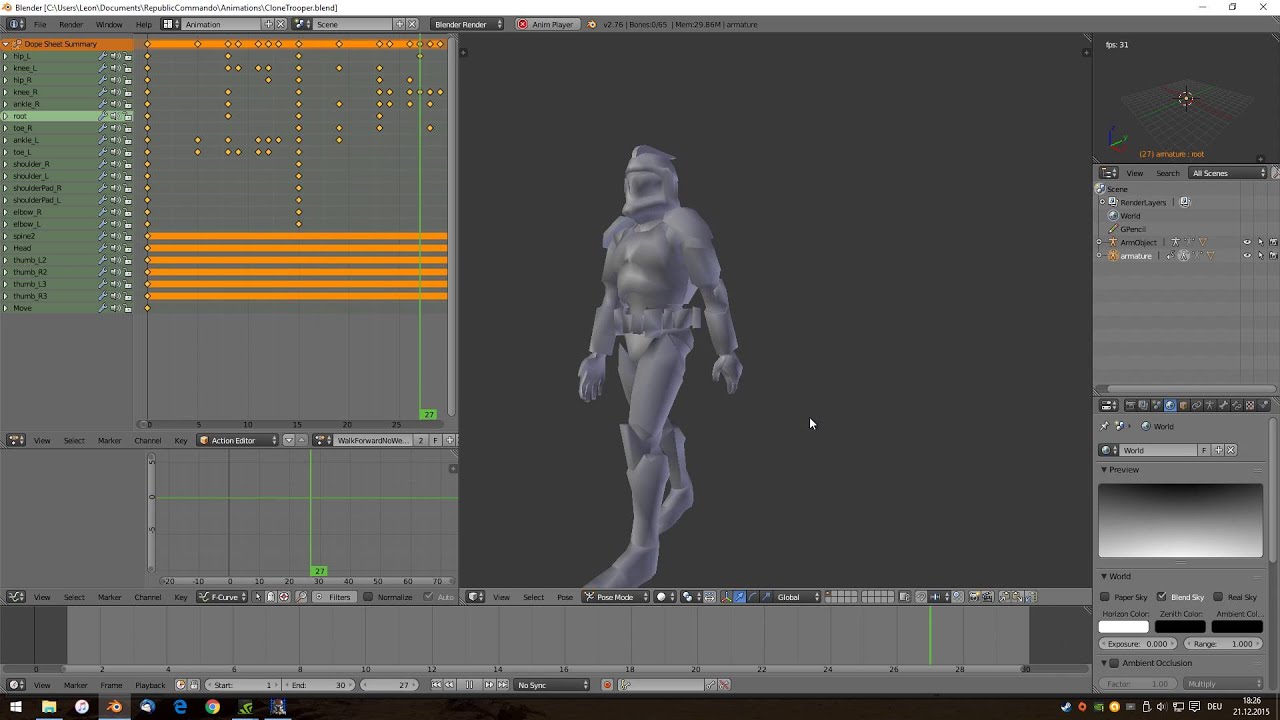
Made a new walk cycle for the Clone Trooper, not perfect but I think it's good for now ^^
 past escarp
dry shoal
We absolutely can get the rain working. But a part of me wonders if we could do ...
past escarp
dry shoal
We absolutely can get the rain working. But a part of me wonders if we could do ...
Honestly, replacing particles with actual meshes can do wonders for performance. In a game I am toying around with, I modded the game to use a dummy mesh in place of particles for the lasers and then was able to replace the dummy mesh with an actual mesh in the toolkit and even with having lights added to the lasers (the base game didn't have them cast light for some odd reason), performance was hugely improved just from that alone.
past escarp
dry shoal
Like these tiny droplet meshes that are translucent so they have refraction or s...
Although I don't know if replacing them with a bunch of translucent droplets would improve performance in the same way. Would be mighty pretty, though.
dry shoal
cobalt jacinth
Oh yes new animations would be awesome in some cuscenes. Especially in the one w...
@sweet kindle well there's one idea from Leon that I didn't even consider. The most basic animations of the clones in the intro are used and it looks pretty awkward now that I'm thinking about it
For reference Leon's one of the most experienced modders in the SWRC scene, so I guess I shouldn't be surprised he tried his hand at it himself in the last lol
sweet kindle
cobalt jacinth
Oh yes new animations would be awesome in some cuscenes. Especially in the one w...
lol that blender layout. old school
dry shoal
past escarp
Although I don't know if replacing them with a bunch of translucent droplets wou...
Since they'd be 3D meshes they wouldn't be alpha tested like the original particles. Alpha testing is what causes the big perf hits
Well shit now that there's more people interested in helping out I should get a stable build going since the latest remix builds r not good with some regressions just for RC which is lovely
sweet kindle
dry shoal
Well shit now that there's more people interested in helping out I should get a ...
have you considered setting up a dedicated github so everyone working on it has an up to date build with all the current content and remix stuff etc.? ppl working on it could also push new content when stuff gets finished - would make organization and everyone being on the same page way easier. just an idea
dry shoal
sweet kindle
have you considered setting up a dedicated github so everyone working on it has ...
Yes, mentioned it the other day actually. Only thing is we need to also share the same game directory I'm pretty sure
Because the Remix toolkit gets mad if it's missing previously accessed scene captures
I already have a GitHub set up for personal use but I can make a new one and expand on it. If I set it up perfectly then in theory we should all have the latest versions of the exact same mod project that we could then view in-game any time
I have fairly limited experience with GitHub so I'm not fully familiar with the setup and possibilities
cobalt jacinth
sweet kindle
lol that blender layout. old school
Back then making animations was a pain in the ass lol. You had to use a very old Blender version (2.49) to import the models and animations from the game. Then open the blend file in the latest Blender version (2.79) and export the animations from there. Then import them in UE2 runtime, extract them with umodel and finally import in RC 😄
Now that fortunately isn't necessary anymore.
cobalt jacinth
dry shoal
I already have a GitHub set up for personal use but I can make a new one and exp...
We have a SWRC-Modding group in GitHub that isn't super active. Could create a private repository in there and invite everyone who wants to participate. But you can also create a new one whatever is more convenient
dry shoal
cobalt jacinth
We have a SWRC-Modding group in GitHub that isn't super active. Could create a p...
I think a private repository under the modding group would be great. At the end of the day some SWRC modders are helping out and I wouldn't have gotten this far without that community anyways. So I'm down to have it there
Only thing is structure/organization. I don't know how specific you can get with GitHub's synced files. For example syncing the RTX.conf seems like a no brainer since any improvements people add will apply to everyone else generally
The rtx-remix folder under system would be ideal so we could share captures as well, and ofc a remix toolkit project directory which can go anywhere. I personally have a file structure for it under documents\GitHub\RemixDev for example. But I'd want to start new to be more organized anyways
In terms of potential concerns, having the project folder synced means all injested assets will be synced too. Given the project will be using modern texture resolutions have multiple texture maps each for PBR, I'm unsure how large file sizes could get
cobalt jacinth
Well git isn't really the right tool for binary assets since text files are the intended use case. You can have binary files in the repository of course but the size will blow up when new versions are added.
And github also has some file size limits: https://docs.github.com/en/repositories/working-with-files/managing-large-files/about-git-large-file-storage
So for configuration files and anything text based git is fine but textures and other large binary files need another solution.

GitHub Docs
dry shoal
cobalt jacinth
Well git isn't really the right tool for binary assets since text files are the ...
I might be misunderstanding the link, looks like 2GB is the max for a single file, is that right? I wouldn't ever expect that to be concern. But yes you're right that that's gotta be a better way for art assets
modern isle
does git even support file locking?
dawn zinc
Yeah having more stability would be amazing. I got about two minutes into the second mission on Geonosis and it looked neat straight out of the box
Like even the HUD for the sniper rifle highlighting the new commando models just works
Excited to work more on prologue tonight. I'm going to see if the environment assets from BF2 might be usable for Kamino
dry shoal
dawn zinc
Excited to work more on prologue tonight. I'm going to see if the environment as...
Imo it's not worth grabbing environment assets. Characters make sense because they're few but massively impact the overall feel
dawn zinc
I think certian ones can be helpful, like the big buildings on Kamino. I forget what they're called
Or rocks on Geonosis
I'd also like to see if I can get the BF2 gunship working since that's pretty front and center for many scenes
dry shoal
I'm willing to use them as references for sure but I've all but decided this project will use 0 ripped assets in the end product
I want everything to be custom made or using open licensed models online where it might necessary
 dawn zinc
dry shoal
I want everything to be custom made or using open licensed models online where i...
dawn zinc
dry shoal
I want everything to be custom made or using open licensed models online where i...
I understand. For my personal iteration on this I'll be sticking to existing assets where possible. But any contributions I make outside of that I will gladly give to be used by anyone here
The Kaminoans will probably be first up on the list of custom characters I make since that would be a low lift
Then baby clones
dawn zinc
Time to polish some lighting
hardy quail
can we add this in rtx
 sweet kindle
🤣
dry shoal
For this that didn't already know, I'm sharing some of my assets with another group working on an exclusively UE2 based remaster of the game. I recreated GeoLightFxt some time ago but it never got implemented. They used one of their existing textures and applied it
https://media.discordapp.net/attachments/877221629481074711/1278741018124226633/D61D0BDD-8C90-449F-BA8D-60409290F0C8.png?ex=66d1e7e0&is=66d09660&hm=d28ef2cd299066fdf1cf02c15e49a3625386457f25b9cd676132f4d3cbb4a3ab&

I'm likely going to use a different texture, particularly in the emissive parts. But in terms of the geometry I think it looks pretty awesome
Btw I have my eye on a more formal-syle hard surface modeling course. Costs money ($50) but I really think I need something like that to get more confident with my modeling and expand further with what I'm able to make
YouTube tutorials are kind of horrible
So if I get it and stick with it, hopefully in a couple weeks I'll be much more reliable at making what I wanna make
dawn zinc
dry shoal
Btw I have my eye on a more formal-syle hard surface modeling course. Costs mone...
The Gnomon Workshop provides training that both educates and inspires for visual effects artists, concept designers, sculptors and comic book illustrators and traditional artists, using Maya, ZBrush, 3ds Max, Photoshop and Painter as well as traditional drawing and painting.
This is where I went to school, they also have tons of online tutorials you can buy
dry shoal
dawn zinc
https://www.thegnomonworkshop.com/?gad_source=1&gclid=CjwKCAjwuMC2BhA7EiwAmJKRrH...
Wow this looks super fascinating. Seeing they're from people working in-industry also inspires more confidence. It seems like these require at least a base level of familiarity with the software used and the fundamentals down to get more unique results
The course I was looking at is a sort of hard surface kickstart which assumes no initial knowledge and can be done in two or so weeks. But this seems like something I could expand to after getting those fundamentals locked in
dawn zinc
They have courses for all levels, you can find beginner hard surface ones somewhere on there. I don't know if they have any for blender though, might be for Maya
But thought I'd share in case you find something useful
I've wanted to teach there for a long time but it's a huge time sync that I don't know if I'm ready to commit to lol
dry shoal
dawn zinc
They have courses for all levels, you can find beginner hard surface ones somewh...
Yeah I saw lots with Maya, and the courses I'd be interested in that do use blender (like making a hero gun model from FacePunch's lead weapon designer) require multiple pieces of software that I don't currently have access to
dawn zinc
dry shoal
Yeah I saw lots with Maya, and the courses I'd be interested in that do use blen...

Take a deep dive into the creation process of making next-gen, production-ready weaponry and prop art for games. Follow along as Thomas Butters, Lead Weapon & Prop Artist at Facepunch Studios, shares his knowledge, workflow, and tips for producing high-quality art, starting from the very beginning stage of reference gathering through to renderin...
dry shoal
Lol
dawn zinc
Found you a Blender tutorial for all experience levels
dry shoal
That's the exact one I mentioned just now
dawn zinc
LOL my bad
dry shoal
Like I said that's something I'd love but there's many parts to it beyond blender which is the only thing stopping me
dawn zinc
Marmoset is pretty amazing, it goes on sale a couple times a year and is one of those programs where you buy it once and you get it forever. That one is pretty essential
Painter you can buy a month of for $20
I'll have to buy a month of painter to paint the commandos
dry shoal
dawn zinc
Painter you can buy a month of for $20
I have two alternatives with instaMAT and ArmorPaint. But because they're both relatively niche compared to the heavy hitters there aren't lots of tutorials out there on em
I'm definitely down to get more of the software for these workflows as I progress in skill level. It's my hope that I can transition with learning the skills I have with this project to looking at game dev for a potential career
dawn zinc
You definitely can, all of this stuff can be in a portfolio you can use to either apply for work in the industry or use to get in a school to boost your skillset
You're way further along than I was when I got started at that school. You'd laugh if you saw my starting portfolio lol
dry shoal
I'd say I got a strong start thanks to the artists in this server who encouraged me to try my hand at it. When I first began this project I was gonna use AI PBR upscaling and largely call it a day. Now it's much more ambitious than that
But you can only get so far with asking for advice from time to time. Which is why I think setting in everything formally is the way to go at this point. My bar for quality is relatively high so I need to be able to do it consistently
dry shoal
dawn zinc
You definitely can, all of this stuff can be in a portfolio you can use to eithe...
It would certainly be killer to share an RTX Off vs RTX On video where much of the work seen is my own 🙂
dawn zinc
Yeah, you can definitely get to a good level with decent tutorials. If you want to do this as a career someday, I would highly encourage you find a school and dedicate your time to it full-time. It requires lots and lots of hours of practice
dry shoal
I'll admit I'm shying away from full time schooling since long term structured education is something I've struggled with in my day. There's also the bit where I'd like to take these skills to make my own game. It's a big risk but without going into specifics, how I have things set up now in my life kinda makes for the ideal conditions to attempt such a thing
dawn zinc
I feel that. I'd love to run my own studio someday as well
I just don't know enough of any particular game engine to be able to implement ideas effectively lol, all I know is art
dry shoal
That'd be sweet but making a full business and hiring is a big leap beyond what I have in mind I'm sure you've seen a number of largely one-man projects that have made it big due to having a type of game that doesnt quite exist elsewhere
dry shoal
dawn zinc
I just don't know enough of any particular game engine to be able to implement i...
Funnily enough I already have a full course acquired for the Godot engine since I was planning on learning game development earlier on, but life happens so that got delayed
In fact they're in the middle of retooling all of their courses to a new and more intuitive format (imagine a tutorial built into a game engine) that's been rolling out piece by piece. Gives me time to work on this project lol
People have dream games they wanna make. This was my dream project.

 Twitter
·
Twitter
·
An example of that tutorial system I was referring to
modern isle
dry shoal
I have two alternatives with instaMAT and ArmorPaint. But because they're both r...
wdym niche.... substance has been around for like a decade while instamat came out in january. Ofc there will be more resources for the older product.
dry shoal
 dry shoal
modern isle
wdym niche.... substance has been around for like a decade while instamat came o...
dry shoal
modern isle
wdym niche.... substance has been around for like a decade while instamat came o...
Well yes that's what would make them niche. They haven't been widely adopted such that there are plenty of resources online for them
It's not a fault of the software of course
dawn zinc
I think he meant instamat is niche
Honestly though, it would behoove you to learn painter even if on a free trial. $20 for a month isn't so bad, either
And I'd be happy to show you the ropes
It's industry standard at this point
Plus the quality of tutorials you’ll find on painter will probably end up being more helpful
modern isle
The majority of painter tutorials I find easily applicable to instamat too, but that's just me.
dry shoal
modern isle
The majority of painter tutorials I find easily applicable to instamat too, but ...
I think you're totally right about that, I'm just worried I'll get confused by small differences adding up. I haven't tried using a substance tutorial for instaMAT yet so I should definitely give it a try before I say for certain. I actually quite like instaMAT anyways + free
Wait I think I mixed them up. Isn't there designer and painter?
Designer being a procedural node based system like what I know from instaMAT, while painter is more about applying the materials to assets?
modern isle
Yeah, designer is the proc graph, painter is... the painting part with the layer stack
dry shoal
Painting is scary 
dawn zinc
Yeah designer is more for building the materials that you will paint with in painter
Painting is easy man. It’s not that bad
It’s mostly driven by masking
Just work layer by layer
I do 90% of my texture painting with mouse and keyboard lol, painter makes it pretty simple
modern isle
dry shoal
Painting is scary <:peepoez:786316042603331595>
No, my wrath is scary. Painting isn't :P
dry shoal
See, I'm so drawing-challenged that the idea of painting in a 3D space sounds very difficult
So all of my assets texturing so far has been 100% procedural in nature. Edge masks, volumes, gradients
dawn zinc
Don’t get hung up on the thought of painting. The vast majority of the work is layering tiling masks and moving sliders
Yeah I mean that’s most of it honestly
Usually actual layer painting is the very last step and I don’t always do it
And again, it’s painting within a mask, so it’s very easy
dry shoal
Very well then 
Maybe I'll do the most barebones basics of material assignments then use masked brushes to manually draw on scattered dirt/scratches/etc
I'll even pull out the ol Wacom tablet
modern isle
I don't think i ever used my tablet with painter
Pretty much all the hand painting boiled down to using stamps and decals which is just lining up the thing and left clicking once
dry shoal
I'm also very bad at lining up the thing though 
It's why I'm desperate to have different details represented as real geometry since that makes it so much simpler
modern isle
dry shoal
I'm also very bad at lining up the thing though <a:aware:1021227982695702559>
ctrl + z exists
¯_(ツ)_/¯
do you think I get it perfect first try?
dry shoal
Yes 
 gleaming sedge
dawn zinc
And again, it’s painting within a mask, so it’s very easy
gleaming sedge
dawn zinc
And again, it’s painting within a mask, so it’s very easy
Auto doesn't wanna learn
Teach me instead
dawn zinc
gleaming sedge
Teach me instead

 dry shoal
He's not working on anything related to star wars so it's not worth
modern isle
You mean Glub Shitto?
modern isle
Who knows, star wars names are known to be bonkers
dry shoal
@dawn zinc btw about the normal splitting stuff. I've been told the .psk exporter can handle that automatically, but you need to use the "edge split modifier" for it to do its thing
dawn zinc
dry shoal
<@285665462380134401> btw about the normal splitting stuff. I've been told the ....
The exporter in blender?
dawn zinc
So it does that for hard edges?
dry shoal
That seems to be the case according to what's being described to me
If you have an edge split modifier, the exporter handles normal splitting where necessary
dawn zinc
Oh I forgot to mention, I got the AT-TE, LAAT, and Spider Droids last night. Going to try and swap those in soon
Might do a little more lighting polish on prologue but I think it's in a pretty decent state, I'll check it again tonight and if it looks good I'll post a video
I only realized last night that RC uses a version of the LAAT that you don't really see anywhere else, specifically the side doors. I'll have to figure out how to get that to work properly
dawn zinc

‘Clones’, Ash’s first single from Top 5 album ‘Meltdown’, was released as an Internet-only download in February 2004 and went straight to number 1 in the newly created download charts. ‘Meltdown’ - the band’s fourth full length album - was produced by Foo Fighters producer Nick Rasculinecz and recorded at Sound City Studios, the birthplace of Ni...
 dry shoal
Btw it might be worth making a new SWRC thread since technically we're working on different projects even if some stuff might be shared between em
There's a couple other games with multiple threads, there's precedent for it dw lol
At least for the stuff that's distinctly different since I'm concerned others might mix them up since I've been working on this one for so long
dusk trail
dry shoal
Btw it might be worth making a new SWRC thread since technically we're working o...
What are you doing now?
dry shoal
dusk trail
What are you doing now?
No I mean for trooper, since he's focusing on speed by using existing assets from other games while I want to go with fully custom assets
Like for me the BF2EA models were gonna be placeholders but he just wants to work with those overall
Different approaches but for the same game if that makes sense
dusk trail
Oh oh gotcha
Haven't been in chat much so I was a bit confused
I still get notifications any time someone talks here so I keep an eye on it from time to time
And saw you say that
dry shoal
Oops lol. I have the chat muted but get unread indicators which I'm physically incapable of ignoring so it's basically the same thing
dusk trail
Rip lmao
dawn zinc
dry shoal
Btw it might be worth making a new SWRC thread since technically we're working o...

Will do, if my skills are needed in here feel free to ping me
dry shoal
dawn zinc
Will do, if my skills are needed in here feel free to ping me
Hey feel free to hang around! It's mainly just images/videos that I'm worried might cause some mixing up
I do plan on sharing that material for Kamino too for ya
dawn zinc
Oh I'll definitely still be around because I have new questions every time I use this software lol, and everyone here has been very helpful in that regard
And thank you. Like I said before any assets I author will just be up for grabs for anyone to use. It'll probably be the Kaminoans first
dry shoal
team work makes the dream work

 dawn zinc
gleaming sedge
Auto pushed him out
dawn zinc
gleaming sedge
Auto pushed him out
 dry shoal

dawn zinc
Sorry I love that gif lol
Is there a naming convention for multiple projects for one game?
dry shoal
dawn zinc
Is there a naming convention for multiple projects for one game?
uhhh that's a great question
I have no idea
LOL
@burnt light you've seen this a couple times right, what do they normally do
 burnt light
i'm not sure i understand
ah okay
well in the other situations, one was usually called [Game] RTX, and the other was [Game] Remix
or just a totally different name, like Traggey did for SH2
i'd suggest the totally different name route. having one RTX and one Remix is confusing lol
dry shoal
well I guess technically there's already a name for this project courtesy of yosuke since he made those logos lol
burnt light
ya
dry shoal

Star Wars: Republic Commando Remixed
Star Wars: Republic Commando [Remixed]
YOU CAN'T DELETE THOSE
???
dawn zinc
Lol, I'll come up with a different title as to not get the two confused
dry shoal
Star Wars Republic Commando RTX Pathtraced Remix Remaster Edition
dawn zinc
Is there a way to override an instance of a material? Or will that apply to every instance of that material?
For example, right now the commando helmets all share the same material, but I want to override specific ones for different helmet colors
 visual tendon
dawn zinc
visual tendon
dawn zinc
Got it, thank you
modern isle
dry shoal
https://media.discordapp.net/attachments/1200925027554558034/1274046230791720960...
excuse me? We clearly established this as the logo :P https://cdn.discordapp.com/attachments/1200925027554558034/1240738767636009091/SWRC_RTX_a-1.png?ex=66d2bdc6&is=66d16c46&hm=f2a727f97fb5bad58adb8abc2bed845850d5250b16029ecd64d4ba0f77d6a7ce&

🤣
dry shoal
In this they show a character model's face alone having 50 bones
I don't have a frame of reference for the number of bones common in modern skeletal meshes, but if the face alone can do 50 then it's already a big upgrade. RC's bodies have far fewer than 50 bones
sweet kindle
thats pretty sweet.
pretty cool the engine is so flexible compared to other really old engines ive done projects on
dry shoal
sweet kindle
pretty cool the engine is so flexible compared to other really old engines ive d...
Yeah no kidding. I was surprised when I learned static meshes could scale quite high in tri count. In fact it's recommended in the documentation as the biggest limiting factor is RAM. So any detail that might be in textures would be better to have in geometry where possible. Neither are an issue in my case bc Remix but it's interesting for sure
What other old engines have you done stuff for?
sweet kindle
the primary one ive spent a large ammount of time on is with the Halo blam engines, one project im currently on with a 10-14 person team has been in development for about 3 years now. though ive been modding in blam for alot longer than that, Blam especially has very strict limitations on skeletal structure and bone count. every class of character shares a rig. and so any new meshes have to be done exactly like the original devs did it 15-20 years ago.
ive also worked with other engines too but kinda less notable
dry shoal
So Halo CE huh. Yeah the animations there were... Not good
sweet kindle
not CE, H2-reach
dry shoal
Even up to reach is limited?
sweet kindle
reach rn is the best its ever been with the workflow mixture of actual full engine dev tools and community plugins for blender that makes alot of stuff incredibly streamlined compared to working with most engines, old or modern. but there are stuff we are working on but havent achieved yet, i think reach has a current limit of something like 150 bones? but according to some of the programmers reach should get up too a larger limit
tbh i think less an engine limitation and more we havent made the tools for it yet. despite having the same tools that bungie used to make the game, alot of features and stuff cant be done in blender yet
dry shoal
Interesting. I totally forgot the Halo games were moddable in MCC. I'm curious how much the original renderer of Halo 2 could be pushed with additional geometry
sweet kindle
H2 can be pushed extreamly far, the project im on is for halo 2. im mainly a rasterization/lighting programmer/engineer and 3d generalist on the team but that encompasses alot. H2 has never looked better tbh, new dynamic lighting, everything is getting a good facelift, custom cutscenes etc.
dry shoal
sweet kindle
H2 can be pushed extreamly far, the project im on is for halo 2. im mainly a ras...
Well I'll be damned. Anything relating to the original stencil shadows system?
sweet kindle
more of a smart shadow mapping system that i redid from the really horrible system they had setup. it looks pretty close to stencil stuff in terms of contrast but obv per pixel will always look better, because H2's stencil buffer was repurposed unless we had source code, its basically improbable that can be done.
most ppl who arnt knowledgable about the subject dont notice or care ive found tbh
dry shoal
I'd be super interested to see where that project goes. I'm a sucker for Halo 2 and think the original graphics have a lot of charm to em. I'd love to see them upgraded
But that also has me curious how much the visuals could be stripped back to allow for something like RTX Remix support. That would have to be on the original Vista port though since MCC is DX11
Halo with pathtracing sounds absolutely wild
sweet kindle
unfortunatly due to shader 2.0 idk if it will ever be possible but i dream lmao
dry shoal
sweet kindle
unfortunatly due to shader 2.0 idk if it will ever be possible but i dream lmao
I know it uses shader model 2.0 but I mean modifying the use of shaders such that it's more reliant on fixed function rendering
I'm sure certain visual features could be forced off via modding which could help
sweet kindle
wonder if someone where to gut the majority of non geo/effect/required rendering shaders if it might work. idk kinda out of my wheelhouse that stuff.
dry shoal
You're telling me lol
#1119109305224929321 message
Seems like someone got it to boot
But never went further than that
That was quite a while ago. I might have to break out the old disc copy I have somewhere to test it out of curiosity
sweet kindle
https://www.youtube.com/watch?v=NJw04pjR64o&ab_channel=SEV
some fun examples of the new lighting


Improved even more since the last video, from a 5tap PCF filtering technique to a 300tap random sampled PCF Poisson offset hybrid. Things are looking better than they ever have before.
dry shoal
No way, I actually stumbled across this video a couple months back
What a massive upgrade
sweet kindle
lol small internet
dry shoal
No kidding
sweet kindle
im glad most ppl are happy with it. took a few months but im happy to have it finished
dry shoal
How much manual implementation does it require across the game? Or does it just work with all the existing light sources
sweet kindle
old school. place dynamic lights through out the bsp.
or you can attach to objects, script etc.
doom style kinda
dry shoal
That's always fun
Imo one of the coolest things about Remix is it brings people from a whole bunch of modding communities together. I've come across lots of people who have done cool shit in other games
sweet kindle
yeah tbh im excited about the RC projects maily due to burn out a bit from halo, and irl work. be nice to work on a different franchise a bit on the side.
but yeah ive seen some ppl here from my team/the halo mod community. cool to see everyone invested in this new tech
dry shoal
sweet kindle
yeah tbh im excited about the RC projects maily due to burn out a bit from halo,...
That's actually a similar thing to a couple others who have helped me out so far. Namely people who've done mods/scripting for SWRC for years seeing what could be done here. It's why this is AFAIK the only actively developed project that utilizes the Remix API. Dunno if you've seen the demo vid of it

Using the remix API to create ray traced lights for projectiles.
The API allows for closer integration with original game logic. In this instance, Leon (one of the top modders in the SWRC scene) made Remix identify all projectile entities from the original game logic, and pull the assigned color from that entity's properties in UE2 to use for a light source created by Remix
sweet kindle
thats sick af
dry shoal
Yep, and I hope to push it further. Especially as the more recent Remix builds become more stable and I can work on it more reliably
Remix breaks a lot of effects just due to how the tech works. But using the API we can recreate approximations of the effects working off of game logic
Like the downed state in the original game has this reddish shader across the screen. In theory we could set it up such that Remix's post processing settings make the screen have intense vignetting and a slow blinking red hue, + even have the visor swapped out for a cracked model with light refractions
That's gonna take work and be a good bit into the future, but it's shit that Remix on its own can't do
sweet kindle
can remix do particles or fx or does stuff like that have to be done in UE2
dry shoal
sweet kindle
can remix do particles or fx or does stuff like that have to be done in UE2
Highly depends on the effects or particles being mentioned. Things like smoke/fire/debris particles work, but alpha testing is extremely expensive in pathtracing. For performance reasons it would actually be superior to have modeled out debris for instance
And that's stuff that I think could be done with the API or doing some tricks with UE2. If it could be done via the API that would be easier since it's more systemic than hacked together
sweet kindle
yeah cause i was thinking about the rain on kamino. was wondering also, what's the general plan with kamino. going for reference with other star wars material or just the PBR rout of keeping the game source art and just making it look better?
dry shoal
sweet kindle
yeah cause i was thinking about the rain on kamino. was wondering also, what's t...
I'm looking at a mix of both. Originally I thought I'd go with the tile looking floor from one of the shots shared before, but I thought it might look too generic repeated over such a large space. Then I found out Kamino's outdoor open areas aren't like that anyways, so that's when I looked at the original game's material and figured I'd go with a recreation of that
There's also some benefit in that because the original texture implies multiple layers, it'll benefit from a heightmap
And it'll make it real easy to have stuff like water collecting in between the larger metal plates
Meanwhile my latest material for the arena floor on the first Geonosis stage is a mix between the original texture and geonosis's ground in other media
sweet kindle
yeah i saw the geonosis material. great texture work, gonna be crazy
 dark lava
dry shoal
well I guess technically there's already a name for this project courtesy of yos...
dark lava
dry shoal
well I guess technically there's already a name for this project courtesy of yos...
 dry shoal
it's subtle but I made it darker and with more color variation

 dry shoal


@modern isle was wondering where you recommend I go from here. I got the overall colors down, I have the height and normal looking good with the screws included, what's the play to make it work as a material
this is the scene where it's used, has rain and such

I noticed there's also surface color variation but I don't want to copy what I already have with the "circuitry"-like pattern on my metal flooring material on Geonosis's hanger

 hoary monolith
dry shoal
I noticed there's also surface color variation but I don't want to copy what I a...
hoary monolith
dry shoal
I noticed there's also surface color variation but I don't want to copy what I a...
shit looks great man
gleaming sedge
dry shoal
this is the scene where it's used, has rain and such
Bake it out to textures
modern isle
dry shoal
<@98863121749250048> was wondering where you recommend I go from here. I got the...
Now it's time to make the base color proper and start with the roughness. I suggest adding grime and dirt to crevices and adding a very subtle splotchy grunge to the base color set to overlay at low opacity.
modern isle
oh also something worth noting, if this is covered in rain that the metal underneath still has (some of) its metallic properties and does color the reflection according to it's own color even though it's covered in a dielectic.
dry shoal
@sweet kindle I'll likely get a github set up once x86 support becomes official for the Remix API. Right now we've been using a community made fork, but there are some issues and relying on official builds is safer
the API is gonna be a major part of the puzzle in this project to really push how dynamic it'll be compared to other Remix mod projects
sweet kindle
Ight sounds like a plan, until then how would you like to handle shared builds and changes or what ever you task me to do.
dry shoal
sweet kindle
Ight sounds like a plan, until then how would you like to handle shared builds a...
for now it's just kinda loose and sent privately. Like the API dll file that plugs into the game and the scripts I use to get larger Remix scene captures I have just on my PC, with backups on a personal discord server
once things come together more that's when github comes in I think
would you be down to do a test run animating something for UE2?
 sweet kindle
dry shoal
would you be down to do a test run animating something for UE2?
sweet kindle
dry shoal
would you be down to do a test run animating something for UE2?
Yeah. I'm out and about rn but Lil later today I prob can wip something up quickley
dry shoal
sweet kindle
Yeah. I'm out and about rn but Lil later today I prob can wip something up quick...
gonna warn that I'm not familiar with how changing animations works, like not the faintest idea. @cobalt jacinth could probably point in the right direction though
dry shoal
new mesh for Kamino, beforeand after

 sweet kindle
@cobalt jacinth srry for the ping, but could you point me into the right direction as too what tools i need to use to extract meshes and animations and get them into blender?
cobalt jacinth
You need umodel to extract them from the ukx packages: https://www.gildor.org/downloads
Then this blender add-on to import and export psk and psa: https://github.com/DarklightGames/io_scene_psk_psa?tab=readme-ov-file
gildor.org downloads

GitHub
A Blender extension for importing and exporting Unreal PSK and PSA files - DarklightGames/io_scene_psk_psa
sweet kindle
alright, thanks much
for the exporter do i need the unreal package extractor or the UE viewer itself?
cobalt jacinth
UEViewer
dry shoal
getting it into blender is quite easy
I just don't know what to do from there 🙂
the animations show up in the dope sheet iirc
sweet kindle
yeah i got it, working on some stuff rn
dry shoal
sweet 👍
sweet kindle
to start off, ill clean up a few existing animations and then ill make some actual walk cycles and idles for the intro clones
dry shoal
looking forward to it rn I'm adding some more materials to geonosis before I go back to finish one of the kamino pbr textures
sweet kindle
some animations like the take downs i dont want to full on redo rather just clean up and adjustments, cause im kinda worried that the timing and stuff might be off from the originals too much.
dry shoal
oh yeah bc they have to interact with another model
sweet kindle
yea
dry shoal
when you say clean up what does that mean in practice? Like make it less choppy-ish?
idk how else to describe it
sweet kindle
less choppy, maybe more dynamic poses that mesh with the models and stuff better (arm pads and stuff clipping etc.) - QOL stuff. since alot of scripted animations are timing sensitive im more thinking of adjustments rather than full on changes, for characters interacting with panels or other bipeds
sweet kindle
but for stuff like some cine animations, idles, cycles etc. ill prob either edit them heavily or straight up make new ones
dry shoal
that would be perfect
sweet kindle
what ever you fancy at the end of the day ur the project lead
dry shoal
I know for idles the one they have now doesn't fit most scenarios I feel like. For the clones I mean
the really hunched over look
if that could be made more neutral so it could apply in more casual contexts while not looking out of place in missions that would be good. Keeping in mind that idle isn't used when in the more high stress situations like combat
it's only when all enemies are dead/there are none present
cobalt jacinth
One thing to keep in mind tho is that if you change the ActionBreathe animation you also have to change all of the others because it is the reference pose that they all start from or end in. If you don't change them the characters morph into the pose when starting another animation which looks bad.
Might be a lot of effort but no problem if you're up for it 😄
dry shoal
@sweet kindle ^^ seems important lol
sweet kindle
yeah, halo is pretty similar. ill keep that in mind
dry shoal

one day my beloved
one day you will be out there for all to see in-game

@dawn zinc I know you're gonna be using the BF2 model but how willing would you be to rig my SBD for use in-game when I get around to finalizing it for my project
he's itching for action. It's on me that it's not actually done yet
 dry shoal
Mini update: I'm nearing completion of my first formal modeling course, so after that I'll be able to model again more confidently and get the project live again using GitHub as a base for those involved
sweet kindle
been working on some walk cycles etc. and cleaning up and/or going through a few existing animations. nothing in game yet but a few should be good to show at least prob later on today
dry shoal
sweet kindle
been working on some walk cycles etc. and cleaning up and/or going through a few...
Awesome. It'll probably be good to have those files on GitHub too. I've gone through dozens of game installs so definitely wanna have easy access to it. Depending on the size I'll probably also store the resulting file after the change is made in-engine so it's a simple drag and drop to get it for others
sweet kindle
sweet, on the H2 project we have the entire build, and all the data/source files on github. its a good system to keep stuff backed up and everyone on the team is constantly up to date.
btw that super BD is awesome, there any shots of the internals after the plates get knocked off?
dry shoal
sweet kindle
sweet, on the H2 project we have the entire build, and all the data/source files...
In that case I can probably leave injested bits of the project there too. Like materials and meshes that have been brought into the Remix project
dry shoal
sweet kindle
btw that super BD is awesome, there any shots of the internals after the plates ...
She's not done so unfortunately not. There's a strong base there but there's a good number of things I need to clean up. Only then I'll be able to do stuff with the interior
I've also been advised to do the interior via PBR displacement maps. Modeling out all the circuitry and stuff is possible on a technical level due to Remix's ability to handle stupidly high fidelity meshes, but I don't have the skills required to pull that off in a model destructively. A texture allows me to iterate
sweet kindle
fair, and not a bad way of doing it, plus going overboard on super detailed models this early like that is prob a rabbit hole in of itself.
regardless its looking good so far
dry shoal
static mason
Did you model that?
Using the BF2EA model as a reference but yes
So I didn't do a whole block out but I did make all those pieces
static mason
Nice
sweet kindle
been pretty busy. got a blend now with all clone animations on a universal rig for editing that we can retarget to the clone rigs etc. smoothed out and baked physics on alot of existing animations and did up a few others. - when the git is set up and everyone is all working on it in one place, well need to figure out whatt the most important animations to really focus on or at least tweak to be less robotic
dry shoal
sweet kindle
been pretty busy. got a blend now with all clone animations on a universal rig f...
Good timing. I'm gonna set up a new install of RC along with hopefully a 100% stable remix build setup. Once I have that it'll be the base to work off of that I can share identical files with
I'm gonna try out Remix's new comfyUI stuff to get AI upscaled textures for placeholders since the default bilinear filtering on the old textures is not the most pleasing on the eyes lmao
Emphasis on placeholder, I want 0 AI upscaled anything in the final result of this project
What are you referring to by baked physics btw?
dry shoal
I've brought it up before but this is gonna be a real exciting scene to remaster
 dry shoal


I love how much creepier this weapon looks seeing little pixel perfect shadows on each of the "nails" tapping against the armor
 sweet kindle
dry shoal
What are you referring to by baked physics btw?
sweet kindle
dry shoal
What are you referring to by baked physics btw?
ive found a few tools that allow you to bake momentum, center of mass, secondary motion and weight shifting for character models
dry shoal
sweet kindle
ive found a few tools that allow you to bake momentum, center of mass, secondary...
tools that would work with UE2 you think?
sweet kindle
of course, its all key frames.
dry shoal
now we're talkin
I got the game in a functional state. Gonna switch the remix bridge version to a newer one that I also know is stable and playtest it before getting everything organized for github
will include my rtx.conf file so all the surface level runtime changes needed for the game are working
sweet kindle
sweet, got a few beauty reels from some of my tests these past few days. i think stuff will work out fine tbh
dry shoal
sweet kindle
ive found a few tools that allow you to bake momentum, center of mass, secondary...
so if I understand right it's almost like a physics sim that can then be baked into each keyframe?
sweet kindle
yup its specifically for character models too, it also dynamically adjust poses that dont correlate with the characters center of gravity. i can also set frames to be key poses so the start and end frame still matches the original
dry shoal
sounds like these new animations are gonna be clean as hell
I'll try and have the github set up before I call it a night. I need your github name so I can invite you when I do
dry shoal
sweet kindle
anything touched up should be much smoother at the very least
oh yeah this could be used for original animations to get passive benefits on top of the manually adjusted ones
sweet kindle
exactly my thoughts
dry shoal
I love refreshing myself playing through the droid factory and seeing the potential for lighting

I can already imagine having all these tiny shadows for each hole in the wall, light filtering through the grating above
already got some neat looking shadows just using the generic translated lightsources on the moving droids
 sweet kindle
just quick mock ups/tests obviously but clones will now in fact walk forward normally now during cinematics lol
dry shoal
holy hell this looks great!
I've seen that first animation so many times by now, so the jump is super noticeable
sweet kindle
dry shoal

you're getting me even more motivated to cook lmao
I hope one day I'll be able to post the kamino intro with all the work put into it and have a similar fidelity to the prerendered fan cinematic but rendering in realtime on a playable version of the game
sweet kindle
yeah wolf and cine captures did a great job on that unreal vid
glad to be apart of it though, star wars is special to me. nice change of pace from the other stuff i work on both irl and community wise
dry shoal
so I've heard from some of the others who've helped so far 🙂
sweet kindle
dry shoal
so I've heard from some of the others who've helped so far 🙂
ModOfTheYear lol
another cool tool i found for foot sliding that you see in mocap and old game animations, so bipeds feet will always be planted properly
sweet kindle
dry shoal
I love refreshing myself playing through the droid factory and seeing the potent...
for the droid factory we should consider some kinda doom 3/horror vibes. lots of shadows and stuff. lots of cool contrast in such a tense mission
dry shoal
sweet kindle
for the droid factory we should consider some kinda doom 3/horror vibes. lots of...
oh absolutely. Especially in spots where two super battle droids show up. Shit's tough
gotta look the part
sweet kindle
this is gonna be sick. tbh i might be slightly biased. but this might be one of the best remix mods visually so far other than half life and portal with all the assets in and stuff
dry shoal
sweet kindle
this is gonna be sick. tbh i might be slightly biased. but this might be one of ...
and you've only seen one offs with new assets
once it all comes together it's gonna be wild
real talk though that's huge praise since those are both much larger projects. One by Nvidia and one directly overseen by Nvidia 🙏
sweet kindle
i love seeing hobbyist's with the same passion and talent as industry devs making cool stuff, and you learning stuff on the fly is very impressive considering when i started like 7-8 years ago it took me a good 2 years to get really good at anything.
i envy fast learners
dry shoal
sweet kindle
i envy fast learners
wouldn't have gotten anywhere without this community. This place bringing in all sorts of people gave me the resources to get kickstarted

dry shoal
ok I lied about having the github set up but I do have a 100% confirmed working build that includes SWRCFix, D3D8to9 with the map editor excluded, working Remix DXVK/Bridge versions, and a good baseline configured rtx.conf
will share once the github is going

modern isle
sweet kindle
ive found a few tools that allow you to bake momentum, center of mass, secondary...
Have you tried Cascadeur by chance? It's my current go-to animation tool.
sweet kindle
i sometimes use it for clean up, its a cool tool. issue is im not paying for it and so you can only export 300 frames max
modern isle
oh right, they offered a free one year indie license for existing free users a while ago.
sweet kindle
nah i kept a 2023 version right before they started restricting shit
modern isle
yeah, I absolutely hate subscriptions with a passion but at least they offer perpetual licenses, even though they don't advertise it anywhere. You'd have to buy a yearly subscription and just cancel it, your license then turns into a perpetual, only mention of this is in a FAQ.
sweet kindle
yeah its bullshit, hate that pro 3d programs outside of for buisness/employee is like 50 bucks a month
dry shoal
okay, I got a critical piece from Leon that I was missing the other day
with this we'll have his renderer changes in Remix. Namely having a unique anchor mesh per level that's always rendering. It's gonna be extremely helpful
I'm gonna confirm that's working first and foremost
I also asked Leon to set up a private repository under the SWRC modding github
dry shoal
found out I can crank the FOV like crazy, up to 179. This is the resulting capture. Covers 95% of the level in one shot using the extreme FOV + killing antiportalactors
 dark lava
profit
dark lava
sweet kindle
ModOfTheYear lol
couldn't handle myself (fun fact: this image's res is 4940 x 2005)
 sweet kindle
dry shoal
I also asked Leon to set up a private repository under the SWRC modding github
sweet kindle
dry shoal
I also asked Leon to set up a private repository under the SWRC modding github
 dry shoal
@sweet kindle the github is live and I've invited you 🙂
dry shoal
sweet kindle
stuff uploaded yet? or is it blank rn
blank, adding a readme
sweet kindle
kk
dry shoal
current plan:
- Verify Leon's renderer changes adding achor tris to each mission is functional.
- Get a drag-and-drop zip file to get the Remix runtime active with starting configuration.
- Changing properties within the level editor to force LOD0 on skeletal meshes for captures
- Set BSP surfaces to unlit to avoid flickering
sweet kindle
cool, keep me updated. this will make stuff soooo much easier
dry shoal
sweet kindle
cool, keep me updated. this will make stuff soooo much easier
Yep. I'll be adding the RTX Remix project files from the editor into this directory as well. So there may be a way to link it up to your own install so you can try the new visual changes as they're merged
Leon's renderer changes are important before I start taking captures
left a message with him to verify some information on mods to the base game to enhance remix compatibility. I want to have things set up as cleanly as possible off the get-go
sweet kindle
dry shoal
Yep. I'll be adding the RTX Remix project files from the editor into this direct...
models/UE2 tool changes and additions too?
dry shoal
sweet kindle
models/UE2 tool changes and additions too?
those will likely be stored separately in another folder, which will then be a drag and drop onto your game install to use em
the changes and additions are kept in packages. A simple overwrite should do the trick
 sweet kindle
touched up about 8-9 animations so far and made a few from scratch, btw. but all the animations are now on a universal rig. so the theoretical sky should be the limit lol
only annoying thing will be the shoulder pads, if we end up changing the rigging or the vertex groups it would be nice for the arm bones to move the pads too.
dry shoal
sweet kindle
touched up about 8-9 animations so far and made a few from scratch, btw. but all...
when you say universal rig, could you clarify that a bit for me?
sweet kindle
dry shoal
when you say universal rig, could you clarify that a bit for me?
lol animation crash course, retargeting (moving animation data from one rig to another) and having a rig suitable for adjustments for this type of work (imo) is important. so i retarget the existing animations to another rig, edit or do what i have to do, then move the data back to the RC rig. maybe others have a different workflow but its what seems easy to me
dry shoal
roger. And you have the original rig on hand right, just to confirm
sweet kindle
yes, ive got the OG rig with all animations etc in one blend, then the UV rig with all the animations in another blend
and ill set up another blend for the edited or what ever animations back on the RC rig
dry shoal
dry shoal
just spent like 20 minutes enforcing LOD0 on all skeletal meshes and forgot to save the damn files
sweet kindle
 dry shoal
first files have been uploaded to github. Currently contains a backup of the existing animation packages (includes skeletal meshes and their properties like LOD levels) and new clone package which contains a higher quality placeholder mesh
sweet kindle
sweet, my RC/remix stuff is kinda hectic. gonna wait till the remix stuff is up so i can reset it up properly
your gonna have to handle all the snapshots, cause im not as versed in remix other than lighting and scene stuff/set dressing
unfortunatly my HLSL background wont be help cause of RTX too lol
dry shoal
sweet kindle
unfortunatly my HLSL background wont be help cause of RTX too lol
yeah about that
there's a small chance it could be a gamechanger going off the little I know
you can program shaders for use in RC via the UE2 editor included with the game/SWRCFix
Remix generally struggles with shaders, but in theory if some could be altered in some way it would bring even better compatibility on a deeper level
in other words simplifying the shaders to be as primitive as possible while achieving the same effect. Fixed function would be ideal but I'm guessing that's not in your wheelhouse (nor do I know how it'd work with RC)
RC supports up to shader model 1.4. Remix can translate some of them through, but definitely not all
note that I'm speculating here. Shaders in general are a big pain in the ass with Remix and its ability to let through aspects of the original visuals
sweet kindle
dry shoal
in other words simplifying the shaders to be as primitive as possible while achi...
well, that might not be an issue to do.
dry shoal
awesome. It'll probably take some researching to see what could even be done in that area
@royal sonnet I know you're not familiar with the game itself, but if the shaders could be reprogrammed to be more primitive, is Remix more likely to handle certain effects better?
there are a handful of broken visual effects that have to do with shaders. I doubt all of them could be solved but as a general principle could that be helpful
again for context the game uses up to shader model 1.4
sweet kindle
just weary, dunno the structure of RC/UE2 shaders
dry shoal
sweet kindle
just weary, dunno the structure of RC/UE2 shaders
sure no worries. I don't have it locked in that this is gonna be something that could be done
but knowing more context is step 1 right
sweet kindle
sure, i specialize in rasterization, lighting and effects programming and engine work
sweet kindle
animator, HLSL programmer, and 3d generalist 😎
dry shoal

sweet kindle
yeah working in a variaty of fields is good for resume but really hard to juggle. lmao
dry shoal
you're telling me. Can't even speak for the resume part but I was juggling so many different things at once for someone so new to the art side of things in particular
so I'm trying to scale back my personal skillset ambitions to ease myself in more. Namely hard surface modeling and procedural PBR materials
sweet kindle
pbr materials my beloved. we've got guys adding pbr to reach soon
dry shoal
for example I tried messing with creating more basic textures, in this instance the trail for the thermal detonator was replaced by my own made from scratch texture

the model and PBR materials on the detonator are also from yours truly
original trail for reference lol
 sweet kindle
legit lookin great
dry shoal
really proud of the detonator work in general. Model is nicely detailed, texture is all grimy as you'd hope. And the trail having the white lines tracing behind makes it more visually interesting when thrown in-game
at some point I want to experiment with making a high power emissive for the front LEDs that TD's have. But the more I focus on details like that the less time I have for other more transformative stuff lmao
https://discord.com/channels/1028444667789967381/1053018418078556160 btw you can give yourself a role or two here
sweet kindle
i am now sev the purple
fun fact, just to make it clear. my name in fact was not because of the character, but a nickname from back in the early bungie halo days 7 is my fav number, and was the number bungie always used for stuff, so sev is where that comes from
lmao just so i dont sound like a complete star wars dork 😆
dry shoal
hey the short and to the point names always go the hardest. Good pick lol
we have one star wars dork here who helped me with the accuracy on some weapons so I didn't model em totally wrong
like that Battlefront 2 EA's weapon ammo/reloading system is super not lore accurate
 royal sonnet
dry shoal
<@617500777191047168> I know you're not familiar with the game itself, but if th...
royal sonnet
dry shoal
<@617500777191047168> I know you're not familiar with the game itself, but if th...
Umm... I don't actually know what handling we may have for primitive pixel shaders. I know we try to support vertex shaders though.
I'd definitely recommend just doing a quick experiment before ouring much time into it though. You might have some luck if you reduce the shader to just sending a texture and sampling that texture for color?
Tho if the engine is a mix of fixed function and shader driven meshes, you might also be able to get the engine to switch to using fixed function for that drawcall somehow
dry shoal
royal sonnet
Tho if the engine is a mix of fixed function and shader driven meshes, you might...
yeah it's a mix. DX8.1 game so lots of fixed function with some fancy stuff via shaders. I don't have the slightest clue on the notable differences between pixel and vertex shaders other than I believe texture blending is done via vertex shaders in the game
royal sonnet
vertex shader runs once on each vertex. pixel shader runs once on each pixel as the triangle is drawn to the screen
dry shoal
royal sonnet
vertex shader runs once on each vertex. pixel shader runs once on each pixel as...
so any moderately fancy effects that get translated though are gonna be vertex shaders? There's a hologram effect that's relatively common and works but intuitively that feels like it'd be a pixel shader
royal sonnet
dry shoal
so any moderately fancy effects that get translated though are gonna be vertex s...
I have no idea. Hologram just means it's partially transparent?
that doesnt' even need a shader, you can do that with fixed function
dry shoal
my understanding is it's a shader because it'll apply to any mesh you throw at it. I've also heard it described as one
dry shoal
@sweet kindle uploaded the remix runtime install files onto github. Drag and drop should make the game playable with the basics configured. If you have issues let me know, some are expected
 sweet kindle
sweeet ill check it out in about a half hour, tell ya how it is
dry shoal
keep in mind this will be barebones. No new assets/custom lighting setup. The original light sources are translated and there's gonna be culling/some flicker of some objects
it's also expected to not translate all of the visuals through. Like the texture blending used heavily on the first geonosis level is not functional. I'm gonna replace it with new assets anyways so I'm not worried too much about getting as much of the original visuals to go through as possible
TLDR it should work and have new lighting. Not too much else lol. The fun stuff comes when I have the Remix toolkit project set up which is currently just an empty folder


