#Star Wars: Republic Commando RTX
1 messages · Page 8 of 1
 dry shoal
Nvm then ignore me 
 static mason
There is no texture yet. This is the high poly we are working on
dry shoal

Screenshot of the Remix API doing its thing with a light source debug view
Courtesy of Leon
 gleaming sedge
I need a video of the Remix API doing its thing with a light source debug view
Courtesy of Leon
dry shoal
Then tag him and ask
gleaming sedge
no
dry shoal
L + get fucked + ratio + no video

Also are you fully off of uncle burrito bc that name was low key iconic @gleaming sedge
dry shoal
What the
gleaming sedge
Mods can change your nickname
dry shoal
What the cyberfuck
gleaming sedge
Yeah
gleaming sedge
Yeah, I just reset it
dry shoal
O shit my bad
Wait good timing

I set it to uncle man burrito boy for a split second

gleaming sedge

 cobalt jacinth

Using the remix API to create ray traced lights for projectiles.
gleaming sedge
Video of the Remix API doing its thing with a light source debug view
Courtesy of Leon
dry shoal
@royal sonnet right now in my project we have an anchor mesh for every map drawn as a single floating triangle in engine. We added a command that hides the triangle but it's still technically rendering, just doesn't write to the color buffer. Would that cause any issues like remix identifying it as a different mesh?
dry shoal
cobalt jacinth
https://www.youtube.com/watch?v=lsI3NEohqGw
I think you should 100% share this in #showcase too
I haven't watched it yet bc I'm at an appointment but I've been informed that it's cool
Actually L + ratio I'm putting it there for you
Holy shit the crossbow looks wild
static mason
cobalt jacinth
https://www.youtube.com/watch?v=lsI3NEohqGw
This is actually fucking epic
 royal sonnet
dry shoal
<@617500777191047168> right now in my project we have an anchor mesh for every m...
royal sonnet
dry shoal
<@617500777191047168> right now in my project we have an anchor mesh for every m...
err, I suppose it depends on exactly what the game does to make it render, but not write to the color buffer
but the most definite way to test that is to just take a capture in either mode and see whether the triangle has the same hash in both

 dark lava
cobalt jacinth
https://www.youtube.com/watch?v=lsI3NEohqGw
dark lava
cobalt jacinth
https://www.youtube.com/watch?v=lsI3NEohqGw
Yep, impressive
dry shoal
@royal sonnet unfortunately I'm right back to progress being virtually impossible because of the bridge crashing. Again it's Xoxor's fork for x86 API support
if you want me to upload these to the github again I can but my brain is getting cooked by this stuff
this crash was a couple minutes ago, latest GPU driver, latest stable remix build (0.5.4) + xoxor's bridge fork that was built 3 days ago
dry shoal
currently working on:
dc15s
B2 Super Battle Droid
Mechanical door
Metal grating floor thing
royal sonnet
dry shoal
<@617500777191047168> unfortunately I'm right back to progress being virtually i...
I thought you said it was stable with the latest bridge but crashing on xoxor4d's fork cause it was old? Did he merge the latest bridge changes into his fork yet?
dry shoal
royal sonnet
I thought you said it was stable with the latest bridge but crashing on xoxor4d...
that's right. He looked at the commit history to double check and it's based on the newest build of the time (which works). Maybe @weary radish could give more insight, but there's something in his bridge fork that causes the same broken behavior as the main bridge builds did previously
it's possible that gives a hint as to exactly what it is because I've isolated the regression between two mainline builds and now the fork + latest main build at the time. So maybe the main bridge builds that had problems and xoxor's fork have something in common?
I also wanna bring up again that there was at least 1 other user who ran into the same issues as me, but I didn't test a large variety of builds with them, only the one from when I had a bunch of people try it
royal sonnet
You should really be posting this info straight to the github issue - otherwise it's just me playing telephone between you and the engineer who actually looked into it.
dry shoal
I'll do that, I just try to be more formal with github stuff. I'm doing something at the same time so I'll have to get to that in a bit
royal sonnet
To me, it sounds more like there's some unknown variable that has little to do with the bridge version you're using
cause it happening on an old bridge build, not happening on most recent bridge build, but then happening on most recent bridge build + remix API changes just sounds like it's happening randomly, possibly being more or less likely due to something unknown
dry shoal
I mean is it not true that every bug/issue comes from somewhere? Like computers don't do what you don't want them to do for no reason at all
I would love to just shrug it off but until x86 API support comes to the mainline branches, I'm reliant on Xoxor's fork for my project
which is why this same issue happening as before is significant
royal sonnet
I'm not saying there's no reason for it, I'm saying that the understanding we thought we had ("bug was fixed by something checked in after 0.5.1 shipped") is probably wrong.
Debugging like this is like a detective mystery, especially when we can't repro it on our own machines.
Do you have any input devices aside from keyboard + mouse plugged in to your computer? Are you running windowed mode while your other testers are launching fullscreen? anything like that?
Did you change anything aside from bridge version when you went back on to xoxor's branch?
Also, please link exactly where you're getting xoxor's bridge build from, cause this branch:
https://github.com/xoxor4d/bridge-remix/commits/feature/bridge-api-squashed/
is missing commits that are on main
https://github.com/NVIDIAGameWorks/bridge-remix/commits/main/
dry shoal
I ran into the crash regardless of fullscreen or windowed, I turned off things like frame gen, set DLSS to ultra perf, played with asset tags but kept getting the same thing. As for other input devices I do have a 2.4Ghz dongle for a gamepad that Windows technically always has recognized as a controller
royal sonnet
well, try unplugging that. (unlikely, but who knows at this point)
dry shoal
royal sonnet
Also, please link exactly where you're getting xoxor's bridge build from, cause ...
don't know why that link doesn't show the latest build but you can find it here https://github.com/xoxor4d/bridge-remix/actions
dry shoal
royal sonnet
well, try unplugging that. (unlikely, but who knows at this point)
yeah I'm gonna try it just to see. Also for reference the latest tests I've done to try and isolate the bridge issues were done with Remix 0.5.4 + the bridge fork
royal sonnet
https://github.com/xoxor4d/bridge-remix/commits/main/
most recent commit synced from main is 2 months old.
it's missing the 6 most recent commits from main
dry shoal
@weary radish AHEMMMM 🙂

I've been scammed
lemme test with the dongle removed real quick
gleaming sedge
royal sonnet
well, it sounds like you were just going back to test the same code that had been failing previously, without the fixes that are on main. So actually this would be expected

previously tested:
0.5.1 fails.
0.5.1 + xoxor4d fails
top of main works.
then you went back to 0.5.1 + xoxor4d and it failed
dry shoal
royal sonnet
well, it sounds like you were just going back to test the same code that had bee...

gotta sue for this
royal sonnet
Need to be clear to xoxor4d - it's not that his branch is missing a commit from before he forked. To fix your bug, he needs to rebase his fork to include the latest commits from main.
dry shoal
royal sonnet
https://github.com/xoxor4d/bridge-remix/commits/main/
most recent commit synced ...
could this change your assessment at all? Wish I knew more on github to interpret it myself but yk
https://github.com/xoxor4d/bridge-remix/commits/feature/bridge-api
dry shoal
dry shoal
lemme test with the dongle removed real quick
I guess unsurprisingly, this didn't work
royal sonnet
dry shoal
could this change your assessment at all? Wish I knew more on github to interpre...
ah, that branch does have the latest, and it does look like the actions are from that branch :/ so then back to not knowing why top of main works but his branch doesn't
 wind briar
Auto, you're american
royal sonnet
actually... the merge commit of that branch is hella weird. It has a lot more changes than his other branches
wind briar
You can sue anyone
wind briar
 royal sonnet
oh, he merged on top of his changes rather than rebasing his changes on top of main.
dry shoal
royal sonnet
oh, he merged on top of his changes rather than rebasing his changes on top of m...
yeah that sounds like
not a good one
royal sonnet
well... it's fine if it's done right, but it's a bit of a pain to know if the merge went right
I'll check up on the status of actually getting his changes merged into main on monday, not sure what the holdup is there.
dry shoal
royal sonnet
I'll check up on the status of actually getting his changes merged into main on ...
so x86 support with the API should be official relatively soon? That would definitely make things simpler. I remember seeing comments asking for xoxor to change some naming related stuff before merging with mainline iirc, but it was a little while ago
gleaming sedge
So in short xoxor did done fucked up
royal sonnet
dry shoal
so x86 support with the API should be official relatively soon? That would defin...
I don't know - I'll check up on it, but I don't know what's going with it.
dry shoal
gleaming sedge
So in short xoxor did done fucked up
it's okay I forgive him 
dry shoal
royal sonnet
I don't know - I'll check up on it, but I don't know what's going with it.
Please do, we have more API-enabling stuff being worked on so having it on the official main branch makes me feel more confident in integrating it long term 
 dry shoal
haven't posted screenshots for the project in a while so I figured I'd throw some in here.
disclaimer: I'm not gonna use this material, I was curious how it would look within Remix. Credit to TheMan, he made it for his UE2-based Republic Commando Remastered mod


 golden plover
dry shoal
haven't posted screenshots for the project in a while so I figured I'd throw som...
golden plover
dry shoal
haven't posted screenshots for the project in a while so I figured I'd throw som...
Looks great.
BTW have you tested if character models can be replaced and function like the original?
dry shoal
golden plover
Looks great.
BTW have you tested if character models can be replaced and functi...
character models in this game can't be replaced through Remix, but because it's an Unreal Engine 2 game I can bring new character models into the game natively then apply textures through Remix
golden plover
dry shoal
character models in this game can't be replaced through Remix, but because it's...
What about animations? With the new models?
dry shoal
golden plover
What about animations? With the new models?
it's on me to set them up such that they can accept the original animations. It's gonna be extremely manual work, having to learn some fundamentals of rigging and learn weight painting for deformation
dry shoal


 weary radish
Should have rebased the branch yeah. Im on vacation and will be home on the 17th so nothing I can do until then 🫣
static mason
 dry shoal
weary radish
Should have rebased the branch yeah. Im on vacation and will be home on the 17th...
dry shoal
weary radish
Should have rebased the branch yeah. Im on vacation and will be home on the 17th...
Lol all good  thanks for making the x86 stuff possible to begin with
 severe flare
dry shoal
haven't posted screenshots for the project in a while so I figured I'd throw som...
severe flare
dry shoal
haven't posted screenshots for the project in a while so I figured I'd throw som...
Question from an uneducated dumbass: is this just like a texture swap? Because the geometry looks so much more complicated and has so much more depth to it, I’m wondering if this is the work of some wicked normal maps or if adding a new material changes the actual geometry of the original surface
dry shoal
severe flare
Question from an uneducated dumbass: is this just like a texture swap? Because t...
Both. It's a new room mesh but it's entirely smoothed over, there's next to surface variation to give it the bumpy look. What you're seeing there is simply a displacement/heightmap
So you could achieve basically the same thing with just a texture swap. I just had reasons for changing the room itself too

This is an old screenshot that's exclusively a texture swap @severe flare
static mason
by the way those lighting glitches are not a shading error that is just some weird material thing. It does not show up in blender

Once the high poly is done we will link the referencing as to credit the artists we used as inspiration to get this model done
 severe flare
dry shoal
This is an old screenshot that's exclusively a texture swap <@546783575018831888...
severe flare
dry shoal
This is an old screenshot that's exclusively a texture swap <@546783575018831888...
bedankttttt
wind briar
severe flare
bedankttttt
What
severe flare
thats just dutch thank u
dry shoal
True! I have heard that word used before though so once you mentioned it being dutch it clicked lol
I think I got it from one of the Overwatch heroes
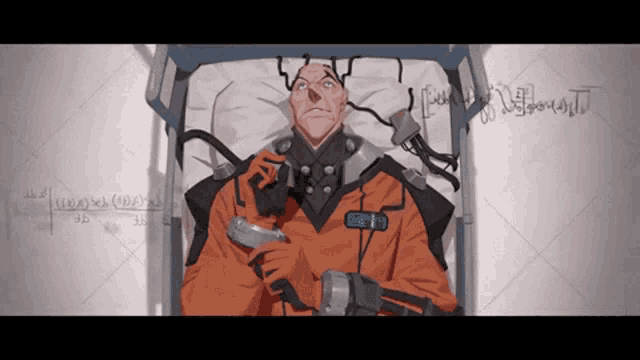
This guy
I use quick chat voice lines a lot in games and I used to main him. Lots of "thank you"s
severe flare
wind briar
Auto is american FYI 😛
brother im also American
dry shoal
WIP old vs new mesh

 static mason
dry shoal
WIP old vs new mesh
static mason
dry shoal
WIP old vs new mesh
"I don't see a difference"
static mason
High Poly done. Now fo9r the low poly yay.....

 static mason
Just poting links for refs to credit for the models which helped us get the model done
https://sketchfab.com/3d-models/star-wars-e5-blaster-c7a950cd1abe4ab9bee6a56b8df9d54d
https://sketchfab.com/3d-models/star-wars-e5-blaster-rifle-b758a58d473849feb76541521db7bf07
https://sketchfab.com/3d-models/e5-blaster-rifle-star-wars-60d0d563b0a64afeb5bb7544a848d96b
Like to respect the artists as want to show we used reference material
The grip mat will be added either as an alpha or done in marmoset
 dry shoal
static mason
High Poly done. Now fo9r the low poly yay.....
dry shoal
static mason
High Poly done. Now fo9r the low poly yay.....
Absolutely amazing. The quality of this is gonna push me to do even better on my own weapon models
dry shoal
Once khaotik is done with their models I'm gonna try and get some showcase shots with what I have on hand so far 🙂 talking the full experience where everything in the screenshot is brand new stuff, hopefully showing off API based projectile lighting and the B1 unit holding its ground in the harsh Geonosis environment

 dry shoal
static mason
High poly in blender
dry shoal
static mason
High poly in blender
Looking great. And remember this would be brought in through remix so didn't worry too much about tri count of the low poly 🙂
static mason
dry shoal
Looking great. And remember this would be brought in through remix so didn't wor...
Yeah it will be a mid poly level for low poly 20-50K maybe
dry shoal
I think 20-30K will look awesome and still retain all the detail 
dark lava
whistling

 dark lava
*whistling*
dark lava
dark lava
*whistling*
@dry shoal intense whistling
 dry shoal
dark lava
<@877718466398932992> **intense whistling**
dry shoal
dark lava
<@877718466398932992> **intense whistling**
AY THIS IS SOME GOOD SHIT

Would you mind if I used this in the future 🙂 naturally I'd give you credit
Amazing work
dark lava
dry shoal
Would you mind if I used this in the future 🙂 naturally I'd give you credit
geez, i literally DID This so you could use it!
dry shoal
dark lava
geez, i literally **DID** This so you could use it!
Hey there's no harm in checking to be safe 

 dry shoal
Looks so official
dark lava
its my often gimmick, to make things look official, the simillar way i did logo for Driv3r Definitive Edition, just a mod, but logo looks like if it was official thing
dry shoal
And you seem to nail it every time 
dark lava
most of the time surely
dry shoal
dark lava
<@877718466398932992> **intense whistling**
If it's a pain then don't worry about it, but would it be possible to make a version without "Star Wars" that also makes the Remixed subtitle much bigger? So it could fit being used as a smaller icon of sorts if that makes sense
dark lava
smaller icon that is like 1:1 aspect ratio?
dry shoal
Reference use-case, it's a private server I use to keep track of stuff
 dry shoal
dark lava
smaller icon that is like 1:1 aspect ratio?
dry shoal
dark lava
smaller icon that is like 1:1 aspect ratio?
Yeah basically
dark lava
okay, give me a minute
dark lava
dry shoal
Reference use-case, it's a private server I use to keep track of stuff
boom

it will fit to entire circle
@dry shoal job is done
static mason
dark lava
**boom**
Shits swag
dry shoal
dark lava
<@877718466398932992> job is done
Definitely looks neater! I think if the Remixed subtitle was bigger that might be better still, since it's pretty small in the icon

I'd do a simple scaling myself but not at my PC atm lol
 burnt light
 dark lava
REMIXED REMIXED REMIXED REMIXED
dry shoal
More specifically the bottom bar here being embiggened like this, blue box being the final scaling of it
 burnt light
 dry shoal
Yep that would do it
tyvm
If you make a proper resize yosuke I'll hold onto that one instead since it's original quality
burnt light
 dry shoal
Now we're going full meme
dark lava
meantime i was busy to make a game icon so it could be used for exe executable
 dry shoal
LET HIM COOK
 burnt light
personally i'm not a fan of the really sharp diagonal edges. otherwise i think it looks great
dry shoal
burnt light
personally i'm not a fan of the really sharp diagonal edges. otherwise i think i...
I think it'll be fine since in practice it'd be quite small
The sharp edges help with readability when it's scaled down I bet
(throwback to this btw #1200925027554558034 message)
dry shoal
dark lava
meantime i was busy to make a game icon so it could be used for exe executable
Honestly I should probably use this for the server icon it would fit perfectly
dark lava
dry shoal
Honestly I should probably use this for the server icon <:KEKW:10013409176235746...
here is scaled down for that 😊
 dry shoal
A living legend. Thanks a bunch for your time and effort
 dry shoal
Oh yeah now we're talking 
 dark lava
burnt light
dark lava
burnt light
THAT'S NOT ENOUGH OF REMIXES

(i literally threw almost all of my Remixed subtitles from various game logos i did)
burnt light
dark lava
**THAT'S NOT ENOUGH OF REMIXES**
gleaming sedge
dry shoal
Oh yeah now we're talking <:evilpepeglasses:972163943126691840>
L

Simplicity wins (as always)
burnt light
i'll make ya a logo real quick
dark lava
gleaming sedge
L
why you didn't said a word to me?
gleaming sedge
what
dark lava
gleaming sedge
what
that
 gleaming sedge
Oh I have this
It's just that having no logo makes it the easiest to find
It stands out more
burnt light
gleaming sedge
L
 dry shoal
Idk the bold RC works pretty great for me
dry shoal
Yosuke's got competition it would seem
gleaming sedge
Adam owns the server settings
gleaming sedge
dry shoal
Yosuke's got competition it would seem
 dark lava
gleaming sedge
https://tenor.com/view/luke-moment-graphic-design-gif-11939076132639903483
dark lava
gleaming sedge
https://tenor.com/view/luke-moment-graphic-design-gif-11939076132639903483
i bet
 dark lava
i bet
dark lava
dark lava
i bet
(its joke version of this logo for possible mod)
 dark lava
you want me to recreate NFS 2015 logo?
gleaming sedge
 gleaming sedge
dark lava
you want me to recreate NFS 2015 logo?
gleaming sedge
dark lava
you want me to recreate NFS 2015 logo?
u2 style
static mason
dark lava
i bet
Didnt you make one for rtcw or was that someone else
Ik someone did
dark lava
gleaming sedge
u2 style
 dark lava
static mason
Didnt you make one for rtcw or was that someone else
dark lava
static mason
Didnt you make one for rtcw or was that someone else
It was me, yes
static mason
Can you send it again I will add it to the noddb page
 static mason
Thank ye
dark lava
sure thing
dark lava
static mason
Thank ye
be sure to credit me, okay?
static mason
dark lava
be sure to credit me, okay?
Oh 100% 
dark lava
 dark lava

 dusk trail
dry shoal
Honestly I should probably use this for the server icon <:KEKW:10013409176235746...
dusk trail
dry shoal
Honestly I should probably use this for the server icon <:KEKW:10013409176235746...
Wait do you have a different server for this?
dry shoal
dusk trail
Wait do you have a different server for this?
It's a personal 1 man server. Originally I planned on inviting everyone who was helping out in some way but I feel like it would've been more annoying for people so I didn't bother
dusk trail
dry shoal
It's a personal 1 man server. Originally I planned on inviting everyone who was ...
Ah fair enough
weary radish
dry shoal
Lol all good <:dankHug:888543978377584670> thanks for making the x86 stuff possi...
can you test this build whenever you have time? It's the sqashed branch but rebased onto main:
https://github.com/xoxor4d/bridge-remix/actions/runs/10433266621

GitHub
This is the NVIDIA RTX Remix Runtime Bridge repository - Build · xoxor4d/bridge-remix@cb76b16
dry shoal
weary radish
can you test this build whenever you have time? It's the sqashed branch but reba...
oh I'll test it alright
now we're talkin
I'll get to it in a bit
dry shoal
weary radish
can you test this build whenever you have time? It's the sqashed branch but reba...
the issue appears to remain. I installed all the necessary prereqs to get the game working, including the latest dxvk/bridge builds. Then I added your build, overwrote everyhing, and started up. The API itself appears to be working but the crashing issue persists. Only tested for a few minutes though
weary radish
dry shoal
the issue appears to remain. I installed all the necessary prereqs to get the ga...
And that does not happen with the latest bridge actions build of the official repo?
dry shoal
weary radish
And that does not happen with the latest bridge actions build of the official re...
as of a few days ago, yes. I should check the latest latest to be safe though, I'll let you know
weary radish
dry shoal
the issue appears to remain. I installed all the necessary prereqs to get the ga...
Just had crashing issues myself on waw after using my latest build but it turned out I forgot to enable client.exposeRemixApi = True in the bridge.conf 😂 ... you do have that enabled right? Because you said that the api appears to be working.
So are you crashing at random or everytime doing X or Y ?
dry shoal
weary radish
Just had crashing issues myself on waw after using my latest build but it turned...
yep, I have it enabled. It's not a random crash, it's incredibly consistent. I load in, performance degrades as time passes, and after a minute or two I get a crash


okay I lied, according to the log it took 280 seconds the last time
weary radish
dry shoal
okay I lied, according to the log it took 280 seconds the last time
Weird stuff. Could you send me the crash dmp file in dm?
dry shoal
weary radish
Weird stuff. Could you send me the crash dmp file in dm?
so small problem, it doesn't seem to be generating dmp files at all this time

this is after a recent crash too just to generate a new one
 weary radish
dry shoal
so small problem, it doesn't seem to be generating dmp files at all this time
weary radish
dry shoal
so small problem, it doesn't seem to be generating dmp files at all this time
setting client.setExceptionHandler to true in the bridge.conf might help
dry shoal
weary radish
setting `client.setExceptionHandler` to true in the bridge.conf might help
this didn't seem to do anything upon doing another test

upon trying some updates to API (for the mod project) use it also breaks my game entirely 
black screen -> crash 2 seconds later
dry shoal
I wrote a thing but TLDR I'm going to be less active in this thread and I'm going to avoid in-progress screenshots. I shouldn't be getting validation for things that aren't completed. I'm aiming to have more substantial stuff to show when I do have something
Side note for artists, I'm absolutely crashing into a wall and that's a big part of this. Any suggestions for growing that aren't one off YouTube videos would be appreciated
dry shoal
dry shoal
I wrote a thing but TLDR I'm going to be less active in this thread and I'm goin...
As part of this though I'm also gonna avoid #asset-creation
static mason
dry shoal
-
Side note for artists, I'm absolutely crashing into a wall and that's a big pa...
a good place is smthn like Pinterest or i think(?) its called smthn like newgrounds someone told me abt to grow
dry shoal
static mason
a good place is smthn like Pinterest or i think(?) its called smthn like newgrou...
Both of those to my knowledge would be short form content. I've seen dozens of videos but they're limited in scope
dark lava
just testing my logo in action


 hardy quail
The second one is blank
dark lava
second one is for future usage, so anyone could put it in any other screenshot, its transparent for reason
dry shoal
dark lava
just testing my logo in action
This is awesome. When I have more substantial screenshots to share I'll have to throw this in with it! Probably with a little bonus text below that says "This isn't finished, if you think it looks like ass atm then respectfully fuck off" 
static mason
dry shoal
This is awesome. When I have more substantial screenshots to share I'll have to ...

me after reading the fine code
dark lava
dry shoal
This is awesome. When I have more substantial screenshots to share I'll have to ...
oki-doki
 dark lava
oki-doki
dark lava
dark lava
oki-doki
respectful template
 dry shoal

dry shoal
dark lava
respectful template
hardy quail
dark lava
second one is for future usage, so anyone could put it in any other screenshot, ...
Ah i see now, thats definitely an odd way of doing it when you could just center it and not waste so much space on that image
dark lava
hardy quail
Ah i see now, thats definitely an odd way of doing it when you could just center...
who de fak places logo in demonstrational screenshots IN THE MIDDLE?
hardy quail
dark lava
who de fak places logo in demonstrational screenshots **IN THE MIDDLE**?
🤨🤨🤨
You move it to the corner when you are putting it in your screenshots
dark lava
YES, SO PEOPLE COULD SEE THINGS
hardy quail
Chat is this guy fr
dark lava
@dry shoal am i for real?
hardy quail
Im saying you have it preset in the corner
I was just calling that odd
Because if you center it, you can have it at a much higher resolution
Im talking aboit the completely blank one
dark lava
hardy quail
Im talking aboit the completely blank one

second one is for future usage, so anyone could put it in any other screenshot, its transparent for reason
i wrote it for fun or what?
hardy quail
🤨🤨 i guess you did because im not saying its pointless i just called it odd
It works for what it is
dark lava
here is what odd
 hardy quail
No bro
dark lava
yes
hardy quail
This is what i mean


You take the big logo, throw it onto your screenshot in an image editing software, and put it in the corner like so
And if you have a high resolution screenshot, you dont have to worry about a low resolution logo
dark lava
#1200925027554558034 message my seperate logo is avaiable SEPERATELY, IT EXISTS HERE
IT LITERALLY IS PINNED
hardy quail
🤨 i just called it odd man its not that big a deal
dark lava
 dry shoal
hardy quail
Im saying you have it preset in the corner
dry shoal
hardy quail
Im saying you have it preset in the corner
Because overwhelmingly that's what's gonna be done. Think of it like this, I have a screenshot I wanna show. I throw it into a photo editor, throw the transparent image with the logo on top of the screenshot. I'm done.
Makes things stupidly fast
And should I ever need a different setup I could also just select the logo and drag it somewhere else in a split second
Because it's largely transparent I'm pretty sure the difference in file size would be miniscule too
static mason
dark lava
https://tenor.com/view/sousuke-yamazaki-sosuke-yamazaki-free-anime-boy-sigh-gif-...
I'm not on his side or anything ima just explain what I think he means, I think he's saying that not centering the logo (whereas this most likely isn't true) will cause the logo to be pixilated where centering it will be lossless, not that it matters anyway cornering it even if centered is still gonna butcrush it
Just my hunch
dry shoal
static mason
I'm not on his side or anything ima just explain what I think he means, I think ...
If discord uploads losslessly why would it be affected
static mason
dry shoal
If discord uploads losslessly why would it be affected
Not through discord but through a photo editor, again tho I'm not thinking this this is what I assume the amongus chicken nugget is thinking :towhomeveritmayconcern:
dry shoal
static mason
Not through discord but through a photo editor, again tho I'm not thinking this ...
Sorry but I'm very confused
Like on how that works
The template is ultrawide and lossless, so what would the negative effect be when adding a layer on top of another ultrawide image
static mason
dry shoal
Like on how that works
Smaller omage = less pixels I guess (assuming they use paint 3d or of non vector editing
dry shoal
Oh that would make more sense if that template was gonna be used for more than one thing but yeah it's just for game screenshots
static mason
Yeah
dry shoal
So having it premade in that aspect ratio in that position is nice
 dry shoal
Uh I don't think that formatted how you wanted it to
 hardy quail
static mason
Smaller omage = less pixels I guess (assuming they use paint 3d or of non vector...
hardy quail
static mason
Smaller omage = less pixels I guess (assuming they use paint 3d or of non vector...
This is what i meant, i didnt even say it was bad or anything just odd, because if anyone has a large screenshot the logo will be a lower resolution than the rest
dry shoal
hardy quail
This is what i meant, i didnt even say it was bad or anything just odd, because ...
no ik you didn't think it was bad I was just trying to understand
 dawn zinc
Not sure if this is the place to ask, but when trying to remix RC's prologue, I run into a few points where the screen is either black (or if I hide that instanced texture, it culls all of the geometry). I can fly around a little bit to get the geo to pop back in, but I was curious if anyone here knew how to get those sections to work properly. For example, it is when you are being introduced to the squad, or when everyone is loading onto the gunship. Any help is appreciated
dry shoal
dawn zinc
Not sure if this is the place to ask, but when trying to remix RC's prologue, I ...
it's related to sky detection. Are you using the rtx.conf pinned in this thread?
I guess technically it's on moddb since I haven't updated it in a while
you can ask me about compatibility issues since I've done by far the most testing on this game
dawn zinc
Thanks for the reply, yes I grabbed the one from ModDB. I’m going to hop back on here in a bit and I’ll try setting up again from scratch to see if that fixes it
dry shoal
dawn zinc
Thanks for the reply, yes I grabbed the one from ModDB. I’m going to hop back on...
I need to update the instructions anyways so I don't think it's worth the trouble
dawn zinc
dry shoal
I need to update the instructions anyways so I don't think it's worth the troubl...
Oh okay, how do you think I should proceed then?
dry shoal
setting it up rn btw
dry shoal
dawn zinc
Oh okay, how do you think I should proceed then?
if you wanna wait a bit I can send a zip that has everything included in one drag and drop
makes the instructions nice and easy
don't think you'll need to wipe anything, overwriting should be okay
dawn zinc
Sounds good. I actually have to wipe anyway, I ran into an issue where the different tabs in Remix won’t switch when clicking on them. I only found one post in this discord about it and I’m not sure if there’s a fix other than completely restarting
I didn’t get too far on editing prologue so it’s not the worst, but would definitely suck if I was really far along in a project
dry shoal
dawn zinc
I didn’t get too far on editing prologue so it’s not the worst, but would defini...
one thing I've come to learn is SWRC Requires significantly less work than you'd expect
less is more. I've broken the graphics more by changing too much in the past
dry shoal
@dawn zinc
extract to your main game directory
not system unlike the old instructions
dawn zinc
dry shoal
one thing I've come to learn is SWRC Requires significantly less work than you'd...
I’ll bear that in mind. What are some examples of changing too much? Like adding too many lights or model swaps?
dawn zinc
dry shoal
extract to your main game directory
Awesome, thank you so much. I’ll try this now and report back
dry shoal
dawn zinc
I’ll bear that in mind. What are some examples of changing too much? Like adding...
I'm not referring to changing assets. I'm referring to Remix runtime settings. Auto sky detection and tagging textures are things you generally don't want to mess with*
exceptions being -> mark sky textures
if you can't find the sky texture, you could use auto sky detect temporarily


if you have issues with the overlay, try this
dawn zinc
Trying this now
dry shoal
@royal sonnet I think the infamous crashing/delayed input issue that's been making me tear my hair out is related to how the bridge handles input
I also discovered that when I'm moving my mouse, WASD is unresponsive. If I'm not moving my mouse, WASD works every time
correction, that's what it is
when using various inputs the framerate drops more and more over time. But if I just stand still it shoots right back up to my 120fps cap and the game never crashes
until I do more inputs which is also when perf drops. When enabling performance overlays the CPU utilization increases from ~45ish% to up to 55% as I use my input. When I let go of my inputs the CPU usage drops again
adding to the github report
dawn zinc
Yeah everything works way better now, thank you so much
Also, noticing the WASD/mouse issue you just mentioned lol
dry shoal
dawn zinc
Also, noticing the WASD/mouse issue you just mentioned lol
what CPU/GPU?
and do you use a fancy keyboard or is it a standard one (mechanical included in standard)
oh, and do you know what your polling rate is on your mouse?
dawn zinc
i9-12900K and 3080 Ti
It's mechanical, it's wireless but currently plugged in
No idea on the polling rate
dry shoal
most gaming mice are 1000hz polling rate but whether it's set by default can vary. Only the most high end mice of the last year up till now can go as high as 8000hz. My mouse is set to 2000hz so I wondered if that could be related
dawn zinc
I'm on a G502 hero so definitely not high end, not sure what the polling rate on it is though
Any tips on doing your captures for prologue? Did you just pause time and fly up high and look down for each scene?
dry shoal
dawn zinc
I'm on a G502 hero so definitely not high end, not sure what the polling rate on...
no worries, I think I can rule it out. Set my mouse to 250hz to be super safe (aka kinda ass lol) and it still occurred
dry shoal
dawn zinc
Any tips on doing your captures for prologue? Did you just pause time and fly up...
I have before but it affects the LOD of skinned meshes. So clone models and whatnot
that said you can't replace those meshes through remix either way, so I wouldn't worry too much
dawn zinc
Ah I see. So do you just capture it from the first person view during each sequence?
dry shoal
dawn zinc
Ah I see. So do you just capture it from the first person view during each seque...
I skipped kamino entirely for the time being
I've only focused on geonosis' playable missions
I've slowed down on the remastering effort because of massive technical issues with Remix among some other things
dawn zinc
Gotcha. I look forward to seeing what you come up with for Geonosis. I'm probably not the only one that's been wanting a good remaster of this game for a while
I remember years ago I wanted to remake it in UE3 when I was an overly ambitious teenager lol. This seems more tangible
dry shoal
dawn zinc
I remember years ago I wanted to remake it in UE3 when I was an overly ambitious...
hey, depending on your experience that could be pretty big. This project is a hybrid mod between Unreal 2 and Remix's toolkit asset replacements + Remix's API plugged into the game more directly. Scroll up in #showcase and you'll see what that enables
but yeah, covering the whole game is also too much for me to reasonably do. I'm only covering up to the end of Geonosis
dawn zinc
Yeah I can definitely see that. Realistically I might end up doing a level or two, as much as I'd love to do it for the entire game
But seeing the Half-Life 2 project in the works was definitely inspiring for this sort of thing. I'd love to see that treatment for a game like this
dry shoal
dawn zinc
But seeing the Half-Life 2 project in the works was definitely inspiring for thi...
that sort of treatment is 100% possible. Having access to the UE2 editor alone is pretty huge, and thanks to leon (biggest modder in SWRC scene) we can plug in aspects of Remix based on game behaviors which opens a lot of doors. Without it Remix is relatively primitive
however I'm mainly limited by art skill and everything being quite messy having many moving parts
if you wanted to do even a single level that would be super cool. I could share assets that I have so far since I'm not starting from zero by any means
depends on the level if they'd be shared or not though
dawn zinc
I'm kind of the opposite, art is my strong suit but the technical knowhow and engine knowledge are my limitations. The application of my skillset is pretty limited at the moment but I'm trying to pick up and learn this process
So how much are you doing in UE2 then? Are you spending most of your time there?
Also I should say, I appreciate you answering all of these questions!
dry shoal
dawn zinc
I'm kind of the opposite, art is my strong suit but the technical knowhow and en...
art is arguably the most significant part. Can you give a simple rundown of the kind of art you can do? Just to have a frame of reference compared to myself
dry shoal
dawn zinc
Also I should say, I appreciate you answering all of these questions!
dude ofc, I've been working on this thing for 8months now. Since it's modding I only have so much output from limited freetime but yeah, I want to make something pretty special even if it's limited in scope
my dream would be to have that corny "RTX ON" comparison where it goes from the original basic lighting and materials to full PBR, pathtraced GI, super high geo models, shit that looks like a remake almost
dawn zinc
dry shoal
art is arguably the most significant part. Can you give a simple rundown of the ...
I work as a professional 3D character artist at a AAA studio, and have worked on promotional material involving lighting and rendering on the side. It's funny, one of my studio's games is among those people are remixing here lol. But for legal reasons I'm staying away from that
So anything involving modeling, texturing, rigging, lighting, and some VFX I can do
dry shoal
have you seen any of the screenshots I've put out so far? They're limited in number but it could give you an idea of what could be possible
dawn zinc
dry shoal
my dream would be to have that corny "RTX ON" comparison where it goes from the ...
Same. Like when that one video of the remastered prologue, I'd love to see that for the entire game
dry shoal
dawn zinc
I work as a professional 3D character artist at a AAA studio, and have worked on...
that's super cool, we have a couple other professional artists here too. Most of us are fairly amateurish and learn as we go
dawn zinc
I haven't seen too much but I'll take a gander
dry shoal
3D character artist is actually kind of significant because that's by far the most difficult thing to do
I spent over a month on a super battle droid model only to eventually scrap it which was painful
dawn zinc
I know how that feels lol. I do recall seeing progress shots of that
dry shoal
dawn zinc
I haven't seen too much but I'll take a gander
this was a very early screenshot using one of my first PBR materials. It was reposted recently since someone made a logo for the project and did a little overlay
 dawn zinc
You started with the BF2 asset as a base right? That's probably the route I'd take
dark lava
dry shoal
this was a very early screenshot using one of my first PBR materials. It was rep...
and that someone is me
dawn zinc
Yeah I saw this earlier, that's cool. As long as each model can be swapped and given nice PBR textures that scene could look like a modern game, that's exciting
dry shoal
dawn zinc
You started with the BF2 asset as a base right? That's probably the route I'd ta...
bf2 mesh scaled to the proportions of SWRC's chunky mesh, then I created new retopo'd meshes in low resolution based on the BF2 pieces. Then I ran it through subd to get the smooth high poly look. I was quite proud of it
dawn zinc
Subd gives me the shivers. Kudos for pulling that off lol
dry shoal
dawn zinc
Yeah I saw this earlier, that's cool. As long as each model can be swapped and g...
they absolutely can with how much access I have thanks to UE2's openness. The overwhelming majority of meshes can be replaced through Remix's tools. The main exception has to do with character models funnily enough
but UE2 can handle multiple times higher tri counts than what shipped with the game back when. I think the clone trooper is like 2000-3000 tris but you can import skinned meshes up to 25K/30K well enough
dawn zinc
Interesting... so if you wanted to swap the commandos out, you'd have to do that in UE2?
dry shoal
dawn zinc
Interesting... so if you wanted to swap the commandos out, you'd have to do that...
bingo. But only the meshes. PBR can still be applied through remix so the whole process of high poly to low poly baking would still be utilized on top of the 25-30k (low poly) mesh
dawn zinc
I see, okay so that's super doable then. Guess I need to download UE2 lol
dry shoal
dawn zinc
I see, okay so that's super doable then. Guess I need to download UE2 lol
not even. It's included in the game files
dawn zinc
Games back in the day were so sick, that's awesome lol
dry shoal
however you want the SWRCFix mod which adds a much improved UE2 level editor (original is super unstable) and FOV/arbitrary aspect ratios and resolutions
dry shoal
dawn zinc
Games back in the day were so sick, that's awesome lol
couldn't agree more. I remember seeing stuff like it as a kid but editors have been gone for ages
dawn zinc
Did you include that in your .rar you sent earlier? I do have that downloaded
dry shoal
dawn zinc
Did you include that in your .rar you sent earlier? I do have that downloaded
if you downloaded it, it's all included. In fact I even set up the included DX9 wrapper to ignore the level editor so you won't have to deal with remix messing with it
dawn zinc
If I make headway swapping character models effectively I'll share them here for folks to use in their own projects, a full remix of this game just might require an open source approach
dry shoal
it's CTEditor.exe btw for the improved editor
dry shoal
dawn zinc
If I make headway swapping character models effectively I'll share them here for...
honestly I can work on that if you were to make the meshes. I've spent a decent amount of time researching UE2's rigging and animation linking system
dawn zinc
Let's go
 dry shoal
dawn zinc
Let's go
dry shoal
dawn zinc
Let's go
hell yeah. The "animations" tab is where all the skinned meshes are. If you want to open up a level, file -> open -> maps -> geo1a for the first playable mission
you can also change the viewport setup by hitting view -> viewports -> configure
 dry shoal
honestly I can work on that if you were to make the meshes. I've spent a decent ...
dry shoal
dry shoal
honestly I can work on that if you were to make the meshes. I've spent a decent ...
but yeah I wanna stress this bit. For example if I gave a character model in a blend file as reference, you'd need to match the proportions of that original model so the rigging could be reused. It doesn't have to be literally flawless but it should be as close as reasonably possible @dawn zinc if you then had a finished mesh in a 25-30K tri range, I could do the UE2 implementation process
will save you a lot of the headache involved with native game modding
if you were to try making character models for the project, I'd love to make it as hassle free as possible for ya 🙂
hopping off my PC to take a bit of a break. If you have any questions though I'll answer when I get time 👍
dawn zinc
Awesome sounds good, I'll grab a BF2 model now and see if I can get it in that range for use
dry shoal
dawn zinc
Awesome sounds good, I'll grab a BF2 model now and see if I can get it in that r...
For reference the super battle droid from BF2 was around 45K tris 👍 I don't want to use any ripped models directly for the end product though, just to let you know
But by all means mess around with it. Getting a cut down BF2 model in-game would be great for experience/a quality proof of concept. Best of luck!
dawn zinc
Sounds good, depending on their density and material/texture setup it might require a retopo of the model anyway
dawn zinc
So I've got things working really well now, but two issues in prologue: the scenes where you the clones are at the weapons range, the scene where you are introduced to delta squad, and the scene with all the ships load in with no lighting. Any idea what that could be?
Also I just got BF2 and it's mod tools downloaded so I'll test extracting some of their meshes for testing purposes here in a sec
dry shoal
dawn zinc
So I've got things working really well now, but two issues in prologue: the scen...
That's because the sky isn't tagged properly
You'd need to find the sky texture in the game setup -> categorize textures in the remix overlay
dry shoal
dawn zinc
Looks really cool in the editor so far at least
The Remix toolkit right?
I've taken a handful of screenshots from there. Btw I have a game side mod that will create an anchor mesh for every level. That will let me uso a unique "sun" setup which would've been a pain in the ass otherwise
It's not included in the zip I sent
dawn zinc
Man this keyboard/mouse bug is annoying lol, trying to grab you a screenshot of some of the scenes. I got all of the emissive textures turned on and the training scene looks really cool with everything lit up and shiny
It's funny, I can only type in console commands when moving my mouse
And yes in the toolkit
Got the console to work lol. This software is so cool

Setting the sky texture helped render the scene, though the geo disappears and reappears when looking around. Also in the screenshot above, the walls to the left and right will flip to black randomly as well
dry shoal
dawn zinc
Got the console to work lol. This software is so cool
is this a shot from the editor? How'd you get the emissives on the helmet working?
dawn zinc
This is from in-game
A lot of the textures in this have the mask for the emissive baked into the alpha channel of the diffuse map, so I made a photoshop script that applies that alpha to the diffuse and overlays that over black, and then I save that out as a new image and plug that into the emissive map
dry shoal
oh so you're doing some big brain shit
that's something I've struggled with getting to work
dawn zinc
Once I have everything squared away for prologue I can upload all the emissives
It would be nice if you could just have the emissive read directly from the alpha channel of the diffuse map automatically, but yeah
dry shoal
dawn zinc
It would be nice if you could just have the emissive read directly from the alph...
that's what I've had working in the past unless I'm going crazy
it's been quite annoying
emissives are used a ton
dawn zinc
What's great is with this it casts light
So most of the lighting is naturally done by the emissives
At least in this particular level
static mason
Wrow...
dawn zinc
Here are the emissives I have so far. They share the corresponding name to their original counterparts, but with an e in front to make them easier to find
dry shoal
dawn zinc
So most of the lighting is naturally done by the emissives
unfortunately that isn't a given solution for level lighting. You're using ray reconstruction I imagine, which is significantly better at denoising emissives than the built in NRD denoiser. Emissive and light ray data are calculated differently, and dedicated lights give the best visual result. For people on AMD in particular it's gonna be very noisy
but as something to have in the meantime? Hugely beneficial
dry shoal
dawn zinc
Oh I see, okay
to be clear this is good shit, I don't wanna downplay this lol. I'm absolutely gonna take advantage of it for the time being
dry shoal
dawn zinc
At least for something temp to see the level, that's pretty cool
exactly, or releasing a demo version of the mod using this would probably be viable too
gonna grab the emissives. What's been your go-to for taking captures btw?
like your method
dawn zinc
Well for prologue I've just been doing a capture per scene
I'm not sure if that's the correct approach or not to be honest
dry shoal
yeah that's reasonable for that level. Here's a tip, since SWRCFix adds an FOV slider, you can max it out at 130 and get larger captures simply because the wider FOV renders more
dawn zinc
Big eye mode, got it
Found the assets in BF2, might start with this helmet since it's such big moment in prologue
 dry shoal
dawn zinc
Found the assets in BF2, might start with this helmet since it's such big moment...
dry shoal
dawn zinc
Found the assets in BF2, might start with this helmet since it's such big moment...
oh man, if you could nail that, that's an easy showcase shot
especially with the emissive
dry shoal
dawn zinc
Found the assets in BF2, might start with this helmet since it's such big moment...
I highly recommend pulling the original game asset to have as a size reference
dawn zinc
As far as what you would want to use in an actual mod, what would be your requirements for models? Would baking from BF2 assets onto a new mesh be acceptable? Or would you want the model made entirely from scratch?
Is this for legal or personal reasons?
Oh good idea, we don't want bobblehead mode. Even though I do miss that in games
dry shoal
dawn zinc
As far as what you would want to use in an actual mod, what would be your requir...
my ideal would be to have original meshes even for the high poly. Though of course using another model as a reference/retopo base I think is fine. Especially if you add some personal details/the texture makes it stand out as its own too
golden plover
dawn zinc
And yes in the toolkit
This looks really cool
dry shoal
as for legal or personal reasons it's both. I would really love to have this project officially showed off by Nvidia at some point and I already have an IGN journalist who's interested in the project, so you can guess that having our own models is important for those reasons
dawn zinc
I see, okay
dry shoal
from scratch is entirely up to your discretion. The person working on the B1 Battle Droid worked from scratch but that's significant work that I wouldn't expect across the board
dawn zinc
At the very least, BF2 models being converted to high poly saves time and would still result in a different mesh and textures. Starting from the ground up with high polys for everything would take years lol
Yeah I can imagine. Hard surface modeling takes forever, especially with the shape languages in Star Wars
dry shoal
dawn zinc
At the very least, BF2 models being converted to high poly saves time and would ...
yes exactly. That's what I did with the Super Battle Droid. I have a fancy retopo addon for blender so I'm basically drawing topology on top of the surface of the BF2 mesh. Since I'm using subd for the smooth look, you wanna keep it relatively low poly before using the subd
but that low poly retopo + subd modifier was my base for the high poly overall model
dawn zinc
Yeah that would be my approach, just in Maya
dry shoal
here's an example of what I feed into the subd. Please forgive the underlying topo, I'm still learning and I didn't want to take too too long on it


that same piece from BF2:
 dry shoal
only blender and instaMAT for my material authoring/modeling software
dawn zinc
There's a trick I use in there for hard surface where you soften the bevels and it makes surfaces go from CG to real really quickly, if there's a way to do that in blender that would help too
dry shoal
dawn zinc
There's a trick I use in there for hard surface where you soften the bevels and ...
Oh I can probably do that. Lemme see
dawn zinc
You might be able to achieve the same effect in subd if you can change how many subidivisions your edges stay sharp
dawn zinc
Oh okay, I'll not mention that sort of stuff here
dry shoal
dawn zinc
Oh okay, I'll not mention that sort of stuff here
lol no worries. Btw talking about extracting original models and stuff is fair game, but it's discouraged to use ripped models directly
dawn zinc
Gotcha
dry shoal
certainly got it looking a tad softer but I wonder if I have creases in unideal places

 dawn zinc
Nice yeah that's exactly what I'm talking about
The light will catch those edges better
dry shoal
dawn zinc
The light will catch those edges better
and I hear that bakes better too
dawn zinc
Subd is difficult, so I won't be the best person to talk to for advice on that sort of thing. I use the zbrush method that I spoke of earlier
Yep
Otherwise if your edges are too sharp it looks really artificial
dry shoal
thanks for the advice 👍 definitely looking better now
 dry shoal
I even disabled creases on the curved inside edges and it still holds up

it's acting as a controlling edge loop I suppose
dawn zinc
static mason
https://tenor.com/view/predator-arnold-schwarzenegger-hand-shake-arms-gif-346862...
Lol, we might have the right combo of know-how to get this project along!
static mason
Yall got this!
dry shoal
btw that screenshot you took earlier would probably be cool for #showcase even without new assets yet
dawn zinc
Sweet I'll post it there too
This channel is a repository for my old tutorial content. Some of this stuff is quite old so it may not be the latest version of the software you are using or even the most current method. These videos are not edited specifically for Youtube and I often refer to elements that are out of context here, so if you are watching any of these videos an...
Also, this is the method I use at work when I'm making hard surface
It gets rid of your subd geometry and replaces it with an extremely dense mesh that you can then smooth so that every edge has the same smooth bevel
Then you can decimate this and use it to bake
dry shoal
oh that's a neat idea
I'll try doing what I did for more edges instead of just marking sharp and creasing to bias the subd
then the subd builds the natural looking edge highlights
dawn zinc
Blender might have a way to do this but I'm unfamiliar with blender. But it's way easier to control than subd
You still want subd to start but this is good for tuning
dry shoal
gotta keep in mind what I'm working with underneath lol
 dry shoal
dawn zinc
https://youtu.be/TLJW5Sz1agI
dry shoal
dawn zinc
https://youtu.be/TLJW5Sz1agI
oh yeah, so 700K tris is mentioned here which reminded me. Due to the differences in performance scaling between a full pathtraced renderer and a rasterized one, Remix can handle dramatically higher poly counts, so you can get away with some really detailed meshes as the "low poly"
to give a frame of reference I threw in a small 8 million tri mesh into a level in the remix toolkit and the performance was still reasonable. Wouldn't want to go that high but TLDR you can do more than you probably think
oh hi mark 
dawn zinc
Got our reference mesh extracted. How would a model swap work in RC? Should I be excracting the ones from RC to double check scale?
 royal sonnet
dry shoal
<@617500777191047168> I think the infamous crashing/delayed input issue that's b...
royal sonnet
dry shoal
<@617500777191047168> I think the infamous crashing/delayed input issue that's b...
That sounds like a tricky one to figure out. did you ever track it down to a specific revision or commit where it started happening?
I'll ping the guys who know most about input on Monday
dry shoal
dawn zinc
Got our reference mesh extracted. How would a model swap work in RC? Should I be...
yes. You can use software called umodel to export the meshes from the game files and use that as a scale reference
dawn zinc
Oh wow okay. For characters I'll stick to your original numbers, but good to know for everything else
Sweet, I'm familiar with umodel
dry shoal
royal sonnet
That sounds like a tricky one to figure out. did you ever track it down to a sp...
in my original github report it has two versions back to back, one of them works perfectly fine and the other doesn't. So there's some input-related change between the bridge builds I mentioned on github that is leading to this behavior
the versions are quite literally back to back, it should narrow things significantly
dawn zinc
Do you know where the characters are stored by any chance? I have a feeling I'm not pulling all of this games assets lol
 dry shoal
dawn zinc
Do you know where the characters are stored by any chance? I have a feeling I'm ...
dry shoal
dawn zinc
Do you know where the characters are stored by any chance? I have a feeling I'm ...
animations are where skinned meshes/characters are
dawn zinc
Handsome clone
 dry shoal
dawn zinc
Oh wow okay. For characters I'll stick to your original numbers, but good to kno...
dry shoal
dawn zinc
Oh wow okay. For characters I'll stick to your original numbers, but good to kno...
but yeah just to clarify if it's needed, this is only for meshes that are replaced through the remix toolkit. If a mesh has to be replaced via UE2 like character models, you're limited by what the editor can handle importing + the performance scaling of animating those vertices might not be efficient in such an old engine. From what I've been told by native SWRC modders, since I'll be replacing so few models in UE2 it should never become a concern. Unlike if it was an entire remaster fully done in UE2
dawn zinc
Pretty cool when you stumble upon cut content
 dry shoal
dawn zinc
Pretty cool when you stumble upon cut content
dry shoal
dawn zinc
Pretty cool when you stumble upon cut content
yep, there's some neat things in there. Some haven't been shown officially so you can't recreate the intended look with only the mesh to go off of. Someone was complaining about that before and it had to be explained to them lol
someone just getting into modding, innocent question for sure
dawn zinc
So I'm definitely not seeing everything here, no commandos to be seen. Am I pulling from the wrong directory?
 dry shoal
dawn zinc
So I'm definitely not seeing everything here, no commandos to be seen. Am I pull...
dry shoal
dawn zinc
So I'm definitely not seeing everything here, no commandos to be seen. Am I pull...
there are subcategories inside each. The clone commando will be found in the clone ukx file
also I'm not 100% sure if the helmet used in that early scene is considered it's own static mesh or of it's somehow pulled from the character model. If it's the former then that means it can be done through remix, aka you can go absolutely wild with geometric detail
like I've had meshes in the lower 6 digits in tri count so they looked quite literally perfect to the eye and I had 0 real perf drop in remix
dawn zinc
I meant to ask about that, regarding the helmet in prologue
dry shoal
dawn zinc
I meant to ask about that, regarding the helmet in prologue
I'll find out. It'll be quick
gimme a min
dawn zinc
Thanks. Also how do you open up the sub categories? Or should I just export and it'll pull everything?
dry shoal
dawn zinc
Thanks. Also how do you open up the sub categories? Or should I just export and ...
in umodel it's just a flood of stuff from each file. So you have to keep spamming pg up or down until you get to what you want lol
at least I haven't found a better way. Though you could export the whole file I guess from there?
I haven't actually tried that before ngl
dawn zinc
Okay I'll try that
I'll keep saying it, thank you for answering my barrage of questions lol
And, I'll follow that up with another: So this is the scene where you meet the team, but the geo only renders if I look straight up. Know a fix? This happens in the shooting range scene as well
 dry shoal
dawn zinc
I'll keep saying it, thank you for answering my barrage of questions lol
dry shoal
dawn zinc
I'll keep saying it, thank you for answering my barrage of questions lol
this has been my pride and joy for this entire year. It's awesome to have someone else messing with it so closely
dry shoal
dawn zinc
And, I'll follow that up with another: So this is the scene where you meet the t...
sky texture related. There's two textures, one is wider horizontally and the other is 1:1. I've had issues finding both previously, but you can get around it temporarily by going to game setup and sky tuning. Then auto detect based on camera position
then remix will automatically identify the texture. It's not fully reliable which is why I don't just stick to it
and bad news, the helmet in the intro is a skinned mesh so it's gotta be replaced through UE2. However I want to check one more thing
it's highly likely it's not pulled from the commando model but instead a first person viewmodel might have the helmet
dawn zinc
Okay let me give the prologue another go and try that
I wish I could run this game in windowed mode lol, any idea how to do that?
dry shoal
dawn zinc
I wish I could run this game in windowed mode lol, any idea how to do that?
directory at the top, wanna change this to true and remove the pound turning it into a comment

so making it look like this. Note I haven't tested this myself
 dry shoal
it's highly likely it's not pulled from the commando model but instead a first p...
dry shoal
dry shoal
it's highly likely it's not pulled from the commando model but instead a first p...
bingo. Under the HudArms package, it's called HudArmsHelmet
 dawn zinc
Thank you, I'll try that now
Gotcha, okay. Even with the 30k ish limit it can look really good
dry shoal
dawn zinc
Gotcha, okay. Even with the 30k ish limit it can look really good
considering it's 4K as is? absolutely. However I do have one concern and that's related to the arms themselves. Eventually I'm gonna have to model fancy new arms so that's gonna cut into the budget at least somewhat
dawn zinc
So the arms and helmet will have to share a budget?
dry shoal
that just means I can't be as greedy with the arms, leaving tris for what's being held
dry shoal
dawn zinc
So the arms and helmet will have to share a budget?
since it's considered one file, yeah
actually hold on
since it's considered one file, I would assume so
I could be wrong
dawn zinc
So I saved that text file above and the game still runs in full screen
dry shoal
I'm going based on what I've been told but I was never told about the HUDarms meshes in particular. It's possible they have it attached seperately and it just shows up with it in the editor
dry shoal
dawn zinc
So I saved that text file above and the game still runs in full screen
hmm
well alt enter should work
it won't stay on every launch though
dawn zinc
Yep that did the trick thank you
dry shoal
I confirmed it's not attaching a seperate mesh, the helmet and arms are considered the same mesh so they will share the budget
but most of the arms won't be visible and with a nice normal map I can capture all the little details anyways
dawn zinc
It will be easier for me to take screenshots this way. So which of these is that sky texture you were mentioning?
 dry shoal
dawn zinc
It will be easier for me to take screenshots this way. So which of these is that...
dry shoal
dawn zinc
It will be easier for me to take screenshots this way. So which of these is that...
you'll have to eyeball it. It's like a dark grayish blue texture
if you have auto detect on you don't need to worry about it right now
dawn zinc
Where's that option at?
dawn zinc
Oh and here's this section without a UI in front with all the emissives on

Nice that did it
 dawn zinc
 dry shoal
dawn zinc
 dry shoal
hello??? based department???
dawn zinc
 dawn zinc
 dry shoal
you can disable the original game lights being translated using that parameter tuning tab
dawn zinc
Nah they're just shadow troopers

Do you have a good screen recording software? Would be nice if I could post videos
DANG I let it load into the next scene and I forgot how freaking badass this game is lol
dry shoal
dawn zinc
Do you have a good screen recording software? Would be nice if I could post vide...
I just use Nvidia's built in one. If you have the overlay enabled it's alt + f9
dry shoal
dawn zinc
DANG I let it load into the next scene and I forgot how freaking badass this gam...
that's exactly how I felt when I was looking into Remix. I only started the project because I found out Remix was compatible with this game and I remembered it from when I was a kid. Playing through parts of it now it's like "goddamn I had it good"
lol
dry shoal
dawn zinc
DANG I let it load into the next scene and I forgot how freaking badass this gam...
oh, now imagine it with all new custom models and PBR materials. It will look fucking awesome, I can guarantee it
dawn zinc
dry shoal
you can disable the original game lights being translated using that parameter t...
I actually liked that it pulled all the lights, I went in and turned off ones I felt were made obsolete by the emissives, though I'll probably need to go back in and add my own to fill the gap
Is there a setting to turn off emissive lighting?
dry shoal
dawn zinc
Is there a setting to turn off emissive lighting?
you can lower emissive strength to 0 under I think alpha blending in the overlay?
in the rendering tab
dawn zinc
But wil that turn off emissive effect or just make it so that it doesn't cast light
dry shoal
dawn zinc
I actually liked that it pulled all the lights, I went in and turned off ones I ...
you can turn them on or off globally in the overlay as well
dawn zinc
Also this keyboard and mouse bug makes me want to cry lol it's impossible to do console commands
dry shoal
dawn zinc
But wil that turn off emissive effect or just make it so that it doesn't cast li...
they're both combined. If it's emissive it casts light. Pathtracing n all that
dry shoal
dawn zinc
Also this keyboard and mouse bug makes me want to cry lol it's impossible to do ...
that's why I've been badgering Mark and co to fix that bug it's a regression from a while ago. I made a big discovery with it today so hopefully they have almost all that they need
dawn zinc
My work around right now is to move my mouse in circles while typing with one hand lol
So is there a way to control the brightness of the sky?
The ending scene looks almost cool but the time of day is off
Didn't know you could choke out the Kaminoans LOL
 dry shoal
dawn zinc
So is there a way to control the brightness of the sky?
dry shoal
dawn zinc
So is there a way to control the brightness of the sky?
yes, also in sky tuning
dry shoal
dawn zinc
The ending scene looks almost cool but the time of day is off
honestly that's something that might wanna be handled by auto exposure tuning. Everything's too bright across the board imo, so that would also address the sky if messed with. Also in the rendering tab under post processing
dawn zinc
Agreed, I'll take a look
I sure did pick the most annoying level to do since it auto ends lol
dry shoal
there's a console command that makes it all slowmotion
i think it's literally slomo
btw I also have untextured meshes for kamino that someone else made but I never got around to yk, texturing
environmental stuff
dawn zinc
The post processing helps immensely
dry shoal
dawn zinc
The post processing helps immensely
lemme know what you got it set to for reference
dawn zinc
Going to try and capture a video if it from start to finish, I just turned off auto exposure and adjusted some settings for bloom and sky lighting. I'll get exact values for you
dry shoal
I'm gonna be chilling for a bit but I got back to my SBD a bit. Unsure if I should see it through

all things considered he ain't bad
 dawn zinc
You should, it will help you learn! And also make the project look better
dry shoal
dawn zinc
You should, it will help you learn! And also make the project look better
definitely
I threw an earlier version into the remix toolkit to put side-by-side as a proof of concept. Keep in mind this is added through Remix, so not fitting the UE2 budget. It's totally static @dawn zinc

the lighting is just wild when paired with PBR, even with a placeholder solid color metal
dawn zinc
dry shoal
I threw an earlier version into the remix toolkit to put side-by-side as a proof...
That's cool, that budget is going to be tough with full characters but it's doable
What's the tri count max?
Also managed to take a video. There are some errors throughout that I might need your help with, but for a days work it's not too shabby
For example, particles are rendering on top of everything else, and at the helmet scene there's a black flickering effect on some of the divider walls to the left and right of the player
Also during the gunship scene, the lights that I assume are supposed to be inside of the gunship do not stay glued to the gunship
The black dividers in question in the remix editor
 dry shoal
dawn zinc
For example, particles are rendering on top of everything else, and at the helme...
dry shoal
dawn zinc
For example, particles are rendering on top of everything else, and at the helme...
the particle rendering issue is because I mistakenly tagged the rain as UI, so it acts as an overlay. The black flickering I've never actually figured out
dry shoal
dawn zinc
Also during the gunship scene, the lights that I assume are supposed to be insid...
because it's not attached to the gunship. In the original game is a generic weak light so you can see the clones better moving into the gunship. There's lots of "arbitrary" lights like that, especially later on
dawn zinc
I see, thank you for the info
I also noticed we're not able to set things as double sided, is that a limitation of RC?
dry shoal
dawn zinc
I also noticed we're not able to set things as double sided, is that a limitatio...
limitation of original meshes. If you add in a new mesh to replace it, you can make it two sided
also I got a new ground material I'll be testing in the geonosis arena (after I game )

will share shots when I have em
dawn zinc
Oooo noice
dry shoal
btw if you wanna know 100% for certain what meshes can be replaced through the remix toolkit, activate the debug view and set it to geometry hash. Seizure warning unironically. But if the color of an object changes, rapidly or not, it can't be done through remix
dawn zinc
Thanks for the tip
The mouse/keyboard bug is making this take so much longer than it needs too lol. I'm trying to pause during each scene to get better captures
dry shoal
dawn zinc
The mouse/keyboard bug is making this take so much longer than it needs too lol....
it should be relatively easy to get captures I would think
just gotta be fast enough changing the naming
dawn zinc
It's being able to put the playersonly command in time to pause the game and then noclip to get a bit more of the capture
But because the prologue moves along, if it doesn't take the input I have to restart the level lol
Also mix in the odd crash
dry shoal
dawn zinc
Also mix in the odd crash
I will never understand that bug. Praying Nvidia fixes it
the crashing is related to inputs as well
dawn zinc
Am I able to attach lights to stuff like the gunship so that the lights move with it?
Kinda like how they intended originally
dry shoal
dawn zinc
Am I able to attach lights to stuff like the gunship so that the lights move wit...
unlucky because it's probably not a stable mesh, but I could be wrong. You'd know if you checked the debug view
looks like this if you haven't done it yet. Really short clip of the helmet being unstable
dry shoal
dawn zinc
Kinda like how they intended originally
but also keep in mind I have the ability to do stuff beyond what the Remix toolkit would otherwise allow. Whether that'll come in handy or not for Kamino, I'm not sure yet
dawn zinc
I just overhauled the lighting a ton, I'll test if the lights actually stay glued to the vehicles
If so it's about to get spicy
dawn zinc
Definitely lots of tweaking to be done, certain scenes are too dark or too bright, but it's so cool to see this game with proper RTX tech going on
 dawn zinc
Spoiler alert the lights definitely do stick to moving objects. So that final scene has a lot of opportunity for moving lights
dry shoal
dawn zinc
Spoiler alert the lights definitely do stick to moving objects. So that final sc...
this isn't a given, like I said it depends on whether the geometry is stable in remix, so it looks like the LAAT is but for instance I know the clones and various particle effects are not
but
dry shoal
dawn zinc
it looks absolutely astounding
I'm super duper impressed 🙂 and this is without real asset replacements. It can go so much further
dawn zinc
Thank you very much. This program is so much fun
I think once I get the lighting to a stage that I like I'll experiment with some asset swaps
dry shoal
dawn zinc
I think once I get the lighting to a stage that I like I'll experiment with some...
roger. I think it's pretty damn close honestly. Btw, if you hit the two toggles under texture categorization it'll show you everything that's tagged. Under UI you can easily remove the rain particles from UI so you don't get the weird overlay issue
imo that vid is another one for #showcase . Awesome rep for SWRC in Remix
dawn zinc
Thanks for the tip, I'll try that on my next test
I'll probably fix the particle situation first before I post but hopefully that generates more buzz for this game
dry shoal
to give one example of what I'm able to do when the API is plugged into Remix/the game (not in the zip file from earlier), we're able to attach dedicated cylinder light sources to each and every blaster projectile. In a couple of those scenes the lighting would be so much more dynamic
dry shoal
dawn zinc
I'll probably fix the particle situation first before I post but hopefully that ...
truly the biggest limitation is art assets. Shit can look real good real fast with just custom materials
if more artists came by to make their contributions it would be a big deal
dawn zinc
dry shoal
if more artists came by to make their contributions it would be a big deal

Man I do not get tired of hearing this games soundtrack on repeat
dawn zinc
Next thing that’s not working right is the blaster bolts. Either they are full bright but render in front of everything, or they render in the right order but are very dim
dry shoal
dawn zinc
Next thing that’s not working right is the blaster bolts. Either they are full b...
did you apply an emissive to it in the toolkit?
 dawn zinc
dry shoal
did you apply an emissive to it in the toolkit?
dawn zinc
dry shoal
did you apply an emissive to it in the toolkit?
Nope, is there a way to find that material? Or do I have to do a capture at the exact moment they're shooting?
dry shoal
dawn zinc
Wow nice, is that parallax?
yep, POM
dawn zinc
This game could look so insanely good
dry shoal
dawn zinc
Nope, is there a way to find that material? Or do I have to do a capture at the ...
yeah in the capture the projectile needs to be present. But if you have a capture of the firing range room it has to be there
dawn zinc
I'm in the projectile room, is there some sort of outliner where I can see a list of everything
I can't see it on screen to click it
dry shoal
dawn zinc
I'm in the projectile room, is there some sort of outliner where I can see a lis...
nope lol. Now's when you begin to run into some of the common complaints about the toolkit
might have to grab another capture. But the blaster bolts should show up by default without issue
dawn zinc
I found it, wow that is hard to see my goodness
dry shoal
dawn zinc
I found it, wow that is hard to see my goodness
yepp
btw if you want to have an emissive on it you need to adjust the alpha blend settings in the toolkit for the projectile. It's one of the dropdowns. You want to enable testing, set it to color emissive, and set the test to "greater than" or something like that
if the projectile shows properly then you're good to put an emissive map on it
I'm gonna call it a night since it's late as hell lol. But your messing around has gotten me more motivated again 
dawn zinc
Can't quite get it bright, even with how high the value is. I imagine it's one of these alpha blending settings

Sounds good man, thanks for all the help. Have a good rest
dry shoal
dawn zinc
Can't quite get it bright, even with how high the value is. I imagine it's one o...
click off of it and click back on. Sometimes it's bugged
if it's not that, set the test type to color instead of color emissive. The emissive map may work then
hardy quail
I swear on my life if anyone over brights the commando visors ill time travel and take away RC
static mason
We have been quite unwell lately. When we can provide updates we will
Sorry we are taking so long 😦
Our ||anorexia|| has been hitting us bad lately as well
We know we should not be complaining as we know there are people who have it way worse than we do we are just mentioning what is going on lately
dark lava
dry shoal
as for legal or personal reasons it's both. I would really love to have this pro...

IGN journalist, huh? How lucky i did a logo for the moment, now there might be a chance my logo would be seen by many more people outside of here
hardy quail
Yall dont gotta worry about using assets from other games, legally according to disneys EULA cross porting (star war game to star war game) is acceptable, and in our case its a decent course of action for certain things, especially environments
Working with BF3 legacy we got an IGN article and that entire mod is made from assets literally stolen from LucasArts database that no one but us has
dry shoal
hardy quail
Yall dont gotta worry about using assets from other games, legally according to ...
Interesting, I had no clue. Well in that case it gets a lot more complicated. I do want to use custom models as part of giving this project its own unique identity, but that could end up being naive
hardy quail
Its not that you cant use custom models but you can mix them to make your life that much easier, especially when it comes to environments, like for geonosis, EAFront is loaded with assets for that environment, same with kashyyyk, but custom assets still can be used alongside them
dry shoal
hardy quail
Its not that you cant use custom models but you can mix them to make your life t...
well I picked up ninja ripper to start experimenting
and I'm having a hard time figuring it out 
hardy quail
Depends what game you are trying to rip
dry shoal
 hardy quail
When it comes to EA stuff ninja doesn’t work but there are plenty of extractors depending on le game
 hardy quail
Bro cooked you
EAs rendering API blocks ninja afaik
Although
It does work for textures
dry shoal
DX12 doesn't work but DX11 supposedly does
that said it's not hooking in the first place it seems. Hooks into the EA app but not the game
hardy quail
Dx11 works with ninjaripper 2
 past escarp
If you want to rip anything from most of EA's Star Wars games, the best option is the Frosty Editor.
https://github.com/CadeEvs/FrostyToolsuite/releases

GitHub
Contribute to CadeEvs/FrostyToolsuite development by creating an account on GitHub.
You don't even need to be in game. You can rip models and textures using Frosty's interface.
dry shoal
welp there goes 5 bucks lol
thanks, trying it now
I have no clue what I'm doing
nvm

the quality of this mesh is worse than I expected
past escarp
The LOD models can be pretty atrocious. Anything past the second LOD model is a crapshoot in terms of how they look.
dry shoal
this is LOD0
so because I'm so goddamn stubborn with no self restraint, instead of getting the whole clone together I just started making my own version

I'm grabbing a cherry coke
dry shoal
hardy quail
The stormtrooper model isnt even mirrored
lmao no way
hardy quail
For a lot of the gcw stuff they literally just scanned the props, decimated, put in game
Which, TBF works
Because no ones looking it at that close in game
hardy quail
dry shoal
Like you didnt even notice how messy it is until you got your hands on the real thing
dry shoal
hardy quail
Like you didnt even notice how messy it is until you got your hands on the real ...
that and they have normal map baking
hardy quail
Yes that as well
dawn zinc
Too busy to reply right now @dry shoal But I used frosty to rip the commando yesterday
I can show you how to use it
Not having to make custom models will save us a lifetime of work and effort
I’ll be on in a couple hours
dry shoal
dawn zinc
I can show you how to use it
I was able to export some stuff but I'm kinda feeling my way around. No rush since I'm gonna take a break
hardy quail
Id go with custom models for characters and shit tbh
Would better match the originals
And also EAs commando is a crime
dry shoal
yeah the bf2 designs are quite different
dry shoal
hardy quail
And also EAs commando is a crime
that too
I think it's fair to use the existing models for environmental stuff though? idk, this has me rethinking a lot
hardy quail
Youve been doing amazing with your custom models so far
hardy quail
dry shoal
I think it's fair to use the existing models for environmental stuff though? idk...
Oh yeah fs
dry shoal
hardy quail
Youve been doing amazing with your custom models so far
if only I could properly finish one in totality lol
hardy quail
Itd be smart to do that, not only because of the sheer volume but also because they arent center of attention
hardy quail
dry shoal
if only I could properly finish one in totality lol
The SBD looks good for what it is
And the DC15
dry shoal
hardy quail
And the DC15
I'm likely gonna redo this one
the SBD I think I'm gonna un-drop it and work off of what I have
hardy quail
Practice makes perfect fr
dry shoal
no kidding. I've had a lot of desire to just start over a lot of things because having an earlier idea of what to do helps a ton
using the BF2EA meshes as a base is dramatically better for many of the models. The left is a low poly retopo of the BF2EA mesh with subd. The right is the same but from the original clone helmet mesh


I did these really quick to be clear, they'd be cleaned up if I finished em
hardy quail
Still the left looks pretty good
dry shoal
underlying topology respectively

 dry shoal
hardy quail
Still the left looks pretty good
dry shoal
hardy quail
Still the left looks pretty good
oh I agree, it's definitely the way to go for new models
just having extra geo by default gives more definition
hardy quail
I think i showed my super commando model that i retopod off a model meant for 3d printing
 dry shoal
oh yeah you never showed. Looks real nice. Same strategy then?
dawn zinc
I don’t remember the commando model being that bad for BF2. It can always be adjusted to better match the original
At the very least the base clone troopers since those are derived from Lucas film models
@hardy quail if you have a list of adjustments the BF2 model would need to be more accurate that would be helpful too. I haven’t looked at them side by side
hardy quail
dawn zinc
At the very least the base clone troopers since those are derived from Lucas fil...
They arent sadgely
dawn zinc
I’m on my way home now so I’ll crack the models open in a few minutes
hardy quail
They are based on them but still wildly different
At least when it comes to the ep3 clones
dry shoal
made color adjustments to the arena ground
 dry shoal
hardy quail
At least when it comes to the ep3 clones
dry shoal
hardy quail
At least when it comes to the ep3 clones
we'd be using phase 1 only
hardy quail
dry shoal
made color adjustments to the arena ground
Lookin good
dawn zinc
Nice work
hardy quail
dry shoal
we'd be using phase 1 only
Oh yeah i know forgot i was in the rc chat
I have a hatred for dices ep3 clone
dawn zinc
I bet we could pull rock assets from BF2 for Geonosis
Would complement your ground textures well
dry shoal
dawn zinc
I bet we could pull rock assets from BF2 for Geonosis
absolutely and my god do I want to because I fucking suck dick at making rocks I've tried for months

dawn zinc
I stayed up till 3AM last night trying to get the intro for extreme prejudice running lol. That mission is a lot more complicated
Making rocks is one of the hardest things you can do for games, that’s no joke
hardy quail
dry shoal
made color adjustments to the arena ground
I love the LOD trooper at the top
dry shoal
dawn zinc
I stayed up till 3AM last night trying to get the intro for extreme prejudice ru...
if you mean the fly in cutscene it's actually not too bad, but there's a ghosting issue with the clone trooper onboard that I haven't figured out
dry shoal
dawn zinc
Do you use megascans at all <@877718466398932992> ?
no, iirc megascans is only free to use for UE projects
dawn zinc
Yes that issue I was running into
 dawn zinc
And certain lights are not actually changing properly from my edits in remix
dry shoal
dawn zinc
And certain lights are not actually changing properly from my edits in remix
depends on what you parent the lights to. If the parent isn't rendering the lights won't show
dawn zinc
dry shoal
depends on what you parent the lights to. If the parent isn't rendering the ligh...
They’re pre existing lights from the capture so maybe that’s why
Is there a way to animate them turning on and off?
dry shoal
dawn zinc
Is there a way to animate them turning on and off?
not unless you find a parent mesh that goes on and off too. For animated lights like that we'll be using the Remix API
leon has been working on making a way to interface with UE2 that will tell Remix what to draw and when, so we have finer control
well he's largely gotten it working. Just polishing now I believe
dawn zinc
Nice
I might have a workaround for now for the EP intro sequence
I want a red light in the gunship at the beginning but I want it to shut off when you’re flying down the elevator shaft and it gets all dark. I think I got a trick I can use for that
Oh also, I wasn’t able to get the rain to work properly for prologue. Either it’s not set to UI and blocks lights, or it’s set to UI and renders out of order
dry shoal
dawn zinc
Oh also, I wasn’t able to get the rain to work properly for prologue. Either it’...
yep, sounds about right with my experimenting
dawn zinc
Okay now I'm back at my desk and I can write out my thoughts a little more eloquently
In regards to what characters you are building from scratch vs reusing from existing titles, my advice would be to pick and choose your battles wisely given the resources at hand
Certain characters have to be rebuilt from the ground up. The Geonosians, the Kaminoans, the Trandoshans, and the Wookiees for example. They are all organic and will require sculpting, which is it's own beast entirely
Other characters, like the clones and droids, while maybe not up to movie standard (regarding BF2 assets) are at the very least extremely close and would only require some tuning to get them to look right
Not trying to discourage you from modeling these characters out on your own, I think that adds value to your mod and also is valuable for you to learn, but to model out every character in the game would take you, or even a small team, an eternity
If, from a legal standpoint, something can be reused, I think it would be in your best interest to so that you aren't stretched to thin. Though I'm not a lawyer and don't know the ins and outs of all that
Anyways, let me crack open these character files and see what we've got
Question, since I'm not as familiar with Blender. Do you know how to get this character to go back to the reset pose? That way I can use it as a base to apply another model to

Or maybe I did something wrong when exporting out of UE2
Also, this was the only model that I was able to get exported. I didn't get the commando model from RC out of UE
dry shoal
dawn zinc
Question, since I'm not as familiar with Blender. Do you know how to get this ch...

the little dude over there
also I'm partial to bforartists over vanilla blender. More intuitive interface with the same functionality

see the right side here? set it to rest position and you're good
dry shoal
dawn zinc
Not trying to discourage you from modeling these characters out on your own, I t...
also just to give some background, my mod as it stands now aims to over up through Geonosis. I'm not planning on covering the game as a whole. That might change in the future depending on how things look later on but that's to keep things relatively in scope
dawn zinc
Thank you that did the trick!
Ah gotcha, that's fair
Do you know where to find the commandos? And also their viewarms too?
dry shoal
dawn zinc
Do you know where to find the commandos? And also their viewarms too?
should be in the clones package too
dawn zinc
Should it be here in the blender scene?
burnt light
dawn zinc
If, from a legal standpoint, something *can* be reused, I think it would be in y...
game companies crack down on people using their assets all the time. i'd say it can't really be reused
dry shoal
dawn zinc
Should it be here in the blender scene?
no because you can only export one mesh at a time
dry shoal
burnt light
game companies crack down on people using their assets all the time. i'd say it ...
according to @hardy quail they have a policy where it's fine as long as it's still used within the context of star wars. So no GMOD/other random mods
@dawn zinc

only blurry bc it's a generic texture
dawn zinc
That's a handsome boy
burnt light
dry shoal
according to <@675797855029690380> they have a policy where it's fine as long as...
i'd quadruple check that before doing anything with it
dawn zinc
Not a bad idea
dry shoal
burnt light
i'd quadruple check that before doing anything with it
currently I'm still aiming to have my own models so I'll definitely check if it comes to it
dawn zinc
@dry shoal Do you need a rigged character or do you just need the replacement model in the same position as the RC model?
burnt light
i can't find anything on it. just an unanswered question on their forums: https://answers.ea.com/t5/STAR-WARS-Battlefront-II/Quick-question-about-Copyright-of-Game-Assets/td-p/9826585
i'd recommend just doing your own models still
dry shoal
burnt light
i can't find anything on it. just an unanswered question on their forums: <https...
it's probably a more general policy rather than BF2 specific, if such a policy exists
burnt light
i was searching for star wars + EA in general
dry shoal
dawn zinc
<@877718466398932992> Do you need a rigged character or do you just need the rep...
AFAIK it only needs the same matching bone structure and its own weight painting
I've gotten an outside clone mesh in UE2 before but at the time I didn't know wtf weight painting even was so it had odd deformations. Still worked though
dawn zinc
Gotcha, I know how to weight paint. I'll get you something nice
dry shoal
my hero <3
dawn zinc
I'll trade you a spiffy clone model for helping me make my blaster bolts not look like dookie lol
dry shoal
dawn zinc
I'll trade you a spiffy clone model for helping me make my blaster bolts not loo...
that I can do
dawn zinc
Yes I'd love them to look like that
dawn zinc
Also the emissives I sent yesterday should have the emissive for the rifle if you haven't tried plugging that in
dry shoal
dawn zinc
Also the emissives I sent yesterday should have the emissive for the rifle if yo...
awesome. Honestly my dumb ass totally forgot so I'll have to do that lol
dawn zinc
Lol okay cool
dry shoal
crazy how much edge sharpening alone can do


this was a one click thing so not optimal but a glimpse
dawn zinc
Nice
static mason
dry shoal
this was a one click thing so not optimal but a glimpse
I saw glimpse and thought of that one meme "thought I'd make family guy evil just a dark glimpse into my shadow reality", either way Hella cool quick fix™️
dry shoal
dawn zinc
I'll trade you a spiffy clone model for helping me make my blaster bolts not loo...
are you looking at the commando or just the clone model?
dawn zinc
Honestly should just swap out all the clones for Peter
At this moment I am looking at the base clone, I haven't jumped back into umodel yet
dry shoal
dawn zinc
At this moment I am looking at the base clone, I haven't jumped back into umodel...
gotcha. Just a heads up that I have started my own

 dry shoal
if you wanna try getting the BF2 model in-game then replacing it later that works
dry shoal
dawn zinc
Are you using this same mesh as a base for your high poly?
what I'm making now is going to be the high poly
bc it's subd based
dawn zinc
Right, but are you building that on top of any existing model? I remember you mentioning that before
dry shoal
here's with the subd on
 dry shoal
dawn zinc
Right, but are you building that on top of any existing model? I remember you me...
dry shoal
dawn zinc
Right, but are you building that on top of any existing model? I remember you me...
yes, on top of the BF2EA
dawn zinc
Gotcha okay, nice
hardy quail
burnt light
game companies crack down on people using their assets all the time. i'd say it ...
As mentioned EA falls under disney EULA (for star war games) which, although a little gray, generally allows for star war game to star war game ports
Although statistically they dont give a shit
There are hundreds of star wars mods for other games blatantly ripping from ea and disney alot
burnt light
that's the most common argument of people here. "a lot of people do it, so it's fine"
hardy quail
Thats why i mentioned their EULA
burnt light
but still, as you admit it's a gray area
 dry shoal
@dawn zinc this is how I'm doing it. I imported the BF2EA piece, imported the original clone model in rest pose, then moved + scaled the helmet to closely match the proportions. Then I build on top
 hardy quail
burnt light
but still, as you admit it's a gray area
hardy quail
burnt light
but still, as you admit it's a gray area
Yes but the odds they come after us specifically are basically 0, sure they can come at anyone randomly but they could come at us just for being a mod for RC, my prime example is BF2 classics BF3 mod using assets stolen straight from disney that nobody else has
dry shoal
hardy quail
Yes but the odds they come after us specifically are basically 0, sure they can ...
consider that this project may be shown off officially by nvidia however
hardy quail
dry shoal
consider that this project may be shown off officially by nvidia however
Doesnt matter because odds are disney already knows about us
burnt light
hardy quail
Yes but the odds they come after us specifically are basically 0, sure they can ...
it's still a risk. and telling people that it's okay to do it because of their EULA, then saying afterward that it's actually a gray area and there's still a risk is kinda BS
dry shoal
I agree with your general premise but I'd want to go crystal clear with the EULA before committing to the idea
hardy quail
They know how much their assets are stolen, they arent stupid and they also know its free advertising
People see RTX RC, people want to play it but dont own RC, they buy RC and disney makes money
hardy quail
burnt light
it's still a risk. and telling people that it's okay to do it because of their E...
Ive been around the star wars modding scene for 7ish years now and theyve never once gone after a modding project
Theyve only blasted stand alone games
burnt light
barely anyone outside of the modding scene really knows about Remix, let alone the Remix mods being worked on in this server. i very highly doubt anyone at Disney knows any of their properties are being worked on with it
and i do not care about that. stop advocating for people to steal assets from a game under the premise of it being "okay"
dawn zinc
At the very least, the BF2 assets would be placeholder until custom models could be built to replace them. But as far as getting things moving I don't think having them as placeholders does any harm
burnt light
the last thing we (mod developers and the server itself) need is a company coming after us for assets being stolen
hardy quail
Youd be surprised by what disney pays attention to, they knew about an obscure mod and used it in an official release 🤣 all im sayin is that under EULA it should be okay but for yalls sake ill get the specific parts of it
I do understand what you mean though dont get me wrong
Even a minor risk like that could get this server and potentially even remix as a whole at risk
dry shoal
hardy quail
I do understand what you mean though dont get me wrong
the big thing really has to do with Nvidia and Kim wanting to err on the side of caution. Which I think is much more justified in this instance vs any generic low key mod
burnt light
if you can link the EULA you're referencing and the specific part, and explain why it's okay, this would be more acceptable
but so far you keep referencing a EULA and claiming it's okay, while also using the words "steal" and "gray area" lol
dry shoal
I think using them as placeholders and/or references to retopo trace over is guaranteed to be fine
hardy quail
burnt light
if you can link the EULA you're referencing and the specific part, and explain w...
Ill get more specifics, i dont know the EULA off the top of my head so im trying to word it in a neitrsl way if that makes sense
hardy quail
dry shoal
the big thing really has to do with Nvidia and Kim wanting to err on the side of...
Yes thats completely understandable
dry shoal
it's something to definitely have in mind, we'll see the exact wording later on 🙂
dry shoal
dawn zinc
What's the tri limit for UE2 again?
the editor crashes after 30ish K
below that is fine
dawn zinc
Okay, I'll aim for 29k then
static mason
29,999 tri blaster bolt mesh
dawn zinc
Oh by the way, how do I go about getting a role in here?
burnt light
bottom of #rules
static mason
Oh thats how
dawn zinc
Almost done with the clone trooper
dawn zinc
Credit where it's due to the original RC devs because the proportions were not that far off
The arms are a smidge longer but that was the only real difference
dry shoal
did you not scale to the RC one first? lol
dry shoal
dawn zinc
The arms are a smidge longer but that was the only real difference
as long as the bones are in the right spots relative to eachother that should be fine
dawn zinc
No I did, just making sure the meshes generally occupy the same space and the only outlier was a slight difference in arm length
dry shoal
ah gotcha
dawn zinc
But yeah, now to skin him to the RC rig
 dry shoal
so exciting
dawn zinc
Then our "more common brethren" will look nice and cool
dry shoal
how many tris did you get?
dawn zinc
26k
dry shoal
nice
dawn zinc
What's awesome is the BF2 models all include LODs
So if a model is too high you just swap down an LOD, even down to different sections of the model
dry shoal
oh so if you use a lower LOD you've got a good base
dawn zinc
So the helmet is LOD0 since that's a focal point, body is LOD1, and gloves are LOD0 since those look better when deforming with more geo


 dawn zinc
How are materials going to work on him? Does he need to be all one material?
Or is it okay to have separate materials?
@dry shoal
dawn zinc
With the power of RTX, all clones will be wearing Aladdin™ kicks
 dry shoal
dawn zinc
Or is it okay to have separate materials?
dry shoal
dawn zinc
Or is it okay to have separate materials?
Materials don't matter, they can be configured however you like. I know one modder had a dedicated helmet texture so they could push more detail into it. That works fine
dawn zinc
Sweet, okay that's good to know
This will just be inheriting the BF2 materials for now since that is the simplest approach
dry shoal
dawn zinc
This will just be inheriting the BF2 materials for now since that is the simples...
Remember we wanna apply those textures through Remix. Technically you could import it without a texture in UE2
dawn zinc
Right, the textures are good to go. I'm almost done skinning, just have to do his left hand and he'll be good to go
As to avoid sharing assets like this in this discord I'll send it to you privately
dawn zinc
Alright, he's rigged and ready to go

@dry shoal would you mind walking me through getting him into UE2 to get him into RC?
dry shoal
dawn zinc
Alright, he's rigged and ready to go
rigged using the original rig right?


 dry shoal
dawn zinc
<@877718466398932992> would you mind walking me through getting him into UE2 to ...
dry shoal
dawn zinc
<@877718466398932992> would you mind walking me through getting him into UE2 to ...
and yeah there's a "destructive" way of doing it which I'm aware of. I've heard there's another way that stores it as its own thing but I don't know about it yet so I'll tell you this one
if you wanna not worry about losing anything just backup the clone package under animations
dawn zinc
Okay, backed up
dry shoal
- open CTEditor
- Access the animations browser. If you don't have the seperate window with it already opened, hit the A icon at the top bar of the editor
- Open the clone package, set mesh to CloneTrooper
- Cycle through LOD mesh levels to LOD level 0, it's an icon at the top of the browser with a few orange squares. Hovering your mouse also says what it is
- Click the icon to import a single LOD mesh, it's one step to the right of the LOD cycle button. Select your .psk file with the new model. If you need to export to .psk and are using blender, use this addon: https://github.com/DarklightGames/io_scene_psk_psa
- LOD0 of the CloneTrooper mesh should now be replaced with the new appropriate mesh
- Click the Redigest LOD level, the icon is again to the right and has a orange box with an arrow pointing to it
This should have UE2 create it's own lower LOD versions. We can adjust the LOD transition distance easily but I can share that separately
@dawn zinc
dawn zinc
Not seeing the LOD button in step 4
 dry shoal
dawn zinc
Not seeing the LOD button in step 4
dry shoal
dawn zinc
Not seeing the LOD button in step 4
I'm guessing you have a 4K monitor? the editor is cutting off your buttons

you might have to override the DPI scaling
dawn zinc
I do
dry shoal
do you know how to override DPI scaling on a program? I honestly am unaware I just know that it can be done
dawn zinc
Okay I got the button but now I can't see the asset
dry shoal
dawn zinc
Okay I got the button but now I can't see the asset
it might be scaling related. By default blender measures in meters while UE2 measures in cm. So unless I'm dumb that would mean it's possible your model is 100x bigger than intended