#Garry's Mod
1 messages · Page 81 of 1
 meager oar
devs nowadays should put Xess in place of Fsr 3 if they want people with other GPUs to use upscaling
 subtle bison
resolution slider 🔥
subtle bison
meager oar
devs nowadays should put Xess in place of Fsr 3 if they want people with other G...
fr, at least until FSR 4 comes to vulkan
meager oar
There's a game I've been following and the devs decided to put Fsr 3 instead of Xess, dlss4 and fsr4 just cause fsr3 will work for all GPUs like bruh
subtle bison
wow .35 is surprisingly usable at 4K
 subtle bison
meager oar
There's a game I've been following and the devs decided to put Fsr 3 instead of ...
subtle bison
meager oar
There's a game I've been following and the devs decided to put Fsr 3 instead of ...
which is funny because XeSS 2 works on everything but looks like FSR 4
meager oar
damn I wonder how good it looks on Intel GPUs since they use ai cores for Xess
subtle bison
guess vulpes will have to find a intel tester to try it with
since im using the sdk/plugin method for XeSS, it should automatically use the intel render path if a intel gpu is available
 winter radish
subtle bison
guess vulpes will have to find a intel tester to try it with
winter radish
subtle bison
guess vulpes will have to find a intel tester to try it with
We have two, one Arc A770 and one B580
meager oar
meager oar
There's a game I've been following and the devs decided to put Fsr 3 instead of ...
Btw that games name is broken arrow, gonna release in 5 days, the devs recently in steam Q/A said that
 modern quest
subtle bison
which is funny because XeSS 2 works on everything but looks like FSR 4
modern quest
subtle bison
which is funny because XeSS 2 works on everything but looks like FSR 4
XeSS does look worse on non Intel GPUs though
subtle bison
still leagues ahead of FSR 3.1
 upbeat jewel
I wonder if one day Intel plans to use iGPU to handle the scaling using XeSS, would take the overhead off the card
But then again that sounds expensive from a transfer standpoint
Seems like a neat idea though
 jade surge
when I add something to "raytraced render target texture" in game setup (specifically the cameras in the og fnaf 1 map I havent tested anything else) the cameras work flawlessly, however my playermodel becomes visible to me, what causes that?
 willow fog
Don't do it cr. Ask for a key first.
Well. Jokes aside, @subtle bison is it worth trying to add features to remix yourself
 weak ermine
jade surge
when I add something to "raytraced render target texture" in game setup (specifi...
weak ermine
jade surge
when I add something to "raytraced render target texture" in game setup (specifi...
raytraced render target texture
u can mark ur playermodel as playermodel in remix
jade surge
yeah, but its already hidden in the default confid prior to adding the texture, so why does it become visible again when I mark a texture as a render target texture?
subtle bison
jade surge
yeah, but its already hidden in the default confid prior to adding the texture, ...
yea its a known issue
i couldnt find a workaround
jade surge
dang
I also noticed by default the player texture seems to be ignored by the lack of player shadows, is there any way to auto assign player models to "player model texture" instead?
or do you hide the player model engine side?
subtle bison
no they have to be manually tagged in remix
jade surge
got it
subtle bison
when you enable pseudoplayer, reload the map if you dont see it
if im understanding the issue correcctly
jade surge
how do you enable or disable that?
subtle bison
jade surge
how do you enable or disable that?
 jade surge
oooooooooh I see
and after messing with the render target textures I already know most weapons arent properly selected as player model textures yet, maybe in a future update you could add base game playermodels and weapons into the pre made config, regardless I do hope you eventually find a fix for render target textures
subtle bison
my guess for render targets is that it shares the same buffer/draw call as some other objects including your player model, we would probably need to make engine changes to seperate RT cameras from other things
jade surge
ah
subtle bison
but yeah i should probably tag all base player models
also probably clean up the rtx.conf, i merged a bunch of rtx.conf's from other people so its kind've a mess with tagged textures
jade surge
otherwise props to NV RT on RT cameras does work really well
subtle bison
yea it looks nice
jade surge
especially since props in the rasterized camera view are full bright, though its nice the cams actually work properly now ray traced or not
subtle bison
willow fog
Well. Jokes aside, <@326199486550376451> is it worth trying to add features to r...
i'd say the answer heavily depends on what you're trying to add
the tonemapper stuff was relatively easy since its just shaders mostly
willow fog
Right
jade surge
I wonder, so if I get to a certain position relative to the RT cam, my stuff vanishes again, I wonder if the model I'm seeing isnt mine so much as it is the model the camera sees, that ends up in the same spot since thats where the camera put it
and if you dont have the RT cam texture set at all, remix just ignores that stuff, hence why its only an issue when the RT cam is active
the RT cam is duplicating the playermodel
subtle bison
i think its trying to draw the thirdperson playermodel
jade surge
that could be it
so long as you can see other players with the same pm once all is said and done we should be all good, though idk how remix determines that kinda stuff
subtle bison
yea im not too sure
jade surge
guess thats another thing to put on the "to be tested" list
ok wait, so after marking the texture my ragdoll is invisible, so whatever is being used would effect other players if you are in multiplayer

that also does differ from what pseudoplayer shows when enabled
ok yeah, getting rid of what I had in the player model texture category and disabling the render target camera rt, pseudoplayermodel does differ from the ragdoll, so the RT camera is using the proper model
so even if all playermodels were properly marked we'd still have issues with render targets
only thing I can think of is some way of excluding the player from being rendered in RT cameras at all, but I doubt a mere mod could be made to do that
subtle bison
yea not easily
jade surge
NV added a super cool feature and we cant even take advantage of it 
unless you wanna just play gmod in 3rd person
winter radish
subtle bison
https://github.com/sambow23/dxvk-remix-gmod<:tux_dawg:1381989261481480242>
Will work on integrating it, thanks
jade surge
also nestor works now, no invisible props
subtle bison
winter radish
Will work on integrating it, thanks
i forgot to add the xess sdk as a submodule, so clone the xess sdk to ./external before compiling
winter radish
subtle bison
i forgot to add the xess sdk as a submodule, so clone the xess sdk to ./external...

subtle bison

GitHub
Based on dxvk-remix commit 98f9d03
Features not in NVIDIAGameWorks/dxvk-remix
x64 Mouse Flicker Fixes
New Remix API Features
Remix Menu Status (used to lock keyboard and mouse input for the remix...
😊
winter radish
subtle bison
https://github.com/sambow23/dxvk-remix-gmod/releases/tag/98f9d03
I need to update my optimization documentation now, lmao
winter radish
subtle bison
i forgot to add the xess sdk as a submodule, so clone the xess sdk to ./external...
wait, what's ./external?
subtle bison

is it me or has x64 gotten quite a bit faster recently? camp kairo used to run at like 40fps without RT with all of the culling patches
now its around the 120s

maybe rubat did some magic
winter radish
subtle bison
what's the command to clone it into external 😅
subtle bison
just cd into that directory and clone it there
winter radish
subtle bison
just cd into that directory and clone it there
do I have to add the external folder to gitignore or something?
subtle bison
it should already be there, if not, you need to compile dxvk-remix first
subtle bison
winter radish
do I have to add the external folder to gitignore or something?
also no
ok yea external isnt part of the repo
it's supposed to be in dxvk-remix/submodules but i didnt put it there
ill push a commit later to fix that
 faint sapphire
Can't you just use the EyeRefract shader instead of the default HL2 eyes?
subtle bison
eyerefract gets returned as wireframe since its not supported in fixed function
the only working eye material is eyes_dx6 but its very buggy
i've tried doing vertexlitgeneric as well but it doesnt work
faint sapphire
Is this a Gmod specific issue or something? I remember having EyeRefract working in Portal RTX
winter radish
subtle bison
also no
I think I got it
subtle bison
faint sapphire
Is this a Gmod specific issue or something? I remember having EyeRefract working...
its more like portal rtx has engine changes to reimplement those materials in fixed function
all source 2013 games will have this issue except for the offical rtx releases
winter radish
NVIDIA keeps the best to themselves, lol
subtle bison
the only working branch of source with working eyes without modifications is source 2006
because they didnt deprecate eyes_dx6 at that point
faint sapphire
I remember getting it to work in base HL2 too but I think that was because it was using PortalRTX engine binaries alongside the default client server dlls for HL2
subtle bison
yes thats probably it
you can bring the portal rtx stdshader_dx6 and dx7 dlls to x32 gmod and it will fix those materials, but they dont animate and will remain completely static
#1116089843479498782 message
faint sapphire
Those aren't EyeRefract though
subtle bison
if the normal Eyes material is like that, then EyeRefract is probably worse
faint sapphire
I remember Eyes being like that but EyeRefract working just fine
subtle bison
you're free to try it to see if it works
upbeat jewel
this is such a weird argument. remix doesn't use portal binaries, it doesn't have these fixes, thats it
subtle bison
upbeat jewel
this is such a weird argument. remix doesn't use portal binaries, it doesn't hav...
they have a modified source engine
upbeat jewel
same shit
subtle bison
thats the argument
faint sapphire
I don't have all of this installed, I'm just trying to give suggestions because I had this working before
Lua implementation seems unbelievably hacky
subtle bison
faint sapphire
I don't have all of this installed, I'm just trying to give suggestions because ...
ill give it a try in a bit, i think l4d2 and tf2 models use EyeRefract
faint sapphire
Yeah
subtle bison
faint sapphire
Lua implementation seems unbelievably hacky
i tried reimplementing eyerefract in fixed function, i got stuff to render but it had the same issue as Eyes
#1116089843479498782 message
i used https://github.com/RaphaelIT7/obsolete-source-engine to compile my own stdshader_dx6 to use in x64

GitHub
Trying to slowly recreate Gmod. Why? I want to work on it but it's closed source. - RaphaelIT7/obsolete-source-engine
upbeat jewel
@subtle bison are these from the docs or did you just chose them (just curious tbh):
        case XESS_QUALITY_SETTING_ULTRA_PERFORMANCE: scaleFactor = 1.0f / 3.0f; break;   // 3.0x upscaling
        case XESS_QUALITY_SETTING_PERFORMANCE:       scaleFactor = 1.0f / 2.3f; break;   // 2.3x upscaling
        case XESS_QUALITY_SETTING_BALANCED:          scaleFactor = 1.0f / 2.0f; break;   // 2.0x upscaling
        case XESS_QUALITY_SETTING_QUALITY:           scaleFactor = 1.0f / 1.7f; break;   // 1.7x upscaling
        case XESS_QUALITY_SETTING_ULTRA_QUALITY:     scaleFactor = 1.0f / 1.5f; break;   // 1.5x upscaling
        case XESS_QUALITY_SETTING_ULTRA_QUALITY_PLUS: scaleFactor = 1.0f / 1.3f; break;  // 1.3x upscaling
        case XESS_QUALITY_SETTING_AA:                scaleFactor = 1.0f; break;          // 1.0x (native)
        default:                                      scaleFactor = 1.0f / 2.0f; break;   // Default to balanced
since the docs say performance should be 2x
subtle bison
 upbeat jewel
ah okay, that makes more sense, thanks
subtle bison
oh i see lol, i used the older ver defaults
though it does scale exactly like dlss with what i have set for now
so i guess its fine
upbeat jewel
yep
its cool you can just feed it the m_primaryScreenSpaceMotionVector and it all works like magic
I thought this would be more involved (although you did alot of work)
subtle bison
upbeat jewel
I thought this would be more involved (although you did alot of work)
substantially less than fsr3, but with 100x the payoff 😆
the xess2 docs are blessing
upbeat jewel
do you have a link to the FSR changes or did you push that?
subtle bison
nah i removed the branch
upbeat jewel
word
the way the API for XESS is structured sure looks alot nicer to work with
honestly could probably upstream it with a squash merge (and maybe some rebasing for the commit messages 😉)
LGTM lol
subtle bison
ill need to fix the submodule include and then it should be good to go for a PR
i guess another place for concern is how im going to include xess2 binaries
winter radish
I'm struggling to figure out what branch P2 RTX is using 
Xoxor what is your organization
subtle bison
subtle bison
i guess another place for concern is how im going to include xess2 binaries
nvidia only includes theirs in CI or official releases
upbeat jewel
subtle bison
i guess another place for concern is how im going to include xess2 binaries
i'd probably leave that up to NV since they're gonna be opinionated on that one
might get a complaint about that being redundant 😛
        case MaterialDataType::Legacy:
          // Legacy material can't have spritesheet data.
          break;
im half joking
oh maybe nvidia added that, I cant see
subtle bison
this looks to be nv
wish i could see the last commit for a line on the GH website
but its in a file i dont normally touch (rtx_instance_manager)
upbeat jewel
I think you can, you use the blame feature?
subtle bison
it was mark lol
 upbeat jewel
you;d goto the current file in HEAD, click the triple dot on the file in the right and click blame
hah
 steel lark
lol
 subtle bison
wow someone already broke it 😊
winter radish
Ok, yeah Xoxor might have to import the XeSS changes once Remix merges them
The Portal 2 branch of his runtime is not working for me at all
subtle bison
can u give me access to that repo
winter radish
subtle bison
can u give me access to that repo
did it
should be the branch game/p2 where the last updates were the 1.0.0 changes
steel lark
 subtle bison
bro got some radiation on his camera
steel lark
 subtle bison
all one commit now 😊
https://github.com/sambow23/dxvk-remix-gmod/tree/xess2-prod

GitHub
Garry's Mod x64 specific changes for RTX Remix. Contribute to sambow23/dxvk-remix-gmod development by creating an account on GitHub.
ready for PR i think
 subtle bison
hopefully not, its a super clean implementation
winter radish
subtle bison
hopefully not, its a super clean implementation
They never accepted my latest pr (it just changed low settings bounces from 2 to 1 because Medium also used 2 so there was no difference in performance between Low and Medium)
Like what’s the point of low settings if it does nothing
subtle bison
we can always use fork repos for features we want. If the PR gets rejected ill rename dxvk-remix-gmod to dxvk-remix-forge lol
then i can point users who want those features to it
but realistically i think they should be able to merge xess 2
holy crap
GitHub
Adding another upscaling backend for users who don't have NVIDIA hardware but want a higher quality solution compared to TAA-U.
This implementation relies on Intel's XeSS SDK, so up...
 lament quartz
Tsr whes!!
subtle bison
wha
winter radish
subtle bison
but realistically i think they should be able to merge xess 2
I mean they’ve been open before about merging FSR so they should
winter radish
lament quartz
Fsr sorry not tsr
@subtle bison seems to hate the FSR SDK, lol
subtle bison
because its a nightmare compared to xess 2 🥲
ik what i said earlier, but i might give it another try later
 half viper
jade surge
also nestor works now, no invisible props
half viper
jade surge
also nestor works now, no invisible props
Nestor works??
The procedural map
jade surge
ye before props were invisible, now they arent
subtle bison
winter radish
should be the branch game/p2 where the last updates were the 1.0.0 changes
pain

you werent kidding, its old
half viper
jade surge
ye before props were invisible, now they arent
Can i see? 🥺
winter radish
subtle bison
pain
Further than me, mine kept spitting an error about NRC submodule missing even though it was there when I checked
jade surge
I dont have gmod open atm
half viper
Awe
subtle bison
winter radish
Further than me, mine kept spitting an error about NRC submodule missing even th...
i think xoxor4d needs to rebase his changes
wait, what were his specific chhanges
i can just merge that instead lol
half viper
Btw CR i thought you didn't know C++
subtle bison
i dont 🤓 take a guess
half viper
Used an LLM?
subtle bison
yeah
winter radish
subtle bison
wait, what were his specific chhanges
For P2?
subtle bison
ye
half viper
Damn i really wanna learn doing this shit myself (without an LLM)
But everytime i keep failing
winter radish
subtle bison
ye
No idea but it has multiple commits back to like a year from what I can tell

subtle bison
half viper
Damn i really wanna learn doing this shit myself (without an LLM)
But everytime ...
im super ADHD so as i get older it gets harder and harder to learn stuff lol. LLMs have been a good enough stopgap for me since I can still get familiar with a codebase
winter radish
winter radish
No idea but it has multiple commits back to like a year from what I can tell
It started on the pair_mask_rs branch as well
subtle bison
so im still learning even while using a LLM, just not as effective as doing it myself
subtle bison
winter radish
It started on the pair_mask_rs branch as well
pain
subtle bison
winter radish
It started on the pair_mask_rs branch as well
it looks like he has a seperate p2 branch tho

last updated in march
also looks like all of his changes are at the top lol
 winter radish
subtle bison
it looks like he has a seperate p2 branch tho
winter radish
subtle bison
it looks like he has a seperate p2 branch tho
That’s the one that gives me NRC errors
subtle bison
also his dxvk-remix repo is public?
https://github.com/xoxor4d/dxvk-remix/tree/game/p2

GitHub
Contribute to xoxor4d/dxvk-remix development by creating an account on GitHub.
winter radish
subtle bison
also looks like all of his changes are at the top lol
I’m not entirely sure if that’s all the changes only
winter radish
subtle bison
also his dxvk-remix repo is public?
https://github.com/xoxor4d/dxvk-remix/tree/g...
Ye
subtle bison
it is, there is only 7 changes
 winter radish
Oh, then we could probably even update to the latest Remix without waiting on him at that point

subtle bison
ill try to cherry-pick his changes
🙂

time to see what happens 💣
ok its not opening, i assume this is because the bridge version is way too old
winter radish
subtle bison
ok its not opening, i assume this is because the bridge version is way too old

subtle bison

i hate the bridge
i think xoxor made specific changes to that too
yep

maybe we just wait for him to rebase all of it on a newer remix version?
winter radish
subtle bison
i think xoxor made specific changes to that too
We are missing the .exe part of the bridge, lol
subtle bison
i added back that stuff, but my compiled bridge doesnt have his specific changes
winter radish
subtle bison
maybe we just wait for him to rebase all of it on a newer remix version?
I’ll contact him tomorrow about it
I sleep now 
subtle bison
me too zzzz
subtle bison
LOL hl2rtx does use anchors

i can finally admire the hl2rtx assets at 4K 🤤


looks like grigori is a in-engine replacement


 sonic widget
dayhole
subtle bison
🤤


 compact blaze
 lapis delta
implement regir gi. NOW (please 😭)
lapis delta
implement regir gi. NOW (please 😭)
What’s regir gi?
lapis delta
compact blaze
What’s regir gi?
"RTXDI SDK includes a solution for world-space sampling called ReGIR, for Reservoir-based Grid Importance Resampling. ReGIR constructs a spatial structure with cells distributed around a given location, typically around the camera. There are two available structures: Grid, which is just a regular 3D grid; and Onion, which is a spherical space partitioning that fills the space with cells whose size gradually increases with distance from the center. The type of structure can be selected with the ReGIRContextParameters::Mode field when creating the RTXDI context"
regir is world-space, restir is screen-space sampling
compact blaze
lapis delta
"RTXDI SDK includes a solution for world-space sampling called ReGIR, for Reserv...
Any demos showing the improvements of regir compared to restir
upbeat jewel
compact blaze
Any demos showing the improvements of regir compared to restir
highly specific implementation of it, but: #offtopic-game-discussion message
it would take a shit ton of work to integrate correctly, and who knows the perf yet
(not disuading the idea)
 viscid ocean
has this been released yet
winter radish
subtle bison
https://github.com/NVIDIAGameWorks/bridge-remix/commit/ca11fe447e6f57bfd74c6e4ae...
Maybe try mixing the new runtime with our old bridge shipped in P2?

winter radish
subtle bison
you cant mix them
Well all I know about his changes to bridge is “it fixes a little mismatch between the remixapi header and the dxvk api and adds two new functions to add / remove individual texture hashes via the api”
To quote
Might be good for me to report these things to AMD
subtle bison
winter radish
Might be good for me to report these things to AMD
idk it might not be worth it lol
i want to try finishing xenthios gpu skinning before i retry fsr3
winter radish
subtle bison
you cant mix them
You think it would be worth it to back port to the 1.0.0 runtime P2 is based off?
subtle bison
nah, it would be better to refactor the p2 repo to be up to date with upstream
if im not working on the gpu skinning stuff and have time today, ill look into it
lapis delta
lapis delta
or maybe sharc cache
CR, please 🥺
 runic gale
@viscid ocean yea ^ but not complete.
subtle bison
lapis delta
CR, please 🥺
that looks complicated as hell to implement
subtle bison
also looks like it has license issues
https://github.com/NVIDIA-RTX/SHARC/issues/1

GitHub
Hi, I've been working on a RT-GI renderer for the open source Bevy game engine. I'm also using a spatial hashing based radiance cache, and would love to compare implementations and learn fr...
its probably better for nv do this themselves if they choose to
lament quartz
Who's gonna tell
 wispy crest
 wispy crest
lament quartz
Who's gonna tell
wispy crest
lament quartz
Who's gonna tell
for weapons specifically
subtle bison
so is this for the hl2rtx viewmodels?
wispy crest
bc afaik, mounting hl2rtx does not replace weapon textures
wispy crest
subtle bison
so is this for the hl2rtx viewmodels?
yes
subtle bison
wispy crest
bc afaik, mounting hl2rtx does not replace weapon textures
ye it wont because the meshes arent being replaced
subtle bison
wispy crest
yes
which addon on the workshop?
wispy crest
 subtle bison
yea i think they compiled the models in a weird way
wispy crest
before
 subtle bison
if you can port all of the materials, i can try re-doing the models and we can include it in gmod rtx
wispy crest
well, i found all the materials
they are in their own folders
Half-Life 2 RTX\rtx-remix\mods\hl2rtx\assets\ch3_routekanal\models
they are in here
I think the emissive are a bit weird

im just more proud that I could do this in the first place
 sonic widget
subtle bison
if you can port all of the materials, i can try re-doing the models and we can i...
sonic widget
subtle bison
if you can port all of the materials, i can try re-doing the models and we can i...

 winter radish
subtle bison
how does the bridge mess this up
winter radish
subtle bison
how does the bridge mess this up
I mean it is translating
Oh wait, that means P2 is cooked
subtle bison
nah i can prob fix it
it looks like its not getting dispatched
what u see in the pic is the fallback if it doesnt init correctly
winter radish

subtle bison
winter radish
You think it would be worth it to back port to the 1.0.0 runtime P2 is based off...
i built the bridge, its still crashing for reasons i have no idea of
subtle bison
subtle bison
how does the bridge mess this up

it does work, it looks like xess only inits if its the default on startup
whoops
so this would affect x64 as well
wispy crest
i think i did it

however, i do not think this was a perfect model port, the materials don't work 1:1
and the smg sight is just blue for some reason
subtle bison
@winter radish found the perfect steam deck preset for XeSS 😜
 winter radish
subtle bison
<@487975712842579968> found the perfect steam deck preset for XeSS 😜
winter radish
subtle bison
<@487975712842579968> found the perfect steam deck preset for XeSS 😜
Lmao
I might open a PR for Gmod RTX to add Steam Deck support one day
subtle bison
so just a custom preset?
winter radish
subtle bison
i built the bridge, its still crashing for reasons i have no idea of
@ember grove we need your godly knowledge
subtle bison
winter radish
<@204650202072743936> we need your godly knowledge
pls refactor your dxvk-remix changes 🙂
winter radish
subtle bison
so just a custom preset?
Ye, makes changes the the Pathtracing settings too to make it lighter on Deck
So pretty much a Potato preset
subtle bison
108p actually looks ok if you ignore the super pixelated edges

like the couch texture looks about like it does on native

 ember grove
subtle bison
pls refactor your dxvk-remix changes 🙂
ember grove
subtle bison
pls refactor your dxvk-remix changes 🙂
not gonna touch that until per portal volumetrics are fixed
subtle bison
guess ill backport xess then
no biggie, i think i figured out the merge conflicts anyway
winter radish
subtle bison
no biggie, i think i figured out the merge conflicts anyway
Goated fr
@subtle bison this was earlier today, lol
 subtle bison
😦
 subtle bison
no biggie, i think i figured out the merge conflicts anyway
subtle bison
subtle bison
no biggie, i think i figured out the merge conflicts anyway
🥹

time to see if p2 dies this time
🤞


need to fix the imgui and dispatch but that should be relatively easy
i love 32-bit remix games crashing my display driver ❤️
winter radish
subtle bison

Gotta love custom forks
@willow fog I have your key btw, I’ll give it to you when I’m home
willow fog
Awesome. Thanks a ton
subtle bison
winter radish
subtle bison
<@487975712842579968>
https://github.com/NightSightProductions/Portal-2-with-RT...
 subtle bison

 winter radish
I’ll take a look at it and update the GitHub and Steam builds when I’m home
 subtle bison
winter radish
<@326199486550376451> Nitec recommended this for FSR
subtle bison
winter radish
<@326199486550376451> Nitec recommended this for FSR
yea i was thinking about doing it that ways since that's what we basically did with xess 2 lol
winter radish
subtle bison
yea i was thinking about doing it that ways since that's what we basically did w...
Even if the upscaling isn’t worth it, you would get the ability to decouple FSR FG and combine it with XeSS 2 Upscaling
winter radish
subtle bison
ye that is what i wanted in the end
Also keep those 20 and 30 users alive, lol
subtle bison
ok so it seems like driver crashes on the latest amd driver are far worse
it never recovers
i have to fully reboot
oml i need portal 2 x64 so bad
winter radish
subtle bison
oml i need portal 2 x64 so bad
Valve holding back fr
wispy crest
just make it urself
winter radish
wispy crest
just make it urself
No SDK = no 64bit
wispy crest
not with that attitude
subtle bison
man it would be super convenient if someone just accidentally "leaked" the portal 2 engine code 
willow fog
subtle bison
man it would be super convenient if someone just accidentally "leaked" the porta...
Hasn't that happened before?
subtle bison
not for portal 2 i dont think
 onyx ridge
subtle bison
man it would be super convenient if someone just accidentally "leaked" the porta...
onyx ridge
subtle bison
man it would be super convenient if someone just accidentally "leaked" the porta...
it would be super convenient if the gmod devs politely asked valve for it and implemented portals into garry's mod

(please portals would be so good it would be amazing not having to deal with janky lua based ones)
winter radish
@subtle bison what LLM do you use to help with coding? I’m currently using Claude
subtle bison
claude, gemini 2.5 pro
modern quest
you can use windsurf for a free week of both of those
works really well
more usage than either of the websites allow, and it works better for a codebase
winter radish
modern quest
you can use windsurf for a free week of both of those
I get the models through GitHub copilot
Hooks directly into Visual Studio
modern quest
copilot is decent but is lacking compared to windsurf
subtle bison
got tired of having to reboot my game just to load sublayer changes, added support for reloading any loaded .usda file and also listed the loaded ones in imgui

(light is brighter ingame because i didnt set a radius which remix expects)
i can finally have a decently fast workflow with the blender toolkit
winter radish
subtle bison
(light is brighter ingame because i didnt set a radius which remix expects)
I love RT so much, being able to change things in realtime is awesome
No waiting for lighting to bake
willow fog
subtle bison
got tired of having to reboot my game just to load sublayer changes, added suppo...
Bro runs into minor inconvenience. Fixes it himself
subtle bison
the power of frustration
 subtle bison
sees toolkit is nv only: makes blender toolkit
upbeat jewel
as one does
willow fog
Sees (issue): implements (solution)
subtle bison
now works for empty/new files 🔥
also fixed the mod.usda load bug where remix sometimes doesnt load replacements
it now works every time
upbeat jewel
subtle bison
got tired of having to reboot my game just to load sublayer changes, added suppo...
Committed? I wanna yoink that 🤤
Seems handy

subtle bison
upbeat jewel
Committed? I wanna yoink that 🤤
yea ill try to push it to the gmod repo, its currently on a local version of xoxor4d's p2-rtx dxvk-remix repo, so i might have to refactor it so it works on newer remix versions
upbeat jewel
cool, even if you just link me to the commit if you push it, I can take care of refactoring it to work on the latest stuff on my end
if I do I'll make a branch on a fork with those changes
 lament quartz
subtle bison
chat did i cook too hard
lament quartz
subtle bison
chat did i cook too hard
Yeah
subtle bison
ngl implementing this is super painful and buggy
but yay it works
its still quite buggy lol
subtle bison
uhh what
stable hashes for viewmodels? doesnt look like bones work, nor are they being replaced with the hl2rtx assets
@upbeat jewel
https://github.com/sambow23/dxvk-remix-gmod/commit/cf216f9a53c8cace12740e78393b20fa0157ef4f
https://github.com/sambow23/dxvk-remix-gmod/commit/0e80de76bba1c329cc732c8cbe4f87368e33396a


GitHub
usd: attempt to improve layer loading
usd: pain
usd/imgui: improve layout
upbeat jewel
Nice! thanks 
willow fog
subtle bison
uhh what
?
How
Okay if they're truly stable then you should be able to see motion blur on the model
subtle bison
willow fog
Okay if they're truly stable then you should be able to see motion blur on the m...
ye there is
subtle bison
willow fog
How
attempting to continue xenthios work on hw skinning
bones dont exist so it's horribly jank lol
willow fog
subtle bison
ye there is
This alone is kinda huge because recoiling guns really need clean motion blur.
Can you show what it looks like? Maybe some mw weapons
subtle bison
trust me its worse than unstable hashes in its current state
willow fog
Ahhh
subtle bison
willow fog
Can you show what it looks like? Maybe some mw weapons
ill try, but they might force sw skinning
willow fog
Mmm
subtle bison
ok its not as bad as i thought
ok on second thought i dont notice any motion blur still
which is weird because the hashes are 100% stable
 quasi blaze
subtle bison
its still quite buggy lol
quasi blaze
subtle bison
its still quite buggy lol
is that still gmod?
subtle bison
nah portal 2 rtx
quasi blaze
subtle bison
nah portal 2 rtx
but i do wonder if the portal 2 maps in gmod with RTX is fixed though
remember? you tested GP2-framework
subtle bison
ye but i thought they rendered fine, other than missing lights
which p2rtx also suffers from

ok so lights work now i guess lol
quasi blaze
subtle bison
ok so lights work now i guess lol
although the map is broken without GP2 at default though
or what i mean (unplayable)
But @subtle bison the workshop version is outdated
for now
so focus on the github version
GitHub
Contribute to fahadturki653/GP2-SDK development by creating an account on GitHub.
subtle bison
subtle bison
ok on second thought i dont notice any motion blur still
nah its working, just not really noticable
willow fog
subtle bison
nah its working, just not really noticable
Okay okay
Now I wonder if it's possible to separate viewmodel motion blur from the world
Like how iw8 does it
 haughty goblet
subtle bison
108p actually looks ok if you ignore the super pixelated edges
haughty goblet
subtle bison
108p actually looks ok if you ignore the super pixelated edges
I wonder if joint bilateral updampling would work well with remix…
Unironically, it actually should avoid this issue.
subtle bison
what
wispy crest
nonsense sentence
subtle bison
haughty goblet
I wonder if joint bilateral updampling would work well with remix…
Unironically,...
oh bilateral up sampling
while it may help, it might also introduce blur
onyx ridge
at that resolution how noticeable will that be 😭
haughty goblet
subtle bison
while it may help, it might also introduce blur
Idk, works quite well for lighting data. It’s the norm for us shady devs.
And I mean doing it jointly to avoid over blurring important geom detail
Idk, throwing an idea in
subtle bison
i may look into it but I want to keep the xess 2 implementation as pure as possible
so it gets merged lol
haughty goblet
If you do want to look into it, papadanku has an implementation, just ping him for permission to use it ig.
wispy crest
so ive been cooking


I did the headcrabs too, but the difference isnt really noticable
subtle bison
did you apply the SSS maps?
wispy crest
tried, but they broken
like, it makes it all white


maybe i didnt do it right
however, I think because these models are taken from the workshop, and people are tweaking them a bit, that the materials will not work 1:1
I don't really have the knowledge for extracting and rigging these models, so i'll take what I can get
wispy crest
This is really the first time ive used the remix toolkit, so I might have done it wrong
theres a lot of options for applying SSS
so it wasnt really clear on what I needed to do
subtle bison
this is from the compat mod
 subtle bison
stupid launcher, its trying to grab the wrong archive
ill have to delete that release
@winter radish i gotta pull the xess2-dev release, did u already download it
subtle bison
i just deleted it, restart the launcher
subtle bison
viscid ocean
that did the same thing
also for x64, it will force my gmod branch because it requires specific fixes
winter radish
subtle bison
<@487975712842579968> i gotta pull the xess2-dev release, did u already download...
What happened
subtle bison
subtle bison
also for x64, it will force my gmod branch because it requires specific fixes
do not install the nvidia version for x64, it will not work correctly
winter radish
subtle bison
winter radish
What happened
the release itself is fine, the dumb gmod launcher is trying to grab it because its technically the latest
ill just upload the archive somewhere else
winter radish
subtle bison
the release itself is fine, the dumb gmod launcher is trying to grab it because ...
I did download it alreadly, am I good?
subtle bison
subtle bison
i just deleted it, restart the launcher
looks like its working again
 runic gale
viscid ocean
<@258542470772555776> can i get your rtx.conf
runic gale
viscid ocean
<@258542470772555776> can i get your rtx.conf
Maybe forgot to apply the map fix
in gmod q menu ultites tab rtx setting
wispy crest
wispy crest
maybe like, doors
I have come to the conclusion that this is much harder than I thought
subtle bison
guh
steel lark
how do i disable volumetric fog inside the rtx remix toolkit?
willow fog
steel lark
how do i disable volumetric fog inside the rtx remix toolkit?
You can't. Every capture has a snapshot of the conf at the time. You have to disable it in-game before taking a capture.
steel lark
that's like ass bruh (i have legacy fog remapping which breaks the toolkit completely)
winter radish
@lapis delta What is SHARC? just a better denoising solution?
Oh, I see, it's like NRC
 hasty sonnet
@subtle bison tf is that
 wispy crest
that's a table
hasty sonnet
wispy crest
that's a table
how do i get rid of it from the sky
wispy crest
no idea
wispy crest
hasty sonnet
how do i get rid of it from the sky
never had that happen to me
subtle bison
hasty sonnet
<@326199486550376451> tf is that
hl2rtx assets being hl2rtx assets
hasty sonnet
subtle bison
hl2rtx assets being hl2rtx assets
how do we fix it
wispy crest
you will worship the giant skybox table
hasty sonnet
wispy crest
you will worship the giant skybox table
no
wispy crest
I will get you
hasty sonnet
wispy crest
I will get you
no
wispy crest
the table will get you
hasty sonnet
wispy crest
the table will get you
no
 weak ermine
what wrong lol
hasty sonnet
weak ermine
what wrong lol
its not loading the textures so i slapped it as an emissive and it worked
is it black magic? not really
 subtle bison
hasty sonnet
how the fuck do i deal with this
subtle bison
hasty sonnet
how the fuck do i deal with this
i dont use nvidia so no idea
hasty sonnet
subtle bison
i dont use nvidia so no idea
i have concieved an ingenious idea and its called using emissives
wispy crest
thats totally going to break lol
hasty sonnet
wispy crest
thats totally going to break lol
how would thee know
wispy crest
because how do you expect it to interact with the world correctly if the color is an emissive
where are you getting the textures
hasty sonnet
wispy crest
where are you getting the textures
the game
idk who tf is that yakuza fella who got this shit working
wispy crest
what
 wispy crest
oh
well its obviously broken if you need to put the color mapping in the emissives to get it to work
hasty sonnet
wispy crest
well its obviously broken if you need to put the color mapping in the emissives ...
perfection
 wispy crest
lmao
hasty sonnet
you see
i only wanted to see the textures i didnt want it to have true RTX
but its a neat proof of concept
 wispy crest
find hl2 rtx models in higher quality on hl2 workshop
can't figure out how to get it to replace weapons in gmod
im explode
subtle bison
wispy crest
>find hl2 rtx models in higher quality on hl2 workshop
>can't figure out how to ...
you should be able to copy those straight from hl2's workshop folder to a addon folder
subtle bison
if you can send me the link of the hl2 addon I'll take a look when i can
wispy crest

their texture quality shouldnt be relevant if im replacing them in the toolkit, right?
I wanted to attempt to use this hl2 workshop one because it actually has a properly rendered gravity gun world model
subtle bison
wispy crest
their texture quality shouldnt be relevant if im replacing them in the toolkit, ...
ye ur good
subtle bison
cuz timezones most likely
winter radish
subtle bison
cuz timezones most likely
Whaaaa you’re telling me not everyone is EST?

weak ermine
winter radish
why can't we all just hop on RTX Construct and have fun
spawn npc
in mp pseudoplayermodel dont work, so mp for me closed💔
subtle bison
do we know why it doesn't work?
i assume it's due to clientside stuff but in theory it should work fine as long the server that is hosting has the remixbinary addon
but i haven't tried mp with another rtx person myself
weak ermine
with manual installation and old rtx fixes in mp pseudoplayermodel works fine but now its don't work
i cant see my playermodel
💔
uh and if instead of new rtx fixes use old, pseudoplayermodel appears but light updater explodes
so for me mp closed💔
subtle bison
you still didnt say under what conditions does it make it broken on mp
is there errors, is the cvar missing, etc
weak ermine
its just don't appear
without any errors
i reboot server, reboot everything
changelevels
subtle bison
and this is with a server that is hosting the remixbinary addon?
weak ermine
subtle bison
and this is with a server that is hosting the remixbinary addon?
on my server
subtle bison
guess im buying another gmod copy
weak ermine
nuh, just create lan server inside gmod
subtle bison
oh so it's just broken when the server is more than 2 players
so like even if i host it on my game it's broken?
weak ermine
yes
subtle bison
gotcha
subtle bison
to clarify, we have never, ever done any work for mp so im surprised most stuff works
meager oar
winter radish
What happened

PC Hardware News Sources:
https://www.reddit.com/r/radeon/comments/1lbbdaa/fsr4_on_rdna3_7900xtx_tests/
https://wccftech.com/xbox-announces-multi-year-deal-with-amd-to-power-next-gen-devices/
https://wccftech.com/rog-xbox-ally-launching-october-price/
https://wccftech.com/next-gen-xbox-rumored-to-support-backward-compatibility-at-hardware-level/...
optiscaler is used to get it wrking on rdn3
subtle bison
🤨
winter radish
meager oar
https://www.youtube.com/watch?v=CYOK7DoVITE&t=252s wats tis 👀
It’s old news
Optiscaler server was talking about it for months
Performance is not good because it’s doing FP16 to FP8 emulation
wispy crest
@subtle bison did you look into the hl2 addon
subtle bison
no im not home atm
wispy crest
oh sry my b
 subtle bison
chunks?
hasty sonnet
subtle bison
chunks?
yes why is the game acting up like that i want it look normal
subtle bison
please tell me you're not on a super old version of the compat mod
hasty sonnet
subtle bison
please tell me you're not on a super old version of the compat mod
tfym compatability mod
subtle bison

GitHub
Contribute to Xenthio/gmod-rtx-fixes-2 development by creating an account on GitHub.
hasty sonnet
subtle bison
https://github.com/Xenthio/gmod-rtx-fixes-2
im on the latest then prob
subtle bison
double check
hasty sonnet
subtle bison
double check
i installed it just incas
subtle bison
your issue looks like the old custom world render stuff that got deprecated like 2 months ago
hasty sonnet
does installing that change the rtx.conf
 hasty sonnet
subtle bison
or dont if its cursed <:trol:1095049440835928234>
hasty sonnet
subtle bison
or dont if its cursed <:trol:1095049440835928234>
i always back that shit up
i dont want to lose a bunch of progress
@subtle bison its not that also i kept the size at 8k
custom world rendering

tf do i do here
subtle bison
bro custom world render is dead 💀
hasty sonnet
subtle bison
bro custom world render is dead 💀
makes sense
subtle bison
please update
subtle bison
nuke the ./garrysmod/addons/remixbinary folder
and do it again
how are u updating it btw, the launcher?
hasty sonnet
subtle bison
how are u updating it btw, the launcher?
about page
weak ermine
subtle bison
nuke the `./garrysmod/addons/remixbinary` folder
tactical nuke incoming!
hasty sonnet
who do i choose
 hasty sonnet
subtle bison
the correct ones should be default
hasty sonnet
subtle bison
the correct ones should be default
is this up to date
 subtle bison
ur one version off but 1.0.12 should be fine
 meager oar
hasty sonnet
\
meager oar
hasty sonnet
\
u probably have a new conf that doesnt have all of these stuff tagged properly
 subtle bison
yea a clean install should fix everything, this map requires map fixes which is in the remix spawnmenu
subtle bison
hasty sonnet
im backing my mods up
shouldn't need to do that, workshop mods are separately stored in steam and not gmod
for a while
hasty sonnet
subtle bison
shouldn't need to do that, workshop mods are separately stored in steam and not ...
rtx mods
subtle bison
oh
hasty sonnet
i fix that by launching the game with rtx.io off then closing then turning it back on.
@subtle bison can i turn the rtx-remix > mods into a shortcut?
so i dont have to constantly back that up
subtle bison
ye you could symlink it
subtle bison
hasty sonnet
i fix that by launching the game with rtx.io off then closing then turning it ba...
huh?
hasty sonnet
subtle bison
huh?
auto admin rtx launcher NOW!
@subtle bison symlink didnt work

oh you mean that

this doesnt work
hasty sonnet
weak ermine
u need symlink, not shortcut
i just did a symlink
i fried my brain for this but its worth it
wispy crest
hasty sonnet
holy mod folder
hasty sonnet
wispy crest
holy mod folder
when bro cant understand transparency
wispy crest
what
weak ermine
hasty sonnet
when bro cant understand transparency
when bro can't understand what that bro talking about
💔
hasty sonnet
weak ermine
when bro can't understand what that bro talking about
i will never understand you people, for your braincells cannot match mine
compact blaze
hasty sonnet
How did you get a transparent window?
hasty sonnet
compact blaze
How did you get a transparent window?

GitHub
Add background Blur effect or Acrylic (Mica for win11) effect to explorer for win10 and win11 - Maplespe/ExplorerBlurMica
compact blaze
Thx
subtle bison
are we garrys mod rtx'ing yet chat
wispy crest
I attempted to make some pbr metropolice, but it didnt turn out very well
far too glossy
I didnt have any roughness maps because i'm not sure how to make them
subtle bison
you could look up some guides for blender or other free texturing software
wispy crest
perhaps if i'm using source models, with source textures, I should be using the source PBR tutorial
subtle bison
source's glossy maps dont really map to roughness maps
wispy crest
source models use a specular, which im not sure how to translate into pbr, I think I came to the conclusion that it is metallic map
subtle bison
ye but gmod doesn't use pbr, nor hl2
wispy crest
source can
weak ermine
i just draw roughtness map by myself
subtle bison
wispy crest
source can
no, its completely optional
 wispy crest
I'd like to stay away from using AI, and just use the textures given, as the textures I was using was already 4k
subtle bison
hl2 and gmod do not use it
subtle bison
i thought you were trying to take fake pbr maps and apply them to remix
subtle bison
see if they have the original pbr maps
like before exporting to source
or use the hl alyx models
wispy crest
I don't think they use PBR, is the thing
they use d, n, and s
and sometimes emissive
but they way they've done emissive for the eyes is through vmt
subtle bison
i meant like before exporting to source, like ask them if they have the original maps
oops discord lag
wispy crest
im not sure if they were made out of source, yknow
like, they were made for gmod
idk, it was an experiment, and I learned some stuff along the way
but utlimately they came out far too glossy
subtle bison
ye but this author released the pbr maps for these models
https://steamcommunity.com/sharedfiles/filedetails/?id=2035609495

that's what i was trying to get to
subtle bison
use a AI translator? if you want to
if you wanna experiment more, try making the maps yourself
you might like it
wispy crest
I wouldn't know where to begin
wispy crest
hm, maybe
subtle bison
also you can always ask in #asset-creation
wispy crest
this is fun though, I do like seeing the difference in game
subtle bison
lots of folks here with a lot of experience
wispy crest
perhaps I should continue doing models that have the pbr files already
subtle bison
whatever you're most comfortable with
wispy crest
I attempted to do the combine floor turret, but the model is not the same
compact blaze
subtle bison
no, its completely optional
if anyone ever ever finds someway to mount source content onto titanfall i'd be the happiest mf alive omfg
ik its off topic but needed to get that out my system
subtle bison
we love Titanfall
compact blaze
subtle bison
we love Titanfall
imagine the low quality hl2 maps in titanfall 2
willow fog
wispy crest
source models use a specular, which im not sure how to translate into pbr, I thi...
Specular means how much of the total light reflects back at the camera as specular.
Roughness is well... How rough the reflection is. Spec CAN be translated to rough. It's just an approximation, but it helps getting started with the basic roughness map.
compact blaze
subtle bison
i wish titanfall movement tech was ported to source
Gmod titanfall jetpack mod with apex inspired sliding mod
compact blaze


here're the mods

add this, boom near tf2 experience
subtle bison
coicidentally i already have both movement addons
weapons look delicous 🤤
i kinda like the movement here more than titanfall a bit lol
once you have the right addons, its not jank at all
infinite momentum is peak
fixed the apex viewmodel sway
weak ermine
imagine ghostrunner movement style in gmod rtx. this fast and aggressive
subtle bison
published my AgX changes to a seperate branch, dunno if this one is good for a PR tho
https://github.com/sambow23/dxvk-remix-gmod/commit/3eadf47b1c99c4c2cf79cc626dedd358a4c53170
i think ill split up agx and aces into seperate files, then it will probably be fine for a PR
compact blaze
subtle bison
fixed the apex viewmodel sway
What are these sound effects
 lament quartz
Rip kitty0706
subtle bison
subtle bison
i think ill split up agx and aces into seperate files, then it will probably be ...
ok nvm i cant PR this, there is no license
ok well neither does the original implementation which blender uses
fuck it ill just make a PR and see what nvidia does with it
jade surge

I noticed RR makes things darker


reference on the left RR on the right
using the normal denoiser rather than the reference mode, it also looks pretty normal
 subtle bison
jade surge
subtle bison
jade surge
if you're on the latest dxvk, try the AgX tonemapper, it should make those strong highlights look better
jade surge
so is this just a training issue with RR?
meager oar
Only if they knew... 💀
 subtle bison
poor fella
wispy crest
most people don't know the difference
jade surge
So much jumping back and fourth, not as bad as reddit threads tho, those are unreadable sometimes
 modern sparrow
is this stable enough to try something like the dark matter reactor map now i swear every day i see a new issue pop up in the chat or something lol
jade surge
There will always be new issues, but it is more stable than ever
subtle bison
modern sparrow
is this stable enough to try something like the dark matter reactor map now i sw...
like the super big one?
i think ik what ur talking about but send the workshop link
 subtle bison
yea i tested this one before, it works, but the shader for the actual sphere in the thumbnail doesnt work
valve never made a fixed function fallback for it
modern sparrow
moment
hmm other map i guess to ask about is that hinamizawa map do we know if those what was it? vertex explosions were fixed
cause im pretty sure long ago you were saying it was a issue with map size or something maybe i dont fully remember
subtle bison
ill try it again, but i think the issue remains, though i havent really figured out the reason, been working on other stuff
modern sparrow
i can tell plus i still got my i5 anyways so id be bottlenecked still
subtle bison
even if its a recent i5 it will probably be fine, i think rubat has done lots of optimizations for x64 recently. lots of heavy maps been running much better recently
oh wow it works
it requires map fixes which tanks fps (engine limited), but visually its fine
modern sparrow
any fix for seeing those skybox areas?
subtle bison
not yet, we switched from custom render stuff to culling patches, which makes all areaportals visible
modern sparrow
custom render stuff huh is this better for FPS? than before i mean
subtle bison
no the culling patches run a lot worse than the custom render stuff. but the custom render addons had a lot of visual issues, not to mention causing lag in other places
so its a trade between visual quality or engine performance
subtle bison
subtle bison
no the culling patches run a lot worse than the custom render stuff. but the cus...
to answer your question better, the custom render stuff was the solution to culling before we had proper engine patches
modern sparrow
hmm interesting
i will say im a omega slacker and still need to learn the rtx remix tool stuff but its kinda hard when i also now wanna learn to mod halo reach and learn how to mod halo wars and also play NZR in gmod. and make configs for the gamemode [cod zombies gamemode] and i bounce from videos to games back to videos got ADHD which never really allows me to truly focus on stuff.
subtle bison
same lol, my adhd has let me to many places
 earnest yew
subtle bison
it requires map fixes which tanks fps (engine limited), but visually its fine
earnest yew
subtle bison
it requires map fixes which tanks fps (engine limited), but visually its fine
can you try the breaking bad map
 subtle bison
wow this is a peak map
earnest yew
it really is
subtle bison
lmao even the pizza is there

i dont think the mapper placed lights inside

ye no its just baked lighting from the sun


other than that, map seems perfect
3d skybox is right above the map tho

if u break all of the window models, more light passes through


 sonic widget
subtle bison
sonic widget
subtle bison
breaking bad if walter white never got with skylar
he lives in chicago and in charge of a big tech science company
hasty sonnet
@subtle bison is there an NPC'less version of ravenholm?
subtle bison
why are you @ing me for this
you can remove all npcs on the map via console commands or the admin clean up menu
subtle bison
 keen rivet
hello gmod rtx thread
keen rivet
hello gmod rtx thread
complete hw skinning patches when 
hasty sonnet
subtle bison
you can remove all npcs on the map via console commands or the admin clean up me...
admin cleanup menu doesnt work
and what console commands
subtle bison
ent_remove_all
https://developer.valvesoftware.com/wiki/Ent_remove_all
hasty sonnet
subtle bison
ent_remove_all
https://developer.valvesoftware.com/wiki/Ent_remove_all

nvm its ass
wispy crest
lol
keen rivet
subtle bison
complete hw skinning patches when <:isforme:1260629487213613218>
I completely forgot about those
My RE skills wasn't enough for them
keen rivet
hasty sonnet
admin cleanup menu doesnt work
ent_remove_all npc_*
subtle bison
keen rivet
My RE skills wasn't enough for them
i got x64 sorta working but just like culling patches, so much is different compared to x32
 kind kraken
subtle bison
published my AgX changes to a seperate branch, dunno if this one is good for a P...
kind kraken
subtle bison
published my AgX changes to a seperate branch, dunno if this one is good for a P...
What changes have been made since the last time I messed about with it?
AgX is now a core part of our project so I'll have to add you to the credits lol
hasty sonnet
keen rivet
ent_remove_all npc\_*
onyx ridge
 wispy crest
can anyone assist me on importing blender models into gmod
i want to do a proper CS2 weapon model pack, with bone merge
but I can't figure this shit out, and all the tutorials ive searched for doesnt help
subtle bison
kind kraken
What changes have been made since the last time I messed about with it?
nothing
only thing that changed was defaults to match aces better
but your existing settings should be unaffected
jade surge
subtle bison
if you're on the latest dxvk, try the AgX tonemapper, it should make those stron...
I just updated my remix install, here is ACES

and AgX
 subtle bison
looks like i need to update the defaults on the gmod branch
looks like its been overcooked
 subtle bison

GitHub
Another tonemapper for users to use. Offers some extra controls to suit the visual appearance of a game
Implementation is based on AgXc
The defaults are a best-attempt visual match to the ACES tone...
here is the new defaults
they are designed to match ACES'es look
but you can tweak everything to how you see fit
jade surge
this is what mine defaulted to, I'll try theirs
 subtle bison
ye these are the old defaults that were not correct, i only fixed it in the PR
jade surge
thought it looked overblown still but then I realized I had it on punchy
tbh punchy might have been the main issue above
setting all that stuff here is what I have now
 jade surge
tiles on the floor look a bit overblown
subtle bison
ye agx wont fix that, but it will make it look more natural than ACES
the way remix uses tonemapping is akin to a camera
willow fog
agx supremacy talk in gmod chat rn?
jade surge
ye just checked, like that with the other tonemaps so thats just remix exposure
willow fog

subtle bison
jade surge
final image no menu, posting this cause I'm bouta move my camera

I hope an update to RR fixes some areas being far darker than they should
though with the new tonemap some areas are just far darker in general
subtle bison
you can adjust the agx gamma to workaround that

 subtle bison
ye it wont solve everything
since there is physically less light from RR, the tonemapper wont be able to magically bring that shadow detail back
jade surge
technically the NRC fixes this issue, its a lot noiser but its a lot brighter to RR, issue is that the NRC has other issues with gmod
subtle bison
i think NRC on its own is just buggy
im on amd so I only got restir gi, not that im complaining
jade surge
restir samples better anyway
I know they could do temporal reuse in the NRC they just didnt set it up that way in remix, who knows maybe it'll come in the future tho, but first some stability would be nice
particles being emissive is cool

RT is at its best when an area can be lit exclusively with per pixel emissives
subtle bison
if you really wanna be wowed by emissives, try the hdri editor 
jade surge
where isthat at?
subtle bison
GitHub
Editor that spawns HDRI spheres to use with Garry's Mod RTX - sambow23/hdri_editor
jade surge
got them hard shadows cast by GI, these are neat too, so many layers of depth to this stuff

at this point the only thing that isnt a nitpick with gmod for me is the fact 3D skyboxes dont work yet
and depending on the map that isnt a big deal
subtle bison
i mean they do work, just buggy on some maps
if you want to try them, do r_3dsky 1
the game will warn you about rendering issues tho
weak ermine
wispy crest
i want to do a proper CS2 weapon model pack, with bone merge
already exist, no?
wispy crest
a lot of them do fake pbr shit, but i think i figured it out
jade surge
 wispy crest
I'd like to do this with some hla models, but a lot of them do fake pbr and I dont have the pure models and materials
weak ermine
wispy crest
a lot of them do fake pbr shit, but i think i figured it out
huh
what about use materials from cs2 lol
wispy crest
thats what im going to do
jade surge
this one is cool

unless you use the transformer with RR

idk what it is, but specifically the transformer model causes it
subtle bison
jade surge
unless you use the transformer with RR
ye its a known issue
i think the transformer D model fixes it? i dont remember the location of the toggle in the runtime tho
jade surge
that did not fix it
subtle bison
huh
weak ermine
wispy crest
thats what im going to do
i already create a pack of pbr guns, but for old models. there's a port of cs2 models with sweps but some models dont load and spam vertex error in console
jade surge
tho I find transformer model D less stable anyways
at least when I last properly tested it
subtle bison
i think the only other way to fix it is compress the HDRI precision more, but then it will look worse
remix doesnt officially support HDR emissives so thats why its like that sometimes, but idk why CNN or non-nvidia works fine
jade surge
what preset sets it back to the default?
jade surge
oh neat
wispy crest
weak ermine
i already create a pack of pbr guns, but for old models. there's a port of cs2 m...
I would love to do this for some HLA models, but I don't have HLA
jade surge
ooh parkinglot skybox
 wispy crest
and also I cant figure out for the life of me to port models into source
weak ermine
wispy crest
I would love to do this for some HLA models, but I don't have HLA
tor....
wispy crest
yeah I was thinking
subtle bison
jade surge
ooh parkinglot skybox
i should probably swap these out for proper enviornments lol
jade surge
lol
wispy crest
all hla addons on the gmod workshop use fake pbr and suchs
jade surge
I do like this tho, casts some nifty shadows
weak ermine
jade surge
unless you use the transformer with RR
kinda cool. sky is burning
simulation destroying
jade surge
I do love that with HDRIs a single bright spot acts like a light, this is something I've been messing with in blender and it really makes me wish blender had ReSTIR since this stuff doesnt normally sample well
 wispy crest
if someone would teach more, or at least help me figure out how to get source 2 models from blender, to be usable in gmod, then I can do all the material shit myself
I just can't figure it out
jade surge
dont mind the white line, thats my fault
subtle bison
jade surge
I do love that with HDRIs a single bright spot acts like a light, this is someth...
ye this is why i love HDRI skydomes, you can instantly make realistic enviornmental lighting by using a photo
jade surge
ye, I even did a shader based one in blender since I cant apply sky textures straight to a sphere (even though I have the projection for it) and being able too control the sun in a room with no access to it was really cool, but it sampled like crap. hopefully blender gets ReSTIR, ik it was in the works but man cycles would be so much better with it
at least I can do gmod shenanigains with it
also props to RR for allowing these shadows to be this sharp, since there is no direct light to separate from indirect light for denoising
wispy crest
ive been troubleshooting rtx stuff all day, I know I should get on to doing what I set out to do, but im burnt out
subtle bison
subtle bison
until AMD gets their equivalent
it still looks decent without it, just doesnt hold up in motion
subtle bison
wispy crest
ive been troubleshooting rtx stuff all day, I know I should get on to doing what...
then take a break lol
being too ambitious will quickly burn you out
jade surge
subtle bison
until AMD gets their equivalent
and we'll have to see how good it is, I'm still iffy about some the things AMD got, but the 9000 series is the best step I've seen them take in everything except naming
(just call it the 9700 XT dangit)
wispy crest
subtle bison
being too ambitious will quickly burn you out
I mean, I couldnt even figure out how to export a blender model to be used in gmod, that's not ambitious, I just don't know what im doing and its a bit frustrating
subtle bison
wispy crest
I mean, I couldnt even figure out how to export a blender model to be used in gm...
exporting models to source is known to be difficult
wispy crest
stupid QC files
jade surge
I tried, it sucks, I hate valves proprietary format and I hate they didnt drop it for source 2, RIP to the source 2 devs in chat
wispy crest
If I can nail down the steps to import source 2 models to blender, then export for use in source, I can just go ham and add a bunch of hla for remix
subtle bison
wispy crest
If I can nail down the steps to import source 2 models to blender, then export f...
source 2 uses fbx so you can import them straight into blender
materials and everything
wispy crest
that is if valve did their shit correctly and added the necessary materials for pbr
wispy crest
subtle bison
source 2 uses fbx so you can import them straight into blender
yeah i got the importing down
jade surge
subtle bison
source 2 uses fbx so you can import them straight into blender
really? when I looked it up it was still like VPKs and crap
like source 1
wispy crest
it uses vmdl
subtle bison
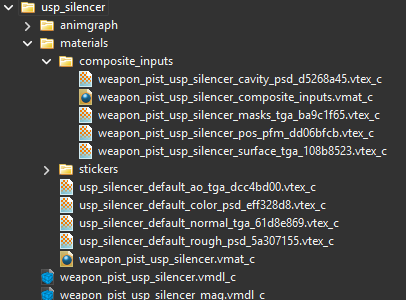
i thought they used fbx? i remember at least being able to export the model to that format with 0 issues
even the bones carried over
jade surge
huh

 jade surge
I never properly tried source 2 stuff, the standard valve model format is just what I read it used in various spots online
jade surge
I just remember trying to make gmod mods and wanting to fall out of my chair trying to get that stupid model format to work
wispy crest
i'll have to find a completely legal and legitimate way to procure half life alyx and do some digging there
since everyone wants to do psedo pbr on the workshop
wispy crest
ik
too lazy
to wait for sale
when I actually have some money and maybe vr i'll buy it
jade surge
oh CR, add an HDRI thats an overcast day
get them ambient light shadows on everything
willow fog
jade surge
I do love that with HDRIs a single bright spot acts like a light, this is someth...
But.... that's how blender works..m
You get perfect shadows from bright light sources in your hdri
willow fog
I'm pretty sure it samples just fine
subtle bison
jade surge
get them ambient light shadows on everything
there is a evening one, i think preset 4?
its about overcast
but yea i can add one in the future
jade surge
the evening one is a bit on the dimmer side
overcast can still be fairly bright
still cool tho

 willow fog
jade surge
then again it was quite hacky
willow fog
jade surge
then again it was quite hacky
Then your brightness values were setup wrong. Because I've never seen hdris causing issues
jade surge
no they were right, it was just sampling not well
willow fog
Strange
jade surge
again it was a very hacky setup
especially since it wasnt on the sky, it was a texture I mapped to a sphere but in a way that it acted like a skybox
and it wasnt even really one texture, I used I think a gradient on a color ramp to just have a circle I could make bigger and/or smaller, that I could also move the position of around
like it acted like a skybox, but it was fully custon in blender
I was trying to mimic blenders sky texture, since that only works on the sky and cant be used on a shere (despite the correct normals being possible)
tho I bought an asset and it had a custom HDRI (a proper one) and its sampling wasnt even close to what you'd get from a sunlight
subtle bison
i assume you need to make the sphere bigger? the one for gmod rtx is massive, and also hi-poly
jade surge
not the issue
if you use the right node you can project an equirectangular texture on a sphere as if it were a skybox, with that cyces samples it regardless of sphere size and poly count, if you are inside the sphere then its just a skybox, outside the sphere its like a window
subtle bison
rip
jade surge
it was the same thing we were doing there, and it had the same effect, it just didnt sample all that well
willow fog
jade surge
tho I bought an asset and it had a custom HDRI (a proper one) and its sampling w...
I'm guessing you didn't import the image as hdri
When applying it to your sphere
Not to mention that using the world itself as hdri has some optimizations on it
jade surge
it was pre imported, I'll get some pics in a sec
ye I'll show some examples
so this is a proper setup, this HDRI is applied directly to the world and is being sampled as such, even at 1024x though its still on the noiser side so you'd need to go a fiar bit further if you wanted to use it in an animation and definitely not as well as remix is sampling them
