
#Garry's Mod
1 messages · Page 61 of 1
 willow fog
 earnest yew
Python..........
 subtle bison
python 😦
 atomic pagoda
That's what I did
I unpacked packages 1 to 11
Im pretty sure those files were in the folders i extracted them to
subtle bison
nothing
atomic pagoda
.\RtxIoResourceExtractor.exe "D:\Steamgames\steamapps\common\Half-Life 2 RTX\rtx-remix\mods\hl2rtx\mod_01.pkg" --force -o .Documents
This is what i put in
subtle bison
atomic pagoda
`.\RtxIoResourceExtractor.exe "D:\Steamgames\steamapps\common\Half-Life 2 RTX\rt...
and there wasnt any .dds file for that asset?
it might be elsewhere, maybe it wasnt packed?
atomic pagoda
I got no clue im not at my pc currently
https://github.com/NVIDIAGameWorks/dxvk-remix this is what im using btw. Is it up to date?
GitHub
Contribute to NVIDIAGameWorks/dxvk-remix development by creating an account on GitHub.
subtle bison
ye
atomic pagoda
I located the extracted files in this folder called "packman" that's supposed to happen right?
subtle bison
no more hdri cube shadows when using HDRIs 🙏

also hashes are updated for the old system now
subtle bison
atomic pagoda
I located the extracted files in this folder called "packman" that's supposed to...
wdym
 winter radish
subtle bison
no more hdri cube shadows when using HDRIs 🙏
winter radish
subtle bison
no more hdri cube shadows when using HDRIs 🙏
That grass 🔥
 quiet scroll
subtle bison
also hashes are updated for the old system now
quiet scroll
subtle bison
also hashes are updated for the old system now
CR DOIN IT AGAIN CHAT 
 quiet scroll
I can visit my old mods again  I think something happened to them though, I downloaded one awhile ago and the lights were all in weird spots
subtle bison
quiet scroll
I can visit my old mods again <a:BLANKIES:1049173674831392829> I think something...
how did you spawn toolkit lights with the x32 mods? i dont think the world geometry was stable there
quiet scroll
Lots of little tricks and debug viewing  There was always atleast 1 stable hash I could find, I’d add a light to it but just place it where I wanted it
But now I add lights to the invisible squares around the map, they’re somehow totally stable. If you take a capture and then go into the toolkit and drag over the scene, it finds little squares around lights
subtle bison
invisible squares?
guh
very surprised HDRIs still work with all light bounces gone lol
 quiet scroll
I’ll show ya next time I open a gmod map - they’re GOLD for what we do in remix 
willow fog
@subtle bison Didn't
 willow fog
uh
willow fog
subtle bison
its a model thing
so what
 subtle bison
willow fog
so what
subtle bison
willow fog
so what
wait for the next release that has all of the model fixes and new launcher
 subtle bison
man if only the toolkit wouldnt crash when trying to change materials 💀
i shouldnt have updated my build ughhh

 meager oar


 atomic pagoda
subtle bison
wdym
atomic pagoda
subtle bison
wdym
Is the folder where i extract it too supposed to have that name
meager oar


 brittle token
is there any way of fixing the captures coming out sideways?
 subtle bison
yes its something i forgot to set in the 0.6.0 release
one sec
check this

and re-capture
so uhh

Gumroad
Use the animated normal map to produce good-looking water without the need for a detailed, animated mesh. A seamlessly tiling and looping animation was baked into 120 normal maps, ready to be used in 60fps animations.Find more similar products on our gumroad page or on textures.pixel-furnace.com
do we use this to replace our existing remix replacement?
👁️
earnest yew

subtle bison
fixed old water without the toolkit but there is some weird purple hue in the reflection

ah that would be it

idk who did these original replacements from years ago but they changed transmittance color
 compact blaze
subtle bison
fixed old water without the toolkit but there is some weird purple hue in the re...
compact blaze
subtle bison
fixed old water without the toolkit but there is some weird purple hue in the re...
Keep it and gaslight people about it
subtle bison
💀
compact blaze
subtle bison
💀
You have multiple options, either say it was always there, or say there’s isn’t a hue and they’re just crazy/denoising artifacts
compact blaze
subtle bison
i would do that if i didnt already say why it happened
Delete it
And say it’s a fake message
And pretend this conversation is a connected fever dream everyone but us is experiencing
subtle bison
ah right
must've been the wind

i really do want a higher res water replacement tho
compact blaze
subtle bison
https://ebbinger.gumroad.com/l/WlUHr
I mean u can try this and see how it looks
subtle bison
i gotta figure out how remix does animated textures
also the toolkit breaks whenever i interact with transparent materials so ill have to do it via notepad
kill me
compact blaze
Ya I still have no idea how it does it
compact blaze
subtle bison
also the toolkit breaks whenever i interact with transparent materials so ill ha...
Rtx 20 series life 💔
subtle bison
nah its a toolkit bug lol
both stable and the latest commit do it
i made the mistake of updating my built one
i wonder if changing it in notepad and reopening the project in the toolkit works 🤞

 compact blaze
subtle bison
both stable and the latest commit do it
compact blaze
subtle bison
both stable and the latest commit do it
Can’t u downgrade it?
subtle bison
i guess i am
compact blaze
Ik it’d take a bit of work but I think it’s worth it for the headache
subtle bison
something at least with the stage manager
arguably the best feature


thank god they tagged stuff
earnest yew
yummers
subtle bison
yippee that worked
ofc its sprite sheets
im done for

ah yes very helpful nvidia

its probably easier to get the game to render 120 unique textues i can replace
anyway ill do this later, we'll use old water for now
compact blaze
subtle bison
Actually this seems quite easy
Check the texture to see how many rows and columns it has
Place that info in there
And then multiply the row and columns to get the fps
subtle bison
there are 120 unique texture frames
earnest yew
ok and
subtle bison
i would have to make a texture 120 x 1024
so whatever that resolution is
on both axis
compact blaze
subtle bison
i would have to make a texture 120 x 1024
Does remix not allow a super high resolution sprite sheet?
subtle bison
122880 x 122880
subtle bison
compact blaze
Does remix not allow a super high resolution sprite sheet?
the gpu would explode
to put it simply
brittle token
subtle bison
check this
oooh, thanks :D imma try it
compact blaze
subtle bison
the gpu would explode
I’m sure it’d have some way to optimize it since it wouldn’t show the entire texture but only multiple versions of it in succession
subtle bison
i'd also need a way to automate the creation of that texture
no way i can do that by hand in photoshop
compact blaze
subtle bison
i'd also need a way to automate the creation of that texture
I’m sure there’s a system out there to add multiple images in a grid
Simple script or application
subtle bison
i guess ill try to
 mint berry
add gwater support so i can gwater all over the remixed textures
compact blaze
earnest yew
fatty
Ur so rude 💔
mint berry
earnest yew
fatty
🥀
earnest yew
screenshotted!
subtle bison
ty claude
montage *.png -tile 10x12 -geometry 1024x1024+0+0 -background none output_spritesheet.png
it was that easy
imagemagick ftw
earnest yew
subtle bison
ty claude
`montage *.png -tile 10x12 -geometry 1024x1024+0+0 -background none ou...
i use chatgpt 4 everythinh

subtle bison
claude is smarter 🤓
willow fog
subtle bison
i really do want a higher res water replacement tho
steal the one from hl2
subtle bison
does hl2rtx even have any water
subtle bison
also im not enabling the source engine water textures, that shit is so buggy, i'd rather let remix do this
so i'd have to make a spritesheet with that as well
earnest yew
 subtle bison
bro is gonna go out of his way to make claude look worse than gpt 4 🤓
earnest yew
i dont even use gpt 4
subtle bison
oh
earnest yew
it randomly cucks ur projects
compact blaze
earnest yew
it randomly cucks ur projects
Jessica why are you such a hater 💔
compact blaze
earnest yew
fatty
💔
subtle bison
LOL
 compact blaze
Live hating on cam
subtle bison
subtle bison
LOL

paint.net does a little trolling
UPDATED 29/4/24: guys please i genuinely have no idea how this video got so many views its literally a meme i stole off of discord stop subscribing to my youtube i literally only use this account to lurk
subtle bison
there is no way remix is gonna load this texture man
 subtle bison
bet
 distant crystal
winter radish
https://tenor.com/view/monkey-hand-out-give-me-orangutan-give-me-hand-out-mine-g...
distant crystal
winter radish
https://tenor.com/view/monkey-hand-out-give-me-orangutan-give-me-hand-out-mine-g...
I LOVE CHINESE KMS SERVERS!!!! 😁😁😁
earnest yew
subtle bison
there is no way remix is gonna load this texture man
if it can load 9 billion 4k textures
fym it cant load that
subtle bison
idk its just an arbitrary resolution
earnest yew

subtle bison
we'll find out lol
compact blaze
How long is it taking to load?
subtle bison
sitting at 70% ingesting rn
gpu isnt dead yet
nvm

oh wow it went through
moment of truth 👁️
holy shit
it works
i think i need to adjust the scaling in the engine
willow fog
subtle bison
sitting at 70% ingesting rn
Why are you reingesting preingested textures?
subtle bison
this is a different water texture 💀
willow fog
Ah
compact blaze
subtle bison
i think i need to adjust the scaling in the engine
In source right?
subtle bison
yea
i can do it with the water replacement script we have i think
are the normals backward?
or is this the double layering shit from source
it looks a bit weird ingame
compact blaze
subtle bison
are the normals backward?
It feels like the water texture is somehow temporally building up each frame but stops while ur in movement
compact blaze
U think it’s somehow a dlss issue?
subtle bison
the pharohs curse
ghosting is gone but it looks even worse
im gonna try flipping the normals tho
the reflections still look weird
compact blaze
subtle bison
there is no way remix is gonna load this texture man
Can u zip up this file and send it here
winter radish
subtle bison
the pharohs curse
Map link?
compact blaze
compact blaze
Can u zip up this file and send it here
I wanna see how my pc handles it lol
subtle bison
compact blaze
subtle bison
Oh shit wait u have discord nitro
compact blaze
subtle bison
yea i got discord
Forgot to add the nitro bit but ya also wow u have discord?
earnest yew
 earnest yew
potato patato
compact blaze
I wish I had nitro rn to upload the raw 100mb image and see if it actually embeds
subtle bison
ok bet
earnest yew
compact blaze
I wish I had nitro rn to upload the raw 100mb image and see if it actually embed...
if i had 10 dollars to spare id give you it
subtle bison
its also weird that the toolkit looks fine with the water
 compact blaze
earnest yew
if i had 10 dollars to spare id give you it
compact blaze
earnest yew
if i had 10 dollars to spare id give you it
Pls I don’t need nitro dw

 compact blaze
subtle bison
i paid $2 for the water btw
compact blaze
subtle bison
i paid $2 for the water btw
Irl bottled water prob costs that much in some places
subtle bison
btw @compact blaze these are the settings
 compact blaze
subtle bison
btw <@669250315576672256> these are the settings
compact blaze
subtle bison
btw <@669250315576672256> these are the settings
Ah guessing u kept the fps low since it’d look pretty unnaturally fast otherwise
subtle bison
ye i think thats why its 120 frames
very smooth but also lots of detail
also im pretty sure the normals are backward
aka it needs to be opengl and not directx
whoops
compact blaze
subtle bison
aka it needs to be opengl and not directx
I’ve always wondered why the ingestion screen has 2 options to set the normal
Like u set the normal for the texture when u select it
And then a big pop down menu to also select a normal type
And I’m just so confused by it lol
subtle bison
yea it took me a bit to understand as well lol
also i just realized i still have driver overrides for transformers, so when i switch to CNN in gmod it was still transformers lol
btw dont turn on thin-walled

goodbye refraction
compact blaze
subtle bison
also i just realized i still have driver overrides for transformers, so when i s...
Ya u should disable it now
compact blaze
subtle bison
I still don’t really know what thin walled is for since you can just set refraction to zero to have a clear class pane look
subtle bison
thin-walled disables refraction and also lets light passthrough
like colored shadows n stuff
earnest yew
subtle bison
btw dont turn on thin-walled
try taking the usda from the hl2 rtx water
willow fog
subtle bison
goodbye refraction
Refraction is for nerds  🔥
🔥
 willow fog
subtle bison
CNN is MUCH better
willow fog
subtle bison
CNN is MUCH better
Except for everything else lmao
subtle bison
nvm 😦
why must we suffer, stupid temporal shit
with DLSS balanced it looks ok but my performance goes in the shitter
willow fog
subtle bison
transformers looks the best when the player is constantly moving the camera
how do i enable that other transformers model
 subtle bison
what now
willow fog
Try the hl2 water
subtle bison
ugh fine
willow fog

🚨PENTING: Video kami merupakan perayaan kreativitas dan keacakan. Semua gambar yang dihasilkan AI dibuat untuk tujuan hiburan, dengan tetap menghormati hak kekayaan intelektual Marvel dan DC dan jadilah bagian dari komunitas AI Heroes!
#avengers #marvel #ai #dc #superheroes #viral #spiderman #aigenerated #cartoonfinalamazing #trending...
thx youtuvbe
I appreciate this higher form of entertainment
 mint berry
subtle bison
bro
mint berry
subtle bison
bro
when is the gmod launcher
 mint berry
out (with the mount thing)
subtle bison
im pretty sure its the original hl2 water but with its normals imported into remix
willow fog
subtle bison
why use such low res water 💀
Tile it, brother
subtle bison
kinda difficult since they're named by their hashes and not in order, not to mention also being .dds
i really dont want to put time into fixing all of it for the sake of trying it out
earnest yew
lol
willow fog
ughhhhhhhh
subtle bison
if someone else wants to do it they can but im just gonna push the old water fix we've always had
willow fog
subtle bison
if someone else wants to do it they can but im just gonna push the old water fix...
Maybe I can make a custom texture for you
willow fog
it's suuuper easy
subtle bison
subtle bison
nvm 😦
hmm apparently just lowering the normal strength makes the water look much better
also thinking maybe taking the res down a bit
subtle bison
i regret unmuting the video
willow fog
subtle bison
i regret unmuting the video
 subtle bison
anyway im gonna keep tweaking the water, i think im onto something
willow fog
subtle bison
anyway im gonna keep tweaking the water, i think im onto something
Give blender a shot
subtle bison
or just use yours
willow fog
All you have to do is add an object. Any object and select ocean modifier
willow fog
subtle bison
or just use yours
Resolution?
subtle bison
1024x1024 as a base
willow fog
I'm giving you 250 frames
compact blaze
subtle bison
https://tenor.com/view/its-out-when-its-ready-gif-6182608754390432852
when is the gmod launcher
willow fog
subtle bison
can you make the number even
256 it is
brittle token
i love this error model
 subtle bison
omfg i found what was causing the noise
meshed world renderer for fucks sake
also the normals still look weird
time to take a trip to substance painter
compact blaze
subtle bison
meshed world renderer for fucks sake
i mean thats still some noise

but ya
compact blaze
also have yall noticed how the error model in hl2 rtx has actually had its glow added
subtle bison
compact blaze
i mean thats still some noise
omfg the tiling is broken for the water too

@willow fog i need that water 😭 🙏
willow fog
subtle bison
<@877275530813128724> i need that water 😭 🙏
rendering rn
compact blaze
subtle bison
omfg the tiling is broken for the water too
that transformer artifacting 💔
 subtle bison
yea i fucking hate that stuff
compact blaze
doesn't appear in preset D right?
 compact blaze
subtle bison
where is that option btw
compact blaze
subtle bison
where is that option btw
 willow fog
Loops perfectly
subtle bison
🤤
willow fog
I have this feeling
That it's gonna eat up a lot of vram
💀
Regardless
Anything for good looking water
subtle bison
gmod rtx's standout feature will be the realistic water 
mint berry
subtle bison
gmod rtx's standout feature will be the realistic water <:evil_gang:116715616335...
mounting? 😦
willow fog

subtle bison
mint berry
mounting? 😦
i was being sarcastic
mint berry
😎
earnest yew
it's so fucking money
mint berry

willow fog
https://litter.catbox.moe/01t50n.7z
@subtle bison link expires in 12 hours
tik tok
mother fucker
 willow fog
yyyep
I told you
Hopefully you dds compression will make them much smaller
These are barely compressed PNGs
subtle bison
ye
willow fog
OpenGL format normal maps btw
subtle bison
ty for letting me know lol
willow fog
earnest yew
stinky green normal maps
I prefer the term "superior"
 lapis delta
subtle bison
`122880 x 122880`
lapis delta
subtle bison
`122880 x 122880`
can anyone try this?
lapis delta
😭
it's such a shame that the remix doesn't support real life fire simulation
in my room
subtle bison

💀
im definitely halving the resolution before i ingest this
my gpu would explode doing it full res

ty @willow fog for making it 256 frames btw, dimensions are perfectly even ❤️
subtle bison
fine 
willow fog
It'll be so funny
willow fog
subtle bison
<:fuck:1079900376771346522>

subtle bison
amazing
that was fast

i dont think remix supports 16K textures 🙂
ye the 8K version works
for some reason it does not tile correctly lol

if i do 8x8 it works but the sequencing is messed up
ill try re-tiling it, maybe the order got fucked
why the fuck is 16x16 broken but everything before it and after works

💔
@willow fog can you do like 128 frames, remix hates the number 16
willow fog
subtle bison
<@877275530813128724> can you do like 128 frames, remix hates the number 16
willow fog
I didn't even save the file
subtle bison
hmm
compact blaze
subtle bison
ok im gonna focus on pushing that new release now lol
Post pone or cancel all the stuff planned for 0.7
And instead make it the hd water update
 willow fog
I fail to understand what's going on
subtle bison
its not ur textures lol
remix shits itself when the rows and columns are 16x16
anything before or after that number works
but then the sequence breaks and it jumps around a lot
so either expand or reduce the amount of frames so its not 16 anymore
willow fog
subtle bison
so either expand or reduce the amount of frames so its not 16 anymore
what
 willow fog
oghey
distant crystal
subtle bison
i dont think remix supports 16K textures 🙂
I think there is something in rtx.conf or there is an option that declares the maximum replacement resolution, think it defaults to 8K but I've never tried changing it
subtle bison
still dont know how we'd get it to import in the toolkit tho
distant crystal
Oh it doesn't even import into the toolkit? Fuuuggg
 livid rapids
 willow fog
livid rapids
https://tenor.com/view/ellen-joe-ellen-zenless-zone-zero-zzz-griddy-gif-55307939...
willow fog
livid rapids
https://tenor.com/view/ellen-joe-ellen-zenless-zone-zero-zzz-griddy-gif-55307939...

@subtle bison
subtle bison
i already downloaded it lol
subtle bison
@quiet scroll still got that 32-bit rtx.conf?
willow fog
old or new?
subtle bison
old
willow fog
Wish I still had my old conf
subtle bison
also we're using the hl2rtx config as the base for other settings that arent hashes
so everyone should agree on it
lol
willow fog
There were a shit ton of decals and particles relating to mw19 guns
And a bunch of maps here and there
But I feel like auto tagging should be possible
willow fog
subtle bison
thankfully we have a solution for detail textures
And does it involve just getting rid of them?
subtle bison
i meant to say detail, but yea we change them all to a random dev texture and then ignore them in remix
they will never be an issue again

willow fog
brittle token
that was an extremely harsh way of reminding me to save every now and then
 brittle token
i was 90% done, Fuck
ok yeah fuck it if it's not backupped im just moving onto something else
compact blaze
brittle token
that was an extremely harsh way of reminding me to save every now and then
What were u trying to do?
brittle token
compact blaze
What were u trying to do?
setting up materials for a train station part of a hl2 beta map
replacing lights, adjusting metalness and roughness. etc
willow fog
I fucking hate the toolkit
The day I opened it for the first time
To today
I hate it I hate it I hate it I hate it I hate it I hate it I hate it I hate it I hate it I hate it I hate it
brittle token
the cuckkit
willow fog
on god
brittle token
never thought i'd see a program that doesn't know what the Supr key is for
 compact blaze
I said nothing

 brittle token
back to zero, fuck that shit
 brittle token
subtle bison
<:evil_gang:1167156163356405780>
brittle token
subtle bison
<:evil_gang:1167156163356405780>
gotta love x.conf
quiet scroll
subtle bison
<@894151488601980949> still got that 32-bit rtx.conf?
oh shit uhhh wait lemme check some places, i know there's one sitting in storage somewhere lmao
subtle bison
pls 🙏
quiet scroll
Found one!! This one's prettyyyyyy recent I believe, like a month or two before the hashes changed
subtle bison
smol

 quiet scroll
I usually keep everything when I leave a project or pause, all the work files/captures/confs, but when the hashes changed I must've just wiped everything and only kept the packages
subtle bison
i still think we have more hashes archived from the old system than the new
so all good lol
quiet scroll

I wonder if there's a way to preserve what the rtxkeepobsolete or whatever thingy does to the hashes, that way even if they do get rid of it, it won't break the old way we did it to keep hl2rtx textures intact
subtle bison
we can probably continue using a custom remix build that keeps the old system (we use a custom build anyway lol)
 keen rivet
I've been tagging a bunch of shit
keen rivet
keen rivet
I've been tagging a bunch of shit
Player models, terrain, decals
quiet scroll
We gotta make sure the material option overrides stay default so all the mods look as the modder intended
subtle bison
we're using the hl2rtx config as a base so those shouldnt be touched
quiet scroll
2 years of remix work, all bundled into one 
subtle bison
😎
i think i got the release ready to go, just need that last rtx.conf, no pressure xenthio 🙂

ima test it on a fresh install
ok i see some issues with merging rtx.confs lmao
a lot of stuff that should be decals for terrain is just straight up ignored
this is gonna be fun to fix
 keen rivet
subtle bison
<@294345174358818816> do i need to update my gmod sdk stuff or?
keen rivet
subtle bison
<@294345174358818816> do i need to update my gmod sdk stuff or?
rebuild thingy
subtle bison
yea i figured it out
beautiful
everything is working ootb on a clean install 😍

gonna start working on a script that removes unused replacements for hl2rtx
were these planks always broken in gmod?

i havent done anything other than mount hl2rtx with the extracted assets
keen rivet
subtle bison
were these planks always broken in gmod?
they work when i have hl2rtx pkgs mounted
mint berry
subtle bison
<@877275530813128724> can you do like 128 frames, remix hates the number 16
i love the number 16
becasue of 16 bit games
brittle token
uhhhhhh, material properties None???
 brittle token
damn
subtle bison
you'd have to replace the asset in the engine to a point where remix can handle it
distant crystal
Or replace it via the toolkit if the hash is stable, I've done the same for Delta Force
subtle bison
that is the toolkit
untextured drawcalls dont have any hashes so it cant be replaced
distant crystal
Why yes it is, I thought you meant replace it via the game engine
distant crystal
Hmmm mine in Delta did but who knows what kind of trickery they were doing in their engine
brittle token
according to rtx remix this the hash. FBB1B3FB53395F55
brittle token
subtle bison
yeah ideally you'd fix it in the game, then replace in the toolkit
imma see what i can do
nope, no idea
 lament quartz
i have black screen
subtle bison
have you tried making it white
fr tho, gonna need more info, how did you install remix, hardware, etc
lament quartz
https://www.youtube.com/watch?v=JeMrlemVSl8&t=41s i followed this tutroial
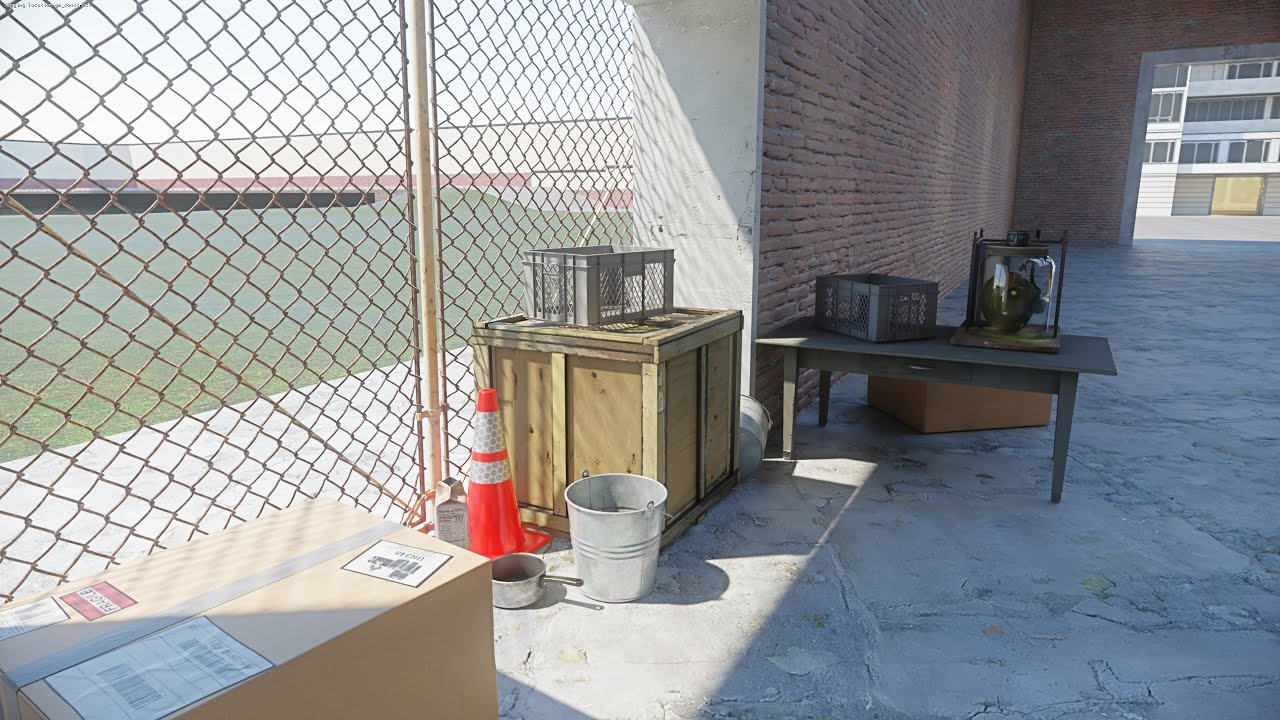
(Edit: Something keeps turning comments off on the video and it's not me!)
Edit: instead of downloading remix and bridge seperately, you can get them in one package at: https://github.com/NVIDIAGameWorks/rtx-remix/releases/tag/remix-0.6.0
You MIGHT need a GitHub account to download the following:
DXVK-Remix: https://github.com/NVIDIAGameWorks...
tutorial
but he has hl2.exe and i have gmod.exe
subtle bison
yea its out of date
GitHub
Contribute to Xenthio/gmod-rtx-fixes-2 development by creating an account on GitHub.
subtle bison
lament quartz
https://www.youtube.com/watch?v=JeMrlemVSl8&t=41s i followed this tutroial
@keen rivet might wanna rename the video to outdated
keen rivet
it still technically works
subtle bison
even if it "technically" works, its misleading at this point lol
keen rivet
 subtle bison
yea good enough with me lol
keen rivet
i forgot about the comments
 subtle bison
yea i saw those lmao
keen rivet
subtle bison
yea its out of date
Honestly I would still be using 32bit over 64bit right now
We still need to chip away at 64bit a bit more
hopefully somebody swoops i with the patches and becomes our lord and saviour
subtle bison
yeah fr
im quite happy with 64-bit imo, the meshed world render made it at least playable
no doubt 32-bit looks better and is more compatible with stuff outside sandbox, but i just didnt like the performance issues
im still debating about chipping away at a custom static prop renderer
i had a bit of luck a few months ago but scrapped it
kinda like xoxor4d said, i'd rather have specialized culling than no culling
@onyx ridge happy birthday 🍰
brittle token
grass moment

 willow fog
 onyx ridge
<a:yippee:1078756275338350653>
onyx ridge
<a:yippee:1078756275338350653>
uh
birthday
one less year of your life
Congratulations
subtle bison
willow fog
one less year of your life
could even be less 🤓
willow fog
subtle bison
could even be less 🤓

 willow fog
subtle bison
https://tenor.com/view/osaka-osaker-ayumu-kasuga-near-gif-994904847908083956
willow fog
subtle bison
https://tenor.com/view/osaka-osaker-ayumu-kasuga-near-gif-994904847908083956
I'll cave her dumb ass skull in with my boot
stupid
I hate
subtle bison
says the weeb
subtle bison
lol
lament quartz
distant crystal
https://tenor.com/view/wormie-club-wormie-club-windows-book-club-gif-26107430
Never activate windows
what should i do
willow fog
Eh
 near tartan
willow fog
Eh
near tartan
willow fog
Eh
Dudes already outa retirement
willow fog
I had nothing else to do
near tartan
Relatable
subtle bison
lament quartz
nothing looks wrong here 💀
lament quartz
ok
subtle bison
brittle token
blocking out all the windows
yea thats what i meant by untextured drawcall
 crystal storm
Yeah those untextured calls are rarely selectable in game, can only touch them with the toolkit
subtle bison
he wasnt able to
brittle token
subtle bison
yea thats what i meant by untextured drawcall
and the hash wasn't stable
crystal storm
Yup, its jover
subtle bison
brittle token
and the hash wasn't stable
hash wouldnt matter here anyway
your best bet is to decompile the map and find the problematic texture in hammer
brittle token
subtle bison
hash wouldnt matter here anyway
i can hide it from the toolkit, but it doesn't stay there in game
subtle bison
btw
crystal storm
Did you do both hide and ignore? I think hide only hides in the toolkit? or maybe its the other way
brittle token
crystal storm
Did you do both hide and ignore? I think hide only hides in the toolkit? or mayb...
ooh, i only used hidden
subtle bison
crystal storm
Did you do both hide and ignore? I think hide only hides in the toolkit? or mayb...
it still wouldnt work for that case where the mesh hash isnt stable
brittle token
tried the ignore one but it didn't seem to affect in the toolkit so i left it off
subtle bison
@brittle token try setting this ingane

it will probably remove the texture entirely but it'll stop blocking the window
brittle token
well. i suppose it is now an over-engineered blender scene lol
 keen rivet
subtle bison
<@437375873348534276> try setting this ingane
keen rivet
subtle bison
<@437375873348534276> try setting this ingane
i have never seen this setting do anything lmao
brittle token
subtle bison
<@437375873348534276> try setting this ingane
imma try
subtle bison
keen rivet
i have never seen this setting do anything lmao
works on gm_funkis
willow fog
brittle token
well. i suppose it is now an over-engineered blender scene lol
Looks really good. Map link?
willow fog
Makes sense
brittle token
when i get to the menu i'll send it
 subtle bison
yea thats a weird bug that happens with remix lol
willow fog
Kinda reminds me of environments in hitman
subtle bison
sometimes the game is frozen when it actually isnt
brittle token
 willow fog
Thx
brittle token
willow fog
Thx
it's going to be hell with the windows, they seem to be a weird custom shader or something (granted, it looks great on default gmod, but it is a pain in the ass when passing it into rtx remix)
keen rivet
subtle bison
works on `gm_funkis`
what does it even do
brittle token
im not sure it's a cubemap on that one, but let's see
subtle bison
brittle token
subtle bison
<@437375873348534276> try setting this ingane
didn't seem to do much sadly
 keen rivet
I think its really funny how microsoft could never be bothered changing the theme for MDI windows so it's just always windows 7 basic theme
 subtle bison
windows 7 basic my beloved
keen rivet
@subtle bison what theme pack do you use for your windows xp theme lmao
i wonder if windows theming has gotten less shit
subtle bison
you may not like the answer
but this shit has been around for like 20 years and never fails me
Skin the Windows desktop interface with WindowBlinds.
keen rivet
does it still ruin the OS
keen rivet
ok so thats huge
subtle bison
i can toggle it off as if nothing happened
subtle bison
im on windows 11 23H2, no idea if 24H2 breaks anything
keen rivet
bro
 crystal storm
 subtle bison
u can probably find it with other ways
i bought it tho lol
its really polished so they deserve my money
keen rivet
subtle bison
its really polished so they deserve my money
is it really subscription based

i refuse to buy subscription software
subtle bison
guh
mine is perma
did they switch to subscription???
wait

the normal one is paid forever
 quasi blaze
keen rivet
i refuse to buy subscription software
quasi blaze
keen rivet
i refuse to buy subscription software
yeah not after what happened last time when adobe slapped cancellation fees on people trying to cancel the adobe subscription
subtle bison
the other one is a subscription
keen rivet
oh
quasi blaze
quasi blaze
yeah not after what happened last time when adobe slapped cancellation fees on p...
that gave me chills bruh
 subtle bison
the software really hasnt changed in a long time lol
lament quartz
subtle bison
Sigh I'm need this qwq
subtle bison
there is even community-made themes
quasi blaze
keen rivet
install window looks like windows xp too its authentic
yeah it kinda is nostalgic
keen rivet
Wow it really takes its time to change theme
brittle token
here's what it was meant to look like, btw


 keen rivet
subtle bison
there is even community-made themes
keen rivet
subtle bison
there is even community-made themes
I might try make a vgui green one lmao
keen rivet
wtf my taskbar is a window now
subtle bison
wdym
keen rivet
it has controls
nvm it relaunched
wtf

the aero theme is like
wrong
it doesnt have the glass effect
subtle bison
keen rivet
wtf
iirc there is another w7 theme that does
keen rivet
my system is unbearably slow now
keen rivet
nothing i see
lament quartz
wich ver are you using
keen rivet
download more styles is broken

 subtle bison
ye i think they use this site
note: I didn't ask permission before doing this, and i'm not even sure if they're still interested in this project anymore (I think I read somewhere they aren't on windows anymore, so I hope you
its also broken for me
hopefully its resolved soon
oops
if i have the style downloaded ill share it here
lament quartz
why i dont have option to load workshop
 subtle bison
because the new launcher isnt out yet
lament quartz
okay
keen rivet
aw dude this is embarresingly incorrect HAHA
 lament quartz
so for now addons dont work right?
lament quartz
water psychics models from demo from rtx hl2
lament quartz
 subtle bison
i meant the issue ingame
keen rivet
subtle bison
<@294345174358818816>
better, but still doesnt do the correct glass effect
subtle bison
rip
idk maybe there are others, sucks that the site is down, its a huge part of the app
subtle bison
keen rivet
aw dude this is embarresingly incorrect HAHA
also if thats one of the offical ones, they have to modify it enough to not be exactly like the OS it's trying to imitate
otherwise would sue them to hell lol
the luna theme is the only one that actually looks like XP
idk how they got away with it
lament quartz
the models all are tight that or totaly invisible and water umm idk

 keen rivet
subtle bison
also if thats one of the offical ones, they have to modify it enough to not be e...
keen rivet
subtle bison
also if thats one of the offical ones, they have to modify it enough to not be e...
but it looks like they dont care for windows 8, and classic
 subtle bison
which win8 one, i see two
the bottom left that looks like early 8, and the middle one thats ass
keen rivet
the one that actually looks like windows 8
keen rivet
subtle bison
the bottom left that looks like early 8, and the middle one thats ass
thats 8, not 8.1
subtle bison
hm? i said 8
keen rivet
it looks like windows 8, but i think you're thinking of 8.1
subtle bison
subtle bison
8 and 8.1 are completely flat
i said early 8 as in the developer preview had that look, i should've been more specific
subtle bison
lament quartz
the models all are tight that or totaly invisible and water umm idk
workshop link for the viewmodels?
keen rivet
it looks like 8 in the original release version i remember seeing laptops when it first came out
 lament quartz
 subtle bison
lament quartz
https://steamcommunity.com/sharedfiles/filedetails/?id=3448395748
subtle bison
lament quartz
https://steamcommunity.com/sharedfiles/filedetails/?id=3448395748
lmao they're completely invisible for me

these definitely do something weird
lament quartz
okay
subtle bison
oh @keen rivet
 lament quartz
any idea about water
keen rivet
subtle bison
oh <@294345174358818816>
wtf
that should be fixed
oh
wait no
something else is causing that
subtle bison
wait gmod fucks up models sometimes when it reloads addons
keen rivet
i think that addon doesn't ship models built for dx8 mode maybe
subtle bison
lament quartz
any idea about water
looking at the picture, you have different particle textures that arent marked in the runtime
lament quartz
and what i need to fix it
subtle bison
look at the resources here if you're not familar with remix
#remix-beginners-guide message
lament quartz
If only we could get the Vista startup 
subtle bison
keen rivet
something else is causing that
reboot fixed it
funny enough the replaced viewmodels do not show
its the old ones with new animations lol
even tho im subbed to the addon
keen rivet
subtle bison
gonna start working on a script that removes unused replacements for hl2rtx
how does this script work?
 keen rivet
how would it work
subtle bison
the idea is to look inside usda files and see if it makes a reference to a filepath for a texture, model etc, if its valid it keeps it, if not, it removes the replacement
you would need the .pkg assets extracted for something like hl2rtx
subtle bison
subtle bison
the idea is to look inside usda files and see if it makes a reference to a filep...
you could probably automate this + the rtxio extraction as a 1st time setup in the launcher
would make it a 1-click process for all users
lament quartz
i feel so old looking for coupon codes for this thing
keen rivet
i don't think i'll be using extraction personally
i dont want the wasted storage
i'll wait for the multi mod pkg fix
keen rivet
subtle bison
the idea is to look inside usda files and see if it makes a reference to a filep...
my concern was would this be possible to look up inside the pkgs
subtle bison
i dont see how, nvidia only offers packaing and extraction, you'd need to make another tool to browse .pkg files
keen rivet
how else does the game know where to load files from by their filename
surely its in the rtxio api
subtle bison
yeah looking at dxvk-remix would be a good starting point
i dont know if im gonna do all of that, i just want to remove the unused replacements rn lol
one step at time
wait
i had a idea
keen rivet
do you wanna make this script as a launcher thing?
i think that would be hella useful
subtle bison
keen rivet
i think that would be hella useful
yes that was my point
 subtle bison
those .usda files wouldnt be packaged with rtxio, so we'd only need to run this process once
keen rivet
yeah
subtle bison
we can just symlink our own fixed versions of the usda files
keen rivet
true
subtle bison
😎
keen rivet
keen rivet
do you wanna make this script as a launcher thing?
have you checked out the launcher source code?
does it make sense?
settings are all in here

here's content mounting
 subtle bison
keen rivet
have you checked out the launcher source code?
subtle bison
keen rivet
have you checked out the launcher source code?
not extensively
been focused on making a release ready once all of the piece's fall together lol
btw how goes tagging textures
 subtle bison
all good no rush
keen rivet
 atomic pagoda
I am so confused. Why do only some dds files that I extract open up and others just dont?

Does this just mean that I can only access one of the textures for a model and I cant at all for the others?
subtle bison
atomic pagoda
I am so confused. Why do only some dds files that I extract open up and others j...

once again, they probably removed these intentionally
oh its from nova prospect
atomic pagoda
So I just cant use them at all...
Damn that sucks
I was really looking forward to porting a bunch of these remade assets but I guess these people love to gatekeep files
subtle bison
you do realize its a demo right? why would they include everything they've worked on if it's not in a finished state?
atomic pagoda
Thats fair
subtle bison
just to make sure, you extracted the pkg files correct?
atomic pagoda
Yep, pretty sure I did 1 to 11
I know its not finished, but I presume that those are models that are in the game meaning they have textures present for them no?
subtle bison
yeah, anything you see in the demo is finished
and i guess the leftover stuff that works in other maps too
atomic pagoda
Like the smg model is a complete (obviously not finalized) model but yet it also has these kinds of files

Unless if im in the wrong folder?
I suppose Ill just have to suck it up and wait for them to be released
subtle bison
lemme check my folder
atomic pagoda
Appreciate it
subtle bison
hey do the .dds files without the thumbnails have 0 bytes size?
 atomic pagoda
The heck
.\RtxIoResourceExtractor.exe "D:\Steamgames\steamapps\common\Half-Life 2 RTX\rtx-remix\mods\hl2rtx\mod_01.pkg" --force -o .D:\hl2rtx does it seem like something wrong with the command?
subtle bison
did you ever do mod_00?
atomic pagoda
I apoligize for being hostile
subtle bison
nah ur fine
atomic pagoda
Its not your fault
atomic pagoda
All of us make mistakes 
atomic pagoda
@subtle bison So to update more textures actually do seem to show up and are openable but there are still a lot of those empty files

Unsure if they are placeholders or not
subtle bison
they might be
earnest yew
zock on
atomic pagoda
subtle bison
I just realized something im doing diffrent, I made my own separete out folder while you put yours in the steam files, maybe thats a reason why too? because on my end I also cant find the smg textures in the folder
subtle bison
it doesnt really matter where they go as long as you merge everything back into the hl2rtx mod folder
atomic pagoda
I think to be safe ill just change it to that
@subtle bison Are you dragging and dropping the extracted files into the out folder in the hl2rtx files?
subtle bison
yes
atomic pagoda
Okay good
because even when I change the directory it still pops back in the c drive
brittle token
 keen rivet
backing up current config with my latest changes, tagged some css decals, changed some terrain textures from decal type over to terrain type (now we have decal terrain mode)
 runic gale
https://steamcommunity.com/sharedfiles/filedetails/?id=831650445 Not sure if could test the waters on this map

oh and
 atomic pagoda
Great news a the porting worked better and I now have a bunch of hl2rtx assets!
 mint berry
atomic pagoda
Great news a the porting worked better and I now have a bunch of hl2rtx assets!
mint berry
atomic pagoda
Great news a the porting worked better and I now have a bunch of hl2rtx assets!
in gmod?
atomic pagoda
Source 2
mint berry
oh
 hushed trail
Even better!
atomic pagoda

 keen rivet
remix JUST crashes now i didnt change ANYHTING
 quasi blaze
keen rivet
remix JUST crashes now i didnt change ANYHTING
quasi blaze
keen rivet
remix JUST crashes now i didnt change ANYHTING
Wait a minute what does VK_ERROR_DEVICE_LOST error mean?
meager oar
atomic pagoda
Source 2
where u gonna use those assets? in s&box?
keen rivet
 subtle bison
@keen rivet did you test the new lightupdater system? seems broken for me (i have disabled the old lightupdater system and any handling from fvf)
meager oar
willow fog
https://cdn.discordapp.com/attachments/1182329984723976283/1352799427563094077/o...
is tis your birb
 willow fog
meager oar
is tis your birb
willow fog
meager oar
is tis your birb
Yes
meager oar
mines a brat

 ocean cipher
is it possible to play with AMD graphic card
subtle bison
sort of
winter radish
subtle bison
<@487975712842579968> whats the latest way to get optiscaler
You can download the nightly build and use the setup guide, it’s pretty much the same tho I think they changed some things that makes it easier
subtle bison
https://github.com/cdozdil/OptiScaler/releases/tag/nightly
https://github.com/cdozdil/OptiScaler?tab=readme-ov-file#automated
@ocean cipher

GitHub
Changes in the Last 24 Hours
03dfebc Update README.md (cdozdil)

GitHub
OptiScaler bridges upscaling/frame gen across GPUs. Supports DLSS2+/XeSS/FSR2+ inputs, replaces native upscalers, enables FSR3 FG on non-FG titles. Supports Nukem mod for DLSSG-to-FSR3 FG. - cdozdi...
keen rivet
subtle bison
<@294345174358818816> did you test the new lightupdater system? seems broken for...
is something culling it?
It was tested
subtle bison
keen rivet
is something culling it?
i wouldnt know, the old system depended on fvf to not be culled
i tried to hook up the new one to it but i think it being one clientside prop makes things difficult
i added spatial partitioning to the old one and also did something similar to your new one to create less clientside entities
it works pretty well but im working on p2 rtx atm i havent fully tested everything
ocean cipher
subtle bison
https://github.com/cdozdil/OptiScaler/releases/tag/nightly
https://github.com/cd...
thanks🙏🙏
keen rivet
subtle bison
it works pretty well but im working on p2 rtx atm i havent fully tested everythi...
P2rtx!?! Traitor!!
 loud mural
Hey @subtle bison and @keen rivet are there any consistent engine crashes you guys get?
subtle bison
shaderapidx9 stuff when loading csgo maps sometimes
keen rivet
loud mural
Hey <@326199486550376451> and <@294345174358818816> are there any consistent en...
Only the ones I cause 
subtle bison
but its been working recently
so if we theoretically get rid of culling, wont we run into the old map issues we had on x32?
video is from early 2024
we might need to find a way to disable world rendering without breaking the skybox and keep mwr in place (we can keep engine displacements)
ik mat_forcedynamic fixes this but it absolutely killed performance
loud mural
subtle bison
we might need to find a way to disable world rendering without breaking the skyb...
What's mwr again?
brittle token
modern warfare remastered
subtle bison
subtle bison
re-renders the whole map with cubic meshes with no culling
no visible difference from the engine and it has 0 performance impact
loud mural
subtle bison
ik mat_forcedynamic fixes this but it absolutely killed performance
We could just increase the vertex limit like we did last time when we lost the patches lol
subtle bison

loud mural
That wouldn't incur the perf hit forcedynamic had
subtle bison
someone did this but it broke the game
GitHub
This pull should alleviate some of the "too many indicies for index buffer . . tell a programmer" error messages. INDEX_BUFFER_SIZE is a macro in source engine so the resulting pa...
loud mural
Exactly^
That's what we fucked up we accidently pushed an old patch that didn't work
But I had a .dll that worked
subtle bison
👁️
loud mural
I don't have it so we are going to need to redo the patch again
No biggie I hope, we will see
subtle bison
🙏
loud mural
subtle bison
so if we theoretically get rid of culling, wont we run into the old map issues w...
What map is this?
subtle bison
wish i knew, the console is blocking the map name
but gm_cosmodrome and "i swear this is brutalism" both had this issue
subtle bison
ye i think it does
lament quartz
what can i do to make work enchanted water
willow fog

The brutalism map is fucked for me
Shader glass
Also @subtle bison does the hdri addon not work with old hashes?

 willow fog
lament quartz
lament quartz
what can i do to make work enchanted water
willow fog
lament quartz
lament quartz
what can i do to make work enchanted water
?
loud mural
@subtle bison @keen rivet c_frustumcull patch; engine.dll [('4883ec480f10', 0), '31c0c3'],
keen rivet
It's still good to have as a real patch tho
keen rivet
loud mural
Alright well what are we missing?
I don't entirely know
Just, culling is still there
that's all I know
subtle bison
dont we need one in the client.dll as well?
earnest yew
balls
loud mural
I'll talk to him about it next time we speak, he went to bed. Either tomorrow or next weekend
subtle bison
ty for doing this for us 🙏
loud mural
Actually I got lucky. He's doing it for free for us. We've got HDR maps and the shaderapi crash lined up as well for him to fix
keen rivet
WHo is this guy and get him in here so i can say HOLY GUACAMOLE THANK YOU
i can pass him my ida files with a few functions i've documented for him if it makes it any easier
loud mural
Next time I talk to him I'll mention the server
idk if he will join though, we'll see
keen rivet
subtle bison
dont we need one in the client.dll as well?
blueamulet already did that one
keen rivet
loud mural
<@326199486550376451> <@294345174358818816> c_frustumcull patch; engine.dll [('4...
I suppose we can PR this into blueamulets patches anyways
to fill the missing patch where the todo stands
loud mural
Yeah he was cool with that
compact blaze
so whats the status report rn for whatevers happening rn?
keen rivet
still in culling hell
meager oar
is the issue of objects disappearing and appearing also part of the culling issue? like this
subtle bison
nah thats something i caused, func entites are being processed in fvf and its breaking rendering of them, they'll be fixed in the next release
onyx ridge
is there anything i've missed so far today
earnest yew
loud mural
I'll talk to him about it next time we speak, he went to bed. Either tomorrow or...
are we getting 64 bit patches
idk what's happening
earnest yew
