#Garry's Mod
1 messages · Page 29 of 1
 idle pilot
 subtle bison
so purely from the 2D viewport?
i still wouldnt compare it to native FG implementations
 modern quest
yeah. the latest release does a fairly good job, enough that i've had little issue using it on a lot of games... and i'm pretty harsh on FG implementations
and i agree, it's not the same
idle pilot
when the error gets fixed for remix ill show a difference with framgen on and off
subtle bison
i also hardly see how it can help in a completely GPU bottlenecked scenario, doesnt LS depend on spare GPU headroom?
modern quest
i hope we'll have a fully functional FSR 3 implementation in Remix one day, either through a replacement mod or a proper implementation
modern quest
subtle bison
i also hardly see how it can help in a completely GPU bottlenecked scenario, doe...
it does, but so does DLSS FG and FSR 3 FG
if you're truly 100% maxing out your GPU, you'll often see no gain from FG being enabled in native implementations
modern quest
in Remix it actually works completely fine. i haven't run into that issue
not sure why?
i don't get 100% gains, but often 70-80%
modern quest
modern quest
in Remix it actually works completely fine. i haven't run into that issue
ah, unless you meant Lossless Scaling's FG. i agree it's not really worth it with Remix
subtle bison
modern quest
ah, unless you meant Lossless Scaling's FG. i agree it's not really worth it wit...
yes
 meager oar
hmm but I use it and it works fine for me, the construct video I uploaded here was like running at 40 fps but with lossless FG on top
modern quest
i find the latency of LSFG to be way too much when the base FPS is below 50 FPS
can't imagine playing with 20 FPS with LSFG on top
meager oar
https://m.youtube.com/watch?v=3zyTF5CPsfg&t=13s 😂 here it is 18 fps, looks like a luma AI video

yea it's a mess at 20
modern quest
you should definitely turn off motion blur in Remix's settings
meager oar
for me I always try to target for 30 if I ever want to use lossless
 quiet scroll
I wonder what's causing the bridge crashes for everyone now 
I have an on-going ticket for it

GitHub
Describe the bug When I'm playing in Garrysmod RTX, I'm experiencing crashing that seems to happen when I play for about 2-3 minutes max. It's not necessarily a crash, the game is still...
 half viper
whats a goood texture mod cus its kinda ugly the game for me and also i can see two mes
meager oar
modern quest
you should definitely turn off motion blur in Remix's settings
I kinda like motion blur, Just a Tini bit though
subtle bison
quiet scroll
https://github.com/NVIDIAGameWorks/rtx-remix/issues/594
yep i haven't experienced any bridge issues myself
meager oar
quiet scroll
I wonder what's causing the bridge crashes for everyone now <:HUH:10908376225255...
💀 Have no clue what triggers it, The game works and the next day u open your PC to play again bam suddenly the bridge error
quiet scroll
Mine keeps "soft crashing" where the game stops responding and the audio repeats from the last thing I did lol
Feel free to upload your logs/crashes to the github page - it may help fix stuff 
idle pilot
subtle bison
yep i haven't experienced any bridge issues myself
do u know what causes it?
quiet scroll
I thought it was my mods causing the errors because of the python script - but I just made a mod last night that never used the python script, so it HAS to be just gmod alone now 
Anybody else feel free to upload your logs/crashes/dmps to the github - this might be a bigger issue than I thought 💀
quiet scroll
Woah, it looks like it's trasmitting light?
 lapis delta
quiet scroll
Woah, it looks like it's trasmitting light?
lapis delta
quiet scroll
Woah, it looks like it's trasmitting light?
can you check tfa base or arc9?
with their 3d scopes
lapis delta
quiet scroll
oo maybe not
wait, it doesn't work?
quiet scroll
I can't really tell 
 lapis delta

 lament quartz
quiet scroll
oo maybe not
lament quartz
quiet scroll
oo maybe not
is it casting light, check hl1 c1a01 (after the train ride)\
lapis delta
 willow fog
remix downloader downloads even failed checks?
willow fog
no it just downloaded
modern quest
lapis delta
remix downloader downloads even failed checks?
it can't because the builds didn't complete
willow fog
lapis delta
remix downloader downloads even failed checks?
nope

Maybe mark
@lucid parcel can you shed some light on what exactly this update does?
 lapis delta
willow fog
nope
lapis delta
willow fog
nope

 lucid parcel
willow fog
<@617500777191047168> can you shed some light on what exactly this update does?
lucid parcel
willow fog
<@617500777191047168> can you shed some light on what exactly this update does?
In HL2 there are a bunch of security monitors and screens that broadcast Breen's speeches. Those are done by drawing a scene to a render target texture, then drawing the screen using that texture as the color texture.
My MR lets you flag those textures for ray forwarding, which causes the scene being drawn to the render target be added to the ray traced scene, then treats the screen sorta like a portal (in that rays which hit it get spat out from the camera in the other scene)
End result is that the scene in the security monitor gets ray traced instead of being rasterized
willow fog
lucid parcel
In HL2 there are a bunch of security monitors and screens that broadcast Breen's...
Interesting. Is this a new texture category?
lapis delta
willow fog
Interesting. Is this a new texture category?
yea, check categories
i think
is it work?
willow fog
weait
lapis delta
oke
subtle bison
should also fix gmod mirrors
willow fog
Don't see it
 lament quartz
subtle bison
should also fix gmod mirrors
lament quartz
subtle bison
should also fix gmod mirrors
:gasp:
lapis delta
willow fog
Don't see it
i think you need to enable this... sorry for my eppy head
 willow fog
lapis delta
i think you need to enable this... sorry for my eppy head
willow fog
lapis delta
i think you need to enable this... sorry for my eppy head
where is it


 lapis delta
willow fog
it brokey
lapis delta
willow fog
it brokey
it's brover
lucid parcel
willow fog
Don't see it
Split textures up by category and it should be easier to see. The option will only come up when you right click on a render target texture
willow fog
lucid parcel
Split textures up by category and it should be easier to see. The option will on...
Build failed
On github

What does it look like on your end
if you can even show
lucid parcel
build worked fine on our internal repo, and that error looks like there was a server crash or something, not a compilation error
I'll ask around about that
willow fog
Thx. WOuld love to see it working
lucid parcel
set the jobs to rerun, we'll see if it was just some network hiccup
idle pilot
is this error getting worked on

sorry to ask if u guys brought it up
just decided to ask
lucid parcel
That's just a notification that the runtime crashed - probably dxvk-remix, but possibly the bridge's server.
idle pilot
oh alr
lucid parcel
The bridge server is just the 64 bit process where dxvk-remix actually runs. So any time dxvk-remix crashes, you'll see that error
idle pilot
oh ok thanks
subtle bison
lucid parcel
set the jobs to rerun, we'll see if it was just some network hiccup
looks like it finished rebuilding on github, all artifacts are available
about to try it out
dont know if this is happening for anyone else but once I get ingame, its about a frame every minute lmao
i was using dxvk-remix 0.5.1 previously which ran fine
not sure if it's the game or bridge as the first few seconds its smooth then it just dies
also debug options are missing for the debugoptimized build
ok after a couple of launches its fine, though i cant select the render target texture

clicking does nothing and right click does not have the option
lucid parcel
subtle bison
Is that render target drawn to every frame?
lucid parcel
Is it marked as world space UI or anything like that?
lucid parcel
what does it look like i you unselect that texture?
subtle bison
nothing, that texture was already there before i placed the RT monitor
also the hud version did not work
just a black output and it was unselectable
fixed the hud version but it's still unselectable from the toolkit
 quiet scroll
omg it worked! And it looks like it already categorized the textures for me
 subtle bison
but breen looks rasterized as usual?
i believe the point of this PR is to path-trace these RT textures
@lucid parcel it might be helpful to add the RT RT texture category to the right click menu
subtle bison
you sure? look at the difference of shading vs inside the room and on the monitor
you have the roughness at 0 and his face was shiny as hell and its not at all on the RT monitor
also there is no shading on his face other than vertex colors
quiet scroll
Ohhh I see, the screen maybe?
 subtle bison
the screen is emissive so yes it can cast light, but the content itself (breen) should be path traced

see its rasterized for me as well but the screen is casting light which existed before


eyes are blank on RT and there is strong shadows, on the monitor its fullbright and his eyes work
its definitely rasterized

you can also see it here without the monitor model
quiet scroll
toying with it a bit 
he's path traced, but the screen itself might not be? I can't really tell
subtle bison
quiet scroll
toying with it a bit <a:pepespin:971473803924369531>
yes for sure now lol
how did you select the textures? just manually go through the uncategorized list?
i only have that 1 texture so idk how you have all of those
oh
i see

💀
quiet scroll
Yeah  There were a bunch of black textures that came up so I kinda had to do trial and error
 peak rover
quiet scroll
toying with it a bit <a:pepespin:971473803924369531>
peak rover
quiet scroll
toying with it a bit <a:pepespin:971473803924369531>
whats your pc
quiet scroll
peak rover
whats your pc
4090 + i9 14900k 
subtle bison
definitely working
very buggy with the thirdperson model (breaks pesudoplayer from rtx remix fixes as well)
if you mark them as player model texture again, you cant see yourself in a camera
modern quest
any noticeable decrease in performance?
 subtle bison
modern quest
any noticeable decrease in performance?
subtle bison
modern quest
any noticeable decrease in performance?
nope, not on my 2080 + 7950X3D at least
it drops maybe 5-3fps for me?
willow fog
@lucid parcel @lapis delta
quiet scroll
Try some of the other textures in that list
willow fog
They do nothing
subtle bison
works on props too lul
is anyone else having this playermodel issue though?
it only happens when the rt texture is active

there is literally 2 models co-existing at the same time
lucid parcel
subtle bison
source engine sends two copies of the scene down, and we just add both copies to our raytracing scene (deduped, of course - but those player models aren't perfect dupes.) Maybe we would need to do something like the portal player model handling to fix that properly, but HL2 doesn't have any scenes where the monitor would show Freeman
subtle bison
gotcha
quiet scroll
modern quest
any noticeable decrease in performance?
no notable performance loss 
lucid parcel
willow fog
<@617500777191047168> <@1197862833833136139>
that's... interesting
lucid parcel
quiet scroll
Yeah <a:KirbDance:1060102119685885983> There were a bunch of black textures tha...
You should only need to mark 1 render target - and it should show the results of the raster rendering when it's not selected
willow fog
lucid parcel
that's... interesting
Yeah it's freaking out a lot
Would love to see it work otherwise the scopes are a no go
lucid parcel
willow fog
Would love to see it work otherwise the scopes are a no go
Are scopes typically done with a render target?
willow fog
In this mod, yes. There is however a non RT mode but it doesn't look as good.
It zooms your whole view
lucid parcel
I only knew of the HL2 uses of it to test out, I may need to spin up gmod to test those out.
Are there any weapons in HL2 that use render targets?
subtle bison
if anyone has any flickering issues with the advanced rt cameras addon, max out the frame rate, fixes the flickering
willow fog
lucid parcel
I only knew of the HL2 uses of it to test out, I may need to spin up gmod to tes...
Not to my knowledge
lucid parcel
the test cases we all involved the RT camera being in a completely different scene from the regular camera. May need additional fixes to support having them both render the same scene.
lucid parcel
This feature is still very experimental - there are definitely still image quality issues that I want to address. But it'll be great to have more useful test cases
subtle bison
guess more of a nitpick and im sure it was intentional, but reflections dont seem to show

nvm, maybe it just doesnt resolve that well at a lower res?
lucid parcel
subtle bison
guess more of a nitpick and im sure it was intentional, but reflections dont see...
to save on perf the RT rays act like translucent PSR rays - which means they can pass through glass, but don't support perfect reflection
subtle bison
 lucid parcel
that may change in the future - it's just an artifact of the current implemetation which I'm already considering changing
quiet scroll
Anybody seen Longlegs 

@subtle bison were you able to get the placable cameras raytraced?
oh wait uhh....some guns trigger it to work/not work? 
lucid parcel
quiet scroll
oh wait uhh....some guns trigger it to work/not work? <:Wokege:10305093727758663...
You need both a camera and a surface the camera is drawn to
subtle bison
quiet scroll
<@326199486550376451> were you able to get the placable cameras raytraced?
yes
you need a RT camera addon
idk how your normal gmod camera is rasterized
that shouldnt ever be the case
 near tartan
Love Frame gen big on quality though, so I avoid using it, I run a 4070 SUPER at DLSS performance with no frame gen, which tends to be higher quality because it’s DLSS 3.5, I get a solid 80 fps at 4k
quiet scroll
My normal gmods path traced, but I guess some guns in my addons misplaces the surface camera maybe? 

 subtle bison
357 is cooking in the oven 🔥

the normals on the grip tho 😩 👌
aaand since the grip is a separate model, UV issues ensue

🤪 im gonna lose it
quiet scroll

subtle bison
oh hello there

wasnt getting these until the newest dxvk-remix build
only happens on launch tho


UV issues wont stop me
 lapis delta
willow fog
<@617500777191047168> <@1197862833833136139>
lapis delta
willow fog
<@617500777191047168> <@1197862833833136139>
bro thinks he is sewerslvt
lapis delta
subtle bison
if anyone has any flickering issues with the advanced rt cameras addon, max out ...
also, maybe these glitches happen because of this
lapis delta
i asked arctic at server and he said that you can't set the refresh rate there for 3d scopes
it's over...
@willow fog oh no...
you ruined their boy...
 modern quest
as opposed to just leaving the textures as they were 😛
lapis delta
modern quest
as opposed to just leaving the textures as they were 😛
i think we need to close every remix project
meager oar
lapis delta
<@877275530813128724> oh no...
you ruined their boy...
tbh i dont understand this weird hate, like why is it bothering them so much about a modder moding one of these old games, they worship these games or what?
lapis delta
they think that remix adds only "shaini teksturs"
like
they think that remix is
shader...
lapis delta
meager oar
tbh i dont understand this weird hate, like why is it bothering them so much abo...
also, popo
can u check please skyboz?
 meager oar
lapis delta
can u check please skyboz?
meager oar
lapis delta
can u check please skyboz?
with the latest remix build? gotta install that probably will take 8 mins
lapis delta
meager oar
with the latest remix build? gotta install that probably will take 8 mins
yea
oh, 8 minutes?
meager oar
idk sometimes its fast and sometimes its slow, ma dang internet speed goes up and down alot
lapis delta
same, sometimes i cant play gta online
lapis delta
meager oar
idk sometimes its fast and sometimes its slow, ma dang internet speed goes up an...
so are you downloading now?
meager oar
yus
lapis delta
meager oar
yus
any results?
quiet scroll
jesus causitics be patient 💀
lapis delta
quiet scroll
jesus causitics be patient 💀
naaaaaaaaaaaaaaaaaaaaaaaaaaaaaaah
quiet scroll
why can't you do these little tests?
lapis delta
im in school right now
meager oar
 meager oar
lapis delta
im in school right now
meager oar
lapis delta
im in school right now
here
meager oar
it jiggles around when u move the mouse though
turn this option on reproject sky

and set the both values below it to 20000
lapis delta
meager oar
it jiggles around when u move the mouse though
to be honest, im already pleased with the progress
there was no skybox before
 gaunt ingot
meager oar
turn this option on reproject sky
gaunt ingot
meager oar
turn this option on reproject sky
OH MY GAAAH
lapis delta
meager oar
it jiggles around when u move the mouse though
why these buildings began to shine brightly 😭😭😭

 gaunt ingot
hold up i can remember that i did something that fixes skybox but makes really deep fog
quiet scroll
Posting a crash example for my github page lol
gaunt ingot
Like i just typed r_3dsky 1
meager oar
lapis delta
gaunt ingot
Like i just typed r_3dsky 1
it was rasterized
but now it fully path traced


 lapis delta
life is amazing...
meager oar
had to put the vol fog dist to 555,000 or sumthing for the fog to reach behind da citadel 💀
 meager oar
lapis delta
why these buildings began to shine brightly 😭😭😭
meager oar
lapis delta
why these buildings began to shine brightly 😭😭😭
u mean the flickering on the white walls? theres like another wall behind them in the 3d skybox for sum odd reason so when it jiggles that wall goes through the white one
hmm game seems to crash now if i alt tab out two times, no bridge or dxvk error though
quiet scroll
meager oar
hmm game seems to crash now if i alt tab out two times, no bridge or dxvk error ...
does yours crash like this? #1116089843479498782 message
willow fog
lapis delta
<@877275530813128724> oh no...
you ruined their boy...
Tell him to cope
meager oar
quiet scroll
does yours crash like this? https://discord.com/channels/1028444667789967381/111...
hmm i dnt think i have ever crashed like that maybe in early days of remix but i dnt remember
willow fog
Also what server are you in? These people are idiots
meager oar
but not anything like that in recent times
quiet scroll
Huh weird, hopefully the nvidia guys can help solve all this, I've given them every log imaginable lol
meager oar
i think the alt tab crash im getting might be due to the 3d skybox
lapis delta
willow fog
Also what server are you in? These people are idiots
Diamond Doves
meager oar
yea i just tested it out its the 3d skybox causing the crash when alt tabbing the 2nd time
lapis delta
lapis delta
Diamond Doves
discord link is in arc9 page
willow fog
lapis delta
Diamond Doves
Never heard of it
lapis delta
willow fog
Never heard of it
there are really most idiots there
lapis delta
 half viper
There was
half viper
There was
fully path traced?
half viper
Yes
half viper
lapis delta
does it fix 3d scopes?
Burrito tried
lapis delta
half viper
Burrito tried
so?
half viper
Didn't work
lapis delta
i mean, he enabled "render target", not "reproject sky"
half viper
It works with sky only
lapis delta
😭
half viper
how do i fix seing my self
 royal vortex
is their a download link? i's love to get this!
how did you make emissive textures and PBR?
subtle bison
royal vortex
is their a download link? i's love to get this!
I'll release it as a pack on moddb when its finished
subtle bison
royal vortex
how did you make emissive textures and PBR?
photoshop, substance painter, existing alpha/normal maps extracted from the original textures if they exist
royal vortex
oh nice thanks
whats a alterative to PS and SP if i don't wanna pay to use them lmao
subtle bison
royal vortex
but how do i do this myself for other weapon models and props
I would google some PBR tutorials if you want to do your own. My method is mostly comprised of knowledge I've learned over the years
subtle bison
royal vortex
whats a alterative to PS and SP if i don't wanna pay to use them lmao
nothing for SP unfortunately, but for Photoshop you could gimp, krita, blender, etc
royal vortex
nice. thank you
i think substance painter is what you use for the emmisives and maybe the reflecty bits
subtle bison
np, there is also AI methods but in my opinion they dont really get the materials right
subtle bison
royal vortex
i think substance painter is what you use for the emmisives and maybe the reflec...
nope, substance just makes it easy to paint and manipulate PBR materials onto a 3D model so i dont have to do it in Photoshop
royal vortex
i also added a custom texture to one of my models and the texture just appears as a black flat texture.
subtle bison
i made the emissives in Photoshop
its usually a color traced on top of the element you want to be emissive, just make sure the background is completely black as that is your transparency
im not near my pc but it would look something like this

 subtle bison
that means the runtime cant find your texture
royal vortex
how do i fix this
subtle bison
make sure it's properly ingested in the toolkit
royal vortex
ah thank you
subtle bison
and its inside your mod location
royal vortex
i literally forgot to do that
so i have to ingest

here it is in remix
i dont know is this is ingested or not but i made an output and it put it in here.
 subtle bison
im not able to give you a step-by-step st the moment, but this tutorial by nvidia should get you there
https://m.youtube.com/watch?v=MQejylcuAeU

NVIDIA RTX Remix is a powerful tool that enables modders to remaster classic games with high quality PBR Assets, full ray tracing (path tracing), and NVIDIA technologies like DLSS and Reflex. This video gives you a crash course on RTX Remix, and serves as an introduction on using the Toolkit–except instead of modding a real game, you will mod a ...
royal vortex
thank you!
half viper
help me i see two player models
subtle bison
if you're using rtx remix fixes, it creates a duplicate of your player model for first person shadows, simply go in first person and mark the visible parts of your playermodel as a player texture in the runtime menu
royal vortex

 glossy mauve
what da apc doin
quiet scroll
love this channel
 peak rover
quiet scroll
love this channel
peak rover
quiet scroll
love this channel
one day ill buy the rtx 6090 and come back to gmod rtx
 viscid ocean
this is so good wtf
willow fog
@meager oar whats happening?
half viper
willow fog
<@900427985503535114> whats happening?
Stop encoding in av1 it doesn't load on my phone;(
 meager oar
willow fog
https://cdn.discordapp.com/attachments/1196836285545971712/1285890876262060032/h...
meager oar
willow fog
https://cdn.discordapp.com/attachments/1196836285545971712/1285890876262060032/h...
u fixed it?
willow fog
no magazine is still black
meager oar
there was a guy here who said u need to like do some configuration in the mwbase vmt files to fix the void textures
tis
heres da deagle with fixed mag
lapis delta
willow fog
https://cdn.discordapp.com/attachments/1196836285545971712/1285890876262060032/h...
this looks so zesty👅
willow fog
lapis delta
this looks so zesty👅
two more guns done in #asset-creation
meager oar
swinging ship
lament quartz
willow fog
<@900427985503535114> whats happening?
"delete these parameters on mwb vmts if you want color"

nad yes i realize its been said before
willow fog
lament quartz
nad yes i realize its been said before
nad I don wanna do allat
willow fog
u a big one fo dat
lament quartz
 glossy mauve
house

 subtle bison
lament quartz
>"delete these parameters on mwb vmts if you want color"
subtle bison
lament quartz
>"delete these parameters on mwb vmts if you want color"
this fixed the albedo for the mmod crowbar, thanks

🥵
 meager oar
glossy mauve
house
meager oar
glossy mauve
house
A house
glossy mauve
A minecraft movie
subtle bison
procedural glass is still one of the best addons to compliment remix
willow fog
Make cinematic mod alyx

 subtle bison
me when i have to manually pbr anything
 subtle bison
lament quartz
<:worksonmymachine:1143252388740870195>
subtle bison
lament quartz
<:worksonmymachine:1143252388740870195>
it looks fine when its not replaced but it breaks when I add replacement materials
lament quartz
subtle bison
it looks fine when its not replaced but it breaks when I add replacement materia...
How does it break
subtle bison
albedo is blank, so the whole weapon is grey
removing the 2 lines in the vmt fixed it
lament quartz
subtle bison
removing the 2 lines in the vmt fixed it
Ye so it's fine now, or is there still a problem
subtle bison
ye its fine now after removing those lines
lament quartz
Hella cool
quiet scroll
PBRFusion at 30 guidance 🥵


 meager oar
subtle bison
procedural glass is still one of the best addons to compliment remix
meager oar
subtle bison
procedural glass is still one of the best addons to compliment remix
dang have u uploaded this as a mod somewhere?
subtle bison
maybe? its just a fully transparent material, no textures or anything
shouldnt be hard to recreate
meager oar
subtle bison
maybe? its just a fully transparent material, no textures or anything
i dnt hav da toolkit installed 😭
subtle bison
hu, how are you doing replacements then?
meager oar
subtle bison
hu, how are you doing replacements then?
octatex and paint3d hehe
subtle bison
💀
 tulip meadow
That is a lot of guidance
subtle bison
meager oar
dang have u uploaded this as a mod somewhere?
also i should probably rephrase my question, the procedural glass or the actual glass material?
meager oar
subtle bison
also i should probably rephrase my question, the procedural glass or the actual ...
da material
subtle bison
ill see if i can find it, i have so many mod usda's i have no idea where it lives
might be a bit
peak rover
meager oar
swinging ship
active windows makes this 1000x better
peak rover
willow fog
https://cdn.discordapp.com/attachments/1134564734415409194/1285952510174957619/h...
I NEED
glossy mauve
willow fog
https://cdn.discordapp.com/attachments/1134564734415409194/1285952510174957619/h...

Almost didn't make it out of City 17 getting this 😬
Anyway, figured I'd make a non-Shorts version out of this because a lot of people didn't see the original.
Models - Escape from Tarkov, Insurgency Sandstorm
Rig: DogSayingWoosh
Rig model: Insurgency Sandstorm
Sound...
same vibe ngl
 mild mist
who'll be the first to port the hl2rtxremix stuff to gmod
 hushed trail
Hopefully hashes will be semi similar so it won’t be too much of a hassle
There’s issues still
subtle bison
anyone might know a reason why these replacements flicker?
it also does it in the toolkit and i dont have a clue why
its just these two textures
my other ones dont
quiet scroll
Maybe the "Keep Lights" thingy is causing it? Orrrrr possibly the rtx.io option being enabled in the confs
Or maybe there's a decal texture hidden on the mirror
subtle bison
quiet scroll
Maybe the "Keep Lights" thingy is causing it? <:monkaHmm:897942286439165972> Or...
you mean this?

ill see if rtx.io is enabled
quiet scroll
subtle bison
you mean this?
yeah
subtle bison
toggling it doesnt change anything
its just one texture so i dont think it's something conflicting
i didnt replace the albedo, i just made a reflection map based off a mask
i wonder if the albedo actually needs to be replaced, or at least pointed to a replacement
quiet scroll
Ahhhh I see. Hmmm that's interesting, I don't think I've ever made a change without the albedo being switched...now I'm very curious
subtle bison
subtle bison
ill see if rtx.io is enabled

its off
ill try exporting the original albedo as a png and reingest it and see if that fixes it
quiet scroll
Good idea 
 subtle bison
nope
still flickers with reingested albedo
wtf
ill post in toolkit help
#1286128955518091344 message
can be found here
meager oar
trench warfare


 meager oar
 subtle bison
meager oar
subtle bison
meager oar
yea without context, i would have no idea if this is gmod lol
meager oar
 meager oar
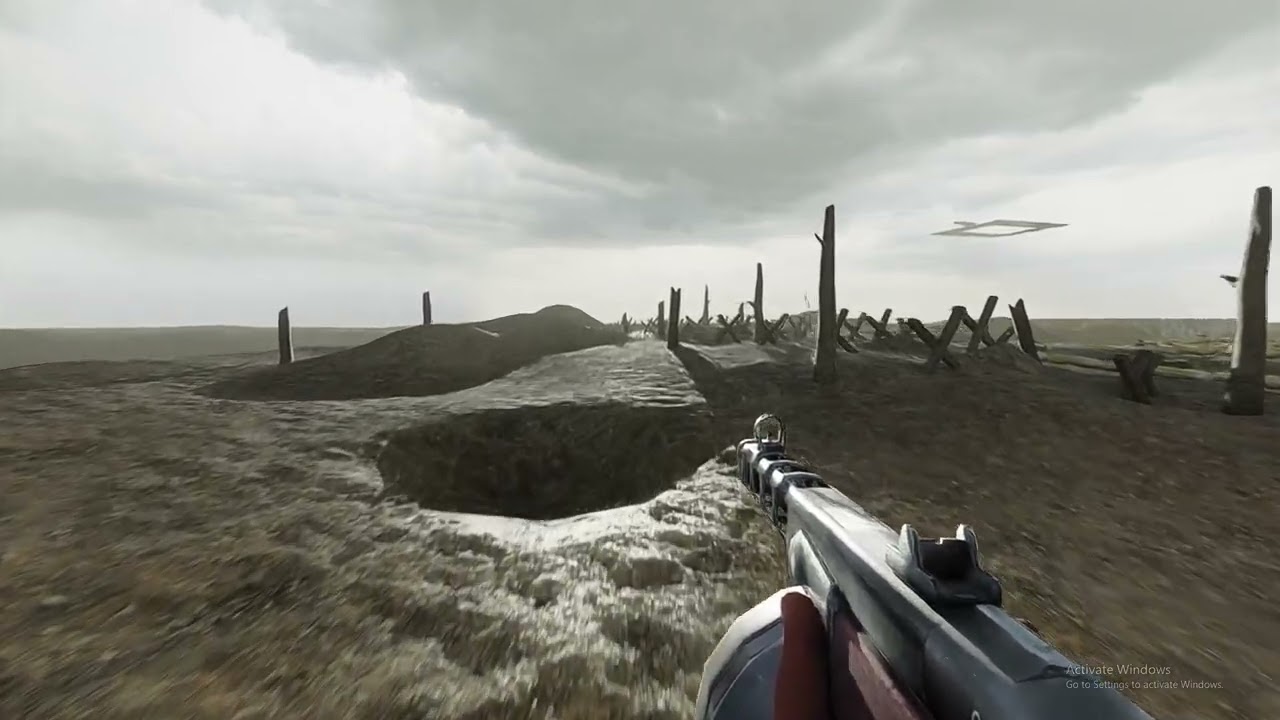
 winter radish
half viper
Stop encoding in av1 it doesn't load on my phone;(
winter radish
half viper
Stop encoding in av1 it doesn't load on my phone;(
AV1 is best
modern quest
AV2 ftw
winter radish
willow fog
https://cdn.discordapp.com/attachments/1196836285545971712/1285890876262060032/h...
This is just Source 2 now
No need for S&Box anymore
Gmod forever
subtle bison
honestly if the 64-bit patches ever get completed, and gmod gets a lot more lua functions, it would definitely be better than S&box by a mile
so much modding potential
lapis delta
subtle bison
honestly if the 64-bit patches ever get completed, and gmod gets a lot more lua ...
absolutely agree with you. especially if we are talking about infmap
or web player
or uhm
lapis delta
yea, true
subtle bison
no more bridge issues either
lapis delta
maybe this will fix also "out of memory" error
subtle bison
hu
lapis delta
when i download 10 or more addons
or when map doesn't load at all, stopping at "loading resources"
lapis delta
subtle bison
is that fixed on 64-bit?
sort of
64 bit allows you to use more memory than usual
if i understand correctly
subtle bison
yea but the freezing issue on loading a map is exclusive to remix
32-bit gmod without remix doesnt have this issue
which makes me think its the bridge
lapis delta
yes, it's mainly because of the bridge, because if you go to a regular gmod with the same amount of addons, everything starts and works great
at least i'm waiting for 64 bit fix for two reasons
- infmap
- no more these annoying errors
hushed trail
subtle bison
honestly if the 64-bit patches ever get completed, and gmod gets a lot more lua ...
Tbf performance will always outweigh graphics in my opinion.
subtle bison
well it will also run better on 64-bit since we dont have to use the bridge anymore, it has a lot of overhead
even with my old 2080, im cpu bottlenecked in quite a few maps
 sacred night
Idk if i need if i can post this here but when i use my phys gun on props it causes my screen to do this

using the grav gun on stuff works fine
subtle bison
 sacred night
and this is another problem i have
 sacred night
subtle bison
you need to use
https://steamcommunity.com/sharedfiles/filedetails/?id=296122272...
sacred night
subtle bison
you need to use
https://steamcommunity.com/sharedfiles/filedetails/?id=296122272...
okay thanks
subtle bison
sacred night
and this is another problem i have
idk if xenthio's video covers this but his rtx remix fixes addon creates a copy of your playermodel so you can have shadows in first person, just mark them as player model textures in the remix texture menu
sacred night
alright thanks
im gonna go double check to see if he does
ah he does just me not listening far enough
Question how far have people pushed the rtx remix for gmod like has anyone tried the vr mod with it?
modern quest
VR won't work. Remix can only work with a single camera (the view in-game) at a time
the only way would be to simulate a second lens afterward with something like ReShade
sacred night
ah okay thats sad
subtle bison
and it seems like reshade depth buffer access is broke with mainline builds of remix
only the portal rtx build had a working depth buffer (pulled from the rasterized renderer)
subtle bison
working on reimporting the gm_flatgrass 3d skybox back via model replacements, its a huge pain but i got somewhere

 lapis delta
sacred night
Idk if i need if i can post this here but when i use my phys gun on props it cau...
lapis delta
sacred night
Idk if i need if i can post this here but when i use my phys gun on props it cau...
 willow fog
bleh
winter radish
My wallet says no, but my heart wants a RTX GPU
subtle bison
willow fog
bleh
do you mind making a steam collection of your addons?
willow fog
What do you want specifically
subtle bison
maps, mw base weapons, idk whatever you got
willow fog
subtle bison
maps, mw base weapons, idk whatever you got
I have many add-ons that simply don't work so I'll have to do a ton of cleanup first
subtle bison
all good
peak rover
winter radish
My wallet says no, but my heart wants a RTX GPU
rtx 4090
winter radish
peak rover
rtx 4090
Where can I sell my kidney?
winter radish
peak rover
save up for dat
I'd have to save for a whole new computer because my current one would be a bottleneck
peak rover
winter radish
I'd have to save for a whole new computer because my current one would be a bott...
😭
 noble vapor
just got gmod, is this still the way? i'm not a py user i don't wanna keep installing/uninstalling it 😦
lament quartz
noble vapor
just got gmod, is this still the way? i'm not a py user i don't wanna keep insta...
Yes
half viper
noble vapor
just got gmod, is this still the way? i'm not a py user i don't wanna keep insta...
Keep it on
half viper
@keen rivet now that we have bridge api, im pretty sure there was a way to interact with binaries through Lua in Garry's mod
Like how mee got Nvidia flex working in Garry's mod
 keen rivet
half viper
<@294345174358818816> now that we have bridge api, im pretty sure there was a wa...
keen rivet
half viper
<@294345174358818816> now that we have bridge api, im pretty sure there was a wa...
indeed there is
half viper
I wonder what we can do with the api
subtle bison
better light addons, create remix lights directly ingame
could also have it replace env_projectedtexture
glossy mauve
sacred night
Question how far have people pushed the rtx remix for gmod like has anyone tried...
how would you even run that? RTX 8090? 😭
lament quartz
subtle bison
better light addons, create remix lights directly ingame
Wait like replaces all lights or has a light
subtle bison
idk any of that could be done
though i meant like spawn remix lights like the normal light/lamp tool
we could also possibly use the api for map edits? create a stable instance hash to add stuff from the toolkit instead of using a model replacement
possibilities are endless
sacred night
glossy mauve
how would you even run that? RTX 8090? 😭
I mean as long as I can pull of 75 fps u will be fine
glossy mauve
good luck
winter radish
sacred night
I mean as long as I can pull of 75 fps u will be fine
DLSS ultra performance, low SteamVR scale, and then frame generation
glossy mauve
might aswell use a oculus rift, 600p res
near tartan
glossy mauve
how would you even run that? RTX 8090? 😭
I’m not too familiar with VR but my understanding is it uses VRAM and CPU mostly, so if I am correct, you probably could do it with a 4090
willow fog
near tartan
I’m not too familiar with VR but my understanding is it uses VRAM and CPU mostly...

If you're not too familiar then maybe don't talk about it
glossy mauve
High framerate and High resolution ray tracing is like oil and water
subtle bison
not to mention path tracing two full res viewports 💀
it might be runnable with a 4090 but the latency, denoising artifacts, and most definitely low framerate will make it sick inducing immediately
near tartan
willow fog
If you're not too familiar then maybe don't talk about it
Just my overall understanding
gaunt ingot
willow fog
bleh
how did you fixed the arm colors?
near tartan
subtle bison
it might be runnable with a 4090 but the latency, denoising artifacts, and most ...
Never said it would run great but my estimate is about 30 to 40 fps
subtle bison
what is that estimate based on? you would need to factor in the base vr headset resolution, the game vr resolution, what gmod map (there are a lot of maps that run sub 20fps normally on remix), DLSS value (if DLSS even works for stereo rendering), etc
estimates cant really exist here since there is no technically feasable way of running this current day
most VR headsets are 2K per eye
even the 4090 would probably run into vram issues with how much vram remix uses
near tartan
subtle bison
what is that estimate based on? you would need to factor in the base vr headset ...
My estimate was based off DLSS performance a 4090, and a 7800X3D with 32 gb of RAM, lien I said don’t know all too much about what VR demands, also come down to what you consider “playable”
No frame gen cause it’d use a lot of vram
subtle bison
framegen would not work in VR since those artifical frames are not perfect representations of real ones, that would definitely make someone sick
not to mention the added latency
half viper
subtle bison
framegen would not work in VR since those artifical frames are not perfect repre...
Frame interpolation was always used in VR actually
subtle bison
when you're running under the target frame rate, its mostly used for reprojection
i could be wrong but steamvr's current implementation seems a lot cleaner than DLSS3 FG
at least for its intended use
willow fog
gaunt ingot
how did you fixed the arm colors?
Addon arms
near tartan
subtle bison
when you're running under the target frame rate, its mostly used for reprojectio...
But if I’m correct, roughy 30 to 40 fps
In my book, is playable
glossy mauve
near tartan
Never said it would run great but my estimate is about 30 to 40 fps
my estimate was 20 fps running that Nvidia rtx xr demo, and that was more nauseating than a rollercoaster
peak rover
near tartan
But if I’m correct, roughy 30 to 40 fps
no
you arent hitting 30 fps
im sorry bro
with unpotimized rtx
rt
although maybe with the rtx 6090 or 5090
near tartan
Nah ya just gotta use the automatic overclocking, Trust
lament quartz
near tartan
Nah ya just gotta use the automatic overclocking, Trust
Not at all, you aren't getting above 25 if you do vr rtx
willow fog
Who was gonna fix the shaders on the guns
lament quartz
willow fog
Who was gonna fix the shaders on the guns
Me, rn I'm welding a tanker and am working on it, like 5% done
willow fog
Better not burn Ur hand or smth
near tartan
peak rover
bro
that automatic overclocking is crazy as shit, I used it myself and went from 20fps up to 50 at times but it averaged at 45 on cyberpunk max settings 4k with a 4070 SUPER
lament quartz
willow fog
Better not burn Ur hand or smth
I've done much worse than merely burn my hand, and I have a hole in my foot to prove it
willow fog
lament quartz
I've done much worse than merely burn my hand, and I have a hole in my foot to p...
Epic
Worst I've done is solder my finger
lament quartz
That's just a little tickle to me now
willow fog
Well I've been in numerous motorcycle accidents
lament quartz
willow fog
Well I've been in numerous motorcycle accidents
Weak shit, stop riding motorcycles
willow fog
Never
 meager oar
quiet scroll
meager oar
quiet scroll
scale is the same but bias i at -0.110
quiet scroll
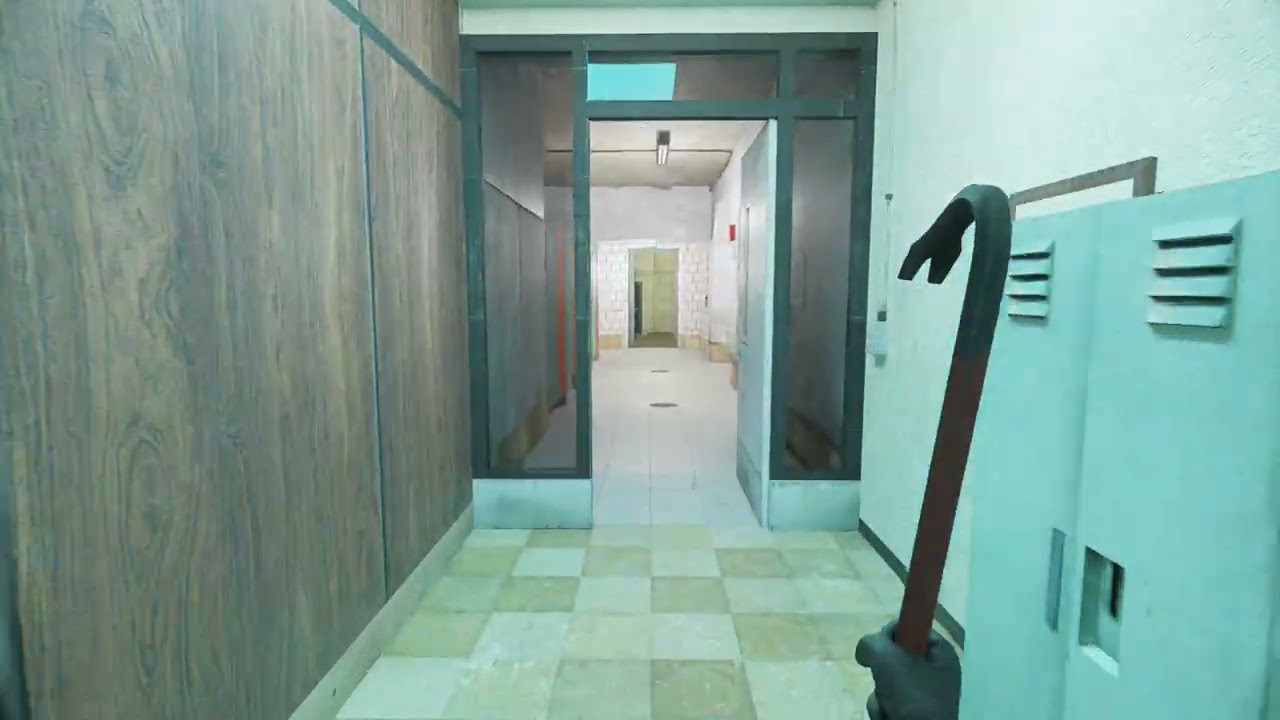
Gastly_Furby_777's Gm_Pool_Complex_v2 remastered using Nvidia's RTX-Remix. This mod actually was supposed to look a bit different with the lighting, but the mishaps with the unstable meshes actually worked out perfectly. I didn't know until AFTER I was in the middle of making this mod that there were jumpscares. I really enjoy exploring this map...
lament quartz
quiet scroll
What do y'all have for roughness in gmod? <:monkaHmm:897942286439165972>
0.2 totally
winter radish
quiet scroll
 subtle bison
quiet scroll
subtle bison
quiet scroll

i try to make sure any legacy materials are completely flat
still have no idea why, but yeah depth works with reshade if you use the portal rtx remix build
latest master or release does not work
subtle bison

Did quite a few PBR materials for the HL2 MMod replacement weapons (except the grenade and RPG) and some Gmod building materials. I got reshade working with RTX Remix so I'm using my own tonemapping and bloom implementation, as Remix's built in one doesn't have enough controls and looks weird in a lot of scenes. Sorry about the blurry visuals an...
lament quartz
Them framed


 subtle bison
super buggy but i got emissives working for ropes
i gotta retoggle emissive blend translation a few times before it shows correctly
alt-tabbing seems to break it too
subtle bison
subtle bison
i gotta retoggle emissive blend translation a few times before it shows correctl...
that or switching to the camera nearby the ropes
really weird
i wonder if xenthio can do some lua magic to fix this buggyness, its definitely game engine related
willow fog
subtle bison
i wonder if xenthio can do some lua magic to fix this buggyness, its definitely ...
Looks fine to me
subtle bison
you dont see the emission literally disappearing midway in the video?
i made it pretty obvious
subtle bison
nah the game is sending some funky d3d9 info back to remix, as it disappears in circumstantial cases
it looks fine in the toolkit
im sure source is doing some cursed stuff with ropes that isnt seen when rasterized
lament quartz
subtle bison
super buggy but i got emissives working for ropes
Would they be recolerable or just red btw
subtle bison
nah its not recolorable
you would have to edit the emissive map
same case as the physgun
only way possible for both of those to happen is if we had the remix api or something
quiet scroll
it's cool how the water decals get path traced
lament quartz
Nah man iont wanna work on another custom renderer I'm already tryna figure out and learn 2 different rendering engines
lament quartz
quiet scroll
it's cool how the water decals get path traced <a:KirbDance:1060102119685885983>
How did you get underwater to work
subtle bison
quiet scroll
it's cool how the water decals get path traced <a:KirbDance:1060102119685885983>
if i remember this correctly, you removed the nodraw for fixing the underwater?
quiet scroll
Yeah Gumball found a way to fix it https://www.youtube.com/watch?v=9ERl1WIwGeo I haven't tried it yet. This map pool_complex_v2 just had it working naturally
Water by Xenthio: https://xenthio.github.io/stuff/RTXRemixWater-v1.zip
quick showcase on how to make proper water brushes for RTX Remix.
RTX Remix Discord: https://discord.gg/rtxremix
I guess the map author removed it, I didn't have to use gumballs method 
subtle bison
wait is it just literally just changing to the dx7 water material?
cant we do this in lua?
lament quartz
quiet scroll
I guess the map author removed it, I didn't have to use gumballs method <:peepo...
Them map devs be thinking of us for sure, and it's not just pure muck
Luck
lament quartz
subtle bison
wait is it just literally just changing to the dx7 water material?
It's changing plus removing nodraw brushes from the area iirc
subtle bison
still cant do that in lua?
im not the coding expert but it doesnt sound like we need to recompile maps for this
quiet scroll
 perhaps possible?
lament quartz
subtle bison
im not the coding expert but it doesnt sound like we need to recompile maps for ...
Wdym
quiet scroll
I wonder if BlueAmulet has seen this
subtle bison
to do the method in the video, for existing maps you would have to decompile them, make the water edits, and then recompile
oops meant to reply
lament quartz
Correct
quiet scroll
I feel like when stage manager comes out we'll have a lot easier time adding lights to particle textures 
lament quartz
damn it

also gmod is showing only a black screen for me, i did use the patcher and
oh wait never mind
i forgot gmod uses bin instead of right next to the exe
well no, its still black screen even now
 steel lark
quiet scroll
I feel like when stage manager comes out we'll have a lot easier time adding lig...
steel lark
quiet scroll
I feel like when stage manager comes out we'll have a lot easier time adding lig...
why have you not disabled spawn effect???
subtle bison
quiet scroll
I feel like when stage manager comes out we'll have a lot easier time adding lig...
im curious to see if emission will work on the fire textures or be a buggy mess like the ropes, only one way to find out 
yea its broken in the same way ropes are
lament quartz
Interesting
subtle bison
it looks good in the toolkit tho
sorry for the 144p viewport

one thing that bothers me is that the toolkit has a remix category called alpha blend to cutout, which is what makes the particle emissive, but this remix category is missing in the runtime

you can try to turn it on inside the toolkit but it doesnt stick
meager oar
 meager oar
i just brighten the image
 subtle bison
yea i did that for the emissive map
but also added a black background so it applies correctly
meager oar
hmm i used octatex to make it emissive
subtle bison
and it just works ootb?
meager oar
yep it wrks after brightening the image
subtle bison
i cant even get my emissive map to apply to the fire/rope without fiddling with these 2 options in the runtime
 meager oar
imma try to make it even mureee brighter
subtle bison
i got remix to ignore the game's alpha blend and now my emission map shows but its not casting light lol

why is this so cursed
fixes ropes a bit but the alpha on the actual rope is brokey

remix pls
half viper
subtle bison
Tag it as a beam texture
subtle bison
no change
im probably going to reimport the albedo with a alpha layer
(was not replaced prior)
lament quartz
Tag it as dear lord rtx remix please fix texture
meager oar
subtle bison
is this the red laser looking rope?
subtle bison
ye
meager oar
huh it was full glowy when i used it imma check it again
subtle bison
i have no idea what cursed shit octotex does
anyway, the alpha albedo definitely helped

it still not fully correct

ok and now emission light casting broke again
wtf remix
i didnt even change anything
and ofc it looks fine in the toolkit
 quiet scroll
Maybe the ropes tagged in the rtx.conf as something? 🤔
subtle bison
nah i untagged it
tagging it doesnt really do anything since the assets are replaced too
meager oar
crap now the fire is not emitting light anymore after i switched my weapon idk why it caused that
subtle bison
yea legacy alpha is bugged (controlled by the game engine)
meager oar
meager oar
well atleast have a image of it
wait a second imma see if its cause the hash id changed
subtle bison
if i can figure out the ropes, i can probably figure out the fire
😮


the magic sauce

fucking finally
subtle bison
omg it works so well now that the game engine isnt fucking it up
time to try this on fire
😮
lament quartz
subtle bison
the alpha is gonna need some serious touchup but it fucking works 🔥
also fuck my ISP who is graciously throttling my upload speeds 😭
lament quartz
subtle bison
Fire
Literally fire
subtle bison
wish i had a higher res version of the vanilla fire textue
this is gonna be hard to fix...

quiet scroll
Do you know the filename of the original? I might have an upscaled version 👀
subtle bison
9EB2F7B527E7A646.dds
i used popo's albedo which was higher res than mine
but i dont think a upscale is gonna help for alpha
idk maybe
its gotta be manually cleaned up in photoshop 😭

you can see all of the black pixels
maybe we can use a different texture?
i really dont wanna clean this
quiet scroll
Yeah damn I don’t have an upscale  And yeah no way that’s too much to cleanup
lament quartz
Make a new fire texture
subtle bison
im gonna try resubbing to these 3 addons and pray fire still works
#1116089843479498782 message
and then ill just make the new fire textures emissive
ok well nvm all 3 dont work
i think rtx fixes overrides it since its manually extracted
so ill have to edit the rtx fixes addon kill me
ok i got a idea
ill just use the mmod fire texture atlas and make it a remix mod instead of replacing it in the rtx fixes addon
that should work fine
 subtle bison
it breaks other things if you do that
its best to leave it and the override on for legacy materials
now that we have a way to fix emissives in toolkit we dont have to mess with those options anymore
meager oar
subtle bison
now that we have a way to fix emissives in toolkit we dont have to mess with tho...
heres the weird part though, if i disable translation, then disable render alpha, enable it back and enable translation back this happens, the light emits
 subtle bison
yea this is the issue i was running into yesterday
i gave up using legacy alpha blend so i wouldnt have to mess with that anymore
willow fog
meager oar
disable that translation option
Why don't you just change the global emissive intensity
meager oar
yea its buggy as heck, switching to weapons makes it stop emitting light
subtle bison
willow fog
Why don't you just change the global emissive intensity
i think with octotex his emissives are replaced so global emissive wont do anything
its only used for legacy assets
lament quartz
@willow fog do you still need the guns shaders removed or
willow fog
I do
lament quartz
Alr
subtle bison
subtle bison
dear lord this looks much better

its still a bit blocky if you really zoom in but i hope its not noticable ingame
meager oar
hmmm https://www.youtube.com/watch?v=GQZxG2f9Efc these ropes wrked flawlessly a year ago, no replacements or anything
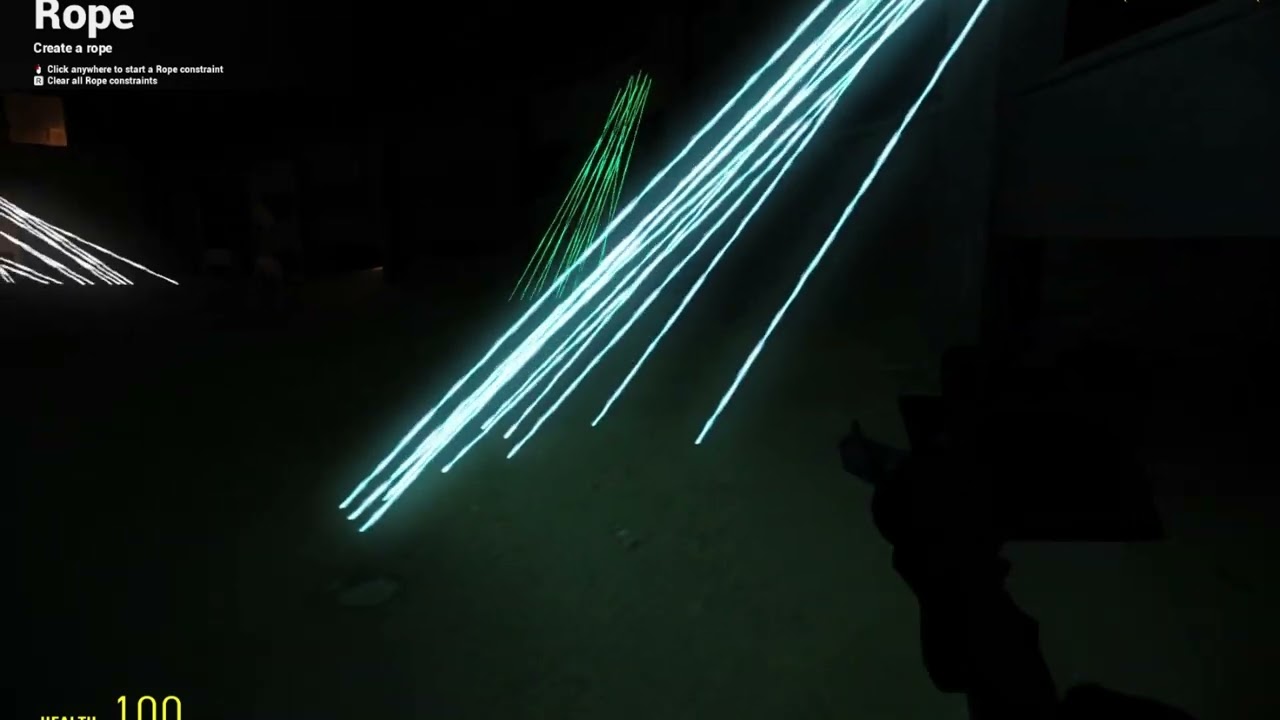
now this dayum
 subtle bison
meager oar
hmmm https://www.youtube.com/watch?v=GQZxG2f9Efc these ropes wrked flawlessly a ...
subtle bison
meager oar
hmmm https://www.youtube.com/watch?v=GQZxG2f9Efc these ropes wrked flawlessly a ...
might be because of the specific portal rtx build?
i remember all particles casting light
meager oar
subtle bison
might be because of the specific portal rtx build?
yea this is using the first portal rtx build
meager oar
subtle bison
might be because of the specific portal rtx build?
yea and setting a texture as particle didnt make it disappear in the skybox, here its wrk so nicely https://www.youtube.com/watch?v=9ziM-HJ4HuE
 meager oar
yea look at the tornados casting shadows that like at that time really blew my mind, i wish it still wrked
willow fog
meager oar
yea look at the tornados casting shadows that like at that time really blew my m...
Bro has never played modern games
subtle bison
well i added the new fire texture but both gmod and remix literally do not apply it correctly
its still showing the old fire texture despite it showing in the toolkit preview

i wonder if it caches textures, maybe ill try different names
meager oar
subtle bison
well i added the new fire texture but both gmod and remix literally do not apply...
can u share the new fire texture, imma see if it will apply for me
subtle bison
one sec, im still trying stuff
ok well its definitely using the new texture
even though the new texture is 1.5x higher res and a hell of a lot cleaner, the black pixels are still easily visible
💀
i think its because of the alpha sorting/filtering
ima keep fiddling with it
so i can either fix the blending and lose emission, or get emission and lose blending 💀

 meager oar
gold pp

 lament quartz
How did popo fix it
meager oar
lament quartz
How did popo fix it
idk but now its not wrking even for me after i switched weapons
subtle bison
he has a emissive texture with legacy alpha state
aka the game controlls the alpha
which seems to be the only way to get the correct blending and emission
but the issue is that it doesnt work most of the time
subtle bison
btw @meager oar
you can fix the skybox particle issue by turning down particle softness to 0

 meager oar
subtle bison
meager oar
subtle bison
dauyyum imma check it out
lament quartz
What
meager oar
subtle bison
hmm not wrking still for me
 half viper
subtle bison
half viper
subtle bison
The color of the ray is controlled by the shader?
half viper
Btw is it still selected as a beam?
subtle bison
no, it doesnt make a difference for replaced assets
half viper
Because its supposed to solve the issue where it casts shadows
half viper
subtle bison
it seems to cast shadows fine
Its not supposed to
 subtle bison
ah
 lament quartz

 subtle bison
geometry hash is unstable so that aint gonna happen
unfortunately

i dont think its supposed to cast a shadow lmao
half viper
subtle bison
geometry hash is unstable so that aint gonna happen
I know
Grrr i started this thread!!
No need to tell me!! /J
lament quartz
half viper
Grrr i started this thread!!
No need to tell me!! /J
And I deleted the thread soooo
subtle bison
well at least i got another thing working well after getting rid of legacy alpha

smg scope emission works correctly now
lament quartz
Hooray
subtle bison
oml yess

it finally looks correct
i was scratching my head on why i couldnt have reflectivity and emission working at the same time
lament quartz
Why isn't the bottom red one glowing
subtle bison
i forgot to add it
lament quartz
!!
subtle bison
idek if it actually glows in the base game
lament quartz

subtle bison
i might have another idea for the fire
replace it with a static texture instead of a atlas, and then import the atlas as a animated texture into remix?
idk if that would actually work tho
especially for emission
 subtle bison
 near tartan
you just throw it in your mod folder?
subtle bison
for gmod it's GarrysMod/garrysmod/addons/
near tartan
worked for my friend on hl2 with portal so ima try it
his dumbass don't remember where he put it so ill do some experimenting
near tartan
btw in order to make it work for portal hl2 all you have to do is make a folder in the hl2 folder called "custom" and then just extract the file to there
subtle bison
ye
quiet scroll
Really starting to see why roughness maps help things make sense lmaooo - Lara has PBR and Eli doesn't

This is with roughness at 1 and bias at 0
half viper
quiet scroll
Really starting to see why roughness maps help things make sense lmaooo - Lara h...
Uhhh
Change the legacy materials parameters
meager oar


 idle pilot
why is my sky grey?
 serene geyser
hi, Where can i dawnload the remix?
 lapis delta
idle pilot
lapis delta
idle pilot
increase sky brightness
subtle bison
i also think the volumetric fog is too strong
idk if its my screen but i can barely make out the blue
idle pilot
subtle bison
i also think the volumetric fog is too strong
how do i turn it down
idle pilot
lapis delta
increase sky brightness
i tried
meager oar
idle pilot
i tried
open the froxel tab and turn all the three scattering values to a value like 0.2 or 0.1 or u can completely disable volumetric lighting in the same tab
idle pilot
ok so it works now i just checked its just the rtx contruct
wait no
i lied
i thought
but nah
wtf
my thing is so broke bro
 subtle bison
did you follow the guide pinned in this channel?
idle pilot
yeah
subtle bison
(Edit: Something keeps turning comments off on the video and it's not me!)
You MIGHT need a GitHub account to download the following:
DXVK-Remix: https://github.com/NVIDIAGameWorks/dxvk-remix/actions
Bridge-Remix: https://github.com/NVIDIAGameWorks/bridge-remix/actions
Patcher: https://raw.githubusercontent.com/BlueAmulet/SourceRTXTweaks/main/a...
idle pilot
ill redo it
subtle bison
make sure you're using the provided rtx.conf
idle pilot
i am
quiet scroll
half viper
Change the legacy materials parameters
 arghhhh lmaooo I switched roughness to 1 on the wrong tab - thanks
idle pilot
meager oar
open the froxel tab and turn all the three scattering values to a value like 0.2...
wtf is froxel tab

 tulip meadow
you need to install python
near tartan
I did
tulip meadow
from where
near tartan
the link under the video
tulip meadow
like python.com?
tulip meadow
in install did you click "add python to PATH"
near tartan
it was python.org
tulip meadow
yeh org mb
near tartan
tulip meadow
in install did you click "add python to PATH"
I don't think so, I just clicked install and that's all i remember really
i did it quick so I wasn't rlly paying attention
near tartan
okay
tulip meadow
dont click through options look for add python to path option
and turn it on
and then make sure to close cmd prompt and open it back up again after install
near tartan


new error that don't make any sense
im 99% confident I see it right there
@sombody
explain how ts is possibe
tulip meadow
That file isn't a python file, it's a txt file name .py
so you'll need to open it
Click save as
Then under type it'll say python file (icon should change too)
And run that command again
near tartan
I'm doing smth wrong
tulip meadow
send that file here
near tartan
no i mean when I save it coems back as a txt file
ill screen record and show you what i'm doing to see if somethings wrong
tulip meadow
i understand ill fix it for you if you send that txt file
near tartan
so i just install and put it in the folder now and it should work
tulip meadow
You put it in folder instead of that txt file and run the cmd command again
near tartan
yeah okay thanks
 keen rivet
subtle bison
could also have it replace env_projectedtexture
keen rivet
subtle bison
could also have it replace env_projectedtexture
yep thats what i was thinking
quiet scroll
It's fun watching NPC's move around casting their own shadows and shift the light in the room by being in the way of a light source etc
glossy mauve
quiet scroll
It's fun watching NPC's move around casting their own shadows and shift the ligh...
dynamic lights are awesome, i love seeing physics objects change it on a explosion
 night bramble
tulip meadow
In name box type in
applypatch.py
Click ok
night bramble
tulip meadow
In name box type in
applypatch.py
Click ok
It's cause on the far right you have to change the context menu from Text Document to All files.
willow fog
quiet scroll
It's fun watching NPC's move around casting their own shadows and shift the ligh...
bro hasn't played a game in the last 15 years
meager oar
quiet scroll
It's fun watching NPC's move around casting their own shadows and shift the ligh...
yep it makes npc battles in Gmod more atmospheric and cool but spawning more then 7 npcs just lowers my fps to 30 idk why, wish there was a mod to optimize it like Vphysics does for props in Gmod
 jaunty mica
willow fog
bro hasn't played a game in the last 15 years
jaunty mica
willow fog
bro hasn't played a game in the last 15 years
hit it right on the bell, remember playing mw2 2009 and being mesmerized at the npcs casting shadows from lamps and shit
willow fog
L
half viper
glossy mauve
:<
Ping someone for that
night bramble
glossy mauve
:<
Looks like it’ll look amazing if functioning correctly though!
 hasty sonnet
yo
someone there like whats the bst version for python in this?
i forgot
since its been some years
meager oar
i forgot i can replace da sky

 safe jewel
anyone know how to fix the verex buffer error?
glossy mauve
meager oar
i forgot i can replace da sky
using the most realistically accurate lighting models for abstract art ✨

 safe jewel
anyone know how to fix the verex buffer error?
glossy mauve
modellin is har
 safe jewel
ok, I have rtx gmod and I have the whole scene captured my first goal is to remaster/upscale all the textures using comfyui, but I have no clue how and there aren't any tutorials I could find
quiet scroll
safe jewel
ok, I have rtx gmod and I have the whole scene captured my first goal is to rema...
There are some upscalers the community here has made that I highly recommend, https://discord.com/channels/1028444667789967381/1263287747905327236 and https://discord.com/channels/1028444667789967381/1216200397497045002 the instructions for PBRFusion are in the workflow charts, and for PBRify the instructions are here under the "steps". Make sure to only get the Comfyui version of PBRify https://github.com/Kim2091/PBRify_Remix?tab=readme-ov-file#comfyui
chat I'm cooking, I made a theater projector

 glossy mauve
added melon racer to the pbr pack (just the melon n some other stuff)
 lament quartz
glossy mauve
added melon racer to the pbr pack (just the melon n some other stuff)
lament quartz
glossy mauve
added melon racer to the pbr pack (just the melon n some other stuff)
Most important game mode of my childhood
glossy mauve
now in RTX™️
lament quartz
Wow, high resolution melon, shits literally triarch call of duty
subtle bison
the one in xenthio's video
lament quartz
Do you guys know how to fix the viewport being all black in a capture?
I can only see the captured lights sources icons.
 subtle bison
what the
lament quartz
Not cash money
willow fog
 solar wadi
ping reply
solar wadi
solar wadi
ping reply
solar wadi
thanks
quiet scroll

ModDB
ShadyMilk's Liminal Gallery remastered with Nvidia's RTX-Remix.
quiet scroll
Anybody remember how to mount black mesa 2012 mod version to gmod? I'm adding "C:\Program Files (x86)\Steam\SteamApps\sourcemods\BMS" to mount.cfg but nothing appears 
quiet scroll
yippeeeee I got it, mym folder was "blackmesa" rather than "bms" in all the tutorials 
meager oar
lament quartz
Wow, high resolution melon, shits literally triarch call of duty
wat was the console command that fix the invisible geometry on maps? need it for a map
lament quartz
meager oar
wat was the console command that fix the invisible geometry on maps? need it fo...
mat_forcedynamic 1
safe jewel
ok when the offical rtx remix for half life 2 realeses will we be able to take it's assets/textures and put them into gmod?
lament quartz
safe jewel
ok when the offical rtx remix for half life 2 realeses will we be able to take i...
Most likely yeah
As long as the hash is the same I guess?
meager oar
yus portal rtx assets didnt wrk on gmod cause the hashes were different i think idk

 meager oar
lament quartz
Why there is culling?
meager oar
lament quartz
Why there is culling?
U got blu amulats patches?
lament quartz
lament quartz
i ran it like "python applypatches.py ."
Did you take out the contents from patched?
yes
meager oar
lament quartz
yes
hmm well I mean I can help super easily...um let me see
 willow fog
peen
 lament quartz
willow fog
bullets and barrel and muzzle brokey
lament quartz
willow fog
bullets and barrel and muzzle brokey
How brokey we talkin
 lament quartz
And that's with none of the tecture vmts edited?
willow fog
ye
lament quartz
Right and you aren't going to edit any of them, your asking me to do it?
willow fog
lament quartz
Right and you aren't going to edit any of them, your asking me to do it?
You offered first

 willow fog
lament quartz
Without a pc
willow fog
lament quartz
Without a pc
Wait where are the addons downloaded?
Reddit is being super useful rn
 lament quartz
willow fog
Wait where are the addons downloaded?
lament quartz
willow fog
Wait where are the addons downloaded?
In the workshop folder, I think you'll need to search the entire pc for the addon id if yk how to get that