#Garry's Mod
1 messages · Page 18 of 1
 hushed trail
 subtle bison
i think its some rendering bug with vgui, it happens in tf2 as well
if i use r_drawvgui 0 the issue is gone, but obviously then you have no UI anymore lol
 keen rivet
subtle bison
i think its some rendering bug with vgui, it happens in tf2 as well
keen rivet
subtle bison
i think its some rendering bug with vgui, it happens in tf2 as well
i think its just remix being unable to detect that part being ui.
keen rivet
hushed trail
The lamps working are so neat
ye i added that a few days ago
subtle bison
keen rivet
i think its just remix being unable to detect that part being ui.
you dont get any vertex explosions in the menu with it?
keen rivet
sometimes
subtle bison
any luck with ragdolls?

 grizzled cargo
Any way to make realistically lit interiors? When I removed fake lights inside of the house looks like theres no light outside. When I created the sun in the toolkit it was still looking kinda fake, completely like the sky is not reflecting the sun… anyways… even the sun from the toolkit doesnt work when I import it into the game
keen rivet
i think all of them work in gmod i found but i usually say take dx7 and dx6
 earnest yew
keen rivet
i think all of them work in gmod i found but i usually say take dx7 and dx6
earnest yew
keen rivet
i think all of them work in gmod i found but i usually say take dx7 and dx6
also
do you still need the lua hud anymore
keen rivet
not on blueamulets latest patches
earnest yew
swag
subtle bison
grizzled cargo
Any way to make realistically lit interiors? When I removed fake lights inside o...
you could replace the skybox with a HDRI so it has a realistic brightness falloff
no idea how you would exactly implement that though
earnest yew
subtle bison
you could replace the skybox with a HDRI so it has a realistic brightness fallof...
i love foobar
❤️
subtle bison
yeah i transitioned from streaming to local stuff, very good software
earnest yew
true
subtle bison
i got a ipod when im out and about
keen rivet
@fringe ingot what do these do?

 fringe ingot
prevents a crash from attempting to assign shader constants
fringe ingot
I haven't had time to update the now outdated technical info statements
grizzled cargo
When I got into RTX GMOD I kinda new it was going to be a mess and not everything gonna work but anyone knows if its possible to use ARC9 Tarkov weapons with Remix? Currently when I get one of the ARC9 Tarkov weapons it either makes my screen white or doesnt render the gun at all
fringe ingot
just tried to add a brief description to all the patches
keen rivet
epic
trying to figure out why hardware lighting only applies to some model but not all, when portal rtx seems to get it to apply to all
 keen rivet
studiorender is a bitch :(
grizzled cargo
At least I know one thing ray reconstruction brakes

 grizzled cargo
Any way to make realistically lit interiors? When I removed fake lights inside o...
grizzled cargo
grizzled cargo
Any way to make realistically lit interiors? When I removed fake lights inside o...
Also thats why I was asking
 grizzled cargo
 loud mural
Are you at 8 max bounces?
loud mural
Are you at 8 max bounces?
Yes
grizzled cargo
loud mural
And are all of the materials in that scene PBR?
most of the large surfaces
loud mural
The only thing I can think of is either your sun isn't as bright as it should be or Remix kills light paths too early
Or maybe if your PBR mats are AI generated their specular component isn't high enough
keen rivet
grizzled cargo
Also thats why I was asking
lots of dark materials in that house.
Some things I can think of
- Auto Exposure doesn't change enough to compensate for the low light of that scene
- Max bounces too low.
keen rivet
grizzled cargo
At least I know one thing ray reconstruction brakes
try disable the option called something like "RR Surface Replacement" and "Combine specular and albedo" in the ray reconstruction settings
those fixed quite a few ray reconstruction issues for me
keen rivet
grizzled cargo
Also thats why I was asking
also what map is this?
grizzled cargo
keen rivet
also what map is this?
Walter White house 💀
Also will check your tips in free time and let u know
grizzled cargo
loud mural
Or maybe if your PBR mats are AI generated their specular component isn't high e...
Depends, stuff I could find on Quixel is from quixel, only special textures are AI generated
grizzled cargo
ngl textures from quixel megascans look very good for the effort they require to get them into remix (no effort)

 meager oar
Oh so that's how U fix that
keen rivet
grizzled cargo
ngl textures from quixel megascans look very good for the effort they require to...
Quixel assets are paid assets if they're outside of Unreal engine
grizzled cargo
keen rivet
Quixel assets are paid assets if they're outside of Unreal engine
Thats what I thought too until I clicked subscribe on top of the quixel site upon logging into quixel with Epic.
I picked the free unreal subscription plan and it allows me to download textures from the site however I want
 solar wadi
λ
earnest yew
grizzled cargo
I picked the free unreal subscription plan and it allows me to download textures...
quixel my love
 compact blaze
@glossy mauve https://youtu.be/ssjmi1CLNyU
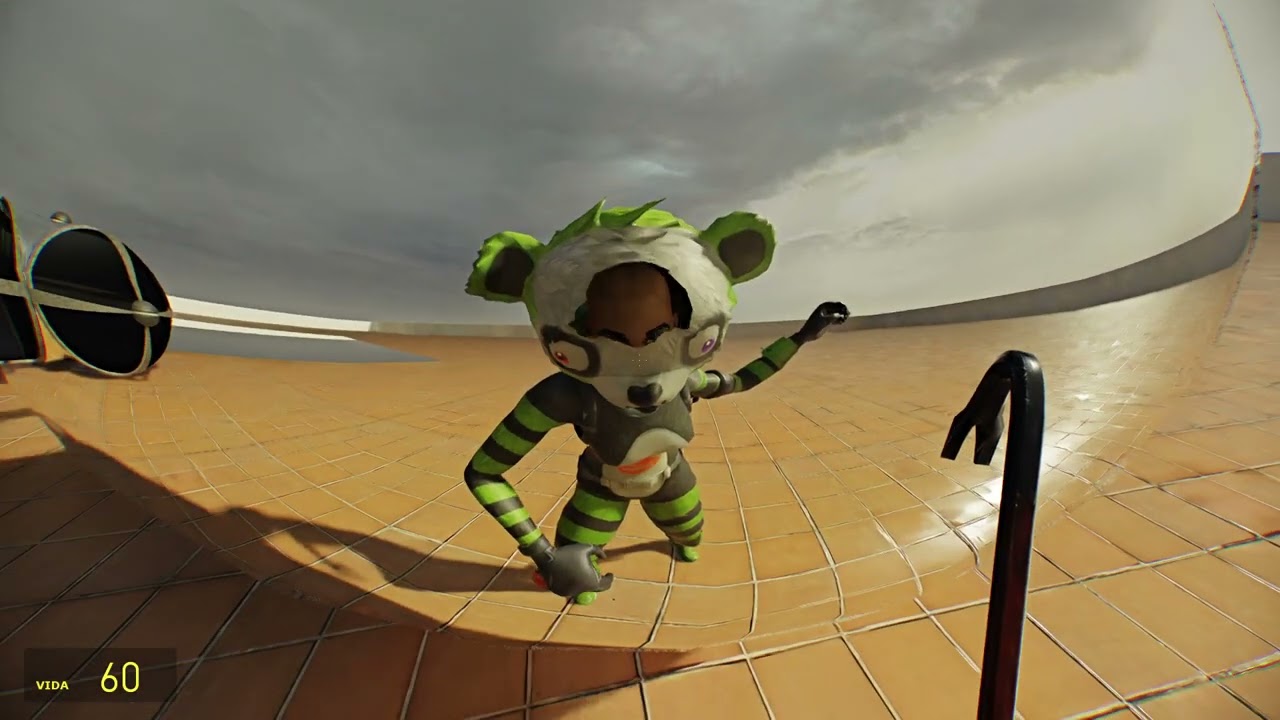
til i make a proper vid about it
done using my own mod.usda file and materials (most are unfinished until HL2:RTX launches), trough the RTX Remix Toolkit
Look what I got in my recommended
 glossy mauve
hah
noticed youtube is recommending that to ppl
it's just a silly outdated video
i need to make a better one
keen rivet
grizzled cargo
I picked the free unreal subscription plan and it allows me to download textures...
For use inside of unreal...?
grizzled cargo
keen rivet
For use inside of unreal...?
yeah
keen rivet
🥺 @hushed trail
hushed trail
keen rivet
🥺 <@255858176639893504>
Haven't had time to do a substantial amount,Still learning the new remix ui
fringe ingot
grizzled cargo
I picked the free unreal subscription plan and it allows me to download textures...
Quixel assets are not free use outside of using them in unreal engine
grizzled cargo
fringe ingot
Quixel assets are not free use outside of using them in unreal engine
Well yes but no. Nobody will care. In the end I am just a guy fucking around in a modding tool not sharing nor profiting from what I am doing. In practice I could be playing around in UE or if it grants somebody peace of mind I can lie that I paid 20 dollars for a subscription 🗿 or I got a mod from somebody else who paid. While it’s against their TOS and License it’s not illegal.
 scenic jungle
gmod is crashing
whenever i use the launcher thingy
gmod crashes when finished loading into the menu
scenic jungle
grizzled cargo
also god damn that lighting
OHHH
LMAO
IM AN IDIOT
I FORGOT TO DELETE GAME SHADER
 i can't find any maps to remix anymore
meager oar
i can't find any maps to remix anymore
meager oar
 quiet scroll
<:aboutoocry:1005033184787955782> no inspiration
quiet scroll
<:aboutoocry:1005033184787955782> no inspiration
yea me too
scenic jungle
so gmods preformance is shit rn and i dont know how to fix it
i seen others have like higher fps
on the same maps
while i have like 15 fps
or lower
quiet scroll
whats your gpu?
grizzled cargo
quiet scroll
<:aboutoocry:1005033184787955782> i can't find any maps to remix anymore
Maybe try some post apo maps
earnest yew
lol
quiet scroll
Post apo isn't a bad idea
I thought about doing something with a liminal space map kinda thing. Made this one kinda creepy by turning the lights off and lowering the light intensity inside with the toolkit
scenic jungle
quiet scroll
whats your gpu?
nvm i fixed it lol
 half viper
quiet scroll
I thought about doing something with a liminal space map kinda thing. Made this ...
half viper
quiet scroll
I thought about doing something with a liminal space map kinda thing. Made this ...
Turn on suppress light keeping
quiet scroll
half viper
Turn on suppress light keeping
Muchos gracias 
 onyx ridge
are there any up to date text based guides for getting remix set up with gmod? and is there a way to launch the game with remix through omniverse (and/or is that actually a good way to handle it in the first place)
quiet scroll
for those wondering what the surpress light keeping does lol
 jade trellis
quiet scroll
for those wondering what the surpress light keeping does lol
jade trellis
quiet scroll
for those wondering what the surpress light keeping does lol
wish there was parameters with suppress light keeping to tweak the settings behind it
i would love to have my flashlight not disappear when moving around with the option on
quiet scroll
jade trellis
i would love to have my flashlight not disappear when moving around with the opt...
I learned this the hard way - it miiiiight be your character in-game cover up the flashlight when you move, that happened to me when I was first trying it lmao
Try changing your playermodel ingame and see if that fixes it
jade trellis
quiet scroll
I learned this the hard way - it miiiiight be your character in-game cover up th...
already dealt with the playermodel thing, just tag materials as such
suppress lights is just too extreme in some cases
quiet scroll
Oh I don't mean taging the playermodel as playermodel in texture tagging, I mean sometimes a playermodel can cover up the flashlight
jade trellis
i dont have that issue since i use hl2 base models like the civs
again this only happens with suppress light keeping is on
jade trellis
quiet scroll
for those wondering what the surpress light keeping does lol
for example when you turn it on and move your head quickly the flashlight decides to show up when it feels like it
 lapis delta
earnest yew
lol
lapis delta
earnest yew
lol
бабабой
onyx ridge
i'm having a problem where the game immediately crashes when trying to load a map
remix loads correctly and the menu works fine
aah i didn't do the shader swapping part
loud mural
jade trellis
suppress lights is just too extreme in some cases
This will fix the light flicker in maps when you have suppress lights on; rtx_experimental_lightupdater_count 2048
More detail about it up here
I know he says to set it to 1024 but I've found maps where that doesn't quite cut it so I personally up it to 2048
It doesn't seem to affect my fps either way so
scenic jungle
i want that glass
i like glass
also my freind says his rtx gmod isnt really working
subtle bison
sure i can share it once im home, might be a while though
scenic jungle
oh alr
scenic jungle
scenic jungle
also my freind says his rtx gmod isnt really working
he said he done all the steps in the vid
is there a fix?
scenic jungle
oh shit
scenic jungle
subtle bison
sure i can share it once im home, might be a while though
are you home?
loud mural
Could someone test this map with RTX and the RTX Remix fixes addon? I want to see if your game crashes or not, the map is literally just a light within a cube so the download is tiny;
jade trellis
loud mural
This will fix the light flicker in maps when you have suppress lights on; rtx_ex...
 thanks but thats not the problem im having with suppress lights
loud mural
Yeah I mean idk why that is happening I just thought maybe it would help and worst case scenario if it didn't it'd at least inform more people of the light updater
scenic jungle
is there a mod for gmod that replaces textures with upscaled pbr textures like in this video? https://www.youtube.com/watch?v=ijqEtYFwWWo

Achieved with the following awesome pieces of software
RTX Remix: https://github.com/NVIDIAGameWorks/rtx-remix
OctoTex: https://github.com/alex-suspicious/OctoTex/tree/main
onyx ridge

i'm amazed with how well the glass objects work with physical glass
the regular ones serve well as just regular see-through windows (but with some light refraction and reflections)
the window ones have the cooler but less practical refractions
also got my first asset replacement working


garry's mods is like
one of the most perfect examples for ray tracing alongside portal
any source engine game i think works well because their lighting is already somewhat designed with it in mind
but any game where you can actually make stuff in-game where baked lighting isn't feasible (i.e garry's mod, minecraft) benefits a ton too

i can't wait until hl2rtx releases and we get access to all the models from it
scenebuilds are gonna go HARD
earnest yew
onyx ridge
i can't wait until hl2rtx releases and we get access to all the models from it
thats what i said bro

onyx ridge
pssh... who needs s&box....
subtle bison
onyx ridge
what map is this? looks awesome
onyx ridge
gm_mallparking
half viper
onyx ridge
pssh... who needs s&box....
Me
Fuck source 1 physics
Waiter! Waiter! More multi threading please!
onyx ridge
you when vphysics jolt
source 1 games with rtx remix and volt are seriously comparable to modern games
half viper
onyx ridge
you when vphysics jolt
Jolt is very incomplete
onyx ridge
that is true but i think it also partly depends what you're doing
half viper
onyx ridge
that is true but i think it also partly depends what you're doing
I want my breakable constraints back!!!
onyx ridge
iirc the issues i've had with it are
- some constraints don't work
- player physics are Strange
- ragdolls do not limb right
half viper

GitHub
Volt (VPhysics Jolt) is a replacement physics module for the Source Engine. - Joshua-Ashton/VPhysics-Jolt
subtle bison
how about this lmao https://www.youtube.com/watch?v=yrVfOmKh3FE&t
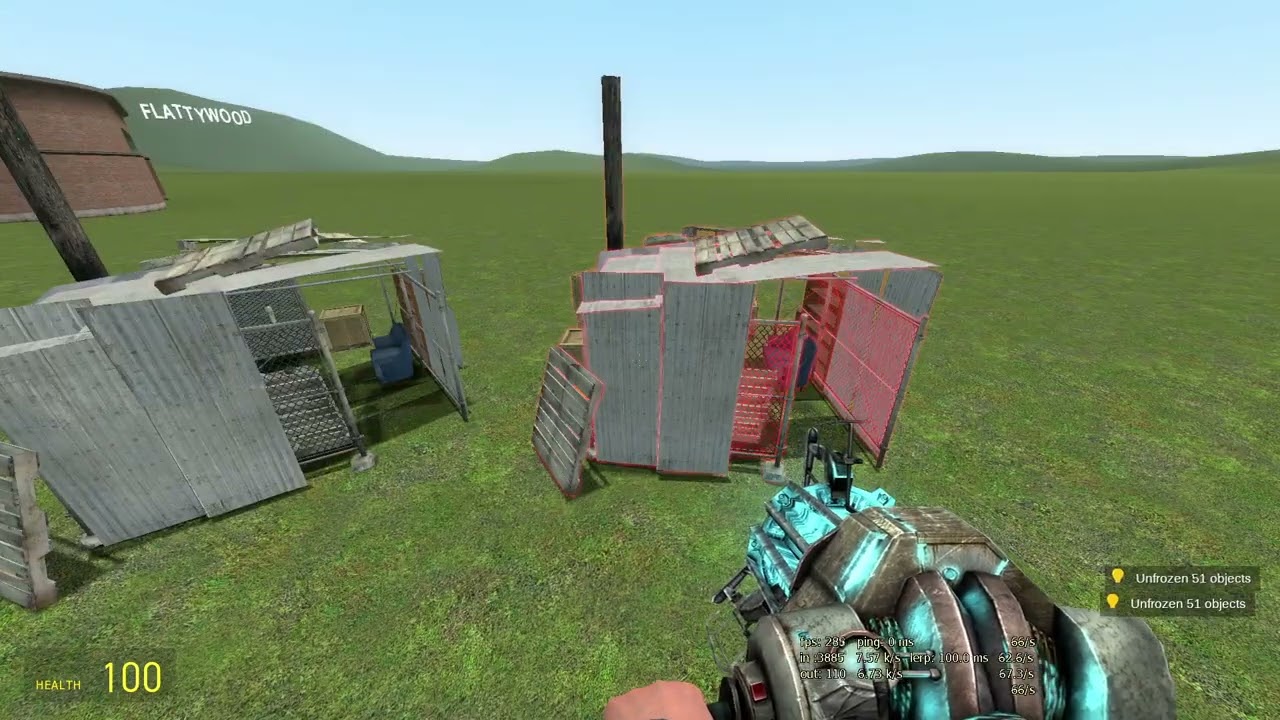
sorse engine only gets better from here, goodbye Havok
Thanks to Josh for making this: https://github.com/Joshua-Ashton/VPhysics-Jolt
half viper
half viper
https://github.com/Joshua-Ashton/VPhysics-Jolt
Missing features already there
Also its no longer being updated?
subtle bison
yea i dont think josh is working on it anymore
half viper

GitHub
Volt (VPhysics Jolt) is a replacement physics module for the Source Engine. - StrataSource/VPhysics-Jolt
This fork is getting updated!
glossy mauve
imma start making RTX only maps
quiet scroll
glossy mauve
imma start making RTX only maps
SICK, like from scratch in hammer, or like a remix mod?
glossy mauve
both
kinda sucks because ppl are gonna need both the map and the mod
but at least i'll have a lot of freedom
quiet scroll
Nice! Yeah, it'll be cool to make a map with the rtx render in mind 
subtle bison
half viper
https://github.com/StrataSource/VPhysics-Jolt
looks like it cant be compiled for gmod as it uses different headers that are not publicly disclosed
onyx ridge
 earnest yew
subtle bison
looks like it cant be compiled for gmod as it uses different headers that are no...
earnest yew
subtle bison
looks like it cant be compiled for gmod as it uses different headers that are no...
where

subtle bison
says in their readme
so we cant compile this version for gmod unless we got someone like josh to do it
they have source licenses
onyx ridge
 subtle bison
@scenic jungle here is the glass i think lol
horrible naming so it might be the wrong one
 plush compass
stable brush hashes using an idea i had while in the shower
subtle bison
what was the shower thought lmao
plush compass
i noticed that displacement, func_door and func_button brushes were really stable, so while in the shower i realised i could just change the normal brushes myself if i decompile the map. the brushes here are func_brush ones but there are probably other ways to make them stable too
subtle bison
new inner material for the metal build props

definitely dig the weathered look
still wip as i need to add some details
subtle bison
 subtle bison
for whatever reason the UV on the outer metal is broken so i cant replace that currently

also shows in remix when replacing
subtle bison
UMD playback is blursed lmfao
 grizzled cargo
Any tips for me? I am trying to use materialize for some rough surfaced assets and instead of getting nice looking heightmap I get wavy, patchy god knows what
onyx ridge
you'll probably need to lower the height multiplier
i can't remember the property name but it's right below where you set the height texture
 solar wadi
that's not gmod at this point
subtle bison
correct, its "✨ gmod 2 ✨"
combine remix with fixes for the 64-bit branch of gmod, s&box gonna have some real tough competition
hushed trail
subtle bison
combine remix with fixes for the 64-bit branch of gmod, s&box gonna have some re...
Me when I want to play at 60 fps
onyx ridge
subtle bison
combine remix with fixes for the 64-bit branch of gmod, s&box gonna have some re...
oh wait does the 64-bit branch work with remix
lapis delta
yea
onyx ridge

damnit i'm gonna have to set up remix again
i should probably make a batch script for simplicity or something
having a quick toggle to go between remix and vanilla would be great for comparison screenshots
lapis delta
does remix already have it?
jade trellis
onyx ridge
having a quick toggle to go between remix and vanilla would be *great* for compa...
just make 2 different installs
its not ingame toggle but it works until then
earnest yew
subtle bison
combine remix with fixes for the 64-bit branch of gmod, s&box gonna have some re...
i can never get the 64 bit version to work
onyx ridge
jade trellis
just make 2 different installs
laptop i use is pretty hard pressed for storage space
earnest yew
im thankful i have 7 terabytes
subtle bison
onyx ridge
having a quick toggle to go between remix and vanilla would be *great* for compa...
debug remix has a RT switch
 arctic solstice
gpu
Hey, how would I put the load on my GPU instead of the CPU? It's suffering, man.
 jade trellis
arctic solstice
Hey, how would I put the load on my GPU instead of the CPU? It's suffering, man.
jade trellis
arctic solstice
Hey, how would I put the load on my GPU instead of the CPU? It's suffering, man.
cpu bound game
arctic solstice
jade trellis
cpu bound game
How would I change that?
jade trellis
arctic solstice
How would I change that?
you cant
arctic solstice
Well, shit.
jade trellis
unless you want to rewrite source
arctic solstice
Is there anything i can do to put the pain off my CPU?
arctic solstice
Alright.
subtle bison
most of the cpu load is from the BVH structure of remix itself, the x64 branch is only going to help on the source bottleneck side of things, nothing for remix
so large maps are still gonna destroy FPS
arctic solstice
is hl2 cpu loaded too?
jade trellis
yes
source loves the cpu to bits
gotta remember that when these games came out gpus werent as common to have compared to these days and also technical limits at the time ofc
arctic solstice
because dlss was set to ultra performance :I
subtle bison
arctic solstice
is hl2 cpu loaded too?
any game is going to have this issue, it gets heavier the more complex the geometry is
the only way to get better perf in gmod is bruteforcing with faster hardware
keen rivet
plush compass
stable brush hashes using an idea i had while in the shower
brush entities?
keen rivet
onyx ridge
hawt
keen rivet
arctic solstice
Hey, how would I put the load on my GPU instead of the CPU? It's suffering, man.
gmod_mcore_test 1
mat_queue_mode 2
allows it to use your cpu in a more smart way
subtle bison
still wouldnt help with any remix bottlenecks would it?
keen rivet
multithreaded rendering is apparently supposed to be broken with rtx remix but i dont see any issues.
keen rivet
subtle bison
still wouldnt help with any remix bottlenecks would it?
raises my fps in gmod rtx
subtle bison
by how far?
keen rivet
rtx can only render as fast as gmod can create frames
keen rivet
subtle bison
by how far?
sometimes by like 20-30
onyx ridge
my poor 4050 struggles with remix
keen rivet
so from 80 to 120
subtle bison
i thought BVH overhead would still hurt FPS though?
onyx ridge
it's pretty playable surprisingly
subtle bison
large maps destroy my framerate (in remix)
meager oar
keen rivet
sometimes by like 20-30
Dang
keen rivet
subtle bison
large maps destroy my framerate (in remix)
multithreaded rendering would help, since they lag a lot in gmod
keen rivet
onyx ridge
it's pretty playable surprisingly
yeah my 2060 did well
subtle bison
guess ill try it rq lol
onyx ridge
i don't ever notice much fps difference in different maps
outside of like really empty ones that might give me an extra 5-10 fps
subtle bison
this one runs at about 9fps on my i7 1270P/RTX 2080 lol https://steamcommunity.com/sharedfiles/filedetails/?id=3199714596

DLSS settings did not help perf at all
about to try again
keen rivet
decent amount

 keen rivet
subtle bison
this one runs at about 9fps on my i7 1270P/RTX 2080 lol https://steamcommunity.c...
keen rivet
subtle bison
this one runs at about 9fps on my i7 1270P/RTX 2080 lol https://steamcommunity.c...
lemme try
subtle bison
i am running my gpu with a thunderbolt dock so dont be surprised if you get like double/tripple the fps of my gpu lol
subtle bison
vulkan is very slow on thunderbolt so i can lose up to 50% of performance depending on the load
dx11 titles are like the only thing that run like native pcie
ok i tried it again, 9 fps still lmao
keen rivet
onyx ridge
got distracted had to try this first lol
 subtle bison
lol wtf
keen rivet
 subtle bison
flatgrass runs great tho, 89fps with DLSS perf
subtle bison
keen rivet
what the
keen rivet
subtle bison
this one runs at about 9fps on my i7 1270P/RTX 2080 lol https://steamcommunity.c...
crashes my game... huh...
subtle bison
it does that sometimes
subtle bison
at what point of loading does it crash?
keen rivet
like as soon as it begins rendering
subtle bison
hmm, my crashes are usually right when lua starts
but it usually works first try after a fresh boot
 hallow wasp
If anything, 64-bit branch should run slightly better because there's no layer rhat translates from 32 bit to 64 (i.e. Remix Bridge, in its core it's a local 32 bit server that sends commands to 64 bit client, and that 64 bit client runs Remix Runtime)
keen rivet
yeah, it breaks compatibility with my existing addons and their hashes though unfortunately
quiet scroll
LOL lord have mercy, 40fps on my 4090 
Switching from quality to ultra didn't make a change in fps
my lil fps counter on the top right
quiet scroll
the maps cursed 
subtle bison
quiet scroll
LOL lord have mercy, 40fps on my 4090 <:Buh:1150648385154592861>
dear lord what is your cpu
quiet scroll
i9-14900K
subtle bison
ok not surprised lmao
keen rivet
fuck i have a 13900k :(
subtle bison
this is the bruteforcing i was talking about 🤣
keen rivet
i'm inferior 
quiet scroll
LOL you'll use your 13900k wayyyy better than I'll ever utilize mine 
keen rivet
curious about this

fullbright crashes any map for me and for some reason its set to 1 when loading that map
is it set to 1 for anyone else?
subtle bison
im hoping to get a proper rig again so i can ditch this i7 1270P, basically a potato advertised like a workstation CPU, has twice the E cores compared to P cores
uhh ill check
keen rivet
oh i see...
 subtle bison
i dont think HDR is related to the crash though?
keen rivet
no sdr baked lighting means itll revert to fullbright
subtle bison
its off by default if you're not using dx9c
yea
and fullbright means no lights for remix
other than the skybox
keen rivet
full bright straight up crashes my game in remix
subtle bison
yea my fullbright is on
try copying all of the portal rtx stdshader files over
if not already
subtle bison
same as yours plus the optimizations you sent
keen rivet
?
subtle bison
hl2 -allowdebug -condebug -dxlevel 90 -nod3d9ex +mat_dxlevel 90 +mat_disable_d3d9ex 1 -w 1280 -h 960 -noborder -windowed -debug +sv_cheats 1 +r_3dsky 0 +r_WaterDrawReflection 0 +r_WaterDrawRefraction 0 +r_shadows 0 +r_frustumcullworld 0 +r_unloadlightmaps 1 1 +mat_specular 0 +mat_bumpmap 0 +mat_normalmap 0 +mat_parallaxmap 0 +r_staticprop_lod 0 +r_lod 0 +gmod_mcore_test 1 +mat_queue_mode 2
subtle bison
32-bit
 subtle bison
rofl the portable window entity gives us a view into the rasterized world 🤣
keen rivet
subtle bison
32-bit
what version of rtx remix
subtle bison
portal rtx binaries
 earnest yew
keen rivet
damn has this stray 1 alwasy been there
earnest yew
keen rivet
damn has this stray 1 alwasy been there
my bad!
i made the original one

keen rivet
no i made that one lol
its a cut down version of my day 1 portal rtx gmod launch config
earnest yew
keen rivet
its a cut down version of my day 1 portal rtx gmod launch config
hl2.exe -game tf -allowdebug -condebug -dxlevel 70 -w 1920 -h 1080 -noborder -windowed -debug +sv_cheats 1 +r_3dsky 0 +r_WaterDrawReflection 0 +r_WaterDrawRefraction 0 +r_shadows 0 +r_frustumcullworld 0 +r_unloadlightmaps 1 1 +mat_specular 0 +mat_bumpmap 0 +mat_normalmap 0 +mat_parallaxmap 0 +r_staticprop_lod 0 +r_lod 0 +mat_queue_mode 0 -novid -high
lol
he edited mine
keen rivet
lmao
keen rivet
earnest yew
maybe we both did it
OH yeah no

i remember
we mustve both did it
i used this
but i cut out drawflat at somepoint lmao leaving a stray 1 at the same spot
earnest yew
i think he actually just edited the tf2 conf i made
keen rivet
does anyone know why placing glass under a light almost consistantly crashes not only gmod but the gpu drivers too?
 keen rivet
never used to do this...
keen rivet
not that i know of
keen rivet
hallow wasp
If anything, 64-bit branch should run slightly better because there's no layer r...
64bit branch unfortunately seems still too buggy to use
earnest yew
keen rivet
64bit branch unfortunately seems still too buggy to use
shit still dosent work for me
like whatsoever
earnest yew
keen rivet
https://cdn.discordapp.com/attachments/962140720699961356/1224501350532911165/Ha...
LMAOO
keen rivet
:(

 scenic jungle
 quiet scroll
Nahh, it just has a bunch of detail textures that you can set to ignore, but the gun just eventually disappears
 subtle bison
would be a good model to add custom materials to tho
quiet scroll
For sure, the light hitting the physgun showed all the details and crevice's really well
Felt like walking around with a 3d printed prop before it's painted 
loud mural
quiet scroll
Switching from quality to ultra didn't make a change in fps
Yeah Source Engine games are heavily CPU sided, the scene's render time is mostly dominated by the CPU these days. It really doesn't help that since we patch the game to disable all forms of culling the entire map is rendered all at once. If you've ever noticed some large maps don't absolutely kill performance that's because they don't have many props on them (static, detail, dynamic, physics). Draw calls absolutely kill Source performance it's not poly count as long as your GPU is good enough which it should be if your attempting RTX. This can be improved on Garry's Mod by using the x64 branch, mat_queue_mode 2, and gmod_mcore_test 1 which splits up the rendering workload between 1 or 2 more cores. Poly count only lowers perf when it is on Remix's side because of triangle intersect (this is seen if when you look into the sky you or turn down DLSS your FPS improves less resolution/polygons on the screen means less rays to test against triangles). So a good way to test weather or not it's Source limiting your framerate is if you turn down DLSS and your framerate doesn't improve you know it's due to the CPU side rendering Source has.
This is why CS:GO has Static Prop Combine so we spend less time on draw calls
loud mural
loud mural
Could someone test this map with RTX and the RTX Remix fixes addon? I want to se...
Also can someone please help me with this?
subtle bison
loud mural
Also can someone please help me with this?
sure i can try it
quiet scroll
loud mural
Also can someone please help me with this?
Works, but no light in the map :0
quiet scroll
loud mural
Yeah Source Engine games are heavily CPU sided, the scene's render time is mostl...
Ahhhh that makes sense, thanks for the info
 quiet scroll
 wahhh, I wonder why mine didn't - I'm on the 32bit version
scenic jungle
quiet scroll
Nahh, it just has a bunch of detail textures that you can set to ignore, but the...
aw damn
i did make the detail textures disappear but the gravity gun is still black
im trying to figure out how to fix the textures
(which i have NO knowledge of)
ill just try to learn how rtx remix works n shit
loud mural
Thanks guys
loud mural
quiet scroll
<a:BIGWOW:1049173662881820702> wahhh, I wonder why mine didn't - I'm on the 32b...
It's weird I'm also on 32bit and all my stuff is inconsistent and crashes on random maps
I've tried re-installing and everything and it's still acting weird
scenic jungle
scenic jungle
ill just try to learn how rtx remix works n shit
or i wont
im pretty lazy today
subtle bison
my experience has been pretty stable, the only freezes/crashes i have ever gotten was loading maps a second or third time (freezes on lua stuff). though im sure i've had freezes related to running out of vram
subtle bison
loud mural
It's weird I'm also on 32bit and all my stuff is inconsistent and crashes on ran...
did you ever copy the stdshader files from portal rtx?
they fix a lot of map/particle crash issues
these specifically
 quiet scroll
Does the light only appear on the 64bit version?
scenic jungle
is there a mod that fixes the fire for gmod rtx?
loud mural
subtle bison
did you ever copy the stdshader files from portal rtx?
Yeah I did
subtle bison
odd
scenic jungle
subtle bison
nah it just doesnt work in source period
ah
wait
in one of generals threads
in half life 2 heaven someone was talking about the fire effect disappearing off screen
how did they get the fire effect to work?
loud mural
Fire works in Portal RTX now but it's kinda scuffed af, it's possible there is some kind of .vtf or .pcf replacement in Portal RTX that makes it compatible with Remix
scenic jungle
i somehow fixed the fire

i genuinely dont fucking know how i did this
but
it works i guess
 fringe ingot
subtle bison
this one runs at about 9fps on my i7 1270P/RTX 2080 lol https://steamcommunity.c...
fringe ingot
subtle bison
this one runs at about 9fps on my i7 1270P/RTX 2080 lol https://steamcommunity.c...
Remove the m_bForceNoVis patches from the patcher and then leave r_novis at 0
(the m_bForceNoVis patches are the same as r_novis, I only added them cause r_novis is a cheat cvar and doesn't seem to set on startup for me)
You'll get some culling in adjacent rooms and maybe minor leaks through doors/halls but perf should be a lot better
and yeah best I can do on that is 11 fps, 5700X/RTX 4060 Ti
onyx ridge
@keen rivet sorry for the ping but, what exactly is it your rtx fixes mod does? (both at a surface level and on the technical side)
i know it does something with how lights work given console commands but is that purely just so dynamically added lights work correctly? does it mess about with how map lighting is handled?
keen rivet
Flashlight, some model hashes stable for mesh replacement, updates lights to avoid flickering
onyx ridge
aah, i see
keen rivet
Disables vertex lighting
onyx ridge
i've noticed it doesn't do a good job at handling model hashes for the built in builder props strangely
stuff like the metal plates change hashes every frame unless they're asleep
makes me wonder what patches they applied to portal's engine for it to work as well as it does
keen rivet
No clue
I think it's probably just telling studiorender to always render models static(?) as opposed to rendering them dynamic(?)
Not sure what the difference is
onyx ridge
will wait patiently for someone better qualified to find it out and figure out a way to apply it to other source games
** ** or for it to just be included in remix itself
onyx ridge

switched to the x64 branch and i fully expected the game to just crash on startup or something
i thought the amount of hacking around with stuff would've made the game only work with remix but it still runs vanilla
quiet scroll
Would someone kindly write a tutorial on how to get the 64bit branch running? Or is it still unstable/not worth the effort? 
subtle bison
onyx ridge
i thought the amount of hacking around with stuff would've made the game only wo...
since the game has its own 64-bit binaries, it wouldnt really be affected by remix (unless it was installed there too)
subtle bison
quiet scroll
Would someone kindly write a tutorial on how to get the 64bit branch running? Or...
its almost the same process as 32-bit, but everything is located in Garry's Mod/bin/win64
you also need to copy the contents of remix's .trex folder into that win64 folder
blueamulets patcher should work for it already
but 64-bit is pretty broken with remix
onyx ridge
i've noticed sometimes models just don't render in remix
it's like remix completely ignores them
onyx ridge
onyx ridge
it's like remix completely ignores them
it doesn't even pick up any textures when the model's loaded in
another random thing - the gravity gun's wacky laser particles when holding something don't disappear when you let go
and render over other weapons
 subtle bison
onyx ridge
it's like remix completely ignores them
subtle bison
onyx ridge
it's like remix completely ignores them
this is actually not remix but models that dont have a fixed function fallback for source
when you compile models for source, you have the option to fast compile which basically skips every feature except dx9 support
subtle bison
onyx ridge
another random thing - the gravity gun's wacky laser particles when holding some...
yea that happens a lot to me, i ignore the texture whenever that happens (seems to unignore itself between restarts)
onyx ridge
subtle bison
when you compile models for source, you have the option to fast compile which ba...
guessing there's not a good way to fix it from a user side?
subtle bison
there is but its pretty convoluted lol, decompile the model with something like crowbar, and then recompile it with the .sw.vtx support
but it takes a long time to compile, even on fast systems
this is also why some maps are very sparse (missing props)
and models packaged with bsp's are a real pain
i guess the official way to "fix" this is request the addon creator to enable sw.vtx support on the compiler
 subtle bison
make sure to have thin-walled enabled for the material

also what glass mesh is that?
 subtle bison
amazing
onyx ridge
we have source 2 at home
 subtle bison
honestly its about on par with source 2
onyx ridge
also dang the tf2 maps have really bad culling issues
onyx ridge

 onyx ridge
yep
subtle bison
looks fine here?

i think you're having the issue with the normal maps bleeding through
ignore the texture if you can find it
onyx ridge
also on a completely different note for some reason lobby freezes the game when trying to export
 subtle bison
export as in capture?
onyx ridge
yeah
onyx ridge
i like how i always get the random issues no one can reproduce
subtle bison
lol everyone here gets those tbh 🤣
i had the worst time with tf2 being rasterized until last night
onyx ridge
it captures the map but then entirely freezes when exporting the usd
subtle bison
it could be a file permission issue? idk kinda going out on a limb here
onyx ridge
normally it'll just let me continue messing about until it exports
subtle bison
maybe try making a clean rtx-remix dir?
btw the capture is very broken lmao

so this map is probably cursed
subtle bison
tried making a mirror and instead got this trippy mess lol
 subtle bison
bro is ghost rider
onyx ridge
onyx ridge
stuff like the metal plates change hashes every frame unless they're asleep
it isn't even consistent for stuff from the same game
hl2's ravenholm sign and tv change every frame
but like pretty much every other model has a consistent hash
the hev charger plate model, health and armour chargers, thumpers have the same problem too
but the chargers and thumpers make sense since they're skinned meshes
glossy mauve
wait,
did they fix the hashses?
i hopped on today and models were working perfectly
what the
onyx ridge
if you're using the rtx fixes mod then it fixes a lot of props
not all of them unfortunately
subtle bison
this addon has some working fire particles https://steamcommunity.com/sharedfiles/filedetails/?id=1551310214
 subtle bison
anyone know how to fix maps with mirrors?

pretty much my entire view/controls are inverted when im near one lmao
subtle bison
subtle bison
make sure to have thin-walled enabled for the material
here is the glass with a IOR of 1.5 (real glass) and thin-walled at 0.1
subtle bison
uhh eyes work???

they are buggy but if you unmark them from playermodel texture in remix they show up
 onyx ridge
subtle bison
onyx ridge
subtle bison
iiis that the modern warfare guns
subtle bison
needs model recompiles lol
onyx ridge
the pootis engage nextbots are invisible too .... my awesome tactical fleeing with ken ashcorp music is ruined ....
quiet scroll
Wahhh, I wonder when the eyes started working
subtle bison
probably with the portal rtx remix build
but like i said they dont work correctly lmao
all squished
they dont move either
completely static
cheaple is on the verge of crying lol

omg the tf2 mercs

scout is on cocaine
onyx ridge
waiting patiently for the addon that somehow magically makes models use gpu skinning using just lua or something
subtle bison
lol xenthio will probably figure it out
onyx ridge
subtle bison
for me their eyes are just ⬛🟪
i'm amazed i don't have a missing texture emote

 onyx ridge
subtle bison
ok rasterized is also bad
onyx ridge
subtle bison
ok rasterized is also bad
deep fried ...
subtle bison
some character's eyes still dont work for no reason

no hashes in playermodel texture either

ok so its a source issue then
jesus why does rasterized source create nightmares


 scenic jungle
subtle bison
holy shit this map is beautiful
scenic jungle
subtle bison
holy shit this map is beautiful
GOD DAMN


 half viper
subtle bison
anyone know how to fix maps with mirrors?
half viper
subtle bison
anyone know how to fix maps with mirrors?
There is a command to kill the entity responsible for the mirror afair
 frail shadow
subtle bison
anyone know how to fix maps with mirrors?
frail shadow
subtle bison
anyone know how to fix maps with mirrors?
ent_remove_all func_reflective_glass
credit to Xenthio
loud mural
keen rivet
is it set to 1 for anyone else?
This also seems to happen with me on maps that were compiled with only HDR. It seems to be related to your addon because the game runs just fine when mat_fullbright is set to 1 without your addon installed. Check my GitHub issue for more info and a test map;
GitHub
Attached is the map I created and mini-dump. This was tested with no other addons enabled other than NikNaks and RTX Fixes. The map is nearly as simple as possible as it contains a single light wit...
keen rivet
subtle bison
Hot
loud mural
subtle bison
`hl2 -allowdebug -condebug -dxlevel 90 -nod3d9ex +mat_dxlevel 90 +mat_disable_d3...
btw apparently mat_normalmap doesn't exist, although mat_normalmaps and mat_normals do exist but they seem to already be set to 0 at least for me
subtle bison
probably a typo in mine lol
keen rivet
loud mural
This also seems to happen with me on maps that were compiled with only HDR. It s...

semi fix uploaded
oh wait i broke other things
there we go
 keen rivet
subtle bison
keen rivet
subtle bison
you should release your window replacements
wish i could figure out why glass causes my whole game to die...

confirming crash only happens when the material is replaced to be glass.
@lucid parcel do you with all your wisdom know why this is?
pls help mark 🙏
What I think is strange is that water doesn't do this. just props with the replacement on it. (and other misc meshes created by addons)
i have a nv-gpudump that the crash makes
 lucid parcel
keen rivet
<@617500777191047168> do you with all your wisdom know why this is?
lucid parcel
keen rivet
<@617500777191047168> do you with all your wisdom know why this is?
err, why what is? If you're just asking about a crash, then that's just something someone would need to debug
keen rivet
rtx glass shader seemingly causes gpu drivers to crash
lapis delta
subtle bison
wait, nice shadow from global illumination in remix? what
loud mural
keen rivet
Ayyy thanks for letting me know
 livid rapids
keen rivet
livid rapids
keen rivet
I'm having it even worse bruh i spawned some glass with replacements and now the darkness is consuming me

using portal rtx .trex with RR btw
jade trellis
livid rapids
I'm having it even worse bruh i spawned some glass with replacements and now the...
gpu isnt happy or its potentially dying
lapis delta
subtle bison
can u show this place in editor please?
quiet scroll
For the life of me I can't pose ragdolls anymore lmfao
 half viper
livid rapids
I'm having it even worse bruh i spawned some glass with replacements and now the...
half viper
livid rapids
I'm having it even worse bruh i spawned some glass with replacements and now the...
NaN moment
onyx ridge
hhhuh
latest version of rtx fixes just
doesn't let me load maps anymore
always gets stuck on ready to play
oooor it's just something else that changed???
onyx ridge
okay the flashlight just outright doesn't work
subtle bison
lemme check

works for me?
just wait a bit after "ready to play"
but yea flashlight doesnt work
is my gpu dying lmao

i have been getting these artifacts since yesterday
they go away if i shake the camera
onyx ridge
subtle bison
just wait a bit after "ready to play"
yeah i think it wasn't happy with me swapping my frame gen dll out
subtle bison
wait hold on can we framegen on rtx 3000 below with a dll replacment? my 2080 desperately needs it 
been hoping for a fsr 3 to dlss 3 mod for remix, works well in games like cyberpunk
jade trellis
subtle bison
is my gpu dying lmao
it looks like it, whats the temps you got
subtle bison
averages around 58c
upper 60's in the summer iirc
its in a thunderbolt enclosure so the cooling is sub-par
meager oar
 subtle bison
yea its thermal limit is 85c
subtle bison
jade trellis
unless thats idle
nah idle is around 48c
i wonder if the issue is from a denoiser bug
 subtle bison
reference mode?
jade trellis
Uhh im not completely sure where to start with debugging it but maybe start there
subtle bison
yea it disables the denoiser entirely
onyx ridge
subtle bison
wait hold on can we framegen on rtx 3000 below with a dll replacment? my 2080 de...
i don't think so unfortunately
subtle bison
bright flashing colors warning
onyx ridge
i think there are mods for converting frame gen to fsr but i haven't tried
subtle bison
subtle bison
bright flashing colors warning
so disabling the denoiser does nothing lol, good thing is that it only happens super up close
onyx ridge
mostly because my first rtx equipped gpu is a 4050 so i can just use regular framegen
subtle bison
onyx ridge
i think there are mods for converting frame gen to fsr but i haven't tried
yea but most are for dx12, iirc we dont have any vulkan versions yet
onyx ridge

subtle bison
here is my glass and metal replacements, its kinda messy structure wise and might have some unintentional replacements
for the glass, it replaces the glass material used with the prodcedural glass mod
and the one in zs_verystill
oh ye and also the glass from the building props
(reuploaded to have the correct folder path)
lapis delta
lapis delta
can u show this place in editor please?
@subtle bison can u please?
subtle bison
yea one sec
for whatever reason the editor has the sun in a different location

but yea there are no placed lights there
lemme go back ingame rq
ok what the fuck
something broke this map/my game since yesterday
i havent changed anything though, same addons and remix config
i think my gpu driver is having a seizure
yea restarting my drivers fixed it
lapis delta
subtle bison
yea restarting my drivers fixed it
but why?
subtle bison
lapis delta
but why?
idk my gpu is probably on its deathbed lmao
lapis delta
subtle bison
idk my gpu is probably on its deathbed lmao
you have 2060 super, right?
subtle bison
the six years probably wouldnt be a big deal for most gpus of that age but i have ran this thing into the ground for a lot of things lmao
AI, blender cycles, gaming, rtx remix, stable diffusion
lapis delta
subtle bison
i thought these shadows from leaves was caused by gi
subtle bison
it still probably is
lapis delta
like in real life
subtle bison
the sun is much brighter than the indoor light
its not GI anyway lol
its actual light bounces since its path traced
i can try turning off the point light rq
so we can see
btw i think another driver failure is coming

my toolgun is fucked

 lapis delta
is rr enabled?
 lapis delta
wait
lapis delta
subtle bison
here is RR
i thought, it would look like this, cuz indirect light cause also shadow
 subtle bison
it probably would but there is so much denoising happening from a low resolution (DLSS performance @ 720p) that a lot of detail gets lost
i'd need a 4090 to run this natively at 1080p with DLAA to see the detail lol
subtle bison
yea
i can also enable native res but i can guarantee its gonna be like 0.1fps
native 720p with no denoising

here it is with RR

the denoiser is off but RR cleans up the swimming
you can see the shadows on the leaves
lapis delta
subtle bison
native 720p with no denoising
this is without that spawned light?

 subtle bison
 subtle bison
lapis delta
16 fps
subtle bison
lapis delta
16 fps
better than i thought ngl
especially on this super heavy map
wtf the remix UI froze but the game is still responding
so i cant turn DLSS back on lmao
lapis delta
subtle bison
especially on this super heavy map
yea, usual gmod with arc9
 onyx ridge
subtle bison
onyx ridge
subtle bison
whaaa map is this again
subtle bison
subtle bison
so i cant turn DLSS back on lmao
anyway i would love to take screenshots at 1080p but then i would be out of vram lmao
lapis delta
does dxvk wrapper work with gmod?
subtle bison
remix already uses dxvk as a wrapper
but if you mean for vanilla, yea its fine
i wouldnt expect any performance uplifts like you would with gta 4 though
lapis delta
wait, does 64bit version work?
subtle bison
yea but its really buggy with remix, no real advantages
infmaps dont work either because they use shaders to render
can anyone else test flatgrass? im pretty sure my gpu is fucked but would be nice to know if anyone else has this issue
lapis delta
somebody said that was volumentric fog bug
subtle bison
hmm
lemme check
omg it was
💀 💀 💀 💀
i had my transmittance at 10000000.00


sure enough if i remove a few 0's its fine
thanks @lapis delta
lapis delta
you are welcome!
lapis delta
lapis delta
somebody said that was volumentric fog bug
i saw this at gta 3 topic
yea
i sure
subtle bison
god this glass looks so delicious to eat
lapis delta
subtle bison
god this glass looks so delicious to eat
i think this piece of glass is edible
subtle bison
these procedural fire particles look amazing holy
 lapis delta
subtle bison
these procedural fire particles look amazing holy
lapis delta
subtle bison
these procedural fire particles look amazing holy
WAIT, IT HAS PHYSICS?
subtle bison
just for this one so far
onyx ridge
where did you get your procedural fire particles 
lapis delta
subtle bison
this addon has some working fire particles https://steamcommunity.com/sharedfile...
.
 inner cloak
i cant seem to get garrysmod rtx remix to fully work
is there any tips? i am using lua menu and i get the rtx remix menu to pop up
it just doesnt capture scenes at all
subtle bison
my headass made an actual bulb lamp what im i doing with my life

 subtle bison
inner cloak
it just doesnt capture scenes at all
subtle bison
inner cloak
it just doesnt capture scenes at all
did you follow the guide in the pinned messages?
subtle bison
creating my own diffuse sunlight with an artificial sun 


this version of flatgrass has no lights so i can go wild with creative lighting

the truman show rtx
glossy mauve
subtle bison
my headass made an actual bulb lamp what im i doing with my life
the power of physically based lights
lapis delta
subtle bison
bro made the second sun💀
wasn't the first sun enough?
subtle bison
naw this one needs to be more powerful than the sun 
i can make it stronger hold on
blood sun
(my eyes are hurting holy)
lapis delta
the beauty of path tracing and rtx remix in gmod
subtle bison
this cant be done in normal games without making it all same hue unless they have some stupid expensive GI solution
notice how its blanketed in red but still has nice contrast with dark crevices in the home
subtle bison
i mean the shading
lapis delta
we don't go in easy way
subtle bison
look how soft the shadows are lmao
for some reason its tinted red and i think its because of the bounce light off the walls
lapis delta
it still amazes me cuz it work on gmod engine, not modified or something. you basically can install any mods or play any maps
lapis delta
subtle bison
look how soft the shadows are lmao
damn
subtle bison
yeah and if you take a screenshot with the camera tool, its rasterized for some reason lmao
hold on


rasterized is just fullbright because we basically disabled most of source's lighting 💀
lapis delta
the void is coming.
subtle bison
*** 🅨🅞🅤 🅜🅤🅢🅣 🅡🅤🅝***
lapis delta
ooooh spooky!
subtle bison
found zuckerberg
 loud mural
 subtle bison
dont worry i got the goat
subtle bison
subtle bison
dont worry i got the goat
ok maybe i got her another time
lapis delta
subtle bison
dont worry i got the goat
 subtle bison
rofl im dying
lapis delta
subtle bison
ok maybe i got her another time <:hehe:1198049593548623912>
i think we need to repeat that scene about zombine
subtle bison
lmfao
lapis delta
but in RTX

 gaunt coyote
alyxbrine
lapis delta
I JUST WANTED TO SAY IT
subtle bison
since flashlights dont work i have the power of god in my hands
 inner cloak
alright i got it running with path tracing
but i am getting this annoying pop up error called rendersprite unsorted? is there a way to disable that ?
subtle bison
havent seen anything like that before
onyx ridge
generally most sprites are not happy with being forced to run on lower dx levels
lapis delta
subtle bison
since flashlights dont work i have the power of god in my hands
XYZ LIGHT
subtle bison
headless hl alyx gordon so his fat head stops getting in the way of the glorious kill cam

trying to find out what's the most lethal takedown 💀
lapis delta
subtle bison
trying to find out what's the most lethal takedown 💀
you just want to kill her so bad cuz of her bad joke about zombine
subtle bison
i wanna make it look like gordon fucking had it lmao
if i only played cod mw 2019 then i could know what the hardest takedown is 💀
subtle bison
lapis delta
with a-train
do you remember the name by any chance?
lapis delta
subtle bison
do you remember the name by any chance?
Fastest Man in the World
subtle bison
what the fuck
gaunt coyote
tactical helicopter technique
gaunt coyote
help why am i low poly
 onyx ridge
huh
any maps that require hdr (i.e black mesa east and atmospheric house) render with no props
it's just the map that renders, not even viewmodels appear
subtle bison
hmm? i think those maps you mentioned also coincidentally also have dx9 only props lol
i played some hdr only maps that have working models
wait black mesa east in hl2?
lemme try
oh yea my viewmodels are invisible wtf
and props

for some reason the map breaks the engine trying to load models
loud mural
subtle bison
Seems to be related to the RTX Fixes addon although if you move to the spot that you are without the RTX Fixes addon the game crashes at least for me
So it's possible he disabled the models for a reason
subtle bison
wonder if its as simple as decompiling the map and recompiling it with SDR
atmospheric house would be an amazing map to play on gmod rtx
earnest yew
is 64 bit working yet?
lapis delta
yes, but with a lot of bugs
subtle bison
tl;dr its not worth using over 32-bit
earnest yew
subtle bison
tl;dr its not worth using over 32-bit
unfortunate
quiet scroll
The remix glitch where when you add a stage light to a mesh and then delete the stage light, that then deletes the mesh is killing me rn
lapis delta
subtle bison
did u try disable hdr?
quiet scroll
I have like 3 map projects that are on hold until a fix comes out 
subtle bison
iirc its off for anything below dx9, so its already off
oops meant to reply
i love when you cant select anything in the remix toolkit because you alt-tabbed
drives me insane each time
lapis delta
i would like to see, how will "black mesa east" work in remaster
oh, wait
which version of dx we use for gmod with remix?
dx7?
subtle bison
yea
black mesa east works fine in portal prelude rtx
except there is no lights because its in fullbright (black mesa east is hdr only)
still dont know why people keep trying to run hl2 with remix by itself and not use the prelude engine, it has all the fixes for hl2 built in 😤
literally drag the hl2 folder to prelude and do -game hl2 in steam and then done
hl2 rtx
everything works including 3d skyboxes, monitors, and eyes
 weak moon
hey I've been getting the D3D device error for GMod when trying to load it, anything I can do to fix it?
I got Sonic Adventure working with RTX Remix, so my device is compatible with it
weak moon
oh no I followed the video
subtle bison
its a little outdated
lapis delta
i don't understand, why some maps with hdr won't work without hdr?
weak moon
the video? so the text guide is the way to go then I see
subtle bison
lapis delta
i don't understand, why some maps with hdr won't work without hdr?
because they are only compiled for HDR
most maps usually are compiled with both SDR and HDR
onyx ridge
subtle bison
i love when you cant select anything in the remix toolkit because you alt-tabbed
ohhh
that's why my selection becomes offset
lapis delta
subtle bison
because they are only compiled for HDR
okay, so hdr has much prettier shadows and other things, right?
subtle bison
lapis delta
okay, so hdr has much prettier shadows and other things, right?
nah its literally just HDR tonemapping/post-processing
its great for source itself but not needed at all for remix
since remix has its own tonemapper
lapis delta
then why the fuck if i will disable hdr, some maps won't work
lapis delta
waaaaait
 lapis delta
waaaaait
lapis delta
lapis delta
waaaaait
sooo, i can compile east for sdr in hammer and it will work, right?
subtle bison
yea but hl2 update already has a SDR version
just copy the map from there and replace it in hl2
lapis delta
amazing
lapis delta
subtle bison
why did that alyx takedown video get shown as dishonored lmfao
that will be gmod in 2012
weak moon
subtle bison
its a little outdated
so I followed the launch, the bat script launches, but after a bit the game just doesn't seem to load a window or anything
and the bat script closes on it's own
subtle bison

weak moon
subtle bison
<a:think:395164074981326858>
this is what my file list looks like
 subtle bison
the remix dlls and .trex need to be in bin
weak moon
subtle bison
the remix dlls and .trex need to be in `bin`
so just move them over?
now I'm getting the bridge error
keen rivet
subtle bison
since flashlights dont work i have the power of god in my hands
whats wrong with flashlights
keen rivet
loud mural
Seems to be related to the RTX Fixes addon although if you move to the spot that...
what
i dont even know...
subtle bison
keen rivet
whats wrong with flashlights
its been broken since the update you pushed
no lua errors though
so im not sure how to debug it
keen rivet
lemme look into it
weak moon
any idea how I can fix the bridge error?
this is the list now, is there anything else I gotta remove or change?
 keen rivet
whats the error?
weak moon
 subtle bison
need to move dxvk.conf, rtx.conf, and the bridge exe if not already
keen rivet
subtle bison
its been broken since the update you pushed
fixed
 weak moon
subtle bison
need to move dxvk.conf, rtx.conf, and the bridge exe if not already
weak moon
subtle bison
need to move dxvk.conf, rtx.conf, and the bridge exe if not already
the bridge exe is nvremixlauncher32 right?
keen rivet
the .trex folder has the rest
keen rivet
keen rivet
fixed
fix uploaded
weak moon
subtle bison
should be in `bin` with `d3d9.dll`
I put it in there but I still keep getting the bridge error message
weak moon
this is my bin folder
 subtle bison
try cleanly installing it into the bin folder (delete the bin folder, verify game integrity on steam so it redownloads, extract the rtx remix release zip into bin, making sure .trex, d3d9,ll. and the remix launcher are there)
also make sure .trex isnt in the Garry's Mod directory
onyx ridge
keen rivet
fixed
bit random but how come sometimes lights aren't picked up when they're turned off?
and flashlights sometimes duplicate when moving or toggling it quickly
keen rivet
onyx ridge
bit random but how come sometimes lights aren't picked up when they're turned of...
check "surpress light keeping" in remix settings
one day i'll be able to fix this :(
subtle bison
im sorry but i die laughing every time the glass comically falls over then your driver crashes
🤣
something about the timing is just so good
have you tried removing any kind of overlay that injects ingame?
also try doing a DDU on your drivers
quiet scroll
Does anyone have the glass rtx mod? I gotta try this out
subtle bison
yea i sent it earlier
keen rivet
subtle bison
subtle bison
here is my glass and metal replacements, its kinda messy structure wise and migh...
subtle bison
i tried to match it as close as possible to irl glass (by using a IOR of 1.5) so hopefully it looks authentic
quiet scroll
subtle bison
*
Thanks!
 pulsar flicker
hey can someone help me with hl2
subtle bison
run it with portal prelude rtx 🙂
keen rivet
subtle bison
i tried to match it as close as possible to irl glass (by using a IOR of 1.5) so...
ye i used 1.52 in mine
with more light absorbtion slightly
subtle bison
😦
keen rivet
pulsar flicker
dont have portal
whats your steam account
pulsar flicker
keen rivet
whats your steam account
bigman6967
subtle bison
bros about to buy him portal 🔥
keen rivet
everyone should play portal atleast once in their life
pulsar flicker
keen rivet
everyone should play portal atleast once in their life
i have
on my dads account
lapis delta
keen rivet
everyone should play portal atleast once in their life
based
pulsar flicker
then it locked fam share
pulsar flicker
keen rivet
<@537792331567464468> accept my friend request
done
lapis delta
lapis delta
based
especially portal 2
subtle bison
keen rivet
with more light absorbtion slightly
yeah mine might be a bit darker as i used the thin-walled parameter in remix, mostly to get the inner-reflections correct
makes them a bit dark when on top of each other though
keen rivet
subtle bison
yeah mine might be a bit darker as i used the thin-walled parameter in remix, mo...
dont use that for glass planes
subtle bison
why? lol
keen rivet
its meant for single sided materials
subtle bison
i mean wouldnt source's breakable glass count as that?
its razer thin
i also set it to a low value so it fits all thicknesses pretty well
0.2

 keen rivet
threw in a bonus
quiet scroll
aww that was nice of you xenthio 
keen rivet
video game
pulsar flicker

Official HD Video for "Holding Out For A Hero" by Bonnie Tyler
Listen to Bonnie Tyler: https://bonnietyler.lnk.to/listenYD
Subscribe to the official Bonnie Tyler YouTube channel: https://BonnieTaylor.lnk.to/subscribeYD
Watch more Bonnie Tyler videos: https://bonnietyler.lnk.to/listenYD/youtube
Follow Bonnie Tyler:
Facebook: https://BonnieTyl...
keen rivet
quiet scroll
aww that was nice of you xenthio <a:LUBBERS:1087143994997342259>
i woke up on the nice side of the bed this morning apparently
pulsar flicker
my pc after this lol
keen rivet
2070 super should run it decent
i had good success with my 2060
sometimes i just like doing good deeds for no reason :D
subtle bison
based as fuck
keen rivet
no this hits different because portal was the first steam game I ever got
and i remember wanting it for so long as a kid but i couldn't afford it
pulsar flicker
keen rivet
and i remember wanting it for so long as a kid but i couldn't afford it
same
quiet scroll
Very pretty, would make a gun battle more epic if I let the npcs think lmao