
#Garry's Mod
1 messages · Page 10 of 1
 lucid parcel
Github version of Remix runtime already has that - but it's triggered by the last modified time of mod.usda.
If you modified textures or other USD files, you can just add a space and re-save mod.usda to trigger the runtime to reload.
(or just re-save mod.usda if you're writing a tool or something - you don't actually need to change the contents of it)
 lament quartz
lucid parcel
Github version of Remix runtime already has that - but it's triggered by the las...
lament quartz
lucid parcel
Github version of Remix runtime already has that - but it's triggered by the las...
You don't even need to change anything, just re-save the file
lament quartz
lucid parcel
(or just re-save mod.usda if you're writing a tool or something - you don't actu...
Oh, yeah, I didn't read till the end, sorry
Octotex is now able to change the materials in teal time
🥰
lucid parcel
nice!
lament quartz
You can actually run octotex and the game at the same time, make a capture in the game, then load in the tool, and then make changes in real time 🤗
The tool is not that heavy to run with the game at the same time
lucid parcel
Just keep in mind that once you have large numbers of assets, the runtime may take a few seconds to reload them
lament quartz
Yup
lucid parcel
so I'd recommend against triggering a reload every time the user moves a slider or something
lucid parcel
👍
lament quartz
So you can make the changes in the multiple textures, and then write them
lucid parcel
at this point the runtime should be pretty stable to reload a bunch of times, but I we've had crashes when reloading assets in the past.
lament quartz
And there's a material preview so ( but I did not update the preview to support the sliders for now 💀 )
эм, прошу прощения, но у меня пару проблем с гмодом всё таки. первая - моделька игрока видна в первом лице. вторая - нету нормального скайбокса
что делать
lament quartz
lament quartz
эм, прошу прощения, но у меня пару проблем с гмодом всё таки. первая - моделька ...
Пометь текстуры игрока - как текстуры игрока
так
А вторая, у тебя в параметрах запуска прописано отключение скайбокса
значит первая проблема решена
Убери этот параметр
неа, я не прописывал
А потом внутри игры в ртх меню включи поддержку скайбокса
Где именно, Я тебе не скажу, ибо не помню
lament quartz
lament quartz
неа, я не прописывал
Тогда у тебя должен только скайбокс рендерится, поэтому не ври
Скорее всего чей-то готовый скрипт тогда скачал
Или команду готовую скопировал
я как буду за компом, покажу всё
Угусь
Но только завтра
lament quartz
lucid parcel
at this point the runtime *should* be pretty stable to reload a bunch of times, ...
Btw sorry for the question, is it possible to preview the texture hash before capturing?
lucid parcel
lament quartz
Btw sorry for the question, is it possible to preview the texture hash before ca...
If you hover over it in the Game Setup tab, it should show you the hash
lament quartz
But the hash is too different from those in the captured folder
lucid parcel
The hash in the menu is different from the captured dds file hash?
lucid parcel
well, it's supposed to match... I suppose I haven't actually verified it in a while though.
lament quartz
Thanks 🙏
I just wanted to add a feature to edit the materials properties by hash, without capturing the textures
Like for glass, or seamless colored things
lucid parcel
ah, some materials dont have textures assigned, I'm not sure what we're doing to hash those
lament quartz
But noticed that the hashes is not matching with those in captured
lament quartz
lucid parcel
ah, some materials dont have textures assigned, I'm not sure what we're doing to...
What do you mean?
Sorry if theres too many questions
Is there a captured materials that have no textures in the base game??
lucid parcel
well, the hash for non-replaced materials should just be the hash of the primary color texture for that draw call. I don't know what hash we assign when the draw call doesn't have any material... I think we just don't have a material on the captured mesh?
lament quartz
No I mean, look at the car, that's a texture in the base game, and it has a proper stable hash, but it's just a white color, I mean that
 lucid parcel
I don't understand. Are you saying there was a non-white texture, but when captured it becomes just a white color?
lament quartz
And to save a time for textures like this, or glass, I wanted to use the hash of the texture, but the hashes in the menu are different from those that in captured folder
lament quartz
lucid parcel
I don't understand. Are you saying there was a non-white texture, but when capt...
Ok, wait, I'll try to describe it step by step
Sorry, English is not my native language
So, the texture in the game, is white, and in the menu you can see the hash of the texture, but if you capture it, the captured texture has a different hash in the file name
Why I'm talking about white texture, is because when you capturing assets, it takes a really long time to complete, and I wanted to implement material editing ( in my own tool ) by the hash name only ( hash from the menu, without capturing )
But it's not possible because hashes in the menu and in the captured folder are different
lucid parcel
if you edit the material, it completely replaces the original draw call, meaning that the original texture is not used
lament quartz
I hope this time I've described everything more properly
lament quartz
lucid parcel
if you edit the material, it completely replaces the original draw call, meaning...
Yeah, that's ok
lucid parcel
It is possible your game has 2 textures assigned to the same draw call, and the one you're highlighting in the menu is the 2nd texture
If you mouse over the rest of the textures in the remix gui, do any textures others cause the car to light up?
lament quartz
lucid parcel
If you mouse over the rest of the textures in the remix gui, do any textures oth...
Nope
 wintry trench
Y’all need to try out map Gm_borealis
lament quartz
Only one
wintry trench
And see how it is with all those new textures
lucid parcel
Does every texture hash mismatch, or just some of them?
lament quartz
lucid parcel
Does every texture hash mismatch, or just some of them?
Every texture
But if I write a replacement with hashes from captured folders, they are working
If I'll try to use hashes from the menu, they are not
lucid parcel
hmm, at least in a portal capture I just took, the hashes still match:
 lament quartz
Oh yeah, they are matching in the portal
I see
That's strange
Still thanks for everything ❤️
lucid parcel
I can't find any where they don't match, and I can't see any way in the code that could lead to mismatching hashes
lament quartz
Is there a possibility that the proton leads to mismatch in the remix menu?
( yup I'm running rtx remix through proton )
Ah I think that's not the territory I should ask the questions
Thanks for everything
🥰
 compact blaze
lucid parcel
at this point the runtime *should* be pretty stable to reload a bunch of times, ...
compact blaze
lucid parcel
at this point the runtime *should* be pretty stable to reload a bunch of times, ...
Wait the runtime can actually reload the path tracer?
So does that mean if like for example my vram starts to max out, if I just reload the renderer the vram goes back to the original amount?
 lucid parcel
compact blaze
So does that mean if like for example my vram starts to max out, if I just reloa...
lucid parcel
compact blaze
So does that mean if like for example my vram starts to max out, if I just reloa...
It's not reloading the entire thing, it just reloads the assets.
compact blaze
lucid parcel
It's not reloading the entire thing, it just reloads the assets.
Ah ok sorry, do you know if there’ll ever be a feature to reload the entire thing when the vram starts to max out
Cause for me (I’m on a mobile rtx 3060 with 6 gigs of vram) I sometimes have the issue where the vram slowly maxes out when playing around with settings, and when I go back to lower settings the vram still slowly maxes out until it stutters and crashes
And I have to restart the game as for the vram to not max out
this is mainly an issue I’ve experienced in the latest build of portal rtx and portal prelude rtx and rtx remix 2.0 (without any added updates)
lament quartz
Disable all enchantments
 rich badge
@lament quartz I don't have this problem

 lament quartz
Then join the map
 plain blade
lament quartz
Disable all enchantments
plain blade
lament quartz
Disable all enchantments
i did
lament quartz
And turn on them back
plain blade
didnt work
rich badge
lament quartz
Disable all enchantments
Weird, I don't have to do this
lament quartz
Then idk
rich badge
plain blade
didnt work
Any addons?
lament quartz
rich badge
Weird, I don't have to do this
I don't have too
On the older builds of remix o should do that
But now there's no needs
lament quartz
rich badge
<@456226577798135808> I don't have this problem
Thanks for the info, maybe that's cuz of proton
rich badge
lament quartz
Thanks for the info, maybe that's cuz of proton
I don't think it is related to
plain blade
do i need to update it again?
rich badge
rich badge
I don't think it is related to
You sure this happens with all textures?
lament quartz
rich badge
I don't think it is related to
You have a better idea? 💀
rich badge
lament quartz
You have a better idea? 💀
cosmic radiation
lament quartz
rich badge
You sure this happens with all textures?
Yup
plain blade
rich badge
Any addons?
rtx remix fixes
lament quartz
Does anybody know if there's an emission scaler in USDA per texture?
rich badge
lament quartz
Does anybody know if there's an emission scaler in USDA per texture?
Yes there is
rich badge
Would I send an example?
lament quartz
rich badge
Would I send an example?
If you wish
rich badge
lament quartz
If you wish
color3f inputs:emissive_color_constant = (1, 1, 1) (
    customData = {
        float3 default = (1, 1, 1)
        dictionary range = {
            float3 max = (1, 1, 1)
            float3 min = (0, 0, 0)
        }
    }
    displayGroup = "Emissive"
    displayName = "Emissive Color"
    doc = "The emissive color when no emissive color texture is specified."
    hidden = false
)
float inputs:emissive_intensity = 40 (
    customData = {
        float default = 40
        dictionary range = {
            float max = 65504
            float min = 0
        }
    }
    displayGroup = "Emissive"
    displayName = "Emissive Intensity"
    doc = "Intensity of the emission"
    hidden = false
)
asset inputs:emissive_mask_texture = @@ (
    colorSpace = "sRGB"
    customData = {
        asset default = @@
    }
    displayGroup = "Emissive"
    displayName = "Emissive Mask Map"
    doc = "The texture masking the emissive color"
    hidden = false
)
bool inputs:enable_emission = 1 (
    customData = {
        bool default = 0
    }
    displayGroup = "Emissive"
    displayName = "Enable Emission"
    doc = "Enables the emission of light from the material"
    hidden = false
)
Thanks ❤️
lucid parcel
compact blaze
*this is mainly an issue I’ve experienced in the latest build of portal rtx and ...
We've fixed several memory leaks since those builds
rich badge
lucid parcel
We've fixed several memory leaks since those builds
Do portal and prelude get updated as well
lucid parcel
We have to thoroughly QA any releases to steam games. Public version of Portal RTX is still on the original binaries.
The Prelude devs are responsible for any updates there, but I don't believe they've pushed any.
lament quartz
Wait, if water uses translucent shader, how is it animated?
rich badge
lament quartz
Wait, if water uses translucent shader, how is it animated?
in gmod, the simple water texture is already animated
from the xenthio's mod
lament quartz
So you can't animate it by yourself with USDA properties?
rich badge
You can also mark a texture as animated water texture and it will animate its normals
like waves
lament quartz
Hmm
compact blaze
lucid parcel
We have to thoroughly QA any releases to steam games. Public version of Portal ...
ah ok, still tho i feel a feature like that could be really useful on weaker cards with less vram to spare
lament quartz
I'll try that, thanks
rich badge
lament quartz
Hmm
in the rtx.conf
lament quartz
Yup I understood
rich badge
lament quartz
Yup I understood
if you were to automate it here's the var: rtx.animatedWaterTextures = hash1, hash2
rich badge
Oh btw according to the documentation this requires rtx.opaqueMaterial.layeredWaterNormalEnable to be set to true, it does say that's the default anyway but this might change / already changed and not documented (there are quite many instances this happened)
lament quartz
And I hen will try to replace the palm tree from the sadx
lament quartz
rich badge
Oh btw according to the documentation this requires `rtx.opaqueMaterial.layeredW...
Is there a documentation??
rich badge
lament quartz
Is there a documentation??
lament quartz
I'm really blind lol
lucid parcel
compact blaze
ah ok, still tho i feel a feature like that could be really useful on weaker car...
It's better for us to just fix the memory leaks so that VRAM pressure goes down when you change settings, rather than forcing users to manually reset stuff
lament quartz
Oh Mark, do you know if there's a parameter to change the intensity of the roughness per each texture in USDA?
With roughness map
Like a global variable in menu, but per texture
I've found one, but it works only if there's no roughness map
lucid parcel
no, you should just scale the texture. roughness should go from a 0 to 1 range, values outside of that don't make sense
compact blaze
lucid parcel
It's better for us to just fix the memory leaks so that VRAM pressure goes down ...
fair ig
lucid parcel
If you do find a set of actions that just causes VRAM to go up and up, please file an issue with repro instructions, so we can track down the leak and fix it.
rich badge
compact blaze
fair ig
You don't have the preserve textures somehow enabled right?
compact blaze
rich badge
You don't have the preserve textures somehow enabled right?
i have no idea what that is
 compact blaze
rich badge
this
compact blaze
rich badge
this
im not sure thats there in portal rtx
lucid parcel
You should really use the latest runtime and bridge from the github.
compact blaze
lucid parcel
If you do find a set of actions that just causes VRAM to go up and up, please fi...
i wanna ask when portal rtx gets updated to include ray reconstruction, will it utilize the latest remix runtime with all the fixes?
lucid parcel
I can't talk about stuff like that
compact blaze
ah ok apologies
compact blaze
lucid parcel
You should really use the latest runtime and bridge from the github.
stuff like that is really daunting for me, thats why i dont mess with it
rich badge
compact blaze
stuff like that is really daunting for me, thats why i dont mess with it
You can use the https://discord.com/channels/1028444667789967381/1132988164814934167 by RuneStorm which makes downloading the latest binaries much easier
compact blaze
rich badge
You can use the https://discord.com/channels/1028444667789967381/113298816481493...
i mean like setting it up for portal rtx + i dont like downloading random files from the internet lol
rich badge
compact blaze
i mean like setting it up for portal rtx + i dont like downloading random files ...
It's not random, its from nvidia's remix repo
oh if you mean the downloader you can still do that manually
lucid parcel
portal RTX isn't going to work with the latest runtime as-is, the asset format has changed. Prelude should work with a straight upgrade tho
I'm not sure why you're asking questions in the Garry's Mod project channel if you're not working on Garry's Mod tho?
compact blaze
rich badge
oh if you mean the downloader you can still do that manually
i mean the downloader ya
compact blaze
lucid parcel
I'm not sure why you're asking questions in the Garry's Mod project channel if y...
oh im so sorry i didn't realize, i thought i was able to due to both games being source
lucid parcel
I mean, if you have questions about Portal RTX you can just ask them in the general chat? If you want to use Remix with Garry's Mod, you're going to have to be able to unzip and paste the Remix files into the correct folders within Garry's Mod
 woeful phoenix
Yes, VAC is not enabled in Garry's mod. The lua overhead and module support would make it flip it's shit out
compact blaze
lucid parcel
I mean, if you have questions about Portal RTX you can just ask them in the gene...
again i apologize, sry i went off topic without realizing it
i just played portal rtx so ya lol
lament quartz
Btw I've noticed that high poly models drops fps in the game with rtx remix
rich badge
lament quartz
Btw I've noticed that high poly models drops fps in the game with rtx remix
An example?
lament quartz
But if you replace low poly model with high poly one with remix, the situation is much, much better
lament quartz
rich badge
An example?
High poly modern sonic model for sadx
Or highpoly cyberpunk car addon for gmod
rich badge
lament quartz
Or highpoly cyberpunk car addon for gmod
Can you try disabling alpha blended and tested?
rich badge
lament quartz
That's interesting idea btw
Yea because high poly meshes shouldn't be a problem, I had added unnecessarily high poly meshes before yet it didn't have a impact
by hight I mean really high
probably more than the total scene
lament quartz
I mean high poly mesh right in the game
Without replacements
I think I understand how to parse the USDA as an associative array
Need to try tomorrow
If it'll work, that will be fire
 lucid hawk
how do i go about fixing this? all the materials are .usd files.

 hallow wasp
lament quartz
I mean high poly mesh right in the game
hallow wasp
lament quartz
I mean high poly mesh right in the game
The game passes those high-poly meshes into d3d9, and Remix analyzes them which is introduces quite an overhead, compared to replacements. Replacements are parsed once, while everything that comes from the game might be reparsed each frame.
The desireable scenario is: the game passes low-poly meshes, Remix analyzes those low-poly meshes, and based on that, replaces them with high-poly USD replacements.
Again, high-poly ** replacements** should not be a problem for Remix
lucid hawk
do i have to convert .usd to .mat?
 meager oar
so i added reflection to this guys glasses in the tool but i forgot to change the transparency though


 woeful phoenix
@keen rivet and perhaps @rich badge since you guys had water figured out, is it possible to change the coloring of it? I need a few different types of water. Ocean / lake / dirty / clean water etc
 keen rivet
Yeah change the colour of the tint in the replacements file
lament quartz
lucid hawk
how do i go about fixing this? all the materials are .usd files.
Create a folder,
lucid hawk
Yeah i ended up finding your solution after scrolling up a bit
Your tool’s a godsend bro
woeful phoenix
keen rivet
Yeah change the colour of the tint in the replacements file
Where would I find that prop?
lament quartz
lament quartz
da fuck?
guys, how to fix that
lament quartz
guys?
rich badge
woeful phoenix
<@294345174358818816> and perhaps <@1074634383996227627> since you guys had wate...
You adjust the transmittance color color3f inputs:transmittance_color = (0.3, 0.65, 0.86) (..) and transmittance distance float inputs:transmittance_measurement_distance = 800 (..)
You achieve the water becomes blue-ish as it gets deeper by adjusthing its transmittance measurement distance
I think this as a whole means more or less the material color will become inputs:transmittance_color after the light travel distance reaches the inputs:transmittance_measurement_distance
lament quartz
lament quartz
guys, how to fix that
please...
 mild mist
lament quartz
Create a folder,
mild mist
lament quartz
Create a folder,
You probably get this question all the time, but could you give me a quick TL:DR on setting up RTX Remix alongside your tool for Gmod
I want to rtx-ify some more unique maps on the workshop and see how they look
 tulip silo
mild mist
You probably get this question all the time, but could you give me a quick TL:DR...
tulip silo
mild mist
You probably get this question all the time, but could you give me a quick TL:DR...
Clone OctoTex and place it's folder in your root folder where "rtx-remix" folder is located
tulip silo
Oh
mild mist
do I need to still steal the files from Portal RTX or is there a github now
tulip silo
mild mist
do I need to still steal the files from Portal RTX or is there a github now
#remix-beginners-guide
GitHub page
rich badge
mild mist
also just a more general question
how useful will HL2RTX be to the future of Gmod RTX development
if useful at all
lament quartz
will be useful as fk
mild mist
fosho
how will my 2070 run gmod RTX once i've used octotex n shit to redo whatever map I pick
i remember running portalRTX decently
rich badge
mild mist
how will my 2070 run gmod RTX once i've used octotex n shit to redo whatever map...
on what res
mild mist
1080
rich badge
fine
compact blaze
mild mist
1080
Which dlss mode?
mild mist
compact blaze
Which dlss mode?
I've never used DLSS i didn't think it works with Gmod
i don't actually know how to access it
tulip silo
so you're new to remix modding, is that correct?
mild mist
completely i've only ever watched youtube videos and browsed this discord without speaking
tulip silo
a fellow lurker, amazing
rich badge
Remix replaces the renderer, so it supports latest goodness including dlss
compact blaze
mild mist
I've never used DLSS i didn't think it works with Gmod
Nah I mean like in ports, rtx?
rich badge
actually without dlss its fire hazard
tulip silo
mild mist
I've never touched DLSS in my life
same lol
compact blaze
mild mist
I've never touched DLSS in my life
How tf are you running portal rtx at 1080p without dlss?
rich badge
mild mist
so I would just do whatever I got told to do
You should https://discord.com/channels/1028444667789967381/1098785289838796850 and gain some perspective over how this thing works
compact blaze
mild mist
i dont remmeber i played it on day 1
How many frames did u get?
rich badge
then you can follow the instruction on the oldest(second) pinned message to get gmod working
compact blaze
mild mist
it mighta already been on
Oh ya it was prob automatically on
 half viper
mild mist
how useful will HL2RTX be to the future of Gmod RTX development
half viper
mild mist
how useful will HL2RTX be to the future of Gmod RTX development
Half life 2 rtx is Garry's mod rtx
 night bramble
hl2.exe moment
 rich glen
can someone send his rtx.conf please
lament quartz
rich glen
ty
lament quartz
plain blade
how to make playermodel shadows work
обозначь текстурки плеермодели как-то "playermodel body texture"
 heady mango
when people say portal rtx file do they mean Portal with RTX or Portal Prelude thingy?
half viper
heady mango
when people say portal rtx file do they mean Portal with RTX or Portal Prelude t...
Both should be fine as far as I remember
But i think its better to use portal w rtx
heady mango
im feeling kinda dumb here, i did everything from patching to newest remix install but for some reason the game doesnt load remix at startup or in a map
heady mango
i boot up the game, vanilla graphics no remix menu or press alt x to open
got the dxvk with shader 0, game is running DX7 or dxlevel 70
half viper
You need to put rtx remix in the bin folder
 lament quartz
Yaay, new member!
heady mango
lament quartz
Yaay, new member!
Your OctoTex software is crazy, excited to see where it goes
half viper
😭😭😭😭
half viper
for some reason my game does NOT like me playing with stdshaderdx7
meager oar
half viper
Ahem
I think try resetting your whole PC
half viper
meager oar
I think try resetting your whole PC
😭😭😭
meager oar
heady mango
Thanks a lot!
that is a mess use tis one
meager oar
half viper
😭😭😭
😭 🥺 ☹️ 🙂 😄 😂 🤣
meager oar
half viper
😭😭😭
Did u reset your whole PC?
half viper
meager oar
Did u reset your whole PC?
Nope
meager oar
half viper
Nope
who knows it might fix it, but have to redownload every single thing, drivers, discord, games and etc
 torpid fable
hi Alex, how delete all textures in gui?
lament quartz
torpid fable
hi Alex, how delete all textures in gui?
what gui?
torpid fable
lament quartz
what gui?
Okay, I got it. I'm sorry to bother you.
lament quartz
torpid fable
Okay, I got it. I'm sorry to bother you.
there's no problems 😛
lament quartz
mild mist
i didnt manage to install it
what you did? describe your steps
mild mist
i just got lost in the instructions, it was telling me to drop .dll files into my gmod folder and i couldnt even find the dll files
i was following the pinned message in this thread
i think im just a bit stupid
lament quartz
aah, you're talking about gmod
lament quartz
hm, i've just did all the steps in the pins and that's it
mild mist
ill have another crack in an hour when im back at pc
meager oar
mild mist
ill have another crack in an hour when im back at pc
orrr i can giv u a short cut witt the binnnnyyyy fuldurrrr
mild mist
meager oar
orrr i can giv u a short cut witt the binnnnyyyy fuldurrrr
please explain i would really appreciate it
sorry for the slow reply i had to go out
keen rivet
@lament quartz ayy did you ever finish the albedo model?
lament quartz
keen rivet
<@456226577798135808> ayy did you ever finish the albedo model?
Are you talking about unbaker?
It's already out
And I've said before, I can't work on the weekends
keen rivet
lament quartz
And I've said before, I can't work on the weekends
oh sorry i forgot it was the weekend for you
wheres the unbaker?
i cant click on textures for some reason hmm
oh shoot wait my git was scuffed
lament quartz
keen rivet
wheres the unbaker?
On my Google drive
Just redownload the whole thing
And support for unbaker was already uploaded to the git
 keen rivet
yeah when the webpage loads lol
lament quartz
Yeah
keen rivet
i assume its because of the sidebar
keen rivet
 lament quartz
💀
keen rivet
lament quartz
💀
doing unbake on 5218 textures, same with normals and disp and roughness
lament quartz
💀

 lament quartz
yaay
wintry trench
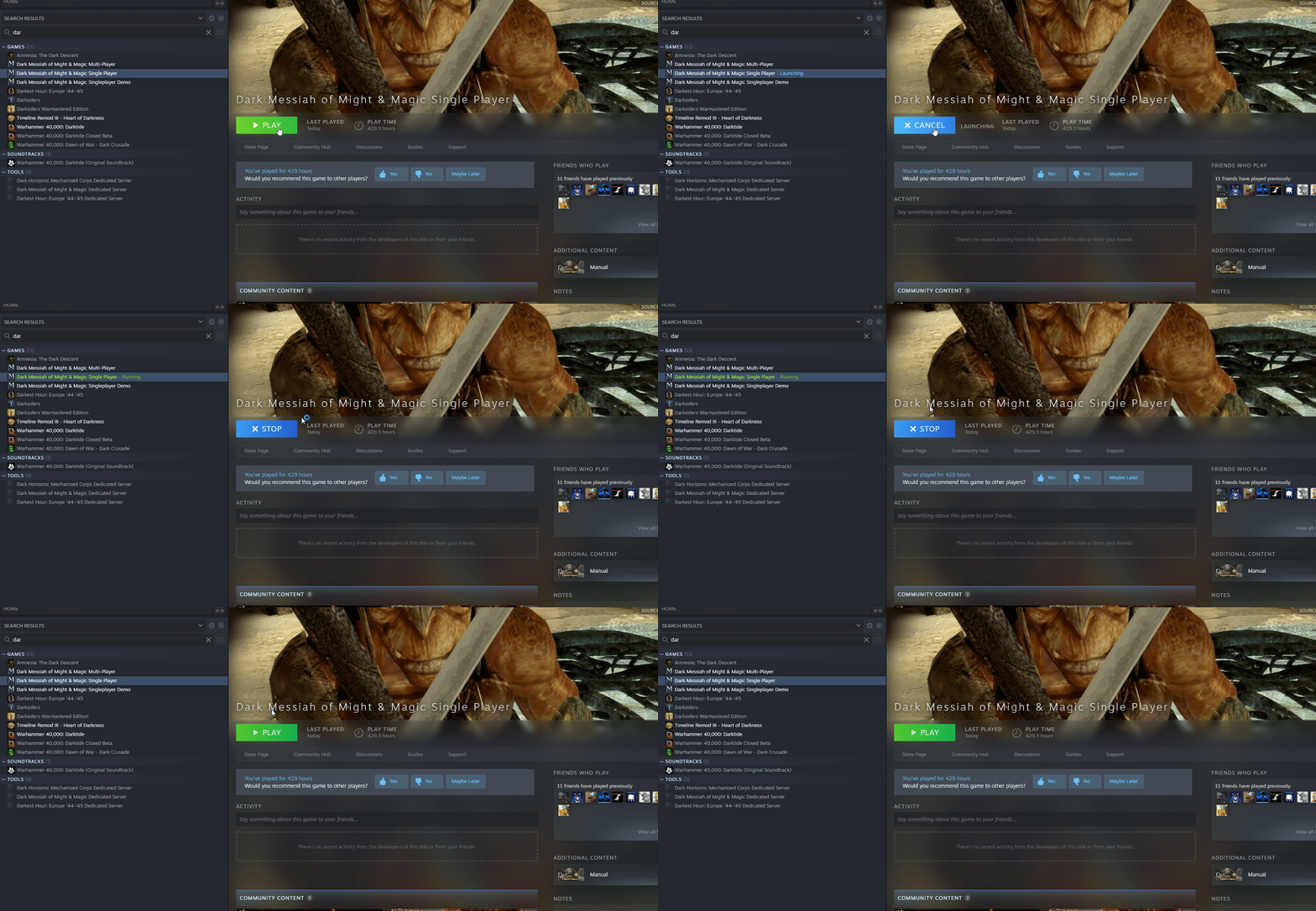
guys I have a steam glitch where I cant play any game
thats why the command lines for gmod havent done shit
anytime i click play on a game it says its playing and then cancels
when i put the commands into the console nothing happens
and when I try to play the game normally nothing happens
meager oar
 wintry trench
the game doesnt work at all
i unistalled it and reinstalled which made it work fine
but the second I put the remix files in it just doesnt open
meager oar
wintry trench
but the second I put the remix files in it just doesnt open
ah crap u have the virus that strelok has
meager oar
 meager oar
wintry trench
what?
meager oar
wintry trench
what?
idk he hasnt fix it yet
woeful phoenix
wintry trench
but the second I put the remix files in it just doesnt open
If you see it go blue, stop, then go back to play on steam then I had this before. In my experience the bridge client caused it especially if it's after you installed remix
Try a diff bridge client. I used the portal RTX one and it works
meager oar
 wintry trench
woeful phoenix
If you see it go blue, stop, then go back to play on steam then I had this befor...
wintry trench
woeful phoenix
If you see it go blue, stop, then go back to play on steam then I had this befor...
No, nothing happens, the game does not open
If I click the play button on steam it does nothing
If I use the command console and enter in the the stuff from pinned, it does nothing
 keen rivet
RTX Remix Fixes addon will now disable those pesky sprites
the ones that have different hashes every time theyre loaded
https://steamcommunity.com/sharedfiles/filedetails/?id=3038853470
also added the mirror and emissive mods in the description
 keen rivet
added ability to disable vertex lighting, disabled by default, allows coloured effects to work
 wintry trench
woeful phoenix
https://user-images.githubusercontent.com/40400837/264177472-f18605df-5ca7-4c09-...
wintry trench
woeful phoenix
https://user-images.githubusercontent.com/40400837/264177472-f18605df-5ca7-4c09-...
Yep exactly like that
wintry trench
It goes from the cancel back to the play
wintry trench
Just the bridge.exe
woeful phoenix
yeah and the associated binaries for ONLY that
wintry trench
Not sure what that means
woeful phoenix
the .exe alone is not the client
you need the moduels with it
not the DXVK modules
wintry trench
What files should I copy from portal
wintry trench
I’m confused but okay
Portal rtx also does the same thing
Like the game
I cant open gmod or portal rtx
woeful phoenix
The regular portal rtx game just drops to desktop on you??
wintry trench
woeful phoenix
https://user-images.githubusercontent.com/40400837/264177472-f18605df-5ca7-4c09-...
It does that
Other steam games work but those two don’t
woeful phoenix
What graphics card do you have?
wintry trench
I think a 3050 mobile ?
Before this was never a problem
I have had gmod rtx up and running before
woeful phoenix
Something changed then, when was the last time it worked?
woeful phoenix
Same laptop?
woeful phoenix
You didn't have to reinstall RTX or anything and maybe miss a file? I know when I downloaded the stuff I didn't include the .trex by accident
woeful phoenix
wintry trench
I cant update my drivers from nvdia because it fails every time
Seems like a bigger issue at play than can be troubleshooted
wintry trench
I have trex and all that
I followed the video xenethio posted
Just used remix 0.2
woeful phoenix
I would sort out why you can't update your graphics card driver before you tackle a game relying on those drivers
I mean assuming your drivers aren't up to date
wintry trench
They aren’t up to date
I’ve tried to update but it says failed every time on GeForce
woeful phoenix
So start with trying to fix that problem instead of trying to move past it. IDK why it would happen but google says it might be because the GEForce client itself is out of date
wintry trench
So delete GeForce experience and reinstall it ?
woeful phoenix
I'm honestly not sure what the best thing to do first would be
At this point I'd just be googling it with you hah
wintry trench
I’m installing GeForce again
Hasn’t gave me any issues yet
We will see if it downloads right now
Yep that fixed it
Now we will try gmod again
Yooooo it’s fucking opening let’s gooo
@woeful phoenix

this is what I got now
so uhhh
keen rivet
make sure you set shader model to 0
use these configs too
they'll setup a shitload of stuff
 wintry trench
alright I deleted mine and have yours in now
because my conf did not have that option
keen rivet
yeah you have to add it in
 keen rivet
Further than before
wintry trench
and its taking up a huge amount of storage
keen rivet
storage?
wintry trench
like the usage
keen rivet
oh my graphics config is insanely high you might wanna turn that down
wintry trench
ah okay lol
so how do I get the regular textures to work
i wanna get this to work normally first because i try to figure out how yall got the pbr stuff
keen rivet
they are grass is just funny sometimes
wintry trench
Okay, how do I get the pbr textures and stuff that recently have shown up

anti cull doesnt really work at all
lament quartz
wintry trench
what.
wintry trench
??
lament quartz
it looks amazing
wintry trench
I just lowered the roughness and made it fully metallic
Kinda mimic the cool textures they have
lament quartz
is this even without PBR textures?
wintry trench
Yep
lament quartz
damn...
lament quartz
nah, idk, but you can ask around here how to work with octotex
wintry trench
Damn alright, I don’t know how anti I’ll works tho because it didn’t fix anything
The light in the back door on that pic should not be there
Light leaking
lament quartz
lament quartz
nah, idk, but you can ask around here how to work with octotex
еveryone here will definitely help you
wintry trench
Hopefully soon lol
keen rivet
doing some shit to send the lights manually to rtx remix
 wintry trench
What’s up with the fog?
keen rivet
i messed up with the sun somehow
meager oar
keen rivet
RTX Remix Fixes addon will now disable those pesky sprites
Finally! Those dang things were so annoying
meager oar
keen rivet
doing some shit to send the lights manually to rtx remix
I get that type of fog in dark areas of map when using volumetric lighting
meager oar
wintry trench
Okay, how do I get the pbr textures and stuff that recently have shown up
First u need python would recommend Python 10, (DONT FORGET TO TICK THE PATH OPTION BECAREFUL WHEN INSTALLING IT DO NOT MISS THE PATH OPTION TICK IT) and then download octatex. Then open octatex folder and u will see a txt file called requirements.txt, Open that and u will see names of all the modules u need, Simply open command prompt, just type pip install (module name) if u wanna install manually and if u wanna install all at once type pip install requirements.txt or sumthin idk what is the name of the command to install all the modules at once.
wintry trench
they should pin this
meager oar
And then just go in-game open any map and then open remix menu go to enhancements tab and u will see two capture options any of them will work, After capturing go to octatex folder right click there and open the Terminal, if u dnt have terminal then u see all that path up top of the folder? Like steam/steamapps/common/Garry's mod/etc remove all that and type CMD there and enter it, it should open CMD in that folder
Load the textures first and then upscale them, Now u have two choices u wanna do PBR automatically or if u wanna do manually, I recommend manually that's better one u can change the roughness, POM strenght and bunch of stuff there
wintry trench
manual would take awhile tho wouldnt it
meager oar
If your doing it manually don't touch the roughness and metallness options just touch the Albedo(Optional), Parrelex and Either AI normals or legsce normals, Legacy normals are better
meager oar
wintry trench
manual would take awhile tho wouldnt it
Yea automatic makes all the textures behave the same but manually u can change the behavior and etc u can even replace textures from ambientCG in there but yes it takes some time to do
Especially if u have 1000 plus textures
Most I have done is 144 textures
I mean manually remastering those 144 textures
meager oar
wintry trench
manual would take awhile tho wouldnt it
Oh I forget one more thing u need
U need the AI stuff aswell
Put them at ai/PBR/checkpoints/ put it right besides textures
The one drive link should be in the GitHub page for it
wintry trench
this all comes with octoflex right
because currently i have no clue what your talking about but im sure I would if i had the files
meager oar
wintry trench
because currently i have no clue what your talking about but im sure I would if ...
Those AI modules are separate and don't come with Octatex
wintry trench
damn, seems very complicated
meager oar
wintry trench
damn, seems very complicated
Nah it's easy
wintry trench
lol i just dont wanna break gmod again and not have rtx working
meager oar
It seemed complicated to me aswell at start but now it's very easy to download octatex
For me
Cause I downloaded it 3 or 4 times all from the start and it kinda gave me some practice
wintry trench
alright, ill try it out in a little while
if i fuck up though will it break gmod?
someone should make a youtube video on how to do it
meager oar
wintry trench
if i fuck up though will it break gmod?
Nope if u ever messed up only octatex will break probably
wintry trench
ay maybe you could make a youtube video for it
meager oar
wintry trench
ay maybe you could make a youtube video for it
I lost access to ma YT account 😭💔😭 need to wait more then a week to login again
wintry trench
bro what?
keen rivet

the rtx remix fixes addon will now iterate through shitloads of lights every frame and send them to rtx remix
half viper
Try it in big city!
keen rivet
it also makes bounced sunlight brighter?
which is cool
maybe bounced sunlight didn't work properly before
keen rivet
half viper
Try it in big city!
works

i can see the light inside the house is working
same with the light in this building
 wintry trench
My question is what’s up with gmod lights
Like you load into a map and the lights aren’t there until you get close enough to them
Then they stay there for the rest of the time
keen rivet
yeah thats what i'm fixing right now
wintry trench
Ohh sweet
keen rivet
they might flicker occasionally
especially when a map has more lights
it might also break the ability to turn lights off with light switches :(
half viper
Awe
keen rivet
okay its all working
addon code and etc also now on github
GitHub
Contribute to Xenthio/RTXFixes development by creating an account on GitHub.
keen rivet
i have a hackier idea that might work better lemme try that
woeful phoenix
I thought you guys were using the source RTX fixes? Are you trying to solve all the culling stuff with lua?
Three render call loops to fix a light that can be solved by a single clientside entity is iffy
Well it wouldn't be single but you know what I mean
that local light function still adheres to basically what light calculations use and averaging out the amount in a space
if you use an entity each light is considered unique per that entity
so that data gets sent without averaging
it also means you don't have to loop like a nut and if you didn't actually fix the culling issues with the source rtx fixes, itw ill at least still cull
keen rivet
woeful phoenix
I thought you guys were using the source RTX fixes? Are you trying to solve all ...
oh yeah those fixes also are used
these are different fixes
woeful phoenix
I think you should consider implementing the suggestion I made in that reply, it works well for Dark Messiah and I wrote that with an injection. Have even more control how it functions in lua. ATM you are shuffling through 4 random light maps in a table for 3 renders calls
keen rivet
oh yeah no theres another mode
woeful phoenix
One solution I was trying in DM that I can not do because of limitations is moving the entity and drawing, but I can not safely access setupbones
keen rivet
GitHub
Contribute to Xenthio/RTXFixes development by creating an account on GitHub.
entity that teleports around to a bunch of different lights
woeful phoenix
This is still restricted by the speed of the entity thought
which is always < the amount of frames called
keen rivet
teleports around so it can update nearby lights since in source not all lights have entities (cough cough half-life 1 maps)
and hl2 maps
bunch of maps really
the other mode is so it works on fullbright
which allows baked terrain mode to not use the ingame lightmap meaning terrain doesn't turn pitch black in shadowed areas
woeful phoenix
What HL1 map did you check, I'm curious to check what exists on it
keen rivet
c1a0
lament quartz
keen rivet
mat_fullbright 1
keen rivet
source has the ability to place lights in compilation for specific textures
its used in hl2 for effect lights and hl1 extensively, almost every light
woeful phoenix
If the teleportation solution is the best way to go, I suggest using SetupBones so you can get it to more places in one frame. Theoretically speaking, since you are going to be shuffling multiple render calls per call anyway, you can probably set your own custom convar for max lights* that will just increment up the light list during the entity's drawmodel, setupbones, setpos, draw itself, rinse repeat
psuedodish code. Obviously your limits should shift based on the convar so you can get a consistent buffer
function ENT:DrawModel()
  for i=1, XXXX do
      local light_dat = map_light_list[i]
      self:SetRenderOrigin( light_dat.pos )
      self:SetupBones()
      self:DrawModel()
  end
end```but this gets the point across
keen rivet
what would setupbones do
woeful phoenix
Setupbones allows you to update the rendering position of the object within a render draw
because it basically flags the positions as dirty
So in this case you'd be able to draw the model in X different positions every time it's drawn ONCE. That surpasses your 4x light limitation and the entity thought restriction
binding that X limit to a con command is a sanity check so people can change the performance if they're having issues
The dirty flag is important for additional calculations within the engine, in this case you want lights to pick up on that fact so when this is called it won't be seeing it as a "we just use the old lights" it'll say "ohshit new pos just dropped"
https://wiki.facepunch.com/gmod/Entity:SetupBones here's the wiki page but the information I gave you above is the backend reasoning it happens. I dont have access to this function in Dark Messiah as clean as gmod has it so I can't take manipulate my render stack
Garry's Mod Wiki
Forces the entity to reconfigure its bones. You might need to call this after changing your model's scales or when manually drawing the entity multiple times at different positions.
This calls the BuildBonePositions callback added via Entity:AddCallback, so avoid calling this function inside it to prevent an infinite loop.
lament quartz
guys, can you test other maps?
lament quartz
ахах, чат сдох после того, как я написал
rich badge
lovely texture work 🙃
 keen rivet
rich badge
keen rivet
rich badge
Btw you don't need plain color textures for mirrors, just set the values
rich badge
keen rivet
https://cdn.discordapp.com/attachments/715503242280304660/1158519654487179304/RT...
I've seen it 👍
keen rivet
this'll make it a mirror
rich badge
Instead of this you could set roughness to 0

over "Shader"
{
    color3f inputs:diffuse_color_constant = (1, 1, 1) (
        customData = {
            float3 default = (0.2, 0.2, 0.2)
            dictionary range = {
                float3 max = (1, 1, 1)
                float3 min = (0, 0, 0)
            }
        }
        displayGroup = "Diffuse"
        displayName = "Albedo Base Color"
        doc = "The base albedo color to use if no texture is specified"
        hidden = false
    )
    float inputs:metallic_constant = 1 (
        customData = {
            float default = 0
            dictionary range = {
                float max = 1
                float min = 0
            }
        }
        displayGroup = "Specular"
        displayName = "Metallic Amount"
        doc = "Metallic Material"
        hidden = false
    )
    float inputs:reflection_roughness_constant = 0 (
        customData = {
            float default = 0.5
            dictionary range = {
                float max = 1
                float min = 0
            }
        }
        displayGroup = "Specular"
        displayName = "Roughness Amount"
        doc = "Higher roughness values lead to more blurry reflections"
        hidden = false
    )
}
Like this
@keen rivet You could structure the mod like:
subLayers = [
    @./water.usda@,
    @./mirror.usda@,
    @./gm_construct_emissives.usda@
]
Thanks for voicing your opinion.
keen rivet
lol the octotex texture browser doesnt work at all
it tries to load everything
it should really only load when clicked and use a low quality compressed thumbnail for the material browser
 lament quartz
keen rivet
it should really only load when clicked and use a low quality compressed thumbna...
lament quartz
keen rivet
it should really only load when clicked and use a low quality compressed thumbna...
it does not uses low quality thumbnails
lament quartz
probably
rich badge
And load by chunks
lament quartz
yes
 rich badge
keen rivet
optional if the thumbnails are done properly and small enough
rich badge
keen rivet
optional if the thumbnails are done properly and small enough
I am sure just thumbnails won't cut it
keen rivet
128x128 jpg
lament quartz
rich badge
I am sure just thumbnails won't cut it
i can crop the textures
rich badge
lament quartz
i can crop the textures
?
keen rivet
nah just use small images just for the thumnails not actually used for textures
like the icon is 90x90

so you could have 90x90 jpeg version to load quickly
lament quartz
i've messed up the thumbnails probably
lament quartz
rich badge
?
I mean, I can scale texture to make it small
Not that painful actually
Btw Look at that!

That's USDA to obj converter
But it messes up the UV map for now
rich badge
lament quartz
That's USDA to obj converter
Why do that?
rich badge
lament quartz
I've said this before
I should've missed sorry
rich badge
lament quartz
I don't wanna use omniverse
Usda is not omniverse's property
also blender supports it
lament quartz
Oh
Why when I talked about models convertation no one told me that before?
Why imma doing this then
rich badge
lament quartz
Why imma doing this then
¯_(ツ)_/¯
lament quartz
Do you need some kinda USDA plugin for blender?
rich badge
lament quartz
Do you need some kinda USDA plugin for blender?
No just import it
lament quartz
Oh
rich badge
the name might be universal scene description
lament quartz
Yeah ik
lament quartz
rich badge
the name might be universal scene description
How can I make the beginner modders life easier then?
lament quartz
rich badge
No just import it
Does it able to save multiple textures?
Like just import another model, delete the old one
Place the textures, and save
rich glen
 lament quartz
Globe
rich badge
lament quartz
How can I make the beginner modders life easier then?
Make the installation easier?
Like most complains are python errors
during the install
lament quartz
I'm talking about models 😦
rich badge
lament quartz
I'm talking about models 😦
Oh, you could port the functionality of E-Man's omniverse addon
to make working on meshes easier
lament quartz
What does it do?
rich glen
lament quartz
Globe

rich badge
lament quartz
What does it do?
Many things
lament quartz
rich badge
Many things
K I'll ask E-mab then, still thanks
rich badge
lament quartz
K I'll ask E-mab then, still thanks
I mean I could say something but of course he knows exactly, not me
I didn't mean joke
lament quartz
rich badge
I mean I could say something but of course he knows exactly, not me
Thanks
I can't try the toll myself cuz I have no space left on my ssd
😦
rich badge
Like it triangulates the meshes, converts interpolation to vertex
lament quartz
That's interesting
rich badge
lament quartz
That's interesting
Those aren't necessary as of a new update (weeks ago) but not doing that will cost runtime performance
according to the devs
wintry trench
Is there a way to give the water refraction
lament quartz
wintry trench
Is there a way to give the water refraction
Are you using octotex?
wintry trench
Not currently
wintry trench
Is there a way to do it naturally
wintry trench
Where is that located
lament quartz
I can't remember how exactly it called
lament quartz
wintry trench
Where is that located
Wait, do you have a custom texture replacement ?
wintry trench
No I just have regular remix
wintry trench
One question about octoflex
If I chose to for it to automatically do the textures
Is it possible for me to come back later and manually change them myself
wintry trench
Will is fuck up my gmod if I do it wrong
wintry trench
meager oar
First u need python would recommend Python 10, (DONT FORGET TO TICK THE PATH OPT...
I’m gonna follow what he told me
lament quartz
wintry trench
Will is fuck up my gmod if I do it wrong
Nope
lament quartz
wintry trench
I’m gonna follow what he told me
Yeah, that's a great one, good luck
😛
wintry trench
Alright, I’ll do it later tonight, hopefully nothing does wrong
Although I did mention someone could make a video about how to do it as well
 lone arch
rich badge
lovely texture work 🙃
lone arch
rich badge
lovely texture work 🙃
Lmao
meager oar
wintry trench
Alright, I’ll do it later tonight, hopefully nothing does wrong
u also need to download imagemagick aswell, i forget to mention it
lucid parcel
Just saw this glass work someone posted a month ago
https://www.youtube.com/watch?v=716X-S-acN4
They need to set thin_walled to true in that material.
(thin_walled = true means that a single surface counts as both entering and exiting the translucent material. false means that a single surface counts as entering a solid block of material, and it will act as if everything behind it is solid glass until it encounters another translucent surface.)

more glass (this is actually half life 2 not gmod.)
all textures from ambientcg.com
half viper
lucid parcel
Just saw this glass work someone posted a month ago
https://www.youtube.com/watc...
I don't think he is in the server
The guy who made the video
Also in the description it says its half life 2
Probably because they couldn't figure out how to get Garry's mod working
(which is much more complicated than other source engine games)
lament quartz
lucid parcel
Just saw this glass work someone posted a month ago
https://www.youtube.com/watc...
Oh oh i'll take a note
lucid parcel
getting the thin_walled property wrong was pretty common among our artists while we were developing portal. It makes everything behind the glass look like it's in an aquarium or something
lament quartz
For example, water should have this on false right?
lucid parcel
in general, yes
lucid parcel
if the geometry means the ray is entering a translucent medium, and other geometry may mean it is exiting that medium, thin_walled = false.
If the geometry is a single quad meant to represent both entering and exiting a glass panel, thin_walled = true
lament quartz
lucid parcel
if the geometry means the ray is entering a translucent medium, and other geomet...
Yeah, I understood right away
Thanks
😛
rich badge
half viper
I don't think he is in the server
They are
 arctic trout
rich badge
They are
arctic trout
rich badge
They are
yeah im here
rich badge
lucid parcel
in general, yes
Water should be thin walled ??
But we only have a plane at the surface but we want the whole volume to act as translucent
lament quartz
rich badge
Water should be thin walled ??
No, variable should've been set to False
rich badge
lament quartz
No, variable should've been set to False
Mark said #1116089843479498782 message
lament quartz
Like water is a liquid that fills everything, so there is no endpont for the ray
rich badge
rich badge
Mark said https://discord.com/channels/1028444667789967381/1116089843479498782/1...
Oh so mark said yes to false
🤦♂️
My bad
lament quartz
But something like a really thin glass, like a single quad that should be a glass, in that case it should've been set to True
rich badge
lament quartz
But something like a really thin glass, like a single quad that should be a glas...
I think it has more to do with windows of real world (vacuum between two panes) vs solid block of that material.
rich badge
lament quartz
But something like a really thin glass, like a single quad that should be a glas...
So this is not the deciding factor (if I understand correctly)
lament quartz
rich badge
So this is not the deciding factor (if I understand correctly)
I mean, the quad that should be a glass
The quad is only two triangles, and have no exit point for the ray
So the ray "will think" that it's still inside of a material
That's how I'm understood it
And to prevent that, there's a boolean that tells the ray that that single quad is an enter and exit point at the same time
rich badge
lament quartz
So the ray "will think" that it's still inside of a material
Exactly, this is what we want for water and not for say a window for example
lament quartz
rich badge
Exactly, this is what we want for water and not for say a window for example
Yes
rich badge
lament quartz
Yes
This is how thin walled pieces look like

Set thickness really high

They have no refraction, which is what we would expect from a double pane glass irl
lucid parcel
Some games will model a window as a single quad (2 triangles total). This needs to use thin walled, as that single quad represents both entrance and exit.
Others will used a very thin box (12 triangles forming 6 faces). this is not thin walled - the ray enters when it hits one face, and exits when it hits the other.
marking a solid piece of glass like those chess pieces as thin walled is basically making them act like they're hollow shells, rather than solid pieces of glass.
rich badge
lucid parcel
marking a solid piece of glass like those chess pieces as thin walled is basical...
Chess Titans is super handy for quick demonstrations
lament quartz
lucid parcel
marking a solid piece of glass like those chess pieces as thin walled is basical...
Oh basically we can mark a bottle as a thin walled and make an actual bottle?
👀👀
rich badge
lament quartz
Oh basically we can mark a bottle as a thin walled and make an actual bottle?
Even if you don't mark it as thin walled it will still look as a bottle but with some liquid in it
with the ior of 1.5 🙃
lucid parcel
You can get the same effect by modeling both the inner and outer surface of the bottle
lament quartz
But what if you don't want to touch the model
rich badge
Oh btw still no stable meshes in gmod :/
lucid parcel
then yeah, thin_walled is the easy way to make it act like an empty bottle
rich badge
couldn't find that source parameter for transformations on the gpu
wintry trench
man why the fuck is gmod so broken
I literally got it to work yesterday and i have changed absolutely nothing in the files
and now it doesnt work again
lucid hawk
It really doesn’t like rtx remix
Gotta live with it
Sometimes i have to press play multiple times before it actually launches
wintry trench
No but i have literally changed nothing
It worked yesterday
And next day it doesn’t work, nothing has changed
It works if I don’t use the console command from the pin and just open without anything
Well now it works……..
keen rivet
going to stream gmod rtx with the 6000 textures ran through octotex
in this discord
any map suggestions?
aw fuck nvm gotta delay it water is scuffed
wait nvm i forgot i fixed it yuesterday already lol
wintry trench
Borealis
It’s a snow map
Gm_borealis I believe
Do popular all time
Yes
Lol
The inside looks cool in the bunker
I didn’t know how to fix the land either
The underground works tho
There are bunkers underneath
They are missile silos and stuff
Wow thag looks really cool
With all the textures
That’s where I took that screenshot
wintry trench
wintry trench
This
I don’t have the textures tho
Yeah the main thing about the map is underground, it’s like missile silos

 wintry trench
Gm_adventures is cool
keen rivet
@lament quartz https://github.com/alex-suspicious/OctoTex/pulls

GitHub
texture loader, dds to png converter, upscaler, pbr generator, and replacements writer for rtx remix - Pull requests · alex-suspicious/OctoTex
wintry trench
@keen rivet you should make a tutorial video on how to add install octo flex and get it running on gmod
Like you did with rtx remix
lament quartz
Morning
lament quartz
keen rivet
<@456226577798135808> https://github.com/alex-suspicious/OctoTex/pulls
Thanks
I'll merge today
keen rivet
no worries
i found the generate buttons for the selected material generate for all textures
keen rivet
yeah
lament quartz
There's no generate PBR for selected texture button
keen rivet
oh
lament quartz
 keen rivet
oh assumed there was since these exist

and i thought that meant these ones in materials tab
 lament quartz
But not for all
lament quartz
keen rivet
and i thought that meant these ones in materials tab
Those are for selected yeah
The main tab is for everything
keen rivet
oh
lament quartz
Yeah I need some description
keen rivet
i clicked on of those buttons and it started generating for all
lament quartz
And more intuitive stuff
lament quartz
keen rivet
i clicked on of those buttons and it started generating for all
I don't recommend you to press all of them at ones
Idk what will happen
keen rivet
yeah i didnt lol
lament quartz
keen rivet
i clicked on of those buttons and it started generating for all
Oh
I misunderstood you
lament quartz
keen rivet
i clicked on of those buttons and it started generating for all
Can't be, functions are linked to the button statically, with html attribute
wintry trench
lament quartz
You'll need to install python 3.10
i see 3.10.13
lament quartz
wintry trench
i see 3.10.13
I hope that'll work
lament quartz
I've installed exactly 3.10
wintry trench
just found it sorry lol
which download is itm theres a lot and its confusing
windows embeddable package (32 bit) or windows installer (32 bit)
wintry trench
@lament quartz I downloaded the ai from your google drive but I cant find the folder im supposed to put it in
there is no "checkpoint " folder
lament quartz
you should put it to this folder
 wintry trench
so just put it in PBR
lament quartz
wintry trench
there is no "checkpoint " folder
does the archive already contains checkpoint folder?
if no, then create a folder
in the PBR one
lament quartz
no i mean
creat a folder inside of ai folder
it should be like this
ao/PBR/checkpoints
wait
here we go


 meager oar

 lament quartz
just drag'n drop it
lament quartz
that's all
 lament quartz
you didn't read the readme right?
wintry trench
I mean I have
lament quartz
put the octotex folder into the game's root folder
wintry trench
ah
and do I capture the assets in the game and then type cmd and thats where i put the commands?
lament quartz
like that
 lament quartz
wintry trench
and do I capture the assets in the game and then type cmd and thats where i put ...
lament quartz
wintry trench
and do I capture the assets in the game and then type cmd and thats where i put ...
then open the octotex folder
open cmd there
then
pip install -r req file.txt
and
python webui.py
that's it
wintry trench
click on the octotex file
because mine is two folders
you click on the main
then theres the same file that says main again before you get to the actual stuff
This is what I mean
It sounds complicated but that’s what I’m saying
Is it wrong that there are two folders
lament quartz
put the latest one
wintry trench
should it be in the bin folder for garrys mod
lament quartz
no
meager oar
put the octatex- main which is inside octatex main to the root folder like right besides hl2
wintry trench
developer command prompt?
meager oar
open the octatex folder and right click on it and see if u have a option to open terminal there
wintry trench
Yeah I got that
meager oar
yea just type python webui.py there
and enter it
it should open the web in some sec
meager oar
can u put the whole error here
 lament quartz
no you didn't
wintry trench
Well damn
lament quartz
i meant the requirements.txt file, i didn't mean to fully copy my command
 meager oar
yus
but open cmd inside the octatex folder not anywhere else
then type python webui.py
wintry trench
does this look correct
 meager oar
wintry trench
does this look correct
meager oar
wintry trench
does this look correct
did u install image magick?
wintry trench
no
 wintry trench
windows binary release?
meager oar
wintry trench
windows binary release?
if your on windows then ofcourse
meager oar
yus
any version shuld wrk
ImageMagick-7.1.1-19-Q16-x64-dll.exe
i installed tis one
wintry trench
alright im getting that one
lament quartz
keen rivet
yeah i didnt lol
btw width and height does not work the way you meant to
i need to edit the code in the backend a little bit
keen rivet
i realised i didn't mean to push it with that
lament quartz
i'll just scale them at the backend
 lament quartz
pip install clipboard
alright now I gues retry the python webui.py lol
yes it sent me to a 'website' if you can call it that
im guessing i will go into the game and then type that after capturing assets
meager oar

 wintry trench
also, making a bat file with the commands already in them, should I have that in the main folder of garrys mod
probably should have done this a long time ago lol

 wintry trench
alright i clicked capture scene
how do I acess the ui in game
or do I do it outside of the game
meager oar
outside
after opening the ui click on load
and then 4x upscaling
if u wanna skip upscaling
then put all the textures inside diffuse to upscaled folder
octatex main/textures/processing/

 meager oar
pip install torch --index-url https://download.pytorch.org/whl/cu118
do this and see if it installs somethin
it shuld download 2.7gb
wintry trench
im guessing i need to download whats from the link and then type that in
because typing in the command gives me this
C:\Program Files (x86)\Steam\steamapps\common\GarrysMod\OctoTex-main>pip install torch --index-url
Usage:
pip install [options] <requirement specifier> [package-index-options] ...
pip install [options] -r <requirements file> [package-index-options] ...
pip install [options] [-e] <vcs project url> ...
pip install [options] [-e] <local project path> ...
pip install [options] <archive url/path> ...
--index-url option requires 1 argument
C:\Program Files (x86)\Steam\steamapps\common\GarrysMod\OctoTex-main>
meager oar
wintry trench
C:\Program Files (x86)\Steam\steamapps\common\GarrysMod\OctoTex-main>pip install...
da heck, i never saw a error like this before
wintry trench
hmmmm
meager oar
just skip upscaling i guess
wintry trench
we could @ alex
meager oar
yea ask him maybe
wintry trench
@lament quartz
lament quartz
pip3 install torch torchvision torchaudio --index-url https://download.pytorch.org/whl/cu118


pip3 uninstall torch torchvision torchaudio --index-url https://download.pytorch.org/whl/cu118 and then do that
lament quartz
wintry trench
it says requirement already satisfied for all the lines
pip uninstall torch
okay
meager oar
i wonder if u can add those textures into minecraft
meager oar
yus
wintry trench
ny computer loves the amounts of data im downloading :)
meager oar
is it downloading 2.7 gb?
wintry trench
something like that, it only tells me how much ive downloaded
at 2192 mb now
yeah it was 2.7gb
meager oar
good
if torch doesnt install 2.7 gb of stuff then that means it wont wrk idk why it doesnt install 2.7 gb sometimes
wintry trench
well thanfully weve fixed this at least I think
and yeah this download wasnt actually very difficult, just took a lot of instruction
does it usually take a while for 4x upscale
meager oar
it depends on the textures on how good quality they already have
wintry trench
i have the command prompt closed so I cant see if its giving me errors but considering its taking longer than 4 seconds im guessing its working
meager oar
Gold src games textures like half life 1 and etc get upscaled very fast
wintry trench
im doing it with the gm construc textures
meager oar
and Source engine games textures take sum time to upscale
wintry trench
alright
meager oar
u shuld have had the cmd opened so u can see whats going on in the background
wintry trench
it was closed from before
tulip silo
Terminal*
wintry trench
would it break it if I closed the ui and re did this upscale stuff
so I can see the terminal
meager oar
wintry trench
wouldnt it upscale already upscaled textures tho
i think it shuld skip them
wintry trench
i think its working
its iterating through the numbers however this line conerns me
convert_octahedral_file_to_dx called on non-existant path: textures/processing/normals/cu118_normal.png