#Garry's Mod
1 messages · Page 9 of 1
 woeful phoenix
Yeah you separated them!
It is one line!
DON'T OVER THINK IT
COPY PASTE ENTER
woeful phoenix
Show me the list I'm curious what it actually picks up
And is that the case for both lua_run and lua_run_cl
 half viper
woeful phoenix
And is that the case for both lua_run and lua_run_cl
half viper
woeful phoenix
And is that the case for both lua_run and lua_run_cl
They are the same
woeful phoenix
Wow that blows, but rest assured there is still a way to get this it'll just be more involved
And for THAT I have to be home
So I'll ping you later with some code to try
 meager oar
half viper
Sorry for wasting your time david :(
meager oar
half viper
Sorry for wasting your time david :(
Can u run gmod rtx now?
half viper
meager oar
Can u run gmod rtx now?
Without stdshaderdx7
That means
Most maps crash
And cant use Grenades
 keen rivet
half viper
And cant use Grenades
keen rivet
half viper
And cant use Grenades
are you absolutely sure you deleted game_shader_generic_garrysmod.dll
because that very much sounds like you didn't lol
E:\SteamLibrary\steamapps\common\GarrysMod\garrysmod\bin\game_shader_generic_garrysmod.dll
you dont need portal rtx stdshaderdx7.dll
half viper
keen rivet
are you absolutely sure you deleted game_shader_generic_garrysmod.dll
yes

i do need stdshaderdx7
keen rivet
yeah the gmod default version works fine
half viper
keen rivet
yeah the gmod default version works fine
why mine isnt working 😭
half viper
stdshaderdx7 crashes my game
i can run the game with the normal one
but it crashes on any map other than destructible house
keen rivet
added gm_construct_rtx and gm_construct_in_flatgrass_rtx to the rtx fixes addon
meager oar
idk this one is the oldest one maybe try it
keen rivet
the skybox has been moved to make it usable and lit while still having the map lit
 meager oar
keen rivet
the skybox has been moved to make it usable and lit while still having the map l...
meager oar
keen rivet
the skybox has been moved to make it usable and lit while still having the map l...
oh tats cool
keen rivet
 meager oar
that stupid skybox blocked all the sun shafts before
keen rivet
yeah
meager oar
keen rivet
yeah
also is the water on construct flickering for u? theres a water texture thats making it flicker in ma game
half viper
meager oar
idk this one is the oldest one maybe try it
thats the same one from gmod
meager oar
ooo my
 keen rivet
 meager oar
keen rivet
meager oar
keen rivet
Is this included in the new update for the fixes?
 keen rivet
meager oar
Is this included in the new update for the fixes?
keen rivet
meager oar
Is this included in the new update for the fixes?
will be

since cl_first_person_uses_worldmodel doesnt work in gmod i made a replacement in lua
since i was previously faced with this issue in another project of mine i copied the code from it lol
unfortunately i might have to not include weapons

what'll also suck is multiplayer won't work too
i wonder if ingame i can modify the textures to give your own playermodel a seperate hash from others
wait actually
@lucid parcel how did portal rtx solve this? with the worldmodels portal gun?
did you just slap a fake portalgun with the remix toolkit onto the pedastals where needed
 lucid parcel
I believe there are specific texture categories or something for the portal gun. I don't remember what was done for the world version of the portal gun tho
meager oar

 lament quartz
keen rivet
lament quartz
keen rivet
ЧЕГО
 tulip silo
meager oar
tulip silo
meager oar
NICE
 plain blade
keen rivet
plain blade
keen rivet
HOW DID YOU MADE SKYBOX WORK
plain blade
keen rivet
WTF
plain blade
keen rivet
HOW
i only woke up and i missed a lot of fun stuff
bytw, i imported fixed water, it doesnt work
how to fix that
y`all doing god damn dark magic
lament quartz
can someone check the pip sights?
keen rivet
lament quartz
ЧЕГО
Can someone translate this?
plain blade
keen rivet
Can someone translate this?
it says WHAT
keen rivet
lucid parcel
I believe there are specific texture categories or something for the portal gun....
would you happen to know what "player model body textures" are for?
 lament quartz
can someone check the pip sights?
lament quartz
lament quartz
can someone check the pip sights?
.
 compact blaze
keen rivet
would you happen to know what "player model body textures" are for?
compact blaze
keen rivet
would you happen to know what "player model body textures" are for?
i mean in cod bo3 you can see your legs so ig its for that, or maybe its for 3rd person games
tulip silo
i wanna see the legs

maybe there's a way to enable this
because clearly there's a model for it
but not rendered
keen rivet
yeah but this is the model lol
 tulip silo
3rd person?
lament quartz
lament quartz
.
guys?
keen rivet
lament quartz
.
probably not gonna work
 rich badge
keen rivet
rich badge
keen rivet
👀
lament quartz
keen rivet
probably not gonna work
can you test, please?
meager oar
what if u use free cam in remix menu and try to set the view in front of the player model and some how fix it at that position
meager oar
uff its a mess

 lucid parcel
keen rivet
would you happen to know what "player model body textures" are for?
lucid parcel
keen rivet
would you happen to know what "player model body textures" are for?
I think these are set up to make the player model visible in reflection rays, but not visible in primary rays. That way you can stick the camera in the center of the character's head without seeing the backs of their eyeballs. I'm not sure what playerModelBodyTextures is for tho
Ah, seems the playerModelBodyTextures are being used to detect when the camera and player model are on opposite sides of a portal... or something like that.
https://github.com/NVIDIAGameWorks/dxvk-remix/blob/main/src/dxvk/rtx_render/rtx_instance_manager.cpp#L1448
lament quartz
tulip silo
i wanna see the legs
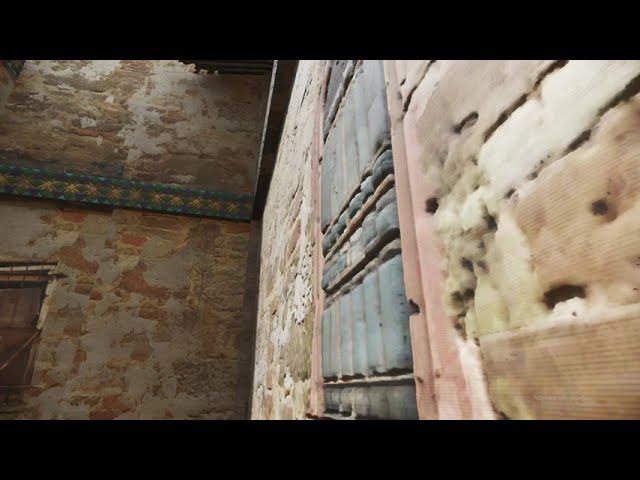
This screenshot is like from source 2 or something
meager oar
 tulip silo
lament quartz
This screenshot is like from source 2 or something
tulip silo
lament quartz
This screenshot is like from source 2 or something
No it's RTX
Makes you think how good the source 2 lighting is without the need for ray tracing
tulip silo
meager oar
https://www.youtube.com/watch?v=BIaIFt8Z_ao
Most results are bad representations
However textures like dirt are good
Because of randomness
Even plastered wall textures look good with POM
 night bramble
keen rivet
tulip silo
No it's RTX
Makes you think how good the source 2 lighting is without the need ...
night bramble
keen rivet
tulip silo
No it's RTX
Makes you think how good the source 2 lighting is without the need ...
pre rendered lightmaps
they raytrace it and its baked in
theyve been doing that since quake
half viper
Btw @keen rivet
Im pretty sure alex had an option to mark alpha as mirror like surfaces
That would help with windows being reflective
lament quartz
half viper
That would help with windows being reflective
Only for legacy PBR
keen rivet
Wonder if you can somehow implement that in the ai PBR
woeful phoenix
@half viper you should be able to use https://steamcommunity.com/sharedfiles/filedetails/?id=2861839844
You can get the map entities using:
local ents = NikNaks.CurrentMap:GetEntities()
or you can specifically get a few with
local ents = NikNaks.CurrentMap:FindByClass( "CLASS_NAME_HERE" )
Typical light entity is just "light" but I'd double check any other light class names
from there just get the position and spawn some dummy ent. I think the best way is to do all this clientside. I'm not sure if clientsidemodel will work but that would be the best best entity to use. Maybe just check if it works with a sodacan model for now and then you can shrink it down or w/e
 half viper
woeful phoenix
<@584522946970910730> you should be able to use https://steamcommunity.com/share...
half viper
woeful phoenix
<@584522946970910730> you should be able to use https://steamcommunity.com/share...
Thank you David, will try it out after i get better
rich badge
half viper
Thank you David, will try it out after i get better
Can you get in game now?
half viper
rich badge
Can you get in game now?
I can't install stdshaderdx7 so im limited to destructible house map
Thats the only map that works
Without stdshaderdx7
plain blade
how to remove this annoing ass fog? i keep removing it, it doesnt work
@keen rivetcan i have your rtx.conf?
keen rivet
I’m not at my pc right now sorry lol
 rich badge
plain blade
how to remove this annoing ass fog? i keep removing it, it doesnt work
rich badge
plain blade
how to remove this annoing ass fog? i keep removing it, it doesnt work
Uncheck the following:
Enable Legacy Fog Remapping
Enable Fog
 rich badge
plain blade
bytw, how to fix that
rich badge
plain blade
bytw, how to fix that
Mark those textures as Particle texture

 plain blade
I cant load to map after I made octotex texture
keen rivet
lament quartz
New plugin 👀
I think controlnet for auto111 can do depthmaps too
lament quartz
yeah it can
plain blade
plain blade
I cant load to map after I made octotex texture
Fix?
lament quartz
keen rivet
I think controlnet for auto111 can do depthmaps too

This plugin allows you to use img2img right in the gui via A1111 api!
hehehe
plain blade
lament quartz
https://youtu.be/KpbMuVaraxo?si=2_jZkzOp0dvXfHy1
This is sick bro
plain blade
plain blade
I cant load to map after I made octotex texture
Help this thing started loading 4 hours ago and it still hasn’t loaded yet
keen rivet
plain blade
Help this thing started loading 4 hours ago and it still hasn’t loaded yet
Disable asset enhancements and enable them once you’re in the map
or update dxvk remix and bridge remix, since this bug has been fixed
plain blade
keen rivet
Disable asset enhancements and enable them once you’re in the map
I tried, didn’t work
plain blade
keen rivet
or update dxvk remix and bridge remix, since this bug has been fixed
Where to get it and how to install it
keen rivet
plain blade
Where to get it and how to install it
Same way you installed it the first time
plain blade
Hah, here’s the fun part I didn’t install this
keen rivet
Download the bridge binaries from GitHub and put them in the bin folder
the download the dxvk remix binaries and put them in the bin/.trex folder
rich badge
Or simply use https://discord.com/channels/1028444667789967381/1132988164814934167 by RuneStorm
tulip silo
@lament quartz can we add our own plugins? if so, is there any documentation on how to do that?
lament quartz
tulip silo
<@456226577798135808> can we add our own plugins? if so, is there any documentat...
nope, only the example plugin
tulip silo
i want to have a inpainting Stable Diffusion model
lament quartz
for now
lament quartz
tulip silo
i want to have a inpainting Stable Diffusion model
you can
lament quartz
tulip silo
<@456226577798135808> can we add our own plugins? if so, is there any documentat...
yeah, and i gonna make an installer to install plugins from github
installer will be a plugin too btw
tulip silo
lament quartz
you can
so that we can select a portion of the image and replace it with prompt guided to edit parts of image
that'd be so cool
lament quartz
i can show you how's it works
lament quartz
tulip silo
so that we can select a portion of the image and replace it with prompt guided t...
yeah
look
that's all

function.py contains the functions for plugin
like
def img2img( address, prompt, texture, steps, strength ):
    import base64
    import shutil
    import os
    import json
    import requests
    import io
    from PIL import Image, PngImagePlugin

    directory = "textures/stable_diffusion"
    isExist = os.path.exists(directory)
    if not isExist:
        os.makedirs(directory)

    isExist = os.path.exists(f"textures/stable_diffusion/{texture}.png")
    if not isExist:
        shutil.move(f"textures/processing/upscaled/{texture}.png", f"textures/stable_diffusion/{texture}.png")

    binary_fc = open(f"textures/stable_diffusion/{texture}.png", 'rb').read()
    encoded_string = base64.b64encode(binary_fc).decode('utf-8')

    payload = {
        "prompt": prompt,
        "steps": int(steps),
        "init_images": [encoded_string],
        "denoising_strength": float(strength)
    }

    response = requests.post(url=f"{address}/sdapi/v1/img2img", json=payload)
    r = response.json()

    for i in r['images']:
        image = Image.open(io.BytesIO(base64.b64decode(i.split(",",1)[0])))

        png_payload = {
            "image": "data:image/png;base64," + i
        }
        response2 = requests.post(url=f'{address}/sdapi/v1/png-info', json=png_payload)

        pnginfo = PngImagePlugin.PngInfo()
        pnginfo.add_text("parameters", response2.json().get("info"))
        image.save(f"textures/processing/upscaled/{texture}.png", pnginfo=pnginfo)

    return "Done!"

def return_back( texture ):
    import shutil
    import os
    os.remove(f"textures/processing/upscaled/{texture}.png")
    shutil.move(f"textures/stable_diffusion/{texture}.png", f"textures/processing/upscaled/{texture}.png")
    return "Done!"
and index.html is a main page of a plagin
<h1><i class="fa-solid fa-brain"></i> Automatic 1111</h1>
<hr>
<p>This plugin is for Stable Diffusion texture editing!</p>


<input class="btn input-octopus" id="a1111-address" value="A1111 Address" >
<input class="btn input-octopus "id="a1111-steps" value="20" >
<input class="btn input-octopus "id="a1111-strength" value="0.4" >
<input class="btn input-octopus "id="a1111-prompt" value="Prompt" >

<br>
<button class="btn btn-octopus need-texture" id="pass_args_a1111" callback="stable_diffusion.img2img" >Generate</button>
<button class="btn btn-octopus need-texture" callback="stable_diffusion.return_back" >Return Back</button>

<script type="text/javascript">
    $("#pass_args_a1111").on("click",function() {
        $(this).attr("address", $("#a1111-address").val() );
        $(this).attr("prompt", $("#a1111-prompt").val() );
        $(this).attr("strength", $("#a1111-strength").val() );
        $(this).attr("steps", $("#a1111-steps").val() );
    });
</script>
that's all
and in the plugins tab will appear a tab with your plugin name

done
 meager oar
lament quartz
done
meager oar
lament quartz
done
What if I write sometin weird in the prompt like "wooden tiles made of noodles" will that work?
lament quartz
meager oar
What if I write sometin weird in the prompt like "wooden tiles made of noodles" ...
yes
rich badge
meager oar
What if I write sometin weird in the prompt like "wooden tiles made of noodles" ...
Welcome to ai art
meager oar
pip install a1111?
lament quartz
but it hink at the moment of running OctoTex, that mean that you have all dependencies for a1111
but im not sure
rich badge
lament quartz
but you'll need to install a1111
Stable Diffusion released version 2.0. A lot has changed, and many people want to mess around with it. This video shows you how to include the model in AUTOMATIC1111's Stable Diffusion WebUI - And update it on your computer. It's a simple guide to follow, and you should be able to play around with new features and quality in no time.
AUTOMATIC1...
lament quartz
meager oar
pip install a1111?
noooo
 plain blade
after i wrote the textures on octotex it doesnt work in gmod
did i missed the step?
wtf is this
plain blade
i need help
 rich glen
plain blade
after i wrote the textures on octotex it doesnt work in gmod
rich glen
plain blade
after i wrote the textures on octotex it doesnt work in gmod
its fixed now
write.py was broken
dowload octotex again i guess
plain blade
god fucking damn it

i rewrote the textures
i reistalled octotexgui
and its not only not working but i see this
the textures arent upscalled
 tulip silo
Load in enhanced assets through developer options?
plain blade
bro, am i that stupid

of course it doesnt work
here is replacements file
god fucking damn it

i want to kill myself
why do i have problems that no one ever had
lament quartz
plain blade
where do the weapons from?
plain blade
what gpu do you have?
lament quartz
rtx 4070
when I select a weapon from the arc9 base I see white screen
without even ui
or just no model
lament quartz
i like dat
 rich badge
lament quartz
when I select a weapon from the arc9 base I see white screen
rich badge
lament quartz
when I select a weapon from the arc9 base I see white screen
disable breath hud
somehting like that
lament quartz
btw does remix support hot load?
lament quartz
like if you change something
rich badge
mod.usda yes
rich badge
lament quartz
that's want i mean yeah
Just rewrite the file
plain blade
Yep, I can’t do pbr texture
lament quartz
rich badge
disable breath hud
what?
 rich badge
lament quartz
Sheeesh
rich badge
lament quartz
Sheeesh
lovely
 rich badge
I know you heard this before but you really done an awesome job with that ui ❤️
rich badge
lament quartz
now it's time to try real time replacements
real what??
lament quartz
nah did not worked
lament quartz
rich badge
Just rewrite the file
you said
rich badge
lament quartz
you said
Oh got it
Not sure, but if the assets weren't there previously it might not work
lament quartz
lament quartz
can u show ur settings?
@rich badge
rich badge
I only tried changing positions and such
rich badge
lament quartz
<@1074634383996227627>
?
 lament quartz
rich badge
?
lament quartz
rich badge
?
can you show me your arc9 settings?
rich badge
lament quartz
can you show me your arc9 settings?
not right now
lament quartz
oh, ok
rich badge
just disable whatever sounds it might need shaders
lament quartz
hmmm
rich badge
breath hud or something definetely had issues tho
lament quartz
3d scopes?
lament quartz
ok, i will check
yeah of course stable diffusion will not run

while im playng gmod with octotex and other stuff
lament quartz
lament quartz
yeah of course stable diffusion will not run
ууу, плохо очень
lament quartz
lament quartz
ууу, плохо очень
да
rich badge
lament quartz
Is replacements option gone?
lament quartz
думал в реальном времени заменять а хрен
rich badge
like grayed out
 lament quartz
думал в реальном времени заменять а хрен
lament quartz
lament quartz
думал в реальном времени заменять а хрен
да и так хорошо, что вьювер есть
lament quartz
lament quartz
да и так хорошо, что вьювер есть
сразу видно материалы
rich badge
if so you could slap the old textures as replacements so the replacements.usda still has the references. When octotex replaces the old ones and modifies the usda at once remix might actually load the new materials
I had something similar when working on optics where I had the usda referenced to a mesh which was actually empty
still had a valid syntax but contained nothing
lament quartz
ok if i close gmod i can actually use sd
i just love the way you can edit the textures
hell yeah
 lament quartz
i just love the way you can edit the textures
lament quartz
lament quartz
i just love the way you can edit the textures
like select one, upscale, edit with a sd prompt
they are looks like the original, but still as was prompted
i need to train the models more


 rich badge
@lament quartz Most of them are my personal preferences


but cheap scopes must be disabled and hud definetely doesn't work well
plain blade
Господи ебана в рот помогите
У меня нихуя не получается
Как у вас получается тень и скайбокс
И pbr текстуры
Sorry for my Russian
lament quartz
если ты копировал конф у попо, то у тебя там уже должна была быть тень
отметь текстуры скайбокса текстурами неба
plain blade
Можешь скинуть конф?
lament quartz
plain blade
Можешь скинуть конф?
после пары буду дома и скину
lament quartz
https://youtu.be/O8fI9lrhFIw?si=TtfdKh7qo45MXIOq в комменты зайди и там ссылки будут

на скачивание
rich badge
use the latest remix
that bin folder linked there probably contains one that's quite old
you need the newer ones for 3d skybox for instance
lament quartz
ты с какого туториала собирал гмод с эртиикс
plain blade
lament quartz
https://youtu.be/O8fI9lrhFIw?si=TtfdKh7qo45MXIOq в комменты зайди и там ссылки б...
С этого
lament quartz
plain blade
Что это?
он очепятался
keen rivet
lament quartz
Sheeesh
Ayy
lament quartz
keen rivet
Ayy
that's upscale + a1111 OctoTex plugin
keen rivet
Nice
keen rivet
Can I request a button that loads, upscales, generates normals roughness and displacements then writes again all one after another?
keen rivet
It would be useful for setting things up to run all overnight
lament quartz
keen rivet
Can I request a button that loads, upscales, generates normals roughness and dis...
oh yeah
i'll do that
keen rivet
Thanks
tulip silo
@lament quartz i got a idea, maybe if we get the USD model to load in
we could focus more on adding light sources with a simple script first
lament quartz
keen rivet
Thanks
i actually can just make a plugin
tulip silo
like placing lights should be a much better plan than replacing mesh
because its simple
lament quartz
lament quartz
i actually can just make a plugin
that just runs the functions for that step by step
and that's it
keen rivet
I can’t remember did I ever send the mirror fix addon?
keen rivet
Good luck
lament quartz
❤️
keen rivet
Also you should see if you can make the ai models keep the aspect ratio of textures
tulip silo
lament quartz
ok i gonna make a dataset for baked light removal ai
interesting, how will you train an AI to do that
tulip silo
i was looking at shadow removal AI
rich badge
keen rivet
I can’t remember did I ever send the mirror fix addon?
I think no
 rich badge
you mean the one in construct right

 tulip silo
lament quartz
albedo
tulip silo
lament quartz
albedo
looks a bit worse, don't you think?
lament quartz
tulip silo
looks a bit worse, don't you think?
albedo is original dude
tulip silo
most PBR generators use that information provided by those shadows and make appropriate PBR
this goes for classical methods
non AI ones
lament quartz
tulip silo
most PBR generators use that information provided by those shadows and make appr...
mine too
but i've trained my ai to generate pbr without those baked shadows
lament quartz
adn if you don't want to use bake removal
just don't use it
idk i like the baking results

 tulip silo
btw anything you found out about USD import in python or Three.js? i was talking earlier about how we could go basic with only light source replacements if we figure it out
I really want this tool to be the creator toolkit before the official one
tulip silo
lament quartz
idk i like the baking results
these are good
it removes the light but the pattern is totally changed
lament quartz
yeah
but i gonna train ai to turn left one to the right one
cuz left one have a baked light, and that's not good
ok im training
compact blaze
do any of yall know if there's some way to port the new portal prelude rtx assets into portal rtx
tulip silo
compact blaze
do any of yall know if there's some way to port the new portal prelude rtx asset...
better ask in #general-remix
compact blaze
sry
lament quartz
ok lets try to unbake

hmm

nah need more training
oh no
it looks good
and the other models that was trained on UNBAKED textures now generates even more mind blowing resulsts
i will show soon
tulip silo
lament quartz
hmm
this textures looks like as if tint was shifted
to more cold and matrix style filter
idk if you underdstand what i mean


 plain blade
It looks amazing
rich badge
lament quartz
<@1074634383996227627> how to make sights work?
I think you cant
in arccw however you can get working non magnified optics
lament quartz
how
rich badge
lament quartz
how
enable auto sky detection and they should work just fine, in arccw base not arc9
rich badge
rich badge
technically they're rasterized too but doesn't really matter
You can get rasterized magnified scopes too
they look ugly tho


 lament quartz
а попробуй что-нибудь на металлическом сделать
lament quartz
lament quartz
а попробуй что-нибудь на металлическом сделать

тут текстуру я не нашёл
ля
ну выглядит просто найс
и вот теперь реально вопрос
а зачем нам sbox
если гмод уже с трассировкой путей
при том стабильно так


 plain blade
God damn @lament quartz the more pic you send the more motivation I get from these pics
lament quartz
Maybe add an option in material tab to actually change the material
Like you can choose the water or glass for example
lament quartz
кстати, а на оружие такое можно попробовать?
или будет выглядеть не очень?
Можно
Я могу попробовать завтра если хочешь
летс гоу!
у меня арк заработал
ток вот
проблема одна
у меня не свежая обнова ремикса, а я чисто дуб и не знаю, как ставить новую
не хочу сделать так, чтобы потом всё переустанавливать
если узнаю
поставлю твой октотекс
и попробую сам
Дождись новой версии, Я буду дальше модели обучать
- новая модель появится
найс
так
lament quartz
lament quartz
у меня арк заработал
Можешь показать скрины из этой игры?
какая у тебя видеокарта?
3080
lament quartz
lament quartz
Можешь показать скрины из этой игры?
базы арк9?
Наверное
Хочу на текстурки посмотреть
так оно
это
аддон на гаррич
ой
гаррис
А, это аддон на гаррис
Я думал игра какая-то
ну
Просто есть аркс фаталис
И я спутал
Из контекста выпал
ничего, бывает
так кстати
ты знаешь, как обновлять?
У меня ехе обновлялка
какая?
 trim cobalt
ебать, тут земляки
lament quartz
РУССИФИЦИРУЕМ ДАННЫЙ СЕРВЕР
ДА НАЗОВЁМ ЕГО
"ТРАССИРОВКА ЛУЧЕЙ НЕБЕСНЫХ: ПЕРЕИЗДАНИЕ"
trim cobalt
Sorry, it is my new friends!
lament quartz
@lament quartz can you send me your exe installer?


 plain blade
god i wish someone made a plugin that can render specific things like "generate roughness map for every textures" or something like that
legacy pbr roughness makes every texture look like there were on a rain for 30 mins
lament quartz
Yas
plain blade
welp im gonna add ai roughness to every texture i captured and stream it
god damn every second is a suffering when i do it manually
how to make it automatic
AHA
i just noticed
lament quartz
@plain blade у тебя работает скайбокс?
plain blade
lament quartz
<@482035156777959424> у тебя работает скайбокс?
да
но тень нет
и еще
как убрать модельку

это меня выбешивает
plain blade
plain blade
i just noticed
When I inserted normals from ai in a texture with normals from legacy pbr the texture did not change
that means
if i delete every roughness from legacy and press "generate pbr from every texture with ai" it will add only roughness
thats my theory
"A GAME THEO..."
lament quartz
plain blade
When I inserted normals from ai in a texture with normals from legacy pbr the te...
clear the hashes
in the settings
and write again
plain blade
no i just made my job easier, because with this i dont need to apply roughness manually
plain blade
всм я не понял
lament quartz
отчисть хэши если после замены рафнеса если они не применились после записи
lament quartz
octotex сохраняет то, что ты делал запись, и поэтому не записывает по новой
plain blade
бля надо как-то сделать видос- туториал про rtx remix и octotex на англ и рус языке
lament quartz
ну
plain blade
после того как я решил 2 раз с pbr текстурами пойти
они опять не работают
заебись
Мне нужна помощь
Опять
lament quartz
ты точно указал куда надо?
plain blade
how to fix it?
watch it on 29 second
there is a frozen frame
but i hear the noises
half viper
plain blade
how to fix it?
Bridge crash
meager oar
 mild mist
how does it work in multiplayer, if at all
mild mist
how does it work in multiplayer, if at all
Played it with a friend, but on servers haven't played it cause each server I join needs to download so much stuff that I don't have time, however I did try CSS rtx MultiPlayer and it works so this should also work
But I think u might wanna change the dx level to 8, In CSS the game kept kicking me on most servers cause I had dx level below 8,
keen rivet
lament quartz
idk i like the baking results
remember to make sure to train it on many different lighting angles
can i change the port it uses?

steam and source games use 27015
i'm gonna use 27275
 keen rivet
lament quartz
Maybe add an option in material tab to actually change the material
keen rivet
lament quartz
Maybe add an option in material tab to actually change the material
it would be interesting if you trained a different model for each different kind of surface
i wonder if you could use computer vision to detect the surface too
or use the hash of the image to try and match it up to the name of the file in the games files and use that as a hint to what it could be (i.e: textures named concretefloor01 should be concrete)
keen rivet
lament quartz
let's see how it looks ingame
is this uploaded?
lament quartz
keen rivet
is this uploaded?
nope
lament quartz
sorry, does anyone know how to assign AperturePBR_Translucent to the texture?
i want to make a toggle in the GUI
to make water and glass fast
rich badge
lament quartz
sorry, does anyone know how to assign AperturePBR_Translucent to the texture?
Like this (Xenthio's water)
lament quartz
just by references?
rich badge
I think you don't need the
int inputs:encoding = 0 (
            customData = {
                int default = 0
            }
            displayGroup = "Normal"
            displayName = "Normal Map Encoding"
            doc = "Encoding type for the normal map.  Octahedral for 2 channel textures. tangent_space_dx for 3 channel normals, and tangent_space_ogl for 3 channel normals with an inverted (OpenGL style) G channel."
            hidden = false
            renderType = "::Z36c_3A::users::vernon::appdata::local::ov::pkg::ZA8trex_2D2022_2E6_2E26::_build::Z0Awindows_2Dx86_5F64::release::omni_core_materials::Base::AperturePBR_Normal::normalmap_encoding"
            sdrMetadata = {
                string __SDR__enum_value = "octahedral"
                string options = "octahedral:0|tangent_space_ogl:1|tangent_space_dx:2"
            }
        )
oh ok ill try
rich badge
lament quartz
just by references?
You need to copy the AperturePBR_Translucent.mdl somewhere in your mod folder unless you want to reference to the captures (which is not a good practise I think)
lament quartz
yeah i have it
rich badge
rich badge
Like this (Xenthio's water)
Oh I realized that he referenced to the usda portal has
You could do that as well, or import translucent mdl into a usda of your liking and reference to that instead

 lament quartz
rich badge
Oh I realized that he referenced to the usda portal has
lament quartz
rich badge
Oh I realized that he referenced to the usda portal has
btw do you know is it possible to change roughness intensity in the usda?
rich badge
lament quartz
btw do you know is it possible to change roughness intensity in the usda?
roughness intensity of what?
rich badge
translucents don't have a roughness value
rich badge
oh okay, hold on
lament quartz
i want to make a roughness intensity scaler in the GUI
rich badge
lament quartz
i want to make a roughness intensity scaler in the GUI
If you have maps you need to modify the texture itself
lament quartz
only that way?
rich badge
Like adjusting contrast
lament quartz
that's meh
compact blaze
lament quartz
ooh boii
Does it use the same effect as these pipes? https://media.discordapp.net/attachments/1017408266332033056/1156288693246623775/image.png
 rich badge
lament quartz
only that way?
rich badge
lament quartz
only that way?
If it doesn't have a roughness texture you can assign value by usda
lament quartz
compact blaze
Does it use the same effect as these pipes? https://media.discordapp.net/attachm...
i think so, but idk for sure
lament quartz
rich badge
If it doesn't have a roughness texture you can assign value by usda
nah i mean
the processing speed of textures is already slow
and changing the contrast that's wow
rich badge
There is a global one in remix menu but thats not what you want exactly
lament quartz
rich badge
There is a global one in remix menu but thats not what you want exactly
i want something like that but local for every texture
like displacements one
displace_in
rich badge
lament quartz
i want something like that but local for every texture
I think your only option is to adjust brightness / contrast
rich badge
better ask someone else, they might have better suggestions
rich badge
lament quartz
float inputs:reflection_roughness_constant = 1
Does it have a roughness texture assigned?
lament quartz
yup
rich badge
What
lament quartz
                float inputs:reflection_roughness_constant = 1 (
                    customData = {
                        float default = 0.5
                        dictionary range = {
                            float max = 1
                            float min = 0
                        }
                    }
                    displayGroup = "Specular"
                    displayName = "Roughness Amount"
                    doc = "Higher roughness values lead to more blurry reflections"
                    hidden = false
                )
                asset inputs:reflectionroughness_texture = @./SubUSDs/textures/T_P1_MetalWallPanel_2x2_01_roughness.dds@ (
                    colorSpace = "raw"
                    customData = {
                        asset default = @@
                    }
                    displayGroup = "Specular"
                    displayName = "Roughness Map"
                    hidden = false
                )
Hmm, looks like I was wrong
lament quartz
that's exactly what i needed
lament quartz
sheeesh
lament quartz
rich badge
Hmm, looks like I was wrong
you said that i can update usda in real time?
i wanna test that
that will be mindblowing now
hell yeah
shit it works
now i need to test real time updates
and add the gui things
that's fire
rich badge
lament quartz
now i need to test real time updates
Keep in mind that if you break the syntax in anytime, the runtime won't reload the usda ever again in that session
lament quartz
now you can change material properties right through the tool
lament quartz
rich badge
Keep in mind that if you break the syntax in anytime, the runtime won't reload t...
thanks
i'll remember
rich badge
lament quartz
does not work in real time
What doesn't
lament quartz
rtx remix does not updates the materials in real time
rich badge
lament quartz
rtx remix does not updates the materials in real time
That's sad
lament quartz
rich badge
That's sad
nah roughness scaler does not work
gosh
it was from prelude
rich badge
lament quartz
nah roughness scaler does not work
Oh I was correct 😦
rich badge
We should ask to someone else
someone messed up with materials enough to confidently tell
tadpole is offline right now, could ping him later
everyone is really
lament quartz
thanks, il'' dig into github
rich badge
👀
lament quartz

select texture

change material to glass

and write
Boom!

even without game reloading
lament quartz
 lament quartz
rich badge
Are you using the opacity material for glass?
lament quartz
rich badge
Are you using the opacity material for glass?
translucent material
plain blade
New octoTex update?
rich badge
lament quartz
translucent material
What usda property you set the transparency with
lament quartz
rich badge
What usda property you set the transparency with
transmittance_measurement_distance
and theres ior bu i didn't tried it yet
rich badge
lament quartz
and theres ior bu i didn't tried it yet
Yea it would be great to have that as a slider in gui
lament quartz
yeah i'll do that right now
rich badge
lament quartz
transmittance_measurement_distance
I think it's not exactly "transparency"
But it works if it works
lament quartz
rich badge
I think it's not exactly "transparency"
what is better to use then?
rich badge
lament quartz
what is better to use then?
I mean you could use pure colors to set transparency as well
lament quartz
ah
rich badge
measurement distance is like the distance required for it to have the color shade defined
Like water has a blue-green shade as it becomes deeper
keen rivet
lament quartz
does not work in real time
@lucid parcel do you know if the GitHub version will get live reload for replacement assets
rich badge
keen rivet
<@617500777191047168> do you know if the GitHub version will get live reload for...
It already does
keen rivet
Oh
rich badge
if you modify mod.usda
lament quartz
keen rivet
<@617500777191047168> do you know if the GitHub version will get live reload for...

 keen rivet
Ohh so it doesn’t do it if I reference another usda file
so it only works on mod.usda
lament quartz
 rich badge
keen rivet
so it only works on mod.usda
rich badge
keen rivet
so it only works on mod.usda
You need to change mod.usda as well
like rewriting the same thing
 rich badge
You still can have references to other usda s and they'll get updated too
rich badge
lament quartz
Science!
keen rivet
Did octotex get updated with the albedo model?
lament quartz
lol whaaaat
 lament quartz
keen rivet
Did octotex get updated with the albedo model?
lament quartz
keen rivet
Did octotex get updated with the albedo model?
nope for now
lament quartz
rich badge
does it have normal maps
nope
keen rivet
Aight
rich badge
lament quartz
nope
Interesting
half viper
High IOR?
lament quartz
 keen rivet
I wanna run it on another 5600 textures
half viper
Also hai everyone!
keen rivet
I’ll wait for that
rich badge
half viper
High IOR?
High ior shouldn't magnify by itself I think
rich badge
half viper
Also hai everyone!
Hello
lament quartz
rich badge
High ior shouldn't magnify by itself I think
it does not
keen rivet
Hi strelok
rich badge
lament quartz
lol whaaaat
This is flat?
lament quartz
half viper
Also hai everyone!
hi !
rich badge
lament quartz
it does not
This one does? #1116089843479498782 message
and its flat isn't it
lament quartz
y'know what i gonna do
 rich badge
lament quartz
rich badge
lament quartz
and this
lament quartz
rich badge
This one does? https://discord.com/channels/1028444667789967381/1116089843479498...
it does not
it's flat
rich badge
It looks magnified to me lol
rich badge
lament quartz
y'know what i gonna do
Where are those colors coming from
the car itself?
lament quartz
it is
lament quartz
rich badge
the car itself?
Yes
In Gmod some props still affected by the map light
Idk why
half viper
woeful phoenix
<@584522946970910730> you should be able to use https://steamcommunity.com/share...
@keen rivet can you try this? Im very sick right now and you are better than me in this stuff
keen rivet
Not home right now
meager oar
lament quartz
ooh boii
What is that
lament quartz
wide puffy chair
meager oar
lament quartz
Boom!
Woaahhhhhhhhhhhhhhhhhhhahahhhh

 vocal hill

lament quartz
 keen rivet
Make the car shiny now
lament quartz
 keen rivet
Not that shiny lol
lament quartz
hahaha
rich badge
make it a mirror
keen rivet
Lower metallic value
lament quartz
do you know if its possible to edit roughness scale in usda?
keen rivet
Dunno
rich badge
lament quartz
do you know if its possible to edit roughness scale in usda?
This one has a roughness texture? No need for one
keen rivet
Can you do it with metalness?
lament quartz
rich badge
This one has a roughness texture? No need for one
i've generated seconds ago
lament quartz
rich badge
This one has a roughness texture? No need for one
oh
rich badge
tulip silo
it looks shiny enough
Lacks lights
lament quartz
oooh!
i understood!
that thing from portls for roughness works!
but only if you have no roughness map
loool
oh and i've found the same thing for metalic
YAAAS
that's fire now
wait a bit i'll add an option in GUI
rich badge
lament quartz
that thing from portls for roughness works!
Lol what
I said this before #1116089843479498782 message
tulip silo
rich badge
Lacks lights
hmm, we can add lights
only if tools like OctoTex could allow for easy light replacements, like make it automated like usda texture replacements
rich badge
tulip silo
hmm, we can add lights
only if tools like OctoTex could allow for easy light re...
Automated? How
like how do you know where to place a light
tulip silo
that would require a usd viewer
rich badge
tulip silo
that would require a usd viewer
Omniverse
tulip silo
nah lol
rich badge
its not something that could be automated enough for octotex
-I think-
@lament quartz What was the reason for you to not to use omniverse btw?
I just wonder

 rich badge
lament quartz
YAAS
rich badge
lament quartz
YAAS
You should mention that it only works with no texture assigned
lament quartz
yeah of course
half viper
For a second i thought it was a cube map 😭😭😭
rich badge
rich badge
<@456226577798135808> What was the reason for you to not to use omniverse btw?
@lament quartz
tulip silo
half viper
For a second i thought it was a cube map 😭😭😭
that's what cubemaps are for
lament quartz
rich badge
<@456226577798135808>
have no enough space, too complicated, and i am on linux
tulip silo
good reflections
rich badge
tulip silo
that's what cubemaps are for
They're quite good for this specific one actually
tulip silo
but the illusion breaks very easily
rich badge
lament quartz
have no enough space, too complicated, and i am on linux
Oh okay
it has a linux build but
rich badge
tulip silo
but the illusion breaks very easily
If you're looking for it yes
lament quartz
 lament quartz
rich badge
it has a linux build but
lament quartz
rich badge
it has a linux build but
have no enough space
rich badge
lament quartz
have no enough space
Yes I get it, just to correct
lament quartz
 half viper
tulip silo
that's what cubemaps are for
half viper
tulip silo
that's what cubemaps are for
I know every cubemap location that was baked in construct
Thats What i meant


 meager oar
lament quartz
meager oar
lament quartz
This one Luks good
lament quartz
lament quartz
and now it's time for my new AI to come in
let's see
meager oar
change the colors of the cars
lament quartz
t tried
it did not changing the colors for me
YAS
That AI makes everything much better
rich badge
lament quartz
That AI makes everything much better
what ai 👀
lament quartz
and i've trained other AI's a little more
rich badge
👀 Show me


 rich badge
lament quartz
rich badge
lament quartz
That pom is just..
lament quartz
wait i need the bricks
rich badge
lament quartz
and i've trained other AI's a little more
What dataset are you training on them

 meager oar
lament quartz
after
meager oar
lament quartz
after
oh wow that looks better
rich badge
lament quartz
after
How this compares to the old model
lament quartz
rich badge
How this compares to the old model
i can't show you cuz i have no old model
rich badge
lament quartz
i can't show you cuz i have no old model
Wait what
lament quartz
but trust me, it is alot better
rich badge
I mean before the "trained more"
lament quartz
rich badge
Wait what
yup, "new" models is an old ones but trained a little bit more
lament quartz
rich badge
I mean before the "trained more"
i have no them
as i said, i have no enough space
now the floor
 rich badge
lament quartz
i have no them
rich badge
lament quartz
i have no them
The screenshots you posted before?
lament quartz
only screenshots
rich badge
Ah wait they're only pom?
 rich badge
What is this new ai for?
rich badge
lament quartz
new ai is unbaker
Oh now I get it
lament quartz
and that allows others AI's to produce more correct results
cuz they was trained on raw albedo
without baked light
rich badge
This is great, it could save a lot of smaller projects
Like map tiles in bf1942
they've shadows baked in
rich badge
rich badge
This is great, it could save a lot of smaller projects
I mean for newer ones those textures are being remaked anyway
OctoTex is crucial for something like Gmod, where it is impossible to handcraft all those textures from all those addons
❤️
rich badge
lament quartz
wanna see what unbaker makes?
👀
lament quartz
nah, artifact appeard on this one


don't mind the colors
that's from octotex preview
i gonna remove it wait
it's not that impressive yeah
rich badge
lament quartz
it's not that impressive yeah
That's great for what it'll be used for, but I wonder if it could something like this: #1146726031022108752 message
lament quartz
HMM
 half viper
W A L L


 rich badge
lament quartz
rich badge
lament quartz
Emissives?
lament quartz
nope
rich badge
lament quartz
nope
The lights glow?
rich badge
lament quartz
but not that much
So it is emissives or what
lament quartz
yes but because it marked as UI
rich badge
lament quartz
yes but because it marked as UI
Oh got it
meager oar
What are these weird halos on objects, they only appear in dark areas and in MP
 plain blade
Online works?
half viper
plain blade
Online works?
Why wouldn't it?
 wanton scarab
GMod doesn't have VAC, so it's not an issue
plain blade
Nice, I can bully children in dark rp servers with rtx
rich badge
wanton scarab
GMod doesn't have VAC, so it's not an issue
It does?
Launch the game with -insecure flag or you might get banned in vac protected servers
wanton scarab
It doesn't, don't trust the loading screen
It would be silly to be present in a game where users can add custom binary modules
And people can make lua cheats anyway so why bother with VAC
rich badge
Oh so its "deactivated"
wanton scarab
Yeah
rich badge
why include it then
meager oar
.
wanton scarab
It's just an engine UI thing that never got removed
rich badge
wanton scarab
It's just an engine UI thing that never got removed
and the steam page
wanton scarab
I suppose to scare would-be cheaters
rich badge
wanton scarab
I suppose to scare would-be cheaters
Doesn't sound so effective 😄
meager oar
They vertix explosions are so strong in MP
rich badge
meager oar
They vertix explosions are so strong in MP
what
meager oar
It works in good fps but still those vertixes are appearing
Those like colorful lines
That like go every where on the screen
Have to disable alpha blend to remove them
rich badge
meager oar
Have to disable alpha blend to remove them
That was what I was going to say
Not sure why exactly some textures cause this
wanton scarab
There's been plenty of the same question on the net, and the consensus seems to be that VAC is just dormant in gmod
wanton scarab
@woeful phoenix could probably give a more definitive answer, he's more knowledgeable on the engine side than I am
While I wouldn't join other games with actual VAC in them, I have played L4D2 extensively on VAC servers with reshade enabled so idk
Might be one of those things VAC doesn't care much about unless Valve says so
meager oar
I have to raise my dx level to 8 though otherwise the servers kick me
rich badge
wanton scarab
While I wouldn't join other games with actual VAC in them, I have played L4D2 ex...
With depth buffer extension on?
wanton scarab
Yep
rich badge
meager oar
I have to raise my dx level to 8 though otherwise the servers kick me
That won't go well
rich badge
wanton scarab
Wym extension
Reshade doesn't allow access to depth buffer on games with high network activity
at least by default
you can mod the source
meager oar
Also what are those halos? They only appear in Multiplayer and in dark areas around models
wanton scarab
I might not have paid much attention to whether the DB was working or not
rich badge
rich badge
Reshade doesn't allow access to depth buffer on games with high network activity
You can't enable dof, mxao and such require depth info
wanton scarab
I only needed it for MXAO
rich badge
wanton scarab
I only needed it for MXAO
If it was working you have it
rich badge
meager oar
Also what are those halos? They only appear in Multiplayer and in dark areas aro...
is it with dx8
meager oar
rich badge
is it with dx8
Nope in the screenshot Gmod is running in dx 7
But CSS is on dx8 otherwise I get kicked from most servers
rich badge
meager oar
Also what are those halos? They only appear in Multiplayer and in dark areas aro...
So you sure it doesn't look the same in dark areas in singleplayer?
meager oar
rich badge
So you sure it doesn't look the same in dark areas in singleplayer?
Nope it looks clean in SP, those halos are very noticeable, I have not seen them in SP
rich badge
meager oar
Nope it looks clean in SP, those halos are very noticeable, I have not seen them...
No idea, it doesn't seem related to remix to me :/
rich badge
meager oar
What are these weird halos on objects, they only appear in dark areas and in MP
I don't see any sign of rt here other than the overblown eye adaptation 👀
It really looks weird to me
meager oar
rich badge
I don't see any sign of rt here other than the overblown eye adaptation 👀
Oh I have the spot and point lights disabled so there's only sunlight, but I did turn on both of those and saw rt shadows
rich badge
meager oar
Oh I have the spot and point lights disabled so there's only sunlight, but I did...
what
you should be able to see rt shadows from the indirect sun light bouncing off the floor
meager oar
rich badge
what
U know in the light translation option, there's a way to disable every light source on the map, I did that in the screenshot
rich badge
meager oar
U know in the light translation option, there's a way to disable every light sou...
I get that, that doesn't seem to be related to what I've found weird
meager oar
Transation°
rich badge
the image looks flat, it doesn't have somehting to do with if point lights were on or off
meager oar
rich badge
the image looks flat, it doesn't have somehting to do with if point lights were ...
Im gonna make a video about it later
lament quartz
Does the new version works for anyone?
@half viper sorry for ping, steam automatically updated my Gmod, and replaced all the files, even patched
But I've installed the latest rtx remix, and it works
💀


 rich badge
lament quartz
<@584522946970910730> sorry for ping, steam automatically updated my Gmod, and r...
rich badge
lament quartz
<@584522946970910730> sorry for ping, steam automatically updated my Gmod, and r...
¯_(ツ)_/¯

half viper
:(
lament quartz
Oh god I can't wait for rr
rich badge
lament quartz
Oh god I can't wait for rr
I think they're busy tweaking it for cyberpunk
initial response was not so great
lament quartz
Still can't wait for rr
rich badge
lament quartz
Still can't wait for rr
Sorry for this:
If you can't wait, then don't wait
lament quartz
Hahaha
rich badge
I had to do this
lament quartz
Yeah understandable
rich badge
forgive me
lament quartz
Everything is ok bro
tulip silo
lament quartz
Bro Im working on the tool
i still have no clue why its magnifying, it should be refracting around the material
if its not a solid chunk of
lets say
glass
😛
lament quartz
tulip silo
i still have no clue why its magnifying, it should be refracting around the mate...
For everything else like a car's windows it looks like it should
Only these props are magnifying
But I love the magnifying effect lol