#NFSU2 (Need For Speed Underground 2)
1 messages · Page 4 of 1

 cloud crypt
shiny

 zinc meteor
um, what? you can move the light around however you want and it should stay relative to whatever mesh you added it to

 zinc meteor
What do you have selected when you're moving stuff?
the light?
It looks like the transform isn't being read correctly in the game - I remember some people saying the game comes in sideways in OV? That may mean the transform on the light replacement is coming in wrong (x and y value being swapped or something)
cloud crypt
The thing is, for normal props it works just fine, like the lights from lamps, but only for the car it behave that strange
zinc meteor
Is it just always to the side? can you add a bunch of lights with different colors all around the car, and see how they get moved when you load them?
cloud crypt
at least ive got some things done (selfmade PBR Floor and some Lights added in the main menu)
Roads will i let for our hero @jade briar and for lights i will try that with the different colors. Maybe this way i can figure out how they work.
For now i say good night and thx for the tipps

 jade briar
 vague sparrow
jade briar
vague sparrow
jade briar
WIP3 video wen?
 chrome meadow
zinc meteor
It looks like the transform isn't being read correctly in the game - I remember ...
chrome meadow
zinc meteor
It looks like the transform isn't being read correctly in the game - I remember ...
Yea, #general-remix message the capture appear rotated 90°
 wintry fable
jade briar
wintry fable
jade briar
pls fix your tailights 😭😭😭
that looks so beautiful but this ruins everything
vague sparrow
I think he kept it intentional
jade briar
wintry fable
that looks so beautiful but this ruins everything
Now I wont
 vestal drift
jade briar
vestal drift
jade briar
could you send me that sky texture?
jade briar
vestal drift
could you send me that sky texture?
In bed. I did upscale it using stable diffusion tho.
vestal drift
ah ok that's what i was gonna try
jade briar
Yesh
But I don't know how to replace the texture because textures marked as sky stop the skybox object from exporting
jade briar
Yeah that's what I was thinking
 spark moon
got new sky
 spark moon
vague sparrow
Replace it
spark moon
vague sparrow
Replace it
did not replaced it used a mod
vague sparrow
oh, nice 👍
spark moon
can u say now culling is still present ?
 trail quail
how did you achieve this?
spark moon
trail quail
how did you achieve this?
disabled direct lighting with directional light then tweaked setting
cloud crypt
But now lighting is missing nearly completely
trail quail
so i tried doing what you said baaz and in most cases yeah culling is not noticable but if you in the tunnel in the city centre u can see how the lights disappear, try it with ur settings and see if you notice it
 small acorn
cloud crypt
But now lighting is missing nearly completely
small acorn
cloud crypt
But now lighting is missing nearly completely
because there are ~50 directlight instances
jade briar
spark moon
can u say now culling is still present ?
Disables all lights
"Look they aren't culling anymore"

Of course they aren't. You just disabled them.
 cobalt peak
jade briar
Of course they aren't. You just disabled them.
cobalt peak
jade briar
Of course they aren't. You just disabled them.
Your preset is very nice, but why are my cars always silver when I start the game?
I have to enter the car lot for them to get their color/livery.
vague sparrow
silver?
cobalt peak
Yes.
vague sparrow
can you show us
cobalt peak
Ye wait a sec


When I enter a dealership the color/livery is back, but then the light culling gets even worse.
Well, basically, lights just turn off infront of you instead when you pass them.
cloud crypt
Thats exacty what burrito explained earlier.
Dont change the car material yet cause it causes problems over problem
jade briar
It is a bug with remix. It is using the custom car material I made for my Nissan, that gets applied to everything.
cloud crypt
In my rtx confic i messed with pbr settings to get cars reflective
 cobalt peak
Nice 🙂
spark moon
jade briar
>Disables all lights
>"Look they aren't culling anymore"
YES... we need direct light...tinkering some new ways... @trail quail
jade briar
Ah yes. Direct light in overcast night time.
spark moon
So headlights are working just we cant see

 tawny elk
spark moon
So headlights are working just we cant see
tawny elk
spark moon
So headlights are working just we cant see
Got them fancy laser headlights huh
spark moon
tawny elk
Got them fancy laser headlights huh
its working for all of us
cobalt peak
jade briar
It is a bug with remix. It is using the custom car material I made for my Nissan...
How do I remove the texture? Because everytime I go in a dealership to fix it, all reflection is gone, and the light is bugging around?
jade briar
cobalt peak
How do I remove the texture? Because everytime I go in a dealership to fix it, a...
Open up the remix menu, and disable enhanced assets.
cobalt peak
Ah, great thanks
Cars ain't reflective anymore when I do that, is it supposed to be like that?
jade briar
Yes. The problem is caused by the reflective enhanced asset that I made.
cobalt peak
Ah
chrome meadow
jade briar
Yes. The problem is caused by the reflective enhanced asset that I made.
You should made this https://www.youtube.com/watch?v=xz_m_DlYz8E

🚗 Shop Car All Kits - https://www.dipyourcar.com/pages/dyc-vehicle-kits
⚫️ Musou Black - https://www.ko-pro.black/product/musou-black-paint/
🎥 Dip Your Car Complete Video Guide- https://youtu.be/OQHOMHr1TcU
📙 Learn how to dip here - www.DYCUniversity.com
💦 DYC Detailing Suite - https://www.dipyourcar.com/collections/car-wash-aftercare
👕 DYC T-S...
jade briar
lol
chrome meadow
Before making this of course https://www.youtube.com/watch?v=53JclJwR4Po
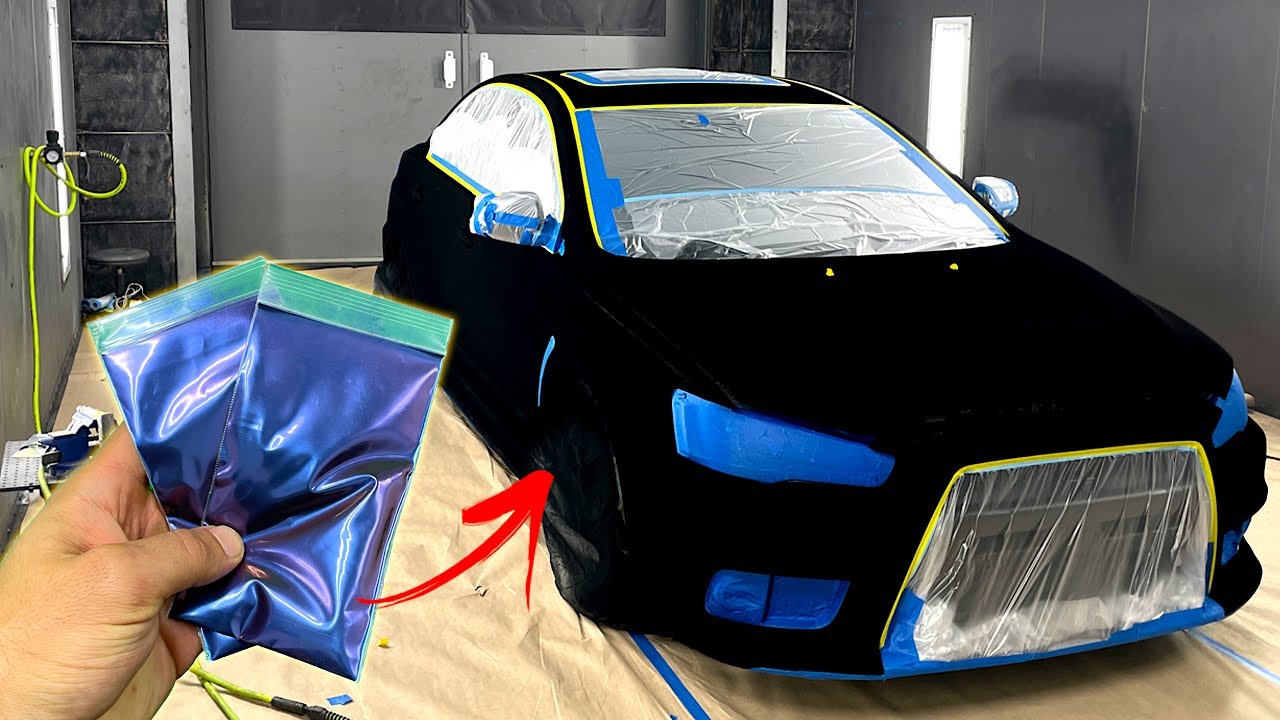
🚗 Shop Car All Kits - https://www.dipyourcar.com/pages/dyc-vehicle-kits
🎥 Dip Your Car Complete Video Guide- https://youtu.be/OQHOMHr1TcU
📙 Learn how to dip here - www.DYCUniversity.com
💦 DYC Detailing Suite - https://www.dipyourcar.com/collections/car-wash-aftercare
👕 DYC T-Shirts and Merch - https://www.dipyourcar.com/collections/shirts-and-m...
jade briar
This is trippy.
chrome meadow
The last one sure will trip the denoiser but it would be beyond cool if feasible
jade briar
It's probably not gonna be achievable without writing a custom shader for it, but according to mark, path tracing is very slow if you add lots of complicated shaders to it, so probably never.
And even if you are able to get it working, the denoiser will most likely kill the whole effect.
Made this funky little texture.
chrome meadow
Maybe something with a carefully crafted PBR materials may end up achieving something for a static frame but I will be happy with the dark one for now 😎
cloud crypt
@jade briar can you share ur mods.usda?
jade briar
Yeah, when I'm done with all the roads.
cloud crypt
Okay, because i want to add my progress to it
chrome meadow
jade briar
Made this funky little texture.
I have an advise, the markings painted on the road end up more shiny (and are smoother too) than tarmac when wet
jade briar
chrome meadow
I have an advise, the markings painted on the road end up more shiny (and are sm...
Everything is shiny. The city got hit by a tsunami.
Alright. One more type of asphalt texture left. After that, I'm working on the sidewalks.
cloud crypt
🔥🔥🔥
vague sparrow
@jade briar can you upload that video again on youtube? not as an update but as testing
this whole "one man mod" is too much pressure and nat kewl
chrome meadow
jade briar
Everything is shiny. The city got hit by a tsunami.
Or it rain more than in London
vague sparrow
oh man you should see Underground 1
every road was wet and it was alright
nothing wrong with that
i feel like the whole gta/wet road culture has spawned a lot of backlash when it comes to graphical mods in general
fuck you baittubers
😡
spark moon
i just want the headlight fix still cant figure out
vague sparrow
spark moon
i just want the headlight fix still cant figure out
there are too many high intensity lights in the environment that the headlights are not as bright compared to the rest of the scene
spark moon
there is ground light given as seperate texture for the headlights once it worked
jade briar
vague sparrow
90% ?
Yeah about that much
cloud crypt
spark moon
there is ground light given as seperate texture for the headlights once it worke...
But A3MOH got it working lol
And i am close to it too. I think i have to select the mesh of the doors instead of the headlights because if i select the headlights tje lights are on the doors
spark moon
this earlier pic @vague sparrow
 chrome meadow
vague sparrow
i feel like the whole gta/wet road culture has spawned a lot of backlash when it...
chrome meadow
vague sparrow
i feel like the whole gta/wet road culture has spawned a lot of backlash when it...
People complained that London was wet just to sell RTX in Watchdogs... and pretended that shiny floor tiles are an invention of NVIDIA in Control, I think that those people are either grown up playing rasterized game in a basement, lack basilar observation abilities and complain of realistic light behavior or are just whiners
spark moon
cloud crypt
But A3MOH got it working lol
yesterday he said did not working for every car
chrome meadow
spark moon
this earlier pic <@759994782528307220>
This is what currently done with the neon but it's not the correct way, it looks bad
chrome meadow
cloud crypt
And i am close to it too. I think i have to select the mesh of the doors instead...
Try what Mark suggested, you put a number of different color lights arranged in a specific way so you can understand how they get rotated or translated
jade briar
tbh tho
putting wet in everything is kind of not a great idea.
The only reason I'm making everything wet is because in the game, everything is wet.
vague sparrow
and rainy
chrome meadow
jade briar
putting wet in everything is kind of not a great idea.
It fit the game since is raining every 30 minutes and it's always night so it won't dry up so in this case is kinda good, we just need to consider that different things get wet in different ways 🙃
cloud crypt
chrome meadow
Try what Mark suggested, you put a number of different color lights arranged in ...
I will when i am home
spark moon
just used a trick not a fix
 cloud crypt
What trick
spark moon
just added light in the front...
cloud crypt
?
spark moon
on the bumper or anything
cloud crypt
Oh, bumper could work
spark moon
this is not a fix lookks good tho
cloud crypt
Let me do it, i make it better
spark moon
may not be working for evry vcar
spark moon
cloud crypt
Let me do it, i make it better
do it
cobalt peak
spark moon
do it
I am
cobalt peak
Dang
cloud crypt
found the prolem. When you create a light and ad a reference it will ad an instance and a mesh to your mod usda. You can move the instance but not the mesh. You have to manually edit the Mesh Translate data to the same value as translate data of the instance

but if you select the bumper it get deleted so i will stay with the headlights
so uh yes, that way we can create working lights on cars
and that for every car. But we have to do it manually. And the housing should be selected because if you change the headlight the light would get deleted because its a different mesh
but one problem of this way is, that the light will stay on in the menu.
So maybe select the headlight sprite as texture? so we can do them in any color for the different sprites?
tawny elk
cloud crypt
but if you select the bumper it get deleted so i will stay with the headlights
You have to add the preseverdrawcall int to the mod usda for the mesh to not disappear
cloud crypt
how do i do that?
tawny elk
Uh it’s somewhere in the remastering thread.
#1096847508002590760 message
It’s in the little code snippet
 tidal kelp

Support https://www.patreon.com/gametestro
✔️ Subscribe to the channel
🔔 Activate the bell
👍 Leave your like
Discord server: https://discord.gg/ehgC9xRbBZ
Credits
Camera Overhaul by Artificial Gaming
SpeedyHeart - Physics Framerate Changer
Xanvier - Lighting Control
Archie - Motion Blur Control
Aero - NFS HD Reflections
nlgxzef - Extra Options...
tawny elk
Those rays are getting pathed tho 
cloud crypt
Gametest mods are shit, but this is one of one he made good. And no they not getting pathed
the streetlights is a stolen idea of mine i wanted to implement in NFS Carbon OPUS. And he is only using reshade
 desert kestrel
he's stealing other mods as well
cloud crypt
But this is a remix channel. So lets talk about remix instead of reshade
one side working xD

but this, so i really have to use the sprites
 tawny elk
Only one light seems to like being added per mesh.
cloud crypt
this is not ehat i meant. When i try to ad lights to the sprites of the lights so we could do it for every color it wont work. The light wont show up then...
i want to use these as light object
 small acorn
cloud crypt
Oh, bumper could work
small acorn
cloud crypt
Oh, bumper could work
headlight texture
cloud crypt
i am using the headlight texture, but that way we cant change the color of the light.
It will always stay, white/yellow instead of the colored light from the tuning
small acorn
it is. just like car texture
small acorn
cloud crypt
i want to use these as light object
try to capture this. if you select a texture as a light source there will be spere light hash in capture
cloud crypt
ok
cloud crypt
working street lights (atleast for highway)

well, made them half as bright and it looks twice as good, this should work just perfectly with Uncle Burritos streets

 cloud crypt
that change a lot
jade briar
What do you mean
zinc meteor
there are... it's just shaping on a spherelight
zinc meteor
set the cone angle and you have a spotlight
 jade briar
Also no ies, I assume
zinc meteor
We don't actually support the file argument in shaping, so no ies
we may do that eventually, but it's another feature we haven't had time for
jade briar
Right
cloud crypt
what means ies anyways?
jade briar
Ies is a file that defines shape, and brightness level of a light source
cloud crypt
ah ok
jade briar
Like this
 cloud crypt
without the lights its so dark
 jade briar
Yeah, then add the lights
cloud crypt
jade briar
Like this
ok, that makes sense

 cloud crypt
jade briar
cloud crypt
jade briar
The game looks a bit too dim
cloud crypt
cloud crypt
some finetuning
it will be more like this than like in the video
cloud crypt
jade briar
The game looks a bit too dim
i have to turn up ingame tonemapping a bit yeah
jade briar
I don't know what you did to your auto exposure settings, but it is very flickery. Look at the sky.
cloud crypt
i will fix that, but for now ill go to bed
but i think these lights are looking good so far
jade briar
Yeah good work so far
vestal drift
Now you guys gotta combine what you've done
cloud crypt
When his roads are done we will combine them. Until then i will add mor lights in ov (probably only streetlights for the moment)
spark moon
cloud crypt
but this, so i really have to use the sprites
same problem as back sprite
spark moon
 cobalt peak
If we'll ever find a solution to culling, this will be the best graphics mod for Underground 2.
I wonder, someone had the idea of making fake cams, right, left, and behind you, would that be possible?
jade briar
I have no idea if it would. If only someone smart enough to figure that out was here.
vague sparrow
jade briar
I have no idea if it would. If only someone smart enough to figure that out was ...
BlueAmulet
the person who made modded Remix-bridge only to run new vegas
 crude whale
@tawny elk In the pinned comment hot pursuit 2 is mentioned too. So you say you got hp2 working with rtx remix?
 valid geyser
crude whale
<@264632269174472704> In the pinned comment hot pursuit 2 is mentioned too. So y...
valid geyser
crude whale
<@264632269174472704> In the pinned comment hot pursuit 2 is mentioned too. So y...
it doesnt
vague sparrow
crude whale
<@264632269174472704> In the pinned comment hot pursuit 2 is mentioned too. So y...
no, not yet
jade briar
Sidewalk 
 trail quail
very nice
jade briar
vague sparrow
🧱
ok.
vague sparrow
jade briar
ok.
ok.
cloud crypt
jade briar
Sidewalk <:schleemp:997364190719266876>
Awesome, the roads are done?
jade briar
Yes.
jade briar
soon
cloud crypt
Ok nice, i still have to work 6 and a half hour, so no need for hurry
cobalt peak
jade briar
soon
Is it possible to change the sky texture using RTX remix?
jade briar
Yes, but I haven't figured how. yet.
cobalt peak
Ah, because I thought about ripping the sky textures, then upscaling them, and then adding them back in.
But IDK how that would look.
The sky textures are very pixelated.
 cobalt peak
Damn, great!
cobalt peak
Very nice 🙂
jade briar

me when the game has two exact same textures, just at slightly different resolutions.
 cobalt peak
Oof
 open atlas
I’d just use the existing skybox mod on NFSMods
cobalt peak
You mean 'HD sky' ?
 lone dragon
Can i just say while i like the textures on their own, the glossy factor could be toned down a bit. I mean rough and specular maps are thing for a reason
jade briar
Can't use a spec map with remix.
 surreal ruin
Roughness replaces specular when used
jade briar
surreal ruin
Roughness replaces specular when used
No. Roughness means how smooth or rough a surface is. Spec means how much of the incoming light a surface is reflecting back.
surreal ruin
jade briar
No. Roughness means how smooth or rough a surface is. Spec means how much of the...
In workflows where roughness is used it controls both the gloss and specularity value in a single texture
Whereas specular workflows use both spec and gloss maps to determine it
lone dragon
I see
jade briar

 lone dragon
I think That's blender internal logic mate
jade briar
I've seen this in both ue4, and substance softwares.
surreal ruin
They're both just different ways of contolling stuff, they do the same thing.
Most modelling tools will support both and engines do not
surreal ruin
jade briar
I've seen this in both ue4, and substance softwares.
The unreal one isn't actually spec
It's labelled as such but is actually an approximation of IOR*
They're very different
Just epic being confusing
It's proper confusing too because an unreal spec of 0.5 = IOR of 1.5
So adjusting texture maps for it is a huge pain
lone dragon
Okay, let's focus the convo back to the stuff relevant for remix
So with a rougness map texture we can controll the gloss, right?
Like Make it look less... wet
surreal ruin
Yes, a roughness map controls both the spec and gloss in one
Burrito is intentionally making it wet though
As the game is very rainy
lone dragon
I guess but it's not raining all the time
jade briar
 jade briar
lone dragon
I guess but it's not raining all the time
jade briar
lone dragon
I guess but it's not raining all the time
In the original game, the roads are like glass, and it rains every few minutes.
small acorn
lone dragon
I guess but it's not raining all the time
but you can enable always rain
through extra options
surreal ruin
lone dragon
I guess but it's not raining all the time
It's dark and or rainy more often than not
And as we can't dynamically adjust things as day changes
It makes the most sense
jade briar
jade briar
also @surreal ruin what about this.
surreal ruin
Idk? You showed a picture with zero context, I can't comment lol
But specular sliders appearing in roughness workflows are commonly just IOR adjustments
 lone dragon
Hmm, well you are making a good point but i still stand with my opinion that it is too much right now. Mayve go for a midway thing, so when it's dry it looks like it rained a bit ago and while it's raining as if it's only been raining a few minutes
jade briar
lone dragon
Hmm, well you are making a good point but i still stand with my opinion that it ...
That's exactly how the game is
surreal ruin
jade briar
I don't know which suite this is in so again I can't comment!
jade briar
hmm
surreal ruin
But the whole point of roughness maps is to control spec and gloss in one, it's why they were created
In order to free up texture space as we had to use spec/gloss maps previously
Ironically enough though Roughness maps create janky errors in greyscale areas, especially on metallic surfaces so in Unreal 5 they've recently re-introduced a spec workflow to avoid it
jade briar
I think games work differently because rendering software does allow you to control roughness and reflectivity (spec) individually.
surreal ruin
Offline renderers and most modelling suites will allow for that yes
3D's Max does as well
I've been an Unreal Engine 4 + user since 2012 where I was an early alpha tester for the engine and have since then been working in the engine on a pretty much daily basis for work
So I can get pretty nerdy with the functionality of it
surreal ruin
jade briar
Is this omniverse or just blender?
jade briar
Blender.
surreal ruin
Yeah that makes sense
jade briar
See here's the thing. I don't know much about game dev. You don't know much about blender.
surreal ruin
Yeh?
jade briar
And this is where the roughness spec differences come in.
surreal ruin
Ah, no as I just said 3D's max ( Which I use ) allows for this as well
It's because modelling suites need to allow for a huge amount of different kind of workflows, most packages like Maya and Modo does the same
It's industry standard
So it makes perfect sense that blender does too!
jade briar
Yep. This is where I was confused as why does remix not allow you to use spec and rough individually.
surreal ruin
Right yeah! Makes sense, basically you think of it like this
Modelling suites tend to allow you to use them together, HOWEVER, realistically speaking they're just additive to one another depending on your workflow
There is nothing you could not achieve by using purely roughness vs specular for example
They're just there so that you can use your preferred method that aligns better with your final workflow
So if you're an unreal engine user for example, then ignore spec and stick to roughness
Since I have not touched Omniverse yet I'm unfamiliar with exactly what workflow it uses but it seems to rely on Roughness from my understanding, so safest bet to get consistent bakes etc would be to do the same in your modelling package
Because for example if you're baking out a roughness map for use in-engine, but you've added values through your spec AND your roughness, then those added values won't be baked out with your roughness
So you'll get inconsistent results in your modelling suite vs the engine itself
jade briar
yea
spark moon
 cloud crypt
Wax
cloud crypt
??
jade briar
@ember cobalt pin this
jade briar
cloud crypt
??
dw about it
 ember cobalt
cloud crypt
jade briar
<@410198342300205066> pin this
ember cobalt
cloud crypt
jade briar
<@410198342300205066> pin this
Look #showcase
cobalt peak
Is dat your new preset?
jade briar
yes. Including mod.
cobalt peak
Nice, thanks. 🙂
spark moon
jade briar
yes. Including mod.
for me mod.usda not not working
jade briar
spark moon
for me mod.usda not not working
wait
How to play Need For Speed: Underground 2 with RTX Remix
Make sure you download and install the following files in order. The Zip file under this post should be installed last.
- Download RTX remix from this link (https://github.com/NVIDIAGameWorks/rtx-remix/releases/tag/remix-0.2.0) and extract them into the main game folder next to the exe
- Download the latest version of remix bridge from this link (you have to be logged into a github account in order to download) (https://github.com/NVIDIAGameWorks/bridge-remix/actions/workflows/build.yml), download the file that has (release) in the name. Extract these files in you main game directory. Replace any files if prompted.
- Download the zip file at the bottom of this message, and extract the files in the main game directory. Replace any files if asked.
- If you want to run the game at larger resolutions, then download the widescreen patch from this link (https://github.com/ThirteenAG/WidescreenFixesPack/releases/tag/nfsu2), and install it. IMPORTANT rename "d3d9.dll" in the main game folder to "d3d9.asi"
- Run the game
- If you encounter performance issues, press alt+x, and adjust graphics and dlss settings.
- After launching the game, please set your graphics setting to the following:
- Do not touch the resolution settings if you have installed the widescreen fix
- Car reflection update rate - lowest
- Car reflection detail - low
- Car shadow/neon - medium
- **Road reflection detail - lowest (important)
- Light glow - off
- Particle system - on
- Full screen Anti-Aliasing - off
- Tinting - on
- Vsync - off
- **Note **Most of the texture and geometry settings are high, eg world and car detail. The rest, are settings specific to game's original looks so they cause issues with remix.
@spark moon check this one out.
cloud crypt
With road mods?
jade briar
yes
vague sparrow
jade briar
# How to play Need For Speed: Underground 2 with RTX Remix
**Make sure you downl...
@ember cobalt please Pin
jade briar
Yeah I made a mistake with the old one.
ember cobalt
jade briar
# How to play Need For Speed: Underground 2 with RTX Remix
**Make sure you downl...
cloud crypt
Oh nice, ill check when home
jade briar
Guys, please test the file I posted so I can make sure this works before publishing.
spark moon
jade briar
<@436604165830082570> check this one out.
my bad it worked i have 2 copies i was running other one
jade briar
alright nice.
cloud crypt
cloud crypt
Oh nice, ill check when home
Then i add my lights
spark moon
fix headlights 👀 pls
vague sparrow
ask A3MOH
cloud crypt
I got it wotking cottecly
But when i do it for tje other light
It wiöl only show 1 instead of both
cloud crypt
cloud crypt
Then i add my lights
@jade briar when im done with optimizing lights to your roads i will give u the mod usda
So i think you can rest for now for a bit
cloud crypt
@jade briar german media is going vrazy about your youtube videos
cloud crypt

Mit RTX Remix ist es möglich, dass alte Videospiele mit aktueller Grafiktechnik neu aufgelegt werden. Unter anderem der Tuning-Meilenstein NFS...
vague sparrow
Nobody joined yet
cloud crypt

Alte Spiele mit Ray und Path Tracing? Mit einem neuen Tool von Nvidia soll das künftig für Fans und Modder möglich sein. Ein beliebter...
vague sparrow
I shall be waiting to unleash terror upon them new comers
cloud crypt
German articles everywhere🤣
vague sparrow
I swear some trolls are going to join talking about how other x mods are better than this "GTA wet roads simulator"
small acorn
cloud crypt
It wiöl only show 1 instead of both
have you added it to glow texture or for the headlight mesh?
cloud crypt
Headlight mesh
small acorn
if you add it to the headlight mesh, there is a chance that you should reset light translate coordinates to 0,0,0 and manually adjust them in runtime
by editing mod.usda
small acorn
i added to separate prims as far as i can remember
cloud crypt
vague sparrow
how can you add two light prims on one model though
On 2 models
I used both headlight meshes
vague sparrow
I see
So headlights are separate from car body
do you need to do that on each car when we mod it?
like adding head/tail lights
vestal drift
cloud crypt
https://www.gamestar.de/artikel/beliebter-rennspiel-klassiker-bekommt-fast-19-ja...
not really relevant but i'm in the process of learning german right now and this article is so much easier to understand than the other one lol
too much technical jargon in the first one, i have no idea what they're saying
cloud crypt
vestal drift
not really relevant but i'm in the process of learning german right now and this...
Haha ok🤣
cloud crypt
vague sparrow
do you need to do that on each car when we mod it?
Yes, for every headlight and car
...
Thats why i wanted to add it to the light sprite texture. This way we could have made tjat only for the seperate colors and every car would have it
vague sparrow
hmm
Good point
but the realistic factor would diminish instantly
as each headlight projects different kind of light beam
I will look into the lighting in detail when I have the creator toolkit
and share my experience
cloud crypt
Well not in the game, its always the same, only different color
vague sparrow
no, like for example for the rx7, the box lights would project a different type of beam when compared to other cars
cloud crypt
Maybe
vague sparrow
idk
I'm looking for that realistic feel
Instead of cheaping out, will have to wait and see what I can accomplish
small acorn
small acorn
if you add it to the headlight mesh, there is a chance that you should reset lig...
smth like that
` over "mesh_hash"
{
custom int preserveOriginalDrawCall = 1
...
def SphereLight "hl_l" (
prepend apiSchemas = ["ShapingAPI"]
)
{
...
double3 xformOp:rotateXYZ = (90, 0, 270)
double3 xformOp:scale = (1, 1, 1)
double3 xformOp:translate = (2, -0.55, 0.45) <--
...
}
        over "mesh"
        {
        }
    }

    over "mesh_hash"
    {
        custom int preserveOriginalDrawCall = 1
        ...
        def SphereLight "hl_r" (
            prepend apiSchemas = ["ShapingAPI"]
        )
        {
            ...
            double3 xformOp:rotateXYZ = (90, 0, 270)
            double3 xformOp:scale = (1, 1, 1)
            double3 xformOp:translate = (2, 0.55, 0.45) <--
        }
    }`
That hurts, stop xD
small acorn
😄
vague sparrow
small acorn
smth like that
` over "mesh_hash"
{
custom int preserveOr...
For which car
small acorn
for every, i think. translates for car mesh inherited lights at 0.0.0 are in the center of a car
cloud crypt
But how to get it working with the light sprites for the different colors?
small acorn
well, that is the question)
vague sparrow
cloud crypt
But how to get it working with the light sprites for the different colors?
direct it over to 2d sprite? Is it a mesh face?
 safe patrol
Thanks for the instructions - I got this working and performance is fantastic on my 3060 ti. It's a little surreal driving around in extreme darkness with all the cars' headlights out. Makes it almost feel like a horror game the way they pop out at you.
This is gonna be incredible once we get the lights all figured out.
cloud crypt
vague sparrow
direct it over to 2d sprite? Is it a mesh face?
Mesh and instance
safe patrol
huh. For some reason the street lights seem to gradually all go out. Changing the camera view seems to reset them and turn them back on, at least temporarily. Anyone else experiencing that?
cloud crypt
Wait for these
 vague sparrow
are you talking about rear view camera?
safe patrol
vague sparrow
are you talking about rear view camera?
No, normal camera, although I think looking at the rear-view briefly also resets them
dark to light

 vague sparrow
Is this really running on a 3060 ti
spark moon
jade briar
alright nice.
u missed some light and now i cant add light to sprite
cloud crypt
safe patrol
dark to light
This is causeb because lights are added to textures and not in ov menually
safe patrol
cloud crypt
This is causeb because lights are added to textures and not in ov menually
ok so once we've replaced all the lights this won't be a problem
cloud crypt
And the game culls them out
jade briar
strange
vague sparrow
safe patrol
Yeah, runs great
60fps achievable with dlss?
safe patrol
vague sparrow
60fps achievable with dlss?
Probably, I don't have fps on but I haven't noticed any choppiness at all.
vague sparrow
good for me then
I'm probably going 3070/ti in next one or two months
cuz I can't play now 😔
 cobalt gull
Im getting 4080 by the end of this year
xpensive af but it couldn help me for better performance when remastering and stuff
i guess
for now i got my 3060
safe patrol
is there a fps setting in the developer menu somewhere?
vague sparrow
safe patrol
is there a fps setting in the developer menu somewhere?
Hmm....no
spark moon
jade briar
strange
this happen when we use mod because it keeps that settings but still dont fix culling
cobalt gull
safe patrol
is there a fps setting in the developer menu somewhere?
Nope
i use afterburner
safe patrol
ok I won't worry about it for the moment, but suffice to say performance is good
safe patrol
spark moon
this happen when we use mod because it keeps that settings but still dont fix cu...
it's just weird that it culls lights that are right there in the middle of your view. I understand the off-screen culling
but I was sitting still for those two screenshots I posted
spark moon

 dreamy ether
cloud crypt
https://www.gamestar.de/artikel/beliebter-rennspiel-klassiker-bekommt-fast-19-ja...
dreamy ether
cloud crypt
https://www.gamestar.de/artikel/beliebter-rennspiel-klassiker-bekommt-fast-19-ja...
Translated the article using the power of search engines
 vague sparrow
Good performance and acceptable visuals on a low-mid tier card is epic
Just learn german
vague sparrow
dreamy ether
N a h
haümLander will visit your home
safe patrol
vague sparrow
Good performance and acceptable visuals on a low-mid tier card is epic
I've always been a "bang for the buck" kinda guy
dreamy ether
vague sparrow
haümLander will visit your home

He will turn exit my home on a different plane of existence
spark moon
 cloud crypt
Roads llok awesome, now only the correct lights are missing. I will add them when i am home
spark moon
safe patrol
but I was sitting still for those two screenshots I posted
thats a problem of remix
 safe patrol
spark moon
thats a problem of remix
safe patrol
spark moon
thats a problem of remix
ok. Some wonkiness is expected this early on. Still super promising.
spark moon
yea
cloud crypt
 chrome meadow
safe patrol
ok I won't worry about it for the moment, but suffice to say performance is good
chrome meadow
safe patrol
ok I won't worry about it for the moment, but suffice to say performance is good
GFE have its own fps overlay
 warm musk
where does the client.shaderVersion = 0.0 go?
also there is a new version of bridge out
small acorn
small acorn
for every, i think. translates for car mesh inherited lights at 0.0.0 are in the...
well, it is
 small acorn
well, it is not, but
i just want to say, that for car inherited lights coordinate space is 0.0.0 at the center of the car
cloud crypt
Knew this already
spark moon
Check this out #1111009342402072739 message
cloud crypt
@jade briar did you already added some lights to your mod usda? I just ask before i change something
jade briar
Nope.
cloud crypt
Ok
jade briar
Do you guys think it would be possible to disable culling with cheat engine?
cloud crypt
maybe, but it wont get saved
jade briar
how so
Okay, so I just found this
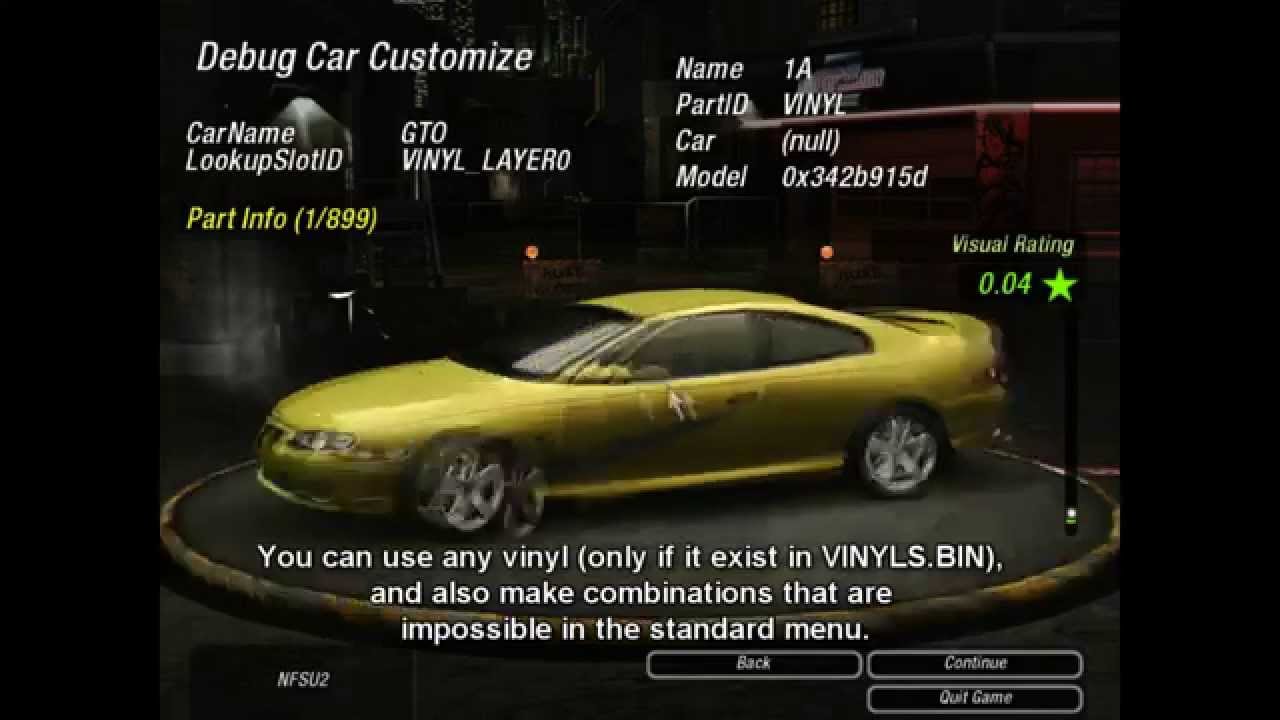
The Debug mode is a menu which allow the player use ALL customization options in the game, it includes exclusive wheels, beta colors, beta wheels, any vinyl (and also make combinations that are impossible in the standard menu), etc.
To activate the Debug Mode, watch the tutorial made by DeKay:
https://www.youtube.com/watch?v=hvwkYp3Jiok
Downlo...
dreamy ether
Bit off topic, but how the hell did you get the Algorithm to love you so much lol

you go from 1.7k views to 17K+ views within a day on a separate video
chrome meadow
jade briar
Do you guys think it would be possible to disable culling with cheat engine?
Doubt, have you tried to give a look at the game credits and stalk the developers? some may inadvertently forget a piece of paper with commands and parameters
dreamy ether
dreamy ether
Bit off topic, but how the hell did you get the Algorithm to love you so much lo...
just found it interesting lol
jade briar
dreamy ether
Bit off topic, but how the hell did you get the Algorithm to love you so much lo...
I did literally nothing.
chrome meadow
dreamy ether
Bit off topic, but how the hell did you get the Algorithm to love you so much lo...
Lol, on TV youtube refuse categorically to show his video in the search
dreamy ether
jade briar
I did literally nothing.
I know lol
dreamy ether
Just name it Assetto Corsa + RTX Remix
jade briar
lol
dreamy ether
and get many many many views
This is how the algorithm seems to work now
RTX Remix = Views
jade briar
kids really like to see oooooooh shiny raytracing 4k 2023 rtx 6090
dreamy ether
Your next video should be your typical RTX GTA5 video. Just make everything puddle and crank the reflections up
then just name the title ULTRA 8K RTX NFS UNDERGROUND 2
Lol

Literally just reflections
next thing you know and people will be posting mirrors in RTX
jade briar
Well, the debug menu just unlocks the car debug menu.
dreamy ether
jade briar
Well, the debug menu just unlocks the car debug menu.
hmm
NFS Underground 2 final product:

You cannot deny that this is exactly how it will look
refection jokes aside though-
The game is looking great so far!
The amount of progress you've made on NFS in 6 days is insane
jade briar
dreamy ether
The amount of progress you've made on NFS in 6 days is insane
That's thanks to the game using a minimum possible amount of textures. Massively reduces the amount of work needed.
dreamy ether
jade briar
That's thanks to the game using a minimum possible amount of textures. Massively...
yeah, imagine trying to do this with a more complex game
Games now have thousands of textures
dreamy ether
jade briar
Thousands of UNCOMPRESSED textures.
WooOOO
And just think
Some of the textures are merged together to conserve space
so in a single texture there could be a roughness, displacement, specular and metallic map
then imagine trying to identify and separate each texture map
dreamy ether
funfunfunfunfunfunfufun
dreamy ether
jade briar
orm textures
is that what they are called?
I've always called them merged textures lol
jade briar
But different engines use different types of combinations.
jade briar
dreamy ether
then imagine trying to identify and separate each texture map
It's not that hard. I was ripping models in the womb.
cloud crypt
I currently have trouble with lights xD, somehow they got deleted for the roads, i will add them back for the new one
jade briar
sounds fun.
dreamy ether
dreamy ether
I know HZD and HFW have merged textures
thankfully, they are relatively the same between games
dreamy ether
jade briar
It's not that hard. I was ripping models in the womb.
true
jade briar
Well, different combinations can throw you off.
dreamy ether
The main annoyance for me is separating the textures depending on the RGB channels
then processing them and then identifying what textures are what
jade briar
One of my fav rips. Never rigged it.
 dreamy ether
for the Clawstrider, I went through 5 different texture iterations before getting the right combo
dreamy ether
Early render
 dreamy ether
Early render
dreamy ether
dreamy ether
Early render
The amount of textures these machine models have is insane
dreamy ether
jade briar
It can be a pain, sometimes.
depends on the game I guess
 jade briar
Tho just staring at the base color you can usually identify which color is supposed to be the metallic map. Roughness will look right only when you use the correct material. you can tell its occlusion by just looking at it. spec is rarely ever used.
But as games are getting more and more complicated, they're starting to use funkier and funkier textures.
dreamy ether
jade briar
Tho just staring at the base color you can usually identify which color is suppo...
Yeah, though the roughness and metallic ones can look the same if your not careful
 tiny nimbus
can't wait to see what you guys end up cooking 🤌
jade briar
But not look correct.
tiny nimbus
gotta admit i never finished the game
dreamy ether
dreamy ether
Yeah, though the roughness and metallic ones can look the same if your not caref...
applying the textures to the mesh helped me so much lol
dreamy ether
jade briar
But not look correct.
indeed
jade briar
tiny nimbus
gotta admit i never finished the game
me neither.
tiny nimbus
gets really grindy halfway through ngl
dreamy ether
dreamy ether
Here's the final channels I got
bright side is
at least I now know the colour channels for the rest of the HFW machines
so texturing "should" be easier
though I have yet to actually rip the correct detail textures yet
pain
jade briar
yeah
dreamy ether
currently the detail textures I'm using are the ones from the Redeye Watcher rig I made
the HFW detail textures are alot harder to find this time around
jade briar
i don't even know how you got hfw files on your computer.
dreamy ether
jade briar
i don't even know how you got hfw files on your computer.
someone sent them to me
dreamy ether
jade briar
Now remake the game to work on pc.
bruh I don't have the Decima engine lol
So that's kinda tough
jade briar
remake it in unreal. Like that one guy remaking nfs in unreal.
dreamy ether
jade briar
remake it in unreal. Like that one guy remaking nfs in unreal.
you wanna help me extract, texture and rig the 30 some odd machines. Not to mention all the human modular bits?
Also not forgetting the 5000 some odd assets, textures and additional particle effects in the game

Lotta work lol
Each machine takes me at least a month of working on it non-stop to complete, provided I have no life
dreamy ether
Lol
I can understand that
There is a reason why I'm only doing machines right now lol
and only certain ones at that
dreamy ether
I also took a look at the human Texture files and they have a ton more textures that I have 0 idea how to use or what they do
jade briar
Runs like ass tho
jade briar
ps5
dreamy ether
PS5 can get a solid 30 on max graphics
jade briar
fidelity mode cant even hit 30 fps
dreamy ether
honestly I don't know why people hate 30
dreamy ether
Then use performance mode?
jade briar
Especially the input lag.
dreamy ether
jade briar
I hate 30
picky
dreamy ether
jade briar
Especially the input lag.
S k i l l
jade briar
dreamy ether
Then use performance mode?
But that doesn't look that great.
dreamy ether
dreamy ether
S k i l l
I s s u e
jade briar
NO
dreamy ether
jade briar
But that doesn't look that great.
then git gud
you noob
I play on 30 all the time and have completed the game
jade briar
dreamy ether
then git gud

dreamy ether
- the DLC
 dreamy ether
jade briar
<:pepeCope:826445053583949824>
dreamy ether
jade briar
<:pepeCope:826445053583949824>
Get used to 30 FPS if you like good graphics. Because HFW has an amazing story
Worth your time and money
dreamy ether
jade briar
I'll wait for the pc release.
that won't be for another year
you may aswell play HZD in your spare time
jade briar
I'll wait.
dreamy ether
and get caught up on the lore
jade briar
dreamy ether
you may aswell play HZD in your spare time
I have
dreamy ether
jade briar
I'll wait.
HZD is out on PC
jade briar
Fun game.
dreamy ether
indeed
still-
Play on the PS5 and git gud
stop being so picky with FPS
anything that isn't triple digit FPS is good FPS - minus 10FPS and Below
I have 0 idea how people complain so hard about 30FPS
jade briar
You have no idea how bad input lag feels until you feel not input lag.
dreamy ether
jade briar
You have no idea how bad input lag feels until you feel not input lag.
I call it skill
jade briar
I call it cope.
dreamy ether
Skilled players can play on input lag just as good as they can play it without lag
unlike you-
who has no skillz
dreamy ether
how-
unlike you they actually beat the game
without complaining about the FPS
lol
dreamy ether
Skill Issue
jade briar
Playing beat saber on 120 fps has spoiled me.
dreamy ether
jade briar
Playing beat saber on 120 fps has spoiled me.
Wouldn't that spoil anyone lol
jade briar
Now I have to force myself to enable vsync so that I can continue to afford the power bill.
dreamy ether
jade briar
Now I have to force myself to enable vsync so that I can continue to afford the ...
Lol
your tastes have gone to far
bring your tastes back to the affordable range of 30FPS
and you will enjoy a lot more games

Also HFW Burning Shores DLC is amazing
Even more amazing if you can cope with 30FPS
dreamy ether
jade briar
4090
that sounds more like a disadvantage than an advantage lol
jade briar
Thought you would've figured it out.
dreamy ether
I tried to save you some grace
jade briar
dreamy ether
F
Play HFW though
you will forget about the framerates once you get into it
It's so good
jade briar
I'll forget about it the day my gpu fries and I'm back at my old 1050
dreamy ether
 dreamy ether
jade briar
I'll forget about it the day my gpu fries and I'm back at my old 1050
dreamy ether
jade briar
I'll forget about it the day my gpu fries and I'm back at my old 1050
Lol
By the time that GPU fries
an entirely new Horizon game will be out
which you will never play
because you can't play without no input lag
and at least 70FPS
F.
Fat F
jade briar
I'd rather die.

 dreamy ether
due to your lack of skill...
jade briar
I am skilled. Above 60 fps..
dreamy ether
just say it, you need FPS because you have no skill
skilled players don't need high FPS to be good at games
Admit it
dreamy ether
Yet they can't downgrade?
jade briar
why would they
dreamy ether
because some games have lower FPS than others
and Skilled players could adapt to that
just admit it
Admit that you have no skill
jade briar
Why would I
dreamy ether
because it's the truth
jade briar
Why would I adapt to be on the same level as the lower fps player?
That's like
Downgrade on purpose.
dreamy ether
Correction: it means you don't need a high FPS to be good
jade briar
I'm good with low fps. But I can be better.
dreamy ether
Real pros don't need the extra frames to be good
dreamy ether
jade briar
I'm good with low fps. But I can be better.
yet when you don't have that option you give up?
You are not a skilled player
You are but a fool dressed in a skilled person's costume
Skilled players don't give up-
they play.
jade briar
Poor people finding ways to justify their fps 
dreamy ether
jade briar
Poor people finding ways to justify their fps <:KEEEEEEKW:783661881683345430>
Rich people trying to justify that needing a higher FPS on games isn’t because they suck at lower FPS due to their lack of skill
jade briar
Hey now
dreamy ether
Lol
jade briar
I'm just stopping because it isn't funny anymore.
surreal ruin
dreamy ether
is that what they are called?
The generic term for it is Channel packed textures, the "MRA" or "ORM" etc just signify which texture is in which channel and can be basically anything
jade briar
yeah
I've seen games that name their textures orm, but then they're not actually orm
Pisses me off
So. Culling. It's still there.
tawny elk
Hello culling my old friend
ember cobalt
can someone submit some new entries for the NFS games on the Trello sheet? right now they're all very out of date
dreamy ether
Speaking of the Trello sheet
everything submitted is still under unassigned last time I checked
ember cobalt
i fixed it yesterday
i think we ran out of free automatic sorting, and we have to do it manually now
dreamy ether
ah ok
I'd submit an entry for NFS
though I haven't personally checked out the game so I'm not a reliable source for this stuff
dreamy ether
ember cobalt
i think we ran out of free automatic sorting, and we have to do it manually now
Also you should delete this entry

It's my previous one before 0.2.0
so it's outdated and a duplicate
my updated post has way more info and is experiencing a totally different issue lol
ember cobalt
okay
ember cobalt
i archived it. not sure how to delete, lol
doesn't show up anymore regardless though
dreamy ether
¯_(ツ)_/¯
good enough lol
I'm hyped for version 0.3.0 of Remix
Hopefully it comes out soon
It should though as this update came out around a month after Remix was officially released? If that's anything to go off of
ember cobalt
i don't think we can count on that
but the CI builds we're using right now are basically 0.3.0 in development
the huge leap we saw with 0.2.0 compatibility was partially due to the updated bridge too, which is now open sourced
i dunno if we'll see another large improvement like that again
dreamy ether
we may see some changes
as I looked at the Github form and there seems to be a fair amount of issues relating to bridge
ember cobalt
mhm
dreamy ether
 ember cobalt
but what i mean is the builds we're using right now are basically what's going to be 0.3.0, so it won't be as surprising as the 0.2.0 release
i do hope things progress more of course. still hopeful about it
dreamy ether
ember cobalt
i do hope things progress more of course. still hopeful about it
same
I haven't messed round with 18WOS in a while
I may, though I don't think it will work still, even with the updated files
Though this is going off the idea that they close the issues on Github as they are fixed
not after the update fully releases
so you never know I guess
 elfin beacon
cobalt peak
dreamy ether
NFS Underground 2 final product:
elfin beacon
cobalt peak
dreamy ether
NFS Underground 2 final product:
That's GTA V, you can tell by the license plate, the graphics quality. and because it looks exactly like the area where the FIB Janitor lives.
 timid prairie
I instantly recognised it, even though i didn't told about it
valid geyser
dreamy ether
you go from 1.7k views to 17K+ views within a day on a separate video
people are excited
im actually kinda happy it gets trending
people pretty much forgot rtx remix even exists
cobalt peak
valid geyser
people pretty much forgot rtx remix even exists
Oh, I never heard of it before I saw the video.
cobalt peak
The Underground 2 one I mean.
spark moon

This gameplay shows Need For Speed Underground 2 modded with RTX Remix running on RTX 2060 Super.
- Reduced culling a lot
- Using Uncle Burito's texture
- My own rtx.config will share if u wana try
Join My Nest of Baaz:
Let's Talk In My Discord - https://discord.gg/EMsufF5
Want To Support Me ❤
Epic Creator Code - BAAZ
Patreon - https://www.pa...
lot less culling
jade briar
It's still the same.
spark moon
i use my tricks
 dark spoke
@jade briar big find!

A powerful in-game trainer for NFS Underground 2, similar to my mod menus for GTA V and IV.
this guy's trainer thing has an option for
"Disable World Culling"
might prove useful
jade briar
IT DOESN'T WORK
dark spoke

vague sparrow
jade briar
IT DOESN'T WORK
when you say it doesn't work, does it mean that the street lights and world geo around the car's back is visible but not interactable?
jade briar
vague sparrow
when you say it doesn't work, does it mean that the street lights and world geo ...
It disables culling for far away objects, but not behind the camera.
vague sparrow
needs a game engine level modification
like what if there was a hidden camera output for the rear but only shows the normal view, is that something the nfs modding community can do?
spark moon
Here's my config file
jade briar
vague sparrow
like what if there was a hidden camera output for the rear but only shows the no...
I've asked a bunch of people. No one is interested. They say they don't know.
The Zolika menu guy didn't even reply.
He seems to have the most knowledge.
vague sparrow
jade briar
The Zolika menu guy didn't even reply.
you've gained enough internet attention, idw he didn't respond
jade briar
It's like. Nothing. Compared to other projects.
tawny elk
You could look at what memory addresses are being used for the frustum culling that the ZMenu is disabling if it has source. That’ll likely get you near where the culling is going on.
A lot of people don’t understand what WIP means sadly. 
tawny elk
tawny elk
You could look at what memory addresses are being used for the frustum culling t...
Debug camera is at 0x865098 so culling may be around there?
chrome meadow
tawny elk
A lot of people don’t understand what WIP means sadly. <a:verySadge:102198707699...
Because they never ever created something but they feel smart/expert enough for them to make objectively stupid comments
tawny elk

GitHub
Need for Speed Underground 2 Unlimiter. Contribute to nlgxzef/NFSU2Unlimiter development by creating an account on GitHub.
Lines 225 sound like the addresses where culling may be happening
// Disable Tire Mask Rendering injector::MakeRangedNOP(0x62DEB9, 0x62DEBF, true); // CarRenderInfo::Render injector::MakeJMP(0x62DEB9, 0x62DF66, true);
I’ll take a break from FNV and see if there’s something as simple as jumping out of or forcing everything visible with the culling function in the exe
tiny nimbus
I've seen comments saying some shitty "remaster" mods look better
ppl don't understand the tech behind this stuff fr
🤦♂️
zinc meteor
They also don't understand that it's a work in progress on experimental tech
tiny nimbus
Yeah
I don't get it like even at this broken state it looks insane
can't wait to see what the future holds for games like this
dreamy ether
For people to understand, you literally have to scream RTX Remix - Your game here - Heavy WIP
If you don't say WIP then people seem to assume that it's a final product
for some odd reason
vestal drift
IMO it doesn't really matter that people don't understand. The ones who take the time to understand it are the ones that matter right now, and in a few years once a bunch of games have really nice looking community made remix mods, they'll realize they were wrong.
dreamy ether
true
though the less hate the better
but some fail to see blatent reason
Plus one of the best feelings ever is proving several people that they were wrong
lol
vague sparrow
tiny nimbus
Yeah
that pfp 💀
tiny nimbus
We do a little trolling
vague sparrow
tiny nimbus
We do a little trolling
rate my outfit
 tiny nimbus
69/42.0
 azure star
vestal drift
IMO it doesn't really matter that people don't understand. The ones who take the...
azure star
vestal drift
IMO it doesn't really matter that people don't understand. The ones who take the...
I think people talk shit because most of them can't run ray tracing on a acceptable level, so when they just see the technology they hate it in general
dreamy ether
vague sparrow
rate my outfit
D a p p e r
jade briar
That's why you need one of these in the description
 trail quail
 trail quail
vague sparrow
-This looks like shit.
trail quail
vague sparrow
-This looks like shit.
 jade briar
tawny elk
jade briar
tawny elk
So 005CAB1B is the one that checks if needs to update reflections

This one I'm not so sure

Does anyone know a spot where culling is visible in the regular game?
Oh wait I can debug with rtx. I'm silly
Is there an updated mod.usda and rtx.conf floating around?
jade briar
tawny elk
~~Is there an updated mod.usda and rtx.conf floating around?~~
Me when I'm blind
Also Adam you're doing god's work right now
tawny elk
👀
dreamy ether
I present
the single best song to present anything with

Provided to YouTube by Ingrooves
Bulletproof · Jay Price
Volta Music: Adrenaline
℗ (p) UPPM Records
Released on: 2016-08-30
Composer: Jay Price
Auto-generated by YouTube.
It just sounds so good-
🤌
chrome meadow
This songs makes everything reflective
even in its cover the road is like a mirror
dreamy ether
chrome meadow
This songs makes everything reflective
lol the GTA RTX Song
Though this song would be amazing to do a showcase with
have a few pre-done scenes and sync it up with the music
a bit of editing and bam
absolute banger of a showcase trailer
I vibe with this music so hard lol
This one is also dope as hell
Provided to YouTube by Ingrooves
Aftershocks · Jay Price
Adrenaline
℗ 2016 UPPM RECORDS
Released on: 2016-07-06
Composer, Writer: Jay Price
Auto-generated by YouTube.
This one makes me think of cars
so many bangers in this album
chrome meadow
dreamy ether
lol the GTA RTX Song
I was going to say that it makes everything wet but I have the wrong tool to know for real
dreamy ether
chrome meadow
I was going to say that it makes everything wet but I have the wrong tool to kno...
?
chrome meadow
Underground 2 have a really awesome and iconic set of music but yea, it's also really fun to edit
dreamy ether
indeed
Even though I've never played or listened to any of Underground's music
I've also never played the game
chrome meadow
dreamy ether
?
not a comment for underage I guess 😆
dreamy ether
chrome meadow
not a comment for underage I guess 😆
I got exactly what you meant
also I'm 17 lol
tawny elk

 chrome meadow
dreamy ether
*I've also never played the game*
chrome meadow
dreamy ether
*I've also never played the game*
What? you have to great soundtrack, atmosphere, gameplay mechanics, the driving model is arcade as F but one of the best they ever made but extremely satisfying and soon will have awesome graphics
dreamy ether
chrome meadow
What? you have to great soundtrack, atmosphere, gameplay mechanics, the driving ...
question is, is the game free?
If it isn't then I shall not buy it
unless you create an extremely compelling argument
to convince me otherwise
one of the most compelling arguments ever
and you have to say this argument in 3 sentences or less.
Goodluck
tawny elk
dreamy ether
s h u t
I’m ancient compared to y’all
I remember playing U2 when it came out
dreamy ether
tawny elk
I remember playing U2 when it _came out_
What year did it come out?
tawny elk

dreamy ether
tawny elk
<:oldYell:396006103214981121>
 tawny elk
I remember being worried my mom wouldn’t let me play cause of the main menu having that lady on it

dreamy ether
lol yes
I was the same way but with GTA V
reminds me of the time when I was young and went to the shoe icon on the map thinking it was a place to buy shoes
Never again
anyway
I leave you all
again
adios
 chrome meadow
no piracy here
chrome meadow
tawny elk
I remember being worried my mom wouldn’t let me play cause of the main menu havi...
Brooke Burke 👀
ember cobalt
tawny elk
I remember playing U2 when it _came out_
i played it in ~2006 i think
chrome meadow
The magazine girls are also credited in the credits
Anna Amoroso
Layla Barron
Alexandra Janicek
Jaime Koeppe
Crystal Lowe
Aya Sato
Heidi Yeung```Probably around that year too but I don't remember who Nikki Morris is
too much time since last I played
cloud crypt
custom lights are working with @jade briar PBRs, skys and other lights also in work
 tawny elk
I promise I didn’t forget about y’all. I’ll find the culling one day 
dreamy ether
Random question
Anyone ever play NFS The Run?
It’s such an amazing game
I played the Wii version back when it came out
Which got me thinking-
Would the game be Remix compatible?
It’s definitely newer than Underground 2 and is definitely near the PS3 Era, a bit before NFS Most Wanted
So I’m not 100% sure if it would even work or not
It would be a cool game to have fully Remixed though
 timid prairie
dreamy ether
Anyone ever play NFS The Run?
timid prairie
dreamy ether
Anyone ever play NFS The Run?
Never played, but always listened to its Original Soundtrack by Brian Tyler/Mick Gordon which in my opinion is THE BEST Original Soundtrack in series
spark moon
dreamy ether
Anyone ever play NFS The Run?
Absolutely amazing game, just checked dx11 game...
valid geyser
dreamy ether
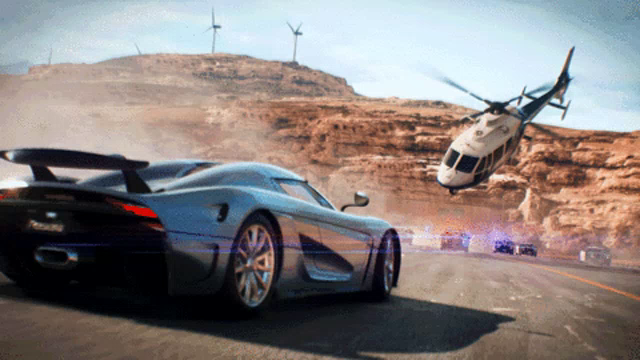
https://tenor.com/view/need-for-speed-koenigsegg-gif-14875444
that's payback tho
chrome meadow
dreamy ether
Would the game be Remix compatible?
Frostbite 2 engine so no
chrome meadow
cloud crypt
custom lights are working with <@877275530813128724> PBRs, skys and other lights...
Looking great so far
jade briar
cloud crypt
custom lights are working with <@877275530813128724> PBRs, skys and other lights...
Too dark
cloud crypt
Still wip, i have to set the exposure a bit higher
jade briar
cloud crypt
Still wip, i have to set the exposure a bit higher
I'd say, try to make the lights brighter before messing with the camera exposure
cloud crypt
Ok, but the biggest problem i have is, that when i increase the cone angle or the radius a bit, the lights will throw a weird shape onto the walls, so making them just brighter wont work as intended
cobalt peak
tawny elk
I promise I didn’t forget about y’all. I’ll find the culling one day <:PepoG:876...
One day, one will find a solution to culling.
But what to do until that day? 😛
Who knows, the UE5 remake could be or could not be out when we find out how to fix culling.
jade briar
cloud crypt
Ok, but the biggest problem i have is, that when i increase the cone angle or th...
What kind of shape
Can you show me
cloud crypt
Yes, wait
vague sparrow
cloud crypt
Ok, but the biggest problem i have is, that when i increase the cone angle or th...
change it into the shape of a frustum
cloud crypt
you mean increasing the angle itself instead the cone angle?
jade briar
yes
 jade briar
hmm
cloud crypt
currently i am using a radius of 5, i could increase it a bit but not much
this way the road would get more light
ok, i increased the radius to 6 and the cone angle to 55
 cloud crypt
but then we would have day and night cycle. The game is meant to be night time
if culling would be disabled...
vague sparrow
cloud crypt
you mean increasing the angle itself instead the cone angle?
no i mean, isn't there a culled prim that looks like this
 cloud crypt
i think thats not possible in OV to do, i did not found smth like that or how to do it yet
vague sparrow
lol ok

 vague sparrow
but they still get culled
jade briar
cloud crypt
without and with
Now I don't know anything about how lights in omniverse work, but it is clear that you are making the light radius too big like this.
cloud crypt
if i would make it smaller the road would not be lighten up, ill show you
jade briar
Then make it small and bright. Not big and low powered.
cloud crypt
cone angle of 25

increasing intensity does the same

even increasing the lights exposure does the same thing

 wispy drum
hello and thank you very much for the work you do. can someone help me how to use the remix mod with underground 2? I use a 4070ti at 3440x1440 resolution thank you
vague sparrow
cloud crypt
this looks acceptable
vague sparrow
wispy drum
hello and thank you very much for the work you do. can someone help me how to us...
greetings, please refer to the latest message in pinned messages in this thread
it explains each and everything you need to do to get remix to work
wispy drum
thank you very much i will check the pinned message my friend
vague sparrow
please do keep in mind that this mod is in very early testing phase
wispy drum
yes i know that but it looks amazing in the latest video
will i get 60fps at 3440x1440 with 4070ti?
vague sparrow
i think yes
wispy drum
excellent
vague sparrow
people here are getting smooth gameplay with 3060 ti
your gpu is well over-qualified for it, 60fps with DLSS quality or balanced is achievable
wispy drum
yes dlss quality thats what i aim for and will use the widescreen for a proper ultrawide
found a post in reddit for the widescreen mod
underground 2 is the best NFS game
cloud crypt
I have a 4070ti too, in quality preset you should get about 60 to 65 in uwqhd, i run normal wqhd and i get about 75 to 100, depends on situation
wispy drum
excellent i will get into to install the mods now. 60fps is excellent with path tracing
cloud crypt
yikez
 vague sparrow
headlights replaced with flashlights lol

 cloud crypt
maybe i decrease the radius
vague sparrow
anyway if anyone has the heart to replace headlights
here's an example
 cloud crypt
you know that we are limited in OV do you?
cloud crypt
and ies isnt supported, ive tested it... But maybe with some scaling it can look smth like that
vague sparrow
i know its like pain in the butt to do hand replacements