#Max Payne: Remix
1 messages · Page 2 of 1

 blissful moat
 daring plinth
houses are like this
daring plinth
houses are like this
i think that its possible, even if we couldn't add directly a new object into the game level
daring plinth
blissful moat
i think that its possible, even if we couldn't add directly a new object into th...
remix can allow us to add any model into the game that could be achored with the original game mesh
we tried that with chess titans, a windows 7 game
blissful moat
daring plinth
we tried that with chess titans, a windows 7 game
so we can make street and unify it with some single object in map, tv for example
@daring plinth is there a way to directly export original models vie using RTX Remix?
daring plinth
blissful moat
<@759994782528307220> is there a way to directly export original models vie usin...
yes
install remix and capture usd
then view it in omniverse USD composer
it will import all assets as .usd
daring plinth
blissful moat
so we can make street and unify it with some single object in map, tv for exampl...
yes, for example here we attached all of the models in this room to the chess board
 daring plinth
i want to ask whether if UV map is imported correctly
 radiant iris
blissful moat
so we can make street and unify it with some single object in map, tv for exampl...
radiant iris
blissful moat
so we can make street and unify it with some single object in map, tv for exampl...
Yes, but the navmesh needs to be reworked. Is it calld navmesh? The invisible border thingy that constrains you within the limits of the level
blissful moat
Am i right that you just put the whole model into the game? Not seperated models like replace th eold chair with new one?
radiant iris
blissful moat
<@759994782528307220> is there a way to directly export original models vie usin...
Yes, you can record and export game models using remix, it works both ways
blissful moat
radiant iris
Yes, you can record and export game models using remix, it works both ways
Can we export the model into the fbx format?
daring plinth
blissful moat
Can we export the model into the fbx format?
it needs to be .usd
radiant iris
daring plinth
i want to ask whether if UV map is imported correctly
I just connected neos house to front door mesh 😅 Door disappeard, neo house appeared 350x original house size and tilted 90 degrees straight up. Aftr alignment i had house in house hehe
daring plinth
you can ingest models of your own into USD composer

its free btw
and view game captures
radiant iris
blissful moat
Am i right that you just put the whole model into the game? Not seperated models...
Corrct, I just smacked th whole bloody thing in there in one go. But first I had to import your model into composer and reexport it as uds model
radiant iris
blissful moat
Can we export the model into the fbx format?
I think so, my test was with gtsl or whatever it was called
blissful moat
radiant iris
Corrct, I just smacked th whole bloody thing in there in one go. But first I had...
Can you export the old models from USD to FBX, then i can send you new models
radiant iris
U can import gtsl or FBX into composer, then export it as usd, then rimport it again and BOOM
 rare glade
radiant iris
Yes, but the navmesh needs to be reworked. Is it calld navmesh? The invisible bo...
rare glade
radiant iris
Yes, but the navmesh needs to be reworked. Is it calld navmesh? The invisible bo...
Navmesh is for the AI (npc/enemies)
radiant iris
blissful moat
Can you export the old models from USD to FBX, then i can send you new models
Old models can maybe be exported to something other than usd using composer, Hav to tak a looksie
radiant iris
rare glade
Navmesh is for the AI (npc/enemies)
So does geometry automatically put borders around walls that should be clippabl by player character?
rare glade
radiant iris
So does geometry automatically put borders around walls that should be clippabl ...
check out max-ed for that
think they had an example game level provided with original max-fx tools
might be useful
daring plinth
my game came with all the editing tools when I bought it
I think I got the retail install version, was pretty cool
 daring plinth
now don't post this anywhere if you want negative comments, i like that you got the models loaded in prefectly
btw do stuff around the house interact properly?
that's one of the key features of max payne
just press E on every TV, drawer, closet or furniture and its bound to open
or interact in some way
radiant iris
daring plinth
now don't post this anywhere if you want negative comments, i like that you got ...
I know my dude, in fact I wasn't responsible for showcasing this outside of this discord community in the first place, yet someone did. Which I should have thought about 😏
daring plinth
radiant iris
just to be sure, are there collisions for extra models 👀
radiant iris
daring plinth
btw do stuff around the house interact properly?
Not at this stage, it's quite messy. I haven't really properly replaced anything. Just slapped the new house over the old one and "hid" the old one somhow. I don't have enough experienc in this field.
radiant iris
daring plinth
just to be sure, are there collisions for extra models 👀
Nope, not that neither 😅
daring plinth
radiant iris
Not at this stage, it's quite messy. I haven't really properly replaced anything...
don't worry neo said he will share each individual model from the prologue house remake
then we can use it through the toolkit on 22nd
just a 7 day wait
radiant iris
True
 near shore
What a creative way to describe the separation between Asset and Instance.
just FYI - that invisible evil twin may have a bunch of separate visible twins, not just one. Changing the invisible twin (i.e. the asset named mesh_HASH) will change all visible siblings (i.e. the instances of that asset, named inst_HASH_#).
The change will happen across the entire game, i.e. if you change the bench asset, all copies of that bench will get the same change.
I'm not sure what you're asking - that image looks like it's super compressed or something, is that what you're getting in game?
 flint ember
near shore
I'm not sure what you're asking - that image looks like it's super compressed or...
flint ember
near shore
I'm not sure what you're asking - that image looks like it's super compressed or...
i thought that image was too noisy, the kind of noise youd see in a game with broken motion vectors, so i wanted to ask you about it if that looks normal or no.
near shore
I'd have to see a video to have any idea regarding broken motion vectors - though the best way to check that is to just turn on the debug mode and swap to that mode.
Max Payne should have stable motion vectors though, as far as I know.
radiant iris
near shore
What a creative way to describe the separation between `Asset` and `Instance`.
...
Thanks for the clarification Mark! Makes a lotta sense. I'm slowly getting the hang of it. I guess I'm working with too big of a task, a whole house with many diffrent parts. Not just one model replacement. I need to narrow things down and do them by steps instead of SLAPPING things onto there 😅
 velvet flint
near shore
I'd have to see a video to have any idea regarding broken motion vectors - thoug...
velvet flint
near shore
I'd have to see a video to have any idea regarding broken motion vectors - thoug...
#1096847508002590760 message
near shore
velvet flint
https://discord.com/channels/1028444667789967381/1096847508002590760/11785784918...
yeah... the motion vectors look fine, but something about the lighting setup there is generating a ton of very bright fireflies.
velvet flint
near shore
yeah... the motion vectors look fine, but something about the lighting setup the...
I've tried different exposure configurations and intensities, but still end up with something more or less adequate in static only
daring plinth
The subway train might be unloaded and placed outside the map I suppose that's why we have multiple trains
velvet flint
Unfortunately I'm not at the pc right now, I'd appreciate it if someone could download my version and record a small piece of gameplay
GitHub
Contribute to s0cra13s/Max-Payne-RTX-Remix development by creating an account on GitHub.
I would also like to know the difference between intensity, exposure and "normalize power", because I couldn't find anything clear in usd composer documentation.
near shore
velvet flint
I've tried different exposure configurations and intensities, but still end up w...
I think it has more to do with your light setup and emissive textures. I suspect a bunch of rays are bouncing into bright lights, but can't reach them directly
velvet flint
Well, specifically, I don't use emissive textures anywhere, and I put normal light sources everywhere through mesh modification
radiant iris
It's because I added a light to a texture on the train that moves by. Naturally it should have a real custom light placed on to it. But I was lazy 😛
I also beefed up the brightness on that badboy quite high for dramatic effect when the trains drives by.
near shore
velvet flint
Well, specifically, I don't use emissive textures anywhere, and I put normal lig...
surfaces that are supposed to emit light (like a light fixture) shoudl have both an emissive texture and an attached light for best effect
near shore
I'd recommend playing around with different ways of acheiving similar lighting, to see how the noise level reacts. I know swapping between different types of lights and adding or removing emissive textures change the noisiness a lot in some Portal levels. I'll ask around to see if anyone ever wrote up a guide for lighting best practices
velvet flint
near shore
surfaces that are supposed to emit light (like a light fixture) shoudl have both...
Thanks for the tip, I'll try it when I get home


 cold nacelle
I hope this shit don't blow up too much... only made that clip for a laugh..
heres a better trw demo one i made https://www.youtube.com/watch?v=QdOS1cEML7s
 flint ember
cold nacelle
heres a better trw demo one i made https://www.youtube.com/watch?v=QdOS1cEML7s
flint ember
cold nacelle
heres a better trw demo one i made https://www.youtube.com/watch?v=QdOS1cEML7s
it gets rasterized about 2:20
daring plinth
flint ember
it gets rasterized about 2:20
it is due to mistagged texture
cold nacelle
yeah some funny stuff goes on like that with the mods especially(bare minimum test run with limited tweaks just to get it running with Roscoe demo.)
radiant iris

ModDB
Due to a small oversight the mod broke, it's now been sorted out!
radiant iris
flint ember
it gets rasterized about 2:20
It's either that, or no muzzle flashes, for now. Can't have one without the other
cold nacelle
decent stuff though boys. excited to see your progress unfold.
daring plinth
Toolkit open beta is just in 5 days, hopefully we can sort out a quick demo with updated highpoly models and textures pretty soon
radiant iris
Yeah, I'm gonna work on textures today. Learn how to make proper specular and metallic maps 😄
Just gonna sort out the mess on moddb 😑
daring plinth
What happened
cold nacelle
Could have sworn that 32 bit depth was always shown as selected in your instructions though...
radiant iris
daring plinth
What happened
It's detailed on the link above Giygas
cold nacelle
might not be explicitly written but You have it in the screen shot anyway
radiant iris
cold nacelle
Could have sworn that 32 bit depth was always shown as selected in your instruct...
The game defaults to 16bit, unfortunatly. Personally I always put 32bit when there's such an option in old games, nowadays we never see it obviously
cold nacelle
same
radiant iris
cold nacelle
might not be explicitly written but You have it in the screen shot anyway
Indeed I did, good point. I just didn't includ 'that' on my moddb page :/
I did however instruct people to quote on quote "put all settings to max except..." But the negliance and inexprience of people should never be underestimated 😅
daring plinth
@cold nacelle how does lobby shootout look with remix 👀
cold nacelle
@daring plinth The lobby shootout looks decent really. Considering it's just "as is". the dojo look good as well. the construct.. is.. not fit to look at... I'll have a clip of the lobby in a few minutes.Youtube is slow...
 daring plinth
cold nacelle
<@759994782528307220> The lobby shootout looks decent really. Considering it's j...
daring plinth
cold nacelle
<@759994782528307220> The lobby shootout looks decent really. Considering it's j...
what about chateau
from enter the matrix port
i mean from which the map was ripped from
cold nacelle
I think Chateau is really dark but it runs
first person works as well. also a pic from the dojo training area from TRWdemo.

 radiant iris
cold nacelle
https://www.youtube.com/watch?v=CxLl4z5PINY
radiant iris
cold nacelle
https://www.youtube.com/watch?v=CxLl4z5PINY
Great! Now just lower roughness and it will look next GEN!
radiant iris
cold nacelle
first person works as well. also a pic from the dojo training area from TRWdemo.
Add light to roof texture and adjust it in line with the movie and it'll look great. Also disabl fog! 🙂
cold nacelle
wait a minute...yep good eye..fog must have been left on from a config when i was checking on another mod forgot to swap them.
radiant iris
Hihi
daring plinth
You guys are lucky

Nvidia's RTX Remix tools are going to revolutionize how we play retro games...
Max Payne RTX ON Mod: https://www.moddb.com/mods/max-payne-rtx-on-demo-level
#rtxremix #maxpaynertx
flint ember
daring plinth
https://youtu.be/uQgSBnJL76E?si=xM8o9xFo1hlIea7O
this guy doesnt know what hes talking about
rare glade
"This isn't truly a proper ray tracing remaster of Max Payne not like the Quake II RTX Release" Yet it is, work in progress but similar as quake II rtx
radiant iris
Holy cow, Levelcap covering this? That's grand! Nice find Giygas! 🥰
radiant iris

As much as I love ray traced pixel accurate self shadowing, Max really should care more for his mouth hygiene! 🫢
 deep hedge
daring plinth
https://youtu.be/uQgSBnJL76E?si=xM8o9xFo1hlIea7O
deep hedge
daring plinth
https://youtu.be/uQgSBnJL76E?si=xM8o9xFo1hlIea7O
in any game
mfs when i tell him try to run that on gta v
daring plinth
deep hedge
>in any game
mfs when i tell him try to run that on gta v
possible, im thinking of researching a bit more on RAGE engine and the type of shaders it uses
deep hedge
doesnt gta v has dx9c?
daring plinth
i heard you can downgrade PS_3.0 to fixed function shaders
but for that i need to rewrite the game itself
compile from open source

radiant iris
I saw someone gotten gta4 too boot with remix, was pretty interesting
daring plinth
radiant iris
I saw someone gotten gta4 too boot with remix, was pretty interesting
it definitely boots
but access to textures and geo gets blocked by shaders
radiant iris
Dang!
 deep hedge
does low end mods can help?
daring plinth
deep hedge
does low end mods can help?
tried that as well no they don't
deep hedge
damn

 radiant iris
No but seriously. I've gotten the house loaded in. If scaled right it can work as a 1-to-1 replacement, with interactive objects like phone, etc.
It's just the textures I haven't figured out yet
daring plinth
the problems is that textures are not seperate i think
radiant iris
Neos house is divided up in subsections, not like how the original house was captured. And Neos house, when converted to .usd, has its textures stored in the .mdl file connected to the usd file.
It's setup like this:

Problem is, I don't know what I'm doing. It's Prims here, instances there, references here, material types there, PBR types here and there.
velvet flint
daring plinth
honestly not worth it, im trying to fix some of your textures manually
If you give me your nickname, I'll add you to github
daring plinth
velvet flint
If you give me your nickname, I'll add you to github
i must show my stuff before you do
radiant iris
No help is needed with texture files right now Giygas. I'm aware of the problems they have and they will be fixed. I'm waiting for the toolkit to arrive so we can get my textures into the game properly set up. I have created a set of PBR textures that are ready to go. S0crates, your job is to place lights. If you wanna help with additional stuff please let me know. Then we need Neo's 3D assets to replace the vanilla ones, that will probably be a lot easier with the toolkit once it arrives. Good job guys, and thanks for the contributions!
I was also contacted by another 3D modeler that wanted to help out, a woman who goes by the nick Ruth 🙂 She will cooperate with Neo on that quest!
daring plinth
radiant iris
No help is needed with texture files right now Giygas. I'm aware of the problems...
can we create custom PBR like
without AI assisted tools
they will look much cleaner
i saw some streams neo did as well
his method is very refined
radiant iris
No, this mod will use vanilla textures upscaled. I retain rather than destroy or replace original detail for the approach I'm using. We can, however make an optional download with replaced non-vanilla textures, for people to choose. But due to the nature of the process of manually changing out original textures, its gonna take longer to complete than using my approach. Thus the optional texture pack will have to be added at a later stage.
daring plinth
radiant iris
No, this mod will use vanilla textures upscaled. I retain rather than destroy or...
might i suggest this upscaler?
radiant iris
Text and faces, I will use a slightly modified approach to get them clean and nice looking. So don't worry, the textures will look clean and high res!
daring plinth

Fermat.app open-source implementation of an efficient ControlNet 1.1 tile for high-quality upscales. Increase the creativity to encourage hallucination.
radiant iris
I can surely try it out. But I've used stable diffusion variations and derivative before and it hasn't impressed me. Thanks for the link! 🙏
velvet flint
In general, toolkit promised neurosets for upscale and pbr, so I would wait for the 22nd of the month
daring plinth
velvet flint
In general, toolkit promised neurosets for upscale and pbr, so I would wait for ...
it is using ESRGAN
radiant iris
velvet flint
In general, toolkit promised neurosets for upscale and pbr, so I would wait for ...
Rest assured I will compare the toolkits upscale capabilities to my own approach, and see which performs best. I'm trying out the controlnet software provided by Giygas as we speak 🙂
daring plinth
 radiant iris
Interesting stuff indeed. I'm exited to see how it does! Perhaps manually remastering textures will be a thing of the past haha
radiant iris
daring plinth
https://replicate.com/batouresearch/high-resolution-controlnet-tile
"ERROR
You have reached the free time limit.
To continue running predictions, you'll need to sign up and enter your credit card."
Welp! That didn't last long lol. Guess batouresearch isn't a viable option, unless someone is willing to pay for it. However, for the few free attempts that I managed to run, results were inferior to my own approach. Good riddance though Giygas!
blissful moat
radiant iris
No, this mod will use vanilla textures upscaled. I retain rather than destroy or...
I think that we just NEED a new textures that will be updated old versions but with normal and specular maps. AI wont help us make it in right way.
radiant iris
Textures are fine, we don't need 4K perfect textures for a 3'rd person shooter. The only textures that look bad right now are characters, text and faces. And those will be fixed. Besides, we don't have the time or manpower to manually replace each texture. There are thousands of textures in this game, and the only viable option is to batch process. @blissful moat You should download the demo yourself and take a look at the textures in person. Even in this early state they look pretty great. And after I've added proper PBR materials to aid these upscaled textures, they're gonna look even better.
blissful moat
radiant iris
Textures are fine, we don't need 4K perfect textures for a 3'rd person shooter. ...
You dont understand me. I already used the same method as you doing with textures, and its wont make it look good as if do it manually. There too much difference between these two methods. With automatic by AI in some textures it can make it looks right, but in other ways its looks too much glossy and non realistic. Yes, its much faster and easier. But this is not what we need, isn't it? Just take a look at generated by AI or other services rough\gloss textures and look at already done in the web sites. There is a big difference.
blissful moat
radiant iris
Textures are fine, we don't need 4K perfect textures for a 3'rd person shooter. ...
Also i didn't sad anything about 4k textures))
blissful moat
radiant iris
I was also contacted by another 3D modeler that wanted to help out, a woman who ...
Also you can ask Ruth, i think that she has the same opinion. 🤔
daring plinth
ok maybe we can use a hybrid approach here
Use AI upscalers or PBR where it's easy and the effect doesn't look bad
And then the rest can be done manually
daring plinth
😬
 radiant iris
Weird, that's not how my game looks. Perhaps you didn't install it correctly? And I know I'm supposed to remove normals for this texture, I just haven't gotten to it yet. Also, all textures that include text will get a second pass of treatment, so that text will appear nicely.
 daring plinth
i think the way normals are generated makes everything look blobby around the corners
sharp objects get this bubbled effect
and oh i sent the picture to point out that the word is spelt wrong, probably the doings of AI
it turned R into A
radiant iris
blissful moat
You dont understand me. I already used the same method as you doing with texture...
I can guarantee you're not using the same method as me when upscaling textures, my methods are unorthodox AF. You don't understand how these textures are made. The "glossiness" you're talking about is due to a roughness setting in Remix, and has nothing to do with AI. Reflective/glossy properties can be disable fully if the user wants to via a simple slider.
The AI simply takes an original diffuse texture and upscales it with minimal loss in original detail. It analyzes the image and "interprets" material type, eg iron, wood, porcelain, cloth, and fills in the micro detail automatically. Of course, it's not as simple as pressing a button and getting a good result. It takes a lot of experience and manual tuning to get it right, there are many sliders, settings and variables to play around with, and I've been doing this for years.
Once again I'm urging you to download the demo, put DLSS to quality, and inspect the textures yourself. You'll notice that they aren't bad.
daring plinth
We should start working on roughness maps then
It will not look shiny afterwards, only the stuff that's meant to be shiny will respond to light correctly
Honestly just 3 more days then we'll figure this out more properly and in a more refined way
radiant iris
@daring plinth Sure we can go through this once again, no problem: The textures will be reworked by me. I will remove the old normals and generate proper PBR materials for the textures. I will use an approach where I subdivide textures depending on which type and material they have, each subdivision will get different settings and materials. Textures that has text included will get a second run of processing to make them look straight, detailed and beautiful. The textures you're looking at now, in the demo Are placeholders for the new set of textures that I will make once the kit arrives. The textures in the demo was something I threw together rather quickly to setup a demo and see how everything works. Kinda like a proof of concept. I made all textures in a single batch, and no extra love was given them. They were generated and processed "as-is" more or less.
 safe pulsar
i do hope you plan to remake the textures with text on them manually. AI will just never look great on those
radiant iris
Kim, unless you're using "my" methods 😉 I have second sets of AI that is specialized in text ^^
radiant iris
daring plinth
All good brother
Thanks Giygas. I know people are worried about the textures based on what they saw from the early test demo. But fear not! I have a lot of experience working with textures and I know what must be done. If I didn't believe in the vanilla textures as much as I do, I wouldn't have chosen that approach. But it's not just for the sake of convenience. Using the vanilla textures as a base, will speed up the mod project x10. And wont have to come out next year. Manually selecting, sorting, trying, comparing, adjusting free textures on the web to fit THOUSANDS of textures is a daunting job, and when you don't find a suitable or similar enough looking texture online, you're gonna have to resort to manual texture creation, which adds another layer of time-consuming and experience-demanding tasks that will bog down the project even more.
We don't have the manpower nor the experience to do that in a fast and good enough way, while simultaneously being faithful to the original art. If you could hire Halk Hogan (Texture artist behind The Witcher 3 texture mods) and maybe 2 other guys with similar experience, then we can bring up the discussing again.
 forest prism
i need help cant install the mod.
radiant iris
@forest prismPM me! 🙂
forest prism
radiant iris
<@280091953943805952>PM me! 🙂
ur dm is closed.
radiant iris
daring plinth
Did you take a look at some tools I sent?
I will in a moment brother, thank you! Gotta help Omar first 👌
safe pulsar
radiant iris
Kim, unless you're using "my" methods 😉 I have second sets of AI that is specia...
i've worked with AI image upscaling for a few years now as well. unless you have a magical text solution, i'm sorry but it won't look good
blissful moat
daring plinth
😬
 radiant iris
Amazing, except the original door isn't made out of wood. But is metal 😅
daring plinth
recently watched you model the tutorial level assets so maybe we'll see it in remix as well?
radiant iris
blissful moat
Great that's one down! Now you only have 3862 textures left to make! 🥵
daring plinth
radiant iris
Great that's one down! Now you only have 3862 textures left to make! 🥵
he has made more lol, but yeah at this pace we might see remix of Max Payne somewhere around holiday 2024

radiant iris
I was just joking lol, pulling his leg a little. But at the same time trying to make him understand what kind of an undertaking it is to manually do all textures for this game
blissful moat
daring plinth
amazing
111 handy painted assets
daring plinth
blissful moat
111 handy painted assets
that's dedication! keep up the good work brother
👍
blissful moat
daring plinth
he has made more lol, but yeah at this pace we might see remix of Max Payne some...
Btw if its a fully free mod, we can make its by parts, why not?
radiant iris
It's true
safe pulsar
radiant iris
Kim, unless you're using "my" methods 😉 I have second sets of AI that is specia...
also i'm curious, what models?
daring plinth
can you show us a snippet of its results?
rare glade
🙈
daring plinth

radiant iris
blissful moat
Btw if its a fully free mod, we can make its by parts, why not?
Neo, I'm gonna tell you what I told Giygas: If you want to branch out and redo the textures non-vanilla then you are most welcome to do so, in that case, it can be your project, and we can add it in as a downloadable addon in the future. But the main mod will have AI upscaled textures by yours truly 😘
radiant iris
daring plinth
can you show us a snippet of its results?
Sure lad, I can do
blissful moat
radiant iris
Neo, I'm gonna tell you what I told Giygas: If you want to branch out and redo t...
Are we planning to make models looks better?
daring plinth
radiant iris
Sure lad, I can do
yayyy
radiant iris
Yes, that's the idea. Thanks to you and ruth. So please work together with her.
 lost widget
radiant iris
Trade secret Kim 😉
lost widget
radiant iris
Trade secret Kim 😉
I just want to give my two cents about this attitude and say that I really dislike when people are so secretive about this stuff. Everyone else in this community will gladly tell you exactly what they did to achieve their results. Did you at least train your own models? If not, you're being secretive for literally no reason. Someone could just run through a folder of random models on the same textures you did and figure out exactly which ones you used.
I just don't think what this community needs is a bunch of people keeping secrets from each other.
safe pulsar
alright, well i just wanted to make a simple correction and leave it at that
You don't understand how these textures are made. The "glossiness" you're talking about is due to a roughness setting in Remix, and has nothing to do with AI. Reflective/glossy properties can be disable fully if the user wants to via a simple slider.
the roughness layer determines a lot of this, and it's no surprise that AI generated roughness layers (if you even provided one) would be so reflective. you shouldn't be relying on that slider to get good visual results. if you are, you need to modify roughness layers
i'm curious to see where this project goes, but please do be open to constructive criticism on that journey
radiant iris
lost widget
I just want to give my two cents about this attitude and say that I really disli...
Let's just say I have my reasons. To become prominent at remastering textures, takes a lot of time and practice. It's not something as simple as flicking a button, or saying "which model are you using". I'm using a diverse set of software, reverse-engineering the system mechanics to end up with unexpected result, I then take said result and feed it to another AI, and so forth it goes. I've been experimenting with upscaling for many years. For various reasons I can't go into detail on how I work. Sorry about that.
radiant iris
safe pulsar
alright, well i just wanted to make a simple correction and leave it at that
> ...
Thanks Kim. But I didn't use any roughness layers for those premature textures. Just diffuse and normal. The glossiness is due to extrapolated levels of the roughness and metallic settings in remix UI. I know I can't rely on those sliders, I need proper roughness maps, which I will include in the PBR materials going forward. Again, the demo was just something I threw together in a haste.
Oh I'm always topen to constructive criticism. It's useful. But there are a few individuals who want me to change the approach for making the textures for this project, something I can't agree on, and reasons being detailed earlier in the chat to why I'm against it. Thanks for sharing your thoughts man, and your interest in this project! 🙂
@daring plinth Here's some examples of some upscales with additional love towards text 🥰
radiant iris
You obsess over something that won't even be noticeable ingame during gameplay
daring plinth
I'm thinking maybe there's still some manual work to be done here. This is the painkiller right? someone wrote that in Thai

eh nvm, the thing is so small anyway
daring plinth
radiant iris
You obsess over something that won't even be noticeable ingame during gameplay
I know 2kliksphilip will
radiant iris

Well, try to make text out of this. No AI in the world can make out what it says. But the AI at least try to make it 'look like some text' without discerning what exactly. Which I think is good enough. The alternative is to edit out that text and have a plain surface in its place. I can do that too, it just takes more work.
daring plinth
barely noticeable, better than most models out there
 daring plinth
radiant iris
Well, try to make text out of this. No AI in the world can make out what it says...
daring plinth
radiant iris
Well, try to make text out of this. No AI in the world can make out what it says...
Oh boy do I have something to show to you
Support the channel on Patreon: https://www.patreon.com/censiclick
Twitter: https://twitter.com/CensiClick
Music by Epidemic Sound (referral link): https://www.epidemicsound.com/referral/3308ry/
Check out more of my videos: https://www.youtube.com/censiclick/videos
https://www.python.org
https://github.com/beurtschipper/Depix
I stumbled upon...

radiant iris
What? OH!????
daring plinth


GitHub
Recovers passwords from pixelized screenshots. Contribute to spipm/Depix development by creating an account on GitHub.
velvet flint
radiant iris
In general, I see such textures as a great chance to express yourself and write something of your own on them (e.g. something related to Alan Wake)
blissful moat
daring plinth
I'm thinking maybe there's still some manual work to be done here. This is the p...
its cos original textures has very low size and ai cant imagine what text should be here. To fix this we need to find something similar in real life and print it 😄
near shore
blissful moat
its cos original textures has very low size and ai cant imagine what text should...
or just make up something that looks right at first glance but is actually stuffed with jokes and references 😛
daring plinth
honestly the painkiller is so small hardly anyone will read it
But it can be used to write something funny
creative liberty
velvet flint
daring plinth
creative liberty
Not to be taken internally in the event of an AWE
 wheat wharf
remedy universe connections would be great for something small like that👍
 teal thorn
Well I guess I should try this now
 radiant iris
Good riddance @teal thorn Don't forget to adjust roughness and metallic sliders once you get it up and running. Most people don't seem to be a fan of it 🤭 It's a WIP kind of deal.
teal thorn
To me this is probably one of the best looking projects with the train station and the bathroom Darko showed off, that is what lead me to purchase it as I feel like it would be an enjoyable project to work on
And have also wanted to try this game out recently
radiant iris
Thank you for the kind words Cheev. It encourages me to push even harder for visuals! Enjoy the demo sir 🙏

Haters gonna hate 🙃
daring plinth
flood in new jersey
rare glade
radiant iris
Good riddance <@602703357878075392> Don't forget to adjust roughness and metall...
I like it as it is and who knows, might look more polished when work is finished
radiant iris
Thanks Pulu, I think so too
radiant iris
Does anyone want a little special assignment? That will help the project move along? We need to convert game meshes to gltf or fbx files 🙏
 tulip prawn
teal thorn
To me this is probably one of the best looking projects with the train station a...
tulip prawn
teal thorn
To me this is probably one of the best looking projects with the train station a...
MaxPayne and MP2 are good as a project cause the geometry culling is not as terrible as most other games, maybe that explains why you needed a higher end CPU and GPU its wasnt stricly cause of the graphics 😁 .Ofcourse its still needs more anticulling for remix.
radiant iris
I think once the Toolkit comes out on monday, the Remix team will have solved the culling issues of MP. I think partly thanks to the fact that they personally asked for my mod files to do their own "internal testing" It can only mean that they're taking a specific look at Max Payne to help Remix to become more compatible and usable. Thanks Nvidia! 💚
velvet flint
Personally, I'm waiting for the rtx remix api to more accurately control the light culling
 opal knot
Just 1 day left
teal thorn
How do I setup this game? I just get 'jpeg error' when I try to play
nvm fixed the issue
teal thorn
My capture textures seem to be somewhat corrupted, When i convert them into png they have a preview but when i open it there is nothing
an example of such texture
 teal thorn
So it appears that the alpha is just removing the entire texture
teal thorn
Already got to work on the wall
 teal thorn
yeah
daring plinth
Maybe adjust the tile surface a bit, way too bumpy with little crevices
It's supposed to be a dirty but smooth ceramic
atleast that's how I think it is
daring plinth
Here are some reference pictures


Ofc in the game they are moist and well...covered in some sort of gunk in-between
This is about as close as it can get
 radiant iris
teal thorn
So it appears that the alpha is just removing the entire texture
radiant iris
teal thorn
So it appears that the alpha is just removing the entire texture
Yeah working with alphas for this game is a s.o.b, they have to be ripped inverted then reinserted. And if you pick the wrong file extension during converting the alphas will get corrupt.
radiant iris
teal thorn
Already got to work on the wall
Nice! I love the roughness. That's something that would be suitable for some other textures in the level.
Thanks for those brilliant reference photos Giygas! 👍
daring plinth
radiant iris
## Does anyone want a little special assignment? That will help the project move...
can you elaborate please. I'll be glad to help in this project
radiant iris
As I've mentioned before, no help is needed with texture work right now. I've got that part covered. But by all means, ya'll are free to experiment on your own. Fiddling with textures is fun. However, later on in the project, I could use a pair of extra hands in making PBR materials for my albedos (roughness, specular/shine, metal, AO and displacement. That's something I think will require a lot of work. Thanks for showing such commitment guys, it warms me heart 😌
radiant iris
Oh
It seems my brain hasn't woken up just yet. I ran out of coffee and the road to the store has, a kind of snowy situation, right now here in Sweden 🤥
radiant iris
daring plinth
can you elaborate please. I'll be glad to help in this project
Right, so to remaster the original game objects for the game. We need to capture all meshes using Remix. Once captured, they need to be opened in a third party program, Composer might work, if not then Blender will surely work, and then converted into either gltf or fbx. Then Neo and ruth can work on them. Thanks a lot for willing to help out with that, it's a crucial part of the mod. Without it, no remastered models!

A specialized version of blender is already in the exchange in Omniverse app. But I suppose you already know that
daring plinth
radiant iris
Right, so to remaster the original game objects for the game. We need to capture...
why not use Max-Ed
i mean obviously remix capture seems to be a better choice here but i still have no way to view captures
without usd composer
radiant iris
Do you have experience in working with MaxED engine tools? I don't. I'm only forwarding what Neo said we needed. And he's the 3D asset guy among us so, unless your idea is smarter or faster, I'd say we listen to what Neo needs. What do you think?
Besides, you're gonna need to install Composer sooner or later sir
daring plinth
i'll work on importing the assets to said format
radiant iris
Your approach suggests that we remodel and change 3d assets like they used to do back in the day, and not go via Remix to do it 🤔 Hmmm It might be a smart idea
What do you think @blissful moat ?
daring plinth
@radiant iris https://github.com/m0nstr0/max_payne_ldb_importer
GitHub
Max Payne 1 and Max Payne 2 LDB (Game levels) and KF2 (Game Models) files importer plugin for Maya 2022/2023 - GitHub - m0nstr0/max_payne_ldb_importer: Max Payne 1 and Max Payne 2 LDB (Game levels)...
here you go
blissful moat
radiant iris
Your approach suggests that we remodel and change 3d assets like they used to do...
What do you mean with this? Just leave 3d models as it is? Or what?
radiant iris
@blissful moat No what Giygas suggests is import original 3d assets using the github thingy in the link, and then rework them, then put them back among the game files. Effectively skipping Remix altogether for custom models. The traditional way of modding, you know, before Remix showed up.
blissful moat
radiant iris
<@145255107985014785> No what Giygas suggests is import original 3d assets using...
If some of you have a extra free space to install maya with this plugin - why not? Or maybe Ruth using Maya?
radiant iris
I can provide no advice or help regarding 3d modeling. I have no experience in the field, I have no experience using programs like Maya, 3dsMax or Blender. I barely understand Composer at this point. You Neo, just need to find which approach is most convenient and time efficient for you. You have Ruth to help you out with these discussions and decisions as well
Is there a problem working with ldb files Neo? I hear you prefer fbx, why?
 blissful moat
radiant iris
Is there a problem working with ldb files Neo? I hear you prefer fbx, why?
blissful moat
radiant iris
Is there a problem working with ldb files Neo? I hear you prefer fbx, why?
fbx is a 3d format that is understood by almost every modern 3d editor, but lbd is a max payne level format.
radiant iris
I confused ldb with gltf...
🤦♀️
You better talk with someone else about his Neo, I'm practically clueless 😅
daring plinth
that's ok, I'll try importing the first few levels into Maya and convert each asset into fbx or gltf if possible
Seems pretty easy enough
radiant iris
To fbx or gltf though, that is the question
daring plinth
ask neo
radiant iris
 daring plinth
Open Max Payne Level File file online & free, our tools does not required any registrations and installations on your system, use from any device with a modern browser like Chrome, Opera and Firefox...
shame it's a viewer lol
blissful moat
daring plinth
that's ok, I'll try importing the first few levels into Maya and convert each as...
If you manage to successfully import it into Maya you wont find any problems to export it as a fbx
radiant iris
It sounds like we have a plan 🙂
daring plinth
ok I'll try...I got some important stuff coming up in this week hopefully I can setup the plugin tonight
if it doesn't work then use ninja ripper
I'm sure y'all know how to use it
It can capture game assets the same way remix does
daring plinth
blissful moat
If you manage to successfully import it into Maya you wont find any problems to ...
Bare with me as I'm a modelling noob. Trying to look up for some Maya tutorials atm
blissful moat
daring plinth
if it doesn't work then use ninja ripper
 daring plinth
that's plan B
daring plinth
radiant iris
<@145255107985014785> No what Giygas suggests is import original 3d assets using...
import original 3d assets using the github thingy in the link, and then rework them, then put them back among the game files. Effectively skipping Remix altogether for custom models.
no no, we will still use remix to replace models
because the game has a strict check on polygon count
remix is essential for model replacement
radiant iris
daring plinth
because the game has a strict check on polygon count
Really? How'd you know that sir?
daring plinth
radiant iris
Really? How'd you know that sir?
oh well because hardware limitations back then and 32-bit process, these are the things that come to mind first
max payne (his model) for example has roughly ~1000 polygons total
radiant iris
Interesting, but, youre mentioning hardware limitations, does that also translates to engine limitations too? If no, then in theory the engine could support more?
daring plinth
engine is also a limitation factor here
remix has a clear advantage overall than trying to figure out how to replace it into the game
that's not our purpose btw, remix allows to mod games without altering the game files
that would go against it wouldn't it 😅
radiant iris
True! Thanks for enlighting me Giygas!
Talking of lighting, you don't happen to know how to add translucency to textures?
To let light through the texture
daring plinth
radiant iris
Talking of lighting, you don't happen to know how to add translucency to texture...
im gonna need some help on this
maybe Kamil will help you
or not, don't wanna ping people unecessarily
radiant iris
Ah, I figured I'd ask in remix-help
daring plinth
daring plinth
radiant iris
Ah, I figured I'd ask in remix-help
yeah 👍
@radiant iris btw we could utilize sub surface scattering if its lamp you want light to shine through

i just don't know how to
probably some expert will get on this for assistance
radiant iris
That's exactly what I'm looking for! The question is HOW lol! @near shore ? 🥹
near shore
radiant iris
That's exactly what I'm looking for! The question is HOW lol! <@6175007771910471...
That lamp came from a user on this discord. and there was a bunch of discussion about how to set up SSS here:
#general-remix message
I don't know if there's a consolodated guide anywhere
radiant iris
Thanks mark! We owe you one. Let's have a look in there Giygas. Didn't know the image came from here. It looked like Nvidia official stuff, the UI in the picture hinted at it.

IT. JUST. WORKS 

 daring plinth
i hate maya
Error: file: C:/Program Files/Autodesk/Maya2022/scripts/others/pluginWin.mel line 316: ModuleNotFoundError: file C:\Program Files\Autodesk\Maya2022\Python37\lib\site-packages\shiboken2\files.dir\shibokensupport\__feature__.py line 142: No module named 'max_payne_maya' //
velvet flint
radiant iris
It looks cool. All that's left is to twist the carpet so it's perfectly rough
daring plinth
Better off using a new rug model with little folds
I see a lot of new potential in remaking assets
ugh why isn't the plug in working 😕
this was easier said than done
velvet flint
I think we'll have a usable interface for mesh replacement tomorrow
radiant iris
velvet flint
It looks cool. All that's left is to twist the carpet so it's perfectly rough
Thanks s0crates. But right now I have bigger problems with the house. I added the living room roof as the "father" mesh for the whole frikking Neo-house. And everythings works fine as long as I'm in the living room. But as soon as I turn my back on it and walk into another room. The whole house disappears. Because the livingroom roof is culled, so is all his childred a.k.a the whole friggin house 🥺
And I haven't found a solution for this yet. I tried use UI elements as fathers, I tried using the skybox sphere that wraps around the house as a father. But both were a nogo :/ So I'm running out of ideas. Suggestions are welcome!
daring plinth
We'll wait for toolkit then
blissful moat
radiant iris
Thanks s0crates. But right now I have bigger problems with the house. I added th...
We just need to replace every model from the game to the new one... thats all, this is the solution
velvet flint
radiant iris
Thanks s0crates. But right now I have bigger problems with the house. I added th...
It seems to me that every time the parent mash is loaded, it has a new hash, but I'm not at all sure about that
radiant iris
That's not what I've found. It just unloads as its culled. And then reappears again, with or without all attached children
radiant iris
blissful moat
We just need to replace every model from the game to the new one... thats all, t...
Niet Neo, all changes you make to something has to be attached to a mesh. A vanilla mesh. And when stuff gets culled, everything attached to that mesh gets culled too.
blissful moat
radiant iris
Niet Neo, all changes you make to something has to be attached to a mesh. A vani...
So how the house is done? I think that its done by parts, so why we cant just separate it to the same part and... that all?
radiant iris
I imported your house model as one solid unit, and attached it to a vanilla mesh, then aligned the house to correspond with ingame transforms. It's technically possible to do yes. But then all 3d assets must be split into parts exactly as Remix does with the level. They also must have the same hashes in their file names I think. Maybe It's possible they can have different file names, but I'm not sure at this point
This, however, won't solve the culling problem
radiant iris
Sorry guys, turned out this "ruth" person only wanted our money 🫠
I guess it's all up to you now @blissful moat Neo, to bring us those sweet 3D models 🤷♂️
opal knot
22 January
 radiant iris
Trying out a set of white curtains too 😌
 wheat wharf
those look great
daring plinth
radiant iris
Trying out a set of white curtains too 😌
Oh nice you got the curtains working
radiant iris
Thanks boys! Yes, thanks to kind sir E-man I learned a thing or two 👒 (where the heck is the male hat emoji?)
daring plinth

@radiant iris about the open curtains, me and neo talked about adding in the sub urban streets around the house with proper skybox because the curtains are open
but the scene plays after dark so having dimly lit houses and streets would be a great addition
Depends on if we can or not
radiant iris
I think it's a grand idea sir!
The prologue takes place in the summer, and looking at the graphic novel we can see his street. Let's say he finish his job at between 4 and 6 pm. And 30-60 minute commute to get home. We can assume it's anywhere from 4.30 to 7 pm. And during summer at that time the sun is still up 🙃
 daring plinth
Yeah the scene took place before sunset
radiant iris
Man I'm spoiled living in Sweden. In the summer, the sun sets at 11pm LOL. I forgot that. In New York it's probably almost dark at 7? I dont know
daring plinth

Yeah I think it's during sunset
Therefore we would not have to rely on direct lighting but the HDRi lighting from the SkyDome
 daring plinth
radiant iris
OG skybox
daring plinth
radiant iris
OG skybox
Is the skybox visible through unmodded remix?
radiant iris
Yep, but only barely
Slits though curtains, small window upstairs main hall, and bathroom


I have the skybox disabled to bring in "distant fallback light" that's why you don't see it in my example photos
daring plinth
I think the toolkit released
rare glade
Should be out now 🙂
daring plinth
its out
 daring plinth
@valid ice can you please take a look at these? #1100576149895131246 message
are these tiles supposed to be reflective?
smooth tiles i mean
also are these true to the games subway textures as well?
 modern star
Ok people we got a job to do
been out for a while (moved out to another city+ finished my degree) so i'm in again
daring plinth
modern star
been out for a while (moved out to another city+ finished my degree) so i'm in a...
ah
we got a project team now
modern star
Coooooool
daring plinth
with emphasis on total asset replacements with new and updated models
and PBR textures
modern star
My time zone is GMT -4 so probably we wont be online at the same time btw
Did u guys download the toolkit
Ill be at home like in 3 hours
opal knot
daring plinth
https://tenor.com/view/adler-call-of-duty-call-of-duty-cold-war-weve-got-a-job-t...

 wet tangle
It's time
daring plinth
wet tangle
It's time
have you been following the updates?
We got a proper project team for remix mod
wet tangle
I'm going to familiarize with the new tools. Get the hang of it. Post my own updates, and there can be cross collaboration. I wouldn't want to include myself by default 😅
Don't want too many cooks in one kitchen.
daring plinth
We got one cook who'll do custom PBR textures and one who remake 3d assets
I am pretty hopeful
wet tangle
When you say custom PBR? Ie substance or similar? No AI upscaling?
daring plinth
there is some form of AI upscaling yeah
Better ask pappaSlask
Substance is also used
Dude who goes by the name of Neo_minigan is reworking all original game's 3d models and adding more mesh details
radiant iris
modern star
been out for a while (moved out to another city+ finished my degree) so i'm in a...
This is fantastic news! We have Gutylson with us again 🥰
radiant iris
daring plinth
toolkit is available for download
Sorry dude, 5 am and I had to hit the dirt! xD
daring plinth
Understandable
radiant iris
wet tangle
It's time
Ha ha ha, look who's crawled back up from underneath his rock 🤣
daring plinth
the original Max Payne enthusiast
radiant iris
wet tangle
When you say custom PBR? Ie substance or similar? No AI upscaling?
We're using the vanilla textures as a base, then upscale, then add PBR materials 🙂
@wet tangleWould you like to be on the team? Or are you gonna be on the sidelines watching in silence like you used to do? Or do you want to make your own remix mod perhaps? What's your stance sir?
daring plinth
Welp time to get the toolkit Pappa. Let's get this show running

or are you at work
radiant iris
Hold your horses son, where do I start? Where do I go? I just had breakfast! xD
wet tangle
I would like to contribute. Let me get my feet wet and see where I stand.
daring plinth
I'm sorry if I'm pitching you to do it I'm excited
radiant iris
wet tangle
I would like to contribute. Let me get my feet wet and see where I stand.
Good riddance Noodle! Let me know what your skills are. And when you're ready let's take a look at what needs to be done!
daring plinth
First things first, replace the light sources with the custom ones to make the lighting correct
radiant iris
daring plinth
I'm sorry if I'm pitching you to do it I'm excited
Well, point me in the right direction sir, and I shall commence!
radiant iris
Yeap
lost widget
radiant iris
Good riddance Noodle! Let me know what your skills are. And when you're ready le...
Don't take this the wrong way, but is English not your first language? I've seen you use the phrase "good riddance" twice now in a way that I assume you are not trying to actually convey... Good riddance is kinda like telling someone to F off
daring plinth
There's supposed to be a beta version of rtx remix toolkit under exchange
radiant iris
" if you are based in the EU, you will need to use a VPN to download the toolkit."
What the? IT'S PAIN!!!!
wet tangle
lost widget
Don't take this the wrong way, but is English not your first language? I've seen...
I assumed that was not the case
daring plinth
lost widget
Don't take this the wrong way, but is English not your first language? I've seen...
He just talks like that
daring plinth
daring plinth
There's supposed to be a beta version of rtx remix toolkit under exchange
There's your toolkit Slask
lost widget
I just want to make sure he doesn't offend anybody by accidentally saying the wrong thing
radiant iris
lost widget
Don't take this the wrong way, but is English not your first language? I've seen...
Ha Ha HA! For the last time... I'm SCHWEDISH! xD Jokes aside, I'm schooled in a diverse range of English languages, from US english, to Brittish, to Australian, and Scottish.. So my English is a kind of a frankenstein setup 🙂 Hope it won't bother too many people. The phrace "good riddance" to me means something like "Good job, or good call, or "giddyup son I approve" It's not until now I learned it has a somewhat negative meaning. And for that I'm sorry
 radiant iris
daring plinth
There's your toolkit Slask
radiant iris
daring plinth
There's your toolkit Slask
Thanks, I found it. Installing now
radiant iris
Can't get the Autodownloader to work, did anyone else have problems with it?
daring plinth
Yeah it's down
radiant iris
I looked in Look here First, it mentiones that the tool is broken and should be ran from a standalone folder
But it just flashes and closes when i try to run it
daring plinth
Better off downloading manually
radiant iris
So, it says "combined repo" does that mean it includes Bridge and dkvx updates as well?
"Combined repo for the RTX-Remix runtime"
radiant iris
Yeah but does it include Bridge and DVKX or whatsitsname?
daring plinth

GitHub
Notable changes since Remix 0.3.0:
DXVK:
Fixed several capture-related issues.
Fixed geometry corruption in shader-based games.
Added texture sampler state capture support.
Resolved an issue with ...
daring plinth
radiant iris
Yeah but does it include Bridge and DVKX or whatsitsname?
Bridge + DXVK
radiant iris
Is it included?
daring plinth
Yep it's the complete package
radiant iris
Grand!
I mean, DXVK is updated like every few days or something. Is the main Remix download also updated automatically then?
daring plinth
I think it's not updated manually, you'll still have to rely on the auto downloader once it's fixed. Since this was released just a few hours ago, it's the current latest build
Just plug it in brother
Toolkit also provides rtx remix runtime download as well
I think
radiant iris
That's the thing, I had the gutfeeling that, the main Remix file isn't updates as soon as there's a new small update to Bridge or DXVK, that's what we need the Autoupdater for
I'll just download all three of them this time, until the updater is fixed

Jeebus, it's updates like a hungry Pike!
radiant iris
Yeah, everything that has the word "fix" innit sounds gud to me 🙂
Hm.. Do we need to update DLSS manually for Remix? Or is the latest version included?
I learned in the stream that if you're having problems with ghosting, then using DLSS v2.5.0 = no ghosting
opal knot
radiant iris
Ha Ha HA! For the last time... I'm SCHWEDISH! xD Jokes aside, I'm schooled in a ...
random fact: when my English speech sounds more or less decent, it sounds like a random mix of American and British English
daring plinth
radiant iris
I learned in the stream that if you're having problems with ghosting, then using...
2.5.1 to be exact
Ghosting gone
radiant iris
Good call Giygas!
So I made a combined folder with all the latest update files from Remix, Bridge and DXVK. All in one. If you haven't updated it yet, feel free to download this and drop into your main game folder.
daring plinth
@radiant iris did you download toolkit or is it still downloading?
You can just import your first capture if so
I heard replacing lights is very easy
radiant iris
daring plinth
<@190211679353700352> did you download toolkit or is it still downloading?
Everything is downloaded and ready sir! 🫡

 opal knot
 radiant iris
Uh oh! 🥺
opal knot
daring plinth
The one where I should be sleeping now
actually me too, but im not sleeping yet
 rare glade
10.34pm here, evening is young
radiant iris
 opal knot
woops
 teal thorn
radiant iris
teal thorn
radiant iris
yikes
daring plinth
What does Slask AB mean
 daring plinth
It's good for PBR I guess
radiant iris
daring plinth
What does Slask AB mean
Aktiebolag är en ursprungligen engelsk bolagsform som kännetecknas av att delägare kan köpa och sälja andelar i bolaget, och således inte personligen behöver vara aktiva i bolaget, samt att det krävs ett signifikant insatskapital, så kallat aktiekapital. Varje aktieägare äger en andel av bolaget, av vilket kvantiteten klarläggs i ett aktiebevis....
opal knot
radiant iris
can you give me Original Texture? i want to look how Gigapixel will upscale it
radiant iris
teal thorn
Guess is just really bad with text

 radiant iris
Damn, what a shame Nvidia :/

Yeah it's not even any better on tiles or bricks w/e
opal knot
yeah....let's just stick to our Upscalers
radiant iris
Maybe they will update it in the future? I mean it's still just beta. And Ray Reconstruction didn't make into this release either
So I guess there's more to come?


 radiant iris
daring plinth
How's the PBR though
radiant iris
daring plinth
How's the PBR though
Decent but a little too subtle for my taste. I think I'd rather batch process using Materializer
opal knot
opal knot
Standard Preset
decided to do for fun
 radiant iris
Brautiful Nathan, but it should be weathered and old looking no?
opal knot
it should be, but just imagine it clean for now
besides, its not like i can redo damge look
radiant iris
Its stunning my man. It's always fun to nerd down into a single texture. But it's easy to forget that it's one of several thousands
daring plinth
radiant iris
This one was a kick in the groin Nvidia!
Should I interpret this in a good way or bad way?
radiant iris
Depends on your definition of getting kicked in the stomach, is it something good or bad? 🥹
Wait groin aint the stomach!
daring plinth
I mean is the Nvidia PBR better or worse ?
daring plinth
radiant iris
Wait groin aint the stomach!
It's the private part holder
radiant iris
Thanks
daring plinth
Kicking in em nads!
radiant iris
daring plinth
I mean is the Nvidia PBR better or worse ?
Well, I think it's not enough. But it's in the right direction!
radiant iris
~~ Nah fam, it's Octrahedral, it's supposed to look like that ~~
 daring plinth
There's some detailed technical information on it but I'm not gonna go over it
But yeah that's the one
Just need to figure out how to make the tiles booth smooth/shiny and dirty
using correct roughness map values
radiant iris
I'm on it chief!
I'm gonna read some documentations now, and then make my first full PBR texture. Wish me luck ^_^
daring plinth
radiant iris
I'm gonna read some documentations now, and then make my first full PBR texture....
Waddle away my child
May the force be with you

 valid ice
daring plinth
<@183476311098916864> can you please take a look at these? https://discord.com/c...
valid ice
daring plinth
<@183476311098916864> can you please take a look at these? https://discord.com/c...
yo yo, yes, reflective, it's all ceramic
some of them are honed down and real rough now
they're super filthy, too
in most stations
daring plinth
Thank you for the confirmation my friend
daring plinth
valid ice
yo yo, yes, reflective, it's all ceramic
yo and uh, the station name in the purple looking box, what's it made out of ?
valid ice
mosaic
like roman mosaic
its a ceramic, too
but the letters i think are honed so its less reflective
radiant iris
@daring plinthThe Roscoe sign could be your little pet project if you want sir? I give you free hands on manually making that texture how you see fit. It will be one of few exceptions we make striving away from vanilla. But just because it's you! You have my blessing! 😊
valid ice
Making some bannerlord assets right now but a bit later on I could help with some things here and there
do you have substance painter material outputs?
velvet flint
radiant iris
" if you are based in the EU, you will need to use a VPN to download the toolkit...
I, being a resident of Moscow, had to download usd composer via VPN, so everything is known in comparison
teal thorn
radiant iris
Photo ai did a way better job for me
Oh wait maybe not, I'm thinking of a different texture
radiant iris
valid ice
do you have substance painter material outputs?
You will need to elaborate on that
valid ice
Just do a lot of texturing in substance painter, unsure what the general formats with regards to texture files remix uses atm
Substance painter can export to preset formats basically
velvet flint
@radiant iris As I understand it, the upscaler from nvidia sucks. What about the pbr generator?
radiant iris
valid ice
Just do a lot of texturing in substance painter, unsure what the general formats...
I'm not painting textures, I remaster the vanilla ones. I have no experience with substance painter so you're asking the wrong guy. Remix reads regular .dds files. But you need composer to replace them, and the mod.usda file is the key. You can use tools like autopbr to automate texture replacements using a sublayer in remix, and a reference to include that sublayer in your mod file. When it comes to PBR textures, its a bit more complicated.
radiant iris
velvet flint
<@190211679353700352> As I understand it, the upscaler from nvidia sucks. What a...
Yeah, I'm afraid so man. Nothing ive tried of the upscalers out there surpasses what I'm already using. So I'll go keep going with what I have. What pbr generator are you referring to more specifically? I'm using Materializer for my PBR materials with my albedos as base, then a .mdl opacity material has to be created and set up for every texture. I'll automate the process in my mod layer with the help of AI, for speed and convenience
 tacit marsh
The remix tools can generate PBR materials from textures
radiant iris
It only generates normals and roughness. And there's no way to adjust them to your liking, and the automated ones are a tad subtle to be honest. I need software that can create displacement, metal, ao and edge maps as well, or we won't have a proper PBR setup.
teal thorn
What are the roughness results like?
radiant iris
Not sure yet, haven't gotten that far. I was gonna setup my first texture with PBR materials in Tookit, only to be stopped by some "ingest" requirement nonsense. So I had to stop and read walls of text in the documentation files 🤥
The nice thing about materializer is that you get a live preview of your materials as you make adjustments to them. So artists can get a real representation on how the texture is gonna appear once ingame 🥲
 radiant iris

Slowly getting my shit together. I know you boys will hate it. At least I have Max's face of approval 🫠

Good, bad, ugly? Hit or miss? Hiss eller diss? Good or anus?
daring plinth
Coming along nicely Slask!
daring plinth
radiant iris
That's how I envision the subway tiles to look aswell
radiant iris

Very tank you mister
sigh 3070 vram limitations is really starting to get to me 😖
radiant iris
Good thing I stopped taking feedback from you then 😌

 daring plinth
@radiant iris do you have blender?
There's a way to modify a mesh using displacement map modifier
That way it could generate an actual mesh with tiles popping out (slightly)
radiant iris
Interesting! Yeah because the tiles won't get fully straight without an Edge map. I have a lot of control over the displacement map, but it's hard to get just right
daring plinth
Idk if that could help or not

Quick tutorial shows Blender convert displacement map to mesh with adding displace modifier and image texture. In this Blender tutorial, we will show the steps to add displace modifier, to add image texture of displacement map, and to apply modifier to 3D geometry. If you are facing blender displace modifier not working, we can go through the st...
This could solve it
radiant iris
Giygas. You have to remember the scope of this project. There are literally thousands of textures. We can't put too much effort into each texture even if we want to. We need to find an approach that is effective and time efficient while still looking good
radiant iris
There are already quite a lot of steps to take for the textures, doing additional stuff will bog down development as you know
But we could do a couple of exceptions, especially in the early couple of levels where people will study and marvel at the visuals the most 🤭
Prologue will be my little pet project. I will pour so much frikking love in that level 😄
daring plinth
I want to learn how to make the collage logo first
radiant iris
Damn, you know what! I wonder if it's possible to change the UI textures. I want the Xbox version of the main menu background. It looks so freaking awesome!

 rich rover
I hope they bring it back in the remake
teal thorn
radiant iris
I assume remix is on the left?
radiant iris
Both are Remix, above them are my WIP PBR's
opal knot
radiant iris
considering there is mod which has menu screen replacement, it can be possible

 daring plinth
teal thorn
daring plinth
teal thorn
Use this normal map

Wish we could tone down the strength of normal
It's too hard around the edges
rare glade
radiant iris
like how the tile surface and edges look just add proper shine to this tile look and dirtyness then it would be golden based on reference images and how they look og
teal thorn
It looks blockier than before but it do prefer it
 daring plinth
teal thorn
It looks blockier than before but it do prefer it
daring plinth
teal thorn
It looks blockier than before but it do prefer it
what if we remove the displacement map
how does it look without
it
 daring plinth
yeah displacement maps seems better, just needs to be very low
the offset value of it ofc
daring plinth
daring plinth
It's too hard around the edges

 shrewd kernel
radiant iris
Good, bad, ugly? Hit or miss? Hiss eller diss? Good or anus?
shrewd kernel
radiant iris
Good, bad, ugly? Hit or miss? Hiss eller diss? Good or anus?
I think that these tiles are one of the material that would require to be recreate by hand to get something acceptable
shrewd kernel
near shore
That lamp came from a user on this discord. and there was a bunch of discussion...
Wouldn't be better performance wise to use an emissive texture to fake the subsurface scattering?
near shore
shrewd kernel
Wouldn't be better performance wise to use an emissive texture to fake the subsu...
Good question... doing it with emissives may look wrong depending on lighting environment, but if you can guarantee it'd always be the brightest light source in the immediate area it would be cheaper.
but if you shine a sun directly on it it'd probably look wrong.
shrewd kernel
near shore
Good question... doing it with emissives may look wrong depending on lighting en...
So, good for a lamp in a dark but problematic when the surface receive too much light fro other sources, thanks
near shore
shrewd kernel
So, good for a lamp in a dark but problematic when the surface receive too much ...
yeah, you're basically baking in some lighting, and baked lighting always comes with compromises
near shore
Also, the actual performance benefit is questionable - SSS calculations aren't very expensive even in scenes with lots of SSS going on
velvet flint
radiant iris
Good, bad, ugly? Hit or miss? Hiss eller diss? Good or anus?
To me, the tiles stick out too aggressively, making that one look more like brickwork. In addition, there is not enough roughness map to make the concrete between the tiles.
shrewd kernel
velvet flint
To me, the tiles stick out too aggressively, making that one look more like bric...
@daring plinth posted some awesome reference and while I think we shouldn't try to exactly mirror them they should be used as a reference to understand the original artist intention, the white wall's tiles should be smooth and shiny, of course with some dirt, irregularity and cracked ones like it's clear from the original
radiant iris
opal knot
considering there is mod which has menu screen replacement, it can be possible
Nice find Yosuke, thanks!
radiant iris
teal thorn
Nice stuff son, but it's too clean and too rough. Keep it up!
opal knot
radiant iris
Nice find Yosuke, thanks!
And now you have my recreation of Xbox menu, so you can use mine creation and put this
radiant iris
daring plinth
Wish we could tone down the strength of normal
You can in remix, or under normal properties. It's easy to do.
radiant iris
rare glade
like how the tile surface and edges look just add proper shine to this tile look...
That's Nvidia texture tools. Not my textures. And the albeo isn't really good, its too clean, and too lowres.
Stellar work Yosuke 🫶
opal knot
You can use it as your desktop wallpaper if you want 😅
radiant iris
Then I'll grow tired of it already by the time this mod is complete 🤪
radiant iris
velvet flint
To me, the tiles stick out too aggressively, making that one look more like bric...
Thanks for the feedback s0crates. I will work on improving it today
rare glade
radiant iris
That's Nvidia texture tools. Not my textures. And the albeo isn't really good, i...
in the image I think you posted asking for opinion, in that the tiles seemed bit too rounded (tile surface) due to the depth map i assume which to my eye didn't look too good in that case same for the edges of the tiles. Dirtyness and shinyness looked great to me but again no matter what you guys put out I'll be enjoying and love what you're doing
radiant iris
Yeah Pulu, I agree. The displacement map needs to be reworked. Thanks
rare glade
On additional note I think from Cheev's images where he didn't have the displacement map, looked pretty good too

 wheat wharf
the tiles are looking killer now
rare glade
Yup, that looks perfect now
radiant iris
Thanks guys, yeah we're getting there. I've found a badass way to manipulate normals to get that "partially shiny grimy-gritty" look 🙂
daring plinth
Can you give me your displacement map for tiles
radiant iris
 daring plinth
Thanks
radiant iris
Sure Giygas. I found a way to repair it in photoshop. Now the tiles are straight and beautiful

@ Inwards displacement=0.018
radiant iris
I know people are excited for the Toolkit and all. But after having used it for quite a bit, my verdict is that it's in a pretty terrible state. I don't think people really realize how bad it is right now. And when it comes to Remixing Max Payne, I believe it's still much easier to do so traditionally using Composer and manually editing mod.usda files. I haven't had time to look at light placements yet, if it's indeed any "easier" to add custom light to games now using the toolkit compared to before. I asked our light-placing guy s0crates for his opinion but he haven't had time test it yet. BUT, when it comes to replacing textures, the toolkit is much worse. I don't know if the toolkit has resolved culling issues? That needs to be investigated.
Right now we need Toolkit testing, particularily culling, light placing and perhaps also 3d asset replacing. Aside from that, we still need to figure out the right approach for remastering 3d assets for the mod project. And although it's nice to see the interest and involvement from people regarding TEXTURES, but that's not where the focus should lie right now. So please don't worry about the PBR textures, leave it to me guys. And instead focus on the more pressing matters as described above. Thank you! ❤️
tulip prawn
radiant iris
I know people are excited for the Toolkit and all. But after having used it for ...
You spoke my mind...
daring plinth
I think placing lights in their appropriate places would be easier
radiant iris
Yeah I worked up a technique that is quite straight forward and not too cumbersome. I posted a video tutorial for it in the community contribution sector. s0crates is working on it, he's doing gods work!
Did anyone have time to check the video tutorials for Remix that was released today? Was there anything on 3d asset replacements at all?
daring plinth
radiant iris
Yeah I worked up a technique that is quite straight forward and not too cumberso...
Using a mix of emissive maps and sphere lights is preferred as explained by Mark
daring plinth
radiant iris
Did anyone have time to check the video tutorials for Remix that was released to...
There is.
I'll link it here
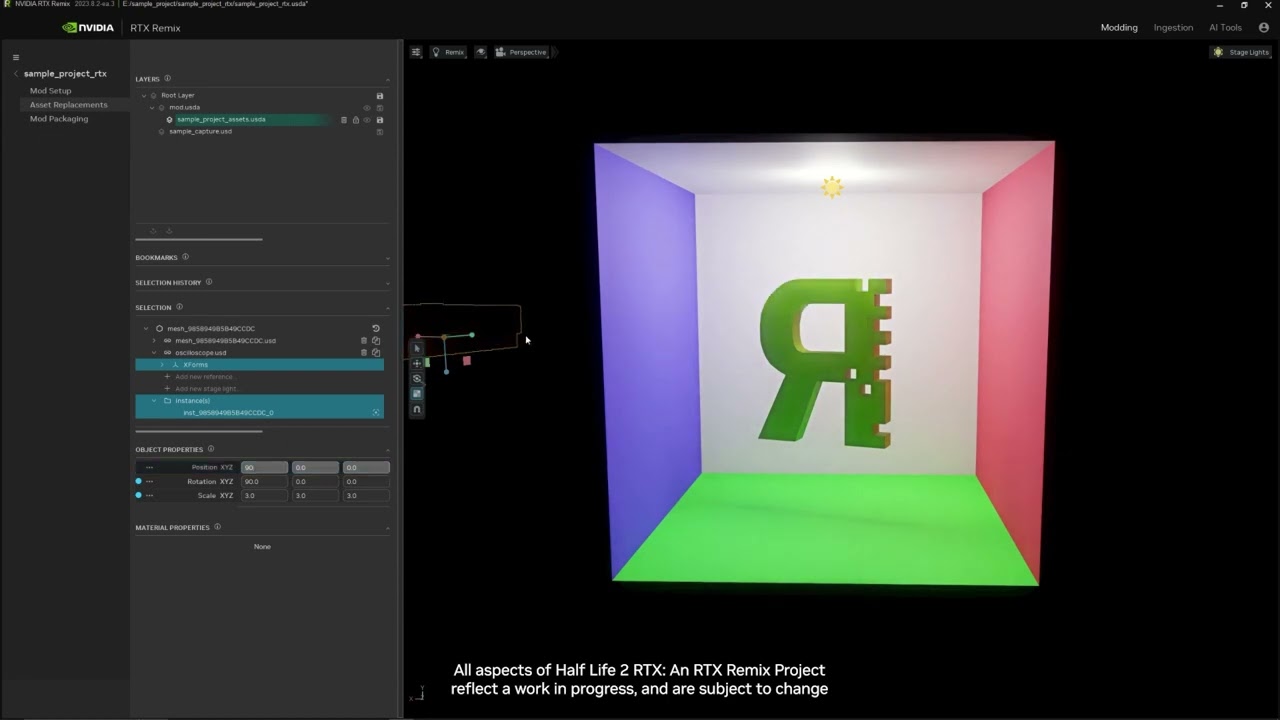
After you import new models, you can replace existing assets with them. This video shows you how to replace an asset or model in RTX Remix.
Eager for your next lesson? Checkout the RTX Remix Tutorial Playlist and if you want more tips on understanding any aspect of texture/asset replacement, check out the RTX Remix Documentation: https://docs.o...
radiant iris
It's a grand idea. Are you listening in @velvet flint I think emissive maps is only needed in some cases. As for translucency, it might or might not be needed for certain lights. But it sure is needed for curtains! But I don't know of any other places than Max's house that needs em
daring plinth
so the lights on the subway trains need to be modelled first, then we can apply lighting
I'll look for reference photos for these as well
Seems like they are fluorescent light rods enclosed in a metal housing
radiant iris
daring plinth
https://youtu.be/S3vSBoCAucA?si=OO-_v4WyteO4BBWq
Nah fam, that is for single asset replacement. It is for BABIES! We need to find an approach which automatically replaces all meshes in a level in a single go. Kinda like how the AutoPBR tool replaces all textures in a level in a single go.
radiant iris
I'm not even sure in what capacity we should remaster 3d assets for this projects. It all depends on how fast and effective Neo is.
velvet flint
radiant iris
It's a grand idea. Are you listening in <@321729125289164801> I think emissive m...
In general, as Mark wrote, the emmisive should be applied to any light source anyway
daring plinth
radiant iris
I'm not even sure in what capacity we should remaster 3d assets for this project...
Need a lot of Neos
teal thorn
radiant iris
Nah fam, that is for single asset replacement. It is for BABIES! We need to find...
Well I've developed an app that automatically assigns the textures to a USDA file, although there is a reason I haven't talked about it
radiant iris
teal thorn
Well I've developed an app that automatically assigns the textures to a USDA fil...
I already have such a thing. It's called PRBOven, works neatly
teal thorn
Has that been updated recently
radiant iris
Nope, but it still works a treat
However, we need to move away from that and use Apeture_Opacity materials. So perhaps we need a new approach
daring plinth
But I don't think there's going to be an easier way to replace assets than the provided toolkit. Not even in batch because you need to configure it's placement in world space as well
Model replacement will not be a one click solution
blissful moat
radiant iris
I'm not even sure in what capacity we should remaster 3d assets for this project...
Did we find out how to export original models?
daring plinth
blissful moat
Did we find out how to export original models?
Do you want the original assets?
My mp1 script isnt working for some reason in Maya 2022
do you have latest version of Autodesk Maya?
Just need to drop the .ldb file and it opens up the map
That's for KFS files
velvet flint
daring plinth
https://youtu.be/S3vSBoCAucA?si=OO-_v4WyteO4BBWq
Like I said, we've got an easy-to-use interface for replacing the meshes
radiant iris
daring plinth
But I don't think there's going to be an easier way to replace assets than the p...
Not at all. When you replace an asset, the new asset will take the old assets transforms. If you look at the code in mod.usda, it says hash_blablabla1234 "over" "hash_blablabla123" and so on. We just need to figure out a way to automate all asset replacements. Here's how the autopbr sublayer looks:
{
    over "Looks"
    {
        over "mat_0576B610B238E914"
        {
            over "Shader"
            {
                asset inputs:diffuse_texture = @./tex/0576B610B238E914_diffuse.dds@
            }
        }

        over "mat_0856F8A807FB29FC"
        {
            over "Shader"
            {
                asset inputs:diffuse_texture = @./tex/0856F8A807FB29FC_diffuse.dds@
                asset inputs:normalmap_texture = @./tex/0856F8A807FB29FC_normal.dds@
            }
        }

        over "mat_0AE7916B8BDA2B27"
        {
            over "Shader"
            {
                asset inputs:diffuse_texture = @./tex/0AE7916B8BDA2B27_diffuse.dds@
                asset inputs:normalmap_texture = @./tex/0AE7916B8BDA2B27_normal.dds@
            }
        }

        over "mat_0C7AF015CB264EB8"
        {
            over "Shader"
            {
                asset inputs:diffuse_texture = @./tex/0C7AF015CB264EB8_diffuse.dds@
                asset inputs:normalmap_texture = @./tex/0C7AF015CB264EB8_normal.dds@
            }
        }

        over "mat_0D9C630BDB6AA6CE"
        {
            over "Shader"
            {
                asset inputs:diffuse_texture = @./tex/0D9C630BDB6AA6CE_diffuse.dds@
                asset inputs:normalmap_texture = @./tex/0D9C630BDB6AA6CE_normal.dds@
            }
        }```
Etc...Please figure this out guys!
radiant iris
velvet flint
Like I said, we've got an easy-to-use interface for replacing the meshes
Nah fam, it's too much manual labor for a not big enough team of modders. We need to automate shit
daring plinth
radiant iris
Please figure this out guys!
I need to fix the script for which I have no knowledge
There is a solution and now it won't work
radiant iris
daring plinth
I need to fix the script for which I have no knowledge <:kekw:844928213071298581...
Ask ChatGPT! You'd be surprised to his ability to help and troubleshoot!
Anywho
I say we start with something small, then we remaster the crap out of that segment, so we learn all the viable approaches and techniques. Let's start with Max's house! The prologue.
We need to either use the existing model Neo made, and rescale it so that it follows the original house one-to one. Or make new a new model of the house from scratch. I will work on the textures. s0crates on the lights. And when we're all done, we merge it all up into one mod.usda file that we put on a private Github repository. After that, we continue on to the next level. Then we do level by level until the mod is complete.
daring plinth
radiant iris
We need to either use the existing model Neo made, and rescale it so that it fol...
did he send you the individual assets
you can ingest them first and replace one of them to see if it works
I like the approach you're taking, smaller steps to success
radiant iris
HAH! "ingest" it's the dumbest thing since cutting cheese with knives (Sorry my french fans)
radiant iris
daring plinth
I like the approach you're taking, smaller steps to success
Yeap, great minds think alike. But the first step is to get the 3d assets ready. I can't start my texture work without it. s0crates can probably start skissing on light setups already. But I want to have a tilted afternoon sun shining in though the windows in the living room, with nice subsurface scattering on the materials! The room will be lit indirectly by the fireplace and the sun shining through red curtains. I want two sets of curtains, one white and one red. Then I'll mix them smoothly 😌
radiant iris
velvet flint
<@190211679353700352> Can you open the old mod.usda in rtx remix toolkit?
What do you mean old mod.usda? As for the video, it's not sharp enough for me to really see what you're doing. And you're doing stuff too quickly for me to comprehend
velvet flint
radiant iris
What do you mean old mod.usda? As for the video, it's not sharp enough for me to...
I want to open an old mod.usda made before the 22nd to continue working on the lights
radiant iris
You're asking the wrong person. I didn't fiddle much with that part of Toolkit. I mostly looked at material replacing and the AI tools
But you can load old mod.usda's and capture layers and fiddle around. I did. You must first make a new project, then import the old files. I think it's the Open exisiting mod, or Edit mod....
velvet flint
radiant iris
You're asking the wrong person. I didn't fiddle much with that part of Toolkit. ...
Oh, so you're starting over?..
radiant iris
Pretty much yeah. We need to work on one mod.usda file each, then merge our works to one "master" mod.usda. Or else this isn't gonna work. We could also work under one master, make edits to it, upload it to Github. Yeah I think that's the best approach
blissful moat
daring plinth
do you have latest version of Autodesk Maya?
Im using 3ds Max not Maya
blissful moat
radiant iris
We need to either use the existing model Neo made, and rescale it so that it fol...
We just need somehow to export original models... Fitting one big model with all stuff is not good option. Replacing every model with new one - this is a good way.
radiant iris
One way to do it is to record all meshes in a level, then export them using Composer. I think it's possible. It's a slower and less convenient way of course. But with an autohotkey script, god mode, and running through the entire level WILL capture everything!
teal thorn
Is there a way to remove the lights from the train?
radiant iris
@teal thorn Are you working on your own behalf? Experimenting and such? Or do you want to help us out?
teal thorn
I'm working on my behalf. But I'd be happy to help out
daring plinth
radiant iris
One way to do it is to record all meshes in a level, then export them using Comp...
wait....can you send me your capture and every asset in it as USD individually? I have MayaUSD that works live with toolkit (that's the plan once I have the gpu)
that could help us capture original assets as well
radiant iris
teal thorn
I'm working on my behalf. But I'd be happy to help out
Go to texture tagging, find front train light, untag "add light to texture" and boom
radiant iris
daring plinth
wait....can you send me your capture and every asset in it as USD individually? ...
Giygas, everything you capture will be captured as USD files, except textures, they get saved as .dds. And yes every mesh gets its own .usd mesh file. And yes, they can be exported to fbx/glts whatever, using Composer. AFAIK
daring plinth
I'll try it with your mod on ModDB
maybe it has each individual asset as USD.
I'll just batch convert it when I'm home to .fbx or any format you like
radiant iris
Giygas. When you capture original assets, you don't need no mod. Besides, we are working on the House now. So that's what needs capturing
teal thorn
radiant iris
Go to texture tagging, find front train light, untag "add light to texture" and ...
I'm quite sure I've already tried it but "add light to texture" was not enabled, might’ve been the wrong texture
radiant iris
Also, there's a check to capture only assets, that way you don't capture the level layout. Only 3D meshes and textures 😉 @daring plinth
radiant iris
teal thorn
I'm quite sure I've already tried it but "add light to texture" was not enabled,...
Are you using my demo as a base? The light that is added is to one of the circle small front lights of the train. The left one I believe (facing the train from the front)
teal thorn
I'm only using your rtx.conf which should contain it
Although I think I selected the entire front of the train which would be the wrong one
radiant iris
Man the Toolkit is tearing me a new A-hole. 👿 These MF'ing SNAKES in this MF'g code! I'm about to open some windows /Jokes aside I love you Remix team! ❤️
Rune told me the solution is to restart PC. So I'll restart PC 🫠
daring plinth
radiant iris
Also, there's a check to capture only assets, that way you don't capture the lev...
I still don't have the rtx gpu. Infact I'm gpuless
teal thorn
Integrated graphics?
daring plinth
I would've teared the game open if I had the opportunity
daring plinth
teal thorn
Integrated graphics?
Worse
but it lets me do the basic stuff so idc
Fyi I have a i5-10400, waiting for a 3070 ti because Path tracing is ok on it
to mess around with I suppose
radiant iris
daring plinth
Fyi I have a i5-10400, waiting for a 3070 ti because Path tracing is ok on it
Ha ha haa.. Welcome to 8GB Vram limit hell buddy! "but,,,butt.. it's good at path tracing... 🥹
teal thorn
radiant iris
Ha ha haa.. Welcome to 8GB Vram limit hell buddy! "but,,,butt.. it's good at pat...
Better than the 6gb I have to work with
radiant iris
 teal thorn
Surprisingly I'm able to run the toolkit and max payne without issues
daring plinth
teal thorn
Surprisingly I'm able to run the toolkit and max payne without issues
Both at the same time?
teal thorn
Yeah
teal thorn
Max payne is rather low on vram usage compared to every other remix game I've tried
radiant iris
teal thorn
Max payne is rather low on vram usage compared to every other remix game I've tr...
Unles you turn Remix features on
teal thorn
Although now I think about the game is probably rendering at 360p
radiant iris
It's so dumb. Just windows alone eats up like 2-3 GB vram ... For the folders and all the UI.. It goes by the name dwm.exe... And if that wasn't enough Discord itself eats nearly half a GIG vram 😩
 radiant iris
Blyatiful! 😍
Now if you can change the Max Payne logo into Max Payne Remixed. You'd get 11/10 sir!
opal knot
thats....what i actually did
radiant iris
But the 'Remixed' part can't be green. It has to follow the overal color scheme of the background image. I'd say Wine red, Maroon, or some form of Purple perhaps? Brown maybe? You know what!? Try White as well!
Wait.. wait... Try Gold too, it might blend in nicely with the red!
 radiant iris
Clear improvement
 red charm
MAX PAYNE RTX (RTX must be green)
radiant iris
In off to bed. See U all in 9 hours 👋
velvet flint
daring plinth
Ngl I'm starting to feel 16gb is outdated
Always has been
 muted tinsel
 velvet flint
muted tinsel
velvet flint
muted tinsel
Wow
 muted tinsel
 velvet flint
muted tinsel
I can send it in any res
velvet flint
muted tinsel
I can send it in any res
Vector?
muted tinsel


 red charm
@muted tinsel This is the best



 daring plinth
red charm
<@771715350693019659> This is the best
daring plinth
red charm
<@771715350693019659> This is the best
Payne ReMaxed
radiant iris
@muted tinselNice graphics 345 But we're not changing the name of the project. I commend your enthusiasm though 🙂 👍
velvet flint
Tried the toolkit. Well, the Z axis is still broken, the old mod.usda, made still through usd composer, won't open. Not much desire to do anything about it yet, to be honest
velvet flint
Or maybe it's just that I'm addicted to map sweeping in assassin's creed
radiant iris
s0crates, thanks for trying your best. But as I've already stated. Tookit is in a very bad shape right now. It's not even worth bothering IMO. Let's just use Composer until Toolkit has become somewhat refined @velvet flint
radiant iris
I'm painstakinly forcing myself to use Kit and learn its ins and outs. I think it might be a must going forward with this project
It took me a good 2 hours just to load my old capture files and mod.usda's into the thing properly 🥵
radiant iris

Ok boys, I think we have quite a sour situation here!! 😬
(also notice how the two carpets in front of the fireplace is missing) This lemon basically replaced them in one single sweep
{
    over "meshes"
    {
        over "mesh_3DFF67DDA156F0CB" (
            references = None
        )
        {
        }

        over "mesh_47C6D20AC4C05CE4" (
            references = None
        )
        {
            def Xform "ref_08bc4c156ed14db6aa0330d5d3fca904" (
                prepend references = @./deps/Custom Assets/Lemon_02.usd@
            )
            {
                custom bool IsRemixRef = 1
                double3 xformOp:rotateZYX = (-0, 0, -0)
                double3 xformOp:scale = (1, 1, 1)
                double3 xformOp:translate = (0, 0, 0)
                uniform token[] xformOpOrder = ["xformOp:translate", "xformOp:rotateZYX", "xformOp:scale"]
            }
        }
}```And this is basically how the structure looks. Now we just need to find, or build a tool that can automate this process of replacing EVERY mesh_hashhashhashhash in the level with our new .usd mesh. And we can put them all in a separate folder. Because the code links to a folder of our choice!
We could ask ChatGPT to do it for us. First we give him a list of all the recorded vanilla meshes. Then we tell him to put our code together with the corresponding "new" meshes of our choice. The only problem is that ChatGPT has a limit to how much code he can write in one go. It's possible to give him big missions but that has to be split up in batches. Perhaps ChatGPT 4+ as a paying subscriber DOESN't have such limitation? Ideas or suggestions are welcome!
Damn, by the way, how do we extract the original xformOp from meshes to apply to our code? So that our replacement assets end up where they are supposed? That's something that also needs investigating!
teal thorn
radiant iris
I'm painstakinly forcing myself to use Kit and learn its ins and outs. I think i...
I'm still trying to understand ingestion of textures
radiant iris
Dude, don't even get me started on Ingestion. It's the dumbest thing since SPAM in a can, plus is bugged as all hell
daring plinth
radiant iris
Dude, don't even get me started on Ingestion. It's the dumbest thing since SPAM ...
Just gotta rewire your brain for this one bud
Seems like it's converting said models and textures so that they can be used as instances or as common .USD assets
daring plinth
radiant iris
Max Lemon
wheat wharf
radiant iris
And this is basically how the structure looks. Now we just need to find, or buil...
regarding this, maybe the creator of the octo tools would be willing to try building it? it’s worth a shot, he’s the only person i can think of in the community
daring plinth
wheat wharf
regarding this, maybe the creator of the octo tools would be willing to try buil...
Me too
Just said the same thing in #general-remix
radiant iris
wheat wharf
regarding this, maybe the creator of the octo tools would be willing to try buil...
Yeah I got the same suggestion from kekma. But there are more people who can write code and tools in this community. Anchorlight and E-man for example. I already talked with Anchorlight, and he promised to take a look at it later next month
Gonna talk with E-man about it too
opal knot
radiant iris
Max Payne and the secret of huge lemon
radiant iris
So I had a talk with the lead designer of the Kit. About bulk 3d asset replacement. We came up with an idea of how to get that implemented into the Kit app. But alas, it's a big task to add and it will probably take quite some time until it's a feature. However, in the meantime he helped us to slim the code down for bulk 3d asset replacements. So now it's simply:
                prepend references = @./deps/Custom Assets/Lemon_02.usd@
            )
            {
            }
And we don't have to worry about xformOp's anymore. Because of some father and child relationship that I didn't clearly understood
daring plinth
opal knot
Max Payne and the secret of huge lemon
He'll probably say something poetic about it too
Bitter Symphony
velvet flint
radiant iris
s0crates, thanks for trying your best. But as I've already stated. Tookit is in ...
If we want a simple toolkit for swapping meshes, then we have to use the toolkit. It is better to use the toolkit for light too (Z-axis is broken anyway, but I need to do less actions anyway). Regarding texture replacement, I didn't find the documentation (https://docs.omniverse.nvidia.com/kit/docs/rtx_remix/latest/docs/howto/learning-assets.html#ingesting-asset-textures) and the tutorial video (https://youtu.be/7ay5V8axQkQ?si=Aq9H5E_DecIL-bV2) complicated, maybe it's just a matter of getting used to it

To replace textures, you first have to import the new files you intend to add to your mod. This import step is referred to as “Ingestion”, as it automatically converts your textures to the right formats for RTX Remix. This video shows you how to ingest textures in RTX Remix.
Eager for your next lesson? Checkout the RTX Remix Tutorial Playlist a...
radiant iris
@velvet flint we don't need no toolkit! We can set up everything in Composer and via mod.usda! It's all code anyway
Adding lights in Composer is easy now, since I taught you my point and click approach! Adding emission to textures is also an easy thing to do. So no worries! 🙂
Damien said it himself, Toolkit is for Single Asset Replacement. What we need, is a bulk approach!
daring plinth
Strange times, composer easier than c-toolkit
radiant iris
Besides, I can't stand the constant crashes and slowdowns of Kit. And not having DLSS, or even a simple Camera light working
radiant iris
daring plinth
Strange times, composer easier than c-toolkit <:kekw:844928213071298581>
Well Nvidia has been coding and improving Composer for years. Before it was called Composer (was Create before). Toolkit is brand new spanking Alpha code. With limited usability.
I import a custom 3D asset:

And out it shiets 3 additional unwanted siblings 😩
radiant iris
Yeah, I know. I'm being too harsh. Thanks for bringing me back down kekma
radiant iris

There we go, I should sit and complain while doing nothing. Now I've done my part as a good Toolkit citizen 🫡
teal thorn
Is there an easy way to position lights in the toolkit?
radiant iris
Nope, it's bugged! I suggest: https://discord.com/channels/1028444667789967381/1195416940114616441
teal thorn
Is there a way to fix the lights reappearing in different parts of the train station?
radiant iris
I kinda like this idea, but also kinda dont

I dunno 🤷♂️
😆
Where the heck is Giygas xD Starting to miss the man
daring plinth
radiant iris
Where the heck is Giygas xD Starting to miss the man
It's me lol
radiant iris
What
 radiant iris
Like the old Swedish saying goes: Beloved child goes by many name ^^
daring plinth
So we got 4 guys I guess that are currently contributing to the project
S0crates - light placement
PappaSlask - AI texture authoring, Project lead 👑
Ruth - 3d modelling (?) ✏️
Neo_minigan - 3d assets and substance designing
Yosuke - Graphics-VFX designer/artist
radiant iris
Oh dear
daring plinth
Is this the current team yea?
radiant iris
Not quite, you can scratch Ruth from the list. She only wanted our money lol
daring plinth
good enough?
radiant iris
Yeap, except my name should come up on top. Because I'm project head
daring plinth
ah yes
radiant iris
Don't get me wrong though, everyone is equally important to the project
You should also add Yosuke to the list. He/she is our Graphics/VFX designer
 radiant iris

You should add yourself to the list while you're at it. As our advisor/researcher
You have been a staple to this team for quite some time
daring plinth
I just yell around (lurking mostly) when I feel like it
radiant iris
🤓
radiant iris
Lemme guess, you're Finnish? 😌
daring plinth
 no but I consider myself a Payne connoisseur
radiant iris
Lovely!
Ok, I now know how we're gonna do this. We capture every mesh in the house. Then we send them to Neo. Once hes done remastering them. He send them back. We put them in a folder, then we set up a very simple script using ChatGPT. We give ChatGPT a list of the mesh names with their hashes. Then we append the remastered meshes with a _R (R for remastered duhh) Then we ask ChatGPT to complete a list with the code snippet, where he includes all the original mesh filenames with the new ones into, complete with reference links and all, as many code snippets it takes. And then we will have our fully 3D asset remastered level!
teal thorn
Meanwhile
Before and After

 daring plinth
Reflective?
radiant iris
What is thos sorcery? 😮
teal thorn
daring plinth
Reflective?
My roughness maps are dark although they could be a lot darker letme fix
 teal thorn
I just realised a lot of maps aren't assigned in the after pic mainly with the tiles
My usda file that assigns them is only working for the albedo, I've got no clue why that is everything looks fine to me
velvet flint
teal thorn
Meanwhile
Before and After
Is what's on the right a reflection or refraction of light through glass?
teal thorn
refraction
velvet flint
Wow
daring plinth
looks like it has some sort of noise normal applied over it

giving it a frosted look
teal thorn
daring plinth
giving it a frosted look
Yeah I just got the normal from the original texture it had
daring plinth
but can we see semi reflective image of max in it?
teal thorn
Barely


 velvet flint
daring plinth
velvet flint
daring plinth
Not necessarily, there are plenty of booths with embossed glass so you can't see who's in it
 daring plinth

velvet flint
velvet flint
Not necessarily, there are plenty of booths with embossed glass so you can't see...
Something like that
 teal thorn
radiant iris
teal thorn
radiant iris
How do you setup Subsurface Scattering?

 radiant iris
teal thorn
How do you setup Subsurface Scattering?
radiant iris
teal thorn
How do you setup Subsurface Scattering?
Apterture Opacity material. Then further down is SSS settings. Set distance to 0.01-0.05 and aniso to 0.6
opal knot
daring plinth
https://tenor.com/view/zach-bussey-wild-ideas-confused-pulled-in-different-direc...
and this is why this is good, its simple
radiant iris
kek, did you have any luck with Maya? Or do we have to resort to Remix asset capturing?
opal knot
if its question to me, then my answer is huge NO
radiant iris
No it was for kek 😛 Get used to his new nick
opal knot
okay
 daring plinth
radiant iris
kek, did you have any luck with Maya? Or do we have to resort to Remix asset cap...
daring plinth
radiant iris
kek, did you have any luck with Maya? Or do we have to resort to Remix asset cap...
No luck, script broken
radiant iris
Did you ask chatgpt for help?
radiant iris
Thing is, he can detect faulty code, then repair it, then give you the new repaired code. All u need is to make him understand what you want to achieve. And how to copy pasta
radiant iris
Good, hope it'll be fruitful. If you don't succeed, it will mean we'll have to resort to manual asset capping. Which is approachable but much less convenient.
daring plinth
@radiant iris looks like the version of python i have (built in AutoDesk Maya 2022) is not up to date
The error message indicates a TypeError related to subscripting on the return type hint in your method signature. The issue here is that Python 3.9 introduced the ability to use subscript notation in type hints, but it seems like the version of Python used by Maya 2022 may not support this feature.
the error
 radiant iris
Does Maya come for free?
radiant iris
I believe in you!
daring plinth
just checked, subscripting came in around Python 3.9 but the version of maya im using only has 3.7.7
its not the script that's broken
its my outdated software
what?


ok well...i'll try this again tmrw with a newer version
its past my bed time
radiant iris
Thank you best sir 🙂
daring plinth
 opal knot
Nah
i really don't understand why there is a throw logo contest, even though we already have a good one
rare glade
that logo is trash
opal knot
The one you throw?
rare glade
mine not the best not the worst either but the one you linked, remixed text too big, too dominant compared to max payne and color too bright. maybe smaller in size and dif color (less brrright)
rare glade
more simple the better