#Call of Duty 2
1 messages · Page 5 of 1
 slow shore
for MP* im doing some extreme out of the box and heavy modding thinking here so beware
you can clone yourself with self clone()
which creates a dead body actor
which is usually how its used
but if ur alive it'll just create a clone of u at that moment
doing idle or etc
which is a seperate entity
do that in a loop
and hide it with some extension (C++ mod) tricks with a invisible flag in SV_Snapshot blabla
you could do what you want
 timid trout
Also we need to be able to give it a custom texture in game, otherwise all players with the same faction will be affected
slow shore
but its kind of a ton of work
for SP it might be easier but yeah that only works for SP
timid trout
Alright thanks, I will see what I can do
slow shore
the last part i dont think (the hiding) isnt really doable unless remix has some cool method for it i think
but u can experiment with self clone()
timid trout
slow shore
the last part i dont think (the hiding) isnt really doable unless remix has some...
The hiding part is done by remix
slow shore
e.g
per_player_clone()
{
  self endon("disconnect");
  self endon("spawned");
  for(;;)
  {
    actor = self cloneplayer(0.1); //play with the duration, maybe bit more than a frame
    wait 0.05; //1/20 fps (server fps is usually default 20 sv_fps dvar, waittillframeend also works...)
  }
}

// in spawnPlayer() add self thread per_player_clone() at the bottom before } in the gamemode type e.g tdm.gsc, dm.gsc
@timid trout
then again this requires you to be the server hoster and have access to modifying the game logic
doesnt work for SP
in SP there's also cloneplayer iirc but maybe some other way works better with spawn("script_model", ...) and setting animation with playanim(%anim)
timid trout
slow shore
in SP there's also cloneplayer iirc but maybe some other way works better with s...
So playanim isn't available for MP?
slow shore
nope
timid trout
:/
slow shore
hence why i said the closest way to play animations on entities/models is the self cloneplayer
you cant on any other entity
except players
it has been a real struggle for cod2 modders for decades now
to make zombies or cool mods
and you cant normally register any feedback aswell on those entities
atleast with gsc
like shooting
they dont have any hitbox either
there is a workaround with setalive( and then in c++ hooking the engine you can settakedamage and stuff and then it registers when u shoot at it
but no individual body parts like head/torso etc
slow shore
slow shore
you cant on any other entity
and you cant set any animation aswell ,you have to bake it in the set of anims loaded (animtree) and then theres no gsc function for it aswell
its all customly modded in
with adding gsc funcs to setlegsanim which then sets the body/legsanim on the gentity_t/entityShared_t field in memory for the ent
its a pain (this is all for MP tho, in SP theres setplayanim and other gsc funcs on AI and other entities)
timid trout
So we can't add a bot and make it mock the player actions either?
slow shore
you can add a bot
addtestclient() in gsc
you cant set the animations for it tho without some extension, there are no gsc funcs for anims by default
timid trout
slow shore
you cant set the animations for it tho without some extension, there are no gsc ...
Does libcod has that stuff?
slow shore
yes
timid trout
And since it's doesn't violate anything we could bundle it I assume
slow shore
well it mainly runs on linux 😛
timid trout
It doesn't run on clients?
slow shore
iirc someone made a windows version but not sure how up to date it is and a russian guy made a standalone compileable one that should compile for windows (ymmv with bugs etc)
but its still a standalone dedicated server so no it doesnt run on the client (altough the client CoD2MP_s.exe has a server builtin aswell)
you can seperate it into CoD2SP.exe, CoD2MP_s.exe (client+server), cod2_lnxded (only dedicated server and linux binary) and the gsc functions/engine is different between SP and MP
timid trout
I will try the option with the least friction first :)
slow shore
seperate server + libcod and ur local codmp exe then
timid trout
Nope I will just spawn the dead puppet and see if it's at least acceptable
 dull oar
I'm not using libcod for a sky that disappears on three out of 12 maps inside a one room on each map. we're 99% there already
the method we got works we just need a sweeter sweet spot. no biggie for find it either
timid trout
dull oar
I'm not using libcod for a sky that disappears on three out of 12 maps inside a ...
It's not for the sky mate
dull oar
oh ok
timid trout
Also we simply can't use it anyway
I am trying to spawn a puppet for marking as player model so we can get self shadows in fpp
dull oar
oh i see, we can get them from the arms and gun
timid trout
dull oar
oh i see, we can get them from the arms and gun
Floating arms and a gun :D
timid trout
Hmm I get this error when I call self cloneplayer(1)
 dull oar
went to a museum yesterday and got some photo's of posters and ration books and stuff 🙂

 timid trout
Got some propaganda posters? 👀
dull oar
no it was all uk related. would be wicked to get my hands on some french resistance posters
just processing a wood scan for the telephone poles
got a scan of some sand bags as well
slow shore
timid trout
Hmm I get this error when I call `self cloneplayer(1)`
try cloneplayer()
slow shore
dull oar
no it was all uk related. would be wicked to get my hands on some french resista...
isn't there a french museum digitally?
lot of museums have digitalized and released their inventory either 3d models or posters recently
Sketchfab
Learn more about how Sketchfab helps museums adopt to the digital age by improving their online presence and giving them a virtual home for their 3D and VR.
with very permissive licenses e.g cc0
a lot of existing poster assets in cod2 are also public domain
dull oar
oh thats good to know
slow shore
dull oar
oh thats good to know
you just gotta find the original source though to verify
 sweet cloak
Anything from the US Fed government is usually public domain 👀
slow shore
yep
just think from the perspective of the cod2 devs/artists when they made the game
they surely weren't gonna make new assets if they didn't have to
example
 dull oar
oh no way
slow shore

i think this one is in the public domain
they flipped and made it a bit dirty

https://collections.vam.ac.uk/item/O1034849/moulin-rouge---la-poster-henri-de-toulouse/
https://www.vangoghmuseum.nl/en/prints/collection/p0914N1996

Victoria and Albert Museum: Explore the Collections
Lithograph by Henri de Toulouse Lautrec: Moulin Rouge - La Goulue

Moulin Rouge, La Goulue, poster for the Dance Hall Le Moulin Rouge, 1891, Henri de Toulouse-Lautrec, Van Gogh Museum, Amsterdam (State of the Netherlands)
idk what the license for it is though
i wonder whether cod2 even got the license for it (if there is one) and if they didnt nobody cared to sue them for it 😛
 slow shore
another one in carentan is https://en.wikipedia.org/wiki/Le_Chat_Noir


Le Chat Noir (French pronunciation: [lə ʃa nwaʁ]; French for "The Black Cat") was a 19th century entertainment establishment in the bohemian Montmartre district of Paris. It was opened on 18 November 1881 at 84 Boulevard de Rochechouart by impresario Rodolphe Salis, and closed in 1897 not long after Salis' death.
Le Chat Noir is thought to be th...
dull oar
that ones wicked
slow shore
dull oar
I work in games, no one would dare
well maybe nowadays for AAA devs, but cod2 when it came out they weren't as big a studio as now + different culture back then so who knows
dull oar
looking forward to when lawyers use AI to work this shit out automatically and build cases for themselves
like it's not hard enough already
I got a 7 disc set of wood textures from work that i dont think i can use unless i contact the maker the textures about each texture. I have them, just cant use them
it's why i'm acquiring everything myself, just easier aint it
slow shore
dull oar
it's why i'm acquiring everything myself, just easier aint it
i'm the same, i make it myself or use cc0 assets
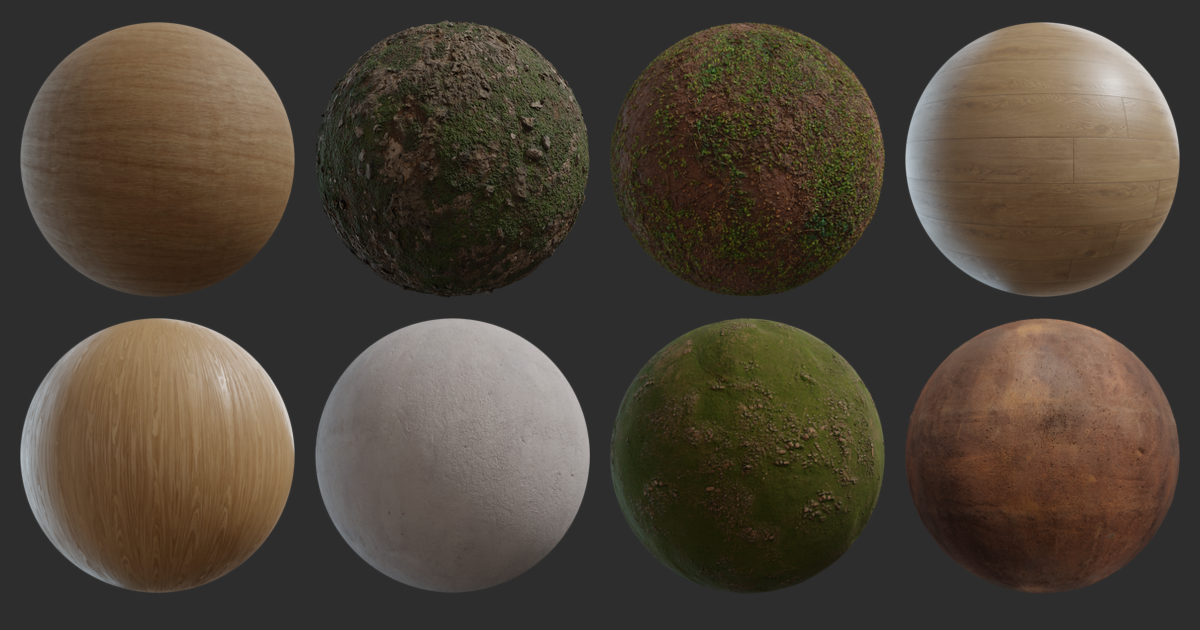
Poly Haven
Hundreds of free PBR texture sets, ready to use for any purpose. No login required.
dull oar
yea i'm using their skies and one of their dirt textures
scanned telephone pole, just gotta unwrap flat and i can put it in game
 slow shore
dull oar
yea i'm using their skies and one of their dirt textures
slow shore
dull oar
yea i'm using their skies and one of their dirt textures
tbh if i was making a cod2 mod or remix style i wouldnt care that much about restricting myself so much as ur doing since ur not making $ off of it and ive seen people share so many cod2 mods that did worse over the years and its kind of the thing in the modding community for any game tbh
dull oar
I know, Its about professionalism though. They're electricians with a game making hobby or something 😛
sweet cloak
Someone say electrical 👀
timid trout
Uhh nothing works
I have a cursed idea tho
I could spawn a entity that is linked to the player, and give it models with unique hashes each representing an animation frame of which action the player is doing, then I could capture bunch of frames of that action in tpp view and anchor those meshes to that scripted model.
Edit: All those functions that could have been useful are from libcod, nevermind
 mild isle
Can i ask guys what is your ultimate plan? Because i see you put a lot of effort on that
 stoic jetty
I think its obvious to say "to make game look better"
dull oar
shadows cast from the players body
mild isle
stoic jetty
*I think its obvious to say "to make game look better"*
I know, but i ask just to believe it. Couldn't believe there are people that would do after 20 years
I have a suggestion. Since you do this out of pure passion
dull oar
shoot
mild isle
You can promote this on cod2 community and accept donations from every player who see your dedication,just to help your work going and also you as developers get something out of it
stoic jetty
Oh, that actually would be profitable i think
 sweet cloak
Oh hey something I have way too much knowledge of 
The insulators at the time were typically made with glass by the way 😉
dull oar
oh sick hang on

https://www.telegraphpoleappreciationsociety.org/images/userImages/johnpaine/IMG_0156.JPG
so this white thing would be glass?
 sweet cloak
That’s a telegraph pole, different thing. Im not super up to date on the lore of them.
In rural areas they’d be along rail road tracks.
 sage locust
@dull oar Can you try mp_chelm_fix? Author of the map (Julian Luo) made all the buildings by himself in 2006 when developing the map, he got employed by Infinity Ward shortly after, works there as level designer till today.

GitHub
Mod zPAM3.33 is remastered version of zPAM2.07 for COD2 - GitHub - eyza-cod2/zpam3: Mod zPAM3.33 is remastered version of zPAM2.07 for COD2
sweet cloak
dull oar
https://www.telegraphpoleappreciationsociety.org/images/userImages/johnpaine/IMG...
They’d be porcelain
sage locust
its there with zpam 3.33 and mappack v3, just download it and try mp_chelm_fix with remix
the church should look epic
dull oar
sage locust
the church should look epic
yea will do
dull oar
sweet cloak
They’d be porcelain
ta mate, this is what i'm remaking from cod2

think its a telegraph pole then?
dull oar
think it's ww2 accurate or should we switch it for something that is?
 warm lagoon
for the love of god please do not make it look super clean, or like something that was placed 5 minutes ago given the context
i have full faith in tadpole for recreating certain materials with its original charm from the original game
sweet cloak
dull oar
think it's ww2 accurate or should we switch it for something that is?
Yea it’s accurate for the time period. Missing wires but that’d be likely given it’s a war zone.
dull oar
yea i'll add them back then 🙂 I'll get to switching this to a utility pole
going to go mad with wires today
last question @sweet cloak like this?
https://upload.wikimedia.org/wikipedia/commons/9/9f/US_utility_pole_-_labeled.jpg
 mild isle
dull oar
nah i'm good, i'm giving everything away
mild isle
dull oar
nah i'm good, i'm giving everything away
Then I will just follow you in your journey and congratulate you for your hard work😁
dull oar
g = electricity bucket
sweet cloak
dull oar
last question <@264632269174472704> like this?
https://upload.wikimedia.org/wi...
No transformer or “electricity bucket”
K is cable tv so that’s not present
dull oar
cheers mate, i'll get cracking
warm lagoon
dull oar
cheers mate, i'll get cracking
 sweet cloak
Here’s a close up of an ancient pole from Flickr 
 warm lagoon
can we add the squirrel 🥺
dull oar
warm lagoon
can we add the squirrel 🥺
it's probably a fuse
 radiant belfry
sweet cloak
Here’s a close up of an ancient pole from Flickr <:KEK:677348119729668106>
radiant belfry
sweet cloak
Here’s a close up of an ancient pole from Flickr <:KEK:677348119729668106>
ancient? that's all i've ever seen 😦
dull oar
wow look it's glass
 sweet cloak
Oh yea the wires are round with a rubber like outer material. They’re not bare metal unless it’s very spicy voltage.
sweet cloak
dull oar
wow look it's glass
 warm lagoon
frosted glass using translucent effect probably?
sweet cloak
warm lagoon
frosted glass using translucent effect probably?
They’re not frosted. Just thick
dull oar
they look kinda cool ngl
sweet cloak
dull oar
they look kinda cool ngl
People collect them. They’re pretty neat
timid trout
Adam certified electrical engineer confirmed
warm lagoon
timid trout
Adam certified electrical engineer confirmed
TF2 engineer too
jack of all trades
sweet cloak
timid trout
Adam certified electrical engineer confirmed
I have a degree in that so
Note: I don’t work with medium voltage, aka utilities, so my knowledge is limited with a lot of utility pole things.
timid trout
I mean the only ones whose immersion might break upon seeing a slightly inaccurate electrical infrastructure are few people like Adam
radiant belfry
high standards to live up to
sweet cloak
timid trout
I mean the only ones whose immersion might break upon seeing a slightly inaccura...
I see all the errors in the building systems to the point I’ve considered writing a building inspection like blog for video games environments
sweet cloak
Alan wake 2 team has impressed me with their accuracy. 
Even had the conduit bends right 
sweet cloak
dull oar
and a lot of artists would love it
It’d be like that YouTube series where they bring in the firearm expert to look at the gun models
timid trout
Royal Armory Museum
dull oar
how's this looking?

 sweet cloak
Excellent. I would note the insulators are hollow and now solid glass
https://www.ebay.com/itm/355177563967 for reference

eBay
Four are #8. Five are #7.
dull oar
I'll have to cake it with dirt and remix glass doesn't support layers so it'll have to be dirty porcelain I think
timid trout
decals?
dull oar
Not sure. Could try it
radiant belfry
this is a whole new level of detail that i just never even considered, lol. i really need to do better. very very excited to see what you guys will make
sweet cloak
dull oar
I'll have to cake it with dirt and remix glass doesn't support layers so it'll h...

eBay
Be prepared for these conditions. Sincerely, Oleg Z. I'm putting a good product in good hands. I will also mark the item as a "gift".
This would be something that they’d have in the time period and location (France)
dull oar
oh smooth looking, i'm on it
sweet cloak
I checked a lore master site https://www.nia.org and it seems as accurate as I can get
Insulators: The National Insulator Association (NIA) is an international organization of collectors and friends interested in electrical insulators, and other artifacts connected with the many
industries associated with electrical power, telephone, telegraph, railroads and/or lightning protection devices.
dull oar
jesus that man has a few dont he 😛
sweet cloak
Nah that’s the association as a whole. Told ya people collect them 
dull oar
oh yea
The National Insulator Association (NIA) is an organization of collectors and friends
aw thats cute, i like these guys
warm lagoon
@dull oar what is your methodology for recreating those cable lines
dull oar
draw a spline, shape it, sweep a circle
dull oar
donkey kong remix when?
 warm lagoon
that's a nice scan piece


 summer brook
Looking sweet
summer brook
dull oar
got the telephone pole in game as well
A not so tad of a pole
dull oar
there we go all set up 🙂

we got this cool statue base today, some neat stairs and some cool slabs


 sage locust
dull oar
we got this cool statue base today, some neat stairs and some cool slabs
sage locust
dull oar
we got this cool statue base today, some neat stairs and some cool slabs
Those stairs would fit at the back exit from '4' x)
dull oar
sage locust
Those stairs would fit at the back exit from '4' x)
Yea would look great there
Thinking of stacking 2 or three of them to get in and out of the basement as well
Statue base is for the stone columns around the allies flag spawn
I got the pointy tops as well but it didn't come out so good so I need to go back
dull oar
back posting dirty pictures online
 warm lagoon
these scans look great tadpole
sweet cloak
dull oar
back posting dirty pictures online
You plow that yourself?
sage locust
 dull oar
engineers have visited and hooked us up with fibre
 warm lagoon
dull oar
engineers have visited and hooked us up with fibre
warm lagoon
dull oar
engineers have visited and hooked us up with fibre
Adam is probably having a heart attack looking at this
gotta keep that realism in touch
dull oar
it's 150mb dl, era appropriate
warm lagoon
 sweet cloak
warm lagoon
Adam is probably having a heart attack looking at this
sweet cloak
warm lagoon
Adam is probably having a heart attack looking at this
Move one wire up to the neutral plz.
dull oar
sweet cloak
Move one wire up to the neutral plz.
could you draw it over the image?
sweet cloak
 sweet cloak
Not quite sure what they had going originally with 5 wires. Seems they didn’t have a consultant on board
 warm lagoon
sweet cloak
warm lagoon
sweet cloak
Any specific reason for this?
sweet cloak
warm lagoon
Any specific reason for this?
3 hots (the lower wires), 1 neutral (the top most one).
5 wires (the original scheme from the game) would have a ground I guess, but you don’t run grounds on utility poles.
 dull oar
whole maps done, I'll slap the pole into asset share now. no cable as its just a dark spline. no textures or anything

 granite forge
@dull oar
granite forge
what tool were you using to apply the other patches like no culling?
dull oar
this website
https://bbbradsmith.github.io/ipstool/
sage locust
dull oar
whole maps done, I'll slap the pole into asset share now. no cable as its just a...
u gotta light up those hanging lamps
granite forge
@sweet cloak which tool did you use to create the ips's? The tools i find on github are kinda shady
sweet cloak
sage locust
u gotta light up those hanging lamps
Lamps you say 👀
sweet cloak
granite forge
<@264632269174472704> which tool did you use to create the ips's? The tools i fi...

ROMhacking.net
Lunar IPS is intended as an easy to use, lightweight IPS patch utility for Windows to replace DOS pr
granite forge
didnt you apply adams patches?
granite forge
oh you dont need the cheat engine stuff. Just posted that for completeness (in case someone wants to put them into another ips patch or w/e)
dull oar
ok thats sorted, what do i need to do in remix to make the shadows cast again?
granite forge
mark all viewmodels (guns / hands ... ) as player model
make sure to have primary shadows on

and viewmodel enabled (game setup)
 dull oar
hmm no luck, one sec i'll get you a video
not casting any shadow
oh the third person character, do i tag him as anything?
granite forge
same as the weapons
player model (not the player body model thing)
you did see the player body upon spawning right?
like clipping into your camera
dull oar
no nothing like that
granite forge
looks like the patch wasnt applied .. try dvar cg_thirdperson 1
if it enables third person then it failed to apply the patch or something
dull oar
i do it at the end of the video
granite forge
oh yea sorry
dull oar
i bet it's cause I patched that dll with adams culling fix aint i, think its that?
dull oar
no 😮 well there we go then. we're patching exe's now 😛
thought i was patching the dll not the exe sorry mate
granite forge
you might want to restore whatever you patched then 😂
dull oar
i back up my backups i'm golden. one second
tadpole brained today 😛
thats what i'm talking about!
 granite forge
noice
dull oar
hell yea it's perfect thank you so much!
granite forge
🙏
dull oar
is anything i can do about the gun penis?
granite forge
wdym 😂
dull oar
 granite forge
if you dont mean the shadow .. just mark the gun as player model
dull oar
yea thats sorted it. had a floating gun in his fun zone
this looks wicked, thank you again
cant help with code but if you need a weapon or something just holla 🙂
granite forge
hehe thank you 👍🏻
sage locust
This place has massive potential:


and Chelm, Julian Luo's entry project to join Infinity Ward as level designer. Can't wait to see it with Remix assets.


 sweet cloak
What's the link to it?
slow shore
sage locust
and Chelm, Julian Luo's entry project to join Infinity Ward as level designer. C...
is this a official cod2 map?
slow shore
sweet cloak
What's the link to it? <:BinoculaRs:963676238801690624>
found it here https://gamebanana.com/mods/138791
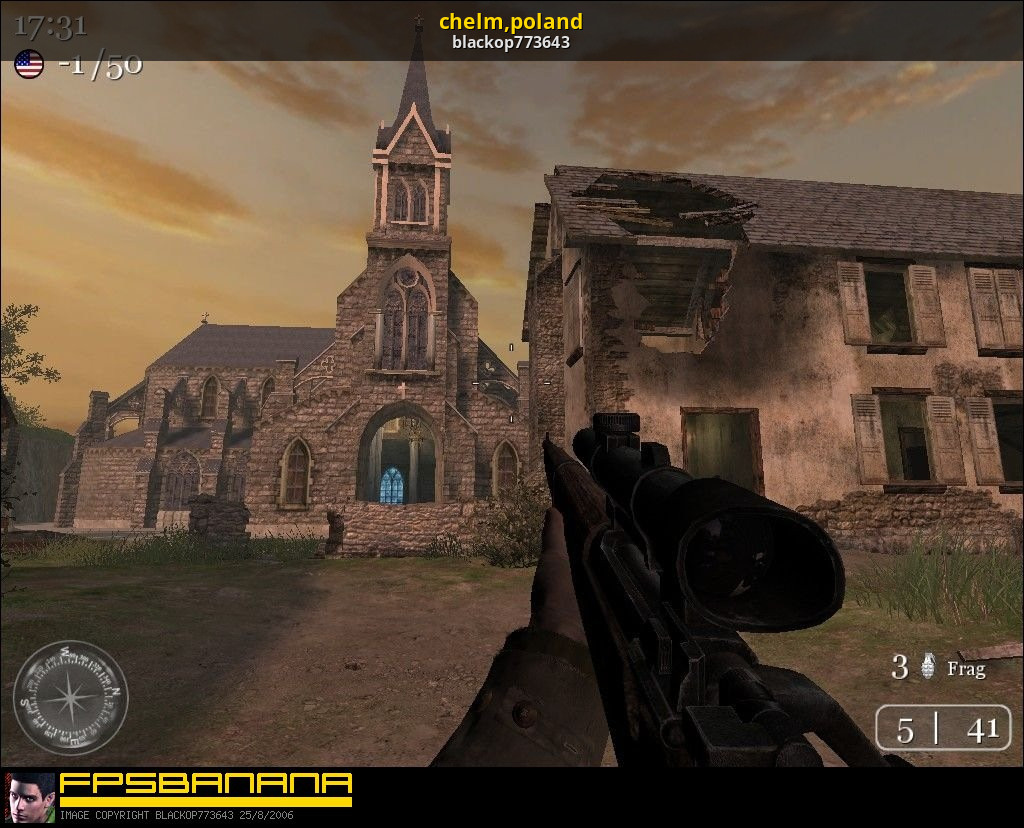
GameBanana
A Call of Duty 2 (COD2) Mod in the Multiplayer category, submitted by blackop773643
sweet cloak
Imma cook on that later 
slow shore
i mean its a cool map but theres thousands if not more amazing (custom) maps made for cod2 over the decade
so maybe stick to OG maps
sweet cloak
Okay 
I didn’t play CoD2 growing up so I don’t know which maps I should even be looking at ngl
Guess I can go back to railyard tho 👀
slow shore
sweet cloak
I didn’t play CoD2 growing up so I don’t know which maps I should even be lookin...
i did, but one glance at gamebanana or moddb or other cfgfactory, customapscod for cod2 and there's tons of (good) maps
also the most popular maps for cod2 are carentan and toujane
so if you remix a map might aswell remix those maps because they "are" cod2
if somebody sees those maps they immediately see ah cod2
sweet cloak
Well tads got carentan down to a T so that leaves me toujane
slow shore
it's kinda weird how they "ruined" mp_harbor in cod2
since mp_harbor and mp_carentan are the most popular maps in cod1
sweet cloak
Harbor looked like a cool map
slow shore
i guess toujane took its place
they remade carentan in cod4 again too but its nowhere as popular anymore there
mp_crash is a popular map and some others took its place
sweet cloak
Whats like the top 5 cod2 maps 👀
slow shore
uhh well i used to run a cod2 server with custom maps, but it varies from gamemode
e.g for competitive other maps are more preferred
but for regular tdm/dm toujane/carentan do well
u can go to gametracker and find the gamemode/server
and see what maps are played most often aswell

another server (capture the flag)

(search & destroy, SD)

tl;dr depending on how casual (tdm/dm/ctf) and competitive (sd) there's a variation between favourite maps (also repeatedly playing the same map i feel carentan kinda got boring for the last group over the years which can be due to tactics/gameplay being more unfair other team allies/axis better at map etc or other reasons)
slow shore
sweet cloak
Whats like the top 5 cod2 maps 👀
tl;dr
- toujane
- carentan
- burgundy
- dawnville
- matmata
dull oar
Pick whatever you like buddy 🙂 that plowed field scan is for Dawnville btw. Where the flag goes
sage locust
@slow shore @sweet cloak @dull oar
https://github.com/eyza-cod2/zpam3/releases/download/3.33/zpam333.zip - zPAM 3.33 includes mappack with official COD2 2023 played maps.
It's in the official map pool. Original map has been adjusted by me and @Fjozek (I reached Luo and he gave us source files) for competitive play, it's been played on two international LANs already.
https://fpschallenge.eu/ladder/eu/cod2/5vs5-sd/stats
We have three custom maps in map pool nowadays, mp_chelm_fix, mp_crossroads (based on singleplayer mission) and mp_breakout_tls, which is a total remake of original Villers-Bocage: https://www.youtube.com/watch?v=k3ftK2qHanM

After weeks of hard work, we proudly present the reworked mp_breakout, prepared for upcoming TLSV LAN 2022 in Prague. ---- FULL DESCRIPTION
- pdf download: http://91.121.145.85/panel/3655/main/Introduction to Breakout_TLS.pdf
- map download: https://github.com/eyza-cod2/mp_breakout_tls
eyza /// YctN /// craven
0:00 Intro
0:54 Direct Com...
timid trout
xoxor I think you should definetely do a pull request to this repo for your patch
https://github.com/adamplayer/CallOfDuty2RTX

GitHub
RTX Remix Mod for relighting Call of Duty 2. Contribute to adamplayer/CallOfDuty2RTX development by creating an account on GitHub.
Adam's anticulling patches are also there
sweet cloak
I prob should rescope that repo to just be the culling patches
I’ll hopefully have some time this afternoon to start remixing again
sweet cloak
dull oar
Pick whatever you like buddy 🙂 that plowed field scan is for Dawnville btw. Whe...
I completely forgot about the only night map, decoy. Will probably focus on that 
timid trout
sweet cloak
I prob should rescope that repo to just be the culling patches
Why not just create folders to categorize them
granite forge
sweet cloak
I prob should rescope that repo to just be the culling patches
I've created a PR but I did not want to do any cleanup so I just added the ips and the cheatengine table 👍🏻
sweet cloak
timid trout
Why not just create folders to categorize them
Cause I don’t really wanna distribute my in progress work like that any more. 👀
sweet cloak
granite forge
I've created a PR but I did not want to do any cleanup so I just added the ips a...
Merged 👍
 scarlet monolith
dull oar
scarlet monolith
dull oar
were such posts tarred back then? might not be the case everywhere but they are here
dull oar
Now we're getting into it!

 sweet cloak

warm lagoon
can't wait to see the total poly count
dull oar
20 k in that lamp alone. Add it to the spreadsheet!
sweet cloak
How do I get the sky replacement working again? I thought I had it down but it just turns gray with a replacement
 dull oar
unmark the sky so it's just a normal mesh and it goes black. then capture and with texture replacement plop your hdr dds into the diffuse slot 🙂
sweet cloak
Got that part done
sweet cloak
Does that just do it for all the maps?
dull oar
yea, this map included
got 10 skys so just pick one thats commented out in "_load.gsc"
which you'll find here
steamapps\common\Call of Duty 2\rtx\maps\mp
sweet cloak
Ohhhhh clever
dull oar
yea man we got a system for it now baby
you'll want to recapture the new sky and all that jazz
and we can use your new sky on any map 🙂
sweet cloak
Now we're cookin
 sage locust
wow.


 dull oar
Got a new camera coming tomorrow for scanning with, a nikon 800d with a wicked sigma lens. Got a lovely chest of draws to tackle as well as some muddy footprints i'm looking to make and place at the doors into buildings 🙂
sage locust
Amazing
dull oar
spooky
 warm lagoon
Can someone explain to me why we have a dead cow?
stoic jetty
dull oar
spooky
Saint Dead Cow
timid trout
warm lagoon
Can someone explain to me why we have a dead cow?
It's a debug cow
to visualize where the script object is located
Because it gets culled in certain spots
warm lagoon
ohk
dull oar
Holy cow
dull oar
waaaaaaay down we go
sweet cloak
They glidin
dull oar
slip slidin but it's ok i only want the rest position 🙂
dull oar
bricking it
 timid trout
dull oar
waaaaaaay down we go
timid trout
dull oar
waaaaaaay down we go
Oh I thought you're placing them by hand lol
dull oar
I was originally, got some brick crumbs a wood fragments to scatter around today 🙂 between gift wrapping
dull oar
@timid trout has been busy! check this out. We got random starting points for skies, controls for speed and angle in game, buttons to switch sky in game. it even unloads the dishwasher it's that feature complete. Thought I'd put together a video to show off the work of the last 2 weeks including @granite forge 's awesome character shadows
https://youtu.be/62kylewMsfk
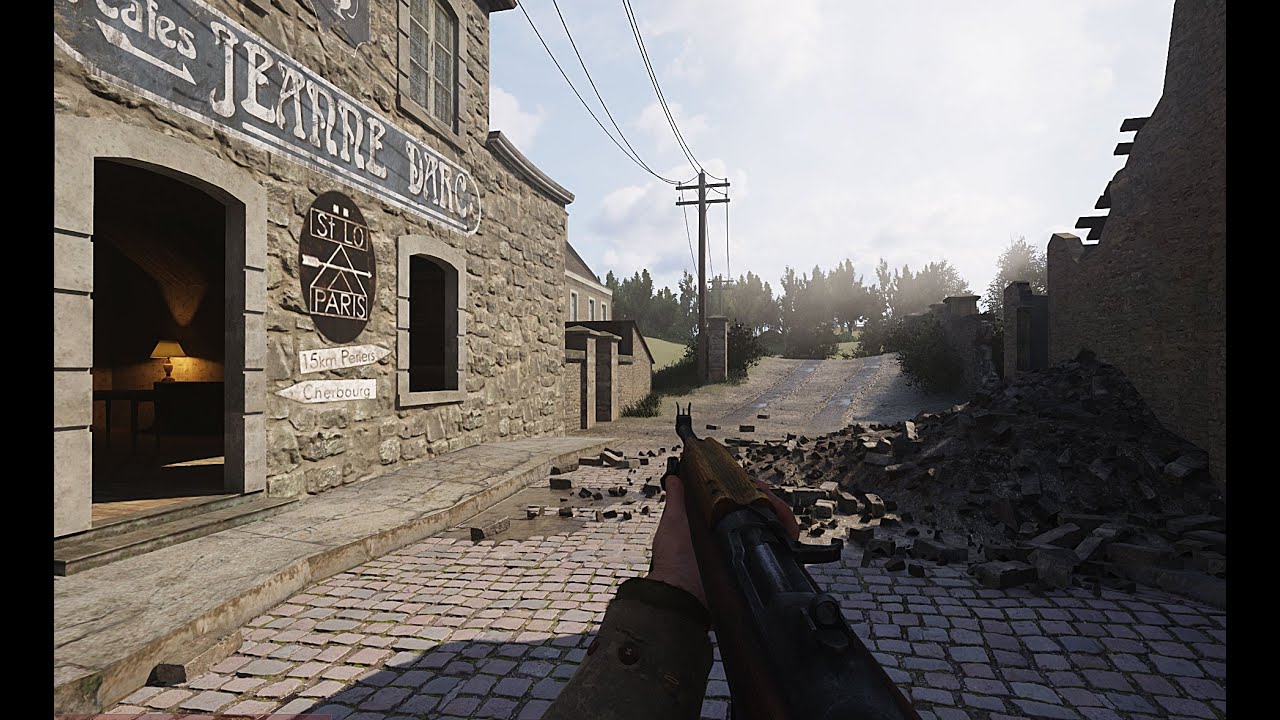
we got moving skies! shadows cast from players and we're refactoring the art work
radiant belfry
the character shadows look great here (ya know, instead of just a pair of floating arms SKYRIM)
and the sky is amazing. great work
timid trout
@dull oar did the dynamic sky not me, I just refactored its script and added the switching ability + some QoL features. My part is not really a big deal.
dull oar
Lies! I had the ideas but without our guy @timid trout that's all they would be
timid trout
#1099591203768504421 message

No need to overcharge my work, I am ok with what I do and having fun in the progress
dull oar
It was two lines in a map script that rotated a big mesh. You made it interactive, multi map, multi sky, days of debugging and cow based solutions. You did loads. Credit where credit is due.
dull oar
this is cool @granite forge
sweet cloak
It’s wild to see a mirror in a video game where the reflection isn’t just a super low res and quality version of the world
sweet cloak
dull oar
lets make a full box
This was the last thing Tadpoles GPU saw before melting
timid trout
dull oar
trippy
 sweet cloak
Do the reflections continue to get clearer if you stand still
sweet cloak
timid trout
 sweet cloak
dull oar
best. artist. ever
sweet cloak
dull oar
best. artist. ever
Peak art right there
dull oar
getting inception vibes honestly
sweet cloak
It’s all down hill from here
timid trout
sweet cloak
It’s wild to see a mirror in a video game where the reflection isn’t just a supe...
cough BeamNG.drive cough
dull oar
timid trout
sweet cloak
https://tenor.com/view/inception-deeper-go-deeper-we-need-to-go-deeper-leonardo-...
Strelok sent this in offtopic some time ago, it's 128 bounces in a mirror room.
 sweet cloak
timid trout
Strelok sent this in offtopic some time ago, it's 128 bounces in a mirror room.
sweet cloak
timid trout
Strelok sent this in offtopic some time ago, it's 128 bounces in a mirror room.
Oh yea I forgot that interstellar screenshot
warm lagoon
timid trout
Strelok sent this in offtopic some time ago, it's 128 bounces in a mirror room.
Procedural mesh
dull oar
timid trout
Have you set PSR bounces to 15? I think that's the max. It's 10 by default
all default, lets go crazy
sweet cloak
dull oar
This reminds me I need to practice redoing the model and materials for the weapons. 
warm lagoon
Y'all planning to do any local multiplayer session with Remix?
dull oar
 dull oar
wheres the option in remix menu?
 timid trout
warm lagoon
that's 15 bounces
timid trout
warm lagoon
that's 15 bounces
I think we could build from source for a higher limit, tho the description mentions it's due to a limitations I think
dull oar
this is nuts 😛
timid trout
Strelok said he modified the limit in BetterRTX's source, Minecraft doesn't come with 128 bounces lol
warm lagoon
Where's my Cornell box
dull oar
time for reference mode and some sitting still for 1 minute
oh no dice the character moves 😛
timid trout
dull oar
time for reference mode and some sitting still for 1 minute
I think it won't look much different, PSR looks kind of "denoised" out of the box
dull oar
dont think you can pause animation 😦
timid trout
Hmm, path bounces don't go higher than 15 either, I remember it was possible to disable PSR and still get raw reflections & refractions but can't find how
 dull oar
I've kinda got bored after the initial wow moment lol
timid trout
dull oar
I've kinda got bored after the initial wow moment lol
Only if we could set it to 128
dull oar
It's white diffuse, white metalness and black roughness on a cube with a light attached to the gun though if you wanna play along at home
granite forge
dull oar
this is cool <@204650202072743936>
oooh that’s really cool 
 limber otter
timid trout
Strelok said he modified the limit in BetterRTX's source, Minecraft doesn't come...
limber otter
timid trout
Strelok said he modified the limit in BetterRTX's source, Minecraft doesn't come...
yeah its limited to 8
in vanilla RTX
 timid trout
limber otter
cheat engine honest reaction:
timid trout
limber otter
cheat engine honest reaction:
You can set it to higher levels in imgui too kinda the same thing
But still it doesn't go any higher
timid trout
timid trout
It mentions a limitation but I have no idea what it means
 cerulean mica
warm lagoon
Pause in-game time?
cerulean mica
warm lagoon
Pause in-game time?
At least there is "cl_paused 1" dvar in SP
cerulean mica
timid trout
*cough* *BeamNG.drive* *cough*


 floral stump
dull oar
<@1074634383996227627> has been busy! check this out. We got random starting poi...
floral stump
dull oar
<@1074634383996227627> has been busy! check this out. We got random starting poi...
Wanna me help you with textures ? such as posters and logos that are placed on the wall or does rtx remix automatically do that ?
stoic jetty
floral stump
Wanna me help you with textures ? such as posters and logos that are placed on t...
Current available Remix doesn't do that, so yeah, you could help, but lets wait for tadpole response to your request
floral stump
yeah i mean i could upscale some textures or re do them and replace them with the original ones
timid trout
floral stump
yeah i mean i could upscale some textures or re do them and replace them with th...
HQ versions of those posters are available online, we had a conversation about them if you scroll up a bit
floral stump
timid trout
HQ versions of those posters are available online, we had a conversation about t...
Oh interesting 👀
timid trout
Yea those posters are real
floral stump
Well if you need anything about upscaling or recreating textures I'll be glad to help
timid trout
Tadpole is in charge
floral stump
yeah im waiting for his response
dull oar
floral stump
yeah im waiting for his response
Hey ya, cheers for offering to help out but I'm using this as a chance to get my hands dirty and make some stuff by myself for the time being. Cheers for the offer though
 dull oar
huh? whats going on kim. merry nearly christmas to you!
summer brook
If I had to guess, Kim might be already drunk.
Merry Christmas then!
dull oar
scanned this on christmas eve 🙂 managed to sneak in some texture work yesterday between naps

rubbles looking cool as well
 sage locust
I always thought that COD2 building/stone textures were ahead of its times, on DX9 it looked like Tesselstion was working. But this is another level. The only thing that still interferes is seeing building so geometric, with not enough polygons on edges as we would want these days
Your work guys is astonishing.
dull oar
sage locust
I always thought that COD2 building/stone textures were ahead of its times, on D...
yep once I've got new textures on the old building models is time to update geo, add the trims and decals and we're up to date 🙂
dull oar
todays job


 gaunt agate
Now that's a lot of geo
dull oar
gaunt agate
Now that's a lot of geo
Second test of my new camera and lens combo. About 50 photos
Nikon 810 and sigma 35mm art lens. Second hand from ebay
£800 so not cheap either
 warm lagoon
gaunt agate
Interesting. My pizza scan was 50 photos. 60mp each. Jpg
warm lagoon
gaunt agate
Interesting. My pizza scan was 50 photos. 60mp each. Jpg
you tried PhysGaussian on your scan yet? or was it point cloud based
dull oar
Can you bake that Gaussian stuff to textures and geo?
gaunt agate
Prolly not
warm lagoon
https://xpandora.github.io/PhysGaussian/
you can do this nowadays
Deformable Neural Radiance Fields creates free-viewpoint portraits (nerfies) from casually captured videos.
bread
gaunt agate
It's just different than geo
warm lagoon
wrong channel btw lol, would be intersting to see this happen sometime in 2038 w/ remix
dull oar
Is cool but I guess not game compatible
warm lagoon
yeah this is a far stretch, remix won't be supporting physics
its just fancy lighting
timid trout
dull oar
Is cool but I guess not game compatible
We need https://youtu.be/1cfKc8U4iwg to run it in real-time

Patreon: https://www.patreon.com/Podel1
Twitter: https://twitter.com/Podel_irl
2nd Channel: @PodelAux
Insta: https://www.instagram.com/podel_irl/
Subreddit: https://www.reddit.com/r/Podel
Nvidia Bread is the future of bread. Featuring HDMI, USB and VGA ports, it can connect to almost any device. Attach a heatsink to cool down your bread after...
dull oar
warm lagoon
its just fancy lighting
It's fancy Geo, texture and materials + lighting
timid trout
Remix can't interact with the game so the only physics we might see is particles I believe
That would be soo cool tho
warm lagoon
timid trout
Remix can't interact with the game so the only physics we might see is particles...
particle emitter
timid trout
yep

 dusk comet
warm lagoon
bread
dusk comet
warm lagoon
bread
 dull oar
a day late but its christmas and time means nothing to me
 warm lagoon
dull oar
a day late but its christmas and time means nothing to me
warm lagoon
dull oar
a day late but its christmas and time means nothing to me
hmm, considering that the place is really fucked up, won't these bricks be damaged with explosives or bullet holes
dull oar
Unless you want your damage repeating every 2 meters you have to use a simple repeatable base and layer your damage on top. That's my next texture
warm lagoon
using decals?
dull oar
Yep
Thinking about it though I lack the ability to mark a mesh replacement as decal so this might have to wait
floral stump
https://www.youtube.com/watch?v=kj4u9GCJPvM&pp=ygUHc3BpIG1vZA%3D%3D
this would be cool for rtx remix @dull oar

Download This COD2 Mod: https://www.moddb.com/mods/spis-weapon-overhaul-mod/downloads/spis-weapon-overhaul-mod-v1
My Other Mods: https://www.moddb.com/members/spi-hamentsios10/mods
Join My Discord Server: https://discord.gg/Rs68sr4
This mod changes all Call of Duty 2 weapons on Singleplayer Campaign to their higher quality counterparts from Wor...
dull oar
You can download any mod you like and remix cod2. I'm remaking all gun models at some point
floral stump
dull oar
You can download any mod you like and remix cod2. I'm remaking all gun models at...
i mean u could use that mod if ya want i was just suggesting it for u
sweet cloak
I have a feeling tad's going to go to the range and photoscan them
floral stump
lol
dull oar
Oh yea for sure. But once my mods out you can install any other mod you like, it's compatible with them all
floral stump
: ) i don't have cod2
dull oar
On noes
dull oar
sweet cloak
I have a feeling tad's going to go to the range and photoscan them <:KEK:6773481...
That sounds fun btw
Wonder if we got stuff like that in England
sweet cloak
Just start working for a museum and do it on the side
 cerulean mica
floral stump
https://www.youtube.com/watch?v=kj4u9GCJPvM&pp=ygUHc3BpIG1vZA%3D%3D
this would...
cerulean mica
floral stump
https://www.youtube.com/watch?v=kj4u9GCJPvM&pp=ygUHc3BpIG1vZA%3D%3D
this would...
https://www.moddb.com/mods/call-of-duty-world-at-war-weapons-cod3-themed
Here is another interesting weapon mod inspired by SPi's project. I prefer it even more.
cerulean mica
dull oar
You can download any mod you like and remix cod2. I'm remaking all gun models at...
I think the main problem with weapons is in their animations, which were designed with cg_fov 65 in mind
dull oar
remix layers itself over the top of the game so whatever i do should be compatible with other mods as long as the models are the same as the original game
cerulean mica
dull oar
I do have this ww1 compass
I really like the compass from CoD2 Big Red One and CoD3
 dull oar
i'm not actually modding cod2 😛
i'm remixing it or something i guess. dont need any mod tools or new files in cod2 format
dull oar
we cracking up over here
 gaunt agate
Can confirm
 broken loom
dull oar
rubbles looking cool as well
broken loom
dull oar
rubbles looking cool as well
Did you port the textures from other games or its the cod 2 texture ?
dull oar
broken loom
Did you port the textures from other games or its the cod 2 texture ?
I'm making everything myself. Either by photoscanning or by modelling and texturing. What you describe is copyright infringement
#1099591203768504421 message
That's what this is, fresh scan 🙂
Scroll up to see more work in progress
broken loom
dull oar
I'm making everything myself. Either by photoscanning or by modelling and textur...
So in cod 2 you can port some models and guns from mw3 2023 is it possible cause I've heard old cods have limitations
dull oar
Again copyright infringement. I'm making new things here
broken loom
Can you make these for world at war too . ?
broken loom
dull oar
rubbles looking cool as well
Idk why this reminds me resident evil 4 remake graphic lol
dull oar
Got nice lighting ain't it
broken loom
dull oar
Got nice lighting ain't it
Can I get some help for my project in the future ? I am actually doing some sculpting and want to put it in cod waw or maybe cod 2
dull oar
I'm making the art alone on this one buddy. You can start your own cod project though and I'm happy to help
granite forge
@dull oar have you recently updated the runtime or the bridge? If not, could you check if player models that are not close to you disappear?
You can quickly test that if you use the /kill command, respawn and fly towards your corpse
I know that it was working 😬
 dull oar
granite forge
<@780862799798468648> have you recently updated the runtime or the bridge? If no...
dull oar
granite forge
<@780862799798468648> have you recently updated the runtime or the bridge? If no...
i havent updated since early December, its been a while and i got ghosts with shadows as well
 granite forge
Mhh thats really odd then. I remember that they only disappeared when you are close to them
dull oar
I just assumed it was the downside of it tbh, works just fine when your in the map by yourself taking screenshots for discord 😛
granite forge
Mh yea but that will be an issue if you either play with others or in sp
dull oar
hi, how are you? i'm crate
 timid trout
I'll pretend I didn't hear read that
timid trout
granite forge
Mhh thats really odd then. I remember that they only disappeared when you are cl...
Is that the case with CoD4 as well?
I thought this has fixed it for you
 granite forge
timid trout
Is that the case with CoD4 as well?
granite forge
timid trout
Is that the case with CoD4 as well?
Yes thats why I was asking .. Its now broken for some reason and I cant figure out why. I've also tried older versions of the runtime+bridge but that doesnt change anything 😬
timid trout
granite forge
Yes thats why I was asking .. Its now broken for some reason and I cant figure o...
I mean that's what player model texture option supposed to do, but those options worked for the first time didn't it
granite forge
Well I remember that meshes marked with the player model texture would disappear when you come close to them. Moving further away would show them again
timid trout
granite forge
Well I remember that meshes marked with the player model texture would disappear...
Yea that detection distance, it never worked in cod2
timid trout
@static tangle We're having a hard time with player model textures, xoxor made a patch that renders the world model in fpp so we can mark it as player model texture. This causes other players that share the same texture to become invisible as well.
The player model calibration section doesn't seem to do anything when no player model body texture is present. Marking say allies's uniform texture as body texture somewhat solves the problem (until you go withing the detection range), but this time if player switches to axis, his body that is supposed to be invisible, becomes visible. I really can't wrap my head around what's going on here, RtxOptions.md has no description for those two categories either.
Here's a video:
Player: German, Body Texture: German -> everything fine
Player: American, Body Texture: German -> player sees his own body
Player: American, Body Texture: American-> everything fine
Player: German, Body Texture: American-> player sees his own body
Player: American, Body Texture: German & American-> player sees his own body (the last selected player model body texture seems to override all others)
sage locust
Where new screenshots
 dull oar
Just working on my crate, issues with it's bake. Won't be til next weekend now
slow shore
sage locust
Where new screenshots
i blame @dull oar with spoiling us too much
dull oar
My crates got baking errors and I can't share 😭
summer brook
dull oar
My crates got baking errors and I can't share 😭
Use the microwave 
sage locust
Airfryer
 static tangle
timid trout
<@617500777191047168> We're having a hard time with player model textures, xoxor...
static tangle
timid trout
<@617500777191047168> We're having a hard time with player model textures, xoxor...
At a guess it seems that the live player body and the dead bodies / npcs are using the same texture, so hiding the player model also hides the other bodies. I'm not sure if we have a good way to separate that - it was never a concern in Portal, and I haven't heard of any changes since then.
I'll ask around a bit, but I suspect this will need some feature work from us, so you'll probably need to file an issue on github.
(if you can mod the game to use unique textures for the live player model, that'd be easier to split out)
granite forge
static tangle
At a guess it seems that the live player body and the dead bodies / npcs are usi...
We thought that this sets up some kind of bounding box in which it hides meshes, marked as player body, from your view (but still casts shadows)
But yea its probably better to modify the base game so that it uses a different model/material for the self controlled player model
 static tangle
yeah, the code for that check lives here:
https://github.com/NVIDIAGameWorks/dxvk-remix/blob/release/v0.4/src/dxvk/rtx_render/rtx_instance_manager.cpp#L1255
basically, if the draw call is using a marked texture, and it's within those distances of the camera position, it gets ignored

GitHub
Contribute to NVIDIAGameWorks/dxvk-remix development by creating an account on GitHub.
so you can improve that by shrinking it until the player model is only barely ignored
but fixing it properly will require either a unique player texture from modding the game, or some changes to that check
granite forge
Mhh tweaking these values never changed anything as far as I'm aware but I might need to check that again
static tangle
does setting them to 0 cause the player model to re-appear?
they'll be in terms of the game's units, so if the game is using meters then you'll probably want a value less than 2
granite forge
static tangle
does setting them to 0 cause the player model to re-appear?
Negative. But my 3rd Person gun stops is affected when I set these values to values around 1000.
Is the runtime only using the scene unit scale set under game setup to determine the scene scale?
Seems like the culling box isn't really moving with the player? Models reappear when I increase my Z position (Z is up)
textures are marked as player model
Setting the vertical detection distance to 50 shows the c4 when it is placed higher up but wont show it on when placed on the ground 😂

Yea so it definitely uses the distance from { 0 0 0 } to the object. Setting Horizontal detection distance to 390 with the object being at { 380 0 0 } will hide it. Setting it to 360 will show it again
static tangle
It's just using whatever coordinate system the game uses - doesn't look like there's any accounting for scene scale in that code.
ahh, but it gets the player model body position based on the playerModelBodyTextures list... So whatever draw call uses that texture is considered the center of the player, and other draw calls are shown or hidden based on distance from that instance. and I think if there are multiple draw calls that fall into that, it will just use the first one in each frame.
I thought it was using the camera position
I think that was done to make it so the portal gun that Chell holds is only shown in portals / shadows / etc, but the gun that sits on a pedestal is shown.
granite forge
Makes sense yea. So a system based on camera position might be a useful addition then 🫣
timid trout
static tangle
ahh, but it gets the player model body position based on the `playerModelBodyTex...
Ah that explains a lot of confusion I had
Unfortunately they don't have any description in the RtxOptions.md
timid trout
static tangle
At a guess it seems that the live player body and the dead bodies / npcs are usi...
I don't think we can mod the game to do that, maybe remix could only affect the closest instance 🤔
static tangle
timid trout
I don't think we can mod the game to do that, maybe remix could only affect the ...
The way Remix is currently set up, that decision needs to be made when the draw call is received, so there's no way to wait for all the draw calls to come in, then make the decision.
(there are a few other things that'd be much easier if we could wait to get all the draw calls, then start doing logic. Unfortunately it'd be a significant refactor to enable that, and it might be a big RAM or perf hit.)
timid trout
Hmm since there's no unique instance to the current player that we can mark as player model body (if we do, others players become invisible too), so we could spawn a dummy model attached to the player and mark it as body texture instead.
Edit: a bit more clear explanation

Probably need something other than a cow
granite forge
To have non animated shadows? Wouldn't you also have to do the same for each and every weapon?
timid trout
granite forge
To have non animated shadows? Wouldn't you also have to do the same for each and...
No, as I unique instance to mark as player model body
Because otherwise lying modies will be invisible too
granite forge
Ah so it uses the cow as the reference origin basically
timid trout
Exactly
It still has the problem where bodies will disappear if you get close enough but that's a good start
I used linkTo but seems like spawned models have collision. attach method (which is supposed to better fit the use case I think?) doesn't appear to be working :/
granite forge
which bone (tag) did you try to attach it to?
player attach("cow_model_name", "j_spine4"); (if thats valid in cod2)
timid trout
granite forge
`player attach("cow_model_name", "j_spine4");` (if thats valid in cod2)
Ah tag was optional so I thought it isn't required
granite forge
mh I'm not sure where it attaches it to when you dont declare one
timid trout
granite forge
`player attach("cow_model_name", "j_spine4");` (if thats valid in cod2)
still not working :/
where to get available tags?
granite forge
try j_head
 granite forge
uh I dont think that you need xmodel/
 granite forge
I guess that you need it then 😂 Very different compared to cod4
timid trout
yea
Where can I get the available tags for the player model?
They're probably different than CoD4's then
granite forge
short tag_flash;
  short tag_flash_11;
  short tag_flash_2;
  short tag_flash_22;
  short tag_brass;
  short j_head;
  short tag_weapon;
  short tag_player;
  short tag_camera;
  short tag_aim;
  short tag_aim_animated;
  short tag_origin;
  short tag_butt;
  short tag_weapon_right;
  short back_low;
  short back_mid;
  short back_up;
  short neck;
  short head;
  short pelvis;


 granite forge
are you attaching on spawn and did you precache the cow model?
timid trout
granite forge
are you attaching on spawn and did you precache the cow model?
No, I wait for the player and yes I precache it (it throws an error if I don't anyway)
linkTo works just fine in the same block
I think it's not a huge deal since we can create a custom tiny mesh for this
timid trout
That's the case in cod2 as well
doesn't seem to cause any issues if detection box is slightly larger than the actual model. Tho it already has to be large enough to accommodate for some animations
Ah now I get it
@granite forge I misinterpreted your question, script waits for the player connected signal, not for spawn
Seems like I need to attach it every time player respawns
timid trout
granite forge
yes sorry
No my fault, I misinterpreted your question
timid trout
granite forge
you need to waittill spawned
What is the signal name for it
granite forge
sec
onPlayerConnect()
{
    while(1)
    {
        level waittill("connected", player);
        player thread onPlayerSpawned();
    }
}

onPlayerSpawned()
{
    self endon("disconnect");

    while(1)
    {
        self waittill("spawned_player");
        self iPrintLnBold("SPAAAAWN");

        model = spawn("script_model", self.origin);
        model.angles = (0, 0, 0);
        model setModel("xmodel/cow_dead_1");
    }
}
 granite forge
if that is implemented -> check if it removes the cow if you go into spectator mode 😜
 granite forge
you did spawn the model as a script model right?
timid trout
granite forge
you did spawn the model as a script model right?
Uh no, do we?
granite forge
if you do that first eg model = spawn("script_model", self.origin);
you can then just do model delete();
You obv. need to be within the same function scope that created that model
timid trout
But attach() expects a model name?
granite forge
ah damn I thought you could also attach an existing model
granite forge
but tbh I tought the engine would clean up that model automatically
timid trout
granite forge
but tbh I tought the engine would clean up that model automatically
yea weird
Nevermind, it worked now ¯_(ツ)_/¯
It crashes because I didn't specify the tag 🤦♂️
timid trout
here's the final version for reference:
    while (true) {
        player waittill("spawned_player");
        player attach("xmodel/cow_dead_1", "tag_origin", 1);

        player waittill("death");
        player detach("xmodel/cow_dead_1", "tag_origin");
    }
Nice one man, would you like me to create a custom object for us to tag as player?
timid trout
dull oar
Nice one man, would you like me to create a custom object for us to tag as playe...
Ah yes please, just a single triangle should be sufficent right?
Also could use something like a xyz cross for fine tuning the position to keep the detection box as small as possible.
dull oar
timid trout
Also could use something like a xyz cross for fine tuning the position to keep t...
Yep no worries. On it
static tangle
for meshes designed to be replaced, best to go with one triangle with a unique texture (a 1x1, 2x2, or 4x4 texture with random noise is great). If you want something easy to identify, make a small texture (32x32, 32x64, 64x64, etc) and just write the purpose in the texture:
 dull oar
Oh nice one, I'll use that
static tangle
(I just made that in paint, then took a screenshot of it. it's probably not even actually 32x32
dull oar
we got two triangles so we can tell direction 🙂 even got little coloured bits


 radiant belfry
dull oar
had a shit day at work so taking it out on this crate, looks pretty cool though ...
radiant belfry
dull oar
had a shit day at work so taking it out on this crate, looks pretty cool though ...
if you don't mind teaching me your ways 😛
how did you get the dirt here to actually look like there's depth to it? i've provided deformation maps, normals, roughness, etc. for mine, yet it still looks extremely flat ohh you probably replaced the mesh
just occured to me while writing, lol
dull oar
Yea new mesh 🙂
radiant belfry
reallllly gotta fix my camera and start with this stuff
dull oar
Hell yea get out there and scan. Super rewarding
 slate plank
Following update reworked how decals are resolved. This should resolve most decal issues you have seen. Give it a go and please file github issues for any remaining/new issues you find.
https://github.com/NVIDIAGameWorks/dxvk-remix/commit/11e910b9eb6f8ae412be1932d9ee2b4e38613db7
The main notable difference is that decals are no longer artificially offsetted away from their backgrounds/walls by the runtime (note: the original game/replacements could still have them offsetted) and there is only one decal texture category to use (the previous decal categories are still ingested by runtime, but no longer exposed in the UI).
The main things to keep an eye out for:
- if all decals are (fully) rendered on top of their respective backgrounds/walls
- if decal blending order is correct when there are many overlapping decals. The current system does an approximate ordering for 3+ decals on top of each other.
- if decal order is consistent frame to frame and when viewed from different angles
 sweet cloak
dull oar
Yea new mesh 🙂
sweet cloak
dull oar
Yea new mesh 🙂
Did you tile the scanned mesh and swap out the ground mesh or just apply a height map to the original mesh?
dull oar
sweet cloak
Did you tile the scanned mesh and swap out the ground mesh or just apply a heigh...
for the ground mesh it's just a blob with a nice material on it, loads of bricks and dirt 🙂
dull oar
slate plank
Following update reworked how decals are resolved. This should resolve most deca...
wicked! taking a look now 🙂
sweet cloak
dull oar
for the ground mesh it's just a blob with a nice material on it, loads of bricks...
Ohhh so the original ground mesh is still there, you just laid the new one on top?
dull oar
its the same mesh, used to be a little mound, i smoothed it out a bit and stuck a load of brick models into it 🙂 heres its not


you can see what it more clearly from before
 sweet cloak
I was talking about the base layer mesh, like the cobble street in this case
dull oar
oh i see, just the old mesh with a cobble material on it mate
sweet cloak
dull oar
oh i see, just the old mesh with a cobble material on it mate
Gotcha, thought you meant that you went all out and had a simplified cobble street mesh or something going on
dull oar
gaunt agate
Crack one of the boards
could do, dont fancy it though 😛
gaunt agate
dull oar
could do, dont fancy it though 😛
It would look cool cracked under a brick
dull oar
oh i see, yea damn it, that would look sick
i'm sick of getting covered in green carrying this thing around 😛
dull oar
Scroll up, made a crate this week
dull oar
Scanned an antique suitcase today. Leather came out rough so ordered a linear polarising filter for my ring flash to fix it. Thought I could put it outside the car with some scattered clothes and personal papers, family photos...stuff like that. Tell a bit of a story with it
Found a local ww2 museum and I'm working up to asking to be able to get some scans of original weapons, uniforms and other items. he has lugers, mp44's, full uniforms. Its perfect.
Wanna perfect my scan process first
sage locust
sweet cloak
Now we're cookin
Do you have more of these? 😄
@dull oar Planning to scan a cow? 😂 🐮
sweet cloak
Not at the moment.
dull oar
working out cross polarization photogrametry today. check out this vintage chest of draws, it's shiny in the realworld but my new set up removes all specular highlights
putting scanning stuff aside for a moment you can learn so much about what goes into an albedo map from this. just look at the richness and variation in colour in, what is basically, an albedo photograph
 warm lagoon
you filtered out the specular highlights?
dull oar
yep 🙂
warm lagoon
nice
ig that's what sunglasses do with polarized lens
block out any unnecessary lights
dull oar
having trouble though with the auto focus, it's blurry for most shots, not sure why
sweet cloak
AF detects the contrast between points on the sensor, the flatness that cross polarization creates probably confuses it a lot.
sweet cloak
dull oar
having trouble though with the auto focus, it's blurry for most shots, not sure ...
Best bet is to lock the focus in and then apply the cross polarization.
dull oar
suppose if i set my aperture to f11 and above the area where i'm going out of focus would be wider meaning i could get away with no AF at all?
dull oar
warm lagoon
anyway i can do this one a phone instead of relying on a sub $400~ Camera?
not with cross polarizing i don't think so
got this with a test but the autofocus is proving to be a pain

thats just a mega dense point cloud so i'm chuffed with that, it's working when it works
you can see the grain and where the wood joins which is sick. and those handles are shiny brass as well but you'd never know it from these photos
 granite forge
How much diskspace is used for such a model?
dull oar
it's becoming an issue
 granite forge
my guess: 5-6gb of images?
dull oar
21gb for uncompressed tifs per scan
the raw images are lighter at 10gb...
damn tif is big
once you're done you just move the raw photos to an external hhd, delete the tifs and keep the asset files
warm lagoon
dull oar
quite impressive
whats the size of the end result model in .usd format that can be used in remix
dull oar
final built asset
 dull oar
warm lagoon
whats the size of the end result model in .usd format that can be used in remix
dull oar
warm lagoon
whats the size of the end result model in .usd format that can be used in remix
normal asset size, 4096 px texture set
damn this is something else

this screenshot is around 10cm in width. very cool
 warm lagoon
just throw it in carentan and see if it drops the performance (maybe with one it won't have a issue but with like 20 of thesse bad boys, maybe 💀)
what's the current poly count, or is it still just point clouds
dull oar
its just a test piece, it'll be normal polycount once i've made a low polygon model of it all
trying to increase the quality of high polygon model and source art capture. low poly will be normal
warm lagoon
dull oar
its just a test piece, it'll be normal polycount once i've made a low polygon mo...
i mmean for experimental purposes
dull oar
it'll die 😛
warm lagoon
💀
 warm lagoon
btw @dull oar they used your lamp in the RTX remix article, nice job 👍
 timid trout
DMCA them!!
gaunt agate
I remember a guy got 2 4090s and a full pc build from nv because they used one of his renders without permission
stoic jetty
 dull oar
they asked, i shared 🙂 nyles kind
summer brook
tadpole will be getting a 4090 with subsurface scattering-enabled fans
sweet cloak
summer brook
tadpole will be getting a 4090 with subsurface scattering-enabled fans
Only to be hidden in a plain workstation case and tasked crunching photogrammetry all day.
summer brook
Hey @dull oar
I watched this video about the cross polarization method u're using (https://www.youtube.com/watch?v=VWsbP56MDk0), and it left on a cliffhanger to explain how to deal with metallic objects in another video. I can't find it.
Do you have a source to point out?

In this advanced series on 3D Capture with Substance 3D Sampler, we take a closer look at what’s needed to capture objects in higher detail and quality. This video explains how to use cross polarizing filters to eliminate unwanted reflections in your photos.
Make sure to watch the other videos in the series: https://www.youtube.com/playlist?list...
dull oar
yea saw that yesterday and was looking for a while as well
literally watching this one now
https://youtu.be/uWtoZs1jgOg

#polarisation #pbr #crosspolarisation #polarization #crosspolarization #realitycapture
In this video I am trying to explain the polarisation and cross polarisation phenomenon
and present how it can be used as a tool for reality capture.
This is definitelly something worth to know 'good to know' when we deal with any shiny or reflective surface...
summer brook
dull oar
literally watching this one now
https://youtu.be/uWtoZs1jgOg
Thx u 
dull oar
ma boi william faucher has a good one as well, more practical and shorter
https://youtu.be/GJ2gtQ0WxTU

Today’s tutorial teaches you everything you need to know about Cross-Polarization. The necessary hardware/gear, and why it matters. It is absolutely essential if you’re trying to scan an object that has a very shiny/reflective surface. Taking a look at the renders in Unreal Engine 5, it doesn’t take long to see the vast difference between the tw...
summer brook
It is out of curiosity only for now, I still need to get some decent camera + light rigs. Have been doing it with my phone so far
Accepting recommendations btw
dull oar
turns out if i lower my aperture to 1.2 I can get autofocus to work. From there if I switch to manual and bump the aputure upto F11 again then get to shooting i'm good, just need to lower my aperture when i move too far or closer to my object. it's a lot to remember though
dull oar
summer brook
Accepting recommendations btw
second hand all day every day. I have a nikon 810d with sigma art lens, it's still new so i cant reconmend it yet. for years my go to was a canon 800d and canon efs 18-55mm lens. works just fine honestly
you can get them cheap on ebay
my whole old kit for £449
https://www.ebay.co.uk/itm/175975854559?epid=8033525322&hash

eBay
In good cosmetic condition with minor wear, some marks and scratches, no large scratches and no dents. Please have a look at the high resolution photos for details.
radiant belfry
oh, that's quite nice
someone recommended this site to me in the past: https://www.mpb.com/en-us/product/canon-eos-rebel-t7i
in this case, your ebay listing is probably a better value
dull oar
nice find, yea looks good
just double checked my old camera is 700d. you can bug the complete kit for £300

eBay
Canon Shoulder strap. Lens glass and sensor is perfect with no scratches or marks too. Good Condition with light signs of wear.
radiant belfry
oh, i forgot to note that the rebel t7i is the 800d in the US
dull oar
ah i see
whats wrong with naming them something other than numbers and letters? its the cannon "bob" or the nikon "steve"
wow lots of 700d on mpd.com as well
https://www.mpb.com/en-uk/product/canon-eos-700d?page=2
radiant belfry
i have a measly Rebel t1i. still holds up surprisingly well for photos
dull oar
you'll have to give it a go then. it's really easy and the quality is amazing. for a wall stand 2 meters (ish) from a brick wall on a cloudy day. starting at the top left corner take photos in a line after 30 cm (ish) starting until your at the top right corner. move down (dont rotate, MOVE the camera down) 30 cm and go back in a straight line until your 30 cm below where you started. work in this pattern until some asks you what your doing and chuck it in agisoft metashape 🙂
sweet cloak
dull oar
you'll have to give it a go then. it's really easy and the quality is amazing. f...
If you wear a hard hat and a vest you’ll never have someone ask what you’re doing 
dull oar
The hitman approach
This looks promising for my auto focus problem.
https://adapting-camera.blogspot.com/2019/03/the-external-auto-focus-assist-light-is.html

V1-F1A, V2-F1A, V3-F1A adapter for Nikon 1. Technical information about flash and Nikon speedlights and cameras, as well as DIY, CNC, DIY CNC.
The massive flash blocks my autofocus light on the camera body but this essentially redirects it to an external unit and emits only infra red light. Light turns off when the photo is taken and I got sharp focus 🙂
sweet cloak
dull oar
The hitman approach
The Construction uniform always works
dull oar
Experimented with lowering my aperture to f1.4 and focusing, switching to manual and setting aperture back to f11 but my wandering path around objects left me with some blurry photos. Need a solution not a work around I think
sweet cloak
Can’t you lock your focus?
dull oar
I did but as I walked around my square object I'd misjudge distance and be shooting blurry photos
As you capture you move in and out so distance changes constantly. the flash frees me up to go handheld as well so I'm all over the place. Getting full coverage and then some but all out of focus ool
 radiant cradle
Someone better give this an official sponsorship, the work being done is amazing

 dull oar
Cause it's cool, ta mate
radiant cradle
Why call of duty 2 specifically?
 stoic jetty
radiant cradle
Why call of duty 2 specifically?
stoic jetty
radiant cradle
Why call of duty 2 specifically?
i've did this for Max Payne and COD4 as well mate
granite forge
radiant cradle
Why call of duty 2 specifically?
What kind of question is that 😂
stoic jetty
gaunt agate
Why any game specifically?
 dull oar
Just ordered the auto focus unit I mentioned above. I'll have a go at scanning that antique chest of draws I shown off earlier this week over the weekend and turn that into all the furniture in carentan over the next few weeks 🙂 I also plan to capture some picture frames I got lying around cause these walls are bare af
stoic jetty
gaunt agate
Who did the logo for need for speed?
that one?
 gaunt agate
yeah
stoic jetty
its by filib
he left this server
#1103377328530276403 message
his message where he dropped that logo
dull oar
cart time baby

work in progress, it's for lumber
perfect for chopping up into all the carts in cod2 🙂

just a point cloud for now while i wait to do the back end
summer brook
dull oar
cart time baby
Pretty sweet. Where did u get this from?
dull oar
it's a 1 tonne cart in my local woods
sweet cloak
He stole it  He's been gobbling up all the historical items for his own collection.
timid trout
@dull oar When you're visiting the Royal Army Museum to 3D scan some guns
dull oar
am trying but not horse 😦
sweet cloak
Tadpole's trying to create his own Xanadu
dull oar
once i get my set up i'm going to contact a local ww2 museum. looooads of weapons, uniforms all sorts
mp44's, pssh, tompsons...everything a growing modder needs
warm lagoon
sweet cloak
He stole it <:WICKED:1021971439391350794> He's been gobbling up all the historic...
Accurate
summer brook
dull oar
once i get my set up i'm going to contact a local ww2 museum. looooads of weapon...
Crazy stuff 
Imagine having a documentary page about the work that has been done showcasing all the effort you've been doing. Surely something worth for a Nvidia article
Pro level stuff
gaunt agate
Damn
Tadpole out here doing some crazy stuff
Hope this project gets into the spotlight
dull oar
Aw cheers guys 😁
sage locust
dull oar
Aw cheers guys 😁
How is the scanning going? 🙂
sweet cloak
sage locust
How is the scanning going? 🙂
The printer jammed
dull oar
You'll be setting up Jira for me next. I'll post when I've got something
timid trout
sweet cloak
The printer jammed
Now you need more luck than an astronaut in the Challenger
dull oar
60,000,000 polys when its calculated. i'm cutting it into bits for the broken cart in carentan but also keeping it whole for the background just outside the map.


this is just the point cloud for now
1,400 photos in total across 2 weekends
sweet cloak
You missed a pebble
dull oar
so flopping detailed errrr mer god
 sweet cloak
Now that’s a dense point cloud
 timid trout
The amount of effort you put in for the every single prop in your mod is insane
 tired brook
Reviving the channel a bit 😄 Any ways to force the game to run in 1440p on DX7 ? mine even with config file in read only, don't want to go over 1600x1024
granite forge
tired brook
Reviving the channel a bit 😄 Any ways to force the game to run in 1440p on DX7 ...
That is caused by a dxvk (not remix) bug that was recently fixed on the dxvk repo (https://github.com/doitsujin/dxvk/issues/3214)
It still needs to find its way into the dxvk-remix repo so nothing you can do until then

GitHub
Hi, I've tested all D3D9 based Call of Duty games and they all share a common issue of my native resolution (2560x1440) not being listed. All other resolutions are listed correctly except 2560x...
tired brook
Can't compile it myself or something if it's fixed on the repo ? Need to wait ?
granite forge
tired brook
Can't compile it myself or something if it's fixed on the repo ? Need to wait ?
If you are able to: integrate these 3 commits into dxvk-remix and compile it yourself
 tired brook
Thanks, will see if i can do it, if not will wait, will be a good test 👀
dull oar
Your going to get like 20fps at 1440
tired brook
but at least it's gonna be pretty, will be a good way to use my 4090 😂
tired brook
Finally fixed one of the issue, need to change the build version of rtx-omni-meterial to V11 instead of V12
now i got an error telling me that it tried to make an absolute path instead of a relative one to a dir in the source tree
dull oar
What are you trying to do sorry?
timid trout
dull oar
What are you trying to do sorry?
A bug in dxvk (inherited by dxvk-remix) prevents them to launch the game with their display resolution I think
timid trout
granite forge
That is caused by a dxvk (not remix) bug that was recently fixed on the dxvk rep...
.
tired brook
Exactly 🙂 Fixed the second error now it was because i was using a recent build of meson that didn't had all the libraries, now i'm facing another error during the build but hey, at least it's trying to build it this time 😄
tired brook
Anyone got transparency issue on texture
on cod2 ? Can't get wall textures to display properly, it keep popping
tired brook
granite forge
If you are able to: integrate these 3 commits into dxvk-remix and compile it you...
Was able to integrate them, but got this type of error while doing it

It build perfectly without the commits changes though
dull oar
Is this still the resolution stuff? So confused
dull oar
I see. Thought you could just put any resolution into your profile and play
tired brook
That's what i've done but it isn't working which is strange cause it works perfectly on WAW
it works without REMIX, works on WAW with/without REMIX, but on cod2, with REMIX it's not working
stuck in 1600x1024
dull oar
I'm running on 16*10 since the start
Reset your display settings and it'll go back to 800*600
And it does it from your profile
tired brook

it won't take it even though it's read only so shouldn't be able to modify the values
dull oar
Aspect ratio is new to me
Display refresh 240 hz 😄 you just adding this stuff yourself that's not standard is it?
tired brook
it's standard ! didn't modified the file
dull oar
Maybe reset your display settings and try again
Crash the game and enter safe mode will do it
tired brook
will try
granite forge
The higher the refresh rate of your monitor, the lower max resolution you can choose in game
because there are only 256 available modes and each sub resolution step has all possible refresh rates .. so 640x480 takes up ~ 10 modes or so if your max refresh rate is 240
and because there was a bug in dxvk, it would even add some duplicates into the mix resulting in eg. 16 different modes just for 640x480
tired brook
that's why ! So should be able to choose 1440p with lower hz
still don't fix my build issue though lol
need to work a bit more on it then
tired brook
My friend was able to build it finally, @granite forge what to do with the build after ? Do you know how can i inject it into cod2 to fix the issue ?
Do i need to use gametarget.conf ?
granite forge
place the build files (mainly d3d9.dll) into the .trex folder
the solution can also generate the game project files for you
timid trout
tired brook
Do i need to use gametarget.conf ?
Thats for automatically deploying d3d9.dll files
granite forge
[CoD4]
outputdir: D:\COD4Modtools\.trex
workingdir: D:\COD4Modtools
commandline: iw3xo.exe
(gametargets.conf)
tired brook
It works !
timid trout
Btw you could run the build task in Github to do it on the cloud I guess
 timid trout
tired brook
timid trout
tired brook
I don't understand the language but make sure to disable AA
tired brook
got it @timid trout
timid trout
tired brook
Could it be possible to do an MR now ?
Absolutely!
tired brook
My friend will do it then
timid trout
If they don't like it, they can still edit your commit
tired brook
Thanks again for the help 😉
tired brook
👀 🧐

Here is the link to the fork if you want to patch the resolution too (https://github.com/NVIDIAGameWorks/dxvk-remix/pull/55)
GitHub
Fixed a bug where resolutions could'nt be set properly on high resolutions. Set back omni material dependecy version back to 11 to be build compliant.
 spiral spruce
tired brook
👀 🧐
spiral spruce
tired brook
👀 🧐
how?
timid trout
tired brook
Here is the link to the fork if you want to patch the resolution too (https://g...
I think it's not told in contributions guideline but they want you to squash your commits into a single one
tired brook
was trying to export some of them to see if i can smooth some models
timid trout
Gotta admit, CoD 2 already has decent models.
Most importantly, it's gameplay never gets old. Excellent pick for a remaster :)
Unlike all the Battlefield games that worked so far 😦
tired brook
Yes, cod2 gameplay is really good ! And the movements feelings don't feel that old compared to BF, only the sprint is missing, but could be a game design decision today so not that big of an issue
timid trout
Man, it's just a sprint
Oh I think you mentioned it also had large scale vehicle combat
dull oar
Oh it's more than that, the maps are huge and have vehicles, rank perk's. Soo cool
sweet cloak
dull oar
Call if duty united offensive had a sprint. Shame it's open gl
Bet it’s pushing the limit of OpenGL at the time
tired brook
any tips to import some usd ? i smoothed one USD in blender then export it out again, when ingesting it into remix, the 3d model position is completely bugged out, can't put it where i want to put it using the position tool
dull oar
You followed the tutorial on Nvidia studios YouTube?
tired brook
yup
dull oar
Wanna record a video so I can see the problem? I was in the early access group I've used it for a while now, could probably help
slow shore
tired brook
Any easy way to extract 3d models from cod2 ?
yes

GitHub
Blender addon for importing Call of Duty assets. Contribute to mauserzjeh/cod-asset-importer development by creating an account on GitHub.
and if you also want animations, https://github.com/riicchhaarrd/xmodelconverter/

GitHub
A converter for xmodel & xanim files for Call of Duty. - GitHub - riicchhaarrd/xmodelconverter: A converter for xmodel & xanim files for Call of Duty.
dull oar
You'd do it with remix ideally. Handles modern poly counts and texture budgets much better
slow shore
dull oar
You'd do it with remix ideally. Handles modern poly counts and texture budgets m...
i mean i'm happy with remix, but don't neglect that cod2 came with official modtools
dull oar
Yea true, I use it for the skies myself
Kungfoomans blender exporter was killer
Everything he does is dope
slow shore
exactly, it's much easier to do things using official modtools + distributing them in iwd package aswell + if someone doesn't have rtx they can still enjoy the improved models (yes u can use higher quality models, most pcs run it fine), i don't think remix handles animations aswell
slow shore
dull oar
Kungfoomans blender exporter was killer
link?
dull oar
Remix doesn't handle animations no. Everything else remix does waaaay better honestly
Your limited by ye olde game tech otherwise
slow shore
dull oar
Remix doesn't handle animations no. Everything else remix does waaaay better hon...
u mean the models and textures
what about game scripts / weapons / sounds / integrating models with the game aswell e.g loading them precache, u can't do that in remix
the things that make up the game
dull oar
Not remix is all art stuff
tired brook
Thanks for the links, will take a look !

 tired brook
Any ways to easily fix texture pop in ? I know i can fix a lot by classing the texture by it's category, but how do you know if it's a decal, terrain texture, anti culling etc ?
dull oar
I force lod if that's what you mean
spiral spruce
tired brook
👀 🧐
Hey bidule how you activate rtx in cod2? is there any guide on github or in the web?
tired brook
@dull oar What do you mean by forcing lod ? Here is an example of the issue i got

For example i got some randomly flashing texture even though i selected them as decals in game setup, here the little debris on top of the floor
dull oar
Maybe you need to look into decal options? I'm not sure decal system changed a few weeks ago
spiral spruce
how can i fix this issue?
 dull oar
Mark textures as decal that need marking as decal
tired brook
Any ways to be sure of the marking that we need to put ?
By testing ? Or is there a thing somewhere to know what texture is what ?
dull oar
By testing yea

 tired brook
Any known ways to fix theses lightnings issues that cause texture to glitch like this for example ? Bit hard to start from zero 😅 Already marked everytextures by their correct category

 spiral spruce
same here how can i fix this lighning issues

im inside of a building and the sun lights shows incorrectly when i move the camera

 dusk comet
spiral spruce
im inside of a building and the sun lights shows incorrectly when i move the cam...
dusk comet
spiral spruce
im inside of a building and the sun lights shows incorrectly when i move the cam...
Its probably culling
Game unloads walls thats not in your sight
spiral spruce
dusk comet
Its probably culling
what should I do?
dusk comet
Try enabling anti culling from remix menu
spiral spruce
dusk comet
Try enabling anti culling from remix menu
From the rtx.conf file it is not possible?
spiral spruce
tired brook
i already fixed that issue downloading the next two files: iwd_16 inside main folder and rtx.conf from here https://github.com/adamplayer/CallOfDuty2RTX/tree/main
GitHub
RTX Remix Mod for Call of Duty 2. Contribute to adamplayer/CallOfDuty2RTX development by creating an account on GitHub.
spiral spruce
dusk comet
Try enabling anti culling from remix menu
inside rtx.conf i found this but idk if changing that value would fix the issue

and this
 spiral spruce
dusk comet
There was a anti culling option in geometry tab
spiral spruce
dusk comet
There was a anti culling option in geometry tab
inside remix menu?
dusk comet
Yep
 sweet cloak
spiral spruce
inside rtx.conf i found this but idk if changing that value would fix the issue
sweet cloak
spiral spruce
inside rtx.conf i found this but idk if changing that value would fix the issue
No. You gotta use my patch
spiral spruce
sweet cloak
No. You gotta use my patch
can you please share it with me ?
sweet cloak
spiral spruce
can you please share it with me ?
It’s the GitHub link
 spiral spruce
sweet cloak
It’s the GitHub link
spiral spruce
sweet cloak
It’s the GitHub link
and wich file do i need? i already download the rtx.conf and iwd_16, i need all the files ? and if i need all the files i have to put them all inside cod2 root folder?
sweet cloak
spiral spruce
and wich file do i need? i already download the rtx.conf and iwd_16, i need all ...
I honestly don’t remember it’s been so long. I think there’s an alternative patch that’s easier than mine somewhere as well.
spiral spruce
sweet cloak
I honestly don’t remember it’s been so long. I think there’s an alternative patc...
Its the only game that I have this problem sadly
😦
tired brook
Thanks for the link of the patch, will check tonight. And yes culling from the menu don’t work I already tried it 🙂
dull oar
We have a guide in the pins
#1099591203768504421 message
The .iwi just makes the settings get applied as you go into a level so you don't have to use a devmap every time.
Patch with Adams patch to fix culling but heads up it doesn't work for brecourt or single player maps though and I'm seeing you two guys posting single player screenshots
Xoxors patch add your player cast shadows if you want that, looks better than latest cod in my opinion
tired brook
Thanks again for all the infos !
tired brook
So what's the most up to date ? Adam one or xoxor ? Seems like xoxor patch was merged with adam one ?
sweet cloak
tired brook
So what's the most up to date ? Adam one or xoxor ? Seems like xoxor patch was m...
Prob xoxor
granite forge
They are not really merged into one file. My patch is just doing the player shadow part and completely optional
tired brook
I readed it ! Just thought each one was different 🥲
Thought that xoxor patch was just for cast shadows and adams for the culling, my badd
sweet cloak
dull oar
Xoxors patch add your player cast shadows if you want that, looks better than la...
Oh yeaaa I forgot about all this lore.
spiral spruce
this is beatifull 😍

i hope they fix the issue related to the resolution, but honestly cod 2 at least for me runs pretty well on my 3080


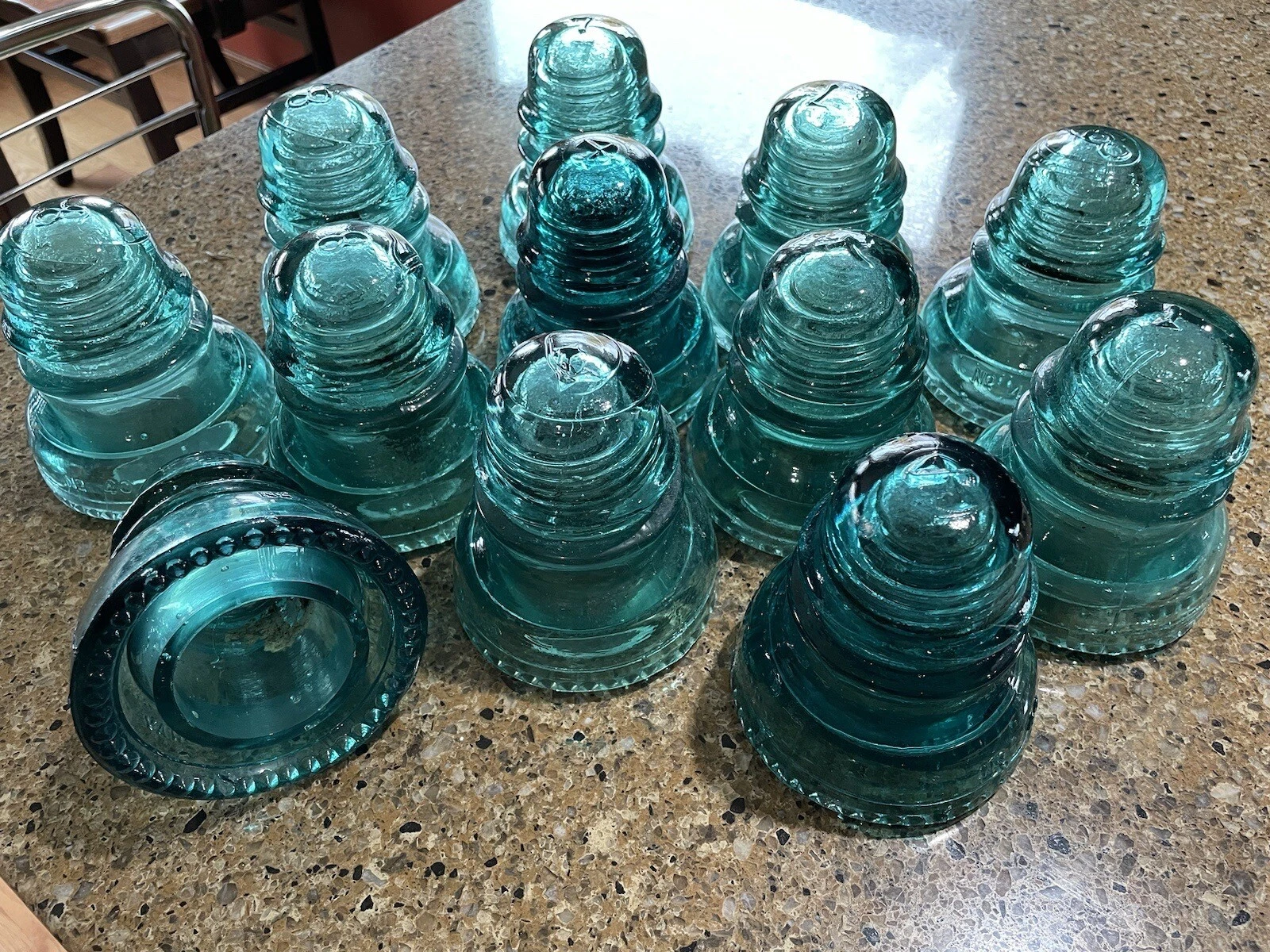 timid trout
spiral spruce
this is beatifull 😍
timid trout
spiral spruce
this is beatifull 😍
I think the gun looks raster?
tired brook
It depends of your refresh rate, for me, with 2k 240hz, can't go over 1600x1024 if i don't put the patch that my friend made
dull oar
but why do you need it set to 240hz?
tired brook
well, 1 it's my monitor refresh rate, and 2 i don't have the choice, just by connecting a 240hz on my pc, it force the game to try to show every resolution in the menu, so because of that i don't see the one over 1600x1024 without the fix
but i'm sure if i had a 1080p 144hz it should work i think
dull oar
default is 60hz, just leave it at 60
tired brook
i know !
But because my monitor is a 240hz 60hz or 240hz isn't the problem, i just don't see resolution over 1600x1024 because the game try to show every resolution with every refresh rate and it's capped at 256modes, and because of dxvk bug, with a screen better than 1080p 144hz the game just can't show it
I would love to play it 1440p 60hz without the fix if it was possible 😄
but since it has been fixed for me at least, not an issue 🙂
#1099591203768504421 message
Here is the issue that xoxor explained in details 😉
dull oar
an expensive monitor thats causing you all this trouble, madness
tired brook
Pretty much it 💀 😂
spiral spruce
now i can play at 1080p, thanks! @tired brook
 spiral spruce
how can i change the color of the sky?, anyone knows???