#Vampire: The Masquerade - Bloodlines (DX9)
1 messages · Page 6 of 1
 left grove
no clue as to why this happens, but going to investigate portals a bit today, see if I can solve one of our biggest problems, which is when as you walk around things disappear for a second and come back
welp, it seems as tho I have a texture now that toggles rasterization again, trying to figure out which and why
 somber sundial
left grove
welp, it seems as tho I have a texture now that toggles rasterization again, try...
somber sundial
left grove
welp, it seems as tho I have a texture now that toggles rasterization again, try...
This is usually caused by incorrectly tagged textures related to screenspace effects
So any post processing or large effects like smoke
somber sundial
In that case it sounds like a post process texture that needs to be ignored
Or potentially set to "In world UI"
left grove
interesting
 neat spindle
Check the UI Texture tag and look for a particle sprite sheet. IIRC there were a few of those that had both particles and UI elements in them and I may have accidentally tagged it as UI early on.
Speaking of particles, have any of y'all figured out how to get the particle effects to render yet? They're all invisible for me.
left grove
I believe we still don't know exactly how to do that
just yet
ok found my issue, I had a building tagged as UI 😔
accidentally made it's way there by me clicking off the menu
neat spindle
Happens to the best of us
left grove

somber sundial
neat spindle
Speaking of particles, have any of y'all figured out how to get the particle eff...
What I've had to do for SH2 is mark their textures as in world UI
neat spindle
I think I've tried that and that tag didn't seem to do anything.
somber sundial
What this does is still depth test them and everything, but it outputs the original rasterized effect
left grove
tagging some stuff now, and the sky textures do work as sky textures
have been going around tagging all invisible builds, I also found I had to go up and tag stuff on the skybox itself
for them to show up down here
 amber atlas
Feels like this "tagging everything as decals" issue is something we should bring up with Nvidia? The results you show here look EXCELLENT. But I'm definitely concerned if we are forcing things to rasterize or be rendering on a later or order they shouldn't be...
But yeah that's looking really nice in your video
amber atlas
though seeing it look the way we want is definitely getting me excited 😄
left grove
😏
amber atlas
so great work, it's a great example of the target
left grove
still no luck with the rain tho
amber atlas
we can say, hey this is what we WANT it to look like
the rain might get tricky
normally i'd say, let's treat it as a transparency shader and let the refraction take care of it
but its on that card that has other stuff on it too
so will the planes become distortion transparency as well?
also snagging that rain mist particle and having ray tracing ignore it entirely is probably a good thing to do as well
because that creates such a massive slowdown when the rain thickens up
amber atlas
yeah on mine (current release of remix) i haven't done any special tagging i dont think
amber atlas
let me boot it up and see what happens i have been in the haven for so long
so i might be just lying out my ass
neat spindle
The only way I can get particles to render is by flagging them as UI (which is obviously a non-starter). Worldspace UI and Particle tags do nothing.
 left grove
best result I can get is this, but then fire goes funky
or smoke rather
Tagged as terrain texture (probably wrong but only one that works)
neat spindle
Oh, yeah, that too. I kinda skipped that since it doesn't look correct.
somber sundial
Aaaah this KIND of makes sense I guess
I believe Source uses vertex colours to change the colours of particles
The terrain texture tag can actually get vertex colours
Whereas the others don't really
left grove
it fixes one thing and ruins another 
neat spindle
This is another one of those "They had this shit working in Portal RTX, I wish we knew what hacks they did"
amber atlas
well it just wont rain lol
yeah the raindrops dont really show up on mine
at least with this test d3d9.dll we have
setting them to ui does make them show up
but my frames are still tanked
also i'm curious about the walls as decal issue overall
will it be an issue when the texture is replaced properly with the emissive as a separate map and not as the alpha
my hunch is that will fix it
let me do a test right now actually
neat spindle
If that was the case wouldn't the windows still be rendering since they're the "opaque" part of the alpha channel per its use as an emissive map?
amber atlas
well lets find out for sure
i have ones that i did emissive for, but i just have it using the default old albedo with alpha
so let me remove the alpha on it and see
left grove
check this out, not even sure why this works, but it does things
amber atlas
thats wacky
neat spindle
Try tagging all of the particle sprite sheets that way and see if they make the effect look right. The way Remix captures animated sprite sheets for things like flames is to separate them into multiple different textures. It's probably blending the texture with other textures that haven't been flagged properly yet which produces the weird effect.
neat spindle
Also I just realized that my suggestion about sorting textures by category got implemented into the unreleased Remix runtime David is using
Very useful
amber atlas
yeah it's pretty nice
sorry struggling with some annoying glitches but almost got the test done
left grove
yeah!
I do wonder if it should have like a change history, where you can see an ordered list of the changes you made to the textures, so you can sorta undo them
so yeah it creates some funky things
there's a lot that texture is responsible for
which is an interesting problem
amber atlas
ok confirmed, that does indeed fix it
i THINK
lol
if i do unenhanced materials it falls back to the default, and immediately disappears save for the emissive
if i switch to enhanced which is the albedo containing no alpha and my emissive map separate
neat spindle
I think the engine compiles all the particles in a scene into a single texture at runtime (or textures, if it's animated), the extracted source files from the SDK have individual particle effects as their own files.
amber atlas
it renders fine immediately
so our disappearing walls i believe is due to the way they authored emissive as alpha map, once it's solid alpha its fine
left grove
"Vampire sounds to study or work to"
amber atlas
haha
left grove
ah these fucked dropplets are so annoying 
left grove
amber atlas
so our disappearing walls i believe is due to the way they authored emissive as ...
so should I not be tagging everything as decals?
neat spindle
Definitely not, haha
amber atlas
no i would avoid doing that
neat spindle
I think tagging it as decal was essentially blending the alpha channel into the base albedo, which is why it looked "right"
amber atlas


left is default materials, all windows still render since they are in white in the alpha
left is the alpha removed so its all white, and the emissive in a separate map
no disappearing
amber atlas
decals i THINK forces it into rendering last or above everything else
which is why it 'fixes' it, but probably long term breaks alpha sorting real bad
so if we just remaster properly then this SHOULD sort itself?
i hope?
left grove
if nvidia doesn't change the alpha rendering stuff on remix we should be good
neat spindle
Is it a setting change that enables that or is that baked into the new runtime? That could potentially cause issues in a lot of games, since I think using the alpha channel for emissives wasn't a practice unique to Troika at the time.
Mainly just because it makes it more difficult to assess what a game's "default" look is with RT when it's rendering half the world as transparent.
amber atlas
not sure on that, good question though...
i know that texture packing was certainly a thing back before mix maps were a thing
mostly it was... pack something into the alpha of another map, like a normal map or an albedo
so its possible this could disrupt remastering for some groups
somber sundial
left grove
so yeah it creates some funky things
Why the fuck are there two massive smoke plumes coming out of the cars headlights O.o
left grove
it's meant to be some light smoke clouds, and it's kinda from under the hood
idk, creative vision?
neat spindle
It's that rich guy's car, he broke down.
left grove
oh yeah forgot the context
 broken scaffold
@somber sundial While your logic is sound, I don't know what branch of the source engine you're on, but tagging walls as terrain has never worked. Terrain works for HORIZONTAL surfaces, but textures in source can often be re-used for floor, ceiling, wall, etc
and tagging as decal does NOT effect enhancements

decal
terrain

This is a known bug for quite some time
it may be related to our old engines
but this is what happens for these games
The way yo udescribed decals behavior is the way it should be
somber sundial
broken scaffold
<@309723958943678465> While your logic is sound, I don't know what branch of the...
I'm not modding source at all rn 🙂 And yes they will do that.
Using this technique is simply how some people have gotten things like vertex coloured cars in GTA to work for example
It's definitely not a solution, it just explains why you'd see different results ^^
broken scaffold
damn was kinda hoping you WERE and it was magically working on your engine then I can take a peak at it 
somber sundial
Naaawh I'm busy modding other completely broken games ❤️ Haha
broken scaffold
respect
In any case the way you described the application of decal is the way we need it right now unfortunately
just applying it on the surface cleanly
instead of trying to resolve the geo
somber sundial
Although I will say, if I didn't have Silent Hill 2 as my project, I'd definitely want to hop onto this instead
broken scaffold
go part time 
somber sundial
broken scaffold
just applying it on the surface cleanly
Well that's the thing, setting it to decal shouldn't place them on the geo they're already asigned to, it should start projecting onto any surfaces underneath it
In order to just have it UV'd like normal you should leave the textures untagged
And if that isn't working, then something is horribly broken and needs a bug report
broken scaffold
Well you did help the gang up there find out they had an improperly tagged UI texture so at the very least it can probably get untagged again
It does work fine for me untagged
left grove
@broken scaffold not sure if you have a repo for Dark Messiah or anything but I also asked around and figured out some stuff in regards to using git to version a collaborative mod and even how to set up symlinks between the repo and the game. Not sure if useful for you but here it is https://github.com/CattoSalad/VTMB-RTX-Remix/wiki/Getting-Started#add-symlinks
GitHub
A knowledge base for VTMB RTX Remix. Contribute to CattoSalad/VTMB-RTX-Remix development by creating an account on GitHub.
broken scaffold
This looks good
I already use symlinks for a lot so
I'm with it
will figure out how to incorporate it!
left grove
nice nice, I use them a bunch but mostly on linux, but I don't do much work on windows so possibly why
it's useful if you want to have source control for a mod and have mutliple people contributing to it
seems that's what the HL2 people are doing too
 neat spindle
Base wall material is done, now to figure out how to make all the variants
 neat spindle
Made some tweaks after importing to make it match better. Pretty damn close to the original texture now.
 amber atlas
That came out nice!
Did you export a height map? That way you can do a little parallaxing on the brick grout
neat spindle
Yeah, it's got a height map, I just went for a more subtle gap between the mortar and the bricks. You can see it in the top left corner of the screenshot.
amber atlas
oh yeah there it is!
neat spindle
How do decals interact with PBR materials? I'm assuming they get distorted over the height map, right? That's probably going to be a problem because the game uses decals for so many things operating on the assumption the surfaces will be flat.
broken scaffold
Decals looks good, the spread of the decal is essentially applied into the height. Blood will splatter in between bricks for example
neat spindle
Yeah, that's what I was worried about. Troika's artists apply all kinds of stuff that shouldn't deform as decals. Signs on buildings, posters, etc.
broken scaffold
Ahhh
neat spindle
We'll have to find a way to anchor more models in the scenes.
 snow osprey
neat spindle
Base wall material is done, now to figure out how to make all the variants
snow osprey
neat spindle
Base wall material is done, now to figure out how to make all the variants
It seems to me that the relief surface of the stone blocks needs work
neat spindle
snow osprey
It seems to me that the relief surface of the stone blocks needs work
Can you be a bit more specific than that? How does it need to change?
snow osprey
neat spindle
Can you be a bit more specific than that? How does it need to change?
As far as I understand a height map capable of shaping the surface of a stone block, If you pay attention, you will notice that the surface is not uniform but has some protrusions, they look like pixels, This often happens when generating a height map/displacement map
I myself encounter this problem very often.
amber atlas
neat spindle
Yeah, that's what I was worried about. Troika's artists apply all kinds of stuff...
if the decal itself has a flat height and it's 'above' the value of the height of the underlying texture, would it override? blend? I'm curious as well, definitely would like to do some tests there...
snow osprey
What do I think is the best way to create a height map/displacement map from normal map
snow osprey
neat spindle
Can you be a bit more specific than that? How does it need to change?
But the choice of texture is amazing, you are very well done 👍🏻🔥
snow osprey
neat spindle
Made some tweaks after importing to make it match better. Pretty damn close to t...
And the lighting color is acid yellow, Could you change the color of the light?
neat spindle
snow osprey
As far as I understand a height map capable of shaping the surface of a stone bl...
I'm not sure I follow, the height map is already deforming the surface. The entire thing is procedurally generated from scratch.
I might bump up the intensity of the stone noise to make it a bit less flat, though.
snow osprey
neat spindle
I might bump up the intensity of the stone noise to make it a bit less flat, tho...
Yes, that's a good idea 🙂
neat spindle

Most of the issue was in my texturing (I had an edge highlight step that was way oversharpened) but I also added a little extra stone noise into the geometry
I think it's still not quite there, but I'm not sure how to add more roughness to the faces that doesn't end up as straight noise.
Looking at it more, I think the thing that's bugging me is that the reference texture has baked lighting and shadows in it and my texture is looking flat because there's a light source directly on top of it. The stuff in the corner at a more oblique angle looks good.
snow osprey
neat spindle
Looks better 👍🏻
But this lamp and the acidic color of the light just unsettles me, Such lighting was in neverwinter nights 😅 It's annoying
neat spindle
That's how the light is in vanilla, most of the lights in the game have grungy tints
snow osprey
neat spindle
That's how the light is in vanilla, most of the lights in the game have grungy t...
This definitely needs to change... It looks very old
neat spindle
I like it, it adds to the moodiness of the scene. White lighting would look very out of place
snow osprey
neat spindle
I like it, it adds to the moodiness of the scene. White lighting would look very...
You can make a bluish tint, colder
In general, neon colors would be very suitable
neat spindle
Neon? Yeah, no. It's supposed to be an antique light fixture.
snow osprey
Then definitely the cold bluish color of the lighting
neat spindle
Why would it be blue? Aren't most older lights yellow to orange?
snow osprey
If the texture of the lamp is made clean, and it looks quite dirty, then the color of the lighting should become more white, but as for me, either a cold bluish shade or white but not yellow is better.
I've played too long Neverwinter Nights and Dragon Age: Origins, Not everything that looks old is good
neat spindle
Older bulbs produce light that is yellow/orange regardless of weathering, it's in the filament itself. And this is a light fixture that would have been vintage even in 2004 when the game is set. A bulb producing blue/white light wouldn't match the setting or the fixture type at all.
snow osprey
that this is not a modern gaming standard such lighting, Although in many respects I understand that it depends on personal preferences
neat spindle
I'm referring to how the light fixture itself would work if it were a real object. It wouldn't produce blue/white light.
snow osprey
neat spindle
I'm referring to how the light fixture itself would work if it were a real objec...
We have similar lamps in the CIS and they emit a yellow but warmer and richer color, Not acidic
snow osprey
somber sundial
If it's an old light, stick to that
stick on that? I felt really bad about this 🤦🏻♂️
somber sundial
snow osprey
stick on that? I felt really bad about this 🤦🏻♂️
I'm sorry what? I think there's a bit of a language barrier here
snow osprey
somber sundial
I'm sorry what? I think there's a bit of a language barrier here
Why should anyone stick to this?If it really looks terrible, I understand that many people want the lore-friendly visual to be preserved, I just personally don’t approve of this approach. RTX remix This is why it was created to keep up with the times
snow osprey
somber sundial
If it's an old light, stick to that
So I'll answer Agree to disagree
somber sundial
snow osprey
Why should anyone stick to this?If it really looks terrible, I understand that m...
Ah, I'd argue mainly to stay true to the game 🙂
neat spindle
snow osprey
Why should anyone stick to this?If it really looks terrible, I understand that m...
On a technological level, to be able to use modern techniques. We're not looking to make changes to the game's aesthetic design, since that's a large part of why VTMB is still played today.
You're welcome to install the toolkit yourself and configure it to your taste, however.
snow osprey
somber sundial
Ah, I'd argue mainly to stay true to the game 🙂
I have a completely opposite opinion, Let 2004 remain in distant 2004, it has nothing to do in 2024.
snow osprey
neat spindle
You're welcome to install the toolkit yourself and configure it to your taste, h...
Thank you, you are very kind
somber sundial
snow osprey
I have a completely opposite opinion, Let 2004 remain in distant 2004, it has no...
That's okay 🙂 everyone has their own taste, just from what I've seen from the group working on the project it seems that keeping the original look is the goal
snow osprey
somber sundial
That's okay 🙂 everyone has their own taste, just from what I've seen from the g...
No, you misunderstood, the main priority goal is improvement
snow osprey
somber sundial
That's okay 🙂 everyone has their own taste, just from what I've seen from the g...
The original look is for vanilla
somber sundial
Alright ^^
snow osprey
Those who generally want to preserve the original look from the developers should play vanilla. This settles all disputes. But if we are talking about improving technology, then this is in any case a reworking of those assets that look outdated and in 2024 are not used for development. I would like to be as fair as possible about this.
There is no need to glorify assets and vanilla, they were created by people just like you and me, and they were also prone to mistakes, Their decision about assets is not the ultimate truth. All modmakers can be guided by this principle.
somber sundial
It's just a matter of preference.
For my Silent hill 2 project I'm aiming to retain as much of the original feeling as possible whilst updating and replacing the assets because that's what I like 🙂
neat spindle
snow osprey
Those who generally want to preserve the original look from the developers shoul...
You're conflating technological improvement with aesthetic improvement. Broadly speaking I feel that the aesthetics of VTMB are quite strong already, I'm just iterating on the ideas that are already there using more modern techniques while trying to preserve the aesthetics that made me fall in love with the game in the first place.
somber sundial
neat spindle
You're conflating technological improvement with aesthetic improvement. Broadly ...
Agreed 🙂 I think using new tech to retain the already established aesthetics is the way to go
snow osprey
When released Bloodlines 2 you can get a lot of ideas from there
neat spindle
Bloodlines 2 will have its own aesthetic informed by its setting, why would I try to force that onto a different context? It makes zero sense.
snow osprey
neat spindle
Bloodlines 2 will have its own aesthetic informed by its setting, why would I tr...
I wouldn't say that, it's one setting, you need to take a closer look at the artistic style, It goes without saying that it must be Gothic style. But you can and should draw inspiration. The game should be enriched, the main thing is that it remains homogeneous.
neat spindle
LA and Seattle are completely different cities with completely different architectural styles.
snow osprey
neat spindle
LA and Seattle are completely different cities with completely different archite...
We are not thinking about cities or architecture now And about the Gothic style and ideas that you can be inspired by in order to fill the game with pleasant decorations, provided that they fit into the interior
This approach is just alien to you, I'm more liberal in my views
neat spindle
Sure, buddy
left grove
Our mission is simple we first make a base which effectively brings what we believe was the developer's views to this new technology. Once we have the whole game remastered I am sure it'll be a bit easier for others to branch off that and reimagine it completly
it is a huge amount of work tho
somber sundial
snow osprey
We are not thinking about cities or architecture now And about the Gothic style ...
You seem to disagree with the direction that the team actually working on this are taking, in such cases I'd suggest you simply do that work yourself instead 🙂
snow osprey
somber sundial
You seem to disagree with the direction that the team actually working on this a...
And I would advise you to adhere to the boundaries of decency in the comments. Changing the color of the lighting is not a difficult task, if I want to do it, then I will do it, but there is no need to rub it in my face
somber sundial
snow osprey
And I would advise you to adhere to the boundaries of decency in the comments. C...
Not rubbing anything in your face, we just don't seem to generally agree with you
snow osprey
somber sundial
Not rubbing anything in your face, we just don't seem to generally agree with yo...
It's okay No one has to agree with you on absolutely everything. The main thing is to comply with the concepts and not be a hypocrite. Vanilla is Original game without modifications or innovations, RTX Remix this is a game that gets new assets new modern realistic lighting many modifications and a more modern visual, the main thing is not to confuse one with the other
Everyone has the right to their own point of view.
somber sundial
We're not trying to create the vanilla game though?
We're just keeping the original art direction
snow osprey
somber sundial
We're just keeping the original art direction
With a huge difference in technology? I am surprised by modmakers who create assets that do not improve, but rather worsen the game, I often notice such work, and why hide it, I myself was one of these, This conversation turned out to be fruitless, It's probably better for everyone don't upset others and remain in their own opinion. 🙏🏻
somber sundial
snow osprey
With a huge difference in technology? I am surprised by modmakers who create ass...
I think the work that has been done so far is an amazing improvement 🙂 The team on this are doing great stuff ^^
left grove
Also curious about how much we can push the technology, but it was definitely a conscious group decision that we'd try to stick to hand authored remakes of textures. Of course there is some artistic interpretation to what the original vision was and how we build up on that, it'll never be perfect as we may misinterpret what is there or some other challenges with jokes not aging all too well
I don't think it's a bad thing to disagree, if anything this is a platform where we can share our findings and enable each other to use Remix to enhance a game we all love
somber sundial
I don't think sticking to an original artstyle is in any way inhibiting how much the art can be pushed with new tech.
Old tech had a lot of the elements that we can do these days, only they were faked in textures, billboards and sprites etc
Whilst these days we can make the effects actually behave more physically correct
So it's about interpreting the original intention of the artists and recreate that same feel using modern techniques.
We're not looking to re-invent the wheel and re-design the lights and environment props etc, those things weren't done the way they were back then due to a lack of technology.
snow osprey
Omg, The developers themselves have not completed this game, and patches are released by the community. The way the developers dealt with this game doesn’t inspire me with the slightest bit of confidence. This game continues to get the best from the community. This is exactly the case when it remains fair to criticize the developers Provide an adequate assessment of their development And try in every possible way to surpass them To teach them a lesson
somber sundial
snow osprey
Omg, The developers themselves have not completed this game, and patches are rel...
Right no I understand your standpoint 🙂 It just seems that most folks involved with this project don't agree, and want to retain the aesthetics of the original
left grove
I am just not sure what lesson we are trying to teach them, if anything Activision is the one that needs to be taught a lesson
amber atlas
I'm hoping we see multiple remix projects with different goals and takes on this. I want to play them all!
somber sundial
left grove
I am just not sure what lesson we are trying to teach them, if anything Activisi...
Ain't that the truth
amber atlas
@left grove your framework you are building on git is such a great way for anyone to get started fast as well which is super cool.
left grove
I'll make a cursed one where every texture is hyper realistic human flesh!
amber atlas
Tzimisce edition
somber sundial
amber atlas
<@132188707330457600> your framework you are building on git is such a great wa...
So true, and given that the mod is currently built without the fanpatch content ( Other than bugfixes ) I think it's a good idea to leave any future such changes to mods on top of this
left grove
if we have a good foundation that'll really help other projects take off
but either way this is all volunteer stuff so it takes time
amber atlas
Honestly @left grove you should consider making a mod db page for your repo and calling the mod like... Vtmb RTX Remix framework.
Then I can link my project to yours and credit you and say:uses cattos vtmb RTX Remix framework mod
And then it all links in and people can see, oh I want to make my own, I can go here and grab this to get started
somber sundial
Sounds like a great plan!
left grove
and I am currently stuck still looking at portals, not sure we have much control over portals on our version of the sauce engine (calling it sauce engine from now on, try to stop me )
left grove
amber atlas
Honestly <@132188707330457600> you should consider making a mod db page for your...
that's a good shout! I was thinking of creating a tutorial on the moddb page, so it's not like a standalone mod, but a guide for people to get started
the easiest we make it for others to work on this the better imo
amber atlas
Oh interesting! I was definitely trying to find a way to get your work to be like... The main platform for starting so that might be a good way to do it
I think your setup is real solid and if others get involved at the git level then everyone could start seeing benefits. But that's more of an open source approach which isn't for everyone or every project haha
left grove
yeah, I even asked around to get all the symlinks right and stuff, that really makes it easier to develop for it. But yeah I don't know what the barrier is as of right now
snow osprey
left grove
I am just not sure what lesson we are trying to teach them, if anything Activisi...
The very thought that perhaps they turned out to be something worse than the community should warp their minds, Many developers expressed regret when they found themselves incompetent in something and were surpassed by the community. Some even called modding a true evil out of envy. 😅 It's like climbing stairs in Skyrim, the developers said they couldn't implement it, but one modmaker from Asia just took it and did it
There was a huge uproar in the community I laughed at this for a long time
left grove
that is a funny one, but usually the way I see it with modding is sorta the whole doing what the devs didn't have time to/didn't get to do
and then also adding anything you'd want
somber sundial
snow osprey
The very thought that perhaps they turned out to be something worse than the com...
The difference here is that people LIKE the mood and atmosphere of the original game
If something is flat out broken then yeah by all means fix it
left grove
but in this specific case I think the developers were really passionate, the problems were working with an engine that was constantly changing beneath their feet + being rushed to ship a game at any cost
somber sundial
But if it's something people actually like, then there's nothing wrong with having it as ones goal
Plus the early game areas are really nicely polished in terms of visuals
amber atlas
I think also that it's good to have an overarching goal in mind with a given project or body of work, the goal a few of us have just happens to be what it is. Nathanael, it sounds like you have an interesting vision as well and personally I'd love to see you bring it to life so I can play it and enjoy vampire from your perspective!
It's important that this thread isn't about the stuff I'm doing or that flame is doing or that catto is doing, this thread is for anyone and any remaster that is going on (for vtmb). Nothing I do is the defacto remaster or anything flame does is the only way to do it. Personally I'm hoping to see more projects pop up in here!
left grove
yeah I agree with that, at the end of the day it's just a game I am incredibly passionate about and want to help however I can to make it look more realistic
but I really want to figure out those portal issues 😂 the game is smooth otherwise, I believe it's a must for it to be playable
I also wonder if remix will eventually support audio files replacement (maybe not but who knows)
amber atlas
Oh interesting... I'm betting on no. But I was also surprised when remix... Simply existed lol
I'm also curious how flexible it is, like if we need to extend it to be able to replace visemes with blend shapes or something, is that something we can build? Or is that a bespoke request at an "remix engine" level that could get super deprioritized because it is so specific to source?
left grove

I mean as far as remix goes it's open source, if we make a feature ourselves and make it PRable and then request to merge. Assuming we can reach a point where we meet the requirements to merge I believe there'd be no reason for it to not go in
because a lot of work on remix has been done because of Portal RTX, HL2 RTX
stuff like that
amber atlas
I'm betting that's above my pay grade and knowledge level haha. The system I imagine is pretty dumb on the surface.
Someone makes blend shapes in blender or whatever, they are named exactly as the visemes in the QC files for a source model. those get exported like normal. Then on ingestion it creates links to hashes for each viseme.
Not sure if ANY of that is possible! Lol
I should probably look at the source and see what the lay of the land is in general as far as extending the platform
left grove
I mean I looked at the source code for the rtx runtime and it's gibberish to me my C++ is abysmally bad
amber atlas
Haha yeah that's probably why I like C# so much since it's a managed language but also strongly typed like C++
Type inferred languages mess me up bad
left grove
I did do C# a few years back, so shouldn't be that bad for me to pick up C++ but the paradigm shift is what gets me
amber atlas
Yeah I did C++ when I was a baby making mods for HL1 but I struggled
snow osprey
amber atlas
I think also that it's good to have an overarching goal in mind with a given pro...
If this happens, it will only be at the level of modding the game itself.
 amber atlas
Made a dismemberment and gore mod where you could shoot off the limbs and head of the human grunts and it would switch to models with the correct limbs missing and spawn gibs that matched. Was my proudest moment as a baby modder haha. Never released it 😦
Lost to time
amber atlas
LOL
left grove
it's ok I made some mods for a Hat in Time, nothing too fancy
amber atlas
Are they up anywhere? I always want to pick that game up but it never goes below 15
left grove
steam workshop I believe
but they are embarassing 😂
they are Jojo's bizarre adventure themed
amber atlas
Aww I want to check em out
amber atlas
@broken scaffold was curious if you ended up getting the view model stuff to work on your end, over here I haven't had much luck.
broken scaffold
Which view model stuff?
amber atlas
 broken scaffold
Oh nah, I haven't had to because dark messiah uses body presence normally
The weapons are literally the weapon world models
No need for me to adjust anything
amber atlas
ok was curious if they faked with some transform matrix corrections
but its for real for real
haven't had ANY success with these settings, the held models just disappear :/
glad you don't have to worry about it haha
broken scaffold
I can help out maybe tomorrow, still fudging the skybox algo trying to make a version where you don't need a delta
amber atlas
nice, keep up the awesome work!
 amber atlas
or rather the fx models that reside in the skybox
yes i want a little snowglobe of it
broken scaffold
Did the no clip trick work?
I should probably send you the newest module that doesn't break it when the camera keeps flickering like it does for you guys
That would at least mitigate some of the issue
amber atlas
yes the no clip trick does actually get rid of it
broken scaffold
If you guys have the time, go through the levels and see if your skybox is all the same scale
The newest version has a fixed skybox scale config, so if it's all 16 you could just set it to 16 and should never have an issue again
amber atlas
oh another thing i noticed is when i make captures with this version you sent, the lights are all rotated as a whole like 90 degrees on the y axis
have you been running into that?
@broken scaffold
broken scaffold
Actually yes, but this was before I messed with that skybox stuff
neat spindle
I think I know the cause of that
broken scaffold
I think it doesn't have that merge that was in general
Where direction wasn't direction
neat spindle
Some games have a Z as the vertical axis and some have Y as the vertical axis. Remix has a setting that lets you toggle between the two.
amber atlas

this is how i have it when i captured
worked before
now its funky
guessing its because its missing the merge kingdavid is talking about?
neat spindle
It's possible whatever translation he's doing under the hood doesn't take into account that setting?
broken scaffold
neat spindle
It's possible whatever translation he's doing under the hood doesn't take into a...
I don't touch lights at all
All the algo does ATM is move the meshes
If you had illums then maybe
amber atlas
yeah i'm guessing its the new version we are on causing some funkiness
neat spindle
Hmm, okay. I remember having an issue where the lights were rotated in my captures and toggling the scene's vertical axis fixed it. I'm pretty sure Z-up is what I'm using.
broken scaffold
Yeah, check the latest RTX without my skybox thing and see if it works
You should be using z up, as that is the actual up for the source engine
left grove
still no progress on figuring out the portals issue, where it does the funky thing to the camera and render
I have reached the point of running any console command I find on the internet
broken scaffold
do you have any of the source engine patches?
left grove
I don't know, and I'd assume not
broken scaffold
Hah
left grove
this was one of the first games to come out right near HL2
broken scaffold
That's not what I meantn
I meant blue amulets patch list thing
For frustrum culling and all that jazz
broken scaffold
What launch parameters are you running with
left grove
-dxlevel 70 +mat_dxlevel 70 +r_novis 1 +r_frustumcullworld 0 +c_frustumcull 0 +r_occlusion 0 +r_shadows 0 +mat_queue_mode 0 +r_unloadlightmaps 1 +mat_drawwater 0 -novid -window
these
broken scaffold
Remove novis, frustrumcull ones
See if it stops happening
Obviously you'll put it back
Just probing
Novis, Cullworld and the regular frustrum cull to be clear
left grove
this has been the culmination of trial and error honestly
I believe we always had that issue, with and without but let me try it quick
yeah still there
let me try removing -novid too
but I believe this is causing more culling issues sadly
yeah, no difference. Without those there are some other issues too
like this wall that turns see through from certain angles

I'll brb, getting some food
left grove
r_DrawPortals r_portalscloseall and r_portalsopenall don't seem to do anything
left grove
I have footage of it with the wireframes enabled, or more like when the wireframes show that's when it changes to rasterisation temporarily and then back
oh the video capture doesn't fully capture it, I see a bit more when it's shifting oh well
it's basically this
amber atlas
whew the documentation on skeletal meshes is SO VAGUE haha

i've custom rigged and skinned hundreds of models, so that's no problem, but i'm more curious on HOW remix ingests this, and what do they mean by names, the names of the bones themselves? the hierarchy probably needs to stay the same... but does the skeleton name also need to be named the same?
and which names? the names that are generated by remix? or the names of the ORIGINAL skeleton?

guessing i dont have to ingest the skeleton as it's own asset? but just the export of the animated mesh on the skeleton as the new usd?
if the hierarchy gets borked on capture, what does that entail?
so many questions
it also seems like it splits up single skeletons into multiple skeletons sometimes
in that case if i recreate the naming and hierarchy will it ingest properly? or will that break everything?
neat spindle
Might be worth hitting up the HL2 folks, I think they have a replacement for Father Grigori set up?
amber atlas
oh yeah i know how they did that (i'm one of the folks, not on grigori but i am helping out on other assets) but NDA and all that
i can say they handle it differently than we will have to on here
but unless they are happy to say how they did it here im not even sure it's up to me to mention it
but i don't think it's a viable route for us due to our constraints
neat spindle
amber atlas
oh yeah i know how they did that (i'm one of the folks, not on grigori but i am ...
Oh, nice, I didn't know that!
amber atlas
Yeah I'm very lucky, some amazing artists on that team, trying to step up my game and learn from them!
also skinned meshes sometimes just get sent to the shadow realm, 0,0,0 of the world, so how am i supposed to snag these or replace them in general? not sure!
 neat spindle
I remember Mark saying something about replacing the character model with a stick body or something and making a custom head for it using the SDK since Remix can't handle skinned meshes.
Not sure if there's more to it than that
amber atlas
well according to that doc it allegedly can, albeit with some strangeness
so im confused about the delta between the docs and what mark mentioned
also i'd KILL for a scene hierarchy D:
back a ways David did talk about a breakdown for doing the work IN remix

really involved workflow
haha ok here we go

my tiny little baby proxy fridge
it animates
its ALL jacked up


but the right bones move at the right times and follow the animations
as well as the skinning weights that i put in there are respected
now im going to move the bones around and see what happens 😄

reloading remix after closing sent my baby fridge to the shadow realm
which is definitely going to pose some problems...
re ingesting crashed remix :/
ok it will re import, but re ingesting an fbx to usd that's already in the scene seems to hang the ingestion process indefinitely
imported and converted skeletal meshes face the opposite forward direction once in game


also im guessing green axis y, red ix x, and blue is z
but why would it flip IN game?
amber atlas
ok so some info, you can change the bones around all you want, rotate them, position, scale whatever, if they are named the same as the bones in the game, they will override ALL of that
they will move and rotate and scale to fit their transforms as the are in the animations
i tried moving the door bone way off somewhere, and it just goes back to where it's meant to be
so those are hard stops
good to know!
amber atlas


on the left is the original compiled model in the sdk model viewer
on the right is the skeleton (one of like 3) that it generated for the fridge
so already it's not producing the same bones D:
very curious how it's capturing skeletons in general and how it decides what's part of one skeleton vs another etc
amber atlas
trying some other avenues, got a succesful decompile, import to blender, made a change, then exported and recomiled and got a successful model file
but
i did it with some fridge that came with the UP patch and im like
whoa
what fridge is this
lol
amber atlas
hmm new compiled fridge opens fine in model viewer but crashes vampire on opening
 bleak barn
Finally caught up with everything in this channel. Way too many messages.
somber sundial
amber atlas
haha ok here we go
Oh shit you got an animated asset replacement working? 😮
amber atlas
somber sundial
Oh shit you got an animated asset replacement working? 😮
I think I probably hit a dead end. There's a few more things I can think of to try but I'm worried this is going to need some deeper support from the remix platform itself. Mainly due to the special issues with model compilation for vtmb 😦
somber sundial
amber atlas
I think I probably hit a dead end. There's a few more things I can think of to t...
Yeah sounds like the remix experience alright! That's still sick though, I think that's the first animated replacement I've seen outside the HL2 team
amber atlas
If I could just successfully compile models for vtmb then this is all just no big deal. But no one has cracked the code on that fully. Definitely been dreaming about animated refrigerators last night lol kill me


 amber atlas
thanks, i'm worried this is a roadblock that's beyond our skill, and i'm also worried that the benefits of building a more robust/solid skeleton system for remix is too bespoke to merit any kind of priority for it
and beyond that
the flex files for facial expressions are even more bespoke!
and with the hl2 project being able to work directly around these limitations, i can't imagine a good case/argument for those features
and since it's open source i think the expectation would be that the community extend it
so we might be stun locked
neat spindle
We can still replace textures for animated assets, though, right? So even if there are some models that we end up not being able to replace we can make them blend in as much as possible.
Also there are plenty of games that didn't come with SDKs, so it might still be worth Nvidia's resources to increase support for improving the skeleton system.
amber atlas
yeah im trying to figure out the impact of adding this functionality for the community writ large, if this benefits more than just us (which i think it can) then i see a good case for it
for instance poly limits for individual .smd files are actually somewhat low by today's standards, though you can just use $bodygroup to combine multiple smds into one .mdl that has a higher limit...
the other thing being that compiling models for source is extremely difficult and if the toolkit can help circumvent that complexity it would benefit all source games + other games with skinned meshes etc
they already have a preliminary implementation, so it seems like its something they are interested in, i just don't know where it sits in terms of priority or technical limitations and such
also

the closest i've gotten haha
the other way is that it crashes when i load the level
there's supposed to be a formatter sort of embedded in the crowbar model compiler tool, but i'm not sure if it's working correctly haha
left grove
amber atlas
and since it's open source i think the expectation would be that the community e...
I am sure someone will come along that is able to tackle this, either that or I'll have to learn it and attempt it myself 
amber atlas
haha wish in one hand... write a custom compiler in the other 😦
broken scaffold
I am finally like, not being consecutively stabbed by a 9-5 job that escalated to a 9-12 job for 3 days, so I will send out a new version of the module later today!
amber atlas
Awesome looking forward to testing it out
broken scaffold
Sorry for not sending you the module, I had a lot of issues updating to the latest DXVK push so wecan have that light issue fixedf
but then I had a real breakthrough in the algorithm
and I want to test it out a little
will definitely be worth the wait if it pans out
because it fully calibrates the skybox without needing any additional data
broken scaffold
When someone gets the chance either @left grove or @amber atlas would you mind sending me a pic of the camera views list thing that I made you guys look at before
I'm interested in the vectors there
Where is the location of the skyview vs the main cam
left grove
broken scaffold
Sorry for not sending you the module, I had a lot of issues updating to the late...
no need to apologise  thank you for your hard work
I am working but I'll be on lunch break shortly, I can send you the screenshot you want
give me 10 min or so and I can get you that
broken scaffold
Thank you, no actual rush
I just want to plug the numbers in and see if it scales well with bigger skyboxes
Dark Messiah's are really only up to 4 for the most part
and you guys have 16, I need that
left grove
sure sounds good
left grove
@broken scaffold so these? not sure what else or where else it could be
 broken scaffold
That's exactly it but I need a screenshot where the Main Pos is also populated
basically i need both cams active
 left grove
this is the santa monica hub
left grove
I can do the same map that safemilk showed you
left grove
ok one sec
my bad, I only did it here because I have a save that stands in the right position for that to be populated haha
here we are
 broken scaffold
The positions are equal between them, maybe noclip out?
and then back in
IDK why it's matching the two
wait
I know why
 left grove
oh want me to enable that
left grove
oh
broken scaffold
because you're inside, it is flagging the 3dsky to not render to save frames
noclip out onto the road
that should change
I hope
left grove
floating above the road
 left grove
possibly
I notice that our issues are when that main camera disappears
and it's exactly like you are saying
let me get it on video
it's appearing and disappearing at seemingly random intervals
broken scaffold
can't even be the TV because it's happenign on maps without additional RTs right?
left grove
I believe so
I can very quickly test that
there is a much smaller map which is only a shop, in here the main camera seems to stay. I believe I saw it disappear for a tiny bit and then come back. Haven't seen it disappear again
broken scaffold
It's weird because my delta calibration algo did work which means at some point it does resolve this
Oh well
Guess we're gonna do trial by fire
left grove
it seems like we have a different issue altogether
amber atlas
sorry you always tag me when i'm sleeping like a log haha
seems like there are some more tests that need to be done on this thread from last night?
 amber atlas
I'm definitely getting bummed out with the skinned mesh/model compilation blockers on this 😦
Even getting a simple 3 bone refrigerator setup working has been... nightmarish and hasn't resulted in a useable output.
I'm going to keep pushing on the rest of the non animated props and then the textures for the haven, get that map to 99% and then see about revisting the animated props, but just as I worried... man I think this is going to be our dead end on this, we may indeed have to resort to retexutres only which is heartbreaking
A problem unique to the broken and cobbled together modding tools for VTMB, invcredible work by the community to reverse engineer them and get them working at all... but, not enough to solve these issues so far.
 sinful lily
amber atlas
I'm definitely getting bummed out with the skinned mesh/model compilation blocke...
sinful lily
amber atlas
I'm definitely getting bummed out with the skinned mesh/model compilation blocke...
There was a post that seemed somewhat optimistic about skinned meshes over in the Deus Ex project thread. I don't know too much about how it works honestly, but for reference: #1097222012977561740 message
Even if it doesn't pan out to be a solid solution, I think there's at least something to be learned. Which is that a lot of these projects are going to run into the same problems, and it's worth looking around to see what others are doing. Especially because they're in the same boat, and will be willing to work on a shared solution if it's a good one.
amber atlas
I'll read through anything and everything that's a clue! Thanks!
There's still a lot of work ahead of me before I genuinely would need skinned mesh support so I'll keep watching and contributing context and examples to that discussion and do tests when possible. I'd love to find a way for any advancements to help everyone and not just solve my problems... Though I won't be mad about my problems getting unblocked hehe
sinful lily
amber atlas
There's still a lot of work ahead of me before I genuinely would need skinned me...
Well of course, we'd all love to have infinite time to make perfect solutions to help everyone. But we all love it when our problems fix themselves too.
amber atlas
Part of me feels guilty every time someone else solves a blocker for me, I want to help and not just sit back lol
Stuff like this makes me really wish. I knew C++ and had a good understanding of the source code for studiomdl
Imagine unblocking the modding community for the last 18 years for vampire the masqueraded bloodlines, I'd be so thrilled to see all the stuff people would make now that they aren't locked
Imagine clanquest mod but with fully custom characters instead of having to retexture existing ones!
sinful lily
Hm, is this a problem with the VTMB version of Source? Other source games have model replacement mods...
neat spindle
VTMB doesn't have an official SDK and it runs on a version of Source that's even older than HL2's.
amber atlas
Yeah, they have reverse engineered the compiling program that is used, but they're not sure what the modifications were to the tools that the team originally used when making the game
They were never officially released and so it's people who have sort of modified the ones for other source games
Meaning we can't actually compile and upload most things and most people can't get the compiler working in general myself included
Additionally, no one's built a version of it that supports things like the flex files for facial animations
So other source games can do pretty much whatever they want but we're kind of screwed
So I guess it's time for me to learn C++
neat spindle
There are file types VTMB uses that don't even appear in Valve's official documentation
sinful lily
amber atlas
the flex files for facial expressions are even more bespoke!
This is a permanent problem with no good workaround out there, and nobody working on it. I did know that much
amber atlas
Vtmbs model version number is also different and one from before the official release of Half-Life. 2
All studio model compilers, are later than that version by a large margin
Model files are binary files
So who knows what the differences are and what's making things behave the way they do
Ddullulu had some success like 8 years ago but they disappeared
sinful lily
At some point I did try to translate the phonemes from VTMB to HL2 Source phonemes, or something? I forget what it was I was trying to do. But basically without the original programs to devise the facial animations, that's nigh impossible to replicate. It's easier to just do it from scratch.
amber atlas
Yeah I don't mind doing it from scratch at all, I've done tons of rigs and tons of facial expression work in my career
But at that point the problem then becomes can remix capture those things, output them and then let us replace them?
sinful lily
But, considering this is a... modification and not a different game entirely... I'm not even sure how to do it from scratch for this project.
amber atlas
If so then I'm off to the races and I have no problems
Like if remix could just capture every individual phoneme or facial expression and output it a vertex file or something
And each one of those is an individual capture. All I have to do is make all those blend shapes in blender, and them out individually and replace them file by file
Which would be a dream honestly LOL
sinful lily
I wonder if Nvidia will expand the tools to handle characters more cleanly... Even so, it might be a while.
amber atlas
Yeah I have a lot to remaster before I even hit that point, but I would love to go further than just remastering the textures for the existing characters
As it stands, the characters themselves are split into multiple textures that have like flat UVS and stuff. Basically the way I used to make models and textures when I was growing up around that time as well
sinful lily
The SSDR that's talked about with the EA/DemBones project seems promising. Use poses to extrapolate skinning weights, or something like that. That's the gist of what it seems like it's doing.
amber atlas
So things like scenes or UV issues just can't be fixed and certain models just have really strange splits and really strange UV unwraps etc. Meaning there will be seems no matter what
Yeah I was looking at that, though. I'm so fast at skinning. I don't really need the skinning pipeline replaced, but the injection of skinning is what I'm really needing
sinful lily
Yeah, maybe the Deus Ex guys are having a problem of just getting the animations out or something. That'd be a different problem.
amber atlas
The workflow that I think could work really well is if we extract and decompile the characters, grab their rigs, skin the new remastered character models to the old rigs
Then once those are on the old rigs maybe I could just rename all the bones and then ingest them as fbx to USD
But the problem is is that we need to capture the rigs and characters wholesale so that they were being replaced properly
Currently it seems to capture rigs in groups of two to three bones. So one character will be made up of like 40 meshes and like a hundred different skeletons that are all named root, bone one
sinful lily
amber atlas
But the problem is is that we need to capture the rigs and characters wholesale ...
aw, so no adding even more jigglebones to characters? 😔
amber atlas
Lol
sinful lily
amber atlas
Currently it seems to capture rigs in groups of two to three bones. So one chara...
Wait a minute, so the problem is that you don't have a full skeleton of the original models?
amber atlas
I can get full skeletons for the original models from the source files and I actually have Jeanette decompiled right now and set up in blender
The problem is is that I can't seem to capture a full rig or a full character from remix
sinful lily
ohh ok I see
amber atlas
Like I would need that skeleton to be one hash in the remix files
But it catches it at like two or three bones at a time
Which makes me think that for whatever reason bloodlines is not GPU skinned but software-skinned
Which is another no-go
Though in the half-life model viewer there is an option to check on and off software skinning, I don't know if that has anything to do with the engine capabilities or whatever
sinful lily
Well there's a whole team and project working on HL2 remix... The engine version is different, but maybe there's crossover that can happen.
amber atlas
They do it the Nvidia suggested way, using their source SDK compile tools to replace models that way
I found the Nvidia suggests that's kind of the way to do it right now
And yeah, totally makes 100% sense to me in normal conditions
We just happen to be an outlier because all of our SDK tools are pretty much emaciated
sinful lily
right
amber atlas
We're in like a really specific valley of problems
neat spindle
To be fair, not every game releases with an SDK (although it was more common in that era) so this blocker will probably pop up in a lot of other non-Source projects.
amber atlas
Yeah I'm actually trying to see if maybe that's an argument we can make where it's like. Hey, think about how many other source games this will enable as well!
If there's an actual legitimate longer reaching use of this functionality, not just for vampire, but for All source games, that's pretty good
The other thing too is even source games that have an SDK shipped with them, getting compiled models with facial expressions and everything has always been like the most difficult thing that any source engine related modding person has to deal with
neat spindle
Oh, I was saying for games that aren't Source engine at all
amber atlas
So if remix can cut that entirely out of the process and just handle that pipeline they enable lots and lots of teams
Oh haha yeah good point
Capturing skeletons is probably something that everybody benefits from
Capturing expressions from valves mdl format or VTA format, probably not as much
sinful lily
The facial expression problem is honestly why I think porting these things to a different engine that just has RTX already might be actually a lot easier.
amber atlas
I was thinking about that too the other day, and the big problem I see with that is, I bet you Activision would cease and desist The living daylights out of us, because then at that point you're not making a mod anymore. You're making a new SKU
I do feel like we talked about this a while back. So sorry if I'm repeating myself. I've kind of been frazzled lately LOL
Hate it when people do that to me. So sorry if I'm doing it to you now!
sinful lily
There's a big discussion to be had with that, yes. I think we DM'd about it at some point. but worth always saying, since there's others around who might have a different idea.
neat spindle
Nah, you're good. It's a significant problem and revisiting it might prompt new ideas, particularly when there are different people in the discussion.
sinful lily
I've considered implementing a check to make sure you're logged into Steam and have the game installed. (Sorry for GOG users, there's an API, but it doesn't let you check ownership of games.)
er, rather, ownership of the game, not just installed.
broken scaffold
Hey I'm back with another request. Since that cam debug thing didn't work I'll just plug the formula myself. If anyone has access to hammer can you send me the skycam offset and scale values for maybe 5 maps? That should be a decent sample size
neat spindle
I have the unofficial SDK installed, I can check once I get home.
broken scaffold
Thank you
I won't be on for another 3-4 hours so you got time
One of those weeks.. even had an earthquake here!
neat spindle
@broken scaffold I've got the map file open, how do I check for what you need to know?
broken scaffold
Find the skycam entity
And then you should have parameters for it's origin and scale
At the very least scale should be there
Origin I'm unsure tbh
That's a hammer thing
And I don't do hammer
neat spindle
Neither do I, lol. I'll hunt around
Alright, every map I've opened has had the scale set to 16
Not sure how to find the origin, it doesn't list that in the entity properties
amber atlas
i believe that should just be the actual transform position of the camera object
also i'd bet MONEY on them keeping each sky as 16x
though i'm never against double checking
neat spindle
amber atlas
i believe that should just be the actual transform position of the camera object
Sure, but where is that information actually displayed?
amber atlas
trying to remember, i thought it was on the entity properties somewhere... but i might have to open it myself hold on
neat spindle
 amber atlas
yeah im looking right now too and i don't see position info
but im like... almost certain it's somewhere
im going to keep looking
neat spindle
Hammer is such a dogshit program, lol.
neat spindle
That's a low bar to clear, haha
 neat spindle
That's where your cursor is, as far as I can tell. I tried setting the viewport position to the entity and that number would move as my mouse passed over the windows.
amber atlas
yeah its weird
i think later versions of hammer it's different

like it reports the selected entity's pos
but not in this version?
yeah thats hassle, essentially, you have to hover your mouse in TWO views to then get the 3 coordinates
so top view for x,y and then side view for z
guessing the second number is the 'z'?
what a pain lol
neat spindle
Also I can't even tell where the entity actually is in the viewports. I hit "Go To" and there doesn't seem to be anything where it moves the windows to center on.
neat spindle
Grimy bricks
 amber atlas
nice those are showing pretty well!
also, i was looking at confession a few days ago, and man, i totally thought that was a wooden roof, but after i looked at it more, i think it's like long marble plates?
neat spindle
Welp, nevermind. Discord doesn't auto display .dds
Pretty sure it's really aged wood, but the texture isn't great
amber atlas
yeah... parts of it do really read like wood
neat spindle
The planks are super short for some reason and make it look more like brick.
amber atlas
i think its the really busted plank thats throwing me off
its got what my brain keeps reading as marble swirls but you're right
neat spindle
The short planks might have been a limitation of the texture size, gets more detail in a smaller texture
amber atlas
yeah, i wonder if an acceptable change would be to lengthen the planks? or would that venture too far from the OG?
neat spindle
I think I'm going to go for longer planks, the original texture seems very rushed.
Also something I noticed is that they use the exact same grime streak texture on everything.
Mine is generated from scratch so we can get a little more variety
amber atlas
nice
neat spindle
InstaMAT is amazing, probably never would have gotten into making textures from scratch if I had to give Adobe boatloads of cash just to dabble.
amber atlas
glad you're enjoying material/texture authoring!
neat spindle
So I know we've previously discussed authoring everything from scratch and avoiding uprezzing, what's our plan for things like paintings/engravings/etc?
As far as I can tell all the paintings are real works of art (notably the Cain and Abel ones). Going to be interesting trying to track down all the originals for the tapestries and such.
neat spindle
Found a list of all the paintings in a texture pack someone made. I think the ones in the Gallery Noire are originals, though, so uprezzing may be our only choice there.
left grove
is that acceptable, to uprez someone's original art work?  The normal ones we can likely find on the internet and reimport
Seeing this also makes me really want to get into the Material authoring, at least until anything else changes with the RTX Runtime
neat spindle
I'm unsure, to be honest. Textures and artwork are different things, IMO, which is why I thought I'd bring it up here. Ideally I'd like to add some PBR elements to the paintings, but it would look weird to do that with the low rez texture.
left grove
yeah... I can try to send out some emails to ask for higher res ones but I doubt that'll happen 😂
such beautiful paintings as well
I just wouldn't want us to get in any legal trouble for upscaling those 🤔 but those types of mods usually are fine
neat spindle
It would be super cool to get our hands on the original high-rez versions. Don't even know where I'd begin trying to get that, though.
left grove
I'll figure something out 😂
even if a "no" is guaranteed, anything above that is great
somber sundial
If someone upressed my original art I'd be terribly upset
left grove
yeah... trying to be considerate here, I'd like to not resort to it. Worse comes to worse try to find some similar fanart and ask the artist if we can use it 
neat spindle
somber sundial
If someone upressed my original art I'd be terribly upset
Would you be more upset if it was just completely replaced, though? They're kind of central to that whole Gallery Noire quest, and it's not like they're being removed from their original context.
Like I genuinely don't want to use uprezzing as anything other than a last resort, but replacing it with inferior fan art seems worse to me.
somber sundial
neat spindle
Would you be more upset if it was just completely replaced, though? They're kind...
WIthin the context, I'd be absolutely fine with that
I respect fan art
I don't respect AI
neat spindle
I don't mean fan art being an affront to original artist (obviously it isn't), I mean that I feel like it would have a significant negative impact on the scene in-game.
Both are bad options, but IMO replacing the artwork entirely is the worst for the project.
neat spindle
How would you even go about figuring out which specific artist made the artwork? Troika was a small studio, but that's still asking over a dozen different people to remember a single piece of art from 20 years ago.
somber sundial
That's a bloody good question! I'd imagine it was one of the concept artists
So time to dig through the credits
amber atlas
Some of them don't need much. The painting of the voerman sisters is amazing. I'd just add a painting brush stroke normal map and some roughness map and a faint height map for the brush strokes
But lots of them are soooonlow res it's true
broken scaffold
What my team is doing is just adding more detailed normal maps and height maps
Tbh you don't need to redraw a painting
But adding thickness for the paint or weaves for rugs, etc
That really makes a huge difference
So I'd recommend that route. Don't AI someones stuff!
neat spindle
amber atlas
But lots of them are soooonlow res it's true
I think this is the case with the Gallery Noire ones, unfortunately. I got lucky and the first artist I reached out to was the one who had painted them, but they no longer have access to the source files because Troika owned them.
left grove
Wasn't Troika dissolved? Doubt anyone would have them other than maybe Activision
Even then who knows
neat spindle
Yeah, that's the issue. Whatever assets they had are in limbo or just lost now.
 oak forge
left grove
Wasn't Troika dissolved? Doubt anyone would have them other than maybe Activisio...
oak forge
left grove
Wasn't Troika dissolved? Doubt anyone would have them other than maybe Activisio...
There may be people who owned them, I know Tim Cain still has Arcanum's source. But it's possible that even if that's the case the contract details may prohibit them from sharing the assets.
neat spindle
 amber atlas
There's definitely a situation here where we are making mods, personally I NEVER intend to sell this or anything about the work I do on this in any way. So I'm wondering what kind of elbow room that gives etc.
Like the poster for Lacuna Coil in the haven... It's literally their album cover, I already have the hi res version from their site. The game already had the rights to use that imagery in a deal they made with the band, it's the same image just higher res... so it's the same rights applied I believe?
It's such a strange situation, but there's definitely the detail about these being mods and not paid games that certainly has some kind of impact on end results/legal concerns as well. Though I don't know the ins and outs of course.
Also cool that the artist in this case got back to you haha
neat spindle
There's also a Ministry album cover in Confession because that's where the song they made for the game plays
I don't think that's really how rights work, but honestly worst case scenario we can just remove the offending content if we get C&D'd.
We're in enough of a gray area I doubt anyone will care, though, and the impact on the project if we do get a complaint will be minimal. Unlike if we uprezzed every texture in the game or whatever.
left grove
I can mirror the repo locally just in case 😂
neat spindle
Oh, on the topic of art Leonard Boyarsky's website has some concept art that we might be able to use as replacements if we find any other original art that's too low rez.
There's also a bunch of concept art in the Plus Patch extras folder
left grove
oh nice
amber atlas
neat spindle
I don't think that's really how rights work, but honestly worst case scenario we...
Looks like Century Media has the rights to the Lacuna Coil album cover, and I've seen them do some very cease and desisty things in the past, so I wouldn't put it past them to be like, 'no F u'
neat spindle
Yeah, record companies are notoriously litigious. I'm pretty sure removing the (high-rez replacement) copyrighted content would cover us if we did get C&D'd, though, so we should be fine.
neat spindle
@amber atlas do you have any advice on making these kinds of paneled materials like this? Stuff that's relatively uniform I can wrap my head around, but I'm struggling with where to start. Ignore the top half, that'll just the brick pattern I've already made.
 amber atlas
yeah! i think there are 2 approaches
one would be to use lots of shapes and bevels
and gradients
make one set of each shape
then tile and mask
horizontally
the other
and weirder (which i like to do)
is build it as a model in 3d, then bake it to a texture, and use that as a base in substance designer
im going to be building the bottom half of the wallpaper/hallway with wooden base for the haven soon
i was going to give both ways a shot
modeling it is more fun/faster, but you need blender exp
if you want to do the blender approach, i'd make a perfectly square plane, doesn't REALLY matter how big, then build the high poly to those dimensions, then bake, bring that stuff into substance designer as linked resources
here let me do it real quick and show you what i mean
the model part i mean

see where i'm going with this?


so then i throw a subdivision surface on it and add control edges to control the softness/hardness of the corners
this becomes my high poly, and the original flat plane is my low poly
neat spindle
The blender approach definitely makes more sense to me, I was going crazy trying to figure out how to make it with nodes.
amber atlas
yeah i COULD do it with nodes, but my god the amount of nodes you'd need
just to sculpt some simple shapes
neat spindle
For real, haha. I'm so used to being able to inset, extrude, and bevel topology.
amber atlas
haha yeah
i use this for the large strokes and then substance designer to do the more medium to micro stuff
neat spindle
Now to debate if I want to use that exact shape, it's got some weirdness in the middle parts where it's definitely image textures chopped together quickly.
amber atlas
haha yeah i skipped those for this example 😄
neat spindle
It's been fascinating looking at all these dated techniques for asset creation. They probably just had libraries of image textures and would chop those together. Like how I mentioned the same grime strike being used on everything previously.
amber atlas

heres a quick bake test
yeah photo collage was the old term for it
thats how i used to have to texture coming up as a wee lad
hi poly to low poly workflow saved my LIFE

threw some quick presets on it
and bam
you got a pbr material BOIS
obviously i'd go WAY further with this, model out more parts, be way more specific with plan grain directions, add wear and tear and masks etc
but this is a very nice and quick way to get the large block in's going
neat spindle
Yeah, that can all be done once the bake is dropped in InstaMAT/SD. This will cover most of the level geometry so I can have some good screenshots once this one's done.
amber atlas
yes!
amber atlas

ok ok im done i couldnt help it
wanted to do displacement
back to what i SHOULD be doing haha

but the heightmap from this is pretty useful i think!
top half is just some random rock pbr thats in toolbag4 lol
@neat spindle you mentioned a scene optimizer way back in the day, but i could never get it working or find the right one, do you have more info on that?
neat spindle
Scene optimizer?
neat spindle
I remember there was a style guide on what settings impact scene optimization, but that's about it.
broken scaffold
@neat spindle @amber atlas @left grove any of you guys up-n-up?
I spent all these days perfecting a great algo and testing it, only to find it has a floating point precision issue and it just can't be used
so I have a new one set up
So far good results on 1,2,4,16 scales
neat spindle
I'm in the middle of something right now but I can rest it out in maybe an hour
broken scaffold
Need some TESTS tho
broken scaffold
neat spindle
I'm in the middle of something right now but I can rest it out in maybe an hour
Copy that, will DM you the new module
I'll compile the new DXVK fixes into it as well
neat spindle
Working skyboxes thanks to our lovely friend here

Don't bother flagging things as decals, it's just the emissive issue we ran into from before.
broken scaffold
I've also made sure to check for your specific case where your camera just goes FREAKY
and deletes itself randomly between frames
so thankfully we don't have flickering there anymore and an accurate calibration.. hopefully
we'll see when the other maps come in!
This is also future proofed so custom maps for this game or other games will also work
sinful lily
This is stellar work. Deserves a mention that this could mean improving the pipeline for all Source games.
amber atlas
This is awesome! Great work @broken scaffold !
amber atlas
feel free to DM it to me too if you want me to test it more in different conditions etc.
left grove
likewise DM it to me too, I can help test anytime now
 weak coyote
wow! you guys King David got 3d-skyboxes working? outstanding 👏
amber atlas
weak coyote
wow! ~~you guys~~ King David got 3d-skyboxes working? outstanding 👏
It's been all @broken scaffold and his hard work! We are just testing it!
amber atlas
speaking of which
I do have some data for you @broken scaffold

This spot in the game I still get this issue, but I do think this is different than the other flickering sky issues right?
this is more related to something with vis leafs etc in the actual map being processed poorly, not the 3d skybox issue
since this happened even before
everything sky related is looking REALLY nice
and im not seeing any craziness
im really pushing it, and im seeing no issues
and its really exciting to see these levels look correct
broken scaffold
amber atlas
This spot in the game I still get this issue, but I do think this is different t...
Yep that's right, this issue is separate and I've actually got a better idea WHY it's happening. The vis leaf is disabling the skybox due to you being indoors and that causes it all to freak out
Like in that specific hallway you can't see the skybox at all
left grove
I may need someone to help me through getting started with InstaMat, haven't found a good video showing me how to get started that isn't 1-2 hours long
my question is mostly, I have my captured scene, I got a material .usd and a texture .dds, then I am meant to be making those, but not sure how to
neat spindle

Want to create amazing textures and materials but don't know where to start? Join me in a complete walk-through of our first material together in this amazing, FREE software called InstaMAT. We will cover a brick material from start to finish, learning all of the essential steps along the way that will help you get comfortable with the software,...
I know it's 2 hours long, but it's a really good tutorial, this is the one I used. It's got good timestamping and has some natural stopping points if you can't do it all in one sitting.
Ignore the material file from the game, that's not going to be used in this process because that's handled by the Remix mod file.
Basically you use the texture .dds as a reference and then build it from scratch using procedural elements.
Per Safemilk, there are certain things like the paneling I asked about above where it makes more sense to quickly model some geometry in Blender and then bake a height map using that. Then you can drop it into InstaMAT and do all the detailed material work.
left grove
gotcha, yeah I knew I had to use it as a reference and it took me a good while just to even figure out how to open the .dds
and my blender skills are close to none too, so for those cases I'll have to lear some blender too
neat spindle
I've just been using GIMP for that. You can also export it from GIMP as a different file type and then drop that into InstaMAT as a reference material.
left grove
I have photoshop so that was nice and easy
Thank you, I'll make a start later on today
neat spindle
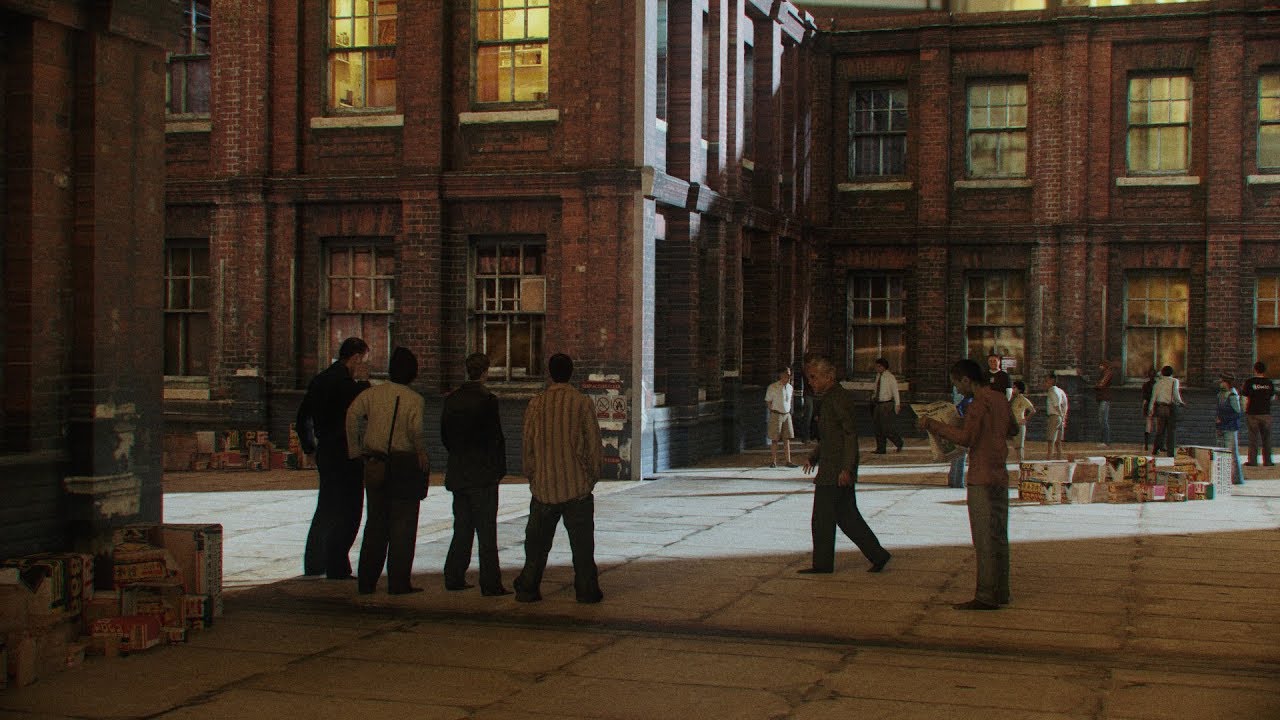
So! In the new 2.8 update, the defaults are such that if you extrude faces you might get a weird glitch where some faces are transparent (you'll know it when you see it)- it's a super easy fix, though! Open material properties, go to "Settings" and check "Backface Culling"- that'll fix it right up!
Also! To find "CORRECT UVS"- since folks hav...
left grove
I am going to make the skyline appartment entrance ceiling texture for now
neat spindle
This is basically all the Blender you'll need to know for our purposes, haha
Well, at least for the texturing part. Actual model creation is going to be a whole thing.
amber atlas

im getting this on all my captures even new ones in the new stable version of remix
@left grove @neat spindle you guys seeing this? or are you still on the old version of remix?
neat spindle
I think I'm up to date and haven't been having that issue.
amber atlas
wonder if it has to do with how wild and crazy i was with my initial project setup when i was experimenting
might be time to actually pull from catto's git repo and replace everything again and just be on a stable setup
also on the hashes in the repo
neat spindle
Did your symlinks get broken?
amber atlas
i dont know, captures dont even load
i think my mod layers are set up in a strange way or somethign from when i was doing my intial experiments
neat spindle
With how we have it set up it should technically count whatever repo directory you have as the rtx-remix directory.
amber atlas
yeah i should probably... clear this and then setup from scratch and then pull the repo once and for all so i can just be on our standard
which to me should be the community standard imo
neat spindle
That is entirely possible. I started completely from scratch when we set up the git to make sure my old stuff wouldn't interfere.
amber atlas
like catto's setup should be the baseline everyone can use to mod from so we have a community wide hash setup so people can replace what they want and combine with other mods etc
yeah thats what i wanted to do but i was on a roll at the time just makin' stuff
should probably take this time to reset everything and just get it all nice and tightened up
neat spindle
You'll probably have to make new captures, unfortunately. Thankfully you're working on a smaller location so it shouldn't be too bad.
amber atlas
yeah worth it in general to get on the proposed standard
and have all the hashes match up etc
left grove
@neat spindle last question for today when exporting it, which options do I want selected?
I am following the bricks tutorial, I just wanted to export it mid way to see what it would look like ingame
I am going to be doing this (hopefully)
 neat spindle
I haven't been using the tool long enough to know the options off the top of my head, could you screenshot the export page for me?
left grove

this
wondering if PNG is fine etc, remix is what makes it a .dds if I understood it correctly
neat spindle
I've been using PNGs for my source files so far, but I imagine we'll want to use something a bit more space efficient down the line.
You can skip the Ambient Occlusion map, Remix doesn't use that.
left grove
I imagine that's fine, I do wonder if git will not be able to cope
but should be fine
it's just cloning the project may take a while
neat spindle
I'm also thinking about end user install size.
left grove
right, that is fine because I believe it ingests the textures to .dds files which I believe are compressed (please correct me)
50GB 😎
I have no idea otherwise, I should look into it a bit tho
neat spindle
Ah, the ingested files? I'm not sure actually, that might be the case. I was planning to ask Safemilk for some input on what file type/compression/resolution/etc. we should be exporting at since they have professional experience.
left grove
yeah I believe it does get compressed and it's up to us to save the raw (PNGs) if we want them
otherwise it all gets compressed
neat spindle
There might still be a better file type for our source that's of comparable quality but not as huge.
I guess technically my source files are material projects.
left grove
true
yeah worth finding out what our pattern is, and we can then update the repo so everyone can use that as a baseline, and as to what's expected
amber atlas
either way you'll want LFS on, I forgot, did you put LFS on that repo? I feel like any textures are at risk of tripping that need
left grove
I believe I enabled it, but I can double check
on the UI it seems enabled
so I'll find out soon enough
amber atlas
haha crossin' the fingies
left grove
it does state that for archived repos git LFS is billed
ours isn't archived meaning should be fine
So about using my textures
I got these

assuming -> albedo is normal
not sure where the rest go
neat spindle
Albedo is Base Color
left grove
oh
neat spindle
Normal is Normal, Height is Height
Albedo means the light that reflects off of a surface (basically)
left grove
do I need to ingest them before hand? it seems to expect .dds
neat spindle
You need to ingest not matter what, even if it was .dds originally.
neat spindle
Top right of the Remix toolkit
amber atlas
i found it's better to ingest png to dds as well, if you ingest dds already it usuall has issues
neat spindle
Then on the left edge you'll want to click Materials
Or whatever it says that isn't Models
left grove
keep it as OpenGL?
neat spindle
No. DirectX
left grove
guessing Direct X
ok good
just making sure
it's saying invalid file type
it's a .PNG
humm
neat spindle
It's because the file extension is capitalized. I filed a bug report about that.
amber atlas
hold up

this
is what YOUR files are
so if you exported as directx
set it to directx
if opengl, set it to opengl
once ingested it puts it into REMIX's format
left grove
I have it set to DirectX
amber atlas
ok cool
just want to be clear this isn't what it outputs TO, but what it is reading FROM
left grove
it recognized them, not sure if right or wrong. Does this look right?
 amber atlas
it will spit out a new normal map that's ORTH or whatever which is their own
looks right!
left grove
nice!
amber atlas
will work for roughness and metallic as well if you name them as such
left grove
dumb question but is this it? it seems done
amber atlas
you just need to assing the textures in the modding panel
after that
so slecting it in the world
and setting the textures
neat spindle
You have to highlight all of those and click "Add to Queue"
Then it'll start the ingestion process
amber atlas
oh haha yeah you add them to queue and it processes and stuff, it will go to wherever you told it the output directory is
left grove
hum just Add? that seems to open the import window again
neat spindle
Sorry, Add to Queue
left grove
anywhere in specific I should use as output dir?
ah no worries, I am just here asking all the silly questions
neat spindle
I have my assets folder split with a source folder and an ingested folder
amber atlas
you can also do it from your original source, like you can ingest it from different hard drives, meaning you dont have to fill your vampire folder with exports and ingested versions of the exports, if you wanted to keep them elsewhere
left grove
we can probs set it up properly on the repo, I believe we discussed it a while back
neat spindle
I thought we already did
left grove
amber atlas
you can also do it from your original source, like you can ingest it from differ...
true, but I suppose it'd be nice to have the sources on the repo. I guess the symlinks will help with that?
amber atlas
i dont think? after it's ingested, the ingested file is the only thing that matters
the source files pre ingestion are ingored entirely by remix
if you want the repo to have the source then yes
neat spindle
Yeah, for now I think we want our repo to have source.
left grove
I am genuinely asking here
amber atlas
i have some thoughts on this in general though
this does get into weird territory though that i've been thinking about and wondering what you both think
left grove
sure, we can discuss it
amber atlas
if the goal does end up being that catto's repo becomes the de-facto like... MOD FRAMEWORK FOR VTMB!!!!
whic i think it would be amazing if it did
then wouldn't we want the main branch of it to just be everything is default, just hashes, texture tags, and emissive fixes
that way someone downloads it to start building their own mod, and they get everything exactly as is but just remix compatible
left grove
I am mostly coming from a developer background so for me it's mostly about reducing the bus factor. In case one of us gets hit by a bus (hopefully not), what's lost? and it's sort about mitigating that a little bit. It'll take up more storage
oh I see what you are saying
amber atlas
so when someone pulls and starts their own mod, they aren't like, oh it has safemilks tv, and cattos bricks
amber atlas
they'd go, oh i want cattos mod, its a mod on moddb that has your replacements, its built on top of cattos remix base which is something they can download separately as a mod starter kit
left grove
tbf you are onto something here
neat spindle
amber atlas
if the goal does end up being that catto's repo becomes the de-facto like... MOD...
Is that our goal, though? If someone else wants to make a VTMB Remix they'd basically be starting back from scratch barring our texture flagging and some basic setup.
left grove
and Freedom's could built on top of yours, which is built on top of my base
amber atlas
neat spindle
Is that our goal, though? If someone else wants to make a VTMB Remix they'd basi...
i dont know, but it's what feels the most community driven imo
like, hey everyone, here's some mods that remaster this, want to do your own? this is the full setup base you pull down
left grove
I think the texture tagging should be generic enough for a base
amber atlas
but the actual mods are mods on moddb
neat spindle
I've been operating on the assumption that this is basically one project because it's going to require so much work. Analogous to like Skywind/Skyblivion.
amber atlas
like i see minimum two artifacts, the git repo for starting your own mod, and some kind of mod hosted on moddb
the mod hosted on moddb can absolutely be the thing you are referencing
but having the base git repo be something that is community useable to start their own feels like a good thing?
left grove
yeah having those standalone gives people the flexibility to start their own mod from scratch without all the textures, and having our mod as well allows them to use it as a base if they want to
I believe it'd be easier to use the already textured mod and work off that, but who knows
amber atlas
if the mod part is a private repo, then the only way people play that is by downloading it on moddb
neat spindle
Yeah, that shouldn't be too much work, it's essentially what we've already done up to this point.