#📝|prompting-help
1 messages · Page 21 of 1
 tired vigil
also try increasing CFG if you can, its basically how much the SD will listen to your prompt (maybe at the cost of image quality but hard to tell what it does exactly)
 river apex
The prompt was only inflated due to desperation. I COULD NOT get the scene lit no matter what I did so I started to desperately adding lighting prompts and finding none of them would accomplish much. I'm SD online, I don't have access to CFG. Isn't there just a simple prompt for adjusting ambient light?
 cold mica
hey yall, any guidance on using the tool to make more 'of the same' from a source image? in this case a basic illustration of a grassy field?
 wooden ore
Hi, I am new in the world of stable diffusion and I am looking for advice. I would like from a video recreate the face of the person but on fire. And I can’t do it on deforum. Have you some advice:)
 strange jasper
please analyze my prompt and give me suggestions make this correct and better
"*highly detailed, UHD, Sony FX6 camera, 8K, 50mm, moving shot, long shot, low angle view, of a (((rider on Honda CRF450R Off Road bike))), above the ground going through in the air, balance, centrally focused , helmet head, mountains around, off-road, cinematic, motion blur, realistic, dusty, aggression, hi speed, DOF, bokeh, award winning on artstation *"
 tall prism
I have a doubt. Can I divide my prompt into different pieces like this
Lora: <loraname:1> <Loraname:2> General: (masterpiece:1.2), (illustration:1.2), (best quality:1.2), (cinematic lighting), (sharp focus), (vivid colours), multiple views, comic, line art, comic network Main Character: (name is Antony), (boy: 1.5), 9 year old, (child: 1.5), (Fair coloured skin: 1.3), (black eyes: 1.3), (short hairstyle: 1.3), (Black coloured hair: 1.3), (red coloured clothes: 1.3), (Wears goggle styled glasses: 1.4) Background: (Antony: 1.3, reading a history book: 1.2), (Egyptian pyramids in the book: 1.4), (book on table: 1.2), (curious expression on face: 1.3), (library surrounding: 1.4), (bookshelves filled with books: 1.3), (quiet library atmosphere: 1.2), (well-lit room: 1.1) Other characters: (lorem ipsum: 1.3), (lorem ipsum: 1.3), (lorem ipsum: 1.3), (lorem ipsum: 1.3), (lorem ipsum: 1.3)
 opaque prawn
Not sure if this is the place to ask, but I have a rather shitty picture of a buddy riding a jetski...
Is there a method to keep the rider intact (general looks, not necessarily the exact posture) and just replace the jetski with something silly like a unicorn?
I have tried img2img but cant figure out a prompt that "brings the rider" to the new image
river apex
Hey, I just thought that I'd let you guys know what I discovered about lighting. Prompts seem to have little to only subtle effects on lighting, I can't get anyone to help me with contols on Ambient or Illumination prompts. I did find a Lora that lit up my office builing nicely, "Add More Brightness". But WHY did SD randomly shut off all the internal lighting to begin with? I wish I could bill AI for 3 days of my time.
 glad thistle
For WebUserUI A1111: Has anyone found (or any that you'd recommend) a SDXL (not 1.5) Checkpoint which is really good for producing period piece imagery,.. such as classic style, or medieval, renaissance, French revolution, Battle of Waterloo, Napoleon, Marie Antoinette, WWI, WWII, Regency, etc.
 forest osprey
Hey! I have this as a picture generated, but I'd like to change the red glow lights going into the distance with blue instead. Is there a way to keep the shape/design the same of the tunnel, but just change the hue to a blue one?
I tried inpainting and using blue themed words, but it never quite gave me anything close to this but in blue

 thorny estuary
Hi, i m trying SDXL models for the first time, the SD models were working fine, but all XL models i try give me messy stuff like this :

Someone know where this can come from ? :/
glad thistle
Norghat... Use SD 1.5 Checkpoints,... not the SDXL,... Use the relevant Checkpoint to the version of SD you're using.
Using SD 1.5? Use SD 1.5 Checkpoints. Using SDXL? Use SDXL Checkpoints.
glad thistle
thorny estuary
What are your settings? Denoising. Sampling steps. CFG. High-res steps.
 hollow tapir
thorny estuary
hollow tapir
thorny estuary
incorrect VAE being used
thorny estuary
Thanks for your answers, i think i downloaded one without the VAE, downloading sd_xl_base_1.0_0.9vae.safetensors and testing soon
 sleek meadow
If a Lora has a prompt word, does using that + the full tag w/ weight make any difference? For instance, I found an image that used ichiro, masterpiece, ... etc etc etc.... <lora:ichirofull-02:0.95> Why not just put the <lora> tag at the start? Is there a clear case for using a single prompt word this way or were they just trial & erroring the way the model works thru the prompt?
 snow musk
my character keeps staying on a side of the portrait and not in the middle, is there a prompt i could use so she is in the middle?
 waxen bramble
Hi everyone, I'm trying to create a tool that will generate audio tracks/songs based on the text prompt I give to him. I have training data ready, but I'm not sure if there is any model out there that is usually used for this or I should create something on my own? Any suggestions are welcome. Thanks a lot in advance!
 paper sentinel
why are my generations coming out as videos by default? how can I stop that?
 placid haven
is there any way to make 2 lora coexist in the prompts?
cause it pisses me off when the image's quality gets drastically low
 static hinge
opaque prawn
Not sure if this is the place to ask, but I have a rather shitty picture of a bu...
static hinge
opaque prawn
Not sure if this is the place to ask, but I have a rather shitty picture of a bu...
It is not easy, you will need several processes, according to what to want to keep or change. Maybe roop extension can help https://youtu.be/9oSOHGGmu-Y?si=fghNpFPfQC054Fad

Want to swap faces from one image to another within Stable Diffusion? Well, look no further than this short, straight to the point tutorial which respects your time and teaches you what you need to know for Automatic1111 in Stable Diffusion.
And if you found this video helpful, then consider supporting the channel using the links below.
➤ Pa...
static hinge
opaque prawn
Not sure if this is the place to ask, but I have a rather shitty picture of a bu...
So you can start by inpainting instead of img2img. Inpaint is just img2img but only in the masked, so you can maybe get away with that, and keep the face. Using different denoise levels, or inpainting method (original, latent noise).
static hinge
placid haven
is there any way to make 2 lora coexist in the prompts?
cause it pisses me off w...
keep the same seed and lower the weights of both gradually until you find something you like.
opaque prawn
static hinge
So you can start by inpainting instead of img2img. Inpaint is just img2img but o...
Ok, I'll watch some detailed tutorial on inpainting. Thanks for the point in the right direction
static hinge
opaque prawn
Ok, I'll watch some detailed tutorial on inpainting. Thanks for the point in the...
when using an external img, you have to be aware of its resolution, and the inpainting resolution. In this case, you should inpaint "only masked", I think
 sharp spear

 rare echo
how can we choose a specifique style?
 velvet compass
what i am doing wrong? why she not wearing red clothes?

 woven willow
Is there any trick to controlling the number of people with SDXL? I'm trying to generate two people on a motorcycle together, and 9 times out of 10 it generates three.
static hinge
woven willow
Is there any trick to controlling the number of people with SDXL? I'm trying to ...
ControlNet Openpose, Regional Prompter, or both. Good tip, when you find a good seed where there is two people, stick witt it to see you can work with it.
It is a frustrating process but sometimes it works. The seed is very important as it will allow SD to generate the two people in the right place.
static hinge
velvet compass
what i am doing wrong? why she not wearing red clothes?
color is a pain, some concept will bleed its color over others. Try putting the color in the prompt prior to other concepts. Or try something like this https://youtu.be/JYGCDGNpmeU?si=S5zMlwfdSMBn7flF

The T2ia Color Method for Controlnet is really Powerful. It allows you to define the colors you want in your images. BUT you can also use it to define your compostition! Create Really cool images in A1111 or Vlad with this method. The Process is exactly the same for Vlad.
It this video I us Affinity Photo 2
Links from my Video
Contro...
velvet compass
thx i try that
static hinge
velvet compass
thx i try that
to be honest I've never use it as I'm too lazy for that, it needs some setup but it does the job, it seems
 silver valley
velvet compass
what i am doing wrong? why she not wearing red clothes?
silver valley
velvet compass
what i am doing wrong? why she not wearing red clothes?
The lora could be to strong
 near field
Is there a way to tell SDXL through the prompt input that two things you are telling it to draw are SEPARATE ?
For example, I tell it to draw pepe the frog, it will draw it.. and then If I tell it to draw a sleeping man, it will draw that... But IF i tell it to draw both, it becomes a sleeping pepe the frog, and I cant make it keep those two concepts separate
tired vigil
near field
Is there a way to tell SDXL through the prompt input that two things you are tel...
you would need to use regional prompting for different subject on a canvas, if you are using a1111 and sd 1.5, try this link https://github.com/pkuliyi2015/multidiffusion-upscaler-for-automatic1111

GitHub
Tiled Diffusion and VAE optimize, licensed under CC BY-NC-SA 4.0 - GitHub - pkuliyi2015/multidiffusion-upscaler-for-automatic1111: Tiled Diffusion and VAE optimize, licensed under CC BY-NC-SA 4.0
 vernal bay
Anyone have any mostly-reliable prompting tips for getting 3 distinct people from txt2img? I've found models that can make 3 characters individually, and usually 2 together. But if I try 3, it always wants to blend them.
tired vigil
vernal bay
Anyone have any mostly-reliable prompting tips for getting 3 distinct people fro...
what you are asking is regional prompting. look at the link i posted
vernal bay
Thank you, but you said that was only good for 1.5. I should have specified I am only using SDXL
tired vigil
vernal bay
Thank you, but you said that was only good for 1.5. I should have specified I am...
GitHub
set prompt to divided region. Contribute to hako-mikan/sd-webui-regional-prompter development by creating an account on GitHub.
support SDXL
support web-ui 1.5
vernal bay
Thanks, will give it a go. I tried this extension with SD.Next a bit ago and it would not function. But maybe better now
vernal bay
Yep still not working there. Ah well. Other solutions?
23:56:55-649930 ERROR Running script process: extensions\sd-webui-regional-prompter\scripts\rp.py: AttributeError ............ AttributeError: 'StableDiffusionXLImg2ImgPipeline' object has no attribute 'model'
velvet compass
static hinge
color is a pain, some concept will bleed its color over others. Try putting the ...
cant get it to run, cause the yaml files are not on the github anymore :/
static hinge
velvet compass
cant get it to run, cause the yaml files are not on the github anymore :/
no idea, I haven't run that model, and it seems to be an issue https://huggingface.co/TencentARC/T2I-Adapter/discussions/15

 crisp lily
@velvet compass TencentArc made separate repos for most of their models have you tried
https://huggingface.co/TencentARC/t2iadapter_color_sd14v1
I think thats the same one as mentioned in the video

 mortal garden
are newbies welcome to ask questions here? i don't wanna get torn apart for being stupid/being new at stable diffusion
i just installed automatic1111's github repository w/ stable and idk how to make good images so i'm trying to learn
 pale furnace
I found out that the term "execution" is on the list of prohibited words for use with the Stability AI API. Could anyone please provide me with the complete list of banned words to ensure I adhere to the guidelines when making requests?
velvet compass
mortal garden
are newbies welcome to ask questions here? i don't wanna get torn apart for bein...
install that addon, that will help you alot with the keywords

"tagcomplete" in the available window then you should find it
sleek meadow
Maybe dumb Q: When prompt examples say "BREAK", do they literally mean putting the text BREAK followed by a line break, or is it just meant to signal a line break?
static hinge
mortal garden
are newbies welcome to ask questions here? i don't wanna get torn apart for bein...
yeah ask
 gritty drum
Hi Everyone
I need some help with prompts. I am using img2img inpaint upload to replace item with same kind of other item with that we trained our model. After replacing getting blurriness around item and position of item is also not as perfect. Please provide your guidance to fix these issues.
tall prism
How do I specify a second character in my generations? When I try to do it, it fuses both the characters into one. For example, if I specify a young kid and a wizard, it gives me a kid with a Wizard Outfit.
 crystal peak
tall prism
How do I specify a second character in my generations? When I try to do it, it f...
crystal peak
tall prism
How do I specify a second character in my generations? When I try to do it, it f...
Inpainting is one easy way.
tall prism
I can't do Inpainting, I am doing it through API Calls, not using actual WebUI 😔
tall prism
crystal peak
Inpainting is one easy way.
I have a doubt, I am trying to do consistent generations using the same character but in different setting and doing different actions
crystal peak
tall prism
I can't do Inpainting, I am doing it through API Calls, not using actual WebUI �...
Do you have img2img?
tall prism
To achieve this, I have been feeding the same character description along with the other prompts that specify the setting and the actions and I am using the same seed
No, I don't. I actually use a python code to generate multiple different images and then combine them into a PDF using a Python Package
crystal peak
Why a PDF?
crystal peak
The requirement of what?
tall prism
The purpose of the backend I am developing
My code generates a plot and the prompts using Chat GPT and then feeds it to Stable Diffusion one by one and then combined the output
velvet compass
how can i prompt lets say 20 pictues, with random seed, but the same seed within those 20 pictures in different models.
for example
Picture 1 : seed 289323 - anythingpruned, facebomb, clarity, dreamshaper, waifufusion
Picture 2: seed 892321 - " "
...
random seeds but the same seed for each Model
so i can compare the models
is that doable over X,Y,Z plot?
 faint sorrel
Can sm help me with my results?
I try to generate an anime result like the following but I can't get it.

Not good enough

 tired vigil
faint sorrel
I try to generate an anime result like the following but I can't get it.
tired vigil
faint sorrel
I try to generate an anime result like the following but I can't get it.
you want these kinda of colors and stuff but on the other image ?
Try a more anime model, counterfeit goes to that sepia-like fancy style by default
maybe pikasnewgeneration, or kakigori v3 
static hinge
tall prism
How do I specify a second character in my generations? When I try to do it, it f...

GitHub
set prompt to divided region. Contribute to hako-mikan/sd-webui-regional-prompter development by creating an account on GitHub.
tall prism
Yeah I have tried that but I am unable to get GPT to use this when generating prompts as I automated the entire generation process
static hinge
And probably needs ControlNet, I just been trying and no luck doing two characters
 thin quartz
Hi guys little question is weight possible (taken into account) in the negative prompt I have the feeling that sometime it's not working for example doing a magic creature writing (normal color skin) with parenthesis seems to have no effect at all
 lyric goblet
What do I write in the prompt so that the person holding a weapon in the image does not get cut off? Like you only see part of the sword because it is too zoomed in?
 pulsar valve
Can I get some help on generating decent crowds of people? I'm struggling to generate anything that doesn't look like a giant fleshy mass.
I've been asked to make a picture of a whole bunch of bald guys of various ethnicities hanging out in a court room in a style similar to old sunday funnies. I grabbed a checkpoint called comiccraft and a lora called pop art, my sampling method is DPM++ 2M Karras at 30 steps. My prompt is
50s cell shading illustration
many bald men in a courtroom, white man, (black man), (hispanic man), (asian man), nicely dressed, lora:pop_art_v2:0.5, pop art, Jim Davis
And the negatives are just woman, female, hair
Obviously I could zoom in and img2img all those faces, and I'm not opposed to the notion, but that would take ages. Is there a more reliable way to render a decent looking crowd?

 snow musk
how can i make it so it only shows thigh up? cowboy shot doesnt seem to do the trick
 subtle silo
I have this image, how can I use the same 2 chickens but have them do different poses? Like for example going on a camping trip, being in the swimming pool. But I want it to be this same 2 chickens

 open solstice
 static hinge
thin quartz
Hi guys little question is weight possible (taken into account) in the negative ...
static hinge
thin quartz
Hi guys little question is weight possible (taken into account) in the negative ...
imo that's a very vague concept. You need a more direct concept on the pos or neg, to nail it down.
The way to test this is to generate with the same seed, with or without the concept you are trying, so you can see how it affects the generation. Trying different seed may help.
And when you add a concept it may bleed into another ones, change the style, etc. Hope it helps.
snow musk
how can i make a character appear further away and show more background?
static hinge
snow musk
how can i make a character appear further away and show more background?
try some wide shot, panorama, Landscape Photography, Environmental Portraits
but many times when you put much detail on the subject, subject face, it will draw it closest to the camera. So maybe get the pose with more vague description of the subject and then inpaint for more detail.
Also could be done with ControlNet OpenPose
tired vigil
snow musk
how can i make a character appear further away and show more background?
You can outpaint after, this would be good to maintain quality of the character in the image, if you care about that a lot
static hinge
subtle silo
I have this image, how can I use the same 2 chickens but have them do different ...
afaik that's a nightmare, you could try ip-adapter but usually it is kind of messy
I think you will need a tremendous amount of brute force to do it, just by trying until getting some base, then inpainting until you get closer. But as the style is kind of simple maybe you could do something.
 delicate anvil
is there a good way to get the face in the center of the frame?
tired vigil
delicate anvil
is there a good way to get the face in the center of the frame?
portrait should usually get you that, if you really want to place the person exactly in the middle then you might want open pose
delicate anvil
ty!
 sand gale
yoyo I need a little help with generating images, whenever I start generating and it shows a blurry preview it always ends up looking better than the finished product
is there a way to prevent this from happening?
 bronze tiger
In ComfyUI I'm thinking about creating a workflow which starts off with SDXL model then switches to SD 1.5 model at the end to use SD1.5.5 loras is there a way, for me to stay in a Latent space SDXL model without converting to image to use a SD1.5 model?
static hinge
sand gale
yoyo I need a little help with generating images, whenever I start generating an...
try different samplers, sampling steps and CFG Scale. I usually use 4.5 CFG Scale. My guess is that CFG scale/sampler may be too strong and changes the generation a lot in the finals steps.
sand gale
static hinge
try different samplers, sampling steps and CFG Scale. I usually use 4.5 CFG Scal...
thank you
 jaunty pendant
i have no clue if this belongs here but like im having trouble getting my gens to be saturated, they look good while genning but then when its done it gets all yellow and stuff idk how to explain
i have a vae in place and its not doing anything
static hinge
jaunty pendant
i have no clue if this belongs here but like im having trouble getting my gens t...
Don't know exactly, but you can copy some prompt and exact settings from example images in the model, so you discard it has something to do with the style or something
jaunty pendant
i found out i was using a vae not intended for that model so im good now
 dense forum
I am not getting exact bed in this particular image
I am using Img to Img
my settings are :
Steps: 150, Sampler: DPM++ 3M SDE Karras, CFG scale: 7, Seed: 4202690751, Size: 1024x1024, Model hash: 94b3a53c61, Model: STUCSTCRAJACTBEDB62_28275, Denoising strength: 0.75, ControlNet 0: "Module: none, Model: control_v11p_sd15_seg [e1f51eb9], Weight: 0.45, Resize Mode: Crop and Resize, Low Vram: False, Guidance Start: 0, Guidance End: 0.4, Pixel Perfect: False, Control Mode: ControlNet is more important", ControlNet 1: "Module: inpaint_global_harmonious, Model: control_v11p_sd15_inpaint [ebff9138], Weight: 0.4, Resize Mode: Crop and Resize, Low Vram: False, Guidance Start: 0, Guidance End: 0.4, Pixel Perfect: True, Control Mode: ControlNet is more important", ControlNet 2: "Module: mlsd, Model: control_v11p_sd15_mlsd [aca30ff0], Weight: 0.2, Resize Mode: Crop and Resize, Low Vram: False, Processor Res: 512, Threshold A: 0.1, Threshold B: 0.1, Guidance Start: 0, Guidance End: 0.2, Pixel Perfect: True, Control Mode: ControlNet is more important", Version: v1.6.0-2-g4afaaf8a
Can you guys please help me.

 tawny bramble
How do I prevent SD from creating a video instead of an image?
tired vigil
select option format and then image
 vague wedge
Which negative prompts i need for removing that human hands 😮
 vernal bay
hands
 toxic dragon
I've been trying to recreate this type of picture all day and no success. ANy suggestions. I've tried regional prompting, open pose, and a ton of prompts including the word "fisheye lens" and film grain/vhs and I got nothing

 peak igloo
#📝|prompting-help does anybody knows a prompt that I can use to generate this gradient background please 🙏🏻

 hard pendant
what is the closest i can get to something like this

 torn cliff
peak igloo
<#1011743094309396631> does anybody knows a prompt that I can use to generate th...
torn cliff
peak igloo
<#1011743094309396631> does anybody knows a prompt that I can use to generate th...
Actually that sort of background should be fairly easy to make. Just create a gradient from top to bottom over the whole image, then create a second one in a circle in the center from inside to outside.
peak igloo
Okay cool then homie, share the results too…
peak igloo
torn cliff
Actually that sort of background should be fairly easy to make. Just create a gr...
Yoo you genius man, thanx bro appreciate it!
torn cliff
You're welcome. ^.^
I remember doing something like that when I was taking programming.
 next crescent
I need help with two things: 1.) Anyone know how to keep umbrellas from appearing in scenes with rain? 2.) Anyone know how to get a wide shot? I got it to work briefly with 'wide screen' for a few generations and then it stopped working.
 green flume
toxic dragon
I've been trying to recreate this type of picture all day and no success. ANy su...
green flume
toxic dragon
I've been trying to recreate this type of picture all day and no success. ANy su...
Probably some lora was used. Dont found anything on metadata of this image?
static hinge
next crescent
I need help with two things: 1.) Anyone know how to keep umbrellas from appearin...
- maybe you tried but "umbrella" in the neg? 2) I think that this usually has to do with adding too much detail description of the character, it tends to draw it closer to get the details. Solution may be trying a loose description and adding details later, or some ControlNet
toxic dragon
@green flume No it was a tiktokvideo screencap from a video i found.
green flume
toxic dragon
<@919187679588024331> No it was a tiktokvideo screencap from a video i found.
Check on civitai for lens loras. But i dont remember seeing any with a so round result.
toxic dragon
There's a fisheye lens lora but it was for 1.5 and the faces kept turning out like crap
 dusky crest
How can I make a prompt that make two people appear in same image like "Ronaldo and Messy"
strange jasper
Capture a stable diffusion photograph of Minar-e-Pakistan, Lahore, Punjab. Embrace the essence of tranquility in this iconic structure. Opt for a balanced composition, ensuring a stable and steady shot. Utilize gentle diffusion to soften the light, creating a serene atmosphere around the monument. Aim to highlight the architectural details while maintaining a sense of calmness in the image.
Negative: bad architecture, unrealistic, jpeg artifacts, duplicate, nsfw
this giving me not the real landmark its giving me resembled the real one.
link to the real landmark: https://en.wikipedia.org/wiki/Minar-e-Pakistan#/media/File:Minar_e_Pakistan_2021.jpg
please help me to achieve up to the mark.

Minar-e-Pakistan (Urdu: مینارِ پاکستان, literally "Tower of Pakistan") is a tower located in Lahore, Punjab, Pakistan. The tower was built between 1960 and 1968 on the site where the All-India Muslim League passed the Lahore Resolution (which was later called the Pakistan Resolution) on 23 March 1940 - the first official call for a separate and ...
see this prompt too:
photorealistic image of (tower of pakistan), (landmark), (pakistan), (lahore), soft dramatic lighting, cinematic, 8k resolution, ultra high resolution, perfect, balanced, pakistan resolution 1940, showcase on gettyimages.com, minar e pakistan, (February 21, 1999, Indian PM Atal Bihari Vajpayee became the first Indian leader to visit Minar-e-Pakistan)
Negative: bad architecture, unrealistic, jpeg artifacts, duplicate, nsfw
its also giving me something else.
#1100170312106127410 message
 i want the real one. please help
i want this one: https://en.wikipedia.org/wiki/Minar-e-Pakistan#/media/File:Minar_e_Pakistan_2021.jpg
Minar-e-Pakistan (Urdu: مینارِ پاکستان, literally "Tower of Pakistan") is a tower located in Lahore, Punjab, Pakistan. The tower was built between 1960 and 1968 on the site where the All-India Muslim League passed the Lahore Resolution (which was later called the Pakistan Resolution) on 23 March 1940 - the first official call for a separate and ...
 lucid yew
 glass kindle
I'm a newbie and I'd like some help on installing Stable Diffusion
glass kindle
I'm a newbie and I'd like some help on installing Stable Diffusion
there is a site called youtube.com, and just search there are many tutorials
glass kindle
I know, but thought I'd get some little help here
Guess I'll go there
Thanks for nothing
lucid yew

Stable Diffusion is an amazing open-source technology. It's completely free. Don't pay for anything, instead use free software! This guide shows you how to use Stable Diffusion UI v2, a simple GUI interface designed for people new to the scene who want to learn about AI image generation and start playing around with it.
Links & more info in my ...
this is the playlist i started with
lucid yew
glass kindle
Thanks for nothing
from installing to setting up models, that playlist has most the basics you need
glass kindle
Thanks
 primal wyvern
Hi guys, may I ask what do yall use for upscaling? Like which upscaler for anime-ish pics and which for more realistic ones?
torn cliff
I think the one I found worked best for me was Ergan 4x or however you spell it. Other ones made the image blurry or for some reason made a big black box up the left side of the image.
primal wyvern
Yeap I'm also using that as one of my main ones, just thinking if i could optimise it more so the pics come out even better I guess
tired vigil
https://openmodeldb.info/models/4x-Fatal-Anime this is a good one for anime, I also like ultrasharp and esrgan ones

also site with upscalers and stuff if you wanna look at others
vernal bay
any way to get colors via hex code in a prompt?
static hinge
vernal bay
any way to get colors via hex code in a prompt?
I could think an indirect way is using some color control model, for SD 1.5
https://huggingface.co/TencentARC/t2iadapter_color_sd14v1

Havent actually tried them but it seems that you can input the colors and it put it in the image, so it would be an indirect way of using exact colors
The T2ia Color Method for Controlnet is really Powerful. It allows you to define the colors you want in your images. BUT you can also use it to define your compostition! Create Really cool images in A1111 or Vlad with this method. The Process is exactly the same for Vlad.
It this video I us Affinity Photo 2
Links from my Video
Contro...
vernal bay
thanks. so only through controlnet but not through regular prompt
static hinge
vernal bay
thanks. so only through controlnet but not through regular prompt
I don't think I ever saw something like that, and it makes sense as models are trained on images, no hex code, so they wouldn't know what is it
I mean with images linked to concepts, yes color, but not color code
 somber plover
does anyone know of good terms to use if I want red eye from flash? I'm trying to create some more candid looking photos, like they were taken with an old sony point and shoot.
next crescent
I need to zoom out. Anyone figure out how to set the camera distance? Tried 'wide shot' and 'Far shot' and other camera terms, but it doesn't want to do any of them. Anyone know? Pleases & thankyous!
somber plover
I am also trying to figure that out lol. I've been trying "from a distance" but that also doesnt work
next crescent
'high angle' works but 'low angle' doesn't...
err...maybe low angle does? just slightly?
static hinge
wide shot, panorama, Landscape Photography, Environmental Portraits
static hinge
this confirms my theory (well really I kind of read about it somewhere), if you put detail of the subject, it will draw it closer, more detail about the face, even more.
Here I didn't even put a subject, just wide shot, panorama, Landscape Photography, Environmental Portraits and just draw a little guy just like people want

Didn't even included a subject
but portrait I think include it in a way
next crescent
negative on the lens size and all of the individual prompts
maybe it's a combination of them
static hinge
here I use subect "robot" and draw it kind of big

here (robot far away) and it is kind of big also, but helps

Landscape Photography, robot in the distance there is zoom
 tired vigil
next crescent
maybe it's a combination of them
tired vigil
next crescent
maybe it's a combination of them
Are you using a realistic model
static hinge
I think the trick is to generated some base with simple prompt as a complicated one will change camera distance, and then inpaint for detail
next crescent
yeah
I'm trying to make a picture of Jessica Jones and Luke Cage fighting robots in the MCU
tired vigil
try some like "f/5.6" or "f/8"
next crescent
craaaap, no it didn't help
tired vigil
next crescent
craaaap, no it didn't help
okay last one this is for shutter speed try 1/60 haha
next crescent
nada
tired vigil

next crescent
full body brings the camera slightly back
tired vigil
Just try describing it as best as you can then
"Full body photo of something doing something in the distance capturing the full view of the place"
static hinge
wide shot, panorama, (city:1.4), superheroes fighting in the background

I think it is really hard to get a good scene like that in one prompt, maybe best is to try to get the escene without characters and then inpaint them
wide shot, destroyed city after superhero battle

low angle, destroyed city after superhero battle
 static hinge
I think the trick is to generated some base with simple prompt as a complicated ...
static hinge
static hinge
I think the trick is to generated some base with simple prompt as a complicated ...
👉
 tacit dome
anyone knows how to prompt color hair like this ?
 primal wyvern
Is there a way to retrieve the prompts down to the checkpoint used if I have an image?
next crescent
err...you mean the png reader?
 stark shard
tacit dome
anyone knows how to prompt color hair like this ?
stark shard
tacit dome
anyone knows how to prompt color hair like this ?
maybe try frosted tips/ends or sth like this?
tired vigil
tacit dome
anyone knows how to prompt color hair like this ?
very hard through normal text to image without loras and such, regional prompter can do the colors on hair fairly easily
silver valley
primal wyvern
Is there a way to retrieve the prompts down to the checkpoint used if I have an ...
Yes if its stored in the image meta data. You can load images in the PNG info tab to get them
tired vigil
How can I modify my prompt to ensure that the pier is complete, i.e. starts from shore, like most normal piers do?
This is the prompt I used along with some artist styles, for the image above. Prompt: (an image:0.5), (a rickety pier juts from shore into a (snow covered:1.1) Japanese lake, with (mountains:1.5) in the distance. I was able to generate a full pier by adding "from outside the left of the frame", but idk if that is the best way to approach it. I also included "partial pier" in the Negative.
Also, I've asked for a snow covered lake, and it definitely includes snow, but I'd like the entire lake to be covered in snow. What would be some ways to accomplish that.
I'm just learning the art of prompt crafting, so be nice. 😉 TIA.
 primal wyvern
silver valley
Yes if its stored in the image meta data. You can load images in the PNG info ta...
primal wyvern
silver valley
Yes if its stored in the image meta data. You can load images in the PNG info ta...
If I uploaded the image to twitter, the meta data is lost and I probably won't be able to get it back right?
silver valley
primal wyvern
If I uploaded the image to twitter, the meta data is lost and I probably won't b...
Yes if twitter deletes metadata

 silver valley
 scenic vapor
im using realstic vision 5.1, any idea how could i fix her face up
scenic vapor
im using realstic vision 5.1, any idea how could i fix her face up
There are multiple options:
Using Highres fix
Using img2img inpainting
Using ADetailer Extension
Using Extras Tab Codeformer
static hinge
when inpainting, is it better to get rid of the seed?
 crimson patio
okay guys, best way to fix hands for now? i have a lot of embe and loras, but its still bad is most of renders...
static hinge
crimson patio
okay guys, best way to fix hands for now? i have a lot of embe and loras, but it...
controlnet with depth map library of hands, and mastering inpaint settings
extension gave some errors back them, but you can just put/pose the depth map in any image editor (EDIT: it seems that new extension is better)

This package contains 900 images of hands for the use of depth maps, Depth Library and ControlNet. Usage: Place the files in folder \extensions\sd-...
GitHub
Depth map library for use with the Control Net extension for Automatic1111/stable-diffusion-webui - GitHub - wywywywy/sd-webui-depth-lib: Depth map library for use with the Control Net extension fo...
stark shard
I'm trying to create cat girl (rpg character art) in dreamshaper but as cat ears are easy i'm not sure if some of my negative prompts don't block adding cats tail

 crimson patio
static hinge
controlnet with depth map library of hands, and mastering inpaint settings
crimson patio
static hinge
controlnet with depth map library of hands, and mastering inpaint settings
I hoped that after such a long time some better solutions had been found. I was hoping for some simple embe or lora simply. From my observations using these depth lib with cn not working really good, with this I also have to fight to make the result good. Well thanks for info.
static hinge
crimson patio
I hoped that after such a long time some better solutions had been found. I was ...
There are some Lora's like this https://civitai.com/models/200255?modelVersionId=228013

Update : Please if you see any of my models somewhere else report or let me know! Thnx Trained on base model xl 1.0 Works well with realistic stock...
I try all aproaches when trying to fix hands. Sometimes just inpainting until it gets there, adding some Lora like that.
Depth maps draw some really good hands but sometimes a little stiff, but may work for a foundation. But take some work, so both approaches kind of take the same time.
But as SD works, it doesn't understand the 3D shape of a hand so it will always struggle.
I also tried OpenPose but usually is a mess, needs a lots of tweaks and then it doesn't respect the dummy.
it is always a fight, I just try to master inpainting settings, the amount of denoise, the area I give the IA as context (if I want a general shape, something more like "whole picture", if I want detail, only masked with a lot of zoom)
crimson patio
static hinge
it is always a fight, I just try to master inpainting settings, the amount of de...
If I change the face, I use inpaint area "only masked" and if the hands "whole picture" as I understand correctly. Where do these differences even come from? Why is it like this here and like that here? I see that you seem to know about it then maybe you can explain to me.
And one more thing, should I inpaint on lower resolutions? For example, if I use hires fix and there is a 1500x1500 image, I have the impression that then inpaint is much more difficult (I'm even skipping the length of rendering).
 compact maple
Do you guys know of a website or "library" one can use to have visualized prompt help? Like "these cameras gives this result, this focal gives this results, these artists for this, this engine for this and so on? As i am terrible at remembering and having visuals, or a XYZ plot to compare scene/target art/photograph prompts to see "what i wanna make today"?
static hinge
crimson patio
If I change the face, I use inpaint area "only masked" and if the hands "whole p...
inpaint can be done in any resolution, for SD XL I use for example 1024 x 1024, or for lazyness I leave it in 832 x 1152.
Whole picture is an inpaint that takes the whole picture as context, and delivers an image with the img size resolution. So it is good as SD can see the whole image, the whole composition, when it adds something. Usually good for adding characters, big changes, etc. So the changes will make sense in the whole picture.
For adding some not-impact composition changes or details, usually it is much powerful to inpaint "only masked", so you inpaint with much more resolution, so it gives more detail and resolution in that area. SD will see things with more zoom.
with "only masked" it is important to play with "Only masked padding, pixels" so you give it enough context so SD can understand better what you are inpainting, it is the zoom level.
But usually it depends if you are adding things or getting detail. If you just add detail, you can inpaint only masked with full resolution and low "Only masked padding, pixels". Also, low denoise there, as high denoises means it will try to create new things, and it won't have a context to understand what is it doing.
But if you want for example to fix a band hand, it is usually good to give some context of the arm and maybe the body, playing with "Only masked padding, pixels". it is kind like doing something similar to Whole Picture. But Whole Picture is bad for details, it will be difficult for it to fix a hand from that away.
So the thing is to manage the context of the inpaint, higher denoise means you want to create something from zero, so if you don't give it context, usually it won't match with the rest of the image. But if you add detail, low denoise, and you can work with a lot of zoom (the zoom depends on "Only masked padding, pixels")
Hope it is clear, yes I gave it a lot of thoughs. I repeat somethings as I didn't know a better to write it.
crimson patio
static hinge
inpaint can be done in any resolution, for SD XL I use for example 1024 x 1024, ...
OK, that's really helpful, now I understand a lot more. One last (I think) thing: what about adding new things, what is the difference between sketch and inpaint sketch? For example, I have a random photo at school, a character is sitting, and I want to sketch a cat sitting next to it. What then?
static hinge
crimson patio
OK, that's really helpful, now I understand a lot more. One last (I think) thing...
Oh I've never use it that one, just saw it in a video. You can do a rough "Windows Paint" sketch and it will use to draw the prompt. So yes you can paint something orange with a shape of a cat, prompt "Garfield" and it may draw Garfield.
But usually just inpaint will do the job, and if you want something more specific you can even photobash a cat and then inpainting so it matches the image
Another thing is understanding fill/original/latent noise, I usually jjust use original or latent noise. The thing to have in mind is: if you want to create something new, usually "latent noise" (or "fill" think), if you want to work with something that is already there, "original". Increasing denoising is like going in the "latent noise" direction.
So for adding something completely new: fill/latent noise, medium or high denoise
For getting variations of somethings that is already there: original with high denoise
For adding detail: original with medium or low denoise
Also I think using random seeds it is better for inpainting as if it doesn't work you will stumble upon the same result over and over
static hinge
static hinge
There are some Lora's like this https://civitai.com/models/200255?modelVersionId...
BTW I'm just trying this Lora actualization, it draw kind of illustration/cartoon hands, sometimes with 6 fingers, but really good base to start with
stark shard
Anyone can help with adding cat tail to a character facing camera? sfw and such, just wanted to create art for my character in rpg but after few hours i'm getting tired ;d
tall prism
I am using Latent Couple to generate 2 characters. For some reason, the details given to one half is bleeding onto the second character. This is my prompt:
Realistic, park background, 2 boys AND ((Realistic)), 2 boys, Superman, laughing, muscular AND ((Realistic)), 2 boys, (name is antony, boy: 1.5), 9 year old, (child: 1.5), (Fair coloured skin: 1.3), (black eyes: 1.3), (short hairstyle: 1.3), (Black coloured hair: 1.3), (red coloured clothes: 1.3), (Wears goggle styled glasses: 1.4), child, happy

 raven eagle
Hey there, I'm trying to make a photo where a dimensional fissure opens in a cave, and some monsters cames out from it, and the dwarves fight against them, I'm using this prompt but no good results :In a cave a very dark dimensional fissure opens and terrifying monsters come out of it, the dwarves who own those caves try to fight with the monsters to stop them and close the dimensional fissure, high details, high quality, 4k
tall prism
raven eagle
Hey there, I'm trying to make a photo where a dimensional fissure opens in a cav...
I am not sure if I am right but don't feed Stable Diffusion who sentences. Break it down. And you can use strengths to specify how important something. For example
(Cave: 1.4), (Dark portal in Entrance: 1.3), (Monsters from portal: 1.3), (Dwarves with weapons: 1.4), fight, war, ((highly detailed)), ((best quality)), ((4k)), ((rtx))
I can't guarantee that my prompt works but it is just an example
I got something like this but you can work on improving it


You can also use Inpaint later on to add missing details
raven eagle
tall prism
I am not sure if I am right but don't feed Stable Diffusion who sentences. Break...
Thank toj very much I'm kinda new in this, did you bother if I send u a dm?
raven eagle
Hahaha nice then, thnx for help
tall prism
🫡
 lucid trail
I'm trying to generate shop interiors, my images have nice compositions but all have this scratchy detail all over them, even though i've tried many dramatically different prompts and models. Is there something I'm missing in the settings that would be more suited to this kind of image gen? I don't remember ever receiving these glitches when I was prompting last year
 slender linden
what is the best model rn?
 vital jolt
slender linden
what is the best model rn?
vital jolt
slender linden
what is the best model rn?
JuggernautXLV6RunDiffusion. Hands down.
vital jolt
lucid trail
I'm trying to generate shop interiors, my images have nice compositions but all ...
Compare the metadata from a png from last year with the prompts you're running this year. What's changed?
It's almost impossible to get a van-dyke beard. (Shown in image) Even this example is not ideal. Regardless of promptcraft, I invariably get either a full beard or a dinky soul patch and mustache. What is your prompt recipe for getting these results?
 tired vigil
tall prism
tired vigil
tall prism
Do you not have a vae ? I see grey-ish images
 pastel juniper
Hi all. I have a prompt question. I’m trying to render an image of a 1st person point of view holding a mug. So the thought process for me is you see hands holding the mug only from a person pov and then in the background is a tv/fireplace/whatever. But I am struggling to get this camera angle of the mug. Any ideas?
 vestal drift
Hi! I'm trying to write a prompt that will create similar photos to this with different text. I seem to be unable to replicate it and need some help! Is anyone able to point me in the right direction, please and thank you?
 tall prism
tired vigil
Do you not have a vae ? <:catlurk:1017871526978125854> I see grey-ish images
tall prism
tired vigil
Do you not have a vae ? <:catlurk:1017871526978125854> I see grey-ish images
I have VAE but I didn't enable it
 keen panther
Hey guys,
I want blend a photo of a human face and that for an animal. To be more specefic, I wanted the character to have a human face with human proportions, but layered with fur. The character will also have their nose replaced with the nose of a rabbit as well as have ears of a rabbit. I wanted to make sure that the face is still recognisable as the original face when transformed. Can you give some advice on how to achieve this?
static hinge
keen panther
Hey guys,
I want blend a photo of a human face and that for an animal. To be mor...
Hi, I was thinking, first choose a more animalistic checkpoint, that draws creatures. Then there are many possible approaches, like just prompting all that in some way.
Or maybe in a photorealistic model so it is more creepy.
I would get some base and then just inpaint until I get there.
keen panther
static hinge
Hi, I was thinking, first choose a more animalistic checkpoint, that draws creat...
Are there any checkpoints you suggest? Honestly, I currently use checkpoints for anthropomorphic animals and have generated some suitable photos that I can use. The problem is figuring out how to blend the photo of a human face with the generated image. I have created some abominations attempting to use img2img on the human face.
I am not aiming for a creepy character design. More something akin to the blue guys in Avatar.
static hinge
keen panther
Are there any checkpoints you suggest? Honestly, I currently use checkpoints for...

Initial version of Chimera XL, focusing on (un)realistic creatures, hybrids, monsters . The training data had Gen1 pokemons (just their names, no t...
static hinge
keen panther
Are there any checkpoints you suggest? Honestly, I currently use checkpoints for...
instead of img2img, try inpainting that is a img2img in the masked area, so you can try to construct your vision step by step
keen panther
Can you explain how inpainting can work for giving a face fur? To be more specefic, layering fur ontop of an existing human face?
static hinge
keen panther
Can you explain how inpainting can work for giving a face fur? To be more specef...
Start from the base human and mask/inpaint some parts that will have fur and try your prompts like fur, fur face, fur skin, and see if it makes something you like and if it does a good transition
It may need some brute force and trial and error
but I think that model can do that
keen panther
Cool, I will give that a go then. Thankyou
static hinge
or maybe prompt with that model and see what you got
keen panther
Thinking about the previous discussion on modifying the texture of an existing image, I remembered about this youtube video I found. I thought it would be nice to share.https://www.youtube.com/watch?v=UyoXmHS-KGc

❤️ Check out Weights & Biases and say hi in their community forum here: https://wandb.me/paperforum
📝 The paper "GigaGAN: Scaling up GANs for Text-to-Image Synthesis" is available here:
https://mingukkang.github.io/GigaGAN/
My latest paper on simulations that look almost like reality is available for free here:
https://rdcu.be/cWPfD
Or this ...
 brittle sentinel

Is something wrong with my prompt? or is something wrong with beta.dreamstudio.ai ?
 hybrid ledge
Hello! Could some one help me with regional prompting? I want to make something like this, is it possible? (different height of columns)

 gusty dome
Can anyone help me? I'm trying to replicate an image created with JuggernautXL (1) but when I use the same params and the same checkpoint, I don't get the same output (2)
this is the metadata for each image
1 (original):
three fat tan kittens in one picture
Negative prompt:
Steps: 30, Sampler: Euler a, CFG scale: 7.5, Seed: 1057723624, Size: 1024x1024, Clip skip: 2, Civitai resources: [{"type":"checkpoint","modelVersionId":198530}]
2 (mine):
three fat tan kittens in one picture
Steps: 30, Sampler: Euler a, CFG scale: 7.5, Seed: 1057723624, Size: 1024x1024, Model hash: 1fe6c7ec54, Model: juggernautXL_version6Rundiffusion, Clip skip: 2, Version: v1.6.0-2-g4afaaf8a

 vernal bay
My understanding is that Euler A is not deterministic. So it won’t do exactly the same thing every time
gusty dome
even if that's the case, I have tried to replicate other images with other samplers with the same checkpoint and the same problem persist, it is slightly different
 frail cedar
Would appreciate some upscaling tips. Currently using 'Ultimate SD upscaler' with some decent results but not always perfect. Is it recommended to use same seed/prompt/sampling/sampling steps when upscaling? Should you still use refiner when upscaling?
 solid bramble
can someone help me with my lighting? seems like no matter what i do can't get her to be lit by the environment and am stuck with her under a spotlight or something. model is Rev animated using comfyui and Kohya's hiresfix.
 vernal bay
Volumetric Lighting or Dynamic Lighting usually work for me
 lilac sentinel
Guys which style should I use for Vintage Sci Fi theme?
 bold idol
Hello there, I'm using SD in A1111 with the CrystalClear SDXL model.
Here is my prompt : Photography A very detailed and clear Photograph of a black wrought iron fence in front of a tree with pink flowers and surrounding greenery. A light-colored building with white windows stands behind. The scene includes a grey concrete sidewalk with visible wear and a small patch of grass, clear depth of field , high-quality camera lens effect, European architectural elements in the background, RAW file, Kodak, Canon, 4K, Hyper Realistic., Creating art with Photography, often for capturing reality, light, or visual narratives.
Negative prompt: drawing, bad, ugly, blur, blurry, defocus, low res, distorted, oversaturated, shallow DOF, pixelated, unclear, poor lighting, dull, boring, underexposed, cartoon, blurred, draft, iphone, low contrast, smartphone, text, humans, silhouetes, persons, kitsch, pavement, flare, 3D, unclear, disfigured, kitsch, ugly, oversaturated, grain, low-res, Deformed, blurry, out of focus, surreal, Ceramics, digital design
Steps: 120, Sampler: DPM++ 2M SDE Karras, CFG scale: 7, Seed: 1533751381, Size: 896x1152, Model hash: 0b76532e03, Model: crystalClearXL_ccxl, Denoising strength: 0.1, ControlNet 0: "Module: depth_midas, Model: diffusers_xl_depth_full [2f51180b], Weight: 0.5, Resize Mode: Crop and Resize, Low Vram: True, Processor Res: 512, Guidance Start: 0, Guidance End: 0.18, Pixel Perfect: True, Control Mode: Balanced", ControlNet 1: "Module: canny, Model: diffusers_xl_canny_full [2b69fca4], Weight: 0.5, Resize Mode: Crop and Resize, Low Vram: True, Processor Res: 512, Threshold A: 100, Threshold B: 200, Guidance Start: 0, Guidance End: 0.17, Pixel Perfect: True, Control Mode: Balanced", Hires upscale: 1, Hires steps: 11, Hires upscaler: 4x-UltraSharp, Version: v1.6.0-2-g4afaaf8a
The result (one is without ControlNet Guidance, the other with)


I'm very disappointed with this results : I find it very very far from photographic. Any help welcome to make it look like a lot more realistic...
 frosty summit
I might tighten up your prompt to Photograph of a black wrought iron fence in front of a tree with pink flowers and surrounding greenery, light building with white windows, concrete sidewalk with visible wear and a small patch of grass, European architecture, RAW photo
a lot of it is useless. 30 steps in RealVisXl gives similar images - you definitely never need 120 steps
Not exactly like yours, but you can get get the png info from that. Definitely more realistic.

I also used a negative Lora called EasyFix that I find cleans up things like straight lines
bold idol
Hello and thanks so much for your time !! I think that the plants and vegetaion are far better indeed? The fence not so much.
frosty summit
If you find out how to get everything in a SD render the way you actually want it, let me know haha. Hope that helps though!
stark shard
How can I rearrange this prompt so I don't get color bleeding. Model: revAnimated with orangemix vae
(full body:1.21), (best quality:1.21), (masterpiece:1.21), (detailed:1.10), (detailed clothes:1.3),teen catgirl with tail, standing, tree, white fluffy hair, medium length hairstyle BREAK white cat ears BREAK yellow cat eyes BREAK white tail, BREAK chainmail, leather padded croped vest, BREAK white leather detailed (leggings:1.3), BREAK detailed red (very longskirt slit:1.2), BREAK,detailed belt with attached knife BREAK leather detailed (knee high black boots:1.2),sunlight, fantasy forest, epic, medieval, fantasy world```Use the Cutoff extension.
Its made for anime models but can work for rev maybe too: https://github.com/hnmr293/sd-webui-cutoff

GitHub
Cutoff - Cutting Off Prompt Effect. Contribute to hnmr293/sd-webui-cutoff development by creating an account on GitHub.
stark shard
From what I can tell it doesn't work 😦
 dusk obsidian
Hi Guyz
How can I upload a image to do a seed?
hollow tapir
dusk obsidian
Hi Guyz
How can I upload a image to do a seed?
what exactly are you trying to do ?
tired vigil
what is the best way to recreate something like this? img2img or txt2img with controlnet reference? the meme is based off aqua so would it be wise to use an aqua lora or would it worsen the results?
 tired vigil
ig i found a way
 sand oriole
In absolute reality, can anyone prompt blonde eyebrows? Like the same color as the hair?
I've tried using all sorts of prompting but can't get it.
torn cliff
Try ADetailer on face mode and add that to the ADetailer prompt?
sand oriole
Is that an extension? Because sadly I'm using Qdiffusion which has no extensions.
 covert niche
tired vigil
what is the best way to recreate something like this? img2img or txt2img with co...
covert niche
tired vigil
what is the best way to recreate something like this? img2img or txt2img with co...
not sure why elf ear 😦

 delicate slate
How do I convert an image of a group of people into an anime version?
 pine moth
Curious, has anyone found settings with freeU that help with realistic photo images? I've noticed whenever I turn it on and use the recommended settings for each version of SD it is a step back from realism and makes images look more artificial, is this just the nature of it or are there any recommended settings for realism? Thanks
 tacit gale
How do I write a prompt correctly in ComfyUI or SD-webui to have a horse with a human head using SDXL model and lora/locon? I tried many combinations and the best result I got is a human with a horse face :D, I want it do be the opposite:
a photo of a horse with a head replaced with a human head, a horse with a human head

 rich crow
Best way to go about that imo is to get a picture of a horse first then inpaint a human head in.
 quiet zodiac
I've been prompting for months, and I still struggle with my negative prompts not resolving bad anatomy. I thought SDXL was suppose to fix this, but I still get too many fingers, arms and legs in wrong direction and extra limbs. Does anyone have a "fool proof" negative list they'd like to share?
 trim knoll
anyone have any setting recommendations for stable diffusion? Im trying to generate tattoo designs and im not really getting the best results.
 wise osprey
Im sending my prompt...but the bot didn't generate it...its just spooling is there any restrictions to the words or anything?
 wanton fjord
Hi, can I put certain font in prompt to use in my text-to-image generation?
 slow mist
i have an extremely stupid question. is there any negative prompt recommendation for removing a white frame (like in comics) around the image?
it would be faster to crop it in PS, but... 🙂
and another stupid question: is there any recommendation for a prompt that will trigger a realistic anime style with mixed models (which can generate both)
 glossy harness
hi guys. i started using SD yesterday but my pics are just not as good as what ive seen. i found this link and copied all the parts of it, the only thing i changed was that i was using SD 2.1: https://civitai.com/images/1777043

this is the best pic i got
 slow mist
glossy harness
hi guys. i started using SD yesterday but my pics are just not as good as what i...
slow mist
glossy harness
hi guys. i started using SD yesterday but my pics are just not as good as what i...
friendly advice, use SDXL or 1.5
you cannot copy all the settings from 1.5 or SDXL to 2.1 and expect to get the same picture
it will NEVER work
you need exactly the same combination of all resources and settings with the same graphics card to get the exact image
for example i am on mac and i can never get same image as those generated on nvidia, with exactly the same parameteres
for 2.1, be sure to use at least 768x768px, 512x512px will always produce bad image
 sick ice

 regal sand
I try to make something like this. But the warrior and monster will be on middle. I tried over 100 times yet i couldn't get any close result i want. Do you guys have any advice?
 stark shard
regal sand
I try to make something like this. But the warrior and monster will be on middle...
stark shard
regal sand
I try to make something like this. But the warrior and monster will be on middle...
Controlnet would be the easiest solution i think
What style or artist would be bost to get that art style? I got this from dall-e 3 but trying to recreat this in SB, maybe you have lora or model that would get similar effects?
 glossy harness
slow mist
you cannot copy all the settings from 1.5 or SDXL to 2.1 and expect to get the s...
glossy harness
slow mist
you cannot copy all the settings from 1.5 or SDXL to 2.1 and expect to get the s...
It keeps giving me CUDA out of memory.
tired vigil
Hello. I'm generating images of single people on plain backgrounds and I have an issue where there's very little margin, a few pixels are cropped where I'd like there to be. Put another way, I'd like the subject to be more centered so the top of their head is not a few pixels cropped. Could anyone offer advice?
silver valley
tired vigil
Hello. I'm generating images of single people on plain backgrounds and I have an...
Hey, do you have an example?
silver valley
regal sand
I try to make something like this. But the warrior and monster will be on middle...
Hey you can do that with the Tiled Diffusion Extension. It it activate the Regional Prompt Control.
There you can make squares for each prompt and place
 lunar yoke
tired vigil
Hello. I'm generating images of single people on plain backgrounds and I have an...
lunar yoke
tired vigil
Hello. I'm generating images of single people on plain backgrounds and I have an...
Put uncropped in positive prompt and cropped in negative.
tired vigil
silver valley
Hey, do you have an example?

Adding cropped/uncropped sadly does not make a difference.
Minor example, but I still lose a few pixels on the left ear.
silver valley
tired vigil
Hmm you can try cowboyshot, or wide range shot
tired vigil
Cowboyshot all one word?
cowboyshot seems to have made a positive impact. I'll keep that one in my back pocket. Thank you!
silver valley
No problem!
slow mist
you can also try this https://civitai.com/models/140117/latent-layer-cameras

First, please take the time to watch the video, you wont regret it. This is a very large project and these cameras have many capabilities and speci...
but some models will refuse to work nicely with it
so you need to experiment
tired vigil
Will look into it as well. Thank you!
hard pendant
anyone have any idea how i can get art that is in this style?
 slow mist
any suggestion for a good negative prompt that will suppress NSFW images?
wanton fjord
Hi, how to avoid any text inside my generated image?, because it's unreadable
prompt: "Create a visually appealing instagram post for our promotion, the product is the 'product_name', described as 'product_description' ",
-1: "blurry, bad, mutilated, mutation, amputee, human, written language, texts, words"
tired vigil
slow mist
you can also try this https://civitai.com/models/140117/latent-layer-cameras
This thing is yielding some great results. Thank you.
 stable tangle
wanton fjord
Hi, how to avoid any text inside my generated image?, because it's unreadable
pr...
stable tangle
wanton fjord
Hi, how to avoid any text inside my generated image?, because it's unreadable
pr...
try smthn like "Visually appealing promotional image about device that 'what product does', advertising, poster style, professional, product-focused, commercial, eye-catching, highly detailed
slow mist
i just need to remove topless images, i have a very good negative prompt already
stable tangle
slow mist
i just need to remove topless images, i have a very good negative prompt already
Just add topless, nude, nsfw, naked to it. And if your still getting topless add descriptions of a top in the positive and weight it as needed
 rotund viper
I’m trying the inpainting through the REST API but the results I’m getting are not good. Was wondering if maybe this can be fixed with prompting? For this test I used a simple prompt: “Hanged framed portrait of a woman”


 slow mist
stable tangle
Just add topless, nude, nsfw, naked to it. And if your still getting topless add...
slow mist
stable tangle
Just add topless, nude, nsfw, naked to it. And if your still getting topless add...
actually, i think that my problem is caused by too low CFG
Latent Layer Cameras need a little lower CFG to work correctly, like 5 instead of 7 with normal sampler and number of steps
but since i am experimenting with lcm, i guess i lowered my CFG too much
I guess I will need to try another approach. not to touch cfg, but to lower lcm lora strength
if lora is too strong and cfg too high, images are overburened
static hinge
Does this model needs VAE? I got (as far as I can tell) same results with VAE and no VAE https://civitai.com/models/147720/colossus-project-xl-sfwandnsfw?modelVersionId=238319

A Colossus arise.. again.. Deep under a mountain lives a sleeping giant, capable to eighter help humanity or create destruction... This SD 1.0XL-Ch...
slow mist
static hinge
Does this model needs VAE? I got (as far as I can tell) same results with VAE an...
it has embedded (baked vae)
static hinge
slow mist
it has embedded (baked vae)
great thanks!
slow mist
but you can try this one if you want

・実験的VAE ・エンコーダーは調整していません ・画像にRefinerは使用していません ・NansException
it can give more color than sdxl vae in some cases
and you might like (or dislike the result)
glossy harness
I'm using a prompt I found online but the image it keeps generating is with an asian girl that has twintails even though the prompt does not include anything about the girl, just that there is 1 girl
 potent saddle
Hello, could someone help me? I'm looking for a prompt to make a deck of cards and I can't do it right.
 frigid tree

 orchid scaffold
Any prompt wizards wanna help me with a good barbie prompt?
Trying to use controlnet to change a person into barbie doll toy style
scenic vapor
How do I cross match themes if I'm trying to gen a music video stacking multiple imgs together
Is there a way to link a previous output into a ref for the next
static hinge
Does anyone use Prompt magic of the Dynamic prompt extension? I find it too wild and I never got the time to understand how each model works... like it adds unrelated stuff
keen panther
Hey guys,
I want to modify the image to cover the face of the character with fur. I had started with the forehead as it does not have much contours. I found a result that I like from impainting, however there are some spots which I do not like the results of from the generation, weird shapes on the head and bald areas on the head. However, I can not seem to inpaint the results that blends seamlessly with the original generation. I either get hairthat differs too much from the head, or a result that I can not tell much difference from the original. Do you know how to help with this?

 static hinge
keen panther
Hey guys,
I want to modify the image to cover the face of the character with fur...
static hinge
keen panther
Hey guys,
I want to modify the image to cover the face of the character with fur...
what are your inpaint settings? I really don't know because it depends on how the model understand the prompt and interprets the img bellow and context.
 faint bolt
anyone knows where can i find a product showcase models ? - like a place holder where i can put a picture of real life product ( printer and scanner ) and its description
static hinge
Any tips to emulate IP adapter Comfy workflows on Automatic1111?
green flume
slow mist
i just need to remove topless images, i have a very good negative prompt already
nipples, tits, areola works for me.
green flume
glossy harness
hi guys. i started using SD yesterday but my pics are just not as good as what i...
Use SD1.5, 512x768. Steps 32, cfg 7. Sampler euler or euler a. Use a good checkpoint as photon, absolute reality or azoya. Start with something simple: high quality, female knight, outdoor, castle in background - negative prompt: bad quality, poor quality, normal quality
Study prompts from users images. Try to avoid all mambojumbo exoteric prompt words. Simplify starting from basic.
Next learn how to upscale your image properly. 👍
green flume
slow mist
i have an extremely stupid question. is there any negative prompt recommendation...
border, frame, margin on negative prompt works for me.
glossy harness
green flume
Use SD1.5, 512x768. Steps 32, cfg 7. Sampler euler or euler a. Use a good checkp...
Thanks man, I more or less got something that I'm satisfied with. Now I'm trying to add gestures and expressions but it's just not working. Like the arms are always to the sides. Is there anything I can do?
gritty drum
Hi all,
I am getting blurriness after replacing item using inpaint by creating masks. I have almost tried all solution that I found but unable to control blurriness. Could you please provide guidance to how I can control blurriness using prompts or any other way to fix this?
 junior gazelle
Hi! Is there any way to achieve this type of edges in an image? They need to be white so that the image can be embedded later. I tried "white edges", "edges fading to white", "haze edges", etc., but had no success.

 static hinge
junior gazelle
Hi! Is there any way to achieve this type of edges in an image? They need to be ...
static hinge
junior gazelle
Hi! Is there any way to achieve this type of edges in an image? They need to be ...
look for an artist that has that style
 viral saddle
Hello I'm new to this thing, can I transform this image into a Berserker like panel?

 green flume
glossy harness
Thanks man, I more or less got something that I'm satisfied with. Now I'm trying...
green flume
glossy harness
Thanks man, I more or less got something that I'm satisfied with. Now I'm trying...
Checkpoints have a thing called text encoder. If "surprised" expression is not trained into text encoder you will not get what you need. Same for gestures (ok, v, etc...). Some generate poor results. So you have to use lora (a mini model. as a plugin for checpoints) for this or that specific task. Check if someone trained a lora. For body positions you need openpose extension. Fingers will always be a problem. Sometimes we have luck for a perfect hand.
AI stuff needs alot of study to understand. And new stuffs appears every week. Have fun.
 soft cargo
are there any generic phrases for prompts and negative prompts I can enter to get better hands?
 turbid echo
Hello! I would like to use impaint mode on SD, while put Disclosure Face Effect on an original pic. Any advice?
 warm marten
hi, How i get the img2img feature ?
 soft cargo
any advice on creating NSFW images? Keeps generating clothes on some portions/pictures
 silent sage
Any advice or suggestions for Hair? I've tried two different checkpoints and they really like Wavyish hair even when my prompt is otherwise, I've tried messing with weights, droping loras and such. Currently I have " (short closely cropped dark hair:1)" but even if I write buzzcut, or short hair it still gives me wavy hair. It does seem to do bald and very long hair fine however.

 jovial glacier
Is there any prompt engineer or someone really good with ai that can send me a really good prompt any prompt cause I am trying with bard to replicate prompts but for others image like I'll say create a prompt for a tiger flying following this style and method of this prompt: prompt . But the thing is that it always ends up telling the story of the character and not describing it visually
 brisk relic
how would i describe this image?
 silver valley
@brisk relic you asked what upscalers do:
left is my initial image generated with an 1.5 model on 512x768 resolution, right is the same image but with activated hires fix settings: (now its 1024x1536)

 brisk relic
silver valley
<@341590015240831018> you asked what upscalers do:
left is my initial image gene...
brisk relic
silver valley
<@341590015240831018> you asked what upscalers do:
left is my initial image gene...
holy cow it's night and day
silver valley
yep thats why its recommended for 1.5 models
you can even upscale the image again to 4k etc
brisk relic
silver valley
yep thats why its recommended for 1.5 models
wb sdxl doe
i was thinking just disable upscaler
keep everything low and just prototype it
once you found you right promp
upscale to the final image
silver valley
yes you can do that
as the upscale takes longer it may be better to render in low res until you like the image
brisk relic
silver valley
<@341590015240831018> you asked what upscalers do:
left is my initial image gene...
how do you exactly prompt for camera angles
i tried putting in like medium full shot, medium shot and it's always close up for some reason
even with the brackets
silver valley
brisk relic
i tried putting in like medium full shot, medium shot and it's always close up f...
depends on the model but wide shot, or wide view should work. or try cowbowshot, some people also use camera lens tags like 50mm
brisk relic
silver valley
depends on the model but wide shot, or wide view should work. or try cowbowshot,...
with the brackets?
donnie yen man, ((wearing a black cap)), round harry potter style glasses, shirtless, skinny, wide shot, aquarelle painting style <lora:AQUARELLE_PAINTING_STYLE:1> <lora:JAMIE-DONNIE_YEN-000002:1>

not giving me a wide shot still even with the black cap 😭
silver valley
brisk relic
```donnie yen man, ((wearing a black cap)), round harry potter style glasses, sh...
your using a lora, try lowering the lora strenght by adjusting the number after the :
you can also trick the ai, tag something like Jeans or Shorts and the ai will try to generate the person with pants so it will be farther away from the viewer
brisk relic
silver valley
your using a lora, try lowering the lora strenght by adjusting the number after ...
like here? <lora:AQUARELLE_PAINTING_STYLE:1>
@silver valley does it have to do with my canvas size actually
silver valley
brisk relic
<@161910921269084160> does it have to do with my canvas size actually
if its 512x512 you should try 512x768
for portrait format
i thought it was 1024x1024 xD
brisk relic
silver valley
i thought it was 1024x1024 xD
ohh i see imma try that
@silver valley oh wow you're right
the shorts thing really work
saw an interesting advice over at an article too
"tag what you see"
silver valley
yep 😄
brisk relic
any idea how to only prompt it so it's me and the background only, glasses are bugging it


 twin yoke
Try changing the front of the prompt to say "a picture of donnie yen wearing round eyeglasses"
brisk relic
twin yoke
Try changing the front of the prompt to say "a picture of donnie yen wearing rou...
thank you, however it's still showing up for some reason
twin yoke
You could also try moving the mention of the glasses further out in the prompt.
The closer to the front of the prompt, the more prominent they will be.
orchid scaffold
anyone have tips on how to make someone older?
would something like "50 years old" work?
twin yoke
orchid scaffold
would something like "50 years old" work?
Sometimes. But you should also concentrate on the physical differences that you expect to see.
orchid scaffold
so adding "wrinkles"?
twin yoke
Potentially, yes. You have to always remember that the thing you're dealing with is visual, so everything you prompt should either describe something that can be visualized or, secondarily, lead to something that can be visualized. You basically would probably benefit most by putting both of those things.
green flume
orchid scaffold
would something like "50 years old" work?
Some checkpoints do it very well, others don't so well (example: you say 30 and the result is 22 or 40) and few is unable to do it. You have 3 different approachs. Test the best with your model: forward (start young and goes adding age characteristics: young lady, aged skin with expression wrinkles, etc...); backward (mature woman, soft and silky skin, etc...) and direct (young/old girl/woman/lady/wife, 30 years old or 30yo, etc...). Clothes helps too.
 vagrant sable
 spice topaz
Hey, I often have the issues with viking motifs that their weapons / shields are flying around in the air 😅 is there any tip to prevent this, e.g. some kind of negative prompt? thanks

 hearty prairie
can a keyword be multiple words? for example if I want to add weight to "muscular arms" can I do (muscular arms:1.3) or would it only take "arms"
is there any difference between that and doing (muscular:1.3) (arms:1.3) ?
hearty prairie
also do order of chunks matter
and does comma separate between keywords? or that doesn't matter?
scenic vapor

I'm getting alot disfugred human anatomy on realstic vision 5.1. is there a better way to do it?
hearty prairie
scenic vapor
I'm getting alot disfugred human anatomy on realstic vision 5.1. is there a bett...
I use lowres, bad anatomy, bad hands, text, error, missing fingers, extra digit, fewer digits, cropped, worst quality, jpeg artifacts,signature, watermark, username, blurry, artist name in negative
scenic vapor
will check it out
hearty prairie
maybe try weird face
 abstract gust
I'm getting two (or more) characters and single parts a lot of times either on NoEscape version 10 and DreamShaper Version 7. Despite (!) having multiple characters and 2girls or 2boys in negative - adding weight to 1girl in the prompt doesn't really solve it. Anything I can do to improve that?
 quaint field

 tranquil totem
can someone help me recreate this image?
i don't get anywhere near the same results idk

 marsh echo
Does it matter where you place the lora? Like at the end, middle or beginning of a prompt
marsh echo
tranquil totem
can someone help me recreate this image?
i don't get anywhere near the same res...
I take that's Midjourney / Nijijourney
MJ has a nicer way to create more unique designs imo.
SD is creating more of the same looking images.
I wish it had a similiar way of getting more different styles and such with the same prompt
slender linden
how to change lightning, filters and colors using prompts?
 vast quiver
I'm thinking of using cutoff, but in that case, is it possible to generate colors other than the specified colors for clothes and shoes?
I want to exclude the red color system.
 flat carbon
Do you guys know how to upload photos on here and then use that to generate new versions?
silver valley
vast quiver
I'm thinking of using cutoff, but in that case, is it possible to generate color...
You can add, red
Into the negatives
vast quiver
flat carbon
Do you guys know how to upload photos on here and then use that to generate new ...
img2img
vast quiver
silver valley
You can add, red
Into the negatives
It's done! thank you!
green flume
marsh echo
Does it matter where you place the lora? Like at the end, middle or beginning of...
No.
Usually people put on beginning or ending
static hinge
spice topaz
Hey, I often have the issues with viking motifs that their weapons / shields are...
nah, props or objects character interact with are based on pure luck to be positioned correctly. Photoshop it and do some inpaint.
or some brute force ControlNet but it is a pain to set up and get good results also.
better to get a base image and then optional photobash and inpaint until you get there, justs like fixing hands
spice topaz
static hinge
nah, props or objects character interact with are based on pure luck to be posit...
alright, thanks
slow mist
can someone explain this? ([tail | detailed wire]:1.3)
why it has [] inside the ()
i am confused, since [keyword]: 0.9 and outer one has strength of :1.3
will this be 1.17 or 1.3?
silver valley
slow mist
why it has [] inside the ()
You can alter between words with
[Cow|horse]
For example
Then it would switch every step between a cow and a horse
 hard hare
Hey guys. I am very new to stable diffusion and I was wondering if someone could help me out a bit. The context I am working on is generating advertasial images of buildings. I have rendered 2D views of the 3D model (my images are transparent), and I would like to add a nice background and then allow stable diffusion to generate a nice response. I am using an inpainting method, and the result looks really bad (there is no background added, and instead the masked image is being modified with what I have specified in the prompt). My prompt is: “this image will be used for building advertising, add a nice residential background but do not modify the mask itself”. Does Stable Diffusion work the same way as GPT models when it comes to prompts? What could you recommend? Thank you in advance!
slender linden
how can i make my own style of generated pictures ( same filter, same colors , same lighting.....)
 flint comet
Anyone can help if any prompt can avoid the butt line or legging folding/wrinkle in generate? I want a really smooth legging in reality like
 slow mist
pipe is clear, but why are they in square brackets? that confuses me, and will that have the strength of 1.17 or 1.3 at the end?
 rare pawn
is there an extention that basically spams the generate button for A1111? I like the auto-queue feature of comfy but otherwise prefer A1111
frosty summit
rare pawn
is there an extention that basically spams the generate button for A1111? I like...
Right click on the Generate button and choose Generate forever
rare pawn
frosty summit
Right click on the Generate button and choose Generate forever
Seriously? omg lol
Thank you
frosty summit
yw happy generating!
 novel narwhal
can anyone provide me their opinion on EasyNegative vs FastNegativeV2? for generating both realistic and anime characters
static hinge
hard hare
Hey guys. I am very new to stable diffusion and I was wondering if someone could...
The masked area is the inpainted area, unless you change this
 hard hare
static hinge
The masked area is the inpainted area, unless you change this
hard hare
static hinge
The masked area is the inpainted area, unless you change this
Thank you! I am using the API, but applying a bitwise operation to my masked image helped and now I get something closer to what I need! 🙂
 indigo apex
Is there a straightforward way to generate a connecting image with SD? Maybe with some control net?
I have a starting image, and I want to generate what is left and right of that image to get a wide panorama, but I cant figure out how to set it up properly.
 wicked coral
What prompt can I use to make a giant snake dragon in the air without giving it wings? All my generated images are small and on branches or the ground
 next isle
can i use hexcodes for colors in my prompts?
 spring flare
does anyone know if this sort of coloring issue is related to prompting? or is this more likely that i'm missing some component

like if i didn't install something or
 quasi rain
What are you using?
 rancid bough
Does anyone know any good prompts for getting a nice space background? I'm not having problems with my prompts. I just want to try something new.
 delicate arch
So do I need a lot of description about what I want?
I use a lot of words for both prompts, more on the negative one
Sometimes I still get errors that I write in the negative prompts
hard hare
Hello, I just began working with inpainting and I am looking for some of the best practices for background generation for buildings. Perhaps some of you have worked on similar problems and would have some advice for settings/prompts to use? My currently generated output just does not merge quite well with the background. Here is an example:

 weary edge
We have 68 hand-drawn images that we want to use for training in order to stylize photos of people. I've created an SDXL model using them. My issue is with the predictions: I can now generate images in the correct style, but the results don't look like the original face.
I'm sure this has been asked many times before. But does anyone have any ideas here, or tutorials/links they can shoot my way? Thanks!
 hard elm
weary edge
We have 68 hand-drawn images that we want to use for training in order to styliz...
hard elm
weary edge
We have 68 hand-drawn images that we want to use for training in order to styliz...
Can you show us some sample images/let us know what words you are using?
static hinge
Samplers, CFG scale and steps recomended by model creators don't usually work for me. I end up using DPM++3M SDE, better quality in few steps or more for more quality
weary edge
hard elm
Can you show us some sample images/let us know what words you are using?
Sure. Here's the original photo, and the target style.
I have 68 illustrations in of different people in that same style. I want to be able to take any headshot and apply that style to it, but keep the person recognizable


 gilded jetty
Hello guys, anyone can help me to obtain prompt of people without face distorted? Is there a method to not obtain this distortion
hard elm
weary edge
Sure. Here's the original photo, and the target style.
I have 68 illustrations ...
So, you're trying to train for two different things? Or just for the style?
If you are interested in training itself, I would check out #1080946152318443610 for tutorials/info on that: https://github.com/Guizmus/sd-training-intro

GitHub
This is a guide that presents how Fine tuning Stable diffusion's models work. This is an entry level guide for newcomers, but also establishes most of the concepts of training in a single p...
weary edge
hard elm
So, you're trying to train for two different things? Or just for the style?
I'm just wanting to train for the style and then apply the style to the photos, but keep the person in the photo recognizable.
Thanks for the link, I'll check it out.
scenic vapor
is there a way to improve this prompt? to get actual result
 static hinge
scenic vapor
is there a way to improve this prompt? to get actual result
static hinge
scenic vapor
is there a way to improve this prompt? to get actual result
Egyptian hieroglyphs with car symbol on it

Egyptian hieroglyphs with car symbol

 scenic vapor
what model where you using
static hinge
scenic vapor
what model where you using
Come join my Discord ! Consider using DPM++ 3M SDE Exponential for this model, I personally like it best for a wide range of styles. For anyone won...
 knotty lintel
Hello, I found out a prompt like this. What does is exacly doing? I never did such a prompt, I only used () and <> for loras. Can someone help me deciphering it?
(lots of [floting blue Butterflies:floting ice:0.4]:1.22) - I have no idea what Im looking at
same as this one, it's smilar but I guess soemthing less complicated?
([balloons:Small planets:0.5]:1.4)
twin yoke
knotty lintel
Hello, I found out a prompt like this. What does is exacly doing? I never did su...
Square brackets are like negative weights.
I've also seen where something like that would traverse from one item to the other...so like, from balloons to small planets over X steps...but if I recall correctly, it would normally have an integer for the number of steps in that case, not a decimal.
 steel shard
can anyone help me my extensions are not showing up even tho they are installedI have webuireactor downloaded and adetailer but only adetalier shows up
scenic vapor
Is there model that gives such style or keywords/prompts

 runic berry
can someone let me know how to include a reference image with my prompt?
 solid fern
Just set up SD & Automatic1111 Web UI today.
Could someone point me to simple facial tweak guides?
I like one of the portrait results, but I want to reduce nose size & shape.
Would I use Inpaint masking original?
 summer ginkgo
How can i completly restrict SD from drawing faces and hands completly? I'm trying to outpaint image but it interprets anything slightly organic as hands and faces
frosty summit
summer ginkgo
How can i completly restrict SD from drawing faces and hands completly? I'm tryi...
Make sure anything you don't want to see is added to the negative prompt, hands/faces/humans etc
summer ginkgo
So i did! But SD simply ignores it
frosty summit
Maybe try different models, I'm not sure
or really add weight to the negatives like (hands:1.5)
frosty summit
it's always a fun gamble on what you get lol
you can also post more info here like a screenshot of your prompt and what you're trying to do
summer ginkgo
hmmmmm... there's some amount of nsfw amount them, is it ok if i post cropped image?
tired vigil
Hi everyone,
I have a question to increase the quality of my prompt results using ControlNet (Lineart & Shuffle to color it) and I need some help to understand why the result is not precise enough (Very blurry or roughly painted). Is it the right place to ask questions about it ? 🙂
Thanks guys
hard hare
does someone have experience with applying background when inpainting? What are some of the settings and prompts that you use to keep the masked object realistic with the background? In my case a have a masked house, but it is often not nicely aligned with the remaining of the image (looks extremely non-realistic).
tired vigil
Nop sorry 😦
green flume
scenic vapor
Is there model that gives such style or keywords/prompts
There is a very similar lora for it unfortunately i cant remember the name. Really sorry.
green flume
runic berry
can someone let me know how to include a reference image with my prompt?
On a1111 webui use img2img tab and insert your initial image.
green flume
solid fern
Just set up SD & Automatic1111 Web UI today.
Could someone point me to simple fa...
Try something more detailed to change face characteristics: nordic woman, alice, 20 years old, long wavy black hair, - origin, name, old, hair is enough to really change facial structure on many checkpoints.
green flume
scenic vapor
Is there model that gives such style or keywords/prompts
If you know the artist name or source product you can try: john name style or sandman style. For lora check on civit.
tired vigil
@green flume can I post my question here (I try to detailed my issues and process) ?
green flume
tired vigil
<@919187679588024331> can I post my question here (I try to detailed my issues a...
Sure
tired vigil
Hi guys,
I have a question regarding Stable Diffusion / ControlNet LineArt / ControlNet Shuffle to create a background for anime but with precise & sharp picture. However my images are always blurry or roughly paint. I am trying to optimise my settings to obtain better result.
Do you have any idea how to optimize the settings or what could be wrong ?
2) Do you think it could be resolved by upscaling the picture ?
**Here are my Settings: **
TXT2IMG
**Prompt : **anime background, best quality, extremely detailed
Negative Prompt : worst quality, normal quality, low quality, low res, blurry, text, watermark, logo, banner, extra digits, cropped, jpeg artifacts, signature, username, error, sketch ,duplicate, ugly, monochrome, horror, geometry, mutation, disgusting
**(Black & White IMG- Lineart) : **ControlNet : Line Art / Control Weight =1
**(Color Script - Color guidance) : **Control Net 2: Line Art / Control Weight = 1


I obtain better results and better quality with this settings. However I lose the color guidance 😦
**Prompt : **anime background, best quality, extremely detailed
Negative Prompt : worst quality, normal quality, low quality, low res, blurry, text, watermark, logo, banner, extra digits, cropped, jpeg artifacts, signature, username, error, sketch ,duplicate, ugly, monochrome, horror, geometry, mutation, disgusting
**(Black & White IMG- Lineart) : **ControlNet : Line Art / Control Weight =1.25
**(Color Script - Color guidance) : **Control Net 2: Line Art / Control Weight = 0.3

my target is something like that. Clear Lineart with no big brushes on it 🙂. Thanks everyone 🙂
 green flume
tired vigil
my target is something like that. Clear Lineart with no big brushes on it 🙂. Th...
green flume
tired vigil
my target is something like that. Clear Lineart with no big brushes on it 🙂. Th...
Your initial results looks really good. I have some suggestions/tests: On controlnets turn on pixel perfect. One controlnet activated each time play with starting/ending control step slider. Think this as a range pixel selector working on a histogram like that on photoshop. Is tiresome but worth your time.
tired vigil
Thanks man !
Initiatial result -->

not perfect but good color guidance !
@green flume When you say "One controlnet activated each time play with starting/ending control step slider" you mean on Lineart ControlNet or Shuffle ControlNet ?
green flume
About negative prompt. It have huge impact on results. Looks obvious but is a "selector" too. Start with only bad quality, poor quality and nornal quality. Observe results, see the flaw and add the negative term. Example: it has grains -> analog film grain, it has artefact -> jpeg artefact. Add one by one after each generation if necessary. On positive use high quality on start. I prefer than best quality.
You definitely will have/see huge improvement after esrgan upscale. So do it using 2x, noise 0.3, cfg 4, step 28. After that do adjustment if necessary.
tired vigil
green flume
You definitely will have/see huge improvement after esrgan upscale. So do it usi...
How can I use it (on Hires.fix or Extra / Single image ?
green flume
tired vigil
<@919187679588024331> When you say "One controlnet activated each time play with...
Turn on control1 and off control2. Adjust the sliders. Turn off control1 and on control2. Adjust sliders.
tired vigil
green flume
Turn on control1 and off control2. Adjust the sliders. Turn off control1 and on ...
Ok 😉
green flume
tired vigil
How can I use it (on Hires.fix or Extra / Single image ?
I suggest tiled upscale extension. I like it very much.
Dont need activate tiled vae. Just the unet.
tired vigil
TiledDiffusion with Tiled VAE
manipulations this one ?
green flume
I like to use same generation seed on any post process but it is up to you.
green flume
tired vigil
TiledDiffusion with Tiled VAE
manipulations this one ?
Im away from my computer but i think it is this name.
tired vigil
Thank you so much for the support 😉
green flume
You will see 3 accordion. Activate 2 except vae.
green flume
tired vigil
Thank you so much for the support 😉
No problem. I dont know if it will solve your points but is a start. Please post your best result after end. I liked your image results.
tired vigil
Thks, I will
 sly trellis
Guys, can I please get some help with generating a structure that looks like this?

i have no Idea how to describe this
i tried "concentric nested stone rings" and other synonyms, but cant get it
currently my prompt is "A fantastical forest with a stone platform in the center. The platform is also surrounded by concentric cracked giant stone rings that are floating on top of the platform, they are rotating and have different orientations and angles. The image has a dark and magical atmosphere"
but no good results :/
 timber rivet
this is kinda closer to how it works right? opened my eyes a bit, now to delete some negative styles i imported https://www.youtube.com/watch?v=B30DGzKrhnE

Source: https://arxiv.org/abs/2207.12598
I wanted to make a video that demonstrates a massive problem in the AI community: 2nd hand information.
Most AI users learn by asking questions on reddit, which is NOT a good way to learn. It causes a lot of people to share incorrect information, specifically regarding the Negative Prompt.
Purpose of thi...
solid fern
green flume
Try something more detailed to change face characteristics: nordic woman, alice,...
I'd like to keep my result though other than the prominent nose.
The head looks a tad bulb shaped as well from this angle, so I might want to widen the jaw a bit too
Or is there a way to enter new prompts just for the nose & jaw while keeping the rest of it intact?
I thought masking was the way to do that

And how can I get a1111 to default to a transparent background?
It's a hassle lassoing the white out for every single picture in GIMP 😅
silver valley
solid fern
And how can I get a1111 to default to a transparent background?
It's a hassle la...
There is an extension called Rembg for automatically removing the background
 onyx ruin
How can I turn a photo portrait of a couple into watercolor?
green flume
sly trellis
i tried "concentric nested stone rings" and other synonyms, but cant get it
Humm... try to trick the model using: giant stone armillary sphere half buried.
green flume
onyx ruin
How can I turn a photo portrait of a couple into watercolor?
There is some really good watercolor loras in civitai
green flume
solid fern
I'd like to keep my result though other than the prominent nose.
The head looks ...
Try to send the image to inpaint, mask the nose, set cfg to 6, noise 0.4 and random seed. Generate. Try with original prompt and with just nose on prompt. Probably the result will not be good enough because dont have enough context but worth try.
If you mask larger or adjust parameters to give more context probably will change more than nose structure.
onyx ruin
@green flume Thanks! Got the Civitai server. How do I use loras?
green flume
onyx ruin
<@919187679588024331> Thanks! Got the Civitai server. How do I use loras?
Put loraname.safetensors into a1111/models/loras folder. Start webui. Click on lora tab. Click refresh button. Click on lora name. A term will be added to your prompt. Adjust the lora strength changing the value (usually best value is around 0.6-0.8) after :
Some loras need to insert a trigger word on prompt. Check the trigger word on download page or inspect the lora clicking on cog icon.
In you case probably the trigger will be "watercolor"
Or something like that
onyx ruin
Oh boy. My brain's trying to compute this. I'm so used to Midjourney.
Where do I find the a1111/models/loras folder?
green flume
onyx ruin
Oh boy. My brain's trying to compute this. I'm so used to Midjourney.
Where do ...
Where you installed your automatic1111 webui?
Or are you using comfy?
onyx ruin
Okay I see it now, thanks very much Astur
green flume
onyx ruin
Okay I see it now, thanks very much Astur
Cool you found it!
sly trellis
green flume
Humm... try to trick the model using: giant stone armillary sphere half buried.
great insight, got pretty much what i wanted (except for the buried part)
thanks for the help, im on the right track now
 green flume
sly trellis
great insight, got pretty much what i wanted (except for the buried part)
thanks...
green flume
sly trellis
great insight, got pretty much what i wanted (except for the buried part)
thanks...
Nice! Looks good. try "half sphere" or "dome shaped"
slender linden
why i always get distorted face and hands when using full body prompt
 queen lily
What're the best prompts to use for just a head output?
silver valley
slender linden
why i always get distorted face and hands when using full body prompt
mostly due a to low resolution
silver valley
slender linden
1080x1920
if your using an 1.5 model this resoultion is to high
silver valley
slender linden
sdxl 1.0
okay, do you have an example?
slender linden
i use this prompt
Hyperrealistic portrait of a warrior engaged in a dynamic action of fighting, showcasing confidence on their face. Sunlight bathes the scene in warm light and dramatic shadows, adding depth and dimension. The background features a detailed landscape of an army of warriors, providing context and visual interest. A vibrant color palette blends warm tones with accents of golden for visual intrigue. Emphasis remains on hyperrealistic textures, capturing the intricate details of the subject, landscape elements, and objects involved in the action. The overall atmosphere balances mystery and wonder, drawing the viewer into a richly layered and captivating scene brimming with energy and movement. lora:add-detail-xl:3.
silver valley
and how does the image look?
slender linden
distorted
especially when i add full body
Hyperrealistic full body portrait of a warrior engaged
sometimes the face distorted
most of the time the body is distorted
it just cant give me a correct normal picture
silver valley
slender linden
especially when i add full body
the farer away the face in an image the less pixels it gets and the more disorted it will look
slender linden
silver valley
the farer away the face in an image the less pixels it gets and the more disorte...
and the proportion of the body is weird
silver valley
slender linden
double hands
can you show me an example ?
slender linden
i dont have rn
silver valley
sdxl is trained on 1024x1024
so going into the extreme like 1920 could be the cause of doublicates
slender linden
even in 1024x1024 same problem
silver valley
slender linden
even in 1024x1024 same problem
then the model is an 1.5 model
silver valley
okay
 fast depot
when you use prompts, it is better to describe the scene like "three people one is sitting down and another one is eating..." or is it better to break that up into smaller prompts? Or for something complicated it is better to use a control net
 wintry idol
whenever i generate an image there's always multiple people even though i only want 1, and ive included prompts like solo but it still makes multiple people
fast depot
how would I start by making action/dynamic images? I have been playing around with regional prompter in A1111 but can't seem to figure it out
 mild cipher
good day. im working on some logo stuff, struggling to get background isolated as a black, and then my controlnet image ontop. i get the image perfect, but i just cannot force the background to be black. Anyone got a pos+/neg- prompt i can try please?
 glacial wagon
Something for this?

 unreal bronze
There's some syntax that allows for having the denoise amount change after a certain number of sampling steps. But I cannot re-find anything that states what it is anywhere.
 quiet raft
How can I avoid getting 2 character or even 3 characters in 1 image?
I run with 1024x1024 and then I get 2-3 characters.. If I run 512x512 I only get 1..
 dusky lotus
Using Dynamic Prompts, I made a variable containing a dozen elements or so, and I would like to use 2 or 3 different elements across the whole prompt, but no matter what I do, it'll always be the same element for every instances of the variable. Exemple:
The variable ${element=!{A|B|C|D}} on a prompt like ${element} character, ${element} background, ${element} theme will always give A character, A background, A theme where I would like to see D, A, C or any other combination.
Is there a way to achieve that?
 austere raptor
Hello guys, how did you include 2 characters without lora ? i made a prompt like : 2 girls,black hair,white hair,yellow eyes,blue eyes, is that ok ?
 noble charm
anyone know some good photorealism models that are good for things other then portraits?
 humble lake
guys is it possible to create a model with wearing given image as cloth
for example i saw a cosplayer on instagram and i liked it outfit. I want to try that outfit on my body
 cerulean agate
dusky lotus
Using Dynamic Prompts, I made a variable containing a dozen elements or so, and ...
cerulean agate
dusky lotus
Using Dynamic Prompts, I made a variable containing a dozen elements or so, and ...
maybe this ? if i understand correctly what it is that you want. try looking at the extension on github under docs/syntax.md
 dusky lotus
cerulean agate
maybe this ? if i understand correctly what it is that you want. try looking at ...
dusky lotus
cerulean agate
maybe this ? if i understand correctly what it is that you want. try looking at ...
That's exactly what I wanted, thanks ! I looked at the github but just the main page, didn't think to look for a documentation ^^'
 dusky stream
Is there a way to use x/y/z plot to test adding a specific word to my prompt without changing anything else?
For example, if I want to see a generation with the prompt "wearing sunglasses" and a generation without that prompt included.
silver valley
dusky stream
Is there a way to use x/y/z plot to test adding a specific word to my prompt wit...
Hey yes therefore you need the S/R function of x/y/z
Hmm but for just getting two images your faster generating one image with and one without after that
dusky stream
silver valley
Hey yes therefore you need the S/R function of x/y/z
How would I do that? As far as I can tell, S/R demands something in your prompt gets replaced.
dusky stream
silver valley
Hmm but for just getting two images your faster generating one image with and on...
This is true, though it becomes more helpful to automate it with batch generations or with multiple prompts like (no prompt/wearing sunglasses/wearing reading glasses)
silver valley
dusky stream
How would I do that? As far as I can tell, S/R demands something in your prompt ...
True its mostly good for comparing different prompt words. For a removal its not practical :/
But you can do if you replace the whole prompt one time with and without the words you want
 kind skiff
Is it possible to create a short video or animation with SDXL?
timber rivet
anyone usae a local LLM for prompting? which model?
 frosty axle
Hello all!
Quick questions for something I struggle to reach. I would like to create pictures with a specific setting : an object/structure/elements (not much problem for that) either
- on a platus above a chasm (i mostly end up with the object on top of a sea cliff)
- in front of a cliff wall that make my background, as if I had a house bellow a big cliff (I usually end up with the cliff being waaaayyy behind)
If you have any tip for that would be great 😁
timber rivet
ide thesaurus different words for plateau and chasm, maybe grand canyon
 atomic wigeon
frosty axle
Hello all!
Quick questions for something I struggle to reach. I would like to cr...
atomic wigeon
frosty axle
Hello all!
Quick questions for something I struggle to reach. I would like to cr...
I would use "sky island" as my foreground. Then crop the image and place it on top of my background. Spin it in I2I and all done. But the words "sky island" might help you. Add "hyper-realistic sky island" to make it really pop in photorealism.
frosty axle
atomic wigeon
I would use "sky island" as my foreground. Then crop the image and place it on t...
that's a clever idea ! thanks i'll try it out
tired vigil
Hey there. I'd like some feedback about this. I feel like I've hit a wall on my image generation and I've gone quality blind to it all. Does this look good? any improements I could make?
This is the positive prompt. [((masterpiece, 8k, uhd)), 1girl, bikini, sword and shield, big breasts, royalty, long flowing hair, detailed eyes, highly detailed face, sleeve armor, sexy, dynamic shadows, jewlery,]
The negitive prompt is [ bad-artist, bad-artist-anime, bad_prompt_version2, easynegative, ((((ugly)))), (((duplicate))), ((morbid)), ((mutilated)), out of frame, extra fingers, mutated hands, ((poorly drawn hands)), ((poorly drawn face)), (((mutation))), (((deformed))), ((ugly)), blurry, ((bad anatomy)), (((bad proportions))), ((extra limbs)), cloned face, (((disfigured))), out of frame, ugly, extra limbs, (bad anatomy), gross proportions, (malformed limbs), ((missing arms)), ((missing legs)), (((extra arms))), (((extra legs))), mutated hands, (fused fingers), (too many fingers), (((long neck)))]
 humble lake
In fooocus why i always get my subject is looking to camera, even i use hypernetworks to look away, or prompts to look away
 torn citrus
trying to get ultra-specific with parts of cars and trucks, dont know where to start im new to all of this literally fresh download from yt month ago
frosty summit
tired vigil
Hey there. I'd like some feedback about this. I feel like I've hit a wall on my ...
It's a super awkward pose and composition and she's not holding any of the swords correctly. The background just kind of disappears. I'd get rid of a lot of that negative prompt mess. Keep generating!
frosty summit
torn citrus
trying to get ultra-specific with parts of cars and trucks, dont know where to s...
Pick a car part and start prompting.. "Photo/painting/drawing of a Corvette engine, highly detailed, blah blah" then keep editing it until it looks how you want. Pick a model with specs that look like what you want to do.
 dapper tree
torn citrus
trying to get ultra-specific with parts of cars and trucks, dont know where to s...
dapper tree
torn citrus
trying to get ultra-specific with parts of cars and trucks, dont know where to s...
You will probably have trouble getting super specific things like that. You would need a LoRA or a model trained on that specifically.
 plush rivet
trying to generate an image of a 18th century sailor in 21st century INdia... the skin tone of the sailor is never caucasian. I have speficied skin tone - fair, fair-skinned, caucasian skin tone .. yet it never generates a caucasian man. What keyword should I be using?
hard hare
hey, does anyone have experience with negative prompts? In my case, I would like to render an empty residential lot, and in the negative prompt i am specifying that I do not want to see any houses or other buildings. However, they still always appear. Here is my negative prompt:"close up, cropped, out of frame, worst quality, low quality, jpeg artifacts, ugly, duplicate, clashing objects, not clear view, blurry, clash, merge, house, building, extension, additional features, fence, residential building, any building, chimney, residential". Does anyone have any suggestions?
 wraith tulip
Does anyone have a model or anything that looks similar to this art style?

 wraith bronze
most of the pics I create of people end up being only like chest high portraits, any tips for what I can add to my prompt to make it a full body photo?
noble charm
wraith bronze
most of the pics I create of people end up being only like chest high portraits,...
potentially prompt for the shoes/pants?
wraith bronze
noble charm
potentially prompt for the shoes/pants?
had some great success chosing a not square image aswell
green flume
plush rivet
trying to generate an image of a 18th century sailor in 21st century INdia... th...
Use pale skin. Check what term in your prompt is forcing the idea of non caucasian. In some checkpoints hair has impact on skin tone so auburn hair hardly will generate non caucasian people.
 fringe breach
any general ideas on how to make sure the model gives a full body picutre
it continues to give me just the torso and up
silver valley
fringe breach
it continues to give me just the torso and up
Try an portrait format resolution like 512x768
Then use the tags portrait and cowboyshot
silver valley
Nope but should work there the same
 neat hinge
Sometimes a prompt generates a bunch of items on a uniform background instead of incorporated into a realistic scene. What's a good way to pick one of these and not the other? Is there a term for "bunch of items laid out on a page" that SDXL understands? Here's an example of two images I got from the same prompt.

In this case ^ the prompt was "magic items from lord of the rings; on a table; in a marketplace; wands; scrolls; tome; orb; amulet"
 muted reef
try using , instead of ; maybe?
neat hinge
Oh interesting, let me try that... nope same results. Some results are on a plain background and some on a table as mentioned in the prompt.
muted reef
try prompting in a sentence instead of tags
silver valley
neat hinge
Sometimes a prompt generates a bunch of items on a uniform background instead of...
yea use , to seperate. also the issue here could be the word scrolls that got to much attention xD
muted reef
magic items from (/Lord of the rings/) on a table in a marketplace
neat hinge
Hmm yeah "scrolls" might be why the bg is paper in this example. Some others are just plain white.
muted reef
havent messed with XL so not sure how it prompts
silver valley
neat hinge
Hmm yeah "scrolls" might be why the bg is paper in this example. Some others are...
you can also try, "a bunch of items containing of scrolls, rings, orbs, etc."
neat hinge
Is there a guide somewhere that explains the (/something/) syntax?
muted reef
(/something/) helps differentiate a name from an object
neat hinge
Is that documented somewhere?
muted reef
i know automatic1111 supports it .. not sure if it is coded in models and other programs
silver valley
neat hinge
Is that documented somewhere?
here:
https://github.com/AUTOMATIC1111/stable-diffusion-webui/wiki/Features#attentionemphasis
the right usage is with backslash instead of slash
neat hinge
silver valley
here:
https://github.com/AUTOMATIC1111/stable-diffusion-webui/wiki/Features#atte...
Thanks!
Ok, someone answered my original question elsewhere. The magic keyword is "knolling". If you include that in the prompt you'll get a bunch of objects laid out flat, and if you put that into the negative prompt then it will avoid that sort of layout. Thanks for the advice y'all 🙂
 compact cedar
Hello, how to insert an image into a picture so that it looks realistic (in color, light and perspective). instead of this machine you need to insert cybertruck

 noble shoal
Heya, idk if this is the correct place.. but I just started messing around with Stable Diffusion in combination with ControlNet to try and generate something fun for a wallpaper out of my logo. However, when applying any prompts with lighting or flames it shows these weird lines and removes the 2 gaps between the bottom part of the logo.. any idea how I can prevent this? And make the flame apply to the logo without showing these weird visuals.
https://media.discordapp.net/attachments/1004159122335354970/1184863336408547408/image.png?ex=658d84f9&is=657b0ff9&hm=b7e3f3d50131c9e08741cd2588c583847f83996b563c5a4bf850ebd40b071537&=&format=webp&quality=lossless
epicrealism model^^
Just metallic goes fine:


 noble charm
regional prompter no longer properly works???
was watching a tutorial, followed it, and it basically had 0 effect
found a comment from 4 days ago on the video saying it no longer works with the latest automatic1111 version
rip, any alternatives?
kind of dissapointing since it looked like it had so much potential
 glossy drift
how do you get the dreamer bot to alter an existing image?
silver valley
noble charm
found a comment from 4 days ago on the video saying it no longer works with the ...
A good alternative is the Tiled Diffusion Extension. There enable the Prompt Control box.
noble charm
silver valley
A good alternative is the Tiled Diffusion Extension. There enable the Prompt Con...
haven't been able to find many good tutorials for that on youtube
haven't been able to get it to work and idk why
silver valley
noble charm
haven't been able to get it to work and idk why
Oh it's pretty easy to understand if you saw it once. Let me search my example

 silver valley
@noble charm found it:
#📝|prompting-help message
noble charm
I'm going to attempt it again
lemme know what I am doing wrong if it doesn't work again
silver valley
noble charm
lemme know what I am doing wrong if it doesn't work again
Sure 🙂
silver valley
noble charm
I'm going to attempt it again
Important is to first set the resolution you want and then click on create txt2img canvas.
 silver valley
noble charm
silver valley
noble charm
Characters are always foreground

 silver valley
noble charm
silver valley
noble charm
What are your settings?
noble charm
silver valley
What are your settings?


 noble charm
noble charm
noble charm
this one was with adetailer enabled the other was not (different seeds though)
silver valley
noble charm
this one was with adetailer enabled the other was not (different seeds though)
The glass windows may needs to be set to foreground
silver valley
Or wait it should work with two backgrounds
Also you should make the resolution to 768x512 wide format.
Then create the canvas again.
That could help
@noble charm
Photo of a man is a bit undescriptive.
For example say
Bearded man standing, cowboyshot, portrait, jeans,
then you dont get a close up photo
noble charm
yeah but idk why that would make it not blend right (the red curtains)
this feels like a direct downgrade from regional prompter in terms of this specific feature tbh
takes a LOT longer to generate as well, making finding the exact issue way harder
like this basically looks like a bad photoshop job
silver valley
Yea, I didn't have such problems with my images, I used mostly anime stuff.
But I can see that regional prompter would be better in that case of yours
noble charm
oh nice
when did the latest automatic1111 version release?
I saw a comment from 4 days ago on the tutorial I watched that it did not work in this latest version
and when I tried it lo and behold it didn't work
silver valley
Did you got any error in cmd?
 silver valley
Is the webui and the extension updated?
noble charm
I just downloaded the extension earlier today or yesterday
in terms of the webui idk, how do I check the version
nvm
Version: 1.6.0
silver valley
Thats not the latest
noble charm
imma try and update then, I forgot how to since it has been a bit and I think it auto updated or something last time
silver valley
Run git pull in your stable-diffusion-webui folder
noble charm
do I need to redownload it
noble charm
silver valley
Run git pull in your stable-diffusion-webui folder
ok thank frick this uses git pull
what command do I do
silver valley
You need to have a cmd open that is located in your stable-diffusion-webui folder
Then run git pull
silver valley
noble charm
k imma try the extension again
Check if your webui is now 1.6.1 or 1.6.2
noble charm
silver valley
Check if your webui is now 1.6.1 or 1.6.2
1.6.1
is 1.6.2 like a dev branch or something?
silver valley
I need to go off now
noble charm
k
silver valley
Dev branch is 1.7 I guess
But I wouldn't recommend switching to it. Its still experimental
I'll test the regional prompt control tomorrow
Gn
noble charm

I tried being more specific with the man prompt with tiled diffusion and set the windows to foreground
it kind of worked, but from what I have seen regional prompt is still better/faster


 noble charm
it kind of worked, but from what I have seen regional prompt is still better/fas...
noble charm
noble charm
it kind of worked, but from what I have seen regional prompt is still better/fas...
tiled diffusion is back to ignoring entire segments again 
it's super patchy if it even works
tried it again and tiled diffusion is still straight up ignoring region 3
 pearl belfry
Kind of a general question, but does anyone know the best way to go about trying to produce 'motion' through images? So for example, if I wanted to take that image posted by Alexios just above, and generate another image of that hoody character standing up, and then another image of them turning around.
pearl belfry
Is inpainting the part you need changed the only realistic way to accomplish this?
silver valley
noble charm
tried it again and tiled diffusion is still straight up ignoring region 3
With the Feather slider you can give the regions more strength, try set it to 3
 vagrant vine
What is the criteria for making it a photo or video? I want to generate photos but it always make a videp
frosty axle
Greetings again! Small question for you :
I would like to create images of caves entrance seen from outside (before you enter it) ,... But most of the time I end up with an underground setting, with either the cave keeping going or a dark entrance further in the grotto.
I'm trying to add things as 'caves entrances/opening' or outside view, but to no avail...
Any suggestions?
solid bramble
i'm having a hell of a time trying to get rid of visible ears in a sd 1.5 model, any tips?
noble charm
solid bramble
i'm having a hell of a time trying to get rid of visible ears in a sd 1.5 model,...
anime or photorealistic?
solid bramble
noble charm
anime or photorealistic?
Rev animated v1.2.2
 mellow agate
I'm trying to create 'leaf' textures for some 3d modeled trees I have. The first one [single yellow color] is an example of what I want. The second one is an SD generated result. What I am trying to get is no partial / incomplete leaves on the borders. just full leaves centered. Does anyone have any suggestions on a prompt that could help address this?


the second image uses "blender, texture, 3d model, birch leaves" as the full prompt
 late leaf
So Im trying to make my own custom D&D minis in a certain art style.
this is my attempt but its not doing what I want.
 fast depot
has anyone tried chatgpt for prompt help?
scenic vapor
Are there any checkpoints trained on moebius comic style?
static hinge
fast depot
has anyone tried chatgpt for prompt help?
I think it sucks for prompting, but I use it a lot to get ideas, concepts, variations, research stuff like artist for styles. But for prompting, it makes some sentences that I think confuses SD. The booru tag style I think confuses SD less. I try to add some colloquial phrases, to express some actions or specific styles, and I write the prompt so it resembles a kind of sentence, but structure in the booru tag style, like a mix.
late leaf
Is anyone able to help me make D&D(top down) tokens that match a very specific(individual's) art style?
I'm getting nowhere fast. Im using (AMD if that means anything) Stable Diffusion variant 'vladmandic'.
I need to kow 'all the things' what models etc will best replicate the art style I want. Should I create a lora
from scratch with my own captions(consisting solely of images by the artist)... Halp plees
noble charm
any good models for photorealistic scifi stuff?
faint bolt
can anyone help with promts here?

 topaz hornet
Hey, can anyone direct me over to help finding appropriate Lora or Checkpoints? I'm not sure there is a channel for that
keen panther
Hey guys, I have a greyscale image that I want to colour. I am wondering whether it is possible to recolour said image using Automatic1111 with specific colours. I have come across the following videos: https://www.youtube.com/watch?v=mw_JN9wdxKI and https://www.youtube.com/watch?v=u-jvjP2k-RU&t=366s, however these videos use an image from txt to img while the image I have uses photobashing and inpainting. So when I tried said method, I get generations that change the details of the image instead of just its colour. Do you know what I should do to recolour an existing image?

Control COLORS, poses and PEOPLE interacting in stable diffusion. Most of us have tried to depict interacting people at one time or another. It's insanely hard, but I have a SIMPLE way to do it - which I'm sharing with you. In this Stable Diffusion tutorial, you'll learn how to make colors and people interact!!! We'll be using the HOT MODEL - D...
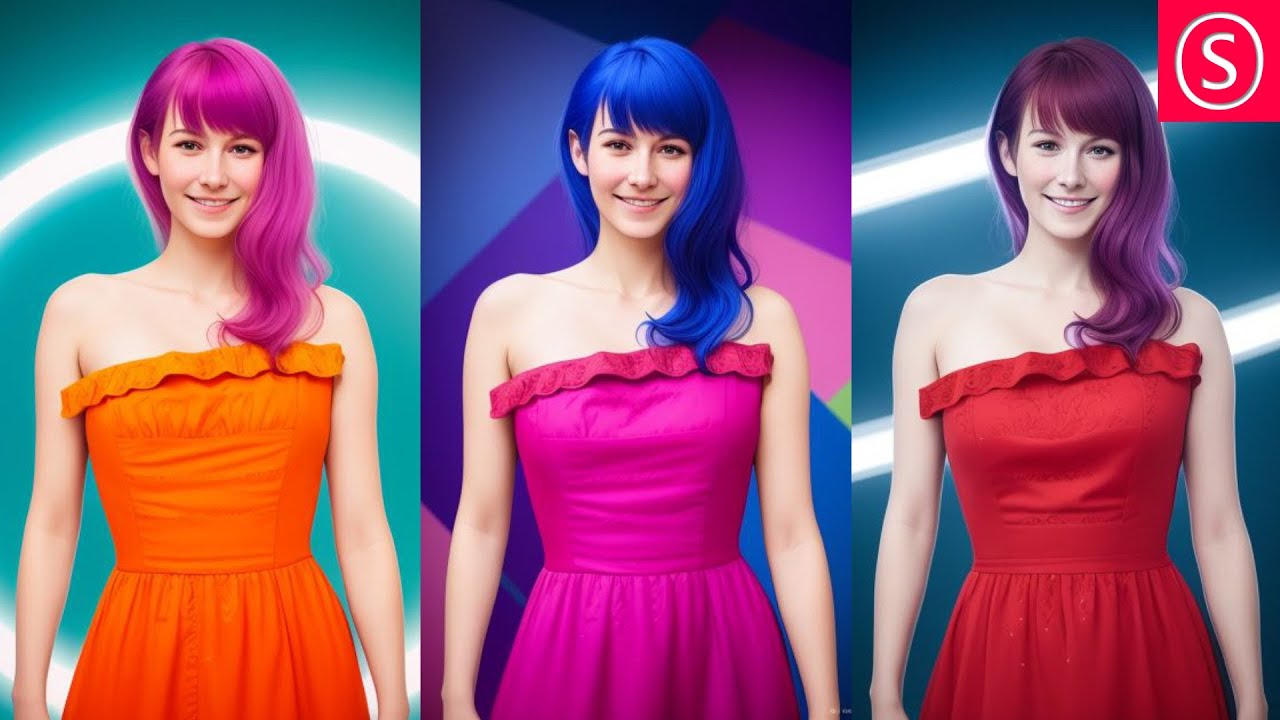
Use ControlNET to change any Color and Background perfectly. In Automatic 1111 for Stable Diffusion you have full control over the colors in your images. Use a Color Map to set any color you want. Then use the ControlNET Canny, Depth and MLSD Method to bring the original Details AND new Background Patterns into your image.
Links from the ...
muted reef
if you don't want details altered keep the denoise value very low
keen panther
muted reef
if you don't want details altered keep the denoise value very low
When I do that, I just get the colour map without any detail at all
muted reef
i use comfy nowadays so i can use image blend nodes etc, not sure if that exists for A1111
keen panther
I have comfy installed though I am not comfortable with using it. Can you explain show your workflow?
muted reef
will test some tomorrow.. already 3 am for me
muted reef
🌍
wise osprey
Been trying to recreate this half-half realistic person image, poster like...but couldn't find the correct prompt... anyone have any ideas?
 muted reef
my guess is they used masks and inpainting
don't think it can be done that clean with a single prompt
with this maybe: https://civitai.com/models/116294/split-screen-or-concept-lora
Split Screen | Concept LoRA READ BEFORE USE!!! Weight can go from 0.9 up to 1. I recommend 1. Works with almost every Style, every Character and Ph...
wise osprey
muted reef
my guess is they used masks and inpainting
Wow...thanks...good info BTW...been exposed to lora recently by a colleague. Then i need to do my homework
 lime wadi
is there a way to make the light of a portrait like you would have a light ring behind the camera? I keep getting side-light whatever prompt I try, and it's annoying
muted reef
lit from front?
keen panther
@muted reef Hey Kuromi, would you mind if you share your workflow on colourising an image in comfy from which we discussed Yesteryday (or today in your time zone).
 cursive grail
I’m actually interested in that too. I’ve been noodling around with the bots here, but I also have a bunch of my own line art I’d like to color in.
cursive grail
keen panther
<@283341731666329611> Hey Kuromi, would you mind if you share your workflow on c...
I found this, might be helpful: https://stable-diffusion-art.com/comfyui/
Part of the way down, there’s an image-to-image workflow, https://stable-diffusion-art.com/comfyui/#Image-to-image_workflow

ComfyUI is a node-based GUI for Stable Diffusion. This tutorial is for someone who hasn't used ComfyUI before. I will covers
muted reef
keen panther
<@283341731666329611> Hey Kuromi, would you mind if you share your workflow on c...
This process is nothing official, but something I put together to fill a void, being no recolor (colorize) option in ComfyUI for SD 1.5 models. Thi...
not mine .. but seems to work for greyscale to color

 solid bramble
really struggling with what should be a simple picture. been a day and a half and haven't got close to what i wanted. most iritating problem is the lighting always being a spotlight. model is rev animated v1.2.2. can anyone help a noob out?
 muted reef
solid bramble
really struggling with what should be a simple picture. been a day and a half an...
muted reef
solid bramble
really struggling with what should be a simple picture. been a day and a half an...
what was your prompt? .. would greatly help figuring the problem out
solid bramble
muted reef
what was your prompt? .. would greatly help figuring the problem out
positive: (adult attractive white brunette woman:1.3), (volumetric lighting:1.4), (sitting on a tree stump behind a campfire:1.4), (wearing a white beanie and small scarf and long sleeve crop top and skinny jeans and small boots:1.4), inside of a pine forest at the base of a snowy picturesque mountain, (night time:1.3), (star filled night sky:1.3), (perky breasts:1.2), (drinking steaming hot coco out of white ceramic mug:1.15), comfortable, (happy:1.2), cheery, negative: (low quality:1.4), (worst detail:1.4), (small breasts:1.3), double, twin, clone, doll face, model look, (tilted view:1.4), (open mouth:1.2), (giant tree stump:1.3), (wide shot:1.2), (multiple campfires:1.3), (teeth:1.2), (bloom:1.15), (burning tree stump:1.1), asian, muscular, ear, black hair, black eyes, dark skin, fog, haze, mist, smoke,
muted reef
hmm .. try adding lit by fire and put directional lighting in negative
else maybe add in some lighting based lora's
or try dreamshaper 8, much newer and gets better results
solid bramble
i can't do another model i like rev animated style too much. but i will try what you suggested. pretty sure i still have lowra kicking around in my a1111 files just need to find they keywords to use it.
 proud parcel
Would anyone be willing to get into some DMs with me and help me figure out the best way to:
- use the rig I have (RT 2060 6GB)
- generate fantasy character portraits and landscapes
- perhaps take a hand-drawn sketch and turn it into an image
- possible models/LORAs/inversions, settings, etc.
Familiar, but still feel newb! (Feel free to DM!)
muted reef
would say ComfyUI is the most flexible as you can find tons of premade node workflows for your needs for it
fast depot
How would I create the low-poly black style you can see around the nose?

 peak hill
Any "experts" on that would be willing to hop into a voice chat with me for a few? I have been generating for a few weeks and have some loose questions floating in my head that I am not entirely sure how to ask them... note I do vetter in voice settings - I find typing these types of technical inquiries out doesn't really help anyone (lol...)
queen lily
Anyone know how I can get SD to generate an actual image of ghostface from scream? I tried putting in the exact prompt but it didn't like it
 hidden apex
Is it possible to get text into images with sdxl? I am making some images for a d&d 1shot and I want a teddy bear advertisement with the words "It really smokes" in it. I've gotten some okay results but nothing that incorporates the text.
 muted bone
how to improve? my images look so dull and like filtered or something

also why this happens when I use lora? the images get worse

 brisk berry
muted bone
also why this happens when I use lora? the images get worse
brisk berry
muted bone
also why this happens when I use lora? the images get worse
Use a better sample method, also lora requires prompt code to activate, you can go to your lora section and click it and the text will automatically go to the prompt window.
muted bone
 muted bone
brisk berry
Use a better sample method, also lora requires prompt code to activate, you can ...
muted bone
brisk berry
Use a better sample method, also lora requires prompt code to activate, you can ...
looks like it doesn't look any better
maybe I need to change something in settings Idk
brisk berry
it's probably the checkpoint model
muted bone
muted bone
how to improve? my images look so dull and like filtered or something
@brisk berry how about htis I didn't use lora here why is it not clear enough?
brisk berry
muted bone
<@144781734242811904> how about htis I didn't use lora here why is it not clear ...
you need to upscale it
hit "refiner" thats under the sampling method
and change it to x4
then change the quality to 20 and turn down the denoise
muted bone
<游戏图标研究所- luxiaoyu >"AI-Game Icon Institute" The above images were generated without using any other optimization methods for tagging. We wel...
muted bone
muted bone
I was using this checkpoint for this image
silver valley
muted bone
how to improve? my images look so dull and like filtered or something
Thats because of the low resolution and you dont have a vae
The issue with the lora is because of your prompt.
 elfin basalt
My image is wayy too orange but I don't know what i need to do to reduce it, any ideas?

(everything is ok color wise until the last step and it adds a huge "contrast-like" color eveywhere)
keen panther
When I use controlnet for Automatic1111, I can't seem to upload an independent image despite ticking the box

Here is the console log
keen panther
I somehow fixed it by moving the outputs folder to a different directory. After pasting it back, the issue is now resolved. Can someone explain what is happening?
torn cliff
Well it looks like you were in an alternate timeline... No really I have no clue, but that "the future belongs to a different loop" line was amusing. ^.^
delicate arch
Anyone have recommended negative prompts?
tired vigil
delicate arch
Anyone have recommended negative prompts?
I just use (low quality, worst quality: 1.x) x being between 1 and 4 whatever I'm feeling like
And a few embeddings
Easy negative and negative hand are pretty great, can get them in civitai
Other than that I put in what I don't want to see in the image
quiet raft
Anyone got a stable and default negative prompt that is nice to have? D:
silver valley
delicate arch
Anyone have recommended negative prompts?
Here are some basic negatives:
#📝|prompting-help message
quiet raft
silver valley
Here are some basic negatives:
https://discord.com/channels/1002292111942635562/...
Thanks
keen panther
I have an image of a character that have a specific design that is partially generated by AI that I want to create a model sheet of. However, from my searches, people have created a model sheet of a character generated purely from AI. How can I create a model sheet of a character with a front facing pose using Automatic1111 or ComfyUI?
static hinge
queen lily
Anyone know how I can get SD to generate an actual image of ghostface from screa...
you can try with ip-adapters

to get something close at least, here I use 2 photos but I still learning how to set several ip-adapters

maybe someone know why when using 2 ip-adapters with much control weight the subject gets displaced to the side

it may take some trial an error and trying different weights and start/ending control steps but it can do it from time to time
quiet raft
How could I use prompt and create a Logo?
queen lily
static hinge
you can try with ip-adapters
I've never heard of an IP adapter before 
static hinge
queen lily
I've never heard of an IP adapter before <:monkaS:1088960121998147615>
in Comfy they are I used I think in "Instant Lora" workflow, so they are a way to get a poor's man Lora
queen lily
Ah okay
 worn stone
How to fix the freaking hands with 6 and 7 fingers (i did used the negative prompts i found at the pinned messages)
 stuck kindle
do someone know how to do with this discord bot an image to image with prompt because they added something like that but I don't see it now?
 clever lichen
worn stone
How to fix the freaking hands with 6 and 7 fingers (i did used the negative prom...
clever lichen
worn stone
How to fix the freaking hands with 6 and 7 fingers (i did used the negative prom...
I usually just generate 20 images at a time and then use the ones where the hands arent screwed up
Dont know how to fix an already generated image with messed up hands
Can anyone point me to some more advanced guides towards generating realistic looking people? I looked over the surface level youtube videos but would like something more advanced to follow!
 dull portal
Hello, I'm using ComfyUI and am trying to figure out how to prompt for positioning, how do I get one of those big trees to be up here closer, and the dock with the person a bit further away, right now have "cinematic, orange sunset, bright orange sky, person sitting on farther side of dock on a small pond, silhouette, huge oak tree before the pond, grasses, trees, orange sky, lora:more_details:1"
This is what I got first, the second attempt was even more opposite of what I was expecting, looks like the dock is getting smaller too LOL

 dull portal
🤣 It's a freaking pallet now! WTF. Well, tree is closer to where I was trying (still wanna go bigger with the tree), prompt changed to "cinematic, orange sunset, bright orange sky, person sitting on farther side of dock on a small pond, silhouette, huge oak tree on grassy shore by the camera before the pond, grasses, trees, orange sky, lora:more_details:1"

 hollow sphinx
How do I prevent a subject from always being generated in the foreground? I can't seem to place the subject farther "back" in the image with just text prompts. I feel like there is some specific set of keywords I am missing haha.
 silver heath
Most my prompts are waaaaay past the tokens allowable - here is a small webapp which allows you some semblance of "prompting reality" by advising just how many tokens are in any prompt you make; and the token limits for some of the more well-known generators https://www.prompttokencounter.com/
Online tool to count tokens from OpenAI models and prompts. Make sure your prompt fits within the token limits of the model you are using.
 spark wyvern
Can anyone dirct me to a guide on how to ue IP adapters and the like in comfyUI?
 vagrant rapids
Anyone has an idea on how to make a fearsome god of war without the freaking Kratos appearing?
 twin crown
Did anyone know why when I try a prompt like :
Positive prompt : girl, smiling
Negative : multiple character
I always 2 characters in my render, Its aways happen when I render in 1000x1000
orchid scaffold
Hello! Am I doing something wrong with ip-adapter?

i thought it would turn out more like the style of the input gta image
maybe if i turn off depth?
using model dynavisionXLAllInOneStylized
orchid scaffold
twin crown
Did anyone know why when I try a prompt like :
Positive prompt : girl, smiling
...
what model?
twin crown
orchid scaffold
what model?
"ToonifyRemastered"
twin crown
orchid scaffold
is it 1.5?
"SD 1.5"
orchid scaffold
twin crown
"SD 1.5"
too big res
lower the res to 512
512x512
or 768x768
try highres fix too upscale
twin crown
oooh ok so i render in 510 and upscale it, I never use the upscaler
 prisma grail
my colors feel dull, why is that? I'm using 4 loras but I don't think they should cause it, any suggestions?

also some kinda weird blur effect
orchid scaffold
try turning off all the loras
twin crown
where is tje upscaler ?
 prisma grail
sharper yes
orchid scaffold
twin crown
where is tje upscaler ?
the highres fix box
check it
make it like 20 steps
twin crown
orchid scaffold
make it like 20 steps
done, I try it
so it will, in first time, render in 512x512 and next in the same load it upscale it
@orchid scaffoldit work ty !
orchid scaffold
twin crown
so it will, in first time, render in 512x512 and next in the same load it upscal...
yeah pretty much, it renders it again and adds noise basically
make sure your settings for it are good
i use ESRGAN_4x and .4 denoise
twin crown
where did u chose these options ?
orchid scaffold
twin crown
where did u chose these options ?
where it says latent
static hinge
orchid scaffold
maybe if i turn off depth?
yes maybe first get the style and then gradually add the depth until they blend
silver valley
orchid scaffold
using model dynavisionXLAllInOneStylized
You should use a GTA lora
I think there is one
orchid scaffold
static hinge
yes maybe first get the style and then gradually add the depth until they blend
it didnt adapt to the style even with depth off
orchid scaffold
silver valley
You should use a GTA lora
yeah but for 1.5
dp you think 1.5 with the lroa would be as good quality as xl?
this one quality from the previews look kinda bad: https://civitai.com/models/119307/gta-v-loading-screen-artstyle
trigger word : gtv style recommended checkpoint : sdxl 1.0 my 2nd sdxl lora , I hope you find it well. previews are a mix of auto1111 and comfy I w...
silver valley
orchid scaffold
dp you think 1.5 with the lroa would be as good quality as xl?
Yes with upscaling
dull portal
I'm confused as to how to use something like this https://civitai.com/models/105857/expressions-helper-realistic, I'm usually looking through the examples and looking at prompts but this one...I see nothing consistent, how do I get it used in my gens? I don't see a lora:expression_help:# or whatever I'm supposed to be using.
Expressions Helper Realistic is the outcome of an ambitious project that focuses on capturing real facial expressions. Trained for 10 epochs and 38...
muted bone
how can I explain that I want to add a field that covers the front part the full wide,

that is something like that

I have been trying to for hours
 remote badger
How can I get results that are usable (not messed up)?

Trying to make my dog a cartoon 🙂

 dull portal
muted bone
how can I explain that I want to add a field that covers the front part the full...
dull portal
muted bone
how can I explain that I want to add a field that covers the front part the full...
Just a wording issue, no?
 muted bone
dull portal
Just a wording issue, no?
muted bone
dull portal
Just a wording issue, no?
yes what prompt u used
dull portal
Changed this part basically (at base of the tower a lush green large grassy field in front foreground of the tower)
muted bone
thank you
 open cipher
I have a quick question, I am trying to get this image more detailed and less oil painting, I am not sure what the prompts are correct.

I am trying to make the image more like this

don't mind the character I am looking more for the less painty and more imagy
silver valley
open cipher
I have a quick question, I am trying to get this image more detailed and less oi...
Hey, you need to use a vae file for color correction
open cipher
silver valley
Hey, you need to use a vae file for color correction
oh, I had it setup to "none"
I will have to look for more VAE... mmmm
delicate arch
Need some help, my results keep coming out pretty blurred
Like Kphantom's #📝|prompting-help message
silver valley
delicate arch
Need some help, my results keep coming out pretty blurred
Do you habe a VAE ?
delicate arch
No
silver valley
open cipher
I will have to look for more VAE... mmmm
Kl-f8-anime2 is a good one
silver valley
Its a file for color correction


 silver valley
delicate arch
silver valley
delicate arch
What's the resolution
delicate arch
But in any case, it would be better for me to have it
delicate arch
silver valley
What's the resolution
512x512
silver valley
delicate arch
Oh you use an sdxl model with a 512x512 resolution.
That will not work good.
Use a minimum of 768x768
Sdxl models are trained on 1024x1024
Also dont use face restoration
Codeformer is not made for anime images
remote badger
Any ideas on how I can get results that are more usable? I've been trying all day and watching videos, but my outputs suck.
 delicate arch
Where do I disable face restoration?
remote badger
 delicate arch
remote badger
Any ideas on how I can get results that are more usable? I've been trying all d...
delicate arch
remote badger
Any ideas on how I can get results that are more usable? I've been trying all d...
You got a lot of negative prompts?
Dang
remote badger
delicate arch
You got a lot of negative prompts?
Negative prompt: disfigured, kitsch, ugly, oversaturated, grain, low-res, Deformed, blurry, bad anatomy, disfigured, poorly drawn face, mutation, mutated, extra limb, ugly, missing limb, blurry, floating limbs, disconnected limbs, blur, out of focus, long neck, long body, ugly, disgusting, poorly drawn, childish, mutilated, mangled, old, surreal, text, blurry, b&w, monochrome, conjoined twins, multiple heads, extra legs, fashion photos (collage:1.25), meme, deformed, elongated, strabismus, heterochromia, closed eyes, blurred, watermark
I'm wondering AMD just sucks or I'm a noob. Maybe both haha
delicate arch
Did you try different checkpoints?
remote badger
Yeah, I've struggled with other checkpoints too
delicate arch
What's the style you're trying to go for?
remote badger
delicate arch
What's the style you're trying to go for?

I'd like to to be a cartoon or Pixar style
and resemble my dog
remote badger
When I watched videos on YouTube, they're getting fairly consistent outputs but mine are all over the place
delicate arch
What video exactly?
remote badger
delicate arch
What video exactly?
Different ones by different folks. Do you get random outputs?
 sour ether
dats hot
delicate arch
I try to be as specific as possible to avoid getting random outputs
sour ether
yea the youtube videos may be obsolete or different model
they may use loras also
you should read the model descriptions
on civitai
and hugging face
they tell you what prompts and rules work
remote badger

Support my Channel:
https://www.youtube.com/channel/UCCKx8mAHiFus-XYQLy_WnaA/join
Facebook AI Group: https://www.facebook.com/groups/theairevolution
How to Deepfake: https://youtu.be/kJEHJXiwGVU
Stable Diffusion Install Guide: https://youtu.be/Pyze0seDHzA
Automatic 1111
Subscribe to my Newsletter for FREE: My Newsletter: https://oliviotutorial...
Here's one of the ones I watched
remote badger
sour ether
they tell you what prompts and rules work
Ok, I'll check that out
delicate arch
remote badger
https://www.youtube.com/watch?v=dSn_vXrjaK8
≥30 steps recommended. Note the difference in color between the 20 vs 30 step examples in the gallery. The strength = 1 used for all example genera...
Try taking a look at this
sour ether
sometimes models are pruned or tuned to general ideas, so if you want to try other ones and you can use civitai filters to find which ones are the one you want since some are 1.5, sdxl, turbo, etc.
If all else fails you can also train a model but would take a long time
delicate arch
sour ether
sometimes models are pruned or tuned to general ideas, so if you want to try oth...
Are pruned and tuned the same thing?
sour ether
pruned is like they shrink it i think tune is like for a specific genre
not sure though
remote badger
The issues I'm seeing doesn't seem to be model specific as they all give me crap results. haha
sour ether
for me the some models work especially if I use the prompts on the civitai website, making my own prompts is more of a challenge
delicate arch
remote badger
The issues I'm seeing doesn't seem to be model specific as they all give me crap...
When I used a 1060 for SD, I still got decent results