
#🤝|tech-support
1 messages · Page 98 of 1
 slender sable
I have a 4080 GPU and I have tried some fixes I found on line such as adding --xformers --medvram-sdxl --no-half-vae to the command line arguments but it doesn't seem to change anything.
 ruby yoke
slender sable
I have a 4080 GPU and I have tried some fixes I found on line such as adding --x...
ruby yoke
slender sable
I have a 4080 GPU and I have tried some fixes I found on line such as adding --x...
are you running intel or amd?
ruby yoke
slender sable
AMD
comfirm for me that you've gone through the AMD guides pinned at the top of this channel, please
slender sable
ruby yoke
comfirm for me that you've gone through the AMD guides pinned at the top of this...
Sorry, I am using NVidia 4080, I thought you mean't CPU. If i follow the guide and go to NVidia automatic1111 it gets me to the below page which just loops back on itself. https://github.com/CS1o/Stable-Diffusion-Info/wiki/#nvidia-install-guides

GitHub
Stable Diffusion Knowledge Base (Setups, Basics, Guides and more) - CS1o/Stable-Diffusion-Info
ruby yoke
slender sable
Sorry, I am using NVidia 4080, I thought you mean't CPU. If i follow the guide a...
i did mean the CPU - I think you might want to wait till @ornate elk logs back on. he shouldn't be offline for too many hours
 quasi ginkgo
Sup yall
Just made the jump from A1111 to Forge. Haven't genned much with it, been messing around with the settings and installing extensions and what not. Theres a setting that doesnt seem to be working for me though. I want to hide all incompatible lora/text invs for the current model, but whenever I save and reload the UI, it doesn't do anything
I didn't want to copy my huge ass models folder tho so I made a symlink for Forge to use my A1111 models folder
Wondering if thats the issue or if anyone has any experience with the same bug
Also, I'm trying to save some defaults but certain values like Sampling, Height, and Width (to name a few) aren't saving as defaults
 boreal vector
I did a clean install and tried Nearest and SwinIR, they didnt work.
I tried LSDR and got this error
i just added --no-half in bat file and now its doing something
 ornate elk
Yea thats normal for the first image. It can take 15-40 mins for the first time only.
ornate elk
slender sable
Sorry, I am using NVidia 4080, I thought you mean't CPU. If i follow the guide a...
Link is broken, here is the direct link:
https://github.com/CS1o/Stable-Diffusion-Info/wiki/Webui-Installation-Guides#nvidia-automatic1111-webui-stable-diffusion-webui
slender sable
ornate elk
Link is broken, here is the direct link:
https://github.com/CS1o/Stable-Diffusio...
Thank you for that, I made sure the correct arguements were there and says that its loading with the correct arguments. But I am still getting a grey box output.
ornate elk
slender sable
Thank you for that, I made sure the correct arguements were there and says that ...
That mostly means your not using a model as model. A model is bigger than 2gb. Everything below isnt a normal model (checkpoint)
Also flux doesn't work if you tried that
slender sable
ornate elk
That mostly means your not using a model as model. A model is bigger than 2gb. E...
I followed an online guide and added the CompVis/stable-diffusion-v1-4 which is showing up after a fresh install, its 40+gb in size. I am not sure if I need to select something specific from the model list in the top left or change any other settings. The model was added to the models/stable diffusion folder.


 ornate elk
slender sable
I followed an online guide and added the CompVis/stable-diffusion-v1-4 which is ...
ornate elk
slender sable
I followed an online guide and added the CompVis/stable-diffusion-v1-4 which is ...
Yea thats not the right thing
No model is 40gb big
For normal users at least
You can delete the 1.4 stuff
slender sable
Oh ok
Is there a base model that I can use? I thought that was what I had.

I obviously have misunderstood what I was I was downloading. I thought that was the model it worked off.
ornate elk
slender sable
Is there a base model that I can use? I thought that was what I had.
Download any other model from Civitai.com for example Dreamshaper v8
https://civitai.com/models/4384/dreamshaper
And put it into models/stable-diffusion
slender sable
Will do, thank you so much 🙂
ornate elk
No problem!
slender sable
ornate elk
No problem!
Worked perfectly! Thank you
boreal vector
boreal vector
i just added --no-half in bat file and now its doing something
well that was a nothing burger
 ornate elk
boreal vector
well that was a nothing burger
ornate elk
boreal vector
well that was a nothing burger
Can You share to original output?
So I can check the metadata
 stone fog
I'm running on a AMD CPU what should I do to bypass this
 ornate elk
stone fog
I'm running on a AMD CPU what should I do to bypass this
ornate elk
stone fog
I'm running on a AMD CPU what should I do to bypass this
What's your GPU?
stone fog
7800 XTX
boreal vector
ornate elk
Can You share to original output?

its a 2x upscale
the 4x was like 25mb
ornate elk
stone fog
7800 XTX
Then you need to follow my AMD Automatic1111 with ZLUDA Install Guide from here:
https://github.com/CS1o/Stable-Diffusion-Info/wiki/Webui-Installation-Guides#amd-automatic1111-with-zluda
stone fog
Is this something I can jump in the middle of if I've already installed SD and gotten to the webscreen?
I have auto 1111
stone fog
I think default
ornate elk
Then you need a clean install
stone fog
;-;
ornate elk
Because the default only works with nvidia
stone fog
got it
ornate elk
boreal vector
Can you try upscaling with hires fix instead of Extras ?
Set hires steps to 10, set denois to 0.5
Upscale by 2
boreal vector
ornate elk
Can you try upscaling with hires fix instead of Extras ?
in img to img tab?
ornate elk
In txt2img
stone fog
ornate elk
Because the default only works with nvidia
Already borked myself
 ornate elk
stone fog
Already borked myself
ornate elk
stone fog
Already borked myself
You need to run the command in a CMD and not in terminal
And you need Git and Python 3.10.11 64 bit installed
stone fog
I have python installed 3.10.11
How do I open up the folder in CMD again, I'm not actually quite suire even after that guide
ornate elk
Do you have git installed ?
ornate elk
You can use that too yes
stone fog
got it
ornate elk
Make sure your open it inside the folder you created before
stone fog
already on it, already cloning.
set PYTHON=
set GIT=
set VENV_DIR=
set COMMANDLINE_ARGS=--use-zluda --update-check --skip-ort

call webui.bat``` Correct? ornate elk
boreal vector
ornate elk
boreal vector
Can't see the metadata in this one
stone fog
wound up with this error
boreal vector
ornate elk
Can't see the metadata in this one
 ornate elk
stone fog
wound up with this error
ornate elk
stone fog
wound up with this error
Have you installed hip SDK 6.1 and restarted the PC?
stone fog
ornate elk
Have you installed hip SDK 6.1 and restarted the PC?
Doesn’t that come after running the windows batch file?
ornate elk
boreal vector
Can you try ESRGAN 4x Anime6b upscaler ?
 brazen chasm
Can you use stable diffusion if you don't have nvidia?
ornate elk
stone fog
Doesn’t that come after running the windows batch file?
Nope
If you followed my guide you have to install hip SDK 6.1
brazen chasm
Can anyone help me with this issue:
Runtime error: Torch is not able to use gpu; add --skip-torch-cuda-test to COMMANDLINE_ARGS variables to disable this check.
ornate elk
brazen chasm
Can anyone help me with this issue:
Runtime error: Torch is not able to use gpu;...
What's your GPU?
boreal vector
ornate elk
Can you try ESRGAN 4x Anime6b upscaler ?
that seems to have done something
 ornate elk
boreal vector
that seems to have done something
ornate elk
boreal vector
that seems to have done something
Looks good
brazen chasm
ornate elk
What's your GPU?
Intel(R) HD Graphics 620
boreal vector
so I dont have to upscale in extras tab?
ornate elk
boreal vector
so I dont have to upscale in extras tab?
Also for pony sdxl a resolution around 1024x1024 is needed
Yep you shouldn't upscale in extras
In img2img I can help you to to upscale
boreal vector
ornate elk
In img2img I can help you to to upscale
whats the workflow for it?
 snow breach
I just bought a 4080 Super to do SD... I hope I'm not a sucker if a built-in 620 can run SD...
brazen chasm
Ummm @ornate elk help with my issue pls.🙏
ornate elk
brazen chasm
Intel(R) HD Graphics 620
That won't work with stable diffusion.
Only on slow CPU mode
snow breach
brazen chasm
What do you mean it won't work?
You need a decent video card in order to use Stable Diffusion, I don't think it will use your integrated card or CPU out of the box. There is a fork of Stable Diffusion WebUI that might help you if you read through it. But... I think it is difficult to get Stable Diffusion to work with a CPU/Intel card.
https://github.com/openvinotoolkit/stable-diffusion-webui/wiki/Installation-on-Intel-Silicon

GitHub
Stable Diffusion web UI. Contribute to openvinotoolkit/stable-diffusion-webui development by creating an account on GitHub.
ornate elk
brazen chasm
What do you mean it won't work?
The 620 Intel is an onboard GPU chip.
You can use stable diffusion on CPU mode. But its insane slow
 upper moth
Got ComfyUI working on my new machine, when I try to upscale images x2 most of the time it works great, but its happened a couple times my screens start turning on and off, then the PC gets stuck and I have to reboot.
I'm guessing my GPU (AMD 7800xt) is getting overwhelmed? Any suggestions?
 zinc arrow
ornate elk
The 620 Intel is an onboard GPU chip.
You can use stable diffusion on CPU mode....
zinc arrow
ornate elk
The 620 Intel is an onboard GPU chip.
You can use stable diffusion on CPU mode....
hey so ive been out of the picture for a while but i remember you were the one that used to help me with stuff
i wanted to ask, what are some good models that can generate "anything" i ask for (not necessarily NSFW)
ornate elk
upper moth
Got ComfyUI working on my new machine, when I try to upscale images x2 most of t...
Hey, do you use comfyui with directml or zluda ?
And which workflow do you use
ornate elk
zinc arrow
hey so ive been out of the picture for a while but i remember you were the one t...
Hey, try out UnstableDiffusers Model. That can do pretty much stuff.
https://civitai.com/models/84040/sdxl-unstable-diffusers-yamermix
ornate elk
boreal vector
whats the workflow for it?
In img2img, set the resolution to 512x512 when using a 1.5 based model.
For SDXL/pony set it to 1024x1024
Then set the denois below 0.3
And at the bottom enable the SD Upscale script and select an upscaler.
Then generate.
 bright burrow
Guys, is there any code to benchmark image generation inference on different types of hardware?
boreal vector
ornate elk
In img2img, set the resolution to 512x512 when using a 1.5 based model.
For SDXL...
- Generate an image in txt2img using highres fix (10 steps, 0.5 denoise, upscale 2x)
- Send the image to img2img (0.3 denoise)
- Use SD upscale in the script.
is that it
ornate elk
boreal vector
1. Generate an image in txt2img using highres fix (10 steps, 0.5 denoise, upscal...
Yep
You can also use denois 0.2 if you get artifacts in img2img
There is also a way to upscale with controlnet. But im not at home to share the workflow
boreal vector
sampling steps same as text2img?
 ornate elk
boreal vector
sampling steps same as text2img?
ornate elk
boreal vector
sampling steps same as text2img?
Yep
boreal vector
boreal vector
sampling steps same as text2img?
so i dont resize this thing here
but here

what is tile overlap
boreal vector
so more is smooth
ornate elk
Yea
 quaint finch
I need a bit of help again @ornate elk
Im changing to a new GPU and my sd kept using my cpu instead of my gpu to generate images making the process so long
How do i change it to use my gpu instead?
ornate elk
quaint finch
I need a bit of help again <@161910921269084160>
Im changing to a new GPU and m...
Hey, what was your GPU and what's the new GPU?
quaint finch
ornate elk
Hey, what was your GPU and what's the new GPU?
3070- 3070TI
ornate elk
quaint finch
3070- 3070TI
Okay. What's in your webui-user.bat?
Also make sure to install the latest Nvidia driver
quaint finch
ornate elk
Okay. What's in your webui-user.bat?
@echo off
set PYTHON=
set GIT=
set VENV_DIR=
set COMMANDLINE_ARGS=--xformers --autolaunch --no-half-vae
call webui.bat
ornate elk
quaint finch
@echo off
set PYTHON=
set GIT=
set VENV_DIR=
set COMMANDLINE_ARGS=--xformers --...
Okay then delete the venv and relaunch the webui-user.bat.
And if that won't work you have to reinstall the GPU driver and reboot
quaint finch
ornate elk
And if that won't work you have to reinstall the GPU driver and reboot
okay, ill try that
thanks a lot, ill come again with the updates
quaint finch
still doesnt work
 boreal vector
ornate elk
Yea
boreal vector
ornate elk
Yea
1st base 512x512
2nd high res 1024x1024
3rd upscaled in img2img 2048x2048


 ornate elk
quaint finch
still doesnt work
ornate elk
quaint finch
still doesnt work
Can you show me the full cmd log?
ornate elk
boreal vector
1st base 512x512
2nd high res 1024x1024
3rd upscaled in img2img 2048x2048
Not bad 👍
quaint finch
ornate elk
Can you show me the full cmd log?
venv "D:\AI\stable-diffusion-webui\venv\Scripts\Python.exe"
Python 3.10.6 (tags/v3.10.6:9c7b4bd, Aug 1 2022, 21:53:49) [MSC v.1932 64 bit (AMD64)]
Version: v1.9.4
Commit hash: feee37d75f1b168768014e4634dcb156ee649c05
Launching Web UI with arguments: --xformers --autolaunch --no-half-vae
[-] ADetailer initialized. version: 24.9.0, num models: 10
ControlNet preprocessor location: D:\AI\stable-diffusion-webui\extensions\sd-webui-controlnet\annotator\downloads
2024-09-18 20:09:19,797 - ControlNet - INFO - ControlNet v1.1.455
Loading weights [c08544e510] from D:\AI\stable-diffusion-webui\models\Stable-diffusion\revEnginePonyxl_v10.safetensors
2024-09-18 20:09:20,223 - ControlNet - INFO - ControlNet UI callback registered.
Running on local URL: (removed)
To create a public link, set share=True in launch().
Creating model from config: D:\AI\stable-diffusion-webui\repositories\generative-models\configs\inference\sd_xl_base.yaml
D:\AI\stable-diffusion-webui\venv\lib\site-packages\huggingface_hub\file_download.py:1132: FutureWarning: resume_download is deprecated and will be removed in version 1.0.0. Downloads always resume when possible. If you want to force a new download, use force_download=True.
warnings.warn(
Startup time: 10.2s (prepare environment: 2.2s, import torch: 3.0s, import gradio: 0.7s, setup paths: 0.8s, initialize shared: 0.2s, other imports: 0.4s, load scripts: 1.8s, create ui: 0.6s, gradio launch: 0.3s).
boreal vector
ornate elk
Not bad 👍
i can see the details more clearly now, thanks.
to re enable extensions, do i just put them in the new folder?
or do i have to install them again
ornate elk
boreal vector
or do i have to install them again
Install them again
Thats the cleaner option
ornate elk
quaint finch
venv "D:\AI\stable-diffusion-webui\venv\Scripts\Python.exe"
Python 3.10.6 (tags/...
Looks normal.
Can you show the taskmanager performance tab when generating an image?
quaint finch
ornate elk
Looks normal.
Can you show the taskmanager performance tab when generating an im...
so i did something, i added skip cuda on my arguments and it did get me to use my gpu
but idk why, the process is very long

idk what cause this pyramid thing
it has never happened before
 ornate elk
quaint finch
so i did something, i added skip cuda on my arguments and it did get me to use m...
ornate elk
quaint finch
so i did something, i added skip cuda on my arguments and it did get me to use m...
Thats very Strange
Have you reinstalled your GPU driver before?
You also need --xformers --medvram-sdxl in your webui-user.bat
 remote cosmos
ornate elk
You also need --xformers --medvram-sdxl in your webui-user.bat
remote cosmos
ornate elk
You also need --xformers --medvram-sdxl in your webui-user.bat
What does --medvram-sdxl vs just --medvram?
ornate elk
remote cosmos
What does `--medvram-sdxl` vs just `--medvram`?
--medvram loads models partially into the vram and helps to not get out of memory when using larger models on low vram GPUs. (6gb and less)
--medvram-sdxl does the same but only for sdxl models. Which improves the generation speed on 8gb vram GPUs
remote cosmos
ornate elk
--medvram loads models partially into the vram and helps to not get out of memor...
Interesting. Would it work with 6GB cards? My 1660ti takes like 120s+ per iteration on SDXL models (so I don't use them), but would that option allow me to potentially use SDXL, or should I just stick to 1.5?
ornate elk
remote cosmos
Interesting. Would it work with 6GB cards? My 1660ti takes like 120s+ per iterat...
Nope you need --xformers --medvram --no-half
But what improves sdxl speed is when you enable FP8 mode for sdxl in the webui settings
 quiet matrix
So I just updated forge ui today, and my memory usage skyrocketed, it wasn't like this before, any idea what changed in the settings of the update to cause this? The version I used before was the version before Flux

 ornate elk
quiet matrix
So I just updated forge ui today, and my memory usage skyrocketed, it wasn't lik...
ornate elk
quiet matrix
So I just updated forge ui today, and my memory usage skyrocketed, it wasn't lik...
Oh wow. Which settings you use use? Model, and resolution etc
remote cosmos
ornate elk
Nope you need --xformers --medvram --no-half
But what improves sdxl speed is whe...
Yep thats exactly what I've been using, and SDXL generation is still taking eons. Is SDXL just not recommended for <8GB?
ornate elk
remote cosmos
Yep thats exactly what I've been using, and SDXL generation is still taking eons...
So you tried the fp8 mode already ?
How long does 1 1024x1024 Euler a image takes ?
quiet matrix
ornate elk
Oh wow. Which settings you use use? Model, and resolution etc
I've always used these settings with ponyxl, before the update there's no distilled cfg scale
 remote cosmos
ornate elk
So you tried the fp8 mode already ?
remote cosmos
ornate elk
So you tried the fp8 mode already ?
How do I enable fp8 mode?
remote cosmos
ornate elk
How long does 1 1024x1024 Euler a image takes ?
For 1.5 or SDXL?
For 1.5 its about 3-5s.
For reference I'm on A1111
ornate elk
remote cosmos
How do I enable fp8 mode?
In the webui settings
Search for fp8 and enable it only for sdxl
Then hit apply and relaunch
remote cosmos
I got to Settings but dont see any WebUI settings
remote cosmos
Oh I see specifically "Enable for SDXL" when I search the setting
neat let me try that and redownload an SDXL model lol
I tossed em all out because generating on them was miserable
Is Pony considered SDXL?
ornate elk
Yep
remote cosmos
Got it. I'll give it a shot, thanks!
ornate elk
quiet matrix
I've always used these settings with ponyxl, before the update there's no distil...
Thats strange then. What's your GPU ?
How do your settings at the bottom bar look like?
quiet matrix
ornate elk
Thats strange then. What's your GPU ?
NVIDIA GeForce GTX 1660 Ti
quiet matrix
ornate elk
How do your settings at the bottom bar look like?
which?
remote cosmos
quiet matrix
NVIDIA GeForce GTX 1660 Ti
Laptop squad 
ornate elk
quiet matrix
which?
All
quaint finch
ornate elk
You also need --xformers --medvram-sdxl in your webui-user.bat
i got a good solution
set COMMANDLINE_ARGS= --opt-channelslast --xformers --always-batch-cond-uncond
set PYTORCH_CUDA_ALLOC_CONF=garbage_collection_threshold:0.9,max_split_size_mb:512
quiet matrix
you mean this?
 quaint finch
then i added the --medvram-sdxl and it worked well
remote cosmos
ornate elk
Yep
Crazy, this helped a ton, SDXL now runs about two times slower than SD1.5 on my machine, but that is much better than the 100 times slower it used to be, making SDXL usable for me now!
quiet matrix
quiet matrix
you mean this?
or this?

 fair oxide
what is missing in iopaint?? I can't choose any models to erase because there isn't a model
stable diffusion tab is blank with nothing in the list
ornate elk
remote cosmos
Crazy, this helped a ton, SDXL now runs about two times slower than SD1.5 on my ...
Perfect 🙂
ornate elk
quiet matrix
you mean this?
This. Make sure you set the mode to xl when using sdxl or pony

 loud pond
guys looking to upgrade my gpu what should i get? (i preferable want a gpu with a ton of vram so it can generate images faster)
quasi ginkgo
In my browser Inspect console, I'm getting repeated and continuous warnings - "Attempted to select a non-interactive or hidden tab" in the file Tabs.svelte:84:11
My network tab is also doing some GET and POST calls repeatedly
My entire webui has been laggy so I'm trying to troubleshoot it, idk if that could be the reason.
 steady thistle
loud pond
guys looking to upgrade my gpu what should i get? (i preferable want a gpu with ...
steady thistle
loud pond
guys looking to upgrade my gpu what should i get? (i preferable want a gpu with ...
I just got a desktop with an Nvidia RTX 4070 Ti Super that was reasonably priced, but make sure you get Nvidia if you care about AI.
loud pond
steady thistle
I just got a desktop with an Nvidia RTX 4070 Ti Super that was reasonably priced...
alright where can i buy them from?
cuz nvidia is normally bought out
steady thistle
loud pond
alright where can i buy them from?
I got it from Best Buy myself, I waited until there was a sale and grabbed one.
I didn't buy the card by itself, it came with the rig.
loud pond
steady thistle
I didn't buy the card by itself, it came with the rig.
oh
alright got it
i need to find a best buy equivalent tho other wise imma be paying fees for shipping xd
cuz best buy is usa right?
steady thistle
loud pond
cuz best buy is usa right?
yes
loud pond
steady thistle
yes
alright thanks ill look into it
ornate elk
quiet matrix
still the same
You can try enable the fp8 mode when using sdxl models
quasi ginkgo
My forge webui is very laggy. Gen times are fine but it'll take a few seconds to register keystrokes.
boreal vector
is there an extension which helps testing settings like this?
 ornate elk
boreal vector
is there an extension which helps testing settings like this?
ornate elk
boreal vector
is there an extension which helps testing settings like this?
Its at the bottom of txt2img under scripts, called X\Y\Z
 mint wave
hey all! I'm trying to get SD to do img2img for human figures in some crappy low-res low-light images. Think trying to put a hat on a person captured in cheap dash cam footage. SD can draw people wearing hats fine, but they're just not very close to where the original people were, even with strength 0.05. My guess is "it doesn't recognize that there's a person there" because the quality is so bad. Any prompting tips for this use case?
mint wave
update: fixed a bug, str 0.05 does produce an image much like the original, but it basically just gets blurrier until s=0.25 where random macro scale artifacts start appearing.
stone fog
@ornate elk So I'm a little confused on step 4 of your guide.
boreal vector
when creating some larger images i get the cude out of memory error, but it goes away if i restart web ui. is there a way i can clear the cached memory?
ornate elk
stone fog
<@161910921269084160> So I'm a little confused on step 4 of your guide.
What's your GPU ? And what step isnt clear at 4 ?
ornate elk
boreal vector
when creating some larger images i get the cude out of memory error, but it goes...
Nope. But you can install the tiled VAE extension. That can help to prevent going out of memory

 dreamy mango
after adding the zluda to the path, i run the webui-user.bat and get a terminal window saying " couldn't launch python, exit code: 9009 .
boreal vector
ornate elk
Nope. But you can install the tiled VAE extension. That can help to prevent goin...
it added like 3 extensions, I just use the 3rd one?
 dreamy mango
after adding the zluda to the path, i run the webui-user.bat and get a terminal...
dreamy mango
dreamy mango
after adding the zluda to the path, i run the webui-user.bat and get a terminal...
nvm had to reinstall python from the windows store
stone fog
ornate elk
Ah the paths in system environment
Right Im there but not sure where to go from there
 dreamy mango
stone fog
Right Im there but not sure where to go from there
dreamy mango
stone fog
Right Im there but not sure where to go from there
you click on new, and then add the path that it tells you in the guide, something like c:\zluda
stone fog
Like this?

 stone fog
WARNING: ZLUDA works best with SD.Next. Please consider migrating to SD.Next.
Python 3.10.6 (tags/v3.10.6:9c7b4bd, Aug  1 2022, 21:53:49) [MSC v.1932 64 bit (AMD64)]
Version: v1.10.1-amd-5-gd8b7380b
Commit hash: d8b7380b18d044d2ee38695c58bae3a786689cf3
Using ZLUDA in C:\SD-Zluda\stable-diffusion-webui-amdgpu\.zluda
Installing clip
Installing open_clip
Cloning assets into C:\SD-Zluda\stable-diffusion-webui-amdgpu\repositories\stable-diffusion-webui-assets...
Cloning into 'C:\SD-Zluda\stable-diffusion-webui-amdgpu\repositories\stable-diffusion-webui-assets'...
remote: Enumerating objects: 20, done.
remote: Counting objects: 100% (20/20), done.
remote: Compressing objects: 100% (18/18), done.
remote: Total 20 (delta 0), reused 20 (delta 0), pack-reused 0 (from 0)
Receiving objects: 100% (20/20), 132.70 KiB | 1.18 MiB/s, done.
Cloning Stable Diffusion into C:\SD-Zluda\stable-diffusion-webui-amdgpu\repositories\stable-diffusion-stability-ai...
Cloning into 'C:\SD-Zluda\stable-diffusion-webui-amdgpu\repositories\stable-diffusion-stability-ai'...
remote: Enumerating objects: 580, done.
remote: Total 580 (delta 0), reused 0 (delta 0), pack-reused 580 (from 1)
Receiving objects: 100% (580/580), 73.44 MiB | 9.96 MiB/s, done.
Resolving deltas: 100% (282/282), done.
Cloning Stable Diffusion XL into C:\SD-Zluda\stable-diffusion-webui-amdgpu\repositories\generative-models...
Cloning into 'C:\SD-Zluda\stable-diffusion-webui-amdgpu\repositories\generative-models'...
remote: Enumerating objects: 1064, done.
remote: Counting objects: 100% (123/123), done.
remote: Compressing objects: 100% (75/75), done.
remote: Total 1064 (delta 55), reused 94 (delta 47), pack-reused 941 (from 1)
Receiving objects: 100% (1064/1064), 53.61 MiB | 13.53 MiB/s, done.
Resolving deltas: 100% (545/545), done.
Cloning K-diffusion into C:\SD-Zluda\stable-diffusion-webui-amdgpu\repositories\k-diffusion...
Cloning into 'C:\SD-Zluda\stable-diffusion-webui-amdgpu\repositories\k-diffusion'...
remote: Enumerating objects: 1345, done.
remote: Counting objects: 100% (646/646), done.
remote: Compressing objects: 100% (86/86), done.
remote: Total 1345 (delta 604), reused 561 (delta 560), pack-reused 699 (from 1)
Receiving objects: 100% (1345/1345), 239.07 KiB | 1.93 MiB/s, done.
Resolving deltas: 100% (944/944), done.
Cloning BLIP into C:\SD-Zluda\stable-diffusion-webui-amdgpu\repositories\BLIP...
Cloning into 'C:\SD-Zluda\stable-diffusion-webui-amdgpu\repositories\BLIP'...
remote: Enumerating objects: 277, done.
remote: Counting objects: 100% (183/183), done.
remote: Compressing objects: 100% (46/46), done.
remote: Total 277 (delta 145), reused 137 (delta 137), pack-reused 94 (from 1)
Receiving objects: 100% (277/277), 7.04 MiB | 11.70 MiB/s, done.
Resolving deltas: 100% (152/152), done.
Installing requirements
Skipping onnxruntime installation.
You are up to date with the most recent release.
no module 'xformers'. Processing without...
no module 'xformers'. Processing without...
No module 'xformers'. Proceeding without it.
C:\SD-Zluda\stable-diffusion-webui-amdgpu\venv\lib\site-packages\pytorch_lightning\utilities\distributed.py:258: LightningDeprecationWarning: `pytorch_lightning.utilities.distributed.rank_zero_only` has been deprecated in v1.8.1 and will be removed in v2.0.0. You can import it from `pytorch_lightning.utilities` instead.
  rank_zero_deprecation(
Launching Web UI with arguments: --use-zluda --update-check --skip-ort

rocBLAS error: Cannot read C:\Program Files\AMD\ROCm\6.1\bin\/rocblas/library/TensileLibrary.dat: No such file or directory for GPU arch : gfx1036

rocBLAS error: Could not initialize Tensile host:
regex_error(error_backref): The expression contained an invalid back reference.
Press any key to continue . . .``` This is where I get locked up atThe error says it can't find the rocblas/library. Is it there?
stone fog
 stone fog
ruby yoke
The error says it can't find the rocblas/library. Is it there?
stone fog
ruby yoke
The error says it can't find the rocblas/library. Is it there?
It’s there, not sure what it’s saying
 knotty turret
can someone help me AnimateDiff not working
ruby yoke
it's specifically looking for a file named TensileLibrary.dat file. is that file ther? does it have that name?
stone fog
ruby yoke
it's specifically looking for a file named TensileLibrary.dat file. is that file...
It would seem not
Where does that file come from, why would it not be there?
ruby yoke
stone fog
Where does that file come from, why would it not be there?
since you're using zluda - this is probably a question for @ornate elk
stone fog
So it would seem
ornate elk
stone fog
```venv "C:\SD-Zluda\stable-diffusion-webui-amdgpu\venv\Scripts\Python.exe"
WARN...
It tries to use your CPUs igpu instead of your normal GPU.
So to fix this you need to go into the device manager and disable the Radeon TM Graphics under Display Adapters.
Then relaunch
stone fog
Do I have to do this every time?
ornate elk
 hasty orbit
If I set hires steps to 0, would it do 20 given how sampling steps is also at 20...
hasty orbit
If I set hires steps to 0, would it do 20 given how sampling steps is also at 20...
Yes
ornate elk
stone fog
Do I have to do this every time?
Nope
It stays disabled. But sometimes a driver update could reenable it
stone fog
WARNING: ZLUDA works best with SD.Next. Please consider migrating to SD.Next.
Python 3.10.6 (tags/v3.10.6:9c7b4bd, Aug  1 2022, 21:53:49) [MSC v.1932 64 bit (AMD64)]
Version: v1.10.1-amd-5-gd8b7380b
Commit hash: d8b7380b18d044d2ee38695c58bae3a786689cf3
Using ZLUDA in C:\SD-Zluda\stable-diffusion-webui-amdgpu\.zluda
Skipping onnxruntime installation.
--------------------------------------------------------
| You are not up to date with the most recent release. |
| Consider running `git pull` to update.               |
--------------------------------------------------------
no module 'xformers'. Processing without...
no module 'xformers'. Processing without...
No module 'xformers'. Proceeding without it.
C:\SD-Zluda\stable-diffusion-webui-amdgpu\venv\lib\site-packages\pytorch_lightning\utilities\distributed.py:258: LightningDeprecationWarning: `pytorch_lightning.utilities.distributed.rank_zero_only` has been deprecated in v1.8.1 and will be removed in v2.0.0. You can import it from `pytorch_lightning.utilities` instead.
  rank_zero_deprecation(
Launching Web UI with arguments: --use-zluda --update-check --skip-ort
Is there any forseeable problems with it being disabled?
ornate elk
stone fog
Is there any forseeable problems with it being disabled?
Nope. Disabling it can also boost the general performance sometimes
ornate elk
stone fog
```venv "C:\SD-Zluda\stable-diffusion-webui-amdgpu\venv\Scripts\Python.exe"
WARN...
Looks good
Brb
stone fog
Now I just gota figure out how to get more models
How do I get the anything-V3.0 model?
ornate elk
stone fog
How do I get the anything-V3.0 model?
You can download it from Civitai.com
stone fog
Do you happen to have a link because all I know how to use are CKPT files
stone fog
Can I save settings since some of them have reccomended settings?
ruby yoke
stone fog
Can I save settings since some of them have reccomended settings?
Google sheets and just make notes
stone fog
If this is a private repository, make sure to pass a token having permission to this repo either by logging in with `huggingface-cli login` or by passing `token=<your_token>````That can be ignored
 ripe nexus
ornate elk
It tries to use your CPUs igpu instead of your normal GPU.
So to fix this you ne...
ripe nexus
ornate elk
It tries to use your CPUs igpu instead of your normal GPU.
So to fix this you ne...
hh
 azure tiger
upper moth
ornate elk
Hey, do you use comfyui with directml or zluda ?
azure tiger
upper moth
ornate elk
Hey, do you use comfyui with directml or zluda ?
Sorry for the late reply! I was super busy yesterday.
I use a workflow a put together myself with what (I assume) are just the basics, no idea if I'm using directml or zluda, I installed ComfyUI three days ago and am running almost everything from the default, trying not to touch things I dont understand lol
ornate elk
upper moth
Sorry for the late reply! I was super busy yesterday.
I use a workflow a put tog...
Hey no worries ^^ did you followed any guide to install it for AMD, maybe we can see there if you used directml or zluda.
If you downloaded comfyui directly from the official github repo then your using directml
upper moth
Yeah the only guide I used was the official instructions, so definitely direct
 knotty sky
when im trying to start the webui it says command "git" could not be found
what do i do
and the upscaler section doesnt work
ornate elk
upper moth
Yeah the only guide I used was the official instructions, so definitely direct
Yea with directml your limited on the vram and speed
If you want to use comfyui or any other webui with AMD on Windows you can use my install Guides from the pinned messages of this channel
ornate elk
knotty sky
when im trying to start the webui it says command "git" could not be found
You need to have Git installed
knotty sky
no i just fixed it by reinstalling git
but i have to test the upscaling because the last time i tried it didnt work
bruh i cant send the error code
    Traceback (most recent call last):
      File "H:\stable-diffusion-webui\modules\esrgan_model.py", line 31, in do_upscale
        model = self.load_model(selected_model)
      File "H:\stable-diffusion-webui\modules\esrgan_model.py", line 49, in load_model
        return modelloader.load_spandrel_model(
      File "H:\stable-diffusion-webui\modules\modelloader.py", line 150, in load_spandrel_model
        model_descriptor = spandrel.ModelLoader(device=device).load_from_file(str(path))
      File "H:\stable-diffusion-webui\venv\lib\site-packages\spandrel\__helpers\loader.py", line 41, in load_from_file
        state_dict = self.load_state_dict_from_file(path)
      File "H:\stable-diffusion-webui\venv\lib\site-packages\spandrel\__helpers\loader.py", line 70, in load_state_dict_from_file
        return canonicalize_state_dict(state_dict)
      File "H:\stable-diffusion-webui\venv\lib\site-packages\spandrel\__helpers\canonicalize.py", line 27, in canonicalize_state_dict
        if unwrap_key in state_dict and isinstance(state_dict[unwrap_key], dict):
    TypeError: argument of type 'NoneType' is not iterable
now
ornate elk
knotty sky
now
Can you show the full log?
 rancid thorn
venv "D:\AUTOMATIC1111\stable-diffusion-webui\venv\Scripts\Python.exe"
fatal: detected dubious ownership in repository at 'D:/AUTOMATIC1111/stable-diffusion-webui'
'D:/AUTOMATIC1111/stable-diffusion-webui' is on a file system that does not record ownership
To add an exception for this directory, call:
git config --global --add safe.directory D:/AUTOMATIC1111/stable-diffusion-webui
fatal: detected dubious ownership in repository at 'D:/AUTOMATIC1111/stable-diffusion-webui'
'D:/AUTOMATIC1111/stable-diffusion-webui' is on a file system that does not record ownership
To add an exception for this directory, call:
git config --global --add safe.directory D:/AUTOMATIC1111/stable-diffusion-webui
Python 3.10.6 (tags/v3.10.6:9c7b4bd, Aug 1 2022, 21:53:49) [MSC v.1932 64 bit (AMD64)]
Version: 1.10.1
Commit hash: <none>
Cloning assets into D:\AUTOMATIC1111\stable-diffusion-webui\repositories\stable-diffusion-webui-assets...
Cloning into 'D:\AUTOMATIC1111\stable-diffusion-webui\repositories\stable-diffusion-webui-assets'...
remote: Enumerating objects: 20, done.
remote: Counting objects: 100% (20/20), done.
remote: Compressing objects: 100% (18/18), done.
remote: Total 20 (delta 0), reused 20 (delta 0), pack-reused 0 (from 0)
Receiving objects: 100% (20/20), 132.70 KiB | 849.00 KiB/s, done.
Traceback (most recent call last):
File "D:\AUTOMATIC1111\stable-diffusion-webui\launch.py", line 48, in <module>
main()
File "D:\AUTOMATIC1111\stable-diffusion-webui\launch.py", line 39, in main
prepare_environment()
File "D:\AUTOMATIC1111\stable-diffusion-webui\modules\launch_utils.py", line 411, in prepare_environment
git_clone(assets_repo, repo_dir('stable-diffusion-webui-assets'), "assets", assets_commit_hash)
File "D:\AUTOMATIC1111\stable-diffusion-webui\modules\launch_utils.py", line 198, in git_clone
run(f'"{git}" -C "{dir}" checkout {commithash}', None, "Couldn't checkout {name}'s hash: {commithash}")
File "D:\AUTOMATIC1111\stable-diffusion-webui\modules\launch_utils.py", line 116, in run
raise RuntimeError("\n".join(error_bits))
RuntimeError: Couldn't checkout {name}'s hash: {commithash}.
Command: "git" -C "D:\AUTOMATIC1111\stable-diffusion-webui\repositories\stable-diffusion-webui-assets" checkout 6f7db241d2f8ba7457bac5ca9753331f0c266917
Error code: 128
stderr: fatal: detected dubious ownership in repository at 'D:/AUTOMATIC1111/stable-diffusion-webui/repositories/stable-diffusion-webui-assets'
'D:/AUTOMATIC1111/stable-diffusion-webui/repositories/stable-diffusion-webui-assets' is on a file system that does not record ownership
To add an exception for this directory, call:
git config --global --add safe.directory D:/AUTOMATIC1111/stable-diffusion-webui/repositories/stable-diffusion-webui-assets
Press any key to continue
can anyone help out?
 thorny iron
How to get Clip Skip to show up?
knotty sky
i think i might have found the error
thorny iron
Anyone know how to enable the Clip Skip option? :'c
ornate elk
thorny iron
Anyone know how to enable the Clip Skip option? :'c
Settings, User interface, Quicksettings, there add Clip_show_at_last_layer
Then apply and relaunch
thorny iron

Oops I typed 'stop'
It won't let me add "Clip_show_at_last_layer"

@ornate elkDid you mean 'Clip_STOP'? Just to clarify
Also would anyone know why a colour filter suddenly appears on my pictures?

For example.
ornate elk
thorny iron
Also would anyone know why a colour filter suddenly appears on my pictures?
Missing VAE
Add sd_vae in the Quicksettings too and then you have a dropdown
thorny iron
Right. God dammit.
Wait a minute. Why was that missing in the first place? Updated version decided to not have it by default? :<
I was missing the sdxl vae, weird.. :<
Some reason when I did an image reverse on prompts from an old output, regenerating it gave me something entirely different.
 onyx solar
thorny iron
Some reason when I did an image reverse on prompts from an old output, regenerat...
onyx solar
thorny iron
Some reason when I did an image reverse on prompts from an old output, regenerat...
Every single setting you have contributes to how an image is generated. A single setting can change the math that determines the vector(s) of inference.
thorny iron
Is it because I updated the tool?
 rugged latch
wut u could so, is for every image u output that u like, copy image into a folder, give folder a meaningful name, copy the params for that photo into folder, and done
thorny iron
Hmm.. so I added Clip Skip, maybe if I put it as 0?
onyx solar
Tool updates can sometimes change something fundamental that impacts the outcome.
Adding clip skip would absolutely change the math.
thorny iron
I changed it to 1, and nothing changed from 2
And I cannot put 0
What's weird is I'm now replicating the source material I originally wanted..
But now I cannot replicate my old pictures.
I guess I 'fixed' something, and miss my mistakes.
Oh oh oh..
When I faff up my tool after doing another reinstall of windows.
Is there a file I can backup / drag over that has all my stable diffusion settings to my new installation?
ornate elk
knotty sky
now i fixed it
So it worked?
ornate elk
rancid thorn
venv "D:\AUTOMATIC1111\stable-diffusion-webui\venv\Scripts\Python.exe"
fatal: de...
Did you moved the stable diffusion folder or did you git cloned it on D ?
rancid thorn
ornate elk
Did you moved the stable diffusion folder or did you git cloned it on D ?
no worries i fixed it, thank you tho.
thorny iron
If I click this

How do I paste it into A1111?
Or do I have to do it manually
Civitai
ornate elk
thorny iron
How do I paste it into A1111?
Paste it into the positive prompt box.
Then click the blue white arrow on the right to auto apply it

 onyx solar
It's maxing out your RAM because it's run out of room on the GPU, so it's swapping.
thorny iron
Oh shit
Oh well that explains why that problem has stopped happening before where it kept giving me errors.
Since I have 12GB VRAM.
onyx solar
That sounds about right.
thorny iron
If it's swapping over to my normal RAM, does that mean it's also offloading from GPU doing the workload to my CPU?
onyx solar
I only have a 10GB 3080, so I see this happening a lot. But I also have a decently fast 64 GB of system RAM.
No, the GPU is still doing the processing.
thorny iron
Oh well then fuck yeah! I'm jamming in 64GB tomorrow! ;d
Whoop

Does this mean I ran out of VRAM, then RAM too?
onyx solar
Tough to say that it's not both...the console would possibly give you more info. Either way, you probably just had too big of a job running in some way.
onyx solar
Consider the fact that although 1024² is about 1 megapixel, 2560² is 6.5 megapixels.
thorny iron
Wait what.
That's very interesting.
Oh right a Megapixel is literally 1,000,000 pixels.
onyx solar
Yes.
So your 2.5 length/width increase is literally a 6.5x jump in total pixels to crunch.
That's a lot.
thorny iron
Right. I thought longitude and latitude.
But I forgot to fill in the enormous diagonal gap. ';d
onyx solar
Exactly
thorny iron
Whoop. x'3 Definitely going to slap in the 64GB and have a lot of fun tomorrow. Hopefully it'll cope.
I DID output a 2x upscale though so, I guess that's my 32GB limit.
onyx solar
Same problem is with high-res displays...it's crazy to think that in my lifetime, we go from playing games that were about 57k pixels on the screen at once (NES) to about 8M pixels at once (4k).
thorny iron
It's incredible it does so much processing, gigabytes upon gigabytes, fills your RAM out the wazoo.. and what does it pump out in the end?
A 4.25mb png.
thorny iron
onyx solar
Same problem is with high-res displays...it's crazy to think that in my lifetime...
It is pretty amazing, and of course 8K now being a thing.
Makes me wonder when it'll stop.. I can't help but think 2K is more than enough.. at least on an 18" screen'ed Laptop.
4K on a TV being enough.
8K on a 32" monitor though, I hope I never see one because it might ruin everything for me.
onyx solar
It'll never stop. You'll likely find that depth displays will become the next thing. 8K is probably not going to take off at this point, considering some other factors in play. (Note that even now, more people still have HD displays than 4K.)
onyx solar
Layered depth displays is where this stuff goes, in my opinion. There is a lot of work being done to get to that.
thorny iron
That's insane.
Honestly I want to say I was born too early, but PS1 and N64 was probably the golden age of gaming. ';d
I hope to learn enough and start pumping out those AI Generated GIFs or Videos.
ornate elk
thorny iron
Upscaling seems to max out my RAM, guess it's time to up to 64GB? ';x
Make sure to set hires steps to 10
And you need xformers in your webui-user.bat
thorny iron
But I have a feeling I'd need a proper Desktop setup for that, with a 4090 and 24GB VRam or something.
thorny iron
ornate elk
And you need xformers in your webui-user.bat
I have that yes.
Hires steps to 10 though let me check what it is now.
It was 0, whoops. ';d
I ASSUME that putting '10' means "Divide picture into 10 segments, upscale one by one and stitch it together" instead of "Do it all in one go, GOGOGO! YOLO!" right?
thorny iron
onyx solar
Tool updates *can* sometimes change something fundamental that impacts the outco...
Oh okay, I figured out why my original output wasn't working.
ornate elk
thorny iron
I ASSUME that putting '10' means "Divide picture into 10 segments, upscale one b...
Nope.
thorny iron
I THINK it's because that PNG to Text doesn't change the model I was using.
The import that is.
ornate elk
It means do 10 times a upscaling step. Like a generation step.
0 means, do the same as normal steps, which is to much
thorny iron
Oh, despite my wrong assumption, the point is it breaks down the process into smaller chunks so it uses less ram, right?
Or do I still need to put in 64GB ram? ( I don't mind, I want more ram anyway. )
I'm confused now, and very interested to understand more.
ornate elk
thorny iron
Or do I still need to put in 64GB ram? ( I don't mind, I want more ram anyway. )
You don't need more ram. But if you want to upscale sdxl/pony models you need the tiled VAE extension
thorny iron
OH...
WAIT..
I had my generation steps at 40
So if my Upscale is 0, it'll try to do 40 upscale steps?
thorny iron
Oh my gawd. No wonder. ':f
ornate elk
Yea thats to much ^^
 solid night
I was wondering if there are any extensions that are able to help/assist with prompting ?
thorny iron
onyx solar
Tool updates *can* sometimes change something fundamental that impacts the outco...
Yep I fixed it. Turns out that the import wasn't changing my model file. Yaaay it works.
ornate elk
solid night
I was wondering if there are any extensions that are able to help/assist with pr...
Boorutag autocompletion
Can help, its an autocompletion for words. Helps if you don't find the right words
thorny iron
solid night
I was wondering if there are any extensions that are able to help/assist with pr...
I usually find images I like, then reverse them or look at what each model suggests to have in the positive prompt by default, some are a bit crazy like having "score_9, score_8_up, score_7_up, score_6_up, score_5_up, score_4_up," whatever this means.
solid night
ornate elk
Boorutag autocompletion
thank you I'll give it a shot.
thorny iron
That sounds interesting.
What's a Wild Card?
Is that just "Insert random value here"? So each generation is not only different, but so are elements like colours of things, or poses etc?
ornate elk
thorny iron
Is that just "Insert random value here"? So each generation is not only differen...
Yep
A really good extension for getting different results fast
thorny iron
Interesting..
To make my generations change slightly while staying on a seed, I just put in a random letter of the alphabet ';d
solid night
I'm running Forge UI on a laptop with both a 3070ti 8GB and a Intel IrisXe IGPU, is it possible to have the image generation use the whole Nvidia GPU and have Windows use the iris?
thorny iron
Humm, just a guess, but you might be able to use Nvidia Control Panel with Optimus to restrict what uses what..
By the way when I upscale by 2x, instead of the image being simply upscaled, I'm getting new elements introduced, sometimes even extra limbs.. how do I stop that? :<
Is that step related?
Nevermind I realised there's types of upscalers to use, I think Esrgan x4 is best?
zinc arrow
ornate elk
Hey, try out UnstableDiffusers Model. That can do pretty much stuff.
https://civ...
ty ill try it and lyk if its what im looking for
Also wanted to ask what are Pony models
ornate elk
solid night
I'm running Forge UI on a laptop with both a 3070ti 8GB and a Intel IrisXe IGPU,...
Yes, you can open up the nvidia Control panel, there under 3D settings make sure its set to automatic or Not nvidia high performance device.
Then in the webui-user.bat of stable-diffusion add --device-id 1
To make sure it uses the nvidia gpu
ornate elk
thorny iron
By the way when I upscale by 2x, instead of the image being simply upscaled, I'm...
You define that with the denois slider
Set it to 0.5 or below
rancid thorn
can anyone help me out? When trying to generate images all it gives me is blank grey images
 magic lintel
@ornate elk Can you help me figure out what i'm doing wrong with this lora?

👇👀 Read me! 👇👀 This is a slider for SDXL PonyXL. Trained on AutismMix Confetti. The purpose of this slider is to allow control of the age of depict...
 ornate elk
rancid thorn
can anyone help me out? When trying to generate images all it gives me is blank ...
ornate elk
rancid thorn
can anyone help me out? When trying to generate images all it gives me is blank ...
You need to use a model (2gb or larger) to generate image's.
A lora is not a model and gives grey images
rancid thorn
ornate elk
You need to use a model (2gb or larger) to generate image's.
A lora is not a mod...
this is what im using and its 15gbs
 ornate elk
magic lintel
<@161910921269084160> Can you help me figure out what i'm doing wrong with this ...
ornate elk
magic lintel
<@161910921269084160> Can you help me figure out what i'm doing wrong with this ...
Make a , after green tea, and then use a larger default resolution, because sdxl and pony are trained on 1024x1024. And the pony lora too
ornate elk
rancid thorn
this is what im using and its 15gbs
Flux is currently not supported in auto1111
For that you would need to use Forge Webui or Comfyui
ornate elk
No problem
magic lintel
ornate elk
Make a , after green tea, and then use a larger default resolution, because sdxl...
safe to make images like that on a 3070?
magic lintel
ornate elk
Make a , after green tea, and then use a larger default resolution, because sdxl...
oh shit
that worked for the slider
thanks
ornate elk
magic lintel
safe to make images like that on a 3070?
Yep if you have --xformers --medvram-sdxl in your webui-user.bat your fine
steady thistle
@ornate elk This really isn't a tech question, but could we get a Flux channel? I'm liking that model more than anything else I'd say.
ruby yoke
steady thistle
<@161910921269084160> This really isn't a tech question, but could we get a Flux...
we're sort of using the #🆕|sd3 channel for flux
solid night
ornate elk
Yes, you can open up the nvidia Control panel, there under 3D settings make sure...
Hey thanks for replying earlier, I just got around to trying it out. I'm looking at the console is this normal?
 thorny iron
ornate elk
You define that with the denois slider
thorny iron
ornate elk
You define that with the denois slider
You’re the best. Thank you so much!
ornate elk
solid night
Hey thanks for replying earlier, I just got around to trying it out. I'm looking...
Yea it's normal. You can lower the vram amount with the slider on the top right
solid night
ornate elk
Yea it's normal. You can lower the vram amount with the slider on the top right
Thanks, I only tried a few prompts everything seemed fine. Appreciate the help
 subtle warren
Umm how can u generate images?
 median cosmos
Can anyone tell me the optimum hardware to run stable diffusion like which nvidia chip like 3080 or 4090 .Idk if this is the right channel to ask this I
 plain ocean
is anyone there?
plain ocean
median cosmos
Can anyone tell me the optimum hardware to run stable diffusion like which nvidi...
nvidia rtx 3090 or 3080 would be a great start
but if you have money go for 4090 without a second look
it really is much faster
median cosmos
plain ocean
nvidia rtx 3090 or 3080 would be a great start
I have 3080 ti but i am planning on upgrading it
plain ocean
then go for 4090 ti
plain ocean
median cosmos
I have 3080 ti but i am planning on upgrading it
dang 3080 ti must already be fast right?
median cosmos
Well right now it's on my laptop and I have my vram limited
I am planning on building a PC
plain ocean
median cosmos
Well right now it's on my laptop and I have my vram limited
oh i see
then without a doubt go for 4090 ti
but also do your research too first
and if you are gonna go for the cpu
go for the amds new cpu
idk what the name is
but its far better than having intel
median cosmos
plain ocean
but also do your research too first
Yeah that's what I am doing right now
A lot of PPL in reddit are telling 24 GB VRAM is the best but you need 16 GB at least
median cosmos
plain ocean
go for the amds new cpu
Will do, personally I have always preferred amd over intel
plain ocean
median cosmos
A lot of PPL in reddit are telling 24 GB VRAM is the best but you need 16 GB at ...
well if you are going for the rtx 4090 then go for the max version itself the 24gb v ram one
it is infact best the higher vram you have mate
and also make sure to build a 32gb ram or 64 gb ram pc
median cosmos
plain ocean
well if you are going for the rtx 4090 then go for the max version itself the 24...
Oh okay, but in general is 16 GB the minimum you would atleast need.
plain ocean
median cosmos
Oh okay, but in general is 16 GB the minimum you would atleast need.
yeah
goodluck brother
median cosmos
plain ocean
and also make sure to build a 32gb ram or 64 gb ram pc
Got it mate
And thanks a lot
plain ocean
median cosmos
Have a great day
you too 🙂
 delicate urchin
My comfyui has slowed down. Upscale now runs around 30s/it when it used to do 1.2s/it on all 4 tiles when upscaling. See the image. What might have caused this and how do I fix it? Already tried cleanup of vram and the clear cache


 delicate urchin
restard of pc fixed it 😂
 frigid crypt
what is the easiest way to update to Forgeui?
 thorn badge
why does forge keep runnin gout of memory when running a lora in flux?
i have 32GB RAM and a 3080rtx with 12 gb RAM, so should i change these settings?

 odd crypt

please help
when i first click the bat file and dowloads for a bit
dont know what i am suppose to do
 timber oak
Hey
im having issues with my comfy
as you can see i have no missing nodes


but my comfy says im missing nodes
nvm i fixed it
thank you reddit
 marsh tide
what am i doing wrong lol

 gusty compass
Can anyone help me with a forgui Issue? I can't see any of the loras I downloaded in the lora tab. I put them in the Lora folder, and have refreshed and even restarted forge UI.
 true sphinx
howdy for some reason textual inversions are not showing up in my UI only some old ones are showing up
 vocal burrow
gusty compass
Can anyone help me with a forgui Issue? I can't see any of the loras I downloade...
vocal burrow
gusty compass
Can anyone help me with a forgui Issue? I can't see any of the loras I downloade...
you're not trying to use sd1.5 loras with sdxl model ?
or vice versa
gusty compass
I'm trying to use a flux model with a flux lora
vocal burrow
what does the log says ?
gusty compass
sorry what do you mean by log
 vocal burrow
marsh tide
what am i doing wrong lol
vocal burrow
marsh tide
what am i doing wrong lol
git is not installed, incorrecty python installed (you want anything in between 3.10.6 and 3.10.13)
vocal burrow
gusty compass
anything before that ?
gusty compass
 gusty compass
vocal burrow
anything before that ?
gusty compass
vocal burrow
anything before that ?
Microsoft Windows [Version 10.0.19045.4894]
(c) Microsoft Corporation. All rights reserved.
D:\Pinokio\api\stable-diffusion-webui-forge.git\app>conda_hook && conda deactivate && conda deactivate && conda deactivate && conda activate base && webui-user.bat
venv "D:\Pinokio\api\stable-diffusion-webui-forge.git\app\venv\Scripts\Python.exe"
Python 3.10.14 | packaged by conda-forge | (main, Mar 20 2024, 12:40:08) [MSC v.1938 64 bit (AMD64)]
Version: f2.0.1v1.10.1-previous-535-gb20cb4bf
Commit hash: b20cb4bf0e526f890fcd40a4d039da581cfebafa
Launching Web UI with arguments:
Total VRAM 8191 MB, total RAM 32691 MB
pytorch version: 2.3.1+cu121
Set vram state to: NORMAL_VRAM
Device: cuda:0 NVIDIA GeForce RTX 3060 Ti : native
Hint: your device supports --cuda-malloc for potential speed improvements.
VAE dtype preferences: [torch.bfloat16, torch.float32] -> torch.bfloat16
CUDA Using Stream: False
Using pytorch cross attention
Using pytorch attention for VAE
ControlNet preprocessor location: D:\Pinokio\api\stable-diffusion-webui-forge.git\app\models\ControlNetPreprocessor
2024-09-20 14:31:23,110 - ControlNet - INFO - ControlNet UI callback registered.
Model selected: {'checkpoint_info': {'filename': 'D:\Pinokio\api\stable-diffusion-webui-forge.git\app\models\Stable-diffusion\flux1-dev-bnb-nf4-v2.safetensors', 'hash': 'f0770152'}, 'additional_modules': ['D:\Pinokio\api
\stable-diffusion-webui-forge.git\app\models\VAE\ae.safetensors', 'D:\Pinokio\api\stable-diffusion-webui-forge.git\app\models\text_encoder\clip_l.safetensors', 'D:\Pinokio\api\stable-diffusion-webui-forge.git\app\m
odels\text_encoder\t5xxl_fp8_e4m3fn.safetensors'], 'unet_storage_dtype': None}
Using online LoRAs in FP16: False
gusty compass
vocal burrow
probably a quirk from the bnb nf4 flux model
So loras in forgui will not appear at all, and I just downloaded a 1.5 sdxl lora, dropped it in the lora folder, and loaded checkpoint sd_xl_base_1.0.safetensors
 fierce hollow
Friends. Forge, flux. Very long time began to generate images - 4 images are generated in the area of 20 minutes (I have a 3070ti) I generate at a resolution of 896x1125
vocal burrow
gusty compass
So loras in forgui will not appear at all, and I just downloaded a 1.5 sdxl lora...
"1.5 sdxl lora," a what ?
gusty compass
is what my lora screen looks like
 vocal burrow
either it is 1.5 or it is sdxl
gusty compass
sorry sdxl forget i said 1.5
vocal burrow
screeshot your lora folder plz
gusty compass
vocal burrow
screeshot your lora folder plz
 vocal burrow
not sure.... might be a pinokio quirk
try using --lora-dir "lora dir goes here" command line arg
gusty compass
would that be from the root folder D:\Pinokio\api\stable-diffusion-webui-forge.git
gusty compass
well I mean where do I type that command? still from that path?
vocal burrow
Technically you should put it in the webui-user.bat at the
set COMMANDLINE_ARGS= line
from what I saw in your log it should work
But pinokio has probably some fancy whatever thing in their UI or something to edit the webui-user.bat for you ?
I don't know I never used it
gusty compass
I mean I can drop it in the webui-user.bat easy. I'm used to not using pinokio, which has made things easier and more difficult.
vocal burrow
well then let's try it
gusty compass
vocal burrow
well then let's try it
still no luck, but maybe it's how I added it.
marsh tide
vocal burrow
git is not installed, incorrecty python installed (you want anything in between ...
the funny thing is i have 310 installed
gusty compass
 vocal burrow
gusty compass
vocal burrow
gusty compass
what is that ?
marsh tide
its now giving em a torch error
gusty compass
lol me being a dummy and putting it in the webui and nopt webui-user
vocal burrow
ok that's what I thought :p
there should already be a set COMMANDLINE_ARGS=whatever whatever in there
 warm tusk
With automatic1111, why would some prompts give a NaN error but others do not? For example, simply adding "with lightly tanned skin" to one prompt caused it to start giving NaNs.
vocal burrow
warm tusk
With automatic1111, why would some prompts give a NaN error but others do not? ...
Magic of statistics and llm combined with float precision of gpus.
sometimes you're lucky and sometimes you're not
marsh tide
vocal burrow
yes, 3.10.0
See torch error
 vocal burrow
warm tusk
With automatic1111, why would some prompts give a NaN error but others do not? ...
vocal burrow
warm tusk
With automatic1111, why would some prompts give a NaN error but others do not? ...
there are way to mitigate it tho. What's your hardware and command line args ?
vocal burrow
marsh tide
See torch error
delete the venv folder and try again
warm tusk
vocal burrow
Magic of statistics and llm combined with float precision of gpus.
Looks like it is the model, since I often get a purple image with static with some prompts.
marsh tide
Same issue
 warm tusk
vocal burrow
there are way to mitigate it tho. What's your hardware and command line args ?
warm tusk
vocal burrow
there are way to mitigate it tho. What's your hardware and command line args ?
4060Ti, AMD 3600XT, --xformers --opt-split-attention --no-half-vae --listen --enable-insecure-extension-access --medvram . And realDreamSDXLClassic_sdxl4.safetensors [eeb912aaab]
gusty compass
vocal burrow
ok that's what I thought :p
still no luck. Not sure if there is anything else in here that would be interfering?
 vocal burrow
marsh tide
Same issue
vocal burrow
marsh tide
Same issue
python 3.12.6 => too new.
instructions are "any python in between 3.10.6 and 3.10.13"
marsh tide
 vocal burrow
gusty compass
still no luck. Not sure if there is anything else in here that would be interfer...
vocal burrow
gusty compass
still no luck. Not sure if there is anything else in here that would be interfer...
should be good like that. So that's not the issue here.
marsh tide
so its not a pythoin issue its saying its a torch issu3e
vocal burrow
marsh tide
so its not a pythoin issue its saying its a torch issu3e
yup it cannot find a compatible torch because your python is too new.
gusty compass
I might just try forgeui without pinokio, it''s not as convenient, but it's not worth anything if it doesn't work
marsh tide
its 3.10 though......
vocal burrow
get a compatible python https://www.python.org/downloads/release/python-31011/
install it, delete venv, try again.
 vocal burrow
marsh tide
Same issue
vocal burrow
marsh tide
Same issue
this says 3.12.6
if you have multiple python you re probably better uninstalling all of them and simply keeping one that is compatible.
marsh tide
im uninstalling the python i have
BTW i had to manualy say where python was ......
well i had to make a folder just for python 310
vocal burrow
ok if you know how to point a1111 to a python then you can keep your multiple python and simply install a compatible one and point to that one instead
but it's probably easier to just have only one on your system
marsh tide
also
 vocal burrow
gusty compass
still no luck. Not sure if there is anything else in here that would be interfer...
vocal burrow
gusty compass
still no luck. Not sure if there is anything else in here that would be interfer...
just """for fun""" can you try to tick the "Always show all networks on the Lora page" in your settings->"Extra Networks" tab
gusty compass
Yeah I tried that earlier, it was already checked, and I unchecked and rechecked it, but no luck.
warm tusk
@vocal burrow Ok, --no-half fixed the error but it just gives a weird image where it is mostly one color with different colored "static" with the same prompt. Is it normal for some models to do that?
gusty compass
Thanks for the help regardless
vocal burrow
warm tusk
<@234988737526890496> Ok, --no-half fixed the error but it just gives a weird im...
--no-half is probably overkill it's gonna tank your perf and vram usage
what's your model and gpu ?
sorry already answered
mybad
reading it
warm tusk
vocal burrow
--no-half is probably overkill it's gonna tank your perf and vram usage
Note that realDreamSDXLClassic_sdxl3.safetensors and the others I have tested works fine without --no-half and on the same prompt.
marsh tide
vocal burrow
this says 3.12.6
................................

this is bull crap im about to give up already befor i had to wipe my PC this shit was working now it wants to eb hella diffcult
vocal burrow
warm tusk
4060Ti, AMD 3600XT, --xformers --opt-split-attention --no-half-vae --listen --en...
1/ --opt-split-attention is probably not gonna help you much
2/ 99% of the time there is no proper reason to run with --enable-insecure-extension-access
3/ --listen will make your url accessible from all your network, be careful
4/ 4060ti with 16 or 8gb vram ?
vocal burrow
marsh tide
................................
full log please
warm tusk
vocal burrow
1/ --opt-split-attention is probably not gonna help you much
2/ 99% of the tim...
16GB vram.
vocal burrow
warm tusk
16GB vram.
ok you can drop --medvram then
vocal burrow
warm tusk
<@234988737526890496> Ok, --no-half fixed the error but it just gives a weird im...
About the purple thingy, it might be due to an incompatible VAE being used (sd1.5 vae with sdxl model). Some rare model can be extra picky and require a very specific VAE.
Regarding the "colored static" output, usually it's because of incorrect settings; cfg too high, outputting too low resolution (512x512) with sdxl model, etc
marsh tide
vocal burrow
full log please
where do i find that log
warm tusk
vocal burrow
About the purple thingy, it might be due to an incompatible VAE being used (sd1....
Same settings with v4 as with v3, and the purple with colored static with v4 was only after I tried --no-half. I am tempted to just avoid v4 since every other model I have tried works fine with the same prompt.
vocal burrow
marsh tide
where do i find that log
that's the thing you're screenshoting. Just either screenshot the whole thing.
Or copy paste it into a .txt and drop said file in here
vocal burrow
warm tusk
Same settings with v4 as with v3, and the purple with colored static with v4 was...
I already gave you so much stuff to do I'm not sure at that point what you've done and what you haven't tried.
Firstly are those your only command line args now --xformers --no-half-vae --listen ?
--listen you can keep as long as you know what it implies
 hallow latch
I have problem currently when doing Upscale with Img2Img tab.. I have no prompts what so ever and never had this issue yesterday.

Why is this happening?
marsh tide
vocal burrow
that's the thing you're screenshoting. Just either screenshot the whole thing.
...

 warm tusk
vocal burrow
I already gave you so much stuff to do I'm not sure at that point what you've do...
warm tusk
vocal burrow
I already gave you so much stuff to do I'm not sure at that point what you've do...
Yes. Still the same issue with that model.
vocal burrow
warm tusk
Yes. Still the same issue with that model.
oh can you screenshot your webpage so I can see what settings you're using to get funky output ?
vocal burrow
marsh tide
Also you're installing directly in your users folder, I would not recommend that
you might want to check one of the guide from the pinned message
one thing that might be happening about your python situation is microsoft store
you might have the python from microsoft store installed and it might not show up along the usual "installed programs"
(one more reason to not use microsoft store)
warm tusk
vocal burrow
oh can you screenshot your webpage so I can see what settings you're using to ge...
Ok, here you go. Removing the "with lightly tanned skin" from the prompt makes it work as expected, more or less.

 marsh tide
vocal burrow
Also you're installing directly in your users folder, I would not recommend tha...
marsh tide
vocal burrow
Also you're installing directly in your users folder, I would not recommend tha...
I get the same thing froma diffrent folder as well

this is what redit says to do
 vocal burrow
marsh tide
I get the same thing froma diffrent folder as well
vocal burrow
marsh tide
I get the same thing froma diffrent folder as well
not totally the same errors
1/ it's still using python 3.12.6 so either uninstall it or point A111 towards the correct python with the set PYTHON=whateverpath\python.exe from webui-user.bat
2/ before when using users folder you had permission issues because you didn't own the folder. now you have issues because your D: is most likely formatted in a format that "does not record ownership" (most likely fat32 where you should probably be using ntfs instead). Solution for that just run the command it's giving you git config —global —add safe. directory 'D:/AI shit/sd.webui/webui'
vocal burrow
marsh tide
this is what redit says to do
don't need it
marsh tide
vocal burrow
not totally the same error**s**
1/ it's still using python 3.12.6 so either unin...
the drive its being run off atm is EXfat
vocal burrow
ok that also does not support owernship operations
doesn't really matter
firstly you should fix your python situation.
marsh tide
so should i move the folder someplace else?
vocal burrow
if you have some free space in c: just dump it in c:\AI for instance
vocal burrow
warm tusk
Ok, here you go. Removing the "with lightly tanned skin" from the prompt makes i...
downloading it, giving it a shot, please wait
vocal burrow
hallow latch
I have problem currently when doing Upscale with Img2Img tab.. I have no prompts...
it's a little heptic atm, you'll have better luck asking in #📝|prompting-help I think. You might also want to include your settings / screenshot your webpage. I'm seeing a ton of tiling artefacts in there.
marsh tide
be done witht he copy soon lol
 vocal burrow
marsh tide
be done witht he copy soon lol
vocal burrow
marsh tide
be done witht he copy soon lol
probably faster to just git clone from scratch
you're probably copy pasting an incorrect venv anyways
marsh tide
vocal burrow
probably faster to just git clone from scratch
naw wont take long at all
marsh tide
vocal burrow
you're probably copy pasting an incorrect venv anyways
I will just delete that venv
ornate elk
thorn badge
i have 32GB RAM and a 3080rtx with 12 gb RAM, so should i change these settings?
A 3080 has only 10gb vram.
But you have set 0gb in forge at the top slider
vocal burrow
warm tusk
Ok, here you go. Removing the "with lightly tanned skin" from the prompt makes i...
Ok I'm blaming the model lol. It's acting real weird with the prompt.
Remove (photorealistic), (realistic) from your prompt and you should get what you want tho.


not screenshoting the result I have for obvious reasons.
sdxl is not fan of the "world salad" prompt method anyways
warm tusk
vocal burrow
not screenshoting the result I have for obvious reasons.
Ok, thanks. I have no idea why it does that but I will keep that in mind if I use that model again.
ornate elk
warm tusk
Ok, here you go. Removing the "with lightly tanned skin" from the prompt makes i...
Your on an old webui version. An you should also go over your browser extensions sometime xD
fierce hollow
Help me with flux. I installed diffusion_pytorch_model (https://huggingface.co/InstantX/InstantID/tree/main/ControlNetModel).
But it is not displaying for me....
Below I will attach screenshots from Forge, and yes, I updated on the blue button all 3 items, nothing opened... Forge I also restarted ... twice, please help me...
https://imgur.com/a/JMfllKp
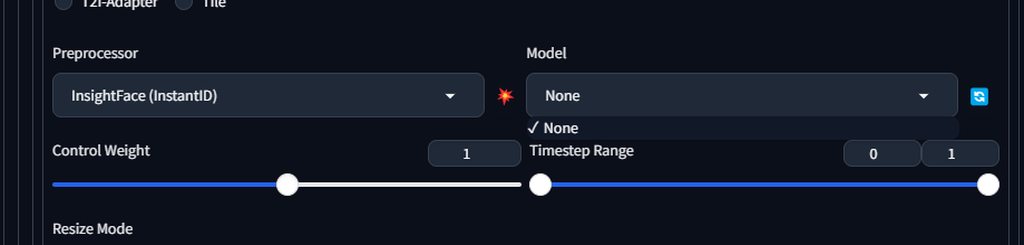 warm tusk
ornate elk
Your on an old webui version. An you should also go over your browser extensions...
warm tusk
ornate elk
Your on an old webui version. An you should also go over your browser extensions...
I am on v1.10.1, commit hash 82a973c04367123ae98bd9abdf80d9eda9b910e2 .
ornate elk
warm tusk
I am on v1.10.1, commit hash 82a973c04367123ae98bd9abdf80d9eda9b910e2 .
Okay, thats the latest. But how did you get the facerestore back there
hallow latch
vocal burrow
it's a little heptic atm, you'll have better luck asking in <#101174309430939663...
It was the Denoising Strength 😄 It was set on 0.75 I always run it on 0.2 - 0.3 😄
vocal burrow
hallow latch
It was the **Denoising Strength** 😄 It was set on 0.75 I always run it on 0.2 -...
that will do it :p
tldr the higher it is the more it will try to "make sense from the noise"
warm tusk
ornate elk
Okay, thats the latest. But how did you get the facerestore back there
What do you mean? I have been upgrading webui from older versions every so often via git pull and I do run on a TV that is 1360x768 resolution if you are talking about where everything is on the screen.
vocal burrow
so if it's too high it will make sense "too quick" and will just reimagine the whole thing
ornate elk
marsh tide
so should i move the folder someplace else?
You should reinstall stable diffusion, but you need to uninstall Python 3.12 before
ornate elk
warm tusk
What do you mean? I have been upgrading webui from older versions every so ofte...
There was an update that removed the face restore option from txt2img. Thats why I was confused ^^
marsh tide
I only have 310 installed
vocal burrow
marsh tide
I only have 310 installed
What do where python, python --version and py --list-paths say ? (run those in cmd)
marsh tide
ok why is it 312
 warm tusk
ornate elk
There was an update that removed the face restore option from txt2img. Thats why...
warm tusk
ornate elk
There was an update that removed the face restore option from txt2img. Thats why...
 marsh tide
this is the only python in the system
 warm tusk
marsh tide
this is the only python in the system
warm tusk
marsh tide
this is the only python in the system
Microsoft store apps are handled separately.
warm tusk
I am surprised they haven't moved to have all all "legacy win32/win64 software" run in a VM and only allow store apps outside that VM based sandbox, thus no more things like openshell.
marsh tide
 warm tusk
ornate elk
Ah thx
warm tusk
ornate elk
Ah thx
Yeah, I didn't like having to go into settings every time so I simply put it back.
vocal burrow
marsh tide
should be much better now.
delete venv and try again.
And with that I'm off
warm tusk
Same here.
marsh tide
Das is new
 ornate elk
marsh tide
Das is new
ornate elk
marsh tide
Das is new
Looks good
marsh tide
sofar so good
 marsh tide
ornate elk
Looks good
marsh tide
ornate elk
Looks good
so how do i get it to open up in microsoft edge?
ornate elk
marsh tide
so how do i get it to open up in microsoft edge?
It always opens in the default browser
marsh tide
cause it will auto open up in chrom if i let it
ornate elk
You would need to set edge to the default
marsh tide
I remeber there was a way to tell it hay open up in this browser instead
whats this?????
 ornate elk
marsh tide
whats this?????
ornate elk
marsh tide
whats this?????
Have you run the update.bat before the run.bat ? If not this can happen
marsh tide
I have no update.bat
ornate elk
marsh tide
I have no update.bat
Hmm strange
 ornate elk
marsh tide
these are the files i have
ornate elk
marsh tide
these are the files i have
Did you downloaded the webui as .zip file ?
marsh tide
yes
ornate elk
Thats the wrong way to install it
Check the install guide in the pinned messages of this channel how to install it correctly
Here:
#🤝|tech-support message
You need to have Git installed to git clone the repo
Uodsge your extensions too
marsh tide
looking better
 ornate elk
Check the cmd log if there are any errors
marsh tide
im just waiting for it to do all its fun shit then i can move my modles over
ornate elk
You need to download the insightface. WHL file and then install it inside the venv via pip command
 ornate elk
marsh tide
ornate elk
marsh tide
Thats good. Gives you a better performance
marsh tide
WOOT now i can move my modles over and my output folder as well
 ornate elk
Yep your ready
marsh tide
I have a124 gigs of modles and VEA
ornate elk
marsh tide
I have a124 gigs of modles and VEA
If you have not much space on C you don't need to move the models. You also can link them via --models-dir "D:/PathToModels"
In the webui-user.bat
marsh tide
I have 2 TBs on C drive
ornate elk
Alright
Why scripts ? But np
Venv
You first have to activate the venv
Then install the .whl file
marsh tide
where do i get this lora
 ruby yoke
marsh tide
where do i get this lora
ruby yoke
marsh tide
where do i get this lora
i'd do a google search for that and see if a site comes up
solid night
Not exactly a technical support question but, Does using a SD that's made for lower VRAM give you worse/different results than using one that's made for lets say 16-24GB of VRAM or is it just faster?
steady thistle
Is there a good walkthrough for training one's own LoRA for Flux?
ruby yoke
solid night
Not exactly a technical support question but, Does using a SD that's made for lo...
both
 bleak mirage
Hello I need help figuring out what is going on here 😬

I tried to launch A1111 and this showed up 😬
 sonic scroll
if anyone can assist me, im having trouble getting my comfy ai manager to work, getting an error, please dm me
 ornate elk
solid night
Not exactly a technical support question but, Does using a SD that's made for lo...
ornate elk
solid night
Not exactly a technical support question but, Does using a SD that's made for lo...
Nope, all can get the same results.
solid night
ornate elk
Nope, all can get the same results.
Out of curiosity what would be the benefit of a full SD vs the same one but pruned?
ornate elk
solid night
Out of curiosity what would be the benefit of a full SD vs the same one but prun...
A full model has better precision. But its not worth using it because the file size is doubled
ornate elk
bleak mirage
Hello I need help figuring out what is going on here 😬
Can you show the full cmd log?
solid night
Alright thank you.
ornate elk
No problem
 mortal compass
Tried to boot up the new forge after not touching my local AI stuff at all for all summer, but it seems computer says no. I ran the update, and cmd updated it and when I check it again it says it is up to date. I think I have the wrong pytorch and xformers versions? I tried to install this "pip install torch==2.3.1 torchvision==0.18.1 torchaudio==2.3.1 --index-url https://download.pytorch.org/whl/cu121" and it seemed to work, but I'm getting the same error. I also tried reinstalling xformers, writing "--re-install xformers" (or something close to that, can't find it) in ARGS, which did not work.


 ornate elk
mortal compass
Tried to boot up the new forge after not touching my local AI stuff at all for a...
ornate elk
mortal compass
Tried to boot up the new forge after not touching my local AI stuff at all for a...
Delete the venv folder and relaunch
mortal compass
ornate elk
Delete the venv folder and relaunch
I was sitting here thinking if I should do that or wait for a reply first  Will give it a shot
mortal compass
ornate elk
Delete the venv folder and relaunch
It worked somewhat; at the end the local server started but the interface is not working as intended. There was a whole bunch of errors that I'm not familiar with.
I found it interesting that it installed albumentations and insightface and then decided that it is actually not installed 😂

 snow breach
I wish I could get SD Forge to work too. Tried their recommended installer and it wont install. Claims my 4080S doesn't support CUDA lol. I beg to differ.
nvcc: NVIDIA (R) Cuda compiler driver Copyright (c) 2005-2023 NVIDIA Corporation Built on Wed_Feb__8_05:53:42_Coordinated_Universal_Time_2023 Cuda compilation tools, release 12.1, V12.1.66 Build cuda_12.1.r12.1/compiler.32415258_0
bleak mirage
ornate elk
Can you show the full cmd log?
As in the entire command prompt process? 🤔
 wet fiber
venv "C:\stable\stable-diffusion-webui-amdgpu\venv\Scripts\Python.exe"
ROCm Toolkit 6.1 was found.
Python 3.10.11 (tags/v3.10.11:7d4cc5a, Apr 5 2023, 00:38:17) [MSC v.1929 64 bit (AMD64)]
Version: v1.10.1-amd-9-g46397d07
Commit hash: 46397d078cff4547eb4bd87adc5c56283e2a8d20
Using ZLUDA in C:\stable\stable-diffusion-webui-amdgpu.zluda
WARNING:xformers:WARNING[XFORMERS]: xFormers can't load C++/CUDA extensions. xFormers was built for:
PyTorch 2.1.2+cu121 with CUDA 1201 (you have 2.3.1+cu118)
Python 3.10.11 (you have 3.10.11)
Please reinstall xformers (see https://github.com/facebookresearch/xformers#installing-xformers)
Memory-efficient attention, SwiGLU, sparse and more won't be available.
Set XFORMERS_MORE_DETAILS=1 for more details
WARNING:xformers:A matching Triton is not available, some optimizations will not be enabled.
Error caught was: No module named 'triton'
C:\stable\stable-diffusion-webui-amdgpu\venv\lib\site-packages\pytorch_lightning\utilities\distributed.py:258: LightningDeprecationWarning: pytorch_lightning.utilities.distributed.rank_zero_only has been deprecated in v1.8.1 and will be removed in v2.0.0. You can import it from pytorch_lightning.utilities instead.
rank_zero_deprecation(
Launching Web UI with arguments: --xformers
ONNX: version=1.19.2 provider=CUDAExecutionProvider, available=['TensorrtExecutionProvider', 'CUDAExecutionProvider', 'CPUExecutionProvider']
rocBLAS error: Cannot read C:\Program Files\AMD\ROCm\6.1\bin/rocblas/library/TensileLibrary.dat: No such file or directory for GPU arch : gfx1036
rocBLAS error: Could not initialize Tensile host:
regex_error(error_backref): The expression contained an invalid back reference.
help)

GitHub
Hackable and optimized Transformers building blocks, supporting a composable construction. - facebookresearch/xformers
ornate elk
bleak mirage
As in the entire command prompt process? 🤔
Yes
ornate elk
wet fiber
venv "C:\stable\stable-diffusion-webui-amdgpu\venv\Scripts\Python.exe"
ROCm Tool...
Zluda found your CPUs igpu instead of your normal GPU.
To fix this, go into the device manager and disable Radeon TM Graphics under display adapters.
Then relaunch
Also remove --xformers from the webui-user.bat.
Delete the venv folder and relaunch
Xformers is not AMD compatible rn
ornate elk
snow breach
I wish I could get SD Forge to work too. Tried their recommended installer and i...
Make sure you have the latest GPU driver and then checkout the install guides of the link in the pinned messages.
wet fiber
ornate elk
Zluda found your CPUs igpu instead of your normal GPU.
To fix this, go into the ...
Thank you, but the photo takes a very long time, longer than on the CPU, do you know what could be wrong? video card (7800 xt)
Compiling in progress. Please wait...
0%| | 0/20 [00:00<?, ?it/s]Compiling in progress. Please wait...
Compiling in progress. Please wait...
Compiling in progress. Please wait...
Compiling in progress. Please wait...
Compiling in progress. Please wait...
ornate elk
wet fiber
Thank you, but the photo takes a very long time, longer than on the CPU, do you ...
Full cmd log pls
wet fiber
ornate elk
Full cmd log pls
The problem somehow went away on its own
ornate elk
Perfect
 oak jay
Hi all. Forge was working perfectly this morning then I had to restart my computer and now I'm getting this error message, RuntimeError: Your device does not support the current version of Torch/CUDA! Consider download another version:
https://github.com/lllyasviel/stable-diffusion-webui-forge/releases/tag/latest

But, I installed Forge since the dates shown in the link, so, not sure why it would suddenly not support that version
ornate elk
oak jay
Hi all. Forge was working perfectly this morning then I had to restart my comput...
Which of these versions did you installed ?
oak jay
ornate elk
Which of these versions did you installed ?
How would I find that out?
venv "C:\Users\Philip\stable-diffusion-webui-forge\venv\Scripts\Python.exe"
Python 3.10.11 (tags/v3.10.11:7d4cc5a, Apr 5 2023, 00:38:17) [MSC v.1929 64 bit (AMD64)]
Version: f2.0.1v1.10.1-previous-536-gbc0dece3
Commit hash: bc0dece35671209565309a1c783641d8955f06f8
Traceback (most recent call last):
File "C:\Users\Philip\stable-diffusion-webui-forge\launch.py", line 54, in <module>
main()
File "C:\Users\Philip\stable-diffusion-webui-forge\launch.py", line 42, in main
prepare_environment()
File "C:\Users\Philip\stable-diffusion-webui-forge\modules\launch_utils.py", line 434, in prepare_environment
raise RuntimeError(
RuntimeError: Your device does not support the current version of Torch/CUDA! Consider download another version:
https://github.com/lllyasviel/stable-diffusion-webui-forge/releases/tag/latest
Press any key to continue . .
ornate elk
oak jay
How would I find that out?
You cant but if it says not supported its the wrong one
Make sure your GPU driver is updated. That can fix it sometimes
oak jay
I tried that, it is up to date. Weird that it was working fine before restarting my computer. I
ornate elk
oak jay
I tried that, it is up to date. Weird that it was working fine before restarting...
Could be lucky that it worked until a restart which reloads drivers
oak jay
Ahh, ok. How do I get it working again?
oak jay
If I install that, will it overwrite everything already in the folder, like, my models
oak jay
Oh, ok, thanks for you help
So, I'll lose all my extensions too??
And all my settings??
ornate elk
You can move them over too
Copy the models, extensions and output folder over.
And also the config.json and ui-config.json
And replace them
oak jay
ok, thanks
magic lintel
@ornate elk Is there a trick to prompting that helps me to speficically change something on one person in the image and not the other
trying to get two girls to fight and want them to look a specific way
ornate elk
magic lintel
trying to get two girls to fight and want them to look a specific way
Thats doable with the Regional prompter extension
There you can define 2 different persons
Or more
magic lintel
ornate elk
Thats doable with the Regional prompter extension
this?

GitHub
set prompt to divided region. Contribute to hako-mikan/sd-webui-regional-prompter development by creating an account on GitHub.
ornate elk
Yws
magic lintel
ornate elk
Yws
do you make images or are you just a tech support angel?
also once i install this thing where are the options?
magic lintel
show me some of your work friend
ornate elk
magic lintel
also once i install this thing where are the options?
Under txt2img tab
ornate elk
magic lintel
show me some of your work friend
Anime or realism?
Or with regional prompter ?


 oak jay
ornate elk
Yws
oak jay
ornate elk
Yws
Even after the reinstall, I'm getting the same error 😢
ornate elk
oak jay
Even after the reinstall, I'm getting the same error 😢
whats your gpu?
oak jay
ornate elk
whats your gpu?
RTX 4080 laptop
ornate elk
oak jay
RTX 4080 laptop
ah okay then go into the nvidia control panel. There on the right click on 3D Settings. then on the left select Nvidia High Performance Device in the dropdown. Then save and close. Then relaunch Forge
magic lintel
ornate elk
<@109397110159347712> here are a few
The snake looks amazing, very eden vibes, gyaru Alice also looks good
ornate elk
Thanks!
oak jay
ornate elk
ah okay then go into the nvidia control panel. There on the right click on 3D Se...
same result
ornate elk
oak jay
same result
restart the Laptop and rthen delete the venv of forge and the nrelaunch
ornate elk
magic lintel
How do you prompt to get wide shots?
i used wallpaper for that one and sometimes putting closeup oder portrait in negative can help
using "wide shot" is hit or miss
magic lintel
Ooo wallpaper, haven't thought of that.
oak jay
ornate elk
restart the Laptop and rthen delete the venv of forge and the nrelaunch
Nope, same issue
magic lintel
@ornate elk Best prompt for aerial view. Also do fisheye lens work?
ornate elk
magic lintel
<@161910921269084160> Best prompt for aerial view. Also do fisheye lens work?
for aerial view maybe birds eye view.
Fish eye works with fish eye lense or fish eye effect. if you go to strong on fish eye you get fish ^^
 atomic zealot
Hello! I am new to the server, and I think I am missing a role, but I'm not sure which one. In the "want to get started with stable difficusion?" pin in general-chat, it says: "Find the most suitable method for yourself by visiting our #unknown channel!" And of course, clicking on #unknown just tells me that's a channel I don't have access to.
(I selected a number of roles, but I guess not the right ones that would give me access)
My OTHER question was.. I'd heard that sd-webui-addition-networks had been deprecated, and that you can put all your Loras into the toplevel models/Lora. However, after restarting, all my loras are gone from the interface. Nothing in the additional networks tab, nothing in the additional networks dropdown.. I suppose I've gotten used to that sd-webuid-additional-networks interface, such that I'm not sure how to use loras in the top-level loras folder now.
ornate elk
atomic zealot
Hello! I am new to the server, and I think I am missing a role, but I'm not sure...
hey thats a bug. idk which role could see it.
For you lora issue. Make sure your webui is updated.
Also loras/lycoris etc only show up when a compatible model is selected
atomic zealot
ornate elk
hey thats a bug. idk which role could see it.
For you lora issue. Make sure your...
I'm assuming 'git pull' in the toplevel should fully update it?
All these models are from civitai, could they all be out of date and incompatible?
ornate elk
atomic zealot
All these models are from civitai, could they all be out of date and incompatibl...
nope
they should work
but you need to make sure that the loras are made for the same model version
sdxl loras work only with sdxl and pony and not with 1.5 for example
atomic zealot
Mmm, in my case, I was experimenting by finding pictures on civitai, seeing what checkpoint/loras they used, and downloading/installing them. That was working fine putting them into sd-webui-addition-networks, for the most part, but I started getting errors, and googling those came up with responses saying sd-webui-addition-networks hasn't gotten updates in some time and we should use the native Loras support. Well so far after moving them to the native loras folder, not a single lora shows up now in the webui.
(Also, haha, it's tough googling because SO much information is out there that is out of date now)
ornate elk
atomic zealot
(Also, haha, it's tough googling because SO much information is out there that i...
Yea and its correct that the extension is outdated and can be removed
On which webui version are you?
Check it at the bottom of the webui
oak jay
@ornate elk any other ideas please? Still getting the same error.
ornate elk
oak jay
<@161910921269084160> any other ideas please? Still getting the same error.
you can try to use the third version of forge which uses torch 2.1
ah nope 2.3.1 is the recommended one
so what you should try is to maybe reinstall your gpu driver
atomic zealot
@ornate elk I'm on v1.10.1! git pull says everything be up to date.
I did remove the venv ... just in case. I've had to do that before to fix weird graphical corruptions
ornate elk
atomic zealot
I did remove the venv ... just in case. I've had to do that before to fix weird ...
okay, can you relaunch and share the cmd log, maybe we can see an error when it tries to load the loras
atomic zealot
There's not much to it!
(the additional networks extension is still technically loaded, but there's nothing in there anymore)
ornate elk
atomic zealot
(the additional networks extension is still technically loaded, but there's noth...
You have to delete the extension as it could overwrite the normal lora functionality.
Then delete the venv folder again to clear the rest of it.
Then relaunch
I'm off for today
atomic zealot
As simple as that! Thanks.
fair oxide
@ornate elk so my SD A1111 won't startup without an internet connection is there a way round this like some sort of argument I can use to make it start without trying to download anything so it might start up. The whole reason I have it on my laptop is so I can use it when I don't have internet 😭
snow breach
fair oxide
<@161910921269084160> so my SD A1111 won't startup without an internet connectio...
Is this the first time you're running the App? After you run it the first time, you'll be able to run it without an internet connection.
fair oxide
snow breach
Is this the first time you're running the App? After you run it the first time, ...
This isn't my first time running it
I've ran it for months now but I always get the issue when I'm not online
snow breach
Odd. I pulled my wifi from my computer and just fired it up without any itnernet at all, works fine.
fair oxide
It runs fine without internet but won't start up without it
snow breach
Sounds like you've got a git pull in your startup.
fair oxide
I can turn the internet off after it starts up and it runs perfectly
snow breach
Do you launch it with webui-user.bat?
fair oxide
snow breach
Sounds like you've got a git pull in your startup.
How do I uhh
Not have that
Yeah
I didn't know there was another way 😭😭
Should I be using a different way to start it up?
snow breach
No that is fine, you just need to check whats in it.
fair oxide
Wdym
snow breach
Open webui-user.bat with notepad
snow breach
screenshot
 fair oxide
Let me pull it up and screenshot it
Umm
Ignore the music 💀
I'm sending a video instead of a few screenshots 😅
Ignore the background too 😭😭
snow breach
Yeah it looks like somewhere in your startup files you've got a command to run updates automatically.
Probably breaking due to that.
snow breach
Ok I think I am wrong. It looks like you're missing some components to the App and it is trying to fix that problem. Someone else may need to help with this. For the next person who does, here are some cleaned up images @fair oxide is seeing...

 snow breach
Haha. I would assume that if you are on the internet and it does run, it would have fixed it. But I'm still a noob myself, so...
fair oxide
Ive been using a1111 for a while I just keep breaking it and I don't understand how because I can't understand what it's yelling at me
snow breach
ONe thing I could advise is don't use spaces in any folder names when it comes to these apps. They're touchy.
It looks like you did copy/paste it at one point where it may have added " (2)"
fair oxide
Ah that's when I was downloading it but my laptop crashed while downloading it (twice)
So it had files downloaded nit not fully installed and I didn't delete the failed downloads so the next times I downloaded it it came out as (1) (this one failed) and (2)
Two is the one that successfully downloaded
I try not to touch anything filewise in a1111 because I have a habit of breaking it really easily. I only mess with the arguments in notepad 😔
snow breach
Sorry 🙂 You need better help than me haha.
fair oxide
😭
It's okay
I wish CS1o was here they always fix it no matter how hard I break it 😔
ruby yoke
fair oxide
😭
what are the errors it's giving you?
fair oxide
snow breach
Ok I think I am wrong. It looks like you're missing some components to the App a...
@ruby yoke these
I think I got it???
ruby yoke
fair oxide
<@407561236339752981> these
i can't read that. can you do an actual screen shot, not just take a photo with your phone?
fair oxide
I used the command argument --skip-install
ruby yoke
fair oxide
I used the command argument --skip-install
why?
ruby yoke
fair oxide
Because I found an article that said do that
okay so - you skipped installing - stuff it apparently now wants?
fair oxide
Yeah!
ruby yoke
so now you ahve to install the stuff you skipped installing
fair oxide
Well
No
Because I've been having this issue for a while but it always works as long as I have internet and now I can use it without internet so
I'm not going to update anything
I'm not going to touch anything
ruby yoke
fair oxide
Because I've been having this issue for a while but it always works as long as I...
so if it's working, even though it's complaining about missing stuff... i'm confused?
fair oxide
It works that's all I need if I try anything else I'll fuck it up 10000000%
ruby yoke
fair oxide
It works that's all I need if I try anything else I'll fuck it up 10000000%
okay then - what is it you're needing help with? if it's working without the stuff, apparently you don't need the stuff?
fair oxide
Well I WAS needing help with it
ruby yoke
those are just warnings anyway
fair oxide
I just figured it out
ruby yoke
okay 🙂
ruby yoke
fair oxide
I just figured it out
what you should do is what I always do - break it on purpose, then figure out how to fix it. then, if it breaks in the future you'll know how to fix it OR you'll know you can figure it out
fair oxide
Nooooooooo 😭
ruby yoke
you can always recover by totaly removing it and starting over
fair oxide
You don't understand if I mess up I will NOT be able to fix it
ruby yoke
fair oxide
Nooooooooo 😭
that's how you build your skill set
fair oxide
I am DUMB
ruby yoke
fair oxide
You don't understand if I mess up I will NOT be able to fix it
sure you can. if nothing else, you delete everything and start over
ruby yoke
fair oxide
I am DUMB
you are not. you're just terrified
fair oxide
I don't have the internet for that 😭
ruby yoke
fair oxide
I don't have the internet for that 😭
but you have a brain and you can make notes when you do have the internet
fair oxide
😭
ruby yoke
you can do it. I mean, you just DID do it. you figured it out
fair oxide
I mean yeah but I got lucky 😔
I've never been good with stuff like this, it's all gibberish to me
I can only follow a reddit tutorial looool
ruby yoke
fair oxide
I've never been good with stuff like this, it's all gibberish to me
but you're evidently learning - you were able to follow a tutorial. that's a good start. you can do this. one step at a time and breath.
fair oxide
Hmmmm yeah, youre right. I used to get confused reading tutorials (I didn't understand a lot of terms used liek what a command line argument was) but now I do and was able to solve it on my own for once
ruby yoke
fair oxide
Hmmmm yeah, youre right. I used to get confused reading tutorials (I didn't unde...
you did good 🙂 just need to have some confidence in yourself. no one starts out able to do this stuff - everyone learns - even @ornate elk
 solemn moon
my body is so ready for forge flux control nets
FYI
ruby yoke
solemn moon
my body is so ready for forge flux control nets
FYI
your body is ready? what about your brain?
ruby yoke
fair oxide
I can get control net to make this specific pose I wnt
are you trying to use flux? or sdxl?
solemn moon
flux is better but needs more supporting tools
ruby yoke
fair oxide
Is flux better?
better is a relative word. SDXL is very good.
fair oxide
I have some sdxl models downloaded but it all looks trash no matter what I do
ruby yoke
solemn moon
flux is better but needs more supporting tools
yeah - that's not going to happen
solemn moon
i honestly go to 1.5 for anything extra than generating
ruby yoke
agreed. 1.5 is excellent for all sorts of things
fair oxide
Yeah but it's for a specific character and the best models for him are sdxl
ruby yoke
fair oxide
Yeah but it's for a specific character and the best models for him are sdxl
okay and the best controlnets are for sdxl too - but i would be using Comfy - not auto1111, forge, or anything else.
solemn moon
fair oxide
Yeah but it's for a specific character and the best models for him are sdxl
post a screen shot of what yre trying
fair oxide
I have 1.5 stuff but the character doesn't look as good using his available 1.5 models
fair oxide
solemn moon
post a screen shot of what yre trying
Wdym like the settings?
solemn moon
ruby yoke
your body is ready? what about your brain?
both, mental preparations have been in place.
Been praying to the diffusion gods for a line art daily
fair oxide
I cant really screenshot on my laptop rn
Hope you don't mind me using my phone to take pics of the screen
solemn moon
fair oxide
Hope you don't mind me using my phone to take pics of the screen
so chilled

 solemn moon
yea def not listening to control net
fair oxide
Ignore the prompt on the side that's unrelated
The images it produces looks like this
(Its sending)

It looks liek this or worse
I've even tried doing it through img2img which gets slightly better results but
It's still bad

Like it's DOG
solemn moon
bruh, it looks like the pose was copied though o0\
fair oxide
Yeah I used the image as the img2img image
I want the pose as exact as possible 😅
I figured it would yield better results and it DID but it's still not good enough
solemn moon
Just deleted forge, back to Auto
fair oxide
😭
snow breach
What did you do to solve your problem Misery?
ruby yoke
fair oxide
😭
actually - just delete forge, auto1111, webui and go to comfy
snow breach
I just started with forge last night. Got sick of the performance of A1111. Might have to go try comfy.
fair oxide
Has anyone gotten a1111 installed on a non-C drive working? I keep getting "dubious ownership" git errors. Or MUST a1111 be installed on C?
ruby yoke
fair oxide
Has anyone gotten a1111 installed on a non-C drive working? I keep getting "dub...
you might start by reading through this https://github.com/AUTOMATIC1111/stable-diffusion-webui/discussions/14130 and then talk to @ornate elk once he's online again
GitHub
I'd like an entire brand new install of A111 to exist on an internal 2TB SSD, completely separate from my existing InvokeIA install which IS on the C: drive. Is this possible? What hoops do I n...
fair oxide
Yeah, that's what I'd been trying. But I keep getting "fatal: detected dubious ownership in repository at PATH" errors.
Even when I add safe directory entries on that drive in .gitconfig, errors abound. I can get a1111 running after all those safe entry adds, but then I have to do the same for tmp/extensionfolder and then extensions/extensionname. Very cumbersome/painful and hasn't worked yet.
I'll revisit tomorrow
snow breach
fair oxide
Yeah, that's what I'd been trying. But I keep getting "fatal: detected dubious ...
I started command prompt as administrator and run the webui-user.bat to get around that.
ruby yoke
now now now
fair oxide
oh that didn't work either lol
snow breach
Well don't feel bad, this is all the flux dev model outputs for me, so not much better here lol
 ruby yoke
fair oxide
oh that didn't work either lol
ruby yoke
fair oxide
oh that didn't work either lol
beating up the computer usualy isn't very effective.
fair oxide
finally.fricking.found.the.solution.
fair oxide
snow breach
I started command prompt as administrator and run the webui-user.bat to get arou...
doing this helps fix the "access denied" errors to the drive during extension installation, but does not fix the dubius git errors.
I will post an issue to a1111 to document my solution
I needed: git config --global --add safe.directory "*"
to fix "fatal: detected dubious ownership in repository at PATH" errors.
Do I need xformers?
I get "no module 'xformers'. Processing without..."
ruby yoke
fair oxide
Do I need xformers?
depends on what you'll be using - probably not.
fair oxide
In what case is it needed/useful?
ruby yoke
fair oxide
In what case is it needed/useful?

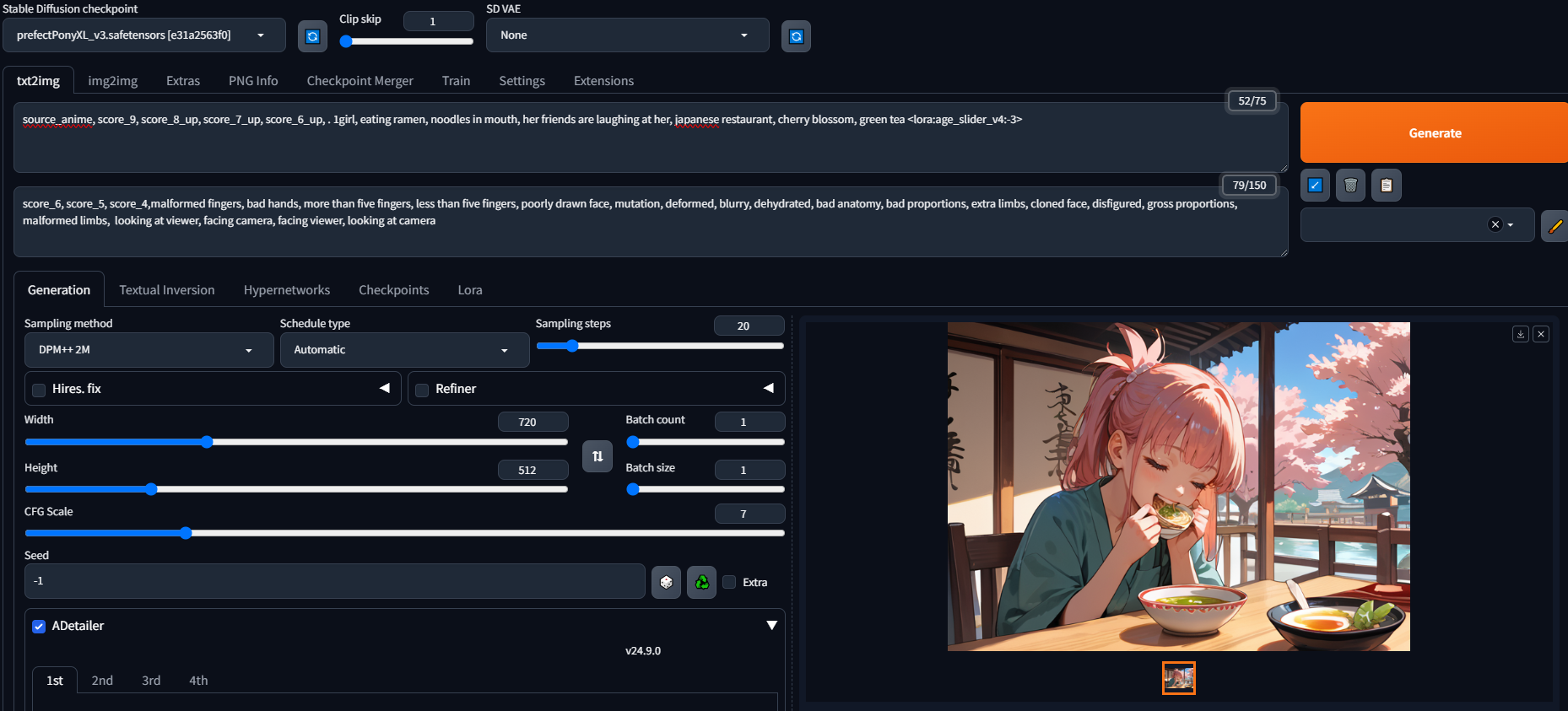
probably not something you're going to need it for, but start there
oak jay
ornate elk
so what you should try is to maybe reinstall your gpu driver
That worked, thank you.
ornate elk
fair oxide
I get "no module 'xformers'. Processing without..."
If your on nvidia you should use it
 thorn pendant
i want upscale it without eff its pixel art, how can i do it
 vocal burrow
fair oxide
Has anyone gotten a1111 installed on a non-C drive working? I keep getting "dub...
vocal burrow
fair oxide
Has anyone gotten a1111 installed on a non-C drive working? I keep getting "dub...
Probably because your other drives are formatted in fat32.
either you reformat then in ntfs or you run the command it's telling you to.
vocal burrow
fair oxide
In what case is it needed/useful?
It's for performance boost, all you have to do is add --xformers to the set COMMANDLINE_ARGS= line of your webui-user.bat
 solemn atlas
Hello, I have a question. I tried to move my SD models folder to my SSD. I followed this tutorial but somehow it doesn't copy the folder in my webui folder.
https://www.youtube.com/watch?v=9UU3EuZDDVg It's 2:09
mklink /D models "path/to/models"
Not saying this is the best way to do this, just a way that has worked for me.
You could also edit the "webui-user.bat" file with "--ckpt-dir", but I've found mklink to be easier. It won't get overwritten by updates either.
If you do a "git pull" to update, it will yell at you and you'll have to delete the "m...
This is what I get

It says: You do not have sufficient permissions to perform this operation.
Maybe someone can help me please
ornate elk
solemn atlas
Hello, I have a question. I tried to move my SD models folder to my SSD. I follo...
You only need to add --models-dir "D:\YourPathToModels" in your webui-user.bat
No need to symlink stuff for auto1111
Also --ckpt-dir works only for models and --lora-dir for loras
solemn atlas
I moved the whole models folder to my SSD which includes lora and checkpoints. So I still need to only put this? --models-dir "D:\YourPathToModels
because in that tutorial he created a "copy" folder in that webui folder
like this?

 hybrid kindle
Hello. Im new to all this stuff, installed stable diffusion for amd following guide, now when i trying to create any image im getting this error
what can i do? i also had "no module 'xformers'. Processing without..." message when installing

 solemn atlas
ornate elk
You only need to add --models-dir "D:\YourPathToModels\" in your webui-user.bat
solemn atlas
ornate elk
You only need to add --models-dir "D:\YourPathToModels\" in your webui-user.bat
this is when i open my webui
