 remote yew
Intro
- Non-hex game mode have four valid shape icon codes, that is, circle (C), square (R), star (S) or diamond/wedge (W).
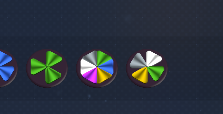
- Hex game mode have three valid shape icons, that is, Hexagon (H), Flower (F) and Gear (G).
- When saving blueprint, you can select four sub-icon, and have the option to create custom shape codes for those sub-icons.
Issue
- When playing in one of the two modes (hex or non-hex), in the blueprint menu, you do not see the blueprint sub-icons that are made with shape codes for the other game mode. Those sub-icon appear as blank.
- When editing the shape icon, and creating custom icon, you cannot use the shape code from the other game mode (you get invalid shape code error)
 sinful rapids
 verbal compass
 jagged breach
 languid wedge

